#development-advanced
1 messages · Page 43 of 1
 shell wagon
 trail jacinth
Ahh I see
Well yeah believe me you want the gun to drop when VR users release the grab button, feels much more natural
shell wagon
ok, then how do i activate a trigger when they are holding it?
trail jacinth
Well you know that for VR Users Grab and Trigger are two different buttons right?
shell wagon
so that it makes a flash/sound. i have an animation made for it, but that is what confuses me the most
i did not, i rebound my controls
trail jacinth
Well thats your problem xD
You shouldnt really do that, since most people dont set it up like that
For desktop, Pickup and Use are both LMB, so thats why they have an Auto-Hold
trail jacinth
As I said just change "Auto Hold" on the VRC_Pickup component to "Yes" instead of Auto
shell wagon
ok, thanks :U
trail jacinth
Its really not that easy to miss ;P
shell wagon
sorry if i seam dumb, im still kinda new to makeing worlds even though ive been doing it for over a year now
trail jacinth
Well making worlds and making contraptions or mechanisms is something different
trail jacinth
Pff I didnt really help you xD
shell wagon
nah, you helped. you told me that vr and desktop users are diffrent how how they act and told me how to fix my object
trail jacinth
Well was kinda obvious, but sure xP
 dim owl
I impulsively made a remote-control navmesh roomba
trail jacinth
Well its not really a roomba, unless it collides with something, backs off, and slowly turns to continue forward ;P
dim owl
I could make it so when it collides with something, it stops, turns 180 degrees and immediately runs in to another wall.
trail jacinth
And what purpose would that have?
dim owl
It's a camera drone the "dungeon master(s)" will have access to to monitor the players more closely.
Or I could give it to the players for scouting purposes.
trail jacinth
No I didnt understand that "it stops, turns 180 degrees and immediately runs in to another wall."
First of all if it turns 180 degrees if it collides with something it CANT immediately run into another wall
dim owl
It doesn't actually do that, it was just joking, because roombas. It actually just has tank controls
trail jacinth
Then its not a roomba, but just a remote-controlled vehicle with a camera :P
or simply a (ground)drone
Also you technically dont need a navmesh for that ( but I think it might make it easier or at least simpler)
dim owl
The navmesh makes it significantly better at going up stairs and slopes and wall collision is pretty much automatic.
trail jacinth
Yeah thats definitely true
 jade badger
does anyone know how to make a URL input for the VRCvideo sync
 tropic jewel
Hi. I'm trying to deploy a world static object using an emote. The two systems seem to interfere with each other, and I've not got it working yet. Nothing shows up upon using the enable emote.
Assuming it's possible, does anyone know how I should be structuring this?
The hierarchy for it currently looks like this. https://gyazo.com/1c61d6641111075d5023573b2f51c7b7

Am using Rokk's prefab for static objects, and Xiexe's inventory generator.
 hidden pollen
i guess ill ask this here as well because it may follow under advanced animations so here is the problem I'm trying to make a gesture to scale my avatars bones but I either get an aabb error or I get the warning saying theses clips are humanoid and are bound to model name and the model is rigged as a humanoid anyone who is able to help me fix this i will be grateful
 gleaming stag
Does anyone know if they're planning on allowing more freedom with c# programming in the future
 dark sigil
no c# in worlds, but they're developing a system for worlds to use a node based editor for scripting
still gonna be awhile before it's implemented though
 summer berry
Actual devs or just other world creators?
Either way, I think they just hang out wherever rather than the same place all the time
 slate canyon
I'm just working on VR stuff and would love to be able to chat with other creators 😄
summer berry
There is the community meetup event for creators to show off worlds they are making. That's basically a world hop event, so don't expect to get work done if you attend. Check out vrchatevents.com
 daring marsh
anyone knows what this means?
Sun Aug 18 2019 23:46:38.069 - Unable to find input 'enable' in filter grab_actions_legacy_23_user_hand_left_input_grip
Sun Aug 18 2019 23:46:38.069 - Unable to find input 'capsense' in filter grab_actions_legacy_23_user_hand_left_input_grip
related to index knuckles controller. and found in logs / vrclient_VRChat.txt
hidden pollen
Anyone here know how to make a hand gesture animation that scales the bones of a model when I tried to make it I kept getting an error saying something about the clips are humanoid and they are bound to model Name but the thing is its a duplicate of the main model so the bones are still the same for both
 stiff lily
needs to be enabled at start to play
 warm niche
I make this in trigger
Vrchat downloading video on youtube but i see only gray screen, no sound no image
summer berry
The object needs to be enabled for OnNetworkReady to work properly
warm niche
first screenshot
summer berry
What about the first screenshot?
warm niche
OnNetworkReady Used
stiff lily
your object is disabled
warm niche
i use button to activate
i try place new player but new player not work too
download latest sdk and reinstall, not helping, i download latest youtube-dl. too
Player Enabled
stiff lily
It won't work if it's not enabled by default
It's your choice to turn it off right away after you join your work with OnNetworkReady for example
stiff lily
Enable your object by default, then use the existing OnNetworkReady to disable it after the Play (RPC)
warm niche
Fixed/ i try upload world use beat sdk and this work
summer berry
"Beat sdk"?
warm niche
maybe
VRCSDK-2019.07.31.13.58_Public
Work on VRCSDK-2019.08.16.18.20_Public
But now i not hear audio
oh. i fix. need re-add audio source
warm niche
Does anyone here know how to make a camera override that is toggled by keyboard? I want to try and add it to my world
It's overriding the viewpoint with a grabable camera that you can move arround and position, and i want to toggle the viewpoint override via keyboard
trail jacinth
Well there is "OnKeyUp/Down" to detect Keyboard and Gamepad inputs? Is that all you want to know?
warm niche
I want to know how to make a camera override, i know how to make it show on a quad but not how to make it so it overrides your own camera
Thanks though
trail jacinth
With "camera override" you mean that the Players perspective switches to a different camera right?
warm niche
Yes
trail jacinth
Hmm I dont think thats possible, but maybe someone more experienced knows a way to do that
warm niche
I mean, it's a thing on some worlds
trail jacinth
I personally have never seen it before
trail jacinth
@lean oak This is a Development Channel. Please keep pictures to #vrchat-pictures ...
No problem. Happens
 lean oak
warm niche
lean oak
warm niche
anyone know how to make dynamic post-processing colour with a UI?
 hasty heath
@warm niche can you elaborate?
the postp stack is part of unity directly now, so it does have a bit of a ui

go there and add it, to start
there's a full manual on it here: https://docs.unity3d.com/Packages/com.unity.postprocessing@2.1/manual/index.html
I'm going to assume you're looking for this: https://docs.unity3d.com/Packages/com.unity.postprocessing@2.1/manual/Color-Grading.html
go easy on it, it can change the user ui a little
hasty heath
you're in the right channel for that! So you need to make a unity ui panel that changes the properties of the post processing stack, essentially turning it off
the quick way: make a UI canvas object. I recommend parenting it to an empty so you can find it later
I assume they use "render mode world" but they make it follow the player
I've not done it myself, but many of the tools from here: https://t.co/4stxiRlzSm can get you started. https://www.youtube.com/watch?v=us-yO_E31gU cyan did a little tutorial on basics for that

This tutorial shows you how to make Unity UI Text and Buttons. With the buttons you can activate different functions but these functions will be local to you...
in that first link, there's a Radial Menu that follows player. it requires the Toybox v2.1 addon from there & Standard Assets pack too
but you could probably build it from that
warm niche
ok, ok
so to clarify further, how do I change the postprocessing stack v2 volume properties from an ingame menu?
Sliders for example, can only change the post-processing-stack volume(?) not any values
PS: I appreciate the help @hasty heath
trail jacinth
Sliders can change any public non-static float
Those are documented in the Unity Manual
trail jacinth
Then you cant change them with the slider itself
warm niche
to further clarify my question: how does one make a slider change the post-processing-stack's volume data such as in "Room of the rain" or similar maps with adjustable colour grading/bloom. If this is not post-processing please inform me as to what it is so I may also use it please
trail jacinth
I think you need to change the values in the Profile. How you do that, I dont know.
 woven vortex
I'm interested in isolating properties as well so I don't need to turn off my tonemapper. do you need to break each property into a separate volume, or is there an easier way to access individual properties, like with an animation?
 stable hazel
yeah you need multiple post processing profiles with different effects. The only value you can change at runtime (besides just toggling the volume on and off) is the 'weight' of the volume through animation. Getting it to work with a slider means you have to make an animation of the weight at 0 and at 1 and then the slider controls the place in that animation. I haven't done it myself so I don't fully understand it either but that's what you should be looking to do'
trail jacinth
Because that would be borring ;P
hasty heath
Igbar is correct, you can create a post processing volume, and adjust the weight via an animation
the "slider" can be smooth for the user but have steps
warm niche
@hasty heath wanting to adjust the colour grading/bloom not the weight. I think you can adjust weight using UI like normal
hasty heath
@warm niche well, depending on the post processing stack they used they could be doing it another way that just interacts with it
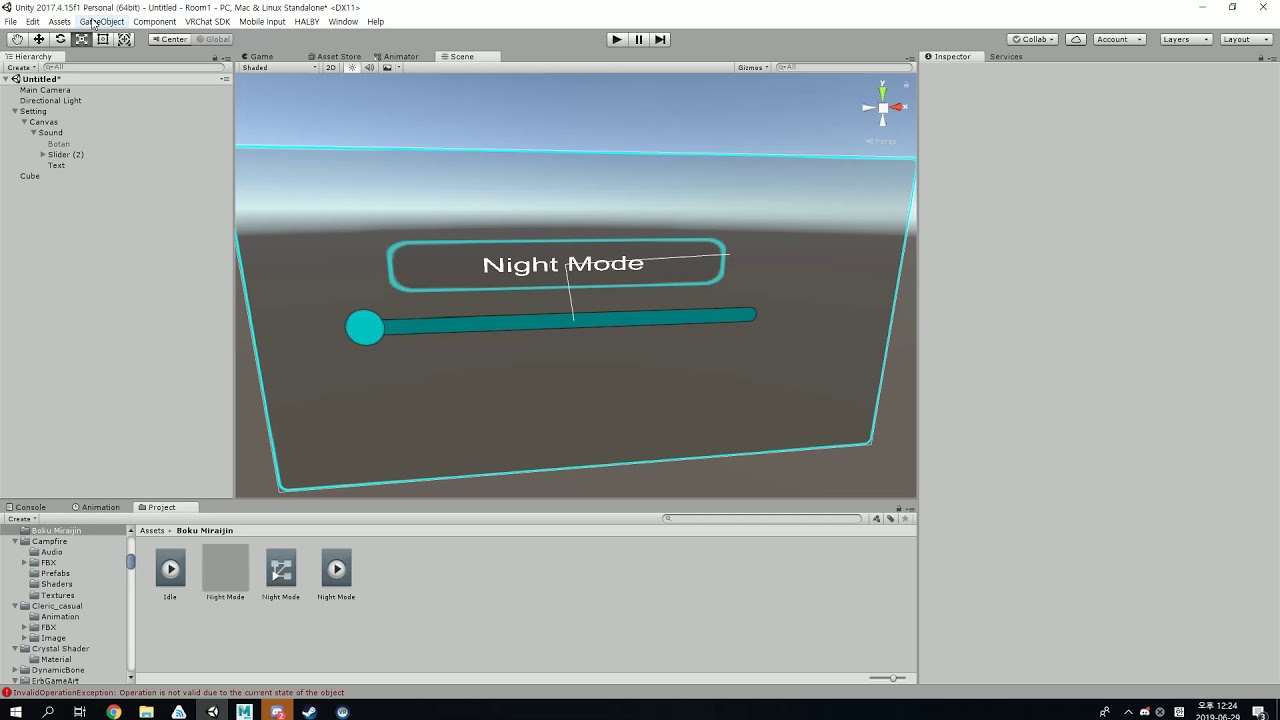
a better demonstration
 terse sage
Both spanishHUBS maps and my maps use the weight of every post processing effect on different profiles to be able to adjust them via a slider
trail jacinth
Sounds so overly complex, for something that should be really simple :/
terse sage
For things such as saturation, I use two profiles, one with negative and one with positive saturation, at the half way mark of the animation the weight of both are at 0, then at 0 seconds of the animation, the negative saturation profile weight is at 1, then at 1 second in the animation the positive saturation weight is at one
You will also want to mess with the priority of these profiles or they wont work properly
And it isnt really complex, just a fairly hacky workaround for something that should be simpler
warm niche
@hasty heath thanks for the video.
hasty heath
^^ that's what I figured. @terse sage , there is an easy way to adjust the post processing stack, but those scripts would be removed by vrc's sdk
hasty heath
PostProcessProfile class works basically like materials
@terse sage has anyone released that as a prefab for the community?
terse sage
Dont think so
trail jacinth
Someone should then 👀
 kind brook
How do I go about making a custom sitting animation for seats?
terse sage
This my ui panel, very pretty
Clicking preset settings will adjust sliders accordingly
hasty heath
such pretty, very aesthetic.
Also, have you ever tried putting the post process volume script on something like a cube and doing the above?
like, fading out the material to transparent
warm niche
CHAT BOOKMARK random stuff I will remember 2 3 1 2 3 2 please don't delete this
hasty heath
I wonder.
terse sage
nope, always just done it this way
Thats how I have the multiple profiles setup, one with higher, one with lower priority
They're never both active at the same time tho so i dont think it'd matter too much
As i mentioned, 0 in the animation is 1 weight on one of the profiles, 0 on the other. Then halfway is 0 on both, then at 1 in the animation, the other is at 1, first one still at 0
warm niche
Are there any methods to attaching GPU particles to the avatars skinned mesh? If so is there a pack for it and such? Id even pay for it tbh.
such as the methods used in the video below vvvv

Demonstrating spawning GPU particles off the surface of a skinned mesh in VRChat, inheriting velocity at the spawn point. Also showing off area masking that ...
stiff lily
@split hull is that something you've only made for yourself or are you selling the prefab ?
warm niche
^^^^
 split hull
Made for myself for now. It has a fairly lengthy and error-prone setup at the moment that I'd like to automate if I made it available.
 scarlet granite
just wanted to say thanks for the SDK update, my editor doesnt freeze every 5s with build panel open anymore, and the 2d audio works again now ❤
 wanton compass
using the iwasyncvideo player, how can anyone not owner play videos? is there a vrc component that needs to be added
warm niche
I'm if you guys have any plans to move from DX11 to Vulkun in the future?
 frail grove
@wanton compass you need to take ownership of the action object in the trigger
 tight loom
Is pathfinding a thing I can do with some NPC in my world?
I want to implement some animals (squirrels) that run to the nearest tree when a player gets too close.
 sharp burrow
Yes pathfinding is a thing. As for getting the nearest location based on the location of the NPC is a different matter. I believe it can be done, but wonky to set up as each NPC needs it's own "zone" detection to figure out where they are
tight loom
@sharp burrow Do you know what component would drive the pathfinding and zones? I want to narrow down the key terms before i do a deep dive into researching.
sharp burrow
You can look at the standard assets AI. It got working pathfinding and the ability to set locations for them to go.
Then from that you'll need to make a system that updates the "Target" for the AI and then you'll get somewhat the system you are after
warm niche
Does Playertracking work well with lets say flying creatures? Lets say crows, and just birds and etc.
 slender moon
what i have to activate/deactivate that a particle effect will not become smaller or bigger depends on how much far away i am from it?
 manic cloud
in render tab increase maximum particle size @slender moon
tight loom
@sharp burrow cool thanks, I didn't know if standard assets AI was whitelisted for worlds. I'll be doing a deep dive mostly tomorrow
slender moon
@manic cloud that makes it not really better
hasty heath
@tight loom unity standard assets are. However, @sand canyon made an excellent setup for things that follow the player
 sand canyon
Yeah @tight loom see the Prefabs database pinned in #world-development, I have a Pets Pack that goes over very basic AI setups in the Readme. You can also find the public world to check out the demo scene live.
hasty heath
africa is so damn cool
sand canyon
Syncing AI is vastly more complicated
hasty heath
I have some cute pictures from there
sand canyon
it works best u less you absolutely need it synced to sync the targets and keep the AI them selves local
it will mean people see the AI in different places. For Africa, the animals don’t have very complex behavior so I think I did sync them directly.
tight loom
@sand canyon there is only one squirrel that will be synched and it will spawn rarely.
@sand canyon I have a puzzle planned :-3
sand canyon
👀 ...need a squirrel model...?
tight loom
@sand canyon I'm fine thanks
sand canyon
😁
frail grove
Is there anything I can do to help VRC development that doesn't require me to learn how to code again? 😄
sharp burrow
you can test beta builds #open-beta-info when they are active
stable hazel
if you want to work an actual job at VRChat, not all of the positions require actual coding experience. Community Support and Quality Assurance, maybe UI Arist and Designer as well https://vrchat.com/careers

VRChat lets you create, publish, and explore virtual worlds with other people from around the world.
tight loom
@sand canyon downloaded the pet package prefab. 👀 this..... this is something im going to have to tackle tomorrow.... this will take a bit before i understand it all
sand canyon
It’s big but not that bad once you understand the basics of baking a navmesh. But manipulating the target gets into more advanced skills.
tight loom
@sand canyon id love to get in a voice call sometime tomorrow so I could learn more effecitively. We can set up a time for a meeting.
trail jacinth
Theres two different Animator.Update functions (one with a parameter one without)? I dont know how it works, but it seems odd to me..
 velvet badger
It properly triggers control but animations seems to be stuck at frame 0
summer berry
You also need to show your animator states. also not sure how speed 0 affects it, but I assume that you need to set it to 1 first and keep the last one as 0.
 opal canopy
Yeah I have a similar setup, the first speed setting needs to be 1 or it'll be a no-op
velvet badger
When I first move slider animation it is supposed to control gets stuck at current animation frame
opal canopy
Make sure the trigger transition is zero duration and allows transition to self
velvet badger
ok WIll check with 0 duration
summer berry
Assuming the transition has a condition of “bloom” with no exit time or delay, this should work if you set the speed to 1.
When I was working on slider to animator, I did it somewhat differently. I used a waiting state and write defaults off. This looks like it would do the same thing though.
Oh... slow internet. Bd_ has this.
velvet badger
Nice 👌 It is alive
Duration was an issue changed from default 0,25 to 0
Big thanks @opal canopy @summer berry
terse sage
Animator Off by default, animation length from 0 - 1, Animation loop time off and wrap mode on "once"
velvet badger
Thx @terse sage I changed wrap mode also, I do nto see difference, but I guess it will handle the process more gracefully?
However, the slider did not work with two only properties on screenshot
So i left it with ones I had before
velvet badger
👀 As long as it works
terse sage
lmao tru
summer berry
Depends on the animator Lycon’s is setup differently. The default state is not the one that needs the update time.
terse sage
ah ye tru, my animators are just singl anim to control stuff
velvet badger
Thanks again for help, I go to sleep, may try tommorow with different animator set up 👌
 lyric iris
i think someone mentioned that you could strip final ik of proprietary code and use some sort of stub that gets replaced by vrc scripts anyway
is that possible?
$90 for stable world objects is a big ask
 shut path
 tardy folio
@lyric iris You can technically just make all the properties and it'll transfer over to VRC, the only problem is that you can't test.
I also don't know how legal it is, in theory it's fine but yeah.
 open lion
Politely asking who bright idea was it to set the "new" SDK to fixed width and not use GUILayout.ExpandWidth(true)
Its as if it was designed for people who don't use panels at all
opal canopy
open lion
Thanks
Im in complete fumes right now how i have to spend the next 30 min Find and Replacing all this (i cant find nice words right now)

 drifting token
is this just for worlds?
stable hazel
Yep, you can't use most of that, if anything, on avatars
drifting token
No I meant this channel
I would like to discuss and possibly get feedback on developments I'm making but I only create systems for avatars.
and I'm not sure if this is the correct channel to do so
stable hazel
I've seen people discuss avatar stuff here before so I think it's fine, though most people looking at this channel are world creators so you might not get the answers or feedback you're looking for
drifting token
ah I see
suppose I'll try anyway
Essentially I've created enable/disable toggles on avatars using colliders.
https://youtu.be/__ZR7QOgU0A

Demonstration 1 of the inventory functionality of an asset I'm working on preparing for distribution. Each numbered icon corresponds to a full gameobject so ...
Everything works just fine but the "reset" to default is delayed because of the method I'm using to do it.
Does anyone know of a way I can animate a particle to die immediately aside from collision?
I would probably need to actually call and screenshare to explain better if anyone actually has the time.
stable hazel
can't you animate the lifetime of particles? So if you wanted to immediately kill all the particles just set the lifetime to 0
drifting token
No, that doesn't affect the particles that are already emitted that started with infinite lifetime.
I did try that though
stable hazel
yeah then I'm out of ideas, outside my realm of expertise. Someone else probably knows though
drifting token
It's not exactly something I see done at all so I understand
summer berry
Not an avatar person, but first thought would be enlarge the death collider or reset all animators or something by turning them off and back on.
drifting token
That's sort of what's happening right now.
There are two hierarchies: one for the "samplers" which detect collision to trigger animators and one for the tablet
A particle is emitted from the tablet upon power cycle that dies immediately and sub-emits another particle with stop action in the sampler hierarchy.
This trigger an animation to play where a collider is enabled for a few frames that all of the "disable" sampler particles are programmed to be killed by in addition to their normal buttons.
This works fine, but there is a period of time when the signal is still being sent that all of the states in the UI are active at once.
this does not affect the props themselves luckily but is a personal nuisance.
you can see it happening in the hierarchy here:
terse sage
you can animate the simulation speed of a particle system and make the simulation speed extremely high so all particles reach the end of their lifetime faster
@drifting token
drifting token
You can only go up to 100 @terse sage
drifting token
additionally, decreasing the duration of a system below .12 seconds causes it to no longer trigger stop-action/sub-emission properly <25FPS
drifting token
stop-action is bizarre
it requires both the particle lifetime to be zero and total time the system is active (not emitting) to be longer than the particle's duration.
it's also affected by framerate even though the time is in seconds
lyric iris
as long as it's a subemitted particle(not play on awake), i've been able to keep duration at 0, lifetime at .1, burst particle with minimum timing and cycles, without any consistency side effects, at least in game, at about 20-30 fps
lowest ive ever been able to test is 15 fps i cant get lower than that in game
drifting token
I test in the editor. I get some inconsistency below a .12 lifetime at < 20FPS in-editor
This isn't a big deal for anything except my reset method
lyric iris
so it
it's a particle that subemits stop action disable on other particles? and you have the minimum wait time for the duration on that first particle?
or is it a collider that kills everything as fast as possible?
and the delay on is on the disabling end?
drifting token
The delay is on the particle emission being .12 to emit and .12 again to trigger stop-action as well as the delay between collision being enabled and the disable samples dying
 warm spoke
@drifting token are u willing to show exactly how u set u the trigger for particle collision to spawn the prop or turn on and off the ui?
or is that further up in the convo?
lyric iris
is there a reason to wait to animate a collider on which kills the particles? can't you just subemit directly to the disabling particle systems?
drifting token
no, because the samplers for those systems are still alive, preventing stop-action
I could buffer each input with an unrelated sub-emission and that would solve my problem
lyric iris
why are they alive though?
drifting token
it would also add like 3 objects per sampler which I'm not hot on
lyric iris
cant you leave them not emitting anything until the reset?
like, rather than have them always emitted, listening for death to do stop action, can you leave them un-emitted until the reset particle dies, then they subemit and live for .1 seconds
drifting token
Possibly but quick-fire systems are the things that tend to lose consistency first
instant death into instant death
into stop-action
lyric iris
it works pretty well wherever i use it, but i'll see if i can get it to break with the frame limiter. basically, i have a reset particle that's sitting there alive, then i kill it, and it subemits a 0 duration .1 lifetime particle with stop action disable on it, and that particle is located on objects i turn on with stop action animation
drifting token
but how would it be killed if the issue is the entire system turning off and on causing both states to be active at once.
I'm using a slightly different setup than the one I showed you awhile ago so that I can make my button toggles disable each other
god if I could just...animate play on awake this would not be an issue
warm niche
@drifting token @lyric iris do you have the vrchat chessboard prefab? Are you able to send it to me?
drifting token
imsorrywhat
lyric iris
nope i don't have it. sounds like a world prefab, i just do avatar stuff
 novel roost
Anybody know why my dynamic prefab (propspawner specifically) gets cleared out form the dynamic prefabs list in the scene descriptor all the time
summer berry
SDK bug
They are working on it
I've requested they make it an actual feature rather than an exploit
novel roost
Im guessing its a super recent bug right?
summer berry
Yes
 stable hazel
I know this a Unity heavy discord but I don't think you're in the right place for this
 scarlet pagoda
Hey guys.... I'm trying to make an avatar which can shoot particles from its hands, and I'm having a hell of a time getting it to work the way I want. Here's what I'm trying to do:
Imagine an avatar with several different weapons. Each weapon is tied to one gesture, so when you make that gesture on your left hand, the weapon appears in your right hand. Then, for all weapons, I want them to fire particles when you point with the right hand, with each weapon having a particle system unique to it.
The problem I'm having is that every setup I've tried using either IK Follower, or RigidBodies, hasn't worked. IK Follower appears to keep any particle systems on or below it on at all times regardless of my attempts to toggle them off with a parent object higher up in the heirarchy. And RigidBodies appear to work for me in game, but for others the particles shoot off in random directions after a while, in the best case, or in the worst case do that from the start, depending on how I have it set up, and I think that has to do with hiding objects above or below the rigidbodies in the heirarchy, and their losing their rotations as a result of that, but I need to do so to do what I'm trying to accomplish, and I tried a half dozen ways to set up the heirarchy with them with no success getting the direction to be consistent for all players.
This is how I set things up with IK Follower in place.
Fist would activate wrench_mesh and wrench_particle_toggle, and wrench_toggle is on by default, so the wrench appears, but wrench_particle is off so the particles don't fly out.
Then fingerpoint would activate wrench_particle, but it will not appear unless wrench_particle_toggle is active, which it is not if the player isn't doing the fist gesture. Fingerpoint also deactivates wrench_toggle, which then hides the wrench for you while the wrench particle is active and flying through the air.
drifting token
for ikfollower cant you just animate emission instead
scarlet pagoda
Maybe? I'm using a burst emitter that emits a single particle. I don't know what will happen if I change that from 0 to 1 in an animation.
If the particle system is stuck on, if I change that from 0 to 1 and back, is that gonna make it emit another single particle? I don't seee why it would.
Maybe I should have just used an animation for throwing these things... I used world particles so they wouldn't move when you moved your arm after firing them though. :/
And the water bottle needs to use particles because it has a stream of liquid that comes out.
scarlet pagoda
Okay I see, but will animating that cause a stuck-on particle system with a burst emitter to emit another single particle? Because the system is set to play on awake, not play on enable emission. I mean if that will work, fantastic. It just doesn't seem like it should.
The problem isn't just that the particle system is stuck on, it's also that I have to be able to enable and disable it to cause it to emit a new particle.
What you're sugegsting should indeed stop it from emitting particles... but toggling it back on doesn't seem like it would cause more particles to be emitted from a one time burst emitter. I mean maybe it does, but the tool tips don't mention that.
Hm... wait a sec. Now that I think about it...
Here's what's happening in game when this is broken...
Well I think. I'm gonna have to do some more testing as it was late last night I was trying this out.
But anyway... When I point, it was firing off all three particles for the different weapons even though their parent objects which were supposed to prevent them from being activated, were disabled.
drifting token
was ikfollower above or below these restrictors
scarlet pagoda
So thinking about this some more... It seems like the problem isn't the particle system itself, but the parent object I attached it to, which is not being hidden because of IK Follower. So... If I do like you said, and I toggle that emitter off... Then I can toggle the particle object to make it emit a particle. And I can toggle emitter instead of toggling a parent object to prevent particles form being emitted when I don't want them to be. I think.
Well the thing about that was I tried a half dozen setups and I probably tried it both ways... But let me chock and see where I last had it which is where I think the above was happening...
Okay so on Wrench_Particle, there is an IK Follower above the particle system script.
And the restrictor is the parent of that.
drifting token
oh is it on the same object as the particle?
cause you're not supposed to do that
scarlet pagoda
I tried it not on the same object as the particle as well.
drifting token
and you can't disable the object with the ikfollower script
scarlet pagoda
I tried making an empty object, and then putting the particle on another object that was a child of that and it still didn't work.
I can't?
drifting token
the top one is a non issue
but yeah you can't animate that object directly
make sure ikfollower is above whatever restrictor you have and that you dont animate that object directly
also with ikfollower you're always going to break after entering a station
this is just ikfollower being (not very good)
in general
for simple stuff is fine
scarlet pagoda
Hm... So maybe when I tried that, I attempted to disable the IK follower object so I would not have to redo my keyframes. I guess I will try this setup: wrench_particle_toggle (enabled with first gesture, disabled otherwise) -> IK Follower (always enabled) -> Particle System (enabled only whe I want it to emit). Does that sound good?
drifting token
should be fine
that is at least how I have mine set up
for my tablet the cursor particles use ikfollower and they get disabled an re-enabled by object enable just fine
the entire system is below the ikfollower object
scarlet pagoda
Thanks. I'll give this a shot now and let you know how it goes!
scarlet pagoda
@drifting token It worked! Thanks!
I ended up putting both toggle and particle object under the ik thing.
drifting token
yeah ikfollower uh
works?
sometimes. The only real benefit to using it is that it doesn't get misplaced over time like a joint would.
The downside is it does a lot of needless stuff that makes it comparably harder to use and it breaks under a pretty restrictive set of conditions
I hope it gets fixed or reworked at some point because my other method for world space stuff doesn't update over net IK B(
scarlet pagoda
@drifting token You wouldn't happen to have any idea why my particles seem to work in most cases, but for many Steam VR users it seems they don't appear locally, nor do they hear the sounds when the effect is triggered, would you? Long shot I know. It's probably a VRChat bug.
lyric iris
are you using animators?
depending on what you're doing in the animator you might be having desync between people that weren't looking at you when the animator was run
scarlet pagoda
@lyric iris The issue is that they don't see the animation when THEY fire off the particles. All I've done is hide and show some objects in a two frame gesture animation.
drifting token
so they dont see it if they clone the ava?
scarlet pagoda
@drifting token Correct. They don't see it when they're firing the projectiles. Some have said they don't even hear the sound, which is a child of the object with the particle effect. I don't know if that's the case for all who don't see their own projectiles though. They see the projectiles and hear the sounds of others with it just fine though.
Here's how its presently set up. Only the IK Follower object has the IK Follower script, and nothing else, and it is never animated in any fashion. It's always on. Only the objects below it are animated with gestures, with a gesture on one hand enabling the prop and its particle toggler, and a gesture on the other hand disabling the prop toggler to hide the prop, and enabling the particle to cause it to fire and the audio source child of it, which is set to be always visible, to play.
lyric iris
@scarlet pagoda you can maybe test without the ik follower to see if that's keeping it from rendering locally, even if that will break wrist tracking
And if it is ik follower causing the issue just put your particles under a joint
Nobody really uses ik follower, too many issues to be about equal to a joint while standing still (worse when you are moving)
opal canopy
IK Follower works really for huds and cameras that need to follow your head without being scaled
 winged rain
Since Fixed joints does not work anymore, is there any other solution to make a Object stay in place?
lyric iris
Fixed joints work you just need to put an animator on it with any controller and check apply root motion
@winged rain
But also you can use world fixed ik with final ik
Which is better but requires final ik
scarlet pagoda
@lyric iris What do you mean by "put your particles under a joint"? Do you mean remove the IK follower from the IK follower object in my heirarchy, and stick a joint on there instead? How does that work? When I looked up how to do this other ways, they used a joint AND rigidbodies, but I spent 10 hours trying different combinations of those and I could not get them to work. Of course, I did not attempt to put an animator on them because no youtube tutorials mentioned doing that. But if I'm gonna go to the trouble of re-rigging this stuff I want to make sure I get it right.
lyric iris
@scarlet pagoda https://www.youtube.com/watch?v=VmEED0E_e4w

this is old but should still be accurate
a joint implies a rigidbody btw because a joint is a connection between two rigidbodies
the reason you need to use IK follower in the first place is because world particles break in the armature and IK follower makes them track the parent bone again
you can do the same thing with a joint
one rigidbody is on your wrist/hand, which is the "source" rigidbody
and outside of your armature, you have a fixed joint, which has it's own rigidbody
and in the joint you add the source rigidbody as the "connected body"
so that the rigidbody that belongs to the joint is connected to the source rigidbody by physics
meaning it will track the wrist/hand
most people do this over using IK follower because IK follower is kinda worse
scarlet pagoda
@lyric iris That's the videeo I usedm and I did all that and tried five or six different variations over a 10 hour period the other day and I could never get everyone in the room to see my particles shooting out of my hands in a consistent direction, let alone the right one. It kinda worked at first in my first iteration, but drifted rapidly to face in the wrong direction, and nothing else was even remotely consistent.
The tutorial also says "do not animate the game objects" but does not specify which game objects you cannot animate, so I don't know if he means the two rigid bodies, or the mesh and particle system attached to them, and if I can't animate the mesh or particle system attached to them then how am I supposed to animate my weapons and particles being on or off when I do a gesture?
From your reply above to Morris, it sounds like the solution here is to put an animator on the joint? Because I didn't have one. And the tutorial doesn't mention one. And you didn't mention one in your latest post.
And is that a new requirement of the networked IK? Cause I have an old Katamari Damacy avatar which animates the joint velocity of the attached sphere in the walking animation and that worked just fine before, but broke when they released networked IK. I wonder if adding an animator will fix it. I'll need to try that out.
drifting token
In order:
The tutorial was made before the IK update from a bit ago.
You cannot turn the gameobject with the rigidbody or joint off is what graelyth is eluding to from the video. The positions will break if you do without animating them back into their 0 position.
Yes, you do now need an animator with "root motion" checked on the animator on the object with the joint.
This broke before in an earlier update. Technically Net IK had nothing to do with it this time.
@scarlet pagoda
scarlet pagoda
@drifting token Thanks for the info! I'll give that a shot.
"Technically Net IK had nothing to do with it this time"
Are you sure about that? If it broke in a prior update... Well they were testing networked IK in a prior update.
And it seems like if this stuff works within Unity it should also work within VRChat... UNLESS they're overriding it with networked IK or intentionally disabling it as with scripts. I mean why should a joint require an animator, unless that is to signal to the SDK that it has properites (like position and rotation) which now need to be transmitted over the network when they are animated?
lyric iris
You shouldn't need a root motion animator on a regular fixed joint unless they broke that again
Only a world fixed one
drifting token
Oh right it's not a world joint.
@scarlet pagoda you're also sure that the rigidbodies all have gravity disabled?
scarlet pagoda
Yes they had gravity disabled. I followed that tutorial exactly and triple checked my work. I'll try doing it again, maybe tonight, and see what happens. But now that you say I don't need an animator after all I'm not very confident its going to work. As I said I tried half a dozen different arrangements with the particles being on the rigidbody, on a child of the rigidbody, on a child of a child of the rigidbody. I tried variosus combos of enabling position and rotation locking. Nothing worked. So I'll give it one more shot and set it all up again just like the tutorial and making sure I don't animate the rigidbodies themselves and let you know how that goes. Then we can try to debug it from there.
drifting token
You...are using a joint right
 dapper sky
@prisma void I've been working on a world for quite a while now, and just a few months ago it completely broke in a way that's hard to describe. Essentially, Desktop users can see and interact with the world as intended, but VR users specifically see the world with most of the objects (including the floor) tilted at a 45 degree angle. They also spawn way far off from the intended spawn point, and objects they pick up and then drop into the void don't seem to properly respawn. I've been looking for solutions ever since it broke, but I'm pretty much fresh out of ideas, and a friend suggested I contact you since you might have some valuable insight on a problem that I and many others have never encountered before.
scarlet pagoda
@drifting token Yes of course. Like I said, I followed the tutorial. I added a rigidbody to the hand, and another with a rigidbody and a join to the avatar itself, and I made sure the settings for both rigid bodies were correct, and I made the connected body of the joint the hand rigidbody. Then I added my particle toggle, and particle objects to the rigid body on the avatar body and I animated those on and off as necessary with the dual gestures, but left the rigidbody itself active. But it didn't work. In the best case the particle emitter rotation drifted over time, and different people saw it going different directions.
It's possible I screwed something up, but unfortunately I deleted all my work on the rigidbodies once I thought I had the IK Follower working. So I can't be sure for example that I didn't create the rigid body for the hand on an empty game object that I made a child of the hand instead of placing it on the hand itself.
 prisma void
@dapper sky I'm not sure I have ever heard of that.
I would guess you have the objects as children of a parent that is rotated. or scaled in some way
But that is likely the first thing you checked also.
I would also use the Physics Debugger and see if any of the colliders are unexpectedly rotated. Not really sure that could be the case, but it's something to rule out.
https://docs.unity3d.com/Manual/PhysicsDebugVisualization.html
Do any of these objects have animations? That could also cause issues when moved around my being Picked Up or ObjectSync
Again due to hierarchy I believe.
dapper sky
I'll give the physics debugger a shot
I did think that it might be some of the things I added recently that might be rotating or bugging the world somehow, but even after removing those objects completely in a test instance, the world was still broken. Some objects do have animations, but the major issues started coming several months after the animations were added, so I don't think they're the culprits.
I should also add that I attempted disabling every object in the world excluding the area where players spawn, but VR players still spawned off in the sky somewhere, even after I updated the SDK, making me think that it might be some kind of setting in the actual project?
@prisma void Yeah just used the debugger, all the colliders seem to be properly placed
 near bronze
some objects are misplaced but not all of them. Can you trace back those misplaced objects to one parent, and see if it has any components that might be doing stuff?
prisma void
Do they share the same name/hierarchy path?
dapper sky
I'm having trouble finding any misplaced objects/colliders. Is there a way to automatically trace them, or do I just need to look around for something that looks wrong?
Also there are quite a few objects in the world that share the same name, but they're mostly just things like chairs and pickups like cups and plates
near bronze
it's definitely a runtime thing so you're going to have to rely on checking it ingame to find what is misplaced, then going back into unity and finding what they have in common
dapper sky
Something I'm confused about is that this issue started after I added 2 things: 1. Some particle effects, and 2. just some pots and general clutter around spawn. When i went in game, however, the particles were fine, but the pots were all colliding with each other oddly, and I quickly went back into the project and removed them completely. Removing them, however, didn't revert the issue, and I'm not sure what changed about the project at that point
scarlet pagoda
@drifting token @lyric iris So uh... I tried following the tutorial again, and this time it all appears to have worked on the first try. I have no idea why it didn't work before because I deleted the original edits so I can't go back to see what I did wrong. I suspect I made a child object below the hand and put the rigid body on that and linked the joint to it. Also, I did not need to use an animator to get it working.
Anyway thanks for all your help!
drifting token
Yeah that was my bad lol forgot it wasn't in the world.
scarlet pagoda
One new question, which I suspect the answer to is no... But is it possible to make particles collide with other players and destroy themselves in a way which everyone can see, or will that only be local to a player? Like I have a water bottle and I want to squirt the water into my mouth but it goes through my neck, and I don't want to shorten the stream.
I know it's possible to shoot particles and have a player see them bouncing off themselves, but they will not see them bouncing off other players, so that would be useless for this effect.
lyric iris
you can have a trigger collider fixed to your mouth/face and that can kill the particles
which would be global
scarlet pagoda
Hm, that would work. Thanks! I wish I could make them destory on collisions with other players though!
drifting token
You can do it in shader but not without a camera or grabpass
 harsh nest
Just a thought: using VRC combat system adds more detailed colliders to avatars and your particle system can then collide with them? it might look good enough
drifting token
I think they're wanting this purely on an avatar.
stable hazel
combat system actually screw up world particles, they don't follow your IK properly in worlds with it
drifting token
does that also mess up ik follower?
stable hazel
as far as I know both methods get screwed up, rigidbody and ik_follower
summer berry
Have we ever made a canny about this or just continually complained to ourselves?
Combat system has always done weird things but do they even know
stable hazel
I just assumed that it wouldn't get fixed either way, let me check canny though
drifting token
it takes like one second to check for yourself before saying anything https://vrchat.canny.io/bug-reports/p/avatar-rigid-bodies-break-in-combat-enabled-worlds
yes, per usual there is a canny
summer berry
I'm at work and shouldn't be on discord in the first place 👀
drifting token
lol sneaky
stable hazel
october 21st
lyric iris
i don't feel good about canny, reminds me of a place where people go to vent so that devs don't have to suffer criticism outside of canny
drifting token
I mean if you're not a well established dev worshipper veteran player your canny won't do anything...
stable hazel
I like the canny system actually, good way to track bugs and see how many people are in support of certain features. The system only really works if they actually look at it though...
lyric iris
i think they look at it im just not sure it's got weight on their imperatives
drifting token
^this
lyric iris
the entire community could assemble for one trivial canny issue and it would be like "we're looking into this"
drifting token
Please check out the following rules and use the provided template when posting a bug report! Off-topic posts will be deleted.
http://bit.ly/vrchat-bug-reports
lyric iris
then they start working on stuff their boss tells them to
drifting token
ik follower has been broken for how long?
While we can't make inferences on who tells who what to do
that is how it seems sometimes
drifting token
I remember using it right away cause TCL had told me awhile ago that it would fix joints
which was also a point mirroed in their dev update video (when they made those)
and now silence
It sort of functions now but in a really buggy, broken state.
and it still breaks if you enter a station
and it still breaks in fbt
things that we already fixed with limb and ccd ik scripts
lyric iris
i bring up the left/right split thing frequently because it's basically the perfect feature request. everyone wants it, very popular request. high impact. easy to implement. no side effects
would take like
40 minutes to implement
maybe
drifting token
I hope it actually is in progress and wasn't just marked that way so error would shut up about it.
I can't pretend to know
summer berry
You can't use canny to complain. You need to use it to write an actual bug report with very easy repro steps. If you don't make it easy, it will not be prioritized unless it is a security exploit or something
summer berry
It's not like we can really change vrchat's prioritizations on things.
lyric iris
also not very promising
summer berry
Once udon is released maybe they will look at things again
drifting token
https://vrchat.canny.io/feature-requests/p/vr-hand-specific-gestures-1
based on how many other posts are merged into this one it's definitely something people want
not to mention
lyric iris
i cannot think of any excuse at all for it
i understand no custom animators cause that's a big change and maybe they will have to remove it in the future
but taking the existing override system and just adding left/right split
for some people here thats a 5 minute job
any dev could start this over the weekend and he would be a hero
he would be the biggest contributor to avatar features in like
a year?
drifting token
like yeah
using onstep was not acceptable it was way to open. obviously it had to go.
but the functionality from that opened everyone's eyes to how much more freedom having split gestures would give and having a safe, legitimate way to do so would be an incredible addition
the last thing we got as avatar creators was ik follower, no?
or no. stations
which were already a thing
an example of something we were doing in hacky ways that we've been given a legitimate way to recreate
and it's fantastic
lyric iris
it's exhausting to need to plead for stuff that should just be recognized as a good idea on it's face
or at least given a reasonable dismissal
drifting token
for largely supported posts maybe but there is far too much to sift through to give a definite reply on
lyric iris
yeah i just want them to address the very popular easy requests
drifting token
yeah a bit of recognition goes a long way
lyric iris
i accept their "UX is WIP" answer for almost everything
it's legitimate
they dont even know if they're going to use overrides in the future
it's just not really an excuse for some specific requests, and sans any alternative of why we're still dealing with some problems, it feels like contempt is the reason
"VRC devs simply do not want to give us split gestures"
is this false?
drifting token
sometimes it just feels like avatar devs are a nuisance
tbh
unlike worlds theyre not vetted in any way so I can kind of see it
avatars do pose the most risk
 dull hollow
I remember hearing that the reason they are scared with giving avatar creators things is because if a bad exploit is found it can spread, where if an exploit is found for world building it is confined to those worlds. Avatars can go anywhere
drifting token
Then give us safe alternatives.
all the "bad exploits" are because we have to create workarounds to do anything interesting
dull hollow
I'm not giving excuses, I'm just repeating their reasoning. I'm all for more VRchat specific things like IK follower (if it worked well). I'm just hoping once Udon is done there will be more focus on avatar makers instead of world makers, treat it like a seesaw.
kind brook
Anyone now if it's possible to make the player camera cull something in a world, but have it visible through another camera?
near bronze
yes, put it on the mirrorreflection layer
kind brook
So on that layer it'll be invisible to the player, but through an additional camera that doesn't cull it it will be visible? :D
near bronze
yes
it will also be visible in mirrors, but if you don't want that it's possible to fix that with shaders
kind brook
Awesome! Makes things much much easier
There wont be any mirrors in this world
So it's fine in that regard, but it allows me to be more creative with my screen UI's
kind brook
Huh, I'm back again :o
Does anyone know how make up a digital speedometer?
stable hazel
It exists but it's incredibly complicated. I know hardlight was working on it but I don't think he's released it publicly, it's based off his slider system though which I think is included in the Toybox prefab
summer berry
There is a prefab in the database for measurements.
 true prism
Quick question, I'm trying to set up post processing volumes and they are messing with props. What layer can I put the volumes on so props can pass through them?
stable hazel
Set the collider to IsTrigger so it's not solid. You might still have some problems with the cursor colliding with it though, so you can set the layer to MirrorReflection to sort that
drifting token
does that also fix them affecting triggers?
stable hazel
define affecting triggers? Anything on the MirrorReflection layer still has collision but it can't be used for things like OnInteract. So it's kind of yes and no? Collision triggers (OnEnterTrigger/Collider) but not much else
near bronze
it displays text, just like the "grab to hold" labels on pickups
warm niche
Hello, I have turned a gif into an animation, and I would like it to face the camera all the time (aka billboard). So I got a script which work in the unity editor, but doesn't work in game. Do you know why? Does VRChat doesn't handle custom script or have-I done something wrong? Thank you in advance.
 balmy geode
you can't use custom scripts in vrc
you can however use standard assets scripts (from the asset store), and there is a Lookat Target script there that you could use with the player tracking prefab
warm niche
Ok, I'm going to try. Thank you!
 lapis sluice
@warm niche you can do a spritesheet from gif and use flipbook shader to get animation, and modify that shader to get billboard effect
warm niche
Ok, how do I modify the shader to have the billboard effect?
I found the solution. thank you for your help a lot!
true prism
Okay so after putting the vrc label script on an object, it's not doing anything. Is there something else I'm supposed to do with it?
summer berry
@near bronze Does VRC_Label really do that? I was pretty sure that it was just a string to label your component like a tag and it didn't have any function without scripting.
near bronze
Pretty sure, yeah. Hardlight used it in his toybox demo scene
summer berry
I just checked a recent toybox and there are no label components in the scene.
true prism
Well I guess that answers that
near bronze
ah, found it, it's the VRC_Tutorial area marker that I'm thinking of. But it looks like it doesn't work anymore, probably got removed along with the wave that took prop api
drifting token
Add it to the pile
 light narwhal
I've got a question regarding how rotations from VR tracking are applied to character models - is it using Euler angles or something akin to spherical coordinates?
 proud meadow
Internally, Unity uses Quaternions. But euler can represent any angle and so unity shows Euler in the input boxes for ease of use.
Or are you asking about networked ik / the unity humanoid rig
scarlet pagoda
Is it possible to render a third person view of your avatar overlaid on the screen, such that the overlay is translucent, and other players will see it? If not, is it possible to render this view to a plane such that other players will be able to see it? I've seen someone with a working camera in game that could take stills and show them to other players, and I know overlay shaders are a thing. I've also been told, I think, that you can render a single camera view which only friends will be able to see. This overlay needs to be a view which is updated in real time though. I could sort of accomplish what I want with a second larger version of the avatar playing the same animation, but translucency on that won't really work properly.
drifting token
Cameras will not show for non friends
scarlet pagoda
I'm okay with that. I mostly show my stuff to friends anyway.
drifting token
aside from that all you need to do is set the camera to render to a render texture
and apply that texture to any material as you would a regular texture
scarlet pagoda
Huh, okay. that sounds easy enough!
And only one will work, is that correct? And the camera... That has to be on your avatar, or no?
drifting token
You can render as many as you like from as many cameras as you like on the avatar
They used to be used in shaders a lot
scarlet pagoda
Ah cool. One last question then... Is there a checkbox to render the avatar as if on a green screen or is that something that has to be done with a special setup?
Like render it on a transparent background I mean. A cutout.
drifting token
Set the culling mask to only render mirrorreflection and nothing but the avatar should show
and set the bg color from skybox to color with 0 alpha
scarlet pagoda
Is mirrorreflection something built into Unity, or is that a VRChat SDK thing?
warm niche
@scarlet pagoda it's vrchat SDK only, playerlocal has your local avatar with the head shrunk, mirrorreflection has your avatar with a normal head
part of how the mirror prefab and script work
scarlet pagoda
I was just gonna say I'm looking at that dropdown now andI don't see it but I think the camera has to be on the avatar with the SDK maybe? Checking now...
warm niche
if you want the camera to film avatars normally use player and mirrorreflection
the playerlocal layer is only meant to be used in first person in the client
scarlet pagoda
Hm, I put the camera on an avatar with the VRchat avatar descriptor on it but I still don't see those options.
drifting token
you can set up a world scene and add the layers to the project that way
don't even have to upload
warm niche
^
scarlet pagoda
Layers?
I found the miror material, the mirror shader, and a prefab.
I see the prefab has a mirror script on t.
warm niche
add a vrc_world prefab to your avatar project, select build menu and click to set up layers
you can then remove the vrc_world again afaik
scarlet pagoda
what are layers?
warm niche
vrc sdk unique layers like mirrorreflection etc
scarlet pagoda
Do you mean scripts?
warm niche
culling layers
drifting token
you can also just add them menually 🤷
warm niche
they're meant to tell cameras and mirrors to ignore certain types of things
so you tell a camera 'show environment and avatars but no pickups or particles' etc
scarlet pagoda
Okay but I have never seen a "layer" mentioned anywhere while using Unity, so I don't know what these are. Though I assume it adds an additional option to the camera dropdown somehow?
drifting token
left hand side are all the layers. some are vrc specific and some are default unity iirc
warm niche
it's built into unity, and vrc sdk adds a couple special ones you can use to optimise cameras and mirrors
drifting token
labeled numerically from top to bottom
name doesn't matter as long as it's the right number
scarlet pagoda
Wait I just found a layers pulldown I never looked at before...
warm niche
if you set a camera or mirror to nothing it won't show anything, every layer you add adds a group of stuff it will show
if that makes any sense
drifting token
whatever you checked in the culling mask becomes what's visible by the camera
everything sees everything (all layers)
nothing sees none
warm niche
exactly, and vrc sdk adds custom layers like pickups, player, playerlocal, mirrorreflection
drifting token
right, the ones from the pic I posted ^^
warm niche
ideally you make your world so every object is in a layer, then when you add cameras or mirrors they only use the layers you want
drifting token
btw do the stereo layers actually do anything specific?
warm niche
I think they hold just the left or right eye but I never even tried
drifting token
I tried but didn't see anything special about them.
warm niche
I'm sure they're used in the client but in worlds it's no use for us
warm niche
oh ... before I forget: don't use the reserved layers for stuff, recent updates broke some worlds using those, they're reserved by vrchat
you can add your own layers and name them whatever you like too: background, courtyard mesh etc
drifting token
Great for making optimized cameras/mirrors
light narwhal
@proud meadow My question was probably misdirected and unclear as to what I meant, sorry. What I'm mostly trying to ask is how one should pass in data through something like SteamVR to get avatars to rotate joints.
drifting token
Positioning of non tracked figures is all done through inverse kinematics though
warm niche
yeah a mirror should never reflect everything, only select player, mirrorreflection and whatever layer you put your environment in
drifting token
I scream when I see mirrors with no culling masks or max range
My fps literally degrades over like a few hours
warm niche
so move all your objects out of default and give them a better fitting layer
yeah every thing a mirror can ignore is gonna help frames
proud meadow
Hmm so you want to manually change a joint as if through some tracker? @light narwhal
light narwhal
Yep.
proud meadow
Only official way is to emulate steamvr hardware such as input emulator
Index controllers have lots of fidelity with fingers. Can remap stuff using a skinning shader but very challenging
drifting token
I'm not too sure you can really interface with the avatar in the way you're wanting.
proud meadow
The wire protocol possibly supports what you want but not the official client
drifting token
^
light narwhal
I was mostly interested in what sort of capabilities I would have to manipulate avatars using custom-made VR controllers that tracked things like fingers with more detail than systems like the Knuckles controllers.
drifting token
Then yes the only real way to do so is to emulate existing systems :/
light narwhal
Well, yeah, but can I extend them? e.g. allowing totally independent movement of all the joints in the fingers?
proud meadow
Yoi can emulate a knuckles controller and move fingers independently yes
light narwhal
Also, what's this "wire protocol" you referred to?
proud meadow
But only as far as existing hardware allows
drifting token
^
light narwhal
Rats.
warm niche
Is the layers "reserved" used at all? is it okay to use them if all your custom layers are all filled up?
proud meadow
It is a term for the underlying network protocol. Networked ik means the sender computes all joins#ts and sends over the network
light narwhal
I'm guessing it's probably not advised to modify the wire protocol?
drifting token
That goes beyond the scope of advanced development.
At the end you are always beholden to the systems used in the game.
warm niche
@warm niche it used to be fine but a recent update broke using reserved layers for your own stuff, don't use them anymore
Okay thank you!
drifting token
You used to be able to configure your IK but you can't anymore.
warm niche
it broke a lot of worlds who were using it for things, including treehouse 🤦
Anymore layers that I should be careful of using?
drifting token
I kinda figured it broke something of yours lol
warm niche
yeah it's annoying there's only a couple left you can add yourself
light narwhal
If I'm totally transparent about what I'm trying to do, I'm hoping to make more natural sign language possible by tracking more parts of the arms and hands, then applying the measured rotations of arm/hand/finger joints to the avatar.
proud meadow
Just reserved. What specific purpose fo you have for using layers? @warm niche
Collisions? Camera culling?
warm niche
but using the layers that are already there should be enough, environment, pickups, UI, water etc
light narwhal
Given that, is it a definite I'd need to add something like a plugin to the wire protocol?
warm niche
Using it to layer different rooms in a house to have different type of lightings and shadows. It's a small house so looks a bit wonky if everythings is in the same type of layer.
light narwhal
I was about to ask if there was something that wouldn't involve modification of the game to achieve my goal to now that I've made it more clear.
proud meadow
Yes you can use openvr input emulator to map to existing inputs
drifting token
no exceptions
Right but that is still within the limits of what, say, the knuckles can already do
proud meadow
Well with clever use of inputs and a shader skinning system, you can possibly encode avatar poses into finger curls and decode them in a shader. So you "can" do slightly better with a ton of work
drifting token
And fall apart because of the safety system.
warm niche
@warm niche I wouldn't use the layers with specific uses like pickup for stuff that's not pickups etc, but afaik it's safe to use all of them except reserved and stereo
using layers for the things that make sense to be on that layer and not using reserved just guarantees stuff won't break in the future or in mirrors/player personal cameras etc
Alrighty thank you! : )
before you upload, go over every light, camera, reflection probe etc and make sure you only select approriate layers, never just have the 'everything' culling mask
drifting token
^this *1000
warm niche
it really pays off
opal canopy
Reflection probe layer selection shouldn't affect runtime performance I wouldn't think...?
warm niche
oh absolutely, but it speeds up the editor and building/unpacking worlds in vrchat too
a tiny bit
it's a good habit to always hand pick culling masks for everything
 oak pollen
Input emulator is very outdated and uses the old input API so it does not support skeletal input
 devout raptor
How to control post processing v2 with slider? For example how to change exposure by slider?
proud meadow
@devout raptor for dynamic exposure, make another global post processing volume (assuming you have v2 post process) with just exposure set differently... set weight to 0 or 1 based on how you want it on by default. Add animator (uncheck it) and animation onto the new post processing volume. Make the animation set Weight to 0 at time 0.0 and Weight to 1 at time 1.0 - make sure to set the curve to linear or pick a curve that works well
Now for the UI Slider. In on Value Changed (), add two actions with the new Post Processing Volume:
- Rebind()
- Update [in top dynamic float section]
Also, for all sliders in your world, always set Navigation to None and make the canvas have a huge margin around the slider. Otherwise the click will get stuck and it will change randomly as the user walks around the world.
devout raptor
@proud meadow thank you
scarlet pagoda
If you have a sphere around your avatar which has a shader applied to it that affects the appearance of anything behind or inside the sphere, is there a way to make it so that that sphere will not be a big opaque white blob if a user has disabled shaders? In other words, can it be made to default to a material which is transparent?
drifting token
Make fake properties that match standard alpha properties and set cutout to 1
when it falls back it'll take those fake properties as standard properties and set cutout to 1
scarlet pagoda
What do you mean by make fake properties? Would that involve editing the shader? Or setting up a default material before switching to the shader, so those properites will be set, but invisible in the interface?
I'd rather not have to edit every shader I use to accomplish this...
drifting token
You'd need to add them to the shader.
Fallback looks for properties that best match a fallback shader and applies them
just make it once and you can copy/paste it into whatever shader easily
scarlet pagoda
Is that easy, as in "paste these three lines of code at the start of the shader" or complicated, as in, I'll have to learn how to coder shaders before I can do it?
Hmm, okay. Well, that's beyond my abilities for the moment. I've never edited a shader, just glanced at the code a few times and it looks pretty complicated. And that's coming from someone who knows C++. 🙂
Probably take me a day or so to figure that out.
So I'm guessing when you have multiple materials on an object, it'll just render the disabled shader over the top of the material below it, in white, correct? Would be nice if it were simply not rendered to make combining materials/shaders easier.
 hot pebble
hey lads, so i finaly made another model in blender, and i m making a clock animation rightnow, there is just one issue i have with the world joint ,back then the worldjoint worked with fixed joints/rigitbody then it worked with final ik well for me the final ik dosnt work anymore, is there someone who can help me
drifting token
World final IK should still work fine.
hot pebble
well but it dosnt
drifting token
Then you have it set up incorrectly. Be sure that the target for the IK is blank and that the script is actually on.
Using fIK to target anything in the avatar obviously no longer works but plenty of people are still using world drop IK.
hot pebble
the thing is
i did it like a moth ago with a different projekt the smae way and it worked
but now it does not work
drifting token
Then you have it set up incorrectly.
drifting token
Is there a joint somewhere as well?
 tacit sphinx
google has failed me, how to access bone uniforms from cg?
i actually found a post from 2010 saying that unity does skinning on cpu, if thats still the case then im appalled and horrified
near bronze
Could you clarify a bit want you mean by bone uniforms from cg?
tacit sphinx
the matrices
near bronze
The transforms?
tacit sphinx
same thing
tacit sphinx
whats the cg included global variables for the uniform array
so much of unity's shader stuff is completely undocumented
actually ill try looking at the builtin shaders
near bronze
Not sure if that's something you can do with shaders directly, but there might be another method to either pass that information into the shader or to just do it all another way entirely. But that depends, what are you trying to do anyway?
tacit sphinx
well theres no simple way from within the vrc api to pass uniforms, right? so data sources must come from either joints or shape keys, afaik
near bronze
The typical method of giving data to a shader involves cameras and render textures
tacit sphinx
is there a guide on that?
or example avatar
...it appears that unity does mesh deformation entirely on cpu... im alarmed and disgusted
near bronze
Afaik there's a bug in 2017 where if a shape key is activated then it does it on cpu. Otherwise it's gpu
tacit sphinx
oh it does have gpu skinning using transform feedback, but only for unity pro
near bronze
Which means that if you really wanted to, it would probably be more efficient to separate out just your face mesh. Not sure if that's worth an extra draw call or not though
tacit sphinx
no i want arbitrary parameters for abstract procedural stuff not characters
split hull
You're reading really old documentation if it's differentiating feature sets based on Unity/Unity Pro. Unity's normal free version has had the same feature set as Pro for like 4 years. You can't access the bone transforms directly in shader regardless of if CPU or GPU skinning enabled since Unity does the skinning before your shaders can access the vertex data. You'd need to put a camera on your avatar or whatever you want to capture that reads triangles that are weighted to the bones and saves their transforms into a render texture.
split hull
Yeah if they have a camera on them. But cameras will get removed from avatars of people who are not your friends.
tacit sphinx
i dont think i can use vertex w
i can use my own textures clearly, but im not sure the best way to get the interpolant(s) for that texture
the first thing i think of which is super hacky, is to difference verts from a deterministic position, yeilding a vec3 per each vert
shape keys cant do vertex color sadly
oh, i can use abnormal normals, buuut then i dont have normals for normal use, lmao
split hull
What's your objective? Do you want to skin your avatar yourself given their bones?
tacit sphinx
abstract procedural stuff
near bronze
Ah so you want to be able to move bones around and that feeds into the seed of a fractal, for example?
near bronze
Then yeah cameras are perfect for that. And you wouldn't even need to track exactly the bone transforms, you could just track any object that the camera sees, including other people's avatars
That's exactly what room of the rain does
No not room of the rain duh
tacit sphinx
hm i would like to avoid a camera if possible though
near bronze
Something in the shade? Gah can't think of it
tacit sphinx
cuz thats a chonky perf hit
near bronze
Cameras aren't awful if they're low res and especially if they have a small clipping area
Treehouse in the shade, that's it
tacit sphinx
well for vr just the rebinding has a constant overhead thats significant
split hull
Yeah if you point them at the UiMenu layer and put all your geometry that writes out data on UIMenu it's only like 0.4ms from the culling overhead. Which is still a lot, but it's better than the alternatives we have
You could also save the data onto the screen of the player and use a grab pass to read it
but that has a ton of gpu overhead
since it's a msaa resolve and copy
tacit sphinx
shit like this is why i want to quit programming lol
although in this case its more of a fun challenge
split hull
Yeah it can be a fun challenge to figure out how to do this stuff decently given VRC's limitations
tacit sphinx
SV_VertexID ehehehe yes, with this single int i can do anything
proud meadow
@tacit sphinx you can use a geometry shader to access the transforms of up to 3 points on your mesh, maybe 4 if you use quads. If you want to avoid the overhead of camera or grabpass
tacit sphinx
nah geom shaders are almost as bad as tessellation, also dont need to if i can compute them
proud meadow
Whaaa
I mean geometry shaders may add the equivalent of another pass in terms of overhead. But that's a far cry from making a bold overreaching statement like that.
Tessellation can be light probably if used in a certain way
split hull
Eh if you're doing 1 triangle in the GS it's not that bad. It's better than the gpu overhead of a grab pass or cpu overhead of camera at least, unless you're talking multiple million polygons
proud meadow
The issue is you have to compare it to the alternative which is... "If i can compute them" - any computation would be at least one more pass anyway
tacit sphinx
it would vary per card
proud meadow
You need to consider performance tradeoffs. What are your requirements. What are you willing to give up?
Saying something is bad performance is only helpful if you can think of a better way
And geometry shaders are not bad performance from what I can tell. The overhead equivalent of an extra pass means it's still less overhead than your typical vrchat avatar with 10+ material slots
I have some editor scripts and shaders for all the various known skinning methods... if there's something you would like, let me know. maybe this will give me motivation to finally publish my work to github and document it
open lion
So I need a little help I am trying to set a Unity UI Scroll bar that has 4 fixed step to change the bloom level by setting a int on a animation. How do i set the int value on a animator parameter with this sense you cant script. My first idea was to just adjust the weight but thats not a public meathod i can access
proud meadow
Your options: if you want individual levels, you can use buttons like + and - to increase or decrease the level. These buttons can control an animator using SetTrigger (this will run a trigger parameter which can change states etc). Alternatively, you can make these buttons fo ExecuteCustomTrigger and use the trigger to set parameters on your animatir
@open lion For dynamic post processing controlled by an animator, make the global post processing volume (assuming you have v2 post process) with just what you want set differently... set weight to 0 or 1 based on how you want it on by default. Add animator (uncheck it) and animation onto the new post processing volume.
If you want to control the Animator directly from the slider, then make the animation set Weight to 0 at time 0.0 and Weight to 1 at time 1.0 - make sure to set the curve to linear or pick a curve that works well. Also make sure Loop Time is off on your animation clip! (You can also choose to make the slider use "Whole Numbers" and then make your animation clip do something at time 0.0 ,something different at time 1.0, time 2.0 etc to achieve the integer effect you originally asked for)
Now for the UI Slider. In on Value Changed (), add two actions with the new Post Processing Volume:
- Rebind()
- Update [in top dynamic float section]
Also, for all sliders in your world, always set Navigation to None and make the canvas have a huge margin around the slider. Otherwise the click will get stuck and it will change randomly as the user walks around the world.
open lion
so would the scroll bar control the what fame of animation its at?
proud meadow
yes, Rebind + Update dynamic float causes the value of the scrollbar to control which time the animation clip is at (in seconds)
oh forget if I mentioned it, but the animator needs to be disabled if you use the Update mthod
that ensures it is always frozen in time where your slider is set to
open lion
im assuming if i want to also do switchable color grades i can do the same but calculate where the steps would land on the animation and swap game objects
ayyy it works thanks mate
open lion
quick question how do set the margins
proud meadow
@open lion margin just makes make the outer canvas much bigger, then in the slider Rect Transform settings you add some values to left top right and bottom so it has a nice generous gap on each side
just a term to refer to the positioning of the slider within the surrounding canvas
open lion
Oh ya that was already big. I also added a image on the button which stopped the cursor from being stuck on it
 hasty copper
Can SlowDown and SpeedUp RPC events be fired for VRC_SyncVideoStream?
 gloomy spire
Is there a way in unity to show how an avatar will look if someone has shaders disabled ingame? since ik that the ingame "disabling shaders" just enforces the standard shader so should i just change the shader of the material to standard, configure what must be configured and then switch back to the other shader? eg. standard shader: apply texture , shader im using: has no texture
woven vortex
Material generally remember property values even if they aren't used by the current shader. You can see these by going into the debug view with the little button in the top right. You should be able to just switch over to standard.
The avatars that look the worst use shaders that don't use consistent property names. i.e. don't use _MainTex for albedo
opal canopy
@gloomy spire the shader block system is a bit more complex and uses a bunch of heuristics to pick a shader. Currently you'd need to use another instance of vrchat or ask a friend to take pictures
 polar wagon
What I hate about the shader fallback system is that standard doesn't revert back to itself perfectly. It loses all cutout/shininess/roughness/metallic/emission settings.
drifting token
It does if the properties are named correctly
trail jacinth
How does ObjectSync behave if you turn the GameObject its on, on and off?
woven vortex
This page serves as a description of the Shader Blocking System, how it operates, and how shader authors can work with it so that their shader falls back gracefully when a user has Shaders blocked on an avatar using a given shader. When a shader is blocked by the Safety Syst...
If the shader is not internally matched, The name of the shader (not the filename, but as provided in the top line of the shader source) is used to match some identifying features and replace with a fallback shader of similar type:

Fallback Shader Name Searches

  "Unlit",
  "VertexLit",
  "Toon",
  "Outline",
  "Transparent",
  "Fade",
  "Cutout",
  "Particle",
  "Sprite",
  "MatCap"
  "Unlit",
  "VertexLit",
  "Toon",
  "Outline",
  "Transparent",
  "Fade",
  "Cutout",
  "Particle",
  "Sprite",
"MatCap"```essentially just copies properties over, but chooses which internal shader to fallback to using the heuristics.
tardy folio
copies some properties over. lol
drifting token
it tries
polar wagon
As I said, it doesn't revert the included unity standard shader back to itself properly.
I only use the standard shader included with unity, and my avatar still looks really ugly with shaders blocked because of it.
It's honestly the most annoying thing because you'd think it would work properly since it's just the default shader anyway.
 silver harness
So, I'm trying to make a lego world, and I'd love to be able to make my lego piece assets that you can spawn "snap" to a grid of sorts to emulate lego making, I don't think that could really be done without scripts but I was curious if anyone might have any knowledge of ability on that one.
proud meadow
@silver harness Yes, this has been achieved by making use of floating point precision. Basically, the further out an object is, the less decimal places (well technically, binary places) it has, and binary places are nice powers of 2 so you can snap to 1/16 meter, 1/2 meter, even 1 meter increments depending on what you use as your parent object position.
See this video for a fun "real world" explanation from someone pushing the limits of Minecraft: https://www.youtube.com/watch?v=jsLiDQyyBXk&t=140
On April 10, 2015 in Far Lands or Bust we found the exact boundary between floating-point precision errors in our player position in the game world. I decide...
So basically I believe you can achieve this in vrchat by making an object with large coordinates like 2500000,1250000,2500000 for 1/8 meter snapping horizontally and 1/16 meter vertically for flat pieces maybe.
And then drag all your pickups into there
silver harness
I see, and if that was the parent object, the other objects don't have to be that far out, but they'll still react that way?
proud meadow
And they will still be near spawn because they will have negative the same coordinates
Yep you can try dragging the objects around in unity after doing this. It's fun
silver harness
Well I greatly appreciate the advice! I'll see if I can get this working to satisfaction, thank you!
near bronze
So this goes completely against what I would expect because it should be binary, but it actually snaps to decimal places, not binary. 1/10th of a meter, 1 meter, or every 10 meters for example.
Also I made a simple prefab for it that I posted in here a few days ago. Search from: phasedragon has: file and you should find it
silver harness
Alright! I'll take a look!
proud meadow
pretty sure that's just confusion caused by poor rounding in the unity inspector
Like 99% sure it is binary. I just did the test where y axis snaps half of what xz do
And it worked as expected
silver harness
Yup! It is working exactly as expected, thank you guys!
Now just to make it so when you're done building your lego car (opposed to just generic building) that it turns off the snapping when you're driving it
proud meadow
Ok so one way to do this is add another object in between: the parent of the car and make this have the negative offset. This is the object you are going to move around to drive your car
When you are finished building, you use a UI Button to set the Transform-> "parent" of the car to a game object that is not far away or even set it to None (Transform) to make it top level
Alternatively if set parent isn't working well you can set both levels of objects position to 0,0,0 using an animator for example
silver harness
That is exactly what I was thinking! Would I have to do a standard VRC custom trigger for that as well so that it isn't local or does setting the parent not have a local issue? (On the UI button)
I was thinking I could just make it trigger when you enter the seat/vehicle station via door, a nice and easy transition
Admittedly, not fully sure how to do that through an interactable, would I make it like, When you interact with a trigger it sends a custom RPC to the button that reparents the objects? I don't think that's quite right, hmm
silver harness
Yeah, idk, How would (Can I?) call the transform reparent button function from a OnInteract button?
proud meadow
Yes, you can activate a game object which has an animator on it. Make it set position or do something random and put an animation event at time 0 that calls the Press () function
And the same object is a UI Button
Component
It doesn't actually have to be in a canvas at all
silver harness
Right, the canvas is just for looks, I just need the button function, that's all
Oh, well, look at that, I thought that they'd be jittering around as you drove but for some reason, they don't seem to at all
Still, to be on the safe side, I should do that
 sudden sail
can someone help me?
sharp burrow
@sudden sail That is a common error when a world id has not been created in the system yet.
You can safely ignore it.
If it is a world you've uploaded before, check that the world id is the same
stable hazel
@analog storm This channel is for help on advanced vrchat world and avatar creation, though it's mostly used for worlds
hasty heath

If you can't join us in person, you can tune in online and watch the keynote via livestream. The pre-show begins at 5:40PM CEST / 8:40AM PDT. Don't miss out ...
happening right now
 stiff mauve
can you easly make it so one objects Y axis is duplicate x times on another object? like when object 1 moves by Y4 the other moves by Y12
My solution for now:
when I move 'my hips' while in play mode target moves accordingly but I've been wondering if there's an easier way than that
the prefab uses sdk example colors and basic unity stuff so it should look the same
near bronze
@stiff mauve depends, are you talking about an avatar or a world?
silver harness
How would I go about spawning an object and then assigning it a parent? I want to be able to spawn in some prefabs and then have my animator recognize it so I can use that to set values, although maybe I need a different way of doing this
near bronze
There is a way to do that but it's not exactly a supported feature, so if there's a way to avoid it I would recommend it. In regards to what you need, are the values you want to set distinctive states? Like changing the color of a pickup between red, green, and blue? And if so, how many states?
silver harness
Yeeah, I am trying to make customizable cars, so you spawn one in from a baseplate list which is all basic stats, then you select the engine and wheel types you want
each of those changing the stats of the vehicle
I was hoping I could make a way to do it without having a crap ton of prefabs for every variation
near bronze
Isn't that something you could do by putting buttons inside the prefab, rather than having something outside the prefab affecting it?
silver harness
Yeah, I suppose so
I had a fancy terminal which I'd love to be able to use for all of the stat changes but
if I can't get it to work I can always put them on the vehicle
near bronze
It would be much less of a hassle to do it that way. You can still have that terminal be part of the prefab. Being inside the prefab =/= being inside the vehicle.
silver harness
That's a fair point
near bronze
Once you've either picked your colors or drove away, you could disable the terminal and make it ready for the next vehicle to be spawned
silver harness
Hmm, alright, I'll try that out, thanks
silver harness
Well, I guess my issue is that I want you to be able to 'infinitely' spawn in lego bricks to add to your car
they have to move with your vehicle though
so therefore they would have to get parented to it upon spawning
I know I can set the parent with stuff in the scene
but, that doesn't carry over to a prefab so it wouldn't work when it was spawned in
stable hazel
that might have to wait until unity 2018 is supported, because you can have nested prefabs. I don't know for sure if that'll work though
near bronze
nested prefabs are a tool for making world development easier, but they don't change anything at runtime
summer berry
The only way for the bricks to reparent to the car is if the bricks know of the spawned car prefab or you use some advanced thing to find the object to reparent into. Both are complicated.
near bronze
You might have to have a collection of bricks that are available at the start of the world rather than spawning them in
silver harness
Hmm, I originally did it by making a large pile of different brick types, that would work, and that way they just get enabled when you select that type then disabled when you turn it off, unless you moved it (used it) in your vehicle build, I can use that I just don't want to lol
near bronze
But even then, the other issue you'll run into is trying to sync the position of the bricks. I hate to say it but the particular nature of this really sounds like an udon thing, and that's not something I say lightly
near bronze
Realistically, everything you need is sort of there but making it all work together is going to be very involved
That thing that I mentioned that isn't supported you should know about though, it's using dynamic prefabs to basically duplicate an object in the scene rather than spawn in from a prefab. You need to add the object to the dynamic prefabs list of the vrcworld and then in the spawnobject trigger, go into debug mode and type in the name of that object instead of giving it a drag and drop reference.
silver harness
Aah, I appreciate the knowledge, I feel I can put that to use
near bronze
It's something that was completely unintended and not known about by the devs and a recent update to the sdk partially broke it, but it's so useful and used in many worlds that they removed the thing that broke it. Far from being an official feature though, so just be aware. And you'll need the very latest SDK otherwise your dynamic prefabs list will get reset on you
stiff mauve
@near bronze I'm trying this on an avatar
made some adjustments and it doesn't follow with animations now but except for that seems to work just fine but if there's a way to do it without a 'seesaw' mechanic I'd like some directions
near bronze
Yeah not really, avatars are pretty limited in moving objects around like that. It might be possible but it's not going to be straightforward and you probably already have it as close as it's going to get
gloomy spire
hey im getting some double verts on some of my places on my model in blender, any advice?
they're darker when looking and they make the standard shader look ugly with this outline, it literally looks like this
warm niche
Take out repeated.
if they remain repeated, I choose the repeated vertices, v = separate, and see which ones were repeated
dark sigil
select both vertices, press either ctrl+m or alt+m I forget, and select merge at center (or whichever option you prefer)
you can also select both, press space, and type remove doubles
Should merge all verts that are pretty much in the same spot
tardy folio
alt+m
warm niche
they are two different mayans
 sweet crystal
@gloomy spire Either merge the vertices or use a Blender script like YAVNE to average their normals
silver harness
I'm having an issue where the press() function doesn't seem to be taking effect in-game?
In unity it works just fine, the brick gets its parent set to what I wanted it to
in-game though, it would appear to not do anything?
It's supposed to set the parent when you pick it up, but yeah
wait..
I think I'm just stupid, hold on
Yup, I was just being stupid, it wasn't parenting to the right thing
silver harness
I am having an issue where my Kinematic lego bricks aren't staying where they should be when the vehicle is driving around for whatever reason
they follow it, but loosely and so they quickly are lagging very far behind
frail grove
unity has been seizing all day and now even though i've changed things in the vrc_scene, it won't build a new scene. Anybody know where the build cache is for the vrc SDK?
frail grove
it won't do a new build of any scene i have.
stiff lily
What error are you seeing ?
frail grove
hang on I just tried to publish and i'm getting a legit error now
guess this is a support issue not a dev issue at this point
stiff lily
Nah just detatch the world id first
frail grove
did that
same error
i already blew out the cache folders/temp folder and reinstalled sdk on this project as well
stiff lily
Check your console too
 glacial wedge
has the version of unity we are supposed to use changed?
woven vortex
Not recently, you should be on Unity 2017.4.28f1
 brazen coral
is there a way to know when a url that has been added to a video player is downloaded and ready to play? so that I can play the next video automatically
stable hazel
I don't think there's a way to know when it loads, most video players just wait like 5 seconds to play the video after the URL is put in
 distant oar
i'm trying to make a layer specifically for floating objects but players slowly sink through the layer instead of go through it seamlessly
i unchecked player and playerlocal in the physics layer
how do i fix this?
near bronze
yeah it's a bug. Even if players collider doesn't collide with it, the script that handles the player still reacts to it
this only happens with custom layers, it does not happen with default vrc layers like walkthrough
kind brook
Can anyone help me figure out why my particle system has a bounce to it? Even though bounce is set to 0?
near bronze
screenshot of collision module?
kind brook
near bronze
and the video had these settings?
kind brook
Apart from the Dampen
near bronze
well what's it look like now
near bronze
do you have something going on with subemitters?
kind brook
It's adding damage, since it's a gun I'm trying to make do damage. And it's super inconsistent
near bronze
you have playback speed at 0.01, I assume this is supposed to be a super fast projectile?
kind brook
Yeah, it's pretty fast.
near bronze
In that case you should be using raycasts, not particles
particle hit detection is only reliable if the particle is going slowly
kind brook
I've heard of that but I have no idea how to go about implementing it.
kind brook
After the latest windows update, my computer doesn't seem to want extract the contents of the file any faster than 400 KB/s
So I kind of just picked out the guns
near bronze
I'm not sure how to help with that, but if you can get the raycast in then just put a collider on the end of that and enable it for a couple frames when you want to shoot, then look for onentertrigger
kind brook
Hmm... I found the prefab, but there isn't much on it, Maybe I just need to sit and wait for this ;n;
Thank you though, Phasedragon ^^
warm spoke
hey so im trying to work on uploading my world in unity and under the sdk the only thing available is just the prefab cashe clearing thing and thats it and i wanna upload my worlds update
is there some fix to the sdk
tardy folio
Do you have any errors in console?
warm spoke
yes its talking about a namespace named Amazon
other than that all it gives are utilities then clear cashe for vrchat sdk tab
when i deleted the sdk and reinstall it this comes up
stable hazel
make sure you're reinstalling it correctly, and also that you're using the most up to date version
https://docs.vrchat.com/docs/updating-the-sdk
If you need to update your SDK, it is important that you follow these steps to ensure the update proceeds properly and you don't have any old/conflicting files. ## Simple Update Here's how you update your SDK. If you're just uploading avatars, you can use the following proc...
warm niche
so i have some colider problems. when i try to walk in to the house it prevents me to walk in some times. same goes to some rooms that dosent even have a door. msg me if you can help
stable hazel
@warm niche the player collider capsule is a little under 2 meters tall, you might just be making your doorways too short
warm niche
oki i wil see if thats the problem
warm niche
THX for the help @stable hazel
warm niche
so i got an new problem now and that is. when i shoot with my avatars gun the bullet goes down to the ground instead of hiting the wall in my world. do anyone know what that problem can be?
drifting token
using joints?
warm niche
no
dull hollow
World particles won't work on avatars without work arounds. Look into the vrc ik follower or using rigid bodies and fixed joints to fix em
velvet badger
Hello, is VRC_Object Sync is supposed to sync animation now? https://docs.vrchat.com/docs/vrc_objectsync
Can someone think of anything causing this to not work after adding the script on object with Animator component?
summer berry
Object sync needs to be on the same object as the animator component. The components need to be enabled. Disabling the check boxes should make it sync the owners animation, and only the owner can change it.
stiff lily
Did you check the console for any potential error when the sync is supposed to happen ?
summer berry
Animation sync will also cause remote clients to loop the current state. Make sure you account for that.
Although it sounds like you aren’t seeing any animation syncing?
velvet badger
no, I do not see any state changing
@stiff lily I do not see any errors just lines about executing trigger+bool
stiff lily
are you testing with friends or remote client in local testing ?
velvet badger
local
summer berry
Yeah, never trust local testing when any form of networking is involved. You need to upload and test with multiple clients on different accounts...
I need to make a canny about this again since the last one was just closed saying unsupported. It takes about 10 to 20 minutes just setting up the test environment since you need to open multiple clients, log out on all of them, and coordinate entering the same world. Where as it could just use the button in the sdk...
velvet badger
Yeah it works, in online, but I have another issue. When not player who is not a master of room attempt to trigger synced animation , it briefly changes state and go back to state set by master
summer berry
Because master owns it and only owner can change it. You need to call take ownership and then perform the logic locally and it should sync.
Anything dealing with synced animations requires owner local due to weird effects. Others will try and it will get reset due to network latency.
velvet badger
Is this new "Take ownership" check box will do a trick?
or I should use local trigger on interact take ownership of synced object?
summer berry
I doubt it. That checkbox only takes ownership when doing certain rpc operations and I don’t think it is used often. I still haven’t found a proper use for it.
You should do the second one and manually take ownership.
summer berry
Set it to local in targets.
velvet badger
summer berry
Not sure what it actually does but I don’t think that needs to be sent out like that.
Yes, looks good.
velvet badger
Uploading, thank you again for help!
summer berry
No problem
velvet badger
It seems to work now 👌🏻
scarlet pagoda
Is there a way to pre-record visemes to an animation for playback in VRChat? The only thing I can find which seems to compute visemes is this Rift script, but what it records are not normal animations but some kind of special asset which needs their script to play it back. https://developer.oculus.com/documentation/audiosdk/latest/concepts/audio-ovrlipsync-precomputed/?locale=en_US#precomputing-viseme-assets-from-an-audio-file
Describes how to save a processing power by pre-computing the visemes for recorded audio instead of generating the visemes in real-time in Unity.
stiff lily
@scarlet pagoda The only way i know is to manually animate the blendshapes
trail jacinth
Well there is most definitely a way.
silver harness
So, if I wanted to make it so there is an overlay put on your face when you go under the water, is there a good way to do this? A Shader perhaps?
I've seen it done, I know it is do-able
trail jacinth
@scarlet pagoda You could use something like the Unity Runtime Animation Recorder to record the playback of the Blendshapes . That way you get an anim file that is independent from the OVR Lipsync library.
@silver harness AFAIK you just put a box or mesh wherever your "water" is that has a screenspace-shader that is optimized for VR. Better ask in #shaders
silver harness
Ah, makes sense!
ALso, if anyone knows what the VRC_Water is I'd be curious to know
trail jacinth
I suspect its used in combination with the standard assets Water, but dont really know.
proud meadow
Doesn't sound like something that would work. I would use silent's clear-water shader (and like you suggested, some screenspace blur or distortion underwater. I think I've also heard or worlds using post process volume from post processing v2 if you're already using that)
silver harness
I've tried to set it up
but I just get this error:
Anything I can follow for setting this up in a world? It doesn't seem to be working quite right, looks good in Unity though
Should be installed correctly, just pasted right into the assets folder
stiff lily
delete the test folder
 static relic
Yeah, fixing to not clip or adding a checkbox for worlds that disables avatar stations takes more time than the "fix". The thing that had to be used to sit in your own chair was dangerous anyway, so I get that part. Maybe one day.
drifting token
You guys broke a few vket Avatars doing this.
Y'know, the thing you've been promoting?
Or could it be you're not paying attention 
drifting token
Well, time to bring out the steam account slave and go do some flying. Thanks for the cool update!
 kind prawn
Does anyone know why the VRC SDK just completely dies whenever I update it and reboot Unity? I only get VRChat SDK > Utilities > Clear Cache and Player Prefs. I am using the most up-to-date VRChat SDK available. Reinstalling it does nothing.