#development-advanced
1 messages · Page 17 of 1
 dark sigil
 covert chasm
Hey guys, Using unity are there settings or shortcut keys to change how the zoom works? Before when i zoomed i could get really close to my avatar, And now it kind of clips her / goes down a layer? Ive got no clue.
Heres an example - > https://image.prntscr.com/image/Muff07wNR7OygwKAdiwUBg.png
 autumn hatch
@covert chasm Select the avatar and press F
 sweet crystal
F to focus, hold ~Alt~ right click and WASD to move the camera, mouse wheel is otherwise FOV
 final wigeon
right click & WASD also works.
sweet crystal
Oops, meant that
final wigeon
Yeah, alt+right click is zoom, alt+left click is turntable rotate
 rugged dagger
anyone know how to do hair highlight? im stuck and theres nothing about it
something like this
 lilac atlas
What color space is used in VRChat? Gamma?
 old bridge
@rugged dagger you mean glowing hair?
old bridge
you can just drop the texture to emmission slot
if you need only parts to glow - mask these on a texture
old bridge
then you mean specular reflection on hair?
rugged dagger
ok this should explain more i guess
old bridge
thats just spectular reflection, I suppose. probaby you need to use the standart shader for that and tune it
final wigeon
@rugged dagger What you're after is anisotropic reflection. Often used on brushed metals or hair. I don't know if the standard shader can do it, but a custom shader can.
rugged dagger
yea i was bout to say anistropic stuff
yeah, i got shader forge, but not sure where to start
final wigeon
I haven't done one in SF before, but knowing the names of what you want, a bit of a google search should pull up some info on where to start.
 stoic brook
my model is like permastuck in this just in general, any ideas?
https://puu.sh/yDs9A/231bc56dab.png
I do
rugged dagger
yea but nothing came up
stoic brook
I made one already
when I started animating on this avatar it wasn't a set rig
could that be why
well I just didn't have the rig selected
so it didn't have like, humanoid, etc.
is it possible for me to just import the model again and just use the animations from it?
cause I tried that and it puts it back in the same pose
well here's a question
if I animated a model, how would I go about using the animations from that model on basically a duplicate or re-import of that model
what is the standard way people do that?
or I guess what I'm trying to ask in specific is
do you basically animate on one model but then port those animations to another humanoid rigged model, or generic rigged model?
yeah I did that and it just puts any other model in that pose
the strange thing is the bones I'
I'm animating aren't even part of the "rig" itself
they're just part of the armature
but it does it on any other model that you put the animations on
so then we're just back to square one
it does in my case
last I tested
but then I imported the same model from scratch
and put the animations on it
basically all I've animated is a skirt twirling and a key rotating
I replaced that with the animation yeh
yes
unless there's another slot where I can put that on so it's constant
I appreciate your help, nonetheless
first time I've even touched animations on this
any little bit helps, I did a ton of googlin' and reading before I joined the discord to ask
 wheat bough
HEllo everyone, I am confused about VRC trigger events in avatars... as tutorials refers to them, but the SDK doesn't want you to build becaure there is one inside the avatar........
has these been disabled then?
(I just want to press a keyboard key to trigger a sound)
 runic mauve
@wheat bough y ou dont use vrc trigger on avatar
you use a custom ove ride
vrc trigger were remove from avatar because secerity reason
this new way
 warm niche
: I have a room with a Gun using a projectile that is spawned and using a constant relative force, it works fine in a room by myself, but when others join, as soon as i start shooting the projectiles(which are designed to destroy themselves and are dynamic prefabs) the room lags out
i can show or send u the project if you would like
seems to be the physics of the constant force syncing over the network? I will try to see if spawning them without the force makes any difference... would rather use a ray trace, but for things like grenade launchers and rockets we should be using contant force? is there anyway to do raytrace projectile system in the current SDK?
wheat bough
cool, I'll check the video, I though it was for security reason too (or abuse) but it was for sure practical to use/set up with it ^_^
thank you
mmm but that video is for "VRChat Custom Animations Override Tutorial" I have to use an emote to just trigger a sound or if I want to show an object? this is way overkill to set up...
 outer rain
wheat bough
outer rain
wheat bough
look like they are binded on the root or something?
wheat bough
Sorry I use Maya
I would say that VRC is not using one of your bones while doing it's IK, so you have that bone with it's assigned vertex that are left at 0.0.0
that what it look likes
from the image it look like it's ankle vertices too, not toes
or the toes inside the shoes, hard to tell from that pic
 heady gorge
When making a Trail Renderer ..what should i use to make it turn on and off? I seen a tut and it showed to click on "Is Active" but it didnt end up working
 glossy jasper
 sour mural
Hey guys any of you all know how to scale down particle effects?
dark sigil
scaling mode local -> resize the particle system transform
or set the start size
to w/e
 pulsar cobalt
Hey I was told to ask here but later tonight can someone help me with the spine hierarchy
I’m a fucking idiot and need my hand held through the process
 stiff lily
Is there a way in blender to chose which child bone comes first in the list of the parent bone ?
sour mural
I assume i just put the particles under the bone i want to have particles ye?
 placid marlin
Hi. Need some help. How can I create an avatar, which has no hands? Sry for my english)
 turbid moon
generic
but you can't use emote
my slime
you can just port in it like normal
ignore the rigging
unless you want the walk animation
placid marlin
Doesn't work, got error
 worthy heath
why isn't my blinking working? https://i.imgur.com/7XJ8vOT.png
placid marlin
I found a problem, and after I fix it I got another one XD
Can I somehow deceive Unity, with this bones?
stiff lily
force t-pose
 azure scarab
i cant find the #development-beginners so I'll ask it here. Can anyone help me with visemes, because I made all the shape keys but they dont appear in unity.
worthy heath
@azure scarab #avatars-2-general
also
if they check to make sure they actually have an animation using the slider in blender, if they dont then that's why
stiff lily
@azure scarab It'll be #avatars-2-general for dev beginner
worthy heath
@azure scarab yes
you cant cheese it btw, you need to have them be different from the base or else you cant add them in unity
worthy heath
cant have half them blank to try and skip most of the process
azure scarab
I didnt try to skip anything
azure scarab
worthy heath
what does it look like in unity?
placid marlin
Ahhhh, I did it, but with another "bug". Camera on the wrong place and fearher flying around me...
Ow, feathers, become my hands O__o
 marsh narwhal
@azure scarab Retry in unity to take the "Body" mesh from your avatar and drag & drop it to the "face mesh" on the avatar descriptor
azure scarab
already fixed it 😛
marsh narwhal
ok
azure scarab
it were just my export settings
marsh narwhal
ho
marsh narwhal
If I modify the materials on the right with a "Clone" of the original materials but with a differente shader. Does it still works ?
 woeful cairn
Good recommendation for gunshot particle?
Not the bullet just the little effect when it fires
pulsar cobalt
hi could anyone here help me with the spine hierarchy problem i was having
woeful cairn
There are two open hand gestures. What is the name for the completely open hand?
Or do they not differentiate.
Also I want to clone an avatar and upload, how do I make it create a new avatar and not update.
 dire raft
This is a question involving CATS Eye tracking : Whenever I am looking forward or down, and eye tracking looks up, my mouth falls open. The more I am looking down, the farther the mouth falls open. This only occurs when CATS Eye tracking has been enabled. Anyone know of a solution?
When the eye tracking switches back to looking where I am pointing, the mouth will close partially or totally
runic mauve
You mouth blend shape on 4 role on skin mesh
Need make sure blink blendeshape n order
Make sure 4 of them blink
dire raft
Not sure what you mean
Make sure I have 4 shape keys at the top of the list that involve blinking?
This is what my shape key list looks like
dire raft
runic mauve
Bacauae use basis for it
dire raft
This is the list in Unity
dire raft
Hahahahaha, updating CATS and doing what Jazneo said fixed everything but created a cross eyed situation
I think I'm dropping eye tracking for now
 lofty warren
dire raft
lofty warren
dire raft
I think that was a random glitch, after reloading it stopped going crosseyed and no one else says it is crosseyed for them
runic mauve
When look at your self it going be cross eye
 rough flame
anybody know what the last SDK that had the jump prefab was?
runic mauve
Just download Vrchat.com make sure delete old
In unity
That new one
@rough flame
rough flame
oh, was it included again?
 sick roost
I was told to come here for help. I'm trying to fix the hair. Anyone here know how?
sick roost
Oh, thanks. That worked! But, now I got a different problem...
The label on the arm is transparent now...
runic mauve
@sick roost is it on same material?
runic mauve
go in blender make vertex group for that patch put new material there
with same texture
sick roost
Ah, okay. Thanks!
runic mauve
make sure to assign to that new material
 grizzled matrix
Could anyone send the pre halloween patch SDK and the mmd mechanim that doesn't break the SDK?
or if anything, any SDK that currently works, the one I am using is the newest and it won't even upload avatars.
runic mauve
@grizzled matrix need to fix mmd cant eve use it no matter what because need to make sure the bone parent correctly https://www.youtube.com/watch?v=0gu0kEj2xwA
but you need to this
if you want it be simple
grizzled matrix
yeh but the thing is that I can't upload mmd avatars through unity unless i get a mechanim that works you know what I mean? the current updated mechanim breaks the sdk so you can't even upload them
runic mauve
it block even in the sdk as well
vrchat add to block list
to avoid the problem all together if the creator dont want use to use vrchat made sure cant be use as well
rule cant talk about it
we have plugin for blender to do all the work
now
just need to watch #tutorials
grizzled matrix
Ok, does this one work best then?
runic mauve
yes it best tool to have
if you doing mmd models
watch tupper video or read info from here https://vrcat.club/threads/cats-blender-plugin-0-2-1.6/page-5#post-782
grizzled matrix
I will be sure to watch it, can you upload avatars from blender? My unity can't upload anything because the SDK gets stuck every time I try
runic mauve
remove mmd4
make new project
make sure 5.6.3p1
make sure install unity with window linux mac support
grizzled matrix
I have a clean slate it just gets stuck there every time.
No matter what model I try to upload.
runic mauve
more like isp problem there
check firewall
could be sever have issue because massive flux of people come in vrchat
did you download sdk from vrchat.com
grizzled matrix
yeah that may be it, and yes i did download it from the main page.
I was told the pre halloween patch version works but I have no way of getting that,.
Is there a way to upload from blender?
runic mauve
you only upload from vrcsdk
grizzled matrix
alright. well I allowed unity editor through my firewall and it still doesn't work, I think it may just be the servers
warm niche
https://i.imgur.com/7JDjbkD.png I have no idea whats going on with the mesh can anyone give any tips
Its only happening with this version of the model i added bones for the breasts thats the only thing i did
Something about backface culling i checked that option in blender and it reproduced the same issue im having in unity but i cant seem to disable that in unity
 rotund perch
@warm niche question for when you come back around: Will the API you use for the SDK (at least for fetching avatar and world ids and possibly status of friends/etc) be made public at some point? I've been thinking about making a webpage which lists my avatars and worlds in a dynamic fashion, but I don't know if I'm allowed to do so yet
autumn hatch
https://i.imgur.com/NaTHhQl.png
How much of a difference is there between VRlow and DesktopLow?
runic mauve
i didnt know there was low desktop lol
that somthing new
maybe reduce how much cpu use on desktop screen when in vr
autumn hatch
Assuming the code is for a shader, put it in a text document, save it, and change the file extention to .shader
If it doesn't work make sure you actually changed the file extention and not simply renamed it "name.shader.txt"
marsh narwhal
We can't use any more vrc_trigger ? D:
Or can we use it on avatar's object ?
Because I want to make an orb go as a projectile, and when it collides with something the orb stay and grow. (Like an animation + trigger on the object)
runic mauve
@marsh narwhal we use new thing call custom override
marsh narwhal
Yeah
runic mauve
if talk about avatar
marsh narwhal
I use custom Override ^^
runic mauve
just make a animator controller in side game obj
turn off the game obj
then turn back on with the over ride
then it play animator animation
marsh narwhal
I've down that
Wait
So basically I can make an animation where the orbs is in my hand (like handgun) and make an other animation but inside the orbs, so when I do victory the orbs gonna move forward keeping the handgun override animation at the same times(Like one hand doing the handgun and the other hand doing victory ?)
autumn hatch
Please use lit shaders 😩
My retinas burn when I see unlit avatars in darker worlds
I think there is a free toon shader that has outlines on the unity asset store
Which is, irk, unlit
That's what the anime people used before Cubed's Shader got made
Thank GOD it's not commonly used anymore 😤
😱
My friend, I'm 💯 lit 👌 😹 🔥
 quartz spade
can I somehow test the Viseme setup in unity before uploading my avatar to VRChat?
quartz spade
ok, thanks
 urban tapir
maybe I should use bloom to the max to make people stop using unlit
because everyone in the room will complain
rotund perch
nice
idgi myself, the cubedparadox shaders are open source
easy to get
just flat lit toon
even default settings is better than unlit
 lone radish
guess I'll post it here too,. not sure if it counts as advanced buuut..
on avatars, does anyone know if there's a way to make particles emiss from a point on your armature but not then travel with it? I've tried using world space or sub-emmitters with world space but that just makes the initial point not move with my avatar..
marsh narwhal
I've made 12s animation override for handgun gesture. It works correclty the first time, but after doing it one time, other hand gestures are override by this one. Like not only the handgun, but victory and Fingerpoint and thumbsup.
Same with waiting 20s after doing the first one.
Red is the animation. Yellow is the thing to make the orbs continue to be there, and the other one is to make all reset a the normal position.
lone radish
can you even have hand animations that are more than two frames?
marsh narwhal
It works
But make some bugs
like mine '-'
It's because you override a 2 frame animation with one with more ~~
 wary eagle
any way to fix this?
 hallow portal
I made this but why are my fingers stiff in the chair with the override anim?
https://vrcat.club/threads/sit-on-the-floor-chair-anim-override-prefab.170/#post-801
 tough kettle
Question. Does VRChat have a minimum sample rate for animations? Because I have some 1frame things not showing up, but the property I'm animating displays the other non-1frame animations after the beginning
 tired fable
I put in new visimes, and now I have a permanent open mouth. It opens even more when I speak. I have no clue where to begin fixing this. Unity nor Blender was doing this.
runic mauve
@tired fable does it have jaw bone, does it have close month in sil?
 fleet roost
Check your Basis. It may not be on top of your Shapekey list in Blender. Or it may even have gotten changed.
tired fable
Basis is first, but SIL has an open mouth. I thought it was the sound like the rest of them. Should it be closed than?
fleet roost
Yup. Oh, but make sure it actually moves something, even if it's by like a pixel. Otherwise, Blender will discard it when exporting it to .fbx.
tired fable
What if I set it to nothing to save me time?
fleet roost
Then Blender will discard it when exporting to .fbx, thinking it's trash data.
fleet roost
Oh. Never tried that in Unity.
tired fable
For science!
fleet roost
Oh boy oh boy. (Drat, there's no proper Science! reaction for this.)
tired fable
Nah, it doesn't work at all. I need something in sil. sigh RIP prefab. 😦
 subtle kelp
New update: Cats Blender Plugin 0.3.0
Changelog:
- Added: Armature: More models are now compatible (if not please report it to us)
- Added: Armature: Fix hips now adjusts the upper leg bones to be placed more correctly for full body tracking
- Added: Eye Tracking: Testing of blink and lowerlid shapes
- Added: UI: Custom icons!
- Added: Armature: Added "Import Model" button (shortcut to the mmd_tools button)
- Added: Armature: Added "Separate by Materials" button (shortcut to the mmd_tools button)
- Added: Armature: Fixing Armature now correctly sets the shading
- Added: Updater: New popup when update is available
- Changed: Eye Tracking: Made "Basis" usable again (useful for models with a single shape containing both blinks)
- Changed: Armature Panel renamed to Model
- Fixed: Optimization: Combine same materials now ignores inactive texture slots in it's unique identification
- Fixed: Armature: Fixed multiple toes bug
- Fixed: Even more bugs
Update with the build-in updater or download it from here: https://vrcat.club/threads/cats-blender-plugin.6/
 prisma void
You have colliders on your avatar. remove them.
By the looks of it, maybe a few
@verbal tusk
runic mauve
@verbal tusk you need vr controller want use colliders
put collider on your back just shoot you up the air
 verbal tusk
This theoritcally means it's possible to have working angel wings!
runic mauve
not that way lol
you can make hoverboard with coillder
but you need vr controller for that to
need be able put under feet of your avatar
couple japanese people made hoverboard using animation override with it
 winged lotus
My feet are not attached to my legs..I've run into this problem before, any ideas on how to fix this anyone? x_x
 uneven wolf
 prime wadi
Attach vertex group to correct bones @winged lotus
winged lotus
And that would be in the meshes right, just double checking lol Don't have the fullest grasp of Blender modeling.
@prime wadi So I'm looking at the vertex groups, all the vertex groups are basically on all bones. So that means I need to assign, as you said, the correct vertexes to each assigned bone.
prime wadi
It's probably called like Left Foot D or something
Just select the one that highlights that specific part of the mesh, the shoe in this case, and remove it, and assign it to the right bone
I have a small video tutorial if you wanna see it
winged lotus
Yes please! That would help if I could see someone else do it!
subtle kelp
Does anybody know what function the "mmd_bone_order_override" modifier in the mesh has? https://i.imgur.com/H0Sn4uJ.png
runic mauve
that just armature modifer
with the name in it lol
i would not delete the armature modifer it just remove weight paint
from the model
subtle kelp
ah I see, thanks
 cursive sapphire
can you add colliders to particles?
old bridge
Umm..yes. Theres the respective tab in particle system settings
 exotic tree
Are line renderers not permitted on avatars? They dont seem to appear in game
runic mauve
@exotic tree going to be next update https://vrchat.com/release
Whitelist LineRenderer on avatars
exotic tree
Well if anyone wants to use a line renderer in the mean time, its possible to fake one using a particle system set to "stretched billboard" emitting one very long particle traveling at a very small, but non-0, speed in the direction you want the line to point.
rotund perch
@cursive sapphire Yes, but I'll add that colliders can be buggy if you set simulation space to local (say if you add them to an item or a bone). Try it out for yourself though and see what happens.
sweet crystal
Is there a way to save a list of what all the bones in an object are?
stoic brook
has anyone here animated something in blender and ported it to unity?
My animation is wigging out for some reason
prime wadi
Anyone here still have the file that allowed us to use props on desktop? Someone posted something about it here about a month ago, said that the people had to be looking at you when the prop appeared for it to work correctly.
 spark stratus
Where can I learn about audio settings? I've been messing with them all day, but no matter what I do, my volume never seems to behave how I expect.
For instance, my volume seemed perfectly fine, but then when I re-uploaded the avatar (without touching the audio source options at all, only particle stuff), suddenly the audio volume tripled.
dark sigil
did you test how the audio sounds using the camera?
probably need to mess with the spatial audio settings
spark stratus
Right, but where do I learn how the spatial audio works within VRChat?
dark sigil
it should be the same as unity
spark stratus
I've tried testing the audio using a camera in unity, but the way the audio works in unity never is the same as in-game. Falloff seems different, volume is way louder in game
autumn hatch
It's not the same, you control drop-off in the onsp component
spark stratus
So the "3D sound settings" of the emitter isn't used at all? Is it just linear falloff using the ONSP min/max range?
autumn hatch
If you disable ocular attenuation then it behaves like a "normal" sound source
spark stratus
Is there a distinct benefit to using one over the other?
autumn hatch
Disabling ocular gives me less headache trying to comprehend this onsp mess
spark stratus
Alright, I'll disable it and mess around to see if I can get the results I'm looking for. Thanks for explaining Zarniwoop!
autumn hatch
With it enabled its locked to logarithmic drop-off AFAIK
And you gotta set the audio super low, like 0.03 depending on song
 hoary ginkgo
Adding a sound to my animation override, can the sound file be .wav or is it onnly .ogg
prime wadi
I think it gets converted
 harsh nest
Unity Editor supported following formats: .mp3 .ogg .wav .aiff .aif .mod .it .s3m .xm https://docs.unity3d.com/560/Documentation/Manual/AudioFiles.html
Unity Editor then internally converts it into its own format
@sweet crystal you can write Unity editor script to fetch all bones
cursive sapphire
do colliders work on world simulated particle effects?
harsh nest
I think yes
 slate roost
Do all of the particle effects on the Unity store work in VR? Stuff like the Hyperbit Arsenal and Sci-Fi Arsenal?
Trying to find a good kinda Blaster shot effect
harsh nest
if they don't a good Asset Store author should be able to add VR support if you ask nicely, you can threaten him with bad review
 fallen wigeon
thats a little aggresive >~<
dark sigil
if the particle system doesn't use any scripts for it's effects they should work in vrchat
 bright rivet
Heyo
 rare ravine
they use AmazonS3 as storage
it would be cool making a nice redistributable format for avatars
allowing to share avatars more easily
bright rivet
How's the code surfing going Itay?
rare ravine
I just started 😐
I am first going on the scripts, then I will decompile the DLLs
nah, I don't care about the game files right now, maybe letter if I wanna understand the networking side, right now I am only interested in the SDK
 spice zealot
I wonder how the keys are generated, if they are just random or not
rare ravine
yeah, I need to decompile the DLLs, some main API classes are located in there
bright rivet
And?
rare ravine
that's it, looking at login code right now
well, it is not that we have RE channel 😉
 olive oxideBOT
There are 880 users in VRChat currently
bright rivet
How's that login code?
rare ravine
looking at it now
you know what, lemme create a google doc, I will document everything I do in there
rare ravine
bright rivet
Use of it is not though
spice zealot
Ah got it, key goes in query, auth goes in header.
bright rivet
I got a No Credentials error
bright rivet
"error": {
"message": "\"No Credentials\"",
"status_code": 401
}
}```might be, I am still looking at the general API Request method
spice zealot
in insomnia i can set cookies
bright rivet
Howd you get the responcde
rare ravine
ok that is pretty interesting
bright rivet
How so
spice zealot
atm im trying to get them to accept my cookies
rare ravine
btw if you have a question about something I wrote just mention me
I will look into cookies very soon
but to send the authentication key you send a cookie named auth
and the main API key is not based on login, it is static period
well, it can change, this is why they created the remote config
bright rivet
{"messageOfTheDay":"","timeOutWorldId":"wrld_5b89c79e-c340-4510-be1b-476e9fcdedcc","gearDemoRoomId":"2282253502","releaseServerVersionStandalone":"public_server_01","downloadLinkWindows":"http://d8zlo8exwu24u.cloudfront.net/stable/VRChat_Oculus_0.11.7p6.exe","releaseAppVersionStandalone":"0.12.0p2","devAppVersionStandalone":"0.12.0p2","devServerVersionStandalone":"dev_server_01","devDownloadLinkWindows":"www.vrchat.net","currentTOSVersion":5,"releaseSdkUrl":"https://d8zlo8exwu24u.cloudfront.net/sdk/VRCSDK-2017.10.26.17.36-Unity5.6.3p1.unitypackage","releaseSdkVersion":"2017.10.26.17.36","devSdkUrl":"https://d8zlo8exwu24u.cloudfront.net/sdk/VRCSDK-2017.08.29.13.08-Unity563p1.unitypackage","devSdkVersion":"2017.10.26.17.36","whiteListedAssetUrls":["http://dbinj8iahsbec.cloudfront.net/plugins","https://dev-api.vrchat.cloud/api/1/file/","https://api.vrchat.cloud/api/1/file/"],"clientApiKey":"JlE5Jldo5Jibnk5O5hTx6XVqsJu4WJ26","viveWindowsUrl":"http://store.steampowered.com/app/438100/","sdkUnityVersion":"5.6.3p1","hubWorldId":"wrld_eb7a5096-9c93-41db-a9d7-7b349a5d4815","homeWorldId":"a57c0d11-46cc-4ce6-b6ac-d029a6569a37","tutorialWorldId":"wld_7d3d25ec-663e-406e-96a3-e2c4fc0d8104","appName":"VrChat","serverName":"blue-api-1462","deploymentGroup":"blue","buildVersionTag":"build-11-12-17-frank-assemblecloud"}
@rare ravine
"messageOfTheDay": "",
"timeOutWorldId": "wrld_5b89c79e-c340-4510-be1b-476e9fcdedcc",
"gearDemoRoomId": "2282253502",
"releaseServerVersionStandalone": "public_server_01",
"downloadLinkWindows": "http://d8zlo8exwu24u.cloudfront.net/stable/VRChat_Oculus_0.11.7p6.exe",
"releaseAppVersionStandalone": "0.12.0p2",
"devAppVersionStandalone": "0.12.0p2",
"devServerVersionStandalone": "dev_server_01",
"devDownloadLinkWindows": "www.vrchat.net",
"currentTOSVersion": 5,
"releaseSdkUrl": "https://d8zlo8exwu24u.cloudfront.net/sdk/VRCSDK-2017.10.26.17.36-Unity5.6.3p1.unitypackage",
"releaseSdkVersion": "2017.10.26.17.36",
"devSdkUrl": "https://d8zlo8exwu24u.cloudfront.net/sdk/VRCSDK-2017.08.29.13.08-Unity563p1.unitypackage",
"devSdkVersion": "2017.10.26.17.36",
"whiteListedAssetUrls": [
"http://dbinj8iahsbec.cloudfront.net/plugins",
"https://dev-api.vrchat.cloud/api/1/file/",
"https://api.vrchat.cloud/api/1/file/"
],
"clientApiKey": "***",
"viveWindowsUrl": "http://store.steampowered.com/app/438100/",
"sdkUnityVersion": "5.6.3p1",
"hubWorldId": "wrld_eb7a5096-9c93-41db-a9d7-7b349a5d4815",
"homeWorldId": "a57c0d11-46cc-4ce6-b6ac-d029a6569a37",
"tutorialWorldId": "wld_7d3d25ec-663e-406e-96a3-e2c4fc0d8104",
"appName": "VrChat",
"serverName": "blue-api-1472",
"deploymentGroup": "blue",
"buildVersionTag": "build-11-12-17-frank-assemblecloud"
}```?
 lofty gulch
👀
rare ravine
lol, what endpoint?
bright rivet
rare ravine
yeah, I written about it
bright rivet
no paramters
rare ravine
yep
this is the only one I think
that does not require an API Key, since it is used to get it
it is like how login page does not require you to be authorized to use it, since you are not authorized until you used it
bright rivet
Let's hope VR Pill doesn't get mad at us for playing with his API
It's perfectly fine
rare ravine
yeah, tbh it is better we check it, to make sure there are no security holes
don't want to be playing something with security problems you know
rare ravine
well, if they really don't want that, I will just make it private, I can understand why they would not want it
so yeah, if you want me to not do it just tell me
spice zealot
so far everything we've seen is in the network tab. So its fine
bright rivet
Therefore onward!
spice zealot
Alright, i got the user api working
api key in query and use basic auth with your username and password
bright rivet
Does email work?
spice zealot
yea
bright rivet
Wrong word but okay
@rare ravine does update user only allow authenticated user to change themself?
rare ravine
yep
spice zealot
watchout with what you share
rare ravine
I would suggest not to try what I am documenting until I finish, as the team said, it is undocummented and unexplored area
spice zealot
lole
rare ravine
😛
bright rivet
@swift wren How are we doing so far?
If your not here to help or learn please switch channels very cool dude
 swift wren
We're sitting on an RC
basically waiting for a low user count time or a bug to crop up
I'm working on the playmaker release
bright rivet
Playmaker?
swift wren
Yes, the next release is likely to have playmaker support, unless something goes really wrong
you'll need to buy playmaker to avail yourself of the feature, however
olive oxideBOT
There are 917 users in VRChat currently
warm niche
Does anyone know how to add a delay using onTimer Trigger?
 atomic forum
my stitch character does the same thing, no idea why
*stitch
i moved the bones around and it stopped the bending of the arm but didnt track properly
so i assume its a bone isue
 wet pine
could someone help me please, i have a problem of the avatar bender in vrchat 😦
bending*
the spine is stright i hand did it myself, but it still bending in vrchat 😦
atomic forum
bending how
wet pine
this was when i was looking stirhgt
runic mauve
@wet pine your on desktop right?
atomic forum
have you tried taking the chest back a little on the top, might be the way your bones are positioned in the mesh or painted
wet pine
yes im on desktop
atomic forum
nvm thats why
runic mauve
desktop all way bend
that part of the desktop IK system
it not perfect
even default avatar do that
wet pine
oh ok thanks
sour mural
emotes and such are limited to 10s right?
runic mauve
@sour mural 10 sec for emote, 1 sec vr controller animation we just use that 1 secound animation to turn on game obj with animator controller
to make last longer for animation on other thing
just keep the whole down the vr controller
for that game obj animation keep playing
sour mural
Shame i wont be getting a vr to use those until boxing day sales lol
Atleast my friends can test it out with VR?
I guess 😄
 teal kernel
I’m attempting to create a custom hand gesture to move a piece of geometry on my avatar, I’ve watched videos on all the steps except there are none that describe how to set up the mesh in blender. I tried to add a separate bone that I could control in the animator in Unity but the keyframes never seemed to move the piece no matter what I did, are there any alternative methods?
 solemn knoll
@everyone is there a way to add a video to your model
runic mauve
@solemn knoll nope
 charred bramble
By chance doesn anyone know why some materials arn't created like a face material when exporting to unity, I have the correct FBX settings.
 rocky sun
Anyone here know anything about animation overrides?
 crude schooner
u can make flipbook its like a gif but not video @solemn knoll
urban tapir
does deferred rendering work in vrchat?
stoic brook
@mighty gorge you may have to manually map the bones in unity, it just doesn't recognize some bones sometimes.
warm niche
Most MMD models have the 'textures' as materials when I import them to Blender, and the UVs are an impossible nightmare. Is there a way to fix this?
 potent canopy
A low calcium diet
but in all seriousness
idk
hold on
are the legs and upper body two separate models?
potent canopy
perhaps it would be easier to combine it in blender?
replace the fbx
keep the metadata
it will overrwrite
and retain all your unity edits
forgot your a max user
potent canopy
cheater
 bold epoch
so i have a question for yall, have anyone ever been able to create or get a twerking .anim file? being i wanna get that and change that for my dance from the default one, anyone have any info about that or roughly how to do it?
teal kernel
If anyone could help me out I would really appreciate it, I'm trying to make a piece of my avatar "translate" not "rotate" when I perform a hand gesture, I know how to replace the animation and all that but i'm not sure how to set it up in blender
spark stratus
This is hard to explain, but what is it called when a material/shader acts as a "window" into a different skybox? For instance, one person had a dress with a galaxy patern, but it had parallax and as you got closer, the pattern stayed the same distance. Another example is someone had a sort of shipping container, and when you went inside, you were standing on a floating island in a void since the inside of the box acted as a skybox.
rare ravine
So you basically want to have a skybox inside a small room
Or do you want something like a protocol
Portal*
spark stratus
I'd imagine they work the same way, but I'm planning on using it as sort of a portal
spark stratus
I'm thinking more of a visual portal. Imagine a mirror you can hold in your hand, and you can look through to see a different scene (well, different skybox)
But actually putting your camera through it just passes through the mesh and you see what's actually behind it
 torn peak
Hi guys, I’m having trouble with my visemes taking priority over my animation overrides for my characters mouth, anyone know how to solve this? I have another model that doesn’t have this problem so it is possible
Please @ me if you know x3 I’m going insane for putting my vive on and off my head
autumn hatch
@torn peak Unfortunately there is no way to "deactivate" visemes while doing animation overrides. The visemes will always mix with the override blendshapes.
However - There are workarounds. That might be a pain to set it up, depending on your skill in blender
You basically set up an entire new mesh that's hidden/deactive inside the normal mesh, and your override hides the normal mouth with the visemes and unhide the override mouth
torn peak
That is definelty a work around
But double the tris for the face isn’t it?
Thank you for the idea, if I’m desperate I might use it xD
But I checked online, it did mention the order of a blink animation and the vrc matters, and I know I did move the animation below the vrc at some point on an older model possible bypassing my current predicament, I’ll give this one a shot before anything hardcore
autumn hatch
If you have simulated eyetracking set up for your avatar then the first 4 blendshapes matter, since the script is hardcoded to use the first 4 shapes for blinking and eye-squinting
autumn hatch
Then it shouldn't be an issue
But yes, hiding that extra mouth will increase the tri count by a bit
Since you're only doing the mouth/face/head, it shouldn't be too bad
 plush marsh
sorry to bother but is there an updated tutorial which explains how to play custom animations on key press?
runic mauve
@plush marsh need vr controller https://youtu.be/V0l4-pH3vI4
plush marsh
i don't have vr controller but i've tried overriding the normal animations but it does not play 1-8 emotes, and my avatar also freezes
runic mauve
remove the collider off it
or you going to fly
best mention that @mighty gorge
alot people do add stuff froget remove the collider
final wigeon
@fading pollen Try the things listed here
https://www.reddit.com/r/Vive/comments/4dnvzc/psa_things_to_try_if_youre_having_controller/
 soft lava
Yo
I'm working on a few models at the moment but they have difrent bone definitions from what could be called normal. So I was wondering if anyone knows the minimu requitments for a rig as in what are the manditory joints for full IK.
 forest osprey
I noticed there seems to be a 5.6.4 now
is that safe to use for vrchat, or are we still just marooned on 5.6.3?
autumn hatch
@soft lava Minimum for full IK is 25 bones.
Make sure you do NOT assign any bone at all to the upper chest slot in unity. The bone connecting shoulders and neck must be in the chest slot, likewise the first child of that chest bone must be in shoulders/neck slots
The fingerbones doesn't need to be all three. Just one for each digit is enough
runic mauve
@forest osprey only 5.6.3p1
forest osprey
Uh, there's a 3p2 now
runic mauve
yea best stay on the unity that vrchat put in the pin
till they change somthing
because there programming vrchat in 5.6.3p1
soft lava
@autumn hatch so if my character has only 1 or 2 fingers I would need to add extra bones and just skin them to an invisible mesh
autumn hatch
You can just add an empty bone. No need to weight it to any mesh
As long it's parented to the hand
soft lava
ah perfect
i have just had some issues with bones not showing up in unity if thery arent weighted
autumn hatch
Interesting. I've had several avatars I've had empty bones to assign as fingers before without any issues.
soft lava
Improbably just messing up the export
autumn hatch
hhholy
 celest oar
my god
 tranquil jackal
When are the whitelist invites gonna go out for playmaker/scripting?
autumn hatch
The scripting beta won't start until the next patch is out atleast
They have a release candidate ready, so hopefully it's days away
Can't say for sure how long after the patch is out they will start with the scripting beta
 viral verge
@warm niche Whats your stance on people removing poly +/or hight limits if it does not effect people with lag or obstructing view?
anotherwords if no one is complaing about you
runic mauve
mostly likely they do close beta test before even see them come out
been while for public use
need people test the bugs out
warm niche
We don't allow that. Most likely course of action for that is changing the user's avatar and saying not to do it again
viral verge
I made a few people avatars that had slightly more polys, only 1-3k over, but i merged all the meshes and texture. I will keep it lower for any new models i make. ty
 hot stone
is self colliding cloth no longer possible?
runic mauve
just set colllider is trigger
viral verge
 queen crow
Hmm would anyone know why my shape keys I have in blendeer aren't showing up in unity? I'm using the .blend file in unity and tried saving over the unity one with no luck
It's odd because if I apply a blendshape in blender then save it to unity that blendshape is applied there, but I don't have the option in the skinned mesh renderer when doing a facial animation to change it
hot stone
why not use fbx?
queen crow
Going to try and re export as fbx if the next thing I try doesn't work to see if it's fine
hot stone
@runic mauve also i meant self collisions in cloth
cloth colliding with cloth, more specifically itself when folded or layered
queen crow
hmm no that didn't seem to change anything
I'll try getting the base model and see if I just messed up something stupid I guess
 balmy zenith
question: is there a way to make something like this in your avatar?
runic mauve
?
balmy zenith
got it. thanks
queen crow
odd.
It looks to be something with the model
Threw the base model in without anything done to it and the shape keys still wouldn't show
queen crow
Would you mind explaining a bit what that is and where I can shut it off?
If possible
 gilded karma
balmy zenith
torn peak
gilded karma
balmy zenith
torn peak
Hi guys, I’m having trouble with my visemes taking priority over my animation overrides for my characters mouth, anyone know how to solve this? I have another model that doesn’t have this problem so it is possible
Please @ me if you know x3
winged lotus
I can't remember, how do you make the finger drawings in any world. A friend told me about it but I forgot and I really wanted to add it to my avatar.
runic mauve
@winged lotus https://youtu.be/RqX-9MzaE4I
winged lotus
@runic mauve Thanks a bunch!
 paper patio
Um can anyone tell how to animate bones outside Humanoid rig? I cant seem to make the wings move when ingame...
the whole body animation applies ingame except for the wings...
runic mauve
@paper patio set legacy debug mode in loop setting
then put animation componet on your character
runic mauve
paper patio
Oh thanks
paper patio
yeah ,but for some reason the resn of the main body animation is gone the only thing moving is the wings now lol
runic mauve
@paper patio well vrchat has ik dont like be change
only way to do with generic
you have to make Animator controller
paper patio
ugh...
warm niche
What are the best options for Audio source + ONSP audio?
runic mauve
warm niche
Thank you very much.
warm niche
would anyone know why in the editor my baked terrain looks baked and fine... butin game its black?
editor*
Terrain set to Static and it seems that everything is setup correctly... the houses have "generate Lightmap UVs" so they are woprking, I increased the bake resolution and scale for some of the textures on the Terrain settings..... it feels like the terrain is loosing its reference to the lightmap somewhere
when I turn off lights completly, the lights still show on the terrain...
the light map shows the bake, but in game its black... maybe its something to do with SDK? has anyone baked a lightmap into a terrain before?
 frigid briar
https://pbs.twimg.com/media/DQ_vpSfX4AAZlHC.jpg:large first custom modelled character in! It's not done yet but the implementation seems to work so yay 😄 (also hello, I'm new to VRchat but not to gamedev so I think that puts me in here?)
 rough sleet
warm niche
rough sleet
warm niche
@rough sleet ok cool, thought I was going nuts, thanks TCL! Cheers
@rough sleet i noticed for one second when u upload a world, if u leave the lighting window open it changes to a default state to do the "world upload scene" and maybe its losing its reference there, and its passing a null reference into the world
weird
will do a terrain in 3rd party and roll with that for now
"generate Lightmap UVs" seem to work on imported mesh
frigid briar
speaking of lighting, there's no dynamic lights in vrchat right? at least I haven't seen any
does light probes work?
unrelated if there's any character modellers in here I would love to compare notes with you 😃
warm niche
@frigid briar welcome to the fam
probes work, dynamic lights work, just cause lots of lag, especially shadows
probes prob best bet with mixed lighting if you need the realtime shadow on dynamic objects
frigid briar
ahh thanks
it would be nice with SOME shadows but I don't want to make a bad experience
haven't done environments in unity in a while so gonna take some planning 😃
probes working is good news though
 pale violet
@rough sleet do you know if this is being worked on atm? terrains are pretty common and this might explain why i've spent so many hours the past few days trying to get one scene to work in vrchat without any success.
frigid briar
could you export the terrain and just treat it like a regular mesh maybe?
urban tapir
is Post Process Effect V2 Whitelisted?
rare ravine
well, if anyone ever accidently deletes an avatar from the content manager in the SDK, I just found a way to recover it 😉
on works on your avatars, you can not recover someone elses avatar
 vivid quarry
adding working scope to this and shape keys for bolt pull back, bullet dispense and trigger :3
still working on material and textures though :-;
sweet crystal
How do people get their guns to fire?
 ancient shoal
You can animate the gun to fire and put the firing animation on another emote. Example: Pull the weapon on the handgun emote, and fire it on the thumbs up emote
 kindred terrace
is there a world creation discord? or something?
oops #world-development ignore me sorry
😅
placid marlin
How can I make fake hands when rigging non human model?
placid marlin
@kindred terrace unity connect "hand bones" to ather body parts. In this model, feathers become hands T_T
kindred terrace
q.q
gl my friend
so with the controllers its possible to set animation overrides, what about as a nonvr player? there's an entire keyboard full of keys to use, can nonvr players make use of it?
vivid quarry
@kindred terrace i think only option nonvr players have is emotes
 ornate comet
Anyone have any tips on making shape keys, I feel like the process is fairly drawn out
vivid quarry
@ornate comet what do you mean?
wonder what you are try achieve more than anything
i can help
ornate comet
Well, I'm going to be working on a completely empty model soon. It has facial features inside the head and such, but to make the actual gestures in unity, I need to make the shape keys
I can't remember If there is a way to select and manipulate multiple polys on a mesh in blender
rare ravine
not to sound uncaring, but I don't think this is the best channel for this
 bright rain
rare ravine
bright rain
rare ravine
maybe feature request
autumn hatch
There is a report form in #moderation-reports
rare ravine
^^^
vivid quarry
shape keys for gun is made!
warm niche
anyone that knows his stuff with shader making?
 errant juniper
When looking at my avatar's left or right shoulder, a white glowing light blinds my entire screen. I'm literally only using albedo map for all materials. Any know what caused this?
autumn hatch
When in worlds with bloom enabled mesh with impossible geometry gives off that flashbang light @errant juniper
Such as your head being scaled down to zero locally
errant juniper
wow, thanks for the explanation!
pale violet
i'm trying to quiet the background music in an uploaded world of mine, however i'm using a hidden streaming video for the audio and no matter what i do it stays the same volume, and it can't be adjusted in the settings. any idea why?
old bridge
@ornate comet google tutorials for proportional editing mode in Blender for that 👌
ornate comet
oof oof owie my meshess
lofty gulch
not yet
sour mural
aww
 desert marlin


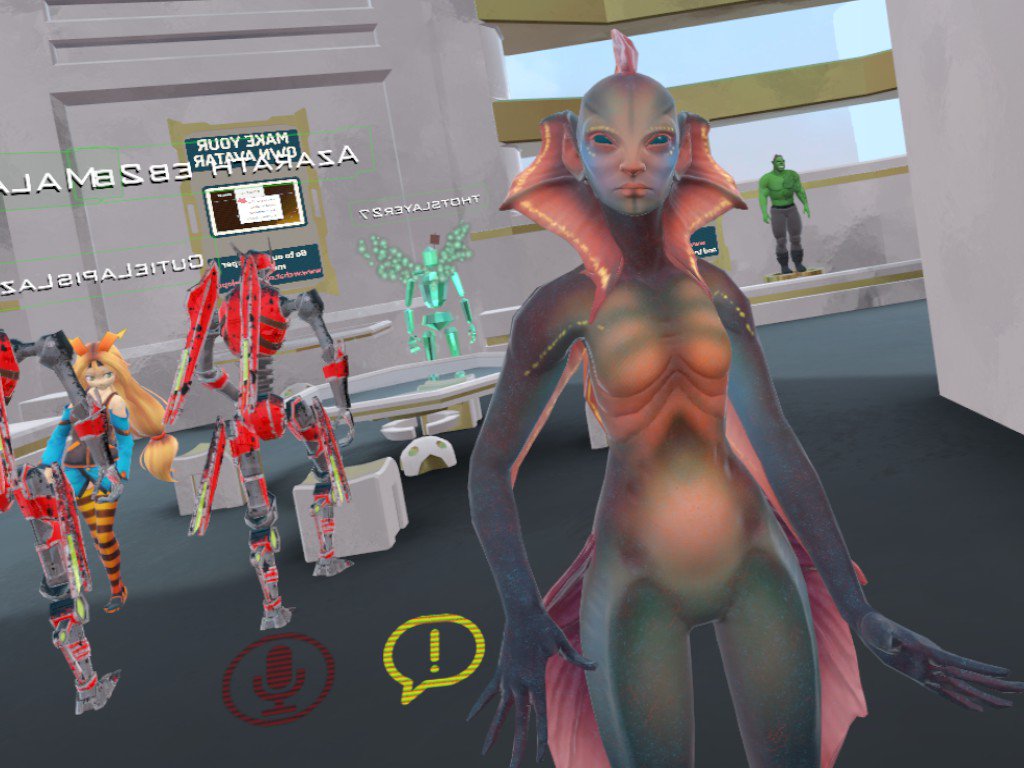
 prisma void
@placid marlin Just don't weight pain the arms/hands and connect them as though they are in Unity
It's how I don't have legs.
I have a fully connected skeleton, just nothing weight painted to my legs.
autumn hatch
"I don't have legs".
 hollow blade
My hips/pants are detatching from my body when I move in VRchat but it's rigged correctly to my knowledge. Is there a reason why this could be happening?
autumn hatch
Assuming you're using an MMD model judging from your name and picture. I know some MMD models have seperate bones controlling the legs and clothes, so I theorize your trousers bones might be assigned, but your leg bones aren't? If you can post a screenshot of the issue it would help
hollow blade
Yeah it's an MMD. There are only leg bones present. I don't see any pant bones in blender. I'll see if I can screenshot in VRchat.
I assume it has to do with height maybe? But I'm not sure
autumn hatch
No, this is definitely a rigging issue
hollow blade
That's where I'm puzzled because everything aligns...I don't even know what area that would be in...legs or hips...
runic mauve
@hollow blade need parent and weight leg to right bone
to avoid that you can use cat plugin
hollow blade
@runic mauve Thank you!
runic mauve
it fix that problem
hollow blade
catplugin for blender right?
runic mauve
yea in mmd channel
hollow blade
awesome! thank you so much
 hot tapir
I wish I could look at the dynamic bones script... I'd like to see if it could be made more lightweight
hollow blade
@runic mauve I tried using the CATS but when I put the model into Unity it took away the knee bones. They show up in blender though... I'm not sure what's going on
hollow blade
Okay I'll give it a go. Cause they don't even show up on the bones in unity lol
I tried to reset it but the bones are non existent...they're not even showing up as there now O_o'
@runic mauve
I have an idea...but I'm not sure it'll work.
hollow blade
Yeah I'm going to force it anyways even if they're invisible lol
hollow blade
@runic mauve Thank you it worked! But now I was able to see that there are extra bones for pants. If I don't rig them in Unity will they still move? If so would I have to get rid of them in Blender?
runic mauve
@hollow blade bone on side would be for dyanmic bone script
if you dont want them go in blender click on each bone hit mix weight tool
cat plugin
it weight to the hip
hollow blade
Oh okay great! Thank you so much for your help I really appreciate it so much.
warm niche
I'm working on an Avatar. Any way to get rid of the gray in blender?
vivid quarry
Result of my 10 hour work
Fully function scope, bolt pull, trigger, sounds, hands all properly placed
fleet roost
But can you snipe someone from the other side of the map?
vivid quarry
Yes
@hollow blade I fixed that issue by assign the right vertices to the right vertex groups
hollow blade
@vivid quarry Oh okay. Yeah cause nothing I'm doing is fixing it but I'll try that. Do I need to do that in Unity or Blender?
vivid quarry
Blender
hollow blade
@vivid quarry Do you know of an online tutorial for it? I've never done that before. I'm not even sure where to go for that.
hollow blade
Aww that's okay. I'll try and look. Do you know where the tools are to change the verticies are?
vivid quarry
You just select mesh and go into edit, go to the tab where shape key are and above shape key you should see vertex groups
hollow blade
Oh thank you! I'll see what I can do. It looks complex lol
vivid quarry
It is sort of complex
hollow blade
So I just basically highlight the verticies on the model and then click asign right?
vivid quarry
Make sure you unassign things you don't want there too
And that no vertices are overlap in multiple vertex group
warm niche
So with this new sound update on avatars, i guess music is a little messed up now on all avatars uploaded?
runic mauve
ONSP get a max distance of 25m and max low distance of 1.
hollow blade
@vivid quarry Thank you so much! I'm able to work with it now. I hope it'll work. lol
vivid quarry
I hope you can figure it out ^^
hollow blade
Thank you! xD I've been at this model for 5 hours....I wanna cry.
hollow blade
Wow! But hey you did it lol...so I'm kinda seeing a problem. The bones are remaining invisible when I rig them in Unity and then his toes point in the T-pose...I'm not sure what that may mean.
@vivid quarry
hollow blade
Yeah Idk. nothing. It doesn't even show his pant bones in blender either. I think he's too broken for my patience lol
@vivid quarry
vivid quarry
i dont know 😦
hollow blade
Thanks for all your help thus far! I guess I'm going to scrap him. He's just not worth the headache.
winged lotus
Does anyone have a link to a YT video for particle effects and sound for guns and such
warm niche
is there a reason why particle systems in world space dont attach to hands, feet or other body parts?
warm niche
yea, thats a problem. i also tried to set up a custom space for it, but it still goes around the hip. I also tried removing upper body animations so the idle movement doesnt cause it either. The weird thing is, that if i let it draw particles in an very high rate, sometimes one will pop up at the right position, but then it returns down again
 median flare
It's an issue with VRIK. Long story short, the armature is in relaxed pose as the particle is rendered.

 simple elm
is it possibe to record in equerectangular frames?
 mild shard
When you have made the eyekeyshapes for blinking
how do I tell unity to use them afterwards ingame?
I know how to do it with lipsync visimes but I never make the eyes work
In the tutorial I watched he just named them accordingly. Mapped the lips to the lipsync. Never touched anything in unity for eyes and it worked
atleast what I saw in the video?
Did I miss something?
Is there a script I need or how else do you make a char blink?
Or is there a button in the game I need to press?
This is kindof irritating...
 mental narwhal
@mild shard You need to follow a very specific rig, specifically from the hip to the eye-bones: https://docs.google.com/document/d/1W5KFa_aszCMrJaFD8mb9a-GHYO4X4S9M63GjM4UwuEw/pub. Important thing is to use the exact bone names between Hip and Eyes, have your blink blendshapes in the exact order and position as in the example, and to name your SkinnedMesh: Body.
warm niche
Why does the OnEnterttrigger stop working when i sit in a chair?
old bridge
Did anyone try using the world space particles? They are buggy af. In unity everything's ok, but in VRCHat it looks like the emitters are in completely wrong places with completely wrong orientation. It looks like emitters are parented to avatar itself, not the bones they were intended to
dark sigil
Yeah they seem to be parented to the avatar itself
I tried making finger trails and they were always where the fingers are if the avatar was in it's default pose
old bridge
but the finger trails work for lots of people though
I'm trying to implement world-space bullet with trails but it doesn't work even close to as it was intended. In Unity everything's fine though >.<
 steep lagoon
ive been messing with this model
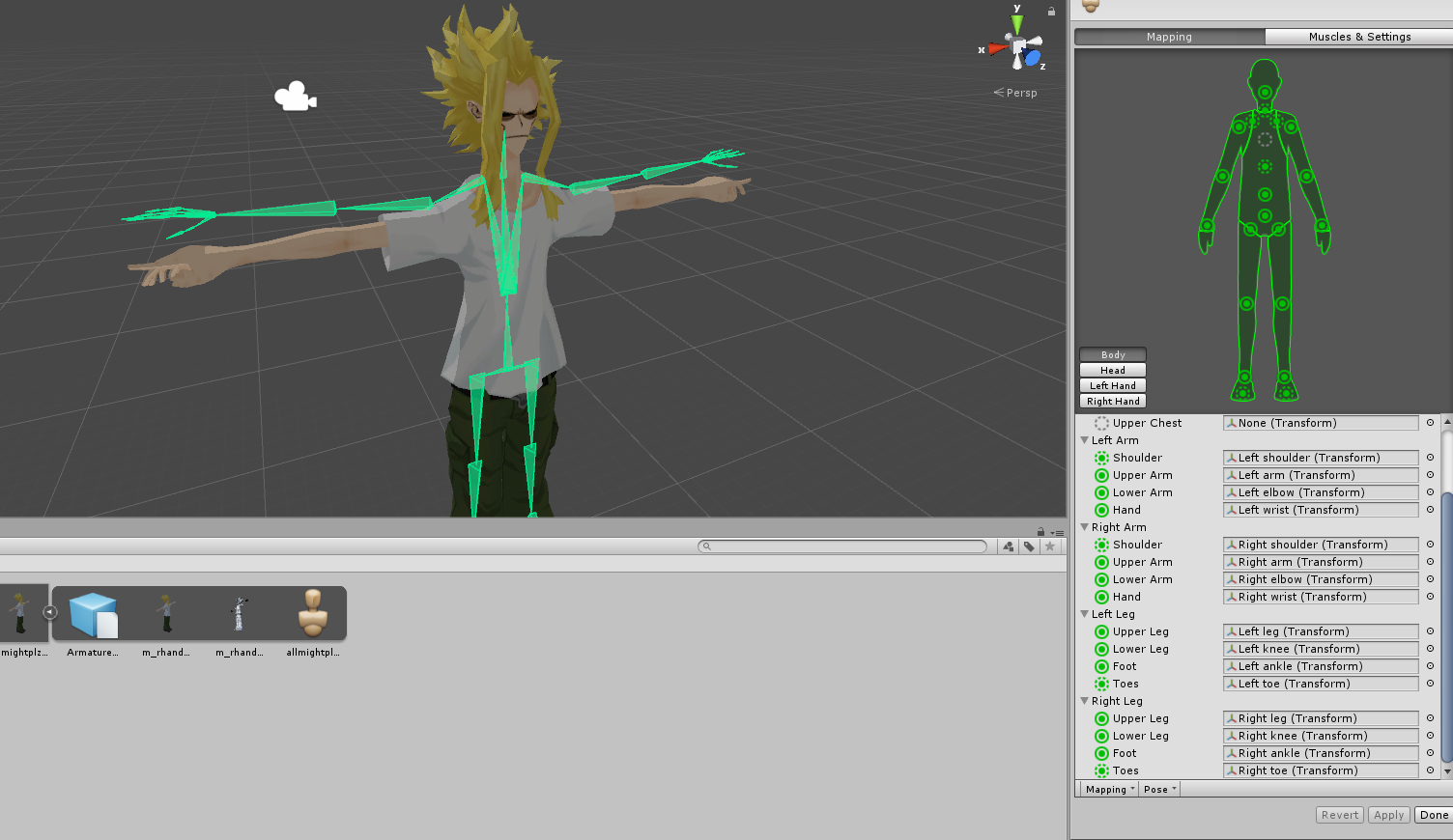
I'm stuck and dont know how I should go about getting the bones to the right spots
 steel wigeon
So, in blender, is there by chance a way to paint on textures the way you would see them, as opposed to painting them onto the uv maps, because my character decimated in such a strange way, and texturing him with just simple lines is next to impossible. Like if i could spray paint a line on him and the uv maps would just accomodate to how i painted the line, that would be great
viral verge
@mental narwhal When i follow that and name them, the bones become invisable in the uniter editor mode, but i can see them when setting up the bodes in the avatar controller
does unity have a setting to hide Armature ?
or would it be part of the exporting process
using transparency?
make sure your arm does not have any transparency on it first, no matter how small
then check render order
viral verge
transparency is just mesy
 dreamy dagger
or of the arm
viral verge
can you make it without? will be more easy 😛
could look for a better transparency shader
dreamy dagger
which lux shader are you using for it?
do you know what shader and layer your keyboard has?
oh lol I just realized you answered that already sorry
yea that is the material
is there a prefab or anything? of the keyboard i mean
it is the object that is actually the keyboard. That material is put onto an object with a mesh. I think it would be in the project on your model.
if the keyboard is part of your avatar that is
okay yea so in the inspector, with that selected, there should be some information about it
right above the transform is a layer and tag
they are cut off in the photo
okay cool, and your arm has the transparency shader?
Is it a Unity transparency or also a Lux transparency?
prisma void
is it SendRPC you use to change material properties and component settings?
no I mean "and" 😃
dreamy dagger
you can use that or Actions I believe but I havn't gotten too deep into SendRPC
only because I have yet to understand it's usefulness to me
it is similar to SendMessage in unity
but for vrchat api stuff I think
but you could basically use a thousand things instead that also function the same way
idk, again I havn't dived into it too much
so I could just be wrong, but I know there are SetMaterial Actions, but the world has to have those registered as dynamic materials
in the descriptor
so I don't think you can do it on avatars
so cool dude, I set up the scenario using cubes and a texture that uses alpha transparecies for the texture
which I assume you arm has for the holes in it
or whatever you are achieving through transparency
and I couldn't repeat the problem
so I think it might have to do with the texture on the arm? Might try playing with the settings on a duplicate material and see if you can get the results you want?
okay let me try it really quick
yea that is probably it, gimme a bit of time and I'll see if I can help more
since it starts acting up on VRChat's end, it is hard to actually debug the problem
dreamy dagger
I tested in test and publish mode, with the same materials/shaders (different textures) and it isn't happening. I'm thinking it is your textures on the arm or possibly the keyboard.
 dark basin
I'm not sure if I should ask this here but regarding eye-tracking, does the mirrors actually make the tracking think your own avatar should be something it should look at?
Or is the eye-tracking made with CATs is a more-fault on how it was made and only shows client-side?
warm niche
Early Saturday Morning! With question here...any way to extend emotes/animation overrides for more than 10 seconds?
dreamy dagger
I do not believe there is
it will break the other emote animations
@warm niche
you can get repeating animations and other bugs if you extend it past 10 seconds
and some animations just won't play, depending on which one you override
but you can imbed animated objects inside your avatar that can have animations, and you can trigger them at the end of an emote animation (or the beginning)
warm niche
Thanks...
dreamy dagger
and simulate extending your animation
for example, we have an avatar that picks up a gun as one of the emote animations, then another emote fires it. The smoke is animated and it is triggered after the fire. it goes on for however long we want, then ends.
dark basin
I've heard that method kind of borked in the newest update though?
I'm not sure myself however
dark basin
The update was a few days ago so maybe it's still working
I just remember hearing dance emotes was broken or somethin' after the update
dreamy dagger
maybe it was those specific emotes?
not sure but I played with the avatar last night as well as the night before
dark basin
Then it may be working, I want to try it myself but i'm too lazy lol
dreamy dagger
you can do some really fun stuff with it
dark basin
The process is the same as adding weapons isn't it?
dreamy dagger
I am spoon feeding those answer from the guy who actually made the avatar
so I do not know
I only know the concepts as I only looked at it once it was finished 😳
dark basin
Thanks lol
dreamy dagger
what do you mean by weapons?
dark basin
Custom overrides
dark basin
Yup
dreamy dagger
yes that is exactly it
so you can just put a trigger at the end of an animation
to trigger a seperate animator that is not part of your avatar's animator
ohhhh he just explained the bug you are speaking of i think
so basically the way we pick up a weapon from our hips is by disabling it and enabling a hidden one in our hand. that can be done through animation triggers.
dreamy dagger
so I can pull out my gun with my left controller (gun is on the right hand)
if I do ANY other animation with the trackpad on the left hand, the gun disappears since it is only on that one animation
so I reproduced the grab animation (trigger) and added a bit in there to turn on the shooting sound object on the gun
and the bug you are speaking of is the fact that you can only actually animate the sword going to your hand for one frame
or gun
if you just change it's position in the animation
you have to basically hack it to have custom behaviours by turning objects on and off
and other functionality provided through animation triggers
dark basin
Jeez, this sounds complicated
I wish I could get my hands on these but it requires VR controllers
so i'm just stuck with custom emotes at the moment
dark basin
lol
dreamy dagger
I just went to double check myself in case im being stupid and i was
you can look up some unity references if you would like to learn more
usually they have good documentation for function names and what windows mean
dreamy dagger
👍🏻
also, for reference, those events that you can call, if you turn an object on/off with one it gets reset when you use another animation
their animation system basically resets the other ones
 errant pilot
any good tutorials for like items on youre character that you can grab and stuff
dark basin
https://www.youtube.com/watch?v=V0l4-pH3vI4 @errant pilot
errant pilot
thanks
hot stone
is cloth disabled in VRChat?
warm niche
Can someone explain to me why cats visemes wont work at all?
The blend shapes are there, when i test them they work in unity as well
But not in vrchat
Like do i need another version of VRC SDK, Blender or Unity?
stiff lily
Did you get the very recent updates of all three ?
old bridge
@warm niche do you specify the viseme shapes in avatar descriptor in Unity?
warm niche
Yes i did everything correctly
Just like i have on an previous model where it works fine without having it done with cats
And i dont know @stiff lily
Got the latest blender version
got 5.6.3 unity
otherwise vrcsdk wouldnt work