#development-advanced
1 messages · Page 8 of 1
 marble root
 royal moss
Sadly not really, maybe activating an animation component that just sets it's raw location?
You'd have to hard-code the location, and if you moved it you'd have to change the animation manually to reflect the current "original" location
 lilac atlas
Can someone tell me how to create a second render texture (or more) that mirrors the render texture connected to the camera? Thanks!
 brave robin
Not quite sure what you mean by that, you want to have the camera output to multiple materials?
lilac atlas
I didn't explain that very well. It would be just like the camera in the Avatar testing room. There is a render texture on the back of the camera and there is also one large display as well as another handheld display, all with the same render texture from the camera. When I tried to apply my render texture in Unity to multiple objects, it kept changing to whichever object I most recently applied the texture to. So how can I duplicate the same render texture across multiple objects?
brave robin
You should be able to apply it to an unlit material, then apply that material to all the objects you want, and it should all work fine
lilac atlas
Ok, I'll try creating a new unlit material and go from there. I think the issue I ran into was applying it directly to an existing material in the scene view. Also, do you know if you can enable and disable render textures through triggers in game? And is it possible to enable/disable multiple camera objects through triggers?
brave robin
You might be able to control that through animations and using the trigger to trigger the animation
lilac atlas
It would be fine to disable the object that the render texture is on. I just haven't tested if the render texture will still work when the object it is on is toggled on and off.
brave robin
The camera will still render to the texture even if all objects with the material applied are disabled
lilac atlas
I was successful creating a "prime lens" camera rig with an f-stop of "5.6" last night. As part of the rig, I added a frame in front of the camera that outlines the bounds of the image. I also added a target in the middle of the frame so you know when the camera is positioned on the focal point. It worked surprisingly well! What I want to make next is a rig where you can toggle the cameras. I plan on adding a button to the camera body that will switch to f8, f16 etc...
brave robin
Nice!
 halcyon pewter
@here Hi everyone! Hope everybody is enjoying the latest 5.6 release. In addition to client and SDK work, we've been spending some time revamping our SDK documentation. It's incomplete and we're still adding to it, but it's a good start. The service we use for documentation has the ability to let users "Suggest Edits" to the docs, which we hope all of you will use to help us made the docs even better! Let us know your feedback, we're excited to hear what you think.
 solid lava
Is there any known issue with the positioning of the avatar viewpoint in Unity? It ends up below where I position the sphere when in-game.
(Desktop 2D)
 autumn hatch
@halcyon pewter It would be great if @olive oxide could PM newly joined users that site. That would probably help a lot of people I imagine
 winged lintel
so, is there a way to use EditorVR with this version of unity
 rough sleet
No
Not really.
It requires you to use a different branch.
One of the Unity 2017.2 betas has support for it without needing to use an experimental branch.
winged lintel
bummer
 warm niche
its been almost a week now, does ANYONE know how to make a trigger systom that everyone INCLUDING the world owner can use and see what it does?
solid lava
You mean if you click a button, everyone sees the effect and vise versa?
solid lava
Sorry, no. I'm looking into syncing myself atm. I'll let you know if I figure it out though.
warm niche
ok thx
 stuck bobcat
@warm niche Not sure if it gets you what you want, but if you use the "OnInteract" trigger set to ALWAYSBUFFERONE to set an object from Inactive to Active (for example) everyone in the room (and everyone who comes in after) will see that.
But perhaps you are doing something more complex?
 sudden smelt
warm niche
sudden smelt
warm niche
ive tried that but i dont see what happens only the other players do
warm niche
No one here has done Outset Island from TLoZ: Wind Waker, right?
I want to make a zelda world but I want it to be one that hasn't been done yet
autumn hatch
I've seen outset island on 5.3 but not 5.6 yet
autumn hatch
I've got that map myself
autumn hatch
Probably not going to upgrade it to 5.6 until later, so knock yourself out
warm niche
I mean I've never made a world before
but I'll try it.. maybe
haven't seen many pokemon related worlds and I have a few things
warm niche
i dont mean to sound dumb but i up load my world and when i go into vr chat to look at it my room is blank nothier is thier i should see a nice stage with a forest and river but i see nothing i put the vrc world in and set the spon point but nothing am i doing something wrong.
warm niche
What do you see, is it a black screen? Can you move at all?🤔
warm niche
i can show you what i see
i see this
some one said for me to put mesh coliders ont he metreal so im gonna try that
 candid owl
I got a question I noticed a room that had everything black and white even the players and ui how does that
 runic mauve
think it type shader
effect that
maybe ask TCL and Euan about it
they maybe know more
 mental tangle
@warm niche It is probably the lack of colliders, as soon as you spawn in you are falling through the world
 jolly tartan
Hi everyone I tried to use the unity video player to display an mp4 on a quad. works OK in unity but when i upload to VRChat I just see the white unlit shader. I'm not streaming the vid from a url, the vid is playing local. any idea why its not playing in VRchat anyone?
 low tendon
Hi all, does anyone know why when I try to create a new room, my old room is what gets created and shown on VRC ?
warm niche
were am i uspose to put the mesh colider for the world then
the shader im using is cubed paradox
do i have to add it to each shader
marble root
the mesh collider should work fine anywhere in the hierarchy, it's not attached to a material like that. I would just add a mesh collider to each individual model that you have, one which sources the visible geometry of your world using it as its invisible collision mesh. Your world should be quite low-poly so mesh collidors should work out just fine @warm niche
low tendon
Anyone around to help me ?
warm niche
Reminder: Dev Meetup in 1.5 hours. Will be meeting in Dev Meetup room, which I will upload 15 minutes before meetups starts
low tendon
where is everyone ???
low tendon
I am in VRC but can't find anyone at all
what the smeg is going on, no one is anywhere in VRC
warm niche
i tryed to get in but it was baclk for me and crashed my vr chat probley because thier was like 40 people in thier
warm niche
hello, does anyone have a refractive transparent shader to use for a fish eye lens?
Thanks for all that came to the development meetup. I have made all rooms we visited during it private again. If you are finished with your room and want to make it public, let me know and I'll make it public
 forest osprey
Is it possible to make one of those shooting game rooms from the SDK?
warm niche
would anyone know why all of a sudden my avatar would be lit, but everyone else's avatars are rendering just black?
runic mauve
think somthing wrong with standard shader
@autumn hatch use Standard shader he has same problem in @vernal copper world
warm niche
the user see's himself lit
runic mauve
oh
warm niche
hmm
warm niche
for future ref, I diddnt set up the Layers in the Build Settings, also when I made those layers, the light culling was breaking things, I reset the lighting, setup the layers correctly, and got rid of any custom layers I made, and it is back to normal
 final wigeon
@last kraken Are you having trouble with UVs for baking or something? That why you want to go for realtime ao?
 last kraken
ni in fact I don't need textures on my objects, just plain color, that's why I don't want to unfold uv's, I have a lot of objects without uvs, I wanna save time
but if I need it... i'll unfold...
just for ao
final wigeon
Yeah, seems like that's what you'll have to do. What modeling program are you using?
Oh, ore you could check the "Create lightmap UVs" box in unity on the objects you need AO baking to. It'll take longer (Last I tried unity is kinda slow at generating UVs) but requires no interaction, so you could just set it to do that and hit apply and go have dinner while it UVs everything.
Maybe try it on one object and see how it goes?
last kraken
i'm using maya
i thought that this option was for creating lightmaps according already unfolded uvs
i'll try it
in ZBrush you have a way to auto generate uv where every face has it's own
it's an exemple :
 broken sky
if you add more than one mirror to a world will it work?
now that i think of it.. i know i've seen people make it work, but last time i tried i must have done something wrong
warm niche
@broken sky From our latest patch notes:
broken sky
ok.. thanks.. 1 mirror it is 😃
 quaint wedge
Anyone Ever got Light Shining through a "Tinted" Window to work with the shadow?
I could remove the plane and have light shine through however i need the coloring for a "Fish tank"
Any ideas without using pro version of unity
not sure if it would but would putting the object and layers theoreticly work?
candid owl
Question go about making an NPC type character working in VR chat
warm niche
i wonder if my unity is corrupt as everytime i bake lighting or realtime GI my ambient light is black.
Tried adjusting shadow strength but still the same.
Is my light meant to be on mixed mode, i've got it on baked?
brave robin
@candid owl Actually RainAI is whitelisted for VRChat (last I checked), so you should be able to use that to make an NPC
rough sleet
Last I heard RainAI has sort of been deprecated and it isn't recommended to use it. It's poorly documented which makes it hard to use anyways.
warm niche
Is it a complicated thing to make a puppet's mouth open and close in a very basic way using the trigger on vive controller?
runic mauve
actually custom override make it easier
instead add bone into your hand make blendshape to mouth on model
use trigger on your controller and touchpad
warm niche
cool thnx
 ember kindle
I updated Algorithmic Touch to the latest SDK (there was a weird room thing at the bottom of the long entrance fall that I have no idea how got there, but fixed it with the latest update) however that seems to have made it invite only again. That's probably how you guys designed it, but just in case it wasn't I figured I'd say so.
warm niche
@ember kindle send me the world id tomorrow in a pm and I'll make it public again.
ember kindle
@warm niche Cool thanks, I will.
warm niche
I keep having an issue where pickups appear to only pick up the collider instead of the whole object. Has anyone else has this issue? If so, how did you resolve it?
 timber musk
Take out the marker in the option static in the inspector
 jolly hull
What are limits on worlds?
autumn hatch
No C# scriptning, basically.
jolly hull
Yeah idk how to do that but alright cool.
So if i wamted to make it public, how would i?
jolly hull
So any type of worl is okay? Even a club of sorts?
autumn hatch
As long it doesn't break the ToS, yeah
jolly hull
Where can i see ToS again? Sry just wanna abide by le rules
autumn hatch
Probably somewhere on vrchat.net, but you honestly shouldn't worry about it unless you're planning on like putting porn and gore pics on your world and making it public
sudden smelt
Here's the ToS if you do want to check it out https://vrchat.net/legal, here's the community guidlines as well https://vrchat.net/community, though really what Zarni is saying is correct
jolly hull
Nothing with porn or gore. But somewhat lewd i think
autumn hatch
That's a bit of a grey area. Doubt you'll be allowed to have a world with lewd stuff made public, but if you keep it private and only invite people who are fine with that, you'll be alright.
winged lintel
I mean Kneesox used to have the strip club, lol
winged lintel
So, I dont know if this is the place to ask this, but is there a way to stop SteamVR from putting a grey screen in front of me when I'm outside certain boundaries
I look up at times, and it goes grey until I look back forward
final wigeon
@winged lintel Not that I know of. The grey blanking is because you've lost tracking and there's not much to do until that's restored.
winged lintel
hmm, maybe I gotta tilt my sensors up a little bit
 ornate bay
If you're making a world should you place objects down in blender or should you place them down in Unity?
autumn hatch
Whichever you find easier to work with, really
ornate bay
Can you still add atributes if you place objects down in blender? Say a Youtube wall or a chair?
autumn hatch
If it is its own object, yes
warm niche
Double posting from #announcements . Good morning! Tomorrow (9/5) from 3pm to 4:30pm PST will be a VRChat Town Hall about Scripting with Graham, Jesse, and Ron. If you plan on scripting you don't want to miss this one!
 blissful walrus
do preplaced portals also have their glow disabled and if so how can we add it back?
 spiral pebble
Is there such a thing as a stereoscopic shader? How do we utilize stereoscopic functionality of newest VRChat update?
 maiden crescent
@blissful walrus you can just place point light with desired color and size above portals.
rough sleet
@spiral pebble There is a new shader flag unity_StereoEyeIndex that lets shaders know which eye a pixel is in.
These two shaders use it to display Side-by-Side and Over-Under 3D images and video.
warm niche
@rough sleet is it ok if I pin those shaders?
rough sleet
Sure
forest osprey
How do ya add jumping in a room?
runic mauve
@forest osprey to verison https://cdn.discordapp.com/attachments/336764732482650112/352858569399336981/VRCWorld_Playermods_Enabled.prefab
flashfire upload in development
here the speed and jump verison www.andersfray.com/downloads/vrchat/Epcot.unity
one has speed hack and other just jumping
speed hack and jumping in the epcot one
forest osprey
ya sure you got it saved right?
Cause that prefab doesn't seem to be anything
@runic mauve
I don't see anything in it about jumping or super speed
 hallow portal
The postFX bloom is not working in my bar. In my testworld it works fine. What can it be? I used the same settings for both worlds.
forest osprey
Wait, why include that first link if it doesn't do anything? @runic mauve
runic mauve
that just normal jump i think
forest osprey
I don't see anything about jumping in it
Or is it a more internal code change that's not visible?
runic mauve
yea
just normal jump other one speed jump and adjust ment
you can discard flashfire
just use other one if you want just give 2 option lol
forest osprey
Would it be possible to link a internet stream to a object inworld?
like some little radio for example
autumn hatch
When webpanels were working we could have streams up, yes
 vernal copper
Would anybody be interested in helping me administrate a community Git repo for useful VRChat prefabs?
 sterile cipher
I can help where I can @vernal copper
sterile cipher
I'm familiar enough with version control to both assist and to completely destroy the repo~
vernal copper
UPVOTE THIS MAN.
sudden smelt
I may or may not endorse this feature request
warm niche
Is there an easy way to fix this? Not sure what it is.
 limpid kernel
warm niche
limpid kernel
warm niche
Pulling models.
It appears on sketchfab.com too so it's not just Unity.
I might just leave it, makes a nice pattern.
It's on the opposite side too, maybe it's just part of the decoration.
solid lava
Could someone point me in the right direction for fixing the issue with my avatar sitting inside the chair. Is it bone related or something else?
forest osprey
@warm niche Probably just needs some hard edges at the window holes
 lucid flax
I made an account on canny just to upvote that
warm niche
You see all those symbols? They are all lights in a scene i'm about to bake. God help my pc
 prisma void
Any patch notes on build 275.
warm niche
@prisma void the totally not cryptic It's a "Preparation for a future announcement" very minor update
prisma void
Cool
 potent oak
Abandoned Garden 😉
warm niche
hi thiers 4 of use working on a project but the other person dosent know how to log into it can some one help us
it dosent show up in untiy off the cloud
potent oak
@warm niche Just got this now when trying to change to an avatar ? 😦
 olive oxideBOT
Command not recognised
runic mauve
!outputlog
olive oxideBOT
You can find your output log at C:\Users\[Username]\AppData\LocalLow\VRChat named vrchat;outputlog.txt
runic mauve
^^^^^^ @potent oak send that file to bug report they might want to see it
potent oak
Ty, I will do 😉
runic mauve
@potent oak for right now find a avatar that work overwrite the broking blueprint
potent oak
kk will do 😉
tyvm
Bugger, can't overwrite the blueprintID 😦
I accidently deleted the broken one 😦
Can I force a default avatar ?
 neat sentinel
would clearing cashe do it?
You can clean cache by deleting the vrchat folder within C:\Users[Username]\AppData\LocalLow\VRChat
 wraith scroll
how much should i put when im deciamte in blender?
runic mauve
@wraith scroll keep it in #336764636156264450 or Euan get after you
potent oak
@warm niche Thanks, I posted a few things in there 😉
warm niche
Also @median viper that pic didn't show all the lights. It's actually 95. Brought my pc to it's knees last night and still baking
 median viper
Wait why was I tagged xD
mental tangle
Too much baking! And you don't even get cookies at the end!!! :c
runic mauve
@median viper really unity can only handle that much it not really made high ploygon world it was made for simple game making
for android and and lower end hand held
most phone game are unity base
mental tangle
Unity is amazing for have making. I've seen some crazy creations
solid lava
So what kind of event trigger do we use to make meshes appear? Like if I wanted to swap out face mesh onkeyDown for instance. I noticed the avatar uploader doesn't support the keydown trigger directly. So what way around it do people use? I'm not asking for help making it. Just someone who can point me in the right direction.
Also, no idea if this is the channel for these questions. 'Avatars' seem to be more about design. Idk.
autumn hatch
You cannot put trigger events on avatars, that is for worlds only. You can however set up a custom animator override for your avatar which you can basically do anything with your avatars. I suggest you check out EvolvedAnt's guide in #tutorials
solid lava
Does it override the currently set animation sets like 'Backflip' etc?
autumn hatch
It can override any animation your avatar does. Falling, pointing, emotes, walking and so on
solid lava
Alright, thanks a lot. I'll check it out! 😃
 dusty dragon
so im trying to being a world in for the first time is there anyone who has the patience to help me through it? someone whos made more then like just one world..
i just need to learn the basics
autumn hatch
The quick way to get started is to browse the assets folder in unity and look in the VRCSDK folder for the vrc_world prefab. Drag it into the scene and that point will be where players spawn. Under that point you can create a plane, and then play around from there! @dusty dragon
Assuming you have imported the VRC SDK, of course
dusty dragon
i just got a enviorment from unity
i need to know all the basic details just to get it in
dusty dragon
ya i dont even know anything about all that
autumn hatch
You can just drag and drop the vrc_world prefab into the enviroment and reposition it so you spawn somewhere nice
Then doubleclick on the enviroment and in the inspector window to the right, scroll down and see if it has a "mesh collider" component
autumn hatch
First, have you imported the SDK gamepackage?
dusty dragon
sdk gamepackage? not the normal onei bring in for just avatars?
i %100 dont know how to any of this
autumn hatch
That is the SDK gamepackage
dusty dragon
k well ya i have th sdk haha
autumn hatch
In the file browser in unity, open up the folder called VRCSDK and look around for a folder called prefabs. In the prefab folder there is a file called vrc_world
Drag and drop that vrc_world file into your 3D enviroment
That will be your respawn point. Just move it so it's a bit over the ground where you want people to spawn in your world
dusty dragon
ya idk where to find it
autumn hatch
You're just gonna have to look, can't open unity myself right now
dusty dragon
i meant idk what the file broswer looks liek
autumn hatch
It's where you see all of the files. It's also called "assets view"
Should be the bottom window
autumn hatch
Looks like the one
dusty dragon
and i just drag it to where i want ppl to spawn in?
autumn hatch
Yes
dusty dragon
on the scene or in the heirachry?
autumn hatch
Directly on the scene view
dusty dragon
ya i asked if i drop it on the scene where i want it to be at
autumn hatch
Yes
autumn hatch
What does the error say?
warm niche
Have you watched Pill's video.... https://www.youtube.com/watch?v=Ebcoed-K4i0 It explains a lot about placing the spawn etc, helped me a lot when i first started. Just have to remember to install the right Unity version and SDK that Pill has pinned in the Discord Development section and not the one shown in the video.
oh shoot got to update that tonight thnx for letting me know
 dry grove
By chance are there any guides to having a gesture trigger animations/effects/etc.? I'm not sure if you start with adding a component or what, I think I could figure it out after that point though
runic mauve
@dry grove if you talking about customovridde that in #tutorials
dry grove
Oh neat 😃 Thanks
dry grove
Probably a stupid question, in regards to re-purposing the animations override tutorial for making particle effects. Unsure about this part: "You can enable disable objects with accessories/sounds/particle systems/etc for your avatar by adding a property to enable/disable the object parented to your character that has these components on it" -- how would I add a property to enable/disable the object? Also I assume my "clone" avatar has the intended effect attached to an object?
sterile cipher
I'd like to apologize in advance to any VRC API devs digging through your request logs: I had to make a n=200 pull to grab everyone online on the active users endpoint in order to grab the people in the prom room. I didn't have time to look up/write a more friendly query. Apologies! Don't ban me! ;_;
mental tangle
Did you steal our IP's?
sudden smelt
Nope just a query into who were in a room, for a one time thing for a good reason I don't see an issue in it
warm niche
If anyone knows where I can get a shader of blood oozing down the walls let me know
final wigeon
@warm niche I have a rainy window shader that I could easily tweak to look more like blood. I'll sort it out and send it your way sometime today.
warm niche
that would be awesome! thnx
warm niche
Anyone good with lighting and want to help me make sewers look creepy for an it movie party im doing on Friday? I bought the assets they have lighting already in it just need help altering it
I'm about to hop on I can show what the room looks like now
 quaint pine
Hey guys, anyone have or know of a shader that appears and disolves slowly?
Like when you make the mesh active, it appears slow?
runic mauve
quaint pine
yes like that, but can I use it without the distance parameter?
runic mauve
idk
quaint pine
thanks, I'll look into in
rough sleet
@warm niche Try using the post processing stack's colour grading with the filmic tonemapping and the camera set to allow HDR. You can also play with the colour grading settings until you find something you like.
solid lava
Stupid question inc. Would I have to fill out all the animation slots in the override, or does it apply VRchats defaults in some way if some of them are empty on export?
Guess I could just copy the male template anyway...
rough sleet
It uses the defaults.
solid lava
Oh ok. Cool thanks
solid lava
Sweet
Another quick question. When imported as a generic rig, in the animation preview, the character's 0.0.0 pos. is set to its center somehow. As in, his center of mass is centered in the floor.
Do I have to change something?
Only appears like that when previewing the animation.
Looks normal if I convert to humanoid rig though
solid lava
Never mind that^ ><
marble root
is this VRCVideoSync prefab the video player which works with a youtube video? it would be nice to finally get my music and kaleidescope imagery back to help set the tone of my world
 trim flicker
Any of you guys know how to play a youtube video with the new sdk on unity 5.6?
runic mauve
lookup
youtube panel prement broking till they update the code in it
only way to do know unity player
marble root
that's my guess...
rough sleet
There's a VideoSyncPanel prefab in the VRCSDK
It uses the Unity Video Player and some VRC scripts to sync the video between people.
You can't use YouTube links directly though. You need to use Uon's redirect link.
marble root
sounds like that is the VRCVideoSync which i asked about a few hours ago, Jazneo's answer sounded like it was something else, but i'm not having luck the video player component so i'll give it a go
thx
trim flicker
Ok, I'll look into it. Thanks
hallow portal
What's the performance impact of screen space reflections (SSR)?
Looks amazing. Like a mirror on the floor.
EDIT: nvm the manual says "expensive technique"😩
And it's defered rendering only, iirc VRC uses forward rendering.
forest osprey
How do ya properly set up a pickup item? I tried testing one but it seems to have dissapeared upon loading into the scene, which I can only assume it fell through the ground
Seems I figured it out, had to add a mesh collider to it
forest osprey
How do you make pickup items reset back to their starting location like how stuff in the hub do?
forest osprey
Also, any way to make pickup items work like the bombs in Steel & Gold? [minus the exploding part] like how another one will spawn in it's place, and it disappears after a few seconds of being tossed away
potent oak
I think this page needs updating: http://vrchat.wikia.com/wiki/VRChat_Wikia
forest osprey
the page for making objects pickup doesn't really mention anything about having it reset once dropped :v
potent oak
Yea i saw that
sudden smelt
Remember VRChat has offical docs now (though quite rough, suggestions very welcome, use the suggests edits on the actual page) https://vrchat.readme.io/
forest osprey
nifty
So .. exactly what sort of "manipulation" does allow manipulation even give?
Still not really seeing anything for what I'm after D:
Guessing I would need one of those trigger script stuff?
sudden smelt
Manipulation on a pickup only applies for controllers, you can rotate the object with one of the joysticks
forest osprey
ah
potent oak
Oooo, cool
forest osprey
So, I wanted to add some like barriers in my room, I got em set to a transparent texture but it feels like the build phase is taking longer than usual
could it be the thing trying to bake in lighting through those invisible barriers? anyway to make the lighting ignore them?
forest osprey
Had to just simply uncheck mesh render :v
forest osprey
So I'm curious, I know that avatars are limited to 20k verts max, but what other limitations are there for avatars and worlds?
 south sun
Not verts, but faces is limited to 20k.
forest osprey
Can we use this in rooms we make? https://www.assetstore.unity3d.com/en/#!/content/83912
 lean crane
Hackspanner did post something about it in #tutorials atleast
forest osprey
Oh neat, I see a mention of it being white listed
Ahaha
the video he linked is the exact one I came across that led me to the thing
@lean crane Is there list we can see to know what is and isn't whitelisted?
lean crane
Afraid I'm not familiar with how that stuff works, barely gotten into world development myself, I just recalled seeing that video, not sure if it works yet or if its for a future VRChat release.
forest osprey
Supposedly it was white listed in a build
"Whitelisted in release 0.12.0"
Any sort of guide on the limits for rooms and avatars?
maiden crescent
@forest osprey https://vrchat.readme.io/docs/supported-assets
forest osprey
Why's the AI thing depricated?
forest osprey
I can't seem to get the post process effects to show up in-game
Left, test build, right, in Unity
the post process effects don't seem to be transferring over
autumn hatch
Have you set the reference camera in the vrcworld prefab?
forest osprey
what ya mean?
autumn hatch
You need to reference the camera object you're doing post processing to in the vrcworld prefab
forest osprey
Hey Zarn, you seem knowledgable on the ins and outs, how do I make an object respawn/reset back to it's point of origin after it's been moved and left abandoned? :v
Or maybe even have it work kind of like the bombs and guns where it'll respawn another copy of itself
with the copy a player took disappearing after being tossed away
autumn hatch
There is no easy way of respawning objects that I know of, but in the vrcworld prefab there is a setting to either destroy or respawn objects that hit the death layer
forest osprey
and what would the death layer be? :v
autumn hatch
You set it in the prefab aswell. By default it's set to -100 Y (100 meters below origin)
forest osprey
ah, that might not work all that well if there's no abyss to be thrown into
autumn hatch
You could however make a button that maybe changes the layers of the objects to allow them to fall through the world and then add a OnTimer to change back the layers back to default, so when they respawn they stay in place?
forest osprey
Well, seems the post process works, might need to adjust the DOF though...
autumn hatch
There is no way to simply teleport objects 😦
autumn hatch
Dev privilege
forest osprey
rip
autumn hatch
Us mortals must work with what we can
forest osprey
well, hopefully the addition of playmaker will help bridge that gap
Alternativly, they could add that script for object respawn to the whitelist and SDk for us mortals please maybe? 😉
autumn hatch
We have been asking for more different triggers added to the SDK, but since they seem to be going for the PlayMaker route who knows if they'll add in more
forest osprey
You've messed with the depth of field in that post process thing before? @autumn hatch
autumn hatch
Never touched post process stuff before
Overheard that DoF shouldn't be used in VR though
forest osprey
Plus I can't seem to get it to look right when I do the test upload
it keeps blurring out the UI
marble root
@forest osprey I do know that the SendRPC action (or whatever it is called) in a VRC Trigger does work for spawning an object if you send that message to a VRC Object Spawn (names might be slightly off). In the VRC Object Spawn you can define an object/prefab to spawn, and when that message is sent that action will happen. I also still might be using a SendMessage action in a few places in my world. I copied that component out from one of the example worlds in one of the VRC Triggers I believe, and it still works. But I don't believe those examples are being updated so that's probably just an older way of spawning things which is being phased out. I also noticed an actual SpawnObject action of some kind which I think is new to 5.6. It is probably another option which i haven't tried yet, as SendRPC is working fine for me. Once you get some basic spawning to work there's additional issues with spawning that you'll bump into based what you are spawning.
warm niche
Hey everyone, hope all is well, would anyone have any suggestions on to decrease gradient 'banding' from light falloff maybe a subtle texture on the screens?
prisma void
Don't use DOF on the main camera in your world.
quaint wedge
Anyone have any idea why my portal to my other world is Busted (Private Instance atm)
Heres settings on portal
warm niche
Can anyone with studio max convert a small .max file to fbx for me?
rough sleet
@warm niche The Unity Post Processing Stack has a dithering effect that should help with banding.
 mental narwhal
Yeah run it through that with color grading / tonemapping
brave robin
@warm niche Toss me the file, I should be able to convert it
 brittle lagoon
Trying to figure out why my water looks good in the scene but once i upload it its a giant mirror anyone else have this issue ?
hallow portal
Didn't try water in 5.6 yet. But in the old version I tested a few different shader til I found one that worked as intended in the game.
 rugged dagger
kinda need help, i have small flickering black squares
like on bright places (with using bloom)
warm niche
Try turning the reflection down.
brittle lagoon
i did no luck @warm niche cant figure it out it only looks like that once i upload it
@lilac atlas any ideas why my water turns into a mirror when i upload it
 shadow dock
is there documentation on the combat system for vrchat?
 daring steeple
importing world stuck at "Building and compressing Data" ?
any way to fix?
nvm
just an error
 pale violet
has anyone used Mesh Baker? https://www.assetstore.unity3d.com/en/#!/content/5017
they also have an LOD tool, seems like these could help with some of the heavier environments i've tried to put together... https://www.assetstore.unity3d.com/en/#!/content/12276
warm niche
There's a free version here... https://www.assetstore.unity3d.com/en/#!/content/31895
pale violet
@warm niche how's this different from the expensive one?
warm niche
Don't know, just spotted it.
pale violet
it says some differences, but i don't really understand if i need the pricey one or not
but thanks, will check this out first 😃
warm niche
@prisma void @mental narwhal @rough sleet thx!
@pale violet Mesh baker looks really useful and amazing!
 humble tree
I've played with meshbaker some; I thought the big difference is in pro you can export your newly combined assets.
pale violet
thanks @humble tree
humble tree
Texture Baker aspect seems especially cool. Not sure if combined meshes are functionally any different than meshes marked as static.
If same material.
pale violet
i have a scene with a lot of trees, that has a low framerate but maybe this can help
humble tree
If it's multiple copies of the same mesh, you may want to look into gpu instancing.
pale violet
i'll check that out when i have some time
shadow dock
i was messing with the flat lit toon distance fade shader that was posted here, and the texture is way too dark like almost black dark. anyone know the problem?
https://github.com/cubedparadox/Cubeds-Unity-Shaders/blob/master/Media/Flat_Lit_Toon_Distance_Fade.gif what its suppose to look like
vs what i see
pale violet
does anyone work with 6-sided cubemap skyboxes? everyone i've imported has the top side off, it needs to be rotated to line up. but i haven't found a way to do this yet.
shadow dock
does anyone have the player mod for health?
ornate bay
Anyone know a good place to get some objects to place in a room? I'm almost done modeling my room I just need to fill it with some assets.
hallow portal
@pale violet There should be an option with a nice rotatable preview aof the sky and all 6 faces where you can flip, rotate and exchange them.
rugged dagger
@warm niche that worked thanks
 hexed leaf
Hello, I'm trying to get Dynamic bones to work for my avatar. I got them to at least function in the unity editor, but apparently aren't working in VRchat.
Can't seem to get the bones for anything but my tail to work. But then again the tail was already on the rig I have (Avastar) but trying to add new bones become deformed when exporting to Unity from blender.
warm niche
@pale violet Just rotate them in Paint.
hexed leaf
Also... trying to add them dynamic colliders, but doesn't seem to actually work. my tail still flails about clipping through my body.
rough sleet
Did you add the colliders to the colliders list in the dynamic bone script? @hexed leaf
hexed leaf
No I did not, thank you. I'm new to the thing so... trying things out myself, then asking, so... THANKS! I'll try it out
And it's only the Dynamic Collider script that works, right? Not the Sphere/box/capsule Colliders?
maiden crescent
For Dynamic Bones you need Dynamic Bone Colliders. Other colliders won't work
hexed leaf
one thing I noticed is when I did have some colliders in my hands, they actually did work with some objects in game, I was able to knock things over without using anything in my hands, just the collider script... I did end up using both... so wasn't sure which one. I'll find out soon when I upload this.
humble tree
I had a scrolling texture that worked fine in editor, but does not move in vrchat. I was using a c# script I found online. Is there any easier way to accomplish texture scrolling for someone who doesn't code?
prisma void
Scripts can't be used. So it needs to work without a script
humble tree
I'm sure I've seen scrolling in some world's... I'm going to have to get creative. Animating a rotating or sliding object might be an (imperfect) option.
rough sleet
You need to use a scrolling shader.
Custom C# scripts can't be used but custom shaders can.
rugged dagger
Damn, I was about to ask that too, any point to where I can add scrolling to the standard shader?
And also a bit help with world, in editor is looking fine, but in vrchat is a lot more brighter
hexed leaf
what's the VRCCAM for making screenshots for upload pics? I can't find how to adjust it.
humble tree
Actually, looks like if you search discord for "scrolling", laozi has posted a link to a working scrolling shader. Testing it right now. Thanks tcl 😁
warm niche
reminder: dev meetup in 40 minutes
warm niche
uploading dev meetup room now
There was a unity error in uploading the dev meetup room. The one we are in now is not the actual meetup. ETA 10 minutes on rebuilding actual room
 hot quail
In regards to setting up a trigger, what layer would a 3d cube in a world be on?
pale violet
@hallow portal @warm niche this preview is in unity? i don't think paint should be needed, since it's all of them and i don't see everyone getting it wrong, unless other software somehow folds this together differently.
warm niche
I've not seen a preview.
hallow portal
I'm sure I'v used a preview of the qubemap and had some options for adjustments.
Thats it. To mirror them just set a negative tiling value...
pale violet
ah! many thanks, will try that later.
 oblique ember
Baking all these lights!!!
 sonic hamlet
hey im experimenting with shaders, has the game a problem when the shader uses a second UV map as it doesnt look like in unity, its all purple ?
 ancient wing
Is there no way to overide the animattion for sitting. cant find it in the CustomOveride template
rugged dagger
There's two tabs for standing and sitting, put your sit anim in idle in another custom overrider and put it there @Hammey#6124
@ancient wing
ancient wing
Oh that makes sense, Danke
 lucid pewter
Guys how to fix this ? Q,Q
low tendon
I keep getting same error, someone should do a tutorial on how to fix this
warm niche
Try changing Spine 1 to Spine 2.
 prisma pilot
Same with me, and I can't figure out how to fix it and when it looks like it's fixed and I upload, the model just floats around and slides in the t-pose :/
low tendon
@prisma pilot That is exactly what happened to me with a Deadshot model, just stuck in t-pose
warm niche
@low tendon @lucid pewter Change Chest which is set to Spine1, set it to spine2.
lucid pewter
Thanks alot 😛
warm niche
Not sure if that's the correct fix since i'm on desktop and can't test it properly.
solid lava
Anyone got any idea as to why my character would change pose and Y position when I drag the timeline slider in Unity's Animation window before even adding any animations? He goes into an almost sitting pose with his waist in the Y's 0 position. Stands in a T-pose with the feet on the Y's 0 position prior to moving the timeline slider. And after that happens, I can't seem to bring him back to the original T-pose.
Checked to see if it's 'cause the scene is running (playing) but it's stopped. Sliding the timeline back to 0 doesn't fix it.
lean crane
The sort of bugged halfway through the ground thing I assume?
solid lava
Yes
lean crane
Trick is to duplicate the character and animate the duplicate, then put the overrides on the original character
Just never animate the original
solid lava
Oh right. I forgot I saw that in a tutorial once ><
Cheers for reminding me!
Is it suppose to happen to your duplicate as well? ><
lean crane
Yeah, it hopefully won't affect the main animation however
Most of my animations have been fine doing this, except for movement overrides, but they seem to be a bit of an uncharted territory as of yet.
solid lava
Yeah. I guess it doesn't matter in my case. Just animating mesh visibility anyway at this point. Movement animations I'd probably make in Maya if I was going to make my own.
lucid pewter
@warm niche i tested it and work good already upload my char 😛
lucid pewter
Ehm guys i need still help 😦
my char is now uploaded but it wont load ingame :/
warm niche
When you uploaded it, did you restart your game?
warm niche
Your install path isn't set. Click edit and navigate to where your vrchat is installed.
lucid pewter
oh lol
warm niche
I'm a newb with creating and making avatars. I'm right now learning how to manually rig my avatar.
lucid pewter
do i need to VRchat exe yes ?
warm niche
yes.
lucid pewter
ohh
shadow dock
im running in to a problem with triggering animations.
on my map when a person triggers the animation they can see it and no one else can.
even if someone else triggers it the first one is the only person that can see it.
warm niche
I was seeing that on a couple new maps in VRChat. The rids were moving avatars, but the rides themselves were not. >.>
shadow dock
im working on my scary map so if this is the only way its working then only one person could go through.
warm niche
I'm new to VRChat, so what I know and understand is limited. But yes, the new carnival map, I and many others didn't see rides move, however I did see avatars "teleport" around in cicles and up and down, randomly, as though out of sync. :/
lucid pewter
wtf this is my char but what is he doing on the top lol
solid lava
So it did still animate my non duplicated character when in-game to the "in-floor" position. Hmmpf
warm niche
Deffered rendering seems not very good, the blurry AA used in the post processing stack is enough for me not to use it. Interestingly though, deffered rendering seems to decreases tris and batches. But has no effect on framerate. I have about 5 realtime lights in my scene. I haven't been able to used baked lighting without it bugging out so i'm forced to use realtime lights.
lucid pewter
help Q,Q
warm niche
I'm working on my manual rigging of my first avatar. I'm following the guide, https://cgi.tutsplus.com/tutorials/building-a-basic-low-poly-character-rig-in-blender--cg-16955, and I'm at step 37. The left leg is rotated correct, but once I hit the right, the following happens.
https://i.gyazo.com/8d6f04bed4046b1bf063f94c114f95a7.png
shadow dock
I need to test more but it looks like if you use the animation component it doesn't sync up correctly. The animator component has synced up so far for everyone.
mental tangle
Every time I do any avatar editing it just goes horribly wrong.. so don't worry xD
forest osprey
So, I tried added a toggle button for the mirror in my room, but it seems to only work for the first person in
shadow dock
Would an object sync fix it?
forest osprey
guess it couldn't hurt to try
well
not sure that would work, object sync is for physical stuff
shadow dock
Ive just been trying different things until it work.
warm niche
Finally got Realtime and baked GI to work properly, well almost, some patches here and there.
 median reef
Someone please tell me how to display underwater (postprocess?) effects like stellapools If can.
I've tried fullscreen shader but all of this need custom scripts. and i couldn't find other solution for this.🤔
daring steeple
Having an issue with unity to where i cant update or import any new worlds. keeps going back to another scene i had every time i click on new build
also keeps saying "mesh doesnt have normals. please create some for GI"
anyone ever have this issue before?
median reef
@daring steeple seems failed to build for any reason. It causes VRC to load Last cached(build completed) scene.
and Your imported mesh may don't have UV maps. check "Generate Lightmap UVs". (if you want optimized lightmap result. please consider to make uv by hand)
prisma pilot
When I upload a avatar and I position the camera so it stays well on the Image, the avatar slowy creeps in and move forward towards it, so at times by the end of the upload the camera is inside him, after trying to re-upload he moves back to the original position and creeps in once more... lmao
 sick flame
I've noticed that, too. It's very bizarre.
prisma pilot
It seems that the "Idle" moviment animation that's default, makes him nudge more and more forward slowy
hexed leaf
My main problem I'm still having with my avatar is that I can't reach down all the way, make my avatar any shorter, my legs won't look good. I assume there is complications with avatars and hip-to-head vs feet-to-hip ratio
I adjusted my legs for that, but I can't go any more without feeling deformed
 rare birch
and there are some issues with arm lenght
hexed leaf
Might it be arm length causing my issues?
hallow portal
Too many avatar problems in the dev section...
runic mauve
#336764636156264450 talk should be on #336764636156264450
Dev hardly know about avatar problem there more knowlege world building
 rare trellis
i was wondering if the custom avatars can support custom shaders. i have a shader i want to add to my character that is not part of the default unity assets, will i still be able to use it. its very performance friendly.
 split orbit
It really depends on the shader. Most shaders made in shaderforge will work properly, outside of that, you are going to have to test and see how well it works in VR.
autumn hatch
As long the shader doesn't use C# you should be good
ornate bay
Is there a way to extract a model with textures? I made a room but the textures are spread out through multiple folders. Using blender btw
 gray vault
After following every step on countless youtube videos. I finally got the VRChat sdk to show on unity after downloading 4 different versions of unity and realising that you had to use the 5.6.3p1 version, However after getting everything setup when I click on the VRChat sdk it shows up with "Clear Cache and PlayerPerfs", is there any reason as to why I'm getting this problem? If anyone would be kind enough to help 😃 I would appreciate it. Thanks
autumn hatch
@gray vault Are you using MMD4Mechanim?
autumn hatch
That's the reason. The creator of the asset threw a fit after some drama with the japanese MMD community and put in malicious code to break VRCSDK.
gray vault
Ohh thank god
I've been here for hours
breaking my head trying to figure out the problem
Thanks alot @autumn hatch
autumn hatch
👌
 slim apex
Tbh I think that anyone who made a tutorial that uses mmd4mechanim should delete it. It's causing a lot of confusion for newcomers.
gray vault
How do I get the characters to load without MMD?
autumn hatch
Import it into blender and then export it either as a .blend, .fbx or .dae
There are guides in #tutorials
gray vault
Ok thanks a lot and sorry to bother
 subtle charm
Okay there seems to be a bug where (at least) keyboard -> toggle object active will only turn an object off (not back on) if the object is anywhere up in the hierarchy.
royal moss
would it be because the parent is disabled, therefore the child is disabled and therefore not able to run the script?
assuming the child object is running the script to disable the parent object
rugged dagger
@rough sleet i dont know if you saw my messages or not, but im gonna write you here as well. I was saying if you could help me or point me out to where i can create a scrolling shader that has multiple textures
 harsh robin
Hey everyone, I was told the SDK for vrchat is broken so you can't upload vr chat avatars I'm currently re-importing the sdk now do you know what I have to untick so I can upload the avatar?
I believe it is mmd4?
How do I remove that from the SDK?
rough sleet
You need to delete MMD4Mecanim as it has malicious code that breaks the VRCSDK.
If you want to import MMD models you will need to use the Blender plugin instead. There are some tutorials on that in the #tutorials channel.
 atomic path
does anyone know why my anti-virus software is going crazy about the kinect drivers?
warm niche
Hey everyone! We're opening a closed beta to experiment with Playmaker visual scripting and Unity C# scripting in VRChat. We're looking for a few builders with experience, time and interesting ideas to participate in this early beta. These beta builders will work closely with the VRChat team to develop their ideas, find issues and give feedback. Likely, the beta will last 30 days. Beta builders will likely have to submit source for their projects to be reviewed by the VRChat team.
Please fill out the form below if interested.

Google Docs
We're opening a closed beta to experiment with Playmaker visual scripting and Unity C# scripting in VRChat. We're looking for a few builders with experience, time and interesting ideas to participate in this early beta. These beta builders will work closely with the VRChat team to develop their ideas, find issues and give feedback. Likely, the beta will last 30 days. Beta builders will likely have to submit source for their projects to be reviewed by the VRChat team.
halcyon pewter
@here have already read some really great project ideas!! keep them coming 😃
harsh robin
Every single time I try to do this model over and over from stratch its a new error. Its been telling me the hieracy is wrong and now its telling me I havent got feet specified when I am looking right now at the specified feet!
I have done nothing different its just choosing to be a dick
now i'm getting this T_T
dunno if this will help anyone to help me out
sterile cipher
Don't use upperchest. Set your Chest bone to Spine2, leave upperchest blank.
@harsh robin
harsh robin
ok I'll try that Thanks, I've just been sat here waiting for replies 😭
so i did that but now I got this. Even though I'm pretty sure they are as you can see in the picture
@sterile cipher 😭
sterile cipher
Doublecheck everything from bottom to topp with regards to rigging
harsh robin
I'm sure I've got it right I've been doing this for almost 5hours now lol
but clearly something is going right over my head
runic mauve
@harsh robin next post this in avatar channel. remove upper chest
then move the uppser chest bone to chest
then your done
harsh robin
ok I'll give it a try
sorry I got confused
@runic mauve fyi thats what Tupper said and I did it and it still doesn't work. I'll go to the avatar channel forgot this was dev.
rare birch
How do you do mesh collision in unity? I want to make a café but don't want people falling through the floors
Or is it automatically calculated in unity?
warm niche
Use a mesh collider or box collider
autumn hatch
I would recommend creating cubes, rescaling them and removing the mesh renderer for them (turns them invisible) for collision, as using mesh colliders can be very expensive for performance. Especially if the object you put a mesh collider on has very advanced geometry
rare birch
@autumn hatch @warm niche thanks, coming from second life I wasn't sure
autumn hatch
Don't be afraid to use mesh colliders when you need them, for like slopes, just try to not use them if you can use box colliders
rare birch
Ok
autumn hatch
Or even capsule colliders
median viper
You can take my life @autumn hatch but you will never take my mesh colliders!
autumn hatch
Stop meshing with me!
rare birch
Is this all done in unity? (I've only ever worked in unreal and second life
autumn hatch
Yes
rare trellis
are there any tutorials on how to add physics based items on the character into the game?
brittle lagoon
keep getting this how do i fix it ?
rare trellis
i get the same message but it didnt effect the outcome if you are doing a avatar
havent tested anything else
autumn hatch
You can just ignore it
rare trellis
i really like how this game is making me learn more about 3d modeling than i already new
autumn hatch
That's what I appreciate about the uploading process. You gotta fix up your avatars and worlds "for real" and learn how to use 3D programs and unity properly
rare trellis
ive never 3d modeled organic models untill. and now i created my first and now working on making it better in Zbrush
autumn hatch
When VR goes mainstream, those who takes the time to atleast learn something in blender and unity might be seen as techwizards by the masses
rare trellis
my only thing i need to learn is to take a high poly model and bake it onto a low poly
autumn hatch
Never used it myself, but I think xNormal does that
It creates a normal map to use on the lowpoly model
royal moss
what I've learned about normal maps is only use them for texture, otherwise they are uselss for making sharp corners higher poly because it's displaying a textue over the figure, not shaping it in post
runic mauve
@autumn hatch @rare trellis here video on normal maps https://www.youtube.com/watch?v=kOgRDzarx98
one way to reduce the ploygon on 3d models and world ploygons
less the ploygon on in world better the performace on that world will get
royal moss
Like use it to define individual bricks on a wall, but don't use it to project a cube off of another cube.
runic mauve
well use on high ploygon pool or car
final wigeon
@royal moss Normal maps change the surface normal of an existing surface. (Basically says to lights & other stuff, "This bit here? Points → that-a-way!" without physically changing the mesh in any way) and as you've seen, gives the appearance of detail on an otherwise low poly mesh.
A displacement map WILL change the mesh. Pretty much pushes vertexes out by the intensity set in the texture & shader.
potent oak
@karmic sapphire here it is 😉
 brazen lotus
Hey im having trouble with the VRCYouTube video players
Anyone know why all im getting are black and yellow lines?
marble root
they are completely broken right now, and there is no ETA on when or if they will get fixed. Upgrading to Unity 5.6 broke 'em, and from what it sounds like there's a significant amount of work that has to be put into them to get them working again
 blazing charm
@brazen lotus they are broken since 5.6.
marble root
😃
brazen lotus
Dammit, thanks for the heads up though
sudden smelt
Use this instead, https://vrchat.readme.io/v1.0/docs/vrc_syncvideoplayer, youtube urls will be supported in the next patch though if you want a temporary fix for youtube urls now I can message you about it. I will say for any video playing do not expect web panels to handle them, use the built into unity video player component which is way more performant along with the sync script linked above.
 hazy jasper
I'm trying to get a door to animate opening upon interaction along with an audio clip. The audio component works as desired, but the animation plays from start and loops over and over. Do I need something else in the trigger field?
shadow dock
@hazy jasper are you using the animation component or the animator component?
humble tree
animation
shadow dock
I just realized it said it in the picture. Your using the animator.
humble tree
Wait, I see animator, but I did animation with animation window.
shadow dock
Ya the animation can be played two different ways. If you click plaque it should show you how its being animated. (Sorry if im not using the right terms for stuff)
humble tree
Yeah, it says animator
shadow dock
Should look like this
humble tree
I'm still new to a lot of this
shadow dock
The animator component uses a animation controller and in their should be your problem.
humble tree
Ok, I will try and figure out things from here. Thanks so much 😀
shadow dock
I had to make a moving door recently so my knowledge is basic.
humble tree
Yeah, I've kind of been learning things as I've had to need them
I think I'll seek out some videos on unity animation. I thought my problem was more with the sdk trigger system
shadow dock
If it helps people i can type down how i animated my door.
brave robin
@humble tree Let me get you a prefab for one of my doors to dissect
brave robin
shouldn't need one
the default pose of the door should count, or the end of the close animation
shadow dock
This is the video i watched https://youtu.be/JeZkctmoBPw
brave robin
marble why are there two of you
hazy jasper
haha
there is one desktop and one mobile. not sure why not connected. I'm typing on desktop now.
brave robin
they are both different accounts
shadow dock
I have my door start on an idle animation a trigger parameter when true will change to the opening animation. Once the animation finishes it goes back to idle.
brave robin
isOpen booleans are good too
brave robin
timers
halcyon pewter
@here Reminder! We are looking for candidiates for our C# scripting and Playmaker closed betas. If you are interested in building some of the most interactive VRChat worlds, helping us test the current state of the tech and giving us feedback, please sign up! We're looking for builders with interesting ideas and the skill set to be able to give us appropriate feedback. https://goo.gl/forms/3kMRJ2d8HUvbzg3f2
split orbit
C# scripting? I thought that was off the table.
rare birch
playmaker?
halcyon pewter
Not off the table, but might take a well to get right. We want to to see what builders could do with it asap (in a secure manner) and help us find issues to help us make it shippable sooner
Playmaker is a visual scripting plugin for Unity - http://www.hutonggames.com/
runic mauve
@split orbit i think they will take idea if some people can make better verison of script
then they test it add to vrchat
to make sure not hackable
add people script not hard part it make sure not hackable it is
script just screening before going to public
and this would give hobby programer can say they made the script for vrchat lol
warm niche
The progressive light baking system is an odd one. One baked sun produces no shadows, two suns produces one very light shadow, Six suns produces normal lighting. I must be doing something wrong.
warm niche
So after light baking, do i turn off all the lights, or does it not matter?
warm niche
Don't think it matters
warm niche
Okay, thanks. Just wondering also about the the reference camera for the post processing effects. Is it wise to set the culling mask to "nothing"? Or does VRChat turn off the reference camera anyway?
Oh, and the audio listener too.
forest osprey
So I kind of wonder, wil lthere ever be ways to like, customize avatars in-game?
Like say you could add in some hud system or something connected to an avatar that let ya pick different textures or colors ,etc features, even maybe alternate outfits. Basically a very simplified character creation of sorts :v
Something like what Garry's Mod has
runic mauve
need alot programming lol
and alot avatar
skin
there limit to avatar they use from morph3d and unity
but give the player that option to make world maybe make easier on them lol
forest osprey
Well I mean, not every avatar people upload into gmod uses it, so not like every avatar has to make use of it in vrchat either
runic mauve
the player would need to make the skin and stuff
forest osprey
Even just the basic color changeable bit would be nice to have
runic mauve
i think there be way to do but it long process to do what script with have
autumn hatch
Pretty sure Morph3D's Ready Room was supposed to be that.
runic mauve
you can make room show option each hair and color skin etec but teleport each room till the end
then you get that avatar
autumn hatch
They had support for High Fidefily and VRchat, but haven't heard of them for a long time.
trim flicker
@sudden smelt I saw your post from earlier today about a temporary fix to play a youtube video. I’m trying to make it work and would like to ask for help on it
sterile cipher
Would be kind of cool to be able to change blendshapes in-VR-chat.
runic mauve
@sterile cipher what you mean by that you have to make them in blender to do that
rugged dagger
bit help? for the video sync thingy. The video displays fine and plays but after some loops it stops. (i have just a short video playing on loop)
runic mauve
@rugged dagger unity player video degrade after 20 min
if you hear audio problem after 20 min
sterile cipher
No no, I mean like being able to set certain blendshapes as being manually "slideable" in-game. So you could do things like put on glasses or whatever via a toggle or a slider.
Or, better yet, make animations do that. Hrm
runic mauve
they would just need adjust the grip or trigger to do it right
i made lightsaber out blendshape
use custom override
if gental push on the grib move up little
but not perfect
to pull off glass you need and 2 glass on your avatar
one in your hand
and one on your face
then turn off and on the rendering
or you could make blendshape that move from your face to hand
but think be tricky to do right
sterile cipher
No no, I mean like something in the menu
Literally a slider or toggle that let you set the state of a persistent animation
would be a new feature
runic mauve
@sterile cipher might want add that to canny
only place dev going to see it
the dev in here are world builder
hallow portal
Thats the 3rd day I looked at new posts in the DEVELOPMENT section and find Avatar stuff instead....
runic mauve
@hallow portal i know i know my job getting harder when they post it here lol
just tell come to avatar channel
warm niche
What's the chairs meant to set too for optimisation? It's currently on "always buffer one".
autumn hatch
Local, if anything?
warm niche
Thanks, i'll try that. Got 53 chairs at the moment, maybe too many.
warm niche
Multi post mod abuse - https://twitter.com/VRChatNet/status/908479581124009989

Proud to announce our first official world design contest. Chance to win an @htcvive and more! https://t.co/vvetrr5oPw

 Twitter
sudden smelt
Twitter
sudden smelt
Yup, following my previous halloween warnings I will now say this:
Hey! You should start making your halloween rooms now, even if your not participating in the competition
low tendon
@sudden smelt I'm busy working on Halloween Avatars
brave robin
Does anyone know how to preview the ONSP audio in unity? all I can ever get out of it is the unity audio component output, and it always sounds different from ingame
 raw heart
Hello peeps. I managed to get the video player working, but it has no sound, and a separate sound channel. How do I get the video panel to play the sound as well?
 dark pine
so I'm using the latest SDK from the website and the correct Unity version for it (5.6.3p1) but I see this, can I still upload without issue?
dark pine
seems to be the same one in the pin
autumn hatch
I guess it's just unity being a crybaby. Should be fine then?
dark pine
I'll upload a couple things and test it to be sure, who knows
brave robin
Wrong unity version is just a bad inside joke, ignore it
 ornate siren
could there be a minimum volume level for avatar sound stuff
to stop ear-rape troll avatars
runic mauve
@ornate siren think future update
They need add sound icon on nametags if someone has sound effect
Just need program to detech audio component
That make easy find person doing it
So they can be block
lilac atlas
Can someone remind me where the compiled Unity world file is stored to check the total size of the file?
runic mauve
!outputlog
olive oxideBOT
You can find your output log at C:\Users\[Username]\AppData\LocalLow\VRChat named vrchat;outputlog.txt
lilac atlas
I see the HTTPCache but there is no way to know which world is yours. The files just have numbers and letters.
lilac atlas
I thought that Unity had its own cache somewhere with the compiled files
sudden smelt
Check your editor log (right click the console window in unity) after you build the world / avatar
it gives a break down of what takes up the file size as well
 placid current
oh my goodness shaderforge is so cheap https://i.imgur.com/kLfi0f8.png
raw heart
Anyone know how to get the video panel sound working?
sonic hamlet
Hey if somone familiar with the trigger event system could teach me or answer me a couple of questions i would be very happy, please pm me , or if theres any further documentation or tutorial i didnt find please give me a link.
 lime mango
@placid current Thanks for the tip Cubed... BOUGHT! Although I'm still easily writing shaders in the VS editor, I can't pass up this price. I will still code in the editor, but use Shaderforge for certain things.
mental narwhal
Yup. Same.
sterile cipher
I've tried both Shaderforge and Amplify Shaders.. I think I actually prefer amplify
 granite pilot
notepad++ FTW for shaders
placid current
Using shader forge for boilerplate and linking in cginc files that you can code on visual studio is pretty chill
warm niche
Regarding this problem in the picture below, i seemed to have fixed it my calculating normals from the import settings in Unity, whatever that means.... https://media.discordapp.net/attachments/336764732482650112/354778329716490243/unitybug.png?width=940&height=461
warm niche
How would one open a sketchup file in blender/
Nevermind that, got it to work
New question though: how many polys should a world be? specifically whats the threshold until it starts getting laggy..?
final wigeon
@warm niche That's pretty difficult to say. It depends on how much is in the user's view frustum, among other things.
Occlusion culling can help performance if you have a lot of fairly high-poly meshes.
autumn hatch
There are so much more to consider than just the number of polys in the world. Things like using a capsule/box collider on a detailed statue instead of a mesh collider would help tremendously with performance
Baking lights in your scene instead of having realtime lights
 harsh bay
not using realtime/dynamic lights is a big deal 😄
warm niche
Ahh, so many words I've never heard before
I mean, this world I'm making is a big city if that helps
Not sure what the situation with lighting is currently, all there is to say is it comes from a sketchup model
autumn hatch
You might want to look up tutorials on how to bake lights, set up occlusion culling and how to manually place colliders instead of using mesh colliders on everything
Otherwise a map like a big city is going to be a lagfest, more likely than not
autumn hatch
Optimizing things takes effort 👌
royal moss
does anyone know how to spawn a projectile but also have it inherit the motion of the thing that fired it? So when moving at speeds the projectile moves along with the moving object that fired it, like realistically
autumn hatch
Not possible with current triggers. You can spawn objects, but not inherit the motion of the parent.
 trim hound
quick question, when you are working on an avtar in unity and the height dot defaults to 1.6, is that in meters? i'm trying to make an avatar that's realistic height
like what should i put the height to in unity if i want to make an avatar that's 5'6?
autumn hatch
For actual accurate measurements I would recommend scaling the model in like blender, using the ruler tool and simply exporting it to unity after. If you create a cube in unity it's 1 meter across all sides. So if you scale it 1.6 on the Y axis you can use that as a reference.
trim hound
thanks
royal moss
I figured out the spawning with inherent velocity out, not in vr-chat, just for unity in general for another project.
pale violet
@hallow portal back to my previous skybox tiling rotation issue, was it you that send an image showing where to rotate these? i finally had time to go back now and those sections are blank for me, as i'm using the 6-sided skybox shader, and the example uses RenderFX/Skybox. which i don't seem to have.
hallow portal
Maybe it was a plugin. It has been some time ago. Even if, you can still flip them in Gimp or whatever...
I think the trick was to sort/switch them in the right order.
pale violet
@hallow portal there must be some way to do it in unity. because i don't think all these skyboxes are by the same person, even if they are they consistently have one tile off, seems like the engine is interpreting cubemaps a different way and should have some way to adjust. but yeah if nothing else i'll learn how to adjust it in gimp.
hallow portal
If you exchange Left(+X) and Right(-X) it is the same as rotating the texture on the Y axis by 180°.
jolly tartan
hmmm when rigging a model with three fingers what should i name the fingers or does unity care?
runic mauve
thumb,index,middle
so it know were to go
make it easier on you
when you need manual add them
unity care about the name of the finger it best label how real finger are name
3 bones in one finger you name like this Right Thumb, Right thumb Middle, Right thumb top
jolly tartan
thnx Jaz mate 😉
sonic hamlet
i have a general question about assets concerning copyrights and stuff, there is this asset that is creative commons licensed and it mentions i can do everything with every part of it for every use, then theres a free one that doesnt tell any further, when u look up their maual u find a term of use telling : this asset is intended to be only distributed in form of an executable wich cannot be modified in unity editor again, next is "you are free to use and modify this asset", does that mean i can only use it as it is or rip it apart and use it like i want it , i guess im not allowed to do so, but whats with free assets that dont tell more, is there some general guideline that doesnt allow breaking it in parts and reuse them?
sterile cipher
Respect the licensing of models/assets you find as best as possible. Creative commons should permit the use of the model as an avatar or in your world as long as you aren't profiting from it.
Generally, ripping models from games or applications violates some measure of licensing. We can't discuss ripping assets from games here.
sonic hamlet
its about particle effects the creative commons one tsates he gave up all ownership and every part is free even for comercial use
sterile cipher
Ok. Then you're probably fine.
 jovial jasper
Is there a way to increase the view draw distance in a room? or is it more of a core game function. I have a room that has a very large area.
autumn hatch
Drop in a camera object in the reference camera slot in the world prefab. Change the distance settings on the camera object
sterile cipher
I believe you define culling distance via the reference camera
sonic hamlet
the other contains scriptts that put together several effects to an overall effect, the scrpit doesnt work it gives error the only way to use it would be to break it and use the particle effects without the script but i guess thats prohibited and prohibited in general....to break assets even if u buy them ... hmm are particle effects hard to make from scratch ...if not its the next thing i got to learn 😃
jovial jasper
Thanks guys ill try that!
slim apex
Does anybody know exactly how wide the colliders are on a player?
pale violet
i haven't learned PhysSound, i'm wondering though can it be used to create a step sound for a creature animation? if i just try to sync the animation with the audio loops, the large foot collisions with the ground won't be precise enough, in fact they'll vary per use each time.
prisma void
No it can’t (as far as I know)
rough sleet
As far as I know players don't have colliders on their feet, which you'd need for PhysSound.
median reef
I'm sorry please tell me how to. I just burn lightmap. Almost any objects seems good. but Terrain seems not. what did i do wrong?
and Unity data (uploaded just after pic)
candid owl
Does anyone actually know how the event and trigger system actually works as I have no freaking idea how it works and poking around in unity provided no help
runic mauve
@rough sleet @prisma void @brave robin @hallow portal would know
there list a people i think would know @candid owl
pale violet
@rough sleet i'm not speaking of avatars, just of legacy animations.
@median reef yeah the lighting on the rocks looks great. how do you want the terrain to look?
median reef
@pale violet Thank you! lighting is baked by pointlight. and please check red circle.
This is rocks painted on terrain (not mesh object).
on Unity player seems affected from blue pointlight. but on VRC don't seem
I think the Lightmaps to terrain was gone on VRC world.
Of course, I want to VRC world that looks as same as Unity. but i can't get idea.
pale violet
@median reef hmmmm, interesting. this is beyond me but hopefully someone here knows why this is. about the overall lighting though, there's some post processing effects that could get it looking a bit closer to the unity preview.
median reef
@pale violet Thanks! i will consider using post processing too!
pale violet
@median reef a bit of bloom, and maybe some color grading
maiden crescent
@median reef show screenshot of Lighting tab settings please.
median reef
@maiden crescent here it is. When Object maps, with Terrain selected.
maiden crescent
@median reef do you have Auto Generate option enabled when uploading a world?
warm niche
What does the 'align room to destination' do for a teleport trigger?
median reef
@maiden crescent No. I usually use Generate Lightng manually before upload world.
maiden crescent
Try enabling it and uploading a world. I seen few times lightmaps did not work right in VRChat when this option was disabled.
median reef
OH... I'll try soon. thanks
Auto-generate check to enabled (and generated lighting) -> new build -> upload dialog (and began to generate lighting again) wait what?
maiden crescent
yep
median reef
lol
maiden crescent
just wait
warm niche
Have you got the camera linked up to the descriptor?
maiden crescent
I made a test world. Baked lights not visible on terrain. Seems like VRChat bug. Will investigate more
warm niche
oh
median reef
@maiden crescent Thank you for testing and helping me. >< I'll try to avoid this by convert terrain to meshes
(sry there is no postprocess (yet))
warm niche
i look at screenshot, just curious why direction light is set to mixed and not baked?
median reef
@warm niche To draw Players' and Trees dynamic shadow.
maiden crescent
Made a bugreport. Please upvote
https://vrchat.canny.io/bug-reports/p/terrain-not-affected-by-lightmapping
warm niche
Do you think it'll be the same in the progressive lightmapper?
nevermind, they are not supported.
maiden crescent
Progressive lightmapper still in preview stage. Some features are missing and broken and I can not recommend using it.
Just tested it - lightmaps not visible too when baked with Progressive lightmapper.
warm niche
It's super fast. I'm such a noob though i couldn't get the enlighten to work so i just used the progressive one..
 low furnace
I am updating to VRCSDK-2017.08.29.13.08-Unity563p I have tried deleting the assets and projects but still it always takes me to bug report and does not want to open the program.
sterile cipher
Have you deleted the entire VRCSDK folder from your Assets before importing the new one? You don't need to delete the project or anything like that.
low furnace
could you help me find that folder I can not find it withing the unity folder
sterile cipher
It isn't in your Unity folder. The VRCSDK sits in your Assets folder.
sudden smelt
@low furnace try going to your project in the file explorer and deleting the Library folder, I'm going to assume something corrupted it when updating
 verbal pilot
Is it possible to apply the post process stack to people when they enter your world? how else could you get people to be affected by the post?
autumn hatch
On the VRC world prefab there is a reference camera slot. Drag a camera object into it, and apply the post process stack to the camera object.
 silent salmon
does the reference camera affect the small/bigness of players?
or is that set in stone
rough sleet
That's determined by each person's avatar. The stereo settings aren't used as far as I'm aware.
warm niche
Don't know if this will be useful for anyone... Wrong Import Settings are Killing Your Unity Game https://youtu.be/QT-6u6NLaus
Blender Model Tutorial Polygon reduction... https://youtu.be/ttU6Gz1W0Xw
I use limited Limited Dissolve as well which is accessible through the delete key. https://docs.blender.org/manual/en/dev/modeling/meshes/editing/basics/deleting.html
Select multiple faces at once in Blender... https://blender.stackexchange.com/questions/5004/select-multiple-faces-at-once
Basic stuff but might help someone with an avatar sticking through the floor... Change pivot or local origin of an object https://blender.stackexchange.com/questions/1291/change-pivot-or-local-origin-of-an-object
Selecting-vertices-edges-and-faces-in-blender.... http://www.dummies.com/web-design-development/selecting-vertices-edges-and-faces-in-blender/
Joining & Separating Objects... https://www.youtube.com/watch?v=FIfwMEDMGz8
Not had the time to test this... Smoothie-3D: squirrel modeling https://www.youtube.com/watch?time_continue=2&v=fbEHGUnpMxI http://www.smoothie-3d.com/site/page_index.php
Some nice creative commons skyboxes here, mostly 6 sided... https://opengameart.org/art-search?keys=skybox Skybox creation... https://youtu.be/QT-6u6NLaus
silent salmon
why is this greyed out on my world upload?
How do you make a world public?
I'm just experimenting right now, but curious



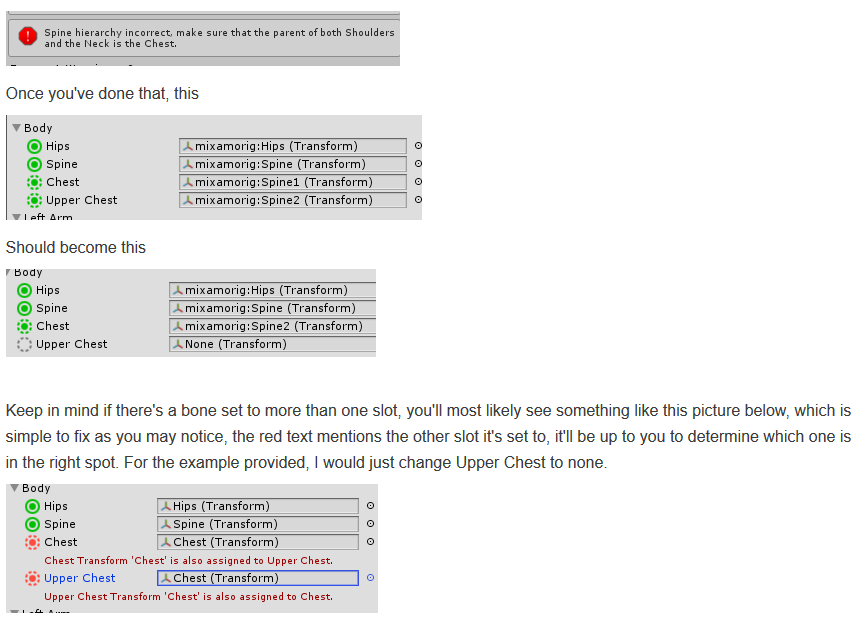
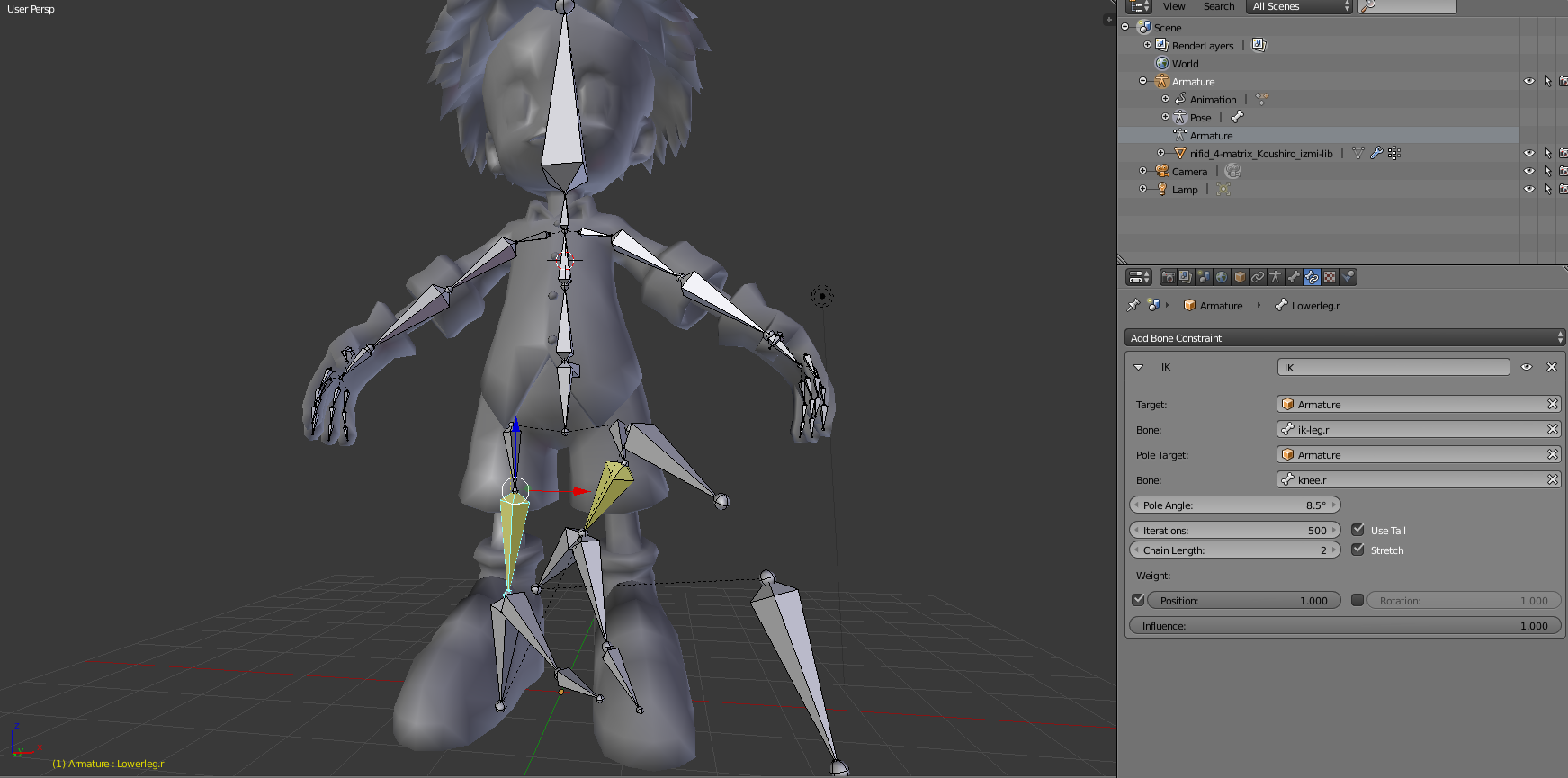


 silent salmon
aaah
as I said just experimenting for now
would want to make it public eventually but will keep working on it for now
median viper
To make a map public, get the world ID and just DM it to @warm niche or @spiral karma and they'll tend to have it live in like 5 min tops
stuck bobcat
Yeah @silent salmon typically Gunter or Pill will just take a quick look at your world to make sure it's kosher (doesn't grind framerate to dust, isn't a troll world, etc)
And if you update the same world later, it'll go private again (so make sure it's as complete as you can get it!) and they'll have to make it public again after you u/l
Also, with Private worlds, you can still invite your Friends there., like if you need to test something for multiplayer
Just load VRChat like you normally would and go to your Private world. You can invite folks into it or drop a portal, whatever, even if it isn't public
 static stone
any idea when Disney wishes will be coming back? i miss that room lol
static stone
i must have that room back in my life.. lol
warm niche
Hey for Syncing, should everything be set to Always in Triggers? also do you need Object Sync on Child objects of a parent that is already synced?
The goal is for everything in the world to be synced no matter what anyone does to a control system
The issue is when players join after as well, some sync breaks, so wondering best way to approach the sync
marble root
i've been wondering that for quite a while myself, but had refrained from asking. Would definitely be nice to know a little more about how syncing works with parent/child relationships
trim hound
The imp I drew earlier, I'm making it's model now :D
warm niche
Wow @trim hound that looks so so good!! 😄
trim hound
Thanks ! I'm just about to upload the texture progress :)
Finished the texture <3 When i'm passionate about something i tend to make these models really quickly hehe
trim hound
thank you so much <3
I'm rigging him for VRChat right now
once i get him in i'm going to bed though hehe
shadow dock
people have said rain ai is whitelisted for vrchat but its not working when its uploaded.
autumn hatch
Been playing with it myself, can confirm not working
sudden smelt
I'm not super sure on it's status, as far as I know it's still there but I haven't messed with it in a year
autumn hatch
Tried with the latest version off the asset store. Some earlier version might work?
I got an AI to patrol in editor, but ingame it's inactive
shadow dock
does someone have an old version to see if it works?
actually the verion currently up was posted in jan. so when vrchat was updated could the whitelist have been messed up?
@sudden smelt
sudden smelt
I'll note the version added is at least 2 years old (when it was added)
shadow dock
im not finding any old versions to download and test to see if it still works..
@sudden smelt how hard would it be to get it rewhitelisted?
autumn hatch
A pair of knuckle controllers and I think we're good
sudden smelt
@shadow dock there is no whitelist per say, to make it work again it just needs updating (I think), though it has never been used much and was planned to be removed at one point anyway, I'll mention it internally. I will say though knuckles would be nice :p
pale violet
@sudden smelt i was hoping to start learning RainAI in the coming month, and try to use it in different ways. i'm surprised it's not used more, unless it has very limited functionality.
sudden smelt
It has limited functionality without scripting (c#) from what I saw, though even back when we did have custom scripting I only dove into it a bit so I don't know the full extent of what it can do
granite pilot
Anyone know a way to mask out players? I've tried pretty much everything from stencil masks, depth masks but i can't seem to find a way (might be doing it wrong).
Trying to hide players going inside the tardis by placing some kind of invisible wall that should mask players but not the ground/skybox/whatnot
Also tried Occlusion culling, did not work out great.
Works in straight angles but fails if camera turns (same effect in game)
hot quail
Hey guys, I'm trying to setup an animation in a world to basically move a cube from one position to the other. I'm setting up an "onInteract" trigger to send a playAnimation to a cube receiver, but I'm not sure what's supposed to go in the "Clip" box, anyone have any idea? Thanks
granite pilot
i would suggest using animationtriggers instead
what i use atleast
attatch animator to your "cube" and then create an animation for it that activates on an animation trigger
hot quail
@granite pilot do I need to put something in the "Trigger" field? https://gyazo.com/51bbc78d6ac62d865eeab70adbe4d28d
granite pilot
1 sec doing esentially same thing for wopdan atm, will have screenshot of the setup in a moment
shadow dock
@hot quail from my experience the animation componant doesnt sync up with everyone. i would suggest using the animator componant.
hot quail
is it necessary to have that default state?
can't go from entry directly in to animation?
granite pilot
then it kinda starts playing straight away
without any triggers
also good to know: disable looping
hot quail
I see, so the default animation is an animation that basically does nothing?
granite pilot
hot quail
So you are transitioning from one animation to another?
granite pilot
yeah
hot quail
Then I imagine your default animation just does nothing?
granite pilot
in this case, yes
hot quail
When you create the trigger and in the trigger text box put "derp", that is referring to the state change condition you set in the animator?
granite pilot
ah yes, that was my animationTrigger in this case
hot quail
Should I be able to preview the animation in the preview window in the inspector for the transition?
hot quail
I guess we're getting more in to "how unity animations work" kinda stuff, and I know they wanna keep these channels for VRC directly related stuff, so I'll just do some googling, thanks tho @granite pilot . If I start having sync issues I'll look in to what you were saying @shadow dock.
 swift wren
@maiden crescent I am looking into your specular shaders issue
We'd be remiss if VR Chat weren't shiny and chrome.
Witness me.
maiden crescent
eh? Which one?
https://vrchat.canny.io/betabugreport/p/standard-specular-setup-shaders-not-working
this one was fixed already in one of beta builds
maiden crescent
XD
swift wren
😎
warm niche
Ooh if we’re looking into shader problems, I just added one to the canny! It’s about additive shaders!