
#QM error
56 messages · Page 1 of 1 (latest)
 clever monolith
 burnt dagger
clever monolith
Can’t open qm
burnt dagger
clever monolith
Can’t open qm
try a reinstall of cncnet.
clever monolith
Tried brother
I reinstalled the whole game from EA
And reinstalled the cnc exe
Nothing tends to solve it
burnt dagger
you're opening the client from the CnCNet main screen?

 burnt dagger
you tried a pc restart yet?
clever monolith
 clever monolith
clever monolith
clever monolith
I believe this is problem
burnt dagger
could you upload that file here please
clever monolith
burnt dagger
you tried a pc restart yet?
Yes multiple times
clever monolith
burnt dagger
could you upload that file here please
Sec
burnt dagger
clever monolith
And reinstalled the cnc exe
when you reinstalled, did you use your existing installer? or downloaded a new one from our website?
clever monolith
burnt dagger
when you reinstalled, did you use your existing installer? or downloaded a new o...
New one
I suppose as a geuss it’s the DLL files
burnt dagger
yeah
clever monolith
I ran SFc command
Re checked in the drivers it was fine
Media dlls are present
Before it used to give me the error of evr.dll missing
burnt dagger
last thing I could ask you to try is a force update on the client
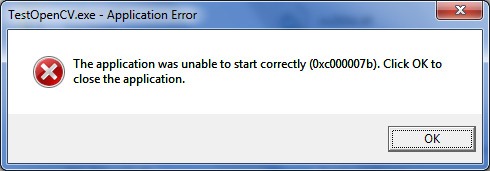
https://appuals.com/fix-error-0xc00007b-application-was-unable-to-start-correctly/ if not you can try these. it seems to be a windows problem rather than a cncnet problem
Appuals.com
0xc00007b error mainly occurs due to having corrupted or missing Dynamic link library files that the application requires to work properly.
clever monolith
 burnt dagger
click force update
clever monolith
Nothing same problem
burnt dagger
burnt dagger
https://appuals.com/fix-error-0xc00007b-application-was-unable-to-start-correctl...
okay then try these i guess. i'm out of options.
maybe someone else will come through later
burnt dagger
should be x64. i'm not too sure
clever monolith
Yea fixed it
If some facing the same issue find the system architecture 32 bit or 64 bit
And use
burnt dagger
burnt dagger
should be x64. i'm not too sure
ok nvm it's 32
clever monolith
Use this site to install all the missing files to the directory of the program
 amber pine
which dll did you have to download?
amber pine
what dll did you download?
clever monolith
I had download evr
Mf helper
And mfplat
Some might be more for you or less depends how many files missing
clever monolith
clever monolith
Downloading the wrong DLL architecture will case the error above
So in this case I download one wrong DLL to 64 bit and the program is 32
Hope this helps others thanks
 amber pine
for others use sfc /scannow from cmd so windows can automatically repair missing dlls
amber pine
it doesn't download files, but it will restore missing files from a backup