#ue5-engine-source
1 messages · Page 9 of 1
 lavish grove
 rancid kelp
really nice bricks tho
 chrome ingot
yeah I agree try a new project just to be safe to test this lumen issue
rancid kelp
AAA quality
 paper hound
Damn it...
it's the UE5EA scene that is "corrupted"
yeah it's normal, it's not meant to be real-time real time
then it's called raytracing and well, you know what it does haha
that will fry any peasant PS5 T_T
paper hound
rancid kelp
Yikes now i got to rebuild all my plugins from source ugh
I hope you've saved all your stuffs on a source control system
rancid kelp
paper hound
I hope you've saved all your stuffs on a source control system
naw just made a back up of the project
I cant figure out SC for the life of me
i can make a whole advanced blueprint but this stuff im DERPPP
paper hound
You should really try it, cause losing your stuffs because of a bad copypasta is the most demotivating stuffs a project can have
rancid kelp
cd C:\UE5\Engine\Build\BatchFiles\
RunUAT.bat BuildPlugin -plugin="C:\Users\user\Documents\Unreal Projects\projectname\plugins\BlockoutToolsPlugin\BlockoutToolsPlugin.uplugin" -Package="C:\Users\user\Desktop\plugins\BO"
i mean this should work
ini
BUILD SUCCESSFUL
AutomationTool executed for 0h 0m 52s
AutomationTool exiting with ExitCode=0 (Success)
yeah this should work for all plugins, they all where converted in the first place lol
paper hound
I don't get what I need to do to make the scene similar than a New scene
is it in the World Settings?
chrome ingot
so a new scene in the same project is fine, its just that one scene?
paper hound
I've tried other old scenes, and they have the same issue, however new scenes don't
to make new scene I simply do empty level

I've reset all the world settings hopping it would be that, but no
chrome ingot
well your blank level has no lighting or PP as well, so those could be causing issues
same with stuff like atmosphere, etc.
it could also be something weird with the build data if you want to delete that for the map
you could always try migrating the level to a new project as well, see if it happens
paper hound
yeah it's what I'm trying
Ok it get even more strange...
i've done what you've mentionned ...
Moving the persistent level to a new one... and Adding the rest in addditive
like that I get rid of the settings of the first scene and use a new scene for it
Well it doesn't work...
But if I add the new scene that works
Well...it works
SHIII... I think i found the issue...
yeah wait a minute im trying to make sure it reproduce correctly
ok nvm, I thought I got it... but no
My scene is very far away from 0,0,0
and i thought it was that
I think I found some sort of an edgecase or something very wrong
chrome ingot
if you replace the mesh on the bottom with a cube mesh, does it still not bounce by default?
paper hound
well the strange thing, is that If I go up... the light change... and the pink light also don't look the same


nvm that's the directionnal light that does that
removing the directionnal light...

there is no bounce when it's too high up
chrome ingot
on your mesh, is Affect Dynamic Indirect Lighting enabled?
chrome ingot
yep I can confirm, its an issue at that number here as well
paper hound
it's odd... UE5EA didn't had that issue
paper hound
chrome ingot
yep I can confirm, its an issue at that number here as well
You've noticed it too?
chrome ingot
any point light with Z of 131080 or higher doesnt cast light

the white light is 10 Z lower than the pink
chrome ingot
I should rephrase that, its doesnt seem to be contributing to lumen GI, the light still works
paper hound
chrome ingot
I should rephrase that, its doesnt seem to be contributing to lumen GI, the ligh...
indeed it does...
but in UE5EA the GI works at any position in the world
here as soon as you go above 131080, the light don't contribute, except the direction lights
doesn't matter where it is
chrome ingot
yeah direction lights dont have a real location is probably why, just a direction
paper hound
can't find any mention of that...
i don't think there is tons of crazy people trying lumen over 131071 units on a random version of a git version of UE
Shall I bug report it?
Or it's by design
That value in a way look a bit random
chrome ingot
well if it was working and now its not, its probably both lol
I know there is work on converting all values to large values so that might be a side effect of it
chrome ingot
yep
paper hound
I guess i'm good to report a bug then T_T
chrome ingot
I would, at the best it fixes it
chrome ingot
I'd harass the people in #lumen with atleast the info, maybe someone in there has a solution
chrome ingot
I went looking and gave up because I really dont know how the rendering code works lol
 paper hound
chrome ingot
I went looking and gave up because I really dont know how the rendering code wor...
paper hound
chrome ingot
I went looking and gave up because I really dont know how the rendering code wor...
do you have that into an empty project or shall I do one?
chrome ingot
my projects are just full of junk lol. and you might not even need a project to repro since its nothing unique to the project
 flint loom
I'm working with the chaos vehicles, and I need to edit/access the values of the Vehicle movement component at runtime. I'd prefer to do it via blueprint, but I'm fine with doing it by callable functions in my subclass of WheeledVehiclePawn. But I cant access the variables as its defined under private:
paper hound
chrome ingot
my projects are just full of junk lol. and you might not even need a project to...
ok, doing one now then
flint loom
Can I simply move it down a few lines into public: without breaking things? Or am I better off doing something else?
paper hound
flint loom
I'm working with the chaos vehicles, and I need to edit/access the values of the...
I think someone mentionned few days ago vehicles are broken with the new version of UE5
flint loom
my source code is compiled from github as of Nov29th
so it hasnt been broken for me, just the bugs that existed at the time
paper hound
Ok I got a video of the issue with X and Z failing 😄
I told you, lots of stuffs are modified in 5.1 vs EA
like some stuffs to remove form the scene... before it used to be "MarkPendingKill" and now it's "MarkAsGarbage"
you will need to go in the sourcecode an figure out how eveything got modified ^^
rancid kelp
Yeah well im out here modifying so many files lol I hope this is worth it in the end. i got one plugin working by editing in c++ but the others, name errors, and blah blah blah.
I hope EA and 5.1 will be the same in a few months.
 limpid light
5.0 is the first release 🙂 5.1 isnt until late 2022. Be careful not to get stuck with 5.1 assets, then you wont be able to migrate your project to the official 5.0 release
ie any assets you save in a build built from ue5-main has version 5.1 and wont open in 5.0
limpid light
yes your asset will load, but anything saved with a 5.1 version will NOT load in an older version.. and that includes once 5.0 is officially released
rancid kelp
i will just compile this version 5.0 instead of 5.1
limpid light
My project is stuck on ue5-main because of this, at least until 5.1 previews start 🙂
rancid kelp
it makes no sense to release 5.1 to public without a 5.0 release...... Also without the proper documentation.
limpid light
Correct, the first official public release will be 5.0
This is just the workflow of Epic, once they stabilize a release version it's moved to its own branch and the main branch increases in version. Any work that is not scheduled to go into the next release (ie 5.0) now goes into the main branch and will be release with the next next version
rancid kelp
5.1 does look really awesome tho. The GUI is way overhauled lol
limpid light
There is very little code in the main branch (ie 5.1) that is not also in the 5.0 branch
limpid light
rancid kelp
5.1 does look really awesome tho. The GUI is way overhauled lol
You will see those same changes in the 5.0 branch 🙂 dont worry
rancid kelp
SO in theory
If I continued to build on the 5.1. Everything i do will have to stay in 5.1 there is no going back. You would have to wait for a stable build to release a test demo for your game, and most plugins, would not work.
limpid light
yes, as soon as you save any assets in your 5.1 version you cant open them in 5.0
rancid kelp
Alright that solves that issue.
limpid light
its easy to get most plugins to work, its the .uassets files you create that are the main problem
rancid kelp
Ahh so we need to wait for a better system to be released.
this is why its pretty much a "test demo"
try this out! see if you like it!
limpid light
there wont be any better system, this is just how the versioning of the engine works 🙂 you can open assets in newer version of the engine, not older than they one they were created in
rancid kelp
Have you tried to compile a project in 5.1? I know you cant in 5.0EA with plugins
limpid light
yes the game Im working on is in 5.1, since we started before the 5.0 branch was published
rancid kelp
How did you migrate plugins?
RunUAT.bat BuildPlugin -plugin="
im doing that method
limpid light
I just fixed the source and the .uplugin files manually then recompiled everything
rancid kelp
and its telling me my plugins are not created for this version, even tho they all are recompiled
limpid light
yes, look at the .uplugin files. They probably have an engine version there.
What plugins are these, you created them?
rancid kelp
let me load an example
BlockoutToolsPlugin
this plugin was recompiled with the RUNUAT.bat


then tells me this, even tho i recompiled it.
limpid light
open and build the source in visual studio, not like that
just like that second error message says 🙂
rancid kelp
meh dont have the source code for any of these 😦
limpid light
well then you cant use them
rancid kelp
but thats the thing tho
limpid light
are you sure? must code plugins ships with source code
rancid kelp
i rebuilt them all from 4.26 to ue5.
limpid light
open your plugins folder there and look inside
 limpid light
yes, look in the private folder for example
Ok do this, right click on your plugin.uproject file, and choose "generate project files" Then open the resulting file in visual studio and compile
limpid light
should still work
rancid kelp
ill create a c++ project
 rancid kelp
 limpid light
well if you cant open the editor that might be tricky
but yes you need a c++ project in order to properly compile your plugins
rancid kelp
ill make a c++ project just to try and fix plugins
that might work
then take the plugin and add to my realproject.
limpid light
btw almost all of this has nothing to do with UE5 and works the same in UE4 🙂 either try in another channel or you can msg me directly if you get stuck again
limpid light
np! we've all been there 🙂
rancid kelp
limpid light
np! we've all been there 🙂
HOLY YOU MAD GENIUS YOU...

I guess ill be sticking with 5.1 🙂
limpid light
As long as you accept you wont' be able to use the official 5.0 version once it's released for your project, and you will have to build everything yourself from source until 5.1 will be released then that is ok
rancid kelp
limpid light
As long as you accept you wont' be able to use the official 5.0 version once it'...
Truth. This was 4 hours well spent learning how to do this. I do not mind recompiling from source code, that is now the easy part 🙂
limpid light
Good luck! Look forward to see what you'll make
rancid kelp
limpid light
Good luck! Look forward to see what you'll make
Wow one change you will notice instantly from ue5 to 5.1 is layered blend per bone. It actually works now lmfao

ue5 i had the right hand in the back because i was not using it and this was JUST a left hand curl animation.
now it takes into account for other things xD
 slim violet
You could look at their last commit date and then use that to look up what commits align with that time and start working your way backwards I suppose
@crimson graniteJust create the directory path that it is looking for. I did that and the warning went away

omg. I want this notification to stop
It's so flipping annoying
I'm using a source build. Stop telling me to update my freaking bridge from the launcher
 jaunty mango
ERROR: Unhandled exception: System.UnauthorizedAccessException: Access to the path is denied.
why is that?
when generating VS project files for the game project?
jaunty mango
idk i already gave it all the possible permissions
what am i missing?
windows permissions never work for me
there are no such problems with the official version of the engine, and custom build is located in the same folder, if that matters
 cedar tree
where have you installed your stuff?
jaunty mango
C:\Program Files\Epic Games and then C:\Unreal
i just dont understand, why unreal from launcher is working fine when it's literally next to custom build
what's the difference
actually i tried to generate project files by command line with admin rights, and Access error disappeared, but then i had this:

it seems that all these errors are related, because this project works fine with the same UE build on another pc
but on my pc, i have no rights
 echo ravine
It's unlikely to be a permission issue
cedar tree
modifying stuff under program files requires admin rights
echo ravine
I don't believe anything is being modified there
jaunty mango
wherever i place it, i need admin rights - to run Setup, to generate UE project files, to build UE, to generate game project files
echo ravine
When you're saying you need admin rights - how do you know that?
jaunty mango
because when i run anything without admin rights - i get an error
access denied, no permission etc
echo ravine
So what is the first error you get when running Setup.bat ?
jaunty mango
Checking dependencies...
Registering git hooks...
Access is denied.
Access is denied.
Access is denied.
Access is denied.
but actually i already installed it with admin rights
echo ravine
You need to grant yourself permissions over that folder
And if you in fact installed it with admin rights that's likely the issue
Any file created as admin cannot be overwritten by a user
jaunty mango
okay i will try from the start then, without admin rights
 waxen socket
Just to update you guys...
From this commit : a87daeb7cd849129897cee47c3d8e7e1de59cc56
If after running everything (Setup.bat | GenerateProjectFiles.bat | Compiling every UE5 programs)
I run this command: Engine\Build\BatchFiles\RunUAT.bat BuildGraph -target="Make Installed Build Win64" -script=Engine/Build/InstalledEngineBuild.xml -clean -set:WithWin64=true -set:WithLinux=false -set:WithServer=true -set:HostPlatformDDCOnly=false -set:WithWin32=false -set:WithMac=false -set:WithAndroid=false -set:WithIOS=false -set:WithTVOS=false -set:WithLinuxArm64=false -set:WithPS4=false -set:WithXboxOne=false -set:WithSwitch=false -set:WithLumin=false -set:WithLuminMac=false -set:WithHoloLens=false
I get after a while this error
LogInit: Display: Warning/Error Summary (Unique only)
LogInit: Display: -----------------------------------
LogInit: Display: LogBlueprint: Error: [AssetLog] D:\unrealprojectfive\Templates\TP_VehicleAdvBP\Content\VehicleAdvBP\Blueprints\ChaosVehicleBlueprint.uasset: [Compiler] In use pin  <Unnamed>  no longer exists on node  Set Float Parameter . Please refresh node or break links to remove pin. from Source: /Game/VehicleAdvBP/Blueprints/ChaosVehicleBlueprint.ChaosVehicleBlueprint
LogInit: Display: LogBlueprint: Error: [AssetLog] D:\unrealprojectfive\Templates\TP_VehicleAdvBP\Content\VehicleAdvBP\Blueprints\ChaosVehicleBlueprint.uasset: [Compiler] In use pin  Target  no longer exists on node  Set Float Parameter . Please refresh node or break links to remove pin. from Source: /Game/VehicleAdvBP/Blueprints/ChaosVehicleBlueprint.ChaosVehicleBlueprint
LogInit: Display: LogBlueprint: Error: [AssetLog] D:\unrealprojectfive\Templates\TP_VehicleAdvBP\Content\VehicleAdvBP\Blueprints\ChaosVehicleBlueprint.uasset: [Compiler] In use pin  In Float  no longer exists on node  Set Float Parameter . Please refresh node or break links to remove pin. from Source: /Game/VehicleAdvBP/Blueprints/ChaosVehicleBlueprint.ChaosVehicleBlueprint
LogInit: Display: LogBlueprint: Error: [AssetLog] D:\unrealprojectfive\Templates\TP_VehicleAdvBP\Content\VehicleAdvBP\Blueprints\ChaosVehicleBlueprint.uasset: [Compiler] Could not find a function named "SetFloatParameter" in 'AudioComponent'.
Make sure 'AudioComponent' has been compiled for  Set Float Parameter from Source: /Game/VehicleAdvBP/Blueprints/ChaosVehicleBlueprint.ChaosVehicleBlueprint
LogInit: Display: LogBlueprint: Warning: [AssetLog] D:\unrealprojectfive\Templates\TP_VehicleAdvBP\Content\VehicleAdvBP\Blueprints\ChaosVehicleBlueprint.uasset: [Compiler] Input pin  In Name  specifying non-default value no longer exists on node  Set Float Parameter . Please refresh node or reset pin to default value to remove pin.
LogInit: Display:
LogInit: Display: Failure - 4 error(s), 1 warning(s)
Update your Blueprints
waxen socket
How do I do that?
And thank you so much Stranger
for taking some time to help me :p
echo ravine
We had this conversation before, these aren't issues, they're normal API changes
Edit the Blueprint to whatever works now
waxen socket
But here's the thing. This is source code compilation. I don't know how to edit a blueprint that is an engine blueprint
I open a previous version of UE and I open the blueprint inside the engine folder from my gitfolder?
If it was a project it'd be simple
echo ravine
Are you compiling your game project or the full UE5 solution
waxen socket
I'm making what is called a "Local Build" which is a transportable engine you can distribute to your team and they can use, it is way way more optimized that way
That's why I use this command line and the xml script
Compiling through visual works just fine
But it creates some issues about distribution
echo ravine
Sounds like doing that is broken I guess
waxen socket
It used to work, that's why I'm confused
echo ravine
And now someone did an API change and didn't update the starter templates
waxen socket
Yet if anyone know how I could fix engine native blueprints I could go for that but I just don't know how
echo ravine
Probably copy them to your project, fix them, copy them back in engine source
Or remove that template from the sources alltogether
waxen socket
Removing the template is a good Idea as I'm not going to use them
good suggestion
Thank you again stranger and sorry if there was a missunderstanding the other day
 torpid valve
do not, compile engine source, against it self
always use game project and save yourself pain
echo ravine
Read the conversation
torpid valve
you still make redist build against game project ;
waxen socket
I have to unfortunately in order to have a proper distribution of tools the team needs, if we were only programmers it wouldn't be an issue, but we're a full team with people that have very different workflows
right now i'm losing time and having painful time indeed
but it is to save time for every member of my team
 willow flame
To be honest if you're all working remote, having everyone do the build themselves locally is the less painful method for us.
paper hound
that's unfortunatly the tradeoff of an unrelased version of the engine. Unreal 5 is still a EA.
willow flame
Apart from anything, downloading the whole engine + debug symbols everytime you make a change is a nightmare
Teaching an artist to install visual studio and hit a couple of buttons is more straightforward. Could try using Unreal Game Sync to streamline it a bit more but it's undocumented AFAIK.
waxen socket
Not that simple, we're using plugins for artists and stuff like that that needs to be installed in the engine. And even though there is a script for that, the data is marked as corrupted because it wasn't build with the engine
On top of that we have hardware issue where the engine that you need to compile manually with your project is WAY BIGGER than the distributed version one.
The plugins are so big that everytime someone checkout a branch and needs to compile some c++ code, it takes minutes upon minutes to do so
Whereas in the method I use
It just works and you can be brainless and have a very straightforward workflow.
Maybe you're right and it is not such a big deal, but it does bother me that I created a workflow that is as simple as "drag and drog the engine, doesn't take much disk space, just works" and it becomes "ok, get this huge file, wait for it a while longer for the new engine, now compile your folders, ok you need to review some changes from an artist in project so branch out, compile the project AGAIN with visual open, oh visual takes some computation time while you're baking, that sucks but hey that's how things goes"
Oh and we don't work remotely also :p
 fluid drift
Does anyone know how to fix this weird linker error? Updated UE5's main branch and trying to build the engine.

Looks like updating VS to latest version, installing .NET 5.0 and rebuilding everything did the job, at least for now. Compiling now, fingers crossed 🙂
willow flame
Nice I'll try that
 torpid valve
basically using Unreal Game Sync with simple code project (which has all the needed plugins enabled), should be much easier than creating redist build
redist build from source is hit or miss on non release, nobody cares if it works, untill it's time to version on launcher
 vale hill
I keep getting an error building:
1>C:\Users\xxx\Documents\GitHub\UnrealEngine\Engine\Plugins\Experimental\NeuralNetworkInference\Intermediate\Build\Win64\UnrealEditor\Development\ORT\Module.ORT.cpp(38): fatal error C1083: Cannot open include file: '../Plugins/Experimental/NeuralNetworkInference/Source/ThirdParty/ONNXRuntime_2021_11_18/Private_DML/Windows/core/providers/dml/DmlExecutionProvider/src/Operators/DmlOperatorLocalResponseNormalization.cpp': No such file or directory
1>C:\Program Files (x86)\Microsoft Visual Studio\2019\Professional\MSBuild\Microsoft\VC\v160\Microsoft.MakeFile.Targets(45,5): error MSB3073: The command "..\..\Build\BatchFiles\Build.bat -Target="UnrealEditor Win64 Development" -Target="ShaderCompileWorker Win64 Development -Quiet" -WaitMutex -FromMsBuild" exited with code 6.```The file not found is present
Anyone have any ideas or seen this before?
chrome ingot
someone else had that issue, i think its a windows path length thing. They moved it to a lower folder nearer to C and it was fine. you can also look for that file, see if it actually exists or not on disk
vale hill
Thanks @chrome ingot - I bet you are right - in the midst of trying that now
The funny thing was it was building fine in that directory a month ago, but when I pulled latest, it must have added a file in that plugin that just happens to exceed some limit
chrome ingot
that is my thought, no way to confirm personally but that file does exist in the latest github pull and .zip file so its not "missing" in that sense
 fallen narwhal
vale hill
```1>[1/6] Compile Module.ORT.cpp
1>C:\Users\xxx\Documents\GitHub\UnrealEngine\E...
fallen narwhal
vale hill
```1>[1/6] Compile Module.ORT.cpp
1>C:\Users\xxx\Documents\GitHub\UnrealEngine\E...
i got this 2 times in building from 5.0 source and don't know how to fix this, tell me if you made it working
vale hill
fallen narwhal
i got this 2 times in building from 5.0 source and don't know how to fix this, t...
As @chrome ingot said, it was caused by the path name being to long. Moving the entire depot to a short directory name - like c:/UE5 fixes it
fallen narwhal
vale hill
As <@!218779540359479297> said, it was caused by the path name being to long. M...
oh thanks you guys i'l try that
 granite olive
Hey everyone I'm trying to build my freshly downloaded ue5 version rn but it can't find some "TargetMetaData.dat"
Already tried running Setup & GenerateProjectFiles once more but that also didn't fix it.

I'm on 5.0 upstream branch btw
jaunty mango
seems like because of this
6a40ba5033bf18ce2eaf0127966ba909a391f09f
granite olive
jaunty mango
seems like because of this
6a40ba5033bf18ce2eaf0127966ba909a391f09f
I'm afraid I don't know what "this" is
granite olive
jaunty mango
https://github.com/EpicGames/UnrealEngine/commit/6a40ba5033bf18ce2eaf0127966ba90...
Alright have reverted that commit and yea now it atleast started compiling ^-^ Gotta see how it turns out
jaunty mango
echo ravine
Any file created as admin cannot be overwritten by a user
thanks, I did everything without admin rights in the folder in which I had full rights initially and everything worked out. still don't understand though why i can never give myself permissions in protected folders.
granite olive
Alright so it did compile successfully but I can't start it without debugging.
Some plugins seem to fail for whatever reason.

Works fine if I start with Debugging tho
jaunty mango
thanks, will try
jaunty mango
granite olive
Alright so it did compile successfully but I can't start it without debugging.
S...
i'd say you needed to reset instead of revert, not sure though, but i already don't recommend latest versions
fallen narwhal
vale hill
As <@!218779540359479297> said, it was caused by the path name being to long. M...
it did work for me thanks @chrome ingot @vale hill
granite olive
jaunty mango
i'd say you needed to reset instead of revert, not sure though, but i already do...
Turns out it seems to be a project specific failure... :/ Engine compiles fine and I also can open another other project just fine
waxen socket
if it interests anyone I tried to remove the blueprint that caused my local build to fail and it doesn't work, so i'm going to try to open the engine THROUGH visual and correct the nodes and then export the content
 crisp badger
compiling takes 3+ hours on my machine and every commit I’ve tried for the last few days has crashed on launch ☹️
chrome ingot
i know 5.0 compiles with the last commit on 12/3
 crisp badger
yeah I haven’t hit any that don’t compile, but almost everything I’ve tried has failed to run
the last commit I was able to build and run (for macOS) was 71cff87, from a week and a half ago
chrome ingot
i can say that one I linked is the one I am using, no crashes yet
crisp badger
guess I’ll give it a shot, can’t be any worse than the builds I’ve been trying. thanks.
limpid light
FYI I just built UE5 just fine now, synced latest an hour ago.
Yeah the GenerateProjectFiles.bat complains about missing files from HeadlessChaos (its in fact referencing files not meant for public release), but just ignore it and it will build just fine.
chrome ingot
yeah the latest seems to build as of an hour ago, earlier today it had the UHT issue which they fixed a bit ago
limpid light
https://github.com/EpicGames/UnrealEngine/commit/fb561880ed0ee689578e968740b2c109273240b6
Sorry this is from ue5-main
 novel flower
so is EDL deprecated in ue5?
I am running into a cooking/packaging issue in ue5, for which a bunch of UDN posts recommend enabling EDL
limpid light
not even sure what EDL is in this context
novel flower
event driven loader
novel flower
do i need to enable IOStore for nanite?
limpid light
there's a whole new loader system in UE5 called Zen, maybe thats the reason?
novel flower
nm, nanite works fine with IOStore disabled, I do not have zen enabled
 crimson granite
vale hill
The funny thing was it was building fine in that directory a month ago, but when...
crimson granite
vale hill
The funny thing was it was building fine in that directory a month ago, but when...
I ran into this issue. The limit is 260 characters (256 + 4 for C://). You can get around this with a registry hack and modifications to UBT though, which I ended up doing.
In my case, I had one file with a path length of 262 🙄
The registry modification, and the %? (iirc) prefix modification to IO operations in UBT allows for paths up to a theoretical 32,767 characters.
^Right, thank you for clarifying
 indigo leaf
So how would you use the \\?\ approach? Not even sure what that maps to in Explorer, seems a much more Unixy path that I'm all for. Would it be like \\?\C\users...
torpid valve
technicaly
windows NT does not have letter drives
the drives you see are "hard links" to some device path
either way, you cant just use raw path in explorer
im not sure if it is even exposed to public api
 opaque phoenix
is the nanite and lumen optimization commit live?
paper hound
I think we should rename that channel into : "will it build?" :D
indigo leaf
Imagine not running a spell-check extension 😦
 echo ravine
As if Visual Studio needs an extension for that
indigo leaf
I've usually had lints and the likes that fail for things like this automatically, saves code review time for silly issues
granite olive
Hey everyone I'm not quite sure wether or not this is a UE5 problem or a Project code problem but I can't compile anymore. Tried looking at the output console but theres just too much and can't really find something useful. So I tried to decipher the Error in the Error list but that's also not helpful at all

It's a fresh project all i did was adding a blank plugin
if anyone likes to see the output log for themselves
echo ravine
granite olive
Hey everyone I'm not quite sure wether or not this is a UE5 problem or a Project...
dte80a.tlh ring any bell ?
granite olive
echo ravine
dte80a.tlh ring any bell ?
absolutely not
echo ravine
VisualStudioDTE ?
I mean consider the possibility that the two modules not compiling are not actually needed by your project
granite olive
You're saying I miss some dependencies?
echo ravine
You should compile UE5 from your game project
3x faster, no error on pointless subprojects
Other than that particular VisualStudioDTE module everything is fine
granite olive
Same error but with my project o-o
echo ravine
So let's see the log for that
granite olive
1>------ Build started: Project: Library, Configuration: Development_Editor x64 ------
1>Using bundled DotNet SDK
1>Log file: P:\UnrealEngine\Engine\Programs\UnrealBuildTool\Log.txt
1>Win64 using Manual SDK 10.0.22000.0
1>Win64 using Manual SDK 10.0.22000.0
1>Using 'git status' to determine working set for adaptive non-unity build (P:\UnrealEngine).
1>Building LibraryEditor and ShaderCompileWorker...
1>Using Visual Studio 2022 14.30.30706 toolchain (P:\Program Files\Microsoft Visual Studio\2022\Community\VC\Tools\MSVC\14.30.30705) and Windows 10.0.22000.0 SDK (C:\Program Files (x86)\Windows Kits\10).
1>Determining max actions to execute in parallel (8 physical cores, 16 logical cores)
1>  Executing up to 8 processes, one per physical core
1>  Requested 1,5 GB free memory per action, 6,37 GB available: limiting max parallel actions to 4
1>Building 6 actions with 4 processes...
1>[1/6] Touch dte80a.tlh
1>[1/6]Touch dte80a.tlh - Error but no output
1>[1/6]Touch dte80a.tlh - 1 P:\UnrealEngine\Engine\Source C:\Windows\system32\cmd.exe /C "copy /b "P:\UnrealEngine\Engine\Intermediate\Build\Win64\UnrealEditor\Development\VisualStudioDTE\dte80a.tlh"+,, "P:\UnrealEngine\Engine\Intermediate\Build\Win64\UnrealEditor\Development\VisualStudioDTE\dte80a.tlh" 1>nul:"
1>P:\Program Files\Microsoft Visual Studio\2022\Community\MSBuild\Microsoft\VC\v170\Microsoft.MakeFile.Targets(44,5): error MSB3073: The command "P:\UnrealEngine\Engine\Build\BatchFiles\Build.bat -Target="LibraryEditor Win64 Development -Project=\"P:\UnrealProjects\Library\Library.uproject\"" -Target="ShaderCompileWorker Win64 Development -Quiet" -WaitMutex -FromMsBuild" exited with code 6.
1>Done building project "Library.vcxproj" -- FAILED.
==```Wipe P:\UnrealEngine\Engine\Intermediate\Build\Win64\UnrealEditor\Development\VisualStudioDTE and retry
 hazy moat
Hello people, who have build 5.0 today or day ago or so, is landscape material layers work again or not? i do not want to even try to compile/waste time until landscape is fine again.
chrome ingot
I'ver never had issues with them
maybe paste your example of your issue and a material that people can recreate to get an idea of the issue
limpid light
hazy moat
Hello people, who have build 5.0 today or day ago or so, is landscape material l...
Built yesterday, worked fine for me. What exactly you are doing might different from me ofc
@lofty idol I had no such issues with the build yesterday.
I did see one artifact for far off landscapes that only showed up in PIE mode, but it was actually incorrect fog
 hazy moat
limpid light
<@456226577798135808> I had no such issues with the build yesterday.
hazy moat
limpid light
<@456226577798135808> I had no such issues with the build yesterday.
Thanks, gave hope if it works after many weeks of broken landscape material instance layers
limpid light
@lofty idol yeah but I'm on ue5-main unfortunately.
https://github.com/EpicGames/UnrealEngine/commit/fb561880ed0ee689578e968740b2c109273240b6
hazy moat
limpid light
<@456226577798135808> yeah but I'm on ue5-main unfortunately.
https://github.com...
hmm, wonder if 5.0 has landscape fixed too?
limpid light
hazy moat
Thanks, gave hope if it works after many weeks of broken landscape material inst...
We have multiple layers that are spawning instances like rocks, shrubbery etc. If that is what you are referring to?
hazy moat
i refer that weeks there was bug that landscape paint layers just did not function at all.
zero zip, was unable to paint and material was in default state
limpid light
testing that for you now
chrome ingot
I mean I can paint landscape layers unless I am doing it wrong, never had an issue with it
 limpid light
the heightmap occasionally resets abd goes flat, but it was also doing that in older versions. Just reload the map or rebuild fixes it
hazy moat
for me it was broken, instanced material painting did not work at all, maybe now it is functioning again (5.0)
limpid light
Painting works for me, but sculpting seems to have problems and the heightmap resets to a flat plain
hazy moat
limpid light
Painting works for me, but sculpting seems to have problems and the heightmap re...
thank you sir, perhaps landscape is starting to get back up again step by step. Maybe breakage was needed for EPIC devs? 64bit precision? just a wild guess
limpid light
its quite slow and is spiking up my memory usage atm
Im using OFPA and world partition with landmass
it had some kinks, but we managed to figure out workarounds
A lot of this is in a rough state, but usable if you can tolerate having to do some workarounds and such. Just dont expect a fully smooth experience on anything really until 5.0 release
yeah 🙂
In general I would love to hear Epic's plan on landscapes in general for UE5 moving forward.. but as with many things they've been silent for the past few months.
torpid valve
I just hope we will get rid of landscape and replace it with something not so heavy on rendering
empty landscape can easily tank fps from 120 to 70
-;-
lavish grove
is selecting (packed) level instances broken in 5.0 branch? I can select them in the world outliner but not in the viewport (at least in my build from a few days ago)
hazy moat
Anyone have idea what is that CppAPI-HTML?this error is new for me, first time i see. Thanks.
 scenic cave
anyone has a list of what plugins can I snipe safely from my source build?
Killing XR and VisualProduction starts a dependency killing where nothing survives 🥲
hazy moat
Any idea how to bypass/exclude this, no need for documentation.
scenic cave
I want to avoid compilling them
how? 🙃
It won't use the UE source I downloaded. It will use the pre-built
🤷♀️
I will try that 👀
hazy moat
Alyready ran before and compilation is almost in finish state, re running would probably result re building all
weeks ago my build process was fine, i did fresh source build but that unneeded error blocks finishing
nope, it started to build again from zero, bypassing now. Takes hours to build again
i am sure result is same as i exclude useless stuff for me
if i do not exclude stuff then it would take forever to build
2+ weeks ago my way worked really fine
i still have not figured out how to build barebone editor only with selected plugins... is it possible even?
no ios, no magicleap, no VR and so on
scenic cave
that is exactly what I asked and lorash just told me to: generate project files, link an empty project, build that empty project
I am generating project files now...
hazy moat
scenic cave
I am generating project files now...
that is confusing, to build editor, link emty(what) project. when i build i use this .bat and compilation begins.
scenic cave
I agree that it is confusing 😅
I am getting a pre-compilled build to generate an empty c++ project to try to build my source
Also, not entirely sure how the "link empty project" is to be done, but I will burn cross that bridge when I get there
hazy moat
scenic cave
I am getting a pre-compilled build to generate an empty c++ project to try to bu...
probably another thing as i understand?, i want to build just a bare editor
hazy moat
i test my building after week again, maybe my luck returns
scenic cave
I am trying to find a way for the engine to take less than 24 hours to build 🤣
I am willing to try anything 😛
hazy moat
scenic cave
I am trying to find a way for the engine to take less than 24 hours to build 🤣
I would love to build editor with only selected plugins and without docs, samples, templates....
scenic cave
If I manage to make this work, I promise to write a guide on how I did it 😅
echo ravine
Clone UE5, run setup.bat, run generate projects, associate your UE4 project to your source build, generate projects for your .uproject
Build game in VS
scenic cave
associate your UE4 project to your source build
that is the step I have no idea how to do
😅
hazy moat
scenic cave
😅
And why project is needed to build rocket build of editor? that is ultra confusing
scenic cave
I think the project is to get a barebones list of plugins to build 🤔
echo ravine
scenic cave
> associate your UE4 project to your source build
that is the step I have no ide...
Right click uproject, choose engine or something
If you're confused by that why are you using UE5
scenic cave
echo ravine
If you're confused by that why are you using UE5
I would be confused with UE4 anyway 🤷♀️
I need to learn Unreal Engine somehow
hazy moat
i hope epic sees this chat and one day gives powerful commands to exclude and build rocket build with selected thing
echo ravine
If you're learning you should realllllly pick UE4
scenic cave
echo ravine
If you're learning you should realllllly pick UE4
Are the building steps different? 🤔
hazy moat
no -rocket just a meaning rocket build aka build that is created into folder
scenic cave
Is there a way to learn to build ue4 without building ue4? 🙃
scenic cave
I know I am an annoying newbie, but I need to learn 🤣
then... how do I learn to build it?
if I get an already built version
echo ravine
You don't need to build it
scenic cave
😐
echo ravine
I've shipped two games without ever compiling UE4
echo ravine
"beginner"
scenic cave
My job description is: Throw this guy on the deep end and see if he can swims back to the shore 👀
echo ravine
And you still don't need source builds for MP btw
scenic cave
huh, for what I read, my servertravels were failing because only source builds can do dedicated servers 🤔
echo ravine
But like, this is complete madness - not knowing the engine and trying to do MP on console with UE5 is just absurd
echo ravine
It's dedicated
You just can't make 100 player battle royale games that way
That's probably also what you're doing I guess
scenic cave
nope, couch party + online
echo ravine
Anyway, my advice is UE4 with a nice prebuilt engine, learn the ropes, move to multiplayer in six months, and see about console later
scenic cave
echo ravine
Anyway, my advice is UE4 with a nice prebuilt engine, learn the ropes, move to m...
I have six months to deliver the vertical slice 🤣
I know I am all kinds of fucked up
I have already told everybody that the deadline makes no sense
echo ravine
If you're agreeing to do stupid shit you know you can never deliver on, that's kinda on you
scenic cave
I didn't agree 🤣
nah, blame isn't on me. I already told them and they said "nah, you can totally do it"
I cant
but imma try anyway 😛
echo ravine
We're not saying don't try and quit, we're saying how to actually deliver at all, if not on time
Not to mention multiplayer features go from "this one is built-in" to "this one requires 6 months of engineering and may never work"
If you don't know which is which, good luck having any plan
scenic cave
"this one requires 6 months of engineering and may never work"
you mean the "oh, you can't use the character movement component" kinda thing?
yah, that is on my plate too.... in 6 months
echo ravine
Yeah, it's hopeless
 zealous yarrow
Cursed words 😅
scenic cave
don't forget the console couch party too 👀
echo ravine
I spent 3 months doing a MP movement component for a simple (much simpler than car) vehicle with fake physics and I've used Unreal for a decade
So...
echo ravine
We're not debating the "project is hopeless" step, we're suggesting ways out, like doing a single player vertical slice on PC with a prebuilt UE4
zealous yarrow
Well depends on if your car movement is client or server authoritative
Client might have a chance
Server, very very difficult but possible, but not for a beginner
echo ravine
Client authoritative for a racer ? If you don't have any collision maybe ?
scenic cave
it's server auth
echo ravine
Of course it is
scenic cave
cars are the easiest to predict, they like to move forward
I know kinda what I need to code
zealous yarrow
echo ravine
Client authoritative for a racer ? If you don't have any collision maybe ?
90% of the racing games are client authoritative
echo ravine
Nice, wouldn't have guessed
The one I've working on last was entirely input lag based
zealous yarrow
Forza Horizon being one of the bigger ones with client authoritative movement
scenic cave
I think my boss doesn't know what "rollback netcode" is and I am not willing to say anything about it or I would be the first crazy person ever to implement ggpo into a kart racer game
😨
torpid valve
it's slightly easier to make using fixed tick physics
but still good luck doing it if you never even attempted that
scenic cave
torpid valve
it's slightly easier to make using fixed tick physics
I investigated that, but that also pointed me towards a source build 😬
hazy moat
I found the way, i have documentation excluded from build but i especially included !/Engine/Documentation/Builds/** and rocket build is still finished
and LocalBuilds spawned success, build success
build actually resumed, not began from scratch. i am glad
scenic cave
building from an empty project and is building 3k files instead of 6k.
It actually worked 😄
imma leave it building and tomorrow will report how many hours it took
hazy moat
seems that most build engine itself from VS editor, but i build with bunch of my batch files. Dont know it is easier to manage for me. Download source tar.gz, extract, run setup.bat with extra exclude commands, generateprojectfiles.bat, runuat.bat with extra exclude commands, build ready, run and use it.
hazy moat
Luck and guesswork made it work again seems but without UBB(Unreal Binary Builder) i would not have this at all. I just want to go extremes and build Editor without things i do not need aka "just an art edition" of editor where i construct practice worlds and lighting scenarios and models.
I do not use UBB itself, i just built my .bat chain of commands based on this and Ryan gave me excat VS individual components list that was needed to even build Unreal at all.
hazy moat
Same commit i just before compiled, but seems that things starting to get back up

Finally landscape is working for me again. 👌
 shell root
hazy moat
I do not use UBB itself, i just built my .bat chain of commands based on this an...
shell root
hazy moat
I do not use UBB itself, i just built my .bat chain of commands based on this an...
Any tips on reducing the build size? Even with UAT Installed Build I get like 80+ Gb build folder (not to mention 200GB engine folder).. all PDB files are there and I guess a bunch of other debug files too.
echo ravine
shell root
Any tips on reducing the build size? Even with UAT Installed Build I get like 80...
That's the normal size
You can remove PDBs if you never intend on doing any C++
shell root
Yes - I mean to get something similar in size as pre-built engine from Epic Launcher. To be distributed to artists.
I was just wondering if there is a existing automated cleanup solution
 dry halo
shell root
Yes - I mean to get something similar in size as pre-built engine from Epic Laun...
dry halo
shell root
Yes - I mean to get something similar in size as pre-built engine from Epic Laun...
You can generate an Installed Build which are similar to the launcher builds just using your own custom engine. You can find our docs on how to set it up here: https://docs.unrealengine.com/4.27/en-US/ProductionPipelines/DeployingTheEngine/UsinganInstalledBuild/

This page describes the Installed Build process, including an overview of how to write Installed Build scripts.
echo ravine
That's what they're doing.
dry halo
Ah sorry came in late, missed that. Then yeah there's a couple of flags for what to strip. But at it's core the engine is pretty chunky
echo ravine
PDBs are probably the best way to reduce the size if the build is for artists, likely 30GB
shell root
I was hoping for a flag for UAT Installed Build script to remove pdb's and other non-developer stuff .. would be nice. I wonder how Epic clean and package their builds for distributing in launcher
dry halo
I know it's somewhere in a buildgraph file but I'm not fully sure which ones we use. Does -set:WithFullDebugInfo=false not strip it?
flint loom
Sun Position module not included in 5.0 branch? I can see the Sun Position plugin in plugins, but when I restarted the editor it says SunPosition module is missing
shell root
dry halo
I know it's somewhere in a buildgraph file but I'm not fully sure which ones we ...
Oh, I need to try this out
Thanks!
dry halo
Np, there's a set of options listed in that docs page above you can mess around with. Otherwise the buildgraph scripts are actually pretty straight forward to modify so as a fallback you could always just duplicate the script and tweak it to suit your needs
paper hound
Guys I want to launch a fresh build, can someone tell me what's their last working commit? #willitbuild?
waxen socket
Curious about that on the 5.0 branch, and more than will it build, will it do a localbuild?
I'm asking so much i'm sorry I can't give back as much, feel free if you have any questions about like unit tests and pipeline frameworks and such
shell root
waxen socket
Curious about that on the 5.0 branch, and more than will it build, will it do a ...
I just managed to make local build with 5.0 main branch with VS2022
waxen socket
shell root
I just managed to make local build with 5.0 main branch with VS2022
You used the makelocalbuild xml or you can do it through visual studio?
shell root
only problem I had was some csprojects complaining about missing NET 4.5 .. I manually replaced v4.5 to v4.8 inside all csproj files (4.5 is deprecated) and all built fine.
Built using both visual studio and makelocalbuild
 shell root
Building from Visual studio worked out of the box, csproj version change was needed only for local build
waxen socket
Ok thank you for all the infos, if I could ask one last detail could you send me the commit ID so I can be sure to sync up with yours ?
shell root
commit id? i did not commit anything back
waxen socket
Haha I was asking about something like f570078639475e3306714c68954837352f6dbcf3, like the commit number under which you made your visual studio and local build
So I can proceed the csproj change and launche my little .bat file to build and distribute the engine
If you can't it's fine, you gave me very good tips
I feel like i'm asking for a bit too much haha 😅
shell root
It was just like 2 days ago. I think nothing much has changed since and the latest should be fine
waxen socket
alright!!!
Thank you so much rendereverything, if I can help back in any way feel free to ask!
waxen socket
Yes, i'm currently building programs and soon i'll launch the InstalledEngineBuild.xml instructions
waxen socket
Not really, the size is very different unless i'm mistaken
but it clears GB of assets
On the left there is my engine that I was able at a time to generate using the xml with command line and on the right the engine from visual studio

pardon my french by the way
waxen socket
I'm not sure but that's the point of the xml, if I manage to do it ill give you the parameters as well as the commit number
paper hound
I have a stupid question, but everytime I update UE git source, I run GenerateProjectFiles.bat.
i'm wondering if it's really necessary or not
chrome ingot
might not be, but is it really worth not doing it if it is?
paper hound
I actually do it, cause I thought the tutorial on the documentation mentionned to do it the fist time...
but I just do it, without thinking as i'm used to it
chrome ingot
yep. you never know when they might add or change something so making sure your working with updated files makes sense
paper hound
But seeing how it executes everytime... I'm wondering if it really work (besside the first time)
chrome ingot
I always delete the sln, run setup to grab any updated / missing files, generate project files new, open the sln and clean the UE target, and then build
not worth getting through the entire compile to find it caused an issue
paper hound
Yeah you're probably right
the one i don't execute is the setup.bat
and that work just fine
hazy moat
shell root
Any tips on reducing the build size? Even with UAT Installed Build I get like 80...
My build is around 60GB as i exclude platforms and block IOS garbage then i too strip pdb(size drop is massive then to 8-12 or so gb size) files IF i do not have plans to report bug to epic as .pdb files are important part of this too. I use Unreal for my personal art & lighting learning and world construction. I deny git download for templates and documentation too, if i need i read docs from separate source.
If you have plan to code and report bugs then .pdb files are very critical part of process
shell root
hazy moat
If you have plan to code and report bugs then .pdb files are very critical part ...
Yeah, I understand. I think I will leave engine coding to Epic for now and work on my side of projects 🙂
crimson granite
Where can I find the RunUAT.bat build arguments?
Looks like a few of them changed
hazy moat
crimson granite
Where can I find the `RunUAT.bat` build arguments?
Info about these are quite vague and i use this personally and it is success.
day ago i built 5.0 success with this, maybe everyone do not have success,i do not know.
opaque phoenix
waxen socket
On the left there is my engine that I was able at a time to generate using the x...
wait this is with source still being there??
waxen socket
Yep
 next onyx
how does source not have verse yet lol
chrome ingot
because verse is not for UE5?
next onyx
the scripting language
torpid valve
i hope that languague never make it into engine
but probabaly will, Epic invests to much into it
chrome ingot
nothing we have seen says verse will be for UE5, they mention it for fortnite
torpid valve
if they really wanted to make something useful, why not invest in rust ?
next onyx
they hired one of the top haskell guys to come over and help
torpid valve
chrome ingot
nothing we have seen says verse will be for UE5, they mention it for fortnite
they hired languuaguues researchers
youu don't do it for scritping languugue for game for single game editor
chrome ingot
sure you do
torpid valve
yeah, which will be languague : P
next onyx
dunno, I think this will bring a lot of people into UE, it's a smart move, one of the major complaints about UE is C++ and it's not just the language, but everything that comes with it
chrome ingot
Epic's plans for Fortnite is to extend way beyond "a game"
torpid valve
yeah we know abouut Valkyrie
still I'm 100% suure Verse will be in engine
it is simple matter of time
and if this shit is going to have dynamic types
im going to delete it from engine
-;-
crimson granite
I can't build the engine cause it want's the .NET Framework v4.5
But it's been discontinued
If if you do download it, it wont install
chrome ingot
does it need it to build? or to open the project
crimson granite
It builds in VS. It doesn't build with RunUAT.bat which is odd
Right
I tried downloading it from microsoft

Doesn't isntall
Regardless, I changed everything in VS to v4.8
next onyx
that's the runtime
crimson granite
So not sure why the RunUAT.bat is still looking for v4.5?

This where the targeting pack should be, right?
chrome ingot
I know you can install it with the 2019 VS installer, its listed there still
 hexed temple
hey quick question, any idea why SetConstraintMode fails on UE5 but is OK on 4.27? I saw there is some changes on object pointer properties, thanks
 crimson granite
chrome ingot
I know you can install it with the 2019 VS installer, its listed there still
crimson granite
chrome ingot
I know you can install it with the 2019 VS installer, its listed there still
Gotcha, I'm on VS2022 and it doesn't list it
I'll download VS2019 and use that, thanks 🙂
Still curious why it's looking for v4.5 when I've changed them to v4.8 in VS
next onyx
once you installed it you can just uninstall vs 2019, but zip the 4.5 targeting pack, C:\Program Files (x86)\Reference Assemblies\Microsoft\Framework.NETFramework
paper hound
crimson granite
Gotcha, I'm on VS2022 and it doesn't list it
I don't think you need it, I did it with vs22 and window 11. It worked
crimson granite
You compiled using the RunUAT.bat file?
paper hound
No
I right clicked on the solution ue5 and build from there
Just like the tutorial says
 leaden compass
I'm not quite sure where to post this but when trying to compile my game I get the following error:
ERROR: Unhandled exception: System.IO.FileNotFoundException: Could not find file 'F:\Unreal Projects\soccer\Intermediate\Build\Win64\UnrealEditor\Development\Soccer\UnrealEditor-Soccer-0231.lib.response'.
I tried rebuilding the project and it compiled after that only to give this error again when trying to compile the game again.
I hope some of you could give me some insight on why this could happen.
chrome ingot
try closing the project and deleting the intermediate folder and trying again
crimson granite
I think the problem is that the csproj that it's complaining about is generated
SwarmCoordinator.csproj is in the Saved directory
Maybe I can find where that is generated and set the proper .Net Framework there
 karmic pivot
Question, i builded ue5 for linux but i am missing a UnrealBuildTool.exe file and can't make projectnameEditor. Is this my problem or ue4 problem?
leaden compass
bless you haha
rancid kelp
Any UE5 C++ guys here?
 quiet acorn
Hey people, have a quick question. Let’s say I built the engine. I expect it to be very large from what I’ve read here. How can I reduce the size? Is there a way to separate files and take only the necessary ones for engine to work after building the engine?
 storm lichen
quiet acorn
Hey people, have a quick question. Let’s say I built the engine. I expect it to ...
storm lichen
quiet acorn
Hey people, have a quick question. Let’s say I built the engine. I expect it to ...
Point your project to your engine, then build the project. Only the modules that your game needs will be built. Reduces the size down to 120 gigs for me. Obvs, disabling as many Plugins in your project as you can helps.
Personally I mark all my projects with
"DisableEnginePluginsByDefault": true
So that I don't have to manually disable everything I don't need
lavish grove
you can also run compact on the folder (https://github.com/Freaky/Compactor makes it easier/faster), can reduce allocated size by 40-50%
GitHub
A user interface for Windows 10 filesystem compression - GitHub - Freaky/Compactor: A user interface for Windows 10 filesystem compression
quiet acorn
Thanks for the answers!
crimson granite
quiet acorn
Hey people, have a quick question. Let’s say I built the engine. I expect it to ...
You don't "need" .pdb files and those are the largest. 47 GB on my UE5 build
quiet acorn
So it’s safe to remove them, sounds great! Thanks!
I still wonder though what Epic does for the engines that we download from the launcher since they are smaller than the ones that we built on our own.
rancid kelp
Does anyone know what ue5 build has physx?
 frozen root
rancid kelp
Does anyone know what ue5 build has physx?
frozen root
rancid kelp
Does anyone know what ue5 build has physx?
every ue5 build that has been released so far have physx disabled by default, but i'm pretty sure you can re-enable it manually
torpid valve
for now
it will be removed
if you want to use ue5 you need to migrate to chaos anyway
zealous yarrow
Anyone has a commit on the 5.0 branch that they are using and doesn't have any obvious issues (like half of the engine not working 😐 )
rancid kelp
frozen root
every ue5 build that has been released so far have physx disabled by default, bu...

its gone bud.
lol
The 5.0build before EA have it i think
frozen root
it's not been fully removed yet, just disabled and replaced by chaos by default. You can still see its files on the ue5 source
rancid kelp
You sure? I only see physxVehicle Support
frozen root
if you go to Source/ThirdParty you can still find the Physx3 folder, i think if you change the build settings you'll will be able to use physx on ue5 just fine
rancid kelp
your right its still here but disabled, they must have not 100% removed little snappets of code from the engine yet.
zealous yarrow
I highly doubt that is has been completely removed from the engine, it would be more work to remove all traces of PhysX from the engine than just disabling it
rancid kelp
i agree!
I was looking in plugins folder for this, no wonder why i could not find it

When im done rebuildiing engine im going to try this out
 umbral sedge
Eventually it will be completely removed and it shouldn't be used anymore, they need to sort out chaos performance though..
frozen root
i think epic will just leave physx in there until they manage to make chaos performance stable, it wouldn't make sense for them to remove it completely for a new physics system that is broken in almost every way
rancid kelp
umbral sedge
Eventually it will be completely removed and it shouldn't be used anymore, they ...
i need it for a ue5 plugin to work sadly :/, Its a simple linetrace for bullets to do collateral damage so it wont hurt FPS.
zealous yarrow
In 4.27 (before they separated into a chaos specific build) you needed to add this to your ProjectNameEditor.Target to get it to use PhysX
Haven't checked if it's still the same in UE5
        bCompileNvCloth = true;
        bCompileAPEX = true;
        bCompilePhysX = true;
        bUseChaos = false;
        bCompileChaos = false;
Yeah, the current state Chaos is in it isn't production ready in my opinion, it needs a lot more work
Removing PhysX would be a mistake
 oak pilot
What's the difference between the 5.0 and ue5-main branches?
right, so 5.0 if i want to see what's coming first, and ue5-main for a look to the future?
paper hound
oak pilot
right, so 5.0 if i want to see what's coming first, and ue5-main for a look to t...
If you build the UE main is unreal 5.1 atm :)
oak pilot
Awesome, thanks
opaque phoenix
waxen socket
Yep
how did you do this?
 real mirage
I've built 5.0 yesterday, made new C++ project and then it says I need to rebuild project from source, which doesnt work.
It works fine with Blueprint project.
Any ideas?
I am using vs 2019.
I did not have this issues last time I built.
waxen socket
opaque phoenix
how did you do this?
From the comandline at the git folder I did this command:
Engine\Build\BatchFiles\RunUAT.bat BuildGraph -target="Make Installed Build Win64" -script=Engine/Build/InstalledEngineBuild.xml -clean -set:WithWin64=true -set:WithLinux=false -set:WithServer=true -set:HostPlatformDDCOnly=false -set:WithWin32=false -set:WithMac=false -set:WithAndroid=false -set:WithIOS=false -set:WithTVOS=false -set:WithLinuxArm64=false -set:WithPS4=false -set:WithXboxOne=false -set:WithSwitch=false -set:WithLumin=false -set:WithLuminMac=false -set:WithHoloLens=false
it allows to do an xml file instruction to make an easily transportable build which is then distributed.
It works a bit like what you would do to publish the engine on the store directly somewhat
You should turn some options to true if you want more platforms for your engine
opaque phoenix
this looks interesting 200 gbs wad too much space and time
what was your compile time?
hazy moat
5.0 trying to open material instance crashes editor, no matter whose material pack it is, all same. Just mentioning.
rancid kelp
hazy moat
5.0 trying to open material instance crashes editor, no matter whose material pa...
5.1 works 100% fine for me, no issues with this.
```4>C:\UE5\Engine\Source\Runtime\Engine\Private\SkeletalMesh.cpp(2436): warning C4996: 'USkeletalMesh::ImportedModel': This must be protected for async build, always use the accessors even internally. Please update your code to the new API before upgrading to the next release, otherwise your project will no longer compile.````
Woah this is in 5.1
limpid light
zealous yarrow
Yeah, the current state Chaos is in it isn't production ready in my opinion, it ...
Its being used in Fortnite right now.. just saying 😛
indigo leaf
limpid light
Its being used in Fortnite right now.. just saying 😛
Fortnite engine versions are like 1 year ahead of what us plebs get, feels like.
Not sure if Fortnite is physics heavy, but I haven't played it.
limpid light
indigo leaf
Fortnite engine versions are like 1 year ahead of what us plebs get, feels like....
Thats a bit of an exaggeration 🙂 they do indeed add new features and mod the engine there, but quite regularly merge those changes back into the public branches.
frozen root
still wouldn't say it's production ready
limpid light
Physics heavy or not, at least it uses hitscans and some rigid bodies
indigo leaf
Hey I don't blame them. If you need some obscure thing for Fortnite, you may build it in a day. For that to support a broader range of games and applications, documentations, platform testing etc, that adds weeks if not months.
limpid light
yup 🙂 same is done by larger teams that are working on games. I have yet to ship a game where we dont mod the engine ourselves
 onyx sleet
I'm compiling ue5-early-access on a ubuntu bootable removable disk, once the compile is done I'm going to switch machines and boot from said disk on different hardware. ... I won't be surprised if it blows up in my face in new and interesting ways.
 primal night
Is there any way to make UGameplayStatics::FindCollisionUV work in UE5? I think because of Chaos this function is mostly returning false.
 lofty idol
does anyone know what's the last commit to build from for ue5.1 ?
or even the branch.. but i don't see any 5.1 branch
opaque phoenix
limpid light
Thats a bit of an exaggeration 🙂 they do indeed add new features and mod the en...
water is a live example
real mirage
Is Chaos physics performance a lot worse than PhysX right now or is it pretty much the same?
I think it was not that good in EA. I dont know about now.
Also, anyone any ideas what could it be?
#ue5-engine-source message
leaden compass
Hey guys!
After switching to the ue5-main source I've noticed that an object I have is lagging when moving around on the ground but is perfectly fine when moving in the air. Would any of you know what could be causing this?
 trim locust
friction
 ashen kiln
real mirage
Is Chaos physics performance a lot worse than PhysX right now or is it pretty mu...
ashen kiln
real mirage
Is Chaos physics performance a lot worse than PhysX right now or is it pretty mu...
Still worse
leaden compass
trim locust
friction
I believe it isn't friction as the ball still travels the same length as previous. It's just that it seems very laggy even though it's on singleplayer
opaque phoenix
waxen socket
From the comandline at the git folder I did this command:
```
Engine\Build\Batch...
do I need to run setup.bat?
it is currently giving me errors
 limpid axle
Hi All, in my previous source build I could click always loaded in WP, on this new build it says "load spatially" but its greyed out, any advice? 🙂 (with relation to the landscape)
indigo leaf
You've got non-gray colours in UE5, I'm jelly
slim violet
Does anyone know if they fixed the broken formatter in UE_LOG yet?
Can't use UE_LOG with formatted arguments on my current commit
I can use it without arguments and it compiles just fine
waxen socket
opaque phoenix
do I need to run setup.bat?
Yep you need to
run Setup.bat
run GenerateProjectFIles.bat
Get all the sdk you need with turnkey
Open ue5 through visual
Compile all programs
And then run the command I gave you
limpid axle
So a bit more exploration on the WP issue I'm seeing, loading in the landscape in a regular level works fine, when running PIE with a WP level the level doesn't load in at all, very strange
zealous yarrow
limpid light
Its being used in Fortnite right now.. just saying 😛
Doesn't mean it's usable for anything else at the moment
Most likely a ton of patchwork keeping it together
rancid kelp
zealous yarrow
In 4.27 (before they separated into a chaos specific build) you needed to add th...
I added this in the engine UnrealEditor.Target.cs and i get errors, any idea why?
sorry to bug you btw
zealous yarrow
Ah it's probably not the same as it was in 4.x to enable it, would have to check
crimson granite
ERROR: Unable to find installation of PDBCOPY.EXE
Anyone into this issue when building from source?
 echo ravine
Time to get another commit
rancid kelp
trying to use PhysX lol i think i need an older commit.
crimson granite
Guessing there is a specific package i need in VS studio
rancid kelp
i have been generating commits like tis my job.. on to the next one
limpid axle
echo ravine
Time to get another commit
Hi Stranger! Your always on point with source, any idea why WP is greyed out in the source build I have? It says "specially loaded" ticked but greyed out and fails to load when running PIE
echo ravine
limpid axle
Hi Stranger! Your always on point with source, any idea why WP is greyed out in ...
Haven't tried WP so I couldn't say
limpid axle
echo ravine
Haven't tried WP so I couldn't say
No worries thought id ask 🙂
limpid axle
echo ravine
Haven't tried WP so I couldn't say
In theory once using source it should be possible to convert to WP later if need be right?
limpid axle
echo ravine
Don't want to guess wrong
Appreciate that, no worries 🙂
limpid light
afaik WP is on by default in latest build, but it requires one-file-per-actor. Try enabling that and see if WP turns on?
limpid axle
limpid light
afaik WP is on by default in latest build, but it requires one-file-per-actor. ...
Unfortunately it is on, might be an issue with this build. If I decide to continue in a non WP map it is possible to convert later isn’t it?
 crisp root
How do I compile a rocket build of Unreal Engine 5 from source, I want to stop everyone on my team from having to compile on there own machine.
 robust wyvern
How much disk/ssd space do you need to compile ue5-main from source?
if you already relocated "DerivedDataCache" on another drive let's say
chrome ingot
compilation wont touch that, so 200gb?
 astral ore
Does the github version of ue5 now support Custom Stencil Buffer for Nanite meshes?
chrome ingot
well plus or minus based on your build
robust wyvern
I'm just comiling for pc/windows. Haven't updated and compiled ue5-main in month, it's been sitting there uncompile i'm concerned i might not enough room left to compile
thanks for this fast answer @chrome ingot
chrome ingot
this is my current build from yesterday
 chrome ingot
but that doesnt cover any weird temporary stuff that VS tends to do because its VS
robust wyvern
feels like ue4 to ue5 added 75-100gb
anyway, i'l keep cleaning stuff up, i need to find 30gb
rancid kelp
chrome ingot
this is my current build from yesterday
LOL sounds about right i got 6 of those xD
crisp root
crisp root
How do I compile a rocket build of Unreal Engine 5 from source, I want to stop e...
Bump.
robust wyvern
How much free space is it recommended to have on a SSD as a minimum?...
holy ue5
 chrome ingot
usually 10% free is recommended
robust wyvern
A bit enthusiastic, haven't checked ue5-main since september
crisp root
 eager hedge
https://docs.unrealengine.com/4.27/en-US/ProductionPipelines/DeployingTheEngine/...
eager hedge
https://docs.unrealengine.com/4.27/en-US/ProductionPipelines/DeployingTheEngine/...
Yeah, so I tried that, but the command isn't really working, just pops up CMD, then immediatly closes, should I compile anything through VS first? Is there any dependencies?
eager hedge
What do you mean it just pops up cmd? Are you running buildgraph with the given arguments?
And no, you don't need to build anything from VS first. Just run setup.bat if you haven't before.
That page doesn't list the full buildgraph command, but you should open a command prompt in the root folder and run this (+ any additional arguments you want):
.\Engine\Build\BatchFiles\RunUAT.bat BuildGraph -Script=Engine/Build/InstalledEngineBuild.xml -Target="Make Installed Build Win64"
https://i.imgur.com/nioxXq0.png
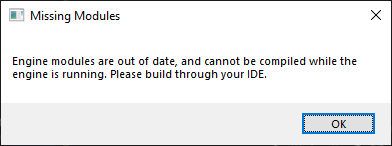
What's up with this? Happens when I try to create and try to open C++ project.
 echo ravine
Compile it in VS
limpid light
limpid axle
Unfortunately it is on, might be an issue with this build. If I decide to contin...
I know there is a commandlet to convert from the older World Composition, but I haven't done any testing converting a non-WP/WC world into WP.
limpid axle
limpid light
I know there is a commandlet to convert from the older World Composition, but I ...
I’m definitely thinking it’s an engine build issue, started a clean map created an open world map and as soon as I press play all default settings other than imported height map it crashes out with an error code
lofty idol
i'm having crash at dedicated when my player disconnects , probably from the function UNetDriver::RemoveClientConnection or UNetConnection::CleanUp()
Any ideia what i could do for it don't crash? It's started to happen after i updated the engine
Unhandled Exception: SIGSEGV: unaligned memory access (SIMD vectors?)

[2021.12.12-00.06.22:020][134]LogCore: Fatal error!

0x0000000006f8e51f Linux-Shipping!TSet<TTuple<UObject*, TSharedRef<FObjectReplicator, (ESPMode)1> >, TDefaultMapHashableKeyFuncs<UObject*, TSharedRef<FObjectReplicator, (ESPMode)1>, false>, FDefaultSetAllocator>::UnhashElements() [B:/UE/Engine/Source/Runtime/Core/Public/Containers/Set.h:1487]
0x00000000071e569e Linux-Shipping!UNetConnection::CleanUp() [B:/UESOURCETEST/Engine/Source/./Runtime/Engine/Private/NetConnection.cpp:1110]
0x0000000003440f54 Linux-Shipping!UIpConnection::CleanUp() [B:/UESOURCETEST/Engine/Source/./../Plugins/Online/OnlineSubsystemUtils/Source/OnlineSubsystemUtils/Private/IpConnection.cpp:273]
0x000000000720af2c Linux-Shipping!UNetDriver::TickDispatch(float) [B:/UESOURCETEST/Engine/Source/./Runtime/Engine/Private/NetDriver.cpp:1946]```Probably just wait for the fix to come
robust wyvern
Anyone else having issue with lumen on ue5-main? edit: my bad was my engine edits breaking things up.
limpid axle
Guys how on Earth do you work with source. Successfully compiled, set up WP level. Crashes. New source build (latest) set up starter project press play > fatal error. I don’t get why EA2 seems to work so much better? I can’t even get a basic 3rd person project to run :/ isn’t source 5.0 the production ready (ish) branch?
limpid axle
I just feel like I’m tearing my hair out here when just a brand new successfully complied project crashes with a fatal error, can’t even see anything in the output log hmm
chrome ingot
5.0 is 5.0 its not production ready until it gets tested and pushed out to release
I cant say I have had any issues with 5.0 lately, but literally 1 commit difference between us could be causing this
EA2 works better because it had the testing to make it a "stable" release
limpid light
To use source build in an early access engine, you really need to be able to debug and patch issues you come across. There is no support from Epic on 5.0 yet, and wont be until it's released.
If you have a crash, make a debug build and figure out what is going on.. then see if you can either cherry pick a fix from Epic or fix it yourself. I'm sorry, that's really the only way right now.
limpid axle
limpid light
To use source build in an early access engine, you really need to be able to deb...
Yeah that’s a fair reply, guess I need to dive into the code and see what’s wrong 🙂
limpid axle
limpid light
To use source build in an early access engine, you really need to be able to deb...
One query if I may, if I jump to 5 master from 5.0 can I revert back to the 5.0 branch if I wanted to or would that utterly screw the project. I.e should I just stick to the 5.0 branch and ignore master?
🙌 good to know I’ll revert a couple of commits!
So in your professional opinion I should just stick to 5.0 and ignore 5.1?
Yeah that’s true lol but 5.0 is more stable that main right?
With this project there is no rush on being production ready, just trying to get a head start on development, so the groundwork is there for when the engine does finally release, a lot of advice here was to use source over 5EA2 which seems solid as have had a lot of issues with that build but you may be right and just stick with 4.27 thanks for the advice 👍
Interesting I had no idea that was in 4.27 already!
That’s fine I use world creator for landscapes anyway but a big thing I wanted to test was WP but that seems broken in the source build I’ve tested as well
eager hedge
You can always convert to WP at a later time on a stable release. The conversion process might or might not be completely smooth... but you'd arguably have more of a different kind of pain if you tried building on it now.
limpid axle
eager hedge
You can always convert to WP at a later time on a stable release. The conversion...
So you should be able to convert a non WP level in 5.0 to WP in the future in theory? (I Understand that nothing official has been stated)
eager hedge
There's already a process to do it. I'm not using WP myself so I haven't tried it.
I'd expect there to be bugs with it, even in the "stable" release, but it's still probably better than dealing with 5.0 in its unstable state.
I also don't know if the conversion utility handles converting world composition to WP - at the very least it handles turning on WP in normal levels but I don't know what else it tries to handle.
limpid axle
eager hedge
I also don't know if the conversion utility handles converting world composition...
Thanks for all the advice both really appreciate 👍
limpid light
limpid axle
One query if I may, if I jump to 5 master from 5.0 can I revert back to the 5.0 ...
Stick to 5.0 and ignore master, there is no benefit of master over 5.0 branch and 5.0 is going to be more stable anyway. If you use master and save any assets, you wont be able to open them in the 5.0 official release since the versions dont match.
rancid kelp
As beautiful and amazing as 5.1 is, im reverting back to 5.0.. To many things that can not be fixed. broken c++ code.. its honestly not worth it.
rancid kelp
limpid light
Stick to 5.0 and ignore master, there is no benefit of master over 5.0 branch an...
This is where I am at right now LOL, going back to the 5 branch.
storm lichen
i haven't looked at ue-main since it moved to 5.1. what does it have that the 5.0 branch doesn't? anything significant?
rancid kelp
code is different. a lot of things dont work from ue5 to 5.1 if you are a plugin user, and you set some of your plugins to private you then have to open each up and set them to public. Basic UI overhaul nothing more more than that, a few plugins made by UE
5.1 is not user ready and wont be for months to come.
rancid kelp
Does anyone Know why when i recompile a projects sln, my whole engine recompiles and then the engine breaks and i got to redo everything?
 spring ocean
stay away from clean and recompile is all i know, easier to just delete the intermediate folders
opaque phoenix
waxen socket
From the comandline at the git folder I did this command:
```
Engine\Build\Batch...
still went 100+ gb for me anything I missed?
rancid kelp
lesson learned. NEVER EVER, build on a non product ready build of unreal engine.
7 days of work down the drain.
waxen socket
opaque phoenix
still went 100+ gb for me anything I missed?
Weird, why does it do it this way for me ? I don't ship the DDC with it since I got shared DDC with the team and I only compile for Windows 64 which lowers the size of the folder. But I have you my whole process.
It is also possible that the engine got bigger with time since I made a local build long ago
 tropic yew
World partition / garbage collection optimisation resources anyone?
I'm struggling to find stuff applicable to UE5, peter leontev has great info regarding improving GC and level streaming
but level streaming is now deprecated in UE5
echo ravine
I don't think it's deprecated
tropic yew
hmm, okay perhaps deprecated is the wrong word
eitherway, im specifically wondering about open worlds
which now is primarily handled with world partition as opposed to level streaming
next onyx
There was a recent unreal stream couple of months ago

Check out the new features and tools that make it easier to work on large open worlds in Unreal Engine 5. With a bird’s-eye overview of World Partition, One File Per Actor, and more, you’ll have everything you need to start creating your own open world games.
crimson granite
UWorld's FeatureLevel seems to always be null on the latest commit?
Crashes ULocalPlayer's PostInitProperties()
Makes levels unplayable 🥴 yay beta software
 eager tendon
when ue5-main will be vs2022 ready?
echo ravine
It's been for a long time
eager tendon
I can use vs2022 ide, but it still use 2019 compiler
echo ravine
5.0 works perfectly well with it and that's the stable branch
waxen socket
opaque phoenix
still went 100+ gb for me anything I missed?
Just came back from work and I managed to do a LOCAL BUILD, i'm so happy!!!
So...
The inside of my folder looks like this and the InstalledDDC is pretty big
 echo ravine
eager tendon
I can use vs2022 ide, but it still use 2019 compiler
echo ravine
eager tendon
I can use vs2022 ide, but it still use 2019 compiler
Use -2022, or remove VS
waxen socket
So I only use the Engine folder with shared DDC
echo ravine
Or set VS to 2022 in project settings
eager tendon
how to generate -2022 for project ? modify GenerateProjectFiles.bat ?
echo ravine
run it with -2022
Or the two other solutions
Personally I'm pretty sure 5.0 defaulted to 2022 before I even set that in project settings
And I still have 2019
waxen socket
waxen socket
So I only use the Engine folder with shared DDC
I only have the windows folder for the windows build of the engine in it and it is around 80 go right now
 waxen socket
At this commit: d4c3fab366abdfa99581734c1b4d4a993b65c6e6 (branch 5.0)
crimson granite
Somehow this is null by the time ULocalPlayer needs it
 echo ravine
Capturing an UObject pointer is a horrible idea
Capture a persistent actor that you're sure will never be invalidated and get less persistent objects from there
crimson granite
^Yeah the above is engine code from UWorld
I wonder if anyone is able to play in PIE in the latest commit?
echo ravine
Ah, thought if was yours
crimson granite
Will try a blank test level and see
To your point, I'm pretty sure FeatureLevel is not staying around in memory
echo ravine
Is it a pointer ?
crimson granite
No it's a TEnumAsByte
echo ravine
Ah, then it's fine, it gets copied
crimson granite
It gets set in the above code just fine
When ULocalPlayer tries to access it a split second later, it comes back null
echo ravine
It can't be null, it's a variable
crimson granite
Right
So GetWorld() must be null then
Obviously this is a bug for Epic to fix, just going down a rabbit hole here 🙂

Yup GetWorld() returns null
echo ravine
Or ULocalPlayer is null
crimson granite
Hmm that does seem more likely imo
Not sure what would cause the local player to be null though

Looks like ViewportClient is null
Idk how that is possible
Looks like ULocalPlayer::PlayerAdded() is the only place ViewportClient gets set. And that function is never called...
Maybe recent code changes to UE5 introduced a bug where things are called out of order?
NewPlayer = NewObject<ULocalPlayer>(GetEngine(), GetEngine()->LocalPlayerClass);
InsertIndex = AddLocalPlayer(NewPlayer, ControllerId);```^Yup obviously the engine creates the player before it adds it
But the world is not set on the player until it is added
The problem is now that the player's init needs the world
eager tendon
ok, now it generate 2022 project by default, but the windows SDK is old
 crimson granite
Yup commit 57f59f340d72d13f47a9cedff1088ece76a3a29a broke it
3 days ago
I doubt anyone could run a blank level on the latest commit
echo ravine
eager tendon
ok, now it generate 2022 project by default, but the windows SDK is old
It's going to use whatever Windows SDK you have
rancid kelp
next onyx
yeah doing work on 5.0 is sketch, doing work on ue-main? oof lol
After a while the editor just crashes on desktop with fatal error. over and over again. 5.1 is not the way to dev lol
rancid kelp
Getting fatal error on ANY project launch including basic third person templet on the newest version of 5.0 branch....
Oh, why is this?
sorry i dont know these things
I ended up fixing this temporarily by moving the offending code to AddedPlayer()```it did not seem to recognize the ignore platforms thing from what I read
waxen socket
I see
robust wyvern
Anyone know how to update the bridge plugin for source users?
can't seem to find any bridge repo?
robust wyvern
update: Just updated bridge on EA build from launcher and copied the updated Bridge files over ue5-main version, recompiled and it all works out
and it broke it, so , i don't recommend it <.<
limpid light
Why are you doing that? The source for the plugin is included with the engine source, you just build that.
 hidden pagoda
Is there a list of small commits on ue5-main which are safe to cherry pick into 4.27?
I found one which fixed a warning for VS2022, but I was curious if anyone knew of any other nice ones that helped them, or if there's a list that some programmers have compiled together :)
Obviously there's a lot of them which are needs based too -- I found a neat fix for a few issues in anim layers which I pulled over, but those were much larger. So I do understand that for most cases, it'll be based on what someone values. But still, would love to hear if anyone found changes that helped them!
 sharp pecan
Hi guys 🙂 New PC setup here, two days ago I've cloned and built ue5-main from source - it took around 8 hours but it finally completed.
Today, I did "git pull", there were some commits since last 24 hours, and I started build.
I was presented with: "Building 5336 actions with 4 processes..." and VisualStudio 2022 started the whole build... again 😦
What did I do wrong? Is there a magic switch somewhere which allows me to build ONLY the changes I "pulled" ?
I don't believe that, since last 24 hours there were THAT many changes which invalidate ALL my previous build...
 past vapor
sharp pecan
Hi guys 🙂 New PC setup here, two days ago I've cloned and built ue5-main from s...
past vapor
sharp pecan
Hi guys 🙂 New PC setup here, two days ago I've cloned and built ue5-main from s...
Did you install incredibuild with visual studio? Check your vs installer and make sure that you didn’t
If your computers only has 4 threads it might take that long to build everything
But it depends on what changed, if it was a core header that changed then likely the majority of the tasks will be recompiled
past vapor
past vapor
Did you install incredibuild with visual studio? Check your vs installer and mak...
Incredibuild limits how many threads will be used to build when it’s evaluation license ends
sharp pecan
past vapor
But it depends on what changed, if it was a core header that changed then likely...
Thanks 🙂 I don't have Incredibuild installed - I do remember it was running some icon in the Windows' tray - but it's not running this time 🙂
past vapor
Do you know what processor you have?
sharp pecan
past vapor
Do you know what processor you have?
i7 7700HQ
sharp pecan
past vapor
Do you know what processor you have?
4 native threads, 8 logical
sharp pecan
past vapor
Do you know what processor you have?
and also - yeah, that's my assumption too - one of the core headers might have changed, and the whole build is re-done again 😦
BTW - is there a way to actually check how many CPP files are going to be invalidated?
past vapor
It should be using 8 then not 4
Make sure incredibuild is not in the vs installer when you go to modify it and check it’s uninstalled from add/remove programs
sharp pecan
past vapor
It should be using 8 then not 4
Well, git pull, Setup.bat, GenerateProjectFiles.bat - and opened in VS 2022, hit "Build solution"
past vapor
Mhm
past vapor
sharp pecan
and also - yeah, that's my assumption too - one of the core headers might have c...
Once you pull a update you would have to check the files pulled before pulling them and have an idea of what said file change will cause recompilatuon of what so it not easy to know, but I don’t think it should take 8hrs
Don’t need to keep pulling really
sharp pecan
past vapor
Once you pull a update you would have to check the files pulled before pulling t...
well, that's what I am hoping for, too 🙂 Thanks anyways for your help - I just need to wait some time, and don't rely on rebuilding UE every night then 🙂
past vapor
Do check that incredibuild is gone though
It’s possible it’s only using one logical thread
I can’t remember the limit it imposes and the reasoning epic defaults to it when it’s merely installed
sharp pecan
past vapor
I can’t remember the limit it imposes and the reasoning epic defaults to it when...
Yep, I did check it right now - and it's unchecked in VS installer, and that's my fresh Windows10 machine, so it was never installed before too
limpid light
@sharp pecan Instead of building the whole solution, it's faster if you build only the UE5 project. And even faster once you have an actual game project linked to the engine and build that, then it will only build the parts of the engine you are using.
chrome ingot
check the pinned message for a unreal build .xml that uses all threads no matter what your memory or cores, by default ue5 has some more limits than ue4 and it can use less than full by default
opaque phoenix
limpid light
<@!919314248453197844> Instead of building the whole solution, it's faster if yo...
what if I have only ue4 projects?
next onyx
Is there a way to still get the latest commits when I have a plug-in installed. Not sure if I need to fork or what
sharp pecan
so is there any other way to include remote changes AND have a decent compilation performance? 🙂
 haughty bear
change ryzen 5 2600x to ryzen 7 5800x and 16gb ram to 32gb, it works
i do this 4 days ago
6-8-10 hours engine build to 40-60 min
and nvme ssd
from hdd
samsung 970 evo plus
sharp pecan
yep, I have NVME 2TB (EVO 970 PLUS), 48 GB of RAM and i7 7700HQ - but still, 8-hours builds
haughty bear
Oo
ah
mb cpu?

i think problem in cpu
sorry, screenshot in hdr mode lagging
too bright
robust wyvern
@limpid light Because the bridge plugin keeps mentionning an update available which i can download via launcher for 5.0EA (version 2021.0.5) but can't seem to find anywhere on github
limpid light
robust wyvern
<@!187650553168265216> Because the bridge plugin keeps mentionning an update ava...
Just ignore it, you have the latest source.
echo ravine
Or compile overnight
paper hound
Damn, last time i've updated git was on friday...
Who has builded with the most recents commits?
 sharp pecan
paper hound
Damn, last time i've updated git was on friday...
Who has builded with the most...
sharp pecan
paper hound
Damn, last time i've updated git was on friday...
Who has builded with the most...
yep, is it even humanly possible to produce that amount of changes over weekend? 😲
cedar tree
not humanly, but by bots? Sure 😛
 ember finch
paper hound
Damn, last time i've updated git was on friday...
Who has builded with the most...
ember finch
paper hound
Damn, last time i've updated git was on friday...
Who has builded with the most...
I just built staging
paper hound
ember finch
I just built staging
this one always work?
paper hound
what I'm trying to see it's if the Lumen Issue is still there or got fixed 🙂
ember finch
might be easier to check the changelog 😄
paper hound
Idk how they could have called that
basically if the light is going outside 131072 units, light contribution and fog don't work anymore
ember finch
searching for Lumen in the changelog should lead to few results
just gotta check the descriptions of these
limpid light
@paper hound I saw this in a different Discord, but have you tried this?
It's a problem with the Octree and LWC
Use r.UseVisibilityOctree 0 to get culling working again
paper hound
limpid light
<@!344160712022818816> I saw this in a different Discord, but have you tried thi...
That was few months ago 🙂
I actually found a different solution that didn't include octree, the lack of documentation was driving me nuts
torpid valve
ember finch
I just built staging
I see you like living on the edge
staging/testing are most unstable branches (;
ember finch
torpid valve
staging/testing are most unstable branches (;
lol are they
torpid valve
yes
they are for merging changes between Release and main branch
(and possibly other private branches to main)
torpid valve
In front
it works like that
when there is numbered release branch
it's going Release -> Staging/Testing <-> main
ember finch
@torpid valve Do you know if lumen hardware reflection w/ material shading work in main?
Seems to be broken in staging at least 😄
Only reading the surface cache works
torpid valve
I don't know, I bet broken, these versions are not that far apart
 shy willow
quick question,does ue5-main now doesnt support vs2019 anymore?

wait i guess its the UBT
hmmm
chrome ingot
you could always tell it to use 2019, it might default to 2022 now If you use GenerateProjectFiles.bat when working with Unreal Engine source code, use “GenerateProjectFiles.bat -2019” to generate project files with changes.
chrome ingot
could be
shy willow
@chrome ingot thanks thats exactly what i needed
crimson granite
OverlapMultiByObjectType() crashes on latest for me
robust wyvern
@ember finch on ue5-main from monday at least Lumen and hardware reflection didn't seem to work <.<
i wanted to check as they're using hardware in the matrix demo
torpid valve
Matrix demo was made
on Dev-Frosty
and it is not merged yet, and I doubt they will merge it this year
ember finch
torpid valve
and it is not merged yet, and I doubt they will merge it this year
Is that on p4 only?
torpid valve
worse
ember finch
lol
torpid valve
connecting dots xD
I mean In Matrix Demo there is vehicle deformation
and some thing relataed to it were merged from /DevPrivate-Frosty
also some fixes for Lumen
robust wyvern
Well there's some bits of it at least. I see the Mass AI plugin and a couple other related plugin
wouldn't be surprised if the matrix demo was made available on ue5 release
torpid valve
that's only because some things are developed on main like Mass but the are in Restricted folder which again is not public ;
torpid valve
anyway, it's going to be merged at some point
just doubt this year, Epic is going on holiday break soon
robust wyvern
oh boy, by next summer we will have dozen of spiderman game copycat
torpid valve
I'd say, we will have lots of Cyberpunk Games if you know what I mean 😄
ember finch
torpid valve
just doubt this year, Epic is going on holiday break soon
And everyone's probably hella tired after the likely pressure of the matrix release 😄
robust wyvern
i bet, they earned their holidays as far as i'm concerned haha.
robust wyvern
@ember finch on a ue5-main build from this afternoon CET there's some form of hardware contribution to lumen, but reflections seem broken, it might be mostly GI contribution:
https://www.youtube.com/watch?v=SZX5WjWF9O4

You can find me on twitter:
https://twitter.com/Max_Dupt
PC Benchmark:
CPU-Z - https://valid.x86.fr/bench/3svh3w/1
3DMark - PCIE - https://www.3dmark.com/pcie/173583
3DMark - PORT ROYAL - https://www.3dmark.com/pr/752237
3DMark - TIME SPY - https://www.3dmark.com/spy/17203212
3DMark - FIRE STRIKE EXTREME - https://www.3dmark.com/fs/25505089
...
ember finch
aaaahhh 360p 😭
ember finch
hum, I guess lumen also uses the surface cache in hardware raytracing?
Just using RT instead of DF to trace rays
robust wyvern
it would exclude meshes without surface cache, which would make sense given the black reflection of the character/skeletal mesh: lack of surface cache.
So current implementation might indeed just be tracing the surface cache, the matrix demo seems to have skeletal mesh RT reflections tho
 acoustic herald
stupid question - how do you guys get access to the latest UE5 source? On github i was only able to find zipped source code, the same as the EA downloaded from the launcher 🤔
ah, nvm, found it
 stone crown
 zealous yarrow
Speaking of the 5.0 branch... does anyone have a stable commit they are using?
 static copper
I've had a few issues with world partition mostly
seems to trigger an assert if you don't debug it
d84c4f40116b84e92a8342cbeb2b21e39cce0367 for me
besides that It's pretty ok
zealous yarrow
That sounds fine enough
Thanks 👍
shell root
When updating to latest changes from github, should I do a clean rebuild, or it's smart enough to rebuild only what's changed?