#ue5-engine-source
1 messages · Page 7 of 1
 solid cypress
 cerulean salmon
element count != size in bytes
one element is always 16 bytes, there's 4096 elements at most so that's 4096 * 16 = 65536 bytes
solid cypress
const uint32 GConstantBufferSizes[MAX_CONSTANT_BUFFER_SLOTS] =
{
    // CBs must be a multiple of 16
    (uint32)Align(MAX_GLOBAL_CONSTANT_BUFFER_SIZE, 16),
};
will be GConstantBufferSizes[0] still 4096 if MAX_GLOBAL_CONSTANT_BUFFER_SIZE is 4096?
Because GConstantBufferSizes[0] is then used in FD3D11DynamicRHI::InitConstantBuffers()
what will then call new FWinD3D11ConstantBuffer(this, Size)
Which will assign MaxSize = Size;
and do the check() I mentioned above
so the check() will fail if you increase D3D11_REQ_CONSTANT_BUFFER_ELEMENT_COUNT to something bigger than 4096
I might be wrong as this is not my field 😅
cerulean salmon
max element count is correct at 4096
solid cypress
I am not saying the fix is wrong just that I suspect it will cause that check() to fail, so that check() might need fixing too?
because MaxSize == MAX_GLOBAL_CONSTANT_BUFFER_SIZE which you set to 65536
and D3D11_REQ_CONSTANT_BUFFER_ELEMENT_COUNT is 4096
so the check will be
check(65536 < 4096)
cerulean salmon
don't know about dx11, might need a different fix there
I don't have a source engine build that would run with dx11 atm
(the fix I PRd is only for DX12 constant buffers)
in any case, I'll wait for someone to react on the PR
solid cypress
yup, I noticed when MathewW pointed it out. I am curious too to see what will be the reply and what is the reasoning behind setting size to 4096 o.O
I just tested DX11 with 65536 and that check is indeed failing, so I changed it to
check(MaxSize <= D3D11_REQ_CONSTANT_BUFFER_ELEMENT_COUNT * 16 && (MaxSize % 16) == 0);
but I have no idea whether it is a correct thing to do. We will see what Epic replies.
 storm lichen
the unnamed step bug is still in 5.0 i see. i was wondering if they'd notice by now, but i guess no-one uses functional tests much.
all they need to do is change FString StepName = TEXT(""); to
FString StepName = GetCurrentStepName();

 ashen kiln
did you create a pull request for that? @storm lichen
storm lichen
Not yet , mainly due to my continued struggling to make git do what I want. Turns out that an internet speed of approximately a drunk pidgeon doesn't like trying to fetch a repo of unreal size. Once I get my 5.0 build working I'll make up a pr.
solid cypress
storm lichen
Not yet , mainly due to my continued struggling to make git do what I want. Turn...
You can create such small PR easily also on the GtiHub webpage by modifying the file in Epic's repo.
ashen kiln
@cerulean salmonI remember you've mentioned about GPU_DEVICE_LOST crash with dx12 previously, does that PR fix this issue?
 cursive finch
Hey guys, how is 5.0 behaving so far?
ashen kiln
cursive finch
Hey guys, how is 5.0 behaving so far?
I think it's fine so far, we've switched from ue5-main (pre 5.1 commit) to 5.0 without issues.
CPU Lightmass seems a bit broken though, I had to workaround some crashes to get it working.
 static copper
ashen kiln
CPU Lightmass seems a bit broken though, I had to workaround some crashes to get...
static copper
ashen kiln
CPU Lightmass seems a bit broken though, I had to workaround some crashes to get...
@cursive tinsel has been having issues with that. Is it a simple fix?
ashen kiln
What crash you're getting, can you share the stacktrace?
static copper
It's probably identical to yours. Was an empty array iirc
I guess if it's simple you could show the fix diff
solid cypress
Speaking of commits, this does not look right https://github.com/EpicGames/UnrealEngine/commit/c32c663ee95ce0ec9369e56b12d0ea790251f694 😅
static copper
Thanks
static copper
solid cypress
Speaking of commits, this does not look right https://github.com/EpicGames/Unrea...
360 no scope
I think I'm going to wait a bit for main to get more stable before pulling again
 spring crown
UE5-main is still early access or it is final version?
spring crown
and it is already final version?
 lofty idol
Is there a tutorial on how to compile UE5-Main from source for people who havent done that before?
 open dawn
Greetings. Is anyone knows if UE5 will have Custom Shading Models support?
Or ability to write to Custom GBuffer?
cursive finch
So.. anyone knows what part of the engine checks for the version of an asset? 😅
Is it even centralized in one place?
open dawn
@cursive finch EnforcePackageCompatibleVersionCheck
cursive finch
Oh it is even a var. Will give it a shot, thanks!
cursive finch
@open dawn umm that didnt work. I can't see where it's used in the code. The code that handles the versioning seems to live in PackageReader.cpp in the AssetRegistry
open dawn
cursive finch
<@!156903532346212352> umm that didnt work. I can't see where it's used in the c...
it used in the same file where it's defined...
// Don't load packages that are only compatible with an engine version newer than the current one.
    if (GEnforcePackageCompatibleVersionCheck && !FEngineVersion::Current().IsCompatibleWith(Summary.CompatibleWithEngineVersion))
    {
        UE_LOG(LogLinker, Warning, TEXT("Asset '%s' has been saved with a newer engine and can't be loaded. CurrentEngineVersion: %s (Licensee=%d). AssetEngineVersion: %s (Licensee=%d)"),
            *Filename,
            *FEngineVersion::Current().ToString(),
            FEngineVersion::Current().IsLicenseeVersion(),
            *Summary.CompatibleWithEngineVersion.ToString(),
            Summary.CompatibleWithEngineVersion.IsLicenseeVersion());
        return LINKER_Failed;
    }
Oh Rider dindt pick the usage lol
 opaque phoenix
I heard there was some backwards compatibility between 5.0 and 4.26 or 27?
ashen kiln
Once you save an asset with 5.0, there is no turning back to 4.x
 umbral sedge
differnece of 5.0 branch and ue5-release-engine-staging branch?
 spring ocean
the package versioning is basically 4.26 = 5.0EA < 4.27 = 5.0 < ue5-main (5.1), you can always go forwards but not back
cursive finch
ashen kiln
Once you save an asset with 5.0, there is no turning back to 4.x
You can by doing what Alexey said. I commented that code and I was able to open assets created in 5.1 in 5.0
Of course that works because they didnt change
 bronze badge
Hey has anybody run into the issue where creating fast array serializer structs won't compile?
USTRUCT()
struct FTestItem : public FFastArraySerializerItem
{
    GENERATED_BODY()

    UPROPERTY()
    uint8 TestBool : 1;

};

USTRUCT()
struct FTestContainer : public FFastArraySerializer
{
    GENERATED_BODY()

    UPROPERTY()
    TArray<FTestItem> Items;

    bool NetDeltaSerialize(FNetDeltaSerializeInfo& DeltaParms)
    {
        return FFastArraySerializer::FastArrayDeltaSerialize<FTestItem, FTestContainer>(Items, DeltaParms, *this);
    }

};

template<>
struct TStructOpsTypeTraits<FTestContainer> : public TStructOpsTypeTraitsBase2<FTestContainer>
{
    enum
    {
        WithNetDeltaSerializer = true,
    };
};
Or am I missing something? Because I have the Engine module added in the public dependencies and its giving me a bunch of linker errors regarding
Error LNK2019 : unresolved external symbol "__declspec(dllimport) public: __cdecl FGuidReferences::~FGuidReferences(void)" (__imp_??1FGuidReferences@@QEAA@XZ) referenced in function "public: void __cdecl TSparseArray<class TSetElement<struct TTuple<int,class FGuidReferences> >,class TSparseArrayAllocator<class TSizedDefaultAllocator<32>,class FDefaultBitArrayAllocator> >::Empty(int)" (?Empty@?$TSparseArray@V?$TSetElement@U?$TTuple@HVFGuidReferences@@@@@@V?$TSparseArrayAllocator@V?$TSizedDefaultAllocator@$0CA@@@VFDefaultBitArrayAllocator@@@@@@QEAAXH@Z)
 blissful beacon
> Last commit, break a lot material, wait for fix [Main branch]
 ashen kiln
@bronze badge did you include "NetCore" module in your project build.cs file's PublicDependencyModuleNames?
bronze badge
ashen kiln
<@!156121320864743424> did you include "NetCore" module in your project build.cs...
👀 I had no clue NetCore was a new module?! Nope, I'll give a try once I get back home(stepped out to clear my head cause that error was making me mad)
ashen kiln
It seems like classic missing module linking error, you can fix those mostly by searching class names in unreal source and finding out which module it belongs to
FGuidReferences belongs to NetCore in that case.
bronze badge
Ah gotcha, was going off what the documentation's webpage had, where it was saying that its in the Engine module so I was like "WHY ISN'T IT WORKING?! I HAVE THE RIGHT MODULE!"
cerulean salmon
ashen kiln
<@!339011895996579840>I remember you've mentioned about GPU_DEVICE_LOST crash wi...
no, device lost is a symptom of something else - can be down to your gpu make/model or even the driver
I used to get lots of device lost errors with my old gtx 780 but haven't had a single one with my rtx 3070
ashen kiln
I've a 3080ti, and I'm the only one getting that crash in our team, super annoying.
Another dev with 3080ti is not getting that, so probably related with manufacturer.
cerulean salmon
check if you're getting it in released Unreal games, for instance Borderlands
if so then just sell the card - it will probably haunt you for the rest of its days, sadly
ashen kiln
Can do that, but not sure what this will indicate? I'm getting the same crash also in our shipping builds, not only in editor.
Oh, lol
cerulean salmon
it will indicate that your card doesn't like ue4
my gtx 780 certainly didn't
fortnite devs have/had a large database trying to correlate device_lost w/ gpus drivers etc but ultimately I don't think a culprit was found
ashen kiln
Whoever reads here, it's a msi suprim x 3080ti, if you ever considering to buy this card. I really liked it tho :/
ashen kiln
my previous card was an cheap palit 3080, and it didn't have that issue. Probably will try to sell this to replace with something else, thank you so much for the info 🙂
cerulean salmon
np
bronze badge
ashen kiln
FGuidReferences belongs to NetCore in that case.
Yup it was just that the NetCore module wasn't added, thanks!
storm lichen
solid cypress
You can create such small PR easily also on the GtiHub webpage by modifying the ...
thanks! i didnt realize that
storm lichen
just built 5.0 from source. noticed this plugin that i haven't seen before. any idea what its for?

this looks interesting as well, if a little cryptic
 opaque phoenix
cursive finch
You can by doing what Alexey said. I commented that code and I was able to open ...
opaque phoenix
cursive finch
You can by doing what Alexey said. I commented that code and I was able to open ...
wait so changing to 5.0 can work?
 torpid valve
storm lichen
just built 5.0 from source. noticed this plugin that i haven't seen before. any ...
torpid valve
storm lichen
just built 5.0 from source. noticed this plugin that i haven't seen before. any ...
ancient hisotry
it's like symlinks
cursive finch
opaque phoenix
wait so changing to 5.0 can work?
No problem so far from 5.1 to 5.0. I guess nothing really changed in the asset that I use
@torpid valve what's the difference? AFAIK symlinks just work without it
 cedar tree
storm lichen
just built 5.0 from source. noticed this plugin that i haven't seen before. any ...
cedar tree
storm lichen
just built 5.0 from source. noticed this plugin that i haven't seen before. any ...
probably the same kind of deal like what fear (the game) had
storm lichen
I have no idea what fear has. Never played it. But thanks. I'm more interested in some of the other new plug-ins. Common UI and Common Layout look veeeery interesting
opaque phoenix
cursive finch
No problem so far from 5.1 to 5.0. I guess nothing really changed in the asset t...
I accidentally had been working in 5.1 guess I could swith from ue5-main to 5.0 without worries then?
cursive finch
opaque phoenix
I accidentally had been working in 5.1 guess I could swith from ue5-main to 5.0 ...
That was my case too, I realized too late that there was a version upgrade
umbral sedge
How's the virtual shadow maps performance in ue5-main compared to EA?
I don't see many mentions of it, but the performance cost of Virtual shadow maps is pretty insane
And it's a nice to have, visuals / shadows get a big quality level up
 hazy moat
Anyone can tell any hints that how much different is 5.0 from 5.1, are Lumen and Nanite has same features and overall works fine? i probably compile 5.0 if it is finer than 5.1. Anything missing currently compared to 5.1? thanks.
 tranquil zenith
How in the smelly stinky butt nips are you suppose to delete actors from world partition
 opaque phoenix
umbral sedge
How's the virtual shadow maps performance in ue5-main compared to EA?
I don't s...
opaque phoenix
umbral sedge
How's the virtual shadow maps performance in ue5-main compared to EA?
I don't s...
wait, shouldnt it be better on performance like how virtual textures are?
tranquil zenith
umbral sedge
How's the virtual shadow maps performance in ue5-main compared to EA?
I don't s...
And they also look insane too lol
Virtual shadow maps are like a middle ground between ray traced shadows and regular dynamic shadows ..I think
 cedar tree
storm lichen
I have no idea what fear has. Never played it. But thanks. I'm more interested i...
storm lichen
cedar tree
storm lichen
I have no idea what fear has. Never played it. But thanks. I'm more interested i...
storm lichen
Interesting...
solid cypress
Anybody else experiencing an issue on 5.0 that project building always builds UBT, that triggers UHT compilation again because UBT assembly changed and that results in full engine rebuild on every single compilation?
lofty idol
are we far from UE5 releasing main on epic launcher?
hazy moat
lofty idol
are we far from UE5 releasing main on epic launcher?
Old saying, more it takes then more solid it will be🛠️ .
lofty idol
hazy moat
Old saying, more it takes then more solid it will be🛠️ .
well I am not saying it should rush I just have trouble building it from source for some reason as I was building it from visual studio it somehow went over 100GB storage Idk why and its my first time trying it
but I dont seem to be very able to build it from source can someone help?
I dont know if it is normal to take so much space
Is it normal for UE5-Main to take up 100GB+ Storage space when building from source?
static copper
actually it can get to around ~200gb
welcome to unreal engine
mine currently is around 167
 quartz garnet
Mine is 185 GB. I'm not building the whole solution, just the Engine (no Programs)
lofty idol
ok I was just wondering if that was normal
could someone explain me the reason behind this? I am not so experienced with building engines
I'd assume it is not in its compressed version just butt naked
static copper
it's just a huge amount of C++ compiled code and a few decent sized third party libs
not to mention a few gb of art assets etc
the .git alone is 30gb
lofty idol
yea I got the memo
 lofty idol
yea I get it now I just hope 1 small ssd alone can take all that because I dont have alot of storage :X
lofty idol
I really should I was avoiding upgrading storage for way too long
thanks for the info regardless
 thin trail
Finally got this thing to start building with Rider. How long am I in for?

 eager hedge
depends on your PC specs - Could be anywhere from 2-10 hours if it's a full clean build.
thin trail
Alright. I guess I'll check on it in the AM. Are there any DevOps tool to automate a pull clone and build? I looked into Jenkins but it seems like overkill for this.
opaque phoenix
solid cypress
Anybody else experiencing an issue on 5.0 that project building always builds UB...
happens a lot with me
 primal night
Any idea what is SysadminsLV? It's causing my build to fail everytime.
umbral sedge
How long does it take on avg to build ue5-main for the first time
lofty idol
umbral sedge
How long does it take on avg to build ue5-main for the first time
just leave it overnight
and make sure it has enough space to build it
mine took 160 gb and it built just fine
is the engine's version 5.0 or 5.1?
I am confused
 limpid light
lofty idol
is the engine's version 5.0 or 5.1?
limpid light
lofty idol
is the engine's version 5.0 or 5.1?
5.0 is the upcoming release, you can use the "5.0" branch on Github for that. Main branch has moved on to the next version while the 5.0 branch is being stabilized. You should be using the 5.0 branch
lofty idol
I am using 5.0 but its trying to name my projects as 5.1
I tried compiling Lightmass did not fix the issue anyone can help?
 limpid light
lofty idol
I am using 5.0 but its trying to name my projects as 5.1
limpid light
lofty idol
I am using 5.0 but its trying to name my projects as 5.1
That is because you are using the ue5-main branch instead of the 5.0 one
Use this one: https://github.com/epicgames/unrealengine/tree/5.0
lofty idol
 shy willow
engine version?
shy willow
engine version?
I think only commits
shy willow
ahh so 5.0 is the most stable than main right
lofty idol
I dont know
shy willow
because rn im on main and for me its pretty stable but if 5.0 branhc is the most stable rn i would like to switch on that one'
🤔
hazy moat
Still i have not got hold of meaning correctly? is it editor? can i build with setup.bat > generateprojectfiles.bat > runuat ?
if those are some hardcore way i leave it and never think again, but if there are some sort of chain of commands i would like to use them.
sorry to sound dumb as i am dumb about coding, just wish to be generate editor builds for myself as hobby art making
i use pure bat cli chain, can it be used this way?
i use this compot to get build
thanks, now i have some hope that maybe one day i can get even more speedup
 oblique mist
Something like msbuild.exe /target:project-name path-to-solution I believe (for cli)
hazy moat
oblique mist
Something like `msbuild.exe /target:project-name path-to-solution` I believe (fo...
This is meant for project? but what about building editor itself? so i assume it is not suitable for my cause?
oblique mist
That is the general command for any visual studio based building
project-name in this case is a "visual studio project"
hazy moat
oblique mist
That is the general command for any visual studio based building
in what stage this command fits 1 setup.bat 2 genprojectfiles.bat 3 runuat(runuat builds end result aka rocket)
oblique mist
iirc runuat.bat just calls AutomationTool.exe with the standard InstalledEngineBuild.xml project file. It is within the InstalledEngineBuild.xml file that build commands are provided. So if you want to add to or modify the automation steps, this is the file to go to
hazy moat
oblique mist
iirc runuat.bat just calls AutomationTool.exe with the standard InstalledEngineB...
What this "game project" stuff should do compared to current build i get? now i get working editor build within 1.7-2h but would like to exclude lot of selected plugins if even possible.
this is my current file that has anti IOS garbage fix inside and it has worked this far at least
oblique mist
Well, just like our last adventure removing IOS stuff, you can simply delete the plugins themselves (or at least the build.cs file for them). There may be a more elegant way, but for a quick solution, this should do.
hazy moat
oblique mist
Well, just like our last adventure removing IOS stuff, you can simply delete the...
Thanks i keep it in mind and maybe test some day in future. I hope EPIC introduces more exclude options in future too.
 pale quarry
Hey, I'm trying to compile ue5 from source, and it's taking ~8hours to compile.
CPU usage is at ~20%
Memory usage is at ~75%
I've got everything installed to an m.2 ssd and disk usage is at ~5%
I can't figure out why it's being so slow. It feels like it just isn't trying to use the system resources that I have available. Does anyone have any troubleshooting ideas?
static copper
I'm honestly getting some really weird stats as well
I guess I could suggest excluding the folder from antivirus
Also make sure it's using all threads and that you have enough ram per thread (~2gb)
(and a huge pagefile with free space)
Off I go to buy a 5950x
even then I'm seeing rather weird build times
my binary 4.27 builds game projects like 10x faster
while 5.1 chills for 200 seconds once build jobs start
pale quarry
okay, so I excluded the folder from antivirus
I increased my pagefile to ~130gb
I've got a 3900x already, I don't think a cpu upgrade would make a huge difference. Maybe more ram would though.
Yeah, build times feel really weird in 5.1, I could built 4.26 in about an hour, not sure what's going on
static copper
I'm clueless when it comes to the build system honestly
I wonder if building a binary would make game projects build faster
seems worth the effort
pale quarry
yeah, not sure if it would make a difference after you build for the first time
I don't really know any better, but at the moment cl.exe is only running one process with a "below normal" priority
is that normal?
pale quarry
ahaha
static copper
You can set an ini for shader compilation prio but I don't know about C++ compilation
even then the time difference seems vast
my PC is pretty much unusable while compiling anyways
pale quarry
honestly I kinda wish mine was, at least it would feel like it's doing something
I thought that normally multiple instances of cl.exe get spawned at once, and they work together to compile faster
maybe I'm wrong though
eager hedge
sounds like the process count is set too low
iirc ue5 changed how the max compilation process count is decided - I think by default it's now limited by ram and cpu cores?
might be misremembering though. Either way, it can be overridden.
static copper
I'm still seeing 8 jobs with my 8 threads
<?xml version="1.0" encoding="utf-8" ?>
<Configuration xmlns="https://www.unrealengine.com/BuildConfiguration">
    <BuildConfiguration>
        <MaxParallelActions>8</MaxParallelActions>
    </BuildConfiguration>
    <ParallelExecutor>
        <ProcessorCountMultiplier>2</ProcessorCountMultiplier>
        <MemoryPerActionBytes>0</MemoryPerActionBytes>
    </ParallelExecutor>
    <TaskExecutor>
        <ProcessorCountMultiplier>2</ProcessorCountMultiplier>
    </TaskExecutor>
</Configuration>```MemoryPerActionBytes is a cheese strat to stop it from limiting them
pale quarry
process count is set to 24
static copper
I'll try and just revert this to see if that helps
pale quarry
but it's only using 1
static copper
should have led with that lol
pale quarry
I think multi-processor compilation might be turned off
static copper
try messing with your BuildConfiguration.xml to resemble the one I posted sans the MemoryPerAction trick
and I guess 24 instead of 8
pale quarry
I thought the buildconfiguration was used for building a project?
I'm having issues building ue5 from source
static copper
I believe this one applies to both
 static copper
pale quarry
yeah I don't think that fixed it
static copper
pale quarry
yeah I don't think that fixed it
did you edit AppData\Roaming\Unreal Engine\UnrealBuildTool\BuildConfiguration.xml ?
pale quarry
yeah
static copper
works on my machine I guess 👍
pale quarry
weird...
I'll do some googling
static copper
I guess there is another buildconfiguration in saved
no clue if it's using that one for you
pale quarry
yeah I changed both of them
solid cypress
Try Build Configuration from pinned post and modify one in Saved/UnrealBuildTool
pale quarry
yep, tried that, no luck
pale quarry
I'm testing building using rider instead of visual studio, tentatively looking like it might be working better
yep, it's working
pale quarry
honestly I don't know much about c++ build related stuff, it felt like visual studio couldn't recognize that the code was c++ code, because it wouldn't let me edit any of the c++ settings for the project.
If anyone else has any weird/similar issues, hopefully this helps them
hazy moat
just in case asking, is 5.0 compilation works? maybe i compile it and would be waste of time if it has errors.
couple days ago i heard it wont build but what about now? if anyone compiled today?
tranquil zenith
Who knows how to delete actors from world partition
opaque phoenix
how far is 5.0 from release?
eager hedge
about as far as is required to release it
tautologies aside, Epic hasn't announced anything and all people have is speculation.
static copper
tranquil zenith
Who knows how to delete actors from world partition
What do you mean exactly?
At runtime or just in the level?
Could try making sure the partition is loaded first?
 eager tendon
Error C2039 'bIsInShapePairMap': is not a member of 'Chaos::FPBDCollisionConstraintContainerCookie'
Some fix code not submitted?
primal night
That "allegedly" part is Setup.bat has to run without excluding anything. Otherwise iPhonePackager will cause the build to fail.
 crystal crescent
What is the arguments to build ue5 with Vs2022 ?
 hearty knot
Anyone aware of how to fix this error?```C
1>D:\Development\UE_5.0EA\Engine\Source\Runtime\Experimental\Chaos\Public\Chaos\Collision\CollisionConstraintAllocator.h(593): error C2039: 'bIsInShapePairMap': is not a member of 'Chaos::FPBDCollisionConstraintContainerCookie'
1>D:\Development\UE_5.0EA\Engine\Source\Runtime\Experimental\Chaos\Public\Chaos\Collision\PBDCollisionConstraint.h(216): note: see declaration of 'Chaos::FPBDCollisionConstraintContainerCookie'
how did you build the engine repo?
is this from EA1 or something? this if this file exists in the regular source I can't find it
does reflection make a new Allocator file or something?
static copper
crystal crescent
What is the arguments to build ue5 with Vs2022 ?
Just generate the engine project file for 2022 and it should use it. There were some dudes on the forums trying to set up a fork for it
Seems a little bit janky so far with the new msbuild version
If anyone has some success with it let me know...
static copper
crystal crescent
What is the arguments to build ue5 with Vs2022 ?

Unreal Engine Forums
Hi, @Knauric and Everyone reading. Firstly thank you for using Visual Studio 2022 Preview. Visual Studio 2022 Preview 5 is now out and I have built this ue5-main-vs2022 repository without error. Preview 5 also represents Release Candidate 1. Final Shipment is due on 8th November 2021 Visual Studio 2022 Preview has been updated and is accordin...
GenerateProjectFiles.bat -2022
Fuck it, I'll give it a go just for laughs
crystal crescent
Epic doesnt support it natively ? I have to use this fork ?
static copper
we aren't sure how well it is supported
the engine itself is aware of vs2022
ultimately if Epic doesn't use 2022 every day we can't really bet on it just working
unsure if the fork is still required
hearty knot
static copper
how did you build the engine repo?
from UE5_main repository
static copper
I'm getting the same error on latest
I'll just uh, add the field I guess
something will explode but I can fix it later (by using an older commit lol)
//Constraint->GetContainerCookie().bIsInShapePairMap = false; I will just comment it out as I have no clue wtf the intention is
probably missing some extra changes @hearty knot
hearty knot
Hmmm, getting the early access branch now
hazy moat
what is that huge python torch libraries that is included with 5.0 compilation? almost 5GB size
limpid light
hearty knot
Hmmm, getting the early access branch now
Please dont 😛
https://github.com/EpicGames/UnrealEngine/commit/ab773fc3d72e9cdcfd3a5330fd6d5f1032674584 is last commit verified building by the Binary Builder bot
hazy moat
any masive benefits to include so much machine learning libraries
i just built 5.0 11af29 success
hearty knot
limpid light
Please dont 😛
https://github.com/EpicGames/UnrealEngine/commit/ab773fc3d72e9cd...
Early access branch built successfully without problems. Main is bugged
 chrome ingot
super weird question but anyone get 5.0 compiling on the new m1 macs on monterey? getting stupid access errors when generating the project file (stupid gatekeeper)
4.27 compiles fine, 5.0 switches over to the new included and bundled net sdk and its not liking it
 vale hill
so cloning with github desktop is crazy slow now?
like 39k/sec
on fiber that should be 900mb/s
limpid light
hearty knot
Early access branch built successfully without problems. Main is bugged
That branch hasnt been updated for ages, why are you building that instead of just getting it from the launcher? 🙂 its 5-6 months old at this point...
 tall current
Can somebody help me apply > https://github.com/seandewar/UE4BunnyhopCharacter ? im desperate

GitHub
(August 2015) Raw code from an old UE4 project for a bunnyhopping player actor (with trimping & a Source engine stamina system) - GitHub - seandewar/UE4BunnyhopCharacter: (August 2015) Raw ...
static copper
hearty knot
Hmmm, getting the early access branch now
got a successful build by just commenting out that line
 grizzled birch
hello, what's the difference between ue5-release-engine-staging, release-engine-test, and the 5.0 branch? (I know the -early-access and -main.)
 gleaming valley
grizzled birch
gleaming valley
grizzled birch
btw, what's the recommended usage of github desktop?
do I need to fork and then clone my fork?
or do I just clone Epic's?
cause I just deleted my very old fork that was stuck on 4.0
grizzled birch

Describes how to update your fork of the Unreal Engine source code to get the latest fixes and new features.
this seems to still refer to using a fork.
grizzled birch
yeah, I am not looking forward to say, create a new feature or something
just want a repo that can easily be kept up to date.
if anything I will create as a plugin like most of the modules, compare to modify engine source.
static copper
I'm mostly thinking of extremely simple stuff like making stuff public or blueprintable
opaque phoenix
have they made nanite work for foliage yet?
shy willow
Not yet
opaque phoenix
but ue5 seems to be inching to release
 crimson granite
Engine source building for anyone this moring?
Getting LowLevelTests does not exist in the current context
In HeadlessChaos.Build.cs
limpid light
I think I saw a fix for that in the 5.0 branch, but for some reason it wasnt in ue5-main
grizzled birch
okay, so after build, how do you create a new C++ project like using the launcher version?
opaque phoenix
grizzled birch
okay, so after build, how do you create a new C++ project like using the launche...
just open the editor inside binary>win64
grizzled birch
opaque phoenix
just open the editor inside binary>win64
cool, thanks!!
what does the UnrealFrontend do?
eager hedge
grizzled birch
eager hedge
https://docs.unrealengine.com/4.27/en-US/SharingAndReleasing/Deployment/UnrealFr...
neat, thanks!
 slim violet
Using a ue5-main branch from early sept that people said was solid. When cooking, I'm getting this error: UATHelper: Cooking (Windows): LogInit: Display: LogCore: Error: Quat contains NaN: X=-inf Y=-inf Z=-inf W=-inf
has anyone seen this before? It seems to fail the cook
I've searched the engine code for that string and the only results I can really find seem to be disabled unless intellisense is just being really slow
oh nvm. In the engine it is disabled, but looking at the same file from the project's sln, the code is enabeld
*enabled
makes sense that that would be default as off globally
hazy moat
Hello, does this affect my BuildConfiguration.xml:
or it is different thing?
I ask because without this i could not compile and easily get out of heap space errors, this is miracle cure for me if i limit this.
grizzled birch
well, it's nothing miracle and you should just do this according to your system spec.
how's everyone's method of migrating to new code so far? I mean if you have a C++ 5.0ea project, how do you plan to migrate to 5.0 release or in the future 5.1 and so on?
grizzled birch
can you somehow setup your own perforce and mimic the perforce workflow even without Epic perforce access?
(scroll up a bit there is a updating source code link I posted, wonder if anyone tried the 3rd method.)
static copper
I guess it's worth mentioning sometimes module names will change etc
which is harder to immediately figure out unless you look
grizzled birch
wouldn't the build tool just go crazy cause you can't find the module?
I am pretty green but I think you mean the module dependency that you inclulde in your own build.cs?
static copper
oh yeah, it's just annoying to track down sometimes
I'm just thinking of stuff I've needed to fix on ue4 plugins
most C++ migration stuff is pretty self evident
It's still so funny to me people have the misapprehension that ue5ea changed everything
grizzled birch
I am new so I will definitely stay away from modify engine code if I can.
static copper
I guess any serious project that has more lower level engine changes/more art assets will have a tough time though
grizzled birch
and just write plugins/project code on top of existing ones.
if there is something I think that's a fix/needed addition, I will try send a pull request so it's actually in the official code.
hazy moat
anyone have explanation why building Unreal 5.0 now dumps insanely huge log files compared to previous times. Epic devs, any runuat commands to filter out only errors? thanks
 exotic parrot
Deploy on Android is broken with the new code on ue5-main 😦
limpid light
Have you guys noticed how the 5.0 branch is usually the first to get fixes now? Feels like they are working directly in there now and just mirroring to ue5-main every now and then
cedar tree
yea, if I recall correctly changes to main are currently targeting 5.1
limpid light
that is correct, but a lot of fixes are in 5.0 branch and not yet in main
cedar tree
I'm guessing fixes in 5.0 are merged into main after 5.0 ships
ashen kiln
If you're using UE5 for production purposes, I highly recommend sticking with 5.0
hazy moat
someone have compiled 5.0 today? will it compile success? couple days ago it was full of errors and generated huge strange logs that where almost 300mb per log file
torpid valve
cedar tree
I'm guessing fixes in 5.0 are merged into main after 5.0 ships
no they are merged every few weeks
(Current Release Version) > ue5-release-engine-staging > main
cedar tree
ah
 neon trellis
hazy moat
someone have compiled 5.0 today? will it compile success? couple days ago it was...
neon trellis
hazy moat
someone have compiled 5.0 today? will it compile success? couple days ago it was...
Yeah I did the 5.0 . It is stable (however an assertion in vritualtexture data builder will crash the editor . I comment that and rest was good )
hazy moat
thanks, i will try again with my build system if it works.
crimson granite
Does UE5-main compile today?
I can't seem to get it to on my end
Errors in SkeletalMeshComponent.h on FConstraintBrokenSignature and FPlasticDeformationEventSignature
chrome ingot
not getting 5.0 to compile here as well heh
crimson granite
FConstraintBrokenSignature for example, is declared in EngineTypes.h
And EngineTypes.h is declared in SkeletalMeshComponent.h
So the real error must be all these build.cs files it can't find...?
crimson granite
Ok so looks like something like InterchangeCore has moved directries
Where are the directories for that set?
UE5Rules.csproj? UE5.vcxproj.filters?
Right
Wondering where the source of that info comes from
So there is a UE5Rules.Build.cs file somewhere?
 little idol
Hey anyone knows how to weld bones runtime? Using
Mesh->GetBodyInstance("BodyA")->Weld(Mesh->GetBodyInstance("BodyB"), T);
but it always put BodyB into world zero and ignoes T???
ashen kiln
crimson granite
Ok so looks like something like `InterchangeCore` has moved directries
They've carried it into Experimental folder
crimson granite
@ashen kiln Right I saw that
Just not sure how to tell the unreal build tool to look for it there
cursive finch
Hey guys, anyone knows if the latest commit on 5.0 is compiling right now and there arent any major issues? Found an issue on a commit from last week and wanted to checkout if they fixed it
chrome ingot
as of right now I cannot get 5.0 to compile
cursive finch
ouch, thanks for letting me know. I will wait a few days then
ashen kiln
crimson granite
Just not sure how to tell the unreal build tool to look for it there
Probably they've forgot to change the plugin's build.cs file
you can check that file, and ensure all paths are correct
crimson granite
The plugin's build.cs file doesn't know which directory it's in
Are the paths set in a different file? Maybe a UE5 Rule build.cs?
ashen kiln
Not sure what does that mean. build.cs files are automatically detected
If you're not using interchange plugin, you can just disable it on your uproject file and compile issues will probably go away.
crimson granite
Hmm yeah but the latest UE5 build lists 30 or so plugins that have moved directories that it can't find. Some of them are probably essential.
So you're saying the build.cs files locations are detected automatically then?
Something like CookedIterativeFile.Build.cs doesn't even exist anymore from what I can tell
hazy moat
thank you everyone who keeps compilation status of 5.0 up to date, thanks.
limpid light
@crimson granite I dont know how you are updating your source builds, but I really hope you are not just copying files over from somewhere else since that will leave you with duplicates, files that have been deleted and files in the wrong place. If you need that workflow then start by deleting everything before copying in the updated source files
crimson granite
@limpid light I'm using git to update
limpid light
ok that should be fine 🙂
 gilded pecan

 thin tree
Hmm.. there is a release staging branch of UE5. Is it new (indicating release might happen this year) or old ?
limpid light
full release wont be this year 🙂 we are hoping for a "preview 1" release soon
opaque phoenix
limpid light
full release wont be this year 🙂 we are hoping for a "preview 1" release soon
then what is there on the launcher?
chrome ingot
Early access. A preview of the preview.
Preview 1 is "we are done, now it's just cleaning up random bugs" before .0
solid cypress
I hope there will be a preview, so that it won't be just big GDC presentation and bang 5.0 out. Would be nice to let Epic tackle bugs of various migrated projects before actually releasing 5.0
torpid valve
first there is going to be Fortnite on UE5
limpid light
Epic always does a preview cycle where they release multiple previews, sometimes as many as 7. I can't imagine them not doing that for 5.0
 limpid axle
I’m about to start setting up UE5 source but see there are currently issues compiling 5.0? Is there a branch that is “stable” in the sense of being able to compile?
grizzled birch
I compiled 5.0 branch just yesterday.(latest commit were from 18hr ago)
exotic parrot
limpid light
Have you guys noticed how the 5.0 branch is usually the first to get fixes now? ...
Thanks
crimson granite
grizzled birch
I compiled 5.0 branch just yesterday.(latest commit were from 18hr ago)
You did? I couldn't get it to compile at all
I know other people were in my same boat
limpid axle
So guys, could someone be so kind as to give me some pointers? Ive cloned the repo to my machine and opened in GitHub Desktop, do I pull down on the origin/ue5-main branch?
limpid axle
crimson granite
So I should be using the `5.0` branch then?
Im following along here as completely new to source 🙂 Hope you dont mind if I ask, once ivve selected the 5.0 branch do I click the fetch origin option withing GitHub Desktop? first time using the repo but we all have to start somewhere right 🙂
crimson granite
You'll need to specify the branch
git clone --branch 5.0 https://github.com/EpicGames/UnrealEngine.git
limpid axle
crimson granite
`git clone --branch 5.0 https://github.com/EpicGames/UnrealEngine.git`
hmm ok thanks not used to command line, ill have a look around in the Desktop GUI see how to get the branch down 🙂
grizzled birch
Yeah 5.0 branch
chrome ingot
@crimson granite I can say that I just got this commit to compile without issue so +1 to that
 ashen kiln
yes
hazy moat
limpid axle
I’m about to start setting up UE5 source but see there are currently issues comp...
I compiled 5.0 commit 5cfd61 success( was morning release for me). I still think that best is try luck with latest 5.0 that is present when planning compilation.
 spring rock
definitely use 5.0 over ue5-main
#lounge message
also 85fe411 on 5.0 compiles
how do I check how long a build took in rider, I'm not seeing a start time even, just an end time
eager hedge
One of the last lines in the build output should be the time it took
it should also be showing the start time as one of the first lines in the output

admittedly this is with the sln project format, not rider's uproject support. Not sure if the output differs.
spring rock
I didnt have the total execution time above succeeded, and I didn't have a start time at the top of the output. I just went into riders build settings > presentation and changed show build results after build completed from only if errors to always
and now I get the start times, and after this build I hope to have the total execution time
 twin yarrow
Trying to build EarlyAccess branch and getting compiler errors in DatasmithCADImporter plugin:
fatal error C1083: Cannot open include file: 'kernel_io/kernel_io.h': No such file or directory
Is there something else I'm supposed to have installed? I don't ever expect to do anything with CAD data. Should I just delete that plugin from my copy?
static copper
don't delete it, just build a from a game project that doesn't enable plugins you don't need
twin yarrow
Okay. I'm guessing that's what was happening for my UE4 builds. I was trying to get a clean engine build before dealing with updating my game projects.
crimson granite
5.0 still does not build for me
error MSB3073: The command "..\..\Build\BatchFiles\Build.bat DatasmithSDK Win64 Development -WaitMutex -FromMsBuild" exited with code 6
static copper
don't build datasmith. build a game project with only plugins you need
opaque phoenix
crimson granite
`git clone --branch 5.0 https://github.com/EpicGames/UnrealEngine.git`
I would like to add that you could also do git fetch to get any new branches and if you have the wrong branch do git checkout [your branch].
crimson granite
Failed to build UnrealBuildTool
cursive finch
FYI 3140c743cfd0cd64ba03ec376f518baabd5525ff "Add a forward decl to fix the non-unity build." Compiles without issues
grizzled birch
crimson granite
`Failed to build UnrealBuildTool`
If you get the 5.0 branch, remember to regenerate project file and then rebuild, cause sometimes they add/remove files.
I have a rebuild this morning will check if it's successful or not.
grizzled birch
build failed:

btw, can you make a bookmark for yourself only with the github desktop app?
so I can tag which commit has the last successful build
I pretty much do this every day now to make my room warmer. XD
spring rock
crimson granite
`5.0` still does not build for me
to fix that error I needed to download .NET sdk 4.6.2 developer pack, then 5.0 would build. I'm currently on 85fe411
spring rock
crimson granite
`5.0` still does not build for me
wait sorry actually that was for something else, the reason you are getting this error is most likely your source build in under a folder with spaces. (F:/Epic Games/Unreal Engine would need to be F:/EpicGames/UnrealEngine)I fixed this by making sure the containing folders had no spaces
I had put mine under the Epic Games folder, which will throw that eror
grizzled birch
build success,

last commit I have on 5.0 branch

basically,
- discard changes, pull origin
- setup, generate projects "again"
- build/run UE5
(now shader compiling, lol)
twin yarrow
I've got the engine building (mostly, except for data smith) and changed the engine version for my projects but when I try to generate new VS project files I get the error:
Missing C:/Development/UE4/UE_5.EA/Engine/Binaries/DotNET/UnrealBuildTool.exe after build
It seems to be trying to use the UE4 location for UBT instead of the UE5 one which would be here:
Engine/Binaries/DotNET/UnrealBuildTool/UnrealBuildTool.exe
 scarlet pulsar
it looks like my 32 gb ram isn't enough to compile the engine 5.0 branch with 8 threads. always got out of heap space at some point
this answer helped me to limit compile threads amount https://forums.unrealengine.com/t/any-way-to-limit-the-number-of-microsoft-c-c-compiler-driver-cl-exe-instances-while-compile/211403/3
Just in case someone needs this fix, this is my BuildConfiguration.xml, just tweak 0.5 number, smaller decimal = less threads, bigger decimal up to 1 = more threads. MaxProcessorCount looks like does nothing, just matched the number of threads at **Building X actions with Z processes… **after tweaking **ProcessorCountMultiplier **just in case.
<?xml version="1.0" encoding="utf-8" ?>
<Configuration xmlns="https://www.unrealengine.com/BuildConfiguration">
   <ParallelExecutor>
      <ProcessorCountMultiplier>0.5</ProcessorCountMultiplier>
      <MaxProcessorCount>4</MaxProcessorCount>
   </ParallelExecutor>
</Configuration>
I can say I can compile the 5.0 branch with 16 processes with 16gb of ram without running out of memory
scarlet pulsar
are you using visual studio 2019 and standard setup (maybe compile options that monitor memory)?
do you run the compilation from gui or cli?
do you run clean compile or maybe update from previous builds?
I literally observed memory commit size crawling up to 4GB on each compile thread at some point. 4x8=32 obviously it didn't make further.
but also I have swap file disabled
chrome ingot
using 2019 community, nothing special done at all beyond using the build.xml pinned in this post
i do get some compilers going near 2gb, but nothing super out of crazy.
and its always a clean build. get the latest from git, run setup, run generate project files, open .sln, run clean, run build on the UE4 project, wait
I dont have swap file disabled so maybe thats your issue
scarlet pulsar
yeah most likely.
spring ocean
the compiler uses the page file a lot, i had to bump it up to 30GB even with 64GB of RAM
static copper
I sometimes get them if I have very little space left on drives
opaque phoenix
have there been any improvements to lumen now the ue5 has reached staging? Not checked it out for a week
scarlet pulsar
spring ocean
the compiler uses the page file a lot, i had to bump it up to 30GB even with 64G...
do you keep your swap file on ssd?
spring ocean
scarlet pulsar
do you keep your swap file on ssd?
i never bothered with that much RAM and left it on a HDD, it would mostly end up being unused dead space outside of VS
twin yarrow
twin yarrow
I've got the engine building (mostly, except for data smith) and changed the eng...
Anyone have any ideas about this? I'd like to continue to be able to right click the uproject file to rebuild my solution/project files. It seems to work fine if I launch my game and refresh for inside UnrealEditor but that's not an ideal workflow when writing code.
scarlet pulsar
swap file on HDD really helps, and funny thing, it is almost never actually used - the HDD is almost alway idle. probably compiler threads request a lot of memory they don't need in the end.
no need to waste space on SSD, and no need to worry that HDD swap will cause compile performance hit
 cyan laurel
Does UE5 have console support yet?
eager hedge
It's always had console support. Are you asking about something specific?
If you're asking why consoles aren't supported out of the box, it's because you need an agreement with the console manufacturer before you're allowed access to their platform.
cyan laurel
For the Truesky plugin by default it has references to all COnsoles "PS5 PS4 Xbox XSX switch"
Even on a build of ue without the proper Epic zips the engine compiles (Basically on a build of the engine without console support for PS5 and 4 built in)
but for 5 it just spouts out a bunch of errors
even when i have the proper Zips and the proper SDKs
eager hedge
That's probably because the plugin wasn't updated for 5.
cyan laurel
the plugin was
On the private github there was a UE5 release put out recently
UBT spouts out that the platforms "PS5 PS4 XSX XboxOne etc. " arent defined
nothing about the plugin being outdated
eager hedge
I mean, if it doesn't build with 5 then it obviously wasn't updated correctly. Either that or you're trying to use the plugin against the wrong version of UE5.
Also, certain platforms were dropped or renamed in UE5.
The reason for those errors isn't because the engine doesn't support consoles.
cyan laurel
this is the error that UBT put out
also i dont think the platform names were renamed as the Epic Zips still are named the same
eager hedge
Well to start... Win32 as a platform is gone.
So is XboxOne as it has been replaced by the GDK.
cyan laurel
so just GDK?
eager hedge
XboxOneGDK. Which is still being complained about, but it's not clear to me why as that target platform does exist.
cyan laurel
a quick name replacement should do the trick in that case, but what about PS5 and XSX?
eager hedge
those all should exist.
cyan laurel
im guessing its just a couruption then, extracting the epic zips for PS5 and 4 spout out more errors, Im going to try moving the plugin to a build of UE5 that isnt Simuls
eager hedge
Hmm, interestingly enough the *newer console platforms aren't defined on github.
eager hedge
it's likely that the newer console platforms simply aren't in the publicly available code on github.
cyan laurel
UE5s showcases are on the newer platforms
and epic has support available for PS5 and 4
via the FTP site
eager hedge
Yes, because the engine supports those platforms
if you have an agreement with the console manufacturers, show epic proof that you have an agreement, and get access to the engine code that supports those platforms.
Not sure why that's hard to understand - they likely removed references to those platforms on github because the github codebase doesn't technically support it.
cyan laurel
I do have access to PS5 and 4, and have verified with epic
eager hedge
then you need to take it up with epic, that code is NDA'd and this isn't really the place to discuss it.
cyan laurel
kk
spring rock
whats the correct way to update a source build? I was having success last 2 updates but today clean has suddenly failed.
I pull the latest from git, run setup, press Y on changes, run generate project files, clean and rebuild. but clean is failing because just about everything is being used by another process (Engine\Source\Programs\Shared\EpicGames.Core\EpicGames.Core.csproj]) using rider and the 5.0 branch
the solution is fully loaded, nothing else is open
crimson granite
'ForAnyElementType': symbol is neither a class template nor a function template
Guessing this API got updated?
ashen kiln
I don't think so.
ashen kiln
spring rock
whats the correct way to update a source build? I was having success last 2 upda...
Try restarting your computer, probably a process is stuck in background
Also your method is correct. Just you don't need to clean, or rebuild. Just do a regular build, and compiler will build only changed modules.
spring rock
cheers, but thats what made me post to ask, I did restart and I was still getting that which was absolutely bizarre.
I see, I saw someone above was doing a clean whenever they updated, but the last time I updated successfully I didn't clean, I didnt run setup and generate project files, should I still run those?
grizzled birch
spring rock
cheers, but thats what made me post to ask, I did restart and I was still gettin...
Yeah it's me, yes you run setup/which downloads dependency if anything new, you run setup project file (cause some modules could have files added/ removed.) It also builds the unreal build tool modules.(from the console prompt)
Like I also mentioned, you need to remove all local changes from your engine github root.(sorry, I 9/10 don't know what those files do, but if I don't need them when I first download and build them, I don't need them in my way just in case)
The rider/vs build is probably smart enough where you don't need to do clean rebuild. But I do that anyways to keep my room warm.
spring rock
I did have success updating 5.0 originally without needing to discard the changes, thats something I was also going to ask
I originally thought to discard changes as well and thought the same thing. I just deleted and re-cloned the whole thing to fix the process in use problem, but going forward I'll try not cleaning the solution
grizzled birch
yeah, make sense. It doesn't take long but still would take sometime to rebuild from clean
 quartz cloak
Hi there, noob question for UE5, is UE5-main the new "main", i.e. is that where head of development for 5 is going? is the old "main" essentially dead? Also, do people here generally agree on a "good" revision of the "5.0" branch, or are they sticking with the latest from day to day?
limpid light
quartz cloak
Hi there, noob question for UE5, is UE5-main the new "main", i.e. is that where ...
At least until the 5.0 release then UE5-main is the "new main" and the old main only for UE4. That might change when UE5 5.0 is released.
The only way to currently see a "good" revision of the 5.0 branch is to see people posting here. There is a Discord server that a member here maintains that builds ue5-main regularly and reports on build success/fail, but it doesnt test features and currently doesnt do the 5.0 branch
limpid axle
Hi Guys, does it matter if once we sync the repo with any new commits that we build or rebuild the UE5.sln? Ive successfully built UE5 but never updated a build before.
quartz cloak
You only need to do that to get any new files to be reflected in the Visual Studio editor.
chrome ingot
it probably cant hurt to update your source code, run setup to grab any missing files, update generate project files to integrate any new files
limpid axle
chrome ingot
it probably cant hurt to update your source code, run setup to grab any missing ...
So I don’t have to then build or rebuild in VS? Only update project files?
limpid axle
chrome ingot
it probably cant hurt to update your source code, run setup to grab any missing ...
Also you might be able to help, WP is missing since creating a 5.0 source build? No checkbox in project only cell size, is it broken in that branch?
chrome ingot
you have to rebuild yes, your question was if you needed to build or rebuild the .sln which I realize you mean if you rebuild the project lol
I personally always do the above, then open the .sln and clean the ue5 project then build to eliminate as many possible issues as possible
opaque phoenix
I am currently on ue5-main and wanna switch to 5.0 what do I type in bash as
git checkout 5.0 does not seem to work
chrome ingot
if you do git branch do you see the 5.0 branch?
its possible you havent fetched in a while to have the 5.0 as a valid branch for your repo
opaque phoenix
chrome ingot
its possible you havent fetched in a while to have the 5.0 as a valid branch for...
oh wait yeah but it takes forever... unless I only fetch 5.0?
chrome ingot
that I dont know, I use a GUI and just fetch all to make sure I am up to date
opaque phoenix
I never got gui lol command line was the only one I understood
opaque phoenix
chrome ingot
that I dont know, I use a GUI and just fetch all to make sure I am up to date
also love your tuts. Ngl those are why I am employed now and how I learnt the engine in the first place 🙂
cyan laurel
What?

 echo mural
I've just built 5.1 from source. And I'm opening a new project to see what's different tween the launcher version and this version.
What's the best way to see what's changed (in list form preferably) from the launcher version to this version?
I'm a bit of a git noob... it's prolly something as simple as "git log someTag..HEAD"?
 crisp root
echo mural
I've just built 5.1 from source. And I'm opening a new project to see what's di...
crisp root
echo mural
I've just built 5.1 from source. And I'm opening a new project to see what's di...
I think it's the exact same for the most part, just giving everyone access to the code so they can do what they need, and submit PRs to fix bugs.
 trim locust
echo mural
I'm a bit of a git noob... it's prolly something as simple as "git log someTag.....
trim locust
echo mural
I'm a bit of a git noob... it's prolly something as simple as "git log someTag.....
yea but have fun reading and interpreting all the commit messages 😄
 stone crown
@echo mural i would not use ue5-main, use the 5.0 branch.
ue5-main will always be ahead of 5.0 branch which will be the new UE5.
hazy moat
I wonder if 5.0 plans to respect -Set:HostPlatformEditorOnly=true(if not inside Apple system) or -set:WithIOS=false flags so no more IOS hacks are needed to finish build. It could be simple to do i do not know. This is modified .xml that has certain iOS parts deleted but commands could make ignore those parts and problem solved.
Someone interested can compare diff againtst official one.
ashen kiln
https://github.com/EpicGames/UnrealEngine/commit/7ab02f5e8cbf7f230a2634293c64e99949998d0a Path tracer is enabled by default now, so probably more shader computation time in new projects, lol.
hazy moat
ashen kiln
https://github.com/EpicGames/UnrealEngine/commit/7ab02f5e8cbf7f230a2634293c64e99...
I started to wonder, is there some cli commands that could be applied UnrealEditor.exe to decrease first start permutations. This could be very important for power users who like to save first start shader build times. Especially those who build engine from source time to time. Switching features off for shaders afterwards is counter productive
ashen kiln
you can disable nanite and lumen in your engine config file, this may help
hazy moat
ashen kiln
you can disable nanite and lumen in your engine config file, this may help
Those are reason nr1 i use UE5, it would be good to switch other things off like mobile shader permutations, Path Tracer, Stationary Skylight and so on. Would be good to limit or enable selected things by command. I would use custom .cmd to launch Unreal and would be good to use different options. I hope EPIC devs think about that one day.
ashen kiln
I think you have options to disable those in rendering part of project settings, so you can just disable them beforehand in your .ini and launch the project.
I don't think you can do that with commandline, that's not how unreal engine works and parses parameters.
lofty idol
cant compile on macos

Pixelformat.h file not found
Setup.sh and GenerateProjectFiles.sh have been run
chrome ingot
which branch/tag are you building against?

 lofty idol
chrome ingot
which branch/tag are you building against?
lofty idol
chrome ingot
which branch/tag are you building against?
ue5-main
limpid light
lofty idol
ue5-main
Try using the 5.0 branch, it's generally more stable than ue5-main
limpid axle
limpid light
Try using the 5.0 branch, it's generally more stable than ue5-main
Wondered if you could help, when compiling 4.26 plugins for the 5.0 branch do you know what version number we should put in the plugins file? With 5.0EA2 I just used to put 5.0.0 but that doesn’t seem to work with the source build! Hope it’s ok to ask
 zealous yarrow
you can remove the version field completely
limpid axle
zealous yarrow
you can remove the version field completely
Ah man I had no idea lol, thanks I’ll try that out 🙂
limpid light
Yep I've been removing the version field too 🙂
eager hedge
In case anyone else runs into this issue on recentish 5.0 commits and searches for a solution... AutomationTool is broken in at least the very specific case where you run it from a custom "installed" build with compile disabled (ie RunUAT BuildCookRun -nocompile -nocompileeditor).
Spent way too much time trying to figure out why - turns out creating an installed build via BuildGraph (Engine/Build/InstalledEngineBuild.xml) won't copy over some files that's necessary for AutomationTool.
The fix I found was to add Engine/Intermediate/ScriptModules/... to CopyEditorFilter in Engine/Build/InstalledEngineFilters.xml before running BuildGraph again. Not sure if that's the "right" way to fix it, but it at least got things working for me.
lofty idol
Please help!
 willow flame
Looks like missing files (and pants)
Sure you downloaded everything and ran the setup batch files?
ashen kiln
p.s, you can take screenshot in macos with command + shift + 4
lofty idol
willow flame
Sure you downloaded everything and ran the setup batch files?
Yeah. Turns out unreal codebase assumes case insensitivity on Mac
chrome ingot
I've got to say thats weird for sure, I had no issues with main, 5.0, and 4.27-release last week on my macbook. (latest xcode and el monterey). downloaded using the .zip option as I couldn't be assed to install any git client lol
storm lichen
crimson granite
Y'all be trippin' 5.0 isn't out for another 6 months at least
Main is set to 5.1. Has been for a while
 dim yewBOT
:triangular_flag_on_post: snovak#6819 received strike 1. As a result, they were muted for 10 minutes.
willow flame
Well now my pants comment just looks weird. Thanks Manny.
ashen kiln
At least now he knows how to take screenshot on mac, instead of using phone camera.
 fallen narwhal
guys im kind of a noob here so i did downloaded 5.0 source and compiled it but for daily updates what should i need to do ? replacing the updated git files and rebuild UE5 ?
limpid axle
hi guys get this error on compile newest 5.0 branch:
Error C4458 declaration of 'ValueWidget' hides class member UE5 F:\UnrealEngineSource\Engine\Plugins\Runtime\Metasound\Source\MetasoundEditor\Private\SMetasoundGraphPin.h 78
Any ideas? Does that mean the compile will fail?
eager hedge
Hmm... found what seems like an odd bug with custom installed builds and UBT - creating an installed build and setting your project's EngineAssociation to it will work perfectly fine (compiles and runs as expected). But... the generated UE5 vcxproj ends up with missing include paths (it doesn't set the include paths for the engine source at all). It doesn't affect compilation since UBT doesn't use the vcxproj, but it means that IDEs (including Rider running in sln mode) can't navigate between h/cpp correctly and engine cpp files are full of errors due to missing include paths.
Anyone else seen this? Or am I the only one trying to make installed builds with 5.0 😛


 haughty sundial
linking is a time-consuming process for big libs (like Engine module)
haughty sundial
oof
grizzled birch
build success today at this commit.
 hazy moat
If anyone interested, i patched IOS library requirements out of latest 5.0 InstalledEngineBuild.xml as still -set:WithIOS=false do not do exclusion automatically with RunUAT.
hazy moat
Anyone with today 5.0 branch build, do your landscape material work?
 austere cradle
are they going to fix all the duplicate git commit logs?
spring rock
failed 5.0 build at this commit

Unable to instantiate module 'HeadlessChaos': System.IO.DirectoryNotFoundException: Could not find a part of the path 'F:\MyUESource\Engine\Restricted\NotForLicensees\Build'.
Microsoft.MakeFile.targets(45, 5): [MSB3073] The command "..\..\Build\BatchFiles\Build.bat HeadlessChaos Win64 Development -WaitMutex -FromMsBuild" exited with code 6.``` eager hedge
Making installed builds is broken on 5.0 as of https://github.com/EpicGames/UnrealEngine/commit/80a8c81b954d29d5f7a3ca6a1ab5f5d272fe36e9
Someone's too used to typing UE4 haha, the fix is to replace any references to UE4Game with UnrealGame in InstalledEngineBuild.xml
Also, issues running AutomationTool in installed builds were fixed at some point in the last day or so, yay!
spring rock
https://github.com/EpicGames/UnrealEngine/commit/77461e630fb88c387f433e0d8ef822180ed58843
5.0 branch built successfully at this commit
eager hedge
Anyone else seeing an issue with LODs having vertices in weird positions on recent commits? I think things were fine until I jumped forward to a recent commit from one a few weeks ago. Now LOD1 and higher on most meshes have vertices in the completely wrong places, without having made any changes to the assets whatsoever.
eager hedge
Ok, this is definitely something introduced between 85fe411 and 6181239.... guess I'm digging through a week's worth of commits to figure this out.
 whole crest

 hazy moat
Please, can anyone confirm about latest days commits on 5.0 have landscape material painting broken?
 minor axle
Does lightmass still broken in main branch?
i have error here if i build light

on skybox material
 half oxide
Can you guys help with this?
#ue5-general message
 modest badge
Hey, folks, migrating pretty simple project with dedicated server and few replication/GRPC calls. Getting
Failed to load Chaos body setup bulk data. Expected fp precision to be width 4 but it was 1
Any ideas what do I miss? I dont use any of chaos functionality at all. UE5 build from source, and starts other proejcts just fine
spring rock
half oxide
Can you guys help with this?
https://discord.com/channels/187217643009212416/846...
half oxide
spring rock
https://discord.com/channels/187217643009212416/847540731157413928/9085952715570...
Wow, thanks. I was just now looking for any Target.cs for UE4Game and realized there was none, but still had no idea what to replace it with. Thanks a bunch, I'll report back if I manage to get it to work.
 shy willow
Is WP okay to use now in 5.0 branch?
Heard there are some issues with it cuz I wanna migrate from LWC
 zealous fractal
is there a flag I can set to force UE5 to use PhysX?
static copper
zealous fractal
is there a flag I can set to force UE5 to use PhysX?
UE5 is removing PhysX
so even if you could enable it in build settings it's not going to last
 strong hull
yeah if you need its overall easier to stay with ue4 i think you could build it at some point but not really worth it
zealous fractal
oh.. ok
strong hull
is there a specific reason your looking to use it?
zealous fractal
theres an issue with my mesh as the complex collision is working on PIE, but not in the packaged game
i've been looking at the internal code to figure out if theres a WITH_EDITOR_DATA section that enables it in PIE but not in packaged, but no luck so far
half oxide
half oxide
Wow, thanks. I was just now looking for any Target.cs for UE4Game and realized t...
I managed to get past that build step thanks to your suggestion @spring rock , but when reaching "Build Tools CS" it fails. It's trying to build SwarmCoordinator.csproj with .NET Framework 4.5 but I don't have it installed and even if I did I can't use it with VS2022. The error message suggests retargeting as another possible fix, but if I do that manually (to 4.8) it won't really help since it looks like the .csproj files are being overwritten at some point in the build process, even if I don't specify the -clean option. I'm not sure where in the build process this overwrite happens, and if there's any way to make it so the files are created for 4.8. Do you guys have any suggestions?
 cedar bone
hazy moat
Please, can anyone confirm about latest days commits on 5.0 have landscape mater...
cedar bone
hazy moat
Please, can anyone confirm about latest days commits on 5.0 have landscape mater...
Can confirm mine is broken in 5.0 from github - note: this was a build from the source last... Thursday? I think
half oxide
half oxide
I managed to get past that build step thanks to your suggestion <@!7022719542451...
Upon looking in the InstalledEngineBuild.xml I found that the "Build Tools CS" node copies the source for the tools from Engine/Source/Programs and Engine/Source/Editor/SwarmInterface. Went to those locations and searched for all .sln files and retargeted them (if needed) to .NET Framework 4.8, then did the same for .csproj files that weren't part of a solution (I think there was only 1 or 2 though). Upon doing this, the build completed successfully!
 graceful trellis
Anyone know if the Quixel Bridge has been integrated into the 5.0 branch?
 brave sonnet
graceful trellis
Anyone know if the Quixel Bridge has been integrated into the 5.0 branch?
brave sonnet
graceful trellis
Anyone know if the Quixel Bridge has been integrated into the 5.0 branch?
I am 99% sure it has been since long ago
graceful trellis
Can't find any reference of it in the code or engine, is it hidden away somewhere?
limpid light
graceful trellis
Can't find any reference of it in the code or engine, is it hidden away somewher...
If you right click anywhere in a content folder, do you not see this option?
 graceful trellis
Nope, but I'm not running an up to date 5.0 so I'll just have to keep my eye on that when I update it
 graceful trellis
I think im on the 5.0 branch from 2-3 weeks ago
limpid light
You dont see that in your repo?
graceful trellis
Probably not added at that point, and no I searched through the engine earlier today to see if I could find the plugin somewhere
limpid light
limpid light
uh I thought you said you were using a source build 😛
graceful trellis
Well, I'm building an installed engine from the source
Or from 5.0 to be more precise
limpid light
ok then that is probably your packaging process yeah 🙂 You using Unreal Game Sync?
graceful trellis
Nope, we aren't using Perforce sadly
Using Plastic SCM and couldn't find a easy way to get those two to work together
limpid light
ah gotcha, yeah I forgot that is P4 only
graceful trellis
We can still use the bridge app to import assets so its not all too bad, just got asked where the bridge thing was 😛
half oxide
Anybody here using Rider with UE5? If so, does RiderLink work for you? Also, in my case Rider detects 5 errors in 3 engine files, but that is obviously wrong since the engine was compiled from those files.
 quiet kraken
half oxide
Anybody here using Rider with UE5? If so, does RiderLink work for you? Also, in ...
quiet kraken
half oxide
Anybody here using Rider with UE5? If so, does RiderLink work for you? Also, in ...
RiderLink works only of Installed Into the game. There's an issue with UE5 not liking thirdparty plugins installed into the engine
quiet kraken
half oxide
Anybody here using Rider with UE5? If so, does RiderLink work for you? Also, in ...
what are the files and errors?
half oxide
quiet kraken
RiderLink works only of Installed Into the game. There's an issue with UE5 not l...
It's added to the game and shows as enabled, but Rider itself shows the "No unreal editor connection" message.
 next onyx
ahh nvm.
half oxide
quiet kraken
what are the files and errors?
\Engine\Plugins\Developer\VisualStudioCodeSourceCodeAccess\Source\VisualStudioCodeSourceCodeAccess\VisualStudioCodeSourceCodeAccess.Build.cs:42 - cannot resolve symbols RegistryKey, RegistryHive, RegistryView (hence 3 errors here)
\Engine\Source\Runtime\Core\Core.Build.cs:219 - cannot resolve symbol Registry
\Engine\Source\ThirdParty\Windows\VisualStudioDTE\VisualStudioDTE.Build.cs:56 - cannot resolve symbol Registry
All of the errors seem to be registry related
quiet kraken
yeah, you can ignore them, it'll be fixed later. UBT implicitly adds dependencies to Build.cs files, including Registry one that we didn't figure out how to resolve yet
tbf, they are all hard-coded in UBT, so we might simply hardcode them as well
quiet kraken
half oxide
It's added to the game and shows as enabled, but Rider itself shows the "No unre...
check that RiderLink is enabled in the UnrealEditor
half oxide
quiet kraken
yeah, you can ignore them, it'll be fixed later. UBT implicitly adds dependencie...
Glad to know you guys are aware of this. Rider is an awesome IDE. Maybe I'm a bit biased since I almost exclusively use JetBrains IDEs at work but it's worth it imo even if just for the code completion and proper syntax highlighting that you don't have to wait minutes to show up (I'm looking at you VS)
quiet kraken
or better yet check game.uproject file that you haven't disabled it)
half oxide
Huh, turns out I'm dumb. The plugin that really was enabled was not RiderLink but RiderSourceCodeAccess. If I go into the Plugins/Developer folder I see an empty RiderLink folder.
I tried reinstalling the plugin (for the game, not engine) from rider and while I got the RiderLink plugin installed message, it turns out it was actually wrong. I get the following error above it:
Running AutomationTool...
Parsing command line: BuildPlugin -Unversioned -Plugin=C:\Users\<user>\AppData\Local\Temp\UnrealLink\Xagulus\RiderLink.uplugin -Package=C:\Users\<user>\AppData\Local\Temp\UnrealLink\Vehuqyf
ERROR: Exception occurred between AutomationToolDriver.Main() and Automation.Process()System.Exception: Found no script module records.
          at AutomationToolDriver.Program.InitializeScriptModules(String ScriptsForProjectFileName, List`1 AdditionalScriptsFolders, Boolean bForceCompile, Boolean bNoCompile, Boolean bUseBuildRecords, Boolean& bBuildSuccess) in D:\UE5\UnrealEngine\Engine\Source\Programs\AutomationTool\CompileScriptModules.cs:line 107
          at AutomationToolDriver.Program.MainProc() in D:\UE5\UnrealEngine\Engine\Source\Programs\AutomationTool\Program.cs:line 422
          at UnrealBuildBase.ProcessSingleton.RunSingleInstance(Func`1 Main, Boolean bWaitForUATMutex) in D:\UE5\UnrealEngine\Engine\Source\Programs\Shared\EpicGames.Build\Automation\ProcessSingleton.cs:line 63
          at AutomationToolDriver.Program.Main(String[] Arguments) in D:\UE5\UnrealEngine\Engine\Source\Programs\AutomationTool\Program.cs:line 393
AutomationTool executed for 0h 0m 0s
AutomationTool exiting with ExitCode=0 (Success)
Updating environment variables set by a Turnkey sub-process
The system cannot find the path specified.
The system cannot find the path specified.
Failed to patch RiderLink.uplugin
Failed to set `EnableByDefault` to true in RiderLink.uplugin
You need to manually enable RiderLink in UnrealEditor
Do you need VS 2022? Or is 2019 still fine?
chrome ingot
for 5.0? 2019 is probably what it will be validated against
lofty idol
help! my UE5 from ue5-main branch stopped building! in visual studio 2019 on Windows 11 it says
11>C:\UNREAL\UnrealEngine\Engine\Source\Programs\UnrealBuildTool\Platform\Windows\UEBuildWindows.cs(11,17,11,29): error CS0234: The type or namespace name 'VisualStudio' does not exist in the namespace 'Microsoft' (are you missing an assembly reference?)
11>Done building project "UnrealBuildTool.csproj" -- FAILED.
 hot cedar
Hi guys! Can anybody help me with copy of Engine? I built the Engine from source and want to copy my built version to other developer, but when he tries build a project with that copy of the engine project always starts rebuild engine. It also works for me when I created a copy and start build project from the copy.
How properly must I copy engine? Or maybe I must set some parameters?
quiet kraken
half oxide
I tried reinstalling the plugin (for the game, not engine) from rider and while ...
huh, that's a new
lofty idol
why only one machine is helping?
 hazy moat
cedar bone
Can confirm mine is broken in 5.0 from github - note: this was a build from the ...
hazy moat
cedar bone
Can confirm mine is broken in 5.0 from github - note: this was a build from the ...
Thanks for confirming. I observe commits and lets see what is reason of this or what affects that. Just interested. 🛠️
grizzled birch
branch 5.0 build success at this commit.

 swift panther
graceful trellis
Anyone know if the Quixel Bridge has been integrated into the 5.0 branch?
swift panther
graceful trellis
Anyone know if the Quixel Bridge has been integrated into the 5.0 branch?
This is where I use it from in UE5EA. Is it not there in the 5.0 branch?
 torpid valve
 graceful trellis
swift panther
This is where I use it from in UE5EA. Is it not there in the 5.0 branch?
graceful trellis
swift panther
This is where I use it from in UE5EA. Is it not there in the 5.0 branch?
Nope but the plugin isn't in the build so its missing either way, gonna see if I can just move the plugin over
chrome ingot
my build on the 8th from 5.0 branch has bridge plugin
swift panther
I'm guessing your InstalledBuild build graph might be mis-configured somehow.
chrome ingot
There was also 4 hours on 5.0 where there was no bridge plugin, maybe they got unlucky and downloaded it then. they were upgrading from 2021.0.3 to .4
opaque phoenix
cyan laurel
Do you need VS 2022? Or is 2019 still fine?
4.27 but intellisense is pretty impressive ngl
slim violet
I keep checking this channel to get a hint on when I should try to upgrade my September 9th build of ue5-main to current and so far I haven't found anything that suggests a stable commit to use ><
I'm going to have to soon though, VS2022 support is kind of weird on the current commit I am using
ashen kiln
vs2022 builds fine, but you can't open source code from blueprints with vs2022
chrome ingot
I had a usable commit from the 8th. Im doing one from today and its got a compile issue (fixable) and some crashy crashy in pointers lol
ashen kiln
it says you don't have any ide installed.
slim violet
the 8th of this month?
I don't suppose you have that commit ID available do you?
What stopped me from just trying it last week is someone reported some really weird display issues with LODs
end of last week
eager hedge
5.0 is what I've been using... hasn't been too unstable, though it has had a couple of compile breaks and other misc bugs.
not actually sure if it's meant to be the "stable" branch though
torpid valve
right now ? main is most stable 😄
5.0 is under heavy development
release-engine-testing/staging is for merging changes from 5.0 to main
doest not exists
if launcher will get preview of 5.0 that will be it
or if by some miracle next fortnite season will be on 5.0
you think to much about version numbers
they are for assets
not for you to think it's somewhat stable 😄
main chunk of development happens on 5.0 branch to have assets compatibile, that's all there is to it
torpid valve
versioned release branch = development branch until release ;
solid cypress
Use 5.0, it is upcoming full release minus x months of work. Stability is a commit lottery, however it is usually more stable than not.
eager hedge
I'd hesitate to use ue5-main right now if they've rev'd the asset version number anyway... would make it a pain to go back to a stable version of 5.0.
torpid valve
(nearly impossible) depends on amount of content
eager hedge
You could just bypass the check and then resave everything... or revert the commit where they rev'd the version number before using the newer build...
But you'd probably break something while doing so.
next onyx
oof how long does 5.0 take to compile, I'm here and it's been 40 minutes
 next onyx
so everytime if I wanted to use the latest on 5.0 branch, I would have to reclone, re-setup/re-generate and re build?
storm lichen
next onyx
oof how long does 5.0 take to compile, I'm here and it's been 40 minutes
you generally dont need to compile all 5k+ modules. once you have the source downloaded and have run setup/generate, then you can right click on a uproject and switch engine version to your custom one. then, once you open and compile that project it will compile only the modules your game uses, which in my case cuts it down to around 2300-2600. manually editing the uproject file to tone down on plugins helps a lot, especially if you flag the project with "DisableEnginePluginsByDefault": true like I do.
*when using that flag the plugin "PluginBrowser" must be added to the uproject tho, so you can at least open the plugin list to add your bare minimum plugins, otherwise you cant do much with the bare engine
you dont even have a working content browser
next onyx
ahh gotcha, thank you both!
 echo ravine
next onyx
oof how long does 5.0 take to compile, I'm here and it's been 40 minutes
echo ravine
next onyx
oof how long does 5.0 take to compile, I'm here and it's been 40 minutes
About 2 hours for me for each target, plus another hour for shaders
zealous yarrow
What cpu?
limpid light
Intel is back on it, almost matching AMD again 🙂
Check out these benchmarks: https://www.pugetsystems.com/labs/articles/Unreal-Engine-12th-Gen-Intel-Core-vs-AMD-Ryzen-5000-Series-2249/

Puget Systems
Intel has launched their new 12th Gen Intel Core desktop processors (code-named "Alder Lake") featuring support for DDR5, PCIe 5.0, as well as a completely new hybrid architecture using a mix of Performance and Efficient-cores. This is a lot of new technologies in one product, so we are excited to see how much of a performance boost the 12th Gen...
cedar tree
but still slower? 😛
hazy moat
Is it true that new Intel cpu's has overkill power draw now? i have not checked yet, but power prices crisis makes me especially think that.
i have 3700x and hostplatformonly mode compiles editor between 1.7-2.1h variable
 steep wharf
anyone share any insight into what's changing at a high level with network prediction, why encapsulate all that in a plugin?
echo ravine
Most new engine features are plugins by design, the goal is to make the engine (and games themselves) a lot more modular
That way you can simply opt into them
steep wharf
Now just have to go through them all 😄
so many cool things happening
I just thought prediction would always be tied into features like GAs and movement comp
I see some things are moving to more static library calls, which seem sensible
seeing how they added a lot more movement component types it probably all will make sense eventually
right now I'm overwhelmed keeping up
opaque phoenix
more movement component types?
echo ravine
Yeah, dunno about that one, but I also don't know the prediction plugin much
echo ravine
Yeah i'm fairly certain there is no new movement component though
limpid light
cedar tree
but still slower? 😛
not much, and with fewer cores
limpid light
what's your definition of that? i9's or threadrippers?
steep wharf
opaque phoenix
more movement component types?
No, I was tripping, the classes I'm looking at are derived from actorcomponent
more modular bits, the movement components inheritance looks the same apart from Chaos/known stuff
the specific one I'm interested in at the moment is motion trajectory component and how it ties into animation changes
it mentions prediction, very cool!
I think I'd be happy to just get distance matching working first though
 wheat salmon
on which branch are you? not happening for me, I'm on latest ue5-main
Someone got the Lightmass to work again? I was able to identify that one crash comes from the fact FVector4 is now 64bit but It seems the lib giving us a buffer doesn't know that and just allocates for a 32 bit vector which results in an access violation
torpid valve
lightmass is dead
hazy moat
torpid valve
lightmass is dead
I hope not as future would be bright for semi static lighting+lumen to produce ultra quality levels but with less GPU requirement, even mobiles could run those levels perhaps. Hi end GPU's has become luxury too.
hazy moat
torpid valve
GPU lightmaping is going to be future
My bad i thought you talked about GPU lightmass, yes i agree old should be buried
CPU lightmass is so ancient that it should stay within ue4 only

I just hope that GPU Lightmass would be able to utilize cpu too for full force of baking, like Blender Cycles.
 blissful torrent
Yes, Lightmass in UE5 is completely broken at the moment due to large world coordinates changes
oops, replied to the wrong one
torpid valve
limpid light
what's your definition of that? i9's or threadrippers?
anything with more than 24 cores and 64 pcie lanes
and at least 8 memory slots ;
spring ocean
blissful torrent
Yes, Lightmass in UE5 is completely broken at the moment due to large world coor...
is there any word about AMD cards and GPULM/Path Tracer?
slim violet
Does anyone know roughly when dedicated servers started to really break with ue5-main?
I think I might try to upgrade my older commit (from back in September) to something more recent
But my current setup requires that I launch a dedicated server session in order to test my game and I don't have the time currently to try to write hybrid support as a work around for now
spring ocean
it's supposed to as far as i can tell, but it just ends in DXGI_ERROR_DEVICE_HUNG, TDR settings don't work either. it's been broken since 4.27
echo ravine
Anyone got DLSS to work on 5.0 ?
Slate build errors are easy but then it keeps failing asserts on screen percentage
ashen kiln
just comment out that assertion (the one about lying about screen percentage) @echo ravine , it'll work. We're currently actively using it on our project like that.
echo ravine
Thanks !
ashen kiln
echo ravine
Thanks !
also do not forget disabling variable rate shading as denoted in FAQ on https://developer.nvidia.com/dlss-getting-started#ue-version
NVIDIA Developer
Getting Started with DLSS Download SDK System Requirements Latest Version FAQ Download UE Plugin System Requirements Latest Version FAQ Download Unity 2021.2 Beta System Requirements Latest Version Resources NVIDIA Developer Program Contact Us Download the NVIDIA DLSS SDK System Requirements DLSS SDK Operating Systems Windows 10 64-bit DirectX E...
r.VRS.Enable 0
echo ravine
Thanks a lot, justneeded that DLSS checkbox
next onyx
did you have to do anything special to get it working with vs2022?
next onyx
nice
is it typical to just use a specific commit or just pulling all the latest changes?
nice, yeah, I have the git gui, so everyday I see 30-40 new commits and i'm just not that interested on being on bleeding edge, i heard more issues with the 5.1 branch tho
5.0 is so much better than EA2 tho
static copper
5.0 commit e68424dc870b6e85360f2acdc6ca4fd31216701b builds for me
 oblique basin
not sure if this is the right place to ask, but is there any tutorial on adding a specular shader to UE5? I need to work with assets that use specular color and unfortunately UE4/5 don't support it natively
eager hedge
Unreal's PBR model supports a specular channel, do you mean something else?
oblique basin
sorry, I meant to use specular color
eager hedge
Yeah, if you want something that isn't covered by the built in channels you need a custom model. I don't know if I'd call it difficult, but it involves engine modifications and isn't well documented.
oblique basin
yeah thats what I figured. hoped someone already shared how to do that stuff, unfortunately most I find about the subject is complaints about the lack of it 😄
eager hedge
There's definitely a few articles out there to get you started, but nothing super comprehensive
search for "unreal custom shading model"
oblique basin
problem is the color would still be derived from Base Color, and I have two separate textures for Base Color and Specular Color
eager hedge
it's worth trying other options though
you can do a "fake specular color" using certain other channels - might give you the look you want, might not
stuff like screwing with emissive color
oblique basin
I found this, but some of the images are removed and its impossible to see the entire material https://forums.unrealengine.com/t/custom-specular-calculation/4671
he pasted the mateiral into text but it only creates the comments when I paste it, no nodes.
eager hedge
check out this one which looks simpler - https://realtimevfx.com/t/ue4-materials-anyways-to-customize-specular-highlight-color/17764
It won't be perfect
but if it's good enough it'll save you the headache of implementing a custom shading model
oblique basin
yeah I need it for an entire level
I found this code from Activision's Research presentations for Call of Duty Infinite Warfare, that's how they convert color + spec color to base color + metallic

I'll try that, see what results I get
it starts here at page 105, if anyone's interested.. https://www.activision.com/cdn/research/2017_DD_Rendering_of_COD_IW.pdf
torpid valve
Unreal does not use specular color
there was presentation long time ago tl;dr version is that grey is good enough
but it doesn't matter
there is new shading model in the work codenamed Strata
there might be what you want or not we will see ;
hazy moat
Thats why Landscape materials was broken(last test i made lot of days ago)?
steep wharf
Strata is on ue5-main, r.Strata
 indigo leaf
How is Strata different to current shading?
steep wharf
looks like a custom layered/tiled solution for landscape
static copper
I just finished a 5.0 build and now here comes a brand new thing to get excited about, jeez
I wonder if that will help with the tessellation woes
indigo leaf
Tiling, distance blending, and displacement would be a dream. Maybe triplanar too
indigo leaf
Cheers! For those curious: https://blender.stackexchange.com/a/786

Blender Stack Exchange
The term "BSDF" is common in Cycles shaders such as "Diffuse BSDF" and "Glass BSDF" but is not present in all names ("Emission" and "Mix Shader" are two such examples).
What exactly is a BSDF?
 marble sedge
What is Strata again? Can't find anything about it on public internet
steep wharf
It's a feature in early development, on second look it is likely it has nothing to do with landscape.
marble sedge
The commit 76708f915725efaf0acd27a664a0ebac08957505 has led me to the paper about rendering layerd materials using statistical method
Seems like a cutting edge way of dealing with multi-layerd materials in real time
echo ravine
Assertion failed: (((ResultEvaluate) & 0xFFF00000) != NVSDK_NGX_Result_Fail) [File:D:\UnrealEngine\Engine\Plugins\Marketplace\DLSS\Source\NGXD3D12RHI\Private\NGXD3D12RHI.cpp] [Line: 311]
NGX_D3D12_EVALUATE_DLSS_EXT failed! (3134193669 NVSDK_NGX_Result_FAIL_InvalidParameter), SrcRect=[0x0->1485x836], DestRect=[0x0->2560x1440], ScaleX=0.580078, ScaleY=0.580556, NGXPerfQuality=Balanced(1), bHighResolutionMotionVectors=1, bNonZeroSharpness=1, bUseAutoExposure=0, bReleaseMemoryOnDelete=1
UnrealEditor.exe has triggered a breakpoint.
Guess DLSS on 5.0 is still a problem
echo ravine
Yeah I am
Only crashes outside editor too
Edit build works after your help
The dest rect is also consistent with my resolution, screen percentage is 100
solid cypress
I suspect others are not having this issue as I am running 5.0 just fine and others probably too as they mentioned some confirmed commits here recently.
Does it mean you can not run 5.0 at all, no matter which commit you choose?
hazy moat
If anyone have running latest (day here or here) build, do your landscpape materials works again, painting layers and so on? i do not want to compile until it is ok again. thanks.
solid cypress
Could be Alder Lake related?
I think there are some settings in bios which can make it behave more like standard cpu
that probably is not the case as I guess all of us are running 5.0 just fine
ashen kiln
Can confirm alder lake works fine with 5.0 though
limpid light
Those with Alder Lake, are you running Win11? Apparently you need Win11 to properly take advantage of that cpu?
 cyan imp
Hi all, does anyone knows a good UE5 commit that is compatible with HoudiniEngineForUnreal ?
I've build an UE5 successfully from a few days ago, but it wont work with any HoudiniEngine version from SideFX github.
ashen kiln
Afaik the new p/e core manager exists in Win11
So, it's highly recommend to use Win11 to take full advantage
limpid light
Win11 has a scheduler that makes better use of the high efficiency cores yeah
ashen kiln
Yep, just go for it, I'm using Win11 for UE development on a 12900k for a week, and no issues so far.
Win 11 comes with core isolation mode enabled by default, and it causes minor performance impact tho.
limpid light
yeah I was just wondering if the OS was factoring into your problems with running 5.0
echo ravine
Alright, well, DLSS on 5.0 still seems to fail. Using all recommended flags, tried two commits from this week, latest DLSS release.
Assertion failed: (((ResultEvaluate) & 0xFFF00000) != NVSDK_NGX_Result_Fail) [File:D:\UnrealEngine\Engine\Plugins\Marketplace\DLSS\Source\NGXD3D12RHI\Private\NGXD3D12RHI.cpp] [Line: 311]
NGX_D3D12_EVALUATE_DLSS_EXT failed! (3134193669 NVSDK_NGX_Result_FAIL_InvalidParameter), SrcRect=[0x0->1485x836], DestRect=[0x0->2560x1440], ScaleX=0.580078, ScaleY=0.580556, NGXPerfQuality=Balanced(1), bHighResolutionMotionVectors=1, bNonZeroSharpness=1, bUseAutoExposure=1, bReleaseMemoryOnDelete=1, GPUNode=0, GPUVisibility=0x1
UnrealEditor.exe has triggered a breakpoint.
Only fails in standalone (not packaged) - editor works fine and DLSS performs as expected
Already added r.VRS.Enable 0, commented an assert in scene rendering per Doğa's advice (which let DLSS work in editor)
Soooo if you anyone's got any idea 🥳
grizzled birch
build success from this commit last night.

it also fixed the broken landscape render from my previous build(the advanced vehicle template)
but chaos physics gets really jittery when not moving the car.(plus other issues, like you go fast enough you can't go up the 360 loop track)
hazy moat
5.0 branch landscape material is still heavily broken, interesting why? some heavy interesting feature is slowly coming to landscape?
torpid valve
hazy moat
5.0 branch landscape material is still heavily broken, interesting why? some hea...
More like nobody cares about it
torpid valve
ashen kiln
I don't think 5.0 will get any further features from now
It constantly get new features, It's still long time before release
static copper
5.0 is getting lots of latest plugin updates
solid cypress
Did you compile whole solution? I think most of us build editor against specific project what will exclude stuff like datasmith
echo ravine
Pretty sure we all build the same thing and Datasmith is part of it
solid cypress
echo ravine
Pretty sure we all build the same thing and Datasmith is part of it
If you build against YourGameEditor it will build only enabled plugins
ashen kiln
Yep, building from project with only enabled plugins is better
echo ravine
I build from the project, I don't have Datasmith and I'm pretty sure I saw that go through the build
solid cypress
UnrealEditor/UE target builds everything
solid cypress
So there are roughly three levels of things you can compile. Whole solution / UnrealEditor project / YourGameEditor project.
Whole solution will probably fail because of some Programs not compiling. I think unreal File server it was.
 hybrid abyss
i got ue5-main and compiled ue5 and UnrealLightmass, but when I try to build lighting it stays at 0% for like 10 seconds and then stops
Switching maps also does not work

 ashen kiln
So, crash is gone?
ashen kiln
lol
 eager hedge
What do you mean you "installed" the source version?
 tender anvil
cloned from git and built
eager hedge
It looks like you're trying to edit headers from a launcher build, not a source build.
Source files in launcher builds are marked as read-only because editing them can only result in breaking things. You sure that path is where you cloned the repo?
tender anvil
Yes
For some reason the files are still read-only
Doesn't let me uncheck readOnly
When I download source as .zip I uncheck readOnly before compiling
When I clone it to github I didn't get a chance to uncheck readOnly. Am I missing a step?
solid cypress
tender anvil
I would also suggest you installing your source engine to some other dir than program files. These have specific admin rights requirements. Try C:/Unreal
solid cypress
tender anvil
(Given that this path is path to your source engine)
hybrid abyss
Getting LNK2011 when trying to compile the 5.0 branch
Could this be happening because I moved the ue5 folder to a different drive after generating the visual studio project?
spring rock
possibly, I can confirm the latest 5.0 commit (https://github.com/EpicGames/UnrealEngine/commit/ad15777097dc91f5cba233faf63d3c45ad70c597) compiles
fallen narwhal
last 5.0 branch compile error with visual studio 2022, any help please ?
 ashen kiln
Just disable neural network plugin on your uproject file and build your game project in VS solution (not unreal editor) @fallen narwhal
echo ravine
Anyone else stuck on "waiting for X to be ready" in UE5 ? Literally stuck at 100% CPU for many minutes now
echo ravine
Alright it wa just really slow 🥲
tender anvil
solid cypress
I would also suggest you installing your source engine to some other dir than pr...
This worked thank you
hybrid abyss
spring rock
possibly, I can confirm the latest 5.0 commit (https://github.com/EpicGames/Unre...
Weird, doesn't work for me

jesus thats tiny
hybrid abyss
Pretty much the same thing
1>D:\Users\user\Documents\ue\UnrealEngine-5.0\Engine\Plugins\Experimental\NeuralNetworkInference\Intermediate\Build\Win64\UnrealEditor\Development\ORT\Module.ORT.cpp(38): fatal error C1083: No se puede abrir el archivo incluir: '../Plugins/Experimental/NeuralNetworkInference/Source/ThirdParty/ONNXRuntime_2021_11_18/Private_DML/Windows/core/providers/dml/DmlExecutionProvider/src/Operators/DmlOperatorLocalResponseNormalization.cpp': No such file or directory
is there a way to simply skip it and not compile the neural network plugin?
static copper
Build from a game project
hybrid abyss
does it matter if my project is an ue4 one?
static copper
You can change the version it uses by right clicking the uproject
hybrid abyss
is there a tutorial on how to build the engine from a game anywhere? i searched and couldn't find any
Nevermind, I deleted the ML plugins folders and it compiled
hybrid abyss
Damn, seems like building lighting is broken in every ue5 branch
grizzled birch
last night's build went through on this commit.(no running unit tests or whatever test, just build success and can open up chaos vehicle template project )
 grizzled birch
basically, changes to 5.0 will go to ue5-main as well. But changes to ue5-main may or may not go to 5.0.
echo ravine
Did anyone got DLSS to work outside the editor on 5.0 ?
Works perfectly in editor - with some minor changes - but will crash when started with -game, black screen in packaged.
Assertion failed: (((ResultEvaluate) & 0xFFF00000) != NVSDK_NGX_Result_Fail) [File:D:\UnrealEngine\Engine\Plugins\Marketplace\DLSS\Source\NGXD3D12RHI\Private\NGXD3D12RHI.cpp] [Line: 311]
NGX_D3D12_EVALUATE_DLSS_EXT failed! (3134193669 NVSDK_NGX_Result_FAIL_InvalidParameter), SrcRect=[0x0->1485x836], DestRect=[0x0->2560x1440], ScaleX=0.580078, ScaleY=0.580556, NGXPerfQuality=Balanced(1), bHighResolutionMotionVectors=1, bNonZeroSharpness=1, bUseAutoExposure=1, bReleaseMemoryOnDelete=1, GPUNode=0, GPUVisibility=0x1
UnrealEditor.exe has triggered a breakpoint.
Tried resetting game user settings, removing all custom rendering settings, went through the doc to apply all suggested cvars. Not sure what else to do !
Latest 5.0, latest DLSS, latest video driver
grizzled birch
don't have a nvidia card so I can't test that.
crimson granite
@echo ravine what commit are you on?
spring rock
I think nvidia has their own branch of unreal with a more updated path tracer and DLSS publicly available (IIRC, which I may not be)
spring rock
PSA: don't set the near clip plane to 0
setting it to 0.000001 appears to work normally
 sweet plover
is there any other way ( button ) to trigger the live reload my key combo doesnt seem to be doing shit all the sudden?
spring rock
reload doesn't work properly, it still can't properly reload header files, chances are your key combo is working, but the reload isn't, try closing the editor and building your project
spring rock
in the latest 5.0 commit, the transform gizmo doesn't move anything lol
echo ravine
crimson granite
<@!223305281700888576> what commit are you on?
I've tested three different commits over the past two weeks thinking it might be fixed, so any recent version of the 5.0 branch should have the issue AFAIK
Guess I can look at nvidia's branch
Doesn't look like there's a public 5.0 branch on the NvRTX repo though
swift panther
spring rock
in the latest 5.0 commit, the transform gizmo doesn't move anything lol
Try disabling snapping or setting it to a smaller value.
 ashen kiln
What's output log?
 ashen kiln
you should see console log
 high basin

basically the same thing
i didn't read most of the source code but is logmass MassEntity?

this was the culprit

i didn't enable a few of those dependencies
will try now
still says unresolved dependencies
static copper
high basin
https://i.imgur.com/5el05xe.png
one of the mass processors in I think representation is not on by default? let me see
UMassRepresentationProcessor I think
this is a mass ECS processor issue and not a plugin issue
enabling MassGameplay might cause the processor to see it though? let me try...
wait actually my shit is too tied to massmovement to check, oh well
high basin
@static copper
thanks for making me think of something
i just searched mass
and enabled the 2 other Mass plugins
and it worked
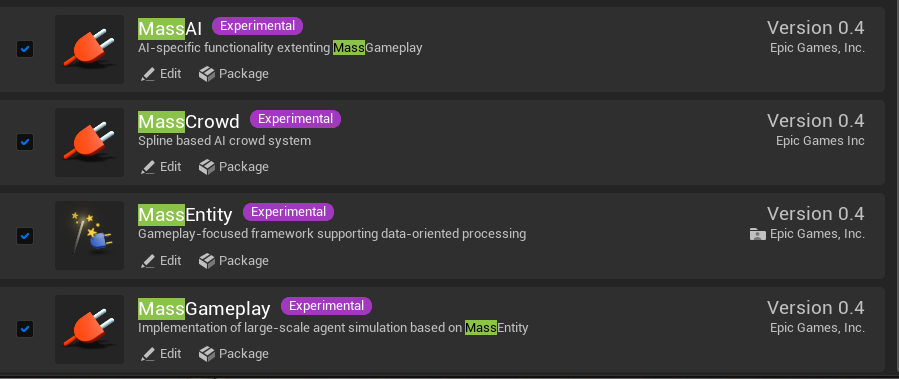
by work i mean no more error message
no documentation though so no idea how to use them yet haha
static copper
It's an archetype style ecs. Check the existing processes to see examples of usage
No bp support yet besides the trait definitions afaik
As for the crowd systems I will have to read it more
slim violet
Well that's odd. I keep seeing these errors during build all of the sudden:
1>CVTRES : fatal error CVT1107: 'C:\src\UE5Main\Engine\Plugins\2D\Paper2D\Intermediate\Build\Win64\UnrealEditor\Debug\Paper2DEditor\Module.Paper2DEditor.cpp.obj' is corrupt
1>LINK : fatal error LNK1123: failure during conversion to COFF: file invalid or corrupt
Do a clean and then try rebuilding 🙂
slim violet
Yeah I was hoping to avoid that, but I think there might not be a way around it.
limpid light
just be sure to build a game project, then you dont need to build the whole engine
slim violet
Ok
I'm not sure just cleaning the project will do it, because the corrupt file is located in the engine path.
limpid light
It's under an Intermediate folder, so it's built by you
slim violet
I fixed it by deleting the intermediate build folder for just that plugin, targeting just the unreal editor folder
then rebuilding of course
spring rock
swift panther
Try disabling snapping or setting it to a smaller value.
I did try playing with the snapping values, turning it on and off, and the new snapping button as well but I couldn't get anything to move except by typing in the transform manually, the transform right click menu was still working, just the gizmo
ashen kiln
I was about to update our engine source, I'm lucky I saw about that issue lol. Otherwise level designers in the team would riot 
opaque phoenix
ashen kiln
you should see console log
somebody needs to put that up on the welcome faq with hot reload
lofty idol
Can i delete obj files after building from source? Engine itself is more than 150gb right now and its just on development configuration.
echo ravine
You can
lofty idol
echo ravine
You can
doesnt it trigger another build?
echo ravine
The obj files aren't required, no
Though of course if you do build that'll need a full rebuild from scratch
spring rock
@swift panther @ashen kiln, hey, really sorry to ping you guys but I figured I would update you with the gizmo issue, turns out when you set the Near Clip Plane to a very low value (0.000001) you can't move anything with the transform gizmo. Now that I've set it back to the default of 10, things are movable again. We have a massive CAD scene that we couldn't unit convert, so it imported to ue very very small, which is why we set that value in the first place. Sorry for the false alarm! Although I would recommend setting the minimum value of near clip plane to 1, since issues seem to occur going below 1. Cheers!
is there a setting for far plane?
im not seeing it in editor or project settings
oh the far view plane in the viewport settings, got it, will keep that in mind, thanks
hazy moat
Anyone who built Unreal 5.0 last days, can you please tell state of landscape material? broken still like it has been couple of weeks or i myself miss something and older materials are not meant to be working anymore at all?
 cursive elk
anybody using visual studio 2022 and getting their whole include setup screwed up ??
opaque phoenix
cursive elk
anybody using visual studio 2022 and getting their whole include setup screwed u...
isn't 2022 only stable with 4.27 as of now? That is what I real last afaik
 random bloom
If i want to build UE5 from the source, which branch do i download?
opaque phoenix
random bloom
If i want to build UE5 from the source, which branch do i download?
5.0 is the most stable one I think but some are saying they have trouble building it
random bloom
Thanks
cedar bone
hazy moat
Anyone who built Unreal 5.0 last days, can you please tell state of landscape ma...
Build last week (Wed/Thurs) and it's totally busted. Landscape material layers don't appear to work at all. Only index 0 of the landscape layers is ever visible.
If anyone spots that it's been fixed, would hugely appreciate a notification!
fallen narwhal
im still getting d3d crash errors in windows 11 i don't know what is wrong with 3000 rtx series and nvidia doesn't seem to want fix the problems that been there for almost a year
echo ravine
Using 5.0 branch on GitHub ?
indigo leaf
fallen narwhal
im still getting d3d crash errors in windows 11 i don't know what is wrong with ...
Is this for the Valley of the Ancients project or?
fallen narwhal
indigo leaf
Is this for the Valley of the Ancients project or?
all of it
EA and github version
even my own projects
indigo leaf
Yeah but with what project? I can work fine with EA, but Valley of the Ancients crashes at predictable times
fallen narwhal
i get that offten
indigo leaf
Oh, wacky. I have a 3080 but don't get that crash. Using any custom plugins, like DLSS? Verified your memory/ VRAM?
fallen narwhal
nah no plugins, most of 3070 users complain this issue on nvidia froums
win 10 works flawless
but 11 is a mess for that
echo ravine
Yeah, don't use W11
Using Windows versions that aren't at least a year old is just asking for your disk drive to be literally wiped
fallen narwhal
Agreed


 indigo leaf
random bloom
indigo leaf
random bloom
The engine (and building/ compiling) is a mix of C# and C++, so yes. I believe it's specifically .Net 3.1 as well
echo ravine
random bloom
Does this mean i need .net installed for visual studio?
Read the pinned posts in #ue5-general