#metahumans
1 messages · Page 19 of 1
 plain haven
Without Mesh Morpher, which is $200, you can't do anything with the base body/face, really
It would be nice to have a workflow that is completely free, but that'd be too good to be true
 sharp elk
hmmm fair enough , thanks for the help
 main tartan
hi guys! is it possible to use metahumans in mobile games?

 trail chasm
Tried EVERYTHING 😦
 fathom mortar
you can change he texture with any of the bodies like nrw_srt_m, etc to use a specific texture called m_synthetic something something. that one is the full body and under garment.
fathom mortar
main tartan
hi guys! is it possible to use metahumans in mobile games?
opps. wrong link.
Correct one.
https://docs.metahuman.unrealengine.com/en-US/metahumans-unreal-engine/requirements-configuration/

How to configure and optimize Unreal Engine for working with MetaHumans on various platforms
 unreal gorge
Anyone know why the face look like this when using emissive material and how to fix it please ?

 woeful totem
unreal gorge
Anyone know why the face look like this when using emissive material and how to ...
woeful totem
unreal gorge
Anyone know why the face look like this when using emissive material and how to ...
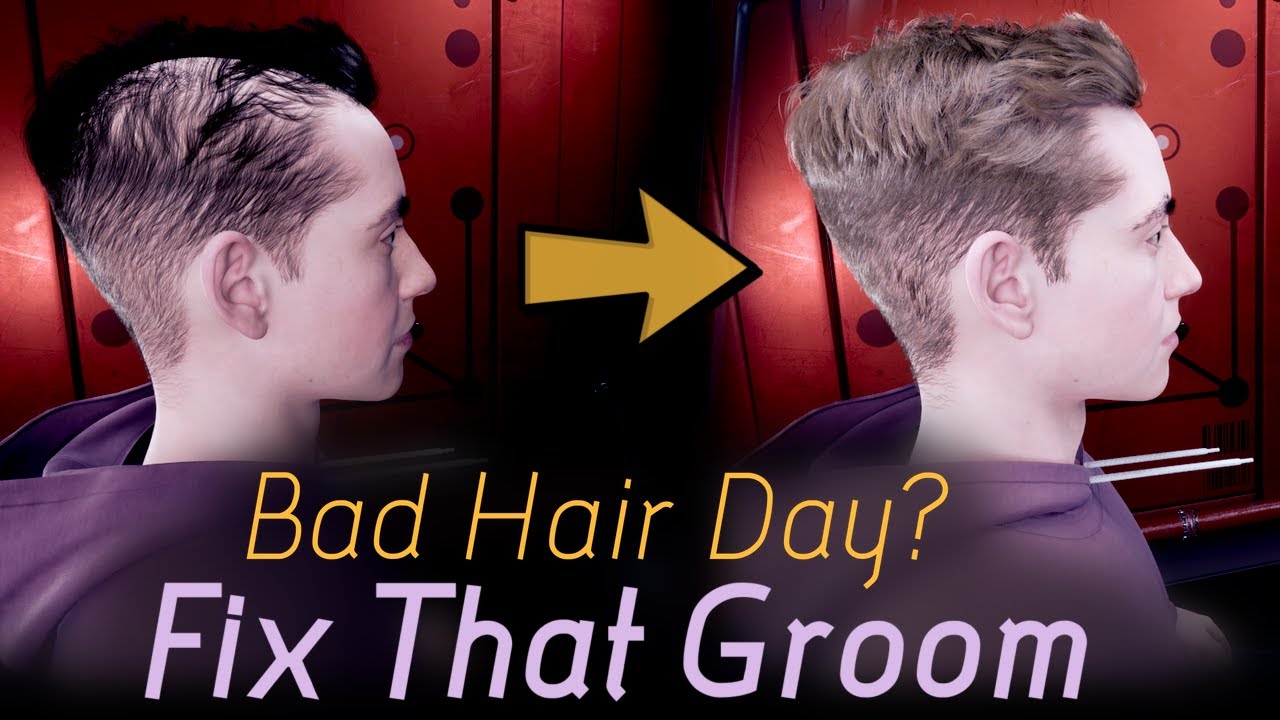
How to set up lighting when rendering a MetaHuman hair groom in Unreal Engine 5 Lumen. We also show what causes some nasty looking hair. UPDATE: We noticed similar problems in UE4 as well (thanks to Virtual Filmer for the tip), although they appear slightly different than in UE5 Lumen.
♣ Our Website: https://newmanimotion.com/
♣ Discord: https:...
 jovial yacht
Hey, anyone from Germany?
unreal gorge
woeful totem
?
https://youtu.be/6AiUrL9Pa0s
I will have a look today, thanks @woeful totem
woeful totem
jovial yacht
Hey, anyone from Germany?
Nicht Deutschland, aber gleich daneben.
 ebon falcon
i am facing a problem using metahuman when click export in bridge my preset are blender it never says exporting successful
 simple forge
ebon falcon
i am facing a problem using metahuman when click export in bridge my preset are ...
simple forge
ebon falcon
i am facing a problem using metahuman when click export in bridge my preset are ...
I would suggest try selecting a preset and then going to the creator and making a custom one. The custom ones download without issues.
 azure glacier
unreal gorge
Anyone know why the face look like this when using emissive material and how to ...
azure glacier
unreal gorge
Anyone know why the face look like this when using emissive material and how to ...
could it be FUZZ groom? trying hiding it and see?
 rigid hamlet
ebon falcon
i am facing a problem using metahuman when click export in bridge my preset are ...
rigid hamlet
ebon falcon
i am facing a problem using metahuman when click export in bridge my preset are ...
Blender is not supported, only Maya
plain haven
Blender is not supported because Blender users have higher chance of leeching out of MetaHumans
ebon falcon
ok thanks everybody
rigid hamlet
plain haven
Blender is not supported because Blender users have higher chance of leeching ou...
Epic can not stop us 🙂
plain haven
rigid hamlet
Epic can not stop us 🙂
Good luck on not getting caught making final render of MetaHumans in Blender.
rigid hamlet
plain haven
Good luck on not getting caught making final render of MetaHumans in Blender.
I am not rendering anything on blender. I am using it to custimeze metas
 rose stump
How would I make an old metahuman look old from a distance(talking about the wrinkles)?

 plain haven
rigid hamlet
I am not rendering anything on blender. I am using it to custimeze metas
plain haven
rigid hamlet
I am not rendering anything on blender. I am using it to custimeze metas
Then it'd still allowed
rigid hamlet
rose stump
How would I make an old metahuman look old from a distance(talking about the wri...
Go into the bp find the lod sync component. And set the lod to 0
plain haven
The EULA prohibits final render made on anything but Unreal Engine, and I'm inclined to think Blender users are more likely to leech MetaHuman to make final renders outside UE.
rose stump
rigid hamlet
Go into the bp find the lod sync component. And set the lod to 0
have done so, I'm asking cuz it doesn't make much of a difference
 rigid hamlet
plain haven
The EULA prohibits final render made on anything but Unreal Engine, and I'm incl...
rigid hamlet
plain haven
The EULA prohibits final render made on anything but Unreal Engine, and I'm incl...
Yeah but you can still export from unreal to fbx and still get them to blender or any other 3rd party.
rigid hamlet
rose stump
have done so, I'm asking cuz it doesn't make much of a difference
Are u sure coz the hair seems not lod 0
rose stump
rigid hamlet
Are u sure coz the hair seems not lod 0
100%

I've tried increasing the normal intensity, but then it looks weird up close, so I would have to build LOD logic on tick to change normal intensity by distance, which would majorly suck, any way around this?
plain haven
Also it is just me, or is MetaHuman really tied to Mesh Morpher plugin, to get it more customised beyond the stock faces?
I want to know if it's possible to build a more stylisted photorealistic characters by modifying it in Blender, and without using Mesh Morpher plugin at all.
 echo oyster
Does anyone know why hair is not included in my packaged project? All of the characters are bald. In the editor it plays fine,
 fresh monolith
plain haven
Also it is just me, or is MetaHuman really tied to Mesh Morpher plugin, to get i...
fresh monolith
plain haven
Also it is just me, or is MetaHuman really tied to Mesh Morpher plugin, to get i...
Not really, there are various ways to customize Meta Humans. Meta Humans are officially tied to Maya to customize at will. Mesh Morpher is just a plugin that allows users to create/edit Morph Targets for any skeletal mesh either in-engine or by importing them from OBJ/FBX meshes. The fact that Mesh Morpher works fine with Meta Humans is just an extra perk. 🙂 Some people prefer Mesh Morpher because it's easy to use and allows to use the same workflow by bringing in engine Morph Targets despite the 3rd party software(blender/zbrush etc) they used to sculpt
 drifting jay
I'm using the Matrix awaken sample city in UE 5 and my metahumans hair gets extremely bright and flashes in renders. When I remove the Skylight and and add a point light next to their heads it looks normal. I'd like to be able to use the skylight and have the hair look normal. Anybody came across this problem?


 visual wing
Can someone help me figure out how to turn on collisions for the MH legs? I have the exact same settings on the legs as on the rest of the body (Collision preset: BlockAllDynamic, Enable per poly collision), but the legs do not seem to have collision no matter what I do.

 worthy crest
is there a way or website where i can find clothes for my metahuman?
 dusk topaz
Unreal is such an amazing piece of crap. I spend hours setting things up - only to have it CONSISTENTLY crash. Yeah, it's amazing at doing certain things - but it has to be the most unstable software I have ever worked with. Also, what's up with needing to always re-attach groom assets to metahuman after every crash ?
dusk topaz
Again.
 sleek radish
Anyone know why there are red patches on my metahuman?


 gusty storm
drifting jay
I'm using the Matrix awaken sample city in UE 5 and my metahumans hair gets extr...
gusty storm
drifting jay
I'm using the Matrix awaken sample city in UE 5 and my metahumans hair gets extr...
This is a stupid bug in this basically you have to remove the groom component and put it back on manually with the proper material and it will work
dusk topaz
I had Head/neck data working yesterday - today it doesn't work... Any ideas on troubleshooting that one. I've tried everything I can think of, including starting a new project.
 subtle peak
gusty storm
This is a stupid bug in this basically you have to remove the groom component an...
subtle peak
gusty storm
This is a stupid bug in this basically you have to remove the groom component an...
Good to know - thanks for the tip
 bleak oasis
why cant i open up metahumans, i want to make a metahuman for a game/test but it just gets stuck loading at 45%... im launching it from the epic games launcher...
gusty storm
subtle peak
Good to know - thanks for the tip
Feeding wolves sever has people working on this all the time a group of us there figured it out
drifting jay
gusty storm
This is a stupid bug in this basically you have to remove the groom component an...
Thanks for the info! ☺️
subtle peak
gusty storm
Feeding wolves sever has people working on this all the time a group of us there...
I think I actually remember seeing people there talk about that issue
 blissful lagoon
sleek radish
Anyone know why there are red patches on my metahuman?
blissful lagoon
sleek radish
Anyone know why there are red patches on my metahuman?
looks like the normal maps baking needs to be adjusted
 spiral trail
how do i make a buff metahuman in the creator without any outside work? i dont see an option for it
plain haven
spiral trail
how do i make a buff metahuman in the creator without any outside work? i dont s...
"Outside work" as in modification with DCC tool is mandatory.
spiral trail
plain haven
"Outside work" as in modification with DCC tool is mandatory.
k thanks
 swift burrow
Is there a way how to just update already created metahuman inside Quixel Bridge? I made some minor changes to metahuman, then I had to update it inside Unreal Engine but when I click on "Add" nothing is happening. Do I have to delete the whole metahuman folder and reimport it again? That seems pretty annoying.
plain haven
swift burrow
Is there a way how to just update already created metahuman inside Quixel Bridge...
Yes.
 rigid zodiac
sleek radish
Anyone know why there are red patches on my metahuman?
rigid zodiac
sleek radish
Anyone know why there are red patches on my metahuman?
Is it using the Preintegrated Skin or the Subsurface shading model?
Also, is there a bright light in your scene (such as the sun) that happens to be occluded in the screenshot?
sleek radish
rigid zodiac
Is it using the Preintegrated Skin or the Subsurface shading model?
Also, is th...
No idea, just imported it directly from quixel bridge and got this.
Tried it in different scenes and it's the same.
rigid zodiac
sleek radish
No idea, just imported it directly from quixel bridge and got this.
Tried it in ...
Well, if it's anything like this squirrel, it's because PreIntegrated Skin and Subsurface don't seem to respect shadows cast from the environment. The ears are glowing because it is picking up light from the sun, which obviously should be occluded.
Subsurface Profile shading model seems to work with shadows, and I've actually had a lot of recent success with the Two Sided Foliage shading model.
 sleek radish
rigid zodiac
Well, if it's anything like this squirrel, it's because PreIntegrated Skin and S...
sleek radish
rigid zodiac
Well, if it's anything like this squirrel, it's because PreIntegrated Skin and S...
Did you have the red patch in your texture as well? That's the issue I have
rigid zodiac
sleek radish
Did you have the red patch in your texture as well? That's the issue I have
I see now... it was in the texture. Then no, it's a different issue, sorry.
 last sentinel
@junior birch Hey bro, been watching ur yt vids for a while now - super cool stuff
@junior birch is there anyway from the research you've conducted to drive the metahuman rig via a video clip? like I input a video and it drives the animation based on the facial expressions in the video? Cheers 🙂
 plucky kelp
would metahumans lag out a multiplayer game if every player was a metahuman?
plain haven
plucky kelp
would metahumans lag out a multiplayer game if every player was a metahuman?
Not really, but it can tank down the performance of the client itself
 junior birch
last sentinel
<@421829807790227489> is there anyway from the research you've conducted to driv...
junior birch
last sentinel
<@421829807790227489> is there anyway from the research you've conducted to driv...
yea im doin that with facegood right now broski
junior birch
drifting jay
I'm using the Matrix awaken sample city in UE 5 and my metahumans hair gets extr...
is that scarjo?
 tepid rapids
For some reason my metahuman's legs dont move when playing through selected viewport, but if i play through standalone game they work when i walk/run. Has anyone experienced this?
 oak flare
Hello Guys I just found this channel and looks nice
it's cool to find a place to talk about metahuman and not look weird XD
I just created Hellboy using Metahuman Creator and please let me know your toughts

I have created Hellboy with Metahuman Creator and looks very cool. Creator is a great tool, in a short time you can create HQ characters for video games or films, I'll keep experimenting!
last sentinel
junior birch
yea im doin that with facegood right now broski
ah legend mate 100% post it here when its up bro
 mellow skiff
Hello, does anyone have optimization advise for using metahumans in game? I feel like I'm missing something because even without strand hair, every metahuman drops my fps by about 10 and lowering scalability settings or turning on dlss doesn't affect it at all.
junior birch
last sentinel
ah legend mate 100% post it here when its up bro
i made couple of vids on my channel i even did a live mocap stream its cool
drifting jay
junior birch
is that scarjo?
The one and only :p
 frozen bolt
mellow skiff
Hello, does anyone have optimization advise for using metahumans in game? I feel...
frozen bolt
mellow skiff
Hello, does anyone have optimization advise for using metahumans in game? I feel...
face has 12 weight influences "per vertex" + a heavy blendshape rig logic running, moving those vertices behind the scenes
body has 8 influences + RBF solver for those beautiful deformations so a metahuman is kind of resource expensive,
it is a heavy rig/skinning for a realtime high fps situation. with a modern gpu running 1 metahuman for a main character and mannequin simplicity for the rest should run fine with baked animations, good scene, culling optimizations, proper use of LOD's and all. I'd say 3 metahumans running at 60fps is a dream come true (:
mellow skiff
frozen bolt
face has 12 weight influences "per vertex" + a heavy blendshape rig logic runnin...
Thank you 🙂
swift burrow
Is there any roadmap to MetaHumans if we can expect new updates such as new default characters in MetaHuman Creator, clothes for MetaHumans, etc?
Or a place where I can buy MetaHumans models and accessories for them? Tried to search Unreals Marketplace but didn't find much.
worthy crest
can someone point me in the right direction .. i want to change my metahuman's clothes..
plain haven
worthy crest
can someone point me in the right direction .. i want to change my metahuman's c...
Make it yourself.
worthy crest
still new to unreal. not sure how i would do that
 neat jasper
@worthy crest I’m using uDraper plugin to customize MetaHuman clothing. I’m also new but it wasn’t difficult to use their sample garments.
worthy crest
neat jasper
<@418102837822750732> I’m using uDraper plugin to customize MetaHuman clothing. ...
Awesome! thank you i will try it out.
plucky kelp
oak flare
I just created Hellboy using Metahuman Creator and please let me know your toug...
anything u make with metahuman looks chinise...
 storm imp
I can't select my character in MH_CR_Picker, and I also don't have these tracks in the sequencer. What should I do?

 simple forge
storm imp
I can't select my character in MH_CR_Picker, and I also don't have these tracks ...
simple forge
storm imp
I can't select my character in MH_CR_Picker, and I also don't have these tracks ...
for Emanuel, you need to hit the plus sign and select the body so you have a body track in sequencer. Then you can use the plus sign again, locate control rig, asset based control rig and select that. Then, in the picker you can reselect the actor.
storm imp
simple forge
for Emanuel, you need to hit the plus sign and select the body so you have a bo...
Alredy solved, but ty. I just create a new project and it starts work

 radiant harbor
Has anyone solved the noisy shadows caused by the groom on metahumans
oak flare
radiant harbor
Has anyone solved the noisy shadows caused by the groom on metahumans
did you try increasing the sampling in the render (in ue is Temporal Sample Count: 64 is recommended)
oak flare
radiant harbor
Has anyone solved the noisy shadows caused by the groom on metahumans
Take a look to this info https://docs.unrealengine.com/4.27/en-US/RenderingAndGraphics/RayTracing/MovieRenderQueue/

A how-to guide for configuring the Unreal Engine Movie Render Queue feature to get high-quality cinematics—particularly when using ray tracing
radiant harbor
@oak flare I’m at 32 in the Temporal sample count, adding more or less doesn’t seem to make a difference, this issue also occurs at all times in the engine, not just at the render
oak flare
radiant harbor
<@485417926770425857> I’m at 32 in the Temporal sample count, adding more or les...
I saw that you're using a single light (keylight), try changing the shadow settings on the light. A better option to me is adding a fill light and lower the exposure, using a PP volume or in the lens properties, this will maintain the contrast that you are looking for in the image
radiant harbor
@oak flare thanks for the tips, Ive tried endless light combos and shadow settings. I really think the issue is coming from the shadows that are being cast by the groom. I raised all the lumen setting to the max in the post process volume and everything else looks better but the groom shadows stay noisy.
oak flare
radiant harbor
<@485417926770425857> thanks for the tips, Ive tried endless light combos and sh...
got it I hope you find a solution soon . In the meantime if a get something useful I will let you know
radiant harbor
@oak flare thanks
oak flare
radiant harbor
<@485417926770425857> thanks
You are welcome!
 spice plaza
Does anyone know why the hair turns white in a render? It looks fine in the editor


Is it an issue with static lighting or reflection captures perhaps? That strands don't work with them? Still...it works in the viewport
plain haven
spice plaza
Is it an issue with static lighting or reflection captures perhaps? That strands...
Accelerated aging, that's why
spice plaza
🙄
visual wing
visual wing
Can someone help me figure out how to turn on collisions for the MH legs? I have...
Just bumping this again, as I have yet to find a solution 😦
 barren carbon
spice plaza
🙄
barren carbon
spice plaza
🙄
I'm having the same issue -- it only happens when looking through a translucent material (glass). I'll let you know if I find a solution.
spice plaza
barren carbon
I'm having the same issue -- it only happens when looking through a translucent ...
I'm not looking through anything though, just plain air
Using UE5 and baked lighting btw
unreal gorge
azure glacier
could it be FUZZ groom? trying hiding it and see?
oh yeah didn't think about it, I will verify because was not solve yet since last time 😉
 north glacier
MetaHuman Plugin is out guys

Unreal Engine
The MetaHuman Plugin for Unreal Engine delivers its first major feature, Mesh to MetaHuman, which enables artists to turn their scan, sculpt, or model into a fully rigged MetaHuman in minutes.
plain haven
north glacier
https://unrealengine.com/marketplace/en-US/product/metahuman-plugin
custom facial mesh to metahuman
Holy shit
I really hope this means I can bring custom human models that are more stylised and turn it into rigged MH
north glacier
im not going to mess with it until i see some tutorials by the meta humans experts lol
plain haven
My current gripe with MH is that the faces are too realistic (at least to my liking)
Trying to make waifu in MH ends up looking like a horrible cosplay lmao
north glacier
lol
I cant wait to see what the community does with this I know @junior birch will have a nice tutorial soon
plain haven
Expectation: metahuman looked more stylised ala Square Enix/Final Fantasy characters
Reality: shitty cosplay
north glacier
hahah
spice plaza
barren carbon
I'm having the same issue -- it only happens when looking through a translucent ...
I found the problem, its due to one of the Cinematic scalability settings. Maybe global illumination cvar, idk.
If its working for you in the viewport, then in movie render queue add game overrides and uncheck cinematic quality settings. In the viewport, I'm using Epic settings
Oh no, its not GI cinematic setting, its due to the shading cinematic setting
barren carbon
spice plaza
Oh no, its not GI cinematic setting, its due to the shading cinematic setting
Thanks for the tip!
 worldly dove

This latest release introduces an exciting Mesh to MetaHuman feature—part of a new MetaHuman Plugin for Unreal Engine—as well as support for the new character rigging, animation, and physics features in Unreal Engine 5. MetaHuman Creator also gets new options for hair and clothing, together with additional facial animations and body poses. Find ...
junior birch
i had a feeling lastyear this was coming. i didnt think it would be free brava epic
junior birch
u were able to do that before
 celest sparrow
https://www.tiktok.com/t/ZTd3HCtfb/?k=1 - my work in progress just got leveled up!!!

TikTok
You can now upload yourself to the meta-verse… #filmtok #gamedev #indieartists #indiegames #filmmakersoftiktok #digital #unreal #ue5 #metahuman
plucky kelp
https://www.youtube.com/watch?v=xOVyme4TFZw
Hi, with the new Mesh to Metahuman update, do we also get the Maya files when downloading? It's not mentioned anywhere and I seem to be able to download only the UE files
Thanks
In this tutorial, Senior Technical Product Manager Raffaele Fragapane takes you through the process of turning your own custom scan, sculpt, or model into a MetaHuman using the Mesh to MetaHuman feature in the new MetaHuman Plugin for Unreal Engine. He also covers further refining your MetaHuman in MetaHuman Creator. Download the plugin here: ht...
 sudden berry
❤️ this Plugin !


 merry jacinth
I'm not exactly sure if I missed anything, but how do I import texture as well into metahuman?
Or to give a basic texture at least
sudden berry
You only can use MH Creator textures , but with Substance or Texture wrapping you can add your own
merry jacinth
Yeah, I think I just read that, but I don't see anywhere in creator how to assign a base texture
I just have it in polygroups

Oh wait, nevermind, it's on the skin panel
 empty thicket
@junior birch have you come across any tutorial on how to import other players as metahuman avatars in the matrix sample city?
 grand prawn
Question. How do I create a new pose with Metahuman without using sequencer? I'm placing drivers in my scene with cars, but its a runtime pose without animations. Any suggestions?
junior birch
empty thicket
<@421829807790227489> have you come across any tutorial on how to import other p...
whay do u mean? like ur own metahuman?
 fossil oak
Whats your preferred method for making a face mesh? Is there a handy phone capture tool?
 past ice
Are Unreal devs planing to make a standalone version? Not everyone has very fast internet to tweak parameters🙏
worldly dove
sudden berry
❤️ this Plugin !
is that a custom control rig?
 broken lake
doesnt anyone know how to reset the trackers
I generated one but I had to many eye lashes and it freaked out now when I try and generate it its the old trackers
resorted to creating a new project
past ice
This plugin is awesome. Great work Epic devs. I am guessing the plugin uses some sort of AI to generate the proportions. It would be cool if it could used photos/sketches/drawings to generate proportions as well.
 edgy fjord
plain haven
I really hope this means I can bring custom human models that are more stylised ...
edgy fjord
plain haven
I really hope this means I can bring custom human models that are more stylised ...
unfortunetly it is still fancy face generator
for such standard features use Character Creator from Reallusion
merry jacinth
Finally something fun!


 plain haven
edgy fjord
for such standard features use Character Creator from Reallusion
plain haven
edgy fjord
for such standard features use Character Creator from Reallusion
My goal is to use as little paid software as possible, so yeah
plucky kelp
hi guys
I would need some help.
every time i package my project the metahuman inside creates an error.
I send you a video to make you understand better.
I bought a teleport plugin to make it move and every time it reappears it creates this mesh disintegration problem.
from metahuman's BP i understood that disabling the post process blueprint in the head mesh creates this problem.
does anyone know how to help me
thanks
empty thicket
junior birch
whay do u mean? like ur own metahuman?
i mean some prebuilt metahuman models as avatars controlled by different humans (multiplayer in matrix sample city)
frozen bolt
now we are talking (:
the wrapping algorithm is insane and really fast! this is results on cleaned up mesh. I love how the algorithm works around lips and especially the eyes. correcting any bad deformations from the sculpt.
I'll try downloading the new source mesh and develop further in maya.

 fresh parcel
hey guys, when i try to install the plugin, it says unavailable, anyone knows why?

fixed it : signed out of epic games account and signed back in
 tulip cove
Does anybody how i could import Metahumans to Blender ?
for making Animations, Morph targets etc.
@fresh parcel Metahuman Creator can be used in your browser! and the Plugin can be enabled/disabled inside of Unreal! Once creaed and saved in Metahuman Creator you can download them Trough Quixel Bridge!
merry jacinth
tulip cove
for making Animations, Morph targets etc.
That's a tricky one, there's no out-of-box support for Blender
You can of course export the mesh with skeleton, but that also means you need to make rig from scratch
Would be awesome if things like Auto Rig Pro could support Metahuman
tulip cove
Meta Rig is fine if you have a good base mesh
merry jacinth
Oh I haven't used this one
I do still hope that we eventually get some sort of plugin that allows to have Metahuman rig just like in Maya
tulip cove
its a pretty good plugin in blender for rigging
gonna try if i can export the Metahuman mesh as FBX file and create my own Rig for it
merry jacinth
tulip cove
its a pretty good plugin in blender for rigging
Is it on Blender marketplace?
tulip cove
its free ... never used it before, only saw some videos
@merry jacinth
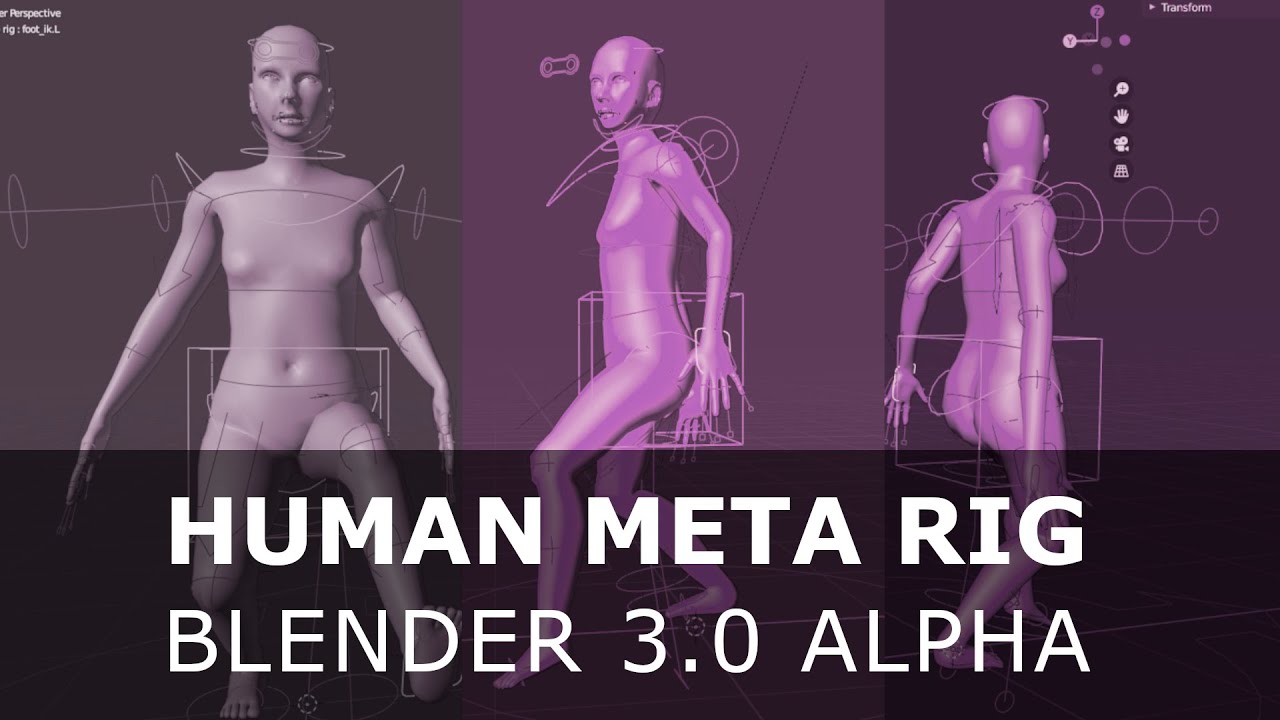
This is a step by step guide to setting up the human meta rig in Blender 3.0 Alpha. This tutorial is not about how to use the controls of the rig, but rather how to line up the rig, generate the controls, and parent the system to the mesh of a human model.
Get More►
Patreon: https://www.patreon.com/PIXXO3D
Social►
Discord: https://discord.gg/...
its called rigify in blender addons
Youre familiar with Blender Rigging ?
@merry jacinth
merry jacinth
Sorta, yes
plain haven
Let's not get into LOD authoring xD
grand prawn
Quick question. When working with a team and using source control + MetaHumans, should I include the "MSPresets" folder along with the "MetaHumans" folder to checkout to source control?
azure glacier
grand prawn
Quick question. When working with a team and using source control + MetaHumans...
I would suggest yes... contains material functions. I've included it in my source control
 main hill
anyone knows why downloading a character takes ages?
 silk onyx
Does anyone else crash with the Metahuman demo?
Fatal error: [File:D:\build++UE5\Sync\Engine\Source\Runtime\D3D12RHI\Private\D3D12Util.cpp] [Line: 859] hr failed at D:\build++UE5\Sync\Engine\Source\Runtime\D3D12RHI\Private\D3D12Resources.cpp:629 with error DXGI_ERROR_DEVICE_REMOVED with Reason: DXGI_ERROR_DEVICE_HUNG
I have an RTX 3080 GPU with the latest drivers. I tried rolling back to older drivers, and it still crashes when I move the camera around.
fresh monolith
silk onyx
Does anyone else crash with the Metahuman demo?
Fatal error: [File:D:\build\++U...
windows 11
?
junior birch
some peeps were askin me how to fix the eyelid problem with mesh to meta. im not sure if this is official way but it works. https://youtu.be/5u2NExMQ0Aw

Mesh to Metahuman Eye Fix
buy my courses to support the Channel!
https://jsfilmz.gumroad.com/l/mdwrk
https://www.artstation.com/a/7481092
Sign up with Artlist and get two extra months free when using my link below.
Artlist
https://artlist.io/artlist-70446/?artlist_aid=Jsfilmz_1682&utm_source=affiliate_p&utm_medium=Jsfilmz_1682&utm_campaign=Js...
radiant harbor
I feel like this might be useful for people since I figured it out. To get clean shadows from the metahuman groom you have to use ray tracing shadows and apply the raytracing setting in the mesh area of the metahuman blueprint.
merry jacinth
Did anyone had a problem with using Live Link on new Metahumans? It seems like the wrong morphs are triggered when for example I just open mouth.
 plain haven
For those who messing with Mesh To MetaHuman, I'm curious, can you use a plane with a photo of the face as the texture?
 small goblet
Does anyone else have a problem with getting stuck in a redirect loop while trying to access MetaHuman in browser?
 coarse stump
i had mustache strand dislodged on metahuman creator but it was gone on next session
plucky kelp

New Character Design male
I’m addicted!❤️❤️❤️💋💋
Wish one day I can put customized personalities in him!
#3d #3dart #3dmodeling #render #art #artist #3dartist #fashion #sport #love #animation #simulations #nfts #nftcommunity #nftartist #nftart #future

 Twitter
·
Twitter
·

 neat jasper
radiant harbor
I feel like this might be useful for people since I figured it out. To get clea...
neat jasper
radiant harbor
I feel like this might be useful for people since I figured it out. To get clea...
Where can I apply raytracing setting in mesh and which mesh do I need to apply? The FaceMesh?
north glacier
How do i get my custom metahuman in ue5 with bridge? it does not show up in ue5 😦

all that shows up now...
 merry jacinth
Looks like morphs in new Metahumans are definitely broken
https://forums.unrealengine.com/t/live-link-facial-animation-deformed-after-new-metahuman-release/578853

Unreal Engine Forums
I’m been testing the new Metahumans release with the Live link app and all of them have the exact same facial deformation when using Live link to drive the facial animation. Even the ones from the new sample Metahuman project you can get from the store. (see attached picture. This is when I’m just smiling, it deforms to the side. I have tried wi...
 north glacier
yeah these new meta humans are awful.
spawned 10 of them in, and i am getting 20 fps.

 cursive wigeon
How to create expressions for meta human without any Live link, that can be used in anim BP ??
 ripe latch
I tried the new metahuman. But my female human has a lot a black hair in the face. But I have turned beard off.
Any Idea what went wrong?
 plain haven
ripe latch
I tried the new metahuman. But my female human has a lot a black hair in the fac...
plain haven
ripe latch
I tried the new metahuman. But my female human has a lot a black hair in the fac...
That's the skin fuzz hairs.
merry jacinth
ripe latch
I tried the new metahuman. But my female human has a lot a black hair in the fac...
Fuzz
plain haven
Everyone has it, those tiny hairs all over the skin.
ripe latch
But its black (char has brown hair) and very thick
plain haven
The lighting with fuzz hairs can be weird at times, so yeah.
ripe latch
On my face they are blonde 😆 And I have black hair
cursive wigeon
Lady D Meta human
 coarse stump
there is bugs on new metahuman so that hair could be also a bug
north glacier
Still lots of issues anyone having a scaling problem?
taking the character from the bp and adding to your bp changes it scale and you have to size it up by 10
 long lava
mesh to metaBug
 junior birch
you all able to create manual trackers in the mesh to meta plugin? the docs said we can make our own tracker points but nothing is poppin up. prolly a bug
long lava
junior birch
you all able to create manual trackers in the mesh to meta plugin? the docs said...
can u show where they said that please?
long lava
cursive wigeon
Can any1 tell me whats use of these ctrl rigs
pose presetes bro
sudden berry
cursive wigeon
ready made poses
cursive wigeon
long lava
pose presetes bro
how do i use it
sudden berry
cursive wigeon
how do i use it
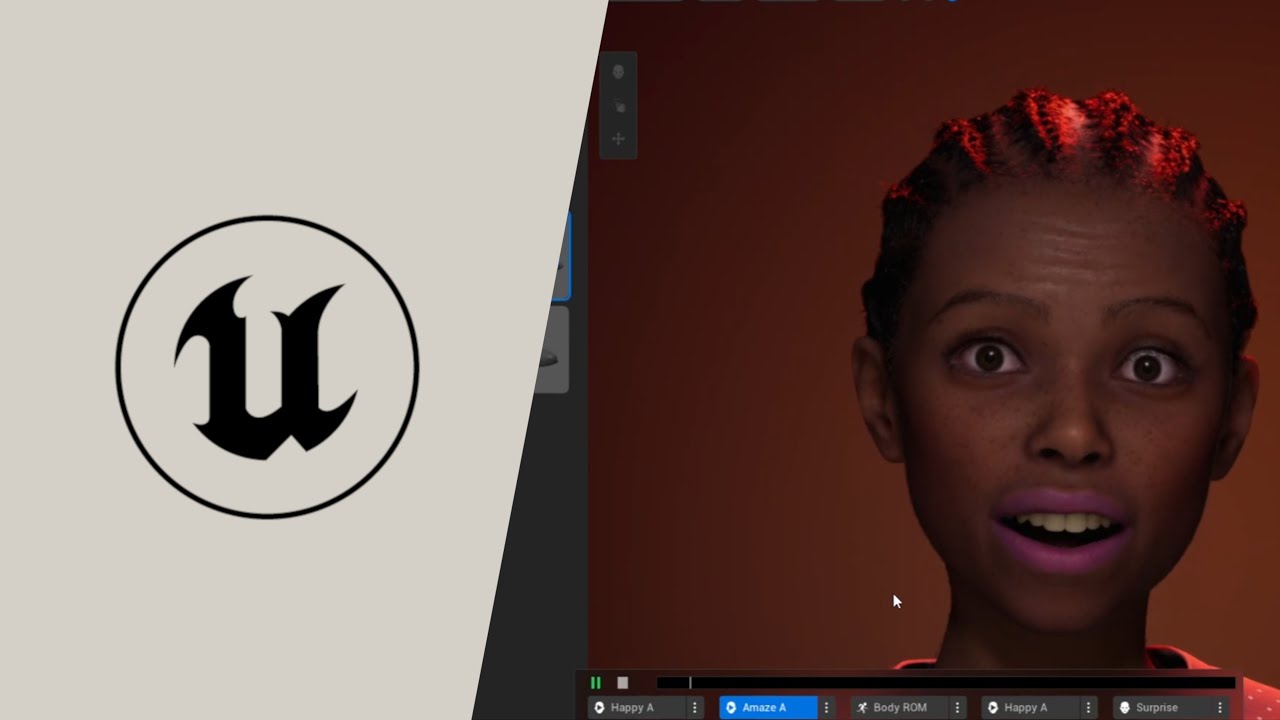
UE5 FIRST LOOK:
A first look at the brand new MetaHuman Plugin for UnrealEngine5
In this video, I take a DAZ3D character and turn it into a MetaHuman
using the Mesh to MetaHuman functionality.
MetaHuman Plugin:
https://www.unrealengine.com/marketplace/en-US/product/metahuman-plugin
#UnrealEngine #UnrealEngine5 #MetaHumans
➥➥➥ SUBSCRIBE FOR M...
 proper ridge
merry jacinth
Did anyone had a problem with using Live Link on new Metahumans? It seems like t...
proper ridge
merry jacinth
Did anyone had a problem with using Live Link on new Metahumans? It seems like t...
iClone Live Link (Live Face / iPhone) to new Metahumans works fine for me. Will try Live Link Face app next
merry jacinth
proper ridge
iClone Live Link (Live Face / iPhone) to new Metahumans works fine for me. Will ...
Interesting...
proper ridge
I'll try Faceware and Dynamixyz tomorrow as well to see if anything changed vs older RigLogic
north glacier
I feel like there is going to be a lot of big people trying to sue creators soon enough when they 3d render someones face like a big artist and make a look alike character.
with this new plugin.
proper ridge
north glacier
I feel like there is going to be a lot of big people trying to sue creators soon...
Most important: the content is non-commercial and not defamatory
unreal gorge
unreal gorge
oh yeah didn't think about it, I will verify because was not solve yet since las...
Yep, that was it actually after hiding the Fuzz he just look good_ Thanksss 🙌🏽
 cunning bronze
Unreal Engine Forums
Hi! This is the first time i am making a Question, hope someone can help me :c I am using the new Hair Groom System in 4.26, made everything like the documentation said: 1.Imported alembic groom, 2.Binded Skeletal mesh and added a Groom Component where i specified the groom the Bind and the Physics asset. The thing is now, when i play in e...
Hitting this problem in 4.27 and was surprised to see posts about it from 2020 in 4.26
Has this ever been resolved? Groom collisions just don't work in packaged?
@errant sentinel
Forgive the ping, wondering if you're the author of hat topic above, and if you ever found a solution
simple forge
If anyone is interested in sharing your Metahuman UE5 bugs, you are welcome to share them in my Discord channel. I created a section just for bugs to see how many we can find.
broken lake
https://youtu.be/7Av0L4bhrXY video I put together with some other trackers on how to adjust faces and make some stylized characters please excuse the pop I dont record often

I wanted to go a bit more in depth on unreal engine metahuman than just what the auto trackers give you. I select a more stylized character and go over the process of moving the different markers for the eyes nose and ear to get interesting results. please excuse the pops as I did notice until after the recording and I don't often upload to yout...
cursive wigeon
Is there a nude body option for meta human. ?? Default outfit really sucks
plain haven
cursive wigeon
Is there a nude body option for meta human. ?? Default outfit really sucks
 plucky kelp
Short question: What would be the best affordable way at this time to make a face scan, to create a mesh for Metahumans? I've seen multiple tutorials. Some use a photo and Character Creator to create a simple mesh, others go outside and take lots of pictures with a DSLR (I have one) and then there is photos with the iPhone X where you have true depth camera technology. I don't have an iPhone yet, but was thinking of getting an old one for MOCAP anyways. Which path should I take? 😄
simple forge
cursive wigeon
Is there a nude body option for meta human. ?? Default outfit really sucks
Yes, there is an option in the creator to not select any clothes.
 jovial talon
simple forge
Yes, there is an option in the creator to not select any clothes.
jovial talon
simple forge
Yes, there is an option in the creator to not select any clothes.
I think they were referring to without the default underwear.
cursive wigeon
ya no uunderwear and top
simple forge
oh ya, no thats not possible lol
junior birch
yo epic gave us a premade Metahuman IK RIG in the recent update looks like! YAY! Check it out!https://www.youtube.com/watch?v=MoT4sPY0RVE

Unreal Engine 5 Metahuman Animation Tutorial
buy my courses to support the Channel!
https://jsfilmz.gumroad.com/l/mdwrk
https://www.artstation.com/a/7481092
Sign up with Artlist and get two extra months free when using my link below.
Artlist
https://artlist.io/artlist-70446/?artlist_aid=Jsfilmz_1682&utm_source=affiliate_p&utm_medium=Jsfilmz_1...
plain haven
cursive wigeon
ya no uunderwear and top
You have to make one yourself and stitch it with the metahuman head.
No kink shaming btw
 graceful storm
tulip cove
its a pretty good plugin in blender for rigging
graceful storm
tulip cove
its a pretty good plugin in blender for rigging
The entire point of the meta humans is pretty much just them being prepackaged and Modular. I tried taking it to Blender and Rigging the face again, adding the 52ARKit blend shapes, baking em, exporting back to Unreal.
Certainly works, but feels pointless because it’s tedious and the performance is pretty much identical to what they already had.
plain haven
graceful storm
The entire point of the meta humans is pretty much just them being prepackaged a...
If you can go further with your modification, why not.
MetaHuman have nice faces, but as it is, the body is rather lacking.
tulip cove
@graceful storm I don't care for performance, I care for having the freedom to make animations in blender and custom morphs ... Would be nice if there was a seamless workflow...


 snow token
Just Restored an old Character With Mesh to Meta Humans Body really need Help!https://youtu.be/OK8BwvDZGN0

In this Video I will demonstrate the use of Mesh To Meta-Human, in UE5.
I also will show you a quick way to test and fix most hand IK in Lyra Starter Game!!! This method can cost and is no means the real answer so use it with caution!. I will first show the results Renewing an old Character Using Mesh to Meta-Human and then I will show how to us...
 meager saddle
any idea why the hair is still up in the air even when it's parented to the face?
 proper ridge
meager saddle
any idea why the hair is still up in the air even when it's parented to the face...
proper ridge
meager saddle
any idea why the hair is still up in the air even when it's parented to the face...
Check your binding asset to make sure it's set for that hair groom asset. Click the hair component in the BP and below the groom asset will be the "bind asset"
meager saddle
proper ridge
Check your binding asset to make sure it's set for that hair groom asset. Click ...
yeah, all the bindings were set correctly. Could the problem somehow be related to this compile error im getting on Face_AnimBP?
 proper ridge
Your Common files directory might be corrupted, out of date, or overwritten - it's missing references that should be promoted/in-scope by default. How did you import the MH?
meager saddle
proper ridge
Your Common files directory might be corrupted, out of date, or overwritten - it...
Yeah, I think that's the problem. Is there a way to completely reset / reimport the common files directory? because every time I redownload the metahuman it seems to import those same corrupted files.
cunning bronze
@magic siren Yo sorry for the ping
Unreal Engine Forums
Hey so im trying to understand setting up collisions for UE4 4.26. My characters hair is colliding into the head. So when I go to set up bodies for it to collide to, it only seems to be compatible with spheres. Which is fine, but when I scale the spheres, it has no effect on hair/groom collisions. So im basically just stuck with the size of the ...
Is this you, and did you ever figure out a solution to this?
 hollow monolith
cursive wigeon
Is there a nude body option for meta human. ?? Default outfit really sucks
hollow monolith
cursive wigeon
Is there a nude body option for meta human. ?? Default outfit really sucks
Booba
hollow monolith
ripe latch
But its black (char has brown hair) and very thick
Depends on genetics irl sometimes. For example, my mom can occasionally have a noticeable fuzz. I have a permanent 5 o clock shadow on my upper lip I can only get rid of with makeup.
proper ridge
meager saddle
Yeah, I think that's the problem. Is there a way to completely reset / reimport ...
The common files are located here in your Megascans directory: ...\Downloaded\UAssets%MetaHumanName%\Tier0\asset_ue\MetaHumans\Common
Copy and paste that into your matching Content Directory for your project
meager saddle
proper ridge
The common files are located here in your Megascans directory: ...\Downloaded\UA...
That worked! Thanks for the help!
 verbal mantle
I'm sorry for spam I don't know what channel to post this in. but I'm having a problem getting the metahuman plugin for ue5

says unavailable
 hot yoke
can i not add metahumans with WIP grooms? becuase the add button doesn't do anything right now?
 dire vortex
hi guys, just a quick question
is it possible in a straightforward fashion to use whole custom mesh model in metahuman to UE5?
or just a head...
 tough pine
hello all. Is there a good tutorial in how to import metahumans to blender? I tried but my eyes and eyelashes looks very weird.
 willow trench
live link works for my metahumans but they always smile "to the left"

and I cannot figure out why
has anybody else experienced this so far? any clue how to fix?
verbal mantle
I don't think we're gonna get answers guys. I tried two different servers. First one everyone just avoided my question all together
 tiny bobcat
Are metahumans something we can use on XR2 of Quest 2 and the like?
junior birch
I think epic is tracking this issue. Well just have to wait for an update
 glacial talon
Metahuman using Face Scan Iphone 12 ProMax


 rigid hamlet
verbal mantle
rigid hamlet
verbal mantle
Are u using 5.02 and windows?
glacial talon
rigid hamlet
Are u using 5.02 and windows?
Yes. But the Face Scan is in Iphone.
 plain orbit
Has anyone been able to fix the metahuman live link issue? Currently trying to use my metahuman from mesh to metahuman but the live link looks horrible lol
control rig is fine but not sure how to fix it in live link
 novel plank
willow trench
has anybody else experienced this so far? any clue how to fix?
novel plank
willow trench
has anybody else experienced this so far? any clue how to fix?
yes same
what is fastest way to create vismemes for metahuman?
novel plank
verbal mantle
I'm sorry for spam I don't know what channel to post this in. but I'm having a p...
you need to close already running unreal editor windows and then try
 noble light
willow trench
live link works for my metahumans but they always smile "to the left"
noble light
willow trench
live link works for my metahumans but they always smile "to the left"
i have same problem with my new updated metahuman in unreal engine 5 but its work with my old metahuman (ue4 ver.) in unreal engine 5
 narrow spindle
GROOM . Hi Guys, how can i prevent that if Groomhair gets light on it , that it glows like on fire?
north glacier
most of these retarget guides do not work on youtube, anyone have a solid tutorial that does not break the hands location and does not curl them up?
 frozen bolt
north glacier
most of these retarget guides do not work on youtube, anyone have a solid tutori...
frozen bolt
north glacier
most of these retarget guides do not work on youtube, anyone have a solid tutori...
your retargeting pose for both skeletons should look identical for it to work. you have to setup them correctly and hands need extra care/precision. if fingers are sticking together and fully flat hands you should pose them exactly on the retarget skeleton
north glacier
frozen bolt
your retargeting pose for both skeletons should look identical for it to work. y...
trust me it is. lol
followed a whole guide, everything from root to toes are exactly the same.
frozen bolt
screenshot your retargeting poses for both
north glacier
in a moment went back to the old way in ue4. Trying to remember how to set this up
if i can just do it it in ue4 and just export the fbx and reimport, this can work too
frozen bolt
I do poses in maya before doing any retargeting work. pose metahuman from A to T and import to ue as a pose asset
north glacier
i cant remember how to retarget in ue4.
frozen bolt
also once you pose the rig only by changing rotation values and reimport to other bodytypes for getting them to T pose as well, it just works
frozen bolt
those will be history pretty soon
new manny for ue5 has same naming conventions with mh etc..
north glacier
Yeah but these are old animations
ue4 does it right, now i just have to fix the fingers and try to export the fbx and import to ue5.
frozen bolt
I see the fingers yeah so you have to make sure hands look very similar if not exact. fingers are the trickiest part for retargeting bipeds


 minor gorge
willow trench
live link works for my metahumans but they always smile "to the left"
minor gorge
willow trench
live link works for my metahumans but they always smile "to the left"
Any news on the live link issues with 5.0.2?
willow trench
minor gorge
Any news on the live link issues with 5.0.2?
the consensus seems to be that metahumans made in late enough editions have something wonky going on w the morphing
no word at all so far about if there’s anything to do besides wait
junior birch
north glacier
not sure if this will help but metahuman ik rig is included in common folder now. I showed how to fix hands maybe it will work for u too https://youtu.be/MoT4sPY0RVE
Unreal Engine 5 Metahuman Animation Tutorial
buy my courses to support the Channel!
https://jsfilmz.gumroad.com/l/mdwrk
https://www.artstation.com/a/7481092
Sign up with Artlist and get two extra months free when using my link below.
Artlist
https://artlist.io/artlist-70446/?artlist_aid=Jsfilmz_1682&utm_source=affiliate_p&utm_medium=Jsfilmz_1...
north glacier
junior birch
not sure if this will help but metahuman ik rig is included in common folder now...
thanks i will take a look at this tomorrow 🙂 drunk playing some val right now lol
minor gorge
junior birch
not sure if this will help but metahuman ik rig is included in common folder now...
Thanks a lot! Would appreciate to hear if you find out something more about this eventually. Gonna check the hand method out as well.
 sick knoll
tiny bobcat
Are metahumans something we can use on XR2 of Quest 2 and the like?
sick knoll
tiny bobcat
Are metahumans something we can use on XR2 of Quest 2 and the like?
Hi , thats a " snap xr2 " mobile processor and then " quest 2 " also has prime + gpu cores underclocked. This was the result of using the same mould with a much hotter chip. Technically theres nothing stopping you from using the lod 7 - 9 characters. However its probably not the reason you are after ..
 tiny bobcat
What the hell is this
sick knoll
— " Metahumans " at lod 7 for mobile !!
tiny bobcat
This is so bad lmao, I only need to render max 3 metahumans at a time
plain haven
sick knoll
Hi , thats a " snap xr2 " mobile processor and then " quest 2 " also has prime +...
LOD 9 exists?
Remember that the counting start from 0
tiny bobcat
What’s the max?
sick knoll
How are you animating them ? I started trying iclone " live link " but the learn videos don't match up with what I'm seeing in the imported anim bp. I'm pretty close and can see link is receiving data - but just not animating the skeleton. Theres a " reallusion " 3 - parter which goes into blueprint changes but it doesn't match what I have ..
plain haven
tiny bobcat
What’s the max?
LOD 0 (highest detail) to LOD 8 (lowest detail)
Mobile won't survive LOD 0 & LOD 1 tho
tiny bobcat
Maybe on the apple M3
Which will be in their MR headset next year
Meta’s next 2 headsets will be weak.
tiny bobcat
sick knoll
How are you animating them ? I started trying iclone " live link " but the learn...
I’ve not started if this is for me. Just checking how metahuman tech rendering compares to Ziva dynamics tech
sick knoll
I should just go all in on " lod 8 " woo !
Been up all night reading out of date documentation ..
tiny bobcat
I need high LOD because it’s for like a psychiatry AI thing so photorealism is important
sick knoll
Yeah thats good push the " uncanny " aspect ! Similar thing am working on an animation for health department here, To run a - b testing against filmed humans to see if the learnings are different ..
— Ziva is more muscle sim I thought ?
Trickle down from expensive " maya " pro stuff ..
tiny bobcat
Unity bought them to me it seemed more realistic but yea for movies not games
I’m sure they will have a lite version
sick knoll
Ah the " weta " stuff won't make it into unity any time soon ..
I think it was all showboating to try and push their stock price up ..
tiny bobcat
I see. Unity been a bit strange lately on some of their decisions.
sick knoll
Ah I remember this one !
— The nose conspicuously doesn't move :
[ https://youtu.be/xeBpp3GcScM ]
Unity acquires Ziva Dynamics, leader in sophisticated simulation and deformation, machine learning, and real-time character creation.
At Unity, we are laser-focused on democratizing tools for creators, so that the industry’s most brilliant gems are available to all, not just a select few. And we are continuously focused on helping artists make...
tiny bobcat
How far can u extend metahumans? Like can u easily connect facial expressions of metahuman to ur AI code? How would that look like?
sick knoll
tiny bobcat
I see. Unity been a bit strange lately on some of their decisions.
Hegelson has been looking for an exit ..
For quite a few years now I think - fatten the pig ..
You should have a listen to the Mike Seymour ,
Jay Busch podcast about making " meet mike " which was his research ..
— That kind of kicked off " metahumans " at " epic " :
[ https://www.chaos.com/blog/cg-garage-podcast-135-jay-busch-and-mike-seymour-wikihuman ]

Wikihuman members on making Digital Mike.
tiny bobcat
Thanks will do!
sick knoll
IIRC " metahumans " was based on 6 - actual head scans ..
That " 3lateral " " cubic motion " worked on to make the 600 shapes ..
I find the " creator " shapes a bit limiting but thats also to do with how hard it is at the moment to make new grooms or clothing for that matter. I don't have access to a good mocap suit , and built a diy facial rig. So " iclone " is good for hand animating keyframe and then layered with facial mocap ..
sick knoll
tiny bobcat
How far can u extend metahumans? Like can u easily connect facial expressions of...
Thats a good approach and I made a " gpt - 3 " api powered digital human ..
That was trained on an actual biographical text ..
— Raising the dead I suppose :
 tiny bobcat
Exciting
sick knoll
— That was really rough and mentally tough ..
But did it somehow , covid hit again , and only 100 people saw it ..
Now I have a job where I get paid to do " metahumans " , ar - xr work so on ..
[ Bit its not quite the same ride lol ]
tiny bobcat
XR is just beginning
20+ year mega trend
In 3 years everybody will be looking for devs
Haha way early
sick knoll
tiny bobcat
Haha way early
Its always " too early " then its '' too late " ? The first two years were great and everything was up for grabs. The great equalizer as anyone who knew " unreal " or " unity " could pretty much start a company and land some projects. Its not been easy but somehow managed to keep busy working for myself or stints with other places ..
sick knoll
verbal mantle
Sometimes epic store will do that ..
Until you have updated epic launcher to latest ..
— There should be a dot on " settings " on launcher home ..
sick knoll
merry jacinth
Looks like morphs in new Metahumans are definitely broken
https://forums.unreale...
Hi did you have to edit the " metahuman " blueprints ,
To add " RL live link " input ? I have 1.3 re - installed and trying to pose them ..
Connection is good but I still get an error , plus no movement ..
merry jacinth
sick knoll
Hi did you have to edit the " metahuman " blueprints ,
To add " RL live link " i...
I didn't edit anything
plain haven
tiny bobcat
Meta’s next 2 headsets will be weak.
Screw Meta/Facebook.
north glacier
Instead of using the meta human skeleton, retarget every single piece of the character except head to the new ue5 manny. this way you have ik placements too. you can then bulk edit the UE5 IK_Mannequin and all the meta human in there. Bam perfect results.

now its a real meta human.
Now the meta human is now my default UE5 manny skel. Way better than the MH skel.
 neat pier
Has there been anyone trying to modify metahumans or make it so you can make more than humans in it? Like Elves or Aliens? I've been googling a bit but haven't found much. Curious to see if there is any talk or plans to expanding what its capable of.
plain orbit
neat pier
Has there been anyone trying to modify metahumans or make it so you can make mor...

Tested the new MHC plugin with stylized character sculpted from Zbrush instead of scanned 3d model
#metahumancreator #metahuman #unrealengine5 #zbrush
Has anyone fixed the live link issues with metahumans?
 elder tusk
willow trench
live link works for my metahumans but they always smile "to the left"
elder tusk
willow trench
live link works for my metahumans but they always smile "to the left"
Hi, I have the same issue here, still no solution?
neat pier
plain orbit
https://youtu.be/wclGdws9q8E
lol closer. I havent had a chance to play with Metahumans yet but I'm, guessing you can't do odd skin colors like green or blue...
 kind fern
where be the plugin?

 plain igloo
neat pier
lol closer. I havent had a chance to play with Metahumans yet but I'm, guessing ...
plain igloo
neat pier
lol closer. I havent had a chance to play with Metahumans yet but I'm, guessing ...
Edit the textures in substance painter or photoshop.
 hexed pawn
hi guys I'm doing runtime retarget and it seems that either the IK or the hands positions are off, how can I go about fixing this

 north glacier
hexed pawn
hi guys I'm doing runtime retarget and it seems that either the IK or the hands ...
north glacier
hexed pawn
hi guys I'm doing runtime retarget and it seems that either the IK or the hands ...
dont use meta skel.. use ue5 manny skel
hexed pawn
that's not an optimal solution, I want the fidelity of meta humans for cinematics but the simplicity of the UE5 mannequin for gameplay
north glacier
I have every single option for meta human still working 100% with ue5 skel. all control rigs and everything work.
i thought the same thing.
and just tried it and it works.
only issue is pose drivers
they need to be updated per driver
north glacier
simple video, meta humans and everything to lyra in minutes.https://www.youtube.com/watch?v=I78o0BrGo8M&feature=youtu.be&ab_channel=atom1k

thats the end result.
 kind fern
Just dipping my toes in with meta humans. is there a way to use photos as the skin textures?
hexed pawn
kind fern
Just dipping my toes in with meta humans. is there a way to use photos as the sk...

Learn how to edit MetaHuman textures by adding unique attributes—like tattoos and scars—to their face.
By practicing on an older character, you’ll learn key tricks for dealing with skin variations that will be even easier to pull off on a younger asset.
Our workflow will also cover Substance Designer / ZBrush edits, map selection, understandi...
kind fern
hexed pawn
https://youtu.be/vjhzMfxxb18
Ahhh, i had been googling some things but didnt see this one. Thank you
hexed pawn
Fixed the issue with the hands this is how is looking now
north glacier
hexed pawn
Fixed the issue with the hands this is how is looking now
removed metacarpal?
hexed pawn
north glacier
removed metacarpal?
Nice catch looks better now, no ?

 heady shore
Guys, why does the metahuman body consist of separate components? Separate skeltal mesh for hands, feet and other body parts. Why didn't they just make one SkeletalMesh for the character? Does this have its advantages or not?
plain haven
heady shore
Guys, why does the metahuman body consist of separate components? Separate skelt...
Yes. That way you can swap outfits around if you want to, without replacing the head or hands.
It's also fairly common workflow even in AAA space.
north glacier
IF ANYONE IS HAVING ISSUES REGUARDING IMPORTING YOUR CUSTOM META HUMAN TO UE5, HERE IS THE SOLUTION:
In quixel bridge go to my UE5 Metahumans, Favorite the ones you want. Go to UE5, Go to quixel bridge, sign out of your account and resign back in. It should reregister the meta humans. Might even skip step one, just sign out and sign in.
heady shore
plain haven
Yes. That way you can swap outfits around if you want to, without replacing the ...
And then how to do animation for this kind of character? Only through Runtime Retargeting as it was written in the documentation?
plucky kelp
Anyone know how to modify the ARKit mapping animation, then apply it to the pose asset without breaking the face?
 fresh dragon
Hi, has anyone tried using metahumans for first person instead of third?
 prime mantle
https://www.reddit.com/r/unrealengine/comments/vdqpjj/metahuman_advanced_skeleton_error/ anyone know how to solve this error? (Metahuman + AdvancedSkeleton) IK rig was exported to maya, but not FK, so we are using AS

any ideas?
simple forge
Does anyone know how to change the download settings for Metahumans from UE5 to include the zbrush file? I cannot seem to find where in UE5 Bridge the download settings for that are.
plain haven
simple forge
Does anyone know how to change the download settings for Metahumans from UE5 to ...
Wait, MH now supports Zbrush?
simple forge
plain haven
Wait, MH now supports Zbrush?
no, in Bridge UE4 you could download the uasset + source file and also have access to these download options.

But in Bridge UE5, those options are no longer there.
 cobalt saddle
simple forge
But in Bridge UE5, those options are no longer there.
cobalt saddle
simple forge
But in Bridge UE5, those options are no longer there.
I always use older version of Bridge, because there’s something missing in every update!
Is there a way to export facial animations from Metahuman online creator?
 hexed pawn
Heya guys 👋 I had my first experience with meta human this week and as such I bump into many issues, I decided to record a video going through the simple process of retargetting the animation from the 3rd person template into any metahuman. Hope you like it https://youtu.be/jRJP2lqMvi0

In this video you will see how you can integrate your MetaHumans in the 3rd person template.
plucky kelp
Loving the new mesh to metahuman plugin, has anyone tried a character with larger eyes? Curious how that works, on my latest test eyes have stayed the same size, while the eye sockets are scaled correctly
 halcyon stream
hello ppl 🖖 is it normal for a metahuman to come with facial hair (eyebrows, beard, moustache) missing a groom binding asset? The only one that has it is the main hair 😬
verbal mantle
Here's a little problem I'm having transferring metahuman to ALS, can someone help?
past ice
If you render out an animation done with Meta Human from ue5 and composite the rendered images using After Effects or Blender Compositor or Kdenlive with rendered images from Cycles of environments for examples. Is that within UE license use of Meta Human?
plain haven
past ice
If you render out an animation done with Meta Human from ue5 and composite the r...
You could try e-mail Epic directly on the subject matter, but you might as well render the entire thing within Unreal Engine.
UE5 also has seemingly okay path tracer if you have capable GPU.
 fallen walrus
The MetaHuman Plugin on the Epic launcher is currently unavailable, anyone know what thats about or how to get it? I have access to the metahuman creator but, /shrug
Lol, I used the feedback thing to submit a bug report and then suddenly my epic launcher refreshed on its own and now says Install to Engine? :o Coincidence?
 rose sedge
is there a way to make head smaller with mesh to metahuman thingy?
simple forge
rose sedge
is there a way to make head smaller with mesh to metahuman thingy?
you mean in the creator?
go to body dimensions, right above there is a level adjustment for the head size in the creator
 gusty radish
is there somewhere i can grab all the base meshes for metahumans ? kinda slow to have to download one of each body type 😛
past ice
plain haven
You could try e-mail Epic directly on the subject matter, but you might as well ...
Ue5 isn't that great for foliage. Thats why. A lot of ppl who use UE for cinematics use compositing software to improve things. I will just avoid using MetaHuman if it is not allowed.
Some of the devs are on here. Thats why I posted here to get info from them.
plain haven
past ice
Ue5 isn't that great for foliage. Thats why. A lot of ppl who use UE for cinemat...
5.1 is slated to have Nanite on foliages.
past ice
plain haven
5.1 is slated to have Nanite on foliages.
I know. I have tried the 5.1 build from github and the overdraw is huge. They are probably working on improving it.
heady shore
Guys, how do I do animation for such a type of skeleton as metahuman (which is presented as separate skeletal mesh)? Only Runtime Retargeting or are there other ways
 supple monolith
plain haven
5.1 is slated to have Nanite on foliages.
supple monolith
plain haven
5.1 is slated to have Nanite on foliages.
Foliage can deform, right? Like grass in wind etc. That might also mean Nanite could work with spline meshes in 5.1. I would love that.
 hallow pine
Is there a way to split a metahuman into separate body parts? Like different meshes for hands, arms, legs,
 signal mist
hallow pine
Is there a way to split a metahuman into separate body parts? Like different mes...
signal mist
hallow pine
Is there a way to split a metahuman into separate body parts? Like different mes...
There are already separate meshes for the head, arms, legs, hands, and torso. Arms are part of the torso tho
hallow pine
signal mist
There are already separate meshes for the head, arms, legs, hands, and torso. Ar...
Where are they? when I import it I can only find body and head
signal mist
hallow pine
Where are they? when I import it I can only find body and head
If you open up the blueprint that comes with a metahuman, there should be each body part shown in the viewport. If you click on legs, feet, etc. you can see their meshes in the details panel (on the right)
hallow pine
signal mist
If you open up the blueprint that comes with a metahuman, there should be each b...
The feet mesh seems to be just sandles, the legs are nothing
And there are no arms or hands meshes
signal mist
hallow pine
And there are no arms or hands meshes
Sorry it had been awhile since I looked! The Body contains the hands and feet together, the Feet are the shoes, the Legs are the pants, the Face is the head, and the Torso is the t-shirt or hoodie.
Unfortunately, it doesn't come as very modular... It's designed more for swapping clothes than swapping body parts
hallow pine
Right, okay thanks, I'm just gonna have to make it work anyway
grand prawn
Quick question. Im population an area with hundreds of repeated characters and the characters are 3 random Metahumans and they are spawning via "Spawn Actor of Cllass" via Blueprints. But they are taking up a lot of memory. Is it possible to instantate them somehow? Or what is the best way to memory manage them? I did select the "Low Poly" version.
signal mist
grand prawn
Quick question. Im population an area with hundreds of repeated characters and t...
I'm not too sure, but Epic released the Metahuman crowd system from the Matrix Awakens demo to us as a separate download. It's pretty efficient, considering, so you could maybe reverse-engineer or reuse their system? https://www.unrealengine.com/marketplace/en-US/product/city-sample-crowds
plain haven
grand prawn
Quick question. Im population an area with hundreds of repeated characters and t...
Look into #mass.
 steady timber
Hi, I have an animation that I made with Nvidia's Audio to Face and the animation is working when I play it in the editor but when I put it in sequencer it's not. If someone can help me find what is the problem here than I will appreciate.
 steady timber
Nevermind, solved it
grand prawn
signal mist
I'm not too sure, but Epic released the Metahuman crowd system from the Matrix A...
I've looked into this, was looking for a non-C++ solution. The Mass system is pretty complicated and to reverse-engineer it is going to be pretty rough if I don't use C++.
 bright venture
Hey, I would appreciate some help on this issue Im having with a character pawn I replaced from the Collab Viewer Template.
I retargeted the animations from the ALS Character onto a metahuman successfully, all the animations play correctly and the animbp is compiled and looks correct. However on runtime the character does not play the animations, but it does move locations correctly, just as a still character with no animations.
It print this
LogPhysics: Warning: COLLISION PROFILE [ALS_Character] is not found
which I believe is what is showing on the picture attached
 graceful storm
bright venture
Hey, I would appreciate some help on this issue Im having with a character pawn ...
graceful storm
bright venture
Hey, I would appreciate some help on this issue Im having with a character pawn ...
Is he T posing and sliding?
Sounds like you forced the retarget and they aren’t actually compatible. You will have to create a Ik retarget asset and make sure they actually go over
5 lets you preview
Ue5
 winter iron
Hi guys, I'm designing first human (homoerectus) on Metahuman I need a new body but where do I export it as obj?
graceful storm
Maybe move it to a DCC first like Maya?
halcyon stream
Hello ppl 🙂 I'm having a bit of trouble getting my metahumans to work with Live Link face ... it works, but it seems the blendshapes don't work correctly, specially in the mouth area ... has anyone experienced something similar, or is it just me?
and to be clear, I don't mean the mouth slightly open, I mean the mouth distorted in wrong ways 😅
 worldly depot
Just posted about samenissue in animation channel
I use ipad pro and i get really derpy faces, mouth opens when i blink etc
Youtube tutorials from year ago with iphone seem to get fantastic results out of the box in comparison
halcyon stream
worldly depot
Youtube tutorials from year ago with iphone seem to get fantastic results out of...
omfg so glad I'm not the only one ... I mean, it sucks it's happening, but at least now I know it's not just me 😅
worldly depot
Frustrating as hell...
halcyon stream
I'm trying to troubleshoot this, but it takes a damn long time to delete all gtraces of metahumans from the prroject, and then redownload
My best guess right now is ... it's the new metahumans
currently testing with a clean download, see if the problem persists ... if it does, which I think it will, next move is trying to use the old metahuman editor
worldly depot
Please keep us informed , personally I just thought I could use it for a quick demo project which could help me get some client work but reality check that it doesnt work like it does on videos 😅
halcyon stream
I know exactly the feeling ... I was so confident, cos it's all so simple ... apparently ... and then this 😰
worldly depot
I would do something simple like just have some life in the eyes for the time being but the damnnthing sneezes everytime i just blink
😆
halcyon stream
I was expecting to have to deal with the small calibration issues like mouth slightly open and such ... not with a friggin stroke victim 😅
bright venture
graceful storm
Is he T posing and sliding?
noo, the metahuman just stays in idle position. I did the retargetting with the ik rig and retargeter, so Im pretty sure its not that
 clear isle
halcyon stream
Hello ppl 🙂 I'm having a bit of trouble getting my metahumans to work with Live...
clear isle
halcyon stream
Hello ppl 🙂 I'm having a bit of trouble getting my metahumans to work with Live...
I've been seeing a lot of reports about Live Link, the consensus seems to be that it's bugged currently after the Mesh to Metahuman update. Some fixes I've heard about (but haven't tested myself) was to download a Metahuman UE4 or migrate one from an older project where it was working for you. The specific asset if you don't want to pull the whole thing was I believe the ARKit pose
halcyon stream
clear isle
I've been seeing a lot of reports about Live Link, the consensus seems to be tha...
thank you 🙂 I'll look into that ... the problem is this takes sooo damn long to troubleshoot ... each new/redownloaded metahuman takes an eternity to download, and compile ... and right now I'm not even certain this "old" metahuman is really old, because Bridge insisted it had to be downloaded ... so I'm not even sure it's possible to get an "old" metahuman right now, apart from migrating an existing one
hopefully I can find a way ... I don't even need any of the new features, I just need a plain old metahuman to work
still, there must be a way to make this work correctly ... cos the guys at Epic/Trilateral did it for that Shaman presentation. I just wish it was possible to have a chat with them so they could tell us what are the fixes 😅
bright venture
graceful storm
Sounds like you forced the retarget and they aren’t actually compatible. You wil...
Im pretty sure they are compatible, because I did the same retarget process in an ALS project and it works perfectly
halcyon stream
clear isle
I've been seeing a lot of reports about Live Link, the consensus seems to be tha...
do you happen to know the exact name of the pose asset? I think I know whcih one, but just wanted to be sure
clear isle
halcyon stream
do you happen to know the exact name of the pose asset? I think I know whcih one...
I do not, I just remember it had to do with ARKit
halcyon stream
ok, ty anyways 👍
 real charm
halcyon stream
and to be clear, I don't mean the mouth slightly open, I mean the mouth distorte...
real charm
halcyon stream
and to be clear, I don't mean the mouth slightly open, I mean the mouth distorte...
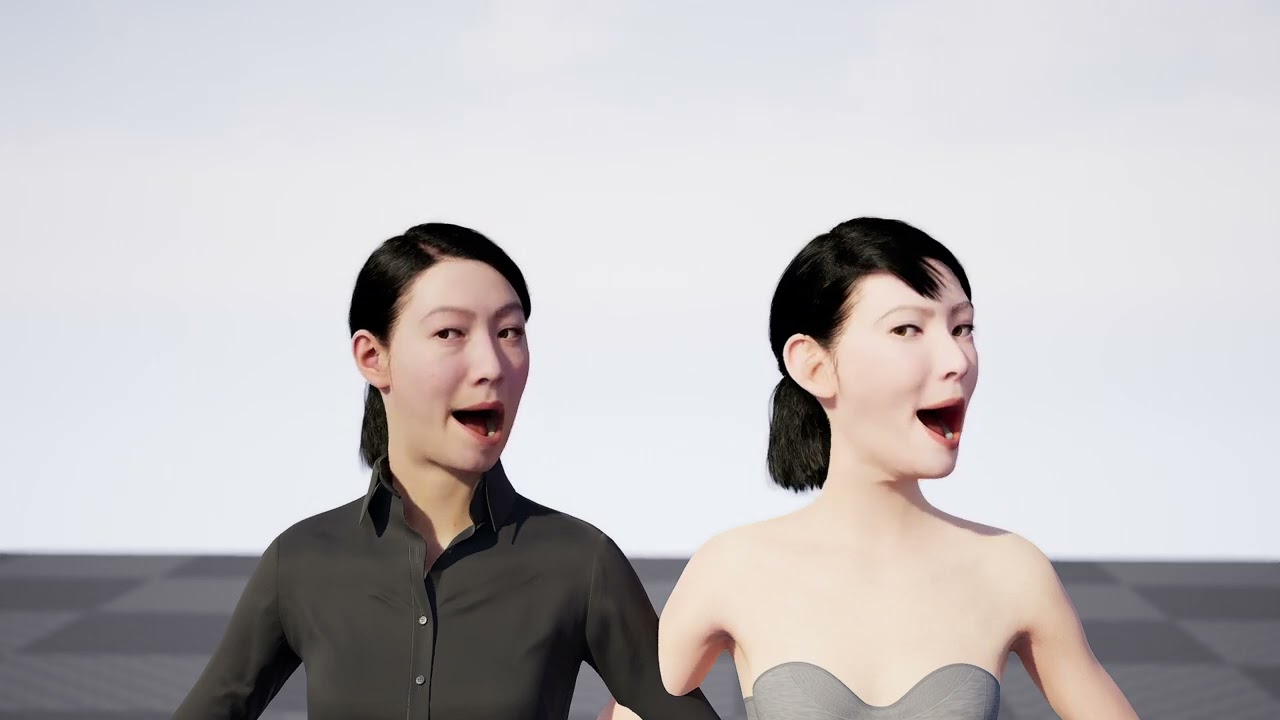
Is it anything like this lol. https://youtu.be/ELQCnHbr2ho
 halcyon stream
@real charm yes! 😂
and I see you also have some groom binding problems on the right metahuman too 😄
halcyon stream
@worldly depot @clear isle @real charm I think it's fixed ... it is indeed the arkit pose mapping asset 😅 specifically, the one located in Content\MetaHumans\Common\Common\Mocap, named mh_arkit_mapping_pose
now this doesn't solve the lack of calibration, mouth slightly open, etc ... but it fixes the awful twisted facial expressions 🙂
real charm
halcyon stream
<@182056761459474432> <@260629014962503681> <@667056462085881866> I think it's f...
So you just replace it with the old metahuman asset and it should work OK?
halcyon stream
yup
gonna test with another metahuman just to double check
yup, double checked
now I just need to find out why the damn grooms keep loosing the binding asset on the BP
clear isle
nice, glad that worked!
real charm
Awesome! Thank a bunch!
halcyon stream
here's a virtual beer @clear isle 🍻 cheers! thank you!
clear isle
(it's too early for beer so have my coffee)
worldly depot
@halcyon stream hey thanks I'll check that out !! thanks a ton
bright venture
anyone seen this before? the head is dettached from the animation
plucky kelp
bright venture
plucky kelp
https://discord.com/channels/187217643009212416/846520322642411570/9888877414230...
whats that
plucky kelp
bright venture
whats that
link to my problem 🙂
worldly depot
after replacing the mh_arkit_mapping_pose asset with old MH one, do I need to something special to hook it up? it asked me to assign skeleton and I gave it the face_archeytype_skeleton, but live link doesnt work now
works now :D
big big thanks again AF01 and MrDoge
halcyon stream
worldly depot
big big thanks again AF01 and MrDoge
oooof 😅
now, I'm going crazy with these groom assets loosing binding every time I close and reopen the project 😐
I just can't figure out why ... only the hair groom keeps its binding asset ... all the other ones revert to none every time I close and reopen the project 😐
has anyone experienced something like this?
halcyon stream
well, fwiw, I "solved" it ... I assigned them on the construction script. at least this way it works 🙂 so if anyone ever bumps into this, here's a workaround 😅
barren carbon
halcyon stream
now, I'm going crazy with these groom assets loosing binding every time I close ...
Yes, this was happening to me constantly, and then it went away when I cleaned up some unrelated memory-pig functions I'd implemented.
worldly depot
how do I fix my MH head stops going with rest of the body
barren carbon
worldly depot
how do I fix my MH head stops going with rest of the body
I can't tell you how to make it stop -- I've similarly found MetaHumans to be a bit buggy -- but to get it back in position, select your MH then in the details panel select face, and in the animation twirl down set 'animation mode' to 'use animation blueprint' with the relevant anim class -- defaults to Face_AnimBP_C. Good luck!
halcyon stream
barren carbon
Yes, this was happening to me constantly, and then it went away when I cleaned u...
weird stuff ... I hate it when I can't find a reasonable explanation 😅
worldly depot
@barren carbon thank you !
 nimble quartz
Hey peeps, was just wondering is it possible to customize metahuman eyes after creation in a similar fashion to how you can export and customize the skin? Or should I replace the eyes with my own eye mesh and textures?
Nevermind, found the exposed params under the material instance 🙂
plain orbit
halcyon stream
Hello ppl 🙂 I'm having a bit of trouble getting my metahumans to work with Live...
Did you fix this problem?? I've been stuck on it since the update ):
Nvm just saw the rest of convo. Someone should pin this solution here tbh
until it's fixed
plain orbit
halcyon stream
<@182056761459474432> <@260629014962503681> <@667056462085881866> I think it's f...
Thank you for posting location to old pose mapping asset! Helped a lot
halcyon stream
@plain orbit 👍 also, it's funny, a couple hours after we had this convo here, I saw a YT tutorial with basically the same solution 😄 I guess it reached a point where enough ppl banging heads would get to a solution 😄
plain orbit
I was honestly about to try replacing files so glad I didn't have to go through that trial and error mess 😵💫
Would you mind posting that video if you can find it btw? Might be good for others trying to search for solutions
halcyon stream
sure ... he also copied another file ... but it didn't seem to make any difference for me, at least for the time being ... and this both in editor and on a packaged build
lemme find the vid

Live Link Facial Animation Fix ~ In this video I walk you through How to Fix Live Link Face, Facial Animation for the Updated MetaHumans ~ Epic Games has updated the MetaHuman Creator for Unreal Engine 5 ~ New Mesh Sculpting, Clothing, Hair, Shoes ~ Check out the release details at this link https://www.unrealengine.com/en-US/blog/new-release-b...
here it is 🙂
plain orbit
Thank you so much!
I just know it helps me to remember, have a playlist of tips like this 😂
halcyon stream
I don't know if this author is here on this discord, but if he is, thank you also 👍
plain orbit
No but he responds on Youtube very quick!! if you ever have any questions he's pretty experienced and has helped me a lot
didn't see this vid from him but glad to know there's a fix, thx again
halcyon stream
what would be the best # for live link face specific questions? plugins?
plain orbit
halcyon stream
what would be the best # for live link face specific questions? plugins?
Does anyone have this same issue? I am trying to use the metahuman lighting presets and once I added my metahuman to the scene, now every time it tries to compile shaders it just crashes
halcyon stream
plain orbit
Does anyone have this same issue? I am trying to use the metahuman lighting pres...
I'm having some trouble that might be related to that ... now, after working correctly for days, my project crashes 4 out of 5 times whenever I play 😬 again, it's another of those weird things that I can't find the cause ... but I'm also using the MH light presets ... although heavily changed, I'm using Lumen, not legacy raytrace
plain orbit
https://docs.unrealengine.com/5.0/en-US/how-to-fix-a-gpu-driver-crash-when-using-unreal-engine/ I found this and I'm about to try it to see if it helps

Learn how to fix a GPU driver crash in Windows by editing your registry keys.
halcyon stream
I think my problem is the damn groom bindings, again ... I forcefully assigned them on the construction script, and if I check the actor on the level, they are there ... but sometimes, even if they are assigned, apparently they don't show up? I think this is what's making it crash ... the reported crash cause is something to do with hair strands 😬
plain orbit
Yeah that is most likely it
For me I couldn't even get groom bindings to ever work
Also that fix did not work, just made my PC freeze on opening UE 😄
plucky kelp
Please help! #ue5-general message
 native grove
Hello hivemind! Does anyone know how to export the new mesh to metahuman UE5 from quixel bridge to Maya? there is no export settings in Bridge in UE5
native grove
native grove
Hello hivemind! Does anyone know how to export the new mesh to metahuman UE5 fro...
Might try and answer this myself, i wonder if you need to export it from UE5 as an FBX and take it from there... ?
 alpine patio
Does anyone else wonder if mesh to meta human will be expanded to support custom bodies aswell? People have got tons of good results so far with custom faces/heads but think of the possibilities if that functionality was expanded to bodies aswell. What do you guys think?
 lament swallow
Does anyone know how to detect input from Livelink? I want to set up a light on my metahuman, and only turn it on when someone actually stands infront of my iphone and the screen.
mellow skiff
Hello, Unreal is telling me to update my ue4 metahumans to ue5 metahumans. How do I do this?
barren carbon
mellow skiff
Hello, Unreal is telling me to update my ue4 metahumans to ue5 metahumans. How d...
Have you tried re-importing them via Bridge when launched from UE5? (as opposed to the old way of loading Bridge independently.)
 fair tulip
Hi. Have a strange bug. with Metahumans and UE5. Then packaging Metahuman's Control rig doesn't work. Obviously it's working in "play in editor" and standalone play modes.
Can't see any errors or something. What it can be?
Also I checked it with fresh project (UE5 MH lightning) with only one metahuman and simple BP that changing one of face CR controls
mellow skiff
barren carbon
Have you tried re-importing them via Bridge when launched from UE5? (as opposed ...
That did it, thank you 🙂
halcyon stream
lament swallow
Does anyone know how to detect input from Livelink? I want to set up a light on ...
 bold fable
lament swallow
Does anyone know how to detect input from Livelink? I want to set up a light on ...
bold fable
lament swallow
Does anyone know how to detect input from Livelink? I want to set up a light on ...
Check if the live link var is valid then toggle the light
You can use an event dispatcher
halcyon stream
bold fable
Check if the live link var is valid then toggle the light
how do you check if the live link "is valid" ? I'm a n00b at all this, but as far as I could check, even if no face is present, the live link is still valid
bold fable
Wdym by the live link is valid still even if no link is connected, you should use print statements to see it’s value then plan from there how you could monitor the change
halcyon stream
that's basically what I did 🙂 probably not in the most efficient and clean way, but hey, it works 😄 if you check that link, an Epic dev even replied with some more pro suggestions 😉
fair tulip
Has anyone working Metahumans animation in packaged game with UE5.02?
lament swallow
Well livelink is always valid, its a situation where we have an exhibition and i only want to turn the light on when someone is infront of the screen and it catches a facemesh
halcyon stream
lament swallow
Well livelink is always valid, its a situation where we have an exhibition and i...
did you check the link I posted?
 winged wadi
Worked up a tutorial for Mesh to Metahuman. Here is the Quick and Dirty version. There is also a longer version available.https://www.youtube.com/watch?v=EUXOHDzgy2E&t=1s

ADVANCED SPEED GUIDE
Here is a Tutorial on how I took Free Marketplace assets of a Stylized Character and turned it into a Realistic Metahuman Character.
Link to Stylized Character :
https://www.unrealengine.com/marketplace/en-US/product/stylized-male-character-kit-casual
MetaHuman Plugin :
https://www.unrealengine.com/marketplace/en-US/pro...
rigid hamlet
plain orbit
https://docs.unrealengine.com/5.0/en-US/how-to-fix-a-gpu-driver-crash-when-using...
Try game driver 516.40 solved all my crashes not a single crash in two days. Normally I would get 50 crashes per day
plain orbit
Damn nice I have been using studio driver
Gonna try it
literally on my 12th crash of the hour LOL
 dark swan
anyone ever figured out how to do the ears in mesh to meta humans?
i mean promoting additional frames with just the ears
grand prawn
Question. MetaHumans characters come into UE5 with the parent class of "Actor", thus, it doesn't have an option to set the "AI Controller". What is the cleanest way to apply a AI Controller to a Metahuman? Change the parent class to a Character or Pawn?
proper ridge
Is there a transparency fix for glowing eye materials? This is view distance specific, even when forcing LOD 0. This seems to primarily occur with volumetrics
 halcyon stream
@lament swallow @bold fable fwiw, I replaced comparing some facial curve values with last frames, and instead compare "Scene Time Frame Value" ... this value will always report the last "valid" frame ... that is, if your live data stopped at frame 5162, all frames subsequently will have a value of 5162, until it gets a live feed again, and then resumes increasing. So this is a sure way to be certain if there's any live feed incoming or not 🙂
 lament swallow
halcyon stream
<@162585241544818688> <@877669692024713256> fwiw, I replaced comparing some faci...
lament swallow
halcyon stream
<@162585241544818688> <@877669692024713256> fwiw, I replaced comparing some faci...
Thank you! Im trying right now, but i didnt get the frame counter part in your text yet😄 Im kind of new to Unreal
Can I attach that to a Branch or == Statement to trigger a light source?
With wich value would i compare the Scene Time Frame Value? 🙂
halcyon stream
@lament swallow I have a LastFrameValue variable (integer), and each frame, I compare with the incoming frame time value ... if they are equal, I increase a counter, if not, I reset the counter to zero... after that, I check the counter, if it reached, say, 50, then I switch modes (or turn on a light)
lament swallow
Could you explain how I catch the last frame value?
halcyon stream
every frame, after you done the checking, you make LastFrameValue = currentFrameValue
so next time when you star the check, lastframe value will have the value of frame -1
lament swallow
The thing is, i dont get my head around how LastFrameValue actually gets its information, im really new with node things here😄
halcyon stream
I can share my BP, but it's definitely not clean or optimal 😅
lament swallow
If you want to, that would be great! 🙂
 lament swallow
Thank you! Do I need to create some Variables for that or just drag & drop?
halcyon stream
if you drag and drop it will miss the variables, but I think you can right click in them and create them
but the main thing is, follow the logic
you probably don't even need anything so complicated towards the end
if it's just on and off a light, you don't even need to check for state change
just assign the bool value to the light visibility
lament swallow
Nono, im only stuck at creating the funtions or variables to store the last frame, i have just never done that
halcyon stream
just create a var of type integer, cos that's the frame time data type
just that, create it
on the left side, where it says variables, there's a + sign ... click it, and it will create a new variable
 lament swallow
Oh so there doesnt need to be any logic behind it? I thought i needed to create some custom functions for that😄
halcyon stream
well ... you create the var to store some value ... then you'll use it on the logic on the Tick event, to compare and assign its value 😅
lament swallow
ill try that, thanks 🙂
halcyon stream
also, when you start breaking down the data output from the Evaluate node, you might also need to split some structures, to get those outputs I have there
 lament swallow
Works like a charm with a timeline! The only thing thats happening is that it detects a face and sets the Branch to True, but immediately after that to False again
frozen bolt
made this hair in xgen but it will definitely hit the performance, considering hair density and 8 CV per primitive for curls.
I'm wondering if it's a good idea to cage the head for short sides/back, baking those short hairs to cage as normal map and all? Is this even a way of doing it?
Does ue5 hair shader do smoothing on primitives so that I might lover CV count for better performance?.. Thanks in advance

 halcyon stream
lament swallow
Works like a charm with a timeline! The only thing thats happening is that it de...
halcyon stream
lament swallow
Works like a charm with a timeline! The only thing thats happening is that it de...
then your logic is not working as intended 😄
 oblique skiff
Hi, I'm having problems retargeting ue4_Manequin animations to a metahuman kid. Arms seem to be too close to the body. All the chains are set up in both ik rigs and I tested the engine's retargeter and it has the same problem with Manny.
I don't have any clue about what I should try or look at.. any tips?
The arms bend in a strange way and the hands end up too close together
 halcyon stream
oblique skiff
The arms bend in a strange way and the hands end up too close together
halcyon stream
oblique skiff
The arms bend in a strange way and the hands end up too close together
I assume you're doing IK retargeting ... did you set up IK goals on your metahuman IK rig?
but yes, I never managed to do a perfect retarget to a metahuman yet, and I even suspect these new metahumans have differences that may affect it even further
 oblique pollen
Someone please tell me why the f... this is not working

Im honestly gonna blow up
plain haven
oblique pollen
Someone please tell me why the f... this is not working
It means what it says on the tin
Those metahumans are for UE5, and not compatible with UE4.
plain haven
oblique pollen
Someone please tell me why the f... this is not working
Try looking for the presets that is for UE4.
oblique skiff
@halcyon streamThanks for the answer! Yes, the metahuman rig has Ik goals and I'm ik retargeting...
Any clue about where the problem may be? (Or any hack, or something to tweak...)
I have a ton of UE4 animations that I would like to use... !
halcyon stream
oblique skiff
<@224579096104009730>Thanks for the answer! Yes, the metahuman rig has Ik goals ...
I know the "old" metahumans had some retarget same skeleton settings that made it ... a bit tricky... to deal with. I don't know if these new ones have some better settings. Another thing you can try, but I bet will probably lead to similar results, is not retarget at all, and use skeleton compatibility.
Still with retargeting, if your problem is something consistent, say, the arms/hands are always a bit too rotated, you can try offseting the arm rotation on your IK rig before retargetting
Besides that, the only sure way of fixing that type of stuff is by fixing/cleaning up on sequencer with a control rig
but that is time consuming and it's a one by one kind of solution 😬
oblique skiff
,,. ok! thanks! But, what you mean with "skeleton compatibility"?
halcyon stream
go to your metahuman skeleton, and on Window/Asset Details, it will show you a window where you can add compatible skeletons ... just add a new entry, and select the UE4 skeleton
from there on, you'll be able to play any UE4 animation on your metahuman
(this only works for skeletons that have the main hierarchy and bone names similar)
oblique skiff
o h m y g o d !
are you serious... didn't know that!
Let's see what happens
halcyon stream
in your case thou ... the proportions problem might still make it not work too well 😬
oblique skiff
yes.. probably..
I can't see the "add compatible skeleotn" in the methuman skeleton.. can you point me to where it is in 5?
thanks!
halcyon stream
sure, gimme a sec to open up UE5
oblique skiff
thanks!

 oblique skiff
Thanks!
halcyon stream
how is it working?
oblique skiff
ha ha.. not much!
As you said.. the "kid" is way too smaller
but the feature is super cool!
I'll try with the "mom" later
halcyon stream
well, good luck 😅 you might try playing around with the arms on the IK rig before retargeting, or even offsetting just a bit the rest pose on teh retargeter
but the only good solution really is fixing up with control rig 😬
(that I know of, of course)
oblique skiff
I'm trying to offset the offender bones in the rig
oblique skiff
@halcyon stream Tweaking the metahuman in the retargeter to match the original pose seems to improve a lot the result. Little deviations produce really weird results! Thanks for the solution!
halcyon stream
glad it helped 🙂
plain orbit
Does anyone experience a lot of crashes when dealing with sequencer + live link on metahumans?

it happens to me whenever im trying to record in sequencer using take recorder
halcyon stream
plain orbit
it happens to me whenever im trying to record in sequencer using take recorder
try to force the LOD to 2 or 3, and then set it to 0 before rendering, see if that helps
getting rid of all the hair grooms for recording will hopefully help
cursive wigeon
Is it possible to reduce skin tone/color of your metahuman model after you have exported to UE4
 shell snow
Can metahumans be butchered to a quality that runs on a quest2 standalone? I have no idea how to make characters so I'm looking for an easy solution like metahumans.
nimble quartz
Hey dudes, anyone got or know of a decent tutorial for custom clothes on a metahuman? I have the base meshes created in Marvelous and already textured, just wanna add them to my dude for anim 🙂
nimble quartz
shell snow
Can metahumans be butchered to a quality that runs on a quest2 standalone? I hav...
I think perhaps deleting the higher LODS that come with the mesh and using the low level "spiderman 2 npc" looking ones
shell snow
nimble quartz
I think perhaps deleting the higher LODS that come with the mesh and using the l...
Good. That’s my favorite Spider-Man
plain orbit
https://cdn.discordapp.com/attachments/917260558150029342/990668443198038056/2022-06-26_13-21-58.mp4 I am unable to get my grooms from xgen to stop colliding with my metahuman. I'm new to grooms so must be something I am missing. Can anyone help? Thanks so much 🙂
plain orbit
halcyon stream
try to force the LOD to 2 or 3, and then set it to 0 before rendering, see if th...
this actually helped a lot thank you, along with disabling grooms until render
nimble quartz
nimble quartz
Hey dudes, anyone got or know of a decent tutorial for custom clothes on a metah...
So I tried importing the skeletal mesh for the MH into blender along with the clothes, then i added the armature modifier to each piece of clothing and set MH root. the I parents clothes to MH skeleton and used auto weight transfer (by name), exported clothes and re-imported to UE5 as skeletal meshes and I selected the MH base skeleton, i then get an error that it failed to merge bones, any idea whats going on? (UE5)
nimble quartz
Further update, sorry guys, just wanna provide further info for the issue. I am able to move the clothes in blender pose mode with the root skeleton, so the auto weights seems to have worked there atleast
halcyon stream
nimble quartz
So I tried importing the skeletal mesh for the MH into blender along with the cl...
I don't know much of Blender, but make sure you're not exporting any extra bones
 nimble quartz
halcyon stream
I don't know much of Blender, but make sure you're not exporting any extra bones
nimble quartz
halcyon stream
I don't know much of Blender, but make sure you're not exporting any extra bones
I think so.. From researching, peeps that had the issue found out that blender was exporting an extra bone but for the life of me, I can't find it. For info purpose, this is the tut I followe d and I spent the evening repainting the weights to morph better - https://youtu.be/12k1gs65tlA

For the past couple of days, I have struggled to find a suitable workflow for adding custom clothes to my Metahuman characters. It frustrates me to sit through hour-long videos that could have been easily condensed down to 10 minutes.
Keep in mind, this is just a step-by-step clickthrough and not a tutorial about "How to create clothes in Marve...
halcyon stream
nimble quartz
I think so.. From researching, peeps that had the issue found out that blender w...
I know from experience, on some brief things I had to export from blender, that you need to uncheck "Add leaf bones", otherwise it will add some extra bones ... I'm not sure if this could be the problem, but if it is, make sure to disable on the FBX export options
nimble quartz
halcyon stream
I know from experience, on some brief things I had to export from blender, that ...
So i tried having the leaf bone section unticked and I get the same result but some more digging and according to what I now understand, Blender is exporting an extra root bone when exporting FBX files which is causing the bone conflict error it seems, trying to figure out if and how to remove that extra root
halcyon stream
ah yes .... it's probably adding an "Armature" node 🤦♂️
this is just me spitballing, but ... maybe select the mesh and all the bones EXCEPT the extra root, and on FBX check export only selected ... hopefully, if the extra bone does not have any weight binding on the skin, it will work
nimble quartz
halcyon stream
this is just me spitballing, but ... maybe select the mesh and all the bones EXC...
The issue is that the extra root is only being added by Blender after export to fbx, it's so dumb🤕 , i'd do this with maya but i cant get the bridge to export the metahuman to it
cursive wigeon
how to increase eyebrow Lods. My metahuman eyebrow is only visible when very near
nimble quartz
cursive wigeon
how to increase eyebrow Lods. My metahuman eyebrow is only visible when very nea...
open up the eyebrow BP, and then in the top right, you'll see a LOD tab - delete all the LODs except for LOD 0
cursive wigeon
nimble quartz
open up the eyebrow BP, and then in the top right, you'll see a LOD tab - delete...
Thx it works but is there distance value i can configure??
nimble quartz
yep, that same tab, if you fiddle with the values under the LOD 0 🙂
halcyon stream
nimble quartz
open up the eyebrow BP, and then in the top right, you'll see a LOD tab - delete...
wait wait, you don't need to delete LODs 😄 the metahuman BP has a LOD sync component 😄


you can force set the LODs to whatever you need
if you want to get rid of all the grooms, just set that to 3
and then you can set it back to -1 or 0, once you're rendering
nimble quartz
halcyon stream
wait wait, you don't need to delete LODs 😄 the metahuman BP has a LOD sync comp...
true actually, forgot about LODsync 😂
cursive wigeon
after deleting LODs i am getting this error
Assertion failed: StrandsLODCount <= LODScreenSizes.Num() [File:D:\build\++UE5\Sync\Engine\Plugins\Runtime\HairStrands\Source\HairStrandsCore\Private\GroomComponent.cpp] [Line: 2700]
nimble quartz
cursive wigeon
```Assertion failed: StrandsLODCount <= LODScreenSizes.Num() [File:D:\build\++UE...
Hey man, reimport your metahuman and open the BP for him, then in the right hand pane select the LODsync and change the values on that as @halcyon stream suggested, it's less destructive 😅
nimble quartz
halcyon stream
This
nimble quartz
halcyon stream
and this
cursive wigeon
nimble quartz
Hey man, reimport your metahuman and open the BP for him, then in the right hand...
unfortunately i cant nolonger open the project 😭
 verbal roost
The hair disappearing at longer distances from the camera was supposed to be fixed in 5.0.2 right?
It's still doing it for me after updating
halcyon stream
verbal roost
The hair disappearing at longer distances from the camera was supposed to be fix...
for this too, go to the LOD Sync component and force it to zero
cursive wigeon
is it possible to obtain head animation used in metahuman webpage ??
 turbid ether
any one know why this keeps happening its happened with 2 models now
 turbid ether
any one know why this keeps happening its happened with 2 models now
turbid ether
turbid ether
any one know why this keeps happening its happened with 2 models now
i know i seem persitent but ive tried multiple methods different models, different textures and nothing works, please if you have a fix inform me
cursive wigeon
u better post it in unreal meta human forums
nimble quartz
turbid ether
i know i seem persitent but ive tried multiple methods different models, differe...
Hey bud, its okay to be persistent just don't go too bonkers otherwise you might be in breach of the #rules . I know it probably doesn't matter too much anymore with the current state of UE, but what is your poly count on those sculpts you're trying?
also as a side note, are you signed up for access to mh creator? It seems it could be either an account or network related issue
but i am not 100% sure
nimble quartz
@halcyon stream sorted on the clothing issue bud! 🙂
halcyon stream
nimble quartz
<@224579096104009730> sorted on the clothing issue bud! 🙂
ah great 👍 so what was the problem? where were the extra bones? 😅
nimble quartz
halcyon stream
ah great 👍 so what was the problem? where were the extra bones? 😅
The most simple yet most infuriating and dumbest thing ever😅 I had to rename the armature object to Armature instead of root, that way blender exports only that and not an extra root bone
halcyon stream
damn 😅 yeah, that's a blender "feature" I always disliked ... why can't it just leave the bone hierarchy alone? 😄
(maybe it does, or there's a way, and I just don't know how to blender 😄 )
nimble quartz
I was ready to redo it all in maya, but weight painting put me off.. I love blender but there really are some arbitrary features😅
nimble quartz
alright, so now i have managed to get all my clothes for my MH working, weighted and added to the MH seamlessly, except for one small issue - skin sticking through during certain movement. Will cloth sim and collission fix this or should I mask out the body parts? or both?
plain haven
nimble quartz
The most simple yet most infuriating and dumbest thing ever😅 I had to rename th...
Personally I just have a script to temporarily rename the object to Armature, export, then change back to what it was
 idle smelt
Hey folks. I'm using metahumans in my PlayerCharacter BP and when launching the game, I'm getting this error:
LogProperty: Error: Struct type unknown for property 'StructProperty /Game/MetaHumans/Common/Face/Face_AnimBP.Face_AnimBP_C:AnimGraphNode_LiveLinkPose'; perhaps the USTRUCT() was renamed or deleted?
I'm wondering if anyone knows the fix for this. I haven't tried removing the animBP from the face mesh, which I assume might fix it, but that isn't an ideal solution since I would eventually like to be able to use the face animBP for cutscenes and contextual queues in the game.
nimble quartz
plain haven
Personally I just have a script to temporarily rename the object to Armature, ex...
actually a great idea!
halcyon stream
nimble quartz
alright, so now i have managed to get all my clothes for my MH working, weighted...
depending on the variety of clothes you have, and how varied the sleeves are, the neckline is, etc ... you can just have a few pre-cut body meshes
one with just neck and hands, or neck and lower arms, etc
 languid mortar
whats up guys, just made my first render with a metahuman!
 nimble quartz
halcyon stream
depending on the variety of clothes you have, and how varied the sleeves are, th...
nimble quartz
halcyon stream
depending on the variety of clothes you have, and how varied the sleeves are, th...
I've basically recreated anakin from clone wars XD so quite a few layers
 ocean pier
Anyone had a problem where grooms (hairs specifically) were working fine in editor, but were not visible in cooked builds?
halcyon stream
nimble quartz
I've basically recreated anakin from clone wars XD so quite a few layers
layers don't really matter here, what matters is the ammount of exposed skin and if it varies much from clothes set to clothes set ... for instance ... will there ever be shorts? or is it always pants+boots?
 pliant nexus
Can someone add hats to Metahumans? Specifically hard hats.

 ocean pier
Anyone had a problem where grooms (hairs specifically) were working fine in edit...
ocean pier
ocean pier
Anyone had a problem where grooms (hairs specifically) were working fine in edit...
Still stuck. The hairs are visible in wireframe in cooked builds, but not visible in lit/unlit. They are visible in lit/unlit when rendered as HairStrands, but not when rendered as Cards/Meshes (due to LOD or force cards).
 nimble quartz
pliant nexus
Can someone add hats to Metahumans? Specifically hard hats.
nimble quartz
pliant nexus
Can someone add hats to Metahumans? Specifically hard hats.
Yea bud, from my experience with clothes for MH this week, you need to export your hat with whatever torso clothing together - so select hat and torso clothes (shirt, hat, gloves, etc) and export as 1 FBX, then add to UE and add the skeletal mesh to the torso slot of the MH BP. There could be another way, but this is how I've gotten multiple clothes on to my MH - I assume you know about the weight painter for the clothes etc?
halcyon stream
pliant nexus
Can someone add hats to Metahumans? Specifically hard hats.
open up the metahuman BP, add s static mesh component as child of the main skeleton (body I think), and then set its parent socket as the head bone

this will work for hard hats, because there's no deformation
it will possibly not play too well with the hair, but you'll need to figure that one out 😅
nimble quartz
halcyon stream
it will possibly not play too well with the hair, but you'll need to figure that...
You can thankfully make your own hair with xgen or blender and export it as an alembic file, as for modifying the default mh hair? no idea🤷♂️
halcyon stream
nimble quartz
You can thankfully make your own hair with xgen or blender and export it as an a...
yes 🙂 I was mostly speaking of the collisions 🙂 sorry I was not specific 😄
nimble quartz
Oh yea😅 , also not too sure on that yet myself either
halcyon stream
the obvious easy solution is to disable all collision on teh hat 🙂 that will work for most of the situations
 nimble quartz
cursive wigeon
any1 knows how to use these expressions in animtion BP
nimble quartz
cursive wigeon
any1 knows how to use these expressions in animtion BP
im not sure if you'll be able to use them in a level sequence with control rig maybe? I'm following a tut where you can add animations to it and edit as well

In this presentation, Cubic Motion’s Senior Technical Animator Riham Toulan takes you through animating a MetaHuman with Control Rig in Unreal Engine’s Sequencer. The techniques demonstrated can also be applied to animating any asset rigged with Control Rig.
Find out more and request Early Access at: https://www.unrealengine.com/metahuman-creat...
cursive wigeon
nimble quartz
https://www.youtube.com/watch?v=2k2gNc_7CT0&t=2s
this tutorial is for body ctrl rig not for expressions
halcyon stream
cursive wigeon
this tutorial is for body ctrl rig not for expressions
even thou the tut is for sequencer animating with control rig, it's also valid for the face control rig 🙂 not what you were asking for, but you can also animate the face that way 🙂
nimble quartz
cursive wigeon
this tutorial is for body ctrl rig not for expressions
Yea i think the practice can apply to any animations for the MH 🙂
but I'll keep researching and let you know if I find another method
cursive wigeon
I am asking for easy way to just use or drag and drop those animations to animation BP. Creating face animation through sequencer is just too tedious
nimble quartz
cursive wigeon
I am asking for easy way to just use or drag and drop those animations to animat...
I agree 😅 I'll let you know if I come across anything, I'm busy with one myself at the moment 🙂
nimble quartz
halcyon stream
layers don't really matter here, what matters is the ammount of exposed skin and...
Man I completely missed this.. So it's always boots and pants, with a long robe and stuff, basically a full jedi getup
this is what it looks like
 halcyon stream
nimble quartz
Man I completely missed this.. So it's always boots and pants, with a long robe ...
halcyon stream
nimble quartz
Man I completely missed this.. So it's always boots and pants, with a long robe ...
so ... you don't need the body at all, except for the left hand? 😄
nimble quartz
yea pretty much XD
halcyon stream
well then ... export the body mesh (to blender?) and delete all the geometry except the left hand 😅
import and replace the MH body meesh with that new one
nimble quartz
damn... I should've thought of that XD
halcyon stream
@cursive wigeon I've never done much animBP work, so take my suggestion with a huge amount of salt, but, maybe take a look at the Blend nodes, specifically the Blend poses by int https://docs.unrealengine.com/4.27/en-US/AnimatingObjects/SkeletalMeshAnimation/NodeReference/Blend/#blendposesbyint

Animation nodes that blend multiple animations together based on a set of criteria.
idle smelt
idle smelt
Hey folks. I'm using metahumans in my PlayerCharacter BP and when launching the ...
Bump. Anyone have any ideas?
cursive wigeon
halcyon stream
<@333539943349747714> I've never done much animBP work, so take my suggestion wi...
Thats not soln
winged wadi
Part 2 of Turning a Metahuman into a Stylized Character. In this video we create a Blueprint to combine our Stylized Clothing and our Semi-Realistic Methuman into a Body and Facial Rigged and Animatable Character!
https://youtu.be/8l2WRBLYeFk

This is PART 2 of Turning a Stylized Character into a Realistic style MetaHuman.
Check out Part 1 here
https://youtu.be/EUXOHDzgy2E
Links to other Helpful Tutorials for accomplishing this :
https://www.youtube.com/watch?v=y42Qej7Bx8g&t=742s
https://www.youtube.com/watch?v=7iCMspltj24
Download the Mask I modified for this specific model crea...
nimble quartz
winged wadi
Part 2 of Turning a Metahuman into a Stylized Character. In this video we create...
Do you know how to solve an attachment not moving with the metahuman rig? I got a lightsaber created with niagara and mesh and socketed to the spine, but it wont move with the character😅
halcyon stream
nimble quartz
Do you know how to solve an attachment not moving with the metahuman rig? I got ...
I don't know the specifics of your case, but you can do attach/detach/attach to a different bone in sequencer
winged wadi
nimble quartz
Do you know how to solve an attachment not moving with the metahuman rig? I got ...
Like he mentioned I would try other parts of the body to test. Are you parenting in the outliner or in the sequencer? I'll parent in outliner so if i move the character it will move with. Then in sequencer you need create an attach track to the saber and connect it to the character hand most likely.
nimble quartz
winged wadi
Like he mentioned I would try other parts of the body to test. Are you parenting...
Yea I'm parenting it to the torso of the mh under it's bp and selecting the spines to socket to but none of them worked and the saber stayed in place in sequencer, i think I'd need an attach track to move it from the belt to the hand though?
To give an idea, the whole animation of the sequence is the character walking down a hall, bumping into a droid and then grabbing and turning on the saber, making the droid run away. Maybe some angry expressions while he walks etc
nimble quartz
halcyon stream
I don't know the specifics of your case, but you can do attach/detach/attach to ...
I'm gonna test some different bones now aswell
halcyon stream
personally I'd keep the lightsaber (mesh+niagara) as a separate actor, add it and th eMh to sequencer, and parent it in sequencer, first to pelvis, and then to right hand
you'll need to check the specifics of the attach mode, cos you want it to keep its world position
this can also be done with the new anim tools/helpers in UE5 (animation panel that shows up to the left) there's a parent section there ... I've never tested this really thou
nimble quartz
This does honestly sound like the easier route, the bp method back and fourth is yielding headaches. I'll try and report my findings :). If I haven't said it yet, thanks for all the input and help so far, it really has made such a difference
halcyon stream
nimble quartz
This does honestly sound like the easier route, the bp method back and fourth is...
btw there's an easy and dirty trick that can make your life much easier in this case
have a duplicate of your lightsaber, add it to sequencer too ... attach one to pelvis, other to hand ... add visibility tracks on both ... set the hand one to hidden ... now you need to make the hand animation pick the lightsaber as precise as you can ... at the instant of grabbing it, hide the pelvis one and unhide the hand one ... done! 😄
cursive wigeon
any1 knows how to prevent grrom hair from swing wildy while walking??
nimble quartz
halcyon stream
have a duplicate of your lightsaber, add it to sequencer too ... attach one to p...
That's pretty genius if you ask me 😂
nimble quartz
This is what I finally call a success, ik retargeting sucks
halcyon stream
nimble quartz
This is what I finally call a success, ik retargeting sucks
you really need some cloth physics in there 😅
 bronze crag
Has anyone successful overlayed a metahuamn onto a first person template?
I'm trying to do that, and so far all I can get is this mess
 nimble quartz
bronze crag
nimble quartz
bronze crag
Hey dude, I've never really tried but you can move your pieces to fit closer together in the blueprint there
nimble quartz
halcyon stream
you really need some cloth physics in there 😅
Yea😂 I started tackling that today. Whats your experience with cloth physics?
halcyon stream
nimble quartz
Yea😂 I started tackling that today. Whats your experience with cloth physics?
for large overcoats and stuff not too close/too fit to the body, like you have there, it should be fine. for the sleeves, you should leave a "strip" of it on top of the sleeve masked off of cloth sim. Then it's a matter of tweaking the physics asset, enlarge some volumes, scale down others, eetc
nimble quartz
halcyon stream
for large overcoats and stuff not too close/too fit to the body, like you have t...
Should I use low poly to drive the high poly? My clothes were subdivided and solidified, but are super janky to cloth paint. I still have my "thin" clothes
halcyon stream
you can use proxies for the cloth sim, yes ... never did it myself, but I know there's tuts and docs for that somewhere 😅
and also, from (limited) experience, "thin" meshes work better
nimble quartz
Imma see which works better for me, gonna try both proxy and just the thin meshes by themselves - the solidified meshes look really nice but are way too janky to paint on
nimble quartz
halcyon stream
you can use proxies for the cloth sim, yes ... never did it myself, but I know t...
I'll tell you now, painting on a proxy mesh is soooo much smoother XD will revert results later
 uneven turret
hello guys, new here 🙂 i'm playing around with mesh and meta human et fill in a semi stylized shape i have from a former project but i have a stange behaviour on the "nasogenian sillon" like shown here

i dont know why it is appening considering there is nothing much on maps or may be on a specifc position normal map which must not be active now for it'neutral pose
any idea ?
and another questin, is it possible to change the size of the eyeball in editor may by tweaking the blueprint ? as here it, it have a realistic size
nimble quartz
uneven turret
i dont know why it is appening considering there is nothing much on maps or may ...
Hey man, Im not too sure if it helps, but in mesh to metahuman, you can adjust those points on the model before you process it, can't remember how, I think you lock the cam frame or something and then just move them. Maybe try position them better for your needs. Also on the eyeballs, I know you can adjust pupil, iris sizes, color and all that for them yea - but not sure about the physical eyeball size
Eg: stylized char with mesh to meta, and custom texture maps for scar and eye shading, custom sith eyes by adjusting metahuman eyes in ue

you can customize the crap out of these guys if you want
uneven turret
thank for your answer, i'm aware for iris size alas i need a bigger eyeball and controls are not available right now or may be tweaking blueprint itself, for the lignes i have made several attempt it look like going outward instead of inward, still confusing
nimble quartz
I'll also let you know if I find something that helps
nimble quartz
uneven turret
thank for your answer, i'm aware for iris size alas i need a bigger eyeball and ...
I haven't tried yet, but do the eyes export with the metahuman face mesh?
or should i say, I haven't looked
if they do, try scale them up in blender or maya or something
uneven turret
it use metahuman eye based on position of what it found when processing but i think eyeball size is related to the size of the head used for wrapping
nimble quartz
uneven turret
it use metahuman eye based on position of what it found when processing but i th...
so there is a seperate eyeball mesh connected to the head when you pop inside of it, try grabbing the faces and scale them up?
witness true horror
 frozen bolt
uneven turret
it use metahuman eye based on position of what it found when processing but i th...
frozen bolt
uneven turret
it use metahuman eye based on position of what it found when processing but i th...
eyes was a bit of a problem for me as well. some blendshape work is definitely needed for exaggerated eyes, then comes the other pieces like waterline and reflection meshes and trying to make them deform correctly is another issue.
-exporting face mesh fully with eyebrows and waterline etc, to zbrush, sculpt and scale everything related to eyes and import to maya as blendshapes, then bake the delta face shape to targets/baseshape. (SHAPES plugin from braverabbit can do that) do it for other meshes as well, check the rig, export to ue. This is how I would think if I ever need them anime eyes, never tried, not sure if it will work (:
bronze crag
nimble quartz
Hey dude, I've never really tried but you can move your pieces to fit closer tog...
Yeah, the problem I forgot to mention is that in the transform tab, all these pieces were at the exact same location. They are clearly not. But unreal thought they were
 livid solar
I'm trying to export my metahuman to Maya using the UE5 Quixel bridge but the little gear is missing to select Maya. I have read the documentation and have done some searching but I can't seem to find a solution. Has anyone else had this issue?
nimble quartz
livid solar
I'm trying to export my metahuman to Maya using the UE5 Quixel bridge but the li...
you can only use the older bridge app to export to maya sadly 😦

Quixel
Quixel Bridge provides 3D asset management and saves time with one click integrations to your preferred tools, for free.
just make sure to have the mh set to the download and export settings for the models as uasset+source asset

 livid solar
nimble quartz
https://quixel.com/bridge
livid solar
nimble quartz
https://quixel.com/bridge
If I look in metahuman/local like in your image I don't see anything. Even in the older bridge.
nimble quartz
livid solar
If I look in metahuman/local like in your image I don't see anything. Even in t...
did you download your metahuman in the old bridge?
ue5 bridge assets and ue4 bridge assets are different and need to be downloaded separately if using older bridge
 nimble quartz
livid solar
If I look in metahuman/local like in your image I don't see anything. Even in t...
nimble quartz
livid solar
If I look in metahuman/local like in your image I don't see anything. Even in t...
Hey bud, just checking if you won here?
livid solar
nimble quartz
Hey bud, just checking if you won here?
I gave up last night, I downloaded one of the defaults to local, the export button shows up but when I click it it says it could not export to Maya because it did not have source assets.
nimble quartz
ok need some help bro?
nimble quartz
nimble quartz
ok need some help bro?
@livid solar
livid solar
nimble quartz
<@436949216632242176>
Let me pick at it a little longer and I will let you know. I see videos of people doing it in the UE5 bridge but the gear they are showing to get to the settings is missing for me. Is this something that was there but then taken away?
nimble quartz
livid solar
Let me pick at it a little longer and I will let you know. I see videos of peop...
No worries, I did this the hard way over the past month so just @ me if you need help. What I think is people are opening UE5, then opening the Bridge App separately instead of using the built in Bridge on UE5 because it was confusing the crap out of me as well XD
but the bridge app doesnt work with ue5, only the built in bridge
livid solar
nimble quartz
No worries, I did this the hard way over the past month so just @ me if you need...
Because I am using a custom model for the head it is not letting me bring it into the stand alone bride to export and the bridge in UE5 does not show the little gear for me like it shows in the documentation. I checked the plugins and versions of the software and it says I am up to date with everything.
nimble quartz
livid solar
Because I am using a custom model for the head it is not letting me bring it int...
you sure you dont want me to run you through it quickly? and when you say custom head model, do you mean mesh to metahuman?
or a seperate head entirely?
livid solar
mesh to metahuman.
nimble quartz
yea it should work fine
so download quixel standalone from here
Quixel
Quixel Bridge provides 3D asset management and saves time with one click integrations to your preferred tools, for free.
livid solar
Yup, I already have it.
livid solar
The meta human I want is only showing up under the UE5 area and it says I need to launch the bridge in UE5 to have access to it.
livid solar
Yes, but it won't even let me download it to the bridge so I can move it over to Maya
nimble quartz
so it is actually very slow lemme show you
livid solar
ok
livid solar
nimble quartz
so it is actually very slow lemme show you
That is what I see when I try to download it in the stand alone bridge.
 nimble quartz
yea dont worry about that error, here we go
hit this button

make sure export is set to maya or whatever you want

this is crucial, make sure to set MetaHumans under download settings to UAsset + Source Asset

again under export settings, under Models tab, choose your LOD and make sure to set MetaHumans to UAsset + Source Asset - this is crucial

then hit download

that message may pop up but dont worry
youll see it says generating

this takes long
halcyon stream
^the downside is your models will be either bald or very old 😁
nimble quartz
monitor that progress bar until the export button turns blue, then try export to maya

 dark pasture
Hey I have a few question about MetaHuman stuff
Are there any restriction about these ?
Can we make like fighting game with these ?
Is there any right or something or are they royalty free for unreal engine based projects ?
Can we reproduce a rapper, a celebrity with metahuman ?
Is there any fee ?
Thankkks :)
nimble quartz
I have an alternative method to do it via blender 🙂 if this doesnt work and if you specifically dont need maya
nimble quartz
halcyon stream
^the downside is your models will be either bald or very old 😁
LOL XD gandalf and baldakin skywalker base XD
livid solar
I do see it cued up for download now.
nimble quartz
livid solar
I do see it cued up for download now.
 livid solar
Thanks for your help!
nimble quartz
no worries at all man 🙂 just shout if you get stuck anywhere else
nimble quartz
dark pasture
Hey I have a few question about MetaHuman stuff
Are there any restriction about ...
Yea if you are willing to do the work, you can get them to be pretty much anything you want, clothes - hair, textures - accessories - etc
livid solar
That's what I am going for.
nimble quartz
donno about royalties stuff though, I imagine it the same as their normal royalties
livid solar
We shall see how it turns out.
halcyon stream
afaik it's the same as any other Epic asset
nimble quartz
livid solar
That's what I am going for.
Yea, I managed to remake clone wars anakin as a metahuman
livid solar
nimble quartz
Yea, I managed to remake clone wars anakin as a metahuman
sweet
junior birch
Trying to get realism with meta. So close but not there
 grand prawn
Question. I have custom scripted Metahuman characters in Project A, but it appears it's not possible to migrate the MetaHumans folder into another project. Is that accurate? Im getting an error:
Unable to determine content folder for asset /CharacterParts/Female/Tall/NormalWeight/Body/f-tal_nrw_body
Any solution to this?
halcyon stream
grand prawn
Any solution to this?
have you tried simply copy/pasting in explorer, making sure to have the exact same folder structure?
grand prawn
halcyon stream
have you tried simply copy/pasting in explorer, making sure to have the exact sa...
Thanks for the quick response. No, I usually only use the "Migrate" option.
halcyon stream
well, worth a try ... just copy the whole Metahumans folder into the new project's Content folder
(I'm assuming everything, including your custom scripts, is inside the Metahumans folder)
grand prawn
Yes, I can try this. Thanks for the suggestion.
halcyon stream
grand prawn
Yes, I can try this. Thanks for the suggestion.
did it solve the problem?
halcyon stream
UE5 sure likes to compile shaders 😅
grand prawn
It kind of worked, scene crashed when I hit play and I know it was related to a character. Going to investigate. But this could become a solution.
@halcyon stream
Works now.
Thanks for the suggestion!
halcyon stream
grand prawn
Works now.
awesome, glad it worked 👍
 dense bronze
ANyone else seen this error while trying to use mesh to metahuman. Error while executing the Mesh to MetaHuman service
plain haven
dark pasture
Hey I have a few question about MetaHuman stuff
Are there any restriction about ...
Make sure final renders are with Unreal Engine.
halcyon stream
nimble quartz
Finally got a decent cloth sim setting, such a process fidling with the settings...
looking good 👍 ... problem is that bit of intersecting between different clothes 😬
nimble quartz
halcyon stream
looking good 👍 ... problem is that bit of intersecting between different clothe...
It's finally coming to life 😛 Yea, I still need to set up sim and collision on the other clothes 🙂
idle smelt
So I imported metahumans as high quality and I wanna switch to medium. When I download and import the medium quality are they overwrite the high quality or will I just have a medium and high quality mesh in my project for each metahuman. Sorry for the noob question.
nimble quartz
idle smelt
So I imported metahumans as high quality and I wanna switch to medium. When I do...
That is a good question, I imagine it probably overwrites it. You can maybe move your high quality metahuman to a new folder and then import the low quality. I can test in the morning but that's in like 5 hours bud😅
idle smelt
Yeah I wanted to ask because I can't test it until Sunday and my internet will be crap where I'll be so I didn't wanna commit to the download depending on the outcome. ;)
nimble quartz
idle smelt
Yeah I wanted to ask because I can't test it until Sunday and my internet will b...
No worries man I'll test it in asap an let you know :)
plain haven
idle smelt
So I imported metahumans as high quality and I wanna switch to medium. When I do...
Import the High Quality, use the engine's scalability feature
idle smelt
plain haven
Import the High Quality, use the engine's scalability feature
Mmmm good point. I should look up Metahuman optimization to now that I think of it
 lunar bane
So I made a metahuman and exported the head and the body so I could try and use them for clothes but in max there were no feet. was it maybe because I used boots?
nimble quartz
lunar bane
So I made a metahuman and exported the head and the body so I could try and use ...
there should still be an underlying skeletal mesh body - maybe try your add your mh to max without clothes
lunar bane
no im just trying to get the head and body in. I exported her in undies with boots as I could use them. but after clicking the head then the body and importing there was no feet. Maybe it is another mesh? Ill just be glad when you can get without undies and adjust bodies. most my outfits even scifi have fairly open chests and that ugly bra going across sucks. however I found a tut on texturing metas in substance and maybe I can bake out some texture maps for the abdomen
nimble quartz
lunar bane
no im just trying to get the head and body in. I exported her in undies with boo...
Well the undies and bra are just textured on, if you know how to texture, you can just throw the basecolor texture map of the body in something like substance or photoshop and edit out the undies / bra - i did that same thing but for opacity so I can hide the underlying model under the clothes

Metahumans are fully customizable if you know how to
try this dude - he is the only guy that got clothing working for me

In this tutorial I'll show you how to add custom clothing using Blender and import that clothing into Unreal Engine. Import these NIKES or any FBX or OBJ file and attach it to your Metahuman.
**RE: MAYA - My apologies on the Maya $ quote. I think I saw $275 / mo and 2k/yr at this link https://www.autodesk.ca/en/products/maya/overview? and thoug...
nimble quartz
he specifically deals with shoes in this, i know it is for blender but just follow the import export principles and all that 🙂 it should work for max aswell
lunar bane
the bad thing is everyone uses blender yucky
nimble quartz
lunar bane
Black is hide white show for masking right
yea 100% 🙂
nimble quartz
lunar bane
the bad thing is everyone uses blender yucky
Yea it really has stepped up though, it's just as good as something as maya at the moment (maybe not for hair though XD)
lunar bane
I can see peeps liking blender cause its free but everything max and maya has by default you have to buy or find plugins for
nimble quartz
lunar bane
I can see peeps liking blender cause its free but everything max and maya has by...
Yea and there are loads of education resources too
lunar bane
Im an old fart I been using max since it came out so that makes it hard to switch
I started with computers in the 70s when there was no pcs only mainframes with tape drives and punch cards
nimble quartz
lunar bane
Im an old fart I been using max since it came out so that makes it hard to switc...
Thats perfectly understandable XD but you can still use max, just follow his principles on the import and export, thankfully he sections his videos
lunar bane
k
nimble quartz
lunar bane
I started with computers in the 70s when there was no pcs only mainframes with t...
😅
Well if max isn't working out for you, message me and I can try see what we can do
lunar bane
I can get stuff into max it was just the missing feet thing but that doesnt matter a whole lot as the origin sets the char properly
nimble quartz
Yea i think it's coz the shoes are a seperate skeletal mesh, check from about min 6 to 10 in that vid - should be what you need :), import that into max with your body and head mesh
nimble quartz
You shouldn't need to hopefully coz it should match
lunar bane
the trick with max and prob maya too is you have to set max default to cm and the project to cm then everything to do with unreal will bne proper
alpine patio
does anyone know how to add the brow trackers for meta human identity? I check the visible and active boxes but it doesn't change anything and epic how no documentation explaining how to do it 😦
steady timber
I did what it's telling me to do but it's still telling me this

If someone knows how to solve it I will appreciate the help
halcyon stream
lunar bane
the trick with max and prob maya too is you have to set max default to cm and th...
hello, fellow old fart/max user 😅
lunar bane
My Latest Metahuman
 nimble quartz
Hell yea nice! It seems you won then 🙂
nimble quartz
steady timber
I did what it's telling me to do but it's still telling me this
Hey man did you win with this? How far are you into your project, is it not easier to maybe start a new one and import to using the ue5 bridge?
steady timber
nimble quartz
Hey man did you win with this? How far are you into your project, is it not easi...
I haven't solved it yet and I am close to finish up this project so I can't open a new one
nimble quartz
steady timber
I haven't solved it yet and I am close to finish up this project so I can't open...
Hmmm shit.. Try this, start a brand new ue 5 project - blank, enable all the plugins you need, then save and close the project. Manually copy your content folder from your ue4 directory to your ue5 one, make sure the file structure matches (example: C:/Desktop/MyUE4Project/Content and C:/Desktop/MyUE5Project/Content) then open up the ue5 project
idle smelt
Hey folks. I'm getting the following error when launching the game. It doesn't seem to have an effect when launching from the editor but it crashes my packaged builds. Any ideas how to fix this?
LogProperty: Error: Struct type unknown for property 'StructProperty /Game/MetaHumans/Common/Face/Face_AnimBP.Face_AnimBP_C:AnimGraphNode_LiveLinkPose'; perhaps the USTRUCT() was renamed or deleted?
steady timber
nimble quartz
Hmmm shit.. Try this, start a brand new ue 5 project - blank, enable all the plu...
Thanks for trying to help. The content folder is too big and it will take forever, I don't want to risk that something will get broken (I also have cpp files). I think I will stick to the ue4 metahuman version even though it has less features. Thanks anyways
 vast harness
Hello. I am trying to set up some testing with meta human mesh creation. I notice my Components from Mesh option is greyed out. Not sure what is going on to cause it to be greyed out. I'm logged in, w bridge, updated everything. Just doesn't pop up for me
 swift burrow
Did any of you guys encounter problems with MetaHumans causing constant cooking/packaging ar standalone game crashes?
I basically just imported CitySampleCrowd package to my ThirdPersonCharacter template project, set SK_Manequinn to be compatible with SK_Base, then created custom AnimBP for Quinn now based on new CitySampleCrowd animations. But then after trying to cook/package or run standalone game it keeps crashing.
 edgy tangle
how long does it take for metahuman creator to load? ive been on this page for like 5 min
 edgy tangle
ah ok firefox and chrome are unsupported, microsoft edge seems to work fine, shitty a browser as it is. Would be nice if that was mentioned somewhere, only found out cus the forums say even the latest versions of firefox and chrome are "outdated" 
 frosty pebble
can't import metahuman into ue4?
 plain haven
frosty pebble
can't import metahuman into ue4?
plain haven
frosty pebble
can't import metahuman into ue4?
You have to specifically use the old MetaHuman Creator.
frosty pebble
plain haven
You have to specifically use the old MetaHuman Creator.
ohh thanks!
 boreal thunder
how to enter "old MetaHuman Creator" ? is there a metahuman.unreal.old ??
plain haven
boreal thunder
how to enter "old MetaHuman Creator" ? is there a metahuman.unreal.old ??
There is an option for that in the MetaHuman app website, it's a fine print.
boreal thunder
"original version" got you 🙂 thx for that. because im missing the FBX files. The New one doesn't export FBX or Skeleton
plain haven
boreal thunder
"original version" got you 🙂 thx for that. because im missing the FBX files. Th...
Did it ever have FBX one though? 
boreal thunder
also in old version you can say "uasset + source" and choose between ABC and FBX, also export EXR files
 tepid hedge
Here is an overview of how to create a perfect clone of yourself in the metaverse. You need a 3D scanner like Revopoint POP2, Blender, Metahumans Creator and Unreal Engine 5.
The POP2 keeps texture (not the best), so you get an accurate 3D model and enough information to export as an OBJ. I clean it in Blender to remove hairs: it helps me to avoid "a big head with bumps" effect.
https://www.youtube.com/watch?v=UKicyCK5TzE
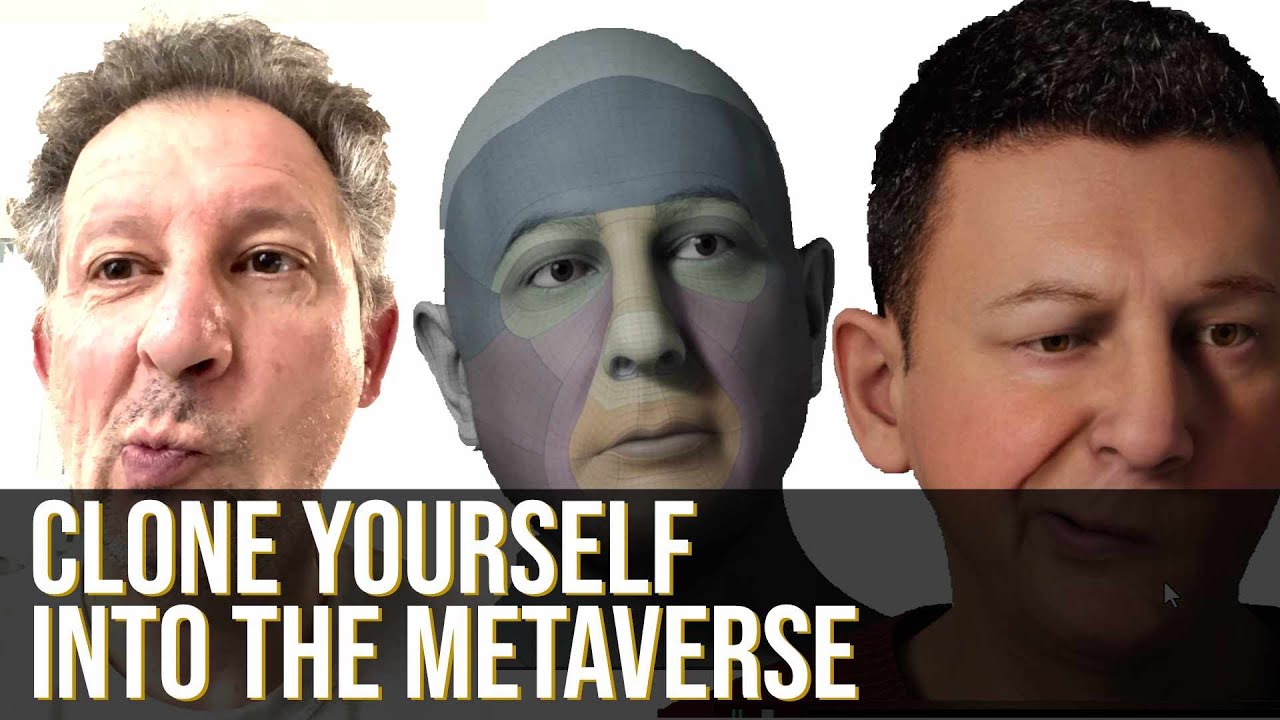
Here is an overview on how to create a perfect clone of yourself in the metaverse. You need a 3D scanner like Revopoint POP2, Blender, Metahumans Creator and Unreal Engine 5.
If you want a full tutorial, feel free to leave a comment.
halcyon stream
edgy tangle
ah ok firefox and chrome are unsupported, microsoft edge seems to work fine, shi...
huh ... I use metahuman creator in chrome without any trouble 🤔
edgy tangle
weird
ive tried a bunch of different browsers since and edge is the only one thats worked for me
 clear notch
Works fine for me in firefox
 sharp latch
I have created an AI that creates metahumans from one 2d selfie


not perfect yet but getting closer


untouched results
sharp latch

 sudden berry
How to pimp a Meta Human body : https://youtu.be/itEaKemD_vg ; https://youtu.be/kjHCgNeVZ5U

How to pimp a Meta Human Body
Used Mesh Morpher & Wrap

See part 1 before !
Used Mesh Morpher & Wrap
 woeful vortex
hey folks, brand new to UE5. is there a list anywhere of iphone versions/models that can be used to do a face scan for the mesh to metahuman pipeline?
plain haven
woeful vortex
hey folks, brand new to UE5. is there a list anywhere of iphone versions/models ...
No. Anything goes, even DSLR cameras, just make sure it has manual controls (especially exposure, no auto exposure), balanced lighting in your scanning environment, and your model to be flat and facing front.
Once you gather the photos, you can make the scan in software like Reality Capture or Meshroom, then bring it to Mesh to Metahuman.
 wheat rampart
Hi,
Does anyone having the same issue as me with freezing MaYa while exporting MH character from latest 22.0.6 Bridge?
I've tried MaYa 20.3, 22 and 23 with no luck ans same result of "Not Responding" right after Bridge says "Export Successfull".
UPDATE: Rolled back Bridge and it works again like a charm.
 golden crest


 shy reef
hi does anyone has any idea where i can find the metahuman demo project to download? i cant seem to find it
bold fable

anyone know how to fix the initial scaling issue
it gets imported into maya way too oversized
dark swan
any idea whats causing this? had it happen a few times already when opening a metahuman skeleton mesh
 bold fable
dark swan
any idea whats causing this? had it happen a few times already when opening a me...
bold fable
dark swan
any idea whats causing this? had it happen a few times already when opening a me...
change the preview mesh
on the top left
to the full body preview mesh
dark swan
bold fable
on the top left
where on top left? in details tab?
bold fable
you gotta be in the skeleton
you're probably on the mesh
you can change it on the top right
then on the top left its gonna give you the option to change the preview mesh
you cropped it out
on the picture you sent
 bold fable
 dark swan
i'm on UE5, there is no preview mesh button or they moved it somewhere else
bold fable
google it
dark swan
aight, thanks for the help
clear notch
dark swan
you mean this?
You need to go to Window on the top tool bar and enable "Preview Scene Settings" to be able to change the mesh on the skeleton.
You can even add meshes there.
If you download a metahuman without clothes, you'll get a full mesh also.

 gloomy hedge
hey guys - when i render the metahuman sample animation with my own creation the hair flies like crazy on the camera cut - i cant figure out how to prevent this!

i disabled the camera cut for warmup but that wasnt it.

btw - i use epics r ender preset for and from their own project:

playing inside unreal doesnt cause this
same frame inside unreal
 sudden berry
gloomy hedge
hey guys - when i render the metahuman sample animation with my own creation the...
sudden berry
gloomy hedge
hey guys - when i render the metahuman sample animation with my own creation the...
Check the collision size in the groom physics settings ... decrease it and it will work , I had the same problem, it solved it for me.
 sudden berry
No , in the groom settings , 5 is default and way too high :
 gloomy hedge
thank you - found it - unfortunately it reduces the effect but its still like a baloon exploded right before the camera cut
baloon got smaller tho 😉
i am still wondering why it is in the render - not the real time
sudden berry
lol ... if you tick simulate or "Alt+S" does the hair look ok ?
gloomy hedge
jeah - totally
sudden berry
so it does only happen with camera cutz?
gloomy hedge
jeah
when i render a jpg sequence
inside unreal its just fine
it seems almost like the new camera re-initializes the metahuman
like putting it there right in the same frame the new camera is recording
thats why i think its not solved with the hair...
rather some warmup for the next camera so it has already initialized the actor or something...
does this makes sense?
it is like if you jump on the timeline and the hair adresses the sudden move
sudden berry
Try this :

 sudden berry
yeah , a higher temporal count is not good for physics , only for motion blur....
halcyon stream
sudden berry
yeah , a higher temporal count is not good for physics , only for motion blur.....
I really like your groom stuff on YT, congrats for all teh great vids and for helping out 👍
sudden berry
halcyon stream
I really like your groom stuff on YT, congrats for all teh great vids and for he...
Thank you 😁
gloomy hedge
Thanks for your help - was trying to figure this out all morning!
sudden berry
you are welcome....
gloomy hedge
ok its back
even with your settings
i restart the engine if it still occurs i give up
sudden berry
ohh ... never give up ! you need warm up for camera cuts ! And switch Anti Aliasing to "None" The spatial sample count will do the AA
halcyon stream
 gloomy hedge
I like your motivation and i am really persistent usually to get my results
but this is a preset from epic from a project from epic for a product from epic and it doesnt work.
sudden berry
UE5 has a lot of bugs ... sadly
 sudden berry
ok , let me try it .... which groom hair is it ?
 sudden berry
I will do some tests ... give me some time...will let you know....
gloomy hedge
you can see a giaaant hick up when the cam cut is being rendered and the MH just pops in and the hair reacts
gloomy hedge
sudden berry
I will do some tests ... give me some time...will let you know....
thats really nice but please dont waste your time on my problem any longer 😦
i really appreciate it