
#metahumans
1 messages · Page 16 of 1
 indigo tapir
Does metahuman not use shape keys? I exported one face to fbx for Blender and I don't see any shapekeys.
 marsh plaza
I believe it bakes them on export, you'll probably have to define custom ones
 violet lava
Is this a good place for control rig questions?
 viral whale
hello i am trying to combine the metahuman face with the noir character but the character's face is distorted
 granite summit
hey im having a problem, i got the confirmation email but when i try to launch the web app i get stuck in a redirect loop
 hexed pelican
wtf why it doesnt reatarget torso?

 silver current
Anyone knnow how to export metahuman rigs from maya to unreal??????
 novel plover
is there a tool that allows us to rotate instances manually from foliage?
@silver current can you try by using Blender as intermediate ?
 plucky kelp
granite summit
hey im having a problem, i got the confirmation email but when i try to launch t...
plucky kelp
granite summit
hey im having a problem, i got the confirmation email but when i try to launch t...
I'm having this issue too. It just keeps saying "Your access to MetaHuman Creator is confirmed. Stand by while we redirect you." and redirecting me back to the same page
granite summit
yeah its a pain
 rigid thistle
Hey there. I am having the same issue here. If you manage to solve it please let me know. It's driving me crazy.
 spiral trail
plucky kelp
I'm having this issue too. It just keeps saying "Your access to MetaHuman Creato...
spiral trail
plucky kelp
I'm having this issue too. It just keeps saying "Your access to MetaHuman Creato...
try this link https://metahuman.unrealengine.com/
if you have access you should be able to see it.
it would say setting up....
granite summit
nope doesnt work im having the same problem and it brings me to the same page
 violet lava
Anyone able to advance the editor utility widget to set properties on the sequence?
 dapper heath
granite summit
nope doesnt work im having the same problem and it brings me to the same page
dapper heath
granite summit
nope doesnt work im having the same problem and it brings me to the same page
Same here, business as usual.
Epic's web department is just pathetic, I'm sorry to say.
 brave locust
did u find the solution yet ?
brave locust
hexed pelican
wtf why it doesnt reatarget torso?
In the construction script of your metahuman

 crystal marlin
brave locust
did u find the solution yet ?
crystal marlin
brave locust
did u find the solution yet ?
Nope
brave locust
crystal marlin
Nope
just check the picture above then
 tulip heart
granite summit
nope doesnt work im having the same problem and it brings me to the same page
tulip heart
granite summit
nope doesnt work im having the same problem and it brings me to the same page
Will this be ever fixed?
spiral trail
granite summit
nope doesnt work im having the same problem and it brings me to the same page
it looks like you are not approved
this is what i get

have tried going the the link i sent yesterday?
if you got the confirmation email then try the link from there
go to this link
i just tried to launch it from the epic games website from https://www.unrealengine.com/en-US/metahuman-creator and clicked on get early access and it worked for me

Unreal Engine
Create photorealistic digital humans, fully rigged and complete with hair and clothing, in minutes.
dapper heath
That's not the problem, I received an email from epic confirming I was granted access and still get that infinite redirection
dapper heath
Honestly, I'm already used to see how Epic's web services work like crap, or don't work at all.
spiral trail
that is so true
has anyone notified Epic?
not that their web services are crap but about this problems in specific?
dapper heath
There are a few threads at the forums
 midnight vapor
spiral trail
i just tried to launch it from the epic games website from https://www.unrealeng...
midnight vapor
spiral trail
i just tried to launch it from the epic games website from https://www.unrealeng...
I tried the link got the same thing click launch the app then the looping starts still broken
midnight vapor
no
spiral trail
has anyone tried to clear the cookies and all web data from thier browser?
it is most likely on thier end, but it is worth a try
 winged saddle
Hi all! Does anyone know how to export a skeletal mesh's lod from ue4?
 gilded pivot
U I faced the same problem of infinite redirects, if it's as simple as an installation file, can't you guys just send it here on chat?
dapper heath
It's a web based app
gilded pivot
what can I do than, it just keeps redirecting me to the same page
after a while of doing that it takes me to this
 dapper heath
I don't think there is anything you can do except to wait and see if they bother to fix it.
spiral trail
they probably will say "we are sorry to hear about this. We will do our best to fix this a soon as possible" but they really mean to say " We dont care about your problems, and we will fix it when we feel like it. If you try to contact us we will just tell you 'uh oh sorry'"
gilded pivot
when you do it what link does it redirect u to, maybe that would work
 spice plaza
rigid thistle
Hey there. I am having the same issue here. If you manage to solve it please let...
spice plaza
rigid thistle
Hey there. I am having the same issue here. If you manage to solve it please let...
I'm gonna work on it today actually, might take more than a day to figure out though...backup plan is just to change everyone's hairstyles to those which support cards, i think at the very least that should work
hexed pelican
does metahuman works with 4 24?
 tall rain
Does alembic groom works with raytracing GI?
spice plaza
When you have a bad hair day #MetaHumanMemes
 plucky kelp
spice plaza
When you have a bad hair day #MetaHumanMemes
plucky kelp
spice plaza
When you have a bad hair day #MetaHumanMemes
That hair looks like it is made of finely woven gold threads.
spice plaza
plucky kelp
That hair looks like it is made of finely woven gold threads.
She hasn't turned Super Saiyan yet
silver current
novel plover
<@!698935047436107857> can you try by using Blender as intermediate ?
Metahumans is not for Blender...you have to use Maya.
granite summit
spiral trail
it looks like you are not approved
yeah you were right i got another email
i think the working is just confusing on the redirect link
spiral trail
thats what i thought
dapper heath
I just received an email from Epic: "We have identified and resolved a service issue with the MetaHuman Creator Apply Form on the unrealengine.com website. You may now access the MetaHuman Creator Tool by visiting https://www.unrealengine.com/metahuman-creator"
...but it still doesn't work, now it has another redirection issue, a different one.
It would be hilarious if it were not so pathetic
granite summit
just reread the email i got the same message
spiral trail
@dapper heath Psycho, make sure you are actually given access to it. You should have recieved an email saying Ypu now have permission

 spiral trail
the first email is the one that lets me access the portal
 neon epoch
Heyyy!! kindly hellp please 🙂
I have watched many many tutorials, but maybe i completely overstepeed this or cant recall it or any tutorials or keywords to search, but can someone please help me turn off the control rig debug visibility !!
i cant seem to find a setting anywhere
 dapper heath
spiral trail
<@!285255762895437824> Psycho, make sure you are actually given access to it. Yo...
dapper heath
spiral trail
<@!285255762895437824> Psycho, make sure you are actually given access to it. Yo...
Already told you I received that email
Anyway, I was finally able to access, but the app doesn't start due some javascript errors


Basically another infinite loop 😄
I'd say they are trolling me but I know it's just plain incompetence.
spiral trail
try clearing cookies? maybe? at this point its just better to wait until alpha release
midnight vapor
hey its up and running just got a email from them and now it working
spiral trail
yay!
 tidal harness
why my character's hair keep disappearing?
midnight vapor
mine disappearing to but only on the male my female is fine?
 tired bluff
any character artists here familiar with the metahumans meshes and skeleton? I'm looking for ways to get the male body mesh to morph to female but obviously doing it directly doesn't work due to completely different topologies. (even at LOD2 and beyond where they appear to have the same topology, it doesn't work either.)
I basically tried modifying it to a cage mesh and then conforming/shrinkwrapping it to the mesh below, with fairly poor results. perhaps blender has a way to sculpt against a reference mesh?
spice plaza
Eyelash card fix anyone?
tulip heart
Is it possible to export to UE5EA?
 heady siren
Has anyone had issues with mesh distance fields and meta human hair meshes?
I'm running into cooking issues directly related to DistanceFieldAtlas and meta human hair LOD static meshes
spice plaza
spice plaza
Eyelash card fix anyone?
So it seems like the last node in the metahuman BP construction script is messing it up
Removing it or setting it to a lower number like 1 works. If you set it to 0 LOD 0 gets messed up...
rigid thistle
spice plaza
So it seems like the last node in the metahuman BP construction script is messin...
Hey, thanks for the input. Unfortunately it didn't work for me.
I've been running some test and if you have more than one character with the same type of hair on the scene, it starts to flicker.
It also appears to be a GPU performance issue involve. I have a complex landscape that if I leave it on, every hair starts to flicker. But if I turn it off, and have no hair repetition, it render just fine.
 naive roost
How to replace the body on the MetaHuman for creating your own custom characters: https://www.youtube.com/watch?v=nxJfZNOUmbE&t=9s

In this video tutorial, I'll go through all the stages of using the MetaHuman head on an alternate body.
Those MetaHumans, eh? They look lovely. So much detail. Great textures. But the bodies? not so much. They're... well, they work. So how do we get to use the MetaHumans in any real way? We're going to need to swap out the body to use it in a ...
 native spire
Hmm, looking at this stuff again after a bit of a break. I could have sworn there was a body without the underwear in the editor once you import your first Metahuman, but I can't seem to find it now. Need to replace the underwear with more historical designs 😄
Seems the underwear is baked into the normal 😦
native spire
Trying to edit them out in the textures, but the roughness map won't open in photoshop 😦
dapper heath
If I understand correctly the app exports the character in a modular way?
 karmic dagger
Why i have this problems with fingers?

 stiff fulcrum
spice plaza
When you have a bad hair day #MetaHumanMemes
stiff fulcrum
spice plaza
When you have a bad hair day #MetaHumanMemes
hair broom
naive roost
karmic dagger
Why i have this problems with fingers?
Did you retarget the animation? It looks like you've got your bones in the wrong order.
karmic dagger
yeah, @naive roost that was the reason - bind pose
 blazing swift
so how i can make this a one piece skeletal mesh that works with the ue4 skelton?

i would of thought out of the box it would be rigged to ue4 skelton and ready to go
blazing swift
ty
dapper heath
blazing swift
i would of thought out of the box it would be rigged to ue4 skelton and ready to...
Doesn't it?
If so that's a huge bummer.
blazing swift
not that i can see it just includes a blueprint with all of the pieces put together
not something i can just switch out with the default mesh
dapper heath
Well, I can't imagine why it wouldn't export UE4 rigged, considering it's a tool made to work specifically with this engine.
blazing swift
thats what i thought lol
spice plaza
blazing swift
i would of thought out of the box it would be rigged to ue4 skelton and ready to...
Its more complicated than the UE4 skeleton, has additional bones
you'd be interested in the body component
You can still retarget animations made for UE4 mannequin (manny) onto it tho
 lethal cloak
Hi, someone, can told me why the face mesh is doing this?
naive roost
What is the body you're using? The neck plane is just clipping through. Use the tutorial I posted above to hide the lower part of the neck plane on the metahuman facemesh.
plucky kelp
Hey I have a question I have an Android and no iphone meaning the only way to do facial motion capture is faceware but is there a plugin where you can type out text and it generates the correct consonants and vowels?
lethal cloak
naive roost
What is the body you're using? The neck plane is just clipping through. Use the ...
Can you give me link? I can't find it
naive roost
lethal cloak
Can you give me link? I can't find it
https://www.youtube.com/watch?v=nxJfZNOUmbE&t=9s The part you need to hid the neck is around 19 minutes in.

In this video tutorial, I'll go through all the stages of using the MetaHuman head on an alternate body.
Those MetaHumans, eh? They look lovely. So much detail. Great textures. But the bodies? not so much. They're... well, they work. So how do we get to use the MetaHumans in any real way? We're going to need to swap out the body to use it in a ...
 sonic wyvern
Is there a way to extend the base facial modifications? At many points i wish i could just pull the modifier a bit further but it gets capped.
naive roost
plucky kelp
Hey I have a question I have an Android and no iphone meaning the only way to do...
Acculips in iClone will do this, and it now supports MetaHumans
naive roost
sonic wyvern
Is there a way to extend the base facial modifications? At many points i wish i ...
Not using the Metahuman creator. It might be possible via Maya though.
 spring shuttle
sonic wyvern
Is there a way to extend the base facial modifications? At many points i wish i ...
spring shuttle
sonic wyvern
Is there a way to extend the base facial modifications? At many points i wish i ...
I'm sure you can tweak this at the Control Rig but it's a behemoth. I haven't tried that yet
 sharp galleon
blazing swift
so how i can make this a one piece skeletal mesh that works with the ue4 skelton...
sharp galleon
blazing swift
so how i can make this a one piece skeletal mesh that works with the ue4 skelton...
Robert downy jr
naive roost
Here's my first entry for Reallusion's iClone lip-sync contest. Metahuman head, with Daz3d body:
https://www.youtube.com/watch?v=WzFf7yXSpAM

These days, everone's an expert. But back in the early 90's, Uncle Tony was the authority on what made good TV. Here he is on the set of a little known sitcom, the name of which escapes me...
Made for Reallusion's 2021 lip-sync animation contest.
Replica Studios AI voice. Lip Sync in iClone. Rendered in Unreal Engine 4, composited in Vegas Pro...
 solar bone
hey guys, did anyone here try to let metahumans move faster through a sequence? say sitting in a car, on a motorbike or something like that? we have the problem that it stretches like crazy and does all sorts of crazy movement. while it looks nice when its just a normal slow motion type of movement
 solar bone
wellllll 😄
spice plaza
rigid thistle
Hey, thanks for the input. Unfortunately it didn't work for me.
I've been runnin...
Heyyy sorry for the very late reply. hmmm not sure if i have an issue with same hair type, but yea i have maybe a pretty complex scene too, with ray-tracing reflections and all that. Without adding all the metahumans in, i still get a frame rate of abt 40+ but if i add them all i get like 14 or sometimes lower, even when all but one metahuman is on LOD 7. Making them lod 7 you'd expect a high framerate but even when i go into wireframe view i still get really low fps, maybe to do with cache in Unreal Engine?
spice plaza
rigid thistle
Hey, thanks for the input. Unfortunately it didn't work for me.
I've been runnin...
But yea, onto the hair flicker thing. For me i just find that it can only cope with only a certain number of metahumans that are displaying strands. So in the end, I just made all their hair card based except for a few which isn't too much for my computer to handle. The number of strand based hair i can display at a time i found (given in my environment) is about 3, and I'm running a RTX 3090, processor 5950X and 64GB RAM.
solar bone
another question on the hair. is there any way to manipulate the way it sorts? we have transparent objects clearly behind the grooms but they partially sort in front of the hair.
in some cases i might understand it, as its only a few centimeters behind but in some cases we have some particles a few meters behind and parts of the hair look like they are behind those particles
translucency sorting order sadly does nothing on my end
i wonder, are these questions rather for the niagara board? as groom is sorta niagara. or is there a better fitting board?
naive roost
solar bone
another question on the hair. is there any way to manipulate the way it sorts? w...
You can change some of the parameters for the grooms, such as length, thickness, etc. I've tried making it 'clump' to appear wet, but without much joy. Note that I've only played with grooms direct from the MetaHumans, so from another source they may have different parameters available.
solar bone
thanks for the input but it has nothing to do with my question. grooms in metahumans are just grooms in unreal, doesnt matter where they originally come from. despite some tools having better export and import interfaces.
my problem is this:

vs what it looks like without particles behind
 naive roost
Sorry, completely misunderstood what you were asking before 😄 Try changing "Translucency Sort Priority" on the groom from 0 to 1
solar bone
🙂
 naive roost
Oh my gosh. I just read that you already tried that.
What is the particle system that's obscuring it?
I want to see if I can replicate the issue
solar bone
in this case its actually a plane with a prebaked fx texture, but other soft particles do the same. yeah i have tried putting this plane and the particles in sorting lower but also didnt change anything for hair :/
when i get really really close to the groom the issue vanishes. so its possibly even something with the temporal AA precision? no idea just guessing here
by really close, i mean this close:

if i move away a bit further it starts kicking in and gets really really noticable
i mean i could try to use a dithered alpha for the planes in the background. maybe that would do the trick
yeah that shouldm work, will have to do more to the material and would prefer it to just work with some object settings. but OH WELL
naive roost
This is the closest I could get to replicating it. I've turned the brightness up slightly to see better.
 naive roost
solar bone
if i move away a bit further it starts kicking in and gets really really noticab...
naive roost
solar bone
if i move away a bit further it starts kicking in and gets really really noticab...
How are your LODs set up? Try forcing LOD 0
solar bone
just tested if it also happens with additive material, yes it does
i only set up one lod. inside the groom there are no other

what you have there looks pretty similar, just the colors are so similar. in my case we have a lot of clods or snow or fog behind, so its quite a lot more contrasting to the dark brown hair
damnit even with dithered is there. way less appereant from most views, but from camera view its visible
 naive roost
Hmmm... I'm not having much luck. The only movement I've had on it is unchecking the 'Voxelize' and 'Use Stable Rasterization' boxes, but it's arguably not any better.
solar bone
the mean part is, i thought ui was successful. because from different camerangles it seems fine
 naive roost
I'm giving up. It's past midnight here. I'll take another look in the morning.
solar bone
No worries i will keep digging as well :)
 thorn nacelle
Do you know if you can create metahuman characters without clothes and multiple metahuman could be imported into ue4?
naive roost
thorn nacelle
Do you know if you can create metahuman characters without clothes and multiple ...
You can import as many as you like, but they'll all have at least underwear (and shoes, bizarrely) on.
thorn nacelle
naive roost
You can import as many as you like, but they'll all have at least underwear (an...
How do you remove the clothes?
Got it
@naive roost It won't let me remove the shoes.
thorn nacelle
If I retarget metahuman to my mannequin the fingers appear broken. Any idea what's wrong> https://gyazo.com/d3da639c612478699877c7029d3e3fa9
 naive roost
thorn nacelle
If I retarget metahuman to my mannequin the fingers appear broken. Any idea what...
naive roost
thorn nacelle
If I retarget metahuman to my mannequin the fingers appear broken. Any idea what...
A guide to walk through the requirements, setup, and process of retargeting exisitng animations onto a MetaHuman
Make sure you've follwed the steps here. The MetaHuman skeleton is not the same as the UE4 Mannequin skeleton
thorn nacelle
Thanks
naive roost
thorn nacelle
Thanks
Did it fix your issue?
thorn nacelle
I didn't get to try it but it seems it might work based on the instructions.
 vale orbit
Looking for a little help. When I’ve retargeted animations to MH (base_skel), the preview mesh is only the pants or only the hands. How can I make the animation preview mesh the whole MH Character?
naive roost
vale orbit
Looking for a little help. When I’ve retargeted animations to MH (base_skel), th...
There isn't a fullbody preview mesh for metahumans, due to the way the body is made up. You can make all bones visible though, which will give you an good indication of how the animation looks.
 leaden island
vale orbit
naive roost
There isn't a fullbody preview mesh for metahumans, due to the way the body is m...
leaden island
vale orbit
naive roost
There isn't a fullbody preview mesh for metahumans, due to the way the body is m...
Thanks, that's what I'd been doing. I think the work-around I'm settling with is placing the MH-Head on a paragon body, adding control rig, then moving on from there instead of relying on the stock metahuman bodies.
 quick sail
Hi all, I've been stuck on this problem for quite a few days now and I've found no solution. I am using iClone to control my metahuman. Using Take Recorder to record the performance, etc. I however am having no luck in the body animating. The face animates fine, I try with other characters the facial animation works perfectly, but there is zero connection to the body. I have been told I'm doing it right, but obviously something is not right. Does anyone have any resources or info on how to remedy this. Thank you a bunch !!
naive roost
quick sail
Hi all, I've been stuck on this problem for quite a few days now and I've found ...
can you share a screenshot of the character setup?
naive roost
vale orbit
Thanks, that's what I'd been doing. I think the work-around I'm settling with is...
Yeah, the default metahuman bodies are really placeholders at this point in time. Scrap them and attach to something better is the best option.
plucky kelp
Any way to remove womans underwear in material editor? I want to put on my own that I designed in CLO3D
I just fill underwear texture to skin with PS, but there are also underwear masks
When I try to disable it all skin just ruins

Aha, just filled purple zones to blue and its work now
 junior birch
plucky kelp
When I try to disable it all skin just ruins
junior birch
plucky kelp
When I try to disable it all skin just ruins
definitely check the fineprint on metas i dont think you can make adult films with it 😆
plucky kelp
junior birch
definitely check the fineprint on metas i dont think you can make adult films wi...
Its not for adult fimls
 noble cedar
vale orbit
Looking for a little help. When I’ve retargeted animations to MH (base_skel), th...
noble cedar
vale orbit
Looking for a little help. When I’ve retargeted animations to MH (base_skel), th...
On my end, I see a few different body_preview Preview Mesh options here in the Preview Scene Settings tab

Ah scratch that, seems to only apply to certain animations elsewhere in the file structure. (Not an animator here, so just been tinkering)
vale orbit
noble cedar
On my end, I see a few different body_preview Preview Mesh options here in the P...
True, I do have that as an option; but there is a disconnect between “whole mesh” and “animation”.
vale orbit
noble cedar
Ah scratch that, seems to only apply to certain animations elsewhere in the file...
All good, me either. I went through every permutation on a list and couldn’t figure it out. Migrating the head has been the most successful. Gonna try a mocap suit soon so hopefully that can smooth things out
noble cedar
Best of luck!
vale orbit
junior birch
definitely check the fineprint on metas i dont think you can make adult films wi...
Even male nipples’ textures don’t export from bridge into ue 😂
naive roost
junior birch
definitely check the fineprint on metas i dont think you can make adult films wi...
Now I know why you're after that motion capture suit 😉
junior birch
oof lol
plucky kelp
Hello folks, hope you are doing well, my knight certainly could use a chiropractor for that back lol

(at least the animations are working now)
junior birch
made a tut on my channel on how to fix that
plucky kelp
OH, thank you!
naive roost
Work in progress: https://www.youtube.com/watch?v=zuDwcRgVkh8

For my second entry, I'll (probably) be doing a scene from The Last Samurai, Tom Cruise's historical drama from 2003.
Rendered in Unreal Engine 5.
#iClone #AccuLips #LipSyncAnimation
https://bit.ly/3w8aUa5 (iClone Home)
https://bit.ly/2Ui5VpP (Contest Home)
 odd radish
Out of interest has anyone successfully mapped the metahumans rig to leap motion hand tracking? I've been having a lot of trouble getting the plugin set up in the first place
 white gulch
solar bone
the mean part is, i thought ui was successful. because from different camerangle...
white gulch
solar bone
the mean part is, i thought ui was successful. because from different camerangle...
Try exposing FHairstrandsSceneProxy and overriding CreateMeshBatch and GetViewRelevance
 heady anchor
i have a question on character poly count, this channel seems relevant but its not a metahuman Im working with.
 plain haven
heady anchor
i have a question on character poly count, this channel seems relevant but its n...
solar bone
white gulch
Try exposing FHairstrandsSceneProxy and overriding CreateMeshBatch and GetViewR...
plain haven
heady anchor
i have a question on character poly count, this channel seems relevant but its n...
solar bone
white gulch
Try exposing FHairstrandsSceneProxy and overriding CreateMeshBatch and GetViewR...
thanks, will do!
 manic pond
Anyone had issues with haircards on Vulken preview not animating with face? The grooms deform and look okay on sm5 preview, but switch to android preview and the grooms no longer follow the face
 hardy summit
I get this for the LOD 0 face material in 4.26 (plugins and console variables are set up correctly as far as I can tell)

 wet sequoia
hi everyone. how am i able to modify the facial blendshapes through blueprints? either directly, or through the face rig?
for previous models in unreal i had a blueprint pipeline through which i could read a CSV full of blendshapes values and apply automatically by updating the morph targets each frame
changing the morph targets values in the morph targets preview now doesn't seem to produce the expected effects
 ocean fulcrum
hey please I need export a character from Unreal engine to Maya is that possible?
 frank sun
hi is there someone that can help me with metahumans?
naive roost
ocean fulcrum
hey please I need export a character from Unreal engine to Maya is that possible...
https://www.youtube.com/watch?v=obtcuTXqHPs Only decent video I've seen on it. I haven't tried it myself though.

I spent the weekend figuring out this workflow so you don't have to. I hope you enjoy it. If you want to learn more from me and support this channel, I have a bunch of courses on https://digitalcreatorschool.com that you can access when you become a member.
Live Link Tutorial: https://youtu.be/lDFLrzZy2R4
00:00 - Intro
00:23 - Bridge Settings
...
naive roost
frank sun
hi is there someone that can help me with metahumans?
What do you need?
ocean fulcrum
naive roost
https://www.youtube.com/watch?v=obtcuTXqHPs Only decent video I've seen on it. I...
thanks I know this but it's not live link
https://www.youtube.com/watch?v=wZQEbEvSrNA somebodyu tested it?

 tacit spire
junior birch
made a tut on my channel on how to fix that
tacit spire
junior birch
made a tut on my channel on how to fix that
When will meta human last version be released? do you know
 zealous sonnet
tacit spire
When will meta human last version be released? do you know
zealous sonnet
tacit spire
When will meta human last version be released? do you know
June 2051
plain haven
tacit spire
When will meta human last version be released? do you know
According to my sources, sometime around June 9, 2024 🚬
plucky kelp
Is there any way to put different outfits on metahumans?
such as one that might fit a medival setting?
ocean fulcrum
Hey we need the live link between UE and iClone
https://www.youtube.com/watch?v=8HxhWC20yck I try to follow him but at part 2:51

Explore iClone MetaHuman Live Link: https://www.reallusion.com/iclone/live-link/unreal-engine/metahuman/
The exquisite detail of MetaHuman has captured the eye of the Media and Entertainment industry. However, how to bring MetaHumans to life without breaking the realism, for example, make them talk, emote, and perform as you wish is an immediat...
But I'm blocked... I don't kno why I can't link that like him:
naive roost
ocean fulcrum
But I'm blocked... I don't kno why I can't link that like him:
Can you show a screenshot of your setup?
frank sun
so im having this problem the metahuman body moves but without the head
 naive roost
frank sun
so im having this problem the metahuman body moves but without the head
naive roost
frank sun
so im having this problem the metahuman body moves but without the head
Try moving the animation from body to the main blueprint row. I thought it was a parenting issue first, but it's obviously not that.
 west cedar
How do I get the metahuman editor? And how do I export the characters I made to UE4?
plain haven
west cedar
How do I get the metahuman editor? And how do I export the characters I made to ...
First question: https://www.unrealengine.com/en-US/metahuman-creator
Second question: https://quixel.com/bridge
Unreal Engine
Create photorealistic digital humans, fully rigged and complete with hair and clothing, in minutes.

Quixel
Quixel Bridge provides 3D asset management and saves time with one click integrations to your preferred tools, for free.
west cedar
Thanks!
zealous sonnet

ICYMI: There's a new tutorial on how to retarget animations from the UE4 Mannequin onto a #MetaHuman on the MetaHumans documentation site: https://t.co/THTwMwrPNJ
 Twitter
·
naive roost
zealous sonnet
https://twitter.com/Chr1sTRoll/status/1417467033919311872
Twitter
·
naive roost
zealous sonnet
https://twitter.com/Chr1sTRoll/status/1417467033919311872
Nice. They added the preview meshes that @vale orbit was asking about last week 😄
 thin imp
Hi, I have a project for recording people talking, keep the sound, but with metahuman animation. I've tried iOS ARKit -> Livelink -> MetaHuman. The lips motion capture is not satisfying. Is there some other solution have better lips mocap? (cost less than $10k on equipment)
naive roost
thin imp
Hi, I have a project for recording people talking, keep the sound, but with meta...
Faceware has a free 6 month trial right now @junior birch has a link on his Youtube Channel. Or iClone's Acculips gets pretty good results, if you want to manually animate everything else.
thin imp
thanks!
can't blend Acculips and arkits together? or maybe arkits first, and clear the lips related keyframes, then use acculips on top of it?
naive roost
thin imp
can't blend Acculips and arkits together? or maybe arkits first, and clear the l...
Actually, yes you can. Solomon Jagwe has a video on recording the lips with acculips, then using ARKit for the rest of the face: https://www.youtube.com/watch?v=chY--CKKDOs&t=1248s

In this video I walk you through a Tutorial showing how I created a custom MetaHuman, which I used to narrate a part of the "I have a Dream" speech by Dr. Martin Luther King Jr. The MetaHuman facial animation is driven by an iClone character using Acculips + Live Face and an iPhone X, via the iClone Unreal Live Link to the Unreal Engine. More sh...
thin imp
👍
wet sequoia
hey, i'm trying to make a blueprint with a metahuman mesh and a face controlrig as components;
in the construction script i'm using add mapped skeletal mesh with the skeleton mesh and the control rig
and for a test, in the event play i'm going through all the control rig's controllers and set their value to 1.0 (for those whose float is relevant) - however nothing happens on my mesh; i can't seem to be controlling the mesh with the rig like this, what am i doing wrong?
all ideas are welcome
i can see for a subsequent looped print that controllers values have been set to 1.0 indeed, but the mesh isn't affected by the rig
naive roost
In your character blueprint add a 'live link skeletal animation' and set it to autoplay.
Animations don't usually play in a preview, so this might be the issue.
wet sequoia
so control rigs would only work with animations? i was hoping i could access and change the values through controls at runtime (in-game)
plain haven
wet sequoia
so control rigs would only work with animations? i was hoping i could access and...
Actually no. Control Rig could also manipulate animation in runtime.
There's a handy anim BP node appropriately called "Control Rig".
Though tbh I'm still far from over from experimenting and documenting it.
wet sequoia
this is how i'm fiddling with it in the hope of some visual feedback but nothing happens

are you talking about that control rig node?
i guess not, that's the control rig component variable called
ocean fulcrum
hey why I cant check animation case in 3dXchange please? https://i.imgur.com/DbSly5a.png
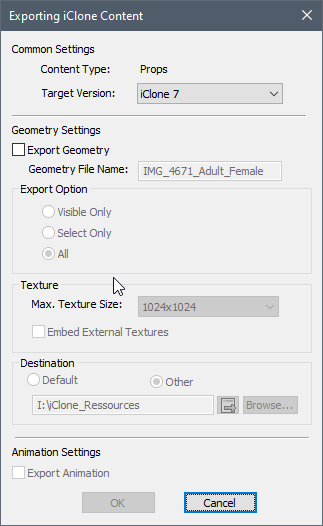
I imported my metahuman avatar here
vale orbit
plucky kelp
Is there any way to put different outfits on metahumans?
such as one that might ...
You can retarget the MH mesh components to the ALS_BP, then substitute the body components in the mh_als_bp with Gothic Knight armor components.
naive roost
plucky kelp
Is there any way to put different outfits on metahumans?
such as one that might ...
In this video tutorial, I'll go through all the stages of using the MetaHuman head on an alternate body.
Those MetaHumans, eh? They look lovely. So much detail. Great textures. But the bodies? not so much. They're... well, they work. So how do we get to use the MetaHumans in any real way? We're going to need to swap out the body to use it in a ...
 random crag
Hi i having problems exporting my metahuman to unreal engine 4, this is the error that comes: Error
Could not export asset with id 3k4yjKeU to Unreal because it does not have Uasset
 naive roost
random crag
Hi i having problems exporting my metahuman to unreal engine 4, this is the erro...
naive roost
random crag
Hi i having problems exporting my metahuman to unreal engine 4, this is the erro...
Does everything export OK?
random crag
yes i have done this correctly
 naive roost
So if everything else is exporting OK, then there is nothing wrong with your setup, the problem must be with the MetaHuman files themselves. My advice would be to go back to the MH website, click on the character to edit it (you don't actually need to change anything), then exit. Bridge should show it as being updated, and allow you redownload it.
random crag
naive roost
Does everything export OK?
sorry actually no this error appears:Error
Could not export asset with id 3k4yjKeU to Unreal because it does not have Uasset
 plucky kelp
vale orbit
You can retarget the MH mesh components to the ALS_BP, then substitute the body ...
plucky kelp
vale orbit
You can retarget the MH mesh components to the ALS_BP, then substitute the body ...
Late, but thanks man. It helped
random crag
random crag
sorry actually no this error appears:Error
Could not export asset with id 3k4yjK...
can someone help me fix this?
wet sequoia
metahumans requires 4.26 as far as i know, i see you have 4.25
while we're here, any word on the hair/groom crash bug fix?
random crag
i dont have the 4.6
 wet sequoia
you need 4.26
 robust kelp
Hey fellas, I’m not experienced in modelling and just wonder: right now there is a lot of modular armour assets for basic epic skeleton, but since MH has additional spine bone most chest plates not working with it. In terms of modelling - is it possible for asset developer to change skeleton base from epic skeleton to MH? Or it’s something that you set at start and can’t change later on?
naive roost
robust kelp
Hey fellas, I’m not experienced in modelling and just wonder: right now there is...
You can just retarget the skeletons.
robust kelp
I cant. Epic skeleton doesnt have one spine bone.
hardy summit
Anyone know if we can hide the manipulators in a specific viewport only?
 random crag
How can i have the UN4 4.26 ?

 lunar nest
howdy - have there been any updates to metahuman creator since the early access launch? i wasn't vibing with it at the start because the toolset was very limiting in terms of recreating specific people etc, but am interested in revisiting it. can't find any info online about changelogs etc though.
random crag
thanks
 quartz hollow
Whenever my viewport is rendering the groom hair of the Metahuman, it seems that something is changing with the graphics settings or post process. Anti Aliasing seems to be off and also motion blur goes crazy (in combination with something else, not sure what. Maybe God rays).
Does someone encountered that too? How do I fix this?
quartz hollow
Example video where when the hair is rendered the ground flickers
naive roost
The Hair flicker is a known issue.
wet sequoia
is there any estimate on fixing the hair issues? in my case it doesn't flicker, it crashes my UE altogether; i can only work with metahumans if i delete the hair
is there a less destructive workaround?
 eager ermine
I am disappointed in the way MetaHumans is being setup as a "separate" item from Marketplace. The fact that it has a separate EULA and that it has very specific limitations with regard to how we use it on the UE4/UE5 platform is an issue as it relates to AI. I especially don't like the EULA bits on tracking.
The really great thing about the marketplace is how open it is for using plugins. I see the metahuman project as a complete reversal.
naive roost
This is from Epic:
MetaHumans are the future of character creation for Unreal Engine projects using the MetaHuman Creator.
So while the delivery method may be separate, I think there will be greater integration with UE5.
wet sequoia
use the MetaHuman Technology for the purpose of building or enhancing any database or training or testing any artificial intelligence, machine learning, deep learning, neural network or similar technology;
they mention it shouldn't be used to train or test ML/AI models, but don't say anything about using ML/AI with metahumans inside your project
random crag
hi,is the plugin location correct for the metahuman to un4, this is the default location

i always get this error
 plain haven
eager ermine
I am disappointed in the way MetaHumans is being setup as a "separate" item from...
plain haven
eager ermine
I am disappointed in the way MetaHumans is being setup as a "separate" item from...
If you want alternative for your machine learning shenanigans, go use paid alternatives, like iClone CC or Daz, or free alternatives like MakeHuman or MB-lab, though god forbid if GPL and its derivatives are the most permissive licences ever.
Easier done than said.
quartz hollow
How do I export every LOD of the Metahuman Eyelashes? I want to use the Cards version, but I only have the LOD 0 Strands version
plain haven
quartz hollow
How do I export every LOD of the Metahuman Eyelashes? I want to use the Cards ve...
There wasn't any.
quartz hollow
? The Metahuman Creator seems to have cards version for eyelashes till LOD3
plain haven
Nope.
plain haven
quartz hollow
? The Metahuman Creator seems to have cards version for eyelashes till LOD3
They're still strand based.
white gulch
anyone know why i'm getting these harsh shadows

nvm, it's raytracing shadows on movable lights
junior birch
anyone else having issues importing metahumans from bridge today?
naive roost
junior birch
anyone else having issues importing metahumans from bridge today?
I did one a few hours ago, with no problems.
 burnt brook
Is there a way to manipulate control rig controls at runtime?
Lets say i wanted to take the hand of a meta human in vr and move the arm with ik, is control rig the best way to do that? Or would the anim graph be a better place? Thanks.
wet sequoia
you might also access the controls of the control rig in an actor blueprint and drive from there if your vr inputs rather map like that
 south fulcrum
In UE5 is metahuman feasible for a real time game? Or is it still insanely intensive because it’s on a skeletal mesh without nanite
plain haven
south fulcrum
In UE5 is metahuman feasible for a real time game? Or is it still insanely inten...
MetaHumans shouldn't be used as is.
south fulcrum
plain haven
MetaHumans shouldn't be used as is.
Gotcha
naive roost
You can do whatever you like. Nanite makes your system work smarter, not harder. So all that power that's now sitting not being used can be leveraged to power something more intensive, like a metahuman.
Having said that, Metahuman bodies are awful, so that's the reason you probably wouldn't want to use them.
plain haven
Though Nanite doesn't even support deformations yet anyway
burnt brook
wet sequoia
you might also access the controls of the control rig in an actor blueprint and ...
Interesting, i'v seen that work on other models, but since metahumans are using a single control rig, the proportions dont match.
 vestal marsh
anyone had the issue of not being able to export metahumans to ue?
eager ermine
@ TrevorHill: I would feel much better about incorporating Metahumans into my project, if they made a clear distinction that AI used in the game that utilize Metahumans is OK. But in my opinion, the language used in the Metahuman Creator EULA is too vague to wait for some legal issue to arise. When they add protection to let me use the metahuman in the game in conjunction with an AI system that also runs the metahuman then I will feel much more comfortable. In the meantime, they don't explain how an AI is to supposed to "Learn" how to use the metahuman if it can't be used for training? So, I feel like its a total dead end from that perspective. And it's the second main reason why the EULA is prohibiting my use of the metahuman creator.
naive roost
eager ermine
@ TrevorHill: I would feel much better about incorporating Metahumans into my pr...
Ah, I think your fears are unfounded. They specifically mention that MetaHumans are to be used as characters for games. The sentence you're concerned about reads as follows:
(j) use the MetaHuman Technology for the purpose of building or enhancing any database or training or testing any artificial intelligence, machine learning, deep learning, neural network or similar technology.
I would suggest that this refers to the TECHNOLOGY behind the software, not the end product of the software, the MetaHumans themselves. The very first line of this paragraph states:
You may not do any of the following with respect to the MetaHuman Technology or any of its parts:
Ergo, MetaHuman Technology refers to the entire system, not the end product, which the characters are a part thereof, and is explictly allowed to be used as data in a game, AI driven or otherwise.
eager ermine
Understood, but how am I to train my AI to use it?
I get that my AI is allowed to use the AI in the "end product"... but, the wording as I see it, prohibits the training of the AI in the first place.
naive roost
From the end of the agreement: “MetaHuman Technology” means the MetaHuman Assets, MetaHuman Creator and the Generated Characters (excluding UGC and Retained Rights).
So honestly, I don't know.
I would just use it, until they tell me I can't 😄
eager ermine
and that's my problem as well. I dont KNOW either, and its not worth the risk to find out.
I would rather they make the EULA more obviously safer for me to use and make it clear.
naive roost
It seems a bit odd that they spend millions on a product that nobody is allowed to use.
eager ermine
Well, I agree. But as I see it, they purposely spell out NOT to use it to train AI.
naive roost
What is the intended purpose of the MetaHuman? To create realistic looking games characters.
eager ermine
right...
naive roost
So why wouldn't they let you use it for that purpose?
eager ermine
but why spell out in the EULA NOT to use it to train AI?
naive roost
I think the sticking point is the definition of training an AI.
What you and I have in mind in this discussion, is probably not what Epic had in mind when writing the EULA.
eager ermine
deep learning to use the AI to control the metahuman would certainly sound like training to me...
naive roost
I agree with you, it's a minefield.
eager ermine
Thanks. I hope they can make some modifications to the Metahuman Creator EULA to clarify this issue.
The really odd thing is that as far as I know, metahumans can only be used with UE4/UE5 already. So, I don't see the point in the prohibition.
naive roost
From the FAQ: Can I use characters generated in MetaHuman Creator for deep learning?
MetaHuman Creator
No. MetaHuman Creator and the MetaHuman assets may not be used for the purpose of building or enhancing any database; training or testing any artificial intelligence; machine learning; deep learning; neural networks; or similar technologies. However, characters generated in MetaHuman Creator can be animated with systems that are themselves driven by artificial intelligence or other similar technologies.
eager ermine
right.
again... its logical BS.
there's no way to do what they say.
There's no way to "drive" a metahuman with an AI... if it can't learn how to use it.
I mean, from my perspective, how will I go about "training" the AI?
should I use... a dummy metahhuman that is not really a metahuman?
naive roost
But is your in-game AI actually learning, or following a list of rules?
eager ermine
philosophically, is ANY AI actually learning? I would say, in the spirit of their words, "Training... any AI, machine learning" etc qualifies
naive roost
Moving from one status to another based on a series of events is not learning.
Lets say your character attacks the AI - will the AI ever actually try to resolve the conflict in any other way than has been programmed? In a videogame, that's highly unlikely.
eager ermine
I will agree that if I program a specific set of rules that my AI uses to drive the AI, then yes, that would be ok. My concern is that I can't use the AI to actually "learn" how to use the Metahuman at all.
naive roost
I have to agree with you though - the definitions of these terms definitely need some work. As it stands, Epic can interpret these things to mean whatever they want to.
eager ermine
I also don't see why they would put such a restriction in the EULA.
I think they need to spell out what they are trying to restrict.
naive roost
eager ermine
I also don't see why they would put such a restriction in the EULA.
I'm guessing it's purely because it's their baby, and it's way ahead of anyone else, so they're being protective.
eager ermine
(because exactly it is soo vague)
naive roost
Exactly. And these terms can change very quickly in this world.
eager ermine
wouldn't the "you are not allowed to reverse engineer" boiler plate usually in licenses protect against this?
naive roost
Hmmm... Deepfakes are Machine learning. Photo generators are Machine Learning. I'm guessing they just don't want their product turning up where it wasn't designed to be used.
eager ermine
I see. I think that is very reasonable.
I guess I would like to see wording in the EULA to clarify that we may use Machine Learning, AI, Training to drive the control rig / animations.
Then I would feel a lot more comfortable about it.
Thanks for the discussion. I really appreciate the replies.
naive roost
Any time 😄
 west wasp
Greetings! Have anyone made custom groom?
I have 4 groom assets. And one of them can't be properly attached to mesh during animation.
All of them made the same way, and exported from maya
During animation it just flies away for several meters and spins around.
indigo tapir
Has anyone tried exporting a roughness map from Unreal's metahumans? It's just a pure black texture for me.
eager ermine
@plucky kelp I can definitely work around having the AI "deep learn" the control rig. I just don't like vague contractual obligations that have potentially hidden meanings. So I tend to err on the "what if they use it in this way"... Assuming the FAQ is correct, and I can drive the metahuman with AI, then I should be ok in the near future.
However, things like having the AI learn how to smile, wink and whatever from a real human would be NICE... and my assumption is that the only emotions I will be able to use would be hand coded ones.
As far as GPL'd code...
(thinking)
IF, the code was generated such that the AI had no contact with it. And it was generated in such a way that functionality was the same but the code was "different", I think it would be ok, tho I am no legal expert. But if the AI was aware of the code, then prob. not.
naive roost
indigo tapir
Has anyone tried exporting a roughness map from Unreal's metahumans? It's just a...
If you export as a .tga file it comes out as pure black. You can export as a .dds file and it will come out normally. You can load this in something like paint.net (free) and convert it to whatever format you like, then edit and reimport.
plain haven
eager ermine
As far as GPL'd code...
MB-Lab is AGPL for the model, but should be fine for AI stuff.
plucky kelp

RenderHub
THE VERY FIRST CONVERSION of METAHUMANS to DazStudio Genesis, To Use with : Daz to Unreal bridge !You "Should" Render With Unreal Engine for Commercial final productsProduct Includes : Metahuman ADA Character Converted to DazStudio Genesis For Usage with Daz To Unreal Bridge / Daz to Iclone to Unreal / And Other Pipelines HD Scan Based fidelity ...
 plucky kelp
I heard metahumans use grooming stuff oftwn
Does anyone know if you can use post process effects on grooms for a more cartoon like groom hair look
And if so where or what would I have to do to learn how?
Id really really really appreciate a point in the right direction...
naive roost
plucky kelp
Does anyone know if you can use post process effects on grooms for a more cartoo...
This is with the Chameleon Post Process Toon effect applied. I've not changed any values. Chameleon is here: https://www.unrealengine.com/marketplace/en-US/product/chameleon


Unreal Engine
Chameleon is an advanced Post Processing Blueprint actor for Unreal Engine 4 with 74 customizable and combinable effects.
junior birch
starting a new series in my channel called ue5 in 5 minutes pretty much a tutorial series for beginners. Heres the first episode https://youtu.be/5FAFnbFP1BE

Unreal Engine 5 in 5 Minutes Part 1,ue5 in 5 minutes,animate in ue5 in 5 minutes,ue5 animation in 5 minutes,ue5 beginner tutorial,ue5 beginners guide,ue5 beginner,ue5 animate metahuman in 5 minutes,unreal engine 5 beginner tutorial,unreal engine 5 beginner crash course,unreal engine 5 beginner,how to animate metahumans,animate metahuman unreal,u...
 glacial flax
Hi all! I have a potentially silly question but an important one for the production pipeline for the project I'm working on. Can you capture footage with LIDAR and iPhone, perhaps within Livelink, and then later incorporate it into Unreal and the MetaHumans? I have voice actors who may need to record their lines remotely and flying to them with my setup will be seriously cost prohibitive.
 quick portal
^speaking of livelink, does anyone have any ideas why it wouldn't be working?
I have an iphone 12, the app works, it has my IP address configured. PC is in same network as the phone, I can even turn windows firewall completely off on my PC, and it just won't show up in UE
I've enabled the livelink plugins, the udp messaging plugin is on (which seemed to be something someone had problems with based on googling), I have no idea what could be up with it tbh
 cursive wigeon
Is it possible to cut Daz studio char head and skin wrap to metahuman head. Will it work, did any1 tried??
naive roost
cursive wigeon
Is it possible to cut Daz studio char head and skin wrap to metahuman head. Will...
What do you mean 'skin wrap to metahuman head'? I've put metahuman heads on Daz bodies, Used Metahuman materials on Daz characters and pretty much everything else useful: https://www.youtube.com/channel/UCFR6AhL8ItxQnHG3PZ_lncA

YouTube
Creating animations and tutorials in Unreal. Trying to not break stuff.
cursive wigeon
naive roost
What do you mean 'skin wrap to metahuman head'? I've put metahuman heads on Daz ...
What u did wont work if ur char is wearing less cloths like a swimsuit or something. What i wana know is if u can cutout daz head go to 3dmax skinwrap it on metahuman head. And then wether if u can use metahuman head pose controls to pose daz head as u can do with metahuman heads
naive roost
cursive wigeon
What u did wont work if ur char is wearing less cloths like a swimsuit or someth...
Aha. The short answer is no. The Daz head won't support the Control Rig (I've seen people getting it to work on the Daz forums, but it such a complicated process, the end result is not worth it. I would suggest that the best workflow at the moment would be to push your Daz characters through Character Creator 3 and send them into Unreal via iClone. I've messed with the materials a bit, and used the Daz textures in the MetaHuman materials to get the best quality skins.
The other thin I would suggest is to use Maya rather than 3DSMax, as both Daz and Quixel Bridge support Maya.
 snow elm
I replaced the alsv4 character with a metahuman, and everytime I ragdoll, my head seizes
I already went through every joint and fixed the rotation, so im not sure what to do
odd radish
Is there a way to track head position (not just rotation) in the iphone live link? I haven't been able to find a way but I was pretty sure it was possible
 daring bane
can someone help me with hair problem , whenever i render in sequencer or press g , the meta human hair disappears
 open ice
Is the full version out yet?
 icy frost
Does anyone know why livelink can't find my phone in any other project than the metahuman example project?
Projects are the same ue version and all
naive roost
icy frost
Does anyone know why livelink can't find my phone in any other project than the ...
There are some files you need to download from Reallusion to get Livelink working It's at around the 18:00 minute mark in this video: https://www.youtube.com/watch?v=chY--CKKDOs&t=1227s
In this video I walk you through a Tutorial showing how I created a custom MetaHuman, which I used to narrate a part of the "I have a Dream" speech by Dr. Martin Luther King Jr. The MetaHuman facial animation is driven by an iClone character using Acculips + Live Face and an iPhone X, via the iClone Unreal Live Link to the Unreal Engine. More sh...
icy frost
naive roost
There are some files you need to download from Reallusion to get Livelink workin...
Thank you so much, I will give this a try! :)
 sleek radish
I got some clothes from Marvelous Designer, it fits perfectly on the preview mesh of my metahuman. But once I put it on the bp version it's clipping. How can I solve this?
 naive roost
sleek radish
I got some clothes from Marvelous Designer, it fits perfectly on the preview mes...
naive roost
sleek radish
I got some clothes from Marvelous Designer, it fits perfectly on the preview mes...
Use Master Pose Component to make the clothing follow the mesh
sleek radish
naive roost
Use Master Pose Component to make the clothing follow the mesh
The clothing has an animation so I'm not sure if I can use that
sleek radish
indigo tapir
Does metahuman not use shape keys? I exported one face to fbx for Blender and I ...
Did you manage to export the bp as fbx?
plain haven
sleek radish
The clothing has an animation so I'm not sure if I can use that
What kind of animation do you even give to the clothing? 
sleek radish
plain haven
What kind of animation do you even give to the clothing? <:lowendthink:572169259...
Using Marvelous Designer 😄
plain haven
Never used MD seriously so not sure what kind of animation you're referring to.
As far as I'm aware (or in my workflow echo chamber), clothing skelmeshes are imported without any animation sequence.
sleek radish
I drop the clothing into sequencer with its own animation that was simulated in md
plain haven
 neon geyser
the sys create the model for you
neon geyser
the sys create the model for you
Nope.
plain haven
sleek radish
I drop the clothing into sequencer with its own animation that was simulated in ...
Why not make the simulation happen real-time?
As in actually simulating them in-engine, not prebaking one
neon geyser
plain haven
Nope.
but u can make one in metahuman creator then export inside ue4 right
 azure moat
Does anyone know how did they hide joints in Metahuman source files for Maya? I can't get them visible.
sleek radish
plain haven
Why not make the simulation happen real-time?
Not sure if it'll look as good but I will give it a shot!
plain haven
sleek radish
Not sure if it'll look as good but I will give it a shot!
I mean, it's literally what every other game with cloth sim does. You'll be your own judge to see if it "looks good" or not.
Just don't expect accurate simulation down to every milimetre of the collisions from the body, but it looks convincing enough for large hanging parts.
sleek radish
plain haven
Just don't expect accurate simulation down to every milimetre of the collisions ...
You're right. I did plan on having smaller clothing like a mask on the face that's also simulated, I'll see if I can make it work
sleek radish
It seems like the BP mesh is changing during the animation while preview mesh isn't. They both got the same skeleton. Could I fix this somehow?

My workflow so far has been dropping the preview mesh in Marvelous Designer, simulate and then import the simulation into Unreal. But it was simulated on the preview mesh so it's not lining up with the BP.
naive roost
Could you not just put a zero material on the torso? to hide it? The hands and neck will still be visable.
sleek radish
naive roost
Could you not just put a zero material on the torso? to hide it? The hands and n...
I could! It's just that he'll look skinnier than he's supposed to, might not look right
But i'll give it a shot, thanks
 lament pasture
I am trying to add animation track in level sequencer using python for meta human its working for mannequin but not for meta human. when I try to get body component it returns null.
sleek radish
I've found the issue. The body mesh has a post process anim blueprint which the preview mesh was missing.
I can also apply the same post process blueprint on the preview mesh, but once I export an animation the post process is gone.
 quartz hollow
How do I change the Metahuman Beard Hair color inside Unreal?
 summer hazel
are metahumans usable in pc games?
 mint nest
Yes, even for smartphones games
summer hazel
mint nest
Yes, even for smartphones games
I mean in its current state
plain haven
summer hazel
I mean in its current state
Not yet.
And you ideally not using them as stop gap for your character workflow.
summer hazel
also has anybody managed to get the face morph targets to work with iclone? Our team is trying to use it for recording animations in the engine. We managed to retarget the body animations
 static hedge
My team is looking for solutions for capturing mocap and applying it to metahumans. We've tried Faceware and iclone with subpar results. Has anyone else looked into this? Would be awesome to hear about it!
hardy summit
static hedge
My team is looking for solutions for capturing mocap and applying it to metahuma...
You probably won't get high quality facial capture with cheap / free solutions. For body, something like Rokoko is a relatively "affordable" solution. If you do need face, though, and you don't have a lot to animate, you should consider hiring a character animator who can do realistic facial animations 👍
We're doing a combination of Rokoko for body and hand animating faces
 umbral bay
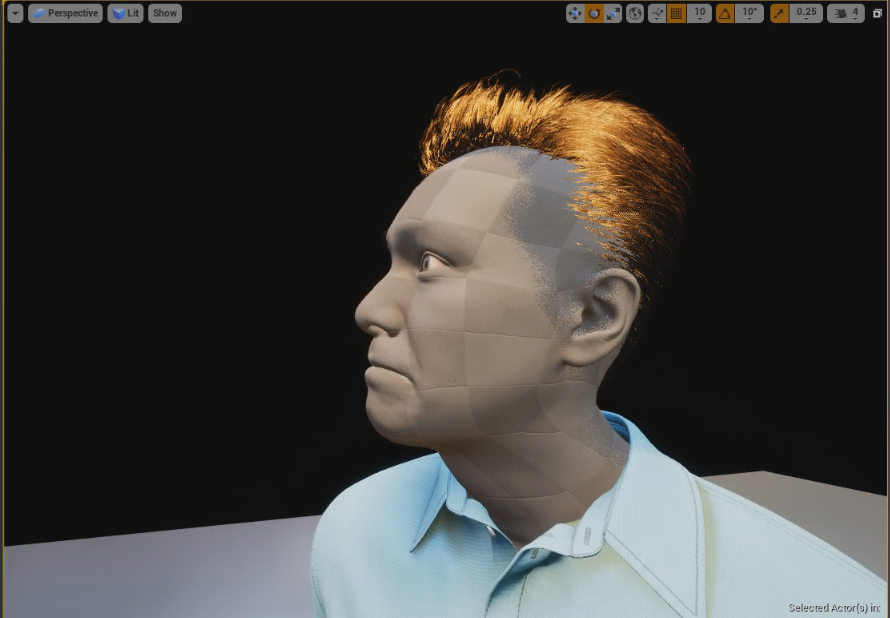
anyone else run into shader errors when migrating Metahumans into a new project? https://twitter.com/iBrews/status/1426946517630341127

Anyone else working with #Metahumans get shader compiler errors on M_Head after migrating to a new project? Everything else looks fine, hmmm
 Twitter
·
Twitter
·
 umbral bay
nothing new atm
naive roost
umbral bay
anyone else run into shader errors when migrating Metahumans into a new project?...
If I remember correctly, the errors don't appear if you've downloaded a metahuman using bridge into the second project before you migrate. This updates the project, and installs all the background files. Then, if you migrate the character you want across, everything else should be fine. It's been a while since I migrated like that though.
 proper ridge
Anyone familiar with "Copy Pose From Mesh" node? When setting up a custom body with Metahumans, I'm trying to experiment with Socketing the MH head to choice body joint, setting "Use Mesh Pose", and "Use Attached Parent" - while retaining support for Live Link and/or Custom ABP use in Sequencer.
Trying to understand how this node can retarget to a non-Mannequin body (such as Daz) - utilizing "Root Bone to Copy". Is this the joint of the target or the source that I'm setting as the root?
 proper ridge
Anyone familiar with "Copy Pose From Mesh" node? When setting up a custom body w...
proper ridge
proper ridge
Anyone familiar with "Copy Pose From Mesh" node? When setting up a custom body w...
LEFT: Daz Body (Genesis 8 Convention)
RIGHT: Mannequin Body (UE4 Convention)
With "Use Mesh Pose", I get a deformed head mesh (see Left). I can socket the head to the equivalent neck joint of the Daz Body, but that requires ticking "Use Attached Parent" to false, and I don't seem to receive proper neck rotation from the body for the head.
 plain haven
proper ridge
LEFT: Daz Body (Genesis 8 Convention)
RIGHT: Mannequin Body (UE4 Convention)
Wi...
plain haven
proper ridge
LEFT: Daz Body (Genesis 8 Convention)
RIGHT: Mannequin Body (UE4 Convention)
Wi...
Consider using hard retargeting or soft retargeting via Control Rig.
umbral bay
check your binding asset
For LOD, either use the LODSync component in each Metahuman blueprint, or the cvar r.SkeletalMeshLODBias
random crag
Hi,how can i make this fall all the way down ?
 edgy fjord
proper ridge
Anyone familiar with "Copy Pose From Mesh" node? When setting up a custom body w...
edgy fjord
proper ridge
Anyone familiar with "Copy Pose From Mesh" node? When setting up a custom body w...
Copy Pose From Mesh requires to work EXACTLY matching bones proportions, names and hierarchy
that being said it will just plain copy transforms of matching bones
if you try to copy pose from mesh of different proprtions than then target it may or maye not work, it will most likely break in some way
sleek radish
What would be the best way to make a white blind eye? I tried making my own textures but it didn't change much. Downsizing the pupils didn't look right either. Any tips?

What I'm trying to go for
 wet sequoia
hey what's up. i succeeded into using the control rig node to drive the face control rig controls inside a normal blueprint; i'm having difficulties into doing this for the body rig - e.g. trying to modify "head_ctrl" controller of the head joint by using "set control rotator" to rotate it does nothing
has anyone tried and succeeded on anything similar?
 tidal drum
sleek radish
What would be the best way to make a white blind eye? I tried making my own text...
tidal drum
sleek radish
What would be the best way to make a white blind eye? I tried making my own text...
Change the pupil color to white
plucky kelp
hi there, combining Custom Clothing + Physics + MetaHuman + Mocap in UnrealEngine .
proper ridge
plucky kelp
hi there, combining Custom Clothing + Physics + MetaHuman + Mocap in UnrealEngin...
Lookin good. Did you transfer weights across the neckline for the custom body? And how was cloth sim handled?
 cedar pollen
Hi I am having issue with female and male hands lining up, this is male default MH skeleton with Ava the female skeleton from MH project file. Is this normal and is their a way to fix?
 plucky kelp
Hey all,
I'm having this issue with getting MetaHuman male and female meshes to play animations. These animations that I'm working with has been animated using a male MetaHuman skeleton, so when I go to use a female MetaHuman onto the animations, the proportions seem off as seen in the picture. The animations play just fine, it's just the proportions that are not to scale it seems.
I'm not sure where I'd start looking to try and fix this issue, if anyone knows where I can at least start looking to solve this issue that would be great. Thanks!
 cedar pollen
Hi do you know if MH male and female have different or same skeletons?
cedar pollen
Does metahuman use Morph Targets or bones for skinny fat?
 proper mulch
I'm currently locked out of my UE account. Just wondering, has MH had any major updates over the last few months? I'm especially wondering about working ingame LOD and clothing variations
 fluid osprey
Hi Guys, sorry for the inconvenience, but i need help with metahuman.
I am trying to export the face model for example, when exporting it however there are no material slots.
is it just my problem or is someone else unable to export the slots material?
 red oyster
I'm having a strange problem with Metahumans. I've created Blueprints to give certain values based off of socket location. When the camera/ player moves away but is within view, it's as though the BP stops ticking, although always tick is enabled. This is not a problem with regular skeletal meshes. Any thoughts?
 feral kite
Hey, I'm facing a really big problem if it comes to performance and it's caused by LOD 0 and 1 of MetaHuman's hair. It's way too detailed for anything that I need. Could someone explain to me how do I turn off LOD 0 and 1 and so it only renders LOD 2+ ?
 glossy onyx
ARKit + Metahumans: There is a pose file for redirection metahumans poses to what Apple ARKit needs. I Would like to do this for my head as well; remap my blendshapes to ARKits names, once i create the animation with each 51 poses on each frame, i import that into unreal and create a pose asset. But how do i tell the pose asset which of my blendshapes is one of ARKit's shapes? EyeLeftClose -> EyeBlinkLeft for example

oh, perhaps it doesnt matter, the frame is my rigs movement and i just name that frames pose acording to the apple ar kit. I'll give it a try
 crisp totem
Does anyone know why this retarget is off? I followed Unreal's documentation on retargeting a Metahuman - In the MH model, the shoulders are pushed too far back and the string on the hoodie is sticking out. Thanks!
 plucky kelp
Metahuman Creator is so laggy in my browser. Any tip to speed it up?
 solar jungle
is it easy to use metahuman with mannequin skeleton?
i mean retagreting etc
naive roost
crisp totem
Does anyone know why this retarget is off? I followed Unreal's documentation on ...
The Metahuman used a slightly different skeleton. Use this guide: https://docs.unrealengine.com/4.26/en-US/Resources/Showcases/MetaHumans/RetargetingAnimationsOntoMetaHumans/

A guide to walk through the requirements, setup, and process of retargeting exisitng animations onto a MetaHuman
crisp totem
naive roost
The Metahuman used a slightly different skeleton. Use this guide: https://docs.u...
Hey thanks! But I used this to initially set it up and got the resulting issues
naive roost
The string on the hoodie will always look like that until the animation is playing. Try adding a 'livelink skeletal animation' to the character blueprint to see it running in realtime
The I'm not sure what's causing your shoulder issue though, if it's been retargeted correctly.
neon epoch
spice plaza
Heyyy sorry for the very late reply. hmmm not sure if i have an issue with same ...
still experiencing this by chance? or has anyone found a fix yet?
i just ran into this and came looking here 🙂
i too have LOT set to 0, as all prior reflection metahuman search brought up
neon epoch
The specific issue is RTX reflection and the hair groom
blazing swift
turned off hair physics and its still moving during driving cutscene and messing up
 brave locust
plucky kelp
hi there, combining Custom Clothing + Physics + MetaHuman + Mocap in UnrealEngin...
brave locust
plucky kelp
hi there, combining Custom Clothing + Physics + MetaHuman + Mocap in UnrealEngin...
awesome pal
 bitter sparrow
Hey everyone! I've got a metahuman that I've animated, and have physics applied to certain parts of the Torso. For some reason, when physics are activated, the head mesh dislocates from the body? I've tried setting the master pose from the face to the torso, but then I lose any facial animations I have.
Any thoughts?
 kind herald
Hello, Does anyone know if metahuman grooms have accessible source files for editing in xgen/maya or is there a way to export grooms for editing in an external 3d software? My goal is to refit metahuman grooms on a different character head model. Thanks,
spice plaza
neon epoch
still experiencing this by chance? or has anyone found a fix yet?
i just ran in...
I just use card (LOD 2+) instead of strand
spice plaza
neon epoch
The specific issue is RTX reflection and the hair groom
My issue wasn't with the strands not showing up in reflections though. You can try search for ray-trace switch in material
but there are known limitations with hair strands like showing up correctly on translucent background I think
 violet inlet
Does anyone know why the metahuman grooms are causing issues with Distance Fields and causing build failures?
I can't seem to find a way to prevent the grooms from affecting distance fields or vice versa
 azure moss
Need help guys! I do not know why I can not export Metahuman data to UE4.

 lunar bane
@azure moss Just a dumb thought have you enabled the Quixel Plugin in your Project
 rose current
Has anyone else had an issue where the eyebrows don’t appear on mobile renderers and the hair doesn’t bind for facial capture
naive roost
azure moss
Need help guys! I do not know why I can not export Metahuman data to UE4.
Which version of Unreal Engine are you exporting too?
azure moss
naive roost
Which version of Unreal Engine are you exporting too?
I reinstalled quixel bridge then I made it for some reason. Thanks for your comment though!
 outer haven
rose current
Has anyone else had an issue where the eyebrows don’t appear on mobile renderers...
outer haven
rose current
Has anyone else had an issue where the eyebrows don’t appear on mobile renderers...
It’s probably an LOD issue. In the metahuman blueprint, collapse all the tabs on the left side like “face” “body” etc until you get to the very last option at the bottom. Should be grey. Then go into its details and change the LOD display from -1 to 1
rose current
@outer haven Are you talk about lod sync if so that didnt work
white gulch
Does anyone know why vertex colors in metahuman FaceMesh affect displacement of GroomComponents? where can i check that relation? is it ignorable? (need to remove the vcolor from the face mesh)
eg:

 edgy sphinx

indigo tapir
Is there any way to get hair exported from Metahumans models to any importable format like .fbx or .obj or anything?
Also what happened to downloading 2k and 4k resolution metahumans?
 night lion
bitter sparrow
Hey everyone! I've got a metahuman that I've animated, and have physics applied ...
night lion
bitter sparrow
Hey everyone! I've got a metahuman that I've animated, and have physics applied ...
Idk, does your player blueprint reference the Face?
i just released my first unreal tutorial, and in the end i show where the face should be referenced (in construction script)

In this video i show you how to import your created MetaHuman into Unreal Engine, we change the Skeleton, and get the character to its first movements!
NOTE: in the mid/end of the video i didnt talk that loud, im sorry ;D
My Discord: https://discord.gg/WcqQYbCVPJ
night lion
there is also a face reference in the event graph
rose current
Does anyone know why hair won’t bind on mobile renders
 rotund wagon
I wanted to make an EXE where our users could create their own metahumans. I was thinking it could interface with the web client even. Anyone know if this possible or on the roadmap for metahumans?
night lion
After creating a metahuman it needs the generation and the download, (& import/skeleton check ofc) i dont think you could let a player customize a metahuman and download it into their gamversion
Gameversion*
In the future that process could be automated who knows
bitter sparrow
@night lion I'll take a look at that, thank you!
Secondly, does ANYONE know the proper export process for modifying JUST the face in Maya, and exporting in back into Unreal Engine?
I've got the mesh loaded in and the skeleton working properly, but the Control Rig doesn't work anymore
night lion
NP ;D i had the same earlier with my torso, the reference wasnt correct
rose current
Does anyone know why eyebrows lods only show on lod 0 when they’re 5
south fulcrum
This has probably been asked before, but it’s safe to say any real time games are probably not going to want to use metahuman if frame rate is important
 glass ravine
they have a bunch of LODs they aint that bad
the hair is cards on lower LODs and those can be problematic
i mean the particle hair is, the cards not so much
sleek radish
Does the hair look strange to anyone? Not sure if it's the lighting

He does have some white strands so could be that
sleek radish
You mean it looks alright?
glass ravine
ahh no i see some gray in there and that could be default cheker material
sleek radish
Hair is spazzing out during some lighting lol
 south fulcrum
glass ravine
they have a bunch of LODs they aint that bad
south fulcrum
glass ravine
they have a bunch of LODs they aint that bad
Gotcha thanks
 ornate venture
My download is extremely slow (using quixel from ue5), any idea why?
rotund wagon
TY @night lion that's what I'm seeing too... It's pretty unfortunate because this could be one of the most powerful tools ever built for gamers to make their own characters
Any idea if metahumans has a roadmap somewhere? No updates since its launch is concerning
crisp totem
When I have my MetaHuman set as my default Pawn Class I get this error when packaging - The error does not come up when using the UE4 default Pawn. Does anyone know how to fix this?

Full log https://pastebin.com/e94ZFQhT
Pastebin
Pastebin.com is the number one paste tool since 2002. Pastebin is a website where you can store text online for a set period of time.
sleek radish
Strange issue here, the face animation looks different when rendered from sequencer.
I noticed that I'm getting different results with various frame rates. Not sure how to get the exact one thou.
 sleek radish
Looks like adding the sequencer to a new one as a shot fixes this
open ice
Is the full version out yet?
brave locust
hey guys, i have an issue, i wanted to try to make an animation BP for the face with some facial animation according to what the player does. Prob is, has in the construction script i've made a "Set Master Pose" on the mesh body, the ABP doesn't work. And if I unlink the face from the "set master pose", well the face just... flies. Any idea how to fix it ?
 storm frigate
any way i can render the hair after the translucency or somehow set priority?

 lethal cairn
Guys sorry about the random question, but how much of a difference is there between iphone 11 and 12 LIDAR sensor when using face tracking(meta humans) and other similar features ?
white gulch
Hello all, can someone do me a favor and tell me what's the retartgetting order on a default metahuman? i've done a bunch of changes and am lost in git history

 fresh socket
Emma Stone in MetaHuman


 upper crown
Anyone found a way to be able to sculpt the metahumans in zbrush without messing up the rig and all?
 fresh monolith
fresh socket
Emma Stone in MetaHuman
fresh monolith
fresh socket
Emma Stone in MetaHuman
Cool job, almost there
fresh socket
upper crown
Anyone found a way to be able to sculpt the metahumans in zbrush without messing...
I found a way but with blender
fresh monolith
upper crown
Anyone found a way to be able to sculpt the metahumans in zbrush without messing...

Hey everyone,
Guillaume Broche here from Sandfall Interactive, a new video game studio based in France from ex-Ubisoft devs working on an RPG on Unreal Engine 5. Here is the first dev tutorial offered to you by our team. Want to create amazing realistic characters while keeping 100% artistic freedom ? Well this pipeline is made for you. You can...
spice plaza
Does anyone know how to remove these lines I get on a MetaHuman when I'm close to the face? Using a directional light
 lethal cairn
Guys sorry about the random question, but how much of a difference is there betw...
lethal cairn
lethal cairn
Guys sorry about the random question, but how much of a difference is there betw...
Anyone ?
 gray folio
Hey all, I'm using metahuman with sequencer. The control rig for the body works but the facial control rig doesn't seem to affect the model at all. The project's content folder was pasted from a different project's, which I guess would have caused the issue. Any ideas for fixing this?
glossy onyx
Metahumans as blendshapes https://www.artstation.com/artwork/3dyVom

ArtStation
I want to start by saying the release of metahumans is incredible, the detail they have achieved in their rigs are great. Using a bone facial system is great for rotating vertices around curved volumes.
I've been wanting to learn more about facial blendshape work and the metahumans release has been a boon. Unfortunately, for my uses 12 skin in...
night lion
crisp totem
When I have my MetaHuman set as my default Pawn Class I get this error when pack...
Already got a fix on that? did you change the MetaHumans skeleton to be the same as the UE mannequin one?
Heres my vid on how to animate a Meta-Human and use it with the UE4 Mannequin Animations (after you retarget skeleton etc) https://www.youtube.com/watch?v=L6-koJ1slhk&ab_channel=DeadEagle[UnrealDeveloper]
In this video i show you how to import your created MetaHuman into Unreal Engine, we change the Skeleton, and get the character to its first movements!
NOTE: in the mid/end of the video i didnt talk that loud, im sorry ;D
NOTE: Subtitles can be Enabled and should be Correct.
My Discord: https://discord.gg/WcqQYbCVPJ
if your still in trouble you could always send me a PM
crisp totem
night lion
if your still in trouble you could always send me a **PM**
Hey, I’ll check your video out. Thanks! 🙂
 unreal hornet
I was thinking, what if Epic will add MetahumanId to Epic users where user (player) will be able to create his own metahuman and it will be saved as MetahumanId.
then add plugin to UE that will allow game devs to enable it and it will check if player has MetahumanId and will load his metahuman so player will be able to play as the same character in different games that implement metahuman plugin support
crisp totem
night lion
Already got a fix on that? did you change the MetaHumans skeleton to be the same...
@night lion Tried to PM you but it wouldn't let me. But thanks for reaching out about the MetaHuman! I watched your video - The retargeting of mine seems to be correct. No issues pop up until I package my project and the grooms/hair cause cook errors. I can't seem to figure out how to resolve that - the only way I can get the project to package using the MetaHuman is to remove the hair. Do you happen to know how to fix this?
night lion
Are you using beta hair?
You can check that in the metahuman creator, icon next to the hairstyle
I only compiled projects without beta hair, seemed to work fine
Movement of the hair can be quite weird aswell idk if thats bc of rough char movement or something else, idk
night lion
crisp totem
<@!216616234219864064> Tried to PM you but it wouldn't let me. But thanks for re...
Not 100% sure what else could cause those errors.. accepted your request my PM = open if it keeps going
thin imp
Why is the neck like this, after I baked a anim sequence into the control rig. the animation it self is alright.
 crisp totem
thin imp
Why is the neck like this, after I baked a anim sequence into the control rig. t...
crisp totem
thin imp
Why is the neck like this, after I baked a anim sequence into the control rig. t...
My MH's shoulders are pushed too far back after retargeting. These weird little issues seem to be pretty common
 rugged jungle
fresh socket
I found a way but with blender
rugged jungle
fresh socket
I found a way but with blender
how
fresh socket
rugged jungle
how

Unreal Engine Forums
I managed to export the metahuman head into blender, then back into UE and get the rig working again. Here’s the whole process: Export Metahuman Head from UE with next options: Download FBX Converter: https://images.autodesk.com/adsk/files/fbx20132_converter_win_x64.exe Open Converter and convert exported fbx file: Import converted fbx ...
thin imp
oh the groom

 glacial apex
hey can anyone give advice on the issue im having. for my game I am trying to allow players to use their own face in the game for unique reasons. is there a way to make a website or app with a image loader for players that can be linked to their gaming account and automatically wrapped to player character. ???? ive heard character creator 5 has something like it but its not linked to game play .
 misty turtle
Does anybody here have a metahuman rigged to the default epic games skeleton?
plucky kelp
Anyone experience this with metahumans controlrig? I try to rotate the arm and it just offsets the entire mesh component to absurd extremes, mangled the shape completely

 worn patio
 viscid venture
how do i make my metahuman barefooted?
viscid venture
how do i make my metahuman barefooted?
you need to export him in MHC with slippers and hide the slippers in UE
worn patio
crisp totem
Does anyone know why this retarget is off? I followed Unreal's documentation on ...
you need to pose the character in a A pose before retargetting
worn patio
misty turtle
Does anybody here have a metahuman rigged to the default epic games skeleton?
do you mean SK_manny - yes
worn patio
plucky kelp
Anyone experience this with metahumans controlrig? I try to rotate the arm and i...
check if FK/IK is on/off
worn patio
gray folio
Hey all, I'm using metahuman with sequencer. The control rig for the body works ...
check if the face rigis on/off (muted)
crisp totem
worn patio
you need to pose the character in a A pose before retargetting
The character was posed in A pose prior to retargeting
worn patio
crisp totem
The character was posed in A pose prior to retargeting
Did you rotate them inwards as well in the pose
crisp totem
worn patio
Did you rotate them inwards as well in the pose
I didn't rotate anything inwards - both the UE4 skel & MH skel were set to A pose, nothing was adjusted outside of that
worn patio
crisp totem
I didn't rotate anything inwards - both the UE4 skel & MH skel were set to A pos...
I think to match manny you need to rotate it
crisp totem
worn patio
I think to match manny you need to rotate it
Nothing in UE's documentation says to do that lol
worn patio
crisp totem
Nothing in UE's documentation says to do that lol
no it doesnt - I had done that normal and had better shoulders
crisp totem
worn patio
no it doesnt - I had done that normal and had better shoulders
Cool, I'll try that. Thx!
crisp totem
worn patio
no it doesnt - I had done that normal and had better shoulders
Just so I'm understanding - I should rotate the shoulders in both the MH and UE4 mann?
worn patio
crisp totem
worn patio
Nice! Thx!
worn patio
crisp totem
Nice! Thx!
your welcome / you know how to import the pose ?
crisp totem
worn patio
your welcome / you know how to import the pose ?
Yes - and I only apply that to the MH? or both?
worn patio
crisp totem
Yes - and I only apply that to the MH? or both?
This part is only for adding the pose - not the retargeting procedure
copy - paste the better_MHPose_for_retarget to your content folder
Before retargeting MH - Add the pose
press the import button - check number given for pose - Make sure pose value is set to 1
finish the retargeting
import your animations
crisp totem
worn patio
This part is only for adding the pose - not the retargeting procedure
copy - pas...
Awesome. Thank you! I'll update once I try it 🙂
 worn patio
crisp totem
Awesome. Thank you! I'll update once I try it 🙂
worn patio
crisp totem
Awesome. Thank you! I'll update once I try it 🙂
this is how close I had done it - not perfect but works !
 crisp totem
worn patio
this is how close I had done it - not perfect but works !
crisp totem
worn patio
this is how close I had done it - not perfect but works !
Definitely looks like an improvement over what I have!
crisp totem
worn patio
this is how close I had done it - not perfect but works !
I think that worked! 🙂
 worn patio
crisp totem
I think that worked! 🙂
worn patio
crisp totem
I think that worked! 🙂
thats great 🙂 your welcome 🙂
 fading juniper
Hey, what kind of vert/tri amount does a "normal" metahuman have ?
glass ravine
they have LODs
fading juniper
Kinda thought so ^^
But how many vert/tris would it casually be on the highest LOD ?
Like that i can compare it somewhat with the default UE mannequin which has
~41k Triangles and ~23k Vertices


 fading juniper
Oh damn, that's a lot :blobsweat:
Guess i can't use it for now due to a weak PC xD
 sharp bone
Hello guys! Can anyone give a hint how to get rid off that strange noise on hair? Trying to get metahuman work on mobile, and while moustache and beard is fine, hair looks really bad as for me

 supple sapphire
Error: Ensure condition failed: !Bone.ContainsNaN()
Does anybody know what this means? It happens on metahuman characters
 alpine nebula
any ideas on why the animation of my metahumans takes so long?
I'm just replacing an existing character that has no performance problems. I've tried setting the LOD, both in LODSync and just on the mesh higher, but doesn't seem to affect performance.

 marble gust
Hey fellas, I need help with hair groom/ hair physics with this small project I'm trynna work on. Basically the lady will be still and I simply want her hair to move to the wind softly like grass moving to the soft winds. Your help is very much appreciated.
Thanks!
Jay

 opaque locust
Does anybody have any experience with retargeting animations from the ue4 mannequin to a meta human skeleton? I’ve got it to work but came across a bug with it I’m not sure how to address
When my character is running the feet sometimes go out of sync with the legs, and if I jump it’ll usually correct but then sometimes go out of sync again.
 pulsar sentinel
how do you export a metahuman out of metahuman creator?
marble gust
pulsar sentinel
how do you export a metahuman out of metahuman creator?
Hey, use quixel bridge, once you are done with metahuman edits, it gets saved, login to quixel bridge and go to the metahuman section, once you do you can see your work there under your creations tab. Simply export it to unreal engine, keep in mind that in case you don't have quixel bridge not linked to your unreal engine the above cannot be imported.
pulsar sentinel
kk thx
marble gust
all good 🙂
 primal monolith
Beginner MetaHuman tutorial on how to attach the head to your own custom character + sequencer recording of facial mocap with livelink. https://www.youtube.com/watch?v=XI8uQDj_ZPU

Tutorial on how to record MetaHuman face mocap with the iPhone X Live Link app and how to parent that facial animation to your own custom skeletal mesh or character in Unreal Engine 5 .
00:52 - Animation blueprint assigned + Anim Class
01:24 - Connect phone via live link
02:43 - Drag MetaHuman onto skeleton to parent to a specific bone
03:34 -...
 shy kite
 fresh monolith
you have a key called Print Screen. you should use it to share this kind of stuff with others
plucky kelp
who knows what this means and how to fix it

 dusk plaza
is metahuman online only?
worn patio
dusk plaza
is metahuman online only?
the MHCreator is online only - the MH 53 samples live in quixel bridge
dusk plaza
Alright thank you
 median scarab
hey i cant export my metahuman to unreal from bridge,

idk whats wrong here. the source is Uasset
median scarab
i am completly frusrating wtf is this
i have this error since daaays
only for metahuman
 floral gulch
So whats the word on metahumans going into Unreal?
Is it at a point where its considered a good way to get a character started?
floral gulch
fresh socket
I found a way but with blender
Can you explain this way? Im kinda curious now
fresh socket
floral gulch
Can you explain this way? Im kinda curious now
Unreal Engine Forums
I managed to export the metahuman head into blender, then back into UE and get the rig working again. Here’s the whole process: Export Metahuman Head from UE with next options: Download FBX Converter: https://images.autodesk.com/adsk/files/fbx20132_converter_win_x64.exe Open Converter and convert exported fbx file: Import converted fbx ...
floral gulch
fresh socket
https://forums.unrealengine.com/t/metahuman-blender/158102/30
My man
 verbal walrus
right so 1 time i tried metahumans for fun
 floral gulch
Will retargeting preserve the bones and such for facial animation as well?
Like in general, I know retargeting will but I don't know if it still applies with the metahuman rigs
floral gulch
Sorry I literally found my answers.

A guide to walk through the requirements, setup, and process of retargeting exisitng animations onto a MetaHuman
Describes how to retarget animations from the UE4 Mannequin to a MetaHuman character in Unreal Engine.
spice plaza
Hello, does anybody know why when I shine light on my MetaHuman, the white hairs doesn't show up
The brighter the light, the less visible the white hairs are and the hair goes back to its base color
 rotund ocean
hello does anyone know how to save animation from live link?
thin imp
is anyone suffering from the randomly messed up of the metahuman broom hair?


and keep crashing...
crash over 10 times per day, sometimes even at auto-saving. the log seems related to sequencer or movie renderer, I found it mostly occurs when editing metahuman in level sequencer.
spice plaza
rotund ocean
hello does anyone know how to save animation from live link?
Use Take recorder
floral gulch
thin imp
is anyone suffering from the randomly messed up of the metahuman broom hair?
Yeah the hair seems to be getting the worst of it right now. Im just forcing LOD 2 on the entire model for now. Perhaps that would solve it?
You might have better luck exporting the head mesh out to blender, applying hair, then putting it back into Unreal
thin imp
😫
floral gulch
I mean its still in development. It bugs me too, but thats just how it is.
Or you just give the character a hat
 wide dove
thin imp
is anyone suffering from the randomly messed up of the metahuman broom hair?
wide dove
thin imp
is anyone suffering from the randomly messed up of the metahuman broom hair?
broom hair is designed like that for sweeping the floor, you need groom hair
 thin imp
haha ,sorry 😆
plucky kelp
why are metahuman constraints so limited, is there a way to unlock them or use these constraints in 3dsmax or maya
cedar pollen
Does the Metahuman rig have the same IK capabilities as the Manaquinn with using the realtime retargeting and 2 way IK setup? From what ive seen in the docs its a node that only works with Mannequin?

 runic canopy
Hi. Is there a way to get a Metahuman setup as model for Marvelous Designer? I tried the Quixel Bridge with Maya but that doesn't work.
worn patio
cedar pollen
Does the Metahuman rig have the same IK capabilities as the Manaquinn with using...
yes it does 🙂
worn patio
floral gulch
Yeah the hair seems to be getting the worst of it right now. Im just forcing LOD...
LOD 0
 low goblet
Will quixelbridege that is in UE5 work on Metahumans. I only get the directories. They are empty when the import is done.
worn patio
low goblet
Will quixelbridege that is in UE5 work on Metahumans. I only get the directories...
it does work with metahumans - you need to log in the bridge again inside UE5
low goblet
Hmmm, not working. I am logged into bridge. It creates directories in the content browser but no content is in the directories. The content appears to be downloaded on my machine but bridge is not adding it to the project.
worn patio
low goblet
Hmmm, not working. I am logged into bridge. It creates directories in the conten...
 worn patio
worn patio
worn patio
megascans_5\Downloaded\UAssets\fn3vhTlh
Does not create a MH folder like in bridge but puts it in folders like above
right click on the MH downloaded and go to files
worn patio
rotund ocean
hello does anyone know how to save animation from live link?
take recorder / sequence recorder
low goblet
Do I drag the files into my content browser?
worn patio
low goblet
Do I drag the files into my content browser?
there should be a blue export button when you click on your character

 low goblet
@worn patio I solved the problem. I had the Quixel library set to run on my usb network drive. Apparently this was causing a buffer overflow, probably related to the speed of the drive. When I moved Quixel library directory to a local drive on my PC everything worked as expected. Your help is very much appreciated.
 jagged fjord
So we can create and use metahumans for our games right? That sounds like an incredible amount of customization and freedom.
plain haven
jagged fjord
So we can create and use metahumans for our games right? That sounds like an inc...
Yes, but not really.
In its current state, MetaHuman Creator is still limited, so I don't recommend using them as is, but as a starting point for creating your own human character mesh and materials.
jagged fjord
❤️
 fickle surge
is anyone successfully using metahumans in VR? we found a crash when viewing them in ue 4.26 in vr
 maiden pebbleBOT
:no_entry_sign: dmosal#8148 was banned.
 junior hound
thnx
 barren glen
i really don't know where to ask but i have a problem placing my arm of my mesh in blender and i need someone who know how to do it for me if he want i will send my file and just need a rotation fix in the middle of the arm do someone here can help me and i know its not really the place but i don't found any help otherwize
plain haven
barren glen
i really don't know where to ask but i have a problem placing my arm of my mesh ...
Seems more fitting on #graphics
plucky kelp
Hi there, following this tutorial i understand how to move body with iClone
https://www.youtube.com/watch?v=SwHJd_-tMg4
but if i try to use iPhone for the face it wont work.
Maybe because the modification who this tutorial does to the blueprint file
Someone can help me to understand how to move body with iclone and face with iphone? thanks

In this video I walk you through how to add fullbody animation to MetaHuman kids created with the MetaHuman creator for the Unreal Engine, using iClone Live link and Actorcore mocap. This is such a time saver and makes it possible to animate multiple MetaHumans at the same time.
Friends, if you wish to support me as I continue creating insight...
 trim pumice
So I’m curious, are you able to take the models from the metahumans and export them into the game and use them as a character?
I’m new to this, and I’m looking to upgrade my player model to something more realistic
plain haven
trim pumice
So I’m curious, are you able to take the models from the metahumans and export t...
Yes, only if your game is made with Unreal Engine 4 or newer. You can modify the MetaHumans to suit your needs, but under no circumstances you make game products/final renders of MetaHumans with other game engines like Unity, or other DCC tools/renderers.
However, due to current limitations in MetaHuman Creator, I suggest you to use MetaHuman as a starting point for creating your own character models, taking notes of how the materials were set up, how the textures were used in them, and how the rig were assembled.
trim pumice
plain haven
Yes, only if your game is made with Unreal Engine 4 or newer. You can modify the...
so right now I am working on a first person horror game in UE4, I just needed a character model that is more realistic and that can have a simple idle, walk/run animation to it
im not sure if metahuman can do that, sorry if i sound dumb i am new to this just experimenting with this stuff before i tackle my real project
 inner hound
With methumans, is it possible to render it in Unreal and then comp into footage from another DCC?
plain haven
inner hound
With methumans, is it possible to render it in Unreal and then comp into footage...
Well, this is quite a fresh legal loophole.
For safety (and quality) reason though, might as well render the ENTIRE scene in Unreal Engine.
inner hound
I could make that work, would Epic be alright with just that one scene being rendered in Unreal and the rest with the other DCC
plain haven
inner hound
I could make that work, would Epic be alright with just that one scene being ren...
Consider asking over the legal email support before you do that. Or not, taking advantage of the loophole. I'm not a lawyer.
inner hound
I basically need a character for the opening scene and then never again and unfortunately there's very few realistic character assets out there apart from metahumans
haha yeah probably a good shout, thanks dude
 simple forge
Hi everyone! So happy I found this Metahuman channel!!
 storm harbor
what's a metahuman?
 winter barn
I am having some issues with hair material in unreal. Groom hair material overlaps translucent glass.
I wonder if anybody had the same issue, or have any suggestion how could i fix this?
 plain haven
winter barn
I am having some issues with hair material in unreal. Groom hair material overla...
plain haven
winter barn
I am having some issues with hair material in unreal. Groom hair material overla...
Remove/hide the hair entirely.
 sturdy gust
How much do Metahumans lag your scene?
plain haven
sturdy gust
How much do Metahumans lag your scene?
a lot
glass ravine
depends on the LOD
 sonic hemlock
I set a BP animation to the pieces of my metahumans, the problem is that when I walk, then the Walk animation starts, the animation does not sync so you see the metahumans break
Even when I stand still, so the animation goes into IDLE, you see the pieces hitting each other, but you see less
sonic hemlock
 simple forge
sonic hemlock
I set a BP animation to the pieces of my metahumans, the problem is that when I ...
simple forge
sonic hemlock
I set a BP animation to the pieces of my metahumans, the problem is that when I ...
What do you mean by pieces? You only need to assign the animation to the body from what I understand.
 rare quail
winter barn
I am having some issues with hair material in unreal. Groom hair material overla...
rare quail
winter barn
I am having some issues with hair material in unreal. Groom hair material overla...
https://answers.unrealengine.com/questions/1011377/groom-hair-material-overlaps-translucent-materials.html thats an issue since forever
 inland marlin
hey has anyone else noticed that the peach fuzz on metahuman characters isnt activated in the viewport ?
in UE5 ? the peach fuzz on the metahumans doesnt seem to function for me on UE5 , how can i activate it ?
 spark flare
Does anyone know whats the trick to downloading the Roughness maps of these assets? Exported from Bridge, the TGAs come out all black. Exported from UE4, same thing.
All other maps come out fine.
spring shuttle
How would one go about offsetting the MH's mouth a little so that it's a little more closed than usual for facial animations? Sometimes there's a weird gap with some livelink data and I need to find a good way to offset the mouth or multiply this mouth input
simple forge
spring shuttle
How would one go about offsetting the MH's mouth a little so that it's a little ...
There are a few ways you can do this with the face control rig board. https://youtu.be/GEpH3o44_58 do you have a snapshot of what the issue looks like?
In this presentation, Cubic Motion’s Adam Walton takes you through using all of the controls in the facial rig included with MetaHumans in Unreal Engine.
Find out more and request Early Access at: https://www.unrealengine.com/metahuman-creator.
 bright venture
Hi, I am trying to get my vr controller to be attatched to the metahuman character, but its arms seem to be reversed

 grizzled widget
Thicc
 river sierra
Are you supposed to be able to easily bring metahumans into UE5 with bridge that is built into UE5?
I am trying to download my metahuman with the little green download button and absolutely squat is happening lol
Usually it will say it is generating or something but nothing at all
I havent done it in UE5 before
river sierra
Well this is nice. I just moved my metahuman assets into the project and now it wont compile with it.
removes asset..sigh
and now the project wont compile at all D:

I had conflicting plugins, all good
 glass flower
ANybody able to connect iphone livelink app to u4.26? Livelink window never senses my iphone X
glass flower
spring shuttle
How would one go about offsetting the MH's mouth a little so that it's a little ...
Were you able to connect your phone to the engine?
 vagrant abyss
hey guys, is there any official controls setup automatically for the body in maya yet or do we still have to use a script to generate it ? (haven't played around with this for a few months)
inland marlin
ATTENTION UNREAL ENGINE 5 USERS . if you are facing issues with the peach fuzz dissappearing in UE5 for metahumans then pls look out for this fix of LOD
peach fuzz is an excellent detail in ur model
you might accidentally break it in UE5 as i have observed it was missing in my case when i messed up with the LODs
pls use this LOD sync in the BP_metahuman to fix ur peach fuxx disappearing and then save it
 silver current

Figuring out the process to retarget Optitack Motive motion capture data and retarget to Metahuman rig
silver current

Trying to figure out skinning custom garments to Metahumans Rig. current progress.

My first try at retargeting Facegood data in Maya (work in progress)
inland marlin
A quick fix of the weird groom popping issue of METAHUMAN models in Unreal Engine 5.
.
https://www.youtube.com/watch?v=EnrI-W6dUek
For Unreal Engine 4 user's checkout Simon's video.
i just made my first yt lol
inland marlin
can anyo9ne pls share with me a video on how to pose metahumans ? thanks
in unreal engine 5
in need of it urgently
neon epoch
inland marlin
in unreal engine 5

Learn how to animate MetaHuman hands in Unreal Engine 5 using the new Control Rig Pose feature. This allows you to create, save, and reuse poses which makes keyframe animating and MOCAP clean up MUCH faster. Each pose can function as a quick selection set as well.
Computer Hardware
HP Z8 Workstation
Nvidia RTX Quadro 8000
neon epoch
inland marlin
can anyo9ne pls share with me a video on how to pose metahumans ? thanks
for hands but literally same process

In this presentation, Cubic Motion’s Senior Technical Animator Riham Toulan takes you through animating a MetaHuman with Control Rig in Unreal Engine’s Sequencer. The techniques demonstrated can also be applied to animating any asset rigged with Control Rig.
Find out more and request Early Access at: https://www.unrealengine.com/metahuman-creat...
this will also9 help
junior birch
Facegood Mocap to Metahuman Tutorial https://youtu.be/J9opONLn3is
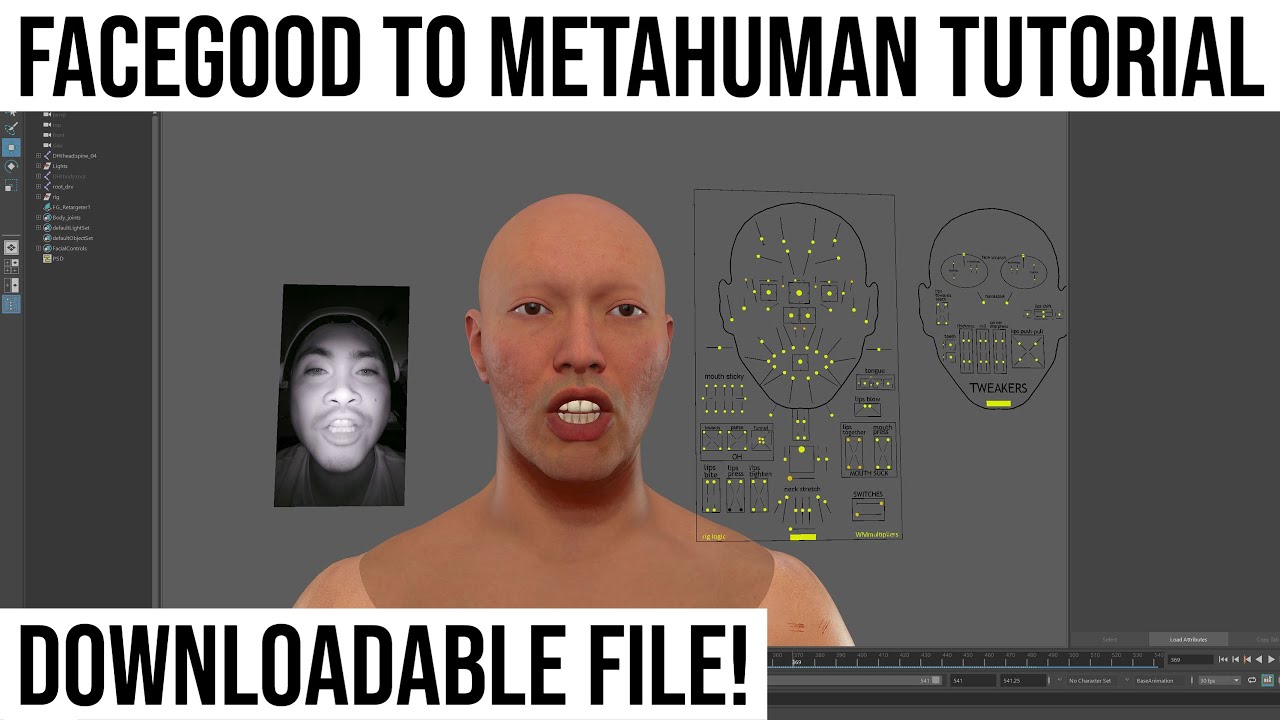
Facegood to Metahuman Tutorial,Facegood to Unreal Engine Metahuman Tutorial,facegood tutorial,facegood metahuman tutorial,facegood facial capture,avatary tutorial,avatary metahuman tutorial,high quality facial capture,mocap,facial capture,3d animation,digital human,animation,motioncapture,3dgraphics,3dmotion,3dmodel,mocapsuit,vfxartist,cgi,cgiar...
inland marlin
@neon epoch hi do you know how can i disable this wierd stretching issue ? i have uised rigs before and it seems to me that limiters are off hindering me from posing it while keeping the proportions

i saw the video the you sent me and unfortunately i am not getting the same result despite of switching between IK and FK . my rig is going beyond the bound
inland marlin
is their a way to disable this cartoony stretch , i have worked with rigs before and it is usually an issue with limiters but i dnt know where to look for them in this complex gigantic list . pls help me out . i can still pose but would prefer my proportions locked
i am just a step away from using these wonderful rigs , would greatly appreciate the assistance
spiral trail
not sure if this goes here, but for those that have androids you can use the facial mocap app in UE4
its not offical, but it works
inland marlin
neon epoch
for hands but literally same process
all the tutorials i have watched on metahumans so far havent played with the rig as i have. so maybe the issue is still present and they may not have noticed it . i hope their is a way to limit those stretchy legs and arms as i dnt want to eye ball for proportions each time i am posing , i am sure animators dnt work like that since proportions are locked and not free form to allow room for cartoony animations.
i am able to pose the model switch between IK and FK effortlessly but i am not woprking with a mocap data or looking for retargetting my metahuman model. just want to do a simple p[osing for my scene
junior birch
Nvidia Audio2Face to Metahuman https://www.youtube.com/watch?v=x9POZqGO5B0

Omniverse Audio2face Metahuman Tutorial,audio2face metahuman,audio2face nvidia,audio2face character transfer,audio2face maya,audio2face unreal,audio2face tutorial,audio2face download,audio2face blender,audio2face reallusion,metahuman audio2face,metahuman omniverse,metaverse,virtualproduction,ray tracing,character creator 3 free download,characte...
spiral trail
Has anyone been able to use the android face mocap succesfuly with other characters? https://forums.unrealengine.com/t/face-capture-with-android-metahuman-download-links-free-open-source-demo/234927

Unreal Engine Forums
Update: Current bugs and limitations: The Android app doesn’t handle client disconnection perfectly, you might have to restart the app if you don’t get any incoming data. The project requires the free ‘TCP Socket plugin’ Biggest limitation right now is the ability to convert the incoming data into blend weights. It can be fairly comple...
 carmine walrus
Can anyone confirm if livelink works with iPhone7?
spiral trail
carmine walrus
Can anyone confirm if livelink works with iPhone7?
no
not officaly
it works with anything greater than iphone x
 visual locust
can anyone help me really fast to import a metahuman
i keep getting a export error and idk why
 winged zinc
what's the error message?
winged zinc
what does the log say?
visual locust
idk how to find it could i screen share a call
winged zinc
Afraid I'm at work. Maybe see if someone on the voice channels can help?
visual locust
nobody knows
visual locust
I figured it out but does anyone know how to use the face scan app on iPhone to mimic in unreal engine
inland marlin
Hey can any one assist me in my issue related to metahumans pls ????
I am one step away from potentially using the rigs for my projects and this one problem is hindering me

Why is my leg stretching whenni try to move it ? How to animate legs now with this wierd issue ? Pls help . Rig is supposed to be locked
 iron arch
Hi, has anyone figure out a workflow to put marvelous cloth simulation to metahuman animations ?
plucky kelp
Is there a lipsync (to the prerecorded audio or text) of metahumans?
plucky kelp
plucky kelp
Is there a lipsync (to the prerecorded audio or text) of metahumans?

Unreal Engine
Create lip-sync animation from audio
plucky kelp
looking for suit and medical face mask that fits on metahuman
tulip heart
Please consider adding an assets market for this app, right know is way too limited due the lack of clothing.
 limber sleet
I was wondering, could I hypothetically use metahumans in my VR game where a character does a monologue getting upclose the VR player, using the iPhone app as mocap for face tracking?
And is it possible to make convincing dramatic walking animation by hand for this monologue? I'm willing to spend a lot of time for this scene for my indie game
 median marsh
Hello. I've been trying to download my metahuman but the downloading keeps freezing and in general it's extremely slow. I reinstalled bridge and it doesn't seem to help. does anyone know what the problem might be?
spiral trail
median marsh
Hello. I've been trying to download my metahuman but the downloading keeps freez...
try with like a 1k res. see if it wokrs
it might just be server ovverload
it takes about 20 mins to load MHC for me
south fulcrum
Is groom more performant on ue5 than ue4, as in feasible for real time games? Or is it just a frame rate killing
plain haven
south fulcrum
Is groom more performant on ue5 than ue4, as in feasible for real time games? Or...
Groom hair in general is more demanding, particularly with a lot of strands.
Consider that you're basically rendering every hair strands.
median marsh
spiral trail
try with like a 1k res. see if it wokrs
I'm not trying to load MHC. I wanna download it from Bridge and then export to UE but it won't download. I asked for help in support and all they say it's overload and I've been trying to do this for days. But I'll try lower res thanks🙂
worn patio
median marsh
I'm not trying to load MHC. I wanna download it from Bridge and then export to U...
i just downloaded an new MH from bridge 🙂 it seemed to work !
median marsh
I downloaded 2k res MH. I'll try to download 8k res later tho
fickle surge
I have a few metahuman questions if anyone doesn't mind helping
I have a collaborator on my project and I noticed his metahuman was imported with procedural meshes instead of imported meshes for the metahuman hair cards

on both of ours, I can get the metahumans to run in VR by running the command r.hairstrands.strands 0 to turn off hair strands
but the eyelashes don't seem to have any card components set on either of ours

I was wondering if anyone had any advice on how we might either implement card components on the eyelash groom component or force the eyelash groom component to LOD 4 but keep the rest of the face/body at LOD 2 or higher?
also just for the first question--I was wondering if anyone knows what drives a metahuman import to create card meshes or not for the hair during the import process?
hmm nevermind on the eyelashes question at least. I was able to fix it by digging into the construction script and then altering the opacity to be a lower value

of the material instance for higher lod eyelashes
worn patio
fickle surge
I was wondering if anyone had any advice on how we might either implement card c...
r.HairStrands.Cards 4
worn patio
fickle surge
also just for the first question--I was wondering if anyone knows what drives a ...
cvar r.HairStrands.Cards 4
fickle surge
thanks pavan--that command sets all cards to lod 4?
junior birch
How to to fix meta eyelash shadow in 4.27 https://youtu.be/rlrw68bKRMc
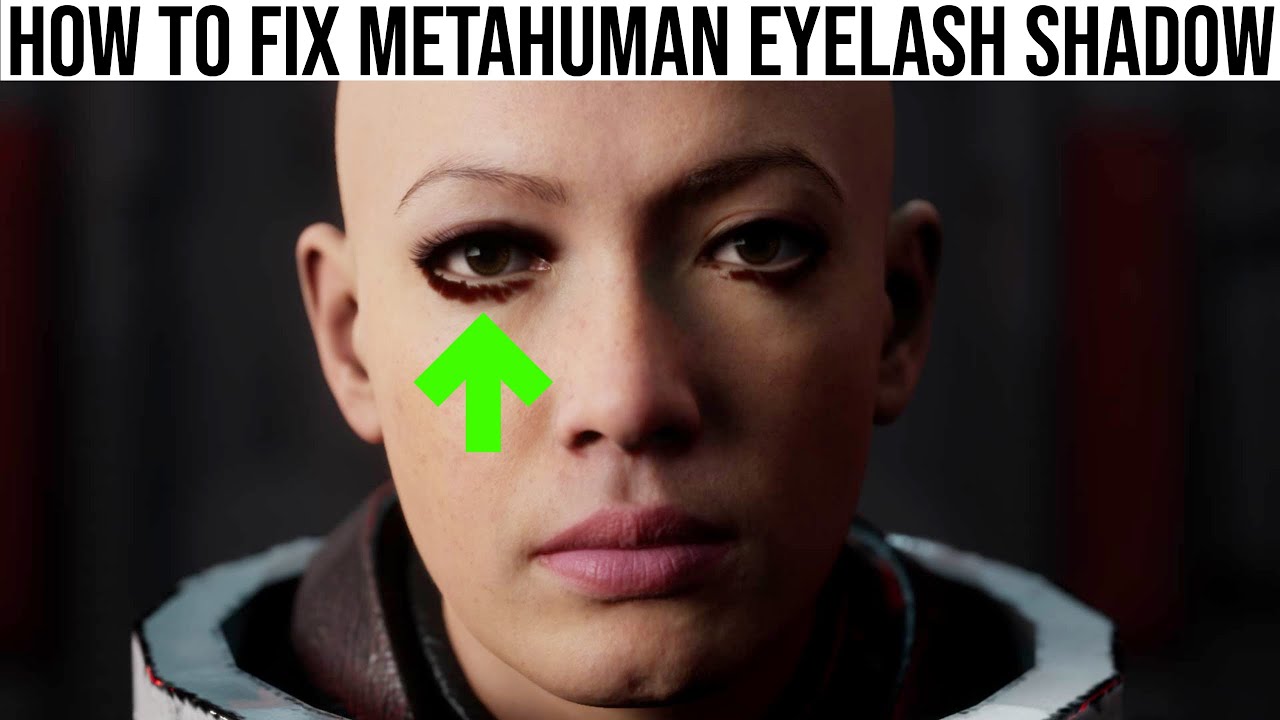
how to fix metahuman eyelash shadow,fix metahuman eye shadow,fix metahuman eyelash shadow,fix metahuman eyelash,unreal engine metahuman tutorial,unreal engine 5 metahuman tutorial,how to animate metahuman,animate metahuman,how do i get metahuman,can i download metahuman,download metahuman,metahuman marvelous designer,metahuman control rig,metahu...
 prime mantle
hello! does anyone here have experience with faceware? we are trying to retarget, however we keep getting this issue

any help is very appreciated!
 karmic sable
Hi there everyone I need a little bit of help. So I'm trying to make a face animation using my phone everything goes smooth until I finish recording it I put the record in the sequencer and the characters mesh glitches a bit. Besides that everythings working. Here's the tutorial I'm following - https://www.youtube.com/watch?v=i2X2jCo6Dnk&t=146s I'm also working in 4.27.


additional info: iPhone 12 and variants also compatible
How to create animations for Metahumans in UE4 using the iPhone/iPad Live Link Face app with ARKit.
And this is how it should look -

His body becomes a bit bigger and it looks like he doesnt have a neck
It all happens after I'm done with the recording and this appears
When I move the mesh around it fixes itself automatically but when I hit play on the sequencer it gets glitched again
karmic sable
Nvm fixed it but my mustache is bouncing up and down while rendering why is that and how can I fix it it's like jiggling a bit
 surreal egret
I can't get the rendered animation to look how it is in the viewport and in the sequencer. Have anyone had this issue before?!

same frame, different look. sometimes the upper lip stops working
 uncut quail
I haven't had that Thiago sorry. I'm currently having an issue where Metahumans doesn't play the face rig animation when I render the sequence? This is it in editor:
 uncut quail
I haven't had that Thiago sorry. I'm currently having an issue where Metahumans ...
uncut quail
uncut quail
I haven't had that Thiago sorry. I'm currently having an issue where Metahumans ...
but the render:

has anyone encountered this? It's just keyframed in the sequencer

This is my first time using metahumans and the face rig so I might be missing something I need to activate to ensure it plays in the sequence capture
surreal egret
@soft ferry had the issue I'm having and for him baking the animation file to the control rig fixed it.
For yours I'm not sure. Cause it should be working like intended
junior birch
audio2face to iclone 7 to metahuman tutorial https://youtu.be/MllZshHe7N8

Omniverse Audio2face to Iclone 7 to metahuman,Nvidia Audio2face to Metahuman Test,Omniverse Audio2face Metahuman Tutorial,audio2face metahuman,audio2face nvidia,audio2face character transfer,audio2face maya,audio2face unreal,audio2face tutorial,audio2face download,audio2face blender,audio2face reallusion,metahuman audio2face,metahuman omniverse,...
 worldly depot
what should I try to tweak in the BP so the eyes wouldnt turn completely black in shadow?

 remote flower
hiya all, could any one advise me of the steps / support for getting a metahuman into Substance Painter?
 winter sphinx
Is it possible to enable / disable Groom Hair simulation at runtime? Cant find a way...
 glossy condor
any news about eye color options and is there a way to change the eye color outside of the default options? same with hair
inland marlin
hey everyone does anyone knows how to fix this wierd stretching issue on my metahuman rig ? , i have fixed the limbs stretching t by disabling all the stretch parameters in the BASIC IK node within the blueprint. the legs are now fine but the toe region is still unaffected . pls help

here is the same example but with epics control rig mannequin . the stretch is disabled in basic IK settings by default and the toe bone also knows as the ball_l is intact

is this an issue with the skeleton itself ?
uncut quail
Sorry I don't know Ali 😦 Hopefully someone can help you out! Does anyone know how to hide the Metahuman rig in the sequencer when I want to render/playback/take screenshots? I can't seem to hide it when the sequencer is open:
 uncut quail
turns out it disappears when the frame is rendered. I would still love to be able to hide it in sequencer in editor though, if anyone knew? Regards
inland marlin
how did you chage its clothes ? @uncut quail
make sure you havent selected the face controls in the sequencer
inland marlin
can you see the hide manipulator option in the animation tab on the left hand screen ? yeh toggle that and u should be good

@uncut quail
uncut quail
You star @inland marlin , thanks mate!
As for the clothes, I was able to export the outfit from metahumans (there was only like 3 options, a hoody, a shirt, something else) with my body model. This was the shirt option, and I was able to edit the shirt material easily (clicked on torso and selected material from details panel) to make it black.
plain haven
uncut quail
turns out it disappears when the frame is rendered. I would still love to be abl...
Might be a bit too late, but (at least in UE4) in the Animation panel, with control rig selected, there's an option to hide all manipulator gizmos.
inland marlin
@uncut quail nah i thought you gave them new sets of clothes maybe made urself one , i am aware of those clothes which ship with metahumans
tulip heart
when I drop in the world the character I just imported from MH

 narrow spindle
tulip heart
when I drop in the world the character I just imported from MH
narrow spindle
tulip heart
when I drop in the world the character I just imported from MH
Hit enable missing
Question… is there a Tutorial for saving a faceanimation from livelink and save it as a InGame Animation?
glass flower
ANybody able to get Metahuman control rigs to work additievely ontop of animations? They just override them in my case.
glass flower
tulip heart
when I drop in the world the character I just imported from MH
Enable missing plugins
glass flower
narrow spindle
Question… is there a Tutorial for saving a faceanimation from livelink and save ...
There are. Let me see if I can find the one i watched last week. In the meantime. Open the take recorder.
Ensure you have the character being controlled by livelink as a source. It should save it in a subscequence that you can use to update the model later or other models
 brittle locust
hey everyone, I have a question, where do I can move so the face control rig doesnt appear on the final render or animation?
I mean this rig guides..
 brittle locust
oh never mind.. its in here
 surreal egret
Did a retarget from Deepmotion to Metahuman and im getting this issue..Any suggestions?
 silver current
Improved fight scene to test tracking for 16 camera Optitrack Volume for metahuman fight scene workflow test.
Raw data, no clean up!
narrow spindle
glass flower
There are. Let me see if I can find the one i watched last week. In the meantime...
Super i gonna try this
narrow spindle
glass flower
There are. Let me see if I can find the one i watched last week. In the meantime...
My plan is to record face animations and play them on characters ingame while they get hit for example
 fervent surge
I second @plucky kelp question but for different reasons. I have a mocap solutions that isn't compatible with the extra bones in the metahuman skeleton
 dry shuttle
Hello everybody! I have a problem regarding metahuman, I imported the head of metahuman, from maya to Unreal Engine, with a custom blendshape, it launched well, it works. But how do I apply the blendshape, to a sequencer? I need for the 0th frame blendshape value to be 0, and in the 5th frame it should change to 1. Any thoughts about this are welcome, thank you.
karmic sable
How do I replace my MetaHuman's mustache with another one from the MetaHuman Creator? I edit it then update it in quixel bridge then export it into unreal but it still doesnt show up
Help please
simple forge
karmic sable
How do I replace my MetaHuman's mustache with another one from the MetaHuman Cre...
So if you have several metahumans in one project and lets say they have different types of mustaches, go into the metahuman blueprint, select the mustache groom, and just look for the one you want. Compile and save.
 north anchor
Does anyone know if cloth sim with morph targets is ever going to be supported again?
karmic sable
simple forge
So if you have several metahumans in one project and lets say they have differen...
That makes sense! I’ll just create a new one with the moustache I want then export it into the project and then select the moustache from the other character! Thank you!
 pure cipher
Does someone know how to enable Hair on my metahuman? It's here when zooming out
 narrow spindle
HI Guys, after LOD3 my Metahumans get distorted. Anyone an idea?
 fresh monolith
pure cipher
Does someone know how to enable Hair on my metahuman? It's here when zooming out
fresh monolith
pure cipher
Does someone know how to enable Hair on my metahuman? It's here when zooming out
Hair is enabled lor LOD0 and LOD1 I believe. If zooming out changes to LOD2 then hair is gone.
 brave ibex
metahuman models not downloadable/saveable yet?
plain haven
brave ibex
metahuman models not downloadable/saveable yet?
It's downloadable through Quixel Bridge.
brave ibex
thanks
surreal egret
@here Hey folks I need some help. When I get an animation in sequencer from metahuman, it doesnt render correctly.
Then I try to "bake to control rig" and it completely breaks. The character looks stretched out.
Any suggestions?
The Animation file looks correct =/
@fervent surge is my understanding that it's the basic skeleton already
oh you want the basic humanoid. .. me too.
the retargetting cause too many problems. Epic doesnt seem to check this discord at all =/
 ebon garnet
This isn't an epic discord server.. its a community one
surreal egret
ebon garnet
This isn't an epic discord server.. its a community one
Your point being?
I think it's a good idea for them to be involved in the biggest discord channel and see what the community is talking about. Seems pretty straight forward...
plain haven
surreal egret
Your point being?
This is not the official Epic support channel, per #rules no.2 . It is primarily a community run server, so don't hold your breath for Epic staff checking out this server on timely manner.
That's his point, now should be clear enough.
winter sphinx
has anyone ever bothered to create a library of all metahuman groom hairstyles?
plain haven
winter sphinx
has anyone ever bothered to create a library of all metahuman groom hairstyles?
Well, there's no functional marketplace for metahuman assets, so likely not.
winter sphinx
But the license is the same as any other epic asset we can get for free? Use for commercial projects is allowed?
plain haven
 sturdy mesa
but my game isn't made with unreal
sturdy mesa
but my game isn't made with unreal
No.
 indigo dust
Do Metahumans come with pre-defined poses e.g. for the face. For example, a smile, laughing, etc. face expression?
I've tried to get the guy below to smile/laugh but it looks a bit off lol.
 plain haven
indigo dust
Do Metahumans come with pre-defined poses e.g. for the face. For example, a smil...
plain haven
indigo dust
Do Metahumans come with pre-defined poses e.g. for the face. For example, a smil...
No, but for starters, the eyes are often pinching when someone's smiling or laughing.
indigo dust
Yeah, I tried that but I wasn't satisfied so I thought it'd be good to make him look like he bursts into laughter. But yeah, I mean I just have to redo it. Looks very weird. @plain haven
 loud belfry
indigo dust
Do Metahumans come with pre-defined poses e.g. for the face. For example, a smil...
loud belfry
indigo dust
Do Metahumans come with pre-defined poses e.g. for the face. For example, a smil...
This is reaction meme material right here.
 rocky latch
so I was wondering if it was possible to create a vampire using the metahuman creator. It would basically entail changing the eye from white to black and the iris to red. I'd also have to increase the length of the canines.
how should I attempt this problem? Any tips would really help. Thanks in advance.
plain haven
rocky latch
so I was wondering if it was possible to create a vampire using the metahuman cr...
If you have a substantial modelling and material skill, you can modify the teeth in external software, and the eye material in Unreal.
rocky latch
I see thank you. Are we able to edit the teeth in blender?
plain haven
rocky latch
I see thank you. Are we able to edit the teeth in blender?
I don't see why you couldn't.
rocky latch
that's great news. I was under the impression we can only edit the metahuman in maya due to the file type.
plain haven
rocky latch
that's great news. I was under the impression we can only edit the metahuman in ...
You could export meshes as FBX from Unreal, if that's what worries you.
 trail chasm
How Do I use the Animation BP to control the eye look direction in Real time. Driven by the character BP. I already did this with standard character , but with Meta the eye bones dont seem to affect the eyes
More detailed explanation here!
Unreal Engine Forums
Help. I want to know how to use this eyelook feature to control where my metahuma looks in realtime. MetaHuman Global Eye look control I have previously done this on a standard character with eye bones via a Anim BP but, When I moved the eye bones on the metahuman the eyes never moved ☹ I noticed in the post-process facial rig AnimBP there w...
inland marlin
hi everyone is anyone aware of metahuman and marvelous designer workflow ?
and how to make clothes for metahumans?
 dawn sandal
inland marlin
and how to make clothes for metahumans?
dawn sandal
inland marlin
and how to make clothes for metahumans?
I haven't done anything with loose clothing that would have physics, but I have done simple skeletal mesh. I don't have time to go into a lot of detail, but you just need to import the metahuman into maya (make sure you have the metahuman plugin for maya). Then you export the base mesh from maya into marvelous designer. Then make your clothes, and then put them back into maya, bind the clothing mesh to the metahuman rig, then copy skin weights from the metahuman mesh to your clothing mesh.


with that process you even still have the metahuman control rig for sequencer.
I'm having an issue with my packaged game, though. The hair, whether I'm using strands or cards, is very glitchy looking. Also, simulation is off. And it seems to only happen when I move the character (using WASD). Does anyone have a solution? You can see what I mean in this video: https://youtu.be/7ky_zp17SoE?t=8

It only happens in the packaged game, not in PIE or Standalone
heady siren
Is there any official news on when we might expect some more additions to the Metahuman catalogue? For example, more heads, more hairstyles etc.
What's there currently is incredibly strong, but any expansions to enhance creative options are always welcome!
 sturdy mural
Is it a known issue that eyelash grooms is not imported for some metahumans?
I am comparing to the sample project and those have the grooms in slots nicely, when I import mine, it simply isn't there for eyelashes
seems like import is not working correctly for some metas
glass flower
surreal egret
@here Hey folks I need some help. When I get an animation in sequencer from meta...
Make sure you delete th eoriginal "control rig" that auto applies itself from the sequencer. Add a new one AFTER youve added your animations. Then can bake ot contorl rig
surreal egret
glass flower
Make sure you delete th eoriginal "control rig" that auto applies itself from th...
Yeah I did that 😦 I think its some retargetting issues
glass flower
did you retarget with th espine bones 02-04 instead of 01-03?
manic pond
Check in your new animation asset. In the details panel, there is an option that asks for the "retargeted skeleton". You will need to select which skeleton you created that animation with.
There is no "standard skeleton" they are all based on some transform of the original so if you dont define that in the asset it will look stretched out
@surreal egret
I usually make animations with med_nwt_body or something like that so i have to make sure thats selected in the drop down menu. That menu is usually on the left side when you open the animation in unreal
 golden basin
Is MetaHumans integrated into UE5 with a plugin? I mean the actual editor?
plain haven
golden basin
Is MetaHumans integrated into UE5 with a plugin? I mean the actual editor?
MetaHuman Creator? No.
brave locust
Am I the only to find the Mixamo's animations strange on the MH ? Like.... i don't know the shoulders are so... strange
 acoustic steppe
brave locust
Am I the only to find the Mixamo's animations strange on the MH ? Like.... i don...
acoustic steppe
brave locust
Am I the only to find the Mixamo's animations strange on the MH ? Like.... i don...
Stranger than normal? I've always found Mixamo animations OK as a placeholder, but not much else. There's a signature stiff look and pacing to everything, but it's a great free resource of course.
I did never manage to retarget them onto Epic skeleton in UE5 though, so I've only tried them in Unity

(accidental gif sorz)
brave locust
acoustic steppe
I did never manage to retarget them onto Epic skeleton in UE5 though, so I've on...
let's say with the MH, you really see the "lack" of some bones...
 supple tide
Is it possible to import UE Metahumans into unity?
And is it legally right to do so?
Please ping me when someone responds
plain haven
supple tide
Is it possible to import UE Metahumans into unity?
And is it legally right to do...
It's illegal.
Doing so is just illegal leeching, not even close to clean room reverse engineering.
The EULA clearly states that final renders of MetaHuman has to be in Unreal Engine.
 mental torrent
will metahumans ever be able to be used as a character creator in my game>
winter sphinx
Anyone knows why my groom cards LOD won't use the provided normal texture? Left you see the Groom LOD and right just the procederal mesh LOD dragged into the editor. Both use the same material:


 winter sphinx
It looks like the groom totally ignores whatever I plug into the Normal or Tangent pin
 fervent wedge
Hey so ive been trying to import metahumans from quixel bridge, it says import successful but dosnt show up in the engine, anyone else had this issue?
 turbid skiff
i love humans 🙂
 waxen compass
soooooo
metahumans doesnt have ik bones
if there is a really efficient and fast way to add ikbones please tell me
because i am really bad at rigging stuff
plain haven
waxen compass
metahumans doesnt have ik bones
Control Rig.
waxen compass
ok
i am sorry i am new to control rig how do i exactly do it?
if you could list a video or something it would be helpful
and thanks
plain haven
waxen compass
if you could list a video or something it would be helpful
In this presentation, Cubic Motion’s Senior Technical Animator Riham Toulan takes you through animating a MetaHuman with Control Rig in Unreal Engine’s Sequencer. The techniques demonstrated can also be applied to animating any asset rigged with Control Rig.
Find out more and request Early Access at: https://www.unrealengine.com/metahuman-creat...
waxen compass
thanks
inland marlin
@dawn sandal hey josh , thanks a tonn for the hint , btw can i do a similar thing with clothes on ?
 worldly pebble
Hey you guys. I modified a sitting animation from the Ancient of the valley-project and I managed to migrate the custom animation to my personal project. Unfortunately after putting the animation into my sequencer the sitting animation is not shown correctly. The only thing which does seem to work correctly are the closed eyes. What am I doing wrong?
 brave locust
so, i have this strange issue. Never had it before, even the set master pose doesn't fix it
 plucky kelp
so i got metahuman and created my own and tried to download it in 1K but every time its done downloading it never does for some reason and it says to download the metahuman again
 crimson lynx
Hi, has anyone successfully imported a metahuman from unreal to blender to edit?
worldly pebble
Just wondering ... is it somehow possible to make a static mesh out of a Metahuman?
 slim oasis
crimson lynx
Hi, has anyone successfully imported a metahuman from unreal to blender to edit?
slim oasis
crimson lynx
Hi, has anyone successfully imported a metahuman from unreal to blender to edit?
yes. metahuman to bridge, bridge to unreal, unreal export, import blender, separate or join meshes to suite my needs, skin+rig with ARP, import to unreal, animate, import animations
slim oasis
worldly pebble
Just wondering ... is it somehow possible to make a static mesh out of a Metahum...
you can export it out to blender, join the meshes and remove the armature then import back to unreal
crimson lynx
slim oasis
yes. metahuman to bridge, bridge to unreal, unreal export, import blender, separ...
can I dm you for more info?
 north glacier
Can someone please direct me to the best video that swapped the UE4 Mannequin to meta human? Every single time i end up failing and my fingers get curved like the salad fingers video.
junior birch
how i use iclone to animate metahumans face and body https://youtu.be/mOdljtTleBc
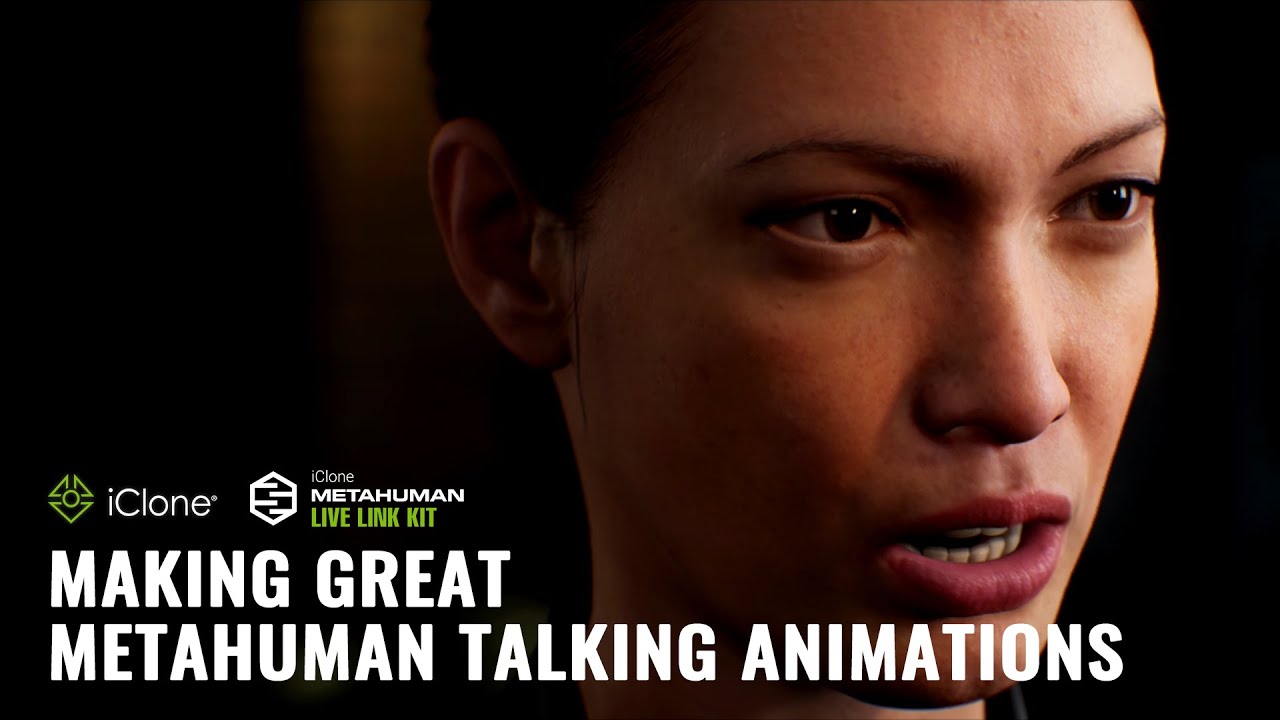
My MetaHuman Animation Worfklow using iClone
Intro: 0:00
Part 1: 1:51
Part 2: 16:00
Part 3: 27:00
Part 4: 40:00
Check out these links for more information on this series
MetaHuman : https://www.reallusion.com/iclone/live-link/unreal-engine/metahuman/
MasterClass : https://courses.reallusion.com/master-class/3d/jsfilmz
iclone metahuman workfl...
 spring silo
is it possible to export the meta-humans in a 3d printable format? (without textures of course)
i was looking to build a character creator like hero-forge in a different genre and i dont relay know where to start 🙂
plain haven
spring silo
is it possible to export the meta-humans in a 3d printable format? (without text...
I don't think the licence permits that.
spring silo
plain haven
I don't think the licence permits that.
could be. thx=)
 marble wigeon
man i hate discord search. I am trying to start the metahumans app in the browser and its just a blank screen. I am assuming because I have security features turned on it wont work properly. IS there a way I can use this without sacrificing security? Is there an offline installer?
plain haven
marble wigeon
man i hate discord search. I am trying to start the metahumans app in the browse...
Let me guess, you're using Brave?
 desert ocean
Hey Guys im not Using metahumans, but im petty sure that when i can get Help i get it here, anyone working with Cvars with GROOM?, like Scattering etc?; looks like no difference, or Sky Lightning, or is it not usable in Ue.5?
quick portal
marble wigeon
man i hate discord search. I am trying to start the metahumans app in the browse...
No. MetaHumans is a cloud app which uses pixelstreaming as far as I know. If you turn off the security features for just one website you won't be vulnerable to anything since Epic should be trustworthy.
slim oasis
spring silo
is it possible to export the meta-humans in a 3d printable format? (without text...
try makehuman for that
marble wigeon
thanks for the replies
 uneven perch
plucky kelp
uneven perch
plucky kelp
Are there any good tutorials on handling hair that comes with metahuman? It's horrendous, it bounces all over the place, it acts like a skunk fighting not to drown rather than hair when moving.
Let's just make everyone bald 👍
heady siren
Anyone else had issues where groom's seem to lag a tiny bit behind the skeletal mesh?
Wondering if it's interpolation settings or something, the roots of the groom seem to be playing "catch up" all the time
Actually, it seems the grooms are ahead of the skeletal meshes' animation somehow 
plucky kelp
What is this and how do I get rid of it

It shows up at different distances when I am playing PIE
I think it's for my hair lod?
It shows up only at hair lod 0 and 1
worldly pebble
plucky kelp
Are there any good tutorials on handling hair that comes with metahuman? It's ho...
Hahaha the comparison made me laugh hard. Totally feel you! What helps a little bit is to turn off physics on groom.
worldly pebble
heady siren
Anyone else had issues where groom's seem to lag a tiny bit behind the skeletal ...
Yes. Keep in mind that metahumans still are in early access and therefore quite unstable. Also quite bitchy to work with...
plucky kelp
Is it normal that the metahuman base skeleton doesn't have a head? some tutorials seemed to have one but I don't...
rose current
Has anyone had the issue where metahuman makes iOS game crash. It use to work
plucky kelp
Anyone know why rotating the head would cause the hair to rase?
north glacier
plucky kelp
Anyone know why rotating the head would cause the hair to rase?
sounds like you added a morph target as well
plucky kelp
north glacier
sounds like you added a morph target as well
Where would I remove/edit that for the hair?
north glacier
plucky kelp
Where would I remove/edit that for the hair?
i have no idea buddy, just spitballing ideas. Is that an animation, or are you rotating the head?
plucky kelp
north glacier
i have no idea buddy, just spitballing ideas. Is that an animation, or are you r...
Using live link, I literally just imported the model from bright and attached live link
north glacier
plucky kelp
Using live link, I literally just imported the model from bright and attached li...
Try the model with another hair groom, it might be your asset
plucky kelp
north glacier
Try the model with another hair groom, it might be your asset
I just turned off the simulation for now and that fixes it
waxen compass
metahuman only export these folders, and they dont have anything inside them

bridge **
north glacier
procedural facial idle for my meta humans are almost done! like at least 20 more random facial expressions and this is complete 🙂 now i can just blend them with every anim! i love meta humans!
silver current
How do we get the preview mesh of the Metahumans 0.5.0 (with head)...into motionbuilder????
 north glacier
silver current
How do we get the preview mesh of the Metahumans 0.5.0 (with head)...into motion...
north glacier
silver current
How do we get the preview mesh of the Metahumans 0.5.0 (with head)...into motion...
source with quixel bridge. It gives you the full model.
 supple orchid
Anyone having issues when downloading a meta human from bridge? Some grooms are not being included in the download. When I import the meta human and bring it into my scene the hair will be missing but peach fuzz, eyelashes and eyebrows are there or vice versa with a different metahuman.
north glacier
supple orchid
Anyone having issues when downloading a meta human from bridge? Some grooms are ...
set the autolod to 1
silver current
north glacier
source with quixel bridge. It gives you the full model.
No it doesn't https://youtu.be/KV7GWgc0BYY
 north glacier
silver current
No it doesn't https://youtu.be/KV7GWgc0BYY
north glacier
silver current
No it doesn't https://youtu.be/KV7GWgc0BYY

yes. you just update the head position..
 barren hearth
Hi Everyone, I've been trying to add weapon bones to the metahuman skeleton so it's compatible with some Sword/Shield animations etc. I've been struggling though. Is is the m_med_nrw_body that I export modify in blender or Maya and then re-import ? Guide here (does not translate to metahuman well though) : https://www.youtube.com/watch?v=NePNKmBS3TY Thanks
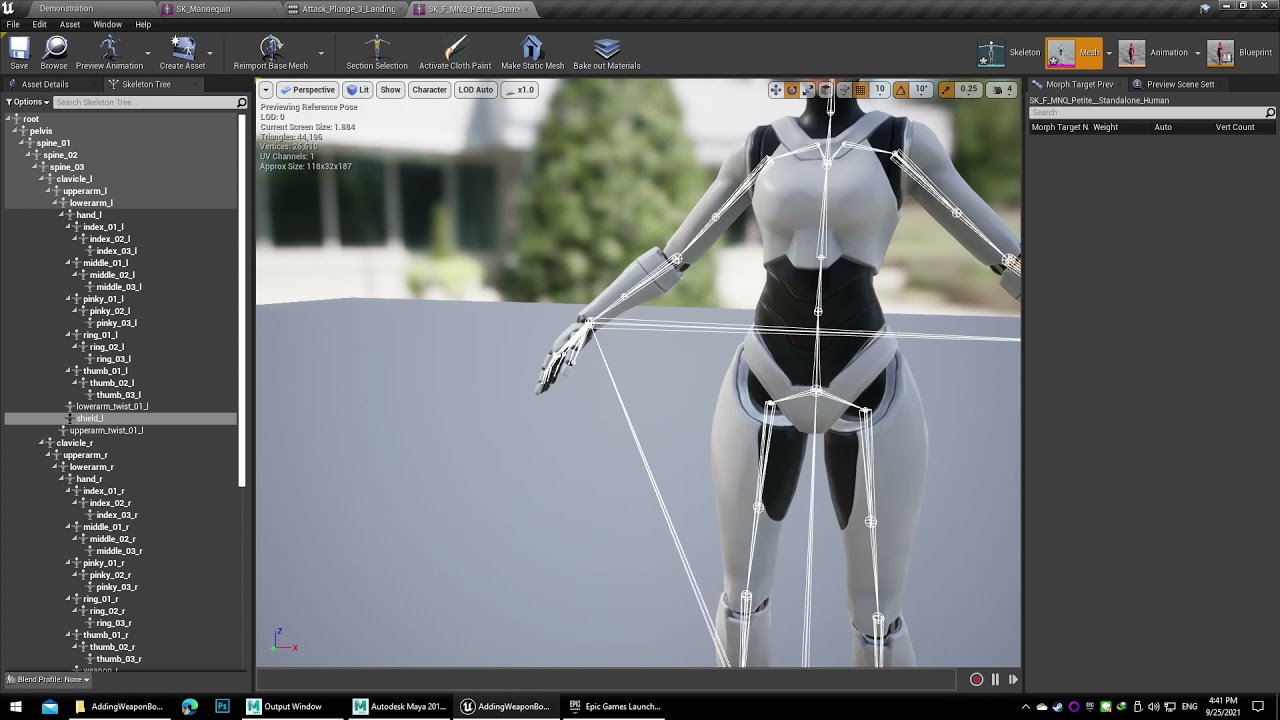 silver current
north glacier
yes. you just update the head position..
silver current
north glacier
yes. you just update the head position..
What do you mean by that?
north glacier
bro tbh you dont need to do any of that lol
just export the body and face.
look;

full meta mesh i am clothing.
you export the body/face mesh
import to where ever, import body first face second.
plain haven
north glacier
You're exporting from Unreal, right?
north glacier
plain haven
You're exporting from Unreal, right?
yeah
easier than bridge
you delete the lod 6,5,4,3,2 and keep 1
plain haven
north glacier
you delete the lod 6,5,4,3,2 and keep 1
Might as well just keep the LOD 8
north glacier
LOL
plain haven


