
#metahumans
1 messages · Page 11 of 1
 untold elk
 fiery jungle
It wouldn't be epic if they wouldn't f**k up in some way, would they? 😂
fiery jungle
I can't believe it! My MetaHuman now looks like he should just by setting the editor language to English.
 grand prawn
Negative. Native language is English and I haven't touched UE's language settings.
grand prawn
fiery jungle
I can't believe it! My MetaHuman now looks like he should just by setting the ed...
Should I change my language setting to another language then try to change it back?
I don't speak other languages. Hope I could find my way back.
untold elk
grand prawn
Negative. Native language is English and I haven't touched UE's language settin...
Another possible reason for black or missing textures after assembling a MetaHuman could be a plugin conflict. Try disabling irrelevant plugins or consider reinstalling Unreal Engine.
 pale zealot
How would I go about creating a wrist control in the MH control rig so I have manual control of its deformation? I've created the shape on its place and parented it to the HAnd IK ctrl, but I have no idea what to do next as the Rig graph is so complex I don't even know where is the IK solver for the hands, anyone knows?

 fluid oriole
I'm currently adding parametric clothing to the Metawardrobe, you can see the full video here https://www.youtube.com/watch?v=PxBaV9tB0D8
Hi, the body shape skeletal mesh should be the problem, especially if you imported it from fbx, what you need to do is download the bodyshape mhpkg from fab and open it with the metahuman creator then export it to your content folder using the combined skel mesh option, use the exported skeletal mesh as the target body in your outfit asset and you should be good to go. BTW could you link me to the documantation, I havent been able to find it myself.

 twin edge
What is the best way to create non human metahumans?
For example make an orc using metahuman
grand prawn
pale zealot
How would I go about creating a wrist control in the MH control rig so I have ma...
Look under GlobalCtrl. This might be what you're looking for. To disable IK ctrl. But if you want to keep the IK, just rotate that red box and the wrist will move.
 pale zealot
grand prawn
Look under GlobalCtrl. This might be what you're looking for. To disable IK ct...
pale zealot
grand prawn
Look under GlobalCtrl. This might be what you're looking for. To disable IK ct...
no no, I know that, what I want is, to ADD a new control in the control rig to tweak the "wrist_outer" bone on each hand manually, so that I can have control of the deformation it has when I pose the character (which is horrible), and the post process is doing a terrible job at it, but I dont understand how to properly create and link that new control, all my efforts result in stuff like this:
 obtuse jolt
Trying to take in all this 5.6 stuff. When it comes to clothing, I noticed the techwear example is using StaticMesh assets at the core? Does anyone have a good breakdown of what's going on here, and how the Metahuman Creator process is assembling that into a rigged mesh?
Trying to figure out if the wardrobe clothing process here is something worth learning for me when I'm making a small pool of bespoke characters and outfits. Wondering what specific benefits I can get vs simply grabbing the assembled body geometry and making my own all-in-one body+clothing mesh from it. The parameterization and body geometry culling based on texture masking seem nice, at least, I just wish there was a good end-to-end overview for making clothing
 past ice
grand prawn
Should I change my language setting to another language then try to change it ba...
past ice
grand prawn
Should I change my language setting to another language then try to change it ba...
Are u using substrate materials? If u are, disable it, assemble ur metahuman, after it is added to ur content browser, enable the substrate materials back.
 sick trellis
Hello, new metahumans seems to have tangeant compared to the old ones, the recompute tangeat using green mask trick doesn't work as well either now
 grand prawn
past ice
Are u using substrate materials? If u are, disable it, assemble ur metahuman, af...
grand prawn
past ice
Are u using substrate materials? If u are, disable it, assemble ur metahuman, af...
I created a test scene with your theory by making sure substrate was disabled. Then created metahumans, It worked. Then I enabled substrate, and its all black. I believe this is the source of my project's problem. Thank you for helping me isolate it!
grand prawn
Any tricks to updating animations that were associated with non-Metahuman Creator and associated with regular Metahumans? Do I need to retarget the animations all over again?
 eternal scaffold
Does anybody know why the female metahuman presets have mini facial hair if you zoom into the chins?
Or Did I miss something?
https://youtu.be/4HHbe4O-Wvw
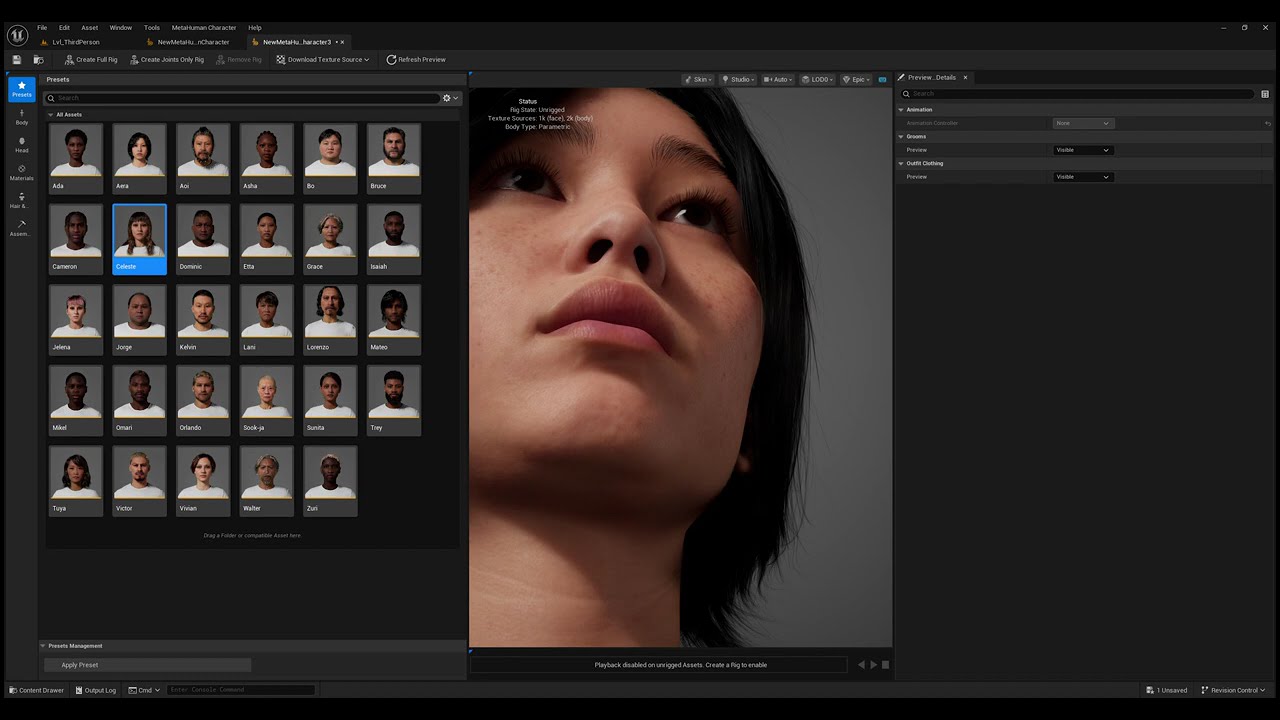
What's up with Epic?
If you zoom in to any female default metahuman preset's chins, you'll see mini facial hair.
Really? Epic?
Is this some kind of weird beauty standards?
Or did I not tweak something important?
Asians women normally have zero or less facial hair in general, seriously, why her preset has facial hair if you zoomed in?
Oh Come o...
 regal hare
Women grow hair to?
eternal scaffold
regal hare
Women grow hair to?
Some do, but not all depends on genetics.
Makes no sense that every single one of them has it
 late sequoia
Peach fuzz
eternal scaffold
So I messed up my settings?
That probably explains it
late sequoia
I think a person without those tiny hairs is very rare
regal hare
Yeah the amount of people without are definitely fewer than those with.
It's normally just harder to see due to being a lighter colour
 nocturne snow
New tutorial on clothes for Metahumans in 5.6 https://youtu.be/dAaIvyG2tE8
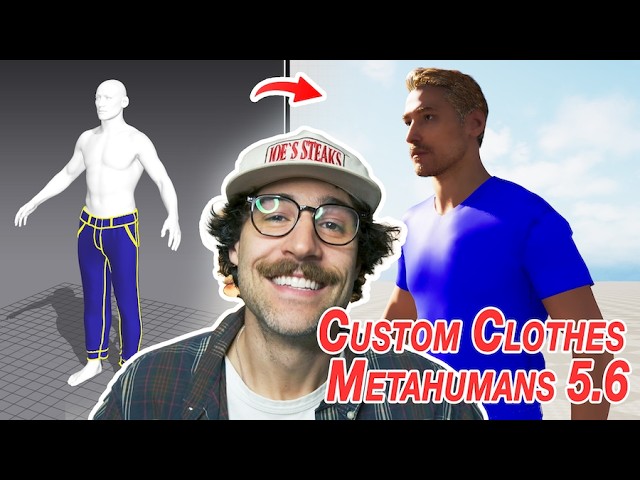
Livesync from CLO SET - https://connect.clo-set.com/livesync
Comment what you want to know in a video next!
TIMESTAMPS
00:00 - Intro
00:20 - Creating Metahuman Character
01:52 - Setting up LiveSync
03:12 - Using Livesync
04:54 - Creating shirt in MD
06:19 - Sending shirt to UE
07:09 - Creating skeletal mesh for shirt
08:04 - Adding shirt to...
 autumn jungle
Does anyone have a LiveLinkRemapAsset already made to convert ARKit blend shape names to MetaHuman blend shape names?
I finally got an ARKit compatible model to work with a MetaHuman (video) Live Link source in 5.6. That video source uses MetaHuman blend shape names not ARKit, so they all start with CTRL(underscore)expressions(underscore) and have some other name changes like changing Left to L.
regal hare
Anyone successfully package a metahuman yet? Even tried CLI method and no dice. I have all metahuman plugins, the metahuman core data. Is there something else missing I imagine we just wait on epic still. I have seen some "metahumans" on the marketplace though so someone has packaged them. https://pastebin.com/3Rx8Q743
Pastebin
Pastebin.com is the number one paste tool since 2002. Pastebin is a website where you can store text online for a set period of time.
 stark urchin
I mean why couldnt they include these clothing presets from quixel metahumans? really strange. and what's the correct way to integrate them in the metahuman creator?

 trail geyser
hello people
new to unreal and looking into metahuman

currently i am getting this issue
how do i fix it?
stark urchin
trail geyser
go to your epic launcher, in the 5.6 engine options, install metahuman core data
trail geyser
stark urchin
go to your epic launcher, in the 5.6 engine options, install metahuman core data
yeah but from where?
i cant find any option tbh
i have been lookin around but there are so many options

 trail geyser
also how do i make the **metahuman **light on resource? if u could give some tips please
 jagged fulcrum
stark urchin
I mean why couldnt they include these clothing presets from quixel metahumans? r...
jagged fulcrum
stark urchin
I mean why couldnt they include these clothing presets from quixel metahumans? r...
you need to add I think about 3 clothing assets for that, there is already someone share this in youtube I guess
 frosty crow
did live retargeting move someplace else? I dont see it where it once was...
 brisk stone
Anyone know if the metahuman skeleton is just a ue5 Manny rig?
If I have a character rigged to a ue5 rig, can I use its body with that rig and just replace the head?
Or maybe a ue4 rig?
 long cipher
hey guys pls have anyone create a character with metahuman in 5.6 and migrate it to 5.5
cause am having such issues have created my metahum in unreal 5.6 but my game project is in 5.5 and am not ready to port to 5.6
pale zealot
long cipher
hey guys pls have anyone create a character with metahuman in 5.6 and migrate it...
there is no backwards compatibility in UE. You may try to export the MH body and head to FBX and use those to replace a MH in 5.5 but I don't know the extent of the differences in skeleton or geometry they implemented
long cipher
Yeah that might work but my main issues is the materials
pale zealot
you may try recreating them, maybe there is no much difference, if you bring the textures you should get a really close result already
trail geyser
can we disable this update thing which happens after every little changing of parametrics
 fluid oriole
trail geyser
**can we disable this update thing** which happens after every little changing o...
fluid oriole
trail geyser
**can we disable this update thing** which happens after every little changing o...
You have to remove all the clothing, put it back on when you are done customising
stark urchin
jagged fulcrum
you need to add I think about 3 clothing assets for that, there is already someo...
No there’s literally no YouTube video showing how to add quixel metahuman clothing to the creator
regal hare

New outfits and video updates will be regularly added every weekday to expand the content of the pack (Currently standing at 59 wearable asset). This makes it a dynamic resource for anyone looking to dress their MetaHuman characters in Unreal Engine with a variety of clothing options.
Not quixel but can add any "other" clothing
brisk stone
guys what is the joints only rig?
brisk stone
regal hare
https://www.youtube.com/watch?v=9NxEzdr7T7E
metatailor also works nicely
brisk stone
anyone use metahumans?
with als
in 5.6 it seems the metahumans have a combined body
as opposed to having torso, feet, etc
Image
so would the fastest option for integrating metahumans and als be to just have a live retargetter run?
and if so would that drop fps??
 robust crane
Hey, this isn’t my first time reaching out. I’m testing Metahuman in UE 5.6 on an MSI Katana A17 (Ryzen 7 8845HS, RTX 4060 10GB, 64GB RAM – previously 16GB). I ran "Create Full Rig" and the animation plays fine, but I can’t add the Metahuman to the scene. The "Assemble" button never appeared. In 5.5, I could at least see the hands and feet. Now it shows nothing, and the face rig mesh is red. Is this a bug or did I miss something?
 spice robin
MetaHuman 5.6 crashes every time I select LiveLink Footage for my MetaHuman Identity. Anyone else having issues with this or know of a fix?
 fiery jungle
robust crane
Hey, this isn’t my first time reaching out. I’m testing Metahuman in UE 5.6 on a...
fiery jungle
robust crane
Hey, this isn’t my first time reaching out. I’m testing Metahuman in UE 5.6 on a...
Have you downloaded the source Texture Files?
grand prawn
Why are the MetaHumans created with MetaHuman Creator, their eyes are so out of wack? See how the aim for the eyes are not even close to the head alignment and looking in the wrong place?

 astral atlas
I have a custom non-Metahuman characters with facial rig (instead of morph targets). How can I setup Metahuman lipsync to animate character's face using pre-recorded audio ?
brisk stone
brisk stone
anyone use metahumans?
with als
in 5.6 it seems the metahumans have a combined b...
Anyone ??
 fossil oak
Please bring Metahuman Creator to MacOS!
grand prawn
Can someone please explain why my character's face control rig does not follow my character's head and remains at the root transform of my character? The eyes and control rig should follow the head's animation.

This makes it impossible for me to animate the eyes to track a target.
past ice
grand prawn
I created a test scene with your theory by making sure substrate was disabled. ...
👍
 limpid acorn
Can anyone explain what's causing my metahumans feet to clip through the floor?
 nocturne snow
how to use parametric clothes for Metahumans in 5.6 https://youtu.be/InknBH1e_i0

Learn how to use the new Parametric Clothing System in Unreal Engine 5.6! In this tutorial, I’ll walk you through importing a Marvelous Designer cloth asset into UE5, simplifying the mesh, and retargeting it to a MetaHuman.
You’ll also learn how to make your garment parametric, so it can be applied to any MetaHuman — no rework needed. Thi...
 grim mango
Is there a way to update blueprints generated from metahumans if you update the metahuman in 5.6?
grim mango
I figured that out but two things, one I'm getting a two piece on my guy though he was made from a custom face mesh and two, why doesn't the preview remove the underwear anyway? I'm trying to build a robe with Joey's awesome MD tutorial and it's still got the base undies on?
 late sequoia
not sure about 5.6 but in the past the only way to get rid of the underwear was to manually paint it out on the textures... MetaHuman Creator will probably always have the underwear
grim mango
That sounds horrendous, I can't even imagine the normal map painting either. The texture maps aren't very clear. I guess it would be easier if you could bring the whole model and UV's into something you could model paint over? I gave up and just created a new default guy . Thanks for the advice though.
 chrome acorn
grim mango
That sounds horrendous, I can't even imagine the normal map painting either. The...
chrome acorn
grim mango
That sounds horrendous, I can't even imagine the normal map painting either. The...
there is a tutorial about how to remove metahuman underwears, you just need 4 material and adobe substance painter https://www.youtube.com/watch?v=cd_f0qZyOaA

This is how you remove the underwear on a Metahuman character.
⇒ WANT TO LEARN MORE ABOUT CHARACTER CREATION? If you are ready to dive into the secrets of creating a fully functional and highly customized metahuman character, check out the full in-depth course on creating AAA characters for Unreal Engine:
Gumroad: https://realtime...
grand prawn
Am I really the only personal experiencing this bug? Here's a better example:
Take a look at this 5.5 character. Eyes correctly follow the LookAt eye component and the Head Controller correct follow the head.

But you can see in 5.6 the LookAt and Head Controller does NOT follow the head. Why is that? Is there a fix? Is this known?

Why is this a problem? Well the "LookAt" option entirely breaks. His eyes are looking straight instead of at the LookAt.
pale zealot
grim mango
I figured that out but two things, one I'm getting a two piece on my guy though ...
you can remove the top in the skin texture section, there is a tickbox. The bottom part you cant remove Im afraid

 rose sedge
how can i get the previous metahuman i created in previous version's dna file?
 hoary patio
5.6 feels extremely buggy
I am trying a audio capture + mixamo workflow into sequencer. head gets detatched from body all the time.
any fix for that?
 gritty wing
Does anyone know if there's a way to use the MetaHuman Animator Depth Processing Plugin in a custom engine build? On fab Epic only distributes it as a binary only with no source, making it impossible to use with a custom engine build
If I try to build the plugin I get this on editor startup:

Oh I wonder if it has to be built with the engine and not in a project
gritty wing
Nope, still produces the error
And I've looked in the logs, nothing other then that error
Why did epic have to release it like this? This is really annoying
 jaunty roost
I'm trying to figure out how to change the skin color / texture of metahumans. Anyone have any pointers?
 rich crescent
Take a look at this, this is how I do it. https://youtu.be/uaYNgMcEYEE?si=Hl6yYwZE4cdaL64Z
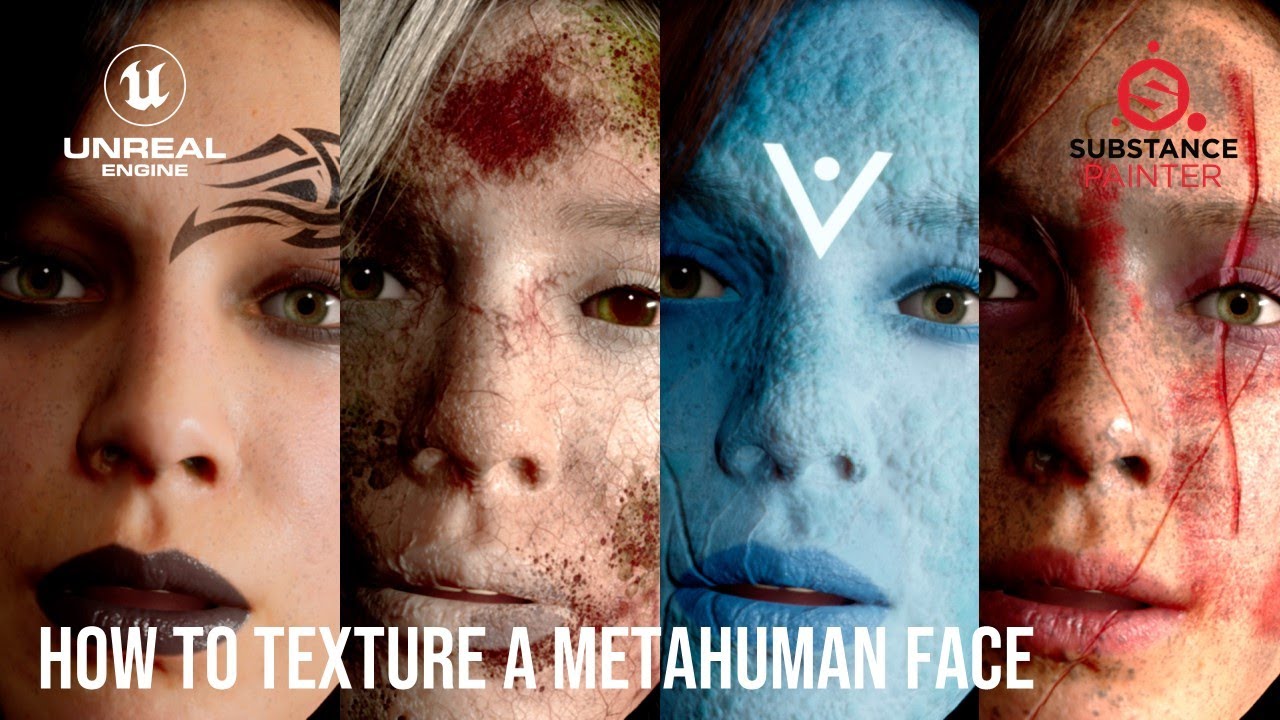
If you ever wondered how to assign your own make-up to a metahuman character in Unreal Engine, or completely retexture the head of your beautiful character, this is for you. ;-)
⇒ WANT TO LEARN MORE ABOUT CHARACTER CREATION? If you are ready to dive into the secrets of creating a fully functional and highly customized metahuman char...
The tutorial uses Substance Painter but the process works for Photoshop or GIMP they are just a bit more of a hassle for details.
 neat jasper
grand prawn
Can someone please explain why my character's face control rig does not follow m...
neat jasper
grand prawn
Can someone please explain why my character's face control rig does not follow m...
I began to use UE5.6 yesterday and am facing the same problem. This makes it almost impossible to use Face Control Rig! I updated my current project from UE5.5 to 5.6 yesterday and Face Control Rig was following MetaHuman's head in UE5.5.
neat jasper
grand prawn
Am I really the only personal experiencing this bug? Here's a better example:
T...
Same here. LookAt control in UE5.6 is unusable.
grand prawn
neat jasper
Same here. LookAt control in UE5.6 is unusable.
Thank you for confirming! I was losing my mind trying to fix it.
I have an animation from 5.5 that's pretty long and all of my characters eyes were broken.
 vagrant cargo
Hello guys, I have an issue with groom. I can't use pre-generated MetaHuman blueprints as our characters have C++ base, meaning that also LodSync is in C++. Well when I copy groom from blueprint to our character, it works. But when I compile it, it misses lods when zooming in/out. The same happens in play mode. Tried everything. (UE 5.5/5.6.)

Only increasing bounds fixes it, but I can't have bouds 100, that's crazy.
 silk flame
Im new to Unreal (5.6). Im trying to understand the logic behind baking a Live link recording / take to the Metahuman face board. ie; i've recorded a few takes which appear in the content drawer, how do i get them onto the metahuman so i can edit and finesse the motion capture (live link) Thanks.
chrome acorn
vagrant cargo
Only increasing bounds fixes it, but I can't have bouds 100, that's crazy.
you have to use %60 bounds atleast in a groom binding, other solution is just copy paste from metahuman original blueprint character, copy all body parts and grooms, but don't paste it in to character skeletal mesh, instead copy it below alone
chrome acorn
neat jasper
Same here. LookAt control in UE5.6 is unusable.
did you try see what is inside of face control rig? there is eye aim function in left below, see if there is anything wrong with it, i'm not using 5.6 at this state that's why i cant test it now
 left sinew
I've encountered this bug. If i set the mesh to not visible (during an inspection mode where i hide all the skeletal meshes) when i reset the state i get this funky orange hairs. Any suggestion?
 vagrant cargo
chrome acorn
you have to use %60 bounds atleast in a groom binding, other solution is just co...
vagrant cargo
chrome acorn
you have to use %60 bounds atleast in a groom binding, other solution is just co...
Well copying groom didn't work out, bounds scale 60 on groom component works. I mean I'm afraid it will cost performance. :/
nocturne snow
Tutorial on how to process Mo Cap for Metahumans in 5.6 https://youtu.be/8nIUmGNRXqE

Looking to bring your Metahuman to life with full-body AND facial motion capture? This beginner guide walks you through the workflow.
Learn how to record facial and full-body motion capture for Metahumans in Unreal Engine 5.6. This video is a step-by-step tutorial that shows the entire motion capture pipeline — from setup, recording, and impo...
chrome acorn
vagrant cargo
Well copying groom didn't work out, bounds scale 60 on groom component works. I ...
ye it costs performance but if its %30 percent it doesnt get vertex weights much and it results bad visualty of groom going through mesh or something
vagrant cargo
chrome acorn
ye it costs performance but if its %30 percent it doesnt get vertex weights much...
But you meant scale on every groom component in actor?
chrome acorn
sorry i don't get it, i'm talking about groom binding stuff, it asks you to 0-100 weight i'm talking about that
i'm using them on %80-100
vagrant cargo
chrome acorn
i'm using them on %80-100
This one?
 chrome acorn
ye this one but it doesnt have face mesh in my project first time seeing it
but it's the same thing
vagrant cargo
chrome acorn
ye this one but it doesnt have face mesh in my project first time seeing it
It's unreal 5.6.
This is all options I have @chrome acorn
chrome acorn
can you show it as full screen ?
there is a lot of things in 5.6 its not like this in 5.5.4
send full ss of that
vagrant cargo
chrome acorn
send full ss of that
 chrome acorn
click to groom that u are using, right click create binding, there is 0-100 rate option that u can give i'm talking about that, it's looking different when u already create one and i guess this one is already using %100
if you have no problem rn it's okay is it still bugged?
vagrant cargo
chrome acorn
click to groom that u are using, right click create binding, there is 0-100 rate...
This menu right?
 chrome acorn
ye its already 100 int point
little advise, take lod function from your metahuman bp and put it in to your character and make it 3-0-0 lod, it will be 0 lod, if you put 0-0-0 it doesnt stuck in lod 0 idk if this bug still exist in 5.6 but
vagrant cargo
chrome acorn
ye its already 100 int point
Yeah, even recreating binding didn't help
vagrant cargo
chrome acorn
little advise, take lod function from your metahuman bp and put it in to your ch...
What do you mean?
LODSync?
chrome acorn
ye
vagrant cargo
I've copied it from original bp.
 chrome acorn
make it 3 - 0 - 0 but it probably would'nt fix that hair problem i guess
vagrant cargo
chrome acorn
make it 3 - 0 - 0 but it probably would'nt fix that hair problem i guess
Nope
chrome acorn
problem is i don't get it why you can't use pre-generated metahumans i'm working with metahuman for 1.5 year but i'm not sure about that problem
you can try to adjust hair settings if it's missing out when u zoom back, open the groom and make lod 0 1 2 3 strands, visible, simulation is auto
vagrant cargo
chrome acorn
problem is i don't get it why you can't use pre-generated metahumans i'm working...
Because of c++ base.
chrome acorn
i don't have much knowledge about c++ based version sorry can't help it, i tried to help but it looks like main problem is in codes idk
 scenic forge
Hey, all the 5.6 Metahuman stuff on YouTube is just showing facial capture stuff. But can it be used to caprture full body motion as well? I can't seem to find an answer on that and haven't had a chance to play around things myself yet.
 shadow stump
5.6 Metahuman Creator, anyone know why Body Parameters (Shoulder Height and (Hip) Rise) are greyed out and read only?

 civic quarry
how can we stop this? to not update after every little changes we make

 latent horizon
scenic forge
Hey, all the 5.6 Metahuman stuff on YouTube is just showing facial capture stuff...
latent horizon
scenic forge
Hey, all the 5.6 Metahuman stuff on YouTube is just showing facial capture stuff...
no it can not.
latent horizon
vagrant cargo
LODSync?
LODsync is a component on a metahuman that synchronizes your characters meshes when they have different LOD numbers. Like if your head has 7 LODs but your body has 4 LODs. etc
can somesone tell me how they can apply opacity asks to the new metahuman mes materials/textures. The old material editors were simple, but now they use a live input structure that doesn't show open slots for material texture maps. PIC = old (on all the tutorials)

vs. New metahuman masterial - on NO tutorials

 vagrant cargo
latent horizon
LODsync is a component on a metahuman that synchronizes your characters meshes w...
vagrant cargo
latent horizon
LODsync is a component on a metahuman that synchronizes your characters meshes w...
Yes. Looks like this one is not doing it’s job properly
 brazen laurel
civic quarry
how can we stop this? to not update after every little changes we make
brazen laurel
civic quarry
how can we stop this? to not update after every little changes we make
Just removed the outfit till your done with all of your changes, then add it back
brazen laurel
rose sedge
how can i get the previous metahuman i created in previous version's dna file?
install using bridge in 5.6 and when you ass to your scene select import and migrate, this creates a metahuman exactly like the original but also makes a metahuman creator where you can change the skin textures etc in the new metahuman creator
vagrant cargo
Okay I found solution to my problem. LODSync can't be added in C++, has to be in BP. 
@latent horizon @chrome acorn Thanks for help!
 violet lava
Does anyone have a higher subdivision metahuman head with working groom and blend shapes,
I saw a workflow using mesh morpher but I don't want to pay £40/month for something I'll use once as a test
violet lava

#UE5 #metahumans #meshmorpher
A tutorial that demonstrates how to subdivide Meta Humans in Unreal Engine. We also fix the expressions blendshapes with Mesh Morpher to work with our subdivided meta human.
Get Mesh Morpher:
https://www.meshmorpher.com
If you have any question let us know!
Like and subscribe to see all our upcoming tutorials.
...
like this one
pale zealot
Anyone working with Chaos cloth succesfully managed to get the cloth sim to collide with the environment? I got it working as a kinematic collider against the body and it works perfectly, but it passes through the environment even after checking "collide with environment" in the skeletal mesh, any ideas? thanks
brazen laurel
Gave Houdini a shot and tried to make French braids for metahumans, lmk what you think and dm any suggestions of other styles I should try to make

 vestal barn
brazen laurel
Gave Houdini a shot and tried to make French braids for metahumans, lmk what you...
vestal barn
brazen laurel
Gave Houdini a shot and tried to make French braids for metahumans, lmk what you...
Yeah saw this in Clint’s server thought it looked nice!
brazen laurel
vestal barn
Yeah saw this in Clint’s server thought it looked nice!
Appreciate it man 🙏🏻
vestal barn
Have you got any shots of the braids in motion? I imagine that could be tricky but interesting
vestal barn
brazen laurel
Gave Houdini a shot and tried to make French braids for metahumans, lmk what you...
Also did you follow any specific learning resources to be able to make this? This is for sure a future project I’ve been thinking about for a while
brazen laurel
vestal barn
Also did you follow any specific learning resources to be able to make this? Thi...
Honestly there’s a few on gnomon for like animal grooms Houdini but to learn I just watched a Timelapse on YouTube and figured out what modes they were using to place and sculpt guides and use attribute paints
vestal barn
Ah ok yep I’ve looked as similar stuff, thought there might be something more educational
 sage kiln
Can someone help me fix this lowerarm_r twist bone that doesn't line up when using the metahuman control rig? It's making a weird deformation around the wrist. All of the bones line up in the skeletal mesh.
 pale zealot
anyone working with chaos cloth have experienced issues with shadows? apparently using raytracing the chaos cloth assets do not project shadows on other objects, and they are totally invisible in path tracing, anyone knows why?
 gilded badger
Hey, currently looking also for a solution of this. Did you manage to get it fixed by chance?
 prisma oxide
gilded badger
Hey, currently looking also for a solution of this. Did you manage to get it fix...
prisma oxide
gilded badger
Hey, currently looking also for a solution of this. Did you manage to get it fix...
Not really a solution but I skipped Grooms and used only mesh cards. That at least didn’t crash. There is also a cvar usehaircards xx
 steady sigil
Im using control rig and level sequencer to animate the Bp_MetaHuman character Body and face, when i bake the animation the should gets distorted, stretched a bit upwords, disable post process also doesn’t help much but just a little better but still its too bad, can someone help on this?
violet lava
nocturne snow
Tutorial on how to process Mo Cap for Metahumans in 5.6 https://youtu.be/8nIUmG...
Looks good man, thanks!, i was just watching your MD to Unreal Workflow video!
the webcam to facial capture is pretty cool:
 prisma oxide
Hey! Does somebody know how to reduce/remove bones from the Face Skeleton without fking everything up? My goal is to export it so Godot
gilded badger
prisma oxide
Not really a solution but I skipped Grooms and used only mesh cards. That at lea...
ah okay damn, I'm not even having metahuman in the level. Can't get my head around what's happening 😅
 obtuse sphinx
Anyone having issues with metahuman and trying to solve it and who's trying to get a new metahuman?
 fast reef
hi everyone does anybody have experience with metahuman dna calibration and the behavior layer?
 gusty pilot
Where can I make clothes for metahumans?
vestal barn
Marvelous designer, or i mean just using maya if you are proficient at that
 earnest radish
Is there any info somewhere that explains what would be the best approach to handle metahumans for your game? I've seen people just use the mesh and rerig to a simpler mannequin one but that seems wasteful.
Is going the high quality optimized version the way and force it down to LOD 1 or 2 while in game and then force it to 0 in cutscenes the better way to go about it?
Should I simplify both the rig, geometry and materials for the in-game model and then just use the cinematic one as a separate mesh for cutscenes?
I'm confused on how to best handle this.
gusty pilot
vestal barn
Marvelous designer, or i mean just using maya if you are proficient at that
Marvelous Designer is paid and ik beginning or basics of blender
 rapid tartan
Excuse me gentlemen, has anyone faced grooms not working with Hidden Shadows enabled?
I've tried but my character head's shadow continues BALD
chrome acorn
rapid tartan
I've tried but my character head's shadow continues BALD
engine scability should be high or more otherwise groom shadow doesn't cast as i remember i can be wrong
rapid tartan
chrome acorn
engine scability should be high or more otherwise groom shadow doesn't cast as i...
The groom shadows appear normally for other players, as they're visible.
What I'm doing is my True FPS character has two heads, one is shown up to the neck only for the owner and the other, with the grooms, is shown for the rest of the players but hidden in game for the owner.
vestal barn
gusty pilot
Marvelous Designer is paid and ik beginning or basics of blender
Yeah blender should be fine there’s plenty of tuts
steady sigil
Im using control rig and level sequencer to animate the Bp_MetaHuman character Body and face, when i bake the animation the shoulder gets distorted, stretched a bit upwards, disable post process also doesn’t help much but just a little better but still its too bad, can someone help on this?
Help please! Someone!


in sequencer its fine

 hollow arch
prisma oxide
Hey! Does somebody know how to reduce/remove bones from the Face Skeleton withou...
hollow arch
prisma oxide
Hey! Does somebody know how to reduce/remove bones from the Face Skeleton withou...
Use lower LOD. Idk about exporting to godot though. Pretty sure thats a no no
 celest dune
Has this happened to anybody else? this is a Function inside AAU_Bake_utilities.
I've even reinstalled the Engine and all my current projects and new ones that I make all have this same issue with the node


 deft anchor
Anyone got an answer for me.. Tried a fresh install.. Played with so much over the past 2 days trying to resolve this.
I can try fix the normals in Blender, but guessing its not supposed to be like this. So would rather fix the root cause if i can.

(Happens on a fresh project, All default settings aside from the metahumans plugin)
gusty pilot
vestal barn
Yeah blender should be fine there’s plenty of tuts
Currently, all tutorials are based on marvelous designers for metahuman clothing and for blenders, I couldn't find much.
vestal barn
gusty pilot
Currently, all tutorials are based on marvelous designers for metahuman clothing...
Just search not metahuman specific
How to make clothing in blender
gusty pilot
vestal barn
How to make clothing in blender
Okay
fluid oriole
brazen laurel
Gave Houdini a shot and tried to make French braids for metahumans, lmk what you...
Very nice
brazen laurel
fluid oriole
Very nice
Appreciate it
brazen laurel
deft anchor
Anyone got an answer for me.. Tried a fresh install.. Played with so much over t...
Check with a blank scene and rec lights, I’ve used 5.6 metahumans a lot and have had no issues so I feel like it may be with the directional light/ sky dome
brazen laurel
vestal barn
Ah ok yep I’ve looked as similar stuff, thought there might be something more ed...
Unfortunately no
jagged fulcrum
deft anchor
Anyone got an answer for me.. Tried a fresh install.. Played with so much over t...
on body material, it might be bugs or you accidently use SRMF texture from metahuman with top outfit
 deft anchor
jagged fulcrum
on body material, it might be bugs or you accidently use SRMF texture from metah...
deft anchor
jagged fulcrum
on body material, it might be bugs or you accidently use SRMF texture from metah...
I'll check this. But everything was cleanly installed and default.
It happens on presets, nothing altered.
deft anchor
brazen laurel
Check with a blank scene and rec lights, I’ve used 5.6 metahumans a lot and have...
I'll check that Ty. With all being default settings, I think it's going to be deeper than this. And I think I'd like it to work with the default lighting setups anyway.
brazen laurel
Very possible, also try turning up the sample per pixel on the light and turning the material quality preset in viewport to epic
deft anchor
brazen laurel
Very possible, also try turning up the sample per pixel on the light and turning...
When i change the normals. The front and back of the body go in opposite directions. So im pretty sure somethings going wrong when it makes the normal maps. But i'll try these things now ty.
deft anchor
brazen laurel
Check with a blank scene and rec lights, I’ve used 5.6 metahumans a lot and have...
You were right, Seam doesn't show when using rectangle light. Not sure what to try next. but it narrows it down a bit. Guessing i have a bug with some of the default light settings
brazen laurel
deft anchor
You were right, Seam doesn't show when using rectangle light. Not sure what to t...
Yeah no idea exactly why I haven’t texted it without anything but rec lights or lights from a plugin I use
deft anchor
Aye, very frustrating... day 3 of just trying to resolve this.. close to what. 10-15 hours now i reckon... time for a break...
 neon vale
hey guys new to metahumans, so i have one metahuman file from one of the course and its in mhb format and idk why but i cant open metahuman creator website anymore
i mean when i try it, it says to download unreal engine
note: rn i have 5.6 with all metahuman plugins and core package
deft anchor
neon vale
hey guys new to metahumans, so i have one metahuman file from one of the course ...
Right click in content window. Theres a metahumans option near the bottom. Create a character from there, then open that character to get into the character creator
neon vale
deft anchor
Right click in content window. Theres a metahumans option near the bottom. Creat...
that i know. i am asking how can i open mhb file and edit it?
coz thats my whole metahuman with animation data as well
and in 5.6 its only letting me import .dna files
deft anchor
neon vale
and in 5.6 its only letting me import .dna files
Not sure there sorry. I've only dealt with ones generated in editor. You can export them and re-import the skelmesh/bones. as FBX, not much idea about the animations. Some sort of retargeting to a new default setup?... im new to this area sorry.
neon vale
its ok no worries, thanks for helping tho 🙌
deft anchor
neon vale
its ok no worries, thanks for helping tho 🙌
Aye, im guessing theres a better way. maybe making the UE asset in an older build then moving it to 5.6?
neon vale
deft anchor
Aye, im guessing theres a better way. maybe making the UE asset in an older buil...
nope already tried, in 5.5 it was insisting me to download unreal engine when i try to open metahuman creator
i thought coz epic shifted everything to 5.6 with new core and plugins maybe i have to download
deft anchor
neon vale
nope already tried, in 5.5 it was insisting me to download unreal engine when i ...
Then my best guess would be to swap in the fbx and find a way to move the anims in seperately. I can speak on the mesh bit. not so much on the anims.
neon vale
i see, i got your point. i will work on it tomm now already wasted whole day trying out things and checking forums
deft anchor
neon vale
i see, i got your point. i will work on it tomm now already wasted whole day try...
I know the feeling.. I have to move on from my one for now i think. I'll maybe just try fix in blender for now. Good luck!
fluid oriole
New survival outfit, check it out in the latest episode of the Metawardrobe https://www.youtube.com/watch?v=fDmI44T8_FI
 regal hare
fluid oriole
New survival outfit, check it out in the latest episode of the Metawardrobe http...
regal hare
fluid oriole
New survival outfit, check it out in the latest episode of the Metawardrobe http...
All your newer stuff is coming with metahuman clothing assets right? I have been updating as new versions came out and seem to be just figured i'd clarify.
nocturne snow
Need some motion captured for Metahumans? Reach out! https://www.youtube.com/watch?v=hqGx_FwR8oc

Can't find that perfect wild animation? Tired of searching through endless mo cap packs?
WE GOT THAT MO CAP! Nightlife Edition brings you the animations your party scene requires
Nightlife Edition Animation Pack Download Link - https://joeylombardifx.gumroad.com/l/miouvs
Trying to get it figured out? Come chat!
https://discord.gg/grYar3aQf...
trail geyser
how to export metahuman basemesh as obj/fbx?
violet lava
trail geyser
how to export metahuman basemesh as obj/fbx?


Has anyone used mesh morpher with 5.6 to correctly subdivide the MH head and keep the blend shapes/Groom bindings?
I'm trying to Zwrap characters but the MH head is low topology
jagged fulcrum
violet lava
I'm trying to Zwrap characters but the MH head is low topology
you are trying to just take the head to MH?
or with the whole body
violet lava
jagged fulcrum
you are trying to just take the head to MH?
Just the head,
I have done multiple wraps and there's not enough topology in the normal mesh to wrap into anything with any details.
I don't really want to buy a month of mesh morpher($50) just to subdivide one model
jagged fulcrum
you can subdivide it in blender or others 3D modeling tools, it keeps the morph target data and skin weight as is
most problem is the export import part, a little bit tricky
jagged fulcrum
violet lava
I don't really want to buy a month of mesh morpher($50) just to subdivide one mo...
why dont you just use metahuman feature mesh to metahuman, you can wrap any head mesh to metahuman, it is easier i guess
violet lava
jagged fulcrum
you can subdivide it in blender or others 3D modeling tools, it keeps the morph ...
No you can't, it won't match the topology when you try to conform to the template, all the blend shapes and groom bindings will be broken
violet lava
jagged fulcrum
why dont you just use metahuman feature mesh to metahuman, you can wrap any head...
Because it only gives you a rough shape from the metahuman solver, no details or form
jagged fulcrum
I see, you also want to wrap a very detail head i guess, like an old man with a lot of wrinkles
violet lava
Anything above ps1-2 topology, it struggles
I tried asking Epic if they can release high resolution exports
jagged fulcrum
usually in game, I just bake the detail as normal maps and AO in 3d modeling tools, so we still could be able to have the micro detail, but have lower topo resolution
violet lava
The exported head mesh isn't high topology at all.
I'm guessing they'll release this soon.
If anyone has used mesh morpher with a metahuman head in 5.6 to subdivide and copied the morph targets/groom bindings currently to conform to the MHC template, HMU
jagged fulcrum
violet lava
The exported head mesh isn't high topology at all.
I'm guessing they'll release ...
I dont understand, I doubt they will. it is already dense enough on cinematic mesh, usually sculpting models from zbrush will need to be retopologize and bake the detail to normal map
violet lava
jagged fulcrum
I dont understand, I doubt they will. it is already dense enough on cinematic me...
You don't get the cinematic mesh when you export, if I subdivide the mesh in any other DCC it looks good after wrapping but I don't have the blend shapes or groom binds working so it doesn't conform in the MHC
#UE5 #metahumans #meshmorpher
A tutorial that demonstrates how to subdivide Meta Humans in Unreal Engine. We also fix the expressions blendshapes with Mesh Morpher to work with our subdivided meta human.
Get Mesh Morpher:
https://www.meshmorpher.com
If you have any question let us know!
Like and subscribe to see all our upcoming tutorials.
...
jagged fulcrum
violet lava
You don't get the cinematic mesh when you export, if I subdivide the mesh in any...
this one is cinematic mesh right?
Maybe I miss understand your intention. So, you are trying to :
- export mh mesh to 3d modeling tools and subdivide it there
- Wrap the exported mesh to your custom mesh
- Import back the wrapped mesh and repositioned bones to unreal
if the mesh transformation, UV is too different with the original, groom binding will fail. bones transformation will not works too since when you import it back to unreal, mh DNA will reevaluate the bones and break your changes. mh is very strict system for this case.

export import blend shapes sometime can be fail too because of file format issues. need something like autodesk fbx converter to make it works properlly in unreal. sometimes not, depending on your modifications
violet lava
The only mesh I have found that will work is the face from a MHC in 5.6, the other versions don't have the correct virts or tris and won't conform to the template.
You use mesh morpher which is a plugin for unreal to subdivide the mesh in unreal and copy the morph targets and groom bindings from the original in unreal, you then export that mesh into Zbrush and Zwrap it onto any other mesh
 lime hornet
used a metahuman hair on a daz character. works nicely but then when I looked closer...
I have eyes on the back of my head staring back at me, literaly
I know it's because the hair mesh is somehow see-through or transparent.. how to fix?
 vestal barn
It is now a game mechanic
hoary patio
Hi! I am trying to create parametric wardrobe item for my metahuman. When I add the Wardrobne item to it this is what I get:

 honest kernel
Hi everyone! I'm looking for a solid solution to posing metahumans in an A-pose or T-pose that Marvelous Designer will interpret, either in the Unreal Editor or Maya. Is there a standard or recommended workflow? Having some trouble accessing the pose library in the Metahumans sample project, in addition.
violet lava
honest kernel
Hi everyone! I'm looking for a solid solution to posing metahumans in an A-pose ...
Open the skelMesh you want to export in unreal,
Create Asset>Create animation>Reference Pose.
Once you have the anim sequence,
right click>asset actions>Export
https://www.youtube.com/watch?v=dAaIvyG2tE8 This video from Joey is great!
In this video, I’ll walk you through how to connect Marvelous Designer to Unreal Engine 5.6 using LiveSync.
I’ll show you how to set up the connection, sync your cloth asset in real time, and get everything running smoothly inside UE5.6. We’ll go over some tips for importing your garments cleanly, adjusting simulation settings, and avoidin...
 agile hemlock
LogMetaHumanCharacterEditor: Error: Auto-Rigging of Face failed with code 'Eula Not Accepted'
anyone know this error? I need to accept the EULA but I cant find it

 tawny pendant
Where is a good place to find Metahuman artists? I'd like to turn my webcomic https://satwcomic.com/ characters into metahumans.
honest kernel
violet lava
Open the skelMesh you want to export in unreal,
Create Asset>Create animation>Re...
Working with his tutorial right now, Joey's vids are best out there for Metahuman custom clothes! I'm wanting to make my clothes in MD from scratch and would find the reference points useful. Problem is, Metahumans are in a "neutral pose" upon export, not the mathematically precise a-pose or t-pose that Marvelous Designer recognizes for generating reference points or fitting suits for avatars on import. Was wondering if anyone who encountered this issue found a solution?
agile hemlock
agile hemlock
LogMetaHumanCharacterEditor: Error: Auto-Rigging of Face failed with code 'Eula ...
bump
late sequoia
honest kernel
Working with his tutorial right now, Joey's vids are best out there for Metahuma...
You can create a custom fitting suit in Marvelous, it doesn't take a long time, maybe 5 minutes.
jagged fulcrum
agile hemlock
LogMetaHumanCharacterEditor: Error: Auto-Rigging of Face failed with code 'Eula ...
try to logout all of your epic account then re-login, hopefully it showed up, not sure tho. but it is surely server side error indication that you have not yet accepting the user agreement. Maybe the new one somewhere
violet lava
agile hemlock
bump
i have seen this on machines which are not connected to the internet
vestal barn
honest kernel
Working with his tutorial right now, Joey's vids are best out there for Metahuma...
Yes you can export metahumans as certain poses by posing then in sequencer etc.
There are some videos I’ve seen posted yonks ago that use this workflow
 fresh cliff
Does anybody know how to use the ZENDYN plugin with Metahuman? I’ve been trying, but it’s not working on my Metahuman.
 trail echo
hoary patio
Hi! I am trying to create parametric wardrobe item for my metahuman. When I add ...
trail echo
hoary patio
Hi! I am trying to create parametric wardrobe item for my metahuman. When I add ...
which bodies are you using? Unfortunately the ones they provide on FAB are broken when you import the FBXs lmao
I had this same problem, the fix was to open the bodies in the MH creator, then export as combined meshes from there
nocturne snow
quick tutorial on custom skins for metahumans https://youtu.be/ZuqsMk4OVIY

Hey, this video showcases the quick workflow of taking skin textures from #unrealengine5 and adding custom texture to them in #substance_painter.
If you want to see more, please like and subscribe!
If you want to chat or have any questions about what you watched, jump into the discord! https://discord.gg/grYar3aQfU
TIMESTAMPS
00:00 - Introduc...
agile hemlock
jagged fulcrum
try to logout all of your epic account then re-login, hopefully it showed up, no...
I cant find the link anywhere
agile hemlock
violet lava
i have seen this on machines which are not connected to the internet
I've tried this but it still doesnt pop up, Im not sure what to do
agile hemlock
agile hemlock
LogMetaHumanCharacterEditor: Error: Auto-Rigging of Face failed with code 'Eula ...
bump
trail echo
Anyone had issues with the Metahuman Manager not showing anything for editable metahumans? I definitely have editable metahumans (and assemblies for that matter), but it never shows anything.

It works just fine for packaging outfits, I just cant get actual metahumans to show up
regal hare
Same issue here I even tried CLI packaging
No matter the directory I can't get a .mhpkg file.
trail echo
Damn, I guess I'll put in a ticket with support
trail echo
regal hare
No matter the directory I can't get a .mhpkg file.
Yeah I also tried doing an assembly, with folders and naming set up as specified in the docu, no luck there either
regal hare
I even tried asking AI after feeding it documentation to see if I misunderstood it lol
trail echo
regal hare
I even tried asking AI after feeding it documentation to see if I misunderstood ...
Ah, I just saw this in the docu:
"You can configure these folders in the Project Settings under Plugins > MetaHuman SDK > Packaging Paths."
It doesn't actually specify this on their docu page, but looking at those plugin settings, if you create an EditableCharacters folder under Content, it works

 regal hare
Yeah I had tried setting custom pathing I'll try again later but it kept messing up.
 thorn meteor
anyone knows how to fix cloth clipping problem in ue5 when the cloth goes into the body when rotating the bones, i think it has to deal with collision but i could find i solution for it
fluid oriole
regal hare
All your newer stuff is coming with metahuman clothing assets right? I have been...
Hi, yes it is.
And this is the latest update. It's in review now.
agile hemlock
agile hemlock
LogMetaHumanCharacterEditor: Error: Auto-Rigging of Face failed with code 'Eula ...
bump
jagged fulcrum
fluid oriole
And this is the latest update. It's in review now.
great job man, just curious, can we sell custom metahuman body now?
 left furnace
fluid oriole
And this is the latest update. It's in review now.
left furnace
fluid oriole
And this is the latest update. It's in review now.
hii, is there a tutorial for creating the metahuman wardrobe sydtem
 signal geyser
Hi everyone, where can I get hair for metahuman? I don't know how to do it manually in Maya or houdini, can I make hair with a simpler method?
 native spire
Is the new wardrobe system for body shape fitting only a baked solution? I really don't understand why Epic are pushing for us to need to export unique metahumans for each character. Why not give us some sort of deforming mesh support for body shapes so that clothing and body shapes can be morphed between at runtime? Surely the overhead cost of having potentially hundreds of different metahuman head and body skeletal meshes in the project is far less efficient than a couple with morph targets?
Would have been so nice if the wardrobe/outfit system worked at runtime, dynamically choosing the correct body shape based on the metahuman it's displayed on. Instead, it seems it just spits out a baked skeletal mesh from the Creator each time you create a new Metahuman body shape...
jagged fulcrum
native spire
Is the new wardrobe system for body shape fitting only a baked solution? I reall...
Metahuman DNA is used for bone based morphs, while mesh morphing (morph targets like) is handled through Epic's Mutable framework. Both systems work at runtime. It seems like it's only a matter of time before Epic provides a complete, official framework for this. The infrastructure definitely appears to be heading in that direction
fluid oriole
jagged fulcrum
great job man, just curious, can we sell custom metahuman body now?
I believe we can on Fab, not so sure about other platforms.
fluid oriole
left furnace
hii, is there a tutorial for creating the metahuman wardrobe sydtem
Are you referring to the Metawardrobe or Wardrobe items for the Metahuman Plugin for ue5.6? For wardrobe items for the metahuman plugin I have a tutorial on the process on my youtube channel https://www.youtube.com/watch?v=9NxEzdr7T7E&t , if you are refering to the Metawardrobe its not a system its a collection of metahuman clothing, both skeletal meshes and wardrobe items for the metahuman plugin.
New outfits and video updates will be regularly added every weekday to expand the content of the pack (Currently standing at 59 wearable asset). This makes it a dynamic resource for anyone looking to dress their MetaHuman characters in Unreal Engine with a variety of clothing options.
signal geyser
Hi everyone, where can I get hair for metahuman? I don't know how to do it manually in Maya or houdini, can I make hair with a simpler method?****
earnest radish
@signal geyser https://www.fab.com/search?q=groom

Fab.com
Fab is a digital marketplace that offers creators a single destination to discover, share, buy and sell high quality, real-time-ready game assets, environments, VFX, audio, animations, characters, plug-ins, and more.
signal geyser
earnest radish
<@592417141064728610> https://www.fab.com/search?q=groom
free grooms pleaseee
earnest radish
there are a few free ones scattered there but you won't find people throwing them at you for free very often as they're hard to make look good...
some of those there are dirt cheap anyway
agile hemlock
any ideas on how to accept the EULA?
 runic canopy
Hi, can anyone direct me to a place where I can see the workflow for the latest version of Metahuman how to get a custom sefmade mesh to a full metahuman. I found only a description in the official documention how to do that with the head, but I want a full mesh (head+body) to metahuman.
(I have Maya + Blender)
steady sigil
Im using control rig and level sequencer to animate the Bp_MetaHuman character Body and face, when i bake the animation the shoulder gets distorted, stretched a bit upwards, disable post process also doesn’t help much but just a little better but still its too bad, can someone help on this?


In sequencer it works fine
 jagged fulcrum
steady sigil
Im using control rig and level sequencer to animate the Bp_MetaHuman character B...
jagged fulcrum
steady sigil
Im using control rig and level sequencer to animate the Bp_MetaHuman character B...
possibly the metahuman corrective bone was baked when you create the animation sequence. so when you play the animation sequence, it got evaluated twice. maybe try to disable postprocess animBP when baking. or just bake the translation only
steady sigil
Thank you so much Musashi, i’ll try that out.
steady sigil
jagged fulcrum
possibly the metahuman corrective bone was baked when you create the animation s...
Thanks man, you’re correct
fluid oriole
In this video I will show you guys how to mask all the Metahuman underwear including the bottoms in 1 minute 👉 👉 https://www.youtube.com/watch?v=ePqVU4VYk7c

In this video I will show you guys how to mask all the Metahuman underwear including the bottoms.
 wraith moss
can somebody help me . this is my metahuman but when i try to export combined skel mesh it turns out looking like this ? can somebody help


 fluid oriole
In this video I will show you guys how to mask all the Metahuman underwear inclu...
fluid oriole
fluid oriole
In this video I will show you guys how to mask all the Metahuman underwear inclu...
Update on this, you can actually use any black texture as a mask, even a 1x1.
I used red because that is the colour the original top underwear mask uses, not sure why though. My best guess is that red works as an on and off switch. So to keep that functionality apply red to the green would probably be the way to do it.
 jagged fulcrum
fluid oriole
I used red because that is the colour the original top underwear mask uses, not ...
jagged fulcrum
fluid oriole
I used red because that is the colour the original top underwear mask uses, not ...
neat 👍 🔥
fluid oriole
wraith moss
can somebody help me . this is my metahuman but when i try to export combined sk...
The head and the body are sharing the same Material Slot, If you want to keep them as a single mesh I would fix this by separating the head material and the body material in blender or other DCC app, I'm not sure if it can be done in unreal.
jagged fulcrum
The keyword is using UDIMs texture for that case, metahuman UVs basically support udims by design.
 lavish wren
Good afternoon I am having some trouble with metahumans. I am using unreal engine 5.5 . What is the best method for blending face animations and body animations?
 distant tapir

Character customization finished! ✨ Just like the Witcher III or Fable, our protagonist can visit the Barber. 💇♂️✂️
All jokes aside, I’m getting to grips with Metahuman Creator in @unrealengine 5.6
Managed to get my knights basepose in there, his textures, and even his custom groom.
Next up is tweaking all the expressions, so...

 Instagram
 wispy harbor
Hi, I'm tryiing a metahuman based on celebrity, I want to use metahuman on the iphone to animate in realtime, He has unique smile, and the artist who did the blendshapes says 52 blendshape in ARKit is not enough, and would need a custom rig for it. So wouldn't it be enough if the artist could adjust the expressions to match to ARKit standard?
nocturne snow
hey guys, made a quick tutorial showing how to fit any clothes to Metahumans in Marvelous Designer - https://youtu.be/2fWJyXXA8kk

This tutorial showcases how to take ANY clothing outfit that is open in #marvelousdesigner and #retargeting them to your #metahuman mesh for #unrealengine5!
If you want to see more, please like and subscribe!
If you want to chat or have any questions about what you watched, jump into the discord! https://discord.gg/grYar3aQfU
🎥 Tools & So...
prisma oxide
Does anybody know how to reduce the bone amount of the metahuman skeleton without losing the skinning? 800 bones is just too much 🙂
hollow arch
prisma oxide
Does anybody know how to reduce the bone amount of the metahuman skeleton withou...
Just lower the lod. Or add bones to the bone list in lod settings data asset
prisma oxide
hollow arch
Just lower the lod. Or add bones to the bone list in lod settings data asset
Thanks for the input! I've should mention that I plan to export these for Godot x)
jagged fulcrum
prisma oxide
Thanks for the input! I've should mention that I plan to export these for Godot ...
LODs might use fewer skin influencing bones, you can check the bone influence settings for each LOD to see which bones are actually used. For example, if a specific LOD only uses 100 out of 800 bones, you can safely remove the unused ones without affecting the skin weights and export that specific LOD mesh to godot.
However, this wont help if you’re planning to use LOD 0, since it usually includes all bones. In that case, your best bet might be to use a DCC tool and manually choose and transfer the weights, which can be pretty labor intensive
But you also need to check for unused bones, some of them might still have skin weights assigned, especially the leaf bones. If thats the case, using the LOD as a reference wont work
prisma oxide
jagged fulcrum
LODs might use fewer skin influencing bones, you can check the bone influence se...
I'll try that to export a specific LOD and see how it works out. Thanks for the input!
prisma oxide
that worked pretty easy! @jagged fulcrum thanks again!
 cyan orbit
Hey, I have an issue with joints being placed off the center of mass - or the rotation axis - of my custom body geo by the autorigger. It's both an issue when I conform using Mesh Only, or Mesh+Skeleton (input mesh in both instances is an unrigged .obj mesh). Anybody experienced that before?

(and secondary question, is it possible to view the joints in the in-engine metahuman editor somehow?)
cyan orbit
just adding this to confirm that it's an autorigger problem, and is the same in UE, and not caused by the DCC export

green are expected(ish) bone positions, red are actuals. Weird because it seems to place the helper joints correctly....
thorn meteor
does anyone have a workflow for custom metahuman cloths. i mainly found blender worksflows but is it possible to do it inside ue5 and if not do u have a quick workflow for blender which works. i never finished even one cloth because the cloth always starts clipping even with voxel heat skinning?
 safe holly
Anyone else experiencing no skin tone/color ? 😅 Using 5.6
 prisma oxide
safe holly
Anyone else experiencing no skin tone/color ? 😅 Using 5.6
prisma oxide
safe holly
Anyone else experiencing no skin tone/color ? 😅 Using 5.6
download the textures and refresh the view
jagged fulcrum
thorn meteor
does anyone have a workflow for custom metahuman cloths. i mainly found blender ...
both data transfer in blender and skin weight transfer in unreal usually works nicely
safe holly
prisma oxide
download the textures and refresh the view
I ready tried that, it doesn't work 😆
jagged fulcrum
he will turn into zombie soon
thorn meteor
jagged fulcrum
both data transfer in blender and skin weight transfer in unreal usually works n...
but how u do data transfer if u export the ue5 skeletal mesh into blender the weight doesnt transfer or am i missing something
so i know how to do data transfer but if the mesh has no weight from ue5 u cant do it right
jagged fulcrum
thorn meteor
but how u do data transfer if u export the ue5 skeletal mesh into blender the we...
then there is something wrong with your export import workflow
thorn meteor
oh okay ill work on that ill let u know if it was the problem 🙂 ty so far
thorn meteor
broo it works with the skin weight transfer in ue5 thank u so much
prisma oxide
safe holly
I ready tried that, it doesn't work 😆
hmm maybe recreate the character or go to the skin tab and check if you can change the skin.
 keen osprey
can anyone please help me with stretchy joints issue, when i use 'copy pose from mesh' (attached parent) from a metahuman face to a custom mesh which has EXACTLY the same joints as the metahuman face since it is using the same skeleton.

both the parent and the muscle mesh have same skeleton (default metahuman skeleton)
prisma oxide
Restart UE
keen osprey
this is a persistent issue, have been trying to fix it for days, I saw @obtuse urchin facing this issue too long way back.
 obtuse urchin
keen osprey
this is a persistent issue, have been trying to fix it for days, I saw <@1048139...
obtuse urchin
keen osprey
this is a persistent issue, have been trying to fix it for days, I saw <@1048139...
Don't have an answer for you, using Character Creator 4 now instead of Metahuman 
 simple forge
keen osprey
both the parent and the muscle mesh have same skeleton (default metahuman skelet...
simple forge
keen osprey
both the parent and the muscle mesh have same skeleton (default metahuman skelet...
wow, did you create this muscle mesh? this is really cool!
simple forge
keen osprey
can anyone please help me with stretchy joints issue, when i use 'copy pose from...
also, im not sure but the face skeleton that MH have by default does not have the stretchy joint issue. If you have imported this skeleton then I would zoom out and see how the entire skeleton looks from the root up. This has happened to me when using DNA Calib sometimes and the FBX export has a misalignment between the head and body root joint.
trail geyser
how to export metahuman as obj/fbx? in quads not triangulated
cyan orbit
Heyo, still having this issue with autorigger placing the bones wrong (red is actual position, green is expected-ish) when conforming to a custom mesh - anybody experienced this before?

 wispy skiff
Hi, I'm having some troubles when connecting some face animation to a body animation.
The head keeps snapping to the ground.
I saw that I needed the Face_Anim_BP that didn't get generated in my project, so I stole it from a 5.5.4 project and compiled it. Though, it doesn't solve my issue
Do you have any suggestions?
UE 5.6
MH created in UE, not through Bridge
 shut zodiac
Does the latest version of metahumans still not come with hand and foot IK bones like the UE5 skeleton has? I know I can use VBs for the feet, but many anim-packs use the hand_ik bones to animate weapons and attachments. What are my options to get that working on a metahuman?
 celest vessel
why does this happen when importing an old metahuman from MHC? 🤔
 celest vessel
might be related to this warning
 jagged fulcrum
yeah, exactly what happened to my female character boobs too
 gleaming nest
Hey Guys!
I have a custom character already modeled and rigged. Can I import it to metahuman and use together with livelink in iOS?
I want to motion capture the face expression + body movements. Nothing crazy like jumps, rolls. Just the character talking and walking, moving arms, hands, fingers etc
jagged fulcrum
yes, just convert it to mh
 mint coral
i cannot access Metahuman Creator on the browser, it redirects me to download Unreal Engine. Any solutions? im trying to create one at unreal engine too but when i press create rig then at 75% it gives source code error and sometimes a loadingof Dna something comes up but then my unreal crashes. i have enabled metahuman in the plugins downlaoded from epic games with metahuman pack of 5gb
 rain onyx
does anyone has any clue to why i do not see my character face textures? - its still in the editor of metahuman.
i tried downloading textures, refreshing and restarting everything
nothing worked

i imported the face from blender, used metahuman identity to make it work and then transfered it to the metahuman creator
gleaming nest
jagged fulcrum
yes, just convert it to mh
is it a difficult method?
jagged fulcrum
gleaming nest
is it a difficult method?
depending on the model complexity
rain onyx
rain onyx
does anyone has any clue to why i do not see my character face textures? - its s...
the same stuff happens with the preset character

 grave rock
cyan orbit
Heyo, still having this issue with autorigger placing the bones wrong (red is a...
grave rock
cyan orbit
Heyo, still having this issue with autorigger placing the bones wrong (red is a...
We've been having some issues with it as well yeah.
Found a new plugin today called Metahuman Extra Tools that exports DNA file from Maya FBX/OBJ files
Gonna try that.
safe holly
Custom metahuman made in Blender using the Poly Hammer addon. I still need to test it in UE5 later.
 mint coral
i cannot access Metahuman Creator on the browser, it redirects me to download Unreal Engine. Any solutions? im trying to create one at unreal engine too but when i press create rig then at 75% it gives source code error and sometimes a loadingof Dna something comes up but then my unreal crashes. i have enabled metahuman in the plugins downlaoded from epic games with metahuman pack of 5gb?
trail echo
mint coral
i cannot access Metahuman Creator on the browser, it redirects me to download Un...
it would be helpful to see what is happening in your browser. When I go there I see this, which would allow you to launch MHC in the browser for 5.5 and previous
 mint coral
this is happening every time idk why i used more than 4 browsers too
 jagged fulcrum
mint coral
this is happening every time idk why i used more than 4 browsers too
jagged fulcrum
mint coral
this is happening every time idk why i used more than 4 browsers too
do you have existing 5.5 or older version model? if no, which is surprisingly epic might really cut down the support on online editor for new user. I have older version of mh and I can still access it on web
 finite ravine
I'm trying to migrate metahuman made with 5.6 plugin to my stable project in 5.4, it migrated succesfully but I can't find the blueprint in my 5.4 project. Any tips ?
violet lava
finite ravine
I'm trying to migrate metahuman made with 5.6 plugin to my stable project in 5.4...
You can't send uassets back engine versions
grave rock
cyan orbit
Heyo, still having this issue with autorigger placing the bones wrong (red is a...
If you have access to Maya, this tool helps fix the situation by creating a DNA file https://www.artstation.com/marketplace/p/pR97n/metahuman-extra-tools

ArtStation
Resources - MetaHuman Extra Tools, USD $0.00. MetaHuman Extra Tools is a plugin for Autodesk Maya that complements Epic's own MetaHumanForMaya plugin. With MetaHuman Extra Tools you can:
Export a MetaHuman as a...
It is still not pitch perfect and it will require a bit more minute adjustments for a perfect placement, but it gets you a good enough spot.
It is funny how the "Template" conform doesn't do a fantastic job like the DNA import sadly
Which is funny because the DNA file is generated from topology as well.
pale zealot
mint coral
this is happening every time idk why i used more than 4 browsers too
you are going into the wrong webpage, try this:
https://metahuman.unrealengine.com/
pale zealot
anyone having strange behavior on the hands in the metahuman creator in 5.6? they behave like the bones are not properly aligned, fingers stretching extremely and weirdly
brisk stone
Hey all, what is the easiest work around to use ue5.6 metahumans in ue5.3?
Preferably without rerigging the face in blender
I know I can rig the metahuman with the CC rig using accurig for the body, but idk if it will import the face correctly or not
safe holly
prisma oxide
hmm maybe recreate the character or go to the skin tab and check if you can chan...
I think it might be because my project is set to substrate , metahuman does not support substrate shaders yet 😆
 slow wadi
Hey guys! How do I change the thickness and volume of metahuman hair?
hollow arch
slow wadi
Hey guys! How do I change the thickness and volume of metahuman hair?
Make brand new grooms from scratch 😔
slow wadi
hollow arch
Make brand new grooms from scratch 😔
found out you can edit the grooms of the metahuman once it's "assembled" in 5.6
 hollow arch
Oh dang wow! I should learn grooms more. I thought they were static, basically.
pale zealot
hollow arch
Oh dang wow! I should learn grooms more. I thought they were static, basically.
if you open the groom asset you can edit everything basically, even physics as bouncing and friction, raytracing and render behavior, as well as shading
brisk stone
brisk stone
I know I can rig the metahuman with the CC rig using accurig for the body, but i...
????
pale zealot
anyone knows how to fix the normals issue in the new metahuman shader? it didnt happen with the previous version but now in 5.6 I cant seem to find a way to fix it, even using the same textures I did in 5.4 where it didnt happen, now it seems unavoidable, I already tried to merge the vertex and recalculate the normals of the body in blender, but it looks like its something coming from the shader itself, any ideas?

 dapper plume
Hi guys,
I really need someone to help me for just one week — around 3 days during that week.
I want to learn how to set up a Control Rig for a MetaHuman character, so I can create realistic and smooth animations.
I also want to connect the facial animation from Live Link to it, and then export a full sequence.
My goal is to create just one short animated scene — even if it's only 10 seconds — but fully animated by me, and looking as realistic as possible.
That’s all I’m looking for right now.
brisk stone
safe holly
Custom metahuman made in Blender using the Poly Hammer addon. I still need to t...
it is polyhammer available iwth ue 5.3?
brisk stone
violet lava
You can't send uassets back engine versions
theres an asset called asset downgrader which assumingly works with metahumsn
safe holly
brisk stone
it is polyhammer available iwth ue 5.3?
It can export a DNA file, I am not sure if you can use those in 5.3 though.
 cursive bridge
cyan orbit
Heyo, still having this issue with autorigger placing the bones wrong (red is a...
cursive bridge
cyan orbit
Heyo, still having this issue with autorigger placing the bones wrong (red is a...
I've had that happen with Reallusion's autorigger, but it lets you move the joints before binding the mesh to the skeleton, saving you from having to make more time-consuming types of adjustments later.
 winged night
pale zealot
anyone knows how to fix the normals issue in the new metahuman shader? it didnt ...
winged night
pale zealot
anyone knows how to fix the normals issue in the new metahuman shader? it didnt ...
did you ever fix?
 hexed pecan
How would you approach hiding below the hair? using helmet like mesh?

 mild igloo
Guys is there a BUILT-IN LIVE BODY CAPTURE inside unreal engine, if not whats the BEST TOOL OR PLUGIN AVAILBLE. Pls Help🙂
jagged fulcrum
hexed pecan
How would you approach hiding below the hair? using helmet like mesh?
paint the base color to black
pale zealot
winged night
did you ever fix?
nothing so far, I've found a post in the epic forum about it but no response either:
https://forums.unrealengine.com/t/metahuman-5-6-ao-body-texture-issue/2608100

Epic Developer Community Forums
Hi everyone, With the new MH character creator comes a new set of challenges. I’ve encountered an issue with the ambient occlusion textures – or possibly something else, I’m not entirely sure. As you can see in the image, AO is appearing on the body exactly where the UV seams are. Do you know how to fix this? The black and white image ...
winged night
pale zealot
nothing so far, I've found a post in the epic forum about it but no response eit...
hope it's fixed soon
 quaint meadow
Hi everyone!
Can anybody recommend a good tutorial for a skeletal clothing in new Metahuman 2.0 in Unreal Engine 5.6?
I mean something like:
Custom Metahuman created in UE5.6 -> Export to Maya -> Skin new clothes geometry to body skeleton -> Export to Metahuman as a standard Metahuman Skeletal Mesh with same bone structure as any other metahuman
I've seen a lot of tutorials for clothes on previous Metahumans (Bridge To Maya Workflow), several tutorials for Parametric clothing in new metahuman, changing expressions via Maya Metahuman Character Assembler Plugin. But can't find anything on custom skeletal mesh clothes.
Sorry if this is something that everybody knows how to do, but for some reason I can't find anything on this subject
Any directions or advices regarding this subject are appreciated 🙌
Thank you!
pale zealot
quaint meadow
Hi everyone!
Can anybody recommend a good tutorial for a skeletal clothing in ne...
you can actually do that in engine now, with the chaos cloth assets you can just straight up skip the simulation part and add the clothing geometry, then use the "transfer weights" node to transfer the weights from the metahuman body into the cloth mesh and voilá. Now your clothes have the same weight information as the body, so it will move with it almost perfectly.
pale zealot
pale zealot
you can actually do that in engine now, with the chaos cloth assets you can just...
addint to this, here is the node setup:
first you import the clothing (can be USD or just a static mesh you got), then in the transfer skin weights you select your body to transfer the weighting from, then goes directly to output
 quaint meadow
pale zealot
addint to this, here is the node setup:
first you import the clothing (can be US...
quaint meadow
pale zealot
addint to this, here is the node setup:
first you import the clothing (can be US...
Thank you very much!!!
How do you solve the problem of transferring body's skin weights?
The Metahuman body has vertices only up to the chest and all the neck areas do not have any geometry.
I tried transferring Head weights after the Body weights but that overwrites every weight copied from the body
I just now found out that this option exists. Do you use this Skeleton Mesh for transferring weights to Chaos Cloth Asset?
 pale zealot
quaint meadow
I just now found out that this option exists. Do you use this Skeleton Mesh for ...
pale zealot
quaint meadow
I just now found out that this option exists. Do you use this Skeleton Mesh for ...
yes! precisely, until now you had to merge both on maya / blender but now they have given us that option precisely to do this kind of stuff, it automatically merges both meshes without the face bones, so its super convenient for clothing stuff
quaint meadow
pale zealot
yes! precisely, until now you had to merge both on maya / blender but now they h...
Thanks a lot! That helps so much 🥳
quaint meadow
While we are on it - any thoughts on how to bind the shoes?
I definitely will need to edit the legs mesh a little bit so that all the fingers go into shoes 
This is one of the reasons why I wanted to bind clothes as a skeletal mesh. How would you approach this? Any thoughts?
Editing the shoes to be wider looks very strange (like wide clown shoes). Usually when we wear shoes our fingers get pressed together and I need to simulate it on my model too
My original idea was to remove some of the faces on the body mesh so that there are no z-fighting, no toes coming out of the shoes and overall less problems when character is in extreme poses. But I couldn't do it properly
 quaint meadow
To everyone interested -I think I found the solution
https://www.youtube.com/watch?v=VLSDa5RT6v4

Hello everyone and thanks for watching!!
In this Tutorial I show you how to create your own resizable shoes for your metahumans in Unreal Engine 5.6
Original Model Leather Boots
3D Models Used (CC BY 4.0 License):
- “Used leather shoes” by Second Studio, available on Sketchfab: https://sketchfab.com/3d-models/used-leather-shoes...
pale zealot
quaint meadow
While we are on it - any thoughts on how to bind the shoes?
I definitely will n...
What I do in this cases is basically create a mask to hide certain parts of the mesh, you can easily edit the skin main material to add an opacity input, then paint a black/white mask of the areas you want to hide and that way you dont have to worry about the geometry if its being covered by clothing.
pale zealot
quaint meadow
To everyone interested -I think I found the solution
https://www.youtube.com/wat...
oh, I didnt know about this, its basically what I mentioned but streamlined into the pipe, so thats even better
cursive bridge
jagged fulcrum
paint the base color to black
When my brother's hair started thinning at an early age, he dyed his hair, and he dyed his scalp the same color. It kinda worked 🙂
jagged fulcrum
cursive bridge
When my brother's hair started thinning at an early age, he dyed his hair, and h...
your brother is a genius
 cerulean ice
hey guys, you might be interested in this plugin to edit MetaHumans as combined mesh and import back into Unreal:
https://www.artstation.com/marketplace/p/pR97n/metahuman-extra-tools
ArtStation
Resources - MetaHuman Extra Tools, USD $0.00. MetaHuman Extra Tools is a plugin for Autodesk Maya that complements Epic's own MetaHumanForMaya plugin. With MetaHuman Extra Tools you can:
Export a MetaHuman as a...

Join us on Discord to ask anything and stay up to date:
https://discord.gg/XdQN8WWV
You can download MetaHuman Extra Tools from ArtStation or Fab (installation from ArtStation is a bit simpler):
https://www.artstation.com/marketplace/p/pR97n/metahuman-extra-tools
https://www.fab.com/listings/22f90398-c29e-4b74-a80a-9c5b5ae19d47
 little pike
Can Ai apps like Runway Act 2 animate Metahumans for better quality face and body mocap than traditional mocap?
late sequoia
no, completely different systems
pale zealot
winged night
hope it's fixed soon
You got the seams issue as well in the metahuman shader, right? I ended up fixing it by resetting the DefaultEngine.ini with a new one created from a scratch project. There was clearly something in the .ini messing with the new skin system
winged night
pale zealot
You got the seams issue as well in the metahuman shader, right? I ended up fixin...
appreciate you pinging me when you found the fix! Gonna do this when i get a chance thank you
trail echo
you should double check that your middle verts are welded
cerulean ice
you might find this useful:
https://youtu.be/IjJLoT-2RLk
Join us on Discord to ask anything and stay up to date:
https://discord.gg/XdQN8WWV
You can download MetaHuman Extra Tools from ArtStation or Fab (installation from ArtStation is a bit simpler):
https://www.artstation.com/marketplace/p/pR97n/metahuman-extra-tools
https://www.fab.com/listings/22f90398-c29e-4b74-a80a-9c5b5ae19d47
where did you get that mesh?
trail echo
yeah, it would definitely affect the vert order, and would be lowering the vert count, so anything that relies on the same topology would be affected
ah, I see, that makes sense
cerulean ice
I suggest you use the plugin I linked above, I made it to handle the whole process of exporting as combined mesh, editing, refitting joints and reimporting into Unreal
scenic forge
Any body around who's done a bunch of teh real time face animation stuff? I'm going through a tutorial and I'm stuck at the point in the Live link Hub where I select the MetaHuman Video source. My web cam is selected but there's no Video Format available to choose and so my Connect button is greyed out. I've done some poking around but haven't found any way to fix this yet. Anyone have any leads? Thanks.
gleaming nest
hey guys Im searching for tutorials on how to track body movements for unreal, does anybody has any suggestion on this topic?
scenic forge
gleaming nest
hey guys Im searching for tutorials on how to track body movements for unreal, d...
I'm curious about this too. Since we now have face capture using just video, surely there's a way to do basic body captures as well without needing a full Rokoko suit or other expensive body trackers.
 merry quest
scenic forge
I'm curious about this too. Since we now have face capture using just video, sur...
merry quest
scenic forge
I'm curious about this too. Since we now have face capture using just video, sur...
There's plenty of apps that allow you to do full body mocap from video using your phone. Rokoko make a free one.
scenic forge
merry quest
There's plenty of apps that allow you to do full body mocap from video using you...
They all seem to only work with iPhone, not Android.
merry quest
scenic forge
They all seem to only work with iPhone, not Android.
Yeh this can be a pain. I'm an Android man myself. Happy when Unreal added support.
gleaming nest
scenic forge
They all seem to only work with iPhone, not Android.
which ones do we have?
gleaming nest

GitHub
Single-view real-time motion capture built up upon Google Mediapipe. - GitHub - ziyeshanwai/live_mocap: Single-view real-time motion capture built up upon Google Mediapipe.
this one looks promising. Anyone tried it already?
 round kraken
Has anyone run into this issue before? Updated a project file from 5.5 to 5.6.
 round kraken
Ahh figured it out. There’s a hierarchy section in animation mode.
pale zealot
anyone run into this problem with the new 5.6 metahumans? previously you coudl just add rigged clothes as a skeletal mesh parented to the body and it worked, but now Im getting this weird deformation of the cloth, but it just happens when its parented to the body, nothing else, anyone?

 pale zealot
also tested it with a cube, the cube gets the same kind of deformation, even if the cube itself only has one vertex group for the hand_r:

 untold elk
Hey, does anyone know a tutorial for the material ovveriide in Metahuman Creator for fabric, how it works
earnest radish
Are metahuman heads supposed to be unwelded at the UV seams or is this some blender glitch upon import? 🤔 Should I merge them? Would that ruin something with the materials upon reimport?
 cerulean ice
earnest radish
Are metahuman heads supposed to be unwelded at the UV seams or is this some blen...
cerulean ice
earnest radish
Are metahuman heads supposed to be unwelded at the UV seams or is this some blen...
they are not supposed to be unwelded
if you merge them you will likely affect vertex order. I'm not a Blender user but perhaps there is an option in the import process causing this?
cerulean ice
maybe if you try importing into Zbrush or something and later into Blender
if you are able to use Maya, I made a plugin to handle the whole process of exporting, editing as combined mesh and reimporting into Unreal:
https://youtu.be/IjJLoT-2RLk
Join us on Discord to ask anything and stay up to date:
https://discord.gg/XdQN8WWV
You can download MetaHuman Extra Tools from ArtStation or Fab (installation from ArtStation is a bit simpler):
https://www.artstation.com/marketplace/p/pR97n/metahuman-extra-tools
https://www.fab.com/listings/22f90398-c29e-4b74-a80a-9c5b5ae19d47
earnest radish
this would be covered by hair so I could ignore it I guess
Nice one. I've never used maya. That wouldn't work for me anyway though since I'm rigging the model to the simpler manny5 rig for the gameplay model. I'm guessing material wise the vertex order changing wouldn't ruin anything 🤔
cerulean ice
yeah if you only care about materials and you do the skinning yourself then you should be ok
 steel shale
How well metahumans integrate with mutable, can you still use features like lip sync?
 glad mauve
hey guys, does anyone know how to export a metahuman facial animation from the UE 5.6 and then paste it to a metahuman character in Maya? I know that there are some scripts for that, but from what I've learned, they doesn't work with metahumans created in the 5.6... Or maybe there are alternative means that works after the update?
distant tapir
does anyone know why part of my eyebrow groom is not appearing ( maybe sunken underneath the face geo ? )
 cerulean ice
distant tapir
does anyone know why part of my eyebrow groom is not appearing ( maybe sunken un...
cerulean ice
distant tapir
does anyone know why part of my eyebrow groom is not appearing ( maybe sunken un...
what was your workflow?
distant tapir
made in x-gen in maya, imported as .abc file
use binding asset to bind the groom to the face mesh
same workflow for the hairstyle, that one works fine
cerulean ice
well, I can't really tell, I'm exploring houdini grooms instead of xgen. The only thing I will mention is that it doesn't seem to be sinking into the skin, rather just not showing at all. Did you use the Metahuman for Maya XGen exporter or just straight abc export?
distant tapir
cerulean ice
well, I can't really tell, I'm exploring houdini grooms instead of xgen. The onl...
straightup .abc export, not the new metahuman xgen exporter
 hollow robin
distant tapir
does anyone know why part of my eyebrow groom is not appearing ( maybe sunken un...
hollow robin
distant tapir
does anyone know why part of my eyebrow groom is not appearing ( maybe sunken un...
Disable or adjust LODs on the Groom asset?
distant tapir
these are the current settings, I don't see anything out of the ordinary

okay, LOD bias does help, but still can't seem to get that middle section

here comparison of the brows

if I set the bind type to rigid instead of skinning the full groom appears, but offcourse does not move with the head. leading me to believe it's going wrong somewhere in the bindingasset
cerulean ice
distant tapir
if I set the bind type to rigid instead of skinning the full groom appears, but ...
perhaps the head geometry you used to author the groom and the head geometry inside Unreal are slightly different for whatever reason?
have you tried using the head geometry you used to author the groom as a source in the binding asset?
distant tapir
@cerulean ice that mightbe it, the scalp geo in maya was made before I had access to the metahuman topology. I wrapped the metahuman topo to that shape, but it might still not match 100%
grand prawn
Question - In 5.5 my characters were correctly walking from a series of overlapping animations and they were NOT walking in place. This was correct. After upgrading to 5.6, they are now walking in place, but their animation files were not changed.
Is this a bug? If not, how can I force sequencer to return to the NON walking in place while the animations are overlapping? When I stop them from overlapping or remove the "Use Pervious Bones" option, the animation returns to the NON walking in place.
grand prawn
Basically setting "Match Bone with Previous Clip" breaks the root motion.
 opaque ore
how do I adjust the eyes in my metahuman to fit a stylized character? I used conform from identity. I'm planning on using from template instead so I can also import an eye mesh but I'm getting a "not consistent with metahuman topology" error. I tried searching all over to retopologize it for metahuman but it's proving quite difficult. The eyes is my only problem, is there a better way to do this?

 cerulean ice
opaque ore
how do I adjust the eyes in my metahuman to fit a stylized character? I used con...
cerulean ice
opaque ore
how do I adjust the eyes in my metahuman to fit a stylized character? I used con...
you could wrap your custom eyes with proper MetaHuman topology with tools like Faceform Wrap
pale zealot
opaque ore
how do I adjust the eyes in my metahuman to fit a stylized character? I used con...
you can try the mesh to metahunan workflow with the setting "data driven eyes", it will force the MH topology to match the eyes of your mesh, however if they are too big it can cause issues with the eyelids.
opaque ore
pale zealot
you can try the mesh to metahunan workflow with the setting "data driven eyes", ...
tried the data driven eyes and it looks worse i feel


 cerulean ice
opaque ore
tried the data driven eyes and it looks worse i feel
cerulean ice
opaque ore
tried the data driven eyes and it looks worse i feel
you can try the plugin I made, it will let you export a MetaHuman as a combined mesh, then you edit however you want, and then the plugin will figure out the correct joint transform and pose correction, generating new head and body dna files. You can use those to use the conform from DNA option that will give you better results than conform from template
Join us on Discord to ask anything and stay up to date:
https://discord.gg/XdQN8WWV
You can download MetaHuman Extra Tools from ArtStation or Fab (installation from ArtStation is a bit simpler):
https://www.artstation.com/marketplace/p/pR97n/metahuman-extra-tools
https://www.fab.com/listings/22f90398-c29e-4b74-a80a-9c5b5ae19d47
opaque ore
ah perhaps I can edit the eyeball in the skeletal mesh that the identity produces?
 opaque ore
cerulean ice
you can try the plugin I made, it will let you export a MetaHuman as a combined ...
opaque ore
cerulean ice
you can try the plugin I made, it will let you export a MetaHuman as a combined ...
cool and free plugin! I already collected the metahuman mesh and tried conforming that to fit my stylized topology in blender but it's quite hard becuz the shrinkwrap destroys the inside of the mouth
 cerulean ice
opaque ore
cool and free plugin! I already collected the metahuman mesh and tried conformin...
cerulean ice
opaque ore
cool and free plugin! I already collected the metahuman mesh and tried conformin...
I'm not familiar with Blender but perhaps there is an option to exclude the mouth socket? if not you can do it with Faceform Wrap
opaque ore
cerulean ice
I'm not familiar with Blender but perhaps there is an option to exclude the mout...
cool program tho i suppose it doesnt have a free version
cerulean ice
opaque ore
cool program tho i suppose it doesnt have a free version
free trial
opaque ore
how does creating a stylized character for metahuman look like? I can't find a youtube video that shows this, it's always an already finished character with metahuman compatible topology.
 cerulean ice
opaque ore
how does creating a stylized character for metahuman look like? I can't find a y...
cerulean ice
opaque ore
how does creating a stylized character for metahuman look like? I can't find a y...
you will need to wrap MetaHuman topology around your character
opaque ore
cerulean ice
you will need to wrap MetaHuman topology around your character
do you know any other alternative workflow other than the Faceform app? Where the cavities of the eyes and mouth will be preserved.
cerulean ice
opaque ore
do you know any other alternative workflow other than the Faceform app? Where th...
there is also a plugin for ZBrush made by the same people called ZWrap or something like that
but really the main Wrap app is the best option, you should be able to preserve the mouth and eyes areas and do many other things. It's the standard for wrapping stuff
earnest radish
opaque ore
do you know any other alternative workflow other than the Faceform app? Where th...
You can exclude vertices from the shrinkwrap modifier by adding them to a vertex group first in edit mode and then adding said vertex group to the shrink wrap modifer, can't recall if it was inclusive or exclusive
safe holly
opaque ore
do you know any other alternative workflow other than the Faceform app? Where th...

Hey, everyone. In this video, I'll show you a step by step process on how you can project a mesh with clean quad topology on your non-uniform mesh geometry such as a decimated geometry or a scanned mesh geometry using SideFX Houdini. This is similar to what R3DS Wrap or Faceform Wrap or ZWrap can also do.
You can download Houdini with free Appr...
No Zwrap for Blender sadly 🥹. Shrinkwrap won't cut it.
earnest radish
There's also this thing but probably not as good as houdini one https://superhivemarket.com/products/softwrap

Superhive (formerly Blender Market)
A Unique Market for Creators that love Blender
safe holly
earnest radish
There's also this thing but probably not as good as houdini one https://superhiv...
I have that it's not so good 😦
This is the closet thing, but currently doesn't support custom face mesh template. https://www.youtube.com/watch?v=i2rrYhiQ77E
🔗 Download OkTopo Add-on: https://yegorkumachov.gumroad.com/l/oktopo
🎉 OkTopo — The Ultimate One-Click Retopology Add-on for Blender
OkTopo lets you retopologize human heads with just one click. It automatically adapts to different proportions — from 3D scans to stylized characters. Perfect for both beginners and professionals.
🔹...
safe holly
opaque ore
cool and free plugin! I already collected the metahuman mesh and tried conformin...
You can just split the mouth or any other parts as a separate mesh, so it's not affected by shrinkwrap.
pale zealot
opaque ore
tried the data driven eyes and it looks worse i feel
those eyes are off centered, the eyeball is being positioned according to it, try messing around with the iris location, I'd say they are too high and close to the nose
opaque ore
pale zealot
those eyes are off centered, the eyeball is being positioned according to it, tr...
that's what i've noticed too but I can't find anything to adjust the eyes and iris in metahuman
pale zealot
opaque ore
that's what i've noticed too but I can't find anything to adjust the eyes and ir...
cant you adjust your original mesh directly? or in the process of mesh to metahuman adjust the iris positions with the helper splines, I can see in your image that they are off centered
 fresh wyvern
(UE5.6 bug) eye target bone doesnt work when rotating head on custom metahuman
1st vid shows buggy behaviour on custom metahuman. 2nd vid shows correct behaviour on standard metahuman. (Look at the black outlines in the videos)
3rd vid shows that the eye target bone does work if the custom metahuman's head hasn't been rotated.
What I have already tried to fix it:
I have tried with 2 different headscans, in 2 different unreal projects, but I get the same issue. (+the other project was a fresh one)
 frosty panther
Has anyone been able to successfully get MetaHuman collisions working with Niagara Fluids?
https://forums.unrealengine.com/t/how-can-i-make-metahuman-collide-with-niagara-fluids/1816528
I've been testing the collider tag that has been floating around in similar water fluid sim setup tutorials, which works with the regular thirdPerson character blueprint but no success with the MetaHuman character blueprint.

Epic Developer Community Forums
Have done the tags, but nothing happen, please help
 devout ingot
Hi there. do you know if there is a way to color just some locks of metahuman hairs ? We use a already made haircut from metahuman creator. Thanks
 hoary eagle
hey guys i was just about to try out the metahuman creator, as soon as the MH editor opened, it asked to enable some missing plugins, i enabled them and now i can no longer open the project. it crashes everytime with this error:
Assertion failed: IsInGameThread() [File:D:\build++UE5\Sync\Engine\Source\Runtime\CoreUObject\Private\UObject\UObjectArray.cpp] [Line: 370]
tried it again in a blank third person project and it opened no problem
hoary eagle
ill list some bugs or inconveniences or suggestions here while im messing with it
when you're editing the Body, if you have the outfit set to hidden, everytime you change a parameter, it loads the outfit back on the character while the selector is still under hidden. you have to set it back to visible, before setting it back to Hidden.. everytime you change a parameter.
i think its re-conforming the clothes to the body each time. which is good if you're working on clothes. but not when working on the body itself.
maybe could put a transparent material on the clothes and/or show it for a second or two before disappearing again, if it was set to hidden. If it was set to visible, it would set it back to the regular clothing color material. a (very) brief Preview state more or less, that doesnt interrupt what you're working on, but lets you see how your clothes snap as well (if thats what you're working on at that point in the pipeline)
 hoary eagle
it should have a popup confirmation box before you commit to the rig, saying something like 'Do you want to make any more changes to the head, body, etc before proceeding with Rig?' it also should say that 'you can change these later by removing the rig and re creating the rig'
and it should have a warning if you haven't created materials yet, specifying that you need to do that prior to rigging, and it should ask if you would still like to proceed without materials or go to materials tab (maybe you're exporting and dont need materials yet?)
which it says this all over the place in there after you rig it, and on the assembly screen before. but i think a popup confirmation would be appropriate here considering its something you're committing to

also this 'Download Texture Source' warning in the bottom left, is not super clear either. i only happened to glance up at the top to see that there is a button for this on the top bar. i think this button should be here in the assembly tab

actually something a lil smoother than all this would be in the Assembly tab if you had some checkboxes for all the different things that you would want to 'assemble' the Mesh, the Rig, the Materials, the Textures, the Grooms,
sometimes you might only want a part of the pipeline so that you can do something with it.
or maybe you already have a bunch of metahumans in your project, and just want to add a new skin material instance.
or if you want to only export the base mesh and rig so that you can take it into the skeletal mesh editor and add custom bones, weights etc before bringing it back in
(idk if re-importing a metahuman skeleton with extra bones is even possible yet? can we still use the morph targets after the fact?) still exploring and learning
would be really nice if you could export those lighting presets as an instanced level
it would also be really nice if we could select parts of the body that we want to export, for example, you may only want the arms for a first person project, or you might only want the head, or hair assets, or hands for VR, etc
i guess you can just go in the BP and delete what you dont need, but you dont really have any control over what it spits out. we might need only the hands or feet etc or maybe we want to remove that collarbone area to fit the head on a different body mesh
 hoary eagle
i think it would be good to separate the hair and clothes tabs in the Metahuman Editor as well, it would make scaling the editor a lot easer down the road when there is more meta tailor and clothing options. and also just easier to navigate to the clothes section
 native cargo
Would anyone know why the textures are black once I create the metahuman? I tried twice now and this keeps happening. There seems to be no solutions online so far.
 fresh wyvern
is this intended behaviour or a bug with metahumans eye target?
if you rotate the head >= 90 degrees to the side while keeping the eye target bone in the center, the eyes will roll upwards?
pale zealot
native cargo
Would anyone know why the textures are black once I create the metahuman? I trie...
are the actual textures black? have you checked the files? the shader? without more information is impossible to know
fluid oriole
Metawardrobe Ep28 - The witch https://www.youtube.com/watch?v=mGLG6TUFv0E

The Metawardrobe is available on Fab
native cargo
pale zealot
are the actual textures black? have you checked the files? the shader? without m...
The materials and textures are black. I am using unreal 5.6

 pale zealot
native cargo
The materials and textures are black. I am using unreal 5.6
pale zealot
native cargo
The materials and textures are black. I am using unreal 5.6
are you using any texture overrides in the MH creator? how does it look there?
native cargo
pale zealot
are you using any texture overrides in the MH creator? how does it look there?
I am not using any texture overrides, this is how the character looks like in the MH editor
 pale zealot
native cargo
I am not using any texture overrides, this is how the character looks like in th...
pale zealot
native cargo
I am not using any texture overrides, this is how the character looks like in th...
have you tried other presets? instead of medium, or instead of optimized? to rule things out
native cargo
Yes I have, i've tried high, medium, and UE Complete
pale zealot
native cargo
Yes I have, i've tried high, medium, and UE Complete
is this a new project? or have you upgraded from a previous version of UE?
native cargo
pale zealot
is this a new project? or have you upgraded from a previous version of UE?
This is a new project
pale zealot
native cargo
This is a new project
are you using any version control? could there be something preventing UE from writing files into your drive? do you have enough space?
do you have all the plugins correctly setted up for the metahuman pipeline?
native cargo
pale zealot
are you using any version control? could there be something preventing UE from w...
I am not using version control, I have over a terabyte of space
pale zealot
what about the plugins?
native cargo
pale zealot
what about the plugins?
I have every metahuman plugin enabled
pale zealot
native cargo
I have every metahuman plugin enabled
that may be the issue, as there is one of the plugins that is deprecated if I recall correctly. Its description says as much, take a look and see if you have it
 soft marsh
must say i am very impressed with the 5.6 metahuman character 😄
works very nicely indeed when you inherit it from a 3rd person character
and no retargeting needed 🤘
grand prawn
Can someone please tell me why my root motion breaks just because I linked to previous or next bone? https://youtu.be/uxTQi2QR3p4?si=_W9NEvoMNMxasNmX
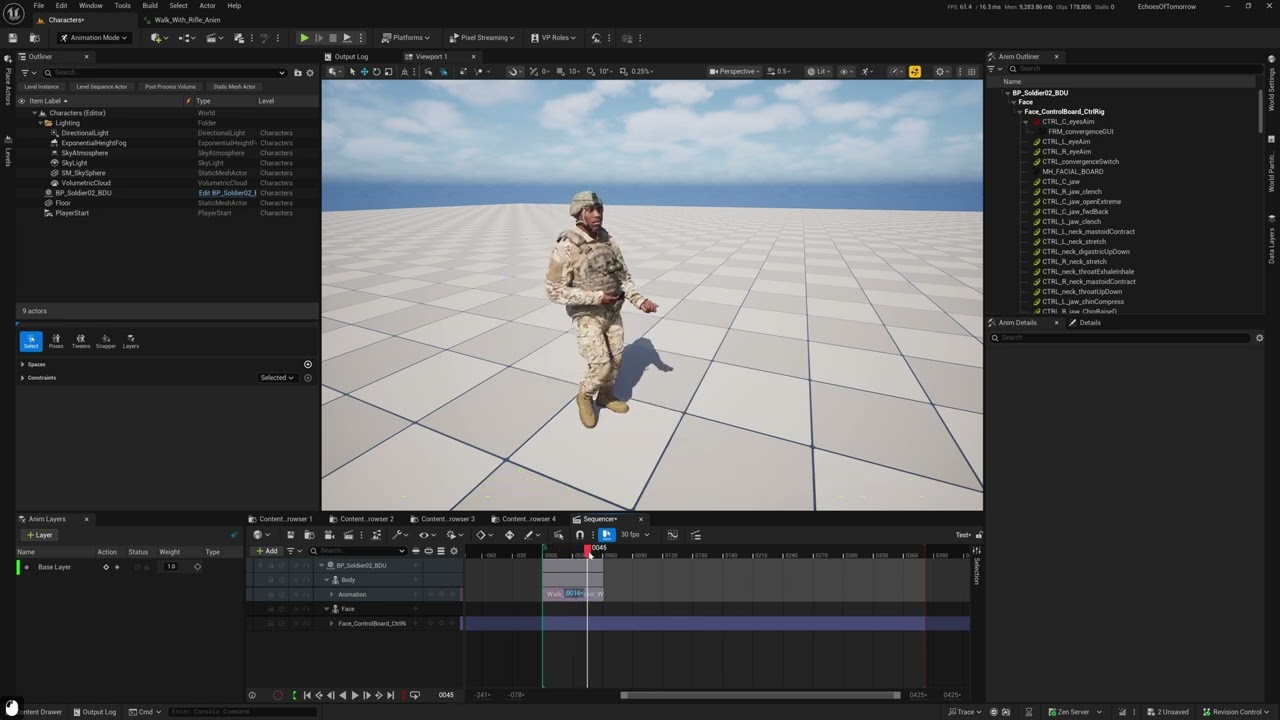
 pure jetty
Has any one found the metahuman CR picker in 5.6?
 hollow aurora
Any Marvelous Designer users?
Stumbling with getting imported Metahumans to create a fitting suit with arrangement points.
Error message says my avatar is not in A pose but it is.
Outside of emailing support is there any active forum for Marvelous users?

 pale zealot
hollow aurora
Any Marvelous Designer users?
Stumbling with getting imported Metahumans to crea...
pale zealot
hollow aurora
Any Marvelous Designer users?
Stumbling with getting imported Metahumans to crea...
you dont seem to be using the combined body mesh, try the marvelous live link for easier back and forth between the softwares
hollow aurora
Any Marvelous experts here?
How do you save (or do anything) after manually creating a fitting suit in Marvelous Designer? All the menu option are greyed out for me!
 frosty crow
is there any way to generate lipsyncs in C++ rather than to use the menu?
 pale zealot
hollow aurora
Any Marvelous experts here?
How do you save (or do anything) after manually crea...
pale zealot
hollow aurora
Any Marvelous experts here?
How do you save (or do anything) after manually crea...
you need to stop simulation in order to save
hollow aurora
Thanks, yeah wasn't obvious that all you need to do is close the Avatar Editor window!
Any chance you know anything about Simulation Properties?
In particular what value should I use for 'Number of CPUs in Use?
If I have an older CPU with 16 cores and 16 logical processors?
 plucky grail
Can the meta humans variable be edited at runtime?
I would want to make a character creation screen using Metahumans, and I was wondering if the variables could be exposed to the player
Or is it a developer thing only?
pale zealot
hollow aurora
Thanks, yeah wasn't obvious that all you need to do is close the Avatar Editor w...
I’d suggest using the GPU when possible, its way faster; there is no comparisson. otherwise the number of cpu cores will be 16 in your case
pale zealot
plucky grail
Can the meta humans variable be edited at runtime?
I would want to make a chara...
Look into the “mutable”example project from epic
plucky grail
pale zealot
Look into the “mutable”example project from epic
That's exactly what I was looking for! Thank you very much
 unborn vale
Hi friends, I created a custom metahuman using a head scan of myself so I made a fat guy body and that’s all fine and good.
The issue I have is, the instructions that I see about making blueprint wrapper around my metahuman is like, select the body mesh in components and add a skeletal component for the face but every time the face is offset and sideways by compared to the body, any metahuman 5.6 full rig -> character tutorials that explain how to do it right/better in the 5.6 ecosystem?
unborn vale
I apologize if this is a dumb question, I don't know the ecosystem of youtubers/streamers who are experts and I keep finding out of date stuff since 5.6, take pity on a dumb person.
 tulip heart
I have 2 problems with hair,
1- Lower LODs are too complex, I don't really need them
2- It disappear with the movement or when I zoom out, for example, hair is showing, I zoom out and it disappear, but I zoom out further and it reappear again
I can see the groom asset have the LODs here but if I delete them the editor crashes
 late sequoia
unborn vale
Hi friends, I created a custom metahuman using a head scan of myself so I made a...
late sequoia
unborn vale
Hi friends, I created a custom metahuman using a head scan of myself so I made a...
Pretty sure you can still use Mesh 2 MetaHuman to create a MetaHuman Identity of your face... and then use that MH Identity in the 5.6 Creator
https://dev.epicgames.com/documentation/en-us/metahuman/head-conform-controls#fromidentity
https://dev.epicgames.com/documentation/en-us/metahuman/metahuman-identity-asset

Epic Games Developer
Overview of the MetaHuman Identity Asset in Unreal Engine.

Epic Games Developer
Conform your character’s facial features to external data.
 slender light
With 5.6, would y'all consider metahuman's production ready given the plugin is still marked as beta (although epic said it left early access)?
unborn vale
I found a video that answered my question by showing how to take my rigged metahuman and convert its to a Character subclassed blueprint.
To accomplish this, this video shows how you can just copy/paste the mesh tree from your custom blueprint to the BP_ThirdPersonCharacter, which seems good enough for me. (only a couple minutes of video to show the process)
Unlock the full power of Unreal Engine 5.6 by transforming your Metahuman into a fully playable in-game character! This step-by-step tutorial walks you through the new simplified method to rig, assemble, and retarget animations for your custom Metahuman using the third-person blueprint system.
We skip the fluff and dive right into the essential...
tulip heart
Fuck metahumans man, the idea is good but the implementation is pathetic
 lucid jungle
Hi,
I'm trying to simulate clothing using the tool implemented in Unreal Engine 5.6. But from the start, I've been having bugs with the clothing shifting too far away from the meta human. And when I activated the view of the bones in the viewport, I realized that there were two meta human skeletons when the animation was activated in the sequencer. How can I fix this?
 lucid jungle
just found the solution
 stark talon
Hi people, Motion capture experts,
I need help of choosing a Stereo depth camera for "unreal engine 5.6" which has good plugin support too!
I saw cameras like vicon, prime 13x, but they way high in budget.
Give me better suggestion.
Or plugin support is ot required, any stereo depth sense cameras will go with Unreal 5.6 Livelink???
hollow aurora
No shortage of mocap options! Anyone use Motorica?
What’s the quality of the animation?
hollow aurora
Any mocap experts? Auto retargeting to Metahuman is resulting in some really bad lower back posture😬
Is there an easy fix or do I need to manually build my IKRigs and forget autoretargeting? (source is some ActoreCore mocap).
 cerulean ice
hollow aurora
Any mocap experts? Auto retargeting to Metahuman is resulting in some really bad...
cerulean ice
hollow aurora
Any mocap experts? Auto retargeting to Metahuman is resulting in some really bad...
How was that MetaHuman created?
hollow aurora
Its legacy m_med_unw_body skeletal mesh.
simple forge
hollow aurora
Any mocap experts? Auto retargeting to Metahuman is resulting in some really bad...
Try changing the retargeting options for the pelvis to animation scaled in the skeleton tree options
hollow aurora
simple forge
Try changing the retargeting options for the pelvis to animation scaled in the s...
Thanks will try!
I assume you mean for the target Metahuman skeleton?
Whats the difference between Animation Scaled and Animation Relative?
Was about to give up.
So frustrating. The only retargeting videos I can find are 3 years old targeting UE4. And Reallusion support is useless. Latest forum posts are also over a year old.
Don't want to use Livelink.
hollow aurora
@simple forge Still no luck. But greatly appreciate your feedback!
If I disable
"Auto Generate Retargeter"
it removes the issue but then of course I need to use a manually created Retargeter.
The closest I can get is a UE4 to UE5 retargeter, but even then the results a slightly glitchy. If you look closely you can see the leg movements are jittery.

As a last resort I am creating a new Metahuman IKRig that matches the default Dummy Male ActorCore IKRig.
I need IK goals for hands and feet.
But the IkGoals require solvers when you add them.
Beyond my pay grade!
How do you define a new solver when adding a IKGoal?
I assumed it should be Full Body IK but gives me an error 'missing start bone' and am unable to edit.
Arghh!
 hollow aurora
@simple forge
So success (mostly)
I had to create a new custom IKRig for my MH.
The hands are still a bit close to the body and the finger animation off but the overall animation is smooth and working as expected!
hollow aurora
One last issue
After retargeting and applying my animations in Sequencer, I am getting 'drooping shoulders'
What would be the best way to correct this?
 spice robin
I can't for the life of me get my iPhone 13 Pro to connect to Unreal 5.6 using Live Link Face/Live Link Hub. I have tried all these things and more (image). When I click on connect, it says "connecting" but never connects. ARKit works fine, so I don't think it's an IP/WiFi/Router issue. ANY info would be greatly appreciated.
 stark talon
spice robin
I can't for the life of me get my iPhone 13 Pro to connect to Unreal 5.6 using L...
stark talon
spice robin
I can't for the life of me get my iPhone 13 Pro to connect to Unreal 5.6 using L...
checked windows firewall?
spice robin
stark talon
checked windows firewall?
Yes.
stark talon
which port number you are using?
spice robin
stark talon
which port number you are using?
11111, 00000, 14785. Are there others I should try? I also created a firewall inbound rule for 11111. No go.
stark talon
spice robin
11111, 00000, 14785. Are there others I should try? I also created a firewall in...
try 54321
spice robin
stark talon
try 54321
In both the app and Capture Manager?
stark talon
stark talon
try 54321
this should work for u
stark talon
spice robin
In both the app and Capture Manager?
yes
spice robin
stark talon
yes
No go. Still gets hung up on "connecting"
spice robin
stark talon
yes
Maybe create an inbound rule for 54321??
stark talon
Good luck!
Just clear your project temp files & system temp files, restart..
weiredly UE will work well for many bugs after this
stark talon
spice robin
Maybe create an inbound rule for 54321??
yesss! obviously
& you are creating custom metahuman using the capture data?
spice robin
stark talon
& you are creating custom metahuman using the capture data?
I wasn't initially aware that you had to create the inbound rules for the port. All new to me. Nevertheless, still not working.
Not a custom MH, just for animation.
stark talon
spice robin
I wasn't initially aware that you had to create the inbound rules for the port....
okeyy, i'm not sure..
Today i will also work & let u know if i come across anything that is helpful for u
spice robin
stark talon
okeyy, i'm not sure..
Today i will also work & let u know if i come across anyth...
I appreciate your help!
 night scroll
Hi!
Anyone know how I can fix the eyes being so far backwards? UE5.6, MH Creator
 stark talon
spice robin
I appreciate your help!
stark talon
spice robin
I appreciate your help!
Hey, u have already captured the video in iphone's livelink & you are trying to import right!?
you should use "take archive ingest" i think u haven't used this
spice robin
stark talon
Hey, u have already captured the video in iphone's livelink & you are trying to ...
That requires the connection to Live Link Face to be working.
grand prawn
Question - The skinweights on my character's clothing skeletal mesh was perfect. When I created an outfit and attached it to my character via "Metahuman Character Creator Editor" the clothing weight is now reset to the character's bones from Character Creator.
After Assembling I fixed the skin weights on the "Character_Outfit" skeletal mesh that is created from the Assembly. How do I apply this skin weight fix to the clothing inside Metahuman Character creator editor?
 pale zealot
grand prawn
Question - The skinweights on my character's clothing skeletal mesh was perfect....
pale zealot
grand prawn
Question - The skinweights on my character's clothing skeletal mesh was perfect....
you can try opening the metahuman blueprint, selecting the cloth skeletal mesh, (check you have enabled the modelling editing tools) and then edit the skin weights inside the editor, UE's skin edit can be a bit painful but it will get the job done
stark talon
spice robin
That requires the connection to Live Link Face to be working.
if u have already captured the video in livelink app you don't need livelink face
grand prawn
pale zealot
you can try opening the metahuman blueprint, selecting the cloth skeletal mesh, ...
Yes, but this clothing will be shared to other characters. If it's not fixed when its in the MetaHuman Character Creator, then I'll have to manually fix the weights for each character using the clothing. Right?
spice robin
stark talon
if u have already captured the video in livelink app you don't need livelink fac...
I will give the archive ingest a try.
spice robin
stark talon
if u have already captured the video in livelink app you don't need livelink fac...
I was able to import the files manually with archive ingest, however, when I try to process them the progress stops and I get a message to import a bunch of stuff every time. Can't get it to finish processing. Also, when I import the Take from iPhone what Data Table Option should I use?


 pale zealot
grand prawn
Yes, but this clothing will be shared to other characters. If it's not fixed wh...
pale zealot
grand prawn
Yes, but this clothing will be shared to other characters. If it's not fixed wh...
then edit directly the skeletal mesh used in the assembly
untold elk
Hi everyone, I need help with packaging custom outfits for MetaHuman Creator / Fab!
I'm trying to upload my own wardrobe item (clothing asset) to Fab.
What I’ve already done:
Created a new Unreal project (UE 5.6)
Moved all related outfit assets (ClothAsset, Mesh, Material, Textures, Dataflow, etc.) into a single folder (/Game/Outfits/LowerPart1-1/)
Checked and adjusted the folder structure and asset names multiple times according to the official Epic documentation (tried both with and without subfolders)
Ran "Fix Up Redirectors"
Set all references in the OutfitAsset to the assets in the main folder
Restarted the MetaHuman Manager several times
Still always get the same error:
“...is not in the correct folder to be included in the package”
Does anyone have an idea what I’m missing or doing wrong?
 cerulean ice
untold elk
Hi everyone, I need help with packaging custom outfits for MetaHuman Creator / F...
cerulean ice
untold elk
Hi everyone, I need help with packaging custom outfits for MetaHuman Creator / F...
Have you checked if the referenced assets themselves are referencing stuff from outside?
untold elk
cerulean ice
Have you checked if the referenced assets themselves are referencing stuff from ...
Hey yes, I checked all referenced assets using the Reference Viewer. All dependencies (ClothAssets, Meshes, Materials, DataflowAssets, etc.) are located directly in the same folder as the outfit asset. There are no references to assets outside
cerulean ice
untold elk
Hey yes, I checked all referenced assets using the Reference Viewer. All depende...
Oh right, I believe I know what it is
first you create the "LowerPart1-1" folder and inside that you create again another "LowerPart1-1" folder with all the stuff you already set up
in the first folder there should only be the outfit asset and wearable item asset
grand prawn
pale zealot
then edit directly the skeletal mesh used in the assembly
So there's two Skeletal Meshs Im aware of for my characters and the outfit. The first one is the one I used when I converted my static mesh outfit into a skeletal mesh. This is the skeletal mesh I then converted to a Metahuman Wardrobe Item. This loses the modified weights when the Metahuman Character Creator generates my character.
The second Skeletal Mesh is the one generated by the Metahuman Character Creator. I can fix it here for 1 character. But this doesn't apply to all characters using the same outfit.
Is there a 3rd Skeletal Mesh you're referencing that I'm missing?
stark talon
spice robin
I was able to import the files manually with archive ingest, however, when I try...
now check unicast end point, & make sure in unreal engine u are seeing this
 stark talon
spice robin
I was able to import the files manually with archive ingest, however, when I try...
stark talon
spice robin
I was able to import the files manually with archive ingest, however, when I try...
u are close to results!
pale zealot
grand prawn
So there's two Skeletal Meshs Im aware of for my characters and the outfit. The...
hmm the skeletal mesh loses the modified weights when applied to the MH? I genuinely didnt know about this, shouldn't be happening though, its supposed to only adapt the overal shape and conform it to he MH body, not change the weights 🤔
untold elk
cerulean ice
first you create the "LowerPart1-1" folder and inside that you create again anot...
Great thank youu🙌 🤩
 fair cape
Is the 5.6 groom pipeline screwing up the lods on groom for anyone else?
Specifically lod 2,4,6 missing their mesh references
cerulean ice
fair cape
Is the 5.6 groom pipeline screwing up the lods on groom for anyone else?
Have you checked the LOD section on the groom asset?
 cerulean ice
 tame agate
the face does not fit the body
tame agate
the face does not fit the body
use this https://youtu.be/IjJLoT-2RLk
Join us on Discord to ask anything and stay up to date:
https://discord.gg/XdQN8WWV
You can download MetaHuman Extra Tools from ArtStation or Fab (installation from ArtStation is a bit simpler):
https://www.artstation.com/marketplace/p/pR97n/metahuman-extra-tools
https://www.fab.com/listings/22f90398-c29e-4b74-a80a-9c5b5ae19d47

 cerulean ice
tame agate
i don't know why
cerulean ice
tame agate
i don't know why
Unreal does some automatic merging of the head and body. How did you create that second blueprint?
tame agate
cerulean ice
Unreal does some automatic merging of the head and body. How did you create that...
I don't know
cerulean ice
tame agate
I don't know
When you use the Assemble option from MetaHuman Creator everything should be configured automatically. The blueprint you get from that should work fine
tame agate
fixed
fair cape
cerulean ice
Have you checked the LOD section on the groom asset?
well yes. that's what I mean by the pipeline screwing up. It declines to connect the reference to all the meshes that it exports. So even numbered lods are missing. I'm going to be exporting roughly 50 grooms from metahuman so I was hoping this was a known issue with a root cause fix
cerulean ice
fair cape
well yes. that's what I mean by the pipeline screwing up. It declines to connect...
how are you creating your grooms?
fair cape
by pressing the assemble button
cerulean ice
oh the stock grooms? I though you were creating them
fair cape
nope
I don't have any custom ones to test. So I couldn't tell you if the groom pipeline breaks those too
cerulean ice
I haven't had any issues with the stock grooms, and the ones I create externally it imports as LOD0 and it's up to me how to configure the other LODs
fresh cliff
Does anybody know how to bake facial animation on face board control rig ? I'm only getting one option

 grand prawn
pale zealot
hmm the skeletal mesh loses the modified weights when applied to the MH? I genui...
grand prawn
pale zealot
hmm the skeletal mesh loses the modified weights when applied to the MH? I genui...
Hey! I figured out what my issue was. When you increase the "Thigh" number too high, the thighs actually overlap. When my clothing was applied, it was getting confused on which bones to attach in the overlapping area. So even when I transferred weights, each time it was screwing up how to assign the weights for some reason.
Lowering the Thigh value fixed this. FYI. Thanks for helping by the way.
 fresh cliff
During Rendering I'm getting this issue, How to solve that ?
 cerulean ice
fresh cliff
During Rendering I'm getting this issue, How to solve that ?
cerulean ice
fresh cliff
During Rendering I'm getting this issue, How to solve that ?
the plant penetrating the column?
fresh cliff
cerulean ice
the plant penetrating the column?
Nah the hair goes weird
pale zealot
fresh cliff
Nah the hair goes weird
are you using enough warm up frames for the render? usually you need to process a few frames to let the hair simulate and settle before the actual start of the shot
celest vessel
does somebody have experience with metahumans + mutable?
it seems like mutable swaps some Materials out on LODs 3-7 if I connect everything like this and set the mesh node to “Only Manually Created LODs”:


 versed thorn
What is the best method for adapting metahuman to be used as a third person playable character? My existing workflow is model in blender, add UE5 skeleton in blender, animatge and import to UE ....no idea how to approach all that when it comes to Metahuman. Any good tutorials anyone can recommend to help me get my head round it?
distant tapir
when using the conform function for the body, the generated skeleton is getting placed on the wrong position ( espesially on the arms/shoulders )
 cerulean ice
Unreal's own auto rigging from mesh is not very good
cerulean ice
versed thorn
What is the best method for adapting metahuman to be used as a third person play...
you will get better results with this: https://youtu.be/IjJLoT-2RLk
Join us on Discord to ask anything and stay up to date:
https://discord.gg/XdQN8WWV
You can download MetaHuman Extra Tools from ArtStation or Fab (installation from ArtStation is a bit simpler):
https://www.artstation.com/marketplace/p/pR97n/metahuman-extra-tools
https://www.fab.com/listings/22f90398-c29e-4b74-a80a-9c5b5ae19d47
 exotic matrix
hi guys
i have a question regarding retargeting and rokoko
when import rokoko samples with the sk_mannequinn in 5.6 the shoulders seem weird, ive also tried ue4 skeleton and the ue5.5 one


any idea what the issue is?


 cerulean ice
 orchid jetty
hello can someone help me with meta human hair and grooming problem
orchid jetty
hello can someone help me with meta human hair and grooming problem
how did you configure the groom binding asset?
orchid jetty
the what?
cerulean ice
orchid jetty
the what?

Epic Games Developer
The assets and components to use and render grooms in Unreal Engine.
orchid jetty
the thing is that when i get close its fine but when i go further away its get balder and balder
soft marsh
try and tell the metahuman lodsync component it has 1 lod level and that level is 0
i think thats like a band aid approach but the root causes lies in the lod settings not matching the methumans setup
 wraith arrow
anybody know how to get/find/export the grid texture from UE? (pic example)
 cerulean ice

 wraith arrow
+Respect
cerulean ice
I was just working with them
orchid jetty
wraith arrow
anybody know how to get/find/export the grid texture from UE? (pic example)
hey i did lower the LODsync to 0 and its still hap[pens
 shrewd aurora
hey folks, working now on my mocap dream project for those of us without the gear budget. Full body, hands, face, and gaze — all from a single phone video and no endless cleanup needed + walking is physically grounded
1 video in -> fbx + arkit out
planning to launch in September, so crunching as hell now
distant tapir
any advice regarding retargeting ?
My MH doesn't really seem to match the pose of the original mannequin.
espesially shoulders & elbow placement feel really off in an unflattering way
 cerulean ice
distant tapir
when using the conform function for the body, the generated skeleton is getting ...
cerulean ice
distant tapir
when using the conform function for the body, the generated skeleton is getting ...
did you fix that?
distant tapir
yeah, I fixed it with 2Dnax
my inutuettion says it's because my guy is taller then the default mannequin, the IK handles for the hands might be messing up the entire chain from shoulder to hand
nocturne snow
shrewd aurora
hey folks, working now on my mocap dream project for those of us without the gea...
o boyyy this sounds cool and expensive : )
shrewd aurora
nocturne snow
o boyyy this sounds cool and expensive : )
thanks! actually designing it as a service for folks like myself - indie devs and small studios - so trying to keep it reasonable
it IS cool though 🙂 something I wanted for a long time, but was damn hard to pull off properly
distant tapir
okay, I double checked: I scaled the Metahuman down to .88 to match exactly the proportions of the manequin, but the difference on shoulder posture and arms maintain
cerulean ice
distant tapir
okay, I double checked: I scaled the Metahuman down to .88 to match exactly the ...
can you show the mesh you used to create the MetaHuman?
distant tapir
 cerulean ice
distant tapir
cerulean ice
distant tapir
The conform from from mesh option is not very good and will not take into account pose correction. If you are able to use Maya I suggest you try this plugin I made that will place the joints correctly and apply pose correction:
https://www.artstation.com/marketplace/p/pR97n/metahuman-extra-tools
If not you can try to manually match the MetaHuman pose as close as possible, but it still won't be perfect
ArtStation
Resources - MetaHuman Extra Tools, USD $0.00. MetaHuman Extra Tools is a plugin for Autodesk Maya that complements Epic's own MetaHumanForMaya plugin. With MetaHuman Extra Tools you can:
Export a MetaHuman as a...
cerulean ice
what is 2dnax?
distant tapir
then import it into the MetaHuman creator, with the option to also import the core skeleton

Creating a Custom Meta Human with the Tool for Maya using
HelixEdit!
Step by step
Check the demo link below.
❤
Link:
https://www.patreon.com/c/JonCG
https://www.artstation.com/jon2777
https://2dnac.com/helixedit-pricing/
https://flippednormals.com/product/realistic-3d-character-creation-44675?dst=u52WxpVA
LinkedIn:
#unrealengine #animation...
cerulean ice
distant tapir
this one:
https://www.youtube.com/watch?v=RwzsEN-94BU&ab_channel=JonCG
I haven't tried that myself, so I don't know if it works well or not
can you show the resulting MetaHuman in MetaHuman Creator?
distant tapir
cerulean ice
distant tapir
yeah, you can see there the arms are extending too much when they are supposed to be relaxed. The pose is still not great
distant tapir
compared to the default conform function from UE, I was already happy that I got rid of the broken skinning
I guess the bone placement is correct now, but the rotations are off
cerulean ice
If you don't feel like installing another plugin you can share the mesh and I'll try it myself
but I suggest you try it
cerulean ice
distant tapir
I guess the bone placement is correct now, but the rotations are off
another thing you should check is mesh distribution, which can affect the bones placement
use this to check

 distant tapir
@cerulean ice I ended up fixing it, in the retargeter by using this functionon both source and target:

 somber rune
does anyone have this issue in fab for metahuman? im using unreal 5.6.1
 cerulean ice
somber rune
does anyone have this issue in fab for metahuman? im using unreal 5.6.1
cerulean ice
somber rune
does anyone have this issue in fab for metahuman? im using unreal 5.6.1
does it not let you download/install the item?
somber rune
it doesnt let me add into unreal
somber rune
its the techwear outfit in the fab
even for the metahuman hair that are free i added those to my library, but i cant import it into unreal
it keeps saying that error like that image above
cerulean ice
do you have any other versions installed?
cerulean ice
try clicking 5.6 and "set current"

 cerulean ice
this is what I get

and I can download the files
maybe delete it from your Fab library and add it again
can't you download from the thumbnail either?
 cerulean ice
somber rune
this is opening fab with in unreal
cerulean ice
somber rune
this is opening fab with in unreal
oh, I'm using the web version
cerulean ice
yeah, now I tried opening Fab from within Unreal and I get the same error as you
just use the web version
somber rune
lame lol D:
 slate glacier
Hello,
I need to rig a wolf to use it as a metahuman - Can anybody help me? Payed work!
cerulean ice
slate glacier
Hello,
I need to rig a wolf to use it as a metahuman - Can anybody help me? Pay...
what exactly do you mean "use it as a MetaHuman"? use facial animation to drive the wolf geometry? could you provide the mesh so I can do some experiments?
slate glacier
I need the wolf have some mimics to use as a "face" to tell some things
slate glacier
cerulean ice
what exactly do you mean "use it as a MetaHuman"? use facial animation to drive...
Oficourse - send me Youre email
cerulean ice
slate glacier
Oficourse - send me Youre email
sent a DM
 ruby iris
ive been trying to make a metahuman but why do the eyes and eyelashes do this when I assemble it?
 native spire
Is anyone else getting a crash when trying to use the export Metahumans to DCC option in the packaging stage of the MH Creator? I'm on 5.6.1 for what it's worth
Also is there any way to export head/face dna without rig? I suppose it's a prerequisite of the process?
cerulean ice
native spire
Is anyone else getting a crash when trying to use the export Metahumans to DCC o...
It crashes sometimes when there isn't much RAM available
nocturne snow
made this character for metahumans, breakdown here https://youtu.be/OX5j4lRYSD8

Download the Deer Skull character .fbx here to mess around with: https://joeylombardifx.gumroad.com/l/deerskull
Programs used:
Unreal Engine 5.6
Blender
Marvelous Designer
Substance Painter
Marionette
Meshify.ai
and more!
If you want to see more, please like and subscribe!
If you want to chat or have any questions about what you watched, jum...
rose sedge
any idea why i dont see migrate options when i click add? or do i need the cinematic version?

 blazing wren
Is Metahuman not available for linux? I can't find it on 5.6.0 and 5.6.1.

 plain haven
native spire
Is anyone else getting a crash when trying to use the export Metahumans to DCC o...
plain haven
native spire
Is anyone else getting a crash when trying to use the export Metahumans to DCC o...
Are you getting this crash?
I don't think it relates to RAM, I got this crash with 64 GB RAM and and 16 GB VRAM. But it seems that it happen to character that has 4K textures downloaded first
 cerulean ice
blazing wren
Is Metahuman not available for linux? I can't find it on 5.6.0 and 5.6.1.
cerulean ice
blazing wren
Is Metahuman not available for linux? I can't find it on 5.6.0 and 5.6.1.
I'm not sure, but the MetaHuman for Maya plugin, which uses the same core libraries is only available for Windows. Those libraries where also available for Linux before the big 5.6 changes, but not anymore.
 glossy gulch
Hey. I made a metahuman character and exported but i have only Body and Face. How can i make a model with hands, legs, torso etc?
cerulean ice
glossy gulch
Hey. I made a metahuman character and exported but i have only Body and Face. Ho...
did you export from MetaHuman creator using the DCC export in the assembly section?
glossy gulch
cerulean ice
did you export from MetaHuman creator using the DCC export in the assembly secti...
I used assembly option
cerulean ice
glossy gulch
I used assembly option
if you assemble into Unreal and your character has clothing, the body geometry will not have the parts covered by clothing. If you assemble for external DCC you will get the full body but without clothing
glossy gulch
cerulean ice
if you assemble into Unreal and your character has clothing, the body geometry w...
So, use DCC except of UE Cine?
cerulean ice
glossy gulch
So, use DCC except of UE Cine?
Yes. By the way, if you are going to edit your MetaHuman outside of Unreal, you might be interested in this:
https://youtu.be/IjJLoT-2RLk
Join us on Discord to ask anything and stay up to date:
https://discord.gg/39XApVmXZb
You can download MetaHuman Extra Tools from ArtStation or Fab (installation from ArtStation is a bit simpler):
https://www.artstation.com/marketplace/p/pR97n/metahuman-extra-tools
https://www.fab.com/listings/22f90398-c29e-4b74-a80a-9c5b5ae19d47
glossy gulch
cerulean ice
Yes. By the way, if you are going to edit your MetaHuman outside of Unreal, you ...
Ok. Thanks for tips 🙂
 unreal vapor
In UE 5 I am making a runtime Metahuman character creator. I have 9 head skeletal mesh for woman and 13 head skeletal mesh for men. 22 in total and likely more to come. These skeletal mesh line up perfectly for their body's and my UI allows the player to change them at run time so every thing is working great. The thing is I want to have grooms such as hair, mustaches, eyebrows, beards, and eyelashes. Grooms however require binding assets to work properly and with 22 different skeletal mesh heads I am at a bit of a lose on how to set up switchable grooms at runtime.... I mean with just 10 grooms well 22 heads × 10 grooms = 220 bindings assets....
 cerulean ice
unreal vapor
In UE 5 I am making a runtime Metahuman character creator. I have 9 head skeleta...
cerulean ice
unreal vapor
In UE 5 I am making a runtime Metahuman character creator. I have 9 head skeleta...
you should be able to automate the asset creation with python
I did something similar a couple years ago, creating and setting up lots of assets
unreal vapor
cerulean ice
you should be able to automate the asset creation with python
Ok could you give me a bit more details? I also would need to set up a data table to connects each mesh to groom and binding asset. Is that automatable?
cerulean ice
unreal vapor
Ok could you give me a bit more details? I also would need to set up a data tabl...
Unfortunately I haven't done something like that in a couple years and my memory is quite bad... but I know I know you can do it. You'll have to check the python API for Unreal https://dev.epicgames.com/documentation/en-us/unreal-engine/python-api/?application_version=5.6 and it will probably take you several days of research, but it's doable
cerulean ice
unreal vapor
Ok could you give me a bit more details? I also would need to set up a data tabl...
you could start by researching EditorAssetLibrary and EditorUtilityLibrary
unreal vapor
cerulean ice
you could start by researching EditorAssetLibrary and EditorUtilityLibrary
Ok. Thanks..
cerulean ice
unreal vapor
Ok could you give me a bit more details? I also would need to set up a data tabl...
Actually it wasn't as bad as I thought. I did a little example:
groom_paths = [
"/Game/test/Groom_1",
"/Game/test/Groom_2",
]
target_paths = [
"/Game/test/SKM_Target_1",
"/Game/test/SKM_Target_2",
]
source_path = "/Game/test/SKM_Source"
import unreal
source = unreal.load_asset(source_path)
for groom_path in groom_paths:
groom = unreal.load_asset(groom_path)
for target_path in target_paths:
    target = unreal.load_asset(target_path)
    unreal.GroomLibrary.create_new_groom_binding_asset(
        groom_asset=groom,
        skeletal_mesh=target,
        num_interpolation_points=100,
        source_skeletal_mesh_for_transfer=source,
        matching_section=0
    )
wow thank you!
native spire
unreal vapor
In UE 5 I am making a runtime Metahuman character creator. I have 9 head skeleta...
Export each head's .dna file from Creator, and then choose one head as the "base". Go into the skeletal mesh for that exported head and add morph targets to the morph target list using the .dna file. This will add each other head as a morph target to the chosen base skeletal mesh and allow you to morph between head shapes using morph targets in Blueprint instead of swapping the skeletal mesh.
 austere atlas
Hi all! i'm using metahumans with live link. i'm using an audio source to control the realtime lip sync. Now i'm looking for ways to create a blinking animation and simple head movement and combine with the lip sync from live link. anyone has an idea how to do that? i think it'll be in blueprints somewhere because it not really time based
 orchid anchor
hey y'all, don't know if this has been asked before but i'm having a constant crash and none of the solutions i could find fixed it leading to me potentially having to restart my entire year worth of work.
I managed to pin down the crash as being caused because of the MetaHuman skeleton (both the face and body).
The crash goes as follow: whenever i try to open a blueprint/ folder containing a MH, it instantly crashes and give back
"Assertion failed: (Index >= 0) & (Index < ArrayNum) [File:D:\build++UE5\Sync\Engine\Source\Runtime\Core\Public\Containers\Array.h] [Line: 783]"
Array index out of bounds: 0 from an array of size 0
no other specifications. i'm using a basic 5.5.4
the last time it happened i had to remake the project.
What i tried so far: delete the intermediate, derivedDataCache and saved folders from both the appadata of the engine and the project, ran a verification on the launcher, updated windows and my gpu drivers, fixed redirectors and import a new metahuman to try and reset the skeleton but yet nothing has worked so far...
how would one go about fixing it? (i didn't modify the control rig or rig of the MH)
using dx12 and sm6 btw, don't know if it's relevant
could it be because r.SkinCache.SkipCompilingGPUSkinVF=1?
orchid anchor
nevermind, i turned "use hardware raytracing back on in the project settings and it works again
weird af but okay
any idea of why that might be though? i'm curious as to why hardware raytracing has to do with the metahuman skeleton
 willow cosmos
Hi all ! I'm trying to add a nasal cannula to a metahumans face but with all of the metahuman bones in the face I´m not able to skin weight it well enough. has anyone done anything simular and got it working well ? and if the prop can resize to all metahumans it would be even better
 unreal vapor
native spire
Export each head's .dna file from Creator, and then choose one head as the "base...
unreal vapor
native spire
Export each head's .dna file from Creator, and then choose one head as the "base...
I am not useing the creator but the new 5.6 in editor system How would I do what you said using the new system. I tried exporting my current heads and even though they have the same vertex count when I reimport them as morph targets it fails.
 haughty echo
Anyone worked with ML deformer applied to a metahuman head? I've gotten decent results based on 4D scans, I'm wondering if it's feasible to automate an extraction of the blendshapes after training, I think this could serve as an alternative to manual blendshape creation. This would probably need to be done in Maya rather than Unreal, I think the ML Deformer in Maya is close to as good as Unreal's.
cerulean ice
haughty echo
Anyone worked with ML deformer applied to a metahuman head? I've gotten decent ...
I'm interested in exploring automation for this. Could you show some of the results you got?
cerulean ice
haughty echo
Anyone worked with ML deformer applied to a metahuman head? I've gotten decent ...
starting from 5.6 MetaHuman DNA incorporates several ML classes but I'm not sure if that is active anywhere or not, I haven't explored further yet
well, actually I know it's used in MetaHuman for Maya Expression Editor
haughty echo
cerulean ice
starting from 5.6 MetaHuman DNA incorporates several ML classes but I'm not sure...
I sent dm - it was a limited test in this case, been a bit busy with other work. But one promising change is that with the new metahuman animator the 4D footage can be directly used to generate animation data to pair with the 4D, which will dramatically reduce the difficulty getting the training data
cerulean ice
haughty echo
I sent dm - it was a limited test in this case, been a bit busy with other work....
Nice, I will be looking more into this. I believe that 5.6 MetaHuman Creator is already doing some ML stuff when generating MetaHumans through DNA import, but I'm not 100% sure
cerulean ice
haughty echo
I sent dm - it was a limited test in this case, been a bit busy with other work....
The MetaHumans I've created through DNA import all had great facial deformations even with pretty different morphologies
haughty echo
Nice, I will be looking more into this.
 valid berry
Hey guys, I’m having trouble with the Metahuman Manager in Unreal.. the clothing doesn’t show up (Image 1). I did everything like in the manual, but no luck. After a bunch of retries and restarting Unreal, the clothing finally shows, but then I get a missing plugin error (Image 2).
Anyone knows how to fix this? I’m on Unreal 5.6.1. I need to package it because I want to try selling it on Fab.


 hard kettle
unreal vapor
In UE 5 I am making a runtime Metahuman character creator. I have 9 head skeleta...
hard kettle
unreal vapor
In UE 5 I am making a runtime Metahuman character creator. I have 9 head skeleta...
I heard Unreal is already developing that
unreal vapor
hard kettle
I heard Unreal is already developing that
Where did you read that Link pleas
 lilac gull
The body skin texture for metahumans in 5.6 don't have any details at all. It's just a flat color. No redness, no nipples, no belly button texture, no blemishes, no moles, no nails, just normal map details. The cloud version has the fully detailed textures (including nipples). I'm not sure if this an intentional change or not. And yes I clicked "Download Texture Source" and downloaded the textures. Am I missing something?
 cerulean ice
lilac gull
cerulean ice
lilac gull
I believe it's intentional, there is a bit of variation in the normal maps but that's about it. You will probably want to use something extra
lilac gull
cerulean ice
I believe it's intentional, there is a bit of variation in the normal maps but t...
Well that's disappointing.
distant tapir
why are is the costume not being animated on my Metahuman ? I plugged in the costumes like this ( worked on my Male character ) but on this female character the components stay static

 distant tapir
When trying to export hair using the MetaHuman Groom Exporter I'm getting the following error message:
Traceback (most recent call last):
File "C:\Program Files\Epic Games\MetaHumanForMaya\lib\mh_groom_exporter\1.0.2\mh_groom_exporter\export_proc.py", line 195, in <module>
results = mh_groom_exporter.export_proc.run_export(sys.argv[1])
File "C:\Program Files\Epic Games\MetaHumanForMaya\lib\mh_groom_exporter\1.0.2\mh_groom_exporter\export_proc.py", line 82, in run_export
spline_counts.append(export_geometry_instancer(description["descriptions"], interpolated_path))
File "C:\Program Files\Epic Games\MetaHumanForMaya\lib\mh_groom_exporter\1.0.2\mh_groom_exporter\xgen_exporter.py", line 85, in export_geometry_instancer
for description_name, description in zip(descriptions, interactive_descriptions):
TypeError: zip argument #2 must support iterationC:\Program Files\Autodesk\Maya2022>
second try with different error message, can it be because I have space in my filepath ?
MetaHumanGroomExporter : INFO : -frameRange 1 1 -dataFormat otawa -attr groom_guide -attr groom_group_id -attr groom_id -attr groom_root_uv -attr groom_color -attr groom_group_name -userattr groom_version_major -userattr groom_version_minor -userattr groom_tool -userattr groom_properties -root groom -file H:/Mijn Documenten/Project_December_2022/scenes_Cleric/hair.abc
Warning: Ignoring unsupported flag: Documenten/Project_December_2022/scenes_Cleric/hair.abc
1
MetaHumanGroomExporter : INFO : export_curves ran in 0.22s
MetaHumanGroomExporter : INFO : H:/Mijn Documenten/Project_December_2022/scenes_Cleric/hair.abcGuides (438 curves):
    EyeBrowsSingle_Cleric_xGen_DE : 357 curves
    EyeBrows_Cleric_xGen_DE : 81 curves
Interpolated (856 curves):
EyeBrowsSingle_Cleric_xGen_DE: 856 curvesC:\Program Files\Autodesk\Maya2022>
cerulean ice
distant tapir
second try with different error message, can it be because I have space in my fi...
are you following the official documentation?
distant tapir
I got both issues fixed already in the meantime, but still don't quite know what the problem
I wrote it to the root of D:\ and that seemed to do the trick
 plucky kelp
Does anyone know why when I go into using the metahuman creator I always end up with a gpu crash? I have an AMD RX 7600 so I don’t understand. I’m on UE 5.6.1
 vague pawn
Hello. I moved project to UE 5.6, and when I build project the eyelash doesnt work correctly for metahuman. I also turned off visibility of eyelash component in blueprint but the black plane above eyes in build still remains visible. Do you have anyone experience and can help me? It works for editor, but this is an issue in project's build.

 distant tapir
I have offset when importing my own custom groom into metahuman creator.
no idea why. I tried countering in Maya and doing and export, but then it turns out too low. any idea how get it correct ?
 distant tapir
okay, I figured out it has to do with Metahuman moving the whole rig down, so the heels are on the ground
anyway to turn that off ?
cerulean ice
distant tapir
anyway to turn that off ?
is your groom component parented under the head skeletal mesh component?
 distant tapir
yes
and the transforms are zero's out. changing the vertical axis there doesn't do anything
 cerulean ice
distant tapir
and the transforms are zero's out. changing the vertical axis there doesn't do a...
cerulean ice
distant tapir
and the transforms are zero's out. changing the vertical axis there doesn't do a...
what are the source and target for the groom binding?
distant tapir
ah, I see it made new groombindings on export
I tried to change it for the correct one and hardcrashed UE 😬
okay, did a second attempt UE seems to crash straight away when trying to swap out the groom binding on a metahuman
cerulean ice
distant tapir
okay, did a second attempt UE seems to crash straight away when trying to swap o...
make sure that the target is the same as the head skeletal mesh component
distant tapir
by having them different it fixes it 🎉

not sure if that's a good practice, but it works
 cerulean ice
distant tapir
not sure if that's a good practice, but it works
cerulean ice
distant tapir
not sure if that's a good practice, but it works
that's how it should be, source is the SKM the groom was authored for and target the SKM it will be applied on
distant tapir
nice, by default it was blank, on the new exported groombindings
that is what went wrong
nocturne snow
how to quickly animate clothes for Metahumans https://youtu.be/Fc-6noOwmqs

Hi, this tutorial is showcasing ONE of MANY methods to animate clothes for metahumans in 5.6.
The full pipeline is recording the animation, creating a metahuman, creating the clothing in marvelous designer, importing it all to unreal engine
If you have any questions, please reach out!
Join the community on Discord: https://discord.gg/grY...
hoary patio
How can I blend metahuman facial animations in sequencer? They go from idle to talking in an instant and it looks funny
cerulean ice
hoary patio
How can I blend metahuman facial animations in sequencer? They go from idle to t...
create the animation in a layer and adjust the layer weight
hoary patio
the layers are finicky. do you have a good resource on them? im not friends with them very much
hoary patio
Anyone else experienced buggy eyes after assembling the metahuman characters (cinematics)? One eye is black, and with another character one eye is weirdly shiny
How can I fix this abrupt anim
willow cosmos
anyone found a solution for this issue when doing intense morphing ?
cerulean ice
willow cosmos
anyone found a solution for this issue when doing intense morphing ?
are you using 5.6 MetaHuman Creator?
willow cosmos
cerulean ice
are you using 5.6 MetaHuman Creator?
Jeb
cerulean ice
and didn't do any modifications after assembling?
willow cosmos
cerulean ice
and didn't do any modifications after assembling?
other than adding morphing that makes him fatter or thinner
cerulean ice
you should do your editing before assembling from Creator. I would suggest you use this plugin:
https://youtu.be/IjJLoT-2RLk
Join us on Discord to ask anything and stay up to date:
https://discord.gg/39XApVmXZb
You can download MetaHuman Extra Tools from ArtStation or Fab (installation from ArtStation is a bit simpler):
https://www.artstation.com/marketplace/p/pR97n/metahuman-extra-tools
https://www.fab.com/listings/22f90398-c29e-4b74-a80a-9c5b5ae19d47
willow cosmos
yeah you are right, but if i want to morph between body types real time this wont wor k
 blazing minnow
Hey guys, does anyone know where can i find the link for the Sample Project showcasing metahuman configurations in runtime using new Techs? i saw it somewhere, last week, but cant find it anymore
cerulean ice
willow cosmos
yeah you are right, but if i want to morph between body types real time this won...
oh I understand. Have you checked that the head SKM has recompute tangents set to the green channel?
cerulean ice
willow cosmos
yeah you are right, but if i want to morph between body types real time this won...
also make sure both the body and head have the correct control rig applied, correct post process ABP, and that you have applied the DNA
cerulean ice
blazing minnow
Hey guys, does anyone know where can i find the link for the Sample Project show...
Epic Games Launcher > Samples > MetaHumans, that one?
blazing minnow
cerulean ice
Epic Games Launcher > Samples > MetaHumans, that one?
noo, its a sample that allow you to modify some metahumans at runtime, using a UI with many sliders. Also it showcased Cloth's adaption to the metahumans deformed body's
ahhh Mutable Sample yeahh, i'm dumb 😛 thanks
cerulean ice
blazing minnow
noo, its a sample that allow you to modify some metahumans at runtime, using a U...
yeah I was about to say that perhaps you mean the Mutable Sample
willow cosmos
cerulean ice
also make sure both the body and head have the correct control rig applied, corr...
thanks dude, ill take a look at these notes
distant tapir
is there a ROM .fbx available somehwere to check a MetaHumans body Range of Motion ?
mainly to make sure my skinning in Maya holds up before exporting to the engine
cerulean ice
distant tapir
is there a ROM .fbx available somehwere to check a MetaHumans body Range of Moti...
you can find them here:
/MetaHumanCharacter/Optional/Animation/TemplateAnimations/Technical_Loops/BodyROM
just be aware, around frame 180 the fingers go a bit weird. it's a problem with the animation itself
distant tapir
awesome, this will be super useful! thnx
@cerulean ice is this link inside of a UE project ??
never mind, found em in the UE engine location 🎉
cerulean ice
distant tapir
never mind, found em in the UE engine location 🎉
it's part of one of the MetaHuman plugins
distant tapir
Trying to get the hair physics but they are freaking out. Any tips ?
 cyan smelt
Hi ! I have an issue with metahuman and Live Link (NOT sequencer animation). I have this problem where my head is floating and my body remains idle. There are plenty videos showing fixes for sequencer but not live. I don’t know what’s the problem. Do you have any idea ? Thanks in advance
untold elk
Hey 👋
Fab told me my submitted parametric outfit for metahuman must include a Clothing Skeletal Mesh.
But I see it more as a parametric outfit asset, where a Static Mesh should be sufficient, since in MetaHuman Creator it gets converted to cloth automatically.
What’s your experience – did they accept Static Mesh, or only Skeletal Mesh?
 verbal tapir
blazing wren
Is Metahuman not available for linux? I can't find it on 5.6.0 and 5.6.1.
verbal tapir
blazing wren
Is Metahuman not available for linux? I can't find it on 5.6.0 and 5.6.1.
I'm having the same issue. Were you able to find it , or it's just not there??
grand prawn
Any solution to the hard hilight on hair at certain root angles?
 distant tapir
when I do LiveLink on this metahuman the neck rotates forward and also moves down.
it's looks really awefull, turning off Head Orientation and Head Translation fixes it, bit I kind of want to keep the head/movement from the performance.
The body is done with 2DNAX, but to debug, I made a fresh a metahuman and imported both the head and body geo to generate a fresh rig, and the result looks even worse! ( didn't take a screenshot of that )
Other characters look fine, the neck might look a bit rubbery but don't have this rotation/translation offset. Both ones created with conform & 2Dnax, so is the problem inherent to the shapes of the sculpt ?

 distant tapir
even better screenshot showing the problem
 cerulean ice
distant tapir
when I do LiveLink on this metahuman the neck rotates forward and also moves dow...
cerulean ice
distant tapir
when I do LiveLink on this metahuman the neck rotates forward and also moves dow...
I suggest you try MetaHuman Extra Tools (I believe I already suggested it to you a few times lol)
https://youtu.be/IjJLoT-2RLk
that video is a bit old and doesn't show all the current options, but you can get an idea.
You will be able to configure Pose Correction for each joint. First try using the default settings and if you still have issues try adjusting Pose Correction for the head and neck joints
Join us on Discord to ask anything and stay up to date:
https://discord.gg/39XApVmXZb
You can download MetaHuman Extra Tools from ArtStation or Fab (installation from ArtStation is a bit simpler):
https://www.artstation.com/marketplace/p/pR97n/metahuman-extra-tools
https://www.fab.com/listings/22f90398-c29e-4b74-a80a-9c5b5ae19d47
cerulean ice
distant tapir
when I do LiveLink on this metahuman the neck rotates forward and also moves dow...
also, I sent you a DM
cerulean ice
distant tapir
when I do LiveLink on this metahuman the neck rotates forward and also moves dow...
although, to be fair, the pic where you show the skeleton seems to be right. Could you show Local Rotator Axes for Spine_05, Neck_01, Neck_02 and Head joints? (Display > Transform Display > Local Rotator Axes)
trail echo
untold elk
Hey 👋
Fab told me my submitted parametric outfit for metahuman must include a C...
I've had the same issue, I'm not sure how to give feedback to the review team on this
I contacted support and they just told me to resubmit and hope for a different reviewer😂
After 3 tries I just used skm instead
I'm hoping this is just a training issue that will be resolved as the new system gets more use
grand prawn
What's causing my character's groom hair to get messed up with rendering the shadows?

 grim sinew
I found that when a metahuman character turns into a ragdoll and moves at high speed, their head briefly separates from their body. Is there any solution?
verbal tapir
Anyone know how to create/add Metahumans to UE5.6 on Linux?? The context menu's doesn't seem to include them :/


 south rose
dm
south rose
agile hemlock
anyone know why this is happening?
dm
 small fjord
How can i fix this animbp issue for metahuman head ?
 small fjord
for ue4 rig it showing same head alignment issue .
i'm using retarget pose to mesh.


 ebon garnet
+1 for the groom showing very weird highlights at certain angles.. its very distracting.
No pinned answers for that at least
hollow aurora
I need to create a 'slow motion' effect for a cinematic using a metahuman. I'm stuck on how to create and simulate 'slow motion' hair. Has anyone ever attempted this?
thorn meteor
Does anyone have a workflow for cloth fitting for metahuman, i cant find something exept metatailor, i tried it in blender with shrinkwarp but it kinda destroys the texture details. PLEASE let me know if u got an easy workflow
 cloud hollow
thorn meteor
Does anyone have a workflow for cloth fitting for metahuman, i cant find somethi...
cloud hollow
thorn meteor
Does anyone have a workflow for cloth fitting for metahuman, i cant find somethi...
Saved this in my reddit history, but haven't tried yet: https://www.reddit.com/r/unrealengine/comments/1lzhlkz/what_is_thea_bestgoodpossible_way_to_fit_bought/n31z7b5/
Reddit
Explore this conversation and more from the unrealengine community
 cloud kiln
Can metahuman clothing assets be added during runtime or only in the creator?
trail echo
thorn meteor
Does anyone have a workflow for cloth fitting for metahuman, i cant find somethi...
imo the best way is to use a Lattice to get the shape close, then clean it up manually in sculpt mode
I dont know of any more easy automatic way of doing it
thorn meteor
thanks ill try that
 vast patio
Hello, quick question, I conformed my MH to a custom body and head but when i create the rig it seems like the positions of the bones are misplaced and my character move in the MHI viewport
any idea ?
cerulean ice
vast patio
Hello, quick question, I conformed my MH to a custom body and head but when i cr...
Conform from template doesn't do a great job at placing the joints, if you are able to use Maya I suggest you try this:
https://www.artstation.com/marketplace/p/pR97n/metahuman-extra-tools
ArtStation
Resources - MetaHuman Extra Tools, USD $5.00. MetaHuman Extra Tools is a plugin for Autodesk Maya that complements Epic's own MetaHumanForMaya plugin. With MetaHuman Extra Tools you can:
Convert MetaHuman DNA to OBJ,...
vast patio
By any chance do you know if any equivalent to blender already exist ?
cerulean ice
I'm not sure, I made this for Maya because it extends Epic's own MetaHuman for Maya plugin
vast patio
Ah ok
Simple curiosity but why using this addon will help with the bone orient even tho it's the same mesh ?
cerulean ice
the plugin will figure out the joint placements, make pose correction and output new DNA files which you can use to update your character in MetaHuman Creator
you can also see it here: https://www.youtube.com/watch?v=15olv7U3fgQ
First, check your preferred Language on Auto Track!
Watch me turn a great character into a lifelike MetaHuman using Unreal Engine 5.6! From setup to plugins, see the full transformation in just a few steps.
https://www.patreon.com/c/JonCG
https://www.youtube.com/@JonCG/playlists
https://www.artstation.com/mlw_creative
https://www.artstation.com...
vast patio
Ok thanks, I will check i out 🙂
 tight elk
Hey I was retargetting to mesh with metahuman in 5.3 but it's not aligning perfect
Also I reset the location and rotation
Half part of body not aligned
Anyone can help me with this
 pseudo flare
Last I tried MH was about 2 years ago, it was too heavy on performance when I used multiple characters. Have things changed please?
cloud hollow
yeah MH changed a lot in 5.6, you can choose the texture size:

 desert cave
I've been testing the Audio Driven Animation for MetaHumans system and I made a tutorial - https://youtu.be/tgsALqYWK-g?si=K3DP9GhgHl8N8gzw

https://narrativemotion.com
This video shows the Unreal Engine 5.6 "Audio Driven Animation" pipeline for creating MetaHuman facial animation (emotion and lip sync) from an audio file. We then demo several of the Narrative Animation body MOCAP clips that work help bring the whole performance to life!
Workman Labs Discord - https://discord.gg/5n...
grim sinew
Hey guys. I use Matahuman as player models. And I found that when player turns into a ragdoll and moves at high speed, their head briefly separates from their body. Is there any solution?
 rare swallow
hi folks,
Is there anyone successfully using the new "Conform" feature of MH (from 5.6+) to ingest their own models? When I use it to generate a MH rig onto a scanned body, I get an extremely poor joint placement. Does anyone know how joints are placed? Any user access to the said placement, via the DNA I'd assume? Thank you =]
(needless to mention I have the same topo, same vertex order, same everything)
cerulean ice
MetaHuman Creator Conform from Template doesn't do a great job at joint placement
I made a plugin to help with this:
https://www.youtube.com/watch?v=IjJLoT-2RLk&feature=youtu.be
Join us on Discord to ask anything and stay up to date:
https://discord.gg/39XApVmXZb
You can download MetaHuman Extra Tools from ArtStation or Fab (installation from ArtStation is a bit simpler):
https://www.artstation.com/marketplace/p/pR97n/metahuman-extra-tools
https://www.fab.com/listings/22f90398-c29e-4b74-a80a-9c5b5ae19d47
rare swallow
oh wicked, let me check it out
thank you
my intuition is that joint placement is the result of their massive data training, which obviously doesn't seem to generalize well.. I might come back with more question after I check your plugin and extra tools =]
cheers
rare swallow
is there any documentation at all for MH tools? Everything I find seems extremely light (to say the least), like this page: https://dev.epicgames.com/documentation/en-us/metahuman/metahuman-for-maya#expressioneditor . Makes me think maybe I'm simply not looking at the right place? I have the feeling that I could tweak some joint positions inside maya and export back into a DNA file, but at this point I'm essentially randomly clicking buttons and trying to guess what the error messages mean

Epic Games Developer
Use and edit a MetaHuman character in Autodesk Maya.
cerulean ice
rare swallow
is there any documentation at all for MH tools? Everything I find seems extremel...
that's the best documentation available for Epic's MetaHuman for Maya plugin
cerulean ice
rare swallow
is there any documentation at all for MH tools? Everything I find seems extremel...
Also, just to be clear, "MetaHuman for Maya" is a plugin developed by Epic, and "MetaHuman Extra Tools" is an extension to that, developed by myself
rare swallow
yes, that was my understanding
I already put in a request for MH extra tools but not sure if and when it'll be approved, so for the time being, I need to keep searching how to edit my body skeleton inside maya and export it as a dna file
request as in I asked for a license to my hierarchy
rare swallow
thank you so much, that's super nice of you
cerulean ice
no problem, if you have any issues let me know. I will be releasing an update later today correcting some finger issues on some characters
rare swallow
ok, so from what I understand, MET is a way to modify the mesh and import it back into MH via its DNA. Internally, it uses dna calib tools, if I understand correctly. When I look at the dna calib tool repo, they say it's still there for compatibility issue but we should now use the tools included in the mh-for-maya plugin. That suggests we can do it with the tools they provide. Is there any confirmation it is, indeed, possible?
cerulean ice
rare swallow
ok, so from what I understand, MET is a way to modify the mesh and import it bac...
correct you can use the libraries yourself. MetaHuman for Maya uses a new version of the libraries not available on github.
MET uses the same libraries that MetaHuman for Maya uses
rare swallow
ok, I see. We're talking about the libs living in C:\\Program Files\\Epic Games\\MetaHumanForMaya\\lib\\PyDNACalib2\\3.2.1, right?
cerulean ice
well, the whole lib folder, although MET only uses it for DNA reading and saving, the bone fitting and pose correction algorithms I implemented myself
rare swallow
oh I see, so the bone fitting is actually part of the mesh editing process, that is, by modifying the obj, you handle the bone fitting!
cerulean ice
yeah
rare swallow
forgive the naive question, I'm currently stuck on 2023.2 for some reasons, so I'm waiting for ITs to update my maya to 2023.3 before I can test your tool!
so for the time being I'm just casually browsing the code 8-)
cerulean ice
oh please forgive my coding style, haha
rare swallow
hahahaha! I'm the kind of person who juges how people code! I've authored some tools myself that I would be ashamed of, for various reasons, deadline, production, lack of brief, etc... plenty of ways to end up with shitty code! Plus what I've seen so far from your tool seems pretty decent 😉
cerulean ice
nah... it's pretty nasty... my excuse is that I'm not a professional programmer lol
rare swallow
dude, it's already super nice of you to share it with me, I couldn't do that myself, so don't be sorry!
 weak hatch
For game testing I was wanting to use the facial animations that come with UE5.6 Metahuman creator as placeholders until I get around to doing some animations/capture myself. However opening the animations shows the curves, but the face does not animate.
This has probably been answered before, but after some searching in this channel and also exhaustive google and youtube searches have yielded nothing.
Does anyone have a fix???
cerulean ice
weak hatch
For game testing I was wanting to use the facial animations that come with UE5.6...
MetaHuman facial animations are typically made for the facial control rig, so if you are using a custom Skeletal Mesh you will need to set the control rig to Face_ControlBoard_CtrlRig and the post process animation blueprint to ABP Face Post Process. Also, you need to apply DNA to the Skeletal Mesh asset (right click on the asset > MetaHuman DNA)
weak hatch
cerulean ice
MetaHuman facial animations are typically made for the facial control rig, so if...
It is a customized metahuman in the fact that I have tweaked the facial features within creator and not imported a fully custom skeletal mesh. If I drag the metahuman face only into a scene and add it to a level sequence I can animate manually. But if I use the metahuman BP created by metahuman creator then I can see the face control board but nothing can be changed.
If I double click any body animation sequence from content browser the animation will play fine for the body, but if I do the same with the face animation sequence then I get no animation at all.
cerulean ice
weak hatch
It is a customized metahuman in the fact that I have tweaked the facial features...
you can manipulate the facial control board when using only the head SKM in a level sequence, but not when using the whole BP? that's weird...
have you tried re-assembling from Creator?
weak hatch
Not reassembling the same one overwriting, no. But I have deleted the created BP and then reassembled it creating a fresh BP. I did see something about updating from 5.6 preview to 5.6 full that can cause issues. I might even remove and reinstall 5.6 just to make sure there are no dregs from preview causing issues and clear all the data caches, and then mop up what was not deleted.
I have not done a lot with animation, but I know just enough to get myself in trouble lol. At this rate I may just have to make my own sequence and then create the montage so it will give idle facial animations in my third person character. I have two BP's per character. One that was created by creator for some animation and then I duplicated the motion matching sample and added the grooms and skeletal meshes into that. Next I'll be adding flying and swimming to it once I wrap my head around motion matching.
cerulean ice
weak hatch
Not reassembling the same one overwriting, no. But I have deleted the created BP...
I see. Is there any reason why you can't recreate the BP from Creator? That would be the simplest solution
weak hatch
cerulean ice
I see. Is there any reason why you can't recreate the BP from Creator? That woul...
Maybe my wording is a little inaccurate, I did recreate the BP from Creator, but I deleted the previous created BP rather than trying to overwrite it.
cerulean ice
weak hatch
Maybe my wording is a little inaccurate, I did recreate the BP from Creator, but...
so you do have a BP straight from Creator, unmodified, that is not working?
weak hatch
cerulean ice
so you do have a BP straight from Creator, unmodified, that is not working?
Yes. Direct from creator to BP. But strange thing is that just opening the face animation sequences directly from the content browser don't want to work either, but as I said earlier, by adding the head only to sequencer I can save manual animations that will play. For the pre made animation sequences I can see the data in the timeline but the face does not move. That is why one of things I might rule out is that updating UE5.6 preview to UE5.6 release can, apparently cause some issues with a few things.
I also have to make changes to the ABP face postprocess to get the anim montage to work once it's applied to a character, but only for facial animation.
cerulean ice
weak hatch
Yes. Direct from creator to BP. But strange thing is that just opening the face ...
the pre made animations that you have, are animations on the joints or the control rig?
weak hatch
cerulean ice
the pre made animations that you have, are animations on the joints or the contr...
That I cannot tell. They are the preview animations that are used in the creator that you can choose after you have rigged the metahuman.
 prime temple
I just created this tutorial!
https://youtu.be/15olv7U3fgQ
First, check your preferred Language on Auto Track!
Watch me turn a great character into a lifelike MetaHuman using Unreal Engine 5.6! From setup to plugins, see the full transformation in just a few steps.
https://www.patreon.com/c/JonCG
https://www.youtube.com/@JonCG/playlists
https://www.artstation.com/mlw_creative
https://www.artstation.com...
cerulean ice
weak hatch
That I cannot tell. They are the preview animations that are used in the creator...
oh, I see. Those animations are not for the control rig, they are targeting DNA expressions, so in the Level Sequence you need to mute or delete the control rig
cerulean ice
prime temple
I just created this tutorial!
https://youtu.be/15olv7U3fgQ
nice!, seems interesting...
weak hatch
cerulean ice
oh, I see. Those animations are not for the control rig, they are targeting DNA ...
Ahh, thank you. That explains a bit.
 marsh elk
fresh wyvern
(UE5.6 bug) eye target bone doesnt work when rotating head on custom metahuman
...
marsh elk
fresh wyvern
(UE5.6 bug) eye target bone doesnt work when rotating head on custom metahuman
...
hey, did you ever find a solution to this? i'm running into the same problem where the lookat seems to only work in a space relative to the default A-pose. once i rotate part of the body away, the eyes don't continue to look toward the lookat (tested with 2 different characters assembled in 5.6.1). i saw a post about the Face component in the mh bp not having an anim class set, but this only seems to fix the faceboard not following the head
 fresh wyvern
marsh elk
hey, did you ever find a solution to this? i'm running into the same problem whe...
fresh wyvern
marsh elk
hey, did you ever find a solution to this? i'm running into the same problem whe...
im not making a game im only using sequencer and MRQ, so i just animate the eyes manually lol
@marsh elk one thing i also discovered is that metahumans eyes move with blendshapes, not by rotating any eye bone.
marsh elk
fresh wyvern
<@371739840447774731> one thing i also discovered is that metahumans eyes move ...
yeah, i'm just using sequencer for renders. it's odd because i watched a demo with this working in 5.5, so i'm not sure if it's a bug or i'm missing something simple to get it working as a global lookat (ideally to parent it to a camera)... edit: found one person who made a bug report but no traction on it yet https://forums.unrealengine.com/t/metahuman-eyes-aim-control-not-working-as-intended-in-5-6/2623731

Epic Developer Community Forums
Summary Eyes don’t stick to the control, they follow the head, even when the control is sticking in space Unreal Engine 5.5 has the expected behavior Please select what you are reporting on: Creative What Type of Bug are you experiencing? Character Steps to Reproduce Enable Eyes Aim control Move the Head Control Expected Result Eyes will...
cerulean ice
I just tested this on 5.6.1 assembling the default MetaHuman and I also have this issue
marsh elk
thanks for checking! hopefully it gets fixed
haughty echo
Anyone able to get batch import of blendshapes working with the Metahuman For Maya plugin? Are we able to look at the source code anywhere? I'm not a programmer so I'm trying to piece this together, but it doesn't seem the actions within the plugin are logged in the script editor
hollow aurora
Any MH Creator experts here? Exploring custom face meshes.
I've imported my mesh. Created a new MH Identity file.
Imported and added my face mesh to the Identity file.
Selected 'Promote Frame'
Then right clicked Frame 0 selected 'Autotracking On'
I should be seeing tracking markers in the viewport, but nothing!
 rare swallow
hey folks, I'm using the dnacalib2 lib to update my MH bones in neutral position, but for some reason it seems to also affect my mesh. Does anyone have some insights on how dna editing is articulated? @cerulean ice looks like you nailed that part in your tool, right? Even if I update only the bones, the neutral shape for the mesh gets affected? Meaning I'd have to call SetVertexPositionsCommand to fix it? But I don't understand what that command expects
cerulean ice
rare swallow
hey folks, I'm using the `dnacalib2` lib to update my MH bones in neutral positi...
I always do SetNeutralJointTranslationsCommand, SetNeutralJointRotationsCommand and SetVertexPositionsCommand, but I guess you could only do the joints
SetVertexPositionsCommands usually uses delta positions, instead of absolute, like this: SetVertexPositionsCommand(mesh_id, deltas, VectorOperation_Add)
simple forge
rare swallow
hey folks, I'm using the `dnacalib2` lib to update my MH bones in neutral positi...
What do you mean it affects your mesh?
rare swallow
so in a nutshell, in Maya, I assemble a rig coming from MH, via its dna files. With this rig loaded, I do something like
joint_translations = []
for i in range(reader.getJointCount()):
    joint_name = f"{namespace}:{reader.getJointName(i)}"
    translation = cmds.getAttr(f"{joint_name}.t")[0]
    translation[1] += 10 # just some random modif
    joint_translations.append(translation)
do_translation = SetNeutralJointTranslationsCommand(joint_translations)
cmd = CommandeSequence()
cmd.add(...)
etc...
then I dump my reader back into my dna file
if I Conform this in MH, I'll get the right joint position (I suppose, because I don't think I can see the bones directly in MH, without exporting), but the mesh itself seems to be deformed
in maya language, that would be equivalent to "I moved my neutral joints but it didn't update the bindPreMatrix attribute"
does that make sense?
cerulean ice
can you show the exact code you are using to modify DNA?
rare swallow
absolutely
well it's a bit long, I'll go piece by piece, lmk if you want something specific
also, still a bit messy at this point, since I'm blindly testing without any doc ^^
cerulean ice
no problem
rare swallow
that's my b&b for importing / exporting
def load_dna(path) -> BinaryStreamReader:
    stream = FileStream(path, FileStream.AccessMode_Read, FileStream.OpenMode_Binary)
    reader = BinaryStreamReader(stream, DataLayer_All)
    reader.read()
    if not Status.isOk():
        status = Status.get()
        raise RuntimeError(f"Error loading DNA: {status.message}")
    return reader

def save_dna(reader: DNACalibDNAReader, path):
    stream = FileStream(path, FileStream.AccessMode_Write, FileStream.OpenMode_Binary)
    writer = BinaryStreamWriter(stream)
    writer.setFrom(reader)
    writer.write()

    if not Status.isOk():
        status = Status.get()
        raise RuntimeError(f"Error saving DNA: {status.message}")

def run(calibrated: DNACalibDNAReader, *commands):
    cmd = CommandSequence()
    for command in commands:
        cmd.add(command)
    cmd.run(calibrated)
    if not Status.isOk():
        status = Status.get()
        raise RuntimeError(f"Error running command: {status.message}")
and then
def get_points(dna_object: DNA) -> list[NDArray]:
    all_points = []
    for mesh_element in dna_object.get_meshes():
        basename = mesh_element.name
        mesh = m_mesh.Mesh(basename) # this is a custom obj, but I just use it to get the points in world space
        all_points.append(mesh.get_points(world=True))
    return all_points


def do_it():
    path = Path(r"path/to/my/body.dna")
    for part in ("body", "head"):
        load_path = path / f"{part}.dna"
        reader = load_dna(load_path.as_posix())

        dna_obj = DNA(None, reader)

        # get initial vertex position
        initial_points = get_points(dna_obj)

        # update the joint position
        calibrated = DNACalibDNAReader(reader)
        namespace = f"MH{part.title()}:"

        joint_translations = []
        for i in range(reader.getJointCount()):
            joint_name = reader.getJointName(i)
            joint_name = namespace + joint_name
            translation = cmds.xform(joint_name, query=True, translation=True)
            translation[1] += 10
            joint_translations.append(translation)

        do_translation = SetNeutralJointTranslationsCommand(joint_translations)
        run(calibrated, do_translation)
in this example, you can forget about initial_points, I'm not using it at all
but yes, if I have only this (so, minus the useless initial_points), when I rebuild in MH, I get a modified mesh, despite the SetNeutralJointTranslationsCommand
what I tried to add was
initial_points = get_points(dna_obj)
calibrated = DNACalibDNAReader(reader)
...
# here I do everything like above, but in addition, I also move my joints, in my maya scene, to match my new transform (the ty+10)
updated_points = get_points(dna_obj)
for index in each mesh:
    deltas = updated_vertex_positions[index] - initial_points[index]
    cmd = SetVertexPositionsCommand()
    cmd.setMeshIndex(index)
    cmd.setPositions(deltas)
    run(calibrated, cmd)
you should be able to edit joints without editing vertices
where does save_dna get called?
rare swallow
at the very end
out_path = path / f"{part}_out.dna"
save_dna(calibrated, out_path.as_posix())
do you want me to send you the entire file in one message, with all the crap and test code?
cerulean ice
yeah, that would be better, and the result you are seeing when importing in Creator
rare swallow
give me one sec
I'm gonna redo it from scratch without all the setVertex bit
so, when I do the Conform (on the body only), I get a working body but a broken face (go figure...^^)
Then, when I Create Joints Only Rig, I get what you see on the image. Again, I don't care about the face for now, but I'd like to understand why it's modifying my mesh

as for the code, here is what I have:
https://pastebin.com/T0NGP3xf
Pastebin
Pastebin.com is the number one paste tool since 2002. Pastebin is a website where you can store text online for a set period of time.
cerulean ice
rare swallow
as for the code, here is what I have:
https://pastebin.com/T0NGP3xf
when you import into creator, try disabling "import whole rig"
whole rig includes other things you aren't editing and can cause issues

 rare swallow
ok, and then I keep fit from mesh and skeleton?
cerulean ice
yeah
rare swallow
same result... the good news is, it takes much less time to fail ^^
and if I fit only mesh, then of course it doesn't edit the joint position
cerulean ice
rare swallow
and if I fit only mesh, then of course it doesn't edit the joint position
oh, I see now what's going on
cerulean ice
when you are adjusting each joint position with xform you are doing it in local space
plus it will affect the child joints
cerulean ice
it should work ok in a normal scenario
rare swallow
what do you mean by normal scenario ?
cerulean ice
the mesh isn't edited in the DNA, the weird result you see its Creator trying to do some stuff behind the scenes when creating the rig
this is the DNA after modification
 rare swallow
yes
ok, so I have an update! What I see in UE is different from what I see in maya
so far, i was looking at a ROM in unreal to conclude it was not working. But if I assemble the exact same DNA, my default mesh in Maya is fine
cerulean ice
yeah, maya wont try to do some automatic stuff
rare swallow
I suppose, yes
but since my final output is supposed to be UE, I'm back to square one^^
cerulean ice
well, what I mean by normal scenario, is that you won't try to adjust each joint to Y+10 in local space, it will be something that makes sense
and Creator will behave well
rare swallow
although it doesn't make sense from an artistic point of view, it should make sense from a mathematical standpoint, no?
I'm gonna try to offset only the root by +10 in Y, see how that goes
cerulean ice
I guess that should work better, but let's see
rare swallow
so as expected, when importing the dna, I get this

now if I try to build the rig, I suspect it's gonna screw my mesh
hmm not so much
 cerulean ice
yeah the animation will be weird but not totally crazy like before
before each joint was getting it's own relative +10 plus the transformation from their parents
rare swallow
just to be clear, I don't care much about the animation being broken, I just want to make sure the mesh, in bind pose, is still identical to my neutral mesh
hence the +10 relative transform, I wanted to have something incredibly broken to be able to visually see if it behaves as I expected
cerulean ice
yeah to make sure you have the exact same mesh in bind pose use the options I shared earlier
rare swallow
in other words, I'd expect my neutral mesh to be exactly the same before and after I import the DNA, as long as I don't apply an anim
you mean the import whole rig checkbox?
cerulean ice
yeah
rare swallow
ok let me try again, because I start getting a bit confused^^
ok, so at this point, I can import my body dna and it doesn't affect the bind pose, but it does affect the face! And if I import the face dna, my face is better but my body gets broken in a non-symetrical way.. I haven't figured yet the relationship b/w face and body, and how/why they affect one another
anyway, time to log off, thanks so much for the help @cerulean ice , I'll continue tomorrow!
cerulean ice
when you first import the body, the head will try to adjust, but then if you import the head with all the adjusting settings turned off, the body should stay the same
 civic latch
Does anyone have any tuts about creating cloths for metahuman that are compatible with metahuman morphs?
 pallid vector
Has anyone managed to add additional blend shapes yet in the Unreal 5.6 with the Metahuman Creator in Maya using the DNA exchange? Struggling to find up to date documenation and tuts on it
cerulean ice
pallid vector
Has anyone managed to add additional blend shapes yet in the Unreal 5.6 with the...
Use MetaHuman for Maya Expression Editor