#metahumans
1 messages · Page 9 of 1
 hollow arch
 native spire
It was motion blur 😅. For now I've just turned it off entirely, but I'll need to figure out how to solve that. Perhaps the per bone thing is the solution long-term
hollow arch
Turn it off forever is a good solution
 agile hemlock
Hey I was retargetting metahuman and accidentally broke my skeletal bones. I have managed to migrate the bones and stuff back but now nine of my basic third person character animations are working, any ideas?
 hollow arch
Just restart
agile hemlock
Alright
agile hemlock
hollow arch
Just restart
I'm so mad and happy
I've spent hours trying to fix this
and all I needed to do was restart 😢
thanks
hollow arch
The project that is. Not editor
 silver brook
native spire
It was motion blur 😅. For now I've just turned it off entirely, but I'll need t...
silver brook
native spire
It was motion blur 😅. For now I've just turned it off entirely, but I'll need t...
Ah yes. If you want motion blur maybe it could world one motion blur plugin
I thinl I used it with metahumans fine
 tacit trench
can someone guide me how i can use the transform bone nodes with controlrigs.
i noticed metahumans have multiple controlrigs
 silver brook
native spire
It was motion blur 😅. For now I've just turned it off entirely, but I'll need t...
silver brook
native spire
It was motion blur 😅. For now I've just turned it off entirely, but I'll need t...
https://www.unrealengine.com/marketplace/en-US/product/custom-motion-blur I dont remember exactly, but this could work for metahumans. Maybe I can find a spot to test, as I purchased it

Unreal Engine
Apply custom motion blur to objects locally or scene-wide
 near quiver
I took a look at the legal info for metahumans. Based of what I saw it seems you are right and that I would retain rights to my character. That is a huge relief because I was worried id have no ownership over my characters but looks like the ugc section shows Im all good. Thank you!
 viscid fog
near quiver
I took a look at the legal info for metahumans. Based of what I saw it seems you...
viscid fog
near quiver
I took a look at the legal info for metahumans. Based of what I saw it seems you...
I thought same rule applied to whatever it’s in the market
Erm I mean the sample projects n stuff
Must be used within unreal engine XD
So ugh if u retain the rights to that metahuman can u technically move to a different engine tho?
near quiver
viscid fog
So ugh if u retain the rights to that metahuman can u technically move to a diff...
Well no you cant move it to a differnt engine. That part is explicitly stated. But based on what I read and what he told me you own the rights to your character, their name, their likeness/how they look. Just not the metahuman assets for it.
So if you wanted to use the character elsewhere such as in a drawn form like in a comic or lets say you wanted to put the character in a different engine. You would just need to remake them without using metahuman stuff.
viscid fog
Ah so yeh basically the same rules
near quiver
That is my understanding of it at least. I only use UE so regardless it doesnt affect me but I do wish i could just straight up contact someone at epic for a crystal clear answer just in case.
 hoary wadi
for anyone who wants to see the edgeloops of MEtahumans to modify !!

 near quiver
Does anyone know how to export a metahuman fbx with its rig and in quads? I want to make some custom edits and working in quads would prob be easier.
silver brook
near quiver
Does anyone know how to export a metahuman fbx with its rig and in quads? I want...
Addon Metareforge for blender
check on youtube, I tried it several times, it works
its not only to export, is convert the fbx, its manage the LODs, its changing Bone positions (because even you can make dwarf or horses with this addon and retrieve facial rig), is exporting back, the normals, the Postpro BP with the right DNA..
https://www.youtube.com/watch?v=GFPBCWp-Af8&pp=ygULbWV0YXJlZm9yZ2U%3D this is an example, done by the creator, pushing the addon to its limits

In this video, I check capabilities of MetaReforge with a focus on creating animal-like characters. Many of you have been asking me about this, and I've even received some impressive examples (e.g., https://www.youtube.com/watch?v=UhLNzaJs1yE), sparking my curiosity to thoroughly test this process. Today, I take the standard Epic Games MetaHuman...
the addon tracks your changes on the mesh, relocate the bones proporcionally to your changes, so the rig changes and it still works
even that you could make a dwarf or a werewolf with longer legs and arms
even potentially you could animate this
the addon should be pinned really😅
near quiver
silver brook
Addon Metareforge for blender
Little pricey for me. Anything thats free?
 wide ether
[question] Hey, super new to Metahumans.. I've played around with the external tool to make a few.. but is there a way to have that functionality in my unreal editor? so I can generate NPC's within Unreal?
or is it just easier to genarate a bunch and import them into your game?
please @ me in the answer if anyone answers this.. cheers!
native spire
Anyone else playing with the new Mutable plugin?
Managed to set something up for the Metahuman body to add clothes and clip away any skin areas (or layered clothing areas) covered by clothing meshes, but for whatever reason when I try to use this new Mutable asset as described here:
https://github.com/anticto/Mutable-Documentation/wiki/using-mutable-from-blueprint
It just renders as the body with the clipping areas, but doesn't add the clothing meshes on top 🤔


My initial thought was perhaps these other meshes also need to be added as skeletal mesh components, but I thought the point of the Mutable asset was to do mesh combination, etc. on the fly 🤔
native spire
Posted about this here, in case others come across this in the future. No replies yet of course, but hopefully it'll get solved in the thread 😄
https://forums.unrealengine.com/t/mutable-metahuman-workflow-questions/2049218

Epic Developer Community Forums
Hello! I appreciate UE5.5 has just released, and Mutable is experimental, however I wanted to start looking into this plugin to see how viable it will be for our use case. What it says on the tin is exactly what we’re looking for. Anyway, I’m having a number of issues, and perhaps this is the best place to begin that dialogue. Firstly, I have...
 delicate mortar
Hello, does anyone know how to make a metahuman skeleton for your character (mesh)?
like I already have a ready-made character but I need a metahuman skeleton
 cedar pebble
delicate mortar
Hello, does anyone know how to make a metahuman skeleton for your character (mes...
cedar pebble
delicate mortar
Hello, does anyone know how to make a metahuman skeleton for your character (mes...
I guess you could import the metahuman_base_skeleton and bind your new character to this, but I think it would take a lot of work to do right. I recommend checking out Metapipe for creating custom Metahumans: https://www.artstation.com/marketplace/p/d5JYr/metapipe-v2-custom-metahuman-tool

ArtStation
Resources - Metapipe V2 | Custom Metahuman Tool, USD $199.00. LATEST UPDATE ON 11.09.2024
METAPIPE VERSION 2.4
Tutorial Playlist (A to Z): https://www.youtube.com/playlist?list=PLYv6Ui_aaXOLRYnEHf1UeZQk_iXd9aSnO...
delicate mortar
cedar pebble
I guess you could import the metahuman_base_skeleton and bind your new character...
thank you, this is a very useful tool!
cedar pebble
delicate mortar
thank you, this is a very useful tool!
the creator also has some really insightful Youtube videos about Metahumans, in case you want to learn more about the fundamentals.
near quiver
Does anyone know what else can be done to make metahumans efficient for games. I was thinking of trying to tackle metahumans for all characters even npcs but they are of course very performance heavy. So far I have thought of trying these
-
Use a lower minimum LOD prob 2 (Or maybe nanite? Havent tried this yet with SK's tho)
-
Create custom hair cards instead of groom assets
-
Optimize textures and materials (Instead of some of the 8k textures they can be brought down to 4k or even 2k. Some materials can be redone for less complexity while still looking just as good in renders)
Anyone else have other ideas or alternatives? Has anyone tried anything like this before?
hollow arch
near quiver
Does anyone know what else can be done to make metahumans efficient for games. I...
Scroll up until you see the Hellblade thumbnail. Enjoy!
near quiver
hollow arch
Scroll up until you see the Hellblade thumbnail. Enjoy!
This looks like a genuine game changer. Ill give it a try tomorrow and see how it goes. Thank you so much you may have just saved my whole project
 peak yoke
guys, someone can please help me with this groom problem?
In vewport it clip the tip of hair. But in groom tab its correct.
Both with same material, both at LOD 0 only
 hollow arch
near quiver
This looks like a genuine game changer. Ill give it a try tomorrow and see how i...
hollow arch
near quiver
This looks like a genuine game changer. Ill give it a try tomorrow and see how i...
The magic is in the LOD Settings Data Asset, which you don't need python for, but I hope you like copy and pasting!
And regarding textures, the unreal engine Fortnite optimizations don't really increase. F, p, s, but they just reduce asset size to meet the Fortnite island requirements.
And the guide is bugged. I can no longer update it with details and other stuff. I found, but at this point, it's more than enough to give away for free.
viscid fog
Nanite SM 
wide ether
[Question]
Hey, new to Metahuman.. All I've done so far is create a few characters in the external tool and imported them into Unreal.. what I'd like to do is use the plugin to be able to do stuff in the editor.. ideally have a simplistic character creator for runtime character creation.
if someone can point me in the direction of a decent tutorial that'd be great.. or the specific docs even..
please @ me in the answer so I can find it.. if anyone answers this.. thank you!
viscid fog
wide ether
[Question]
Hey, new to Metahuman.. All I've done so far is create a few charact...

wide ether
viscid fog
<a:huh:759561929332359168>
 wide ether
viscid fog
<a:huh:759561929332359168>
wide ether
viscid fog
<a:huh:759561929332359168>
I want to use the meta human plugin to create a character creator for my game.. so dat da players can make demselves a charactauw
viscid fog
ohhhhhh
 rose phoenix
Hello, is there a SDK/API entry point in C++ to automate the generation pipeline for MetaHuman animations? (I'm talking about Epic's official MetaHuman plugin. Not the MetaHuman.io confusing third party).
silver brook
near quiver
Does anyone know what else can be done to make metahumans efficient for games. I...
the mentioned guide and using 5.5 with the new nanite skeletal meshes. It is said to not be "Production Ready" but anyway lets be honest, that game idea we have it will take months for the prototype and years for the final product so you can start already with 5.5
hollow arch
silver brook
the mentioned guide and using 5.5 with the new nanite skeletal meshes. It is sai...
Awfully brave of you to assume that it will ever work. How many years has it been since nanite released?
silver brook
hollow arch
Awfully brave of you to assume that it will ever work. How many years has it bee...
https://youtu.be/-I1Y0s_tZa0?t=267 pardon my hybris

Unreal Engine 5.5 Nanite Skeletal Mesh
Unreal Engine 5 JSFILMZ Mega Bundle Sale
Link: https://www.artstation.com/a/36209881
Leartes Entire Store link and use coupon code for discount JS30:
https://gumroad.com/a/457429971
My Fortnite Maps: https://www.fortnite.com/jsfilmz
@UnrealEngine #ue5 #unrealengine5 #nanite
near quiver
Is anyone else unable to export metahumans to maya? Ive made sure the bridge plugin is installed but nothing works
near quiver
Never mind figured it out. Apparently pymel doesnt come with maya now so you have to install python and manually install. Literally none of the documentation said this for maya or bridge so I had to figure this out myself after ages
hollow arch
silver brook
https://youtu.be/-I1Y0s_tZa0?t=267 pardon my hybris
Video proves nothing
Sorry
silver brook
hollow arch
Video proves nothing
that it will ever work
what do you mean by "work" then?
hollow arch
Proof of concept (unreal insights) in a fully packaged game has yet to be shown.
 worn pulsar
Hey guys, could someone point me in the right direction of how to load a static pose onto a metahuman in the BP?
Basically I'm trying to make a small dropdown menu in the Details panel of the BP that lets me choose various static poses.
It's for quickly planning out a scene with a creative director. Throw down a metahuman and quickly chose a pose.
near quiver
Anyone know where the hair card textures are located? Cant find them anywhere
Not the materials. The actual texture files with opacity
hollow arch
near quiver
Anyone know where the hair card textures are located? Cant find them anywhere
Can't you go into the groom editor and find the dropdown for each LOD?
near quiver
hollow arch
Can't you go into the groom editor and find the dropdown for each LOD?
In the time since i posted that question I already did just that and found them. Should have prob removed the question from the chat haha
hollow arch
Idk, others might search for it. (They never do lol)
 remote plank
Has anyone tried animating metahumans
Bodys in blender before?
If so how did you go about it?
 rose sedge
do we have uefn metahumans in bridge right now for unreal editor or nah?
there is no 5.5 option when opening creator 🤔

how do we get this for customized metahuman

 vestal barn
rose sedge
there is no 5.5 option when opening creator 🤔
vestal barn
rose sedge
there is no 5.5 option when opening creator 🤔
I assume this is because 5.5 is in preview - unless you desperately need 5.5 functionality, stick to 5.4 for smth like this
 mortal wedge
When using live retargeting of a small Metahuman to the quinn mannequin (default third person bp), is there a way to specify a retarget asset to adjust the hands?
 hollow arch
mortal wedge
When using live retargeting of a small Metahuman to the quinn mannequin (default...
hollow arch
mortal wedge
When using live retargeting of a small Metahuman to the quinn mannequin (default...
I think the motion matching sample from 5.4 uses live retargeting. For metahumans, maybe you could check that out for settings.
 opaque dirge
i've had a project going since 5.0 that has metahumans in them. what is the process for upgrading the metahuman skeletons/ metahuman DNA for these assets?
(based on this reference image)
 hollow arch
opaque dirge
i've had a project going since 5.0 that has metahumans in them. what is the proc...
hollow arch
opaque dirge
i've had a project going since 5.0 that has metahumans in them. what is the proc...
Metahuman.unrealengine.com
Select destination version
My Metahumans > Legacy MetaHumans
At bottom, Upgrade Selected to Active Version
opaque dirge
hollow arch
Metahuman.unrealengine.com
Select destination version
My Metahumans > Legacy Met...
Thank you! Sorry i should have been more specific.
I'm using skeletal meshes/animations from the CitySample project. They were brought into my project back in UE5.0 - How would I go about upgrading the skeletons/skeletal meshes that were brought into from there.
SHould I just download the new 5.4 citysample and copy those over? overwite them? are they even updated to new metahuman skeletons?
Thanks again!
hollow arch
If the meta humans come in the project, then most likely they're updated.
Not sure how to check the version, as they wouldn't be in the bridge/quixel portal or whatever.
opaque dirge
got it. i will compare mine against the citysample. maybe just copying over new versions will suffice. Thanks
based on the screenshot, they should have a different number of bones. so i should hopefully be able to determine it that way.
hollow arch
What you cooking?
opaque dirge
protozed - game inspired by PZ/Rimworld/Zero Sievert. Been working on it for a few years. Reverse-engineered the VAT animation framework back in UE 5.0 and got some pretty cool stuff working to get a large number of zeds on the screen
its a tall order but its my long-term passion project 🙂
hollow arch
Technical wise - you're looking to VAT a bunch of MetaHumans?
opaque dirge
RN i noticed for my skeletal meshes, when running skeletal mesh merging, there's some weird stretching happening with the metahumans head mesh. When they falldown/ragdoll, their ?shoulders? get stuck in mid air. IDK i posted a while back and someone said skeletal mesh merging shouldn't be a problem. i havent touched the base skeleton so i'm thinking its a version issue.
opaque dirge
hollow arch
Technical wise - you're looking to VAT a bunch of MetaHumans?
yup! with mass/ecs based LOD'ing working like it does in citysample. so will be able to scale number of high fidelity zeds based on player's machine hopefully
hollow arch
Skeletal mesh merging changes how the physics function compared to the normal modular
opaque dirge
also playing around with skeletalmeshbudgeted component to see how many zeds i can get away with that arent VAT
opaque dirge
hollow arch
Skeletal mesh merging changes how the physics function compared to the normal mo...
hmmm that's interesting. i wonder whether RBAN-based animation physics control will still work well when my bat hits a zed in the face?
hollow arch
The animation budget allocator is pretty good, but some of the CVARs straight up don't work. VAT is also experimental as far as i'm concerned. Id lean towards VAT if youre going for zombie hordes. At face value that is.
opaque dirge
ya. that is definitely my primary plan for dealing with rendering hordes. would be cool if i can get a decent number of realtime actors too. citysample handles about ?50? realtime actors and the rest are VAT. so i figured i could atleast render the closest 20-30 and dynamically enable physics animations based on combat events
(its all top down too so dont need superhigh LOD's)
hollow arch
Peep through the guide if you haven't. There is performance to be had, but you just need to do a lot of contextual programming and convert everything humanly possible to C++.
opaque dirge
hollow arch
The animation budget allocator is pretty good, but some of the CVARs straight up...
"some of the CVARs straight up don't work. "
i'd be interested to know which ones.
"Peep through the guide if you haven't. "
will do. just to clarify, do you mean the "MetaHuman Creator User Guide" ?
hollow arch

Epic Games Developer
Optimize your Skeletal Mesh assets. MetaHuman used as example.
I tested it on an older version, so I'm not sure if it was related to the bug where animations we're not interpolating correctly or if it was a skill issue but I was having a hard time toggling interpolation.
opaque dirge
also, i havent really dug into it yet but the modular clothing functionality presented during the seatle unrealfest looked pretty friggin rad. excited to learn more about that and see how that could fit into my workflow for atleast players, if not zeds
hollow arch
But to be honest, it sounds like you're a bit up to pace when it comes to the things in my guide. Slide that python script right in, if you're looking to reduce bone count.
Yeah, the modular clothing seems really cool.
opaque dirge
its a good reminder. i have yet to really dig into it. this video taught me alot. which i think it may actually reference your guide?
Dive into the many character and animation optimizations that you should be applying to your Unreal Engine 5 projects to ensure you are delivering a fluid 60 frames per second on consoles.
This talk will examine building from the fundamentals through to advanced methods, as we explore optimizations of animations, skeletal meshes, animation gra...
hollow arch
This video honestly seems like a nothing burger.
opaque dirge
hollow arch
I tested it on an older version, so I'm not sure if it was related to the bug wh...
i havent messed with the interp functionality just yet. i hooked everything up to skeletalmeshcompbudgeted and set a few vars and was happy enough with the result considering most will be rendered by VAT anyways.
hollow arch
.It more shows you how to do basic profiling within the context of skeletal mesh animation. It's .still very helpful.
opaque dirge
perhaps. but it is where i discovered animation budgeting. speaks to interpolation too i think?? :
https://youtu.be/N_suMyUuork?t=2024
hollow arch
You can achieve interpolation with animation compression as well I believe.
opaque dirge
who knows...i was just super stoked when i learned about budgeting xD
hollow arch
Yeah, the budget plug in default settings are good.
Not sure what techniques transfer thru the VAT pipeline. And if that can be done at runtime (e.g., when skel mesh is x distance away)
opaque dirge
AFAIK, not much does. just recorded sets of WPO's (and other data) for the staticmesh based on anim sequences rendered to a texture file. can't really use much, if anything from skeletalmesh perspective since its not an actual skeletalmesh.
hollow arch
So it basically takes a screenshot of the character in the frame and displays them 2d
opaque dirge
but that's ok for my usecase. my primary interest is just for a few actors that are nearby that i'll be smacking with a bat or shooting down
hollow arch
Some of it has to im guessing. Never tested
opaque dirge
sorta... It takes the base staticmesh of the skeletal mesh, then it plays back the animation sequence.
for example, for the right arm. if you assume base static mesh is in an A-pose, and the animsequence is showing a the player swinging a bat, you would record the distance offset of where the players arm is relative to the base static mesh and apply a WorldPositionOffset to the material for that staticmesh.... i might be oversimplifying but that's the gist of it
hollow arch
I'm absolutely brain dead when it comes to textures and materials, so I've always shunned. The option, but if it's as simple as turning it on and testing it, I would absolutely love to rule stuff out.
Specifically stat anim > skeletal mesh component ticked
Pretty much everything that shows in stat anim
Control rig etc. Incompatibilities. Blend shapes
Currently, looking at the lip sync and how deep you can take it
opaque dirge
i messed around some with a metahuman audio2face plugin like a year or so ago and that seemed really cool. besides that, i'm clueless. i finally got an old iphone and messed around with livelink a couple weeks ago. that was pretty cool
hollow arch
So did you follow a tutorial? Or did you and figure out your own way to get v a t enabled
opaque dirge
my learning experience was a mixture of things. examining the editor tools/c++ code for city sample/mass and a tutorial on mass from 2022
https://dev.epicgames.com/community/learning/talks-and-demos/37Oz/large-numbers-of-entities-with-mass-in-unreal-engine-5
since then, there's alot more resources available.
https://github.com/kromond/AnimToTextureHelpers
https://dev.epicgames.com/community/learning/tutorials/JXMl/unreal-engine-your-first-60-minutes-with-mass
fun fact. i thought VAT anims were something new. but apparently that's how all animation was done originally...before skeletal meshes. sorta makes sense when you think about it but was sorta cool to learn xD
hollow arch
They added the MetaHuman BP component in 5.5. Not sure what else is "optimized" about the MetaHumans yet. I didn't have to download or update my local metahumans. Yet they were still labeled as (optimized) in the quixel low/med/high quality drop down menu.
A custom function still provides much more depth & capability.
 wraith surge
Im in UEFN. It seems i cant get the performance done. I dont know why but after 10th time following the tutorial - it just wont animate the metahuman face

Anyone have a clue?
 rapid tartan
Hi, anyone knows why hair cards get invisible but are appearing in wiremode?


This is only happening with the Hair_S_CurlyFade groom
rapid tartan
I've noticed that the groom were generated without textures being applied to the cards, but even after adding the textures the cards weren't showing
Upon turning off RBF Interpolation it appears to be working as intended but I'll investigate further
rapid tartan
As futher as I go I can see that several generation errors made grooms not work properly
Textures weren't added to the cards
Some cards and meshes had more than one material slot generated, making them incompatible with the groom resulting in them not even appearing in wiremode
mortal wedge
hollow arch
I think the motion matching sample from 5.4 uses live retargeting. For metahuman...
Thanks! It uses a retargeting ABP where you can select the RTG config, I'll try that!
 fluid oriole
Meta Customizations System Update v1.1 - Full video here https://www.youtube.com/watch?v=JPxH5GM0SGo&t=0s
rapid tartan
I think this is the wrong channel for advertising
viscid fog
wide ether
I want to use the meta human plugin to create a character creator for my game.. ...
https://youtu.be/cvZMj-l3xyI I found this!

take a look at how I was able to make a metahuman creator inside GASP, replicated + other things.
if you want to see other parts of this devlog series, here's the link to the whole playlist..
https://www.youtube.com/watch?v=GXnCxNcLkYA&list=PLzTq9Lh44_KFzHEkt1VVF3U0fqFj3CQzc
if you have any questions or just want to say hi ...
https://discord...
 opal hazel
Hi guys, does anyone know how to dress your metahuman in custom clothes?
 tiny hedge
somebody knows what happens with the hair at high distance?
 fair narwhal
Capturing MetaHuman Face animations via LiveLink - Two Questions:
I've been using the LiveLink app, capturing takes, and processing these performance captures with a MHI that I created from a calibration take.
I've tried to use TakeRecorder to capture these directly into UE, and had some success though never got the audio file to come through.
The TakeRecorder route seems like an easier workflow as no file transfers or processing steps are necessary... but...
Question 1: Is there a performance quality advantage to use the "offline" archive capture and post-processing through a MetaHuman identity to create the Facial Animations sequence? Seems that should deliver a superior outcome given the heavier processing and multi-pass nature of that...
Question 2: LiveLink app only offers 30 or 60 fps capture rate. But I want to create a 24 fps cinematic render. Is the best practice to setup the sequencer as 30 fps, and then render out to 24 fps for output? Or should the Sequencer be setup as 24 fps. I can do some testing, but if that's known, would value thought.
IF the quality were the same, and IF I could fix audio capture, then it seems I could capture via TakeRecorder at 24 fps and simplify my workflow....
Whew... thanks for any considerations here.
fair narwhal
tiny hedge
somebody knows what happens with the hair at high distance?
I think this is what is shown here, having to do with LODSync
https://youtu.be/3H7pHTArkaU?si=g6x4GvewpPiq6dUq&t=67
In this tutorial, discover the simplest method to effortlessly import Metahuman characters into Unreal Engine 5. Say goodbye to repetitive downloads! By following these easy steps, you'll be able to import Metahumans quickly and efficiently, saving you time and effort for every new project.
Hope this tutorial helps. Thank you for watching :)
►...
viscid fog
tiny hedge
somebody knows what happens with the hair at high distance?
Cuz it’s a strand
It’s weird especially for lighter hair color
Fix it by going cards
hollow arch
This has been an issue before megalights and will never be "fixed"
hollow arch
Unfortunately :(
 azure cargo
hollow arch
Unfortunately :(
azure cargo
hollow arch
Unfortunately :(
will it's been working fine for me. So how do you even know that?
hollow arch
Please show metahuman default strands with high fidelity shadows, lumen & non lumen, in motion. Id love to be wrong
azure cargo
hollow arch
Please show metahuman default strands with high fidelity shadows, lumen & non lu...
and this is in 5.4 by the way
 hollow arch
azure cargo
and this is in 5.4 by the way
hollow arch
azure cargo
and this is in 5.4 by the way
Fire
azure cargo
hollow arch
Fire
thanks!
but yeah. Believe the positive possibility for the reflection and shadowing will be solved and fixed in the full release in 5.5 soon. I have hope believe it will. Because after all, we are only just in 5.5.1 preview only for this month. And of course is gonna be unstable for few current people
hollow arch
It's a common issue I see on here (confirmation bias). Not sure what causes it.
azure cargo
hollow arch
It's a common issue I see on here (confirmation bias). Not sure what causes it.

No worries man. I'm very sure It'll be fix on 5.5 release next month
 spiral thorn
how can I convert human mesh to metahuman? I watched videos, they used metahuman identity, however I don't have metahuman I dentity in my ue5.4, what should I do? btw metahuman is switched on in plugins? Anyone? pls help😢
viscid fog
spiral thorn
how can I convert human mesh to metahuman? I watched videos, they used metahuman...
you do have metahuman identity o-o
idk what you mean by that bcuz i used MI on 5.4
spiral thorn
viscid fog
you do have metahuman identity o-o
where?

 spiral thorn
I don't have them
spiral thorn
spiral thorn
where?
look, there is no metahuman animator
however I switched on metahuman plugin
or there is something else?
 spiral thorn
 hollow arch
spiral thorn
hollow arch
spiral thorn
- Add MetaHuman plugin from marketplace
- Find this plugin in launcher > add to engine > version of project
- Open project > plugins > enable > restart editor
Also, iirc stands for, "if I remember correctly".
viscid fog
hollow arch
Also, iirc stands for, "if I remember correctly".
😂
thx for taking over, also sorry bout late replies @spiral thorn.
hollow arch
viscid fog
thx for taking over, also sorry bout late replies <@1101081150560161792>.
Sometimes you gotta just close discord lol
spiral thorn
hollow arch
Also, iirc stands for, "if I remember correctly".
ok thank you, I will try it!
spiral thorn
viscid fog
thx for taking over, also sorry bout late replies <@1101081150560161792>.
nevermind bro, its okay
 keen osprey
hi amazing folks,
What's a good and performant alternative to turning off visiblity of metahumans?
I'm creating an app for client involving metahumans and it is performing poorly at certail places when inspected in unreal insights.
we focused down to switching visibility of face + all the groom associated. that's the culprit.
any better alternative to hiding and revealing some components of metahuman BP?
I have noticed that it lags as well, on opening the app metahumans are bald for a like 1/4th of a second and then the hair appears. groom is definitely the culprit
 latent sail
Curious what everyone's favorite resources are for metahumans. Do you guys have any favorite videos for animating metahumans in 5.4/5.5. Looking for any interesting use cases or discussions (podcasts?) on metahumans as well.
 novel cape
Hey all, Metahumans/networking question here. I have a Metahuman set to live retarget off of my third person character mesh, and in most cases it works fine. If I set simulate physics on my character from the server, however:
- It is fine on the local client
- It is fine on the server
- But OTHER clients see the metahuman fly off playing the falling animation, reset the location back to the capsule, and fly off again repeatedly.
Even more weird, if I enable visibility on the parent mesh it simulates physics just fine on other clients. It is only the live retargeted metahuman child mesh that acts strange. Does anyone have any thoughts as to what I might be doing wrong here? I've been googling for days and haven't come up with anything
viscid fog
novel cape
Hey all, Metahumans/networking question here. I have a Metahuman set to live ret...
its not just hair? O-o
novel cape
No, it’s the entire body mesh that does this. It’s fine on server and local client but it seems to stop replicating live retargeting to remote clients until I stop simulating physics on the skeletal mesh.
viscid fog
novel cape
No, it’s the entire body mesh that does this. It’s fine on server and local clie...
Hmm I’ve never heard of this but then there are some bugs that I encountered where I had to disable and enable something during runtime
hollow arch
 mortal wedge
I’m trying to set up a modular Metahuman character. The idea is to switch physics simulated clothing at runtime through blueprints. I am using the new Chaos Cloth workflow.
As far as I understand, I have to use skeletal mesh merge to have physics on multiple skeletal meshes.
Now the problem is that Chaos Cloth has it's own assets in the character BP, not skeletal meshes like with the legacy cloth physics in skeletal meshes. So I cannot merge these.
How can I have physics simulation on body and clothing at the same time this way? 🤔
I can activate physics on the character and both the physics on the character and the cloth work, but I get a lot of clipping which I don't have if I disable physics on the character.
I'm not entirely sure if this is a physics problem or not. Maybe using the Chaos Cloth assets is actually fine and I have a different issue?
Because both Chaos Cloth assets actually work fine together, the clipping only starts if I set one physics body in the Metahuman physics asset to Physics Type Simulated.

 atomic dock
Has someone found out how to use the new skeletal mesh deformers for the sequencer from ue5.5?
 crystal oxide
Can I apply a Pose Asset to a Metahuman in the editor without using Sequencer?
spiral thorn
hi everyone! I converted mesh to metahuman, however it is not seen in my metahumans tab in quixel bridge. What should I do to use my metahuman in ue5.4?
spiral thorn
Anyone please?
 stone tusk
how to fix those in low light interiors? 😄

 signal sand
Anyone ever had this problem where a groom binding asset does not work on a packaged build? I'm having a hard time figuring out this bug, any help appreciated.
viscid fog
stone tusk
how to fix those in low light interiors? 😄
Use hair cards
viscid fog
spiral thorn
hi everyone! I converted mesh to metahuman, however it is not seen in my metahum...
In the identifier
U gotta send it to mh
I’ll show u when I get to my pc
 teal trellis
Anybody have recommendations of best military fully riggable packs on market place? i don't want something stylzed, but i also don't need a ton of variety in gear, i just need a military or commando type setup that will look good in cinematics
 tawdry granite
if i havve the V1 and V2 how can i get the v?? being perpendicular on the direction vector from v1 to v2 and pointint to either direction ? Edit ( How can i search google for a quetsion like this)
 hollow arch
tawdry granite
if i havve the V1 and V2 how can i get the v?? being perpendicular on the direc...
teal trellis
hollow arch
tawdry granite
if i havve the V1 and V2 how can i get the v?? being perpendicular on the direc...
teal trellis
anybody using nvidia ace for lip syncing to audio files?
teal trellis
do you know of any tutorials where they go into workflow into actual projects? all the videos are a demo on how to setup your plugin and launch the demo project. but i wont want that drop down. i just want to drop files and use them in whoel sequences
Ideally i'd have several audio samples for diff MH as i go through my scene but not seen any videos on anything beyond just demoing the starter project
teal trellis
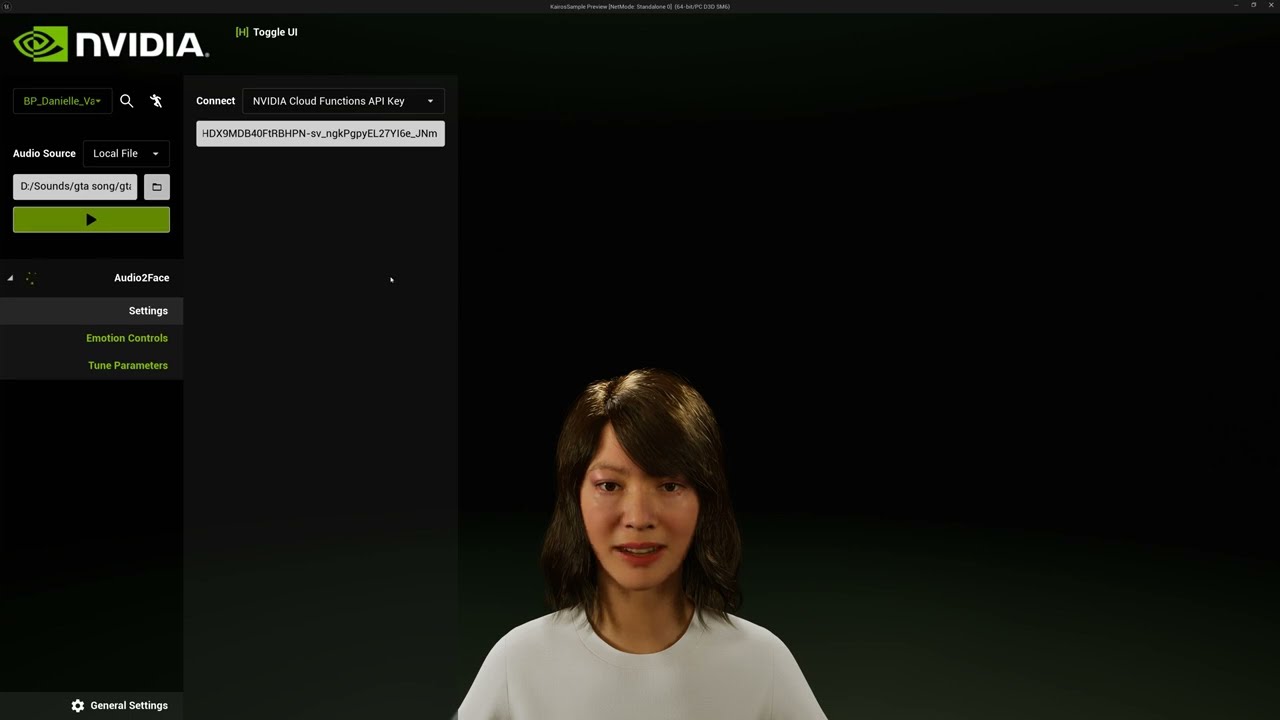
How to Setup NVIDIA ACE - Audio2Face with Metahuman in Unreal Engine 5.4 - Part 1
Music: https://pixabay.com/music/beautiful-plays-just-relax-11157
########## links ####################
https://developer.nvidia.com/ace#game-characters
https://developer.nvidia.com/downloads/assets/ace/aceunrealsample-1.0.0.7z
https://developer.nvidia.com/downlo...
all videos are this sample tutorial. but you gotta launch in PIE and use the drop downs. i just want to add these along the way and yet to see a single video doing this with sequencer
teal trellis
ok just found this https://www.youtube.com/watch?v=uPD2CAZf2s0
Export to previous Unreal Engine shown for 5.4 but should work with any previous UE versions
City Sample Crowd for anims: https://www.unrealengine.com/marketplace/en-US/product/city-sample-crowds
this looks pretty easy...it uses zero nvidia plugins, so why all the fuss with nvidia ace if this was built into ue?
prior ot 5.4, you had to pump output from omniverse into livelink and then into unreal5. klunky
 elder seal
What’s the current best low key approach to to head tracking. I need the face (live link is fine) but I would like to get the head translation besides the rotation as well.
spiral thorn
viscid fog
In the identifier
ok thank you!
viscid fog
spiral thorn
ok thank you!
sorry i totally forgot did u get learn how to do it?
spiral thorn
viscid fog
sorry i totally forgot did u get learn how to do it?
yeah
spiral thorn
viscid fog
sorry i totally forgot did u get learn how to do it?
there is another question, how can I remove shoes from metahuman
btw custom metahuman was in online metahuman editor
spiral thorn
viscid fog
sorry i totally forgot did u get learn how to do it?
to remove shoes, can I export model to blender and remove it from there?
viscid fog
thats one way to do it
spiral thorn
viscid fog
thats one way to do it
I downloaded the model from online metahuman editor and it came as a .mhb file, how can I convert it to .fbx?
viscid fog
spiral thorn
I downloaded the model from online metahuman editor and it came as a .mhb file, ...
I’m not too sure on this but you exported the wrong file
spiral thorn
viscid fog
I’m not too sure on this but you exported the wrong file
what is the correct file? I got the file from online metahuman from the web
hollow arch
MetaTailor is easy.
hollow arch
teal trellis
all videos are this sample tutorial. but you gotta launch in PIE and use the dro...
Nvidia ace website has pdf tutorials in the download zip for audio2face
Metatailor can do the skinning only if you find 3d models elsewhere. Dont spend money though at this stage. Actor core sample anims has some runway style animation that may give u a good shot for a still
hollow arch
Idk too much about that. Probably Sequencer or google "how to render in ue" (like still image render typical of non real time DCCs). Good luck!
spiral thorn
hi guys, how can I make custom hair for metahuman
 stark lintel
Hey everyone! I'm curious about the best way to add two gold teeth to my MetaHuman. What's the best approach? Thanks!
 crystal phoenix
spiral thorn
hi guys, how can I make custom hair for metahuman
crystal phoenix
spiral thorn
hi guys, how can I make custom hair for metahuman
i think metahumans uses UE grooms right? if so, then check out https://dev.epicgames.com/documentation/en-us/unreal-engine/using-alembic-for-grooms-in-unreal-engine
hollow arch
stark lintel
Hey everyone! I'm curious about the best way to add two gold teeth to my MetaHum...
Edit teeth texture
stark lintel
Thx...I tried to ‘paint the teeth gold’ in Photoshop, but I’m not getting a satisfactory result because I don’t know how to assign a golden shine to just one part of the texture. Right now, it just looks like a gold image… Is there a way to assign a material in Unreal to just one tooth? That would solve my problem
hollow arch
I'm sure it's simple in nature, but go ask #materials
Maybe a metallic mask or something
hollow arch
Idk lol
 torpid hound
@spiral thorn to remove shoes go to the metahuman blueprint in ue5 and click on feet in components and go to the skeletal mesh asset in details then clear the shoes
 hollow heron
Hello there.
Please, have anyone seen this issue before? when my Metahuman is moving around the hair sometimes lag behind him... It's not all the time, just some animations are more noticeable like jumping or climbing... walking and sprintring is okay so far.

Just found a work around solution, not the best for any facial animation due to the rigid physics but this will work for now
 spiral thorn
crystal phoenix
i think metahumans uses UE grooms right? if so, then check out <https://dev.epic...
spiral thorn
crystal phoenix
i think metahumans uses UE grooms right? if so, then check out <https://dev.epic...
yeah sure I am going to check it out! thank you for support
spiral thorn
torpid hound
<@1101081150560161792> to remove shoes go to the metahuman blueprint in ue5 and ...
thank you a lot!
 noble raft
Recently got a new pc which I had to wipe. Reinstalled Quixel Bridge but now UE5 is gone completely? Downloaded directly from bridges site and it only goes up to 4.27. Which means I am unable to download metahumans to work with UE5 etc
anyone have this issue?
 hexed dawn
noble raft
Recently got a new pc which I had to wipe. Reinstalled Quixel Bridge but now UE5...
hexed dawn
noble raft
Recently got a new pc which I had to wipe. Reinstalled Quixel Bridge but now UE5...
UE can be downloaded from Epic games launcher
 hollow aurora
How do you render Metahumans with best quality in MRQ with PathTracing?
Biggest issue is low quality and disappearing groom elements.
Is there some Cvar that needs enabling?
Am I wrong to assume you can render better quality Metahumans with PathTracing than using Deferred rendering?
hexed dawn
hexed dawn
UE can be downloaded from Epic games launcher
or do you refer to the Bridge plugin?
noble raft
I was getting some strange bug which I uninstalled and manually deleted any plugin folders. Then redid installation and seems to be working. Never had it before but yea heh. Thanks though!
teal trellis

Test with metahuman and 3D Scan Store texture.
tried a brand new scene because Metahuman render is tougher in daylight. It’s very hard to be realistic with bright light and Caucasian skin. So I wanted to explore that.
Maybe I will post the same scene without 3dscan store to compare :wink:
Render in UE 5.4 with Lumen, no Anti-Aliasing. Can b...
this was good, wanted to see more
teal trellis
hmm metahuman backend seems to be having a lot of problems over last 24 hours
glitchy, hanging, freezing, super low render, blockiness, etc. it's just when i go into mh editor. other apps/streams seem fine
 dusty surge
How can I find characters like those in games like Love and Deepspace or inZOI?
fluid oriole
I made a free Metahuman underwear remover to help get rid of that pesky metahuman underwear details in the pinned comment https://youtu.be/v87J25F9lNw?si=cqP_KAXjDL44NZIW

Available for free on artstation
teal trellis
dusty surge
How can I find characters like those in games like Love and Deepspace or inZOI?
without paying big bucks, or probably buying something like character creator, the best stuff youll get for free are probably the paragon assets
hollow arch
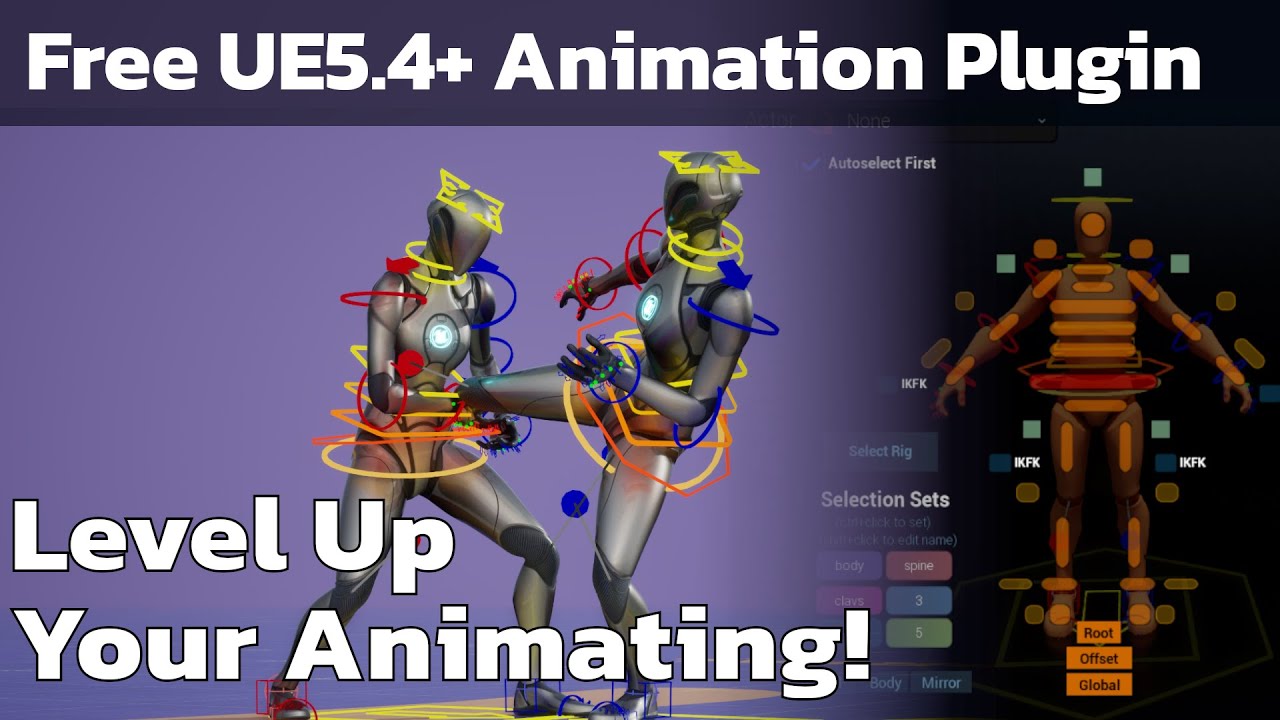
Free unreal 5.4+ plugin - Anyone can animate!
Threepeat Anim Tools (Tatools) github repo: https://github.com/threepeatgames/ThreepeatAnimTools
parkour roll vault tutorial: https://www.youtube.com/watch?v=SKGYWBJRfqo
standing precision jump tutorial: https://www.youtube.com/watch?v=k3BsZL6P510
free weekly animation announcement video: https:...
 balmy anchor
hollow arch
https://youtu.be/xQKvecYSuEE?feature=shared
balmy anchor
hollow arch
https://youtu.be/xQKvecYSuEE?feature=shared
can this tool let us generate AnimSequence Assets?
hollow arch
balmy anchor
can this tool let us generate AnimSequence Assets?
You can do that with default Sequencer. This merely adds QoL for animating in sequencer; with MetaHuman support out the box.
3peat has been popping off with free animation releases & tutorials lately.
balmy anchor
hollow arch
You can do that with default Sequencer. This merely adds QoL for animating in se...
can I ask how to do generate AnimSeqence assets from sequencer?
or documents which explain how to do that work too
hollow arch
balmy anchor
can I ask how to do generate AnimSeqence assets from sequencer?
or documents whi...
Right-click the track in a Level Sequence and select the option for exporting (don't remember the exact name).
balmy anchor
we are talking about UAnimSequence Assets right?
hollow arch
Yes...
I did this yesterday.
I opened the MetaHuman project demo, opened the Level Sequence, right clicked the Ada face and saved as anim sequence.
balmy anchor
oh ok, thank you very much
 bleak path
I'm using metahuman's face control board with a layered control rig and noticed that I cannot reduced the keyed animation on the control board. Like it would let me tone the expression down it'll only allow me to add more to it and was wondering if I am missing something or if this is intentional?
youll see in the detail panel that the keyed control starts at 0 and then just caps out at like .25~~~ as if it was the range of 0-1.
 night plover
seeing this message trying to get the metahuman plugin: This listing has not been migrated to FAB by the seller. It is only available to use from your Vault in the Epic Games Launcher.
any idea when it will be available?
 quartz jay
Hi Everyone, my head has officially turned to mush! So i made my own custom metahuman, i made clothes in MD i added animaton. Now all i want is to make the metahuman laugh (Creepy Halloween laugh).... I don't have an RTX card so using Audio2Face is a ❌ I have no clue how to get 5.5 preview or how to move everything over so i guess that's also ❌
My PC is struggling with Unreal so crashes 24/7 so i'm looking for the least intensive ways until my pc guy comes back from his holidays haha!!
I'm quite new to animating metahumans so any advice is appreciated.
teal trellis
i'm u sing 5.5 for this reason. uploading an audio file and bypass the audio2face livelink input
hollow arch
teal trellis
i'm u sing 5.5 for this reason. uploading an audio file and bypass the audio2fac...
But no real time
 lethal jetty
Hey folks, any tips as to getting the regular face control rig for a metahuman?
When I try to bake out a live link anim, it wants to do this

I want this though
 teal trellis
hollow arch
But no real time
teal trellis
hollow arch
But no real time
yea you'd have to stitch a lot of scenes together but it still seems pretty accurate. the only other way to do real time is audio2face or directly with facial mocap with livelink. you can build a DIY or i know rokoko now has a pretty good one for like 300 bucks
i've seen 'not so great' facial capture with just a normal phone without a facial rig but it's night and day different
hollow arch
Yeah this 5.5 stuff is nice.
A2F has an api, you can plug it into near anything.
But we are so close to epic phasing this out. It will soon be just another node on the anim graph with an audio source pin. One can dream.
quartz jay
teal trellis
i'm u sing 5.5 for this reason. uploading an audio file and bypass the audio2fac...
Where do i download 5.5 please, it's certainly worth trying. I'm on a bit of a short time frame as my project is for a screen at an awards event next month 😵💫
viscid fog
quartz jay
Where do i download 5.5 please, it's certainly worth trying. I'm on a bit of a s...
Press + on epic (library) the it says 5.5.preview on the top o.o
teal trellis
btw ran across this for those that may not know https://dev.epicgames.com/documentation/en-us/metahuman/metahumans-facial-pose-library-quick-start
Epic Games Developer
Learn how to apply preset Facial Poses to your MetaHuman using Sequencer and Control Rig.
 willow ivy
I made a free tool that makes dealing with the Metahuman Face Control Rig a little less painful: https://www.youtube.com/watch?v=mn4qp6ZAnks

As promised, the Locodrome Metahuman Face Control Rig Picker is up on Gumroad as pay-what-you-want, so you can head over there now and grab it for free.
It allows you to select and animate any Metahuman Face Control Rig from the picker directly, using the WASD keys. This widget has really helped speed up my workflow, and I hope it does the same...
Working on adding easy application of the facial pose library / visemes etc
quartz jay
You've all been so helpful thankyou. I still don't have the option to download 5.5 on the epic library, i'm hoping that it will appear now that the changeover to Fab has happened. As it would com in very handing for some lip syncing for this newbie
hollow aurora
Anyone experience black eyes when Pathtracing? Some type of translucency pass issue.

 worldly dagger
How can I remove footwear from MH avatar ? Is it the only solution to dump into blender or DCC software and remove polygons of footwear ?
If so what about the sole. Without sole their is no soul 🥲
 fathom flame
worldly dagger
How can I remove footwear from MH avatar ? Is it the only solution to dump into ...
fathom flame
worldly dagger
How can I remove footwear from MH avatar ? Is it the only solution to dump into ...
You can go into the MH blueprint and go to feet in the components tab and clear the skeletal mesh asset. Hope that solves your issue (:
spiral thorn
how to add custom clothes for metahuman? for example army clothes with armour?
 shell lance
Ohhhkay. Anyone got any idea why the metahuman head skin material gets flat regardless of light intensity at quality level High?


I've dug through the material graph and I've got nothing. The one on the left is at Effects High, while the one on the right is at Effects Epic in engine scalability.
This behavior also reproduces in builds.
 gilded badger
Hey, I'm currently looking for a way to fit armor sets (marketplace) to metahuman. Condition would be that they're made for the right skeleton but size would need to adjust depending on the character used. Is there any way this can be done within UE5 (without external modelling tools)? It's supposed to work in a multiplayer online game. Every input is apprechiated! Only thing I heard of would be a morph target solution, but not sure how well hat works with multiplayer / linetracing
hollow arch
gilded badger
Hey, I'm currently looking for a way to fit armor sets (marketplace) to metahuma...
Just use metatailor
 warm heron
hey! can anybody help me download a meta human because when i attempt to do it it just stays at 0% except when i try to download presets then it goes above 100%
ps i have been searching for a solution this entire day
 wet haven
Does anyone happen to know a place to get all the Metahuman hair grooms? I don't wanna download a million custom metahumans to get it all 🫠
gilded badger
hollow arch
Just use metatailor
thanks for the suggestions, I rigged the first armor peace now in there as I thought I could export 5 meshes per month. It seems they've deavtivated the functionallity to exclude the character from the export so it's not really usefull for me except I do the subscription...
 limpid geode
guys is anyone else having trouble with the metahuman plugin ? i keep getting this error msg // any advice plz plz

I've tried deleting everything and relaunching unreal like 5x now and still doesnt work nor does it work if i make a fresh epic account
hollow arch
gilded badger
thanks for the suggestions, I rigged the first armor peace now in there as I tho...
Dang. Back in the day you had unlimited , just with bad qol. 5 mesh exports per month as free? Ouchh
 floral crest
Hi guys, I have a weird issue with MetaHuman hair. There's some static noise in the hair, and I've been trying to follow the guide from the Unreal Devs Forum, but it doesn't seem to fix the problem. Since there's still an issue when using Temporal AA, I'm only using Static AA at 32. Does anyone have an idea where the noise might be coming from? Thank you!
silver brook
willow ivy
I made a free tool that makes dealing with the Metahuman Face Control Rig a litt...
this should be pinned, thanks
 arctic tartan
my metahumans tab is not showing up anymore where it used to.
do we reach our custom metahumans from fab now?
this is not showing anymore, tried 3 different versions ☠️
 hollow aurora
Anyone experienced with Pathtracing able to help with black eyes when using Substrate?
I've made the recommended changes but still getting black eyes.


 jagged fulcrum
arctic tartan
my metahumans tab is not showing up anymore where it used to.
do we reach our c...
jagged fulcrum
arctic tartan
my metahumans tab is not showing up anymore where it used to.
do we reach our c...
mine is still there, I am using 5.4
 nocturne snow
Had some issues using Rokoko Dual Vision and retargeting the mocap to Metahumans made a quick info tutorial if anyone needs https://youtu.be/8N94ke_yS0o

Quick tutorial video on using Rokoko Dual Vision to record motion capture, process the motion capture in Rokoko Vision Studio, and export it to Unreal Engine and animate a Metahuman.
00:00 - Intro
00:46 - Recording motion capture with Rokoko Dual Vision
02:05 - Viewing and Exporting motion Capture from Rokoko Vision Studio
03:10 - Adding Motion...
 clear isle
hollow aurora
Anyone experienced with Pathtracing able to help with black eyes when using Subs...
clear isle
hollow aurora
Anyone experienced with Pathtracing able to help with black eyes when using Subs...
Try changing the EyeOcclusion Material to Additive
 tulip herald
all my metahumans' skin areas are, especially in low-angle but generally in normal sun-like bright lighting, always shaded almost toon-like, no smooth fading from lit to shadowed, more like a hard cut.
anyone know any params or param combinations on the material to tweak for this? all that I found so far and tried dont make a difference on this issue...
2nd shot is "Epic" quality, 1st is "High".....


 crystal vigil
nocturne snow
Had some issues using Rokoko Dual Vision and retargeting the mocap to Metahumans...
crystal vigil
nocturne snow
Had some issues using Rokoko Dual Vision and retargeting the mocap to Metahumans...
This is a gem thank you 🙏
I’ve been struggling with motion capture for a very long time
crystal vigil
crystal vigil
This is a gem thank you 🙏
How did you get your rig controls to show up in Unreal? I have controls I created in Blender but when I import the skeleton into Unreal it only shows my bones and not my control symbols.
lethal jetty
Have you guys gotten this build error before and if so, how did you fix it?
 hollow arch
Something about your corrective poses / post process is not connected right im guessing.
lethal jetty
hollow arch
Something about your corrective poses / post process is not connected right im g...
Aye, I gathered as much, but I have no clue how to fix it. Any tips? Thanks for answering btw
hollow arch
Check binding anims and run through the anim to see if the curves work
lethal jetty
 lethal jetty
 hollow arch
Does he tweak out when you press play?
hollow arch
Well the suffixes on the tracks are maybe the issue.
Not a control rig expert, but all of those bindings are literal string sensitive
lethal jetty
This is a metahuman, straight out of the box, I didn't change anything on this guy
hollow arch
Weirddd um
lethal jetty
RIGHT? hjahah
It's slowing down production and I gotta fix this maaaaaaan
Thanks for your help
hollow arch
Motionlogicfwll folder?
lethal jetty
 hollow arch
Weird folder ive never seen that before on a default
lethal jetty
I have no clue where that came from to be honest
Right
O/HhHH
It's from Faceware, now that I remember, it's a facial mo-cap company
I need to check their forums
hollow arch
There is a string not typed correctly somewhere in those assets. Im assuming youre using it with the default mh
lethal jetty
Well, in their documentation they say to use their animBP's for the face and body, so me thinks that's the issue too. Perhaps when I'm not recording I can disable or remove their animBP's when not recording, build and check if it works.
lethal jetty
hollow arch
There is a string not typed correctly somewhere in those assets. Im assuming you...
Yeah, I'll have to cross compare
hollow arch
Those literal strings can also be found in the control rig
So im guessing their anim bp has text not exactly matching the metahuman binding asset(?) Something is just not connecting there.
But you should figure it out down this rabbit hole hopefully. GOOD LUCK!
lethal jetty
LOL Thanks man, that should be enough info to work off of! Thanks again
The build built! @hollow arch I had to specificilly only package the maps that didn't house the metahuman that was houseing the faceware custom animBPs. Problem solved!
 soft fox
Could anybody help me I am facing this issue while having animation in squencer the body looks fine but when I bake the animation don't know what happens around thigh area it just becomes huge and different would appreciate yours help please guide me through this.

 hollow arch
soft fox
Could anybody help me I am facing this issue while having animation in squencer ...
hollow arch
soft fox
Could anybody help me I am facing this issue while having animation in squencer ...
You see the yellow warning window in the animation asset viewport? Try disabling post process anim by pressing the green button.
 coral fossil
Hello I need some help I've been wanting to create a metahuman using a head mesh I've created however when put through the mesh to metahuman the result is very different that my original mesh I've tried to use the conformed mesh by using the mh.identity.exportmeshes 1
Get it inside zbrush and using zwarp however when I try to get it back to unreal I get this error is there anyway workaround it ?
 lethal jetty
Have you guys used the Live Link app with iPhone 16? Looks like it only says up to 15. Just checking if any iphone 16 folks have it working at all
coral fossil
coral fossil
Hello I need some help I've been wanting to create a metahuman using a head mesh...
Anyone?
hollow aurora
Any groom experts? How would you make hair wet like after swimming?
 agile pulsar
hollow aurora
Any groom experts? How would you make hair wet like after swimming?
agile pulsar
hollow aurora
Any groom experts? How would you make hair wet like after swimming?
May need to start a new project completely. I would say if you are wanted to keep this project you will need to do some troubleshooting and make sure your imported mesh meets the requirements.
 light pendant
Dropped this in Gerenal but im putting it here too
Running into a problem trying to import custom metahumans
Is it possible to do from fab?
because my bridge plugin is broken

stuck loading forever
soft fox
hollow arch
You see the yellow warning window in the animation asset viewport? Try disabling...
ok it fixes but do i have to disable post process bp in sequencer too?
Because when I was using 5.2 and 5.3 there wasn't this kind of any issue
 timber vector
Hi everyone.
I'm trying to replicate the face dna calibration tutorial in 5.5 https://dev.epicgames.com/community/learning/tutorials/EoPj/metahuman-dna-calibration-deep-dive using the UnrealFest files provided in the metahuman dna calibration GitHub https://github.com/EpicGames/MetaHuman-DNA-Calibration/tree/main , but I'm getting some weird results.
First image is final result LOD0 after following all the instructions in the video. Disabling postprocess animation blueprint seems to bring back the intended look, but on closer inspections of the joints, seems like the face joints are offseted for some reason (is true that I observed a similar result in Maya at the end of the lods export process):
Loading the final .dna generated by the uf_calibration script in maya shows a perfectly working face with its facial rig with no errors and no joint offsets.
I’m a little lost here, I also tried this in 5.3 with same result. Any of you have experienced this?


Epic Games Developer
This session is an overview of the MetaHuman DNA Calibration library that enables you to directly edit DNA files, which are the core of MetaHumans. We w...

GitHub
Contribute to EpicGames/MetaHuman-DNA-Calibration development by creating an account on GitHub.
 civic sonnet
So 5.5 came out and it is all great. One question, why Unreal Engine doesn't provide source code for MetaHuman Animator like MetaHumanSpeech2Face module?
Is UE becoming somewhat a closed-source engine?

Having closed source plugins means we cannot debug the logic to see what is going on internally (i.e. you are prototyping speech to face using audio in Chinese or Arabic)
hollow aurora
Why are edited Metahumans not available in Bridge the moment you finish editing and sign out of MHC?
 celest vessel
hi there! has anyone tried enabling nanite for metahumans?
the head does not show up in the triangle debug view for me and performance is generally bad. what am I doing wrong?
EDIT: I have the solution. somebody informed me that the translucent materials are causing it. after removing those materials or setting them to masked, nanite is working 👍
 timber vector
light pendant
still having the issue
timber vector
light pendant
still having the issue
Hi. Have you tried uninstalling and reinstalling the Quixel Bridge plugin? MetaHumans are still available there, as there’s no option in Fab yet.
light pendant
timber vector
Hi. Have you tried uninstalling and reinstalling the Quixel Bridge plugin? MetaH...
I have ☹️
 mortal siren
Is it possible to change a scalar parameter at runtime for a metahuman's hair (groom)?
celest vessel
celest vessel
hi there! has anyone tried enabling nanite for metahumans?
the head does not sho...
I have the solution. somebody informed me that the translucent materials are causing it. after removing those materials or setting them to masked, nanite is working 👍
celest vessel
mortal siren
Is it possible to change a scalar parameter at runtime for a metahuman's hair (g...
why wouldn't it?
mortal siren
celest vessel
why wouldn't it?
Because here on my machine it simply doesn't work...
 simple forge
timber vector
Hi everyone.
I'm trying to replicate the face dna calibration tutorial in 5.5 h...
simple forge
timber vector
Hi everyone.
I'm trying to replicate the face dna calibration tutorial in 5.5 h...
If I had to guess, (not sure) the MH dna in that UEFest folder might be an older version of MH. I think it might be from 5.2
Depending on which engine version you are on, I would download Lena from Standalone Bridge (opening up MHC, select engine version and selecting Lena first) and adding your updated DNA file in the data folder.
I would probably add the updated body skeleton download from the standalone bridge files in the model folder as well.
celest vessel
mortal siren
Because here on my machine it simply doesn't work...
can you post the code?
mortal siren
Yeah, give me one minute
 opaque ridge
hey everyone,
has anyone had issues with Groom simulation precision on UE5.4 using custom mesh/grooms on Metahumans?
The further away my character's body_offset_ctrl and root_ctrl are from world origin, the worse it gets.
Epic said it's an issue with how strand data is stored and suggested just moving it all closer to origin, but trying to avoid changing hundreds of shots now, so I'd appreciate any ideas. The moment I move those controllers to 0,0,0 problem solved.
Grooms seem to have a 'Local Simulation' option where a 'Local bone' can be defined, but changing that changes nothing
Turning simulation off also works and strands are back to normal, not ideal either
It's all on a custom metahuman character, custom groom with a regular groom binding to the head skeleton

 hard lance
light pendant
I have ☹️
hard lance
light pendant
I have ☹️
maybe try the fab plugin
I kniw when I try to download things from quixel, it doesn't let me, lol
light pendant
hard lance
I kniw when I try to download things from quixel, it doesn't let me, lol
They’re not available via fab
To my knowledge
timber vector
simple forge
If I had to guess, (not sure) the MH dna in that UEFest folder might be an older...
Hi! Thanks for your response. I tried what you suggested with my own MetaHuman, created in version 5.5, but ran into the same issue. I was able to narrow down the error to the FBX files. While troubleshooting the uf_calibration.py script, I found that the problem seems to originate during the FBX export step in the create_head_and_body_scene method, specifically here:
for facial_joint, neck_joint in zip(facial_root_joints, neck_joints):
cmds.parent(facial_joint, neck_joint)
For some reason, when parenting the facial root to the head joint, the facial root joint gets displaced. As a workaround, I commented out this loop and did the parenting manually, which prevented the offset and worked as expected. I’m still trying to understand why the automatic parenting is causing this displacement, it doesn’t make sense to me.
simple forge
timber vector
Hi! Thanks for your response. I tried what you suggested with my own MetaHuman, ...
I’m going to give it a try as well as the last time I tested this I just used the exported assets that they had in the files.
 cursive garnet
I'm trying to build out a way to optimize metahumans for runtime use in games. Rather than just using cards or other work arounds I want to lower the polycount and remove unnecessary facial bones. Possibly even migrate them over to the UE5 skeleton.
My struggle is finding a way to decimate/lower the poly count of the metahumans themselves. Has anyone found a way to do this using blender?
hollow arch
cursive garnet
I'm trying to build out a way to optimize metahumans for runtime use in games. R...
You can export > blender edit > reimport, but that introduces potential issues. I'd recommend using one of the auto generated LODs while applying your own bone list to the LOD Settings Data Asset (non-destructive bone deletion). This works just fine for facial bones as well.
The hard part is optimizing the blueprints and animation assets.
This video covers pretty much everything: https://youtu.be/N_suMyUuork
Dive into the many character and animation optimizations that you should be applying to your Unreal Engine 5 projects to ensure you are delivering a fluid 60 frames per second on consoles.
This talk will examine building from the fundamentals through to advanced methods, as we explore optimizations of animations, skeletal meshes, animation gra...
MetaHuman performance has been "solved" for those who know where to look. The real bottleneck is now engine limitations: CMC scaling, heavy AI logic, crowded nav meshes, etc.
cursive garnet
hollow arch
You can export > blender edit > reimport, but that introduces potential issues. ...
Thank you so much!
 rustic plover
Happy weekend everybody! Is there way inside engine to transform .fbx into cloth and fit it to your character? I have still problems with basic cloth painted skeletal mesh of Cape I tried to add to character. I tried every collider, but no, it still clips through character. Do i need to use marvelous designer to make clothes fit to my character? and once that done, does it work for every animation or do i need to do cloth animation separately to hundred+ animation? Is unreal + blender + marvelous designer must for good results? or can everything be done in chaos cloth asset?
anyways these metahumans rock so much! I had hard time to get animation montages to work on metahuman. Only solution that worked for me was to combine all parts and bones in blender. Please tell if you have better solution. Well now it works like any other mesh and can still control face etc. And everything is in sync finally!
hollow arch
rustic plover
anyways these metahumans rock so much! I had hard time to get animation montages...
Anim montages work just fine.
 upbeat arrow
Hello folks! I have quite an issue, the eyes of the MetaHuman literally disappear when toogle Path Tracing. BUT it works with normal mode. Any idea? I'm using UE 5.5

 hollow arch
upbeat arrow
Hello folks! I have quite an issue, the eyes of the MetaHuman literally disappea...
hollow arch
upbeat arrow
Hello folks! I have quite an issue, the eyes of the MetaHuman literally disappea...
Try changing the EyeOcclusion Material to Additive
 azure jetty
Hey everyone! 🎥 Ready to be amazed? This video is all about the stunning artistry and cutting-edge techniques behind crafting lifelike digital characters. 🖥️✨ It’s a showcase of incredible results—where creativity and technology collide to bring something extraordinary to life. From jaw-dropping details to seamless realism, it’s a treat for anyone who loves digital art and character creation. Let me know your thoughts or if it sparks any ideas!
https://youtu.be/IO3stFfhxuw

Real-Time Dynamic Character Blending in Unreal Engine by 2DNAC
In our latest project, Real-Time Dynamic Character Blending, we pushed the boundaries of digital character creation and animation within Unreal Engine. This advanced system enables real-time blending and seamless transitions between six uniquely crafted characters, revolutionizing h...
 wintry terrace
Want to ask with the audio to face thing is it possible to increase the frame rate of it, when i import an audio clip to record from it imports at 30fps but i want more how do you do that, it wont let me increase the end frame to provess
upbeat arrow
hollow arch
Try changing the EyeOcclusion Material to Additive
thank you so much! It works like a charm
they are a bit brighter now but it works
hollow arch
upbeat arrow
they are a bit brighter now but it works
Shine bright
teal trellis
the audio 2 face stuff is what i've been playing with. it was why i even messed with 5.5 you can just pull in an audio file vs having to pull it in with livelink
its so good that even somebody speaking english where it's not their main language, you can see the mouth movements having the accent. hard to explain but very realistic
wintry terrace
Wanna ask what’s the best way of emptying one of the facial controls of its animation? Basically I want to just keep the eye and eyebrow animation of one recording I did… but it’s not easy to simply delete/empty the other controls and if i tried to select all the graphs it is too much for my pc
Is there a way you can simply select the controls and essentially empty it of any animation
And values
What I’m trying to do is combine livelink eyes and eyebrow stuff with audio to face mouth
simple forge
wintry terrace
Wanna ask what’s the best way of emptying one of the facial controls of its anim...
I do this all the time. I add two additive layers. I mute both. One muted is for the original keys as a backup and the other is the keys I took from the other animation that I want to apply. I copy all the keys I want and start pasting them in that 2nd layer. Then you can start deleting curves from the actual bake and start pasting the ones you want.
 blazing sleet
When I export textures from Metahuman, they appear black, so I can't apply them correctly in Substance 3D. Does anyone know what might be causing this?
 wintry terrace
simple forge
I do this all the time. I add two additive layers. I mute both. One muted is for...
wintry terrace
simple forge
I do this all the time. I add two additive layers. I mute both. One muted is for...
How do you copy the keys, doing it from graph editor is too much for my pc
simple forge
wintry terrace
How do you copy the keys, doing it from graph editor is too much for my pc
one curve at a time then. select the actual keys without opening curve editor. close sequence then open the other sequence and paste.
wintry terrace
simple forge
one curve at a time then. select the actual keys without opening curve editor. c...
One key at a time is tedious surely there’s a better way of doing it
simple forge
wintry terrace
One key at a time is tedious surely there’s a better way of doing it
lol not one key at a time.
simple forge
wintry terrace
One key at a time is tedious surely there’s a better way of doing it
copy the track that has the keys for each control
 wintry terrace
Also wanna ask whats the best way of recording Arkit animations on PC
From a video
wintry terrace
simple forge
copy the track that has the keys for each control
How do you copy track
When I select the track copy is greyed out
Also muting tracks doesnt work i click mute and nothing happens
 stable prawn
Any workaround for Metahuman Animator’s need for “Vulkan”? I am unable to prepare my metahuman for performance it seems
simple forge
wintry terrace
How do you copy track
Where are you copying the track from? Take a snapshot of what you mean greyed out
wintry terrace
simple forge
Where are you copying the track from? Take a snapshot of what you mean greyed ou...
It’s alright I copied the keys I was trying to copy from the tracks
 crimson grove
Hi, I have a metahuman on metahuman creator 4.27, but whenever I go on a newer version, even 5.0, it dosnt show in the legacy metahumans tab, I literally can’t upgrade it. Does anyone know a fix?
wintry terrace
Have to say this audio to face thing is insane clearly a lot of effort has been made to make it not look robotic/have realistic nuances in it literally looks as good as a tracked face animation
With a good audio file you can get a really good animation
It looks better than the stuff I did before in avatary with 25% of the effort lmao
lethal jetty
Has anyone tried nanite skeletal mesh with metahumans, if so, was there anything to note?
 wild stratus
Sorry for an unaware message
I noticed that we're in the same server and decide to inform you about my job
I'm a 3d generalist looking for hiring if required.
I specialized in creating
2D and 3D character
Game map
Game UI/UX design
Game Props And VFX Design
3D Environment And Level Design
3D Game Trailer And Animation
3D Printable Models
Apologies if my approach seemed blunt; my intention is to assist.
 worn pilot
i JUST CREATED A METAHUMN IN THE CREATE APP BUT i CAN'T FIND IT IN uNREAL. i TRIED LOGING OUT AND LOGIN BACK IN BUT IT'S NOT THERE...
Sorry for caps...
wintry terrace
Want to ask what technology does the metahuman audio to face use to create the animation, include emotions and use nuances and random stuff to make the animation look real and not robotic?
 still prairie
Hello, can someone help me? I’ve created a custom face for MetaHumans and now I want to add it, but I have the problem that I can’t find the required plugin.
Is there anyone here who knows about MetaHumans?😅
 still prairie
Helllo
vestal barn
What do you mean by a custom face?
 long isle
Hi guys! I'm making custom clothing for a MH for the first time and have some questions about modeling. I am not a modeler so any advice is appreciated:
- I am box modeling a pair of shoes from scratch. I imported an FBX mesh of my MH, then started modeling around the foot. My shoe is currently two pieces of geo. Should I combine mesh and freeze transformations on the mesh so that its position at the foot is its 0,0,0?

- Should I have both shoes created and in place in the same file to bring them back into UE?
- What's the best way to ensure the shoe will deform the same way the default shoes will? Additionally, is there a way to force my MH to have her heels arched by default since these are heels?
Thank you in advance!
vestal barn
long isle
- What's the best way to ensure the shoe will deform the same way the default sh...
not planning on modelling heels but have wondering this
im thinking of using the added control rig feature thing they added recently to key that on top of whatever the anim is
long isle
Good call, maybe there’s a way to force a layered anim on top of it?
vestal barn
Yeah I can’t remember exactly what that feature was called but I’ll get back to you on it
vestal barn
long isle
Hi guys! I'm making custom clothing for a MH for the first time and have some qu...
also just in general if you're doing more than heels id highly recommend marvelous designer
its super fun
long isle
vestal barn
its super fun
Yes! I've just started out but I made a skirt, jacket and polo shirt
I am also modeling some rhinestones in Maya to add to the jacket as buttons, if you have ever added custom buttons I'd love to hear your workflow
vestal barn
long isle
Yes! I've just started out but I made a skirt, jacket and polo shirt
damn we doing the exact same workflow
you using chaos cloth?
long isle
That is my plan but I haven't yet exported from Marvelous
vestal barn
long isle
I am also modeling some rhinestones in Maya to add to the jacket as buttons, if ...
you can do buttons in marvelous - id add the rhinestones in UE as to not break the USD export from marvelous
but like still model in maya and then just add in UE
you also get some great results with the cloth shading model

lmk if you have any questions bc this is quite undocumented and took me like three hours for some simple stuff
long isle
Ah okay, are you adding them as static mesh and then attaching somehow to the MH rig?
Yes ANY feedback is much appreciated on this process
vestal barn
long isle
Ah okay, are you adding them as static mesh and then attaching somehow to the MH...
nah im not doing buttons but keeping that USD export clean is super important
but yeah id somehow attach it, hmmm
long isle
For context this is the style of jacket I am referencing:
 vestal barn
ah i see!
long isle
So not a random assortment of rhinestones, but something placed very specifically
vestal barn
honestly i might actually suggest doing them as a texture would be the best way
at least most time efficent for that many
long isle
Good idea, I wonder if a normal map or displacement would allow for a more dimensional look. This character is for a class, not for use in game or anything, so right now there isn't a need to keep it optimized
vestal barn
ive been trying to get height to work but with no nanite on chaos cloth (maybe there is i might be dumb) it seems nanite displacement ofc wont work
yeah do as normal map for that detail ig
let me know if u ever wanna hop in call sometime and sort things out
long isle
Awesome, I might hit you up on the weekend, thank you! Will keep noodling with it as well 🙏
 neon karma
I'm sure this must have been asked, but how do we import metahumans to ue5.5 now? Bridge is throwing me this even after updated on MHC:
 rustic plover
anyone having problems with mesh to metahuman atm?
it creates the DNA? of skeletal mesh to my content browser but trying to do full metahuman does not work
been doing these same way all the time so hmmh
"Error while interacting with MetaHuman Service".. i'm just thinking is it me or them
rustic plover
Seems it might be the web thing, altho the site works great with metahumans I have already. Forums say just keep trying pushin teh button. Well i'll adjust base mesh some if it has any effects? I'm doing basic humans. Could symmetry or things like that affect it? I really want to try it with something non-human like orc hmmh. Super cool system anyways. Maybe i need to update to 5.5.0, but my meshtometahuman 5.4.4 project worked like yesterday this exact workflow super good. Just thinking.
 raven girder
DOes anyone know if you could open the face ctrlrig on a seperate window so that it isn't just hovering next to the face?
simple forge
raven girder
DOes anyone know if you could open the face ctrlrig on a seperate window so that...
Check to see if you have the follow head control set to 0. If it is set to 0 it should stay in a fixed location.
raven girder
I found a plugin that does what I was looking for, but thanks for the reply!
 grand prawn
Does anyone know what's causing the rainbow effect in the hair?

 grand prawn
I narrowed it down to something wrong with the "Fuzz" layer. Not sure what's wrong with it. Any advice would be appreciated.
rustic plover
rustic plover
Seems it might be the web thing, altho the site works great with metahumans I ha...
now it works like charm.. guess there was something going on on metahuman services
 lost hollow
Are metahumans pretty performant now if you want a bunch on the screen?
vestal barn
With skeletal mesh nanite I would say they are significantly more performant then they were a version ago
 full parcel


 hollow arch
full parcel
hollow arch
full parcel
Wow! Workflow?
hollow arch
vestal barn
With skeletal mesh nanite I would say they are significantly more performant the...
Theyre performant if you dig deep enough. Skel Mesh nanite isnt fool proof and no one has released a great game with it yet.
vestal barn
full parcel
yeah what did you do to remove default clothing? or are these not meahumans
they dont look very metahuman esque
 spice plume
Hey guys, when doing a facecapture animation with metahuman animator I get this error message:MetaHumanMeshTracker: Error: (FaceTracking.cpp, l2664): Predictive solve failed; solvers are inconsistent with supplied input data
MetaHumanMeshTracker: Error: (FaceTrackingAPI.cpp, l1171): failure to track: Critical error (FaceTracking.cpp, l2664): Predictive solve failed; solvers are inconsistent with supplied input data
LogMetaHumanPipeline: Error: Process error in node "Solver" on frame 0 - Code 1, Message "Failed to track"
I have even lighting, camera is stable, the face is totally in frame, no noise or anything like that. I just did another face capture on this PC a week ago and it did it with ease. It was in another project file and with another metahuman. So maybe that could be the issue, but Im not sure. I tried multiple footage takes to process but got the same error everytime. I copied the whole project to another pc too but got the same error message there, everything running latest nvidia drivers and UE 5.4.2
any idea?
I will maybe try doing everything from scratch because it can be that the project itself is bugged out
azure cargo
just to let anyone know, whenever you start using megalights around your metahuman character if the megalights doesn't reflect strand hair, use hair cards on metahuman. It's actually quite better the way how the megalights reflects on the hair cards very well. And hair cards are like a temporary thing for now. Until when megalights have strand hair support
worldly dagger
long isle
Good idea, I wonder if a normal map or displacement would allow for a more dimen...
Use Clo3d or Marvelous Designer would be easier.
 river gull
Using scans and then mesh to metahuman we can get good texture results, but how can we actually get accurate head shape? Most of the time the face is correct, but the facial and head structure are different
 true flower
does anyone know why this is happening to my meta human when they move away from another player? I'm pretty sure it has to do with the LODs but everything I've tried to do to adjust them hasn't worked


 timber sorrel
full parcel
timber sorrel
full parcel
Kudos to the work. 🫡
 zenith patio
Is there a free / open-source method for creating metahuman archive files from images? I've seen Motu.HMC but it only works with video. Or if there isn't anything, is there documentation on what needs to be in the MHA to make it work in creating a custom metahuman face? Extracting depth from images is easy, but I'm sure there's more to it than that.
vestal barn
If you reword what you are trying to do I’d rather try and get a mesh from a photo and then try and use mesh to metahuman?
For example I’ve seen good work where people download busts of celebrities and turn them into metahumans pretty well
zenith patio
From what I'm seeing, anything that goes from a single still to a mesh does a pretty poor job of it. Because the stills I have aren't all from the same time/location, something like Reality Capture won't work either. There's a tool from Blender that seems to do a decent job, but the pricing is just insane. Right now the only thing I can come up with is to first train a LORA using the images I have, then generate all the views I need that are as consistant as possible with Flux/ComfyUI and then feed those into Reality Capture.
wintry terrace
Want to ask with the audio to animation thing is there a way I can animate at more than 30fps whenever I load an audio file into metahuman performance it animates at that but if I could animate at more maybe I could get more detail
river gull
Does anyone know a solution for hair tremors/shaking?
grand prawn
With Bridge going away, how do I import Metahumans into Unreal from Fab? It doesn't seem possible.
timber sorrel
grand prawn
With Bridge going away, how do I import Metahumans into Unreal from Fab? It doe...
Yes. It's not possible.
grand prawn
timber sorrel
Yes. It's not possible.
Is it a cause for concern? Something they're working to address? Or an alterative method to import metahumans into Unreal that I'm not aware of?
timber sorrel
Install bridge
wintry terrace
wintry terrace
Want to ask with the audio to animation thing is there a way I can animate at mo...
On this I found a workaround which is to slow down the audio and then speed it up and it captures more lip movement… but it really ought to be possible to record 60fps movements
With the audio to face
hollow arch
river gull
Does anyone know a solution for hair tremors/shaking?
Turn off RBF interpolation in the groom Asset
river gull
hollow arch
Turn off RBF interpolation in the groom Asset
I did, it didn't fix it
hollow arch
river gull
I did, it didn't fix it
In the blueprint on the groom component, try removing parents socket
There's 2 fields for connecting. I forgot what they're called. But one of them should be blank for the groom components and only entered for the face skeletal mesh.
If you can send a quick clip of what it looks like, could probably figure it out
river gull
hollow arch
If you can send a quick clip of what it looks like, could probably figure it out
the funny thing is that sometimes this stops, and it starts doing this on the other side of the head lol
 viscid panther
custom metahuman, still in progress. mostly natively made, sculpt in blender, no complex scripts in maya, no and no meshmorpher. it has some eyelid clipping tho, ill fix it. but other than that is almost ready to use for a personal project.
nocturne snow
Just made a tutorial about parenting handheld objects to Metahuman such as a gun or flashlight - https://youtu.be/GT_X5-A9x8g?si=ZwoJDuqoPlx7beAh
This tutorial shows how to attach and parent objects to Metahumans in two ways, through the Blueprint and through the Level Sequencer.
Quick demo of Eric from my short film Merisol holding a flashlight and a pistol, and the tutorials right after.
If you like this or want videos on anything else, let me know!
Video Chapters:
00:00 Intro
00:15...
 fathom galleon
hmm can't find my new MH in 5.5.. i see the legacy ones though
trying to access it via quixel bridge.. is that the way?
 tiny linden
So i need some big help, I downloaded the optimized metahuman and imported him into the game high optimized and it was awesome, well i wanted a step down so i downloaded the medium metahuman and i made a new project and imported him, so it didnt overwrite and stuff, i then went to use it and it looks like this? and i am unsure what happened i did not touch LOD and i tried to mess with them to fix it, and it didnt work but it glitches, and for a split second if i keep clicking will show a fully loaded metahuman what do i do? thanks guys ❤️
 timber sorrel
Try deleting Metahumans folder and reimport
hollow arch
tiny linden
So i need some big help, I downloaded the optimized metahuman and imported him i...
All MetaHuman download types (high/med/low) are exactly the same, and only differ in default texture resolution and available LODs. Nothing is neccesarily optimized about them. They're just excluding more LODs and saving on disk space. True optimization comes from how you program them and customize your own LOD group logic.
But if you cant get the LOD where u want it, explore lod visualization and lod sync component settings.
tiny linden
timber sorrel
Try deleting Metahumans folder and reimport
i appreciate you giving me this idea than you my friend
tiny linden
hollow arch
All MetaHuman download types (high/med/low) are exactly the same, and only diffe...
i had no idea they were so complex, i appreciate you sharing this with me i think it will help me get that extra push i realy need, my fps is always bottoming out at 58 when in fullscreen man you guys are awesome
thank you
tiny linden
timber sorrel
Try deleting Metahumans folder and reimport
well, i tried it and i guess its still the same 😦 i havent touched anything with the LODs so im confused why it would be doing this i wonder if there is a way to completely uninstall them from my quixel
 timber sorrel
tiny linden
well, i tried it and i guess its still the same 😦 i havent touched anything wi...
timber sorrel
tiny linden
well, i tried it and i guess its still the same 😦 i havent touched anything wi...
Make sure deleting from file explorer rather than from Editor
tiny linden
timber sorrel
Make sure deleting from file explorer rather than from Editor
well, i cleared the uasset cache and the unreal vault cache, and hes still doing it 😦
im a bit concerned now maybe i broke him or something

 timber sorrel
Create new empty project and try in that
tiny linden
timber sorrel
Create new empty project and try in that
ive been doing that for a while :/
i even tried different engines
whenever i mess with the LOD it works if im like sliding it constantly
i dont get what i did wrong
hollow arch
Go into the face skel mesh asset and select LOD0 in the viewport
tiny linden
hollow arch
Go into the face skel mesh asset and select LOD0 in the viewport
ohhh ok ill let you know, im reinstalling everything i even removed epic lol
thank you
tiny linden
hollow arch
Go into the face skel mesh asset and select LOD0 in the viewport
im starting to think its just my unreal engine i may have to switch and leave unreal for good, i am getting player errors and when i create a new project im getting message log box popping up on starting it up, and its almost like even upon uninstalling every single part of it its still storing data somewhere and trying to replace it back in upon reinstallation this problem is much bigger than i thought goes further than the metahumans thank you for your efforts my friend
 mossy latch
Can somebody please help validate my steps when trying to install the MetaHuman plugin to a source build. I'm not sure if I am doing something wrong or if there is a bug in 5.5.1.
- Installed non-source version of UE 5.5.1 via Epic Game Launcher
- Installed MetaHuman plugin to non-source editor version
- Moved contents of plugin file from non-source Engine directory to source directory ("C:\UnrealEngine55\Engine\Plugins\Marketplace\MetaHuman_5.5")
- Generated source project files (not sure if needed)
- Rebuilt source solution
- Rebuilt project solution
- Enabled MetaHuman in project
error on editor launch: The procedure entry point ?GetModule@FDNAInterchangeModule@@SAAEAV1@XZ could not be located in the dynamic link library C:\GymBabeSim\Plugins\MetaHuman_5.5\Binaries\Win64\UnrealEditor-MetaHumanIdentity.dll.
I also tried adding "MetaHumanIdentity" & "MetaHuman" to the project's public/private dependencies in Game.Build.cs and moving the plugin folder contents into the project's plugin directory (instead of engine) but that produces a build error when trying to build the project solution:
Error MSB3073 The command "C:\UnrealEngine55\Engine\Build\BatchFiles\Build.bat -Target="GymBabeEditor Win64 Development -Project=\"C:\GymBabeSim\GymBabe.uproject\"" -Target="ShaderCompileWorker Win64 Development -Project=\"C:\GymBabeSim\GymBabe.uproject\" -Quiet" -WaitMutex -FromMsBuild -architecture=x64" exited with code 8. GymBabe C:\Program Files\Microsoft Visual Studio\2022\Community\MSBuild\Microsoft\VC\v170\Microsoft.MakeFile.Targets 44```i'm trying to migrate from 5.3 to 5.5.. i'm using a MH that i turned into its custom BP..
is it worth it to redo part of my work starting from a fresh 5.5 MH?
Was there any changes to MH since 5.3?
mortal siren
anyone here have this problem?
 rose phoenix
Hello there, are there any known issues about processing metahuman performances on a RTX 4070?
I'm getting this error: "failed to find a specified GPU" but I couldn't find any final solution on this Discord. Please note that I've disabled my integrated GPU and updated my graphic drivers already.
LogMetaHumanPipeline: Error:    Start error in node "Flow" - Code 0, Message "Failed to initialize"
MetaHumanMeshTracker: Error: (VulkanDevice.cpp, l172): failed to find a specified GPU
MetaHumanMeshTracker: Error: (FaceTrackingAPI.cpp, l178): failure to initialize: Critical error (VulkanDevice.cpp, l172): failed to find a specified GPU```So, for visibility, this was happening because I was using remote desktop on the PC on which the generation was happening
rose phoenix
To work around this problem, you can setup RemoteFX: https://knowledge.civilgeo.com/enabling-gpu-rendering-for-microsoft-remote-desktop/
This article discusses how to allow the use of GPU rendering during a Remote Desktop session by modifying the group policy on the host computer.
 blissful turtle
Hello everyone,
Can anyone offer any assistance or insight on a way forward here with UE 5.5.1 Mutable Metahuman crash when in standalone?
I have been experimenting with the new mutable plugin and metahumans. I have recently encountered a really weird crash. This only occurs when I try play a level in standalone mode that contains the Customizable Skeletal Mesh Actor.
To elaborate I have tested this on two levels:
I am having no issues running in any mode on a level that only contains the base BP_Metahuman characters (No Mutable assets - just stock metahuman)
However on a separate level that has the Customizable Skeletal Mesh Actor I am experiencing crashes when trying to play in standalone mode. The window would open to a black screen with a loading throber on the bottom right and eventually crash
I setup the Customizable Skeletal Mesh Actor myself using assets from Metahuman service. However I am able to run the Mutable example project with no issues.
I will try play around with trying to rebuild a new Mutable object and will report back
Here are the crash logs
Text from the UE Crash reporter: https://pastebin.com/uM26xJ7V
Crash report txt: https://pastebin.com/bfJjCu0Q
Pastebin
Pastebin.com is the number one paste tool since 2002. Pastebin is a website where you can store text online for a set period of time.
Pastebin
Pastebin.com is the number one paste tool since 2002. Pastebin is a website where you can store text online for a set period of time.
full parcel


 runic berry


 hollow arch
fathom galleon
i'm trying to migrate from 5.3 to 5.5.. i'm using a MH that i turned into its cu...
hollow arch
fathom galleon
i'm trying to migrate from 5.3 to 5.5.. i'm using a MH that i turned into its cu...
Not really
hollow arch
rose phoenix
To work around this problem, you can setup RemoteFX: https://knowledge.civilgeo....
I use rdp daily with my 4070 ti super
 balmy flower
When i try to sign up for early access to metahumans or launch the app i get this screen, does anyone know how to fix this so i can use the metahuman creator?
 fathom galleon
hollow arch
Not really
fathom galleon
hollow arch
Not really
Good to know thx
fathom galleon
hey yo! why is MH material instance using another copy of the same material isntance?
usually you'd have a MI target the main material.. but with MH it's this:
MI_BodySynthesized with parent set as another copy of MI_BodySynthesized
and that 2nd MI has M_BodySkin as its material.
 wide parcel
mossy latch
Can somebody please help validate my steps when trying to install the MetaHuman ...
wide parcel
mossy latch
Can somebody please help validate my steps when trying to install the MetaHuman ...
Context:
I got caught up like this too. Was running 5.4.2 and then found methods for 5.3 as I wanted to bring myself into Unreal and in the scheme of these decided I wanted to move to 5.5.1
I don't think you need to do any of that. (Unless you are bringing you yourself personally into Unreal cause I don't know how to get face scans to MetaHuman for 5.4+)
Build your MetaHuman (For The Version Of The Engine You Plan To Use (Found this out the hard way))
Open your Unreal 5.5.1 Project.
In the Editor go to: Window > QuixelBridge
In Quixel Bridge (Window-Tab) go to: MetaHuman (on the left) > MyMetaHumans
Choose your MetaHuman.
Select Download (Bottom Right)
Wait. . . . . . . . .
Select Add.
It'll probably ask you to enable several plugins and restart the engine and rebuild Your Project (Twice for me)
It should be in a folder Content > MetaHumans Ready To Go.
 vagrant dawn
"Hello everyone, I’m looking for a Metahuman sample project. If anyone could share it with me, I would greatly appreciate it. Thank you in advance!"
 hollow robin
vagrant dawn
"Hello everyone, I’m looking for a Metahuman sample project. If anyone could sha...
hollow robin
vagrant dawn
"Hello everyone, I’m looking for a Metahuman sample project. If anyone could sha...

Fab.com
Featuring two digital humans generated from the MetaHuman Creator, this example showcases high-fidelity characters that come fully rigged, ready for animation and motion capture. The project is a cinematic sequence with each character speaking to camera, and can be run on a variety of hardware platforms.
The updated version for UE5 showcases th...
 drowsy bobcat
Are 'MetaHumans' also considered 'Megascans'?
I would like to know if I should create and download a metahuman before 2025 (8 days from now). Or, will metahumans still be a free UE5 game dev asset after new year's eve?
Thank you.
 sharp wedge
is this workflow possible?
- export a character from daz3D to Metahuman and convert it to Metahuman character
2a) export that Metahuman to Maya
- animate the body in Maya
- export the animated rig to Unreal
2b) again export the same Metahuman to Unreal Engine
-
retarget the animated rig from maya to our raw metahuman character
-
do the facial mocap animation on the retargeted metahuman character
Basically all I want to do is animate the body of a Daz3D character in Maya and do the facial mocap in Unreal Engine. I thought maybe someone else did the same approach or even better way to do it?
 gritty thunder
Hi guys! In my project I currently use the old unoptimized metahuman
Now I want to import the new optimized metahuman into my project, and have that as my new character mesh.
It may sound silly, but my question is, what do I do about assets that use the old metahuman? Like animations that I retargeted on the old metahuman skeletal mesh. Or the sockets that I added on the metahuman_skeleton and other stuff that reference it (like animBPs, and etc)?
How do I make this change, this transition, simple and safe?
hollow arch
gritty thunder
Hi guys! In my project I currently use the old unoptimized metahuman
Now I want ...
The metahumans are all compatible. The "optimized" version is the same exact thing - just with stripped down LODs and a BP component that disables nodes in the post process anim bp. The animations should be 100% compatible
 hollow rover
Is there a blendspace and animation blueprint somewhere for basic movement for metahumans?
hollow arch
hollow rover
Is there a blendspace and animation blueprint somewhere for basic movement for m...
You can use the animations from the City Sample or Lyra project.
coral fossil
Hello I have created a head mesh doing likeness sculpting
However when I try to do mesh to metahuman the new metahuman head love all the likeness
Is there a method to keep my original mesh when doing mesh to metahuman?
hollow aurora
Outside of Mixamo, what are some good sites for canned mocap?
 sinful mountain
Hello!
Is there a way to have the control rig of a metahuman directly in the scene without using a level sequence? (i don't want to animate it, but only to change the pose)
hollow arch
sinful mountain
Hello!
Is there a way to have the control rig of a metahuman directly in the sce...
Do you want to control it in blueprints? You can expose pins on the control rig node in the animation blueprint.
hollow aurora
Any groom experts? Trying to create a 'floating hair underwater' effect with the groom on my Metahuman. I don't recall seeing this done and was hoping for some ideas on how to accomplish.
drowsy bobcat
Quick question: I created and downloaded a metahuman = low and high quality
low is 0.98 GB
high is 1.75 GB
I took a quick look at both before leaving (I didn't have time to do more), and both have the same texture sizes and mesh triangle count.
So, my question is: What is the actual difference between both?
Thank you very much.
vestal barn
I believe they have different amounts of LOD’s available?
sinful mountain
hollow arch
Do you want to control it in blueprints? You can expose pins on the control rig ...
so not the main BP_MetaHumanName?
hollow arch
Postprocess face
hollow aurora
Any Daz users?
What would be the equivalent Metahuman avatar for a Genesis 8.1 Default avatar?
full parcel

 atomic steppe
Does anyone know where I can find a list of ARKit/LiveLink blendshapes? I am not sure if what I found is accurate.
timber sorrel
atomic steppe
Does anyone know where I can find a list of ARKit/LiveLink blendshapes? I am not...
Content Examples, Metahuman Example project and many more official projects are available
gritty thunder
hollow arch
The metahumans are all compatible. The "optimized" version is the same exact thi...
Thank you!!
 ocean sinew
how are we feeling about evelyn's new top (WIP) (B*TCH IS WEARING MY CLOTHES)
 vestal barn
is whats on the right a reference?
i feel like the direction of the pattern is incorrect on the arms? depends on your UV's (for example marvelous designer does this automatically), maybe some more obvious seam lines on the clothing around the collar could be good too
ocean sinew
vestal barn
i feel like the direction of the pattern is incorrect on the arms? depends on yo...
yup i updated it


tip: the new transfer weights option is a banger and works better than blender does for transferring weights onto metahumans
i did the texture in substance so i'll have to re-do it for the arms but other than that it's gucci
hollow aurora
Any groom experts? Trying to create a ‘zero-g’ hair effect like this https://www.instagram.com/officialchuckmere/reel/CrZVEwmO90n/
How is this accomplished?

Instagram
55 likes, 4 comments - officialchuckmere on April 23, 2023: "Zero gravity hair! #metahuman #unreal".
vestal barn
ocean sinew
yup i updated it
Yeah looking better on the collar
vestal barn
hollow aurora
Any groom experts? Trying to create a ‘zero-g’ hair effect like this https://www...
Basically you need to keyframe the wind vector
To be up in the z direction
There’s a good ue4 tutorial I think for this
Just search up like metahuman wind groom simulation
 calm plaza
Anyone knows why there's no controllers in the viewport for the MH? I downloaded a preset one but I don't see any controller while in the sequencer (or in the BP for that matter actually)
 simple forge
calm plaza
Anyone knows why there's no controllers in the viewport for the MH? I downloaded...
simple forge
calm plaza
Anyone knows why there's no controllers in the viewport for the MH? I downloaded...
in the animation pannel on the left, you have hide control shapes checked on
hollow aurora
vestal barn
To be up in the z direction
Thanks!
ocean sinew
vestal barn
Yeah looking better on the collar
ok i think i'm finally done with it 🥴
 vestal barn
ocean sinew
ok i think i'm finally done with it 🥴
vestal barn
ocean sinew
ok i think i'm finally done with it 🥴
Very nice
I assume since you have third person you don’t need a higher LOD
ocean sinew
vestal barn
I assume since you have third person you don’t need a higher LOD
yeah I'm going for an 'older game' style
like a 2014 ish game
i'm not big on realism
i'm having weight issues tho...i transferred weights from a metahuman shirt I had and it worked like a charm...until i checked in blender
and the spine_05 didn't have any weights influencing the mesh at all
i guess i'm gonna have to find another metahuman top that's closer to the turtleneck
vestal barn
Could use chaos cloth?
ocean sinew
what's that?
vestal barn
Just the skeletal mesh of the metahuman
vestal barn
Oh Wym?? Is there no metahuman underneath the turtleneck
Oooohh cos you’re using the metahuman preset shirt gotcha gotcha
Maybe just try and fix the weights issue then
ocean sinew
yup i just fixed it
transferred weights from the metahuman preview body mesh instead of the shirt

it...works i guess
alright, what about the material?
i liked the lighter version better i think
ooo now i can just import it in blender and make the neck area be influenced less
much better than having to paint how spine_05 should influence it
vestal barn
Have you tried using the cloth shading model? Just something cool to experiment with
But yeah with the graphics theme u going for I think that’s fine
ocean sinew
vestal barn
Have you tried using the cloth shading model? Just something cool to experiment...
ooooo
lemme try it right now

hmm i see some difference
(i also made the texture lighter in substance)
ocean sinew
yeah game's set in the silent hill (other)world
vestal barn
ocean sinew
hmm i see some difference
you have to set cloth in the material attributes to 1.0 to see actual diff
ocean sinew
oh shit i just plugged the base color in it LOL
vestal barn
ocean sinew
yeah game's set in the silent hill (other)world
i was thinking maybe some tears or rips or fraying in the jumper then might be cool?
ocean sinew
oh ok yep i definitely see the difference LOL

should the cloth parameter on the material be just a number?
or should i control it with a texture? @vestal barn
vestal barn
ill bring up an example from one of my projects hold on a sec
i think maybe turn the brightness back down on the material though i think generally cloth shading makes it brighter

lmao something has gone incredibly wrong since last time i opened this project
ocean sinew
okaaaay serve
it's giving cult cunt
also oops blackface max ur cancelled

oki i played around with the settings a bit
it's daker now but has a lil bit of that fuzz that's in the material
vestal barn
ocean sinew
also oops blackface max ur cancelled
yeah unreal tryna cancel me
vestal barn
ocean sinew
yeah im liking the look - maybe the last thing i would tweak if u can is maybe give the jumper a more defined cuff

ok seemingly opening every texture seemed to trigger unreal to actually show what it was - thats going to very painful to do for the metahuman head

but anyway the material setup is only sort of complex on the cloth - just masking out those golden metallic areas bc those are metallic not cloth - and then clamping it bc i think the full 1.0 is too much
vestal barn
lol yep i think i use that
sinful mountain
Hello everyone.
I'm having an issue with Bridge inside the editor; when i go in the Metahumans tab, it doesn't shows me the latest metahumans i made on MHC, but only some old versions.
I updated the Bridge plugin from the epic launcher and restarted the project, but nothing changed.
I'm using Unreal 5.4.4

 sinful mountain
Hello everyone.
I'm having an issue with Bridge inside the editor; when i go in ...
sinful mountain
sinful mountain
Hello everyone.
I'm having an issue with Bridge inside the editor; when i go in ...
Ok sorry, it was my issue since MHC was pre set for working with Unreal 5.5
hollow aurora
Need some sequencer animation help with my Metahuman!
When trying to blend 2 different animations, is there some way to ONLY blend the arm and legs from one to another?
You can see in the attached the jump that occurs during the transition.
 calm plaza
simple forge
in the animation pannel on the left, you have hide control shapes checked on
calm plaza
simple forge
in the animation pannel on the left, you have hide control shapes checked on
Even so, the only thing appearing are those tubes coming out from the knees. If I move any attribute directly in sequencer they also don't do anything 😦
 simple forge
calm plaza
Even so, the only thing appearing are those tubes coming out from the knees. If ...
simple forge
calm plaza
Even so, the only thing appearing are those tubes coming out from the knees. If ...
I am not sure but it might have something to do with you having control rig in sub sequences. Try adding it to a sequence not inside of a subsequence.
 rugged anvil
So I'm looking at making my own custom metahumans, and the only issue is everyone says to use substance painter, which is an eyewatering $100/month. I'm not prepared to pay for software like this, I'm looking for something that's more like Blender, but does what SP does. Should I look for a plugin, or can UE do it, or is there another 3rd party?
fathom galleon
I use the metahuman hand in my work but from upclose. so I want to upscale it.
Sending it in blender for upscale breaks the uv.. how can I fix this? or upscale using a different method?
 calm plaza
simple forge
I am not sure but it might have something to do with you having control rig in s...
calm plaza
simple forge
I am not sure but it might have something to do with you having control rig in s...
This worked! Although now I am doubting how to even make them work in a multi-shot setup. I haven't used UE in a professional environment (I do VFX). Is the normal workflow to use only individual sequences rather than sub-sequences?
fathom galleon
rugged anvil
So I'm looking at making my own custom metahumans, and the only issue is everyon...
ahh seems like it's not the uv that breaks.. it's the micro normal
fathom galleon
yeah it's the normal.. in blender I get this around the seams

the MH skin has Custom Split Normals Data which it seems i need but idk what that implies and even when using it along with the subdivision.. that's what causes the issue after subdiv..
simple forge
calm plaza
This worked! Although now I am doubting how to even make them work in a multi-sh...
Generally you dont want to render a master sequence with control rig in there so perhaps UE doesn't like having the same character and control rig being referenced this way. What you might want to do is have a sequence that you use control rig with, and bake the animations to animation sequences and use those in a master sequence.
rugged anvil
fathom galleon
yeah it's the normal.. in blender I get this around the seams
isn't that what FFXV characters get when you try to mod them in?
fathom galleon
rugged anvil
isn't that what FFXV characters get when you try to mod them in?
no idea.. never tried that.. is there a fix for it?
rugged anvil
fathom galleon
no idea.. never tried that.. is there a fix for it?
Eventually someone made a mod called Flagrum which mainly fixed the issue. From what I understand, FFXV used different shaders for the head & neck then it did for the rest of the body, leading to issues when trying to create custom clothes. I'm assuming metahumans don't have this issue as even if you don't change the head, both still use the same shader engine. And if you were drastically changing the body, it would be relatively easy to also re-shade the head as well?
fathom galleon
rugged anvil
Eventually someone made a mod called Flagrum which mainly fixed the issue. From ...
ahh this is super interesting.. idk if it's the same issue tho.. i'm actually only using the hand.. it's my main character in a way. so I'm try to edit everything to make it look better as the hand from MH isn't meant to be seen from close up
 proven wagon
hello everyone! I am very new to 3d modeling and metahuman so I have hit a wall pretty early. I want morph targets on the metahuman to blink/move the mouth in a certain position/etc. for comparability with some other code, but the built in morph targets (like when opened in blender or just by using the slider) only make small, miniscule changes to the metahuman and don’t seem to actually blink or change the mouth positioning
rugged anvil
fathom galleon
ahh this is super interesting.. idk if it's the same issue tho.. i'm actually on...
ohh, well that's fine then
it's just super obvious in FFXV, so I was concerned MH might be the same
hollow robin
proven wagon
hello everyone! I am very new to 3d modeling and metahuman so I have hit a wall ...
That's because the MH face is mainly driven by bones with morphs used for minor corrective adjustments. Therefore the blink on metahumans comes mostly from the rotation of the relevant bones.
rugged anvil
I've been trying do do some high-poly 3d modeling, and I'm really disgusted with the results I'm getting. I realise I've set a high bar considering this is my first forray into 3d modeling, but this is where I'm at. I could do with a lot of help to get this done right. I'd like to be able to mod some characters in a game, as well as potentially make some more for my own game.
Where I'm getting stuck is doing muscle definition full stop, let alone an atheltic guy
Does anyone have some stuff that could help me with this? I'm a student still, so I can't afford software, it unfortunately all still needs to be free
willow ivy
My custom tool for easy Metahuman animation is live on FAB, if anyone would like to install and try it out!
Full walkthrough video (with FAB listing link in YT video description):
https://www.youtube.com/watch?v=U2rXGb_0Ir4
If you haven't seen my earlier teaser posts about MAT (Metahuman Animation Tool), it builds on my previously released Face Picker, doing both Face and Body in one widget, and adapts depending on what Control Rig is currently selected. It also has a bunch of features that have been on my UE community friends' wish lists, including:
- Marquee select, Multiselect, Deselect by control
- User defined custom selection sets (persistent after restart)
- Automatic FKIK switch-snapping
- Finger auto-interpolate and Hand keep-aligned booleans exposed
- Copy / paste poses, Mirror poses, Mirror match, Key selected / all
- WASDQE keyboard controls for rotation and translation of controls
- World transform copy and paste for prop snapping
- Tweening and Overshoot controls for in-betweens
MAT works with Metahuman and UE5 skeletons, and has been tested in 5.4 and 5.5. And yes, it is still FREE 🙂
Go get MAT now, and happy animating!

If you've used my Face Picker, or the old version of my Body Picker, Locodrome MAT (Metahuman Animation Tool) is the new new. All the functionality in those pickers, rebuilt leaner and meaner, with lots of new fun toys to play with.
FAB listing page to download for free: https://www.fab.com/listings/843baea2-8298-4b07-8db2-7ca18b026b7c
Why am...
hollow aurora
Need some help troubleshooting baking Metahuman Animations from Sequencer.
Preliminary step.
I've blended several animations in Sequencer then Baked to Control Rig
Then in Sequencer, right-clicked Body > Bake Animation Sequence (Step 1 attached)
But when I open the baked animation sequence, I have the animation as well as several overlapping static skeletons (Step 2 attached).
Where do these come from? How to eliminate?
Any feedbak appreciated. Client deadline Monday.

 hollow aurora
I think the issue may be in all my original retargeted animations. If I open them I see the same issue.
But cannot see anything wrong in how I am retargeting! ie UE5 Mannequin to Metahuman
 hollow aurora
Lastly, just to confirm my retargeted animations are broken, if I try and assign a retargeted animation in my level (Animation Mode > Use Animation Asset) and enter PIE I get compilation errors.

 hollow aurora
SOLVED!
In AnimationSequence > Preview Scene Settings view there is a 'Additional Meshes sectiom. These need to be unchecked None.
Also I may have had an error in a animation blueprint which I wasn't using and I simply deleted.
 hollow aurora
Anyone know of a way to permaenetly disable PostProcessBlueprint on your animation sequences?
I disable, but every time I reopen it seems to be re enabled again!
 rigid valve
Is there anybody know how do I render control rig controllers through sequencer?
 toxic pilot
hay guys i had this problem before but i can't remember how I fixed it the last time I'm using a Metahuman character for my player and all the animations for the upper body are working but i can't figure out why the legs aren't working pritty sure it was a really easy fix the last time but i can't remember how I did it any ideas?

they are stuck in place they should be apart like the player carecter
toxic pilot
went back to my other project when i solved the problems and everything has changed in 5.5 the menus are completly diffrent
so still at a loss
 soft marsh
toxic pilot
hay guys i had this problem before but i can't remember how I fixed it the last ...
soft marsh
toxic pilot
hay guys i had this problem before but i can't remember how I fixed it the last ...
in the metahuman BP theres the setting for UseLiveRetargetMode
with that enabled you can test the animation poses
well thats what i did ... used animation mode: use animation asset to check the poses
toxic pilot
soft marsh
in the metahuman BP theres the setting for UseLiveRetargetMode
you mean the use live retarget variable? ive got it ticked the animations for the upper body are fine the legs wont move though
soft marsh
yeah Live Retarget
toxic pilot
yup its ticked
soft marsh
i did make the mistake of ticking the wrong one in "live link" initially
toxic pilot
i didn't i have no idea what happened it was working fine before then it stopped working completely
that was what i thought would fix it but no joy the upper body and legs are moving its just that the carectes feet dont moive
soft marsh

This video is a follow up to another, more dramatic video, I recently did about importing a metahuman into Unreal Engine 5. That video was more complicated because I was approaching the issue externally, from outside of Unreal Engine 5; however, if you are operating from inside an open Unreal Engine 5 project, you can access the Quixel Bridge an...
jump to 2:57
argh
wrong vid

Hello everyone. This is a quick Tutorial, how to import a MetaHuman and make it playable.
I used the Version 5.2.1 of the Unreal Engine for this one.
Discord: https://discord.gg/exuHzHjahe
Playlist: https://youtube.com/playlist?list=PLSc29g4OjKUMyDBXwmyeVxfK3fo8vGQfg&si=K96Q2YwWPGYm6k63
MetaHuman Creator: https://metahuman.unrealengine.com/mhc
toxic pilot
thanks for the suggestion but thats no halp maby its a bug or something i was useing a udamy tutorial i used before in 5.2 and 5.4 but in 5.5 im getting this not foot movement bug i had the same issue in 5.4 with another non metahuman char but the menus have changed in 5.5
toxic pilot
oh ware about do i find that i?
 soft marsh
ok cool that just leaves me one other unanswered question which i wasnt to sure about my self but i was bit worried that it might screw something
when you initially imported it it pops up a dialog and askes if you want to import there existing skelelton which is made of several parts or generate a new one
i chose generate a new one
toxic pilot
ah ok maybe it is just a bug or something then i can always make a new player char tomorrow when i have the time just need to remember how to reset the player pawn as far as i remember i need to do that in a few places but i cant quite remember i had a break from unreal for a month or so and now ive forgotten half the stuff but totally ill re-import the meta-human tomorrow and figure it out its all good
i wasent that far into the project anyway tbh
thanks for your help anyway!
soft marsh
np.. and yeh i delete my MetaHuman completely and reimported it after the first failed attempt .. and the second time you dont get to choose the import options which also concerned me
but i was planing to give my AI BP a meta human
so i will go through the whole process again
soft marsh
one thing i was just figuring could influence your issue @toxic pilot is if your maneys got messed up
soft marsh
willow ivy
My custom tool for easy Metahuman animation is live on FAB, if anyone would like...
where are we supposed to use this ?
i keep getting no sequence open
i've opened the sequencer and i tried to open every thing related to animation even the IK Rig?
ah if any one wonders ... need a level sequencer then add MetaHuman BP to it
soft marsh
any one know how to disable the camera previews
really grinding my nerves i turned off allow cenamatic control and made sure camera preview is not ticked in the editor
any thing else i can do?
that has to be the most annoying thing man .. its the fact that you haveeeee you waiiit for it every time it pops up 🙄 then it like click 6 times to make it go away
soft marsh
this is me every time i have to close that dialog every single time during redo activities when trying to animate
-ing!
 ocean sinew
hey everyone,
i cannot get to the bottom of t his - my metahuman is using strands and since switching from cards to strands, her hair is rendered behind the flames (and other transparent objects)

i am using forward shading and tried playing around with the transparency settings in the project settings
hollow aurora
Posting again in the hope som eone may be able to help.
Trying to create a 'zero-g' hair effect like this
https://www.instagram.com/officialchuckmere/reel/CrZVEwmO90n/
I've played with my hair groom settings, making Gravity force zero and adding a positive Z Air Velocity but the result is too uniform.
Is it necessary to also create a custom Physics Asset or?
A few youtube tutorials I've watched make reference to a Groom Springs Niagara Solver, but I see no Niagara Solver options in my Groom properties.
Any feedback appreciated!
 willow ivy
soft marsh
ah if any one wonders ... need a level sequencer then add MetaHuman BP to it
willow ivy
soft marsh
ah if any one wonders ... need a level sequencer then add MetaHuman BP to it
Yes - the tool works with Control Rigs, so if there are not Control Rigs in the Sequence, it has nothign to connect to. The FAB page has a list of common issues and troubleshooting tips, as well as a full walkthrough of features.
soft marsh
willow ivy
Yes - the tool works with Control Rigs, so if there are not Control Rigs in the ...
one thing that would be handy aswell is to make it so the little arrows can be hidden
so you can see the animation better with out all the arrow clutter in the way
soft marsh
sadly unreals editor is completely maring your wonderful creation with its idiotic undo system
and preview window
soft marsh
ah ShowBodyControl in global_ctrl will hide the clutter
😄
there now wasd also works for me
soft marsh
now hes ready to use his violence

man this is so cool @willow ivy
Mirror pose makes it super easy to make a idle anim
soft marsh
ah ok so if any one gets stuck on the sequencer to BP Anim stuff... add a linked anim sequence to the sequencer then Open Linked Animation then create the BP Animation from there .. then drag your seq into the event graph and connect to output pose .. every thing works fine
jagged fulcrum
Fox girl, custom metahuman https://www.artstation.com/artwork/XJbNa3

ArtStation
My original character based on metahuman base model for both cinematic and real time rendering:
- Clothing made in blender
- Hair made in blender geonode system
- Texturing made in substance painter
- Katana sword made by Edoardo Di Matteo https://www.blenderkit.com/asset-gallery-detail/3c5af1a4-9bdf-4936-a203-fde0296843e7/
 vale dagger
Does anyone have any resources / templates that point to metahuman control rigs with realistic contraint setups so that the rig prevents moving the body in unnatural ways?
vale dagger
soft marsh
isnt that what the metahuman animaiton tool does
no, not really, that is just an ik setup, which helps to create relationships, but, I can, for instance, move the right hand (even in IK mode) to an unnatural spot.
(MAT isn't an IK setup, that isn't what I was saying. I guess I meant that the IK setup doesn't have constraints really).
I can try and build my own, I just thought maybe someone would have made one out there
atomic steppe
Has anyone ran into an issue when removing a metahuman from a level the RAM consumption explodes?
grand prawn
Any suggestions on getting rid of outline glowing on Metahuman hair?
 hollow aurora
Trying to create a ‘holding breath’ expression without much luck. Any facial animation experts able to offer any help?
hollow aurora
grand prawn
Any suggestions on getting rid of outline glowing on Metahuman hair?
Maybe try reducing specular component of directional light.
grand prawn
hollow aurora
Maybe try reducing specular component of directional light.
Direction Light specular has zero effect on this. And it seems to be isolated to the "Fuzz" of the hair. Turn off Fuzz makes the issue go away. Not sure what changes to the settings I need to make.
Other characters with same issue.

 dapper oar
is there like a tpose asset for anymetahuman ?
calm plaza
Any idea why this blue dot and red eyelashes are coming from? Left is a screenshot of the cinematic viewport in UE5.5. Right is a path tracer render. His right eye has very red eyelashes and the lower eyelid of his left eye has like a green dot on it. I have no clue why this would happen:


 proper jay
ey guys, i just received my headcam from rokoko today and was wondering if i had the wrong impression. I basically recorded a short test clip, exported it to ue5 (5.5) via their rokoko studio with the ue5 preset. imported it Selected the manny skeleton. When opening the animation i can see all the curve tracks with lines etc but the skeleton/character face itself is not moving. Was trying to have it play on an metahuman face. I added the manny skeleton as compatible to the metahuman face skeleton. Tested it with a random walking anim and that seems to work. am i missing something? anyone with any experience with facial capture in rokoko to ue5
hollow arch
proper jay
ey guys, i just received my headcam from rokoko today and was wondering if i had...
Check Feeding Wolves discord. Lots of mocap talk there
proper jay
hollow arch
Check Feeding Wolves discord. Lots of mocap talk there
Thnx for the tip! Any chance you could dm me a link to the channel? Wasn't able. To find it. Thnx
hollow arch
proper jay
Thnx for the tip! Any chance you could dm me a link to the channel? Wasn't able....
vestal barn
hollow aurora
Posting again in the hope som eone may be able to help.
Trying to create a 'zero...
Think I replied before but you might’ve not found the tut I was talking about - I’ll link it

Since the Unreal Engine Groom system is not effected by wind actors I build a workaround to make wind work...(kinda)
In this video I show you how to do this.
Basic UE4 Groom tutorial:
https://www.youtube.com/watch?v=o5mrMIXhxSQ
ProjectFile:
https://drive.google.com/file/d/1POYYfoFF4sSb4w7tmGZGiq6q8O-4SsAu/view?usp=sharing
My Discord:
https:...
Essentially you keyframe your wind vector - but for you do it for the z axis to create a natural cycle
The groom springs Niagara solver is essentially the engine content that allows it to work - but you have edit it so you can keyframe values in the Niagara system
 maiden tulip
is it just me that after downloading UE5.5 metahuman Medium or High Quality see this ? Is there a simple way to fix it? Looks like Body have different normals then Face texture.
UPDATE : Cinematic version do use Chest Mask + some extra normal micros. With adding little extra nodes form Cinematic MH material it looks much better.
 soft marsh
quick and dirty fix for any one experiencing the meta human randomly stop working after a editor crash or some such.. seen it a few times now..
so simply rename the Metahuman ... then import it .. you will notice that backup version will start working again..
not 100% on this part .. but its probably because its the one with the character class and what ever got smashed up in the sub directorys got replaced where its still looking.. or it some how triggers a rebuild on the renamed copy
ah it could also be that common directory got repaired
i guess that is something MHC could do with.. a "repair base" thingy

bummer
dgfjkloossjjgfsklododaaj
maiden tulip
soft marsh
try update redirectors:

UE likes to hide non existing staff but it is still in you explorer folder :/
rugged anvil
so I need a bit of help. I have a character mesh, it's completely unrigged, but highly sculpted, and I'd like to make it a metahuman rather then a standard mannequin. However I can't find any good tutorials on it
I don't need any LODs, and I don't want any morph targets. It's to be 1 singular model, no matter what happens
unfortunately my mesh is a single object at this point, but I can easily seperate the face out from the rest to follow the mesh to metahuman pipline. My issue occurs with how do I get the custom body back into unreal? The face appears to be straight forward
I've probably spent 40+ hours on this so far, so I'm starting to get pretty fedup with the whole think 😅
maiden tulip
rugged anvil
unfortunately my mesh is a single object at this point, but I can easily seperat...
you have to manually rig your custom body for MH. There are some addons for Maya, Blender that might help you but they are not free.
You can also have a look at Magic Bone Tools for Blender https://www.youtube.com/@magicbonetools1422/videos <- maybe it willgive you some ideas.
rugged anvil
maiden tulip
you have to manually rig your custom body for MH. There are some addons for Maya...
so once I've rigged the body for MH, how does it come back into Unreal?
soft marsh
maiden tulip
try update redirectors:
thanks will try that
maiden tulip
rugged anvil
so once I've rigged the body for MH, how does it come back into Unreal?
well, to be honest it is crazy process im not sure what will be the best way to solve your problem. For sure before any purchase just watch videos.
The Magic Bones can just rig your character into MH rig but the rest im not sure maybe Metapipe v2 will help you since they have something with custom body https://www.youtube.com/watch?v=d-iPUfqfPaw and it has free version.

Metapipe V2.2
GET METAPIPE V2.2 OUT NOW: https://www.artstation.com/a/32774116
Discord Support: https://discord.gg/cEAjVkz6Yk
Website: https://www.artsandspells.com/
Linkedin: https://www.linkedin.com/company/artsnspells/?viewAsMember=true
Instagram: @caliskanuzayart
rugged anvil
yeah, thanks but that isn't going to work. I refuse to purchase any overpriced professional apps like Maya, Marvellous Designer, or Substance Painter.
soft marsh
maiden tulip
try update redirectors:
thanks after doing that and a bit of mess around to allow it to let me copy the back up back to the clean folder it works again
now want i want to see is if it break simply from close and reopening
yep it does break simple from closing and reopening Lol ..
maiden tulip
rugged anvil
yeah, thanks but that isn't going to work. I refuse to purchase __any__ overpric...
I do agree. For that reason I personally do a lot of staff in Blender.
maiden tulip
soft marsh
yep it does break simple from closing and reopening Lol ..
it probably breaks links? materials etc?
soft marsh
yeah not sure was just fiddling with the whole thing and noticed that the code is refering to anims that are on the body node
so when i explorered that node i saw that the anims where set to none
so i set it to the metahumans retargeted anims and it started to work again
so let me try and close and open again this time knowing that 😅
rugged anvil
ugghh, Epic really needs to do MetaHumans much better, this is a mess
you should be able to import any custom mesh, and assign a skeleton to it, rearrange it to fit the model, and done
sure the face could go through the extra identity steps to get the DNA file, but other then that
soft marsh
its very close to like that .. but its just these phantom things and buggy behavior makes it virtually impossible
ok i can confirm that worked
replaced the retargeted anims on the body resaved and this time its chugged loading the bp i thought it was going to crash it took so long but this time it stayed working
I made like 10 step guide to import any metahuman in fairly painlessly way ... i'll add this to its footnotes
maiden tulip
@rugged anvil I totally agree with you 💯
hollow arch
rugged anvil
you should be able to import any custom mesh, and assign a skeleton to it, rearr...
You'd be asking for a script that reweights all 60k+ verts. Metatailor does this, but its 3rd party and poorly monetized.
hollow aurora
vestal barn
Think I replied before but you might’ve not found the tut I was talking about - ...
Yeah thanks found it.
Discovered you can make this manual ‘wind’ force augment any existing external forces.
 soft marsh
any one know how i could reduce the jittering you get from mounting the the camera to headbone/spine?
 quiet wing
Hello,
Can anybody tell me what the latest version of bridge is please ? It's interfering with me being able to download my metahumans !
 toxic pilot
Ok I never actually showed a video of my problem the last time either I fix this tonight or start the whole thing over again any ideas how to fix the feet not moving?
This is the second time I've had this problem but I can't remember how I fixed it the last time
toxic pilot
restarted the project and haveing the exact same problem again
the feet are stuck in ther same possition
anyone got a tutorial for setting up a meta human as a player carecter in 5.5? seems like something has changed
now when i make the maniqune invisable it stops the animations on the player carecter
ok i think it might be working if i could make it player one /0 its like every time i try tro do this i run into a new probblem idk what im doing wrong
I'm looking back at a tutorial from 5.1 i have fixed the animation problems I think but how do I set my metahuman to be the player character?
nevermind i got it sorted its all good
vale dagger
Has anyone ever had issues where you retarget animations to a metahuman and then later try and export the animation and suddenly the body is "collapsed" in itself -> as though the skeleton isn't being scaled to the mesh properly (m_tal_nrw being compressed down to the female size -since that is the metahuman base skeleton), and if so, how did you fix it?
vale dagger
vale dagger
Has anyone ever had issues where you retarget animations to a metahuman and then...
the issue wasn't with the export, it had to do with the defaultref pose from c++.
celest vessel
I need help by anyone who has tried Mutable already:
I built a metahuman with it, and the editor freezes for 30+ seconds when hitting play to generate it... any way to prevent this or make it async?

 finite ravine
anyone knowing how to import metahumans using fab, since bridge seems not to work anymore? https://streamable.com/70fa6j
 simple forge
finite ravine
anyone knowing how to import metahumans using fab, since bridge seems not to wor...
simple forge
finite ravine
anyone knowing how to import metahumans using fab, since bridge seems not to wor...
This has happened before where sometimes people can’t access it but eventually it starts to work again. I checked on my end and everything is working fine 🤞
 prime temple
face_ archetype is nowhere to be found in the drop-down list. Does it change in 5.5.1? any help please, thanks (edited)

 foggy panther
My first (admittedly rough) test of using a metahuman as a chatbot:
https://www.youtube.com/watch?v=4ykA9ybCQZg
 finite ravine
simple forge
This has happened before where sometimes people can’t access it but eventually i...
finite ravine
simple forge
This has happened before where sometimes people can’t access it but eventually i...
sadly it doesn't seem to work better days after...
simple forge
finite ravine
sadly it doesn't seem to work better days after...
hang in there, when it happened to me it took a while but it eventually started to work again
 gentle cave
anyone have any recommendations for a pipeline for animating metahumans and C4D? my metahuman has a bunch of clothes attached so when you export to c4d, there are multiple cloned skeletons for each mesh. I think im looking for a good control rig for metahumans in a c4d setup, rather than animating in unreal
 vapid flare
Hello everyone,
I’m working on a project in Unreal Engine where I’m using Houdini to generate hair for a character, and I’m trying to implement a system where the hair length can be adjusted dynamically based on whether the character is wearing a hat or not.
The Problem:
The character has multiple outfits and hats, and I need to create a mask or use a mask texture in Blueprint to control the visibility of the hair under the hat. The issue is that the Set Hair Length Scale node - only accepts a single float value, which doesn’t allow me to control the hair length individually for different regions by mask (e.g., the hair under the hat vs. other parts).
I’m having trouble figuring out how to use a 2D mask texture (loaded as a vector) to affect the scale of the hair length in Blueprint, since the node expects a float and the texture is 2D. I can’t find a way to modify these groups dynamically in Unreal to apply different length scales to different hair groups based on a mask or other conditions.
oh, I’ve also tried using material to achieve this, but unfortunately, hair does not support WPO and Opacity adjustments within the material (it work well when I switch to Hair Cards, coz it's geometry).
Any help or guidance would be greatly appreciated! If anyone has worked with dynamic hair length control using masks or group modifications, I would love to hear how you approached this issue.
Thank you in advance!
vestal barn
could maybe some sort of HDA work?
hollow aurora
Any Groom experts? How would you create a 'wet hair' look? Imagine your character with shoulder length hair has just finished a swim.
foggy panther
Just thought I'd drop this little demo in here:
https://www.youtube.com/watch?v=MCz8avTkfpg
 hollow aurora
What's the difference(s) between High Quality (optimized) and Cinematic (Complete) Quality Metahumans?
jagged fulcrum
hollow aurora
What's the difference(s) between High Quality (optimized) and Cinematic (Complet...
Jiggle + chaos cloth sim  https://bsky.app/profile/wasabi3d.bsky.social/post/3lg7oalkqgk2g


Just running test with sim, ugh #gamedev #gamedevelopment #unrealengine #blender #chaoscloth #UE5
 Bluesky
·
jagged fulcrum
hollow aurora
What's the difference(s) between High Quality (optimized) and Cinematic (Complet...
Bluesky
·
jagged fulcrum
hollow aurora
What's the difference(s) between High Quality (optimized) and Cinematic (Complet...
more poly density + micro normal + fuzz hair I guess
jagged fulcrum
hollow aurora
Any Groom experts? How would you create a 'wet hair' look? Imagine your characte...
I am using blender for my groom creation, I believe playing with clump guide up to the root hair and sculpt the hair closer to the scalp will help to achieve that effect
hollow aurora
jagged fulcrum
I am using blender for my groom creation, I believe playing with clump guide up ...
Thanks
 cloud linden

So im trying to learn blender and how to do human models
Im stuck on the shoulders and arms
I have been trying different ways of extruding and sizing but I still cant get it going good without it causing total model chaos
Any advice?
(Should I lower the amount of polygons I am using?
vestal barn
might want to post this on a blender or modelling software related discord
hollow arch
hollow aurora
What's the difference(s) between High Quality (optimized) and Cinematic (Complet...
I think its simply the avaliable LODs and max texture res. I don't think there is anything fundamentally different.
 strange horizon
Metahuman high optimized is only 1K face texture?
hollow arch
Idk. You can just limit the resolution via property matrix.Edit anyway
 austere prairie
Is it possible to do inbetweens on blendshapes in unreal 5.5
hollow arch
Inbetweens? You could set the alpha or blend between two poses.
 clear steppe
are meta human rigged to the UE 5.5 skel? or their own?
clear steppe
ok so after some playing it seems to me that meta humans don't have an option to use the UE 5 skeleton just the complex meta human version
 ember steppe
Guys my mirror reflection is looking very bad with black spots in geometry and my metahuman first person character is totally blacked out in the reflections. Can anyone help me?
hollow arch
clear steppe
are meta human rigged to the UE 5.5 skel? or their own?
Separate skeleton. You can retarget easily, but use case dependent.
I retargeted a lot from ue5 to metahuman. As long as you manually adjust foot placement and maintain root motion anim, you should be good to go. Keep an eye on the next/traps area for hunch back deformation. May need to play with it.
(Non IK retargeting)
 lime coyote
Hey, I am trying to do a data transfer of some 3D clothes models to my metahuman. I can get all the data transferred and attached to the root metahuman rig, but I am noticing that the neck is clipping quite a bit. Is there a way to also transfer the data from the metahuman head to the shirt model? I am doing this in Blender
 crystal cliff
Hello, am looking for this specific attire, everything from cap to shoes. anyone?
 jagged fulcrum
lime coyote
Hey, I am trying to do a data transfer of some 3D clothes models to my metahuman...
jagged fulcrum
lime coyote
Hey, I am trying to do a data transfer of some 3D clothes models to my metahuman...
you need to copy these bones from head skeleton to your cloth skeleton, make sure to parent them to neck 1 and 2
 austere prairie
Metahuman face rig blendshapes, does anyone knows if the corrective shapes is driven by ai or complex rules in backgrund with adjusted numbers for human face? if not its possible to make all the corrective blend shapes on own animal mesh and use the metahuman rig and face capture for animating animal faces to get finer nuance then the standard 52 blendshapes?
austere prairie
hollow arch
Inbetweens? You could set the alpha or blend between two poses.
Inbetweens are normaly handled automatic with wieigt between >0 and <1 so you only handle the parent blendshape in other dcc's.
soft marsh
how can we animate say one of the idle animations in the control rig / via sequencer ?
if i do it from the regular animation editor and select my retargeted mesh as the metahuman mesh it dosnt change it just stays as manny.. but if i use the sequencer then I dont understand how to attach the weapon or get the pose up that i want to animate
soft marsh
and further to confuse things if i add the seq to the sequencer from the content draw then how do i poses this animation from the character bp
strange horizon
UnrealEditor_HairStrandsCore this keeps crashing my unreal editor, eventhough i've set all metahuman hair to cards
why?
rose sedge
anyone else getting this crash when doing metahuman animator performance thingy?

i have rgb and depth seq files and there are no issues in the identity window. it only crashes after clicking process button in the performance window.
https://youtu.be/59z4nMtAD6o?si=DqDyqt7So5-VXK2I i also follow this method

Welcome to Version 2 of the free Video to Metahuman app! This updated version comes with enhanced features, improved performance, and better support for capturing detailed facial animations. In this video, I’ll guide you through the installation process and showcase the new updates in action.
Big thanks to Xlip Dev for their continuous inspirat...
strange horizon
blazing sleet
When I export textures from Metahuman, they appear black, so I can't apply them ...
Did you find a solution to this?
lime coyote
jagged fulcrum
you need to copy these bones from head skeleton to your cloth skeleton, make sur...
Ooooo thanks I will try that! Thank you! Do I need to unparent them before I export so that it doesn't mess up the import into UE?
jagged fulcrum
lime coyote
Ooooo thanks I will try that! Thank you! Do I need to unparent them before I exp...
I am not sure what need to be unparented
I assume you do the weight transfer out side UE right, no changes on export import workflow
lime coyote
jagged fulcrum
I am not sure what need to be unparented
Nevermind, I just did it and it imported into UE fine, but when I did a DataTransfer from the head mesh to the shirt, I have a data transfer of the body to the shirt and then I do a data transfer of the head mesh with "ADD" to the shirt. Is that correct? because now the metahuman is clipping through the shirt in UE
@jagged fulcrum
 jagged fulcrum
lime coyote
Nevermind, I just did it and it imported into UE fine, but when I did a DataTran...
jagged fulcrum
lime coyote
Nevermind, I just did it and it imported into UE fine, but when I did a DataTran...
cool, yes correct, even if the vertex group successfully transferred to the cloth, without those extra bone in the body, it wont move, because most of the metahuman animation led by the body bone, the reason why the necks bone doesn't move is because the pose leader doesn't have those bones. So need to put those bone in the body (leader).
lime coyote
jagged fulcrum
cool, yes correct, even if the vertex group successfully transferred to the clot...
So the neck bones I copied to the body move now and when I pose the bones, the shirt will move along with it. Here let me send a photo of what happens when I add the vertex groups of the neck bone
The metahuman clipping through is the one where I added the vertex groups from the neck bones


Seems to clip if I set the "Mix Mode" to "Add" instead of "replace"
jagged fulcrum
lime coyote
The metahuman clipping through is the one where I added the vertex groups from t...
I use this setup for weight transfer

and also vertex group smoothing tools
lime coyote
Do you only use 1 data transfer?

 jagged fulcrum
lime coyote
Do you only use 1 data transfer?
jagged fulcrum
lime coyote
Do you only use 1 data transfer?
yes, all I need is just vertex group
for the finishing part, might need to smooth some areas manually in weight paint, but even if I dont do this, it works handsomely
jagged fulcrum
lime coyote
Seems to clip if I set the "Mix Mode" to "Add" instead of "replace"
sorry didn't notice this previously, I use replace from default
lime coyote
jagged fulcrum
for the finishing part, might need to smooth some areas manually in weight paint...
Hmmmm, I must be doing something wrong when I copy the bones from the face mesh to the body then
jagged fulcrum
lime coyote
Hmmmm, I must be doing something wrong when I copy the bones from the face mesh ...
usually I duplicate it first

then edit mode the copied armature, seperate the bone

then join the separated bone to the target


then parent the bone to neck 1 and 2
lime coyote
Okay, so this is what I have. I just did everything you said
 lime coyote
jagged fulcrum
I use this setup for weight transfer
lime coyote
jagged fulcrum
I use this setup for weight transfer
And then I do this exact same thing, but the shirt still has none of the neck vertex groups
jagged fulcrum
lime coyote
And then I do this exact same thing, but the shirt still has none of the neck ve...
ah, I forgot to mention, you need to merge both body and head into a single mesh as source mesh target for transfer
lime coyote
Ahhhh, do I have to merge the vertices by closest or can I just do a join on the 2?
jagged fulcrum
lime coyote
Ahhhh, do I have to merge the vertices by closest or can I just do a join on the...
but you can only pick one here

you can make that merged mesh solely for weight transfer purpose, and keep the mesh for export as is
if you have shapekeys, apply the shapekeys first
lime coyote
jagged fulcrum
but you can only pick one here
HECK YEAH! Got the neck vertex groups and shape keys to transfer to my clothes! I just did a "Ctrl + J" with the face mesh and it just added all the vertex groups and shape keys to my body
Thanks so much!
jagged fulcrum
lime coyote
HECK YEAH! Got the neck vertex groups and shape keys to transfer to my clothes! ...
I understand this pain 
lime coyote
jagged fulcrum
I understand this pain <:kekw:1009919282089558046>
Thank you so much for helping me through that!
 thorn marsh
Is there a clear way to add some basic wind to characters hair, I am not finding anything that straight forward online, ue 5.5, thanks!
hollow aurora
Does anyone know of a proper way to get wind to influence hair on Metahumans?
Solutions I've seen involve creating a custom Niagra solver that interacts with the wind. But the problem is the wind interacts with your hair groom as a single object, not individual strands. Guessing it would be too computationally expensive for real-time but i wish someone would come up with a proper solution for cinematics! There is definitely a market for it!
jagged fulcrum
hollow aurora
Does anyone know of a proper way to get wind to influence hair on Metahumans?
So...
you need to play around with the curve of all axis combination to make it natural
 hollow aurora
jagged fulcrum
you need to play around with the curve of all axis combination to make it natura...
hollow aurora
jagged fulcrum
you need to play around with the curve of all axis combination to make it natura...
Thanks
agile hemlock
With the newest version of ue, how do you make metahumans not impact performance like they demonstrated on the update showcase? or is it default that it doesn't impact?
 burnt venture
agile hemlock
With the newest version of ue, how do you make metahumans not impact performance...
burnt venture
agile hemlock
With the newest version of ue, how do you make metahumans not impact performance...
Following since I’m also getting like 20fps max with mine
hollow arch
MetaHuman performance is achieved the same as always, I believe. They added a BP component that turns off nodes in the Post Process ABP. Makes optimization slightly more accessible to newbies. Still need to turn up the LODs, cap texture resolution and remove bones in the LOD settings to get a lot of performance gains.
I don't believe they changed anything under the hood. Just smaller asset size and arrangement of LODs.

Epic Games Developer
Optimize your Skeletal Mesh assets. MetaHuman used as example.
agile hemlock
hollow arch
https://dev.epicgames.com/community/learning/tutorials/2JVl/unreal-engine-metahu...
damn that sucks, I was hoping to use metahumans as npc's in my town/city
hollow arch
agile hemlock
damn that sucks, I was hoping to use metahumans as npc's in my town/city
You can certainly use them as NPCs. You just won't have good performance without working on them. Look into the City Sample Project. They take optimization a bit further by using VAT.
 civic copper
Does anyone know of a way to process lipsyncing for metahumans based on an audio clip in Playmode/shipping build (Basically fully realtime lipsyncing based a recorded audio clip)?
hollow arch
Nvidia a2f
We use it a lot. But we get tts from different app. (Not from nvidia ace)
civic copper
But it can’t be used at runtime in a shipping build, the processig happens in that app separately, right?
hollow arch
You can use it at runtime. You can either use the ace plugin, or stream the data with api/tokens.
Need rtx card I think?
civic copper
Any other options? Unity for example has this asset which works on all platforms including mobile and on any graphic card:
https://assetstore.unity.com/packages/tools/animation/salsa-lipsync-suite-148442

Use the SALSA LipSync Suite tool from Crazy Minnow Studio, LLC on your next project. Find this & more animation tools on the Unity Asset Store.
hollow arch
There are other options probably
 signal grail
hollow arch
MetaHuman performance is achieved the same as always, I believe. They added a BP...
signal grail
hollow arch
MetaHuman performance is achieved the same as always, I believe. They added a BP...
so how does the game Inzoi manage large amount of metahuman NPC?
hollow arch
signal grail
so how does the game Inzoi manage large amount of metahuman NPC?
I don't know I didn't make that game.I would guess vat with dynamic switching to skeletal mesh based on proximity.
That's what kingmakers does, but without metahumans
It's the meta, per say 😆
native spire
Is anyone aware of a way to get a mesh (ponytail ribbon) to stick with/follow a groom's physics? This seems like a massive oversight of the groom system and there doesn't seem to be any way to do it?
hollow arch
signal grail
so how does the game Inzoi manage large amount of metahuman NPC?
Additionally, Inzoi has not been released yet. It is yet to be seen whether they manage it well or not.
jagged fulcrum
native spire
Is anyone aware of a way to get a mesh (ponytail ribbon) to stick with/follow a ...
I want to try this, but a little bit busy this week, let me know if it works https://www.youtube.com/watch?v=rafmQ0jwhBA
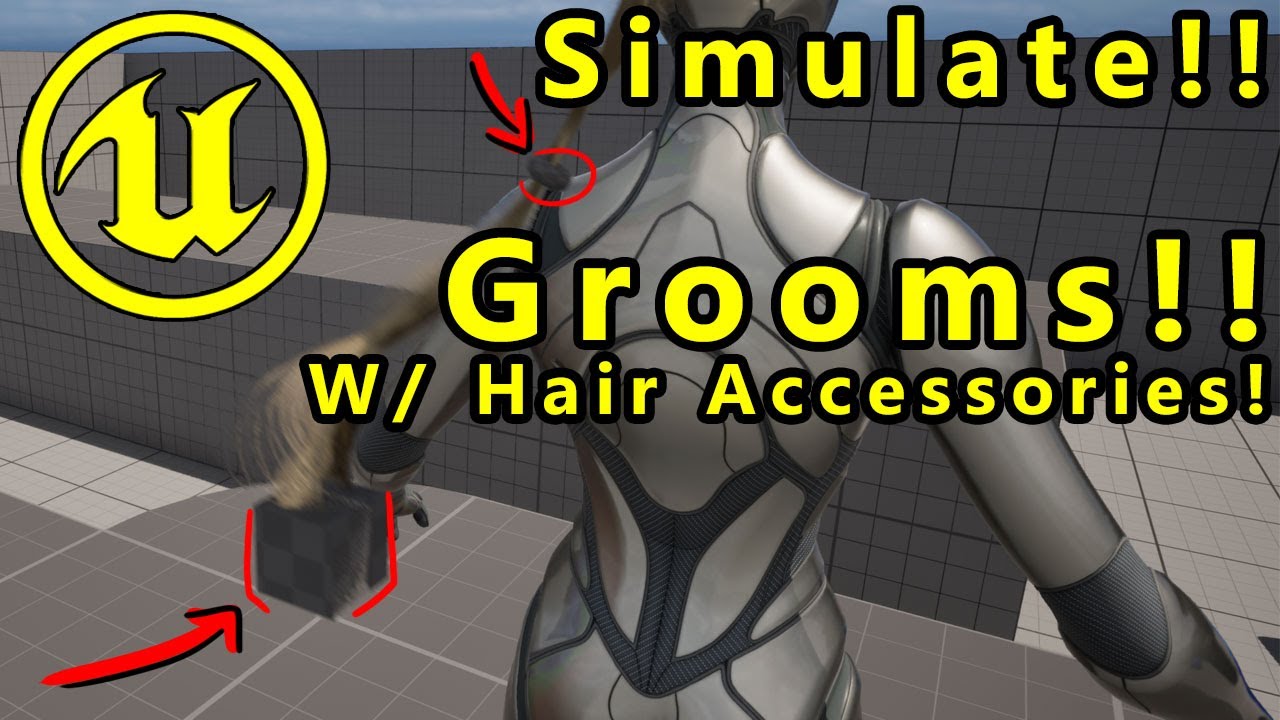
In this video I give you a basic overview on how you can rig and setup polygonal meshes (basically any type of modeled hair accessories) to your alembic-based hair grooms and have them simulate/animate together.
If you want access to some of the custom scripts I use in the video, please check out the Discord at the following link: https://disc...
native spire
jagged fulcrum
I want to try this, but a little bit busy this week, let me know if it works <:k...
Huh, thanks! Couldn't find any videos on this at all. Worried it might require XGen/Maya, but I'll see if this unlocks any steps I can manage inside Blender. To be honest the key part here seems to be the rigged guides generation inside Unreal so that might mean it's DCC-agnostic.
jagged fulcrum
native spire
Huh, thanks! Couldn't find any videos on this at all. Worried it might require X...
I use blender too, I found that video this week actually, I hope it works
nocturne snow
just posted a new tutorial on how to do mo cap with ANY footage including android, let me know if this is helpful https://youtu.be/ywsviwrdzdg

download Marionette at https://marionettexr.com/
timestamps
00:00 - video intro
00:47 Part I Demo-ing recorded motion capture with Marionette
01:27 Part II Exporting motion capture from Marionette
03:52 Part III Importing Marionette Motion Capture into Unreal Engine 5
06:42 Part IV Recap and thoughts
Recording that sweet motion capture has nev...
 little pike
Does anyone have experience doing soft body/rigid body dynamics with metahumans? Animating faces getting hit by solid objects
jagged fulcrum
little pike
Does anyone have experience doing soft body/rigid body dynamics with metahumans?...
softbody physic is too fancy for realtime, but it is possible, I saw someone made it for simple collision though using deformer graph. The easiest way is to create morph target to achieve similar effect to that, like this
 vestal barn
thats actually pretty cool
 untold crane
hey!
Does anyone have a tutorial on how to add animations directly to a meta human? I've created my performance and its ready to go, i just cant work out how to target that animation to my metahuman in the scene!

oh you literally add it in visualization submenu. im an idiot.
 formal wind
is there a way to delete metahuman sections after converting it to a static mesh?
 vestal barn
untold crane
hey!
Does anyone have a tutorial on how to add animations directly to a meta hum...
vestal barn
untold crane
hey!
Does anyone have a tutorial on how to add animations directly to a meta hum...
ill just forward u a tut
Step by step guide for Unreal Engine's MetaHuman Animator, the latest update for high fidelity facial motion capture. In this video, we are going to show you how to setup your iphone with the LiveLink app to capture your facial motion, then bring the footage into Unreal Engine 5 to Calibrate, Process and then transfer that facial animation to yo...
should be near the end
untold crane
vestal barn
ill just forward u a tut
Cheers mate I’ve been following that but unfortunately it seems parts of the tutorial are broken in the latest unreal engine.
I’ve got pretty far just can’t get the neck movements to follow my meta humans face animation
vestal barn
ive had some glitches like that myself - a weird trick but a good one is to just open a new sequence put in ur metahuman and delete it
open up the old one
it sort of like recalibrates it
 slim oasis
is there any feasible way to throw the metahuman meshes onto the ue5 mannequin skeleton without adding all the metahuman bones to it?
untold crane
vestal barn
ive had some glitches like that myself - a weird trick but a good one is to just...
literally just started it again today and it works, guess it was just a bit buggy!
formal wind
Does anyone know why hair and brow meshes hang in the air when metahuman leaves the frame during the animation?
 formal wind
seems like it only like this in path tracing
soft marsh
so if i rotate my metahumans head and then want to move my character in that direction.. how can i rotate the rest of body to match the head alignment?
the problem with rotating "body" it self is that face is already part of that
and its already rotated in the animation bp
this is it with the head/neck rotated to the direction his looking at... and it moves in that diection just the rest of the body needs a way to snap to the neck/head rotation when the move forward event is started

if he runs with out any significant amount of head offset etc he runs correctly in that direction also
Sorry this blueprint is somewhat messy but i am kind of strugling to figure this one out

No description provided
things that didnt seem to work out was messing with the chracters rotations underneath the root character mesh .. so yeah bit stumped .. i tried also to mess with the rotation of root bone and the center of mass bone and the and the pelvis
soft marsh
I am starting to think the control rig is broken in this respect
because neck 1 - 3 is only rotating the head
when neck 3 should be rotating the entire body
simple forge
soft marsh
because neck 1 - 3 is only rotating the head
what has a neck 3 control?
jagged fulcrum
soft marsh
things that didnt seem to work out was messing with the chracters rotations unde...
try aim node control rig, apply it to head,neck_01, and some spines bone
 soft marsh
jagged fulcrum
try aim node control rig, apply it to head,neck_01, and some spines bone
soft marsh
jagged fulcrum
try aim node control rig, apply it to head,neck_01, and some spines bone
ok thanks @jagged fulcrum ... just trying to get this implemented now ... but how did you get the "get lookatlocation" node ?
jagged fulcrum
soft marsh
ok thanks <@210653581290897408> ... just trying to get this implemented now ... ...
in my case, it is coming from nearby npc character specific bone from player, but for your case maybe a line trace location from camera I guess
the location data coming from anim blueprint, get updated everytime on animation change event
soft marsh
ah gotcha the values are in the my blueprint tab
jagged fulcrum
soft marsh
ah gotcha the values are in the my blueprint tab
sorry not that one, this https://www.youtube.com/watch?v=4Vum2BW9p6A

https://www.patreon.com/TechAnimStudios
Control Rig allows you to create custom controls on your imported skeletal mesh in which you can generate new, or modify existing animations within the Unreal Editor.
In this video i'm using Control Rig to Procedurally Aim/Look At the Character to the specific object.This is the Part1 in which we setup con...
soft marsh
ah took me a minute to twig 😄 .. but yeah once you add a variable and add a control rig node to animation bp with the control rig class ... you can then set it there ..assuming you remember to expose the variable on spawn
does it mater if theres more then 1 control rig node in the anim bp now?
i already had one for the foot ik
soft marsh
jagged fulcrum
sorry not that one, this https://www.youtube.com/watch?v=4Vum2BW9p6A
much appreciated for help
jagged fulcrum
soft marsh
does it mater if theres more then 1 control rig node in the anim bp now?
I think it is fine to have it modular / multiple control rig in single anim blue print, especially if the bones level manipulation is different
 soft marsh
@jagged fulcrum any ideas whats wrong here .. I sucessfully built the control rig following that video you showed me ... it follows the rig control nicely ... but not sure why my line trace isnt going directly from the front of the character
https://blueprintue.com/blueprint/w7ctjk8l/
No description provided
soft marsh
ah nm i figured it out