#metahumans
1 messages · Page 1 of 1 (latest)
 simple forge
 grand prawn
How do I play a Metahuman animation with a blueprint?
Instead of Sequencer.
I'm trying "Cast To SkeletalMeshActor" -> "Play Animation", but this doesn't work.
simple forge
grand prawn
I'm trying "Cast To SkeletalMeshActor" -> "Play Animation", but this doesn't wor...
have you tried adding the body animation to the body in the metahuman blueprint?
grand prawn
simple forge
have you tried adding the body animation to the body in the metahuman blueprint?
I have more than one type of animation I want it to play, and was hoping I could trigger that animation from a separate blueprint.
Basically I have a driving-a-car animation and a walking animation. The car was going to trigger the driving a car animation.
 spice kayak
simple forge
do you have emissive lighting somewhere?
spice kayak
simple forge
do you have emissive lighting somewhere?
Nope. Hardly noticeable though.
Funny enough, I was just watching your control rig backward additive solver video a few minutes ago. Super helpful, thanks for that. Im keying blinks in for my character and wondered if you knew of or had your own go-to step-length for blinking? My sequencer is at 24fps, and ive been playing around with 1-3 frames on either side of the blink action, but cant quite place the most natural key distance.
simple forge
spice kayak
Funny enough, I was just watching your control rig backward additive solver vide...
ha cool! Blinks and eye movement is always tough. Try placing the blinks when the eye changes direction or in areas where the eyelid is slowly closing. Find those spots where it changes in value and try either 3-6 frames. And perhaps dont go for a full on blink, maybe 3/4ths of a blink so it looks more natural.
spice kayak
Awesome, thanks. I looked back on the curve data from a previous livelink take and it looks like its 3 frames down and 3 frames up, and like you said, not quite a full 1.0 value blink.
simple forge
spice kayak
Awesome, thanks. I looked back on the curve data from a previous livelink take a...
smart, use those curves to find where you should hit those blinks.
spice kayak
Trying to record eye a livelink take for eye movement while using your phone and not being able to look the screen to see where ur character is looking is so hard lol, the backward additive solver is SO clutch for making adjustments.
before UE5 crashes and you lose the last few keys you made, that is...
simple forge
spice kayak
before UE5 crashes and you lose the last few keys you made, that is...
what happens before it crashes
spice kayak
Ive had a string of so many recently, it seems almost random at this point. The last one was selecting a key in sequencer and deleting it.
Ive got a really bad one that is preventing me from updating my metahumans in-project sadly. Cant add the new metahuman without it crashing as soon as I hit the blue import button on bridge.
But the changes are purely hair related, so im hoping they will have it fixed by the time im done doing a ton of other animation work for this scene.
simple forge
spice kayak
But the changes are purely hair related, so im hoping they will have it fixed by...
have you updated ue to 5.0.3?
spice kayak
simple forge
have you updated ue to 5.0.3?
Yeah
simple forge
spice kayak
But the changes are purely hair related, so im hoping they will have it fixed by...
you are not alone. mine are not groom related though
I made the mistake of bringing in a new download into a project with an old one I had before this recent update....total mess. Had to rebuild
spice kayak
Thats my nightmare haha. Ive been working on a single project for awhile, since early access, and luckily nothing has broken since stable release and .2/.3
I need to back it up just incase, but at this point its almost 300gb and I have been too stingy with my time to sit and wait while it backs up on another drive
simple forge
ugh since early access? My anxiety level would be out of control .
spice kayak
I took a few months off right around stable release, and just started work again a few weeks ago. Knock on wood, but no issues haha.
Most of the work I did was environmental previously. Now getting deep into the weeds of character design, animation, and story.
So all my metahuman work has been since the latest release. Which has been great. Ive got some mesh-to-metahuman characters that wouldve been impossible to make previously.
I had a CC3 Orc character that looked o k a y, but lacked the cinematic quality of everything else around it. Now ive got a metahuman one and its just insane how good they look. So happy.
By the way, do you know of any method of getting metahuman eyes in sequencer to follow an object? It seems so simple, but Ive yet to find a solution. Would be so nice to have a way of tracking eyes to an actor.
 halcyon stream
spice kayak
I had a CC3 Orc character that looked o k a y, but lacked the cinematic quality ...
halcyon stream
spice kayak
I had a CC3 Orc character that looked o k a y, but lacked the cinematic quality ...
that's it! your character has a bit green on the nose cos ... it's orc dna ... somehow it got to her ... 😬 😅
spice kayak

any critiques on the eye movement? Hes supposed to be looking forward, towards where hes walking, other than the initial look off to the side near the start.
or any suggestions for other facial keys to help with realism. only used blink and look direction modifiers here.
halcyon stream
I think it's looking good, this type of action/shot is a bit more ... contemplative ... regardingg the eyes . maybe a small eyebrow movement could fit well
but subtle, otherwise it wouldn't fit
(my 2 cents 😅 )
simple forge
spice kayak
https://youtu.be/zTsoaXEMwO8
Character looks great! Blink at 0:08 could be faster but only cause I am focusing on that hehe. Maybe use the look at control to add a few darts as we don't generally look in one direction for an extended time. Did you smooth the eye curves?
halcyon stream
taking into consideration the description (looking forwards along the path he's walking) I think the non darting look works well, as if he's focused on the path, but looking at the distance 🙂 but of course, a bit of darting and changing focus always looks good and dynamic 🙂
(again my 2 cents, subjective 🙂 )
spice kayak
Thanks guys!
spice kayak
simple forge
Character looks great! Blink at 0:08 could be faster but only cause I am focusin...
I am just now seeing the lookat controller…. Definitely way useful haha
Gonna mess with the down/up ratio for the blinking, eyebrow and under eye lid subtleties now. Thanks guys
 fickle elbow
spice kayak
any critiques on the eye movement? Hes supposed to be looking forward, towards w...
fickle elbow
spice kayak
any critiques on the eye movement? Hes supposed to be looking forward, towards w...
I like to add saccadic movements, helps sell the illusion
 junior birch
Next level holy crap dude what did you do lol
 young vector
can you export metahumans as fully rigged characters that you can use in games?
 graceful storm
Has anyone been able to just Add the Unreal Engine 4 or 5 Mannequin Bones to the Metahuman Skeleton in a DCC and reimport it?
 silver current


 plain orbit
Does anyone know how to properly edit the mh_arkit_anim asset? I am trying to adjust the blink but whenever I create a new pose asset it just makes all the curves super stiff https://gyazo.com/f79ecec7737a7ecfc8be49c10881fe0b

The mapping pose has the same names and curves, I just edited an extra curve on the blink so it would close completely

 halcyon stream
@plain orbit I'm not sure I understand your question ... but if it's to adjust the livelink data, you can do modify curve after the LL Pose and before the mr_arkit_mapping

also, the Apply mode of the modify curve node is important
to correct exaggerated stuff, maybe Remap is the best mode
(if this has nothing to do with your specific question, then I missed it and I'm sorry 😅 )
plain orbit
Oh so for me I tried to use the modify curve node to edit the blink but it just made the eye stay shut at all times during live link. my particular question was on how can I replace the mapping pose file from the default one
Because I duplicated the mh arkit mapping animation and edited it so the blink actually closed properly, then I tried to create a pose asset from the new animation but it does not work correctly
 halcyon stream
plain orbit
Oh so for me I tried to use the modify curve node to edit the blink but it just ...
halcyon stream
plain orbit
Oh so for me I tried to use the modify curve node to edit the blink but it just ...
the modify curve in the defaukt apply mode will basically overwrite whatever comes from input with the value you put in there ... you need to use either the remap mode or add mode 😉
plain orbit
halcyon stream
the modify curve in the defaukt apply mode will basically overwrite whatever com...
Thank you!! I’ll try both and let you know
 spare elm
@mellow fossil
 silk urchin
Hi. Do you know any fps games using metahumans during gameplay and not only cinematics? Thank you
spice kayak
@simple forge Have you ever run into this issue while baking your animation to control rig in sequencer?
 simple forge
spice kayak
<@755265182334320711> Have you ever run into this issue while baking your animat...
simple forge
spice kayak
<@755265182334320711> Have you ever run into this issue while baking your animat...
ugh I know that little error. If you are using a specific map, go into the project settings and lower your reflection resolution to something smaller. Are you using a game asset or something? https://youtu.be/oThqNAzSmz4

Occasionally, when using an older set of Unreal Engine Marketplace level assets in a Virtual Production project, an "Out of video memory trying to allocate a texture! . ...etc." error message will appear and the Unreal Engine Editor will crash. This can happen even with the most advanced GPU hardware installed, using a years-old set of assets.
...
spice kayak
simple forge
ugh I know that little error. If you are using a specific map, go into the proje...
I got around it by doing the bake in an empty map, then just copy and pasting it over to my sequence in the super busy map I was getting the error in. Hopefully I wont need to use it, but Ill bookmark that video just in-case. Thanks!
 visual wing
Hi all, does anyone know why these impact normals are not being normal to the mesh?

 foggy cedar
Hello everyone, i want to record a facial animation using the Live Link Face app for iphone and then import inside ue5 and apply it to a metahuman. is it possible? i am struggling how to make it. i could record my face and get the file then i loose myself
 glass sorrel
Hello guys, I have a question for you. I apologize in advance if this isn't the correct channel to post in.
Anyway, I'm about to add sunglasses to a metahuman. Sunglasses were made in Blender so I exported them as FBX and imported them into UE5. What's the correct way of adding them to a metahuman?
-
I tried adding them to a Face in metahuman BP, set the parent socket to head. Sadly, its hinges were slightly bend inwards and I'm not sure how to fix them in UE5 so I did the next step.
-
I separated the hinges from the rim using bisect tool in Blender, exported all objects as FBX and imported them into UE5 again. Added them again to the Face and set head for the socket and now, when I try to move them they all go in different directions.
The way I did it most likely isn't the correct way but it's the only way I know of so far, considering I don't have much experience working in UE5 and Blender.
Thanks in advance and have a pleasant day.
 fallen perch
Hello guys. Im having a little problem and would appreciate if anyone could help:
when connecting the livelink to my metahuman it connects for about a second and the metahuman then freezes. Also, the livelink window turns yellow.
im pretty sure the steps i made to connect with it are correct


 flint stirrup
flint stirrup
flint stirrup
this in the unrealmetahumans.com
 spiral trail
Hi there
i have a question. i am using the paragon assets, but when i conncet live link i noticed that they do not come with morph targets
how do i fix this?
i need help fast
 steady steppe
I have a laptop with an i7 and an RTX 3050. Is there a way to reduce vram usage when using metahumans, or is 4GB on the 3050 just too much on the hardware?
 meager thistle
Anyone has any idea why Quixel bridge shows me completely different metahumans than metahuman creator in "My metahumans" section?
The 2 programs completely do not cooperate with each other. If I create a metahuman in the web metahuman creator, it will not show up in bridge and vice versa.

 spice kayak
Has anyone made "blind" eyes for their metahuman?
white pupil and iris?
messing with the settings on the MI_eyerefractive but cant quite get it

i guess getting rid of the iris and pupil work as well lol..
 frosty pebble
can metahumans 5 be updated to be used for unreal engine 4
 lofty mantle
Anyone know how to fix glitch?

 thick rune
lofty mantle
Anyone know how to fix glitch?
thick rune
lofty mantle
Anyone know how to fix glitch?
i have the same problem, any solution ?

maybe it's a problem with the unreal version 5.0.3
 lone creek
Hey guys, i'm trying to export metahuman to maya but for some reason i'm getting this error. I've tried changing download settings, Tried reinstalling bridge plugin for maya but no use. If anyone has faced this issue, is there a solution?
 lofty mantle
thick rune
i have the same problem, any solution ?
lofty mantle
thick rune
i have the same problem, any solution ?
I just re-imported the model
thick rune
lone creek
Hey guys, i'm trying to export metahuman to maya but for some reason i'm getting...
open again the maya
thick rune
lofty mantle
I just re-imported the model
ok man, i gonna try
this should appear here @lone creek

 glacial flax
Are there any easily had tutorials on making MetaHumans as playable characters with more than one? I've found plenty that just replace the default mannequin, but I want to be able to offer players a selection of more than one playable MetaHuman. 🙂 Thanks for any advice!
simple forge
lone creek
Hey guys, i'm trying to export metahuman to maya but for some reason i'm getting...
go to your settings and check the Library Path. It should be ex. D:\Megascans Library
simple forge
thick rune
i have the same problem, any solution ?
@lofty mantle before applying animations, go into the metahuman skeleton tab and make sure you changed the retargeting options for everything but the first two bones to skeleton.
thick rune
simple forge
<@174437213696688130> before applying animations, go into the metahuman skeleto...
i'dont why but

i'm confused
and creeped out

ahahahahha
 bright venture
Hey Im having a problem with my VR Pawn rotating correctly on Snap Turn, it seems like teleporting makes the actor rotation reset on tick. Im using the snap turn from the VR Template project, I just added an "Add Controller Yaw Input". The teleport is fromt he same template project. Please help!! Im attaching a screenshot of the snapt turn and teleport functions as well as a video showing what is happening, what is being printed on tick is the Get Actor Rotation Yaw of the pawn.


 mellow fossil
anyone know how when i change the max lod it wont stay fixed?
example: i switch maxxed lod from 2 to 1 it just resets to 2
 broken pasture
We were able to setup face live link with our metahumans, but can’t figure out how to use the back camera of our iPhone with the app ? It says an error like “no video feed” with black screen when we try.
Facial animations weren’t too accurate with front camera so we’re thinking our back camera with LiDAR will be a lot more accurate. Would appreciate any help
junior birch
I can safely say after 1 year of working with metahumans. I can call my metas 2.0. Can't wait for livelink face to get fixed so i can try this baby with iphone and facegood helmet
 broken pasture
junior birch
I can safely say after 1 year of working with metahumans. I can call my metas 2....
broken pasture
junior birch
I can safely say after 1 year of working with metahumans. I can call my metas 2....
Haha was just watching your tutorials man glad to see you here
broken pasture
junior birch
I can safely say after 1 year of working with metahumans. I can call my metas 2....
What’s wrong with live link face? We’re trying to find the best way to get facial animations, thinking of iclones facial expression library if we can’t get livelink working
halcyon stream
junior birch
I can safely say after 1 year of working with metahumans. I can call my metas 2....
what specifically do you need fixing regarding live link face? is it the distorted results on the face?
 dawn quail
has anyone tried exporting/reimporting metahumans? it seems to break the LOD uvs
same mesh reimported, it breaks lod 0, 1's UVs https://gyazo.com/b714f7decdd23b66fe08c01cc3d0ff79
dawn quail
so it seems I've done a temp bandaid fix to this, it only happened with the metahumans hoodie mesh, this is the default uv

this is the uv of the same mesh reimported (exported the mesh once it got reimported and opened up in 3ds max)

saved default uv mapping and applied it to the new mesh and it worked, dirty but w.e 
junior birch
broken pasture
Haha was just watching your tutorials man glad to see you here
cool man yea i lurk here every now and then
 sudden berry
junior birch
cool man yea i lurk here every now and then
sudden berry
junior birch
cool man yea i lurk here every now and then
TUT DUUUUDE 😁
junior birch
sudden berry
TUT DUUUUDE 😁
oh snappsss My Fave Teacher Dude is here too! Wie geht's dir mein Freund! Canne ich habben 1 million euro?
sudden berry
Sure , win in the lottery 😁
junior birch
sudden berry
Sure , win in the lottery 😁
Hahahahha
sudden berry
TUT Duuude is a cool name ! You r my fav TUT Duuude ... haha
 fresh monolith
 sudden berry
fresh monolith
https://tenor.com/view/funny-animals-pugs-gif-11244969
sudden berry
fresh monolith
https://tenor.com/view/funny-animals-pugs-gif-11244969
Liviu in da house 😀
broken pasture
mixamo going smoothly
 safe tartan
junior birch
I can safely say after 1 year of working with metahumans. I can call my metas 2....
safe tartan
junior birch
I can safely say after 1 year of working with metahumans. I can call my metas 2....
when did livelink face break?
junior birch
broken pasture
mixamo going smoothly
i got you beat

 radiant plover
I made a metahuman. How do I make it move in real time for streaming without an iphone?
 rocky latch
What is the best face animation tool for meta humans?
 weak seal
how do i use a meta human for first person character. im very new to unreal so im not sure how it would be done.
 waxen bison
Do metahumans work on linux? I tried cross compiling a shipping build from windows and the hair vanished.
They were showing, though a bit wieird looking in a dev build.
Packaging on Ubuntu vanishes all hair.
But they show just fine in the viewport and standalone mode.
Can someone please help?
 gilded oasis
Is there anyone here who uses character creator 4? I have some questions about the software before i buy it
 bitter ice
Hello here ! i have a little problem with a metahuman animation recorded with live link, the face change when i apply it. the record was done in the Face_AnimBP in the common/face folder. Does the preview mesh matter while recording ? it's like the animation change some parts of the face to be more like the original preview face.
In the image, left without the animation and right with the animation, the lips are very pinched and globaly the face look weird , the facial animation is supposed to be pretty neutral with a slight smile.
Also the neck change and stretch and depending on the metahuman the shape of the head can change
 halcyon stream
bitter ice
Hello here ! i have a little problem with a metahuman animation recorded with li...
halcyon stream
bitter ice
Hello here ! i have a little problem with a metahuman animation recorded with li...
did you calibrate LiveLink Face with a neutral expression?
 scenic forge
Hey all, when I import a Metahuman in UE5, should it not be bringing in the animations as well? Or am I missing a step somewhere?
waxen bison
waxen bison
Do metahumans work on linux? I tried cross compiling a shipping build from windo...
As a follow up to this.
This is my metahuman running in Linux dev mode, cross compiled from windows
 bitter ice
halcyon stream
did you calibrate LiveLink Face with a neutral expression?
bitter ice
halcyon stream
did you calibrate LiveLink Face with a neutral expression?
OK thx i'll try that. i'm not sure now ^^'
bitter ice
halcyon stream
did you calibrate LiveLink Face with a neutral expression?
Yeah it look way better but i'm still having an issue with the entire face that teleport itself back when the animation is active
 halcyon stream
bitter ice
Yeah it look way better but i'm still having an issue with the entire face that ...
halcyon stream
bitter ice
Yeah it look way better but i'm still having an issue with the entire face that ...
check to see if the hair bindings are there, I had a project where most of my bidnings just disapeared (still didn't find the cause, I gave up)
bitter ice
the eyes the forehead and lips seems to move too ( where do you look for the hair binding ? the hair move to match the forehead in the weird teleport though )
 halcyon stream
well ... not sure if that might be the problem but ... that's a recent metahumn, right? I mean after the last revision?
bitter ice
I bake to control rig and it's fine now , i should try to change my calibration maybe for the eyes but no more weird deformation and teleport ! for the metahuman i was forced to used the trick of replacing the pose asset to correct the unsymmetrical face problem
halcyon stream
ah yeas that was my question 🙂 well, cool, glad that you got it working 👍
bitter ice
Thanks again for the help ! 😃
 vernal knot
Guys in metahuman when creating character is only the shape of the head or the whole body u can edit??
 nimble quartz
Hey all, any idea why my metahuman is doing this? becoming see through, but it is only from this side 😅

from what I can tell, it seems to be my hair mesh doing this
 swift burrow
Quick question, is there a way how to export view from MetaHuman Creator to png image, without sacrificing quality of the picture
 stable bison
swift burrow
Quick question, is there a way how to export view from MetaHuman Creator to png ...
stable bison
swift burrow
Quick question, is there a way how to export view from MetaHuman Creator to png ...
If Windows, use 'Print Screen' or Snipping Tool?
swift burrow
stable bison
If Windows, use 'Print Screen' or Snipping Tool?
I did, but the quality isn't all that great
stable bison
The Snip Tool is per Pixel / uncompressed, not sure if you can do better than that, other than increase your Monitor Resolution.
 tardy ocean
So for some reason on the MetaHuman Creator website I keep getting the Please hold while we connect you to MetaHuman Creator screen, but after about a minute it suddenly switches to You have been disconnected from the editor without ever loading anything.
I'm using Firefox with all of my tracking/ads protection turned off, so I'm not sure what the problem could be.
tardy ocean
Works fine with Edge; I'll just use that for now
bitter ice
Hello everyone, i managed to resolve an issue of metahuman face and livelink doing some weird deformation usin a bake to control rig but now i didnt have control of the head rotation since the anim track for that is not controlable with the face ctrl rig ( i have the metahuman face attach on a custom body on the neck01 bone not head because the neck will go through the mesh if not like that)
Did somebody have a solution ? i already try some tips i found online talking about "force custom mode" but it's not working for me

even if it mean to redo a new neck animation in the sequencer i take that solution, i just dont know how to move that head rotation now that the body isnt link to the same SKM than the face and i need to have it separated like that
junior birch
bitter ice
Hello everyone, i managed to resolve an issue of metahuman face and livelink doi...
Metahuman livelink deformation seems to be fixed with recent bridge update. https://youtu.be/amiGN8HrsME

UE5 Metahuman Face Bug is Fixed
buy my courses to support the Channel!
https://www.udemy.com/course/cyberpunkue5/?referralCode=E466ABC1B15E52AB0B3D
https://jsfilmz.gumroad.com/l/cyberpunkue5
https://artstn.co/m/Bn8ed
https://jsfilmz.gumroad.com/l/mdwrk
https://www.artstation.com/a/7481092
https://www.udemy.com/course/how-to-create-a-movie-in-u...
bitter ice
junior birch
Metahuman livelink deformation seems to be fixed with recent bridge update. http...
OH ok thanks ! i'll check that, hoppefully it will simplify my current process ^^
junior birch
bitter ice
OH ok thanks ! i'll check that, hoppefully it will simplify my current process ^...
yes try copying the 2 files i showed in the video and replace ur old ones. Also ive been using metahumans long time. Metahumans and simplify dont go together hahahaha
bitter ice
i'll try in a new UEP because for now i've got some weird stuff happening as usual ^^'
 junior birch
she half wolverine
bitter ice
Ok so after trying with a new project it look like the half face bug is resolve but i'm still having my deformation/face teleportation issues that i need to bake to ctrl rig, loosing the head rotation in the process
 barren compass
On importing metahuman to unreal engine, medium or highest quality really makes a difference in performance?
 pliant lynx
Hello guys! can someone tell me how to resolve this issue in the process to morph head and body of metahuman?
I'm using Zwrap and the control are all functionally.
 bitter ice
I figure what my problem with the head moving and deforming while the anim track is active was so i post the solution here, i needed to put the additive setting of the animation in "No additive" and then the meta human face in the BP must be in custom mode ( or force custom mode in the sequencer )
bitter ice
pliant lynx
Hello guys! can someone tell me how to resolve this issue in the process to morp...
the face part was up like you so maybe it fixe your problem too
 last wave
Can i export metahuman as fbx?
bitter ice
last wave
Can i export metahuman as fbx?
You can export individual Skeletal Mesh but not the whole BP i think
bitter ice
last wave
Can i export metahuman as fbx?
I dont know if it work fine but you can also add you metahuman to a sequencer and then export the whole BP from there as a FBX.
barren compass
Why metahuman goes faster in browser editor than in unreal engine editor??
bitter ice
barren compass
Why metahuman goes faster in browser editor than in unreal engine editor??
Metahuman creator is hosted online like stadia or other cloud computing stuff so it does not take full memory on your GPU
barren compass
bitter ice
Metahuman creator is hosted online like stadia or other cloud computing stuff so...
I had the issue that when I set the metahuman un UE5 fps drops to 13, monstly because of hair, can I solve this somehow?
bitter ice
you can try use cards on every groom assets

or forcing a more lowcost LOD in the lodSync component
barren compass
bitter ice
you can try use cards on every groom assets
My hair doesnt have more than 2 LOD 😦
barren compass
bitter ice
you can try use cards on every groom assets
Do you also handle animations? Retargeting doesn't look ok from ThirdPerson character if the height is medium
bitter ice
barren compass
My hair doesnt have more than 2 LOD 😦
oh maybe the new update fixe this because with my latest one i have more than 2 ( in quixel bridge it shows a little warning when the lods above 2 are not available )
( bridge pluggin update i mean )
bitter ice
barren compass
Do you also handle animations? Retargeting doesn't look ok from ThirdPerson char...
I'm not very competent for the animation and retargeting part but maybe if you explain a bit much the problem, somebody here could help
 rose stump
I get this error that prevents me from importing new metahumans to my project, does anyone know what causes it? like if I could just delete some files that are not compatible and leave the textures?

 strong sphinx

I keep getting refreshed and landing on this page after logging in
I tried two different browsers already
endless loop
fallen perch
hello guys. I have a question: How come on unreal channel and a very few youtube videos the metahumans look photorealistic but in the majority of all other videos and also in my projects they look so cartoony and look like straight from a video game kind of quality?
bitter ice
fallen perch
hello guys. I have a question: How come on unreal channel and a very few youtube...
I think it depends on the rendering you use and your lighting/ animation too. A very good lighting with top end animation can make it more realistic but coupled with a very high end render setup or even a pathtracing render you can step up your overall quality level. A true realtime will almost always look a little videogamy . i'm currently testing with pathtracing and i had to make some material adjustement but it can be really good quality. In a videogame setting i guess you just have the lighting and anim to make it believable
fallen perch
@bitter ice thanks a lot. I am training myself to be able to monetize my metahumans in the near future. I got a good PC, perception neuron and other things but despite that importing the metahumans into UE5 always seems to be miles away from what i see in top videos
what does pathtracing actually do? if i capture the metahuman with mocap doesnt it mean the movements are already traced?
bitter ice
Pathtracing work like other render system from the film industy like VRay / Arnold /or many others, it's not realtime and will simulate photons and there travels through your environment including reflection refraction and bounces.
and for the mocap you always need some manual retake on it to compensate for the material inaccuracy. the amount of work is different with the mocap system you use, but something cheap like ROKOKO give you poor results. even livelink for the face make shortcuts in the metahumans blendshapes all of them arent used separatly. i think an Iclone process is way better for that but i'm not using it currently
fallen perch
i see thanks a lot
 bitter ice
strong sphinx
I'm getting 502 error ..
bitter ice
strong sphinx
I'm getting 502 error ..
work fine for me so probably not a problem from the server
strong sphinx
bitter ice
work fine for me so probably not a problem from the server
I'm stuck in a repeating loop on this page, after which it ultimately gives me 502

any ideas, where I should ask for help?
bitter ice
maybe try some computer or internet restart, that's all i got for now
( i see that some people tryed with different web browser too )
 wind glen
strong sphinx
I'm stuck in a repeating loop on this page, after which it ultimately gives me 5...
wind glen
strong sphinx
I'm stuck in a repeating loop on this page, after which it ultimately gives me 5...
I haven't read all of the above. But I would try going to the creator portal directly via https://metahuman.unrealengine.com/
Which browser are you using? And do you have any extensions enabled?
strong sphinx
wind glen
I haven't read all of the above. But I would try going to the creator portal dir...
I have tried the link you mentioned already. Same result. I'm using mozilla with some plugins, and I'm aware that sometimes plugins cause issues, so i tried in google chrome (which has no plugins)
wind glen
I would try edge just in case
 edgy prawn
Does anyone know of an API that exist for character creation that works inside a mobile app?
Or do we have to build from scratch?
sudden berry

Meet KeenTools 2022.2: With a new level of likeness in FaceBuilder, and MetaHuman compatibility!
This time we bring a groundbreaking improvement to FaceBuilder — now, when you drag pins, they affect nearby regions in a smart way, leaving the unrelated facial parts unchanged. With this improvement, pining becomes more detailed and 3D models rese...
strong sphinx
wind glen
I would try edge just in case
just tried edge, to no effect. I even went on to logout out of every other device, and revoked the access of Metahumans, and reallowed it. But still stuck in endless loop
wind glen
I would guess it might be something with your pc/network settings.
do you know which dns you're using?
 harsh idol
Wouldn't it make more sense to create a skeletal web for the metahuman? for project als v4
can we create metahuman as skeletal mesh
like this

 prisma oyster
harsh idol
Wouldn't it make more sense to create a skeletal web for the metahuman? for proj...
prisma oyster
harsh idol
Wouldn't it make more sense to create a skeletal web for the metahuman? for proj...
Is there a guide for that? I've been wanting to know if we can do that. When I download a metahuman, I just see body part meshes in that drop down, rather than one for the whole human...
strong sphinx
wind glen
do you know which dns you're using?
I have no issue with anything else. I'm using Google DNS
wind glen
strong sphinx
I have no issue with anything else. I'm using Google DNS
well not having other issues isn't necessarily relevant to this issue.
harsh idol
@prisma oyster I think we can because piecemeal skeletal meshes exist
I think we will get rid of many steps in this way.
I want to make a skeletal mesh like here and use it on the other side as a whole.
for metahuman


 lethal jetty
Question: I animated the control rig, yet when I want to render it into a movie, my control rig just A-Frames. How do I get around this?
nimble quartz
lethal jetty
Question: I animated the control rig, yet when I want to render it into a movie,...
You obviously made sure to key-frame the control rig animation? There is a bug that I experienced with metahumans and sequencer where the metahuman will render T-pose instead of the key-framed animation, in which case you need to just close and open unreal or sequencer and keep trying to render until they aren't in T-pose. It is probably also best to have your character start in T at the start of the animation and have it ease in to the start of the animation, don't start your anim right at the beginning of the timeline - you can always edit out the T-pose part later
 spiral knoll
Hi ! I followed a tutorial for a custom cloth, but when I import it in UE5, It not follow the animation. I search why but I don't found, all look like ok. First image is the result, second the comparaison between my creation (left) and the original (right), same for the 3e image. Someone have an idea ? Thanks a lot !


 nimble quartz
spiral knoll
Hi ! I followed a tutorial for a custom cloth, but when I import it in UE5, It n...
nimble quartz
spiral knoll
Hi ! I followed a tutorial for a custom cloth, but when I import it in UE5, It n...
Hey man, follow the principles in this tutorial. You need to make sure you are adding weights to clothing from the correct skeleton, and you need to make sure you are exporting and importing correctly, as well as adding the clothing to the correct skeletal mesh socket of the metahuman in the Blueprint

In this tutorial I'll show you how to add custom clothing using Blender and import that clothing into Unreal Engine. Import these NIKES or any FBX or OBJ file and attach it to your Metahuman.
**RE: MAYA - My apologies on the Maya $ quote. I think I saw $275 / mo and 2k/yr at this link https://www.autodesk.ca/en/products/maya/overview? and thoug...
spiral knoll
I didnt follow this tuto, I will look it thanks !
nimble quartz
No worries, it's the only one that personally worked for me. Lemme know if you get stuck 🙂
spiral knoll
Yes I will update you, thanks again 🙂
 woeful vortex
hey everyone, i’m brand new to metahuman and was wondering if it’s normal for the initial result in MHC to require lots of fine adjustment? the general shape of the metahuman looks quite like me but there’s several things i’ve been tweaking to get even closer.
nimble quartz
woeful vortex
hey everyone, i’m brand new to metahuman and was wondering if it’s normal for th...
I think so, it's really new and still not fully released so there is going to be a lot of bug and adjustments to be made
 real charm
Hi guys, I'm creating a character in metahuman with big cartoony eyes but having an issue with the eyelids. I tried the regional influence fix but it changed how I originally want my character. Is there a way to make the eyeballs bigger?

 spiral knoll
@nimble quartz Thanks a lot again, all work now ! Just some "bugs" when I jump, but it work tanks !
rose stump
hello, is there any way to reimport the metahuman common folder? if I already have some metahumans in the project
rose stump

are the pose assets working while their source anims are broken??? if so how would I retarget them
harsh idol
I am facing such a problem, how can I solve it?


 nimble quartz
spiral knoll
<@373175002419167263> Thanks a lot again, all work now ! Just some "bugs" when I...
nimble quartz
spiral knoll
<@373175002419167263> Thanks a lot again, all work now ! Just some "bugs" when I...
Nice! Yea it's not a perfect process but it gets 90% of the work done
harsh idol
fps drops unbelievably when i use metahuman mesh
spice kayak
Anyone know how to manually migrate a metahuman character from one project to another?
my bridge is broken and crashes on import. Gonna need to do it manually but I dont wanna break my project by doing it wrong. Any suggestions?
spice kayak
spiral knoll
<@373175002419167263> Thanks a lot again, all work now ! Just some "bugs" when I...
hey its lewis hamilton!
graceful storm
anyone got any insight into this issue? Trying to Integrate Metahumans with Defuse Studios' "SmartAI" System. This is the outcome of giving them the SmartAI animation blueprint, and setting their animations to play dynamically based on in game state(sort of).
Seems to work fine, but I havent seen any transitions(like smoking), so that kinda give me an indication maybe. Otherwise no clue why they are phasing in and out(Yes they are still present in level just invisible)

Metahumans issue wtih SMART AI system.
woeful vortex
hey everyone, what face scanning app have you guys had the most success with for the mesh to metahuman workflow, just in terms of accuracy? i’ve tried a couple so far but i’m not thrilled with the results.
 fluid inlet
hey everyone
ive been trying to export a metahuman i made as an obj file
and its turning out blank
can anyone help please??
 tame edge
Question: I'm really impressed with metahuman mesh, but what is the best workflow for changing the body? What does Epic recommend? Is there a clear path to that?
wind glen
tame edge
Question: I'm really impressed with metahuman mesh, but what is the best workflo...
You mean like the metahuman creator?
halcyon stream
last wave
really need metahuman asian female faces
make one using mesh to metahuman? 🙂
 coarse stump
some samples have asian look what is offered by metahuman creator

 dark pasture
Hey can we enable nanite on metahumans or something to fix this issue ?
Like if we put 12 metahumans in a same scene, I like have 30 FPS
 sacred peak
afaik nanite is typically for static stuff
dark pasture
sacred peak
afaik nanite is typically for static stuff
I meant that I was looking for a way to avoid that issue
sacred peak
it may be an issue but afaik it's a limitation of the technology - its not something you'll be able to work around really, as far as i know
anyway
its not something that demands nanite
it's something that demands proper character optimisation and dev choices
you can get hundreds of characters on screen but that's going to need particular setup and choices in terms of your technical direction of the project and assets
none of it to do with nanite
i'm embarking on getting deep with metahumans specifically myself, there's a LOT there and it can be set up for cinematics down to mobile, but its work we have to do
if anyone experienced is reading: i am looking at preparing myself to work with metahumans beyond the metahuman editor -- i.e taking to DCC for further modification. i'd love to chat about how that can be approached, and gain any tips on how to avoid breaking things or about any ramifications i might be ignorant to
dark pasture
But I mean what can I do for example to reduce lagging when there are multiple meta human in the screen ?
tame edge
lod
nimble quartz
sacred peak
if anyone experienced is reading: i am looking at preparing myself to work with ...
It's not too hard, I can help here and there. I've been able to full customize my metahumans from eye style, to hair, and custom clothing and editing their textures (just haven't tried swapping the whole body out for a different one)
dark pasture
Heya just coming back, Matrix project has a lot of crowd people (metahuman), but how do they handle the lagging ?
 green sandal
dark pasture
Heya just coming back, Matrix project has a lot of crowd people (metahuman), but...
green sandal
dark pasture
Heya just coming back, Matrix project has a lot of crowd people (metahuman), but...
they do have workstations and graphic card servers in their place to give the best output so no lag occurs
sacred peak
last wave
how to regenerate LODs in MetaHuman Creator?
i am just getting started with metahumans. noticed it myself yesterday
the other lods don't get your sculpt/blend modifications or m2m mesh retargeting stuff, so it will look like what ur metahuman looks like without all ur customisation
i dont have an answer yet as to how to approach fixing this or regenerating lods. i have considered just taking the lod meshes into houdini and doing that workflow that will make the lod mesh best-match the lod0 with landmarks etc
lethal jetty
Question: How do I reset a bone transform via level sequence. For some reason my calf_knee_R changed and I am trying to reset it but it's not working

Is there a shortcut or some way to reset a bone's transform in level sequencer?
sacred peak
nimble quartz
It's not too hard, I can help here and there. I've been able to full customize m...
thanks, mind if i ping you from time to time? wont take up much of your time, i'm over a decade into cg so i should be able to take a short answer and run sort of thing
nimble quartz
sacred peak
thanks, mind if i ping you from time to time? wont take up much of your time, i'...
100% 🙂 not a prob at all
dark pasture
What lod should I use when there a lot of metahuman in the same scene ?
wind glen
lethal jetty
Is there a shortcut or some way to reset a bone's transform in level sequencer?
did you retarget an animation or something?
lethal jetty
wind glen
did you retarget an animation or something?
I fixed it by nuking the anim the sequence makes for the metahumans, Save All then reput them back in. Works good. Now when I render my dang video via sequencer I have this dang white dot in the middle of my vid renders haha
Any tips?
 wind glen
ahh good. and it kinda looks like an hourglass? maybe something is loading
lethal jetty
Yeah man, that's what I think to, but why does it bake into the vid?

I checked the render out settings, seems all good. Not to sure why. Documentation is lacking on it
wind glen
Documentation is lacking on it
hello darkness my old friend
honestly not sure, I would check task manager
halcyon stream
lethal jetty
Yeah man, that's what I think to, but why does it bake into the vid?
why not use Movie Render Queue?
tame edge
Question: afaik most meshes, and ue4 era metahumans, will export from quixel bridge to many dcc - but ue5 metahumans will currently only export directly to unreal, or to maya
Is it possible to export to anything else?
lethal jetty
halcyon stream
why not use Movie Render Queue?
Humm, I'll look into it
dark pasture
Is there a way to implement multiple metahuman in a screen without performing any lag issues ?
halcyon stream
each metahuman is about 3 or 4 skeletal meshes ... when you multiply that by a bunch, you get a fsckton of skel meshes having to be calculated each frame. probably not very good for performance 😬
dark pasture
halcyon stream
each metahuman is about 3 or 4 skeletal meshes ... when you multiply that by a b...
I was planning to make a FPS using metahuman, so I cannot ?
halcyon stream
probably not the best choice for performance 😬 but as you said a while ago, the Matrix demo has a bunch of them runnning around, so, definitely something to check with someone more knowledgeable than me 😅
lethal jetty
@halcyon stream I'm trying to export a video instead of an image, which one do I select?

Final Cut?
I'm using DaVinchi Resolve. haha
halcyon stream
for DaVinci you should ideally export .exr, that will give you more possibilities for post production.
big file sizes thou
lethal jetty
.avi was alright, I wish I could export to .mp4
tame edge
what is the correct workflow from metahuman to edit the mesh, if you don't have maya?
halcyon stream
if you don't want to bother with any post prod then just go with png, you can import the sequence in daVinci and export to a video format
lethal jetty
halcyon stream
if you don't want to bother with any post prod then just go with png, you can im...
Hey man, that suggestion for Movie Render Queue worked great! Thanks again. No more white dot!
 reef fossil
Does anyone know if I can import the default face and body animations from the metahuman creator into UE5?
I can only find the still-poses
 untold crescent
Hi, can anyone recommend some tutorials and software that would allow virtual motion capture (real time) of metahuman project by using a webcam instead of iphone such as Live Link Face. Mocap can be limited to facial/head tracking without the body portion tracking.
 analog parcel
Hey everyone! Can anyone suggest the best way to rig mixamo animations to metahumans?
silver current

For animation retargeting purposes to the latest versions of metahumans, in this stream I will show you how I get a complete metahuman via the source file from Quixel bridge in Maya, to Motionbuilder with the head and body connected.
This workflow allows for the mesh to deform in motion builder and unreal correctly.
Requirements:
Quixel Bridg...
 timber bear
Does anyone have any experience creating editor utility widgets to control metahuman control rigs?
sacred peak
@silver current do you have any experience with ue5 era metahumans, and making edits to the skeletal meshes?
i am trying to export the face_mesh to fbx, and then import that fbx again. not even making edits at this point, because it isn't going right
the mesh comes back in looking wrong, i thought it was the mats but they're fine - i've checked. it's the mesh normals. the import settings for normals aren't having any effect though, and there are no export options
looks lit like the normals were set to 180 or something, smooth and not nuanced like they were
 pliant quarry
Does anyone know how the bones move in the control rig? in the rig graph I only see that it sets a value to a curve
 last wave
how to adjust LOD1 shape into LOD0?

 somber ore
Does anyone have experience with sharing metahumans between accounts? We've tried to download a metahuman from quixel and then import it into a different quixel account using the "Import asset" & "Import from zip" options inside quixel. However, once the files are imported is seems only the jpg's and stuff, and not the metahuman is imported as it cannot be opened inside metahuman creator and neither be exported into unreal engine.
 bitter ice
Hello ! i have i little eyelash problem here, is ther a way to move it in metahuman creator ? or anything to fix the problem ?

 cedar pebble
bitter ice
Hello ! i have i little eyelash problem here, is ther a way to move it in metahu...
cedar pebble
bitter ice
Hello ! i have i little eyelash problem here, is ther a way to move it in metahu...
I usually assign a completely blank material to remove the eyelashes.
bitter ice
Yeah but no real solution ? since i try to reproduce reallife people with the maximum fidelity it's make them look weird.
On the same topic did somebody that uses the mesh to metahuman can relate to my problem, people usualy looks fatter, not necesserly big cheecks but like the scale ratio of face / head is incorrect or the thickness between ears is larger than the real life. i use facebuilder to have the base mesh and i'm using 2 frames in the metahuman identity, one front and one side.
analog parcel
Hi everyone! Has anybody imported Daz hair on the metahuman? Can you actually do it? Like replace metahuman hair with hair from Daz?
 pseudo swallow
Yo, anyone can explain how metahuman works
halcyon stream
pseudo swallow
Yo, anyone can explain how metahuman works

Learn how to create, download, and use MetaHumans, a new generation of hyper-realistic digital humans from Epic Games.
pseudo swallow
halcyon stream
https://docs.metahuman.unrealengine.com/en-US/
Thanks

 cobalt sable
Hello, I'm new to unreal engine 5 , I'm a blender user, and I wish export a metahuman to blender, but when I export in FBX, the hair dosn't appear in blender, does anyone know how to export the air too ?
 daring shuttle
Why doesn't it look similar?
Mesh to Metahuman

 silver current
sacred peak
the mesh comes back in looking wrong, i thought it was the mats but they're fine...
silver current
sacred peak
the mesh comes back in looking wrong, i thought it was the mats but they're fine...
I haven't needed to just export the face mesh yet and I would think it could be a lil tricky. Which file are you using, the full fat source file or the simplified one(asci)?
what kinds of changes are you trying to make, can you not us mesh to metahumans?
 plucky kelp
Hello guys, I'm wondering if any you guys can fix this problem I have. When I add an animation to the face of my metahuman it does not rotate the head at all, only the face moves during the sequence. The animation was recorded using the sequencer and livelink. When I click on the animation file there is head movement though, so I'm a little confused. Sorry if this was a little confusing I'm new to using Metahumans and began to really like this stuff.
okay nevermind I had to change something in the anim_bp thank you guys anyways
 turbid citrus
Hello, question about metahuman creator. I can’t seem to make a mh that works with ue4, they all seem to default to a ue5 mh when I look for them in bridge.
Frustratingly there’s no way to tell which mh’s are designated 5 only when you are in the creator, does anyone know how to get them to work in 4?
 rose swan
is there a way to make a custom animation bp that works with my metahuman instead of retargeting from THE MANNEQUIN
caps sry
daring shuttle
Mesh to Metahuman
What is similarity ratio?

 halcyon stream
daring shuttle
```Mesh to Metahuman```
What is similarity ratio?
halcyon stream
daring shuttle
```Mesh to Metahuman```
What is similarity ratio?
hard to put a ratio on it, but ... overall shape seems ok, lips and nose too ... skin texture and eyebrows are way off
 sly sparrow
Needs more facial hair
 velvet goblet
daring shuttle
Why doesn't it look similar?
```Mesh to Metahuman```
velvet goblet
daring shuttle
Why doesn't it look similar?
```Mesh to Metahuman```
Hairline difference
 inner osprey
Has anyone tried to export Metahumans animations as fbx? the file is huge, almost 50 Mb. Is there a way to reduce this?
tame edge
50mb is not a huge file at that stage
the only real size that matters is when it is used in the engine
spice kayak
the lips on my character started getting much darker in the shadows all of a sudden yesterday. has anyone run into this shader issue?

obviously hes in the dark they should be darker, but they turn a weird maroon/purple color that they didnt before
its happened to all my metahumans simultaneously
tame edge
spice kayak
its happened to all my metahumans simultaneously
it is possible unreal is using lower mips for some of the textures because you are over the streaming budget.
Adjust your maximum texture sizes / increase the streaming pool and restart
spice kayak
tame edge
Adjust your maximum texture sizes / increase the streaming pool and restart
Thanks! I was about to start doing that, and it miraculously fixed itself
almost like this engine has some issues..
tame edge
Well that would just mean you have more GPU memory at that "fixed itself" time. It will happen again.
spice kayak
Gotcha
tame edge
The engine's main issues is that it is not really safeguarding much, it's our responsibility to not ignore the red text across the display.
spice kayak
The texture streaming pool can be adjusted within the engine ini correct? to avoid having to remember to add the streamingpoolsize command everytime
tame edge
You do it via the console or reduce texture sizes
no need for ini
(console will write to it)
In my case I'm using excessive nanite (90 gb of it) and lumen, but I still have 800mb default streaming pool size. It's fine but because I reduced the texture sizes significantly / changed mats.
Later I'll see about raising the streaming pool if I need to
but I suspect it's 800mb / 1gb default... most cards have a bit more than that now
spice kayak
Good to know!
 lyric basin
Hey there, having a slightly odd issue, hopefully this is the right place to check!
I'm testing changing levels and actors in real time while still maintaining the same livelink connection via the sequencer - (slightly confusing but in this demonstration these are two separate actors that just share the same model because metahuman downloads are being slow)
I keep on encountering this issue where the first time I run the simulation and play the sequence, neither character's mocap is working - but then when i manually scrub through the sequence
after this first playthrough they'll both start working. Livelink is green this entire time.
Test0: No models
Test1: Model 1
Test2: Model 2
I've also tried starting straight from Test1, and Test1 will work and Test2 wont - until I scrub through the sequencer then they'll both start working.
For the purposes of my project I need them to work from the outset and I'm a bit stumped! If anyone has any idea how to proceed I'd greatly appreciate it!
 silent shell
daring shuttle
```Mesh to Metahuman```
What is similarity ratio?
silent shell
daring shuttle
```Mesh to Metahuman```
What is similarity ratio?
75%
 tall ferry
Hi guys.
May I bug you with something I have been struggling for a while.
I did a custom mesh to metahuman face, and the results were pretty decent, but eventually we decided to further modify the metahuman mesh in maya.
When it comes to exporting the Body (Selecting the mesh, then the DHIBody:root, export selected) all good, and I get a clean new body for my metahuman in Unreal5.
But we did some adjusting to the face mesh too, and I cannot seem to find a way to update the face.
Do you know what are the export settings by any chance that I should use to export/Update the face?
tall ferry
untold crescent
Hi, can anyone recommend some tutorials and software that would allow virtual mo...
I am using faceware, it is quite good.
You can use a media video, a webcam, or other sources. You can additionally adjust many gestures within the software for more accuracy, and you can make custom python functions to improve it.
All the information is here:
https://dev.epicgames.com/community/learning/courses/d66/metahuman-workflows-with-faceware-studio/dLa5/unreal-engine-metahuman-workflows-with-faceware-studio-introduction

Epic Developer Community
Want your MetaHumans to deliver realistic facial performances? In this course, you’ll learn how to transpose facial movement from traditional video sour...
untold crescent
tall ferry
I am using faceware, it is quite good.
You can use a media video, a webcam, or ...
Ty, saw some youtube content today on this stuff, will check it out
 zenith barn
hello, I made a metahuman and wanted custom clothing so I followed a marvelous design tutorial and learned how to make clothes. I then followed a workflow of using marvelous to create the animation and bring said animation into unreal and have it follow a geometry cache. The only issue is that I have been trying to have a material created for the clothing animation for so long and I am stuck.
as you can see in the picture on the right the marvelous design clothing does have a material the only issue is that I cannot put it onto the geometry cache on top of my character

 long violet
guys is possible to sculpt a metahuman in blender
 golden pulsar
Is there a way to move the facial gui down without impacting the rig? The metahuman is sitting, yet the facial controls stay in their original spot
It's extreamely frustrating
sly sparrow
to the people who made metahuman-why did ya'll design the underwear for males and females to ride up the ass😅

I'm trying to not have my game characters be thicc af
tame edge
I understand underwear can be removed? If so that would be helpful as we would prefer to supply custom.
 valid goblet
Guys, Maya 2023 is not able to export Metahuman. Is this happened to anyone recently? Any suggestions how to fix it:)
valid goblet
zenith barn
as you can see in the picture on the right the marvelous design clothing does ha...
Did you able to fix it?
 clear isle
golden pulsar
It's extreamely frustrating
clear isle
golden pulsar
It's extreamely frustrating
You could open a second viewport window and have it stay on the facial UI
golden pulsar
tame edge
I understand underwear can be removed? If so that would be helpful as we would p...
I don't think you can remove the underwear.
golden pulsar
clear isle
You could open a second viewport window and have it stay on the facial UI
It will work as a last resort for now. Thanks for the idea
 noble light
my character beard show different Lod anybody know how to solve this issue

 digital stream
Does anyone get weird stretching issues below LOD 0 with baked poses (from a sequence) on metahumans?

 digital stream
Update: It seems to be from a bone being added when going from LOD 0 to LOD 1:
https://forums.unrealengine.com/t/additive-poseasset-has-strange-stretching-when-applied-to-a-mesh-that-adds-bones-when-going-from-lod-0-to-lod-1-metahuman-ish/631919

Unreal Engine Forums
Hi! So I’m working with Metahumans but this problem isn’t necessarily a MetaHuman problem. If I’ve got an additive PoseAsset with two poses set up in it, the poses work fine at LOD0. The problem arises when you move down a LOD. In the metahuman facial structure, a bone is omitted from the mesh in LOD 0, called “FACIAL_Hair1”. This is specified...
swift burrow
Kind of a different question. Am I able to use screenshots made inside MetaHuman Creator as a poster for my game without copyright problems? Game is obviously made inside UE5 and from MetaHuman Creator I'm able to get way more detailed screenshots of my MetaHuman.
 pliant nexus
MetaHumans: exist
Texture streaming budget:

 vagrant patio
i'm trying to use metahumans with the lyra starter project. i marked the metahuman skeleton as a compatible skeleton with the new mannequin, which lets me use it directly with lyra. the animations look great, but the turn in place causes a ton of stuttering
any ideas how to start debugging this?
 sonic sonnet
swift burrow
Kind of a different question. Am I able to use screenshots made inside MetaHuman...
sonic sonnet
swift burrow
Kind of a different question. Am I able to use screenshots made inside MetaHuman...
As long as it's Unreal rendered you'll be fine.
 deft coral
Would anyone be able to rig a character to the UE5 rig?
 tough lintel
Hey,
Is there a way to manually add metahuman identity Track markers ? the automated process only add a few i would place the rest, i tried pretty much any kind of shortcut i could think of and nothing in doc :/
halcyon stream
swift burrow
Kind of a different question. Am I able to use screenshots made inside MetaHuman...
you can also download the Metahumans Lighting setups project from marketplace and get the same lighting setups inside UE, and more flexibility. It's a bit heavy stuff thou, so 😅
swift burrow
halcyon stream
you can also download the Metahumans Lighting setups project from marketplace an...
Oh I completely forgot about that, thanks!
valid goblet
Guys is there any complete video available to use a Metahuman character for a FPS game modes where holding weapon, etc features to set up:)
 floral drum
tame edge
I understand underwear can be removed? If so that would be helpful as we would p...
floral drum
tame edge
I understand underwear can be removed? If so that would be helpful as we would p...
If I am not mistaken, the underwear are simply part of the texture, they are not a separate object. "removing" the underwear would require painting over them in an external program (eg. photoshop). Hence they "ride up the ass"
tame edge
floral drum
If I am not mistaken, the underwear are simply part of the texture, they are not...
An intriguing revelation haha
 bitter zodiac
https://streamable.com/6bfymx
So I'm getting this weird bug in sequencer with the control rig which makes it impossible to change keys?
Whenever I try to move them they instantly snap to the original position - anyone know what could cause this?
 simple forge
bitter zodiac
https://streamable.com/6bfymx
So I'm getting this weird bug in sequencer with th...
simple forge
bitter zodiac
https://streamable.com/6bfymx
So I'm getting this weird bug in sequencer with th...
this is very odd. Did you restart Unreal?
bitter zodiac
simple forge
this is very odd. Did you restart Unreal?
Multiple times yes..
 civic laurel
been messing around with airlink face (ios) and connected it to metahumans for animation, the head movement works perfectly fine but all facial animations (mouth and eye movement) are just not working at all, anyone has had this problem or know a fix, I would really appreciate it, thanks!
fallen perch
Hello. Does anyone know how to fix this?

Everytime I am live-streaming data from mocap or livelink the head becomes like this
 sour sonnet
Hi, I m looking for a developer from metahumans UE5, please dm me if you are interested
fallen perch
Hello. Anyone knows how to rebind the groom so it doesnt separate from the body like in the picture above?
found the fix on youtube. please ignore
 sour nest
pliant nexus
MetaHumans: *exist*
Texture streaming budget:
sour nest
pliant nexus
MetaHumans: *exist*
Texture streaming budget:
Adios bro
sonic sonnet
bitter zodiac
https://streamable.com/6bfymx
So I'm getting this weird bug in sequencer with th...
Check your key snapping settings (under the magnet control). You can turn on autokey frame so it will record any changes you make automatically. You could delete the current key to allow it to move as well.
bitter zodiac
sonic sonnet
Check your key snapping settings (under the magnet control). You can turn on aut...
Doesn't help either.. this certainly is a bug or something, animated with control rig alot and this has never happened before..
I can move all keys by typing and moving sliders, but not in the viewport
sonic sonnet
bitter zodiac
Doesn't help either.. this certainly is a bug or something, animated with contro...
Go ahead and file a bug report in that case https://www.unrealengine.com/en-US/support/report-a-bug

Unreal Engine
Unreal Engine is the world’s most open and advanced real-time 3D creation platform for photoreal visuals and immersive experiences.
 stark saffron
How do I make someone’s face a 3D model, into my UE5 game?
sonic sonnet
3D scan a face with a phone app and them apply mesh to a metahuman
https://youtu.be/BK-ayKR8NlQ

Excited about Metahumans but can't be a MetaHuman? Check our this guide to how you can become a Metahuman in a couple of minutes using the in3D app.
AppStore: https://apps.apple.com/us/app/in3d-avatar-creator-pro/id1467153183
Google play: https://play.google.com/store/apps/details?id=gsize.Avatar
#a...
 foggy panther
So... I just did a mesh to metahuman tute, sent it to the metahuman create, fixed it up, then dowloaded it back into UE5...
Aaand I'm getting this:

So... you can't use mesh to metahuman in UE5?
What is happening?
foggy panther
p.s. yes I used the "latest" version of MHC, yes I imported it with the in edtior quixel bridge
foggy panther
yep, repeated from scratch two more times, it's screwed
goddamit unreal hates me this week
aight, third attempt in a completely new project, works fine
something about trying to import MH into the same project you did mesh to metahuman in?
simple forge
Mesh To Meta Question: Anyone else have this issue pop up when using multiple Frames when creating the ID?
 foggy panther
I think I've figured out what the problem was last night...
This is my first time playing with metahumans in UE5, and I didn't realise that the metahuman plugin wasn't even installed to the engine by default. So I done made my new project in a UE5 that didn't even know about metahuman.
Then when I went looking for metahuman stuff in the menus (following the tute) it wasn't there so I went looking for the plugin to turn it on and it wasn't there either <facepalm> so I figured out that it had to be installed in the launcher.
Anyways, I think making a project in UE5 before installing the metahuman plugin confuses MHC and bridge when you try to import metahumans into it. They were literally telling me (above) that my UE5 metahuman was a UE4 metahuman.
When I made a new project in UE5 after installing the MH plugin, bridge had no trouble importing my MH
(the same one that it claimed in my first project was a UE4 MH)
 hidden sable
So trying to export a metahuman into 4.27 but it doesn't appear to an option within Quixel Bridge. Is there something I am missing or is this just not supported on 4.27 for w/e reason?
 glacial flax
Hi all, running into a really annoying issue. I am working in UE5. Creating my MetaHumans in MHC, importing them through Quixel Bridge with the "+" and then carefully retargeting their skeletal meshes to the UE Mannequin that comes with UE5. Drag and drop one into scene with the Anim_BP for Manny applied to the Body mesh, and my package fails. If I drag them in without retargeting to the UE5 skeleton, they have no animations, but package works. Retarget, they fail. I tried creating a new BP actor, and dragging in just the skeletal meshes from the MetaHuman BP, using the same simple set master component construction script, and same error message spamming my output log.
Any suggestions? I was planning to use a lot of MetaHumans in my project and this is a real problem!
edit - I should mention that I have a character select working on the ThirdPersonCharacter_BP between multiple retargeted MetaHumans whose meshes switch on the selection by the player and it works fine!
 analog parcel
Hi everyone! I have a question. Is it possible to remove underwear of a metahuman? or change its colour? I kind of need it for clothing purposes...
 subtle basin
Hey Guys ! Does anyone have any idea on how to retarget Plask.ai animations onto Metahuman in UE 5.0.3 ?
sly sparrow
analog parcel
Hi everyone! I have a question. Is it possible to remove underwear of a metahuma...
+1 on this question
also anyone know if they are still working on Meta Human Creator? I would of course I assume they are, but I've just seen zero information ever since Mesh to Meta human released
 small lintel
Hey guys. 😉 i'd like to show you my personal work that i've done in UE5 and metahuman for the first time. This is a music video for the musician 'Vestur' and his song 'You Never Know'. Metahuman was animated with Live Link Face on iphone and base walking animation provided as starter contents. Hope you like it. https://youtu.be/KLCO0uaAmcs

Store Link : https://link.soundrepublica.com/hEy2
Join VESTUR online
https://www.instagram.com/vestur_official/
https://www.youtube.com/channel/UCGYERPlQD4TPuW4-lC-ZcJA
- M/V Producer -
Plastur
https://www.instagram.com/__plastur/
----------------------------------------...
 solar shore
small lintel
Hey guys. 😉 i'd like to show you my personal work that i've done in UE5 and met...
solar shore
small lintel
Hey guys. 😉 i'd like to show you my personal work that i've done in UE5 and met...
Nice ! you could spice it up and create scenes variety by animating the drums 🥁 and other instruments 🎹 instruments 🎸. It would look 👀 awesome
 pale zealot
Hello!
I have a question; I just created a new sequencer and posed my metahuman with it's control rig inside unreal engine 5, now I just want to export that pose as a simple static mesh, FBX, OBJ, anything will do, but for the life of me I can't figure it out, when I click export it just exports the body mesh in the default pose, even if I bake the sequencer keys, it's just the default pose with keys on every frame, what am I missing?
I swear this is driving me insane. Anyone knows anything about this? I'll immensely appreciate any help, thanks
 autumn oasis
Is there a way to generate card meshes for eyebrows/hair of metahuman presets? The ones i've brought in, half of them when I go to a lower LOD their hair disappears because there's no card setup
pale zealot
autumn oasis
Is there a way to generate card meshes for eyebrows/hair of metahuman presets? T...
you can force the lod 0 on them so that they don't dissappear, you have to search for the LODSync parameter in the blueprint of the metahuman, and set forced LOD to 0
foggy panther
So... all the metahumans in the city sample project are tall?
If I want sample clothes (to weight transfer from) I gotta make custom MH at the three different sizes?
 junior perch
Anyone has any experience with trying to package meta human heads for a linux machine?
simple forge
pale zealot
Hello!
I have a question; I just created a new sequencer and posed my metahuman...
First, in sequencer right click on the body, and select, bake to animation sequence. Open up the animation file that is created, and on the top menu bar, select convert to static mesh.
pale zealot
simple forge
First, in sequencer right click on the body, and select, bake to animation sequ...
this is exactly what I was looking for, thank you very much 🙂
civic laurel
metahuman hair goin whooop! Happens after the metahuman starts moving in the animation! (anyone know how to fix)
 civic laurel
seems to have something to do with the animated metahuman being further and further away from the original metahuman so it is getting angry, anyone know how to get around that?
simple forge
civic laurel
seems to have something to do with the animated metahuman being further and furt...
if you open up the groom asset, try disabling the physics checkbox.
hidden sable
Is there any tutorials on getting a rig up and going from metahumans into some animation software (preferably a free software like blender)? A lot of the tuts I see are simply retargeting already existing animations within UE but I require some custom animations that are not on the market place. Doing the animations inside native UE4 so far has seemed like a pain.
foggy panther
anyone else finding the download for metahuman to be reeeeeeeally slow?
foggy panther
ah, apparently it's very common 😦
 finite ridge
before i invest hours into this, when i create my own custom metahuman, is it face only, or can i create a custom body too?
I mean, with Mesh to Metahuman
nevermind. ", combining it with a body type of the artist’s choice from the MetaHuman options."
valid goblet


Hi guys, I was trying to place a head of metahuman to a paragon character. But problem is when I try to do some animation the head goes up and not attached to the body
Any Idea how to do it, I was trying to retarget it but can not find anything on serach option to select the skeleton I am using
 sterile yoke
so I kinda hacked together a character via a blueprint so I could use the Metahuman face. The metahuman BP is essentially a child actor on the character blueprint. I’m trying to see how I can add animations tracks in sequencer for that child actor so I can swap and use different facial animation takes in the sequence. However I seem to be unable to add any animations tracks for that child actor. Anyone have any suggestions?
 pulsar goblet
simple forge
Mesh To Meta Question: Anyone else have this issue pop up when using multiple Fr...
pulsar goblet
simple forge
Mesh To Meta Question: Anyone else have this issue pop up when using multiple Fr...
i have the same problem…. i generated mesh from in3d app and tried mesh to metahuman…. i tried to track but the track points didnt show up…. but somehow i got the metahuman identity solve option which didnt work eithet n i got all these errors u mentioned
anyone tried 3d scan using in3d app and converted that to metahuman?
fallen perch
Hello Everyone. I have a burning question that's driving me crazy: when streaming my body mocap to the metahuman in UE everything looks perfect besides the fact that there doesnt seem to be any gravity on the metahuman body. What i mean by that is the metahuman moves in a rather paper like motion, theres no weight to it for transitions between movements which makes it feel like a little unrealistic. I hope you know what i mean. For example, if i move my arm for example, the metahuman moves the arm accordingly but its kind of too fast as if there is no gforce and the body is empty. I really appreciate if someone can help me
sonic sonnet
fallen perch
Hello Everyone. I have a burning question that's driving me crazy: when streamin...
Mocap should do a good job representing what your body is doing. Suggestions: Check your capture and render rate settings, when performing you can emphasis real body motion and gravity. Frequently you're rested when mocaping and likely moving a little bit faster than normal to get it over with since you know you're recording a lot of data and want to do a bunch of takes, especially if it's a one man band. You can slow down the mocap by a small amount to get a better sense of weight,. You can also use secondary motion to give more sense of weight (cloth, dangly bits, etc driven by physics)
fallen perch
@sonic sonnet thanks a lot. I dont know what secondary motion means though
sonic sonnet
If the character had a cape or weapon hanging to side then it would swing and move with physics , giving more sense than just a skinned character
 final nacelle
I have animation questions regarding the IK control rigs in Meta Human and animation blueprints, should the logic still remain in AnimBP's or should it be adopted into transforms under IK Rigs? In the process of setting up LiveLinkXR with Metahuman body to leverage SteamVR hardware with iPhone face capture. Doesn't seem to be very good documentation for this process.
 dark swan
I need some help with retargeted animations to Metahuman. I retargeted some mocap to one of the metahuman preview base meshes. Exported just the skeleton with the animation data. So far so good. In UE5 I can see the animation playing well in the animation sequence preview. However when using the same sequence on the actual Metahuman that uses the same body rig size (male medium normal weight) the animation result looks strechted. See screenshot. What am I missing? white mesh is the same metahuman preview mesh used for retargeting
 fallen perch
Hello everyone. Sorry for asking so many questions recently. I am developing my pipeline and am almost at the end of it.
Could anyone tell me in simple words what would be the difference between using faceware live plugin or live link face VS glassbox live client? The latter costs so much but i cant seem to find info online on how much better it is to justify that price tag. Does it make your live capture smoother? Much appreciated
dark swan
dark swan
I need some help with retargeted animations to Metahuman. I retargeted some moca...
in case anyone runs into the same issue, this was the solution: https://www.youtube.com/watch?v=LY8xQ4EPbrA

This short video shows how to quickly fix Metahuman actors in Unreal Engine if they become distorted by retargeted animations.
daring shuttle
My attempt at face animation for my metahuman avatar.
 nova glade
 verbal dust
Hey there, so i exported the metahuman shirt mesh and textured it in substance but cant find a way to import it back to unreal, where can i find the slot to plug my base color and the normals on the shirt
 golden flame
Does anyone know if there's a way to sculpt a narrower chin? The Meta human options seem quite limited
sudden berry
WOW , guess it is a MH : https://youtu.be/gms4vpxJDjE

Long time no post, been very busy these year, Here I share a UE5 character comision work I did for PIStudios. Final rendering with UE5. Hope u like smiley
junior birch
Trying out the new VR4D Custom clothing for Metahumans. Looks promising https://www.youtube.com/watch?v=4SbC03hhE4I

Custom Metahuman Clothes for Unreal Engine 5
https://www.unrealengine.com/marketplace/en-US/product/modern-human-by-vr4d
Buy my courses to support the Channel!
https://www.udemy.com/course/cyberpunkue5/?referralCode=E466ABC1B15E52AB0B3D
https://jsfilmz.gumroad.com/l/cyberpunkue5
https://artstn.co/m/Bn8ed
https://jsfilmz.gumroad.com/l/mdwrk
ht...
 true comet
anybody know how to fix this?

 sterile fossil
Someone got a clue why metahuman downloads don't include the cloths? The materials are there but no mesh, and the body is just hands and feet :o
 bold acorn
Is anyone familiar with metahuman skin flickering? It's hard to see in this vid above his mouth its happening. I've seen hair issues and resolved them by tweaking LOD's etc. but can't seem to fix this one. Could it be the sun hitting the character too strongly? https://gyazo.com/22744ef0d0eef7dc77f4b81abcf65449
 amber aurora
Hey there, this Gavin guy is bald from some LOD it seems... UE 5.0.3, any idea how to fix?

 velvet goblet
I tried Gavin when testing Metahumans for something and it happened to me too, no idea what the fix is though sorry
 runic oxide
I’m trying to replace the default character in a marketplace asset (Flexible combat system) with a metahuman. The meta human is a currently a bunch of “parts” so how do I replace the current UE4 mannequin with the Metahuman?
 tardy spoke
amber aurora
Hey there, this Gavin guy is bald from some LOD it seems... UE 5.0.3, any idea h...
tardy spoke
amber aurora
Hey there, this Gavin guy is bald from some LOD it seems... UE 5.0.3, any idea h...
that groom is experimental and only available in LOD 0 and LOD 1 for now. You can use the LOD Sync component within the character BP, and set Forced LOD from -1 to 0 or 1.
sonic sonnet
amber aurora
Hey there, this Gavin guy is bald from some LOD it seems... UE 5.0.3, any idea h...
Some of the hair styles do not have cards for the hair so you need to keep the LOD ar 0 or other low value. So set force sync LOD for the character.
 ruby turret
Hi all! I have been working on a file with 3-4 metahumans in the level and it's been rendering fine last night. this morning i was unable to load the map and the editor crashes very quickly 😦 any pointers to how i can fix this? x

 daring peak
Hello guys! I have this issue and im not sure what to do.
I animated my metahuman using mgear autorig in maya.
Then I exported alembic and simulated the cloth in houdini.
I imported the body animation to UE as a skeletal anim (fbx) and baked it to control rig (because it looked kinda weird - baking fixed it a bit)
I imported the cloth as ABC and it just doesnt match...
Does anyone know how to solve this/ what workflow would work the best if i wanted simulated cloth? Thanks! ✨
 ruby turret
try the cloth painting on unreal? does that work?
you just have to paint the parts you want simulated, and make colliders from skeleton x
@daring peak
daring peak
ruby turret
<@299984919864803329>
I made the whole cloth sim in houdini, its not simulating in ue 😅 it just doesn’t fit on the animated mesh after importing, it did fit in houdini and maya
 rigid flicker
Can you make a really small metahuman? I want to have a gnome character but not sure if I can scale them and have everything work.
 old jewel
daring peak
Hello guys! I have this issue and im not sure what to do.
I animated my metahum...
old jewel
daring peak
Hello guys! I have this issue and im not sure what to do.
I animated my metahum...
you should re size the body mesh
 supple talon
hello, same thing here, when I simulate in Marvelous I have to increase my distant collision to work well on UE, I don't know why.
 final prairie
can metahumans be used for music projects?
(that are commercial)
like maybe songs and stuff like that?
 mortal wadi
final prairie
like maybe songs and stuff like that?
mortal wadi
final prairie
like maybe songs and stuff like that?
Yes as long as you render out of unreal engine and not another 3D software. I believe its under the same license as the quixel megascans, fine for commercial use as long as its using UE.
 orchid meteor
amber aurora
Hey there, this Gavin guy is bald from some LOD it seems... UE 5.0.3, any idea h...
orchid meteor
amber aurora
Hey there, this Gavin guy is bald from some LOD it seems... UE 5.0.3, any idea h...
https://youtu.be/yDFVKS4pYFQ watch it at min. 13

My name is Gabriel Paiva and am an Authorize Unreal Instructor.
Follow me for the News and Toots! about Unreal Engine.
www.linkedin.com/in/gabrielpaivaharwat
https://www.artstation.com/tylerdruten
orchid meteor
ruby turret
Hi all! I have been working on a file with 3-4 metahumans in the level and it's ...
Could you try setting the MetaHumans’ hair to Cards rather than strands?
Or reverting them to Default?
 limber gyro
so for the project im working on I want to use metahumans to make characters and have a question. I want to play around with mesh to metahuman for the project but am using unreal 4.27 . is the feature exclusive to the new metahumans for ue5. sorry if this is a bit of a bit of a dumb question im a bit new to this
simple forge
limber gyro
so for the project im working on I want to use metahumans to make characters and...
The mesh to meta only works with UE5
junior birch
Unreal Engine 5.1 just added a plugin ive been waiting on since beta. The upcoming live link face importer lets you record facial animation offline using your phone. 5.1 is not officially out yet but here is a preview of what is to come https://youtu.be/z99Fo9LXLHk

Unreal Engine 5.1 Live Link Face Importer Tutorial
Buy my courses to support the Channel!
https://www.udemy.com/course/cyberpunkue5/?referralCode=E466ABC1B15E52AB0B3D
https://jsfilmz.gumroad.com/l/cyberpunkue5
https://artstn.co/m/Bn8ed
https://jsfilmz.gumroad.com/l/mdwrk
https://www.artstation.com/a/7481092
https://www.udemy.com/course/how-to-...
sudden berry
junior birch
Unreal Engine 5.1 just added a plugin ive been waiting on since beta. The upcomi...
Tested it , works like a charm....
 river gull
Hi guys, is this a metahuman ? Is it normal that it has 46 materials. The model is made by another person and I'm not sure it's very correct
 junior birch
sudden berry
Tested it , works like a charm....
junior birch
sudden berry
Tested it , works like a charm....
TUT Dude!!
sudden berry
junior birch
TUT Dude!!
you are ... 😁
junior birch
sudden berry
you are ... 😁
you seen the 5.2 retargeter? looks like they heard us cry
sudden berry
junior birch
you seen the 5.2 retargeter? looks like they heard us cry
yeah ... awesome , source and target skeleton ... a.s.o
@junior birch : did you find out something about multi GPU PT ?
junior birch
sudden berry
<@421829807790227489> : did you find out something about multi GPU PT ?
yea its in 5.1 my day job is killin me but i will make video when i have chance
 shadow arrow
Hey all! Could someone please help me understand the role of the MetaHuman's Post Process Anim BP? Each body type seems to have one.
 gusty jacinth
Is it possible to make futuristic characters (with armors, helmet etc ..) with metahumans or that's more realistic oriented ?
junior birch
I know ever since the metahumans released in beta last year my #1 enemy is the lack of clothes. Well luckily VR4D is selling a pretty nice pack in the epic marketplace. Heres a quick video on it. https://youtu.be/3xcNcdM0LR4
P.S. I dont work for them just a customer like you
Unreal Engine 5 VR4D Custom Metahuman Clothes
https://www.unrealengine.com/marketplace/en-US/product/modern-human-by-vr4d
Buy my courses to support the Channel!
https://www.udemy.com/course/cyberpunkue5/?referralCode=E466ABC1B15E52AB0B3D
https://jsfilmz.gumroad.com/l/cyberpunkue5
https://artstn.co/m/Bn8ed
https://jsfilmz.gumroad.com/l/mdwrk
h...
autumn oasis
Is there any way to bake down groom card data from a particular frame of an animation to a posed static mesh? I can convert the head skeletal mesh to static, but it's bald.
 sterile jolt
Anyone have any luck with grooms on Mac? My game has a custom groom, and is visible on my PC. I was testing my game and getting it ready to package for Mac and the groom is not visible. I reimported the file, and it's valid... The plugins are enabled. Any ideas?
 river sierra
Anyone have a problem with hair cards not showing? I know of the issue with the hair strands not showing in lod2 and above but that is an easy fix. Hair cards however are never there
I want to use the much cheaper hair cards in place of the strands
 tardy spade
hi hi, anyone know why the metahuman body post-process is not working?
Shouldn't it fix things like this. Rotating the hand bones also doesn't engage the roll bones.
Everything does work in the Skeletal Mesh Editor though 🤔
This is through the sequencer

 prime mantle
Hey guys, anyone know why metahuman has so many bones? Our rigger had cleaned it up a bit, but there are still so many bones lmao, so they have a purpose?
 plucky kelp
I retargeted some Mixamo animation witht his method, but now my Metahuman keeps glitching. Mostly inside sequencer. Sometimes the Torso is just seperated from the rest of the body and also the long hair keeps going everywhere and has lighting flashes coming out of it. What's happening? Also the eyes look very milky sometimes, like from a corpse...
Mixamo converter: https://terribilisstudio.fr/?section=MC
Drop me a Super Thanks if you're feeling generous :-)
 tulip acorn
hey guys trying to save a metahuman to rig him to my skele and it says save skeleton SK_Mannequin
im not sure how or what to do
lemme try reupload him
sudden berry
Cool ! : https://youtu.be/FsHM8KJbj_8
I threw together a few clips that I used to test the physics in UE 5 with iClone Live Link/CC4 and MrQ Lumen Render.
 simple forge
 violet tulip
does anybody know how to get around this in the Metahuman Identity scan?
violet tulip
does anybody know how to get around this in the Metahuman Identity scan?
you might have too many frames
violet tulip
simple forge
you might have too many frames
But I'm not using frames.
tulip acorn
still havent figured out what to do here
violet tulip
Oh now I get what you mean by frames, but even if that was the case. I only have one Frame.
simple forge
violet tulip
Oh now I get what you mean by frames, but even if that was the case. I only have...
is this a face scan or a sculpted head mesh?
 sinful quiver
anyone knows how we can logout of Metahuman page? I wanted to switch account but I cannot find anyway to logout from Metahuman web page
 trail chasm
Hi I created a metahuman and sent it to a friend to test, and it appears that this arkit face box is not on my metahuman like one he already got working with livelink

Im creating a custom metahuman realtime control, add but cant test it myself because I dont have any apple devices ( SUPER ANNOYING that I can't use a pc or a Samsung yet )
 pine pulsar
Is it possible to export a custom head mesh back to Unreal engine from Maya?
When I export just the head (I have added a custom blendshape), it uses the simplified skeleton heirarchy, and this causes a conflict that breaks the skeleton
It's using the second skeleton which has Spine04 as the root bone


Instead of the correct skeleton

 elder tree
Hello ladies and gents!
I made a tutorial that illustrates a complete workflow to create a custom Metahuman that looks like you by taking pictures with your Android or iOS phone.
Check it out and let me know what you think!

In this video I'll show you a complete workflow to create a custom Metahuman that looks like you by taking pictures with your Android or iOS phone!
If you enjoyed the video, please like and subscribe, if you don't, let me know what to improve!
If you have suggestions/request for another tutorial, just leave a comment!
–––––––––––––––––––––––––...
noble light
how to update set update animation in editor with metahuman?
https://www.youtube.com/watch?v=eacXAlqb7U8

Using live link and the Face AR Sample from Unreal Engine with the Apple ARKit for facial tracking. Unreal's documentation suggests to use the "update animation in editor" value. However this value is broken and doesn't work. You can use blueprints to work around this and I'll show you quickly and easily how ;)
If you want an in-depth tutorial...
i get this video but didnt worked
 grizzled oracle
hi! Does anybody know why my Metahuman live link on "Face_AnimBP" always resets to 'Iphone black' when i compile it?
 little beacon
Hey guys. We made a metahuman "Meet the team" page for our website. https://www.target3d.co.uk/team 🤙🏽
Target3D
Target3D is a 3D technology consultancy with a specialist focus on Motion Capture, VR, 3D scanning and architectural visualisation. Target3D specialise in the ...
plucky kelp
plucky kelp
I retargeted some Mixamo animation witht his method, but now my Metahuman keeps ...
I solved my problem now by following the method from this Tutorial instead the one I posted before: https://www.youtube.com/watch?v=tXMTzXA6lBI

Metahumans are 100% changing the way we approach animation and photorealism. However, nothing is perfect and getting Metahumans to animate the way you want is much more difficult now without the retargeting manager that is available in UE 4.27. This is a little work around that I found that allows you to import Mixamo animations onto a UE4 Manne...
 native cargo
Would anyone know why my the metahuman's face would have weird artifacts like this?

 long lava
Enable skin cache on it
junior birch
hey all I made a tutorial on how to use the new NVIDIA Omniverse Audio to Body Animation with the Unreal Engine 5 Metahuman. Check it out. No mocap needed just your voice

NVIDIA Omniverse Audio to Gesture to Unreal Engine 5 Metahuman
Join this channel to get access to perks:
https://www.youtube.com/channel/UCoJun_nF0I90wzXq5t4SdqA/join
Buy my courses to support the Channel!
https://www.udemy.com/course/cyberpunkue5/?referralCode=E466ABC1B15E52AB0B3D
https://jsfilmz.gumroad.com/l/cyberpunkue5
https://artstn.co/m...
silk urchin
Does the metahuman eye utilize the look at node so that it focuses realistically for example to the center of the active camera or an actor? Thanks
 teal crystal
has anyone tried to upgrade the metahumans plugin to unreal 5.1?
I am trying to do that and stuck on this error. and trying to resolve.
error LNK2019: unresolved external symbol "__declspec(dllimport) public: __cdecl FProgressCancel::~FProgressCancel(void)" (_imp??1FProgressCancel@@QEAA@XZ) referenced in function "public: __cdecl UE::Geometry::FAbortableBackgroundTask::~FAbortableBackgroundTask(void)"
tulip acorn
why my metahumans chest clipping through his shirt
ive done 2 a custom and preset both do it
hes fine when he stands but when he runs his chest pops through
 versed lintel
Anyone know how to force ALL LODs to 0 for metahumans? I mean everything, hair/eyebrows/beards etc. LODsync to 0 doesnt work for those.
 prime sail
Does anyone here use LiveLink with MetaHumans? I'm able to record my LiveLink data to a dedicated track, but I see the recording only affect the metahuman if I'm in Play mode. If I try to bake an animation, for example, no data is generated.
One workaround I found was to manually set my LiveLink source in the face's AnimBP and recompile the BP, but that doesn't work as a solution for my team, for each person to have to change the AnimBP manually.
 obsidian sparrow
I'm using a crowd character and for some reason his hair is almost transparent. I tried deleting lower LODs but it didn't help. Please ping me if someone knows how to fix this, thanks 🙂

 tall coral
It took hours but I finally figured it out. Here's my first Unreal Clover render

 cosmic hollow
Having random glitches with Metahumans in UE5. The rig is correctly setup and works when in sequencer, but sometimes very randomly glitches this way. Anyone know the cause for this?
 foggy panther
It looks like there's some helper bones in their that UE doesn't know what to do with
OR, now that I think about it, some of the verts in your mesh have no weight with any bones
And if we're posting custom metahuman clothing, here's a little scifi number I'm using as a learning project:

I was hoping I could get it looking nice enough to maybe make into a marketplace product but I dunno, worried it doesn't have enough grab
 opal torrent
native cargo
Would anyone know why my the metahuman's face would have weird artifacts like th...
opal torrent
native cargo
Would anyone know why my the metahuman's face would have weird artifacts like th...
I'm having the same problem but skin cache is enabled...


But when you back up a bit, it looks normal
Tried to rebuild lighting and don't work
opal torrent
Tried changing the LOD on the face and won't let me lol

Problem solved. Forced LOD was set to -1 which is default, I set it to 0 under LOD Syc in the bottom of the character tree
So Click your character, look for Forced LOD and play with that
You can check your characters LOD's quickly here
 glacial flax
Is anyone else getting this error when packaging?
Everything I've been able to find suggests it's an issue with metaHumans and the UE5 mannequin skeleton. Does anyone have a solution? I've imported them via the "add" on Quixel. I tried adding MetaHuman components to a fresh BP. None of that has solved it.

 runic rock
are there any downloadable converters to remap mixamo or unreal animations to metahumans? I see tutorials online for it but it seems silly to repeat work
junior birch
How to use iphone as body mocap with ue5 metahumans https://youtu.be/g0JEsjA4rqQ

How to use iphone as body mocap in Unreal Engine 5.1
For more information check out https://www.move.ai/
Join this channel to get access to perks:
https://www.youtube.com/channel/UCoJun_nF0I90wzXq5t4SdqA/join
Buy my courses to support the Channel!
https://www.udemy.com/course/cyberpunkue5/?referralCode=E466ABC1B15E52AB0B3D
https://jsfilmz.gum...
prime mantle
heyo, having a additional problem, when we open our metahuman character, the face doesnt work, it has no DNA file, we have tried opening the file from the menu, however no luck, and our team even has the source assets too. im not too sure what the problem is here?
 north glacier

For the past couple of days, I have struggled to find a suitable workflow for adding custom clothes to my Metahuman characters. It frustrates me to sit through hour-long videos that could have been easily condensed down to 10 minutes.
Keep in mind, this is just a step-by-step clickthrough and not a tutorial about "How to create clothes in Marve...
this actually works
so well.
 wintry sorrel
hey guys, any idea why this could e happening? She has really thick eyebrows and eyelashes, but not in preview mode she looks fine, hair is thin as expected:


that top image is the render output, I'm using DLSS, but even with it off altogether I get issues., Only started happening since I turned on rendering alpha channels in project settings
it's like the eyelashes an eyebrows aren't getting any antiaiasing
wintry sorrel
@junior birch I think you might know to be honest, you knew about the eyelash shadow issue. Hey congratulations on your nvidia package btw 😉
 warm python
any suggestion why metahumans import like this ? ue4

 rotund ravine
I have an issue where my hair keeps clipping into the body of my character. Any ideas on how to fix it?


 opal juniper
runic rock
are there any downloadable converters to remap mixamo or unreal animations to me...
opal juniper
runic rock
are there any downloadable converters to remap mixamo or unreal animations to me...
follow the tutorials you donut
runic rock
opal juniper
follow the tutorials you donut
hey as it turns out, there's an IK retargeter from Unreal and you don't need to manually rename bones
https://youtu.be/SXDmX1ronGw
Mixamo converter: https://terribilisstudio.fr/?section=MC
Drop me a Super Thanks if you're feeling generous :-)
opal juniper
good for you then
warm python
warm python
any suggestion why metahumans import like this ? ue4
bumping this issue, someone has an idea ?
 umbral bay
has anyone tried the Oculus Lip Sync SDK with MetaHumans ?
north glacier
wow so daz or cc to unreal engine metahuman is this simple? im wasting time over here doing crazy shit. going to have to just wait until i can afford this plugin, but you can pull hair and clothing from daz, cc...
@bitter igloo
 bitter igloo
wait what
bitter igloo
north glacier
wow so daz or cc to unreal engine metahuman is this simple? im wasting time over...
ok but do morphs work without problem tho
thats the only reason why i refuse to stop using daz
north glacier
i have no idea

YouTube
Kinetic Motive's services include facial/body rigging within 24hrs. We also provide facial/body rigging plug-ins that rig your characters in seconds, all including quick mocap solutions.
Kinetic Facial Rig:
Kinetic Facial Rig is a tool that automatically generates an intuitive Facial Rig and a set of high-end FACS morphs for your 3D figures. Wi...
bitter igloo
their prettier and their morphs are godtier ;-;
north glacier
was looking online for shit and i found this
north glacier
bitter igloo
thats the only reason why i refuse to stop using daz

Showcasing how to apply poses or animation to your Metahuman, CC3 or Daz3D character(s).
pulls morphs!
look in the right side of the video
broken pasture
if anyone needs help with metahuman mixamo retargeting dm me, I've got the plugin & can make it super easy for you for free. It can be a pain doing it manually. I had some headaches trying to do it manually from tutorials on multiple projects
bitter igloo
north glacier
https://www.youtube.com/watch?v=kARNyF1temg&ab_channel=KineticMotive
what the hecka o-o
might buy
broken pasture
Anyone know where I can get some realistic facial scars/bruises/tattoo pngs I can add to face meshes in photoshop ?
umbral bay
broken pasture
if anyone needs help with metahuman mixamo retargeting dm me, I've got the plugi...
would love this, thank you!
trail chasm
Hey Im having a small issue with the hair sim. Im controlling where my metahuman looks with a input button but each time its like the hair simulation freaks out and resets causing it to fly up in the hair and drop back down again. Anyone had this and know how I could keep it seamless between look directions
tall coral

 cyan galleon
can someone, anyone explain why metahumans don't use a common A or T pose?
long lava
Because
tall coral
 frosty pebble
How do I make metahuman hair less laggy? With voxelize off, no physics, and lods it's still extremely laggy in strands.
 tall coral
 broken pasture
ways to add dismemberment of metas limbs/head ?
 plain haven
frosty pebble
How do I make metahuman hair less laggy? With voxelize off, no physics, and lods...
plain haven
frosty pebble
How do I make metahuman hair less laggy? With voxelize off, no physics, and lods...
Use cards in the Groom asset if available
plain haven
broken pasture
ways to add dismemberment of metas limbs/head ?
Look up dismemberment effect for your DCC tool of choice (e.g. Blender)
broken pasture
Thanks, so I should export the preview skeletal mesh to blender for these
Thought there’d be a way to do it in engine
plain haven
broken pasture
Thought there’d be a way to do it in engine
Nope, but you can swap skelmeshes around and add particles and decals to give the impression of dismemberment
plain haven
broken pasture
Thought there’d be a way to do it in engine
Though I recall there is a slides on L4D2's gore system, not exactly chopping off limbs with the limb visible
https://alex.vlachos.com/graphics/Vlachos-GDC10-Left4Dead2Wounds.pdf
broken pasture
This is for cinematics so won’t need advanced methods for a game. Mostly looking for Any solution to get a dismemberment effect whether clean cut or partial limb if not too hard. Even something done in post could work
plain haven
broken pasture
This is for cinematics so won’t need advanced methods for a game. Mostly lookin...
Cinematics, then the former would be better since the outcome would be the same every time as you directed
broken pasture
Awesome appreciate it
 brittle quiver
How to use iphone as body mocap in Unreal Engine 5.1
For more information check out https://www.move.ai/
Join this channel to get access to perks:
https://www.youtube.com/channel/UCoJun_nF0I90wzXq5t4SdqA/join
Buy my courses to support the Channel!
https://www.udemy.com/course/cyberpunkue5/?referralCode=E466ABC1B15E52AB0B3D
https://jsfilmz.gum...
trail chasm
having issues with the metahuman hair fliping out each time They detect my player and look towards me, Im sure this is some kind of simulation issue.... BUT HOW TO SOLVE?
 barren galleon
Does anyone know if it’s possible to use marketplace characters with live link, similar to how meta humans use it
plucky kelp
Hey, I have this exact problem, since I used Live Link with Tape Recorder. Is there a known fix?
final prairie
Does anyone know how i can apply a medical mask to a metahuman?
maybe fabric medical mask
plain haven
final prairie
Does anyone know how i can apply a medical mask to a metahuman?
You model the mask yourself.
Or probably use existing ones from Sketchfab and try fitting it on your MH
final prairie
ok but how can i make the mask fit the expression of my mh?
for example: when he is talking, how can i make the mask also moving with the face?
there is a way to attach the model to the face?
face vertexes for example? (idk if its possible)
 somber musk
Hi all, I'm assuming I'm getting this error because the server is down / too busy. I've been trying for the last day and still nothing.
 sudden berry
somber musk
Hi all, I'm assuming I'm getting this error because the server is down / too bus...
sudden berry
somber musk
Hi all, I'm assuming I'm getting this error because the server is down / too bus...
log out , log in again! Quixel did an update for Arkit BP.
somber musk
sudden berry
log out , log in again! Quixel did an update for Arkit BP.
Thanks for the recommendation. I found a solution in the end, it was to also have quixel bridge open during the export. Only took my two days and dozens of tries to figure out.
plucky kelp
Hey everyone
How's life
I have a question about the metahuman thingy
Is there a software version of it? Because whenever I log in the website my PC can't do it for some reason everything is like 144p
I mean my PC good it can run really big things but I suppose it has a part of its hardware that processes the web stuff so I'm guessing that part ain't really the best quality
I don't know look the point is I'm not a PC scientist
And if there would be something like software version that's not on a website
That'd be extra
In short, is there a software version of metahuman thing that I can download and run in an individual program without Chrome or other web browsers
plain haven
plucky kelp
Is there a software version of it? Because whenever I log in the website my PC c...
No.
somber musk
plucky kelp
Hey everyone
The online MetaHuman Creator is just a streamed video from a server. The server runs the app and streams the results to you. It's likely that you have slow or congested internet if you're getting bad picture quality (there is an indicator of the stream's performance in the bottom right). If you want higher picture quality try making sure your local internet is not being used by too many other services, or try a different internet connection.
plucky kelp
Yeah my net is bad too thanks @somber musk, very cool 👍
tall coral
Unreal Miku and Saki
 plucky kelp
Wha in the actual fu-
broken pasture
Are there any places to get facial animations for metahumans?
warm python
why are metahumans with a groom importing like this ?
 plucky kelp
Hey, can someone help me locate where the eye mesh of a standard metahuman is?
I can't seem to find it. Thank you!
 tall coral
plucky kelp
Wha in the actual fu-
tall coral
plucky kelp
Wha in the actual fu-
Thanks.
plain haven
tall coral
Unreal Miku and Saki
So it's supposed to be cosplay?
 final jetty
hey everyone, i'm trying to have a metahuman walk in high heels, not boots, so the feet will be visible. how do i change the rest-pose of the metahuman so that the character walks with her feet as if they're in high heels from a mixamo animation for example? if i'd do this in blender i would adjust the restpose and then she walks in high heels, but don't know how to do it in unreal
somber musk
final jetty
hey everyone, i'm trying to have a metahuman walk in high heels, not boots, so t...
You could probably do this pretty effectively with a control rig (watch some tutorials first if you're new to it). Probably just adding some offsets will get you there. Either that or just some Transform Bone nodes in the animBP
final jetty
somber musk
You could probably do this pretty effectively with a control rig (watch some tut...
okay great, thank you so much!
tall coral
plain haven
So it's supposed to be cosplay?
I make vocaloid covers.
 crude vapor
Hey! So I have the following problem: I made a character in the Metahuman Creator that I liked, but when downloading it the face looks quite different. The mouth is much wider, the cheekbone more extreme etc.
Any idea as to what could be the problem?
shadow arrow
crude vapor
Hey! So I have the following problem: I made a character in the Metahuman Creato...
Posting a picture may help. It's not an issue I've had before. It would have something to do with the facial rig in the engine.
Hey all, I'm using the runtime retargeting process to animate two Metahumans in a small project. This process involves copying and pasting each MetaHuman's skeletal mesh components from its own Blueprint to my main character's blueprint (see section 6 in https://docs.metahuman.unrealengine.com/en-US/retargeting-animations-to-a-metahuman-at-runtime/). It's annoying because, if I decide to change the MetaHuman for one of these instances, I must manually update each skeletal mesh component (hair, legs, feet etc. and their respective materials/groom assets). Is there a better way to do this? For instance, I would like for each instance of my main character Blueprint to select the MetaHuman Blueprint I'll be running the retargeting on. I would like that each of these respective sketal mesh components auto-update when that happens. I've tried to do it myself, but I'm stuck. Please help 😀
warm python
whats wrong with so many broken mh in ue4 ?
 plucky kelp
Hey how do I make my character's chest bigger and no it's not a weird question
It's uh
For testing purposes
yeah
No seriously now is that even possible, to change the boob size?
tall coral
plucky kelp
No seriously now is that even possible, to change the boob size?
There isn't yet, sadly.
I wish they had a slider for height
 calm chasm
hey! hope everyone is ok!
I recorded an animation using livelink in a subsequence and I put in my main sequence. When I play it in the editor everything goes fine, but then I try to render it and something weird happens: my animation made with livelink is strangely lagging in the export video. Has this ever happened to anyone? I'd love to have some help with this! Thanks 🙂
plucky kelp
tall coral
There isn't yet, sadly.
Oh okay then, but just to verify, the whole metahuman thing is still early access right? They're working on it, I mean?
somber musk
plucky kelp
Oh okay then, but just to verify, the whole *metahuman* thing is still early acc...
I suspect there is a way, as it seems that Epic are using post process animBPs to change the build of each body type. I think the clavicle_pec_L and clavicle_pec_r bones are responsible for chest size. Though I'm not experienced enough with the MetaHuman system to know how to freely adjust those - though I'm guessing through a custom animBP as I suggested before.
plucky kelp
Yeah thank you for help man
Although I was literally using Unity like a week ago so
I'll have to learn the engine basics first
plain haven
plucky kelp
Oh okay then, but just to verify, the whole *metahuman* thing is still early acc...
Nope, MHC is v1.0
You could outsource the body part from something else like iClone or Daz, and stitch the MH head into the new body.
Editing them in DCC tools are allowed, but not making final pixels out of.
plain haven
plucky kelp
I mean looks kinda unfinished
Which is why many (productive) creators using MetaHuman will use it as a base and work their way from there, as opposed to using them as is.
plucky kelp
Yea totally get what you said
sudden berry

 mellow skiff
Hey, any ideas why I can't change the metahuman hair material? I have a hologram material that works fine on the body but when I put on onto the hair, it just remains gray (I'm using card and mesh hair, not strand).
crude vapor
crude vapor
Hey! So I have the following problem: I made a character in the Metahuman Creato...
Managed to narrow down the problem to the field of view settings. When lowering the field of view to 20° the character looks like it did in the preview, however with a higher field of view it becomes rather distorted. Does anyone know a workaround for this?
calm chasm
calm chasm
hey! hope everyone is ok!
I recorded an animation using livelink in a subsequenc...
no one has an answer to this question?
somber musk
crude vapor
Managed to narrow down the problem to the field of view settings. When lowering ...
This is a real world phenomena that occurs with any lens.
 crude vapor
Yeah I get that
The thing is I care more about how the character looks at a high FOV since in a game that is somewhat of a given
So right now the only option I see it to manually attempt to apply the inverse distortion effect in metahuman creator
which seems very painful, so I was hoping there might be some other option
somber musk
crude vapor
which seems very painful, so I was hoping there might be some other option
is it possible for you to use an isometric camera in your game? If you're using a perspective camera with a wide FOV then it's a mathematical certainty that you'll experience greater lenticular distortion the closer you get to an object
crude vapor
I want to have a 3rd person camera, so unless isometric camera isn't what I think it is, then not really
somber musk
You could have a 3rd person isometric view sure
(actually I think it's technically called 'orthographic' in unreal)
crude vapor
what would I have to do exactly to try that?
somber musk

Learn how to enable orthographic camera projection in UE4. Implement a fake orthographic mode with a real perspective projection.
crude vapor
so basically just use Orthographic Projection Mode instead of Perspective?
somber musk
yep
it's the same as having the camera at an infinite distance
Or your other option is just move your camera further away and zoom in
 bitter ember
random question here... When you create and edit metahumans they are saved in real time, correct? How are they stored? What type of storage system?
plain haven
crude vapor
so basically just use Orthographic Projection Mode instead of Perspective?
Using ortographic projection is kinda misleading, as many rendering feature breaks in ortographic.
Perspective with narrow FOV is more preferrable.
 open pike
Spent like 4 hours last night trying to get animations to retarget to metahuman. Followed so many tutorials and my hands and feet end up being the only things that get animated. The "clothes" portion stays in A pose
Anyone have any ideas what I'm missing?
Having the metahuman not as a single skeletal mesh makes stuff 10x more annoying, wish we could import it as a singular mesh
 frozen bolt
open pike
Spent like 4 hours last night trying to get animations to retarget to metahuman....
frozen bolt
open pike
Spent like 4 hours last night trying to get animations to retarget to metahuman....
clothes are your own custom clothes made in blender/maya?
open pike
no, just the ones I designed in metahuman and exported through bridge
frozen bolt
try creating a level sequencer and add your metahuman_BP from the scene,
you should see ctrl_Rig exposed in parameters and in scene that you can move, rotate etc. in viewport,
if still clothes are not moving, you either have changed their assigned skeletal mesh to something else than base metahuman or disconnected Enable Master Pose component of clothing parts
which is in construction script
open pike
I'll take a look at that, thanks for the idea
open pike
I think when I get to this point, it's time to delete and start from scratch because I've got something deeply wrong lol
 frozen bolt
open pike
I think when I get to this point, it's time to delete and start from scratch bec...
frozen bolt
open pike
I think when I get to this point, it's time to delete and start from scratch bec...
start fresh (:
open pike
yep yep, after a strong drink
 celest palm
open pike
Anyone have any ideas what I'm missing?
celest palm
open pike
Anyone have any ideas what I'm missing?
which tutorials did you do? I follow these instructions to retarget anims to a metahuman and it works for me (sorry if I'm misunderstanding the question)
Retarget animations from Quinn to a MetaHuman at runtime.
 proud kraken
do you need modeling skills to create metahumans?
bitter ember
proud kraken
do you need modeling skills to create metahumans?
nope
proud kraken
Ah alr ty
bitter ember
proud kraken
do you need modeling skills to create metahumans?
Create a MetaHuman in MetaHuman Creator, using a Preset as a starting point.
proud kraken
bitter ember
https://docs.metahuman.unrealengine.com/en-US/creating-a-metahuman-in-metahuman-...
Thanks
open pike
celest palm
which tutorials did you do? I follow these instructions to retarget anims to a m...
All the ones I follow use IK rigs and retargets. They also don't just place the MH over the existing mesh and then hide it. I'm going to delete all my MHs and reimport them and start from scratch, I think somewhere in all my attempts to fix it I messed up a skeleton or skeletal mesh somewhere and now nothing lines up properly. Also, I'm using multiple MHs, so each one will have to have its own characterBP right? I can't just have one MH_character_BP and swap the meshes about in game since they all use different meshes and the construction scripts are different right?
bitter ember
Metahumans creator run on pixel streaming, right?
 glacial hollow
Hi does anyone use Iclone Livelink for unreal engine to animate? Have one question
celest palm
open pike
All the ones I follow use IK rigs and retargets. They also don't just place the ...
thats how i do it
open pike
Apologies, which part do you mean is how you do it?
celest palm
The base metahuman blueprint sits over an existing animation blueprint with the master pose node and retargets its anims to the metahuman. So my base Metahuman Anim BP works for all of my metahumans, any one of them can be animated using it, and it is powered by a separate anim blueprint that is linked to the mannequin skeletal mesh. I also use IK rigs and retargets, when I am getting the animations that I want ( I retarget the animations to the manny skeletal mesh and add the anims to its blueprint) and the master pose stuff will retarget that blueprint.
The method I linked to ends with a playable metahuman with IK functionality. Sorry if I'm confused on what you're looking for here. The blueprint created from the method is usable with any of your metahumans
plain haven
proud kraken
do you need modeling skills to create metahumans?
No, but MetaHuman is limited when it comes to body and hair (and to some extent head profile).
If you want to make your MetaHuman more standout, modelling skills to modify them is encouraged.
proud kraken
plain haven
No, but MetaHuman is limited when it comes to body and hair (and to some extent ...
Ah ok
 fathom dawn
hi guys, I'm facing a strange issue with metahuman currently, it appeared from nowhere, when I'm using the body rig, the hands and feet are separated of the torso/legs, for unknown reasons ( I didn't modify anything in the Bp)

can't find anything that helps on forums tho 😦
simple forge
fathom dawn
5.0 or 5.1?
fathom dawn
5.0
simple forge
fathom dawn
5.0
with mocap?
fathom dawn
nope
simple forge
fathom dawn
nope
so when you rotate the lower arm the hand comes off?
fathom dawn
yep
simple forge
fathom dawn
yep
did you use this metahuman to record any live link data?
fathom dawn
the problem that head/hands/feet are attached
yep
but reseted the settings to the default ones
simple forge
fathom dawn
the problem that head/hands/feet are attached
body or face live link?
fathom dawn
only face
I did it with facewere
used their BP animation
then switched back to the default one
simple forge
did you make that change in the actual blueprint? or just in the UI
fathom dawn
only UI
simple forge
fathom dawn
only UI
you need to change it back in the actual blueprint.
fathom dawn
i only changed this setting
 fathom dawn
simple forge
you need to change it back in the actual blueprint.
fathom dawn
simple forge
you need to change it back in the actual blueprint.
for the body ?
simple forge
fathom dawn
for the body ?
did you change the body bp at all
 simple forge
fathom dawn
as i said only the face
simple forge
fathom dawn
as i said only the face
weird. I would drop a new metahuman in. Then create a new sequence and test it out again.
fathom dawn
I think that's the only solution 😦
btw I have another metahuman and it's working fine
so it's not related to the project but to a specific metahuman
tried to reimport it but it will overwrite the old one ( and i already made many changes to the materials that i don't remember )
so I'm downloading a dupe of it
simple forge
fathom dawn
tried to reimport it but it will overwrite the old one ( and i already made many...
you shouldnt have to reimport it
oh did you use the faceware live link plugin pipeline or the glassbox live client?
fathom dawn
facewere
simple forge
I would reset the face BP in the actual blueprint. Then create a new map, drop it in there and try again with a fresh sequence. Only other thing I can think of is that you may have different Metahuman versions in your project and common folder hasnt been updated or something.
simple forge
fathom dawn
is it possible to reset a BP ?
just reassign it in the metahuman blueprint/face component, compile and save
fathom dawn
simple forge
just reassign it in the metahuman blueprint/face component, compile and save
still the same 😦
 simple forge
fathom dawn
still the same 😦
simple forge
fathom dawn
still the same 😦
Hmm, and this is with no animation applied.
fathom dawn
yep
simple forge
fathom dawn
yep
Have you modified this specific metahuman in any way?
fathom dawn
never, only the BP to add the facewere livelink as i mentioned, and rested it then
the problem that it was working the last time I opened the project
I downloaded a duplicate of it and it worked fine
but still a very stressful bug tbh 😦
 wraith thistle
junior birch
Unreal Engine 5.1 just added a plugin ive been waiting on since beta. The upcomi...
wraith thistle
junior birch
Unreal Engine 5.1 just added a plugin ive been waiting on since beta. The upcomi...
I found this video https://youtu.be/sGWcP5ecHIM which shows how to bake the animation to a new asset. Together the 2 tutorials made my day. 😆
This is working in UE5 Main Branch source build 5.2
 plain haven
 coarse gyro
is there any way i can export this to blender
coarse gyro
is there any way i can export this to blender
Export it to Unreal Engine first, then export the meshes as FBX so you can modify them in Blender, and bring them back to Unreal Engine once you're done.
 verbal tulip
Metahumans seem to have this strange separated skeleton is there any reason that should concern me?
EG, when the head isn't really attached to the body would that not be a massive pain for animations that move the shoulders?
 radiant mortar
Hi guys, I'm currently having some problems with MetaHuman's groom in UE 5.0.3 . Can't really figure what is going on, anyone expert can help me?
The problem is basically that any groom of my metahuman gets rendered not correctly. I forced the LOD to be always 0 but it didn't fix anything.
Dawdling around i noticed that for some camera angle it all renders correctly, but watching it in front of the camera doesn't. You can see this effect on the photos.
Has anyone got a clue on what's going on? Thanks in advance!


 coarse gyro
plain haven
Export it to Unreal Engine first, then export the meshes as FBX so you can modif...
coarse gyro
plain haven
Export it to Unreal Engine first, then export the meshes as FBX so you can modif...
they really need to make it easier
 supple prairie
5.1 PREVIEW 2 - Metahuman control rigs not showing uo
simple forge
supple prairie
5.1 PREVIEW 2 - Metahuman control rigs not showing uo
thank you for the heads up on that. Did you get this figured out?
supple prairie
tryign it on a brand new project right now
simple forge
supple prairie
tryign it on a brand new project right now
question, when you set up 5.1 did you create a separate Bridge Megascans folder and download new metahumans to that one?
supple prairie
nope
new project is OK and didnt create a seperate folder when importing
when i open my 5.1 PREVIEW 1 project, I font get the control rig displayed
of course hair is flashing in the new project. I have to go in manually fix that as always
flashing in that I have to get rid of the LODs I dont care about
why do we always have to do that?
simple forge
supple prairie
new project is OK and didnt create a seperate folder when importing
open up the metahuman blueprint and make sure it is compiling correctly
supple prairie
ahhh that too
simple forge
When i first imported a metahuman into my preview I had to recreate a few nodes in the blueprint for it to compile
supple prairie
seriously? <sigh>
hmm maybe thats whats wrong with my PREVIEW 1
ugh same hoodie strings problem. recompiled - hair still flashing - gotta go in and play with the LODS like I've had to since 5.0.
Is it the Metahuman team's issue that this happens?
 simple forge
I think its more Bridge integration related possibly cause it said in my MH blueprint certain nodes are completely depricated
supple prairie
yes i have those warnings
simple forge
oh the LOD issue. So people have been complaining that the LODs arent working right. So if you change to LOD2 the face looks like its LOD3
so if you go through the warnings and just fix them, things should be working somewhat better
supple prairie
I just use LOD0- m only usign these in films - not games
Get SkeletalMesh : Usage of 'SkeletalMesh' has been deprecated. Use USkeletalMeshComponent::GetSkeletalMeshAsset() or GetSkinnedAsset() instead.
is that the warning you get?
simple forge
ya i fixed it
simple forge
My issue is the IK Retargeter finally lets you import poses, but is giving me a hard time with characters that have metacarpals.
supple prairie
hmm is it bugged in the forum feedback
this is so weird - I dont get a rig hierarchy below the rig from my PREVIEW 1

theres nothing below it in the sequencer or in the ANIM outliner
Is here a way to reimport?
simple forge
the only thing i can think of is to download a MH in a new bridge folder
something with the 5.0 ones might be different
I have already tested the MH control rig in 5.1 preview and it does work. But i played it safe by not mixing up my MH assets since this is a separate UE version.
Doesnt mean I am not cringing right now by trying to retarget finger data with IK retargeter though.
supple prairie
yeah thanks, because I made some tweaks for the hoodie strings gravity and the LODs its warnign me ill lose those. so a separate folder is a good idea
simple forge
Its going to make you download a preset first.
simple forge
So you will have to redownload your custom one too. But at least you can see if the issue is due to that
supple prairie
so wait - you can specify a new "Metahumans" folder?

like Metahumans_New? Where do you do that?
simple forge
what do you mean
I meant to create a new project, change Bridge location, download preset/then custom and test out control rig to see if its the common folders getting mixed up thats the issue.
supple prairie
got it. OK well too late for me now. Thanks Ill try tomorrow
simple forge
supple prairie
got it. OK well too late for me now. Thanks Ill try tomorrow
lol let me know if it worked 😉
 rigid kiln
Hey, I'm having a question about meta humans.
So as you can see the "MetaHuman BP" that is an actor you get automatically is complitly displaying animations, full synced with the entire body etc...
And it looks great.
But When I copy pasted everything into a charactere, to play with, then the animation sync got lost in the process, what is the way that is used to share animation ? The BP dosent use animation blueprint,it's not parented to anything, I couldnt find anything yet 😦


Well I have fund it x)
If anyone ever runs into this, "Construction script" is having a function nammed " Enable Master pose".
During the copy pasting process, the main reference to the "body" is getting flopped.
And none of the components are actually following the body, since the "body" ref is gone ^^
supple prairie
simple forge
lol let me know if it worked 😉
SO what I wound up doing is removing the MetaHumans folder in my copied 5.1 PREVIEW project, and then re-importing my metahuman. Now I have the controlrig hierarchy. Of course the old pose I so carefully had done no longer works.
analog parcel
Hi everyone! Has anyone ever experienced this?
supple prairie
His eyes are poking through his eyelids?
simple forge
supple prairie
SO what I wound up doing is removing the MetaHumans folder in my copied 5.1 PREV...
Thats great the control rig is working, but not so great you lost your pose...
analog parcel
supple prairie
His eyes are poking through his eyelids?
yes. for some reason its only in Metahuman Creator. In Unreal it seems ok for now
supple prairie
simple forge
Thats great the control rig is working, but not so great you lost your pose...
That was a cockpit error on my part. You have to select the bones used first before you can apply a pose. Working fine.
simple forge
IK Retargeter 5.1 Preview: Has anyone found finger issues when retargeting data from a character that does not have metacarpals to one that does?
 pallid aurora
always, it happens trying to retarget from metacarpals yes, or because the name is wrong of course
just a test about the retargueting
https://youtu.be/fTl22Ue6-dQ
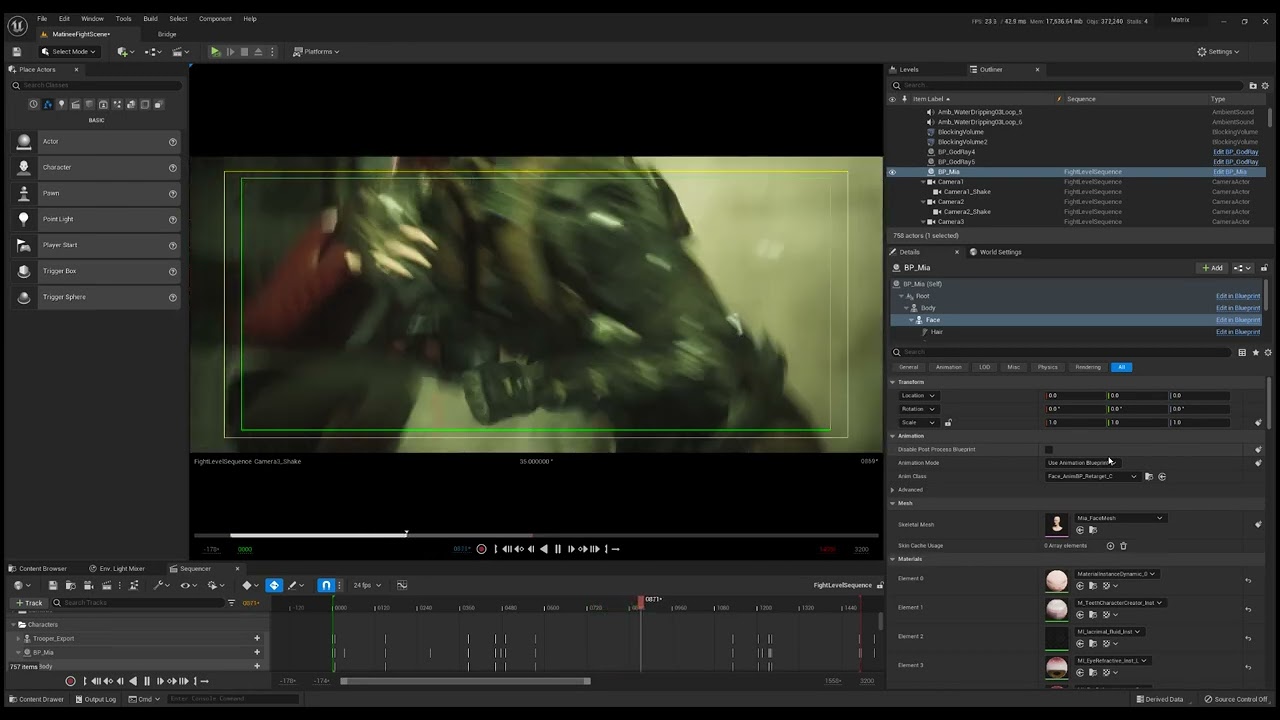 simple forge
pallid aurora
always, it happens trying to retarget from metacarpals yes, or because the name ...
simple forge
pallid aurora
always, it happens trying to retarget from metacarpals yes, or because the name ...
Ok so its not just me messing up the bone chains. In your video you are using the UE5 mannequin and a metahuman but they both have metacarpals so it does look right. In the fight sequence video, what should I be looking for?
simple forge
pallid aurora
just a test about the retargueting
https://youtu.be/fTl22Ue6-dQ
dope fight mocap by the way
 woven venture
Might not be the right channel, but I‘m trying to create what is basically a physical human (like a ragdoll) that can move around the world by applying force to its limbs, but is also stable enough to not fall over… like at all.
I‘ve had some experience with UE in the past, but I’d still say I‘m pretty much new.
I had figured that a physics asset would be the way to go (after having spent the past weeks getting a non-colliding version to work with aim offsets. Just mentioning in case there‘s a simple way to „activate mesh collission“ for that instead).
Now, after another week of setting up the bones I‘d probably have a good ragdoll that moves according to the input, but I‘d need to stabilize it. I thought maybe something like keeping the rotation of the torso always fixed could work, but idk how to do that…
So, to sum that up: Can someone tell me how to make a physical human whose limbs move according to linear values, yet is stable enough not to crumble/fall (ie.: keep its torso’s rotation stable; possibly still allowing intentional rotation?) from a slightly wobbly input?
Would be very grateful if someone could help there.
Also, if this is indeed not the right channel, could someone please redirect me to the correct one?
supple prairie
woven venture
Might not be the right channel, but I‘m trying to create what is basically a phy...
So the ragdoll (for want of actually seeing an example) would be "dragging/pulling" itself along?
If you were to direct a real actor to simulate the movement, what would you be telling them to do? Is the movement sort of creepy? Endearing? Cute?
im sort of imagining a mime with really loose limbs pulling themselves along in an environment.
or the scarecrow in the Wizard of Oz?
woven venture
supple prairie
So the ragdoll (for want of actually seeing an example) would be "dragging/pulli...
Yes… probably. It would (or look like it does) use the friction from its limbs pushing against the ground or other surfaces to generate its forward movement (or to drag itself up a ledge or what else you can do with limbs in real life, more or less).
The movement is (unintentionally) creepy, cause the values are (for now) generated randomly and not well smoothed out yet, but I‘m not aiming for any specific effect here (if that is what you meant with creepy/endearing/cute).
I‘m not sure about the mime or how that would look. As for the scarecrow, well, I guess the movement is erratic like that, so yeah. But that too isn‘t intentional, so if there‘s a way for smooth motion, that‘d be better.
It really just comes down to controlling all the limbs in a humanoid body through values (from 0 to 1 in an array) and having a realistic physical interaction with the environment (or at least the ground and things like the boxes from the third person example).

 grand escarp
i change the matehumans physical asset now the engin crashed all time...
Assertion failed: (Index >= 0) & (Index < ArrayNum) [File:D:\build++UE5\Sync\Engine\Source\Runtime\Core\Public\Containers\Array.h] [Line: 691] Array index out of bounds: -1 from an array of size 342
had anyone the same issue and know how to solve?
supple prairie
woven venture
Yes… probably. It would (or look like it does) use the friction from its limbs p...
Are you starting in Maya or Blender with the model and skeleton, or is this already in UE with a control rig built? ANyway here's a "ragdoll" physics tutorial: https://www.youtube.com/watch?v=b9EmFnklpLk

Hey guys, in today's video, I'm going to be showing you how to create ragdoll physics for your meshes and character in your games. This can be triggered for anything, i.e. death or dying, or hitting an obstacle.
Respawing Tutorial: https://youtu.be/TaGE3e93hM8
#Ue4 #UnrealEngine4 #Ue4Tutorial
___________________________________________________...
I work with rigs in Blender done by riggers and have done some FK animation in UE, but nothing with physics or blueprints. I haven't chained any of that into a retargeted IK control rig.
woven venture
supple prairie
Are you starting in Maya or Blender with the model and skeleton, or is this alre...
I‘ve used the default Manniquin skeleton with the default mesh for the non-physics animation and a separate physics asset from that same skeleton to work out the physics part, but it doesn‘t do much other than crumble like a normal ragdoll. Even if I use the constraints to move its limbs, it‘s still not even close to stable enough to allow it to walk normally.
 burnt lintel
Hello everyone - is there a proper way to move skeletal meshes off of skeletons and onto new ones without causing a lot of chaos and damage to the intended target?
I am working through a bunch of armor assets, most of which were done using either their own skeletons (a seperate copy of UE4 mannequin it seems) or the UE4 mannequin outright. I am trying to figure out how do I convert these skeletal meshes for the various armor pieces to adhere to my UE5 mannequin - but upon trying to assign it a skeleton, it essentially wants to destroy all the bones and recreate the skeleton which has previously led me into a whole mess of hell.
Is it better that I just create standalone skeletons for each of these armor meshes (like chestplates, helmet, etc) and call it a day - or is there a proper way I can move all these armor pieces to my UE5 mannequin effectively.
Thoughts?
sly sparrow
I believe the only 2 options are to use animation retargeting for the existing ue4 skeleton, or use an external rigger software to adjust the hierarchy
Also, anyone know if there are any updates from the Metahuman team? It's been like 8 months of complete silence and no roadmap, I can't tell if they are still working on things or not
burnt lintel
sly sparrow
I believe the only 2 options are to use animation retargeting for the existing u...
Yeah, trying to figure out if it's possible to use it on skeletal meshes and not just animations
plain haven
Capturing Reality posted a video guide on photoscanning head to be used for Mesh to Metahuman:
https://youtu.be/9kIPixG8GHA

With RealityCapture and UnrealEngine, you can create a highly detailed and customized MetaHuman, without the need for expensive equipment. Find out how in our Mesh to MetaHuman tutorial.
Learn more about the MetaHuman plugin https://youtu.be/xOVyme4TFZw
0:20 process of scanning
05:05 processing in RealityCapture
10:55 importing to Unreal Engin...
trail chasm
Hey Why does this Not Affect the Metahuman head in my characters BP ?


 flint sentinel
Has anyone been able to export a custom Metahuman into the editor? I'm able to download and export a pre-made Metahuman through Bridge.
After I download a custom modified Metahuman in Bridge the export button (blue arrow) does nothing when I press it.
flint sentinel
Here's what it looks like after I've downloaded a tweaked Metahuman in Bridge. Notice the add button is disabled. Pressing the blue arrow does nothing.

This is the Bridge plugin inside of a running Unreal Editor.
 nocturne grove
MH developers use to read this chat?
Anyway, maybe someone else is aware
I was wondering if there are plans for expanding the creator with new clothes and accesories
wraith thistle
flint sentinel
Here's what it looks like after I've downloaded a tweaked Metahuman in Bridge. N...
I think this happens because the Bridge is downloading the Medium Quality version by default and you have the Highest Quality setting selected. Try to change the quality to Medium and maybe the button became blue. If so, get back the selection to Highest Quality and download your custom MH again.
flint sentinel
wraith thistle
I think this happens because the Bridge is downloading the Medium Quality versio...
Medium quality download has the same results. Export doesn't work.
Are you saying download medium then download highest? Then it'll work?
simple forge
flint sentinel
Here's what it looks like after I've downloaded a tweaked Metahuman in Bridge. N...
5.0 or 5.1?
flint sentinel
simple forge
5.0 or 5.1?
5.0 on Apple M1 Mac
simple forge
flint sentinel
5.0 on Apple M1 Mac
I would check a few things. Check your bridge folder from UE5 first, make sure its not the same as your ue4. Then if you downloaded a preset first, and then downloaded the custom, it technically should work. If it doesnt, maybe try doing this again in a new Megascans folder.....however, it very well could be a bug.
 sonic lily
Hello Everyone, I don't know why my Live Link Window doesn't recognize my ipad in Live Link Face app. But this problem didn't show up when i use Live Link Vcam.
 flint sentinel
simple forge
I would check a few things. Check your bridge folder from UE5 first, make sure i...
flint sentinel
simple forge
I would check a few things. Check your bridge folder from UE5 first, make sure i...
I ended up opening the Megascans download folder and manually copying the files over to my UE project. Maybe I'll try wiping out the Megascans folder later (when I'm not actively working on a project)
simple forge
flint sentinel
I ended up opening the Megascans download folder and manually copying the files ...
Nice!! Glad you found a way around the issue 😉
tall coral
 tall coral
This was a path tracing test
 dusty rain
 dreamy iron
may i know why this keeps happening
simple forge
dreamy iron
may i know why this keeps happening
Lods. Very common. Either grab the Metahuman transform and shake it around or change the LOD to something other that’s -1
sudden berry
simple forge
Lods. Very common. Either grab the Metahuman transform and shake it around or ch...
Shaking the MH around is new for me 🤪
simple forge
sudden berry
Shaking the MH around is new for me 🤪
haha it works
dreamy iron
simple forge
Lods. Very common. Either grab the Metahuman transform and shake it around or ch...
okay, thank you!
 past ice
Is Metahuman plugin not compatible with ue5.1 preview?
graceful storm
Is there a way through unreals apps, to enhance/scale the Metahuman expressions? They just arent expressive enough for me, even at max they look Stale af
dreamy iron
past ice
Is Metahuman plugin not compatible with ue5.1 preview?
I don't think any plug-ins are
 chilly wave
Is there any Metahuman plugin to transform both your motion and expression into ue5.0?
 hollow kestrel
hello all! I am trying to animate my metahuman to walk and run through my twinmotion file I imported into unreal. what is the best way to do this? Thanks
past ice
dreamy iron
I don't think any plug-ins are
Ok. Thanks. I am guessing when ue5.1 leaves preview then the plugins can be installed.
 cobalt saddle
Hello everyone, is there a way to import a metahuman character back into Metahuman creator using the Asset ID or something similar? I want to share my metahuman character!
 mossy pecan
Anyone know why the DOF is flickering so bad on MH hair? Aperture is set to 1.4.
hollow kestrel
cobalt saddle
Hello everyone, is there a way to import a metahuman character back into Metahum...
I am having the same issue/question
plain haven
hollow kestrel
hello all! I am trying to animate my metahuman to walk and run through my twinmo...
Depends on whether you want to use it for gameplay animations or just set dressing ped animations

 wise turtle
Hey guys! I would like to create a character customization with MetaHumans (like in MH creator, but in Unreal), but I couln't found a way to import the morph target to choose the weight, size or genre of the character. Is there anyone have more information on this?
Any clue if Epic is already working on it?
simple forge
 lunar jetty
I would not build my cinematic sequence in the ue live link face recording. That animation should be baked to an animation sequence and then added into sequencer
 sage python
Hi everyone, I am currently using metahumans in a android based project, but I am wondering what sort of techniques I can use on the metahumans to reduce packaging size with them. Any info in this is much appreciated. I am using the low quality settings on them before I import them to the project through Bridge. Thanks a lot
plain haven
sage python
Hi everyone, I am currently using metahumans in a android based project, but I a...
- Use forward rendering instead of deferred. You may lose subsurface scattering, but it's kind of the cost
- Limit texture size to 1K (1024x1024). MetaHumans looked decent in 1K texture.
- Step down the LOD to LOD 2 (or lower, highest is LOD 0 and will kill your phone)
- No strand based groom hair (but it won't be available on LOD 2 and below anyway)
That being said, MetaHumans can be overkill for current average low-to-mid range phone specs, but it's plausible.
cobalt saddle
hollow kestrel
I am having the same issue/question
Let me know please if there’s something we can do about it!
 ivory tusk
Can we Retarget Metahuman UE5 to UE4
plain haven
ivory tusk
Can we Retarget Metahuman UE5 to UE4
No.
It's impossible to bring assets from UE5 to UE4 anyway
 worldly karma
@dusk sedge Is this solution working for you on 5.1? I am experiencing the same issue with the Groom Binding. It was working fine in 4.27 and 5.0, but it no longer works on 5.1. The hair disappears when I assign the Bind Asset. I tired your Build Settings approach (enabling Use Full Precision UVs but no luck)
umbral bay


and here's some video of my first pass at controlling a desktop #UE4 #MetaHuman from within #VR using a #MetaQuestPro.
more to come!
 Twitter
·
Twitter
·
 unreal sapphire
Is it possible to modify meta humans in runtime like changing body shapes or cloths?
 dusk sedge
worldly karma
<@251563298636431378> Is this solution working for you on 5.1? I am experiencing...
dusk sedge
worldly karma
<@251563298636431378> Is this solution working for you on 5.1? I am experiencing...
Dno havent checked in a while
harsh idol
how can i get metahuman to drop less fps
They cause a lot of performance loss.
sly sparrow
harsh idol
how can i get metahuman to drop less fps
They cause a lot of performance loss.
setting the grooms to a lower quality and LOD can help
 desert ocean
Anyone also have the Problem that the Console Variables of Hair stranding like Emissive, or Transmittance etc, doesnt affect anything?
 halcyon wasp
Hello, I'm having a problem with metahuman eyebrows and eyelashes. I want them to display at LOD 3 since I cannot run the groom component, but when I try to force LOD 3 on those components nothing happens. I would like to keep everything else at LOD 0. Is that possible? thanks in advance.
simple forge
halcyon wasp
Hello, I'm having a problem with metahuman eyebrows and eyelashes. I want them t...
Maybe open up the groom for the lashes and brows and change all the LODs to cards instead of strands
halcyon wasp
simple forge
Maybe open up the groom for the lashes and brows and change all the LODs to card...
Ah that makes sense, thank you so much!
 dreamy depot
Is it possible to use the Control Rig Poses in a way similar to Shape keys in blender, to create an animation blending between the poses?
Yes it is, figured it out with seuqencer
 broken forge
Hoi, i'm trying to make this RP game, and have been working on quite a lot of anime models. Because i'm scared of making realistic clothing. Curious how that's done on metahumans though.
Is there like a load of samples to look at, clothing wise?
and how is it handled code wise, i'd easily be able to make it modular right?
noble light
check out this:- https://www.youtube.com/watch?v=wsuXGBOCxj0

The Most Powerful Metaverse Framework for UnrealEngine
https://www.t4framework.com
[Discord invite link] https://discord.gg/7k238Cqh56
#T4Framework #UnrealEngine #UE5 #MetaHuman #MetaHumanCreator
broken forge
noble light
check out this:- https://www.youtube.com/watch?v=wsuXGBOCxj0
Sorry fell asleep on my keyboard. At the day job now, so I'm gonna look at that.
Lol okay no words needed I guess.
Umm, one more question. Is there a community I can check for additional pieces for clothes etc. So I can study them?
sudden berry
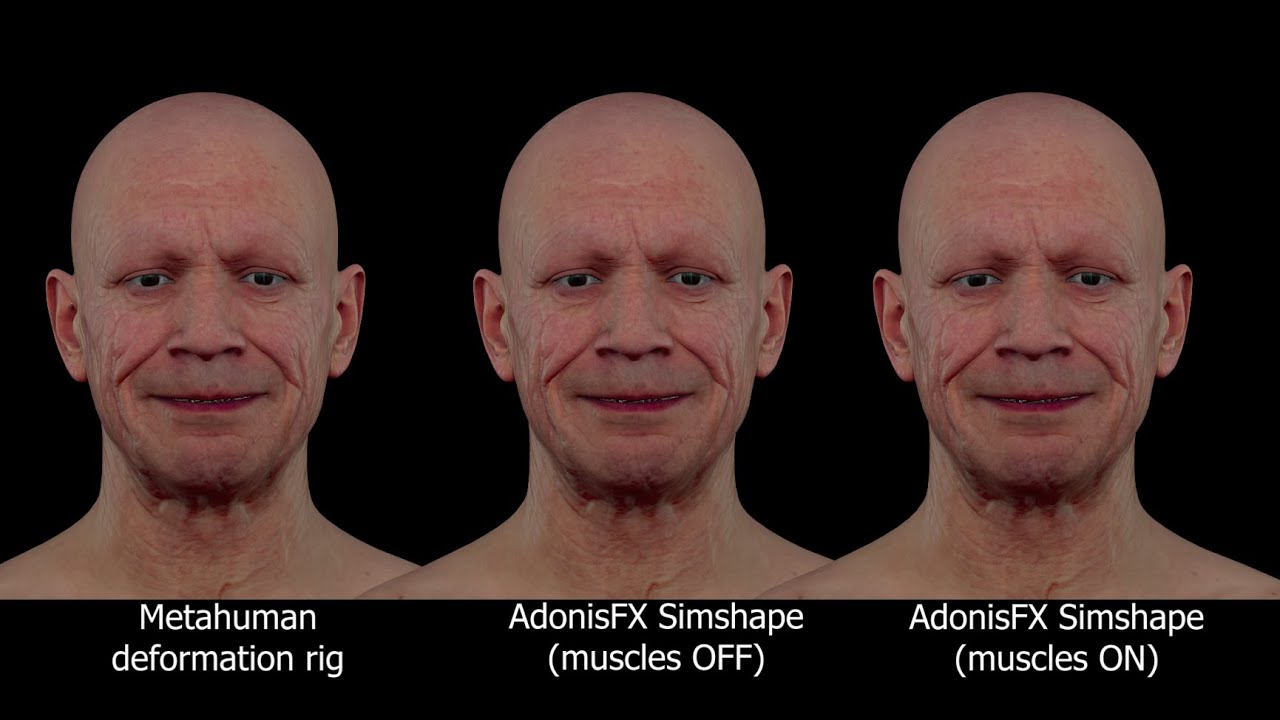
Adonis Simshape uses Machine Learning and our state-of-the-art Solver to rapidly add realistic skin and muscle dynamics to any face animation.
The results shown in this video were recorded in realtime from the Maya viewport, playingback at 24 frames per second.
We are developing Adonis to provide a Creatures Effects solution for VFX, Animation a...
plain haven
broken forge
Guess metahumans ain't for me then if I can't make clothes.
Correct, it's one of those things that still secure 3D artists their job.
If you can't do it yourself, hire someone to make it for you
broken forge
That's what I was asking though.
Where do I buy bits?
So I can study it and improve my own from that.
I want to make the leap from anime styled models to realistic.
But I guess I'm in the wrong chat for that, after 3 dodgy replies like that.
Thanks I'll go elsewhere.
https://forums.unrealengine.com/t/metahuman-and-custom-clothing/213420
They literally say you can add clothes.
🤦♀️
Unreal Engine Forums
It does not seem as if the Early Access MetaHuman Creator supports custom clothing. Is there a workaround for this or is it simply a feature that is not available for Early Access? If it is not available, is this a feature that will be included in the official release? Thanks in advance
wise turtle
Hey there!
Do someone know if there is a database where I can download all the haircuts and clothes of the MH creator? I don't want to DL each metahuman to get each cloth and haircut 😦
mossy pecan
I'm trying to export an OBJ of a posed Metahuman in a sequence to model something on top of in Blender. Everytime I try to export, it's pretty much and empty file or an APose of the avatar. Is there a way to do this?
simple forge
mossy pecan
I'm trying to export an OBJ of a posed Metahuman in a sequence to model somethin...
so you need a static mesh version? no skeleton?
mossy pecan
Yep. No skeleton. Just an exact replica of the posed model.
simple forge
mossy pecan
Yep. No skeleton. Just an exact replica of the posed model.
open up the animation file you have that is in the pose you want. Then there is an option on the top, to convert to static mesh.
mossy pecan
simple forge
open up the animation file you have that is in the pose you want. Then there is ...
IS there a way to do it from a pose on a control rig in the sequencer, or do I need to create an animation asset, then make a static mesh from there?
simple forge
mossy pecan
IS there a way to do it from a pose on a control rig in the sequencer, or do I n...
so what I would do is find the exact frame you want from the control rig sequence. And make that sequence only the length of that one frame. Then bake to animation sequence for just that frame. If you try doing it with the control rig active, it will probably crash. But you can I think by going up top to Actor and convert...but again, expect a crash.
mossy pecan
simple forge
so what I would do is find the exact frame you want from the control rig sequenc...
I'll give it a shot.
mossy pecan
Looks like the static mesh is only the body, no head included
simple forge
mossy pecan
Looks like the static mesh is only the body, no head included
Then drop the actual animation into the scene, then go to Actor, with it selected, and convert to static mesh.
simple forge
did you try the mesh to meta plugin?
 mellow granite
Hello guys, anybody knows if it is possible to get the Metahuman default animations (the one we have when we edit the Metahumans) inside Unreal? They look very convincing and would love to use one for a cinematic sequence.
 bold sonnet
Hi, I've loaded an animation asset onto a metahuman, but when I go to Bake to Control Rig, there is no contol rig to bake it onto. A previous post from last year says to add control rig after adding the animation asset, but there's no option in the first context menu at all when I do it that way. A good youtube video I found 'Animating Metahumans with Control Rig in UE' has the option there, but doesn't seem to be available for me. Any ideas please? Thanks
Ah it 's ok, found it. If anyone else has this issue, I had to uncheck 'Filter Asset by Skeleton', then it appeared. The youtube video had it checked in theirs.
bold sonnet
mellow granite
Hello guys, anybody knows if it is possible to get the Metahuman default animati...
I'm not sure about that but I agree it would be good. However, if it's of any use, I only discovered yesterday all the different facial gestures available in the Pose Library which you can use. Maybe these have been here since the beginning but I wasn't aware of them until now.
mellow granite
bold sonnet
I'm not sure about that but I agree it would be good. However, if it's of any us...
I will have a look thank you! I really think their Idle animations and expressions are great.
wise turtle
mellow granite
Hello guys, anybody knows if it is possible to get the Metahuman default animati...
I'm interested by that too! I did not find anything about it, so let me know if you find something about please 🙂
But yeah, so agree, they looks so real with high quality animations like the ones in the MH creator
mellow skiff
Hey, I'm having a weird bug where the editor crashes anytime I try to export a metahuman from bridge. Anyone know what's going on?
Error message:
Assertion failed: Pair != nullptr [File:D:\build++UE5\Sync\LocalInstall\Engine\Source\Runtime\Core\Public\Containers\Map.h] [Line: 656]
UnrealEditor_MegascansPlugin
UnrealEditor_MegascansPlugin
UnrealEditor_MegascansPlugin
UnrealEditor_MegascansPlugin
UnrealEditor_UnrealEd!FTickableEditorObject::TickObjects() [D:\build++UE5\Sync\Engine\Source\Editor\UnrealEd\Public\TickableEditorObject.h:45]
UnrealEditor_UnrealEd!UEditorEngine::Tick() [D:\build++UE5\Sync\Engine\Source\Editor\UnrealEd\Private\EditorEngine.cpp:1536]
UnrealEditor_UnrealEd!UUnrealEdEngine::Tick() [D:\build++UE5\Sync\Engine\Source\Editor\UnrealEd\Private\UnrealEdEngine.cpp:474]
UnrealEditor!FEngineLoop::Tick() [D:\build++UE5\Sync\Engine\Source\Runtime\Launch\Private\LaunchEngineLoop.cpp:5215]
UnrealEditor!GuardedMain() [D:\build++UE5\Sync\Engine\Source\Runtime\Launch\Private\Launch.cpp:183]
UnrealEditor!GuardedMainWrapper() [D:\build++UE5\Sync\Engine\Source\Runtime\Launch\Private\Windows\LaunchWindows.cpp:147]
UnrealEditor!LaunchWindowsStartup() [D:\build++UE5\Sync\Engine\Source\Runtime\Launch\Private\Windows\LaunchWindows.cpp:283]
UnrealEditor!WinMain() [D:\build++UE5\Sync\Engine\Source\Runtime\Launch\Private\Windows\LaunchWindows.cpp:330]
UnrealEditor!__scrt_common_main_seh() [d:\a01_work\6\s\src\vctools\crt\vcstartup\src\startup\exe_common.inl:288]
kernel32
ntdll

 vestal scarab
I can't figure out how to solve this problem
other animations (idle, walking, running, jump) are correct
I also have this problem
using same animation for all parts
in playmode after fully change to other animation and back to idle fixs it
sage python
hey all, weird question maybe, but for some odd reason I can't re-enable hair strands on my metahumans , yes I did check the groom asset and the character BP too if it set on force to use cards, but no. I even tried the console command "r.HairStrands.UseCardsInsteadOfStrands 0" with no effect, not sure where else I can look any idea? Here is a screenshot of the Groom asset set to LOD 0 with its setting to show hair strands, but as you can see it is using cards and the debug confirms this. Thanks
 silk urchin
Are there games now that are using metahumans for their AI? I am interested if callisto protocol is using metahumans for their creatures
 glacial mauve
Has anyone ever seen something like this come off their meta human in a render?

 dry wadi
does anyone know why the morph target preview has no effect on the mesh when viewing it in the editor?
simple forge
glacial mauve
Has anyone ever seen something like this come off their meta human in a render?
is there something in his mouth?
glacial mauve
simple forge
is there something in his mouth?
That would be a spliff with a 2d niagara smoke animations. That 2d niagara has been giving me issues with lighting artifacts as well when viewed through the 2d plane
I did a 3d model amd I think there might be holes woth theblight shining through so I was going to check that when I get back on my computer
simple forge
glacial mauve
That would be a spliff with a 2d niagara smoke animations. That 2d niagara has ...
lol thought for a moment the groom was creating the illusion of one. So the crazy hair during renders...what are your render settings?
glacial mauve
simple forge
lol thought for a moment the groom was creating the illusion of one. So the craz...
Override anti aliasing both 32 or 64 temporal sample count. Happens both png and exr. And using console variables from unreal docs set to 0
Only happens in renders
glacial mauve
simple forge
lol thought for a moment the groom was creating the illusion of one. So the craz...
Thank you for showing interest in helping. I've seen some of your work. It's amazing
simple forge
glacial mauve
Override anti aliasing both 32 or 64 temporal sample count. Happens both png a...
can you try rendering a few frames without antialiasing? Just default png. That way you can eliminate whether its the render settings or the groom itself.
glacial mauve
simple forge
can you try rendering a few frames without antialiasing? Just default png. That ...
Okay I'll try thank you. Not at the computer at the moment. Again I appreciate your replies
pallid aurora
Hello guys UE5 Stable Diffusion Plug-in presents a new filter for metahuman!
https://youtu.be/zWcYN58Y9EM
 glacial mauve
simple forge
can you try rendering a few frames without antialiasing? Just default png. That ...
glacial mauve
simple forge
can you try rendering a few frames without antialiasing? Just default png. That ...
It was 100% the anti aliasing. Do you happen to know why it might cause that? Also another weird part is under this format when I added the files to davinci resolve, some frames were added out of order causing the render to be bumpy. I added each frame to davinci indivually and it fixed it. Thank you again for your help
 last acorn
What program do I need to make these characters please? https://postimg.cc/mczN56wc
 simple forge
glacial mauve
It was 100% the anti aliasing. Do you happen to know why it might cause that? ...
simple forge
glacial mauve
It was 100% the anti aliasing. Do you happen to know why it might cause that? ...
I am not sure why this happens with antialiasing. Something to do with how unreal is handling subframes I think, but you are not alone. No one has been able to figure out a solution unfortunately.
simple forge
glacial mauve
It was 100% the anti aliasing. Do you happen to know why it might cause that? ...
@spice kayak did you mention at some point you had this issue with renders and had to manually add individual frames to davinci?
valid goblet
Hi guys, I set the metahuman head to a paragon character . I got the blueprint but does not have the skeleton mesh for this. any suggestion how to get skeleton mesh from a character blueprint? I tried use the default skeleton of that paragon char but its not working for the character that i created. any suggestions please:)
swift burrow
Any idea why point light is brightening eyelashes so much?
 harsh idol
Which setting is the most efficient?
