#hardware
1 messages · Page 59 of 1
 soft plume
 median marsh
well that cpu is probably better than the 3rd gen i7 that served me for my first 2 unreal years
 foggy rampart
I try to survive with my 4th gen Intel i5-4690K another year till the semiconductor's overproduction will happen 😄 Intel runs ok with 24gb Ram
soft plume
lol
 mighty patrol
Linus tech tips discord is good for monitor talk. 😂
soft plume
 hoary urchin
anyone have suggestions for monitors
hoary urchin
anyone have suggestions for monitors
what's your gpu?
 flat glade
1440p + 144hz + IPS panel is so cheap these days
Just put in the numbers you want and buy something with decent reviews
That's what I would do at least
 turbid galleon
So i am buying a ram is single rank better or dual rank better or quad rank better and did any changes in using unreal engine 5
median marsh
depends on the cpu
if your cpu only supports dual channel, it makes sense to stick to 2 sticks to keep place for further upgrades
oO
ryzen doesnt
hoary urchin
@soft plume 3080
@slate blade does not need to be super colour accurate, but i dont want it to be really bad. Also 120+ refresh rate is important.
will be used for both gaming and work, not super expensive as i would need to buy 2 of them 😛
not really bothered about ratio, but my current screens are 32inch
so 32/34 inch kinda region
i dunno really don't want to spend more than 1K for both
also thinking maybe i want 3 screens... i sometimes find myself wanting an extra screen 😛
 languid nexus
God DAMN you're right... what a cancerous piece of shit invention! (And thanks for the info, btw.)

Sigh... I should have asked the vendor I got the laptop from instead of trying to search on my own. The real thunderbolt dock is apparently twice as big...

My boss is going to be very happy... fuck those things are expensive.
Guess I'll keep doing the ghetto thing of plugging the screen I want 3D on straight into the laptop and the second screen via the dock. 🤦♂️
 regal kite
you running two GPUs or all your vouts from one card?
 errant peak
languid nexus
Sigh... I should have asked the vendor I got the laptop from instead of trying t...
errant peak
languid nexus
Sigh... I should have asked the vendor I got the laptop from instead of trying t...
I'm not certain I know your requirements, but did you look at the Monoprice Thunderbolt 3 DockingStation? I was in the market earlier this year for docks and found this to be the best compromise on price and feature.
median marsh
you could still throw in a cheap ass 2nd card
ok, cheap ass gets hard this times...
 midnight condor
I am wondering if memory bandwidth matters for unreal engine dev work. Does anyone know if are there any engine compile time benchmarks or shader compile benchmarks at different ram speeds or quad vs dual vs single channel?
median marsh
well, a 1650 or slower would certainly do the job for most stuff
unless you want to span unreal across all screens
and not sure how well windows supports screens on multiple GPUs
 frank glade
I sold my 1060, it was still pretty good even with UE5 and sensible settings
frank glade
I was running one 4k and two 1440p monitors 👀
 wind egret
Unfamiliar with noctua. context?
midnight condor
Yeah I was wondering if the older Threadrippers like 2950x 1950x could still hold their own in unreal dev against the 3950 / 5950 thanks to their quad channel ram
 shrewd shard
RAM won't really be an issue unless you're actively compiling things
Having a balance between singlethread/core count is best for UE
soft plume
cough cough extremly reliable cough cough
cough cough no intel favoritism cough cough
flat glade
I like UserBenchmark for figuring out if my PC has faulty parts vs other people
but for almost everything else it's really not a great test
median marsh
the 5950x has way higher boost speed than the 1950x
so for editor work the 5950x is pretty much the better choice
midnight condor
Yeah I think 5950x is a better choice for unreal dev versus 1950x, I want to do some benchmarks and see if engine compile times are memory bandwidth limited though
 unborn pike
it's nice
though I wish I bought 64 GB memory
I only have 32 GB and I'm running out of pagefile (even though it is system managed) while compiling
 magic parrot
What would be optimal choice for 5900x - ASUS ROG STRIX B550-F GAMING or ROG Strix X570-E Gaming?
median marsh
i can't complain about the ROG Strix X570-E Gaming
magic parrot
Is about 150usd more expensive, i would buy better power block if difference between them isn't much noticeable
magic parrot
oh yep sry
median marsh
idk much about the B550, so i can't tell you what the differences are
doesn't the B550 only have pci ex 3.0 link to the cpu?
soft plume
non b550 supports pcie 4gen
 median marsh
so if you have a m2 on the 2nd m2 slot your link between chipset and cpu is already satisfied and it may throttle the 2nd nvme
i meant the link between cpu and chipset
magic parrot
Ye i have 2 nmves
median marsh
there is pci ex 4.0 from the cpu to the hardware slots on b550 tho, but thats something different
the 2nd m2 slot usually hangs on the chipset instead of direct connection to the cpu
so it shares bandwidth between cpu and chipset with all the other things like sound, network, sata, etc.
magic parrot
So Strix X570-E would be best choice?
median marsh
the better one for sure
also considering that the ryzen has a pretty decent TDP you don't need a crazy PSU
what gpu are you using?
magic parrot
thanks 🙂
median marsh
also, what cooler are you looking forward to buy?
magic parrot
DARK ROCK PRO 4 i think
median marsh
i can recomment the SilentiumPC grandis 3 if it's available at your dealer
also saves you some cash
and considering test results, it isn't much "worse" than the expensive ones
magic parrot
ye, i have in shop one, its much cheaper, looks good, thanks
median marsh
i use it on a 5950x and with 100% load it reaches ~80°C (at ~24°C room temperature)
so that works for me
 urban sparrow
So what about threadripper and RTX 3090? Will those work well with UE5?
 jagged hawk
Hey guys, I currently have an i7-4770k with a gtx 1070 and 32gb ram. Was going to upgrade to ryzen 9 5900x, whole new pc basically... is it worth it to wait a few months for ddr5? are the new intel worth looking at or do you expect next gen ryzen will beat them again?
frank glade
New Ryzen will probably beat them. But you could wait for the new am5 platform, not sure exactly when next year
 astral musk
urban sparrow
So what about threadripper and RTX 3090? Will those work well with UE5?
astral musk
urban sparrow
So what about threadripper and RTX 3090? Will those work well with UE5?
Threadripper are fantastic but depending on what you are doing, they could be overkill
urban sparrow
astral musk
Threadripper are fantastic but depending on what you are doing, they could be ov...
Overkill you mean too much?
astral musk
Yes. As in depending on what you do, you may not notice a huge speed increase for the extra costs. If you spend a LOT of time waiting on code or shades to compile, or do a lot of light baking it might be worth it
 half viper
Incredibuild dude
That an you can set max fps to 3 an your shaders compile much much faster
median marsh
i don't see any benefit of a threadripper in normal workflow
just overkill
even the 5950x compiles the whole engine within 30 minutes
half viper
Yeah I have to manage my time so cutting load times in general is a boost in workflow
median marsh
yea but you can compile the engine in a lunch break 😄
and i never felt "blocked" by shader compiling
guess even the 5900x is more than enough for UE
half viper
Yeah 30 minutes is 30 minutes especially now baking lighting doesn't take hours
median marsh
the real benefit of threadripper is probably 256gb ram limit
which you can hit with really complex levels on light builds
flat glade
why bother with incredibuild? huh?
if you are on just one machine does it even do anything?
soft plume
urban sparrow
So what about threadripper and RTX 3090? Will those work well with UE5?
if you can actually find some and have the cash for it then go ahead
 hasty lotus
a little doubt, I have a very bad pc, and it is possible to turn a programmed one even with this super bad pc, it is a pentiun 2020m 2.40ghz, 6gb of ram, usable 5.5gb, and intel hd grafics
soft plume
i turned a super slow 2007 dual core pc in an ok one with linux
(still can't code with it but it's faster)
 regal iron
I am building a new pc for unreal engine development,
I am a bit confused about which processer to choose.
which processer brand I should go with Intel or AMD and why?
median marsh
i would most likely still go AMD route because they consume less power
unless you plan to buy the top tier cpu there isn't much of a performance difference (and even then intel and amd seem to be pretty close)
 upper gazelle
i own an i5 9400 and it still does well with shader compiling 😄
regal iron
- 90% use will be for Unreal Engine Development,
- definitely,
- I want to go with Laptop but I am not sure if it can give me good performance for unreal engine development.
 devout cove
what might happen if I took the risk and installed unreal engine 4 on my PC ram 6gb and graphics GT 730 , I'm just learning i wanna work on unreal , everyone is telling me unity and I want to try unreal shall i take the risk ?
 wispy blade
Hi All I have a vive from 2016, I have load my first VR test into it, the res quality is quiet poor, I was wondering what headsets people are using for arch viz stuff there are so many options out there it seems, any advice would be great
wispy blade
I am thinking the vive pro 2 would be a good upgrade as I want to use it arch viz walk around
 rain summit
Looking for an SSD, you guys think a NVMe PCIe SSD is worth the price compared to a regular SATA SSD?
Gen3 or Gen 4, assuming you have both M.2 slots on your motherboard
midnight condor
devout cove
what might happen if I took the risk and installed unreal engine 4 on my PC ram ...
You really need at least 16gb ram to do anything in unreal unless you stick to really tiny or mobile projects
errant peak
rain summit
Looking for an SSD, you guys think a NVMe PCIe SSD is worth the price compared t...
If you are getting NVMe M.2 and not an SSD M.2, it is totally worth it
All my drives on this computer are NVMe, and I noticed the speed bump over SSDs when I built it
Yeah a bit confusing by the phrasing
That is a good point
Most the gains are when copying or loading lots of data
FWIW, I did NOT see an increase in boot speed because my Motherboard seems to have some kind of timeout issue with NVMe
I would imagine more recent motherboards have sorted this issue out though
This is where I see the improvement
I bought my NVMe drives a few years ago. IIRC there was an SSD shortage or something
Price / availability of the NVMe made it a good target for the build
 rugged osprey
I have a legion 7i, works pretty well
 dusk kite
flat glade
if you are on just one machine does it even do anything?
dusk kite
flat glade
if you are on just one machine does it even do anything?
Actually, if you are on one machine with UE and VS it XGE will actually distribute the build across multiple cores even without a license, generally speeding up local build times. For most UE4 C++ work I find Incredibuild to be indispensable for teams over about 5 people. (Kind of a shame due to its cost, but well worth it given the time savings)
rain summit
Yeah, I'm trying to decide whether to buy SATA, PCIe 3.0, or PCIe 4.0.
I'd like to know if the performance benefits can justify the +30% more price of a PCIe 4.0.
Also PCIe 4.0 will block any future upgrades cause my motherboard only has one PCIe 4.0 M.2 slot and one PCIe 3.0 M.2 slot.
 dusk kite
Absolutely. PCIe 3.0x4 or better will yield almost an order of magnitude improvement over SATA 3
It's really just a matter of can you spare the PCIe ports and is PCIe/NVMe cost prohibitive
rain summit
I read that it makes a minimal difference, and that the price isn't worth the PCIe 4.0
Cause sequential read/write mostly benefits large files, compared to random read/write
dusk kite
And whether you need large contiguous storage w/o RAID
Hmmm... interesting point....
When it comes to games, assets are VERY large, but it is true that the small files are slower...
The real question boils down to will you save enough time on the long reads/writes to warrant the price difference as the other time savings would be minimal.
My gut says yes, but I think it really boils down to how much you value your time. At $40/hr for instance, if you save 3-6 hrs over the life of the drive, it works out.
rain summit
Yeah, I was wondering just the real world usage/benefits of a PCIe 4.0 NVMe for UE
For example, I know the general consensus for PCIe NVMe for games is that it's definitely faster but it's not noticeable faster at all (by a second or so) and so it is not worth it for gaming
dusk kite
I mean, disk performance is only really noticeable when moving data around. This means when your app/game starts up, and when it saves to disk/loads dlc, etc. Most of the rest of the time there won't be any noticeable difference.
However, if you're like me -- not many people are -- and need to move around many different projects and engine versions on your PC or have lots of large assets to move around, the time savings will probably pay for itself many times over for the life of the drive.
Also important to consider though, the fact that you only have one PCIe slot left. That could be a deal-breaker for your situation.
(Note also that the time to move data only really applies if you're moving data between disks, not rearranging data on the same disk)
 devout pendant
Hey everyone, I am currently building a pc and I'm planning to use unreal engine to make a game but im not sure what GPU or memory i should get to run it smoothly. Currently i have been looking at the rtx 3060ti 8gb vram, along with 32gb of ram. Would that be good for smooth usage, or should i try looking for different parts? I appreciate everyone who replies 😄
rain summit
devout pendant
Hey everyone, I am currently building a pc and I'm planning to use unreal engine...
I have a 5700 XT and 32 GB RAM, I've had no issues
Yours should be fine
devout pendant
Alrighty, i greatly appreciate it. Thank you!
rain summit
dusk kite
(Note also that the time to move data only really applies if you're moving data ...
Yeah, I'm not too sure
I'm currently leaning towards the NVMe PCIe 3.0 , specifically the Corsair P5
It's about the same price as the SATA SSD but should be slightly faster
 worldly olive
Can current nvme drives even saturate pci3?
median marsh
yes
samsung evo970 is pretty much at the pciex3 limit
the file system data rate is probably a bit lower due to protocol overhead
but with ~3.9 GB/s bus bandwidth, that's pretty much fine for every use case 😄
median marsh
seagate also makes harddisks with 2 hard disks in one 😄
so one disk reports as two to the system, no idea who came up with that idea
flat glade
median marsh
seagate also makes harddisks with 2 hard disks in one 😄
Isn't that a RAID type? I forget which number?
median marsh
that one for example
https://www.tomshardware.com/news/seagate-lists-dual-actuator-hdd-exos-2x14

Tom's Hardware
The Mach.2 delivers up to 524 MB/s of sequential throughput
but honestly i would pick 2 separate drives in raid0 over one drive which operates as raid0
magic parrot
Is it ok for 5900x? What could be the reason? Even UE4 source compiling does not cause system lagging, but vscode sometimes freezes windows.

It starts when i edit code
Anybody had this issue with 5900x?
Alright, solved, this caused freezes
 mighty patrol
Threadripper vs ryzen 5950x for game dev?
median marsh
and what kind of gamedev
soft plume
we will never know
soft plume
l o l
median marsh
well it's a first gen threadripper
shrewd shard
10C/16T 
wind egret
12600K, has 6+4 cores (12+4 threads) probably

 ember cobalt
occasionally it will read like 50 MHz, then jump to 11000 MHz, then down to 200 MHz
median marsh
 royal aspen
What is the math with 10c16t?
royal aspen
What is the math with 10c16t?
6 cores that can do hyperthreading, and 4 that can not
royal aspen
ah its one of those big little ones?
median marsh
yes
also boost speed of the i5 is like 20% more
so that may compensate for the lack of threads/cores
royal aspen
I went from a 3970x to a 5950x then back to a 3970x and i miss the faster processing for anything that isn't houdini
median marsh
why did you downgrade?
royal aspen
I had a new samsung 980 pcie4 completely fail on me
and was easier to jump back to a working computer, then started doing houdini stuff
will get back to the 5950x
royal aspen
royal aspen
I had a new samsung 980 pcie4 completely fail on me
completely is a strong word but it put itself into read only and reports more bad sectors than i'm willing to wait populate
median marsh
bad luck, did it at least fail early and you had backup?
royal aspen
it actually seems semi popular, something about the 980 pros
i upload to svn a lot so didn't lose much important stuff
the thing that is good but also sucks is that most ssd's go into read only mode when they fail
which might help you pull some data off but also makes it so you can't really wipe the drive for rma
median marsh
encryption!?
today's cpu's have AES instruction sets, which makes it perform well with low cpu usage even for high transfer rates
 mighty cosmos
I currently have 4 of the Samsung EVO ssds, can't remember which ones exactly and all of them have been working fine for a few years now 🤷♂️
median marsh
if im not wrong samsung is pretty much one, if not the biggest, producer for the flash chips, so if anyone should know how to build them, then it's them
https://en.wikipedia.org/wiki/List_of_flash_memory_controller_manufacturers#Largest_NAND_flash_memory_manufacturers yea according to that, almost 1/3 of the market is from samsung (at least for NAND, but guess it's pretty much the same across the types)
 frail stream
if u are on windows 11 say thanks to microsoft
soft plume
windows 11 s u c c
 tidal rover
soft plume
tidal rover
soft plume
i'm on arch linux
 median marsh
it probably more makes a difference when not all cores are utilized
in terms of power usage, which is especially important on mobile devices
foggy rampart
so Core i9-12900K or AMD
Ryzen 9 5950X? Has anybody tested new intel in UE? I watch out good deals, maybe black Friday will not suck this year.
frank glade
@foggy rampart https://www.pugetsystems.com/labs/articles/Unreal-Engine-12th-Gen-Intel-Core-vs-AMD-Ryzen-5000-Series-2249/
Puget Systems
Intel has launched their new 12th Gen Intel Core desktop processors (code-named "Alder Lake") featuring support for DDR5, PCIe 5.0, as well as a completely new hybrid architecture using a mix of Performance and Efficient-cores. This is a lot of new technologies in one product, so we are excited to see how much of a performance boost the 12th Gen...
flat glade
I think I'm going with an i9-12900K
unless this pugetsystems bench is bullshit it seems like a bit more of an effective buy
no way in hell I'm getting ddr5 ram though
holy shit it's expensive
frank glade
I'm also looking at the 12900K however I think the new ryzens are coming early next year
flat glade
not according to that pugetsystems benchmark
it's definitely better bang for buck though
wait, I misread it omg
you are correct
😔 another classic Megafunk misread
I have no particular reason to stick with intel
frank glade
But isnt single thread performance better? For all other apps as well
flat glade
yeah, it's definitely better for gaming on the side
We don't have an exact date for when these chips are going to land, although given the 3D V-Cache chips are going to be released at the start of the year, we can probably expect Zen 4 and AM5 to drop between July and November in 2022. https://www.pcgamer.com/amds-am5-platform-will-support-ddr5-and-pcie-5-at-launch-in-2022/
an entire year is pushing it...
for anything workstation related moar cores always wins
omg, preview it
sheesh
frank glade
flat glade
for anything workstation related moar cores always wins
what about graphics workstation but you're not doing renders 😋
 vestal prawn
sup
anyone knows of a good software to have control over 2 mice cursors?
Im currently using MouseMux, but its a bit choppy
 kindred dagger
Hello, what would be the best laptop cpu right now for Unreal? Would the I9-11900h be a good choice? Or maybe, is it better to wait?
 worldly lagoon
I'll get a new laptop when it's running some improved DDR5 memory
depends if you can wait that long
might not even be next year
kindred dagger
I can wait a bit
Thanks
My laptop work well, but when I work with C++ and Unreal sometime it's a long compile time...
 flint wave
kindred dagger
My laptop work well, but when I work with C++ and Unreal sometime it's a long co...
flint wave
kindred dagger
My laptop work well, but when I work with C++ and Unreal sometime it's a long co...
how long does it compile?
midnight condor
if you have a 4 core laptop one of the 8 core ryzen or new intel laptops would be a big upgrade
kindred dagger
My actual cpu is a i7-8750h. Compile time it's around a minute. but there are plenty of times when even the writing code in visual is very laggy
 sharp pumice
My pc performance is plunging when I open my project and I decided to invest in my rig. I'm thinking about new Motherboard and finally switching to DDR4 (I'm still using ddr3), any recommendations on that two parts? When I googled "PC rig for UE4" most of the setups included AMD cpu and Nvidia GPU, is that a thing for UE4 or just a concidence?
kindred dagger
some recommendations here : https://www.pugetsystems.com/recommended/Recommended-Systems-for-Unreal-Engine-200/Hardware-Recommendations

Puget Systems
Our Recommended Systems for Unreal Engine are application tested and optimized to give you the best performance and reliability. View our hardware recommendations.
kindred dagger
Link update : https://www.pugetsystems.com/labs/articles/Unreal-Engine-12th-Gen-Intel-Core-vs-AMD-Ryzen-5000-Series-2249/
Puget Systems
Intel has launched their new 12th Gen Intel Core desktop processors (code-named "Alder Lake") featuring support for DDR5, PCIe 5.0, as well as a completely new hybrid architecture using a mix of Performance and Efficient-cores. This is a lot of new technologies in one product, so we are excited to see how much of a performance boost the 12th Gen...
The results is almost the same.
flat glade
post your specs sir
soft plume
i guess?
median marsh
i mean, it's nice that NZXT shows the performance of their kits, but they should also tell which settings where used
soft plume
well
if they don't max out thier settings
there is some performance warraty
thatif you get ~-10% they ship you another one
so i don't why they wouldn'tmax out the settings

 timber cobalt
@devout pendant do you have some HDD recommendation btw?
 frosty ore
Barracuda 7200RPM imo
timber cobalt
yeah I have older WDs, but soon I need some new one to my NAS
nice :D
I am just realised how little I know about HDDs. SMR is a storage technology as I see. After reading its wiki, basically it is higher overall capacity, but slower?
timber cobalt
great to know, thanks!
flint wave
kindred dagger
My actual cpu is a i7-8750h. Compile time it's around a minute. but there are pl...
my c++ compiletime is about 18-20s with an amd 5900x
median marsh
my recommendation is to not go with recommendations
i had chairs where my back hurt after few hours sitting on them, while others are so comfortable that it's hard to get me up 😄
yea i could imagine that my chair wont even work for you while it perfectly fits me with ~180
your shoulders wouldn't be supported on it, which probably raises problems on the long term
maybe find a dealer close to you and talk with him about return options if the chair makes trouble for you
really depends on you, i often switch position and some of them are nothing you would see on an chair advertisement picture 😄
and those "side supports" that most "gaming chairs" have are contra productive in that case
they may be nice in a car to stop you from sliding around in corners, but idk about office space 😄
 wet ore
I went down this road. We are the same height.
This chair really shouldn't be comfortable, but after 8 months I haven't been having the back pains I used to have. I could never find a ergo chair that was comfortable. This chair is definitely on the firm side but I feel like that has actually helped relive pain. but mixed with a hand crank sit/stand desk (which I don't use as much as I should) I can vouch for this. the weight limit didn't matter to me but at the time it was on sale compared to the regular, my only complaint with it is the resistance for leaning back is next to 0, so you will fly backwards, and can't easily half lean, but I've had it locked upright for almost all 8 months, I really think it's helped with my posture. I think one of the mods here has this chair also
https://www.amazon.com/gp/product/B07TQ7PKWN/ref=ppx_yo_dt_b_search_asin_title?ie=UTF8&psc=1
https://www.amazon.com/gp/product/B01M8F9IYC/ref=ppx_yo_dt_b_search_asin_title?ie=UTF8&th=1
https://www.amazon.com/gp/product/B08KWP8VF6/ref=ppx_yo_dt_b_search_asin_title?ie=UTF8&th=1
 flint prism
I think my 3tb file drive is dying (and is almost full), possibly my other backup drive but I havent done any testing yet, been hearing the telltale noises of a dying drive for a a while now tho. Computer is on 24/7 so I'm wondering if a NAS drive would be worth a little extra money...
flint prism
4TB IronWolf NAS HDD, SATA III w/ 64MB Cache -- Suitable for UE4/5 Dev? also as a main file storage drive?
yup, my 3TB drive failed a Short DST
crap
magic parrot
Does this temps look ok?

Problem is CPU load only 20% but temp is 80C
its cuz of vents rotation settings curves?
wet ore
80c is too high for me, most software (corsair icue, evga precision x1, ect) will go 100% or trigger the warnings at 80-85c. in terms of flight sim, it takes a lot of configuring to get it running how you want
wow nice I didn't know it's rated for 100c, always thought 85-90 was the cap
ha wow thats crazy, yeah I've always stuck with AIO cpus coolers and gpus
well not always but in recent years
median marsh
flint prism
4TB IronWolf NAS HDD, SATA III w/ 64MB Cache -- Suitable for UE4/5 Dev? also a...
i have two of them with ~150 days power on time and 0 reallocated sectors in some system at work, so they seem fine. but for unreal dev work i would really go for an SSD
flint prism
An ssd would be great but i dont have the money. I do have a 500gb ssd i could shift files around for ue4
Picked up the ironwolf, but will be a while before i can install
devout pendant
Mmmm, SSD

The Sabrent 2TB Rocket 4 PLUS NVMe 4.0 Gen4 PCIe M.2 Internal SSD Extreme Performance Solid State Drive (SB-RKT4P-2TB) delivers all the advantages of flash disk technology with PCIe Gen4.0 x4 interface. Based on TLC NAND Flash memory, its performance speeds can reach up to 7100 MB/s (read) and 66...
 polar sphinx
maybe its just your sensitivity settings xD
 kind talon
Useful guide for anyone new to building a PC, explains in a clear and concise manner what each part is and why it's useful
https://www.youtube.com/watch?v=EjVAOc-HfN8
Configure your custom 3D/VFX workstation with a Puget professional!
https://hubs.ly/H0_cR2l0
Base-Level 3D/VFX Rig: https://pcpartpicker.com/list/9H4gDc
Suggested Cinema 4D Build: https://www.pugetsystems.com/recommended/Recommended-Systems-for-Cinema-4D-166/Hardware-Recommendations
Suggested Unreal Engine Build: https://www.pugetsystems.com/...
 forest sparrow
can you load virtual machine inside our game
i want to load an os inside my game so i can interact with it
soft plume
i think making an ui that imitates an os would be easier
forest sparrow
i am trying to build a vr simulator
so, the exe application needed for the same i already have it making a an ui that imittates an os would be time consuming, i dont have a lot of time . i am looking into ways this can be done
soft plume
forest sparrow
so, the exe application needed for the same i already have it making a an ui tha...
for instance linux kernel is something like ~10gb
so that's 10gb of your game wasted for something that could have take nothing
players are not gonna like this
and you would literally need to embed also a virtual machine in your game
you would really be better to go off by imititating an os
 fickle vessel
I swear by my steelcase leap 2. Got it from a refurb company for $800, and it still has a 12 year whole chair warranty. It's not lounge chair comfortable, but it is "Sit in it for 8 hours and not feel like death" comfortable.
Depending on your physique, "Comfortable" chairs can murder your lower back long-term. My back isn't strong enough to hold posture, so an ergonomic chair means I don't get sore or tired just from sitting
 odd hatch
can anyone tell me how I'm supposed to move everything to a new hard drive I got? currently trying Macrium Reflect and it says the sector size is incompatible
median marsh
i've good experience with acronis true image (iirc some harddrive manufacters ship with a license for that)
 elder cipher
odd hatch
can anyone tell me how I'm supposed to move everything to a new hard drive I got...
elder cipher
odd hatch
can anyone tell me how I'm supposed to move everything to a new hard drive I got...
In linux, you can dd
dd if=/dev/<old-drive> of=/dev/<new-drive> status=progress and then watch it go…
median marsh
that's only helpful if the size is almost exactly the same
and at least the size of the source drive
and if a noob runs that command, he may just erase his disk...
as you can't guarantee that the old drive is sda and vice versa
elder cipher
Not necessarily. You can dd a smaller drive onto a larger drive and then use gparted to make adjustments.
And yeah, no, I just choose random device names. You would definitely need to confirm devices in advance.
Of course, to avoid issues with partition tables and all, I would create a new partition on the new drive with the same sector size as the old partition, and then just dd the individual partitions.
elder cipher
median marsh
and if a noob runs that command, he may just erase his disk...
Better safe than sorry, I agree. Very well, I concede.
 mellow galleon
odd hatch
can anyone tell me how I'm supposed to move everything to a new hard drive I got...
mellow galleon
odd hatch
can anyone tell me how I'm supposed to move everything to a new hard drive I got...
i usually use acronis disk director. since it is one-time thing can just use trial for a month and uninstall after copying / resizing drives after a day or two
odd hatch
mellow galleon
i usually use acronis disk director. since it is one-time thing can just use tri...
So can I just clone the entire drive with that and then boot from the new one?
mellow galleon
yup
well, i never did boot partition clone myself (only normal partitions). technically should work as long as it is same type (windows won't let you boot if you copy OS from hdd to ssd) or some secureboot or uefi lock
google acronis docs for more info on boot partition clone
odd hatch
mellow galleon
well, i never did boot partition clone myself (only normal partitions). technica...
So what if I'm trying to copy my ssd to an nvme?
odd hatch
So I should just reinstall and then move all of my program files or something?
mellow galleon
you can simply unplug old ssd. mount nvme.
install windows (it will create 3 partitions - 2 system 1 with os)
plug old ssd - copy data needed like AppData etc
boot from nvme
just make sure that during install you have only nvme drive present
it is super annoying
I AM SPEED now

finally upgraded from 9yo pc
 quartz sequoia
I think win 10 is way better performance-wise
mellow galleon
does anyone know if it is possibility of hw failure if 3.3 and 5v busses under needed values.
under load 3.3 goes down to 3.20 and 5v goes down to 4.9v

could it be faulty psu?
12v is stable
polar sphinx
mellow galleon
does anyone know if it is possibility of hw failure if 3.3 and 5v busses under n...
you probably should contact the manufacturer customer support xD
median marsh
mellow galleon
could it be faulty psu?
no, that's within the range
(min = +2.98 V, max = +3.63 V)
odd hatch
If I'm moving data to a new hard drive, should I just reinstall the programs I have and then move their data, or should I paste the whole program files from one location to the other?
median marsh
if you are moving the whole drive everything should work afterwards
odd hatch
I'm actually not moving the whole drive, though. Turns out windows recovery just kinda doesn't work with my NVME
I could probably just do a new install and then manually move all of my documents and such, right?
 pine wedge
picked up an aya neo and seeing my project running on a handheld is surreal
 median marsh
that's running which OS? Windows?
pine wedge
windows 10
odd hatch
Hey, so it looks like as I go to install windows on a new hard drive, it has an option to migrate files. Does this work from one drive to another, by chance?
 timid coral
Hello, anyone has any knowledge in building a new pc without a case? I want to stich my mobo on the wall and let it open without any other case
errant peak
timid coral
Hello, anyone has any knowledge in building a new pc without a case? I want to s...
There actually wall mount cases for this purpose
They are basically a board to mount the parts and a sheet of clear plastic you mount over that
Looks like I'll need to buy a new case soon. The glass on my Corsair case shattered the other day and they don't make it anymore.
It's only 2 years old! Don't think I'm buying a Corsair case again.
timid coral
Thx, so only cons would be noise levels and dust. I want no case, only some threaded rods that will hold the mobo and power supply.
errant peak
The wall cases are essentially that
They are still open air on 4 sides
I don't know if it's any good, but here's one of the wall mount cases I was thinking of
https://www.amazon.com/Thermaltake-Tempered-Panoramic-Wall-Mount-CA-1G4-00M1WN-06/dp/B07BFGB8Z6/ref=asc_df_B07BFGB8Z6/?tag=hyprod-20&linkCode=df0&hvadid=309818716690&hvpos=&hvnetw=g&hvrand=16844917190802547068&hvpone=&hvptwo=&hvqmt=&hvdev=m&hvdvcmdl=&hvlocint=&hvlocphy=9029671&hvtargid=pla-493963828268&psc=1
timid coral
Yeah but you see the plastic in front
frank glade
I dont think dust will be a big issue, if you can spray some canned air once every few months it will be pretty clean
 serene scaffold
Intake and have good cable mangement to allow easy exit
I have the modular thermaltake case and it has a big ass intake with no exhaust
median marsh
timid coral
Thx, so only cons would be noise levels and dust. I want no case, only some thre...
no, you basically kill the whole airflow that a case gives, which keeps components cooled down
also Electromagnetic Comptability
serene scaffold
Mineral oil fish tank or bust
wind egret
humidity controlled argon pressure chamber
serene scaffold
wind egret
humidity controlled argon pressure chamber
You win this round 😤
 golden dirge
I only wanted the best PC gaming had to offer so I took 32 gibbibytes of RAM and oil cooled it
elder cipher
golden dirge
I only wanted the best PC gaming had to offer so I took 32 gibbibytes of RAM and...
Not 96GB? 😜
golden dirge
elder cipher
Not 96GB? 😜
No, 32 is a square number, and 96 would just overheat my PC. I was able to get a 3080 and that adds at least 16GB RAM power anyway, and there's always downloadmoreram.com
Nah I will get 64 next time, probs DDR5 since this build is quite fresh still, and DDR5 is mad expensive RN.
elder cipher
96 doesn’t overheat my machine 🤔 - and I don’t even have cooling on the ram. My projects in the past have required almost 75% of that.
golden dirge
Ah I'm being pretty sarcastic!
What ended up using that much RAM, just the editor + VS?
elder cipher
golden dirge
Ah I'm being pretty sarcastic!
What ended up using that much RAM, just the edit...
I do a bit of video editing on the side. SolidWorks also likes to eat up ram.
golden dirge
Ah yeah video editing is mad RAM hungry. Valley of the Ancients killed my PC for whatever reason, not sure if it was out of RAM or VRAM.
 dusk peak
Anyone familiar with M2 drive installation in BIOS? Making room for UE5.
It shows up in windows, I was able to format it. But when I select boot options. It does not show up in BIOS. I installed Linux on it.
UEFI is active. I noticed problems when Linux didn't offer the dual boot option like it normally does. Then I searched the BIOS and it doesn't have a boot option at all. But it does show up in the BIOS hdd list.
Not sure. Whatever the default choice was when I formatted the M2. I followed a tutorial, no issues.
What I'm not sure of. Is this a Linux issue or a BIOS issue?
I'm thinking it's a BIOS issue as I had zero issues dual booting with two different hard drives prior.
The Linux install option for dual boot was not present with the M2.
Legacy is not active.
Unfortunately I can't look up the partition from Windows to Linux. It shows the whole m2 drive as full from Windows. I was able to force a m2 boot from the BIOS menu into Linux, everything inside there seems normal.
Healthy partition, all used up shown from Windows.
Windows will report how Linux was installed in Disk Management?
So that sounds like a BIOS issue then.
It's not just this PC. Both PCs had trouble finding the M2 drive in the BIOS.
One is win10, and the other is win7. One is brand new. The other is 8700k.
I plugged it into the correct 2280 slot.
No problems at all using it in Windows. The problem was it showing up in BIOS. It was missing.
I had an M2 option in the new Motherboard. It is greyed out in the old motherboard. I'll have to attempt a BIOS update... But I'll need to upgrade to win10 for the BIOS driver.
So before any BIOS stuff. Reformat with a EFI partition?
Does there need to be an EFI partition in my primary SSD? Or can it be in the M2 for dual booting?
So... reformat the M2, add an EFI partition. Then reinstall Linux. The dual boot option should pop up this time?
It's Mint. Zero issues doing this on regular hard drives/SSDs.
I could also install Win10 on the M2, then do Linux. It's got room to spare.
dusk peak
Created EFI Partition. I'll try a fresh Linux install again and see if that fixes it. Thanks for the help!
wind egret
fans aren't big enough
median marsh
can you define which cores an application can use?
 tired gyro
so does iPhone XR support Live Face/True Depth?
royal aspen
tired gyro
so does iPhone XR support Live Face/True Depth?

Says XR on the bottom there
tired gyro
didn't see that thanks
errant peak
Anyone have a recommended full ATX case with transparent side and front panels and good cable management?
royal aspen
Phanteks (PH-EC500ATG_DBK01) Eclipse P500A high Airflow Full-Metal mesh Design, ATX Mid-Tower, Digital-RGB Lighting, 140mm D-RGB case Fans, Tempered Glass, Dual System Capable, Black https://www.amazon.com/dp/B088T3VMKK/ref=cm_sw_r_cp_api_glt_fabc_ZYPMD4XDAF6N559KR7WH

The Eclipse P500A is a premium mid-tower case that combines high airflow performance with style. The P500A features the Ultra-fine Performance mesh front panel for optimal airflow. Based on the award-winning P600S chassis, it has a versatile interior offering high-end features such as extensive w...
But the lian li o dynamic xl or whatever is also good
Phantek has the best cable management system I’ve seen though. Everything was organized and almost no rivets. Can unscrew the case entirely (which is needed to install a 420mm) but after bending a case that was riveted it was so nice
errant peak
royal aspen
Phantek has the best cable management system I’ve seen though. Everything was or...
Oh nice
It is funny how much a difference there is between cheap cases and well constructed cases
Cheap cases have the sharp metal that inevitably results in loss of blood when swapping parts.
royal aspen
If you go dynamic xl don’t use air cooling. It’s not for that, but the phanteks would do fine
royal aspen
errant peak
Cheap cases have the sharp metal that inevitably results in loss of blood when s...
Yeah the one I bent was a Msi case
errant peak
Ah, I tend to be air cooled for my builds
Bad experience with poorly designed liquid cooled parts once
royal aspen
I have had nothing but good luck with aio but haven’t tried any open loop before
I’m glad I didn’t get one of those enermax tr coolers that corrode tho
errant peak
royal aspen
I have had nothing but good luck with aio but haven’t tried any open loop before
I was using an AIO. It had a poorly designed CPU valve that blew out when temps went high enough
I know it was a design flaw because it happened twice
(on 2 different computers)
royal aspen
Darn
errant peak
The manufacturer paid to replace all the parts though
median marsh

that would probably be my pick, if i wouldn't dislike the missing electromagnetic insulation from the glass
bequiet 500dx ^
serene scaffold
median marsh
https://www.hardwareluxx.de/images/cdn01/4A00C030C33B432F8C0149F7F9733941/img/33...
pro tip, only hook up the r pin 🔴
median marsh
r-pin? the front panel is RGB, so you can control it with your mainboard if it has the connector for it
serene scaffold
yeah, just for red
median marsh
pro tip, don't connect it at all

 obtuse rapids
I know it's minimal for actual gaming performance (compared especially to other changes like cpu, gpu, ssd) but does memory clock speed make any noticable in development? My specs says "2DPC 2R Max speed up to 4000+ MHz" - but if I'm using 3000 , would I even notice moving to 4000, or 3600mhz?
serene scaffold
maybe for after effects work or something where ram is constantly accessed
median marsh
only thing where unreal eats through memory like crazy is light baking
also memory speed isn't only dependent on clock speed
obtuse rapids
I know the other factors like your CPU cache
serene scaffold
Gpu is good for unreal but yeah, cpu is always the most important, hence the name
And therefore mobo
median marsh
i meant memory timings/latency
obtuse rapids
median marsh
i meant memory timings/latency
What would you recommend? I'm using an i9 10850k , chipset is z490
It came with 32 gigs but I wanted to have 64 - between also using premier and blender, etc I've used 32 in the past but I've seen windows tap into my page file at that - I know I could probably tweak the page file settings so it never did that but I've been told not to do that
odd hatch
I installed windows on a new hard drive and basically lost all of my settings. Is there a list or guide for default windows settings that should be changed for games and stuff?
midnight condor
there are no settings that need to be changed for games it is all personal pref
odd hatch
Uh I'm sure power save settings affect game performance
That and your communication settings interfere heavily with things like Discord
serene scaffold
dont forget your antivirus, that thing is pointless 👺
median marsh
obtuse rapids
What would you recommend? I'm using an i9 10850k , chipset is z490
i can't recommend anything sorry, feels like you need a doctor degree to buy memory these days
i've just picked some from my mainboards compatibility list 😄
 limpid copper
Looking for a new cpu cooler for my i7 9700k, pref. 15cm (5,9 inch) or lower in height, budget's 80-90 USD.
I saw the Cryorig C7 but I feel like I could get a better one so stumbled upon the Be quiet! Dark Rock Pro 4 but it's slightly too tall. Any suggestions?
median marsh
SilentiumPC Grandis 3
 tribal grove
Hey does someone know why my RAM and Graphic Card 3060 RTX Performance suddenly goes to Max when i click on Content Browser , corsair vegance 16gb , the funny is my old Pc 8gb Ram has never the same Issue or is this a 4.27.2 issue
serene scaffold
tribal grove
Hey does someone know why my RAM and Graphic Card 3060 RTX Performance suddenly ...
like literally when clicking in the content browser or when you are in that interface (world outliner, place actors, etc.)?
tribal grove
Thanks for reply Conrad , here on the Picture in these Field , with my old Pc i open many Windows and it doesnt Uprising my Gpu or Ram value so much
 serene scaffold
tribal grove
Thanks for reply Conrad , here on the Picture in these Field , with my old Pc i ...
serene scaffold
tribal grove
Thanks for reply Conrad , here on the Picture in these Field , with my old Pc i ...
and above this, is your viewport?
or for example, if you click on your world outliner your pc doesnt crank out?
tribal grove
No world Outliner doesnt affect it so much , i click on it
serene scaffold
tribal grove
No world Outliner doesnt affect it so much , i click on it
so your viewport, what if you dont have it
like, nest your world settings or output log window or something so you get multiple tabs with your viewport
tribal grove
Yes my BP and another Window with Animation Editor
serene scaffold
yeah but, dont show the viewport
like how you say when you switch to the other tab at the top its not as bad
nest another window within your viewport (i think you have to click the little yellow corner arrow - top left - to tab it)
tribal grove
Ok i have close it , nothing Change if i click on the Content Browser it still Crank Out , its funny because i havent these problems with my Old PC
and i open 10 Windows together
serene scaffold
hmmm
my guess was any 3d viewport would crank it, maybe the thumbnails are "expensive"
on your old pc did you maybe set scalability different?
tribal grove
No i doesnt change anything since i use the 4.27 version after i upgrade to 4.27.2 these problems appear
tribal grove
And then if the Ram or Gpu are on Max it Freezing and close Unreal engine without a Crash report pup up Window
serene scaffold
ive pretty much exhausted all of my "IT" troubleshooting ideas
something aint right though
and it seems like the upgrade either has something more expensive running or shits whack yo
tribal grove
Yes i really weird i search everything and some issue are be present in the Net about 4.27.2 Version . If i play my Game in the Standalone or Pie the Value goes down
serene scaffold
hmm, really haven't a clue, im still on 4.26
was there something essential in 4.27.2 for you?
tribal grove
I transfer my old Projects to the new and i have on Start failure to load some Reference of my Assets maybe i must Migrate my Project .
serene scaffold
i guess you can test a fresh new project in 4.27.2 to see
raytracing as a setting comes across my mind, but its a random thought
tribal grove
serene scaffold
was there something essential in 4.27.2 for you?
Ok you think because i have a RTX 3060 with raytracing , i will try to fix it today with many Options Migrate and else , thanks Again i will write here back later whats was the issue for these conflict.
Thanks again Conrad
serene scaffold
hope it goes well ✌️
tribal grove
serene scaffold
my guess was any 3d viewport would crank it, maybe the thumbnails are "expensive...
Hey Conrad thanks it was how you expected ,for everyone who step in this problem, i solve the issue yet it was the View Options and Turn off Thumbnail Realtime
 opaque pond
Would a gtx 1060 3gb be good for UE dev?
median marsh
depends on the kind of game you want to make
3gb isn't much when it comes to textures
gpu speed should be sufficient for most dev tasks
would rather try to get hands on an 1660 with 6GB
opaque pond
its much more expensive uhhh @median marsh
soft plume
either wait for the prices to get to normal or pay the extra

The all-new generation of ZOTAC gaming GeForce GTX graphics cards are here. Based on the new NVIDIA Turing architecture, it's packed with GDDR5 Fast memory. Get ready to get fast and game strong. Features Super compact Dual fans 4K, VR and HDR ready NVIDIA Ansel NVIDIA G-SYNC compatible Specifica...
seems to be a similar price than the 1060 3gb
opaque pond
I am looking at a used 1060 for 150€
A used 1660 super is about 400€
And a new 1660 super is 640€
frank glade
I sold my 1060 6gb for exactly 150E
 digital granite
 serene scaffold
Dont forget to max your storage and psu 👺
serene scaffold
I have two 16GB RAM sticks and I have four RAM slots. Could I put two 32GB RAM sticks in the other two? These would be identical RAM sticks (same manufacturer, speed, etc.) just different size. I'd like to upgrade to more RAM but I don't see it necessary to swap it all out for 4x32GB as this PC maybe has another year or 2 before I plan to build a new one. Maybe I should just grab 2 more 16GB sticks?
elder cipher
serene scaffold
I have two 16GB RAM sticks and I have four RAM slots. Could I put two 32GB RAM s...
Yes. I have 2x 16 and 2x 32 running on my machine for a total of 96GB. (Same speed)
serene scaffold
elder cipher
Yes. I have 2x 16 and 2x 32 running on my machine for a total of 96GB. (Same spe...
i heard its best to have all the same, but i also hear many ppl with this sort of mixture and assume there is no difference - though i remember reading that the speed it is the same as if they were all the same
 minor veldt
serene scaffold
I have two 16GB RAM sticks and I have four RAM slots. Could I put two 32GB RAM s...
minor veldt
serene scaffold
I have two 16GB RAM sticks and I have four RAM slots. Could I put two 32GB RAM s...
It's one of those things that should work but sometimes doesn't, depending on the quality of the motherboard I think. I've seen 4x sticks that work in any pair and in any RAM slot, but with all four it would not boot until I got a new motherboard.
elder cipher
serene scaffold
i heard its best to have all the same, but i also hear many ppl with this sort o...
Speed should be the same for all sticks. Otherwise the machine / CPU will select the lowest speed.
Your CPU / Motherboard must also support multi-channel ram. Most modern motherboards do.
serene scaffold
minor veldt
It's one of those things that should work but sometimes doesn't, depending on th...
that sounds kinda vague, can you clarify? the ram im looking at is literally the same in every spec besides the size
serene scaffold
elder cipher
Speed should be the same for all sticks. Otherwise the machine / CPU will select...
not quite what i mean. the speeds of both RAM would be the same and my mobo would be using the highest speed for them
i meant that they are different sizes
elder cipher
Right, no, I mean if you were to mix 1600 ram sticks with 1800 ram sticks, the system would default to 1600 speed and your 1800 sticks would miss out on performance. This is why it is generally not good to mix different speed sticks.
serene scaffold
elder cipher
Right, no, I mean if you were to mix 1600 ram sticks with 1800 ram sticks, the s...
yeah thats not what i mean
serene scaffold
elder cipher
Right, no, I mean if you were to mix 1600 ram sticks with 1800 ram sticks, the s...
i mean that since the gb sizes are different wouldnt there be some difference in read speed? both would be the same ddr4 3200
elder cipher
No, not if your cpu/motherboard supports multi channel ram.
serene scaffold
elder cipher
No, not if your cpu/motherboard supports multi channel ram.
im not sure of this term, it has four slots and afaik with this mobo, there is no particular arrangement needed (such as odd and evens)
elder cipher
Usually if you have four slots, the channels are arranged ABAB. You would stick your 16G sticks in A and your 32G sticks in B or visa verse.
serene scaffold
elder cipher
Usually if you have four slots, the channels are arranged ABAB. You would stick ...
right right, ill double check my mobo manual, but i remember that not being a thing (was kinda surprised so im going to check again) but that sounds like it wouldnt be any kind of issue since its 2 and 2 sticks
elder cipher
Some boards it is not. Most modern boards it is though.
serene scaffold
yeah
serene scaffold
elder cipher
Some boards it is not. Most modern boards it is though.
now one more question
this is mainly for shits and giggles, but if i have these 2x16 ram sticks, what about grabbing 2x64 sticks 😆 (EDIT: Lol wait, i dont think they make those)
minor veldt
serene scaffold
that sounds kinda vague, can you clarify? the ram im looking at is literally the...
I'm saying that RAM compatibility is (or at least was) sensitive. That's why motherboard manufacturers put out spec sheets listing supported memory sticks down to the product SKU number. It's all "should work" type of stuff, but the more fancy you get the more likely something is to fail. Fancy here means any combination of higher clock speeds, tighter timings, more modules, and variations between sticks. The listings even separate 2x from 4x or a particular memory stick and can allow 2x but reject 4x even if the actual sticks themselves are identical.
Higher-end motherboards tend to handle variation better then lower-end boards. The system I described was a first-gen Ryzen, which was notorious for RAM compatibility issues. They fixed it in later revisions so maybe I'm more concerned than I should be when dealing with more modern hardware, but I only ever buy stick packs approved by the motherboard manufacturer.
elder cipher
serene scaffold
this is mainly for shits and giggles, but if i have these 2x16 ram sticks, what ...
Depends… is it worth the investment? Will you be selling them when you go to do your next build? Will your next build support the same generation ram (DDR4 vs DDR5)?
serene scaffold
elder cipher
Depends… is it worth the investment? Will you be selling them when you go to do ...
no i know there's those ramifications, its merely a question about compatibility
elder cipher
lol
serene scaffold
or say, 2x8 gb and then 2x32 gb
like its a big gap
2x4gb and 2x32gb, something wacky like that
elder cipher
The different channels allow for different ram sizes, so you could technically do 2GB on one channel and 64GB on another if your really wanted to. All the sticks in a single channel must match though (eg 2x64 and not 1x32+1x16)
serene scaffold
minor veldt
I'm saying that RAM compatibility is (or at least was) sensitive. That's why mot...
thanks for the note, i do have a Ryzen (cant recall which generation, so im going to check into that) and the RAM is from an approved list which can be 2 or 4, partially why i got these which was to decide if i wanted to upgrade to more later, and although the different sizes are listed, there's no info in the manual about different sizes at all
serene scaffold
elder cipher
The different channels allow for different ram sizes, so you could technically d...
ofc ofc, its always 2 by 2
or just a lonely 1 🙃
well thanks for the input, just wanting to see from ppl who have different sized ram
i figure it would probably work, ibbles your point is clear and thats part of my questions since ive heard its not good to to this, but this is also past knowledge, and also hear people with non-square ram counts like 40gb or 96gb or whatever
elder cipher
Yeah, again I have one channel of 2x32 and the other with 2x16. I would have gone all four as 32 but the build was already getting beyond my original budget.
serene scaffold
yeah, that's where im between
dont want to put down too much especially if ram will be ddr5
like, if the next build requires ddr5
then i obviously cant do much with the ram after that
minor veldt
The problem I have with RAM upgrades is that they become discontinued. I by 2x something smaller than I know I will need in the future with the intention of buying another pair later. Then they stop selling those particular sticks anymore and I'm forced to either replace the old sticks or by an unmatched pair and hope for the best. I don't know what to do in that case.
elder cipher
minor veldt
The problem I have with RAM upgrades is that they become discontinued. I by 2x s...
G.SKILL Trident Z has been around for a while. 🤔
minor veldt
elder cipher
G.SKILL Trident Z has been around for a while. 🤔
That's much to vague. Search for -TZ in https://www.msi.com/Motherboard/MEG-Z690-UNIFY-X/support#support-mem-34. I get 49 hits. How many of those do you think will still be manufactured and sold three years from now? Not many, if my previous experience is any indication.
elder cipher
(I was mainly targeting Trident Z RGB Series)
Man! Some of these new DDR5 Trident Zs are looking slick!
 serene flame
minor veldt
The problem I have with RAM upgrades is that they become discontinued. I by 2x s...
serene flame
minor veldt
The problem I have with RAM upgrades is that they become discontinued. I by 2x s...
Just buy 128GB up-front and you'll be fine for the forseeable future
serene scaffold
elder cipher
G.SKILL Trident Z has been around for a while. 🤔
these be the ones im looking at 😛
serene scaffold
serene flame
Just buy 128GB up-front and you'll be fine for the forseeable future
i guess i can live off bread and water for a few months to compensate
median marsh
ripjaws are like half the price of trident z, so maybe don't go for the most expensive ones if you want to save money
for developing more memory helps more than faster memory
opaque pond
frank glade
I sold my 1060 6gb for exactly 150E
prices have gone up tho
 dark rover
what would yall recommend, a 2070 or a 3060 XC for 3D work? I mainly use Blender and Unreal for cinematics/VFX work
elder cipher
The 20-series are still pretty decent GPUs imo. (There is also the RX 6700 from AMD) Which manufacturer are you thinking of going with? (FE, Asus, Evga, …)
dark rover
My 2070 I currently have is Zotac, but my girlfriend is thinking of buying a new GPU off facebook (unopened) EVGA 3060 XC for $800
She basically said she'd buy it for me if I have her my old card, just wanting to make sure it'll be worth it
elder cipher
I’m currently reviewing:
gpu.userbenchmark.com/Compare/Nvidia-RTX-3060-vs-Nvidia-RTX-2070/4105vs4029
It looks like the 2070 is ever so slightly better than the 3060. 🤔
But according to: (www.gpucheck.com/compare/nvidia-geforce-rtx-3060-vs-nvidia-geforce-rtx-2070/) the 3060 has slightly better FPS for various apps.
serene scaffold
all the numbers are saying 2070 isbetter
including price
3060 is also markedat 330
id assume there may be some differences in brand and in memory size
12 v 8 memory it looks like
https://hwbench.com/vgas/geforce-rtx-3060-vs-geforce-rtx-2070 this does say different
would assume bigger number is better (usually) but make sure you got enough psu watt if you decide to get it
im also not sure if the price your paying for is right
literally half the price
though this one is 8 gb🤔
dark rover
The problem is at MSRP, pretty much every graphics card 10 series and up is completely sold out
serene scaffold
yeah, just such a rip off
elder cipher
dark rover
The problem is at MSRP, pretty much every graphics card 10 series and up is comp...
Have you tried NewEgg? I see many there. Or are you referring to FE, or something else entirely?
serene scaffold
i am seeing most normal outlets are out of stock
newegg was out of stock when isaw
elder cipher
2070s are in but at 2x msrp
serene scaffold
https://www.adorama.com/ev12gp5357kr.html?adlclid=602f6e977e971ea5dd830f55e0aff910&msclkid=602f6e977e971ea5dd830f55e0aff910&utm_source=bing&utm_medium=cpc&utm_campaign=[ADL] [Shopping] [PLA] - {Long Tail}&utm_term=4580428009562293&utm_content={Long Tail} - Bing&utm_source=adl-umbase-p -- 460 plus tax if you dont mind evga
elder cipher
Hey, I have an EVGA 2080 TI
dark rover
serene scaffold
https://www.adorama.com/ev12gp5357kr.html?adlclid=602f6e977e971ea5dd830f55e0aff9...
says its not available
but yeah I don't really care about name brand, actually the one my girl was gonna buy is this exact card you sent me
serene scaffold
ah shit i missed the backorder bit
dark rover
Won't even let you order it, or I'd just tell her to do that
dark rover
thanks for the help guys, I think we'll just scour websites early mornings hoping to get lucky
elder cipher
https://www.newegg.com/p/N82E16814932030
Wow, looks like the Vega 56 nearly doubled in price over the last year...
devout pendant
Hey everyone. I am looking for a mocap suit. What brand do you recommend?
devout pendant
What should i upgrade, for cinematics inside unreal and rendering ofc
 royal aspen
Is that your current computer?
 vivid skiff
devout pendant
What should i upgrade, for cinematics inside unreal and rendering ofc
vivid skiff
devout pendant
What should i upgrade, for cinematics inside unreal and rendering ofc
If you're looking for rendering cinematics with higher graphics, definitely look up for GPUs with higher VRAM and at least twice the amount of system RAM you have. You going to need it to at least preventing "out of memory" crashes
royal aspen
More storage too, rendering to uncompressed is 400 percent faster
royal aspen
devout pendant
What should i upgrade, for cinematics inside unreal and rendering ofc
You should upgrade literally everything. If your thinking of getting something incremental that you can move to a new rig, a gpu would be fine
vivid skiff
CPU's mostly going to be involved with post work (e.g. editing in Davinci Resolve)
royal aspen
It’s a 5600X
Which I worked on begrudgingly for a couple of months while my cpu was in for replacement
I think the 1050ti is the thing that needs most upgrade but maybe not for quality of rendered videos, rather just faster rendering of them
HWinfo I think
Idk
Hrm idk then
devout pendant
It is Speccy
devout pendant
vivid skiff
If you're looking for rendering cinematics with higher graphics, definitely look...
I have around 300$ to spare right now, what order would you recommend an upgrade?
vivid skiff
devout pendant
I have around 300$ to spare right now, what order would you recommend an upgrade...
Depends on your region, but I suggest exchange the GPU with some RTX 30xx and buy more RAM.
If you can't afford RTX card, even with exchange, GTX 1080 Ti is not too shabby.
royal aspen
Probably not getting a gpu for 300 though
devout pendant
vivid skiff
Depends on your region, but I suggest exchange the GPU with some RTX 30xx and bu...
Ive been looking and the prices are insane. My own GPU wich i bought for around 150 bucks is now twice the price?
vivid skiff
And by exchange, I mean selling the old one and buying the new one simultaneously.
royal aspen
Prices are crazy rn
vivid skiff
The chip shortage's still going strong I guess
royal aspen
You might want to consider something like a 5700G but that admittedly isn’t gonna be way better than what you have
vivid skiff
devout pendant
Ive been looking and the prices are insane. My own GPU wich i bought for around ...
Should take your time to confirm if the seller allows bartering/exchange, so that you can pay for a fraction of the MSRP.
royal aspen
https://youtu.be/a4GuuCMUU7k never mind a 1050 ti is slightly better

Ryzen 7 5700G (VEGA 8) vs GTX 1050 Ti 4GB l 1080p
Buy games at the best prices on gamivo.com - https://gvo.deals/TestingGames
Use coupon code and get discount - TESTINGGAMES
Buy GTX 1050 Ti on newegg.com - https://bit.ly/2XW2sjh
Ad - 0:00
Games :
GTA 5 - 0:06 - https://gvo.deals/TestingGamesGTA5
CS:GO - 1:20
CYBERPUNK 2077 - 2:31 - https://...
devout pendant
I see, i thought the videocard crap was over by now but apperently not.
I think i will just buy 2 strips of ram
vivid skiff
devout pendant
I see, i thought the videocard crap was over by now but apperently not.
So does COVID, frankly.
devout pendant
i have 16 now, is another 16 okay or should i go straight for 32
so like 48 in total
vivid skiff
devout pendant
i have 16 now, is another 16 okay or should i go straight for 32
Another 16 is fine
devout pendant
okay, thank you
royal aspen
devout pendant
i have 16 now, is another 16 okay or should i go straight for 32
If you can match the old sticks you’ll have better luck at reaching advertises ram speeds. The manufacturer and line and speed I mean
vivid skiff
Also I don't think many PC part seller elsewhere allow for bartering old parts to cut down the price 🤔

 royal aspen
https://www.newegg.com/g-skill-16gb-288-pin-ddr4-sdram/p/N82E16820231941
royal aspen
royal aspen
https://www.newegg.com/g-skill-16gb-288-pin-ddr4-sdram/p/N82E16820231941
Those matched your model number but are 3200
 royal aspen
devout pendant
I have this now from G-Skill
royal aspen
devout pendant
I have this now from G-Skill
You should try setting your docp on in bios to run at 3200mhz ram instead of 2132mhz
royal aspen
devout pendant
Yeah those aren’t the same bin
The ones in your computer are binned at 3200mhz
Search F4-3200C16D-16GVKB
royal aspen
devout pendant
I have this now from G-Skill
If you are planning on not running the ram at advertiser speeds like your already doing, any kit should work okay
devout pendant
royal aspen
You should try setting your docp on in bios to run at 3200mhz ram instead of 213...
i'll have to read about that, i dont know what that does and dont want to overclock and risk burning or whatever my system, its all i have
devout pendant
royal aspen
Search F4-3200C16D-16GVKB
okay ill search it
royal aspen
devout pendant
i'll have to read about that, i dont know what that does and dont want to overcl...
There is a standard memory speed which all dimms must support, but ram is sold to run faster than the standard. It’s technically over clocking but it is just running your hardware at the speed it was tested for. DOCP is a on memory dimm solution that means you just turn it on and the memory runs at the speed the mfg tested at
If you were to run your 3200mhz ram at 4000mhz that would be more of what I’d consider a real over clock
And wouldn’t recommend it, not because of fires but your computer would probably just become unstable
devout pendant
I see, so i can just turn it on without risk
royal aspen
Yep
If you start getting crashes after you turn it on though, then your ram kit is mislabeled. But it should work.
 royal aspen
Look for docp

 devout pendant
royal aspen
Look for docp
devout pendant
royal aspen
Look for docp
yeah it was under extreme memory profile setting: auto
I see
I think i ordered one that will fit with the other ones
So i guess my ram went from 2100 to 3200, is that significant or how would you feel the effect of this?
 agile lodge
https://www.seagate.com/gb/en/products/gaming-drives/special-editions/beskar-ingot-drive/ if want some beskar to your life
Seagate.com
royal aspen
devout pendant
So i guess my ram went from 2100 to 3200, is that significant or how would you f...
It’s very decent.
I notice higher ram frequencies with games and even the mouse cursor can be a little more fluid. Tasks that are memory bound will complete faster
devout pendant
Hey
I want to buy a new psu
I have i9 10850k and I am planning to buy a rtx 30 series card
What watts should I search
frank glade
min 750w. maybe get 850w or more if you will get a 40 series card in the future?
royal aspen
devout pendant
I want to buy a new psu
How many watts do you have now
devout pendant
650 @royal aspen
devout pendant
something like 3060 - 3070
median marsh
usually 650W should be sufficient, depending on what kind of hardware you else have in the system
devout pendant
only the cpu itself can get up to 300w when sometimes full load
median marsh
xD not really
get a watt meter for the powerplug, then you can actually see how much it draws
median marsh
yea, and you use all cores and 100% gpu exactly when?
devout pendant
yes
median marsh
either you use all cores to compile something, or you use 100% and a few cores when you play something
no
not yes
tell me a scenario where you use 100% gpu and cpu
median marsh
that uses cpu
median marsh
i said a scenario where both is used at 100%
devout pendant
i dont know XD
devout pendant
so with 650 i will be fine?
devout pendant
not really 1 ssd one nvme
median marsh
yea i'm pretty certain that you are fine with 650 then
royal aspen
devout pendant
so with 650 i will be fine?
yeah
an extra 50w isn't gonna do you much good
I would be very surprised if even a 3080 with a power hungry intel chip could really utilize more than 650w
Your welcome to upgrade it if you want though, just I don't estimate it to be necessary
royal aspen
Yeah I mean a 3080 and that cpu of yours with a dual cpu power 4x2 connector and such
Thats kind of where things are a little hairy but, still within spec
@devout pendant
 royal aspen
Like if newegg is saying that is 638 watts (which is probably over kill) i'd think you good
royal aspen
If you can get a rx6800 for a similar price now with your psu money would highly recommend it
switched from nvidia this series of cards and regret nothing
royal aspen
better raster and ai scores
not as good at raytracing, but thats a gimmick to me
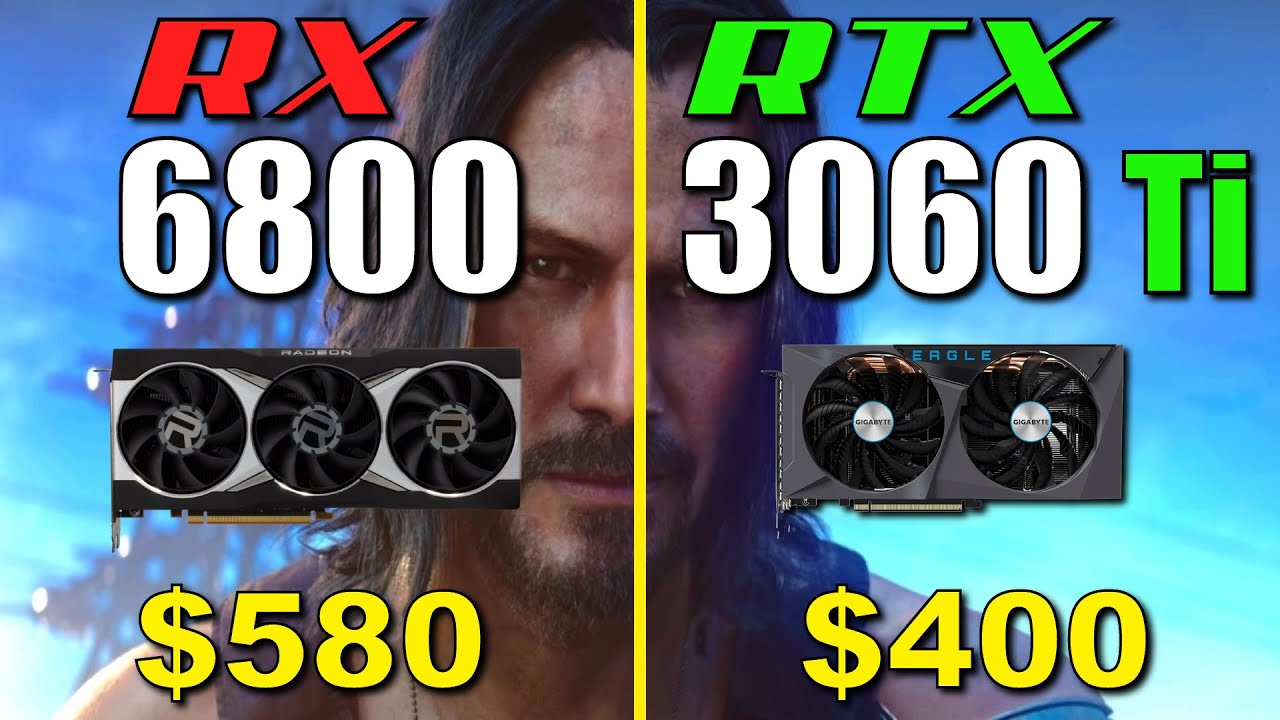
Test System:
PowerColor Radeon RX 6800 16GB
GIGABYTE GeForce RTX 3060 Ti 8GB EAGLE
intel Core i7-10700K
MSI MAG Z490 TOMAHAWK
Samsung 970 EVO Plus SSD 1TB
Corsair RM850x White 80PLUS Gold 850W
RAM: 32GB (2x16) DDR4 3600MHz CL16
CPU Cooler: Corsair iCue H150i RGB PRO
Games : 1440p
Cyberpunk 2077 00:01
Assassin's Creed Valhalla 01:12
Watch Dogs L...
median marsh
PSU calculators are usually considering the worst case scenario where everything runs with 100% and maybe even overclocked
royal aspen
Yeah i mentioned that a lil, if newegg says its enough i would imagine unless you have some crazy crazy led setup, it'd be enough
median marsh
see, imagine you go on PSU website, and they tell you to buy 500W and then you overclock or something and it isn't enough for some reason, you would be mad at the company for that recommendation
they rather suggest too much than a realistic choice
royal aspen
its weird that the 3060 ti is 8gb
aren't they re-releasing the 2060 with 12gb or something?
royal aspen
wut lol
royal aspen
devout pendant
same performance?
the 6800 will out edge a 3070 with anything not-raytracing. and then above that you have the 6800xt and 6900xt
^ all of these are 16gb (except the 3070 which is 8gb)
royal aspen
I use regular lightmass with a network
Made edits to lightmass for water baking, not sure if it can be done for gpulightmass too
But it really requires DXR?
Like is there a big difference between a 3090 and a 3060 for it?
Yeah
Like the 6800 is as good at raytracing as the rtx 2xxx series
But idk I haven’t found a use for that when I had a 2xxx series
Good to know that about lightmass
Very cool
Nice, yeah 32% delta sounds about right
I went from a 2080ti to a 6900xt and hadn’t noticed any performance difference in rt but everything else yeah
midnight condor
I wasn’t able to get Gpu lightmass to work on my 6800xt when I tried a couple months ago
It would just hang the gpu immediately
Did you get it to work?
royal aspen
Nah, I have my own edited build of cpu lightmass i use. I could try it with a test project or something though
 weary mulch
Hey
I have a question
So i have one stick of ram 16gb 3200mhz ddr4
One stick of ram 8gb 2400mhz ddr4
Should i keep the 16gb stick in the PC single channel
Or should I put the 8gb ram in but means the 16gb will run only at 2400mhz
royal aspen
@weary mulch it depends on what you need. If 16gb Isn’t enough then you’d use two channels for two sticks
royal aspen
How many slots are there?
weary mulch
2
royal aspen
Yeah you’d need 4 slots
weary mulch
But is fine il keep it single channel until i can afford a copy of the 16gb
Is fineee
Thanks for helping
royal aspen
Mhm
median marsh
what board is this with only 2 slots? Oo
royal aspen
maybe a itx
 vagrant anvil
Hi all, I'm the author of these articles. Always looking for feedback on making the data more useful. Our customers tend to be larger gamedev studios, film houses, or architecture firms, but I'd like to make the testing cover as many users as I can. Eventually, we'll make a downloadable benchmark specific to Unreal, that you can run to compare your system to newer hardware.
royal aspen
Welcome
flat glade
Colour me interested in a ue4 dev benchmark
Not sure what else it would cover beyond shader compilation and building c++
Maybe a canned rendering bench as well?
I wonder if one could make a bench that runs a decent sized ue4 build that doesn't require all 5000 actions
 sharp coral
hi everyone, does anyone have any experience in dealing with laptop internal cables? I have an ASUS FX571GT-BQ691T that didn't come with an HDD even tho it has a slot for one (only an NVME SSD) so I bought a SATA SSD recently hoping that I would plug it in the same sata slot as the HDD
except I realized laptops don't use regular SATA cables so I'm kinda lost
I found the cable on an website specialized on asus products but it was at an insane price (25$ or more for a tiny cable)
does anyone know what that cable is called and where I can buy it? and whether it depends on the motherboard or if all laptops have the same internal sata - ??? cable?
any help would be greatly appreciated :')
median marsh
are you sure that it requires a cable? usually they have mounted connectors
or didn't your laptop come with any because it was bought without hdd?
 sharp coral
median marsh
or didn't your laptop come with any because it was bought without hdd?
sharp coral
median marsh
or didn't your laptop come with any because it was bought without hdd?
Yeah it was bought without hdd
I don't know what to look for that's the issue
| Zandparts
Buy Spare Parts for 14010-00730300 Asus X571GT HDD FFC 65MM X571GT HDD FFC 65MM. ZandParts is focused on spare parts and accessories for smartphones, tablets and computers.
I found the same part here by looking for the product number
But it might actually be some kind of standard and I'm just wasting time trying to find the exact ref of my laptop
I'll try calling Asus tomorrow
median marsh
i would give it a go for $7
and maybe check if the connector looks the same on your laptop
sharp coral
median marsh
i would give it a go for $7
This one is my motherboards'
The only issue is shipping is 9.6€
Kind feels like a scam too
Yeah for sure
I think I'll just confirm with Asus customer support before buying it though
If it had free shipping I would have already bought it but 16€ still stings a little bit for such a tiny cable
devout pendant
Hello is there someone that can tell me if it's worth trying to overclock this :

i don't have experience with overclocking but i read somewhere you can use PBO and it will do it automaticly?
 hollow peak
It was 7 degrees Fahrenheit last night and my laptop was sitting in a sleeve inside my backpack exposed to the cold.
It just booted up without any problems.
If you can believe that.
I cant.
Thats -13 degrees Celsius.
Acer Nitro 5 gaming laptop bought at Best Buy.
 muted holly
Best monitor for Xbox X ? Just 4K with 1ms ?
Got the console for my son to replace the xbone S. Definitely not getting the 4K or fps
royal aspen
devout pendant
i don't have experience with overclocking but i read somewhere you can use PBO a...
You install ryzen master then set it to auto oc
If you’ve got a x570 board and overhead in power you could get considerable gains but how much you notice them: we’ll see
odd hatch
When I'm tabbed into Discord, either shortcut for Windows Snip and Sketch simply doesn't work. I can still screenshot my Discord window by using the tool while tabbed into something on my other monitor. What might be causing this?
devout pendant
royal aspen
You install ryzen master then set it to auto oc
I turned on PBO and some basic settings in the BIOS, but after watching and reading for 4 hours straight i think it won't have much impact as you said. Well it was worth figuring out 🙂
odd hatch
I'm not using anything Intel aside from my network card, I'm pretty sure
I figure it has to be something between the keyboard, Discord, or maybe something like focus assist
This is only happening after I installed everything to a new hard drive
 hollow panther
Hi, I was wondering if anyone here could kindly help me? I'm not sure where to post this and I've not found a solution online and have always had better feedback on here.. sooo since I've upgraded from a 1080Ti to a 3090, Unreal Engine 4, after 20 or 30 mins, flickers black and the menus all go black and I have to restart the programme every time and this gets really really annoying when you're working on a project 10 hours a day.. it appears to be an issue that's been around for a long time... any solutions out there? this is driving me mad. I'm working on 3 screens... all drivers are up to date as is everything else. What graphics cards are compatible with UE4 because the 3090 isn't.
 idle elk
happening to me and many more as well
apparently its something with nvidias drivers
and no there doesnt seem to be any solution as for now other than relaunching ue
royal aspen
hollow panther
Hi, I was wondering if anyone here could kindly help me? I'm not sure where to p...
If your serious about about asking for compatible cards the rx6900xt works great
It’s weird because I left nvidia when things were fine for amd and now I bypassed this nonsense lol
There was a oculus installer bug
It was patched right away but yeah that’s it as far as issues I’ve ran into
No stinking GeForce experience
And automatic updates, without an account being needed, or update to update software, for update to driver software
astral musk
I feel like sometime last year Nvidia somewhat unified Studio and GeForce drivers and around that time more issues started appearing
royal aspen
Studio drivers were always goofy for me, it used to be for rdp with gl driver you needed studio
But they added that to game ready so idk why there’s a distinction really
They make their own markets to sell in by cutting off ability of their other products
Half the reason for quadros
astral musk
feels like the classic started seeing competition, began panicking and got sloppy.
I've been having good luck with my 3090, so now I refuse to update drivers
astral musk
thats mainly because apple HATES Nvidia. they have a lot of bad blood
royal aspen
Yeah it’s mutual
astral musk
AMD getting both consoles is massive
idle elk
how come apple hates nvidia
astral musk
it goes back over 10 years
idle elk
not surprised i wasnt aware of that then
royal aspen

Inaudible Discussion
idle elk
thank u
 gray surgeBOT
:no_entry_sign: mansworstnightmare#0605 was banned.
hollow panther
astral musk
I've been having good luck with my 3090, so now I refuse to update drivers
which driver do you have for your 3090? I've tried to fix this but 20 to 30 mins in my menus go black again... fuming
astral musk
its actually more upto date than I thought. 496.13
also still on Windows 10, on an AMD platform, just in case there is some combo leading to the issue
odd hatch
does anyone know why some programs just aren't opening on startup, even though I put them in the correct folder?
mellow galleon

igor'sLAB
Intel is now set to disable "AVX-512" completely on all Alder Lake CPUs with an upcoming microcode update in new BIOS releases. Mainboard manufacturers were able to make the supposedly disabled…
lol
intel goes crazy to promote their efficient cores
royal aspen
But that’s not all, because the remaining AVX2 instruction set is already limited by Intel to a multiplier of x51. While the set clock rate of 5.2 GHz, for example, is continuously available in applications without AVX2, such as Cinebench, and benchmark high scores can be achieved, the picture looks different in applications like LinpackXtreme. Even if you set the CPU clock to static in the BIOS, remove all performance limits and ensure sufficient cooling, the CPU throttles itself down to 5.1 GHz when executing AVX2 instructions. It also doesn’t matter how warm the CPU runs, how much power it consumes, or what the application is called. In HWInfo the intervention of the clock limit is recognizable by “IA: Max Turbo Limit – Yes”.
@rugged wedge
mellow galleon
actually disabling them was giving some boost according to tests due to windows scheduler always using good cores
and not doing that efficient/fast switches
so the 8+6 core was working as good old 8 core intel cpu
 rugged wedge
royal aspen
> But that’s not all, because the remaining AVX2 instruction set is already limi...
rugged wedge
royal aspen
> But that’s not all, because the remaining AVX2 instruction set is already limi...
wild - Intel should go back to making traditional cpus that are just fast that's it
they still have a lead when it comes to SIMD btw
AMD doesn't benefit nearly as much from it as intel cpus, not even zen3
royal aspen
It’s nuts to me that if some process uses avx it could scale back the multiplier for it
rugged wedge
yeah
royal aspen
rugged wedge
wild - Intel should go back to making traditional cpus that are just fast that's...
Agreed
rugged wedge
I don't see into the internals of it all but I'm really wondering how amd is beating intel btw
mellow galleon
rugged wedge
wild - Intel should go back to making traditional cpus that are just fast that's...
traditional would have 350w tdp and need a freezer bundled in
😄
royal aspen
rugged wedge
they still have a lead when it comes to SIMD btw
Is it like intel requires it to stay on par with amd?
Or do they excel at it
rugged wedge
excel
royal aspen
Interesting
rugged wedge
at least according to my tests - no matter what hand-crafted simd I throw at it the zen3 will only typically be 2x faster than the corresponding scalar code
do that to an intel and it's more like 3..4x on average
(testing on a single core because as I've found out it's impossible not to be memory bound by even the smallest thing on a 5950x)
royal aspen
Very interesting
rugged wedge
there are probably better programmers out there than me though 😄
last time around I went down to the assembly level just to see if the compilers were messing something up but they weren't (too much)
so I think it really is an amd issue
royal aspen
It’s cool to see intel gaining back ground but the e/p core stuff is major face palm
It’s crazy to have a strong cap placed in a k series processor like the one described for avx
rugged wedge
to be fair I never liked the split between overclockable and not
royal aspen
Yeah but it would seem the avx instructions are the most power demanding ones, so the things they selling as overclockable even have caps
royal aspen
rugged wedge
to be fair I never liked the split between overclockable and not
Like I agree I mean, just if your gonna call something as overclockable and have a hard limit in place on a high performance set of instructions like 👀
rugged wedge
avx is cool because its instructions use a different target register than its source registers
and there's stuff like an 8-way gather
so basically 8 memory loads in a single instruction
slow as hell on anything but the latest intel cpus I've heard
but yeah that would be a very heavy instruction and I imagine it generates a lot of heat too
not to mention the register renaming shenanigans that must be going on in the background when you're issuing even the simpler avx instructions like vaddps
(https://www.felixcloutier.com/x86/vgatherdps:vgatherqps this is the gather btw)
royal aspen
Yeah
I mean I get they have to make sure that the thing doesn’t start on fire
But dropping 100mhz to do intensive stuff across the board seems like something where they are accounting the performance to power ratio being balanced in a pretty crude way
Like I don’t know enough about it but the claims in that article miff me
 royal aspen

 mellow galleon
well, i think they're mobile use
royal aspen

Isn’t bringing laptop performance crap to desktop the whole way they are entering bargain cpu era with the 14nm stuff?
Like the 12900kfc or whatever is supposed to be all pcores or something
rugged wedge
well intel's the same company that's stripped avx and avx2 out on purpose from its celerons and pentiums even as recently as 2019 afaik
royal aspen
Don’t like ecores
mellow galleon
nobody does except intel pr
royal aspen
https://nanoreview.net/en/cpu-compare/intel-core-i9-12900kf-vs-intel-core-i9-12900k seems like the kf is not any better, just missing igpu
mellow galleon
just same cpus but with damaged integrated gpu which is fused out
royal aspen
https://youtu.be/RN683sShPKI might as well tbh
royal aspen
I swear dots Isn’t a thing anymore
flat glade
https://www.youtube.com/watch?v=_jX-hKvUQDU AMD's product premiere is on

Watch CEO Dr. Lisa Su present the AMD 2022 Product Premiere on January 4th, 2022, highlighting upcoming computing and graphics solutions from AMD and its partners, and showcase how AMD will drive best-in-class high-performance computing experiences for gaming and entertainment.
Discover more: https://www.amd.com/en/events/ces
Subscribe: h...
laptop cpus... bluegh! skip to the big beefy chips!
median marsh
they showed 5 seconds of halo on zen4 with an rtx3080 😄
 rotund moth
I'm still very much enjoying my 3900X.
I'm curious about the Ryzen 7000 desktop chips, but they didn't release many details today.
median marsh
time for intel users to drop ddr5 prices 😛
mellow galleon
at least i'm happy about amd switching to lga sockets
pins are annoying
https://www.youtube.com/watch?v=ktZ6pyTJi7o was watching this instead (more compact than official stream)
AMD's 2022 roadmap is now public, and it includes the AM5 socket, Zen 4 CPUs, Zen 3+ CPUs (and Zen3D, like the Ryzen 5800X3D), and the Radeon RX 6500 XT GPU.
Sponsor: be quiet!'s Silent Base 802 https://geni.us/DaGYu
This video talks about AMD's Zen 4 and Zen 3+ release dates, the specs of the AM5 socket and RX 6500 XT (and price), and AMD's pl...
 errant crypt
Finally an upgrade worthy of my money^
 charred path
if geforce 4xxx comes out, will it lower the prices of the 3xxx? will it also move the miners favoring the 4xxx over the 3xxx?
charred path
I am itching getting the 3080ti or 3090. But if that's the case I might just get the 4xxx at least close to "MSRP" 😅 then..
frank glade
aren't they at the most expensive they've ever been now?
 worldly ivy
Guys should i use the new imac 24-in M1 four ports or shoukd i use the old one?
median marsh
doesn't unreal editor run like shit on the M1?
golden dirge
median marsh
doesn't unreal editor run like shit on the M1?
It's not bad, but a little laggy. I do have the M1 Pro though, which is a lot nicer. Then again, I'm comparing to a 3080/5800X build.
Weirdly, performance is good but it just feels like rough VSync. Like good FPS but at a delay
worldly ivy
golden dirge
It's not bad, but a little laggy. I do have the M1 Pro though, which is a lot ni...
What are the specs
golden dirge
worldly ivy
What are the specs
For the MBP? 14", pretty much base model with 16 core GPU and 16GB RAM. It's from work but, didn't get it for game Dev.
Maybe once an ARM native release comes out
worldly ivy
golden dirge
For the MBP? 14", pretty much base model with 16 core GPU and 16GB RAM. It's fro...
But what about the unreal engine 5 specs?
golden dirge
worldly ivy
But what about the unreal engine 5 specs?
What specs?
worldly ivy
Any recomended laptops for unreal engine 5? Under $1500
vivid skiff
worldly ivy
Any recomended laptops for unreal engine 5? Under $1500
Basically any (actual) gaming laptops out there.
I think Asus TUF laptops had some good specs for cheaper than that.
Lumen and Nanite is expected to run on mid to high end hardware, so gaming laptops around that price tag should do the job.
Though you may considering to replace the HDD with an SSD, as many of them still sporting the former.
idle elk
i personally have the asus zephyrus g14 and would very much recommend it
im pretty sure you can get the rtx 3050ti w r7 5800hs model for about 1500
 trail prairie
Hi guys, have anyone found or tested render results from Apple M1 Max vs any high end RTX from Nvidia? I'm wondering about render results and ray tracing and which one looks better. I mean RTX render would look good already, but the question I have is it enough good the one from M1 Max
royal aspen
trail prairie
Hi guys, have anyone found or tested render results from Apple M1 Max vs any hig...
Wouldn’t recommend developing on Mac
I haven’t heard of any plans to make the editor native arm
So it will run through the emulation layer/transplier
I don’t have an idea of how the metal renderer looks though, but I doubt there would be many differences that would be a positive
golden dirge
M1 native support would definitely be under way, and even TSwizzy has confirmed as such before. Apple end up dropping the old platform after a few years of Rosetta being a thing, and they likely will do so again.
Epic would never skip the entire iOS market
median marsh
as target yes, but as dev environment?
golden dirge
median marsh
as target yes, but as dev environment?
It's already supported as a target, isn't it?
golden dirge


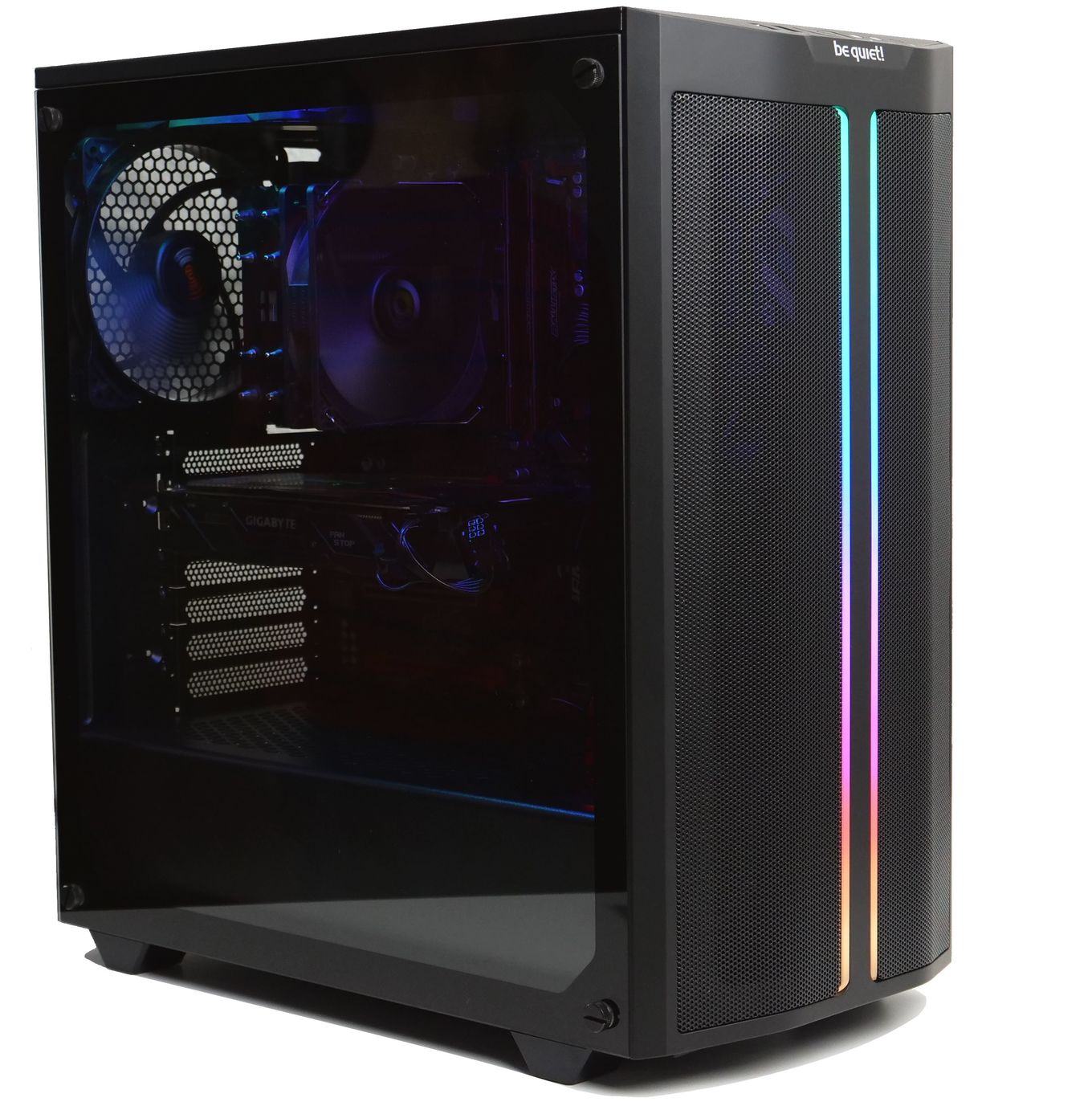
@ajm4k @UnrealEngine Yes, Mac development of Unreal Engine, Epic Online Services, and the Epic Games Store continues wholeheartedly.
Likes
134
 Twitter
·
Twitter
·
I have an M1 Pro and the performance is good, but the experience isn't. It's good FPS but a lot of input lag, like extreme VSync. Think it's Rosetta related.
Unity was similar before the native version, but HDRP never performed well lol
errant peak
I have new secondary monitors that like to dump all my programs to the main monitor whenever I lock my computer. Anyone know any magical settings to prevent this?
I've already gone through the monitor settings to prevent them from going to sleep. It didn't happen with my old secondary monitors.
minor veldt
errant peak
I have new secondary monitors that like to dump all my programs to the main moni...
I have the same issue. Old monitor leave windows where they are. New monitor enters some kind of sleep state, the OS thinks the monitor has been unplugged and moves all the windows to the main monitor.
I worked-around it by enabling a setting named along the lines of "ask when new monitor is connected". Then when the machine wakes up I get a pop-up on which I can select Expand Workspace or similar and all the windows jump back where they belong again.
errant peak
minor veldt
I have the same issue. Old monitor leave windows where they are. New monitor ent...
Thanks for the tip!
Really frustrating to take steps backwards when upgrading hardware
golden dirge
errant peak
Really frustrating to take steps backwards when upgrading hardware
I bought a top of the line Alienware monitor and it does not auto switch inputs... I switch back and forth between desktop and laptop, a d have to go through the menu each time. Previous generic Samsung one switched just fine 😕
 empty basin
golden dirge
I bought a top of the line Alienware monitor and it does not auto switch inputs....
empty basin
golden dirge
I bought a top of the line Alienware monitor and it does not auto switch inputs....
Ha, that's still better than my HP monitor. It tries to be smart about which input is active and tries to switch to it. Unfortunately it gets it wrong most of the time - which leads to me having to go into the menu twice because it usually reverts my settings the first time around 🙃
midnight condor
alienware was cool around the time falcon northwest was cool
golden dirge
Their monitors are pretty solid, and this one's about 1/2 the price of an equivalent LG, saved me about $1000!
Their computers and all are pretty memey and I wouldn't buy them, but pretty sure AW monitor is just the most gaming monitors from Dell.
This one's 3840*1600 (38") and 144Hz, big boi
errant peak
I complain about the monitors I have, but they were really cheap. 32 inches, 1440 x 2560, and only $250.
The color quality is garbage. I wouldn't want to use them for any graphical work, but they are great for coding.
median marsh
the frick are those companies?
i would by a screen from some company which manufactures panels on their own rather than from someone who puts a bit plastic around it
unborn pike
why
mighty cosmos
I've been using Acer NITRO XV272UP (27" 2560x1440) as my main monitor and it's been great 🤷♂️
 silver nexus
I'm getting a fractal torrent case and the bottom can have 2x 180mm or 3x 140mm fans. I'm debating on which to do. The 180mm fans are bigger, but 3 of the 140 would be 420mm's worth of "fan" so I'm not sure which would be more powerful in airflow
median marsh
that's not how surface calculation works
2x180mm have more surface than 3x140mm
and i wouldn't really use the bottom fans at all, they don't contribute anything meaningful to the airflow
maybe one of them as exhaust(?) fan, to suck out hot air from the gpu, while you push cold air from the front
royal aspen
silver nexus
I'm getting a fractal torrent case and the bottom can have 2x 180mm or 3x 140mm ...
The arctic freezer has a 420 variant
silver nexus
Yeah, I got an arctic freezer 420 AIO that I'm putting the radiator on the front. The case comes with the fans included which are the 180 and 140 I mentioned. so I thought about putting them in the bottom. THere's only 1x 140mm rear mount and no top mounts
And cool, thanks
median marsh
so you push the warm air from the radiator through the case?
silver nexus
from the test I saw where they compared that setup and having the radiator on the top, it is better to have it in the front. the gpu temperature was near identical having the radiator in the front or the top. but the cpu temperature had a large increase with the radiator on the top depending if your gpu blows air out the back or inside your case. If it blows it inside the case then you'd be trying to cool your cpu with the warm air
frank glade

Tom's Hardware
Samsung SSDs have a shockingly low failure rate according to Puget Systems.