#hardware
1 messages · Page 58 of 1
 devout pendant

 flint wave
i have my new amd installed
 median marsh
flint wave
i have my new amd installed
median marsh
flint wave
i have my new amd installed
what i5 did you have before? and how's the difference for UE?
i regret every day i have to work with my 12years old i7... -.-
flint wave
median marsh
what i5 did you have before? and how's the difference for UE?
just made a testcompile (c++) right now but around 18 sec
amd 5900x
its so great, i mean before it was insane long
i had an i5 6500k before
now i will upgrade ram next
not sure that will improve c++ perf
median marsh
even your i5 was better than my i7 😄
 mighty cosmos
RAM speed does matter for AMD , 3200 MHz is I would say the sweet spot
And at least 32GB for your CPU, each thread uses around 1.5 GB when compiling the engine
median marsh
so you would say that the upgrade was worth it?
also, what chipset has your mobo, actually on my "wishlist" i have an x570, but im not quite sure if it's the best choice
 mighty cosmos
meanwhile casually acting as a room heater at 77C
 shrewd shard
I mean, I was at those temps when I didn't have a fan
The heatsink was hot
I was surprised thing didn't immediately die when I ran a stress test to see its limits on passive
mighty cosmos
5950x has weird temps, I have a 360 AIO for it
At idle it's at 45C
At max load (all cores) it's at 68C
At max load (single core) is 77C - I guess turbo boost thing plays are role here
And some very short random spikes to 82C
shrewd shard
My guess is you're looking at Tjmax
AKA the hottest point in the die
And it makes sense since single core boost puts that core at like 1.45V usually
mighty cosmos
Yeah
Also noticed CCD 1 is around 10C hotter on average but it makes sense since the cores that reach the higher frequencies are in it

 crimson tide
shrewd shard
I'm running a 130W CPU so
crimson tide
shrewd shard
I'm running a 130W CPU so
Ohhhh
crimson tide
mighty cosmos
Yeah
Also noticed CCD 1 is around 10C hotter on average but it makes sense since...
16 physical cores 
flint wave
median marsh
also, what chipset has your mobo, actually on my "wishlist" i have an x570, but ...
the upgrade is gold! b550 is enough...
unless you want 2x m.2
median marsh
yea that's what i want
flint wave
i mean now i can work normal in c++, that rocks
median marsh
i spent half of today to wait for LOD generation, guess that would also greatly benefit from more and faster cores -.-
flint wave
why dont you upgrade?
median marsh
because it's 1000 bucks where im not sure if its worth it
flint wave
what again are you using now?
mighty cosmos
Ryzen master shows 8C lower temps than HWInfo or CoreTemp 🤔
median marsh
i7-3820 😄
flint wave
totally worth it
median marsh
the i7 is still pretty good, even if it's old, guess i would mostly benefit from more cores of the 5900x
flint wave
are you doing bp only or c++ as well?
median marsh
both kinda, while the main focus is BP actually, later i'll probably move stuff over to C++
but still waiting for rider for unreal on linux 😄
as not having a good integrated IDE is actually the main reason that i don't do much c++
also, mostly the i7 is fine, it's just those damn tasks like LOD building, light build, engine compile, ... where i ask to myself: WHY?
which cooler?
median marsh
hmm. looks similar to my current favorite (SilentiumPC Grandis 3)
flint wave
but forget it
my case is not ready
cant say any temp
anyway im super tired
@median marsh tell me if you did the upgrade
median marsh
will do, good night
flint wave
nite all
 wet ore
So you can follow best buys twitter to see when they are doing events for selling rtx 3xxx, and get there early and hope to be one of the first and get a ticket. What other stores in the US are doing this?
 wispy flare
mighty cosmos
5950x has weird temps, I have a 360 AIO for it
At idle it's at 45C
At max load (...
wispy flare
mighty cosmos
5950x has weird temps, I have a 360 AIO for it
At idle it's at 45C
At max load (...
nah you just have AIO
on Threadripper with WC I never go above 55
mighty cosmos
Custom water cooling is probably one of those things I'll never consider doing, seems like way too much effort and complications than what it gives in return
So I'll have to live with AIOs 😅
wet ore
(and AIOs have warranty)
mighty cosmos
But custom water loops do look real nice, a small part of me is considering it just because of that 😐
 novel briar
You like the led lights, admit 🙂
 unborn pike
mighty cosmos
5950x has weird temps, I have a 360 AIO for it
At idle it's at 45C
At max load (...
unborn pike
mighty cosmos
5950x has weird temps, I have a 360 AIO for it
At idle it's at 45C
At max load (...
pretty normal temps
the single core boost is pretty extreme on it
my 5950X goes to 88 or so at max
I think in prime95 I managed to get it over 90 C
unborn pike
RIP HDD tray, GPU doesn't fit in with it

 glossy canyon
Hey, unreal engine takes around 20 min to load... Any solutions?
(It also heats my laptop)
novel briar
unborn pike
RIP HDD tray, GPU doesn't fit in with it
What's this small box? Also, lol, maybe you need to merge them hdds at some point.
unborn pike
novel briar
What's this small box? Also, lol, maybe you need to merge them hdds at some poin...
it's not small, normal ATX
I guess I could remove some drives 🤔
 novel briar
Iunno, used to towers, I have space under the desk.
Aaand, yeah, you can definitely replace most of these with just one, bigger 🙂
Never understood the need for more than 2 drives and however are needed for external/backups.
unborn pike
the two small 139 GB ones are from 2007 or so
I don't replace stuff, I just buy more 😛
 past remnant
I salvaged HDD's from PC's I didn't pay for
https://www.amazon.com/Blue-500GB-Desktop-Hard-Drive/dp/B00461G3MS/
https://www.amazon.com/80GB-Hitachi-HTS541680J9SA00-5400RPM-Notebook/dp/B000NUVKMY

WD Blue 500GB Desktop Hard Disk Drive - 7200 RPM SATA 6 Gb/s 16MB Cache 3.5 Inch - WD5000AAKX

80GB Hitachi HTS541680J9SA00 SATA 5400RPM 8MB Notebook HDD
moving a file
 mighty cosmos
unborn pike
pretty normal temps
mighty cosmos
unborn pike
pretty normal temps
Oh good to know, yeah I wasn't sure what temps I should expect to be getting
mighty cosmos
flint wave
<@!261183265438695424> perf with the new amd is amazing
Nice 👌
Well I told you the difference would be massive 😎
median marsh
wonder if the 200€ more are worth it for the 5950x
flint wave
median marsh
wonder if the 200€ more are worth it for the 5950x
if you have the money buy the 5950x
flint wave
and buy a good cpu cooler, fuma2 or noctia
unborn pike
noctua dh15 orwhateveritis works great with it
I have forced the fan to never speed up past 40% of max speed or so
and the CPU is fine in stress tests
the cooler has such a big thermal mass that fan speed doesn't matter anymore
flint wave
noctua is the best, but if his budget is not that high, fuma2 is great too
novel briar
unborn pike
I have forced the fan to never speed up past 40% of max speed or so
I was considering lower too, but decided to get at least some audible clue when the CPU is on heat.
 unborn pike
yea I think my curve is more of an exponential curve rather than just capped at 40% if I recall correctly
it shoots to 100% around 90C
but at 80 C it's still below 50%
...I think, can't be bothered to check bios 😄
median marsh
well, i just wonder if the extra bucks are worth it for unreal, only thing i can think of is lightmap baking and source compile which both happen not that frequently for me (idk how often im gonna bake lightmaps later tho)
compiling tons of shaders also only happens after engine upgrade or asset import
 frigid heath
small changesto material happen snappy
you think in big w8 times, but snappy small stuff is more important if you ask me, you can allways grab a drink on the big stuff
wispy flare
mighty cosmos
Custom water cooling is probably one of those things I'll never consider doing, ...
Well it's not that much work
I put mine toather in like 3h ?
which included testing for leaks (;
but then i went with EPDM tubes instead of hard pvc
flint wave
median marsh
well, i just wonder if the extra bucks are worth it for unreal, only thing i can...
the 5900x works fine, i have amazing c++ compile times now, if you want to save some money, just go with this cpu
median marsh
flint wave
the 5900x works fine, i have amazing c++ compile times now, if you want to save ...
yea, guess i'll do. What mainboard do you use?
 velvet locust
AMD Radeon RX6700 XT vs RTX 3070, which do you think would be better? one has more VRAM, the other more computing power?
I asked this question already in UE5 channel, my colleague needs a new GPU for development and QA stuff. What do you think?
 scarlet solar
aw se?
flint wave
median marsh
yea, guess i'll do. What mainboard do you use?
aorus pro v2 b550 its great
unborn pike
lol, I've been going through my old HDD drives that date to 2006 or so
and most of them are filled with copies of windows folder
and users
I must've just copied stuff from C: drive to somewhere as a backup when I've reinstalled windows or something
 grand thorn
unborn pike
I think in prime95 I managed to get it over 90 C
grand thorn
unborn pike
I think in prime95 I managed to get it over 90 C
Try CPUID PowerMax for a thermal stress test, I used that when building my fanless PC to make sure it's stable under sustained loads
unborn pike
sweet

I actually went and bought a new PSU because my old one didn't have enough 8-pin cables..
😄
it also has an extra 100 watts (850 W) compared to old one
also: 5G internet fucking sucks ass
there's mast like 200 meters away from me
I have an antenna that's on the outer wall of the building
I pay for 1 Gbps line and I get like 300 Mbps
at best
right now I'm downloading UE 5 EA at 15 MB/s
mighty cosmos
wispy flare
but then i went with EPDM tubes instead of hard pvc
Actually soft tubing doesn't sound half bad, doesn't look as nearly as painful to work with as hard tubing.
If I decided to do custom water cooling would probably go with clear soft tubing.
But man would I be paranoid with leaks lol
I would spend more time staring at the tubes than actually using the pc...
 rocky granite
Time to build a monster
 median marsh
rocky granite
Time to build a monster
median marsh
rocky granite
Time to build a monster
neat, which threadripper is it?
wispy flare
mighty cosmos
Actually soft tubing doesn't sound half bad, doesn't look as nearly as painful t...
Well it's hobby after all :D, but.. if you are paranoid I would stay away from hard tubing or clear pvc
and what I did use EPDM or other industrial standard tubes, these resistant to extreme temperature chanes, chemicals, and have high mechanical resistance, not to mention, you will have far less problem with degradation as pvc with cooling liquid simply degrade into micro plastics
in two years i had zero leaks
changed three gpus
and still had zero leaks
it's really not hard or bad, unless you really bad at assembling from premade parts 😄
unborn pike
if I had to choose I'd pick some shiny metal piping
no idea what, brass?
copper turns green unless it's coated(?)
wispy flare
if you want metal
it's needs to be copper
coated with nickel
you really shouldn't mix different metals, and most wc is copper based
devout pendant
copper and brass are fine, you can even mix them without problems
its when you mix them with aluminium the problems start
 errant nimbus
Hello I am aspiring to become an Unreal Engine programmer(multiplayer preferably or gameplay but not graphics). I currently don't have the money to buy the best cpu and gpu. However, I think I should buy the latest generation cpu but can do some compromise on gpu. Do you think is a good thought(cpu is more important than gpu for programmers)?
My budget is 1100usd. I currently use a laptop and aim to build a pc soon to smoothly run the ue4. I aim to buy 32gb ddr4, 1tb sdd, i5 11500 and other components with an older gpu.
around 200usd
 whole night
https://docs.unrealengine.com/4.26/en-US/Basics/RecommendedSpecifications/
Recommended Hardware
Operating System
Windows 10 64-bit
Processor
Quad-core Intel or AMD, 2.5 GHz or faster
Memory
8 GB RAM
Video Card/DirectX Version
DirectX 11 or DirectX 12 compatible graphics card
Minimum and recommended hardware specifications and necessary software for developing with Unreal Engine.
 cursive raven
I'm pretty sure that the Recommended Hardware is pretty out of date.
Actually, it's really out of date.
@errant nimbus I would just do 16GB of RAM
 rugged wedge
can anyone recommend a 2TB m2 nvme for around $200, as a data drive? would be nice to have 3gb/s read not just on paper
novel briar
Only $200? Open your pockets a bit more.
 pale thorn
errant nimbus
around 200usd
pale thorn
errant nimbus
around 200usd
At that price point you are looking at like a gtx 1030 which isn't exactly a great card. It's a shame you're buying it at the worst time rn gpu prices are ridiculous atm
 stone prairie
Hey Guys, Please i have an issue where my unreal just seems to crash almost immediately i open it
This is the error

 desert tide
stone prairie
Hey Guys, Please i have an issue where my unreal just seems to crash almost imme...
desert tide
stone prairie
Hey Guys, Please i have an issue where my unreal just seems to crash almost imme...
Try to do a clean install for your gpu drivers, after 4 months of constantly crashing to the point I almost went to learn unity it fixed the crashing for me.. Also create a project with raytracing setting off, idk why but it also causes crashes.
 slate blade
Has anyone encountered cmos keep resetting after updating the bios? I had to update my x570 to accept Ryzen 5000, but now every time I turn on the PC it says that the cmos was cleared and asks me to set up Bios for the first time
Note: The computer turns on and boots fine
(please @ me )
novel briar
*rolls eyes* These x570 are pita, you are not the first one with problems. Try with another BIOS update, rollback and see whether the issue continues @slate blade
slate blade
I tried the latest "stable" bios update from my motherboard vendor & model
Will give it a go
novel briar
My few stable bioses occasionally breaks the waking up of the PC and they needs to be reset.
Talking about x570 too btw
 novel briar
Someone recently had issues with his one. Some cache issues, so - yeah.
slate blade
no OC, XMP disabled. Noctua NH15, staying around 50-60C, 1000W PSU, so it's not overheating/power draw related
mighty cosmos
novel briar
Someone recently had issues with his one. Some cache issues, so - yeah.
I did but mine was pretty much dead on arrival
After RMA they told me cache somehow got fried
New one works perfectly
mighty cosmos
slate blade
no OC, XMP disabled. Noctua NH15, staying around 50-60C, 1000W PSU, so it's not ...
Are you 100% sure it's the CPU
Did you try to debug the crash dumps?
slate blade
Haven't done so, the 2 of them went through the blue screen faster than I could save it.
If it's not the cpu, What else could it be? the Motherboard? Maybe the bios that I downloaded?
As a bit of info... Both times, it crashed while on Discord/Skype Calls. Other than that, I've been able to work on IDE/UE4 with no noticeable issues (Though both of those softwares were open when the calls were taking palce)
mighty cosmos
I had constant blue screens after getting the new 5950x but it turned out to be a driver/software issue. After debugging the crash dumps it was the Wise System monitor thing I had on my pc for ages, it worked fine with the i9 but on the amd it was constantly crashing
Removed it and it has been fine since then
slate blade
Interesting
These are the logs that I got around the time of the crash

in order
A timeout was reached (45000 milliseconds) while waiting for the asComSvc service to connect.
Faulting application name: atkexComSvc.exe, version: 1.0.0.1, time stamp: 0x5cac59e5... Faulting application path: C:\Program Files (x86)\ASUS\AXSP\4.00.38\atkexComSvc.exe
The computer has rebooted from a bugcheck. The bugcheck was: 0x00000124 (0x0000000000000000, 0xffffd90a54102028, 0x00000000bc000800, 0x0000000001010135). A dump was saved in: C:\WINDOWS\MEMORY.DMP. Report Id: 29277681-57d2-452c-bf8c-55917d242848.
Audit events have been dropped by the transport. 0
I'll take a look at those beforehand
slate blade
Just got a whea uncorrectable error blue screen
So it's prooobably the cpu (troubleshooting)
slate blade
Won't boot up with the new cpu at all, but boots up just fine with the 3700x 
 slate blade
On my pc? <24 hrs
 silver nexus
I'm building a new computer with unreal in mind. I'm debating between a gen 3 or gen 4 m.2 ssd. The gen 3 seem to be considerably cheaper, but the gen 4 + motherboard with gen 4 support claim to have faster write. I'm thinking about compilation. Anyone with experience with gen 3 and 4 can say if there is any noticeable difference worth the extra money for the gen 4 m.2?
median marsh
you wont notice any difference
unborn pike
there are gens for them?
oh wait, PCI-E gen?
I don't think you should be looking at the pci-e connector gen
instead look at the sequential and random read and write numbers
and IOPS
slate blade
silver nexus
I'm building a new computer with unreal in mind. I'm debating between a gen 3 or...
gen3 @ 3000mb/s or higher is more than enough
unborn pike
personally I got a samsung 980 pro 1 TB
it has 7000/5000 MB/s read/write
1 TB drive is around 220 euros here
slate blade
that's a gen4, isn't it?
unborn pike
I think it is
slate blade
I have 2 XPG SX8200 Pro (gen3). 1x1 TB and 1x2 TB
3000 write and 3500 read
unreal won't saturate that anyways
unborn pike
I wanted to future proof myself for the moment windows gets that direct IO between GPUs and SSD
...or is it a thing already? I forgot the name of the tech
slate blade
it's not coming for quite a while tho
unborn pike
sure, but I tend to keep my drives around for years
I mean, my oldest HDDs were 15 years old
10k RPM barracudas 😄
 faint folio
Hi, I have to buy a new desktop pc to use the unreal engine a lot. I have a budget of about 3000 $. Could you give me some advice?
frigid heath
nice chair
unborn pike
5950X and 32 GB ram and at least 1 TB m2 ssd
your budget will get fucked by the ridiculous GPU prices though
novel briar
50% of the price goes to the GPU, hehe
However, you don't need something crazy to use UE, except if you are targeting an AAAAAA quaity, which is likely not a smart idea.
 stray python
Hi guys, my office PC needs a graphic card update and I wanted to ask for advice regarding nvidia / amd. I’ve done a little research and it seems that during its development, UE was optimised for Nvidia but lately it has opened up a bit more for AMD. With the craziness this past year about nvidia cards it’s quite expensive and hard to buy one so I was considering AMD.
Any advice?
PS: the designated task for the pc is 3D modelling, heavy rendering, video edition and rendering and such, currently most of the work is done in 3dmax but the goal is to move on to UE.
stray python
What is dxr?
novel briar
Dynamic XML Runtime? 🤔
stray python
So it’s not a must to go for nvidia unless specific circumstances?
novel briar
The Cat told you, check you need a proprietary nvidia tech. If not, consider taking something modern enough which supports dxr/raytracing
... if you want to benefit of these.
stray python
But dxr is unique to envidia cards or amd works as well?
Because from what I understand from your message, it seems like both cards could run raytracing?
novel briar
Go read a bit. Both, AMD and NVidia, support raytracing. DXR is Microsoft tech.
 minor veldt
DXR (Direct X Raytracing) is the part of Direct X that let applications talk to raytracing hardware in a hardware vendor agnostic way. Nvidia call their raytracing hardware/technology RTX. Not sure if AMD (or Intel for that matter) has a name for theirs.
stray python
Got it, thank you
stray python
okay thx, ill look up whatever that is, im such a noob
 devout cove
Hello I learnt unity and i wanna try unreal , I've 6Gb ram , i5 , and 730 GT Nvidia , can I run unreal engine 5 and ty
median marsh
devout cove
Hello I learnt unity and i wanna try unreal , I've 6Gb ram , i5 , and 730 GT Nvi...
not really, epic recommends at least 8gb memory
devout cove
median marsh
not really, epic recommends at least 8gb memory
8 gb memory is same speed as 6gb
mighty cosmos
It's not speed that matters here, it's the amount
You'll run into issues with 6gb very quickly
Also 730GT is very questionable too
 sudden schooner
Heey anyone got a 3060 12GB ?
I just received mine and According to my software I'm far from having 12GB xD

Drivers are updated Pc restarted Twice
devout cove
mighty cosmos
It's not speed that matters here, it's the amount
You'll run into issues with 6...
Ooh 😢 So i guess i need to upgrade my PC first
devout cove
I can upgrade the ram but I can't upgrade the graphics now so can that help ? @mighty cosmos srry for pinging just wanna know
sudden schooner
seems like my software was saying some bullshit about memory, thats weird
 devout cove
ofc I can't build a large game on my PC that's gonna be a studio hehe but yea a lot of people told me if u wanna use unreal , then download UE4 instead of 5 is that true ?
since 5 has Lumen and Nanite and that will nuke my PC
and graphics
Or i just stick with Unity until i get better PC, it's not bad
oh sorry hehe
 soft plume
top 10 cursed images 2021
 frank glade
I would use 75% of those
frigid heath
could fill half of em just with xbox controllers
median marsh
sudden schooner
Heey anyone got a 3060 12GB ?
I just received mine and According to my software...
that's indeed weird
did you figure it out by now?
sudden schooner
median marsh
that's indeed weird
nope the sofware still says 4GB but the GC goes to 12Gb ingame with AfterBurner
sudden schooner
software is Speecy
i dunno seems to work well ingame anyway if after burner got the memory then its there they havent forget the component xD
 astral musk
there appears to be a long running bug in Speccy that GPUs come up at 4GB. Even my 3090 only shows 4GB. quick google search shows threads on their own forums dating back to 2016 with the issue. I'd say dump it and use something else
wet ore
be careful with hwinfo, I used it for years, then I got a corsair AIO cpu cooler, for some reason hwinfo will disconnect certain PC parts that interface with your mobo via a usb header
 elder cipher
I’ve used about 12 on my workstation.
 dusty glacier
is 32gb ram more important than upgrade from 5900x on 5950x?
median marsh
dusty glacier
is 32gb ram more important than upgrade from 5900x on 5950x?
how much ram do you have now?
dusty glacier
median marsh
how much ram do you have now?
right now 16, but ddr3 and I am buying new pc
median marsh
yea i would rate 32gb more important than 4 more cores
dusty glacier
will I ever need 64gb of ram?
median marsh
depending on your project you should even consider 64gb total
dusty glacier
idk if I should go 4 x 8 or just 2 x 16
median marsh
depends on your project
dusty glacier
wdym?
median marsh
it depends on what you are doing
dusty glacier
that project, I see
median marsh
currently i only use 10gb while working on an almost empty map, on the other hand when i bake light on my small city map it takes up >70gb RAM
dusty glacier
and if I've got your attention, do you know some stuff about pc cases? I need a pc case with good airflow and support for 360mm aio
median marsh
why AIO?
dusty glacier
I dont really like air cooling
median marsh
you can cool the 5900x fine with air and silent
dusty glacier
it is way too big and it is hard to unplug ram etc
median marsh
how often do you unplug ram? 😄
dusty glacier
and I will overclock it in the future
median marsh
with my air cooler i have to loose 2 brackets to loose the front fan if i need to get onto the last ram slot
i would safe the money for the AIO and invest in more ram 😄
dusty glacier
why not AIO and ram? 😛
median marsh
because AIO is totally unnecessary
dusty glacier
even if I will overclock it?
median marsh
probably yea
dusty glacier
tbh it isn't much more expensive then air cooling
dusty glacier
around 50 euro
median marsh
what costs an reliable 360mm AIO?
median marsh
ok, if it's good
dusty glacier
one of the best iirc and it is kinda cheap, because it has no rgb
but I need to suit that 360mm fans and idk in which case
I cant find a good one
median marsh
yea, most fit it only in the front, which is kinda stupid
to blow the warm air through the case
would at least look for a case which has space in the top to mount it
dusty glacier
yeah, for me it must be on top
median marsh
and then you might run into the same trouble with ram slots as it might overlap the mainboard
but still, it's totally unnecessary, as said you can reach ram slots easy with usual air cooling (yea might depend on the cooler, but still)
and classic air cooling is more fail proof, as it has less moving parts
dusty glacier
I totally agree, but I've always wanted it, it has more cooling potential, looks just better and isn't much more expensive, that 30 euro isn't a big deal for me now
median marsh
ok, i checked, i cant access 3/4 ram slots with mounted cooler 😄
anyways, one more reason to invest in memory so you can stick it in and forget
i doubt that those AIOs have higher cooling potential
dusty glacier
water always has better potential than air
median marsh
yea if you have enough volume and pump it at a reasonable rate
but those AIOs have like a liter of water in them 😄
maybe 2
median marsh
not really, you could look at the bequiet ones, they have some with really good air flow
specially if you don't need an optical drive, so you can pick one which just has space to mount fans in the front
dusty glacier
I was looking at 500dx, but it is kinda too small for RTX 3080Ti I think
median marsh
i considered that, too. but iirc it doesn't have space for 360 AIO on top
went with the normal pure base 500, because im not a fan of windows
dusty glacier
I was also considering Lian Li O11, but if it doesnt have rgb inside I will look poor
median marsh
yea, probably 😄
dusty glacier
also p500a is nice, but it isnt available for few good work days and I need pc asap
shiet, than I will look for something
thank you anyways
median marsh
lian li doesn't look like it would have good airflow
dusty glacier
people recommend it, but for me it also doesnt look like that
median marsh
unless you put 9 fans in it, like they do in their ads 😄
and at LEAST pick 2x16GB, better 2x32GB 😛
otherwise you may regret it later if you want to upgrade memory
 pallid portal
I found a laptop with an i7 10710u and 1650 max q is it good enough?
I don't really wanna get a gaming laptop because I need it to be portable and have a decent battery life, and I do game dev as a hobby for now, I will mainly use it for school and other programming stuff.
median marsh
unless your project isn't targeting raytracing support
flint wave
hey lorash
 wary copper
hey, I know this conversation usually goes the same way, but I haven't seen it in a while and due to the gpu shortage it is worth more of a consideration. I was at the store and I saw an RTX A4000 for less than a 3080. Is there any reason at all to get a pro card for unreal. Does Movie Render Queue take advantage of it and make higher quality renders, or much faster renders or something like that. Is there any significant advantage to using it in Maya, 3DS max, or Houdini? Does unreal have another advantage in using these cards that I haven't thought of. I wouldn't consider a pro card normally, but since the pricing isn't that different from a high end consumer card it has made me think about it.
 midnight condor
I think there is some ndisplay functionality that only works on the pro cards, I remember hearing about it in the 4.27 release overview live stream but I can't remember the details
frank glade
@wary copper i dont think there is. A pro card is best for cad work, like solidworks,and it wont be as fast for real time due to drivers. Though I think some new amd pro cards have advertised viewport speed improvements in maya and UE
wary copper
it is hard to say. Opengl drivers for example are better for pro cards, and you can do a bunch of fast memory transfers and stuff like that
so if I was programming directly in opengl I might see a performance improvement
 vestal nacelle
It looks like i might break even if i buy a W6600 and sell my GTX 1080. any thoughts?
vestal nacelle
flint wave
<@!183397810903711744> maybe wait til xmas
Not worried about price rn
slate blade
Finally got a refund process for the malfunctioning 5950x
the nice thing is that they accepted the refund for the motherboard as well 
median marsh
what was wrong with it?
median marsh
well, someone here had issues relating to the internal cache, so i'm curious what else could make problems and how to detect those
slate blade
Idk exactly what was broken
just got uncontrollable_error bluescreen messages every now and then
tested with two motherboards

 ornate vector
 tight lagoon
Wait, so my TITAN X that produces 40-50 fps with low to mid settings in most games could actually just be broken?
vestal nacelle
Anyone in the US notice this?
 elder cipher
vestal nacelle
Anyone in the US notice this?
elder cipher
vestal nacelle
Anyone in the US notice this?
Get up really early or wait another year… 🤔
median marsh
elder cipher
Get up really early or wait another year… 🤔
wait another year! 😛
but why do they act like the cards been just released? The text implies that somehow
elder cipher
That was my plan! 😎
I got a factory-new 2080ti weeks before the 30s were announced, so it’s only about a year old.
slate blade
cuz all them launches have been paper 🧻
I got a 2060 when they were only 50-100$ more expensive than base msrp
median marsh
well if you got the spare money, try to get one if they sell them for MSRP, otherwise i would stick to the 2080, it's not a bad card
slate blade
hahahahahaha getting a video card at msrp in 2021
median marsh
the gtx1660 i bought like 2 years ago is now sold for $150 more than back then...
elder cipher
It was the year 2020, but I got my 2080ti from EVGA for MSRP
wary copper
There was a brief period early this year where the 3080 was $1000 less than it costs now at the store.
novel briar
I remember that at the end of the last year, thought, meh, gonna wait a bit more for better vendors & discounts. 2-3 months later, saw the trend and bought "whatever" one.
mighty cosmos
I'm waiting for 4x series and pretending there is gonna be any available
novel briar
That not soon?
mighty cosmos
The rumor is by the end of 2022 🤷♂️
novel briar
Ah, yeah, kinda forgot that 1 year passed 😅
I'm upgrading once in ~6 years so far, therefore... 5080 maybe for me 🤔
mighty cosmos
I don't really pay too much attention to the stuff that's coming out anymore
I upgrade when I feel like I need to
I'm on an rtx 2080S at the moment so I'm fine for another year or 2 probably
whole night
I bought a pc from cyberpower to get my 3070 and new pc for close to msrp of the parts
 magic bison
[Moves the view by one pixel]
3DS Max Active Shade:
 slate blade
whole night
I bought a pc from cyberpower to get my 3070 and new pc for close to msrp of the...
slate blade
whole night
I bought a pc from cyberpower to get my 3070 and new pc for close to msrp of the...
prebuilts? yeah. DYI? arienai
wary copper
novel briar
I remember that at the end of the last year, thought, meh, gonna wait a bit more...
I did the same. I upgraded my rig, but decided I would wait a bit on the gpu and save up for a nice one. Now I have a 5950x and a gtx 670
and I can't get a better one
wary copper
mighty cosmos
I'm waiting for 4x series and pretending there is gonna be any available
Here, availability isn't that much of an issue. The issue is stores charge an extra 2/3 on the price, and they were already way more expensive than most places to begin with. It is actually cheaper for me to buy a gpu from a scalper in america, and ship it to nz, than it is for me to buy one in the store here.
median marsh
yea had to pay almost 2x MSRP for my RTX3060 ;_;
but i really needed more VRAM to work on my stuff
mighty cosmos
checks the prices here....
median marsh
on the other hand, it got even more expensive since launch
mighty cosmos
tries to find 1 that's available....
wary copper
lets do a price comparison
I'm curious
not a competition
lets convert to usd for fair comparison
median marsh
which card?
wary copper
we can go through all the main ones, or you can just pick one
mighty cosmos
RTX 3080ti costs $2500 here
 wary copper
does that include tax?
median marsh
only considering stores that list them as available:
RTX3060 starts at 600€/$700
RTX3070 starts at 900€/$1050
RTX3080 starts at 1300€/$1500
RTX3080TI start at 1600€/$1850
germany^
wary copper
It's only $1910.60 here for that same card. But it also was more a few months ago
yeah same here as germany
roughly
median marsh
where is "here"? 😄
wary copper
new zealand
 wary copper
where is that sorry. I am not familiar with that currency
seems like things are just a bit worse there.
mighty cosmos
Croatia
mighty cosmos
What's funny is the prices were so inflated that now double msrp looks acceptable 😐
median marsh
you really want to settle with 8gb vram?
wary copper
Things are always above msrp here. The original price for a 3070 here was 765
I did consider getting a A4000 as its price doesn't seem to be inflated, and so it is actually cheaper than a 3080
but I just don't do enough memory intensive tasks to justify it
mighty cosmos
8GB is gonna be more than enough for quite a long time I believe, at least in terms of gaming and game development
Only some professional workloads would use more than that
mighty cosmos
Um that doesn't seem quite right 🤔
wary copper
unless you are working on really big scenes with high res textures that is
median marsh
well i feel like unreal vulkan isn't that efficient with resource management yet
wary copper
I manage with 3gb with both open.
median marsh
kinda feels like what is in VRAM once will stay there 😄
mighty cosmos
UE is maybe allocating all that memory and pooling it but it might not be actively using it
my guess at least
wary copper
I think this might be a case of once you have the VRAM it will be used
because it can
median marsh
yea possible
but with 6GB VRAM i had out of video memory crashs frequently
even with just unreal
wary copper
how high res is your game?
median marsh
hard to tell, it has some 4k/8k textures
but one of the main vram eaters seems to be groom
most of the time i come along with ~4gb vram usage
median marsh
just saying there are spikes, where it seems to really need more
and as said, i'm stuck on vulkan, so that may not apply to directx
wary copper
a linux user?
median marsh
yes
wary copper
honestly that might be it
also maybe the drivers for the gpu aren't as good on linux
since they are open sourced and the gpus are not
median marsh
i'm using the closed source nvidia driver
wary copper
oh I have heard those are also rubbish
median marsh
i think the open source version is a mess if you really want to get stuff done 😄
as user i cant complain
i feel like it's more the vulkan implementation of unreal at times
median marsh
for example there has been issues with VRAM defragmentation on vulkan for a while now
that may contribute to the issue, doesn't help if it has 100 chunks of 10mb free if it needs a 20MB chunk 😄
 unique dagger
Anyways i fixed it
vestal nacelle

eBay
Find many great new & used options and get the best deals for NVIDIA GEFORCE RTX 3090 FE Founders Edition at the best online prices at eBay! Free shipping for many products!
someone get this and let me know if it's real
elder cipher
At that price, I’m quite skeptical myself.
slate blade
seller info = inexistent
vestal nacelle

Follow geoll_486 on eBay. Buying, Selling, Collecting on eBay has never been more exciting!
yeah the whole account is gone now
 shadow heath
median marsh
that may contribute to the issue, doesn't help if it has 100 chunks of 10mb free...
shadow heath
median marsh
that may contribute to the issue, doesn't help if it has 100 chunks of 10mb free...
Windows and Linux handle shortage of VRAM differently. E.g. Windows can migrate VRAM to system RAM (see https://gpuopen.com/learn/vulkan-device-memory/ , "Hidden paging" there), but Linux does not, resulting in a hard OOM there. Drivers alone cannot fix that AFAIK. Because of that, you need more VRAM on Linux than on Windows.
median marsh
but if i read that correct, it is more a feature of the vulkan implementation rather than an OS feature
defrag and paging to system memory was introduced to UE somewhere around 4.25/4.26, but defrag was always kind of a troublemaker on linux. maybe the main problem is that linux uses Vulkan for the Editor while windows uses DirectX, and so the focus of those features is more on runtime currently
shadow heath
median marsh
but if i read that correct, it is more a feature of the vulkan implementation ra...
It is unfortunately an OS feature. Vulkan defrag can help a single application, but if you run the editor and a standalone PIE (or two instances of the editor), the OS needs to step in to arbiter how the two access the now-decreased VRAM. And Windows does, and silently turns DEVICE_LOCAL memory into a system one, while Linux is more like: hey, you wanted a true low-level API access to the GPU memory, right? So have it 🙂
(TBF the reasons for Linux not doing that are probably more serious, as the driver model there is different, but I don't know the details)
median marsh
ah, gotcha. thanks for explaining 🙂
shadow heath
median marsh
ah, gotcha. thanks for explaining 🙂
sure thing
 mellow galleon
https://www.amd.com/en/support/kb/faq/pa-400 3x slower L3 cache access lol
novel briar
Maybe it is written in .net
novel briar
/ smirk
frank glade
I've been in the EVGA queue for a 3000 series for almost a year, still nothing, and now they're making me keep only 2 notifies, what a joke 😆
 sick cedar
got my 3070 TI on release
the month these TI versions release were everywhere for 2 weeks
like 4 or 5 months ago
 pearl quartz
whats with all these new power cables, looks like theres a new one for PCIE5
pearl quartz
lol feels that way cuz Intel was to make new mobo plugs
there will be adapters but with so many new standards probably just best to do it once they are all ready
unborn pike
having some odd intermittent slowdowns on desktop with my rtx 3090 🤔
happens everywhere, chrome, ue editor
 wind egret
DDR4 has gotten semi-cheap. Is it a fire sale on stock before ddr5 comes in?
 worldly lagoon
Yes, take advantage, run Unreal on RAM disk! 😄
wet ore
unborn pike
having some odd intermittent slowdowns on desktop with my rtx 3090 🤔
I've been getting this ever since the last 2 or 3 drivers nvidia has released, I'm on a 2080ti. in my case, it comes from the nvlddmkm driver. Do you have steamVR or nvidia omniverse?
unborn pike
Nope
unborn pike
the slowdown is apparent in the blueprint editor when I drag nodes around continuously
frank glade
 slate blade
those graphic cards are for different use cases though
Professional grade Graphic cards usually perform poorly at real time rendering pipelines
when compared to the "high end consumer" ones
frank glade
looks like 12gb of vram is peanuts for 4k. should have gotten a 3090 😬
 frank glade
Max everything
16gb should be the minimum nowadays
Boy am I glad I didnt get a 3070
unborn pike
even 32 GB is cutting it close
this is me running tests for a small typescript project in docker
 frank glade
Ill be getting 128gb on my next machine, its justified as a content creator. However my wife doesnt agree 😄
median marsh
with what? That 128GB is justified for content creators, or that you are a content creator?
frank glade
Well if you run UE+3ds+sbs painter+photoshop+zbrush, 32gb is full already
And I go back and forth between them. Export from 3ds to painter, texture, bring in UE, etc
median marsh
well, full doesn't mean that it's fully utilizied
only time i hit 64gb+ is when baking lightmaps in unreal
 flat glade
@devout pendant Since you are specifically doing high detail rendering stuff I assume you care more about rendering than C++ compilation but I can give you some guidelines I use
RAM and having lots of threads are much more important than building a normal PC in workstation stuff
one of the new AMD threadrippers like the 5950x is my current ~ideal~ workstation cpu thingy
I assume
flat glade
Yeah we also told him to get a fancy gpu
 royal aspen
frank glade
looks like 12gb of vram is peanuts for 4k. should have gotten a 3090 😬
royal aspen
frank glade
looks like 12gb of vram is peanuts for 4k. should have gotten a 3090 😬
The rx6900xt has 16gb which is well over what’s used there. Raytracing is still too latent to use imo.. they definitely not getting the frame rate on a 3090 with raytracing unless they are upsampling. Would switch from nvidia to amd all day again
median marsh
what's with that M2 slot restriction? never heard of it, and honestly sounds more like a mainboard issue?!
frank glade
Sbs painter alone had 3 driver issues with amd cards this year (like pinned official threads - amd users do this). I don't think it flipped at all
 solemn patio
Threadrippers 3960X vs 3970X vs 3990X (24 vs 32 vs 64 cores)?
flat glade
solemn patio
Threadrippers 3960X vs 3970X vs 3990X (24 vs 32 vs 64 cores)?
here's a benchmark https://www.pugetsystems.com/labs/articles/Unreal-Engine-AMD-Ryzen-5000-Series-CPU-Performance-1967/
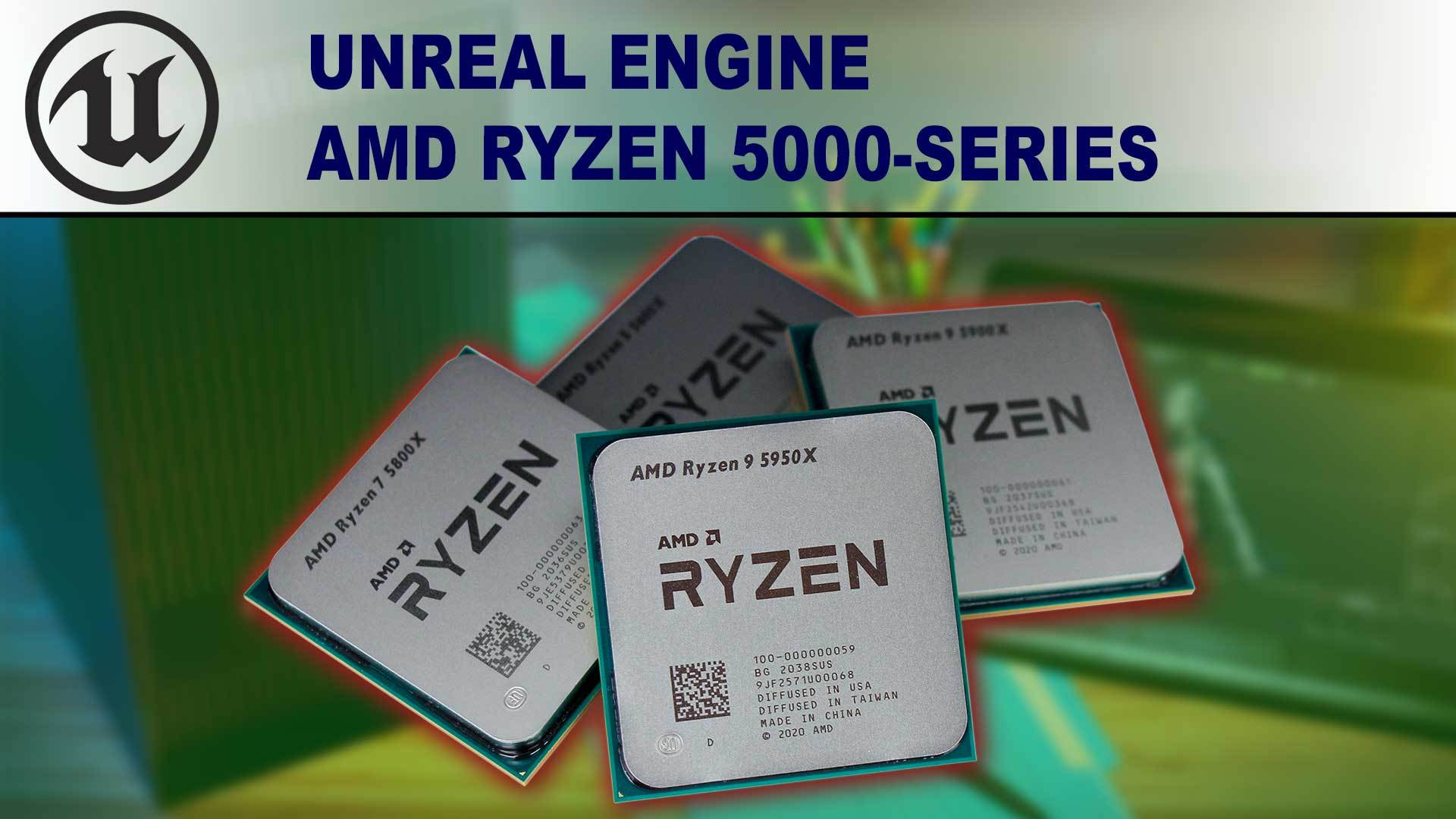
Puget Systems
Unreal Engine has grown by leaps and bound over the years, with more and more industries developing new workflows in it. AMD has released their new Ryzen 5000 Series, so we'll see if they can improve those workflows and how they stack up to competing CPUs from Intel.
they only have 64gb ram here, mind you
 sacred dust
I’m mad at Microsoft adding windows 11 support for i7 7820 HQ , and ignoring stronger i7 7820 HK
Any reason beside having hq version in there devices? I have no knowledge in cpus
flat glade
Windows 11 cpu benchmarks are not really something you should care for now
afaik things will be changing rapidly once it actually releases and gets used
oh, you mean actual support
no idea then
 bronze sand
Hey can I run unreal engine 5 smoothly with -
CPU - AMD Ryzen 7 2700X
GPU - GTX 1650 Super
RAM - 16 GB
slate blade
also depends on your definition of smoothly
shrewd shard
The amount of VRAM might be too low for Lumen I believe
My 1070Ti (8GB) is nearly maxed out when running that in a decently simple scene
median marsh
that vram is too low for a lot of things, as said it depends on what he wants to do with unreal
but at least on vulkan unreal should support using the host memory if you are on windows
not sure if DirectX also supports that
flint wave
does anyone use the razor seiren mini
flat glade
Follow your heart
 wild relic
would 3060 be worth it? its 150% times the normal price
flint wave
i will wait with a new gpu
slate blade
so TLDR:
is your existing graphics card non existent / broken / older than Dinosaurs? ✅
Otherwise, wait until next gen
wild relic
slate blade
so TLDR:
is your existing graphics card non existent / broken / older than Din...
older. I use a mac.
 errant peak
wild relic
older. I use a mac.
errant peak
wild relic
older. I use a mac.
I hate recommending prebuilds, but some of the prebuild companies can get you a graphics card without the insane markup*
And by without the insane markup, I mean they only mark it up $200-300
slate blade
we're in an industry state where prebuilds are better value than dyi 
which is hilarious and sad af
 turbid kite
Can anyone help with a solid laptop that I can use for Unreal?
I have a desktop, I am just looking for something I can use on the move when I’m not at home.
I’m wanting something with a 30series gpu for some VR Things.
Ive been looking at the MSI GP66.
Cheers to any help!
 bronze field
Get the new MacBook Pro M1Max 🙂
frank glade
asus flow x13, razer blade 14, 13-14 inch for max portability
slate blade
Not having UE with Live coding (Windows only) is self-flagellation territory
turbid kite
So what should I go for? Other than the Asus flow or the msi?
frank glade
any other laptop with ryzen 5900 and 30 series? https://www.notebookcheck.net/Comprehensive-list-of-all-laptops-featuring-the-NVIDIA-GeForce-RTX-3070-Laptop-GPU-along-with-corresponding-TGPs.517805.0.html sort by gpu TGP for max performance
 devout pendant
slate blade
which is hilarious and sad af
devout pendant
slate blade
which is hilarious and sad af
who could ever predict this..
flat glade
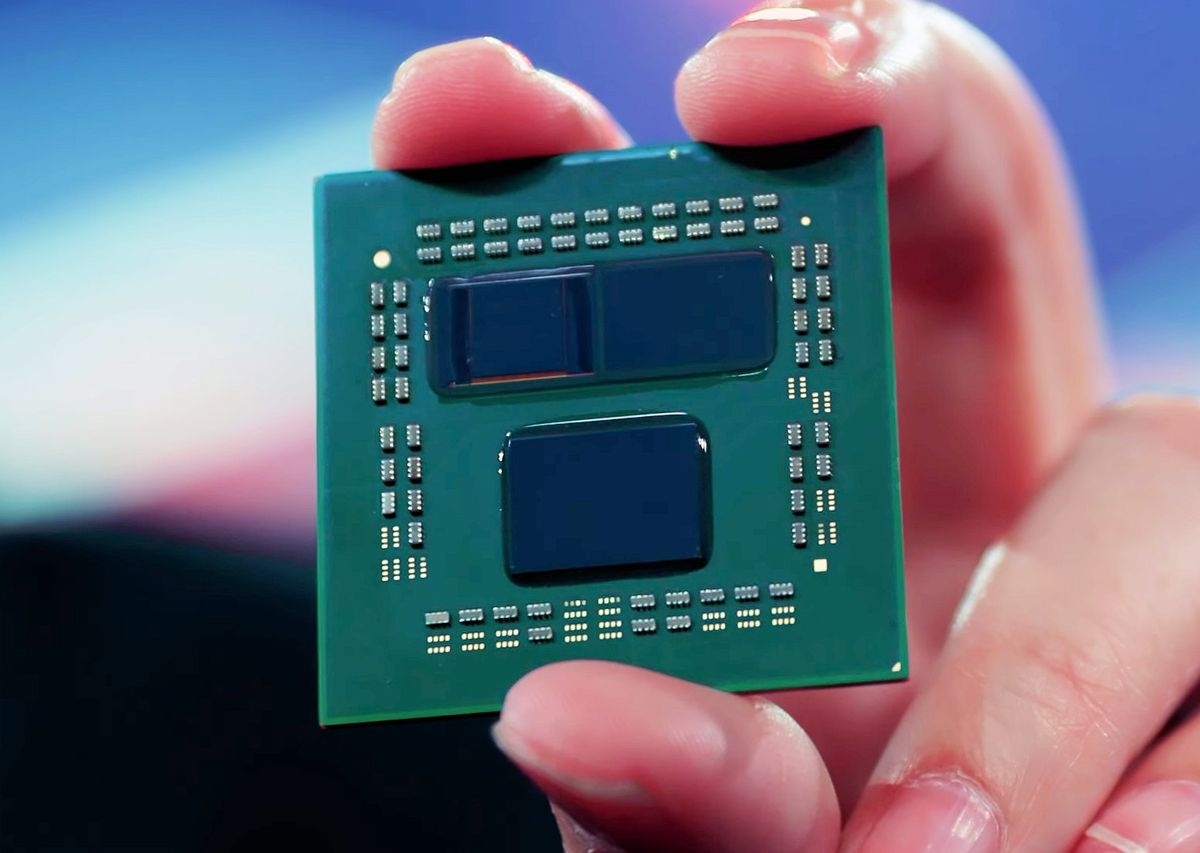
Tom's Hardware
First patch arrives, second is inbound
 onyx dawn
hey guys
i have a high spec system but there is a problem
when im playing, my fps is around 120-150, but sometimes it just stucks for a moment, less than a second
why is this happening ?
do you have any ideas
onyx dawn
onyx dawn
when im playing, my fps is around 120-150, but sometimes it just stucks for a mo...
and then goes back to 120-150
please ping me if you know anything about this.
frank glade
Whats the deal with nvidia studio drivers? Any benefits for UE?
slate blade
which is like every other week

 novel briar


 stray echo
So I think this is the best place to post on this server but if anyone looking for a oculus quest 2: https://www.ebay.com/itm/373767712503

eBay
INFO: Perfect condition headset, upgrading to a better one myself. The lenses have NEVER been wiped by clothes or scratched. Lenses only cleaned with microfiber VR Lens cloth. VR Cover (all thicknesses).
Heres mine!
median marsh
@agile swift unless you scam people on purpose, your discord got pwned
pearl quartz

Intel Core i5-12600K: flagship performance at a mid-range price? The only Core i5 SKU planned for November 4th Alder Lake launch is slowly becoming the most interesting highlight of the new series. The Core i5-12600K is a hybrid CPU based on Intel 7 process node (previously referred to as 10nm Enhanced SuperFin) equipped with 6 […]
soft plume
hi! i want to buy a pc soon. is the 6600xt good for unreal engine 5? (I would like to go higher end but you know everything is very expensive rn)
i'm also using a lot linux
is a rtx 3060 12gb (200$ more) better for me?
XD
i am the communist state
i make money from the people
ok thx
i was running it on uhd 620
yea
so it will be fine i guess
thx
ok thx
it's better than low@10fps
median marsh
is the 3060 much more? the 12GB vram can come in handy specially if you like to work with unreal and maya/blender/whatever at the same time
soft plume
median marsh
is the 3060 much more? the 12GB vram can come in handy specially if you like to ...
200CAD more
soft plume
median marsh
is the 3060 much more? the 12GB vram can come in handy specially if you like to ...
idk if I like to run them at the same time cauz if i try rn it crashes lol *cries in uhd 620*
median marsh
also for linux in my experience nvidia is the better choice
but my last amd card was a Radeon R9 285 😄
what cpu are you aiming at?
soft plume
well a 5800x i had a 6700xt on my list but then i was sold out before i buyed it so now i fall down at the 6600xt
idk if it's overkill for my gpu
soft plume
median marsh
also for linux in my experience nvidia is the better choice
really?
i think the only bad thing with nvidia is wayland
soft plume
soft plume
idk if it's overkill for my gpu
should i go for 5600x
median marsh
hm not sure
maybe if you wait till black friday or something you can make some good deals?!
intel alder lake is out by then, so that puts a bit of pressure on AMD 😄
soft plume
yea my goal is to buy it on boxing day
lol
with the msrps rn they are already too high for me
(and if you don't live on earth well welcome nothing is at msrp here)
soft plume
in 2021*
2-3 years ago i buyed my current laptop thinking it would be great for game dev
everyday i suffer
regretting my choice
(everything was lagging on windows)
then i put linux
median marsh
which choice?
soft plume
median marsh
which choice?
buying the laptop that i'm wrting on rn
running cs:go at low at 30fps
soft plume
soft plume
then i put linux
now with linux if it doesn't crash, well it runs well
but everything crash in the land of integrated graphics
soft plume
 midnight condor
I'm traveling right now so I don't have my desktop, trying to do unreal dev on a 2016 hp "mobile workstation" 4core i7 w/ quadro graphics and holy shit I want to kill myself. it is honestly horrible. spent several hours the past couple days just waiting for shaders to compile 😦 i don't know how people use systems like this for unreal dev
soft plume
lol
median marsh
i used an i7 4 core daily for 2 years... just lately upgraded
and now im in an unproductive mental state -.-
 zinc ingot
Hi all! I`d like to ask for some advice with purchasing a new gaming monitor, I got very old pc, my monitor is also limited to 1080p + 60 hz. So I want to ask, if I buy a new pc with rtx3070 8 gb vram, what monitor should I buy to that PC if I mostly play single player games, but often multiplayer fps games too or tps. I am not a pc expert 🙂
I saw some good gaming monitors, and I think 1440P or 2560×1440 (2K) monitors are good, should I take one 2K monitor? Also what Hz do You recommend (monitor refresh rate)?
and I think a 27" monitor should be enough for me.
median marsh
yea 2k at 27" is fine, and 144Hz refresh rate should be sufficient
zinc ingot
I got a question about this monitor for example:
https://rog.asus.com/us/monitors/27-to-31-5-inches/rog-strix-xg27aqm-model/
It says it can be overlocked to 240 Hz, so its not working on 240 Hz, when I purchase it and I turn on monitor, its not running on 240 Hz? How you overlock this Monitor? I don`t want to buy this one, as its a little expensive one, I am just asking, sorry for dumb question.
zinc ingot
on PC 2K have some fps limits I mean in new games?
median marsh
would just suggest to look for g-sync support if you go for a nvidia card
the most limiting factor will be the GPU
zinc ingot
Copy thx for help.
so 2K monitor and 144 Hz will be good for rtx3070 8 gb vram? I don`t have new PC yet, I want to buy together PC+Monitor for Xmas 🙂
median marsh
yes
zinc ingot
and I check with gsync support also, thx
median marsh
gsync isn't really necessary, but probably nice to have, so don't focus too much on it
it just adapts the refresh rate of the monitor to your actual frames
so if you have 60fps it will run with 60Hz
if you got 100fps it will run with 100Hz
zinc ingot
Hi again! I checked lots of monitors in my country, and I found this one, I show it on amazon. Any opinions about this monitor?
https://www.amazon.com/ASUS-XG27AQ-Compatible-DisplayPort-DisplayHDR/dp/B08LCNNGZN?th=1

ASUS ROG Strix 27” 1440P HDR Gaming Monitor (XG27AQ) - QHD (2560 x 1440), Fast IPS, 170Hz, 1ms, G-SYNC Compatible, Extreme Low Motion Blur Sync, Eye Care, HDMI DisplayPort USB 3.0 Hub, DisplayHDR 400
it has in description of the product this information: ultrafast 170Hz (overclocked) refresh rate So how this overclocking works? I can`t find any gaming monitor in my country that is not overclocked around 144 Hz, this monitor is running on 144 Hz too, just this overclocking to 170 Hz?!
median marsh
looks good to me, i wouldn't care too much about the overclocking, as said if you run it with gsync it will adapt the refresh rate to your GPU
and i guess there are barely games where you'll get or need over 144fps 😄
zinc ingot
I got your point. In my country I found only this one around 144 Hz, and in 27'' size and in a good price. Thanks for the help, and feedback! I appreciate it. (english is not my mother language so in case I wrote something wrongly)
median marsh
keep in mind, that the whole refresh rate thing is mostly marketing
you can get a good 27" WXHD(1440p) screen for half the price
it probably wont have gsync or fancy refresh overclocking, but it's still sufficient for most of the games
whole night
Shooters are the game genre that benefits the most from high refresh rate + high fps. Web browsing also is amazing at higher refresh rates when scrolling. You really don't need more than 120hz, because a discernable difference requires double that. And 240 hz + is overkill.
zinc ingot
Hi all! Thx for the comments and thanks for the tips!
devout pendant
what is the newest version of ue4 my pc can run?
processor: Intel Pentium CPU 2117U (1.80GHz)
graphics card: intel hd graphics 620
memory: 8192 MB (8.192 GB) RAM
devout pendant
should i just use ue3?
soft plume
devout pendant
what is the newest version of ue4 my pc can run?
processor: Intel Pentium CPU 21...
f in the chat
shrewd shard
I'd be surprised if it even runs UE4
You'll be having major trouble on all ends trying to do anything but absolutely basic games
It barely even supports DX11, also that CPU can't have those graphics unless I'm missing something
Assuming the graphics of the CPU I see in the spreadsheet, you're very, very far below min specs, approximately GT 220 level in terms of performance, and I'd highly advise against attempting to run UE4 like that
The minimum requirements for UE4 are GTX 460 and I can personally say that with a PC approximately double the power of yours I was running at minimum settings with horrific render resolution at 30 fps on a basic scene
TLDR: Don't even try it, you'll be wasting your time
wind egret
Replacement cooler, maybe?
wind egret
Fans are cheap, but I guess they don't sell the whole cooler, or the blower type. Still, it's not as bad as the memory or core dying.
flat glade
can you try to clean them out?
median marsh
how do you clean fans? @slate blade
maybe just switch to an AIO then? they are usually complete kits
well when blowing off dust, get sure you dont blow in the bearings
a.) to not push dust into them, b.) to not blow the oil out
but letting it die is also overkill
i lost my r 285 to dead fans, which i didn't notice 😭
put them in olive oil 
or just get 2x 120mm fans and mount them somehow
apparently you can also buy replacement fans for GPUs on amazon
just got to get sure to get one which fits
well, i guess your project also got more complex by time, so i would take it with a grain of salt in that case
unless the fan really failed it should still run at same speed somehow
and RPM is the same? Oo
maybe they changed the fan behavior
to brrrrrrrrrrbrrrrrrrrrrr
nvidia tells me slowdown temp for my gtx1660 is 93°C
so should be same for your card
so maybe vendor decided to let the card run a bit hotter to get less fan noise
well if the fan is broken, yea
also you sure that no cable got into the fan? that can also make a bunch of noise if it's just slightly touching it
 low fulcrum
||RTX 3080ti
Ryzen 9 5950x
32 GB ram
2k Ultrawide 144 hz monitor||
low fulcrum
low fulcrum
||RTX 3080ti
Ryzen 9 5950x
32 GB ram
2k Ultrawide 144 hz monitor||
||I wish i could say that, this is my specs btw||
 flat glade
I would go for more ram with a 5950x if you want to get the full benefit out of it for compiling the engine
easy to upgrade later though
low fulcrum
low fulcrum
||I wish i could say that, this is my specs btw||
lmao did you see this @flat glade
flat glade
I did
flat glade
the struggle is real
low fulcrum
but i didn't use the engine in a very long time
i was very busy irl
also, you cannot get RTX cards these days
you can't even get good cards
for desktop
flat glade
yeah, I'm lucky I was dumb enough to buy my 2070 a while ago
I pretty much have to skip the 30 series unless something changes
low fulcrum
oof
median marsh
laptop for gaming or game dev is a waste of money imho
unless you aren't aiming for all that new fancy lighting and such
soft plume
██████╗░ ░█████╗░ ██╗░░░██╗ ████████╗ ██████╗░ ░█████╗░ ░█████╗░
██╔══██╗ ██╔══██╗ ╚██╗░██╔╝ ╚══██╔══╝ ██╔══██╗ ██╔══██╗ ██╔══██╗
██████╔╝ ███████║ ░╚████╔╝░ ░░░██║░░░ ██████╔╝ ███████║ ██║░░╚═╝
██╔══██╗ ██╔══██║ ░░╚██╔╝░░ ░░░██║░░░ ██╔══██╗ ██╔══██║ ██║░░██╗
██║░░██║ ██║░░██║ ░░░██║░░░ ░░░██║░░░ ██║░░██║ ██║░░██║ ╚█████╔╝
╚═╝░░╚═╝ ╚═╝░░╚═╝ ░░░╚═╝░░░ ░░░╚═╝░░░ ╚═╝░░╚═╝ ╚═╝░░╚═╝ ░╚════╝░
██╗ ███╗░░██╗ ░██████╗░
██║ ████╗░██║ ██╔════╝░
██║ ██╔██╗██║ ██║░░██╗░
██║ ██║╚████║ ██║░░╚██╗
██║ ██║░╚███║ ╚██████╔╝
╚═╝ ╚═╝░░╚══╝ ░╚═════╝░
this feels too beautiful to be true
median marsh
if you close your eyes you can see the package content
soft plume
lol
 loud forum
when will rtx3090 price hit btc
 timid shard
p
errant peak
!8ball
 gray surgeBOT
Ask the Magic 8-Ball a yes/no question.
errant peak
!8ball will rtx3090 price hit btc?
gray surgeBOT
@errant peak, :8ball: My sources say no.
 tired prairie
looking for sata ssd recommendations in the 1-2 tb range
don't really know what makes one better than the other
any tips?
 prime loom
Ive always gone with the Samsung EVOs.
errant peak
I like the Samsung EVOs as well
If you have the slots and the cash, M.2 NVMe drives are amazing
tired prairie
im out of slots unfortunately
do sata drives typically come with sata cables or do I need to get those separately
errant peak
I think it's typically the motherboards that come with the cables
It's been a while since I bought a sata drive
My most recent hardware purchase ended up being a prebuild because GPU prices are INSANE rn
median marsh
you can use pci express card to add m2 nvme slots
and yea, drives usually come without cables
but honestly consider buying an m2 nvme and a pciex adapter card, sata is just bottlenecking any recent ssd
@tired prairie ^
https://icybox.de/en/product.php?id=366 something like that
loud forum
tired prairie
looking for sata ssd recommendations in the 1-2 tb range
don't really know what ...
samsung evo is a good tip from the guys already, but if u dont expect much write cycles u can also go with a cheaper one
frigid heath
both mobo and ssd usually come with a cable
frank glade
Looks like intel is king...again
median marsh
yea, king of power consumption
i miss my i7 somehow, getting cold feet with the amd cpu
wet ore
I have had multiple samsung EVO's and even a QVO, they work great and have the best lifetime (probably). Samsung magician is great for monitoring drive health. I honestly don't see the hype in nvme when the price point is so much higher for not much more noticeable gains
median marsh
they are usually cheaper or around the same as SSD devices, so i don't know where you got the price point argument from
also lifetime will show in 10 years or something. My first ssd (intel) has almost 10years power on time and is still working fine with almost 0 reallocated sectors/wearout
on the other hand, had one crucial ssd, which failed after ~6 months power on time
 solemn lichen
Is it just me or does the 12900k make zero sense for dev machines. big/little-style architecture seems like it'll be horrible for compilation and other high MT tasks even if it's fine for gaming.

Ok, so it beats the 5950x only when using DDR5
sure
it's just comparing new-gen stuff to old-gen stuff
I guess my point is that it'd be better to wait for whatever the 6000 series is, assuming AMD has plans for that any time soon.
No
ah fuck
i just realized searching for new-gen ryzens is going to be dumb
because they'll be in the 6000s just like radeons are
yeah but i can't just search "amd 6000 series" because it pulls up radeons lol
shit i think they did
fuck everything about cpu/gpu naming
median marsh
so intel beats AMD by factor 1.001 in compiling chrome, while using almost twice the power
well well 😄
honestly, i'm happy that intel got something thats close to AMD, my intel experience was always good, and i hope my next cpu can be intel again 😄
also the price seems to be close to AMD, which i didn't expect from intel top tier cpus
yea
yea, and it might have been unexpected that AMD did pull such thing as ryzen/threadripper
it came out of nowhere 😄
considering their cpu gens before...
 kind talon
If anyones after a UE specific review
https://www.pugetsystems.com/labs/articles/Unreal-Engine-12th-Gen-Intel-Core-vs-AMD-Ryzen-5000-Series-2249/
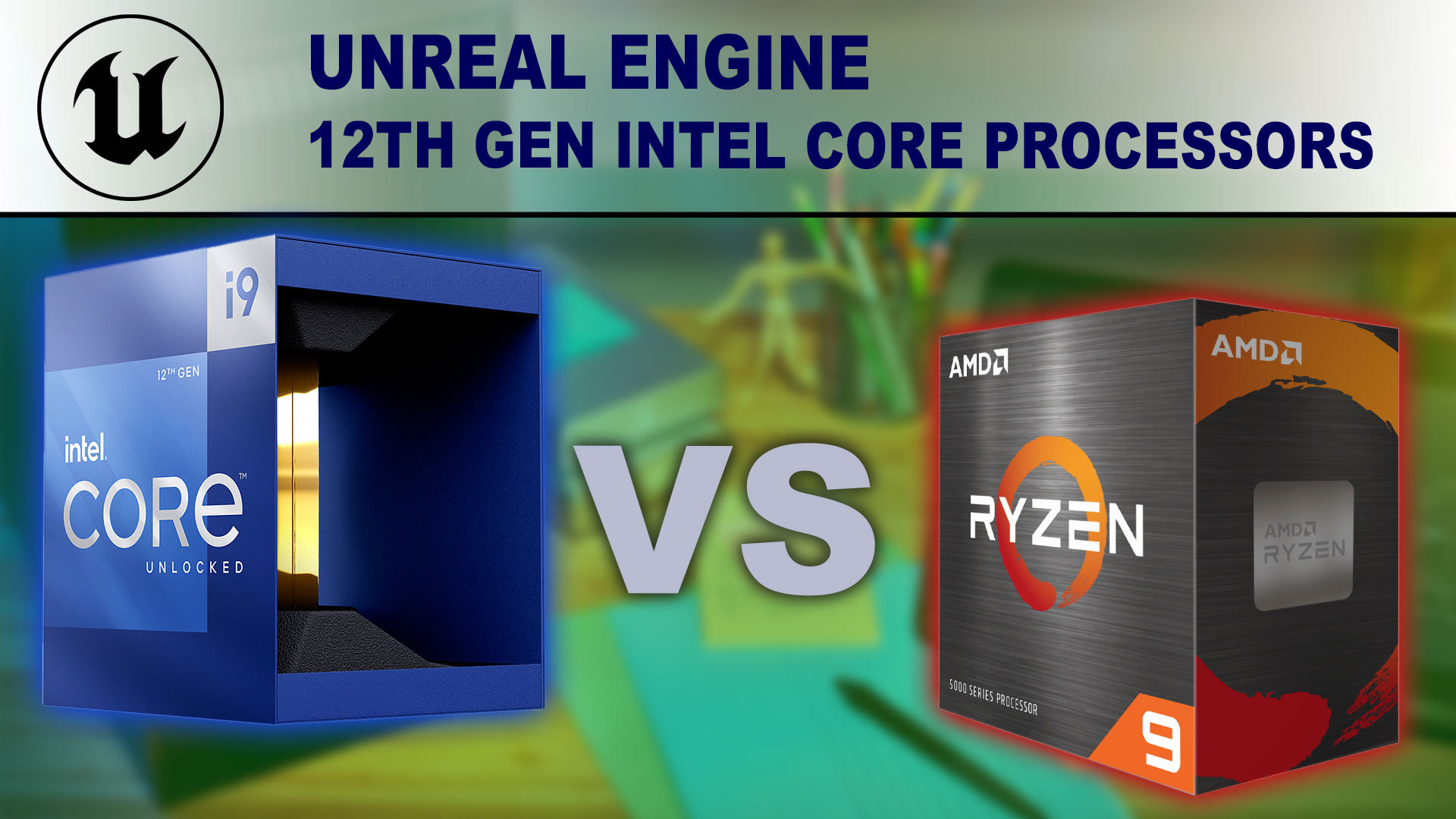
Puget Systems
Intel has launched their new 12th Gen Intel Core desktop processors (code-named "Alder Lake") featuring support for DDR5, PCIe 5.0, as well as a completely new hybrid architecture using a mix of Performance and Efficient-cores. This is a lot of new technologies in one product, so we are excited to see how much of a performance boost the 12th Gen...
median marsh
imho all the benchmarks are kinda useless atm
win11 has still buggy L3 cache for AMD
kind talon
median marsh
win11 has still buggy L3 cache for AMD
Thats fixed
median marsh
while intel profits of win11s schedular
the cache too?
i thought they only fixed the other issue
median marsh
but also they tested the intel with DDR4 only, which isn't necessary fair to bench it's potential
kind talon
median marsh
but also they tested the intel with DDR4 only, which isn't necessary fair to ben...
The puget one I linked does both
median marsh
oh right, only did read the test setup stats so far
*All the latest drivers, OS updates, BIOS, and firmware applied as of October 27th, 2021 (was amd patch out then?)
kind talon
median marsh
*All the latest drivers, OS updates, BIOS, and firmware applied as of October 27...
Yes October 21st
median marsh
i wonder how much power both consume under normal workload
kind talon
Im sure if there are more issues then puget will update, they're good like that
Also doing a win10 one as well
median marsh
as this seems to be the only reasonable thing to pick one over the other
kind talon
FWIW
https://www.pugetsystems.com/labs/articles/12th-Gen-Intel-Core---Do-you-need-Windows-11-2254/
In most cases, we saw virtually no difference between Windows 11 and Windows 10. In fact, the two applications where there was a drop in performance with Windows 11 was actually with the Intel CPUs. In both Premiere Pro and After Effects, the Core i9 12900K ended up scoring 6-8% lower in Windows 11. These are both applications where Intel already beats AMD, but suggests that once the Windows 11 bugs are worked out, Intel's lead will actually expand even further.
(I am focusing on content creation here not games as that's most relevant to us)
Hopefully!
median marsh
little do you know 😄
kind talon
They definitely did for the latest ryzen chips
Especially power consumption which is what im hoping for
Need a Windows competitor to the Apple M1s
Those are sooo ridiculously good
median marsh
but apparently not for unreal 😄
kind talon
In what way?
median marsh
someone was lately complaining about their "performance" in unreal
if they had native vulkan support, they probably had a higher value for game devs
kind talon
median marsh
but apparently not for unreal 😄
I don't think Epic has UE running native on Apple silicon yet
kind talon
median marsh
if they had native vulkan support, they probably had a higher value for game dev...
Nah metal smashes vulkan out of the park
Shame Apple drivers can be so shit
median marsh
yea but it requires to be implemented in the engines
kind talon
If I wanted that I'd buy a desktop
kind talon
median marsh
yea but it requires to be implemented in the engines
Ue already runs on Metal, sorry not following
median marsh
or is it that M1 users cant use metal because they don't have a native engine running?
kind talon
No m1 users have to go through the x86 -> arm layer
median marsh
i don't know much about apple, i just followed the one convo in general where someone complained about performance
kind talon
Until ue does get it running natively (Unsure what the status of that is)
I had to get it working last year and it was a right pain
median marsh
ok, thanks
wasn't aware that the issue is missing native editor build rather than metal support
kind talon
median marsh
wasn't aware that the issue is missing native editor build rather than metal sup...
yeah! I think UE has packaged games running native now but not the editor AFAIK
 sterile solar
For the new intel gen 12 CPU's I see a lot of metrics for game framerates and random benchmarks, but is there a good benchmark for showing how well it effects UE editor performance/shader compile time?
Because I can't really justify upgrading my 7700k to a gen 12 for a handful of frames per second for games. But if it enhances c++ compile time and editor performance then maybe
kind talon
kind talon
If anyones after a UE specific review
https://www.pugetsystems.com/labs/article...
^ @sterile solar
sterile solar
@silk magnet thanks! exactly what I was looking for
mighty cosmos
I'm at the same time impressed at disappointed with the 12th gen
Impressed because that's a big leap over the previous generation and it's trading blows with the 5950x
Disappointed because it's trading blows with 5950x, next gen vs current gen... And it falls so far behind on DDR4
Still overall pretty impressive results by the 12th gen
rugged wedge

here's the latest ue4 benches by Puget on alder lake
very surprised about the horrible thermals of the 12900k though
I thought intel had heat under control :P
I remember the only amd I had before the 5950x I hated because the fan had to run so loud all the time
it was roughly 20 years ago
I was 16 🥲
still have my "cambridge soundworks" speakers w/ subwoofer from then btw
20 year old speakers and they still work fine
4.1 
every other windows update messes up the two rear speakers so I ended up unplugging them
median marsh
i have almost 40 years old T+A speakers 😄
rugged wedge
you were only a burgeoning battle jeep at that point
rugged wedge
I had a 286 once
for some reason it was after I'd had a 386 so I really hated it
486 was the shit, it could run red alert at an interactive frame rate
never played a final fantasy game
hehe
what was the memory "trick"... himem.sys or something - you had to reboot the pc when you wanted it and had to exit out of norton commander
median marsh
that was some top shelf 486 then
mine had 66MHz turbo speed 😄
looking at wikipedia right now, damn there have been some competition back then
amd, cyrix, ibm, intel, ST, and TI + UMC
what intel did with the 8 low power cores also reminded me of the times where cpu's had co processors
just that it's integrated now
soft plume
intel 12th gen is cool
but personally i would like to wait for amd responses and pcie gen 5 graphics cards / ssds
to use the full power of it
imagine amd ryzen 5 7600x beating the 12900k
then
why is 5600x beating 11900k and 10900k
everyone was like lol get roasted intel
i don't think it would be a bad business decision
why?

Get a 15-day free trial for unlimited backup at https://backblaze.com/LTT
SmartDeploy: Claim your free IT software (worth $882!) at https://lmg.gg/SmartDeployNov
The last time AMD was a market leader, Intel was struggling with Pentium 4. Now, over 14 years later, Ryzen has stormed back to take not only the productivity throne, but the gaming t...
and intel 11th gen sucks
they more said whatever buy it nothing is at msrp right now
 daring apex
I think intel is definitely back on top with the 12th gen for the 5600x.
Directly comparing the 10900k and 5600x is a bit unfair as the 10900k retails for $200 more although it does perform slightly better.
https://cpu.userbenchmark.com/Compare/Intel-Core-i9-10900K-vs-AMD-Ryzen-5-5600X/4071vs4084

Based on 281,780 user benchmarks for the AMD Ryzen 5 5600X and the Intel Core i9-10900K, we rank them both on effective speed and value for money against the best 1,319 CPUs.
Although to fully utilize the 12th gen chips you gotta use windows 11
which isn't something I'd necessarily wanna do right now lol. Although I dunno much about the state of windows 11.

Get 10% off all Jackery products with code LinusTechTips at https://www.jackery.com?aff=27
Learn more about CORSAIR's NEW Xeneon Gaming Monitor: https://geni.us/nueip4
Intel’s long-awaited Alder Lake is finally here – But can 12th-gen Core really slow AMD’s momentum, or is it just another power-hungry processor in a long line of desperation CP...
oh yeah that too
damn that's funky
yeah then price to performance may go a bit out the window for now
yeah
and I imagine whatever amd cooks up working on ddr5 will be very competitive as well.
although using ddr5 at all at the moment I imagine would be very pricey.
timid shard
p
soft plume
yea but using ddr4 is kinda stupid with intel 12th gen
i mean you get the most recent teck with older ram
(sure ddr4 is cheaper but you're getting the i9 i mean you have kinda large budget)
lol
only for memes i'll get
a z690 motherboard
with a 6900xt
 fading heath
I use a Acer nitro 5 that has a 2tb ssd installed because I'm learning ue4
daring apex
soft plume
(sure ddr4 is cheaper but you're getting the i9 i mean you have kinda large budg...
If to get slightly higher performance then the ryzen chips you need to spend substantially more on ram there's no real reason to get these chips.
fading heath
I have a desktop that i got from the dumpster which is a 2007 Dell Inspiron 531s which I have modded to have a memory card bay that has a USB port and i got it a wifi card and I gave it new thermal paste and install windows 10 64 bit i also gave it 4gb ram which most sites say that's the max ram but I've also seen sites saying it's possible to Max the ram to 8gb but that requires replacing the CPU with s faster one which I do have plans on doing that because I heard about this CPU called a amd Athlon 6000+ Brisbane and its 3.1ghz while my current CPU for it is 2ghz
I also wanna replace it's fat 160gb HDD with a little 500gb m.2 ssd which idk if I'll get much speed change sense I heard something about data transfer rates changing with more newer computers but if thats true Ill get it a regular ssd
Also I wanna install 2 other fans because it's a very compact slim PC
Also I need a graphics card for it because the graphics chip on it is extremely outdated but it's hard to find a low profile graphics card
 fervent jolt
My friend, you have a lot of learning ahead of you
pearl quartz
If we are talking Intel 12th gen in regards to Unreal Engine type workloads then benchmarks on shader compiles, engine compiles etc are more important thant gaming FPS. Linus does actually mentions that, there is also the fact that Zen 3 has been compared against 3 intel gens now from 10-12 and its only just starting to really look good for them shows the strength of AMDs market position overall.
Even if Zen 4 lags and we get a Zen3+ the new cache is said to provide in the range of a 15% uplift, so for a possible 5900XT even without the new tech (DDR5, PCIE5 etc) it puts them at an advantage especially in multi-core workloads.
https://www.pugetsystems.com/labs/articles/Unreal-Engine-11th-Gen-Intel-Core-vs-AMD-Ryzen-5000-Series-2105/
These guys might have an Intel 12 comparison at some point 😎
Amongst enthusiast reviewers buying the high end gear is actually not recommended for gaming, most will point in the direction of the mid range if thats the primary task a computer does. Even Hardware Unboxed recently did a bit on how the ultra settings might not even be worth it in alot of cases providing little benefit for the cost. For devs though having that extra VRAM or more cores will always help, also need to consider the possibility a games FPS is poor because of crappy software 😛
daring apex
Yeah, unless you have a specific use case midrange gear will almost always do the job even well into the future.
Like I don't see any reason most people would need a 3090 or a 5950x don't get me wrong they're great and all but unless you plan to do something with it, it's kinda pointless.
pearl quartz
I definitely notice the benefits of my 5950x when I compile but most of the time it does sit idle. If anything it was more the lower power usage I was going for because I wanted fast and efficient knowing my PC wasnt going to be flat strap all the time
daring apex
Yeah that's fair, I have a 5800x which certainly isn't the most price to performance efficient but my PC was broke and it was what was available. Plus I don't need more then 8 cores anyway.
I notice it slowdown sometimes when editing a video but that's most likely due to thermal limitations and the application not being GPU accelerated because that's locked behind a different version.
As for unreal I can wait a bit longer for compile times, no biggie. Although Puget systems does recommend the 12 core 5900x I'm pretty sure.
pearl quartz
lol well in that article its all consumer grade but theres another one with the Threadripper included
daring apex
How does the threadripper stack up?
I imagine the compile times are insanely fast lol
pearl quartz
https://www.pugetsystems.com/labs/articles/Unreal-Engine-AMD-Ryzen-5000-Series-CPU-Performance-1967/
Its better for UE stuff thats forsure, until you hit the gaming performance
like 285.2 FPS isnt enough lol, they are only 1080p though Im willing to bet most are running 1440p these days
daring apex
Yeah lol
I tend to not mind the gaming performance of a CPU that much because they are all pretty close anyways
And give plenty of fps
Although I run at 1080p 60 so any current gen CPU is pretty much overkill for any gaming application I throw at it lol.
pearl quartz
I could see it mattering for competitive gaming where you want that high frequency, youre probably just going to turn as much down to hit your FPS target anyway though no matter the hardware
daring apex
Yeah actually
If you need to be powering a 360fps 1080p monitor
Then I bet it would
pearl quartz
I think Id still suck even at that FPS lol
daring apex
Same lol although it probably does help the top 0.000005% players who have trained for years.
median marsh
wtf nvidia.... 800MB for a VGA driver?!
daring apex
lol
flat glade
Make sure to clean out the old ones sometime
soft plume
lol
mellow galleon
https://www.gamersnexus.net/news-pc/3668-hw-news-minisforum-responds-intel-z690-hardware-bans
is it era of hardware bans now with TPM ?
Valorant To Ban Cheaters On A Hardware Level
also this looks hilarious, to use the small gen 12 cores you have to turn off avx512
 mellow galleon
@rugged wedge
astral musk
pearl quartz
If we are talking Intel 12th gen in regards to Unreal Engine type workloads then...
They already do: https://www.pugetsystems.com/labs/articles/Unreal-Engine-12th-Gen-Intel-Core-vs-AMD-Ryzen-5000-Series-2249/
Puget Systems
Intel has launched their new 12th Gen Intel Core desktop processors (code-named "Alder Lake") featuring support for DDR5, PCIe 5.0, as well as a completely new hybrid architecture using a mix of Performance and Efficient-cores. This is a lot of new technologies in one product, so we are excited to see how much of a performance boost the 12th Gen...
soft plume
i just don't underestand why you would want efficient cores on desktop
hm
but
ryzen 5950x has a similar price
and the same number of cores
oh yea you're right
ik
but people buying 12600k are mmostly gamers
which in efficient cores does the job
but when you go 12900k you probably want compiling performance
lol
the max perf
so why would you want something efficient idk that's wierd
for 12900k i mean at this point you don't have budget
whatttttttt
i'm so confused
how?
i mean sure you can pack more cores
but perf has multithereading
lol ok
wind egret
You're usually getting 2E for 1P
soft plume
wind egret
You're usually getting 2E for 1P
hm but then was is better
2 cores 2 threads
or 1 core 2 threads
wind egret
2 at 3.8ghz, 1 at 5ghz (and hyperthreaded)
I wonder why they wouldn't do 4 P cores and 24 30 E cores. (Or, if it's 4:1, then 56 E cores)
That's nowhere near 4:1. It's not even 2:1.
Looks like they'd lose 4 P to gain 8 E, going from the 12900 to that 13th gen i9. Hopefully the chip isn't getting any bigger.
12 + 8/4 = 14
8 + 16/4 = 12 ?
Oh, my mistake. I was reading "total cores" on the 12700.
unborn pike
 mellow galleon
i don't get it the new cpu tests done with ddr5 while amd with ddr4 but still having close numbers
but ddr5 is a huge boost too
median marsh
also DDR5 is still just starting to develop
there will be faster sticks in the next months
yea but only in multicore stuff, it seems to be better in singlecore performance
mellow galleon
because of ddr5
median marsh
and even if it takes 10% more time to compile something, i guess people can live with that
mellow galleon
imo
unborn pike
the thing with the new intel is that even a noctua nh-d15 is too small for it
wind egret
Are you thinking what I'm thinking?
quad-fan socket!
soft plume
i made my grandparents' 2007 laptop work
a ram slot is dead
so now it only has 2gb of ram inside
lol
i think i'm gonna install arch linux on it
pearl quartz
astral musk
They already do: https://www.pugetsystems.com/labs/articles/Unreal-Engine-12th-G...
Cheers, I did a search on their site but it didnt come up
pearl quartz
soft plume
i just don't underestand why you would want efficient cores on desktop
It has to do with workloads, sometimes there is a need for wider problems to be solved but they arnt needed quickly. Clockspeed isnt the only thing that matters, Apple have shown that more recently in the M1. What you can do is process things in the background and feed it forward, you want those tasks to be performed by chips suited to that type of processing. I think the misconception is that efficient cores = weak cores, it would be like calling RT cores weak because they arnt the main processing cores.
soft plume
lol
 warm dock
Hi, I have added some new hardware to my shopping cart.. but I cant decide to buy i9 or i7 12th gen.
Will UE use all cores on the i9 ? or is the i7 all I need for "random" use..
I figure I skip DDR5, because it`s not in stock yet.
I also read that buying 12th gen with DDR4 is a bad choice ... hmm
median marsh
is your mobo made of cardboard?


You can see from the above images that the Scythe Kama Cross CPU Cooler had no compatibility issues with my ASUS P5B Deluxe wi-fi/App motherboard. 😄
the cross in the name means that the mobo wraps itself around the cooler
soft plume
upgrading to win 11 might not be a good idea, since it's not a very mature os the performance it is not worth it
unless you want to use an app that is only on win 11
median marsh
i wouldn't recommend upgrading to an 8th gen i5 either (unless you get a used set for a good price), most of them are 4 core only, and with the 3700x you would get 8 cores
yea but for less than 50 bucks more you get the 3700 which has 2 more cores
mellow galleon
median marsh
https://www.overclock3d.net/gfx/articles/2007/11/11091140565l.jpg
is that minimal required cooler for intel 12th gen ? or you additionally submerge it all in liquid nitrogen as well
median marsh
no thats some old board, pentium 4 or something
 regal kite
median marsh
https://www.overclock3d.net/gfx/articles/2007/11/11091140565l.jpg
regal kite
median marsh
https://www.overclock3d.net/gfx/articles/2007/11/11091140565l.jpg
what in the world is that thing
 sinful imp
hey there! have a question, perhaps someone here is using any of these models: I'm looking into buying a 14 inch laptop for gamedev and gaming as I might be moving soon and can't get my desktop with me, which I use for work, pet project and gaming.
I have two models in sight:
- ASUS Zephyrus G14 2021 (Ryzen 9 5900 / 32 GB RAM / RTX 3060 6GB)
- Razer Blade 14 (Ryzen 9 5900 / 16 GB RAM / RTX 3070 8 GB)
My intention is to mostly use this as a desktop, connected to 1 or 2 external monitors, kb/m, etc. I don't think I'm gonna use it a lot on the go for gamedev, but might use it for showcasing projects at events and also gaming (on the go).
Does anyone here have any of these laptops and can give me any feedback/recommendation/tip about them for this usage?
Thanks 😄
 bright raft
@sinful imp I am wondering the same thing, however I am looking at the 15.6" versions (I am leaning towards the Blade) due to upgradability, I don't like the fact that the 14" versions aren't upgradeable. I think 16GB RAM is fine right now, but who knows if that will still cut it 1 or 2 years down the line.
I mainly prefer the blade due to the style, it doesn't scream gaming laptop which some of them do, to be fair though I think the Zephryus is also quite understated
median marsh
i think 16gb is bare minimum for unreal, but it also depends on your project if you need more or not
bright raft
Yeah, I'm still pretty new to gamedev so I'm not putting any triple AAA projects out any time soon 😅 it's fine for me right now
plus I have a decent desktop with 32GB RAM anyway
 languid nexus
Anyone in here use a laptop with a USB-C hub hooked up to two DP 1440p monitors? We have Dell and Thinkpad hubs at work, but I just had to go and get a HP one and it's just beyond fucked up it seems... some weird built-in graphics card INSIDE THE HUB that refuses to do 3D acceleration, and when you force the laptop to use the Nvidia card only, it looks as if you are streaming full screen video to the displays, complete with video artifacts and lag...
This is the little shit I have, in case anyone recognizes it... (and if you see it, STAY AWAY) 😅
 sinful imp
bright raft
plus I have a decent desktop with 32GB RAM anyway
sinful imp
bright raft
plus I have a decent desktop with 32GB RAM anyway
Yeah my intention is to later buy a new desktop that will have 32/64 gb and do the heavy load there. This is just "for the meantime" and for events or going somewhere else do some lightwork.
My current pet project is quite small so I don't think I'm gonna have what @slate blade mentions. It's just a singleplayer retro shooter with small maps (at least compared to an open world / landscape type project lol)
bright raft
@sinful imp I guess you'll be fine with either, which laptop are you leaning more towards? I'm waiting until Black Friday before I pull the trigger anyway but I think I'll go with the blade 15
sinful imp
bright raft
<@!180887540637761537> I guess you'll be fine with either, which laptop are you ...
so... the G14 you have 2 versions, there's a 32GB version with 2x 16 sticks, one soldereded and one that you can change, and the old one who has 2x 8 same setup. If I can get the 32 gb, I prefer the G14... but if they're both the 16gb version, I would say the Razer because of the GPU and construction quality
although for what I've read, both laptops have flaws in their construction (as most gaming laptops tbh...)
soft plume

NZXT
Love your gaming PC | We meticulously design a curated suite of premium products to make extraordinary gaming experiences achievable and fun.
is this a good idea for someone who wants to game and learn unreal engine
maybe make some small games
bright raft
@soft plume yes I think so, maybe upgrade the CPU further down the line to an i7 or i9
soft plume
ok thx
i don't think i'm gonna keep it for long, it's my first gaming pc
so yea i think i'll upgrade it and then sell it
according to pc gamer the 11400f is a great price/perf cpu
median marsh
uhm, 11th gen i5? :/