#hardware
1 messages · Page 55 of 1
 shrewd shard
Also I think they were Socs which means no upgrade path whatsoever
They're pretty much just a cloud/networking beast and that's about all they can do
They're made for like analysing a file before putting it in a database, like checking an uploaded pic for obscene imagery
But their multithreading is buttcheeks
Dunno for what kinda money you found that one, but you should be able to snag a much better config for building/playing games
Seeing it only includes an HDD I assume it's an older Xeon too, which is simply not gonna work
As in, even for daily usage I wouldn't recommend it
 pallid hinge
Having to use that to build anything UE related would be a reason to Quit a job immediately for me
 devout pendant
pallid hinge
Having to use that to build anything UE related would be a reason to Quit a job ...
devout pendant
pallid hinge
Having to use that to build anything UE related would be a reason to Quit a job ...


 novel briar
Not the right #channel? 🤔
devout pendant

 brazen mortar
@radiant summit sorry to poke, but you're only person I know who uses multiple 4k monitors
You think that 2x 4k monitors better than one ultra wide? (like Odyssey G9)
devout pendant

 radiant summit
@brazen mortar never tried an ultra-wide, but i personally like that both (all 3)monitors are really separate entities
 unborn pike
I wish samsung made a flat g7
shrewd shard
Until there's driver support to split your screen, I'm sticking to just another monitor
Ultrawides would be really nice if I could split 16:9 for games (since most of them chew off your vertical FOV) and use the rest for discord/browser/etc
 tacit verge
Hi, I'm upgrading from my 5year old lap top to a desktop, can some give me a current ideal specs to go after? Like good enough to last but not an overkill? (Been working on unreal engine, Maya, zbruzh etc)
novel briar
CPU & SSD, then GPU to be good.
tacit verge
SSD as in storage? And is i7 good enough or i9? And how to check for good gpu?
novel briar
There are some mobile gpu benchmark sites. You don't need much of GPU anyway, laptops are kinda compromise anyway.
CPU, more cores is better if you do material shaders compilation or if you want to use C++.
tacit verge
Got it thanks
 novel briar
Meh, I already jumped on the this year tech. I prefer debugged stuff.
Would follow on to see how things will go on, but I doubt I will upgrade in the next few years 🙂
 frank glade
My 9900k feels slower everyday, Id probably jump on a nice zen 4
devout pendant
Intel and AMD will be on the same socket for (at least) three generations, so the next phase of CPUs should be kinder to gamers and their bank accounts.
 hardy ridge
Hello guys, which laptops would you think are the best to run UE4?
frank glade
@hardy ridge ones with ryzen 5900 and rtx 3080
hardy ridge
Any tested example?
novel briar
Best = expensive in that case. Also i'm not sure these have mobile variants.
hardy ridge
I assume expensive, but i was hoping to find recomnendations
novel briar
Can't you search by these parts and see what you will find?
hardy ridge
I did, but that wasnt my point, my point is tested laptops
Soon im gonna invest in an expensive one coz that i would like to know beforehand if that laptop has no issues running UE4
Cuz my experience i know the case must be aluminum, time ago i invested in one expensive but unfortunatelly case was plastic so it was shutting down every time temp was too high
devout pendant
hardy ridge
Cuz my experience i know the case must be aluminum, time ago i invested in one e...
RTX 3080
RTX 3080 TI
RTX 3090
Keep in mind, these cards use GDDR6X which has known temperature issues.
They are good cards, but you will need to [monitor or be mindful of and/or physically deal with] the GDDR6X temperatures.
frank glade
@hardy ridge check this out too: https://www.notebookcheck.net/Comprehensive-list-of-all-laptops-featuring-the-NVIDIA-GeForce-RTX-3070-Laptop-GPU-along-with-corresponding-TGPs.517805.0.html all 3000 series laptops, including max wattage for the gpu, so pick one not so stunted by power
 unborn pike
I really wouldn't get laptops for game dev in general
they always throttle down because they overheat
but if you really want to I say get a large one that actually has room for proper ventilation and coolers
slim ones will just cook themselves
novel briar
Many years ago, had to buy a fan pad for my laptop. Was overheating when playing some games.
devout pendant
A laptop could also connect to a cloud computer … assuming the internet connection is really strong.
I used ShadowPC two times.
I was happy with the service, but unhappy with my local ISP.
If there were a client to let you use your home rig as a cloud computer, then a laptop could render or compile remotely.
hardy ridge
unborn pike
I really wouldn't get laptops for game dev in general
I plan to work abroad so i need kinda the best one😊
hardy ridge
unborn pike
slim ones will just cook themselves
Noted, ta
@devout pendant @frank glade @unborn pike @novel briar guys, thanks to u all for ur useful advices, i really appreciate it😊
The overheating expensive laptop that i bought in the past was an ASUS ROG, plastic case, big mistake
B4 talking to u guys i was considering this one, any thoughts?

I was specially interested cuz tge aluminum case
novel briar
Looks with good specs. Tho for this money I think you can get better desktop? 🙂
Anyway, consider the CPU cores if you do C++/shaders.
hardy ridge
novel briar
Looks with good specs. Tho for this money I think you can get better desktop? 🙂...
But for sure i need it to be a laptop, if u think the price is too expensive i will check the other options, but i need to have an aluminum case in those other options
novel briar
Oh, I meant expensive compared to what you can get for a desktop.
I have no good base to judge is that expensive for a laptop. In general, it looks about right with the current prices.
hardy ridge
novel briar
Oh, I meant expensive compared to what you can get for a desktop.
I have no good...
Agreed, but i already have a good desktop cheaper than this laptop😊
novel briar
Ah, okay... if you are fine with prices and stuff, maybe look for even bigger display then 🙂
I dunno, but looking at UE with all its tabs and stuff, seems pita to me on small display.
hardy ridge
True, cuz that i will check all the options that u guys said, bigger display will be one of the things to consider
devout pendant
Hello, I am about to buy a new computer and was thinking about this setup:

I have 2 hdds already in hand as well as rtx 2060
also two other ram as well so it reaches 32 gb
I am in a loss about the motherboard tho I am not exactly sure which one to get
frank glade
@devout pendant is that a pcie 4 ssd? I think those can go to 5500 mbps
shrewd shard
It's more important how many IOPS it has, not even PCIe 3 gets filled up realistically as a boot drive
novel briar
Yeah, its fine PC
unborn pike
I'd go for 32 GB RAM
 devout pendant
 hoary urchin
http://www.thegames.dev/snaps/tvnviewer_CCj1x6Qo2W.png
hoary urchin
http://www.thegames.dev/snaps/tvnviewer_CCj1x6Qo2W.png
Is the GPU underwhelming because you don't need a great GPU for your purposes?
hoary urchin
for the build machine, we don't touch the GPU
devout pendant
hoary urchin
for the build machine, we don't touch the GPU
So much HDD/SSD space ... so much DDR4 RAM ... so many cores/threads ... but the GPU is like what you would buy at Walmart in the discount aisle.  haha
haha
devout pendant
devout pendant
So much HDD/SSD space ... so much DDR4 RAM ... so many cores/threads ... but the...
... like driving a 2021 Tesla ... but your dashboard is an analog cassette player from 1975. 😆
 unborn pike
not really comparable considering a build machine has zero use for a GPU 🤔
I mean, even a display is optional for those
devout pendant
unborn pike
I mean, even a display is optional for those
Yeah ... was just joking, man.
Take a break from serious life, for a few minutes ... then re-join serious life after relaxing. 😆
 wanton anvil
So idk if this is the right chat for this, Im going to university in September for games programming. Ive got a powerful gaming pc at home to develop on but im also looking to buy a laptop. Should I get a gaming laptop or a powerful standard laptop. or do you think it would be a waste to get either ?
or maybe just upgrade my current PC
devout pendant
For game development on a laptop ... I was thinking about the DLSS plugin for Unreal Engine.
Does it require a DLSS-compatible GPU?
There are some YouTube videos about DLSS in Unreal Engine ... but I don't know too much about the hardware requirements.
 pallid hinge
It does ofc. require a DLSS compatible GPU
devout pendant
pallid hinge
It does ofc. require a DLSS compatible GPU
 ... so if you are a game developer who wants to take advantage of increased frame rate via DLSS, then your laptop or desktop would need a DLSS-compatible GPU.
shrewd shard
You can't exactly do deep learning on a GPU that isn't made for it
Or it'll cost more performance than it saves

 midnight condor
I guess it will run on the 6800 cards?
novel briar
devout pendant
AMD is going to announce their answer to DLSS ... supposedly.
Yeah, think was announced before? Anyway, I am kind of sceptical.
Cards with RT cores
 wind egret
Requires ... developer intervention ew. Maybe the same reason they can't do MSAA in deferred so easily, but still, sadness.
devout pendant
Unreal Engine has a DLSS plugin.
AMD just has to give Epic a(n) FSR plugin for Unreal Engine for it to be useful to Unreal Engine developers.
 mental timber
^
wind egret
No using it for older games.
 tacit laurel
anyone knows if UE4 runs on Intel integrated graphics ?( planning to build PC but I've to either wait for 3060 price to stabilize or buy an old 1050 )
devout pendant
@tacit laurel
tacit laurel
thanks!
devout pendant
@tacit laurel
I think Intel iGPU for DX12 starts at Skylake, but correct us if we are wrong.
shrewd shard
You can run UE4 on an Intel HD 4000 buuuuut the results are less than desirable
 shrewd shard
But also it's significantly more powerful
Though the thing I'm waiting for in APUs is so that it's not a monolithic die and you can add in better GPUs other than just ultra low end ones
devout pendant
AMD's desktop processors with integrated graphics are primarily intended to be a whole system replacement, with users relying on the integrated graphics for all their graphics needs. As a result AMD puts a lot more processing hardware into its integrated graphics solutions for the desktop, and it results in a good gaming experience for entry level gaming.

Intel's route on the otherhand is a bit more basic. The desktop integrated graphics here has two main directions: first, as the basic graphics needed for an office system, or second, more of a fall-back option for when the discrete card doesn't work or fails in more premium desktop systems. The power isn't there for hardcore grunt like gaming of any serious note, but it is certainly enough to cover the basics.

Despite this, with the new Xe-LP graphics solution, Intel has some aces up its sleeve. First is AV1 decoding, which allows users to watch AV1 content without putting stress on the CPU. Second is video encoding accelerationt through QuickSync, which has actually been a part of Intel's graphics for a number of years. Third is a relatively new feature: Intel's 'additional processor' mentality. Normally when a system has a discrete graphics card, the integrated graphics is disabled. But now, with its latest mobile devices for example, when Intel pairs its mobile processor with integrated graphics with a second graphics solution at about the same performance, with the right software Intel allows both graphics to work asynchrouusly on two different problems. The limit to this in the past has been dictating which graphics is the video out rather than simply a compute accelerator, but Intel believes it has worked it out. However, this is relatively little use for gaming, the topic of today.
#1
talks about difference between AMD integrated graphics and Intel integrated graphics
#2
talks about why Intel Xe iGPU is "special"
shrewd shard
Uhhhhhh
Why do I feel like #3 is something that already existed
Many laptop GPUs already have a display and render GPU (integrated and dedicated respectively)
devout pendant
I have no experience with laptops, so I cannot comment.
shrewd shard
My old Probook 4540s was like that
devout pendant

Support me on Patreon:
https://www.patreon.com/der8auer
Save 10% on your iFixit purchase: DER8AUER10
iFixit: http://ifixit.com/Der8auer
Buy the Pro Tech Toolkit: http://bit.ly/2JOFD8f
Buy the Manta Precision Bit Set: http://bit.ly/2JSpkYa
-----------------------------------------------...
water-cooled eGPU in a box, for all you portable on-the-go Unreal Engine developers 
devout pendant
Hello

Elgiganten
HP Pavilion TG01-1811no stationär dator för gaming tar din spelupplevelse framåt tack vare funktioner som NVIDIA-grafik, AMD Ryzen™ 5-processor, snabb SSD-enhet och mer.
Is this good for unreal
devout pendant
devout pendant
https://www.elgiganten.se/product/gaming/stationar-dator-gaming/262868/hp-pavili...
Need built-in Google Translate in Google Chrome to convert the web page to English. 😁


 sturdy surge
Hello everyone, was wondering if I could make a decent 3d heavy physics game with a build including:
i9 10900KF
RTX 3080
32 GB DDR4 3600MHZ
Thanks in advance for your input!
 foggy yarrow
lol, on a 3080 you should be more than fine...just showing off i think 😜
sturdy surge
No no I was being serious. I am new to game development and don't know what all is possible with the engine and hardware.
foggy yarrow
Well ive been using my 1080ti with no issues whatsoever, average around 120fps in idle parts of the game in unreal editor, down to 70s at the lowest
The cpu and ssd will affect your compile times mostly, so the faster the better, the more quickly you can code and test
I recommend an NVMe M.2 drive for your main storage for windows and UE4
sturdy surge
I have an M.2 at 2gb. But ok, cool.
I was just trying to get an idea before dedicating time to something I may not be able to support and finish.
foggy yarrow
Ya honestly you should be fine with those specs for unreal. If you are still getting lag or bogged performance, its likely the code needing to be optimized in your game.
 somber slate
Amd 5900x or 5950x for Ue4 work? Does the extra 4 core helps?
novel briar
Help for what? More hyper-threads, faster are C++ and Shader compilations. That's more or less.
As usual, more the better, but then it is money question.
novel briar
To me it looks irrelevant difference then.
somber slate
Oh ok.
devout pendant
https://nakedsecurity.sophos.com/2021/05/14/apple-airtags-hacked-again-free-internet-with-no-mobile-data-plan/amp/
Become a decent programmer, and YOU TOO can jailbreak Apple AirTags. 😆
mental timber
nice
devout pendant
https://www.google.com/amp/s/amp.hothardware.com/news/corsair-teases-ddr5-6400-memory-for-intel-alder-lake
dual-channel DDR5 sticks for next-gen Intel/AMD
devout pendant
https://www.zdnet.com/article/artificial-intelligence-taking-over-devops-functions-survey-confirms/
(A.I./ML used in coding)
 wooden cedar
hello is it possible to run unreal engine on aws workspace if one does not have a beefy pc
unborn pike
do you mean running the editor or just compiling there or dedicated servers or what? 🤔
shrewd shard
Offloading shader compiling isn't really feasible unless you have at least gigabit connection
Even then it gets a bit over that when I have it configured to my local server
If you have a quadcore, it should be decent enough at shader compiling
 pine spruce
Hello,
I have an PC at which i mostly work on, and I want to have a dedicated machine for packing/building projects. Could you advice me, which graphic card should i consider to buy for this situation (I already have pretty good CPU/RAM/Storage) ?
 prime loom
If your creating a build machine you wont even need a graphics card at all if you want.
Assuming your then offloading the build product to a machine capable of running it (one with a graphics card).
pine spruce
Thanks for answer. I know, that question is pretty obvious, but just wanted to hear what other people thinking about this 🙂
 flat glade
the only build-related thing a gpu does is if you are doing GPU lightmass iirc
pine spruce
flat glade
the only build-related thing a gpu does is if you are doing GPU lightmass iirc
I always though, that lightmass buid dealing on CPU renderer rather then GPU
flat glade
GPU lightmass is a different feature not used by default, it uses RTX features to build the static lighting data
pine spruce
flat glade
GPU lightmass is a different feature not used by default, it uses RTX features t...
In other words, if I would need to bake some lighting, having a decent graphic card with enabling GPU lightmass feature will increases speed of* this process ?
flat glade
yeah, but getting a decent gpu is very difficult these days
and I can't really say if you ~need~ somewhat faster static lighting build times
pine spruce
I think the "story" with graphic cards will hangs for more than half a year =/
pine spruce
flat glade
and I can't really say if you ~need~ somewhat faster static lighting build times
Anyway, thanks for help 🙂
devout pendant
pine spruce
I think the "story" with graphic cards will hangs for more than half a year =/
 devout pendant
pine spruce
I think the "story" with graphic cards will hangs for more than half a year =/
devout pendant
pine spruce
I think the "story" with graphic cards will hangs for more than half a year =/
 devout pendant
pine spruce
I think the "story" with graphic cards will hangs for more than half a year =/
devout pendant
pine spruce
I think the "story" with graphic cards will hangs for more than half a year =/

Chip fabrication factories are coming! ... will just take some time. 😆
 thin mist
devout pendant
thin mist
devout pendant
Would have been an amazing opportunity, Europe is so behind 😦
Apart from ASML of course
pine spruce
devout pendant
Yep, i know this. First, its take a LOT time to build a such factory type. Even after building - you need to hire qualified personal, calibrate most of equipment, produce multiple samples, test them and if all good - you could start manufacturing.
But here is another thing - semiconductors is only a part of pipe line production. Also factories which are manufacture graphic cards should build new factories and repeat same process as for semiconductors.
pine spruce
pine spruce
I think the "story" with graphic cards will hangs for more than half a year =/
And I'm afraid that half a year it is very, very optimistic prediction..
unborn pike
thin mist
Would have been an amazing opportunity, Europe is so behind 😦
I thought Intel is expanding their campus in Ireland too?

The Irish Times
Chipmaker investing $7bn in Irish business over three years to end of 2021
thin mist
Do they have an actual fab there?
unborn pike
yea
thin mist
“We are accelerating investment in Europe and supporting the EU’s ambition of having 20 per cent of the world’s cutting-edge chips manufactured locally,” said Mr Sinnott.
“This investment is designed to bring Intel’s latest generation 7nm process technology to the region and expand our manufacturing operations. It will also drive economic growth in the region,” he wrote in a post published online.
Interesting
That's good news
 boreal shore
Guys i need some help , i just cleaned dust from pc and now when i start graphics card fans are spinning , but everytime i start the pc it uses intel hd graphics . |f i put the display cable in motherboard slot it works , but attaching it to gpu isnt . any clue?
boreal shore
unborn pike
compressed air? Brushed it? Vacuumed?
compresed air
unborn pike
anyway, I'd make sure the GPU is inserted properly into the PCI-E slot
boreal shore
unborn pike
anyway, I'd make sure the GPU is inserted properly into the PCI-E slot
i think it is , the fans are spinning properly
it was working fine yesterday morning before reassembly
did a cmos reset too
what couldve gone wrong i wonder
unborn pike
did you actually remove parts for dusting? 🤔
boreal shore
well yeah everyhing , also needed to reapply thermal paste to cpu
unborn pike
wild, I've never done that
I thought you just blasted some compressed air to clear out the dust 😄
I'd check that everything is installed properly at that point
boreal shore
i think for some reason the gpu isnt being detected
boreal shore
unborn pike
wild, I've never done that
because fans and lights are working , if connection is loose it doesnt spin .. any idea about the bios settings if possible?
unborn pike
so recheck that it's inserted into the PCI-E slot
fans usually power up if the device gets any power at all
boreal shore
unborn pike
fans usually power up if the device gets any power at all
i'd consider thats true
unborn pike
but the device getting power does not mean it's properly installed
and yea I suppose you should check bios settings too
disable the integrated GPU and see if it changes anything
boreal shore
unborn pike
but the device getting power does not mean it's properly installed
yep man , the connection was loose 😶😶. now i feel so dumb i wasted half day trying to figure out the bios . tbh the outer metal lining was bent inwards , so i had to bend it outside a bit otherwise the gpu wont fit properly 😁
unborn pike
😄
shrewd shard

Our Dell G5 5000 pre-built gaming computer review looks at quality & Dell’s shady billing practices. One video won’t be enough to contain all the issues we had with Dell’s prebuilt.
Support GN & get a Modmat, Mouse Mat, or other item: https://store.gamersnexus.net/
Buy GN's Red & Black Mouse Pad: https://store.gamersnexus.net/products/gn-charge...
shrewd shard
So I decided today is PC day and did some mods
Cut off bits and pieces to make it look nicer, dusted off, had to reset BIOS and reconfigure the OC
But now it runs nice and I managed to squeeze off a bit extra performance while also lowering voltages so that's a win
shrewd shard


Not exactly optimal but at the time I paid 50 EUR less for the non-X
Also my bin is kinda buttcheeks, can't even run 4.1 stable
devout pendant
shrewd shard
Also my bin is kinda buttcheeks, can't even run 4.1 stable
(binned CPUs for sale)
https://siliconlottery.com/
Silicon Lottery
Binned Intel and AMD CPUs available at Silicon Lottery! The CPUs we sell are thoroughly tested for their maximum overclocking potential, so you know exactly what you're getting.
shrewd shard
That one's only for intels
devout pendant
shrewd shard
That one's only for intels
 devout pendant
shrewd shard
That one's only for intels
devout pendant
shrewd shard
That one's only for intels
Silicon Lottery used to have binned AMD CPUs ... but you bastards bought them all. 😆
shrewd shard
I wished I got a 3000 series CPU 
devout pendant
Is ryzen 5 good enough
 devout fox
devout pendant
Is ryzen 5 good enough
devout fox
devout pendant
Is ryzen 5 good enough
mostly yes, I'd recommend saving for the 5000 series CPU's though.
 silver nexus
How important are RAM module/motherboard QVL's if you are already using the brand, but the only difference is just the size?
I have an ASRock Z370 Pro4 motherboard and I'm currently using 2 x 8GB RAM sticks of G.SKILL Ripjaws V Series DDR4-3200 CL16
I was wanting to upgrade to 64GB, however for the exact same brand of RAM, the 2 x 32GB DDR4-3200 CL16 QVL doesn't have my motherboard, and the motherboard QVL doesn't have that RAM
The QVL does have the 2 x 16GB for 32GB. So I'm wondering if even though the 64 isn't in the QVL. Should it work if it has 16 and 32? I don't see why it wouldn't have the 64
 minor veldt
silver nexus
How important are RAM module/motherboard QVL's if you are already using the bran...
minor veldt
silver nexus
How important are RAM module/motherboard QVL's if you are already using the bran...
My experience has been that the closer you get to the limit the more sensitive it becomes. So a set of four non-QVL sticks can all work individually or in any pair, but all four together wouldn't boot, with the MEM light on the motherboard lighting up in red.
frank glade
@silver nexus no idea, but as a side note, my asrock did not recognize a ssd not on the storage list...now i just get what they say
silver nexus
I see, thanks for the replies. I'll stick to the qvl and upgrade to 32gb instead. Better safe than sorry
devout pendant
silver nexus
I see, thanks for the replies. I'll stick to the qvl and upgrade to 32gb instead...
On the plus side, the new DDR5 motherboards should be able to go up to 128MB ... maximum of 1TB RAM (theoretically).
I believe what I read is that each single DDR5 stick will have a higher density, so a theoretical 1TB total system RAM on the motherboard should be possible.


There's also this new "ATX12VO" thing ... which would require new PSUs and motherboards.
I am still unsure if they will hit mainstream ... but it looks like maybe?
I am just waiting and seeing.
devout pendant
silver nexus
I see, thanks for the replies. I'll stick to the qvl and upgrade to 32gb instead...
Motherboards might have a QVL for compatible PSUs. 😆 lol ... ("QVL all the things!" meme)
shrewd shard
12VO is great
Currently on idle PCs can take up like 30-40W on complete idle due to the PSU converting all those voltages from the wall
With 12VO, those numbers can become closer to 10W
minor veldt
shrewd shard
Currently on idle PCs can take up like 30-40W on complete idle due to the PSU co...
Wouldn't the exact same conversions need to happen on the motherboard instead?
shrewd shard
Yes, but they happen from the 12V line
Which is DC and has already very little fluctuation compared to 220V from the wall
PSUs currently convert that 220V into the voltages they put out, instead of converting to 12V first and then the rest
minor veldt
So 220 > {3.3, 5, 12} is worse/more lossy than 220 > 12 > {3.3, 5}?
minor veldt
Yeah, I realized that. Fixed.
shrewd shard
It's usually the AC-DC conversion that takes up the most inefficiency
So when you have 3 of those compared to just 1, it's a lot more inefficient
Hell, it'll help with PSU temperatures too
minor veldt
shrewd shard
PSUs currently convert that 220V into the voltages they put out, instead of conv...
Any particular reason why not? Sounds like an easy improvement.
devout pendant
shrewd shard
Hell, it'll help with PSU temperatures too
My first guess as to why Intel is so interested in ATX12VO is that it has to do with temperature.
shrewd shard

 devout pendant
 shrewd shard
This is so peculiar
I was wondering some time ago why noone made a CPU that had half the cores hyperthreaded and half the cores not for optimal gaming + multitasking
wind egret
Why not hyperthread them all and isolate threads to certain cores based on urgency?
 red marsh

HotHardware
The brilliant minds at MIT teamed up with TSMC to create a barrier-shattering breakthrough in fabrication technology that goes beyond silicon
devout pendant
red marsh
https://hothardware.com/news/tsmc-and-mit-research-team-claim-1nm-chip-breakthro...
Amazing.
Good job to MIT and TSMC.
devout pendant
Known leaker ExecutableFix stated on Twitter that the AM5 desktop platform for Zen 4 will feature an LGA 1718 socket design, with the same 40mm x 40mm size as AM4 (suggesting that existing CPU coolers should be compatible with little fuss).


If that ends up being true, it will mark a shift from using a pin grid array (PGA) socket to a land grid array (LGA) socket, the latter of which Intel has been using for quite some time. And as for the pin count, we're looking at 18 more pins compared to Alder Lake's LGA 1700 socket.

 unborn pike
the switch to LGA is good
I'm on my first AMD CPU since amd athlon 64 and I already hate PGA
I managed to rip the CPU out of its socket while trying to remove the CPU cooler block
thankfully no pins broke
devout pendant
unborn pike
thankfully no pins broke

unborn pike
it's a stupid system imo 😄
the thermal paste effectively glued the CPU and the cooling block together
and since the cooling block is humongous there was no way to open the CPU locking mechanism (the lever)
thin mist

Get a Free pair of Wireless Bluetooth Headphones at Micro Center: https://micro.center/e37ecd
Check out the Micro Center Custom PC Builder: https://micro.center/c7b719
Join the Micro Center Community: https://micro.center/e2dcb2
Add Honey for FREE and start saving today at https://joinhoney.com/ltt
Thanks, Honey for sponsoring!
Samsung's lates...
Could it be? Finally an all-round decent monitor technology?
Ah, he makes the point that for monitor use, a cursor would probably still cause issues with blooming/haloing.
devout pendant

WePC | Let's build your dream gaming PC
Our guide to the best OLED monitors breaks down some of the market's leading options, comparing price, performance, and aesthetics.
Some old CRT monitors had a transparent scanline that would crawl across the screen, to help prevent burn-in.
I think OLED monitor engineers would have to do the same ... or find another solution to burn-in.
What we regular non-engineer users could do ... is go back to using screensavers again. 😆
unborn pike
microled is the thing you want
micro-led is the one that has actual RGB LED pixels
mini-led is just... eh?
thin mist
unborn pike
microled is the thing you want
Yeah, still extremely expensive though 😦
unborn pike
as were OLED displays 10 years ago 😄
thin mist
True 😄
 median marsh
plasma screens had pixelshifting and other techniques for a while
but the main problem with oled is probably pixel burnout, where they get less brighter over use time
any opinions on i9-10900 vs 11900?
shrewd shard
10900 is better for the fact that it actually has 2 more cores
median marsh
the old one seems to has higher base clock and 2 more cores, while the newer one has faster memory
shrewd shard
Also the 10 is cheaper
shrewd shard
Not really
median marsh
how about pciex3 vs 4?
shrewd shard
Depends on your GPU
median marsh
3060 (non ti)
shrewd shard

I don't think it should make a difference
It does in some higher ends but the lower ends should be fine
As long as you're on x16 properly at least
median marsh
ok, just wondering how much nanite will move data around, but then my bottleneck is rather the ssd
guess i'll go for the 10900 then, thanks
 vernal thicket
11900 is absolutely not worth it for the price
when it comes to the high end AMD is a no brainer
intel really has no competition for the 5900X or the 5950X
frank glade
I would try to get pcie4 for the ssd speeds. But it would be AMD, not intel. I worked with some large scenes in 3ds and it was hell to work with them
 rose mauve
Buy Western Digital WD Blue 500 GB 2.5 inch SATA III Internal Solid State Drive (WDS500G2B0A) online at low price in India on Amazon.in. Check out Western Digital WD Blue 500 GB 2.5 inch SATA III Internal Solid State Drive (WDS500G2B0A) reviews, ratings, features, specifications and browse more Western Digital products online at best prices on A...
frank glade
I love WD
devout pendant
I love large platters.
HDD 4 LYF
😆
median marsh
rose mauve
https://www.amazon.in/dp/B073SBZ8YH/ref=sspa_dk_detail_0?psc=1&pd_rd_i=B073SBZ8Y...
i would go for an M2 NVME ssd, you can use an PCIex adapter card if your mainboard doesn't have an M2 Slot
 maiden gorge
@devout pendant Your mechanical drive loses 20% integrity after 3 years, it is prone to loads of mechanical issues, I work as a computer tech as a main job aside from game dev, we use SSDs for everything because they cause 0 headaches, machines we sold years ago, that people use for gaming have yet to return, the ones that do are non-SSD systems.
 devout pendant
for gaming
maiden gorge
yeah
and photo editing
my main SSD lasted 5+ years of dev work, it's not about how many times it read and writes, it's the data
median marsh
i mean it's pretty easy. open smart monitor, note down the values of MB written, and do that again after a week, then you can make an assumption of your daily write rate and check yourself how long an SSD should last within the TBW range of a specific ssd
and i'm pretty sure you'll come up with something >10 years
maiden gorge
pretty much, that and the dev time = money, faster compile times means more dev time, which means more money, it's why I spend the money I do
median marsh
my first 80GB ssd... 31TB written, still alive, 0% media wearout
7.6 years poweron time...
maiden gorge
a 500GB ssd goes for like $100, if you back up as you should it's a good investment
median marsh
indeed^
maiden gorge
people happily blow a few hundred to party on weekends, but when it comes to spending that on tech you look like a rich person, lol
median marsh
and i doubt that any sane data center still uses HDD for something like DBs for example, which can have a lot of writes
maiden gorge
well NAS drives are a little different
they're the only exception, and archive drives
 devout cove
Hello mind if I ask will UE4 work on my PC (6GB ram , SSD , Nvidia 730 GT , i5 )
devout pendant
devout cove
Hello mind if I ask will UE4 work on my PC (6GB ram , SSD , Nvidia 730 GT , i5 )
I mind.
devout cove
devout pendant
I mind.
huh , so it won't work ?
devout pendant
devout cove
huh , so it won't work ?
I just meant people should ask questions, whether other people mind or don't mind. 😃
devout cove
when i change to 8gb ram will it work better ?
devout cove
If the problem will be on graphics , then I gonna tell my boss so someone will handle the graphics and lights
My boss insist on working UE4 and we have someone with 4gb and works fine
It's like an odd duck
lol
shrewd shard
It might work fine on 4 but depends on scale of project
The second you delve into more complex stuff it'll be an issue
devout cove
Yea Guess my boss has knowledge about this , Oh isnt that why he is trying to get a lot of members to work with it cause a lot of people don't have High PCs so everyone works in one thing that their PC can handle
or idk
 dusky swan
Guys I have a question, is 8gb ddr3 ram better than 4gb of ddr4 ram? Or the other way around?
wind egret
For most purposes 8gb is better than 4. There might be a speed difference, but it's not as important as the difference when you're page swapping.
dusky swan
shrewd shard
8 GB DDR3 is better ***only*** if you have 2+ sticks
Thx I have 2 stix in
dusky swan
wind egret
For most purposes 8gb is better than 4. There might be a speed difference, but i...
Thanks,
Sooo, I guess I'll switch to my older laptop with 8GB ram
Or utilize it
shrewd shard
A laptop might not be much better
Unless it has some solid specs, like a GPU and/or CPU
dusky swan
Both are laptop
shrewd shard
Ah
dusky swan
Is the 8gb better one for laptop?
shrewd shard
Depends on CPU/GPU specs of both
dusky swan
shrewd shard
Depends on CPU/GPU specs of both
8gb has 1.3 ghz. Idk how many cores
AMD 3-300 accelerated processor
4gb has 1.1 ghz probably more cores
shrewd shard
Ehhhhhh
dusky swan
I use a newer laptop
I upgraded an older one to put it to use
I have Asus vivobook flip 14 tp401ma
For the 4gb one
shrewd shard
The 4 GB one is kinda worst case scenario then
 frigid heath
if i walk down to the recycle center here i can prolly pick up better hardware for free
might not be the case in ur country tho
dusky swan
frigid heath
if i walk down to the recycle center here i can prolly pick up better hardware f...
WHAT!??!?
WHAT COUNTRY ARE U IN??
frigid heath
Netherlands
i dunno much about laptop stats, but i tossed or rejected many PCs with 16gig
could have picked up 100s of 8gig ram pcs for free and that was years ago
dusky swan
frigid heath
i dunno much about laptop stats, but i tossed or rejected many PCs with 16gig
YOOOOOOOOOOOOO WHAT THE R7U3HCIXWIJ3NE
16 GIG!???
I am in the United States Of America
Where GPU's will sell out 3 seconds after restock
frigid heath
if you run dated hardware here for too long the power cost wil set you back more than new hardware, lot of tax of that
well 4 gig is really dated, pretty sure u can pick up sum better from somewhere
dusky swan
Maybe if I ever build a pc
frigid heath
well new hardware is never free
shrewd shard
I managed to pick up a really good server some time ago
Still use it today and has been a solid PC
frigid heath
i often run used hardware if i can get a good deal
as soon as they open the box its -30%
i go about 60% max on newprice
some ppl just want the best and they wil upgrade every year
you need to know ur stuff to spot the good deal tho, often its just way to pricey for dated hardware, but sometimes u get top notch brands for a discount
devout pendant
frigid heath
as soon as they open the box its -30%
Some retail stores like Best Buy or NewEgg will sell open-box products at a discount.
It is one type of deal that is good to find, while shopping.
frigid heath
yea i also value store warranty as something(sometimes its worthless tho), there is still factory warranty sometimes if not
 magic bison
👀 There's a hardware chat ?


VV XPG Gammix S70 2tb, if you need a fast ssd, this is it. VV
https://cdn.discordapp.com/attachments/742794876000796813/823288594797297674/IMG_9115.jpg
 devout pendant
magic bison
VV XPG Gammix S70 2tb, if you need a fast ssd, this is it. VV
https://cdn.discor...
devout pendant
magic bison
VV XPG Gammix S70 2tb, if you need a fast ssd, this is it. VV
https://cdn.discor...
A fast SSD would have heatsinks/fans, so that it could run faster and not overheat. 😆
median marsh
devout pendant
A fast SSD would have heatsinks/fans, so that it could run faster and not overhe...
looks like it comes with a heatsink attached
devout pendant
@median marsh

devout pendant
devout pendant
<@!280376753363353600>
<:smuggy:759939579695988796>
PCIe v4 x16, NVMe v1.3 ... ... never seen such an SSD saturate 16 lanes of PCIe v4 traffic.
I still cannot believe it.
I doubt there is full saturation, however ... but I would like to see it, in real life.
Intel and AMD are coming with PCIe v5, for their next sockets ... so I would enjoy seeing some SSDs spread their wings on that bus.
magic bison
devout pendant
A fast SSD would have heatsinks/fans, so that it could run faster and not overhe...
It did, I took it off so I could use the one that came with the motherboard.

Not that heat management is in any way how one mesures the speed of an SSD.
devout pendant
I'm still using platters, bro.
Speed is for geeks.
 joking
 median marsh
i'm still struggling to find a good price/value cpu 😄
turns out the 10900 only has 16 pci ex lanes, which with gpu + 2x nvme ssd's isnt optimal
devout pendant
median marsh
turns out the 10900 only has 16 pci ex lanes, which with gpu + 2x nvme ssd's isn...
Are you saying that the CPU is your bottleneck?
I believe newer Intel/AMD CPUs allow 16 lanes for GPU and 4 lanes for SSD.
Not sure two SSDs can have their own dedicated groups-of-lanes.
wind egret
You'd have to be doing something pretty interesting to need the full 7gbps for each of two PCIe4 SSDs.
median marsh
me? first of all it's pci ex 3.0 only
2nd its 2x samsung evo 970 and curenntly an rtx3060
i just don't want to have a bottleneck somewhere, my current 3rd gen i7 has 40 pci ex lanes, so it would be a shame if something gets slower...
devout pendant
median marsh
2nd its 2x samsung evo 970 and curenntly an rtx3060
Just unplug those SSDs and GPU ... buy a new CPU/motherboard (when you get the money) ... then plug them back in.
Bottleneck solved.
wind egret
But on a pcie4 mobo the pcie3 SSDs would be the bottleneck. 🤔
magic bison
median marsh
i'm still struggling to find a good price/value cpu 😄
Ryzen 3700x
wind egret
first gen threadrippers are cheaper than first gen ryzens
'splain please
median marsh
yea the 3900x looks interesting
magic bison
first gen TR is garbage do not bother
even 2nd gen.. past the lowest end chip it's worthless
median marsh
actually i could also go for the 5900x
i don't bother paying 100 bucks more if the system lasts for a while, my current i7 is 9 years old, so...
devout pendant
median marsh
i don't bother paying 100 bucks more if the system lasts for a while, my current...
Save-up your money, and get top-of-the-line ... then buy a UPS for insurance.
Worth it.
Will last you years.
(personal opinion)
(not expert advice)

 magic bison

 serene pond
if im looking to build a new PC, is it that time again where I should be waiting on DDR5 to come out? Currently I have a 2014 old build that's barely able to carry UE
rose mauve
DDR4 OR 5
both are cool
For ue5 atleast
I guess take 4 but 32-64 gigs
If you're buying anything wait 1 month, new stuff will come out then repeat this process until you're frustrated and buy
XD
Don't do that
wind egret
DDR5 will be more expensive and you only upgrade every 7 years. I don't think there's any harm in getting something current unless you're deliberately getting a 4-core and planning to upgrade from that in a year or two.
serene pond
Awesome
median marsh
wonder what your current build is
devout pendant
median marsh
wonder what your current build is
You could ask him/her what his/her current build is.
 high axle
Hello ... I brought a new Mobo..do you know if I have to format or no..?
novel briar
No
frigid heath
make sure u link ur windows version to ur email
upgrading mobo can mess ur windows regisration up
 scarlet solar
I’m getting a new laptop for graduation
Should I get a 2020 Razer Blade 15 from Amazon
 uneven granite
what will you be doing on it
scarlet solar
Using UE4 and or 5
uneven granite
hmmmm
lemme check out the specs
it should be good
you might wanna get a 1TB nvme ssd to add on
because it only has 256gb
shrewd shard
Do you absolutely need the mobility?
shrewd shard
Do keep in mind mobile versions are significantly less powerful than their desktop counterparts
scarlet solar
I couldn’t find the one with the specs I desire but there’s a asus laptop on sale for $1300 with 16gb and 1tbssd
shrewd shard
An RTX 3080 in a laptop might be closer to desktop 3060
scarlet solar

Best Buy
Shop ASUS ROG Zephyrus M15 15.6" 4K Ultra HD Gaming Laptop Intel Core i7 16GB Memory NVIDIA GeForce RTX 2060 1TB SSD Prism Black at Best Buy. Find low everyday prices and buy online for delivery or in-store pick-up. Price Match Guarantee.
uneven granite
lemme check this out
that is a bit better
yeah I would go for that if you 100% NEED the mobility
scarlet solar
Ok thanks
uneven granite
but if you don't then if possible maybe go for an ITX build so it is possible to move if you are going out for more than a day or something but you couldnt take it to like a starbucks because you'd need a monitor
devout pendant
shrewd shard
Do keep in mind mobile versions are significantly less powerful than their deskt...
I read that the desktop RTX 3080 has GDDR6X while the laptop RTX 3080 has GDDR6.
devout pendant
uneven granite
but if you don't then if possible maybe go for an ITX build so it is possible to...
A USB-C Thunderbolt 3 or 4 monitor would work with a mini-desktop.
Maybe buy magnet holders for the computer case, and let the monitor sit in the holders ... or some other solution you can think of.
 devout pendant
uneven granite
but if you don't then if possible maybe go for an ITX build so it is possible to...
devout pendant
uneven granite
but if you don't then if possible maybe go for an ITX build so it is possible to...
This monitor only comes with a USB-C cable, so I think it's another Thunderbolt portable monitor.


Asus makes the ZenScreen ... a portable monitor.
 median marsh
also depends on the project you work on, 16gb can be quite challenging
specially if you do 3d models on your own and want to be able to switch between maya/blender and UE
 restive fable
What should be my pc spec for making AAA game?
median marsh
xD
median marsh
well, the minimum specs recommended by epic probably
median marsh
thats not what epic recommends...
64 GB RAM
256 GB SSD (OS Drive)
2 TB SSD (Data Drive)
NVIDIA GeForce GTX 970
Xoreax Incredibuild (Dev Tools Package)
Six-Core Xeon E5-2643 @ 3.4GHz```the notes are a bit outdated, but except for the GPU it should be fine
would recommend a GPU with at least 8GB video memory
also If you don't have access to Xoreax Incredibuild (Dev Tools Package), we recommend compiling with a machine having 12 to 16 cores
restive fable
@median marsh thank you very much
median marsh
if you work solo i would get away from AAA-game idea... that's pretty much impossible or takes years
and you'll have to source out a lot of tasks
devout pendant
median marsh
if you work solo i would get away from AAA-game idea... that's pretty much impos...

Even Valheim required more than one developer.
It was a small team that knew what it was doing.

... maybe four developers (at least)? ... maybe more?
median marsh
5 devs
and who knows what was outsourced... (thinking of stuff like voice acting, mocap, etc.)
devout pendant
median marsh
and who knows what was outsourced... (thinking of stuff like voice acting, mocap...

vernal thicket
intel is going to be releasing their Xe DG2 graphics card Q4 2021 to Q1 2022
potentially around the performance of RTX 3070 for MSRP of $350-400
although with the current market they could get away with any price
devout pendant
vernal thicket
potentially around the performance of RTX 3070 for MSRP of $350-400
I read that their high-end GPU will be roughly equivalent to an RTX 3080, but with 16GB GDDR6 VRAM.
Either way, I might build an Intel rig around Alder Lake and Xe DG2 for maximum compatibility.
I still want to see how warm or cool Alder Lake runs.
If DDR5 will be too expensive, I might just build a Comet Lake rig with RTX 3070 and lots of DDR4.
I'm afraid of Rocket Lake and afraid of GDDR6X temperatures. 😆
 royal prism
RTX A6000 or RTX 8000 better than RTX 3090?
shrewd shard
royal prism
RTX A6000 or RTX 8000 better than RTX 3090?
A6000 > 3090, 8000 < 3080
Also, depends on the price
Might not exactly be worth to grab an A6000
It's not much better than the 3090, it's only about +10%
devout pendant
shrewd shard
It's not much better than the 3090, it's only about +10%
I am seeing rumors about an RTX 3090 ti.
royal prism
Another question, anyone know how many cores does UE5 use in same time?
shrewd shard
I have an 8 core and it seems to use them all
When doing cross compiling (involving my server too) it can take up all 8 + 6 cores
I haven't set up cross shader compiling however
I think you had the option to say how many shader workers spawn, so there's that
It might be possible to use the entirety of a 32+ core threadripper
Either way, more cores means at the very least faster compile times
However you also need RAM per core
2 GB per core is manageable but I'd recommend 4 instead for development
 novel wedge
royal prism
Another question, anyone know how many cores does UE5 use in same time?
novel wedge
royal prism
Another question, anyone know how many cores does UE5 use in same time?
https://answers.unrealengine.com/questions/164573/how-many-cores-does-ue4-support.html
TLDR: It supports multithreading so it will use as many cores as you can throw at it

 agile lodge
GAME WITH YOUR TT MOD
devout pendant

Developers want that sexy RTX support. 😆


zomgz
What a meme.
… but "ultra-high endurance" SSDs would be nice for gamers, too.
 lyric pine
What would a mid range build for UE5 look like?
I would like to get away with spending about $1500
my current PC works fine for UE4 but it does seem to struggle with UE5 and it doesn't have ray tracing capable hardware either
median marsh
depends on what you can use from your existing system and what you want to do with UE
frank glade
lyric pine
I would like to get away with spending about $1500
1500$ is just how much a 3060 costs here 😆
shrewd shard
There's no exactly "midrange" build for UE4
And those 1500$ depend on your location
If you can snag a 6700XT close to MSRP, I'd start from that
And also if those 1500$ have to include peripherals
lyric pine
I don't think I can get away with my GPU or CPU
or motherboard
I have a crap ton of storage so I probably don't need more
I also have decent RAM so I can carry that over
I have all peripherals, keyboard, mouse, a wifi adaptor, a monitor
shrewd shard
CPU is important for shader compilation and what not
Latest GPU for latest technologies (assuming you'll use them)
devout cove
Does anyone know UE5 system requirements ?
 devout cove
agile lodge
https://tenor.com/view/ge-force-rtx-3080ti-ti-gpu-gif-21776635
devout cove
agile lodge
https://tenor.com/view/ge-force-rtx-3080ti-ti-gpu-gif-21776635
what's this, believe its not related to my question lol
agile lodge
new card
devout cove
agile lodge
new card
ooh thought u were telling me that Thats needed for UE5 since u answered right after me hahaha
agile lodge
nvidia had computex stream but hey with UE5 the more power you have more power you safe
devout cove

is this true
that's the engine is 100gb size
ooh it means the games that are developed using UE5 will be massive like 100gb
lol
 fervent jolt
Except it's actually only 25GB but yeah still looking at something like multiple GB of art assets per minute of gameplay for unique scenery
 hexed matrix
Is there much of a difference between dual vs quad channel ram for unreal? I'm thinking of building another rig for my friend getting into unreal and i'm not sure if it's worth going for a quad chan setup
 icy sundial
hey, doesn't anyone use its NAS for direct workspace/edit-in-place ? what are your specs ?
shrewd shard
devout cove
Does anyone know UE5 system requirements ?
5700XT/2070 Super was recommended to download the demo project
However, I comfortably run all the new features on a 1070Ti, albeit with some dips in framerate
median marsh
devout cove
Does anyone know UE5 system requirements ?
they are the same as for UE4, just nanite and lumen require at least a maxwell nvidia gpu, not sure about amd cards
wind egret
devout pendant
zomgz
What a meme.
… but "ultra-high endurance" SSDs would be nice for gamers,...
What would gamers do with high-endurance SSDs?
A single chia plot uses up 1.6 terabytes of writes. Your game would need to be writing 3.4 GB saves every minute over an 8 hour gaming session to equal only one plot.
...Which is possible, but imagine some poor gamer with a HDD trying to run your game. Oof.
median marsh
no one really needs them, but crypto nerds are going to fundraise the production lines for them by buying them in large quantities 😄


 novel briar
128 cores being a norm, 1 GiB of Cache 3
devout pendant

A classy choice for every Gamer out there
Discord:
https://discord.com/invite/PeUZkPBb7z
Instagram:
https://www.instagram.com/niktekchannel
Facebook:
https://www.facebook.com/niktekchannel
Reddit:
https://www.reddit.com/user/niktekchannel/
Twitter:
https://twitter.com/niktekchannel
Support me on Patreon:
https://www.patreon.com/niktek
shrewd shard
I just saw the most bizarre old school mobo
Socket 754/Socket 939 combo design for AMD Athlon™ 64FX / 64X2 / 64 and Sempron Processors; ULi(ALi) M1689 integrated single chip; Socket754 and Socket939 combo design-EZ CPU upgrade; For advanced 64-bit AMD Athlon 64/Athlon 64FX and Sempron processor, Hyper-Transport Technology, Support AMD Athlon 64 X2 Dual Core CPU; Hybrid Booster - ASRock Sa...
Supports 2 different sockets for some sort of upgrade path I guess
novel briar

Neowin
Intel's new CEO Pat Gelsinger has warned the world could be facing several years of semiconductor shortages thanks to the shift to working and study from home due to the coronavirus.
 pale nacelle
I overclocked my gpu, did I do it right?
 devout pendant
shrewd shard
I just saw the most bizarre old school mobo
devout pendant
shrewd shard
I just saw the most bizarre old school mobo
It would be cool to use old CPUs in new motherboards using old sockets.
There could be the new motherboards with new sockets ... then, on the side, there could be new motherboards that "re-use" your old CPUs for other things.
Not sure what.
I feel like we already spent our money on old CPUs.
Might as well use them for something ... I'm sure there is some sort of processing they could do.

You could make a cloud server, with your old CPU.
unborn pike
I wonder how 3d stacking of chips works from a thermals standpoint
I mean, where does the heat go?
usually there's a giant cooling block directly above a chip
now in that 3d chiplet design there's another chip
devout pendant
unborn pike
now in that 3d chiplet design there's another chip
I don't know.
In that Gamers Nexus video, I heard Steve mention "copper-on-copper" ... so my brain was thinking that the heat would transfer from bottom to top, through the copper, then the heat could get dissipated at the top.
If future CPUs were blocky, I could imagine that a CPU cooler would try to touch the top and sides of the CPU for maximum heat transfer/dissipation.
devout pendant

Amd’s new Fidelity FX Super Resolution has been revealed and it looks extremely promising. It supports A lot of GPUs, which is extremely helpful during these trying times, it even supports GTX 10 series and you can expect a 40%+ performance uplift when enabling this feature in Games.
Hey You, Wanna Connect with me? Here's where to find me on ...
shrewd shard

The long-awaited NVIDIA RTX 3080 Ti GPU is out!… of stock. But if you wanted to see what $1200 got a scalper, we’ve got our full review of this opportunistic gouge of a video card.
Sponsor: Buy Corsair's 5000D Airflow Case on Amazon (https://geni.us/cnVP60)
When NVIDIA sent its RTX 3080 Ti for review, we didn't yet know the price of the card. ...
devout pendant
I'm not a fan of GDDR6X.
It runs too hot.
Future GPU cards will be able to ray-trace better than the 3090 ... but without the hot VRAM.
devout pendant
shrewd shard
https://www.youtube.com/watch?v=Vtkk-_0jrPU


 devout pendant

The MSRP is the same as the RTX 2080 ti.

The RTX 3080 TI is actually cheaper than the RTX 2080 TI, if factoring-in inflation / taking inflation into consideration.

It does use more electricity ... so maybe your power bill might be higher ... depends on how cheap your electricity is.
devout pendant
 shrewd shard
So Linus decided to go ahead and suck off Novideo
All the use cases for the 80Ti are so niche and at that price premium it's insane
What the fuck is he thinking
wind egret
Getting a card at MSRP is a bit implausible at this point. It's better than buying a 3080 at $1400 USD (or 2000 in some places)
hexed matrix
Soooo is 12 GB vram enough for a large project with unreal? or does it matter less now with the whole grid based load in load out stuff?
devout pendant
hexed matrix
Soooo is 12 GB vram enough for a large project with unreal? or does it matter le...
 devout pendant
hexed matrix
Soooo is 12 GB vram enough for a large project with unreal? or does it matter le...
devout pendant
hexed matrix
Soooo is 12 GB vram enough for a large project with unreal? or does it matter le...
 shrewd shard
hexed matrix
Soooo is 12 GB vram enough for a large project with unreal? or does it matter le...
shrewd shard
hexed matrix
Soooo is 12 GB vram enough for a large project with unreal? or does it matter le...
Lumen is really memory intensive, some people go over their total VRAM from simple scenes with 6 GB
12 GB matters, but don't pay the stupid amount for the 3080Ti
devout pendant

I actually found a difference between Microsoft DirectStorage and nVIDIA RTX IO.

I wonder if Unreal Engine 5 will get to play with Microsoft DirectStorage in Summer 2021.

 stoic garnet
3080 ... 3080 TI ... 3080 Super.. Has NVIDIA HQ been flooded with cocaine and booze? The amount of variations fo these new GPU's is bonkers
Instead of focusing on bolstering component counts for 3080, they're spreading the already scarce chips between three different versions. Screw the consumers I guess...?
shrewd shard
They already screwed the consumers by releasing a 3090 without the good part of the 3090
 steep cairn
so gamers nexus said, ue4 could make use of a 3080ti or 90 because of the extra ram
is that remotely true?
i thought UE4 shader compiling was CPU bound
pale nacelle
whats the best not $3000 gpu right now?
shrewd shard
steep cairn
so gamers nexus said, ue4 could make use of a 3080ti or 90 because of the extra ...
GN said that the 3090 can be useful for gamedev, but the 3080Ti has limits due to the VRAM
You might as well call it a gaming oriented 3090, except the price tag slapped on it is ridiculous
steep cairn
ok so why would i want a 3090?
right now i have a 1080 in a laptop, i am mostly waiting on CPU
devout pendant

He already sold one of his kidneys for the SSD because that got pricy too
Hey You, Wanna Connect with me? Here's where to find me on Social Media:
Discord:
https://discord.com/invite/PeUZkPBb7z
Instagram:
https://www.instagram.com/niktekchannel
Facebook:
https://www.facebook.com/niktekchannel
Reddit:
https://www.reddit.com/user/niktekchannel...
frigid heath
dunno if the extra Vram will speed up unreal
mayB in some cases
i think its more hoidini and some stuff in blender
heavy sim stuff
what i know about VRam is that if you dont max it it speeds up nothing
soo movie style sequencer with lot of 8k textures and it will prolly help
shrewd shard
3090 is great for production in general
8 GB gets filled up almost entirely with Lumen
More complex scenes further make this "worse"
novel briar
Iunno why for some reason many people think they need top-notch GPU to develop games or to certain extent, play them.
flat glade
I know a pro who devs on a 970
novel briar
Need that myth debunked
flat glade
unless you are doing insane art stuff I really don't think you need a 30 series at all honestly
frigid heath
futureproof is not a thing, buy what fits in ur budget
flat glade
the cpu will be awesome though, 32 threads!
main benefit being compiling shaders/c++ code
flat glade
also, you will probably need 64 gb to use all 32 threads at once in a c++ build
each thread needs like 1.5gb iirc
frigid heath
you can get a decent rig and put the rest aside for in 3 years
flat glade
if you can reasonably, yeah
but ram is pretty pricey
that's really a pro workstation-tier build though
if you ask me
frigid heath
price/performance the top end is allways so much more expensive
in 3 years thats mid end again and u can get it for 60% what u would pay now
prolly less with the weird times we live in now
buy what fits ur budget and be happy with it 🙂
novel briar
What others said. Budget. If you don't care about money, fine go buy whatever. Otherwise, you can go with really lower tier card & hardware and be fine for the next 6 years.
frigid heath
plan on not bein full broke the next 6 years so if you do NEED u can get
flat glade
"I want the best thing I can buy but not too much money"
kind of a dilemma
I guess "will the extra money matter?" is what you are asking here
a GPU really isn't a huge part of the UE4 workflow, it just means you can render fancier stuff in realtime
frigid heath
95% of the time it really doesnt matter
becouse ur reading stuff and u can do that on a pad
flat glade
it doesn't make anything "faster" beyond maybe GPU lightmass (who cares with lumen being a thing now)
CPU/ram/ssd seriously do matter for compilation times
frigid heath
gamedev is a whole lot of reading
flat glade
go for a CPU with decent thread count (you already are)
I'm on 8 threads/16gb ram and I'm not slowed down much
unless I goof it and have to do a full source bui;d
5000 C++ files 
frigid heath
if u can cut 200$ and get a better chair you will have a better setup 🙂
shrewd shard
Let the source build compile and go to make lunch, it'll be done when you're back
frigid heath
ur rig is real decent allready
flat glade
which CPU? that seriously matters much more than your gpu
shrewd shard
Deffo a bottleneck then
4 cores are not enough for development these days unless you're ready to wait a lot
flat glade
so, in a nutshell
moar cores = good
you might want 1.5gb of ram per thread if you are serious about c++ compile times (can always upgrade ram later too)
gpu hardly matters unless you are doing insane art stuff
when C++ gets compiled it splits the work up between every thread (usually each core handles two threads)
so my 4 core cpu has 8 working threads
novel briar
Comparing top of the line with anything else is useless. You should compare 3090 bringing say 10% improvement over 3080, but having the 30% price (or so) increase instead. Also, does really 3070 is so bad it is useless?
flat glade
yeah, "outshines" might be true for stupidly high end workflows but seriously a 3070 will absolutely stomp everything you do
a 3090 will not make your life any better staring at this
 novel briar
Aye, damn, even staying with your current 1080 is viable option if you are short on money. If you are doing shaders/C++... increase your CPU cores instead.
shrewd shard
The 3070 has limited amount of VRAM tho
The cores are great, but the VRAM is simply not enough
Especially for gamedev
flat glade
be aware I'm talking about RAM not VRAM here with the c++/cpu stuff
shrewd shard
You'll be better off with any RX 6000 GPU
devout pendant

Unreal Engine 4 from Epic Games Inc is one of the most powerful and graphically rich creation engines around today. It is powering huge titles such as
That web page could be an advertisement in disguise.
https://www.apps4rent.com/blog/unreal-engine-system-requirements/
This place might allow Unreal developing in the cloud.
Not sure.
flat glade
that article is outdated as hell
devout pendant
flat glade
that article is outdated as hell
How about this?
Use Assembla's game development software (Subversion, Git, or cloud Perforce) for high availability, a backup of every commit, and on-demand storage. Learn more!
Assembla looks like it lets you run game engines in the cloud.
median marsh
that looks more like version control in the cloud
scarlet solar
Is 16gb and 1tb ssd enough for console game projects?
median marsh
the 16gb ssd might be a bit too smol, but the 1tb will do 😛
it depends on your project, if you have a large openworld map you'll most likely want more system memory
if you do small levels which are each their own you should be good with 16gb in most cases
theres good reason that epic workstations have usually 64gb memory and that they tell that in the system requirements docs
devout pendant


https://mountcg.com/get-the-best-unreal-engine-system-requirements/
old web page from Google search results
devout pendant
median marsh
theres good reason that epic workstations have usually 64gb memory and that they...

Puget Systems
Our Recommended Systems for Unreal Engine are application tested and optimized to give you the best performance and reliability.
flat glade
who recommends using incredibuild? weird
shrewd shard
Tbh Incredibuild is quite nice with how plug-and-play it is, but the licensing fees on it are bonkers
Actually, things have changed now
Their site is completely overhauled since last I checked
median marsh
i only did a short readup about it, but it looks like it can distribute compiling over several nodes in the network
if you have 20 workstations within your office, and some of them are idle or have low load, this could compile incredible fast
shrewd shard
Yeah, but it also requires the network bandwidth
I was maxing out my 1 gbps adapter between just PC and server
And it also overheated from the continuous usage
median marsh
ok, probably also depends on where it pulls it data from
the network chipset overheated?
shrewd shard
I have 2.5 gbps and used it a bit with Incredibuild and things properly improved with no idling
Yeah
shrewd shard
I literally stopped having any network for like half a minute at a time
The 1 gbps is onboard, 2.5 gbps is additional PCIe card
shrewd shard
Both are Realtek chips
median marsh
ah ok
shrewd shard
One is 8111, the other 8125
I believe
I picked up 2x 2.5 gbps cards for rather cheap from Aliexpress
20 cm PCIe riser + 1.5m network cable + 2x PCIe cards came out to 35 EUR
median marsh
ok, thats really cheap
shrewd shard
Had to get the riser because my graphics card covers both 1x slots
But yeah
I have a 2.5 gbps connection between server and PC now
It's faster than what the HDD can read/write so I'll take that
median marsh
yea 10gbit only makes sense with ssd (or raid)
shrewd shard
Tbh I don't have any extra PCIe lanes so 10 gbps is something I can't even use for the time being
2.5 gbps works off of PCIe 2 x1
10 gbps requires x4 I believe
median marsh
hmm, probably depends also on pciex version
pciex 3.0 is 0.985 GB/s per lane
so thats already faster than the network bandwidth
not sure how much overhead theres internal, if any
wait my brain is dead
10gbit is ~ 1.25GB
shrewd shard
Just checked to see if there's anything on Ali for 10 gbps and yeah
There actually is
You have one option of NVMe to 10 gbps and a PCIe 2 x8 card for a grand total of 51$

aliexpress.com
Smarter Shopping, Better Living! Aliexpress.com
Though the wording on the NVMe card is kinda sus
median marsh
also the size and no coolant on it is sus
not to mention the connector which doesn't look like twisted pairs
shrewd shard
Yeah, kinda sus
But there's other options for 10 gbps and they seem to be Intel genuine
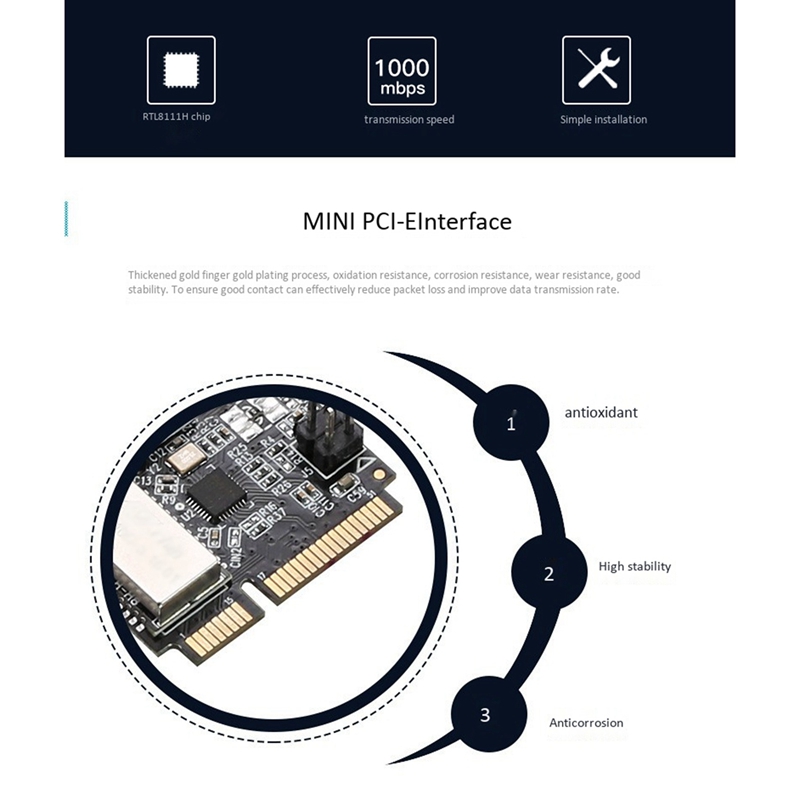 shrewd shard
Yeah
Hella sus
But, there's other options
But either way, if you get a 10 gbps card and an NVMe ethernet card, it might be worth something
median marsh
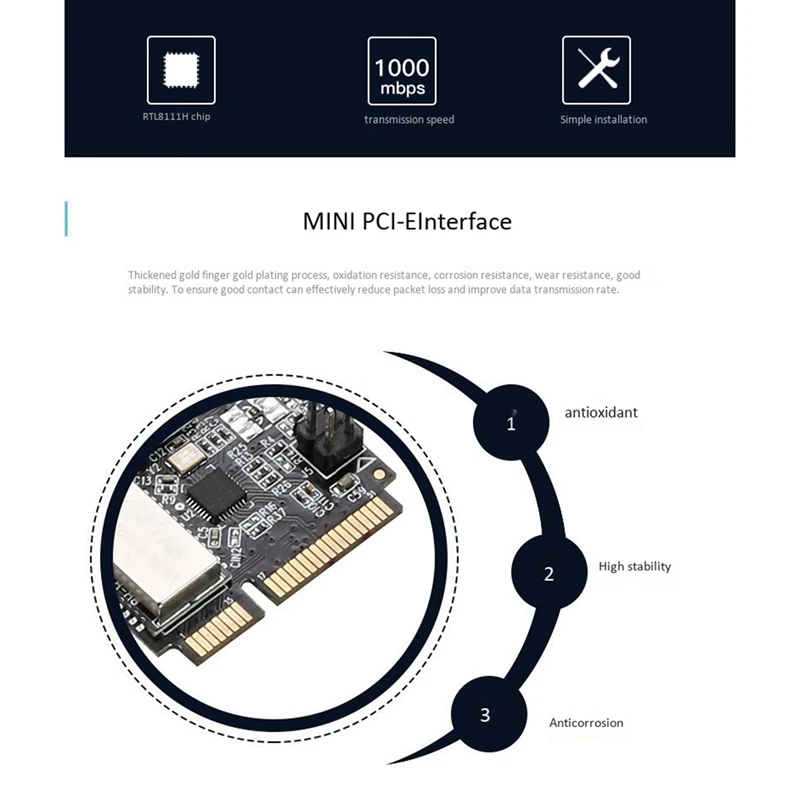
Mini PCI-E to Gigabit Ethernet Network Card & 10 Gbps Network Card
well, the description already tells it away actually
so the nvme thing is just GBit
shrewd shard
Yeah
Still, it's a 10 gbps card for 51$
(+ shipping obviously)
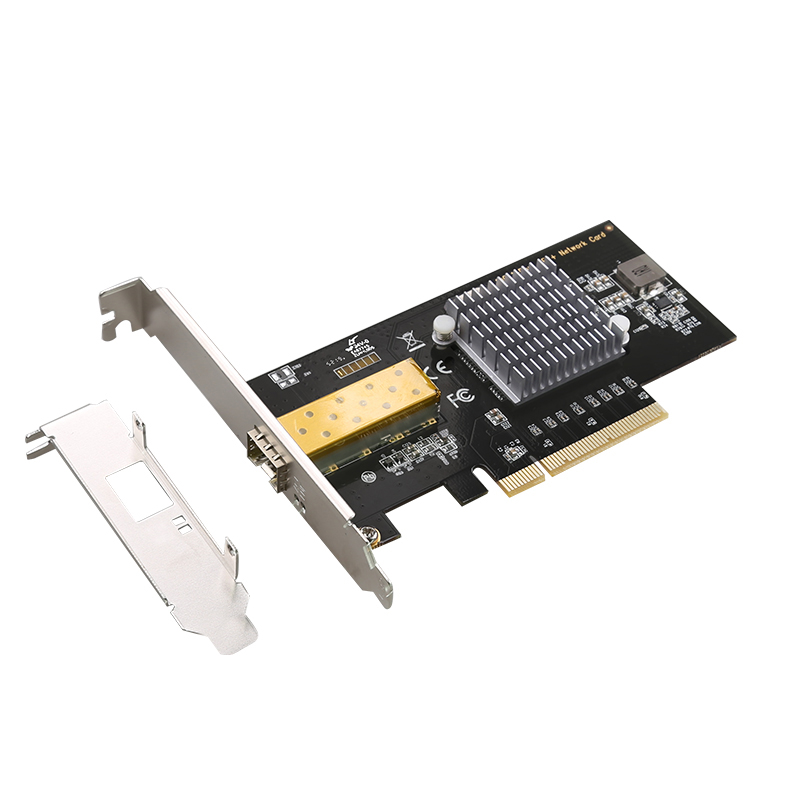
aliexpress.com
Smarter Shopping, Better Living! Aliexpress.com
10 gbps only for 42$
You deffo have options
median marsh
yea the cheapest one from local sellers are ~$100
shrewd shard
I myself would wait for when I have a proper high end system with many lanes since my current PC is a bottleneck there
There's a reason I like my server more, it has a free x16 and x4 slots for whatever I find
median marsh
yea its part of my system upgrade struggle, my current 3rd gen i7 has 40 pciex lanes
something similar is pretty expensive actually if it should last for a while -.-
newer i7's only got 20 lanes which are occupied by gpu + nvme
shrewd shard
Yeah, I've been wanting to upgrade to a Threadripper or the likes
median marsh
at least pci ex 4.0
shrewd shard
Threadripper is 64
median marsh
oh, nvm sorry
shrewd shard
It's aight
I currently have a mere Ryzen in a smaller form factor
About as limited as I can be
median marsh
oh wew, the newer threadrippers actually have 128 lanes 😄
shrewd shard
Yeah
Big bois
I want to get one of em beauties but also it's just so much money especially for me
If I could grab CPU + mobo + extra memory I would
My GPU is aight for the moment
median marsh
for me it would be 10900X or ryzen 5900x
shrewd shard
Kinda
median marsh
anything else is way too expensive
shrewd shard
Tbh I dream but I'm not ruling it out
Who knows how big my project becomes
Hell, who knows when they appear on second hand market
If I find a second hand Threadripper for cheap, even first gen, chance is I'll snag it
median marsh
for now i'll live with the risk that "compiling shaders" will burn in on my display some day 😄
because it shows for soo long
 devout pendant
You can't minimize Unreal Engine while compiling shaders?
frigid heath
there is a checkbox to use cpu when minimized
is off by default cuz global warming and shit
devout pendant
frigid heath
is off by default cuz global warming and shit
You could set Unreal Engine to be "low priority" for the CPU, so the operating system won't focus so much on Unreal Engine while it's minimized or in-the-background.


... or use something like Prio or Process Hacker to remember your process/IO priority.

https://sharkpillow.com/post/unreal-low/
Unreal Engine in "potato mode". 😆

Poor Nvidia, they wanted to kill the GTX Series so bad
Hey You, Wanna Connect with me? Here's where to find me on Social Media:
Discord:
https://discord.com/invite/PeUZkPBb7z
Instagram:
https://www.instagram.com/niktekchannel
Facebook:
https://www.facebook.com/niktekchannel
Reddit:
https://www.reddit.com/user/niktekchannel/
Twitter:
https:/...


median marsh
NVidia invents DLSS, AMD at press conference "and demonstrating once again, AMD is capable of driving the game industry forward"
what a bunch of fools 😄
wind egret
Don't count on it looking as good as DLSS. Important thing is whether it's better than normal upsampling, because that was DLSS 1.0's problem.
devout pendant
At the very least, at the very minimum, it will be a framerate-booster ... and it will work on non-AMD cards.
That, by itself, will be a nice benefit. 😆
 dull marsh
nvidia left a sour taste in my mouth. if the new cards were released at original msrp, they would have stole the show.
 rich wharf
can i use dlss on my 2070? 😐
shrewd shard
Yep
rich wharf
oo this i must do 😄





 minor veldt
I'm looking forward to FSRifying my DLSS frames.
wind egret
minor veldt
I'm looking forward to FSRifying my DLSS frames.
360 fps in 8k, go for it
minor veldt
wind egret
360 fps in 8k, go for it
Which Display Port version would be required for that? Alternatively, how many cables?
wind egret
Hadn't thought about that. If you wanted actual 360hz, I think there's only a few 1080p panels that do that? You'd need 16 of them to get 8k. (!!)
minor veldt
But I want it in a sub-40" panel. The DPI is gonna be insane.
wind egret
Sounds just about adequate for VR if you put your nose to the monitor.
shrewd shard
wind egret
Hadn't thought about that. If you wanted actual 360hz, I think there's only a fe...
I don't think a graphics card exists that supports that much bandwidth
devout pendant
nVIDIA was advertising 360Hz along with their nVIDIA Reflex technology ... and I'm sure every 360Hz monitor with nVIDIA Reflex would also have to have a GSync chip in it.

Oh ... it's stylized as "G-Sync".
Sorry, nVIDIA.

I guess LCDs are the only panels that can go up to 360Hz (so far) ... but OLED panels have nicer colors.
devout pendant
devout pendant
You can also use AMD FSR.
Intel likes FSR?

 candid timber
@devout pendant As I've said - I'm on a budget so my initial plan was to either get this:
https://www.amazon.de/Crucial-CT1000P2SSD8-Internes-2400-NAND/dp/B089DNM8LR/ref=sr_1_4?__mk_de_DE=ÅMÅŽÕÑ&crid=3HO3RP1CNDE4G&dchild=1&keywords=crucial+m2+1tb&qid=1619100969&s=computers&sprefix=crucial+m2+%2Ccomputers%2C200&sr=1-4
or this
https://geizhals.at/samsung-ssd-980-1tb-mz-v8v1t0bw-a2485468.html?hloc=at
no idea about their performance tho. haven't looked into that yet
Crucial P2 CT1000P2SSD8 1TB Internes SSD, Bis zu 2400 MB/s (3D NAND, NVMe, PCIe, M.2) - Kostenloser Versand ab 29€. Jetzt bei Amazon.de bestellen!

Geizhals.at
✔ Preisvergleich für Samsung SSD 980 1TB ✔ Bewertungen ✔ Produktinfo ⇒ Bauform: Solid State Module (SSM) • Formfaktor: M.2 2280 • Schnittstelle: M.2/M-Key (PCIe 3.0 x4) • Lesen… ✔ Solid State Drives (SSD) ✔ Testberichte ✔ Günstig kaufen
hmm
any specific ssd you'd recommend?
hmm
ahh, that's not great
lol
i mean, at the moment I only have a 500 gb ssd as a system drive
Which was fine until now. But it's getting way too cramed

oh lol
I generally simply save games on the 2tb hdd.
These days Tripple A titles have 100+gbs and saving them on the ssd ... it's just too expensive imo
is ancient the new demo?
the ue5 one?
ah
i didn't even bother downloading 100gb. not gonna wait an entire day to download a demo
that's surprising tbh
What gpu/ram config do you have?
interesting
actually quite similar to my rtx 2070
how does it run framerate wise?
decent
hehe
I don't think I'll upgrade my gpu before the rtx 4000 series.
alright, I'm defenitely gonna look for another one then
ouch
lol
But yeah, I'm probably gonna order the ssd in 2 weeks when I have more time on my hands to actually reset the pc. until then I'll have to suffer with the slow compile times I gues.
I don't have to but I'd like to.
The system has been running like this since I built it 2 years ago
and there's a lot of junk on it that needs to be whiped
but i'll see
and I need to switch out thermal paste. the cpu is running way too hot
63°C on medium load isn't great

especially considering the gpu is sitting at 36
 median marsh
about the SSD question, i've the 970 evo for a while now and i'm satisfied :>
as lorash said, for gamedev you don't need the top tier high speed ones, the main improvement is the access/seek time
 grand juniper
Guys which SSD is best? I am tired trying beautiful brands and each one is loosing bit rates when it comes to unreal build process
currently my SAMSUNG 970 EVO MZ-V7E1T0BW 1TB is touching +70 degrees
devout pendant
grand juniper
currently my SAMSUNG 970 EVO MZ-V7E1T0BW 1TB is touching +70 degrees
M.2 cooler! 😃

copper pipes + aluminum fins + a powered fan = wow! 
https://www.tomshardware.com/news/icy-box-big-block-cooler-for-tiny-m2-2280-ssds-heatsink-heat-pipes-fan
Did [Tom's Hardware] review this M.2 cooler?
Wow. 
median marsh
grand juniper
currently my SAMSUNG 970 EVO MZ-V7E1T0BW 1TB is touching +70 degrees
with or without cooler/heatsink?
i've a old heatsink from a psu or something bound on top of my evo, and it barely gets hotter than 55°C under load, with ~40°C idle
the icybox is really much overkill
in fact, ssd's require less energy to write a cell when warmer
grand juniper
median marsh
with or without cooler/heatsink?
I have without heatsink
grand juniper
devout pendant
M.2 cooler! 😃
This is nice but I am sure it will damage the motherboard
the motherboard has not the back plate for this
this comes with a motherboard to hold cpu heatsink

and I have no idea about that ssd heatsink...
devout pendant
grand juniper
and I have no idea about that ssd heatsink...
You are just referring to M.2 SSDs.
The other SSDs are PCIe SSD cards.
They usually come with heatsinks ... with/without a fan.
 median marsh
is the ssd mounted on the downside of the mainboard?
the thing on the right, kinda looks like it
devout pendant
median marsh
the thing on the right, kinda looks like it
It's a Gigabyte Aorus.

Gigabyte also makes M.2 SSDs with copper heatsinks.


SSDs come in all shapes and sizes and flavors and colors ... like humans! 😆
median marsh
i meant the photo of the mainboard from c0r37py
right of the cpu heatsink mount is another heatspreader, which could be an ssd?!
 celest cobalt
devout pendant
SSDs come in all shapes and sizes and flavors and colors ... like humans! 😆
celest cobalt
devout pendant
SSDs come in all shapes and sizes and flavors and colors ... like humans! 😆
but do they have rgb?
rgb is the new racing stripe
celest cobalt
devout pendant
and this one hardly counts. there's basically no led space on it
rgb everything. rgb ram, rgb motherboard, rgb cables, rgb rgb/fan controller
rgb rgb leds
devout pendant


someone on this discord server:
"So, do you guys recommend getting the RTX 3070 TI??"
shrewd shard
And the LTT review?
devout pendant
shrewd shard
And the LTT review?
You can post it.
My game match popped, so I have to play now.
You guys carry on without me.
 devout pendant


I didn't know AMD is doing a Zen 3 refresh with 3D Vcache, before they release Zen 4.

It's always a game of chess, isn't it?


 🤓
🤓
devout pendant


novel briar
I wonder... "APC Easy UPS 2200VA" vs "FSP Group IFP2000".
Need some UPS with over 1.2 kW output and DIN output(s).
shrewd shard
Watching Linus discuss the Tie at the WAN Show and doubling down on his take has made me lose trust in him
I just don't believe he's missing the point this hard and actually comparing apples to oranges
"The Tie is great value at MSRP compared to the current market" but he's missing the point that the Tie is getting marked up too
3080s in stock here cost 1300€ at retail, Ties are 2300€
If the Tie was at MSRP or at least equivalent price here, hell yeah
But it isn't
He's lost the plot entirely
devout pendant
Linus Sebastian is not the end-all be-all.
Take him as [one of many] sources of opinion and/or reviews.
You listen to multiple sources, look at the facts/evidence, then use your own critical thinking skills to come to a conclusion.
shrewd shard
I know he isn't, I'm just amazed how far off he is this time around and keeps sticking to his take
Previously he apologised for things like the PS5 but now he keeps parroting the same point over and over
It's like he's trying very hard to prove he isn't wrong
devout pendant
shrewd shard
It's like he's trying very hard to prove he isn't wrong
Turn-off your notifications from him, for a bit ... take a break, for a while.
 frank glade
shrewd shard
3080s in stock here cost 1300€ at retail, Ties are 2300€
frank glade
shrewd shard
3080s in stock here cost 1300€ at retail, Ties are 2300€
Here the Ti is cheaper than any 3080, because of the hash rate limiter. I guess theres a lot of miners locally
shrewd shard
Are you comparing cards that are actually in stock?
I can see listing for 3080 at 800€ but it isn't available
Same for the Tie
There's an option for 1400€ that isn't in stock
frank glade
yup, but every retailer here decided to triple the prices months ago without any shame. so most 3000 series are in stock, 2500E for a 3080, while 3080 Ti are about 2100E
frank glade
same here
shrewd shard
It was possible to find a 6900XT for close to 1500€
But the price upmarking scales up with MSRP for nvidias
frank glade
last time I used an AMD gpu I had serious driver issues with dcc programs sadly
the only way Im every buying a 3000 is from evga
where prices are still decent
but I've been queued from december
👀
shrewd shard
Tbh I don't mind the drivers as much
The only thing I use them at most is setting custom resolution / video modes to set a higher monitor refresh rate
I did have issues with AMD drivers, but only because I was trying hard to find drivers that allow my at the time unsupported for years laptop GPU to overclock
For context, it was 2018, I had an HD 7650M
The last driver that had come out for it was in 2016
And also things were goofed in Win 10 so I needed to have the right combination of driver and ancient Afterburner version
But I got 20% performance improvement which was great
frank glade
I hope they improved support nowadays
shrewd shard
I hope so too
I've been rocking an nvidia but mostly because I got it on a bargain
I'd gladly get an AMD over Novideo in the current price to performance
And also because VRAM
Lumen chomps hard
frank glade
true
shrewd shard
I've gotten a fair amount of crashes due to VRAM being full
frank glade
even if its slow, my 1060 with 6gb is still fine with substance painter, even 4k layers. theres hardly any incentive to get something with just 8gb. 12 sounds much better
shrewd shard
I'm doing quite the big project and I'm aiming at supporting basically every hardware that can at least run UE
So that includes testing top graphics to see how the game looks for those folks that rock a high end
I have an HD 6790 in my server that I use for basically worst case testing
1 GB VRAM and performance that's barely enough for 30 fps
But I digress
devout pendant
shrewd shard
I've gotten a fair amount of crashes due to VRAM being full
How many GB of VRAM is "full"?
shrewd shard
8
In the UE5 channels some people said they have trouble running Lumen in empty levels with 2060
devout pendant
shrewd shard
In the UE5 channels some people said they have trouble running Lumen in empty le...
UE Lumen and RTX seem to need VRAM … sign of things to come … foreshadowing the future … and VRAM is used for so many other things.
Imagine how much VRAM the first UE5/Lumen game will require.
System RAM should also be used as backup, but nothing beats VRAM close to the GPU cores.
shrewd shard
It's a tradeoff
Usually things run smoother if you cache them instead of recalculating them
But that means you need more memory
And vice versa
To save up on memory, you can instead "procedurally generate" what you'll need
devout pendant
shrewd shard
To save up on memory, you can instead "procedurally generate" what you'll need
(more work for the CPU/GPU)
When DDR5 comes-out, it might put slight downward pressure on DDR4 RAM.
Not sure when GDDR7 will be released, but might do the same for GDDR6.
 forest cape
we will get ddr5 next year