#hardware
1 messages · Page 49 of 1
 orchid iron
 white horizon
holy 3.5 hours long
 mighty patrol
Farming those advertisers
orchid iron
white horizon
doesn't seem to have any ads
He said the video doesn't have any ads on it
I think
 somber surge
mighty patrol
Sponsor/ ad
somber surge
mighty patrol
Sponsor/ ad
It's not sponsored
It's community funded

GamersNexus Official Store
Well worth the money
 median marsh
that was probably the best documentary i've seen in a while
 wise elbow
if you downloaded with the epic games store you can probably clear it's cache
idk how to do that specifically with egs; look it up
there's also a free tool called WinDirStat that will show you where the biggest files on your pc are
wise elbow
Maybe they should add AI to it
wise elbow
also sorry if that came off as shitty the other day lol. it was a joke
mighty patrol
Spacesniffer also notable mention
 feral cypress
Are SATA SSDs good as secondary storage drives with a primary NVME?
 delicate crystal
If you can get them for a good price sure. Depends.on how much theyre uaed. If youre not hitting it near constsntly or the files not massive youd ve better off with platters for seconday storage
wise elbow
feral cypress
Are SATA SSDs good as secondary storage drives with a primary NVME?
they are good drives in general
feral cypress
I thought they were much slower but bigger. Im thinking of the really big square ones
Or rectangle
feral cypress
Yeah i meant a hard drive
feral cypress
wise elbow
they are a lot slower than a ssd
I know they are slower but im asking if its worth it to use it as a secondary hard drive for things like UE files, 3d models, and more things.
I would use a normal NVME for primary storage for games and the software itself
wise elbow
I wouldn't put ue on it unless it's your only option
they are fine for just bulk storage if you get them for cheap
but they're really really slow
feral cypress
Bulk storage?
feral cypress
wise elbow
but they're really really slow
Also im not fully sure how drive speed effects a PC. Is it just loading times?
wise elbow
usually hard drives are cheaper. so put things you don't really use daily or care about on them
feral cypress
Ohhhh that makes sense
wise elbow
anything that reads or writes to a drive a lot will be affected
games read when loading
feral cypress
Yeah i know it would effect loading
wise elbow
you'll read/write a lot doing any development
feral cypress
Ohh ok
Thank you so much for the help
Actually last question: if i use the microcenter deal, is the 9900x overkill for UE (all aspects of game development except sound design), and if so, whats a cheaper CPU that would work good for UE?
wise elbow
it isn't overkill. though it might lag behind a bit in gaming because of how it's designed
it has twelve cores but they're split into 2 pairs which some games can be sensitive to
feral cypress
What Ryzen CPU is viable for UR?
I dont wanna go Intel because of the recent reliability issues and crashes
wise elbow
I wouldn't use anything less than a Ryzen 7 unless you're limited by budget
it can make compile times long
feral cypress
I mean my budget is 1k, but I can go to 1.5k if needed
wise elbow
what GPU were you going to get?
feral cypress
GPU I want a 9060xt 16gb
I want full AMD because they have good price to performance on CPUS and GPUS
wise elbow
i would be shocked if you can build all of this for less than 1k
feral cypress
Im def not going to
Thats why i said i would go up to 1.5k
Im planning to use the microcenter 9900x or maybe 9700x deal for 549.99 or 429 .99 respectively which include 32gb of ram and an x870e-p or b650 motherboard, with 2tb of storage and an 850 watt PSU
 grave sundial

It used to be OEM's only, but can be bought by single-users now, apparently.
$1,220.
$1,324 - Gigabyte AI TOP variant
grave sundial
Two guys purchased one each. I am trying to find their source.
mighty patrol
Available upon request apparently
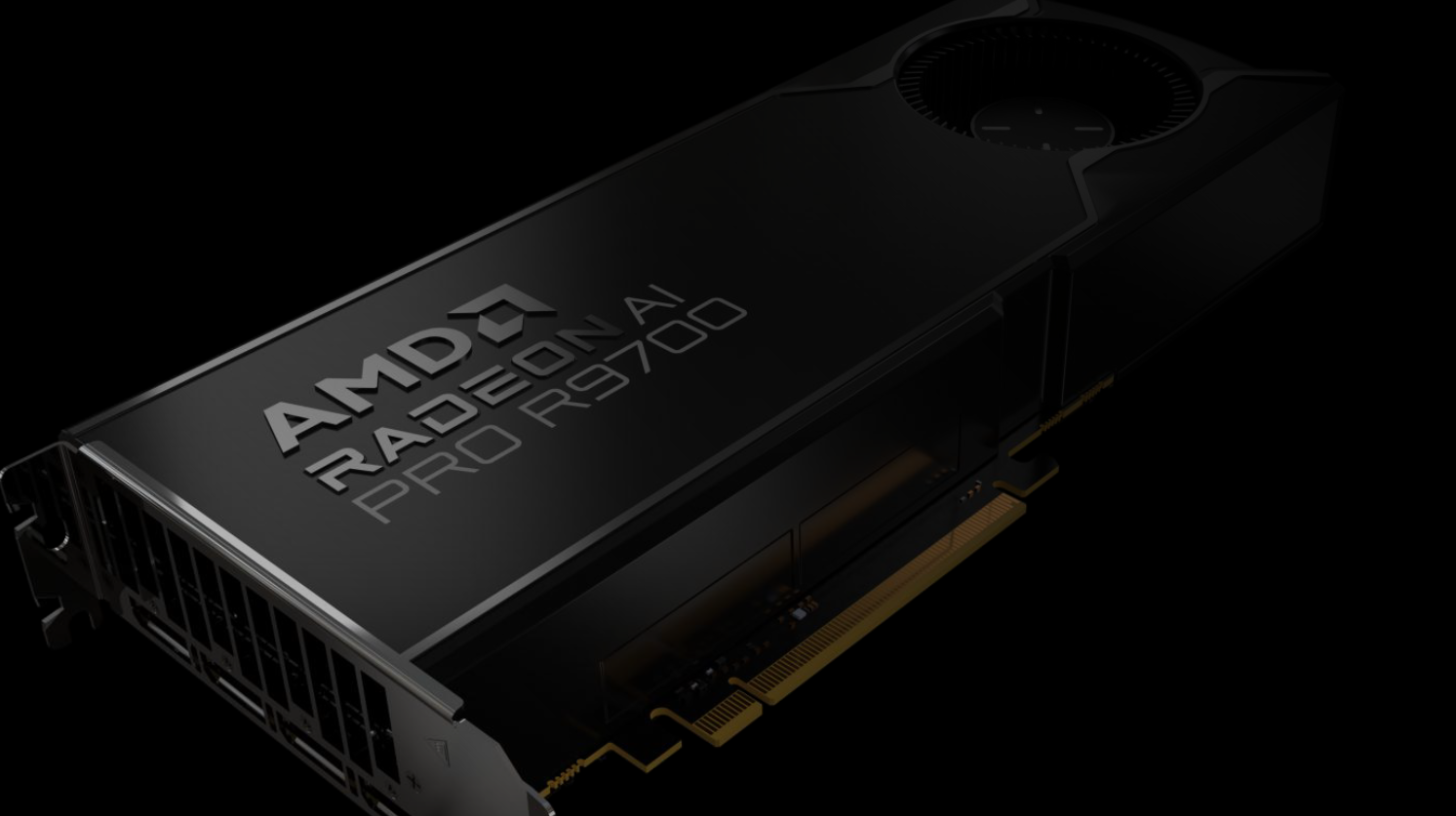
Wccftech
AMD's RDNA 4-based workstation GPU, the Radeon AI PRO R9700, has been launched but it will only be available from system builders.
So prebuilts
mighty patrol
Yeah I saw that
grave sundial
 mighty patrol
Would be sick to find a A100 for cheap
grave sundial
cheap is a fantasy now.
mighty patrol
Lol
grave sundial
Raid a bank.
mighty patrol
I mean there's a few for like 6k
grave sundial
There is only THE PRICE.
median marsh
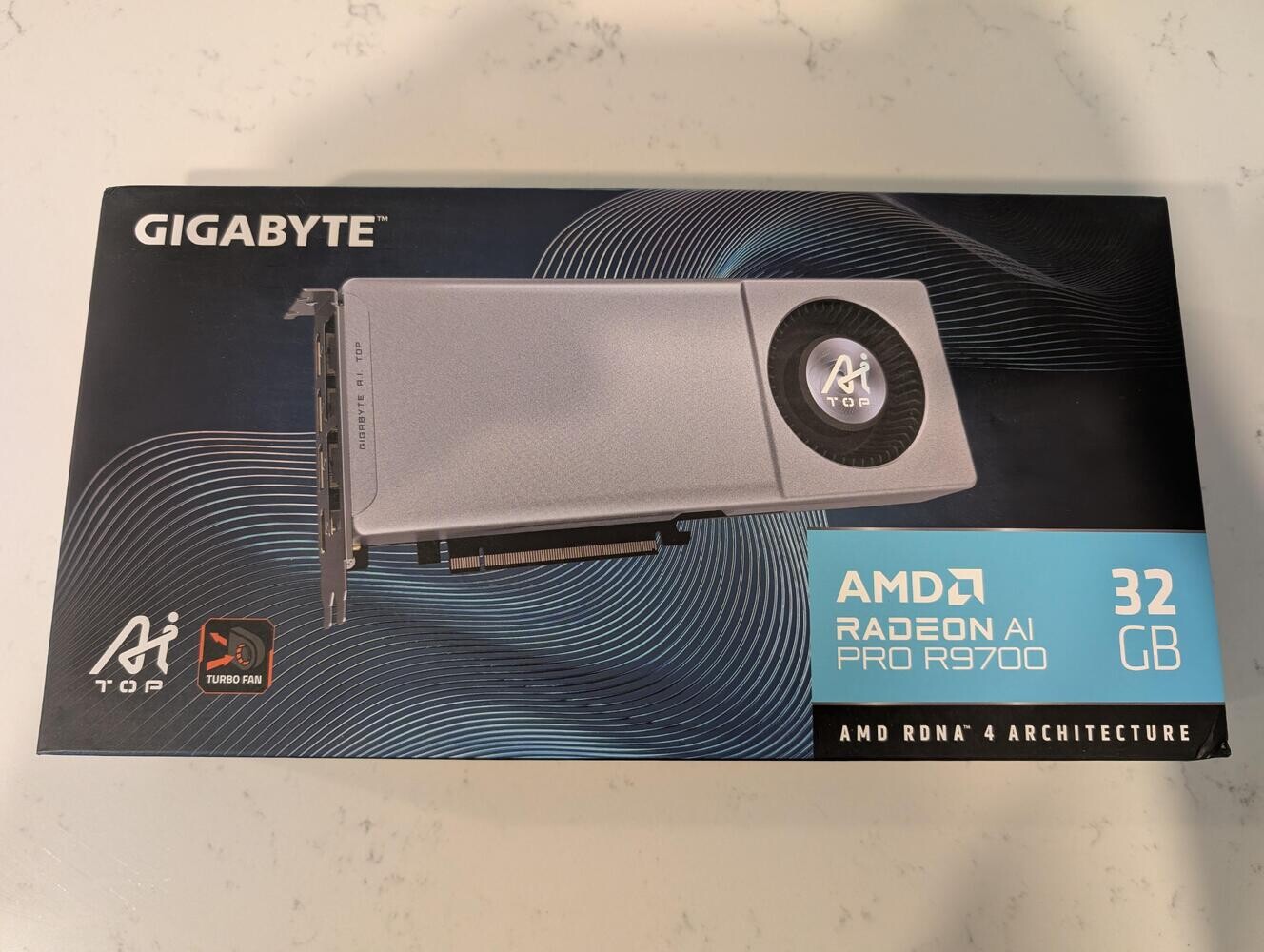
TechPowerUp
A Reddit user bought a Radeon AI PRO R9700 graphics card in the retail channel for $1,220. This card was believed to be unavailable in retail, and restricted to the OEM and SI channels, meant to be sold by workstation builders. The card in question is a GIGABYTE Radeon AI PRO R9700 AI TOP, a custom-...
mighty patrol
Ah
There's a website that re-sells
Exxact
Say's 404 but it shows up after a second or so
You can get a quote
median marsh
yea, but honestly AMD isn't helping themself with this
other than no reviews are out
which may show us that it's a 16GB upgrade on the 9070 XT for >600 bucks
mighty patrol
Why release an AI card but not really sell it
Except to limited people ofc
Can't imagine they sell many
median marsh
me neither, who in their right mind buys them if they don't have numbers
 mighty cosmos
mighty patrol
https://wccftech.com/amd-radeon-ai-pro-r9700-has-already-launched-but-will-be-on...
mighty cosmos
mighty patrol
https://wccftech.com/amd-radeon-ai-pro-r9700-has-already-launched-but-will-be-on...
I'm pretty sure I know people that would grab a couple dozen or more of those if you could just buy them lol
median marsh
i think it's way more overpriced than what nvidia does 😄
$600 for 16GB upgrade is a fricking joke, chances are very high that the performance is on 9070XT niveau
mighty patrol
mighty cosmos
I'm pretty sure I know people that would grab a couple dozen or more of those if...
Can buy A100 8 packs instead
Costs way more but likely get more use
median marsh
and they don't even offer something like nvlink to link cards?!
grave sundial
I think the guy who bought the R9700, has his own proprietorship or limited company.
He was able to get a quote and order it as a 'commercial customer'.
wise elbow
mighty patrol
Replace 2080 super
I doubt it would be better at gaming, no?
wise elbow
mighty cosmos
I'm pretty sure I know people that would grab a couple dozen or more of those if...
the AMD cards are actually pretty good now but no CUDA is still a killer in a lot of circumstances
somber surge
median marsh
i think it's way more overpriced than what nvidia does 😄
Nvidia is the king of overpricing "Pro" gpus for a couple of GB more
"just" 600$ for double the vram on a pro gpu isn't that bad in the current market
median marsh
but the pro ones come with NVLink!?
wise elbow
most of the cost of the pro GPUs is support and being able to blame Nvidia if you have a hardware error
god knows you need it now
mighty patrol
wise elbow
I doubt it would be better at gaming, no?
Likely not but would be nice to have an intel card for testing.
orchid iron
median marsh
but the pro ones come with NVLink!?
Wtf, that's where SLI went? Bruuhuh
somber surge
UGREEN Nexode Portable Power Bank 300W(29% OFF): http://amzn.to/47zE6gp
Check Out UGREEN Nexode Power Bank: https://amzn.to/4oGTr52
Support us on Patreon: https://www.patreon.com/hardwareunboxed
Buy relevant products from Amazon, Newegg and others below:
Asus ROG Strix XG32UCWMG - https://geni.us/scnBt
Asus ROG Swift PG32UCDP - https://geni.us...
Damn nice monitor
I'm tempted but still afraid of going OLED with my usage 🥲
wise elbow
I definitely wouldn't get one of you plan on doing anything other than game or watch video
orchid iron
I can never get over monitor names
mighty cosmos
wise elbow
the AMD cards are actually pretty good now but no CUDA is still a killer in a lo...
yeah amd has been lazy enough to not even have rocm support for their latest consumer gpus on windows
As much as I dislike nvidia's marketing department and some of their practices
Nvidia does put a huge amount of effort into developer support, docs, software support, etc...
median marsh
idk... 😄

NVIDIA Developer Forums
The NVIDIA Linux driver doesn’t handle the VRAM sharing with the system RAM. What I’m exactly referring to is this: Windows 10 Task Manager in GPU section As can be seen, there is the “Dedicated GPU memory” and the “Shared GPU memory” that is actual system RAM but shared with the GPU, so in case the GPU runs out of VRAM, the system...
that's a >2 years old thread
and nvidia didn't even bother to respond
they do what's necessary to keep people trapped in the cuda world
orchid iron
median marsh
https://forums.developer.nvidia.com/t/non-existent-shared-vram-on-nvidia-linux-d...
That's not a bug, that's a feature
median marsh
 orchid iron

A recent Windows update has caused major problems for SSDs running on Phison controllers. Users are reporting crashes, slowdowns, and even drives disappearing from the system
○ Get your JayzTwoCents Merch Here! - https://www.jayztwocents.com
○ Join this channel to get access to perks:
https://www.youtube.com/channel/UCkWQ0gDrqOCarmUKmppD7GQ...
median marsh
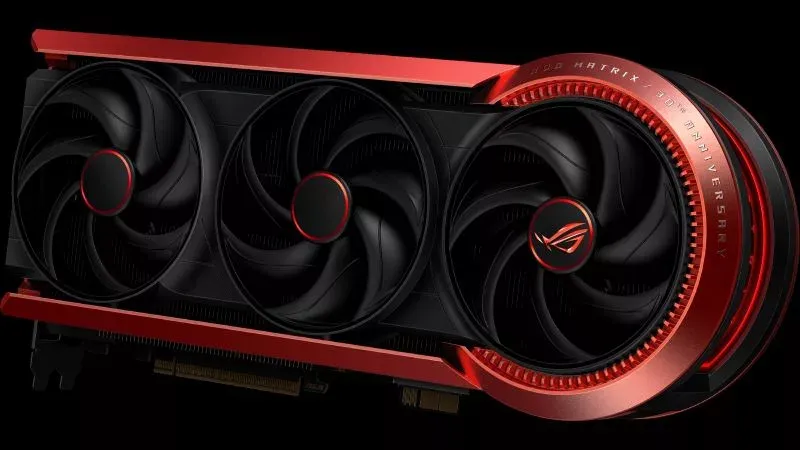
@ROG
One graphics card, 30 years of legacy. Here's how the new ROG Matrix learns from the past while forging its own path into the future.
800W power limit 😄
grave sundial
A bit more and it can compete with microwave ovens.
Reach for the 1KW,
You can DO it! 🎶
somber surge
median marsh
https://rog.asus.com/articles/gaming-graphics-cards/the-rog-matrix-geforce-rtx-5...
800W on a single 12VHPWR that can't even stand 600W without burning?
What could go wrong
median marsh
Today, we’re ready to confirm that the online detectives of the world were correct on all these fronts. Behind the scenes, we’ve been working on software that can make use of the data provided by this sensor, and the result of our efforts is a new feature in GPU Tweak III called Level Sense.
lmao
they added a gyro to detect sagging cards 😄
The ROG Matrix GeForce RTX 5090 refuses to accept those limitations. It can draw up to 800W when it’s plugged into an advanced BTF motherboard and plugged directly into a power supply through a 12v2x6 cable.
so maybe there's 200W reserve in the specs for the onboard power 🤷
 grave sundial
Isn't that the new connector from China?
Oh no, that was a different one I had posted.
median marsh
i think that's also why the 1000W+ bios for the Astral exists in the first place
grave sundial
That was GDMI or something, for monitors.
median marsh
grave sundial
That was GDMI or something, for monitors.
what does it do? Carry power for the screen?
grave sundial
median marsh
what does it do? Carry power for the screen?
It's apparently capable of delivering very high resolution data transfers much better than the existing HDMI cables.
I forget the details. Let me see if I can find that article for you.
grave sundial
median marsh
even tho it's kinda hdmi 🤷

China's GPMI cable standard delivers 192Gbps bandwidth and 480W power, challenging Western dominance with capabilities that far exceed HDMI, DisplayPort, and USB-C.
This is old news though. It was like, 2 months ago? 🤷♂️
median marsh
yea old is relative
nice able to carry ~500W
so in theory you could have a lighter/cheaper screen with this, as it wouldn't need a PSU in the screen
oh DP can do this, too
orchid iron
somber surge
800W on a single 12VHPWR that can't even stand 600W without burning?
they use their back connect connector alongside the 600w fire hazard so that it can draw 800watts very very VERY safely
(compatible only with back side connecter motherboards)
median marsh
the 600W connector could be pretty safe if the specification wasn't a disaster to begin with
and all current "solutions" kinda suck, only thing i got hope for is seasonics solution which is rumored to release 2026...
https://pg.asrock.com/Power-Supply/features/CableOver-PG-1000G.jpg asrock at least has a PSU series with thermal sensor which shuts down power
just looked at seasonics board... i hope this get's a refactor, too

or that there's another set of shunts on the back
somber surge
median marsh
the 600W connector could be pretty safe if the specification wasn't a disaster t...
Well, the connector isn't the biggest issue, the biggest issue is that Nvidia wants to save pennies by not allowing 2 connectors on gpus that would definitely need it + forcing them to have a single 12V rail connected to all of the pins, which doesn't allow for any basic monitoring with shunt resistors
median marsh
the connector is likely very fine
the issue is that it should be protected on the PSU side, just like your house/apartment fuses are placed at the split of power
ofc you can use shunt resistors
that's what asus does on the astral
somber surge
Except not everyone uses a native connector, it should be the responsability of the gpu to ensure all pins have similar amount of power going through
median marsh
and?
somber surge
median marsh
ofc you can use shunt resistors
They don't do anything aside from monitoring, because they still go to the same single 12V rail, they don't have any failsafe with those shunt resistors
median marsh
the failsafe would be to turn off the card, which for whatever reason Asus decided not to do
and still, this migates an issue which is still present
a PSU allowing too much power draw from a cable/connector which isn't suited for it
somber surge
median marsh
the failsafe would be to turn off the card, which for whatever reason Asus decid...
The reason: Nvidia
median marsh
so how did Asus come away with their monitoring?
somber surge
Because the design of the board is still the same, they just added an extra step that doesn't do anything
You'll get a cool red color in their app in case the connector doesn't work well, too bad it might have already killed the gpu :p
median marsh
which makes the whole thing pretty pointless imho
and idc what EVGA claims
nvidia has likely good reasons to put out a reference design
and i kind of doubt that Asus isn't allowed to add a feature like card shutdown. all of their RGB, fan controller stuff is also custom and way more involved in how the gpu operates after all
orchid iron
somber surge
It's pretty much all locked down, EVGA left in part because of this bullshit
Fun fact, XFX used to make Nvidia GPUs, then left because of similar reasons
median marsh

here you can see the shunts on the astral
but watching 6 of 12 wires is pointless
somber surge
median marsh
and i kind of doubt that Asus isn't allowed to add a feature like card shutdown....
There's enough proof by now that Nvidia is very conservative on what get a pass or not
Just look at gpus designs a decade ago and now
median marsh
it's all speculation without knowing the contracts
do you know how much it would cost a gpu vendor to make their own circuit for a modern GPU?
it's just waste of money and time
somber surge
Yeah like if no one with insider knowledge has never talked about this 
But sure let's pretend Nvidia is the good guy
median marsh
having a reference design is good
wise elbow
median marsh
nice able to carry ~500W
I think USB c can technically do that. there's not really a standard for USB c
I can't imagine this cable is very thin and still allow high power and data
12vhpwr just sucks all around
sure the connection sucks, but it's just too thin to be used for what it's doing, regardless of the connection
also shame on board partners for designing cards to pull higher than the rated power
utterly irresponsible
 spice girder
I find this video from der8auer intressting in regards of the melting 12vhpwr connector and cable. https://www.youtube.com/watch?v=oB75fEt7tH0&t=777s

Make sure to check out the Endorfy Navis AIOs:
https://endorfy.com/en/category/cooling-main/liquid-cooling/
Music / Credits:
Outro:
1998 Beats - Strange Things
Paid content in this video:
- Endorfy Spot
Samples used in this vi...
orchid iron
spice girder
I find this video from der8auer intressting in regards of the melting 12vhpwr c...
Which takes the knowledge from "actually hardcore overclockers" video about the topic

Me asking a question about AI to people who know AI
median marsh
because the conclussion is outright wrong
cable protection belongs at the beginning of the cable
could the board partners reduce the risk with an investment of <$5 per card? absolutely. But no one calls out the PSU manufacturers in this
orchid iron
median marsh
cable protection belongs at the beginning of the cable
Alright, but the main issue is that everything was perfectly fine when GPUs used 8pin connectors, because those were over spec-ed and the GPU manufacturers could put shunt resistors right next to the 8 pin
(Although, even back then, Nvidia just overcomplicated everything and tried to make active load balancing instead of passive load balancing)
Like imagine if on the GPU, all 3 8 pin would combine into one, AND THEN the board partner puts a shunt resistor for all 3, that would feel so cheap and so unsafe

Patreon: https://www.patreon.com/buildzoid
Twitch(mainly gaming streams): https://www.twitch.tv/buildzoid
AHOC Shirts: https://actually-hardcore-overclocking.creator-spring.com/
Bandcamp: https://machineforscreams.bandcamp.com/music
My FPS game: https://buildzoid.itch.io/hv-shooter
Bluesky: https://bsky.app/profile/buildzoid.bsky.social
Facebook...
median marsh
orchid iron
Alright, but the main issue is that everything was perfectly fine when GPUs used...
even those should be protected by the PSU
it's just that for decades no one really cared
and now we have PSUs which are capable of putting enough power out to weld metal
mighty patrol
I remember having an old PSU catch fire
median marsh
also i think the 12VHPWR fail rate is very low
mighty patrol
Ah the good old days
orchid iron
median marsh
even those should be protected by the PSU
And the video explains why it is much harder to do on PSU side than GPU side
median marsh
yes, but that's just one safety measure
doesn't excuse missing protection of the cable on the PSU side
in every industry you have fuses when going to lower diameter cables
or the main cable is fused according to the thinest fork
which is to protect cables/connectors from melting....
i don't even know how those PSUs are "legal" here, usually germany is very strict about those things
maybe that's why landlords are forced to install smoke detectors in every flat they rent out 😄
so there's finally fires again
median marsh
 mighty patrol
That looks safe
mighty cosmos
I very much prefer corsair's solution, they have the connector split into 2 8pin
over some PSUs that have the "native" high power connector
median marsh
yea that reduces the risk on the PSU side a bit
i think asrocks solution with temperature sensor is better than nothing
and imho my "favorite" among the weirdo "solutions" to this
likely until seasonic releases theirs
orchid iron
median marsh
in every industry you have fuses when going to lower diameter cables
Ooooh, fuses
Yeah, that should be there, but also there was probably never a situation where that was needed...until Nvidia was like:"hey so guys, we have a standard that's better than everyone else's and we also know best, so if you impiliment it, we'll also force you to use specific PCB circuits to connect our standard (the best one) to our GPU "
median marsh
doesn't even need to be fuses in a modern PSU
you can use shunt and measure current, and shut off the PSU when necessary
that costs like $5 if i build it myself on breadboard 😛
so they probably can do <$1
pretty much 2x this https://de.aliexpress.com/item/1005006565844627.html
with other shunt resistors
 pulsar zephyr
i was checking some compat stuff and wondered why pangoly pc builder says the MB and RAM isnt compatible


both type of RAM (DDR5) and speed (5600) are marked supported
can it be the latency ?
orchid iron
pulsar zephyr
i was checking some compat stuff and wondered why pangoly pc builder says the MB...
Each motherboard has a list of very specific kits that they are """compatible""" with (you can check on the Mobo manufacture website)
But yeah, may be working completely or partially even if it isn't in the list, and vice versa, it may not work at all even while being on the list
But you can annoy customer support of Mobo if it is on the list xD
wise elbow
memory is a crapshoot
mighty cosmos
pulsar zephyr
with new settings
Wait like 10min I'll give you mine
Where did you mount the radiator?
Did you tighten the block properly?
95C is fine and expected (it will reach it with literally any cooler) but the discrepancy in build times is making me sus
 pulsar zephyr
mighty cosmos
Where did you mount the radiator?
Did you tighten the block properly?
pulsar zephyr
mighty cosmos
Where did you mount the radiator?
Did you tighten the block properly?
i used the swrew driver until i was blocked, then releseed a bit
mighty cosmos
Ok that's fine
pulsar zephyr
i was told to not tight it to max
mighty cosmos
pulsar zephyr
i used the swrew driver until i was blocked, then releseed a bit
Hm I don't usually release, I tighten as much as I can without forcing anything, when I feel resistance that's it
But doubt that made any difference here
pulsar zephyr
mighty cosmos
Hm I don't usually release, I tighten as much as I can without forcing anything,...
yeah same here
mighty cosmos
mighty cosmos
Wait like 10min I'll give you mine

 pulsar zephyr
woops, wrong device
mighty cosmos

mighty cosmos
that sounds fine
pulsar zephyr
 mighty cosmos
it will spike to 92 ish towards the end of the build where only a few cores are under load (so it can boost higher which will spike the temps)
@pulsar zephyr when you can try running the corona 10 benchmark, curious what you will get
these are my results

 pulsar zephyr
29m to compile
but always around 90 degress, and almost instantly went to 50 degress when finished
mighty patrol
Is that benchmark focused on cpu?
pulsar zephyr
mighty cosmos
did you had any random stuff like chrome open while doing this ?
mighty cosmos
mighty patrol
Is that benchmark focused on cpu?
yeah
 mighty cosmos
pulsar zephyr
did you had any random stuff like chrome open while doing this ?
mighty cosmos
pulsar zephyr
did you had any random stuff like chrome open while doing this ?
nope
pulsar zephyr
closing chrome added 800 to the score lol
mighty cosmos
yeah ok you are fine then
mighty patrol
Ty always looking for more benchmark tools
pulsar zephyr
maybe i just have to OC my cpu and ram, but for now im happy
mighty cosmos
pulsar zephyr
maybe i just have to OC my cpu and ram, but for now im happy
yeah something else must be slowing the engine builds then
either storage speeds or something else
median marsh
ItS nViDiAs FaUlT
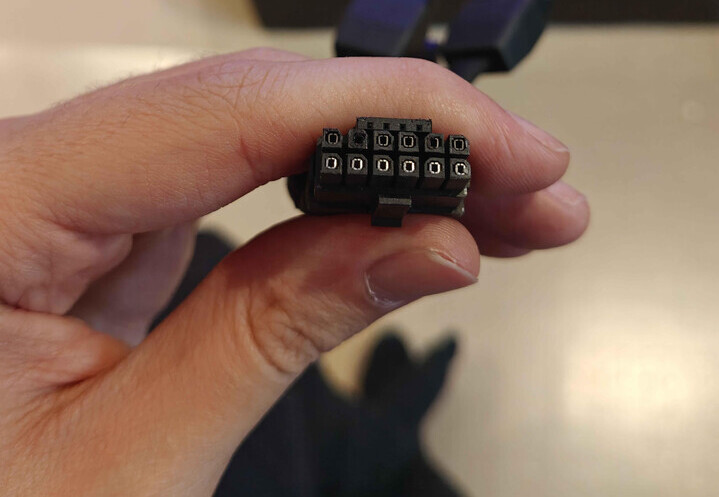
TechPowerUp
It appears as though AMD has also fallen prey to the melting 12VHPWR connector issues that plagued the NVIDIA RTX 4000 and 5000-series cards. Although very few AMD graphics card makers used the 12VHPWR connector for the Radeon RX 7000 series, adoption rates for the new connection standard increased ...
mighty cosmos
median marsh
https://www.techpowerup.com/340193/melting-12vhpwr-connector-claims-its-first-am...
one of the comments


it's almost like a higher rated power supply only supplies the power the components actually use
median marsh
well, so much power on such small room is indeed insane
mighty cosmos
median marsh
https://www.techpowerup.com/340193/melting-12vhpwr-connector-claims-its-first-am...
oh someone also linked 8pin connectors burning up
https://www.reddit.com/r/watercooling/comments/15pfhgc/3080_8_pin_pci_cable_seems_to_have_melted_in_the
Reddit
Explore this post and more from the watercooling community
median marsh
i'm suprised those GPUs survive the warranty duration 😄
imho modern PSU designs/circuits are flawed
they are supposed to protect the cables, etc.
mighty cosmos
median marsh
well, so much power on such small room is indeed insane
tbf when all individual wires are undamaged 600W through it is perfectly fine
The issue is when there is more current flowing through a smaller set of wires because others are damaged or not in contact
I'm still willing to bet the cases of these connectors melting are like 0.05% max
if even that much
mighty cosmos
yeah lol
pulsar zephyr
anyone knows something about "unlinking" a windows key from my old harware to new one ?
median marsh
they are linked now?!
usually you try to install, then it tells you the key wasn't used too often, and you have to reactivate it
only had that once, called a hotline with a "chatbot" and that thing reactivated it (but that was Windows XP era)
pulsar zephyr

trobleshot tool just says "sorry im shit i cant do anything contact support"
where apparently from microsoft docs it should give my an option "i changed hardware"
median marsh
google microsoft activation hotline
pulsar zephyr
its midnight
median marsh
it's bot's anyways 😄
mighty cosmos
pulsar zephyr
anyone knows something about "unlinking" a windows key from my old harware to ne...
I have no clue, mine never deactivated when changing hardware
I have replaced so many thing already and not once did I have to reactivate it
So no clue how exactly windows decides when a hardware change requires reactivation
mighty cosmos
I have changed like 4 MBs and 4 CPUs on this same windows activation
and like 5 gpus
Oh if it's a preinstalled OEM license then it will do that, apparently
If it's not and you linked your MS account it might not ask for reactivation
that's what I'm finding from googling
mighty cosmos
Ever linked the MS account?
I have no clue, I never had to reactivate, but I have linked the MS account so no clue if that's why
pulsar zephyr
i did linked it
i cant contact MS
it tells me to check community help
well now it worked
random ass troubleshooter
orchid iron
median marsh
they are linked now?!
Windows Key when activated, gets put on the motherboard, so when transfering drives, you gotta keep in in mind
median marsh

VideoCardz.com
MaxSun’s Arc Pro B60 with two GPUs listed for sale The first Intel Arc Pro card based on the Battlemage architecture is nearing release. However, the initial launch will primarily target system integrators rather than DIY builders looking to purchase the card individually. The good news is that at least one retailer in Europe plans […]
not that it's really an interesting card for anyone doing UE stuff...
orchid iron
If this is battlemage, I'm hyped about celestial
median marsh
yeah, i hope intel gains foot again
orchid iron
we need more competition in the cpu and gpu space in general
somber surge
median marsh
yeah, i hope intel gains foot again
Let's just hope the new CEO doesn't kill the entire DGPU division
Though maybe with the recent investments from Softbank and the US they won't have to be so drastic with cuts
orchid iron
somber surge
Let's just hope the new CEO doesn't kill the entire DGPU division
new celestial will probably have significantly higher price since he wants 50% profit margins
but I would buy it if it has like 64gb of ram for around 1.5k$ xD
wise elbow
really curious about celestial if it releases
i feel like it has a chance to just be better than amd
orchid iron
could be better by just having more vram and allow for LPDDR5 support (upcoming low end amd gpus have LPDDR5X instead of gddr6)
orchid iron

HELP US FIGHT SUPPRESSION OF INFORMATION: https://store.gamersnexus.net/black-market-gpu-backers
Bloomberg LP filed a copyright strike against GamersNexus on YouTube, targeting our NVIDIA AI GPU Black Market movie that we uploaded last week. The illegitimate and invalid copyright strike abuses the YouTube copyright strike system via a DMCA taked...
median marsh
yea, it's funny that they just happen to half a half assed documentary about the same topic 😄
 agile lodge

Wccftech
Intel has just unveiled new information on its next-gen Clearwater Forest "E-Core" Xeon CPUs with up to 288 cores on the 18A process node.
white horizon
Local video game expo had someone selling hardware and I barely missed a 200$ (CAD) 6800XT
Would've been good for my home CI pc i'm building
sad
orchid iron
agile lodge
https://wccftech.com/intel-clearwater-forest-e-core-xeon-cpu-12-cpu-chiplets-18a...
ayyyy, the 18A node lives! Nice
somber surge

The Framework Laptop 16 is now available with AMD Ryzen™ AI 300 Series processors and the NVIDIA® GeForce RTX™ 5070 graphics. The new Graphics Module is fully backwards compatible, enabling existing Framework Laptop 16 owners to upgrade to the latest performance. Other upgrades include a 240W USB-C Power Adapter, improved thermals, G-SYNC ...
Framework laptops finally having decent gpus....and of course it has only 8GB of vram
I guess now at least buyers can upgrade to the 6070 which will probably have like 9GB of vram...
770€ for an 8GB 5070 💀
orchid iron
somber surge
https://www.youtube.com/watch?v=OZRG7Og61mw
At this point using integrated graphics makes more sense
orchid iron

Forbes
As 16 billion credentials are confirmed as having been leaked, is it time to switch from passwords to passkeys?
mighty patrol
June?
white horizon
somber surge
Framework laptops finally having decent gpus....and of course it has only 8GB of...
Wonder if you could solder in some more ram modules
orchid iron
white horizon
Wonder if you could solder in some more ram modules
Even if you solder, there aren't any traces on the motherboard, so you'd have to do that, and then also flash a custom Vbios on that GPU, which may or may not work
median marsh
most memory mods change the existing chips for bigger ones, so, e.g. from 2GB modules you swap to 3GB chips
white horizon
yeah what i meant
orchid iron
white horizon
yeah what i meant
there might still be some issues since you'd have to tell the GPU's memory controller that it does in fact have more memory than it normally would, which is why I was talking about the vBIOS thing
median marsh
may depend on the GPU, i guess the memory chips tell the GPU their address ranges/size
somber surge
median marsh
most memory mods change the existing chips for bigger ones, so, e.g. from 2GB mo...
More frequently they just double up with the same chips
It costs less to just double up and keep half of them than having to replace them all :p
Especially when you have 12 to replace like on a 4090 (e.g. Gamer Nexus documentary)
somber surge
Well, you wouldn't do it on a cheap card anyway
What's the point of spending more to upgrade the gpu vram than the cost of the card itself, just buy an higher tier one
🤣
But of course that's what Nvidia wants you to do, hence why they have those garbage tier vram configurations
median marsh
well, i think it's fine for gamers with the 50 series
every model has a 16GB variant, which should be fine for the majority of users
for content creation it can suck tho
orchid iron
Future low end AMD GPUs will very likely have LPDDR5X instead (normally GDDR was supposed to be for higher end GPUs in the first place)
somber surge
median marsh
well, i think it's fine for gamers with the 50 series
Except the ones most gamers can actually afford
5070...5060...
 random bane
Guys, I’m looking on Amazon for a product, a power regulator device for computers, cheap and good quality. Does anyone know?
median marsh
i've looked at some and i came to the conclussion that a UPS might be a better choice 🤷
the only one i kinda liked was the Green Cell stuff
but i don't have any hands on experience
which is pretty much an inline UPS without battery (but with connector to add an external battery)
random bane
AVR is cheaper and does the job.
My computer is about to crash and my game files are gone. All because I don't have a voltage regulator 😭
somber surge
median marsh
5060TI and 5070TI are affordable?!
5060Ti is trash compared to the 5070 but then the 5070 only has 12GB and the next tier up is +200 bucks
There is nothing viable in between that has minimum 16GB
There's a big market between 400 bucks and 750+ 🤣
The 9070..depends on your region for pricing and not as good as Nvidia still, maybe with their FSR Redstone thing they will be 100% competitive
FSR 4 is really good but adoption is rather slow
orchid iron
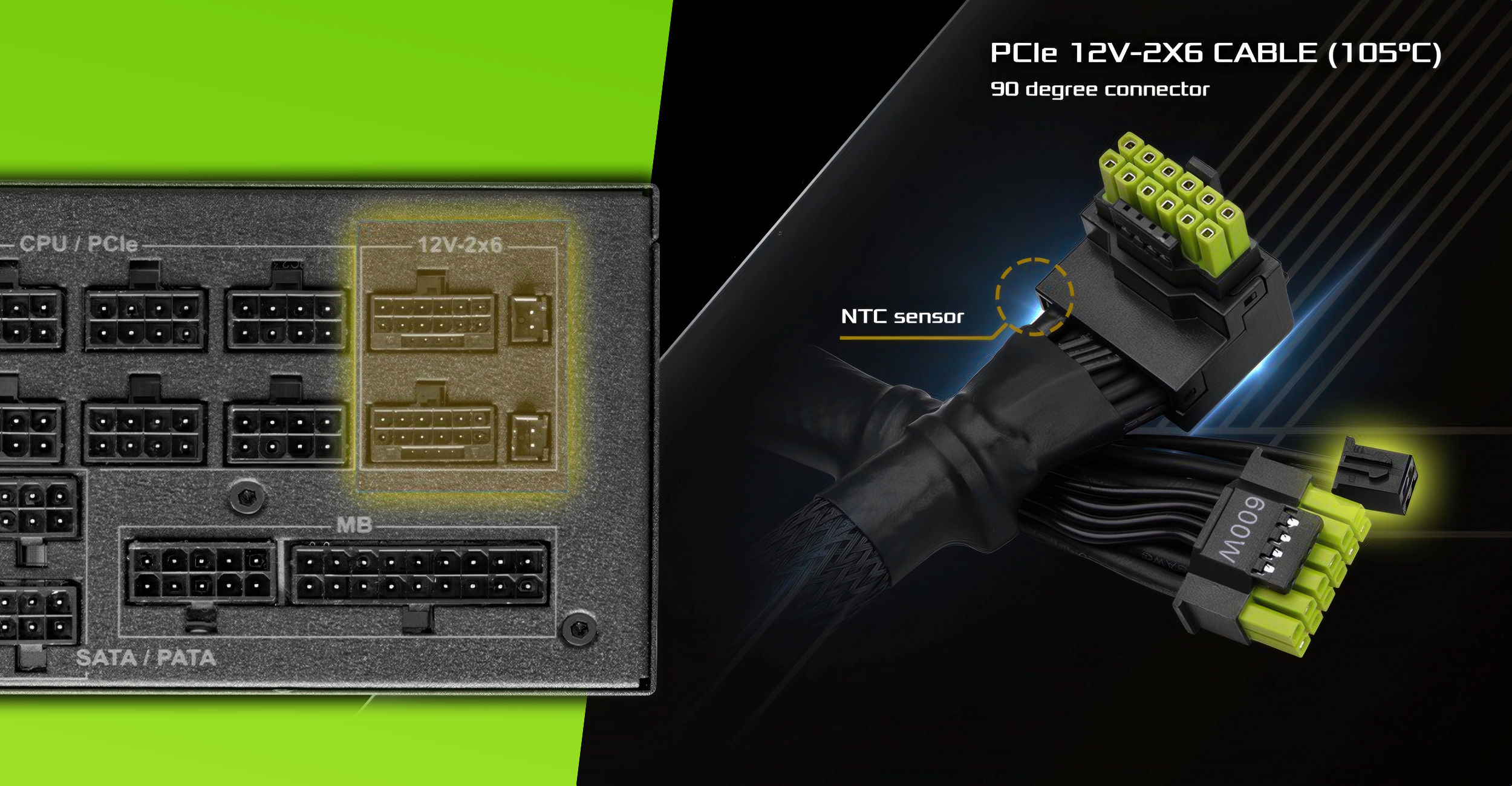
VideoCardz.com
ASRock’s green-tipped cable with NTC sensor At this pace, power cables will soon feature built-in screens. There is not much reason to go through everything we like and hate about 16-pin power cables for graphics cards. But we welcome changes that may prove useful in protecting often the most expensive and precious PC hardware. One […]
orchid iron
random bane
AVR is cheaper and does the job.
Check reviews
median marsh
i got the one without l-shape but thermal protection, seems to be a decent PSU
also made by FSP, so one of the major PSU producers
tho, i don't like how they placed the sensor on the cable
if you bend it slightly in the wrong direction the sensor might be lifted and have no contact with the cable. They should have put it inbetween the V+ and GND cables
somber surge
median marsh
the 5060TI isn't trash!?
It's ok for its price point (9060XT destroys it though) but it's trash compared to the 5070, the 5070 is a good 25-35% faster depending on the games, that's a big margin. So if you have the money for a 5070 you're either stuck with it praying that it doesn't end up like the 3070... or have to take a way slower gpu just for the 16GB
agile lodge
the savior of them all
orchid iron

Here's a #music compilation of some of the #funny #comments from @im_kankan's short titled 'Asian Unbreakable Laptop'
Original Short: https://youtu.be/p1R9mpezxh0
Inspired by Chat Music #chatmusic
Lyrics:
The laptop is now a CPU.
Accent made us realize it's true.
Exactly how we treat our health too.
The typa laptop you get in school.
Eith...
This video really reminded me of my own laptop, almost everything that happened to this kid happened to mine
Laptop is basically a desktop, mouse pad and laptop keyboard gather dust while I use external keyboard and mouse
Someone at dell thought it was a great idea to put a 4k display on a Nvidia 960m, so I have a 720p external display I use for games that don't allow for resolution to be changed
Mine had a 128gb m.2 ssd and 1T HDD that were both almost dead, so I swapped them out for better storage, but I still use them (the old SSD is in a m.2 enclosure serving as a usb stick, and old HDD has a sata to usb cable, serving as external HDD)
Battery died so I changed it
Cable had so much wear and tear, so I also changed it in advance, but I keep it as a backup cable since it hasn't broken yet
Thermal paste was changed
I even got the external laptop cooling, which just elevated the laptop tbh, I lose the usb to usb cable that powers the external fans
When the operating system kept limiting it artificially and saying it was too old and couldn't upgrade to windows 11 I switched it to Linux
(Fun fact you can't boot from external drive using usb on windows 10, so the kid is either unaware of it, or it is a windows version below 10 xD )
(Also yes, I use unreal engine 5.5 on it)
random bane
orchid iron
https://m.youtube.com/watch?v=TyjGiVwsBtA
When I watch the video, I feel the world’s population has really become huge
orchid iron
 wise elbow
somber surge
It's ok for its price point (9060XT destroys it though) but it's trash compared ...
wise elbow
somber surge
It's ok for its price point (9060XT destroys it though) but it's trash compared ...
i really hate how the 5060ti can go up to 16gb but the 5070 cant
there should be no circumstance a 5070 loses to a 5060ti lol
16gb is almost too much for the 9060 and 5060ti...
somber surge
Should have always been 12-12-18-18-24-32 for the 60-60Ti-70-70Ti-80-90
Using the 3GB chips
But of course they prefer keeping those 3GB chips for AI GPUs and give use scraps :p
I bet next gen they will upgrade to 12GB for low end...except it will already be too little by then
orchid iron
somber surge
I bet next gen they will upgrade to 12GB for low end...except it will already be...
That's current internal plans for AMD
Although prices should be lower since they are no longer using gddr for low end
Plus with chiplet design, they have so many ways to bin their stuff
somber surge
Chiplets are expensive for low end stuff
For smaller chips the cost of packaging remove all the benefits that you would gain by combining multiple processes for multiple dies
orchid iron
somber surge
Chiplets are expensive for low end stuff
They'll be using N2X, so using chiplets for much higher bins make sense
But you have a point, maybe low end will be a rare thing since it is a byproduct of trying to make a mid tier GPU
somber surge
At some point you can't rely on bining to get that many low end chips, bining doesn't make the chip cheaper to produce
That's probably why the 9070 is dumb price wise compared to the 9070XT, because it's just a binned down 9070XT but the chip still cost a lot to make
median marsh
eh
i rather think the 9070 is the real price
and with the 9070XT you pay for the binning
somber surge
Yeah there's that too, the 9070XT was definitely supposed to be more expensive
median marsh
at this point i think that AMD just makes GPUs to do nvidia a favor
so that it appears as if nvidia doesn't have a monopoly 😄
somber surge
median marsh
at this point i think that AMD just makes GPUs to do nvidia a favor
They are acting like they have the 90% market share lmao
median marsh
somber surge
They are acting like they have the 90% market share lmao
how so?
somber surge
And just forgot it's the other way around
somber surge
median marsh
how so?
Well, they are making all the possible dumbest decisions (a bit less with RDNA4 but because there has been a lot of backlash), like if they were Nvidia and could afford to not care at all and keep market share. Except in their case, they have a lot of ground to cover to have a decent market share...which you know is the whole point of any business x)
median marsh
Well, they are making all the possible dumbest decisions
well, that's just AMD at this point 😄
somber surge
Eh
That's more a Radeon thing
Like when they thought "hey why not launch the same crappy gpu as the 4060 but with the name 7600 and the same price, surely that will sell"
Or when they thought "hey why not launch a 5070Ti competitor for the same price even though our gpu is inferior, surely that will sell"
orchid iron
They are both publicly traded companies, so they both have an obligation to make as much profit as possible
And people bought the 7600, 4060, 5070 ti and 9070xt, so no real point in lowering the msrp when everything seems to want to increase it artificially somehow
somber surge
Well..if you want to make money you need market share
And you won't get market share if you do the same product as your already very well established competitor
But AMD is apparently struggling to see that
Radeon need a real Zen 1 moment if they want to do anything in this market, even with the multiple terrible launches that Nvidia did, they are still easily outselling AMD
So now imagine if Nvidia start to actually make very good products again 🤣
orchid iron
somber surge
So now imagine if Nvidia start to actually make very good products again 🤣
Only that happens is when AI bubble bursts, which should be in a few years, maybe less
orchid iron
somber surge
Radeon need a real Zen 1 moment if they want to do anything in this market, even...
Probably why they are changing RDNA name to UDNA
somber surge
I mean, if they just used a tiny fraction of their resources they would easily make a banger generation
Their biggest issue isn't even the gpus, it's vram, that's very easy to fix
orchid iron
somber surge
Their biggest issue isn't even the gpus, it's vram, that's very easy to fix
They can't, otherwise it'll eat into their AI revenue
AMD is in a similar situation in that regard, however due to lower market share, they'll up the Vram amount compared to Nvidia
somber surge
Maybe next gen they will have 4GB chips for those and won't have any use for the 3GB chips

But then again next gen 12GB on low end is probably already too low 🤣
orchid iron
somber surge
But then again next gen 12GB on low end is probably already too low 🤣
B580 is selling well, and that has 12gb
somber surge
12GB in 2025 sure
12GB in 2027 will already start to feel too small I bet
And then once they actually upgrade to 12GB...they will probably keep it for another decade lmao
orchid iron
somber surge
12GB in 2027 will already start to feel too small I bet
8gb is already too small in 2025
orchid iron
Nah, it'll be 16gb in 2035, but the games need 24gb minimum to just play xD
somber surge
Well...we've had 8GB gpus for a good decade now
So I can definitely imagine Nvidia releasing a 12GB low end gpu in 10 years from now
Unless there is a new cheap way of having big capacity GDDR
orchid iron
somber surge
Well...we've had 8GB gpus for a good decade now
3060 was 6gb
And 1060 was 4? I forgot
orchid iron
somber surge
Unless there is a new cheap way of having big capacity GDDR
There is no need for GDDR on low end models
orchid iron
somber surge
3060 was 12
And then, they released a 6gb version xD
somber surge
But RTX 3000 can't be compared to that much, they had incredibly cheap dies from Samsung
Which is why the die size has dropped off a cliff with RTX 4000, and the bus width with it
somber surge
orchid iron
And then, they released a 6gb version xD
8*
orchid iron
2060 had 6gb
median marsh
30 series was samsung and 40+ is TSMC?
somber surge
Yeah
Samsung 8nm
And they got it dirt cheap
Which is why the 3080 was 699 but with a die size bigger than a 4090 🤣
Even a 3060Ti is bigger than a 5080
Though obviously TSMC N4 is much much much more efficient
median marsh
somber surge
Which is why the 3080 was 699 but with a die size bigger than a 4090 🤣
on paper i guess
my 3060 was almost 600 on release
orchid iron

Interested in working on the forefront of technological innovation at ASML? Discover here: https://www.asml.com/en/careers/working-at-asml/life-at-asml
Still hungry to learn more about ASML's EUV lithography systems? Explore here: https://www.asml.com/en/products/euv-lithography-systems
Want to stay up to date on ASML? Subscribe to ASML's YouT...
This is an 8 month project, make sure to give them a like 😀
orchid iron
So I found a very janky way to connect a GPU to a laptop, and so I was looking into buying a GPU for around 200-250€ probably used
And I was eyeing either Radeon VII, a770, 5700xt or 7600
Maybe b580 if black market is generous
Black Friday*
random bane
Guys, you’re my only hope.
I’m facing an issue with sudden restarts, event ID 41.
The easiest way to reproduce the problem is when I run After Effects, play a video, stop it quickly, and move the timeline.
All hardware test programs show everything is fine. I suspect the power supply might be the cause, but I want to be sure first، I don’t want to buy a new one without confirming.
orchid iron
random bane
Guys, you’re my only hope.
I’m facing an issue with sudden restarts, event ID 41...
Try running a benchmark that makes your system draw as much power as the specific case you are describing
If it is PSU, it'll make same symptoms
If not, probably something else
Check PSU connections to pc parts, someone fixed their problems that was PSU related thanks to that
random bane
orchid iron
Try running a benchmark that makes your system draw as much power as the specifi...
Ok I'll try
random bane
orchid iron
Try running a benchmark that makes your system draw as much power as the specifi...
I ran a benchmark test and everything is working perfectly. The results were excellent with no sign of error 41
I also checked the computer’s wiring, and it looks like every cable is properly connected
random bane
orchid iron
Try running a benchmark that makes your system draw as much power as the specifi...
The problem was solved.
I replaced the wall power socket with an original one.
I also added a grounding wire to the socket, and that fixed the issue.
Thanks for the help.
orchid iron
random bane
The problem was solved.
I replaced the wall power socket with an original one.
I...
cool, next time someone else has similar problems, I'll ask if they have ground xD
because that's something "expected" however, not everyone may know that
random bane
orchid iron
cool, next time someone else has similar problems, I'll ask if they have ground ...
When you told me to check the computer cables, while I was going to do that I was surprised to find the case had some electricity.
So it occurred to me that maybe the ground wire could be the problem.
That’s why your advice was useful.
orchid iron
random bane
When you told me to check the computer cables, while I was going to do that I wa...
Aaah, gotcha, happy to help
orchid iron
I'm considering this or the Rx 6600
somber surge
orchid iron
What are you guys' opinion on the Radeon VII?
Depends on the use case but it's probably not a good choice
Driver support is pretty bad on those old gpus, especially since that gpu had a very specific architecture
And it will likely be phased out not so long from now
orchid iron
somber surge
Depends on the use case but it's probably not a good choice
So 6600 probably better since right now it supports all unreal engine 5 features, unlike the Radeon VII
median marsh
i would rather get an used 3060 12GB
orchid iron
median marsh
i would rather get an used 3060 12GB
It is for a laptop that has a 960m in it already, idk how clunky it would get with two different Nvidia GPUs
That's why I would prefer from a different vendor like AMD or intel
orchid iron
somber surge
For 250 bucks you might even be able to find 9060XT 8GB
Rx 6600 8gb: 220€
Rx 7600xt 16gb: 350€
Rx 9060xt 8gb: 320€
orchid iron
I also wish I could find a 9060xt for 250 xD

 restive notch
Hey does anyone know anything about KVM switch boxes to connect my gaming laptop to the tv yes I know it has a HDMI to connect but I don't want that I want a KVM box
wise elbow
restive notch
Hey does anyone know anything about KVM switch boxes to connect my gaming laptop...
sounds like you just want a dock for the tv
restive notch
Kind of
I really wanted a dev kit but I have to wait for that until I complete my game
So a good KVM switch box dock for tv will be the best thing for me
I love trying out different tech
orchid iron
restive notch
Hey does anyone know anything about KVM switch boxes to connect my gaming laptop...
There are KVM switches for hdmi sources
What do you want to do exactly?
Switch from TV box source to gaming laptop source and vice versa easily?
restive notch
Gaming laptop to tv
And I'd connect my Xbox series X too
I have a 12 thousand dollars MSI titan gaming dragon laptop
orchid iron
restive notch
I have a 12 thousand dollars MSI titan gaming dragon laptop
Sounds awesome, until you said "laptop"
But yeah, look into KVM switches hdmi, makes things super easy if you only have one type of connector to deal with
restive notch
Laptop
Makes it harder?
I don't know what to look for do they all support
Will they support my Xbox series X aswell
orchid iron
restive notch
Will they support my Xbox series X aswell
If it outputs hdmi, you should be fine
restive notch
What type of KVM switch box do I need that's good enough but not too expensive or they all work
mighty patrol
Ugreen usually has good quality they sell a kvm switch
restive notch
Can someone send me a link I'm from Australia
restive notch

Unbeatable Computer & IT Gear Prices! Custom PC Experts. Huge Range of Computer Peripherals. Great Service. Recognised for On-Time Shipping. Buy Online & Save!
Yeah 2
mighty patrol

UGREEN USB 3.0 Switch 2-to-4 is an excellent choice to share 4 USB devices between two systems, It's ideal for sharing a printer or scanner in a small office environment. It's also great for use at home if you have multiple PCs or Macs.
This USB Switch would Works with all USB 3.0 devices, ...
orchid iron
restive notch
Makes it harder?
Due to portability challenges, battery, size, weight etc
Most of the laptop price is put into making a power machine fit those constraints, not much of that is actual price you'd have paid for a desktop equivalent
restive notch
Lucifer dawn just said anyone would work
mighty patrol
No the hardware shouldn't be an issue with newer kvms
restive notch
I'm using unreal engine 5.4
mighty patrol
As long as your systems also newer
restive notch
I've got the best laptop on the market
mighty patrol
Then any newer kvm should be fine
restive notch
It's got a 5090 in it
mighty patrol
Would just possibly be limited depending on the age is all
restive notch
Unbeatable Computer & IT Gear Prices! Custom PC Experts. Huge Range of Computer Peripherals. Great Service. Recognised for On-Time Shipping. Buy Online & Save!
Can you find me a good one from here
Please
Or at least show me what types to look for in terms
mighty patrol

Discover the Ugreen CM662 USB 3.0 2 In 4 Out Sharing Switch, designed for seamless data transfer at speeds up to 5 Gb/s. This versatile switch features easy operation via button and remote control, ensuring compatibility with USB-A and USB-C devices. Enjoy hassle-free Plug & Play functionality with no drivers required, making it perfect for mode...
An example
Can look around but it's a higher rated one based on reviews online
restive notch
That ones good?
mighty patrol
Seems to be other vendors it has good reviews
mighty patrol
mighty patrol
https://www.amazon.com.au/UGREEN-Computers-Peripheral-Switcher-One-Button/dp/B01...
Compare
Aus amazon
mighty patrol
Pretty sure this is a newer things for them.
Like in the last few years
So should be up to date
Pretty quick speeds for it's usb etc
restive notch
HDMI into a KVM switch box not usb
Is this new model does it have a number of its make for a new one
restive notch
Example ps2 the PS3 is there a specific number I should search about the KVM to get newer models
I mean PS2 old the PS3
Like old KVM model number or whatever
Newer model update model I need
mighty patrol
Newer should still work it will just be slowed to the speed of the older tech

UGREEN KVM Switch HDMI 4K@60Hz, USB 3.0 Switch, 4 Port USB Switcher [1 USB C and 3 USB A Port] Sharing Keyboard Mouse Hard Drives Printer, KVM Switch 2 PC 1 Monitor with 2 USB Cables and 2 HDMI Cable
restive notch
It won't work I don't think my laptop too strong
Lab was right
@orchid iron il send you the specs
restive notch

||Experience unmatched performance with the MSI Titan 18 HX Dragon Edition gaming laptop. Featuring a stunning 18" UHD+ 120Hz display, the powerful Intel Core Ultra 9 285HX processor, 96GB RAM, and an incredible RTX 5090 GPU. With 6TB of lightning-fast SSD storage (including Gen4 and Gen5), Wi-Fi 7, and Windows 11 Pro, elevate your gaming experi...
Lol this is the budget😂
Your going to go insane
orchid iron
restive notch
It won't work I don't think my laptop too strong
what are the specs of your tv btw? Can it even run 4K @60fps?

 orchid iron
restive notch
orchid iron
restive notch
from what I found online, it can run 4K @60fps which is within the specs of the Ugreen model of the kvm HDMI that Lucifer Dawn showed
so even if your computer is really strong, its max output is limited by your tv already, so adding a kvm that already has same limiting specs of tv won't change much
restive notch
So it's good?
Or its the same display my laptop would display
What do you mean by won't change much?
orchid iron
restive notch
What do you mean by won't change much?
if you use that tv to recieve your laptop input, adding Ugreen model of the kvm HDMI that Lucifer Dawn showed won't change the quality viewed on the tv
restive notch
What would it look like?
What if I used display port into a kvm

I need a better KVM?
It's a 4k tv but
orchid iron
restive notch
It's a 4k tv but
what are its input sources types? HDMI? Display port?
restive notch
Q

Or couldn't I get an inverter or a device a plug add on for dp?
There's devices HDMI to DP
?
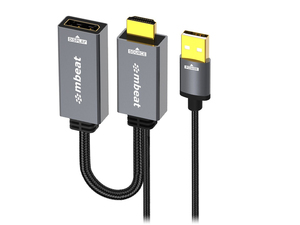
Upgrade your connectivity with the Mbeat ToughLink HDMI to DisplayPort Active Adapter with USB Power. Seamlessly transfer HDMI signals to DisplayPort monitors for enhanced audio-visual experiences. Perfect for gaming, presentations, and professional setups, this adapter ensures compatibility and high-quality signal transfer. Enjoy rapid dispatch...
orchid iron
restive notch
There's devices HDMI to DP
yeah, but more devices, more points of failure, so generally, if every device involved,
tv box, xbox, laptop and tv screen, if they all use hdmi, probably much easier to plug everything into one KVM
restive notch
Yes
What one should I buy
That's the only question
Oh I don't have tv box and my Xbox series X is connected already to hdmi
DVD play and an Xbox plugged in my tv currently by HDMI
So given all of that what's my best option
I use wireless mouse aswell
Bluetooth controller without dongle
Just power from my laptop then the correct connection to my TV
Can you please show me the best one
To get to fit what I need not too expensive
orchid iron
restive notch
To get to fit what I need not too expensive
does australia have amazon?
orchid iron
restive notch
Can get almost anything
then just ask them for kvm switch with hdmi 4K 60fps minimum
restive notch
Okay what price are we looking at for something like that
Do I need the HDMI to display aswell
And should I change those settings on the tv
orchid iron
restive notch
Okay what price are we looking at for something like that
about 100-150
orchid iron
restive notch
And should I change those settings on the tv
probably not
orchid iron
restive notch
HDMI to DP
What for? You wrote everything is already connected using hdmi connections
orchid iron
 somber surge
DICE just understood RT wasn't making any sense in their game...
There's no other conclusion to draw from this
Pretty much all games going forward will use some form of RT, it just makes development much faster and allows for more ambitious games
Especially with how large the adoption of UE5 is
orchid iron
Yeah, at least it is nice there are some Devs who understand RT is not the end all be all
orchid iron
 mighty patrol

The Military contacted me...
I reverse-engineered a $20,000 military IP mesh radio using just $106.23 in open-source parts. This isn't a gimmick—it's a fully functional MANET router capable of push-to-talk, GPS sharing, ATAK integration, and more. In this video, I’ll show you how I built it, tested it, and deployed it in the real world—no...
median marsh
didn't watch the whole video... did he really use the same hardware tho?
most consumer stuff is at a quality which was "military grade" a decade ago, so it's not unlikely, but there's a bunch more things going on than just slapping the stuff together
temperature/humidity tests, etc.
mighty patrol
median marsh
didn't watch the whole video... did he really use the same hardware tho?
More or less just without the chassis it seemed
and it has civilian capability because we can only have so powerful equipment.
But it still works the exact same as the military version
Just weaker
median marsh
capability? you mean transmission power?
mighty patrol
Well due to wattage restrictions pretty much yea.
orchid iron
 orchid iron

Sponsor: Lian Li Lancool 217 on Amazon https://geni.us/0dwg
The HP Omen 45L is the worst pre-built gaming PC we have ever benchmarked and reviewed. The system not only has unbelievably bad thermals for its "cryochamber" for the 50 seconds it actually runs at the Intel guidance, but it also kneecaps performance after 50 seconds to make the 285K b...
gotta love such bad design

 fallen oasis
30% of code being written by AI could easily just be autocomplete and common boilerplate it fills in.
orchid iron
Or maybe it could code in code that doesn't work, then constantly erase and remake it so that it looks like it is doing things xD
Because windows code is massive, how tf brand new AI technology immediately made 30 % sounds just fake or hilarious
median marsh
windows isn't their only product....
mighty cosmos
fallen oasis
30% of code being written by AI could easily just be autocomplete and common boi...
Pretty sure they clarified somewhere it was just copilot completions
I vaguely remember reading it
wise elbow
I wouldn't be shocked if windows development hasn't changed in 10 years
As shit as windows is, they probably still prefer high oversight on anything being added to it (barring dogshit services that get hacked on)
mighty patrol

👉 Grab your free seat to the 2-Day AI Mastermind: https://link.outskill.com/ANASTASIS1
- 100% Discount for the first 1000 people
- Dive deep into AI and Learn Automations, Build AI Agents, Make videos & images – all for free!
- Bonuses worth $5,100+ if you join and attend
Timestamps:
00:00 - First Synthetic Human
10:14 - Brain, Intelligenc...
This thing has a beating heart...
86 Humanity
"Powered by Nvidia"
agile lodge

Wccftech
Intel is reportedly preparing the Arc B770 based on the BMG-G31 GPU as spotted in a recent NBD shiping manifest.
median marsh
https://www.youtube.com/watch?v=1H3xQaf7BFI it's back online...

SUPPORT THIS MOVIE: https://store.gamersnexus.net/black-market-gpu-backers - the backer tiers are the only way to get digital rewards, like the wallpaper packs, bonus videos we're filming, behind-the-scenes with the team, and the USB key with the movie written to it! They are only available a limited time.
NVIDIA (NVDA) GPUs have become so in-de...
wise elbow
legal battle ongoing
mighty patrol
Sit Bloomturd
orchid iron
wise elbow
legal battle ongoing
From where?
 wise elbow
orchid iron
From where?
wise elbow
orchid iron
From where?
Bloomberg I'm pretty sure
wise elbow
I believe they expected it to come back up as per YouTube policy
But now Bloomberg or them gets to sue
Can't remember
orchid iron
wise elbow
I believe they expected it to come back up as per YouTube policy
Basically if video gets re-uploaded if Bloomberg doesn't sue within 10 days
Since it got re-uploaded, I'm guessing they choose not to sue
wise elbow
ah, I thought this was just an automatic part of the claims process
orchid iron
wise elbow
ah, I thought this was just an automatic part of the claims process
I wish it was, would make copy write abuse way less effective if they would be forced to file a law suit
 tribal ruin
agile lodge
https://wccftech.com/intel-arc-battlemage-bmg-g31-b770-gpu-packaging-spotted/
tribal ruin
agile lodge
https://wccftech.com/intel-arc-battlemage-bmg-g31-b770-gpu-packaging-spotted/
Intel GPUs can save us all lot of money but seems like in 2030 only
orchid iron
Yeah, because some leaks are calling panther lake "pathetic lake" with all the software being so unstable months before release, making NPU useless, only good thing is the celestial GPU tile when it works which they are also having issues with
orchid iron

SAPPHIRE is getting into the motherboard game, the SAPPHIRE NITRO+ B850A WIFI 7, it's a top-tier AM5 B850 board for $189.99, features, performance tested.
Sapphire making mobos worldwide!!!
Flagship is 189.99
 unreal ledge
what to do if you spilled coca-cola into your pc, am i screwed omg but it's just a few drop, i kicked like empty can and it was left on bottom of my feet, the can flew near my pc and cola water go all over the place 😭
median marsh
uhm you turn it off and clean it?!
unreal ledge
yes, i can still chat now i guess it's alive, but i didn't remove any pc component
median marsh
it's unlikely that it hit any components, still i would clean that mess just to be sure
unreal ledge
like it was so stupid i was lucly it didn't hit near the power supply as well. like it fly right next to the pc
like i got like a freaking heart attack
median marsh
yea that's from the sugar and caffeine...now go clean it!
mighty patrol
If you have isopropyl alcohol also that will help get any sticky residue off.
unreal ledge
yes, i hope it not get into the motherboard like the coca can have to hit at the rear with open vent, I can spot watter in my pc case here and there as well but it's only a few drop since I drank most of it

 still summit
Hello 👋 guys
 violet spade
unreal ledge
yes, i hope it not get into the motherboard like the coca can have to hit at the...
violet spade
unreal ledge
yes, i hope it not get into the motherboard like the coca can have to hit at the...
You’re fine, just keep it off until you’ve cleaned it all out
unreal ledge
Sometimes, people in the USA or Canada complain that PC parts are really expensive. But are they actually expensive when compared to the purchasing power in Western or European countries? I mean when your avg month income is around 4000 - 5000 USD per month, just spare it out for a month without spending anything and you will have a top tier PC hardware for 4 - 5 years ? It sound a great deal ?
I know some of my friends whom not in north America and he made like 400 - 500 USD per month doing some odd job and he got himself a 4090 and a 5080 and a cool ass AMD processor with 16 core !! So cool !!! When he got his first PC he almost crying and having a PC is better than having a girl friends ! So I don't understand why people in North America keep complain and live a little ?

 twilit spruce
Hi I tried to zip my project into a connected USB drive, does anyone know what this is?

no matter what I press it doesn't let me save
fallen oasis
Irony about cross-posting about multi-volumes?
twilit spruce
fallen oasis
Irony about cross-posting about multi-volumes?
sorry, what do those words mean?
Im not sure what that is..
wise elbow
unreal ledge
Sometimes, people in the USA or Canada complain that PC parts are really expensi...
I mean legit if you aren't working paycheck to paycheck and just don't blow your money on trash every single day, it builds up enough every single year to buy very nice things
no one looks at the cost of something like drinking several sodas a day or buying a coffee somewhere
but the moment you ask if they want to go on a vacation they're fucking broke
median marsh
some prefer the small things over time rather than limiting themself for 2 weeks of vacation each year 🤷
mighty cosmos
unreal ledge
Sometimes, people in the USA or Canada complain that PC parts are really expensi...
Where I live (within EU) most PC parts are up to 1.5-2x more expensive
CPU prices are less inflated, about 1.2-1.3x
also keep in mind the cost of living tends to be higher in the US
orchid iron
unreal ledge
Sometimes, people in the USA or Canada complain that PC parts are really expensi...
The thing is in the US:
You got the IRS to play, then you gotta pay rent, also insurance which is mandatory even though you never use it and you'll never see that money back, cost of living (food, electricity etc)
Oh almost forgot, most people are in debt, so you'd also set aside money to clear your debts otherwise your credit score goes down
...and then maybe, just maybe, you were able to spare 100$ this moneth
orchid iron
mighty cosmos
Where I live (within EU) most PC parts are up to 1.5-2x more expensive
Are GPU prices also about x1.5 more expensive?
mighty cosmos
orchid iron
Are GPU prices also about x1.5 more expensive?
yeah around 1.5-2x for gpus
GPUs are the worst offenders here
orchid iron
Yikes, so true, I was always wondering why Nvidia stuff is so overpriced here xD
Back where people were comparing 7900xtx and 5080 super saying that the 5080s was better in benchmark
Then I look at prices, and the 5080s was almost double 7900xtx xD
unreal ledge
orchid iron
The thing is in the US:
You got the IRS to play, then you gotta pay rent, also i...
you guys can not spared out 100 USD per month but can get the 35 - 40k USA car ?
what does insurance even necessary ? haha.. what if you just don't pay them ? 95 percent of population on earth don't have insurance !!
 wind egret
unreal ledge
you guys can not spared out 100 USD per month but can get the 35 - 40k USA car ?
wind egret
unreal ledge
you guys can not spared out 100 USD per month but can get the 35 - 40k USA car ?
Insurance is legally required.
Also, they probably can't spare out 100 USD per month because they bought a 60-90k USD car. Cars are often bought on credit, and the mean average cost for 2024 was $740 a month.
And companies have even been trying to get americans to buy PCs on credit, so that too can become a monthly cost.
orchid iron
unreal ledge
you guys can not spared out 100 USD per month but can get the 35 - 40k USA car ?
That car is also one of the many reasons why people are in debt
delicate crystal
orchid iron
That car is also one of the many reasons why people are in debt
which thanks to comapnies demanidng people return to office, will be a requirement since public transit is crazy underfunded
orchid iron
Yup, sounds about right
 fresh fog
orchid iron
https://www.thefpsreview.com/2025/09/10/sapphire-nitro-b850a-wifi-7-motherboard-...
fresh fog
orchid iron
https://www.thefpsreview.com/2025/09/10/sapphire-nitro-b850a-wifi-7-motherboard-...
Now this I'm interested in, because sapphire are my go-to
fallen oasis
My go to are whatever comes up £20 cheaper when I'm looking 😂
median marsh
you never had a shitty mainboard i guess 😄
but i guess computers got so fast that it often doesn't really show up...
wise elbow
they're all crap unless you buy the literal most expensive board
and most people gain nothing from anything but the cheapest that works
orchid iron
fresh fog
Now this I'm interested in, because sapphire are my go-to
I hope they'll make higher end boards in the future, but also for most things, the B850 chipset is already plenty
median marsh
uhm i don't agree
there's a difference even in the mid range, if it's worth it depends on the customer i guess 🤷
orchid iron

There is a picture of "best fan configs" circulating around Reddit and I felt like it was complete garbage... so I tested it! Which config IS best for your PC?
Sponsored Links
Falcon Northwest has been building high end systems for gamers since 1992! Learn more about what Falcon Northwest has to offer at https://www.falcon-nw.com/
○ Get yo...
Moral of the story, don't go on Reddit, unless for entrainment purposes
Which kinda scares me, because some AIs are trained on Reddit data
median marsh
would be funny if he had totally different RPMs on the fans and the BIOS just controlled the fans to keep those temps 😄
without RPM chart this test was useless, imho
grave sundial
Just test your fans with a hamster, honestly. If the fans are faster than the hamster, you're good to go. This is a universal truth.
🐹
wise elbow
orchid iron
https://m.youtube.com/watch?v=Z3ckosqxjtg
did he test with an aio at all?
I feel like AIOs change the cooling so much that this really only ever applies to air cooled systems
orchid iron
wise elbow
did he test with an aio at all?
he was replying to a reddit post, and the reddit post had an air cooler
wise elbow
Oh it's just to a reddit post
orchid iron
median marsh
would be funny if he had totally different RPMs on the fans and the BIOS just co...
he had fixed fan speed, but reddit may have had BIOS controlled fans
median marsh
wise elbow
did he test with an aio at all?
no, but he also pointed out that this doesn't apply to AIO cooled systems at all
wise elbow
Just skimmed through the video. Yeah not really surprised the performance isn't all that different
I would think that having fans close together with opposed flow would be much worse at low rpm though
Might be louder too
Though it could encourage mixing of coolant air
Heat transfer is tough lol
unreal ledge
What is the point of exposing the GPU die on a graphics card? What if dirt or Coca-Cola falls on top of it out of nowhere?
 wise elbow
Probably heat dissipation
unreal ledge
what to do if something fall in to that spot, I just wipe isotope alcohol and it should be okay ?
wise elbow
Also I don't think that's the GPU die
unreal ledge
what does it called then ? the back of it ?
wise elbow
Dunno. But the GPU itself is soldered to the board and shouldn't be visible from behind
They look like capacitors
unreal ledge
yes, it didn't know what is that thing called as well, but it's the same positon as the gpu die so I just called it like that
wise elbow
Because they're exposed my guess is they are coated in a non conductive film but if you got liquid on it I would still wipe it down
Never turn your PC on if there's ANY liquids in it
I think I remember you saying you spilled something a few days ago?
Unless you live somewhere with absurdly high humidity, it's probably already dried and is fine
Soda is corrosive when liquid but likely not when dried. But humidity could make it corrode something. If there's still some visible stains wiping gently with a very small amount of isopropyl would remove it
unreal ledge
hahaha.. it didn't hit any electronic inside, there is cola water inside the case, I was lucky. almost having heart attack
wise elbow
Electronics are surprisingly resilient
I've spilled all sorts of stuff on my keyboard and it was fine after drying for a long time
Roommate in college spilled a whole Dr pepper into his PC case and it was fine another day later
fallen oasis
Keyboards are built to have stuff spilt on them.
wise elbow
fallen oasis
Keyboards are built to have stuff spilt on them.
It did not function after the spill
Had to dry
fallen oasis
Bad keyboard.
wise elbow
I mean when you spill a whole bowl of soup on one it's going to do something
fallen oasis
Mine would still would super well!
wise elbow
Souper!
median marsh
unreal ledge
what to do if something fall in to that spot, I just wipe isotope alcohol and it...
do NOT wipe over it
unreal ledge

New video shows a U.S. missile bouncing off a UFO off the coast of Yemen last year. CBS News' Charlie D'Agata breaks it down.
CBS News 24/7 is the premier anchored streaming news service from CBS News and Stations that is available free to everyone with access to the internet and is the destination for breaking news, live events, original repor...
aliens !!
wind egret
alien hardware? alienware? Dell, what did you do!?
grave sundial
wind egret
alien hardware? alienware? Dell, what did you do!?
the missile's penetrator GPU caught 🔥 before it struck the UFO. No wonder it bounced off.
wind egret
It shattered the object into pieces. You can't tell if it's slowing down or falling because the tracking is that good.
grave sundial
The aliens were on green alert. They didn't assume they'd be shot at. Next time, they'll come in on yellow alert, for sure.
orchid iron
unreal ledge
That's the back of the printed board, the GPU die is the other way and you can't see it
As stated previously it is to dissipate heat, but specifically on cheap models, otherwise that part would be covered completely on more expensive models, either because it generates too much heat or because it looks esthetically nicer
Putting liquids can short the GPU, but as long at it is cleaned, you don't have to worry
Also those capacitors are barely attached to the board, that's why you shouldn't wipe them, maybe use a cuetip at most with isopropyl
mighty cosmos
orchid iron
That's the back of the printed board, the GPU die is the other way and you can't...
it's not really only on cheap boards, pretty much all 5090s don't have it covered, it's open even on the most expensive variants
it's mostly uncovered for aesthetic reasons and cooling, it's probably gonna be more common to have it covered on lower end cards that don't draw a full powerplant worth of power
mighty cosmos
mighty cosmos
it's not really only on cheap boards, pretty much all 5090s don't have it covere...
On mine

 tardy turtle
That's usually the power supply for the GPU, SMD components making up the power regulation and filtering (capacitors, resistors, inductors and transistors) - they make it as close to the GPU as possible to keep everything as noise free as possible.
orchid iron
mighty cosmos
On mine
Then all I gotta say is that, to me personally, that looks ugly
But also I would prefer if GPUs were like back in the day where whole PCB was exposed

For repair, please contact me by following the link in the channel ABOUT page.
I accept donations via PayPal at paypal.me/tonynameless
and STRIPE https://donate.stripe.com/9AQ3ew4sPaqWe9W7ss
Tools, schematics, boardview files etc are available here
https://drive.google.com/drive/folders/12XQpmc9tLwlRQjlo3Mn_XwKlVcV8XYGI?usp=sharing
My thingi...
So many very annoying details in the founders edition (even excluding liquid metal)
He did reccomend Asus astral or zotac (because zotac has fuses next to power connector)
agile lodge

Check out the new Thermal Grizzly Duronaut:
https://www.thermal-grizzly.com/en/duronaut/s-tg-d-002
Thermal Grizzly Fittings:
https://www.thermal-grizzly.com/en/products/fittings-terminals/
Music / Credits:
Outro:
1998 Beats - Strange Things
--------------------------------------------...
spice girder
median marsh
there's a difference even in the mid range, if it's worth it depends on the cust...
What do you thing is important in a mainboard? I'm building a AMD Ryzen 7 9700x build and I'm not shure what is important when looking at mainboard specs.
median marsh
that depends on the platform, and i'm not familiar with AM5
orchid iron
spice girder
What do you thing is important in a mainboard? I'm building a AMD Ryzen 7 9700x ...
What you are looking for specs depends on what you seek to do.
Do you plan to have your ram speeds at 8000 MT/s?
Do you want lots of storage?
Is WiFi speed / ethernet speed important for you?
Do you want to overclock your CPU a lot when you get it?
What looks do you want? (Or do you not care)
And most importantly, what's your budget?
Btw, if you plan to have large capacity of ram for content creation, that kinda eliminates ram speeds because it is very tricky to get large quantity of ram working at high speeds
spice girder
orchid iron
What you are looking for specs depends on what you seek to do.
Do you plan to h...
I'm looking at 64 or 96gb 6000MT/s ram kits. So 8000mt/s support is not needed.
2x M.2 SSD slots are enough.
It should be dark in color (so no white or light gray).
Budget is around 250€ for the mainboard alone.
I have looked at MSI b650, b850 and x670e all tomahawk versions can get the msi x670e tomahawk between 230-250€.
orchid iron
spice girder
I'm looking at 64 or 96gb 6000MT/s ram kits. So 8000mt/s support is not needed....
Specs look solid, just make sure to install GPU and fastest SSD next to CPU for maximum bandwidth
Other SSDs that aren't as fast will get the bandwidth from the chipset
median marsh
and then it can get important which pci ex link the chipset uses
e.g. with b570 it is pciex 3.0 and with x570 pciex 4.0
but looks like they all use pci ex 4.0 on AM5 🤷
 spice girder
median marsh
https://cdn.videocardz.com/1/2025/08/AMD-800-and-600-SERIES-AM5-CHIPSETS.jpg
spice girder
median marsh
https://cdn.videocardz.com/1/2025/08/AMD-800-and-600-SERIES-AM5-CHIPSETS.jpg
what does the usable pcie lanes 44/24 mean?
orchid iron
spice girder
what does the usable pcie lanes 44/24 mean?
Means 44 different pcie lanes (can be what ever version) and 24 pcie 5.0 lanes
Doesn't really matter, the most important thing is the specs of the motherboard, because PCB makers have a lot of leeway on what they can do to make a product
24 pcie 5.0 lanes that come from CPU = 16 pcie 5.0 lanes for GPU, 4 pcie 5.0 lanes for super fast SSD, 4 pcie 5.0 lanes for chipset
Then chipset splits those 4 pcie 5 lanes that it has into many different lanes of different versions
median marsh
and after all there's a bottleneck of 4 lanes to the cpu anyways
so idk why they even bother to put pci ex 5.0 lanes on the chipset (if that's the case, might also be the 24 lanes from the CPU 🤷 )
spice girder
If USB 4 with Thunderbolt support is available, to my knowledge it also requires PCIe lanes. (Thunderbolt support for USB 4 is optional.)
orchid iron
spice girder
If USB 4 with Thunderbolt support is available, to my knowledge it also requires...
What would you use thunderbolt for?
If you want file transfer, usb 4 port as is can provide plenty of bandwidth
spice girder
orchid iron
What would you use thunderbolt for?
usb 4 has thunderbolt as optional spec. and there are mainboard with usb4 with thunderbolt support. It isn't called thunderbolt, but practically the same thing
orchid iron
spice girder
usb 4 has thunderbolt as optional spec. and there are mainboard with usb4 with t...
Understood, also why are you interested in it if you don't mind me asking?
fallen oasis
I think it's great I can do good quality monitor signal via USB.
wise elbow
spice girder
I'm looking at 64 or 96gb 6000MT/s ram kits. So 8000mt/s support is not needed....
most b650e will be sufficient then
if you want more io, x670e will have it
I think some x670e boards even have USB 4 but it isn't standard
the only boards that might not have sufficient power delivery (for CPUs bigger than yours) are low end b650e
but for 250 euro I imagine you can get a very nice board
I have a few friends with the x670e tomahawk and they've had no issues
make sure whatever memory you get is on the QVL if you get a 96gb kit. In my experience, the memory controller on AMD CPUs is really finicky
wise elbow
spice girder
usb 4 has thunderbolt as optional spec. and there are mainboard with usb4 with t...
it's usually how much power it's rated to deliver
I have an Asus x670e-a and while it has mostly everything I wanted, I had a lot of issues with my memory on it
But a 9700x will basically run on anything...
wise elbow
spice girder
If USB 4 with Thunderbolt support is available, to my knowledge it also requires...
I don't think it'll take any extra lands. USB4 support on x870 already "stole" some lanes which result in your GPU lanes getting split if you use more than 2 m.2 drives on most boards
orchid iron
wise elbow
I don't think it'll take any extra lands. USB4 support on x870 already "stole" s...
No?
Filling out all m.2 slots might at most disable sata connection, and even reduce bandwidth of all connections to the chipset
But lanes dedicated to GPU will not be affected
Same with the 4 lanes dedicated to that one single m.2 slot
You might have some really "original" board that offer 8 pcie 5.0 lanes for the GPU but more than one m.2 slot that uses direct CPU bandwidth pcie lanes, but I haven't seen them
wise elbow
orchid iron
No?
Filling out all m.2 slots might at most disable sata connection, and even re...
i am almost more than positive than on most x870 and x870e boards that using more than 2 m.2 drives with split the main PCIe5 slot for GPUs from 16 to 8 lanes
msi x870e carbon for example

depends on the board
if you dont care about pcie5 m.2 then it doesnt matter as much (you wont see any difference between pcie4 and 5 for most cases)
but makes me wonder why they even put it on the board when it could potentially cripple bandwidth
median marsh
gen5 x8 should be fine even for a 5090
what may get more bothering is that, on this layout, the m2_3 and m2_4 share the bandwidth between cpu and chipset (with everything else on those chipsets, which is likely audio, network, more usb hosts, ...)
orchid iron
wise elbow
i am almost more than positive than on most x870 and x870e boards that using mor...
I haven't come across this diagram, I'm guessing I was lucky enough to not see this traumatizing design, who tf thought it was a good idea
median marsh
seems to be common, Asus does it, too
orchid iron
Then maybe ASRock is the only one that doesn't do it? Never seen it in their specs
median marsh
or they don't really communicate the board layout!?
what bothers me more is that the MSI board doesn't have a config for 2 x16 slots having 8 lanes each 😄

 median marsh
yea they only have one M2 port on the CPU
all others are on the chipset
and the slots can either be 1x x16 or 2x x8
so it's just simpler, not necessary better
orchid iron
That's why I was so confused about the MSI thing
wise elbow
it just varies by board
wise elbow
orchid iron
Then maybe ASRock is the only one that doesn't do it? Never seen it in their spe...
yeah, i dont think a single asrock board splits the gpu with 2 m.2
pretty sure every asus board does, gigabyte too (i think), and a few of the MSI
orchid iron
wise elbow
yeah, i dont think a single asrock board splits the gpu with 2 m.2
That's why I was so confused, since most of the Mobo manuals I read are from ASRock
wise elbow
normal market cpus really just dont have enough lanes for the feature set of x870/e
its probably the biggest reason to jump to something like a threadripper or xeon
orchid iron
Yeah, about time we got more lanes
wise elbow
am6 and new intels will probably have more
though there isnt too much of a reason to have more for majority of cases
orchid iron
wise elbow
am6 and new intels will probably have more
Pcie 6, same lane amount, it'll just be pcie 6 instead xD
median marsh
with a good chipset those layouts wouldn't be a thing 😛
wise elbow
usb4 and wifi being on every mobo now really strained it
median marsh
could split 4x pci ex 5.0 from chipset into 16x 8x 4.0
orchid iron
median marsh
could split 4x pci ex 5.0 from chipset into ~~16x~~ 8x 4.0
You mean 8x
median marsh
not sure if the chipset is the issue here or if the cpu just got pci ex 4.0 for the chipset
wise elbow
its the cpu and the requirements by the chipsets
newer chipsets mandage pcie5x16 and a pcie5x4 for m.2 direct to cpu
mandate*
orchid iron
Motherboard partners are usually the ones who end up holding the bags of basically everyone, WiFi, pcie, ram, usb, etc
mighty patrol
Getting close!
https://www.youtube.com/watch?v=z8zksNUpfkE
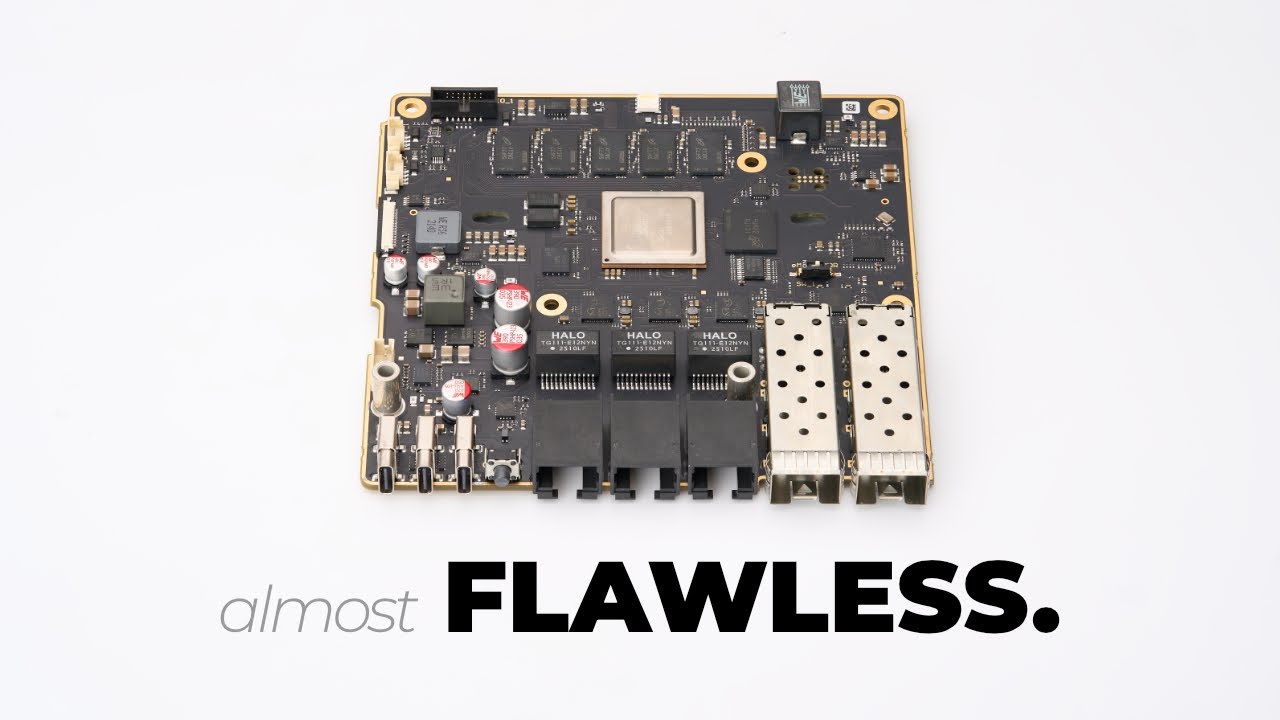
Thanks to PCBway for sponsoring this video! https://www.pcbway.com/
Submit your preorder here: https://mono.si
🚀 Intro to the series, if you haven't seen it yet: https://youtu.be/UFKhprphIAA
➡️ Follow me on 🦋 https://bsky.app/profile/zaman.io
➡️ Follow Aljaz on Instagram https://www.instagram.com/aljaztitoric/?hl=en
orchid iron
Pog
unreal ledge
how often do you replace your working computer ? Like when every game being shipped ?
mighty patrol
Every 5ish years seems like a good time no?
mighty cosmos
I don't replace it, I gradually upgrade it
somber surge
Still rocking a 2017 computer....Which has basically no more parts from the original computer x)
I think I've got a few cable extensions that are from the original build
feral cypress
Yall is a 9900x a good performer in Unreal or gaming?
Like can it handle most games at 1080 or 1440p at 60+ FPS on medium to high settings and run Unreal smoothly?
Bc im trying to build a full AMD build as my first PC to run unreal and gaming for around $1500 and i cant find an inbetween for 9900x and 9950x
I have the GPU choice locked to 9060xt 16gb
somber surge
feral cypress
Yall is a 9900x a good performer in Unreal or gaming?
Like can it handle most g...
It depends what do you prioritize over the other, if you want to do more gaming, a 7800X3D/9800X3D/9700X will be better, while being still very performant for UE
If you want to do a majority of work on UE, the 9900X is a good choice as you'll have still good gaming performances while having a much faster cpu for UE
orchid iron
feral cypress
Bc im trying to build a full AMD build as my first PC to run unreal and gaming f...
Check prices for
7950x
7950x3d
9900x
9950x
In your region
Because if you can get a 7950x instead of 9900x for around same price, go for it, 4 extra cores are quite nice, plus main difference between 7000 and 9000 series is just the 3d vcache models, the normal variants are extremely similar in performance
 opaque pond
mighty patrol
Every 5ish years seems like a good time no?
opaque pond
mighty patrol
Every 5ish years seems like a good time no?
5 lol
orchid iron

►►►► https://framechasers.org/education/ ►►►► - PC OPTIMIZATION COURSE
► https://framechasers.org/ - Discord and Support
► https://twitter.com/ChasersFrame ...
Besides User benchmark, he is top tier biased towards intel, but I love watching him, either to notice small details and cracks to take into consideration when buying amd, or to have a fun time witnessing high amounts of copium
But I'm not trusting him to give an honest review of an intel processor xD

 orchid iron
When new intel CEO said that intel would rise again and it'll be remembered in business books, I believed him
But I didn't believe it would be with the help of such greedy people
 mellow galleon
details on issues with top asus laptops
https://github.com/Zephkek/Asus-ROG-Aml-Deep-Dive

GitHub
A deep dive into the ACPI.sys DPC latency problems on Asus ROG laptops - Zephkek/Asus-ROG-Aml-Deep-Dive
orchid iron
mellow galleon
details on issues with top asus laptops
https://github.com/Zephkek/Asus-ROG-Aml-...
Reminds me of the guy who found an exploit to gain ring -2 perms in all Asus motherboards using armory crate feature
Incredibly detailed
And the billion dollar company just put his name on a virtual hoard somewhere people won't find normally
somber surge
median marsh
https://www.tomshardware.com/pc-components/cpus/nvidia-and-intel-announce-jointl...
Rip Intel Arc
orchid iron
somber surge
Rip Intel Arc

There's been some news. Chips and ownership. Let's talk about it.
Arc will very likely stay alive, it has to, the CPU part of their upcoming laptops depends on it for graphical output
As for the dGPU, probably still be around for niche AI and workstations
Nvidia X media tech though, that relationship will be no so good now
somber surge
orchid iron
Arc will very likely stay alive, it has to, the CPU part of their upcoming lapto...
Well..if they are making those in collab with Nvidia, there is no point for them to spend so much money on R&D, software and production if they can just plug a much better chip right away in their designs...So effectively there is no need for them to keep spending money on Arc
With that collab: they get money and they get better graphics chips, not sure what would be the incentive to keep Arc around (especially with the new CEO that doesn't seem to like anything R&D and long term investment)
Hopefully not, but you'd have to be realistic judging by all the recent events at Intel
delicate crystal
Anyone ever have their ups start beeping like crazy when you attempt to do a lighting build, thrn shut off aftet 15 seconds. Worked finr until thrn
 orchid iron
somber surge
With that collab: they get money and they get better graphics chips, not sure wh...
orchid iron
somber surge
With that collab: they get money and they get better graphics chips, not sure wh...
Just watched a MSID leak after the news, celestial is basically last graphics they'll support, then at the earliest Nvidia graphics tiles with be the standard that way they won't be scared of intel stealing their stuff because they won't be competing in that part of the market anymore, really sad stuff
orchid iron
delicate crystal
Its not connected to the internet st all fwiw
Look up what is an online interactive ups
delicate crystal
So learned that if I'm doing any long builds, I may have to consider re-wiring the office. If I'm doing the math right, sustained draw would be around 900-1000 watts. On 5-15 wiring, that's when you start to enter the danger zone of wiring beginning to heat up., Add the wiring is 70 years old and you can see where thi sis going
wise elbow
delicate crystal
So learned that if I'm doing any long builds, I may have to consider re-wiring t...
what CPUs are you using that's drawing almost 1kw?
median marsh
AMD K2 😄 or was it the first Athlon which was considered so power hungry.... 🤷
orchid iron
median marsh
AMD K2 😄 or was it the first Athlon which was considered so power hungry.... 🤷
There was also the FX series
median marsh
1kW would be like 3 threadrippers
orchid iron
delicate crystal
So learned that if I'm doing any long builds, I may have to consider re-wiring t...
Wiring should of been changed decades ago, better late than never, if your UPS wasn't the one being noisy, your PSU would of been coil whining so hard
orchid iron
median marsh
1kW would be like 3 threadrippers
Depending on the user and the CPU , maybe just 1 threadripper
wise elbow
also ideally whatever fuse is connected to that room should trip if you are drawing more power than what is safe
median marsh
i rather feel like the UPS is undersized 🤷
orchid iron
wise elbow
also ideally whatever fuse is connected to that room should trip if you are draw...
Don't fuses lose their function if they are really old?
median marsh
no?! especially not old ones which aren't automatic
wise elbow
well, their resistance and trip point might shift some
but you'd really have to pull power for a long time to reach dangerous temps with wire
orchid iron
When I looked up which over current protection power strip would be good, someone noted old ones aren't as good due to their age or something like that, I may have misunderstood
wise elbow
old fuses take comparatively longer to trip than some newer designs
iirc
also just looking at it, 5-15 wire seems to be safe for almost double 1kw
orchid iron
wise elbow
well, their resistance and trip point might shift some
Maybe that's what they were referring to
wise elbow
prolly why a standard fuse trips around the same point
havent seen the place you live but you're safe until around 1800W, where you would hope to pop a fuse
not an EE but im also almost positive theres GENEROUS safety margins built into that to account for bad installs, hot days, etc
delicate crystal
wise elbow
what CPUs are you using that's drawing almost 1kw?
Sorry for tge delay. Threadripper 9960x
Has an nvidia 5060 vcard
delicate crystal
wise elbow
not an EE but im also almost positive theres GENEROUS safety margins built into ...
Same. I dont understand electrical things at all. Just ttying to not burn my partners house downas shes already anxious
delicate crystal
median marsh
i rather feel like the UPS is undersized 🤷
Its curently rated for 900w, apc
wise elbow
delicate crystal
Sorry for tge delay. Threadripper 9960x
no way you're pulling 1kw with that setup
median marsh
delicate crystal
Its curently rated for 900w, apc
which model?
delicate crystal
median marsh
which model?
Apc
median marsh
good that they only have one
delicate crystal
wise elbow
no way you're pulling 1kw with that setup
No idea. All i knownis at full build it overloads a 900w
delicate crystal
median marsh
good that they only have one
Oh shoot sorry. Tge one i have is an apc 900w. Not sure exaft, not at home

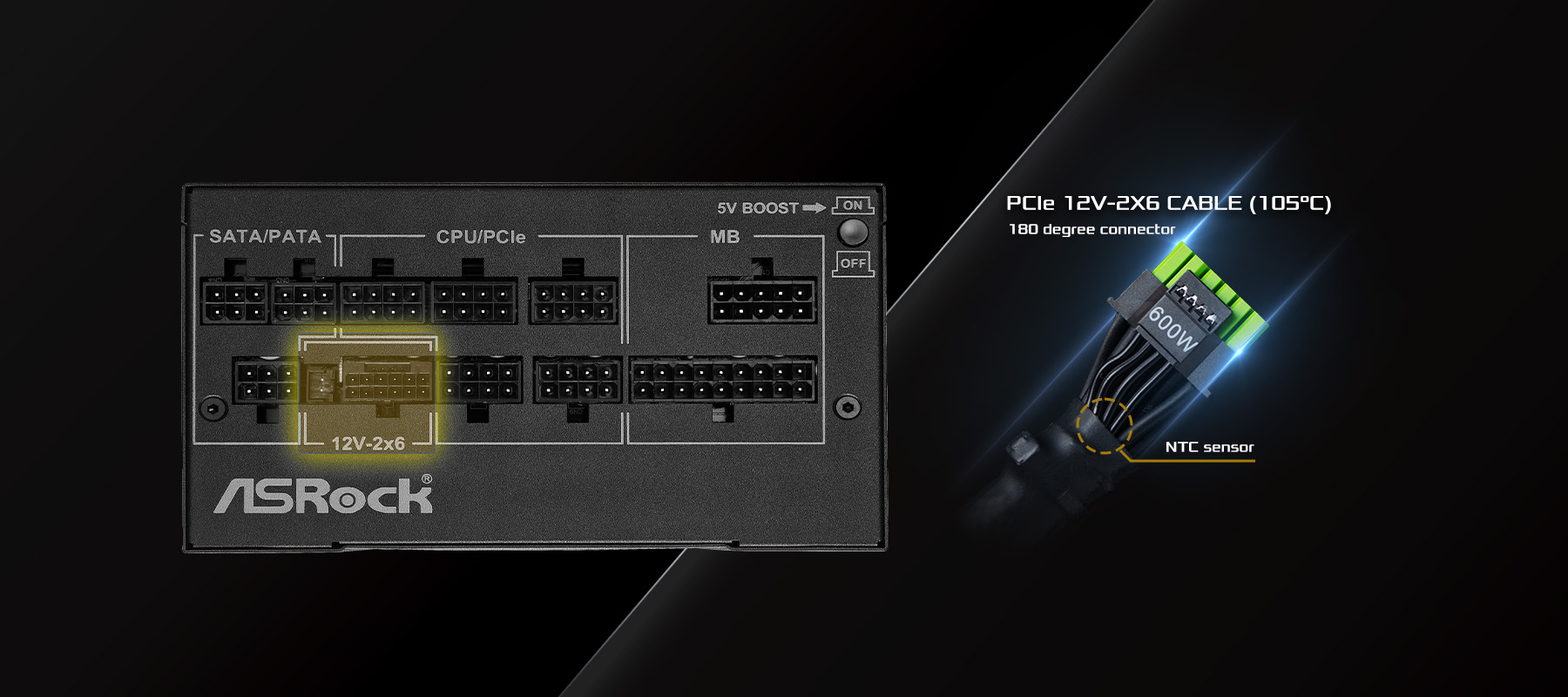
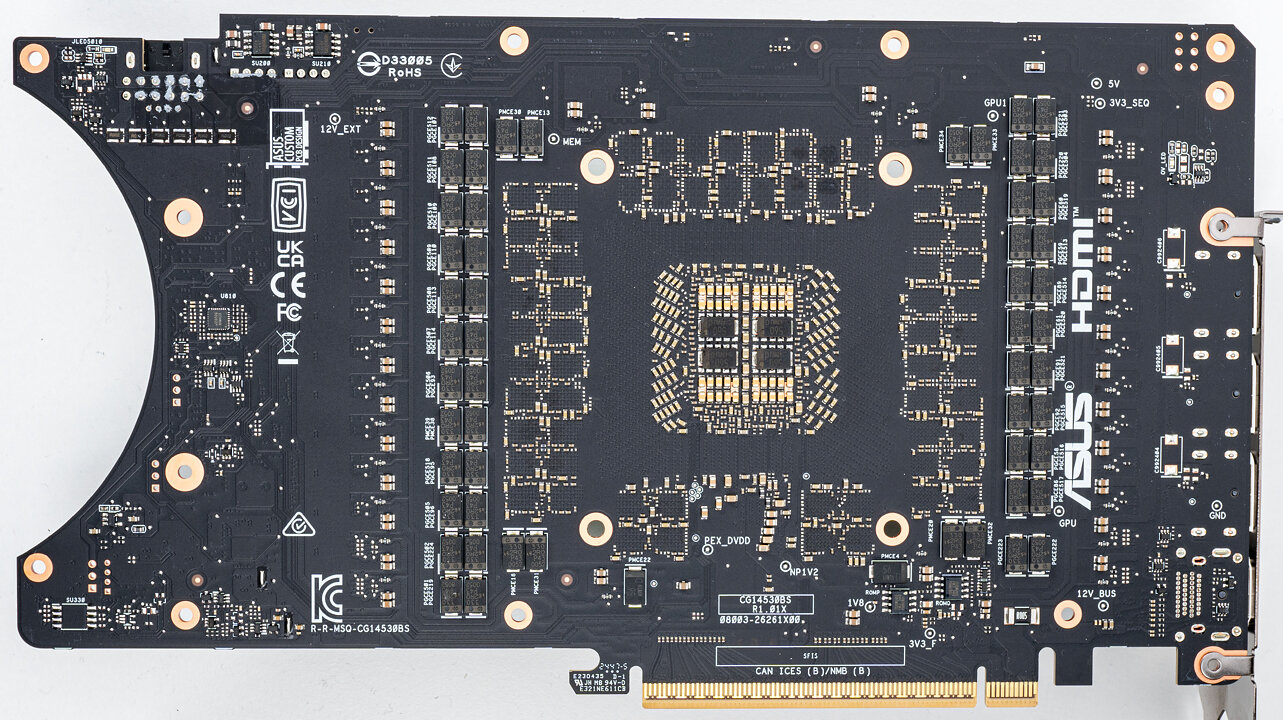
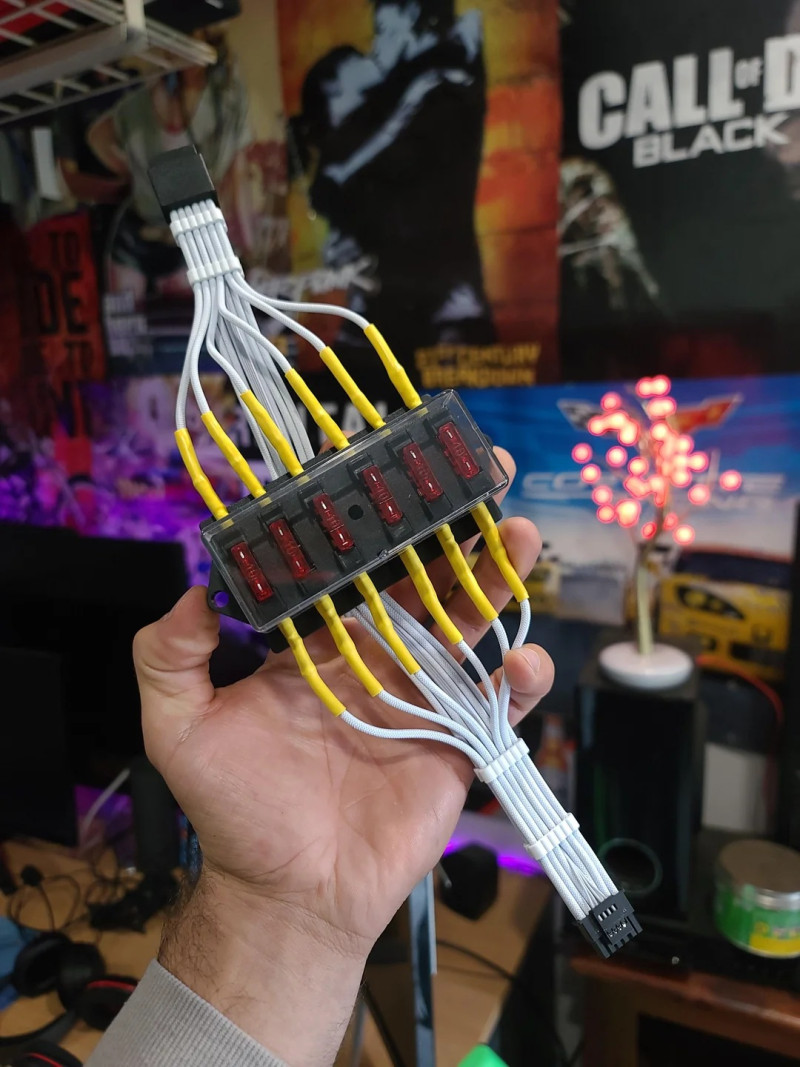
 orchid iron
delicate crystal
Oh shoot sorry. Tge one i have is an apc 900w. Not sure exaft, not at home
orchid iron
delicate crystal
Oh shoot sorry. Tge one i have is an apc 900w. Not sure exaft, not at home
Try to power cap the computer until it doesn't get overloaded
And also remove anything from it besides computer so you can find overloading point of that unit
If it is way too low, this unit might be defective
If it is a bit low, maybe the unit has a lot of strain from dirty electricity to handle
Maybe both
delicate crystal
median marsh
is it this?
No it doesnt have an led screen. Think its named so.etjing back-up 900 or something luke thst. Outleys are on the top
wise elbow
unit must be bad then
delicate crystal
orchid iron
Try to power cap the computer until it doesn't get overloaded
And also remove a...
Will give thst a try. I k ow its about four or five years old.
wise elbow
I think the batteries in them need replaced every so often if you use it heavily
median marsh
delicate crystal
No it doesnt have an led screen. Think its named so.etjing back-up 900 or someth...
most 900 named things are around 500-600W
so i would doublecheck the manual/technical specs of your UPS, as i still think that the best explanation is that you exceeded the UPS limits
delicate crystal
median marsh
most 900 named things are around 500-600W
That would make a lot more sense. Will give the adbicea try, read up, more then lukely its overloaded and a bit worn out, but mot drawjng as much as i think it is
orchid iron
delicate crystal
Will give thst a try. I k ow its about four or five years old.
As plinyvic said, batteries need to be changed around 3-5 years, so if there weren't changed, that might be the culprit
tribal ruin
delicate crystal
That would make a lot more sense. Will give the adbicea try, read up, more then ...
Do you have lot of power cuts in your region?
delicate crystal
tribal ruin
Do you have lot of power cuts in your region?
Thankfully no, but theyndo occur, especislly in winter
orchid iron

VideoCardz.com
AMD has new EPYC 4005 for computing at the edge AMD has introduced the EPYC Embedded 4005 series, a new family of processors built on Zen 5 architecture. The lineup is aimed at edge deployments where low latency, efficient power use, and long product lifecycles are critical. This is an update to the EPYC 4005 […]
28 pcie lanes
250$ for so many lanes wow
orchid iron
mellow galleon
details on issues with top asus laptops
https://github.com/Zephkek/Asus-ROG-Aml-...

VideoCardz.com
ASUS issues statement on ROG laptop performance issues Imagine buying an ASUS ROG laptop for thousands of dollars only to discover it has an annoying issue that others have reported in similar systems for the past three years. The good news is that by the time we covered this topic, ASUS had already responded and […]
mellow galleon
just 2021? the top laptops of 2018 have same issue as well 😄 but i think thats related to those who upgrade firmware
25/100ms sleep in interrupt handler lol
orchid iron
mellow galleon
just 2021? the top laptops of 2018 have same issue as well 😄 but i think thats...
Usual big company behaviour
wise elbow
orchid iron
250$ for so many lanes wow
thats the same as am5
orchid iron
wise elbow
thats the same as am5
no, am5 usually has 16+4+4, this has 28 (chipset included)
wise elbow
orchid iron
no, am5 usually has 16+4+4, this has 28 (chipset included)
are you sure? these are just am5 epycs
the main point of these is that they have features from the actual epyc cpus but the same socket and price as ryzen
i actually have no idea what the difference is with these cpus
ryzen apparently supports ECC already?
somber surge
orchid iron
no, am5 usually has 16+4+4, this has 28 (chipset included)
Pretty sure it's 16+8+4 for AM5 with Ryzen, so that would be the same as for those EPYC
The only advantage of those cpus is likely support
somber surge
Pro stuff usually has much better software and hardware support from the company directly
Looking at Techpowerup, they seem to have a lower msrp than desktop Ryzen even 🤣
wise elbow
might just be adjusted for current ryzen costs
i dont think any ryzen sells for greater or equal to msrp atm
orchid iron
somber surge
Pretty sure it's 16+8+4 for AM5 with Ryzen, so that would be the same as for tho...
Nope, it is 24 lanes, not 28
wise elbow
im like 100% positive my 9950x3d has 28 pcie lanes
wise elbow
median marsh
tho most boards waste it for usb4 likely?!
i think every zen5 board has 4 lanes that always go to the chipset
median marsh
pretty much every board has
wise elbow
i would be shocked if its any different for these epyc cpus since they are just zen5
orchid iron
median marsh
yea, looks like zen5 has 4 more
Oh, maybe zen4 has 4 less lanes than zen5 yeah, didn't notice
somber surge
orchid iron
Oh, maybe zen4 has 4 less lanes than zen5 yeah, didn't notice
They all have 28 lanes, 7950X on AMD website:

You can also find it in multiple presentations from Zen 4 release marketing
 orchid iron
Okay, guess I misremembered pcie lane amount in general since I never seen 2 m.2 slot with direct connection to CPU
somber surge
Pretty sure trace length and space on the pcb is also a factor, it's pretty hard to get anything connected to the cpu from below the first x16 pcie slot
median marsh
i still think it's weird that they didn't reserve 4x pci gen5 for the chipset 🤔
median marsh
somber surge
Pretty sure trace length and space on the pcb is also a factor, it's pretty hard...
i feel like they know how to handle that....
 somber surge
No the same price of mobo though
median marsh
but >4x the lane count...
somber surge
I didn't say you can't, just that it's hard :p
median marsh
eh, i guess they just add a layer
somber surge
And hard = expensive
Adding a layer to the whole board just to connect a second nvme that could be connected through the chipset...I can see why they don't do it
median marsh
i meant for the threadrippers 😄
somber surge
Oh I mean for those cost is pretty much a non-issue
median marsh
for consumer boards they would rather hook it up to the chipset instead of adding a layer (if it was really necessary)
and then only the top tier boards had the 2nd slot on the cpu
most people won't notice much of a difference either ways
somber surge
I would love to have a mobo with like 6-8 gen 4 nvme that split the gen 5 lanes :p