#hardware
1 messages · Page 47 of 1
 median marsh
 wise elbow
raw gaming performance gains have been minimal
dlss4 does run a lot better on 50 series though afaik
 orchid iron
that's mostly because if nvidia makes something better, then they charge more for it, so price to performance hasn't improved much gen over gen because of that, they want bigger margins
 somber surge
wise elbow
dlss4 does run a lot better on 50 series though afaik
somber surge
wise elbow
dlss4 does run a lot better on 50 series though afaik
Runs basically the same on RTX 40
And DLSS Multi Frame Gen does not work well on 8GB gpus...so pretty much half of their lineup
- it's borderline on 12GB gpus
wise elbow
damn shame too because mfg actually looks really nice
somber surge
It's very situational though
You need a very good base framerate
Like 70fps+
And a high refresh monitor or it is just wasted
wise elbow
it's really for high refresh displays like oleds
pretty lame they market it as just as fps increaser
somber surge
Yeah that's the big problem
wise elbow
imo it's pretty ok if you even have a frame rate of like 30
somber surge
The tech itself is great even if not always usable in all scenarios, but their marketing is just insanely missleading with that shit everywhere
wise elbow
nvidia is just being a shit
somber surge
wise elbow
imo it's pretty ok if you even have a frame rate of like 30
It's not, unless you're really really not sensitive to latency + playing on controller
And on a game that has a decent base latency
median marsh
wise elbow
dlss4 does run a lot better on 50 series though afaik
may need more dedicated cores which they may have added to 50xx die's?!
 sleek grove
Gonna do a clean install, should have done it ages ago tbh. The question is do I move to Win11 or stick with 10
orchid iron
sleek grove
Gonna do a clean install, should have done it ages ago tbh. The question is do I...
Either stick with windows 10 or look into ways to debloat windows 11, there are also cheap enterprise windows 11 or 10 keys that could be quite interesting for you
sleek grove
I just went with win 11 since win 10 has only 4 months left support anyways
orchid iron
sleek grove
I just went with win 11 since win 10 has only 4 months left support anyways
Don't go with the vanilla windows 11 though please
orchid iron
Good luck with that
sleek grove
idk so much, heard a lot of bad stuff but the biggest difference so far is the UI and a copilot shortcut
orchid iron
sleek grove
idk so much, heard a lot of bad stuff but the biggest difference so far is the U...
And significant performance reduction, along with sometimes awful drivers
orchid iron
sleek grove
idk so much, heard a lot of bad stuff but the biggest difference so far is the U...
I got copilot on my debugging windows 10 install somehow...the pc is 10 years old, wtf Microsoft
I found out today that I can use multiple keyboard
Finally, I was being bottleneck by my singular keyboard, time to make a multi-keyboard setup

 delicate crystal
Anyone know anything about pny cards? Thry seem really slow but they demand a premium
 ashen stream
Debloating W11 in 2025, is pretty easy to do.
orchid iron
delicate crystal
Anyone know anything about pny cards? Thry seem really slow but they demand a pr...
They used to be bad, then good, then with the 50 series not great
wise elbow
delicate crystal
Anyone know anything about pny cards? Thry seem really slow but they demand a pr...
they're as good as anything else
card factory oc is meaningless
and from my experience they are the cheapest cards, though they're made in the US which is probably why
imo I trust them more than other manufacturers. have used dozens of cards manufactured by them in the past and never had any issues
orchid iron
EVGA and XFX are probably look at the 50 series launch and thinking to themselves, "that's a lotta stress I avoided right there"

It's over for RTX, but should it be?
Follow my Twitter for video updates and early news! → http://twitter.com/ibxtoycat
Become a Channel Member to access exclusive videos & community posts, special emojis to use in the comments or live chat, as well as a unique badge next to your name! → https://www.youtube.com/@toycat/membership
Minecraft...
delicate crystal
Hmm ok. Been looking at options for plus 16gb nvidia cards and the aelection is limited.
wise elbow
it's really only the 4090, 5090, and high end workstation cards
 fallen oasis
Idk. I have a 24gb 3090 card.
wise elbow
yeah though I wouldn't really buy a 3090 in 2025
fallen oasis
Depends if you want vram or $$
median marsh
i would buy it, but not for the stupid amount of 1500euro which some dealers here ask for it -_-
4090s are even listed more expensive than 5090s
 agile lodge
LC versions are nice
ashen stream
best app for spring cleaning
 ashen stream
orchid iron
https://m.youtube.com/watch?v=rqsZc1e8cAI
ashen stream
orchid iron
https://m.youtube.com/watch?v=rqsZc1e8cAI
thank goodness we never needed them for good support
Mfs give us like a new mob a year on vote, while some 11 year old drops an entire species pack, for like a decade now.
wise elbow
ashen stream
best app for spring cleaning
windirstat is amazing
 mighty patrol
Space Sniffer good too
delicate crystal
median marsh
4090s are even listed more expensive than 5090s
Can only find 4090s on used market now, and who knows ifnits bed used as a mining rig
median marsh
yea at that price range you likely want a new card with warranty
delicate crystal
Indeed. Its basocally pegged me.into doing a 7900 xtx for mow
fallen oasis
Its basocally pegged me.
I see
orchid iron
@delicate crystal btw, did you fix your system's issue?
orchid iron
ashen stream
Mfs give us like a new mob a year on vote, while some 11 year old drops an entir...
So true
mighty patrol

How do you grow 2.5x more strawberries? James Dyson reveals how engineers designed and built a unique way to increase Dyson Farming’s strawberry output.
Strawberries available in the UK from:
@Ocado
@marksandspencer
@sainsburys
Discover more about Dyson Farming:
dysonfarming.com
#Dyson #InsideDyson #DysonFarming
orchid iron
All that for strawberries
mighty patrol
orchid iron
All that for strawberries
That is just the start
orchid iron
mighty patrol
That is just the start
I know, but if they advertised crowing animal flesh for us to consume without the need to make animals, that'd be way more edgy
mighty patrol
Next real application is fungi I'm sure
orchid iron
Gotta start small
delicate crystal
orchid iron
<@247897381499043840> btw, did you fix your system's issue?
Ya i was fprtunate that tge data drives were stable, just windows being windows. The drives that had windows on it for some reason werent set to raid 1 and being samsung evo 970s, finally shat themselves. I might have bbqed one ofnthem a while back so that explained a few things
Basically my plan for a syatem upgrade has been mpved up by a few months. Was waiting until september but now itll be july
Heres what I have so far
System specs
CPU: AMD Threadripper 7960x
Cooler: ???, probably Noctua something
Memory: Crucial 128GB 2x64 5600 DDR5
Motherboard: Asus Pro WS TRX-50 SAGE
Video Card XFX Merc 310 RX 7900 XTX 24gb
OS/App/Active Storage Drive: Samsung 9100 Pro w/ heatsink
Backup Drive: WD HGST UltraStar 12gb 512mb cache
Power Supply: Corsair HX1200i 80+ platnium
Case: Fractal design north XL mesh
Was going to switch ovdr to a 4080 or 4090 but theyre impossible to find here that havent bsen used in a mining farm.
median marsh
PSU seems a bit overkill, but gives you headroom if you decide to change the 7900 for a nvidia card 😄
and for cooler i would pick a noctua "clone", saves a bunch of bucks
orchid iron
delicate crystal
Heres what I have so far
System specs
CPU: AMD Threadripper 7960x
Cooler: ???,...
If you plan on going with threadripper, look at Arctic too, they provide very strong competition against noctua in threadripper department
orchid iron
delicate crystal
Heres what I have so far
System specs
CPU: AMD Threadripper 7960x
Cooler: ???,...
Also, you'll literally have better GPUs come out few months after you build that system, are you ready to go through the hassle of reselling that GPU in case you really want newer GPUs?
delicate crystal
orchid iron
Also, you'll literally have better GPUs come out few months after you build that...
Well roght now my syatem is being held togrther by hopes and dreams so sadly dont have a choice. That was the original plan was to wait until then. Maybe get something cheaper that osnt a beast, then upgrade later on? Thats what thos system is for the most part, if things go well, i can easily upgrade most.of it
delicate crystal
median marsh
PSU seems a bit overkill, but gives you headroom if you decide to change the 790...
Thats the plan. Upgrade the vid card, memory, etc down the road if needed
median marsh
orchid iron
Also, you'll literally have better GPUs come out few months after you build that...
??? which GPUs are announced for that date?
i think we wont hear much until end of 2026 from nvidia/amd
delicate crystal
I thought it was the last quarter of 2025?
median marsh
both just released a new series, so i doubt it, especially for the high end market
maybe they do some AI cards and whatnot, but nothing that should affect gamedev too much
3090 September 17, 2020
4090 October 12, 2022
5090 January 30, 2025
so there has always been a 2years + gap
and i guess nvidia will likely switch to a whole new architecture for next gen, so that gonna take more development/testing time than what they did the last years 😄
delicate crystal
Wish they had a 24 gb version for thr 50xx series. All i found is 16s and one 32
median marsh
they do
for the chinese market 😄

VideoCardz.com
GeForce RTX 5090 “Double-D” incoming The new card will meet the requirements to be sold on Chinese markets. Today we have several updates on the GeForce RTX 50 series, including both desktop and laptop versions of the RTX 5050. In addition, Asian media have revealed new details on the GeForce RTX 5090DD (tentative name). This […]
orchid iron

►Grab the retro 8GB VRAM T-shirt: https://meldstore.com/products/8gb-of-vram
Ryzen 10000 CPUs are the biggest leap yet, AMD fixed the VRAM issue, Nvidia launched their worst GPU ever! Stay tuned...
Items featured in this video available here
Newegg (Affiliate): https://geni.us/newegg1
Amazon US (Affiliate): https://amzn.to/3b9UjKB
...
6:30 BIG
orchid iron
median marsh
??? which GPUs are announced for that date?
Nvidia super series and AMD GPUs with GDDR7
No "new generations" but at leasts current one gets models with more Vram
And I think intel will want to eventually release B60 for consumers, maybe?
median marsh
so there's a chance that they will make a 5080 super with 24GB?
orchid iron
median marsh
so there's a chance that they will make a 5080 super with 24GB?
Oh yeah, partner leaks show they are ready for them
delicate crystal
That wpuld ve nicd
orchid iron
And overclocked 9070 XT with 32gb of Vram because why not xD
orchid iron
median marsh
didn't expect a 5080 24GB to happen
Remember how they tried to "unlaunch" the 4080 12gb?
delicate crystal
I wonder what theyd retail for up here
orchid iron
No clue, prices have been wild lately, hopefully AI farms don't require them
delicate crystal
Hopefully. That added with the added charge that is everything sold in canada makes it fun
orchid iron
Also, I did a bit of research and if the AI's data has to be stored in ram, the performance of token output is nerfed so hard, that buying those insanely expensive 96gb Vram models actually make sense if companies really want several billion parameters models
median marsh
at least doing it the american way 😛
deepseek showed that necessity drives development
orchid iron
Yeah, I was very happy when I saw deepseek making Nvidia lose 17% stock price in 1 day
delicate crystal
Had a coworker lose 50k because of that
orchid iron
delicate crystal
Had a coworker lose 50k because of that
Skill issue, did he keep the stocks? Because they went back up after
... unfortunately
delicate crystal
Ya he did. He was a decent trader so he bought a ton more when it droppe
orchid iron
delicate crystal
Ya he did. He was a decent trader so he bought a ton more when it droppe
Smart
delicate crystal
Indeed. Wiah i had followed suit. I thought there stock woukd pulk a blavkberry from it
orchid iron
I wish too
orchid iron
@grave sundial an electrician checked grounding for plugs, and there was 3 plugs (2 of which are used by high power consumption appliances) and 1 available plug directly from the fuse box, do you think it is safe compared to the other ones?
And if it is, do you recommend a UPS since that grid is from the 80s to my knowledge
median marsh
couldn't he tell you?
plugin a lamp and turn off fuses and check if it's fused
then compare fuse type to the other ones
sometimes there are different ones, as there are slow and quick fuses and for different loads
delicate crystal
Trying to find a video card tgat handles multiple thibgs is a bloody pain
Tge 5090 woukd mert all, but 4k for a card is nuts
Tge pro cards arent great at gaming alledgly. Amd cards are weak on ray tracing. Anything under 24 gb of vram isnt great for photogrammy.
Half debating doing the rtx pro 4000 and just doing games on low settings :p
 grave sundial
orchid iron
<@595262016059605022> an electrician checked grounding for plugs, and there was ...
grave sundial
orchid iron
<@595262016059605022> an electrician checked grounding for plugs, and there was ...
I always recommend a stabilizer and UPS for expensive appliances. One errant voltage fluctuation is all you need to be spending tons of money buying new components.
We get extension cords with fuse breakers in them, so that the cord itself breaks the circuit in case of a short circuit.
It's always good to have an intermediary between your mains and your devices.
orchid iron
delicate crystal
Tge 5090 woukd mert all, but 4k for a card is nuts
Tge pro cards arent great at...
Amd GPUs don't have dedicated ray tracing cores, however that means on non-raytracing workloads, they'll out perform their Nvidia counter parts because more silicon is dedicated to raster
Although rdna 4 showed AMD can do raytracing well finally
Udna will likely match 50 series raytracing performance since there wasn't much uplift in that department from 40 series to 50
orchid iron
grave sundial
We get extension cords with fuse breakers in them, so that the cord itself break...
So an extension cord with fuses and UPS
But isn't the computer's power supply 's job to stabilise voltage?
grave sundial
How much does a PSU cost and how much an extension cord?
It's a question of 💰 and how much you want to spend replacing busted hardware.
orchid iron
True
median marsh
also UPS usually have fuses, actually most likely all of them
orchid iron
Oooh yeah, I'll check the specs
orchid iron
grave sundial
How much does a PSU cost and how much an extension cord?
And what would be the specifications of the power cord since I'll plug a 4k Watt UPS on it for a 1.6k watt PSU, for a pc that consumes probably 350 watts at most
median marsh
so it can run 10h on the UPS 😄
but most likely the 4k is what it can produce, not what it can store
rather get a trusted brand than some company which tries to bait with high numbers
APC/BestPower/...
grave sundial
orchid iron
And what would be the specifications of the power cord since I'll plug a 4k Watt...
Heavy-duty extension cords are cheap to buy, at least in India. You don't have to worry about the amperes. The concern is whether the large plugs fit. Usually, the extensions with fuses are meant for large plugs and heavy-duty stuff, so you should be okay.
Take a photo of your PSU's plug and you can compare it to the what the extension cord has, when you visit the store.

I had purchased this one. Goldmedal, made in India.
Saved my entire computer when the modem's adapter shorted out, once.
The fuse tripped, there was a small puff of smoke from the modem's adapter. The entire computer shut down abruptly, but safely.
All the hardware was saved. I only had to replace the inverter's fuse, because the damn thing was too old anyway by that time. 😄
This costs 8 EUR, here. Probably 50-60 over there.
orchid iron
Oooh, extension with surge protection, yeah there are a bunch ranging from 8€ to 20€ but they don't say if they use fuses most of the time
grave sundial
If it's got an automatic tripper, it's got a fuse in there, methinks.
orchid iron
Man, what a mess
While looking for 4k ups I realised most of them take 12-24 volt input (car battery generally) and output 230 volts
So then while searching for ones that actually have 230volt input and output, most of them are designed for server racks and cost 4k € xD
I've also seen that some UPS can handle an overcurrent double their wattage for a few consecutive seconds
Do you think it is a good idea to lower the wattage required from the UPS down to like 2000 watts or less ? Since I'm only finding server stuff
grave sundial
a 2kW UPS is useless for a 1.6kW PSU.
Except for giving you 5 mins to shut it down when you lose power.
Why do you need a 1.6kW PSU btw?
orchid iron
grave sundial
Why do you need a 1.6kW PSU btw?
Yeah, I think I'll downgrade to a 500 watt psu
grave sundial
What GPU does your new system have?
orchid iron
7900 xtx
grave sundial
355W + CPU 125W?
Uh... you could go for a 700W PSU, I think.
Then a 1.4kW UPS will be fine.
orchid iron
Nvm, forgot tdp is 355w
orchid iron
grave sundial
Uh... you could go for a 700W PSU, I think.
Yeah
grave sundial
orchid iron
Yeah
Can you exchange the 1.6kW PSU? I imagine it cost a bomb.
orchid iron
grave sundial
Can you exchange the 1.6kW PSU? I imagine it cost a bomb.
Idk, I opened it to check everything was in there when I received it, and i got it several months ago, so at this point maybe I'll look into selling it on eBay xD
mighty patrol

Shop for GPU Deals on Jawa - https://jawa.link/ToastyJune25
We’re ditching Windows today and going over to the SteamOS! Recently steam updated their Linux OS and allowed it to be installed on pretty much anything, so we’re installing it on a budget gaming PC to see if it makes sense and even offers more performance.
Download SteamOS ISO - ...
wise elbow
orchid iron
Yeah, I think I'll downgrade to a 500 watt psu
you don't need to downgrade
what PSU you use doesn't change how much power your PC consumes by a meaningful amount
just figure out how much power your PC actually uses and get a UPS with a rated steady state power of at least that much
you 100% need a UPS of equal or greater power to your true power consumption though or it'll probably trip
also pretty much regardless of what UPS you get (unless you get a massive one) it won't have enough stored energy to keep your PC running full blast for all that long
they're mostly just good for intermittent power failures and to give you time to shutdown when it's long term
orchid iron
wise elbow
just figure out how much power your PC actually uses and get a UPS with a rated ...
I thought it was based on PSU wattage, not max pc power consumption
wise elbow
nope
a UPS power rating is the max amount of power it can output for an extended amount of time without shutting off
this is the same as your PSU. it's rated for a max power. anything above that max power and your PSU should shut off so it doesn't melt
your PC will draw as much power as it needs, limited by your components
also, make sure you account for monitors
most consume absurd amounts of power
i have a 4k ips and it consumes up to 210 watts
orchid iron
wise elbow
your PC will draw as much power as it needs, limited by your components
Oh, so a 2kw UPS is fine with a 1.6kw PSU as long as all components can't draw more than 1kw?
wise elbow
yes
a 2k UPS would be fine regardless even if you drew your max 1.6kW
you can probably get a smaller UPS
orchid iron
Awesome, this thing costs almost as much as a mid GPU, would of felt bad for underselling it
wise elbow
yeah they can get expensive
you have to replace the cells in them every few years as well im pretty sure
orchid iron
wise elbow
you have to replace the cells in them every few years as well im pretty sure
The cells?
Oh ups batteries, got it
Thank you
agile lodge

Since this video went live, I have made further progress and am (at the time of uploading this video) Number 5 in the world! This took a LOT of work but I enjoy doing these mods again!
○ Get your JayzTwoCents Merch Here! - https://www.jayztwocents.com
○ Join this channel to get access to perks:
https://www.youtube.com/channel/UCkWQ0gDrqOCa...
delicate crystal
Is this real.or one of those clickbait things
median marsh
jaytwocents, so most likely close to real 😄
delicate crystal
Guess i wont be buying a 5090 for a while 😄
orchid iron
Custom BIOS to make it accept 1000w
grave sundial
And after you achieve all this, you'll use that card to do nothing but generate a meme.
mighty patrol
Better just buying an Ada gpu
orchid iron
I'd want a Zeus GPU, too bad they won't come until 2027 at least
grave sundial
It'll be the price of a thunder bolt.
orchid iron
I'm hoping if there is a GPU company out there that can put ram slots on their GPU, hopefully AMD will follow
mighty patrol
Ram slots and nvme slots
orchid iron

#ad - Shop G FUEL https://gfuel.ly/pdp-cb
🌎 Get an exclusive 15% discount on Saily data plans! Use code pewdiepie at checkout. Download Saily app or go to https://saily.com/pewdiepie ⛵
🧎#Subscribe🧎
📰 Get "The Kjellberg Mail" (family newsletter w Mertz): https://the-kjellberg-mail.beehiiv.com/p/july
Get exclusive NordVPN deal he...
orchid iron
mighty patrol
Ram slots and nvme slots
Nvme slots are fake, they don't exist
 gleaming stone
hey all, im taking a jump and buying a 50series GPU, upgrading from my 6900xt. i have the opportunity to get either a 5080 now, or wait for stock on a 5090FE (not willing to pay the £600 premium for a gpu cooler and some AGB). obviously more Vram is gonna be better for UE5, but is waiting for the 5090FE to come back in stock worth it?
wise elbow
gleaming stone
hey all, im taking a jump and buying a 50series GPU, upgrading from my 6900xt. ...
youll have to compete with bots to buy a 5090fe , assuming they ever actually come back in stock
5080 and 5090 also aren't even comparable. 5090 is almost 2x the performance iirc
decide what games and what resolution and if you want pathtracing and buy based on that
IMO a 5090 is overkill for any games
gleaming stone
wise elbow
IMO a 5090 is overkill for any games
but is it overkill for UE5?
wise elbow
you don't need that good of a gpu for unreal
unless you want to do unfathomably complex scenes. but be realistic with your use case
gleaming stone
wise elbow
unless you want to do unfathomably complex scenes. but be realistic with your us...
well the project im working right now is about 14gb vram usage, and i get about 55fps in engine with my 6900xt
wise elbow
is 55 fps in the editor even bad?
gleaming stone
wise elbow
is 55 fps in the editor even bad?
not really no. obviously there is more i want to add into the game but my knowledge lacks on where its stuff that would affect vram usage. things like windows with RT reflections etc
if stuff like that, or parallax snow doesnt really affect vram usage then 16gb should be fine right?
wise elbow
i feel like anything but a 5090 would be a really marginal upgrade coming from a 6900xt
gleaming stone
wise elbow
i feel like anything but a 5090 would be a really marginal upgrade coming from a...
oh really? my friend has a 5080 but doesn't use unreal so we only have games to go on. but in games its like night and day. path traced indy jones game on 5080= 90 fps, on 6900xt = 7fps
wise elbow
that's because the upscaling and raytracing on 6900xt isn't great
but afaik RT in unreal doesn't even use rt hardware
and you won't be upscaling (nor should you design your game to require it) in editor
fallen oasis
Don't forget the fake frames.
wise elbow
yeah that too
like don't get me wrong the 5080 is a good card (I have one myself) it's just that the 6900xt is still really good, has the same amount of memory, and any upgrade is going to be at LEAST 1000 dollars for like, 30-50 % better raw performance
gleaming stone
so, consensus is 5090 or stick to 6900xt?
wise elbow
imo yes
there are rumored 5080 supers coming out this year that will have extra memory
delicate crystal
mighty patrol
Better just buying an Ada gpu
That bad? (Was looking at a pro 4000)
orchid iron
gleaming stone
so, consensus is 5090 or stick to 6900xt?
I'd recommend waiting to see the rumoured 50 super series, when those get released you can either buy them or watch as the price of non-super drop
gleaming stone
gleaming stone
so, consensus is 5090 or stick to 6900xt?
so i took the plunge and ordered one of these https://www.overclockers.co.uk/msi-geforce-rtx-5090-ventus-3x-oc-32gb-gddr7-pci-express-graphics-card-gra-msi-04859.html
Order MSI GeForce RTX 5090 Ventus 3X OC 32GB GDDR7 PCI-Express Graphics Card now online and benefit from fast delivery.


 mighty cosmos
wise elbow
i feel like anything but a 5090 would be a really marginal upgrade coming from a...
mighty cosmos
wise elbow
i feel like anything but a 5090 would be a really marginal upgrade coming from a...
A 5080 would be like 70-80% faster in raw performance than the 6900xt, 6900xt is a little bit slower than the 3090
 grave sundial
orchid iron
<@595262016059605022> is that why you said to never turn on EVO mode on UPS?
grave sundial
orchid iron
<@595262016059605022> is that why you said to never turn on EVO mode on UPS?
Yeah. Eco mode works really on anything but something that is a computer. 😄
Mainly because the bypass time is increased by a few milliseconds.
orchid iron
gleaming stone
so i took the plunge and ordered one of these https://www.overclockers.co.uk/msi...
Congratulations, now also buy a 100$ load balancing checking device that you plug in between your PSU and your 5090 otherwise it may just melt and get damaged because Nvidia engineers wanted to justify their salary
grave sundial
WHAT?! We don't love 🔥 anymore?
orchid iron
Jeez, binging UPS videos at X2 speed for over an hour is quite something let me tell ya
grave sundial
At least you know you have a higher attention span than the modern Joe.
orchid iron
grave sundial
At least you know you have a higher attention span than the modern Joe.
Idk, after 1 hour of full focus, my focus becomes so fuzzy and I'm almost forced into taking a nap
grave sundial
Which is why God gave us coffee, snortable drugs, and supplements.
orchid iron
grave sundial
Which is why God gave us coffee, snortable drugs, and supplements.
And then there are a few who are coffee insensitive like me, and naps are basically only option
grave sundial
🥲
orchid iron
@grave sundial btw, some UPS have in warranty that using it with extra surge protection extension voids warranty, so check yours just in case
grave sundial
Thanks. The tech never breaks within the warranty period though. I believe they are robustly designed that way, so that they break outside of warranty and you have to pay the full price to get it fixed/replaced. 😄
orchid iron
grave sundial
Thanks. The tech never breaks within the warranty period though. I believe they ...
True, but just in case, if they ask what it was connected to, don't mention the extra surge protectors
wise elbow
they would also probably never know unless you tell them
grave sundial
orchid iron
True, but just in case, if they ask what it was connected to, don't mention the ...
Oh, they know already. It's common procedure in India, because voltage fluctuations are common. In fact, I believe they aren't allowed to deny service because of that, here.
Of course, ACT OF GOD is still off the table.
orchid iron
grave sundial
Oh, they know already. It's common procedure in India, because voltage fluctuati...
Nice

If you've ever spent any time on the internet, there's a good chance you've heard of how amazing Lenovo ThinkPad laptops are. They're the GOAT laptop brand, and if you're a real power user, you know how much better they are than the lowly MacBook. But how did they gain their legendary status and cult-like fanbase online? Are they really all th...
Shame they started soldering things like virgins
wise elbow
did they?
I have one that's like 6 years old now and it's mostly sockets
i think their thinner ones are soldered
orchid iron
wise elbow
I have one that's like 6 years old now and it's mostly sockets
yeah, the change was recent
delicate crystal
Remember the laat thinkpad i had was like rocketship compared to the dell i had at the time. Rock solid too. Im sure thst it was running linux while dell was on windows didnt factor into it
agile lodge
seems more nvidia cards coming with more vram
orchid iron
Yup
agile lodge

NVIDIA has officially announced the lame RTX 5050 coming later in July... however leaks show there is bigger cash grab on the way... And its going to be PRICEY!
○ Get your JayzTwoCents Merch Here! - https://www.jayztwocents.com
○ Join this channel to get access to perks:
https://www.youtube.com/channel/UCkWQ0gDrqOCarmUKmppD7GQ/join
○ Joi...
somber surge
Pretty much releasing the "real" new generation, how RTX 5000 should have been to begin with
Seems like their new way to go: release something half broken and obsolete for half of the lineup, then fix it with "Super" cards 6-12 months later
The Super "refresh" is just there to fix an obscene lack of VRAM or an absurd price nowadays
delicate crystal
Sounds up.my.alley. hopefully its not a long wsit
orchid iron
If the 24gb models cost way more than the 7900xtx or AMD 's "super" 9070, then it is just going to be terrible value (to be fair, existing 50 series card already feel like terrible value)
grave sundial
orchid iron
If the 24gb models cost way more than the 7900xtx or AMD 's "super" 9070, then i...
What prices are these obviously-very-cheap-and-totally-not-flammable new GPUs from Nvidia?
orchid iron
grave sundial
What prices are these obviously-very-cheap-and-totally-not-flammable new GPUs fr...
I wanna go ahead and guess, +300$ over market price of normal parts, what do you think?
grave sundial
Oh. I was thinking more $5,000 per card, based on modern business practices.
orchid iron
grave sundial
Oh. I was thinking more $5,000 per card, based on modern business practices.
Oh yeah, if they change the "super" trademark to "ai" I could see the Nvidia Rtx 5080 AI 24gb selling for 5k$
grave sundial

If this is true, the 5070S receives the largest buffs?
I guess the remaining party members received the second-hand buffs.
orchid iron
grave sundial
I guess the remaining party members received the second-hand buffs.
I remember how Nvidia mentioned to marketing that gamers only need 70 class cards, and everything above (80 and 90) are for professionals
grave sundial
Hehe. I wonder if that's because of those 7/70 million orders they received from the cloud companies, or something.
'Hey, hey, you don't need these cool cards. Those higher paying, wealthier companies need them!'
orchid iron
grave sundial
'Hey, hey, you don't need these cool cards. Those higher paying, wealthier compa...
I misread and saw "those higher paying weather companies needs them! " XD
grave sundial
They probably do, too.
orchid iron
Yeah, they need AI for more accurate weather forcast
 orchid iron
grave sundial
This makes me question the reason for the 5080's existence.
orchid iron
grave sundial
This makes me question the reason for the 5080's existence.
Yeah, I forgot if a 4080 12gb even exists tbh
orchid iron
grave sundial
Didn't super models have a slight increase in cuda cores over their normal variant?
grave sundial
Pretty much.
But here, they just add a bit more memory to the other models and draw more power.
I bet there's more than that that's not leaked yet, but still....
orchid iron
More content for the disappointment T-shirt wall of 2025
grave sundial
Hehe. I still remember that ASUS RTX-RX mixup from the other day.
I wonder if NVidia will 'accidentally' ship a buffed XT as an RTX super. 😄
orchid iron
I remember when things didn't upset hardware unbox much more than standing up, ever since 2025 he has been standing on roofs and on over 30 floors of height
grave sundial

VideoCardz.com
NVIDIA Maxwell, Pascal and Volta driver support to end with 580 series drivers NVIDIA has officially confirmed that the next major driver branch (580) will be the last to support three GPU architectures, affecting several GeForce and professional products. Starting with version 580 (currently at 576.80), NVIDIA will no longer support Maxwell-bas...
Wokay! Important stuff to know.
If you are using GTX (or lower), basically don't update your drivers beyond 580 version.
orchid iron
grave sundial
If you are using GTX (or lower), basically don't update your drivers beyond 580 ...
That's me!
Heck ya, my drivers are 100% man made
mighty patrol
For now
Who's to say later they don't just get an AI to re-write the entire thing for an end of life update
orchid iron
mighty patrol
Who's to say later they don't just get an AI to re-write the entire thing for an...
Nah, ai has to find flaws in their drivers first, which is tough because their drivers are already perfect
mighty patrol
Soon ™
agile lodge
🪛
wise elbow
grave sundial
If you are using GTX (or lower), basically don't update your drivers beyond 580 ...
they'll still make security updates
 muted holly
Looking for help / recommendations. I have been tasked with creating a desktop machine / gaming machine for unreal and running simulations. We have a budget of 10-20k US dollars
Any links or recommendations ?
orchid iron

https://www.youtube.com/channel/UCPM_if1uCeesUD4Y3F6O7FA?sub_confirmation=1
Pc Building meets Woodworking
A Pc Build Like No Other - My First Pc Build
It took a month and half, from preproduction to post! Hope you all enjoy!
00:00 Intro
00:50 Dressing the Wood
06:15 Making a Motherboard Tray
08:33 Building the PC Case Frame
17:09 Fitting PC H...
Oh wow looks great from the thumbnail
Oh he uses glue like a virgin
Wait, wtf at those "case feets" oh gosh no
orchid iron
muted holly
Looking for help / recommendations. I have been tasked with creating a desktop ...
How many GPUs and how many CPU cores and ram would you aim for?
Usually you'd have an idea of the workloads the machines should be able to do
orchid iron
muted holly
Looking for help / recommendations. I have been tasked with creating a desktop ...
If it is a gaming machine, what games on what settings would it run?
If it runs simulations, what kind? There are some that have been optimised for GPU, but quite a few also use the CPU
Budget is 10-20k but even if you spend it on high end threadripper stuff, there are tasks it won't be able to do as well as a cheaper build like latency is one of the draw backs (which generally doesn't matter for content creation)
muted holly
Two - four instances of unreal running simultaneously
orchid iron
muted holly
Two - four instances of unreal running simultaneously

If you're looking for the ultimate workstation for high-performance rendering, 3D modeling, and professional content creation, this build delivers unmatched power and efficiency. Featuring dual ASUS GeForce RTX 5090s and the powerhouse AMD Ryzen Threadripper PRO 7975WX, this system is designed to crush even the most demanding workflows with ease...
For professional workload, get something similar to this
For high end gaming performance, build something else, because gaming wise the CPU will be bottlenecking the GPUs in many scenarios (these CPUs have high latency, so FPS will be lower than a 9950x3d, but in terms of multithreading performance, the 7975WX just crushes it )
muted holly
Awesome. Appreciate the help I’ll dive in
orchid iron
muted holly
Awesome. Appreciate the help I’ll dive in
Also, when using GPUs that use 400 watts underfull load and only has 1 single 12volt high power cable, get something like this:
https://www.thermal-grizzly.com/en/wireview-gpu-pro/s-tg-wv-p
Because due to the lack of load balancing enforced by the 12 volt high power cable standard, the cable may draw excessive power through 1 wire thus melting it and causing damage to both PSU, GPU and itself
The item I linked provides an alarm sound if something goes wrong like excessive temperature that would cause melting or simply the cable not being plugged in correctly

Thermal Grizzly
Thermal Grizzly WireView Pro GPU: Power consumption measurement device for graphics cards with temperature sensors and OLED display
muted holly
Man so much has changed since I built my last pc
median marsh
also get fire insurance
i would guess that the newer cards have protection against that issue onboard
some do have warning LEDs, not sure why they didn't implement a solid detection on the GPU in the first place... but here we are
muted holly
orchid iron
https://m.youtube.com/watch?v=6v7Lv6SoJQE&pp=ygUQYXZhIDQgNTA5MCBidWlsZA%3D%3D
i just called them and requested a quote on that
orchid iron
muted holly
i just called them and requested a quote on that
Good Luck with that, it is an issue with is quite censored by more official companies, since if they were to accept being quoted for that, they'll face the consequences and might get reduced or /and delayed shipments

Check out the new Thermal Grizzly Duronaut:
https://www.thermal-grizzly.com/en/duronaut/s-tg-d-002
Music / Credits:
Outro:
1998 Beats - Strange Things
Paid content in this video:
- Thermal Grizzly Spot
Samples used in this vid...

Make sure to check out the Endorfy Navis AIOs:
https://endorfy.com/en/category/cooling-main/liquid-cooling/
Music / Credits:
Outro:
1998 Beats - Strange Things
Paid content in this video:
- Endorfy Spot
Samples used in this vi...
mighty cosmos
the design is flawed but the issue is a bit overblown
People are acting like all 5090s are burning up, the reality is that it's a very very small number
orchid iron
mighty cosmos
the design is flawed but the issue is a bit overblown
People are acting like all...
Yup, and for a product over 2k $, some are quite reasonably upset
At least several companies are starting to capitalise on it and make small gyzmos to monitor and make sure this design flaw doesn't damage things
median marsh
mighty cosmos
the design is flawed but the issue is a bit overblown
People are acting like all...
what should they do if their income is YT and drama sells better than boring nothing-news
 crystal goblet
Hello to all of you
I'm thinking to get new GPU for my home PC
currently have 8GB RTX 3070 ti
and thinking about
12GB RTX 5070 or 16GB RX 9070xt
this two GPU are on same price level in my country
give me some advice ?
orchid iron
@muted holly Also optional, a UPS for the computer, would be quite helpful in case of power outage if the client doesn't have one
orchid iron
crystal goblet
Hello to all of you
I'm thinking to get new GPU for my home PC
currently have...
Don't get anything below 16gb of vram
crystal goblet
orchid iron
Don't get anything below 16gb of vram
how about 16GB rtx 5060 ti ? is ram more important than speed ?
fallen oasis
For game dev, yes.
muted holly
orchid iron
<@200590325977186304> Also optional, a UPS for the computer, would be quite hel...
yes we have some large ones already. i need to find a UPS for our puresstorage servers
somber surge
crystal goblet
Hello to all of you
I'm thinking to get new GPU for my home PC
currently have...
The 9070XT is far better, but also more expensive. As Lab said though I would not get anything below 16GB of vram if you wish to keep your gpu for a long time
12GB is already showing its limits in various scenarios
You can also often find 9070 non-XT much cheaper, it is just a bit slower so it's definitely worth it for a ~100$ discount
orchid iron
crystal goblet
how about 16GB rtx 5060 ti ? is ram more important than speed ?
Speed doesn't matter if your VRAM overflows into RAM and tanks performance into making that speed worthless
somber surge
Yeah...best case you get about 60GB/s of bandwidth (not even considering the terrible latency) if you have a DDR5/PCIE 5.0 x16 system
Compared to most gpus that have at least 300-400GB/s of bandwidth nowadays
crystal goblet
somber surge
Yeah...best case you get about 60GB/s of bandwidth (not even considering the ter...
is there a point to look at 24GB rx 7900 xtx to have more Ram ... or 16gb rtx 5070 ti . these two are somewhat above my price point ?
somber surge
Forget about RDNA 3 gpus (RX 7000)
16GB is fine, so get the much better gpu (either 5070Ti or 9070XT)
median marsh
that really depends on what you do
RDNA3 is apparently bad with RT performance, if you don't need that it's still a good card
so for gamedev (without RT focus) it may be the saner choice, depending on what kind of stuff you do, imho
somber surge
You loose on every single new software feature from AMD though
FSR 4 is a big deal
And Redstone will probably be even bigger than that
Both of which will never come to RDNA3, and both of which are already on Nvidia gpus (equivalent of those) in a more mature package
Unless you get it very cheap (like 300+ bucks less), there is just no incentive to buy a 7900XTX compared to a 9070XT/5070Ti for the vram
agile lodge

<b>GPU Clock:</b> 2400 MHz<br /><b>Memory Speed:</b> 19 Gbps<br /><b>Key Specifications</b>, Intel® Arc™ Pro B60 GPU, Intel® Xe2-HPG Architecture, 24GB 192-bit GDDR6, 160 Intel® XMX Engines, Microsoft DirectX® 12 Ultimate, PCI® Express 5.0 Support, 1x 8-pin Power Connector, 4x DisplayPort™ 2.1<br /><b>Key Features</b>, Passive Cooling D...
delicate crystal
Did a comparisoon with an rtx pro 4000 and its pretty far off performance wise
mighty cosmos
somber surge
Compared to most gpus that have at least 300-400GB/s of bandwidth nowadays
or even 1.7TB/s on the 5090
mighty patrol
 orchid iron
mighty patrol
https://www.youtube.com/shorts/8SxtDCxt_sI
orchid iron
mighty patrol
https://www.youtube.com/shorts/8SxtDCxt_sI
Oh right, and then he showcased some Asus GPUs xD
mighty patrol
But did he buy them?
orchid iron
mighty patrol
But did he buy them?
I think
mighty patrol
or was it lent/ already owned.
orchid iron
mighty patrol
or was it lent/ already owned.
Nah
mighty patrol
Shame Jay
orchid iron
You don't lent a 5090 astral xD
mighty patrol
orchid iron
You don't lent a 5090 astral xD
Someone might
Someone lent gamers nexus that pc gpu
You never know what people are willing to risk
orchid iron
Oof, fair
orchid iron
mighty patrol
I mean it's the motherboards that have the issue
True, that means downgrading to MSI godlike mobos, ew
mighty patrol
mighty patrol
Someone lent gamers nexus that pc gpu
Which he was even allowed to take apart
mighty patrol
orchid iron
True, that means downgrading to MSI godlike mobos, ew
Is that the only "decent" mobo left?
I got MSI and gigabyte mobos myself
orchid iron
mighty patrol
Is that the only "decent" mobo left?
I was joking, MSI godlike is by far most expensive class of consumer mobos
Costs a whole pc
orchid iron
Zotac makes mobos?
orchid iron
mighty patrol
Should still
Looks like it gave up
I can only find old chips sets in their line up
mighty patrol
Most recent I saw was a mining board

ZOTAC
<p>ZOTAC B150 Mining ATX Motherboard for Cryptocurrency Mining with 7 PCIe x1 slots</p>
<p>- Maximize Mining bandwidth and speed with 7x PCIe slots<br />
- up to 32GB DDR4 2400 memory, Gigabit LAN<br />
- Intel HD Graphics ready, HDMI output<br />
- LGA 1151, Intel 7th / 6th Gen Core i3, i5, i7 ready (up to 65W TDP)</p>
 gleaming stone
Doggo picture
 fallen oasis
Just after this picture: doggo marks his new territory.


 somber surge
grave sundial
Now make something useful with that GPU and become rich.
somber surge
grave sundial
Now make something useful with that GPU and become rich.
Sounds like those crypto scammers that want to sell you their courses to become rich 🤣
grave sundial
Whatever helps you make that investment back and then some.
kidney sales, stem rendered cloning, whatever rakes in the 💸
mighty patrol
Heck set that thing up to fold some dna proteins should be powerful enough
fallen oasis
I should 3dmark my laptop.
orchid iron
grave sundial
Now make something useful with that GPU and become rich.
Find out how you can use the power of AI to make your own GF, install this very fishy software and never be alone anymore

Welcome to Seethe! 🌍
We bring you the most fascinating, hilarious, and mind-blowing video clips from around the world
📌 Subscribe for more: https://www.youtube.com/@seethe
💬 Drop a comment and let us know which part surprised you the most!
#Seethe #AmazingMoments #InternetFinds
grave sundial
orchid iron
Find out how you can use the power of AI to make your own GF, install this very ...
Hehehehe.
Did you read about Love and Deepspace?
wise elbow
helping gf with a tr5 threadripper build. having issues with getting it to post. code is 0D which seems to be memory training related?
wise elbow
board is a gigabyte trx50 ai top, threadripper 7970
median marsh
if it's memory try with one modul, if it still fails try with one of the others
wise elbow
manual doesnt even have the code. but its what everyone says online
tried individual modules, bios update, blowing away cmos, and waiting a long time to see if training succeeded
median marsh
also try a bios reset, just in case
wise elbow
at a loss at this point
orchid iron
wise elbow
helping gf with a tr5 threadripper build. having issues with getting it to post....
That's an annoying code because it might be anything
wise elbow
it seems like these boards are just memory sensitive
median marsh
did it turn off and on several times? my board does that during training
wise elbow
nope
orchid iron
wise elbow
nope
Check if everything is connected properly
wise elbow
my only other guess is that the cpu just isnt installed right
orchid iron
You might have not connected something properly due to how expensive the stuff is
median marsh
Hi - 0d is defined as:
related to memory, VGA card or other devices.
did you try another GPU?
does the GPU have power?
wise elbow
no, but tried without gpu and same issue
wise elbow
median marsh
does the GPU have power?
yeah
median marsh
i would double check all power connectors on board/gpu if they sit correct
wise elbow
ughhh
i had this exact same issue im pretty sure with my ryzen build a few months ago
memory training took 2 damn hours
median marsh
wtf
wise elbow
i didnt even have a code
median marsh
it's baffling that they can't post without memory at least
wise elbow
my faith in gigabyte is weaning (it was minimal to begin with)
median marsh
it's not like the bios would need an incredible amount of memory
wise elbow
fr it probably fits in cache
orchid iron
@wise elbow have you tried with only 1 dimm of ram?
wise elbow
orchid iron
<@203333751223091201> have you tried with only 1 dimm of ram?
yeah
tried every stick by itself
orchid iron
wise elbow
yeah
Then either Mobo or CPU, have you checked pins?
One last thing if clearing bios didn't help, is looking if there is a bios compatibility update on their site, either update bios or downgrade it
orchid iron
wise elbow
have exhausted everything at this point
If it isn't memory kit I'd try different Mobo after
orchid iron
wise elbow
just going to get a different memory kit
Btw, is your memory kit from the mobo's QVL list?
wise elbow
orchid iron
Btw, is your memory kit from the mobo's QVL list?
yeah
orchid iron
wise elbow
yeah
Oh, that's rough
wise elbow
though in my experience the QVL is meaningless unless you're OCing
orchid iron
wise elbow
though in my experience the QVL is meaningless unless you're OCing
Time to overclock the ram then xD
 orchid iron
Interesting, something I didn't account for is that even if tariffs get lowered on Q4, boats take several months to arrive, so right now, there isn't as many boats as usual that would be bringing Christmas holiday stock for the US
Meaning prices this Q4 will likely spike up until those boats post tariff settling arrive
wise elbow
i don't think it takes them THAT long
now going from the very start of a contract with someone new to manufacture all the way up to ship something... yeah
delicate crystal
Priced out the new syatem and yikes prices have gone up over the last six years
wise elbow
lol
delicate crystal
Old system was 4k in 2019. New one.fully specced will be almost 10k
orchid iron
delicate crystal
Old system was 4k in 2019. New one.fully specced will be almost 10k
I'm curious about specs of both
delicate crystal
orchid iron
I'm curious about specs of both
The old.one was a 1920x threadripprr with 64gig of ram and two 250 gb samsung evo.970 drives and an 8gb video card
The new one is a 7960x tr, 128 ddr5, two 4tb samsung 9100, and a pny rtx 4000 24gb vid card
orchid iron
delicate crystal
The new one is a 7960x tr, 128 ddr5, two 4tb samsung 9100, and a pny rtx 4000 24...
yeah, I feel like there is a slight difference in specs between the 2 xD
delicate crystal
Quite possibly. Ill freely admit my hardware knowledge is muddled
 hollow flame
delicate crystal
The new one is a 7960x tr, 128 ddr5, two 4tb samsung 9100, and a pny rtx 4000 24...
hollow flame
delicate crystal
The new one is a 7960x tr, 128 ddr5, two 4tb samsung 9100, and a pny rtx 4000 24...
I can price that out for 5-6k with a microcenter, I'm curious on how you got close to 10k (With a 7970x)
delicate crystal
hollow flame
I can price that out for 5-6k with a microcenter, I'm curious on how you got clo...
Its in canadian so thst might be causing some discrepencies.
hollow flame
delicate crystal
Its in canadian so thst might be causing some discrepencies.
AH yes that makes sense, that would be it
delicate crystal
Ya i should have mentuoned thst
Also noticed tge case im putting this in is over 100 mm shorter then my current case. Wonderingnifninshoukd upgrade the fans to avoid microwaving things
wise elbow
it's probably fine
case length isn't too much of a factor as long as your GPU has space to intake and exhaust
delicate crystal
Speaking of gpu foynd tge one i was goinf to order my shop has none available in canada. Might have to pick another
delicate crystal
Yep. Eta estimated to ve 6 to 20 weeks. Ugh.
orchid iron
delicate crystal
Yep. Eta estimated to ve 6 to 20 weeks. Ugh.
it is a sign for you to wait :D
delicate crystal
Lol dont really have a choice. Only thing 24gb or so is either grossly delayed, wont release until late 2025, is 2k and is mined within an inchnof its lufe, or is 2k and 16gb vram...and three vdrsions behind. Or tgeres the 5090 but at 4k....ow
So ya....frustrating. sorry bout that
median marsh

<b>GPU Clock</b>, Boost Clock<span style=color:red;></span>: Up to 2920 MHz, Game Clock<span style=color:red;></span><span style=color:red;>*</span>: 2350 MHz<br /><b>Memory Speed:</b> 20 Gbps<br /><b>Key Specifications</b>, AMD Radeon™ AI PRO R9700 GPU, 32GB GDDR6 on 256-Bit Memory Bus, AMD RDNA™ 4 Architecture, 64 Compute Units (3rd Gen ...
orchid iron
delicate crystal
So ya....frustrating. sorry bout that
all good ^^
delicate crystal
median marsh
https://www.asrock.com/Graphics-Card/AMD/Radeon%20AI%20PRO%20R9700%20Creator%203...
Is this o e of those ai cards ive heard about?
median marsh
idk what you heared about
orchid iron
delicate crystal
Is this o e of those ai cards ive heard about?
Not the gddr7 of the leaks that are supposed to come out later this year
It is just the pro card with pro drivers for big companies
delicate crystal
Gotcha. I had heard some cards were using ai to help them draw graphics or something like that so the name had me wondering
delicate crystal
Decided to go with a 5060 thats on sale and hold until this fall for hopefully better gpu selection, and possibly going forntge 9960x threadrippers
orchid iron
delicate crystal
Decided to go with a 5060 thats on sale and hold until this fall for hopefully b...
Actually that's pretty good,you can re-use it as a testing GPU to see how well your built projects run on 8gb cards
orchid iron

We’re proud to be the only American GPU startup 🇺🇸
We were in beautiful San Diego this week filming about how Zeus gives our customers a much needed GPU alternative and how they can benefit from Zeus’ better design and features.
I think we can agree that most of us need more cache not underutilized cores🤑💸
We chose to prioriti...
Man, this video shows really well that when we get 3d V-cache on GPUs, the world will change massively
Also explains why 5090DD exists even though it only has reduced VRAM and bandwidth compared to 5090 and 5090D since Nvidia GPUs are so dependent on that for its performance
grave sundial
orchid iron
Man, this video shows really well that when we get 3d V-cache on GPUs, the world...
how much is this card going to cost?
orchid iron
grave sundial
how much is this card going to cost?
apparently sub 1k$ but you can put 128gb of ddr5 on it
orchid iron
grave sundial
how much is this card going to cost?
oh you mean 3d v cache GPU from AMD? Oh that one gonna be expensive AF
grave sundial
No, I meant the Zeus one.
If it turns out to be as good for productivity as they say it might, why not...
orchid iron
grave sundial
No, I meant the Zeus one.
yeah, sub 1k for the one with 1 gpu die (they have dual gpu die and quad gpu models)
but release for public will only be around 2027, so price and other stuff might change
people are calling this a scam, baiting investors and people that would want to buy the company though, so I just hope it is real
grave sundial
🤷 We lose nothing by waiting and watching.
orchid iron
yeah, as long as it doesn't push for stuff like AI and bitcoin, it may feel more real?
Because ray tracing for Movie studios and other specific workloads feel super niche, why would a scam aim those?
grave sundial
It ultimately depends on how much money they make and the profits they rake in. They'll change course accordingly. Heck, even the makers of the GPU might sell the company to someone else and that someone else might take it in another direction.
What matters to me is the price point and the performance.
If they can give me a nice one cheaply, I'll check it out.
orchid iron

We have reached the summit.
https://zeromouse.co/products/blade
Need a new wallpaper? https://optimum.store
Video gear
Camera: https://geni.us/5YfMuy
Primary Lens: https://geni.us/pWnoPBr
https://www.instagram.com/only_optimum/
https://www.twitch.tv/optimum
https://twitter.com/OptimumTechYT
As an Amazon Associate I earn from qualifying purc...
delicate crystal
orchid iron
Actually that's pretty good,you can re-use it as a testing GPU to see how well y...
I thinkni understand where youre going on this but can you explain more? Woyldnt replacingnit with a better card down the road do tge same thing?
orchid iron
delicate crystal
I thinkni understand where youre going on this but can you explain more? Woyldnt...
are you making a game (or projects that would get rendered on other people's machines) or are you working on types of projects which only get rendered on your machine?
delicate crystal
Tge eventual targrt would be games but was going to start with doing assets. Either way, itd be items that are rendered on other systems
orchid iron
delicate crystal
Tge eventual targrt would be games but was going to start with doing assets. Eit...
This is perfect
You can test yourself the performance of your game on other people's hardware using this GPU, me for example I going to keep using my intel quad core cpu with a nvidia 960m laptop so that I can see how my game performs on the hardware
I'm even planning to buy an equivalent hardware amd conter part that is as old just so I get an idea of that too
Because of nvidia a lot of 60 class GPUs will be stuck at 8gb of vram, so it'll be a good opportunity for you to test "low settings" that way your project will be accessible to as many potential customers as possible
delicate crystal
Now thats pretty cool. I ne er thouvhg pf that being an option. Start up a vm, hook the gpu.to it, and test via there for example
orchid iron
delicate crystal
Now thats pretty cool. I ne er thouvhg pf that being an option. Start up a vm, h...
never used VMs for testing hardware, how would that work?
delicate crystal
I think, and dont quote me.on this as ive never done it with a gpu, but if you can create a vm that mierors the hardware apecs of an averafe users aystem, and hook up a specific gpu for that vm to use, that would be how I think youd so it
mighty patrol
@orchid iron https://www.youtube.com/watch?v=HRfbQJ6FdF0
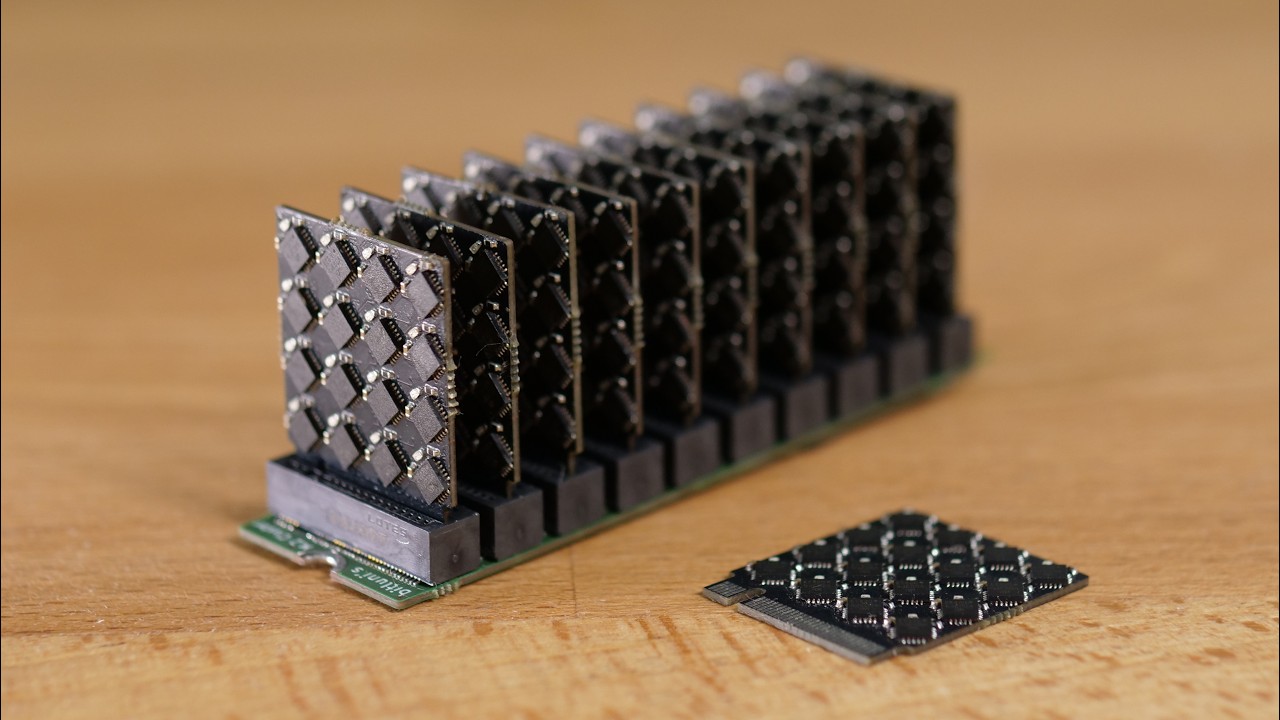
Take back your personal data with Incogni! Use code BITLUNI at the link
below and get 60% off an annual plan: https://incogni.com/BITLUNI (sponsor)
Code & Designs: https://github.com/bitluni/Supercluster2
Tools and parts (affiliate links):
RISC-V CH32V208: https://aliexpress.bitluni.net/ch32v208
CH32V003: https://aliexpress.bitluni.net/ch32v00...
orchid iron
mighty patrol
<@229158656208273408> https://www.youtube.com/watch?v=HRfbQJ6FdF0
Now that's awesome
orchid iron
delicate crystal
I think, and dont quote me.on this as ive never done it with a gpu, but if you c...
I see
orchid iron

Testing the AMD Radeon HD 4830 version in 40 games in 2025
👉Can this Good ol mobile graphic card still handle some of the most wanted games this year? Yeah no, Lets GO!
🖥️System Specs:
=-=-=-=-=-=-=-
CPU: Ryzen 5 5600X -
RAM: 16gb DDR4 - 👉
GPU: AMD HD 4830 - 👉
CASE: Open Mod Case 👉
MB: B450 - ...
mighty patrol

Thanks to Vantrue (@vantruedashcam ) for sponsoring this video! Capture every angle with Vantrue’s latest dash cams. Featuring 4K recording, STARVIS 2 sensors, smart controls, PlatePix technology, and more!
Check them out using our links:
E360 - https://bit.ly/3Gbst4e CODE: LTT25E360
E1 Pro - https://bit.ly/4eutfFU CODE: LTT25E1P
N4 Pro S - ...
orchid iron
Anyone here tried Green Cell UPS ?
orchid iron

If consumers get 128gb per dimms, that means we could have up to 512gb of ram for am6 / nova lake refresh
First am6 CPU will be 32 cores, so that's 16gb of ram per core or 8gb per thread, perfect for compiling android xD
wise elbow
going to start measuring in giga transfers
orchid iron
wise elbow
going to start measuring in giga transfers
true
orchid iron

He didn't expect people to get salty at how he rated the 1080ti
Comments are very upset xD
somber surge
orchid iron
He didn't expect people to get salty at how he rated the 1080ti
I mean, that was the first and last insane flagship Nvidia ever made in recent history, almost 75% more performances, double the vram and still very affordable, barely more expensive than previous gen, nowadays it would take like 3 generations to have the same spec/perf bump
Now you get like 20% more performance if you are lucky, for 20% more money, and barely more ram, and if it's not the flagship, you can cut all of those figures in half (except the price) and get the same pitiful ram capacity
orchid iron
@somber surge I know, but it still impresses me how many people agree, you'd think there exists people would would say otherwise, but apparently they are a very small minority
grave sundial
orchid iron
<@265213272569937920> I know, but it still impresses me how many people agree, y...
The old GPUs were good ones. Very reliable, too. There's also a bit of psychology involved. People like me upgraded from 128MB VRAM to 1GB-2GB GPUs. The sheer performance boost and stability we witnessed (in those good ol' days) made us quite grateful for what we had.
Of course, the fact that those GPUs were workhorses designed for durability, really helped. 😄
orchid iron
grave sundial
Of course, the fact that those GPUs were workhorses designed for durability, rea...
Yeah, we had it good back in the day
grave sundial
I think we'll have another round of that in the future.
When we fight for the 300 billion polygon scenes.
orchid iron
grave sundial
I think we'll have another round of that in the future.
What I'm coping hoping for is that pcie 7 makes it possible for GPU to access system ram super duper quickly and then Vram becomes more like an L4 cache rather than ram
somber surge
orchid iron
What I'm ~~coping~~ hoping for is that pcie 7 makes it possible for GPU to acces...
Bandwidth is not everything, latency would kill any benefits from that
When you need stuff <16.6ms or even lower, you can't afford to go back and forth to system ram
orchid iron
somber surge
Bandwidth is not everything, latency would kill any benefits from that
Alright, time to rebrand pcie to THICC pcie
And create new pcie called FAST pcie
somber surge
Not gonna change the fact that it is physically far from system ram x)
And still has to go through the cpu which add its own latency
orchid iron
somber surge
Not gonna change the fact that it is physically far from system ram x)
Alright, understood, time to solder on ddr5 slots in my GPU
grave sundial
orchid iron
Alright, understood, time to solder on ddr5 slots in my GPU
Isn't the Zeus card you linked here previously, based on faster RAM access or something?
somber surge
wise elbow
didn't older AMD cards have some cache?
All gpus have cache
But it's not a couple dozen MB that will solve a lack of GB of vram
orchid iron
grave sundial
Isn't the Zeus card you linked here previously, based on faster RAM access or so...
Yeah, they have it at base, but someone posted a technology that could also be placed on AMD cards
The thing is not magic, not as performant as GDDR, but not crazy hard to pull off
orchid iron

Urcdkeys 25% code: C25 【Back-to-School Sale】
Win11 pro key($21.8): https://biitt.ly/f3ojw
Win11 home key($21.3): https://biitt.ly/zSUlA
Win10 pro key($15.4): https://biitt.ly/pP7RN
office2016 pro key($28): https://biitt.ly/aV1op
office2019 pro key($60): https://biitt.ly/7lzGn
office2021 pro key($97): https://biitt.ly/DToFr
Buy Windows 11...
Using dummy silicone to transfer heat away from the computing cores so it avoids the 3d memory on top is quite smart
orchid iron
"Why does UserBenchmark have negative trustpilot reviews?
The 200+ trustpilot reviews are mostly written by virgin marketing accounts. Real users don't give a monkey's about big brands. More » "
That website is the gift that keeps on giving
 devout pendant
Does someone have problems with unreal 5.6, like PC shutdown out of nowhere?
I have never encountered problems in 5.5 or lower with my project. But in 5.6, my computer might just turn off.
and I have an 850W PSU.
orchid iron
devout pendant
I have never encountered problems in 5.5 or lower with my project. But in 5.6, m...
Temps and % usage of CPU/GPU before shutdown?
devout pendant
currently, running in 5.5.

CPU load is low, like 10 % at best on a 12 core cpu
running a scene with 3times my character (full groom body with millions of curves) - runs fine. But in 5.6 it shut down in seconds.
fine = 3 fps, xD but no crash
devout pendant
This is weird. Now i could start the 5.6 scene with my character, and it still did not shut down. before that, it crashed always in a matter of seconds.
windows event manager complains about a "Unexpected shutdown" - but, that happened one month ago too, when the power actually went down.
 grave sundial
If you have an integrated GPU, then shift to the iGPU (disconnect dedicated GPU) and start UE 5.6. It'll be SLOW SLOW SLOW, but at least you can rule out a hardware fault if it continues to shut down the entire computer.
devout pendant
integrated GPU ? It is a RTX3090 by MSI
devout pendant
in hardware manager i can only find the RTX 3090 under GPU
grave sundial
Urf.
orchid iron
@devout pendant what is your CPU?
devout pendant
ryzen 9 , 5900X - 12core
grave sundial
no, no integrated graphics on that one.
orchid iron
Yeah
grave sundial
Do you have another GPU lying around? 🤞
Perhaps something you can borrow from a friend?
orchid iron
Perhaps try clean installing older Nvidia drivers, recent drivers have caused issues
devout pendant
I dont think anyone I know has a comparable GPU (VRAM)...
grave sundial
You don't need a comparable one, just any will do. The idea is to see if a GPU fault is causing the shutdown.
UE certainly crashes, but it shouldn't shut the whole computer down.
devout pendant
but an avarage 8 GB VRAM graphics card would not handle that project.
grave sundial
that's okay. as long as the program shuts down and NOT the whole computer.
devout pendant
let me try the GPU drivers. I updated them recently
orchid iron
@devout pendant try to find and run a heavy GPU benchmark for a few hours and check temps etc
If it is really stressed, with fine temps and pc doesn't shut down, issue is very likely just software things, which is more annoying to fix, but at least you don't have to buy new hardware
orchid iron
devout pendant
let me try the GPU drivers. I updated them recently
Oh yeah, then it is driver issue if you updated them recently
Make sure to clean install to remove completely old ones
devout pendant
Basicly these things changed since the crashes:
- transfered project to 5.6,
- added a groom plugin
- updated drivers
the first time i noticed it after the groom plugin, but i think the driver updates came before
orchid iron
@grave sundial my two cents are on the AI generated drivers, what about you?
grave sundial
AI might hate his project, yes.
orchid iron
True
grave sundial
If you are using the NVidia App, you can roll back the drivers.
devout pendant
actually, i did not update the drivers in the past days... This must have been my laptop drivers ._.
 devout pendant
nono, desktop Computer, but I think i updated the drivers on the laptop for other reasons, not on the desktop computer, in the past days...
grave sundial
Regardless, a program shouldn't shut down a computer.
devout pendant
so, there was no update on the computer that has the shutdown problems.
grave sundial
Trigger a reboot, freeze the display, ok.... entire shut down, no no.
devout pendant
it turns of, but the small little fan i have, keeps running 😄
orchid iron
devout pendant
so, there was no update on the computer that has the shutdown problems.
Try older and newer drivers then
grave sundial
devout pendant
it turns of, but the small little fan i have, keeps running 😄
and doesn't reboot automatically?
devout pendant
no rebooting. Actually i have to wait until i can manually reboot it.
grave sundial
🤔 Do what Lab said. Try older drivers.
I hope that fixes the issue.
But, this is looking like a hardware fault to me.
devout pendant
but the system itself must have power, if the small USB-fan for my table is still working after that.
orchid iron
So the software failed so bad that windows couldnt do anything and forced rebooted, because hardware looks fine from screenshot and info you gave us
devout pendant
noono
the screenshot is from the computer.
Forget the laptop. I just forgot that i updated the laptop in the past days, not the computer.
grave sundial
Okay.
Well try the older drivers.
🤞 Hope that works.
AI must really hate the project to shut down the whole computer.
devout pendant
first i try the newest from june 17
grave sundial
orchid iron
So the software failed so bad that windows couldnt do anything and forced reboot...
Problem is, it doesn't reboot automatically if I understood correctly.
devout pendant
it does not reboot itself
orchid iron
grave sundial
Problem is, it doesn't reboot automatically if I understood correctly.
Nvidia drivers are a virus, they must be purged!
grave sundial
They might be trying to get Eternal to buy a 4x or 5x card.
Burning his GPU on purpose.
Telling it to shut down.
orchid iron
grave sundial
Burning his GPU on purpose.
We'd see 13/14th gen levels of burn if that was the case, maybe shutting down before saving to reduce time people can work on projects so they can buy Nvidia 6090 Ti prime super subscription for 1k a month
grave sundial
It might be a conspiracy to just hit Eternal's computer.
A test case.
If they successfully convert him to a 5x customer....
🔥
devout pendant
now somethings off, after the update. rightclick on desktop and going to the menu where i can change the wallpaper is broken

and the menu that opens the resolution settings loads for ages.
devout pendant
my background is all messed up, like it is confused that monitor 1 uses 1920x1200 and the second 3940....

wtf
 grave sundial
Is this happening on just one monitor?
Or when both are connected and on the second one?
median marsh
is that a screenshot or a picture?
devout pendant
screenshot. This just happened for the first time, and it does not happen again. I tried to box select something. But now it works. But the desktop is now still confused about the resolutiion of the wallpaper.
since monitor A is 1920 and B is 3940
grave sundial
Could you disconnect one of the monitors?
Or disable one of them? And see if any other error shows up?
devout pendant
the resolution is fine now, but the "wallpaper settings window" still not opening. just the resolution settings.
and for some reason, the resolution settings window closes itself lol
Trying sfc /scannow O.o
ssomething was repaired.
orchid iron
┬─┬ノ( º _ ºノ)
devout pendant
So, i am surprised it does not crash, but it did not crash on my last attempt a few minutes ago, before the driver update and the system scan, so.... !?
grave sundial
Is your UE 5.6. project working?
devout pendant
it did work, for about 1 minute, hopefully it won't shutdown anymore.
i will see later
grave sundial
Cool.
agile lodge

OOPS... Something go boom... LITERALLY!
Sponsored Links:
New Users sign up for a Free World of Warships Account and receive the following! 7 Days Premium Time
300 Doubloons
1,000,000 Credits
Tier V Ship: HMS Exeter!
Claim your new player rewards here! - https://wo.ws/3Z5lIWa
○ Get your JayzTwoCents Merch Here! - https://www.jayztwocents.com
...
wise elbow
jesus christ your pc is fucked
orchid iron
@devout pendant news?
devout pendant
Hi, it seems updating the drivers / windows repair helped. the project runs faster and so far i did not have a crash.
thanks
this would be the first time updating drivers actually helped me lol
devout pendant
orchid iron
<@456226577798135808> news?
ok it jsut happened again. on low Viewport settings, without my character in the scene, just a landscape with trees.... ._.
devout pendant
someone mentioned, that updating bios helped. I just updated the drivers for the MB, hopefully that will be enough
orchid iron
devout pendant
someone mentioned, that updating bios helped. I just updated the drivers for the...
your case looks more like gpu software issue, or software issue at least
Have you tried running benchmarks?
devout pendant
is occt useful for that?
wait no, it does not have a gpu benchmark.
but "stability tests" for GPU
orchid iron
devout pendant
wait no, it does not have a gpu benchmark.
gpu benchmarks makes 100% sure it is software issue, since if it is the gpu at fault, that should make your pc crash if gpu is under heavy load
but if it doesn't, then it is very likely just software issue that can be fixed
devout pendant
https://gpu.userbenchmark.com/ ? i could try that one
orchid iron
no xd
devout pendant
this?
 orchid iron
is it free
devout pendant
yes
orchid iron
okay then
devout pendant
i can choice the graphics API, i guess, Directx12 is the best since Unreal uses that? (vulcan and opengl also showing up)
orchid iron
ye
devout pendant
their benchmark is just 20 seconds long and does not heavily use my gpu?!
devout pendant
no errors where reported, i finished furmark
orchid iron
can you loop it for like 30min?
devout pendant
furmark itself does not have that option?
orchid iron
idk, haven't used it, just saw it used quite a bit to debug gpus
oh btw, when you open your unreal engine project, does it crash at a different part? Like before it couldn't load it, and now it takes abou 1 min to actually crash?
devout pendant
It seems to not crash so often. on the very first day, it basicly always crashed when I went for play, on high settings in the viewport, while my character was there. Thats why i firt thought it has something to do with the groom addon I have. But later, it crashed just on the landscape, while i was working on PCG. for example, today, i let it run on low settings and edited nodes on the other monitor...
orchid iron
devout pendant
It seems to not crash so often. on the very first day, it basicly always crashed...
oh so even before you did anything to drivers it crashed the same way it does now, after a while randomly?
devout pendant
now it seems to be totally random. But the day, when i first mentioned crashes here, they where not so often, for some reason D:
not so often, as when i first started working in UE5.6
orchid iron
so either it is still a driver issue, and you just gotta change driver versions until it doesn't do it anymore
or something else
when UE crashes, the short log shows where the big more detailed log is located, find it and open it, then start looking from the end and search for when the engine starts throwing errors and warnings
devout pendant
furmark running for 8 minutes now.
orchid iron
might be a plugin that is causing issue and could be disbaled to fix it
devout pendant
Hmmm, we are still speaking of a shutdown of the entire computer? but still theres a log for that in unreal?
orchid iron
devout pendant
Hmmm, we are still speaking of a shutdown of the entire computer? but still ther...
nvm
forgot about that small detail, then yeah still driver problems
devout pendant
So i changed the drivers, they where maybe 3-4 months old, now they are the newest, from june, but still crashing...
orchid iron
try the ones from over 6 months ago
orchid iron
Yeah, GPU is fine
devout pendant
ok i think i know understand how to tirgger the shutdown ASAP
what i tried:
- mainboard driver update - crash within 15 seconds of playtime
- Bios Update - same
- removing the "hair blueprint" addon from the scene - same
- removing my character frome the scene - crash after 1 minute.
notice: Whenever the fans work more, it seems to crash.
furmark, on the other hand did not cause a shutdown within 20 minutes on 100% workload.
next: trying to get old drivers.
GPU driver from dec 10 /2024... let's see
and after this, i try the game not studio.
devout pendant
Studio driver from december: no change
interesting: This time i was able to trigger the shutdown in a 5.5. Version of UE. Something that never happened before.
and the newest game drivers shutdown aswell. Hmmmmmmmm.
orchid iron
@devout pendant try making empty 5.6 project
devout pendant
Hmm. it almost never happens when i dont have a heavy scene, so I expect that this runs fine
i think i will swap my PSU.
if the mainboard/ memory check don't show anything
devout pendant
I THINK I FOUND THE SOLUTION
A mainboard has 2 power supply connectors, and one of them was not connected - on the side of the PSU.
I can't tell why. It was always connected. , the cable is behind the mainboard going to the other side of the mainboard.
but now i noticed, its not plugged into the PSU.
makes me wonder when this happened lol
unlike before, its not crashing now....
 mighty patrol
At least you figured it out
orchid iron
lol, pc didn't crash on fur marks, but somehow crashed on UE, that's how hard the engine stresses the hardware xD
devout pendant
 devout pendant
thats not so stupid, because furmark = GPU heavy and the GPU was correctly connected.
orchid iron

Cortical Labs have created a living computer that uses human neurons to process information, and it's already on the market. The CL1 is the world's first biological computer that allows you to deploy code, and could pave the way to better understanding how we develop knowledge as a species.
#biologicalcomputer #livingcomputer #neurons #breakthr...
wise elbow

 unreal ledge
I have a question: what’s your internet speed? Mine averages around 4–5 Mbps.
wise elbow
like 500down and 20up
wise elbow
us
unreal ledge
wise elbow
like 500down and 20up
How much did they charge per month for that speed? Is it around 100 USD?
man, my internet speed have been like this for 7 years or so, and I thought it is already really fast
500 Mbps is like 100 times of mine.
this is nut
somber surge
8Gbps down 1Gbps up (yes Gigabits)
unreal ledge
oh man.
wise elbow
unreal ledge
How much did they charge per month for that speed? Is it around 100 USD?
about 70 for me
orchid iron
unreal ledge
I have a question: what’s your internet speed? Mine averages around 4–5 Mbps.
1.4 Megabyte per second (France)
Upload is like 1/10th of that
mighty cosmos
unreal ledge
I have a question: what’s your internet speed? Mine averages around 4–5 Mbps.
2.5GBit up/down

somber surge
orchid iron
Upload is like 1/10th of that
Damn still having ADSL in France 
And they say they want to fully shutdown ADSL network by 2030 
mighty cosmos
in majority of EU you can get high speeds for pretty cheap because there is a lot of competition, everyone is trying to beat the competition with the speeds they can provide
2.5gbit up and down for me is around 40 euros
grave sundial
unreal ledge
I have a question: what’s your internet speed? Mine averages around 4–5 Mbps.
300 Mbps (27-28MB/sec download and around 20MB/sec upload) up to 1TB per month at $14/EUR 12 per month in India.
wise elbow
mighty cosmos
in majority of EU you can get high speeds for pretty cheap because there is a lo...
here in the US every ISP seems to compete to be the absolute worst
agile lodge
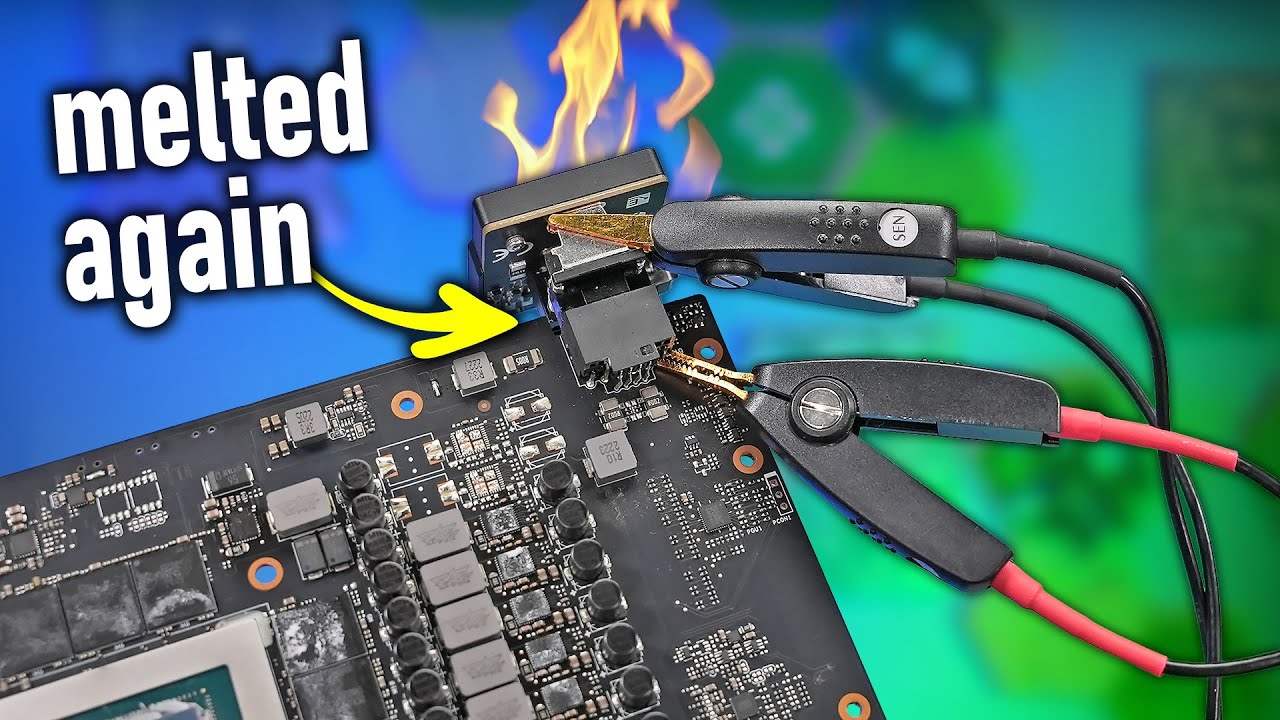
Get your new GPU Server at Hetzner:
https://htznr.li/der8auer/250602_en
Music / Credits:
Outro:
1998 Beats - Strange Things
Paid content in this video:
- Hetzner Spot
Samples used in this video:
- /
der8auer Advertisement Pol...
orchid iron
somber surge
Damn still having ADSL in France <:sweat_1:613479623216594954>
And they say the...
Yup
It is fastest speed possible due to network installation of building
Using mobile data is like 10 times higher speed, and not even using 5G xD
orchid iron
agile lodge
https://youtu.be/8-Rmv2rEHc0?si=SplZxMMDANmIK1jS
Really disappointed it happened with his wireframe pro on
delicate crystal
Here in canada we have three main isps thst are complete dogahit, but you pay big bucks
mighty patrol
Unless in Sask
delicate crystal
Give them time, i. Sure they could fuck that.up
unreal ledge
somber surge
8Gbps down 1Gbps up (yes Gigabits)
I can't still not visualize how fast is 8GBps download look like. Like how much time for it to download like 50 GBs of game ? jezz
like not even come to 1 mins and it already finished downloading ?
somber surge
Usually the limit is the download service (Steam for example), I can't use the full 8Gbps downlink on most services. Then the local hardware can be a limit too :p
But for Steam yeah it's around 5-10 minutes for a 50GB game
When I first got fiber I couldn't believe my eyes, I went from like 25 hours to 15 minutes to download a 100GB game
I wish that to everyone
mighty patrol
Speedy net for all!
grave sundial
To get the download rate, just divide the mbps/gbps by 8. So, 8gbps would be 1GB/sec.
And I second the motion!
SUPA COOL NET FOR ALL!!!!! 📻
delicate crystal
Its a solid start
 delicate crystal
Just realizsd that i fodgot to get a power cord, and im not sure if the 5060 takes tge same power connector as this csrd
mighty patrol
If it needs it should come with it no
wise elbow
^
orchid iron
delicate crystal
Just realizsd that i fodgot to get a power cord, and im not sure if the 5060 tak...
Should have standard 8 pin connectors
grave sundial
We have a special sale here for the SAPPHIRE PULSE AMD Radeon RX 9060 XT 16GB Graphics Card - $430. 😄
orchid iron
grave sundial
We have a special sale here for the SAPPHIRE PULSE AMD Radeon RX 9060 XT 16GB Gr...
Ah yes, considering an msrp of 500$ it makes sense it is an amazing deal
grave sundial
orchid iron
Ah yes, considering an msrp of 500$ it makes sense it is an amazing deal
Here, the msrp is $800.
 orchid iron
Amazing, price is way over double, so 50% sale still has a profit! Smart
grave sundial
orchid iron
Amazing, price is way over double, so 50% sale still has a profit! Smart
Actually, when they import it into India, they have to pay huge import duties.
Electronic import tax is high. So, a lot of that $800 goes into that.
orchid iron
OOOF, wtf
grave sundial
Conversely, if it's made in India, the price is extremely cheap. Which is why RAM sticks can be purchased for less than HALF of what they cost abroad. 😄
orchid iron
I think that medicine is also very cheap right?
grave sundial
Generics are, yes. Most 'curable' diseases' meds are cheap enough.
The higher-end stuff is more expensive, but we do have charitable hosptials (like in my town), where treatment is free up to a point. The poorer you are, the longer that point is, but yeah....
orchid iron
cool
wise elbow
orchid iron
Ah yes, considering an msrp of 500$ it makes sense it is an amazing deal
should be 350 in us
wise elbow
grave sundial
Generics are, yes. Most 'curable' diseases' meds are cheap enough.
India meds are so cheap. so much cheaper to buy direct from India than in US. everything gets marked up tens of thousands of percent
even though they are still made in india 🙃
delicate crystal
Huh. 550 cad here. So roughly 400 usd
 blazing solstice
Hi guys, what do you think about this specs , I am a unreal engine artist who mainly works on Lighting and Cinematics.
INTEL CORE I9 14900K CPU
ASUS PROART Z790 CREATOR WIFI MB
TEAM T-CREATE EXPERT 64GB (32X2) 6000MHZ Ram
SAMSUNG 990 PRO 2TB NVME GEN4 SSD-NVME
RTX 5080 16gb
fallen oasis
Looks pretty good
orchid iron
blazing solstice
Hi guys, what do you think about this specs , I am a unreal engine artist who ma...
When have you updated motherboard BIOS?
And when did you purchase it?
blazing solstice
orchid iron
When have you updated motherboard BIOS?
didnt buy this yet. this is waht im thinking of getting
wise elbow
looks fine
orchid iron
blazing solstice
didnt buy this yet. this is waht im thinking of getting
Well, you might struggle quite a bit cooling that CPU, even with water cooling
Recently had a micro code issue where BIOS would put too much voltage in the CPU causing it to fry, and the symptoms were much more noticeable on UE
That's why I asked if you updated BIOS / when was it purchased
Now that motherboard seems very overkill, unless you need very high download / upload speed and a tone of drives connected to your pc
Although once you build it, you won't be able to upgrade the CPU since it is a socket that won't get anything new
Looking at that 64gb of ram, I'm assuming your scene doesn't have many assets or other things that might eat up all your ram
wise elbow
i would probably recommend a newer intel or amd though
and yeah might want to consider 2x48gb memory.
but I have no idea how much what you do consumes
orchid iron
2x64gb sticks of ddr5 memory were released recently too
blazing solstice
can u guys recomend me a cpu and a motherboard instead of this pls
orchid iron
Also, rumours say that RTX 5080 super 24gb is very likely to release end of this year, so if you don't mind waiting a few months, you could get it
blazing solstice
this is the website of the dealer https://www.nanotek.lk/category/processor

PC enthusiast store to serve the high-end gaming market in Sri Lanka by offering custom-built computers and selling only premium computer hardware.
orchid iron
blazing solstice
can u guys recomend me a cpu and a motherboard instead of this pls
Newest intel cpu socket sadly seems on its way out already, and the intel 285k is basically almost same as 14900k
So if you really want intel those CPUs are the main options
On AMD 's socket: am5, the 9950x and 9950x3d are quite good picks with 16 zen5 cores, and rumours say it is very likely next CPU flagships will have 24 cores, so there is upgradability there
Motherboard wise, depends what do you want for specifications, do you want high download / upload speeds, do you want to have connections to how many m.2 or SATA drives?
blazing solstice
IM KOOL WITH amd AND MOTHERBAORD WISE I JUST NEED TO BE ABLE TO PLUG 2 SSD'S. AND BE ABLE TO PLUG A 590 LATER. sorry caps
somber surge
orchid iron
Newest intel cpu socket sadly seems on its way out already, and the intel 285k i...
7950X3D is also a very good pick if you can still find it new, often cheaper than the 9950X while outperforming it in gaming and not being far behind in productivity (and it's the most efficient cpu on the market for heavy workloads)
orchid iron
somber surge
7950X3D is also a very good pick if you can still find it new, often cheaper tha...
True
wise elbow
orchid iron
Newest intel cpu socket sadly seems on its way out already, and the intel 285k i...
285k is a lot better afaik?
somber surge
I would definitely go AM5 than anything Intel though for sure, just for the fact that you are not buying on a platform that is already dead
orchid iron
wise elbow
285k is a lot better afaik?
Is it finally better than 14900k?
somber surge
wise elbow
285k is a lot better afaik?
A bit better in productivity, a lot worse in gaming
It's getting destroyed by AMD X3D in both though
They might have fixed some of the issues so it's probably not as bad on gaming anymore, but still behind last gen which is not a good show
wise elbow
IMO in socket upgrades are overblown. by the time it's worth upgrading your PC a marginal generational uplift won't be worth it for the price of a whole new CPU
it's a nice option but I don't think it should be a reason to buy
somber surge
Depends on the upgrades you are getting
orchid iron
wise elbow
IMO in socket upgrades are overblown. by the time it's worth upgrading your PC a...
The engineer team that is making the 24 core zen6 CPU has made zen2 and zen4, remember those generational leaps?
somber surge
If you went from like a Ryzen 5 3600 to a 5800X3D that was a MASSIVE upgrade in all regards
orchid iron
Plus going from 16 cores to 24
somber surge
And Zen 6 does sounds like one of those massives upgrades for Zen 4/5 users
Though for sure Zen 5 was bad.
wise elbow
somber surge
If you went from like a Ryzen 5 3600 to a 5800X3D that was a MASSIVE upgrade in ...
yeah but that's also going from a dog shit budget CPU to a basically flagship
orchid iron
Zen4 was so good it made zen5 non x3d look so bad xD
somber surge
It's not, the 3600 was very solid by its time, and the 5800X3D isn't that high end nor expensive
It's technically just 6c vs 8c + X3D and a gen newer
wise elbow
it was like 200 dollars more was it not
somber surge
And Zen 6 is like 3 node jumps, going from N5 to N2X
somber surge
wise elbow
it was like 200 dollars more was it not
Still much less than upgrading the whole system
orchid iron
somber surge
And Zen 6 is like 3 node jumps, going from N5 to N2X
Oh jeez, I thought it was N4, dayyym
somber surge
The marketing says 4nm but it's still an N5 class chip by TSMC standards

Everyone just skipped N3 aside from some Apple chips x)
orchid iron
blazing solstice
IM KOOL WITH amd AND MOTHERBAORD WISE I JUST NEED TO BE ABLE TO PLUG 2 SSD'S. AN...
Btw if you decide to pick am5, get a motherboard with x870e chip from one of the main vendors: A sus , Gigabite, MSI and ASRock
You don't need to get anything expensive, just maybe around half of CPU price will be fine
orchid iron
somber surge
The marketing says 4nm but it's still an N5 class chip by TSMC standards
Ah gotcha
blazing solstice
@orchid iron Thank you so much.
somber surge
orchid iron
Btw if you decide to pick am5, get a motherboard with x870e chip from one of the...
X670E is pretty much the same for cheaper most of the time
X870E just ads mandatory USB 4
orchid iron
somber surge
X670E is pretty much the same for cheaper most of the time
Yeah but some can't handle 8000 MT/s speeds
wise elbow
who cares lmao get under 6400 MT
it's down to lottery that your CPU likes fast memory anyway
to my knowledge the memory controller on my 9950x3d is generationally bad and hates even a stable 6400 cl32
somber surge
Agreed, anything above 6000 is risky, 6400 is already a stretch for most Zen 4/5
orchid iron
wise elbow
to my knowledge the memory controller on my 9950x3d is generationally bad and ha...
Oh yeah, zen5 couldn't get a new memory controller so it is same one as zen4, but zen6 will have a new one, so maybe 8000 MT/s will be new sweet stable Spot
somber surge
I doubt the memory controller will get a +1Ghz boost to maintain a 1:1 ratio with 8000 DDR5
More likely the "sweet spot" for 1:1 will be around 7400 or something or won't even move
orchid iron
somber surge
I doubt the memory controller will get a +1Ghz boost to maintain a 1:1 ratio wit...
Why would they push for 8000MT/s so much on x870e then? Zen4 and 5 couldn't handle it effectively, would be very odd if zen6 couldn't aswell
somber surge
They can, but not at a 1:1 ratio
So depending on the workload it might be worth or not
Generally it's not
But maybe who knows, though even if that's the new sweet spot, it would need testing to see if it actually matters and is worth it
orchid iron
Yup
somber surge
If it just add 5% more performances while the generationnal gain already gives you +50% perfs...who cares 🤣
orchid iron
Imagine it adds 6% more perf while generational gain is like 80% xD
orchid iron
Com'on we can't be calling it zen5%, that's already taken xD
somber surge
We will have to see, Zen 5 was definitely very memory bottlenecked, so maybe faster ram will actually matter on Zen 6 with the new memory controller
wise elbow
zen5 seems to take PBO a lot better tho
orchid iron

Most Popular VRAM Amounts 2008 - 2025
Ever wondered how much VRAM (Video RAM) gamers and professionals have relied on over the years? This captivating bar race animation visualizes the dramatic shift in VRAM capacities, showcasing the most popular amounts from November 2008 all the way to June 2025, based on hardware survey data from the Steam A...
somber surge
wise elbow
zen5 seems to take PBO a lot better tho
That's because they moved the temp sensor to make it cooler
somber surge
orchid iron
https://m.youtube.com/watch?v=jP0zZwIDy_M
F--- Nvidia
wise elbow
somber surge
That's because they moved the temp sensor to make it cooler <:lulROG:39463033191...
zen5 also eats considerably less power I'm pretty sure
enough to let you boost higher
somber surge
Not that much really
It's pretty much the same, just a bit more efficient
Zen 5 on Desktop is a small refresh rather than a new generation
orchid iron
somber surge
F--- Nvidia
Wise words
orchid iron

Frame Generation came around in 2022 when Nvidia introduced DLSS 3.0. It promised to increase 'performance', smooth frame rate, and be an absolute game changer. Since, it has be marketed as a major selling point for all GPUs Nvidia has released, even to a point of taking the place of true performance. AMD and Intel have also followed with their ...
8gb of Vram is so bad, that in some scenarios, turning on frame gen can result in LOWER total FPS over native
wise elbow
shocker that an already insufficient amount of memory becomes even more insufficient when you use more
it's a shame they marketed framegen like that because it's pretty magical otherwise
orchid iron
marketing is the equivalent of frame generation
It generates more money from nothing
somber surge
orchid iron
8gb of Vram is so bad, that in some scenarios, turning on frame gen can result i...
I always called Frame Gen a complete BS on 8GB GPUs
Not enough performances for a good minimum fps, not enough VRAM to run the tech
And multi frame gen is even worse since you need an even higher baseline fps for it to be usable
Good tech in the right condition but the marketing is catastrophic and 8GB GPUs well...they're 8GB GPUs
 violet spade
Frame gen is complete bs on any gpu. It’s fake frames, the performance does not actually
improve, it just makes people feel cooler cause the number is higher lol
wise elbow
i can 100% say that it improves motion clarity in what its applied to (assuming you have a decent base framerate)
even the "smooth motion" feature on tvs improves motion clarity; it just makes it really uncanny
this avoids that
no, it obviously wont improve latency (it slightly harms it) and wont make a game feel more responsive to your inputs
mighty cosmos
it does improve the experiencec quite a bit, it's awesome tech
but you need at least 60fps base frame rate for it to feel good
orchid iron
Frame gen on videos would be amazing
On real time rendering like video games, it the answer becomes quite blurry, so perhaps we should ask the AI generating the frames, how it feels, perhaps Jenson 's jacket was actually silk all along
wise elbow
you can use it on videos afaik
somber surge
violet spade
Frame gen is complete bs on any gpu. It’s fake frames, the performance does not ...
It's not though. It has been overly used for bs marketing claims and it does not improve performances (no, using MFG X4 to go from 30 to 120 fps IS NOT usable or enjoyable Nvidia), but with the right conditions it really improved greatly the experience imo
If you have a good minimum framerate, unless the game already has a bad input latency, it really is free "smoothness"
I use it often in games to lower my power draw as well, going from like 70 to 120-130 fps instead of drawing much more power to reach those 130 "raw", and to me it feels the same
But it's definitely not performances and can't absolutely be compared to a native framerate, especially if you have a low base framerate, 50-60 fps can still feel ok if the game has a good base latency, but anything lower is terrible
I would be interested in seeing how they can merge FG with Reflex 2 though (if that comes out some day), that would be really game changer
violet spade
Iirc GN was also saying it makes up shit that’s not actually there when generating those frames, tho tbh that’s not much unlike what our brain does to fill in the gaps that our eyes aren’t actually seeing
somber surge
Frame Gen x3-4 does definitely have a lot more artefacts that FG x2, and their new "Transformer Model" is arguably worse quality wise (though a bit faster and lower vram cost)
But with a high enough base framerate those issues are not very noticeable
That does explain why FG x3-4 require an even higher base framerate though, like 70-90
wise elbow
violet spade
Iirc GN was also saying it makes up shit that’s not actually there when generati...
its interpolation; its making its best guess as to what the in-between frame would be
historically the interpolation looked smooth but weird because it was basically linear
using ML it can make something more natural looking
orchid iron
somber surge
It's not though. It has been overly used for bs marketing claims and it does not...
It is also impossible because MFG X4 is pretty resource intensive, so it'll lower FPS to maybe 15-17 FPS, and then it'll multiply by 4
So you'd get above 60 FPS with about 1/4 being real frames for the game like tick, collision detection, physics etc
somber surge
Yeah I meant more like 50 fps to 120, which would make internally a 30 -> 120
In any case, MFG X4 is not usable below at least 70-90fps
Way too many artifacts and input latency would become terrible
I'm eager to see the RTX 6000 with MFG x10: look the 6060 (6GB vram) is better than a 5090!!!
orchid iron
somber surge
I'm eager to see the RTX 6000 with MFG x10: look the 6060 (6GB vram) is better t...
Oh yeah, more frames!!!
agile lodge
Today I take apart the Corsair HX1500i PSU to see what failed inside of it... This is DANGEROUS and should not be attempted! I shouldn't even be doing this myself but my curiosity got the better of me.
Check out the BeQuiet Light Mount Here - https://amzn.to/44mALhN
Check out the BeQuiet Dark Mount Here - https://amzn.to/3SRP88i
○ Get your...
median marsh
it was likely a cap if it was loud 😄
but damn... watching him handle high voltage parts...
that video could have ended sooner 😄
mighty cosmos
somber surge
Frame Gen x3-4 does definitely have a lot more artefacts that FG x2, and their n...
It's the opposite, transformer model is much higher quality because it allows the model to attend to the entire image at the same time while generating unlike the CNN model (what dlss used previously) that has a sliding convolution kernel (CNN models don't "see" the entire image at once)
But the transformer model is a bit slower
For example the transformer model can much more effectively resolve thin objects, fences, etc... because it can attend to the entire image so it has more context
In the old CNN versions those would often shimmer or disappear completely
it's also smarter with resolving incorrect motion vectors, where previously it would produce ghosting, now it doesn't
The biggest problem with frame gen is if you run the game at 30fps and frame gen to 120 or whatever
The engine is still ticking and processing input and physics at 30Hz (physics can be async and fixed tick so not a problem for all games, UE supports async fixed physics tick)
The ideal solution would be something that allows the engine to tick without rendering during generated frames... but you can't do that with an interpolative system
You need a predictive frame gen (predicting ahead) but that has its own set of issues, but I think that is going to be the direction frame gen will move towards
somber surge
mighty cosmos
It's the opposite, transformer model is much higher quality because it allows th...
DLSS 4 Upscaling with Transform is far better yes, but the Frame Gen isn't
GN did a good deep dive and the new model has a lot more issues (around 21 minutes) https://youtu.be/3nfEkuqNX4k

Sponsor: Thermal Grizzly Duronaut on Amazon - https://geni.us/tpgcPMw
NVIDIA's DLSS 4 and MFG (Multi-Frame Generation) are a big part of the company's marketing as it tries to make its RTX 50 series, especially the inbound RTX 5070, look better. Multi-Frame Generation now comes in a "4X" variant, which we'll look at today. This image quality com...
That's probably because the Optical Flow Accelerator (which was the entire reason why FG was supposedly not compatible with RTX 3000) has been replaced by a ML solution, it is cheaper but also worse
mighty cosmos
somber surge
DLSS 4 Upscaling with Transform is far better yes, but the Frame Gen isn't
For whatever reason I assumed you were talking about super resolution, mb
Tbf the new one is better in some things and worse in others but the new one has much more potential because the tech behind it (model architecture) is just better
So I'm expecting the issues to get ironed out through additional training of the frame gen model
Replacing the Optical Flow Accelerator with an ML solution is not necessarily a bad thing because it opens up doors for things a purely hardware solution can't do
somber surge
Yeah for sure it's not necessarily bad, though for the moment FG is somewhat worse
mighty cosmos
I like Nvidia's research team, but passionately hate their marketing and business side 😆
The tech is awesome, but the problem is when the marketing side throws around the "5070 is faster than the 4090" BS
somber surge
And so it's even worse with x3-x4 FG
Yeah that's really a shame, the tech itself is wonderful, heck even the hardware is good, it's just that they have a shitty marketing team and want way too much margin on low end product
mighty cosmos
mighty cosmos
I like Nvidia's research team, but passionately hate their marketing and busines...
you know it's bad when even AI is roasting them for it 😆
 grave sundial
mighty cosmos
I like Nvidia's research team, but passionately hate their marketing and busines...
grave sundial
mighty cosmos
I like Nvidia's research team, but passionately hate their marketing and busines...
Ironically, that side fuels their research. 😄
somber surge
Give that 5060 a good 12GB of vram and it would be the best low end gpu in a while
somber surge
grave sundial
Ironically, that side fuels their research. 😄
AI fuels their research
Like they don't have anything to gain from doing BS on gaming, why the hell they still do, it's not like it will increase their AI margins or something
mighty cosmos
nvidia is rolling in money, they could be giving their gpus for free for the next 10 years and I'm pretty sure they would still be in buisness lol
grave sundial
Perhaps, but they can't. There are shareholder obligations. Must make more moolah.
Perennially.
Ceaselessly.
Perpetually.
🤑
somber surge
mighty cosmos
nvidia is rolling in money, they could be giving their gpus for free for the nex...
Gaming hardware is like what 10% for them now? For sure they would be fine
At this point just stop releasing anything if it's just to release garbage
Though again...the gpus aren't terrible, the real problem is the insane lack of vram
You keep the prices, the performance but give the 5060s 12GB, the 5070s 18GB and 5080 24GB, it's a really solid lineup
mighty cosmos
somber surge
Gaming hardware is like what 10% for them now? For sure they would be fine
I would be surprised if it's even that much tbh
Since AI accelerators are going for like 30k usd per unit and they have a backlog of orders to still deliver
somber surge
Though they probably didn't because they need the 3GB chips for AI and they have limited supply of them
grave sundial
I wonder if they finished delivering those, what - 30 million something - cloud GPU orders.
somber surge
 mighty cosmos
somber surge
You keep the prices, the performance but give the 5060s 12GB, the 5070s 18GB and...
mighty cosmos
somber surge
You keep the prices, the performance but give the 5060s 12GB, the 5070s 18GB and...
yeah selling 8GB GPUs in 2025 should be a crime
somber surge
Though to be honest...RTX 5000 were in development while AI boom wasn't even a thing yet
So we can't put all of that on AI, it's just pure greed.
mighty cosmos
somber surge
88% datacenters lol
somber surge
The lack of vram probably can be related to AI though, not wanting to "waste" 3GB chips on peasant gpus
grave sundial
The peasants can just toil in the fields and save up for the Blackwells, damn it! 🧑🌾
somber surge
Even the 5090 is nothing for them, that's what probably 300% margin? Hold my beer those datacenter gpus are more like 3000% margin 🤣
mighty cosmos
somber surge
Even the 5090 is nothing for them, that's what probably 300% margin? Hold my bee...
oh the datacenter gpus are overpriced to hell and back
I don't think there is anything on those GPUs to cost 30k, memory is not that expensive
somber surge
Those gpus probably don't cost more than 5K to make
grave sundial
Most of that money is probably for guaranteed support, replacements, etc.
Which, if they don't happen, is just extra money in the piggy bank.
🐖
somber surge
Just look at the RTX PRO 6000, it's like 9K for the same gpu as the 5090, same cooler and a bit more ram
somber surge
At least you don't need to throw away your gpu in the next year because it has vram capacity of the last decade
🤣
somber surge
Upgrade once a decade...still stuck on 8GB that's insane 🤣
grave sundial
It makes the jumps feel worthwhile AND usually, whatever I buy lasts me that long.
Not me. I started with 128MB.
Went to 2GB, if I recall.
Then 8GB and now, 16GB. 😄
It's been SO MANY years.

somber surge
Just saying... most people will be stuck with 8GB well into the 2030s
While it was already a thing in the 2010s
grave sundial
🤷 Most people don't really have any heavy use for anything more than that, which is why NVidia can get away with it.
Even if they did have a use for more VRAM, they don't 'know' about it.
As long as things 'work', it's fine.
mighty cosmos
At work we have a couple of machines with the rtx 6000 ada cards, they were like 8k each pretty sure
They feel so cheap compared to my 5090 or 4090, it legit feels like you are getting a worse product for more money, and it's slower than a 4090
So it's basically super inflated pricing for that extra memory
grave sundial
mighty cosmos
At work we have a couple of machines with the rtx 6000 ada cards, they were like...
If the cards ever break down, will NVidia replace them for you?
somber surge
grave sundial
🤷 Most people don't really have any heavy use for anything more than that, whic...
It's not fine anymore, and definitely not fine for a brand new 400$ gpu that would need to last while a new console generation get released
grave sundial
somber surge
It's not fine anymore, and definitely not fine for a brand new 400$ gpu that wou...
True. The pricing has really caught up to the shenanigans.
mighty cosmos
grave sundial
If the cards ever break down, will NVidia replace them for you?
I would put my bets on "absolutely not" lol
somber surge
mighty cosmos
At work we have a couple of machines with the rtx 6000 ada cards, they were like...
Is it the "Workstation Edition"?
It should have the same cooler as the 5090
And a bit higher performances
mighty cosmos
somber surge
Is it the "Workstation Edition"?
it's the older ada gen, we got them before the new ones were out
this
 grave sundial
mighty cosmos
I would put my bets on "absolutely not" lol
grave sundial
mighty cosmos
I would put my bets on "absolutely not" lol
Apparently, they do if the card is under warranty.
somber surge
Ah yeah that crap
grave sundial
How long is the warranty on the ada?
somber surge
Probably like 2 months so they can get away with a burning 12V High Failure connector
grave sundial
🤔 3-years according to Gemini.
Must break and replace cards for free before that. 🤣
somber surge
Anyway
mighty cosmos
The 5090 is actually a pretty insane card if you have the right workload for it
In games yeah it's like 40-45% faster than the 4090, but for memory bandwidth bound workloads like machine learning or VR, it's anywhere from 1.8x to 2x faster than the 4090 thanks to that insane memory bandwidth
somber surge
Let's just remember that AMD does the exact same BS while they have less than 10% market share, I will always be amazed at that
mighty cosmos
somber surge
Let's just remember that AMD does the exact same BS while they have less than 10...
AMD has such a good chance to win over the market and they are doing a mighty good job and fumbling that chance
somber surge
mighty cosmos
The 5090 is actually a pretty insane card if you have the right workload for it
...
More like 25-30% at most, the bandwidth from GDDR7 is wasted with that architecture (for gaming at least)
grave sundial
mighty cosmos
The 5090 is actually a pretty insane card if you have the right workload for it
...
That's probably what they designed the card for, keeping ML and AI in mind.
mighty cosmos
somber surge
More like 25-30% at most, the bandwidth from GDDR7 is wasted with that architect...
From my tests comparing the 4090 and 5090 it's 40-45% on average in gaming
orchid iron
grave sundial
Not me. I started with 128MB.
I started with integrated, then while looking at old laptops I owned, I found an HP laptop with intel CPU and Radeon GPU
And then the laptop I have currently (4 core intel and 960m GPU which has 4gb of Vram even though I was fooled into thinking it had 3gb)
somber surge
mighty cosmos
AMD has such a good chance to win over the market and they are doing a mighty go...
They wasted their chance already and they will be going back to the forgotten land when RTX 5000 Super drop and fix that stupid vram issue
RX 9070 XT still isn't available near MSRP is most regions..
grave sundial
orchid iron
I started with integrated, then while looking at old laptops I owned, I found an...
Let's not forget the excitement of 'shared video memory'.
I remember how hyped I was when I read about the dGPU sharing the RAM in laptops way back when.
It didn't work quite the way I thought it would.