#hardware
1 messages · Page 41 of 1
 grave sundial
 orchid iron
grave sundial
Nice of NVidia to NOT create a repository of functioning drivers for older hardw...
orchid iron
grave sundial
Nice of NVidia to NOT create a repository of functioning drivers for older hardw...
Their proprietary drivers work with older GPUs
orchid iron
Recently, I haven't had issues with them, lete check my driver version
grave sundial
Luckily, other sites maintain driver repositories. Much like Bethesda, let others do the modding work. 😄
orchid iron
Nvidia driver version 570.124.04
orchid iron
I installed the latest drivers, can't go higher than this for now (I'm on Linux)
grave sundial
👀 There was some cool news for linux users with UE yesterday.
orchid iron
Cool, what was it about?
grave sundial
orchid iron
Cool, what was it about?
Ah, not UE directly, but Cleaner Shader support from AMD on Linux.

Ahead of the imminent Linux 6.15 merge window expected to begin next week, a batch of AMDGPU/AMDKFD Radeon kernel driver updates were sent out on Friday for this next kernel cycle
orchid iron
Oh, so amd laptops will be quite good, even with Linux nice
 wise elbow
lol a few months ago and nvidia was constantly praised for their driver stability
do they do any actual work at Nvidia or just get coked up execs to speculate on ai futures?
orchid iron
wise elbow
do they do any actual work at Nvidia or just get coked up execs to speculate on ...
Remember every Nvidia employee is using advanced AI to help them code worse better
 mighty patrol

Check out Hostinger Horizons https://hostinger.com/anastasi10
use my coupon code ANASTASI10 to get 10% off
Timestamps:
00:00 - New Technology
09:58 - The Genius Behind It
16:49 - ASML EUV
19:33 - TSMC Outlook
The videos I mentioned:
https://youtu.be/FBz0lUP-A9s?si=yaZYqYgxiyiL-Zol
https://youtu.be/2xE4bopeXhw?si=ljUg3mnSZN9H6BRz
Paper mention...
Beyond 1nm?
orchid iron
mighty patrol
Beyond 1nm?
1nm and others are just marketing terms, they aren't actually that size
mighty patrol
Ye
grave sundial
--- Cassava Technologies and Nvidia Join Forces to Establish Africa’s ‘First’ AI Factory
Cassava Technologies, founded by Zimbabwean telecom tycoon Strive Masiyiwa, is collaborating with Nvidia to establish Africa's first AI factory. ---
Skynet ahoi!
 gilded condor
does anyone know if a Nvidia or AMD grphics card is a better choice for running UE5
grave sundial
If raytracing in your project = true, then NVidia.
If raytracing in your project =/= true, then AMD for higher VRAM at a cheaper price.
 fallen oasis
grave sundial
--- Cassava Technologies and Nvidia Join Forces to Establish Africa’s ‘First’ AI...
fallen oasis
grave sundial
--- Cassava Technologies and Nvidia Join Forces to Establish Africa’s ‘First’ AI...
So now we'll have AIfrican princes that need our funds to unlock their accounts?
grave sundial
fallen oasis
So now we'll have AIfrican princes that need our funds to unlock their accounts?
We'll have Nigerian AIs pretending to be Ethiopian princes with Trevor Noah's humour.
fallen oasis
 grave sundial

 orchid iron
the ai virus is spreading
gilded condor
grave sundial
If raytracing in your project = true, then NVidia.
Ive heard about one of them having problems with shaders or something, do you know anything about it?
grave sundial
gilded condor
Ive heard about one of them having problems with shaders or something, do you kn...
Do you mean in UE specifically? Or just shaders in any 3D app?
gilded condor
grave sundial
Do you mean in UE specifically? Or just shaders in any 3D app?
UE specifically
grave sundial
There was an RT-related shader crash problem in UE 5.3.2 according to the internet.
It reduced in 5.3.3. I don't see any complaints with the same issue in 5.4.4.
gilded condor
grave sundial
It reduced in 5.3.3. I don't see any complaints with the same issue in 5.4.4.
ok, thanks
currently thinking of going with this one https://au.pcpartpicker.com/list/dKWbdb any thoughts?
Part List - AMD Ryzen 9 7900X, GeForce RTX 4070, Corsair 4000D Airflow ATX Mid Tower
grave sundial
I might be wrong about this, but I think air cooling is enough for your CPU.
If it's cheaper, you could buy a dual air cooler tower and put the rest of the money into a slightly more expensive processor.
But, wait for others' advice.
 plush turret
if this is ceiling mounted inside my porch would it be reasonably safe from weather stuff? https://www.amazon.com/gp/product/B093Q2V436/ref

Outdoor Projector with WiFi and Bluetooth, 300" Display Native 1080P Projector, brings you the ultimate home theater viewing pleasure.
screened against dust, wont get directly wet, and can be brought in during larger storms
wise elbow
gilded condor
currently thinking of going with this one https://au.pcpartpicker.com/list/dKWbd...
i would try and get a 4070 super. it will be quite a bit better
i would alternatively recommend a GPU with at least 16 of memory
12 will work (you can get by with anything) but I've seen UE Consume memory depending on what you're doing
that aio will also likely not fit in your case
gilded condor
wise elbow
that aio will also likely not fit in your case
checked on corsair's website, should fit. I also don't want to go any higher with the price so if you know anything thats similair price but better that would be helpful
 agile lodge
one could not build the droid with projectors in it
wise elbow
gilded condor
checked on corsair's website, should fit. I also don't want to go any higher wit...
idk much about the aussie market. you could maybe save some on the cooler, memory, and storage
like keep the capacity but get a different model
with memory as long as the capacity, frequency, and timings are the same, they will likely behave identically even across brands
orchid iron
 orchid iron
gilded condor
currently thinking of going with this one https://au.pcpartpicker.com/list/dKWbd...
orchid iron
gilded condor
currently thinking of going with this one https://au.pcpartpicker.com/list/dKWbd...
Fun fact about RGB lighting
They emit UVs
What can UVs do?
They can damage the paint on some of your components overtime :D
Well it is not a major issue (normally) but if you plan to use this computer for years, you may or may not see marks on your GPU that are oddly right below your RGB ram
wise elbow
i don't think that's true
orchid iron
Also, what is the price of a 4060 ti 16gb compared to a 4070 12gb?
Since apparently you need ray tracing/AI more
orchid iron
wise elbow
i don't think that's true
Then what counter arguments do you have? Do you own RGB ram for years?
wise elbow
im just saying it doesn't emit UV lol
orchid iron
So light emitting devices can't emit UVs at all?
orchid iron
That's fair, I'm not too sure of the exact details the RGB ram have marked GPU paints either, I just know light can be impactful
wise elbow
probably more likely that person had either some weird thermal gradient in their case or it was exposed to the sun
orchid iron
wise elbow
probably more likely that person had either some weird thermal gradient in their...
The sun has 4 claws that specifically marked itself right below the RGB ram sticks?
Also, thermal gradient? How would ram emit enough heat to damage anything?
(if you couldn't tell I'm heavily biased against anything RGB besides very light accents)
wise elbow
the only reason to not get rgb is if you don't want to pay extra
but at this point it just comes default on most high end parts
 fresh fog
I mean it's going to be something else, because LED's emit ridiculously tiny amounts of uv
wise elbow
"4 claws" is probably someone faking it
orchid iron
Unless you two have owned RGB ram for years or know someone, idk man, I'd believe sun tsu claw over there
wise elbow
my PC is exposed to the sun throughout the day every day and nothing has ever changed in it
fresh fog
I mean I own several rgb components, but nothing changes how leds work :P
wise elbow
^
orchid iron
wise elbow
my PC is exposed to the sun throughout the day every day and nothing has ever ch...
Why?
wise elbow
i like the sun and don't want to be in a dark room
orchid iron
Fair
wise elbow
the only things these days that really degrade bad in the sun in a PC would be things like tubing
and that's only certain kinds
orchid iron
Oh yeah
wise elbow
old plastics (like pre 2000) degraded because of the compound
orchid iron
Can copper tubing be oxidiested into oblivion?
wise elbow
unsure, would have to mix metals in a loop
if you used any other metal other than copper in the loop it would degrade rather quickly
orchid iron
Like if it was exposed to the sun and air
wise elbow
orchid iron
Like if it was exposed to the sun and air
doubtful

 median marsh
as plin said, LEDs have a very tight waveband
orchid iron
 median marsh
you need a lot of light power for that tho, illuminating art and a computer case are whole different scenarios
let's wrap this up the other way... do you have such pictures of GPUs where the light color faded where the ram was?
i think other factors like heat may have more of an influence than the UV emission from some low watt LEDs
agile lodge
 orchid iron
 orchid iron
agile lodge
https://tenor.com/view/bigscreen-bigscreen-beyond-bigscreen-beyond-2-vr-heaqdset...
orchid iron
agile lodge
https://tenor.com/view/bigscreen-bigscreen-beyond-bigscreen-beyond-2-vr-heaqdset...
Looks dope
agile lodge

After launching Bigscreen Beyond 1 in 2023, we're excited to announce Bigscreen Beyond 2 today, our breakthrough 2nd-gen VR headset packed with surprising improvements and innovation.
0:00 - Intro
0:34 - Beyond 2 Reveal
0:58 - CHAPTER 1 - Breakthrough Optics
2:17 - CHAPTER 2 - Comfort & Fit
2:30 - Custom-Fit Cushion
3:05 - Adjustable IPD
4:00 -...
grave sundial
orchid iron
Based on the bit of reading I just finished doing, it's because of a lower quality of coating used by the manufacturer of the GPU.
Basically, they don't expect the GPU to have to withstand strong lights inside a case. That's not what they were designed for in the first place.
So, depending on who made the GPU - what materials they used - how cheap they were - the paint may not be able to withstand constant exposure to non-blue lights.
It's not the lights' fault, basically. It's the quality of the anodised color dyes.
All that being said, it's a good excuse to learn metal dyeing DIY and re-dye your GPU. 😄
And of course, there are other factors in that case too, such as heat, constant exposure to moving air, humidity, etc. etc. etc.
On a side note: A redditor complained to EVGA about this four years ago, and they confirmed that this would happen if the anodization process while dyeing the GPU went wrong somewhere.
So, yeah. Low quality materials, blah blah.
Moral of the story: Sell your kidney, buy quality stuff.
orchid iron
I suspect some RGB manufacturers were like:"If people see our RGB ram better, they'll buy more, hey engineers, crank the light dial to the max, we need more customers!"
grave sundial
It's possible. Cheap and wrong-type of lights used in RGB strips can be a problem, too.
But, the major blame seems to lie with the dyeing on the GPU plate.
orchid iron
grave sundial
On a side note: A redditor complained to EVGA about this four years ago, and the...
If people knew how to die their components, the white components wouldn't be able to sell at a premium
grave sundial
Which again, is fine, because that's not what those bricks are designed for. 🙂
I guess it's also true that blue LED doesn't emit any UV at all. I haven't seen any faded GPU pics with blue LED strips.
orchid iron
grave sundial
But, the major blame seems to lie with the dyeing on the GPU plate.
Yup, never underestimate cost cutting
grave sundial
At least with EVGA though, they offered to rma the card.
It was very nice of them to do so.
card or mobo, one of those. I have already forgotten. 🤣
orchid iron
I wonder when they'll come back...right now would be a bad idea
Like, kingpin wanted to do a 50 series card...but there was family matters to do and thankfully he did, such a cluster fudge right now
orchid iron
Testing the dye quality of your components?
grave sundial
No, no.
Sun lighting it up like a dyson sphere.
in this case, a dyson uh... rectangle.
orchid iron
So...you just transcended RGB? HOLY MOLY
grave sundial
I've got something like 15-20 bulbs sitting in my cupboard.
Seems like an ideal time to transcend.
orchid iron
Chad right there
grave sundial
wait, wait. Let's not lose faith in Google.

Aha!
My faith in Google has been vindicated. 😄
Behold the BULB in PC CASE!
grave sundial
someone did. and most of their dyes will be faded in no time.
orchid iron
So many ways to customise this
orchid iron
grave sundial
someone did. and most of their dyes will be faded in no time.
Dyes are temporary...THE POWER OF LIGHT BULBS IS FOREVER
grave sundial
well, just until your 5-star rated LED bulb konks out.
But, I get your point.
🤔 You could potentially light up an entire van's interior with just one bulb inside a full tower.
mighty patrol
Just take apart the light bulb and fix it Electroboom style.
grave sundial
Filament bulbs in PC cases is something that people haven't done yet, or at least haven't uploaded screenshots of.
median marsh
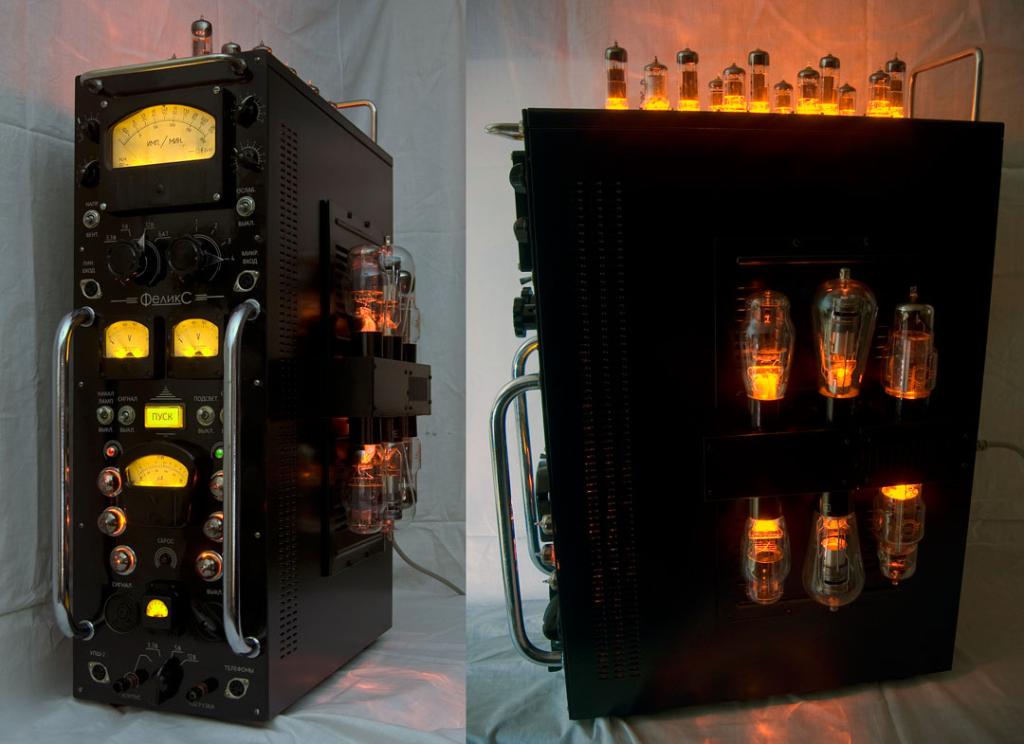
This casemod was built in 2009–2010. It was my first step in modding, but I tried to do my best. "Iron Felix" ("Zheleznyi Feliks" in russian) is a
mighty patrol
But hows the air flow
grave sundial
That's cool.
Well, my Nvidia drivers crashed.
#feelsgreat
I finished playing a demo and then alt+entered to change between windowed and full screen.
mighty patrol
Shoulda used studio
mighty patrol
Lol
mighty patrol
Horray
grave sundial
mighty patrol
Shoulda used studio
I thought about this.
But aren't studio drivers known to be a bit slower in gaming?
Or is that just rumour?
wise elbow
Rumour, they're just behind a few versions
grave sundial
Okay, first I'll try the latest driver and see if my system explodes.
Otherwise, I'll use studio.
Meanwhile #feelsgreat, thanks NVidia.
wise elbow
Apparently the fabled game ready drivers have been unstable as fuck lately
grave sundial
Same as what happened to me then.
 grave sundial
I love Windows 11 though.
Win 10 would have gone through several repair procedures with all the resets I just did.
mighty patrol
Have you tried those dev drive features yet
grave sundial
mighty patrol
Have you tried those dev drive features yet
which ones?
mighty patrol
Probably the biggest thing,
A Dev Drive is built on the Resilient File System (ReFS) and is combined with a new performance mode capability of Microsoft Defender Antivirus, which provides asynchronous scanning on a Dev Drive without changing the security posture of your system drive or other drives.
I used it for a bit
and you could setup a git basically inside the drive
Was pretty neat
grave sundial
cool.
mighty patrol
I would recommend using 2tb+
mighty patrol
As it tends to overprovision
grave sundial
Ok. This AMD Radeon iGPU on the 7800x3D is cool as heck and smoooooth.
No stutters, nothing. I likes!
mighty patrol
I was surprised 7950x had an igpu
mighty patrol
Nvidia would never
grave sundial
Okay.
Done.
Time to change the DP cable to the external GPU.
Hope this works. 😄
wise elbow
I haven't tested the igpu on my 9950x3d
I had heard it wasn't very useful beyond basic video
mighty patrol
Pretty much for the most part
It can do some simple gaming
Don't expect cod warzone
grave sundial
Cowabunga! 😄
All good. 🙂
Okay, time to go back into the BIOS and disable the iGPU..... 'cuz no reason at all.
wise elbow
i always keep it on in case my gpu dies
mighty patrol
Exactly what if the cable starts melting
grave sundial
I discovered the mobo loads to bios using its vga/igpu adapter.
so, I can renable it anytime.
But yeah, there's something to be said about keeping both on.
brb
Okay, done and done. 🙂
Time to test that demo again to see if it crashes the GPU. 😄
'Cuz it's 1:30 a.m. and SO not the time to sleep. 😄
Well, I alt+entered the game thirty times and not so much as a screen flicker.
Guess the latest driver did infact have 'stability fixes'.
fallen oasis
Win + Break is a great keybind.
grave sundial
mighty patrol
Never forget, Win + Ctrl + Shift + B in emergencies
This I didn't know.
TY.
plush turret
looking for suggestions of a laptop i can get for my lady friend so she can play games with me and my friend
main games are minecraft, GTAV, subsistance, and a few similar games
basically a modern version of this computer: https://www.amazon.com/HP-Elitebook-Laptop-Windows-Renewed/dp/B0CR1XD1HX/

Everyday computing just got easier with the HP Elitebook 755 G5 Laptop. Fully loaded with an AMD Ryzen 7 2.10 GHz Processor; the HP Elitebook 755 G5 makes for a speedy and efficient Laptop. The 256 GB SSD provides ample space to store all crucial data safely.
is what im looking for
median marsh

VideoCardz.com
Move along RTX 5090, 4090 now has more memory What’s better than RTX 4090 with 24GB? Perhaps an unofficial 48GB model. Yes, this isn’t the first time we’ve mentioned the RTX 4090 with modified memory specs. Such graphics cards have been made for a long time and primarily target the emerging AI market, where larger […]
grave sundial
median marsh
https://videocardz.com/newz/custom-geforce-rtx-4090-48gb-now-comes-with-water-co...
Are you buying one for me?
orchid iron
plush turret
looking for suggestions of a laptop i can get for my lady friend so she can play...
Budget?
plush turret
up to like $600
orchid iron
plush turret
up to like $600

PRODUCT OVERVIEWUpgraded Configuration: Its seal box is opened during the upgrade for better performance. This computer comes with 8GB RAM DDR5 and 1024GB SSD Key Specifications:Screen Size (inches): 15.6Screen Resolution: 1920 x 1080Touch Screen: NOProcessor (CPU): Intel Core i5 13420HSystem Mem...
So, the plan would be to buy it and upgrade the ram, which is quite easy to do on Lenovo laptops
I checked online and a 3050 can run GTA V at an acceptable level

product_description
This one would need both ram and SSD to be upgraded

Processor: i5-13420H 2.10GHz Processor (13th Gen, upto 4.6 GHz, 12MB Cache, 8-Cores, 12-Threads, 4 Performance-cores)Storage: 1TB PCIe SSD (Solid State Drive)Memory: 8GB DDR5 SO-DIMMGraphics: NVIDIA GeForce RTX 3050 6GB GDDR6 Dual (Integrated+Dedicated) Graphics, .Operating System: Windows 11 Ho...
And this one just the ram again
orchid iron
 mighty patrol
Sit intel
grave sundial
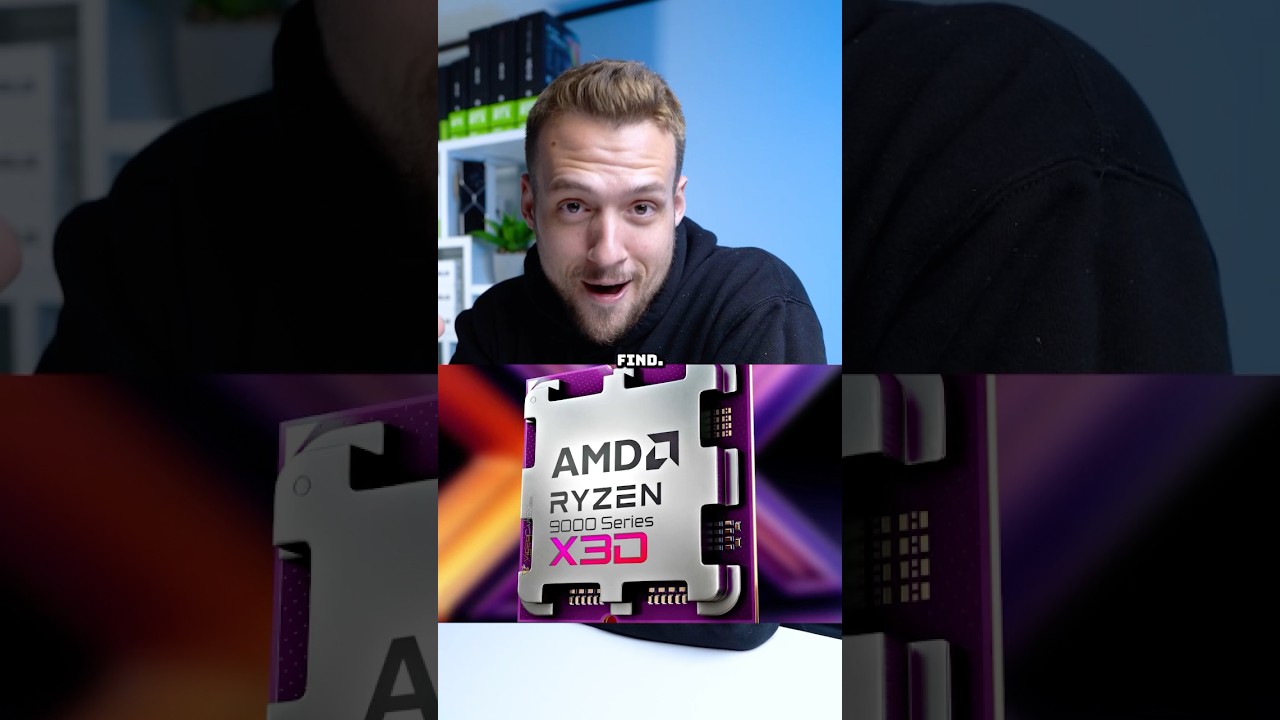
How are they improving the x3D?
grave sundial
noice.
grave sundial
MSI teased a 5080 RTX with 24GB mem.
grave sundial
orchid iron
https://youtube.com/shorts/7pmJhdmM1qk?si=1pibAnlqzbjRZDeF

Wccftech
MSI says that users can achieve over 10% of gaming performance uplifts with their recommended settings for Ryzen 9 9950X3D.
MSI is in on it too.
5 days ago, they promoted 10% game perf. increase with the 9950x3D.
With these BIOS features --- While Memory Try It and High-Efficiency Mode are memory-specific and optimize the timings and speed of the memory, the X3D Gaming Mode optimizes the CPU. ---
--- In a recent interview, AMD CEO Dr Lisa Su says AMD plans on bringing Strix Halo to more desktop parts. ---
YAY 👐
💃
mighty patrol
grave sundial
MSI teased a 5080 RTX with 24GB mem.
Just swap the memory chips
grave sundial
swap them with?
grave sundial
😄
orchid iron
grave sundial
--- In a recent interview, AMD CEO Dr Lisa Su says AMD plans on bringing Strix H...
 grave sundial
 median marsh
grave sundial
Are you buying one for me?
median marsh
grave sundial
Are you buying one for me?
which flavor do you want?
grave sundial
median marsh
which flavor do you want?
fading dye
wise elbow
plush turret
up to like $600
if you spend literally like 100 dollars more you can probably get a laptop with an i7 and 4060
3050 is ewaste and I would not recommend buying a laptop with one, especially now
there's also usually a pretty healthy secondhand market for a lot of gaming laptops and you might be able to get something decent for cheap
wise elbow
mighty patrol
X3d turbo mode
if it's "turbo mode" it's basically useless and is incredibly annoying to use
it literally turns off threading and shuts down 8 of your cores. so you would have to restart go to bios...
if it's the "cache boost" thing like asus was calling it, it just raises the infinity fabric clock by 100mhz
raising fabric clock by that amount can actually be pretty beneficial. none of these features are locked to the 800 series boards either, lol
bought a 600 series board and it has all of this. haven't been able to get the fabric clock increase to not immediately crash my PC though
orchid iron
wise elbow
3050 is ewaste and I would not recommend buying a laptop with one, especially no...
The guy asked about a laptop that could play GTA V, and I was actually surprised the 3050 can perform okay under the right settings
wise elbow
it definitely wouldn't be able to run the new version I would think
orchid iron
wise elbow
it definitely wouldn't be able to run the new version I would think
GTA 6 or did they update GTA 5 with super RT?
orchid iron
I don't think they would want to remove players from playing GTA V, so even if it reduces the visual quality a player can experience with a 3050 due to the increased load, I highly doubt it would outright push them out of playing, especially since the 3060 is still one of the top most used GPUs on the market right now
 tough owl
3060 and 4060 being most popular on the market
nvidia: yea we are not gonna make those anymore
orchid iron
Tbf, they were earning very small margin on those, so makes sense they would move on to bigger margin products
tough owl
orchid iron
Tbf, they were earning very small margin on those, so makes sense they would mov...
but that is also forfeiting consumer market to competitors, who will eventually reinvest their profits into server tech, which is nvidias current main cash cow
grave sundial
It's a question of vision. There are two possibilities here. One is that NVidia already sees something in the future that other companies don't, and they are ready to sacrifice the plebian section of their revenue for it.
The second is that they have earned so much money and grown so dominant a force, that their vision is clouded and they are making a mistake, whose consequences will only be felt a long time from now.
plush turret
wise elbow
if you spend literally like 100 dollars more you can probably get a laptop with ...
Yeah my lady doesn't play games enough to really justify more spending. $600 is probably a little much.
Just that im playing with a desktop i7 12700k and 12gb 3060
And id like something remotely in shouting range. Even if the laptop is crying on minimum graphics settings
Mainly because i do somewhat pick games for their visuals now that i have a desktop that can reasonably play them
orchid iron
plush turret
Just that im playing with a desktop i7 12700k and 12gb 3060
After you upgrade the ram on these laptops
Depending on the resolution, they'll perform really close to your desktop
And if there are thermal issue, it is likely the thermal paste who would need to be switched, which is quite easy to replace on Lenovo laptops

If you're looking for the ultimate workstation for high-performance rendering, 3D modeling, and professional content creation, this build delivers unmatched power and efficiency. Featuring dual ASUS GeForce RTX 5090s and the powerhouse AMD Ryzen Threadripper PRO 7975WX, this system is designed to crush even the most demanding workflows with ease...
 delicate crystal
Anyone here using a laptop for their unreal needs? deabting if I wanted to go that way and very out of touch on what makers are good now (last I looked alienware was the way to go, lenovos were junk, and macs were well overpriced....well ok some things never change 😄 )
mighty patrol
@orchid iron
delicate crystal
median marsh
idk when lenovo was "junk"
admintedly a very long time ago 😄
plush turret
back when i was in highschool
median marsh
was that before IBM bought them? Or the other way around....
apparently lenovo bought the thinkpad brand
grave sundial
delicate crystal
Anyone here using a laptop for their unreal needs? deabting if I wanted to go th...
I promote the Strix APU these days with the Radeon 8060s. So, if you have $2000, then buy that laptop.
That iGPU does its job well at 2.5k resolution and under. Plus, you can allocate 32/64GB memory to the iGPU, so UE won't have a problem with mem capacity.
If you want to save money, then I suggest looking at ebay or craigslist. Used laptops basically. A lot of people sell their 'gaming laptops' online for cheap prices.
My Brit friend got two of his laptops that way.
delicate crystal
budget would be good for the Strix. WOuld have to see what their warrenty is like
grave sundial

Unleash groundbreaking performance to take on complex AI workflows with the HP ZBook Ultra G1a. A sleek, thin, battery-efficient AI laptop and mobile workstation.
HP has introduced their Strix offering.
The specsheets are available for download there.
mighty patrol
Intel nvidia collab??? https://www.youtube.com/watch?v=l55CeEn3uWo

Shop Micro Center’s Monitor Madness Event: https://micro.center/0e1s
Sign up for a FREE 128gig Flash Drive When Santa Clara Opens: https://micro.center/eaq6
NEWS SOURCES: https://lmg.gg/Bmaxn
► GET MERCH: https://lttstore.com
► GET EXCLUSIVE CONTENT ON FLOATPLANE: https://lmg.gg/lttfloatplane
► GET A VPN: https://www.piavpn.com/TechLi...
orchid iron
mighty patrol
Intel nvidia collab??? https://www.youtube.com/watch?v=l55CeEn3uWo
Wtf, again? Did they not learn what happened last time?
grave sundial
INvidia ™️
orchid iron
delicate crystal
Anyone here using a laptop for their unreal needs? deabting if I wanted to go th...
Just letting you know in advance, before you buy ANY laptop, look up how easy it is to change the thermal paste and other components
Right now I have an old dell...and uhhhhh, imagine disassembling and reassembling an incredibly BS build design that is 5 times worse than you can imagine JUST TO CHANGE THE THERMAL PASTE
wise elbow
ive always had good luck with lenovo gaming laptops
and I love thinkpads
have had the same laptop for like 7 years now and it's survived a lot of unnecessary abuse
i think the only laptop I've ever seen fail was an Alienware tbh
and chromebooks worth more in data collection than hardware but those don't count
mighty patrol

Framework's founder answers questions about everything from tariffs to the burning question on everyone's mind...will we make a printer?
This video was recorded at the Framework 2nd Gen Event on February 25th, 2025.
About Framework
We know consumer electronics can be better for you and for the environment. Unlike most products, ours are op...
orchid iron

Use Incogni to take back your privacy today!
https://incogni.com/techsperts
Buy them here: https://salemtechsperts.com/collections/laptops-for-sale
PRICES:
T490s - $199
T480s - $239
P52 - $299
P53 - $419
My Body - $69420
Help support me by becoming a member!
https://www.youtube.com/channel/UCClfFsWcT3N2I7VTXXyt84A...
@delicate crystal maybe buy it from him xD
He is the greatest technician that ever lived after all
delicate crystal
orchid iron
Just letting you know in advance, before you buy ***ANY*** laptop, look up how e...
Youre not wrong. Its why any that im lokking at needs nbd onsite. And international support. If either of those are still a thing anymore
orchid iron
delicate crystal
Youre not wrong. Its why any that im lokking at needs nbd onsite. And internatio...
you'd have better luck exploring local repair shops, or having a friend that could do some part switching if needed
if you are comfortable with building a desktop you could even learn how to do basic maintenance of laptops that are easy to maintain (not dell)
tough owl
older laptops can be real puzzles to take apart, but I do recommend doing it yourself if you can hold the screwdriver because even something like changing thermal paste can take up to 3 hours so it might get expensive on repair shop
as for difficulty, they just need to be dis-/assembled in right order. hardest part is keeping track which screw goes where
orchid iron
tough owl
older laptops can be real puzzles to take apart, but I do recommend doing it you...
depends, I'd say that as long as you have a bunch of helpful videos online about changing thermal paste and other maintenance stuff, it is quite easy
orchid iron
tough owl
as for difficulty, they just need to be dis-/assembled in right order. hardest p...
looks like you never experienced what is a dell laptop, trust me bro, if you had you'd wish they'd put 40 screws instead of whatever "specialness" they designed
tough owl
I've done my fair share of de-dusting old gaming laptops
orchid iron
tough owl
I've done my fair share of de-dusting old gaming laptops

In this video i will show you how to open and clean and repaste your Dell Inspiron 15 7559💻 Laptop STEP By STEP.
🔵 #1 thermal paste: https://amzn.to/39BnQjB
🔵 #2 thermal paste: https://amzn.to/3xDpskD
📢 Checkout my Amazon picks: https://www.amazon.com/shop/ufixtek
👉 Tools used:
✔The proper Tear-down kit!: https://amzn.to/2CATV...
could you rate from 0 (easy) to 10 (the hardest) how easy it is to change thermal paste on my laptop xD
grave sundial

XDA
Grab some significant discounts on some hot tech.
All that stuff is on sale.
Of particular note are the Samsung Odyssey monitor and AMD Ryzen 5 5500. The Ryzen 5 9600X is also available $222.
orchid iron
That sale was okay, I grabbed a Samsung 870 EVO 4TB for my 10 year old laptop xD
grave sundial
Cool.
I saw a Samsung Evo USB 8TB drive.
Apparently, it goes up to 1GB/sec transfer speeds with USB 3.
I 😍 new tech.
orchid iron
Looks like AMD considers Nvidia a serious threat in the CPU market, zen6 will straight up skip 3 nm lmao
orchid iron

Patreon: https://www.patreon.com/buildzoid
Twitch(mainly gaming streams): https://www.twitch.tv/buildzoid
AHOC Shirts: https://actually-hardcore-overclocking.creator-spring.com/
Bandcamp: https://machineforscreams.bandcamp.com/music
My FPS game: https://buildzoid.itch.io/hv-shooter
Bluesky: https://bsky.app/profile/buildzoid.bsky.social
Facebook...
This was incredibly insightful as to just how deep Nvidia's stupidity is for designing this stuff
AMD GPUs don't have load balancing, they don't even enforce a max power
The motherboards don't load balance between a 4pin and an 8pin
We don't hear about massive issues from them because the cables are just have THAT MUCH safety margins
Also, note for 4090 and 5090 users, you should unplug and plug back in the connector every now and then because it may slightly melt over time and if you leave it on for year(s) (like a tech review) you may find out that now the cable and the GPU connector just fused together xD
 wind egret
So that explains why AMD hasn't adopted 12VHPWR.
delicate crystal
orchid iron
you'd have better luck exploring local repair shops, or having a friend that cou...
Youre not wrong. Finding international warrenty coverage is a challenge
delicate crystal
orchid iron
looks like you never experienced what is a dell laptop, trust me bro, if you had...
One reason why i was glad companies i worked for that did dell had onsite. Those things were brutual
 orchid iron
delicate crystal
One reason why i was glad companies i worked for that did dell had onsite. Those...
orchid iron
delicate crystal
One reason why i was glad companies i worked for that did dell had onsite. Those...
My goodness
delicate crystal
but ya was asking about laptops due to the possiblity that heading to europe for a year or two might be something coming up lifewise, and bringing a desktop across the atlantic sounds painful.
also wow finding a laptop with 128gb of ram is painful
orchid iron
delicate crystal
but ya was asking about laptops due to the possiblity that heading to europe for...
how exactly do you plan to use the laptop? Once you arrived at a place you vibe there for a while, or once you use it you take it where ever you go?
delicate crystal
once I'd get to a locale I'd vibe for a bit, probably months at a time.
doesn't need to be crazy portable, but it needs to be more portable then the 50lb desktop I h ave 😄
orchid iron
delicate crystal
once I'd get to a locale I'd vibe for a bit, probably months at a time.
then perhaps a small form factor build could be interesting for you, some even have handles and could be transported like a suit case
delicate crystal
oh really? Intresting. DIdn't know that was an option
i'll freely admit small form factor is something I don't know well
orchid iron
delicate crystal
i'll freely admit small form factor is something I don't know well
me neither, I just saw some really practical cases for it and I was like:"well dang, that's a very useful design"
delicate crystal
hmm. Do you happen to knwo of any cases? Will see what I can stuff in there. I sense they'd be hard ot gert a decent video card into
orchid iron
delicate crystal
hmm. Do you happen to knwo of any cases? Will see what I can stuff in there. I s...
you would be very surpised, people fit a whole dang 4090 in there
if you go for the sff build, try to get a psu with both the EU and US cable, that way you can use 220v in europe which is just way more power efficient and stable than 110v
delicate crystal
https://ca.pcpartpicker.com/list/wp4k8Q
damn video cards and CPU are killing me.
Part List - AMD Ryzen 9 9950X3D, Radeon RX 7900 XTX, Fractal Design Terra Mini ITX Desktop
orchid iron
delicate crystal
https://ca.pcpartpicker.com/list/wp4k8Q
damn video cards and CPU are killing me...
what if you just use the hardware you already have?
get like a 5950x and a ssf am4 mobo
delicate crystal
well it's all atx related. the board I think is too big for a mini itx. the ram is too old. the hd's are too small in space and the video card's only 8gbs
orchid iron
oof, gotta do research about mini itx before buying anything ig
some GPUs may not fit for very odd and specific reasons
delicate crystal
ya wouldn't surprise me. i figured the threadripper chips would be a laugh for that small of a form factor so just went with as new as I could for the Zen series. Figured Zen 5 is the way to go (is there much of a difference from Zen 4?
orchid iron
delicate crystal
ya wouldn't surprise me. i figured the threadripper chips would be a laugh for t...
It was called zen5% for a reason :D
Unless you pick the x3d versions though, those are noticeably better than their zen4 predecessors
delicate crystal
orchid iron
It was called zen5% for a reason :D
Unless you pick the x3d versions though, tho...
ah ok ya those are the ones that I'm looking at. The Zen 4's aren't much better in price anyways
wise elbow
delicate crystal
also wow finding a laptop with 128gb of ram is painful
would probably be better off complete replacing the memory yourself
not sure about recent laptops but I know the memory controllers on some mobile CPUs from a few years ago had really poor memory support
orchid iron

Support GN and our local e-waste recycler and refurbisher at the same time! https://store.gamersnexus.net/
This video features an NVIDIA laptop with an RTX 5090 laptop GPU and Intel Ultra 9 275HX CPU, both of which are paired in the XMG Neo 16 that Just Josh brought with him to our studio when we helped with some testing insights this past week....
orchid iron
Reddit
Explore this post and more from the pcmods community
@grave sundial thanks for the fan clip inspiration, greatly helped me out
grave sundial

🤣
So, since OpenAI introduced the new image generator, it's been so popular that people have been spamming it to make Studio Ghibli art.
Turns out all those requests stressed and began melting their GPUs. 😄
 grave sundial

Company says its Synthetic Biological Intelligence is a “more advanced and sustainable form of AI”
Interesting read.
World's first commercial, biological computer.
grave sundial

Okay 😍 That's cool.
--- Actual human brain cells, living on a silicon chip among an array of input/output electrodes ---
orchid iron
grave sundial
World's first commercial, biological computer.
Soon we'll be using brains to do brain things!
wise elbow
ai bros continuing to spin man made horrors beyond our comprehension as cool investments
 naive cloak
grave sundial
Okay 😍 That's cool.
naive cloak
grave sundial
Okay 😍 That's cool.
human brain cells should live inside human head... 🧠
orchid iron
naive cloak
human brain cells should live inside human head... 🧠
Yeah, idk why they would need physical brain cells outside of research, they aren't that fast for computing power, and I would imagine all the downsides of having biological matter in the computer would increase the failure rate of the computing components
mighty patrol

If you want to improve your gaming experience and reduce lag, ExitLag offers a free trial with no credit card required using my link! Plus, you can get 12 months of ExitLag for HALF the price. Check it out here: https://exitl.ag/LECC
Today I combined an AMD GPU with an NVIDIA GPU in the same PC. With Lossless Scaling’s new dual-GPU frame gene...
Lossless scaling duel-gpu method? 😮
orchid iron
mighty patrol
https://www.youtube.com/watch?v=PFebYAW6YsM
Wait, I just noticed the AMD card is bigger wtf xD
mighty patrol
6900XT
W/ a 3090
Threat interactive just needs to use lossless scaling problem solved.
fallen oasis
mighty patrol
https://www.youtube.com/watch?v=PFebYAW6YsM
I literally had this exact set up and didn't get 240 fps.
mighty patrol
With lossless scaling?
 hot whale
So what is a good Ram size for game production with Unreal 5?
- 8 ~ 16GB = I suppose this is the minimum requirement?
- 32GB = Good for lighter game like pixel game?
- 64GB = Optimal size but will need more if going bigger like large 3D game? (btw this is the size I have)
- 96GB (biggest dual kit in 2025) = The Optimal size for large AAA grade 3D game?
- 128GB ~ 192GB (Quad kit and biggest size for Ryzen 7 & 9) = Well I can only imagine but I guess I have absolutely no worries when I am making a really large AAA grade 3D game.
mighty patrol
Min 32 gb recommended 64 gb
fallen oasis
2x32 and then a single 1gb stick! 😄
hot whale
So what do you think of the estimationg I made above?
I wonder if I can run Quad kit with full RAM speed but I may need to go PBO?
fallen oasis
64 is more than enough, really, unless you're making some sort of open world game.
mighty patrol
Even then if making a 4k map should be fine no?
fallen oasis
Probably.
orchid iron
hot whale
So what is a good Ram size for game production with Unreal 5?
1. 8 ~ 16GB = I su...
it really depends what kind of project you are working on, an easy way to somewhat estimate it is to look at the size of the assets you want to use in every map
mighty patrol
8k textures!
orchid iron
mighty patrol
8k textures!
1 million polygons!
plush turret
volumetric clouds and fluid dynamics EVERYWHERE
median marsh
lately i've moved a few assets and the editor used 70GB memory
so it's quite easy to hit the limit
delicate crystal
lord damn video card price inflation is killing me. Saphirrie 24gb's ahve almost doubled in the last month
delicate crystal
was looking at a 24gb one that someone suggested here (think it's a 7090 XTX?). Was 1300 in late january. 1800+ now
grave sundial

igor´sLAB
The number of reported AMD Ryzen 7 9800X3D failures continues to rise. Within the last two months, over 100 documented cases have been published in which the processor refused to work – in many cases…
Here we go.
AMD shouldn't have been inspired by Intel.
mighty patrol
Rip
I saw these ASrock boards been having issues I just told a friend to get one lol
grave sundial
Easy fix. Tell him to buy TWO processors. 😄
grave sundial
Did he buy a 9x3d?
mighty patrol
Yeah
mighty patrol
Part List - AMD Ryzen 7 9800X3D, GeForce RTX 4070 Ti SUPER, Corsair 5000D AIRFLOW ATX Mid Tower
B650M
grave sundial
The 600 series don't seem to be majorly affected.
grave sundial
🔥
AMD is releasing the 9000G APU processor soon for desktops.
Unfortunately.....

They are putting in an 860M, instead of the super cool 8060s.
😠
Disclaimer: These are from leaks. It might be LIES from SPIES!
mighty patrol
Who leaks these things!
grave sundial
Leaky boats, probably.
orchid iron
delicate crystal
was looking at a 24gb one that someone suggested here (think it's a 7090 XTX?). ...
XFX 7900 XTX Mag air Mercury
The Nvidia Ai pro 7090 XTX is not yet released xD
mighty patrol
Hows this for hardware? https://www.youtube.com/watch?v=TKAa535sXEk

Thanks to Hypershell for sponsoring this video! Go to https://fas.tl/a758086d to check out the Hypershell Pro X and more!
Finally. We upgraded Riley. Hypershell sent us their Pro X exoskeleton to try and give it a test "drive". Join us to see how it works, and what it works for. Riley is unstoppable now.
Purchases made through some store links...
orchid iron
mighty patrol
Hows this for hardware? https://www.youtube.com/watch?v=TKAa535sXEk
Now that's based hardware
Careful not to break your neko neko knee caps xD

Comment:"Noc tuah, air cool that thang"
grave sundial
For those using NVidia Broadcast 2.0 and getting many 'high GPU utilisation' notifications, go to NVidia's Control Panel and 'Manage Program Settings'. Select NVidia Broadcast as the specific program and change the settings as shown in the screenshot.

The app is wrongly reporting GPU usage in the Task Manager and triggering annoying notifications about high GPU. These control panel settings will make that stop.
wise elbow
I wonder if the dead AMD CPUs are due to voltage limits? I recently built with an ASUS boards and the default voltages that the CPU were drawing are in the range that cause degredation
orchid iron
wise elbow
I wonder if the dead AMD CPUs are due to voltage limits? I recently built with a...
what kind of voltage did you see?
wise elbow
orchid iron
what kind of voltage did you see?
~1.45V
anything above 1.2V causes degradation afaik
orchid iron
wise elbow
anything above 1.2V causes degradation afaik
depends on the design, the issue with the intel 13th and 14th gen (based on 12th gen) is that the rig bus was using the same rail as the cores', and it just so happened that the engineers that designed 12th gen were worried about frying the rig bus with core voltages, so they put quite a few securities in place...Which were removed so more powered could be allocated
I have no clue about the ryzen limits though, but I would imagine that if it was due to degradation, they wouldn't break so fast, even the 13Th and 14th gen took over a few months to show signs of failure
remember the whole 7800x3D incidents? Probably another one of these where a software fix would probably get rid of the issue, in the meantime, I would not use the recent CPUs until AMD confirmed this is resolved
grave sundial
I think it's just ASUS mobos, no?
I haven't heard this happening with MSI or Giga.
grave sundial

Japan Today
A tie-up between a Chinese research institute and tech company said on Monday that it aims to implant its brain chip into 13 people by the end of this year, in a move that could see it overtake Elon Musk's Neuralink in collecting patient data. The Beijing-based Chinese Institute for…
The other Musk.
orchid iron
I think they may have different objectives than Musk though xD
grave sundial
One will send us to mine precious earth minerals on the nearby asteroid belt. The other will send us to mine precious earth minerals in the world's deepest hole.
 candid frost
Did i make a mistake by buying 27inch 1080p monitor with 240hz
I bought it for gaming tho
grave sundial
candid frost
Did i make a mistake by buying 27inch 1080p monitor with 240hz
Why do you think it's a mistake? Or what makes you uneasy with the purchase?
🚬
Le shrink is in the house
candid frost
grave sundial
Why do you think it's a mistake? Or what makes you uneasy with the purchase?
its not that im unhappy, i saw on reddit that not many people buy 27inch monitors with 1080p resoultion they mostly go for 4k in that size
grave sundial
candid frost
its not that im unhappy, i saw on reddit that not many people buy 27inch monitor...
I wouldn't mind them. What I'd focus on is
- Picture Quality
- Colour Quality
- Eye strain
- Gaming Happiness
If my monitor ticks all those for me, then I am a very happy person.
Of course, if it enhances my productivity, that's a big plus too.
candid frost
nah its 2k
median marsh
i think 2k is fine
delicate crystal
grave sundial
One will send us to mine precious earth minerals on the nearby asteroid belt. Th...
neither will bring anything of use.
grave sundial
delicate crystal
neither will bring anything of use.
Actually, both will cause a not trivial reduction in population, provided the activities continue for a significant period of time.
orchid iron
candid frost
nah its 2k
1440p is becoming the standard in gaming, the guys that say 4k is better have way too much disposable income or have no idea what they are talking about
tough owl
 but what if ultrawide
orchid iron
tough owl
<:lurkin:1316599475447402550> but what if ultrawide
9001x1440?
mighty patrol
Maybe if everything supported ultra wide.
I find some games and apps function odd on ultrawides
grave sundial
tough owl
<:lurkin:1316599475447402550> but what if ultrawide
Me use ultrawide. Very ultra, very wide. 😄
It's 3.5k resolution and honestly, I don't see all that big a difference between resolutions, other than the image being sharper.
The HDR colours and eye safety features (whether they actually work or not) feel great on my MSI Optix/Optrix.
mighty patrol
How much was that beast 2k usd
grave sundial
mighty patrol
How much was that beast 2k usd
$357.30 US. 😄
grave sundial
Yes way.

Equipped with an immersive, curved 34" UWQHD (3440 x 1440) VA panel (1500R) with 180 Hz refresh rate and a 1ms (MPRT) response time. For competitive FPS, first-person RPG/MMORPG, or flight/racing simulator games genres, the MSI MAG 342CQR E2 Curved Gaming Monitor elevates casual gaming to a more ...
I think this is a later model.
It's a bit cheaper.
$298.
mighty patrol
nb
grave sundial
It's very nice. But yeah, I am not as impressed with higher resolutions as other, more modern people are.
The screen realty is VERY nice. HDR is fine and dandy. Everything else... meh.
grave sundial
Are you competing in FPS games?
mighty patrol
I sometimes play cs:2
grave sundial
Ah.
mighty patrol
Also notice it in some pve games
When it's faster pace
Strategy or w.e
It's great
10/10
Anything quick pace just falls apart
Probably why I dislike dlss so much lol
grave sundial
From 175Hz upwards, even MSI monitors become expensive.
The MAG 341CQP is about $600.
mighty patrol
Ngl I was looking at https://www.newegg.ca/msi-mpg-321urx-qd-oled-32-uhd-240-hz/p/N82E16824475357
grave sundial
If you're okay with a VA panel instead of an IPS panel, ACER has a really cheap UWQHD monitor with 1MS.

ED0 series allows you to step into the gaming world. Show off your FreeSync finesse with the fast refresh rate and ZeroFrame design of the ED0 Series monitor. The ED0 series monitor’s supports DisplayPort & HDMI on FreeSync. That means this monitor can work with a FreeSync-supporting graphics car...
mighty patrol
But it's like 1200 usd
grave sundial
This one is $245.
mighty patrol
Would be a good monitor for years
mighty patrol
My current monitor is acer
mighty patrol

PCMAG
The Acer Predator Z35 is a massive 35-inch curved monitor designed for gaming. It features Nvidia's G-Sync anti-tearing technology and offers smooth gameplay, but its color accuracy and gray-scale performance could be better.
Almost broke it first month I had it
Spilt water on it moving my chair backwards
grave sundial
But you were moving.... backwards?
grave sundial
Well, this is why we have intravenous syringe systems.
grave sundial
proper stabbity stabbing is required.
mighty patrol
Will make anything difficult for sure
wise elbow
VA panel 😓
tough owl
Samsung VA panels are no joke
I went from LG IPS panel to Samsung G5 Odyssey (VA) and I gotta say the samsung has better contrast

The all-encompassing 1000R display fills every part of your peripheral vision and draws you right into the character's shoes. Experience a level of gaming more heart-pounding than anything before. Boundary pushing graphics. Ultra-WQHD monitor gives you a vast encompassing view of your game world,...
mighty patrol
Samsung monitors seem to be not bad
tough owl
they suffer from bad QA like most other manufacturers too
and I believe they've had curved panels snap in half from thermal expansion, so that's something to keep in mind if you live in a warm place
grave sundial
I have a usb fan pointed at my monitor all the time.
Those cheap ones on Amazon have some seriously high rpm.
 open lintel
My desktop doesn't boot up, doesn't show up BIOS screen, but the lights on cabinet lit up on start, been having this since a few times now. So I removed the cmos battery, is it dead now?

 open lintel
the white on it isn't reflection
mighty patrol

Lifehacker
Some batteries can be tested just by dropping them , but coin cells can be much trickier to test. This DIY pair of battery-testing tweezers can test
open lintel
it might be a decade old.
open lintel
it might be found in any electric shop that has batteries, right?
mighty patrol
Yeah or dollar stores
Maybe even convenience stores depending on your location
7-11 often has them
Paying more ofc
But it's the joy of getting it anytime
open lintel
just checked, Amazon sells a packet of 5 for about 2 dollars. About the uses for other 4...
mighty patrol
Not many devices use them
orchid iron
open lintel
My desktop doesn't boot up, doesn't show up BIOS screen, but the lights on cabin...
Installing a new mobo battery will be beneficial, however it may not be the only problem, hopefully it is though
 north arch
mighty patrol
Not many devices use them
north arch
mighty patrol
Not many devices use them
I bought a 100 pack recently because a lot of my stuff does.
Many stores in my area carry them too. Best buy, gas stations, walmart, home depot, walgreens, grocery stores, usually singly packaged batteries hanging by the register.
orchid iron
Funny how there are more listings of the 9070 and 9070 xt in EU for an actually okay prices (usually 200-300€ above MSRP because these cards have to travel more distances to reach EU, plus EU taxes)
Meanwhile I couldn't find a listing in the US xD
wise elbow
the only other things i see coin cell battery used for are remotes and firearms
orchid iron
Imagine if we've been talking to a serial killer this whole time xD
 worldly kettle
I have a lot of them in 3D DLP projector glasses, an anemometer, bike speedometers, remote detonators, totally normal stuff.
fallen oasis
orchid iron
Imagine if we've been talking to a serial killer this whole time xD
I'm a cereal killer.
wise elbow
captain crunch is dead
north arch
wise elbow
the only other things i see coin cell battery used for are remotes and firearms
several scales, my lora-based temperature sensors, reflex optics, my wife's tracking tags on her keys, the reptile enclosure environment sensors we use to monitor the chicken hatchery...
orchid iron
Trump likely gonna do something about ticket rock concert scalpers...I'm hoping he'll do something about scalpers in general woudl be great
mighty patrol
Scalping needs to die
median marsh
oh, 9070XT is at 780euro here, which is very close to MSRP!?
orchid iron
median marsh
oh, 9070XT is at 780euro here, which is very close to MSRP!?
I know right!
 vocal mulch
Hey guys. I have a particular use case and I could use your suggestions.
I use a MacBook Air M2 (8GB, Wi-Fi 6) as my web dev machine, but I also use Unreal Engine for game dev work. My RTX 2080 laptop recently died, and instead of buying a new Windows laptop, I want to build a small form factor PC for UE dev and remote into it.
Why? I don’t have space for monitors or peripherals, so I need to stream the entire Windows desktop to my MacBook over Wi-Fi 6 (no Ethernet). Mac is perfect for my web dev work and I wonder if I can get away without having to buy entire windows laptop too just for game dev work. Is parsec/moonlight there yet?
My main needs:
Low-latency streaming (for coding, UE dev, 3D sculpting).
Good image quality (4:2:2 or 4:4:4 if feasible).
Wacom tablet support (pressure & tilt).
No issues with scaling on macOS.
I’m considering Parsec or Moonlight (open to alternatives) but unsure about:
Latency and input delay on Wi-Fi 6.
If Wacom works properly over remote streaming.
thunking for a 1440p60 4:2:2 stream.
orchid iron
vocal mulch
I use a MacBook Air M2 (8GB, Wi-Fi 6) as my web dev machine, but I also use Unre...
Have you looked into perhaps plugging the computer into your MacBook Air to use the peripherals of your MacBook?
Because streaming depends heavily on your WiFi router, how far is it, how good is it, is internet stable all the time etc
But of you can manage to have a physical connection on both machines instead, it would make things way more simple
vocal mulch
Thanks for reply, well, I wasn't thinking of direct wire as it's supposed to be more of an itx case put away somewhere and use local wifi to stream. I don't intend to use it over the internet, I intend to use if local wifi with same router within the walls. But not over the internet, direct wireless wlan.
orchid iron
vocal mulch
Thanks for reply, well, I wasn't thinking of direct wire as it's supposed to be...
Yeah, that's what I understood, but in that specific case, is wireless a requirement?
Because even if you wanted to stream using the router, you would get the best results using ethernet cables
But if we are able to introduce wires in the equation, perhaps there is a way for you to have the mini ITX case somewhere else while plugging it into your MacBook, wires can be quite long
orchid iron
I'm bringing this up, because it would make latency almost non existent, and the streaming quality would basically be as high as your Mac book's screen could handle
And best of all, you wouldn't even need to allocate your router's resources for any of it

Our "permanent" PC has a massive issue that may be impossible to solve...let's see if THE GREATEST TECHNICIAN OF ALL TIME aka @SalemTechsperts can help us out at all 😎 #pc #pctips #pcbuilding #mryeester
need new thermal paste? check out YeesterPaste and all my thermal paste accessories! www.yeesterpaste.com
I don't think it is just one, but okay xD

This PC is impossible to take apart..well it should have been impossible, but @zachstechturf proved otherwise. Now we know what we need to improve next time to make an ACTUAL permanent PC 😎 #zachstechturf #pc #pctips #pcbuilding #mryeester
need new thermal paste? check out YeesterPaste and all my thermal paste accessories! www.yeesterpaste.com
Found the first part
mighty patrol
Lol
wise elbow
confused as to why itx is a requirement when you're remoting into the computer
itx is as big as a toaster and will probably fit wherever you shove it
orchid iron

Fighting scammers with the world's first AI call center to disrupt scams!
► Kraken: https://kraken.com/kitboga
I've been working on this project for over 5 years now and it's exciting to share it with you all. Thank you so much to everyone who has supported me!
► Our Anti-Scam App: https://seraphsecure.com
► AI Channel: https://youtube....
Finally AI is actually useful for society
north arch
just because it's against criminals doesn't make it not s crime
median marsh
also those people don't vanish
they will just do other crimes
if that's useful for society is another question...
vocal mulch
orchid iron
Yeah, that's what I understood, but in that specific case, is wireless a require...
Hey thanks for your time responding mate. Thing is, I currently have only one place where I can put my itx case, near in or top of tv cabinet, fiber that runs to my house is on the same wall and that's where router placement is. So it's easy for me to run a connection to itx from there. The house I'm in is an apartment and there's no cable run in the walls. Country I'm from from, they don't do a good job of Ethernet wiring around the house. I don't even know what speed corrent house Ethernet lines running are operating at. So obviously I can't sit next to tv cabinet to work. Where I sit on sofa (in front of tv, the opposite wall basically) has no righernrt outlet. Nor does my room. So even if I want to do wires, I can't. Only way I can have a wired Ethernet connection is if I take a long wire from the tv/router wall and basically sit on the sofa and leave it running from middle of the floor which is a tripping hazard and not ideal :p that's the reason that I can't do a wired connection. Hence I was looking into some fast router based local wifi parsec setup. Is ping really that high for development if I'm not using internet and using wifi for this task. I read 20-50ms depending on quality and bandwidth availability of the router. So I wanted to know if anyone has run such a setup and how the experience has been. I mean if it's not possible and I have to have to do a wired connection, I might as well take a portable display and work on that but idea of sitting near my tv unit in front of the tv doesnr sound enticing. It has everything to do with my apartment construction layout. 🙁 Thanks for your time reading this though.
vocal mulch
orchid iron
I'm bringing this up, because it would make latency almost non existent, and the...
I'm okay with router resource being used, I wouldn't mind beefing up my router, but idea of wireless makes it sounds a little more convenient and gives me room to move around the house if I don't wanna be sitting at the same space.
vocal mulch
wise elbow
confused as to why itx is a requirement when you're remoting into the computer
Am just trying to minimize space tbh. It all has to do w space. It's a small apartment and only corner where I have electricity line run for correct amperage that can handle the pc requirements. I have no other plug points where I can take my itx and keep as only other 2 points are: 1 near the sofa in front of tv but no space to our computer as sofa takes up all the space. And
2: bedroom near the bedside. I cant use that space as it would get even more cluncky and space constrained to walk through. I know this sounds limited but this is for 1 year of my work, I will be taking a proper house w 2 rooms where I'll simply have a proper study room to put computer in and work. Hence I asked for itx w parsec setup.
orchid iron
vocal mulch
Am just trying to minimize space tbh. It all has to do w space. It's a small apa...
for just 1 year, I don't know if it is even worth getting anything, either wait that 1 year or fix the 2080 laptop
because that 2080 laptop can be reused into a hardware testing platform to see how people with 20 series cards handle your project
vocal mulch
orchid iron
for just 1 year, I don't know if it is even worth getting anything, either wait ...
Aight, I will look into getting that fixed. I think in that case I should just look into getting a new windows laptop
orchid iron
vocal mulch
Aight, I will look into getting that fixed. I think in that case I should just l...
that will depend on repair costs, I wish you find a good repair shop
wise elbow
also worth mentioning that its pretty hard to get decent graphics cards rn if you were to build your own pc
mighty patrol
Just buy a 5090
grave sundial
So, if you are an Amazon Prime member, you have a better chance of buying 3D cards now on their site.
They are reserving stock for Prime members apparently.

AMD has finally broken its silence and spoken out about the problems with the Ryzen 9000X3D. But we still don't know why!
So, avoid ASRock stuff for now.
mighty patrol
Likely caused by too much voltage
grave sundial
9070 12GB GRE card is being designed to undercut the RTX 5070, for the Chinese market. Pegged at $420-ish.
grave sundial
mighty patrol
Likely caused by too much voltage
I love that MSI limited the voltage on their mobos - or at least the one I purchased. 😄
mighty patrol
As they should
wise elbow
motherboards crank the fuckiing voltage on ryzen cpus stock
my asus motherboard was running my 9950x3d at over 1.45V with new bios. wtf???
grave sundial
wise elbow
my asus motherboard was running my 9950x3d at over 1.45V with new bios. wtf???
This jives with what I read before buying my new PC several months ago.
I was happy to know MSI limited the voltage.
I think you can limit the voltage on your mobo in BIOS, no?
wise elbow
grave sundial
I think you can limit the voltage on your mobo in BIOS, no?
i turned it down
1.45V is 100% in the range of causing meaningful degredation
idfk why they set it so high
probably so really high frequency memory overclocks work?
i suspect thats why EXPO kits have better success with x870/e boards when compared to b650 and x670
im on a x670e board btw
grave sundial
wise elbow
idfk why they set it so high
If I remember correctly, at the time of the 7000x3D whatever series, it was about overclocking and 'performance gains' out of the box.
Now, I don't know why they keep doing it.
They must love 🔥
mighty patrol
How could you not
orchid iron
wise elbow
my asus motherboard was running my 9950x3d at over 1.45V with new bios. wtf???
Yeah wtf, now that's pretty bad
 wise elbow
in my experience VA looks awful for games so it's either OLED, IPS, or TN
orchid iron
Yeah, ghosting sounds awful for games
tough owl
I got used to the ghosting pretty fast
wise elbow
oled would be a no brainer if it didnt burn-in
 dapper hornet
Hi guys! I'm starting to think to get a new laptop, mostly for Unreal development, work (programming) and occasional gaming. If money is not a problem, any recommendations as to what is worth getting currently?
For reference, my current laptop is an Asus Rog G713, Ryzen 7 5800, RTX3060.
My requirements would be:
- 17 or 18 inches display, ideally 4k (don't care about refresh rate)
- 64Gb RAM
- Ideally +2 hard drive slots
tough owl
no, 50-series laptops are hot overpriced garbage
wise elbow
i would really advise getting a desktop if possible
your current laptop already seems really good
dapper hornet
wise elbow
i would really advise getting a desktop if possible
Mmm I travel frequently so a desktop is usually less convenient
dapper hornet
wise elbow
your current laptop already seems really good
yeah tbh I don't need a change, but I like shinny new things lol
wise elbow
probably the biggest issue with laptops is the limited vram
a mobile 4090 only has 16gb, everything else is below that
mobile 4090 doesnt even perform as well as a desktop 4080 iirc
tough owl
ofc it doesn't because nvidia squeezes all the performance gains by throwing more power at the problem
which suprise, doesn't work for laptops
dapper hornet
I mean thinking about it I could keep my current laptop instead of selling it, and buying a desktop
wise elbow
thats what i would do personally but up 2 you
your current laptop is more than capable of doing work with unreal engine
dapper hornet
wise elbow
your current laptop is more than capable of doing work with unreal engine
ohh ye, no complaints honestly, I'm super happy with it
tough owl
dapper hornet
I mean thinking about it I could keep my current laptop instead of selling it, a...
there is option B: Ryzen™ Al Max+ 395 laptops, which aren't out yet
wise elbow
eh, those are going to be very expensive and while the integrated graphics performance seems like it will be good, it likely still wont even be as good as a 4060
tough owl
if there is believing in notebook check, it actually beats 4060 mobile
- you can decide vram amount because it's integrated
dapper hornet
I never had a desktop, is it nowadays still worth to buy per parts?
tough owl
desktop GPUs are so expensive right now
wise elbow
a good deal on a prebuild wouldnt be bad? but i'd be surprised if theres big supply of them
gpu supply and pricing will probably stabilize in coming months
 dapper hornet
wise elbow
a good deal on a prebuild wouldnt be bad? but i'd be surprised if theres big sup...
dapper hornet
wise elbow
a good deal on a prebuild wouldnt be bad? but i'd be surprised if theres big sup...
idk, I'm in Spain, I see some supply on GPUs but idk if the deals are good or those cards in particular are decent, there are so many variants
wise elbow
the variants of each GPU don't mean anything performance wise
dapper hornet
I guess, it's just confusing for a noob like me hahaha
orchid iron
dapper hornet
idk, I'm in Spain, I see some supply on GPUs but idk if the deals are good or th...
Epic, you guys have actual real supply, unlike most of the world xD
Still 200€ over what the regular price should be though
orchid iron
dapper hornet
idk, I'm in Spain, I see some supply on GPUs but idk if the deals are good or th...
Performance doesn't change by a meaningful amount in between different variants, however, if you pick the worst onces, you'll get something that breaks fast, annoy af to repair, and also get horrible customer service
Imma be real, if you travel a lot, just wait a few months, prices aren't ideal, and soon more budget friendly options will be available and get a laptop
tough owl
that's the problem, you're stuck with 5070 (or Ti models) which are currently +500$ more expensive than their 40-series equivalents, and given the shortage on everything prices are unlikely to go down this year
dapper hornet
yeah then I will probably wait for a bit before doing anything, thanks all for the advice 🙂
 random bane
My computer shuts down every 5 minutes on its own for no apparent reason, and sometimes it turns on and off repeatedly at the same time. Does anyone know the solution?
random bane
north arch
have you ever cleaned the dust out of it?
There is no dust in it, it is considered new with excellent specifications, Windows has been installed for a month
orchid iron
random bane
My computer shuts down every 5 minutes on its own for no apparent reason, and so...
Did you check temps?
Is the fan running at max speed?
random bane
orchid iron
Did you check temps?
Yes, the temperature is considered excellent without any problems according to the results of HWMonitor.
orchid iron
random bane
Yes, the temperature is considered excellent without any problems according to t...
Laptop or desktop?
grave sundial
Check your power plan settings.
Is Window set to hibernate/sleep in 5 minutes or something?
Also, check if Windows Update is downloading or installing something.
random bane
grave sundial
Check your power plan settings.
I checked it there is no sleep
random bane
orchid iron
Laptop or desktop?
Pc
orchid iron
random bane
Pc
Pc means Personal Computer
Could be laptop or desktop
(or phone and console, but we are talking about windows xD )
grave sundial
Did you make any changes to your BIOS settings recently, or when you set it up for the first time?
Also, is this an ASRock motherboard with an AMD 9x processor?
random bane
grave sundial
Did you make any changes to your BIOS settings recently, or when you set it up f...
Yes I updated a month ago, and there were no problems, but now the problem has appeared
grave sundial
Okay. If you are able to load Windows correctly, check the Event Viewer.
random bane
north arch
is the line voltage switch set correctly?
What do you mean?
grave sundial
From the many logs available, you should be able to see a log that talks about why the computer shut down last.
random bane
grave sundial
Okay. If you are able to load Windows correctly, check the Event Viewer.
I tried to read it, but the computer restarted itself so many times it wouldn't stop, and I couldn't read it.
north arch
random bane
What do you mean?
If you live in north america, your line voltage is about 115V. If the switch is set to 230V, it could briefly work but hiccup repeatedly.
 north arch
if your line voltage is NOT 100-127V or so, do NOT use that setting as catastrophic failure is likely, so be sure
mighty patrol
random bane
My computer shuts down every 5 minutes on its own for no apparent reason, and so...
Do you have global c-states enabled in bios?
If you do, you could try disabling that. Worked for me when I had a similar issue.
random bane
grave sundial
I don't have this button, but I use a 250v, 13A wire and the electricity at home is 220v, is this okay?
mighty patrol
Also probably a good idea to look at reliability history in windows.
grave sundial
random bane
I don't have this button, but I use a 250v, 13A wire and the electricity at home...
That's like mine. Then you won't have that button.
Okay, try booting into Windows Safe Mode.
You should be able to read the event viewer there.
If it reboots the computer again even in safe mode, then it's probably a hardware problem.
random bane
mighty patrol
Do you have global c-states enabled in bios?
I didn't change anything in the BIOS, but I remember that a while ago this message suddenly appeared to me and I chose the first option
 random bane
mighty patrol
Do you overclock at all?
random bane
mighty patrol
Do you overclock at all?
I didn't do it, but maybe I did it by mistake.
mighty patrol
When I just had xmp there was no issues.
Wasn't till I used pbo that I encounted the crashes
Which disabling global c-states fixed the crashes.
orchid iron
Clearing CMOS would also clear any unexpected settings
mighty patrol
Hard reset bios is always a good option
orchid iron
Time to do the usual hardware debugging,
Clear CMOS
Move a RAM stick around the ram Slots, then the other
Try to use integrated graphics, what is your CPU?
Attempt to use a different storage and install windows on it to rule out storage failure
Check all power connections
And if after all that, it still fails, the culprit is either CPU or mobo
random bane
orchid iron
Time to do the usual hardware debugging,
Clear CMOS
Move a RAM stick around t...
So is it because of the overclocking? If I tried to turn it on and read the events before it stopped, would there be no problem?
orchid iron
random bane
So is it because of the overclocking? If I tried to turn it on and read the even...
if you can turn on the computer for a while, you may be able to do various things to debug it, first clear CMOS to remove odd BIOS settings, then probably remove any programs overclocking your computer
random bane
orchid iron
if you can turn on the computer for a while, you may be able to do various thing...
I replaced the power supply cable, and it's working without any problems
But, I don't know if this is temporary or permanent.
I also haven't found any overclocking software on my device
But, I don't know if my device has an overclock or not, and how to remove it. Is clearing the CMOS sufficient?
I also haven't turned on the internet yet, and I have a slight suspicion that there's a virus running on my device's internet
@grave sundial @north arch @mighty patrol
orchid iron
random bane
I replaced the power supply cable, and it's working without any problems
But, I ...
Keep using it for now, and monitor if anything break, if the failure was on PSU side it is better
random bane
orchid iron
Keep using it for now, and monitor if anything break, if the failure was on PSU ...
So far it's working fine, it seems the problem was due to a faulty power supply cable 👍 🙂
On this beautiful occasion, I have another problem that I have been suffering from for a long time. I would like to hear your opinion, guys, if you don’t mind
I have a strange mouse lag that happens to me even when I'm on the desktop.
I don't know if it's due to the mouse or the computer.
Even though all computer tests are fine, I checked everything in CPUID HWMonitor, and everything seems fine. Also, Windows 11 has been installed for a month and doesn't have many files.
orchid iron
random bane
I have a strange mouse lag that happens to me even when I'm on the desktop.
I do...
If it still happens no matter the mouse, it is mouse acceleration, disable that
random bane
orchid iron
If it still happens no matter the mouse, it is mouse acceleration, disable that
Forget the mouse, the sudden reboot problem is back
wise elbow
latency like that sounds like your cpu is getting eaten up or just isnt working fully?
north arch
random bane
I replaced the power supply cable, and it's working without any problems
But, I ...
First of all, of course the internet has viruses, but I don't know of anything that runs on the internet (that'd be a really cool trick honestly, and would probably involve multiple very serious 0-day exploits). If a device on your local intranet has a virus, that's a different matter. Why do you think this?
I talked with my brother about this a bit. He agrees you likely need a new psu.
random bane
north arch
I talked with my brother about this a bit. He agrees you likely need a new psu.
Maybe the wattage in the power supply is less than what the computer needs? Or maybe there is a problem with the electrical connection?
wise elbow
psu failures will usually just shut the entire pc down
unless theres a bad connector somewhere
random bane
wise elbow
psu failures will usually just shut the entire pc down
The problem is when the computer starts up, it doesn't give me any information explaining the cause of the error. I need to try a number of things myself until I find out the cause
 north arch
and it doesn't reboot so much as lose power and regain power
this indicates an SMPS hiccuping
random bane
north arch
and it doesn't reboot so much as lose power and regain power
I think part of the text is missing, what do you mean?
north arch
reboot implies, with a computer, a clean OS shutdown
delicate crystal
So posted up a server that i bought for a job that I was laid off of like a month later, and while posting the ad, got to thinking, what the heck could i use it for if it's going to be tough to sell?
For reference, these are the specs
2 X E5-2699 V4 Intel Processers w/ 44 cores
512GB RAM ECC
8 X 4Tb SAS drives
2 X PSU for redundancy
Anyone have any ideas?
grave sundial
The hard drive space makes me think of a nice Perforce server.
You know, for project backup redundancy.
orchid iron
delicate crystal
So posted up a server that i bought for a job that I was laid off of like a mont...
Can you put a GPU on this thing xD
Because I'm pretty sure you just got a pretty good workstation computer right there
You aimed for 256gb of ram and got double...as ECC!!!
orchid iron
random bane
The problem is when the computer starts up, it doesn't give me any information ...
Try the long list I wrote, and attempt to boot in between each action
orchid iron
orchid iron
Time to do the usual hardware debugging,
Clear CMOS
Move a RAM stick around t...
This one
wise elbow
delicate crystal
So posted up a server that i bought for a job that I was laid off of like a mont...
you could probably set it up as a build accelerator
also holy crap batman those are some expensive cpus
the CPUs are probably comparatively slow for daily use but would be great for really anything else
delicate crystal
wise elbow
you could probably set it up as a build accelerator
Dumb question but whats that?
And ya theyre not cgeap. Whole thing was 3k but it was for the old job using it for a vmware home lab.
delicate crystal
orchid iron
Can you put a GPU on this thing xD
Because I'm pretty sure you just got a prett...
Looked into it, it didnt look good for that from what info i found.
orchid iron
delicate crystal
Looked into it, it didnt look good for that from what info i found.
What about trying anyways on a drive?
delicate crystal
orchid iron
What about trying anyways on a drive?
Sorry im not understanding what you mean?
orchid iron
delicate crystal
Sorry im not understanding what you mean?
Installing a normal OS on a drive and plugging in a GPU to see how it does as a workstation in the real world
Now windows will probably be cringe unless you pay a tone of money, so probably installing Linux would be better, and trying it out on that
plush turret
https://www.amazon.com/gp/product/B0CY2HMZ4T time to flaunt my wifi to the neighbors
 wise elbow
delicate crystal
Dumb question but whats that?
And ya theyre not cgeap. Whole thing was 3k but i...
wise elbow
delicate crystal
Dumb question but whats that?
And ya theyre not cgeap. Whole thing was 3k but i...
basically do your compilation on the server but do the programming on your local machine
for really big things like unreal engine it would probably go pretty fast and free up your machine for the hour or two it compiles
median marsh
imho sell it as long as it's worth something
if you need a build server you would know
wise elbow
^
random bane
orchid iron
This one
The computer actually works and enters Windows, but after about 10 minutes it starts restarting itself repeatedly for no apparent reason. I also tried clearing the cmos memory, and the same problem.
orchid iron
random bane
The computer actually works and enters Windows, but after about 10 minutes it st...
what's your cpu?
random bane
orchid iron
what's your cpu?
i9-14900K
orchid iron
random bane
i9-14900K
yup, there we go, that's the problem
buy a cheap 12th gen cpu and check if your pc works, very likely it'll work
(13th and 14th gen, especially the higher end models were known to have increased degradation due to elevated voltages)
one of the symptoms could get as bad as what you are experiencing
random bane
orchid iron
(13th and 14th gen, especially the higher end models were known to have increase...
So what is the solution for this processor?
I mean, if it turns out that the problem is caused by the high voltage in the processor, then what will be the solution? Note that the processor is considered new
orchid iron
random bane
I mean, if it turns out that the problem is caused by the high voltage in the pr...
undervolt it by quite a lot, and set max ram speed to 4400 (2200 in BIOS because it is double data rate) or less
there should be a power profile called "baseline" that one should be fine plus do the ram speed reduction
north arch
random bane
I mean, if it turns out that the problem is caused by the high voltage in the pr...
file a warranty claim with the PC manufacturer maybe
random bane
It seems that I ruined the device more 😂, I set the processor voltage from the BIOS to 1.250v, and now it won't enter Windows and a blue screen appears. I even tried formatting it from the flash drive, but the blue screen still appears
 mighty patrol
Thats because your windows has the error.
Look into medicat
If you have another pc and a usb with approx 40+ gb you can diagnose it with that
random bane
mighty patrol
If you have another pc and a usb with approx 40+ gb you can diagnose it with tha...
I have another pc with a 30GB USB.
mighty patrol
random bane
I have another pc with a 30GB USB.
Can't recall the full req for medicat
But it has the requirements on their site.
grave sundial
China's Loongson has joined the AI CPU chips market, apparently.
Yay for more competition. 😄
orchid iron
random bane
It seems that I ruined the device more 😂, I set the processor voltage from the ...
That should be a normal operating voltage, the fact that changed anything at all increases the likelihood the CPU is to blame
Although it is also possible on its way out, it corrupted the OS, which is recoverable, but you'll have to find a storage component to install windows on a boot into in the meantime
(if recovery doesn't work)
tough owl
is it 1.25 base or 1.25 boost
random bane
orchid iron
That should be a normal operating voltage, the fact that changed anything at all...
I have good news. I set the processor voltage in the BIOS back to auto, and the blue screen issue has been resolved. It turns out that simply pressing the reset button in the BIOS or clearing the CMOS isn’t enough to fix everything
Also, the mouse freezing issue has been solved. It turned out that the high DPI setting on the gaming mouse was the cause, so I lowered it
As for the initial problem that caused the computer to restart repeatedly and suddenly, it has disappeared. I don’t know why; the problem appeared suddenly and then vanished just as unexpectedly
orchid iron
random bane
I have good news. I set the processor voltage in the BIOS back to auto, and the ...
yup, that's the intel instability issues for ya, it may get worse and worse unless you have latest bios with brand new cpus
if you used these cpus before intel addressed the issues it is quite likely they got degraded
mighty patrol
Its not the code guys remember it's the user.
grave sundial
These are all features.
mighty patrol
I joke in all seriousness Intel wack lately.
orchid iron
mighty patrol
Its not the code guys remember it's the user.
oh yeah, for sure for sure, it is the user's fault for not knowing how to computer
grave sundial
Remember, manufacturers improve them as literacy incentives.
grave sundial
You are encouraged to learn computer troubleshooting thereby.
mighty patrol
orchid iron
oh yeah, for sure for sure, it is the user's fault for not knowing how to comput...
Exactly everyone who owns one should do endless amounts of research on the topic
orchid iron
yup ^^
mighty patrol
and expect everything to break almost on a weekly basis.
orchid iron
lmao
mighty patrol
Because windows 11
grave sundial
Like, learning how to use a fire extinguisher is an essential skill.
mighty patrol
grave sundial
Like, learning how to use a fire extinguisher is an essential skill.
Those still exist?
mighty patrol
Everyone just has fire suppression systems nowadays
grave sundial
Sure. I always shout, "Red Alert," when I want a fire extinguished.
THEN, I go for the fire extinguisher.
mighty patrol
"Fire in the hole"
grave sundial
Only then.... do it properly or else...
mighty patrol
So your saying with new computers we need a fire extinguisher on hand
grave sundial
Preinstalled in the case, is preferrable.
With twin hoses pointed at the CPU and AMD, respectively.
mighty patrol
Built in fire suppression systems for all pcs
 mighty patrol
Freeze all components next
random bane
orchid iron
yup, that's the intel instability issues for ya, it may get worse and worse unle...
Do you mean the cpu was the cause of the reboot? If yes, what's the solution? Will updating the BIOS solve the problem?
orchid iron
random bane
Do you mean the cpu was the cause of the reboot? If yes, what's the solution? Wi...
Yeah, from what you said it feels like 95% is due to it
So intel did new micro code updates, so check your bios version of the mobo you have online, check if you have latest stable version, it will help avoid worsening further
So how long have you been using it?
Do you use air cooler or AIO?
Around when did you last update bios?
Those 3 questions will give a decent estimate how much left is in your CPU
wise elbow
most of the cpu degredation didnt cause consistent and blatant crashes though, right?
mighty patrol

Wccftech
Intel's 14th Gen & 13th Gen CPUs instability issues have started to plague game developers, as Alderon Games reveals their fiasco.
mighty patrol
wise elbow
most of the cpu degredation didnt cause consistent and blatant crashes though, r...
Apparently it did for these guys
Their dedi servers had constant crashes
wise elbow
guess they invested in alderon hardware
orchid iron
orchid iron
Yeah, from what you said it feels like 95% is due to it
So intel did new micro ...
unironically having an air cooler would thermal throttle the cpu, avoiding it pulling too much wattage
grave sundial
More TBs. MOAR!!!
orchid iron
Over 1k$
grave sundial
No worries. There'll be Chinese alternatives.
orchid iron
Oh yeah, 4800 tbw, so about 600 tbw per terrabyte, which is much better than WD's offering
Price to performance king right there if this is below 200
Perfectly normal nvme
grave sundial
I have always been surprised by Sabrent prices.
Sky high here.
Corsair and Adata have 8TBs for $1,000.

Tom's Hardware
We've run hundreds of GPU benchmarks on Nvidia, AMD, and Intel graphics cards and ranked them in our comprehensive hierarchy, with over 80 GPUs tested.
An informative article for reference.
orchid iron
Doesn't seem to have 9070 xt
orchid iron

Sponsor: ID-Cooling Frozn A720 Black on Amazon https://geni.us/VDnou4Y
NVIDIA has major GPU driver instability problems right now, and that includes the newer RTX 50 series (like the 5090) and the prior RTX 40 and 30 series alike. We read through user reports, then set forth to try and replicate the issues. In our reviews process, these problems...
How the turns have tabled
Wait,why does it seems like Steve is doing a JoJo pose
delicate crystal
For the intel chips, does that apply to their mobile/laptop ones?
wise elbow
delicate crystal
For the intel chips, does that apply to their mobile/laptop ones?
supposedly no
wise elbow
orchid iron
Price to performance king right there if this is below 200
is there even a reason to get a pcie5 nvme?
median marsh
afaik some boards allow to use them with 2 lanes, so you can have more on the fast CPU pci ex lanes
orchid iron
wise elbow
is there even a reason to get a pcie5 nvme?
Nope, pcie Gen 4 SSDs have almost same performance in most daily tasks
orchid iron
delicate crystal
For the intel chips, does that apply to their mobile/laptop ones?
If it is the high end ones, yes, somewhat
If it is low to mid end, it'll be fine, I have a 13th gen intel nuc and it hasn't shown any signs of instability...also I disabled any performance settings I could in the bios because it was hitting 80°C in idle
delicate crystal
orchid iron
If it is the high end ones, yes, somewhat
If it is low to mid end, it'll be fine...
Hmm ok debating a 13th gen i9 13950 so wondered
orchid iron
delicate crystal
Hmm ok debating a 13th gen i9 13950 so wondered
If you wanna minimise the risks of your laptop going up in flames, always use power save and disable intel boosts, that basically guarantees it'll be fine
Since the micro code that pushed elevated voltages was in the intel boosts algorithms
 violet spade
orchid iron
Wait,why does it seems like Steve is doing a JoJo pose
violet spade
orchid iron
Wait,why does it seems like Steve is doing a JoJo pose

Honestly, I hope their stock plummets all the way down until they course correct this “let’s focus on AI and release shitty, limited QTY cards and software for the gaming/game dev side”
orchid iron
violet spade
Honestly, I hope their stock plummets all the way down until they course correct...
stock depends on data center clients, not avreage consumer
violet spade
orchid iron
stock depends on data center clients, not avreage consumer
Not saying they are related
I just said I hope they keep suffering until they stop doing this usual corpo shit of riding the brand
orchid iron
same
wise elbow
I can't imagine big companies have been too happy either
driver issues and general hardware defects likely affect everyone
mighty patrol
Studio drivers?
agile lodge
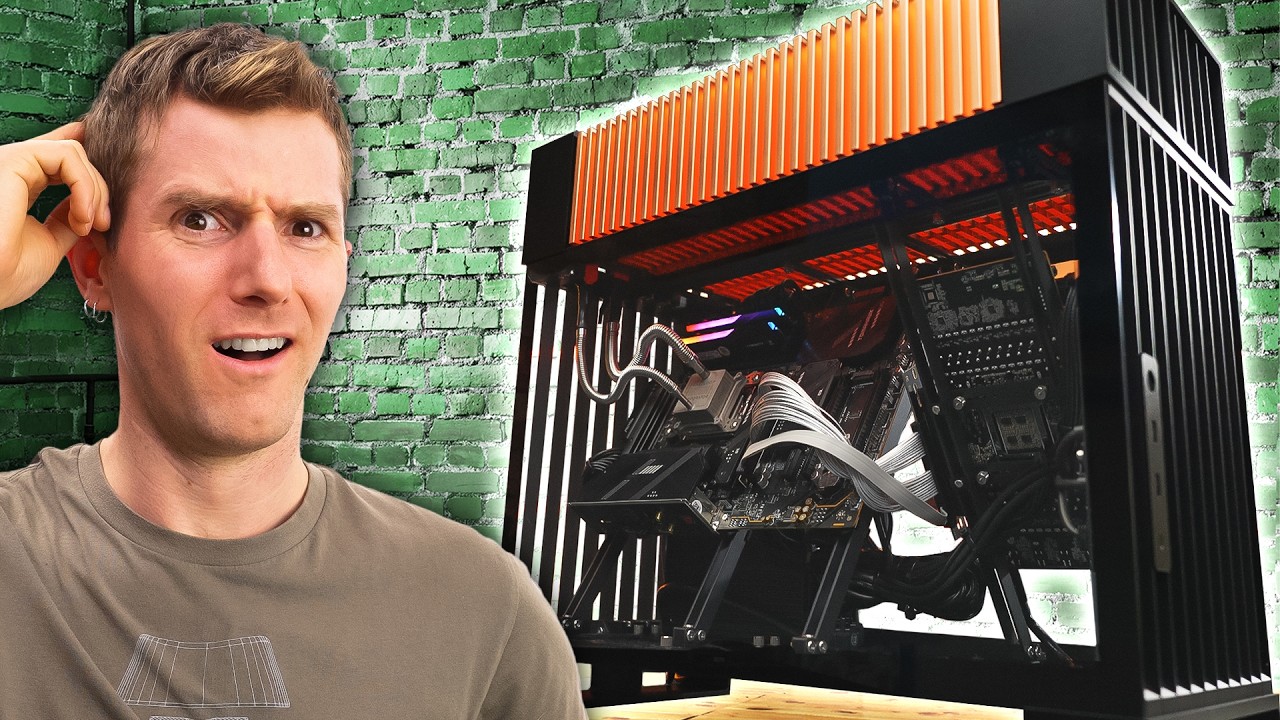
Get 20% off DeleteMe US consumer plans when you go to http://joindeleteme.com/LTT20 and use promo code LTT20 at checkout.
DeleteMe International Plans: https://international.joindeleteme.com/
Eight years ago we looked at a super cool prototype case… now after everyone involved got scammed they’ve finally delivered the first cases to consu...
orchid iron
mighty patrol
Studio drivers?
Idk if there are studio drivers on linux
mighty patrol
agile lodge
https://www.youtube.com/watch?v=iLHC2_gByQ8
What a move to let him lift that by himself
mighty patrol
orchid iron
Idk if there are studio drivers on linux
Studio drivers are just the most stable drivers
For specific versions, you can visit the NVIDIA Linux drivers page, which lists the latest Production Branch version for Linux x64 (AMD64/EM64T) as 570.133.07 as of the last update
mighty patrol
Gaming ones typically reserved for newer release patches
Which often causes other issues
It seems
Or expanding g sync on newer monitors
random bane
orchid iron
Yeah, from what you said it feels like 95% is due to it
So intel did new micro ...
I've been using it for about 6 months.
Used a cooler.
The BIOS updated a month ago.
Guys, I have a problem with the buzzing sound in the power supply. It only occurs in certain wires.
I want to buy a new wire, but how do I know which wire specifications are good enough to avoid buzzing?
north arch
you need a new power supply
if it's arcing over or the sound is from the power supply, you're doubtful qualified to not die fixing it
random bane
north arch
if it's arcing over or the sound is from the power supply, you're doubtful quali...
I think it's just a sound caused by an incompatible cable. I also have another PC, and when I use a bad cable with it, a buzzing sound or something resembling an electrical frequency noise occurs.
north arch
a cable is highly unlikely to be "incompatible"
If it'z buzzing with no load applied, it's all kinds of bad in all the bad ways. If it's buzzing with a load connected, you likely have a bad crimp and need to replace it with a reputable, quality one
but I still put my money on the PSU
random bane
north arch
but I still put my money on the PSU
I didn't find any clear evidence of a fault in the power supply. I also checked the electrical output using specialized software, and everything seems fine, such as HWMonitor and HWiNFO.
north arch
That's not specialized software. It's also not suitable for ruling out a power supply fault (a computer lacks adequate instrumentation to do such a task without external hardware), however it can find SOME problems, but far from all. What were you looking for when you looked for a fault in the power supply? Any visual inspection or probing with a meter and oscilloscope?
median marsh
that really sounds like you either have a really bad cable, or a cold soldering on the PSU circuit, which is more likely...
and nothing you can fix on your own
mighty patrol

404 Media
The manufacturer says it would now have to sell its laptops at a loss.
tfw American businesses are going out of business due to tariffs advertised to help American businesses
Saw this in another discord made me chuckle.
median marsh
razer apparently also cancelled all orders within US

Reddit
Explore this post and more from the pcmasterrace community
now they slowly start to realize that the tax payers have to pay those taxes, not the companies affected by them...
orchid iron
@random bane wait a minute don't tell me you mix and matched cables from a different PSU did you?
Also, you just said "cooler" for the CPU cooler, not if it is an air cooler or a water cooler like an AIO
Also also, what is your PSU?
orchid iron
mighty patrol
https://www.404media.co/framework-stops-selling-some-of-its-laptops-in-the-u-s-d...
If they start selling in EU that would be a big W for me xD
Always wanted their stuff
mighty patrol
Hopefully one day
orchid iron
Tbh I highly doubt high tariffs are the long term plan, what's more likely is that they are used as negotiating chips to force other countries to reduce their tarifs on the US so that they can "match" them
Give it a year or two and everything will be back to normal or better
Unless companies went backrupt before then, in which case that's an L
wise elbow
depends on the good. the goal with certain industries is to try and force them into the us in which case prices will just always be higher
mighty patrol
I mean Elon is already complaining about it it seems so time will tell.
Making his hardware cost more too
He relying heavily on China
wise elbow
tariffs only work because they raise prices which decreases demand
mighty patrol
Among other places
wise elbow
we're kinda lucky in the US in a sense that we spend most our money on consumption as opposed to anything else. it's because most things are cheap as shit
IMO a lot of prices are artificially low because they rely on inhumane work practices. something something no ethical consumption under capitalism
orchid iron
Yup, I would be glad if TEMU got tariffed to oblivion xD
random bane
north arch
That's not specialized software. It's also not suitable for ruling out a power s...
I haven't tried other diagnostic methods; I only used the programs I told you about. I also used AI to interpret the analysis reports, and it told me that all the hardware is in excellent condition.
random bane
median marsh
that really sounds like you either have a really bad cable, or a cold soldering ...
Oh, maybe you're right.
random bane
orchid iron
<@654802726227673121> wait a minute don't tell me you mix and matched cables fr...
Yes I used other cables, don't blame me, laziness is the reason
mighty patrol
That's not a good idea
Plus they don't have a set standard for modular cables so each manufacturer has different ways of making cables.
random bane
orchid iron
<@654802726227673121> wait a minute don't tell me you mix and matched cables fr...
These are the PC hardware specifications
i914900k
nzxt h9=
Deepcool Ls720 SE 360mm
Samsung 990 pro 4tp
Z790 ARUS PRO X
Team Group 32GB (16GBx2) DELTA DDR5 6000MHz RGB WHItE
Rtx4080 msi WHITE silm
power supply 1200w thermaltake
mighty patrol
More China tech to see soon? https://www.youtube.com/watch?v=AEIMPq1zlCo

Get a free 15-day trial of Odoo’s all-in-one business solution and see how it can make your life easier! Check it out at https://www.odoo.com/r/mFDe
NEWS SOURCES: https://lmg.gg/U7uP4
► GET MERCH: https://lttstore.com
► GET EXCLUSIVE CONTENT ON FLOATPLANE: https://lmg.gg/lttfloatplane
► GET A VPN: https://www.piavpn.com/TechLinked
► ...
random bane
mighty patrol
Plus they don't have a set standard for modular cables so each manufacturer has ...
Is the only solution to use an official power cable? Can't cables from other brands be used?
mighty patrol
random bane
Is the only solution to use an official power cable? Can't cables from other bra...
Can but not advised
random bane
mighty patrol
Can but not advised
It's time to visit Amazon, I hope the prices haven't gone up due to customs duties
mighty patrol
I'm sure you could find a decent priced psu that isn't crud tier

PSU Tier List will help you to choose the best PSU out of hundreds of models on the market. From budget to the highest end Power Supplies.
List is a bit dated but still not bad
Can follow this too, https://www.cybenetics.com/index.php?option=best-psu-picks
median marsh
depends on which cables, you can use the power cord from any PSU, but the internal cables can differ between brands/models so i wouldn't advice to risk it
orchid iron
random bane
These are the PC hardware specifications
i914900k
nzxt h9=
Deepcool Ls720 SE 36...
In short, you have higher chances of massively messing up your PSU or other components if you use other cables
There is a saying:"Just because you can, doesn't mean you should"
This is one of them
You are literally running on a miracle right now, be greatful, thankful and get the PSU changed please
grave sundial
You mean to tell me that I cannot use the Golden Cable of Argos with the Bronze Cable of Sparta, twist them together and insert them into the Silver Socket of Love?
orchid iron
grave sundial
You mean to tell me that I cannot use the Golden Cable of Argos with the Bronze ...
These are enterprise PSUs with international standards that every enterprise PSUs, so you are completely safe even if you do that
grave sundial
So be it. I shall embark on the Quest for the Golden Cable. Assuming Argos doesn't charge tariffs on international tickets, I shall return only slightly poorer.
orchid iron
slightly
grave sundial
slightly
wise elbow
I wouldn't buy a shitty psu
Saving 20 dollars is not worth losing 2000
You can also just request a cable from the manufacturer or RMA it
PSUs usually have very long warranties if they aren't crap
random bane
mighty patrol
I'm sure you could find a decent priced psu that isn't crud tier
Why would I buy a psu, if I could just buy a cable
random bane
median marsh
depends on which cables, you can use the power cord from any PSU, but the intern...
Now I know why different devices break down after a while when I connect them to the PC. It seems the difference in electricity from the wire is the reason
random bane
orchid iron
In short, you have higher chances of massively messing up your PSU or other comp...
The real miracle is you are here to help so thank you all
random bane
orchid iron
In short, you have higher chances of massively messing up your PSU or other comp...
Why should I change the PSU, isn't it enough to just change the cable?
orchid iron
random bane
Why should I change the PSU, isn't it enough to just change the cable?
by using different cables you may have done irreversible damage to the psu and other components, i would be really careful handling that psu now
random bane
wise elbow
You can also just request a cable from the manufacturer or RMA it
It is difficult to find a cable from the manufacturer that is cheap and can be delivered to the Middle East
I have two power supplies، I need cables for them
power supply 1200w thermaltake
and
power supply Corsair RM750
wise elbow
random bane
It is difficult to find a cable from the manufacturer that is cheap and can be d...
You don't buy it. You power supply has a warranty and the manufacturer should either send you a new PSU or a new cable if it's defective
You generally CANNOT buy a cable for a power supply as they are not standardized
Some companies might have a cable for your specific model; CableMod comes to mind
But that will cost money when you could just use your warranty
The main difference between most power supplies these days is the quality of their warranty tbh
random bane

3 Prong AC power cord
random bane
random bane
https://www.amazon.com/Compatible-Thermaltake-ARESGAME-Corsair-500W-1200W/dp/B0D...
I found this one cable works with most power supplies
random bane
Based on what I've read about PSU cables, it's generally okay to use any cable for the PSU, even a TV power cable. It's safe, but you must make sure the cable is of good quality, can handle the appropriate voltage, and has proper grounding.
Just to clarify, I’ve been talking the whole time about the external power cable that goes from the PSU to the wall, not the internal ones
mighty patrol
Then that should be fine
north arch
random bane
Just to clarify, I’ve been talking the whole time about the external power cable...
VERY important distinction!
do you use fused cables or unfused over there?
fallen oasis
Not using fused cables 🙄
north arch
it's the standard here, equipment is fused instead
and I absolutely DEPLORE cables with components in them
random bane
north arch
do you use fused cables or unfused over there?
Yes, use fused, it's safer.
north arch
If you need something to protect you from your own daftness, the problem isn't the equipment.
random bane
north arch
If you need something to protect you from your own daftness, the problem isn't t...
What do you mean
north arch
The cord is suitably rated and certified. The equipment is fused and certified. The outlet is certified and it and it's wiring are protected by upstream breakers. The only tangible risks are using an insufficiently rated cable, using a damaged cable, or arranging a situation where the cable is likely to be damaged. So barring a highly unlikely or should be protected against event, the only causes of an issue a cable fuse could protect you from are negligence.
not a risk worth protecting against
in exchange for that protection you add additional fault sources, additional heating, additional cost, additional minor fire risk
random bane
north arch
The cord is suitably rated and certified. The equipment is fused and certified. ...
What's the point? What exactly should I do or not do?
north arch
none of that is pertinent to your situation, it's me arguing against daekesh's and your pro-fused-cable stance
in your case, I still say replace the power supply, but the power cable into it is cheaper and a quality one may fix your issue
or you might need to pop out and replace the fuse and clean the contacts
random bane
north arch
in your case, I still say replace the power supply, but the power cable into it ...
I get your point 😁, okay 👍🏻
north arch
I know you're doing your best to not have to, but power supplies are dangerous when they go out
(this coming from a guy who promotes removing the warning labels from products and just letting society prune itself down a bit)
 fervent jolt
i vaguely remember one of my PSUs made a cool little sound/smoke/light show when it went out once. wasn't like a firestarter or anything, but definitely surprised and spooked me
median marsh
i know the crackling sound from non fully inserted cold plug cables. But it should NOT affect any other devices which are on the same power grid. That's really concerning about your whole setup...
delicate crystal
Remember doing a LAN party once at my place with a few friends. Set up everyone's system, all plugged in, I turned mine on, and all the lights went out in half the house and my PSU looked liek there was a fireworks show going on inside of it. Place smelled like burning electronics for weeks
random bane
PSU wanted to celebrate with you
 nova moss
who have 5090?
orchid iron

Nvidia has released the RTX 5070 today, they claimed that the RTX 5070 offers RTX 4090 performance at 1/3 of the price, well this GPU has nowhere near The RTX 4090 Performance that Nvidia has claimed, even when using AI upscaling or frame-gen, the lack of VRAM makes the RTX 5070 a much weaker GPU compared to the RTX 4090, after all, you cannot g...
 orchid iron
oh, those are probably from the mining era, scalpers would grab gaming gpu, remove the gpu die and put it inside of gpu blower cards to maximise space
mighty patrol
Nice
orchid iron

It looks like Nvidia is slowly freezing value. Will gamers stop getting the top die?
#shorts #gaming #gpu #nvidia #pcgaming #hardware #value #freezing #market
MAJOR SPONSORS:
Get BIG DEALS if you support MLID at Microcenter: https://micro.center/brokensilicon
CDkeyoffer Cheap Windows & Gaming Keys:
Win 11 Pro ($23): https://www.cdkeyoffe...
grave sundial
I have to order a new glass panel for my PC cabinet.
I broke the current one as I was cleaning it, today.
I think I spent half an hour searching for and cleaning up the glass fragments.
This is what happens when you use the wrong stool to put your cabinet on, and be careless when removing said glass panel. 😄
orchid iron
Oof
grave sundial
indeed.