#hardware
1 messages · Page 40 of 1
 halcyon silo
that's not how it works
 median marsh
right
halcyon silo
if power is sent somewhere it has to go, the CPU can't say no once it's in the socket
median marsh
no
halcyon silo
and even if it could, you realise that the mobo overclocks basically tells the CPU it has to accept it
all non unlocked CPUs have been unaffected as far as I'm aware, as they don't support the overclocks, firmware wise as well
median marsh
ask chatgpt, maybe it will have a bright moment and get a good explanation up for you
 mighty patrol
How many large companies in new zealand hire 14 year olds?
Out of curiosity
You said you been doing this stuff since 2022
Your 17
halcyon silo
if you've got a good enough resume enough, but I got in on an internship
mighty patrol
Super sus ngl
halcyon silo
yeah? I mean if you're dedicated enough, sure it was vastly different then to what it was a year ago
mighty patrol
Due to laws
You can volunteer
But interships different
Internships in New Zealand are generally designed for university students and recent graduates, and there is no specific mention of internships for 14-year-olds. However, some internships may accept younger participants if they meet certain criteria, such as having completed relevant education or demonstrating exceptional skills and maturity. It's important to check with individual employers or internship providers for their specific age requirements and eligibility criteria.
So idk what your talking about
halcyon silo
I think that supports what I just said?
mighty patrol
Key word "may"
halcyon silo
anyway, whether you want to call it an internship or a volunteering experience doesn't really matter. The fact remains that I would tag along to site visits & meetings, observe & learn
it's slowly grown organically, until I got offered to continue in a paid capacity a year ago, and that's been slowly growing as well
 orchid iron
intel said it was the microcode and updated it, along with forcing board partners to not overvolt their product (which they should have done from the start)
 grave sundial
It's part of the reason for the drop in their market share by Nov, 2024.
That being said, if they fix their image and quality control, they can still maintain their lead.
 mighty cosmos
I guess intel themselves in their own reports are lying... but I mean what does Intel about their own cpus know
halcyon silo
orchid iron
intel said it was the microcode and updated it, along with forcing board partner...
 well all of my testing & experience, as well as discussions with senior engineers where I work would suggest that the microcode wasn't or was a tiny issue
halcyon silo
mighty cosmos
I guess intel themselves in their own reports are lying... but I mean what does ...
perhaps they felt that it was better to tell people what they wanted?
halcyon silo
do you really believe that the engineers at Intel write their blogs?
mighty cosmos
jesus christ
halcyon silo
I think you'll find that the marketing team does
orchid iron
why was the 13th and 14th more unstable than most of the previous series? Simple their competition offered better product, so of course they had to level up them selfs, but by rushing work that would of taken years, they took the easy way and just "added more core and more power" even though 12th gen engineers had clear safety measures specifically because they knew parts of their cpu couldn't handle it
mighty patrol
halcyon silo
I think you'll find that the marketing team does
Which they get info from who?
The people at Intel?
or tech bros
halcyon silo
and I happen to know that unfortunately the marketing teams often mis-interpret things
mighty patrol
or what
orchid iron
halcyon silo
I think you'll find that the marketing team does
beware of the Advanced Marketing Department
halcyon silo
mighty patrol
Which they get info from who?
the engineers, but they interpret it & spin it differently. I saw Lenovo marketing at one point saying that the Legion 9 was "watercooled"
which isn't strictly true
mighty cosmos
ngl this is peak dunning kruger effect in action
orchid iron
mighty cosmos
ngl this is peak dunning kruger effect in action
fr
grave sundial
Yeah, feels like a lot of, "I saw, I know, I said..."
Despite the company's own statements to the contrary.
mighty patrol
In our tests vs hundreds of others
grave sundial
Also, Microsoft released their own intel-validated microcode patches via Windows later on.
Are we to believe MS was covering for Intel too?
It's a cross-marketing pollination scheme?
halcyon silo
anyway, this is degenerating, I'm not staying to talk to people who clearly don't want to know about the real causes & solutions. Intel is still perfectly viable, and while it might not be better than AMD at gaming, it's better at productivity, so choose according to your needs.
I will continue to use Intel because I need the more well rounded experience, and because I see no unavoidable issues.
cya
grave sundial
Even if I grant you that, we can only go by the facts available to us. Your personal experiences can only be taken with a kilo of salt.
I think it 'degenerated' the moment you began chest thumping, with the 'I know more than you' stuff.
mighty cosmos
me at 17 also thought he knew more than anyone else in the world
grave sundial
I did you one better.
mighty patrol
Yo same
grave sundial
Me at 17 knew I was the world.
grave sundial
Now, I will give Lip-Bu Tan some grace.
He seems to be bringing new energy to Intel.
 white horizon
Intel is better at productivity than AMD?
Did we just find the owner of userbenchmarks or something
orchid iron
mighty patrol
Never stop learning
same, that's why I was hoping the guy had actual legitmate data backing him up
grave sundial
white horizon
Did we just find the owner of userbenchmarks or something
LMAO.
You just echoed Lucifer. 😄
white horizon
Every workstation I've built for myself or other coworkers at work has been AMD
I don't want no shitty e-core, I want full power
Everyone I know that had an Intel CPU has switched to AMD for game dev too
orchid iron
white horizon
Did we just find the owner of userbenchmarks or something
that's what I said like 2 or 3 times lol
white horizon
Probably just peak dunning kruger curve
grave sundial
And that echoes Blue Man. 😄
white horizon
Generally when you put "junior cybersec" in your bio, that's the case. Not to hate or anything, but that's exactly the kind of shit I'd do when I was younger LOL
and older me cringes
grave sundial
Also, when my company is doing extremely well, I certainly feel it's appropriate to change my CEO.
Very legit business decision. 😄
/s for those who don't get sarcasm. 😄
orchid iron
most importantly, he had a real life person in pfp, who would do that, not me xD
white horizon
Also Intel was considered better at gaming than AMD for a long time, AMD was always the workstation choice
It's only since very recently that AMD's been digging at Intel with their X3D cpus
grave sundial
Then Intel brought the fire to the motherboard.
white horizon
Yeah that didn't help at all
grave sundial
They wanted everyone to feel the RL burn.
white horizon
That was the primary reason why everyone I know switched to AMD
grave sundial
NFS in RL, yo!
white horizon
We had so many crash reports with no explanation, until we looked at the CPUs
Every single one was affected by the Intel fiasco
grave sundial
The loss in market share is reflected in the 2023-2024 figures.
white horizon
Switched to AMD for dedis, no more crashes
grave sundial
They lost something like 6-8 points to AMD.
white horizon
While I like the fact AMD gained a lot, I also hope Intel fights back
Competition is great for us hah
grave sundial
I will hope for Lip-Bu's success.

pcgamer
And it's not just because the technology is brand new.
By the way, this is an interesting read.
From GDC, apparently.
Skip to 3rd paragraph.
 sick cedar
mighty cosmos
me at 17 also thought he knew more than anyone else in the world
sick cedar
mighty cosmos
me at 17 also thought he knew more than anyone else in the world
that was right, until 18
sick cedar
grave sundial
https://www.pcgamer.com/hardware/graphics-cards/amd-intel-microsoft-and-nvidia-a...
This actually reminds me of me 3 months ago having to use SSE2 and other C++ specific libs for CPU
But I bet are good news to let them manage that part, so you can directly use the functions without external libs or sdks
orchid iron
"So if you were hoping that neural texture compression would remove the need for many GBs of VRAM, then you're out of luck."
Dang it bruh, looks like 8gb won't be enough after this comes out
wow the comments are quite based lol
 wise elbow
intel 285k and 9950x trade blows in most workloads
any x3d blows the 285k out of the water in gaming though
holding off on buying intel for a while because they have the worse product and they handled the cpu degradation issue in a terrible manner
even though they claim its been fixed, i still cant reccomend someone buy a 14900k
fundamental misunderstanding of power dissipation in circuits
 unreal ledge
suppose we have the Ryzen 9 7900X at 350 USD ( The same with i7 14700K )
Ryzen 9 7950X and Ultra 9 285K at 580 USD ( around the same price )
Ryzen 9 9950X at 670 USD
Ryzen 9 9950X x3D version around 800 USD
i9 14900K is around 450 USD
which one will you pick ?
mighty patrol
9950x3d
unreal ledge
I see. Do I need to pay attention to ram frequency if I decide to pick the x3d chip:
I got the:
Gskill Ripjaws S5 96GB (48GBx2) DDR5 5200Mhz ( at 250 USD )
G.Skill Trident Z5 RGB 96GB (2x48GB) CL32 6400MHz DDR5 Silver ( at 360 USD )
CORSAIR VENGEANCE RGB 96GB (2x48GB) DDR5 DRAM 5600MHz C40 ( at 330 USD )
or just pick the cheapest ram at capacity that i want, 96 GB is expensive. I don't think amd chip like to run at 4 stick of ram
what about the cooler ? Should I pick the air cooler or the aio one ?
 north arch
I'd rule out the corsair, no reason to rgb the ram
unreal ledge
so 5200Mhz is fine for 9950x3d ?
I only got that 3 options if I want to have like dual stick of ram with 96 GB
north arch
beyond "ew, why rgb ram?" I'm unable to support further
wise elbow
5200 is fine. you would maybe get a little more performance out of 6000cl30 or 6400cl32
for a ryzen 9 you probably want at least a 280mm AIO. you could maybe get away with air cooling it with a big dual tower cooler, but I'm not convinced it would be sufficient under all workloads
i bought a 2x48 6400cl32 kit a few days ago for like 280. gskill
also, ultra 9 285k and 9950x are very close contenders
if you want to play games as well, x3d chips are nice but CPU isn't super impactful in most games. you're usually always GPU bound
grave sundial
Pretty much the 9950x3D, yes. Especially if I am upgrading in a big way.
grave sundial
orchid iron
"So if you were hoping that neural texture compression would remove the need for...
Hey! Don't discount my EXperience, bro. I have run Unreal on MANY systems in MANY companies with just VGA 8MB RAM, bro. 😄
grave sundial
unreal ledge
I only got that 3 options if I want to have like dual stick of ram with 96 GB
Corsair's RAM has worked very well for me straight out of the box with the AMD Expo profile in BIOS.
mighty patrol
No cap show proof
grave sundial
Ben has told us before that two of his G.Skill sticks bricked. So, I'd go with Corsair or another brand.
grave sundial
mighty patrol
No cap show proof
My 🔧 is the only proof I need, bro.
I raytraced with 1MB floppy disk, man. Trust me sexperience!
mighty patrol
Ray-traced moon when
grave sundial
After ambient sun.
mighty patrol
Unacceptable
I want a sun that casts rays which tells my plants in my level that they need to start growing.
grave sundial
It's either that, or 128 RAM sticks of 1GB each for every motherboard.
mighty patrol
So long as they have proper nutrition
grave sundial
That's an easy fix.
Designate one of your plants as parent.
The others will be nanite children.
Beat the first plant into obedience and the others will follow.
mighty patrol

Using generative AI like Midjourney to create trees or other foilage for Unreal Engine 🌲
Before you roast me in the commets 😅:
- I know, that the material setup can be improved by generating a normal map and using subsurface scattering. If you have the time and patience to explain it in the comments or a link to a tutorial, feel free to share...
Yo
This guy uses midjourney to max his trees
mighty patrol
I was trying to find a video I found before
This guy made a system that grows trees from seeds
grave sundial
I guess you can load in h-lod trees when the player gets close.
and shift to billboard MJ trees otherwise.
I bet if your system is old enough, you'll actually see the transitions and it'll look weird.
mighty patrol

Tutorial on Procedural Foliage generation in Unreal Engine 5. The basics of the procedural foliage volume, and static mesh foliage assets.
Want personalized training with Courses, Coaching, a private Community? Go Here👉 https://www.azielarts.com/academy
💖 SUPPORT ME - https://www.azielarts.com/donate
ONLINE COURSES
◇ Unreal Engine Filmmaker - ...
Found it
Actually nvm this is similar but not quite
wise elbow
i only ever used gskill and havent had issues
mighty patrol
5060 seems pretty booty, https://www.youtube.com/watch?v=-GNRSm4C-_4

Sooooo... the RTX 5060, 5060 Ti, and 5050 Specs have been leaked. With how all of this has been going, I'm not super hopeful. Not to mention when we dig into the specs...
Here's Spreadsheet to dig in more: https://docs.google.com/spreadsheets/d/e/2PACX-1vR7jyGIOR20I7x77y1KpczA_2QLHmCXvT3vVthfveZzQbssFxu5kr2KRdd3KpkC1ExdWCBYBYIcR-W6/pubhtml
If ...
Rather buy a battlemage gpu
grave sundial
Because there are experts telling people that 8GB is enough.
wise elbow
5060 going to be worse than the b580
b580 is honestly great if you can find one
trying to build a PC for a friend and that's probably going to be the gpu
grave sundial
Intel's problem with the arcs right now is drivers, if I remember correctly.
The actual hardware is great.
orchid iron
grave sundial
Hey! Don't discount my EXperience, bro. I have run Unreal on MANY systems in MAN...
I'm on a quad intel CPU with 16gb of ram and 3gb of Vram, so don't worry I get you xD
wise elbow
seems like their drivers are mostly fine now
grave sundial
You're not aiming low enough, bro.
Gotta run Unreal on hamster wheels.
Truly Pro experience.
orchid iron
Yeah, you are right, imma buy it on Amazon for 999€
The more you buy the more you save
grave sundial
The more banks you rob, the more you can buy.
Help the cycle. Become the cycle. Embrace the farce.
orchid iron
I did quite the farce to the guy claiming to have so much knowledge and experience, tried to bait him into saying stuff only user benchmark would say
orchid iron

Intel’s CEO got a job interview with Apple’s Tim Cook. I’m sure it will go well…
Watch more Fake Interviews: https://www.youtube.com/watch?v=BeHs9eGzsB8&list=PLHSLJI8oVymzqoJi-_RQGI2K55QqF2ZxI&index=2
ORIGINAL VIDEO: https://youtu.be/m4RVTK7iU1c?si=9xhh7-6LJqK201Rj
SUPPORT: https://funkytime.tv/patriot-signup/
MERCH: https://funkytime.tv/shop...
 fallen oasis
A friend (who wants to do archviz in twinmotion) asked me to price up a pc for about £2k - thoughts on this? https://uk.pcpartpicker.com/list/QKqFHW It's a bit over budget.
Part List - AMD Ryzen 9 9950X, GeForce RTX 5070 Ti, Fractal Design North ATX Mid Tower
(the case is their choice and about the only requirement they had)
mighty patrol
Looks fine could probably save some money getting ddr5-6000 ram
The speeds aren't much different.
Not familiar with that mobo though
fallen oasis
I just picked a cheap one that didn't need a bios flash to support the cpu.
mighty patrol
Looks interesting though has some upcoming "ai" tech, https://i.imgur.com/vtAAbib.png
 fallen oasis
Honestly I'm going to ignore any feature that mentions AI.
mighty patrol
Yeah that's why I put in quotes
Because who knows wtf that even will entail
It's one of those things seems like they just "say things"
fallen oasis
Heh yeah.
mighty cosmos
can't wait to buy an AI PC case so I can screw all those AI screws into my AI case with my AI screwderiver designed by AI for AI
mighty patrol
Yo don't forget your ai fans
fallen oasis
That sounds like an intelligent choice. Though somewhat artificial.
orchid iron
mighty cosmos
can't wait to buy an AI PC case so I can screw all those AI screws into my AI ca...
Did you get the latest AI motherboard?
 violet spade
mighty cosmos
can't wait to buy an AI PC case so I can screw all those AI screws into my AI ca...
violet spade
mighty cosmos
can't wait to buy an AI PC case so I can screw all those AI screws into my AI ca...
You meant that unironically didn’t you? 😁
orchid iron
fallen oasis
A friend (who wants to do archviz in twinmotion) asked me to price up a pc for a...
I personally dislike the be quiet cpu cooler, you could swap fans to other brands, but recently they moved to stuff that made it incompatible to change with normal fans (unless you'd use good old zip ties)
also, micro atx mobo in an atx case....Really?
Also, the about the white ram kit (wait why??? ) the 6400 is unnecessary, perhaps there are 64gb kits that have 6000 which are cheaper than this
also, are you sure about the 5070 ti? because the 7900 xt (lower price) or 7900 xtx (same price) look quite nice compared to this in terms of price to performance
also, windows 11 home at regular price? Get the oem key from other sites for like 25, you could even get the pro version which is way better than home for like 30-35
fallen oasis
I really like my be quiet stuff honestly.
The ram is pretty cheap, 6000 ram would decrease the price by like £10 of the £110 it's over.
The ram white kit was cheaper than the black one. 🙂
orchid iron
fallen oasis
I really like my be quiet stuff honestly.
if you are over budget you could swap it to a Thermalright Peerless Assassin 120 SE
orchid iron
fallen oasis
The ram white kit was cheaper than the black one. 🙂
lmao
fallen oasis
As for win11, yeah, that's probably true.
And the matx was cheaper than the atx. No point buying an atx just because that's the case she wants.
orchid iron
you could slightly increase the budget for an atx mobo like the Gigabyte B650 GAMING X AX V2
you are using a 9950x as the cpu, and you try to cheap out on the mobo
fallen oasis
Do you think it's going to make that much of a difference, having more pci-e slots?
orchid iron
it isn't about those, it is about making sure the motherboard can handle a 9950x, hardware unboxed showed that super cheap mobo did NOT handle high end CPUs
or at least, they limited the CPU's performance because of worse power systems
mighty cosmos
violet spade
You meant that unironically didn’t you? 😁
🤣
mighty cosmos
orchid iron
Did you get the latest AI motherboard?
kinda 
orchid iron
mighty cosmos
kinda <:KEKW:666849321462792234>
sweet, remember to also buy an AI mouse so you don't have to press the AI button on your AI keyboard
mighty patrol
Get that razer keyboard with those macro strafe keys
orchid iron
aren't those banned in csgo?
orchid iron
anti-cheats evolved into anti-hardware lmao
soon, they'll be able to detect when people use too powerful gaming AI chairs
fallen oasis
orchid iron
you could slightly increase the budget for an atx mobo like the Gigabyte B650 GA...
This requires a bios flash potentially.
orchid iron
mighty patrol
I mean it allows for perfect counter strafing
I saw
orchid iron
fallen oasis
This requires a bios flash potentially.
so? also what about the gpu suggestion
fallen oasis
I don't l ike the idea of having to flash a bios to support a cpu... when you have no backup option.
If I had the motherboard with a cpu in it, I'd probably do it to support a swap out.
As for gpus, I have no faith in AMD gpus.
Their cpus are fantastic, but yeah.
orchid iron
fallen oasis
I don't l ike the idea of having to flash a bios to support a cpu... when you ha...
"Q-Flash Plus:Update BIOS Without Installing the CPU, Memory and Graphics Card"
mighty patrol
But doesnt that typically need a usb
orchid iron
fallen oasis
As for gpus, I have no faith in AMD gpus.
does the user have nvidia specific task they do?
mighty patrol
If its for his friend without one
fallen oasis
I have no faith in that either 😄
mighty patrol
Then it wouldnt be a good idea
orchid iron
mighty patrol
But doesnt that typically need a usb
you'd need that to install windows anyways
mighty patrol
Not if he buys the key that comes w/ one
fallen oasis
The Gigabyte B850 is slightly more expensive (a few £) and requires no flash.
orchid iron
huh???
orchid iron
mighty patrol
Some windows 11 that ship to you come w/ a usb
how?
mighty patrol
Usually from microsoft themselves
orchid iron
fallen oasis
The Gigabyte B850 is slightly more expensive (a few £) and requires no flash.
you really have something against flashing lmao
fallen oasis
orchid iron
you really have something against flashing lmao
For an extra tenner, I will remove the potential risk of bricking a motherboard, absolutely.
orchid iron
mighty patrol
Usually from microsoft themselves
but how would you install the OS? Do they ship a full drive to you?
orchid iron
fallen oasis
For an extra tenner, I will remove the potential risk of bricking a motherboard,...
do you know people who bricked a mobo doing that?
mighty patrol
orchid iron
but how would you install the OS? Do they ship a full drive to you?
Yeah thumbdrive
fallen oasis
It's a risk. One you don't need to take.
orchid iron
mighty patrol
Yeah thumbdrive
yeah okay that's fine, but I thought you meant the OS was already installed in the computer with the key and I was very confused for a sec
orchid iron
you buy the mobo and the OS is already on it
mighty patrol
Some origin pc shit
orchid iron
fallen oasis
As for gpus, I have no faith in AMD gpus.
now I'm just curious, why do you have no faith in AMD GPUs?
mighty patrol
Gross
orchid iron
because picking a 5070 ti over a 7900 xtx without clear need for nvidia related software/hardware, I'm really curious what past experiences could of lead to this
fallen oasis
orchid iron
now I'm just curious, why do you have no faith in AMD GPUs?
Because I have owned a last gen high end one and it had issues.
So much so that the company I worked for bought me an nvidia card.
orchid iron
fallen oasis
Because I have owned a last gen high end one and it had issues.
driver issues?
fallen oasis
Something like that. Mostly related to UE.
orchid iron
hm yeah, software be doing software things, even using an nvidia card doesn't make you completly safe from those
fallen oasis
Yeah, I remember the flickering bug with UE related to nvidia drivers for instance.
But they're a lot more stable than amd I feel.
orchid iron
also, is there a need for a 5070 ti or could you use a 3060 / 4060 ti 16gb instead?
fallen oasis
I was looking at a 4070 and it was like double the price of that 5070 ti.
I can't imagine the 4060 is all that much cheaper. Maybe it is?
But it won't be that much cheaper that it's literally under half the price.
(of a 4070)
orchid iron
fallen oasis
I was looking at a 4070 and it was like double the price of that 5070 ti.
on amazon.co.uk there are a lot of cheaper options
4070 for 665 pounds
4070 super for 700 pounds
4060 for 278 pounds
Etc
a 3060 for 256 pound
would bring your budget back in its place, plus you'd be able to buy a better mobo that would make sure your cpu works at 100%
(well, whatever you'd call a 9950x with 32gb of ram anyways)
fallen oasis
partpicker does check amazon.
Maybe it was a blip in the matrix?
Yeah, cheapest 4070 on amazon , according to pcpp, is £617.78.
So it's like £200 for losing 10-15% or so base performance and DLS4.
Maybe you could argue that's worth it?
But we're basically hitting the 2k mark with the 5070 ti, so I think we're good!
I did change the mobo and cooler.
Thanks all!
 nova pumice
Hi !!
I have Power supply 750 wtt Bronze modular.
Please suggest me good ups which can carry my pc load .
My old ups was apc buts it's tripping after changing the ram
Suggest me something good ups
orchid iron
@grave sundial
grave sundial
orchid iron
<@595262016059605022>
Gimme royalties.
grave sundial
nova pumice
I have Power supply 750 wtt Bronze modular.
You need a 1.5KW UPS minimum, with the UPS/W-UPS setting set to UPS mode.
orchid iron
What would you like?
grave sundial
🤔 Biscuits, bread, 200GB video card... small things like that.
orchid iron
grave sundial
🤔 Biscuits, bread, 200GB video card... small things like that.
Biscuits and bread can be delivered relatively soon, but that video card can only be delivered in 2060
nova pumice
grave sundial
You need a 1.5KW UPS minimum, with the UPS/W-UPS setting set to UPS mode.
What are the brand options can you suggest ?
grave sundial
nova pumice
What are the brand options can you suggest ?
which country do you reside in?
nova pumice
India
grave sundial
nova pumice
India
Oh cool. I am in India, too.
Buy Luminous inverter and Massimo batteries.
nova pumice
Ohkay. Nice . 🤛🏻
What is the specification of luminous and which battery can you suggest.
grave sundial
Luminous 2KW inverter is cheap.
Massimo batteries at 180 or 200ah will give you over 12 hours backup and allow cold boot of your computer in UPS mode (from shut down to start).
nova pumice
Ohkay
grave sundial

Turbo mode for better performance: The Turbo Mode Inverter provides stable power output up to 230V, protecting against fluctuations and surges. With its compact design and energy-saving features, it's the reliable choice for uninterrupted power supply.
orchid iron
Oh actually speaking of UPS, I was thinking about something, would it be useful to have one in a van?
grave sundial
Sure. You get ergonomic ones for that.
and the Massimo batteries.
You need two of these for that 2KW inverter.
orchid iron
Alright, I may downgrade my PSU for power efficiency and lower power because I'd mostly run the CPU/GPU at 200 watts and 300 watts max respectively...so perhaps a 1600 watts PSU is way over kill
grave sundial
800W UPS will do.
Since it's a laptop in the van, you don't have to worry about cold booting, since the top has a battery of its own.
orchid iron
Oh the laptop is fine on its own since it has a battery, I'm thinking about the PC that's lying in pieces on the table xD
nova pumice
Ohkay Windus . Thank you so much.
grave sundial
You're welcome.
orchid iron
grave sundial
Then 200+300x2.
Hold on, I'll research a proper PSU for this
grave sundial
nova pumice
Ohkay Windus . Thank you so much.
https://www.amazon.in/Goldmedal-Curve-205132-Plastic-Extension/dp/B011IC89MY - I don't know if you need or want this, but this extension cord is better than Belkin. It's made in India and has its own fuse tripper, in case of short circuits and heavy loads.

The goldmedal g-expert 16a 3 pin extension cord is a high duty extension cord, suitable for heavy appliances - whether it's for work, entertainment or household chores. The heavy duty 3.5m long power cord ensures safety for all the devices, while the ultra smooth rotation ensures a hassle free ex...
I use this for my monitor and 1KW PC.
nova pumice
grave sundial
https://www.amazon.in/Goldmedal-Curve-205132-Plastic-Extension/dp/B011IC89MY - I...
Ohkay thank you.
orchid iron

So, how would you try to mount this fan on this CPU cooler?
Fan:
https://www.arctic.de/en/S12038-4K/S12038
CPU heatsink: Be quiet shadow rock LP

ARCTIC GmbH
ACFAN00296A | Specially designed for the server constellation to cool your system in continuous operation | Fast processing and shipping | ARCTIC Server Fan | ARCTIC S12038 Series | S12038-4K | S12038 Series | S12038 | Server Fan
It is 38mm high, compared to the previous fan which is 25mm high
Let me tell ya, this thing is gonna be real quiet
grave sundial
orchid iron
So, how would you try to mount this fan on this CPU cooler?
https://www.amazon.in/Buckle-DGZZI-Radiator-Bracket-Elastic/dp/B0B5TJ3W7W - You may use one of these.

Specification:
Product name: CPU fan fixing clip (9cm lower hook)
Material: steel wire
Color: Nickel Plated Silver
Style: 9cm lower hook
Function: fix the fan to the heat sink
Size: 9cm/3.54inch
Package includes: 2PCS CPU fan fixing clip (9cm down hook)
Kind tips:
The clips are not nec...
They are Steel Buckles / Steel Hooks
One end goes on fan, the other on cooler.
Two buckles per fan.
orchid iron
grave sundial
https://www.amazon.in/Buckle-DGZZI-Radiator-Bracket-Elastic/dp/B0B5TJ3W7W - You ...
That's so cool, how do I know which size would be correct?
grave sundial
orchid iron
That's so cool, how do I know which size would be correct?

Hope you can derive the measurements from this.
The hooks stretch a bit though and fit tightly.
orchid iron
alright, instruction clear, find strong wire to bend into proper shape

eBay
Material: High Pure Titanium.
orchid iron
grave sundial
1KW UPS.
also, I think I'll stick with my 1600 watt psu, doesn't seem that worth it to buy another one unless 3.5k UPS are super expensive
grave sundial
orchid iron
also, I think I'll stick with my 1600 watt psu, doesn't seem that worth it to bu...
Wait. I am confused. If you already have a 1.6KW UPS, why do you need a new one?
That's more than sufficient for a 200+300W PC.
I think I am misunderstanding something here.
north arch
check the specs, a 1600W often has higher surge current and lower efficiency at 300-500W than a 1600W.
orchid iron
grave sundial
Wait. I am confused. If you already have a 1.6KW UPS, why do you need a new one?
wait, I thought a UPS was something you plug the PSU into in case of power outtage
grave sundial
orchid iron
wait, I thought a UPS was something you plug the PSU into in case of power outta...
You are right. What PSU do you have and what UPS do you already use?
orchid iron
north arch
check the specs, a 1600W often has higher surge current and lower efficiency at...

it is fine don't worry
orchid iron
grave sundial
You are right. What PSU do you have and what UPS do you already use?
seasonic prime px 1600 and i have no ups
grave sundial
Okay. The mystic currents are clear to me now.
So yes, you need a 3.2KW UPS for cold-starting the PC; otherwise 2.2-2.5KW is enough.
north arch
orchid iron
it is fine don't worry
Nice! It's just something people may not even realize so worth a mention.
grave sundial
2.5KW UPS is $170 USD here.
orchid iron
grave sundial
So yes, you need a 3.2KW UPS for cold-starting the PC; otherwise 2.2-2.5KW is en...
alright, any spec recommendation for a 3.5 kw ups
grave sundial
You were right. 3-3.5KW UPS without batteries are expensive.
and large.
Roughly 300-400USD without batteries.
I think you might not have the space for all of that inside a van.
orchid iron
how large is it?
grave sundial

Microtek-Online UPS MAX-3KVA 72V Pure Sinewave Without in-Built Batteries, Multicolour
example 43D, 19W, 32H CM dimensions
orchid iron
grave sundial
example 43D, 19W, 32H CM dimensions
that's fine, does it need ventilation?
grave sundial
No.
They come with built-in fans.
Just ensure they are not exposed to direct sunlight. Like, have a curtain blocking sunlight to them when the van's parked.
orchid iron
okay, and what would be the price difference from a 3.5k and a 2.5k? roughly 200-300 dollars?
grave sundial
170$ for 2.5.
400 for 3.5.
With 2.5KVA, you need to buy two batteries only.
with 3.5KVA, you need four batteries.
So, additional costs there.
orchid iron
so, I'd need x2 the wattage of my psu to avoid problems when doing a cold start, but could I plug in other stuff besides my pc who would only use about 600 watts at max
grave sundial
Yes, up to the supported KVA.
Which would be around 3KVA for the 3.5.
and 2KVA for the 2.5.
You can buy slightly cheaper batteries - say 120 or 140ah, unless you think you'll need many hours of backup.
For that, 180ah will be cheaper, 200ah and 220ah more expensive.
orchid iron
I may plug in other stuff then, because the return window for the psu has run out plus i opened it, so may aswell make the most out of a 3.5kw
grave sundial
Yes, it'll support it.
But, keep in mind that weaker gadgets may see a slight fluctuation - for just a second - when the main power shuts down.
The inverter will prioritise the computer in UPS mode.
In W-UPS mode, everything will get sufficient power, but the PC will reboot.
orchid iron
grave sundial
In W-UPS mode, everything will get sufficient power, but the PC will reboot.
wait what?
grave sundial
There are two modes in inverters. W-UPS and UPS.
orchid iron
oh so the power will be breifly shut off?
grave sundial
Yes, for 5 milliseconds or so.
In W-UPS mode, that causes the computer to reboot.
Because power is interrupted.
orchid iron
ah, that's fine, the psu's capacitors are thicc
grave sundial
In UPS mode, it's a perfect transition.
But, other connected gadgets experience a slight stutter.
orchid iron
as long as it isn't like over 1 second should be fine
grave sundial
No. It's always 5 ms or so.
It's just that PCs are finicky.
Get the best power backup solution for your home or office with the Cruze + 3.5KVA/48V inverter from Luminous. With Sine Wave technology, enjoy high performance.
This is a nice one.
It is 31KG, so get someone else to lift it for you. 😄
Pay an immigrant or something.
orchid iron
wait, if I went for a 2 kw ups, what would it do?
grave sundial
It will support your PC's 1.6KW PSU in UPS mode, but you won't be able to cold start the PC on the UPS (without main power).
orchid iron
so it'll just do nothing?
grave sundial
The PC? The power supply will overdraw power from the UPS and your UPS will complain.
The PC itself will have flickering RGB lights (if you installed a strip or two) and your fans will whine.
There won't be component damage that's perceptible, but your PC simply won't start, as in won't go to POST.
orchid iron
okay got it, so 3.5 kw is necessary
grave sundial
for cold starting, yes.
orchid iron
alright, now which specification should I look for in that senario where pc and other stuff is plugged in
grave sundial
When you select an inverter, try to get its manual online and read it. SOME inverters let you get away with using fewer than four batteries at 3.5KVA, BUT the downside is that those batteries will be higher AH and expensive.
grave sundial
orchid iron
alright, now which specification should I look for in that senario where pc and ...
calculate the total KVA required.
basically PC PSU KVA x 2 + wattage for all the other devices.
orchid iron
grave sundial
basically PC PSU KVA x 2 + wattage for all the other devices.
oh wait, so the ups has to have PC PSU KVA x 2 available on start?
grave sundial
Correct.
At the moment the PSU turns on, it draws the maximum KVA it can for just a tiny fraction of a moment.
It's like a spark plug thingy.
orchid iron
so what if I had an interrupter, on the cold start, I shut off everything else, but once the pc has started I turn on the rest again
grave sundial
You'd still need that PSU KVA x 2, but everything else is irrelevant.
orchid iron
okay, that's fine then
grave sundial
post cold start, the PSU only draws what power it needs.
orchid iron
so about 1 minute after it started it is safe to turn the rest back on?
grave sundial
If you see the POST lights on (on the mobo), then you can turn everything else on.
orchid iron
aaaah got it, and if I restart pc I don't need to turn off/on things
grave sundial
correct.
orchid iron
gotcha okay, thanks for all the info
grave sundial
no probs. remember to use the UPS in UPS mode, NOT W-UPS. Very important.
And not Eco friendly mode or whatever nonsense either.
orchid iron
grave sundial
no probs. remember to use the UPS in UPS mode, NOT W-UPS. Very important.
so ups mode for pc + other appliances?
grave sundial
Just for PC.
other appliances are not important.
Without PC, W-UPS is fine for everything else.
On analog UPS, it's a switch at the back.
On digital UPS, it's usually in the UPS settings.
orchid iron
okay, and what is the issue with eco friendly?
grave sundial
It's horrible for your PC.
It allows an even BIGGER time lapse between power shut down and UPS handover.
That's okay for bulbs (lights).
For other things, no.
orchid iron
gotcha, any other specs I should look for when buying one?
grave sundial
the manual for the UPS. 😄
It'll tell you how many batteries are required for it to operate.
And also, the charging wavelength (in ampere), which you have to set in the settings.
You can compare that to the batteries' recommended charging ampere and choose the setting accordingly.
A low setting charges the batteries slowly, but doesn't impact the battery life in anyway.
A high setting CAN impact lower-quality batteries and MIGHT impact higher-quality ones, unless they specifically support it.
So, usually, the battery maker mentions the charging ampere setting, which you can compare with the UPS's manual.
orchid iron
what keywords would you search? Just "UPS 3500 watt" ?
grave sundial
Another name for it.
orchid iron
oooh okay that explains it
grave sundial
according to AI, inverter = onduleur in French
orchid iron
yup i found it
matches what we are talking about
perfect, thank you very much, I'll now watch videos about van electrical systems to figure things out
grave sundial
How bad is electric supply in a van anyway?
Like, where do you draw main power from?
orchid iron
solar panels / electric generators using car fuel
grave sundial
Ah, so not uninterrupted then.
🤔 200ah batteries will be better then for many hours backup.
orchid iron
yeah, all van electrical power have a second battery for everything
(first one is for the van itself)
grave sundial
No, I meant the 200ah batteries for the UPS.
orchid iron
well...Hmmm now that I think about it, I need to research this more, I may use the the ups for everything in the van so yeah
grave sundial
Okay, since you are using solar panels.

L'onduleur solaire multifonctionnel Starkbaer combine les fonctions d'un onduleur, d'un chargeur solaire et d'un chargeur de batterie afin d'assurer une alimentation électrique sans interruption dans un format portable. Large éventail d'applications : pour les systèmes d'énergie solaire, les syst...
You can buy a solar hybrid inverter.
It lets you integrate the solar panels and store power generated therefrom.
Standard inverters won't let you do that.
orchid iron
oh that's very convenient
I'd also need an input for the generator that uses fuel (in case bad weather)
grave sundial
That would have to go through the mains in the van.
From what I understand, you'd have the inverter to solar panel connection and the inverter to standard van mains connection.
wise elbow
fallen oasis
So it's like £200 for losing 10-15% or so base performance and DLS4.
40 series can use dlss 4 btw
grave sundial
The generator would connect to the van mains, not the inverter.
orchid iron
grave sundial
The generator would connect to the van mains, not the inverter.
when you say van mains, it is the additional electrical system used for appliances right?
grave sundial
orchid iron
when you say van mains, it is the additional electrical system used for applianc...
Yes. The socket where you plugin in the toaster.
orchid iron
gotcha, okay makes sense
i'll check out the videos so I can draw a diagram of each element
thank you very much for the info
grave sundial
Any time.
Make sure you consult a local electrician/chinese immigrant. There might be some French electrical stuff that you won't know about without speaking to them.
orchid iron
grave sundial
Make sure you consult a local electrician/chinese immigrant. There might be some...
good idea
I think I know someone now that I think about it, but I need to organise everything first
 torpid shadow
would this go well with a ryzen 7 2700 and a 1660 ti? i got 2 sticks of 8 gb and i really wanna upgrade the ram.
 grave sundial
torpid shadow
would this go well with a ryzen 7 2700 and a 1660 ti? i got 2 sticks of 8 gb and...
grave sundial
torpid shadow
would this go well with a ryzen 7 2700 and a 1660 ti? i got 2 sticks of 8 gb and...
Yes. Your processor supports 64GB of dual channel memory. So 2x16GB will work fine.
Standard mem speed is 2933 MT/s.
torpid shadow
grave sundial
Standard mem speed is 2933 MT/s.
3200/3600 mhz gonna be an issue btw?
grave sundial
No. Your RAM will run at the stock speed supported by the processor and mobo.
If OC is possible, then you can crank it up to 3200.
torpid shadow
grave sundial
No. Your RAM will run at the stock speed supported by the processor and mobo.
how do i see my motherboard?
do i need to check it out irl or can i find it in system shi?
grave sundial
You can go to the manufacturer's website, such as ASUS or ASUS mobos, MSI for MSI mobos, AMD for AMD CPUs, etc. They have all the specifications listed there.
You can also ask CoPilot or Gemini to get you that information.
wise elbow
they probably wont say they support above jedec speeds
unless your motherboard was like 30 dollars itll probably support decent speed ddr4
wise elbow
torpid shadow
how do i see my motherboard?
if you're on windows, "System Information" should have it
fallen oasis
wise elbow
40 series can use dlss 4 btw
Never mind, she's buying a mac book pro. 😂
torpid shadow
wise elbow
if you're on windows, "System Information" should have it
where could i find it?
wise elbow
type that into your start menu
mobo name should be called baseboard or something similar
fallen oasis
Motherboard?

 wise elbow
violet spade
Baseboard? 🤣
wise elbow
violet spade
Baseboard? 🤣
windows for your baseboard!
grave sundial

Wccftech
Microsoft has announced DirectX Raytracing (DXR) 1.2 update alongside next-gen Neural Rendering support across NVIDIA, Intel & AMD hardware.
New DX raytracing update.
mighty patrol
When 2028
 mighty patrol
The path-tracing buff looking sweet
Opacity micromaps significantly optimize alpha-tested geometry, delivering up to 2.3x performance improvement in path-traced games. By efficiently managing opacity data, OMM reduces shader invocations and greatly enhances rendering efficiency without compromising visual quality.
grave sundial
So, Nvidia should discount its obscenely expensive kidneys.... er, I mean GPUs.
mighty patrol
grave sundial
So, Nvidia should discount its obscenely expensive kidneys.... er, I mean GPUs.
My issue with this article comes to the shader execution reordering part
Shader execution reordering offers a major leap forward in rendering performance — up to 2x faster in some scenarios — by intelligently grouping shader execution to enhance GPU efficiency, reduce divergence, and boost frame rates, making raytraced titles smoother and more immersive than ever. This feature paves the way for more path-traced games in the future.
Up to 2x fast in some scenario's
But they don't really explain what the tests were.
So like maybe 1/3rd of the tests were 2x
We don't know
Alan Wake 2 was the only solid reference I saw
I imagine that games rtx is the best at the moment?
wise elbow
always take hardware news with a grain of salt until anyone actually tests it
wise elbow
mighty patrol
I imagine that games rtx is the best at the moment?
by a significant margin im pretty sure
mighty patrol
Not even on steam smh
mighty patrol
Good thing this seems to work for all gpus
wise elbow
you meant the game itself lol
mighty patrol
Yeah
wise elbow
probably either that or cyberpunk
cyberpunk is the only game I've seen that gets a huge visual impact from rt
mighty patrol
That game frame gen
wise elbow
it just has a lot of vibrant lights and good contrast
mighty patrol
A lot of the text gets super blurry and the lights have weird artifacts
wise elbow
framegen poopoo
grave sundial
I wonder when I can get the EVO-X2's price.
wise elbow
50 series is just a fuck up and a stop gap
wise elbow
i don't care if the frames are real or artificial as long as it works the same
grave sundial
OH, --- it will likely exceed $1,000 --- to start.
MSI is claiming a 14.5% gaming performance gain using 9950x3D and MSI's mobo settings.
And ASUS included an AI Cache Boost in its BIOS for the 9x processors.
--- AMD 25.3.2 driver fixes major bug so Windows Update no longer installs older driver on 9070 ---
Intewesting. 🙂
EliteHubs
Get the SHARK X PC by Cooler Master, exclusively available in India at EliteHubs. Experience top-tier performance and premium design. Buy now at the best price!
Prices start from $6,000.
😓
Yeah, the SHARK is the PC.
violet spade
You actually want to buy a prebuilt pc that may or may not be any good?
violet spade
Yeah, sell a kidney and buy one of those dumpster fire prebuilts that GN made videos about lol
grave sundial
GN made videos about this shark?
 mighty patrol
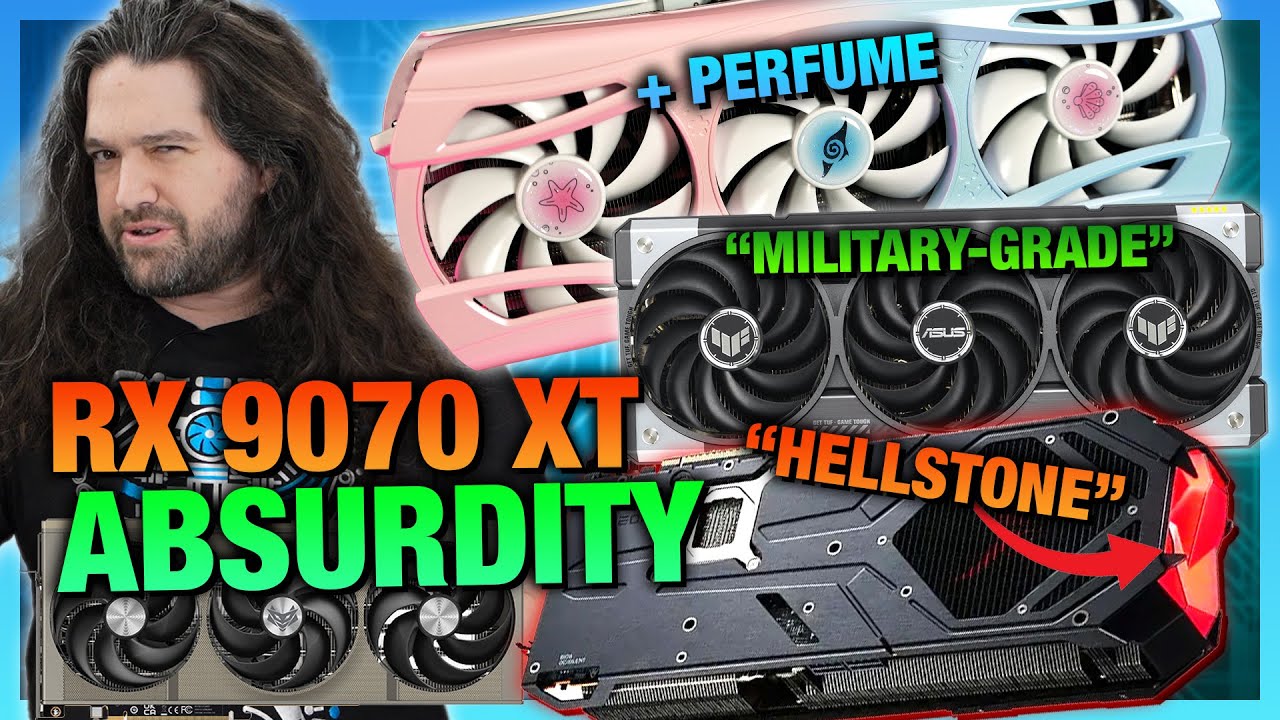
We sponsored ourselves: Grab a GN Modmat, solder mat, dice kit, or shirt on the store! https://store.gamersnexus.net/
We've spent multiple videos covering NVIDIA's partners' absurd GPU launches, including the Dark Obelisk, Midnight Kaleidoscope, and other oddly named video cards. Today, it's time to cover AMD's partners' RX 9070 and RX 9070 XT m...
grave sundial
I just read a prediction that there'll be a massive hardware shortage for a while.
mighty patrol
I wonder why
grave sundial
Kind of tracks. I checked elitehubs and a LOT of components are out of stock.
mighty patrol
Almost like China has limited rare metals
I mean what
American will have to process their own
Since they chose a trade war
grave sundial
Yeah. But you know what this truly means?
mighty patrol
China wins?
grave sundial
We have to attack those bitcoin farms and loot them.
mighty patrol
Oh
grave sundial
It's time for raids.
grave sundial
No, no. They are stealing the coins.
I want to steal the components.
Rip their 3D cards out of their farms and take it home.
grave sundial
And loot their nvmes, their psu(s), their RAMs, everything.
Leave only the mobo cardboard boxes for them.
mighty patrol
What if they have useful stuff in the boxes
grave sundial
mighty patrol
What if they have useful stuff in the boxes
like? 🤔 more boxes?
mighty patrol
That doesn't sound very efficient
grave sundial
But you don't have to loot the boxes.
mighty patrol
grave sundial
upside
grave sundial
at least the mobo will be tasty this way.
mighty patrol

GIGAZINE
The news blog specialized in Japanese culture, odd news, gadgets and all other funny stuffs. Updated everyday.
grave sundial
5-star dining computer
NanoReview.net
We compared AMD Ryzen AI Max+ 395 (3 GHz) against Ryzen 9 9900X (4.4 GHz) in games and benchmarks. Find out which CPU has better performance.
mighty patrol
@grave sundial
https://www.youtube.com/watch?v=WzwrLLg1RR4

Visit https://www.squarespace.com/LTT and use offer code LTT for 10% off
Get the most out of your graphics card and monitor with Silklands VESA certified DisplayPort 2.1 cables using our links!
Silkland DP80 Cables: https://lmg.gg/L6kCw
Silkland Store: https://lmg.gg/dW8Zx
It’s no wonder GeForce RTX 50-series Founder’s Edition power connector...
grave sundial
Watching it now.
grave sundial
Hehe. Nice vid. So, we need an electrician's qualifications for future GPUs (and the current one).
orchid iron
grave sundial
I just read a prediction that there'll be a massive hardware shortage for a whil...
Shortage is due to lower supply than usual accompanied with very high demand, but AMD still somehow supplying better weekly than Nvidia combined stock xD
orchid iron
grave sundial
Hehe. Nice vid. So, we need an electrician's qualifications for future GPUs (and...

Original LTT video with pinned correction: https://youtu.be/WzwrLLg1RR4?si=QqOz0twZM8ApxRwc
Patreon: https://www.patreon.com/buildzoid
Twitch(mainly gaming streams): https://www.twitch.tv/buildzoid
AHOC Shirts: https://actually-hardcore-overclocking.creator-spring.com/
Bandcamp: https://machineforscreams.bandcamp.com/music
My FPS game: https://...
Northwest repair is a really good GPU repair shop for context
 mighty patrol
He has some good videos
grave sundial
orchid iron
Shortage is due to lower supply than usual accompanied with very high demand, bu...
It isn't just NVidia though. Many components, like Nvmes from many vendors, are also out of stock.
We need to figure out how to make everything out of plastic.
Or maybe a new, equally abundant material, such as silastic or something that is mass produceable and pollutable.
 agile lodge

NVIDIA Newsroom
NVIDIA today unveiled NVIDIA DGX™ personal AI supercomputers powered by the NVIDIA Grace Blackwell platform.
median marsh
god... their cable mod looks disgusting 😄
did they say anything about how multi rail PSUs deal with this "mod"?
mighty patrol
median marsh
did they say anything about how multi rail PSUs deal with this "mod"?
Not that I recall, they even had their "psu expert" on set
orchid iron
grave sundial
Or maybe a new, equally abundant material, such as silastic or something that is...
I'm sure big companies will figure something out, after all lower stock means higher prices, so they'd have a lot of motivation to mass production a cheaper alternative to get a tone of money
grave sundial
I'd support alustics (aluminum).
unreal ledge
hi guys, can you guys confirm again that maya and zbursh and substance painter will also work for the rx 7900xt 20GB. I won't do much of offline rendering so it won't really matter to me. Mainly just 3D modeling to put it in the game engine
If at the same price bracket I can only afford the 4070ti 16 GB, they are both around 850 USD at here.
RX 9070 16GB is around 800 USD
5070ti is around 1000 USD
5080 is around 1300 USD
4090 is around 1750 USD
I won't pay 5000 USD for the 5090. It's just inhumane, but their MRPS for it at here is around 2450 USD. I saw it go around for 2800 USD a few months ago when the card is pre-released.
Which one will you pick.
orchid iron
unreal ledge
hi guys, can you guys confirm again that maya and zbursh and substance painter w...
Simple question, do you need ray training and AI ?
grave sundial
I'd go for the XT 20GB.
unreal ledge
orchid iron
Simple question, do you need ray training and AI ?
No, I just do 3d modeling and put it into unreal, no raytracing. We are making game, ray tracing didn't matter if 99 percent user of pc couldn't run it
orchid iron
unreal ledge
No, I just do 3d modeling and put it into unreal, no raytracing. We are making g...
Based AF, the 7900 xt is absolutely capable of what you want at a nice price
unreal ledge
maybe in the next 5 year i will consider raytracing
orchid iron
I'd recommend either sapphire or xfx as a GPU brand
median marsh
really depends on what you do imho
you can get a long way even with low/mid range GPU's, so even a 5070 might be overkill
orchid iron
Yeah, even a 960m can be used on the latest unreal engine version, and that came out like 10 years ago
unreal ledge
median marsh
you can get a long way even with low/mid range GPU's, so even a 5070 might be ov...
5070 is 800 USD for 12 gb of vram so no no..
median marsh
wasn't there a 4070 with 16GB?
unreal ledge
oh, let me check.
orchid iron
unreal ledge
5070 is 800 USD for 12 gb of vram so no no..
dang what's the price of the 7900 xtx where you are?
unreal ledge
haha.. 4070ti supper 16 GB 800 USD. I am gonna die.
unreal ledge
orchid iron
dang what's the price of the 7900 xtx where you are?
1200 USD
orchid iron
oof, yeah stick with the 7900 xt, which brand can you pick from?
unreal ledge
median marsh
you can get a long way even with low/mid range GPU's, so even a 5070 might be ov...
i want to make the clone of rising storm game
orchid iron
unreal ledge
i want to make the clone of rising storm game
nice
unreal ledge
Asrock AMD Radeon RX 7900 XT Phantom Gaming White 20GB OC ( 830 USD )
NITRO+ AMD Radeon RX 7900 XT Vapor-X 20GB GDDR6 ( 860 USD )
orchid iron
unreal ledge
Asrock AMD Radeon RX 7900 XT Phantom Gaming White 20GB OC ( 830 USD )
NITRO+ AM...
nitro+
sapphire is a really good brand and have great customer service from what i heard
wise elbow
they will both perform the same
orchid iron
wise elbow
they will both perform the same
They will both perform the same, but one will last longer than the other
wise elbow
eh, they're both not terrible companies and aren't water cooled so they'll last pretty much forever
those are both pretty crazy prices for a 7900xt tho
right now is just an awful time to buy a gpu
 torn gulch
HI there no idea what happened but i can't use my gpu anymore..and can't install nvidia drivers.. going crazy i'd love some help thanks a lot !
orchid iron
torn gulch
HI there no idea what happened but i can't use my gpu anymore..and can't install...
Does your computer power on?
Does it post?
Can you access Bios?
Can you boot into windows?
torn gulch
Does your computer power on? YES
Does it post? wdym 🙂
Can you access Bios? yes
Can you boot into windows? yes 🙂 @orchid iron
it's using my internal graphics card
Thanks a lot for your quick reponse
i've tested so many things
Tried a DDU but didn't work
tried going into BIOS and force gpu, my gpu didn't show up in bios (not sure it's supposed to anyway)
orchid iron
torn gulch
i've tested so many things
Tried a DDU but didn't work
tried going into BIOS a...
If it doesn't show up in bios there is very likely a problem with GPU connections
Try changing pcie slot, make sure the power cables are plugged in properly etc
Do the GPU fan spin?
torn gulch
oh it's a laptop 🙂
torn gulch
orchid iron
If it doesn't show up in bios there is very likely a problem with GPU connection...
where should it show up in bios ?
orchid iron
Oh if it is a laptop that's a different story
torn gulch
it's a lenovo
Not sure where or if it should show up
torn gulch
orchid iron
Oh if it is a laptop that's a different story
yeahs sry should have started there 🙂
orchid iron
So, idk if it would even show up in bios, that's fine
Try to look at videos about doing Clean driver installation for your gpu
torn gulch
thanks 🙂 i tried DDU
and nvidia clean drivers
but my card wouldn't show up in either
orchid iron
So wouldn't show up in task manager displaying devices right?
torn gulch
i've spent all day trying to fix this i'm desperate 🙂
torn gulch
orchid iron
So wouldn't show up in task manager displaying devices right?
yeah that too

i only have the internal one ( sry for the french)
orchid iron
Intel uhd, how old is your laptop?
torn gulch
before i used DDU it would show up in hidden graphics card
torn gulch
orchid iron
Intel uhd, how old is your laptop?
that's the internal
the gpu i'm missing is a 4080 nvidia
laptop is 1 yo
orchid iron
Alright, if you did a clean install of the drivers, all that's left is backing up all important data of your computer, (I'm assuming you looked online about missing GPU in Lenovo laptop)
look at bios options that are related to your GPU
And if all else fails, do a clean reinstall of windows 10
Windows key is stored on the motherboard, so even if you reinstall the OS, you'll still have windows activated
torn gulch
i mean i tried doing a clean install of the drivers... maybe i missed something
Yeah i did check everywhere
i've ordered a ssd to transfer all my files to do a clean windows install ( im on w11)
" look at bios options that are related to your GPU"
Sorry wdym exactly ?
orchid iron
torn gulch
" look at bios options that are related to your GPU"
Sorry wdym exactly ?
some BIOS have options related to the gpu, worth a shot xD
But I doubt you'd have missed those
torn gulch
ah ! and maybe i could do a bios update ?
orchid iron
torn gulch
ah ! and maybe i could do a bios update ?
did the gpu work previously?
torn gulch
oh yes perfectly for 1 year
orchid iron
wait, did you perhaps do a windows update and a bit later the gpu stopped working?
orchid iron
welp, good luck trying to roll back whatever windows did
torn gulch
damn
orchid iron
(windows can also update your bios, so you may also need to look online to downgrade bios if it comes to that)
torn gulch
but if it was that a lot of users would be affected as well right ?
orchid iron
nope
torn gulch
damn
how can i rollback a damn windows update ? :/
maybe those ones as well damn i don't know

maybe it will be solved by a clean windows install i hope
i just can't afford to send my computer backj
even though i also had some BSOD 's
orchid iron
the easiest way would be to switch to linux figure out which update caused an issue, was it a driver update, was it an os update, was it a bios update
You can try to clean install previous drivers for your gpu, that should generally be the way to fix it
You can try to install previous bios versions, that's also relatively easy
But OS update, yeah better to switch to another os like Linux windows 10 until that issue is fixed
torn gulch
orchid iron
the easiest way would be to ~~switch to linux~~ figure out which update caused a...
oh yeah i wish i could use linux honestly ahha
torn gulch
orchid iron
the easiest way would be to ~~switch to linux~~ figure out which update caused a...
thanks yeah i tried also clean install previous drivers.. but i always got like " you don't have any compatible material"
tried installing nvidia control panel just now and got that : "this application isn't compatible with the nvidia pilot installed"
 orchid iron
torn gulch
thanks yeah i tried also clean install previous drivers.. but i always got like ...
orchid iron
torn gulch
thanks yeah i tried also clean install previous drivers.. but i always got like ...
linux mint and nobara are pretty friendly yeah it is a driver issue
pilote = driver
torn gulch
haha
Yes ://////
but are you sure it's a driver issue and not the card like just fried or somehtnin
orchid iron
look up how to do a manual uninstall / install of drivers
orchid iron
torn gulch
but are you sure it's a driver issue and not the card like just fried or somehtn...
9.9/10 computer issues are software issues
torn gulch
thanks yeah i tried with DDU not sure it's the right way
torn gulch
orchid iron
9.9/10 computer issues are software issues
that would save me
https://www.editions-zones.fr/livres/eloge-du-bug/ about linux i read this great book recently ( sry for the french but you'd love it i think)

« Ça marche, c’est tout », nous dit la publicité pour un smartphone. C’est simple, c’est intuitif. Il n’y a pas à se poser de questions. Le passage au numérique tel que nous le vivons aujourd’hui correspond largement à une délégation généralisée des choix politiques, éthiques, culturels et sociaux à…
orchid iron
torn gulch
that would save me
Linux will save you time for some more research xD
torn gulch
orchid iron
~~Linux will save you~~ time for some more research xD
hahahhahhaha
torn gulch
orchid iron
~~Linux will save you~~ time for some more research xD
thanks i ll try
so it must be the gpu drivers i guess
orchid iron
yup
torn gulch
ok thanks a lot i'll keep trying somethign :/
torn gulch
reverted windows update but still can't see my graphics card saldy
grave sundial
I just read that companies in China are being 'encouraged' to use Deepseek and Manus, and the newer AI models to reduce the hardware (GPUs) they use.
So, HOPEFULLY, the GPU supply should improve over time. HOPEFULLY.
Now, all we have to do is prevent those crypto miners from increasing their operations.
median marsh
is there still such a big market for crypto GPUs?
i thought by now everyone should know that those are just pyramid schemes
orchid iron
median marsh
is there still such a big market for crypto GPUs?
yup
as long as the electricity price is low enough, it is worth it
grave sundial
Based on what I read a LONG time ago, the cryptos lost their GPU vacuum suction when the scalpers and AI farms were prioritised, and the rules about not more than 1 GPU per person at a time were implemented. This was a while ago though.
SO, if the scalpers and AI farms use fewer GPUs, then the cryptos have a chance to get back in the game.
Therefore, I suggest crypto farm sieges.
Take back our GPUS! ✊
orchid iron
grave sundial
Therefore, I suggest crypto farm sieges.
Crypto miners are already selling their used GPUs online for quite cheap in bulk
Since prices have gone down, electric prices up, fewer GPUs can reach a sufficient efficiency to make a profit
grave sundial
orchid iron
Crypto miners are already selling their used GPUs online for quite cheap in bulk...
They should not be given any money.
We must raid them.
orchid iron
grave sundial
SO, if the scalpers and AI farms use fewer GPUs, then the cryptos have a chance ...
Don't AI farm use the more professional GPUs?
grave sundial
orchid iron
Don't AI farm use the more professional GPUs?
At the time I read about it, the cryptos were buying up anything and everything, because they needed more powahhh.
But yes, they kind of avoided the really expensive corpo GPUs.
Speaking of corpo GPUs, where's my 200GB GPU that you were going to give me? 😛
orchid iron
grave sundial
But yes, they kind of avoided the really expensive corpo GPUs.
That makes it worse, because the GPU maker have more motivation to make them instead of "low profit" gaming gpu
orchid iron
grave sundial
Speaking of corpo GPUs, where's my 200GB GPU that you were going to give me? 😛
In 2060
grave sundial
Ho yeah, the one thing I agree with that Nakashima-whatever guy is that NVidia at least doesn't give a damn about the gamers' market.
Their focus has mostly been on the corpos.
orchid iron
Jenson juang?
orchid iron
Oof, lmao
mighty cosmos

grave sundial
mighty cosmos
<:lurkin:1316599475447402550>
Yes, shocking.
orchid iron
I mean, had he actually listened, accepted parts of what we were saying and done research on his own, it wouldn't of end up like this
Guy just alt+f4 mid convo
orchid iron
I suggest Naruto running for increased stealth and speed
grave sundial
I'll take Hermes from Chapter 5 of Fortnite.
The models look good.

Supa thief!
$2,299.
I wish they had provided 64GB memory.
But that's just a numerical preference for me.
I assume AMD's GAIA can be installed on this, to run LLMs locally with the NPU.

OH... this I didn't know.
So, you actually have 128GB of memory to split between RAM and VRAM as you like?
--- Reallocating requires reboot ---
So, I could potentially set VRAM and RAM as 64GB each? 🤔
orchid iron
Reminds me of the time I wanted to turn part of my ram into ultra fast storage
grave sundial
This.
But, this tech could potentially be great for Unreal.
@mighty cosmos Buy that laptop and test it out for us.

 open lintel
Need help asap with new ssd. I got the Crucial bx500. I set it up inside the cabinet and had to remove old hdd. On booting up, BIOS was able to read new ssd in sata. On installing Windows 10 via usb bootable, it says driver is missing, select driver to install. As usual the solution on googling results aren't being helpful as they differ. It isn't the connection of sata and power cables problematic right? Otherwise BIOS wouldn't detect ssd at all, right?
grave sundial
Does Windows finish installing, or do you get the error before installation?

 grave sundial
I know. But it's basic troubleshooting.
Unplugging and replugging worked for me with a Silicon Power SSD, a long time ago.
open lintel
shut down using power button?
grave sundial
Yea, power down.
open lintel
actually what solved the issue was replugging the bootable usb stick into another port. Now I'm here and I'd like to create another partition say about 300 gb that will not have windows installation files.
 grave sundial
You can just install Windows on Partition 4 first.
Once that's done, use Disk Management in Windows to shorten the partition to 100GB and use the rest for as many partitions as you want.
open lintel
alright, here I go. Hopefully no other problems arise.
in bios screen, i had set primary boot to usb. After installation and first boot up, i should remove the stick right? And then change primary boot to ssd?
grave sundial
Windows will automatically boot from the SSD post-installation.
You can just wait for that and then, remove the USB.
open lintel
even if usb is at the top in priority boot list?
grave sundial
Windows changes the boot order by itself.
median marsh

NVIDIA
Experience Unparalleled AI and Graphics Performance.
first time their workstation card is faster than their consumer flagship
the irony that they decided to put 96GB on this one
compared to what they do to consumer GPUs...
orchid iron
median marsh
first time their workstation card is faster than their consumer flagship
Faster at gaming by 5% FTW
median marsh
target group seems to be AI Devs
grave sundial
I think the 200GB one I linked before belonged to the same family.
Or 196, whatever.
median marsh
link?
grave sundial
I am looking for it. One sec.
Instead of showing me my posting history here, Discord is showing me Janisku's rants instead.
Hold on, I'll get it from the net directly.
median marsh
did you mean that Zeus thing?
grave sundial
No, it was Blackwell. It could've been typo in the article, but I am still looking.
I guess the article was removed. It might have been fake news.
Makes me sad.
I was looking forward to 200GB kidney+heart costing GPUs.
It seems 3.6 million units of the 96GB blackwell have already been order by cloud service providers.
@median marsh Got it.
TechSpot
The Blackwell Ultra B300, set for release in the second half of 2025, increases memory capacity from 192GB to 288GB of HBM3e and offers a 50% boost...


Although, I might have misunderstood the 288GB here.
Is the b300 a gpu?
median marsh
thanks. i have no idea what that is
might be a "gpu" without display outputs? Like the H100 🤷
grave sundial
@orchid iron ^ No need to wait until 2060. Go buy me that ^.
grave sundial
median marsh
might be a "gpu" without display outputs? Like the H100 🤷
Like a tensor core? Maybe.
median marsh
nvm
it sounds like it's a whole "server" board
The Blackwell Ultra B300 isn't just a standalone GPU. Alongside the core B300 unit, Nvidia is introducing new B300 NVL16 server rack solutions, the GB300 DGX Station, and the GB300 NV72L full rack system.
so they go in those racks which links a few of those boards together
median marsh
so for data centers
 orchid iron
grave sundial
<@229158656208273408> ^ No need to wait until 2060. Go buy me that ^.
orchid iron
grave sundial
<@229158656208273408> ^ No need to wait until 2060. Go buy me that ^.
Doesn't look very good at gaming, which is cringe, all professional GPUs should be the best at gaming too
grave sundial
That isn't as important as whether or not you have a micro nuclear reactor.
I need 14KW to power that baby.
Plus 28KW for its dedicated inverter.
orchid iron
grave sundial
Plus 28KW for its dedicated inverter.
wait, inverters take that much power?
grave sundial
orchid iron
wait, inverters take that much power?
No, buy they need that to support the 14KW GPU.
14 x 2, remember?
The PSU for that thing would have to be, what? 15KW at least, assuming the CPU doesn't need more?
I am wrong.

They already exist.
30KW inverter right there.
orchid iron
grave sundial
30KW inverter right there.
oh right, I thought for a sec that was the average power consumption xD
grave sundial
Well, I checked for compatible PSUs. Turns out, they have industrial PSUs for this, rated as 20KW to scalable up to 1 MW.
orchid iron
OOF
grave sundial
Get your 1 trillion polygon projects ready in UE, everyone.
The future is in raiding Elon Musk for dollars! 😄
orchid iron
watch telsa making their own silicon with their own fabs and beating intel
grave sundial
might as well. All we need is those same silicon fabs making lab grown food, synthesising water, and materialising clothes, and we'd be all set for the future.
a SILICON future!
orchid iron
yay
 naive cloak
or they can replace us with robots that dont need water, food, clothes, salary, medicine etc. 🧠
orchid iron
didn't nvidia advertise something like 400 million people could be replaced or smth?
 orchid iron
nah, wouldn't do enough deaths, we'd need at least 20 covids
naive cloak
its also in the works
grave sundial
Do not fill your head with negativities.
Focus on earning $2,200 instead and buy that AI laptop from AMD.
Test it for us and tell us how great it is.
WW3 can wait.
orchid iron
true
naive cloak
 grave sundial
I swear, if that memory allocation technology works well, I'll find a way to make my 4060ti 100GB.
halcyon silo
grave sundial
Test it for us and tell us how great it is.
Others have already done that, and they've come to the conclusion that it's still beaten by a full power 4060 without DLSS, so expect greater real performance once you've added the tech. And at the price you could get a 4080 laptop, which will blow it out of the water
wise elbow
i think it's main use case is ai
orchid iron
don't you know, nvidia is the only good viable option for ai because only nvidia knows how to make anything ai related and no other company can do ai related stuff because they are way worse in every way, there is no point to even have competition, only nvidia should have ai gpus in the market because they are better
AI
orchid iron
 mighty patrol
This guys funny
grave sundial
orchid iron
***AI***
Ai, ai, ai!!!!
grave sundial
Noice! 👍
Framework is selling its mini desktops with two Nvme 8TB options. 😄
16TB storage space FTW!
Heh, a redditor says the AI MAX 365 is a 4060ti with 64GB VRAM (he's using a 50-50% split allocation).
Sounds good to me. 😄
What's interesting is that the processor and the iGPU apparently use the ethernet/network connection to communicate, instead of a PCIe interfact. 🤔 That's apparently slightly slower, at 12GB/s - according to another redditor.
60 to 70w TDP. Noice.
Ah. Apparently, the TDP can be cranked up to 125w. MOAR powah.
violet spade
Moar fire
grave sundial
get fireman qualifications.
 wind egret
I'm the kind of dummy who looks up what an "interfact" is.
grave sundial
Tell me too. What's an interfact?
mighty patrol
Lol
A factoid found on a website that people find as true because they saw it on the internet.
grave sundial
Is it one of those Mandela Effect thingies?
mighty patrol
Uh sorta
grave sundial
 mighty patrol
Maybe slight delusion
grave sundial
Big respect to AMD for achieving this tech.
I just wish they'd release the thing for desktops.
mighty patrol
poor monster hunter
grave sundial
59 fps at QHD res is not bad at all for an iGPU, bro.
especially given its power efficiency.
The real tragedy is Wukong.
mighty patrol
I just meant that game in general
grave sundial
Shows how much of an unoptimised mess it is.
Great game though.
Yeah, I never got into Monster Hunter because of the low damage numbers. 🤣
mighty patrol
Still havnt played wukong
grave sundial
Gorgeous game.
grave sundial
Ok. Interesting to note that with DaVinci Resolve, the 8060s crashed the software twice.
Good to know, given Resolve is a nice free alternative for vid editing.
Apparently, Premiere Pro and Photoshop were just fine.
https://www.notebookcheck.net/AMD-Ryzen-AI-Max-395-Analysis-Strix-Halo-to-rival-Apple-M4-Pro-Max-with-16-Zen-5-cores-and-iGPU-on-par-with-RTX-4070-Laptop.963274.0.html - Oh, this is what I am reading right now.
🤔 I wonder if using AMD's GAIA on this will make local LLMs run even better.
Meanwhile, someone got a sneak peak at a Threadripper 9975WX - 32 cores.
TDP is 350W. 🌩️
@mighty patrol What's this 9060XT DUAL model?
What's dual in it?
grave sundial
ASUS is releasing a Radeon RX 9060 XT DUAL model.
mighty patrol
Oh
grave sundial
I am wondering the DUAL is.
grave sundial
🤔 I will speculate.
I think the DUAL means they are shoving TWO 8GB boards into one box.
mighty patrol
My assumption is based on this image in the south korean radio agency part. https://videocardz.com/newz/asus-radeon-rx-9060-xt-dual-tuf-and-prime-graphics-cards-with-16gb-and-8gb-memory-have-been-spotted
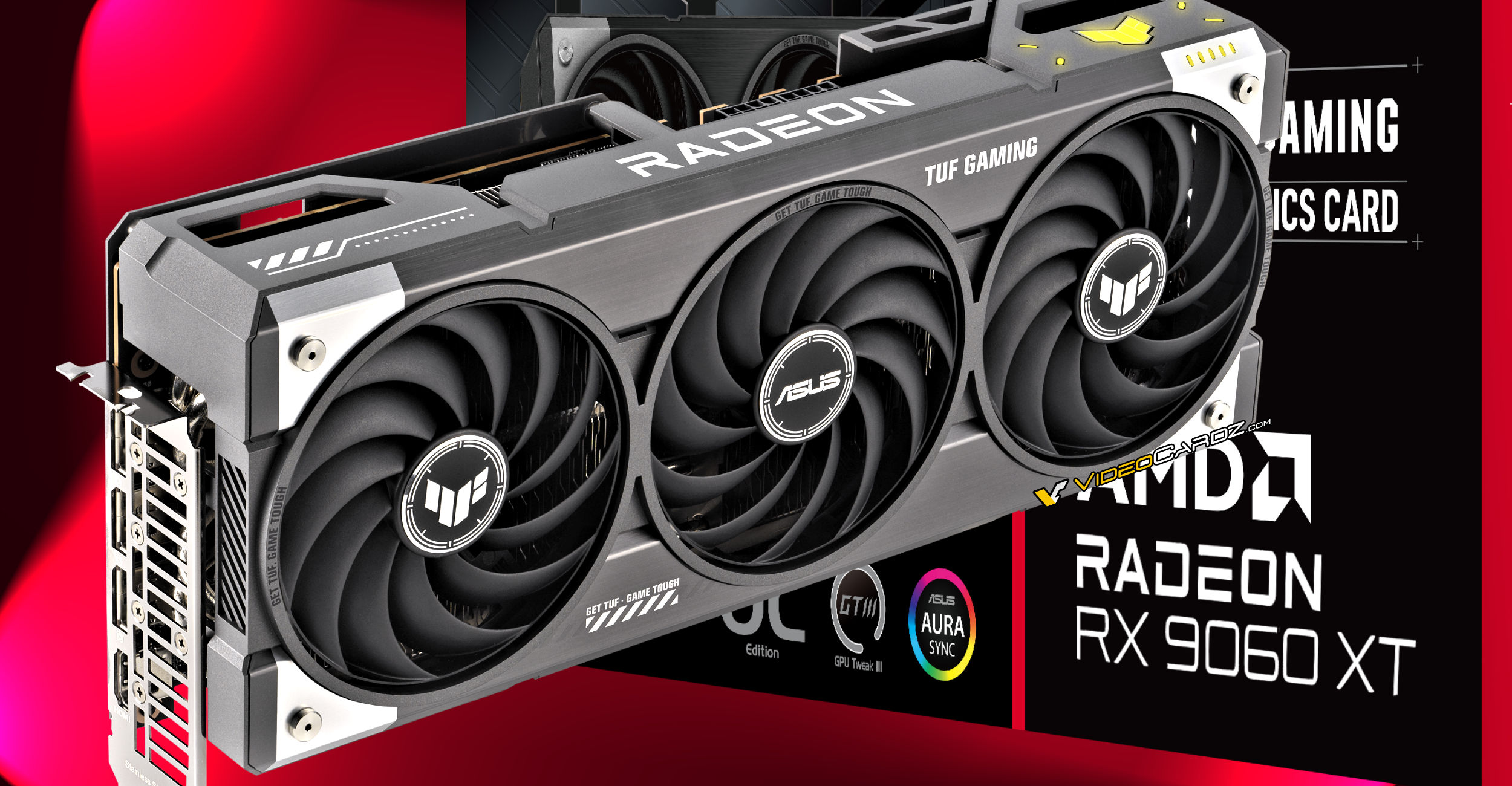
VideoCardz.com
ASUS preparing six Radeon RX 9060 XT graphics cards The 8GB and 16GB memory configurations are confirmed. Much like the GeForce RTX 5060 Ti, AMD is also preparing two memory configurations for its upcoming (upper) mid-range graphics card. The Radeon RX 9060 XT, the third desktop model based on the RDNA4 architecture, is expected to […]
The derivative model name
Has DUAL-RX etc
PRIME-RX
TUF-RX
grave sundial
Yeah. I was reading the same article.
mighty patrol
This seemed like the only one referencing it really
grave sundial
Hehe. If they do shove two boards into one box, how do we know which board failed in the case of a GPU failure? 😄
grave sundial
Yeah, there's a redditor saying it's a rumour.
mighty patrol
Because it's the only website reporting DUAL of w.e I see
grave sundial
mighty patrol
Take it apart
Yes, but if I mark the wrong board as a failure, am I being a Boardcist?
😱
mighty patrol
No
Nvm
Wccftech has a reference
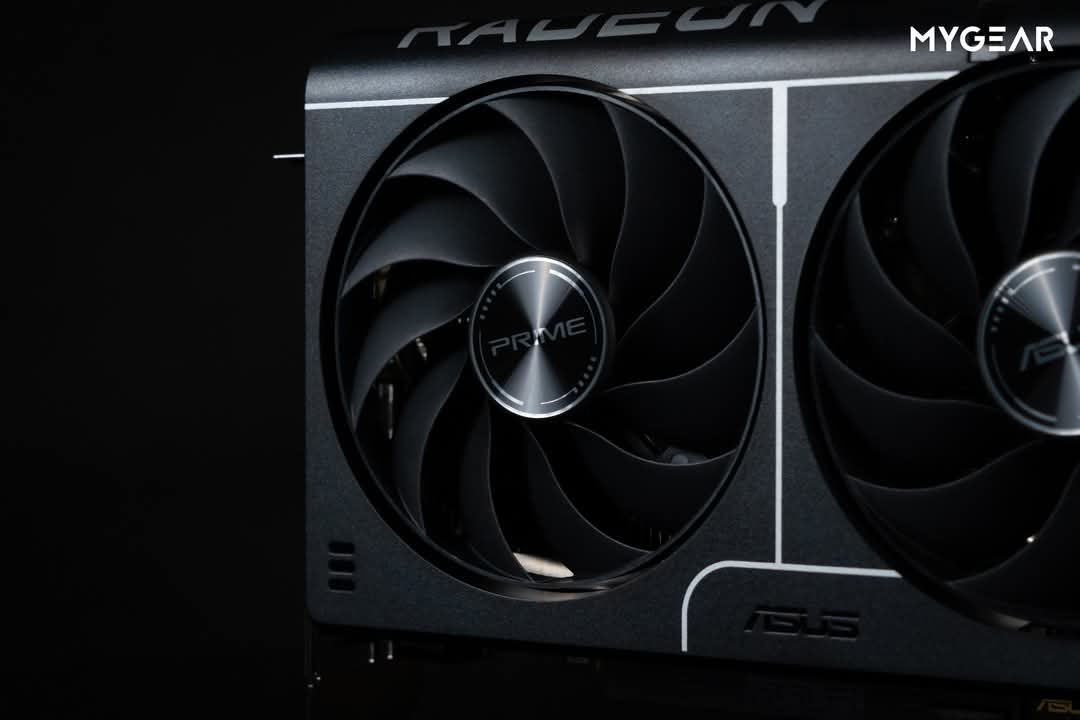
Wccftech
AMD's AIB partners have started working on the upcoming RX 9060 series GPUs, as multiple ASUS custom models have surfaced online.
MD's AIB partners have started working on the upcoming RX 9060 series GPUs, as multiple ASUS custom models have surfaced online under the DUAL, PRIME, and TUF lineups.
Yeah so it's just a naming scheme
A dumb one
But yeah...
mighty patrol
2030(ti)
orchid iron
grave sundial
Ok. Interesting to note that with DaVinci Resolve, the 8060s crashed the softwar...
Gotta use the superior editing software kdenlive in the superior OS, Linux
@grave sundial @mighty patrol I was also weirded out, but turns out Asus Dual stands for...an Asus GPU with only two fans...so their low end kinda
orchid iron

Check out the new Thermal Grizzly Duronaut:
https://www.thermal-grizzly.com/en/duronaut/s-tg-d-002
Original Video by Gamestar Talk:
https://www.youtube.com/watch?v=sjpSYmj1Rho&t=2553s
Music / Credits:
Outro:
1998 Beats - Strange...
Pain
LMAO, in a few days he goes to Nvidia Munich, oh boy the awkwardness
grave sundial
Hehe.
"The launch went very well," - unsaid: for the people we care about, and we didn't blow up any apartments, so....
The glass is half full - The silicon is half fried.
Good times.
He's not wrong about the pre-orders. 3.5 or 3.6 million units of Blackwell have already been pre-ordered by the Cloudy folks.
Well, the ball's in AMD's court. Get that iGPU tech into Desktops and develop it more and more.
orchid iron
grave sundial
Well, the ball's in AMD's court. Get that iGPU tech into Desktops and develop it...
Funny enough, I'm rooting for intel iGPU celestial, since they have their own fabs, they have the potential to have cheaper offerings than AMD
grave sundial
I read that they issued a driver fix recently to improve frame rates in a popular game. I forgot which game though.
Their bricks are great. It's just the drivers that need to keep improving.
orchid iron
grave sundial
Their bricks are great. It's just the drivers that need to keep improving.
Their bricks will likely be cancelled, which is unfortunate, but they'll be able to focus on what truly made them a successful company, ngl new CEO looks very cool, intel about to pull an actual zen moment, especially with their new tile based CPUs / APUs
grave sundial
They'll cancel their bricks to focus on their iGPU, or is it a supply problem?
orchid iron
grave sundial
They'll cancel their bricks to focus on their iGPU, or is it a supply problem?
They made like no profit from them, there was no way they were gonna keep doing them
orchid iron
Yeah, intel igpus always felt like they didn't really need to make dedicated GPUs
Low end GPUs will likely just stop being a thing and be replaced by igpus since, if you think about it, silicon prices are going up to make the latest gen transistors, so having such large dies being used for low end would of been much better used as an iGPU
Plus, lower and lower latency between the CPU/APU and ram will make them almost on par with actual dedicated GPUs
grave sundial
I've been a strong advocate of CGPU sandwiches for several months now.
Ever since the radeon's rumours started floating around.
Now, if they could just make all that RAM 10TB and let us use 9.5TB as storage space........... 💡
orchid iron
grave sundial
Now, if they could just make all that RAM 10TB and let us use 9.5TB as storage s...
Imagine threadripper or Xeon iGPU lol
Half or a quarter the CPU cores, but everything else is GPU cores
Pulling 1kw from the mobo xD
orchid iron


 orchid iron
Bro, that looks so fucking dope
 delicate crystal
Whoa if im right thats serious old school
grave sundial
Yep. I am planning on making Nvme swords in my game.
Maybe I'll try to get one designed in real life, just for kicks. 😄
grave sundial
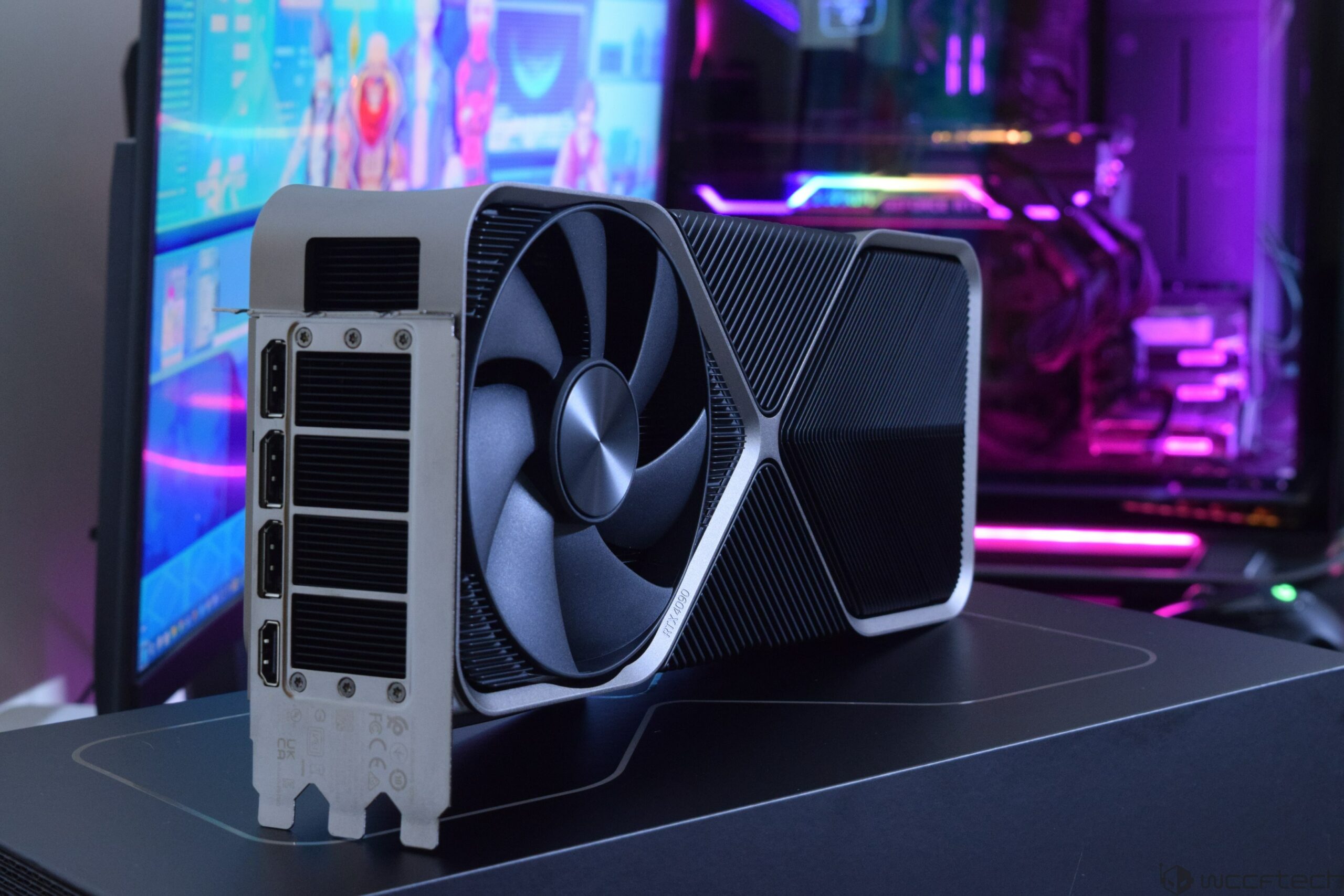
Wccftech
NVIDIA's Game Ready Driver is apparently causing some serious problems with the RTX 40 series graphics cards,including BSODs, freezes, and various problems.
If you are using a 40x, the 566 driver range seem to be stable.
mighty patrol
I use studio drivers
orchid iron
I use 960m
grave sundial
I remember my 970m failing with the 520x drivers.
I had to stick with 486 or 466 something driver range.
orchid iron
Same lol xD