#hardware
1 messages · Page 33 of 1
 hollow moth
 barren goblet
I very much prefer nvidia though and for my personal build I went flagship nvidia
hollow moth
Damn!! Lucky you!
Yeah, I‘m on a budget. I‘ll pair the Ryzen 5 7500f with the 4070, as it‘s just the 7600 without integrated graphics
barren goblet
totally respectable that sounds like a good build to me!
hollow moth
I‘m glad! I‘ll order all of the parts tomorrow! I‘m excited!
barren goblet
as you should be I love new builds always so fun!!
hollow moth
True, and thank you so much!
barren goblet
best of luck on the build!
 naive cloak
Reolink cameras has this option, you can store locally for free or pay to add cloud
its kind of smart, it can detect basic stuff
most camera models have SD card support 256Gb at least, and you can buy their NVR,, but their software only support Reolink hardware, you will not be able to connect other brand cameras to their NVR/App
main issue I have with their cameras is that they are "quick release" basically, it can easily get stolen, some just use 2.5 turn M6 bolt 🤦♂️ 😢
 devout pendant
Not sure how the balance of vram vs GPU perf works for unreal
But if you just want vram, the 16gb 4060ti is the better choice than 12gb 4070s. Cheaper too
barren goblet
just haven’t heard great things about 4060s maybe the titan is better
but it’s cheaper for a reason haha
VRAM certainly helps like I said but i wouldn’t pick a 4060 over a 4070 because it has more vram I Don’t Know 🤷♂️
 plush turret
assuming the graphics glitches im seeing are on a single screen thats usually not indication of the GPU going bad right?
heres what OBS captured

it literally just started
and nvidia drivers are fully up to date
great, now its on a screen not plugged into the gpu
 mighty cosmos
plush turret
assuming the graphics glitches im seeing are on a single screen thats usually no...
mighty cosmos
plush turret
assuming the graphics glitches im seeing are on a single screen thats usually no...
it depends, it can be, it doesn't need to be
I something get it on the first boot after a driver update on my main monitor
Hard to tell
plush turret
mainly worred cause if pretty much anything BUT the GPU breaks i cant replace it
devout pendant
barren goblet
VRAM certainly helps like I said but i wouldn’t pick a 4060 over a 4070 because ...
4060ti not 4060
4070 is def a better card but if you need vram over processing power then 4060ti 16gb is better value
plush turret
the GPU would kill my ability to really game, but atm the 12700k can keep me going
barren goblet
devout pendant
4060ti not 4060
4070 is def a better card but if you need vram over processing ...
same difference in my mind and if your going nvidia “better value” isn’t really an argument at that point
devout pendant
plush turret
assuming the graphics glitches im seeing are on a single screen thats usually no...
Swap the cables going into your gpu ports and see what happens
mighty cosmos
The fact that you captured it with obs it means it's coming from the GPU, but if it's a faulty GPU or something software related is hard to say
devout pendant
barren goblet
same difference in my mind and if your going nvidia “better value” isn’t really ...
Bro what
The 4060ti is the cheapest card with 16gb vram
That's my point
barren goblet
devout pendant
Bro what
The 4060ti is the cheapest card with 16gb vram
That's my point
that’s not what i’m arguing though
if you want price for performance or value go AMD in my opinion
not sure how critical the extra 4gb of vram is tbh
devout pendant
Yeah like I said idk what the use case is
But that 4gb is 33% extra vram for 30% cheaper than 4070
mighty cosmos
plush turret
heres what OBS captured
lol wtf
I opened your image, zoomed in and it crashed my browser 😆
(Coincidence but still lol)
devout pendant
barren goblet
if you want price for performance or value go AMD in my opinion
There's a reason no one buys amd GPUs though
Driver compatibility etc a lot of software just likes NVIDIA better
Especially with rendering/3d work
Ryzen is good but their GPUs suck
barren goblet
devout pendant
There's a reason no one buys amd GPUs though
Driver compatibility etc a lot of s...
plenty buy AMD gpus
but the reasons you listed are part of why i went nvidia
but the downside of that is you have to be willing to pay what they cost
 orchid iron
plush turret
heres what OBS captured
orchid iron
plush turret
heres what OBS captured
have you tried different screens, different gpus, different gpu drivers etc
mighty cosmos
devout pendant
There's a reason no one buys amd GPUs though
Driver compatibility etc a lot of s...
I run a 4090 in my main PC and a 6900xt in my 2nd PC and the experience with both has been exactly the same, I had no driver issues with either of them
Everything works perfectly with both
orchid iron
devout pendant
There's a reason no one buys amd GPUs though
Driver compatibility etc a lot of s...
not one reason, multiple
Like the marketing, amd's one is so bad and nvidia's one is so good, it's like night and day
Plus as hardware CEOs mentioned a bunch of times, it is about making bets on how demand for specific technology will evolve over time, Jenson made very risky bets on RT and AI early on, and it paid off massively, the moment the bets start going poorly, we get an Intel situation
mighty cosmos
mighty cosmos
Everything works perfectly with both
I do like nvidias software more but the driver stability and software support has been perfect with both
devout pendant
I haven't used much but I stayed away from Radeon cause everyone told me blender doesn't play nice
The one time I used a Radeon GPU I got blue screened launching Solidworks
plush turret
both the screen plugged into the gpu and the one plugged into the MB displayed the same fragment, though the MB screen had far, far less
orchid iron
plush turret
both the screen plugged into the gpu and the one plugged into the MB displayed t...
have you tried changing resolution or frame rate?
at least you know it isn't hardware dependent if you tried with 2 difference PCs
plush turret
dont have 2 different pc's
i have one rig, an android phone, and a smart tv to complete my hardware
also a 13 year old kindle paperwhite that has stubbornly survived everything 2 ADHD on spectrum kids could dish out to it
orchid iron
plush turret
i have one rig, an android phone, and a smart tv to complete my hardware
then good luck finding which is the issue, and hope it is software related
devout pendant
plush turret
i have one rig, an android phone, and a smart tv to complete my hardware
Plug smart tv to PC, if same effect then PC issue
If not, monitor issue
And the generic stuff
Reinstall up to date drivers etc restart PC boot safe mode
plush turret
other note, are there any good RAID box companies? looking to just pop 3-5 HDD's in one and use it as a giant storage conatiner
16TB each drive
 nova moss
? 16TB already have?
orchid iron
I forgot which UE 5 features are disabled due to a cpu that doesn't support avx512 instructions
nova moss
😲 i just bought 4TB this month, i thinking already maybe 4TB is not enough for unreal projects with quixel asset
devout pendant
Bro what are you building that 4tb is not enough 💀💀💀
 prime loom
Anyone got any recommendations on a decent laptop to develop on for on the road?
devout pendant
prime loom
Anyone got any recommendations on a decent laptop to develop on for on the road?
Tldr check out aftershock laptops
But tbh Asus, MSI, Lenovo Legion series are all good options
Gigabyte aorus too
They will likely have better build quality
But in terms of thermals aftershock seems to be goated
prime loom
 grave sundial
For Unreal or just programming?
grave sundial
For Unreal or just programming?
For both
grave sundial
ProArt P16 seems to have good specs for UE.
prime loom
But mostly programming.
grave sundial
RTX 4070 - M model probably.
devout pendant
Just stay away from anything advertised as being thin or light
The main problem with laptops is thermals
devout pendant
grave sundial
RTX 4070 - M model probably.
They dropped the M but all laptop versions are M
Laptop 4070 will probably perform like a 4060ti desktop etc
prime loom
Seems most laptops have shit available RAM. Im guessing most models these days are easy to add extra?
devout pendant
prime loom
Seems most laptops have shit available RAM. Im guessing most models these days a...
Yes
But almost everything can be specced with 64gb anyway
If youre looking at high end, 32 is default tbh
prime loom
Damn, they are expensive lol
devout pendant
Asus scar and MSI titan are basically portable desktop replacements
Lenovo Legion and razer blades supposedly have the best build quality but blades are likely subpar thermals because of how thin they are
prime loom
Id probably be using it max 1-2hrs at a time. So thermals might not be such an issue
devout pendant
Honestly buy a Macbook
prime loom
No thanks lol
devout pendant
Unless you're trying to go balls out on a 14900 and 4090. I think macs actually the best value if you want a balance of thermals, price, performance, build quality, portability.
prime loom
Graphics are less of a concern to me than RAM
devout pendant
The only problem is you have to use macOS
devout pendant
prime loom
Graphics are less of a concern to me than RAM
Then just buy something cheaper and upgrade the ram
prime loom
So id be pretty safe in buying something with 16GB and being able to add more?
devout pendant
Whatever laptop you find just type in teardown on YouTube to confirm
But most are upgradeable yeah
Also in the spec sheet they will often state max ram
Lower end models will ship with 1 ram slot so 32gb cap, mid-high end usually 2 slots so 64gb cap
orchid iron
devout pendant
Honestly buy a Macbook
Can you link the Mac book you are mentioning?
devout pendant
orchid iron
Can you link the Mac book you are mentioning?
MacBook Pro
The highest specced one you can afford
You can just buy blindly, you don't have to worry about build quality or thermals or warranty or shitty thermal paste application, or shitty fan controls, or plastic casing that cracks
But macOS is shit so that's the downside
Also battery life and power optimisation is not an issue with a mac
nova moss
i also thinking the 4090 at future
grave sundial
In the far distant future, or if one falls off the back of a truck.
orchid iron

How To Install Ubuntu 22 04 on macbook pro m3
Want to try out Ubuntu 22.04 on your new M3 Macbook Pro? This video guides you through the installation process! This video is for informational purposes only.
Disclaimer:
Ubuntu 22.04 is currently compatible with Apple Silicon M chips, including the M3, compatibility can change. Always refer to ...
 gusty bloom
Please help me. Use unreal 5.4 and the computer restarts.
I am using UE 5.4.4 and my computer restarts itself. I don't know what is the cause fps running 100+.
Pc Spec
I5 11400
RTX 3080 12GB
RAM 32GB
use in SSD m.2
devout pendant
Need to give us more info
What exactly happens? When?
When you launch unreal?
When you're doing something?
Every time or sometimes?
orchid iron
gusty bloom
Please help me. Use unreal 5.4 and the computer restarts.
I am using UE 5.4.4 a...
do you run hardware monitoring programs while it runs?
Like checking temps and how high cpu/gpu usage is would be helpful
And lastly, have you tried using other intensive applications like benchmarking tools or heavy games also to see if they restart aswell?
devout pendant
^
 violet spade
Great even the Zotac 4080 went up by $300 CAD
Inflate the price now so you can sell it at the regular price for Black Friday lol
devout pendant
how shock resistant is a cheap ultra wide monitor?
I accidentaly knocked mine down
it tumbled on my legs
hollow moth
Wassup! I just bought PC parts for my new computer! It‘s got a Ryzen 5 7500f and an RX 7800XT! What do y‘all think?
hollow moth
violet spade
Great even the Zotac 4080 went up by $300 CAD
What?! 😭
gusty bloom
orchid iron
do you run hardware monitoring programs while it runs?
Like checking temps and h...
I made a scene and opened this page, zoomed in and out, normal, then my computer shut down and restarted. I checked the CPU/GPU temp and it was fine, CPU 70c.
 orchid iron
hollow moth
Wassup! I just bought PC parts for my new computer! It‘s got a Ryzen 5 7500f and...
orchid iron
hollow moth
Wassup! I just bought PC parts for my new computer! It‘s got a Ryzen 5 7500f and...
noice
orchid iron
gusty bloom
I made a scene and opened this page, zoomed in and out, normal, then my computer...
how much CPU % usage and is it an intel 13th 14th gen?
 median marsh
could be an power/PSU issue if it just resets
orchid iron
yeah, have you try to benchmark your system using popular benchmarks?
gusty bloom
orchid iron
how much CPU % usage and is it an intel 13th 14th gen?
CPU is using 40-60%. I use I5 11400.
What program do you use to test?
barren goblet
gusty bloom
What program do you use to test?
try using cinebench for the CPU. did it just restart completely or was there an error / blue screen
couple other questions to go from easy to harder:
- have you updated all your drivers
- have you done any over clocking
like others are saying that sounds like a power / heat issue. the other thing I would check is if your BIOS is updated. I had an issue with a friends AMD system I built where it was doing that and it turned out updating the bios helped because the CPU / Ram combo was mad at each other lol
gusty bloom
I have to try updating the BIOS. I'll let you know how it goes. Thanks for the suggestion.
gusty bloom
It still turns off like before.
Can anyone help me? This work is very important to me.
gusty bloom
Only UE
orchid iron
gusty bloom
Only UE
have you tried resintalling it then? If you already benchmarked other stuff
naive cloak
maybe PSU is too weak?
try to change graphic settings in UE to lowest and check if it will crash again
orchid iron
oh yeah we didn't ask what was your psu
 agile lodge
CUDIMMs make lots of improvements
plush turret
is there something im missing here? it seems like the way i set this drive up was different than how all the others were?

setting up disk 0
grave sundial
It happens if you messed around with partitions on the computer before.
I don't have a D: on my computer, for instance.
plush turret
no ive never toouched this program before, only drive 0 is edited by me
grave sundial
Meanwhile, your mission, should you choose to accept it, is to set up and access that alien drive. Isolate dangerous information and neutralise all unapproved data, in the name of the authority.
grave sundial
gremlins and ghosts.
call the ghostbusters.
If everything's working fine, I wouldn't worry about it.
devout pendant
devout pendant
how shock resistant is a cheap ultra wide monitor?
Well
Plug it in, turn it on, see if it works
devout pendant
gusty bloom
I made a scene and opened this page, zoomed in and out, normal, then my computer...
Check the usual stuff
Make sure it's using your external GPU not integrated
Make sure drivers are up to date
It's a little weird it keeps restarting with no blue screen though
So I don't think it's a temperature/CPU/GPU overload
Like they said how many watts is your power supply? Is your PC plugged into some powerstrip or something? Try plugging it directly into the wall outlet. Or try a different power outlet.
Ram overload is also possible
How much ram do you have ?
Check ram usage too , that's a pretty big scene with lots of objects and I'm 90% sure it gets stored in ram
plush turret
devout pendant
how shock resistant is a cheap ultra wide monitor?
big question is what exactly is the shock?
are you punching it or throwing it off hoover dam
grave sundial
I've been using my ultrawide MSI for two months now. There have been two occasions when I elbowed its side accidentally, when maintaining the CPU case.
It's fine.
But I imagine it'd have minor problems if you threw it off a dam, yes.
orchid iron
plush turret
is there something im missing here? it seems like the way i set this drive up wa...
looks like windows allowed itself to format the drives and made it's own hidden partitions
orchid iron
guys I've been thinking...Ultra Core actually sounds nice, we got E core, P cores, Zen Cores, but Ultra Core kinda slaps...If it didn't suck at launch xD
devout pendant
plush turret
big question is what exactly is the shock?
I accidentaly hit the table from under it with my knee. The monitor tumbled forwards
violet spade
So you’re asking us how shock resistant is the monitor you just broke?
naive cloak
orchid iron
guys I've been thinking...Ultra Core actually sounds nice, we got E core, P core...
nothing nice there... its just marketing trick
orchid iron
I may still get some Ultra Core in the future (when it doesn't suck any more, the royal core project in general seemed like an amazing thing before Pat cancelled it, maybe it'll be restarted)
 wintry ore
Considering a new PC specifically for Blender | Unreal Engine | Video Editing Upscaling etc
I put the info out to three computer shops.
Two came back with a AMD Ryzen 9 9950X and one came back with an Intel i9 14900K.
What is the opinion of these two CPU’s for the above use??
I’m a hobbyist only...and old...so I need some help
orchid iron
wintry ore
Considering a new PC specifically for Blender | Unreal Engine | Video Editing Up...
you just mentioned heavy gpu applications, the CPU is nice to have for code compilation and specific encoding or even multitasking, but you'll probably invest more in the GPU
(if you see blender benchmarks of the CPUs ignore them because no one uses the CPU alone to render animations xD )
the 9950x is known for low improvement over the 7950x in gaming, okay production improvements gains though, you may want to consider 7950x if you'd want to spend more into the GPU
The 14900k is now know for EU instability due to code in the BIOS by mobo manufacturer and intel overvolting the CPU to death, so make sure to tweak the settings to make sure it doesn't go over 1.35 at any time, normally new BIOS should fix it, but it may or may not work xD
wintry ore
Thanks for the insight.
I don't do Gaming at all. I also know nothing about overclocking and aren't interested in playing around with it.
Just want a PC that rocks hard with Blender and Unreal and those things that are GPU intensive.
The GPU at this point is probably going to be a RTX 4070 Ti Super 16Gb.
One store said to look at a RTX 4080 Super 16Gb (supposedly 15% faster than the 4070, but also 20% more)
PC stuff is rather expensive here in NZ, so I have to choose carefully. As a pensioner, resources are always limited. Trying to understand the tech is also very stressful.
I've never had an AMD PC, they have all been Intel. The question I am constantly asking myself is...how much is enough to have a great 3D experience?
There are way too many options!
Thanks again.
orchid iron
wintry ore
Thanks for the insight.
I don't do Gaming at all. I also know nothing about over...
just make sure to have a case with good air flow and good cooling so you don't cook your components and the rest is mostly up to personal preference how fast is good for you
Actually nvm, the budget you are comfortable with is first and then personal preference is second
wintry ore
Thanks.
The case is a real issue these days - > all Xmas lights a glass and nothing practical like 5.25 bays etc.
This could well be my last PC, so I don't want to bark too much like a chicken "Cheap Cheap"!
Still waiting to hear more from the PC stores about my comments.
orchid iron
wintry ore
Thanks.
The case is a real issue these days - > all Xmas lights a glass and not...
PC stores do what PC stores do, they sell for as high as possible, just get something within budget even if it sounds cheap, what are they going to do? Refuse your money?
Actually, ask them if they can assemble PC components for you, that would be the most optimal thing, that way you could order an actually practical case like the thermaltake level 10 tg

Main channel vid: https://youtu.be/rrym7146I_8
Thanks for watching our videos! If you want more, check us out online at the following places:
- Website: http://level1techs.com/
- Forums: http://forum.level1techs.com/
- Store: http://store.level1techs.com/
- Patreon: https://www.patreon.com/level1
- L1 Tw...
What's up with these new CPUs performing better than their last gen on specifically Linux
violet spade
orchid iron
What's up with these new CPUs performing better than their last gen on specifica...
People keep trying to make Linux mainstream
orchid iron
violet spade
People keep trying to make Linux mainstream
bruh, he specifically said the gaming perf was still bad, it is mostly for workstation tasks that are better on Linux than Windows
orchid iron

Wtf

What the fudge
There isn't even a listing on Amazon, wtf did reviewers gaslight us into thinking it was bad or was the stock that low?
grave sundial
orchid iron
There isn't even a listing on Amazon, wtf did reviewers gaslight us into thinkin...
It's being sold out. Just checked sites in India. Only two or three pieces left in stock on each.
violet spade
Likely they haven’t made enough yet. Just because some dudes we listen to on YouTube say the cpu is bad for gaming, doesn’t mean they won’t sell at all
grave sundial
Forbes benchmark says it's about 10% better with Adobe Premiere than the i9-14kwhatever.
And yes.
--- Retailers confirm supply is low. ---
violet spade
But it’s also quite common place to limit initial supply to test the market and give the product the whole “rare commodity” impression so people get that nice FOMO and rush into buying it regardless of the price. Apple does it all the time
grave sundial
Oh, it'll be restocked this weekend, apparently.
orchid iron
for a sec I thought user benchmark bought all ultra core 9 in the world
grave sundial
possible. you have to bench the bench of the bench of the bench of the bench to mark the bench properly.
orchid iron
bro really wanted to increase the "popularity score"
grave sundial
Was this CPU series touted as gaming processors?
All the negative reviews I find on Google pages 1 and 2 are about them being bad for gaming.
orchid iron
grave sundial
Was this CPU series touted as gaming processors?
one of the intel slides showed it would be on par with 14900k on avreage
grave sundial
Ok, but did they market it with GAMING?
orchid iron
grave sundial
Ok, but did they market it with GAMING?
nah, they marketed it would be like slightly more efficient...Some perf improvements in workstation workloads, and then the "on par thing"
grave sundial
I was happy about it consuming only 120W TDP, but turns out it's 240W - yes, more efficient for the performance it provides - but I like lower numbers.

 grave sundial
Ah.... the FPS.
orchid iron
idk what the marketing team of amd and intel are doing
grave sundial
I don't think they know either.
These days, the left hand doesn't know what the right hand is doing.
Honestly, I wish they'd slow down a bit. Take their time, refine their products, get their pawns in order, and then play chess.
orchid iron
tbf, the bigger they mess up, the higher the discount on actually pretty decent products after software updates
it seems all companies are adopting the start of "push the content out, fix it later"
agile lodge
intel new platform is hold behind some tech like windows for example
also panther lake is coming
devout pendant
I think my blue ethernet cable doesn't support 1gigabit
I disabled and reenabled ethernet 10x, the status still shows 100mbit
orchid iron

Featuring new 2nd generation AMD 3D V-Cache technology, the Ryzen 7 9800X3D processor will be available starting November 7th, 2024.
Learn More: https://www.amd.com/en/products/processors/desktops/ryzen/9000-series/amd-ryzen-7-9800x3d.html
Subscribe: https://bit.ly/Subscribe_to_AMD
Like us on Facebook: https://bit.ly/AMD_on_Facebook
Follow us...
devout pendant
do I lose speed if I use wifi 6 through usb?
 mighty patrol
Usb would be slower than if it was hooked up to pcie yes.
Likely not very noticable however.
devout pendant
orchid iron
https://youtube.com/shorts/Wh6WUmfZc4E?si=Rt1df30cHtlmmVRT
This guy is a clown he knows nothing about anything
Dual ccd 3d cache 9950x3d please
devout pendant
I just bought a cat6 cable of a quality brand
Began to notice that 5G was reaching 200Mbits, whereas the cat5e low quality cable was peaking at 98mbits
Your home internet is on 5g?
orchid iron

I have pictures of AMD’s AI Max Pro Series, and 9800X3D thoughts!
[SPON: “10NOMOS140” for 10% OFF Baseus Nomos Charging Stations: https://amzn.to/48dMDUK // https://amzn.to/3YzHovb ]
#baseus #baseusnomos #baseus5-in-1charger #baseus8-in-1chargingstation #baseus3-in-1powerbank #desksetup #hybrirdwork #homeoffice
0:00 R7 9800X3D Analysis
2:30 ...
128gb workstation laptop sounds amazing if they do it
devout pendant
They should start making mini itx PCs with good portable screen/keyboard/trackpad etc setups
High end laptop thermals are so dog shit
Have a little box plugged into a laptop-like device but it's just a thin, light, screen and keyboard/trackpad
orchid iron
devout pendant
They should start making mini itx PCs with good portable screen/keyboard/trackpa...
I have a mini PC and its thermals are even worse than my laptop, high end mini itx PC should use water cooling otherwise I don't see how such a small space gets acceptable thermals
devout pendant
Yes water cooling would be ideal
But tbh if they used laptop boards with the chips soldered directly onto a single plate, then just chuck a massive heatsink and fans around it I reckon thermals would be great
I actually made a design for something like that when I was 16 lol
I even emailed NVIDIA and tried to buy their laptop GPUs but they told me to get fucked
orchid iron
devout pendant
Yes water cooling would be ideal
But tbh if they used laptop boards with the ch...
you may aswell make your own laptop/mini itx from dyi parts (it has been done a few times)
devout pendant
Would be a fun project tbh
Idk how hard it would be to build a custom board and directly solder CPU/GPU/ran chips directly onto it
If you get 1 single board for the whole PC then cooling should be easy af
Or even just laptops but better designed tbh
orchid iron
devout pendant
Would be a fun project tbh
Idk how hard it would be to build a custom board and ...
there are videos about it online
naive cloak
devout pendant
Or even just laptops but better designed tbh
there are motherboards with mobile CPU soldered directly, for example Minisforum BD790i, they also have complete Mini PCs
devout pendant
GPU is the more critical part
CPU is thin anyway even if you have to use a socket and normal cpu
Ofc it's possible but actually ripping the chip from a retail GPU card is a feat lol
orchid iron
devout pendant
Ofc it's possible but actually ripping the chip from a retail GPU card is a feat...
Or just remove the Colling part on top, the GPU will magically become a 2D PCB that becomes super hot if powered
plush turret
devout pendant
Have a little box plugged into a laptop-like device but it's just a thin, light,...
they made projected keyboards
they sort of work

What's included: Bluetooth Wireless Virtual Keyboard, Mini USB Charger Cable, User Manual, Specifications: Keyboard light source: Red laser diode Keyboard layout: About 19 mm tilt, QWERTY layout Keyboard size: 100 x 240 mm Projected keyboard location: 100 mm distance from device Required projecti...
plush turret
Might this be the bottleneck in my friends old youtube laptop?
1 Year Warranty + $5.00 Shipping! Gently Used Dell (5DVH7) Wireless Card Intel Centrino Wireless-N 2230 WLAN WiFi 802.11 b/g/n + Bluetooth Ha Laptops.
Friend has the hp version of this
also if i need to get a modern version that can fit, what do i need to look for?
I know most wifi cards are kind plug and play + drivers. but this looks a little weird
nova moss
i also have cat6 cable, but mine is flat cable
median marsh
that thing looks abused
plush turret
median marsh
that thing looks abused
the cat6 in my attic looks even worse
its 50 feet of totally not supposed to get 140F wire
violet spade
You know, just because they’re Ethernet cables doesn’t mean they’re all cat 6 right
plush turret
i know
mine are
I bought them for it a few years ago
because everything else in the house was like cat 5
mighty patrol
😮
 stark idol
My final build, all parts purchased. just waiting on the mail now. I bought the gpu, motherboard, powersupply, and case from a local company near where I live. Don't have to worry about the drop kickers in the shipping lanes lol.
https://pcpartpicker.com/user/Cecil_Merrell/saved/yKvwqs
I was going to go with silicon power for the system ram, but information on whether it actually supported amd was spotty so I when with the next best thing I could find for the price. I'm told that there's really no noticeable dif between cl-34 and cl-30 for the vast majority of things anyways.
The motherboard is overspeced but I wanted something to grow into without having to toss it out in 2.5-5years.
I also went from the ud90 series of silicon power ssds to the us75 as it's got a better price to perf for the same tbr rating with a 5year warranty. When gen 5 ssd's drop in price, I'll have a slot ready for it to live in.
I ended up going with that aio for not much reason other than I couldn't get a reliable source on a cheap alphacool core t38 360mm. And the reviews for it wern't that great from one of the pricier sources. So I resorted my list by looking for the next cheapest thing that wasn't as sketch for the install on the cpu lol.
the touch of rgb was a coincidence and the white color was the same in price as the black so I decided to match the cheap case.
orchid iron
stark idol
My final build, all parts purchased. just waiting on the mail now. I bought the ...
part list is private, noice
based choice xD
stark idol
you can't see the parts?
gonna fix that lol
Workstation - AMD Ryzen 9 7950X, ADATA XPG STARKER AIR ATX Mid Tower
orchid iron
stark idol
Fixed - https://pcpartpicker.com/user/Cecil_Merrell/saved/KPVdFT
Nice stuff, have you checked that all this fits into the case? Might be too small
@devout pendant https://m.youtube.com/watch?v=luRx0So4KJA

This is our attempt to build the world's most powerful 13 litre PC.
0:00 - Intro
0:12 - General layout
4:59 - Case modifications
9:34 - Plumbing!
19:17 - More case modifications
26:45 - Wiring
28:35 - Part modifications
30:00 - Case finishing
30:38 - Final assembly
32:23 - Filling the loop
34:31 - Finished!
34:48 - Testing
42:18 - Outro
If you...
stark idol
lol, I was actually just watching that one
devout pendant
The writing on it reads "CAT5"
devout pendant
It's incredible how in aliexpress there are tons of cheap 64TB storage devices being sold. Why don't they send these scammers to jail? 64TB cheap doesn't exist.
orchid iron
time to buy myself some 64 TB drives
violet spade
devout pendant
It's incredible how in aliexpress there are tons of cheap 64TB storage devices b...
Because it’s China
violet spade
devout pendant
The writing on it reads "CAT5"
Yeah, the absolute max a CAT5 can do is 1Gbps and if it’s long and in a shitty state, it probably won’t, like yours didn’t. CAT6 has 10Gbps max so no problems
devout pendant
I downloaded too many games and this filled up my 1TB disk
I'm considering an external 2TB disk
 fresh fog
Ooh no, don't run games off an external disk
Loading speeds will tank like nothing else
 echo wadi
fresh fog
Loading speeds will tank like nothing else
echo wadi
fresh fog
Loading speeds will tank like nothing else
if its an ssd through usb3 it will not be that bad, i was once running a game through network share & wifi, dead by daylight was loading in about a minute 😂
violet spade
A minute is a long time for loading a game
echo wadi
i dont mind waiting a bit, but also this was just an experiment
not so long ago windows boot time was longer than that
violet spade
Yes, and now it’s <10s and life is good
plush turret
is there a reason my pc claims my SSD is having issues when its been used for a while?
aside from the random alert it doesnt seem to be having issues, and no one thing seems to trigger it
fresh fog
have you ran a drive health check?
mighty patrol
crystaldiskmark?
plush turret
every check comes fine, until i get that notif
but i dont notice anything on my end
its kinda weird
fresh fog
How long have you had rhe SSD?
fresh fog
mighty patrol
crystaldiskmark?
Any really
mighty patrol
Samsung magician? lol
plush turret
since 2018
500gb NVME
was ludicrously expensive
but its a good one thats survived being lightly burned and drowned without failing yet
fresh fog
Hmm, it is getting to the end of an average ssd lifespan
plush turret

Memory4Less.com
thats the model
for like 3 of those years it wasnt even powered on
sat on a climate controlled shelf in an antistatic crate as a backup
in a laptop
fresh fog
I'm willing to bet being lightly burned and drowned might shorten that life span a little bit
Keep doing OS images and backups regularly
Keep on a secondary drive
What are the drive checks reporting after the error?
fresh fog
Perhaps it's lifespan became tied to Bill the Succulent
plush turret
honestly, I have nothing on this drive i cant get from somewhere on the cloud
😂
yeah, poor bill
told my dad they dont need to be watered
like thats the whole reason i bought the fcking thing
fresh fog
plush turret
honestly, I have nothing on this drive i cant get from somewhere on the cloud
Honestly still worth taking images just so it's less of a PITA if it dies
plush turret
because its even more low maintenance than a cat
you water it like maybe a mouth full of spit every 2 weeks and its happy
and bill was a low sun version, as long as he got like 2-3 hours of direct light, he was fully happy
so, shades set to open a little in the middle of the day to give him some fuel
occasional bit of leftover water in my cup and he survived almost a year
then dad kept trying to water it because the soil was dry
its from the fcking desert
its supposed to be damned dry
big part of why i never let my dad touch my stuff
i dont even trust him to feed the cat properly
i have an auto feeder and it has a weeks worth of food, a water fountain with several days
fresh fog
plush turret
its supposed to be damned dry
Lol, I bought a new one and it said to "keep it moist, never let the soil dry out"
My brother in christ it's a cactus.... it lives in sand
plush turret
yeah
I gave bill a solid pot of true compost
you have to literally try to kill something in this soil
its 20 years of decomposing horse shit and food waste mixed with a decade worth of chicken shit
bill almost doubled in size in the first 6 months
I also hate having to walk my dad through technical problems
hes still using weird program alternatives from 20 years ago
like an office alt thats called "open office"
which breaks at the drop of a hat, yet he refuses to simply learn g-docs
he wont pay for normal MS office stuff
devout pendant
plush turret
he wont pay for normal MS office stuff
Based
But tell him to just use office online for free or download and use an activation script
Open office is better than g docs tho wtf
fuck Google suite
devout pendant
orchid iron
<@456226577798135808> https://m.youtube.com/watch?v=luRx0So4KJA
Uh
I've been sleeping at 7am and waking at 3-5pm for the past 6 months
I have a job interview tomorrow at 9am 💀
agile lodge
seems with new CUDIMMS on DDR5 for intel new platform with overlocking get so much speed what also improve performance in games and more
agile lodge

Breaking records with next-level overclocking! The @kingstontechnology memories pairs with MSI’s advanced Z890 motherboard to push performance to new heights.⚡DRAM Frequency now reaching an impressive 12196 MT/s!
Learn more in BIO
Likes
845
 Instagram
devout pendant
Instagram
devout pendant
12196 breh
agile lodge
you want 31369?
orchid iron
I think people want to see CUDIMMS does against GDDR7 xD
orchid iron
devout pendant
Uh
yes I agree, that video is "Uh"
devout pendant
I'm checking the prices, HDD 2TB is half the price of SSD. I was thinking on an external drive for backup purposes
Internal better
For backup you don't need an SSD, HDD is fine
my case has a support for an internal hdd
but I think I don't have the power connector for an internal hdd
devout pendant
agile lodge
you want 31369?
I want 64,000
devout pendant
I already have 1TB SSD. I think it's too expensive to buy an external SSD if I'm not going to run anything from the extra storage
nova moss
i using the 1TB NVME instead
orchid iron
devout pendant
I already have 1TB SSD. I think it's too expensive to buy an external SSD if I'm...
you could use an internal hdd as an external one, there are sata to usb connectors which costs like 10-20$ and are easy to use, just make sure the HDD moves as little as possible while it functions, it is made of of spinning plates after all
 mental timber

TweakTown
Intel's troubles only continue, with reports that US policymakers are considering a merger with 'native companies' like Qualcomm, Arm, Marvell, or AMD.
violet spade
@mighty cosmos BM, you should’ve joined NASA https://youtu.be/ya_D9IwB3-s?si=eufT6DCM-Gmo8e5N

The team of scientists says the $19 million dollar mission will put them in direct contact with a woman by 2018.
Wrong channel oops
devout pendant
mental timber
https://www.tweaktown.com/news/101462/us-policymakers-explore-merger-deal-to-sav...
Bruh
 wind egret
...Intel CEO Pat Gelsinger ran his mouth and lost a reported 40% discount from semiconductor giant TSMC after remarks about Taiwan and China.
I would like to hear more.
violet spade
wind egret
> ...Intel CEO Pat Gelsinger ran his mouth and lost a reported 40% discount from...
He probably said Taiwan is part of China or something equally stupid 😄
plush turret
Is there a reasonable way to wall mount this? I plan to set this up with Home Assistant and end up linking pretty much every smart device i have to it

【KEY FEATURES】 -Dell OptiPlex 3060 Tiny -Intel Core i5-8500T 2.10GHz Processor -16GB DDR4 Ram -512GB NVMe Solid State Drive (SSD) -WiFi Adapter -Includes Wireless Keyboard And Mouse -Windows 10 Professional (64Bit) -NO DVD Drive -Onboard Intel HD Graphics -Sound Integrated -Network: 10/100/100 Gi...
Dont need a lot of access to it, mouse and keyboard are wireless and it can remote connect to a screen or i can wall mount a tv near it for constant access
I can always remove the MB, put screws through the case into the wall and then remount everything
orchid iron
wind egret
> ...Intel CEO Pat Gelsinger ran his mouth and lost a reported 40% discount from...
average CEO arrogance, Intel is filled with those, explains why they are where they are
hopefully A18 is a good node, I'm pretty sure that will determine the price at which they'll be bought for
 median marsh
There are too few samples to reasonably determine how consistently this CPU perfroms. This result should be interpreted with caution.
idk how trustful their whole process of benchmarking is at all, so i would take it with caution
orchid iron
also the Intel Core Ultra 9 285K is at -765% in their "value & sentiment" category
orchid iron
median marsh
idk how trustful their whole process of benchmarking is at all, so i would take ...
it's a meme, but still how they got a sample from AMD is beyond me
oh actually never mind, the Core Ultra 7 265K is at -2027% in this odd "Value & Sentiment" stat
devout pendant
Ngl I think they just make up numbers lol
orchid iron
are you sure? They sound like the last bastion of truth and hope against the most evil of all companies Advanced Marketing Department otherwise known as AMD, they truly shine above all reviewers to deliver the truth that no one wants to hear!
I trust this source to give me unbiased product reviews (real)
devout pendant
I am currently on a 3700x with 32GB ram at 3200mhz on a B550 pro; and want to upgrade cpu in-socket (AM4) I am struggling to decide on the 5800x or the 5900x. What is your suggestion?
Compiled times being the reason I want to upgrade. 5800x has the same 8 cores, but the 5900x is 12 cores. More cores better? Or is the use of those cores better such as the 3D cache on a 5800x3D?
Does Epic games use R9 5950x CPUs on their worstations?
orchid iron
devout pendant
Does Epic games use R9 5950x CPUs on their worstations?
nah, they use threadrippers with an enormous amount of cores because they can afford it xD
tbh, if you don't mind spending time compiling you could even stay on your current cpu, it's all a matter of personal preference, but you could wait a few weeks and watch the 5950x prices to snipe a really nice deal for that 16 core cpu
out of curiosity, what cpu cooler do you have?
orchid iron
plush turret
https://www.walmart.com/ip/Lemorele-Portable-Wireless-HDMI-Transmitter-and-Recei...
this stuff looks really neat, how did you find it?
plush turret
orchid iron
pog
plush turret
I need a wireless HDMI option because where im putting a TV means i cant really hard wire it
Hardy Board does not play well with hole drilling
orchid iron
plush turret
Hardy Board does not play well with hole drilling
have you tried using a gun?
devout pendant
orchid iron
out of curiosity, what cpu cooler do you have?
Stock AMD cooler that came with the 3700x
plush turret
 orchid iron
devout pendant
Stock AMD cooler that came with the 3700x
orchid iron
devout pendant
Stock AMD cooler that came with the 3700x
alright, so you'd want to at least get a thermaltake peerless assassin before getting a high core count cpu
also 32 gb of ram is kinda on the low end aswell, so consider upgrading that aswell
orchid iron
plush turret
https://tenor.com/view/willem-dafoe-spider-man-no-way-home-you-are-insane-green-...
I like the long pause you had thinking if that was a good solution or an insane one
plush turret
Instantly insane
hollow moth
Hey! I finished building my first PC on saturday, and wanted to share my specs with you. Feel free to roast me. I am open for questions on part-choice. Here are its specs: RX 7800XT, Ryzen 5 7500f, A B650 Motherboard, 32GB DDR5, Be Quiet Pure Base 500 FX, 1TB M.2 SSD, Thermalright ARGB cooler, 750w Gold+ PSU.
orchid iron
hollow moth
Hey! I finished building my first PC on saturday, and wanted to share my specs w...
1tb m.2 ssd and a gold psu doesn't tell us much about those, did you perhaps cheap out on them? Hmmm
same with the b650 mobo
hollow moth
I hope I didn't! 750e from Corsair, B650 Tomahawk (could've gone a bit cheaper lol), 1TB Lexar NM790
orchid iron
hollow moth
I hope I didn't! 750e from Corsair, B650 Tomahawk (could've gone a bit cheaper l...
oh, is it the Rm750e?
hollow moth
Yes!! That one!
orchid iron
yeah, all those parts are good, either you are secretly really good at part picking or you asked someone really good
hollow moth
I'm happy you like it : D
hollow moth
orchid iron
also, what was that thermalright cpu cooler?
Wait a sec
orchid iron
peerless assassin?
hollow moth
The Phantom Spirit I think
orchid iron
nice choice aswell
orchid iron
oh it's a gigabyte 7800 xt
hollow moth
Yeah, I liked it visually!
orchid iron
beware not to overclock it, they don't do that well overtime
hollow moth
True, I didn't do that yet. Thank you for the tip though!
orchid iron
had you gone with a saphire or an XFX one, it would of been very nice choice for amd gpu, gigabyte and other big board vendors are all trying to cheap out, so you may or may not struggle with their warranty polices
hollow moth
Noted. The XTX sadly wasn't in my budget. I also feel like the 7500F would be a significant bottleneck.
Oh XFX xD
orchid iron
hollow moth
Noted. The XTX sadly wasn't in my budget. I also feel like the 7500F would be a ...
it's entry cost, you'll be able to upgrade it later, don't sweat it too much
hollow moth
True lol! Also, between us, I didn't go with the XFX because it would've arrived 5 days later if I ordered it from Amazon, and nbb.com didn't have it stocked xD
hollow moth
orchid iron
it's entry cost, you'll be able to upgrade it later, don't sweat it too much
That was my plan! I'm kind of watching the 7800x3D, but we'll see what's good for price and performance when I do decide to upgrade.
orchid iron
hollow moth
That was my plan! I'm kind of watching the 7800x3D, but we'll see what's good fo...
you are too late, amd stopped production, so prices are soaring high, next best option will be 9800x3D when prices for that drop down
hollow moth
Goddayum.. The 9800x3D is better anyways lmao
orchid iron
hollow moth
True lol! Also, between us, I didn't go with the XFX because it would've arrived...
oof, make sure to treat your gpu nicely then, look up support brackets and how to make some, GPU weight are slowly starting to damage GPUs because of massive cooler needs
hollow moth
Oh, I'm defo gonna do that
orchid iron
oh I also gotta reccomend you something real good for any am5 cpu one sec

Thermal Grizzly
The AM5 Contact & Sealing Frame is a CPU mounting aid with optional foam gasket for Ryzen processors.
this is for easier thermal paste application
hollow moth
Speaking of the GPU, I was surprised that the AMD-Shittalk isn't even justified, like my RX 7800XT is getting 120 - 130 FPS in the standard Third-Person template on max settings, where my MacBook Pro 2019 (which I switched from) only ever got around 20 FPS on all low settings
orchid iron
hollow moth
Speaking of the GPU, I was surprised that the AMD-Shittalk isn't even justified,...
amd did have a lot to go through before arriving where it is at today, most people just aren't up to date
hollow moth
orchid iron
this is for easier thermal paste application
Thank you! I was considering a contact frame because I feared that my thermal paste would get into all little crevices of my CPU
hollow moth
orchid iron
amd did have a lot to go through before arriving where it is at today, most peop...
Makes sense
orchid iron
hollow moth
Thank you! I was considering a contact frame because I feared that my thermal pa...
it won't damage anything, not the cpu, not the motherboard (unless you got liquid metal paste or other conductive pastes) it is just purely quality of life
orchid iron
hollow moth
Speaking of the GPU, I was surprised that the AMD-Shittalk isn't even justified,...
yo, you coming from Apple?
hollow moth
Yep, thankfully thermal paste is non-conductive, so it wouldn't damage the mobo if it accidentally got on there. I'm defo not gonna do it with liquid metal
hollow moth
orchid iron
yo, you coming from Apple?
YESS!
orchid iron
hollow moth
YESS!
then I reccomend dual booting Linux, you'll feel right at home with the KDE plasma desktop
 hollow moth
Phew! Clean!
 hollow moth
And I felt cool dual-booting Windows 💀
I love Linux. I used it for the first few years when I got into programming
But since I'm a gamer and I don't like compatibility layers, Windows 11 left me no choice
orchid iron
hollow moth
But since I'm a gamer and I don't like compatibility layers, Windows 11 left me ...
fun fact, somehow these compatibility layers make some games faster that on their native OS
hollow moth
Wait fr?
orchid iron
yeah, windows 11 messing up that badly
hollow moth
I guess it makes sense if they translate from DX12/DX11 to Vulkan/OpenGL and they end up making it even more optimized
hollow moth
orchid iron
yeah, windows 11 messing up that badly
Massive L for Windows
orchid iron
that's why I'm reccomending just dual booting and trying out what games/apps work and which one don't, because the ones that do work feel much better without windows
plush turret
gotta love HP elite bios systems
I installed a fresh new drive, for a clean install from windows for a USB... drive has never been used
now it has a locked password
which no other pc notices
 normal cairn
Does this discoloration on an SSD raise any redflags for anyone? Water cooler for CPU but no signs of a leak anywhere.


Reason for inspection being random bsod followed up by system unable to find any Bootable devices in bios
Discoloration does not wipe away.
median marsh
i would google if others without water cooler noticed the same
quite possible that the coating just changes from heat
mighty cosmos
normal cairn
Does this discoloration on an SSD raise any redflags for anyone? Water cooler fo...
Not sure but it's maybe from heat?
Suspiciously around the electronics there as well
normal cairn
Hmm think it might be just that. Reseated it in the same slot and PC started booting normally. Appreciate the input y'all.
orchid iron
normal cairn
Hmm think it might be just that. Reseated it in the same slot and PC started boo...
if there is a chance the slot might be bad, you could buy an M.2 to usb slot, they are pretty cheap
devout pendant
Well 9800x3d is fire so that's good
If the 9950x3d ships with dual ccd 3d cache then it can be the gaming AND productivity king unlike the 7950x3d getting clapped by the 800

 grave sundial
for the environment.
saving gas.
not using the stove.
good juju.
better compiled potatoes.
orchid iron
you don't even have ram installed what are you even saving?
orchid iron
oh, I lost all data in one of my backup ssds
orchid iron
I wanted to resize a partition
orchid iron
on the plus side I gained a free 1T ssd yay
thankfully I have 2 extra storage that I used for backup, so it wasn't a big deal...But I think I had stuff that I didn't back up elsewhere like various game save files
my non profesional data got yeeted rip
grave sundial
non-professional po**... er, data is the most important data.
grave sundial
It is time to summon adventurers and seek out the important data once more.
mighty cosmos
Upgrading the PC right now so will know in a bit what speeds I will get with 4 dimms
grave sundial
mighty cosmos
Upgrading the PC right now so will know in a bit what speeds I will get with 4 d...
which processor?
mighty cosmos
grave sundial
which processor?
9950x
grave sundial
the specs usually tell you what speeds you will get with 2 and 4 dimms.
 orchid iron
mighty cosmos
Upgrading the PC right now so will know in a bit what speeds I will get with 4 d...
orchid iron
mighty cosmos
Upgrading the PC right now so will know in a bit what speeds I will get with 4 d...
192 gb?
grave sundial
orchid iron
192 gb?
128GB, if I remember the 256GB frog joke I made in the Lounge earlier.
mighty cosmos
grave sundial
yeah those are "stock" speeds
The x870 MB is able to push 2 dimms to 8200MHz stable
And apparently it's able to push 4 dimms higher as well so aiming for 5600
grave sundial
mighty cosmos
yeah those are "stock" speeds
The x870 MB is able to push 2 dimms to 8200MHz sta...
Makes sense. Does the BIOS have a profile for the 5600 OC?
orchid iron
128 gb on zen5 is actually decently stables on 6000 MT/s
Mobos don't matter for reaching 6000MT/s and zen4 and zen5 have same memory controller
So it should work well with 128gb
hopefully we either get a zen5 refresh with improved IMC or zen6 will be quite the big leap
stark idol
Just finished a compile test of unreal engine release source on my new system. Added up the completion times for all make sections for a total time from entering make to complete, 2066.72 seconds or 34.4453 minutes. The only thing I did for bios was set the default profile for expo. All cores were being assigned new tasks as they finished them and the total system ram usuage didn't go over 30gb.
on linux
mighty cosmos
 violet spade
mighty cosmos
violet spade
mighty cosmos
What’d you buy now, rich man? 😆
mighty cosmos
violet spade
What’d you buy now, rich man? 😆
9950x and 128GB of RAM
@orchid iron@devout pendantGot 4800MHz stable with 128GB, looks like I might be able to get 5000 easily but gonna try some other time because I don't have the patience to wait for another 15m for memory training 😆
devout pendant
nice,what motherboard
mighty cosmos
devout pendant
nice,what motherboard
it's ROG CROSSHAIR X870E HERO
median marsh
EITHER THATS A BIG CASE OR A SMALL 4090
mighty cosmos
median marsh
EITHER THATS A BIG CASE OR A SMALL 4090
gigantic case 😆
median marsh
sry for caps, had to write some Asus product names
those black "bars" are GPU support?
mighty cosmos
mighty cosmos
gigantic case 😆
the story behind that case is that pretty much with every case I had before either something doesn't fit, it's too tight, it doesn't support a specific size fan... etc... I said screw it and went and bought the largest case I could find 😂
mighty cosmos
median marsh
those black "bars" are GPU support?
yeah
median marsh
are they mounted to the cases mainboard screw things?
i was so happy to get a smaller case since 5,25" drives aren't necessary anymore...
mighty cosmos
median marsh
are they mounted to the cases mainboard screw things?
they are screwed through the MB into the case instead of the normal MB screws you would use
median marsh
did they came with the GPU or is that some 3rd party solution?
mighty cosmos
median marsh
did they came with the GPU or is that some 3rd party solution?
it comes with this gigabyte model
median marsh
nice, wasn't aware that they exist and all others looked more like they are just sticked in there and if you move the case they might fall off
mighty cosmos
building this PC felt like a workout lmao
Spend 5 hours building and additional 2 tweaking memory lol
mighty cosmos
median marsh
nice, wasn't aware that they exist and all others looked more like they are just...
yeah I like this solution the most, some give you a peg that you put below the GPU
This is actually screwed in and doesn't let it move
it would break the slot if there was nothing to support it 😆
now have to move the OS and the engine to the nvme and then gonna do some benchmarks
grave sundial
mighty cosmos
building this PC felt like a workout lmao
Spend 5 hours building and additional ...
Same. I started at 10 p.m. and finished at 2:30 a.m. with mine.
BUT, the full tower is absolutely AMAZING. The cooling is a beast.
Well done. Enjoy your new rig. 🙂
mighty cosmos
grave sundial
Well done. Enjoy your new rig. 🙂
Thanks 
I started at 7-8pm, it's 5:30am now 😆
grave sundial
There'll probably be one or two days of troubleshooting somewhere.
mighty cosmos
my back will feel this for a while, it's numb
grave sundial
Other than that, you should be good to go. 🙂
violet spade
mighty cosmos
building this PC felt like a workout lmao
Spend 5 hours building and additional ...
Lol ikr, cable management is nice but it takes forever
Gz on the new beast
orchid iron
mighty cosmos
what case is that? From Segostep? Thermaltake?
orchid iron
stark idol
on linux
based
mighty cosmos
orchid iron
what case is that? From Segostep? Thermaltake?
It's thermaltake view 71 snow
mighty cosmos
violet spade
Lol ikr, cable management is nice but it takes forever
Yeah, the biggest pain
violet spade
mighty cosmos
It's thermaltake view 71 snow
I don’t see any snow in there, are you sure that water cooler is working properly? 😛
mighty cosmos
I have a slight feeling this will take a while
 violet spade
Lol Deja alone
mighty cosmos
Ok I'm in, about to do an engine build to test it out
 vivid skiff
So I'm falling in love with chiclet keyboard again
It's so comfortable to touch type and do hotkey things on. Also good for playing games as I'm not putting pressure on keys often
 orchid iron
mighty cosmos
It's thermaltake view 71 snow
orchid iron
mighty cosmos
It's thermaltake view 71 snow
noice, they have such big cases
orchid iron
vivid skiff
So I'm falling in love with chiclet keyboard again
It's so comfortable to touch ...
Ooooh, they are called chiclet, thank you for that keyword, I can now finally find them outside of laptops xD
violet spade
Looks like a Mac keyboard
devout pendant

Reddit
Explore this post and more from the pcmasterrace community
@orchid iron whats ur take on this
i had a thought
buy a 192 4x48gb kit for unreal and run it at 3600 or 4200 or 4800 or whatever works stable
and run it as 2x48 at8000 for gaming
maybe im delulu
violet spade
turning off RAM while system is running...what could go wrong
orchid iron
devout pendant
i had a thought
buy a 192 4x48gb kit for unreal and run it at 3600 or 4200 or 48...
If you want stable, you could go for zen6, at least that will have a brand new memory controller
2x48 at 8000 for gaming sounds awesome, but keep in mind, those 48gb sticks probably have dual ranks, so they'll be very heavy on the memory controller unlike the classical 2x16gb (check specs to see if they are dual rank or not)
Oh yeah, also if you remove and slot in ram every day, the gold on the slot and stick will wear out overtime, and you'll have to find a way to make it work again
devout pendant
violet spade
turning off RAM while system is running...what could go wrong
well via software/bios
even if it takes a restart
devout pendant
orchid iron
If you want stable, you could go for zen6, at least that will have a brand new m...
when is zen6 lmao
orchid iron
Late 2025 maybe 2026
devout pendant
isnt 2x48 all dual rank
yeah not interested in removing ram everytime lol
its either 2x48gb at 6000 overclocked
or 4x48gb at 5200 underclocked
orchid iron
Idk, I never check, I just want big capacity so that I can allocate space on my ram as storage for game files to get those instant loading screens which my CPU is a big bottle neck
devout pendant
true but 4800mhz to 6000mhz itself is 5-10% fps boost for games
192 is native supported at 3200/3600
96 is on motherboard compatbility lists at 6400-7000
basically double the speed lol
orchid iron
Yeah, double the capacity on the same channel, half the speed (around)
devout pendant
just looked again
dont think id wanna try over 6000mhz anyway
fuck it ill just go 96 5600 and OC
its 1/3rd the price of 192 5200 lol
orchid iron
6000 MHz is a magical number until AMD update their infinity fabric clock, and then 8000 or over will become that magical number
That's why I mentioned zen6 too
devout pendant
yeah but im not waiting that long
ill build on 5090 release and probably wait 2 cycles for upgrade
see yall at 13950x3d + ddr7 256gb 10000mhz stable + 7090ti super
stark idol
Had to yoink the mid fan because the gpu was 5mm too long lol.
so I installed it up top sucking air out. the black one on the top is pulling air in, and the black fan on the back is pulling air out. so every part of the inside of the case is getting fresh air
while still maintaining positive air pressure to control where the air gets into the case from
It's getting fresh air cycled over the vrms with the back and back-top fans, the bottom fan on the radiation is also feeding air into the gpu with two thirds of the output going out the back of the case and the other third going past the back of the ram and out the top of the case.
All the white fans are tied together on the cpu fan header, and the two black ones have their own system fan 1 and 2 headers for power. For the rgb I tied them all together on the main rgb header of the board. I considered puting the black fans on their own rgb header of the second port for it but they couldn't reach and I had no more extention cables for it.


For not prioritizing rgb for my build, I sure got a lot of it lol
The top black fan is from the hyper 212 aircooler I got to use while waiting for the aio and to have as backup incase something happened to the aio
and to top it all off, it's way quiter than I thought it would be. My usb deskfan is making more noise than the tower is. My laptop was about 4x louder for sure.
 devout pendant
orchid iron
But man, having 256gb at 10k MT/s sounds awesome
devout pendant
orchid iron
But man, having 256gb at 10k MT/s sounds awesome
Yeah until unreal engine 6 comes out with VR and uses all 256gb lmao
devout pendant
stark idol
Had to yoink the mid fan because the gpu was 5mm too long lol.
so I installed it...
It's an interesting setup and something I've considered in theory but not sure how well it works in practice
In theory
The top front fan pulls in air which hits the ram etc then gets pulled out
The top black fan pulls air in which goes over MOBO bits and CPU and gets sucked out by rear fan
But I think you'd need to use smoke or something to test if that actually happens
There's a pretty good chance the air from the top front fan gets pulled out before it does anything useful
And there's a good chance the air from the top black fan gets pulled out prematurely too
Personally I would think having both the top white fans as intake and both black as exhaust is more likely to 'flow' air across the top of your PC
Or even top intake, front intake, rear exhaust
devout pendant
stark idol
Had to yoink the mid fan because the gpu was 5mm too long lol.
so I installed it...

This is what I suspect the airflow is like now
devout pendant
stark idol
Had to yoink the mid fan because the gpu was 5mm too long lol.
so I installed it...

This would be white intake black exhaust
Also that 360 rad with 240 fans is sorta like running a 280 AIO
You get a boost over the 240 because of the larger rad but it's not a huge gain
Atleast you have it as intake so it should be fine
But check your temps and consider buying a new case if it gets hot
I'm not 100% sure how significant it would be but I assume with your current AIO setup you will have a hotspot in the middle of the rad where's no fan, which is in the GPU area
Also the bottom intake fan is pulling in air that's been heated by the radiator so your GPU is getting warmer air and the right side of it is placed in a airflow deadzone
Again not sure how much of an issue it is but worth considering, if your temps aren't ideal get a new case
stark idol
ya, temps have been fine so far. nothing over 45c
you also forgot to factor in the bottom radiator fan into the whole simulation thing
2/3 of that airflow gets sucked into the gpu and exhausted out the back of the case, and the other 1/3 is exhausted out the top back up the right side of the case and out the top
also, any other config would imbalance the intake/outtake ratios and cause negative pressure inside the case. which would bypass the air filters lol
I also thought about your suggestion while I was putting it together, making both black exhaust and the 3 whites as intakes. but that would have the heat from the radiator sitting inside the case for longer. In this setup, each area of the case should have ample airflow while keeping the heat away from the vrms on the motherboard
especially since this aio doesn't have a vrm fan on the pump
the power supply pulls air from the outside the case in through the bottom and exhausts it out the back, so it has little to no effect on the overall air flow or temp inside the case
violet spade
Lol gotta love this gpu “sale” at BestBuy that ended Nov 7th and they just replaced it to say Nov 14th
orchid iron
out of curiosity, did you get any good deals before the 21th of november? Or are they all after it?
violet spade
Not really, waiting to see what they have for Black Friday tho
devout pendant
stark idol
2/3 of that airflow gets sucked into the gpu and exhausted out the back of the c...
thats 1 single fan pulling in air through a warm rad, then feeding through the gpu and ssd before moving out
its a lot of time/distance for a small volume of air to travel
i dont think airflow from that fan is reaching anything above the gpu/ssd in any relevant capacity
but yeah if you did all 3 white intake you have air spending more time inside too, but its slightly warmer air flowing vs colder air doing nothing
if your temps good then doesnt matter anyway but you can always test various configurations and benchmark etc
orchid iron
stark idol
Had to yoink the mid fan because the gpu was 5mm too long lol.
so I installed it...
Put both blacks as pushing air outside the case
Remove top white fan
Try to screw the extra white fan at the bottom to blast your GPU with even more air
This would be closer to a traditional set up, because if you push air in from top, you'll likely pull the exhausted warm air back it, creating a loop of warm air that doesn't benefit you
The better solution would be to upgrade that tight AF case
stark idol
ya, it seems to defy all logic. I was playing some star citizen about an hour ago. nothing when over 50c on all the temp probes
I also didn't use the crapy thermal paste that gets shipped with coolers and such. I put on some artic mx-6. been using their lineup for years now and have been very happy with it
devout pendant
so my phone is android 11. Any reason to buy a new one with android 15?
or can I force an unofficial rom to upgrade it?
orchid iron
devout pendant
or can I force an unofficial rom to upgrade it?
Just depends if your phone can be rooted easily, which one is it?
Edit: depends if the bootloader can be unlocked easily, the root thing isn't necessary but makes things easier
orchid iron
stark idol
ya, it seems to defy all logic. I was playing some star citizen about an hour ag...
Makes sense, CPU and GPU are the hottest, and they both have enough cooling, and as long as the rest doesn't suffocate from lack of air, there is not much difference from your set up and a more optimal set up
mighty patrol

This is the new Lian-Li DK07X Lift Desk with integrated PC case... and its going to be epic... Plus, we are giving it to Nic!
Sponsored Links
Head to iFixit at https://ifix.gd/JayzTwoCents or https://ifix.gd/FixHub-cents to get yours today!
○ Get your JayzTwoCents Merch Here! - https://www.jayztwocents.com
○ Join this channel to get access t...
orchid iron
This guy has a lot of male energy
devout pendant
stark idol
ya, it seems to defy all logic. I was playing some star citizen about an hour ag...
yoo what ships you got
i got tired of waiting for the nova tonk and sold mypc lol
havent followed SC in years
plush turret
how would i get my audio to come out of both of my monitors instead of just 1
devout pendant
orchid iron
Just depends if your phone can be rooted easily, which one is it?
Edit: depends ...
moto g 5g
 delicate crystal
Any reason to wait until dexember or jqnuary for system purchases?
agile lodge

VideoCardz.com
Intel Core Ultra 200 launch not as smooth as expected The company addressed gaming performance variations between reviews and said that internal work has been done to address some of these issues. Robert Hallock (Intel VP and GM, Client AI & Technical Marketing) was just recently interviewed by Hot Hardware to discuss the Intel Core […]
agile lodge
desk and standing desk compo https://lian-li.com/product/dk07/
delicate crystal
Thats a wild setup
devout pendant
that fan/rad setup feels goated
devout pendant
agile lodge
https://videocardz.com/newz/intel-confirms-core-ultra-200-launch-didnt-go-as-pla...
lmao how they gonna fix it
mighty cosmos
mighty cosmos
<@229158656208273408><@456226577798135808>Got 4800MHz stable with 128GB, looks l...
ok I got 5000MHz out of it
Stable so far at least, hasn't exploded in 4 hour of mem testing
fresh fog
That's gonna be one expensive explosion
mighty patrol
Gl gl
orchid iron
devout pendant
moto g 5g
Official Lineage OS gets your phone up to android 14
the rest is all about being super careful to avoid bricking your phone, and also installing custom rom clears all your phone's data either way, so back up everything, messages, accounts photos etc
(also make sure the phone is correct, most custom roms are incompatible with the phone if there is like 1 letter difference or 1 number difference)
agile lodge
devout pendant
lmao how they gonna fix it
well the more rams and all get tested then proved now there was what works on what motherboard and more also adjusting some games performance as meteor lake and lunar lake on mobile platform so from that adjusting to desktop will happen
one is windows scheduler
devout pendant
agile lodge
well the more rams and all get tested then proved now there was what works on wh...
I think they're just trash chips tbh
agile lodge
thjen all amd chips are trash too
devout pendant
Amd memory controller are trash but chips good
Intel 15th gen is just ass
And 14th gen is Russian roullette
 orchid iron
says the guy who doesn't know how to tweak his CPU to avoid degradation
violet spade
I don’t think you can avoid degradation
If you have one of the old skus you’re f-ed
orchid iron
degradation (excluding the oxidation manufacturing fail) happens due to excessive voltages, the engineers that made 12th gen were worried about frying the ring bus with elevated voltages
Meanwhile 13th gen and 14th:"Let's increase the core count and remove whatever limits we had previously"
So if you just limit the cpu's voltages in specific ways you'll get a pretty good 12th gen cpu
devout pendant
Imagine buying a current gen K CPU and not being able to run it at stock clock and voltages
Or not being able to overclock with default voltages
orchid iron
you can overclock by undervolt and get good performance
devout pendant
Imagine having a 30% failure rate
And imagine getting destroyed by a 2 gen old amd chip that's 1/3rd of the price
orchid iron
okay yeah that's an L, but hey, they reduced their price
for the same price as an 7800x3D or 9800x3D, you can get a cpu that's also really good at production workloads and multithreading
devout pendant
They reduced 14th gen because they launched 15th gen
And changed to some dumb naming scheme
Intel shouldn't be shipping beta test chips bruh
orchid iron
so should AMD
orchid iron
zen5% was done to beta test the x3D variants xd
devout pendant
Now I hope they go bankrupt
devout pendant
orchid iron
zen5% was done to beta test the x3D variants xd
Valid
orchid iron
they are getting bought by either, apple, samung, qualcom or AMD
devout pendant
But atleast 9800x3d is the clear chart topper
devout pendant
orchid iron
they are getting bought by either, apple, samung, qualcom or AMD
Doubt US will allow non-US entity to acquire
AMD would be monopoly too
Apple or Qualcomm makes sense tbh
NVIDIA would be goated lol
orchid iron
yeah Apple has priority, but as long as the fabs and division are based in the US, government has control
devout pendant
Intel NVIDIA merger been in my wet dreams since I was 12
orchid iron
oh boy
devout pendant
Ik it's a pipe dream lmao
orchid iron
tbf now you'll get to pick between an Nvidia consumer arm CPU now
even more work to do for us devs to make sure our games work on them too
I'll have a budget testing full intel and full nvidia just for that xD
and main rig is full AMD
now that I think about, what if in the future the mobo are soddered with the cpu gpu and ram, and the only choice you could have is CPU/GPU cooler
devout pendant
Ew
orchid iron
ikr
agile lodge
if you dont update your bios for microcode and such you are screwed anyway
some say hyper had dream of arm and nvidia merger
orchid iron
agile lodge
if you dont update your bios for microcode and such you are screwed anyway
The best part of it is that we still don't know if the most recent microcode fixes the issues, only a few months of time will tell
agile lodge
those what have already get issues isnt get fixed as those already have damage
grave sundial
But, you will never be sure if climate change and global warming didn't kill your CPU either.
Who knows if the sea flooded your CPU while you were asleep.
 verbal hollow
Anyone got any recommendations for budget gaming laptops that can still run Unreal at reasonable fps on low settings? Just need something for low end hardware tests and it would be nice to get some c++/blueprint work done while on holiday 😄
orchid iron
verbal hollow
Anyone got any recommendations for budget gaming laptops that can still run Unre...
Depends on the budget
orchid iron
grave sundial
Who knows if the sea flooded your CPU while you were asleep.
Maybe the French fries oil got in my case which could damage the mobo which then could kill the cpu
grave sundial
Your pet mouse is frying french fries on the CPU while you sleep? 👀
Smart mouse.
Should start a restaurant with it.
orchid iron
Yeah exactly, which is why I should go amd instead
grave sundial
But if the mouse fries sell, you can afford the latest RTX 9000, which I've been told includes the bestliest CPU.
orchid iron
Yeah you are right, I'll go with an nvidia CPU then
The mouse frying business I could sell to a rich man for a few million and that way I'll be able to afford 2 systems
orchid iron
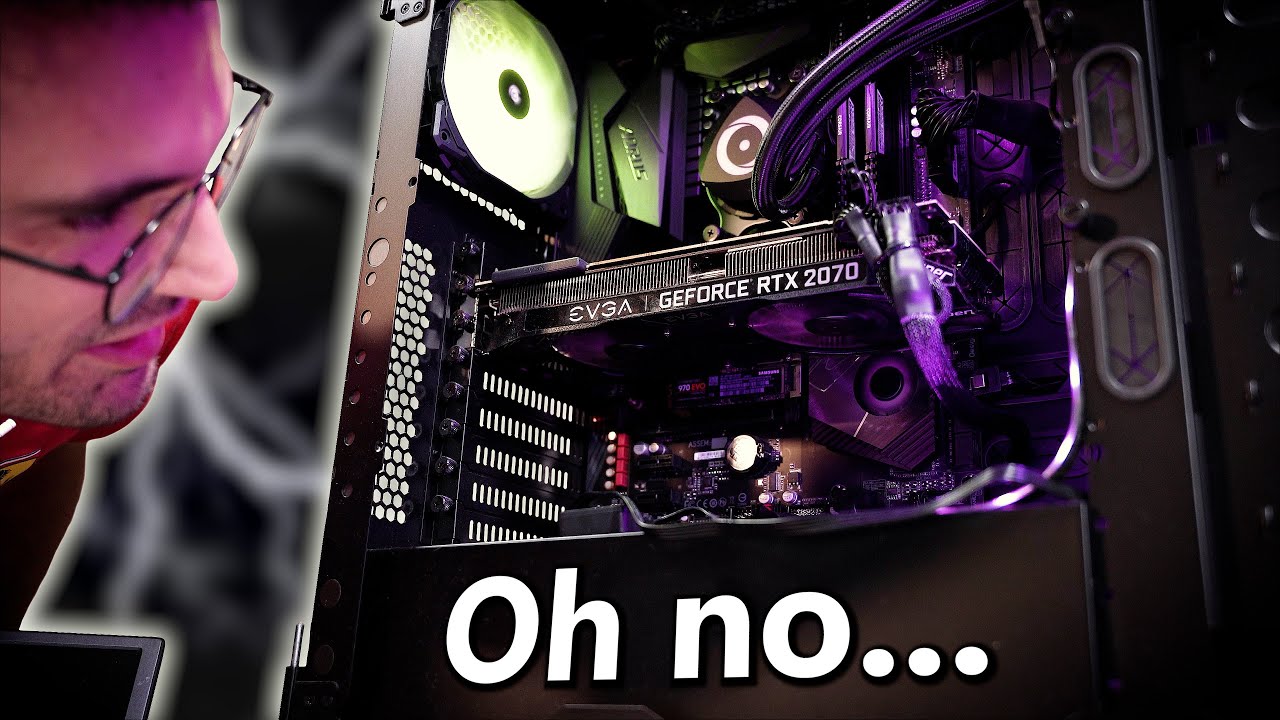
SPONSORS: Learn more about the NZXT H7! https://nzxt.co/GregH7
➡ Check out Corsair HS65 Surround headsets: https://geni.us/5nuXZpK
This viewer's gaming PC is having serious issues! What could it be? By the way, if you live in the Orlando, FL area and have an issue with your rig, apply to have it (possibly) fixed for free today! https://gregsal...
anyone know what the case is?
mighty patrol
3d monitors, https://www.youtube.com/watch?v=p9Qazw9cVZY

Buy a Seasonic TX 1000 PSU: https://geni.us/aryiquT
Get 20% off DeleteMe US consumer plans when you go to http://joindeleteme.com/LTT20 and use promo code LTT20 at checkout.
DeleteMe International Plans: https://international.joindeleteme.com/
Glasses Free 3D displays aren’t a new thing, but they never manage to gain a wide audience. Can Ace...
violet spade
Ah yes, Linus tech, who doesn’t want to spend any money to make sure his team’s statements are accurate
mighty patrol
I mean, there's worse sources lol. Didn't see anyone else cover these monitors yet sadly.
I'd prefer other's myself too.
Apparently anti-cheat doesn't like them
orchid iron
imagine getting banned because of your screen xD
mighty patrol
There's the screens with built in cheats so wouldn't surprise me.
mighty cosmos
I'm pretty sure they were talking about using reshade mods to add 3d support to unsupported games
which yeah that will trigger anti cheats
orchid iron
makes sense
orchid iron
mighty patrol
There's the screens with built in cheats so wouldn't surprise me.
+200% faster auto aim reaction time
+420% kills per minute
and most importantly
Ai generated insults to send to your teammates when they screw up
violet spade
interesting
 agile lodge
yeah it give it now
grave sundial
There was a guy who posted on reddit that GEForce Experience was crashing while installing drivers, but the NVidia App wasn't.
True or not, I switched quite a while ago.
mighty cosmos
The new app is much better
Been using it for a while now
grave sundial
Also, they claim to have fixed the driver problem with Corsair-something-something yesterday.
I didn't install yesterday's update yet, but if you have that corsair thingamajig and get an error, it might help.
violet spade
mighty cosmos
The new app is much better
Been using it for a while now
first time I got the prompt for it
mighty cosmos
yeah
 hoary urchin
managed to get 4800 stable on dual channel with 128gb ram

pretty happy, 4800 is fine
 sleek pulsar
thats epic, how large of a map can you make with 128 on a system like that?
hoary urchin
🤷 lol
i just do programming haha
getting 4800 was painful
timings are a bit whack atm
but yeah
mighty cosmos
hoary urchin
managed to get 4800 stable on dual channel with 128gb ram
I installed new fans now my previous 5000MHz 128GB settings don't work anymore lol
hoary urchin
yeah 4800 was painful to get too
mighty cosmos
Trying to get 5000 again now
hoary urchin
took me like 6hours
of pulling 2 sticks back to bios, tweaking, putting back in etc
waiting 10-15mins for training
if it didnt post, 2 sticks out, back to bios lolk
mighty cosmos
It's a pain, now I have to figure out why the hell new fans made a difference with ram
mighty cosmos
hoary urchin
power?
I would guess more power noise or something
hoary urchin
im running 1000w platinum
mighty cosmos
hoary urchin
what PSU
RM1000x
sleek pulsar
I just upgraded to a new mb and cpu
 hoary urchin
i have this psu

32GB ram is comical for Unreal work
i use that just building the engine
sleek pulsar
yeah. I'm broke, have to sell my ddr4 first.
 sleek pulsar
I created a 100km by 100km map with 48 ddr4, thats about as big as I could go without crashing.
mighty cosmos
Ddr5 is so finicky and sensitive
Trying to get 5000MHz with 128GB was a 2 day adventure
And now I have to apparently do that again because I replaced... The fans....
sleek pulsar
Its a young mans game
mighty cosmos
Ok I think I got it
Have to do some memory tests to see if it's stable
sleek pulsar
built a few systems this weekend and many times thought I'm getting to old for this.
hoary urchin
better than a lot of people stuck at 3600 to 4200
with 4x dual rank sticks
Total time in Unreal Build Accelerator local executor: 1226.48 seconds
Total execution time: 1253.63 seconds```20mins for 6000 actions
delicate crystal
sleek pulsar
I created a 100km by 100km map with 48 ddr4, thats about as big as I could go wi...
Wonder if it would help if it was loaded in sections? Probably outside the scope of this channel
grave sundial
mighty cosmos
Ok I think I got it
Have to do some memory tests to see if it's stable
Do not increase the voltage beyond 1.3V.
Some people do 1.35V, but the long-term results are deep fried, baked ram chips.
You can also INCREASE the last pair of digits in your RAM speed. People usually try to get that as tight as possible, but that results in instability at higher clock speeds. Conversely, if you are okay with a slightly higher latency, you can get more stable clock speeds by increasing it.
E.g. from 50 to 52/54, etc.
mighty cosmos
grave sundial
Do not increase the voltage beyond 1.3V.
yeah I'm at 1.1 SOC, MC 1.209 and the rest just timings
grave sundial
You can increase it to 1.2 / 1.25 SOC.
1.1 will give you instability at higher speeds.
mighty cosmos
on this specimen of a CPU so far the lower volatages are more stable
DDR5 is weird
I can't get it to even boot at higher
mighty cosmos
grave sundial
Is your mobo locked?
it's not, DDR5 is just very finicky and sensitive to everything
It's been known that DDR5 can work better at lower voltages, apparently less electrical noise or something like that
some work better at higher, some at lower
it's super finicky
mighty cosmos
yeah on 9950x and x870E MBs you want the SOC to be about 100+ mv lower than your MC voltage
I won't complain that mine prefers lower 😆
mighty cosmos
I got it stable now, I got 5000 before but now lowered it to 4800 and tightened the timings instead and that seems to give me more performance than 5000 with previous timings
grave sundial
that's generally true of OC, yes.
tighter timings are better than gentle increases to MHz.
mighty cosmos
yeah, 5000 felt like it's just on the edge of stability
4800 seems to be more stable plus allowed me better timings which is good
grave sundial
Was the 5000 failing with Mem Training turned on or off?
mighty cosmos
grave sundial
Was the 5000 failing with Mem Training turned on or off?
I originally got 5k working, but then I changed fans today which I guess introduced some electrical noise because I have 3 chained to 1 fan header (amps are fine, header supports 1A and each fan is 0.24)
And it failed memory initialization after, but then I messed with timings to get 5k stable again
But I'm gonna stay on 4.8k instead, seems better
grave sundial
Yeah, but did it fail with the Mem Training in BIOS on or off?
I forget what that setting is called in BIOS, the one that decreases POST time.
mighty cosmos
grave sundial
I forget what that setting is called in BIOS, the one that decreases POST time.
memory context something something
I have it do full training
grave sundial
Ah, so you had it turned off. Good.
That thing has been known to crash many an OC chip.
Yeah, I think it's the nature of your chip to work at lower speeds and tighter timings. 🙂
mighty cosmos
yeah it seems like there is a little bit of variance in each cpu and MB and dimms even if they are "identical"
grave sundial
I never turned the Mem Training thing ON. In the 20 seconds it takes to POST, I can fart, pee, kill a fly or two, make coffee, do drugs, and get back to the computer. No problems. 🙂
mighty cosmos
everyone seems to be finding different settings that work
grave sundial
Pretty much. Everybody's skynet is different.
It means we have always had AI.
It's in our silicon!
mighty cosmos
Replaced the fans today, some pics of what the system looks like in its final form 😅


 violet spade
mighty cosmos
Replaced the fans today, some pics of what the system looks like in its final fo...
violet spade
mighty cosmos
Replaced the fans today, some pics of what the system looks like in its final fo...
That AIO is slick, what’s the brand
mighty cosmos
violet spade
That AIO is slick, what’s the brand
it's CORSAIR Hydro H150i iCUE Elite LCD XT
grave sundial
mighty cosmos
it's `CORSAIR Hydro H150i iCUE Elite LCD XT`
You MIGHT have to update to the latest NVidia GPU drivers, if you haven't aready.
The drivers that have been active until two-ish days ago have some bug with Corsair's iCUE.
I assume you already have.
mighty cosmos
grave sundial
You MIGHT have to update to the latest NVidia GPU drivers, if you haven't aready...
Yeah I'm on latest, updated a few days ago
Thank you for the heads up tho
hoary urchin
why i need 128gb ram lol
 sleek pulsar
my rec is cable it. lol
I giggle when all my friends deal with charging and battery, interference issues...
Mine just work. I hate having my tools randomly not work well.
mighty cosmos
 fallen oasis
Anyone have _wireless headset_ recommendations?
fallen oasis
Anyone have _wireless headset_ recommendations?
I use razer blackshark v2 pro and it's great
The mic quality if you care about that is one of the best you'll get on a headset


 radiant wedge
need mouse recommendations! dangit..
coded for ~25 years, 16 hours a day give or take, ever typing away, no wrist/hand issues ever, on whatever crummy laptops and "unergonomic" seating were around. then I get into unreal (BP not c++-based) and just a few weeks in, I realize I probably need a mouse, the touchpad wont do if I wanna spend whole days in this. at least it's what my wrist and thumb/finger joints scream out to me.
never thought I'd spend whole days in friggin clicky-clicky-ware 😁
please recommend me whatever mice you swear by for both least-straining and also (if that's a thing any mouse design can even deliver), most-productive — compared to typing (and being used to touchpads only) I find point-and-click software interaction ridiculously non-fluid and clunky, but maybe some mouse or mouse-alternative hardware out there makes a massive difference here?
but yeah, wrists. what mouse for all-day,every-day point&click work?

 fervent jolt
if you don't have any unique personal traits (requiring severe custom stuff, like that) and are hopefully right handed - glorious model o2. bind middle mouse to one of the side buttons, only use the scroll wheel for scroll.
violet spade
fervent jolt
if you don't have any unique personal traits (requiring severe custom stuff, lik...
Does the mesh help your hand breathe or is it just for getting dead skin inside the hardware? 😄
fervent jolt
making cat memes is a high-activity high-mouse-hand-heat generating process
violet spade
 orchid iron
violet spade
this shit
orchid iron
violet spade
this shit
I have a vertical mouse that I use daily, great for carpel tunnel as that muscle doesn't get squished at all
But using it for over 4 hours in a row without break will overuse like 3 other muscles
 spare sluice
violet spade
I mean you could be one of those weirdos with vertical mice
spare sluice
violet spade
I mean you could be one of those weirdos with vertical mice
weirdo but without wrist pain at the age of 30
fresh fog
If you just want cheap and cheerful without it being a huge POS, I use a Corsair Harpoon RBG.
fallen oasis
mighty cosmos
I use razer blackshark v2 pro and it's great
Ordered. Better not be shit! 😄
fallen oasis
I found it for like 20% off RRP. Better not go lower in black fri-week.
mighty cosmos
fervent jolt
if you don't have any unique personal traits (requiring severe custom stuff, lik...
 from me for O2
I have 2 old model Os and now model O2
Really good mice
Btw it's ambidextrous, I use it with my left hand, the side buttons don't get in the way but you can't use them
mighty cosmos
violet spade
Does the mesh help your hand breathe or is it just for getting dead skin inside ...
It's primarily to reduce weight, the mouse is like 60-70g
But for me it helps to reduce sweating
orchid iron
 violet spade
Hehehe I got one of the best Intel CPUs according to GN
grave sundial
violet spade
Hehehe I got one of the best Intel CPUs according to GN
which one?
violet spade
grave sundial
which one?
I5-12600K
grave sundial
Noice choice.
 onyx harness
32gb with 4060?
Or 16gb with 4070.
grave sundial
onyx harness
32gb with 4060?
Or 16gb with 4070.
Isn't the max VRAM on the 4060 16GB?
Or do you mean DDR RAM?
onyx harness
yeah sorry DDR ram
median marsh
onyx harness
32gb with 4060?
Or 16gb with 4070.
32GB with 4060 imho (if it's the 16GB 4060...)
don't get the 8GB one, then i would rather pick 16GB with 4070 and upgrade host memory later
mighty patrol

I 1v1'd against a literal aimbot aka L1L BR0
Made possible by the Khadas Mind 2
Learn more details:
Mind 2: https://www.khadas.com/mind
Mind Graphics: https://www.khadas.com/mind-graphics
Purchase at Khadas.com:
Mind 2: https://www.khadas.com/product-page/mind-2
Mind Graphics: https://www.khadas.com/product-page/mind-graphics
Purchase on Ama...
 wise elbow
16gb 4060 is in a weird place
 fierce olive
will my XFX AMD RX-7800XT that requires PCI 4.0 x16 be compatable with my B550 aorus elite v2 that has PCI 3.0 X16?
As far as Im aware it shouldnt be a problem?
orchid iron
Your GPU doesn't "require", it is just the maximum of lanes it can use
Mining rigs used a lot of GPUs with only one lane because high bandwidth isn't a big deal for bitcoin mining
Also what CPU do you have? Because depending on the CPU you may have x16 pcie 4.0 or x16 pcie 3.0 available (from your motherboard specifications)
@fierce olive
fierce olive
orchid iron
Your GPU doesn't "require", it is just the maximum of lanes it can use
Mining ri...
I’m not mining I just use it for gaming and unreal engine I have r7 3700x I think it will bottle neck my new gpu
orchid iron
fierce olive
I’m not mining I just use it for gaming and unreal engine I have r7 3700x I thin...
alright, so you'll have the x16 pcie slot which is next to your cpu at version 4.0, which is nice to have
it depends what you want to do with it, if you play at 4k or play at 1440p with high settings and no ray tracing, then it won't perform that differently from a better CPU because the main factor which impacts your fps the most will be your GPU in those senarios
Likewise with UE, if you use it for high quality and high resolution and low to medium ray tracing it won't impact you that much
Although, for UE your RAM capacity and SSD speeds are quite important aswell, what are the specs on those?
fierce olive
orchid iron
alright, so you'll have the x16 pcie slot which is next to your cpu at version 4...
I play 1440p high qality with ray tracing use to have Nvidia gpu and used DLSS a lot but now i guess FSR? from AMD. For UE its fine i dont push graphics too much RAM and ssd are top noch high speed
orchid iron
fierce olive
I play 1440p high qality with ray tracing use to have Nvidia gpu and used DLSS a...
alright, but how much ram do you have?
orchid iron
then you'll be fine, you don't have to worry about the cpu
fierce olive
You sure? CPU will have hard time keeping up with it
orchid iron
fierce olive
You sure? CPU will have hard time keeping up with it
the GPU is much better than your CPU, that's for sure, but it'll also have to do way more than your CPU
few things will really push the CPU, ray tracing is one of them, so if you have low frame rate you can tweak some settings to reduce the load on the CPU
But overall the 3700x is not as bad as you may think
orchid iron
fierce olive
You sure? CPU will have hard time keeping up with it

We clearly need to clarify more about CPU and GPU bottlenecks after reading the comments on my last video: https://youtu.be/2DfGNPiNTuM
What equipment do I use to make my videos?
Camera: Sony a6100 https://amzn.to/3wmDtR9
Camera Lens: Sigma 16mm f/1.4 https://amzn.to/36i0t9t
Camera Capture Card: Elgato CamLink 4K https://amzn.to/3AEAPcH
PC C...
if you want to know more about what is a real "bottleneck" I reccomend you watch this
fierce olive
I will thanks you have been huge help 😄
orchid iron
np
fierce olive
I just gotta upgrade new PSU and im good to go
 mental timber
That is allot of ram
orchid iron
hoary urchin
Wtf are you doing to be using so much?
median marsh
compiling or light baking on CPU 😄
mighty cosmos
Well both me and him went for that much memory because we knew we need it 😅
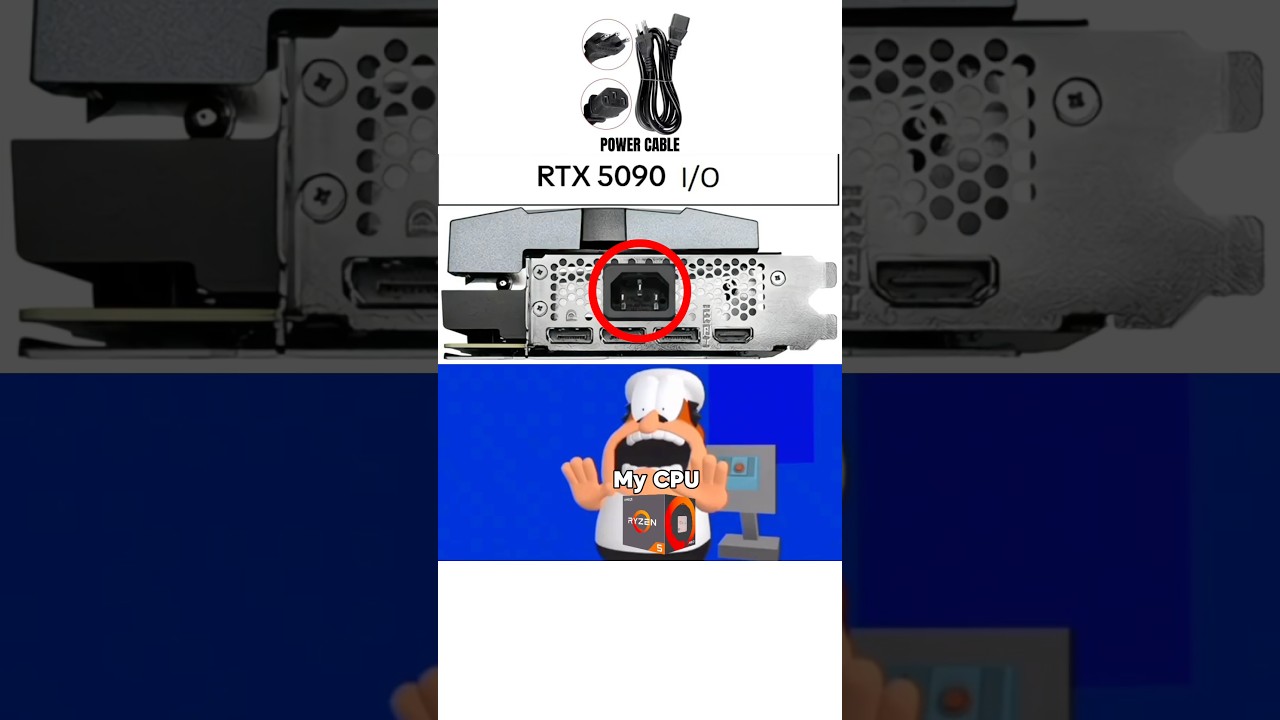 delicate crystal
Anyone ever looked at doing an external NAS solution? Was setting up alerts for black friday and was thinking it'd be better to move my raid to an external solution, but it's not a space I know very well, not to mention performance considerations, especially with video or large assets.
median marsh
don't fall for black friday scams
orchid iron
delicate crystal
Anyone ever looked at doing an external NAS solution? Was setting up alerts for ...
Yup, and my conclusion was to just have an external enclosure with some disks or ssds


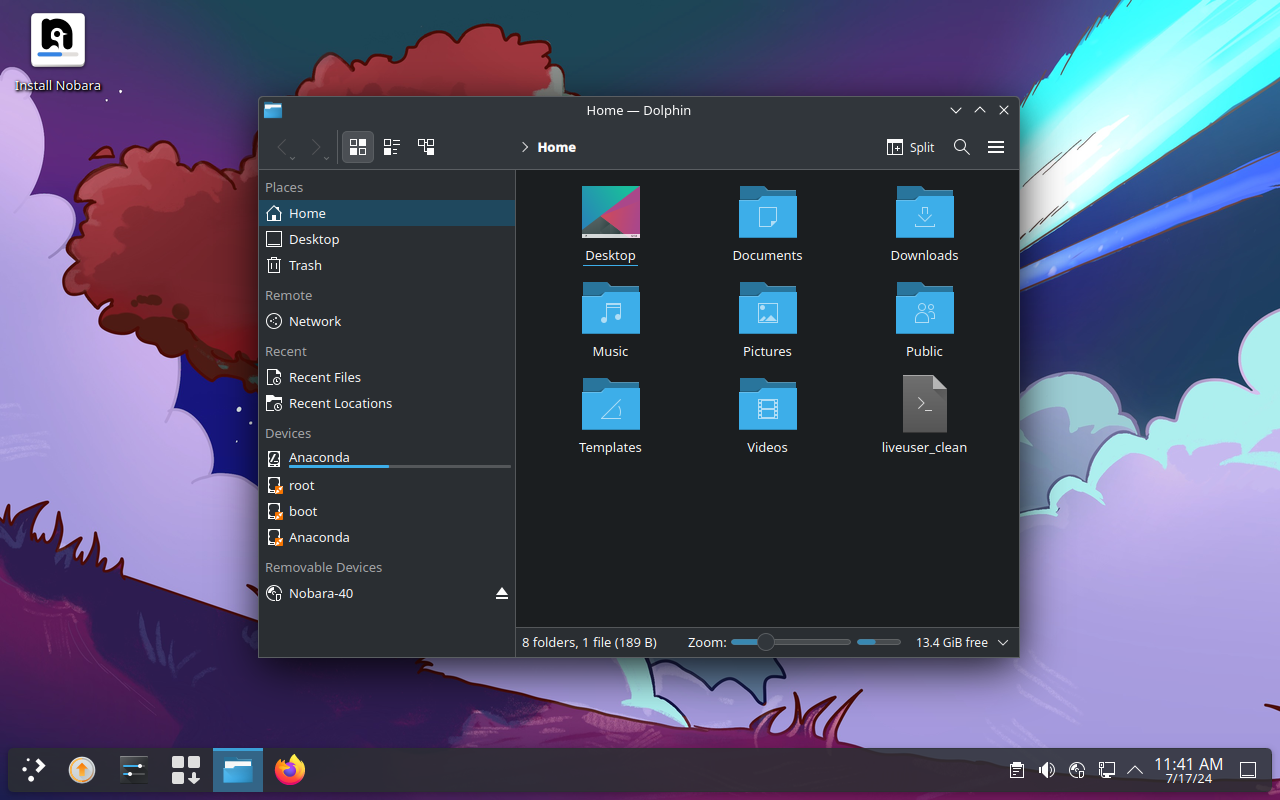
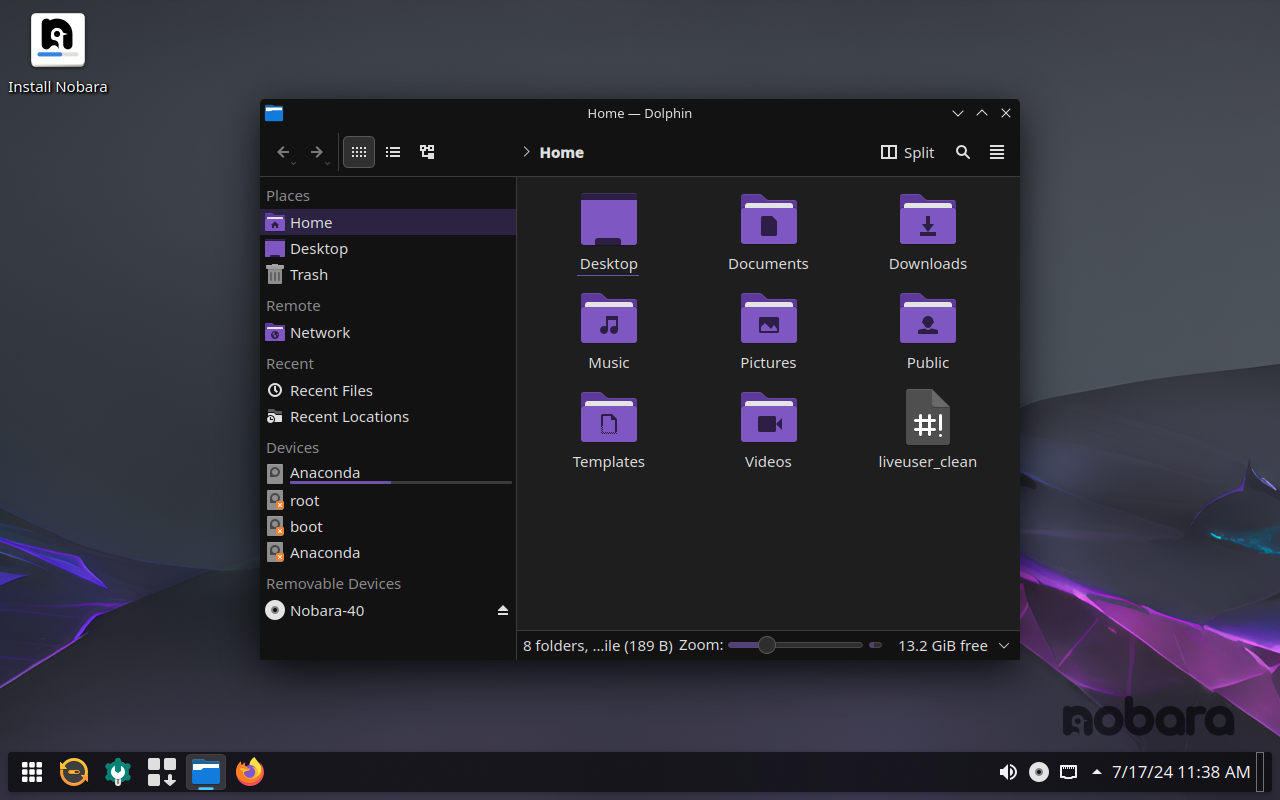
 delicate crystal
orchid iron
Yup, and my conclusion was to just have an external enclosure with some disks or...
delicate crystal
orchid iron
Yup, and my conclusion was to just have an external enclosure with some disks or...
makes sense. Didn't see a performance degradation having your storage being outside the system? I assume as it's just files that wouldn't be accessed a lot/asset files the answer is no, but figured best to ask now before spending money
orchid iron
delicate crystal
makes sense. Didn't see a performance degradation having your storage being outs...
it just depends how the drive is being accessed, if you are using multiple drives from one single sata connection, performance might be quite slow
In my use case I have a lot of sata connections on my motherboard but not enough space in my pc case, so I just bought an external case where there is a tone of drives in them all connected directly to the motherboard
delicate crystal
orchid iron
it just depends how the drive is being accessed, if you are using multiple drive...
so currently it's 4 sata drives through a hardware raid card that i have set up as raid 5. What adapter are you connecting it to the motherboard with? USB-C?
orchid iron
each drive I have is connected to a sata 3 connector on my motherboard
delicate crystal
oh ok I get it now. I was thinking if you were doing a setup where you had an external NAS like QNAP
orchid iron
yeah, my use case was more like not feeling I wasted money on an expensive motherboard for nothing xD
delicate crystal
😄 I understand. Keep looking at my current setup and thinking if I'm wasting money as well (curretnyl priced out at 4k+...and that's without having a RAID)
orchid iron
I feel ya
delicate crystal
actually here's a though; is there a noticible difference between DDR4 and DDR5 ram? i ask as if there isn't, that's almost a grand off my build price (I have 128gb of DDR4 ram at the moment. Still have to sub out the board for a new processor along with a vid card upgrade
orchid iron
depends what cpu you have and what is your capacity, if you'd want an actual noticeable difference from picking high capacity ram and having it feel way better than ddr4, wait until zen6 or nova lake because those will be able to handle much better load and speed than current gen
delicate crystal
well the CPU I was looking at was the 7950x3d, but I'm not married to it
orchid iron
that one has many downsides, I'd wait at least until the 9950x3D, because the cache being above the cores makes it very limited in overclocking and in performance
delicate crystal
hmm ok that's good ot know
orchid iron
and the only downside of the 9950x3D is that it has the same memory controller as the 7000 series, which is why I mentioned you should probably wait until next gen so they have an actually upgraded memory controller (and also have 32 core CPUs)
delicate crystal
Makes sense. And by tgen maybe ddr5 memory prices wilk have reduced. Which woukd ve nice 🙂
delicate crystal
Well i sense they wont be for us non americans, but we can dream
 gusty kiln
For a laptop for indie scale projects (I'm not creating the next hyper-realistic thing that barely runs on a 4090), would a laptop 4050 suffice or should I look into a higher GPU?
I do need the portability, this is for work on the go, I have my actual mammoth of a desktop at home that runs UE5 comfortably.
fallen oasis
If you're creating a game, VRAM is king.
So soemthing with 16gb vram will be better than 12gb vram, even if the card is slower.
gusty kiln
Gotcha, VRAM is king.
Considering my current laptop can barely even launch the editor I'll take any improvement. Any real hard-core serious work and I'd rather be back on my machine that has a 7900XTX.
Would this be decent enough to at least run the editor and do Indie-Level work?
gusty kiln
I need to use both. 1 is on the go, the other is not portable at all.
median marsh
i'll never get how people can be productive on the go...
i rather prefer to use that time to think about what i've done and what to do and sit down on a real workstation to get it done
 obtuse yew
I'm looking for a 27-inch monitor with a 2560 x 1440 resolution, 100% sRGB, factory-calibrated, and an IPS panel. It would be great if it had more than 60hz. Could someone recommend a monitor or advise which ones to avoid? I'm considering Asus ProArt, Dell UltraSharp, or ColorEdge CS2731
fallen oasis
gusty kiln
So I'm not always home.
Remote desktop into your home pc from a shitty laptop 😄
fallen oasis
obtuse yew
I'm looking for a 27-inch monitor with a 2560 x 1440 resolution, 100% sRGB, fact...
https://www.youtube.com/@monitorsunboxed/featured I think somebody linked this here once, but I'm not sure if it was this one.

YouTube
 untold topaz
I hope this isn't inappropriate to ask here, was going to grab a PC with Ryzen 7-8845HS, NVIDIA Geforce RTX 4060, 32GB DDR5, 1TB NVMe SSD, will this work decently with the engine? I don't plan on using every cutting edge feature, I care more about performance. I asked chatgpt because I am anti social but I mustered the courage to ask you kind folks. Thank you everyone!
median marsh
1TB with UE is a close call
and i would only take a 4060 if it's the 16GB version
generally you need more video memory for development than for playing games (because more assets are in video memory)
and 1TB may get you started but it can be though (depending on how many asset packs you keep around and if you build engine from source or if you need debug symbols for C++ development)
untold topaz
Thank you so much for your response, I genuinely appreciate it!!!
mighty cosmos
fallen oasis
Ordered. Better not be shit! 😄
btw once you get them, the "music" equalizer profile seems to be the best, to me at least
Besides making your own
orchid iron
untold topaz
I hope this isn't inappropriate to ask here, was going to grab a PC with Ryzen ...
check if the SSD of your laptop can easily be swapped or even check if you can add a second one, some laptops have that feature and it is really good for you because that means you could have two 4 T ssds in the future for a total of 8T of really fast storage
actually wait, do you plan to get a laptop or a desktop?
fallen oasis
mighty cosmos
btw once you get them, the "music" equalizer profile seems to be the best, to me...
I don't know shit about making an equalizer profile correctly. 🙂
They're pretty good.
The bluetooth/pc switch seems extremely iffy, though.
 abstract wadi
Hello! I'm getting a laptop with rtx4060, 8gb vram, 24gb ram, i7. Is it good enough to work on ue5? Im goal is to make films and render stuff out. Any help is appreciated thanks!
mighty cosmos
fallen oasis
The bluetooth/pc switch seems extremely iffy, though.
Tbf haven't messed with the Bluetooth mode too much, occasionally used it with my phone but that's about it
orchid iron
abstract wadi
Hello! I'm getting a laptop with rtx4060, 8gb vram, 24gb ram, i7. Is it good eno...
you'll struggle a lot with that unless it is low poly films and renders
tbf, if you are new, you could begin using low poly assets, bad hardware isn't an excuse to avoid learning UE
abstract wadi
orchid iron
you'll struggle a lot with that unless it is low poly films and renders
Why though?
I used to use 1050ti, 16gb ram with ue4 a few years ago and it was good enough. I was hopong this would be enough to use models with 1k textures to make films and stuff and metahumans too.
orchid iron
abstract wadi
Why though?
It mostly depends on the scale of whatever projects you want to do, if you only mention hardware specs without mentioning the stuff you wanna do with it, it is fair to assume you'd want to do 4k 60 fps stuff with high details and ray tracing
But if a 1050ti worked fine for you previously, then a 4060 will be more than enough for the same tasks
abstract wadi
orchid iron
It mostly depends on the scale of whatever projects you want to do, if you only ...
Well, Id be rendering out 1080p videos 24fps, no plans for 4k stuff rn. Cause I'm not making games. With the 1050ti I used it to make games. Id be using lumen and nanite and the scale would be medium and since its a film, it would be very selective of the things on the scene, Some are larger but mostly medium to small scale. The closer it is, id go with 2k textures.
orchid iron
abstract wadi
Well, Id be rendering out 1080p videos 24fps, no plans for 4k stuff rn. Cause I'...
Then yeah, you'll have an easy time with your incoming laptop
abstract wadi
orchid iron
Then yeah, you'll have an easy time with your incoming laptop
Thanks a ton! I was nervous lol
orchid iron
No problem
 mellow galleon
does anyone know of 4g/lte router that supports cell id locking (locking to specific cell on a matcht isntead of the nearest one)
mostly tplink/zte devices available on market
 dense stirrup
Dear pc creator friends and masters,
I want to ask what GPU base line to make super detail photorealistic 3d with all of the UE features for couple of seconds (not a game and not a big vast open world, just a visual scene)
4070 ti super 16gb vram is what i would buy at first, but is it really a draw line to make it happen? I dont intend to make a big vast open world 3d photorealistic, i just want to make a couple of seconds visual video scene,
My budget is so limited right now and I decided to downgrade the gpu because if i still go with my first plan my budget will reach $ 3.150 usd. I don't even know how it works, this is my very first step.
It's not very wise if the 5000 series will launch in a short period of time and i already spent all of my budget. I can stretch my budget only to 4070 super 12gb, so to make that photorealistic full detail texture path tracing lumen and etc for only couples of second and not a big vast open world 3d, anyone can help me?
i asked chat gpt it suggested 3060 ti 8gb, 4060 8gb, im so confused in this confusing period of time. Which gpu should i buy for only a couple of seconds photorealistic 3d visual detail texture to produce? Could 4060 8gb already handle it, or adding additional vram 4060 ti 16gb already could, or 4070 super 12gb, or no other choice the least minimum is 4070 ti super 16gb please help me master 🙏🏼
Here is my very first spec pc build
- monitor samsung m7 43 inch
- m.2 adata legend 900 1 tb
- raptor matx case
- cpu cooler coolmoon 240mm aio
- r9 7900x
- psu nzxt 1200w 3.1
- kingbank 98gb 6400mhz cl32
- m.2 adata legend 900 2 tb
- studio monitor adam audio t8v
Still cant decide :
- gpu : 3060 12gb / 4060 16gb / 4070 s 12gb
- motherboard : x870 asrock pro rs atx / b650m mortar wifi matx
My very best regards


 orchid iron
dense stirrup
Dear pc creator friends and masters,
I want to ask what GPU base line to make s...
orchid iron
dense stirrup
Dear pc creator friends and masters,
I want to ask what GPU base line to make s...
first off, the pc case is for mATX motherboards, I highly reccomend going for a bigger case as if you choose to upgrade the GPU in the future it will very likely not fit
I'm unsure about coolmoon never heard the brand can you link the product?
the ram is way overkill, the 7000 and 9000 ram speed sweet spot is at 6000 mhz, plus since you are using sure large capacity it will put a lot of stress on the memory controller so it may or may not be stable
is there any reason why specifically those 2 motherboards? B650 chipset motherboards offer better value due to their age (and also more mature BIOS) than the latest and "greatest" which support 8000 mhz (which isn't that great for the cpu you are using and may fry the memory controller if it can even post)
also you shouldn't trust any AI with PC building, content creation is a very vague term, so budget allocation may change a lot depending on what you are actually creating
for example the 3060 vs 4060 is one of the weirdest things about GPUs, if you look at the specs the 3060 seems like it is clearly superior than the 4060, but because the architecture is brand new but real world results show the opposite and the 4060 beats the 3060 by a small amount
if you aim for the highest graphics then try to make your pc have the most essential components, remove all the extra bells and whistles to then spend as much as possible on the GPU
Btw how long can you wait before PC building? Because AMD rx 8000 GPUs are set to offer really good ray tracing performance for a much better price than current gen (plus also the 5070 might be pretty interesting if it is priced okay)
dense stirrup
orchid iron
first off, the pc case is for mATX motherboards, I highly reccomend going for a ...


 dense stirrup
orchid iron
first off, the pc case is for mATX motherboards, I highly reccomend going for a ...
dense stirrup
orchid iron
first off, the pc case is for mATX motherboards, I highly reccomend going for a ...
For the pc case and aio is the very first part i bought, i can return it to the seller, i was preferred to choose a small pc case but then get confused with x870 has pcie 5 if i would upgrade my gpu
dense stirrup
orchid iron
first off, the pc case is for mATX motherboards, I highly reccomend going for a ...
My main goal is only to make this photorealistic for a couple of seconds, perhaps 10 - 15 seconds, I'm not building a game, i just want to create a photorealistic detail visual scene, i want to start learning it, but don't want to spend too much on gpu because im still not sure yet to make a career in this industry, this is my very first step, i have to spend my budget wisely, im totally new to this world, so my aim is i could make photorealistic detail 3d visual scene only couple of second like this reference, so what is the least minimum gpu to buy to create this without having a problem?


 dense stirrup
orchid iron
first off, the pc case is for mATX motherboards, I highly reccomend going for a ...
dense stirrup
orchid iron
first off, the pc case is for mATX motherboards, I highly reccomend going for a ...
Yess master that's why i choose to buy the least minimum only to start, if in the future my chances of job still open and i need to upgrade my gpu, i already prepare all of the components, it'll be easier to sell 1 part which is gpu, and the loss is still small,
dense stirrup
orchid iron
first off, the pc case is for mATX motherboards, I highly reccomend going for a ...
Every research i found people are always told to buy nvidia if you intend to do 3d, im like catching a ghost for a month, these are the parts i haven't bought yet :
- kingbank 96gb 6400mhz cl32
- adata legend 900 2 tb
- adam audio t8v
- gpu 4060 16gb / 4070 super 12gb / 4070 ti super / 16gb
- motherboard x870 pcie 5 but atx / b650m pcie 4 matx also cheaper
dense stirrup
orchid iron
first off, the pc case is for mATX motherboards, I highly reccomend going for a ...
Do you really need 7000mhz / 9000mhz master? Theres no speed in this 96gb catagory
orchid iron
dense stirrup
For the pc case and aio is the very first part i bought, i can return it to the ...
Chipset specs are a "minimum" for what the motherboard can have
Check motherboard specs and you'll notice most if not all b650 motherboards have pcie 5.0
dense stirrup
orchid iron
Chipset specs are a "minimum" for what the motherboard can have
Check motherboa...
I mean for the gpu master
orchid iron
dense stirrup
Do you really need 7000mhz / 9000mhz master? Theres no speed in this 96gb catago...
Exactly you don't, there is very noticeable diminishing returns for going beyond 6000 which people call the "sweet spot"
Also when I said 7000 and 9000 I meant the Amd Ryzen CPU series
dense stirrup
orchid iron
Exactly you don't, there is very noticeable diminishing returns for going beyond...
HAHAHA sorry master, got dizzy already hahahaha
 orchid iron
dense stirrup
My main goal is only to make this photorealistic for a couple of seconds, perhap...
orchid iron
dense stirrup
My main goal is only to make this photorealistic for a couple of seconds, perhap...
If you are going for a non-real time render then a low end nvidia GPU will be enough to achieve your goal, but the question is what else do you plan to use it for, and also can you wait a long while for your scenes to render
dense stirrup
orchid iron
If you are going for a non-real time render then a low end nvidia GPU will be en...
Yes master, as long as it is still capable of handling like the reference i showed without any lag or crash, it will be good enough for my very first step, im totally still newbie idiot here master
orchid iron
dense stirrup
For the pc case and aio is the very first part i bought, i can return it to the ...
Pick a case that could fit a 4090 in it
Even if you don't ever plan to buy such a massive GPU, if you are the one building the PC, it is really difficult to work with a small case
Also how much is the AIO in USD? Because dual tower air cooler might be much better performance per dollar
orchid iron
dense stirrup
Yes master, as long as it is still capable of handling like the reference i show...
Please drop the "master" thing it is too much xD
dense stirrup
orchid iron
Pick a case that could fit a 4090 in it
Even if you don't ever plan to buy such...
I bought it for $54 usd
Its a chinese AIO friends bro hehe
orchid iron
Okay, that's a pretty good deal for an AIO, just make sure it works and it'll do wonders
dense stirrup
Okay then its clear the only choice is to buy x870 to prepare for the 5000 gpu which has pcie 5 and return the case for an atx case, this case has max gpu 400mm and cost $30
 dense stirrup
orchid iron
If you are going for a non-real time render then a low end nvidia GPU will be en...
dense stirrup
orchid iron
If you are going for a non-real time render then a low end nvidia GPU will be en...
So what is the best value minimum gpu i should buy lab bro? Or perhaps just don't buy any gpu yet wait until 5000 release?
orchid iron
dense stirrup
So what is the best value minimum gpu i should buy lab bro? Or perhaps just don'...
If you are going low end, then upcoming GPUs won't affect your choice because they are all mid to high end (apart from Intel battlemage GPUs which are coming in a month) so maybe just wait until reviewers check if the new Intel GPUs are worth buying
dense stirrup
Actually im still wondering about 5070 ti 16gb
orchid iron
Can you list a few B650 motherboards that are at a good price?
orchid iron
dense stirrup
Actually im still wondering about 5070 ti 16gb
Likely too expensive
But you could wait a see as it doesn't cost anything to wait
dense stirrup
orchid iron
Can you list a few B650 motherboards that are at a good price?
I was going to buy b650m mortar wifi for $235 in my country
dense stirrup
orchid iron
If you are going low end, then upcoming GPUs won't affect your choice because th...
I was going to, thats why I'm making sure right now does 4060 ti 16gb could already handle making these scenes for a couple of seconds, have you make photorealistic detail with UE 5.5 lab bro?


 orchid iron
dense stirrup
I was going to buy b650m mortar wifi for $235 in my country
orchid iron
dense stirrup
I was going to buy b650m mortar wifi for $235 in my country
That's so budget it doesn't have pcie 5.0, any other b650 that are at a good price?
orchid iron
dense stirrup
I was going to, thats why I'm making sure right now does 4060 ti 16gb could alre...
Again, non-real time render means you basically do a short movie and it'll render frame by frame for a good amount of time (likely 1-3 hours)
So if you are going for that even a normal 4060 will be enough
But real time is a different story
dense stirrup
orchid iron
Again, non-real time render means you basically do a short movie and it'll rende...
Even full with ray tracing, lumen, and all the details, all of the effect and features UE 5.5 so 4060 ti 16gb already capable enough to make like in those pictures for 15 second scene or short movie?
orchid iron
dense stirrup
Even full with ray tracing, lumen, and all the details, all of the effect and fe...
Yeah, you could even go for the 8 GB variant if the price difference is too big
dense stirrup
orchid iron
That's so budget it doesn't have pcie 5.0, any other b650 that are at a good pri...
You mean this dude lab
 dense stirrup
orchid iron
Yeah, you could even go for the 8 GB variant if the price difference is too big
dense stirrup
orchid iron
Yeah, you could even go for the 8 GB variant if the price difference is too big
Omg just like what chatgpt said thank you so much lab bro 🙏🏼 you've just fixed my worry for a month
orchid iron
dense stirrup
You mean this dude lab
No
The specifications from the Chipset are different from the specifications from the motherboard
The table you showed are the "Minimum" specifications that a motherboard with the corresponding chipset can have
For example the Gigabyte B650 gaming x ax has pcie 5.0
Which is why I asked the motherboard names because it is ultimately the motherboard specs which tell you what do you have
dense stirrup
orchid iron
No
The specifications from the Chipset are different from the specifications fro...
This one?

 orchid iron
dense stirrup
This one?
orchid iron
dense stirrup
This one?
yes there we go see, motherboard specs may differ from chipset specs
although these listings don't mention if the x16 slot is gen 5.0 or 4.0, you should check the place you want to buy the components at and check the B650 motherboards with an okay price and from their check their specs
dense stirrup
orchid iron
although these listings don't mention if the x16 slot is gen 5.0 or 4.0, you sho...
I think it will become a b650e name
Actually i dont really understand this, but x870 it can be expo to 8000mhz ram or this pro rs wifi tested stable at 7400mhz, i dont intend to become a hard gamer or dont actually understand what is used for, could you help me understand lab bro? I'm still confused about choosing a motherboard, already overwhelmed, i just know it already has pcie 5x16 if i want to upgrade the gpu with the next gen, and it has the best price, great phase (so the heat will be minimized) hahaha im totally newbie trying to learn everything, im so sorry dear pc fam with my stupidity
 orchid iron
dense stirrup
Actually i dont really understand this, but x870 it can be expo to 8000mhz ram o...
orchid iron
dense stirrup
Actually i dont really understand this, but x870 it can be expo to 8000mhz ram o...
this is a motherboard that failed to boot at 8000 mhz even though it advertises that it can support it
Now that may be due to them being brand new and perhaps a BIOS update fixed it
I wasn't aware that this motherboard had a really good price, if it is close (in terms of price) to the other motherboard you mentioned then it is a very nice buy
dense stirrup
orchid iron
this is a motherboard that failed to boot at 8000 mhz even though it advertises ...
What is it used for 8000mhz lab brother? Will I be needing it? From what i learned the cpu sweet spot is at 6000mhz and you also said that, it is so confusing 🥴😵💫, in my country the cheapest x870 only choices are asrock pro rs wifi or gigabyte
 orchid iron
dense stirrup
What is it used for 8000mhz lab brother? Will I be needing it? From what i learn...
orchid iron
dense stirrup
What is it used for 8000mhz lab brother? Will I be needing it? From what i learn...
any of these are fine for what you want to use it for
You could even look at the B650 and B650E prices to see if you see anything interesting as one of them may also have pcie 5.0 in the x16 GPU slot
the 8000 mhz is likely for the ryzen generation after 9000 because as mentioned "sweet spot is at 6000mhz" so having motherboards being able to reach that high isn't necessary
dense stirrup
orchid iron
any of these are fine for what you want to use it for
You could even look at the...
I seee thank you so much master 🙏🏼, but the cheapest for the pcie 5.0 gpu option is in x870, b650e or x670e is more expensive, i rarely see b650 or x670 has pcie 5.0 for future upgrade,
also actually i still dont really understand every part, i've just tried to learn everything at once, any advice will be helpful, all i know if i can make a career in this field i will need a faster gpu, and next gen gpu will be pcie 5, for my very first pc build i will just go with the best good value cheapest option master, thank you so so much master lab, u are truly a help 🌹🌹🌹🙏🏼🙏🏼🙏🏼🥂🥂🥂 wish you health and happy always master
My very best regards
orchid iron
dense stirrup
I seee thank you so much master 🙏🏼, but the cheapest for the pcie 5.0 gpu opti...
have a good one, the x870 asrock pro rs wifi or the other gigabyte are good choices to start out with
dense stirrup
orchid iron
have a good one, the x870 asrock pro rs wifi or the other gigabyte are good choi...
I think these are mobo that have pcie5x16 in the same price range master lab, i cant find any best price other than these, gigabyte has a fewer power phase master
 orchid iron
dense stirrup
I think these are mobo that have pcie5x16 in the same price range master lab, i ...
orchid iron
dense stirrup
I think these are mobo that have pcie5x16 in the same price range master lab, i ...
Yeah, these are good motherboard choices, Asrock has really competitive prices compared to the other 3 major brands
wise elbow
anything more than 10 vrms is total overkill tbh, especially if they have a decent heatsink
wise elbow
dense stirrup
I seee thank you so much master 🙏🏼, but the cheapest for the pcie 5.0 gpu opti...
if you just want pcie5, there's not much reason to get something other than b650e
the only think the x870e has over the older boards is that the nicer boards tend to allow high memory clocks
but anything above 6000 cl30 for ddr5 is pretty pointless tbh
and then it's all down to the IO you want
if you don't have any special needs that doesn't really matter
im also not sure id ever advise someone to get a 4060, the 8gb of vram is arguably already obsolete
and speaking from experience, dlss looks bad at 1080p
dense stirrup
wise elbow
im also not sure id ever advise someone to get a 4060, the 8gb of vram is arguab...
Yes i think the same personally, the wisest move right now for me personally ill just buy the cheapest option which is 3060 12gb if this is capable enough to make a photorealistic full details textures all of the effect UE 5.5 could applied and all of the features to make 10-15 seconds cinematic movie scene, if 3060 12gb could handle it smooth enough, that's enough for me to get started learning this 3d world, especially for this period of time with the next waves at the edge, until 5000/battlemage launch if i could make these scene for couple of secs, im happy already i can take my very first step


 dense stirrup
wise elbow
if you just want pcie5, there's not much reason to get something other than b650...
dense stirrup
wise elbow
if you just want pcie5, there's not much reason to get something other than b650...
Truthfully im a total noob and i dont exactly know what spec i want and what i need, my only goal for my first pc build is to make that couple of secs scenes, and prepare all of the parts longevity, like i showed in the picture the cheaper option only b650 steel legend that has pcie 5. The price difference is $ 5 usd. My head already burns thinking buying matching learning everything at once, so i just bought x870 master
delicate crystal
The town square scenes, id ve intreated to hear what hardware setup was needed for that. 4090 card it looks like?
orchid iron
delicate crystal
The town square scenes, id ve intreated to hear what hardware setup was needed f...
he doesn't want to render them real time, just making a short few second movie
orchid iron
dense stirrup
Yes i think the same personally, the wisest move right now for me personally ill...
the reason I'd recommend the 4060 over the 3060 is if you render a scene with extremely high details and ray tracing, the architecture upgrade will likely be more significant, because I'm pretty sure in both cases the memory will spill out of the VRAM and into the RAM
dense stirrup
delicate crystal
The town square scenes, id ve intreated to hear what hardware setup was needed f...
Yes im not making a big vast open world game boss creed, i just want to make cinematic high detail photorealistic short movie scenes for a couple of seconds, and im still a noob dont understand any technical, i just can imagine it, if i could make a path career which theres one my friend offered me a job for 3d artist, i will buy the high end gpu, but for me as a starter my goal is only to make 10-15 seconds photorealistic short movie scene
dense stirrup
orchid iron
the reason I'd recommend the 4060 over the 3060 is if you render a scene with ex...
Thank you so much boss lab, i already bought 96gb ddr5 6400mhz cl32, i found a good deal with a used 3060 12gb for $170, does it will do the work just fine? Or the least minimum just go with 4060 ti 16gb boss lab? Shouldn't think another lower end gpu good deal option 🙏🏼🥂♥️
orchid iron
dense stirrup
Thank you so much boss lab, i already bought 96gb ddr5 6400mhz cl32, i found a g...
ngl, that's a pretty good deal for a 3060, it goes for double that price where I am, congrats on scoring it
dense stirrup
orchid iron
ngl, that's a pretty good deal for a 3060, it goes for double that price where I...
In my country still can get brand new 3060 12gb for $240 used for $170 im still asking the condition with seller, 4060 ti 16gb brand new $430 used $370
orchid iron
what brand are they? Gigabyte? Asus?
dense stirrup
orchid iron
the reason I'd recommend the 4060 over the 3060 is if you render a scene with ex...
So where should i start with lab boss? Go with 3060 12gb if only already can make my goal happen without any problem or lag or bottleneck just to wait for the next wave at edge 5000/battlemage, or go with 4060 ti 16gb, or 4070 super 12gb max $560 brand new zotac, or 4070 ti super 16gb brand new zotac super max my budget for $750 with my goal only just stated above for my first step, my total first build pc $3000 max
dense stirrup
orchid iron
what brand are they? Gigabyte? Asus?
3060 12gb galax, 4060 ti zotac
orchid iron
dense stirrup
So where should i start with lab boss? Go with 3060 12gb if only already can mak...
wait your total budget is 750$ or is it for just the gpu?
dense stirrup
orchid iron
wait your total budget is 750$ or is it for just the gpu?
750$ gpu only, but if i spend it right now 5000/battlemage release in short time, my total budget 3000$ will be gone, if i take the cheapest option i still can prepare rest of my budget to buy high end gpu next gen if i can make this work as my career,
Here is my pc build
- monitor samsung m7 43 inch $370
- adata legend 900 1 tb $60
- raptor matx case $25 (loss refund)
- cpu cooler coolmoon aio 240mm $55 (loss refund buy air cooler / upgrade to 360mm)
- r9 7900x $355
- psu nzxt 1200w 3.1 $200
- asrock x870 pro rs wifi $260
- adata legend 900 2 tb $115
- atx case $40
- kingbank 96gb 6400mhz cl32 $306
- adam audio t8v $460
Total $2249
orchid iron
dense stirrup
750$ gpu only, but if i spend it right now 5000/battlemage release in short tim...
98 gb of ram? are you sure it isn't 96gb?
Also that 240mm wasn't a bad choice, no need to refund it as long as it works properly
You could spend money for that 3060 and save up money until the 5060 is available (probably late 2025)