#hardware
1 messages · Page 21 of 1
 quick grove
 violet spade
https://youtube.com/shorts/2IV6dgFvV-k?si=y-vXhWBkihOH80dk 😅 this is good to know

Get your JayzTwoCents Merch Here! - https://www.jayztwocents.com
○○○○○○ Items featured in this video available at Amazon ○○○○○○
► Amazon US - http://bit.ly/1meybOF
► Amazon UK - http://amzn.to/Zx813L
► Amazon Canada - http://amzn.to/1tl6vc6
••• Follow me on your favorite Social Media! •••
Facebook: http://www.facebook.com/jayztwocents
Twitter...
 wind egret
That is a heck of a blower.
 median marsh
iirc some mainboards have protection circuits for that, anyways there's other reasons to not do it either
as said it's bad for the bearing of the fan, too
wind egret
I use a vacuum. Since the air flows in reverse that means it heals the computer, right?
median marsh
no
just block the fan when doing it, and don't do it from the site which may expose the bearing chamber
with vacuum cleaner it should be mostly fine tho but with compressed air you can push dirt in the bearing and eventually blow off bearing lubricant/oil
i disassemble the stuff like once every two years and clean it with an old tooth brush (don't use that on circuits tho, almost screwed a $500 raid controller like that...)
also dust filters can get you a looooong way, noticed quite the difference between my new case with filters compared to everything i had before (as long as you have more intake fans to get a bit of overpressure and to not suck shit through other holes)
violet spade
median marsh
as said it's bad for the bearing of the fan, too
Yeah that was my main concern, I might have done that to one of my fans at some point
violet spade
median marsh
also dust filters can get you a looooong way, noticed quite the difference betwe...
You should have slightly positive pressure anyway so you’re not pulling in air from random holes
 thorny oak
compressors can also blow out moisture, slight risk of shorts if boot it back up before it has time to dry/don't have a separator
 lusty maple
Hello all, I’m using a 1080ti with a 7900x and 64gb of ddr5 for unreal, and was wondering which gpu I should upgrade too for under a grand. How is the 3090 vs 7900XT?
 winter quail
Hi, I am building a new rig. I already have 4090, what reasoable cpu to pair with it? Does UE benefit from 3D cache? eg. Ryzen 7800x3D? Or is it just about the pure core count?
NEW
Nice benchmark, thank you. So, clearly more cores = more better 😄
I am not building super realistic AAA game, just didnt wanted to shoot myself in the foot
I just want noce smooth experience in the editor and reasonable compile time.
Now, I have a laptop witn intel 10875 and 2070S and it cooks even when it idles in an empty project
Laptops save on electricity, 14900 + 4090 is pretty much 1kw/h space heater. Ok in winter, but summer will be interesting 😄
I plan to have different performace profiles for different stuff, unterclock everything for youtube and my mostly admin job and then step it up later in the editor
I looked at becnhamrks of 13900 and 14900 it seems more or less the same.
Shady intel, probably slightly OC 13900 and call it 14900 😄
Same here, I am not buying new rig until like 2028 😄
Does fancy high speed and low CL RAM make meaningful difference? I dont care for shaving of few seconds now and there and in games it's usally like 1-3 FPS difference max
Ok, so EXPO is not a gimmic?
thought so 😄
Are there any particular HW combinations that UE disagree with? I read quite a bit about issues with 7900xtx
Might have been drivers issues I remember long thread about it stuttering randomly
crashes etc drops in performance for no reason
aaa OK, cause in the UK I can buy 4090 for £1800 and get excellenet performance or a mystery box from AMD for £1000 😄
yep that why I would love to buy AMD or even intel if they put something comparable together instead of feeding the monopoly.
I do realise that for me use of UE its "bit too much" 😄 But, I want it to do well in 2026 and ofcourse play cool games too
Also, how do I test for lower performace PCs? I thing steam stats show the average being somewhere around quad core with 3060
How would I test for it?
I can switch of cores and but not sure how to emulate 3060
So normal/real devi use jenkins with a gaming vm?
I was kind of hoping that UE will have some sort of a doodat that can tell me that I am overdoing something 😄
winter quail
What do you think of pcie5 nvme? Pointless?
 wild hill
Ready to build!

 frank glade
Is that a qube case?
wild hill
Case is NZXT H5 Flow
thorny oak
should be a nicely balanced system
 orchid iron
Hi everyone, a bit of an unusual question:
I'm planning on getting a AMD Ryzen 9 7950X CPU with a AMD Radeon RX 7600 GPU, and I wanted to know if there was any theoretical issues with this unusual combination
The reason why, is because I'm working with CPU intensive tasks on a daily basis while also using it for non-gaming purposes
but I've looked at the usage of my current setup and under the workloads only around 600mb of VRAM is used at max
 fossil oyster
Hey guys. Is it possible that a bios update can slow down my windows? Even my desktop icons keep blinking/flashing when i just open chrome
So a few days ago I sent my computer to the repair show, because I thought there was memory issue. They did tests and said there is no issue, but they also did cleaning and some updates like bios update
and Since then, my windows is working slower
weird things happen
like this
this was not happening before
do you mean in the startup apps tab?
I sent them a message, but I have to wait until monday...
and all this lagging is making me crazy
fossil oyster
hmm I can't really see anything that could be making such difference
the strange thing is that games/software run fine
but just windows operations and loading is different
and weird things happen

 fallen oasis
It's very white!
wild hill
Though idk what that ‘9E’ means in motherboard.
wild hill
So nothing to worry about.
wild hill
Ok, thx. I would select a white cooler, if I got a second choice, haha.
fallen oasis
Maybe they don't want to melt the plugs!
wild hill
Yeah, it is 2 big. It is hard to plug CPU Fins cable if cooler is installed before.
fallen oasis
Or blow them out of the slots lol
wild hill
Ahh, I may replace this Fan and the back fan. They are too loud.
I’m afraid these two fans doesn’t have the ability to control RPM.
wild hill
But a second thought, maybe the noise is coming from the video card fans.
median marsh
coil whine says hi
fallen oasis
median marsh
36
No, it's a motherboard status code. I have the same thing on my motherboard.
wild hill
Well, I will see, now just installing the system.
median marsh
fallen oasis
No, it's a motherboard status code. I have the same thing on my motherboard.
yea but some use the 7 segment displays to show temps
could be either
wild hill
Inverted case
median marsh
9E is apparently TPM active and OS took over (so everything fine)
wild hill
Oh, 10+ years not using Windows, it seems I must login Microsoft’s account in case to install Win11, awesome!
Yeah, I see this TPM things at first.
Good to know. I used my Mac created the bootable USB.
Yes, the start menu is full of shit to me. I prefer the classic windows menu.

Good, will try this.
Install all driver first, it’s still 1080p
Cool
This is where Mac is better, it don’t need to install drivers.
Really they are able to do that now? Like DX update
Nop, I’m lazy
wild hill
Is this app good?
lower rpm

Sry, image upload failed. This app
Sure I got fan control from GitHub
Why those big companies always make shit software for good hardware.
 hardy marten
you'll want to go to the BIOS and turn off armoury crate installations
I did
idk what the option is for but I don't want crate on my PC
wild hill
Why my video card's fans stop to spinning after using fan control?
 frank glade
hardy marten
you'll want to go to the BIOS and turn off armoury crate installations
frank glade
hardy marten
you'll want to go to the BIOS and turn off armoury crate installations
That software is horrendous
fallen oasis
wild hill
Why my video card's fans stop to spinning after using fan control?
Are you checking those values under load? Or just idling?
Fan control won't keep your graphics card cool, it'll keep it adequate. So if it's idle or not really bieng used, it'll turn off fans that it doesn't need to keep the temperature below a certain level.
That or it's just broken.
median marsh
doesn't the driver or something handle it actually? maybe there's different profiles?
wild hill
I created 2 curves for CPU fans, case fans and GPU fans, now it seems to work. I will keep observing.

Is it normal that motherboard get 90 degrees? Why it has 6 motherboard temperatures.
 thorny oak
wild hill
Is it normal that motherboard get 90 degrees? Why it has 6 motherboard temperatu...
thorny oak
wild hill
Is it normal that motherboard get 90 degrees? Why it has 6 motherboard temperatu...
you should be able to get some info about what those sensors are measuring but 91 degrees is a little strange considering everything else appears to be at ~idle temps in your picture
and 87...?
wild hill
Thanks, this is from HWiNFO64, so temperature from fan control could be wrong I think.
 thorny oak
it could indeed, I have seen that
 agile lodge
for intel have this tool https://www.intel.com/content/www/us/en/gaming/resources/overclocking-xtu-guide.html
thorny oak
ok, this is an AMD platform and they have their own OC software. He's talking about temperature sensor reporting with Fan Control anyways.
 silent wyvern
I didn't notice when I bought but my Kingston SSD 128GB is connected to 6GB/s connector and Samsung 500GB SSD (OS installed) to 3GB/s connector. Can I just swap this SSD connectors?
or it will corrupt Windows OS installation?
files and everything?
fallen oasis
It won't corrupt anything. It may just not boot.
 warm sapphire
Is AMD Radeon graphics card good for UE5
warm sapphire
AMD Radeon RX 6700 XT
median marsh
yea that should get you started
 dark quail
I thought the 7950x was faster at compiling. But its even behind the 13900k

 thorny oak
the 13900k tends to have a small lead in phoronix's complication benchmarks too but the amount of energy being consumed to generate that very small lead is pretty ridiculous
dark quail
median marsh
where?
 median marsh
12 seconds is measuring tolerance on a windows system 😄
you know it's true 😄
and it's not really a big issue, but we see 2 results where one or the other is faster
so that's pretty much worthless to compare them, pick your poison
dark quail
median marsh
where?
How come compiling the source is twice as fast there
median marsh
different engine versions, different build settings
what do i know about puget benchmark setups
thorny oak
for example. That said, the 13900k does have better idle consumption

 median marsh
but worse load consumption
thorny oak
they juiced the hell out of those CPUs to win where they could
median marsh
yeah, both are pretty unlike scenarios
normal/defined workload would be the interesting thing
now take someone who doesn't manage to shutdown their computer while not using it
and suddenly the intel wins
as the 12-18h idle compensate for the higher load consumption
dark quail
That intel 7 node is ancient compared to to tsmc 5nn
thorny oak
but intel told me TSMC node naming is just marketing and that node++++ is fine?
dark quail
thorny oak
but intel told me TSMC node naming is just marketing and that node++++ is fine?
funny to remember that intel 14nm was at its introduction the most advanced node in the industry by far
 obtuse rapids
What utility/method do I use to undervolt this damn 13900k which gets just loves to idle at 40%, which basically makes the CPU 92 all the time, even if I don't have the editor or anything major open
Yes, I remember you mentioning that way back when I got the first one
according to my task manager, signal rgb
it's possible my polling is off though actually
well, shit, my polling is off, this is accurate here, probably
this is what I am checking, but it was just at 40 - weird

You're right, I'll need to pinpoint why it is running at 40
I'm not a huge RGBer, but I have a case - signal rgb ties all the devices together, so you don't have to go into any other app -
It's really easy to set up though basically Auto magically

The presets that one matches what's on the screen - but now that I'm looking at it it's basically at 6% because I'm watching it 
I don't know enough about the 'backend' stuff for how much the polling software actually costs
fallen oasis
obtuse rapids
It's really easy to set up though basically Auto magically
Is it a fish tank?
obtuse rapids
fallen oasis
Is it a fish tank?
My fish died because I forgot to feed it though
thorny oak
well, don't get any more fish
fallen oasis
obtuse rapids
My fish died because I forgot to feed it though
You're a terrible person.
obtuse rapids
Lol, I was joking - I think I did see an image of someone who put a small fish tank in there -I imagine it would be pretty impressive to have a water-cooled setup that actually contained fish - though I doubt the thermal properties of algae and fish food would help for cooling, and you need some super Hardy fish
fallen oasis
The temperature fluctuation would kill teh fish on day 1.
obtuse rapids
fallen oasis
The temperature fluctuation would kill teh fish on day 1.
There may be some sea life including fish that might be able to survive that temperature fluctuation - though you're right to point out that 99.9% of fish would be dead very soon.
I suppose someone could have a hobbyist project that hooks up the loop to an actual huge aquarium - the ambient temperature of the water would never go above anything dangerous though of course your CPU would still be bottlenecked by the surface area of your plate
fallen oasis
What you should do is hook up a heat pipe to your house's central heating / water boiler.
obtuse rapids
There is no way this will fail, standby I'm knocking the drywall down
median marsh
fallen oasis
What you should do is hook up a heat pipe to your house's central heating / wate...
this has been actually done in some places
wild hill
4070ti + 5800x 64GB RAM not bad 👻👽
fallen oasis
A weird pop as it zooms down to the character, though.
wild hill
Oh, it seems the video lose a lot of quality when upload to here.
 normal cairn
Update: some how, at some point in time, the pump header on my motherboard got set in the bios to monitor "System" temp instead of "CPU" temp. 🥲
So the reason it was overheating is because the pump just seemingly never ran... how that was only problem a startup and at no other point ever, no idea. The only time I ever witnessed the CPU go above 40C was during a stress test or start up.
violet spade
obtuse rapids
It's really easy to set up though basically Auto magically
What’s the story with the usb-C heads tho?
violet spade
normal cairn
Update: some how, at some point in time, the pump header on my motherboard got s...
So what you’re saying is, stick with air cooling because water cooling has all sorts of problems 🙃
median marsh
violet spade
What’s the story with the usb-C heads tho?

 scenic schooner
New MacBook Pro seems to be the first Apple product with hardware ray tracing.
This is a big step towards decent unreal performance on Mac yea?
thorny oak
raytracing =/= UE performance 😃
I'd say it will probably be somewhere between okay and pretty good for UE in general but a bullet point of 'raytracing hardware' doesn't mean much without 3rd party testing in the mix
it's definitely a 'nice to have' addition though, even if very limited in terms of performance.
normal cairn
scenic schooner
New MacBook Pro seems to be the first Apple product with hardware ray tracing.
...
Their newest iphone gpu's have hardware ray tracing iirc. and that was at least a month ago. Did their phones get hardware ray tracing before their pcs? lol
thorny oak
normal cairn
Their newest iphone gpu's have hardware ray tracing iirc. and that was at least ...
that's true actually. Internally they were in parallel I'd guess but from the customer-facing perspective it's kind of funny
obtuse rapids
violet spade
What’s the story with the usb-C heads tho?
I've replaced the majority of my charging cables with a magnetic ones - each cable comes with a few micro and type c heads - basically you put the heads in your devices and leave them there and then you can use a single cable to charge everything and it reduces wear on the port, and is nice because they're magnetic. I put the extra heads there because they stick to it although normally I have them lined up better, the only drawback is that they are super easy to lose
violet spade
obtuse rapids
I've replaced the majority of my charging cables with a magnetic ones - each cab...
Ah interesting.
obtuse rapids
Another drawback though is if you need to charge fast, (45 Watts or more, the ultra fast charging type) I don't think it works. And a few times I plugged something in that was about to die only to realize later that the magnetic cable had been knocked loose so it wasn't charged. And if I need it to charge super fast I have to pull the adapter out, which of course I then lose. Still I find them very convenient, many of them have LEDs in the ends so you can find them in the dark. But actually I'm surprised that someone like apple hasn't tried to make them and charge a buttload for them.
scenic schooner
thorny oak
I'd say it will probably be somewhere between okay and pretty good for UE in gen...
Ty for the info kind sir
 limpid cypress
Is anybody here using the rx 6700 xt? How does it fare in UE5?
thorny oak
used similar enough RDNA2 cards, it's a solid option
 willow field
limpid cypress
Is anybody here using the rx 6700 xt? How does it fare in UE5?
willow field
limpid cypress
Is anybody here using the rx 6700 xt? How does it fare in UE5?
rx 6600 works good, i assume 6700 is better
limpid cypress
I am upgrading from GTX1070, currently considering buying an RX 6700 XT or RTX 3060 TI
Do they perform similarly?
limpid cypress
willow field
rx 6600 works good, i assume 6700 is better
Any driver issues at all?
thorny oak
limpid cypress
Do they perform similarly?
6700xt is a bit more powerful in terms of raster. Personally I would take a 6700xt over a 3060ti without any question but realistically there isn't a huge gulf between them. vram is nice to have in UE.
limpid cypress
I read some sceptical posts on the subreddit on this topic
willow field
limpid cypress
Any driver issues at all?
havent got any, it performs well in custom and sample projects
thorny oak
limpid cypress
I read some sceptical posts on the subreddit on this topic
ignore it, it's nonsense from people who don't know what they're talking about
limpid cypress
Thank you for explaining, RX 6700 XT it is then, I'm using 1440p as well so it's a better card for gaming
thorny oak
yeah, even though resolution itself doesn't directly equate to a significant increase in vram usage, it is often tied to other aspects that do eat up more vram. On the UE editor side, you're facing inherently pre-optimized situations so extra vram is even more useful.
wild hill
Guys, I have uninstalled Asus AC software since everyone diss it  Thus, what is the alternative software to control motherboard light then?
thorny oak
i think a lot of people use openrgb
though I honestly don't know anything about it so take that with a grain of salt
wild hill
thorny oak
though I honestly don't know anything about it so take that with a grain of salt
Cool, would have a taste.
 fresh fog
Corsair iCue gang.
Please save me. I'm in too deep with it
I envy macro buttons :(
I've got a strafe MK2 and it's not fun
I've been considering getting a smaller 65% keyboard with a separate macro pad tbh.
Macro buttons are too useful, but my keyboard is too bulky as is
Precisely
Pay more for less keys 🧠
fallen oasis
fresh fog
I've been considering getting a smaller 65% keyboard with a separate macro pad t...
Logitech k120
median marsh
no, k280e
 mighty cosmos
fresh fog
I've been considering getting a smaller 65% keyboard with a separate macro pad t...
mighty cosmos
fresh fog
I've been considering getting a smaller 65% keyboard with a separate macro pad t...
Gmmk2 96%
Been using it for a while and love it, it's almost the size of a 65% one but has all the standard keys and numpad
fallen oasis
So what you're saying is, the keys are tiny?
mighty cosmos
fallen oasis
So what you're saying is, the keys are tiny?
A tiny bit smaller, took me like 2 days to get used to it and now can't imagine going back to anything else 😅
fallen oasis
I'm imaginging they are 65% of the standard size.
Perhahs 80% max if the layout is optimised like a laptop.
mighty cosmos
fallen oasis
I'm imaginging they are 65% of the standard size.
Keys are not that much smaller, its more that the layout is wasting less space, keys are closer together where on other keyboards they are spaced out more
The keys themselves are only a tiny bit smaller
 fallen oasis
Ascend, wtf
mighty cosmos


 wild hill
Anyone know how to set this for openRGB? I have no idea what size should I provide.

Oh it works, just select one preset like rainbow
 torn gulch
is 5600 vs 5200 ram worth it ? thanks !
torn gulch
is this worth it in your opinion ?

yeah i know
but it's compared to the 12 gb of the 4080
i can't have a desktop sadly
wild hill
I just heard there would be a 4080 super?
torn gulch
ah really?
and do you think the laptop wil be hotter with a 4090 ? or it has nothing to do with it ?
ahha
i mean ive been using laptops for years they are pretty nice
but i get your point indeed
and like the cases where you will actually depend on the 4090 are rare
thorny oak
torn gulch
and like the cases where you will actually depend on the 4090 are rare
a laptop '4090' is more akin to a power-constrained desktop 4080 with slower memory
the laptop 4080 is more balanced, the '4090' is still under similar power constraints and can't be fed properly to give more than a marginal uplift in performance. The extra vram is nice but absolutely not worth the price.
torn gulch
ok thanks a lot for your commentary that's perfect i'll get the 4080 version then
@thorny oak
and for the ram would you recommend getting it from them or buying it and then installing it? it's 180 eu more not 200 actually

oh you are right
I would need to swap the whole thing
Processeur Intel® Core™ i9-13900HX 13e génération
(cœurs E jusqu’à 3,90 GHz, cœurs P jusqu’à 5,40 GHz)
pardon my french
ahhah
wow
yeah i was thinking this too https://www.amazon.fr/Kingston-Mémoire-dordinateur-Portable-KF556S40IBK2-64/dp/B0BRTJT5P2 and it's 250 for 64 gb

Votre ordinateur portable ou votre machine compacte peut maintenant bénéficier de la dernière technologie de mémoire de pointe avec la DDR5 Kingston FURY Impact. Kit SODIMM certifié Intel XMP 3.0 d’une capacité maximale de 64 Go, la DDR5 Kingston FURY Impact réunit toutes les fonctionnalités amél...
so i'd better take the 16gb version and sell it and replace it with 64
yesh np
i mean selling it back is the hard one but i might be lucky
and i'll get 2 x 2TB instead of this

it's 80 eu each
and then hopefully i'll be goodtogo
yeah i was thinking about it especially that i really love what they are doing
but i don't know about the graphics card...
i don't know much about AMD

ah ok great i wasn't sure about that
like games and such ?
thanks
oh i see yeah when you think about it lumen as well is pretty impressive
yeah that's great
don''t understand why this is 280 eu and not 100..

specs are almost similar and so is the price

yeah definetly that's insane
and i want to support them
ahha definelty
yeah i don't mind
but i neeed to wait for Q2 2024 though :/
ahha no idea

ahahhah you are actually pretty bon en français
and the fact that the memory size on the GPU is only 8GB is not an issue for you?
yeah that's true
but the portability oh lord
haha
hahhaha
yeah but for what i use them for they are pretty good
yeah i've looked into that as well but yeah when i go to rural poland for a month no fiber :/
that's my bad i guess
and even in my house i keep working in every room so i'm stuck with a laptop
yeah maybe but i'm sometimes doing render and pretty crowded scenes so i'm afraid it would be underpowered
yeah but right now i have a 4080 laptop and it works pretty well except the power adapter is a nightmare and the fans go insane when i do something complex
but overall it's a good experience
i'll just send it pack (it's an OMEN HP) and i want to get a lenovo
hahah
yeah awful omg
aahhah i swear
i mean the portability just tops everything else and since i didn't have a desktop since 2008 i just don't remember how it was
 plush turret
sobs in elitebook
plush turret
tbh i will be happy once i get away from the OEM crap
torn gulch
whats oem
wind egret
an acronym
 fallen oasis
32gb max lol
torn gulch
violet spade
I got a question about page file size
online resources say Microsoft recommends the page file should be 1.5x (and no more than 4x) the size of your RAM, so at 48GB RAM I should have 1024 x 48 x 1.5 = 73,728MB
but the defaults in my settings are like 7GB, saying that's the recommended value
am I missing something here, what should it actually be?
violet spade
I usually do, I just noticed God of War was warning me about page file being insufficient and the advice online basically says make it 72GB, but automatic is 7GB 🙂
I thought it might, curious why the game thought it’s not good enough
hardy marten
sometimes when I have a power outage (randomly had one today after months), my PC doesn't turn on unless I reset CMOS
surely there's got to be something else I can do?
I do have an UPS
but I'm pretty sure its capacity is lower than the PSU's
 opaque pond
Finally got a new motherboard
median marsh
hardy marten
but I'm pretty sure its capacity is lower than the PSU's
i'm pretty sure your pc doesn't drain whatever your PSU is rated all the time
normal cairn
hardy marten
I do have an UPS
are you using it..? and if you don't want to/can't, at least get a surge protector like Laura said. You're beyond slightly bonkers to not use one >.>
fallen oasis
median marsh
i'm pretty sure your pc doesn't drain whatever your PSU is rated all the time
Do PSUs even have "capacity"? Beyond what's needed to level out the supplied power.
median marsh
fallen oasis
Do PSUs even have "capacity"? Beyond what's needed to level out the supplied pow...
they have a limited current that they can generate
fallen oasis
Maybe I'm being a bit too literal with capacity vs capacitance.
median marsh
so you can overload them
fallen oasis
But the point is, if you have a UPS, it's not meant to power your pc for 17 hours during a blackout.
median marsh
that's not the issue here, the issue is that if it can only output 300W and you drain 450W it is overloading the UPS, time isn't the factor here (even tho it's W)
which is why it's often written as 300VA instead of 300W
fallen oasis
Would that even kill your computer?
fallen oasis
I'd have thought even if overloaded a little they'll at least give you a little time to shut the pc down when the lights go out.
They can probably even be configured to do it automatically...
median marsh
thing is that they CANT give you more power
due to a combination of how much they can drain from the battery and how the power generating circuit is designed
fallen oasis
I'm saying that your pc won't hardlock.
Not that it can supply 1000W when rated for 200.
median marsh
but if you drain 500W on a power outage it has no way to help you actually
the moment it has to generate 500W and only gives you 200W your pc probably already crashed
fallen oasis
Fair enough
median marsh
theres no time window where it could tell your pc to throttle power usage/shutdown
plush turret
which is better? 3060 12gb or 4060 16gb
wind egret
plush turret
which is better? 3060 12gb or 4060 16gb
Performance:
4060 8GB < 3060 12GB < 4060 Ti 8GB = 4060 Ti 16GB
plush turret
for gamer user playing RDR2 and such games
wind egret
You could even hit a wall at 12GB with enough new raytracing features
median marsh
i've played RDR2 on a 3060 just fine on 1440p
tho i'm not someone counting frames, it's fine for me as long as it runs smooth without stutters
plush turret
i mean im used to Vista level quality so really long as it plays well, graphics are nice, but playing it well while being able to see more than pixel graphics
top 4 games i play gpu wise:
RDR2
GTAV
PUBG
Elite Dangerous
long as i can play those without being limited to laptop MX250 level
wind egret
In terms of price, a 3060 is the most sublime nvidia GPU on offer.
plush turret
debate is essentially between these 2:
https://www.amazon.com/gp/product/B0985X2YR1
https://www.amazon.com/gp/product/B0CC3M3RXY

Featuring the latest NVIDIA® Ampere architecture, ASUS Dual GeForce RTX™ 3060 fuses dynamic thermal performance with broad compatibility. Advanced cooling solutions from flagship graphics cards — including two Axial-tech fans for maximizing airflow to the heatsink — are packed into the 2-slot car...

The ASUS Dual RTX 4060 Ti 16GB OC Edition is here! Loaded with the latest NVIDIA technologies such as DLSS 3 and RTX ray tracing this GPU will provide excellent performance for those looking to build the perfect entry-level PC. Upgraded with the latest Axial tech and Dual Ball bearing fans, this ...
which brand is better?
at that point price is about the same
the EVGA version is $470
is MSI good? my MB is MSI
theres no way i could swing $470
not when others are $300
MSI and GIGABYTE are both around the same price as the asus
i mean i do want to learn unreal with it, but being honest im most likely going to spend more time gaming on it
unless theres something really wrong with it id probably just go with the MSI
Ive had a few (admittedly older) AMD cards and had issues with them in the long run
MSI brand 3060
no, thats a bit too pricy.
any difference between 3 fan and 2 fan 3060's aside from general size and better cooling?
2 would be louder?
plush turret
https://www.amazon.com/MSI-GeForce-RTX-3060-12G/dp/B08WPRMVWB
https://www.amazon.com/GIGABYTE-REV2-0-WINDFORCE-GV-N3060GAMING-OC-12GD/dp/B0971BG25M/

The GeForce RTX 3060 lets you take on the latest games using the power of Ampere, NVIDIA's 2nd generation RTX architecture. Get incredible performance with enhanced Ray Tracing Cores and Tensor Cores, new streaming multiprocessors, and high-speed G6 memory.

NVIDIA Ampere Streaming Multiprocessors 2nd Generation RT Cores 3rd Generation Tensor Cores Powered by GeForce RTX 3060 Integrated with 12GB GDDR6 192-bit memory interface WINDFORCE 3X Cooling System with alternate spinning fans RGB Fusion 2.0 Protection metal back plate 2x HDMI 2.1, 2x DisplayPo...
price is about the same and ive never had issues with GIGABYTE
im also assuming using metal vs wood would be better for a GPU support thingy. because i could make a very pretty wood holder thing
i mean i can treat the wood (which is going to be denser than mesquite) with High temp varnish and stain
plus i have so much wood i could probably make half the computer out of it
normal cairn
wooden pc case when
median marsh
when EMI radiation issues aren't a thing anymore (so never)
actually could work if they put a metal mesh between the wood layers
but like that it's kind of calling for memory errors etc. 😄 (looks great tho)
normal cairn
hey I have that RAM
normal cairn
That case got crazy airflow tho
plush turret
Spalded maple is the best
i might make spalded maple polyurethane coated panels for my computer case

tell me that wouldnt be pretty
wind egret
It looks like rotting driftwood.
plush turret
its also very easy to carve, and is regularly used for guitars
wood thats properly treated and cared for is pretty dust free
but yeah might just make a set of panels to attach onto my desktop like accents
it may just be the farmer in me that loves a pretty wood creation
normal cairn
wood is pretty
plush turret
it is, and black walnut and spalted maple are the best IMO
normal cairn
Here's the cutting board my dad made me a few years ago
 plush turret
ohhh nice
normal cairn
I might have a picture of it as not-worn-out somewhere

Quite a difference compared to ~3 years ago 😅
plush turret
yeah
i have a Hand made spalted maple, black walnut, and bois d arc wood chess set
(the image refuses to send)
normal cairn
D:
I was about to say, send pic
I had to re-read that a couple times. I thought you meant bugs. like 🐛 and was very confused
plush turret

might accent my pretty meh (visually) desktop case
probably gonna do that then report results
this is what i bought, as long as i dont mess with the airflow intakes i should be fine https://www.amazon.com/gp/product/B08C7BGV3D/

The CORSAIR 4000D AIRFLOW is a mid-tower ATX case with easy cable management and exceptional cooling. A steel front panel offers optimal airflow to your components, accompanied by two included 120mm AirGuide fans designed with anti-vortex vanes that enhance cooling. The CORSAIR RapidRoute cable m...
normal cairn
plush turret
Tis very nice 
plush turret
yeah so imagine a desktop with that for exterior highlights
plush turret
im assuming a nice GPU but crap monitor defeats the point of a nice GPU?
and by crap i mean 720p 75hz
mighty cosmos
Well a fast GPU can still go brrr even if the monitor is bad
Tho if you are going for a mid-higher end GPU would highly recommend investing in a good 1440p and high refresh rate monitor
plush turret
12gb 3060
my idea for a good monitor: https://www.amazon.com/gp/product/B0B94TKRVP

GIGABYTE gaming monitors pack upscale performance into a streamlined package. The M28U AE provides a great 4K experience with HDMI 2.1 and offers fluid gameplay with 1ms response time, 144Hz refresh rate, and compatibility with graphic card software.
top 4 games i play gpu wise:
RDR2
GTAV
PUBG
Elite Dangerous
median marsh
going 4k with a 3060 sounds like a not so good idea
mighty cosmos
Yeah I wouldn't go for 4k, that card is gonna struggle with 4k
1080p or maybe 1440p is the highest I would go
plush turret
yeah been thinking that
what about this: https://www.amazon.com/dp/B09J5J2457

This pre-owned or refurbished product has been professionally inspected and tested to work and look like new. How a product becomes part of Amazon Renewed, your destination for pre-owned, refurbished products: A customer buys a new product and returns it or trades it in for a newer or different m...
i have a rather large desk so the monitor size is likely to go towards big
just needs to be compatible with my VESA mount
does it have batteries?
i just want a 24-32 inch monitor under 14 pounds

my 42 inch smart TV is only like 18 pounds, how is this 22
fresh fog
pretty sure thats going to be the in box weight, don't forget
mighty cosmos
1440p 165Hz sound fine, just keep in mind your performance in games is gonna be worse with a 1440p monitor compared to 1080p
median marsh
that relates to the refurbished thing
just check the weight of the screen in the technical details/manual -_-
plush turret
which is better with a 3060? freesync or G-sync
idk any of this and my home wifi takes a full minute to load the average web page
mighty cosmos
Even tho my monitor supports I don't use either
introduces latency, only really useful when you are getting half or less of your max refresh rate anyways
plush turret
is this a decent one? I dont know if im missing anything: https://www.amazon.com/SAMSUNG-Free-Sync-Adjustable-Capability-LS32AG320NNXZA
its the size id like, reasonable budget. and seems to be the right weight
but am i missing something because i am so new to this i have no clue

 plush turret

Performance oriented gamers require a monitor that can keep up. With up to a 165hz refresh rate, extreme 1ms MPRT response time and full FreeSync Premium support, you can be sure that the Odyssey G32A Gaming Monitor has the performance to keep up with your skill. Game in Full HD with Eye Saver Mo...
 plush turret
what is a good company
fresh fog
asus monitors are pretty good. i also quite rate AOC
median marsh
on my screen they all look like they generate fantastic colors
fresh fog
that would be really useful, but alas
plush turret
im looking for budget 1080p gaming monitors
fallen oasis
"budget" and "gaming" don't really go together.
median marsh
depends on the games
plush turret
plush turret
top 4 games i play gpu wise:
RDR2
GTAV
PUBG
Elite Dangerous
these
also keep in mind for the last 20 years nothing hardware wise has been recent
mighty cosmos
My go to brands for monitors so far have been LG, Acer, Asus, AOC
plush turret
my best rig was a laptop with a MX250
fresh fog
i do quite enjoy my aoc 24g2u/bk or the 24g2spu
1080p, 24 inch, IPS
the blacks aren't horrific either
plush turret
my #1 question is really "will i notice the difference from my 480p/720p monitors
mighty cosmos
yes
jump from 1080 - 1440p is massive
while 1440p to 4k only really noticeable with massive monitor sizes, around 27" it's the diminishing returns range for 4k, makes more sense for larger sizes
plush turret
yeah, i think i want a 32
for me $250 is budget
and unless the monitor is noticably terrible compared to my current 720p 75hz one i have no issues
mighty cosmos
you can get a nice 1080p-1440p 120-144hz IPS monitor for that probably
mighty cosmos
plush turret
and unless the monitor is noticably terrible compared to my current 720p 75hz on...
moving to high refresh rate is gonna be a gigantic difference, not to mention higher resolution as well 😆
plush turret
yeah 1080p 32 inch with the 3060 12gb to power it... should look far better than my MX250 on a laptop screen
right?
mighty cosmos
yeah, it's on you to decide tho if you wanna go 1080p or 1440p
Can't give much advice there
plush turret
i think im going 1080p just because its less strain on the GPU
mighty cosmos
that's true
plush turret
good, i think im gonna go with the G3, regardless of samsungs support system it has really good reviews
and it cut another $300 off my final bill
so epic, i have everything i want
im assuming 4 pin fans are speed/temp adjustable?
i know you need 2 pins for circuit, idk what the other 2 are for
what power connector is this?

on the GPU
im assuming its something standard and i wont need a cable
fallen oasis
Yes. Standard power connector.
plush turret
ok good
fallen oasis
There's a chance you have a psu from the 90s and it doesn't have a suitable connector.
The old ones were 6 pin, not 8. They still come with 6/8 pin separatable plugs.
plush turret
im double checking everything, because my family said yes to funding me finishing my rig for birthday/christmas combined and i want to be sure when i tell them how much i dont have some $10-50 addon bit that makes me wait a month or so for my disability check to pay for whatevers missing just to power everything on
PSU is a Corsair RM1000E
while i would never get them to buy anything bigger GPU wise i want to make sure power supply isnt the bottleneck
fallen oasis
I checked. It's fine.
plush turret
good
mighty cosmos
also Corsair makes some of the best PSUs
plush turret
yeah and my tower is corsair so it should fit
aside from being high (i like playing games like minecraft and space engineers) is there any issue with the RAM https://www.amazon.com/gp/product/B0BF5XMMC9/

CORSAIR VENGEANCE RGB DDR5 memory delivers DDR5 performance, higher frequencies, and greater capacities optimized for Intel® motherboards while lighting up your PC with dynamic, individually addressable ten-zone RGB lighting. Tightly screened high-frequency memory chips enable faster processing, ...
I also have no real possibility of complete replacement of the whole computer for probably another 5 years
i think i finally have everything i want
plush turret
is there a box or something that can make an SSD compatible with older style rigs as a boot drive?
frank glade
There are adapters to fit m2 drives in a 2.5 enclosure to use as sata drives
quick grove
Hi guys. So like u guys said, should buy Ryzen 5 7600x but for the motherboard, is it recommended to have the SSD slot?
fresh fog
I'm assuming you mean an m.2 slot
In which case you'd be hard pressed to find a board without one l, most have at least 1
But it depends. Are you paying more for one. Are you going to use it?
 cedar gale
So there is this laptop, do you think it's enough to run UE5 my budget is limited?
HP OMEN 16 INTEL I7 12700H 16GB DDR5 1TB SSD RTX3060-6GB 16.1 FHD 144HZ RGB WIN11HOME BLACK EX DISPLAY
violet spade
If your budget is indeed limited, maybe you should be buying a PC instead? I imagine you could get 1.5-2x the specs you listed there
obtuse rapids
Hey Laura - this is basically what you did to undervolt 13900 k right?

how is this ?

wait I can do better

lol

wouldn't offset voltage be the same thing, because it's pulling 0.05000 from being applied to the core voltage in adaptive mode?
https://www.youtube.com/watch?app=desktop&v=QV2x8FzNP1k&list=PLyQ_eV_9oDulTh3-SOgP3ZvD4ulirYiCG&index=87&t=71s&ab_channel=TheProvokedPrawn this is the video I was referencing but I'll take whatever source you have instead, if you have one
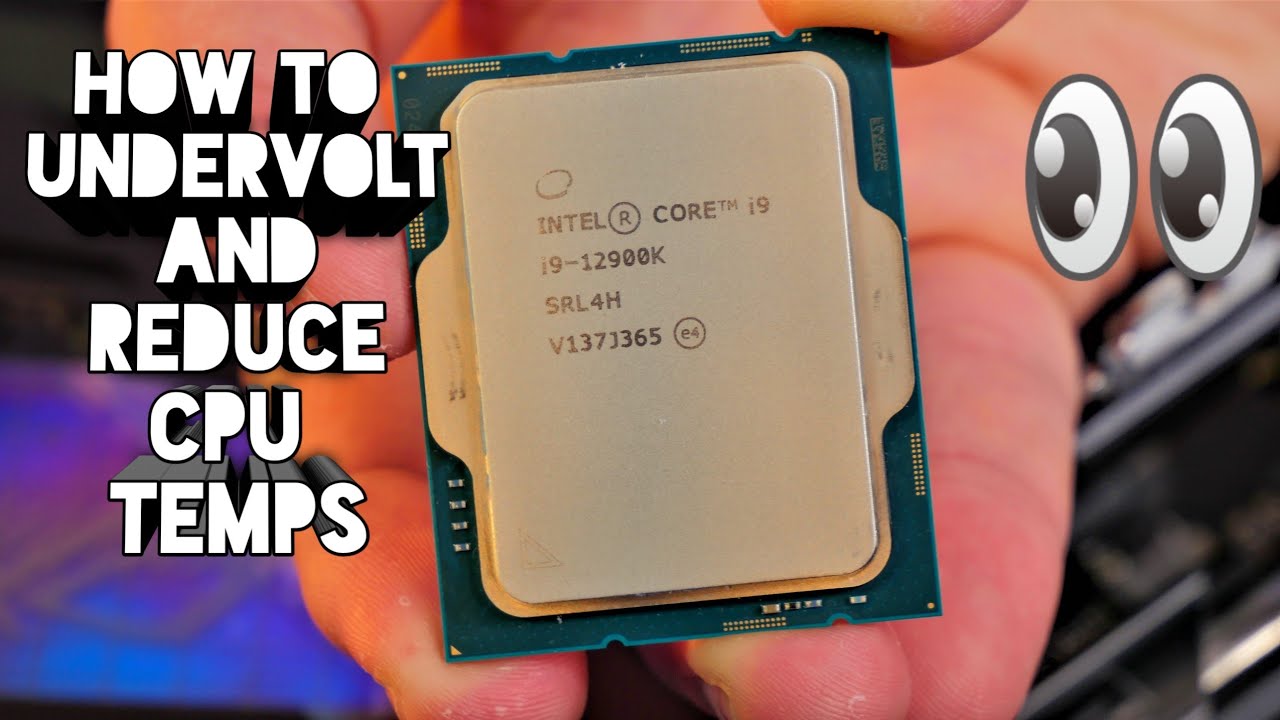
You might have seen my video on the Noctua NH-D15S (https://youtu.be/9MGNT7jPfiU) and the temps I got when running Cinebench R23. Cinebench is pretty punishing and with standard settings the Intel Core i9-12900K ran at as much as 98 degrees C.
In this video I show you how to undervolt the Intel Core i9 in order to reduce the max temp and stop ...
yes, this last part is what I am going for
agile lodge
there is even the tool called Intel XTU
median marsh
was probably cause your memory didn't like the low voltage on high memory clock speed!?
obtuse rapids
agile lodge
there is even the tool called Intel XTU
just set it up but I'm not sure using it is the best way for undervolt/underclocking
obtuse rapids
your brain is zero party memory
agile lodge
it have that ai tool on it
obtuse rapids
agile lodge
it have that ai tool on it
i feel like they just put "ai" in front of the word tool to make it sound better
I'm building some ikea furniture today so I need to get my ai philips head screwdriver
what about Hynix ECC?
yes it's one of the ws680 boards
agile lodge

The Intel Extreme Tuning Utility (Intel XTU) makes overclocking easy for beginners and experts alike. While its integrated Intel Speed Optimizer can overclock many recent unlocked Intel processors with just a click, there is a new feature in the works that takes easy overclocking to the next level: AI Assist. Using machine learning, AI Assist ca...
obtuse rapids
remember when I had issues, it was determined that the actual memory controller on the CPU, that super rare thing that no one has ever seen happen, happened to me, because, like my mother always said, I am special
but at the time, I didn't know that, so I was worried about memory corruption and prioritized on stability over all things
intel actually gave me my money back
I didn't know they actually did that
obtuse rapids
I was going to try to set the settings live using XTU then once I was satisfied, put those same settings in bios but apparantely XTU is going to be a dick

hmmm, guess I need to go there ]
 median marsh
idk why you do this to yourself in the first place, just leave it as it is?!
obtuse rapids
because my room is hot AF and I'm tired of sweating my ass off at night
median marsh
turn off the pc at night maybe!?
obtuse rapids
it's apples to orangutans
obtuse rapids
median marsh
turn off the pc at night maybe!?
I mean when I'm working at night lolk
median marsh
remove all the led crap etc. they also emmit heat while serving pretty much 0 purpose
same for the extra lcd
opaque pond
opaque pond
With the new motherboard ue5 stuff works better
Is that normal?
obtuse rapids
median marsh
remove all the led crap etc. they also emmit heat while serving pretty much 0 p...
wat
agile lodge
did you know that intel XTU works on laptops too
plush turret
is there an AMD program that can give me more control of my laptop CPU usage?
task manager is well and good but its not really that effective at lowering the heat output of this laptop
my office is a good 5-8 degrees warmer than any other room in the house
mighty cosmos
You are a lucky one if it's "only" 5-8 degrees 😆
plush turret
mighty cosmos
You are a lucky one if it's "only" 5-8 degrees 😆
given its from a laptop in a 12 x 14 foot room
obtuse rapids
Anyone know a good resource for navigating these bios menus? the WS 680 board I have has one of those UEFI bios that looks like a 20 year old bios - and so far I can't find an example of someone undervolting/underclocking using that bios
opaque pond
obtuse rapids
Anyone know a good resource for navigating these bios menus? the WS 680 board I ...
KB
obtuse rapids
opaque pond
KB
pardon?
opaque pond
Keyboard
obtuse rapids
That's lol, not helpful
plush turret
Our house was custom built by a retiree, every room is huge, but there aren't a lot of them. 3bed 2 bath 2,000 square foot house with only a large kitchen and living room + tiny pantry as the other rooms in the house
violet spade
And I make sure to tell everyone
obtuse rapids
freedom units only please
violet spade
I think it’s if you put one foot in front of the other, the distance each step takes
So if you have small feet, congrats you have a unique measurement
median marsh
guys a fair warning... dont look for funny feet gifs
violet spade
Lol!
plush turret
185 square meter house
violet spade
BenGPT.exe has encountered a fatal error
median marsh
awwwkay
laura have you seen the most recent unreal humble bundle? (it's pretty good imho)
plush turret
Its also really well insulated so if it generates heat it stays in
I had no clue humble did unreal stuff
obtuse rapids
Should I just slightly undervolt every voltage that has an offset, besides memory controller? There's System Agent, Cache SVID, Actual VRM Core Voltage, etc
There ...appear to be ...numerous choices here
violet spade
Sometimes the best choice is to let the system do its thing
plush turret
So my laptop in like an hour heats up 38 cubic meters by 2-6C
obtuse rapids
Note sure about the Current Long Duration and time window and all that
Bro it is Hot AF and everything I've read about this chip is a slight tweak will help ambient temps considerably
It feels like I'm at work and we haven't put out the fire
My concern is that it just will go to 85C and sit there
mine is a custom loop with a 360 RAD, it shouldn't be this damn hot
and even on the other board it was just as hot
violet spade
Voluntary thermal throttling? Por que?
obtuse rapids
that doesn't worry me I
violet spade
I was gonna say, if you have a heat problem, get a better case with better airflow. 4000D is nice and cheap
obtuse rapids
this speedstep and speed shift some people have disabled
violet spade
And also that fields don’t catch fire in winter
obtuse rapids
I'm going to ask guys this question at work and they will be, "Wtf are you talking about" they are firefighters not physicists
violet spade
 obtuse rapids
lol wth is that
violet spade
“Firefighting“
normal cairn
i love that clip
obtuse rapids
I've wrangled a loose hose before, scary AF
where is this power limit setting supposed to be ?

Am I reading this wrong look at current short duration package power limit - I just reloaded everything from defaults and that's what it says, I'm pretty sure that's close to the wattage of a small star

 obtuse rapids
like the power supply lol JFC why would they put that there
median marsh
4kW aint that much 😛
fallen oasis
More than my power sockets can handle.
obtuse rapids
I just wish I could find someone who already did this, I feel like I'm rediscovering the wheel - my bios isn't that uncommon
normal cairn
sold There was no cat. I've been deceived. There is a cat. All is right with the world.
obtuse rapids
these?
When I put 200 in, it didn't seem to boot up correctly and I cleared cmos, it just kept restarting - I'll try one more time to confirm
yes, anytime I try something in a different direction I load defaults just to be on the safe side
I figured out what I was doing wrong - I wasn't believing in myself, as soon as I did, it booted fine
median marsh
yea, it's mandatory for a computer to boot that the user believes
obtuse rapids
they can sense fear
It does seem to be running 10 degrees cooler - who would have thought that limiting the amount of power a chip could draw would limit the amount of heat it can produce
JFC, I'm running Cinebench and it hasn't crested 74C - before it would immediately shoot up to 95
plush turret
violet spade
I was gonna say, if you have a heat problem, get a better case with better airf...
i have one and i like it, and im building some cool wood accents for it and keeping the templates in case i want to make more for friends
plush turret
fallen oasis
More than my power sockets can handle.
weak ass power sockets, the idiot (or genius) who built this house put 480v rated lines to every outlet then had the breakers limit amp and voltage draw
fallen oasis
The UK standard ones are 240v, 13amp, so a limit of 3120W
violet spade
We run on 110V here
plush turret
the oven had almost 1kv rated line
fallen oasis
Sounds restaurant grade.
violet spade
If your PC used that much power you wouldn’t be able to afford your electrical bill
median marsh
oven's are often connected on all 3 phases
plush turret
all the garage lines are 20A and the floors are 220v 30A
median marsh
i think that wouldn't even be allowed here
plush turret
US standard is 15A 110v
correction, US standard is 10A but the same idiot put 15a breakers on anything that wasnt a dedicated feed
both washer AND dryer each have a dedicated 30A breaker, and my office has 2 20A breakers to the room outlets (half the room each) and a 15A to the ceiling fan
fallen oasis
L 2 240v tbh!
median marsh
it's a miracle how US households run 20 ACs and 10 fridges on those lines
plush turret
our AC unit has 2 parts and both parts have a dedicated 30A breaker
violet spade
median marsh
it's a miracle how US households run 20 ACs and 10 fridges on those lines
20 ACs and 10x fridges? what palace is this?
oh you mean like the whole grid? 😄
median marsh
violet spade
20 ACs and 10x fridges? what palace is this?
no, one household (i dont watch too much US movies, naaaaah)
violet spade
seems excessive even for a Kardashian
plush turret
nah thats Mr Burns"s house
i mean all joking aside, apart from a foundation issue, this house is well built
but the soil here just SUCKS
obtuse rapids
Good stuff so far but this power limit can't damage anything right? seems stable enough but figured I'd check, I'm assujming worse case I limit it too much it just runs slow, but even that require it to be very aggressive as a limit
mighty cosmos
obtuse rapids
Good stuff so far but this power limit can't damage anything right? seems stable...
yeah you can't damage anything by limiting its power, undervolting or underclocking in general
 primal matrix
is there a good prebuilt pc for unreal? I literally can't build a pc
fallen oasis
I don't think you'll find a good exact prebuilt match, but any good gaming PC should do.
It will likely be light on RAM, though.
You'll want at least a 2gb ssd, 32-64gb of ram, 12-16gb of video ram and a high spec cpu.
frank glade
primal matrix
is there a good prebuilt pc for unreal? I literally can't build a pc
ofc, but $$$ https://boxx.com/systems/workstations/s-class

Purpose-built for 3D CAD, modeling, and animation workflows, professionally performance tuned BOXX APEXX S-class workstations deliver unparalleled performance.
primal matrix
frank glade
ofc, but $$$ https://boxx.com/systems/workstations/s-class
good heavens
frank glade
primal matrix
good heavens
bestware ist High-End PC Technik mit dem Maximum an Service und Individualität
primal matrix
wir nutzen cookies\
 frank glade
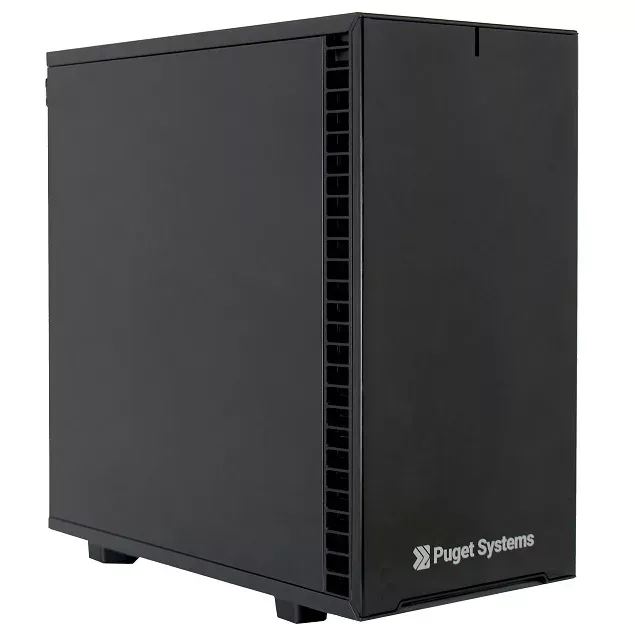
Build a custom PC workstation with Puget's Core Z690 MATX. This compact tower system features Intel's 12th Gen Core processors with a micro ATX motherboard.
primal matrix
thanks for the help tho
fallen oasis
Damn,. I should go into teh pc building business.
These guys make quite hte profit!
primal matrix
@fallen oasiswould a 3050 run ue5
plush turret
12700KF doesnt have built in graphics right?
violet spade
frank glade
https://www.pugetsystems.com/workstations/core/z690-d5-m/
Is that mesh or are we showcasing zero airflow?
Also micro-ATX feels very generic Best Buy
frank glade
we're showcasing zero noise 😅
violet spade
Eh, low noise usually means very little airflow, I used to have a case with bad airflow and my gpu was running 85C under load, it was not pretty
I stand by Corsair 4000D being best in all aspects. Good airflow, decent design, decent noise insulation and very cheap
violet spade
I guess if you never want to upgrade your gfx card, you don’t need it
frank glade
mitx cases nowadays can fit most components
I had a NH d15 in my previous case + 320mm gpu
it's not really a problem
fallen oasis
plush turret
12700KF doesnt have built in graphics right?
Either the K or F means no graphics, yeah.
I think the K?
plush turret
f
but it has BOTH didnt know they made them that way
cause the K says "integrated graphics"
i primarily dont want this rig to be un-usable if the GPU fails
frank glade
also you can run monitors off the igpu, and only keep your main one on the gpu
plush turret
yeah though more than 2 id need an HDMI to VGA adapter and idk how well 6:4 ratio works these days
my 3rd Monitor is a CRT that WILL NOT DIE
plush turret
Its great for retro gaming but the adaptors needed....
 devout pendant
is it normal for a phone to stop receiving android system updates after like less than 2 years? is this a bad thing?
violet spade
it's how they get you to buy a new one
altho 2 years is kinda short for planned obsolence
violet spade
Prly longer than that
I’ve been having some issues last few days where my pc slows down to an absolute crawl, but all temps look fine and everything looks normal under task manager performance
Only restart fixes it
I tried stress testing my gpu with Haven, now testing my cpu but idk wtf
median marsh
does clockspeed also look fine or is it maybe underclocking to hold temps?
also check memory usage, if it's swapping to disk it can get awful slow depending on what you try to do
violet spade
median marsh
also check memory usage, if it's swapping to disk it can get awful slow dependin...
Mem usage was holding steady at like 25%
I’ll have to check the clock speed
Really wish there was something you can run in the bkg that logs all of these parameters
Like I can kinda do it actively but having to wait for that stuff to load while the system is crawling is brutal
violet spade
I’m gonna do a longer cpu stress test and a memory stress test with XTU and use its logging feature for a bit. I’ll have to figure out the GPU logging, I do have Argus so that might do it
 minor veldt
devout pendant
is it normal for a phone to stop receiving android system updates after like les...
minor veldt
devout pendant
is it normal for a phone to stop receiving android system updates after like les...
Depends very much on the manufacturer on the phone. Some provide updates for longer than than.
median marsh
4090 prices gone from 1650euro to 2100euro.... can't wait for the 20% black friday discounts 😄
mighty cosmos
median marsh
4090 prices gone from 1650euro to 2100euro.... can't wait for the 20% black frid...
You are lucky it was 1650 euros at all 😂
Was like 2050-2200 euros from day one here 
median marsh
no, because i'm still using the 3060 😄
and crashing it like once a day with out of video memory errors
which is why i know the 4090 prices
every time it crashes i check them 😄
violet spade
So they’re now more expensive than when they launched or what
Is the 90 ltd edition?
plush turret
i know founders editions when you find them are $2,000 USD
sometimes less sometimes more
PNY regularly sells a stock 4090 for $1600
violet spade
Bastards
violet spade
You mean like my patronage?
Yeah, I usually wait until 2 generations later before I buy a new gfx card
People will be dropping 5 grand on the 60 series when I finally get a 40’
Not unless you’re playing competitive FPS I think, I feel no diff from 120 to 144
Haven’t tried 160 tho tbh so I can’t speak to that
fresh fog
also can't feel a diff, got a 144 and 165hz monitor next to each other.
agile lodge
 violet spade
This is starting to feel like a trap 🪤
Damn it Laura, stop conducting experiments on us average folk 😀
plush turret
if were talking monitor rates, i have no say because everything i use is LCD
or older
tbh my first "gaming" rig was a vista in 2007 with 2gb ram and some pentium
when minecraft has issues playing on a rig that tells you something
fresh fog
No, other than a difference of 21hz in the monitor settings :P
 real crane
4050 laptop good enough for unreal engine 5?
real crane
I’m not sure about the specs or anything since I’m new but I just wanna create some horror games. Should it enough for that?
fresh fog
I'm gonna be completely honest and say I can't really notice a difference from 60-120
mighty cosmos
Yeah 60->120 is massive
I can see a pretty clear difference between my 2nd 144Hz monitor and my main 170Hz monitor
Not as huge as 60 to 120 but it's still pretty noticeable
violet spade
mighty cosmos
Yeah 60->120 is massive
I can see a pretty clear difference between my 2nd 144Hz...
What are the models if you don’t mind me asking?
Basically what I’m wondering is if the diff is based on them using diff technologies from each other or just the frame rate
Like if you force your main to go down to 144hz does it look the same as your secondary ?
plush turret
real crane
I’m not sure about the specs or anything since I’m new but I just wanna create s...
are you making the next phasmaphobia with 4K or a "slenderman 8 pages"?
because the former, your going to either crash, set the computer on fire, or simply spend weeks building a single level.
the latter, pretty sure my old MX250 could render that
real crane
plush turret
are you making the next phasmaphobia with 4K or a "slenderman 8 pages"?
Nah im just trying to make a game with graphics fears to fathom if you know what that is
mighty cosmos
violet spade
What are the models if you don’t mind me asking?
TUF Gaming VG259 as my secondary and AG273QG as my primary
Both have similar response times, and gray to gray
They look about the same at 144hz
obviously ignoring the color differences
I like using this site to test monitors
https://www.testufo.com

Blur Busters UFO Motion Tests with ghosting test, 30fps vs 60fps vs 120hz vs 144hz vs 240hz, PWM test, motion blur test, judder test, benchmarks, and more.
has tests for ghosting, blur, etc...
violet spade
Good, yeah? 😁
 mighty cosmos
it's not gonna be possible to tell a difference with a screenshots since it depends on the screen's ability to display a picture 😅
violet spade
mighty cosmos
it's not gonna be possible to tell a difference with a screenshots since it depe...
I was jk, this is on my iPhone 😀
mighty cosmos
violet spade
I was jk, this is on my iPhone 😀
😅
quick grove
hi guys
may i know what's intel core processor equivalent to ryzen 5 7600x?
cos i wanna compare before i made my decision 😄
quick grove
ok! thanks!!
wind egret
Too late, is now proud owner of a 12400U
quick grove
cmon guys 😦 that was my noob mistake. wont try to happen again
oh ok! thanks for the warning!
guess i just stick to ryuzen 5 then 😄
thorny oak
larger bar = better
wind egret
I recommend an IBM PowerPC, they are rated for the highest wattage
 magic roost
Anyone here using 48gb RAM sticks who could help me test a problem on UE5.1.1 that may be related to this "exotic" stick size
yes
quick grove
huh no! you said i5 isnt purchase recommendation? or are u referring to ruzen 5 as well? haha sorry okok. nvm
i will re-read what u meant 😅 sorry
 wheat perch
Got a totally random question here: how many people here are using AMD? I’m considering making a swap from Nvidia and I heard that AMD’s GPUs are not as stable as their Nvidia counterparts
Got it, thanks!
thorny oak
I have both, neither nvidia nor AMD is perfect and they're pretty similar in terms of stability
quick grove
thorny oak
I have both, neither nvidia nor AMD is perfect and they're pretty similar in ter...
people keep suggesting AMD
thorny oak
that's because they work and you get more for your $
(sometimes, they have some not great products in terms of price)
wheat perch
I was considering getting either a RX 7800 XT or a RTX 4070 for Black Friday, and AMD does seem to have a better value
thorny oak
and some regions have really bad pricing for AMD
wheat perch
thorny oak
and some regions have really bad pricing for AMD
I’m in the US so the price slightly favors AMD, though it’s not that big of a difference
Is a 650W gold enough for those that are using it? Cuz one disadvantage it has over 4070 is that it draws quite a bit more power
thorny oak
depends on the system as a whole, not just the gpu
wheat perch
My CPU is an intel i5 13600kf and I got 64gb of ram and a 2TB ssd
thorny oak
you can also cut down that power usage quite a bit without much performance impact but that's not a margin that you want to rely on in terms of PSU
wheat perch
thorny oak
you can also cut down that power usage quite a bit without much performance impa...
How would that work?
thorny oak
same with your 13600k
wheat perch
So you’ll need to set an upper bound for both the cpu and the gpu?
wheat perch
Got it
thorny oak
honestly I think a 650 would be okay but if you clamp down on the cpu and gpu peak draw then I'd say it would be relatively comfortable
median marsh
that wont catch transient spikes tho, idk if they are even measurable on the AC side?!
wheat perch
I’ll keep that in mind
thorny oak
median marsh
that wont catch transient spikes tho, idk if they are even measurable on the AC ...
yeah probably not measurable on the AC side
or at least not fully
wheat perch
One thing that worries me is that I might have to go and buy and new PSU for the 7800xt later on
thorny oak
what you need to do is wing it and just buy a second power supply if it turns out the 650 isn't cutting it, run the second one jumped and hanging outside of the case 😃
median marsh
no
plush turret
General Hardware question: I know theres some sort of plug in light strip thing you can attach to the back of a screen for more color bleed on your wall, Is there a best company that makes these or are they gimmicks that dont really work period
plush turret
i mean will they accurately replicate the light at the edge of the screen so it splashes on the wall
Phillips Hue?
median marsh
does philips really have an backlight solution to plug'n'play?
i think the actual working ones are connected to the HDMI cable and catch the actual video signal to pick the colors
plush turret
yeah i was wanting those but idk of any companies who make them
or really what to put in the google/amazon search bar
median marsh
isn't it ironic how the most successful mobile gaming computer runs on linux? 😛
arch btw.
well okay, stuff like switch etc. is more successful i guess
but i guess more android phones than any phone on another platform exist?
like ever, including symbian and any other dead OS
plush turret
tbh if more companies used linux for consoles like that there would probably evolve better support almost defensively
median marsh
 plush turret
why
plush turret
median marsh
https://tenor.com/view/linus-nvidia-fuck-you-nvidia-linux-linus-torvalds-gif-526...
more options mean more actual competition for creating good OS other than slapping a new number on it and changing the UI a bit.
median marsh
plush turret
why
that wasn't meant towards you
it's linus tovalds, the guy who is responsible for what ends up in the linux kernel
and he was mad at nvidia which didn't provide public informations about how to use their hardware so that open source drivers could be made
which is kinda relatable, specially since probably a ton of nvidia's AI stuff is possible due to open source work...
violet spade
@iron zenith so based on our previous discussion, for an i5-12600k how much RAM would be ideal? 😅
Yeah, I’ve got 48 rn because I didn’t feel like throwing out the 16GB I had 😅
Thx
Haha
Page file on an SSD still much slower than RAM I imagine, eh?
opaque pond
violet spade
Page file on an SSD still much slower than RAM I imagine, eh?
Insanely slower compared to especially ddr5
If you can get a 4x pcie 5 m.2 setup you might get half a single ddr4 channel
violet spade
Yeah, it’s just, other than the 16GB being much cheaper than 32GB, having to chuck a 16GB to put a 32GB in seems…wasteful
And I only have the 4 slots
Hell I didn’t even check if I have enough clearance with my CPU fan
Prly could make that work but idk, I might just suffer through it with the 48GB for now

Ever wonder what happens when you get a cpu cooler leak??
Get your JayzTwoCents Merch Here! - https://www.jayztwocents.com
○○○○○○ Items featured in this video available at Amazon ○○○○○○
► Amazon US - http://bit.ly/1meybOF
► Amazon UK - http://amzn.to/Zx813L
► Amazon Canada - http://amzn.to/1tl6vc6
••• Follow me on your favorite Social Media...
fallen oasis
That makes me a little happier about my AIO cooler.
violet spade
I mean I believe him but I still don’t want to play with fire water in my pc 😅
plush turret
im building with 64 atm and expand to 128 later since thats the max my hardware supports and should help right?
fallen oasis
violet spade
I mean I believe him but I still don’t want to play with ~~fire~~ water in my pc...
Lol, yeah. It's not like I want to douse my motherboard with water!
plush turret
im assuming combining drives can cause issues if the game/program is stored split between the drives?
i have a 500gb and 1tb m2 i want to put into my MB that supports up to 5 drives and im unsure if its better to combine them as 1 single drive or just have steam and such prefer the bigger drive
plush turret
also pulling the hard drive out of one computer and slapping it in another shouldnt have any issues right? even if said programs are OEM and want things like fingerprint scanners
magic roost
I have 7950X3D and due to other problems I tried activating the game profile on Ryzen Master, disabling CCD1, half of the cores and as a result my Timespy (demo version) GPU scores jumped from 31000 to 37000. Is this normal?
magic roost
Thanks, I'll look into the xbox game bar thing
magic roost
I couldn't figure out how the game bar should work, but I process lassoed the TimeSpy and score was 35000, so up 4000 points, but same time my CPU now scores less, from 13000+ to 12000. Do you know what would work for unreal the best? Should the editor itself run on 3D while the shader compile workers stay on all cores?
Thanks. Total score went from 26000 +/- to over 27000, based on the graph compared to others with similar setups is very low. But I guess the 4 sticks of RAM running at poor 4800mhz is also big factor. Still I would kinda expect more from such premium processor. I did render test from UE and if there was a a difference on render that took something like 57-58 seconds with all cores, took perhaps few seconds less on 3D only. I'm not really making playable games now. Just need performance for better work experience and faster rendering
Yeah, i really want to find some loaner 6000mhzs to see if that would increase scores a lot and solve that stutter too
Shader workers are independent process.. so they could still remain at both sides
Anyways thanks for all the insights. Maybe later I'll try some actual UE benchmarking to see if there's any meaningful change to any direction
Ah, in total it's probably not much gained then if anything. Would be nice if it could be automated so that when the render hits on, then the cores get switched
Thanks, got it
violet spade
may have found the culprit for my slow to a crawl/freezes https://www.reddit.com/r/Windows11/comments/16xxkf1/most_recent_version_of_windows_11_causing_random/
cause this has only been happening to me this past month too
It seems to coincide with the update when they introduced Copilot
violet spade
Lol Microsoft agent said “nice Mona Lisa of a pc you got there, perfect balance of power and efficiency”
I died 😊
Prly something they tell everyone but still 😀
mighty cosmos
willow field
Is gpu temperature 80C° good at 100%?
Yes it's normal, I'm assuming that's nvidia because AMD gpus go even higher (which is normal for them)
plush turret
other than drive specific read/write speeds 2 m2 drives put into the motherboard would technically have the same read/write for things like games?
plush turret
im just curious if using the 2-3 drives i have with the spares being for steam and such would be almost as effective as spending $200 on a 4tb drive
magic roost
Still trying to find people with Ryzen 7000 series CPU, for example but not limited to 7900X or 7800X3D, to help me test a bug. See if only ones with specific config, all 7000 or all 3D models are affected. If you have one, and got few minutes to do a test render for me from very small project file, it would be much appreciated.
 dense mirage
plush turret
im just curious if using the 2-3 drives i have with the spares being for steam a...
dense mirage
plush turret
im just curious if using the 2-3 drives i have with the spares being for steam a...
200 bucks for a 4TB drive???
plush turret
Solid state m2 nvme
frank glade
I always paid 200 bucks for my ssd drives. First it was a crucial 128gb, then got to 512gb and a few years ago a 1tb one. Prices keep going down
plush turret
frank glade
I always paid 200 bucks for my ssd drives. First it was a crucial 128gb, then go...
yeah theres cheaper versions but they come from companies i dont really trust
actually a lot of prices are going up for cyber monday
opaque pond
frank glade
I always paid 200 bucks for my ssd drives. First it was a crucial 128gb, then go...
now a 2tb ssd is under 100$
plush turret
yeah
frank glade
opaque pond
now a 2tb ssd is under 100$
Yes gonna get a 4tb soon
fresh fog
I paid £97 for a 500GB nvme drive and now I can get a 2TB one for £116 😭
median marsh
i paid $200 for a 80GB one...
median marsh
violet spade
What year was it ?
~2009 i think
pretty much one of the first customer ssds (intel x25 g2)
violet spade
median marsh
~2009 i think
That makes sense, it was brand new tech lol
median marsh
i still use it in an laptop, and it's still working perfectly fine


 hollow mist
magic roost
Still trying to find people with Ryzen 7000 series CPU, for example but not limi...
hollow mist
magic roost
Still trying to find people with Ryzen 7000 series CPU, for example but not limi...
7800X3D reporting in
magic roost
hollow mist
7800X3D reporting in
Awesome, thank you so much, I'll DM you
magic roost
Big thanks for helping me test it out!
Still looking for someone without 3D V-cache to make sure if the issue is 3D only. 7950X, 7900X etc owners, please let me know if willing to check this
opaque pond
magic roost
Still trying to find people with Ryzen 7000 series CPU, for example but not limi...
why you ask
magic roost
opaque pond
why you ask
I've explained it here before and there's lot more on #profiling but basically it seems that there's something wrong in the 5.1.1 and 5.2.1 engine when used with either Ryzen 7000 series or X3D version CPU. Everything else has been tested
mighty cosmos
magic roost
Still looking for someone without 3D V-cache to make sure if the issue is 3D onl...
Well not exactly what you are asking about but we've been running something across a few dozen nodes, some running intel cpus, some amd, 13 gen, 12, amd 5x, 7x, 3d
And 3d were the most unpredictable ones, in some parts of the thing we were running they were the fastest, and in other parts they are 2x slower than anything else, feels a lot like whatever it's deciding what cores to use isn't prioritizing the task and not running on 3d cores
For whatever reason messing with Hardware Accelerated GPU Scheduling in Windows helped quite a bit, some behaved better with it on and some worse
Specifically 3d cpus
opaque pond
magic roost
I've explained it here before and there's lot more on <#1014245197623869491> but...
i have issues on mine too
magic roost
mighty cosmos
For whatever reason messing with Hardware Accelerated GPU Scheduling in Windows ...
Thanks. I tried this but it still stutters, even disabling the HW GPU scheduling. Comforting to know that others have noticed this too
magic roost
opaque pond
i have issues on mine too
Similar to what I described or how do your issues manifest?
 lethal geode
hi so im building a pc and i want to know how can i move all my files from my laptop (what im currently using) to my new pc?
like all my games ue5 projects personal files etc
magic roost
lethal geode
hi so im building a pc and i want to know how can i move all my files from my la...
Just copy paste your projects to external hard drive (or maybe two given you should have backups). You just install UE normally to the new comp and then copy the projects over. But if you are not familiar how to copy files on computer, I would seriously recommend that you don't build a PC yourself but let someone else do it
lethal geode
magic roost
Just copy paste your projects to external hard drive (or maybe two given you sho...
but can i just copy all my files over to an external drive and plug it in to the new pc?
opaque pond
magic roost
Similar to what I described or how do your issues manifest?
No just everything is laggy
hollow mist
I recently noticed that someone didn't remove the plastic cover from CPU cooler when installing it 😂 That's what you get when you don't do it yourself
 errant crypt
Anyone got some 49" 5120x1440 monitor experience ? 😄
Im considering upgrading my 34" 3440x1440 but not sure if its worth it , productivity wise?
Some complain its simply to wide
fallen oasis
errant crypt
Im considering upgrading my 34" 3440x1440 but not sure if its worth it , product...
What's the 3440x1440 like? I'm considering a new monitor.
errant crypt
I've enjoyed it quite a lot really, but i always feel like its lacking a bit in the width 😆
(Also got it a while ago, cheaply, so its only 60hz, and a tn display)
fallen oasis
Lacking a bit in width with a superwide? 😛
errant crypt
Yeah, like the windows get a bit smushed when doing side by side by side
fallen oasis
Lol
errant crypt
3 split is only 1100pixels per window . Even discord is uncomfy at that
errant crypt
Right!?
At work i got 2x 27", which is fine but i hate the bezel
A 49 would be the same without the bezel
Windows also got some annoying window snapping (havnt checked if i can change some settings for it) which doesnt help
Reading about the 49, ive seen some app mentioned which supposedly solves this properly tho
fallen oasis
Hmm
5120 is still < 1920 when divided by 3, though.
I'd definitely want to set up a main 1440p window in the centre and have 2 side windows... which would mean 2 1280x1440 sections on either side.
Which would be weird
Honestly I might just go for a large 4k monitor and keep the 2 side ones.
That is, get rid of my right monitor which has been on the blink for years and shift the middle one over!
errant crypt
1280 is still > 1100 😆
I think that'd be acceptable
I can do a little less than half today (so <1700) and still have acceptable window size for secondary content
If i do 1920 in the middle window i can get 1600 on the sides
(Knowing myself i want 3440 for my main window, and 1600 for a single secondary 😂)
fallen oasis
I'd want some zoom on 1440 height, so I wouldn't be getting 1920 width anyway
Probably 150% dpi or so
errant crypt
Oh rip
I avoid zoom like the plague
Hate it, and a lot of apps dont support it
(If its the windows scaling)
fallen oasis
I gotta use it to do my job properly.
Using dpi scaling on a 1080p monitor is a pain.
errant crypt
Fair enough
fallen oasis
Hence why I test dpi scaling so rarely!
errant crypt
Wish windows has some collection/style set for fonts and sizes etc that all apps would use
fallen oasis
The apps know better, don't you know?!
errant crypt
Im not surprised tbh
median marsh
fallen oasis
I'd definitely want to set up a main 1440p window in the centre and have 2 side ...
you can have a different height?! i got 1440p as main and 1080x1920 on the side
fallen oasis
median marsh
you can have a different height?! i got 1440p as main and 1080x1920 on the side
We were talking a single mega-wide monitor with split regions.
median marsh
oh, nvm
median marsh
are you going shopping now?
because i would wait for blackfriday "deals"
or rather the usual prices after they raised them in the last months... 😄
fallen oasis
No
errant crypt
Friday deals are already on here 😂
fallen oasis
Just one of those things I keep saying I need, but I'm saving for a house.
errant crypt
Pre Black week offers currently
errant crypt
fallen oasis
Just one of those things I keep saying I need, but I'm saving for a house.
Makes two of us lol
Yet i keep buying crap i :need:
fallen oasis
Hehe.
I try to keep my spending to a minimum these days.
I still buy random small purchases, but no big ticket items.
fallen oasis
I bought that years ago.
median marsh
young and naive, heh?
fallen oasis
- my employer paid for it 😄
median marsh
ahh, gotcha
fallen oasis
After the fact. They were like, "so, do you need any hardware for your job?" "Well, I just bought this machine..."
Don't regret it, even if they didn't.
median marsh
and then you made their website on a threadripper?
yea, few years ago the difference to a desktop cpu was probably more dramatic
errant crypt
7950x does just fine these days 😄
median marsh
nowadays with stuff like 7950x, etc. idk, main advantage is probably tons of pci ex lanes and more memory support
but does it matter for the stuff that we do?
no i don't
and when i do, i get away with a few of actions most of the time
fallen oasis
I have no compile engine changes multiple times per week
median marsh
idk if it was like that always
fallen oasis
That always means thousands of actions.
errant crypt
So a threadripper chugs away nicely for you :p
fallen oasis
Indeed
errant crypt
Guess i could just give a new screen a try and return it if its not pleasing
60 day open return is nice
fallen oasis
I'd definitely need to try one out before I bought it tbh.
Go to the local monitor shop, try it out and then buy it off amazon 😂
errant crypt
😂 local store has best price so far
median marsh
yeah im also kinda lucky to have a store like 10 miles close which has reasonable pricing
while the big electronic chains really ran down in the past years
feels like shopping in a warehouse...
violet spade
median marsh
yeah im also kinda lucky to have a store like 10 miles close which has reasonabl...
Yeah we have a store called memory express here that I didn’t even know about until I used pc part picker
Cheaper than Best Buy/Amazon for most parts
 outer bluff
I'm trying to look into a laptop to do some work remotely over Christmas, but I'm having a hard time finding something that is good value for money that could reliably run Unreal Engine 5. Could anyone working on a laptop give me some recommendations?
lethal geode
magic roost
Just copy paste your projects to external hard drive (or maybe two given you sho...
i know how to build a pc
i just want to know the most fast and efficient way to move everything not just my ue projects
magic roost
lethal geode
i know how to build a pc
i just want to know the most fast and efficient way to ...
Copy pasting files is one of the most basic tasks of using computer. If you lack confidence to copy your personal files to an external hard drive and then back to your new computer (which you can do), it portrays lack of basic understanding on how to use computer. There will be absolutely no one who would recommend you to build a computer yourself.
If you were to build computer on your own, you would face many more much more serious choices, that can cause you to in worst case break your parts and be out of warranty as user error. Assuming you got the cables right, applied everything required and removed everything that isn't supposed to be there, you still need to be confident modifying BIOS and possibly even during the install, injecting drivers or such via command line. You would need to google bunch of options, just to explain the terminology. Having said that, question like "can I copy my files to external hard drive and then to new computer" is also something you could get answer from google in few seconds, rather than waiting here for days. I mean this no disrespect to you. Everyone started as beginner on every field they ever tried. Just saying that based on the level of knowledge you've shown here. You are very far from ready to build and setup new computer yourself
magic roost
opaque pond
No just everything is laggy
If everything is laggy it is probably completely different issue. Most like your scene just being too heavy for your computer. Or you have some single part, like very low memory, very old CPU or GPU bottlenecking all of it in otherwise modern system, or your hard drive is practically full
lethal geode
magic roost
Copy pasting files is one of the most basic tasks of using computer. If you lack...
oh i didnt know i just copy and paste
i thought it was more complicated in some way
thanks
quick grove
Hi guyss
I was about to buy ryzen 5 7600 but I saw ryzen 7 cost just a few dollars away 😮

Erm.... Idk what to do. What do u guys recommend?
violet spade
Use pcpartpicker.com to determine if the 7 is compatible with the rest of your hardware, you have the right amount of RAM, best bang for your buck, etc
opaque pond
magic roost
If everything is laggy it is probably completely different issue. Most like your...
How do I figure out what is causing that?
magic roost
opaque pond
How do I figure out what is causing that?
Start by watching some videos on profiling and optimazation to get overview of the tools you have
opaque pond
magic roost
Start by watching some videos on profiling and optimazation to get overview of t...
I mean I have done that but I still can't find what's the cause
magic roost
Perhaps you want to ask in #profiling but if you just tell folks you have a problem, everything is slow, you did tests, then no one can help you because no one has any idea what problem you have, how slow everything is, is it even supposed to be fast with whatever system you have, they also don't know what tests you did or if you understood the results because you aren't giving out any info here
dense mirage
plush turret
Solid state m2 nvme
Oh yeah I've notice they did go up a bit. But silicon power has a 4TB m.2 nvme for $172-178 bucks

Their ssd is 20 bucks cheaper
Same capacity
plush turret
ok so i need to find a new PSU. prefer under $180, 1,000w
agile lodge
your good time its blackfriday coming
plush turret
the one i picked isnt in any local store and amazon says that even when paying for shipping with amazon it estimates over 12 days to ship
is this compatible with a 3060rtx and a standard MB: https://www.microcenter.com/product/632809/corsair-rmx-series-rm1000x-1000-watt-80-plus-gold-atx-fully-modular-power-supply
why are PSU's all out of stock for some reason?
median marsh
Laura bought them all (need more of those Watts)
but you at least considered buying one
not?
that's a lot of words for yes
plush turret
dang it laura why you take them all
i just wanted one rm1000e that wouldnt take half a month to get here
 iron crest
Anyone ever experiment with moving Rider and it's source index cache to a ram disk? I would assume it would net a huge speed up in changing solution configurations which always seem to be painfully slow, even on high end hardware
 sonic birch
Hey!! I am currently using two monitors and I am considering a switch to an ultrawide* monitor. However, I've never had the opportunity to test Unreal Engine with this kind of setup. I'm seeking feedback purely in terms of user experience and day-to-day use, but I'm finding it challenging to locate relevant information. I was wondering if there is there someone here who can guide me on this? For example, does the UI of the software work well, and if they are there any drawbacks compared to a 'standard' dual monitor setup? Thank you so much! 🙂
fallen oasis
You want to switch to widescreen? What are you on now, 4:3?
sonic birch
fallen oasis
You want to switch to widescreen? What are you on now, 4:3?
miss type, I wanna say ultrawide 😄
 glossy oak
sonic birch
Hey!! I am currently using two monitors and I am considering a switch to an ultr...
glossy oak
sonic birch
Hey!! I am currently using two monitors and I am considering a switch to an ultr...
I have an ultrawide and I love it
win 11 also makes it easy to organize windows

I have my IDE on one side, ue editor in middle, and another video (usually youtube) on the other side