#hardware
1 messages · Page 19 of 1
 hardy marten
 opaque pond
Part List - AMD Ryzen 7 7700, Fractal Design Pop Mini Silent MicroATX Mid Tower
hardy marten
with a fucking RTX 4070 😭
hardy marten
opaque pond
https://de.pcpartpicker.com/list/hQYZRK this?
looks good to me, idk if fractal design makes good PSUs tho
 plush turret
yeah
hardy marten
but I have a Deepcool one so can't judge
plush turret
sent you invite to a semi official monitors fan group
they can give you help and advice better than we can
hardy marten
I have a Corsair one on my old rig but I wanted to try something different lol
should've bought a mobo from another company too now that I think about it
mine's a 750W non modular one
I wanted to go 850W modular so I bought that
plush turret
one im getting: https://www.amazon.com/gp/product/B0BYQHWJXC

CORSAIR RMe Series Fully Modular Low-Noise Power Supplies provide quiet, reliable power with 80 PLUS Gold efficiency to your PC. With ATX 3.0 and PCIe 5.0 compliance and an array of PCIe 8-pin power connectors, RMe PSUs have the connections needed to power today’s demanding PC hardware. Industria...
opaque pond
well so monitor aside its good right?
plush turret
acceptable
 fallen oasis
It was so good they were like, "Waaaaaaaaaatt?" And that's where the extra 10 Watts came from.
plush turret
why is it a microatx again?
hardy marten
looks like you're into irregular numbers lol
hardy marten
plush turret
why is it a microatx again?
they want a small form factor
 frigid heath
I have one of these monitors https://de.pcpartpicker.com/product/KDmFf7/aoc-q27g2ubk-270-2560x1440-144-hz-monitor-q27g2ubk

AOC Q27G2U/BK 27.0" 2560 x 1440 144 Hz Monitor (Q27G2U/BK)
pretty decent
frigid heath
when i bought it there were only like 10 HDR monitors available and unreasonable priced... might look into that is i bought a monitor now but this is still a value gamin monitor i think
hardy marten
plush turret
why no gpu
since when do monitors have GPUs lol
plush turret
sorry was for kost
frigid heath
well by not getting a gpu you save a lot of money... alltho the more nvidia cards you buy.. the more money you save
hardy marten
opaque pond
it does have a gpu
it doesn't tho
opaque pond
the cpu one
plush turret

Featuring the latest NVIDIA® Ampere architecture, ASUS Dual GeForce RTX™ 3060 fuses dynamic thermal performance with broad compatibility. Advanced cooling solutions from flagship graphics cards — including two Axial-tech fans for maximizing airflow to the heatsink — are packed into the 2-slot car...
opaque pond
i thought the amd ones are decent
plush turret
there good gpu affordable and not likely to throw your power budget off
hardy marten
opaque pond
i thought the amd ones are decent
decent for normal use and very light gaming
but that requires tons of RAM anyway
opaque pond
well should be good enough
hardy marten
your call man, only you know your usecases
plush turret
yeah i mean my laptop has good graphics and GTA and such (mid ground for high end graphics) looks like shit
even the 2gb MX250 i had in my gaming laptop looks amazing when i stepped the 4k screen down to 1080p
yeah
having had a Dgpu and Igpus the difference is VISIBLE
then got a 4090
cause ower powered means nothing to laura
means nothing to me too
but then i buy with intention for using it for years
long enough to make many people here angry with me
hardy marten
I am yet to experience the difference between an RX 580 and a RTX 4070
hope it's noticeable
will play on 1080p anyway
plush turret
not as old as i was thinking
hardy marten
yeah it's still a surprisingly good hard
I can run games at 1080p60 at medium+ on a lot of games
I only had trouble playing Battlefield 2042, Halo Infinite and Starfield
but they were still VERY playable
plush turret
my only DGPU https://www.ebay.com/p/13039105817

eBay
Find many great new & used options and get the best deals for Pegatron Rv620le-dvi HDMI Rev 1.02 Video Graphics Card Hd3450 Pci-e 256mb at the best online prices at eBay! Free shipping for many products!
hardy marten
idk what a dgpu is
plush turret
dedicated gpu
ok so thats WEIRD, that both IS and ISNT my gpu
i cant actually seem to find the exact gpu sitting in my hands
 wind egret
You have a different Pegatron HD3450?
plush turret
yeah its made for a slim computer
no vga port
just vgi and hdmi
it has the bits to support vga but doesnt
like you can see where the port would be
but its not THERE

uuuhhhh is the 4090 really this big?

THE FUCK
uhhh how long is it
my wifi is rebelling
i mean in reality in case it doesnt fit into mine cause that would fcking SUCk
founders?
isnt OC "overclocked"
like just finding a plain 4090 seems weirdly hard
opaque pond
Part List - AMD Ryzen 5 7600, Radeon RX 7600, Fractal Design Pop Mini Silent MicroATX Mid Tower
plush turret
also why does the founders edition specs say its 14 pounds
both versions i can find on amazon at least
unless theres something really wrong with PNY... im probably gonna go with this over the founders, save $600 at the expense of like 1 inch https://www.amazon.com/PNY-GeForce-RTXTM-4090-Triple-Graphics/dp/B0BHBTJ2X2

NVIDIA® GeForce RTX™ 40 Series GPUs are beyond fast for gamers and creators. They're powered by the ultra-efficient NVIDIA Ada Lovelace architecture which delivers a quantum leap in both performance and AI-powered graphics. Experience lifelike virtual worlds with ray tracing and ultra-high FPS ga...
plush turret
im gonna set my desktop on fire arent i?
 mighty cosmos
plush turret
uuuhhhh is the 4090 really this big?
mighty cosmos
plush turret
uuuhhhh is the 4090 really this big?
oh that's nothing compared to how large some 4090s are lol
plush turret
mighty cosmos
oh that's nothing compared to how large some 4090s are lol
tbh kinda expected the most powerful nvidia card to be big but.... NOT SO BIG
the zotac version isnt physically compatible with my case
youd think part picker would know that
like isnt that their sole job
"hey is this setup physically possible?"
what case even has 17 inches inside space
horizontally
 dense mirage
Can you feel the pain the motherboard and GPU is feeling? https://youtube.com/shorts/k9zlo5lvgPU?si=_k3vn-Bw7eOyRpgG

Tiktok "tech experts" at its finest
I'm glad Tiktok exists tho, all the stupid people can be in one place and leave everyone else alone
 median marsh
i think he is right tho
the riser is attached to the GPU not the other way around
so both sag down together
 crisp kernel
By the way, one of my colleague's PC graphic card was destroyed by Unreal, lol.
He got a hard crash and can't restart the PC anymore.
median marsh
unreal doesnt destroy GPUs
wind egret
Not healthy ones. Unhealthy ones might need only a little push.
median marsh
the GPU was bad in the first place, and might just have overheated
crisp kernel
Yeah, it is possible. The card was very hot once unplugged from the MB
median marsh
@hardy marten any progress on your system?
hardy marten
median marsh
<@479895170511536129> any progress on your system?
I was limited by the hardware I possess
but after several hours, I've managed to secure a proper screwdriver
and I am continuing the process now
median marsh
see i've read about the screw which you didnt get out
does the screw turn but not move up?
then push something against it from below or put a flat screwdriver between screw head and whatever it's screwed, too. to push it up
if the last turn on the screw isn't... screwed... then they start to just rotate without moving up
hardy marten
median marsh
if the last turn on the screw isn't... screwed... then they start to just rotate...
I've managed to get the screw out
it took me forever to find a screwdriver and another forever to unscrew the damn thing
I'm exhausted lol
look at this damn thing, it was hidden inside a hammer

 fresh fog
there's a lot more tools hidden inside that thing
fresh fog
what until you realise if you release that latch the hammer head opens to be used as pliers :P
hardy marten
fresh fog
there's a lot more tools hidden inside that thing
yes lol I know
there's a saw, multiple blades and more
hardy marten
fresh fog
what until you realise if you release that latch the hammer head opens to be use...
I know lol
hardy marten
I DID IT!

I'm shaking from excitement lol that's why the shitty image
there's a Spider-Man figure hanging from the top too!
median marsh
now run memtest 😄
hardy marten

that's stick 1
will need to run for stick 2
😭
monitor doesn't even turn on with stick 2
PC boots, but nothing on screen
plush turret
bonkers tech just fcking HATES you doesnt it?
plush turret
i have no clue
hardy marten
that was rhetorical lol
plush turret
i know
but im a walking dad joke
might be worth taking it into a computer shop you trust so they can run some tests on it
dense mirage
hardy marten
look at this damn thing, it was hidden *inside* a hammer
The a merican version of swiss army knife
plush turret
no the american version has a single shot .22 in it also
 hardy marten
oh fuck CPU temperature is 84 on idle
dense mirage
Why
plush turret
 plush turret
please dont say none
hardy marten
a little bit more than pea
hardy marten
plush turret
please dont say none
I'm not that stupid pls 😭
plush turret
might have needed more
dense mirage
Did you peel off the plastic bit on the cold plate for the cooler...
median marsh
enable XMP (or expo) in the Bios
hardy marten
dense mirage
Did you peel off the plastic bit on the cold plate for the cooler...
yes I did
hardy marten
median marsh
enable XMP (or expo) in the Bios
I'll need to sort out cooling issues apparently
median marsh
why?
plush turret
you never know how stupid people are until you work both RETAIL and CONSTRUCTION
hardy marten
median marsh
why?
CPU is at 85 on idle
dense mirage
Wdym reassembling
plush turret
isnt 60C kinda the gold standard for idle
median marsh
oh well
hardy marten
dense mirage
Wdym reassembling
I put everything in a case
plush turret
at least on the cpu
median marsh
check if your BIOS is up2date
dense mirage
hardy marten
I put everything in a case
Did you take the cooler off the cpu when doing that?
hardy marten
dense mirage
Did you take the cooler off the cpu when doing that?
yeah, I had to turn the cooler around so it fit well
fuck
plush turret
yeah if you took the cooler off you need more thermal paste
dense mirage
You have to reapply thermal paste everytime you do that
median marsh
you removed any plastic from the cooler?
plush turret
scrap all thats there off VERY FCKING CAREFULLY
hardy marten
median marsh
you removed any plastic from the cooler?
yes 😭
dense mirage
Wipe off old paste reapply new paste
hardy marten
noted I'll do that again
plush turret
paste is kinda once and done
hardy marten
yeah ik lol but trying again won't hurt
plush turret
unless you get the really expensive industrial stuff
dense mirage
You already reapplied paste when taking cooler off cpu?
hardy marten
so here I go, disassembling again
median marsh
and dont add tooo much paste...
hardy marten
dense mirage
You already reapplied paste when taking cooler off cpu?
I actually don't remember, it was a day ago
median marsh
it just has to be a thin layer on the cpu to close air gaps
hardy marten
yeah I'm doing that rn
dense mirage
You're also reigniting my fears of building my new pc
hardy marten
how do I remove the old paste? wipe it off?
dense mirage
Even tho I've done it twice with no issues
hardy marten
dense mirage
You're also reigniting my fears of building my new pc
my first build went really smooth
dense mirage
Alcohol and cotton swabs
hardy marten
no issues at all
dense mirage
Or cotton balls
hardy marten
dense mirage
Alcohol and cotton swabs
where would I find alcohol now 😭
hardy marten
siiigh
dense mirage
Acetone
hardy marten
I'll have to buy some then
plush turret
you dont have rubbing alchohol in your medicine cabinet
hardy marten
will hand sanitizer work? it's 99% alcohol anyway
plush turret
its like $4 a quart
hardy marten
plush turret
you dont have rubbing alchohol in your medicine cabinet
no
I never thought about it
plush turret
no fck no no hand sanitizer
dense mirage
Tbf I don't have alcohol either
hardy marten
plush turret
no fck no no hand sanitizer
lol I'm kidding dw dw
dense mirage
I use it quite often
plush turret
i mean i work(ed) construction so having some is kinda second nature cause cuts
hardy marten
understandable
hardy marten
where would I find some? a medical store?
dense mirage
Any store
plush turret

Amazon Basics 91% Isopropyl Alcohol First Aid Antiseptic, 32 Fl Oz (Pack of 1) 32-fluid ounce bottle of first aid antiseptic and first aid to help prevent risk of infection from minor cuts, scrapes and burns
hardy marten
I'm not from the US so amazon.com isn't very useful to me
hardy marten
India
plush turret
i mean find ity in local but thats what you want
and the stuff has so freaking many uses
hardy marten
yeah ig I'll go to pharmacy and ask them
plush turret
id also still wipe down the thing with a dry cloth after using alchohol as it can sit there when heated and corrode your stuff
hardy marten
dense mirage
The wipes work too
what kind of wipes?
plush turret
i mean youd need to leave it out for at least an hour
most people dont realize it but alchohol is insanely corrosive long term
we had to renovate a bar
the keg rooms drain literally fell apart in our hands
dense mirage
hardy marten
what kind of wipes?
Ask for isopropyl prep pads
hardy marten
dense mirage
Ask for isopropyl prep pads
gotcha, I'll do that
dense mirage
Just want a cloth and isopropyl, nothing else in with it
hardy marten
I'm going now
dense mirage
In other news, I spent 2 hours ish making a asset pack for tetris blocks.
Most of it was exporting as separate sprite sheets for each blocks colour and orientation.
Time draining shit for something so basic
dense mirage
Go to hospital and ask for a few prep pads
The pads, liquid in bottle with a cotton swab/ball will do
hardy marten
it rained really heavily here and everything's flooded
idk how far I can actually go
median marsh
just use a credit card or something flat to scrap it off
hardy marten
hmm i just might do that
I covered every place in a 800m radius
that's larger than you might think it is
median marsh
also every pharmacy should have pharmacy grade alcohol
maybe you look a bit sus and they didnt want to sell it to you 😄
hardy marten
median marsh
maybe you look a bit sus and they didnt want to sell it to you 😄
what will i do with fucking rubbing alcohol bruh 😭
median marsh
xD
next step, check bios version and check if it has the ryzen expo disaster patch... if so, enable expo
before you outreach(?) the 85deg record from before...
dense mirage
hardy marten
I guess that's better?
Nah not good enough, need to get it to -3c
hardy marten
...
dense mirage
I'm joking
hardy marten
I only ask because it was at 35 before
hardy marten
dense mirage
I'm joking
I know 😭
dense mirage
Well 50 is better than 80
hardy marten
checks out
dense mirage
Was 30 inside the case or when it was outside the case
hardy marten
outside the case
dense mirage
Then yeah 50 is good
hardy marten
oh it'll be hotter in the case?
dense mirage
Yes
dense mirage
Good case airflow can help get it cooler by a small margin
dense mirage
hardy marten
any recs?
Cinabench
hardy marten
dense mirage
Cinabench
gotcha
dense mirage
Or however its spelled
hardy marten
median marsh
next step, check bios version and check if it has the ryzen expo disaster patch....
I don't want to touch bios lol
dense mirage
That error screen you sent yesterday said it was 4800mhz
mighty cosmos
hardy marten
oh fuck CPU temperature is 84 on idle
Damn..
Ok might be a dumb question... Did you put thermal paste before putting on the cooler 😅
dense mirage
Yeah you'll have to go into bios and set that ti 5200 if you want 5200mhz that you paid for
hardy marten
mighty cosmos
Damn..
Ok might be a dumb question... Did you put thermal paste before putting o...
yes I did and then took it off and reapplied it and set the cooler up again and now it idles at 50
mighty cosmos
mighty cosmos
Damn..
Ok might be a dumb question... Did you put thermal paste before putting o...
Also if you have an aio make sure you plugged everything in, the pump and the fans are working
hardy marten
mighty cosmos
Also if you have an aio make sure you plugged everything in, the pump and the fa...
yep, everything's spinning
mighty cosmos
hardy marten
yes I did and then took it off and reapplied it and set the cooler up again and ...
Which cpu?
hardy marten
Ryzen 9 7900x
dense mirage
mighty cosmos
Damn..
Ok might be a dumb question... Did you put thermal paste before putting o...
My guess was the plastic bit that's kinda hidden on the coolers coldplate that everyone forgets to peel off the first time
hardy marten
dense mirage
My guess was the plastic bit that's kinda hidden on the coolers coldplate that e...
no no I removed that the moment I opened the cooler
hardy marten
mighty cosmos
Ok yeah that's fine then
it is? before the case was on it was 35
dense mirage
Whyd you go with 5200mhz ram tho
hardy marten
cheaper?
mighty cosmos
hardy marten
it is? before the case was on it was 35
My 5950x idles at 45-50C and 7900x is a hotter cpu on average
dense mirage
64gigs or 32
hardy marten
dense mirage
64gigs or 32
32
hardy marten
mighty cosmos
My 5950x idles at 45-50C and 7900x is a hotter cpu on average
ah well
dense mirage
How much was the kit
hardy marten
dense mirage
How much was the kit
ig $100?
dense mirage
Brother
mighty cosmos
hardy marten
ah well
And 90-95c is also normal for it under load, they are built to do that intentionally
hardy marten
mighty cosmos
And 90-95c is also normal for it under load, they are built to do that intention...
yeah I read that in the reviews
didn't think idle would be at 50
hardy marten
dense mirage
Brother
?
hardy marten
it is
dense mirage
Same capacity with 6000mhz is $94 for teamgroups kit
mighty cosmos
hardy marten
didn't think idle would be at 50
Yeah it's fine, it might sound like a lot but for electronics, gpus and cpus especially that's nothing
hardy marten
mighty cosmos
Yeah it's fine, it might sound like a lot but for electronics, gpus and cpus esp...
I remember my R7 1700 being much lower
didn't check in a long while tho
hardy marten
dense mirage
Same capacity with 6000mhz is $94 for teamgroups kit
there's a lot of tax on hardware in India
so that's expected
mighty cosmos
The 7900x will also spike quite high under any load
So that also might be why you were seeing 80C
Windows might have been doing something in the background
hardy marten
mighty cosmos
The 7900x will also spike quite high under any load
So that also might be why y...
no I screwed up the AIO fixture
mighty cosmos
Ah ok
hardy marten
I reapplied the paste and now it works alright
I'm gonna run cinebench, it's installing rn
mighty cosmos
But yeah, 50 idle is normal
Playing around with the aio fan and pump curves might help you lower it a bit if you really want to
Most aios usually come with pretty garbage curves out of the box
plush turret
Isnt 60c kinda the gold standard for cpu idle temp?
dense mirage
@hardy marten you gotta remember your cpu has 12 cores and 24 threads
plush turret
At least with heatsinks and fan?
hardy marten
mighty cosmos
But yeah, 50 idle is normal
Playing around with the aio fan and pump curves migh...
I bumped it up a little bit higher in my BIOS
mighty cosmos
Intel idles way cooler
hardy marten
dense mirage
<@479895170511536129> you gotta remember your cpu has 12 cores and 24 threads
yeah?
plush turret
I mean if i really wanted cooling i could get the welder and refrigerant out
hardy marten
unfortunately I only have access to regular cooling
mighty cosmos
mighty cosmos
Intel idles way cooler
My 9900k was at like 30, 5950x at 45-50c
dense mirage
hardy marten
yeah?
Its gonna be hot, it's a lot of power
Wdym regular cooling
Stock cooler?
hardy marten
dense mirage
Wdym regular cooling
nah nah I'm replying to HawkArt
plush turret
My old game desk had a customized cooling loop that kept my laptop at 27c
hardy marten
dense mirage
Stock cooler?
R9s don't come with stock coolers
mighty cosmos
hardy marten
it idles at 35 before I added it into the case
Around 50C is also basically what all of the reviewers are getting as well
dense mirage
I know
hardy marten
mighty cosmos
Around 50C is also basically what all of the reviewers are getting as well
I've read the same, I believe it's normal rn
I do have RAM replacement scheduled (depends on my retailer) so that should be the final problem solved
plush turret
I simply made a modified mini fridge, gave it a compressor from a unit 2x as big and routed the last segment of pipe through the actual tabletop
Table top was regularly kept at like 19c
It was really nice. Until movers wrecked it.
Thing was on a pallet with the words "fragile" in 6000 point letters on it and the idiots dropped it off the back of the truck
fallen oasis
Sue them!
plush turret
I did
They settled for the cost of a minifridge and old wood table, + 10% because custom
Which amounted to less than what it cost to build it.
Technically they didn't have to pay if it went to court
Because it was filled with refrigerant, and wasnt certified or something local law wouldnt force more
I miss that table, sadly id have to buy a whole new desk to rebuild it as my current one isnt the right material and design to modify
 round cobalt
Do you guys know if a 7000MB/s SSD is any better than 3500 for working with unreal? Would it help it boot any faster?
 feral plume
would anyone know why Unreal 5 is maxing out my C drive usage even though its not installed on that drive? its bringing my whole system to a grinding halt and some help would be much appreciated
median marsh
feral plume
would anyone know why Unreal 5 is maxing out my C drive usage even though its no...
check your memory usage, you probably dont have enough system memory so it writes to the windows pagefile, which is usually on C:
feral plume
it would seem that even though my unreal install is on my E drive whenever i install assets in a project it installs them to my c drive
median marsh
it keeps them in the epic vault which is probably on your C: drive
you can delete them from there, after you added them to an project, if you want to save up on space
 median marsh

Epic Developer Community Forums
With the new launcher all the marketplace downloads are now stored on the main drive. I no longer have the option to install these downloads to another location. My primary drive is an SSD with limited space so would like to be able to move it to my 2nd drive. Is there a way to move it to another location or allow the path to be configured my...
the last reply seems to be the best suggestion
feral plume
median marsh
https://forums.unrealengine.com/t/how-do-i-move-the-vault-location/287367
you can choose the file path in epic launcher settings👍
fallen oasis
I mean, it's going to make a small difference. Probably measured in tenths of a second!!
(@ 7gb/s vs 3.5gb/s)
median marsh
i guess you wont notice any difference
round cobalt
Few days ago I thought it would be literally twice as fast, now I know I'm a fool lmao
By the way! I'm very thorn about buying a GPU for gamedev. Do you guys think it would be unviable to stick with 8gb of VRAM?
The 3060 12gb doesn't seem fast enough, and then the next 12gb option is more than double the price...
Very tempting to try AMD, as they great 12gb options, but it seems like a bad idea from what I read :C
The game I'm working on is very very light on texture res, but I also use Houdini, substance, blender, zbrush, etc... so idk haha.
Also there's GPU lightmass, HLOD generation and such, and I dont know if 8gb would be a problem then
median marsh
i wouldn't go for a 8GB card, specially if you use other software than UE, which you might want to open by times while UE is open...
fallen oasis
round cobalt
Few days ago I thought it would be literally twice as fast, now I know I'm a foo...
It will absolutely be twice as fast reading a single file that's really fucking big. But that ignores every other thing that editor does while it's loading and the fact that it's tens of thousands of individual small files.
round cobalt
Thanks a lot guys!! Guess I'll completely discard 8gb as an option then
Also, thanks for the suggestion to wait! I'm not in a hurry so I'll wait a bit 😄
round cobalt
Sweet, thanks!! That 7800XT seems perfect, but if it ends up too expensive where I live, I'd still be more than happy with a 6750XT. It's so much cheaper compared to nvidia, if it drops further after the new ones come out that's a no brainer hahaha.
I'm still a bit afraid of going with an AMD gpu though... I've heard so many people saying it's fine for gamedev while some others suggest staying away from it. Such a bittersweet dilemma 😭
I have no idea if I'll need CUDA tbh... I should do some research on that
Houdini is safe from what I've seen, cause they use opencl
Yeah, time for some homework! That aside, I also wanted to have access to DLSS to see how the game behaves with it on, specially cause my artstyle is very finnicky with AA methods
Do you think using the AMD counterpart would give the same visuals or it's completely different?
Waaait, now i'm confused
Isn't DLSS nvidia-only?
 minor veldt
round cobalt
Isn't DLSS nvidia-only?
minor veldt
round cobalt
Isn't DLSS nvidia-only?
DLSS is Nvidia only, but FSR2 is not AMD only so you can compare the two on an Nvidia GPU.
round cobalt
Ohhhhh my bad, I understood that as RDNA2 for some reason lmao
Thanks a lot for all the help 😄
hardy marten
too bad no one uses it
(I can name only 2 games that use it, Cyberpunk 2077 and Starfield)
round cobalt
Hopefully 3.0 comes out soon to fix that 👀
Supporting more games (supposedly it will work on all DX11/12 games ever)
wtf it's open source?
hardy marten
okay that's more games that I thought but it's still just 158 games
my point is that more games should support it
not saying it's something AMD should do lol, ik it's up to the dev, just saying it would be cool of they did
round cobalt
I got the impression 3.0 would make it so anyone could run any game with it, or at least that it would have some benefit over 2.0. But then again I only watched this dumb video lmao https://www.youtube.com/watch?v=iYO4RJHf7QU&t=122s

With the recent presentation of FSR 3, AMD has made it possible for every gamer to experience the technology similar to DLSS 3, but without needing the latest GPU, they have really done gamers a favor this time!
Thank You for Watching this Video, if you enjoyed it Subscribe to the Channel for more.
Music Credit: $werve, Grioten, DAY$OKEE - MU...
 sly dock
Im running a 3080 with 10gb, my wifes 3060 is 12gb, is it worth upgrading to 16 or 24gb card?
Unreal yells at me with nanite scenes
 glass mist
can we use external ssd for unreal engine source ? like, can i build source on external ssd and plug it to take server builds when in need ? is it possible ?
fresh fog
glass mist
can we use external ssd for unreal engine source ? like, can i build source on e...
You can but don't. External drives are unbearably slow
 fallen oasis
I have an external encrypted drive and it's fast as fuck.
fresh fog
Maybe things have changed then. I haven't looked at external drives for donkeys years 😆
median marsh
esata exists for at least 10 years
so it usually always gave you the same speed as an internal drive
without the cpu overhead from usb etc
fresh fog
I'm gathering from this that I just had really shit external drives 🤣
median marsh
apparently now also SATA Express exists, which provides 2 PCIex Lanes for external drives
so you get around 2GB/sec - some protocol overhead (oh even that exists since 2013... but apparently no devices for it :D)
 silent wyvern
fresh fog
Maybe things have changed then. I haven't looked at external drives for donkeys ...
silent wyvern
fresh fog
Maybe things have changed then. I haven't looked at external drives for donkeys ...
you got eSSD from Walmart? 😂
 torn gulch
median marsh
torn gulch
median marsh

 modest heath
when deciding the sort of rig for maximum quality and performance on UE5, What specs for the most part should I be looking at?, For instance I was advised to look for CUDA cores, clock speed and transition speed when choosing a rendering GPU for Cycles, what about UE5 though?
fallen oasis
I mean maximum would be an Epyc, surely? 🙂
Ah maybe maybe.
Pretty sure hte latest TRs are at least comparable. Or will be when the 7 series is out. Is that out soon? Or recently? Its' sometime around now iirc...
 spiral dew
Hey all,
So looking to update my rig to better help with UE5 development.
Got a couple of questions:
- What sort of specs are most people running?
- I know the "recommended specs" but curious as to what the consensus run - Where in everyone opinion would be a good place to pick up a PC?
- When I look at builder sites they always show you the most up-to-date GPU's and CPU's which I get, since they want the money, but is there anywhere that does "older" hardware.
FYI: From the UK, so no fancy Micro Centre or anything like that here
- When I look at builder sites they always show you the most up-to-date GPU's and CPU's which I get, since they want the money, but is there anywhere that does "older" hardware.
hardy marten
spiral dew
Hey all,
So looking to update my rig to better help with UE5 development.
Got a ...
Where in everyone opinion would be a good place to pick up a PC?
amazon or newegg
or any local hardware stores
spiral dew
Looking around the £1k mark. Ah, didnt think of part picker, will look there 🙂
Ah, newegg, yes, another good site, thank you.
Don't think we have hardware stores in the UK anymore 😦 we used to have Maplin's but that went out of business a while ago
hardy marten
you don't have computer stores in the UK?
spiral dew
Not that I can think of... will quickly goggle
how you find that...
Man I am sooooo out of the loop when looking for hardware
hardy marten
it's alright that's something you do every 5 or so years anyway
everything will change by then
spiral dew
my Pc is about 6 years old which is why im looking 😛
hardy marten
spiral dew
my Pc is about 6 years old which is why im looking 😛
yeah same as me, just got a new build tho
(it doesn't work)
spiral dew
OK slightly contriversal topic now...
GPU's...
Thoughts?
hardy marten
more VRAM will be useful for gamedev
that's AMD
nvidia has a ton of cool new tech
choose your adventure
spiral dew
I have been reading that AMD is better if not looking at RT (Ray Tracing) stuff... Which I doubt I will be, so will dig a little deeper on that front
hardy marten
yeah but... that's a 3060
hardy marten
spiral dew
I have been reading that AMD is better if not looking at RT (Ray Tracing) stuff....
I have been reading that AMD is better if not looking at RT (Ray Tracing) stuff
correct
spiral dew
Thank you all, from this short convo, I shall go off and have a hunt
I have a better plan in mind now
OK, final question... CPU's
What would be the min Core Count needed?
spiral dew
sweet thank you
Whats "IPC"?
ah thank you
That is why I didn't come in asking that sort of question 🙂 Because it frustrates me too, I want to know how the CPU works to know which is the better one to get 🙂
awesome, I shall have a read 🙂
Thank you
hardy marten
y'all
I got my PC working!
it's the RAM
bought new sticks
this time 6000mhz with EXPO support
I'd like to thank all of you for helping me out (I'd ping but ehhh)
 frigid heath
doors and windows are hardware tho
 devout pendant
Working on something homebrew, a homebrew computer and OS. Prototyping shiet.

😎
It's like irl blueprints, I love electronics.
plush turret
hardy marten
I got my PC working!
took long enough, glad your here
hardy marten
plush turret
took long enough, glad your here
yes yes thank you
 hard jacinth
does anyone know when new disks are usually released? im looking at the samsung 990 pro but i also want to know when the next gens are dropping
opaque pond
hard jacinth
does anyone know when new disks are usually released? im looking at the samsung ...
go for it
thats how long
hard jacinth
👍
 spice girder
hard jacinth
my mobo doesnt have 5
spice girder
hard jacinth
my mobo doesnt have 5
make sure the drive is up to date, because when they first came out they had problems.
hard jacinth
i love hat
frigid heath
hard jacinth
i love hat
SSDs have halved in price over a year, so at least u have that going for ya 🙂
hard jacinth
yeh
the 990 pro is affordable
im looking at something hefty as a main and then focus on most tb per money in the offslot
plush turret
im using this one in my system: https://www.amazon.com/gp/product/B0B25P44CL/

Basic bootup speeds won’t cut it — not at work, on the go, or in the game. But the Crucial P3 SSD is anything but basic. With NVMe performance that’s nearly 5x faster than SATA and nearly 20x faster than HDD2, the P3 leaves older storage technology in the dust. With sequential read/write speeds u...
i know 4TB is a lot but id rather have more space than i need than the fact that even with my 1TB drive im having to rotate games to delete as i go through the phases of franchise desire
stil boggles my mind that 8TB SSD's are like 4x as expensive as a 4tb
hard jacinth
hehe
has anyone ever had a monitor stuck in a boot cycle.
whatever monitor logo popup and it restarts
with or without image cable
the reaction in windows is for each attempted start it calls for the gpu and the usual things but doesnt quiet get all the way.
im leaving it off for 24 hours to assure a complete power drain
fallen oasis
Sounds like the monitor is fubar.
plush turret
off and unplugged
hard jacinth
yeah its gone
plush turret
Oof
hard jacinth
there is something it cannot reach. asus logo appears and it recycles the state
can never catch it with any buttons or nothing
perhaps something electronical has popped
 median marsh
hard jacinth
there is something it cannot reach. asus logo appears and it recycles the state
median marsh
hard jacinth
there is something it cannot reach. asus logo appears and it recycles the state
try another pc, try another cable, try another input on the screen...
could be a lot of things causing this
also try to keep it in a state where it displays something for a while before proceeding further, if an cap is broken this could do as workaround
hard jacinth
median marsh
try another pc, try another cable, try another input on the screen...
its the monitor not the pc
tried to trigger into various states with the buttons
tried to feed hdmi and dp signals. it can react to pc shutdown and eventually be turned off
 bitter bloom
Hi all, I hope you are doing well. I am in the process of buying a Pc to work with UE more in depth. Can you let me know if the followings will be good enough for making a hyper-realistic detailed medium level project (including meta-humans) in EU: CPU: Intel Core i9 13900K
GPU: GetForce RTX 4080 16 Gb
Memory (RAM): 32GB
Storage: 1-2 TB
 coarse hollow
i would suggest doubling that ram
bitter bloom
coarse hollow
i would suggest doubling that ram
Would GetForce RTX 4080 16 Gb woerk well with 64 RAM?
coarse hollow
also, shoot for at least 2GB RAM per CPU thread, from what i understand. i like to have 2GB per thread, and 2GB per VRAM GB, but it is not important, as Laura said
hardy marten
my entire monitor keeps suffering from screen tearing, what do I do?
I have an RTX 4070
and a generic Dell monitor
 uneven ridge
Hello! I want to start on the UE, but I have no idea whether my laptop will get fried or not
It has:
8GB RAM
AMD Ryzen 5 4000
AMD Radeon Graphics
I am not looking to make very demanding games
hardy marten
like, system-wide?
scrolling anywhere, Unreal Engine, basically everything
well I'll look at the display settings
thanks
uneven ridge
I will test it out when possible. Thanks!
hardy marten
yep
I changed it even in the control panel
this is the only thing I found?

it's not there

deffo
oh wait
I don't have a GSync monitor
I have a generic one
huh
I see
done already
doesn't work
one
damn it
well
gotta see what I can do
thanks for helping
Win11
generic 1080p60 monitor
drivers up-to-date
basically everything exists as it should
I'm using the Unreal Editor
that's where I find the most tearing

that's what I have
dw thanks anyway
 rough spindle
Not sure if this is the right channel to ask about this, so feel free to redirect me if that's the case: I'm experiencing an issue where my Hard Disk or my PSU seems to be making some kind of static noise when using Unreal 5 Editor. It's especially bad when hovering my mouse in the content browser. I saw some posts online referring to this as coil whining, though the noise doesn't seem to be the same. Anyone know if that's normal, if so why does it seem to only happen in UE? And if it's not normal, anyone know how to fix it/determine the issue?
rough spindle
Nope, still the same
I got a 144hz screen and it shows 120 fps in editor maybe that's why?
Can't say it helps; it might a little but it's not clear cut
I think it's really my HDD though
Maybe it's normal hdd sound but since UE uses it a lot I hear it only in this software
https://www.youtube.com/watch?v=rJM8rHfsgjk
I can hear basically the sound at 3:00

This is a comparison of all the sounds of the HDDs in my hard drive collection. The drives are played in chronological from oldest to newest.
Alright but I mean my SSD doesn't have enough space for all my projects and assets and stuff so I usually work on my 4TB HDD
Unreal is installed on C drive (SSD) though
median marsh
if the hdd makes that noise i wouldn't feel good using it at all
that sounds like the head is touching the disc, which it should not
laura avoiding any brand which starts with S
wait, any company which has a capital S in the name
so ASUS is also covered
 median marsh
out of like 50 seagate drives i've dealt with in the last years, 3 failed, all the same model, all within 2 weeks...
so if you have a seagate that already ran for a while i wouldn't be concerned
median marsh
that's almost the same scenario as with your samsung SSD
do you recognize the pattern?
plush turret
Ive had good luck with western digital
And until like 18 months ago i was 100% hdd. And i went through a lot
Sandisk makes great removable storage but their actual drives suck
plush turret
yeah i stick with their black series
plush turret
forget the reason is it possible to make a desktop physically incapable of accessing the internet without motherboard/drive replacement?
i know i can rip the pins out of the ethernet port, and the desktop doesnt have wifi capacity but is there other steps to keep it from accessing the internet?
even if i plug in like a usb wifi thing
wind egret
Set it on fire.
plush turret
No it needs to still play movies and such but it cant connect to the internet without serious work
 true quail
Can I get some quick feedback on two laptops? I want to share two links (to Best Buy) because I'm trying to compare two options and they are essentially the same but one is 17" and the other is 15". I would have thought that the larger should be more expensive, but I don't know why it's the other way around.
 pale terrace
someone probably could help but you didnt link the machines 😦
the CPU is fine, but you didnt list the GPU.
 grave sparrow
pale terrace
the CPU is fine, but you didnt list the GPU.
grave sparrow
pale terrace
the CPU is fine, but you didnt list the GPU.
its rtx4070ti
pale terrace
both are over recommended specs
grave sparrow
pale terrace
both are over recommended specs
so it is okay?
pale terrace
should be fine but it depends on what your doing so can't say for sure.
grave sparrow
pale terrace
should be fine but it depends on what your doing so can't say for sure.
oo okay , thanks
true quail
true quail
Can I get some quick feedback on two laptops? I want to share two links (to Best...
and
The only real differences that I see are the screen size, price, and the 17 has 4-zone rgb while the 15 has per-key rgb.
There’s no need to sacrifice performance for portability thanks to the Acer Predator Helios 300 gaming laptop. Equipped with a powerful 14-core processor and 16GB of RAM, it can handle the demands of any game. It also gives you a tactical advantage with the NVIDIA GeForce RTX 3070Ti graphics card so you never miss an important detail as you play.
With powerful hardware, superfast storage, and more, the Acer Predator Helios 300 gaming laptop is the right pick for your gaming setup. It is powered by a mighty Intel Core i9 CPU and a dedicated NVIDIA RTX graphics card that can handle the toughest games and heavy-duty workloads without breaking a sweat.
plush turret
is there a reason PNY get hardware hate?
 queen temple
here
queen temple
 candid timber
<@284260831561121792> what kind of cooler are you using?
candid timber
<@284260831561121792> what kind of cooler are you using?
Aerocool Mirage 240L
candid timber
So an AIO. When was the last time you repasted the CPU (new thermal paste)
had that once with a laptop. thermal paste was hard as a rock
queen temple
i dont think i have permission to lower power, because my MB is B660 and not Z to control CPU Overclock or underclock
i underclocked only the GPU
where can i find this?
candid timber
for comparison: my CPU is running at 60°C while "only" using an air cooler
 queen temple
yes is very good, in stock i have 38°C, winter i have less than 20°C😄
in games i have less than 60°C
my Aerocool have a TDP up to 400W
in a benchmark i have less than 80 too but idk why UE5 arrives to 100, first time i see this
is not K version
will try to change thermal paste because last time changed 1 year ago
queen temple
candid timber
for comparison: my CPU is running at 60°C while "only" using an air cooler
this is your laptop or desktop?
candid timber
desktop 😅
laptop doesn't have great thermals as it's thin
laptop is msi creator z16
queen temple
my last laptop was Lenovo Y50-70, was hot too , when i watched my 2017 videos about PUBG, omg how i played 40-60 FPS with 85+°C🤷 🤣
the keyboard was so hot omg, impossible to touch it
now finally buyed a 3000 euros desktop and all its ok
candid timber
to be fair, didn't buy the laptop for gaming
queen temple
but cant play games on summer because of 45°C outside
queen temple
candid timber
to be fair, didn't buy the laptop for gaming
i didnt buyed this 3000 euros PC for gaming too, at the begin i tried to learn Blender but, unsuccessful
sometimes i play games but most time i spend in UE5
plush turret
whats the main difference between the PNY and ASUS version of the 4090? some people have said in other places that PNY isnt good?
physically the Asus is about .5 inches shorter for $200 more. and i cant find really any other difference
mighty cosmos
plush turret
whats the main difference between the PNY and ASUS version of the 4090? some peo...
Usually higher quality components, better power delivery, etc...
Tho PNY isn't bad at all
plush turret
is asus better enough to be worth $200 more?
i dont mind spending extra if its worth extra
plush turret
good
if the 4090 needs 4; 8 pin power connectors... isnt this too few to support the 4090 AND the CPU?

or are my numbers messed up
mighty cosmos
plush turret
if the 4090 needs 4; 8 pin power connectors... isnt this too few to support the ...
It's enough, I have 1000x and using the 4x8 pin adapters for my 4090
The e version I think comes with a 2x8 adapter since that psu can supply enough power with just 2 8 pins, can do something like 300W per rail
(Can do that with the x variant as well but too lazy to order the adapter lol)
plush turret
yeah just making sure i dont order a PSU and find i have to return it because the GPU i want cant be run on it
mighty cosmos
Yeah your are gonna be fine
Get the x variant if you can, apparently has a tiny bit better components
Either is gonna be fine but if you have an option between e and x, get the x
plush turret
yeah, just im trying to stick with corsair PSU for the Corsair tower because im assuming they made sure they are physically compatible
median marsh
i'm sure they didnt give a f... and just followed the ATX standard for both
it's kinda rare that companies ensure you 100% product coverage within their own portfolio when it comes to computer hardware, always assume the worst 😛
but this looks just like a standard sized ATX PSU, so nothing to worry about
true quail
Thanks for the input. I definitely would like to get something with 32GB at least. I just can't make it work at the moment. This would definitely be an upgrade to my current setup using UE4. I can't even consider running UE5.
But I'm hoping to be able to play around a bit with it with one of these two.
The main question I had regarding them though, is what is the difference between the two? I'm trying to understand why the 15" is more expensive than the 17". The only thing I could really tell is that the 15" has per-key rgb and the 17" has 4-zone rgb. Is that it, or is there something that I'm missing?
plush turret
Im assuming this isnt connecting to ethernet ever?


 mighty cosmos
that it is a bit hot
plush turret
is the GPU really close to it?
mighty cosmos
 sick cedar
could be temps from the gpu ?
sick cedar
could be temps from the gpu ?
it's hot but not like dangerously hot, believe the normal range is like 40-60C
Maximum operating temp is often 72 ish C
sick cedar
plush turret
is the GPU really close to it?
technically the slots are close to the GPU slot, actually one is under it yeah
plush turret
then yeah that could be why
 agile lodge

Get ready to experience the evolution of watercooling with EK's QuantumX for PS5! Marvel at this amazing piece of engineering in one extraordinary package. Don't miss out on seeing the QuantumX for PS5 unveiled for the very first time and join us as we explore a new era in watercooling technology!
Why EK?
EK is the global leader in developin...
 abstract dove
Is anyone here using a spacemouse with UE and has anyone figured out how to consistently compile the driver for new point releases. I have relied on it for almost a year now, but the lack of speedy driver updates makes me seriously consider selling both of them
plush turret
is there something im missing here? the price for this seems absurdly low: https://www.amazon.com/Luvkey-Capacity-Waterproof-Smartphone-1TB-2Pack/dp/B0CGJDQ7YV

Luvkey 1TB SD Card High Speed Flash Memory Cards, Large Capacity SD Cards Waterproof 1000GB TF Card with Memory Card Adapter,Mainly Used for Camera/Smartphone/Monitor
wanting to stick one in my phone for video recording while i do a project, and my phone supports up to 1tb
 frank glade
it's probably a 32gb one
true quail
I'm confused (I don't know a lot about specs and hardware). What is better and in what way between an: i9 12900H and an i7 13700HX?
 tardy turtle
true quail
I'm confused (I don't know a lot about specs and hardware). What is better and i...
tardy turtle
true quail
I'm confused (I don't know a lot about specs and hardware). What is better and i...
I haven't used this site before, but here's a comparison - spoiler alert - the i7 13700HX wins by a slight amount. Laura might be able to help more with this...
 worldly lagoon
true quail
I'm confused (I don't know a lot about specs and hardware). What is better and i...
worldly lagoon
true quail
I'm confused (I don't know a lot about specs and hardware). What is better and i...
I don't think H allows overclocking, HX does. One is 12th Gen but is an i9, other is newer 13th but is i7 with overclock ability.
fresh fog
tardy turtle
I haven't used this site before, but here's a comparison - spoiler alert - the i...
What website?
fresh fog
worldly lagoon
I don't think H allows overclocking, HX does. One is 12th Gen but is an i9, othe...
I mean h is laptop CPU anyway so overclocking is out of the question, and no it doesn't appear the hx can overclock
tardy turtle
fresh fog
What website?
NanoReview.net
We compared Intel Core i9 12900H (2.5 GHz) against i7 13700HX (2.1 GHz) in games and benchmarks. Find out which CPU has better performance.
worldly lagoon
fresh fog
I mean h is laptop CPU anyway so overclocking is out of the question, and no it ...
It's shown as supported on this page. https://www.intel.com/content/www/us/en/gaming/overclocking-intel-processors.html
Intel
Learn how to overclock your CPU with unlocked Intel® Core™ processors with beginner and advanced tools to enhance your gaming PC performance.
fresh fog
So it is, my bad
devout pendant
Thank you,Can you recommend me the cheapest cpu+gpu combo that can run UE5 smoothly?
 ivory scroll
devout pendant
Thank you,Can you recommend me the cheapest cpu+gpu combo that can run UE5 smoot...
ivory scroll
devout pendant
Thank you,Can you recommend me the cheapest cpu+gpu combo that can run UE5 smoot...
probably something like Ryzen 5 4500 and RTX3060
devout pendant
ivory scroll
probably something like Ryzen 5 4500 and RTX3060
This is the cheapest ?
ivory scroll
devout pendant
This is the cheapest ?
you said smoothly
depends on your definition of smoothly :D
but that would be the minimum I would go with for UE5
or you can get some second-hand 2070 or something like that
but you should really have at least 8 GB of vram
fallen oasis
At least 16!
plush turret
i need help finding an enclosure for a full desktop sized disk drive, all i seem to find are laptop disk drive enclosures
fresh fog
plush turret
i need help finding an enclosure for a full desktop sized disk drive, all i seem...
Amazon.com: 5.25" hdd enclosure
Your keyword there is 5.25"
If you don't want/can't use amazon
plush turret
i vastly prefer amazon got free prime
fresh fog
Well there ya go then :P
plush turret
upside of gettins assaulted by one of their drivers
fresh fog
Have a browse
fresh fog
plush turret
upside of gettins assaulted by one of their drivers
Sure as hell sounds like a lot of downsides to that one too though 😆
plush turret
8 stitches wasnt nice but hey 10 years of free prime....
plush turret
yes
is there a reason my computer insists my removable drive be formated before it can be used but the TV in my room can read the data on it just fine?
wind egret
a 1tb mid-range SSD is moderately recommended
plush turret
if your going to game or other things on it 2tb minimum is suggested
im putting a 4tb in cause id prefer to not hot swap games that take days to download on my crummy wifi
if i pop my removable drive out of its case what are the chances i irreperably damage the drive, its a desktop HDD, i want to replace it with a larger one. the case was not made to be easily swapable
 cunning tusk
if it's just hooked up to a sata cable, just be careful unscrewing it and be careful with the cords
be gentle, dont get static etc shoudn't be too hard even with the case
plush turret
yeah replacing the old 2tb drive with a newer 4tb drive
its 100% movies and tv shows
plug it into the tv in my home office and watch all sort of stuff
agile lodge
https://rog.asus.com/fi/articles/overclocking/the-rog-matrix-geforce-rtx-4090-sets-eight-overclocking-records-and-you-can-get-yours-now/ new gpu what have liquid metal
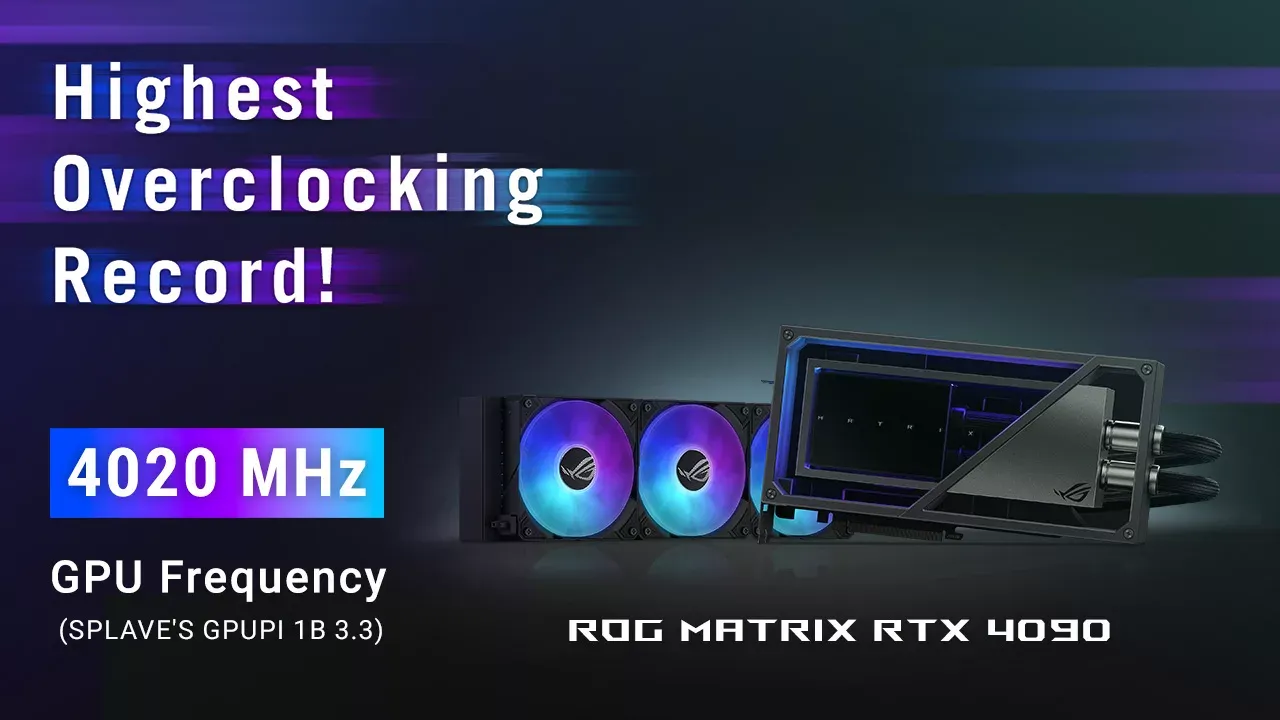
The ROG Matrix GeForce RTX 4090 sets eight overclocking records, and you can get yours now | ROG - Republic of Gamers Suomi
 thorny viper
 near wind
What is the cheapest graphics card i can use for U5?
opaque pond
also how much you are willing to tolerate it
devout pendant
what is the most wrong thing in this capture ?
 fallen oasis
The uptime.
devout pendant
fallen oasis
The uptime.
wow good eyes lol
but then I'll say it's actually a good thing
I never turn off my PC so that it doesn't have to deal with the power fluctuations and thus have more longevity
fallen oasis
Not quite sure that's how that works, but sure.
median marsh
i think it has to deal with more power fluctuations while its on
considering that you don't get "clean" energy out of your wall socket
plush turret
fallen oasis
The uptime.
eh my desktop regularly goes 30-60 days between restarts
record was 93 broken only by a power outage
thing has been on for almost 9 contiunous years
fallen oasis
Same. Doesn't mean it's a good thing!
median marsh

you guys know that suspend to memory is a thing?
and my system is faster back than my screens turn on...
devout pendant
I am having problems with disk, it works for few minutes and them bam, entire PC freezes and disk is not availble.
Had the same problem with another ssd in the same sata slot
Is it sata slot or something else?
 median marsh
that could be anything
powersupply, mainboard, sata controller, connectors or cable, two faulty disks in a row, or chipset/sata driver issues
devout pendant
damn, thats a lot
guess I'll try check the disk in another pc
but if I had to bet, it's borked motherboard, had problems with it for some time now, but can't RMA yet
thanks though
median marsh
i would try another cable and if possible another sata connector (some boards have two different sata controllers, most of the time indicated by either different colored sata connectors or by totally different locations of them on the board)
eventually also try another sata power connector from the psu
and check the drives smart status, often issues show up there
devout pendant
this one ssem to have the same controller for all ports (other 3 work fine)
x670e-e board
 median marsh
https://crystalmark.info/en/software/crystaldiskinfo/
this can give you smart report of the hard disk
opaque pond
What could be causing compiles to be somewhat slow?
median marsh
devout pendant
this one ssem to have the same controller for all ports (other 3 work fine)
x670...
what board is it exactly?
devout pendant
median marsh
<https://crystalmark.info/en/software/crystaldiskinfo/>
this can give you smart ...
Unfortunately, once it breaks, it's not showing in CDI
Though checked after connecting the first time, the ssd was "fine"
 devout pendant
median marsh
what board is it exactly?
devout pendant
median marsh
what board is it exactly?
ROG STRIX X670E-E GAMING WIFI
will try using different sata slot and power cable
median marsh
yea looks like it only has the 4 ports...
also try another sata cable, they can often cause trouble
opaque pond
opaque pond
What could be causing compiles to be somewhat slow?
Could it be cpu power?
devout pendant
Alright, it's finially visible again after replacing sata cable.
Will have to see for how long 🙂
 devout pendant
median marsh
yea looks like it only has the 4 ports...
devout pendant
median marsh
yea looks like it only has the 4 ports...
Thanks ❤️
plush turret
median marsh
https://tenor.com/view/why-huh-but-why-gif-13199396
because my home internet sucks and that desktop downloads everything i need
devout pendant
😦 the partition seems to write protected now
 fresh fog
opaque pond
Could it be cpu power?
fresh fog
opaque pond
Could it be cpu power?
Yes it's the CPU that processes this, but there are other factors. Unnecessary includes in the header being one of them. If you're including a header just to make a parameter or member a pointer to that class you're adding unneeded slowdown
opaque pond
fresh fog
Yes it's the CPU that processes this, but there are other factors. Unnecessary i...
I got an 8 core cpu and 32gb ram
That should be enough to process that fast right?
fresh fog
It Depends™️
The size of the code base, again, unnecessary header includes, what have you
opaque pond
fresh fog
The size of the code base, again, unnecessary header includes, what have you
well its in general
shader compiles are not that fast
packaging is a bit slow
 sudden smelt
Anyone comfortable enough with computer specs able to tell me if this pc will be good enough for running high fidelity unreal editor projects? https://www.bestbuy.ca/en-ca/product/gaming-pc-aqvin-aq20-desktop-computer-tower-rgb-intel-core-i7-up-to-4-60-ghz-1tb-ssd-32gb-ddr4-ram-geforce-rtx-4060-8gb-windows-11-only-at-best-buy/17278354 currently I have a gtx 1660ti, adm fx 8320 8 core, and 16gbs of ram, but it's been crashing lately and I need an upgrade hah
Built with advanced hardware, his Gaming Computer is sure to impress any gaming enthusiast. The AQVIN- Tower Gaming PC embedded with Intel Core i7-8700 processor with New Series GeForce RTX 4060 8GB GDDR6. Discover the ultimate gaming desktop computer, exclusively available at Best Buy. Get immersed in high-performance gaming today!
ivory scroll
sudden smelt
Anyone comfortable enough with computer specs able to tell me if this pc will be...
It should be pretty good but 8 GB VRAM is the absolute minimum for "high fidelity"
I would maybe save a little bit more and get a GPU with at least 12 GB
a 4070 perhaps
sudden smelt
Is there a major difference between 3000 series and 4000 series I see pcs with 3070 costing more then the 4060? These numbers mean nothing to me
ivory scroll
sudden smelt
Is there a major difference between 3000 series and 4000 series I see pcs with 3...
3070 is probably more powerful than 4060
70 is a higher "class" than the 60s
but look at the VRAM more importantly
all of these will be vastly more powerful than your current one though c:
sudden smelt
Yeah that's for sure, Ive been dealing with this pc crashing for the past year and been too stubborn to upgrade.
@ivory scroll Do you think the CPU in the machine I linked is sufficient?
This machine is 1400$ compared to all the other machines going up to like 2k for 3070 / 4070
ivory scroll
sudden smelt
<@299162607473000448> Do you think the CPU in the machine I linked is sufficient...
wait it has Core i7-8700
i just noticed
that's a 6 year old CPU lmao
don't buy that
ivory scroll
get someone to build you a custom pc :D
I can help you choose parts within your price limit if you want
if you can get someone to build it for you
(even though it's not that complicated)
I don't trust these pre-built ones 😆
sudden smelt
Ive never been much of a hardware guy. I knew they'd likely give me an awesome GPU and just drop the CPU in the dumpster or vice versa
Realistically Id like to stay under 1600 CAD but Idk how viable that is..
I got my old pc like 7 years ago for 1500
Regardless I'd like to know what'd cost to make a pc that'll last for Unreal 5 dev..
ivory scroll
sudden smelt
Regardless I'd like to know what'd cost to make a pc that'll last for Unreal 5 d...
you could save some money by getting a second-hand GPU for example
even CPU
(not 6 years old though)
if not, you should go for something cheaper but at least from the current or last generation
sudden smelt
whats the downside of having an older cpu in benchmarks it seems pretty good compared to my old one based on speed ranking atleast.
ivory scroll
sudden smelt
whats the downside of having an older cpu in benchmarks it seems pretty good com...
for starters, the 8xxx i7s ran SUPER HOT
and also it's just not worth it to buy a 6-year-old architecture
new ones are just faster, run less hot, more power effective
support more and new features
at least get something from the 11th gen higher for intel
or actually get a Ryzen if you want cheaper but still good
something like Ryzen 7 5800X
they're pretty cheap and pretty powerful
plush turret
well at least my drive encyrption is protected, stored the key on a floppy drive of all things, pretty sure im the only one who still has a working drive
median marsh
even a 5700x would be better than the 8th gen intel
ivory scroll
sudden smelt
Pre builts are painful
especially when they have 6-year-old hardware like who does that lmao
that's a scam
median marsh
best buy apparently
you usually get better pre builds from local shops, since they often make them on demand rather than buying a ton of hardware to eventually sell it later
sudden smelt
Maybe this one is better? https://www.canadacomputers.com/product_info.php?cPath=1446_1448&item_id=241405 just needs some more ram maybe?
Canada Computers & Electronics. 47,593 likes · 212 talking about this · 129 were here. Official Facebook page of Canada Computers & Electronics
median marsh
well as said, 8gb vram is not really much for UE dev
sudden smelt
Yeah, im just thinking this might be the best for me to start with? Idk if I can find more VRam for a reasonable price.
With a good cpu as well.
opaque pond
is a 3700x that old?
 zinc lintel
opaque pond
What could be causing compiles to be somewhat slow?
zinc lintel
opaque pond
What could be causing compiles to be somewhat slow?
For slow compilation induced by unnecessary headers (if thats your problem), you can try using something like compile score to check compilation times for each translation unit.
https://marketplace.visualstudio.com/items?itemName=RamonViladomat.CompileScore
I have used it to reduce compilation times in our project from ~1 minute to ~10 seconds for most iterative changes, and about 4 times for a full re-build (project only).
I have mostly removed unnecessary headers in favor of forward declarations (that should have been done in the first place) as well as by moving often and rarely modified common files to a custom PCH.
 molten sluice
I have a 3090, 32gb and an old 6700k cpu / motherboard. Any suggestions? I'm thinking about waiting for the 50 series GPU, will current gen motherboard be suitable?
 velvet creek
can somebody suggest a good gfx card for a 450 w 80+ psu
fallen oasis
4060 on a 450W psu?
wind egret
fallen oasis
4060 on a 450W psu?
doesn't the 4000 series sip power
a 3060 is almost riskier
opaque pond
wind egret
doesn't the 4000 series sip power
a 3060 is almost riskier
thats way too generic
wind egret
If you want specifics, the 4060 has a 115W TDP. The 4060 Ti a 160W TDP. The 3060 has a 170W TDP.
One would expect they've addressed the amperage spikes too...
median marsh
and the 3060 with 5950x together draw less than 300W on load here...
if the 450W PSU isn't shitty it will handle it
silent wyvern
median marsh
and the 3060 with 5950x together draw less than 300W on load here...
3060 will bottleneck the 5950x
median marsh
i dont play much games so i dont care
devout pendant
median marsh
i think it has to deal with more power fluctuations while its on
yes but the intensity of the fluctuations aren't large enough to cause damage
When you power up your system you go from 0 to 100%
it's also about the temperate of your components
I believe it's better to have them at constant temperature than to make them hot and cold
because as we all know physics here, hotter things take more space than colder things
median marsh
i think you pay more on electricity than you would have to pay on replacing a component once in 100 years which dies from that...
plush turret
other than physical connectors is there a limit to how many drives you can actually plug into a computer
OS being win 10
median marsh
but.... technically a billion drives are connected to my system through the internet
plush turret
would my laptop cpu constantly being between 80 and 97% utilization in task manager be a problem?
work installed new overwatch programs and since then everything been affected
apparently people were using work VPN's and access to the main server to pirate porn of all things so if we use the company network (includes roaming) we have to install these programs
but even discord typing is slowed down sometimes
where i can be done typing the whole thing and i have to wait for the system to catch up
sadly i cant seem to find the specific proccess thats using it, and then somehow cap its resource usage
used to be about 6% utilization when id have discord, chrome and steam up
now with those its 80-97
sadly they installed it remotely and the program has hidden itself
wish i had put it in a virtual machine
yeah though they threatened termination if we erase it without them knowing, company has US defense contracts
has full service, keylogger, internet search history recorder its able to read every program loaded onto the computer, and yeah part of installing it woot
was a reboot
i need the job cause bills sadly, and this is first place to hire me in like 2 years
plus if they see i still do my work on the computer and their recorder doesnt ping kinda proves i did something to their program
yeah though i cant imagine everyone has this usse, might be a side effect of my home internet sucking balls
like its trying to send a ton of data and my upload speed is 45kb/s
mighty cosmos
plush turret
yeah though they threatened termination if we erase it without them knowing, com...
That's pretty insane
If it was their laptop it would be perfectly fine but on a personal machine it feels borderline illegal
plush turret
yeah well my email and such was already monitored because those defense contracts. my family and such got vetted too
median marsh
plush turret
would my laptop cpu constantly being between 80 and 97% utilization in task mana...
depends in which power state it is
if it throttles down it's maybe possible to reach a high cpu usage while the cpu is underclocking heavy, thats fine
plush turret
 plush turret
median marsh
depends in which power state it is
plush turret
median marsh
depends in which power state it is
standard laptop, i havent touched any of the settings so it all default
plush turret
i have no idea if the cpu numbers there are a bad thing or not but ive never seen the proccesses and threads be so high
median marsh
well that thing is underclocking itself, base speed seems to be 2GHz and boost up to 3.6GHz
so it's not even close to 100% load, just close to 100% load @1.7GHz
so this is more like 40% utilization
idk what is normal for windows...
opaque pond
plush turret
oO i got a simmilar laptop for UE5
hardy marten
I get this spike whenever I open Task Manager

is that normal?
and my ethernet takes a while to actually start providing internet even tho the lights are on and all that
hardy marten
it is? never happened to me on the other PC
plush turret
hardy marten
and my ethernet takes a while to actually start providing internet even tho the ...
Im assuming you mean turning the router on takes time? Cause thats normal even for new things like me wifi6 nighthawk
plush turret
opaque pond
oO i got a simmilar laptop for UE5
Hp elitebook? Mines a 745 g5
opaque pond
hp 15
hardy marten
plush turret
Im assuming you mean turning the router on takes time? Cause thats normal even f...
no, everything is on and active
works all the time
PC takes 30 or so seconds to recognize and connect to it
plush turret
Wireless? Thats common too
pretty sure thats simply the computer running som sort of check to ensure the network is strong enough secure and actually connected to the internet
and or quick self diagnostics to confirm theres no problems with the software/hardware
hardy marten
plush turret
Wireless? Thats common too
ethernet
hardy marten
plush turret
pretty sure thats simply the computer running som sort of check to ensure the ne...
it doesn't happen to literally any other system I use ethernet with
hardy marten
plush turret
and or quick self diagnostics to confirm theres no problems with the software/ha...
yeah I'll do that
plush turret
ive noticed it on my computers that plugging in an ethernet cable still takes a minute to say its connected, though the instant need to be able to access the internet on startup/connect isnt that big so its never bothered me
hardy marten
yeah it's just a slight annoyance
plush turret
my home internet is so crappy, and for all of my life ive never had high end hardware so i just dont mind when things take time
the first computer i gamed on was a vista with 2gb ram
then i traded lawncare to my neighbor for their old laptop, that thing was a total shitpile but it was mine
my first PERSONAL computer had 256mb ram in 2014
haha
yeah most people had 8gb ram for mid range rigs and i was still running xp home edition
#thirdworldpoorinfirstworldcountry
my family has always had more than enough to get by but tech has and will never be their thing. so any tech ive had to get myself
oh im aware, overall its fine, but our criminal justice sucks, our pay vs living expenses suck, and the lack of resources for homeless is horrific
 zinc jasper
Hey guy's I'm looking for a new PC that can handle UE and gaming better. I'm considering this one but could use some advice. Would this do a good job??? I don't want to buy the wrong thing. https://www.amazon.com/gp/product/B0CJPJH72M/ref=cx_skuctr_share?smid=A1JJYDW49I3OQI

🎮 High-Performance Custom Gaming PC (Tower Only) 🎮 🌟 Overview Unlock unparalleled gaming with this custom-built, high-performance PC. Immerse yourself in lag-free, vibrant worlds in eSports and AAA titles. Demand only the best and redefine your gaming experience! READY TO GAME! Unbox, Plug in, GO...
median marsh
looks pretty good from the specs
gpu isn't the fastest but it got at least 12GB vram, which is good for game dev
and a weird brand
-_-
says the one who successful sticked to their existing PSU instead of going mad and buying a new one just because...
zinc jasper
Okay cool thanks for the help.
 craggy ridge
will RX 7600 be enough to do game dev?
I currently have no GPU
I also want to use real time GI in my game
fallen oasis
The real issue when it comes to game dev is vram. How much vram does it have?
You want 12gb+
craggy ridge
8 GB
the graphics requirement for my game won't be much tbh
it's just gonna be spaceships
fallen oasis
Dev requirements are double teh game requirements, at least.
fallen oasis
Laura complains frequently that she had serious issues with 8gb.
fallen oasis
It all depends how much money you can throw at the problem.
UE will use all of it .
craggy ridge
wdym?
opaque pond
512MB vram gang
fallen oasis
Game dev is costly, especially as you're basically got a 99% chance to never to make any money.
But buy whatever is in your budget. A decent graphics card is nice, but if you have a dual core pentium with 2gb of ram, the situation is a bit hopeless.
craggy ridge
fallen oasis
But buy whatever is in your budget. A decent graphics card is nice, but if you h...
I got a ryzen 9 7900 and 64 gigs of RAM
I use that for work
opaque pond
opaque pond
512MB vram gang
Video Memory Exhausted
Video Memory Exhausted
Video Memory Exhausted
Video Memory Exhausted
Video Memory Exhausted
Video Memory Exhausted
gang
fallen oasis
craggy ridge
I got a ryzen 9 7900 and 64 gigs of RAM
Very nice! Than buy the best graphics card you can! 🙂
fallen oasis
I would compare that 7600 with the nvidia 4060 16gb, see which performs better.
craggy ridge
and I want my game to run on potato-ish pcs
opaque pond
if you can reach for a 6700xt that would be great
opaque pond
fallen oasis
I would compare that 7600 with the nvidia 4060 16gb, see which performs better.
4060 is 8gb
craggy ridge
4060 is 8 or 16
craggy ridge
3060 performs way worse tbh
fallen oasis
(fixed)
craggy ridge
like 20% less than 4060
opaque pond
i had to disable the Video Memory Exhausted warning cause it was driving me insane
lol
craggy ridge
yeah so I guess it's a better idea to get a gpu with 12+ gb vram even if I go over my budget
fallen oasis
It'll definitely help when you don't want to make a potato game.
median marsh
craggy ridge
and I want my game to run on potato-ish pcs
a running game can stream stuff in/out on demand
an engine editor like unreal, gathers everything in a level and loads it to video memory
and if you load another level, chances are that unreal editor keeps the stuff from the previous level also around in memory
craggy ridge
median marsh
and if you load another level, chances are that unreal editor keeps the stuff fr...
bu if memory is overloaded it will still unload the old ones right?
median marsh
fallen oasis
That's forced on map change.
are you 100% sure about that?
craggy ridge
median marsh
an engine editor like unreal, gathers everything in a level and loads it to vide...
yeah but see I'm not going to make games with top graphics, only low-ish poly and minimal effects apart from fog, GI and some VFX like lasers and all
also it's set in space
so there's no terrain to load
only asteroids and space stations, ships, missiles, etc
plush turret
anyone know of any groups that would love ancient computer hardware?
like stacks of factory formated never used 8.5 inch floppies
a stack of actual computer reel that holds an OS
 vernal sphinx
im running at 50-55 fps with my rtx 2080ti, what would i be able to expect with a 4080/4090?
vernal sphinx
assume im gpu limited
im trying to assess the benefit of getting a cpu that is mroe than sufficient
fallen oasis
Profile. Don't assume.
stat fps (or whatever it is) in the console will tell you what is limiting you.
stat unit?
vernal sphinx
the gpu
but you guys are misinterpretting the question
im trying to assess the impact of a gpu under the circumstances that anything else is unlimited
since a gpu is vastly more expensive and has higher demands from the point of view of rasterization
its sensible to assume that
im trying to justify the purchase of one to the company i work for and im trying to get more than just benchmarks
fallen oasis
It's sensible to assume that a gpu is important for a 3d game engine, absolutely.
It's also sensibile to assume that the rest of your system will need to match the capability of the gpu or it's just money wasted.
vernal sphinx
fallen oasis
It's also sensibile to assume that the rest of your system will need to match th...
granted.
thread ripper and 128 gb of top of the line ram
fastest nvme drive
vernal sphinx
what did u have before hand?