#hardware
1 messages · Page 12 of 1
 dark quartz
350$ the rtx 3060
 median marsh
i think that's kinda okayish, not a great deal as of now, but not bad either
dark quartz
but for 479$ i could get a 4060ti
but it has 8gb of vram
how much does affect unreal the vram?
median marsh
depends on what you do
my suggestion is to rather go for the card with more vram, than the one which gets few more fps
dark quartz
median marsh
my suggestion is to rather go for the card with more vram, than the one which ge...
yeah I also thought of that
What do you think of AMD cards? Are them a better quality-price ratio than the RTXs to use them in professional cases?
median marsh
🤷
dark quartz
Cause I saw many people choosing them for gaming cause they say "much better than RTX"
 fallen oasis
I've had issues with amd cards and the editor before. Probably work fine now.
 silent wyvern
I wanted to ask about AMD and new Intel GPU as well. Heard it consumes much less energy.
How well does it perform in UE?
fallen oasis
A discete gpu?
 mighty cosmos
dark quartz
Cause I saw many people choosing them for gaming cause they say "much better tha...
mighty cosmos
dark quartz
Cause I saw many people choosing them for gaming cause they say "much better tha...
I've used a 6900xt until recently and it worked great with UE
 spice girder
fallen oasis
A discete gpu?
spice girder
fallen oasis
A discete gpu?
I think he means something like the Intel Arc A770.
silent wyvern
fallen oasis
A discete gpu?
I think it's dedicated
silent wyvern
spice girder
I think he means something like the Intel Arc A770.
Yes, I meant that
 torn gulch
Do i think I'll be able to run this screen MOBIUZ EX3415R with my computer https://www.amazon.fr/gp/aw/d/B096G89DZ3?psc=1&ref=ppx_pop_mob_b_asin_title ?

Batterie comprise dans l'équipement
I've added 16gb ram + ssd
Thanks!
spice girder
torn gulch
Do i think I'll be able to run this screen MOBIUZ EX3415R with my computer https...
the gpu will probably be the limiting factor, because it is a mobile gpu and it has only 8GB of VRAM which is for some modern games not enough. But that depense on what setings you are or how big the VRAM usage of the game is that you are making
torn gulch
Thanks yeah I think I should upgrade soon then
spice girder
I Personally would only buy a GPU today with 12GB VRAM or less if my budget doesn't allows for something like a rtx 4080 or radeon 7900xt/xtx
 foggy swan
How's UE5 on an M2 Macbook? Been thinking of purchasing one and wanna see how UE5 performs on an M2 Macbook.
torn gulch
spice girder
I Personally would only buy a GPU today with 12GB VRAM or less if my budget does...
Yeah I have around 3000 eu but i hesitate between desktop and laptop
spice girder
torn gulch
Yeah I have around 3000 eu but i hesitate between desktop and laptop
do you need to take the pc with you? if the not a desktop is cheaper in most cases.
torn gulch
Yeah I'm moving a lot, even inside the house ahhah and I don't really standing long hours at my desk so I think I can't have a desktop even though I know the performances are way better..
torn gulch
@spice girder But i thought about a solution i could just have a remote access configured from my laptop to my desktop and have both even though it can be cumbersome to have 2 different PC.
But yeah considering the prices of the 40+ laptops it's absurd
 mighty patrol
Anyone got a recommendation for an electric air duster? None of the brands are familiar really to me and not wanting to use air in a can anymore.
fallen oasis
I bought just a like super powered wind machine that I hold in my hand. It's amazing.
 cedar vessel
Yeah is more than enough unless you work with very large landscapes or very high number of high poly mesh.
 minor tangle
Hello, what laptops do you all have? Also, what do you hate about it or wish that it would be better in certain aspects?
 normal cairn
Y'all. I am 


 split bough
normal cairn
Y'all. I am <:Pissedscilla:471146502782189568>
split bough
normal cairn
Y'all. I am <:Pissedscilla:471146502782189568>
literally empty box?
normal cairn
Literally an empty fucking box
That's the Amazon choice one too. https://www.amazon.com/dp/B0BBHD5D8Y?psc=1&ref=ppx_yo2ov_dt_b_product_details
"I was able to confirm with our logistics data that when the item was shipped out, The weight was confirmed to have the item inside the packaging when it was shipped out."
Buuuuuuuuuuulllshit. They advised I file a police report and go from there.
 fresh fog
my blood is boiling and it's not even me that got scammed by amazon
amazon? more like scamazon
normal cairn
after approx 2 hours of dealing with their bullshit and contact local police department, amazon finally decided to process me a refund  so much for building a new pc this weekend
Some guy who also ordered the 7950x get an empty box, twice

0 reports of people getting empty boxes when ordering from newegg, so I guess I'll buy it there
 serene dome
normal cairn
0 reports of people getting empty boxes when ordering from newegg, so I guess I'...
serene dome
normal cairn
0 reports of people getting empty boxes when ordering from newegg, so I guess I'...
While not empty... the most recent event that I remember was late last year with Newegg and a box with weights. Order was for a GPU.
Personally, I'd just go buy whatever part from a "brick and mortar" business if your area is fortunate to have one still...
normal cairn
Neaerest one is a Best Buy that's an hour away... but I'm gonna make the drive because 1) not rolling the dice a second time and 2) I don't want to have to wait for another one to hopefully show up in the mail and delay my build any further .-.
It cost about $60 more but at least I'm guaranteed to have it this time
normal cairn
median marsh
is that common practice for amazon in US?
no
 vestal tundra
I should have went with 4tb instead of 2tb
silent wyvern
vestal tundra
I should have went with 4tb instead of 2tb
2TB isn't enough anymore&
fallen oasis
I think my board only supports 1TB 😦
silent wyvern
o.k.
vestal tundra
silent wyvern
2TB isn't enough anymore&
Yeah. I went from basically a boot only nvme drive and 2 1tb sata ssds to 2tb nvme and 2 1tb sata ssds and thought I would be okay
It's been like a month and I am not okay
vestal tundra
3930k from 2011 lasted me over 10 years with that attitude
Only moved to AM5 like last month
 coarse hollow
you are going to want a bigger HDD for sure. 1070 is not adequate for 5.x, 4.x, yeah
32GB will do, but 64 is better (of course, more is always better RAM wise
a 16thread 8 core would be better.. I have an intel 16thread at 5Ghz, and it is good
unless you have a second HDD (maybe a large, slow platter drive) you will run out of space very quickly if Windows, UE, the project, and the Vault Cache are on the 500GB
i have a 1TB NVME and had to invest in a second 2TB for the other NVME slot so i could keep working
 frank glade
Mitx? What case?
coarse hollow
sorry, there is no way i could answer that question. Someone with the same specs would have to test. My guess is you will not be able to make a map that big in that machine
do you mean 12 * 12 or 144 * 144?
ok, you can probably do that
there is no way i could answer that question
 merry wasp
Guys! What do you think? Nvidia RTX 4070 12 VRAM brand new or RTX 3090 23 VRAM second hand for UE? What are your thought? Thank you!
PS: I will add my opinion, but still deciding.
-3090 is more powerful, but also consumes double the energy. And with energy prices there days 🙂
-4070 has a warranty, 3090 might have if I am lucky to find such a card. But still not the same period.
with 3090 there is a big risk involved when buying a SH card. And for such a price, it's a bit scary.
As you might notice, I am tending to go towards the 4070. But not fully committed yet.
frank glade
honestly 3090 for the vram
fallen oasis
It's all about the vram.
Which has more vram?
My 3090 has 24gb and it's fantastic.
spice girder
merry wasp
Guys! What do you think? Nvidia RTX 4070 12 VRAM brand new or RTX 3090 23 VRAM s...
3090 alone for the 24gb vram. Since 12gb vram of the rtx 4070 is for me to likely to be not enough.
frank glade
frank glade
honestly 3090 for the vram
wait, I've changed my mind, I can SELL you my 3080 Ti with 12gb of vram
merry wasp
fallen oasis
Which has more vram?
4070 has 12 VRAM 🙂
So you say the older tech or the fact that it consumes double the energy is no problem considering it has 24 VRAM vs 12 VRAM for the 4070?
info about 4070 here: https://www.techpowerup.com/gpu-specs/geforce-rtx-4070.c3924
And infor for 3090 here https://www.techpowerup.com/gpu-specs/geforce-rtx-3090.c3622
merry wasp
merry wasp
So you say the older tech or the fact that it consumes double the energy is no p...
PLus the risk involved in buying a second hand..
Relative performance boost is only 13 % it seems
I am curious if you actually checked VRAM usage in UE. 🙂
I understand
And thank you all!
median marsh
according to google the power thing isn't true
The RTX 4070 delivers 0.55 Frames/Watt, while the RTX 3090 delivers 0.58
the 4000 series isn't really a big improvement in terms of power consumption
median marsh
i guess that also depends on how much load you put onto them
and i guess most of the time it's not 100%
mighty cosmos
No matter how you put it a 3090 is better
Even if they were about the same performance wise the 3090 has more VRAM
fallen oasis
It might also be a different base power consumption.
dark quartz
guys
I have a gtx 1050ti and a Ryzen 5 1400
I’m gonna buy a rtx 3060 12gb
should i also change the cpu?
16gb ram btw
merry wasp
median marsh
the 4000 series isn't really a big improvement in terms of power consumption
but what happens when you are browsing the web and the the GPU is still hungrier then the other one? I know it consumes depending on the stress, but I do believe the power consumtions is greater when idle.
But I do understand what you mean.
In the end, the more RAM the better.
mighty cosmos
A more powerful card will generally be much more efficient at the same load
Rocket league isn't that difficult to run but my previous 6900xt would pull around 100-120W at 200fps
My current 4090, capped at 200 is pulling like 70W
Not even heating up enough to spin up the fans
Well this is across different brands but it should be similar with different generations of the same brand
silent wyvern
Is Nvidia 3060 good or optimal match for AMD 5950x ?
 vagrant anvil
i think the wattage talk is a bit over blown. if a card runs at 300W constantly for 8 hours, it would cost 38 cents a day here in the US. its pretty rare that anyone is running a card that hard every day, so its likely less.
plus, as Blue Man said, you can undervolt a GPU (and CPU for that matter) and see very little performance drop
median marsh
silent wyvern
Is Nvidia 3060 good or optimal match for AMD 5950x ?
it's a good budget choice
the next logical thing for gamedev is imho a 3090/4090 or AMD...
the 3060 obviously not the best performing card, but the 12GB really push what you can do in UE compared to other cards which are even more expensive..
silent wyvern
median marsh
the next logical thing for gamedev is imho a 3090/4090 or AMD...
I'm not really after the very best GPU. I'm for a balance of performance and energy consumption.
People say Nvidia works best with UE than AMD GPUs
median marsh
energy consumption is always relative to the computing load within a series
the same task on a 3060 and 3090 will most likely drain the same power, maybe less on the 3090 🤷
fallen oasis
Maybe they just wanted a cheap vram card.
mighty cosmos
silent wyvern
People say Nvidia works best with UE than AMD GPUs
I've used a 6900xt before with UE with exactly 0 issues
fallen oasis
I had flickering issues with my 6900xt at one point
merry wasp
mighty cosmos
A more powerful card will generally be much more efficient at the same load
Roc...
So you're keeping your 4090 capped? And letting it roll whenever necessary? Or how is it?
merry wasp
median marsh
the 3060 obviously not the best performing card, but the 12GB really push what y...
So choosing a 3060 12GB over a 3070 8GB in UE just because of the VRAM?
mighty cosmos
merry wasp
So you're keeping your 4090 capped? And letting it roll whenever necessary? Or h...
If I'm getting excessive number of frames I usually cap it
Usually at 175-200 which is my refresh rate
 raven orchid
From a solo dev perspective, what would you rather have: 7900xtx w/ 7950x3d or 4090 w/ a 5800x?
mighty cosmos
I just limit the fps, didn't touch the temp or power limits
I'm surprised how cool the card actually runs, at 450W the GPU isn't getting over 70C and the hotspot the highest temp I've seen was 75C
raven orchid
cuda is mostly for AI stuff right?
mighty cosmos
raven orchid
cuda is mostly for AI stuff right?
AI, offline renderers often use Cuda too
raven orchid
mighty cosmos
AI, offline renderers often use Cuda too
like blender, maya, 3ds?
mighty cosmos
raven orchid
like blender, maya, 3ds?
yeah
raven orchid
mighty cosmos
yeah
there's no hardware acceleration for amd cards in those programs?
mighty cosmos
raven orchid
there's no hardware acceleration for amd cards in those programs?
More often than not there is
 tacit reef
anyone have recommendations for laptop for gamedev and gaming?
or should I build a pc
 lethal geode
tacit reef
anyone have recommendations for laptop for gamedev and gaming?
lethal geode
tacit reef
anyone have recommendations for laptop for gamedev and gaming?
i use a laptop but i highly recommended building a pc
since i’m going to
 bright tendon
Any users who use a laptop as daily driver for UE5 programming? What model spec?
dark quartz
guys
I have a gtx 1050ti and a Ryzen 5 1400
I’m gonna buy a rtx 3060 12gb
should i also change the cpu?
16gb ram btw
 fallen oasis
Tbh it's fine for non-developer low end card.
Probably outperforms the 3060 and uses less power.
I did not see the price, to be fair.
But I don't know what the price of a 3060 is either.
 violet spade
Considering I’m running a 2060 it would still be an improvement for me
spice girder
what is your budget? Maybe we can help you build one if we know it.
median marsh
doubt that this is a good machine for smth like that
memory and cpu seem okay, but the GPU is kinda old and as laura said the ssd is way to small for UE stuff
mighty cosmos
Get something at least in the 30xx series or from AMD, amd has a lot of good lower end options
spice girder
take a look at this.
median marsh
you'll be crucified for that PSU here
spice girder
wrong case. https://pcpartpicker.com/list/GxTmVw
Part List - AMD Ryzen 5 5500, GeForce RTX 3060 12GB, Thermaltake Versa H18 MicroATX Mini Tower
spice girder
I know. but a 1TB ssd small to
spice girder
median marsh
i think he knows
Do you have an Idear how to make it fit the budget?
median marsh
he hasnt told his budget?!
oh nvm
680
you should lookup the prices at a local store
it's hard to make a suggestion if the prices are totally different at your location
guess there arent many people here who know how expensive hardware is in egypt
how much is the computer that you posted?
also this sounds like its the first time you are going to use UE
you can keep yourself busy without much complexity for at least a year to learn and implement basic game mechanics
for that, the system you posted is fine
and later you could upgrade the gpu/ssd
i guess it's a used computer? because the gpu is kinda old
then make this 1 or 2 years of learning, at least
so the computer you posted should be ok for that
then i would ask for the price with 1TB ssd instead of 500gb ssd + 500gb hdd
you dont want an hdd, it's useless for anything other than backups
pay that extra $15 for your own sanity
mighty cosmos
Same kits bought separately could be slightly different to the point where it makes it unstable to run, in theory
In practice never had issues, currently running 2 kits
median marsh
mighty cosmos
Same kits bought separately could be slightly different to the point where it ma...
yea, i think that it works in 99% anyways when buying good memory, but from what i know the cheap brands sometimes change dram chips within the same model number, and they may end up with slightly different timings/voltages which may make the setup unstable?!
mighty cosmos
they are but they could be using different memory chips internally if they were manufactured at different times
or internal components in general
median marsh
yea but i would rate crucial as one of the less worse ones 😄
mighty cosmos
median marsh
yea, i think that it works in 99% anyways when buying good memory, but from what...
Yep pretty much
Generally never had issues with trusted brands and higher end sticks
median marsh
they are micron after all?!
1070 imho
i dont know anything about the quadro cards, but apparently the 1070 is 2.5x faster
i think they are more designed towards applications which need much video memory but not much 3d performance
like video editing, CAD/CAM etc.
mighty cosmos
ChatGpt told me there is your first mistake
median marsh
listen to BenGPT
frank glade
I think cgchannel did a recent review comparing both rtx and quadro cards
Not worth it at all
Unless you want the VRAM
median marsh
which in this case is 8GB for both, so a nobrainer to take the 1070
median marsh
i would take the GPU but keep in mind that you have to replace it in 1-2 years
you can do a lot more with a 1070 😛
ive used a 1660 for 1.5 years or smth
and the main reason i upgraded was vram
which would have been a pita earlier if the 1660 hadnt 6gb already
he said that 3060 is around $600 where he lives
i feel like the 1070 is the best deal of that offer, considering how much the 3060 would be
if even an good entry level gpu would cost him as much as the whole pc
mighty cosmos
Rider's AI thing provided a surprisingly reasonable answer lol

I wonder how could have ChatGPT say that k5200 is better
median marsh
i guess they use the chatgpt api, too
maybe the way how they query it, is better suited
and also, the way you phrased your question
oh wait
your question was pretty simple 😄
mighty cosmos
median marsh
i guess they use the chatgpt api, too
it sounds like a fine tuned version of GPT3/4 that they are running
median marsh
or is the thing in the top right only a summary and not the whole prompt?
mighty cosmos
median marsh
or is the thing in the top right only a summary and not the whole prompt?
it's the whole prompt
median marsh
okay thats worse than i thought, $210 is quite the price
how comes that everything is reasonable priced but the GPU is still priced like in the corona crisis...
mighty cosmos
that's the prompt 😅
It's definitely a fine tuned version, anything tech or code related and it's quite a lot better than normal GPT
 median marsh
to make a game like that you'll need years of experience
so dont worry about what you start with...
tutorial*
i can bake 10 recipes and still have no clue what i'm doing, neither would it make me a chef
oh
brb
spice girder
xD
median marsh
didn't the course cover that topic?
that's a large human/tree then
if this is 12x12km then the tree is at least 1sqkm
vestal tundra
median marsh
that's a large human/tree then
I basically did that last week not paying attention lol
Somehow ended up with tree sized grass and mountain sized trees
median marsh
the real question is how large a chunk of that map will be, and if the textures/meshes of the assets will fit in your video memory
and if the GPU will be able to render that in a reasonable amount of time without choking your editor to death
and that depends mostly on your assets that you use...
and how well you optimize
violet spade
Eww hdd?
mighty cosmos
literally any SSD will be better
it takes me about 30min to compile 5.2 on a sata SSD
It would take well over an hour on a HHD and like 27-28min with an nvme
 fervent jolt
meanwhile basically any SSD:

(ok i watched it for like 20 seconds and cherry picked a low number i admit it)
now that's just hogwash
mighty cosmos
on 5.2 it's maxing my ssd for a good minute and a half and CPU doing nothing
So that's probably the time I would save
Yeah I tried compiling the engine on a couple of different sata SSDs and it was maxing out every single one of them
Wasn't before switching to the 5950x
median marsh
an nvme is useful if you have to read/write large amounts of data
but compiling is mostly smol files
and for writing the OS write cache can compensate quite a bit
raven orchid
kind of a weird question but does ue5 make extensive use of hotkeys on the F-row? I'm wondering if using a 65% keyboard will be kind of annoying
mighty cosmos
raven orchid
kind of a weird question but does ue5 make extensive use of hotkeys on the F-row...
My recommendation is the GMMK2 96%
Similar size as the 65% but has all the keys
it's the one I'm using and the KB is great
Red pre lubed linear switches, damping out of the box and built like a tank
https://www.gloriousgaming.com/products/gmmk2
has a numpad
yeah, switch to the 96% variant

Welp I know at least for myself after using it that nothing else can compete :p
yeah, no thanks

fallen oasis
I accidentally bought 2 US K120s. US enter key does indeed suck.
And the fact that | is alt+shift+# (the key above enter)
Is really shitty.
raven orchid
this is the best budget keyboard https://modedesigns.com/products/envoy

Mode Designs
for keeb connoisseurs
honestly I could probably just make it work......i've gotten along w/ tmux + vim setups on a 65%
fallen oasis
If only they weren't US layouts
median marsh
https://m.media-amazon.com/images/I/61zwK1rA8pL.jpg i raise you the $25 keyboard

it even has a numpad
tacit reef
so my pc died and I'm thinking of building a new one on a budget, previous cpu was i7 2600k, is it worth it to get i7 or is i5 fine nowadays?
median marsh
if its the context menu key, its there
its missing a 2nd super/win key
oh wait, thats Fn, right
yeah, cherry had a nice slim keyboard for a while but for some reason they dont produce it anymore 😭
spice girder
median marsh
yeah, cherry had a nice slim keyboard for a while but for some reason they dont ...
Keychron has a 75% version of one.
Maybe they will ad more sizes in the future
https://www.keychron.com/products/keychron-s1-qmk-custom-mechanical-keyboard?variant=40299845943385

Keychron | Wireless Mechanical Keyboards for Mac, Windows and Android
Keychron S1 is an all-metal ultra-slim QMK custom mechanical keyboard that allows anyone to master any keys or macro commands on its 75% compact layout through VIA, it has included keycaps for both Windows and macOS, and users can hotswap with any low-profile MX mechanical switch in a breeze.
 west quail
dual slot 2 16gb 3200mhz vs 2 16gb 2 8gb 3200mhz, thoughts?
silent wyvern
That's my line
tacit reef
ty, I was looking at 12th gen i7, 12700k . what are your specs now if u don't mind me asking? and what motherboard
frank glade
You should def get 13th gen
west quail
west quail
dual slot 2 16gb 3200mhz vs 2 16gb 2 8gb 3200mhz, thoughts?
no thoughts? more ram for potentially less speed?
silent wyvern
tacit reef
ty, I was looking at 12th gen i7, 12700k . what are your specs now if u don't mi...
you just added 1 before 2600x XD
spice girder
tacit reef
ty, I was looking at 12th gen i7, 12700k . what are your specs now if u don't mi...
I would go with amd they use less power
they are basically the same
very minor that don't matter. Just one is manufactured by MSI and the other one by Nvidia
median marsh
they are irrelevant
MSI is just a company that produces graphics cards
they use the same chipset, and probably the same board design
fallen oasis
And other equipment
west quail
dual slot 2 16gb 3200mhz vs 2 16gb 2 8gb 3200mhz, thoughts?
the 16gb match but the 2 8gb are mismatched
fallen oasis
Mismatched ram is never a good idea.
Try it. If it works, you're good.
It may not.
median marsh
or it may
worst case is you need to adjust the timings/voltage etc. manually, which depending on the board can be a pita
tacit reef
spice girder
I would go with amd they use less power
what is the amd equivalent? sorry, I'm not too familiar with amd products other than this rx480 gpu which I kinda wish I never bought lol
spice girder
tacit reef
what is the amd equivalent? sorry, I'm not too familiar with amd products other ...
the amd ryzen 7 7700x ( 8 core) is the amd equivalent of the Intel i7 13700k, but the ryzen 9 7900x (12 core) is around the same price point.
spice girder
tacit reef
what is the amd equivalent? sorry, I'm not too familiar with amd products other ...
I think this can help too.
https://www.pugetsystems.com/labs/articles/13th-Gen-Intel-Core-Processors-Content-Creation-Review-2369/#CPU_Rendering_Blender

Following AMDs recent release of their Ryzen 7000 Series desktop processors, Intel is fighting back with their own launch of the Core 13th Gen processors (code named "Raptor Lake"). Unlike AMD's launch which moved to a new socket and added support for DDR5, the 13th Gen CPUs are a drop-in upgrade for the 12th Gen processors since they share the ...
 wanton hollow
Cache is more important or the number of cores of the CPU's for UE5 ?
wanton hollow
Thanks for ur information
6900XT 16GB or 3080 TI 12GB ?
Everybody tell me the Nvidia is better for game developing
mighty cosmos
wanton hollow
Thanks for ur information
6900XT 16GB or 3080 TI 12GB ?
6900xt
In a lot of cases faster than a 3090 in rasterization and more memory than the 3080
wanton hollow
mighty cosmos
6900xt
In a lot of cases faster than a 3090 in rasterization and more memory tha...
So for game developing 6900xt is better?
also its will be better in 3d modeling?
Which gpu u are using
mighty cosmos
wanton hollow
So for game developing 6900xt is better?
between the 2 6900xt is gonna be better if you don't specifically need Cuda for anything
mighty cosmos
wanton hollow
Which gpu u are using
6900xt in my 2nd PC and a 4090 in my main PC
vestal tundra
I figured I'd eventually need Cuda for something
mighty cosmos
in this case 6900xt would be my choice, just the extra memory is worth it, and it's faster
vestal tundra
$580 for a 6950xt right now
median marsh
fml, i paid that much for an 3060 when they released 😭
and 3090TI are still >1400€ here... (4090 >1600€)
vestal tundra
I was so excited to buy a 3080 on launch day
But I woke up too late
And they were never in stock again
median marsh
so there's no real reason to get a 3090 if you get +50% performance for like 15% more money
mighty cosmos
median marsh
and 3090TI are still >1400€ here... (4090 >1600€)
4090 is 2400$ here 🥲
mighty cosmos
By the time I pay the import taxes it ends up costing me the same 😅
mighty cosmos
I think it was always like that, pretty sure we always had 25% taxes on import
Could be wrong
25% + shipping ends up about the same as here sadly
median marsh
yea, that's quite the import tax
considering that it's for smth that you cant get from local suppliers (i mean, locally produced within UK)
mighty cosmos
It's insane
Seeing a 1600$ msrp for a 4090 feels cheep, which it isn't
But it feels cheap compared to the insanity here
(I'm in Croatia)
mighty cosmos
yeah 😅
vestal tundra
All I know about Croatia is that it looked really cool in GoT
vestal tundra
Dubrovnik is Kings Landing!
raven orchid
is the quality of life that much worse doing solo dev work on an 8 core vs a 16 core
 wind egret
Depends on what you need the rest of the money for, and if you're trying to make the next super hexagon.
raven orchid
wind egret
Depends on what you need the rest of the money for, and if you're trying to make...
just trying to be frugal for now
wanton hollow
mighty cosmos
lol
Can you explain me about cuda cores and usage of them in game developing?
wind egret
Accidental quote?
 hazy stream
Out of curiosity, is RTX 4070 enough for solo game dev using UE5?
vestal tundra
Yes
 devout pendant
vestal tundra
Yes
devout pendant
vestal tundra
Yes
what about 3070, ryzen 5900x, 64gb RAM
vestal tundra
Id say no lower than 12gb vram, but I'm sure there are people on here happily deving with a 3070.
fallen oasis
3060 12gb version is a better fit for dev
frank glade
fallen oasis
3060 12gb version is a better fit for dev
Rtx 4000 SFF 20gb 😌
wanton hollow
in my countrie I can buy used 6900xt swft for like 283$-383$ ( I try to find which is not used for mining )

Or I can spend 490-550$ for get 4060ti ( not used before )
but idk which going to be my selection
wanton hollow
wanton hollow
Or I can spend 490-550$ for get 4060ti ( not used before )
also I can buy used 3080ti with this price too
the 16gb version?
oh my wrong
I was think u mean 4060ti
XD
So I dont gonna buy 3080ti
but 4060ti with 16gb vram or 6900xt swft
wanton hollow
i think 4060 will be better than 6900 cus of dlss 3 & better ray tracing
spice girder
wanton hollow
i think 4060 will be better than 6900 cus of dlss 3 & better ray tracing
form most cases 8GB vram is not enough specially not future proof.
 agile lodge
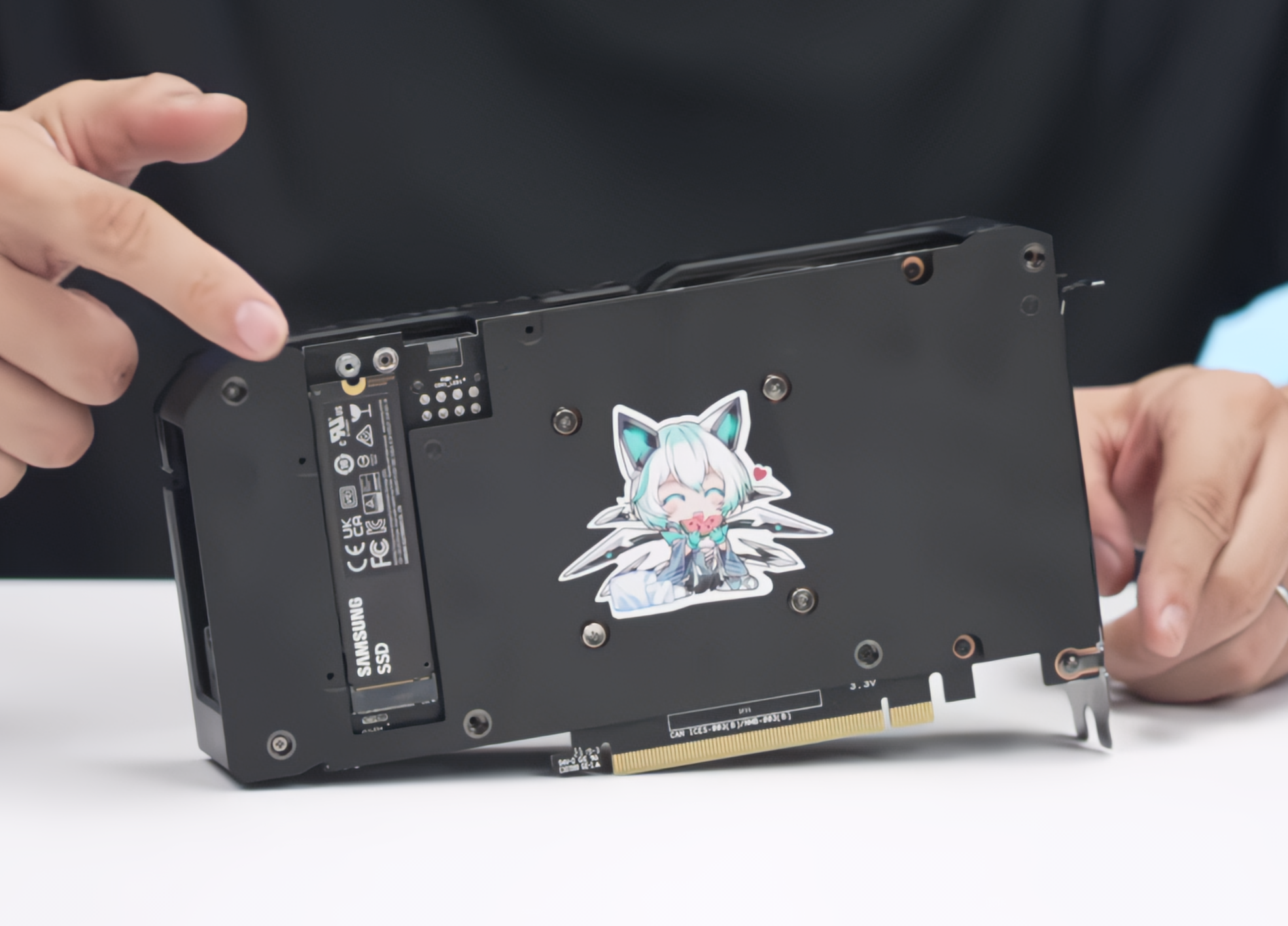
Wccftech
ASUS has showcased a concept of integrating an M.2 SSD slot into a GeForce RTX 4060 Ti with the aim of utilizing unused PCIe lanes.
m.2 on graphic card good or bad idea?
 frigid heath
agile lodge
m.2 on graphic card good or bad idea?
frigid heath
agile lodge
m.2 on graphic card good or bad idea?
i think so, my mobo can only use a few m.2 might be usefull if i want an extra
also its eating a melon, i like melon
dont see it as a thing that wil last super long, but the way PCs are build atm it might be cool for a few generations
median marsh
agile lodge
m.2 on graphic card good or bad idea?
they still waste an 4 lanes...
could be good, if executed correct, specially for small cases
 timber cobalt
Virtualisations of textures and meshes will be more and more popular choice in games and a fast drive near to the gpu could be an interesting solution.
median marsh
would make more sense to have like 1-2 DDR5 slots then 😄

like in the good old days
wind egret
agile lodge
m.2 on graphic card good or bad idea?
You see, cards such as NVIDIA's RTX 4060 series feature just PCIe x8 lanes which means that AIBs using a full x16 slot have an additional x8 lane. M.2 SSDs utilize the PCIe x4 interface and that makes perfect sense to put up to two SSD slots on the PCB of the card.
vestal tundra
upgradable ddr5 swapfile on a gpu sounds like it would be so nice to my naive mind
median marsh
well, the bandwidth of 16 pci express 5.0 lanes is enough to saturate the bandwidth of a single channel ddr5-8000 stick...
vestal tundra
Isn't it more a latency thing?
median marsh
but it would probably still be faster than host memory since it wont occupy the cpu
vestal tundra
I remember seeing something like 40ms to go from system memory to vram, but not sure what the exact circumstance was
median marsh
yea it would be faster if the gpu could stream the data from an onboard stick
compared to a setup where the gpu has to use host memory because its out of vram
but then, that would probably also require major engine changes to be supported well
vestal tundra
DirectStorage and gpu decompression one day
median marsh
it would still be neat tho
imagine you could load all assets for a level in that gpu memory, and stream from there to the fast vram
some stuff might be even fast enough to only use the slow memory and never be loaded to the actual vram
raven orchid
If I already have a 5800x, am I really going to improve my quality of life as a solo dev if I move to a 7950x?
is it mostly just getting faster compile times?
damn, or that's good
I guess hard for me to justify the extra cost at this time
 tulip cloak
I mean yeah it's a faster cpu so cpu tasks like compiling source code, building lighting, recompiling shaders, and packaging projects are naturally going to be faster
raven orchid
I just wonder how often I would do that in a given day
since I'm still early beginner phase I would guess not much
ya I already havea fast gpu
tulip cloak
I mean yeah you don't need the best hardware to get into game development, dip your toes in and if you get serious and need to get more efficient you can get a new cpu at a later point
raven orchid
tulip cloak
I mean yeah you don't need the best hardware to get into game development, dip y...
thanks buddy, my wallet loves you
hehe
I figure by the time I get serious about it
there'll be new cpus out that will be at least 50% faster than wwhat we hav enow
in a couple years
maybe new threadripper platform
although I'm not sure threadripper will be made to fit into an ITX case
ya I meant a new threadripper release
I heard there were some rumours of it
I imagine eventually consumer core counts will be going up anyways so maybe that's why it's not going to be a thing
at least for AMDs ccx
AMD ccx must eventually increase beyond 8
haha I think that era is long gone thankfully
eventually we'll get high end RISC processors
2 years?
AMD has been competitive for longer
since zen 2 I would say
I think were talking about different things
ya definitely
I guess when intel dominated that was a fairly long period of uncompetitiveness and most recently AMD has dominated for a few years and Intel has been uncompetitive
but now they're finally on fairly level ground
ya they want to become the premium brand
fallen oasis
Tbh in the end it doesn't matter which is better, it's all about the price point.
AMD could be a few % worse, but if they're 10% cheaper, they'll sell more.
mighty cosmos
I'm looking forward to the next gen of CPUs, I'm holding on to my 5950x till then
Also hoping ddr5 support gets more stable because I keep hearing horror stories still
vestal tundra
I honestly don't even have a use for it. I just like neat things and it looks neat
agile lodge
new intel arc gpus in the market at least on newegg https://www.sparkle.com.tw/en/ARC
描述
frigid heath
agile lodge
new intel arc gpus in the market at least on newegg https://www.sparkle.com.tw/e...
i have seen some tests on intel gpu and they had some translucent artifacts in some games
 fallen oasis
I'm not sure I can trust a brand called "SPARKLE"
Love how the titan oc edition still only has 8gb
frigid heath
agile lodge
how old those test have being?
yea been a while since i been in the market for a new gpu, a year, mayB 1.5
never had an intel gpu
I imagine they should give some good deal cuz they new in the market and have to fight for reputation and marketshare, but i didnt even see that on the paper stats
like i bought an 8 gig amd card a long time ago for under 200$
their integrated gpu were pretty decent tho
like when my card died and i had to use my intel cpu/gpu i was like ... its not even terrible
 lucid dawn
Can anyone please suggest me a good 1440p monitor (minimum 24", maximum and preferred 27") that has accurate and rich enough colors, and good static contrast (above 1000:1)?
I don't really care about refresh rate, and I'd like to avoid curvy monitors
Also as I'm occasionally gaming (though much less than doing productive tasks) I'd like one that doesn't have too much ghosting
Thanks for the suggestion, but I'm not much into videos for this kind of researches, rather hard to skim through :/
Just so where I currently am in my researches is known:
- Considered OLED first, but I relunctantly came to the conclusion that maybe it isn't the year of the OLED monitor yet. All the 1440p 27" monitors with this technology ask you to shell a grand out (with tax) for it, and I blame it on the stupidly high refresh rate nobody with decent expectations would ask for. Add to that the still unfixed burn-in problem
- After learning more about the LCD technologies I understood IPS has generally nice colors but terrible contrast, while VA has excellent contrast (though obviously inferior to OLED) but washed out colors. What looked like the perfect compromise was that new IPS Black technology, but alas, all of the displays using it are 4K, which is simply overkill for a monitor, especially a 27" one. Gave up though it was on my budget, but I care more about the planet and my principles
- I'm now thinking about VA, but as colors is very important, I wonder if I could find anything satisfactory
fresh fog
Im using an asus pro art at the moment. Granted I got the 4k model, but the 1440p one is not bad either. The contrast is 1000:1 though.
27" too
lucid dawn
Thanks for the suggestion, I'll check it out, though the contrast will certainly be a game breaker here
spice girder
lucid dawn
Can anyone please suggest me a good 1440p monitor (minimum 24", maximum and pref...
the only monitor with that specs that i know of is the Eizo ColorEdge CG2700S which is around $2000
lucid dawn
spice girder
the only monitor with that specs that i know of is the Eizo ColorEdge CG2700S wh...
How expensive
Should have mentioned that when it comes to colors I'd like something that could satsify someone who does productive work but isn't necessarily a professional, so something closer to the "decent" than "excellent"
spice girder
lucid dawn
How expensive
Should have mentioned that when it comes to colors I'd like someth...
if you want good color and higher then 1000:1 contrast you have professional grade IPS or OLED Monitors.
Unless I miss something.
lucid dawn
That's why I'm not too concerned about accuracy in fact
fallen oasis
Even if they don't come calibrated correctly, you can probably do it yourself.
lucid dawn
spice girder
if you want good color and higher then 1000:1 contrast you have professional gra...
OLED is unfortunately striked from my list, and I'm looking for those professional grade IPS (if reasonably priced, < 1000€ tax included that is). Closest I got at the moment is IPS black displays
spice girder
lucid dawn
That's why I'm not too concerned about accuracy in fact
the problem is the contrast and not the factory color calibration, which can get fixed after buying it.
lucid dawn
Calibration isn't the only thing about colors, there's also gamut
But this matter is tougher for me because contrarily to contrast I don't really know where to draw the line
For instance I found a decent 1440p 27" 75Hz VA monitor at a very reasonable price, and its sRGB coverage is 104% (NTSC is 72%). Good enough for the colors to look great? I still don't know
lucid dawn
That's exactly what I thought some time after posting
But most of what's displayed suck if it's not a specialized store, and there's not a lot of that easily accessible
So maybe I'll just take it despite its mid response time (5 ms). Not like I really noticed it anyway, though I was definitely curious how better would look
But that's too many pieces to fit together, and I'm running out of patience
If anyone got better feel free to ping me still in case I changed my mind though
fallen oasis
Even if they are shit monitors, you may at least be able to see the difference between contrast ratios.
lucid dawn
Would need a lot of exposure to fully realize the differences. Plus I've spent so much time with an apparently terrible monitor (TFT TN) that everything will look great compared to it
From what I read, 1000:1 is rather terrible (can confirm), 2000:1 is decent and 3000:1 is good. I'll trust that
mighty cosmos
lucid dawn
That's exactly what I thought some time after posting
But most of what's display...
I would say response time is pretty important
My current monitor has quite a lot better gray to gray time than my previous monitor and if I limit both to 144Hz (max refresh rate of my previous monitor) the new one has noticeably sharper image with less ghosting when gaming for example
1000:1 is pretty standard and will look pretty good on a good IPS panel
lucid dawn
In what context though? If it's for gaming I'm not doing much of it, so I could pass despite most of mine being fast-paced
mighty cosmos
I personally wouldn't use anything slower than 90Hz for anything
If you are investing in a high end panel get a high refresh monitor
lucid dawn
Seen panels with high refresh and couldn't really tell the difference, hence why I said I do not care much
mighty cosmos
The difference is massive but if you don't see it then I guess it's not worth it for you
lucid dawn
I'm more sensible to things like color depths, though not on a professional level
My biggest complaint with my current screen really is about colors and blacks, I never really noticed the ghosting until recently
mighty cosmos
Yeah I'm a lot more sensitive to the refresh rate and responsiveness of the display, 60Hz to me looks laggy and I quite literally feel sick after using it for a bit
But if you are coming from a TN panel than almost any mid or higher end IPS panel will look 10x better
TN are notorious for awful contrast, 1000:1 on TN will be much worse than same ratio on an IPS
lucid dawn
Hm, didn't know the same contrast ratio would appear differently depending on the technology
mighty cosmos
lucid dawn
Hm, didn't know the same contrast ratio would appear differently depending on th...
If you can I would recommend going to a local store and seeing different displays in person
lucid dawn
There's only hypermarkets easily accesible to me, but that could be a start I guess
mighty cosmos
yeah because our recommendation might not actually look good to you, so best to see in person
fresh fog
I mean I own 2 different IPS monitors with 1000:1 contrast and they're both amazing
ones 1 I bought, and the other is a work supplied one. so i guess i dont own that one :P
mighty cosmos
fresh fog
I mean I own 2 different IPS monitors with 1000:1 contrast and they're both amaz...
yeah both of mine are 1000:1 and they look great in person
fresh fog
Yeah, my guess is you've been reading too many articles from armchair monitor experts.
Kinda like how those coffee aficionados insist you need a $1000 coffee setup, and beans that were picked that morning to get a drinkable shot of espresso :P
because 1000:1 is not rather terrible at all.
Both of my 1000:1 have the best color I have ever seen ngl.
Aside from monitors that cost as much as a high end PC
vestal tundra
Hi, I'm an armchair monitor expert. CRTs make the best armchairs because you can sit on them without breaking
Seriously tho, I've been really happy with the LG OLED for mixed use
median marsh
had an 21" crt which even made a good seat
the monitor stand was probably better quality than some gamer chairs 😄
fresh fog
must have been built out of the same material as the nokia 3310 to support that behemoth of a monitor
CRTs would have bene a lot easier to move around if the gave them fold out wheels and an rc controller
just drive it whereever it needs to go. Then you can pick it up and plonk it down
vestal tundra
Monitors are really frustrating because you spend all of this money on fast response times, high refresh rate, strobing, ect, just for TAA/TSR/DLSS/FSR/DLAA to ruin the fidelity of the image in motion
lucid dawn
vestal tundra
Seriously tho, I've been really happy with the LG OLED for mixed use
That was my first choice, especially since it was the most affordable, but guess that was for a reason (terrible matte coating)
vestal tundra
I consider myself 'lucky' because I don't think I've ever even owned a non-matte screen
So it's never been a dealbreaker for me
lucid dawn
I don't really have something against matte screen in general, but apparently theirs makes everything blurry and introduces a halo around some elements
No other matte screen I've seen reviews about has this kind of complaint
vestal tundra
I think it's more that people were really hopping for a glossy screen than people who have it are complaining
The biggest issue I've had, is that it really struggles making consistent low luminance greys
Kind of gives flat dark greys a 'grainey' kind of look
median marsh
it's cheaper than an RTX card
frank glade
reminds me of my first 1440p monitor back in the day that had horrible matte coating that made anything sparkle
fresh fog
that seems counter intuitive
 marsh magnet
Does anyone have any charts/tests on AMD RX 7900 GPUs with Unreal Engine?
mighty cosmos
That benchmark doesn't feel right, RT off
Unless this was tested with the initial drivers there is something very wrong with that benchmark

Yeah there is 100% something off with the benchmark because there isn't a chance it's that bad
My previous 6900xt was roughly on par with a 3090 for rasterization
mighty cosmos
Well it's a good site but that benchmark is fishy
frigid heath
I usually use a local site, or gamernexus if i want some really deep stats
gamernexus does content creation stuff too
blender is often benchmarked too
mighty cosmos
I still can't imagine a 7900xtx being that much worse than my previous 6900xt
fallen oasis
Someone was doing that the other week.
mighty cosmos
There is 100% something wrong with this benchmark, there is a massive discrepancy between this and other benchmarks
Unless as I said this was tested with very first initial drivers


 frigid heath
I even confuse myself sometimes
wind egret
 frigid heath
😛
im both online and inactive
a state of hyper Blue Man flux
also i dont know how to grab the true image
I used AI to generate an image for Blue Man profile pic online
mighty cosmos
😐
vagrant anvil
fallen oasis
You should probably poke <@692869814183657553>
I have been summoned! but yes, that was all in 4.26, two projects had ray tracing disabled, two had it enabled, and the chart in question is an average of them. Unfortunatly one of the non-ray tracing benchmarks the 7900XTX performed horribly, and I could not figure out why. Even sent everything to AMD but they didn't give me an answer. the two sceenes where ray tracing was enabled, AMD just outright has a disadvantage. So on average, it made the 7900 look bad. if you look at the other non-RT project, the 7900XTX was close to a RTX 4080.
vagrant anvil
could be. it was only in one specific project, the "Megascans Abandoned Apartment."
for 5.x I rebuilt all lighting setups for all the projects to better support Lumen. AMD does much better there, near 4080 if hardware RT is disabled, and just below 4070 if it is enabled. so it really just depends on what you are trying to make.
actually, looking at the most recent GPU testing, AMD faired better in 4.26, so maybe it was a bad driver: https://www.pugetsystems.com/labs/articles/nvidia-rtx-4070-and-4060-ti-8gb-content-creation-review/#Game_DevVirtual_Production_Unreal_Engine

The NVIDIA GeForce RTX 4070 and 4060 Ti (8GB) are the most recent additions to NVIDIAs consumer family of GPUs on their Ada Lovelace Architecture. How do they compare for content creation against their previous generation counterparts?
fallen oasis
Thanks! @mighty cosmos @frigid heath (just going to highlight both of you because fuck it)
frigid heath
np
vagrant anvil
thats only because NVIDIA is a generation ahead in hardware accelerated ray tracing. if you are working in rasterized, or software Lumen, then its close to a 4080
mighty cosmos
yeah I mean RT is not AMD's strongest point, but it's definitely usable
vagrant anvil
also doesn't weight VRAM because NVIDIA likes to crash when Unreal goes over
frigid heath
AMD is actually ahead with power consumption atm right?
mighty cosmos
What temps are you getting on your 4090?
On mine it never even once crossed 70C on the GPU and hotspot was max like 75C at 450W
Was actually surprised how cool it runs
vagrant anvil
frigid heath
AMD is actually ahead with power consumption atm right?
not really. I mean its better than a 4090, but about equal to a 4080
mighty cosmos
lol
Yeah it seems like cooling on most 4090s is a bit OP 😅 @iron zenith
fallen oasis
And the fires?
mighty cosmos
price is painful and I wish it had more VRAM
Tho I have 0 coil whine, the quietest card I had so far, every single one before had quite a bit of coil whine
yeah I hate the connector
I'm ocassionally still checking on it lol
Yeah surprisingly on mine I got 0, completely silent and I've been running some ML stuff on it
Was fully expecting it to be screaming at me whenever I run something lol
which one did you get?
Ah
I'm using gigabyte's gaming oc
Tho I love how FE looks, it might be one of the better FE designs
they did a good job with the FE
The one I got is a brick, came with an anti sag bracket that screws into the case and into the gpu lol
fallen oasis
I definitely need to get my air blower out and clear the dust out of my fans.
mighty cosmos
With my current build I have a whole bunch of fans pulling in air and like 2 pulling out so it's pushing air out through all the cracks in the case and the inside is prefectly clean, no dust at all
But the fan filters are full in like 2 weeks so have to clean the filters often
Those are actually impressive temps for a small case
normal cairn
mighty cosmos
The one I got is a brick, came with an anti sag bracket that screws into the cas...
Did you also get a lil stand?
 frank glade
Is it mitx?
mighty cosmos
normal cairn
Did you also get a lil stand?
No I got like a brace that screws into the case and into the gpu on the side, it's like an L shaped bracket
mighty cosmos
normal cairn
Did you also get a lil stand?

That's the best picture I can get without opening the side panel 😅
But it holds the gpu really well, it's rock solid, there is no pressure on the pci slot
Well... Minimal pressure
Lool how massive that gpu is... That's a full sized ATX motherboard lol
fallen oasis
mighty cosmos
I got one of these!
mighty cosmos
fallen oasis
I got one of these!
It's actually a nice solution
normal cairn
mighty cosmos
Lool how massive that gpu is... That's a full sized ATX motherboard lol
Yeah it was bigger than I was expecting...
When I got my case I thought "this baby can fit so many gpus in it"
until i put the 4090 in it
normal cairn
I wish I could go smaller. Hopefully GPUs get smaller in the future
frank glade
you can go smaller, mitx cases nowadays can fit the biggest cards (almost)
median marsh
mighty cosmos
Lool how massive that gpu is... That's a full sized ATX motherboard lol
yea it makes the mobo look reaally smol 😄
is that mount screwed on the ATX mobo mounts?
or how is it universal?
fallen oasis
Magic
normal cairn
median marsh
is that mount screwed on the ATX mobo mounts?
the mount that I got with mine (in addition to that lil stand) screws into the mobo mounts
mighty cosmos
normal cairn
I wish I could go smaller. Hopefully GPUs get smaller in the future
Honestly I prefer large cases, I always used smaller ones and after cutting my fingers on crap, barely fitting gpus, radiators, fighting with cables... I had enough and went with the largest one lol
median marsh
i was so happy that cases can get smaller since optical drives and harddisks got obsolete
mighty cosmos
median marsh
is that mount screwed on the ATX mobo mounts?
Yeah, it screws through the mb mount into the case
median marsh
and now GPUs take up all the space 😄
fallen oasis
I have a ridiculously big case.
It's almost too heavy to lift because of the tempered glass.
 mighty cosmos
fallen oasis
It's almost too heavy to lift because of the tempered glass.
mighty cosmos
fallen oasis
It's almost too heavy to lift because of the tempered glass.
Oh I can barely lift it or not at all lol
Full-tower case with four tempered glass windows and two preinstalled 140mm Riing white fans, supporting up to E-ATX MB.
frank glade
median marsh
https://image1280.macovi.de/images/product_images/1280/1329555_7__8939452-7.jpg ...
hello
 mighty cosmos
https://es.thermaltake.com/view-71-tempered-glass-snow-edition.html
mighty cosmos
mighty cosmos
https://es.thermaltake.com/view-71-tempered-glass-snow-edition.html
Have this ine
fallen oasis
https://www.corsair.com/uk/en/p/pc-cases/cc-9011218-ww/7000d-airflow-full-tower-atx-pc-case-black-cc-9011218-ww I have one of these in white.

CORSAIR
The CORSAIR 7000D AIRFLOW is a full-tower ATX case for the most ambitious builds, offering incredible cooling potential with an airflow- optimized steel front panel, hidden cable management, and three included CORSAIR AirGuide fans.
mighty cosmos
Full tower is where it's at 
But it does make cable Management and working inside it a lot less annoying
median marsh
damn
apparently some would fit and some wont, got to keep that in mind for never, because i probably wont get one soon 😄
frank glade
7000d is so big it can fit four of my mitx case with some extra room damn
mighty cosmos
I'm not looking forward to my next upgrade
New cpu, mb, 128gb ddr5 and have to get a new aio
My bank account ain't gonna be happy about that one
Waiting for the next gen cups first
median marsh
next gen cups will keep your coffee warmer
mighty cosmos
And I hate the fact that hitting 100c is the new normal
For CPUs
It feels very uncomfortable
mighty cosmos
Lol
normal cairn
my 7950x seems to stay <=70F. I haven't seen it go above 70 yet
mighty cosmos
I wonder how big of an upgrade next gen is gonna be over 7950x
I'm on a 5950x, I skipped this gen, obviously wasn't worth upgrading
normal cairn
I came from a 1700x. Hella upgrades lol
mighty cosmos
Oh damn, yeah lol
My local retailer already knows me since I buy all my stuff there
I usually call them to reserve stuff in advance or order it for me 😅
If I order it myself it's like a week until it gets to me
If I get them to order it for me it usually comes in like a day or 2 so that's what I do when I need hardware lol
fallen oasis
median marsh
next gen cups will keep your coffee warmer
You can already get USB cups that stay warm.
Might just be a bit more efficient too.
Calculating pi to keep your pie warm.
 primal matrix
I don't wanna build a pc because I don't trust myself, are these specs good or should I go a bit higher?

 median marsh
that cpu was released 8 years ago...
 crisp kernel
memory is not enough for ue5
median marsh
memory amount is actually the only good thing about this machine 😄
crisp kernel
just everything is outdated generally
median marsh
relative to the other components
crisp kernel
256gb ssd is not enough for ue5 dev also
wind egret
Using a 3TB HDD for UE5 dev could be interesting.
primal matrix
Is there any other pre-built pcs that are decent
frank glade
Puget systems?
primal matrix
My max is around 750$
I could probably go up to 1k if I'm able to save long enough
Yeah
fallen oasis
They managed to typo keyboard... Twice.
median marsh
the worst thing is that it's not copy paste 😄
devout pendant
I installed a PCIe gen 3 SSD with 1TB. Now I have 1TB + 500GB. I want to install another OS because windows 11 is failing to run old games
virtualbox is limited to 256MB of VRAM for some reason
it's enough to run very old games, but not games which require 1GB or more
 unborn thunder
i'm thinking about buying this PC for unreal engine (and possibly some games too) what do you guys think? Intel Core i7-8700 (3.4 GHz), NVIDIA GeForce RTX 2060 SUPER 8G GDDR6, 16GB DDR4, 1TB NVMe SSD
frank glade
But is that a prebuilt?
 opaque pond
primal matrix
I don't wanna build a pc because I don't trust myself, are these specs good or s...
opaque pond
primal matrix
I don't wanna build a pc because I don't trust myself, are these specs good or s...
a 4 core cpu with 4 threads from quite a few years ago is going to be an uhhhh not top of the line lets say...
frigid heath
damn DDR4 got real cheap, i only got 16 cuz at that time there was a big spike in price.... looks like i can now grab 32 and ill still be cheaper off

yea thats a hefty price drop
from 225 to 70
triple the RAM for the same price
at minimum
vestal tundra
Sorry, I'm dumb and new. What would I use that for?
And they just have basically unlimited storage?
Huh. That's really good to know! Thanks!
crisp kernel
Just get as much as RAM you can. It is cheap now and actually Unreal needs huge memory usage.
silent wyvern
Which one is better Geforce RTX 3060 12GB or 3080 10GB?
frigid heath
for 450$ it seems like a decent setup, 2 cores extra would be nice tho
depending on what you do some extra vram would be more usefull, but seems an allright balanced budget setup
vestal tundra
Is there anything I need to do to make sure I don't run up a $10k Azure bill because I'm dumb
vestal tundra
3080 is a lot more powerful, performance wise
silent wyvern
vestal tundra
Is there anything I need to do to make sure I don't run up a $10k Azure bill bec...
I'm afraid to use my $2k free AWS credit
silent wyvern
vestal tundra
3080 is a lot more powerful, performance wise
3x performance?
I think I will go with 3060
is ti version weak?
ok
frank glade
I trust him in knowing he can't trust himself
median marsh
i can't recommend the g.skill memory
i had g.skill on DDR2 and one stick failed, and i have those ripjaws and one stick failed...
mighty cosmos
Corsair is my go to always
fresh fog
Crucial mx500 is so good for its price point
fresh fog
ah my nvme drive is a sabrent rocket
theyre pretty good but have gotten rather pricey in recent years
median marsh
does amazon handle taxes for you?
it's risky tho, if something is broken you are kinda screwed
median marsh
1.) idk
2.) yes they should work together
3.) yes
4.) you also need a case and power supply!?
normal cairn
nah, we just running copper wire from the outlet to the mobo.
assemble it on a cardboard box on the floor. Ya know, to insulate the electricity and stuff
cant make it dangerous
also you reached 20k pings 🥳
#lounge message
"bro" is that part of the psu name? 😂
median marsh
no i can't
wind egret
On paper, all of those components are perfectly compatible.
The uncertainty is that:
A. Motherboards are a mystery. Small bugs in the firmware can lead to obscure, untestable, unforeseeable issues, and they don't list the firmware version on the box (or I can't find it).
a. Motherboards have a Qualified Vendor List for which memory modules they are guaranteed to be compatible with, but the QVL is rarely if ever updated, meaning it's likely you won't be able to find those exact modules for sale a year later, and they cost more thanks to demand.
B. Sometimes hardware components are just broken, and narrowing down the faulty component can be difficult.
C. No vendor is so good or thorough that they can be described as the 'safe' or even 'safest' option.
Fortunately, these problems are rare.
devout pendant
i dont have a lot of space at my place. i need to get a new pc that is capable of running uE5 very well. what kind of pc/laptop/mac should i get
i've got $3k i can use
silent wyvern
devout pendant
i dont have a lot of space at my place. i need to get a new pc that is capable o...
For $3k any build will run UE5
devout pendant
will a mac book run it?
devout pendant
is a 3060Ti good enough for this?
devout pendant
So something in the 4 series, i just have to find one that’s small
fresh fog
honestly, for 3k you could get a pretty god tier unreal rig
you go to apple at that price point and youll end up with something a hell of a lot worse
and i wouldnt consider a laptop tbh
devout pendant
i did find a laptop from MSi that would be sick as hell but its 5 grand. i really dont have room for a desktop but i came up with this build https://pcpartpicker.com/list/k2Znk9
Part List - Intel Core i9-13900K, GeForce RTX 4070, BitFenix Prodigy M 2022 MicroATX Mini Tower
spice girder
devout pendant
pcpartpicker doesnt have ddr5.
you need a mainboard that supports ddr5
devout pendant
you go above a 12gb on the graphics cards and its all the tripple fan cards that are to big for the case and cost more than $1000
fresh fog
tbf you can afford a 16gb card in that budget
for 3k you can easily get 64GB RAM, a 4080 and a 7950X
hopefully the added competition forces amd to go back to their more consumer friendly route
i noticed prices climbing and their really good stock coolers being unincluded
intel's really solid lineup should ground them a bit
frank glade
devout pendant
you go above a 12gb on the graphics cards and its all the tripple fan cards that...
but why that case? I think there's matx cases that can fit any big card
fresh fog
yeah
i managed to put together a build with 64GB ram a 4080 and a 7950x and there's still $200 to play with, if you wanted an x670 board, or just a better mobo in general, or a larger wattage psu, or another 64GB kit of ram to be completely OTT
or hell another 2tb nvme drive if you so desired
sorry, $300 even
because i didnt realise it didnt remove the old cooler and ram i had on there
frank glade
frank glade
but why that case? I think there's matx cases that can fit any big card
AP201, 360mm AIO if you wish, 170mm air cooler and 338mm gpus
fresh fog
I really like the fractal pop air
solid, cheap case, with plenty of room
max gpu length of 405mm
and it's quite stylish
spice girder
frank glade
but why that case? I think there's matx cases that can fit any big card
pcpartpicker has only a hand full of matx cases for some reason.
frank glade
fresh fog
I really like the fractal pop air
is there a version without tempered glass? I vastly prefer mesh panels or just solid
glass only makes my shitty cable management more noticeable
fresh fog
frank glade
is there a version without tempered glass? I vastly prefer mesh panels or just s...
I assume so. Because the case my work machine is in, is a pop air, and not a piece of tempered glass in sight :P
yeah there is

its just an option on pcpp
frank glade
ah nice
frank glade
I had a define nano but it was pretty outdated
fresh fog
but again, $300 theres plenty of room to work with an matx mobo, a shorter gpu, and less bulky cooler
frank glade
ah it's Pop mini Silent
fresh fog
but yeah pcpp's choice for matx cases is really awful, hence why i went for an atx build :P
spice girder
I personally like the lian li lancool 216 more, but it is 20-30 usd more.
fresh fog
my top favourite cases are
Fractal Pop Air
Fractal Meshify C
Lian Li lancool 216
Corsair iCUE 4000x / Corsair 4000D airflow
Fractal Design North
Corsair Obsidian 1000D
Some of them are most definitely on the pricy end, but damn do they look good
frank glade
I think North is the direction cases nowadays need to follow
fresh fog
id like 1000d a lot more if all that tempered glass didnt mean fingerprints being a hassle, and seeing dust
 fresh fog
frank glade
I think North is the direction cases nowadays need to follow
fresh fog
frank glade
I think North is the direction cases nowadays need to follow
absolutely. The three fractal cases on there are my favourites. they have always made solid ones.
the wood accents in the north are so nice. im a sucker for wood accenting black steel
fresh fog
median marsh
i wonder why they would be there in the first place
no reason 👀
i get my pc cases via legitimate means thank you very much
 frank glade
fresh fog
absolutely. The three fractal cases on there are my favourites. they have always...
frank glade
fresh fog
absolutely. The three fractal cases on there are my favourites. they have always...
oh yeah. remember the days when PC cases were sci-fi looking completely out of place anywhere
fresh fog
i like looking at tempered glass cases, i just imagine them being a pain to clean. The most i'll put up with is a side panel :P, as odd as it sounds, i do like to see my components.
also very easy to see the motherboard light if things go south


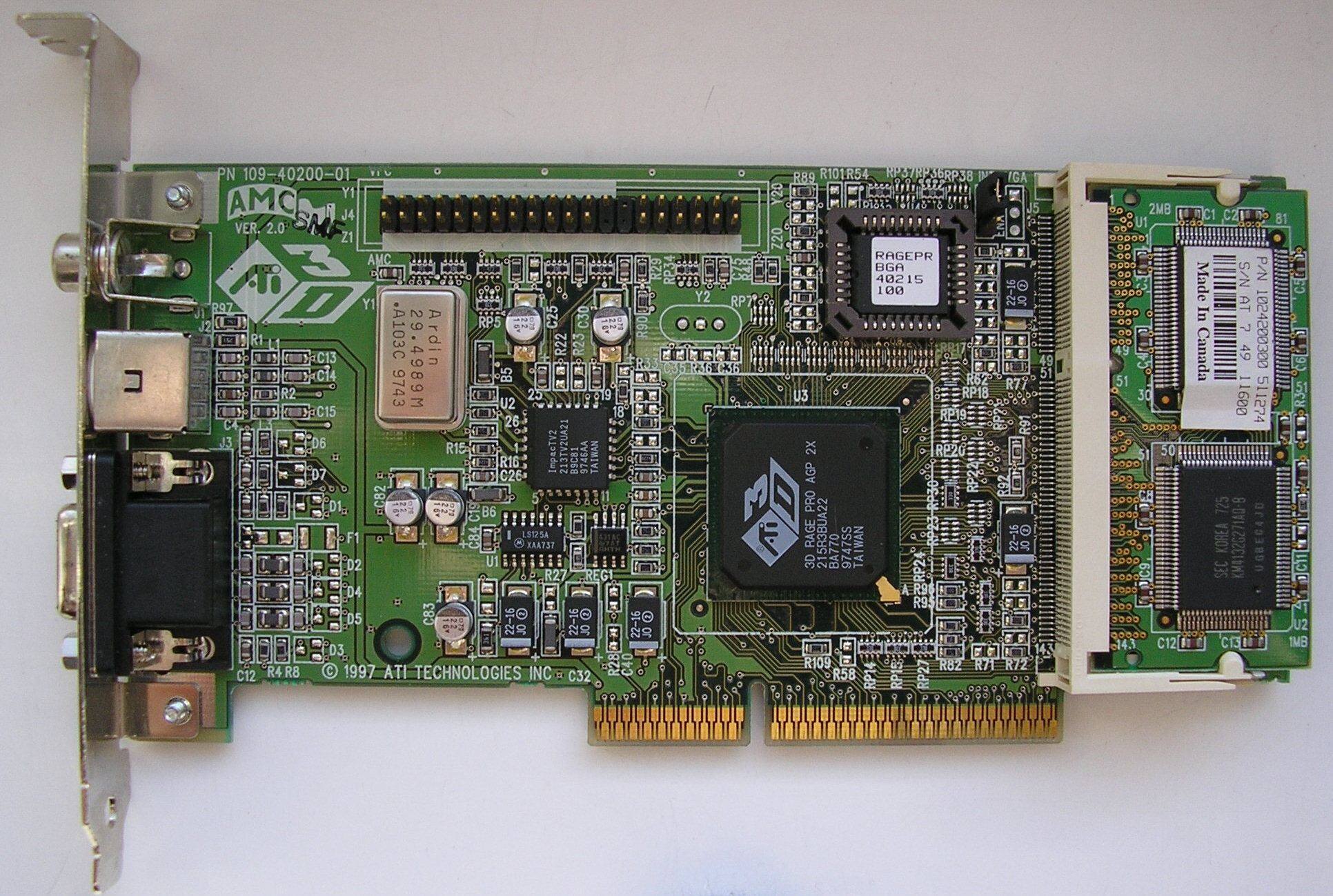
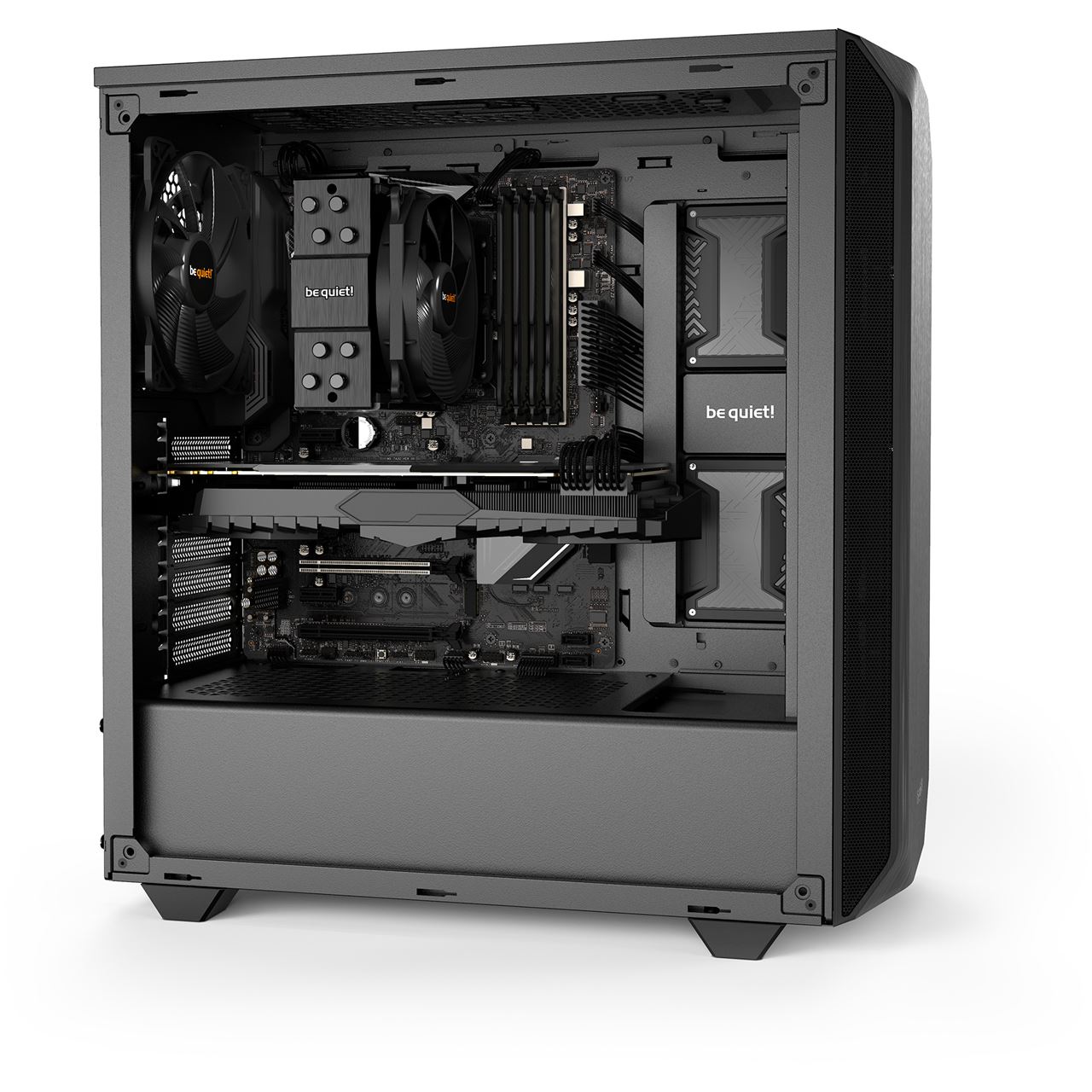
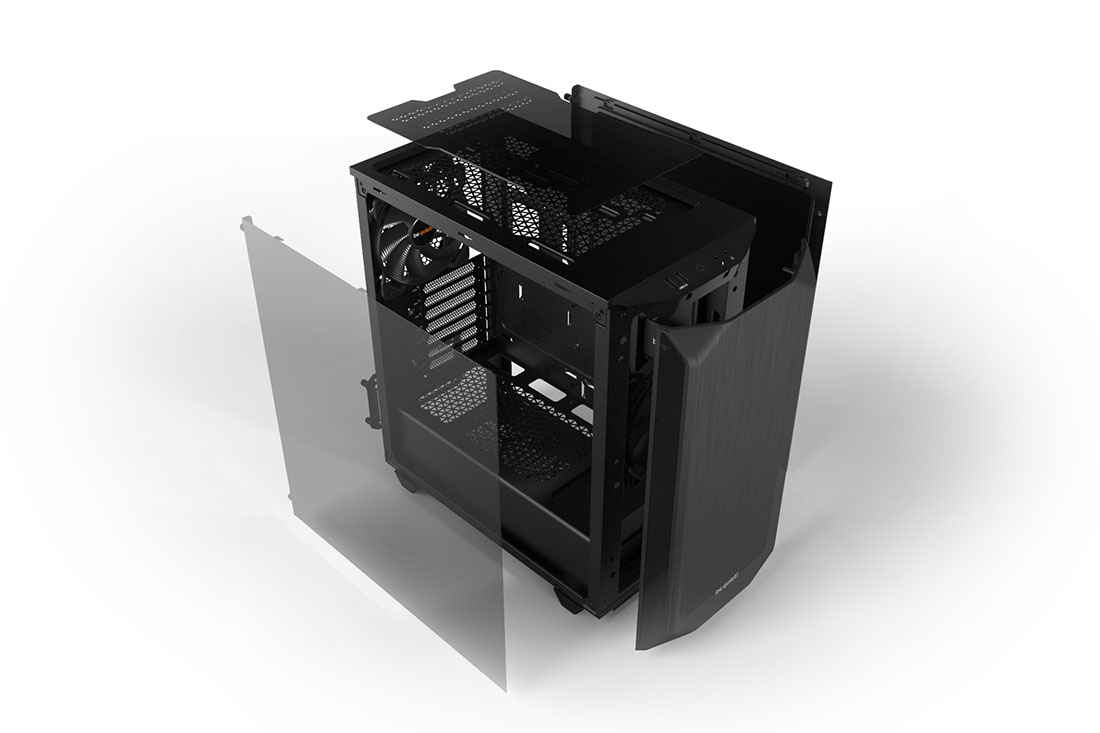
i miss seeing them on dvd's
they seem counter intuitive though. i wonder if they made piracy more common.
"You mean if I download this house I get showcased with cool music?! Sweet!"
frank glade
reddit
691 votes and 144 comments so far on Reddit
fresh fog
wow that's cool
frigid heath
fresh fog
i miss seeing them on dvd's
lol i actually pirated stuff cuz i hated the unskippable adds on dvds
was a big thing here ... those anti pirate add here used music from a composer that didnt get paid for it
they paid to use the tune on 1 movie but put it on every dvd
frank glade
What are you using? I really want to try one 😅
Oh yeah Ive been looking at Bambu, supposedly ready to print (perfectly) in 15 minutes out of the box
opaque pond
devout pendant
pcpartpicker doesnt have ddr5.
it does
 sinful thicket
devout pendant
i dont have a lot of space at my place. i need to get a new pc that is capable o...
sinful thicket
devout pendant
i dont have a lot of space at my place. i need to get a new pc that is capable o...
7950X + 4090 + 64GB (128GB if you want to go barebares on the other parts) + PSU that isn't dangerous + 4TB NVMe (Gen 4 or greater). The rest is up to you.
devout pendant
why amd?
sinful thicket
devout pendant
Hi everyone.
I am new in this discord group and looking for a guidance.
Unreal 5.2 is crashing on my system. Here is the configuration of my PC :
Processing - Ryzen 7 Octa core 5800H
RAM - 16 GB
Graphics - 4GB nvidia RTX 3050
Windows 11
I dont know why UE 5.2 getting crashed…
It would be very helpful if you could provide me some PC configuration that can run UE 2 or upcoming versions smoothly.
Please don’t recommend very high price PC i wont be able to make it.
Thanks in advance.
dark quartz
guys, rtx 3060 12gb or amd radeon rx 6700xt for rendering unreal engine footage?
 cinder delta
-1
dark quartz
cinder delta
-1
what
I saw many people saying that the amd gpus are really good for gaming, but in terms of studio purposes they cause many issues especially with unreal, is this real?
btw just to let you know I come from a gtx 1050ti 4gb lol
so even a 2060 super is a reaaaally massive upgrade
mighty cosmos
dark quartz
I saw many people saying that the amd gpus are really good for gaming, but in te...
Used a 6900xt for a while with ue4/5 without issues
dark quartz
mighty cosmos
Used a 6900xt for a while with ue4/5 without issues
are the nvidia only features like dlss or ai related features important on unreal or blender?
just asking
and what about the fsr technology of amd
mighty cosmos
dark quartz
are the nvidia only features like dlss or ai related features important on unrea...
Not really, UE doesn't use or require any vendor locked tech
dark quartz
so in terms of quality-price the amd solution is better for my purposes or are the twos almost equal?
RX 6700xt cores: 2560
RTX 3060 cores: 3584
is this difference relevant?
I know that for parallel operations the amount of cores are important
sure
fallen oasis
Pro tip for marketing: be the architecture that uses more cores to make it look better.
dark quartz
fallen oasis
Pro tip for marketing: be the architecture that uses more cores to make it look ...
fr
mighty cosmos
dark quartz
so in terms of quality-price the amd solution is better for my purposes or are t...
6700xt would be quite a bit better
It would be the one I would get between the 2
fallen oasis
24 is clearly better!!!
fallen oasis
Aren't a lot of those 24 intel ones e-cores?
dark quartz
rn i have a ryzen 5 1400, would you suggest me to also upgrade my cpu?
I saw people recommending me the 5600+ ryzen series
fallen oasis
So it's basically teh same as 16 cores from amd then.
mighty cosmos
How much ram do you have?
I would recommend at least 32GB
dark quartz
mighty cosmos
How much ram do you have?
I would recommend at least 32GB
I have 16gb... do i need to upgrade ram?
for unreal and blender obviously
mighty cosmos
At least 32
dark quartz
is the clock speed important on rams
?
okk
and is it only a budget option? or does one perform better on the other for my purposes?
mighty cosmos
Yeah I'm using 64GB, it's enough for my daily stuff but ended up hitting the page file for the last engine build I did so I'm gonna be upgrading to 128GB when next gen CPUs come out
How's memory stability been for you with 128?
dark quartz
I also have an acer motherboard lol, does this matter on the general performance of the components? I can't really tell you much from my memory of that motherboard (it is from a prebuilt)
AM4 socket for the cpu btw
mighty cosmos
Had any issues?
Asking because I've been hearing about instability issues with 4 ddr5 sticks
Hoping next gen improves on that a bit
dark quartz
right, I just want to revive my pc cause yeah gtx 1050ti 4gb and a ryzen 5 1400 render a frame of a simple blender scene with cycles renderer in like 10 minutes
bought this sh*tty prebuilt acer pc in 2018 for 1000 bucks
mighty cosmos
Ah, hoping next gen improves a bit on this
Well I had issues even when I switched to my current 5950x, had a crash on boot, had to lower the SOC voltage and it's been working fine with xmp enabled
On automatic it was either overvolting or undervolting the soc for a short moment, manually setting it to 0.95V fixed it for me
So yeah, moving to my current cpu wasn't without issues either, amd seems to be a lot more memory picky
Yeah
dark quartz
do you think there will be some good deals on pc components this prime day?
the amazon prime day
mighty cosmos
Yeah, I'm gonna be getting whichever next gen CPU ends up being faster
Good to know 📝
fallen oasis
I still don't know what a "gen's worth of 10-15%" means.
fallen oasis
Ah ha.
sinful thicket
e-cores have tons of issues. I would avoid CPUs with them entirely.
mighty cosmos
Windows 11 and you won't have issues
Only issues I've heard of have to do with scheduling and that's on windows 10
 rain lintel
Hello Slackers {it is still me}! As I said in the wrong place... I'm buying an internal 2TB SSD drive {a Samsung 970 EVO Plus} which I plan to use via external case taking advantage of my Thunderbolt 3 port, unless I manage to move Windows 11 into it, and I was thinking to upgrade my RAM from 16 to 32GB {Corsair Vengeance} but here is the thing... I have the budget but I wonder... does it really make sense in order to improve my laptop performance for UE5.2!?? I mean... what do you think is more valuable and efficient in order to achieve that... the SSD drive or the 32GB RAM upgrade!?? I'm asking here because I'm an expert in that stuff. Thanks.
I really hope in some opinion and a hint...
frank glade
sinful thicket
e-cores have tons of issues. I would avoid CPUs with them entirely.
ok, name 10 issues
rain lintel
So my impression is right... I mean... I should focus on the RAM and save money from the SSD drive considering I already have 2 internal ones installed, and rather buy a normal HHD {I do need those 2TB!}...
It's mostly as archive for old projects and backups
UE5.2 is installed in one of the internal SSDs already
median marsh
depends on what kind of SSDs you already got
also, at least here, ssds got fricking cheap to the point where a 2TB Samsung Evo is at ~$100
idk if you get a hard disk much cheaper (but for archive/backup a HDD is still the better choice in terms of reliability)
rain lintel
the C is an NVMe of course and the D a regular Samsung EVO SSD but is only 1TB and that's why I was considering a new one.
The one I was purchasing, for 97€ with Prime current sale, is a
Samsung 970 EVO Plus 2 TB PCIe NVMe M.2 (2280) Internal Solid State Drive (SSD) (MZ-V7S2T0)
Shopping is so damn complicated... 😅
those {} are contagious, right? 😄
I've got a laptop 😏
Thanks by the way
I appreciated the helping spirit 🙏
Anyway... I guess I have to spend these 205€ and renounce to a couple of assets I've been waiting to buy from a while 😅
Thanks for the suggestions everybody.
sinful thicket
Things I have tested:
CSGO = Worse frame times with e cores enabled and less FPS
CS2 Beta = much worse frame times and stutter with e cores enabled and less FPS
YUZU Emulator = much worse frame times and stuttering with e cores enabled
DCS (Flight simulator) = worse frame times with e cores enabled
Star Citizen = almost unplayable with e cores enabled
Steep = worse frame times with e cores enabled
This was on Windows 11. There are probably a lot more.
@frank glade
rain lintel
Hi again. Last question, I promise 😅 ... I found out the DDR4-3200 should give a small but important improvement compared to DDR4-2666 and will also help me saving a couple bucks because on offer with Prime. Now... is truly worth it? Is it risky for my CPU {if they run faster I guess they heat up more, for example, right?} considering as far as I know there is no way to verify if 3200 is supported from the motherboard!??
median marsh
it's probably still cheap overclocked 3rd party memory...
rain lintel
I guess I should try 1 bank at a time to see if it gives issues.. in ay case shouldn't be too risky trying, right?
I really have no clue. Last time I upgraded the RAM on a laptop the worse that happened was that the computer didn't start at all and had to send them back.
median marsh
well that was probably a decade ago? guess notebooks should have similar bios methods to get it POST at least
by trying the speed specified by the DIMM first, and then clocking it down with each POST attempt
rain lintel
Oh well... it 's said these won't need any BIOS configuration anyway, so. It was about a decade ago as a matter of fact, by the way.
 next bone
Hi there,
Does anyone have any experience with amd cards and unreal?
I'm an art student and building a new system, I'm between the 4070 and 4080 budget wise but it seems sensible to also explore amd as its more bang for the buck. Finding mixed opions online and usually those posts are years old
fallen oasis
There used to be problems. They seem pretty decent now.
next bone
Interesting, the amd cards seem like alot friendlier in price... the 4080 starts at 1200
fresh fog
AMD cards have always been the budget oriented cards fortunately. The latest lineup has some pretty cheap VRAM too, which is great for unreal. The downside of AMD cards is you miss out on technologies like nvenc, and cuda
frigid heath
yea, they aint really into pricewars tho
sinful thicket
These issues affect everyone with e-cores. You can dodge a lot of bullets by avoiding a CPU with them.
mighty cosmos
That's not true at all, know many people who use CPUs with ecores without any issues
The issues you mentioned sound typical if you use e-core CPU on windows 10, they only work properly on windows 11
sinful thicket
The issues above were all tested on Windows 11.
I have a hunch that people miss how bad they are because they test with GPU bound scenarios.
mighty cosmos
Any reputable sources to verify those claims?
 crude trellis
thoughts on the AMD Ryzen 5900X? (https://www.amazon.com/dp/B08164VTWH)
Current Specs -
AMD Ryzen 5 5600G
RX 6750XT
48GB 3200MHz DDR4 Ram

Be unstoppable with the unprecedented speed of the world’s best desktop processors. AMD Ryzen 5000 Series processors deliver the ultimate in high performance, whether you’re playing the latest games, designing the next skyscraper or crunching scientific data. With AMD Ryzen, you’re always in the ...
crisp kernel
If you want to dev on Unreal 5 and planning get a new card, RTX series is the only choice😛
crude trellis
crisp kernel
If you want to dev on Unreal 5 and planning get a new card, RTX series is the on...
I just bought this one, why do you think that?
crisp kernel
crude trellis
I just bought this one, why do you think that?
Unreal engine optimised well with Nvidia card and Lumen supports RTX better.
crude trellis
maybe, maybe in a bit I can upgrade, got this GPU for cheaper then basically anything RTX has, and it's better than the 3070
also has 12DDR6
crisp kernel
I can tell any game developer work stations are using RTX card and we are doing virtual production projects with disguise system, they also use A6000 for the rendering servers. You can tell why. It is just industry standard😛
crisp kernel
crude trellis
maybe, maybe in a bit I can upgrade, got this GPU for cheaper then basically any...
I used to use AMD card at home too, but finally, switched to RTX because just Epic likes RTX more
mighty cosmos
crisp kernel
Unreal engine optimised well with Nvidia card and Lumen supports RTX better.
UE doesn't use RTX or any nvidia specific features, all is done through DXR (direct X raytracing API)
Nvidia might have better RT cores but software lumen doesn't use RT cores at all and HW lumen that uses them is barely slower on AMD
Since it still relies heavily on it's software parts
crisp kernel
https://community.amd.com/t5/graphics/sm6-0-broken-on-amd/td-p/559223
I'm not an AMD user, but it seems AMD still have issues with their driver for SM6.0 though...Not sure it is solved recently or not.
crude trellis
crisp kernel
https://community.amd.com/t5/graphics/sm6-0-broken-on-amd/td-p/559223
I'm not an...
nah, fixed, had this issue when it was a thing
actually I need to double check im actually on SM6
crisp kernel
I mean, graphics card is not a cheap one, for me, I'll buy a more solid and stabled one even it is a bit more expensive😅 AMD might work as the same, but don't know if Unreal upgrads their version or something new features delivered.
crude trellis
in reality though I just want something to make my rider and pc overall faster. In the future I'll imagine I'll upgrade but right now I don't see it as necessary
yeah no issues in SM6
crisp kernel
crude trellis
in reality though I just want something to make my rider and pc overall faster. ...
Yeah, if you've already have a decent amd card, don't need to change right now.
crude trellis
great, now just the CPU question, would it probably help with speed in terms of rider? right now my CPU maxes out for a bit when opening rider and it takes a minute or 2 to actually get intellisense when launching rider from an already existing project
crisp kernel
crude trellis
great, now just the CPU question, would it probably help with speed in terms of ...
What is your current cpu? Rider is somehow heavier than VS unfortunately.
crude trellis
crude trellis
thoughts on the AMD Ryzen 5900X? (https://www.amazon.com/dp/B08164VTWH)
Current...
^
crisp kernel
5600G?
crude trellis
yeah
crisp kernel
I'm using 3600X, and it doesn't feel that heavy for most of unreal projects with Rider.
wind egret
Doubling the cores and maxing the speed. The 5950X isn't that much more expensive though.
crude trellis
crisp kernel
I'm using 3600X, and it doesn't feel that heavy for most of unreal projects with...
not really for unreal, for rider
mighty cosmos
crude trellis
great, now just the CPU question, would it probably help with speed in terms of ...
5900x is a good CPU, if you can go for the 5950x tho
Also look into the 7xxx series
crude trellis
wind egret
Doubling the cores and maxing the speed. The 5950X isn't that much more expensiv...
almost 200 dollars more expensive from what I can see
crisp kernel
mighty cosmos
Also look into the 7xxx series
The problem of 7XXX probably you need to change the motherboard too. I was considering about 7XXX series but feel it is really a pain to dissemble everything and assemble them again. 😅
crude trellis
yaeh, my motherboard supports nothing from the 7000 series lol
mighty cosmos
That's true, ah yeah I thought you are building a new system
crisp kernel
crude trellis
almost 200 dollars more expensive from what I can see
5900X is good enough if you'd like to keep your mother board.
crisp kernel
crude trellis
not really for unreal, for rider
Are you using Rider for Unreal coding? Is the project very big?
crude trellis
yes,no, I want to use unreal professionally though
crisp kernel
If the project is not such big, it shouldn't cost such long to get intellisense working. As I said, my 3600X doesn't cost that long time.
What is your other hardware like memory and storages?
crude trellis
1TB NVME has unreal, rider, and project installed on it, I have 48 gigabytes of DDR4 3200MHz memory
crisp kernel
crude trellis
1TB NVME has unreal, rider, and project installed on it, I have 48 gigabytes of ...
That sounds good enough.
frank glade
sinful thicket
These issues affect everyone with e-cores. You can dodge a lot of bullets by avo...
that is one "issue" if we're fair, and it doesn't affect me and many others, I don't even game. what about productivity? UE? rendering?
crude trellis
crisp kernel
If the project is not such big, it shouldn't cost such long to get intellisense ...
Okay so I just benchmarked it and it took 40 seconds for the GASDocumentation project to have intellisense
crisp kernel
crude trellis
Okay so I just benchmarked it and it took 40 seconds for the GASDocumentation pr...
Well, I don't know it will be much faster if you change your CPU though. Maybe it would shorten the time😆
sinful thicket
frank glade
that is one "issue" if we're fair, and it doesn't affect me and many others, I d...
Those issues exist for everyone. I haven't tested any other applications, but in general abstractions always have "leaks" so I have a hard time recommending things like hybrid architectures. Particularly because there's no real reason to have e-cores on desktop machines.
If someone is doing an Intel build I would recommend the cheapest Sapphire Rapids SKU (so all full cores) as a start, but in the context of someone building for UE I probably wouldn't go Intel, because Epic devs use Threadripper machines. As buggy as UE is, you'll probably have a slightly better time with Ryzen or Threadripper on a dedicated UE dev machine. The 7950X beating the 13900K in Unreal Benchmarks by around 10% is somewhat proof of this.
dark quartz
guys, is a psu of 500W enough for a rtx 3060, 32 gb of ram and a Ryzen 5 1400 (that I will change)?
they recommend a 650W psu
but I saw many people on the internet saying that 550 is the minimum
median marsh
dark quartz
guys, is a psu of 500W enough for a rtx 3060, 32 gb of ram and a Ryzen 5 1400 (t...
should be if it's not a cheap one and also kinda depends on your other hardware
dark quartz
median marsh
should be if it's not a cheap one and also kinda depends on your other hardware
it is one of my acer prebuilt pc and it is certified as 80 bronze
but if so i must change the mobo right?
yk I have a ryzen 5 1400 at the moment in pair with the rtx 3060, there will be bottlenecks with studio softwares?
(i will change the cpu asap)
median marsh
chances are good that it will run just fine
i've never seen my system draw anything close to 400W with a ryzen 5950 and a 3060
crisp kernel
dark quartz
guys, is a psu of 500W enough for a rtx 3060, 32 gb of ram and a Ryzen 5 1400 (t...
1400 is too weak, do you think so?
And I just suggest you getting a bigger PSU it might cost you a bit more but it is a pain while you regrated the PSU is too small because you just want to add/change more parts costing higher
650w is fair enough but I'm using 800w for 3600x and 3060Ti
fallen oasis
You don't really need to go over 650W unless you have a latest-gen gpu or cpu.
normal cairn
Ship of Theseus moment
fallen oasis
normal cairn
Ship of Theseus moment
I think there's a pretty simple answer to that, really.
sinful thicket
Referring to the HEDT parts https://en.wikipedia.org/wiki/Sapphire_Rapids#Sapphire_Rapids-WS_(Workstation)
dark quartz
fr
just bought rtx 3060 12gb and a 16gb ram bank
but the cpu is bad
need to upgrade it
asap
I'm trying to relive my 2018 prebuilt
ofc
no wait
i have 16gb
and now i'll have 32
and its like the minimum for unreal
are you used to work with big unreal projects?
 tidal shuttle
Hello,
My old graphic card is dead i want to buy a new one also i want to upgrade my power supply that is my proposal, can you check it? My goal is for gaming and unreal engine.
CPU: Intel Core i5-4460 3.2Ghz https://nl.pcpartpicker.com/product/F63RsY/intel-cpu-bx80646i54460
Motherboard: MSI B85-G43 ATX LGA https://nl.pcpartpicker.com/product/P7PzK8/msi-motherboard-b85g43
Memory: 16GB
Power Supply: EVGA 600 BR https://pcpartpicker.com/product/r2TPxr/evga-600-br-600-w-80-bronze-certified-atx-power-supply-100-br-0600-k1
Graphic Card: ASRock Challenger D Radeon RX 6600 8 GB https://nl.pcpartpicker.com/product/D9ytt6/asrock-radeon-rx-6600-8-gb-challenger-d-video-card-rx6600-cld-8g
Nope, i'm planning to buy graphic card because old one is broken and i think it would be nice to upgrade power supply too
So RAM for sure but can you suggest any CPU in max price 250 euro or is it now worth to consider buying new one with this price range?
thanks alot 🙂
fresh fog
^^^^
They are heavily intel biased
The dude is actually insane
heres a little excerpt from the description of the ryzen 9 7950X3D
Also watch out for AMD’s army of Neanderthal social media accounts on reddit, forums and youtube, they will be singing their own praises as usual. AMD continue to develop “Advanced Marketing” relationships with select youtubers in the hope of compensating for second tier products with first tier marketing.
Despite offering better performance at lower prices, as long as Intel continues to sample and sponsor marketers that are mostly funded by AMD, they will struggle to win market share.
I wasn't joking when I said the dude's unhinged. He's been banned from every major tech community, because he just goes on insane ramblings lol
median marsh
do beginners really need 32GB memory on windows? 
vestal tundra
They should make memory curved so it can be closer to my cpu
fresh fog
They should just put the dimm slots in the cpu
And they should make RAM hot swappable. If I ever get an invalid memory location error I should be able to plug in new ram to fix it
Or even just mid game, plug some more in so I can kill my enemies quicker
vestal tundra
cache miss "Ahh crap, I had the wrong cache in!"
fresh fog
To truly get that random access experience windows should also randomise all memory addresses each second
The slight downside is it breaks pointers
On the up side we have iterators 🥳
fresh fog
vestal tundra
*cache miss* "Ahh crap, I had the wrong cache in!"
Exactly. I dont miss all my shots in csgo because I'm bad at aiming. I just keep getting cache misses :P
vestal tundra
2ns microstutter! Noooo!
fresh fog
Imagine if ram was non volatile
Just load up some chrome tabs, take your ram to a new pc and pick up where you left off :P
vestal tundra

A Cold boot attack with RAM transplantation, bypassing any protection a system may deploy, because as soon as the memory module is removed from the victim system their is nothing it can do to protect the contents still contained on the memory module.
The attacked system is the black EeePC on the left.
Attacker systems are: white EeePC on the ri...
fresh fog
Do you ever wonder if there's just some senior it guy lurking in this chat absolutely sobbing over the computer crimes being discussed
fallen oasis
I'd be much more impressive if he'd transferred the image from one machine to teh other.
Right there it just looks like he's loaded up an imagine that was already on the flash drive.
Or just the same imagine twice from the same source on 1 machine.
median marsh
actually there are 3 laptops
from the description it says that laptop 1 (left) loads the image into memory
laptop 2 then dumps the memory content on the usb stick (he boots an iso which just does that)
laptop 3 shows the image which is in the memory dump of the usb stick
fresh fog
Now that is impressive
So what was the aerosol for? Freeze the ram so it doesn't instantly lose charge?
fresh fog
That's even more cool
median marsh
it reduces the decay
guess a good attack can even bypass the decay with an external power supply
fresh fog
I never knew ram could have enough residual charge to survive a transplant with mostly intact data
median marsh
or by just adding a capacitor at the right place, to reduce the decay (which gets charged by the victim system)
technical interesting yeah, practical there are easier ways if you have physical access to the hardware 😄
fresh fog
A really cool attack, but yeah, pretty useless
If you're close enough for a hardware attack, you've probably been close enough for a software attack for a while :P
fallen oasis
median marsh
laptop 3 shows the image which is in the memory dump of the usb stick
It still looks like he's loading it up just on the 1 laptop.
median marsh
uhm no?
the black one loads only the image into memory
the one which shows it later is a gray one
fallen oasis
At what point does he see the image on anything but the 1 laptop? I didn't notice it at all.
fresh fog
The end laptop is not the same as the first one
median marsh
the 1st laptop seems to only load an iso which loads the image, probably to make it easier to find it at the correct memory location for the demo
fallen oasis
fresh fog
The end laptop is not the same as the first one
Yes?
median marsh
black loads iso which dumps image at specific memory location for demo purpose
white uses black memory and dumps it to usb
gray laptop loads memory dump from usb and shows the image
fallen oasis
I know what is meant to be going on.
median marsh
how would you make the demo? 😄
sure he could scrap over 8gb of memory data and search for the image header...
but i guess its easier when the memory location is known
and not fragmented in the worst case
fallen oasis
What I'm saying is, at no point does the image appear on any laptop apart from the third one.