#hardware
1 messages · Page 11 of 1
 fallen oasis
 median marsh
well, you can check your current video memory usage to get an idea of where you are at now
and keep in mind that it will increase the more stuff you add to scenes/levels
 dim acorn
Couldn't I get around it if I turn down the settings?
dim acorn
median marsh
well, you can check your current video memory usage to get an idea of where you ...
Yeah, good point. If only I wasn't currently travelling lol
fallen oasis
dim acorn
Couldn't I get around it if I turn down the settings?
Sure.
 hybrid lichen
what should be the minimum gb in a gpu to run unreal well?(sry for my bad english)
median marsh
hybrid lichen
what should be the minimum gb in a gpu to run unreal well?(sry for my bad englis...
that depends on the kind of projects you have in mind, but in general the trend goes to 12GB or more
 wind jewel
Is it worth dishing out extra for a 4070Ti
Hmm, seems like there's a 20-30% performance delta between the 4070 and 4070Ti
hybrid lichen
median marsh
that depends on the kind of projects you have in mind, but in general the trend ...
will 8gb work well for a horror game?
median marsh
that really depends on the size of your levels, variety and texture resolution
and for dev you should consider sacrificing some performance in favor of more video memory, if you are on a limited budget
fallen oasis
8gb might be fine to play it, but developing a game takes 2-3 times as good of a pc.
hybrid lichen
can some one pls check this laptop out to see if it is good enough to develop games?
median marsh
hybrid lichen
can some one pls check this laptop out to see if it is good enough to develop ga...
depends on the game...
16GB memory and 8GB VRAM can get tough
hybrid lichen
what do u reccomend for a horror game?
median marsh
idk, most UE indie games turn out to be a horror tho
 opaque pond
lol
hybrid lichen
median marsh
idk, most UE indie games turn out to be a horror tho
true but not all are good
opaque pond
median marsh
16GB memory and 8GB VRAM can get tough
what about 16gb of ram without vram?
meaning whatever vram will be used from system memory
median marsh
thats even worse
hybrid lichen

The latest AMD Ryzen™ 6000-HX CPU paired with up to a NVIDIA® 30-Series Laptop GPU with 150W max TGP and MUX Switch form the backbone of the brand new 2022 Strix G. Cutting-edge DDR5 memory keeps your CPU fed with information at all times, ensuring a responsive experience. PCIe® 4.0 SSD support m...
this one?
btw i am also gonna be using a cooling pad
opaque pond
median marsh
thats even worse
Is it doable?
median marsh
i'm probably one of the last persons here that would recommend a laptop at all
even an mini itx system is better
opaque pond
median marsh
even an mini itx system is better
It's not portable tho
median marsh
not as portable as a laptop, but still portable
opaque pond
It's barely more portable than a full desktop
hybrid lichen
ok thanks
median marsh
then consult a doctor
opaque pond
What
median marsh

All Black V2 by DeadsetRTX - AMD Ryzen 9 7900X, GeForce RTX 4090, Fractal Design Pop Mini Air MicroATX Mid Tower
opaque pond
I can barely carry my laptop
 mighty cosmos
well this is highly concerning https://youtu.be/kiTngvvD5dI

GRAB THE LIMITED GN15 ANNIVERSARY FOIL SHIRT! https://store.gamersnexus.net/products/limited-edition-foil-gn15-tshirt-design | Grab one of the brand new, LIMITED EDITION FOIL 'GN15' shirts to help out while getting something commemorative for 15 years of GamersNexus in return! This research piece took us a straight week of nonstop work to comple...
fallen oasis
Fantastic.
mighty cosmos
Basically a flaw in the CPU itself and some MBs
 fair elbow
what is the best free text to image ai generator that is actually good ?
 fresh fog
fair elbow
what is the best free text to image ai generator that is actually good ?
fresh fog
fair elbow
what is the best free text to image ai generator that is actually good ?
There's midjourney. But you have a limited amount of free goes. The full version of dalle ain't bad either.
Both cost after a while though
mighty cosmos
fresh fog
There's midjourney. But you have a limited amount of free goes. The full version...
Free trial has been disabled for MJ for now
mighty cosmos
Mainly so the resources can be directed towards paying members
fresh fog
That makes sense
Oh I forgot about stable diffusion
That's another good one from what I've heard
 fast valley
Hey,
Should I get a 4090 or a 3090?
Quick google search "best gpu for unreal 5" bring up the 3090 as a good choice but the 4090 doesnt show up
mighty cosmos
4090 is a much better and newer GPU
fast valley
mighty cosmos
4090 is a much better and newer GPU
wow yes I found a youtube video ..wow!
More than twice the speed i many cases
thanks for the answer 🙂
4090 it is
mighty cosmos
👌
 torn gulch
any idea on how to make my computer remove limitations when charging ?
fallen oasis
What limitations?
 frigid heath
fast valley
thanks for the answer 🙂
4090 it is
frigid heath
fast valley
thanks for the answer 🙂
4090 it is
both are good high end GPU.. it really depends on ur situation and what you plan on doin with unreal if its worth the premium price
sometimes the newer gen are lower in cost with idle when u have power bill and if your pc is on a lot the more expensive is actually cheaper
 obtuse rapids
JFC this has been the WORST troubleshooting experience of my life - WHAT IS CAUSING THESE CRASHES -
"Unhandled Exception: EXCEPTION_ACCESS_VIOLATION reading address 0xffffffffffffffff"
I have already REPLACED the motherboard and ALL the RAM, just to rule those out. My CPU passes every Prime95 I ran it at but if it is a problem with the memory controller, what could it be??????

Discord would crash, Spotify, Chrome, usually status Violation Exceptions, etc - so I assumed it was memory - but how else can I confirm this - (it's usually a address like 0xxxxx000000000)
Btw - project opens fine on other computer
If my understanding on how memory works, this has to be the CPU's memory controller - but I don't know any actual test to confirm on some benchmark
frigid heath
obtuse rapids
If my understanding on how memory works, this has to be the CPU's memory control...
is it right away on bootup?
is it a packaged project?
obtuse rapids
frigid heath
is it right away on bootup?
It's not just the editor - it is everything - there is some huge hardware problem here and the worst part is, it's a very NICHE problem
I'm convinced it is the CPU but it has, so far, passed every test I can run on it. I'm looking to learn more about how to troubleshoot a bad CPU memory controller. This is an i9 13900k. ```additional context
CPU passes 30 min of Prime's blend, small, large FTT tests
frigid heath
obtuse rapids
```Long story short, I had memory access violation errors, or status access viol...
well if thats on a stable bios version.. and other pcs dont have the problem i would return that shit... its more than any normal person would test
1/5 stars... it booted up B4 crashing
like if you booted fresh windows from 2 diffrent drives there is not much else you can do
computers are supposed to work out of the box for ppl that dont know shit about computers
my CPU fan is on the cpu sideways so it blocks 2 mem slots.. but it still works fine so i never took the effort too change it cuz i only use 2 mem slots
have a big cupper cooling block i was gunna put on there but lost interest and mehh it works ill just keep the stock cooler
I might get 2 extra mem banks tho.. they are a lot cheaper now
obtuse rapids
frigid heath
well if thats on a stable bios version.. and other pcs dont have the problem i ...
Return it? this was a custom built PC that I picked out the parts myself, based on recommendations taken from a variety of places - I've probably built 5 or 6 PCS over the past 20 years - I've never had anything like this happne before
obtuse rapids
fallen oasis
What limitations?
Won't ping you but I'll reply bc I could use your insight on what has been for me the most challenging troubleshooting thing I've ever dealt with-
obtuse rapids
median marsh
then consult a doctor
You as well
Context if you guys see this - https://forum.level1techs.com/t/am-missing-something-doublecheck-motherboard-failure-before-rma/196595

Level1Techs Forums
TLDR: -New system, build this past January, 13900k on z790 Asrock Taichi with 128gb DDR5 @ xmp 4400 -Likely memory problems corrupted file system or something did -Memory passed YCruncher/TM5/Memtest without errors update to the latest BIOS -Newly formatted system still encountering memory problems like “unhandled exception” crashes Why a...
fallen oasis
err_failed
obtuse rapids
fallen oasis
err_failed
wat?
 obtuse rapids
weird....
Level1Techs Forums
TLDR: -New system, build this past January, 13900k on z790 Asrock Taichi with 128gb DDR5 @ xmp 4400 -Likely memory problems corrupted file system or something did -Memory passed YCruncher/TM5/Memtest without errors update to the latest BIOS -Newly formatted system still encountering memory problems like “unhandled exception” crashes Why a...
try that one, I got a share link instead
obtuse rapids
fallen oasis
that's what I get when I click that link.
did the link get fixed?
 serene dome
obtuse rapids
CPU passes 30 min of Prime's blend, small, large FTT tests
serene dome
obtuse rapids
CPU passes 30 min of Prime's blend, small, large FTT tests
30 minutes is far too low for Prime95 to determine stability, imo
median marsh
well blake idk what to do, i would try to get hands on some system monitor software which logs temps to the harddisk and try to provoke the crash
i can however explain you how bad memory can corrupt files, e.g. you download something it goes to memory (write) => now your software saves the data to the harddisk (memory read), if the memory is defect either the write/read can flip bits of the data
the same can happen if you load unreal assets in memory and save them
obtuse rapids
median marsh
the same can happen if you load unreal assets in memory and save them
as far as I can tell, these are crashes in the engine itself, not my project file (it says Core struct, and that's not anything my project made)
unless I've somehow infected Epic's repositories, I don't see how it can be that - I'm pretty close to buying a new CPU and just swapping it out and seeing if that makes a difference
median marsh
unreal doesn't have to crash if something on your memory corrupts data
it might not even notice until loading it next time from the disk
obtuse rapids
median marsh
unreal doesn't have to crash if something on your memory corrupts data
true, but I swapped ALL of the memory out
different ram on a different board, same errors
obtuse rapids
yeah lol that's why I said it was the worst
median marsh
what kind of GPU/PSU is in the computer?
obtuse rapids
13900k, so iGPU - main gpu is a 3090 TI
switch to an asus WS680 ace, bc it allows ECC ram, and put in 128 GB of DDR5 hynic ECC
so, a brand new editor install
I went to make a new project, VR game template, - and I get this crash - Fatal error: [File:D:/Build/++UE4/Sync/Engine/Source/Runtime/Engine/Private/ShaderCompiler/ShaderCompiler.cpp] [Line: 358] ShaderCompileWorker crashed! Fatal error!
btw, discord crashes too, but the way discord handles crashes, it doesn't give you a popup box or error, it just restarts
I swear to god it's some incredibly rare memory controller hardware issue in this thing - people say it's "possible" but they never say it actually IS
median marsh
discord might leave a note in the windows event viewer
if you do windows key + r and run eventvwr it should open
obtuse rapids
median marsh
discord might leave a note in the windows event viewer
good idea- unreal didn't but I didn't think about discord
median marsh
but interpreting the data there might be a profession on its own 😄 (and i cant certainly help with that)
but hardware drivers might also put something in there, so there could be hints on whats going on
obtuse rapids
from windows event viewer - apparantly the most recent crash showed up as an arrow in the application log - Faulting application name: ShaderCompileWorker.exe, version: 4.26.2.0, time stamp: 0x6073ef7f Faulting module name: unknown, version: 0.0.0.0, time stamp: 0x00000000 Exception code: 0xc0000005 Fault offset: 0x00000000011000c0 Faulting process id: 0x2df8 Faulting application start time: 0x01d97e3b892fd3e4 Faulting application path: C:\Program Files\Epic Games\UE_4.26\Engine\Binaries\Win64\ShaderCompileWorker.exe Faulting module path: unknown Report Id: 05ca28be-2811-416a-b7e9-882470dd839c Faulting package full name: Faulting package-relative application ID:
from the actual windows error reporting log - (consistent with the actual crash message) Sig[0].Name=Application Name Sig[0].Value=ShaderCompileWorker.exe Sig[1].Name=Application Version Sig[1].Value=4.26.2.0 Sig[2].Name=Application Timestamp Sig[2].Value=6073ef7f Sig[3].Name=Fault Module Name Sig[3].Value=StackHash_56f5 Sig[4].Name=Fault Module Version Sig[4].Value=0.0.0.0 Sig[5].Name=Fault Module Timestamp Sig[5].Value=00000000 Sig[6].Name=Exception Offset Sig[6].Value=PCH_D2_FROM_unknown+0x0000000000000000 Sig[7].Name=Exception Code Sig[7].Value=c0000005 Sig[8].Name=Exception Data Sig[8].Value=0000000000000008
keeps bringing back null pointers
I'm at fire dept now remoting into the main rig - I need to sleep but I"ll report back regardless of what happens -
fast valley
frigid heath
both are good high end GPU.. it really depends on ur situation and what you pla...
the plan is to abuse the shit out of the gpu with unoptimized UE5 projects 🙂
fallen oasis
obtuse rapids
did the link get fixed?
No
median marsh
for me the link works
 strange spire
 small ibex
Hey all, I'm spec'ing a machine for UE5 Lumen sequence renders. What are the main components that should be the beefiest? GPU and CPU?
 timber cobalt
Lumen is using CPU more as far as I know
fallen oasis
Yeah. CPU.
opaque pond
how much of an improvement would be an entry level gpu over an igpu?
 cosmic root
Does a monitors refresh rate and response time mean much when developing a game? of a 165hz 1440p or 60hz 4k, would there be much difference, even for game testing? Ive currently a 72hz monitor so dont know how a 60 or 165 would differ.
fallen oasis
High refresh rates are pretty useless for developing a game unless you are trying to preview things or optimise smooth movement or something.
Like you could notice slight stutter on a higher refresh rate monitor that a 60hz one wouldn't show.
But it's not going to help you code or make assets.
Or levels etc
Unless you're used to a high refresh rate already, like you get annoyed by moving the mouse on 60hz because you're used to the smoothness of 120.
cosmic root
Im buying a new monitor trying to figure out which would be best, higher quality or refresh rates, both are priced the same
fallen oasis
If you don't want higher refresh rates for actually playing games, quality is probably better.
It's not going to make much of a difference either way.
median marsh
higher resolution != higher quality
opaque pond
a bigger in size monitor would be the only thing that could help , letting you view more things on your editor and also clearer
median marsh
yea, but there's a limit of how much you can perceive... a 2nd monitor often is better than one big screen
i think the main quality feature for devs is having some color calibrated display, so that you dont end up setting up your materials way to dark/bright
 spice girder
I prefer a 21:9 and a 2nd vertical monitor. And recomend 2 Monitors instate of a big on (not even if it is a 32:9). If you have 2 monitors, put most of your budget into the main monitor. And get them color calibrated or get an ICC/ICM profile from websites like rting.com. The ICM that may be included in the driver download is not good at all in most cases.
fallen oasis
I have a cheapo 3rd monitor. 60hz. Not even 1080p.
Suits me fine. Basically only use it for discord and web browsing.
median marsh
i have 3 "extra" screens which i grabbed from the trash, 2 of them are 1080p 21", i can't see working stuff thrown away 😭
frigid heath
some old stuff has a higher powerbill tho, so than it makes sense to replace em even when they still work
fallen oasis
fallen oasis
I have a cheapo 3rd monitor. 60hz. Not even 1080p.
Actually it is 1080p. Just only like 21".
 smoky parrot
Looking for some kind of sensor that can be used in an art installation running an unreal scene. Any recommendations?
 tawny yew
Will it run unreal
 opaque pond
tawny yew
Will it run unreal
opaque pond
tawny yew
Will it run unreal
In theory yes but with the intel drivers ughh
 shell kiln
is an i5-9600K, GTX 1070 Ti, and 16GB of ram good enough for UE4.27?
tawny yew
Provably
 dense blade
Is an i9-13900k and an RTX 4090 an overkill? I'll be using it for Maya, Unreal, After Effects, and some simming/particles. I'm looking to only render in Unreal and Maya's Arnold in 2k max
fallen oasis
UE will swallow everything you give it.
 stiff lantern
Hey guys what are the minimum specs for a laptop to start off ? Some one familiar with the tutorial series from Gorka where he is showing a assassins creed type game
fallen oasis
Very, very high.
spice girder
dense blade
Is an i9-13900k and an RTX 4090 an overkill? I'll be using it for Maya, Unreal, ...
I would look at the AMD Ryzen 9 7950x because your wallet will be happier since the power bill will be lower.
wind jewel
smoky parrot
Looking for some kind of sensor that can be used in an art installation running ...
What does it need to sense?
For someone who works a lot with VR, is the 4070Ti worth it over the 4070?
dense blade
spice girder
I would look at the AMD Ryzen 9 7950x because your wallet will be happier since ...
What if I underclock it or just leave it at default clocking speed? At that point it doesn't consume that much, right? Also it won't burn like the sun
spice girder
dense blade
What if I underclock it or just leave it at default clocking speed? At that poin...
then maybe, but you probably will loose the small advantage over the AMD Ryzen 9 7950x and you need a good cooler like the Noctua D15 or a 360mm AIO.
spice girder
median marsh
i thought 7950x are burning like the sun
thats the 7800x3D and I wouldn't use asus mainboards
median marsh
apparently asrock, biostar, gigabyte and MSI are also affected
and all 7000 series cpus
spice girder
then that would mean for me to wait since my power bill will say no to a I9 13900k (I'm from Europe). If a new pc is needed a 5950x would do to.
median marsh
well from what i know most mainboard vendors made bios updates which should fix the issue
but then you have to ensure that the board doesn't have an old bios
and i would personally wait a few weeks, maybe months to see if they really ruled out issues
 agile lodge
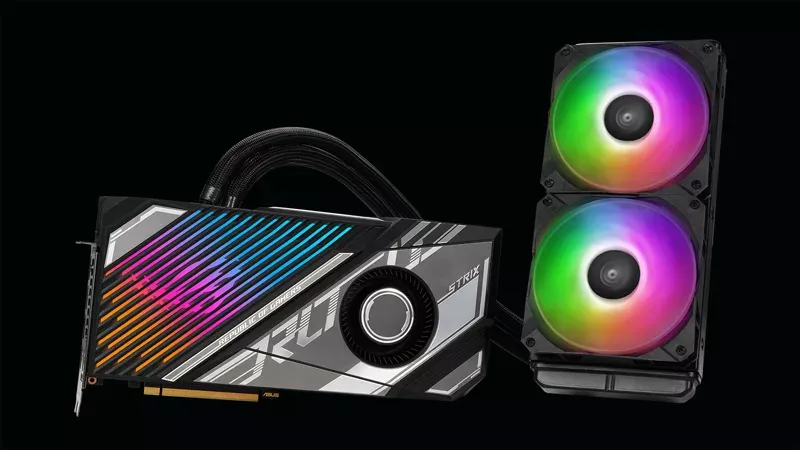
Travel back to the future with the ROG Strix LC GeForce RTX™ 4090 and TUF Gaming GeForce RTX™ 4090 OG | ROG - Republic of Gamers Global
 zinc ingot
Hi all! How DP 1.4 or HDMI 2.0 can run a 300 Hz monitor on 2560x1440 (QHD) resolution? This monitor I am talking about: 27" ASUS ROG Strix XG27AQMR
 iron crest
For a build machine, should I go with Sata drives or splurge on nvme u.2 drives for low latency and 10x more bandwidth?
spice girder
To long to Watch: Don't buy Asus hardware

Sponsor: Deepcool AK620 Zero Dark on Amazon https://geni.us/apRI9Q
ASUS' actions relating to the Exploding Ryzen CPU debacle are disgraceful and abrasive to the trust that the brand has earned. ASUS has demonstrated clearly it wishes to not only avoid supporting users, but actively engineers ways to abandon them. ASUS' updates haven't even fixed...
 rich wharf
in a follow up to that...

The last several years have proven that ASUS is anti-consumer and lack serious quality control. Enough so, that we can no longer support the brand or allow them to be one of our trusted sponsors.
Get your JayzTwoCents Merch Here! - https://www.jayztwocents.com
○○○○○○ Items featured in this video available at Amazon ○○○○○○
► Amazon US - http:...
opaque pond
Typically doesn't unreal require a 4 core cpu 16gb of ram and a gpu with 4gb of vram?
 devout pendant
from unreal docs:
This list represents a typical system used at Epic, providing a reasonable guideline for developing games with Unreal Engine 5:
Windows 10 64-bit (Version 20H2)
64 GB RAM
256 GB SSD (OS Drive)
2 TB SSD (Data Drive)
NVIDIA GeForce RTX 2080 SUPER
Xoreax Incredibuild (Dev Tools Package)
Six-Core Xeon E5-2643 @ 3.4GHz
median marsh
and this is a pretty old spec list
opaque pond
Wouldn't what I posted also do?
rich wharf
32GB would be better but 16 is fine
mighty cosmos
opaque pond
Typically doesn't unreal require a 4 core cpu 16gb of ram and a gpu with 4gb of ...
4 cores and 4 gb of vram would be beyond painful
opaque pond
mighty cosmos
4 cores and 4 gb of vram would be beyond painful
why you say this?
mighty cosmos
Because it's not enough for ue5
opaque pond
i got a 6 core cpu and 15gb of ram i forgot how much vram i got tho
median marsh
it really depends on what you are doing with UE
median marsh
thats enough to fit the textures from the editor UI 😛
the game textures are probably swapping to host memory
or it's shared video memory to begin with
opaque pond
it has another memory of 3000 MB
median marsh
i guess it's a laptop which often share main memory with the gpu
opaque pond
yes
 vagrant anvil
the UE 5.2 docs have been updated with more current hardware: https://docs.unrealengine.com/5.2/en-US/hardware-and-software-specifications-for-unreal-engine/#performancenotes
Processor: AMD Ryzen Threadripper Pro 3975WX
RAM: 128GB DDR4-3200
GPU: Nvidia RTX 3080 - 10GB
OS Drive 1 TB M.2 NVMe3 x4 PCI-e SSD
DATA Drive 4 TB Raid Array - 2 x 2TB NVMe3 x4 PCI-e SSD in Raid 0

Minimum and recommended hardware specifications and necessary software for developing with Unreal Engine.
median marsh
holy.... nvme's in raid0 😄
vagrant anvil
I wouldn't do that, but I guess if you get an IT staff willing to help
I bet its because they are also using 10GB network to pull the nightly build, so the extra write speed might help there
 solemn lichen
ryzen 3900x
 west quail
Do you personally think it's worth the push to 6->12 cores?
west quail
solemn lichen
and if you don't have enough memory then no
I'm planning on upgrading my ram to atleast 32gb, 3200mhz
Rn I'm at 16
Kind of outdated but he's a picture to get an idea: my ram is always maxed out and when you have rider AND unreal open this can cause a no so smooth experience

 fervent jolt
3900x gang
 frank glade
Get that 96gb kit!
 wanton hollow
vagrant anvil
the UE 5.2 docs have been updated with more current hardware: https://docs.unre...
wanton hollow
vagrant anvil
the UE 5.2 docs have been updated with more current hardware: https://docs.unre...
this is not minimum right?
rich wharf
No absolutely not
spice girder
wanton hollow
this is not minimum right?
it's what they use
opaque pond
opaque pond
Typically doesn't unreal require a 4 core cpu 16gb of ram and a gpu with 4gb of ...
Would the minimum be something like this?
median marsh
bare minimum to run it (it's probably enough to get some experience and learn a bit, but for anything serious on a larger scale this won't be bearable)
spice girder
opaque pond
Would the minimum be something like this?
Usable minimum is probably something like a Ryzen 7 or i7 (8 core CPU), 32 GB Ram and a GPU with 12GB of VRAM (preferably a Nvidia 3060 12 GB at least)
opaque pond
well i got a ryzen 5 with 16gb of ram and shared vram
spice girder
opaque pond
well i got a ryzen 5 with 16gb of ram and shared vram
then what Ben sayed changed.
median marsh
well, i used ue4 with an 4core i7 and 40gb ram, 6gb vram for quite a while
probably >1 year
but then, i only did basic stuff, no level composition
fresh fog
I've been using a 6 core 2600X, 16GB of RAM and 8GB VRAM for a while and only run into minor grievences
i wouldn't go much below that for serious stuff
your listed specs are definitely too low for serious work, but would be fine for learning
opaque pond
fresh fog
I've been using a 6 core 2600X, 16GB of RAM and 8GB VRAM for a while and only ru...
well what i got is a bit worse
fresh fog
fresh fog
your listed specs are definitely too low for serious work, but would be fine for...
hence why i said this
opaque pond
ah
west quail
Looking for a GPU upgrade, right now I have a RX 5500 and I don't want to spend more than $500
I want all games I play to be atleast above 200 fps because I have a 240hz monitor, also I'd like to run unreal engine without massive framerate issues
 astral shell
which monitor is the better choice? https://www.bestbuy.com/site/samsung-odyssey-g7-32-led-curved-qhd-freesync-and-g-sync-compatible-monitor-with-hdr-displayport-hdmi-black/6405456.p?skuId=6405456 or https://www.dell.com/en-us/shop/alienware-27-gaming-monitor-aw2723df/apd/210-bfek/monitors-monitor-accessories
astral shell
WELL THIS IS WHAT i bought. Ill review it i guess.
 rich wharf
nice monitor, same as mine 😄
west quail
https://pcpartpicker.com/user/SoldierCantKill/saved/#view=3G3sK8 what do you guys think?
Saved Part Lists
spice girder
west quail
https://pcpartpicker.com/user/SoldierCantKill/saved/#view=3G3sK8 what do you guy...
same here.
Permission denied.
west quail
@median marsh @spice girder should be fixed now
The things that are from my old PC are the CPU, some of the storage some of the ram, and the power supply probably, so wondering if I need a new CPU cooler for that or if it depends
median marsh
that's something i would only buy used, since it's an old platform and not even high tier there
also i can't recommend the gskill memory, one of my 32GB sticks died, and i had the same experience with their DDR2 memory -.-
west quail
median marsh
that's something i would only buy used, since it's an old platform and not even ...
I would be buying these parts, it's not a prebuilt
 honest mauve
Should I wait for the AMD Threadripper 7000 later this year before I upgrade my PC? With a Custom Unreal Engine I will compile a lot with that PC.
My current spec:
AMD Ryzen 7 3700X
48,0GB RAM
RTX 3080 Ti 12 GB
Will upgrade to 128GB RAM then too.
fallen oasis
Threadripper is love.
wanton hollow
spice girder
it's what they use
Ok right
 hot geyser

Help in buying a laptop which one is best among these 3
if I buy any one of em, I will buy a 32 gb ram laptop and the ram is ddr5 4800MHz
fallen oasis
Most of the specs aren't even visible...
Though tetradecacore means 14 cores, I think.
hot geyser
ok let me send the stats
This is another laptop asus rog zephyrus


400000 is around 1400 dollars
hot geyser
fallen oasis
Though tetradecacore means 14 cores, I think.
yes it is but I heard that it is still better to buy an Asus laptop or MSI because Lenovo or hp isn't the best for gaming is this true
and the same person said that amd processor are better if you are buying for game development please clarify if this also applies or not
and i forgot to mention i am buying for unreal engine
opaque pond
hot geyser
This is another laptop asus rog zephyrus
well def the bottom right is the best
opaque pond
fallen oasis
Though tetradecacore means 14 cores, I think.
indeed its 14
fallen oasis
The 375 and 429 ones seem bad.
If you get the frist one you need to upgrade the ssd and ram to max, really.
opaque pond
6900HS should be more efficient and faster
fallen oasis
And it has the Ti model card, so probably that one?
hot geyser
but the price gap is huge
i would need to increase ram in both of these laptops
ok thx guys
opaque pond
the tuf laptops also are known to be of worse build quality
hot geyser
I see
opaque pond
you get what you pay for in this instance
hot geyser
yeah
opaque pond
also it has a better screen both in resolution and refresh rate
hot geyser
if we are going high in price than what about this one
 opaque pond
these are just 2 laptops in 2 different leagues , not even comparable
opaque pond
hot geyser
if we are going high in price than what about this one
how much is this?
opaque pond
looks like 4060 laptop and 3070ti laptop are about neck and neck
tho it has a lower resolution screen
hot geyser
ok thx for the help
cosmic root
Built a new pc, Samsung 4k 60hz 43" Smart Monitor + Huion GT Kamvas 191 1080p 19", Gigabyte Auros Elite AX B650, Ryzen 9 7950x 16 core, 64gb Ddr5 4800mhz, 3TB Ssd m.2 + 2.5tb hd + 256gb sata ssd, RTX 4080 16gb, corsair 1000w psu, nzxt case.
fallen oasis
Give pls.
 visual drift

Introducing the GeForce RTX 4060 Ti & GeForce RTX 4060: https://www.nvidia.com/en-us/geforce/graphics-cards/40-series/rtx-4060-4060ti/
Learn More: https://www.nvidia.com/en-us/geforce/news/geforce-rtx-4060-4060ti
Game, stream, create. The GeForce RTX 4060 Ti and RTX 4060 let you take on the latest games and apps with the ultra-efficient NVIDIA...
 nimble bison
So for medium size projects will a i9 13900k be much better than a i7 13700k? I'm thinking if it is worth spending the 100 dollars more for it, but gaming wise it won't do anything and I'm not sure if it is much better for dev stuff
 fossil badger
guys any one have experience using intel xeon r gold 5218r processor for ue5
 wild igloo
iommu ez mode
wild igloo
nimble bison
So for medium size projects will a i9 13900k be much better than a i7 13700k? I'...
gl cooling 13900k in UE
it will hit tj max just loading the crappy vulkan RHI
vagrant anvil
nimble bison
So for medium size projects will a i9 13900k be much better than a i7 13700k? I'...
the 13900k is faster at like compiling shaders, light baking. so it kinda depends on how much time you spend in those.
we've not had any trouble cooling 13900k with a decent air cooler. but we also dont bother overclocking
nimble bison
Yeah I decided to just get the i7
vagrant anvil
its a solid choice. Intel did really well this gen
 sinful thicket
nimble bison
So for medium size projects will a i9 13900k be much better than a i7 13700k? I'...
sinful thicket
nimble bison
So for medium size projects will a i9 13900k be much better than a i7 13700k? I'...
Get a 7950X.
nimble bison
I already have the i7, also I didn't want to get an AM5 ryzen since I would have to throw out my 128 gigs of ddr4 ram
 lean bobcat
maybe not the right place to ask - but I have like zero space on my hard drive and I need to get another SSD that I plan to use exclusively for Unreal Engine - I'm on a budget I know I'll want it to be SATA compatible but outside of that I don't know the other specs I should care about - any suggestions?
when i say budget i probably mean under 150
maybe the right place to ask now as I was redirected to this channel 🙂
median marsh
why sata? and under 150 what?
you get like 2TB M2 NVMe for that money, and if you don't have an slot on your mainboard you can still use a pci express adapter card (if you got enough pci ex lanes to offer)
 plush frigate
hey i have a question i want to buy a 3090 but i have an i5 10400f any one knows if there will be a problem of bottlenecking? (i dont really care about playing games) just for unreal and blender
fallen oasis
Your cpu is going to be an issue. But it depends on ram and stuff too.
plush frigate
fallen oasis
Your cpu is going to be an issue. But it depends on ram and stuff too.
but it will be a much of an issue? or will be aceptable, because for a few months i wont be able to upgrade nothing of it (and i have 16 gb ram at 2666 i know is low too)
fallen oasis
You're probably better off buying a 4070 or something. Aren't they cheaper than 3090s?
plush frigate
fallen oasis
You're probably better off buying a 4070 or something. Aren't they cheaper than ...
usually yes, but i found a 3090 for 650 euros
fallen oasis
And how much are 4070s?
plush frigate
the cheapest i find is 650 aswell
well all to say that the 3090 is 2nd hand
but it has 24 vram instead of 12
fallen oasis
That is very good for UE.
So definitely worth buying!
I have the 24gb 3090 card and it's ❤️
plush frigate
fallen oasis
So definitely worth buying!
ok thanks ❤️
median marsh
yea i would also pick a 3090 over a 4070
spice girder
plush frigate
but it will be a much of an issue? or will be aceptable, because for a few month...
Upgrading your CPU and RAM is still worth it, sooner then later.
fresh fog
Yeah but money ain't infinite, and I'd much sooner go for a good 3090 deal than a CPU, that might require a new motherboard too
3090 can be stuck in anything whenever
 karmic trout
fresh fog
Yeah but money ain't infinite, and I'd much sooner go for a good 3090 deal than ...
karmic trout
fresh fog
Yeah but money ain't infinite, and I'd much sooner go for a good 3090 deal than ...
I thought money is infinite. Thanks for clarifying captain obvious
fresh fog
karmic trout
I thought money is infinite. Thanks for clarifying captain obvious
You're very welcome. Glad I could clear up the confusion for you :P
fallen oasis
Money is infinite if you try to spread any amount over zero people.
karmic trout
fallen oasis
Money is infinite if you try to spread any amount over zero people.
no shiet
 final aurora
Hello, I was recently gifted a pc built by one of my friends but I was unsure what graphics card to purchase so I can use unreal smoothly. (first time building and adding parts for a pc) which would you guys recommend??
fallen oasis
What's your budget?
Also basically vram is super important.
You want at least 12gb.
So a 3060 12gb over a 3070 8gb for instance.
If you can get a 4080 with high vram, do that? Or a 3090 with 24gb?
sinful thicket
Don't get a 3090. If you buy it new it will be bad value now, and if you buy it used it will probably be something that was mined on.
The exception is if you can get a used one from a friend that you know wasn't a mining card.
A 4090 is better value than a 4080. In the end it just depends on your budget. Something cheaper with high-ish VRAM is a good option if you don't want to spend a lot.
spice girder
median marsh
4060 with 16GB was also announced
I'm sceptic of the 4060ti 16gb vram because the memory bus is only 128 bit.
median marsh
good enough for unreal which likes to keep stuff allocated 😄
apparently only 15% faster than an 3060TI... well that's not much
fresh fog
it depends
there's some really good laptops
theres some really bad ones
if your laptop is a stadrad 8gb RAM, 4 core, no GPu meant for doing regular stuff like browsing the internet or basic microsoft office stuff, then no
if it's a higher end laptop with a decent gpu, 16GB RAM etc.
then yes
fresh fog
again we would need to know the specs
can't tell you if it will run on specs you haven't given us
fallen oasis
4gn of vram is a serious issue.
As is 8gb of system ram.
Will it run? Yes. Will you be able to do anything meaningful or productive? No.
median marsh
depends on what you use unreal for
timber cobalt
I worked with 8gb vram for a while and it was fine, although that was mostly with ue4.
16 gb ram is borderline minimum for ue, 32 is really recommended.
opaque pond
timber cobalt
I worked with 8gb vram for a while and it was fine, although that was mostly wit...
i meant about less than 8
median marsh
as said, it depends what you do in UE
i used UE for probably 1,5 years with 6GB VRAM
but couldnt do too big things
 flint canyon
any input on how much better a ryzen 9 7900x is compared to 7800x3d for development? building a new pc and don't know if I should just get the better gaming performance from the 7800x3d or have the versatility of the 7900x.
sinful thicket
There's no "for development". The 7900X is the faster CPU.
The additional cache on the 7800X3D will help in some edge cases that mostly show up when you play at 1080p, but you shouldn't be playing at 1080p if your computer is from within the decade.
west quail
fallen oasis
You want at least 12gb.
why won't more ram cut it? I've always thought more ram could compensate but it's beginning to seem like i am wrong, is vram really that faster?
mighty cosmos
west quail
why won't more ram cut it? I've always thought more ram could compensate but it'...
GPU doesn't share/swap memory with the system memory, unless it's specifically shared like on most laptops
west quail
well yeah but if you have 128gb ram you won't need to worry about that anyways
mighty cosmos
You do because GPU has its own memory, it's not using system memory
One can't compensate for the other
 wind egret
Dedicated GPU has to share over the (relatively) high latency of a PCIe bus. Integrated GPUs (a la laptops) get to use the DRAM bus, which reminds me of the days when bottom-tier GPUs had DDR instead of GDDR.
RX 3060 VRAM bandwidth: 360 GB/s (strangely better than even the 4060 Ti hmmmm)
PCIe 4.0 x16 bandwidth: 63 GB/s
median marsh
mighty cosmos
GPU doesn't share/swap memory with the system memory, unless it's specifically s...
i think in fact unreal is able to use host memory when vram is used up (at least on vulkan)
opaque pond
using ram as vram is not an unreal or vulkan thing
median marsh
it is
was introduced in 4.27 or 5.0 to unreal vulkan stuff
also it would be a pita if the OS picks something random to swap to host memory instead of the engine which can cherry pick stuff that is less likely to be used frequently
agile lodge
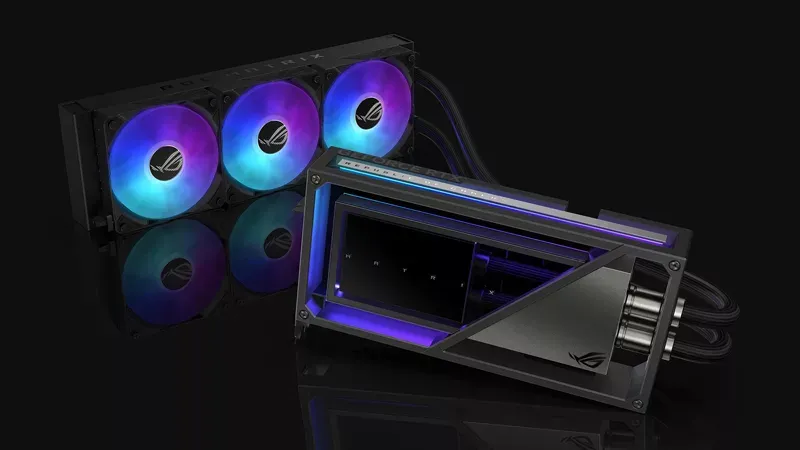
An icon returns: Introducing the ROG Matrix GeForce RTX 4090 | ROG - Republic of Gamers Global
mighty cosmos
median marsh
i think in fact unreal is able to use host memory when vram is used up (at least...
It's not the same thing as the gpu sharing main memory like on laptops
median marsh
guess the laptop thing exposes host memory as video memory to the driver, so that's not good to start with
while the engine using the vulkan driver feature can selectively allocate host memory for gpu stuff
vagrant anvil
if VRAM is exceeded, then technically Unreal/Windows will fall over to system RAM. However, there is always a performance hit with system RAM, because instead of pulling data from the VRAM directly on the GPU, it needs to now go through the PCIe bus, to the CPU, then to the system RAM, back to the CPU, to the PCIe and finally to the GPU. Also, for some reason, the NVIDIA drivers love to crash lately, so I wouldn't rely on it working. Redshift just had to add a workaround to an issue in NVIDIA's driver that would BSOD if too much VRAM was used during a render.
vagrant anvil
flint canyon
any input on how much better a ryzen 9 7900x is compared to 7800x3d for developm...
X3D does help speed up shader compile times, but not by much. the 7900X (non 3D) would still be faster then the 7800X3D. almost every other content creation task there is little to no performance benefit to X3D. its really designed for game playing. https://www.pugetsystems.com/labs/articles/amd-ryzen-9-7900x3d-and-7950x3d-content-creation-review/

AMD’s Ryzen X3D processors promise incredible performance for gamers and creators. But does the additional cache increase performance for content creation?
median marsh
yea the goal should be to have enough VRAM, the host swap is rather a safety net to not crash when running out of it
but then the primary goal should be resolving that, because as you said it's a massive bottleneck to move the data around from host memory to gpu and back
 gritty patrol
Question which is better i9(14 cores) RTX4080 12GB VRAM vs i7(14 cores) RTX3080ti 16GB VRAM?
RTX4080 is said to have 240W(though that's prolly max and is really 170W) and 3080ti has 170W
wind egret
Judging by the VRAM quantities, that's laptop hardware. I think it's better to compare laptop models than the hardware inside them.
sinful thicket
Also keep in mind that core counts on Intel parts are misleading (e-cores).
 sudden sonnet
Hey there, currently looking to upgrade my ram, since c++ compile times aint going well with 16gb. I got the ms-7a63 motherboard and i7-7700K 4.2ghz cpu.
I want to upgrade my ram from bls8g4d240fsb to CMW32GX4M2Z3600C18 (2400 MHz to 3600 and 16 to 32gb)
It seems that my cpu usually only works on 2400 mhz but could run higher frequencies with XMP enabled. Since i dont have a clue about this stuff im asking if enabling XMP holds any disadvantages or risks.
On top of that my current ram sticks work on 1.2V and the potential new ones on 1.35. I read that this value can be raised manually. Is this without risk?
median marsh
in my honest opinion XMP is trash to sell cheap memory for more than it's worth
the dram chipset manufactors test their chips and rate them at the speed which they are stable at without producing errors, if they would be faster they would put them on their own dram modules and sell them with that speed...
XMP most likely reduces the lifespan and temperature range in which the modules run stable
sudden sonnet
So you would suggest to just go with 2400 16gbx2? (CMK32GX4M2A2400C14 as example?)
median marsh
that depends on a lot of factors
also on top of that, i haven't seen a single official hynx/micron/samsung module with XMP (and they probably produce the majority of DRAM chips)
samsung has 3200MHz modules tho, which comes at a price if you don't pick stuff that is overclocked...
sudden sonnet
What kind of factors tho if i may ask? The major stuff i found was frequency, ddr4 compatibility and voltage supply
median marsh
factors like your case/airflow to keep the modules cool if they are overclocked, and how much of a risk you want to put into getting memory errors (which can corrupt data)
sure a lot of gamers etc. can be fine with XMP memory, they usually don't notice data corruption, worst thing is their game crashs or they have to verify their installation...
but for content creation it can be a pita if the memory corrupts your assets
sudden sonnet
I honestly dont wanna use overclocked stuff simply because i have not enough knowlegde about that. So i beliebe my 3 fans should be fine considering that the old sticks would simply have half the capacity. I guess they wont heat up that much more.
And how would i avoid memory errors. They seems compatible, sticks with motherboard and cpu, so i just hope they dont get errors? >.>
median marsh
have you considered looking for an used set of the exact same modules that you have right now?
then you would have 32GB, too. and you wouldn't have to spend much money on it, and you would know that they most likely work fine
sudden sonnet
My Cpu fan blocks of one of the ram slots, using 3 doesnt seem to be an option so i thought of just upgrading two sticks
median marsh
can't that fan be moved a bit? most cpu coolers have them mounted with some spring things, which allow a bit of adjustment
and yea, 3 sticks isn't ideal since at best 2 of them would run in dual channel, at worst none of them would
sudden sonnet
i would need to take a look, but thanks alot
agile lodge

WIRED
Hidden code in hundreds of models of Gigabyte motherboards invisibly and insecurely downloads programs—a feature ripe for abuse, researchers say.
median marsh
gigabyte plans to "fix" the issue... yea
next thing they gonna figure out is that the executables it places on the harddrive are microcode updates...
there's so much guessing going on...
they say HTTP should never be used for things like that, that's BS
https as they noted adds additional problems like ssl certification etc.
so the actual sane solution is to have a http fallback if a cert expires and the firmware on the system isn't updated with the new cert
while on top of that the firmware should be signed, which then pretty much puts the risk close to 0% for compromise, because the attacker has to a.) get the signing cert of the firmware, b.) has to successful setup an MITM attack
 sonic notch
Hello, I am going to start working at a company as a 3DCG artist. The company wants to build a new desktop for me and are asking questions about what type of desktop I want. I was hoping that somebody in the 3D industry could tell me what is the standard in the industry for a desktop right now. The company said there isn't a price limit so I want to try to get a desktop that is industry standard for 3D artists.
List from the company that they want me to fill out:
CPU
Capacity of memory
Graphic card (NVIDIA or others, video memory capacity)
Capacity of SSD
Monitor (Size, resolution)
Keyboard
Input devices (Mouse or Trackball or others)
Basically, the company uses DELL computer.
If you would like another brand, for example, HP, Apple, Lenovo, and so on, please let us know.
fallen oasis
64gb ddr5 memory, 4080 with as much video memory as possible, 2tb ssd and like an 8tb hdd. 7950x, I like 24" monitors, but you probably want a 32" 4k one. It's important to get good colour on it, more then size or resolution, but I'm not sure about that. Keyboard and mousd is really personal preference. You probably want a tablet as well. A drawing one.
That's probably close to an ideal pc.
frank glade
you def don't need a 7950x unless you're rendering. if it's game art (I assume it is), I use a 13600k (for snappy single thread performance, what you would use most). 12gb of VRAM manages but I'd like more, 64gb of DDR5 also manages but very often is full (one large 4k Substance Painter project and it's done). I would get a 4TB ssd for working projects and the 8tb for backing older stuff there
median marsh
a company should provide an backup solution...
frank glade
I mean I do upload final work files (+ sources) but I have a ton of "internal junk" in my work folder - wip scenes, bake files, etc. I dump that in folders by years on a hdd
sinful thicket
frank glade
you def don't need a 7950x unless you're rendering. if it's game art (I assume i...
For a job that relies on rendering you'd want a Threadripper not anything on AM5. A 7950X is an affordable mainstream option though that destroys a 13600K. For what he's looking to do, and considering it's for work, there's really no reason not to get one.
frigid heath
3dcg artist doesnt say much
is the rig gunna drive an nDisplay?
cuz than u might need multiple nvidia quadro cards
I was hoping that somebody in the 3D industry could tell me what is the standard in the industry for a desktop right now
you are in the 3d industry urself
fallen oasis
There isn't really a standard for the entire industry.
sonic notch
Yeah I know that depending on the person I will get different answers. But now, based on the feedback I am given, I can start doing a little research on them to see what is the best for my situation. I am a 3D industry myself but I know that there are more people that have way more knowledge then me so I thought it best to ask and then compare what people say.
frank glade
sinful thicket
For a job that relies on rendering you'd want a Threadripper not anything on AM5...
There's basically no scenario where you'd use a 7950x fully for gameart. Maya and 3ds barely touch multi thread, baking is on the gpu, substance painter the same. A nice 4090 for sure
sinful thicket
Both are multi-threaded and those aren't the only software 3D artists use. Houdini is also very common. Your mindset on this is about 10 years out of date.
frank glade
sinful thicket
Both are multi-threaded and those aren't the only software 3D artists use. Houdi...
okay, please enlighten me, what operations in 3ds or maya use multithreading?
mighty cosmos
frank glade
okay, please enlighten me, what operations in 3ds or maya use multithreading?
Particle (and physics) simulations would, that's probably the only thing
Getting anything more than a high end mainstream cpu for 3d modeling is a waste of money
sinful thicket
It isn't because of PCI-e lanes. There are a lot of situations where someone doing 3D content creation would want multiple GPUs.
As far as mainstream goes though, an i5 is far from high-end.
frank glade
sinful thicket
It isn't because of PCI-e lanes. There are a lot of situations where someone doi...
like what? expand. you're doing "3d modeling" or "gameart" as stated. why and where would you use multiple gpus or heavy multithreaded work?
frank glade
@sinful thicket if you don't know what you're talking about you don't have to give advice. and you don't have to invent use case scenarios to justify your "advice"
sinful thicket
3D artists do renders all of the time.
You thought the i5 13600k was a "high end mainstream" CPU. I don't believe you meet the minimum knowledge for me to even have a conversation with you on this.
frank glade
sinful thicket
3D artists do renders all of the time.
No I don't 😂
You're very confused buddy
sinful thicket
I'm talking about the employed ones. Not the unemployed ones.
frank glade
I haven't made a render in a decade. All I said is the 13600k is very snappy with good single thread performance - what you need for 3D gameart. Not rendering, not CGI
sinful thicket
Do you know what 3DCG stands for?
frank glade
sinful thicket
I'm talking about the employed ones. Not the unemployed ones.
I'm entering year 10 of full time work as a 3D artist. In games. Are you a 3d artist?
wind egret
I've compiled a list of all the mainstream CPUs that are more high-end than the 13600k.
Behold:
sinful thicket
frank glade
I'm entering year 10 of full time work as a 3D artist. In games. Are you a 3d ar...
Yes. I don't believe you are one, and if you were I would fire you immediately.
frank glade
sinful thicket
Do you know what 3DCG stands for?
I made the assumption (and said it) that his use case was for real-time art (you know, UE discord)
You're just recommending hardware and then imagining scenarios that will fit them
frank glade
sinful thicket
Yes. I don't believe you are one, and if you were I would fire you immediately.
😂
You can't even name one thing that the 7950x would benefit for 3D modeling
I use 3ds and Maya daily. It's all about single thread. Packing Uvs, unfolding, etc
sinful thicket
wind egret
I've compiled a list of all the mainstream CPUs that are more high-end than the ...
Mainstream in the context of CPUs means non-HEDT. Between AMD and Intel there are a lot of SKUs way faster than a 13600K.
frank glade
@sinful thicket https://www.pugetsystems.com/solutions/3d-design-workstations/autodesk-3ds-max/hardware-recommendations/ maybe you should email Puget with your expert knowledge and tell them to stick a 7950x in all configurations for 3D art because "iTs BeTtER"

Our Workstations for Autodesk 3ds Max are tested and optimized to give you the best performance and reliability. View our hardware recommendations.
Here is an excerpt: The majority of design tasks in 3ds Max (including creating, modifying, and animating 3D models) are only able to utilize a single CPU core. That makes a high-frequency CPU, regardless of the core count, an ideal choice for these tasks
sinful thicket
They're literally recommending a Threadripper and talking about Arnold, because actual 3D artists (not you) do renders all of the time like I said.
frank glade
Intel Core i7 13700K 16 Core and Core i9 13900K 24 Core – These are among the highest clock speed CPUs available, and top the charts for single-core performance in 3ds Max.
frank glade
sinful thicket
They're literally recommending a Threadripper and talking about Arnold, because ...
What are you rendering in real time game art?
You're doing it again. We're talking about real time art for UE. What are you rendering?
Where are you using Arnold if you're making some assets for UE5?
Do you need my CV? 😂
sinful thicket

I'm not seeing the i5 here.
You have no idea what you're talking about and I don't teach for free. If you'd like lessons you can DM me with your payment info and we can work it out.
frank glade
I doubt you have anything to teach. Other than how to troll on the internet lol
sinful thicket
Keep projecting.
frank glade
It's funny, I actually use Arnold even though I only do gameart. To bake a 2nd UV set for a clean AO in Maya. It takes like 3 minutes and it's 0.1% of an asset's workflow. A 7950x for that? Hell naw 😂
I usually just bake everything on the GPU in Toolbag (even Painter)
median marsh
sinful thicket
Keep projecting.
you project that every 3D content generating artist uses cpu renderer 😄
sinful thicket
median marsh
you project that every 3D content generating artist uses cpu renderer 😄
It was originally mentioned in the context of me talking about GPUs, which he also didn't understand.
median marsh
this whole conversation is pointless
it's like someone came in and said "i'm going to be delivery men soon, can someone recommend a vehicle?"
and you guys go ahead and suggest an 40t mercedes actros
while the guy might just want to deliver pizza locally 😄
sinful thicket
No not really. He said he had a job and had no limit.
median marsh
he didn't specify what he has to do in the job
frank glade
median marsh
and you guys go ahead and suggest an 40t mercedes actros
I agree, except Mercurius, a delivery driver, recommends a Lamborghini because it's faster 👏
frigid heath
maya and 3ds max sucks anyways.. Blender is way better 😛
median marsh
in blender?
frank glade
yes
frank glade
median marsh
but what's wrong with them?
#1 pet peeve, no UV vertex / UV edge / etc like in 3ds or even Maya (altough Maya still doesn't have UV edges). so working with UVs is kinda messy without that control
sinful thicket
median marsh
he didn't specify what he has to do in the job
You can infer enough from 3D artist, him being a professional, and the no limit to make some recommendations.
median marsh
frank glade
#1 pet peeve, no UV vertex / UV edge / etc like in 3ds or even Maya (altough May...
aren't seams like UV edges? (it's where blender would create a new section or split the uv map if you unwrap)
frank glade
median marsh
aren't seams like UV edges? (it's where blender would create a new section or sp...
I think so, but I mean if you select one edge that is a seam, it selects both edges on two different UV islands in the UV editor (just like in Maya)
if you want to align an UV island by an edge
it will modify both
you can't move an edge that is a seam in Maya without moving it on the other UV island
I haven't checked Blender's UV in a while though
median marsh
yea it seems to behave the same (just tested)
frank glade
I do recall Maya 2011 or 2012 had the same problem like blender but they added UV vertices at some point
median marsh
never was a problem for me tho 🤷
frank glade
but what if you selected a vertex? is it shared between islands?
frigid heath
you can split seams
median marsh
yes it's shared
median marsh
frigid heath
you can split seams
but that also creates a new edge in the actual mesh!? (i mean, it'll be there anyways on export, but...)
frigid heath
yes
frank glade
median marsh
never was a problem for me tho 🤷
depends, for simple unwrapping it's fine
oh and you couldn't relax/unfold parts of an island without Blender splitting what faces you wanted to relax
median marsh
oh nvm
i can change the single vertex if i disable sync to the viewport in the UV editor
so basically sync uv editor to viewport selects the vertex in the viewport which you select in the uv editor, if you happen to select one which is split, it would select both in UV
but if you disable sync, you can select both on their own in the UV editor

left is with sync, they are forced to be both selected, right is without sync
median marsh
it wont autoselect the faces/edges in the viewport if you select them in the UV editor
but usually that's not a big deal, i work most of the time without sync
frank glade
yeah it's not very intuitive
I mean every other software got it right, even Maya
pure modeling was pretty enjoyable though
frigid heath
blender pyton has many more users, so if you want to automate stuff its more easy to grab parts of ppls code
some cases u can save soo many hours by grabbin a few piece of code and tie em together
import bpy
#print(bpy.context.selected_pose_bones)
skel = bpy.context.scene.objects["root"]
mesh = bpy.context.scene.objects["Mesh"]
print(skel.name)
print(mesh.name)
for x in bpy.context.selected_pose_bones:
print(x.name)
bone = skel.pose.bones.get(x.name)
boneconstraint = bone.constraints.new('CHILD_OF')
boneconstraint.target = mesh
boneconstraint.subtarget = x.name
saved me literal weeks... I mean it saved me from total depression 🙂
median marsh
but i agree that unwrapping in blender could probably be better
sonic notch
Ok sorry let me be more specific on the job. Feel free to ask me more questions if need be. So the company is an air pump manufacturing. They want me to create high quality 3D models of the air pumps and create animations of the parts moving and water flowing through the pipes and then render it out. Then I will do edits in Adobe After Effects and they will post it on their companies website. The software's I will use is Houdini, Maya, and Substance Painter. I will render it in Houdini. I won't use Unreal Engine because I feel like there is no point for the job they want.
median marsh
well if houdini uses cpu for fluid simulation a threadripper might be really something to consider (if it supports baking fluid sim on multiple threads)
or the already recommended 7950x
 torpid isle
Hey guys question can anyone help me figure out why my game keep crashing?
or can anyone driect me to some channel where I can discuss this?
median marsh
no one can help you with that
you need to install at least debug symbols to get a meaningful stacktrace (which you can install in the epic launcher)
torpid isle
ok ty
sinful thicket
sonic notch
Ok sorry let me be more specific on the job. Feel free to ask me more questions ...
I'd go Threadripper for this.
fallen oasis
Threadripper for all teh things :dance:
sonic notch
sinful thicket
I'd go Threadripper for this.
For the Threadripper, which one do you recommend?
sonic notch
I am noticing there were reports months ago that the RTX 4090 had melting issues. Is that still an issue? I'm thinking maybe it is best to get the RTX 4080 just to make sure that I don't have that issue while working in the company.
fallen oasis
sonic notch
For the Threadripper, which one do you recommend?
Whatever is the most expensive. It's literally price = performance.
But bear in mind that single piece of hardware can cost 2-10x the price of every other component combined.
fresh fog
And threadripper motherboards are pricey
But no budget is no budget and it ain't your money :P
fallen oasis
They might just complain at spending 10 grand on a pc, though.
fresh fog
True 🤣
sonic notch
Thanks for the info. That is one thing I'm a little worried about. They see the price for everything and they get angry because it's so much lol
But yeah they said no price so I just sent them what is recommended and see what they say about it
fallen oasis
See the best argument you can make is that you're "using an engine made by epic, so you should have an epyc cpu".
The Epyc cpu is the better-than-threadripper amd chip.
spice girder
sonic notch
I am noticing there were reports months ago that the RTX 4090 had melting issues...
in the melting cases the power plug was not all the way in. so make shoure that is fully sited
fallen oasis
There were also some edge cases where it was random shit on the connectors.
So make sure they're clean too I guess? 🙂
frigid heath
sonic notch
Thanks for the info. That is one thing I'm a little worried about. They see the ...
just blame twitch gamer girls buying all the hardware
fallen oasis
What
mighty cosmos
sonic notch
I am noticing there were reports months ago that the RTX 4090 had melting issues...
Most of them were user error, not being plugged all the way in
Have 0 issue with my 4090 just make sure the connector is plugged in fully
fresh fog
fallen oasis
The Epyc cpu is the better-than-threadripper amd chip.
I thought that was a server chip? Do they perform well in workstation tasks?
median marsh
multithreading workloads yea
but i think their single thread performance isn't that great?!
fallen oasis
Their clock speed probably isnt' as high as a TR, which isnt' as high as a regular amd chip.
 primal matrix
How many cores could I get with 800 dollars to spend on other parts
frigid heath
total budget is 800?
primal matrix
Yes
primal matrix
frigid heath
total budget is 800?
Sorry for the delay
frigid heath
prolly just stick too a default budget/ mid range pc build
i wouldnt handpick parts on that budget, anything that works and is decent would do
dunno where u live, but in some areas you might be able to pick up a decent used PC somewhere thats better value for money than buying new
like something that cost a bit over 2k last year but still has a solid high end power supply case and stuff
sinful thicket
fallen oasis
The Epyc cpu is the better-than-threadripper amd chip.
Threadrippers are Epycs with higher clocks. In terms of CPU performance Threadrippers are the most powerful chips AMD makes. The situation where you'll see Epyc top the charts is if there are Epyc SKUs that don't have a Threadripper equivalent.
sinful thicket
sonic notch
For the Threadripper, which one do you recommend?
5975WX or 5995WX. Threadripper 7000 series is coming soon too.
vagrant anvil
"oh cool, they are quoting my recommended hardware articles in discord" reads the heated debates "Ight, imma head out" 😆
fallen oasis
sinful thicket
Threadrippers are Epycs with higher clocks. In terms of CPU performance Threadri...
Fair enough.
 white cobalt
is a 4060ti + ryzen 5 7600 and 32gb ddr5-5600 good enough?
fallen oasis
Sounds fine. As long as you have decent enough video ram.
white cobalt
fallen oasis
Sounds fine. As long as you have decent enough video ram.
It has 8gb, should I go for the 16gb version?
also is 650w enough?
fallen oasis
Yes and yes
white cobalt
ty
 subtle sundial
Any good hardware recommendations for file servers?
 narrow berry
Anyone know how to fix this Scaling Issue?
I'm running at 4k and I bumped the Scale up to 175% to make things easier to see in my videos but suddenly the main part isn't scaled properly

You'll see that the Editor itself has the regular 100% scale but the BP windows have the 175% scale....
narrow berry
Yeah it was some sort of bug apparently
I just switched to 150% scaling and then back to 175% and it fixed it
agile lodge
https://www.thermal-grizzly.com/en/products/601-wireview-en for you graphic card

Thermal Grizzly
Hochwertige Wärmeleitlösungen für Computerchips
 steel furnace
Guys is rx 6700 xt for low poly or something in that style? or should i go with rx 6800 with 16gb vram?
also its paired with ryzen 9 5900x so i hope thats enough
median marsh
well, 12GB VRAM is good, so that should get you somewhere, also your CPU is good
ofc if you got the money and plan on doing larger levels the 16GB of the 6800 would be better, but 12GB is sufficient for a lot of stuff
steel furnace
ok thanks, @median marsh should i stay with 5900 or go with 7700
median marsh
i would keep the 5900
it's a good cpu
i got a 5950x and won't upgrade till at least next gen
steel furnace
ok
 iron ledge
Quick question. I have a new nvme ssd, but was curious if i should make that a stand alone drive for gaming and ue5, or use it for os?
fresh fog
Why would you change os drive on a current system
median marsh
iron ledge
Quick question. I have a new nvme ssd, but was curious if i should make that a s...
depends on what your current OS Drive is...
iron ledge
Think 860 pro samsung ssd, standard
median marsh
if it's already some kind of SSD it should be fine. If it's an HDD i would clone to the new NVME
yea keep it the way it is
iron ledge
Ty
median marsh
just considering setting your pagefile location to the NVME if you don't have much system memory
steel furnace
@median marsh but if i would buy 7000 series i wouldnt have to buy new motherboard for the next gen
wind egret
You wouldn't have to buy a new motherboard for the next gen because you would be buying a new motherboard for the next gen.
steel furnace
i said i wouldnt have to
 granite apex
If you use git its a real good idea to keep the repo on the nvme.
It makes switching branches way faster
How is your resumé hardware related?
@devout pendant I personally whould not hire someone who spam the wrong channels
devout pendant
granite apex
<@456226577798135808> I personally whould not hire someone who spam the wrong c...
I just want to share my work with work with everyone here that interested in my experience
frank glade
Did ChatGPT write it?
fresh fog
That sounded very chatgpt-y :P
fresh fog
devout pendant
I just want to share my work with work with everyone here that interested in my ...
Well yeah. But this is a channel for talking about hardware
Not showing off your experience
Plus anyone interested in hiring might take this as a red flag
median marsh
the famous scripting languages C# and C++
@devout pendant maybe get a deep understanding of what something/someone wrote for you in the first place?!
 desert tide
Hey all, I'm thinking of upgrading my laptop and I wondered if unreal supports amd CPUs and if anyone uses an rtx 4080 (laptop) and can maintain normal temperatures.
granite apex
our dear friend @devout pendant decided to spam me in DM after I called him out here, marked as spoiler so you dont have to look at it.
can someone ban him please?
 granite apex
desert tide
Hey all, I'm thinking of upgrading my laptop and I wondered if unreal supports a...
granite apex
desert tide
Hey all, I'm thinking of upgrading my laptop and I wondered if unreal supports a...
i know of a i9-gen12 with a Rtx3060 and that ran toasty,
rather go box if you can
but it could differ between laptop makes, you could be lucky, but box is better every time
desert tide
granite apex
but it could differ between laptop makes, you could be lucky, but box is better ...
Thanks, I have a box but I need a laptop as well. I currently running on i7-gen8 with RTX 2070. It has only 6 cores and it's working but pretty slow.
mighty cosmos
granite apex
our dear friend <@456226577798135808> decided to spam me in DM after I called h...

iron ledge
Sorry quick question, does it matter what drive the vault cache location is on? Basically I am installing ue5 on a nvme m2, but the vault cache is on the drive with os? also, is there a proper way to move it? asking because only video i find says copy the folder path exactly then set it
median marsh
no, the vault cache is only used to copy stuff from to your project/engine plugins directory
so it's only used when installing/adding assets to projects, which isn't really worth wasting your fastest SSD space for
 slow summit
Hello everyone!!! I know it's a question that have been asked A LOT but i'd really need some help from some more experienced users than i am. Also, i'm sorry for asking in this channel but i didn't find a specific hardware channel. To the question!!! Ok, i'm planning to use UE5 mostly for Archviz (stills & small animations) and some environment building (mostly natural landscapes). My pc specs are: Ryzen 3900x and 64 GB ram. Which GPU should i get that is compatible with the specs mentioned above and will give me the best performance available in UE5? Thanks in advance and excuse me for the beginner question.
slow summit
 umbral maple
ue is quite ram hungry
umbral maple
ue is quite ram hungry
Oh ok, thank you so much for the help!!! I can't see your name but it is much appreciated!!!
 tender matrix
Looking at getting a new pc for uni, probs gonna go pre built becuase i dont have the time or knowhow to build one any recomendations
I have 2 that ive been looking at but really not sure
tender matrix
PC
Lemme get the ones I was looking at

PB Tech
pbtech.co.nz "GGPC RTX 4070 Ti Gaming PC Intel Core i7 13700F 16 Core - 32GB RGB RAM - 1TB NVMe SSD - NVIDIA GeForce RTX4070Ti 12GB Graphics - AX WiFi 6 + Bluetooth - Windows 11 Home

Godmode
The JUGGERNAUT Gaming PC - Plug and play! Wifi READY, Windows 11 64-Bit Home Edition pre-installed with drivers loaded and tested.
My price range is around $4200NZD
fallen oasis
Hmm.
But a 12 series instead of a 13 series.
They've not included key specs, but the first one is probably better?
More ram, better cpu.
And cheaper.
But it might be shit ram.
I would email them and ask what the ram frequency is and how much vram the 4070 ti has.
You can get a system with a 7950x and a 4070ti for 4.5k
(using the pc builder from teh frist link)
I guess the 13700f aint so bad!
But ddr4 😦
opaque pond
fallen oasis
But ddr4 😦
it can use both ddr4 and 5
fallen oasis
Yeah, but that one specifically comes with ddr4
At unspecified speed. Which probably means bottom tier.
frigid heath
fallen oasis
You can get a system with a 7950x and a 4070ti for 4.5k
from that same site? hes talkin NZD, not USD..
my guess import fees might be hefty there
frigid heath
k just checking 🙂
some models i would buy here might not even for sale there 😛
if i buy i new setup... rule 1 is only parts the place i order from needs to have em in stock with 2 days delivery
fallen oasis
Tbh, I'd just go for the first system, the 13700f and buy new ram.
If it's shit ram.
 leaden violet
Hey, I'm not sure if this is the place to ask, but would anyone mind helping me figure out what drivers I need to install? if any?
about a week ago I installed an m.2 nvme ssd, for speed boost and extra storage.
I have been getting kernal-power error 41, and I'm just wondering if it's a driver issue? I've already ordered a 850 corsair PSU (from my current 550 hamburg pro), in case this is the issue.
my specs are:
Ryzen 7 5800x
Asus GeForce RTX 2060 6gb OC (hoping to upgrade one day soon)
32gb corsair 3200hz ram
Asus PRIME A320M-C R2.0 motherboard
Crucial P3 Plus M.2 PCIe Gen4 NVMe Internal SSD
4 rgb fans and stock AMD cpu cooler
--
I don't know why, but I installed a driver that someone recommended on a forum, because I had a little alert symbol next to my Security Devices (i think) in device manager.
this driver was :
DRV_Chipset_AMD_AM4_19H1_SZ_TSD_W10_64_VER191016_20190701R
I should add that, I'm unsure on what drivers I may or may not need, as, when I upgraded my SSD, It also involved setting up a new OS.
leaden violet
yeah that's what I'm thinking, I have to wait a whole day to get my new one, I'm a lost soul lol
Do you think there's anything I can do to minimize the power usage for the time being? maybe if I turn rgbs off or disconnect a fan? I assume they merely take any power though
fallen oasis
Underclock your graphics card and cpu.
leaden violet
thanks! ill look into it
fallen oasis
msi afterburner is a good app for tuning your graphics card.
You can even set a specific power limit
tender matrix
fallen oasis
msi afterburner is a good app for tuning your graphics card.
Sorry i was asleep but thank you for the advice i will keep this in mind
Will probably go for the first system and upgrade ram if needed
devout pendant
Hey guys what type of computer would I need to create a project that tests open worlds? With graphics similar to the Witcher 3? I'm on the market to buy a PC but I'm a bit confused as to what specs I should be looking for?
tender matrix
devout pendant
Hey guys what type of computer would I need to create a project that tests open ...
Bit late on the reply, i dont know all that much but it would have to depend on your budget
devout pendant
@tender matrix about $1000 usd I saw some on facebook marketplace. Just not sure which ones I should be looking out for.
tender matrix
devout pendant
<@985082653868957716> about $1000 usd I saw some on facebook marketplace. Just n...
From what i have heard gpu is the most important, but this isnt 100 percent
Is this just for unreal or are you using it for other things?
devout pendant
Specifically for game development (Unreal)
tender matrix
idk if this helps but my current PC was 1200 NZD which is about 700usd and can only really run a landscape with minimilish textures/foliage on low settings
So it might be worth splurging that extra bit for a really good PC. (Again dont quote me i dont know a hell of a lot about PC's)
Iv'e been saving up so i can buy a really expensive one for uni but when i was looking at them i see most of em have payment plans that are really affordable
devout pendant
@tender matrix Yeah I've been using the mac m1 air. I can run decent landscapes at about 20fps on low settings (low poly)
So yeah I might have to save up a bit.
ew payment plans lol
tender matrix
devout pendant
<@985082653868957716> Yeah I've been using the mac m1 air. I can run decent land...
I was originally gonna do a payment plan but I decided to just do some weekend work inbetween school and buy it that way, since im already so close no point having intrest for like 1k extra to save
fallen oasis
devout pendant
Hey guys what type of computer would I need to create a project that tests open ...
For development you want a pc at least twice as good as you need to run the game. If you want to make and test games with gigantic open worlds and high fidelity graphics, then spend like $2-3k on a pc.
Convert to your currency of choice.
For reference, those PCs that the NZ guy was listing yesterday were about $2-2.5k and were not top of line. You could stick a 4080 ti in there and 128gb of ram.
Probably larger SSDs.
granite apex
The RTX 3060 12gb is about the cheapest GPU with 12gb vram
You are likely to need at least that.
Painting layers on landscape is vram intence.
Pair that with a cheap MB, but should have at least 1 nvme drive slot.
Cheap MB likely to have DDR4 and only 2 slots.
Some 2x32 gb 3600 ram fill that nicely, look at corsair vengiance range.
Then any LGA1700 cpu with over 12 logic cores would do.
That would be as low as is practicle
Upgrade path then is i9-13900 cpu
Then high spec mb together with DDR5 128gb ram
Then more NvMe space
And last going to latest GPU.
Leave high spec gpu for last as you need MB with gen5 pcie slot to get full benifit from it
median marsh
the pci gen5 part isn't true
there's pretty much no difference in most games between gen3 and gen4 even

Sponsor: Montech Sky One Lite on Amazon https://geni.us/sux2
This testing is for PCIe generations on the NVIDIA RTX 4090 GPU. We're benchmarking PCIe 3.0 x16 vs. PCIe 4.0 x16 vs. PCIe "5.0" x16 (but the 4090 doesn't support 5.0, so it's just 4.0 -- still worth showing for educational purposes). Remember that PCIe 3.0 x16 is equal to PCIe 4.0 x8,...
and i doubt that you notice much of a difference in UE either
and even the 4090 is just gen4!?
https://www.techpowerup.com/review/nvidia-geforce-rtx-4090-pci-express-scaling/28.html
you can even run them in x8 on pci gen4 and use the other lanes for nvme's, if you don't mind a minimal performance decrease
devout pendant
guys, I have an acer aspire 7 A715-42G, it has ryzen 5 5500u, rtx3050, with 8gb ram and 512ssd. Can y'all suggest me which ram to get? I'm planning on upgrading it to 16gb for now
fresh fog
devout pendant
guys, I have an acer aspire 7 A715-42G, it has ryzen 5 5500u, rtx3050, with 8gb ...
be careful, with some laptops it voids the warranty
and you cant buy normal ram
you'll have to get sodimms
devout pendant
Can trade the following pc:
Specs:
Asus Z11PA-U12 Motherboard
Xeon Silver 4112 CPU
32gb DDR4 RAM
240gb ssd
Quadro k2000gpu gpu
Evga supernova 750 g2 gold psu
Creative soundcard (not pictured)
Windows 10 pro
The motherboard still sells at scorptec for $829 (although its eol). The motherboard can also take 1.5 Terrabytes of RAM (1536gb) and can accept the xeon, gold, silver and bronze lga 3647 CPU's up to 28 core / 56 thread.
*I lost the psu modular cables that werent in use. So if upg the gpu youll need to get pcie modular cable which can be found online.
////
So the guy above wants to trade me that for my MacBook Air M1 2020
Reckon it’s a good deal? And is that good specs?
fresh fog
those specs are very bad for unreal
32gb ram is great, but only 2gb of vram
granted it has a hell of a lot more upgradability than a macbook air
whether it's a good deal or not i can't really comment on
devout pendant
fresh fog
those specs are very bad for unreal
Lol thanks for that. I’ll think I’ll skip
vagrant anvil
thats also only a 4-core CPU with a max turbo of 3GHz. that would be brutal to work on.
agile lodge

Tom's Hardware
Impacts all motherboard makers and all Ryzen 7000 chips.
 raven orchid
is there any advantage of going from 32 GB of system ram to 64 GB or is VRAM much more important?
 devout vine
raven orchid
is there any advantage of going from 32 GB of system ram to 64 GB or is VRAM muc...
devout vine
raven orchid
is there any advantage of going from 32 GB of system ram to 64 GB or is VRAM muc...
There's major advantages. First one is that you can work on larger landscapes. With 32 gb you can work on 8k x 8k landscapes only just. You will get crashes and it will be unresponsive when working in landscape mode with sculpt and painting brushes and you can forget about using landmass options with an 8k landscape and only 32 gb of ram.
If you already have 32 gb and have two free slots then I'd recommend getting the same ram specs as the original 32 and adding in the extra 64 for 96 total. But if you have the budget then go 4 sticks of 32 for a total of 128 gb. Provided your motherboard has 4 slots... of course.
When editing in Unreal you will notice better productivity more cheaply by upgrading ram rather than GPU. But there is a caveat, your GPU should already have 8 gb or more as well for best results.
raven orchid
devout vine
There's major advantages. First one is that you can work on larger landscapes. W...
damn that's good to know......i'm going to building in a sff pc so I'll only have 2 dimm slots so I guess max I can have is 64 GB
raven orchid
devout vine
There's major advantages. First one is that you can work on larger landscapes. W...
i'm curious tho, is 8k x 8k already quite large? I don't plan on making any expansive open world games
devout vine
raven orchid
i'm curious tho, is 8k x 8k already quite large? I don't plan on making any exp...
Yes it is the largest single landscape you can have. But other factors in Unreal also use up ram. So if 64 is your highest then go for that. Even smaller landscapes start gaining overheads and then you have Blueprint actors, characters, static meshes and sounds to load in memory in the editor just to name a few. And for some reason unreal 5 likes to load every single texture you have in your project and you need to do a console command to increase the vram for textures even though there's only two materials actually in the scene.
I could go on, but that wouldn't be fair to you lol.
Short answer, the more ram, the faster the CPU and the bigger the GPU... The better.
median marsh
first of all... what GPU do you have now?
doesn't help to be able to edit landscapes if you can't use the final result because your texture memory is always exhausted...
raven orchid
median marsh
first of all... what GPU do you have now?
I have a 7900xtx
so 24 GB of ram
frank glade
raven orchid
damn that's good to know......i'm going to building in a sff pc so I'll only hav...
corsair has a 96gb 2x kit
raven orchid
median marsh
yea then go for 64GB system memory if you need more
sounds good! ya I had a feeling this would be the case considering just running games these days 16 GB is the min spec
median marsh
frank glade
corsair has a 96gb 2x kit
guess the mainboard also has to support that much memory on a dimm slot
median marsh
raven orchid
sounds good! ya I had a feeling this would be the case considering just running...
well, your task manager should show your memory usage..., also if windows uses the pagefile some tasks get incredible slow
frank glade
I think MSI and Asus have released bios updates for them
raven orchid
ya I think some mobos have issues w/ very high capacity ram kits
frank glade
strix b760-i has the compatibility in the specs listed
my b660-i one needs a bios update from what I gather
median marsh
well, bios updates aren't a big deal these days
you copy the firmware to a usb stick, and load it in the bios
devout vine
median marsh
well, bios updates aren't a big deal these days
I remember the day that a bios update was nail biting.... Back when 386's roamed the earth.
raven orchid
devout vine
I remember the day that a bios update was nail biting.... Back when 386's roamed...
i mean, if your mobo doesn't have bios flashback it's still kind of nailbiting
devout vine
I still don't know why motherboard manufacturers don't put dual bios on all motherboards. Negates any worries. And then why is it just high end GPU's have dual bios??? Surely the rewritable rom chips these days are dirt cheap.
Oh wait capitalism explains that, forget I said anything 🤣
raven orchid
devout vine
I still don't know why motherboard manufacturers don't put dual bios on all moth...
ya it's greed, not necessarily capitalism tho
devout vine
raven orchid
ya it's greed, not necessarily capitalism tho
LOL. These days the two are indistinguishable.
raven orchid
devout vine
LOL. These days the two are indistinguishable.
too bad there's no proven economic system other than capitalism
median marsh
they probably all have enough flash space anyways, guess at this point it's just a software feature
raven orchid
median marsh
they probably all have enough flash space anyways, guess at this point it's just...
true....artificial restriction of features
median marsh
but that's a thing for decades
frigid heath
some mobos have a button to reset the bios
devout pendant
What's the top range motherboard for unreal engine 5?
opaque pond
devout pendant
What's the top range motherboard for unreal engine 5?
the motherboard doesnt play that big of a role in terms of performance unless its a very low end board
frank glade
but you should get something with at least 2 m2 slots
also some lower end boards don't have the proper power delivery and limit cpu power draw quite significantly. I think I read about some cheap asrock boards that limited 13700k+ to 150W
median marsh
and you want 4 memory slots...
and after all, a threadripper board is probably the best pick 😛
can't have enough memory + pci ex lanes 😄
frank glade
i'm doing fine on mitx 🥲
opaque pond
frank glade
also some lower end boards don't have the proper power delivery and limit cpu po...
well thats what i said pretty much with the "very low end board" part
frank glade
I think the asrock ones had the z690 or z790 chipset, not something you'd really expect...top-end chipset and weak power delivery
 vestal tundra
Bought a 3930k over 10 years ago and it basically wasn't worth upgrading until like this year
sonic notch
Hey, the company sent me back 3 choices to choose from. I was wondering, the RTX A4000 is not that great of a GPU right? Like the performance compares to a RTX 3060. So even though it has a Threadripper, wouldn't the GPU be holding the performance back? I'm leaning more towards the Alienware because it does only have a 7950x but the fact that it uses a RTX 4090 would increase the performance overall correct? I was wondering if someone could give me a little more information on this and how they will rank it.
 frank glade
What was the project? Houdini simulations?
sonic notch
So the company is an air pump manufacturing. They want me to create high quality 3D models of the air pumps and create animations of the parts moving and water flowing through the pipes and then render it out. Then I will do edits in Adobe After Effects and they will post it on their companies website. The software's I will use is Houdini, Maya, and Substance Painter. I will render it in Houdini. I won't use Unreal Engine because I feel like there is no point for the job they want.
west quail
What do you guys think about an RX 6750XT for unreal?
vagrant anvil
sonic notch
So the company is an air pump manufacturing. They want me to create high quality...
if you are using the built in Mantra or Karma CPU renderers, the TR Pro 5965 is faster at rendering. if you use Karma XPU, or a third party renderer then go with the 4090 as it will be about 3x as fast as the A4000. Also, the 7950X will be faster for modeling, and much of after effects work. so its going to kind of depend on where you see the bulk of your time being spent. The system with the TR Pro 5945WX will be slower than either of the other two at everything.
also, the TR Pro systems only having 2 sticks of RAM will hinder their performance because they are 8-channel systems, but only using two. Probably wont change the results enough, but you wont be getting the full potential of those systems
vagrant anvil
west quail
What do you guys think about an RX 6750XT for unreal?
if you don't care about ray tracing, its about equivalent to an NVIDIA 3070 I believe (could be wrong). as long as its priced appropriately, it should work fine.
west quail
vagrant anvil
if you don't care about ray tracing, its about equivalent to an NVIDIA 3070 I be...
I saw it raytracing in fortnite in a video, Is this different?
I found it priced at $350
vagrant anvil
it can do ray tracing, but generally, NVIDIA has much better performance for the same price.
west quail
vagrant anvil
it can do ray tracing, but generally, NVIDIA has much better performance for the...
from what I am seeing all over youtube these benchmark videos of this GPU is in some cases getting less frames then my RX 5500 which makes 0 sense so I really don't know what I am getting here
mighty cosmos
west quail
from what I am seeing all over youtube these benchmark videos of this GPU is in ...
Depends also on the resolution they are testing at
west quail
mighty cosmos
Depends also on the resolution they are testing at
some were at 1080p some were at 1440p
suprisingly lots of people play 1440p
mighty cosmos
1440p is the perfect resolution imo
west quail
mighty cosmos
1440p is the perfect resolution imo
should I buy the RX 6750XT?
I just don't wanna go wrong
mighty cosmos
west quail
should I buy the RX 6750XT?
Well the 6750xt will be 2x faster on average from what I can find
mighty cosmos
Yeah, 6750 is a good upgrade I would say
 silent wyvern
To what socket it's worth upgrading to? AM4 or 5?
I'm planning to build new PC in December
 kind shore
Depends on your budget
silent wyvern
between $2000 - $3000
 prime summit
how is the 3070ti able to run unreal engine 5?
i might consider doing a minor upgrade to a 3090 or 6900xt in the next year or something
prime summit
median marsh
depends™️
whats the range
median marsh
unusable to well
prime summit
median marsh
unusable to well
how much does that accomadate? ik it is hard to answer but i just wanna get a rough idea as i just started
like the quality of a project wise
prime summit
hmm fair
 obtuse forum
Hi, I'm working with Niagara fluids but the simulation lags in my computer. Does someone know what kind of laptop and or computer would you recommend so when I work with Niagara fluids everything runs smoothly? Thank you.
vestal tundra
rebuilding a server in the closet to work with multiplayer stuff and maybe up to a hundred person playtest kinda thing eventually, just as a learning excercise kinda thing. I do need some more storage space, and I'm curious if nvme will provide any tangible benefit over a sata ssd
fallen oasis
Did he get a get a nice, swift ban? 🙂
silent wyvern
AMD 5950x 16 core or 5900x 12 core?
Does this extra 4 cores give considerable performance boost in UE5?
mighty cosmos
They do, especially for compiling code and shaders
silent wyvern
mighty cosmos
They do, especially for compiling code and shaders
Isn't it GPU's job to compile shaders?
fallen oasis
Not in UE.
opaque pond
I haven't really noticed a difference between compiling on my laptop and on my desktop
Idk what's going on
median marsh
5900x is fine if you don't build the engine from source
unless you are compiling the engine and shaders on a daily basis, it's not much of a difference
fallen oasis
If you have no memory, it won't realyl make a difference.
Or if you have incredibuild installed without a licence.
fallen oasis
That's pretty bad
opaque pond

fallen oasis
opaque pond
shared
You want that mu ch memory just for your gpu, let alone your cpu.
opaque pond
so like 16gb shared between cpu and gpu
silent wyvern
opaque pond
shared
Shared RAM on Windows?
opaque pond
Something like that
fallen oasis
Yes
silent wyvern
I'm interested can it last for 5-6 years? 5950x
Or stay relevant like running new versions of Ue5
silent wyvern
what's your pc setup?
median marsh
5950x xD
silent wyvern
we are in the same boat
median marsh
no, we aren't even on the same ocean
silent wyvern
ok
median marsh
isn't an 7xxx cpu an option for you?
would rather pick one of them with less cores, since they have better single core performance
fallen oasis
I'd be interested to know where the 5950 is in performance compared to teh 7 range.
median marsh
even 10% can make a difference
fallen oasis
7 range is like 30% better speed at same clock
median marsh
yea the 7950x is +30% single core speed
which is a lot
30% according to userbenchmark.com ....
fallen oasis
Even the 7700 performs better
And is cheaper.
And leaves you with room to upgrade.
It has significantly less cores/threads, though.
The 7900x is cheaper and offers 12 core vs 16 core (7900 is less), but has much better single core performance.
median marsh
yea but hands down, most people spend 99% of their time in UE with single threaded workloads
if they really need 16 cores, they would know...
fallen oasis
You don't ever really need 16 cores over 12 cores if the cores are, individually, just 30% better tbh
(12+30% is almost 16)
silent wyvern
median marsh
isn't an 7xxx cpu an option for you?
I'm choosing between 5950x and maybe mid tier 7xxx
silent wyvern
fallen oasis
And is cheaper.
7700 cheaper and better perf than 5950x?
median marsh
but considering that the AM5 platform will probably be around for a while, it's a better pick now, even with a 7600x
fallen oasis
silent wyvern
7700 cheaper and better perf than 5950x?
Yes, but with far less cores, so not good for compiling code or shaders, but it will run your game better.
I would go for the 7900x, it's still cheaper than the 5950x (jsut about) and will offer far better performance.
median marsh
7700x is a good pick imho, 7900x is almost $150 more which you could invest in a good mainboard/memory so you have a solid upgrade path
fallen oasis
silent wyvern
7700 cheaper and better perf than 5950x?
But also look at this: https://cpu.userbenchmark.com/Compare/AMD-Ryzen-9-7900X-vs-AMD-Ryzen-7-7700X/4132vs4131
silent wyvern
TDP of 7700x is same 105W as 5950x which is great
median marsh
do you even plan to compile the engine from source or to write your own c++ code for unreal?
fallen oasis
Definitely something to consider.
You don't need 100 cores if you're never going to do compiling.
median marsh
and shaders is once every engine update
and every first tuesday of the month when the free assets drop 😄
silent wyvern
median marsh
do you even plan to compile the engine from source or to write your own c++ code...
Most likely I will. I'll buy 2TB SSD this time
Source build size is very big
median marsh
but even with 8 cores this is a 30 minutes vs 60 minutes talk
for a task which doesn't happen too often usually
unless you plan to make engine changes
fallen oasis
Depends how big your cpp project is too
We're over 1000 TUs now, if we turn off unity.
silent wyvern
median marsh
but even with 8 cores this is a 30 minutes vs 60 minutes talk
60 minutes is a cake for me. I read some people waited 8-12 hours
silent wyvern
fallen oasis
We're over 1000 TUs now, if we turn off unity.
what's TU?
fallen oasis
Translation unit. Basically individual cpp files.
fallen oasis
Yeah, but it's the last chip that will use its cpu socket
So upgrading from that will mean buying a new motherboard.
You can upgade your 7xxx to an 8xxxx or 9xxxx probably.
silent wyvern
fallen oasis
Yeah, but it's the last chip that will use its cpu socket
is it on AM4 socket?
silent wyvern


😄
Why on earth 7700x has 105W TDP and 7600x 125W?
Isn't 7600x supposed to be a budget version
spice girder
silent wyvern
Why on earth 7700x has 105W TDP and 7600x 125W?
they have both a TDP of 105w. And the Intel ones have higher TDP

 normal cairn
I would appreciate if some folks could give a second viewing on this build https://pcpartpicker.com/list/hZFXC6
My current PC doesn't even meet the recommended specs for MK1 (or the min for Starfield), so I figure now that I got my tax refund, it's a perfect reason to waste spend it on a new high end build 🙂 Use case here is pretty much everything involved with making games (including playing them!), since this PC will also double as my personal workstation. I really don't feel like "upgrading" in a couple years so I just went for what's currently top of the line  No storage because I'm just gonna move my storage from my current PC to the new.
west quail
I have a Dell pavilion desktop PC, I just upgraded my ram but it's showing 2133mhz in the task managsry instead of 3200mhz
Nothing in my bios shows I can change this
Ahh I don't think I can, perhaps I could flash the bios?
fallen oasis
normal cairn
I would appreciate if some folks could give a second viewing on this build <http...
If you can get 360mm cooler, you probably should. 7950x's overheat like a bitch.
And I would recommand a bequiet psu, but that's just personal preference.
(a 360mm cooler is unlikely to fit in that case)
normal cairn
Noted, thank you for the input!
spice girder
normal cairn
I would appreciate if some folks could give a second viewing on this build <http...
I would take the 2023 version of the psu so u would need a adapter for the gpu
And mybe a diffrent case so a 360mm aio can fit in it. I personally would take a Lian Li Lancool 216, because a 360mm aio fits in the top and as a plus it has better airflow which can/will help with the temperatures and noise.
normal cairn
Oooo putting the 360 at the top would be nice
And the Lian Li Lancool 216 keeps the total cost under $3k  (pre-tax)
spice girder
normal cairn
Oooo putting the 360 at the top would be nice
and is the best place for it. Since the pump should not be the highest place or the pump in the aio will brake
west quail
am I going to immediantly self destruct since I went from 16gb 3200mhz -> 32gb 2133mhz
opaque pond
like what could i even upgrade this thing to?
normal cairn
spice girder
I would take the 2023 version of the psu so u would need a adapter for the gpu
when you say "...so u would need..." did you mean wouldn't..? It would seem odd to recommend me to get a different version so I would need an adapter 😅
normal cairn
fallen oasis
And I would recommand a bequiet psu, but that's just personal preference.
I thought bequiet was some sketch off brand tbh
normal cairn
@mighty cosmos Hey sorry for the random ping but you have a 4090 right? Would you mind sharing what PSU you use?
fallen oasis
normal cairn
Oooo putting the 360 at the top would be nice
I have a 360 at the top of my case... I only had to cut the drive bays a little 😂
normal cairn
Do you use their aio's as well?
normal cairn
Ah, gotcha.
fallen oasis
I have a Thermaltake Floe Riing RGB TT Premium Edition Water Cooling Unit - 360mm
normal cairn
That's a mouthful 😂
mighty cosmos
normal cairn
<@261183265438695424> Hey sorry for the random ping but you have a 4090 right? W...
yeah I do
I have RM1000X
1000W
 mighty cosmos
normal cairn
That requires that funky adapter then, right?
mighty cosmos
normal cairn
That requires that funky adapter then, right?
Yeah it's a 4 pci to 16 pin
Tho you can order from corsair a 16 pin cable that plugs into 2 pci, because this PSU can handle 300W per cable
normal cairn
Gotcha. I was thinking of getting the RM1000e because it comes with that 2pci -> 16pin
mighty cosmos
normal cairn
Gotcha. I was thinking of getting the RM1000e because it comes with that 2pci ->...
yeah that's basically the one you can order separately for RM1000X
normal cairn
Makes sense that they include it in the newer model then
normal cairn
fallen oasis
Just get a 4080 😂
But my 4k gaming 💔 (i don't even have a 4k monitor yet 😅 )
spice girder
normal cairn
when you say "...so u would need..." did you mean wouldn't..? It would seem odd ...
yes sorry
mighty cosmos
4090 is a monster lol
normal cairn
speaking of which, does anyone have recommendations for 27inch 4k monitors? Looking to finally upgrade to them once I build this PC 
mighty cosmos
mighty cosmos
4090 is a monster lol
I'm playing at 1440p and is so overkill but gaming is not the reason why I have it
normal cairn
If my personal PC didn't double as my personal workstation, I wouldn't buy the 4090.
mighty cosmos
yeah, purely for gaming it wouldn't make sense
normal cairn
I greatly appreciate the input from everyone and this is the updated build incase anyone else takes a gander https://pcpartpicker.com/list/NrfmyK
I'm off to get food 
mighty cosmos
Looks good tho I would consider 128GB of RAM
normal cairn
I would love too but I'm trying to keep the pre-tax cost under $3k, so it's covered by my US tax return I do plan to go to 128 down the line.
 drifting axle
mighty cosmos
Looks good tho I would consider 128GB of RAM
drifting axle
mighty cosmos
Looks good tho I would consider 128GB of RAM
are u sure? Ive read that 128gb of 6000mHz DDR5 can get unstable very easily, for sure on a cheap mainboard and a 7950x. ive read that u have to run the DDR5 at 2400MHz for it to be stable with 128gb on a 7950x
median marsh
probably cheap mainboard and cheapskate ddr
ah, apparently there's only 4800MHz DDR5 chips
and everything else is running out of manufactor specs
mighty cosmos
drifting axle
are u sure? Ive read that 128gb of 6000mHz DDR5 can get unstable very easily, fo...
There are issues but from what I can find it's stable with default speeds which is 4800MHz
64GB in a lot of things feels barely enough, depending on what you are doing
frank glade
Any benchmarks yet on the new amd w7000 series?
spice girder
frank glade
Any benchmarks yet on the new amd w7000 series?
I find them in this benchmark not that impressive
https://www.pugetsystems.com/labs/articles/amd-radeon-pro-7800-and-7900-content-creation-review/
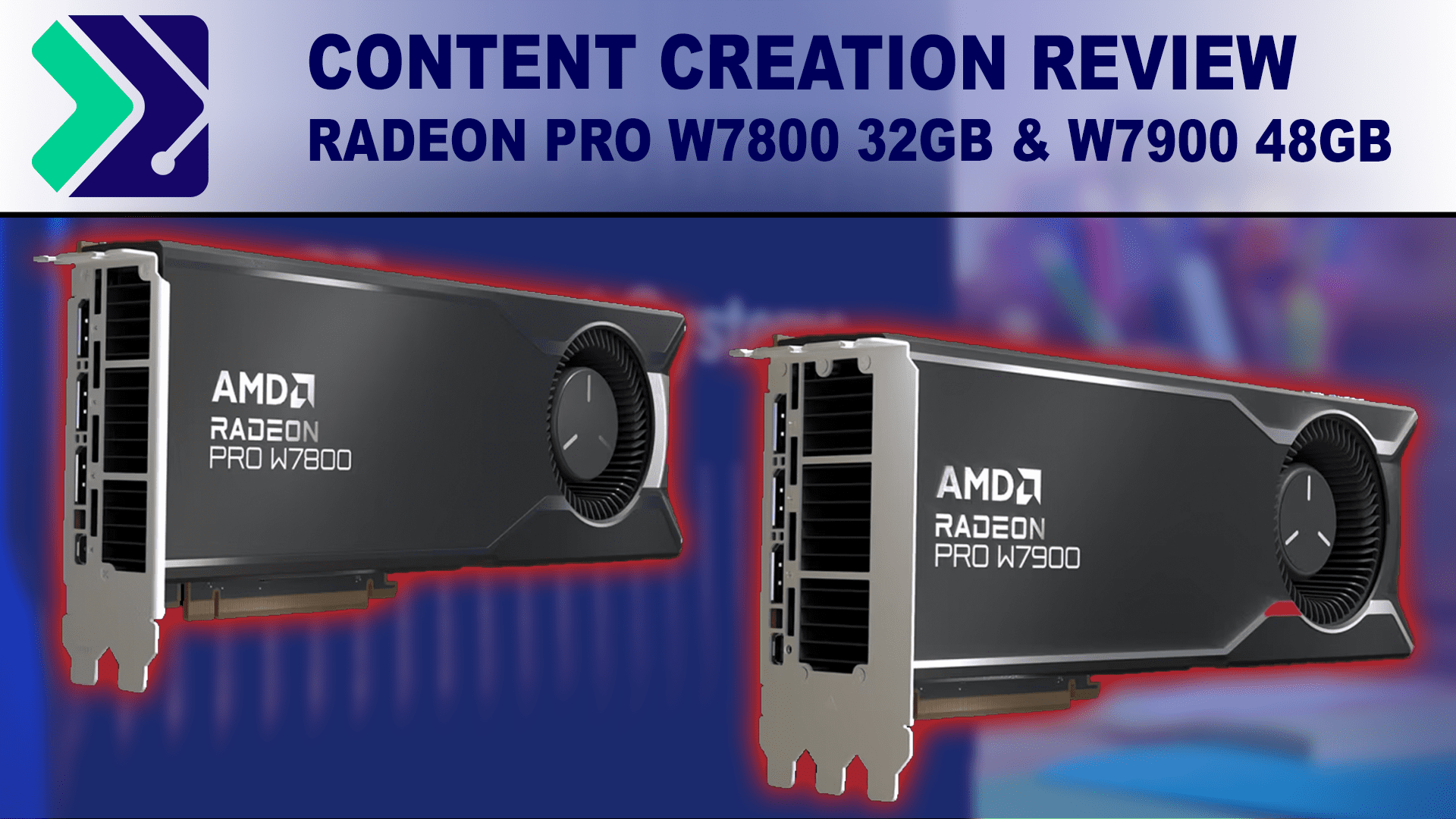
AMD's has released the Radeon PRO 7000 series of graphics cards featuring up to 48 GB of VRAM. How do they compare to NVIDIA's RTX Ampere and Ada GPUs?
 limpid vault
Getting ready to rebuild my rig, Looking at Ryzen 7 7700x or intel price equivalent, any and all ; suggestions info and opinions welcome.
frigid heath
depends on what you do with it and the resolution/framerate of ur monitor
usually i mostly stick too a tested gaming build
silent wyvern
frigid heath
depends on what you do with it and the resolution/framerate of ur monitor
Hey I make games with engine called Unreal Engine
It's a very popular engine
frigid heath
well if you code a lot of c++ you might need a diffrent pc than level design or artsy stuff
I use a local tech site for my builds and im in europe
i know gamernexus does like extensive testing on al sorts of PC parts so their builds might give you a hint
silent wyvern
frigid heath
I use a local tech site for my builds and im in europe
thanks
frigid heath
I assume they keep it fairly updated
silent wyvern
I'm in Central Asia
frigid heath
yea id go for some more local tech site than i think... import fee and that kind of stuff
silent wyvern
Rn I have no idea from where to order parts
Definitely not Aliexpress
Amazon is too expensive for delivery service
Ebay too
frigid heath
ahh well i guess first you need to know that
some site where ppl around you order their TV and stuff?
I dont really think it matters too much what GPU you buy unless something strange is goin on...
like you get what you pay for AMD or NVID both have their thing and are close in price perf
nvid has cuda, and some omniverse stuff.... ndisplay... if you dont need that it usually doesnt matter too much
silent wyvern
frigid heath
some site where ppl around you order their TV and stuff?
Yes indeed
limpid vault
silent wyvern
Nvidia and AMD's GPU
i have a 2070 currently but plan to replace later, I just really need to replace cpu and ram for now
silent wyvern
limpid vault
i have a 2070 currently but plan to replace later, I just really need to replace...
what's your current CPU?
silent wyvern
Oh god my GPU fans stopped spinning
mighty cosmos
that's normal
limpid vault
silent wyvern
what's your current CPU?
Lol, 4790k ::::::insert roflcopter::::::
torn gulch
Hi I'm looking at buying an Ultrawide monitor for ue5 mainly and solo games and I hesitate between having high resolution 3440x1440 or high refresh rate and also between VA or IPS panel. Hard choices'... Any idea ? Thanks a lot
mighty cosmos
torn gulch
Hi I'm looking at buying an Ultrawide monitor for ue5 mainly and solo games and ...
I prefer IPS, IPS has much better color accuracy in general and better viewing angles
And I would always go for higher refresh rate, but that's my preference
Currently using a 1440p 170Hz main monitor and a 1080p 144Hz vertical monitor as my second
I personally wouldn't go lower than 144Hz, it's the sweetspot
torn gulch
I see thanks a lot.. sadly with my budget (600 eu) i can't have a 34inch IPS + 3440x1440 + 144hz what would you remove from the equation? @mighty cosmos

INNOCN 40" Ecran PC Gamer 144Hz, Ultra-Large UWQHD 3440x1440p, Format 21:9, FreeSync Premium, G-Sync Compatible, HDR, Dalle IPS, Couleur sRGB 100%, USB-C, HDMI, DisplayPort, Ajustable Hauteur, 40C1R
Or maybe this one but I've never heard about this brand
mighty cosmos
Hm yeah me neither
If you can get a 90Hz monitor that would still be worth it if you wanna get an ultrawide at 3440x1440, it still feels much better than 60Hz
(again my personal preference, others would disagree probably)
I would for sure go for an IPS tho
torn gulch
Ok thanks a lot I'll check all that
spice girder
torn gulch
I see thanks a lot.. sadly with my budget (600 eu) i can't have a 34inch IPS + 3...
Take look at the Gigabyte M34WQ. IT is a 34" 3440x1440 and 144hz under 600€(at leased for me)
torn gulch
Thanks a lot yeah I've just stumbled upon it but after research it seems it's not curved:/ it seemed too good to be true sadly @spice girder
But maybe I don't need curved i don't know I'm confused ahh
spice girder
torn gulch
Thanks a lot yeah I've just stumbled upon it but after research it seems it's no...
the cheapest curved one I see is the BenQ MOBIUZ EX3415R which is around 799€ and is down in around 670€ to 700€ on amazon. If you need/like you will only know if you see one in person. Maybe go to a electronic store and see one in person.
torn gulch
Thanks a lot I'll check that and also go check in a store that's great advice
west quail
Just found out the power supply I bought doesn't even have the 4 pins and I need 2 4 pins for the motherboard...
Do I need to wait until tomorrow to get more cables or is there anything else I can do
 dark quartz
guys
I have a crappy 1050ti and a poopy ryzen 5 1400
I need to upgrade
for using unreal engine 5 and blender
I saw a rtx 3060
but many people say that isnt worth the price
median marsh
depends on the price
median marsh
how
dark quartz
only the cpu and gpu