#hardware
1 messages · Page 10 of 1
 devout pendant
 mighty cosmos
I prefer multiple 16:9 monitors over 1 ultrawide 🤷♂️
 grizzled zinc
blew US$300 on a GPU that does not even work under Linux
grizzled zinc
grizzled zinc
blew US$300 on a GPU that does not even work under Linux
I am not switching to Arch
I'd go back to Windows entirely before touching Arch
I can't return this thing so I am out of 300 dollars which is not that easy to get as a college student
 north arch
which card?
grizzled zinc
north arch
which card?
6700 XT
north arch
craigslist it? or develop your own driver?
grizzled zinc
going to see if anyone at college would want it
doesn't Unreal use more than 8GB of VRAM?
 wind egret
The larger projects can but it's not strictly necessary.
grizzled zinc
GPUs are like internet providers (in the United States): they all suck and there's not much to do about it
devout pendant
I was going to buy the RTX 3060 12GB because of 12GB
But decided to buy the Ti instead because GPU power is more important than having 12GB. In addition, the Ti has more bandwidth
wind egret
I think with 2560x1080 a 3060 would've done well.
But maybe having 8GB instead of 12GB means you'll be pressured to learn more about UE5's scalability options and use vram-intensive techniques more wisely.
devout pendant
now I'm in doubt. 27'' 1920 x 1080 or 29'' 2560 x 1080 ?
grizzled zinc
TIL Intel Vietnam exists

 north arch
they're also currently building a new fab in new mexico and I think just finished one in arizona
and ireland and malaysia
 minor veldt
grizzled zinc
blew US$300 on a GPU that does not even work under Linux
minor veldt
grizzled zinc
blew US$300 on a GPU that does not even work under Linux
WDYM not work under Linux?
 median marsh
he bought intel or AMD 😄
devout pendant
I'm really out of options. LG 26 UW is the only UW monitor at this size and this price range, under 150$.
 cinder latch
doesn't amd have better linux compatibility?
median marsh
at least 2 people in #linux went back to nvidia because they had problems with AMD
well, one of them had an W6000, probably not the card that most people would buy anyways
 supple marten
Can anyone help me get my computer windows fixed by chance?

 fallen oasis
If you said what was actually wrong maybe
supple marten
Keep getting this windows/system32 bootrec fixboot access denied
I tried changing manually the user admin password to get into the computer bc I didn’t have the pin to login so I changed the somewhere in the programming now and I can’t figure out what I did and now the. computer goes into this safe mode now idk what to do
If anyone could help me out that would be pretty awesome
Like when I turn my computer on now it just looks like it’s booting up does this cycle thing and then the screen goes black and does it over and over again idk
fallen oasis

MUO
Here's how to repair this repair utility.
MUO
Here's how to repair this repair utility.
This is the bit at the bottom which has an overview of the procedure.
In fact, just start from the top.
 north arch
supple marten
I tried changing manually the user admin password to get into the computer bc I ...
north arch
supple marten
I tried changing manually the user admin password to get into the computer bc I ...
why didn't you have the pin?
sounds like misappropriated hardware
fallen oasis
You don't need to be a programmer to fix this.
You just need to use google or click on teh links I provided. There are step by step guides.
grizzled zinc
What happened with amdgpu support anyway? Works very well on my Polaris-based card (RX 580) but not on any of the new stuff.
 stone scroll
Hi!
Is it possible to make out of 1000$ a good PC which will be at least roughly resembling the one from docs?

 lapis knot
maybe if you're really good at origami
I'm not personally sure what compile time would take with x hardware
but you can definitely get a decent PC for that price if you shop around and buy some second hand parts
also if you put builds together there are sites that benchmark these kinds of things
grizzled zinc
stone scroll
Hi!
Is it possible to make out of 1000$ a good PC which will be at least roughl...
what CPU?
stone scroll
grizzled zinc
what CPU?
i5 4460
grizzled zinc
stone scroll
i5 4460
interesting, if they still use the Sandy Bridge Xeons that they mentioned in another doc, should be similar afaik
unless they offload to a server with something like EPYC 7003-series chips...
stone scroll
maybe the 8 Gb DDR3 RAM is the root of problem
grizzled zinc
They used 64GB of DDR3 RDIMMs in such workstations I think
what's the memory usage during compilation?
mighty cosmos
stone scroll
i5 4460
On my 5950x it takes around 35-40m to build UE5 from source so 13h for an old i5 sounds about right
grizzled zinc
mighty cosmos
On my 5950x it takes around 35-40m to build UE5 from source so 13h for an old i5...
16c Zen 3, so possibly EPYC-based compile server
source: https://docs.unrealengine.com/5.0/en-US/hardware-and-software-specifications-for-unreal-engine/

by the looks of it, it may split the workload across other machines? https://www.incredibuild.com/solutions/accelerate-compilation

Incredibuild
Incredibuild radically accelerates C++ compilations. Discover how to turbocharge daily iterations and continuous integration builds.
stone scroll
interesting. I will look into converting all my collegues pcs into cluster on quite🫠
stone scroll
mighty cosmos
On my 5950x it takes around 35-40m to build UE5 from source so 13h for an old i5...
happy Blue Man, I guess)
north arch
aim for 1.5 hour compiles so you have an excuse for a long lunch
fallen oasis

 pearl quartz
Looks like Intel have committed to another round of discreet GPUs
wind egret
Props to their commitment. Did anyone buy them?
fallen oasis
Discretely.
grizzled zinc
Nice to see that ReBAR is not a requirement to use Arc GPUs https://www.intel.com/content/www/us/en/support/articles/000092416/graphics.html

Intel
Intel® Arc™ Graphics provides best performance with a resizable BAR but it's not a requirement to run the GPU.
 rich lily
looking to buy new pc, is this decent to run unreal engine 4 projects and do 3d on blender?
 rich lily
fallen oasis
You're going to wish you'd spent more, though.
rich lily
fallen oasis
You're going to wish you'd spent more, though.
I have low budget sadly 😔
dunno what to get for 500 euros max
north arch
expect hours to compile and a lot of missing gpu features
fallen oasis
Unfortunatley development isn't cheap. 😦
rich lily
fallen oasis
Unfortunatley development isn't cheap. 😦
what would you recommend me to save up for?
:D
fallen oasis
You want at least a 3060 with 12gb of vram, 16gb of ram is okay, but 32gb is recommended at least. At least 1tb ssd. Probably a 5700X or 5800X or similar cpu.
grizzled zinc
Ryzen 5 5500 is PCIe 3.0 fyi
devout pendant
Finding 29 ultrawide with displayport 1.4 is rocket science
damn
the only alternative is 32 QHD
devout pendant
screw HDR10
HDR is worthless without OLED
freesync and displayport are more important
devout pendant
I asked my store to return and refund the Corsair CX550 that I just received. I have three options:
MSI A650BN and save 20$ compared to what I already paid
Corsair CX650F and pay an additional 3$ compared to what I already paid
XPG Core Reactor 650W and pay an additional 25$ compared to what I already paid
median marsh
why refund?
and don't they have seasonic or something like that?
Most Corsair PSUs are made by Seasonic
so you just pay an extra fee for corsair
north arch
median marsh
so you just pay an extra fee for corsair
often the higher priced brands have higher quality standards, even if made by the same company...
median marsh
north arch
often the higher priced brands have higher quality standards, even if made by th...
yea but incase of seasonic i doubt that actually
they also give warranty of 5-10 years on their PSUs, which is quite long in that market
do you know of any brand where the rebranded one is better than the original?
i'm really curious now
north arch
rebranding isn't quite that simple, but on strict rebranding situations, no
 pliant mirage
Hello guys, I want to upgrade one of those: My R7 3700 & 16 GB memory or my RTX 3070 Ti. If you were in my place what's the best decision for working mainly with sequencer and heavy animations?
median marsh
well, watch the taskmanager and see whats bottlenecking you
pliant mirage
median marsh
well, watch the taskmanager and see whats bottlenecking you
I just want to upgrade for a better one!
I wanna know which one gonna boost it more
 rugged sorrel
He's told you how to find out 😄
pliant mirage
rugged sorrel
He's told you how to find out 😄
Everything then lol
rugged sorrel
👍
pliant mirage
I just want in general answer, I feel like my gpu isn't enough anymore. But, in the other side, I think upgrading my cpu and memory will help it out ...
rugged sorrel
Idk how you cant just figure this out yourself.
Open task manager
Switch to Performance Tab
Run your heavy duty shit
See which chart is going off the most
Upgrade this
pliant mirage
CPU: 100%, Ram 15.9/16, GPU: 14~15.7/16 (For shared and dedicated VRAM), then everything crash!! Sometimes I get out of video memory, that's why I'm using system pagination
it can use half of my memory to help out my gpu, in this case my VRAM is the main issue. Now, I'm confused between adding more memory so it can get more than 8 GB of shared memory or upgrading my GPU for more dedicated VRAM? But, I'm afraid that getting a new gpu like 3090 will bottleneck my existing hardware! And, I can't afford to upgrade my whole setup yet 🙂
north arch
gpu would be better to avoid swap times
grizzled zinc
Unreal eats VRAM
pliant mirage
grizzled zinc
Unreal eats VRAM
Yeah, it's hardly surviving with the extra shared memory
I'm really confused, does it mean that even Rtx 3080 with 16 GB can't handle my scene that took more than 16 GB of VRAM (Combined dedicated and shared)?
I know that the native memory is faster, but talking about the capacity without adding shared memory!
 median marsh
well, upgrading the gpu to something with more vram sounds like the way to go
this will a.) be faster and b.) leave more system memory free for other things
devout pendant
median marsh
and don't they have seasonic or something like that?
in my country seasonic is out of stock and corsair is cheaper
 regal iron
For Unreal Engine 5 Development,
Which CPU should I buy? and why?
Intel i9 13gen or AMD ryzen 9 7950x
pliant mirage
median marsh
this will a.) be faster and b.) leave more system memory free for other things
3090 or 4070?
grizzled zinc
regal iron
For Unreal Engine 5 Development,
Which CPU should I buy? and why?
`Intel i9 13g...
7950x
median marsh
pliant mirage
3090 or 4070?
i would personally go for 3090
pliant mirage
Alright, thanks
 serene dome
regal iron
For Unreal Engine 5 Development,
Which CPU should I buy? and why?
`Intel i9 13g...
serene dome
regal iron
For Unreal Engine 5 Development,
Which CPU should I buy? and why?
`Intel i9 13g...
Depending on your workflow, it largely doesn't matter which one you pick (at least in terms of performance...)
Benchmarks:
https://www.pugetsystems.com/labs/articles/unreal-engine-13th-gen-intel-core-vs-amd-ryzen-7000-2377/#Intel_Core_13th_Gen_vs_AMD_Ryzen_7000_for_Unreal_Engine
https://www.pugetsystems.com/labs/articles/13th-Gen-Intel-Core-Processors-Content-Creation-Review-2369/#TestSetup
devout pendant
https://i.postimg.cc/MHRC1Qs5/IMG-20230303-155540449-HDR.jpg can I do this?
 median marsh
why would you do this?
fallen oasis
Is that a 4-pin power connector with an adapter to a fan power connector? You can do it, sure, but your motherboard won't be able to read, or control, the fan's spin speed.
 sinful thicket
devout pendant
HDR is worthless without OLED
sinful thicket
devout pendant
HDR is worthless without OLED
OLED is bad at HDR. Go MiniLED if you care about HDR.
devout pendant
The triple fan doesn't have three wires
devout pendant
I though about returning this case but not worth the hassle. It weights 2.2 Kg whereas other cases weight 5 or even 10 Kg at the same size. I bought this one because it was a ~40$ case. Other cases were 70 ~ 80$ for this same size.
 weary glacier
Any recommendations for large volume SSD drives? I already have 2 nVME, looking to add a bunch of extra storage space with relatively low latency
fallen oasis
I like my crucial drive.
I have an external samsung t7 encrypted ssd too and that's speedy as fuck
devout pendant
https://i.postimg.cc/jjqBMhQ3/IMG-20230304-123813686-HDR.jpg look at where the screws were hidden

I was about the buy the screws
fallen oasis
Lol
 frank glade
Didn't it come with a manual?
devout pendant
no
 gilded quarry
Many people here using AMD GPUs?
mighty cosmos
I'm using 6900xt
gilded quarry
Noice
6800xt here :^)
Do you have any issues with raytracing and dx12 in-editor?
Like, those two together
mighty cosmos
gilded quarry
Do you have any issues with raytracing and dx12 in-editor?
I don't, no, we are using DX12 and I played around with HW tracing and haven't had any issues
Also apparently new drivers that released recently improved RT performance by 40% on all amd gpus but I haven't tested it
gilded quarry
Editor in dx12 mode crashes when I try to open a context menu, and PIE crashes in Vulkan mode :^(
No problems on linux, only windows
Actually no problems on linux with RADV, amdvlk has the same PIE crash
Might need to try the updated drivers, I've been using the "PRO" one on windows
mighty cosmos
yeah I don't use those, I use regular ones
sinful thicket
weary glacier
Any recommendations for large volume SSD drives? I already have 2 nVME, looking ...
You can get a 4TB SN850X for 399. There are a couple 8TB ones now, but the price ratio is a lot worse.
fallen oasis
Even that 4tb price ratio is awful.
sinful thicket
No it isn't. 1TB for 100 and 2TB for 200 are decent prices.
fallen oasis
Maybe we're thinking in different currencies.
In £, you can get a half decent 2TB SSD (maybe even a decent one) for about £100-120.
In fact, I see that exact model you mentioned for £140.
sinful thicket
No one said pound.
fallen oasis
fallen oasis
Maybe we're thinking in different currencies.
^
Even if you're thinking in dollars or euros, 400 for a 4tb ssd isn't good.
sinful thicket
It's a great price for anything in the class of a SN850X.
frank glade
It's the exact price on amazon for them, I wouldn't say great
sinful thicket
MSRP is 699.
grizzled zinc
I just swapped the AMD Wraith Stealth cooler to a Cooler Master Hyper 212 EVO V2 with the fan replaced with an extra 0.9a 120mm server fan (MGT12012ZB-W25). The thing is much quieter and the fans barely speed up while using UE5. Before it was loud and the cooler fan went to full speed all the time.
 karmic trout
Hi guys! I wanted to exchange my spare laptop to Macbook Air 13.3, Intel Core i7 2 core, 8GB ram, 256gb ssd. Can it run Unrel Engine 4.27 or/and enough for testing, packaging and publication for iOS on App Store?
grizzled zinc
karmic trout
Hi guys! I wanted to exchange my spare laptop to Macbook Air 13.3, Intel Core i7...
which year?
karmic trout
grizzled zinc
which year?
2013
grizzled zinc
karmic trout
2013
seeing that it is the 8gb/4250U version it should run
karmic trout
grizzled zinc
seeing that it is the 8gb/4250U version it should run
Isn't 4650U?
karmic trout
grizzled zinc
whoops, 4650U
ok, thanks.
grizzled zinc
not sure how the iGPU is going to handle it though
karmic trout
grizzled zinc
not sure how the iGPU is going to handle it though
Should be pretty bad. But good enough for publication
 violet vector
hello! looking to see where I can upgrade to run smoother below is my specs
MAG X570 TOMAHAWK WIFI (MS-7C84)
64.0 GB
EVGA GTX 1080 FTW```im assuming look for a 3060? or jump up to a 3080?
or dip into the AMD cards like 6800?
devout pendant
I bought a case which weights half the weight of Montech Air X, has the same size and came with a triple fans with molex connector. Montech Air X costs twice more, weights twice more and comes with pwm fans with rgb and controller.
I don't think it's worth the hassle to return the case and pay more just because Montech Air X is studier and has pwm fans with rgb.
median marsh
violet vector
im assuming look for a 3060? or jump up to a 3080?
i think a 3060 offers kinda the same speed while having 4gb(?) more vram
not worth to upgrade for that imho
would consider getting a 3090
if you are lucky you may find a dealer which sells them off, best buy had them for $820 in their sale off... which was a steal
violet vector
median marsh
would consider getting a 3090
How can I tell if it will fit in my case or mobo area?
fallen oasis
Get a tape measure
wind egret
median marsh
i think a 3060 offers kinda the same speed while having 4gb(?) more vram
A 3080 has 10GB to the 3060's 12GB, but the 3080 is considerably faster and more expensive
Also there might be an 8GB 3060 (and a laptop version of the same). Ew.
fallen oasis
Or the 12gb 3060.
violet vector
What about AMDs line up?
median marsh
i really wonder how the GPU distribution is among devs
i somehow feel that nvidia dominates that market by a huge margin, but i could be wrong
devout pendant
Radeon RX 6700 XT
or 6800 XT
I think that as a rule of thumb, look for the dimensions of the case and subtract 25mm
25mm from the length of it to account for fans or radiator
karmic trout
median marsh
i somehow feel that nvidia dominates that market by a huge margin, but i could b...
Seriously? Most likely Nvidia dominates it
devout pendant
do a pcie sound card improve performance ?
median marsh
no
the onboard soundcard is also connected with pci express
it's rather possible that if you put an pci express sound card in the wrong slot, that it may steal a lane from the gpu or ssd, which then leads to "worse" performance
you probably wouldn't notice anyways since it's only one lane
unless the gpu falls back to 8 lanes from 16, may be possible, too
sinful thicket
median marsh
the onboard soundcard is also connected with pci express
Most dedicated sound cards will still technically perform better. It's just negligible overall nowadays.
median marsh
why would they?
they may have some hardware dsp integrated which in theory put's less load on the host cpu, but after all it's questionable if such DSP is even necessary
i think their main advantage is that they have more pcb space to put good DAC components and maybe shield them from the mainboard
frank glade
Improve performance or provide better sound? 😅
median marsh
modern onboard sound cards are pretty good, there's rarely a use case for an extra card
unless you need special stuff like ASIO, but those people know what they have to look for (even some onboard cards support ASIO apparently)
frank glade
I greatly enjoyed my Asus Xonar Essence, after that all onboard sounded a little muddy
sinful thicket
frank glade
Improve performance or provide better sound? 😅
A dedicated sound card will do both compared to most onboard audio solutions. Nowadays the first will be indistinguishable. The second can be distinguishable, but mostly in cases where your motherboard is mainstream or budget.
gilded quarry
sinful thicket
A dedicated sound card will do both compared to most onboard audio solutions. No...
I'd go with a good USB audio interface over a soundcard for sound quality these days
Having one is a must for game dev imo so you can hook up a mic
median marsh
and usb soundcards are the ones which put the most load on the host cpu...
devout pendant
Does a sound card offload audio from the cpu (meaning more fps) ?
fallen oasis
Yes.
However that only applies if there aren't enough cores to perform the regular game functions and the audio.
If you've got 8 cores, chances are it's not going to make a difference.
frank glade
gilded quarry
Having one is a must for game dev imo so you can hook up a mic
why would you need a mic for
gilded quarry
frank glade
why would you need a mic for
Recording things ,':^) I mostly use mine for voice lines, musical instruments, random atmo sounds and my cat
gilded quarry
median marsh
and usb soundcards are the ones which put the most load on the host cpu...
Pretty sure that's true, but PCI soundcards don't have XLR jacks (at least not directly)
Also: most load still == next to nothing
median marsh
yea it's not really something to be afraid of, just said it for the completion of the "performance" discussion
gilded quarry
Fair enough
median marsh
USB has the high advantage that the card is really far from the mainboard/gpu, so nothing would interference with it
the only alternative to that is an external DAC
but that's something that may matter for music producers, but not for the normal end user
devout pendant
I bought a WD Blue SSD Nvme 500GB. The next time I add another disk, should I get 1 TB SSD or 2 TB SATA?
devout pendant
lol. I bought RTX 3060 Ti without knowing that it was GDDR6, not GDDR6x. It doesn't matter though. The GDDR6X costs a lot more.
devout pendant
ram, ssd and cpu arrived in my country and are on the way to me. Video card for some reason has been stuck in the import duty processing for 5 days...
 urban sage
devout pendant
I bought a WD Blue SSD Nvme 500GB. The next time I add another disk, should I ge...
urban sage
devout pendant
I bought a WD Blue SSD Nvme 500GB. The next time I add another disk, should I ge...
Probably 2TB SSD
<1TB - "scam"
~1TB - good
~2TB - great
2TB - expansive
4TB - "scam"
 obtuse rapids
Unreal still hangs a bit and I get it's going to happen while its accessing the memory controller and loading things into it - but is there a way I can tell it to take more system memory and just reserve it somehow? I've noticed improvement with 128gb but I look over at my sensorpanel and see it's taking like 21 gb where it could obviously hold more - maybe it wouldn't matter and that's not the bottle neck
 bright whale
using an rtx3080 that i recently got but i know my old ass i7-7700k cpu from 5 years ago is bottlenecking the shit out of it-
i do a lot of 3d rendering as well as programming. any recs for a cpu? I feel like most of my recommendations are from people more on the 3d rendering side so its a bit skewed
 knotty gorge
Is there any differences between having your boot drive as M.2 NVMe or SATA SSD?
Or are the differences negligible
median marsh
negligible
unless you run low on system memory and it writes it's page file on that SSD, then an M2 is faster for that scenario
knotty gorge
Gotcha, tyvm. I usually keep my boot drive at least 50GB free so it should be good then. I'll just opt for SATA SSD for boot and save the NVMe for other work stuf
frank glade
Is there such a thing as sheets of anti-dust material? So i can cut them as needed
serene dome
frank glade
Is there such a thing as sheets of anti-dust material? So i can cut them as need...
Anti-dust material? Do you mean the fine mesh or dust filters? If so, then you can find them in sheets and cut them into custom shapes/sizes. Usually advertised as DIY
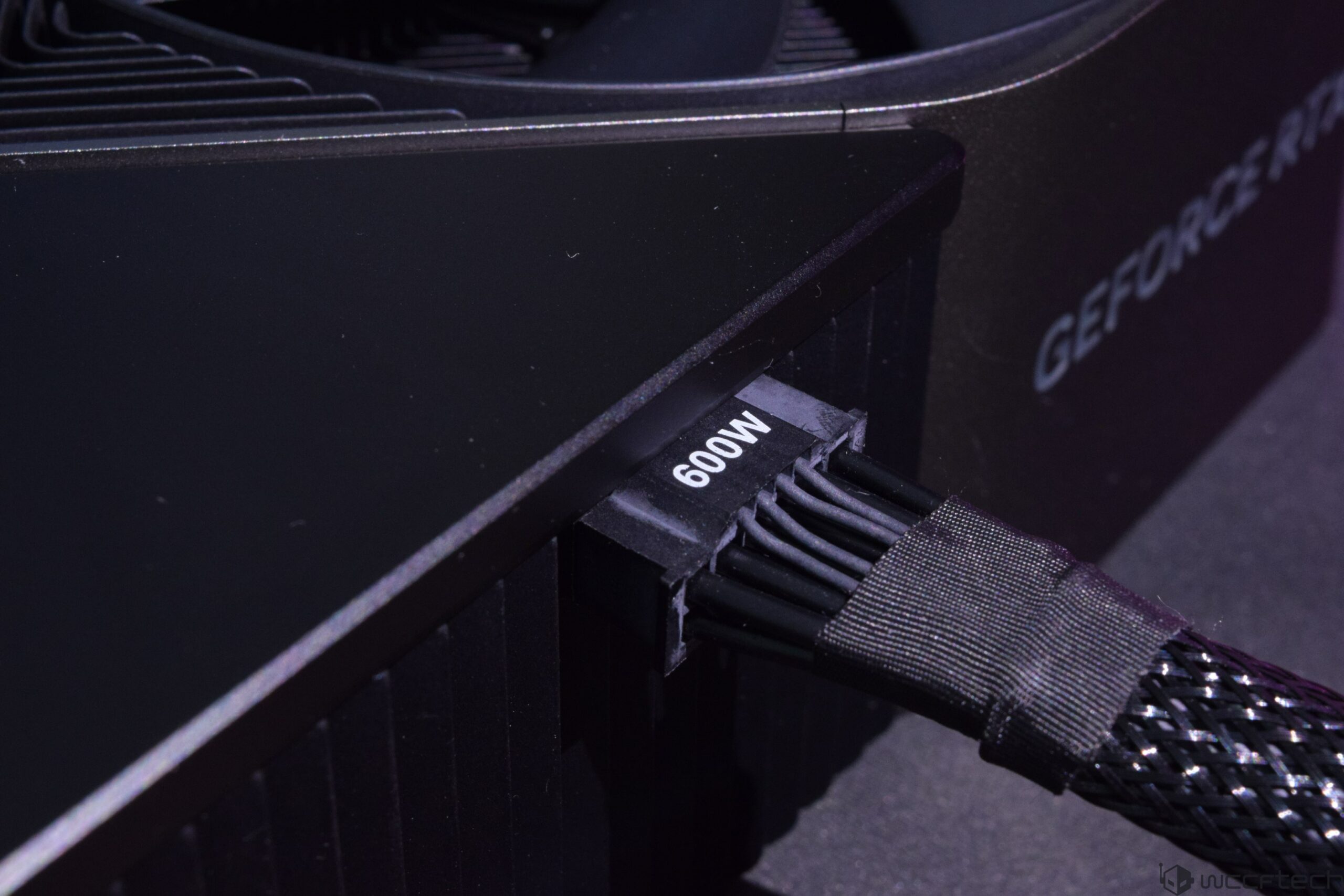
Wccftech
Intel's new ATX 3.0 specs reveal recommendations for NVIDIA's 12VHPWR connector with a design to eliminate the melting issues.
frank glade
serene dome
Anti-dust material? Do you mean the fine mesh or dust filters? If so, then you c...
Yeah like a fine mesh sheet
Lemme look them up
sinful thicket
urban sage
Probably 2TB SSD
<1TB - "scam"
~1TB - good
~2TB - great
>2TB - expansive
>4TB ...
Hm? 2TB is actually relatively cramped. 4TB is great.
lapis knot
i think they mean individually
not the actual relating storage space
talking about pricing
sinful thicket
Pricing up to 4TB is linear for the most part nowadays.
lapis knot
they did put a greater than
sinful thicket
They called it "expansive".
median marsh
yea for 2TB samsung the TB price is ~70€/tb while it's ~100/tb for 4TB
 sharp pumice
I'm browsing SSD drives because I'm slowly running out of space.
I stumbled on this graph: ||https://ssd.borecraft.com/SSD_Buying_Guide.pdf|| - is it valid?
I'm looking for a high end boot drive (preferably 2T), according to the list that would be these.
I would appreciate any recommendations.
EDIT: I was considering Samsung 990 pro but I just realised there is an ongoing issue with health degradation - or is it resolved?
Now I'm leaning towards Crucial PS plus.

 hoary urchin

Tom's Hardware
The Apex Storage X21 may be the ultimate AIC for M.2 storage.

 surreal karma
Guys something is wrong with my pc is need help this is URGENT my main monitor screen is oversized and the second one isn't working wtf do I do
surreal karma
Nvm I fixed it
devout pendant
I'm working in UE4 with widescreen now. IT works great but at the same time there isn't enough vertical res for long menus with vertical scrolling
devout pendant
no... I cannot work with this monitor and the laptop. The HDMI output comes from the Intel HD. This means that I cannot use the nvidia gpu and the monitor at the same time.
 subtle plank
devout pendant
subtle plank
devout pendant
https://i.postimg.cc/QxtZMQn3/IMG-20230315-151308818.jpg arrived today
 sinful thicket
median marsh
yea for 2TB samsung the TB price is ~70€/tb while it's ~100/tb for 4TB
sinful thicket
median marsh
yea for 2TB samsung the TB price is ~70€/tb while it's ~100/tb for 4TB
That isn't expensive. Also Samsung drives are unreliable.
SN850X is better and the 4TB one is only 370 dollars right now.
median marsh
sinful thicket
That isn't expensive. Also Samsung drives are unreliable.
bullshit
on >100k samsungs sold they have a return quote of ~0.2% which is the same or better than any other company
and those 0.2% doesn't even tell if they are defect or returned for another reason
sinful thicket
970, 980, and 990 all had major reliability issues. Just because you bought one doesn't mean it isn't true.
median marsh
actually i have 3
and i have the return quote
you can check www.mindfactory.de which shows the return quote of their products...
now proof your claim that they have issues (except for the 980pro/990pro firmware bug)
and the SN850X 4TB is 105€/TB while the 2TB is 90€/TB
so getting 2x 2TB is still cheaper if you got enough free pci express lanes...
frank glade

TechSpot
Puget notes that as every part it uses in its systems goes through a comprehensive qualification process, the failure rates reported here are likely lower than the...
looks like the only big issues were with the 990 line
median marsh
surprise the company with the largest marketshare on flash chips is knowing what they are doing...
karmic trout
Hi guys
What's better option
NEW Mac mini 2018 (Intel Core i3, UHD Graphics 630, 8GB, 256GB)
OR
Second hand (used) Mac mini 2018 (Intel Core i5, UHD Graphics 630, 16GB, 256GB)
fallen oasis
Why would the new mac mini ever be an option if those are your options?
north arch
newer gen processor?
fallen oasis
Is it, though?
One seems to be a core i3 and the other a core i5. You didn't specify any more information.
 lone raft
Please searching for a hardware support. I just have got a nice offer for PC Workstation and having a question if is it a "good enough configuration" for UE5? Especially not sure about the graphic card. Is it going to work ? :))
HP Z8 G4 - 256 GB, Intel Xeon Gold 6134 3.20 GHz + Intel Xeon Gold 6134 3.20 GHz, 256 GB SSD + 4 000 GB HDD + 4 000 GB HDD, Windows 11 Pro, nVIDIA Quadro P5000 16GB

 vagrant anvil
it will work, just dont try anything too detailed. the P5000 is roughly equivalent to a GTX 1080/1070, so several generations old and predates any dedicated Ray Tracing hardware acceleration.
those dual Xeon's would probably be outperformed by a single Ryzen 5950, but the 256GB of RAM is nice
 odd zodiac
Ok, I´m starting to get a little desparate here and I guess this is as good a place as anywhere to post this question:
Ever since upgrading my graphics driver and upgrading to Unreal 5.1, I get constant GPU crashes.
I´ve reinstalled the geforce driver multiple times, I didn´t install geforce experience, as suggested, I tried the registry hack and used DDU for a clean driver install.
The only thing that helped, was limiting the FPS to 30fps.
But now the performance tanks every time I open any windows in the editor, to about 10-15fps.
I´ve managed to go up to 50fps and the crashes are still gone, the editor still drops to about half the framerate (20-25fps).
Anyone experience something similar?
RTX 3090, but also happened on my rtx 2080 on the same workstation...
Please ping when replying!
lone raft
vagrant anvil
those dual Xeon's would probably be outperformed by a single Ryzen 5950, but the...
Thank you Kelly! Seems that I will look for some other PC, than this one. :))
sinful thicket
median marsh
now proof your claim that they have issues (except for the 980pro/990pro firmwar...
The 970 also had a reliability issue. They should all be avoided.
They got dropped for good reason.
We have been very public about how reliable Samsung SSDs have been in the past, so we wanted to explain why we are now moving part of our line to Sabrent.
sinful thicket
median marsh
so getting 2x 2TB is still cheaper if you got enough free pci express lanes...
The price difference is minimal at this point and not worth the wasting additional PCIe lanes to double two smaller drives.
sinful thicket
median marsh
surprise the company with the largest marketshare on flash chips is knowing what...
They're garbage.
median marsh
sinful thicket
https://www.pugetsystems.com/blog/2023/02/02/update-on-samsung-ssd-reliability/
this was a month ago , when no firmware fix was available
pudget was kinda forced to pick something else at this point
vagrant anvil
we wouldn't define them as garbage. still offer Samsung drives, just not the 990 for the time being. so far, the updated firmware seems to have fixed the issue
sinful thicket
I would. The firmware doesn't fix any of the passive drive destruction that happened to so many people, it just stops further destruction. And even then it's ambiguous as to how well it works with other people seeing weird speed issues post-update.
 stone olive
I plan to buy a 4080 laptop and use it for a long time. I plan to buy a 3-4 year warranty plan. Lenovo legion and alienware have on site service. The price of the laptop is close, but the price of the warranty service is much different. I would like to ask, has anyone used Legion's on site service? Is their after-sales really as reliable as Alienware?

 north arch
I'd wager they subcontract service to the same techs
grizzled zinc
I wonder what PSU I would need for this
 grizzled zinc
Maybe, iirc PCPP does not list 12-year-old server hardware
Might have to calculate it by hand unless the Outervision calculator is accurate enough
grizzled zinc
nice
median marsh
yea seems to be fine
you can get more if you want to upgrade the gpu later, it only draws the power that it needs
just dont buy any cheap noname PSU
grizzled zinc
median marsh
just dont buy any cheap noname PSU
PSU is the most important for reliability imo
I have been using the PSU tier list
 gray surgeBOT

MannyBot#9382
Version: 2.0.4
Last Login: <t:1668724452> • <t:1668724452:R>
Heartbeat: 89ms
Memory Usage: 145.71 MB
—
Source Code • Report a Bug • Contribute
devout pendant
I upgraded my HDD to SSD and the project load debug symbols and build 10x faster lol
SSD > RAM
Still using 16GB RAM but it's 10x faster i'm so happy
 spark vortex
ye those new nvme ssds are wicked fast
grizzled zinc
I use a PM9A1 I got for around US$50. Very fast SSD.
Server hardware is fun to work with, can have 128GB of ECC RAM for around US$80. With DDR3 at least, unbuffered ECC DDR4 (for Ryzen) is a bit hard to find.
 zinc ingot
Hello! Anyone can tell me if this PC is enough (or good) to play games in 1080p? And without RT or this can use RT technology too in some games? Thx!
https://www.alza.sk/EN/alza-gamebox-i5-rtx3060ti-d7665824.htm
 grizzled zinc
zinc ingot
Hello! Anyone can tell me if this PC is enough (or good) to play games in 1080p?...
grizzled zinc
zinc ingot
Hello! Anyone can tell me if this PC is enough (or good) to play games in 1080p?...
Plenty for 1080p
Should do RT just fine
zinc ingot
Thx, and I want to link also 2 monitors, can you tell me please which monitor should I choose to this setup above:
https://www.alza.sk/EN/27-philips-27m1n32000za-gaming-d6980502.htm
or
https://www.alza.sk/EN/27-asus-tuf-vg279qr-d6298504.htm
Or anyone else can help too to choose from these 2 monitors. Thx!

Alza
-- Tabulka parametrů Velikost (EU): 42 Velikost (MP): 42
grizzled zinc
zinc ingot
Thx, and I want to link also 2 monitors, can you tell me please which monitor sh...
First one
 modest coral
did you guys plug the 16pin power cable from 4090 box or psu box?
 agile lodge
if have atx 3.0 then that gen5 cable
 rare mulch
Pny 4090 or asus 4090 does the brand matter? They basically all the same except price?
devout pendant
https://i.postimg.cc/XYgqtg5M/IMG-20230322-212034653-HDR.jpg now I can upgrade my project to UE5
 fallen oasis
So much rgb.
devout pendant
the RGB Leds are inside the fans, it's impossible to turn them off
 pseudo bridge
Folks what's your processor? I use a Intel i7-7700, is it a good CPU for Unreal?
sinful thicket
Threadripper 5995WX
fallen oasis
I'd love to upgrade my 3975WX to that!
devout pendant
I overshot my budget. https://cdn.discordapp.com/attachments/834237312254214166/1088673841573793822/Control_DX12_2023_03_24_00_57_16_748.jpg

The performance is way above what I really needed 😄
north arch
yes
devout pendant
i mean what is ram even using for in unreal engine?
median marsh
depends on what you do
"proc gen" can be a few kilobytes to multiple gigabytes depending on what and how you generate, so that's not helping much
 cunning nacelle
any point buying a rtx 4090 if im still on a ryzen 9 3900x cpu?
currently have a gtx 1650 gpu as a placeholder
devout pendant
median marsh
"proc gen" can be a few kilobytes to multiple gigabytes depending on what and ho...
i am doing minecraft stuff
idk how to describe it, but for the most part it is the same with minecraft
north arch
so voxel generation?
devout pendant
yep voxel generation
agile lodge
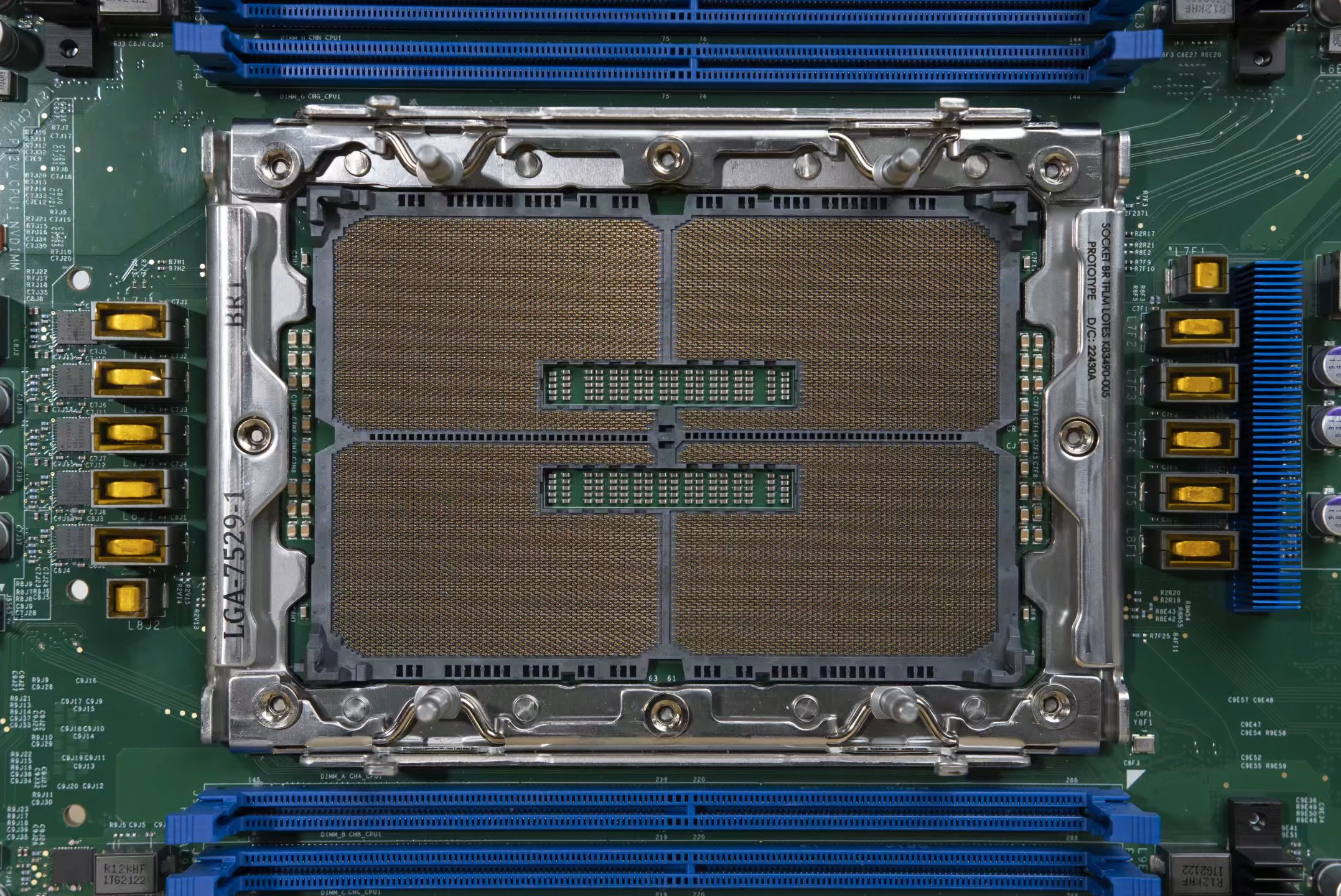
Wccftech
Intel's next-generation LGA 7529 socket which will be used by future Xeon CPUs with up to 512 cores has been pictured in insane detail.
north arch
twitch
wind egret
put your finger on it
 pallid hedge
is 4090 better then RTX Titan ?
i saw the upcoming RTX Titan Ada
it has 48 VRAM !!!!!
fallen oasis
The titan is an upgraded 4090 isn't it?
north arch
48 bits of VRAM isn't much
vagrant anvil
thats IF the RTX Titan Ada is even a real thing. thats a pretty big IF
until then, the only real RTX Titan is two generations old now
sinful thicket
north arch
48 bits of VRAM isn't much
You can fit a whopping 1 pixel in that.
north arch
sinful thicket
You can fit a whopping 1 pixel in that.
true, but given the lack of units I had to assume base numbers
 hoary lintel
anybody got a tip for good deals on 32 or 64 gb ram for a ryzen 7 5800x?
no rgb or any other unnecessary BS needed
devout pendant
https://i.postimg.cc/TY7CxgMS/IMG-20230328-225014279-HDR.jpg block the dust
 fallen oasis
That is a terrible idea for a pc case.
 unkempt pelican
You're also blocking the airflow
frank glade
I mean some cases have removable panels so you can have the airflow or the silence
That's just too diy though
 fallen oasis
They don't block the airflow, though. They just restrict it.
I guess in some cases there isn't much difference.
frank glade
The ones on mine certainly do (define nano s) and have soundproofing on them
 pastel plover
I've seen it where there's vents on the side.
devout pendant
https://i.postimg.cc/y8M6N7JH/IMG-20230329-195423085-HDR.jpg this with case open didn't lower the temperature by more than 3 C

 fast locust
rare mulch
Pny 4090 or asus 4090 does the brand matter? They basically all the same except ...
fast locust
rare mulch
Pny 4090 or asus 4090 does the brand matter? They basically all the same except ...
quality is a big issue. Some cards happen to have issues sometimes.. make sure you check reviews
median marsh
devout pendant
https://i.postimg.cc/y8M6N7JH/IMG-20230329-195423085-HDR.jpg this with case open...
it's not an good idea either
ideally you have an airflow over most components with the closed case
north arch
Opening the case screws up the airflow. Might get more over the sensors, but not necessarily over everything that matters.
devout pendant
what is happening? After I bought a Displayport 1.4 cable and turned HDR on. Everytime I log in windows the screen goes washed, with excessive brightness or gamma.
 pale dove
Hello Guys, I am looking for a 15 inch laptop(UE 5 Dev) for travelling. Do you suggest Dell G15(Intel Core i9-12900H (5.0 GHz),8 GB GeForce RTX 3070 Ti ), rog-strix-g15-2022 Or MSI Katana GF66 ?
 hollow latch
Opinions before I buy for game deving, 3d modelling and gaming please
 fallen oasis
You've managed to spend £3k on a computer and it isn't a threadripper?!
I'm not sure how you've managed it.
Use http://uk.pcpartpicker.com and price the same thing and see what their surcharge is.
 spice girder
hollow latch
Opinions before I buy for game deving, 3d modelling and gaming please
spice girder
hollow latch
Opinions before I buy for game deving, 3d modelling and gaming please
If you want 64GB of 6000MHZ Ram go with 2 sticks, 4 Ram stick a unlikely to go to 6000MHZ with amd expo on and 2 Ram Sticks. And Take a look for benchmarks if the AMD Ryzen 7900x3D is really worth it to you (I Only saw 7950x3d vs 7950x and it doesn't seem worth the extra cost to me).
frank glade
Get the 96gb corsair ddr5 kit 🤑
devout pendant
is freesync inside game settings or outside?
fallen oasis
Freesync is a driver thing, isn't it?
Also get a gsync monitor if you can.
freesync is bottom tier tech
Well, bottom is no sync at all, but you get the idea.
devout pendant
activated g sync in nvidia control panel, freesync in monitor and disabled vsync in Control. Still a lot of tearing in game
fallen oasis
Frresync is not gsync. It's a worse version of gsync. If your monitor isn't gsync compatible or fully gsync, it won't work.
devout pendant
then where is freesync on nvidia control panel?
fallen oasis
It isn't.
Frresync is the generic thing supported by amd. Gsync is the higher spec nvidia thing.
If you have an nvidia card and you bought a frresync monitor, you did it wrong.
devout pendant
 fallen oasis
Some frresync monitors are supported by gsync. Some.
Not all. And it's just controlled by the gsync options.
devout pendant
I think I've found the cause for white tint screen. Monitor supports DP 1.2 and I was enabling both HDR and FreeSync at the same time
mighty cosmos
Both Gsync and freesync introduce additional latency so I prefer playing without it
If you can achieve high enough framerate it's pointless and actually a worse experience to play with it on
Even if it's advertised as reduced input latency, in reality it's the opposite
It's only true at lower framerates
devout pendant
running pendulum g sync demo. With v sync off and no freesync I don't see tearing
devout pendant
when I turn around fast in Control I can notice some artifacts on edges. Is that DSSL?
unkempt pelican
Only if you have it enabled
I’m assuming you mean DLSS
That needs to be enabled in game settings
fallen oasis
Damn. My faithful logitech K120 keyboard has died. Ordered some more.
devout pendant
should I update the gpu bios?
just becase of rebar
devout pendant
RTX 3060 Ti
unkempt pelican
You can turn it on but I don't think has much effect on nvidia gpus
Its mostly an amd thing
 mint marsh
Hello guys, i just started to learn UE5 and even with the starter template i got my viewport laggy (because of my VRAM) and dont have the same beautiful lighting as in the tutorial i follow (raytracing ?). i have a gtx 1060 3gb and a i7-7700 3.60ghz. Is it enough to run UE5 with a decent framerate if i make some settings changes or should i really buy new hardware ?
median marsh
3GB vram is really a bad start imho
a 3060 with 12GB would be a huge improvement (or 3090/4090 if you can afford those...)
frank glade
mint marsh
Hello guys, i just started to learn UE5 and even with the starter template i got...
No my 1060 6gb was also pretty laggy
 rapid tusk
I've been thinking of upgrading my 1660 super to a 6700 xt but after some research I have noticed that AMD gpu's are generally worse for productivity and creative/art related tasks.
How much worse are they really when it comes to Blender and UE5?
I'm sure it'll be better compared to the 1660 super but what about a 3070?
unkempt pelican
rapid tusk
I've been thinking of upgrading my 1660 super to a 6700 xt but after some resear...
If you want to do rendering in blender, amd gpus are basically not worth it. If you’re only using it to model, it might be fine.
rapid tusk
Won't be doing any rendering. What makes AMD gpu's less capable for these tasks?
And will the modelling and shading experience be worse than with a 1660 super?
mint marsh
median marsh
a 3060 with 12GB would be a huge improvement (or 3090/4090 if you can afford tho...
Should i change my cpu and motherboard also ?
I think i’m gonna go with a 3060 12gb, but can i just buy it and put it in my pc ? Do i have to check compatibility with other components ?
median marsh
the cpu is kinda okay imho, and the card should work without any problems in your current system
unkempt pelican
rapid tusk
Won't be doing any rendering. What makes AMD gpu's less capable for these tasks?
It’s not that amd is bad. But there is the cuda and optix (rtx only) rendering profiles for Nvidia cards that are way better
mint marsh
median marsh
the cpu is kinda okay imho, and the card should work without any problems in you...
Okay, thanks !
sinful thicket
mint marsh
Should i change my cpu and motherboard also ?
CPU is ancient. Upgrade it.
rapid tusk
unkempt pelican
It’s not that amd is bad. But there is the cuda and optix (rtx only) rendering p...
So it has more to do with the rendering software than gpu hardware?
unkempt pelican
More or less
mint marsh
sinful thicket
CPU is ancient. Upgrade it.
An i5 11600k should do it ?
sinful thicket
Get a 7950X or 7900X. If you already have DDR4 modules you want to re-use then a 5950X.
frank glade
mint marsh
An i5 11600k should do it ?
I upgraded to a 13600k and it's butter smooth, albeit I don't compile or render with it. you can also get a ddr4 board (last gen) for cheap
mint marsh
It’s getting expensive hahah, okay i will watch for a rtx 3060 12 gb, an i5 13600k and a ddr4 motherboard. With my 550w alim and 16gb ddr4 ram, i should be good
median marsh
i would first upgrade the gpu only, and then wait till you really hit a wall with your current CPU
i worked at least 1 - 1.5 years with an 3rd gen i7
mint marsh
If i can avoid buying a cpu and motherboard for the moment without losing too much performances, i don't say no
median marsh
at some point you probably have to, but if you just started with unreal and you're still in the learning phase there's some time left imho
and while that hardware prices will most likely go down
your next roadblock will probably be the 16GB memory, then you can consider to upgrade the whole mainboard/cpu/memory stuff
mint marsh
i think i will directly upgrade cpu, gpu, motherboard, and buy 16 more gb ram later
sinful thicket
CPU is very important for game dev.
mint marsh
i'm in the learning phase on UE but i think i need more power for other softwares i use
mint marsh
(idk if that helps ^^)
 median marsh
so 2133MHz
modern amd runs at 3200/3600MHz, not sure about intel
so you waste ~33% of memory bandwidth when using those old modules
mint marsh
and its due to he ram or the mottherboard ? bc i bought the ram recently
median marsh
could also be the mainboard/cpu
if you bought the memory recently it might not be as bad as it shows there
mint marsh
okok, yeah the cpu/mottherboard/gpu are the last components that stays from the prebuildt pc i bought in 2017 -18
median marsh
i would rather consider getting an ddr5 system then
mint marsh
its no good for the ram if i upgrade just the motherboard in ddr4 ?
median marsh
not for 16GB which may be slow (my opinion)
mint marsh
okay
median marsh
that's like buying a sportscar and putting it on 20 years old tires, which have an speedlimit on top
mint marsh
yeah i see, i thought thjat ddr4 was rather recent and okay for this
because i's getting expensive, if i have to upgrade everything hahah
unkempt pelican
Do you have memory overclock enabled? Your ram might be faster than what it says there
Or did you buy 2133MHz ram?
mint marsh
unkempt pelican
Do you have memory overclock enabled? Your ram might be faster than what it says...
Idk, how could i see that ?
The reference of my ram is : Corsair vengeance LPX, they apparently are at 3000
unkempt pelican
You need to go into bios and enable either XMP or DOCP
Google your motherboard and XMP and it should tell you how to do it
unkempt pelican
The bios key depends on the motherboard you have
3000MHz is above the standard rate for DDR4 that's why you need to enable overclock to hit it
 unkempt pelican
Damn. Then yeah, you'll need a new motherboard to get faster ram
mint marsh
yes ^^
devout pendant
I'm trying to update the RTX 3060 Ti bios but I can't find a nvflash that works
missmatch error or it can't detect the nvidia adapter
frank glade
But why?
devout pendant
devout pendant
I'm thinking on buying the cheapest ryzen with integrated gpu to serve as a backup
 sturdy dew
Would I be able to use Unreal Engine 5 on this specs:
AMD R9 280 3gb (Equivalent to GTX 1050TI)
Core I5 4570
8gb DDR3
HDD
Can I utilize Lumen and Nanite?
What problems might I face?
sturdy dew
@sinful thicket
A mainstream processor is still fine of course but it needs to be more modern than a i5 4570 for a decent experience. Your RAM is also much too low.
How would that compare to Unreal Engine 4 ?
 spice shore
What would you recommend for a render rig for Unreal? What components would be most beneficial? I’m assuming the most valuable would be a GPU with a lot of VRAM. We would use this rig exclusively for rendering. I’m assuming we could use multiple computers to split the load, but would it be better to do one just with higher specs?
For each frame of our animation we are at about 20-30 seconds per frame with 32 temporal samples with a 3090 TI and hardware ray tracing via lumen being forced. Our main issue currently is if the VRAM ever fills up, then it slows down horribly.
vagrant anvil
According to the docs, Lumen needs 1070 or higher https://docs.unrealengine.com/5.1/en-US/lumen-technical-details-in-unreal-engine/#lumenplatformsupport
as for the rest, you are going to have a very tough time. just opening a blank 5.2 project my system is sitting at 5.2 GB VRAM and you only have 3, the 8GB of system ram will quickly be exhausted too. Technically the CPU will work, it will just take forever to compile shaders

An overview of technical capabilities and specifications of the Lumen Global Illumination and Reflections system.
vagrant anvil
spice shore
What would you recommend for a render rig for Unreal? What components would be m...
if you are running out of VRAM with 3090 Ti, there isn't much you can do without going to a professional card.
are you using path tracer?
spice shore
vagrant anvil
if you are running out of VRAM with 3090 Ti, there isn't much you can do without...
No we aren’t. I really need to figure out where all of it is going to, but I think maybe over the course of rendering a handful of sequences, it starts to bog down the GPU.
We aren’t using the path tracer. We are rendering in 4K through movie render queue, we have quite a few Skeletal meshes around with animations, Lumen with Hardware Ray Tracing and no screen traces, and 32 temporal samples. Then a few of the settings with motion blur and whatnot boosted. Then almost every mesh Nanite, and only a handful of shadow casting lights, maybe 3 or 4? But each of those is using ray traced shadows.
vagrant anvil
yeah, I'd suggest looking into scene optimization. A 4k render should be able to fit in the 24GB buffer that you have on the 3090 Ti. you could look at a 4090, but thats the same VRAM. the only way to get more VRAM is a card that costs like $5000-6000.
spice shore
Oh actually, I think our 3090 performs fairly well with 24GB and doesn’t run out. But our 4070 ti’s run out with 12. I definitely will be continuing to look into scene optimization (I think it’s coming from Lumen settings I boosted recently)
If we were to get just a render rig, would you say just one would be sufficient instead of a farm? And what components are most beneficial? And if we aren’t filling 24GB of vram, is it worth it to get any of the professional cards?
vagrant anvil
Oh good. yeah as long as you can fit within 24GB, there is a newer generation of cards, the 4090, that is considerably faster. I dont believe unreal has a built in render farm functions, but I haven't looked into that in 5.X
there are some things you can do with coding in Python, or maybe 3d party plugins
 wanton hollow
sturdy dew
**Would I be able to use Unreal Engine 5 on this specs:**
> AMD R9 280 3gb (Equi...
wanton hollow
sturdy dew
**Would I be able to use Unreal Engine 5 on this specs:**
> AMD R9 280 3gb (Equi...
I think you cannot run the unreal engine 5
core i5 9400 is recommended
also rx 580 8G
16G Ram DDR4
i think you need to have these
median marsh
yea 8GB memory sounds like you'll have a hard time using it
fallen oasis
He asked about getting 45 fps. I said he'd be lucky to get 5.
agile lodge

The New ASUS ROG ALLY Gaming Handheld PC
Available Here - https://www.bestbuy.com/site/asus/learn-about-rog-ally/pcmcat1678398541884.c?id=pcmcat1678398541884&ref=186&loc=asus_youtube_D2D
CANADA - https://bit.ly/ROGAllyCanada
If you want to support the channel, consider a Dave2D membership by clicking the “Join” button above!
sturdy dew
wanton hollow
core i5 9400 is recommended
As far as I'm aware, processor does not play a big role and i5 4570 is bare enough.
The only problem is the GPU, or maybe RAM too. I'll upgrade RAM anyway.
GPU is the real question
sturdy dew
fallen oasis
He asked about getting 45 fps. I said he'd be lucky to get 5.
5 fps on 1050 ti card !?
My friend has a laptop with integrated Intel UHD 520 graphics, 8gb ram and he runs UE5 with 25 fps
unkempt pelican
You’ll need a decent CPU for all the compilation you’ll be doing
sturdy dew
Code compilation?
sturdy dew
Game Code requires minimal computation to compile, atleast the time it takes, I don't mind waiting.
I'm coming from Unity on same hardware, and it takes just a couple of seconds 2-3 seconds to compile entire code.
And since shader compilations are first time only, I wouldn't mind waiting
unkempt pelican
Unreal isn’t unity and it will definitely take more time than that
Also you have to compile shaders every time you change them
sturdy dew
unkempt pelican
Also you have to compile shaders every time you change them
Like when would the shaders be 'changed' ?
mighty cosmos
sturdy dew
Game Code requires minimal computation to compile, atleast the time it takes, I ...
If you plan on doing C++ it's gonna be a LOT longer than a couple of seconds if you don't have a good enough CPU
sturdy dew
mighty cosmos
If you plan on doing C++ it's gonna be a LOT longer than a couple of seconds if ...
I do actually plan on using C++ and I have i5 4570
mighty cosmos
It's gonna be a bit a painful on that CPU
Certainly doable tho especially if you are just starting out
unkempt pelican
sturdy dew
Like when would the shaders be 'changed' ?
Every time you open a new level for a start
mighty cosmos
sturdy dew
Like when would the shaders be 'changed' ?
When you change materials it recompiles shaders
unkempt pelican
And when you compile new materials
sturdy dew
unkempt pelican
Every time you open a new level for a start
That includes opening Unreal every time?
mighty cosmos
If the shaders have already been built once for what you are opening and haven't changed then no
It won't recompile every time you open a level
sinful thicket
If you're making a game in practice they'll be compiling very frequently
 long night
I3 10th gen
1030 ti 4gb gpu
16gb ddr4 ram.
512 gb ssd
Is it ok for learn unreal for some smaller projects
fallen oasis
Probably
median marsh
the 1030 ti isn't a killer, but to learn the basics it should be enough
devout pendant
https://www.youtube.com/watch?v=Isn4eLTi8lQ&t=2s Does this mean that all cards with 8GB are obsolete now?

An Unreal Engine 5 dev joins to discuss what’s happening with VRAM usage in modern games.
[SPON: Get 6% OFF Custom PCs & GPUs at https://www.silverknightpcs.com/ w/ “brokensilicon”]
[SPON: dieshrink = 3% off Everything, brokensilicon = 25% off Windows: https://biitt.ly/shbSk ]
0:00 Welcoming our "Half-Anonymous" UE5 Developer
10:05 The State of...
fallen oasis
Pretty much.
wind egret
and the ever-popular 3070
 cosmic root
Which would you choose for game dev? 4080 16gb or 3090ti 24gb liquid cooled
median marsh
3090
 torn hound
I don't know what is going on with Fractal Design's supply chain but I wish they would fix it
https://www.pccasegear.com/products/60416/fractal-design-north-charcoal-black
The North and Torrents have been out of stock for months it feels like
devout pendant
I decided to buy RTX 3060 Ti 8GB from China over RTX 3060 12GB in a local store because I paid less for the chinese card
fallen oasis
You did get 4gb less vram too!
median marsh
and you can't upgrade the firmware
so it's to be determined if it's a real rtx3060 ti
fallen oasis
Just don't buy tech from China.
median marsh
there are good companies in china tho
fallen oasis
There's also a billion+ people. Finding the right company is gonna be hard.
torn hound
fallen oasis
Why spend so much on a box?
Cause it's pretty 😂
Jokes aside, my current rig is almost 9 years old so I'm happy to splurge a little
 timber cobalt
I agree, it is a pretty one
 shy gorge
Hello, I'm considering on buying a very powerful PC for UE5, I am thinking on an RTX 4090, and an i9, 64 gigs RAM
What do you guys recommend me for other components having that GPU and CPu in mind
also, I am wondering which CPU will be more powerful?
 dense blade
Hey everyone! I am looking to buy a new laptop since my old one cannot support UE5 anymore. Does anyone have any recommendations? I'm looking for a laptop that can support up to 2k rendering and complex environments. Thanks!
fallen oasis
Don't buy alienware.
shy gorge
fallen oasis
Don't buy alienware.
haha I hear that a lot. But like why everyone hates it so much? is it because of the price?
fallen oasis
Yes.
You pay for the brand.
I will admit, they have good laptops, but, like macs, you are just paying for a label.
shy gorge
yeahh
fallen oasis
Macs have some good hardware too. They have fantastic screens.
But they'll cost you.
shy gorge
they add up like 1K to the price
timber cobalt
fallen oasis
Macs have some good hardware too. They have fantastic screens.
Also the battery life
fallen oasis
That too indeed!
spice girder
shy gorge
Hello, I'm considering on buying a very powerful PC for UE5, I am thinking on an...
I would opt for the AMD Ryzen 9 7950x instead of an i9. It is faster in multithreading and consumes less power.
shy gorge
spice girder
I would opt for the AMD Ryzen 9 7950x instead of an i9. It is faster in multithr...
yeah I have heard a lot of good things about it
but intel is compatible with more things right?
I mean whatever works with UE5 is great for me
 fresh fog
shy gorge
but intel is compatible with more things right?
fresh fog
shy gorge
but intel is compatible with more things right?
It's a CPU. Either is compatible with anything. It's just intel can do better in some cases.
spice girder
shy gorge
but intel is compatible with more things right?
Intel is better for single Core use cases and AMD for Multithreading, but not by a huge amount.
shy gorge
@spice girder @fresh fog thanks for the help guys. So what would you recommnend
mighty cosmos
amd imo
fresh fog
same here. less power for me is a winner
more than happy to sacrifice the very small single threaded bonus
sinful thicket
shy gorge
Hello, I'm considering on buying a very powerful PC for UE5, I am thinking on an...
Avoid Intel.
 mental timber
sinful thicket
Avoid Intel.
mental timber
sinful thicket
Avoid Intel.
Can you Give any specifics why?
sinful thicket
Not competitive in the high end (HEDT) space, and in the mainstream space you get e-cores.
 little moon
(Continuation of what I was gonna say in general)
I have a MSI MPG B550 Gaming Plus Gaming Motherboard and a Sapphire 11306-02-20G Pulse AMD Radeon Graphics card. Anything else that uses most of the power? Cpu is AMD Ryzen™ 5 5600 6-Core, 12-Thread
fallen oasis
Pretty much what uses power is motherboard, cpu and graphics cards. Not in that order.
little moon
fallen oasis
Pretty much what uses power is motherboard, cpu and graphics cards. Not in that ...
i cant figure out how much power they need though
fallen oasis
Motherboard isn't that much, compared to cpu and gfx card.
I think pcpartpicker has the required wattages for things.
little moon
i think the gpu is 230W
fallen oasis
That will be in the gpu spec.
Just look at the manufacturer's website. Same goes for the CPU.
little moon
I dis
did
it wasnt there
actuallt for the cpu it is though
65W
so I def have emough
wth then
unless its possible to have too much power, I dont know whats wrong
fallen oasis
gfx card is 230W.
You are correct.
It's not possible to have "too much" power. You'll just be wasting money.
I wouldn't recommend anything over 600W for that system tbh. They are power efficient up to about 90%, so you want 10-15% over your max power to get best efficiency for your money.
little moon
well then idk whats wrong with it
Im not making any money and dont need my pc too much right now so im not gonna buy new parts until I find a job
devout pendant
so somebody in a forum bought the same RTX 3060 Ti as me and they successfully updated the firmware.
they used firmware from PNY, which changed GPU-z info from Lenovo OEM to PNY.
fallen oasis
How to void your warranty in 1 easy step.
vagrant anvil
if you bought a Lenovo OEM gpu from a third party seller in China, you probably dont have an warranty anyway
fresh fog
who needs a warranty when your card could just not die 🤯
median marsh
that didn't look like a lenovo card tho
pallid hedge
is RTX Titan better then 4090 ? i had no idea about that titan before someone just told me about and after checking dam that thing is no where to be found i have to order it but is it the best GPU i can get for Dev big game ?
if not then which GPU is the best that AAA studios have
or on the market
pallid hedge
shy gorge
Hello, I'm considering on buying a very powerful PC for UE5, I am thinking on an...
already have that and its not enough i think you would have to go with rtx titan ada or 6000 ada
and i mean not enough if your making big game with high res
currently thinking about upgrading my card to better one for Dev only not gaming
fallen oasis
You really don't need a 4090 to make a game. Unless it's really badly optimised.
devout pendant
I think having more vram is more important than more gpu flops
fallen oasis
Indeed.
devout pendant
can a bricked gpu be reflashed?
median marsh
probably depends on how bricked it is
fallen oasis
And whether you can boot up to actually flash it with a different/onboard graphics output.
vagrant anvil
pallid hedge
is RTX Titan better then 4090 ? i had no idea about that titan before someone ju...
The RTX Titan Ada is still a rumor at this point. and there are rumor that its been canceled, so kinda hard to recommend a product that doesn't exist.
pallid hedge
then which Gcard is the best on the market build like a truck
with more vram
48
till now i only saw the titan ada which still not on market
vagrant anvil
the overwhelming majority of studios we build systems for go with the 3080 or 4080 cards
there is only one GPU on the market that has 48GB of VRAM, the 6000 Ada
pallid hedge
thanks
vagrant anvil
I wouldn't recommend dropping $7000 just for a GPU for game dev, but thats on you
mighty cosmos
Not to mention these super high end GPUs are often not even optimized for gaming or game dev and often perform worse than a 4090
That's not their intended purpose
If you are buying it for game dev you are spending money on a worse product for that
Damn you autocorrect
fresh fog
The super high end ones are more for render farms if I'm not mistaken?
devout pendant
I think dragon center is wrong. It displays 4000 rpm for the CPU's cooler.
 sinful thicket
It's not at all really.
 astral shell
sinful thicket
It's not at all really.
astral shell
sinful thicket
It's not at all really.
show me where you can find a NVIDIA GeForce RTX 3080 and a Ryzen 9 5900X under 1700. This is a full build. the memory is about 200, the 1 tb drive about 150 depending on what it is. the case, 120.. the wifi motherboard??? around 300. Yeah not worth it. lmfao what ever you say. Learn your tech before you speak.
fallen oasis
In the UK, that's $40 over the price of the parts.
astral shell
USA we over pay for everything 🙂
fallen oasis
Actually Id idn't see the wifi part. It's about the same.
astral shell
thats a massive deal for a USA person tho.
like i said tho depending on what the brand of the memory, HD, and motherboard actually are.
fallen oasis
Considering that it comes pre-built, it is, indeed, very good.
astral shell
DDR4 is a thing of the past now tho 😦 one thing i hate about these prebuilds.
fallen oasis
That's a limitation of the motherboards that support that cpu, though.
None of them support ddr5.
Maybe it's a limitation of the cpu as well.
astral shell
you are right as well on that 5950X is the DDR5 upgrade
sinful thicket
astral shell
show me where you can find a NVIDIA GeForce RTX 3080 and a Ryzen 9 5900X under 1...
3080 is worth 600-700 (700 is probably extremely generous). 5900X is worth 400. The rest of the parts (which is where prebuilt builds cheap out on) won't be anywhere near the remaining 600-700 of the list price.
fallen oasis
https://uk.pcpartpicker.com/list/kMjL8r These are obviously UK prices, but it works out to be about $1700 if you convert the currency. You can do it in dollars/american market if you like on teh same site (just take off the uk.)
Part List - AMD Ryzen 9 5900X, GeForce RTX 3080 10GB LHR
north arch
link to source you can buy, in stock, at those prices?
fallen oasis
In fact, I just clicked that exact build over to US prices and it's closer to $1800.
Down to ~1600 because the gfx card was super overpriced.
Part List - AMD Ryzen 9 5900X, GeForce RTX 3080 10GB, Thermaltake Versa H17 MicroATX Mini Tower
And now the memory disappeared. 😦
Seems degrees isn't the only thing Mercurius is wrong about.
sinful thicket
Part List - AMD Ryzen 9 5900X, GeForce RTX 4070 Ti, Aerocool Cylon ATX Mid Tower
Here's a build with twice the RAM and faster GPU (4070Ti = 3090) for cheaper.
sinful thicket
fallen oasis
Seems degrees isn't the only thing Mercurius is wrong about.
Stop projecting. It's embarrassing.
sinful thicket
astral shell
show me where you can find a NVIDIA GeForce RTX 3080 and a Ryzen 9 5900X under 1...
If you bought it you wasted your money, sorry.
sinful thicket
And half the RAM, a slower older graphics card, and a worse SSD. Plenty of boards you can swap for.
You should probably learn currencies before trying to put together builds.
Not your forte.
fallen oasis
I mean, I was putting together the thing listed on that site, not a different build.
So yours isn't even relevant, tbh.
sinful thicket
Copying a bad build doesn't make it not a bad build.
fallen oasis
This whole argument wasn't even abotu whether it was a good build, simply about the price of those parts, which you claimed would be much less.
It wasn't.
sinful thicket
It is.
fallen oasis
Price up the parts in that build at less than ~$1600 then.
On whatever website/price source you like.
I just happened to use the one that scanned the prices daily for lots of major retailers.
astral shell
fallen oasis
Price up the parts in that build at less than ~$1600 then.
You just cant lol. Mans on facebook marketplace looking for a mining GPU and a broken pinned cpu
fresh fog
the cpu pins just make it run slower anyway
fresh fog
but yeah, not a bad find at all, as someone who dislikes most prebuilts because of the upcharge.
not a bad deal for that partlist
fresh fog
sinful thicket
I already posted a 5900X 64gb 4070Ti build for less.
thats cool. We aren't talking about better value newer parts.
we are talking about the price for those parts
sinful thicket
It's not the worst, but it's not anywhere what would be called a good deal. You can get a better machine for less money.
fresh fog
im still miffed that amd decided to do away with the stock coolers
astral shell
pc part builder is wrong...
fresh fog
they weren't half bad coolers
fresh fog
astral shell
pc part builder is wrong...
the first part i clicked on (the 3080) for daekesh was actually cheaper on the website. unless its magically including postage.
but its also worth pointing out, for me at least, viewing both lists, not only is the 4070ti one more expensive, it has a case with poorer airflow, a motherboard that may require flashing to work, potential power issues when overclocking, and doesn't include a windows key
if you take the windows key off daekesh's build to match the 4070 build, then its $1440 vs $1730
which is a not too insignificant chunk of change
which imo makes the prebuilt an even better deal rn.
sinful thicket
The prebuilt has a Windows 10 Home OEM key. You can get Windows yourself for 20 dollars at most places.
fresh fog
very true, but it's still a cost not accounted for in the other list
fallen oasis
sinful thicket
I already posted a 5900X 64gb 4070Ti build for less.
They must have good scarecrow factories on Mercury, because everything you say is a strawman.
fresh fog
I must be tired because that took me embarrassingly long to get
fallen oasis
It was a very poor joke.
fresh fog
nah it's my favourite vein of humour
fallen oasis
Terrible puns?
fallen oasis
That you do.
Also I'd love to know where you can get a legal w10 or 11 oem cd key for $20.
fresh fog
At that price point I've only seen the gray market stuff myself.
And I didn't mention them for obvious reasons
fallen oasis
I'm sure you can absolutely make a better build.
But you don't have to build it yourself.
So you're already paying a premium just to have a working box delivered to your door.
You take that into account and $1700 is a pretty sweet deal.
I'd never do that, though. I'd build my own every time.
fresh fog
Me too, it's half the fun. And for that price list you can definitely save a hundred bucks here or there.
But when you consider delivery, someone else builds it, guaranteed to work with no messing around troubleshooting? Not to mention there's those that are a bit terrified of ordering 1.5k worth of parts, and accidentally breaking something, with warranty not covering it. It's a pretty fair concern.
Pretty damn good. Especially considering most prebuild companies charge a hell of a lot more for that premium. I've seen some really egregious ones.
fallen oasis
I was very worried about building my latest system. I'd have easily paid somebody 100 bucks to build it if it eliminated the risks of damaging the components myself.
fresh fog
I was terrified. My magnetic screwdriver was old and faulty and the bit dropped out of the screwdriver and chipped something off the bios chip. Fortunately still worked perfectly, but it could have gone very differently
fallen oasis
Oh god.
fresh fog
It's also one of those where no matter how many systems I build, screwing the cooler down is terrifying 🤣
fallen oasis
I was never sure if magnetic tipped screwed drivers were good or bad for collecting wayward screws.
Probably bad.
fresh fog
Needless to say I have since replaced said screwdriver
fallen oasis
Of course, dropping the motherboard mounting screw into the case and never finding it again is probably the worst.
fresh fog
Oh god yeah no doubt.
fallen oasis
I knew a guy once who built a pc and it had trouble booting. We said it might have been heat related. So he touched the cpu after booting it up to check.
Just let that sink in for a moment.
fresh fog
The entire build of that system was awful. I made the mistake of picking an awful case, with a semi modular psu, where the cables were so stiff the hard drive mounts had to go to fit it in, so ssd only.
Then as I was getting the windows installer onto my flash drive, it was 50% complete before my old system literally exploded. So I had to wait a few hours to visit someone else to download it lmaooo
fresh fog
fallen oasis
I knew a guy once who built a pc and it had trouble booting. We said it might ha...
I'm sorry what...
fallen oasis
Literally exploded? Lol
fresh fog
Touching live electrical components that are also known for reaching above 100 degree temperatures is so many layers of bad
fallen oasis
We figured out what his problem was pretty quickly after he said it. He hadn't installed the HSF.
fresh fog
fallen oasis
Literally exploded? Lol
Yeah. It was a really old emergency buy. On its last legs as is, only thing I can assume is a crappy PSU or a power surge took it out.
fallen oasis
Just for an extra layer of bad on top everything else.
Ah.
I had a psu go once. Gotta love that smell of burning plastic and the small puff of smoke.
fresh fog
I love the smell of burning electronics in the morning
fresh fog
fallen oasis
We figured out what his problem was pretty quickly after he said it. He hadn't i...
👀
"Just let that sink in for a moment."
I guess we know what he didn't do then
fallen oasis
fresh fog
"Just let that sink in for a moment."
I guess we know what he didn't do then
Unintentional pun is unintentional.
fresh fog
But still glorious
fallen oasis
Indeed!
 stone verge
Hey, was wandering if anyone here aleardy tried to set iphone/iPad VCAM for tracking with UE Live Link VCAM and real camera on set and what are the best approach ?
obtuse rapids
Has anyone seen some new crashes from Nvidia? Getting a lot in 4.26 and can't figure out what has changed on my end
Not sure if it was a steam vr update or nvidia update
sinful thicket
fallen oasis
They must have good scarecrow factories on Mercury, because everything you say i...
Projection won't help avoid the conclusion you're trying to avoid.
sinful thicket
obtuse rapids
Has anyone seen some new crashes from Nvidia? Getting a lot in 4.26 and can't fi...
Downgrade your drivers if you upgraded them. Otherwise try to find a pattern in the stack traces.
median marsh
well Daekesh, your build is really below the price they asked. considering the windows license cost
even newegg (those who offer the pc) only ask $120 for windows 10 home which is shipped with the computer
removing $80 from your $1647.05 build ends up below the $1600 😛
the review on windows 10 are also nice 😄
It is what it is.
Pros: It is windows
Cons: It is windows
Overall Review: Like we really have much of a choice
fallen oasis
Ikr.
median marsh
conclusion? imho it's neither a bad nor a super good deal
fallen oasis
Yeah.
agile lodge
Command your forces with the latest GeForce RTX 4070 graphics cards from ROG and ASUS | ROG - Republic of Gamers Global
devout pendant
my Exodia 64GB malfunctioned in just one week. For some reason it became write protected with all format attempts not working. I was able to low level format it with 8GB after multiple attempts and microwaving it. In the end I sent it back to Kingston.
timber cobalt
hey all, I would have a ram question.
I have that module kit right now :
https://www.kingston.com/datasheets/HX436C18FB4K2_32.pdf
That is discontinued, but I would add an extra 32gb to my PC.
That is the model I can buy, and according to Kingston, that is the replacement model:
https://www.kingston.com/datasheets/KF436C18BBK2_32.pdf
Specs looks the same, it should work, yeah?
fresh fog
timber cobalt
hey all, I would have a ram question.
I have that module kit right now :
https:...
yep, theyre the same timings so you should be fine. if you're super worried you could always buy a second hand kit of the old stuff but there isn't any reason they wont work
timber cobalt
Cool, thanks :)
Fortunately I will have 2 weeks after purchase for refund if it is not working, but I like to avoid the hassle.
fresh fog
yeah returns can be a royal pain
its why i tend to order my parts off amazon.
sure sometimes i pay a little more, but the next day delivery and no hassle returns are quite nice :P
devout pendant
uh?? So now I have rebar enabled. I didn't had to update the firmware. What was disabled in the bios was "above 4G decoding". Rebar was enabled, but the former wasn't. So to have rebar working I have to enable both rebar and the above 4G decode.
agile lodge
https://rog.asus.com/event/rog-Phone/ if you want gaming phone

ROG
Check the launch event highlights of the latest ROG Phone 7!
 rich wharf
anyone know what unit the wear level count reported for SSD's is in? like is it a percentage that when you hit 100 your drive is b0rked ?
median marsh
depends on the brand afaik
rich wharf
ah dam, okies
cosmic root
4070ti 4080 or 4090 for UE5 smallish projects?
I'd rather get a 4070ti due to price, can push to get a 4080 liquid cooled or a 4090 but seems a bit much for the moment.
Can anyone help me decide, it's mainly to make vr games, some small open world games and others, 3d modelling and ai generation.
Have a Ryzen 9 7950x, 64 gb ddr5
fallen oasis
You could do smallish projects on a 1060.
Just get whatever you feel comfortable with.
(price-wise)
cosmic root
Would I be limited with with 12gb vs 24?
devout pendant
Where's a good site to buy mechanical keyboard components in the EU?
fallen oasis
12gb is sufficient. 24gb is obviously a lot better, but it's cards with 6gb or 8gb you want to avoid.
devout pendant
fallen oasis
12gb is sufficient. 24gb is obviously a lot better, but it's cards with 6gb or 8...
got an 8GB on it's way from china as we speak, fukit ill upgrade if and when I gotta, whole lot of tuts to get through b4 me worried about performance
fallen oasis
Yeah. It'll be fine for starting out.
The 3060 12gb was a good option over 3070s a while back because the 3070s didn't have a 12gb version.
devout pendant
fallen oasis
The 3060 12gb was a good option over 3070s a while back because the 3070s didn't...
do any come with extra hours in the day? cause that'd be amazing
fallen oasis
If only.
fresh fog
devout pendant
Where's a good site to buy mechanical keyboard components in the EU?
aliexpress do good cheap stuff if you can wait a few months for shipping.
amazon do keycap sets and switches, but AliExpress is hoestly a goldmine for the rest
other than that you could harvest odd switches from unsuspecting victims
frank glade
Check out the key specs and benchmark scores for AMD's first RDNA 3 GPUs for pro CG work.
I wonder how good these would be for UE as well
median marsh
that probably depends on what you expect from them
i guess puget systems will do some benchmarks on them at some point, but they also said that the normal RTX cards are more popular for workstations (might obviously also be related to their price compared to the professional cards)
vagrant anvil
yep. I'll take a look whenever I can get my hands on one
they aren't good for GPU rendering, and missing features needed for Virtual Production, so its unlikely we'll add it to our primary product line, but AMD in general does pretty well in Unreal, outside of hardware ray tracing and Path Tracer
$4000 is a lot if all you are getting is more VRAM
agile lodge

ASUS #ProArt 4080 & 4070 Ti graphics cards have arrived!🎨
Gracing the expanding ProArt ecosystem, they each take up only 2.5 slots of space and are incredibly quiet, bringing mighty computing power to builds and workstations of all sizes.
Learn More▶️ https://t.co/xru6niRwgL

 Twitter
·
Twitter
·
 ivory grove
my gpu died now im on intel hd 4600 [no vulkan,no dx12]
after installing latest intel drivers, i can run unreal 5.1 with -dx11 argument
eventhough my gpu doesn't have vulkan support [checked using gpu-z]
HOW THEN UNREAL RUNS?
in linux my gpu has vulkan support
when i run it on linux it complains vulkan device not found
and i cant get it working with opengl either
median marsh
ivory grove
my gpu died now im on intel hd 4600 [no vulkan,no dx12]
after installing latest...
-dx11 launches unreal with directx11
and your gpu doesn't support vulkan, so you cant use it on linux
and opengl support was removed in unreal 4.26
so your only option is windows with directx11
ivory grove
median marsh
so your only option is windows with directx11
i dont understand
how unreal 5 works without vulkan in windows
median marsh
by using directx11...
ivory grove
hm
 twin pewter
has anyone seen a benchmark on 7950x3d vs 7950x for UE code/shader compilation (e.g., a pugetbench run or personal anecdotes)?
devout pendant
installed nicehash and ran for 15 minutes. Ryzen 5700x and RTX 3060 Ti LHR. It benchmarked at 14 USD per day. Is this normal?
vagrant anvil
twin pewter
has anyone seen a benchmark on 7950x3d vs 7950x for UE code/shader compilation (...
we were waiting for the 7800X3d before testing since they decided to ship that one later, but then its also in the middle of convention season so we've been on the road a lot. From previous testing, and seeing what other reviewers are posting on non-gaming benchmarks, I doubt there will be much, if any difference between x3d and standard. Gamers Nexus did compiling of chromium, which is the closest comparison to shader compile, and there was virtually no difference.
vagrant anvil
 jade moon
For what is U.2 port used for???
jade moon
For what is U.2 port used for???
yes, they are for special SSDs, mainly for enterprise/server use.
jade moon
vagrant anvil
yes, they are for special SSDs, mainly for enterprise/server use.
Is it good for like game making and that stuff?
vagrant anvil
no better than a standard ssd
jade moon
Ok thank you man
 opaque pond
jade moon
For what is U.2 port used for???
opaque pond
jade moon
For what is U.2 port used for???
yes
 lilac crown
I would appreciate some advice around buying a GPU upgrade for my workstation.
I'm getting a job as a UE5 generalist programmer.
Current specs:
MSI B450m Mortar Max
CPU: AMD 3900X
GPU: AMD Vega 56 8GB
RAM: Crucial 2x16GB 3000Mhz DDR4
What GPUs I found for good prices:
500€ - Asus RTX 3080 TUF 12GB (used)
690€ - XFX Radeon RX 6950 XT
Anyone got experience with the AMD 6950xt or 6900xt with UE5 development? Like Nanite and Lumen performance?
Gaming benchmarks show that it's a slightly better in rasterization and equal or slightly worse in RT, than 4070ti, which starts around 920€
 vagrant dock
Anyone got a recommendation for a motherboard for a 7950x? Not looking for a super high end one, but would like at least an x670. Feel like the majority of them have a bunch of doa reviews or big issues with ram etc so struggling to decide haha
devout pendant
So, downgraded the nvidia driver to pre-LHR version. Nicehash is estimating 60 cents per day
jade moon
Do someone know, can I connect u.3 ssd in u.2 connector?
median marsh
vagrant dock
Anyone got a recommendation for a motherboard for a 7950x? Not looking for a sup...
check www.mindfactory.de they have "reklamationsquote" on each product page which shows how many % of them got returned (those are probably combined RMA and just refunds) anyways it gives you an idea of how reliable a component is
devout pendant
is there a perf loss if I use 16GB x 2 + 32GB ?
fallen oasis
So 3 ram sticks?
devout pendant
ye
fresh fog
Unless you use a quad channel board. But I have a feeling if you were running a threadripper you probably wouldn't be asking this question :P
fresh fog
Do you use an eatx board? Or something like a higher end Xeon? If so, probably, otherwise probably not.
In fact I'm not sure I've seen an ATX motherboard with quad channel
fallen oasis
I honestly have no idae
The specifications are woefully unclear.
"8 channels memory architecture (1 DIMM per channel)"
fresh fog
Ah of course! I forgot, the cpu needs to support it to. Hence why there isn't any standard boards that support it. Only Xtreme edition, Xeon, epic and threadripper do
median marsh
i guess most TR boards are quad channel!?
and yea @devout pendant it's not ideal to have 3 sticks, if you are lucky 2 will run in dual channel and the other one in single channel (but that also depends on the dimm slots you use and probably if the chipset/mainboard supports it)
devout pendant
B550M
4 slots
max 128GB. I have two 16GB. If I add 32GB in one slot I'll have 64GB.
devout pendant
even for ue5?
timber cobalt
I have not get problems with 32 so far
I almost maxed it out few times, but mostly fine
maybe some heavy big project cooking can be tricky
 sage bane
devout pendant
even for ue5?
sage bane
devout pendant
even for ue5?
I would say 32GB is the minimum for game development right now. 64gb is worth it if you want to be future proof. but save your self some headache and don't go for 3 ram sticks.
median marsh
i've imported fbx files (~100mb in size) which unreal decided to use ~70GB memory to import them
and light baking on CPU also needs more memory (but usually people use gpu lightmass these days!?)
opaque pond
devout pendant
is there a perf loss if I use 16GB x 2 + 32GB ?
it depends
if you put 2x16 + 1x32gb on each channel , no
if you put 1x32+1x16 on one and 1x16 on the other yes*
 frank glade
I have 64 but it fills too fast. One maya scene, one 4k substance painter and firefox and it's almost full
devout pendant
I'm running 3060 Ti at 70% power, running nicehash nonstop. Is it a bad idea to mine up to 10 USD? It's going to take many weeks.
fresh fog
devout pendant
I'm running 3060 Ti at 70% power, running nicehash nonstop. Is it a bad idea to ...
yes. you'll use more than $10 worth of electric just doing that most likely.
So its not even a win win
devout pendant
I was thinking on saving the coins for a later time
median marsh
stop wasting energy for nothing
fresh fog
^^^
vagrant anvil
on a 3060, you'd burn out your card faster than you'll earn money to replace it. Even running 24/7 you'd only make pennies a day.
 frigid heath
I tried to explain a coiner that the "halvening" when there is 50% of the float left... 20% of the float or just the remaining 5% of the float is not the same thing
it really doesnt matter anymore how expensive to mine it is now.... just who is buying and who is selling
I dont think he understood what i was saying
fresh fog
honestly, neither did i :P
frigid heath
if there are 1m mined and 20m left to mine... now it gets more expensive to mine the last 20m that makes the 1st 1m more expensive
if there are 10m mined and 10m left to mine there is less that can be added but 10m to be dumped


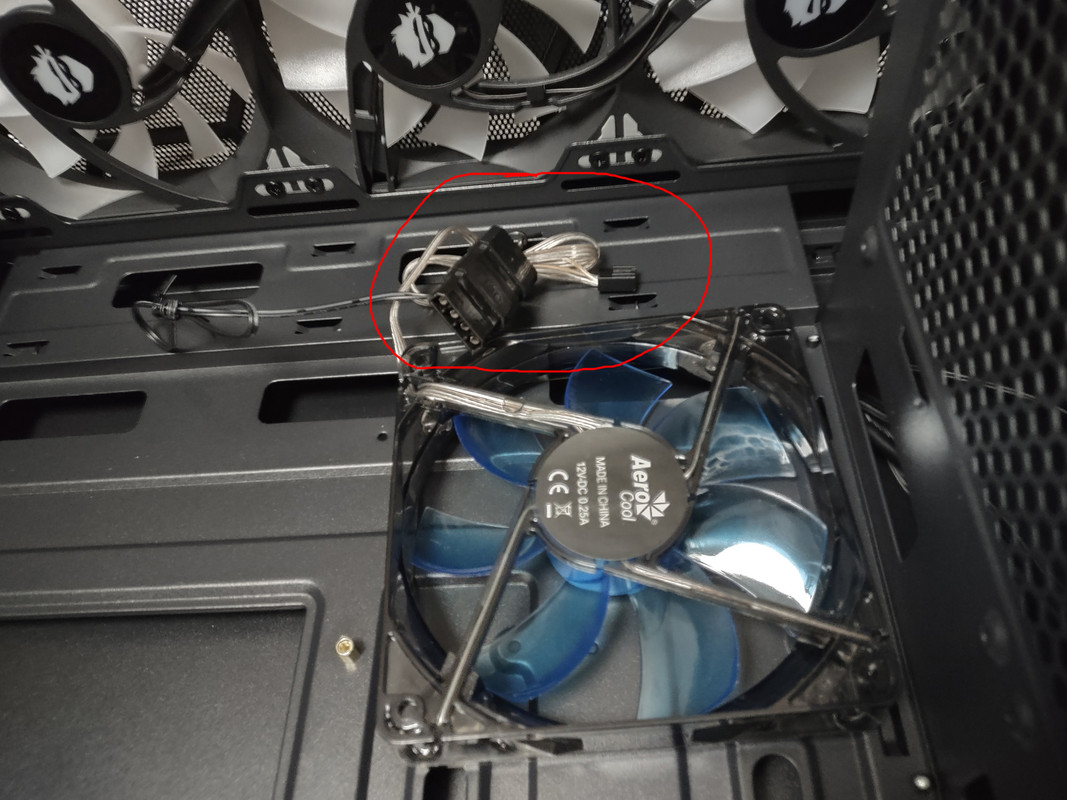
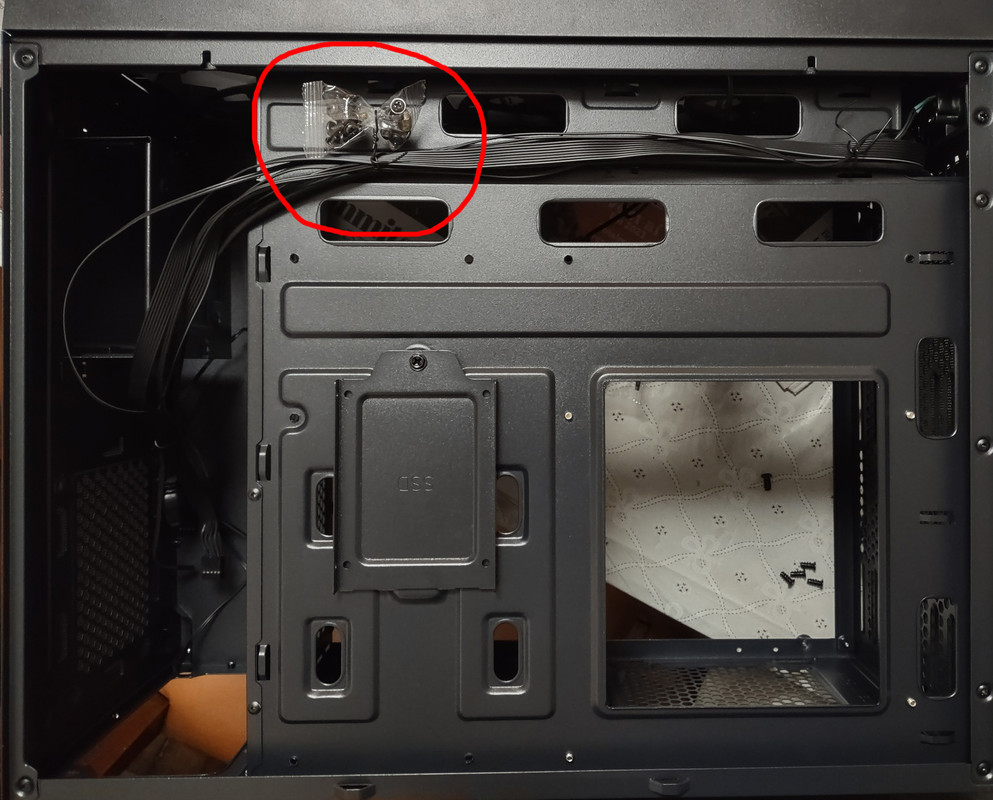
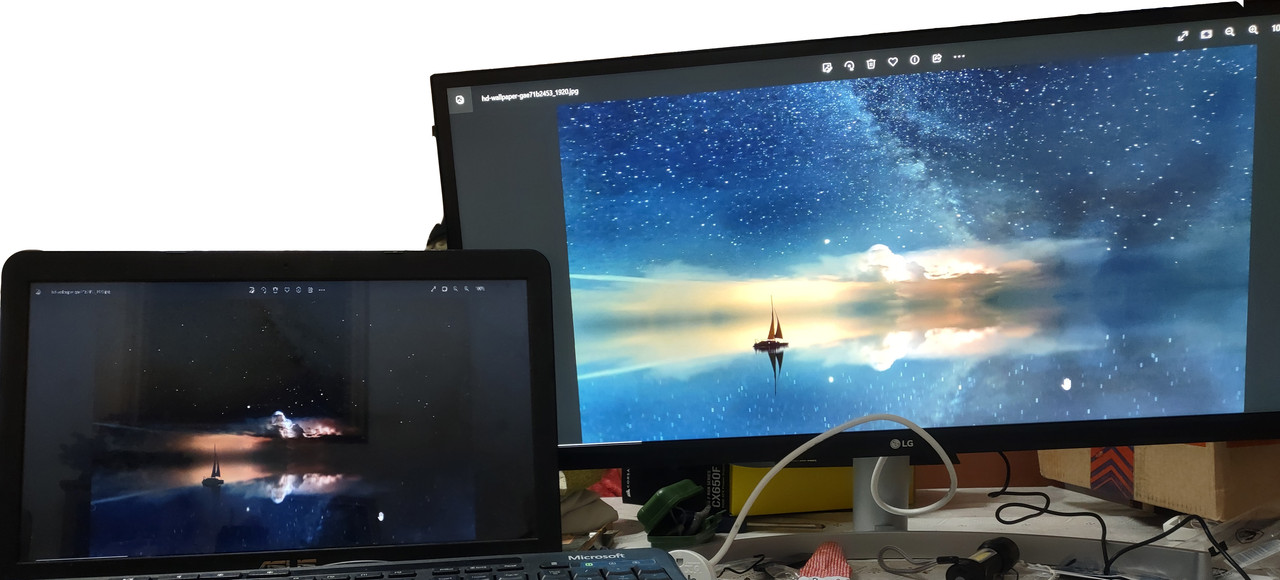
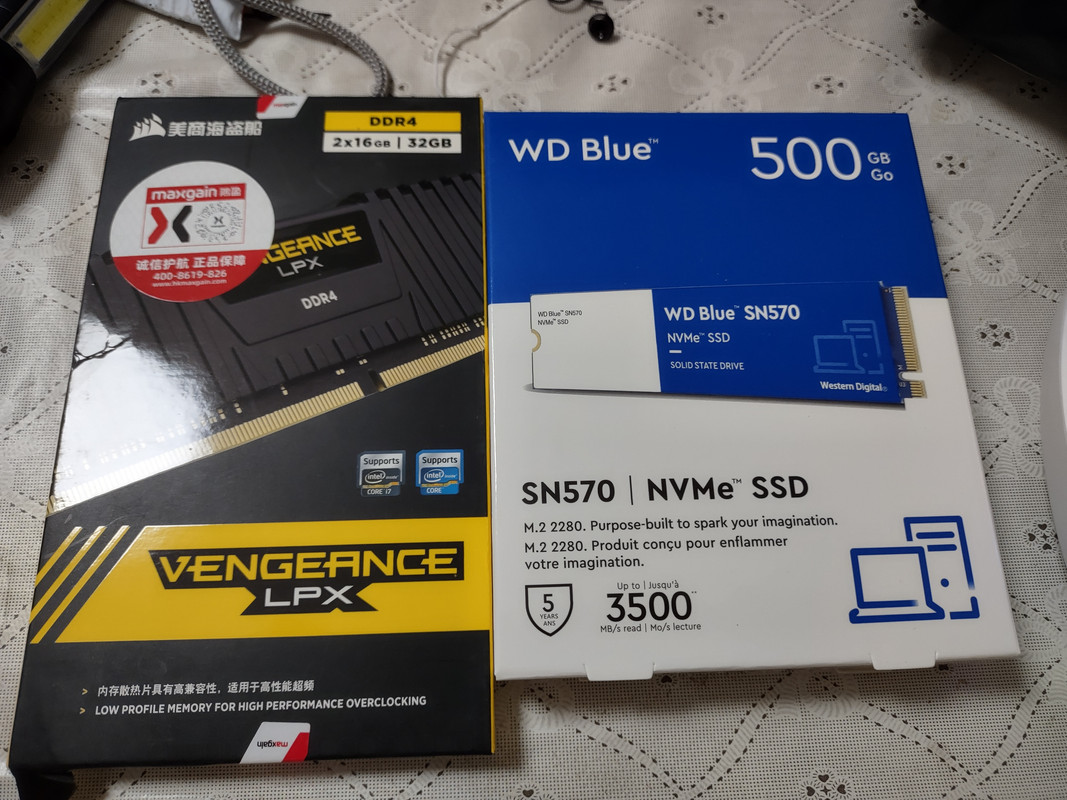
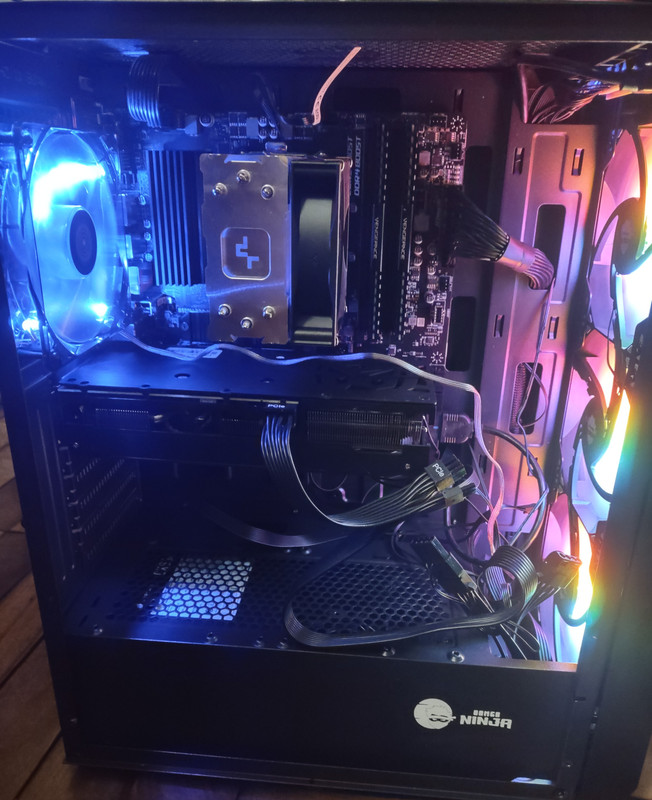

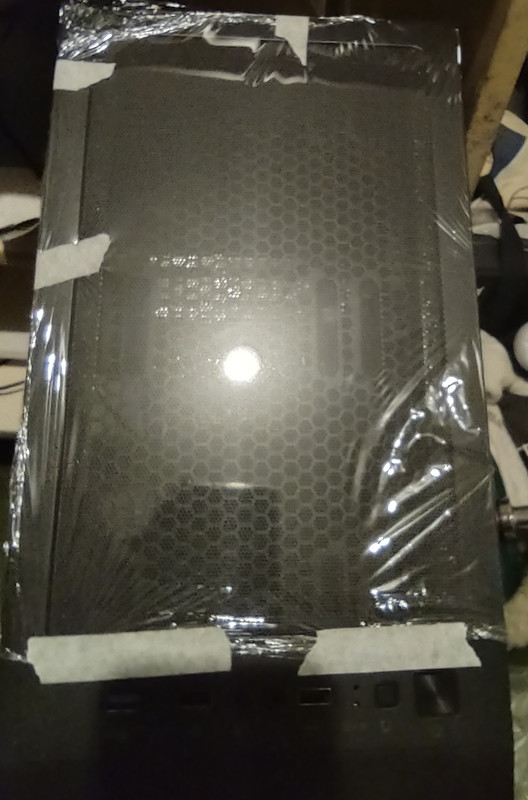
 frigid heath
most is allready owned so it really doesnt matter the cost to mine em
untill offc the cost to mine goes way above the price at that time cuz than a lot of miners will stop and the network becomes a lot less secure
for me personally I dont believe tether is fully backed, so that makes crypto too risky to put any kind of real money in
the odds of a bankrun are too high... google and microsoft will allways hold some value
median marsh
frigid heath
if there are 1m mined and 20m left to mine... now it gets more expensive to mi...
which shows how dumb the system is since it's probably getting harder to mine the remaining 20M than the first 20M, which then will cost more money when using the same method... the whole thing is broken by design
frigid heath
well its not really broken, but im not a fan of it either
I expect it wil go in a deathspiral... but who knows
I think the Saudis own a lot and they have a lot of reasons to keep it up
wind egret
Better to buy $10 of coin now, sell it for $5 later, and save $10 worth of stress on your GPU.
timber cobalt
frigid heath
I think the Saudis own a lot and they have a lot of reasons to keep it up
Saudis often invest in nft games as well, so there it is
when you have tons of money, you throw it to some direction and maybe it will make some profit
if not you make some artificial islands on the ocean, or build mall in the desert
they have obscene amount of money and sinking some in crypto is like a rounding error for them
 paper stream
hey guys what do you think i should upgrade in my system CPU: 2x Intel Xeon E5-4657L v2 @2.9GHZ Ram: 64GB Ddr3 @cold quarryMhz Strorage: 512GB M.2 Ssd 6TB Hdd PSU: 1000w Asus Rog Strixs GPU: MSI Rx 570 4GB
median marsh
everything, except for the PSU
fallen oasis
Not sure what that graphics card is.
median marsh
old (probably >10 years, nvm seems to be "only" 6 years old)
median marsh
it was a great card at it's time, yes
but nowadays even a 3050 is faster (not that i would recommend upgrading to a 3050)
vagrant anvil
even though that system has dual 12-core cpus, I'd bet a single 7950X or 13900K would be faster by a decent margin.
median marsh
probably even a 5950x
vagrant anvil
i'd upgrade the PSU too, just wouldn't trust a 10 year old PSU
median marsh
specially with mostly single threaded workloads (which is 95% of gamedev)
vagrant anvil
the bump from that DDR3 to DDR5 would be nice
that gen of Xeon is a curse word here because we used to do Quad CPU in a workstation tower. had to do some strategic dremel work on the case 😆
median marsh
yea it's kind of sad, that machine seems pretty nice and is probably still very good for a lot of multi threaded workloads, but for UE not so much
fallen oasis
Might be good for a server.
paper stream
yea this pc is pretty slow sometimes but its ok for now i just need to get money to build a real pc
well i just got this pc and its a pretty big upgrade from my previous one cpu fx 4100 ram ddr 3 12b and only 1 tb storage same gpu
median marsh
at some point the GPU might become a blocker and you just can't do more without more VRAM. The CPU/Memory is only bottlenecking speed, they should be sufficient for most stuff tho
paper stream
4 Gb has really been a pain sometimes i get vram exhausted in ue 5 and im not surprised its just a real pain
median marsh
yea try to keep your texture resolutions low, you can still add them as 2k/4k but control in their texture settings that only 1k resolution will be used (a limit which you could later raise)
https://www.youtube.com/watch?v=uk3W8Zhahdg&ab_channel=UnrealEngine this video does a good job at explaining it

This time on Unreal Tips & Tricks, we look at how to manage the Texture Streaming Pool size to take advantage of more video memory, or VRAM. By doing this, we can avoid going over our allocated VRAM budget for streamed textures and MIP maps. We'll also take a brief look at how to modify multiple textures at the same time.
For more details, plea...
paper stream
the nice thing about this pc is the shader compilation is crazy fast with 24 cores
thanks for this vid
 halcyon obsidian
I've been trying to decide between a Radeon RX 6600 8GB or a Rtx 3050 8gb, the 6600 is about $50 more expensive here but it seems to do better in most benchmarks I've seen, but on Blender forums most seem to lean towards Nvidia for Optix rendering so I'm curious about which would be the better choice for Unreal.
devout pendant
mined 1 USD. Now I'm going to wait.
spice girder
halcyon obsidian
I've been trying to decide between a Radeon RX 6600 8GB or a Rtx 3050 8gb, the...
I personly would say anything with less power then a RTX 3060 12 GB is hardly worth is for Unreal Engine, unless you make only small or tiny projects.
halcyon obsidian
spice girder
I personly would say anything with less power then a RTX 3060 12 GB is hardly wo...
Thanks. I was considering the 3060 as well for extra $70, I guess I'll be going for that one 🙂
spice girder
halcyon obsidian
Thanks. I was considering the 3060 as well for extra $70, I guess I'll be going ...
and don't take any gpu with less then 2 fans on it
halcyon obsidian
spice girder
and don't take any gpu with less then 2 fans on it
Thanks for the tip, greatly appreciated
 tropic rampart
I am thinking about buying an high end laptop, I always liked being able to grab it and go. However is laptop a good choice for me I am not sure, so I kind of need some convincing, I would really appreciate your experiences if you have any. I have 10900k, 2060 on my desktop. I am planning to buy 13xxx, 4080/4070 laptop however.
I know most of the time I wont be able to use it non-wired while working, but that is not an issue for me, same goes for heating if it doesnt damage the parts
I will be "docking" it at home with monitors, and use it as is when I am outside. Im sure I can find a plug.
frank glade
Sounds good, probably faster than your desktop?
tropic rampart
it is but I am worried about if it is future proof
or if it actually performs okay while working under heavy load
I would like to hear from someone who used this kind of laptop like a long time review
 storm night
7800X3D or 7950X? Was going to get the X3D but I saw today that the 7950X was 23% off and only $100 more than it. Not sure which would be better for Unreal Engine given its unique place as a game engine.
sinful thicket
7950X is a lot more powerful.
devout pendant
intel
spice girder
devout pendant
intel
for game development not really and the power consumption is also much higher than with Amd
vagrant anvil
7950X for dev work, 7800X3D for game playing. you won't get much help from the X3D in the editor itself.
while the 7950X beats the 13900k, its also more expensive. anything lower tier that 7900X/13900K, Intel beats AMD in performance
devout pendant
Intel
sinful thicket
7950X for both game playing and game dev.
 steel forge
I got a i5 4460 atm and its slow ahhh and a gtx 1060 6gb. I want to upgrade to a AMD cpu but i also gotta change from a Gigabyte GA h79m motherboard to something else like a asus motherboard
Anyone know what i should change motherboard aand cpu wise with a £200 budget?
obtuse rapids
Pretty sure I've got the 128 gb memory problem - I've been using two 64 gb kits - purchase at the exact same time in the same lot, So they have the best chance of being a part of the same memory build. Granted that doesn't really guarantee anything at all as opposed to a full kit, but there weren't many options in January ( I doubt there still are)
When I initially set it up I said it to use XMP profile and the most I could get from the G-Skill ripjaws s6 was 4400 and it seemed stable so I left it.
During this time and lately it seems more of it, I've been getting more random errors things like the Discord or Chrome crashing or a bunch of different older games crashing.
What's the go-to memory testing thing nowadays? Particularly for the DDR5 with 128gb in use?
median marsh

MemTest86 is the original self booting memory testing software for x86 and ARM computers. Supporting both BIOS and UEFI, with options to boot from USB.
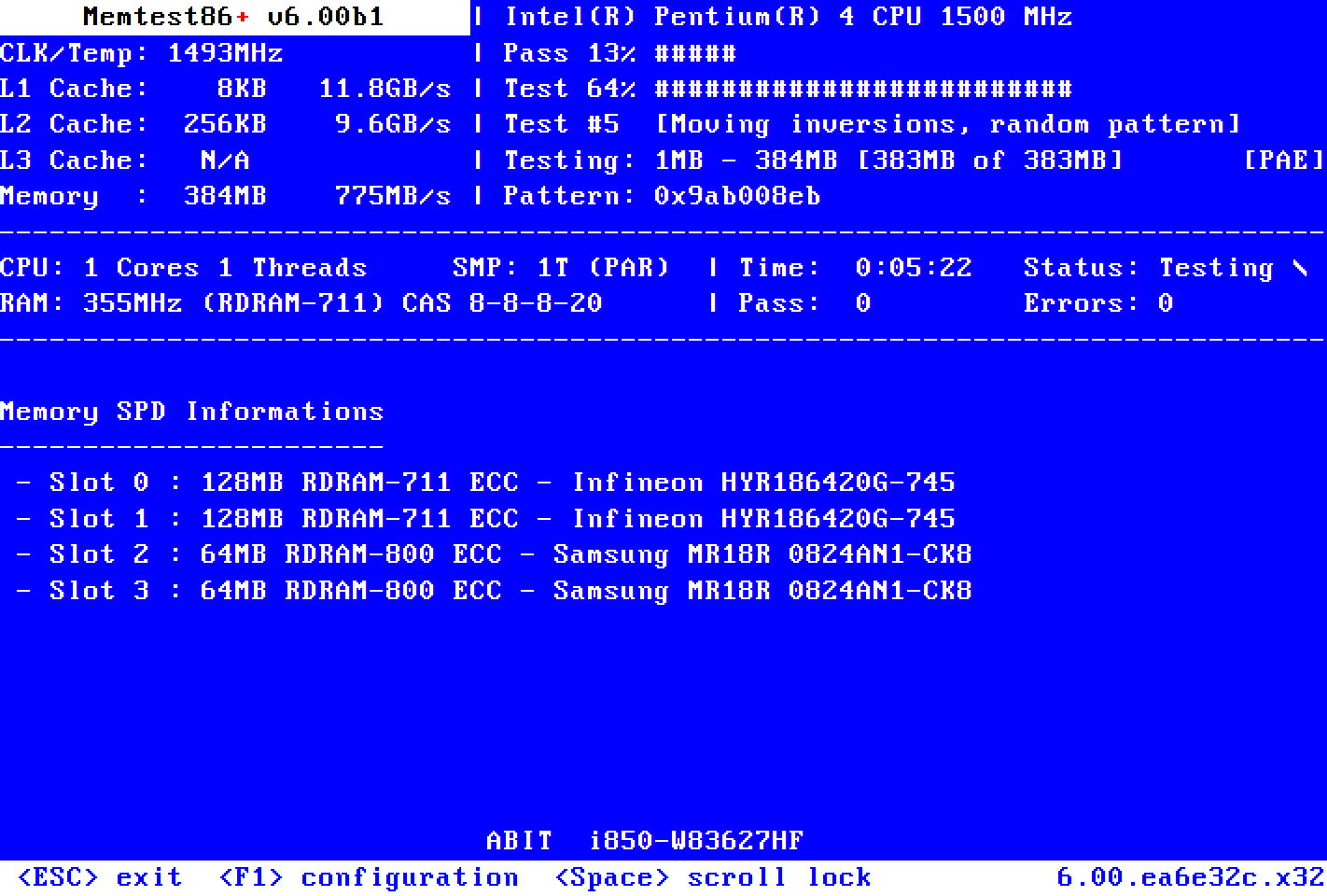
Memtest86+
Memtest86+ is an advanced, free, open-source, stand-alone memory tester for 32- and 64-bit computers (UEFI & BIOS supported)
obtuse rapids
Just making sure nothing has changed - I've got a usb stick for memtest
Here's what confuses me - I enabled XMP 3.0 and set speed to auto - in bios it says "AUTO - 4400" okay, I guess 4400 was the speed it picked to go auto - but when I get into windows -
 obtuse rapids
median marsh
https://www.memtest86.com/ or https://www.memtest.org/
obtuse rapids
median marsh
https://www.memtest86.com/ or https://www.memtest.org/
it's weird
median marsh
idk why windows shows something different, either your bios falled back to another speed, or windows shows the information from the dram controller
g.skill memory is often just overclocked memory which is rated for slower speed (from the company who sold the dram chips to gskill)
i made the same mistake to buy gskill even tho i had ddr2 from them fail on me -.-
they really seem to be unreliable
and for their RMA i have to send in the whole kit, which is why i probably wait until the next one fails -.-
obtuse rapids
median marsh
idk why windows shows something different, either your bios falled back to anoth...
well - how can i just set this to the most stable speed? I can set it manually to 3600, or I can set it to an XMP profile and then set that profile to 3600? which will result in most stability?
obtuse rapids
Or is there a way to disable some dimms in the bios without pulling the actual RAM sticks out?
median marsh
probably not, and even if you run it on lower speed it might cause errors
i would really advice running memcheck and getting rid of the faulty module, since you really don't want to deal with data corruption, etc.
obtuse rapids
okay but what speed should I test it out to sure that it is in the base settings?
obtuse rapids
median marsh
probably not, and even if you run it on lower speed it might cause errors
I'll run it overnight which hopefully should at least find a faulty module
median marsh
it's usually pretty quick at detecting them, unless yours only produces errors when it's warm
and idk about the speed, you probably got DDR5, which i haven't messed with yet
obtuse rapids
it's a rabbit hole of the worst case of early adopter problems I have ever seen
obtuse rapids
median marsh
it's usually pretty quick at detecting them, unless yours only produces errors w...
should I disable XMP and just run them at a slow speed? what speed should I run them at?
for the memtest I mean
median marsh
for memtest i would test with XMP and without (they probably will use some default timings/speed then)
and when you figured out which module it is, you should test it alone without any other module in the mainboard, to get sure that it's not a dualchannel incompatibility
obtuse rapids
ugh
obtuse rapids
median marsh
for memtest i would test with XMP and without (they probably will use some defau...
Fuck I have the z790 generation what a clusterfuck of shit. I've been trying to boot into f****** mem test for an hour now
And it just doesn't f****** work
WHYYYYYY
There's no UEFI option and I tried two different USB sticks formatted for the most recent version of UEFI memtest
serene dome
I have not seen Memtest86 be recommended ever since its fall from grace a decade ago... Btw, I wouldn't rely on a single program/test for stability.
fallen oasis
What happened to memtest86?
serene dome
IIRC, development had stopped and it got bought
The ones linked on here are the two forks from the original
fallen oasis
Ah.
median marsh
it serves it's purpose tho (and even memory companies recommend it for testing...)
obtuse rapids
Is it not recommended because it doesn't work? Maybe I'm missing something but so far it hasn't failed -

I have a question about the RAM info though : that speed and settings are NOT What I have it set to in the BIOS, at least I'm pretty damn sure. If it passes its final error checking, is it basically giving me the timings there that I would want to use ? I don't know enough about memory controllers to know if the same settings used in mentest would also be effective in booting into Windows/XMP profiles
agile lodge
Experience AAA gaming in the palm of your hands with the ROG Ally, the Ally delivers incredible gaming performance anywhere you go.
fallen oasis
"play all your games" with thumbsticks 😦
fresh fog
Osu with thumbsticks
serene dome
Is it not recommended because it doesn't work? Maybe I'm missing something but so far it hasn't failed -
It definitely works but it is not recommended due to how long it takes for it to detect errors. Memory overclocking is already time intensive enough, and relying on Memtest86 alone can quickly make it prohibitive for most people. If you are going to use it, then I'd advise to test your modules/kits to what they've been tested and certified for to get a baseline... so no mixing kits together.
I have a question about the RAM info though : that speed and settings are NOT What I have it set to in the BIOS, at least I'm pretty damn sure.
If it's anything like the original, then that is just static info that it arbitrarily read from the SPD table and the settings you've inputted into BIOS are what is being used. A decade is a lot of time to make tweaks and improvements so that may not be the case anymore.
is it basically giving me the timings there that I would want to use ?
As far as knowing which settings to use when starting to overclock, looking at the SPD table is a good start. Use the info for 4,400 MHz since this is: DDR5, Intel RPL, 2 DPC, and 2R. If minor tweaks to those settings (timings, voltages, etc) don't get you stable, then get acquainted with some serious memory overclocking (which I feel is out of scope for this channel in this server).
median marsh
didn't even take me 5minutes to find errors with 128GB memory with memtest86+
maybe i was just "lucky"
serene dome
Maybe they've improved it lately, I don't know... but all I've ever heard from others using it is complaints on how long it takes compared to others
In any case, I'm still advocating for multiple programs for thoroughness
median marsh
it doesn't take any longer than any other memory test for the same procedure, why would it even?
it does a lot of test patterns, which other memory testers may not do by default
but you can disable that in memtest86+ aswell
those who complain about it's speed don't understand how it works
serene dome
It's not just about its speed. Many have passed Memtest but failed on others. Again, I'm all for multiple testers
median marsh
Memtest86+
Memtest86+ is an advanced, free, open-source, stand-alone memory tester for 32- and 64-bit computers (UEFI & BIOS supported)
 drowsy gale
I managed to crash memtest86+ instantly by installing two different 8gb sticks in an old laptop
no errors, just dies at 55% in pass 0 test like, 2.
pearl quartz
Hmm do I need another 64gb of RAM
sinful thicket
pearl quartz
Hmm do I need another 64gb of RAM
My heavy lifting machine has 256GB 8-channel RAM.
You probably don't need more unless you know you do. I wouldn't want to do serious dev on a machine with less than 64GB though.
fallen oasis
@vagrant anvil When you test compiles times, do you use the bShowCPUUtilization flag in your buildconfig.xml?
vagrant anvil
thats the area I'm least familiar with. Being a former Environment Artist, compiling code is new to me. currently, I'm just using the time to complete in Visual Studio 2022. We are bringing a programmer on board to help make the benchmark something that anyone can download and run, so if you have a better suggestion on how to do it, i'd love to know more.
fallen oasis
No, guy at my company is just testing the output on various machines and the utilization %age is pretty random. Was wondering if you guys had any experience with it.
vagrant anvil
ah. I've had very strange experiences with Xeon procs lately. One CPU will have really bad compile times, but shaders and light baking are just fine, then swap CPUs and the new one does great in code compile, but shaders take 3x as long.
fallen oasis
Lol
 gritty kraken
Which laptop setup do you recommend me (I'll mostly use it for unreal engine)

 fallen oasis
The 6gb of vram in #2 is going to hurt you.
gritty kraken
fallen oasis
The 6gb of vram in #2 is going to hurt you.
OK thx
median marsh
even 12 isn't enough
median marsh
i bet i'll even exhaust 24 😄 (or rather unreal + blender...)
gritty kraken
fallen oasis
You want 12
Yeah but the price ...
gritty kraken
fallen oasis
If you're worried about price, don't buy laptops.
I need a laptop because it takes less space and I can bring it with me wherever I go
fallen oasis
Then you're paying for that convenience.
gritty kraken
fallen oasis
Then you're paying for that convenience.
I know that's why I have to sacrifice some performances
vagrant anvil
the 16GB of system RAM isn't going to be great either
I'd prefer the CPU from #2 and the GPU from #1
gritty kraken
vagrant anvil
I'd prefer the CPU from #2 and the GPU from #1
Thats why it's hard to chose
Do I prioritise cpu or gpu ?
fresh fog
8 cores will honestly be fine for ue work. It's the vram that gets you
gritty kraken
I think I'll just wait until there are more sales
I might aswell wait until the black friday sales
 paper gust
Hey, I am wanting to order new PC parts and build a new PC from scratch specifically for UE5 and 3D Artwork + Gaming. Anyone recommends any specific/particular AMD CPUs and Motherboards? Also, how much ram? I need it for video rendering work too in Adobe premier.
 hybrid lichen
https://www.amazon.in/ASUS-15-6-inch-i7-12650H-RTX-3070-FX517ZR-HQ030WS/dp/B0B3DPZ17X/ref=sr_1_14?cri is this laptop cut out for ue5?

Clean lines define the look and feel of the new 2022 TUF Dash F15. A mecha-inspired aluminum top cover is available in Off Black or Moonlight White. This modern design is at home, at LAN parties and offices alike, closing down to a streamlined 19.95mm thin for portability between both. Super-narr...
 dim acorn
fallen oasis
The 6gb of vram in #2 is going to hurt you.
dim acorn
fallen oasis
The 6gb of vram in #2 is going to hurt you.
What am I losing at 6 gb vram?
I have a 3060 desktop with 12 gb vram but looking to also get a laptop to work while travelling, so I want to understand where to cut corners
Because any 3060/70 laptop is ≥ my 3060 desktop (in cost)
fallen oasis
The ability to load textures and meshes and display them in your scene