#virtual-production
1 messages · Page 6 of 1
 silver orchid
 waxen oxide
@left sierra Ideally pixels are rendered 1:1, scaling is undesirable. For professional LED setups, you're typically looking at a setup where you have an UE render engine -> Scaler (Something like a Barco E2, https://www.barco.com/en/product/e2-gen-2) -> LED processor (Something like a NOVASTAR) -> pixels on LED.
 devout lintel
anyone have some experience with web remote control?
 left sierra
i know led walls are made of panels. when you say their own GPU what do you mean? like some driver that controls them or an addon PCIe graphics card gpu?
left sierra
waxen oxide
<@!268857321604513792> Ideally pixels are rendered 1:1, scaling is undesirable. ...
so from all that you people tell me, the setup can become quite complex. where can i look more into it? is there a guide or something? i thought those virtual production field guide by epic vol1 and 2 would be like guides or something but they are not very helpful
ok the budget may be prohibiting for me alone, but if i am to approach some green screen studio or some rental house with a proposition to invest in a virtual production studio, i cant be that uneducated about this. but where can i learn more?
waxen oxide
I've worked fulltime in virtual production for five years, I'd be happy to answer questions! There's not much in regards to A-Z "Manuals" that I'm aware of, because there's hundreds of different technologies, lots of possible workflows/usecases, as well as generally way more fields of expertise than a single person would be expected to cover singlehandedly.
If you are looking to just get into virtual production, a greenscreen for virtual studio, or just plain AR, with a budget tracking solution, is going to be your best bet.
If you are looking to use it for live broadcast, you suddenly need to start worrying about different signal rates, color spaces, genlock, and all the broadcast engineering that goes into fitting Unreal into traditional video pipelines, which is a whole different beast.
 wraith cosmos
left sierra
ok the budget may be prohibiting for me alone, but if i am to approach some gree...
wraith cosmos
left sierra
ok the budget may be prohibiting for me alone, but if i am to approach some gree...
Are you trying to setup a rental house for shooting live production?
left sierra
wraith cosmos
Are you trying to setup a rental house for shooting live production?
yes thats about it
personally i care most about having a led wall/room and a tracked camera. not for broadcasting. i have worked with green screens and i dont like the workflow. btw film and video are intense hobbies of mine, my work is in architecture and construction. so anyway i see two paths, either invest some of my money and also look for interested investors to set up a virtual production studio
or i approach existing studios to talk about investing in virtual production using unreal engine. (in that case maybe they will be interested in broadcasting)
either way, i need to learn many more things about this and im looking for info about it
wraith cosmos
left sierra
personally i care most about having a led wall/room and a tracked camera. not fo...
Green screen might not be as bad as you think it is. When you composite the real life keyed live footage into the unreal engine, the unreal engine lighting takes over and you can light the subject in unreal engine.
So use a hybrid of green screen and projector depending on how reflective your subject is.
I would recommend spending about 5-10K usd and start really playing with this stuff so you can figure out what to scale up to a rental space.
You would need an onsite UE4/UE5 person to oversee all of this and make sure things are working properly, lighting, scene, etc. I would also assume anyone who spent the time to learn all of this is busy working on their own projects.
left sierra
yes i have to make some tests thats true. green screen spaces are existing and quite popular so there not much new i can do in that field.
 tepid agate
Hello! Is there a way to jam the timecode for unreal, and after the sync the engine provides it's own timecode? Or the BMD timecode provider needs continous video feed with timecode embedded to work correctly?
 solemn nova
Question
Can someone recommend me a Cryptomatte or Alpha Matte tutorial? I tried the tutorials from Winbush and Faucher, but they do not cover the post production. I can't get a clean alphamask, i think im doing something very wrong.
 zenith cove
solemn nova
`Question`
Can someone recommend me a `Cryptomatte or Alpha Matte tutorial`? I t...
zenith cove
solemn nova
`Question`
Can someone recommend me a `Cryptomatte or Alpha Matte tutorial`? I t...
Are you unable to get a clean alphamask out of UE4 or in general?
I think there are some cryptomatte sample sets somewhere, you could try if you can open those
solemn nova
zenith cove
Are you unable to get a clean alphamask out of UE4 or in general?
Yeah I am exporting a clip with .EXR data and inside After Effects i use ColorKey to key out the part i dont want. Then I combine the two layers with the mask and the original object, then i key it again to remove the background. But i keep getting aliasing on the edge, i tried shrinking the mask and feathering it but somehow it just doesnt look right.
Normal

CryptoMatte

and then keep getting this result
 zenith cove
solemn nova
Yeah I am exporting a clip with .EXR data and inside After Effects i use ColorKe...
zenith cove
solemn nova
Yeah I am exporting a clip with .EXR data and inside After Effects i use ColorKe...
Hmm, this feels familiar from my distant past in a VFX house. Is there motion blur or depth of field on? How does it look in motion? Maybe you can get away with a non-pixel perfect mask
If I remember correctly, we used to deal with it by adding just a bit of gaussian blur to the mask
(we did a lot of bodging)
solemn nova
zenith cove
Hmm, this feels familiar from my distant past in a VFX house. Is there motion bl...
This segment is almost no motion, a rotation of maybe 3degrees over around 15 seconds
It's a bit wierd because the rest looks fine
I will try the Gaussian blur
and otherwise i'll just mask it with some fake Bokeh, but I want to learn to use the Matte's correctly for future use.
zenith cove
solemn nova
This segment is almost no motion, a rotation of maybe 3degrees over around 15 se...
It's a Blender discussion but this seems close to your issue: https://blenderartists.org/t/cryptomate-matte-edge-imperfection/1189344/22

Blender Artists Community
OK here is something more challenging … Render + Matte Cryptommate + InPaint Just for comparison when those colors are rendered … InPaint vs Render
solemn nova
zenith cove
It's a Blender discussion but this seems close to your issue: https://blenderart...
It does only cover Blender indeed, but i'll give it a read on my break
Thanks for trying to help
 sly wing
hi! can i pls ask is there anyway to convert a meta human into an asset that can be used in unity? Thank you! Or is it easy to export a 3d world made in unity into unreal engine? Thank you!
sorry about this wishful thinking haha i got asked regarding metahumans avatars visiting my VR world today (https://www.unrealengine.com/en-US/metahuman-creator) and as far as I can tell this will only work if I set it all up in unreal engine/ maya?

Unreal Engine
Create photorealistic digital humans, fully rigged and complete with hair and clothing, in minutes.
I have so far only used unity as a game engine
zenith cove
sly wing
hi! can i pls ask is there anyway to convert a meta human into an asset that can...
Doubt it and you will more than likely run foul of licensing
solemn nova
Anybody knows what unreal engine version does the latest NDI support? It's not clear on NewTeks website
 fervent dove
https://gyazo.com/a1c3a03f5f7c03cd9684bac3dcbfc1ca
hey guys im new is it possible to change the colour of this effect ?

 ornate lance
fervent dove
https://gyazo.com/a1c3a03f5f7c03cd9684bac3dcbfc1ca
hey guys im new is it possib...
ornate lance
fervent dove
https://gyazo.com/a1c3a03f5f7c03cd9684bac3dcbfc1ca
hey guys im new is it possib...
In the required tab at the top there should be a path to a material where you should be able to change the color
Do daylight only lights work with dmx control through ue4??
I'm trying to use an aputure 600d and it's daylight only, but I can't seem to control it with dmx
 vernal igloo
Hello I have a question regarding Switchboard and nDisply.
When I start nDisplay with switchboard my main monitor is used to display nDisplay and not my preferred output device (a beamer for testing). Here is my question where can I change this so that nDisplay is displayed on startup on my preferred output device?
thanks in advance
solemn nova
solemn nova
Yeah I am exporting a clip with .EXR data and inside After Effects i use ColorKe...
That's not how cryptomatte is supposed to be used
It's not a clownpass
solemn nova
solemn nova
That's not how cryptomatte is supposed to be used
do you have a sollution or refrence where i can find some information?
https://www.youtube.com/watch?v=_cOG53NWJj4&ab_channel=JakeInMotion @solemn nova check this out. Think you'll be pleasantly surprised on how powerful it is.
In this quick tutorial, I explain how to use the Cryptomatte effect in Adobe After Effects.
🤝 Support more YouTube tutorials through Patreon: https://www.patreon.com/jakeinmotion
🎓 Learn from me other places:
Skillshare: http://bit.ly/jbskill
Explainer Camp: https://www.schoolofmotion.com/explainer-camp
Photoshop + Illustrator Unleashed: https...
solemn nova
solemn nova
https://www.youtube.com/watch?v=_cOG53NWJj4&ab_channel=JakeInMotion <@4562265777...
thanks got it, was just the selection and it creates a matte. very nice

much cleaner than my jank sollution 😄
zenith cove
Oh I didn't realise you weren't using the CryptoMatte plugin, sorry mate
 wise heron
Does anyone know if there are some general guidelines around for preparing assets and scenes for virtual production, especially in terms of performance?
ornate lance

How to use Composite Brush for Unreal Engine Launch
More info https://cgrecord.org/composite-brush-for-unreal-engine/
Video provided by Christopher Vranos
#Compositing #VFX #RealtimeCompositing
More plugin please visit:
http://www.cgrecord.org
http://plugins.cgrecord.net/
And even more on :
http://www.cgrecord.net/
http://tutorials.cgreco...
alright gents, flood this mans inbox, we need this plugin
 potent plover
anyone ever use large PNG sequences and have issues with them dropping frames when rendered out in movie render queue or sequencer
 onyx flume
potent plover
anyone ever use large PNG sequences and have issues with them dropping frames wh...
onyx flume
potent plover
anyone ever use large PNG sequences and have issues with them dropping frames wh...
Go to Project Settings and search "cache" and look for IMG Media caching settings. I set the Cache Behind Percentage to 0, Cache Size .25, Cache Threads 2 and Global Cache Size to 24. See if that helps, you should get better playback in Editor. It's only when I start playing 3 or more media tracks where it'll start to stutter. But out of MRQ I don't get frame drops
In the documentation it also recommends using EXR sequences vs PNG, but I've worked with both
 safe apex
is there a quick/easy way to add "fly camera" controls to my cinecamera? I feel like someone must have already made a BP for this, or I am missing something, but I can't find anything and just want to be sure before I sit down and write a BP that does that
safe apex
ah, realizing i can mostly just steal from the third person template
 harsh cradle
Hey everyone! Just wondering if anyone has been using Composure with Lumen? I've noticed that the scene capture components seem to default to Screen Space GI even though Lumen is set (both Early access and Preview). Wondering if this is expected behaviour or if I'm missing something? If so, is there a way for Composure layers to work with Lumen at all?
 formal star
Has anyone any idea why is my UE 4.27 live production project using bm decklink for capturing and output and vive trackers for camera tracking, when i start the project using simulate button to get the traking data, my PC usb ports are disconected then reconected in loop so the whole pc is unusable. Steam Vr is working ok outside UE, UE working ok and capture and output working perfectly. Only when is start the project with simulate button to run the blueprint i have on my camera everything goes bad.
 sick idol
UDIM and virtual texturing question. Im having texturing poping when rendering out 4k images. The models have like 80 UDIM's and 4ktextures on them. Is there anyway to reduce texture poping or fully load in the udims? Thank you!
solemn nova
Is there a way to move or resize a subject in composure? I have a green screen that i want to simply move in the composition.
Thanks
 proper gull
Hi Guys! Anyone kind enough to point me in the direction of a tutorial for building virtual concert/conference stages in UE? Thank you so much
 wet mist
Hello Guys. Does anyone using UE Virtual Scouting?
https://docs.unrealengine.com/4.27/en-US/BuildingWorlds/VRMode/VirtualScouting
Does it has multiplayer functionality?

Virtual Scouting lets filmmakers scout a digital environment in virtual reality.
 velvet radish
Hi all, do you know how to constrain the HMD position? I’m piloting a drone but when I put on the VR the FOV is translated along the drone z axis (so I can see the drone by looking down)
solemn nova
Hello,
Is there a way to get working stream from RTSP protocol, where URL has login and password and show this stream in UE4 ?
 loud viper
Hi everyone. Question about chroma key.
I've got a small green screen, tracker on real camera, and composure plugin for chroma keying. I have an issue: when I'm using it for a live stream part of my room can be noticeable when camera is moving. Is there any way to mask out everything in a shot, except me? For example: I'm standing "in a forest" and when camera is moving, there should be a forest, but instead I see my room.
Cheers.
 modern apex
Hi guys can anybody help me in rendering camera with latlong with 180 fov
 thick coyote
loud viper
Hi everyone. Question about chroma key.
I've got a small green screen, tracker...
thick coyote
loud viper
Hi everyone. Question about chroma key.
I've got a small green screen, tracker...
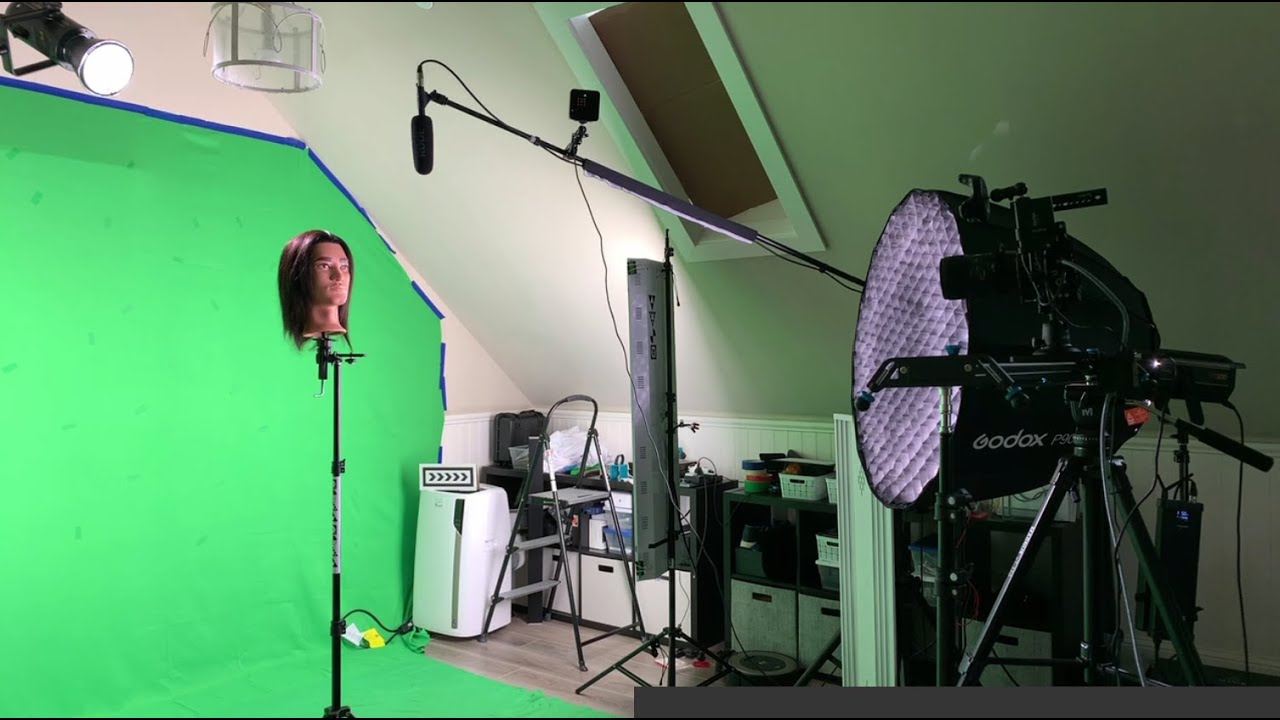
Hey! Yes, there is! 🙂
Here is a good video that shows how to set up a garbage matte. (from 33:39)
https://youtu.be/U_hxPQj9yig?t=2019
 gloomy dirge
Have any of you guys managed to get video files in the media player to play in directx 12?
gloomy dirge
nvm i used the electra media plugin to play vid files instead
zenith cove
Is there a way to create a MediaPlayer and MediaTexture inside a Blueprint so I can have everything nicely encapsulated instead of creating a bunch of assets in the content editor?
Of course I type that message and I remember the ConstructObjectFromClass node
zenith cove
Tried to do as included in the image but it crashes on runtime. Hmm
 loud viper
thick coyote
Hey! Yes, there is! 🙂
Here is a good video that shows how to set up a garbage ...
loud viper
thick coyote
Hey! Yes, there is! 🙂
Here is a good video that shows how to set up a garbage ...
Thanks a lot!
solemn nova
Someone know how to syncro play composure with sequencer? I want to start at the same time I press play in sequencer both animation and video in media plate..

 faint crag
Hello everyone. I am getting in to virtual production for making short films. About a year ago I did a bunch of research on the process, and I'm currently getting back up to speed to learn UE, virtual production techniques, and make a small project to test things out.
I want to build a virtual camera rig using a HTC Vive wand for virtual camera tracking (I already own a HTC Vive), and attach a mobile device/screen to use as a viewfinder/viewport/monitor. The last time I checked out how to stream/sync a camera to another device, Unreal Remote app was the better (only?) option but was iOS only. I have a Samsung Galaxy Note 9 and am relegated to Android options for now.
I have reviewed documentation and I can't seem to find a way to stream a camera from UE to another device without Unreal Remote, and an iOS device.
Maybe there is a different feature I should be considering? There is an Android app on UE marketplace, but it doesn't sound reliable, and there is no demo.
I also have an ASUS ultrabook, which is light enough to consider for building a camera rig, but if I can use my Samsung Note 9 would be much better (and much easier to mount safely for quick motions).
I'd appreciate any insights or assistance 🙂
faint crag
harsh cradle
Hey everyone! Just wondering if anyone has been using Composure with Lumen? I've...
Hello. I don't have the expertise to troubleshoot Lumen, but William Faucher covered off some pros/cons and caveats with using Lumen. Check out this video. There are some comments from him about Lumen lit scenes, and Screen Space GI being in place instead of Lumen. https://www.youtube.com/watch?v=1e6oOiKh91U

Probably the most important tutorial I've made for Unreal Engine 5.
The first 1,000 people to use this link will get a 1 month free trial of Skillshare: https://skl.sh/williamfaucher12211
This video contains a whole bunch of important information that WILL AFFECT how you create content for UE5 using Lumen. I cannot stress enough how necessary th...
 timber crater
For DMX, is it possible to listen in editor for all channels in a universe, then get the value which is sent? Or does it require to patch every single channel? I've managed to span the channels across all the 512, but im not able to retrieve the value which is recieved
I receive signal on all channels, but i cant retrieve the value

 chilly ivy
I am TERRIBLE at lighting. Does anyone know of any great videos or tutorials to help? I've watched so many already and I still have no idea what I'm doing.
 dark cape
I know this is an old message but how did you make the clouds?
 dense island
dark cape
I know this is an old message but how did you make the clouds?
dense island
dark cape
I know this is an old message but how did you make the clouds?
It’s probably either the built in volumetric clouds or an hdri
 floral yarrow
Hi Everyone,
I have this idea, and I would like to know if it's doable and if anyone can point me in the right direction.
I would like to shoot a video of me talking and create a 3d version me, then put this version in an environment in unreal engine, and then use multiple cameras in unreal engine to have a "virtual studio with multiple cameras".
I don't want to create a character, I want the real me inside the environment.
Is that possible ? If yes, how this can be done? Either for creating the 3d version of me and on adding it in unreal engine.
Thanks in advance,
Martin
 green kiln
I'm experimenting with nDisplay on one machine with 2 displays. I can't get the nDisplay configuration to actually display to both monitors.
The configuration has 1 Cluster with 1 Node and 2 Viewports that are set to the resolutions of the monitors.
When I launch the nDisplay config via Switchboard (UE4.27), I only get a result on the monitor that is selected as "main monitor" in Windows (Operating System) display settings. But It does not show one of the configured viewports either, it shows part of the outer "Node" or "Host" element, as fits on the screen.
Can't find any setting for Display index or something like that. Though they explicitly say, in the DemoVideo videos of Unreal Engine, that this is a valid use case.
What setting am I missing?
 shy bridge
green kiln
I'm experimenting with nDisplay on one machine with 2 displays. I can't get the ...
shy bridge
green kiln
I'm experimenting with nDisplay on one machine with 2 displays. I can't get the ...
Have you tried running the nDisplay template with the provided dualscreen config?
green kiln
@shy bridge Thanks. I actually had the project open two times now, but missed the DualScreen config. Still it does not work (correctly).
I have a FullHD Monitor (left) und WQHD (right). Just running the Config does not work, cause it is configured for 2 WQHDs.
Setting the left monitor to FullHD in the config, does not work either, as the Node is 1440 high. It starts displaying on the Right monitor.
I got it working by using two nodes with one Viewport each, instead of one Node with 2 Viewports.
Another big issues I noticed, was that the left most monitor in the Setup needs to be the main monitor (Windows monitor config), otherwise it still starts displaying on the right monitor, but does not wrap around to the left one.
shy bridge
I think nDisplay doesn't work with negative screen coordinates, i.e., the main screen must but the leftmost. But I'm not too sure about that, I only encountered a bug like that on one cluster.
green kiln
I did not find any mentions on that restriction. Was 4 hours of trial and error
shy bridge
Same here 🙃 I think in 4.26 it straight up crashed, so I'm not sure whether it's an improvement or not. Who knows, maybe UE5 will fix this.
green kiln
Its Unreal
 untold furnace
Would anyone know why PNG has no alpha option, despite my alpha setting being set to linear color space only

Ah I just realised, it is working but they changed needing it as an option (shrug)
shy bridge
Has anyone ever had someone with a VR headset inside an nDisplay cluster? One of my (weird) use case needs that, and I'm wondering what's the simplest way to get that done. I'm pretty sure that you can't just configure a "VR headset" node in a cluster, so I'm thinking setting up a multiplayer thing, with the nDisplay master and the VR headset being two clients. But the question then becomes: has anyone done nDisplay multiplayer? Is that even possible? Anyway, all pointers are welcome.
 oak smelt
Hey does anyone know how to use Live Link as the default walking/movement input for the ThirdPersonBP?


I am trying to use PNLive Link to power the thirdperson character's movement. However whenever I run this current BP setup, the character doesn't play any animation.
untold furnace
Hey everyone!
I had a weird issue I can't wrap my head around...
I have a video playing graphic that works in the media player (updates the visual in the scene) but when I want to put this onto sequencer, it doesn't play, am I missing something?


 obsidian relic
just checking out the remote control api stuff. Where do I define the OSC port to listen on?
 sterile cape
Hello, I am trying to make some sort of infinity mirror with render targets (I am trying to make a portal loop thingy)
Is there an easy way out? 🤔
 plush walrus
Anyone know how I can increase the resolution of a live camera feed? Seems like it just matches the object dimensions
 sterile cape
plush walrus
Anyone know how I can increase the resolution of a live camera feed? Seems like ...
sterile cape
plush walrus
Anyone know how I can increase the resolution of a live camera feed? Seems like ...
are you using a RenderTarget2D?
Increase the resolution of that texture thingy
the sheer size in pixels of the texure
if you have it in an asset, double click the asset and look in the right sidebar
plush walrus
sterile cape
if you have it in an asset, double click the asset and look in the right sidebar
Oh yeah that worked! Thanks a lot!
oak smelt
how do you deal with character hands going through static meshes when using mocap?
trying to have a character type on a keyboard but when it does, his hands go through it
is there a way to use collisions?


 hidden ermine
Hey y'all have a question about image sequence being used to composite a scene. So the scene and its animations work just fine but the green screen image sequence lags and seems to jump. Is there anything I can do to smooth that out? I'm creating a clean green background in premiere and then putting out an image sequence of PNGs. There are 505 images in this sequence. I've increased the poolsize to 4000 to over compensate for the megascans and hoped it would also help with the image sequence but so far no dice. I'm using 4.27. Any ideas what I can do to make the image sequence run more smoothly?
hidden ermine
Hey so, i fiddled with some speed settings as I edited clips together in Premiere and got the dialog and scene to match up a little better but I can't do that all the time. Also just wondering, since I know its still pretty rough, what would you recommend I focus on to up my game. https://youtu.be/zx1UQGqz1zA

Cedars International Next Gen HS is hosting a Virtual Production movie camp June and July.
Students at the camp will learn virtual production using Unreal Engine 4 and Premiere Pro. Participants will learn the basics of each production tool as well as how to film the live action elements needed for their special FX scenes.
Participants do not n...
zenith cove
Heh, cute
You got some leeway to rotate the camera a bit in the beginning
The pitch and yaw is static throughout the whole clip which makes it a bit stiff. You can play aruond with that and then ease back into the settings you need when you approach the actress
zenith cove
hidden ermine
Hey y'all have a question about image sequence being used to composite a scene. ...
Are you compositing in UE4 or does the image sequence contain an alpha layer?
I think the biggest issue you encounter in that regards is that loading videos and scrubbing can actually be rather resource intensive, enough that a noticeable offset can occur
I've used the HAP Codec in the past https://hap.video/. It's a codec that loads footage into GPU memory and is a fair deal more responsive and has built-in support in UE4
If you're using a MediaPlayer asset in UE4, I recommend looking into its OnMediaOpened event and hooking your logic to that. That way for example, you can start your scene only your file has been loaded into memory
hidden ermine
zenith cove
Are you compositing in UE4 or does the image sequence contain an alpha layer?
So I clean up the background in Premiere then import a PNG image sequence. Then I have a chroma material to remove the greenscreen in UE4. Then I export an AVI out of UE4 and edit all the clips together in Premiere and add audio.
I worked with MP4s first before moving to image sequences. I had an issue where a random thumbnail would show up and then it would play the video. I was also trying to kick off certain events/animations when the image sequence reached certain points. Have you had a similar issue of an odd thumbnail showing before playing the video with the HAP video? I'll experiment with it either way. Thanks much for your Help!
zenith cove
hidden ermine
So I clean up the background in Premiere then import a PNG image sequence. Then...
A PNG Image Sequence can be surprisingly heavy to run, as the computer needs to open the file, decompress the image, load it to RAM, display it and then remove it and start the next frame
Generally speaking, your computer should be able to handle that but once you got that with a VP set-up in UE4 with a very low margin of error
Same with MP4s. These formats are designed to be light on diskspace
I havent' had the issue of an odd thumbnail yet though
hidden ermine
zenith cove
Generally speaking, your computer should be able to handle that but once you got...
Cool coo, I'll give it a shot. If it can launch the video at the right time I can work out the other timed animations.
hidden ermine
Would it be better to jump into UE5 for virtual production or do you feel that UE4 handles it about the same?
zenith cove
You know, usually I say, wait for UE5 release version but for VP it might be interesting because of its higher visual quality
I would check your pipeline and see whether it supports UE4 Early Access yet
 sour rapids
Hi guys. I just started using UE for real time green screen. Does anyone have any idea how I can add shadow to foreground objects using composure composite?
sour rapids
oak smelt
is there a way to use collisions?
Have you figured this out yet? I tried setting body physic spheres and collision but no luck.
 split halo
Anyone have any experience or ideas for making video from an nDisplay setup? Would be great to be able to make my planes in nDisplay and then render out videos for each. Capturing realtime is going to be a pain!
oak smelt
sour rapids
Have you figured this out yet? I tried setting body physic spheres and collision...
Hey! I did. Check out this content example to understand physical animations and how you should use them with your character! (You can download it from the Learn tab inside of the Epic Games Launcher/Unreal Hub) - https://docs.unrealengine.com/4.27/en-US/Resources/ContentExamples/Animation/
I used the 2.1 example and was able to get the results I was looking for. Hope it helps!

Overview of the samples provided in the Animation and Physical Animation Content Examples.
loud viper
sour rapids
Hi guys. I just started using UE for real time green screen. Does anyone have an...
Something like this? https://m.youtube.com/watch?v=8pmGQITOgkY
In this Unreal Tips & Tricks video, you’ll learn how to integrate CG elements into a Media Plate with a shadow catcher using the Composure plugin.
This technique enables you to preview CG components against a backplate or video image and get a realistic image by matching the lighting with an HDR skylight. It’s particularly useful for virtual pr...
Hi guys. Did anyone know some decent tutorials for keying a person full body on a green screen? I'm having an issue, when person bending his knees. It's just start clipping through chroma key.

And a second question: Maybe someone know how to add a shadow to a person, using a composure?
 digital charm
Does anyone work with Take Recorder's blueprint functionality here? I've been digging into the source files to automate the process, and am curious if anyone else has looked into that. Online, most resources I've seen are just on mapping a gameplay button to hit Record.
 sick cedar
How to change initial recording position for 360° video with panoramic capture plugin in UE?
sour rapids
loud viper
Something like this? https://m.youtube.com/watch?v=8pmGQITOgkY
I mean shadow for foreground objects. For example the box here is in foreground layer but there is no shadow of it on the floor
 sour rapids
loud viper
And a second question: Maybe someone know how to add a shadow to a person, using...
sour rapids
loud viper
And a second question: Maybe someone know how to add a shadow to a person, using...
I'm having trouble with this as well
sour rapids
oak smelt
Hey! I did. Check out this content example to understand physical animations and...
Thank you! So using this will stop my character hands from going through their body when I mocap?
oak smelt
sour rapids
Thank you! So using this will stop my character hands from going through their b...
It does in some ways, https://www.youtube.com/watch?v=KAJFg4qvrAE but this shows you how to do that specifically using Physics Asset settings

In this video we explain how to create a physics asset to be used in Rigel, in order to avoid self clipping of the character.
What I sent before shows you how to prevent the hands from going through collisions
 plush bloom
Hi yall, new to VP. I'm trying to figure out if it's worth it to get the vive system for tracking, if so, should I get the 1.0 base stations or the 2.0 ones?
 worldly cobalt
any idea why im getting this when trying to view my webcam in the media player?
 worldly cobalt
^figured it out, its to do with dx12 and the media player, switching to dx11 fixed it
solemn nova
Good day everyone... I'm trying to connect mi phone to ue5 and I can't... I follow each tutorial that I find.
Any one got the same problem?
wise heron
does anyone know to cubemap render target as exr sequence? trying to render a 360 sequence with the cube map capture...
 topaz steeple
hello, i want to ask something. is there any chance that i can connect unreal with resolume with NDI connection?
actually i want to make a pre visualisation like this
it might help a lot for me because i dont have any idea how this work.
by using unreal i can do a live vj ing perfomance in realtime
 ripe ledge
Can anyone help with getting our frustrum ndisplay to work
with our tracking
we are on the part where we connected the switchboard and launched but no tracking or movement from the camera
Same problem you guys found a solution?
sour rapids
does anyone know how to get shadow for real objects chromakey in UE? I tried projecting the image in a plane, the result gives shadow but I can't mask the unwanted lights and backstage. also the shadows look really wonky

doing the normal composite way gives no shadow but I can mask the unwanted objects. Is there any way I can get both the shadows and masking..?

 bronze kraken
loud viper
Hi guys. Did anyone know some decent tutorials for keying a person full body on ...
bronze kraken
loud viper
Hi guys. Did anyone know some decent tutorials for keying a person full body on ...
It appears to be the folds in the pants... they are creating shadows that have not been calibrated for the key.
 mint flicker
ripe ledge
Same problem you guys found a solution?
mint flicker
ripe ledge
Same problem you guys found a solution?
Not sure if you have sorted it, however you need to ensure that your Live link setup is set as the project default. If you need help doing it Im more then happy showing you
 latent atlas
Hello
I would like to make sure that when I change my landscape, it doesn't cross the wall below. Do I have to touch the physics of the wall? Thank you very much for your help, I am still a beginner


 vapid void
Ok, so I’ve been searching the forums and YouTube and documentation! But I cannot send an output through my blackmagic decklink 8k pro from unreal to a studio monitor to save my life. I have messed with all of the connections via desktop video setup. I have an input successfully routed from the camera to BMD to Unreal. But trying to flip that out has cost too much time! Lol any tips or anyone come across the same issues?
digital charm
When working with level streaming, is there a way to change Unreal's default to "Always Loaded" instead of Blueprints? We use sublevels just so we can have multiple artists work on the same map, but it means often dragging in levels and always changing them manually to "Always Loaded". It's not a big deal, but can be a pain when rendering and you forget that one sublevel is still blueprint streaming (and won't render).
zenith cove
Does anyone else have issues with the MediaPlayer in UE5? @shrewd crystal and I found that we get a black screen when playing a video file or getting a videolink, while it does work in 4.27
ripe ledge
mint flicker
Not sure if you have sorted it, however you need to ensure that your Live link s...
we got it up and set up, now its mostly configuration of the frustrum
 karmic sentinel
Does anybody know how to import planes with the alpha channel of a video texture, like people do in blender?

 slim lagoon
Does anyone know if there's a plugin out there to "paint" skeletal mesh actors in a level for setting up background characters/crowds?
mint flicker
ripe ledge
we got it up and set up, now its mostly configuration of the frustrum
Nice one good luck with it!
ripe ledge
@mint flicker are you on rn by any chance
mint flicker
ripe ledge
<@!169484626321080320> are you on rn by any chance
haha, I am but im not available atm. I can be in about an hour or so
ripe ledge
Dang okay, ill describe the issue that we are having
mint flicker
no worries
ripe ledge
In the editor the frustrum looks fine and tracking is working but when we launch switchboard and the ndisplay config, the frustrum is warped and broken
sour rapids
Hi guys. I'm using the blackmagic decklink mini monitor 4k to get output from UE4.27, but UE doesn't get the card.
I know the official documentation excludes this card but this is the only one in my budget. Have anyone successfully get the decklink to work? Please help :((((
 cobalt horizon
Hey guys so I'm working in Ndisplay and I set it up with one node but I have an issue where it only renders when the mouse Is moving. anyone else have this issue as well when pushing out through switch board?
sour rapids


ive been trying to render this video from sequencer but the result video is higher than the viewport camera pilot... anyone know what''s going on?
zenith cove
sour rapids
Hi guys. I'm using the blackmagic decklink mini monitor 4k to get output from UE...
Are you able to get it anywhere else? I think Blackmagic has some included software
 atomic flicker
Were you able to successfully see timecode from Xsens in Unreal?
 somber marlin
atomic flicker
Were you able to successfully see timecode from Xsens in Unreal?
somber marlin
atomic flicker
Were you able to successfully see timecode from Xsens in Unreal?
Hello 🙂 I was not able to get the timecode directly from Xsens to unreal, but we were using tentacle sync and got the timecode information both to Xsens and Unreal from it.
atomic flicker
somber marlin
Hello 🙂 I was not able to get the timecode directly from Xsens to unreal, but w...
interesting, I am looking at tentacle sync and peel capture as possible solutions as I am trying to bring together body/face/audio to test out syncing in sequencer that way. Would you be able to share what your timecode integration with xsens look like in sequencer?
somber marlin
atomic flicker
interesting, I am looking at tentacle sync and peel capture as possible solution...
I don't have access to that project anymore, sorry, but I think this is the tutorial I followed https://youtu.be/VWvsDeU3HF0
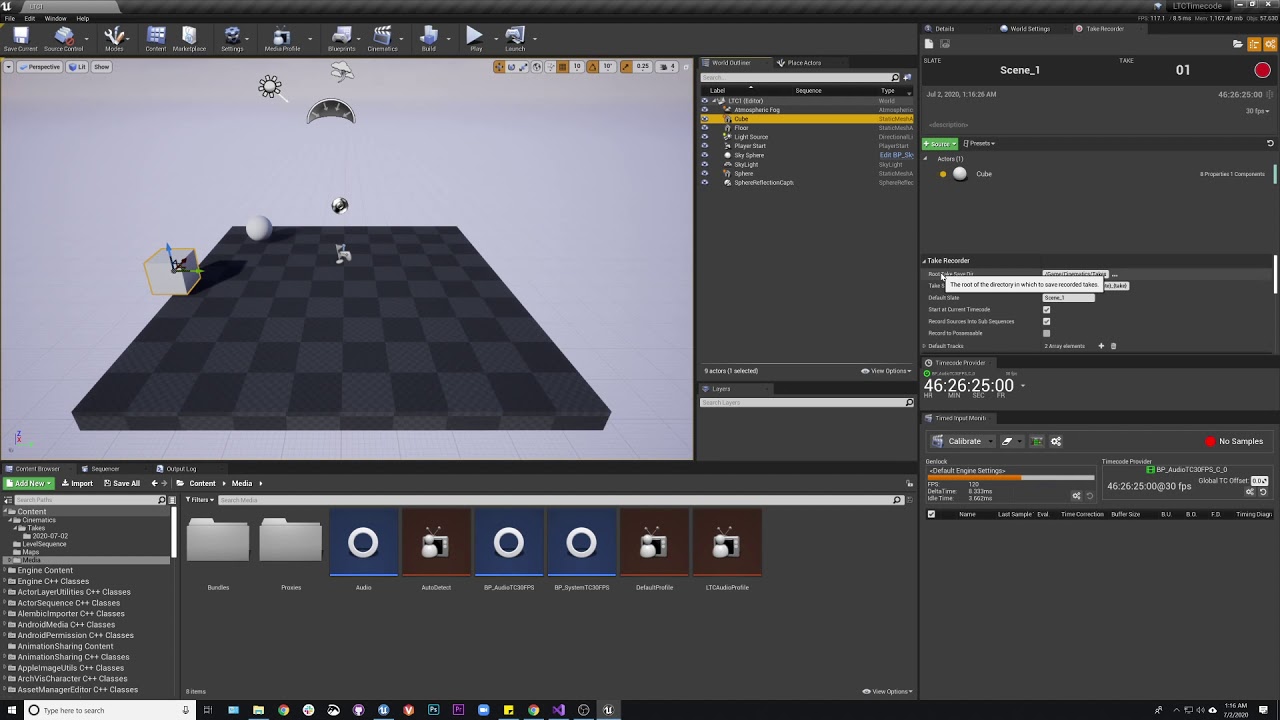
How to set up LTC audio into Unreal and use it with Take Recorder.
One thing to note I did not say in the video is that Unreal will use whatever you have set as your default audio device. Make sure this is your line in or whatever you are using or it will not work.
 raven flame
Does anyone know how to setup an unlit material without having any emissive light? I've tried using light channels to no avail. I'm trying to setup a greenscreen effect but the emissive light is leaking onto characters.
 viral summit
raven flame
Does anyone know how to setup an unlit material without having any emissive ligh...
viral summit
raven flame
Does anyone know how to setup an unlit material without having any emissive ligh...
Leaking onto? You using Lumen?
raven flame
viral summit
Leaking onto? You using Lumen?
No, static built lighting.
I could always not building lighting, but it gets annoying when adding new characters and having to remove the unlit material to rebuild.
viral summit
Tbh, I would do greenscreen in post process
 mild reef
Hello, i am new to this unreal engine world. Actually, i am thinking of making 3D animation film using unreal engine. So, can anyone help me out with system requirements. Eg, which hardware components will be better to build a perfect pc/laptop for animated film for a beginner?
viral summit
Yeah, I get that
But still, if you do custom render depth
And render objects with the custom render depth a certain color
It will have no chance to affect actors you didn;t set to custom render depth
 mellow nexus
Is there a way to get the swithboard output of ndisplay to the Render Target?
viral summit
 molten maple
Do I need Visual studio to package VR project?
molten maple
Do I need Visual studio to package VR project?
Don't you need a compiler to package ANY project?
molten maple
viral summit
Don't you need a compiler to package ANY project?
If you have only blueprint you don't.
 lean gust
 sour rapids
We're you able to solve this? The atmospheric fog also effect foreground like this.
 humble ether
Hi can someone explain me how to use a source controle, i wanna do simething with a friend and i cannot download perforce and prefere to use github but even if i use lfs it dosent work and tell me i have more than 100mb
viral summit
humble ether
Hi can someone explain me how to use a source controle, i wanna do simething wit...
Github ain't good for source control as you will deal with a lot of binary files
Perforce or Tortoise should be your go to
 copper warren
sour rapids
We're you able to solve this? The atmospheric fog also effect foreground like th...
copper warren
sour rapids
We're you able to solve this? The atmospheric fog also effect foreground like th...
I don't remember exactly, but I think I didn't find a solution and have to use a classic sky
copper warren
humble ether
Hi can someone explain me how to use a source controle, i wanna do simething wit...
You can take a look at Plastic SCM which looks good for a small team
humble ether
copper warren
You can take a look at Plastic SCM which looks good for a small team
Ok i will try
humble ether
Can someone tell me if perforce need a proxy to work or something like that and if someone have a good video to send me of how to setup all that and to connect to the project
 woeful crescent
 pallid heath
humble ether
Can someone tell me if perforce need a proxy to work or something like that and ...
pallid heath
humble ether
Can someone tell me if perforce need a proxy to work or something like that and ...
perforce has a proxy server called p4p. but that's used as a local file cache for remote servers, to save on egress charges and download times. it's typically something you setup in an office. as for questions about perforce and version control I would direct them to the #source-control channel
 silver jackal
Can a sound set in a sequence have attention settings?
 bright pelican
Has anyone ever had the issue of merged actors not working in the nDisplay scene?
Two static meshes that are merged display as if their shaders are not compiled and cannot be moved by other user in multiuser session.
 void stream
Hello everyone, We're doing an exhibition using ndisplay to map, but somehow the right wall is very pixelated. Does anyone know what cause that, thanks

 maiden thicket
Howdy, I'm working on trying to build the collab viewer template to the Quest 2. I've seen a bit online on others doing it, but a lot of the info is dated and doesn't apply that much to now. I was wondering if anyone has gone through this process and could offer insight! Thanks in advance!
 leaden mauve
Hi folks. I'm in the process of putting together a small green screen virtual production setup. I'm trying to nail down my process a little as well as land on some hardware specs for a pc. Shopping around has presented a pretty wide array of costs. I've been using my personal Ryzen7 with an rtx 2070 super and it has worked ok but I don't think it's going to be beefy enough when we start doing things in UE5. Any recommendations?
 white atlas
Hey folks. Charles from Voltaku here. We presented at GTC22 a few weeks back on our recent breakthrough with Chaos to fully ray-trace in real-time inside Unreal. We live-linked Chaos Vantage directly into Unreal so the director & DP can get closer to a final frame image in real-time on set. Here's a demo, if interested! https://vimeo.com/685721654

 short blaze
Hey. You guys might like this.


12 hours on a 16 core threadripper. Straight from the 4Bn point cloud, no Human required..
We'll have AI roughness next week, maybe two.
 grizzled vine
woeful crescent
grizzled vine
woeful crescent
What voodoo is this?
grizzled vine
white atlas
Hey folks. Charles from Voltaku here. We presented at GTC22 a few weeks back on ...
Very cool!
short blaze
grizzled vine
What voodoo is this?
thank you. Yeah I basically bottled my expertise into an extensive Blender script / C++ code. So what would have taken us months, we're getting the lionshare done overnight.
Its 75 percent Expert Systems 25 percent Deep Learning.
Oh sorry, you were replying to the other post. My bad 🙂
woeful crescent
Reading out an android phond light sensor, sending the data unreal viaOSC and controlling the light in it
grizzled vine
short blaze
thank you. Yeah I basically bottled my expertise into an extensive Blender scrip...
No problem I like to learn a hear how it was done! Really cool.
Just watched this trailer, pretty fkn awesome

Armored Saurus Official Teaser #3

Unreal Engine
Find out how Studio EON combined high-fidelity CG with live-action footage to create hit show ‘Armored Saurus’.
 sly scaffold
Hi guys, I want to set up a virtual production with Unreal Engine in my studio for some live shows through youtube. There will be a premade 3D studio scene and two or three guys talking to each other. I'll have multiple cameras with different focal lengths (for example a wide 24mm lens and two 85mm for tight close-ups). So when I select the camera with the 85mm lens I want also the virtual camera from unreal to switch to the same focal length. Here is my equipment list. 1) ursa mini pro 4.6K G2
2) pocket cinema camera 6k
3) studio camera 4k Pro
4) Atem Mini Extreme ISO
5) Design ATEM Production studio 4K
6) Design Web Presenter 4K
7) Design Video Assist 5" 12G HDR Can anyone please recommend what I need to purchase regarding sensors, plugins, additional software etc in order to make this work and be fully compatible with my equipment? I have some experience with the unreal engine on architectural presentations so I'm already familiar with the basics. I just need a good tutorial to get started. Can anyone help me?
 torpid fiber
woeful crescent
torpid fiber
woeful crescent
really cool!
 crystal merlin
anyone working with ndisplay here? I,m trying to follow the quickstart guide but there are holes.. for instance. It's telling me to find the nDisplayListener.exe file.. I tried installed 4.27 and 5.0.. and it doesn't come with that file
vapid void
Hey UE Slackers! I have been battling with my Black Magic Decklink 8k Pro. I can get an input into the engine using the blackmagic media bundle but when I try to send our output (from our virtual camera) from the blackmagic card to an odyssey monitor It outputs green on the monitor. there is a feint visual of the environment and in the media capture pane it looks great! I cannot for the life of me get it to input and output simultaneously.
shy bridge
crystal merlin
anyone working with ndisplay here? I,m trying to follow the quickstart guide but...
It's been renamed to SwitchboardListener.exe since 4.27. You might want to check something up-to-date with 4.27, as lots of nDisplay things changed in that version.
 stuck widget
Hey everyone, did anyone else also noticed increased tracking latency for livelink when switching to 4.27/5.0 from using vrpn directly in 4.26?
We're using the ART Dtrack Plugin for Livelink to track our stereo glasses, but the input lag is very noticeable.
 slender jungle
hey guys, anyone work with marvelous designer? i have some problemt to import simulation
solemn nova
Hi everyone. I need someone to help me with a specific shader (material) question. Is anyone willing and able to? Thanks!
In short points: I'm creating a "hunter" style game where you're a creature able to "have visions of his enemies once bitten". My effect is you push the ability button and for a brief few seconds you are able to see what your prey sees, but only to some extent. I'm doing this by having the prey camera capture to texture. The capture camera has edge-detect post-process and some actors turned off. I render target to a material applied to an image in the widget and show the image widget for the duration on the "hunter's" screen.
That part works nice, but I fail to achieve to remove the clear color (background) of the rendered and leave only actors seen by the capture capture camera with the FinalColor capture
digital charm
Hi, does anyone do any blueprint scripting with Take Recorder here? Having a hellish trying migrating 4.26 scripts to 4.27 right now.
 pure inlet
How can I orient my camera "forward" to my tracker camera view?
I have become a tank controller
 steady swift
I have a scene I need to render onto four monitors (each covering 90° of view, left, front, right, back), using a 2-gpu setup from a singular machine, is it better, performance-wise, to use a single node for all 4 screens or to separate them into different nodes, one for each screen?
sour rapids
Hi guys. I am looking for help with composting in UE.
I used a camera at 25fps to capture real footage and 3D environment in Unreal at 25fps. There is no camera movement.
However the final composite footage I have was lagging, the trees in the 3D environment move every frame but the real people footage only moves every 4 frames.
Since I want to use the composited footage from UE as the final product, is there a way to fix this lagging to make the footage frame by frame correct?
If its impossible to use UE for good composite, is there any other workflow for indie virtual production (keying and composite with aximmertry, or keying with obs, or other software)?
Thank a bunch for anyone's help with this issue.
Have you solved this yet? My vivetracker is doing the same thing..
 potent citrus
So quick question here.. what exactly is the ndisplay root actor? I'm look at the NDC_Basic blueprint in the project and it says that the parent class is "ndisplayrootactor" but if I search the entire solution there isn't a class called that anywhere.
zenith cove
Does the LensCalibration plugin only work with Blackmagic or Aja media sources?
I'm trying to test it with my webcam but it's not appearing as a Media Source
 harsh flume
zenith cove
I'm trying to test it with my webcam but it's not appearing as a Media Source
harsh flume
zenith cove
I'm trying to test it with my webcam but it's not appearing as a Media Source
On 4.27 and 5.0 I have

The field behind the dropdown allows for a stream URL, you can use the internal one for your webcam. That resource can be found when you create a media player and pull up the web can and it fills the resource bar.
zenith cove
harsh flume
On 4.27 and 5.0 I have
Thanks, that worked, but it still does not appear for me in the LensCalibration plugin
Media Source is 'None' for me

Which is why I'm wondering if it only works with Aja or Blackmagic media sources
I would like to use an HDMI grabber which outputs its video to the computer as a webcam feed
harsh flume
zenith cove
Which is why I'm wondering if it only works with Aja or Blackmagic media sources
I fired up 4.27 , virtual production template with starter content, I added a media profile (PleaseWork), a MediaPlayer with added texture as well as a lens fire. I put the stream url in the MediaProfile and then when I did a LensFile and calibration steps, it showed up


Is this the same Viewport Settings that it isn't showing up for you?
 lone wasp
HI, it is possible to create texture2d from texture sample (float3) ?
zenith cove
harsh flume
I fired up 4.27 , virtual production template with starter content, I added a me...
Thanks, might be one of my settings or setup that's wonky, I'll check it out at the studio toorrow
zenith cove
OK I think the issue, I needed to have the feed playing in a Media Player before it could be picedj up
pure inlet
which one I should use, in-editor VP camera for led background stuff or a play mode camera?
play mode seems problematic that it always resets and vive tracker transforms seem very arbitray for me regardless where I set it in the world
and I cant figure out how to get non tanky controls for movement...
zenith cove
There have been implementations for UE4 to accomodate as much functionality in the editor
7 versions ago it used to be that you had to use play mode for lots of things
But indeed if you rely on in-game logic you still need to use Play Mode
zenith cove
Are you using your Trackers headless? Without a headset
pure inlet
yeah
zenith cove
I get it, getting into this means you're diving into UE4, VR, Video Production...
How did you do it? I'm trying it myself right now too
pure inlet
simulation mode could be used to have animations play in the editor, right?
pure inlet
I followed through Aiden Wilson's youtube videos on livelinkxr setups
zenith cove
I tried this tutorial for headless SteamVR https://vvvv.org/blog/using-htc-vive-trackers-without-headset

vvvv
This was long requested and it's finally here! Latest VVVV.OpenVR can use vive trackers without HMD (head mounted device). There is a dedicated pose output on the Poser (OpenVR) node and you c
Ah thanks
pure inlet
he's got lots of good stuff but alot of it seems outdated already if you use livelinkxr plugin
I have serious problems doing the logic out of my head
and I keep messing up the blueprints hehe
pure inlet
yea it is
pure inlet
but the headset hasnt been issue I think, it's basically in sleep mode
and I only get the vive tracker to the camera bp
zenith cove
Yeah sorry, I'm speaking about my headless setup woes. I've managed to do it with a headset connected
zenith cove
So what happens with you when you press play mode? The tracker is arbitrarily ste in the world?
pure inlet
yeah, or the orientation more so
and movement is hard, I managed to get a "manual" mouselook wasd movement in but it seems to f up the tracker camera movement
and there's always some weird jittering happeneing nonstop on the tracker
I think it picks ups building resonating or something
zenith cove
Jittering is normal behaviour on the tracker, it's got a lower refresh rate and fidelity than the controllers and headset
We've noticed it too
pure inlet
oh ok, is there any fix or way to smooth it out
zenith cove
Yeah you could implement a smoothing filter, I haven't done that yet so I'm not familiar with it'
pure inlet
man I'd be up for spending €€ on proper professional courses about this stuff but haven't found any that isnt like 3-5k
 river hazel
pure inlet
man I'd be up for spending €€ on proper professional courses about this stuff bu...
river hazel
pure inlet
man I'd be up for spending €€ on proper professional courses about this stuff bu...
We offer Virtual Production Tutorials for all aspects of Virtual Production.
Hello everyone in the community we would like to share a link our newest tutorial series.
https://www.frustumvirtual.com/tutorials
After 2 years of compiling information about virtual production we have developed a Learning path that is straight forward and to the point.
please let us know if you find these tutorials help full we will continue to publish content as we make it so be sure to subscribe.
 pure inlet
i have this recurring issues of my cinecamera actor which my VPcamera blueprint uses keeps going dark and basically just stops existing
 obsidian relic
Hello VP crew. Does anyone know how to stream an exr sequence, keeping the linear and high bit depth precision? Seems the media texture is srgb only, wont let me use nearest neighbour sampling, and seems to clamp -ve values to 0 :/
Am using it via the file media source
pure inlet
can someone help me with accessing remote controller web interface with external device... i get errors.com.epicgames.httpserver.route_handler_not_found error
harsh flume
obsidian relic
Hello VP crew. Does anyone know how to stream an exr sequence, keeping the line...
Under the texture compression settings, is it set to default or Masks or ?? https://www.techarthub.com/your-guide-to-texture-compression-in-unreal-engine/

Unreal Engine provides a wide range of texture compression settings which can reduce texture size with minimum impact on visual fidelity.
obsidian relic
harsh flume
Under the texture compression settings, is it set to default or Masks or ?? http...
Thanks for that. Media Textures do not have any compression settings though

 near wolf
Is anyone familiar with DMX Lighting by any chance?
pure inlet
https://streamable.com/xq5go0 anyone know how to solve this glitch... in the left viewport is my cinecamera thats attached to a livelinkxr bp and it has this weird flickering in the tree branches, on right there's no glitch with normal cinecamera actor
 pure inlet
river hazel
We offer Virtual Production Tutorials for all aspects of Virtual Production.
pure inlet
river hazel
We offer Virtual Production Tutorials for all aspects of Virtual Production.
thanks ill check them out
harsh flume
obsidian relic
Thanks for that. Media Textures do not have any compression settings though
Oops, you're right. Very curious if you find a solution.
pure inlet
can someone clarify to me the use of ndisplay setup, should I use ndisplay when I'm using a single big tv screen to act as the background for example product visualizations?
There's plenty of "how" to set stuff up but haven't come across any of the "why"
 dusty stag
Hello everyone. Has anyone used the stype system and live link? When we connect live link to it, it drops fPS. If anyone has any ideas on how to stop that from happening I would be most appreciative!
dusty stag
pure inlet
can someone clarify to me the use of ndisplay setup, should I use ndisplay when ...
It will run unreal without the gui in it. If you use multiuser, you can move things around while it is being projected on to the screen. Someone smarter than me can answer, but I also believe it helps reduce the load on Unreal so that your real-time playback works better.
pure inlet
thanks for your reply, so far I've used another viewport thats being piloted by a cinecamera on the "background" monitor but it would make sense to have more smoother performance if the ndisplay only renders whats in front of the virtual camera, if i understood correctly
 vagrant lily
Hi all! I'm jumping here as almost a total novice, but have a question related to customizing virtual studios in Unreal:
Is it possible to script or automate custom studio designs so that someone could submit a logo/image file, and perhaps a primary and secondary color, and then have a studio created?
For context, I am working to support collegiate esports programs build out studio and asset packages to use for esports broadcasts. We have been using the Virtual Studio Kit (4.27.2) in the marketplace to adapt/build virtual studios, but we'd like to create the capacity for schools to simply enter their logos and colors, and be able to have a studio design generated off an open template.
If it is possible, I'm sure there's lots more to figure out from there, but just reaching out for some expertise/insight. Please and thanks! And if I'm poking around in the wrong channel, I am happy to be re-directed / please excuse my naiveté!
onyx flume
vagrant lily
Hi all! I'm jumping here as almost a total novice, but have a question related t...
I think Epic just released a video on the Broadcast and Motion Graphics Sample. I haven't explored the project myself but seen some videos and it might be the answer, or lead you to the answer to what you're trying to do
pure inlet
dusty stag
It will run unreal without the gui in it. If you use multiuser, you can move th...
hey just a dumb question, so the ndisplay renders actual game mode and not the same editor mode where it exists when ran thru switchboard?
dusty stag
pure inlet
hey just a dumb question, so the ndisplay renders actual **game mode** and not t...
I believe that is correct. But don't quote me.
shy bridge
pure inlet
hey just a dumb question, so the ndisplay renders actual **game mode** and not t...
I'm not sure what is meant by "game mode". nDisplay can be used with UnrealEditor.exe -game, which is what you get when running a standalone game from the editor; or with a packaged game (i.e., MyAwesomeGame.exe). But in both cases, it's the actuel game (i.e., after BeginPlay), and not the editor.
pure inlet
yes that's it exactly
pure inlet
I can't get the tracker to control the frustum on the ndisplay, works in the editor but not after I launch thru switchboard and join the mu_session
 tight rune
Hello,
I tried to build a demo(including very very small size of cloth simulation) and played in oculus quest2(stand alone),
but cloth simulation did not work, actually it showed just a mesh without any cloth simulation.
However, Played Correctly in Unreal Editor's VR Mode.
So I was wondering if I did wrong with the unreal engine setting for oculus quest,
Are there some specific unreal settings that I should do for using cloth simulation? How shoud I do for it?
Thanks for advices, have a nice day
zenith cove
tight rune
Hello,
I tried to build a demo(including very very small size of cloth simulatio...
Try asking in #virtual-reality, there are some people who are working with the UE4+Oculus pipeline there
tight rune
Okay thanks
 heady bluff
anyone know if theres a way to let an unreal application accept keyboard inputs when alt tabbed? (like how discord has push to talk buttons)
 pastel tiger
Wait, does DX12 REALLY not support live video capture through media sources?
pure inlet
is VRPN used with multiple tracking devices?
harsh flume
obsidian relic
Thanks for that. Media Textures do not have any compression settings though
Did you end up using OCIO or end up solving the problem?
harsh flume
pastel tiger
Wait, does DX12 REALLY not support live video capture through media sources?
I ran into a bug with UE5 dx12 along the same lines

Unreal Engine
Welcome to the Unreal Engine Issue and Bug Tracker. You can check the status of an issue and search for existing bugs. See latest bug fixes too.
says fixed but /shrug
pastel tiger
harsh flume
I ran into a bug with UE5 dx12 along the same lines
Yeah ill keep experimenting
obsidian relic
harsh flume
Did you end up using OCIO or end up solving the problem?
I'm now using spout from TouchDesigner instead! :/
 upper bramble
I'm trying to get a tablet's rear webcam showing on a texture... in editor in a media player asset if I select the "Rear Integrated Camera" then select Tracks -> Video -> Track 0 (It defaults to Track 1 for some reason) then press Play it works. How do I replicate that in blueprint?
So far I've tried Open Url on the rear camera, bound an event on media opened and had that event run Select Track and then a Play on the media player, but this doesn't work... anyone know how to change the track? Am I doing it wrong?
Also is this the best channel for this question? or #cinematics ?
upper bramble
Got it, it needed a delay before the "Play"
pure inlet
when I pan my camera, the view in the ndisplay frustum does not "turn" with it, the frustum moves horizontally but the perspective stays the same... only whne I move with the camera I get the proper parallax...
zenith cove
So the rotation of the camera is not synched if I understand correctly?
pure inlet
if I parent the ndisplay under my camera actor I get the "proper" rotation
like if the camera exists in the world
instead of looking at a flat window
but I don't know if that's a right way to do it
I think the frustum view would pan realistically if the screen actually curved to the side or something
this just makes me want to go back and just pilot a camera in another viewport on my tv and call it a day 
solemn nova
Hi Guys!
I’m having the following issue: I’m trying to set up a small studio with a projector and ndisplay.
nDisplay is working perfectly and the tracking is working perfectly when I am in the UE5 editor. I have made a CineCam actor and a CamActor which are connected, and I see perfect frustum tracking in the editor. As soon as I launch an ndisplay with switchboard there is no tracking and the frustum is not moving.
Waiting on any suggestions on how can I fit it. Thanks in advance!
Regards!
It may be a total noob question, but I'm really stuck in here 😄
pure inlet
do you have a live link controller component on your cinecam ?
solemn nova
Yes, i have one
It’s really strange, as it’s working in the editor, but not in ndisplay
 magic wasp
does anyone know any virtual production studios in sydney? on the hunt
 quartz belfry
Is it possible to have a Video with alpha playing over my whole screen? Basically I have a scene in Unreal, but need to bump Videos to an LED Wall over my Scene
Im thinking via Widget
 broken lantern
can sb. explain me how I get lokal keyboard/mouse input into a UE5 NDisplay? The documentantion mentiones changes in the vtrs server setup from 4.27 to 5 - but I don't know what to do with this information. I just want to get input from one local keyboard of the ndisplay machines to react and change the scene.
vernal igloo
I am currently working on a project where I am trying to switch live camera input to the engine (and show only that content) at certain points in the room.
Like this AR/XR show from League of Legends, World Championships 2020.
https://www.youtube.com/watch?v=4C2tdHOuVd4
Here is my question has anyone of you already made experiences with something like this or does anyone know good resoursen or documentations concerning this topic?
Thanks in advance

Worlds, League of Legends’ top tournament, is one of the most popular events in all of esports. It’s also one of the longest, covering weeks of sustained competition. Find out what it takes to bring a live broadcast to 23 million viewers when the pressure is on, and you’ve got multi-camera/multi-frustum setups and game-responsive XR/AR driving y...
 cedar sequoia
Hey! Does movie render que use multiple gpus?
 wise void
Anyone here having issues with rendering using movie render queue in 5.0.2? Whenever I hit Render (Local) it crashes with message GPU Crashed.
heady bluff
heady bluff
anyone know if theres a way to let an unreal application accept keyboard inputs ...
Self reply just to say I figured out a way to do this using an autohotkey script to send the application key presses
sour rapids
Hi guys. I'm thinking about using aruco tags to set the floor for my production similar to this video. Does anyone has any tutorials or links on how to do this? The only thing I found on UE documents is used for LED walls and I cant apply that.
https://youtu.be/DQT0Qy856mA

This video is a quick overview of how we got into Virtual Production and some things we learnt along the way.
Age of Outrage is the BBC Wales comedy series we made - you can see it on BBC iPlayer in the UK:
https://www.bbc.co.uk/iplayer/episodes/m0011mct/age-of-outrage
After we finished the series, we were helped to do more research into Virtu...
harsh flume
sour rapids
Hi guys. I'm thinking about using aruco tags to set the floor for my production ...
I went down this path and watched that video many times. Have you tried to do a lens calibration and then using the aruco (or checkboard) to align to a wall?
Calibrating a camera for your virtual production.
Remeber they had an AJA and clean plate and then comped them later. If you just want a green screen a wall, there's Composure
 static pollen
Anyone know how to rotate the media plate in composure? I'm filming vertical on the greenscreen to max the pixels, but running into a wall trying to rotate the result in Unreal.

 quartz radish
Hi, I've been trying to get render passes for testing. Most of passes looks fine but I can't get ObjectID (Cryptomatte) layers on my exr outs. Enabled and set the proper config on both 4.26 and 4.27 versions. Any suggestions what should I do to get? Btw, I'm using Djv instead of ps with exr-io.
sour rapids
harsh flume
I went down this path and watched that video many times. Have you tried to do a...
No I haven't done any of that. I was gonna follow Greg Corson's video on lens calibration.
For the floor alignment I still haven't found a way to do that yet. I figure I should cuz my scene is gonna be quite similar to the video (walking up and down a corridor and it's a full body shot)
zenith cove
sour rapids
No I haven't done any of that. I was gonna follow Greg Corson's video on lens ca...
I've only done it with a checkerboard so far, but once you got the lens calibration working, then the camera alignment will work too
No special settings for that, just choose your Calibration Actor
Also make sure that the Aruco marker is visible in both the virtual and real camera feeds. Edit: Although I might be wrong on that one as this isn't the case with Philip Moss' videos
Also I found that the markers are at quite a sheer angle when aligning the floor and it can be difficult for UE4 to resolve the pattern. So the bigger your marker, the better
 slim rapids
Hello,
I have a question regarding VR/OpenXR pluggin on Unreal.
I am working on an experience involving multiples VR controllers (I was requested to find a solution that goes up to 12 controllers).
I wanna know if unreal, does have VR controllers and trackers implementation that gives the possibility to get so much devices on the same time ?
Is there any existing available hardware to attain this objective, that unreal support ?
broken lantern
slim rapids
Hello,
I have a question regarding VR/OpenXR pluggin on Unreal.
I am working o...
controller or tracker (eg vive)?
zenith cove
You can wire the Vive Tracker up to have some basic controls with the pogo pins
 lusty peak
Guys do you know a tool with which i can cut through entire material sets
i mean like
i have a diffuse map, a bump map a roughness map and i want to cut pieces from that and put it onto a new texture
but i want to edit all maps at the SAME time
 digital mirage
Any tips on alternatives to the blackmagkic plugin since it's not compatible with ue4.27? I have a deck link 8k and am gonna try to get it up and running finally
zenith cove
lusty peak
Guys do you know a tool with which i can cut through entire material sets
Not really sure what you mean with that, but I think Substance Designer and/or Painter will allow you to do that
 red dune
Hey Everyone!
Im working on a AR project for TV, but Im required to output Fill and Key through a video Card, right now using a Corvid44.
The thing is, composure media capture works perfectly, I make my cg_Element layer, and that one works like a charm. I need to be able to start this capture and potentially change between compositions during execution. Is there a way to achieve this?
Ive been looking around but havent been able to find nothing about capturing directly from composure in BP
wise void
wise void
Anyone here having issues with rendering using movie render queue in 5.0.2? When...
Anyone?
quartz belfry
anyone know why my emissive material only shines at the surface on the angle i am looking at, not all the way round?
 zenith cove
quartz belfry
anyone know why my emissive material only shines at the surface on the angle i a...
zenith cove
quartz belfry
anyone know why my emissive material only shines at the surface on the angle i a...
Try asking in #graphics
solemn nova
Hi guys
I just installed a second video card on the pc, but can find a way to split two display outputs in a single mesh
 split nest
Hi Guys
anyone using UE5 for virtual production on Mac's ? , im stuck trying to get camlink 4k capture card work, unreal engine does not detect video capture device on Mac camlink 4k works with OBS, quick time recording but not with UE5, any leads ?
im on iMac Pro intel with Mac Os Montery 12.4
 undone goblet
Hey, this is not exactly full scale virtual prod, just a small ndisplay demo I'm setting up with multiple monitors
I have a 3090 to render dual screen, but whatever I do the FPS seems to be capped at 20? Any ideas? Is there config I missed?
Same with empty map with just plane, and an environment scene with 50M+ poly and dynamic lighting, doesn't make any sense to me
Both are easily running 100+ fps with PIE (so no ndisplay config, single monitor)
But when I launch via switchboard to 2-3 monitors, it's just 18-20 FPS fixed
sour rapids
Someone please help me with lens calibration. I've done the process many times but the results are varied and I can never get the same expected outcome as Greg Corson's video https://youtu.be/H5t2BwUGqkI
My nodal offset result varies from 7.5 to 13, and the distortion never look quite right especially at the edge of the frame. Here is my test after finishing lens calibration for my sony fe 4/24-70: https://youtu.be/8SM7NHErLWY

Get your lens distortion, find the entrance pupil and the tracker offset all in a tool built into UE 4.27! You need 2 Vive trackers, no measuring guessing required to get a good solid result! This covers some things that weren't in the unreal docs or were confusing.
You can display the calibration checkerboard on a monitor or tablet if you do...
 zenith cove
Hi I have issue getting a webcam input via a videograbber (AVIO 4k)
When I look at the input in OBS, it's smooth but when I try to get it in via UE4 it's slwo and choppy
Ok i found a solution, I changed video format
zenith cove
Trying to figure out how to use Aruco codes in LensCalibrator but I can't figure it out
This is ym setup


is there a contrast issue or
ah it was genuine a non detection issue
sour rapids
Hi guys. How do you keep real object stick to one spot in unreal engine composite? My set up has a vive tracker to the real camera. I've done lens calibration and offer my tracker. But still get this slipping issue.
I'm stuck. Does anyone have any idea what could be affecting this?
For example in this video the chair never stick to one spot in the virtual world. It keeps moving around. https://youtu.be/OfBwUN4S6T8
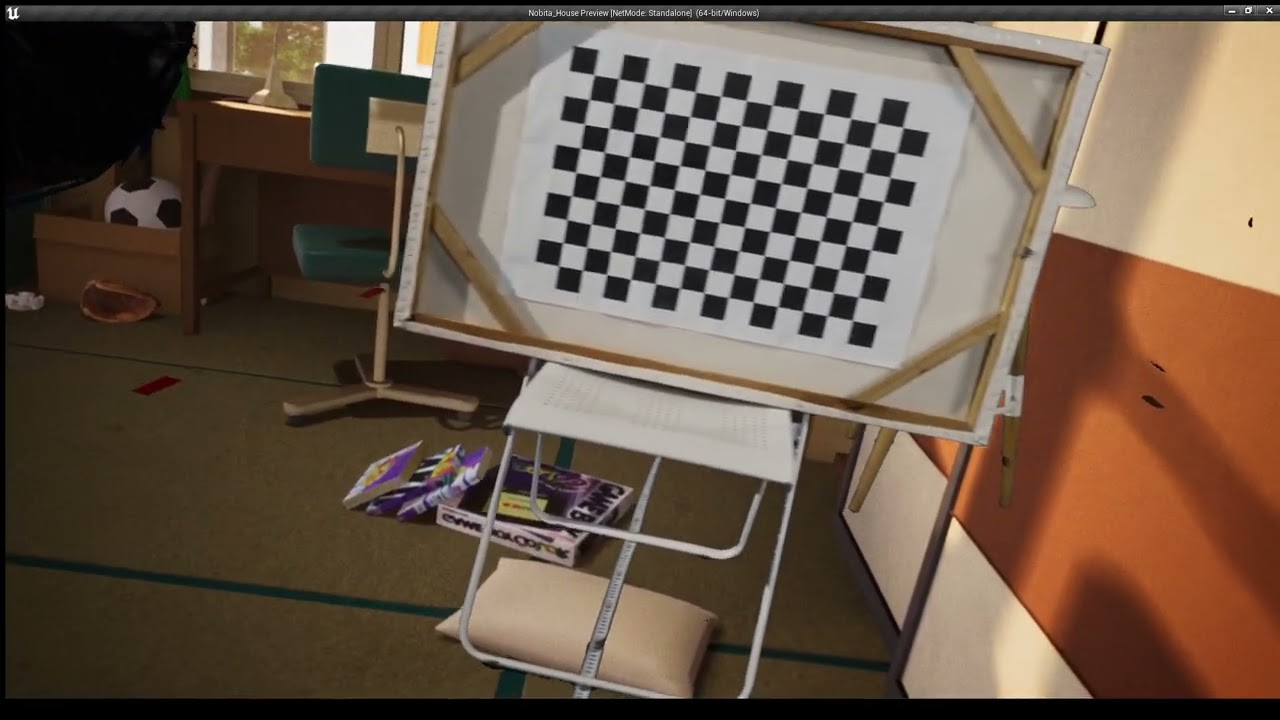 zenith cove
sour rapids
Hi guys. How do you keep real object stick to one spot in unreal engine composit...
zenith cove
sour rapids
Hi guys. How do you keep real object stick to one spot in unreal engine composit...
That's kinda just how it is with Vive Trackers
digital mirage
My camera actor blueprint is facing vertically instead of horizontally. I guess bc of the way my vive tracker is facing. How do I make it face mirror my real life camera?
 burnt siren
Hello everyone, I am currently working on a virtual production project with real time composure and I am having issues with the foreground element of the composure. Whilst most of the actors can be excluded, I can’t find a way to exclude ExponentialHeightFog, Sunsky or VolumetricCloud, which results in having those three actors on top of the media plate.
 idle crow
Please help, no matter what I do, the Exposure compensation slider is not working in the Post-Process volume. Other PP settings DO affect the environment but the Exposure compensation slider is not. I set it to auto exposure, manual, nothing helps. I have another project open with the same level and on the other project it works. I have no idea what is going on here.
 wise void
In 5.0.2, stencil layer output from movie render queue is broken? I added actors to separate layers, added them to stencil layers array and enabled multilayer EXR. It comes out black.
wise void
Nevermind. Problem was Nanite. Since Nanite doesn't support stencil, the layers in stencil were black.
timber crater
Anyone know why frame lock pulse would not be present in the Nvidia console panel?
 umbral flame
I'm seeing a ton of videos explaining how to use Live Link to take a Maya camera and sync it to Unreal. We want to do the opposite and take a camera animated and built within Unreal and sync it to Maya. Does anyone have workflow recs or documentation for this?
 reef thunder
We have tearing issues on our stage? Tear = glitchy pixelation , using stop, d3and our computer has an a6000. Any ideas? Anything we can try would be super helpful.
reef thunder
umbral flame
I'm seeing a ton of videos explaining how to use Live Link to take a Maya camera...
Not possible yet as far as I know, everyone wants it though.
 west sail
Anyone know how to fix MRQ physics issue when using high Temporal Sample?
 sweet radish
Hi everyone, Here is the virtual production reel for the company I work for called VirtualPro located in Guatemala. I would love to hear your comments on our work! https://youtu.be/L9GHnBiiSWE

Virtual Production Show Reel - VIRTUAL PRO 🎥
VIRTUAL PRO es un estudio de cinematografía y realidad virtual que cuenta con la más alta tecnología en producción audiovisual, permitiendo crear efectos visuales donde los mundos físicos y virtuales se combinan para crear experiencias fuera de lo convencional.
#virtualreality #virtualproduction #u...
onyx flume
west sail
Anyone know how to fix MRQ physics issue when using high Temporal Sample?
Set the Motion Blur Amount to 1.0 (which doubles your motion blur length), then double the framerate of your sequence (24->48) which will halve the length of the motion blur, putting you back to the same motion blur, then you run a script in post that throws away every other frame.
I tried this workaround posted in the cinematics a few days ago and worked for me
digital mirage
Totally stuck trying to get my projector ndisplay to work. Anyone wanna troubleshoot over video with me? I've been working through it for days 😭
 clear igloo
anyone had there nDisplay Cluster Smash your Ceiling
Cluster is fine in 4.27 .2 but when i move it to 5.0.2 it Compresses the ceiling
wise void
I have 2 PC's connected via LAN and successfully communicating each other. 1st PC has vive tracker connected and I would like to run Editor here. 2nd PC is where I would like to run nDisplay but here I'm obviously not getting any tracking since tracker is connected to the 1st PC. So is it possible to send tracking data from 1st PC to 2nd one?
zenith cove
wise void
I have 2 PC's connected via LAN and successfully communicating each other. 1st P...
good question, there are multiple approaches you could do that
- Write some code to forward the Vive Tracker data in the live link format
- Use UE4's multiplayer/networking capabilities
- What we did, we used OSC to broadcast transform data which we then received in the second PC
You can use other protocols other than OSC but I'm not familiar with it. I must say that OSC was pretty easy to implement and actually delivered pretty smooth usable results
wise void
zenith cove
1) Write some code to forward the Vive Tracker data in the live link format
2) U...
Thank you. Can you elaborate on the OSC part? Sounds promising. Do you have any tutorial or articles?
zenith cove
wise void
Thank you. Can you elaborate on the OSC part? Sounds promising. Do you have any ...
We used the included UE OSC plugin: https://docs.unrealengine.com/4.27/en-US/WorkingWithAudio/OSC/
An overview of how the Open Sound Control (OSC) plugin works within Unreal Engine
And we had a Blueprint that contained logic that would broadcast an actor's location and rotation if it was set as a sender
And if it was a receiver it'd receive and parse that OSC message as a location and rotation
Note that as far as I know, this only works during runtime so not during editor
So it might not be completely appropriate depending on the use case
I don't have any experience with nDisplay
wise void
Thank you 😊. I'll look into this.
solemn nova
Helo, so, does this means there is no way to make an 88 work at all?
 zenith cove
solemn nova
Helo, so, does this means there is no way to make an 88 work at all?
zenith cove
solemn nova
Helo, so, does this means there is no way to make an 88 work at all?
Nope doesn't look like it is officially supported: https://docs.unrealengine.com/4.27/en-US/WorkingWithMedia/IntegratingMedia/ProVideoIO/AJAIOReference/
Describes the options and settings exposed by the AJA Media Framework components.
zenith cove
You could try but it's rather expensive piece of equipment
solemn nova
I already have it, so I better try! Thanks a lot!
 primal wadi
anyone been having issues with UE5.0.2 live link animation from Maya? I can't get the Live Link Controller component to work, just comes up with None under the Animation Role. I can get it to work with an Animation Blueprint however...
wise void
zenith cove
And we had a Blueprint that contained logic that would broadcast an actor's loca...
Hi sender is oscclient and receiver is oscserver right?
zenith cove
wise void
Hi sender is *oscclient* and receiver is *oscserver* right?
I've switched over to Sender/Receiver nomenclature but the UE4 implementation still uses that
wise void
Thank you 🙂
shy bridge
In case someone else has been wanting it since forever: Switchboard scripting is coming. It's on ue5-main: https://github.com/EpicGames/UnrealEngine/commit/1af72b1e560640dc8480c10594929bd162b218d9
 scenic quest
how can i edit the ndisplay config's color grading levels via another blueprint? i can't see how to access those variables from a reference to the ndisplay config
 compact sun
Hi everyone, I've managed to get my virtual camera working in unreal. Is there a way to map a vive controller to a cameras zoom focus etc?
wise void
compact sun
Hi everyone, I've managed to get my virtual camera working in unreal. Is there a...
This might help https://youtu.be/Uh2jMaRPbGA
Learn how to use a vive tracker to tack a camera's focus or zoom in unreal for virtual production.
Get Project files: https://f40.gumroad.com/l/cscmoc
 boreal scroll
Anyone got tips for mocap software with livelink data? Been looking at Brekel and ipisoft with kinect 2 support, currently trying ipi trial, but it only has an ue4 plugin, compiling the plugin to ue5 doesn't seem to work right.
zenith cove
boreal scroll
Anyone got tips for mocap software with livelink data? Been looking at Brekel an...
what's your budget
boreal scroll
Outside of a proper mocap suit :D
Looking for anything that can pass data from the kinect to unreal. Even diy projects is fine. Something along the lines of 200 euros or so
Free options are welcome too
zenith cove
boreal scroll
Looking for anything that can pass data from the kinect to unreal. Even diy proj...
I think the key thing here is getting the data into Unreal. It might be interesting to be able to implement that ourselves
boreal scroll
My thought exactly. I have "Mefamo" which handles raw face capture data and sends it straight to unreals Live link
zenith cove
Hah I just loaded up that github repository myself to check out how they format the LiveLink data
boreal scroll
Hehe
zenith cove
I've looked into it myself but Epic's documentation is a bit lacking there
boreal scroll
My ultimate goal is to have a camera rig, plonk it down infront of someone and just stream that person straight into unreal. An option to record the animation would be a plus
zenith cove
boreal scroll
My ultimate goal is to have a camera rig, plonk it down infront of someone and j...
You could possibly do that with Google's Mediapipe https://google.github.io/mediapipe/
boreal scroll
Mefamo does facial tracking great. Just a question to get body going as well. Got a leap motion sensor to deal with fine hand tracking
boreal scroll
zenith cove
You could possibly do that with Google's Mediapipe https://google.github.io/medi...
Been looking into this, could be a candidate
zenith cove
It's something that i've looked into previously but I never had the time for
 twilit osprey
does anyone know how to fix the camera from Composures CG_element, it looks way different than my CineCameraActor, and my key stays transparent for some odd reason, all the videos i watched it just kinda works for them


 vale pond
Hi all, for some reason, when using the Live Link VCAM app, it says Move iPhone to Start. When I do this, nothing happens. Video is coming through the link though. Any ideas?
timber crater

Left is ndisplay
Right is direct SDI
Does anyone know why there is such a big gap in the color space between these images?
zenith cove
@twilit osprey @timber crater For both of you guys, you'll have to look into colour profiles. I'm not exactly sure what settings or where those settings are, but sometimes some feeds are sent raw. Especially in the context of SDI
@twilit osprey For you in particular, have you got any post process volumes? Try adding them to your Composure list of actors to render
 onyx charm
Hello, Does anyone know why I am not seeing the light source or the light beam but only the light once it hits an object? this is using the dmx fixtures built into UE
 copper warren
Hi everyone
When using composure my CG layer render has more light than the original camera view (it's look like if it was unlit)
Have you some idea of what is wrong?
Thank you for your help!
 twilit osprey
zenith cove
<@98203326297948160> For you in particular, have you got any post process volume...
twilit osprey
zenith cove
<@98203326297948160> For you in particular, have you got any post process volume...
in the world i have a post process volume, but ill try and add it to my Compousure list like you said and see if that works, and ill look into colour profiles as well thanks for your response!
twilit osprey
copper warren
Hi everyone
When using composure my CG layer render has more light than the orig...
also i think im having a similar issue, look at Fragrag's response above
if i figure it out ill let you know as well
copper warren
Thank you, i will try this!
twilit osprey
let me know if you solve it as well xD i cant work on it right now
 thin iron
@boreal scroll @zenith cove I'm trying to find some info on Live Link, I see you guys are doing some work with it, specifically for face capture ... see if any one of you can help me ... I'm trying to find a way (in Blueeprint) to get the status of the live link data ... I can access both the Subject and the Role, but I can't find any way to access the status ... I mean this as illustrated by the LL window ... the "light" that turns yellow once there's no valid data coming thru, and that is green when data is being received. Thanks in advance, and sorry for the tag 🙂

my objective is to switch the face to a neutral pose, or play an animation, if there's no valid data coming thru
dusty stag
I'm wondering if anyone has found a way to delete old sessions that have been created using nDisplay
 zenith cove
thin iron
<@243482249121497089> <@259474121484795907> I'm trying to find some info on Live...
zenith cove
thin iron
<@243482249121497089> <@259474121484795907> I'm trying to find some info on Live...
No problems for the tag! Have you tried the Evaluate Live Link Frame node? https://docs.unrealengine.com/4.27/en-US/AnimatingObjects/SkeletalMeshAnimation/LiveLinkPlugin/LiveLinkBlueprintComponent/#evaluatelivelinkframe
Provides an overview of the features available for using Live Link to stream data to Actors.
thin iron
@zenith cove thank you for your answer 👍 I did look into that yesterday, but I don't see any good/easy way of determining the status ... maybe I'm missing something? I also thought of somehow getting the incoming values, and compare with last frame ... say, if last 50 frames all came exactly the same, assume it's not streaming anything? But I'd rather avoid this if I could
thin iron
fwiw, I managed to make it work 😅

I just picked a curve that, from my tests, is never ever absolutely still ... then compare it to last frame value, and do a counter ... if it comes equal n times, I consider it paused
so, thanks again @zenith cove for pushing me to reconsider that option 👍
now, on to find the proper way of switching between the live link and an animation 😅 ...
 safe temple
hi there, i am currenly learning how to use ndisplay, i manage to get ndisplay to work, played around with the ndisplay configs and made one myself, but was wondering is it possible to get it work in a package build? basically if i was to send it to some who does not have ue4, can they just open the .exe and it will work?
 wooden flume
thin iron
<@243482249121497089> <@259474121484795907> I'm trying to find some info on Live...
wooden flume
thin iron
<@243482249121497089> <@259474121484795907> I'm trying to find some info on Live...
That yellow vs green light for live link is just determined by how long it's been since we received new data from the source as there's no actual event from the device which tells us when it's actively tracking or not. I don't believe we have a blueprint function to do the check for you but you could easily make your own version of it in blueprint by getting the world time of your evaluated frame and checking if it's older than some threshold from the current time. If you're comfortable in C++ you could just wrap a call to ILiveLinkClient::IsSubjectValid and expose that in blueprint
For switching it in animations you'd just set a bool variable in the Update Animation part of your animbp and then in the AnimGraph you'd do a blend by bool using that variable that blends between the live link data and the animation you'd want
thin iron
wooden flume
That yellow vs green light for live link is just determined by how long it's bee...
thank you for taking the time and answering 👍 I'm not comfortable in C++, and this specific thing is a one man project, so I don't have access to any coders 😅 all in all, I think I did in spirit what you recommend 😄 but I did it in BP, as I described above. I also managed to switch between live link and animation, but again, in a much less elegant and clean way than what you describe 😄
but I will try to do it the way you suggest, by checking the world time
twilit osprey
copper warren
Thank you, i will try this!
did you ever figure it out
safe temple
Hi there, currently working with ndisplay and having a small issue, if anyone with some experience with it can help me i will greatly appreciate it 👍
 radiant marten
Would thre be any interest in a plugin for using standard recording studio control surfaces (Ie Mackie MCU/HUI protocol) in UE5, in a similar sort of way to how lighting desks can be used? I need it for my own uses, so I'm gonna code it up, but if folks are interested when I'm done I can package it up as a plugin on the market.
My thinking is just to break it out so it can be used in nodes, Ie "Channel 5" object with pins for volume, pan, mute, solo etc, plus build an integration so the transport controls can drive a level sequencer.
Plus input pins to drive the flying faders on the better desks (Ie , I have a mackie MCU + extenders setup, when I use pro-tools the motorised faders will track the volume for each channel)
timber crater
zenith cove
<@98203326297948160> <@208637930661478410> For both of you guys, you'll have to ...
Post process solved some issue, but now we have banding for some reason
 zenith cove
timber crater
Post process solved some issue, but now we have banding for some reason
zenith cove
timber crater
Post process solved some issue, but now we have banding for some reason
I think your issue was actually separate from post process, as you were trying to match SDI with nDisplay right?
I think SDI transfers videos in an uncompressed format without any color formatting. I might be wrong though
Check out https://vpifg.com/guides/unreal-ocio/
Also LOL at this color pipeline, color spaces are never easy
 timber crater
zenith cove
I think your issue was actually separate from post process, as you were trying t...
timber crater
zenith cove
I think your issue was actually separate from post process, as you were trying t...
No I tried to match ndisplay exposure with SDI output
timber crater
@zenith cove
YUV is sent from da Vinci to the led processor, then from loop to BM decklink in ndisplay pc. We still having banding issues. It should be compressed
zenith cove
timber crater
<@259474121484795907>
YUV is sent from da Vinci to the led processor, then from...
Yeah, it's possible I've sent you down the wrong path I'm sorry
dunno how to fix it either
 vast tinsel
Hey sorry, I really don't know if this is the right place to ask, I'm brand new to Unreal, I come from the world of live theatre and sound/lighting design. I'm trying to work out if Unreal can do what I'm trying to do, before I sink a bunch of time into learning it. I'm trying to allow an artist to "draw" on a luminescent floor (light retaining material) with dmx fixtures. I'm hoping unreal can map the physical space, and translate xy coordinates into dmx values and control the fixtures. The real challenge is that I need to be able to record the artists inputs and replay them as a cue. I'm also hoping to let the artist "draw" using a touch screen that represents the physical floor. Does anyone know if Unreal capable of this, or how hard it would be to achieve? Sorry for the huge block of text.
vast tinsel
It seems like the way to do this is with a "follow actor" - the tricky part is being able to move the follow actor around freely and then somehow record and replay that
zenith cove
vast tinsel
Hey sorry, I really don't know if this is the right place to ask, I'm brand new ...
It is possible, I think I can see how, but it might not be the best tool for it? I think you might be able to create something like that in TouchDesigner no?
Ah but yes, of course you need something to allow the artist to communicate their movements to the DMX controller
vast tinsel
Touch designer is indeed the other solution that I'm looking into, but so far it honestly seems like Unreal would take less time to develop
Again the difficult part is the actual recording and being able to play it back as a cue, and that seems much trickier in touch designer, although I might be approaching it wrong
 minor hornet
Hi guys, I installed a virtual camera system using htc vive tracker. Anyone have any idea how to record rotation data only?
digital mirage
I'm unable to check the box to enable Draw Debug Focus Plane. It's grayed on for my cine camera, anyone know why that would be?
 wraith hemlock
Hello, I have a question, nDisplay takes a lot of performance from my project, does multi GPU help?
minor hornet
Hi guys, what is the “proper way” to parent a Virtual Camera to a moving object?
zenith cove
minor hornet
Hi guys, what is the “proper way” to parent a Virtual Camera to a moving object?
There are multiple methods to do that, each one with a drawback or advantage depending on your situation
 fallow basalt
Hi guys,
Try to get things on remote control api for ue5 icvfx.
I want to make a light button that ones clicked can spawn/ create / copy/ duplicate a new light in unreal. Using the remote control api.
Is that possible or do I need to tap into python for that?
Trying to find a faster solution.
 somber prawn
A noobie question:
The movie render queue outputs frames indivisually. How do you guys assemble the frames to create the final .mp4 or .mpeg video file?
And is it possible to produce the final video file from UE directly?
zenith cove
somber prawn
A noobie question:
The movie render queue outputs frames indivisually. How do yo...
- I like to use ffmpeg to compile the frames into a final video format. Others use Handbrake for that.
- Yes, but I don't recommend it. It's been a while but UE had a limited selection of codecs last time I checked, also you run the risk of having a corrupted video file if UE4 crashes or hiccups during rendering, requiring you to restart the whole process again
 covert stream
Hey guys,
My team is truggling to find a decent timecode generator/solutions to sync our LED walls & PCs
& camera & tracking system.
Thinking about getting a 5601MSC or an UltraSync ONE timecode generator + a VM-1021N VDA.
Any suggestions?
pallid heath
somber prawn
And is it possible to produce the final video file from UE directly?
you can call ffmpeg from MRQ using the Command Line Encoder. you'll need to set it up in project settings as well
pallid heath
fallow basalt
Hi guys,
Try to get things on remote control api for ue5 icvfx.
I want to make...
I prefer to use TouchOSC. easy enough to create BP nodes to respond to it
 crimson arrow
Hey guys, do you know if there's any way to record a variable through the take recorder.
I see that I can record properties of the component of my source actor but can't find a way to record a variable of a BP added as a source actor.
Here I can record the visibility or transform of some components but I can't find a way to get a specific variable from the pawn.

 valid geyser
Anyone know wtf this issue is?

I set up two led walls running everyhting on a cluster and everything setup properly but it wont boot the map
safe temple
hi there, i am looking to bind ndisplay to the player character, currently new to ndisplay and not sure how to do so
shy bridge
safe temple
hi there, i am looking to bind ndisplay to the player character, currently new t...
On the NDC class defaults
 safe temple
shy bridge
On the NDC class defaults
safe temple
shy bridge
On the NDC class defaults
thank you!
valid geyser
does anyone know about switchboard here?
compact sun
Does anyone know how to stop livelink vcam going to the center of the world? I want to move it but it keeps snapping back to the origin.
 echo wigeon
Does anyone know how to render a video?
 visual basin
compact sun
Does anyone know how to stop livelink vcam going to the center of the world? I w...
visual basin
compact sun
Does anyone know how to stop livelink vcam going to the center of the world? I w...
I think there is a setting in the livelink connection somewhere that allows you to switch from world coordinates to local or something.
It's probably using world location which matches your tracking origin to the world 0,0,0
Is anyone else suddenly having trouble with launching the switchboard? After a pc restart it just won't launch anymore... Only shows a cmd window for a few frames and quits out. Really stumped on wtf happened here.
pallid heath
compact sun
Does anyone know how to stop livelink vcam going to the center of the world? I w...
it's been a while, but I believe it has a bookmark location system for that issue
 pure hollow
Hi, Who has knowlage on NDisplay?
So I am trying to do something simple enough
I have a game I am trying to help my friend with, its a game where you drive around in a bus, taking people places, Anyways, He wants it to be setup like this:
If you run the project, on 1 monitor you look to the front of the bus
If you have to it does that and on the second monitor, you see to the left of the bus or to the right (Depending on what you select as an option)
And if you have 3 monitors then you see forward left and right
I have started setting up the NDisplay config, Is it a good idea to use NDisplay for this?
pure hollow
Okay I have managed to run it
I have another question though
Can I streamline the launch process so It automatically launches a config?
If you imagine it would be a bit weird to have to launch through switchboard everytime, if its a game?
Hmm, the switchboard button is gone in the editor now
shy bridge
For a game, don't use nDisplay. Unreal probably supports multiple monitors natively, without having to use nDisplay.
sour rapids
copper warren
Hi everyone
When using composure my CG layer render has more light than the orig...
I have the same issue, but things return to normal color in play mode so i suggest you try hitting Alt+P.... What I need now is fixing the issue with the sun flare, the camera has a lot of flare but the playmode has none. I tried entering playmode without composure and that fixed it, so the issue definitely lies in the comp CG layer


for reference this is the color I got in preview composure, it lose a lot of light
 copper finch
we're also using the traditional brompton processors on the led volume side, though no idea why that would affect anything
wooden flume
Hi, I do not work with ndisplay and have no knowledge here. Please do not ping me directly with questions, I am not here as official support, I just voluntarily help out when I have some free time. Please just post any questions in the channel and if someone is able to help they will.
If you require more dedicated support you should either get in touch with your Epic contact if you have one already or reach out to our support team
copper finch
Ah thank you
valid geyser
Hi there, does anyone have any idea how to setup an htc vive tracking system with just a tracker, meaning thst I can set the center point with the vive tracker instead of the headset?
valid geyser
Im getting our led volume working with n display but im thinking there must be a way to calibrate with just the tracker no?
zenith cove
valid geyser
Im getting our led volume working with n display but im thinking there must be a...
haha, haha, haha, no
it's one of my main gripes
zenith cove
valid geyser
Hi there, does anyone have any idea how to setup an htc vive tracking system wit...
https://www.youtube.com/watch?v=DQT0Qy856mA Illustrates a method of working with the Vive trackers without headset
This video is a quick overview of how we got into Virtual Production and some things we learnt along the way.
Age of Outrage is the BBC Wales comedy series we made - you can see it on BBC iPlayer in the UK:
https://www.bbc.co.uk/iplayer/episodes/m0011mct/age-of-outrage
After we finished the series, we were helped to do more research into Virtu...
I asked them how they calibrated the play area and they replied:
When we first started we would put a 1mx1mx1m cube into the virtual world, and then line it up with a 1mx1m L-shaped piece of wood in the real world. They would only match exactly when the two cameras were the same height above the floor. Once they matched, you had calibrated the zone. The Aruco markers just do this for us now, because the software works out the height and distance (and angle) that the virtual camera should be at, to give the same perspective view of the real and virtual Aruco tags.
valid geyser
Hmm
I tried using openvr advanced settings
And then used a null driver and then turned off required hmd
And them hit recenter by having the vive puck in the dead center of where inwanted it
That seemed to work
I has a massive hallelujah when i figured it out
Now i jusy have to go into our studio to test it on the wall
valid geyser
zenith cove
I asked them how they calibrated the play area and they replied:
_When we first...
Gotcha, but how do they do the aruco marker calibration in unreal?
zenith cove
valid geyser
Gotcha, but how do they do the aruco marker calibration in unreal?
The built-in Lens Calibration plugin from Epic
zenith cove
it's bit of a beast to figure out to be honest
 grand lance
Hello Guys! I'm developing a small studio for Indie virtual production. A led wall is too expensive for me right now so I'm thinking in buy 2 laser projectors Consumer Optoma to blend in one screen, 1 camera Panasonic bgh1 (sdi and genlock ports) and BM sync generator.
I have HTC trackers for tracking ,one RTX 3090 for the output and BM decklink 8k pro sdi input and genlock
I read a lot about the Genlock for VP so my concerns is the projectors and the Video card don't have genlock
I would really appreciate your help with this as I don't want to spend so much money and have it not work for me.
valid geyser
grand lance
Hello Guys! I'm developing a small studio for Indie virtual production. A led wa...
Yea, im doing research and development and its been brutal. Especially because 5.0 still has most of the vp stuff in beta so most of it is buggy and incomplete
valid geyser
grand lance
I read a lot about the Genlock for VP so my concerns is the projectors and the V...
You need a genlock card. Im not sure exactly how it works, but the card syncs the video output of the gpu and sends a genlock signal to the displays. Since you cant genlock a projector you need to set the output framerate of the projector to a common multiple of the input of the camera (such as 23.98 or 47.95 or 24 or 48) this will make it so you dont have rolling shutter
This wont be genlocked but it will be LIKE genlock.
As for true genlock. Only rtx quadro cards have a true genlock generator to sync to an external card which then goes to a camera and monitor/display
For our led walls, we just set the framerate and display refresh to the same thing and then have it be a multiple of the camera framerate.
grand lance
I am seeing that the quadro 6000 and 8000 used are more accessible on ebay. I'm going to think about it . Thank you @valid geyser for this information it is very helpful for me. When I have the setup ready I will share my experience
valid geyser
grand lance
I am seeing that the quadro 6000 and 8000 used are more accessible on ebay. I'm ...
Keep in touch. Interested to see how it goes
Also
grand lance
Sure !
valid geyser
You can cheat genlock imo. From what ive learned
You can fake it
Its cheaper to keep then out of sync but in the same hz ratio than to go@crazy with a gou
Gpu
Btw
If anyone is wondering. Heres a basic understand of how unreals new switchboard n display system works. Feel free to correct me this is what ive learned from toying with it for a few months
 grand lance
Understood
valid geyser
Apologies for the mess. Tried to be as simple as possible
grand lance
Yeah just reading the Manual we can go crazy 😜
grand lance
So you figured out how to use the same computer as switchboard listener
Using the htc trackers ?
valid geyser
yes
 raven galleon
Composure don't support UE5 lumen?
 lyric kelp
Hey, guys! I'm newer to this stuff and trying to understand some basics. Generally speaking, does "virtual production" only include when you're doing Mandelorian-style live backgrounds, or would tracked chroma key stuff be considered virtual production as well?
(I'm working on a sci-fi web series that needs some help on this front, but we're leaning more toward the green screen side and I'm not sure what terms to use to explain what we're looking for when trying to find someone.)
 gleaming imp
lyric kelp
Hey, guys! I'm newer to this stuff and trying to understand some basics. General...
gleaming imp
lyric kelp
Hey, guys! I'm newer to this stuff and trying to understand some basics. General...
Yes still under the umbrella's of virtual production. your best bet is to reference the VP Glossary - https://www.vpglossary.com/

The Virtual Production Glossary is part of an industry-wide effort to establish common vocabulary for virtual production professionals.
 halcyon hill
Hello Everyone. Can anyone point me in the right direction? I am looking to make an Unreal Scene that will be used in Livestreams**. I want to find a way to align my UE5 Camera with my IRL Camera (Logitech c920). I wont be using Unreal When I am live, just the exported renders of the scene (Loops,transitions, ect). Does anyone know how to do this**?
The camera will be Stationary of course (because I am pre Rendering the background footage)
zenith cove
halcyon hill
Hello Everyone. Can anyone point me in the right direction? I am looking to make...
I think the most simple and quickest way to do that is just to wing it. 😛 You could go into the rabbit hole of tracking and alignment but in the end, I think eyeballing it will get really decent results already
 queen beacon
Alrighty, I'm using UE5 and trying to set up switchboard but all the tutorials use UE4, even the official documentation... To launch switchboard and the switchboard listener, I need to click on some button in the toolbar but the UE5 toolbar is missing these launch buttons.. Any idea where I can find them?
halcyon hill
@queen beacon sounds like you need to enable the "Switchboard" plugin. I'm just guessing because I ran into the same exact issue with a plugin I'm using. Once I enabled my plugin, the button for my plugin options are now at the top of the screen.
@zenith cove I'm a perfectionist lol. I suppose I will try both methods.
 modest frost
hi there, anyone had issues with livelink offsetting a camera when using a VR HMD as a link source? I am trying to pilot a camera using the HMD, the take recorder tracks all movements, but starts from a different position, i.e. not the one I am seeing in the HMD so the whole sequence is off set. If I try the same thing in the OpenXR template level I have no issues, but I can not figure it out.
copper finch
if you're using steamvr, take a look at the 'in-hand' orientation. this can affect incoming live link data iirc
modest frost
copper finch
if you're using steamvr, take a look at the 'in-hand' orientation. this can affe...
Thanks! I will check that out; the odd thing is that if I turn on the debug visualization (the one in the OpenXR blueprint), the position shown is correct, but as soon as I start the game it seems that the player pawn and the camera get two different origin points.
 thick matrix
For anyone who's worked with Blackmagic or other live video input: Is there any way to change the media source Configuration settings (Device, Resolution, Standard, Frame Rate) at runtime?

 tame steeple
I want to know how can I shift between my scenes if I press any key on the keyboard it takes me to the command and give it to a specific scene or area under my project
zenith cove
tame steeple
I want to know how can I shift between my scenes if I press any key on the keybo...
What's your pipeline? Are you using Composure, Sequencer...
In a simple game it's easy but it gets a bit more complicated in VP
queen beacon
halcyon hill
<@398980032682262538> sounds like you need to enable the "Switchboard" plugin. ...
Thanks, I guess the botton only showed up once I restarted the app
queen beacon
If you’re setting up nDisplay on a local device, do you use 127.0.0.1 as the ip for everything? I seem to be able to run it but it stays frozen when it’s running so I’m guessing there’s a missing link
fallow basalt
Question : How can I Make in editor camera changes/animation show up on Ndisplay?
I want to dolly my whole ndisplay rid. and it should update on the ndisplay!!. How can i do that?. I have made a spline path that ndisplay follows using sequencer. bt it is not updating on the ndisplay launch. it does not updates. Please help!.
 sand topaz
Question: Is there a way to set a custom format string for the movie render queue settings?
 tender barn
<@&213101288538374145> Hi Guys!, I'm so happy to be here. I'm still learning the Unreal Cinematics and VP workflows. Can i get some help to solve some technical related question about Unreal virtual camera (camera tracking). I'm doing a small project and do like to go around Virtual camera in a budget friendly way in order to understand the technology First. I have created 2 small questioners for this. can i post those in here in order to collect your opinions regarding virtual camera. It'll be so much helpful to have some opinion from people already have experience on this topic.
 umbral fog
tender barn
<@&213101288538374145> Hi Guys!, I'm so happy to be here. I'm still learning the...
umbral fog
tender barn
<@&213101288538374145> Hi Guys!, I'm so happy to be here. I'm still learning the...
- This is a support channel, so please go ahead and ask your questions here.
- Please don't ping moderators unless you are reporting a rule violation.
tender barn
Ahh got it Thanks @umbral fog
These are those questioners. Data collected here will go in to my campus decertation report. you can give answers for the one you like from them or both if you have small time. feel free to add your thoughts and experience. It will be so much helpful for newcomers and students like me.
Questioner Link 1

Google Docs
This research is done by Dumindu Shanaka Hearath, a final year student at limkokwing university, in order to collect information and knowledge on Camera tracking Methods in Unreal engine.
..........................................................................****........................................................................
Thank y...
Questioner Link 2

Google Docs
This research is done by Dumindu Shanaka Hearath, a final year student at limkokwing university, in order to collect information and knowledge on Camera tracking Methods in Unreal engine.
..........................................................................****........................................................................
Thank y...
onyx charm
Hello, I am using a live green screen feed composited over a level. When I go into game mode I loose camera controls but have a ball I can mover around instead, anyone know what I have done wrong?
zenith cove
onyx charm
Hello, I am using a live green screen feed composited over a level. When I go in...
looks like you're viewing through the camera but controlling the DefaultPawn which is spawned when you don't have a pawn set
onyx charm
zenith cove
looks like you're viewing through the camera but controlling the DefaultPawn whi...
Ok great let me add a pawn and give that a try. Thank you so much
zenith cove
I got an newsletter e-mail from the plugin Offworld Live and there was this interesting bit in it:
"Composure is an amazing tool, and highly valuable for bypassing Anti-Aliasing of your input video feeds, but it uses Scene Capture 2D to create a camera output and so lacks the amazing visual capabilties of Unreal's Cinecam."
Does this explain the questions we occasionally get in here asking why the visual result you get from Composure can be very different?
 grizzled briar
Hi all,
im trying to run a packaged ndisplay game on Linux, does anyone here have experience with that?
I've been able to get the most basic things working but struggling with the lack of documentation. any wizards in the chat?
 merry mango
I'm new to virtual production and trying to setup my nodal offset. The problem is I have only one tracker. Is there any other way to calibrate the nodal offset with just one tracker?
digital charm
Does anyone work with Take Recorder here?
 lofty zephyr
is there any pluging or blueprinting routing for live or rendered rotoscoping (live feed camera), thanks a lot
 prisma narwhal
Does anyone know what the best virtual production software is for cinema and not broadcast purposes?
We're looking at brainstorm and pixotope but was still wondering if there's something we're overlooking
 pulsar flame
Anyone worked with Pixel Mapping and knows how to controll the Play DMX without having to press it manualy in the Editor? like in a blueprint. I couldnt find a fitting node for that
pulsar flame
prisma narwhal
Does anyone know what the best virtual production software is for cinema and not...
why not just use Unreal?
 humble marlin
Looking for some help. I’m trying to render a sequence that includes a physics sim with destructible meshes. But for some reason I’ve ran into an issue where the video rendered doesn’t match the what plays in the editor regarding the simulation. Some thing is also happening where it doesn’t require me to enable the physics of the destructible mesh in the sequencer timeline to render the video with the sim. I’m lost for answers if someone could point me in the right direction.
 zenith shale
Hello, I have a big problem with unreal engine 5 and opti track
Basically I linked skeletal mesh from live feed and from recording through Motive using Live Link plugin.
An animation blueprint was made and the only things connected are: Default Slot to Live Link Pose to Output Pose as a result
The problem begins when I move a camera in a Playmode. Unreal instantly crushes, leaving me with Index Out Of Bound upside_down
The same thing happens in a Preview window.
Any idea why?
 zenith cove
zenith shale
Hello, I have a big problem with unreal engine 5 and opti track
Basically I link...
zenith cove
zenith shale
Hello, I have a big problem with unreal engine 5 and opti track
Basically I link...
Interesting, what skeleton are you using?
What if you try the set-up as described in Motive's documentation: https://v22.wiki.optitrack.com/index.php?title=Unreal_Engine:_Skeleton_Streaming
oh oops, I linked to some old documetation sorry hold on
I can't find an equivalent documentation page for Motive 3.0 aside this: https://v30.wiki.optitrack.com/index.php?title=OptiTrack_Unreal_Engine_Plugin
zenith shale
We tried this but unfortunately we got the warning "the node OptiTrack Skeleton" is from Editor Only module, but is placed in runtime blueprint! K2 Nodes should only be defined in Developer or UncoockedOnly module" when we tried to sync a OptiTrack Skeleton