#virtual-production
1 messages · Page 5 of 1
 hushed mason
 knotty cradle
@hushed mason not yet, sorry. I just left a youtube reply.
 fiery brook
hushed mason
<@!809259862097002506> did you manage to sort out the jitter issue with the trac...
fiery brook
hushed mason
<@!809259862097002506> did you manage to sort out the jitter issue with the trac...
Found out that using the Motion Controller node, filters most of the jittering. The "Get tracked device position and orientation" is the raw unfiltered information. The Motion Controller node filters most of the information.
 unborn wave
Does any know if there’s a method of utilizing the multi-user editing feature without giving the client full view or access to the entire project? Would i be right in thinking that the client could download a perforce stream and access said level for collaboration?
 tropic oasis
Before I go hacking around, I was wondering if there is a built-in setting for offsetting the inner-frustum to align it with the physical camera? I'm tracking with a Vive controller and obviously the physical camera that is mounted on has its sensor lower than the position of the controller so the virtual frustum doesn't align when viewed through the camera. All tutorials I've found so far cover the whole setup but don't include the physical camera aspects.
 leaden mauve
tropic oasis
Before I go hacking around, I was wondering if there is a built-in setting for o...
leaden mauve
tropic oasis
Before I go hacking around, I was wondering if there is a built-in setting for o...
I've only set things up once, so take with a grain of salt; you have to measure from your tracker base to the center of your lens pupil. Then use the measurements as offsets on the virtual camera.
tropic oasis
leaden mauve
I've only set things up once, so take with a grain of salt; you have to measure ...
Thanks for the reply. Yes, I assumed that was the first step, but I was wondering if inside the nReal system (config file or Blueprints) there's a particular place where this offset can be entered. For now I just managed by offsetting the camera in UE.
Another issue I'm having: When using picp_mesh as projection type in nDisplay, is it correct to assume that what is visible in the outer frustum will correspond to what is visible from the point of view of the corresponding viewport mesh in the UE scene? I've been working on a project where everything was rendering according to this but I had to relocate the viewport mesh in the scene and now the inner frustum renders properly, but the outer frustum is showing a point of view as if looking upward 45 degrees (the viewport mesh is completely perpendicular to the ground plane). Is there a way of fixing this? I departed from the InCameraVFX Example project form the Learn tab in the Epic Launcher.
leaden mauve
tropic oasis
Another issue I'm having: When using picp_mesh as projection type in nDisplay, i...
I created a new VCam Modifier(rclick Content Browser -> Virtual Camera -> VCam Modifier), opened it, then copied and pasted blueprint from https://blueprintue.com/blueprint/rnpmlam2/ to set it up. That blueprint isn't my work and kudos to the person who made it. Next you just add that to the modifiers on the VCam component of the virtual camera you are tracking. Hope that helps!
BlueprintUE
tropic oasis
leaden mauve
I created a new VCam Modifier(rclick Content Browser -> Virtual Camera -> VCam M...
Awesome! Thank you, I'll give it a try.
leaden mauve
tropic oasis
Awesome! Thank you, I'll give it a try.
No prob! I hope it works for you.
hushed mason
fiery brook
Found out that using the Motion Controller node, filters most of the jittering. ...
Ill give that a try, I assume that in the xr controller BP?
If not can you share a screenshot?
 grand spear
Hello Guys, I have 5 NDIs Broadcasting from unreal to newtek studio monitor, Everything is working fine for like 20 mins then the NDI freezes, sometimes after 60 minutes, Any Idea what is happening ?
 prime slate
Hello, hope you are all doing well. I was wondering if someone could help me out with exporting virtual camera sequences.
Sometime ago I recorded some sequences with virtual camera through unreal remote 2. This was with the old virtual camera system and I have a lot of recordings saved up.
However, after going back into the project and trying to export them out, it just shows as an empty camera in the render window.
Right before I click render, the camera sequence/subscene plays through in my main sequence fine, but after I try to export, the render window shows camera misplaced with no movement and without proper FOV. Then the viewport also shows misplaced camera. After I cancel the render out, then the main sequence also shows the camera sequence/subscene showing wrong.
If I close the main sequence with the characters animation and then open it again, then the camera looks proper again.
Any ideas what is causing this?
Only one camera sequence I have found manages to export properly. I have tried to go into the camera sequence recording from the virtual camera recording and replacing subscene sequences with others but it’s still weird.
Also, when I start to render out the video and the camera gets misplaced, I also notice that a camera and a few objects get created on the right panel and the text is highlighted yellow, like cinecamera. After the render finishes or if I cancel out the render, then those objects disappear.
I get the impression it’s making some fake cameras related to the original virtual camera recording and that is what is causing this but don’t now how to resolve it.
Does anyone have any tips regarding this?
Also, with the new virtual camera 2.0 and vcam 2 UI, I can record and export with no issue.
But all those other recordings I did previously seem lost, except for one camera recording, might be a few more, but most don’t work when I export them. I have had a lot of recordings so would be shame to lose them all.
Using 4.26.2
 bright orbit


 neon osprey
Hey Everyone, Just trying to update some lens/camera settings on my running ndisplay instance. But I can't seem to get the focal values to live update. I have some data input changing settings directly in the instance and it doesn't seem to update. I find that I need to update via multi-user session then save the project to push the update.. Trying to wrap my head around why that might be.
 oak axle
Can anyone else confirm in firing physics events like projectiles can't be acheived through sequencer? I've tried events tracks, recording the actor during a take and neither work. Essentially it seems there is projectile physics unless in Play mode.
 earnest prism
Are you in Simulate or PIE when you scrub the sequencer? I think the physics system is runtime only; it's not available if you're just in-editor but not simulating.
prime slate
Does anyone have any tips on how to improve virtual camera latency with vcam2 UI? On the old virtual camera system I feel there was less lag. I’m running on a wifi router with 5 ghz. I don’t know what to do. I have reduced resolution as much as possible and it improves a bit but it’s still slow and recordings reflect the lag.
earnest prism
@prime slate You can try commands like remote.quality = 33 or remote.framerate = 24 to lower the amount of data being sent. At the moment it's pretty laggy until they ship a new iOS app (it's on the roadmap but not delivered yet)
oak axle
earnest prism
Are you in Simulate or PIE when you scrub the sequencer? I think the physics sys...
no im not in simulate or PIE. is there a way to get actual run-time during sequencer playback?
earnest prism
Yes, just alt-s to simulate then play your sequence.
oak axle
earnest prism
Yes, just alt-s to simulate then play your sequence.
ah i see, thank you! ima give that a shot
 wild path
Anyone with experience know if there is any major difference with facial tracking on the various iPhones? About to buy one for the sole purpose of facial tracking and just looking for any tips, suggestions, or pitfalls before hand.
 wise heron
anyone here using "RenderStream Unreal Engine 4.26 plugin r1.23.837"? not sure why, but its not showing up in my BP nodes...
no issues with 1.7 though
neon osprey
wise heron
anyone here using "RenderStream Unreal Engine 4.26 plugin r1.23.837"? not sure w...
Let me check today when I get to my computer but I feel like they may have removed the bp functions? Are you talking renderstream for disguise?
wise heron
@neon osprey thx bob, indeed it looks like they removed the BP functionality. i found an updated tutorial from sean bowes for r18 from and he also doesn't cover this anymore...
neon osprey
Yea they really tried and simplified it! May I ask what you’re trying to do? I can maybe lend some help.
wise heron
neon osprey
Yea they really tried and simplified it! May I ask what you’re trying to do? I ...
that would be great, thx! I am trying to get started with UE and disguise for a XR production. I think I covered the basics but i am struggling with some things beyond the getting started/tutorials stuff...
if you have some experience with that, would be great if I could ask you a few questions... 🙂
..do you know if there is a discord channel?
 tiny owl
Hey! Does anyone know if Movie Render queue supports multiple GPU or if there is some specific setup needed to utilize both GPUs correctly?
 orchid shard
@wise heron Its a totally different workflow now, I can help answer questions
@wise heron This is the most comprehensive video I've come across documenting the new workflow. There are some differences from the current version though. https://www.youtube.com/watch?v=JrytvJqcRVg
 wise heron
orchid shard
<@!689401908950990870> This is the most comprehensive video I've come across doc...
wise heron
orchid shard
<@!689401908950990870> This is the most comprehensive video I've come across doc...
Thx I will look into that tomorrow!
neon osprey
Yeah, r18 added a bunch new workflows, However there isnt much left on the unreal side. It's using ndisplay for cluster rendering.
Do you have hardware?
We can jump into a channel later today if you want and chat about it 🙂 @wise heron
@orchid shard you're welcome to join!
wise heron
neon osprey
We can jump into a channel later today if you want and chat about it 🙂 <@!68940...
Sure! Just tell me where to join or invite me...
It's 10pm over here, maybe we can find some time tomorrow? (depending on where u are located..)
I don't have the target hardware, but I was hoping that it would possible to test basic basic clustering locally over network or secondary screens...
neon osprey
neon osprey
We can jump into a channel later today if you want and chat about it 🙂 <@!68940...
Yup, You can do local tests between machines or on one. You will need a license for each machine. However with it being free and them now offering "No dongle needed" its a great time to try it.
I iwll reach out tomorrow morning.
wise heron
Cool, thx
 silver jackal
Hi, a public school teacher here that is trying to connect my ipad to UE4 but my desktop computer dosnt want to connect. Dosn't show up in my livelink even after following docs + getting the test flight version of the remote app. Any tips or help? I'm guessing it may have to do with the network being protected, if so, any possible workarounds?
 dawn void
I have a question about loading/unloading assets. I'm working on a virtual production project. It's basically developing virtual background sets for a dance/music performance. There are three levels/sections and we want to put as many assets as possible in each level. So ideally, I want to add the main sequencer and let it load/unload each level smoothly. However, I feel this is impossible too because loading assets surely takes some time. It's like the VRAM is only 8 GB, but the asset file size of each level is about 8GB.
I feel the only way to smoothly transition one level to another is to stream another channel using a video switcher or something...?
I don't know much about how to handle memory, so any pointers would be appreciated.
The problem above could be solved by dividing each level into many sub-levels. But anyway we took another approach so I'm done with this question for now
 kindred oak
Hello I am currently trying to render out a sequence I build with the sequencer in a level based on the collab viewer template. My first problem is that it shows the HUD of the Collab Viewer Template which I am sure I can disable somewhere in the level blueprint.
My biggest problem is that everything runs smooth when I watch the sequence inside unreal but once exported either as a video sequence or an image sequence (which I then combine and export in divinci resolve) it looks really laggy, parts where I just rotated the camera from left to right look extremely laggy. Any suggestion what could cause such a behavior ?
 red dune
Hey guys, I'm working on a virtual production project and we need to output a Fill and a Key from Unreal in order to use them in a mixer and compose virtual objects in a real environment. We cant just compose in Unreal, thats out of the question.
The thing is Unreal is outputting the Fill correctly and a Grayscaled Fill as the Key, instead of a White and Black mask. Is there a way to do this?
 steel edge
Does anyone have any experience using virtual production for PreViz/Matching Lighting for film/photography and then re rendering it in Blender/Cycles??
 timber crater
Ive made it work. I managed to force the WRC not to start up automatically, then i used execute console commands to startup the server. Then sending a CALL url to set the preset
Make sure to stop the server once quited.
dawn void
kindred oak
Hello I am currently trying to render out a sequence I build with the sequencer ...
I can't really answer your question, but I often find various differences between what you see in the editor and in the video/image sequence when rendering the same level. I tend to adjust a bunch of parameters when I render with Sequencer to get the results I want
hushed mason
I have a problem, Using the Vive Tracker the position isn't being tracked properly. (pan up, down left and right is working) the position forward, back, left and right is extremely off! and doesn't not match the real work camera scale of the move. can anyone help me with this issue!??
timber crater
hushed mason
I have a problem, Using the Vive Tracker the position isn't being tracked proper...
Find your VR origin, place it on the floor and compare. Offset until its correctly accordingly to the zero point
hushed mason
timber crater
Find your VR origin, place it on the floor and compare. Offset until its correct...
Is there a tut you can direct me to remedy this as i hear what you are saying but i dont know how to fix
timber crater
hushed mason
Is there a tut you can direct me to remedy this as i hear what you are saying bu...
What method are you using to import the tracking data? Plugin?
hushed mason
timber crater
What method are you using to import the tracking data? Plugin?
Livelink XR
 versed loom
Has anyone explored solutions to reduce latency with physical to virtual camera movements? What is the primary bottleneck?
dawn void
versed loom
Has anyone explored solutions to reduce latency with physical to virtual camera ...
are you using Reality Engine?
 drowsy estuary
hushed mason
Livelink XR
drowsy estuary
hushed mason
Livelink XR
Hi, I have same issue with Livelink XR. i am going to try change axis orientation manually via vive tracker setup
fiery brook
versed loom
Has anyone explored solutions to reduce latency with physical to virtual camera ...
i have the same issue, currently using a deck link 4k, a vive tracker and compossure
 lime zinc
hello,
when using nDisplay on more than 1 pc, should I have the project run locally on each PC, or should I have the project only on the master PC and have all the others access it through the network?
timber crater
hushed mason
Livelink XR
I've moved from livelink XR, untill VRPN comes to livelink in 4.27
Currently to get this working, you have to add to the location with the htc vive. You have to use an vector and manually offsett the tracking position to the correct place.
timber crater
lime zinc
hello,
when using nDisplay on more than 1 pc, should I have the project run loca...
Access through network. They all have to have the same project files at all times, suggesting atleast a local share drive would be good
lime zinc
This means that 1 gbit lan is not enough for full speed synchronization
versed loom
dawn void
are you using Reality Engine?
No. Just Unreal. Is reduced latency an advantage of Reality Engine?
drowsy estuary
fiery brook
i have the same issue, currently using a deck link 4k, a vive tracker and compos...
Hi, we are reducing latency externally via Vmix. But it is not good solution. I saw this guy using Aximetry https://www.youtube.com/watch?v=px-gxpiVbuQ
But at the end of all the journey he chose better way to do virtual production. In one of his video he talks about this product https://antilatency.com/virtual-production
I am really interest to try this because of nightmare of all the calibration stuff around Vive and lens correction...
And also this think will be better way to do it https://www.youtube.com/watch?v=xLM4i5eqzwc
However, this is not more favorable for the budget.

A comprehensive tutorial series on how to get started with virtual production in Aximmetry DE and Unreal Engine with HTC Vive as a camera tracker.
Feel free to ask questions in the comments. This is hard stuff and I love to help when I have time.
Link to playlist of all tutorials in this series: https://www.youtube.com/playlist?list=PLMJT6fk-...
Antilatency
Explore how to use Antilatency tracking system for Virtual Production.

As the exclusive U.S. Ncam provider for feature and episodic production, VER is excited to see the benefits of this AR/VR real-time camera tracking technology. It’s no wonder that it was chosen for high profile projects like: Thor, Independence Day: Resurgence, Marvel’s The Avengers, and the mega-hit episodic Man in the High Castle. The system d...
dawn void
versed loom
No. Just Unreal. Is reduced latency an advantage of Reality Engine?
not really sure to be honest. but I visited a virtual production set a few days ago. they used Reality Engine and I didn't feel the virtual camera was laggy. It's freely available for community use according to this page: https://www.zerodensity.tv/break-free-with-zero-density/

ZD democratizes virtual production by freeing Reality Engine and MegaGrant recipient Reality HUB for community use.
versed loom
@dawn void Thanks!
versed loom
Anyone use the Dragonfly virtual camera? Curious how it compares with the native plugin + Unreal Remote app.
 sick hemlock
Hello everyone, i was wandering if i can use 2 computer to separate the frustum from the rest, to optimize my framerate. i know it is possible on the same computer with 2 GPU but it's not my case and i'm struggling to improve my framerate. at the moment if i render the frustum on the master and the rest on my second computer. i cannot blend the 2 render on one display
 sand tinsel
Greetings. Where can I ask a question about Media Framework? I'm having several issues with Media Textures.
One of them is this message, but no info in log.

 rough pawn
Hey everyone,
We are trying to test virtual production with our projector and optitrack system. We got nearly everything setup following the in Camera VFX Quick Start, but have some problem with the inner frustum camera. As soon as we apply the camera role through the live link component to the camera the tracking is not working. when we switch to transform role in the live link component the tracking works for the position of the inner frustum on the screen. but the picture the camera should see is not updated at all. so we are just moving a still on the screen around.
Thankful for any tip.
 solemn nova
Hi everyone, quick question: when doing virtual sets is it better to use baked lighting or dynamic ?
leaden mauve
solemn nova
Hi everyone, quick question: when doing virtual sets is it better to use baked l...
I think that's largely situation specific and depends a lot on the content of your virtual scene. I could be wrong here as I'm new to all of this, but I feel like in most cases you would want to bake lighting to get the best results.
 proper cobalt
Hi everyone, somebody can tell me how can i export virtual set from Unreal Engine to import in vmix?
timber crater
Having issues where the buffer ratio with ndisplay wont change independently anymore. I've tried setting the ratio through the config file, placing viewport resolutions in the public variables in "incamerastagesettings" and its not working anymore.
The first resolution forces all windows to the same resolution.
Maybe causes
- Im making two nodes, which has each it owns viewports. The InCameraStageSettings is struggling to set the corret camera reference.
- I've copied blueprints from the plugin and made them my own. I've replaced all references to the correct in both stagesettings and camerasettings
 zenith cove
Is there actually a list somewhere of virtual production compatible cameras
Where you can get zoom/aperture/focus data
Also can this be used to get data FROM the camera? https://www.blackmagicdesign.com/developer/product/arduino
 gleaming imp
zenith cove
Is there actually a list somewhere of virtual production compatible cameras
gleaming imp
zenith cove
Is there actually a list somewhere of virtual production compatible cameras
Compatible in what way ? Most cameras can be used for VP but they differ in professional solutions that have features in terms of data like timecode, genlock, FIZ(with smart lenses) etc. Most of the widely used camera for VP are RED, ARRI, Sony and most of the XR/Live have been a mix of BMD, Sony and other ENG cameras. It all depends on what you need from the camera. Lot's of external devices still come into play with camera choices for various virtual production projects.
zenith cove
I was thinking of camera's where you can output data such as focal length and aperture
I was looking at BMD camera manuals but I couldn't immediately find a way to get that data onto the computer
timber crater
zenith cove
I was thinking of camera's where you can output data such as focal length and ap...
Either through metadata or through a physical device that is connected to the lenses cogwheels
 nova epoch
one question do i need to connect my base stations 2.0 via usb cable or can i use bluetooth to only get 1 tracker 3.0 to working
nova epoch
anyone has a good tutorial how to calibrate my virtual camera with vive tracker 3.0
 shy bridge
Does nDisplay's actor replication (i.e. DisplayClusterSceneComponentSyncParent) work with spawned actor? I can't seem to get it to work on my end.
zenith cove
timber crater
Either through metadata or through a physical device that is connected to the le...
Thanks!
 timid nimbus
Hello guys, does anyone know how to activate multigpu use in the editor. I assumed it was a new feature for 4.26, but the only place ive seen possible access to it is through console variables, but when i try to activate it there, i get a message saying its "read only" . Please can someone advise me on the best way to go about this.

 silk cargo
zenith cove
I was looking at BMD camera manuals but I couldn't immediately find a way to get...
silk cargo
zenith cove
I was looking at BMD camera manuals but I couldn't immediately find a way to get...
Some Blackmagic cameras have certain “cost cutting” aspects. That’s why they’re more affordable compared to many other cameras. Only certain cameras have “smart lens” connectivity between the lens & the body (note: the lens has to be a “smart lens” also for it all to work). The connectivity allows lens settings like focal length, focus distance and F Stop to be communicated to the body & metadata stream. You sometimes can tell visually on the camera by looking at the lens connection area and seeing if it has “contact” points. However, sometimes these connection are for remote control of the lens (like zoom) and aren’t really used for data feedback. Here’s an Ursa 12K WITH the contacts at the bottom:

 errant seal
I'm having a hard time understanding why the livelink vive tracker isn't syncing correctly with the real world camera on the composite. Offsets and smoothing using a lerp doesn't seem to be working.
Using poles in the virtual space to line up and real life poles. Our camera is faster than the virtual poles.
We are using a Red camera.
 solemn bane
Hey guys, I have been messing around with DMX lighting and Unreal engine for a bit now but I have run into an issue and i cannot seem to be able to resolve it.
So i have about 48 Sharpys set up, but only the first 14 turns on

I couldnt find anything wrong with the light's addresses, or configuration
wise heron
anyone here with experience in disguise? i am trying to add a widget to the frontplate camera..
alternative would be to use an actor attached to the camera but I haven't figured out yet how to deal with depth of field in this case
proper cobalt
Hi everyone, could someone tell me how can i switch camera while motion?
Is it possible?
Because I can only switch cameras when the movement stops
orchid shard
@wise heron yeah setting depth of field is more complicated now in disguise. This is how I currently have it set up https://blueprintue.com/blueprint/t4u8tj2s/
BlueprintUE
wise heron
orchid shard
<@!689401908950990870> yeah setting depth of field is more complicated now in di...
thx @orchid shard I found another way to disable depth field - I checked "disable depth test" in the widget material...
but the whole thing is not ideal since focal length and exposure affect the object in front of the camera.
any chance u used widgets with disguise? I need to come up with some kind of "broadcast transition" to hide level changes taking place...
orchid shard
@wise heron No I haven't done that, we usually do transitions like that using 2d content in Disguise, not with widgets. If you are having trouble adding it to the viewport that disguise is rendering, you can try doing it from the component reference like I did in that DOF blueprint. Or to brute force it, you could parent a plane to the camera instances and render your 2d content to that haha
wise heron
orchid shard
<@!689401908950990870> No I haven't done that, we usually do transitions like th...
I tried the brute force solution but it's messy since exposure and fov need to be considered... What do you mean by component reference? Like getting the player controller of the disguise camera and adding the widget to "it's" viewport?
Also it took me while to find out that disguise creates its own copies of the cinecameras... :)
orchid shard
@wise heron For the component reference, I meant getting a reference to the renderstream channel definition component through the camera. from there you have direct access to the camera instances, the viewport rendering and other stuff
Yeah the instanced cameras really create a big disconnect in the workflow and system. adds a lot more complexity and makes it harder to change and troubleshoot. not a fan
And then you add in multi user editing weirdness ontop of that..
wise heron
orchid shard
<@!689401908950990870> For the component reference, I meant getting a reference ...
That's sounds like exactly what I am looking for, not quite sure how exactly but I will chick it out tomorrow. Thx :)
orchid shard
@wise heron Also with that brute force method, you can overcome both of those issues pretty easily. Just make the material unlit, Alpha Composite, make it huge/close to the cam so it takes up all the FOV and use a screen aligned UV so it always matches the FOV.
wise heron
Great idea regarding the FOV! About exposure.. I used an unlit material, but it still got affected by the camera exposure
 surreal gazelle
looks like nDisplay and everything works as expected at first glance in UE5. Whew!
drowsy estuary
hi, how can i get output image data from composition layer to screen monitor. I have a production setup, a real world camera which is connected to a capture card via sdi. In the unreal engine i have a composite layer with cgi element and media plate. I am possible to blend video from camera and cgi elementy, but I struggle with output. Is there a way to get realtime data from the composition to stage monitor, led wall, projector etc?
wise heron
orchid shard
<@!689401908950990870> Also with that brute force method, you can overcome both ...
sorry to bother again - but I did not find any way to reference to viewport from the component reference..
 cold spear
Not sure if this is the right channel for this:
How can I apply a post processing to only one cameraActor? My head is smoking and I can´t figure this out
orchid shard
@wise heron I honestly havent tried it myself but I think this would work

and @cold spear you can drag off a reference from your camera actor and do "Set Post Process Settings"
 wise heron
orchid shard
<@!689401908950990870> I honestly havent tried it myself but I think this would ...
wise heron
orchid shard
<@!689401908950990870> I honestly havent tried it myself but I think this would ...
Thx i will check
 fierce magnet
Hello everyone I would like your input on this question: With the push unreal engine is making towards virtual production do you feel that there will by extension be a growing need for storyboard artists or layout for preproduction? Would it be considered a worthwhile career path?
drowsy estuary
Hi, has someone experience with this card? DeckLink Mini Recorder 4K / Or Mini Monitor 4K . Is the latency of this model really high for live broadcasts?
cold spear
orchid shard
and <@!718792296497152073> you can drag off a reference from your camera actor a...
Thanks for the hint, will check it out tomorrow 😴
solemn nova
Hi, has anyone got any experience with the Live Link Face IOS app ? I've don't get the correct frame rate from the Tentacle sync integration.. Got the Tentacle sync set to 25fps and got it set as Timecode in settings but Face data gets recorded at 60fps anyways.
cold spear
orchid shard
and <@!718792296497152073> you can drag off a reference from your camera actor a...
Tried it your way in the bp from the cameraActor, i can accsess the settings but when changing them in editor it doesnt affect it.
I´m also getting this to work via renderstream to send two channels with different postprocessing but renderstream and alpha doesnt work so good
 orchid shard
@cold spear how are you changing them? I think it should work if you have a construction script set up to update the settings. And yeah there can be some alpha weirdness. ScreenPercentage currently breaks "Allow Through Tonemapper" so that will kill alpha.
Also DLSS wont work with alpha blended items, the alpha channel will be garbage, so it needs to be disabled for the frontplate channel definition
 flat cloud
does anyone know a workaround to get some kind of skin-tone onto subsurface shaders in ray-traced reflections?
 cold spear
orchid shard
<@!718792296497152073> how are you changing them? I think it should work if you ...
cold spear
orchid shard
<@!718792296497152073> how are you changing them? I think it should work if you ...
I exposed the parameters to the RS and changed them in disguise but I guess because I dont update the settings constantly in the script it doesnt work
I skipped my alpha/postprocessing approach for a simple luma mask and do cut&fill inside d3
 raw oak
I'm experiencing some difficulties with groom during a virtual production setup. The groom is like a big carpet, which is the only actor in the scene. It's running with 120 fps in the editor, but when ran through nDisplay and InCameraVfx the fps drops to 10. Does anyone have any suggestions how I might address this?
 hearty widget
Has anyone had any luck with the virtual cameras in 4.26?
 ivory wadi
Could anyone direct me to a good video tutorial on setting up nDisplay with virtual production?
More specifically, the setup we are going for is 1 large screen we want to project the frustum on and a second screen on top for just the environment sky, without the frustum, as a light source
I’m finding the config files a little confusing
Thanks
 steep hazel
Hey all. I have a Take Recorder question. Is it possible to record a Take without having to Play the level? I am trying to use my composure Live Link with a tracked camera to record a take of said tracked camera footage, but it seems to only want to record if you hit Play. When I hit play my composure footage is suspended....trying to navigate all this blindly it tough.
hushed mason
drowsy estuary
Hi, I have same issue with Livelink XR. i am going to try change axis orientati...
Did this work?
hushed mason
timber crater
I've moved from livelink XR, untill VRPN comes to livelink in 4.27
Currently to ...
Do you have a screenshot of the blueprint? so I can see what youve done?
drowsy estuary
@hushed mason unfortunetly no, i found litle utility forum.vive.com › topic › 3197-vive...
Výsledky vyhledávání na webu
Vive Tracker Role Changer (current version: 1.0) - Developer Support ... but seems to be unsupported a long time . notice that only vive tracker have weird axis. instead of you can use hand controllers. They are oriented properly.
hushed mason
Hi Guys does anyone know of any tutorials which shows how to use the Real Sense T265 camera tracker for camera tracking with raw unreal engine (not using Auximmetry) for greenscreen work??????

 bronze needle
Hi everyone! I want to synchronize a recorded video file (with included timecode track) with other recorded data (e.g. fbx file with timecoded events like livelink capture for camera movement) to replay a recorded scenario in sequencer, without manually moving the video track to the frame-correct start position. Has anyone done that before? Or is there a way to simulate/replay aja/blackmagic input from file? I'd appreciate any hints, ideas, thoughts 🙂
Additional info: I have skimmed through UE doc and various youtube videos, all I can find is using live input sources. Another thought: would it be suitable to derive a mediaplayer which is also a timecode provider? Or would it be suitable to write a sequencer import format to position the video or a trigger on a track according to embedded TC? Any thoughts on this?
Thanks a lot in advance, people! 🙂
proper cobalt
Hi! I have some question about media bundle. I input my blackmagic camera as media bundle and im trying to color correction this camera in UE. Is it possible? Someone have a blueprint or tutorial for me?
please
 copper finch
ivory wadi
Could anyone direct me to a good video tutorial on setting up nDisplay with virt...
copper finch
ivory wadi
Could anyone direct me to a good video tutorial on setting up nDisplay with virt...
i don't have a good video for you, and a little late on this one, but basically, ensure the following:
- use switchboard plugin instead of ndisplay launcher.
--documented method on incameravfx uses outdated ndisplay launcher. new switchboard makes the process much easier especially with multiuser - use the BP_NDisplayPawn
--this gives you the ability to assign a per-viewport mapping to meshes. whereever the mesh is relative to your pawn, it will be projected. in your case, you'd have your ndisplay pawn, and then, as children, two screens matching the dimensions/relative position of your leds. obv include your inner frustrum camera - in this case, to render both your outer/inner frustrum & your env projection, create two cluster nodes. you could choose whether to render this on one computer or two by setting the ips. you're going to want two clusters, two windows (assigned to these clusters), three viewports (one viewport for the main wall, an incamera one for the inner frustrum, and one of the enviornment.) match your window resolution with the resolution of your (computer screen), and match the viewport with the resolution of your wall.
running this all together should achieve what you need
copper finch
proper cobalt
Hi! I have some question about media bundle. I input my blackmagic camera as med...
https://docs.unrealengine.com/4.26/en-US/WorkingWithMedia/ProVideoIO/BlackmagicQuickStart/ if you check the docs for blackmagic, in their mediabundle material editor, these' a slot for color correction. this is a paremeter group that's just hooked up to their material, so i'm not sure how much fine adjustments youll be able to make, but give that a go.
A step-by-step guide to getting video from a supported Blackmagic media card into the Unreal Engine, and sending captured video output from the Unreal Engine out to a port on the Blackmagic card.
errant seal
I'm having a really hard time understanding why our offset and parallax is so off from the real camera and virtual camera. I haven't seen a cut and dry answer on YouTube with seeing people making their own templates.
copper finch
if you're using ndisplay, we had a parallax problem that was due to the UV's of the LED walls that we were projecting onto. because the UVs weren't properly set on our wall mesh representation -- we had an incorrect projection, which ultimately translated to incorrect parallax.
errant seal
We are just using a Red camera with timecode and a single Vive tracker
I've heard led walls are even a bigger pita...
copper finch
no idea then on that end. i personally do experience the occasional tracking issues with vive trackers (such as the steamvr orientation type) that have forced me to re-calibrate. generally i use a livelinkcomponentcontroller to validate that my orientation/position of the tracker is 1:1 translating how we expect to see it in engine
but if you've already gone through that step, i don't know anything off the top of my head personally
:<
errant seal
Ya, we are using live link and then feeding the orientation and setactorworldtransform
The step we are missing for some reason is syncing the pucks virtual camera with the real world camera and have both "poles" in the real world and virtual space parallax correctly
copper finch
what you could do is use the livelinkcomponentcontroller,
and then under set the 'RoleControllers->TransformRole->LiveLink->WorldTransform to False
in this case i'm using stype, but this still stands.

could also try adding to your local position instead of world transforms
errant seal
I have that disabled as well
We have had the virtual camera parallax correctly with the virtual world. And the real camera parallax correctly with the real world, but combing them both in composure doesn't seem to work
We've had our nodal point adjusted from the lens and measured out everything. I'm just stumped on what's missing.
copper finch
no idea on this one then, sorry. hopefully it's something small that you manage to stumble upon/figure out
 ripe plaza
I'm trying to make a sunset over the course of time, but I am having trouble figuring it out. I wanted to practice on a megascan I have
sick hemlock
Hello here, i'm having some troubles figuring out if there is a way to use ndisplay ledwall setup with a model mover for movement instead of the camera. if i get the position and orientation of the model, i can match the environment to it in movable. but it's clearly not the good solution since i want to make some heavy environments. I tryed to get and invert the movement of the model to apply on the cam and UE ledwall but this way the perspective doesnt match.
 main ruin
errant seal
We have had the virtual camera parallax correctly with the virtual world. And th...
main ruin
errant seal
We have had the virtual camera parallax correctly with the virtual world. And th...
I could be completely wrong here, but could this be something to do with aligning entrance pupil of real and virtual camera - or is that what 'nodal point' is.. see this video: https://youtu.be/kRUbUaESw80 - sorry if that doesn't help.
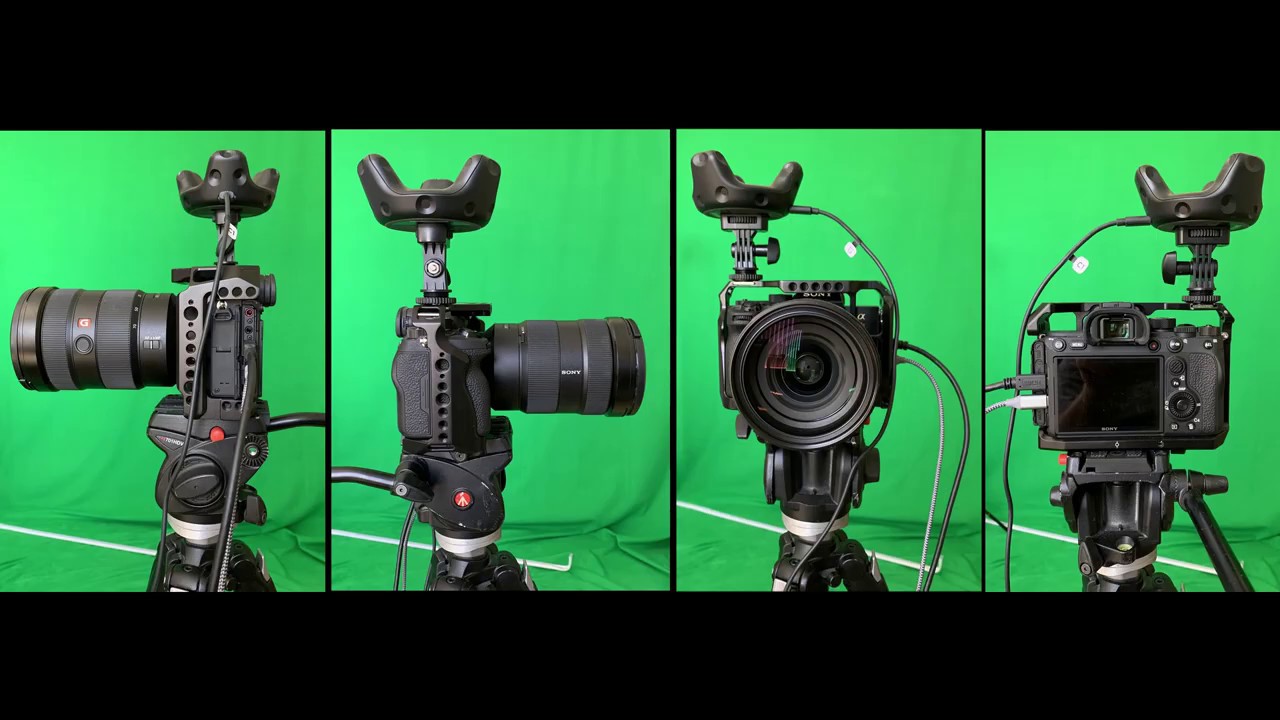
This video begins with another demo of problem caused by having the wrong entrance pupil measurement. It goes on to show one of my real-world camera rigs, how I measured it and then shows how to build a rig inside unreal for use with the VPStudio project.
The camera rig system is designed to make it easier to make unreal's camera match up with...
errant seal
main ruin
I could be completely wrong here, but could this be something to do with alignin...
Ya, that was one of several tutorials we tried. None of them worked unfortunately.
copper finch
Can I genlock in Unreal without a AJA/Blackmagic device? I currently have an external genlock signal that I've synced with a Quadro Card II. The sync over Nvidia Control Panel worked correctly. The docs for integrating this in Unreal, however, only mention AJA/Blackmagic Timecode sources. How would I accomplish this in my case?
copper finch
Ooo okay, so, this is for nDisplay, which actually doesn't use any of the editor timestep policies. [general] swap_sync_policy = 2 in the nDisplay config accomplishes a lock alongside nVidia's QuadroSync
solemn nova
Hi, I can't get Switchboard to run from either unreal or on it's own. I've checked the python version is correct and reinstalled it and checked the system environment variables is correct. Has anyone else had this issue?
 dusty sky
Hi guys got a q, How can I get the UV render pass from unreal for post ? Thank you in advance! If not, can we export and fbx from unreal?
timber crater
Does anyone know if i can access the data from openVRPN to editor?
copper finch
solemn nova
Hi, I can't get Switchboard to run from either unreal or on it's own. I've check...
Sure, what's not working here?
If Switchboard isn't running, is the Switchboard listener running? And as an annendum to that, have you compiled SwitchboardListener in your solution?
solemn nova
copper finch
If Switchboard isn't running, is the Switchboard listener running? And as an ann...
The issue seems to be python related. I've tried to remove python and let Switchboard execute it's code but it quits after trying to get the python file so i figure it must be something permission related, firewall is off and tried to reinstall UE on non OS drive. With Python installed and all the pip stuff manually installed the switchboard window just flickers and quits.. 😦
copper finch
If the listener is open, it's probably firewall related
gleaming imp

Unreal Engine Forums
Preview 1 of the upcoming 4.27 release is available now on the Launcher and GitHub. We are making this Preview available so you can try our new features and help us catch issues before the final release. As fixes are implemented, we will release updated previews throughout the development cycle. Please be aware that preview releases are not ful...
 wary moat
Is there a way to get any of the older Unreal documentation. I am looking for the older composure documentation in regards to the composure framework sample as there’s bits about shadow mattes but it’s not been carried to the newer docs. Otherwise has anyone done any compositing of cg elements on a media plate and added shadows/reflections too if so I’d be very interested to hear how you achieved it. Thanks
 formal star
Hi Everyone. Has anyone tested if this works with UE4, Blackmagic Design DeckLink Mini Recorder 4K, for live video imput for vp ?
wary moat
formal star
Hi Everyone. Has anyone tested if this works with UE4, Blackmagic Design DeckLin...
Yes it works u need to set camera input to 10 bit tho even if camera is 8 bit for some reason but it works I have the same card. I replied in the unreal forum showing screenshots of the settings u need too
Sorry blackmagic forum https://forum.blackmagicdesign.com/viewtopic.php?uid=16&f=18&t=118337&start=0
formal star
Ok. Apparently it works you just have to be carefull with the settings.
formal star
wary moat
Yes it works u need to set camera input to 10 bit tho even if camera is 8 bit fo...
ty
 dire kite
Looking for a unreal developer to help with some vp on a unholiness project. Paid gig. dM if available.
 junior wadi
hello everyone, wanted to try the new Remote Web Control UI in 4.27, but its says that i have missing files. Anyone else having this problem? should i install it again?
copper finch
@junior wadi if you're referring to "LogRemoteControlWebInterface: Error: [Failure] Failed to Launch the Remote Control Web Interface - Missing files in WebInterface folder" i'm also getting this
 uncut light
Hello everyone, I'm currently working on a virtual production project and kinda stuck at a point in which the trackers I'm using doesn't actually move, but only rotates in place. I'm using oculus controllers as my trackers. What I'm trying to achieve is having a plane attached to one of the controllers, and the other to a real camera, and have both of them move as freely within the scene. (And also keeping the plane perpendicular to the camera at all times, is that approach possible or not? and thanks in advance
 terse belfry
solemn nova
The issue seems to be python related. I've tried to remove python and let Switch...
terse belfry
solemn nova
The issue seems to be python related. I've tried to remove python and let Switch...
I'm seeing this issue as well. The Switchboard.bat file throws a bunch of errors during execution. Seems to be having a hard time with the whitespaces in pathnames. Stuff like:
operable program or batch file.
'Files\Epic' is not recognized as an internal or external command,
operable program or batch file.
Access is denied.```

And so on.So probably not firewall related
terse belfry
I worked up a fix for it.You basically need to edit Switchboard.bat.
for me the file is in
C:\Program Files\Epic Games\UE_4.27\Engine\Plugins\VirtualProduction\Switchboard\Source\Switchboard
edit Switchboard.bat and modify line 6.
before:
set _engineDir=%CD%
after:
set _engineDir="%CD%"
adding the quotes to the variable declaration seems to armor the path well enough to play nice with the rest of the script
I suspect whoever built this was working in the source tree and didn't have to content with lovely path elements like "Program Files" and "Epic Games" 🙂
 formal fiber
Hello all, I hope this is the right place to post this.
On my machine I have 2 gpus in LDA ( link display adapters, aka sli) by default unreal use node 0 but I would like that it only uses node 1. the the nDisplay config I set gpu_node=1 in the viewport setting but when I run my project I can see the unreal use both gpus ( using nvidia-smi) What am-I missing?
My setup is that I want to reserve node 1 to Ue and node 0 to my other application. I will share texture between both. But for now I would like to make Unreal only use gpu_node=1.
 rustic plinth
Anyone know a good iPad Pro 12,9 tripod mount that’s sturdy and solid and won’t shake while on a handheld rig?
 tropic quest
so I added virtualcameraa2actor and did the rest in the docs. I am still getting the defaultgamemode view shown on my ipad.
The pie window has the correct one though. I even tried deleting the playerstart so there is actually only the camera in the scene and it still is the wrong one. what am I doing wrong?
The touch controls don't even work in the ipad view.
When I turn off the livelink tracking for the camera. the touch stuff and such works but well not tracking.
We should use unremote 2 for this, right?
tropic quest
also livelink doesn't survive a "open level"?
tropic oasis
Has anyone figured out the nDisplay workflow in 4.27 Preview 1? The new config editor looks great and I think I get it, but how do you launch the project now? nDisplayLauncher still expects a config file. Are projects now launched in a different way? It seems no documentation has been released yet.
copper finch
tropic oasis
Has anyone figured out the nDisplay workflow in 4.27 Preview 1? The new config e...
I don't think the config editor is related to how to launch the project, no? Switchboard has been the default UE4 nDisplay launcher for awhile, nDisplayLauncher has been deprecated for a bit.
The config editor is just a visual representation of your config root I believe, but not related to how it's launched, correct?
tropic oasis
copper finch
I don't think the config editor is related to how to launch the project, no? Swi...
Thanks for the reply. I understand that the config editor is not for launching, I just meant that the new config editor in 4.27 looks great, but after configuring with it then how do you launch the project? I've used the nDisplayLauncher before but haven't used Switchboard.
copper finch
You can find the switchboard plugin, it's been in there for a bit, you just have to enable it. Basically, you'll want to compile SwitchboardListener from the UE4.sln. From there, you can add instances of Unreal to launch, ndisplay instances, etc
The documentation for basic nDisplay startup should be the same as 4.26, you may just notice some more features not yet documented.
Control multiple remote machines from one application.
The config editor is a visual way to modify your config file. In Switchboard, you specify the IP of the computer (where to launch nDisplay) and the config file. That config file is modified through the new config editor.
It's difficult, because I don't believe Unreal's own docs on InCameraVFX uses Switchboard as opposed to the deprecated nDisplayLauncher, but that is the more updated version of launching things.
tropic oasis
The new config editor doesn't seem to produce a .cfg file. You can now create nDisplay configurations as an asset but I didn't find a way of exporting that as a cfg file.
copper finch
interesting, i can take a look in a bit
i was under the impression that those files still exist
tropic oasis
The Switchboard documentation still mentions that you need to provide a .cfg file.
copper finch
yeah, it's strange. switchboard is themost recent version of being able to launch ndisplay
so, if in 4.27, it still requires one,
i believe that the config editor would have a way to export out a .cfg

 copper finch
interesting. i'll take a look later on and see if i can find anything
tropic oasis
Thanks!
tropic oasis
copper finch
i believe that the config editor would have a way to export out a .cfg
Yes, I tried to find a way of exporting the .cfg file from the new editor, but the Export button you see there is not for that purpose. It exports the configuration to be imported into another UE4 project or nDisplay Config asset.
terse belfry
tropic oasis
Yes, I tried to find a way of exporting the .cfg file from the new editor, but t...
drag the ndisplay config into the scene as shown. then launch switchboard and when it asks you for a config, browse to the config file's uasset in your project's /Content directory and select it.
also, switchboard 4.27 is kinda buggy at the moment. you might need to type
(star dot star) into the file name field of the file open dialog to get to see .uasset files
tropic oasis
Thanks! Yes, I just had figured out that switchboard now accepts the uasset directly.
 raven bloom
Hi guys, am new to this channel, I have a serious problems with regards to antialiasing, if I go with TAA all the footages becomes blurry(ghosting), but if I try with fxaa the edges become too much jagged edges, pls share some solution to this.
terse belfry
It sounds like you might want to stick with TemporalAA and adjust your frame weighting
the stochastic-sampling type AA (which is what TemporalAA is) really works better for most applications in UE. If stuff seems blurry and ghosted, you can usually fix this somewhat by changing the current frame weight. it's how much the current frame takes precedence over the other frames
using the console and issuing
r.TemporalAACurrentFrameWeight
will print the current value to the output log
you can then set it by doing something like
r.TemporalAACurrentFrameWeight 0.1
setting it all the way to 1 is effectively disabling TemporalAA, which probably won't look all that great
 robust robin
hello everyone, i need someone can help me finish a live video augmented reality project, i need to animate imported objects and create triggers for each one, also i will need someone to help in compuser
 sterile tulip
Hi, does anyone know how to scale the "epic gizmos" when working with sequencer in VR scouting mode? Those gizmos are bigger than the virtual cam, which you won't see anymore...
There are no known "gizmo settings" in any editor/engine preferences...
Any help is appreciated. Thanks

 zealous grove
i dont know what i should go for my survival game first person or 3rd
 lime wigeon
Hi , I think applying this to green screen footage will be revolutionary
( Does anyone know how can we achieve similar results in UE currently )
https://www.youtube.com/watch?v=KeebkkaZhhI

SIGGRAPH 2021 Technical Paper:
Total Relighting: Learning to Relight Portraits for Background Replacement - Rohit Pandey*, Sergio Orts-Escolano*, Chloe LeGendre*, Christian Haene, Sofien Bouaziz, Christoph Rhemann, Paul Debevec, and Sean Fanello
Project Page:
http://augmentedperception.github.io/total_relighting/
We propose a novel system for ...
 placid crystal
@sterile tulip i exported the meshes and scaled em in blender, reimported with new file
they are called : SM_Sequencer_Node and SM_Sequencer_Key
sequencer is gunna trow a whole bunch of this stuff at you tho
dont think any1 ever uses it, cuz it feels like it has never been tested 😛
I think it only might be half usable if you have 2 instances open. because everytime u enter VR it opens a new editor window and closes a bunch of stuff
rustic plinth
Does anyone know the pre-requisites for a digital film camera to be used with unreal? I heard the black magic ursa was common, but what about a z-cam?
placid crystal
well it got a bit better now i think
tropic quest
can someone shed a bit light on the matter. I totally take videos too if they already explain that.
How does virtual production work with real actors? Like we use an actual camera and something to move the virtual one the same way.
is that basically "just" putting people in front of a greenscreen, chromakey and then capture what we see in ue4?
How would it look if we would record people with a greenscreen and enhance that with virtual objects, I would have to use an iPad and its camera for that right?
Or is there a way to sync a room to a virtual scene?
If you know like the specific word for it would also help too.
Like I am not even sure what to search for.
Basically if I could somehow sync what arkit sees to a film camera?
 void igloo
I saw an article about Fox Sports creating virtual crowds for MLB games with UE4 (https://www.thegamer.com/major-league-baseball-unreal-engine-missing-crowds/). How would you key the UE4 output over the live video without a color to key from?
 ripe flower
You don't need to key the UE4 footage over the live action
You only need to use a keyer if you're putting live action over the CG
You can get UE4 to render the CG and alpha all in one
sterile tulip
placid crystal
<@!445349847269376010> i exported the meshes and scaled em in blender, reimport...
That's a neat quick hack! Thanks!
I would love to see some improvements to the virtual scouting interface. It's really nice for collaborative storyboarding and such kind of things.
void igloo
ripe flower
You can get UE4 to render the CG and alpha all in one
Is there a tutorial for that?
void igloo
For very large productions... is there a way to run two UE4 instances on two machines and sync them displaying the same content?
 golden nexus
void igloo
For very large productions... is there a way to run two UE4 instances on two mac...
golden nexus
void igloo
For very large productions... is there a way to run two UE4 instances on two mac...
multi user
can i save the details of a keyframe from a blueprint node from a widget utility ?
 topaz pendant
would Vive Trackers be a decent entry level setup for a virtual camera?
i'm looking for an affordable option that uses a shoulder rig
ripe flower
For a pure virtual camera? I’d suggest iPad for entry level. Vive would be a small step up from that
topaz pendant
are there certain ipad models that aren't supported? or are they all fair play? @ripe flower
i'm having trouble finding what models would be supported
ripe flower
The older ones will have trouble, certainly. We use iPad Pro’s for this
(And, to be honest, iPads can work well for high-end clients too, which we have done at times, as they are quicker to get up and running.)
Old article, but any of these onwards will be able to do tracking:
https://www.cnet.com/how-to/these-iphones-and-ipads-work-with-arkit/
Newer models have better tracking
topaz pendant
gotcha. seems like ipads are the pricier option, no? a Vive Tracker + a few Base Stations rounds out to roughly 500 dollars.
ripe flower
Sure, plus you’d need a monitor. And you’d either need a cable or a wireless transmission system
(Or be happy not having the picture in front of you)
Also, having an iPad has extra benefits over and above this
topaz pendant
what are some other advantages it has over using a Tracker? i'm quite torn
ripe flower
Easy setup (no setting up of stands, etc)
Can be used without any extra rigging (including monitor)
Can be used for other things other than vcam/tracking
I’d say those are the main ones
nova epoch
can someone give me a hint how to give my htc vive tracker the start position with the cinecamera, for example if i press play the picture gets weird positions like starting from head down , so i have to turn my htc vive tracker weirdly to get a "straight" view
 worn oak
Hi everyone i need help with something!
I try to get the trigger Record (When the camera start recording) of a Blackmagic Camera and with that start the Take Recorder of Unreal. The camera is connect to a blackmagic video card via SDI
Has anyone any idea can i do this? Via blueprint? with any plugin? c++?
Thx for the help!
 magic falcon
hey unrealslackers! does anyone know where i can find, or how i can calculate lens distortion data for the blackmagic media plugin? i have a bmpcc4k and a samyang 12mm f2.0 ncs cs lens..
 nova epoch
magic falcon
hey unrealslackers! does anyone know where i can find, or how i can calculate le...
nova epoch
magic falcon
hey unrealslackers! does anyone know where i can find, or how i can calculate le...

If you want your real and Virtual objects to match up when your camera moves, it's really important to get the right tracker offset. You need to measure from the "entrance pupil" of the lens to the base of the screw on the VIVE tracker.
This video explains the entrance pupil in a bit more detail, shows how to measure it and what happens when t...
magic falcon
nova epoch
https://www.youtube.com/watch?v=wWPZjX29asM&list=PL4A6BJ4uPvvt1igHNPBNR3CeOsCLGy...
that video explaines the calculation of the nodal point. but i need something like a lens distortion profile to flatten the camera image out before rendering on top of it 🙂
nova epoch
anyone can help me or give me a hint how to calibrate my vive tracker 3.0 with my cinecamera start position. for example my cinecamera is a lot off from the start position when i press "play" and the trackers information is getting pulled in
 sharp sparrow
Hey guys! I just wanted to know, can Unreal Engine be used for live streaming? Is virtual production live or is everything laid out on the sequencer?
 exotic plinth
Hello, I am trying to follow this tutorial https://www.youtube.com/watch?v=zZQu9f6U8zw I am only asking about the last part of the video where he exports it, when i export, the rendered video, if it is a avi or image sequence is 4 times faster than it should actually be

Can you use an iPhone to track your live-action camera within Unreal Engine? This is a step-by-step experimental guide to getting it to work. The setup works to some degree, but still needs some tweaking and experimenting to make it viable for production.
Some tutorials that I learned from to make this.
FattyBull's Composure tutorial
https://...
nova epoch
question do you need to calibrate the scene in unreal according to your live sets proportions and also axis or do you calibrate the camera recording to in game positions of stuff
 vapid void
SRT x Unreal engine - has anyone got experience trying to use SRT as their streaming protocol in-engine? I have been battling trying to figure out how to do this. I found an article today saying that the SRT Library could be compiled and created as a plugin to use in engine. I know this may be super niche but any help at all is appreciated.
 shrewd lodge
Question about your camera setup if I get scenes on the market place and want to add n display to them is it better to just setup a game mode that spawns a pawn with the display cluster or is there a better way to get my Vive driven n display system working on market place assets
shrewd lodge
So question stuck on a project and need some help getting a vive vprn signal inside of unreal, can any body help
 lost gull
Hello peps! Does anyone here have suceed delaying the oculus tracking in unreal engine for real- time composure? I have followed this tutorial:https://www.youtube.com/watch?v=CkUxJuxkbeY&t=182s .....but it is not working 🥲
An easy and accurate way of delaying your HTC Vive or Oculus camera tracker in Unreal to make sure it lines up with your video input in composure.
Get Project files, additional help and suggest tutorials with my Patreon: https://www.patreon.com/AidenWilson
#Unreal #VirtualProduction
proper cobalt
Hi everyone, can anybody help me? Im using this blueprint for switch cameras, but when i switch is blinking my media. Does anyone know what node can i use in place of "Set view target with blend" ?

 rustic bridge
Oh all knowing VP peeps. Is there a way to get the HUD to display on the AJA media Output?
 drifting beacon
 proven pumice
Is there a podcast using the virtual production templates to adjust to another setup. I think they want to help but is a little bit confusing.
 faint sinew
Not sure where to put this...so, I´m trying to get a camera out of Unreal and into 3ds max for some cameramatching stuff.
I just right click in the sequencer on the camera track and export to fbx from there and then import into 3ds max.
Initial frame matching looks pretty good, but as soon as the camera moves along, it starts to unmatch.
Anyone know where I could start looking for a fix?
Match at the beginning

unmatch
 ivory wadi
Hey people, I'm trying to add some UI to our virtual production screens but whenever I launch the project via nDisplay there is a mismatch between the cursor location on screen and the widget registering its location. Been trying to play with the scaling but nothing helps. Appreciate some help with this!
sterile tulip
ivory wadi
Hey people, I'm trying to add some UI to our virtual production screens but when...
Hi Hekelsman,
is your nDisplay screen/window the same resolution you created your widget for?
I had some trouble with positions offsets and miscalculation in the past. I then stumbled across the UI_dpi-scaler inside unreal settings and set it straight to one. This helped and my offset calculations scaled linear with display resolution.
hope this helps
sterile tulip
rustic bridge
Oh all knowing VP peeps. Is there a way to get the HUD to display on the AJA med...
Hi Kevin,
I read something about the "retainer box" inside the widget designer, which stores its childs/contents inside a render target(?). could also be wrong, but could be worth a try.
(Nevertheless, it is also usefull to save some valuable fps as you don't need to update your UI every tick)
sterile tulip
nova epoch
anyone can help me or give me a hint how to calibrate my vive tracker 3.0 with m...
Hi Maymun,
OnBeginPlay calculate the difference between cameraLocation and TrackerLocation. -> Store in Variable. -> Add variable (OnTick) to your tracking or camera, depending on your calculation. Should be simple vector math.
sterile tulip
sharp sparrow
Hey guys! I just wanted to know, can Unreal Engine be used for live streaming? I...
Hi vibe,
it can be both. We do everything live and record all the 3D data and inputs with take recorder. You could also prepare a take/sequence with data and play it while recording.
ivory wadi
sterile tulip
Hi Hekelsman,
is your nDisplay screen/window the same resolution you created you...
Thank you for the reply!
I’ve e played with the settings so much but I’m sure at some point it was.
What I discovered today through many fidgeting with the system is that the fault is actually of the frustum rendering.
It seems that the mouse position on the viewport is taking to account both the viewport of the screen and the viewport of the render target projected on op if it combined.
If I could some how limit the widget to fit the the wrap screen only it will work
Couldn’t make it work through the config file or widget yet
The workaround was to use the widget on another window with no frustum rendering next to the wraping one
But anyway the problem seems to be that the widget is misreading the viewport to be bigger then it really is because of the viewports being rendered on the same window at once, although one of them is just a reprojected screen on top of the first one :/
sharp sparrow
sterile tulip
Hi vibe,
it can be both. We do everything live and record all the 3D data and in...
Hey! Yeah that makes sense. Thanks for the response!
proper cobalt
Hi someone can help me with ndi audio?
 tiny flax
Hi folks, I'm new here and looking for guidance towards documentation with regards to PTZ control in UE. I have a few AIDA PTZ optical zoom cameras and a CCU-IP control surface. They must interface with the CineCameras in UE. Alternately, i wold like to interface the control surface in my everyday UE only workflow. Any ideas where to begin?
 wispy karma
So I was testing out the NDI plugin and wanted to see how it would perform in combination with Resolume and Chaser Plugin
This video showcase the chaser using solid color
https://streamable.com/no762m

This Video showcases the chaser using the video footage
https://streamable.com/sszffc

 mint flicker
Hi all I'm starting out with virtual productions, I started a few months ago but had to take a break due to work, I've got the basic knowledge/terminology down about unreal but something I've always struggled with is getting my own config to launch and also adjusting the template to fit my screen size. Any help with this would be so appreciated
ivory wadi
mint flicker
Hi all I'm starting out with virtual productions, I started a few months ago but...
Maybe I can help. What are you trying to achieve
 manic blade
Hi Everyone! I started testing an Xsens suit with Unreal using the MVN Live Link plugin. Is there a way to make the Live Link plugin run when starting a game in standalone mode as opposed to PIE?
ivory wadi
manic blade
Hi Everyone! I started testing an Xsens suit with Unreal using the MVN Live Link...
I believe you need to save a copy of the preset you made in live link and the under your project settings, go to the live link plugin section and set your preset as the default to play
mint flicker
ivory wadi
Maybe I can help. What are you trying to achieve
At the moment just trying to launch from nDisplay and the InCameraVFXTemplate, The sample config works absolutely fine however when I seem to write my own and also determine my own screen size in Maya it opens a black screen and closes down after a few seconds and I've been struggling to pin point what exactly is going wrong.
Also is there an alternative way of making the physical size of your screen apart from maya?
Lastly to give some background, I've got a 7 meter by 2.5 metre LED Wall at my workplace so the idea is getting to use that eventually
ivory wadi
What do you mean by your own screen size in Maya?
 north steppe
Reflection captures don't seem to work well in 4.26 incamera VFX. Did anyone else come across this issue?
manic blade
ivory wadi
I believe you need to save a copy of the preset you made in live link and the un...
Thanks! I tried that today but still didn’t work. I then found that if I set a Livelink connection from a preset it will fail. So, I think your suggestion should work, I just need to figure out this last piece.
mint flicker
ivory wadi
What do you mean by your own screen size in Maya?
So within the viewport of bp_warpmonitor do you not need to define the physical size of your screen so when you launch from ndisplay it appears correctly. I may be completely wrong with this. The screen below is a 49'' ROG monitor which I've been using to test

this is the event graph

I have no idea if I'm doing this correctly but this is what I've gathered from the tutorials I've watched
ivory wadi
mint flicker
So within the viewport of bp_warpmonitor do you not need to define the physical ...
So if you are using the assign wrap mesh, as shown in the screen shot, then the mesh should match the physical screen you are trying to project to. Make sure that you UV it correctly too.
mint flicker
ivory wadi
So if you are using the assign wrap mesh, as shown in the screen shot, then the ...
Okay, is this only possible to do in Maya? Just trying to see if there is other options since my trial for maya expired
 molten zinc
hey slackers, im working on a controller-camera using htc vive tech and it looks good rn, im just having issues creating a focus system, should i just stick to manual focus?
 stark jasper
They should make a "blueprints" for filmmakers course! Wouldn't that be cool? There's so many blueprint tutorials but of course they're created with video games in mind. I've watched many tutorials but I still really don't feel comfortable creating my own blueprints. That being said I've made a few great shorts already without really knowing blueprints.
wispy karma
Has anyone tested yet the NDI 5?
junior wadi
Hello people, i downloaded the 4.27 preview and started using the new remote control web app, which looks great. But i was not able to make it work in a standalone game in runtime, the webserver starts fine but when trying to access the server it syas that there are no presets, tried droping the remote presets on to the level but no luck.
 sonic briar
Hi everyone, I just want to know how I can launch nDisplay .exe file with 4.27 preview.
File format changed from .config to .ndisplay in 4.27 preview, and nDisplay launcher doesn't support .ndisplay format.
 rich vale
does an ipad air 4 have the requireed guts to be an input for the Live Link Face app or as a virtual camera in UE4?
 unique moss
Hey, Can I use my oculus quest 2 controllers to track Virtual Camea in Unreal? How's the accuracy and performance?
 elder oxide
Hi, I have a problem with NDI, i can't have in the same document 2 different NDI sources from Resolume Arena... anyone has done this and can help me?

i need to do this screens configuration in resolume, but not possible to input differents NDI signals from Resolume, but in the NDIMonitor the signals are OK
 cerulean kelp
Hey I'm looking into using an iPhone for live facial captures using the live link plugin.
Does anyone have experience with different models? Does it make a difference if you use an iPhone X vs an iPhone 12 for example?
cerulean kelp
please @ me if someone has an answer to this 🙂
 tawny spade
Is there any way to make the NDI plugin compatible with IOS?
versed loom
Anyone here using nCam? Could you share your experience(s)? Are you shooting primarily green screen? (I've heard of issues with LED volumes)
What compositing solution are you using and why?
Any feedback welcome!
ripe flower
versed loom
Anyone here using nCam? Could you share your experience(s)? Are you shooting pri...
I’ve DMd you
timber crater
Im pretty sure im doing something wrong with vrpn here, but im trying to get the controllers loc + rot as i have done with the vive tracker, but it doesnt work at all. Neither does buttons on the controller.
The trigger is binded to channel 33, and ive tried setting a Bind VRPN channel to the vrpn channel nr and tried to get the rot + loc from the controller, but it just doesnt show in ue4 editor or ndisplay
 timber crater
Oh yes, its "buttons" not button 😉
mint flicker
----Paid Opportunity---
If someone has a spare few hours to walk me through a virtual production with an LED wall and how to set up nDisplay and connect Vive Controllers and do everything from start to finish that would be ace. If anyone is interested let me know.
 rose carbon
Anyone got a good resource on matching virtual cameras to real world ones?
gleaming imp
@rose carbon your best bet is to use the camera manufacturers Tech resource pages. Like ARRI, RED, Sony etc. Usually when I am matching or creating cameras I have a database of sensor size, settings in various modes etc. the lens side in matching and profiling is a bit trickier without doing a proper lens calibration. Remember the lens will have a big effect on your camera so dont forget to take all the variables into consideration. Not to mention shims, backfocus etc. and which mounts are being used on the physical camera.
Speaking of cameras, LEDs and all things realtime and virtual production. I got to sit down with Ian at Before & Afters on his new podcast VFX Futures - https://beforesandafters.com/2021/08/09/vfx-futures-where-are-we-at-with-virtual-production/
Boom! Another VFX podcast show from befores & afters!
elder oxide
Anyone who use DMX plug-in can tell me how i can put two Gobo wheels in the same fixture?
ripe flower
@gleaming imp @rose carbon a good resource for camera details is http://www.vfxcamdb.com
terse belfry
Hello, I'm working with the 4.27 branch from source. It seems like switchboard.bat has been busted for a little while, i was sort of working around it by using a release branch version of the listener and the actual python script, but I was wondering if anyone else is using 4.27 from code and has discovered this issue and knows a good workaround. Thank you 🙂
gleaming imp
ripe flower
<@628663264741687338> <@298808809126756353> a good resource for camera details i...
Yes a good resource. Its not always in sync with the firmware updates and some of the anamorphic mode support.
 cold venture
Hello group, UE4/UE5 newbie(film maker). Got a question. I'm simply trying to connect my camera to UE via the NewMedia Player (using a Sony A7C and Cam Link). I've watched plenty of Tuts but I can't figure out why I keep getting a Black Screen after I select my camera. Any clues?
rose carbon
cold venture
Hello group, UE4/UE5 newbie(film maker). Got a question. I'm simply trying to co...
Windows or Linux?
Did you try using imageedge(the Sony one) and a usbC cable?
What are your HDMI out settings from the Sony?
Can you see the camera on OBS? Or VLC? (Just to make sure it is indeed sending an image)
lime zinc
Hello folks. I was wondering if anyone here was able to achieve decent keying results on composure. I've been tinkering with it for a while and I can get good results, but there's always something wrong. Shadows look weird, edges are okay but if you look closely you can still spot some imperfections. Aximmetry seems to have a significant advantage over composure but for various reasons I can't use Aximmetry. Is composure even used by pros?
sterile tulip
hi, does anyone had the issue of a black camera preview in vr mode / virtual scouting? It's strange, everytime our operator saves the current sequence (where we set some camera keys) the DoP's VR camera preview turns black and he hast to leave an rejoin the multi user session. can anyone help or know whats going on? thanks
 waxen remnant
I'm trying to used keyed footage on a plane but no tutorial makes sense for this, can anyone help?
waxen remnant
I exported and rgb+alpha and imported to ue4, and it looks like this.
 rustic plinth
Where the live link vcam app at?
 frozen parrot
waxen remnant
I exported and rgb+alpha and imported to ue4, and it looks like this.
frozen parrot
waxen remnant
I exported and rgb+alpha and imported to ue4, and it looks like this.
the footage part aside, epic has I think 2 demo projects that do this, but not animated. check out the blueprint office under the learn tab (M_Background_Mat), I can't remember the other project. show us your material setup, and or texture export settings
 tiny owl
dusty sky
Hi guys got a q, How can I get the UV render pass from unreal for post ? Thank y...
tiny owl
dusty sky
Hi guys got a q, How can I get the UV render pass from unreal for post ? Thank y...
Hey! Did you ever find out how to make a custom UV render pass?
 shy sigil
Hey y'all:
I've got this wonderful data from a Live Link performance capture in blendshape curves.
Anyone know if there's a way to export these curves from Unreal into an .fbx for retargeting / cleanup in Maya?
 zenith cove
I see 4.27 added Free-D protocol support, so I decided to look at the code to see their approach and I noticed they referenced the same obscure manual from 2004 that I used for my implementation two years ago 😅
lime zinc
Is there a way to record live link data while nDisplay is running?
I would like to record the motion of my camera, however it seems I can only do that on the editor, but as soon as nDisplay launches, I can't do it
 glass coral
is the webinar from today online ?
 terse silo
This may have already been shared, or in a resource channel, but found this new virtual production video very informative.

Explore the latest virtual production features in Unreal Engine 4.27.
You’ll learn about:
- The latest in-camera VFX (ICVFX) toolkit
- New powerful workflows that solve important production problems
- What production needs inspired the development
- What the rapid growth means for anyone exploring virtual production
 wispy depot
Does anyone have any experience with rendering a sequence at runtime using blueprints? I've done my best to follow Unreal's guide
https://docs.unrealengine.com/4.26/en-US/AnimatingObjects/Sequencer/Workflow/RenderAndExport/HighQualityMediaExport/RuntimeBuilds/
The only change I've made is the PIEExecutor for play mode.
It should work, but I'm getting this error (pic below). I debugged my soft reference path for the level and it's "/Game/Main.Main" which seems correct in terms of specification... I'm a noob and I'm so lost on how to render out playblasts in play mode.

How to use Movie Render Queue in a distributed build to create movies on end-users' devices

I also know there's the Automated Level Sequence stuff https://forums.unrealengine.com/t/rendering-movie-from-blueprints/144601/2 but the nodes aren't showing up despite having that plugin installed and using editor utility blueprints (which should have access?) I'm baby at Unreal and could use some help.
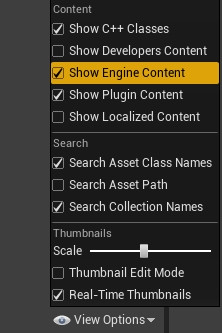
Unreal Engine Forums
Hi, Yeah it’s a shame that Epic is not posting much detailed documentation about all these cool pipeline features. However, they provided enough secret resources that hidden in the engine and maybe they are expecting developers to dig them out on their own lol. To learn how to use the nodes properly and feed them with correct data, the best pr...
 visual basin
Anyone else having trouble with the new 4.27 ndisplay configurator crashing a lot?
visual basin
And does anyone know if you can just run an instance of the editor without packaging like in 4.26?
 covert turtle
Hello! Anyone with some experience with Composure? I've got a basic setup working (FG/BG/video) but I'd like to use an external video with the matte. I've hacked it inside the composure transform compositing material but I feel there's a cleaner solution.
shy bridge
visual basin
And does anyone know if you can just run an instance of the editor without packa...
It's actually easier to run an instance than a packaged build now. I'm not even sure how to run a packaged build to be honest.
visual basin
shy bridge
It's actually easier to run an instance than a packaged build now. I'm not even ...
Do you still launch it through the ndisplay launcher?
shy bridge
visual basin
Do you still launch it through the ndisplay launcher?
No, everything's done through Switchboard now
visual basin
shy bridge
No, everything's done through Switchboard now
So you launch the switchboard listener and then 'Launch' it from the editor toolbar, is that correct?
shy bridge
visual basin
So you launch the switchboard listener and then 'Launch' it from the editor tool...
Yes, you can follow the guide here: https://docs.unrealengine.com/4.27/en-US/WorkingWithMedia/IntegratingMedia/nDisplay/QuickStart/#step3-packageanddeploy
visual basin
shy bridge
Yes, you can follow the guide here: https://docs.unrealengine.com/4.27/en-US/Wor...
Yes then I'm actually stuck on the launch failing.
Seems some kind of build error.
I think for me also the switchboard is failing to install it's dependencies because it is failing to launch the switchboard configurator
wispy depot
anyone know if it's possible to prevent the levelsequencer / movie render queue from exiting play mode upon completion? I want to programmatically batch render multiple playblasts by assigning a new job after one finishes.
visual basin
[4.27] Has anyone run into the problem of being unable to launch the Switchboard?
I have tried reinstalling Visual Studio with it's components, Python 2.7 and 3.7, .NET framework but nothing seems to help, The switchboard button still only launches a CMD window for like a single frame and then closes.
Anyone have any clue as to why it won't launch/install itself properly?
Really stuck on this problem.
 modern compass
Hi friends! I have a question as someone who is looking to switch careers into a virtual production career. What should I be doing to get an entry level job in the virtual production space & and what would a entry level position in VP be called. I have been a filmmaker for a long time and have been teaching myself Blender 3d and Unreal Engine. Thanks for any feedback you can give!
wispy depot
modern compass
Hi friends! I have a question as someone who is looking to switch careers into ...
can only speak from my experience, but I recently just got a stageTD role on a virtual production stage. My background is in gamedev as a technical designer/mocap tech. I mostly work on editor tools to automate different things. I'd just look at the job description requirements for whatever you're applying to and try to learn those skills.
modern compass
wispy depot
can only speak from my experience, but I recently just got a stageTD role on a v...
Thanks Steven! I have been reaching out to get a lot of info about what was the most efficent way to go about it and some have said I should get really acquainted with Ndisplay and that I should work in environment art. In your experience does this sound right?
wispy depot
Virtual production is more than just big monitors. Personally I've never used Ndisplay yet. I suppose it depends on what type of job you want. I think having good problem solving skills and a general knowledge of scripting / 3D animation are all you really need.
modern compass
wispy depot
Virtual production is more than just big monitors. Personally I've never used Nd...
Thanks for the info
 pallid heath
visual basin
modern compass
Thanks Steven! I have been reaching out to get a lot of info about what was the ...
pallid heath
visual basin
modern compass
Thanks Steven! I have been reaching out to get a lot of info about what was the ...
I think nDisplay is not a bad place to start, it will get you into the whole VP thing. And it's actually not that hard te setup(mostly...) on your own TV f.e.
But honestly the game tech and the film skills need to fuse more. I would recommend making sure you can transfer your own film making skills to UE as quickly as possible.
 drifting adder
hello, Im trying to animate camera control by OSC input. when there is one cinematic its functioning properly. Play, Pause, reverse all working. but when there is 2 or more cinematic, after playing one cinematic other cinematic is not working, not even loading. is there any way to fix it?

 old field
I have NDI Receivers and Senders working....
I have a Cube thats being controlled by a Steam VR tracker...
can someone help me connect the cube and the NDI Broadcast camera actor?
modern compass
visual basin
I think nDisplay is not a bad place to start, it will get you into the whole VP ...
Thank you for the advice, I have begun familiarizing myself with the program overall. I have been making landscapes in Blender for a while and so i'm transitioning to "building" scene or worlds that I hopefully can apply filmmakers touch to so I can at least show i have a sense of what i'm doing.
visual basin
visual basin
[4.27] Has anyone run into the problem of being unable to launch the Switchboar...
I finally was able to fix it by completely reinstalling the whole epic package (Launcher and all engine versions). When I tried reinstalling just .27 the first time it still wouldn't launch.
 agile dagger
Noob to VP here. Anyone got any guides on getting started with VRPN? I can't even get it to build...
visual basin
agile dagger
Noob to VP here. Anyone got any guides on getting started with VRPN? I can't eve...
Try downloading the build from here:https://github.com/max-verem/VRPN-FreeD-OpenVR
It's got a nice layout as well to see the ID's and current transform/rot

GitHub
VRPN / FreeD server for OpenVR (based on https://github.com/zhouhs88/vrpn-openvr) - GitHub - max-verem/VRPN-FreeD-OpenVR: VRPN / FreeD server for OpenVR (based on https://github.com/zhouhs88/vrpn-o...
This works with the LiveLink VRPN plugin
agile dagger
visual basin
This works with the LiveLink VRPN plugin
Do you know if it works with nDisplay? I'm specifically looking to just pass standard keyboard input through - which the docs say still needs to be done via a VRPN server.
Going to download and try anyway, thanks for sharing this!
@visual basin The build link on the Github ReadMe doesn't work. Do you know if there's a mirror somewhere?
 stuck widget
Is the keyboard on the master? Then you can just send nDisplay events
Not sure if native input replicates automatically atm
agile dagger
stuck widget
Is the keyboard on the master? Then you can just send nDisplay events
Yeah I'm not actually utilizing the clustering capability at all so it's all happening on the one PC.
Really we're just using nDisplay as a way of natively using VIOSO mapping in-engine. Just need to be able to use standard keyboard or gamepad controls to drive a player pawn.
This was the only page I could find relating to input in nDisplay so I assumed VRPN was a requirement for handling any input in nDisplay. (As when launching nDisplay, input from keyboard or gamepad was not being sent to the pawn)
https://docs.unrealengine.com/4.26/en-US/WorkingWithMedia/nDisplay/VRPN/
Describes how to set up nDisplay to get input from VRPN devices.
stuck widget
Toggle "follow player pawn" in the settings
Assuming you're on 4.27
@agile dagger I'm out now but if you ping me tomorrow morning (gmt) sometime so I don't forget, I can walk you through it
It's not very complicated
Assuming you're on windows, linux is a bit more complicated
lime zinc
did anyone here experience significant input delay when lowering the windows refresh rate to 24Hz?
I am trying to follow unreal's documentation to genlock the engine and to do so it seems you have to set the refresh rate of windows to be the same as the camera fps (24) - but when doing so, the frustum delay becomes significantly bigger (as well as for the mouse itself too)...
 midnight pawn
Hello, sorry if this is not the correct channel but where would i look to commission someone to help me make / design a virtual stage?
 hoary moth
Hey guys, how do you let your projects running during live productions? Do i need to build and compile or is it fine to just cook and run in a new editor window? What is the best practice in terms of reliability and performance?
knotty cradle
I just got an Antilatency tracker, and am comparing the jitter against my existing Vive trackers. So far it looks to be worse 🙁 , but there's a lot of variables I haven't yet accounted for. Here's a plot I made of the incoming LiveLink motion data along the X-axis.
 stuck widget
What exactly are you plotting there?
agile dagger
stuck widget
<@149639941029232642> I'm out now but if you ping me tomorrow morning (gmt) some...
Sorry man I was off work yesterday. Yeah just updated to 4.27. You okay for DMs? I'm a bit busy today but it'd be good to talk to an expert 😛
stuck widget
agile dagger
Sorry man I was off work yesterday. Yeah just updated to 4.27. You okay for DMs?...
expert
sorry to disappoint you there 😛
But yeah just DM me
knotty cradle
stuck widget
What exactly are you plotting there?
It's the x-axis data coming out of LiveLink for the ViveHMD, a Vice Tracker, and an Antilatency Tracker. None of them are moving so the flatter the better. Whatever you see is the inherent noise/jitter of the setup.
stuck widget
Ah, interesting
 tidal oasis
Hey All, Has anyone had any luck remotely triggering Play-In-Editor? I'm making a controller for a handful of linked machines and I want to get them all to swap between PIE and Editor at the same time.
I've already found the editor utility nodes to start and end simulate, but for the life of me I can't then get the editor to possess the player pawn and switch to PIE

 polar tree
Hello everyone :), does anyone know how I could make a kind of interactive list that can be modified with values and transitions like the one shown in the left part of the image?
I would like to make a live event and show that list somewhere on the screen.
If anyone could share some information that could help me do that, I would greatly appreciate it !
!

 meager sapphire
Hi everyone, I'm playing around with the DMX plugin and couldn't find a way to switch the interpolation mode in runtime.
I want to achieve this to both preserve the smooth movement and to allow direct control when needed (when doing 360 loops)
Anyone found a way to do this?
 rain dew
Hey all, I noticed my webcam is not being detected anymore in 4.27 (works perfectly fine in 4.26/4.25)
found that it's actually a bug. please vote for this hopefully we'll get a hotfix :
https://issues.unrealengine.com/issue/UE-121781

Unreal Engine
Welcome to the Unreal Engine Issue and Bug Tracker. You can check the status of an issue and search for existing bugs. See latest bug fixes too.
solemn nova
@knotty cradle I have a lot of Jitter on my end, we've been trying to fix it for awhile but the only fix that was advised by the team was to redo our ceiling setup and make sure everything was exactly precise.
knotty cradle
solemn nova
<@!809259862097002506> I have a lot of Jitter on my end, we've been trying to fi...
Did that make a difference? I’m using floor tiles. I have about as minimal setup possible because I wanted to try it before doing a larger investment.
solemn nova
@knotty cradle If they are precise then the jitter will dissapear (Unless you are doing incredibly close macro shots)
I've been using it for VP for a few months, we can setup a call on disc if you have any questions too
knotty cradle
solemn nova
I've been using it for VP for a few months, we can setup a call on disc if you h...
I will absolutely take you up on that! I sent a friend request.
solemn nova
Perfect, added you
dusty sky
Hi Guys a question. Who is using pixel mapping and what software your using ? Unreal only and dmx or another software to help like elm? Thank you in advance!
visual basin
Is anyone able to use the LiveLink Vcam app to connect to Unreal?
I keep running into Connection refused. I have tested with an iPhone XS and an iPad air 3.
I am able to ping the pc from the ios devices and the other way around, they also show up in the live link menu when the app is running. But the iOS app wont connect, keeps coming back with connection refused error.
Anyone have any advice?
orchid shard
Does anyone know if its possible to get a live output of an object's texture contents? Essentially, I would like to light a textured object and output its texture live with all the lighting applied in its UV map so it can be used for projection mapping.
This is possible with Notch through the UV Cam, but it would be much cleaner to not have to go through a reprojection step in Notch
 coral tiger
Hi there!
Spent a day browsing for a detailed tutorial of how to get a nice hair chromakey in UE, but failed.
So, I wonder if the production quality keying is even currently possible in UE?

 primal star
People are making proprietary keyers. Stype has one called green killer.

Today, we are officially launching our GreenKiller chroma keyer, part of our #StypeLand plug-in for Unreal Engine.
As you see in the video, GreenKiller is very efficient at differentiating subtle color nuances on a cyclorama, meaning it can preserve and bring real shadows over to your #VirtualReality set.
We made its job hard in this video by u...

 open lotus
Has anyone had success with the DMX Output console?
I cant seem to get it to work unless I use an exterior program (like MagicQ)
using 4.26 on Windows
 clear pier
Hello. Does the Live Link face App works with UE5?
 indigo sparrow
Hi, i'm looking into the Switchboard plugin, has anyone gone deep into it and proceeded with any widgets for the devices in the switchboard ui? i'm connecting several different devices but would like to use buttons for osc messages to check battery status and transfer recording. anyone with knowledge here?
junior wadi
hello everyone, am i alone in that web remote control on an iPad doesn't register touch inputs? using the new one in 4.27
covert turtle
Hi, I have two media tracks in the sequencer:
- if I scrub and watch the composure output window everything looks fine
- If I play in PIE the second one often does not play
- When it does play looks also ok
- if I render the video out (or an image seq) they are completely desynched
junior wadi
Do you need to render everything in unreal? why not render each separately and then join them?
covert turtle
It's a proof of concept for some research on matting, I'm pretty sure ue should be capable of handling 2 media sources
 somber marlin
Hello, is it possible to see xsens timecode in the UE viewport? Thanks!
zenith cove
somber marlin
Hello, is it possible to see xsens timecode in the UE viewport? Thanks!
I don't have an Xsens but I was curious and I noticed there's a Time Code option in its streaming options

I'm not familiar with how the data is sent and i can't find any documentation on its API strangely enough though
somber marlin
zenith cove
I don't have an Xsens but I was curious and I noticed there's a Time Code option...
Yeah I thought that when it’s streaming the timecode, it should be easy to set up in unreal but i just cant make it work 😦
zenith cove
It seems that data is sent via UDP in a raw byte format according to them: https://www.xsens.com/hubfs/Downloads/Manuals/MVN_real-time_network_streaming_protocol_specification.pdf
You could try and parse that data if you're up for it but it's a challenge 😄
UE4.27 implemented a Live Link plug-in for the FreeD protocol, which I think is similar in that establishes a UDP connection and receives and parses raw byte data. https://github.com/EpicGames/UnrealEngine/tree/release/Engine/Plugins/VirtualProduction/LiveLinkFreeD If you want a C++ example
I'm cross-posting from the VR channel, but has anyone experienced that the Vive Trackers are a bit jittery compared to the headset? Like literally tenths of millimeters but it's disturbing enough for virtual production still shots
timber crater
Question for 4.27 ndisplay
How do i possess the ndisplay setup?
timber crater
its such a pitty ndisplay isnt working in 4.27 expect the default project map
shy bridge
timber crater
Question for 4.27 ndisplay
How do i possess the ndisplay setup?
Not sure I understand the problem, but I had a similar issue, and someone told me this
Open the config editor for the root actor, go under class defaults, go under the Configuration category, and check “Follow Local Player Camera”.
timber crater
@shy bridge
I got it working! 🙂
Now i have this issue
 sterile tulip
somber marlin
Hello, is it possible to see xsens timecode in the UE viewport? Thanks!
sterile tulip
somber marlin
Hello, is it possible to see xsens timecode in the UE viewport? Thanks!
hi, since it is coming through livelink you can grab the data with the "evaluate live link frame" node and use the "get metadata" node on the data result. there you can print out the timecode on your screen.
cheers
you could check, if the time code comes in properly by checking the livelink monitor (where you setup your source) and click the "view options" on the right and choose "frame data". now scoll down to the end and you'll see the transmitted timecode from your source.
somber marlin
sterile tulip
you could check, if the time code comes in properly by checking the livelink mon...
Thank you!!! I will try it 🙂
copper finch
timber crater
<@!688049086112333839>
I got it working! 🙂
Now i have this issue
your inner camera frustrum (probably in your config) does not exist. either remove the reference to the ICVFXCamera or add it
ndisplay does work in 4.27 and i've been using it for weeks
timber crater
copper finch
your inner camera frustrum (probably in your config) does not exist. either remo...
There is no viewport in config file. Neither was there a camera ICVFX. (there used to be tough) 😦 I fixed it by replacing the config file in the scene
knotty cradle
Has anyone had a Blackmagic Decklink card just stop working. Mine no longer shows up, even in the Desktop Video Setup software.
 lavish hemlock
Guessing by the delay that that’s a “no”, Jake 🙂
 karmic abyss
Hi everyone, I'm curious about getting into virtual production with a focus on live performance and storytelling. Does anyone have some good starting resources, tips or areas that I should look into if I wanted to head in that direction?
Assume I know nothing please. 😅 Thanks.
p.s, I have looked through the pinned comment but am curious in other people's takes, thankyou.
Can anyone give me a fresh invite to the VP server? The pinned one has expired...
timber crater
Did you ever figure this out?
 tough hamlet
Hello everybody, Valentin from Argentina here!. Whe are setting up a virtual production studio and we are encountering some problems, the team is all new in this VP world also me haha. We are having this issue, the led wall is set up correctly in nDisplay (8x3 led wall) the cameras are ok, and tracking from MoSys system, but when we launch with switchboard the movement of the frustum is gone, i see the picture fine in the led wall but the frustrum don´t move. Some advice? Thanks!
Just to be clear, i see movement in the engine side when i move the camera in real world, so the tracking is coming to unreal, but something is missing when i launch the switchboard.
stuck widget
tough hamlet
Hello everybody, Valentin from Argentina here!. Whe are setting up a virtual pro...
are you using 4.27?
tough hamlet
stuck widget
are you using 4.27?
Yes
stuck widget
What you still need to do then is get your LiveLink data to nDisplay:
- enable the LiveLinkOvernDisplay Plugin
- (I think) On Begin Play somewhere, apply the LiveLink Preset that you use
- Add a LiveLink Controller Component to the Display Cluster Root Actor in your scene, and have it sync the Camera
I assume you're doing the last part already, considering you see the movement in-editor
tough hamlet
Yes the last part is ok
that´s why i have movement on engine side, will check the other steps
"- (I think) On Begin Play somewhere, apply the LiveLink Preset that you use" this you mean on the project settings? @stuck widget
stuck widget
Negative, I mean on a blueprint (or script) in OnBeginPlay
tough hamlet
stuck widget
Negative, I mean on a blueprint (or script) in OnBeginPlay
Ohhhh ok ok, will check, im very new to unreal so is a little bit to much sometimes
stuck widget
Basically this:https://docs.unrealengine.com/4.27/en-US/AnimatingObjects/SkeletalMeshAnimation/LiveLinkPlugin/LiveLinkBlueprintComponent/

Provides an overview of the features available for using Live Link to stream data to Actors.
tough hamlet
thanks jose!
stuck widget
No worries, we struggled with that at the start quite a lot too
What you can e.g. do is in your Pawn or DisplayCLusterRootActor blueprint execute this node: https://docs.unrealengine.com/4.27/Images/AnimatingObjects/SkeletalMeshAnimation/LiveLinkPlugin/LiveLinkBlueprintComponent/live_link_apply_to_client.webp

Add a variable to the blueprint of type Live Link Preset, compile, then set it to your Preset asset
then plug that variable into above node
This console command is very useful to see if livelink is working
 tough hamlet
i need to go on depth with blueprint
manic blade
I just came across an issue affecting a character’s normal map when applying an animation. The animation’s scale is about 100x and I suspect this is the cause. Does anyone know a fix that doesn’t require redoing the animation?
sterile tulip
manic blade
I just came across an issue affecting a character’s normal map when applying an ...
Hi, I guess your question is more suited for the animation or graphics channel. Cheers
junior wadi
Hello people, we have a green screen setup, and using billboards for the talent, not using traced cameras or compositing. But we couldn’t find a way to turn off TAA for the billboards. Does anyone have any hints on how to disable AA for particular actors o meshes? Thanks!
tough hamlet
@stuck widget we have a working set up!!. The problem was the engine itself, i will explain, when i close my scene (unreal engine) with ndisplay set up right and having tracking to the camera but first i launch the switchboard, WITHOUT making any conecction, so when unreal is close i connect and launch and i have tracking on the led wall perfectly
But now the question is why this is happening? and what if i want, and i will, make changes in real time to the scene? becose as i experienced with unreal open i cant send tracking to the led wall, maybe this is something we can have a workaround with multi-user sesion?
stuck widget
I don't know much about the multi-user session stuff unfotunately
we never had it running in PIE, not sure if that is even possible in cluster mode
sterile tulip
junior wadi
Hello people, we have a green screen setup, and using billboards for the talent,...
someone can correct me if I'm wrong but you can't, since it is a method (whether it is FXAA, TAA, MSAA) processing all the images pixels to reduce aliasing. Excluding objects would probably cause aliasing effects on their edges, since no method I know would know how to treat those pixel edges. Did you try using other methods in the preferences?
 slender pier
Hey guys! I'm trying to use the Take Recorder system but when I export it through sequencer, the recorded gameplay doesn't appear on the camera. I can't find anything on google about this (perhaps im not using the right terms), hopefully you guys can help
Let me know if you need more info or screenshots
 civic viper
Earth in Unreal Cesium truesky and some magic
 stuck widget
That looks absolutely stunning
 long pier
slender pier
Hey guys! I'm trying to use the Take Recorder system but when I export it throug...
long pier
slender pier
Hey guys! I'm trying to use the Take Recorder system but when I export it throug...
Make sure the Take Recorder is tracking the camera actor. And then add this camera to your Camera Cuts for the entire duration of the sequence.
junior wadi
sterile tulip
someone can correct me if I'm wrong but you can't, since it is a method (whether...
Hello Robert, thanks for replying. I tried other methods, but my problem remains. Because TAA is the best looking but im displaying videos masked with alpha and they look very blurry, even when setting Responsive AA, i would love to make them look the same way when i turn off AA completley. If yo dont mind i could send you some samples later
sterile tulip
junior wadi
Hello Robert, thanks for replying. I tried other methods, but my problem remains...
could you post a sample pic of your blurred planes here?
I assume the problem lies elsewhere and I just need to be sure
 tribal laurel
stuck widget
What you still need to do then is get your LiveLink data to nDisplay:
- enable t...
tribal laurel
stuck widget
What you still need to do then is get your LiveLink data to nDisplay:
- enable t...
Jose, I'm having a similar issue as Valen.F I'm following InCameraVFXQuickStart tutorial using the provided In-Camera VFX Example project in UE 4.27.
Everything is working perfectly until I try to track the camera with HTC Vive controller. I follow all the steps, and the frustum updates ok in the editor preview, but it's frozen on the ndisplay node. Can you help me out with this?
stuck widget
tribal laurel
Jose, I'm having a similar issue as Valen.F I'm following InCameraVFXQuickStart ...
Could you poke me later today again please I tend to forget things :p
tribal laurel
stuck widget
Could you poke me later today again please I tend to forget things :p
I will gladly "ping" you, "poking" sounds too rude!! 😄
stuck widget
okay I didn't know that tutorial existed, that's actually pretty cool
They also use the Multi User Mode though, which I have not ever used with nDisplay
I didn't even know that was possible, gotta try that out some time 😄
Does it work if you add the LiveLinkOvernDisplay Plugin & try it without the multi user stuff?
tribal laurel
To tell the truth, not sure how to do that, I just have 8 hours of playing around with that tutorial
the LiveLinkOvernDisplay plugin is activated
what I don't find is anything in the blueprints related to that
I posted in UDN since it's a recent example, it may be a bit incomplete
I have no experience at all with VP in earlier versions of the engine
the stuff in 4.27 sounds cool, and easy to setup, unfortunately the doc seems to leave some bits unmentioned
stuck widget
Sorry bochi, I'm actually swamped with work and barely have a free minute, I'll try to get back to you at some point. From your description I don't really see an obvious problem
 sage trail
Hey!! Is it safe to put a delay in code that would run during a sequence that I'll render through Movie Render Queue? Does it respect delta times and all?
 jaunty finch
Hi I am currently using the take recorder to have the animation of my camera but after the export and import in blender or Maya the transform is animated but not the focusDistance (I only got the value of the first frame but no animation). Someone know why ?
solemn nova
Hey not sure if anyone has advice, on issue using USB capture cards with ue 4.27? I have cam link 4k and even tried from my terradeks built in capture card usb input, they both are working 100% fine with 4.26 but when I open using 4.27 i just get black square, details show proper framerate and resolution, but I'm getting no input. Any suggestions?
Note I seem to have a found a bug listing for the problem it says it fixed in 4.27.1 but that's not available yet right? https://unreal-engine-issues.herokuapp.com/issue/UE-121781
ivory wadi
Need some advice about video processor for LED walls. Can any one help me with figuring out the right Novastar model we should get for a studio because its very hard to find the right answer, even from Novastar. If any one here has experience with their equipment please share your wisdom if possible
solemn nova
Regarding live link connections, how can the green/yellow light status be consulted from blueprints? I would like to know if I'm connected to the Source but if I don't receive data in the specified amount of time, to consider a source "invalid" and blend to another animation for example. It would be nice to get this value exposed in blueprints directly from this calculation done in the "project settings" instead of storing curve values and evaluate if they are changing or not in blueprints too...
 vast bridge
Hey everyone, are there any good guides for a new person setting up a led wall style shoot. (I'm actually just using a monitor to test for now)
The main thing is I'm trying to figure out how to set up the Monitor location as the display source not the camera position.
 glacial trail
I made a quick video showing off some of the new Remote API workflow with MIDI and the Monogram Creative Console.

I have been loving the Monogram Creative Console lately and wanted to show some workflows that utilize newly added MIDI support and the Remote Control API in Unreal 4.27. Enjoy!
Monogram is offering a 10% discount on the purchase of the creative console for the next 30 days! Use code UE10 at checkout to receive the discounted price.
http://ww...
timber crater
Has anyone successfully used perforce, multiuser and switchboard?
Im having huge issues with the config file not updating towards the switchboard and when launching the node, its not updating screen location where its supposed to be
 late heron
hey everyone, fuck question. the genre machinema, does it still apply to my project if I render out sequences and edit them in a 3rd party software like premiere? Or can it only be done 100% inside the engine?
 split halo
trying to figure out how to launch a packaged project from the nDisplay switchboard in 4.27. is this possible? seems to be easy in 4.26 from what I can see. Am I right in thinking I'll get better performance from a packaged build than an unpackaged one? Also, how to launch the switchboard without going into the editor?
shy bridge
@split halo There's a bat in the switchboard plugin folder to start it. You can set the exe to launch in the settings, that's how I launch my packaged builds. You'll have to clear the uproject setting though, otherwise command line gets messed up.
But yeah, running packaged builds on nDisplay was way easier on 4.26.
Also, there's a bug with nDisplay configuration's default view point in packaged build, which is pretty big since it basically ignores your configuration and uses the engine default value. Made a bug report about it, but I don't have my hopes up. Holler at me if you stumble onto the issue, I have a workaround.
vast bridge
Is it common for nDisplay to run much slower than the viewport? I have bad tracker latency and sometimes frame hits down to 1 frame a min. in the viewport everything is super fast and responsive even at full screen.
 bright pelican
generally, higher resolution = slower fps. If you mean your viewport is just on your 1080p monitor or something, and nDisplay is multiple = to 8k resolution then that is probably why.
vast bridge
That's not the only problem but I did realize I'm rendering at higher res than I need to be.
bright pelican
I read something about mandalorian that panels in camera view refresh faster or something dynamic like that to solve lag created when sending data to their massive 20ft LED wall
so the camera doesn't see the displays lag, but it's still there.
vast bridge
woah
split halo
thanks @shy bridge, very helpful! will make some tests today.
timber crater
Has anyone successfully used the take recorder to record a tracked device?
For me, it just records the first frame, then this error message comes
Warning: Discarded buffered frame: [00:00:00:00.0.000] outside of start frame: [14:50:46:19.0.000] for subject 'SteamVRTracker_LHR-B914EEC1'.
Then i check the box not to record frames before start, but it still doesnt record any movement from the tracker..
 low spire

Check out this job at Orbital Virtual Studios: Virtual Production Supervisor
We are looking for people who have experience but also want to work in a ...
Posted 6:28:29 PM. Virtual Production SupervisorOrbital Virtual StudiosABOUT ORBITAL STUDIOS:Orbital Virtual Studios…See this and similar jobs on LinkedIn.
 timid lance
sterile tulip
hi, since it is coming through livelink you can grab the data with the "evaluate...
timid lance
sterile tulip
hi, since it is coming through livelink you can grab the data with the "evaluate...
WOuld you be able to assist with troubleshooting why unable to connect iphoneX livelink app to engine livelink?
timid lance
visual basin
Is anyone able to use the LiveLink Vcam app to connect to Unreal?
I keep running...
How did you resolve this? where are you seeing "connection refused"
 red tulip
Hey guys, anyone here who ever had connection issues with iOS Live Link Vcam + Unreal Engine and solved em? Since yesterday I'm trying to get a connection with Live Link Vcam, I tried so many things, nothing helped. I've also created a forum post and answerhub question. https://forums.unrealengine.com/t/live-link-vcam-couldnt-connect/255834 Please, if you have any helpful infos about that, I really would appreciate if you post them. ❤️ thanks

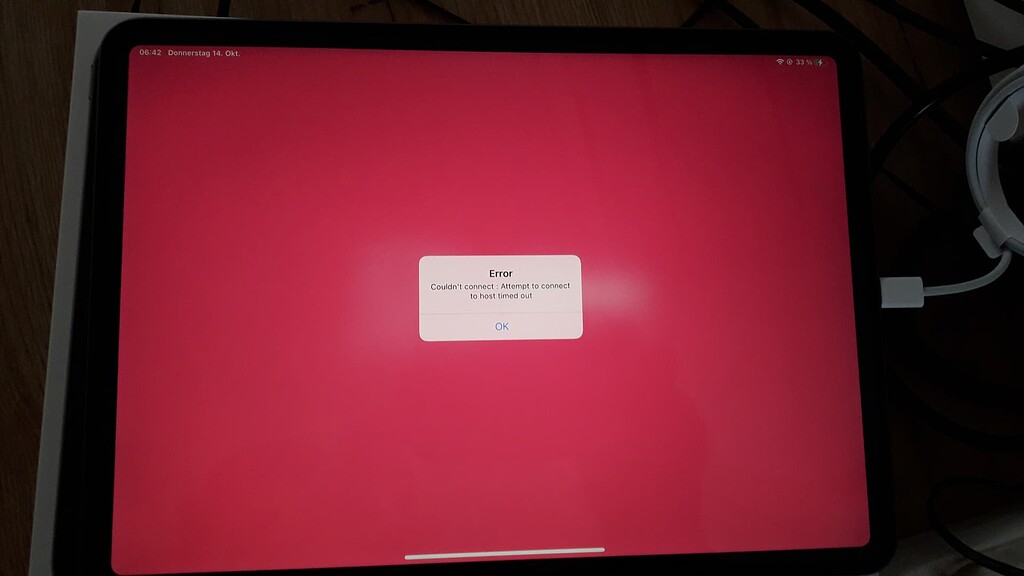
Unreal Engine Forums
Hello, I would like to say in advance, I have searched and tried very long and intensively before writing this post. I bought an iPad just to use it with Live Link. I followed every step in the documentation, I tried different Unreal versions, I revised my firewall exceptions and followed instructions in forums of people with similar problems...
 outer nebula
hey everyone, im just getting started with virtual production and was setting up my htc vive controller as a virtual camera in unreal engine 5. one thing i noticed was that while rotation (pans and tilts) were responsive and accurate, the position of the camera did not change while i was moving around with the controller, any tips on how to "fix" this?
bright pelican
Hey guys, I'm writing a research proposal for virtual production at university.
If anyone is aware of a specific "gap in knowledge" for this technology that could be further researched I would love to hear it.
Cheers 👍
solemn nova
hello guys:) i have some 4.27 ndisplay related questions ... 1. how to use remote control presets with ndisplay? 2. how to use live link tracking with ndisplay?
hushed mason
knotty cradle
Has anyone had a Blackmagic Decklink card just stop working. Mine no longer show...
Did you manage to find a fix and/or replacement?
solemn nova
hmm nobody can help ... the ndisplay documentation does not explain how to use the remote control preset with nDisplay. Everything works fine in the editor, but in Switchboard when the node starts .. there is no reaction
maybe answer is in ICVFX Production Test
knotty cradle
hushed mason
Did you manage to find a fix and/or replacement?
Yes. I reinstalled Windows. Blackmagic support was absolutely no help and spent the entire call blaming Puget Systems for “disabling the PCIE card”.
vast bridge
bright pelican
generally, higher resolution = slower fps. If you mean your viewport is just on ...
So resolution helped a lot with the frame rate, but the other part looks like it's significant tracker lag. Do you know what causes that? Tracker looks very accurate in viewer (unnoticeable latency in movements) but when I nDisplay to the same computer there is a noticeable delay between the tracker's movements and the update of the scene position.
bright pelican
vast bridge
So resolution helped a lot with the frame rate, but the other part looks like it...
Is this lag all of the time or mostly when transitioning from still into moving shot?
vast bridge
bright pelican
Is this lag all of the time or mostly when transitioning from still into moving ...
It's consistent
bright pelican
well it sounds to me like hardware might not be powerful enough to keep high framerate for nDisplay.
have you tried using a barebones level of just a light and a cube, then test if the nDisplaye can perform better?
vast bridge
bright pelican
have you tried using a barebones level of just a light and a cube, then test if ...
Yeah, I mean it is slightly better I think. I'm running a rtx 2080ti at 1080p
bright pelican
vast bridge
Yeah, I mean it is slightly better I think. I'm running a rtx 2080ti at 1080p
how many displays in nDisplay?
vast bridge
bright pelican
how many displays in nDisplay?
just 1
vast bridge
bright pelican
because you don't need it for a single display
wait what? how do i run a virtual single display without it?
I'm very new to unreal so I just did a tutorial
bright pelican
vast bridge
wait what? how do i run a virtual single display without it?
terminology might be a bit confusing here, but by single virtual display you mean you are synchronizing multiple displays or LED panels with nDisplay?
vast bridge
I'm just running one giant display off the computer I'm working off
right now I'm using my monitor to test but I'll be using a 150inch ALR projection screen when I get it.
So single physical display showing digital world behind real talent/props
with camera tracked using vive tracker
bright pelican
with single display setups you should be able to just track your camera as a virtual camera
vast bridge
yeah I can do that, but then it shows the point of view of the camera not the parallax shift of the screen.
bright pelican
look at in camera vfx
vast bridge
so if i rotate the camera right the image rotates right from the center of the screen not the camera.
yeah that's what I'm working from now.
I'll explore the incameravfx. If I can just hit play and not have to use nDisplay that is extremely preferable.
You don't happen to know of any videos of people doing that do you?
bright pelican
well yeah, I think you should be able to skip nDisplay and just track your camera
and output to the projector with your virtul camera
vast bridge
I mean this seems like its just my lack of understanding of unreal but I can setup control the camera with the tracker but I have no idea how to modify the monitor blueprint to display without nDisplay.
bright pelican
yes it is easier with the template setup for nDisplay
https://docs.unrealengine.com/4.27/en-US/WorkingWithMedia/IntegratingMedia/nDisplay/ProjectionPolicies/ so you're doing this "Simple" setup with one flat plane, but has too much lag?
Reference for policies supported in Unreal Engine for multiple screen displays
vast bridge
yeah it noticeably moves after the foreground element moves even with only privatives in the frame.
stuck widget
I agree, you should be able to skip nDisplay and save quite some trouble
However, even with nDisplay and just a master node you should not have much lag
What's the fps on the nDisplay node, and are you using it in a multi user setup with the editor running, or are you running a packaged build directly?
vast bridge
How do I display frames in ndisplay?
Editor closed most of the time, I'm using game mode.
stuck widget
stat unit / stat fps
Set a console key
Project settings, search for console key, add a new one or use the tilde that's already set (doesn't work on e.g. German keyboards)
Then just enter 'stat fps' or 'stat unit' or any of the other stat commands
Or use switchboard to send the console command directly via an nDisplay event
But it sounds like you have input capabilities on your master node
I haven't dabbled in debugging live link latency/performance, so not sure I can help you there
I remember there's at least a refresh rate you can set somewhere for livelink, maybe that is too low?
I'm actually curious on what motion to photon latency people are generally getting with 4.27, we're also struggling a bit with it
vast bridge
stuck widget
I remember there's at least a refresh rate you can set somewhere for livelink, m...
I had the refresh rate at 60. I actually just lowered it to 48 since I found a recommendation to do that.
I’ll check the frame rate this evening. I honestly deleted the entire project and am starting over since I’ve tried so many things from so many sources that I don’t remember what I’ve done.
I feel like starting fresh and keeping better track will be better long term.
stuck widget
That's probably a good idea yeah
split halo
has anyone used raymarching in an nDisplay project?
vast bridge
I’m using 4.27 and the vive tracker is updating the inner frustum in real time in the viewer.
But when I launch nDisplay it just shows the frustum where it was last seen with no update when I move the tracker.
(Time code counter is going so it’s not frozen)
I’m sure there is just a box I’m not checking or something but any ideas what that might be? @stuck widget @bright pelican
timber crater
vast bridge
I’m using 4.27 and the vive tracker is updating the inner frustum in real time i...
You have to set the live link preset in the project settings
Make sure you have a saved preset and its set in the project settings
Also make sure its not switching roles between VRcontroller and VRtracker, this is an issue as well that happends
Does anyone have experience with black magic deckline to LED wall? We are experiencing lag, which we do not experience on our normal monitor. This counts for youtube videos and VLC as well, its basically just a lag stutter and loss of frames
Also we currently have 4 users connected on multiuser, while using perforce and sharing live link data cross to all computers, but we are experiencing that multiuser is branching certain files suddenly, which we have to delete and recreate to fix
vast bridge
timber crater
You have to set the live link preset in the project settings
I had the wrong root in for my preset. YOU ARE A HERO 👏
solemn nova
Hi guys. So my customers keep wandering off when I put them in VR or fail to move as instructed, so I'd like to put them into place. I've already set up teleporters to blink them back to where I want them, but I also would like to be able to move them by using wasd. Is it possible to implement wasd movement while in VR preview?
I only use the VR preview for my presentations.
 green kiln
@solemn nova Bad idea, as the person then looses track of how far he moved and as off the limited space in VR this only makes things worse.
Currently trying to get an image with alpha from Composure. I get an Image with alpha, but the alpha channel itself is ignored. The alpha is generated from the color. e.g. an Red (1) image, fully opaque, is a fully opaque image. A Red (0.5) image, is a transparent red, even if I set the alpha channel to 1 (opaque) => Darker shades automatically result in transparency, though I need them fully opaque. The Composure Element outputs to a texture that is send to Aximmetry.
Any idea what could be the culprit?
placid crystal
@solemn nova my oculus also came with a remote, the tiny non motion controller, they work at the same time
solemn nova
placid crystal
<@456226577798135808> my oculus also came with a remote, the tiny non motion con...
Didn't receive any device except the HMD, base stations, motion controllers. using HTC vive pro.
solemn nova
green kiln
<@456226577798135808> Bad idea, as the person then looses track of how far he mo...
You're right. I still would need to know how to implement the wasd movement in VR. Maybe someone can point me to a specific tutorial.
placid crystal
well if you use it to teleport to locations it shouldnt be much of a problem
as far as i know keyboard still works as normal
solemn nova
So basically If I set up a blueprint for wasd movement it should also work in VR
will try
stuck widget
Protip: Put a puke bin in front of your users if you do that
 silk arch
Hello, I'm an LED tech trying to learn Unreal for virtual production. I'm following the In-Camera VFX Quick Start and have created geometry for my curved 24x8 LED wall. I've split the wall into two separate meshes because they are powered by two separate processors. The guide says to have two UV sets and here is where I am stuck. I'm not sure I understand the guide on how to do the UVs, maybe someone with more UV experience could help guide me

 zenith cove
silk arch
Hello, I'm an LED tech trying to learn Unreal for virtual production. I'm follow...
zenith cove
silk arch
Hello, I'm an LED tech trying to learn Unreal for virtual production. I'm follow...
If you have two different meshes, they should each have a separate UV set
Does each processor output their own video stream?
 soft vigil
Hi guys I have a question there doesnt seem to be ans on google
When im trying to render apple pro res in movie render que it always fail and show a msg Failed to initialize Apple Pro Res Writer. Its super weird
 clear igloo
anyone else having low CPU GPU usage and low FPS in there nDisplay setups?
have a A6000 and 3970X and 256gb ram but still not using more then 20% cpu and 9%cpu and getting poor fps
stuck widget
Totally depends on your setup
outer nebula
hey frens, where can i find a tutorial to use external monitors for virtual production?
tough hamlet
Hello guys someone knows how to properly import a ndisplay to other project?
I follow the instructions on the guidelines but the problem is when i open the nDisplay editor all the meshes for the wall are gone, and the "static mesh" components now are a xform ndisplay
I try to relink the meshes with that xform component but don't work, for some reason only one mesh is showing up
I'm exporting the . ndisplay file from the nDisplay editor in other project
 rough cobalt
Hey all, just wondering if anyone else has experience a strange issue with switchboard and ndisplay where it doesn't seem to possess pawns properly?
We updated our project from 4.26 and was working with the ndisplay launcher, but with switchboard it seems to just stay on a default pawn.
We've tested with a default ndisplay project and trying to possess another pawn it doesn't move. Just wondering if anyone has experienced this/knows what might be the problem?
stuck widget
In 4.27 nDisplay is decoupled from the pawn
At least in my experience, unless you tick "follow local player camera" in the config settings
I wish there would be more granular options
 graceful lantern
Hey, im very confused, could someone tell me where I can watch the Fortnitemares? Ive read all sorts of pages and nowhere does it actually say where I can watch them. It says "To watch any of the Shortnitemares films, select the “Shortnitemares” playlist and head into the Shortnitemares Theater" But where is this theater?
No links for anything.
Maybe here someone knows?
NM
Its in Fortnite game
 steel mortar
Hey there! Anyone spent time on the Remote Control Presets with MIDI in 4.27? I've been using this for a while now but couldn't figure out how to get a button to send toggle message. I unfortunately don't see any option for toggle buttons, but maybe I'm missing something very easy...
I have a Novation LaunchControl XL, if only I could get this thing toggle with a single button, I believe I'll unlock full potential of the device.
 wind knot
Hello, I would like to know what system should I use to digitalize a real building into Unreal Engine.
With all these new softwares, there must be sme tools that allow this projection points that create an accurate 3d model.
Please share your experience and tips.
 sacred bluff
Hi, i have an issue with reflections from Reflection Captures on glossy (Roughness from 0.05 to 0.2) material. "Reflection Capture resolution" In project settings is setted to 2k and its pretty enough on mirror for example. Also not a big problem on 0,5 and highter amounts. But between this amounts reflections became super pixelated like i have 32px cubemaps.... What should i do to improve reflection catpures quality o low roughness amounts?
P.S. I can`t use SSR/RayTracing because of project requirements.

 dull rain
Water Is missing when taking a panoramic screen shot any solution to this ?
 zenith cove
Hi all, we have an actor in a mocap suit whose movements are being sent via LiveLink. We've noticed that if the actor disappears from the camera view for a while, they disappear and it can take a second or two before they reappear again
This happens at runtime using an XSens suit
hushed mason
Improved fight scene to test tracking for 16 camera Optitrack Volume for metahuman fight scene workflow test.
Raw data, no clean up!
solemn nova
Hi, has anyone experience issues with Switchboard plugin not increasing the take number after stop recording? Also, we have 4 iphones connected for mocap recording and sometimes phones does not trigger the stop recording.. Help please if you have any advice or solution for this?
 copper warren
Hi everyone,
Using composure in Unreal, my volumetric cloud and sky atmosphere are always foreground.
Have you an idea why and how to solve this ?
Thank you !
 tough hamlet
Hello guys, here i am again hahaha. I now have a problem with the lights and the nDisplay when it's on the level. It seems that when i go with values in "real scale" like 12000 lux the nDisplay goes black, and when i go with values like 3.0 lux all works fine, how can i work with 12000 Lux and nDisplay, i see in the ICVFX Production Test that they use the same kind of values, so what i'm missing? Thanks!
 pallid parrot
Hi all, I'm currently trying to connect the camera output of my Android phone to the Unreal Editor. The goal is to have a quick and cheap wireless camera setup with which I can test chroma keying and other mixed reality workflows. My first try was to get the output of the DroidCam app and access it from a Media Player (basically using my phone as IP camera). Unfortunately this stream format does not seem to be supported. Is there any default solution for this setup?
pallid parrot
nevermind, got it to work. I needed to run the DroidCam client to register it as webcam. Then it was simply adding it as video input in the media player.
 red frost
Hey everyone, I am learning how to use lighting and for some reason when I build lighting I get these squares where the the light shines through on the walls. It only shows on the sides and I have been trying every buttong on the directional light to see how to get rid of them but dont know how. Any suggestions would be greatly appreciated thanks
red frost
I figured it out this is probably the wrong chat. This issue was with the static mesh itself. The light map coordinate index needs to be set to 1 on each mesh when building lights
 thorn patio
Folks! Any idea why I would see my iPhone in Live Link Pose node in one project but not on another one on the same laptop? Both have all LL plugins turned on.

What do you guys think changes from one project to another? What should I activate in one that I did not activate in the other?
here, on another project, the iPhone LL is available as a source

 granite flume
I'm having an issue with the DMX Static Matrix where the first 3 channels are running RGB and doing fine, however no matter what I change I can't get the 4th channel to do anything except dim. Any thoughts?
I need it to be the white channel
tough hamlet


Guys i'm getting this error when trying to Open a multiuser session with switchboard, any workaround?
I'm in 4.27.1
 tawny island
I've been trying to set up an nDisplay setup for rendering out videos to an LED installation.
Rendering works fine but for some reason the preview has a "break" in it?
Between two panels there's a small difference in height breaking the illusion.
Here's the preview when looking close and in the bottom right from the camera we're using.

When rendered out into images and stitched together that's what it looks like.
There's clearly a few pixels off at the top.

Oh, and just to clarify. It's got nothing to do with the preview resolution. That's just for performance reasons. Same deal on full resolution.

 hearty schooner
I need to talk to someone who does mocap at home. I'm typically available 7am-12pm every day and Wednesdays and Saturdays 8pm-12pm eastern time. DM me and we can schedule a time to chat.
shy bridge
tawny island
Oh, and just to clarify. It's got nothing to do with the preview resolution. Tha...
Have you checked if you have the issue on the actual LED wall? I think that the default preview mesh plane used to define screens isn't perfectly symmetric. I had similar issues on my setup with screens not perfectly aligning in preview, only to realize later that the preview mesh is offset by a few millimeters on one side, making everything seem off. But on the actual cluster, everything was running fine.
copper finch
shy bridge
Have you checked if you have the issue on the actual LED wall? I think that the ...
This is very likely the case
copper finch
tawny island
I've been trying to set up an nDisplay setup for rendering out videos to an LED ...
A few things could cause this but the answer above I think is the most probable. Some other areas to check out:
-Your mesh may not align perfectly with your LED wall.
-Your mesh may be offset differently from your camera, and might be causing a perspective problem
-Your UV's are not properly set up, so that creates a natural issue in your mesh
stuck widget
tawny island
I've been trying to set up an nDisplay setup for rendering out videos to an LED ...
As the others have said, we have a similar issue with the preview mesh (even in the configurator) being slightly off all the time. Never visible in our Cave. However, your jump seems to be quite high...
Can you try it on the actual LED wall, see if it happens there?
Or if that's too much of a hassle, just fake it on your local machine
tawny island
Hey! Thanks for all the feedback!
The issue is, we don't intend to run this in a cave. Nor run it live on LED panels. That may be a thing in the future but for now all we're looking for is rendering out the image data that would end up on the LEDs to play back via a movie player. Ideally without having to screen cap or record HDMI / DP signals. Because that would be a super slow and linear process to iterate on.
The surfaces are the planes from the default nDisplay template. We just need basic rectangles.
The offset is visible when rendering out these surfaces to png sequences. And there's also a color difference between the two panels as well as a brightness difference between the panel previews and the real content.
But if that's common we might have to actually check with Epic about this and ask whether this setup is possible at all.
Thanks for the feedback! @shy bridge @copper finch @stuck widget
stuck widget
Interesting, one thing you can check is just open their sample project in the config viewer and see if you also see an offset there
Because I see them there too
I thought I was going crazy at one point while looking at our config
but turns out it was in the sample too
tawny island
Yeah. That's what I saw too.
Just thought it may be incorrect setup that was solvable through some config or in the Unreal™ way through some checkbox somewhere^^
stuck widget
If you have an Epic contact that might be a good idea then, we found it always very difficult to contact them about issues
tawny island
Oh, it is. And they are always super fixed and not too generous with their time slots.
That's why I was trying to avoid it 😅
We do have a mailing address from a larger feature project we did in the past. But... well. It's slow and uncertain whether anything comes from it.
stuck widget
Probably not too hard to fix and put up a PR, but those tend to get ignored too unfortunately
I'm a bit limited on time atm so can't really look into it
tawny island
I mean, we're already running a custom version of nDisplay because rendering out those cameras to video isn't supported either.
But just finding the issue is gonna take quite a while too.
tawny island
Update on lighting issues.
Effects are applied twice in editor.
Once on the actual surface and once on the cam.
So 0.5 ambient light will blow up your brightness and destroy your colors in the preview.
Looking into solutions for the geo rendering.
 stable briar
Hello,
how can I achieve a "water distortion effect" like Spore? Any idea? Should I create a specific material or something that I can achieve by post processing?
https://youtu.be/QySLKojDcZE

In this video, I recorded gameplay of the game SPORE, specifically the Cell Stage.
 pure radish
can you not simply scale up that plane?
 whole arrow
I can, but the video stays at the same size
So I guess you could interpret that I want to move the video and plane in proportion.
 echo hull
whole arrow
I can, but the video stays at the same size
echo hull
whole arrow
I can, but the video stays at the same size
No, but the plane used to show the video plate.
pure radish
is it a different component?
echo hull
Not the literal plane object.
whole arrow
Yeah, I mean the plane that shows the video
Resizing that doesn't do anything for the actual video size itself
Increasing the y component just does that; it doesn't resize the video.

just to clarify I mean the flat plane when I say "plane."
 echo hull
whole arrow
Increasing the y component just does that; it doesn't resize the video.
echo hull
whole arrow
Increasing the y component just does that; it doesn't resize the video.
Huh. Might be the way your material is set up.
whole arrow
Well in my camera options,
This is my setup

So I don't think it's an actual texture, rather a media source that is projected onto the plane which is visible by the camera.
pure radish
surely it has some kind of scale property?
whole arrow
Yeah you would think
echo hull
TBH I muted this channel because I don't work on VP (anymore)
pure radish
cursed advice: shrink the entire airplane
whole arrow
lmao yeah I could shrink it
echo hull
pure radish
cursed advice: shrink the entire airplane
Or adjust the FOV
whole arrow
Alr lemme try that brb
shit lighting is going to take a while :3

Alr i'll see how it is now
whole arrow
Okay I've worked it out. When I move my camera, it automatically changes the scale. Is there a way to lock it in place?
Nvm.
hushed mason

Welcome to "Ramiro's Lab" !!!
My name is Ramiro Montes De Oca, and I am a Broadcast Engineer. Member of the SMPTE (Society of Motion Pictures and Television Engineers) and SBE (Society of Broadcast Engineers).
As System Engineer, I work for the broadcast industry providing new solutions where no other alternative is available. I hack, I make t...
👀
solemn nova
hello to all the community, would you have a solution to be able to modify the values of a material which is in composition (media plate) in game play, the dynamic material instance does not work
 pale widget
Hello! Need help setting up live link please! I followed a bunch of tutorials but I still cannot get my phone to appear in the livelink window. I'm sure I got the right IP, made my network private and all the good stuff. I did a test with Animaze to check if the phone was the problem but it runs well, I even like how I can just scan a QR code to connect. What am I missing? [SPECS: UE5, Windows 11, Iphone 12 pro]

 bronze patio
make sure your firewall isn't blocking communication
hushed mason
Anyone know how to setup Realsense T265 tracking camera for UE green screen work?

 grand epoch
Hello does anyone achieved to create custom executor for the movie render pipeline
I'm trying to implement remote rendering
 safe apex
is it possible to send arbitrary data over livelink? e.g. non-skeletal data
if so can someone point me to an example of this?
 potent fjord
Hey all. Sharing a job posting from Marina Bay Sands in Singapore who run a large LED Volume for their conference center. Lots of interesting projects to get involved with there! Feel free to DM me and I can put you in touch
 stuck ocean
hello there! has anyone successfully played .mov HAP codec inside unreal? I just enabled the plugin on my 4.27 engine and when i try to play it I get the following error
LogHAPMedia: Error: DX11 Device is not initialized!
VLC and Disguise both like the video file and they play it without any problems.
Its encoded with alpha channel
any help would be appreciated
thanks!
solemn nova
Does anyone know if its possible combine the use of Pixel Streaming with Remote Control API. It was just a thought I had, I want to use an iPad as a Virtual Camera but I don't want to use UE4's in house plugin, I would like to build my own user remote to control properties in a project as with Remote Control but I want to have a connection to a virtual camera with it, any thoughts or suggestions?
 crimson nova


 surreal crystal
i love virtual production 🙂
topaz pendant
out of curiosity, what are the affordable options out there for virtual cameras? i’m aware of Vive Trackers and using an iPad. any others i may be missing?
tropic oasis
has anyone had any luck using Composure in UE5 (I'm building from source) and Lumen? I'm getting really bad results when comparing a CineCamera (no post-process) and what Composure is capturing:
 tropic oasis
has anyone had any luck using Composure in UE5 (I'm building from source) and Lu...
tropic oasis
tropic oasis
has anyone had any luck using Composure in UE5 (I'm building from source) and Lu...
never mind... Scene Captures are not working with Lumen.
 coral egret
topaz pendant
out of curiosity, what are the affordable options out there for virtual cameras?...
coral egret
topaz pendant
out of curiosity, what are the affordable options out there for virtual cameras?...
Wondering the same thing.
 tropic scarab
Web Remote Not Connecting to Clients in Local Domain (4.27.1)
Anyone experiencing issues reaching the server from an iOS device? I'm drawing blanks at moment:
- Works just fine on localhost
- NodeJS 14.15.5
- iPads are confirmed on same subnet
- Ports are open and UE4 has firewall exceptions
- No conflicts on default port (7000). Telnet to client is fine
- DefaultBindAddress is defined in DefaultEngine.ini
Did I miss anything?
 tropic scarab
zenith cove
That's what I usually do to fix it
tropic scarab
zenith cove
That's what I usually do to fix it
Added firewall exceptions (bullet #4 above). But no dice
topaz pendant
@ripe flower hey mate, i remember us chatting a bit ago about using ipads as a virtual camera. which models have you used for that purpose? is there a particular one you’d recommend?
ripe flower
topaz pendant
<@111761295035916288> hey mate, i remember us chatting a bit ago about using ipa...
We’ve used all sorts. The development one I was using was a brand new lowest-end iPad (not mini - I’ve not tried the mini), and that works well. For a larger screen, the iPad Pro is good
topaz pendant
ripe flower
We’ve used all sorts. The development one I was using was a brand new lowest-end...
it’s good to hear the regular ipad worked well for you. the other models are just too out of my price range unfortunately, and i’m generally not a fan of buying second hand. definitely gonna pick up a 10.2 inch and see how it works out. cheers 🍻
zenith cove
Do you guys render the scene on the iPad itself or is it streaming video from a desktop
ripe flower
It connects to a desktop and streams the image. The iPad only serves as a camera tracker and monitor
agile dagger
Can anyone tell me if Switchboard can run without a full engine installation? I want to test deploying an nDisplay project to a system without a full UE4 install.
I read that Switchboard can easily launch a packaged project but the docs didn't specify if Switchboard was fully standalone or had prerequisites like a full install
 fallow tendon
Question, I'm working on some test setups with a vive tracker puck attached to a camera combined with nDisplay output.
I'm getting the tracking data from the LiveLinkXR plugin (attached to the cinecamera). This is all working fine but im having issues calibrating the position of the tracker vs the real world/LED Screens
How do I define the 0,0 position of the tracker?
I'm curious how you do it
 whole thorn
Hi! I have a question! I am trying to render out cinematic sequences in Unreal, and I am finding that the .avi clips are just plain white, despite the sequence looking correct in the software. I am using 4.26 and I believe it is a post-processing issue, but I fixed the exposure and bloom but am still finding issues!
whole thorn
whole thorn
Hi! I have a question! I am trying to render out cinematic sequences in Unreal, ...
I was able to fix this problem for anyone wondering. I needed a post-processing volume and manually set exposure. Thanks!
 elder echo
i saw so krispy media's video on how they did mr beasts video
i knew rocket league used UE for their rlcs streams but i never knew you could do what they did
so is it just a 3d tracker that knows the camera location and then how shows it in an UE world?
but then how do i they put stuff behind people for example
outer nebula
anyone have experience with Vicon in here?
bright pelican
outer nebula
anyone have experience with Vicon in here?
I have not setup the Vicon system but am using it for tracking
However, there is significant lag updating the camera position and I think it's because the Vicon livelink is not great or is being bottlenecked on the network somewhere.
Anyone know what the most performant tracking solution is? VR controller, mocap system or other?
 cloud salmon
bright pelican
Anyone know what the most performant tracking solution is? VR controller, mocap ...
cloud salmon
bright pelican
Anyone know what the most performant tracking solution is? VR controller, mocap ...
industry specific tech is usually best. But those are systems that are very expensive to setup. for small studios or doing it yourself from home, VR stuff is proving to be the best option.
bright pelican
The latest in camera FX preview by nant studios uses optitrack, but I would have thought that Vicon systems would be just as capable. I wish someone had enough money to do a comparison between the best industry quality systems.
 past badger
So I got a very uncommon question. But maybe someone can point me into the right direction. I have a NdisplayConfig for a environment. My Idea was to export what the Ndisplay will view through the camera frustum to use that as a texture on a other object. But i have no clue if i can export or record what is happening on the ndisplay screen
 versed meteor
I need some help family pretty please driving me insane wanting to use this iPhone as a virtual camera and having issues I get these two errors first I think is where everything is line up correctly and the 2nd with inaccurate up not sure why it’s not letting me get connected


Connection refused when I think correct ip
 dapper heart
Hi does anyone knows why usd importd only one texture
 compact coyote
Yo
Im just getting started with Virtual production can someone help me reach some where
we have a green screened studio
and i wanna learn how to go live from unreal and how to edit green screen
 toxic mountain
@versed meteor what iphone ? i recall even if you can install the app on older devices you still cant connect to the process
versed meteor
12 pro max lol should be good my love face works with iclone think going to try to test a meta human tonight
 cunning bough
hey guys
I want to start an indie virtual production studio. through my research I know vive trackers have a lot of bugs when it comes to tracking for serious projects.
I was wondering if anyone can suggest a better pipeline for tracking. thanks
 versed geyser
cunning bough
hey guys
I want to start an indie virtual production studio. through my research...
versed geyser
cunning bough
hey guys
I want to start an indie virtual production studio. through my research...
Bump, have the same question
stuck widget
I mean it depends on your budget
We use ART, but it's quite costly
Heard good things about OptiTrack
outer nebula
does anyone have a good guide into mixed reality production with htc vive?
solemn nova
Hello, I am new here and have not yet found anything related to my question.
We have the following setup in our greenscreen studio. 3 cameras, 3 Blackmagic Ultimattes. Currently we are doing our compositing in the Ultimattes. However, we would like to create the final image in Unreal. During our Tests we feed the fill and alpha output from the Ultimatte into Unreal via SDI. In my current testing, subtracted the alpha video texture from the fill video texture in Unreal in the material... but the result was not very convincing. The shadows looked very hard and the image was a bit blurry and sometimes black edges appeared.
Has anyone ever done something similar? Do you think the sometimes appearing black edges are caused by unreal being overloaded? Does anyone have any tips or idea for compositing in Unreal via alpha SDI Input? 😃
cloud salmon
past badger
So I got a very uncommon question. But maybe someone can point me into the right...
Look into NDI for that, it would be possible
copper finch
is the usd export in unreal just
extremely broken for anyone else
@wooden flume
when exporting a level with usd using Asset Actions -> Export - > .usd i'm getting a usd file with the objects, but no transform information. this results in outputted usd files that are incorrect. is this expected? is there something i might be missing?

 short ridge
cunning bough
hey guys
I want to start an indie virtual production studio. through my research...
short ridge
cunning bough
hey guys
I want to start an indie virtual production studio. through my research...
Industry standard right now are going to be Stype, Mosys, or opti track. Stype and mosys both have inside out tracking solutions and stype also has an outside in solution like opti track. The best solution depends on what you are trying to do and how much space you need to cover.
cunning bough
short ridge
Industry standard right now are going to be Stype, Mosys, or opti track. Stype a...
Thank you so much
Our goal is to do Broadcast but for now we are just doing R&D and we have Vive Trackers.
How useful do you think vive trackers can be for us?
topaz pendant
hey everyone, first time trying to set up Live Link VCam and i'm having problems connecting. i've got the correct IP address for my PC inputted into both UE and Live Link, but Live Link just says "connection refused". only troubleshooting i could come up with was disabling my PC firewalls and doing this step in the documentation (attached below). anyone else had this issue before? what else can i do?
 topaz pendant
visual basin
Is anyone able to use the LiveLink Vcam app to connect to Unreal?
I keep running...
topaz pendant
visual basin
Is anyone able to use the LiveLink Vcam app to connect to Unreal?
I keep running...
hey mate, were you ever able to figure this out? running into the same issue here 😕
topaz pendant
timid lance
How did you resolve this? where are you seeing "connection refused"
how about you mate? you ever able to fix this?
solemn nova
Hello everyone, do you know how I could activate the remote web interface in a project package, it works very well in editor but I can't do it once the project has been compiled
 fossil crag
topaz pendant
how about you mate? you ever able to fix this?
fossil crag
topaz pendant
how about you mate? you ever able to fix this?
The same thing happens to me, however, when I press play the application connects, although I cannot assign subjects to the vlink
fossil crag
red tulip
Hey guys, anyone here who ever had connection issues with iOS Live Link Vcam + U...
The same thing happens to me, however, when I press play the application connects, although I cannot assign subjects to the vlink, could you make it work? thx
zenith cove
short ridge
Industry standard right now are going to be Stype, Mosys, or opti track. Stype a...
I've never heard of Stype, thanks, seems really interesting! Do you know whether there is more in-depth information on them aside their flashy product page?
short ridge
zenith cove
I've never heard of Stype, thanks, seems really interesting! Do you know whether...
Eh, not really unfortunately. But happy to answer any questions (to the best of my availability) :)
short ridge
cunning bough
Thank you so much
Our goal is to do Broadcast but for now we are just doing R&D ...
Tbh haven't had much experience with vive trackers. I think they are good for testing and basic tracking but they dont have the stability for anything over a small production and the accuracy is okay at best (especially if you need to track front plate objects in frame). What are you using the tracking data for? Are you doing live greenscreen or do you just need it for object tracking.
 hardy locust
What's up guys, hope everyone is doing good.
My name is Jay, I´m currently working into turning an empty office space into a Virtual Production Studio, things have been going relatively smooth (as much as you would expect from a VP beginner) but recently I encountered an "error" I haven't been able to solve, after I track and record my cameras, when I try to render the recorded sequence (tracked using HTC vive trackers) my cameras teleport to 0,0,0, and Im unable to render the sequences, I was wondering if somebody had this type of error before or if there's anybody willing to jump on a quick discord call to check it out live with me, I've been wandering around for a while on discord and facebook groups trying to get some help so any hand will be greatly appreciated!
Quick context images:
Here you can clearly see where my camera is pointing at, theres clear animation on the timeline

This is what the renders output, no animation at all
 topaz pendant
does anyone know if it’s possible to plug my iPad into my PC and use it as a virtual camera that way rather than streaming? how would i go about setting that up if so? my internet is shoddy at the moment so streaming is resulting in lag when i’m trying to record.
 merry drum
hardy locust
What's up guys, hope everyone is doing good.
My name is Jay, I´m currently work...
merry drum
hardy locust
What's up guys, hope everyone is doing good.
My name is Jay, I´m currently work...
hey. have you set a custom playback range which you want to render? ive seen this when you try render a range outside what is available in the sequence. you might have put frame start to 0 but first frame of that sequence looks like 1175600 ish
hardy locust
merry drum
hey. have you set a custom playback range which you want to render? ive seen thi...
I have and that didn't solve the issue, but I did came to a solution for my problem, my camera tracking blueprint was setting my already recorded camera to the vive tracker position
So obviously the camera animation was never going to be played because my blueprint was changing the absolute position of the cine camera to the position of the tracker on the rig, that at the moment of rendering was never moving, creating that feeling of "no animation" that i was talking about
merry drum
ah makes sense. glad you got it got sorted
 crimson arrow
Hey guys, while doing some research I found that a lot of people are using Pixera or Disguise as an alternative to using only the nDisplay system offered by Unreal. I was wondering, what are the reasons behind such a choice ? Especially in the film industry, after the 4.27 update, is there any advantage to use those softwares over the Switchboard/nDisplay setup implemented in Unreal ?
solemn nova
anyone understand why the alpha of my foreground stops working once i have a virtual camera in my scene?
 ornate cosmos
not sure if this goes here, but i am making a short film in Unreal engine and i was wondering if it was possible to control a charcter while "filming" so i dont have to animate it or do other stuff to get the character to move to a specific location?
DOes that make sense?
zenith cove
Is it possible to control Composure settings during runtime via a Blueprint?
Ah it's more simpler than I thought
This is all you need, I was expectign to have to dig through a lot more variables and classes
 zenith cove
Hmm doesn't work during runtime?
solemn nova
far as i know, no
but anything can happen cause i cant even get my foreground alpha to work properly
sterile tulip
ornate cosmos
not sure if this goes here, but i am making a short film in Unreal engine and i ...
hi, that's exactly what we are doing with our production of a tv series, mixed with real and 3d actors. we build a system where we could control/steer the 3d actors and live interact with the real actors. you can have a look here: https://vimeo.com/509910189

This is "Virtual Production - Kikaninchen - 2021" by Cine Chromatix KG on Vimeo, the home for high quality videos and the people who love them.
we are using mocap mixed with dynamic walk, run, jump, etc animations controled via gamepad and other methods
ornate cosmos
do you show how to set it up and do it?
sterile tulip
well, that's nothing you could show with a few pictures 😄
basically, you would have to learn how to setup game characters (character blueprint, animation blueprint & player/input controller blueprint)
outer nebula
hey y'all, i'm trying to shoot a mixed reality video soon and cant figure out how to record on unreal engine during a live composite. anyone can help me out?
nova epoch
Hi Guys, I have questions regarding Equipment me and a friend of mine want to get started into Virtual Production and we planned some pilot episodes of a animated show with 3D Models in Blender etc. for Live Rendering and Hobby Use is it enough to have a RTX 3070 or do we need something with more Power
we don't plan on Hyper realistic stuff with a lot of high poly models for the beginning
zenith cove
nova epoch
Hi Guys, I have questions regarding Equipment me and a friend of mine want to ge...
It'll be plenty good enough
hardy locust
outer nebula
hey y'all, i'm trying to shoot a mixed reality video soon and cant figure out ho...
Whats up man, that depends on how you want to record your footage, the way we do it at my team is that we record the camera footage and the cgi footage separately while we look at the live compositing only as a reference for the camera operator//director//client
if thats your case, you only need to drag your virtual cineCamera and tracker elements into the take recorder, youll see that once you hit record inside of unreal any movements you make the camera is going to be automatically recorded as keyframes in the sequence that will be created
You're obviously supposed to hit record on the real camera at the same time you record inside of unreal and maybe make a rough distinct move so you know where to sync later in post
If you're trying to record directly from the composited result, you can literally drag the COMP element into the take recorder as well
Hope that helps
topaz pendant
Hey everyone! I’m currently using an iPad as a virtual camera and have been absolutely loving it, such a surreal experience.
Unfortunately I’ve been dealing with some lag while trying to record, possibly due to low bandwidth etc. To get rid of/minimize the lag, would I be able to plug my iPad into A: my PC or B: my router via ethernet cable using this product here? (linked below)
In case it matters, I’m using a wifi dongle on my PC, not an ethernet cable. I’ve heard that because I’m using a wifi dongle, I can plug it into my PC instead of my router, but I just wanted to get some second opinions.

Ethernet Adapter Phone Ethernet Adapter Compatible with Phone Pad, 3.3ft/1M Cable, 10/100Mbps System Required iOS 10.0 or Up
Would be incredibly grateful for any and all help 😄
 thick coyote
Hey everyone!
I've been experimenting with tracked cameras and real time chroma keying in composure.
The issue I've ran into is that the tracking is slightly delayed. Is there a way to delay the video feed either in the media bundle or in the bundle's render target or media texture? (I'm using a media bundle with an AJA media source)
Thanks in advance!
 random raptor
Hey all, getting a bit lost in the weeds with the DMX Plugin, are there any members here that would be up for some mutual group chat support?
 gaunt glade
Please don't tag random people just because you need help... I've never even posted in this channel before.
random raptor
gaunt glade
Please don't tag random people just because you need help... I've never even pos...
what would you recommend instead?
gaunt glade
Post a question and if someone knows the answer they will answer.
random raptor
Alrighty 🙂
DMX Plugin Question... Is there a way to reorder functions / channels in the DMX fixture types -> Functions Window? -- As you can see in top right I removed function / channel #4 and now I have a gap in the channels. There is no way to change the channel assignment (greyed out in the window below).

Better picture here showing the gap (in this case function #9 is missing)

Been trying to rebuild a new fixture from scratch but I can't figure out how to get the extra channel values (the red and green values in the bottom right)
 dawn vine
Hey guys,
I'm currently experimenting with real-time chroma keying and media implementation in-game.
I managed to get live video feed from an iphone and convert it to Text and Material. But the only problem I have is that I always have to manually change the video track format in the media player (Img 1) because the default is format 0.
And as you can see I have like 31 video formats available.
The only problem is when I try to access it via "Set Track Format"(img 2) in a BP or even list the video track formats (img 3), it returns 0. Like with BPs Unreal can't detect any video track nor formats (even though it is detected through the Media Player).....
Does anybody have any idea?


forgot to mention I'm using UE5 and Iriun for the Iphone stream
shrewd lodge
I’ve got a question about VP and the environments. Ive been asked by a few clients to build environments for their VP projects which they are going to take to volume. I wanted to know how much do these VP environments cost so i can get better idea on invoicing them
zenith cove
shrewd lodge
I’ve got a question about VP and the environments. Ive been asked by a few clien...
You'll have to gauge how much work it'll take for yourself, but I'd say at least 50 dollars per hour
 unique coyote
Hey Everyone, nice to meet you all. Sorry for just jumping in but I'm having an Issue Launching Switchboard. When I click the button the CMD window pops up and Immediately closes then nothing happens. Anyone found a fix for this yet? I've seen it mentioned a few times now with no answers haha
unique coyote
visual basin
[4.27] Has anyone run into the problem of being unable to launch the Switchboar...
Hey sorry to tag you but just wondering if you ever found a fix for this issue?
 hasty orbit
quick question, would it be possible to get a camera feed from a device running the VCAM app?
unique coyote
unique coyote
Hey Everyone, nice to meet you all. Sorry for just jumping in but I'm having an ...
FIXED So managed to get it working. If anyone else has this issue, these are the steps I took. 1. Install Python 3.7.7. 2. Edit the Bat File "%_pyVenvDir%\Scripts\activate" to "%_pyVenvDir%\Scripts". 3. Run switchboard 4. Verify Engine 4.27 in Epic Games Launcher
 lean zodiac
Hello, this may not be the right section but is there a way to extrapolate camera position & rotation from video footage?
For example, I have footage from a drone and want overlay a cg element (for now I am using the Composure plugin). Are there any steps or programs to match the camera motion from the video to the unreal camera?
outer nebula
hardy locust
Whats up man, that depends on how you want to record your footage, the way we do...
thanks for the reply. didn't think of recording them separately but makes sense. another q, have you used aximmetry?
hardy locust
outer nebula
thanks for the reply. didn't think of recording them separately but makes sense....
No sir, I'm working with Steam VR only, but this guy https://www.youtube.com/channel/UCX7wgObMBx4dgTblpVpGDeA works with Aximmetry, he's great and also provides 1:1 support calls if you need them (paid ofc).

YouTube
Filmmaker, creative & photographer @ https://www.richardfrantzen.se
Patreon @ https://www.patreon.com/richardfrantzen
Running the virtual production studio @ https://www.virtualstarstudios.se
Join my forum @ https://www.richardfrantzen.se/forum/virtual-production/
hardy locust
lean zodiac
Hello, this may not be the right section but is there a way to extrapolate camer...
If I understand correctly, you're referring to Camera Tracking, Unreal Engine is not the right place for that, you should import the footage to a software like After Effects, Nuke or Blender, and use any of their tools to track the footage, after to track the footage you import a camera to unreal engine that comes "pre-animated" with the same movement from your drone take, or at least something very close to that depending on how good your tracking is.
hardy locust
thick coyote
Hey everyone!
I've been experimenting with tracked cameras and real time chroma...
If you use OBS to comp instead of using the Composure itself, you can add a ms delay using it. So far I havent been able to find a way to delay te footage to match the cg movement, I once found some "delay" related options inside of the Media Bundle configuration but never got it to work, if you come across something that helps let me know
lean zodiac
Thanks @hardy locust, appreciate the reply. Have been looking at camera tracking in blender. Got a decent result in blender. Think the next step is to adjust for the actor offset that I'd already setup in Unreal.
thick coyote
hardy locust
If you use OBS to comp instead of using the Composure itself, you can add a ms d...
Thank you for the reply! I'll look in the media bundle
hardy locust
lean zodiac
Thanks <@!212777866520166415>, appreciate the reply. Have been looking at camera...
You're welcome brother
hardy locust
thick coyote
Thank you for the reply! I'll look in the media bundle
Yes sir, keep me updated!
 balmy spoke
Anyone able to run UE5 on Disguise?
unborn wave
What is the best way to attempt to use Vive Motion Controllers without HMD tracking in UE?
topaz pendant
Hey everyone, for a while I was having issues with lag/rubber-banding when trying to use my iPad as a virtual camera, and ultimately after multiple tests I found out it was simply caused by my room being too dark. As soon as I turned my lights on, the tracking became perfect.
Why exactly is this the case? How does that work?
Something that’s important to note is that I’m using a standard iPad model, not the Pro which has access to LiDAR.
stuck widget
unborn wave
What is the best way to attempt to use Vive Motion Controllers without HMD track...
Curious about that too, the info I found was to just use the usb dongles that ship with e.g. the vive trackers (or third party ones)
I haven't tried it but will do at some point
it should just work out of the box
hardy locust
@stuck widget @unborn wave you guys can get that to work by changing the configuration inside on the steam VR folder location, there's an option that makes it possible to "MakeHMDRequired : false" or something like that
i can link a reference that helped me achieving that

In this video, you'll learn how to set up Vive Tracker without HMD to use it for virtual production.
hardy locust
stuck widget
Curious about that too, the info I found was to just use the usb dongles that sh...
For some reason i didnt like the idea of the dongles, the configuration approach worked perfectly for me
stuck widget
You will need to connect the headset then tho?
Thanks for the link, I will check it out
now to get it to work on Linux 😛
hardy locust
stuck widget
You will need to connect the headset then tho?
Not at all bro
The system will detect that the headset is always "sleeping"
Keep in mind tho, that will only work if you're using the Vive Controller as a tracker, simply because you're able to connect it to the computer using a micro usb cable, Im not sure if the vive trackers. can be connected via USB
zenith cove
How do you calibrate the space without a headset
unborn wave
hardy locust
Keep in mind tho, that will only work if you're using the Vive Controller as a t...
Ty for the help! Ah, bummer, we have a big led wall that I would like to use the controllers for to back some controls for like using it as a point and click. Might have to think of another way around that
hardy locust
The headset is not needed for the calibration, you only need the base stations and the controller to 1. point at a monitor, 2. calibrate the floor, 3. draw the usable space
@zenith cove
zenith cove
Ah I missed the message where it was about a Controller as a tracker
We generally use the quick calibrate feature in Developer Settings as that gives us better control of the 0,0,0 point
solemn nova
Cheers guys! Before I start asking questions, is there a tutorial for beginners in virtual production? I’m coming from the Motion Control side with robot, Maya and LiveLink to UE. But Setting up UE with projection planes, getting fullscreen playback on my LED etc. is pretty new for me.
Thanks for any advice or links to helpful media. ✌️ I wasn’t very successful searching on YouTube. 😦
 blazing hearth
crimson arrow
Hey guys, while doing some research I found that a lot of people are using Pixer...
blazing hearth
crimson arrow
Hey guys, while doing some research I found that a lot of people are using Pixer...
Most of the times Disguise was easier to configure and also the color management is better. But now with the new 4.27 nDisplay visual editor and Switchboard and OCIO updates inside Unreal ...it is a game changer.
Does any one used the new nDisplay in Unreal 5 (from the Github UE5-main branch)?
 void shale
I have a question about building up a virtual studio. What program should i use before importing it to unreal engine? Should i be building it in cinema4d or is there something else?
hardy locust
void shale
I have a question about building up a virtual studio. What program should i use ...
Anything that allows you to export fbx basically, blender for example is aight too
Fbx or obj if i recall correctly
void shale
hardy locust
Anything that allows you to export fbx basically, blender for example is aight t...
I have a studio built in Rhino 7 but i turns out very poorly every time, when i export via Fbx, obj or datasmith. So ill try to pass it through Cinema4d
hardy locust
void shale
I have a studio built in Rhino 7 but i turns out very poorly every time, when i ...
When I get poor results importing into unreal I pass through Blender and recalculate normals, I check the UVs and review/apply transform changes, and also make sure that any type of modifier is unapplied, that usually helps
void shale
hardy locust
When I get poor results importing into unreal I pass through Blender and recalcu...
Ill try that, Thanks alot Jeremy.
 granite bolt
Need Unreal nDisplay tutorial for LED with NCam. please help
 pulsar atlas
hello expert i m a beginner in unreal engine in m very confuse creating a pie chart in unreal engine then update form note pade or xml data Plz give me some advice or tutorials

just like bar Chart ,Line Chart,Pie Chart
stuck widget
blazing hearth
Does any one used the new nDisplay in Unreal 5 (from the Github UE5-main branch)...
Not yet, so far the committed features haven't been worth switching for me
Curious too tho
 tepid agate
Hello! Does anybody have experience with external keyer? I'm pondering to purchase one, but not sure it will add more than composure.
split halo
In people's experience using nDisplay is there a performance boost using a build vs playing from a project?
rain dew
Hey guys, I want to record cinematic first person shots from my VR experience as a film and want them to look cinematic. I managed to use scene capture component attached to my VR camera (my head) and used composure to copy cine cam settings to the scene capture. it's looking like a cine cam but the only thing I can't get to work is motion blur even though the show flag is enabled and all the motioon blur settings are set to high amounts. any one has a clue ?!
split halo
@rain dew I've never used Composure, could you use the Take Recorder and then render that out from a sequence?
rain dew
split halo
<@!220541732171939850> I've never used Composure, could you use the Take Recorde...
hmm not really, because I need to record takes in realtime (because my VR gameplay including character animations and interactions) would be a big pain to capture and replicate them for take recorder
split halo
Multiplayer set up?!
rain dew
split halo
Multiplayer set up?!
nah it's single player
split halo
rain dew
nah it's single player
I mean could you use a multiplayer set up to get the second view point out - a bit of a pain I know but would work nicely. Have done this in the past for a 2 screen set up.
solemn nova
anybody know how to stop CG layers from dropping fps down to like 35fps
zenith cove
solemn nova
anybody know how to stop CG layers from dropping fps down to like 35fps
You can temporarily disable them in the layers tab
Though you can't do much about the FPS drop when it's running, it's essentially running another instance of UE4
solemn nova
tepid agate
Hello! Does anybody have experience with external keyer? I'm pondering to purcha...
I do! You can PM if you have any questions
 unreal heart
I’m not sure if this is the right channel, but with the virtual cameras using vr gear, is it possible with a quest 2 or only pcvr and/or station tracked headsets?
 snow ginkgo
pulsar atlas
snow ginkgo
pulsar atlas
Could you create an object for each bar, and then size that objects height based on the data you were reading in from csv or excel. Say, create a data folder, throw your data in there, and then have C++ read that in and then generate the objects from that. Then the graph will change based on what file data you put in there. I would do it that way. Now, to get fancy, if you include a header row as the initial row of the data, you could have the C++ use that as labels on the objects or text for each object., then put the number as text at the top. I don't know how you'd do the glowing graph up top.
 azure stirrup
Guys, anyone has tried unreal to led wall? im a lil bit lost how to put unreal's scene to the monitors. Do i need to render it first? (but if i render it first, then i cant use the camera, right?)
 acoustic harbor
Hello, I have composed 5 sides with 3200x3200 resolution as Switchboard-nDisplay as shown in the image below.
It is rendered normally on my desktop consisting of two monitors, but it breaks at regular intervals on NDISPLAY. In that case, if you look at the Switchboard, it says Compressing... and Glitch! for each node, so how can you solve this problem?
 acoustic harbor
Hello, I have composed 5 sides with 3200x3200 resolution as Switchboard-nDisplay...
acoustic harbor
acoustic harbor
Hello, I have composed 5 sides with 3200x3200 resolution as Switchboard-nDisplay...
an self-answer. This is a problem that only appears on the switchboard that works with the .uproject file, so it works neatly when the shipped program is run!
solemn nova
any information on how I can increase performance on compositing for realtime recording with CG layer compositing?

 wispy dirge
unreal heart
I’m not sure if this is the right channel, but with the virtual cameras using vr...
wispy dirge
unreal heart
I’m not sure if this is the right channel, but with the virtual cameras using vr...
I got it working with a quest 2 controller. Haven't looked into how to hook up the controller only though, since the headset goes to sleep after 15 minutes max and disconnects the controllers as well.
 wispy lion
stupid question: in 4.26 is there a way to enable "hide an actor from certain viewport" that is displayed on an nDisplay node? I know 4.27 has that ability, but am curious if 4.26 via ppm or some blueprint solution is possible
 spark vessel
Hello everyone. I'm sorry if I bother with noobish question easily found on the internet but I can't quite get the correct keywords on my google search to have an answer...
Right now I'm working on a realistic open world game and to that I need to work with high quality texture.
We're using megascans! Hooray!
The thing is we have poor internet and can't test right away the impact of the textures and models on our map in real time. I avoid the issue by going home and downloading a huge bunch of asset and bringing them to work...
Anyway. Working with mega scan means working with texture size that are ridiculously big. Like 4K/8K and taking up GO of every hard drive in the company which itself, is a problem for another day.
My real problem is performance.
See, with my team, we tried real hard to reduce in engine texture size and usage. Sometimes even a simple landscape with a few 4K materials already overflows the texture streaming buffer and creates visual artefacts.
We use grass types and foliage in quite large amounts, and through megascan, the tinest leaf gets its own 4K texture, which we reduced quite a lot because the camera will never see the details on that leaf even if we put it super close to it.
We created LOD groups, texture groups to reduce texture size depending on the size of the object, the bigger, the larger the texture file is, and it's the other way around for little to tiny objects.
We also chose some very present object to not cast shadow dynamic shadows, or no shadows at all, like grass.
Still we have performance issues about textures, so here are the questions I have...
Should we, by hand, resize the texturre iteself directly depending on the size of our objects and not let unreal manage that?
Are there some tips I sould know about when trying to optimize games?
Are there resources, videos and stuff like that that could inform me?
Are there noob moves that everyone did when starting to work on huge games I should avoid?
Feel free to @ me
and thank you to anyone taking the time to answer :p
solemn nova
Hello have been trying to connect my unreal remote app 2 and for some reason it's stuck or something...Please help
zenith cove
spark vessel
Hello everyone. I'm sorry if I bother with noobish question easily found on the ...
From what I read, you're going to have to put in the legwork to optimise the scene which might involve manually editing textures, meshes etc... I don't know if the MegaScans licence allows for that though
I'd try asking in #graphics or some other channel that might have more experience with optimisation
 potent plover
Having issues importing a green screen video into an enviroment. When i render out with sequencer, the video plays back really fast.
I see that image sequences can provide a workaround for this but it's super inconvenient doing that
 onyx flume
potent plover
Having issues importing a green screen video into an enviroment. When i render o...
onyx flume
potent plover
Having issues importing a green screen video into an enviroment. When i render o...
Unfortunately you'll have to use image sequence. As far as I know there hasn't been a fix to using movie files in sequencer
wispy lion
I'm moving from 4.26 over to 4.27, my workflow involves an external hardware compositing appliance that accepts 2 additional PostProcessMaterial outputs off of my GPU via nDisplay via HDMI - the viewports of my CineCameras in 4.26 are simply referenced and routed to an nDisplay viewport. I know sounds like odd thing to do, the reason being that I'm focused on live/real-time implementation, not post/film work. However I can't find how to do the same thing in 4.27 as the entire nDisplay workflow has since been revamped. Any tips would be greatly appreciated!


screenshots from 4.26 above, i basically have 2 additional Incamera References (not shown here) with RTTviewports "innercamerafrustum2", "innercamerafrustum3" with 'rtt_inner_RGB' and 'rrt_inner_alphamatte'.
timber crater
Anyone know why this is spamming my ndisplay node?
 mint flicker
Just want to check, do you still need to use nDisplay if you are using a single LED wall with a small curve
Or are there alternative/Simpler ways to go about this?
 granite bough
unreal remote 2 for iphone, Connecting to (my ip) and it just hangs like that.
i looked up my ip on win with ipconfig, added ip in the UDP messaging and used the same ip to connect, but nothing happens
is this normal?
UE 4.26.2
granite bough
ok, I managed, but it is not moving camera at all. It just has frozen image, but it doesn't react when I turn my phone around. Can it be because I am using iphone 6?
well, lovely, how I am the only one with this problem or just nobody ever uses virtual production on this server 🙂
 echo jungle
Anyone with expertise on using optitrack tracking with unreal for camera tracking? Having issues with jitter in the positioning of the frustum although following all the specs in documentation.
 summer yew
Heyyy guys what's up? Does anybody know how to set up the Live Link Face App for another PC that is in another country and will be used with another iPhone? lol
mint flicker
Hey would anyone be able to help?
Currently when we launch nDisplay through switchboard it boots into the world however we have no control over the frustrum. It's sat still whereas in the editor it works absolutely fine. We've followed the official Unreal guide and this is literally the last hurdle we are stuck on.
We are using HTV Vive headset via livelink and a LED wall
7m x 2.5m with a small curve
Thanks in advance
mint flicker
Hello, any tips on how to correctly find the zero point and calibrate distance to screen etc
fallow tendon
Hey, I'm hoping someone can help me with this.
We are using a multi render node setup using switchboard and 1 editor.
All the ndisplay and camera things are in the persistent level.
Now all the content and other assets are in sub-levels that we van hide and un hide via the editor.
Now some levels stay black and only load in the editor and not in the render nodes. But some levels do.
Any ideas on how to make them load?
 warm kestrel
Hi, I am new to Unreal and virtual production as well. Can I integrate a CG layer in some custom UI?
 median kite
Hi all, I just noticed that everything under nDisplay’s ClusterEventListner Blueprint is not fired in Game mode, while Play In Editor mode and packaged EXE work well. Does anyone know how to get it worked?
 peak temple
Hi V-people, - I have my video feed with green screen coming into unreal. Green is keyed out successfully so the video looks pretty good. However all the object handles are visible, when I press Play those go away but so does the video feed. How to get that to stay?
 sick idol
hey all, camera lens viewport question. Is there a way to distort the viewport and rendered image based on real world lens? Im finding a lot of information on calibrating cameras but not distorting the viewport based on a lens. Thank you!
thick coyote
sick idol
hey all, camera lens viewport question. Is there a way to distort the viewport a...
I'm not sure if you can distort the viewport but you can certainly distort the camera. Here is Unreal's documentation thats shows how to do that using the lens file.
https://docs.unrealengine.com/4.27/en-US/WorkingWithMedia/IntegratingMedia/CameraCalibration/CameraCalibrationQuickStartGuide/
There are a few youtube tutorials on the topic, just search unreal lens calibration.
Hope this helps:)
Quick Start guide for the Camera Calibration plugin.
thick coyote
peak temple
Hi V-people, - I have my video feed with green screen coming into unreal. Green...
What type of media do you use for the video feed? Is it just an .mp4 with a simple media texture or it's coming live from your camera through an AJA or blackmagic card?
(You can press G on your keyboard while not in play mode to hide the handles.)
 wraith cosmos
I got vive tracking working in unreal, but I don't get how you record. I have a scene set up in my sequencer, I pilot the camera and record, but when I render it, it renders it with where the tracker is pointing at the time of render, not the transform in the sequencer.
peak temple
thick coyote
What type of media do you use for the video feed? Is it just an .mp4 with a simp...
I have an Aja card and sony a7s3 hdmi feed coming in . I've got a media bundle set up to show the video. "G" may be the trick I'm looking for
peak temple
wraith cosmos
I got vive tracking working in unreal, but I don't get how you record. I have a ...
Me too, using vive. I spent a bunch of time trying to do that with sequencer and media renderer and couldn't do it. I posted on the Facebook group and the answers were that it just does not work. I can think of two other approaches (haven't tried yet).
1 is the web stream
2 is an outbound video feed through an AJA or Blackmagic card to an external recorder, or monitor.
3 I was also thinking to just record the performance in the camera and then run the mp4 back into unreal or use post composting
wraith cosmos
peak temple
Me too, using vive. I spent a bunch of time trying to do that with sequencer and...
Wouldnt that result in lower quality?
peak temple
I think option 2 should be high quality, but I don't have an external recorder to try it. I don't know if thisvideo-in-unreaal is good enough quality for Broadcast or film. That its just good enough for on set reference.
wraith cosmos
peak temple
I think option 2 should be high quality, but I don't have an external recorder t...
Thank you.
wraith cosmos
I'm outputting my cinecam to an external monitor via 12g sdi, but the monitor still lags behind just a little bit. can i sync my monitor to unreals defaulttimecodeprovider?
zenith cove
wraith cosmos
I got vive tracking working in unreal, but I don't get how you record. I have a ...
Does the tracker have any in-game logic? When rendering out of Sequencer, UE4 actually launches a game instance where the object's logic is applied that overrides any Sequencer keyframes. So the object may still be trying to follow the Vive tracker
zenith cove
peak temple
Hi V-people, - I have my video feed with green screen coming into unreal. Green...
It's been a while since I worked with a capture card, but if you're using MediaBundle, I always had to press Play in the MediaPlayer as well to get the video running
wraith cosmos
zenith cove
Does the tracker have any in-game logic? When rendering out of Sequencer, UE4 ac...
BRO thank you so much. So with your advice, I realized that I just need to turn the tracker off before I render. Holy snap snap it worked. I just delete the tracker in the live link menu, so unreal has nothing to follow when rendering except for the keyframes. THANK YOU!! HAHAHAHAHHAH
zenith cove
Hah glad it worked for you! Just keep in mind that the UE4 editor has what I like to distinguish as three modes.
- Editing: No dynamic things can happen
- Live: LiveLink connections have been established and associated objects are being updated but no game logic occurs
- Runtime: When you press the play button or render button. LiveLink connections are established and game logic is running
 hollow bramble
Hey guys, Anyone have ever used Live Streaming Into Unreal through a thirdParty such as millicast? If so, which thirdparty have you used?
 echo tundra
Hi everyone !
I have some issues using SWITCHBOARD, I have a "SOCKET ERROR" :
: ----==== Switchboard ====----
[09:24:43][I]: RsyncServer.monitor: [log] 2022/02/09 09:24:43 [994] rsyncd version 3.2.3 starting, listening on port 873
[09:24:51][I]: Connecting to 192.168.0.XXX:2980
[09:24:51][D]: car: device status change: CONNECTING
[09:24:53][D]: Socket error: 192.168.0.XXX:2980
[09:24:53][W]: car: Could not connect to device
[09:24:53][D]: car: device status change: DISCONNECTED
Any idea ?
Cheers
Is the ndisplay the only way to project sequence on a cinema screen, real time ?
covert turtle
I have a question on IO cards (specifically which one to get for my purpose), is this the right place?
zenith cove
covert turtle
I have a question on IO cards (specifically which one to get for my purpose), is...
Capture cards like Blackmagic DeckLinks?
covert turtle
yes
my main question is I need to have 1 IN 4k, and 1 out 4k and I was wondering if they can do that
ex: Blackmagic DeckLink Studio 4K
zenith cove
covert turtle
my main question is I need to have 1 IN 4k, and 1 out 4k and I was wondering if ...
Read the documentation of course, but the ports can be switched between input and output
At least the SDI ports
I'm not sure about the HDMI in that case
Looking at the DeckLink Studio 4K, there's only one output port and one input port. You can't change modes
Meanwhile the DeckLink Duo 2, the ports are bidirectional
They can be used simultaneously too, so you can have an input and out running at the same time
I think, I only have experience with the DeckLink Duo 2
 hot stone
hello guys. I am trying to package a project for oculus quest devices. I read some docs and watch some tuts but when i press the Package Project > Android > Android (Astc) nothing happen and i see only this link which doesn't work to. Any advice?
https://docs.unrealengine.com/4.27/en-US/Tutorial/Mobile/SettingUpAndroidTutorial.SettingUpAndroidTutorial
zenith cove
hot stone
hello guys. I am trying to package a project for oculus quest devices. I read so...
Try asking in #virtual-reality ?
wraith cosmos
covert turtle
yes
If you're going to pay for a decklink studio 4k, I would just go with the decklink 8k extreme. It can do input/out on the same port for sure.
timber crater
im having crashes when trying to play in editor with ndisplay, it fails at this line
Log doesnt show anything spesific either

 silver orchid
Hulla I have questions about Vive tracking markers used to puppet a camera, have I come to the right place?

HTC Vive Tracker 3.0 - 75g, up to 7.5 Hours Battery Life, In The Box VIVE Tracker 3.0, Dongle, Dongle Cradle (USB-C), USB Cable (USB-C) at Scorptec.com.au, the online Gaming PC, server computer and technology experts. Fast delivery to Australia.
Do I also need this? https://www.scorptec.com.au/product/gaming-peripherals/vr/91517-99h12165-00

HTC Vive SteamVR Base Station 2.0 - Compatible with VIVE Pro Series & VIVE Cosmos Elite at Scorptec.com.au, the online Gaming PC, server computer and technology experts. Fast delivery to Australia.
 robust yoke
Hi All, is there a way to feed everything that plays back on the Sequencer to an external recorder? I have a Master Sequence with 7 different cameras. Using Media Capture I can select one camera at a time to feed my external Blackmagic Recorder via a Decklink 8K Pro card, but I can't seem to find a way to get it to playback the entire master sequence.
 ornate lance
Has anyone here worked with Aputure 600d for DMX by chance?
echo tundra
echo tundra
Hi everyone !
I have some issues using SWITCHBOARD, I have a "SOCKET ERROR" :
...
Up
zenith cove
robust yoke
Hi All, is there a way to feed everything that plays back on the Sequencer to an...
Try looking at this https://docs.unrealengine.com/4.27/en-US/WorkingWithMedia/IntegratingMedia/ProVideoIO/BlackmagicQuickStart/#3-outputcapturesfromtheunrealeditor
Note that this will effectively your scene will be rendered again for each camera, with the associated performance hits
A step-by-step guide to getting video from a supported Blackmagic media card into the Unreal Engine, and sending captured video output from the Unreal Engine out to a port on the Blackmagic card.
zenith cove
silver orchid
Hulla I have questions about Vive tracking markers used to puppet a camera, have...
Yep, you will need a SteamVR bases along with the trackers
solemn nova
Hey guys! I've been having this issue with virtual production that I can't seem to find a solution for:
Depth of field creates an artifact on the edges of the talent, more noticeable on the hair where alpha values are in shades of gray. In these parts it appears that the DOF doesn't apply.
Now, this problem doesn't appear on the editor or play mode if the material has "Output Velocity" unticked, however I need this setting ticked to have DOF working in the SDI output. Then the problem appears. I attached some images so you can see the differences between Output Velocity On and Off, along with a test image I used.
So, has anybody made DOF work properly with a virtual talent using SDI output?
Here's the current workflow/setup that we have:
- Virtual studio in Unreal 4.27.2 where talents are projected onto 2d planes.
- Talents are coming via NDI pre-keyed through a Vmix machine.
- Output via blackmagic SDI.
This problem can be replicated with a simple texture and material, no need for video input, so I'm guessing this is either an engine limitation or a setting I'm missing, even though I already tried everything I can think of except changing the engine's source.


 waxen oxide
@solemn nova Is your material set to Render after DOF? Does changing that rectify the issue?
solemn nova
I already tried that option on and off, doesn't solve it
ornate lance
solemn nova
I already tried that option on and off, doesn't solve it
Why not use studio monitor instead of SDI output for the time being?
And record that way on a second monitor.
I don't have a deck link card so that's how I'm recording things myself for the time being, although I'm also using a Blackmagic wireless monitor
You'd have to setup the ndi broadcast out of UE4 ofc but there are plenty of tuts on that
 left sierra
i am thinking of making an investment in virtual production. i have been using unreal engine for many years but i have no idea about the hardware options for camera tracking, projection/monitors space considerations etv and the costs of all that
zenith cove
lots of money
ornate lance
yep, lots of money
im currently helping my college with it, and VR tracking with Vive and a Rokoko suit alone are 5k easy
and then video walls are another beast depending on what you wnat
waxen oxide
What kind of scope/budget do you have, @left sierra ? Are you wanting to set up something to play around with in your house, or are you setting something up for broadcast? LED, Augmented Reality, Greenscreen+Virtual Studio?
left sierra
right. so im looking to make a plan about the whole thing
waxen oxide
Making a plan is a good plan 😉
left sierra
haha, so, for hardware i could allocate i guess up to 30k, maybe more, but for example, why do i need rokoko suits? only if i need motion capture functionality?
or do i need it for camera tracking as well?
initially i was thinking about led/projection and tarcked camera setup.
no green screen
are there led screens available for that? what dimensions? are they custom made? whats the cost? do projectors work ok? do they light the subject differently/better than led screens?
because if i need lets say 60k for just the led monitors then i dont think i would further look into the while thing. or maybe i will but in a different way. where can i ask about those things?
waxen oxide
LED is going to be prohibitively expensive, at least broadcast grade LED panels with a decent pixel pitch. Even for a smaller volume, it would be an order of magnitude outside your budget.
You could play around with projectors or using a TV screen, but results would naturally be accordingly
You have a lot of options for tracking. If you need to be able to move your camera around, you'd need an optical tracking solution. I'd look into EZTrack (https://eztrack.studio/), Antilatency (https://antilatency.com/), or just jerryrigging something with Vive pucks. Industry solutions like MoSys StarTracker/Stype Redspy/TrackMen/NCam is going to be outside your budget, and probably too cumbersome for you to use as well.
Optionally, if a PTZ is enough for your needs, the Panasonic AW-UE150 is affordable and excellent, and has built-in trackign - outputting FreeD tracking data. There's a few other probably cheaper PTZ options as well.
I don't have good experiences with projectors in anything other than extremely dark spaces, not a huge fan.
left sierra
@waxen oxide alright thanks. so for lets say under 100k budget the solution would be amateur diy level, right? and another question about resolutions? what i see in virtual production video presentations, are those background led walls rendered in 1:1 resolution, meaning the resolution of the led wall panel? or does scaling occur?
robust yoke
zenith cove
Try looking at this https://docs.unrealengine.com/4.27/en-US/WorkingWithMedia/In...
Thanks, I did find that initially and it kind of works but means I'd have to add each camera separately and sequentially while also not having any of the options such as time dilation from the Sequencer. Appreciate the response though.
zenith cove
robust yoke
Thanks, I did find that initially and it kind of works but means I'd have to add...
Ah, did you mean you have 7 camera shots in a sequence or 7 separate cameras?
robust yoke
zenith cove
Ah, did you mean you have 7 camera shots in a sequence or 7 separate cameras?
I have both. Seven shots in a sequence, each shot has its own camera.
wraith cosmos
left sierra
<@!157564351434194944> alright thanks. so for lets say under 100k budget the sol...
The LEDs you see in the videos is not 1 screen. They are made of many ultra thin bezel screens, each powered by their own GPU. These setups cost a gazillion dollars.