#virtual-production
1 messages · Page 3 of 1
 summer latch
Also the ICVFX plugin needs to be enabled to get the switchboard icon to show up in the UI. Try making a new project based on the ICVFX template from UE themselves. They setup the plugins correctly
 digital charm
Has anyone had issues using LiveLink face capture? I calibrated my face in the app, but the results in UE are not matching my face at all. Completely off. Lips can bend into each other into a weird pucker when talking normally, a huge smile can happen when barely moving my mouth, etc
summer latch
Are you projecting on a character that has the same facial proportions as you? sounds like and issue with the remapping of the bone structure of your face against the 3D character.
 sacred onyx
is there any way to record when a function is called in the take recorder?
 simple smelt
Hey could someone help me with a live link issue?
 viral sphinx
Hey all, for the new Vcam 5.3 update, is there any way to add rotation and or location offset to the Lookat blueprint? I tried to combine rotation node, which was the only one which had at least some result to it. But still, the rotation is off by a good margin. The issue I'm facing is that the camera is angled to the lower body when the character is up close. It could also be the pivot point of the character. Would like to know if anyone faced the same issue or if anyone has a solution for this.
 arctic cliff
Hi everybody! Experiencing a strange behavior from switchboard in 5.2. It fires up, but only becomes a white small screen with nothing in it down on the taskbar. Any tips for getting it back to normal?. Have tried installing dependencies again but no luck.
 restive dagger
Has anyone had success connecting ETC EOS https://www.etcconnect.com/Eos-Software/ to Unreal for DMX control? I was able to connect Dot2 just fine but there's no documentation or videos for EOS + Unreal
 royal inlet
Does anyone know of any crowd/spectator packs to use for something like a stadium full of background people? Marketplace or otherwise, I cant find anything that is complete.
 timber crater
Im having a DMX issue where in 5.3 the control console is sending to the wrong universe. The patching is set to 105, but its send to 104. Does anyone know why?
 opal orbit
Hey everyone! I am building an immersive experience for a client that uses nDisplay to output to several projectors. One of their requirements is that the experience launch automatically when the PC is turned on. I was thinking I could do this by launching switchboard with a batch script, but is there a way to automate switchboard actually launching connecting and launching the project?
 shy bridge
opal orbit
Hey everyone! I am building an immersive experience for a client that uses nDisp...
shy bridge
opal orbit
Hey everyone! I am building an immersive experience for a client that uses nDisp...
Yes, Switchboard has an undocumented scripting interface. I tweeted that a while ago, let me find that...
#nDisplay tip: #UE5.1 added #Switchboard scripting! It's neither in the release notes nor the documentation, but it works.
How to use? Implement a
SwichboardScriptBasechild class, pass it as arg using--script, and you're done.Example: auto connect+start the cluster.
 opal orbit
shy bridge
Yes, Switchboard has an undocumented scripting interface. I tweeted that a while...
opal orbit
shy bridge
Yes, Switchboard has an undocumented scripting interface. I tweeted that a while...
siiiiiiick! i would pass it the arg and then specify a file location for the script?
shy bridge
opal orbit
siiiiiiick! i would pass it the arg and then specify a file location for the scr...
Exactly
opal orbit
shy bridge
Exactly
do i add the arg somewhere to the switchboard.bat file? or do i just need to run that .bat from command line with the arg?
shy bridge
opal orbit
do i add the arg somewhere to the switchboard.bat file? or do i just need to run...
I don't exactly remember. I think the bat needs a first argument before you can pass it the --script one. But if you just browse through the bat, you should figure it out (that's how I discovered it).
 cunning fractal
Hi all, I have a project that requires Multi User to work along with World Partition, but our team are having problems with saving the project with WP enabled.
Any thoughts? We can't seem to find anyone with a similar issue..
 zenith cove
LiveLinkXR was still borked right?
 median nymph
Hello all,
we are a small team of developpers using a lot nDisplay in a 360° stereo panorama system.
We have 5 4k projectors, displaying 10 instances of Unreal (for the stereo) on 360°, with 5 computers containing 2 GPUs each, so 1 GPU per 4k instance. We recently upgraded to RTX Ada 6000 GPUs, we thought performances would be a problem of the past but even on “simple” scenes, without Lumen, we’re still having issues with the framerate.
Our GPUs are synced through nvidia Quadro II cards, the signal comes from an external signal generator, so we are using sync policy Nvidia.
However, as shown in the images, we have some very suspicious regular drops at 30 fps (or less). We can clearly see it when we run Insights, however, Insights is not really helpful to identify precisely what object/function/etc is causing the issue.
In the image, the frame shows the Game thread spending almost 20ms waiting, function trace indicates nDisplay_nvAPI_D3D1x_Present for 24ms (but not sure what it actually is) and the RenderThread also seems to wait for 25ms.
But also, in the other image, nD_SRV_CS seems to spend a lot of time executing its function.
We tried many options, GPU indexes is all good, we tried things like side by side stereo rendering, etc, but the issue still remains and we haven’t found any solution on Internet.
If someone as any idea, please share it with us ! Thanks a lot


 brave marsh
Maybe I'll sound stupid but it took me foerever to implement a thing that I eventually managed to do by putting a material onto a post process volume (and I set that material with the render target of a widget).
I had like no idea, I could do that. So where do I leanr that kind of shit ?
 vapid bane
Hiya @median nymph did you set a custom resolution in the nvidia settings? This could cause a sync issue
This seems like a sync or setup issue.
Its waiting for something to be done. Indicating a sync issye
Try to run without a sync policy and see what performance you will get
vapid bane
brave marsh
Maybe I'll sound stupid but it took me foerever to implement a thing that I even...
Like you just did haha
RnD
 coarse helm
Hi, is it possible to load different nDisplay configurations on packed app? I need to run with different screens/nodes count configurations depending on customer needs without making new release for each case.
vapid bane
Sounds possible. Just have to have a way to select which ndisplay tp use before booting up the package
coarse helm
Until now I have no success in starting properly the app with config different than the packed one. I may miss to provide something but no such use case example anywhere.
 ebon idol
Hi, all. Has anyone here gotten Live Link VCAM to work reliably? I can establish a connection and get a few good takes, but if I disconnect the camera app and reconnect, I get really inconsistent results. For example, the video stream won’t show on the iOS device or the camera controls on the iOS device will stop working.
Also, the camera data sometimes seems off. The recorded footage sometimes seems to have origin and rotation values that don’t match when I was recording the take (the camera is pointing in a weird direction, but the relative movement seems correct). For my project, I don’t need the live preview, but it is nice to have for framing up shots.
Are there any workarounds? I thought about using UnRemote 2, but that won’t connect for some reason. Thanks in advance!
shy bridge
coarse helm
Until now I have no success in starting properly the app with config different t...
I do that every now and then, it works fine. I don't think I did anything specific to get it working though. I never add nDisplay root actors to my scene, maybe that helps. Also, I think I "force"-package the folder that has all my nDisplay config files, but I'm not sure that's required (I do that just so I know where to find them when I'm on the cluster).
 stark jasper
Hey guys! How could I get the VCam Actor to only effect the client controller in a multiplayer game session? Every time I enable the vcam actor it looks like it defaults to the host view and everyone else gets the hud of the VCam Actor. Is there a way to override the viewport locking so I could simply use a Set View Target With Blend node for my local player controller?
 broken mirage
Hello! Is it possible to playback chromakey'd footage (video with alpha) in UE5 Real-time ?
When I import this file into unreal engine, it looks great. When I hit play, it staggers.
I am hoping to be able to play back video files with alpha in UE so that someone in a VR environment can experience it from various perspectives.
So, is it possible?

 severe wraith
Whats up everyone. Is someone here familiar with setting up nDisplay?
opal orbit
shy bridge
I don't exactly remember. I think the bat needs a first argument before you can ...
ok so i've got the script running and SBnow connects to the devices automatically when i launch it and attempts to run my application. when the app opens its just a blank screen and then it closes. any idea why? is something missing from the script?
shy bridge
opal orbit
ok so i've got the script running and SBnow connects to the devices automaticall...
Check the app log, it should maybe tell you a bit more. Sounds like a timeout issue somewhere, like a node not properly starting up.
opal orbit
shy bridge
Check the app log, it should maybe tell you a bit more. Sounds like a timeout is...
Yea that’s what I thought too but log doesn’t seem to indicate much of anything. There’s only 1 node and when I launch app manually everything is fine
shy bridge
opal orbit
Yea that’s what I thought too but log doesn’t seem to indicate much of anything....
Did you just use the code I shared or tweaked it? Because I think I tested it with either 5.0 or 5.1 Switchboard, so maybe the API has changed since then. It's all Python so you can easily debug or browse through it to find the issue. Like just printing the command sent to the listener and comparing it between manual/scripted.
coarse helm
shy bridge
I do that every now and then, it works fine. I don't think I did anything specif...
Thank you for the response. The issue in my case is the nDisplay configuration. After your confirmation I have checked the nDisplay source code and it has one option "Follow Local Player Camera" that was false but need to be true. So when was using blueprint actor I had manually do this, but in the case I provided only configuration the option is doing the needed job.
coarse helm
severe wraith
Whats up everyone. Is someone here familiar with setting up nDisplay?
I am doing some tests with it. Learning every day more about it. Tell what you need to do?
opal orbit
shy bridge
Did you just use the code I shared or tweaked it? Because I think I tested it wi...
got it working with this code in 5.2, thanks for your help!
 shy bridge
opal orbit
got it working with this code in 5.2, thanks for your help!
shy bridge
opal orbit
got it working with this code in 5.2, thanks for your help!
Good ol' sleep to the rescue 😄
severe wraith
coarse helm
I am doing some tests with it. Learning every day more about it. Tell what you n...
Ok nice. So I’m trying to connect the nDisplay output to and hdmi Beamer. All runing on one machine. I tried some things with the switchboard plugin but only thing I get is a still image in the middle of my working monitor
summer latch
severe wraith
Ok nice. So I’m trying to connect the nDisplay output to and hdmi Beamer. All ru...
Ndisplay sends the video data to your first display output. If you disable the output of your monitor in windows you wil get the Ndisplay on your beamer.
You can change this but is not best practice to have multiple monitors hooked up to your render node, you want to only have your display device hooked upo.
severe wraith
summer latch
Ndisplay sends the video data to your first display output. If you disable the o...
So if I hook up the Beamer as the first monitor the signal will go to it? And my second working monitor is still functioning?
I also have vive camera tracker hooked up to unreal. How would you set this all up? I currently do it like this: starting unreal project, then starting SteamVR and connecting the tracker to unreal, nDisplay is already set up in the editor. Then launching switchboard with the node_0 for output on my machine
summer latch
@severe wraith If you set LiveLink once and save that as a LiveLinkPreset, then you don't have to add the tracker every time. SteamVR can be open continuesly (last time I used Vive was more then a year ago so keep that in mind). You need to do some trickery in your video driver if you want a monitor to keep working while Ndisplay is operational but is ill advised. Ndisplay wants to be in focus all the time so you don't want to be working on that machine while Ndisplay is active. That is done trough a separate machine that is called the "editor" node.
For this you need Multi-User editing, here is the documentation: https://docs.unrealengine.com/5.1/en-US/multi-user-editing-in-unreal-engine/

Get multiple users on different computers into a shared Unreal Editor session, collaborating live to build content together.
You don't need a super beefy machine for your editor, even a laptop would sufice
You are also going to lose perfromance if you keep another video output running on the node
zenith cove
Does LiveLinkXR support OpenXR yet or not actually?
severe wraith
summer latch
You are also going to lose perfromance if you keep another video output running ...
Ok I understand. So performance wise it’s better to run ndisplay node on a separate machine. I already tried to do this editor thing but as I already said i currently have only one computer. How does this work then? I took a look into the documentation but it’s not 100% clear to me. So I set up the switchboard with editor and node_0. The editor I run on a normal machine like laptop as u mentioned. And the ndisplay node_0 I sent to a rendering machine with the Beamer hooked up via the ip address, right?
summer latch
Yeah, both machines need to be in the same network, in switchboard you setup a Ndisplay device (your node) and one Unreal device (your editor). You also setup the multi-user in the switchboard config. Then when you launch the node and editor trough switchboard it makes a multiuser session. After the session is finished you either save local and sync later (with Freefilesync for example) or use revision control like perforce. If you dont need to edit your scene while Ndisplay is running you can also just use the seperate machine to launch the node without it, itself launching an Unreal instance.
Learn how to add Switchboard to your project and connect to multiple devices remotely.
 keen notch
opal orbit
shy bridge
Good ol' `sleep` to the rescue 😄
keen notch
opal orbit
shy bridge
Good ol' `sleep` to the rescue 😄
ok so I thought everything was working just fine and have now started encountering an issue. when i attempt to auto launch ndisplay opens to a black screen and immediately quits. i took a look at the logs and see that there is a line that says "Error: Node 'Master' not found in the configuration data". any idea what would cause that?
shy bridge
opal orbit
ok so I thought everything was working just fine and have now started encounteri...
Never seen that message, but are you able to launch manually? Does the error only occur when using Switchboard's scripting interface? Are you sure the proper configuration is loaded before trying to connect all nodes?
opal orbit
shy bridge
Never seen that message, but are you able to launch manually? Does the error onl...
yea i can launch manually with no issues, it only happens when i attempt to auto start with the scripting interface. the proper configuration is loaded and works when i launch manually directly after the crash
 stuck widget
@opal orbit tbh I wouldn't even use switchboard for that use case, it's quite overkill
A simple bash script that ssh'es into the nodes and starts unreal should be much simpler and easier to maintain
In my experience switchboard is a very unstable and slow tool, I really wouldn't rely on any automation built on it
opal orbit
stuck widget
<@294503169550188544> tbh I wouldn't even use switchboard for that use case, it'...
Is there a command line argument I’m missing that I can pass unreal to launch nDisplay? I only have 1 node
stuck widget
Oh yeah, you used to only be able to launch nDisplay like that 🙃
To make it easy, right click one of the nodes in switchboard and select "copy last launch command" or so
Or go into switchboard settings and look for "UE Command Line" or so, copy that one out
Switchboard does nothing else but build this command from settings and then send it to the listener
Which spawns a process from it
That's all the magic 😉
opal orbit
stuck widget
That's all the magic 😉
Siiiiiick, will try this out
stuck widget
It's easier on Linux when you don't have to deal with Windows scripts, but I've used it there too
opal orbit
stuck widget
It's easier on Linux when you don't have to deal with Windows scripts, but I've ...
I tried copying and pasting that command directly into command prompt and no dice. Anything additional I need to add to make it work?
stuck widget
I would try it with a 1 node local system first to see if the command is correct. You are on Windows, right?
Feel free to post the start command here and I can take a look
The shell might interpret some characters wrongly etc
opal orbit
stuck widget
Feel free to post the start command here and I can take a look
PM'ed you!
opal orbit
opal orbit
PM'ed you!
got it working! opening argument needed quotes
 zenith tangle
Hello.
Is it possible to issue events for specific movements in AR tracking or motion capture in UE5?
(EXAMPLE: raising the right hand causes the costume to change)
stuck widget
Of course, there's like a million ways to do this
Probably wrong channel here though
 modest swan
Feel like it's worth asking here maybe...
I'm trying to build a vtubing application in Unreal. I've tried to trim what I can in terms of rendering cost, to the point where I have just my model with an empty scene behind them.
I target 60 FPS and a resolution of 1720 x 720 in windowed mode. stat GPU shows me that everything renders in just over 8ms which is about half the 16ms rendering time I need to keep my application at its target 60 FPS framerate. This is for stand alone builds.
Then, no matter what I do the moment I click off my application and bring a 3D game to the foreground, Unreal performance almost completely tanks down to 20 FPS with an average 40 MS rendering time.
Is there anything magic I have to do setting wise for my application to remain a priority while it's in the background? Or is there a way to overcome this issue?
vapid bane
There are some settings in windows that let i prioritise things but im not sure it will work
stuck widget
modest swan
Feel like it's worth asking here maybe...
I'm trying to build a vtubing applicat...
Are you running a build or from editor?
modest swan
stuck widget
Are you running a build or from editor?
I noticed it's significantly worse when running "standalone builds" from the editor, compared to package builds... but I suppose even with package builds GPU usage can be quite high
and I do get frame drops.
This could just be a side effect of what I'm actually rendering though
 jade stone
Hi all is it not possible to have a child actor component assigned to a layer for composure?
 uncut steppe
Hey everyone ! I'm getting color differences between Touch Designer and Unreal, I'm not sure why ? RGB values are properly setup.
Like here, it's supposed to be all purple but I'm getting blue and red strips in some gradients


Also I'm not sure why just one pixel is off at the top left corner, my grids are the same in TD
uncut steppe
Alright I think I figured it out, point numbers start at 0 in TouchDesigner, while DMX channels start at 1 in Unreal, so all my pixels are offset by one, and I think it's what's causing some color differences
uncut steppe
Or not :p Using another visual my DMX channel 1 triggers but I still get that dead pixel, very weird
EDIT: issue went away by itself after starting from scratch with the default DMX pixel matrix
modest swan
stuck widget
Did you try running as borderless window?
I think I am 
Different question I have...
is there a spout exporter for Unreal?
Or, How do people usually get what their camera is seeing in unreal into something like OBS?
Is there a "standard" unreal way to do this?
 gaunt dagger
Hi everyone, do somebody have issue with nDisplay with multi led panels + Nvidia/Ethernet sync + moving actors? When I try move actors by sequencer in level its jitterings with sync on, when I try move actors without sync its moves smooth but I have tearings. FPS on 60 all time I dont have performance issues. Cant figure out
summer latch
gaunt dagger
Hi everyone, do somebody have issue with nDisplay with multi led panels + Nvidia...
is the sequencer on the same fps as the rest of the system?
gaunt dagger
summer latch
is the sequencer on the same fps as the rest of the system?
I try different fps, same too, try to move actors by blueprint instead sequencer and still have this issue
For now only one thing that we found while testing it’s happen with sync on on both options NVIDIA or Ethernet (we use Quadro sync cards) and it’s happens on nodes machines with nDisplay, we use ue5.2.1
summer latch
@gaunt dagger 5.2 is known to be a buggy mess. How many nodes do you have? is the first node synced with a genlock signal and the subsequent nodes are locked trough frame lock?
brave marsh
Anyone knows how to un-grey these blackmagicoutput asset options? I desperatly need to change the resolution but can't find any solution
 gaunt dagger
summer latch
<@403539800872714250> 5.2 is known to be a buggy mess. How many nodes do you hav...
gaunt dagger
summer latch
<@403539800872714250> 5.2 is known to be a buggy mess. How many nodes do you hav...
we have 60 nodes main node in middle with genlock signal and all subsequentl nodes locked, and we have sync worked we dont have any tearings with synnc. But if we have moving actors they are moves with jittering its looks like low fps, all level looks fine. Frustum camera moves as it should when we move it with live link but if we try move camera by blueprint or sequencer its moving with jittering
its very wierd
gaunt dagger
finally I have progress we use tsr anti-aliasing method, when i swith it to none and back to tsr. actors starts moving smoothly
guys do you have some list of features/settings that we should avoid using with ndisplay?
 icy jacinth
Hey, I've hit what I think is a bug with Packed Level Actor export to USD.
If the PLA contains Hierarchical Instanced their transforms are written out. But when the PLA contains instances their transforms aren't written.
I can probably write out the transforms with Python but I wanted to double check if I was missing something before filling a bug report:


 icy jacinth
Another test. The Cylinder and Sphere are HI and the Cube + Cone are regular instances.

 paper kraken
hey there Eyetoof, could you elaborate on that? Currently trying the same but no sucess yet 😦
 near mulch
paper kraken
hey there Eyetoof, could you elaborate on that? Currently trying the same but no...
near mulch
paper kraken
hey there Eyetoof, could you elaborate on that? Currently trying the same but no...
actually I never really figured it out to my real satisfaction.
Decided I had bigger issues to work on 🙂
its NON-intuitive, felt like i needed to have more awareness of a pipeline that I don't have time to add to my list atm
paper kraken
Ah damn... it feels like the cam gets kicked out or so when playing. It just freezes.
I tried to do it with a HUD BP (https://docs.unrealengine.com/4.26/en-US/WorkingWithMedia/MediaFramework/HowTo/UsingWebCams/)

Illustrates how you can pull live video captures and play it inside UE4 with the Media Framework tools.
all righty ... thanks anyways for the respone
near mulch
yea sorry its been so long...
I remember now, I got it working, but then I could never set the resolution of the camera sucessfully, and that seemed like I was following the instructions exactly and it just didn't happen
paper kraken
mh 😦
near mulch
but I think I had to save a playlist and then specifically load it via BP. Just a sec I do still have the project...
near mulch
yea thats why I have to open it to beable to tell you , been a while so its cachin'
near mulch
@paper kraken Hello, I got my project open, I don't really have more good to tell you.
paper kraken
ahhh now worries 😄
found this...
https://docs.unrealengine.com/5.0/en-US/media-framework-technical-reference-for-unreal-engine/
but my source is?


Technical information regarding Media Framework in Unreal Engine 5.
currently trying to root over OBS but so far no luck
 inland plinth
Hey guys, for materials...is it possible to multiply a material with a curve? Just like in Niagara?
 gleaming imp
EasyMapper is live - https://www.unrealengine.com/marketplace/en-US/product/easymapper?fbclid=IwAR1A3zZGYq1gi--ysnlCtK5bldBSmtfetUipySl3C71T6uQTUen06Sqsx_0

Unreal Engine
EasyMapper is a Master Material setup that supports World-Aligned (Triplanar) texture projection, combined with Nanite tessellation/displacement, and Advanced Vertex Blending in one simple, elegant package, for easy texture blending across assets.
 atomic marsh
Hey everyone. I am brand new to Unreal Engine and wanted to know where a good starting point is for learning Unreal Engine for Virtual Productions. I have looked at the documentation which is quite thorough but I need some practice/tips.
Thanks in advance.
severe wraith
Hey Guys, i need some help with setting up a nDisplay Configuration to run on my main machine and output the viewport to another
im got it to open via Swithcboard on the second machine but it doeas not update. its like acomplete own instance
stuck widget
you only run switchboard on the one machine
You run SwithcboardListener on all machines, and connect to it
severe wraith
stuck widget
you only run switchboard on the one machine
That’s exactly what I’m doing. Only listener is open on the second machine. It also connects with each other and opens the preview but it’s not live and if I move the camera on the first machine nothing changes on the second
vapid bane
Then the second machine is likely not connected in the multiuser session
 flat solar
hello, i have 2 projects that use livelink to track a camera's movements tracking at the same time
one of the cameras works fine but the camera in the other has roll and pitch mixed up
and i have checked livelink global settings, cine camera settings, livelink component on camera settings
and still cant find the difference
any idea what else it could be?
 hot drum
Hello, does anyone happen to know what documentation and/or whitepapers there are available regarding usage of DLSS 3.0-3.5 with nDisplay?
 orchid leaf
This is a personal project I've been working on for the last couple of months.
I've combined my love for music and VFX by using Ableton Live, Unreal engine, Max/MSP, Touch OSC and Aximmetry to create a dynamic system of visuals powered by a live music performance.
By using virtual production I was then able to perform 'inside' of the graphics while triggering and manipulating them in real time.
It was a lot of fun and I'm hoping to evolve it further. Let me know what you think!

🌟 Welcome to the grand finale of Synchromotion, an audio-visual performance where music and graphics collide in real-time! Dive into a live session where I perform two mesmerizing songs using Ableton Live and Ableton Push, integrated with stunning live graphics powered by Unreal Engine.
🎶 What's Inside:
Dual Performance: Experience the harmony...
 haughty jay
does anyone know if you can delay a incoming SDI feed (blackmagic media source / aja media source) for compositing? I'm using a panasonic aw-ue150 but the free-d tracking data has a delay compared to the SDI feed so the AR layer has a delay compared to the SDI video. a solution could be to delay the SDI feed to match the delay in the Free-d tracking data.
hot drum
hot drum
Hello, does anyone happen to know what documentation and/or whitepapers there ar...
Pinging this message again to see if anyone may have thoughts about it, would be greatly appreciated!
timber crater
Is it possible to have a preview of the ndisplay while in playmode? It goes black for me. Ive turned of hidden in game
arctic cliff
Multiuser, ndisplay and switchboard in Unreal 5.3.2.
Connecting more than one rendernode in multiuser seems to be tricky.
Editor node connects fine, node_0 (primary) connects fine, but node_1 just doesn’t connect to multiuser. Any tips for getting this issue solved?
Three computers in action.
 copper snow
Hello everyone, I got a question about MoSys in 5.2
First of all we got take recorder datas for real camera transformations which we recorded before
We have lots of take recorder shots in our main sequence. Each take recorder shot (level sequence actor) has their spawnable MoSys camera.
We want to add the real life records to our level sequence as foreground and use the take recorder camera datas as background movements. but when we add the composures we can't see the scene with both of foreground and background except we use the play mode. Also we tried to attach a texture plane to the camera but each camera spawns itselfs in different sequence which assembled in main sequence so we can't do that too. Any ideas about how can we work on that project?
 charred mango
Hi, guys!
Does anybody know how to get transforms of the Vive Tracker inside blueprints in Unreal engine 5.3 ? In previous Unreal versions I've used “Get Tracked Device Position and Orientation” node from SteamVR plugin. It helped me to get the Position and orientation of the Vive Controller or Tracker inside Blueprint. But in Unreal 5.3 I can’t figure out what the node I should use instead of "Get Tracked Device Position and Orientation"
 graceful ocean
charred mango
Hi, guys!
Does anybody know how to get transforms of the Vive Tracker inside blu...
graceful ocean
charred mango
Hi, guys!
Does anybody know how to get transforms of the Vive Tracker inside blu...
not sure if this is exactly what your looking for but might help : https://dev.epicgames.com/community/learning/tutorials/Ln46/how-to-use-vive-trackers-with-unreal-engine-5-3-using-livelink

Epic Developer Community
Here is a short guide on how to use Vive Trackers with Unreal Engine 5.3 using LiveLink.
 fresh terrace
Hello everyone,
Does anyone know how to reduce latency when using the livelink app on IOS for face capture? Currently I have a body motion capture using rokoko and motionbuilder, and I used the livelink plugin to link the capture directly to UE5. However when linking with the face capture there is huge latency issues. Just wondering if there is a solution to this problem. Thank you in advance!
 radiant gull
Any use Wonder Dynamics?
 leaden hamlet
Hi everyone, I am experimenting currently with the live cam and the recorded sequence contains the track with the camera and I don't find the way to edit it and play it from till a particular frame. Any ideas?
Saludos 😊
 fluid peak
Hey everyone - what is the best way to output SMPTE timecode out of Unreal?
 lusty crater
Anyone here used the Technocrane plugin for ICVFX or realtime composite workflows before? I'll be needing to use it for a job next month, and want to be aware of any issues or troubleshooting ahead of the production. We won't be able to test until day before the shoot, so getting ahead of that.
 tepid yew
hello guys! just wondering if someone could help me figure this out.
I currently have a character that is connected to my rokoko live stream. However, to make it "move" I have to go in PLAY mode, which doesnt happen with Metahumans... I wonder if these nodes have something to do with it:

Im trying to remake these as I cant copy paste
but cant figure how to get the 2 red ones
any help is welcome
PD. with metahumans, they are live all the time, with or without playmode.
I think this is important for live production
not having to depend on being in Play mode
Another thing is that when Im in playmode, my character moves but only in the same position
My guess is that those nodes above has something to do with it
 feral orbit
Hi there,
I am working with VR as Product Owner and since lately, light design with DMX is hobby to me as I play in a band in my spare time. So I thought I could ask my developer colleagues to write a (small, limited, not customizable) VR previs App that works on the Meta Quest (2, 3, Pro).
We have come as far as being able to move virtual fixtures in Unreal in the Editor and I can also compile and deploy the App to the Quest. However, while packaging the Android APK, the creation of the Artnet receiver fails:
UATHelper: Packaging (Android (ASTC)): LogDMXProtocol: Error: Cannot create Art-Net receiver: Error create ListeningSocket for: 192.168.178.52
[my local IP, in the plugin settings I used 0.0.0.0 to select the default network adapter]
I am wondering if there is anybody in the world who has ever tried this and came across the same problem. Maybe not for VR but for an Android Tablet (would be a similar process I guess).
 steep kiln
Looking forward to working on the LED volume at Chicago Cinespace.
 shy bridge
FYI: a lot of VP related stuff is now up on the Unreal Roadmap. I don't know when it got added, but it certainly wasn't there when the roadmap was released a few months ago.
 dawn fossil
Hey! I'm working with a Quadro Sync II and having some issues trying to Sync the screens, I actually don't know where to look at for any solution, I've already checked the status leds, I've tried re configuring the nvidia control panel and restarting the PCs used as nodes, and still nothing
 ionic glade
I'm using the Electra video player (https://docs.unrealengine.com/5.3/en-US/electra-media-player-in-unreal-engine/) for playing videos but it seems to be using software decoding despite my machine supporting DirectX 11. Anyone know if this is a known issue or is there some way to coax it to use hardware/GPU decoding?
An overview of how to use the Electra Media Player.
 muted wadi
Is there a way to do this live green screen feed with a low cost set up?
I’ve heard of people creating videos in a similar manner to this with just iPhones in green screen but in this tutorial he was he needs vice motion trackers attached to the very expensive camera he’s using.
Is there a way to achieve this same
Live green screen recording in unreal engine but with just a smartphone?
I have a decent computer , green screen set up and smartphone but I can’t afford the vive trackers and expensive cameras.

More on the Vive Mars: https://mars.vive.com/
Special Thanks to Rebellion Film Studios: https://rebellionfilmstudios.com
Rebellion Demo reel: https://www.youtube.com/watch?v=EgT-DBBWWbE
Grail Knights Quest: https://www.youtube.com/watch?v=Y563OZ0ONrE
CREDITS:
VFX at Rebellion Film Studios
Head of VFX - He Sun
UE Supervisor & CG Lead - Arda ...
 indigo sluice
muted wadi
Is there a way to do this live green screen feed with a low cost set up?
I’ve ...
indigo sluice
muted wadi
Is there a way to do this live green screen feed with a low cost set up?
I’ve ...
The trackers are for matching the virtual camera motion to the physical camera. You definitely can just do straightforward keying if you don't need that (I.e you fix a static camera)
although if you're not broadcasting live or anything may as well just do that in post
You can probably also do cheapo camera tracking with the phones accelerometer but that'll require a bit of dev work I think.
https://docs.unrealengine.com/4.27/en-US/WorkingWithMedia/IntegratingMedia/Composure/QuickStart/ compositing without tracking
 sullen robin
Hey guys, i'm struggling with using data in bp of my oculus controler.
They are connected with steamvr and show up like Left/Right Hand in Live Link as active. And work in vr tempate.
I cannot figure it out how to use them in bp and control camera i ue 5.3. there is no get active tracked device function.
Does anyone knows how to use them as motion contrrolers?
 desert pollen
Heya, does anybody here have experience with sending shapekeys to LiveLink through c++? I'm kind of stuck on how to use the message bus to send over shape keys, and there seems to be very little documentation on the topic / my experiments aren't getting anywhere.
I'd be grateful for anything at this point, even if it's just a link to some obscure repo doing a similar / the same thing.
 manic harbor
Hey so im using quest 3 with unreal and no matter the fps i always get these stutters BTW im using a link cable tested at 2.3 gb bandwith connection
desert pollen
desert pollen
Heya, does anybody here have experience with sending shapekeys to LiveLink throu...
I finally ended up managing to do it 😅 for completion's sake: if somebody ends up reading this at a later date and wants to figure out how to use LiveLink's message bus to send shape key data to LiveLink, hit me up
muted wadi
indigo sluice
You can probably also do cheapo camera tracking with the phones accelerometer bu...
Thanks for the info!
 ocean geyser
Did any1 use nDisplay for CAVE(3walls and floor)?
 valid adder
Live Link for Unreal Engine 5.2 installed for Maya
Live Link plugin enabled in Unreal Engine 5.2
Maya is not showing up at all in source. What could be causing this?
 sullen robin
Anybody know how to get Oculus controller in UE 5.3 via live link to controle a CineCamera?
There is no getTrackedDevice funcion in this version of ue.
If someone have some suggestion, docs or tuts i would be greatful.
Please leave a comment
 main prawn
Hey! I tried to create a composition with 3 layers. Foreground, Video and background. Everything works fine. Only problem: Sky atmosphere stuff is halfly transparent visible in the foreground layer although it is not attached to the layer i assigned to the composure layer

Is there a way to get Sky stuff work normal and only appear in the background?
 signal oriole
Hello all!
I am browsing for an affordable tracker system for virtual production. I found the vive system (tracker 3.0 and base stations) which is fine, but i saw that they released a new tracker with cameras on it (the ultimate tracker).
As i understand it would be autonomous and won’t require the base station to work.
I only need one for my physical camera , so saving on buying one extra tracker just to lock the virtual environment down would be nice.
Has anyone tried them yet? And are they even compatible with unreal engine 5?
Thank you!
 stuck trellis
Hi Everyone! I am trying to utilize the Live link Vcam using an Ipad, but I want to connect it to a gamepad to use phyiscal buttons instead of the touchscreen. That way I can mount it on a shoulder mount with a controller. I found that you can create Mappable Key Overrides, but I cant get them to work the way i need them to. I want to be able to adjust settings with hitting Two Keys, for example, D-pad up, and D-pad Down. However the Focus Distance section can only be mapped to one button. I have tried to configure a new Input Mapping context to include two seperate buttons, but I dont seem to grasp how it should be incorporated into the Lens Modifier BluePrint. Is there anywone with experience with the Vcam Component, the Lens Modifier Blueprint, or some other method of creating custom inputs for the Vcam? Thanks for any help.
 umbral kraken
Hi guys, in nDisplay I have been following this guide from UE documentation: https://docs.unrealengine.com/5.3/en-US/ndisplay-quick-launch-local-tool-in-unreal-engine/ When I click the launch button it just stops after less than a second but with no warnings at all, has anyone had success with the quick launch local tool? My normal ndisplay config works all good


How to set up and use the nDisplay Launch plugin for local nDisplay project rendering.
 karmic beacon
What is the best media format with an alpha for Unreal? I'm having trouble figuring out what format is most performant. EXR or PNG sequences, AVIs, etc?
umbral kraken
umbral kraken
Hi guys, in nDisplay I have been following this guide from UE documentation: htt...
Just in case anyone has this issue in future, the reason I was having a problem was the the .uproject name had '.' within it, which caused a problem with the loading (see the visual studio code debug messages for more info).
zenith cove
umbral kraken
Just in case anyone has this issue in future, the reason I was having a problem ...
Rule of thumb, it's really bad to include . in any kind of file 😅
 frozen jackal
can anyone tell my why the sky is visible in the cg composure cg element layer despite it not being in the layer?
 tight kraken
how can i fix this feet floating issue
https://youtu.be/qghhCB27hK4?si=728LYnM4IZdkOJTP

 random flint
Hi all, i'm using nDisplay and would like to share the output of each viewport via texture share to another software (touchdesigner where i could receive the texture via a spout receiver). So far without success. Anyone that got this (or something similar) working?
 mild cradle
main prawn
Hey! I tried to create a composition with 3 layers. Foreground, Video and backgr...
mild cradle
main prawn
Hey! I tried to create a composition with 3 layers. Foreground, Video and backgr...
Have you figured this out? I'm having the same issues
shy bridge
random flint
Hi all, i'm using nDisplay and would like to share the output of each viewport v...
I know nothing about that, but isn't this what that option does?
 random flint
shy bridge
I know nothing about that, but isn't this what that option does?
random flint
shy bridge
I know nothing about that, but isn't this what that option does?
That section let's you output via aja/bm capture card or output to file but as far as I can see it doesn't let you share the rendered viewport as a texture. I only get a "texture share" option on the node (in your case you would find it by selecting main or slave and then the details panel gives you the option to do texture sharing.. But without any other parameters where you can specify a name for the texture you are sharing, so you could use this same name in an external software to receive the texture... But thanks Anyway for thinking along 😉
 agile carbon
tight kraken
how can i fix this feet floating issue
https://youtu.be/qghhCB27hK4?si=728LYnM4I...
agile carbon
tight kraken
how can i fix this feet floating issue
https://youtu.be/qghhCB27hK4?si=728LYnM4I...
It looks like your plate photography is playing back a few frames behind your unreal camera animation. So it's a sync issue
tight kraken
agile carbon
It looks like your plate photography is playing back a few frames behind your un...
It's 24 fps plate
And So is project rate
Where do I fix this
tight kraken
agile carbon
I all I know is your footage and camera animation are out of sync
Unreal problem ⚠️
Maybe start frame issue ?
tight kraken
agile carbon
It looks like your plate photography is playing back a few frames behind your un...
another thing
the plate footage looks dark
its unlit shader
when i make the viewer preview unlit
it looks right
umbral kraken
Hi guys, with ndisplay I have 2 nodes, when I move around on my master node, nothing updates on my secondary/slave node?
umbral kraken
Does anyone know what ndisplay command 'dc_cluster' does?
 topaz wagon
tight kraken
Maybe start frame issue ?
topaz wagon
tight kraken
Maybe start frame issue ?
Which plugin are you using for VP in Unreal? If you are using Mosys' VpPro plugin, there is a way to manually offset inputs by frame or by second. You can shift live action or you can shift Unreal output.
tight kraken
topaz wagon
Which plugin are you using for VP in Unreal? If you are using Mosys' VpPro plugi...
So it's frame rate issue ?
topaz wagon
nope it should be sync problem
if you use mosys' plugin you can correct it from here
 zenith cove
I'm using LiveLinkXR with the -xrtrackingonly launch option, and I'm only seeing HMD and the tracker with the role camera appear
How do i see other roles and trackers?
UE5.3
Basically only these two

I'm using the Vive Ultimate Trackers if that matters
aha now they both appear
don't ask me how, but they just did
 patent pilot
Hi, I'm trying to make a multiple node render system in Unreal 5.2 with ndisplay., specifically with projection mapping on objects.
The docs say "it is now possible to simply assign a mesh to effectively warp the rendered output.
StaticMesh Component, which can be a screen of an arbitrary shape and form, to specify the shape of the rendered output. The UV channel 0 is used for warp mapping. "
Buuut... I UV mapped a box I want to use as a projection surface, but strangely it seems to use the UV map as a mask instead of for warping?

 sick sundial
Anyone know why https://docs.unrealengine.com/5.3/en-US/dmx-gdtf-support-in-unreal-engine is 404 for the 2 latest engine versions? I'm trying to build a rig in Vectorworks & then import via MVR to Unreal but in the 5.1 docs it says that only XML import is supported, not model or texture import. Is that still correct/accurate?
sick sundial
https://dev.epicgames.com/community/learning/courses/J1Q/unreal-engine-dmx-using-mvr-and-datasmith/r2bn/unreal-engine-dmx-exporting-from-vectorworks is very recent & says it's for Unreal 5.2 & 5.3 but in 5.3 the 'Import MVR' box is missing in the screenshow shown on the page, which is clearly taken from 5.1


Epic Developer Community
Take a look at how DMX and Datasmith relate to DMX.
 open estuary
hi !! first time posting here, I am trying to work with ndi (sending from touchdesigner) but I get a flashing red square.. anybody had the same problem ? thank you thank you (unreal 5.3, ndi sdk)
 pale cobalt
open estuary
hi !! first time posting here, I am trying to work with ndi (sending from touchd...
pale cobalt
open estuary
hi !! first time posting here, I am trying to work with ndi (sending from touchd...
I have this same problem too. Never found a solution.
 mild thistle
Hello, I am currently building a scene in Unreal for virtual production but I have issues with planar reflection.
It works fine in the editor but on the projection through nDisplay nodes it does not seems to work.
If you look at the image below, on my computer the water is colored by the reflection of the environment. On the projection from the nDisplay cluster it looks like the reflection is not capturing anything. It ends up blue because it is the color of the fog.
Does anyone has any experience with reflections and nDisplay and how to correctly handle them ?

 grave axle
Hi all, has anyone had any issues trying to enable the plugin "nDisplay Support for Level Snapshots". It doesnt seem to be appearing for me as an option to enable under plugins? Does it have any dependencies it requires before it shows?

The regular LevelSnapShots shows fine, the the ndisplay version doesnt. This is for Unreal 5.3.2

 knotty hedge
Hello all, let me know if this is the right place, I want to render different mattes, So I have created different layers, if I render without the layers options all is good, if I enable the layers, the frame comes as black. Is nanite still an issue? Do I need to disable all the nanite meshes, to be able to be able to render?
 elder oxide
Hi! Anyone knows how to do a multisource light fixture? controlable led by led? i want to do a Led Bar with 5 eyes
 tardy harbor
how much should I spend on a green screen?
 earnest minnow
Hello nice people! I am about to setup a virtual production studio and wonder if there is a solution to connect hardware and stuff to the engine, e.g. via DMX, and even more to save light setups, building groups for lights and all that. So I am looking for a complete but SMALL solution for "Virtual production", I have seen the Vectorworks setup. Can anyone point me to such thing? Thanks a lot!
main prawn
Hello there, does somebody know if there is a way to output ndisplay video which is projected on your led-wall/Screen-Mesh to a TV via hdmi or sdi?
 summer latch
@beep yeah just put a splitter in between the signal or use something like OWL sprout to capture the output of the video inside of Unreal
main prawn
@summer latch Thanks for the answer! what do you mean by splitter? :)
main prawn
I found another way. With Switchboard I Started A Rendernode and like this got a window which displayed the view. Only problem it is not updating. If I change something in the scene like an object or the camera position via vive tracker... the preview in viewport updates... but the rendernode does not.
This is so complicated xD
main prawn
Somehow switchboard is only doing half the thing
summer latch
can be the firewall that does not pass trough multi user data. try disableing all firewalls on the rendernode
timber crater
cant seem to get ultra dynamic sky to show rain or snow on NDISPLAY for some reason, even after tweaking the alpha and size, but other niagara effects are showing
 bitter parcel
any recommandations for gimbals to use in combination with iphone and unreal? or is there any chance to use the recently added feature from the ios camera that introduces camera stabilisation (i think it was iphone 14 and up) with unreal?
 versed musk
Hi is there a way to simulate projection mapping in UE similar to MappingMatter? Anything built-in?
main prawn
Update: Got Multiuser working.
But in multiuser (even with livelink preset in the settings) it does not want to connect to live link with vive mars trackers. The trackers are constantly in "waiting for connection" mode while in normal non multiuser when project is opened vive trackers work fine. Some idea why this might be.
I will try firewall but I think that there might be something else
 main prawn
sadly it has not been the firewall
main prawn
Found the problem for anyone that is interested: 127.0.0.1 was the problem
 forest spire
Is it possible to export a Remote Control Web Interface to deploy elsewhere as a standalone webapp that sends POST requests?
Can i export the source code of a Dashboard i generate with it?
forest spire
This post somewhat helped me for now
https://forums.unrealengine.com/t/for-those-who-are-still-struggling-with-web-app-remote-control-for-packaged-games/1307472
Basically just copy the WebApp from the Engine

Epic Developer Community Forums
you need to copy Engine\Plugins\VirtualProduction\RemoteControlWebInterface\WebApp folder from ue5 to your packaged game under the same folder. you need to create all those sub-folders as well. Then you need to drag your preset into you world. Finally add two command to your exe and the web-app should work
forest spire
I have another problem when using the Remote Controll WebApp interface with a packaged build.
I can alter the position and intesity of lights, but i can't change the color.
It only works in the editor or or play-mode for some reason.
forest spire
I think its because LightComponentBase.h
UPROPERTY(BlueprintReadOnly, interp, Category=Light, meta=(HideAlphaChannel, ShouldShowInViewport = true))
FColor LightColor;
https://docs.unrealengine.com/5.3/en-US/remote-control-api-http-reference-for-unreal-engine/
If you are accessing an object in -game mode or Play In Editor (PIE) mode, the property must be set as BlueprintVisible. In order to modify the value, the property must not be set as BlueprintReadOnly.
Details about the HTTP endpoints offered by the Remote Control API.
If you call the SetLightColor() Function with a button it'll work in a packaged build.
But how do i set the newcolor argument with the Remote Control Web Interface @_@
 soft verge
I don't know where to place this question.. But gotta start somewhere...
I'm making a virtual DJ Stage. On the stage are 3 big screens. On those screens i wanna display a DJ that is Streaming his feed via Discord.
This will be broadcasted on the internet via OBS..
Any tips on how i could get the feed from Discord, into UE5 ???
I was thinking a Virtual Webcam program. Let that capture Discord. and have the Virtual Webcam display (as a material or widget??) on the screen..
But, I can't find a program that UE5 sees as a webcam. Any tips for this are welcome.
Or is there a plugin orso for UE5 to capture a certain window.. (like 'WindowsCapture2D' but that one doesn't work in 5.3)
Any help or tips are welcome.
Thanks!
manic harbor
Hey everybody, so i moved my project file in revit and now datasmith direct link wont recognize it any suggestions what to do?
 warm knoll
soft verge
I don't know where to place this question.. But gotta start somewhere...
I'm ma...
warm knoll
soft verge
I don't know where to place this question.. But gotta start somewhere...
I'm ma...
https://ndi.video/tech/ndi-unreal-engine-sdk/
use NDI to capture a screen/application and use their plugin to get the stream in

Download the NDI Unreal Engine SDK to add IP video and audio support within UE 5.3, unlocking real-time 3D, AR, and VR content creation.
 harsh willow
Has anyone been stuck at the lens camera calibration where the media source isn't showing up? My Blackmagic is selected as the media source but I can only see unreal and not the camera's feed
 faint sinew
Quick question...seems so obvious, but I can´t find the info: Can Unreals viewport show HDR colors?
I am trying to test the color matching of a simple 16bit gradient and it looks like 8bit in the viewport:

pure emissive, not lights.
Can get closer enabling OCIO display:
 faint sinew
We will have to do a live virtual set soon and need to make sure we get the right colors.
I´m not in charge of the streaming tech, just trying to figure out whats to be done on the Unreal side of things.
 regal shell
Hey Guys!
Is there a way to use Motion Controls outside the VR Modes?
Ive seen some expamples already, like the Puppeteering presentation on UE YouTube channel, where they use Motion Control Data to drive a Control Rig (using Motion Control Component in the Character Blueprint).
I have my Controllers setup and everything works like it should in VR, but only in the VR Playmodes.
 versed loom
Am I the only one disappointed and surprised by the lack of new updates and VP features in 5.4? Or has the technology reached maturity?
 low pike
versed loom
Am I the only one disappointed and surprised by the lack of new updates and VP f...
low pike
versed loom
Am I the only one disappointed and surprised by the lack of new updates and VP f...
VR is perfect.
gleaming imp
versed loom
Am I the only one disappointed and surprised by the lack of new updates and VP f...
not really a lack under the hood and GDC is all about games. You also have a bit of a reforcus on Epics part of where they are putting efforts.
versed loom
gleaming imp
not really a lack under the hood and GDC is all about games. You also have a bit...
Understood but definitely seems like a shift in focus away from VP.
indigo sluice
What are the reasons why a livelink source wouldn't appear in the sources panel?
I've got this applet sending stuff over message bus. The devs ship a binary & the applet source, running the binary will appear as a livelink source in editor, however building the applet from source (unmodified) will not.
As far as I can tell the applet is doing everything right wrt to setting up the live link interface. I've tried pumping the log verbosity up for LogUdpMessaging, LogLiveLink & LogLiveLinkMessaging but all is silent.
dawn fossil
Hey! I'm using ndisplay with 3 nodes with a curved led wall, and we took some photos with a 360 camera to create our own hdris, the issue is that the hdri gets it's shape modified
 dusk fjord
Hey guys,
I recently did a video showing off a new virtual production system - it links with Unreal, Blender, and Nuke.
I used blender in this demo, but I figured unreal people might find this interesting / useful!
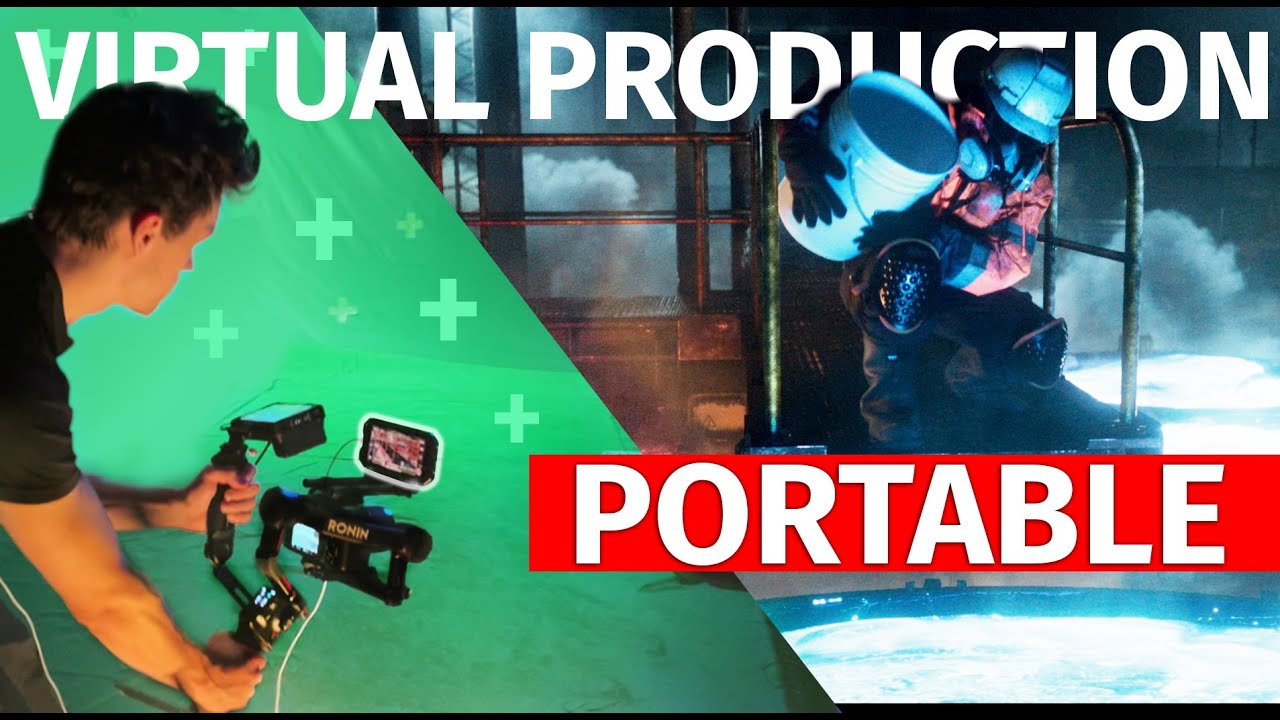
This video is an overview of Greenscreen Virtual Production, using Lightcraft Jetset, Blender, and Nuke.
This combination of software, as well as using pratical FX and some tricky compositing techniques, proves that virtual production doesn't require expensive LED stages or millions of dollars. If you have an idea you can make it happen.
B...
 molten zinc
im having issues with switchboard
it seems like port 2980 won't connect? not sure what to do
 spark ridge
Hi, would anyone here know of how to convert the colour space of UE generated colours to ACES? I have succeeded in doing so for my png textures by going into the png asset and changing texture>source color settings > color space >ACES. But I cant seem to find the same for textures that have UE created colors
 fierce hatch
hi there - if i have a joint based facial rig, can i make blendshapes for it in unreal to be used with live link face?
gleaming imp
spark ridge
Hi, would anyone here know of how to convert the colour space of UE generated co...
the docs have the info https://dev.epicgames.com/documentation/en-us/unreal-engine/color-management-with-opencolorio-in-unreal-engine

Epic Developer Community
Ensure color consistency across projects with OpenColorIO.
 queen trail
Anybody know how to get nDisplay to ignore windows DPI scaling settings? Nodes launched through switchboard currently open at 150% size as that's my dpi scaling setting in Windows. I've seen some discussion of this in the context of UMG but 'allow high dpi in game mode' doesn't seem to be the fix
queen trail
Broader question: anybody know of any good ndisplay learning resources? I've gone through the documentation and the usual in-camera VFX stuff but have had a lot of trouble figuring out things like managing inputs, actor replication, etc
 vagrant urchin
Hey all, currently setting up virtual camera using optitrack and motive. When live linked into unreal the tilts are rolls and rolls are tilts. Anyone know anything about why it’s happening?
vagrant urchin
vagrant urchin
Hey all, currently setting up virtual camera using optitrack and motive. When li...
Was an easier fix than I thought 😅

 novel glade
Hey all! Would anyone have some insight into LiveLink over nDisplay?
I am setting up a dev area for virtual production with 2 PCs, an Editor, and a Render Node.
Using Switchboard, all is good. Both PCs join the multi-user session, and real-time scene changes are propagated.
We use a Vive controller for tracking via SteamVR, which works great in the editor.
The problem: Camera movement is not working on the render node PC.
I have gone through the documentation multiple times and reviewed all the YouTube videos I can find, but I haven't seen anyone address this directly. All the plugins are active, "LiveLink over nDisplay" is enabled, etc.
Thank you for any help; it is much appreciated.
novel glade
regal shell
Hey Guys!
Is there a way to use Motion Controls outside the VR Modes?
Ive see...
You need to start the engine with the command line argument: -xrtrackingonly
This can be done by creating a shortcut to the engine and adding -xrtrackingonly at the end of the "target" input. This will allow VR tracking data for you.
pale cobalt
novel glade
Hey all! Would anyone have some insight into LiveLink over nDisplay?
I am setti...
I would open the editor on the render node and make sure the tracking works in editor. If that works, check your render node is using the correct livelink preset in project settings. I haven't used steam vr as a tracker but I think most worlfows need the livelink preset to work.
 edgy trail
if i want to record an ingame scene with audio (not required, i could just audio capture component), how would i do that?
essntially want to record a "music video" in game for a set period of time, but the player can set up scene variables before it starts recording
queen trail
I'm using the First Person template, and have 'Follow Local Player Camera' enabled on the nDisplay root object, which was working as expected for a time and still behaves as expected in PIE, but in nDisplay the camera orbits the player origin like it's on a boom / like it's a third person camera ... you can see the arms and the weapon etc. Any idea why this is happening? My guess is that nDisplay has a different Pawn class you're actually possessing and somehow that's overriding the First Person pawn but I'm not sure how to get at that information

Additionally, it appears to be a top-down camera - this view is the floor of the NDC
FWIW this is the vantage point in PIE
 dawn fossil
Does anyone know what that screen message is and how to disable it? It only appears in one of my nodes,and when i shut down switchboard it stops showing on the screens so I think it's Unreal's

 slate kayak
Is anyone here based in Cape Town? I'm looking for assistance with a virtual studio production
 echo jungle
dawn fossil
echo jungle
dawn fossil
I believe that can be turned off with the nvidia driver utility as one of the options to display swapgroup present mode
 serene silo
How can I change the aspect ration of the Vcam to make it vertical? It's not letting me change the values even in custom
dawn fossil
echo jungle
I believe that can be turned off with the nvidia driver utility as one of the op...
Yeah, it worked, it was the 8th command, thanks!
Now I'm trying to fix my switchboard
I'm having some issues while trying yo fire up against the led wall, these are my switchboard parameters

And I think one of the main problems is the presentation mode, as it says it should be on flip and it says none
And it happens every time, and it's always super Hard to make it work correctly, and even working it stays on N/A
serene silo
How can I change the sensor size of the Virtual camera to make it vertical? It's not letting me change the values in custom
echo jungle
dawn fossil
And I think one of the main problems is the presentation mode, as it says it sho...
Getting Nvidia framelock sync across nodes is always tricky, your present mode should be independent flipped. Try launching each node one at a time.
 limber nymph
hey, im playing with Composure. Anytime I hit "simulate" or "play" Unreal crashes. Any hot tips to prevent that?
not doing anything tricky, just a comp with a single cg element
 narrow venture
 hybrid fern
Hi guys!!
hybrid fern
Hi guys!!
I'm hoping to get into it
 solar halo
🚨🚨
Hello 👋🏽
Wondering if someone in the chat has experience working with the Blackmagic system before ?
If so, would you mind @‘me or dm’ing me ? I have a couple of questions that I need support with 🙏🏽
Thank you
🚨🚨
ocean geyser
queen trail
FWIW this is the vantage point in PIE
Noah you are working with CAVE System using nDisplay
queen trail
ocean geyser
Noah you are working with CAVE System using nDisplay
Yeah it's effectively a CAVE ... and sorry I didn't follow up but I figured out my issue was 2 things:
- The NDC was not sitting on the floor - it was up on the z-axis a little bit
- The NDC view point had been moved to the floor ... that was probably an inadvertent fat-finger at some point
ocean geyser
queen trail
Yeah it's effectively a CAVE ... and sorry I didn't follow up but I figured out ...
I m facing problem configuring to my CAVE System.
I have CAVE with front left right and floor with ART trackers. All projectors are connected to single PC with 2 NVidia Quadro graphics card.
My requirement for simulation:
I want my simulation to run on all 4 screen with DTrack tracking and Flystick joystick configured
Issues:
- Not able to get on all 4 walls of CAVE
- All walls become black screen when use nDisplay Play.
One question when we will build the project will it display on single wall or all four projector. Because once we build the default editor view will be running instead of nDisplay.
queen trail
ocean geyser
I m facing problem configuring to my CAVE System.
I have CAVE with front left r...
Hey Vikas - it sounds like your desired configuration is 1 host (computer) with 2 nodes (GPUs / application instances) with 4 viewports (cameras), with the walls and floor distributed in a way that makes sense raster-packing wise and GPU-demand-wise.
I don't know if there is a way to do an nDisplay setup without running it through nDisplay, if that's what you're asking.
To question 1. - make sure your nDisplay viewpoint is in a sensible place (like not in the ground) and confirm that you can see preview on the nDisplay geometry in the editor. If it looks fine there but comes out black in nDisplay, check your nDisplay config.
stuck widget
We have a running Cave with nDisplay & ART as well, generally it works nicely. However, we're using 1 node per projector, not all in one node.
I'm actually struggling more than I expected to get even a "dual monitor" setup running on linux with gdm3 atm, it's quite insane
 pine vortex
I have a question related to the geo reference :
I am using the VR template and I followed the documentation until the blueprint to convert coordinates.
Nothing show in the screen nor when wearing the headset.
What could be the problem.
Also, what does mean to add the coordinates inspector widget to the project? It doesn’t work
summer latch
stuck widget
I'm actually struggling more than I expected to get even a "dual monitor" setup ...
runnnig Unreal on linux is also quite insane XD are you using any multi-user setups? or are these fixed installs?
stuck widget
Both, I got the multi user setup to work at some point
I'm going a bit mad just testing 1 GPU Multi Displays now though, it works perfectly on Windows, even with Vulkan
But something is messing my setup up
stuck widget
Okay it's the window manager... Apparently gdm3 does absolutely not like nDisplay in that regard. Tried it with openbox and it's running very well
 steep meteor
Is it possible to host pixel streaming from a VR headset like an oculus?
tight kraken
image plate video is not moving in viewport.. what could be the issue ? its PNG 4k sequence .. RTX 4060
 dull berry
Is it possible to call a Static Function using the Remote Control API?
indigo sluice
dull berry
Is it possible to call a Static Function using the Remote Control API?
It must be a BlueprintCallable UFUNCTION but yes
dull berry
indigo sluice
It must be a BlueprintCallable UFUNCTION but yes
Got you! Thanks
 inland elm
Hello everyone. Anyone here using Panasonic' AW-UE150 Freed tracking data? I have issues with Zoom & Focus behaving in such manner that real life camera does not match virtual one.
 solemn nova
is there a free way to use an android phone as a virtual camera?
zenith cove
inland elm
Hello everyone. Anyone here using Panasonic' AW-UE150 Freed tracking data? I hav...
It's a common complaint I've seen about the AW-UE150 tracking data
Ever since I worked with them in 2019 😂
I don't think they ever released a curve on how their values are mapped

Epic Developer Community Forums
Hi @Jan_Boria11, hi everybody here is how my solution works: You have two float Arrays (both the same length) FreeD_Steps: The Focal Length values which FreeD returns when you change the Zoom of your PTZ (e.g. 0; 0.1; 0.2; 0.3; … ; 1) Virtual_FLength_Steps: The correct Focal Lenth values which the virtual camera should have at the FreeD value...
inland elm
@zenith cove thank you for pointing that one out. I have found that link earlier but sadly i got no skills to create such blueprint. Have you tried creating such a blueprint? If you did, did it worked? Thanks!
zenith cove
inland elm
<@259474121484795907> thank you for pointing that one out. I have found that lin...
It's been a couple of years and it was a prototype. I looked at the old project and actually we didn't use that solution. Instead we created a CurveTable asset and then we mapped the values we saw coming in to the focal length that was being displayed in the AW-UE150's web interface.
Which kinda worked? But it was finicky
Also the physics of optics and lenses meant that when it changed focus, the zoom altered slightly while the focal length remained the same... But this was a pre-Covid project so lots of things have probably changed by now
inland elm
Alright than. Thanks for the info!
 unkempt vale
Easy way to bake a livelink track of mocap data to a metahumans skeleton or control rig? A metahuman characterBP is currently reading the livelink and animating it, but not sure how to extract the animated skeleton.
 lusty jetty
unkempt vale
Easy way to bake a livelink track of mocap data to a metahumans skeleton or cont...
lusty jetty
unkempt vale
Easy way to bake a livelink track of mocap data to a metahumans skeleton or cont...
Use Take Recorder to capture the feed to a sequencer if you haven't already. Then right click on the component track and bake to animation asset.
 light basin
hi, im looking for some kind of technical solution for my work - i would like to use livelink vcam on an iphone 12 outside my home using laptop as a host, i initally tried to use my laptop as a wifi router to which i would connect my iphone via wifi and it worked, but it looked like the connection was poor because the camera movement in unreal viewport was stuttery, laggy and barely representing my actual iphone movement
so is there any way that i could connect my iphone with my laptop to provide and establish a stable connection? like via some kind of cable? i was thinking of using usb tethering from my iphone in order to connect with my laptop
 summer crane
light basin
so is there any way that i could connect my iphone with my laptop to provide and...
summer crane
light basin
so is there any way that i could connect my iphone with my laptop to provide and...
you can get a lightning cable to ethernet adapter and connect it directly to the laptop. i have done something similar but connected it directly to the wireless router that my pc was hard connected to.
summer crane
unkempt vale
Easy way to bake a livelink track of mocap data to a metahumans skeleton or cont...
not sure if this is the smartest way to do it but i have recorded live mocap this way. Open up an animation blueprint that uses the same skeleton as the mocap character. then hit the record button bellow the viewport of the animation blueprint. itll ask where to save it and such but ya should give you the animation as an anim file that you can use in unreal. hope this helps

 jagged vine
Hey guys what's up, I'm trying to find a way to connect a DJI Ronin 4D into directy UE5 to use as virtual camera while shooting, any chance any1 knows something about this? Just need to record camera transforms in unreal
zenith cove
jagged vine
Hey guys what's up, I'm trying to find a way to connect a DJI Ronin 4D into dire...
That might have been the longest product page I've ever had to scroll through. I couldn't see at first glance but can it broadcast its transformation data or something?
 elder ridge
does anyone know a plugin has same properties with Spout plug-in. I actually want to display my screen on Led wall with high quality but I am looking for free option. Do you think is it work if I run it in PIE mode and press f11 for full srceen on my 'second monitor' which is the LED wall.
People told me that for single and rectangular Led wall is okey to display in this way. I'll do live audio visual performance, I have multiple cameras switching constantly, if I need to use Ndisplay, is there any way to capture the new editor screen directly instead of choosing a camera.
 civic harbor
Anyone know how I can get rid of the UV seams in nDisplay ?

I have full precision UVs turned on
the mesh is nothing fancy, just a cube with curved edges, the UVs are aligned pretty well, minimal distortion, but my only problem is these damn UV seams
 pale cobalt
I'm facing so much bs with NVIDIA control panel and quadro sync ii cards. Anyone have a good resource who knows the NVIDIA side of UE5 virtual production?
 hearty gust
Hi guys i have simple question regarding composure, if anyone have time please thow me an @
 odd bramble
Anyone else having weird stutter when using the vcam? Ive tried android, apple phones, wireless and wired im still getting weird stutter effect especially when panning.
 civic ravine
Is there any way to get a virtual camera to output video without using a capture card? Needing the camera feed to go to a video wall
odd bramble
this is like 3 years ago so idk if it still works https://youtu.be/bk8fK6n9Ui4?feature=shared

Using an iPhone as a tracker in Unreal Engine 4.
Unreal Engine 4 Green Screen Tutorial,ue4 green screen,virtual production unreal engine,vfx unreal engine 4,unreal engine 4 composure,ue4 for beginners,unreal engine 4 tutorial,unreal engine 4,unreal engine 4 demo,unreal engine 4 beginner tutorial,unreal engine 4 animation,unreal engine 4 photorea...
 broken monolith
Interesting workflow. Thanks for sharing!
limber nymph
@chrome swift hey! I just picked up your kinect plugin and getting a crash, if your around can I pick your brain?
summer latch
pale cobalt
I'm facing so much bs with NVIDIA control panel and quadro sync ii cards. Anyone...
welcome to the club
whats the issue?
summer latch
civic ravine
Is there any way to get a virtual camera to output video without using a capture...
generaly when outputting a scene to a video wall you would use Ndisplay https://dev.epicgames.com/documentation/en-us/unreal-engine/ndisplay-overview-for-unreal-engine

Epic Developer Community
Describes how multiple computers work together in an nDisplay rendering network.
 cerulean kelp
Hey, I thought this might be the best place to ask questions regarding DMX.
I have this super obscure bug in UE 5.3 using the DMX Pixel mapper that it only sends data to the DMX Channels when I have a pixel mapper asset open.
To make things worse, I'm using a material as my pixel mapping source, and whenever I have the asset editor open it defaults to rendering the material with it's default values, but when I switch to another tab in that window, the material is correct, but it doesn't send the data to DMX anymore.
The weirdest thing is that I migrated this setup from another project using the same version of unreal and there it worked fine.
I can't, for the life of me, find out what the difference in the projects could be that's causing this behaviour.
I'd be glad for any input on this.
pale cobalt
summer latch
whats the issue?
First things are
- How to do fractional frame rates like 23.976, 59.94, etc.
- Sanity check on GPU outputting 23.999hz when feeding it a 24hz tri-level signal into the Gsync card. is this expected/normal?
Lots of these are sanity checks, like things with edids and frame rates and how nvidia screen timings coexist with windows display settings. I appreciate your help!
 chrome swift
limber nymph
<@344633558012264458> hey! I just picked up your kinect plugin and getting a cra...
chrome swift
limber nymph
<@344633558012264458> hey! I just picked up your kinect plugin and getting a cra...
Hey, thanks! What does the crash say? Did you copy required dlls into your project's Binaries/Win64 folder? Or into the packaged folder? Those are described in the quick start dock pdf. It comes with the plugin but you can also find the link in the marketplace page.
chrome swift
cerulean kelp
Hey, I thought this might be the best place to ask questions regarding DMX.
I h...
@zenith sparrow
 zenith sparrow
summer latch
pale cobalt
First things are
1. How to do fractional frame rates like 23.976, 59.94, etc.
...
zenith sparrow
summer latch
pale cobalt
First things are
1. How to do fractional frame rates like 23.976, 59.94, etc.
...
- Not that sure on fractals. I liv and work in the eu so i never deal with fractals. I suspect that a custom resolution with the fractal framerate would be your safest bet but don't hold me on that
- Small deviations like that are to be expected. The sync and output signals arent a thousands of thousands hz precise but the readouts are so it can deviate. But keep in mind only 23.999, 24.000 or 24.001 are expected/I have seen in the field
Our biggest sanity check happens in our LED processor. It can readout the offset between the video input and the incoming sync signal. If this drifts or reads anything else then the expected value i know its off. We know that our sync cards have a 333ųs off set (so 0,3ms) on leading edge and thats just the way it is. I mostly come acros this offset on almost all quadro cards on firmware 2.21 on 25fps. On firmware 2.02 it used to be 512ųs for example.
Don't get me started on Windows display settings. I have spent a day troubleshooting an issue that ended up being Windows put the scale on 150%. That always needs to be at 100%. Also Windows hdr is the purest garbage there is. When you output 10 or 12 bit you should always turn this off. Your dcc or media server should output correctly instead of Windows making things "hdr"
pale cobalt
summer latch
1. Not that sure on fractals. I liv and work in the eu so i never deal with frac...
Yeah the HDR situation with windows feels pretty bad. I've just been following the Nant ICVFX tutorials from UE4.27 about that. For fractional rates I have a workflow but it's ugly and has too many steps for me to feel comfortable with. Good to know 23.999 is normal.
Do you use a color managed workflow like OCIO? I'd love to ask you about that. My next steps for my stage is setting up that and using PQ on our LED processors. Been using 8 bit color SDR for too long.
summer latch
Yeah we use ocio! Hit me up in the dms
summer latch
Btw we are on a 12 bit pq pipeline
limber nymph
@chrome swift hey mate! I copied all the files follwing the quick start guide. I posted the error logs on the unreal forum, https://forums.unrealengine.com/t/neo-kinect-easy-access-to-the-kinect-v2-capabilities-in-your-games/216392/82?page=3
Epic Developer Community Forums
Hey, I’m getting a crash in 5.3.2 Happens when I open the NewKinectExamples project I’ve added kinect.face.h, kinect.h and Kinect.INPC.H to the Unreal engine install, and Kinect20.face.dll and NuiDatabase to the NewKinectExamples project. Unhandled Exception: 0xc06d007e KERNELBASE UnrealEditor_NeoKinectUnreal!__delayLoadHelper2() [D:\a_wor...
 silk elm
nDisplay question: Anyone encountered a weird issue where packaged node is stuck in black screen (tested locally or on another machine)? Testing using UnrealEditor and uproject works
 rose dust
odd bramble
Anyone else having weird stutter when using the vcam? Ive tried android, apple p...
rose dust
odd bramble
Anyone else having weird stutter when using the vcam? Ive tried android, apple p...
my guess is the cluttered internet connection is causing the shutter cuz it's happening during the panning, did you try dedicated wi fi router for ur vcam setup?
 winter quarry
Hi folks. I'm new to unreal engine virtual production. I recently purchased a camera slider rig that sends PTZF data back to unreal via LiveLink. I'm using a Black Magic Micro Studio 4K with an Olympus 12-100 zoom Lens. My question is regarding the lens distortion file. I've managed to get the lens distortion data up until the last step of creating the nodal point offset. Looking at the various YouTube tutorials most people are using a Vive tracker setup. Since I'm essentially using a PTZ camera setup that is sending data back to Unreal, and not an external tracker, is it possible to create the nodal point offset without purchasing a Vive tracker setup? Thanks in advance.
zenith cove
silk elm
nDisplay question: Anyone encountered a weird issue where packaged node is stuck...
look into the nDisplay logs?
Or the logs of the packaged project
silk elm
zenith cove
look into the nDisplay logs?
Ye i have tried but can't seem to find the reason.
zenith cove
silk elm
Ye i have tried but can't seem to find the reason.
And the packaged builds themselves?
Dunno where you can find them but they should be there somewhere
Sounds like a config issue, for example when the startup level is not included in the packaged build
silk elm
zenith cove
Sounds like a config issue, for example when the startup level is not included i...
Hm it's development build, i kinda gave up and launching now the uproject using the engine. I did run package before but somehow now I cant. Client is chasing so ye gotta defer the task for later
But thanks for the pointers
graceful ocean
does anyone have any idea why when im doing a composure composite, im media playere when i add 'key colours', the transform/compositing planes automatically changes from 'Media Plate Chroma Keyer' to Compositing Element...?

 silk elm
Help... Im having a weird nDisplay issue where niagara particles only render on the main view (out of 2 views) running on same computer, cant figure out why 😢
 wise heron
is there a way to get the current position of a media players source? I need to sync an actor to the playback...
 candid sapphire
Hey folks,
I wanna chat with somebody who has any experience producing volumetric content. Wondering about cost and time required to create something that is ready for consumer devices
 tranquil sail
Anyone ever got a GoPro running as Camera Live Feed into Unreal? I can use GoPro as a Webcam, but it is never listed as video source in Media Player...
tranquil sail
In general anyone got suggestion for cheap camera for playing around?
silk elm
Gopro is better than most webcams i think
tranquil sail
Unreal Engine 5.4 on Windows Machine with AMD graphics, can't get GoPro to show up 🤷
 coarse meadow
tranquil sail
Unreal Engine 5.4 on Windows Machine with AMD graphics, can't get GoPro to show ...
coarse meadow
tranquil sail
Unreal Engine 5.4 on Windows Machine with AMD graphics, can't get GoPro to show ...
Just to check, are you running under Windows 10, or Windows 11. I know only certain devices will show up in Unreals Media Player when plugged in through USB, like the Logitech Webcams (I have a HD Pro Webcam C920 that appears to work). However, there also seems to be a problem with Unreals media player getting confused in Windows 10 and thinking that Win10 came before Win8 and not displaying anything when connecting to the webcam due to it thinking WMF is out of date... However, I assume it's just that your Go Pro isn't being picked up as a webcam that's compatible with Unreal. 🤔
tranquil sail
Just to clarify the Cam doesn't even show up in the video source list
coarse meadow
tranquil sail
Just to clarify the Cam doesn't even show up in the video source list
If the camera doesn't appear in the video sources list, I don't think an upgrade to Win11 will help.
Epic does have a list of supported cameras, but I know there are a bunch more cameras and capture cards(1) that seem to work with the Media Player:
https://dev.epicgames.com/documentation/en-us/unreal-engine/supported-video-devices-for-mixed-reality-capture-in-unreal-engine?application_version=5.3
Here's a discussion on the Unreal forums that might provide some more insights:
https://forums.unrealengine.com/t/live-video-capture-webcam-compatibility/408342
(1) I can confirm that the internal 4k elgato capture card does work with the UE Media Player https://www.elgato.com/us/en/p/game-capture-4k60-pro
tranquil sail
I know the epic list, it's super short 😅
solemn nova
Anyone having trouble with the VCam app? Trying to use my phone as camera control but it won’t connect
I also tried using the Unreal Remote 2 app, which I am getting to connect. However, while it’s connected in Unreal on my computer, the app just says “Connecting” and doesn’t stop. While it’s connected this way, I can use my phone to move the camera, but it only affects the point of view of the camera; it doesn’t track me walking forward and back, or moving up and down.
Any help/advice would be appreciated
edgy trail
is it possible to record video and export it at runtime?
 quartz pivot
hi guys, could anyone explain to me the process of attaching everything to a dummy actor and working in local space for VP,
 supple river
@odd bramble I see you are very fluent in live link vcam so I wanted to ask you if you have any videos or recommendations for what I want to do. I want to make a handheld camera first person animation kind of the like the backrooms type look.
gleaming imp
supple river
<@421829807790227489> I see you are very fluent in live link vcam so I wanted to...
Most of the updates to VCam have just been streamlined in 5.4 alot of the updates on this workflows is on the Epic forums and the run throughs from Thomas and team at Epic - https://dev.epicgames.com/documentation/en-us/unreal-engine/unreal-vcam-tools-and-configuration-in-unreal-engine?application_version=5.4

Epic Developer Community
Tools and configuration options for the Unreal Vcam app
timber crater
Ndisplay, is there a way to call custom events from editor or remote control panel?
summer latch
not in 5.3 as i know of, there are some new functions in multi user in 5.4 where you can say what to transfer between nodes and editors but havent had time to dive into that. but could be the solution
modest swan
Whenever I open my mouth really really wide, while using live link, I noticed that the eye pitch seems to increase by almost 0.050 whatever raw value is being fed into my application. Has anyone else noticed this and is there a way around it?
I'm guessing in blueprint land I could manually add or subtract some pitch on a jawOpen * 0.050 scale, but I'm wondering if there's just a better way to calibrate this or do something so this isn't necessary
 surreal gazelle
Is there a way for Remote Control to work in a packaged build? I found a video of someone getting it to work with the flag, -RCWebControlEnable added to the shortcut. However when I try this with the packaged build, calling GET presets returns a 200 response and is good, but the presets list are empty and none of them initialized. Video of someone getting it to work,
https://youtu.be/jlT-pSWcEr0?si=UWhe_22NkphlvpnW
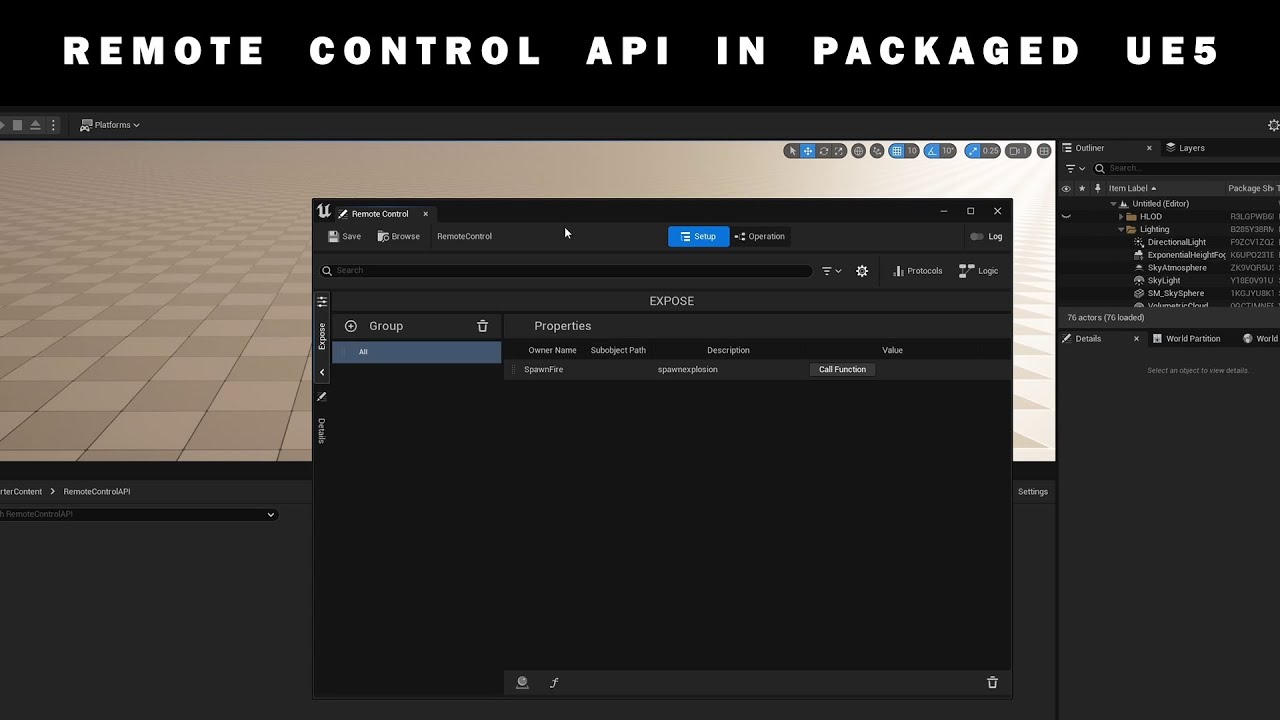
For a project I was working on I needed a way to trigger things over HTTP with the Remote Control API. In this short tutorial you can see how to start your packaged project with:
-RCWebControlEnable
Every Tuesday a short tutorial about Unreal Engine, broadcast or other applications I use in my work.
Instagram: https://www.instagram.com/sumatr...
 somber spoke
surreal gazelle
Is there a way for Remote Control to work in a packaged build? I found a video o...
somber spoke
surreal gazelle
Is there a way for Remote Control to work in a packaged build? I found a video o...
@surreal gazelle I managed to use it in a packaged build. Here are a few notes
-create an rcp asset
-drag the remote control asset to your scene
-delay the loading of the remote control actor
-package your project
-run the start.bat file in this path "C:\Program Files\Epic Games\UE_5.3\Engine\Plugins\VirtualProduction\RemoteControlWebInterface\WebApp"
-make a shortcut and add the commands -RCWebControlEnable -RCWebInterfaceEnable
-open a web browser and type localhost:7000
Cheers
surreal gazelle
somber spoke
<@97968506431082496> I managed to use it in a packaged build. Here are a few not...
Thanks! Only step I'm confused on is how do you, Delay the loading of the remote control actor?
somber spoke
something like this
 surreal gazelle
Ah awesome ty!
supple river
Im searching on a good tutioral course on how to make a found footage type look for live link Vcam and I cant find it
does anyone have anything on that please
surreal gazelle
somber spoke
something like this
I got the start.bat up and running, and am successfully pinging the preset with requests. However, the data layer part doesn't seem to be working.
If I am just in editor, no delay on the loading at all just set to already be loaded and visible, the preset returns code 200 on a PUT request but comes back empty and doesn't actually fire the code I have set on an actor. Somehow the preset just being inside a data layer is making it unresponsive, I'm in 5.1 not sure if that makes a difference.
Normally this returns,
{
    "ReturnedValues": []
    {
    }
}
And prints the text out but instead it's missing the extra brackets and not reaching the actor that's listening,

Also tried just spawning the RCP actor a few seconds after begin play in a level blueprint instead of a data layer and that still causes the assert to happen that says you can't call on something from outside the game thread.
somber spoke
Try changing the port from 30010 to 7000
If you're testing on a packaged build.
If you're testing on editor the port should be 30000 by default.
It you use those ports you can access the front end. I'm not sure if the ports change using the API
 sly scaffold
Hi guys, is there any free ios app that can do camera movement tracking in unreal engine like Lightcraft Jetset for my main camera if I mount the iphone on top? I found some apps that can do this but only if you use iphone's camera, not any other external camera.
sly scaffold
sly scaffold
Hi guys, is there any free ios app that can do camera movement tracking in unrea...
anyone?
somber spoke
Hello! I understand you´re trying to use the Iphone as a tracker. right?
I´d suggest these videos
Using an iPhone as a tracker in Unreal Engine 4.
Unreal Engine 4 Green Screen Tutorial,ue4 green screen,virtual production unreal engine,vfx unreal engine 4,unreal engine 4 composure,ue4 for beginners,unreal engine 4 tutorial,unreal engine 4,unreal engine 4 demo,unreal engine 4 beginner tutorial,unreal engine 4 animation,unreal engine 4 photorea...

In this comprehensive tutorial, we dive into the exciting world of Unreal Engine’s Virtual Camera, now officially supported on Android. Whether you’re a filmmaker, game developer, or motion graphics artist, this guide will empower you to create stunning cinematic shots using your Android device.
🎥 What You’ll Learn:
Setting Up the Plugin: Disc...
You coud setup a rig like the last thumbnail and adjust lens position via blueprint
surreal gazelle
somber spoke
Try changing the port from 30010 to 7000
so change these settings before making a packaged build? I am beginning to suspect the crash on launch might be specific to 5.1,
 surreal gazelle
Yeah nvm, i got it working in 5.4 without even needing to change the port number or manually starting the web app. Checking Force WebApp build at startup auto boots it. So I guess all my problems are just stemming from 5.1 crashing instantly with an RCP actor in the scene
guess i gotta figure out how to update my project to 5.4
sly scaffold
Hi guys, does anyone know why my green screen turns blue when I add the mf_chromakey node in the middle?
 tight kraken
is it just me Unreal 5.4 usd import doesnt seem to create a level sequence for animated camera anymore
somber spoke
surreal gazelle
so change these settings before making a packaged build? I am beginning to suspe...
I used the default config in 5.1 5.2 and 5.3 without any issue
I can send you a sample project if you want
 tardy umbra
Hi, I am looking for a full-body (or technically just upper-body) tracking solution for a little app. It does not have to be super accurate. The important thing is that is uses a webcame, can I can use it to place virtual elements on top of the video, like those social media filters. Does anyone have any recommendations?
versed loom
Can anyone confirm, does GPU Lightmass still work in 5.4?
I've set my lights to Static, and enabled 'Allow Static Lighting' in Project Settings, but when I bake I get no light maps!
 heavy python
Hey guys, quick question. Anyone knows how to disable niagara on trigger? I have some pyro that triggers with custom event, but i need to turn it off on second trigger
somber spoke
heavy python
Hey guys, quick question. Anyone knows how to disable niagara on trigger? I have...
Hello! I would tackle this via blueprint or sequencer. Or via animation....It depends on what you need.
 autumn nova
hi, I am looking for some help to setup 2 of my 3 Vive traker to pull focus and zoom , one is already a camera tracker, and set up a game controller as the camera absolute position
 halcyon jasper
Am I missing something dumb? The Take Recorder, doesn't seem to record niagara systems properly (e.g. impact positions from weapon fx). I figured out that it sorta does, but has major issues :/
uncut steppe
Hi ! Is it possible to smooth values coming out of LiveLink ? Doing interpolation (like what FInterp does) ?
Because I'd like to smooth value changes for my face capture but I'd have to do it for every single blendshape in the event graph, which is not practical at all
indigo sluice
uncut steppe
Hi ! Is it possible to smooth values coming out of LiveLink ? Doing interpolatio...
You can define and apply an interpolator to your livelink subject in the livelink panel
uncut steppe
indigo sluice
You can define and apply an interpolator to your livelink subject in the livelin...
but you can't customize it afaik ? To smooth more/less
 indigo sluice
You would need to create a new interpolator if you wanted something other than linear interpolation afaik
 snow galleon
gaunt dagger
Hi everyone, do somebody have issue with nDisplay with multi led panels + Nvidia...
snow galleon
gaunt dagger
Hi everyone, do somebody have issue with nDisplay with multi led panels + Nvidia...
hi Arthur, did you ever managed to solve the issue. I'm running into the same issue and I tried everything
versed loom
Has anyone used volumetric capture + cards for creating large crowds (ie 80,000)? A recent DNEG Dimensions talk highloited this workflow and would like to find out more!
versed loom
Watched this excellent presentation from UnrealFest 2023 twice now but am still confused by the term "vertical slice testing".
Can anyone elucidate with a specific example?
https://youtu.be/r9CtotVWbq4

This session provinces an overview of structuring a linear content project in Unreal Engine. We will dive deep into details on how best to organize content, set up sequences and shot structures, use subscenes to make departmental nondestructive edits, and learn how to leverage other powerful features of the engine to facilitate linear content wo...
 obsidian junco
Hello, I am new to unreal engine and have been animating in your hillside project but encountered a problem. My sequence animation in the hillside sample plays regularly but the simulation play and renders are pitch black (references below)
these are the error codes that appear
Please stay in contact with me so that we may figure this out


 proud vortex
Hi does anyone if it’s possible to record animation with live link and then edit the animation later? I’d like to record frames that can then be triggered by player input later.
 whole mauve
hello, i'm trying to create a utility widget where I can control certain settings from Ultra Dynamic Sky. I was wondering how I would approach achieving that?
 regal hornet
Hello, i'm trying to find a way to launch Ndisplay in a packaged app without needing to launch Switchboard is it even possible ?
shy bridge
regal hornet
Hello, i'm trying to find a way to launch Ndisplay in a packaged app without nee...
Sure, Switchboard actually displays the command line it runs on master and slave nodes. You can run it manully, without ever needing Switchboard.
 crimson slate
Hi! Just bought a VIVE Ultimate Tracker and a dongle. Anyone knows how to connect it to the live link in unreal??
 warm lantern
hello everyone, let me ask how to set this configuration, I changed it and nothing affected it, and it still shows resizing virtual texture pools, thank you so much

 gusty leaf
How long will it take to render 60 min of gameplay? , is there faster option to use than the movie queue?
uncut steppe
Hi everyone ! I'm trying to output video feeds to OSC, using the OffWorldLive plugin.
However, either NDI or Spout have too big of a performance hit for my scene.
My alternative is to use Stencil in a material to do basic keying from my Unreal video feed in OBS (good enough for my use), but I'm getting jagged edges.
I joined my material setup as well. Afaik it's because Stencil masks are not compatible with Temporal AA ?
Is there a workaround for this ? I really can't use NDI or Spout, they make me lose 5 fps.

 uncut steppe
Just noticed that my PP shows up in my reflections so it's a nono. I'd love to just use OffWorldLive but the performance hit is just way too high
 proper needle
Hi! Anyone know if there's a way to render a game to have the look of a 360-degree VR video? Here's an image to help explain what I'm thinking. Thanks for any insight! I guess I really just want the camera lens to distort or warp like this. Is this possible?
 uncut steppe
proper needle
Hi! Anyone know if there's a way to render a game to have the look of a 360-degr...
uncut steppe
proper needle
Hi! Anyone know if there's a way to render a game to have the look of a 360-degr...
OffWorldLive has a 360 camera that you can drop in your scene, maybe that's what you're looking for ?
proper needle
uncut steppe
OffWorldLive has a 360 camera that you can drop in your scene, maybe that's what...
It's worth looking into. Thanks Valentin!
 prime ledge
He's been posting about that in all sorts of random channels
uncut steppe
prime ledge
He's been posting about that in all sorts of random channels
Me ? Well yeah my question was about different aspects, for which I got redirected for. Not trying to promote anything, it just so happens that it could work for this guy’s needs
prime ledge
uncut steppe
Me ? Well yeah my question was about different aspects, for which I got redirect...
No the guy that got his message deleted 😛
 worthy nebula
Hey guys! I am new here ^^
I have a question
forgive me if this isnt the correct channel
I am a Junior 3D Character Artist, and the game I am working on (within Unreal) is implementing purchasable skins into the game. What is the best possible way to go about them? In there a feature in Unreal to streamline it?
I understand if its a drastically different skin then it'll be another rig. However, if there are just different outfits, how would that be applied? I imagine if its a visibility switch within 1 rig, it'll get heavy. Are they separate (essentially duplicated) rigs?
Thank you ❤️
 neon vine
Hi everyone !
I'm testing some stuff with pixel streaming but I'm experiencing a lot of latency.
(like 2s with fullHD display ans 250ms with a 600x270px resolution which sound a lot comparing to what I've seen on some videos)
Does it sound as expected for you ?
(I tested with a local browser or the Android vcam app, but the result IS the same. I think It's related to the video encoding)
regal hornet
Hello! I have a question about ndisplay, it's something i didn't saw on documentation and forums. When you're lunching ndisplay, is it launching the editor or just rendering a view?
shy bridge
regal hornet
Hello! I have a question about ndisplay, it's something i didn't saw on document...
It launches the editor (or the packaged game)
regal hornet
shy bridge
It launches the editor (or the packaged game)
So lt means i should be able to control movement
Hm
shy bridge
Yeah sure, we actually drive in our cluster so movement works
You just have to check the right box... Follow Local Player or something like that in the NDC settings
regal hornet
Oooh
versed loom
Any USD experts here?
I want to see if there is an argument for exporting scenes composed in Unreal as USD for import to Solaris, to integrate with existing post workflows for final pixel. This has always represented the biggest inefficiency in my experience. ie having to author assets and scenes twice, once for previs-postvis and or VAD, and then again for final pixel.
Thoughts, suggestions, relevant tutorials?
agile carbon
versed loom
Any USD experts here?
I want to see if there is an argument for exporting scenes...
I think this is manageable in bigger pipelines because of pipeline tooling, if anything it's actually hyper efficient because you're not making a thousand publishes every time you go to export. But again, that's with tooling, which packs and unpacks everything nicely. Which is a lot of effort.
frozen jackal
Has anyone else encountered the issue where the stage monitor displays the Asset Compiling Status? This problem occurs only when I run my dual render node nDisplay configuration. The single screen works fine on both nodes, but with the dual render nodes, the screen remains black on our wall.
 pale cobalt
frozen jackal
Has anyone else encountered the issue where the stage monitor displays the Asset...
pale cobalt
frozen jackal
Has anyone else encountered the issue where the stage monitor displays the Asset...
I've seen this before when launching with a large level in nDisplay. It eventually compiles and displays normally after a few minutes.
frozen jackal
pale cobalt
I've seen this before when launching with a large level in nDisplay. It eventual...
i've let it compile for about 20 minutes on a empty scene which is loading instantly when using a single node nDisplay config. Not sure where i should start looking to solve this issue
pale cobalt
frozen jackal
i've let it compile for about 20 minutes on a empty scene which is loading insta...
What is your configuration? Is it 1x editor 2x render nodes?
 mighty pulsar
Hey all, I'm helping setup a virtual production in a few days and was wondering if it is possible to stream out 2 camera feeds from unreal (via a blakcmagic card) . The setup would be 2 PTZ cameras feeding in camera position into unreal, and then streaming out the 2 cameras at the same time to do live greenscreen composite. They want to be able to see both camera outputs simultaneously to decide when to switch.
 crisp yacht
dear all, Does someone know where is save/store the web app preset for remote control.
last time, I've update UE5.4, and lost my web preset.
alos if I duplicate and change the name of my Remote control preset, the web app seem to be the same 🙏 🗯️
 cyan vessel
Has anybody here experience with the remote control plugin and the websocket communication? I struggle a bit with it. My client can send a handshake to the websocket. But i can't manipulate the exposed valuable on my actor.
cyan vessel
cyan vessel
Has anybody here experience with the remote control plugin and the websocket com...
I am not using the webapp btw, it's more something like smartknob
 valid geyser
Hey all, Does anyone have any experience using Ndisplay? I am setting up a 2 render node setup for an LED wall at a production studio and im having isssues mapping the viewports to my LED wall. I have properly modeled each segment of my wall so that I can map the static meshes in Ndisplay to the viewport using a mesh projection policy, however, when I configure this, I get this issue in the viewports and when I run the setup using switchboard, my walls are split in the middle despite the resolution being entirely correct. I run LED walls in unreal on our stages regularly and we have a great workflow that works for us. This has been insanely frustrating so any help would be great. Thanks!!!

Here is a screen shot showing my issue, for some reason the walls themselves are split in the viewport editor, and the output mapping interface is absolutely useless, I cannot expand or edit the windows....
valid geyser
valid geyser
Hey all, Does anyone have any experience using Ndisplay? I am setting up a 2 ren...
Ideally, each viewport would split evenly, like shown in the preview window that is how it should be setup, however the actual viewports dont do this
shy bridge
valid geyser
Hey all, Does anyone have any experience using Ndisplay? I am setting up a 2 ren...
Looks like an issue in the viewports' settings, could you maybe share a screenshot of those?
valid geyser
Ended up figuring out the issue, the fbx had messed up UVs, got it fixed, thank you!
mighty pulsar
mighty pulsar
Hey all, I'm helping setup a virtual production in a few days and was wondering ...
answer to my question.. was able to have 2 outputs streams from UE5 through blackmagic, linked to 2 sony cameras with camera livelink data (FreeD plugin)
One issue we did have is couldn't get zoom/ focal length data to match up using the min and max focal lengths from the camera specs (BRC-X1000) not sure if we had correct sensor size settings. or if it had something to do with setting the camera to 1080 out instead of 4k.
 languid hedge
Hello guys, is there a way to capture the stream sent over the network by the pixel streaming system using python, or some other system to save images to disk, I can't seem to connect to the webrtc stream directly using python, even though the server is running, I don't need control output, just the raw pixel buffer, which I can use in any way later.
I tried using the aiortc python package, but it doesn't seem to connect properly.
 dreamy rain
Hello everyone, has anyone ever used nDisplay together with Unreal's Hair Rendering? I'm wondering if it uses some non-deterministic functions that could cause seams
And another question: Is it possible to render a video over multiple screens (and with multiple computers) via nDisplay?
shy bridge
dreamy rain
Hello everyone, has anyone ever used nDisplay together with Unreal's Hair Render...
I think I used Groom a loooong time ago (4.27 days), and I recall it only working on the first viewport of any node. But my memory is fuzzy on that, plus it was pre-UE5, so not really up-to-date.
shy bridge
dreamy rain
And another question: Is it possible to render a video over multiple screens (an...
If by render you mean display, the answer is no-ish. You probably could, but nDisplay's really not meant to do that (AFAIK). If by render you mean create a (video) file for each viewport, then the answer is yes (using MRQ).
dreamy rain
shy bridge
If by render you mean display, the answer is no-ish. You probably could, but nDi...
yep, I mean display 😄 So the main idea is that we have a scene that will probably be too complex to display in real-time, so we pre-render a lot of stuff and then add some real-time elements on top. But of course, for this to work, the video has to be synchronized as well
 mortal mist
This may be the wrong channel for this problem, but then again maybe some of you have dealt with similar issues: I have Render Targets for the HUD for my level which receive the view from CineCameras mounted on a pawn. When playing in the editor, the Textures displaying the CineCamera feeds through the Render Targets do update in real time as the pawn with the cameras moves around the level. This is great! I've written code which allows me to control the focal length of the CineCameras, and I can confirm it's working if I highlight a CineCamera in the Outliner while playing and watch the settings change as I expect. BUT, as I change the focal length on the CineCameras the field of view in the HUD Render Target textures does not change. Is there something I'm missing?
Here's an example. You can see the focal length (the first number in the text strings) changing, and the fact it is actually changing is confirmed by looking at the Outliner. But the field of view in the HUD render target textures does not change even though the image is clearly updating in real time.
mortal mist
Maybe I need to spawn a Level Sequence Actor on Play?
pale cobalt
mortal mist
Here's an example. You can see the focal length (the first number in the text st...
That's an interesting problem! I would guess that there's some inconsistency with how the cinecamera is converted to a render target texture- like it may not be passing focal length data and representing it as FOV. Is your render target HUD showing correct focal plane DOF?
mortal mist
pale cobalt
That's an interesting problem! I would guess that there's some inconsistency wit...
Good question. I guess I could see if the focus clipping plane will render in the HUD.
pale cobalt
mortal mist
Good question. I guess I could see if the focus clipping plane will render in th...
or just put the focal plane like 1 meter from the cincamera so it should blur everything
mortal mist
The focal length changes should be a lot more obvious, though, and they're clearly not being rendered at all.
 worldly seal
I don’t know what changed but my renderings are taking over an hr now. They used to only take 10-15 mins for the same exact video. I even deleted some materials
worldly seal
Anyone know why?
 pastel marsh
your camera might be seeing more complex things than at the beggining, your PC might be overheating.
solemn nova
hello guys 👋
After adding my cameras to the sequencer, every time I select the camera and try to change any setting on the details panel, Unreal freezes for a second and won’t change. ı'm adding video is there have any solution for this bug ?
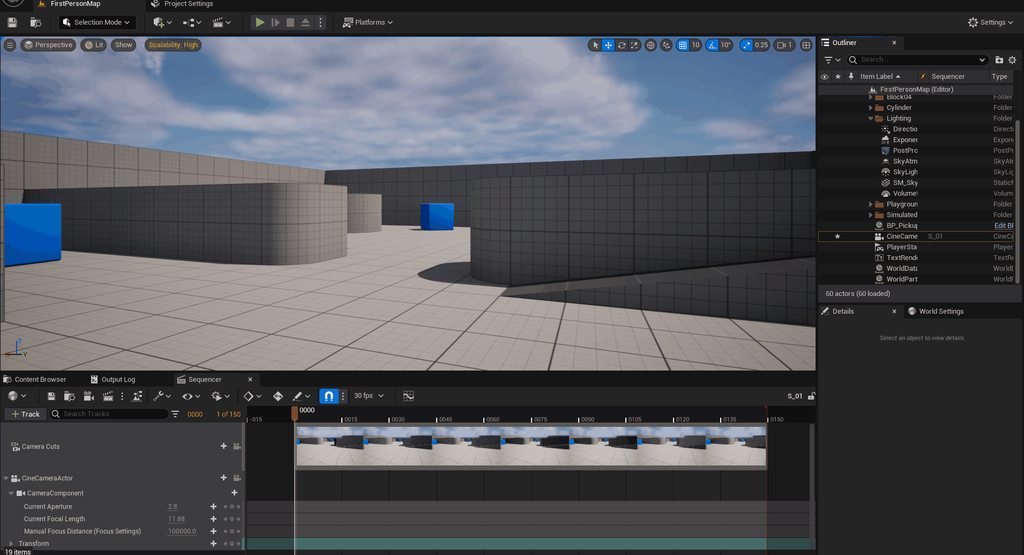 dreamy rain
Hello all,
in nDisplay, I can render the view of one in-game camera onto one viewport by using the projection policy "camera". Is it possible to split the camera view of one camera onto multiple viewports?
shy bridge
dreamy rain
Hello all,
in nDisplay, I can render the view of one in-game camera onto one vi...
Usually you'll want to dissociate "in game cameras" from nDisplay viewports. nDisplay "viewports" are actual world displays, and "cameras" are just viewpoints. So you can display pretty much whatever wherever using nDisplay, but you'll have to configure that using viewports and viewpoints, not Unreal's cameras.
mortal mist
Here's a weird one! I have a Cine Camera Actor on a car pawn, and the view from the camera only updates once the focal length hits around 300mm. What could be causing this? Why isn't the view updating at wider focal lengths than this? 😂
The virtual lens is the "Universal Zoom".
mortal mist
@pale cobalt I wonder if you might have any insight into this.
dreamy rain
not stopping with the nDisplay questions: If I want to run an application that spans across two screens using nDisplay and one NVIDIA GPU, do I have to set this up using Mosaic? So there's no way of configuring the viewports in a way that the two displays are controlled separately without combining them to one virtual display?
shy bridge
dreamy rain
not stopping with the nDisplay questions: If I want to run an application that s...
You don't need to use Mosaic.
dreamy rain
shy bridge
You don't need to use Mosaic.
hmmm, so this config should work? This runs only on the primary screen for me...


Running this without fullscreen enabled shows black windows on both screens for a short time before showing the actual game on one screen again
shy bridge
dreamy rain
hmmm, so this config should work? This runs only on the primary screen for me...
Yes it should, not sure what's wrong with it. One of my local debug setup looks like this and runs just fine.
pale cobalt
mortal mist
Here's a weird one! I have a Cine Camera Actor on a car pawn, and the view from ...
I wish I knew but that looks like a bug to me. Is that the in editor camera preview? See if it works as intended if you pilot the cinecam and it's not just the preview that is wrong.
mortal mist
pale cobalt
I wish I knew but that looks like a bug to me. Is that the in editor camera prev...
Good idea, I'll try piloting. Yes, it's the in-editor camera PIP.
mortal mist
Hm, piloting seems complicated by the fact that this camera is spawned into the Level as part of the player pawn upon start of gameplay. If I choose it in the Outliner after the start of play and pick Pilot, nothing really changes, I'm still navigating around with the player pawn.
pale cobalt
You might have to try something else like rendering a video out of a cinecamera. Of course this is just to see if the issue only exists in the editor PIP.
mortal mist
Right now I'm trying to find any settings which specifically affect the PIP
pale cobalt
I recently started disabling it to save performance haha
mortal mist
So I found that the extremely specific lower boundary for a CineCameraActor focal length which will update in real time in the PIP in my Level is 285.060272 mm.
This feels like a bug.
pale cobalt
Very strange.
 wispy flint
I feel this would be the best place to put this question, is there a way to output a cinecam feed to a virtual camera (So i can use it to chroma key in OBS, Basically real time animated backgrounds)
also, is there a good guide/tutorial to follow to learn how to use unreal for a led wall. there is a local company that has a LED wall and id like to have a rough setup (probably tested with my projector) before i show them (if i can), I also plan to do it all on one device if possilbe (i7, rtx 3060 laptop)
cyan vessel
Has anybody experience with the live link udp messaging? I don't get my device/controller to show up in the livelink panel
 rain frost
Hi friends! Hoping someone has an idea! I created a blueprint that has several child actor components (i know i know!) and when i bring them through composure, they do not appear... because i cannot add them to the foreground layer, right click will not work- does anyone have an idea on how i can select those children too?
 modest swan
What actually determines what LiveLink Role something uses? Like right now with my iPhone sending LiveLink data, it's using the Basic role...
I noticed there's also an animation role a camera role, lighting role, etc...
Can an iPhone ever send or connect with an animation role? Would that net any benefits? Is there even such a concept of such a thing?
I guess I see there's a Live Link (ARKit) Role, and a MetaHuman Animator role. Is there any overlap between these roles? Does the Metahuman Animator role send position data or something to that effect? Does it still use ARKit blend shapes?
Currently I have a model that I've only made with intentional support for ARKit blendshapes because that's all I've had access to in the past.
What does it actually take to make a model metahuman compatible?
 wary moat
Working with VCam and having some problems with saving. Once I have done some recording suddenly I get the classic failed to save umap on all levels. Same error that comes up with 2 engines running. Perhaps the VCam connection is preventing save somehow. Any thoughts would be much appreciated
 toxic sand
Hello, i'm using the camera flux on a tool to do some compositing (our of unreal).
Is there a way to have a alpha channel on the camera flux ?
 strong mica
Hello
I want to set up ndisplay such that there will be three different computers, two of which will have two different screens so in total five screens
And I want to dynamically decide which camera would render to which screen. If that makes sense.
Actually four of the screens would always have the same cameras rendering for them but for the 5th screen I want to be able to change the camera so it may be a first person camera or third person camera (examples).
I see you recently helped someone with N-Display
Can you guide me a little on the architecture related to my problem please @shy bridge
shy bridge
strong mica
Hello
I want to set up ndisplay such that there will be three different compute...
That's an interesting problem, but I don't think I can be of much help. My nDisplay knowledge is pretty outdated, and the features that would allow you to get what you want would probably be new to me. As a pointer, I would probably look at projection policies. Maybe the one named "Camera"? Not sure if it's static or dynamic though. Not even sure what it is to be honest.
I've only used the default projection policy, which I'm pretty sure is static. But newer policies might allow you to do what you want. Maybe someone else here would be more helpful. But if you find a solution, I'm interested to at least know that it's possible!
strong mica
Ah that's unfortunate
Guess I'm off to fitting figuring it out myself
 hushed mason

Hi...been a while!
Testing a retargeting workflow for the integrated hand data along with the body data from motive 3.1.1
As this is a test I just captured the viewport in unreal, so the frames rates are not great ( sorry not sorry :) )
I'll add HMC next time and use metahuman animator
Keep me motivated: Like, Comment & Subscribe
#Optitrac...
strong mica
Hey @shy bridge
The setCamera function isnt doing anything.
It just displays what the cameras set in ndisplay would show.
Any idea?
timber crater
Hi!
I have set livelink to be the time code provider both in project settings and livelink settings.
When in "times data monitor" i try to click "calibrate" but I'm getting an error on both my sources
The input "X" is not evaluated in timecode.
This error is weird because they are evaluted in timecode, so I believe timed data monitors calibration doesn't work
Can anyone confirm?
timber crater
also does anyone know how to add delay to a video input from BM?
mortal mist
Hi, folks. I have the nDisplay plugin activated in my Settings->Plugins, but nDisplay does not appear in the Edit->Project Settings->Plugins menu, so I can't activate it for the project, and I also don't have the option to create an nDisplay asset. UE 5.4.2, macOS 13.6.1.
This appears to be the case even if I start up a fresh Virtual Production Template project...
Same issue in UE 5.3.2. Perhaps nDisplay simply doesn't work under macOS?
Ah yes, that seems to be the case. 😐
strong mica
shy bridge
That's an interesting problem, but I don't think I can be of much help. My nDisp...
Its possible. Managed 2 displays, linked to cameras i want, changeable at runtime on a single node.
Now i need to figure out how to optimize NDisplay for at least 60 FPS
summer latch
timber crater
Hi!
I have set livelink to be the time code provider both in project settings an...
Yep doesn't work for us either
 urban mantle
Hello everyone,
im trying to get nDisplay to work on both of my screens. I managed to get it to work on both, but this weird circle shape with no materials shows up everytime the animation play. It's not a hidden mesh to my knowledge. I only have 4 meshes in this scene and none look like that.
Also there are like 2 White circles that feel like control elements or something idk that appear for some reason. First thought was reflections or something. I tried changed the lighting scenario but nothing happened so I assume it's something else.
Any pointers to what's causing those to issues and getting rid of them is much appreciated.

 summer latch
urban mantle
Hello everyone,
im trying to get nDisplay to work on both of my screens. I manag...
summer latch
urban mantle
Hello everyone,
im trying to get nDisplay to work on both of my screens. I manag...
Do you have a camera actor in your sequence? thats when the mystery ball appears..........
urban mantle
summer latch
Do you have a camera actor in your sequence? thats when the mystery ball appears...
Yeah there are 2 Camera actor in the scene. Im gonna have a look.
urban mantle
summer latch
Do you have a camera actor in your sequence? thats when the mystery ball appears...
The Cameras where the Problem. Thanks a lot.
Any idea what could cause the weird white circles?
summer latch
urban mantle
The Cameras where the Problem. Thanks a lot.
Any idea what could cause the weir...
No problem, never seen these white circles.
are they only visible when the sequencer is open? maybe try opening an empty sequence and add your components one by one. then you can see what is the issue
urban mantle
summer latch
are they only visible when the sequencer is open? maybe try opening an empty seq...
it's not in the sequencer when they show up. It's when I start the application over the Switchboard. But i can look if they are visible in the Sequencer
summer latch
maybe also try an empty level and see if the problem still shows up
pale cobalt
They look like the mobile game joystick controls. I’ve seen those appear in the ndisplay viewport before. There’s a project setting to turn those off.
fierce hatch
hi all - does anyone know if rokoko receiver is depreciated in 5.3? trying to follow their virtual production guide but much of it is outdated
their discord is a ghost town sometimes too :/
urban mantle
pale cobalt
They look like the mobile game joystick controls. I’ve seen those appear in the ...
I'll have a look at that. THanks
fierce hatch
Incredibly helpful tool for getting Vive Trackers to work in 5.4 Vive Trackers not showing up in Unreal Engine 5.4? - Check this out https://github.com/gabriel-le/trackfwd/blob/main/tutorials/unreal.md
GitHub
Command line application to send Vive/Tundra trackers tracking data to other applications via OSC - gabriel-le/trackfwd
solemn nova
how do i remove the overlay when using vcam? everytime i render its still on screen
 orchid leaf
I've been working on some different ways of controlling unreal engine with Midi and audio data and I recently brought it all together by making a couple of short "music video performances". I'm hoping this is something I can develop further as I think it has a lot of cool implications!
I'm performing the tracks live with Ableton Live which is sending midi and OSC data to an instance of unreal engine which we're also using for a live virtual production setup using greenscreen and Aximmetry.
Let me know if you have any questions!
for anyone interested the videos are here:

Welcome to Nice Touch! We're excited to present "Night Flight" by Cooksey, a live music performance that pushes the boundaries of virtual production.
Cooksey delivers a live performance set against a backdrop of dynamic, ever-changing visuals. Utilizing green screen technology and Unreal Engine, we crafted a virtual world that reacts in real-ti...

Welcome to Nice Touch! We're excited to share "Let Go" by Cooksey, a live music performance brought to life with advanced virtual production techniques.
Cooksey performs live against a backdrop of stunning, dynamic visuals. We used green screen technology and Unreal Engine to create a virtual world that responds in real-time to the music, all p...
 twilit glen
dreamy rain
hmmm, so this config should work? This runs only on the primary screen for me...
twilit glen
dreamy rain
hmmm, so this config should work? This runs only on the primary screen for me...
hi
sorry for off topic, but i was browsing channels and i spotted your screen, im looking for materials just like that on the ground with metrics, is this material available somewhere to get?
gleaming imp
mortal mist
Hi, folks. I have the nDisplay plugin activated in my Settings->Plugins, but nDi...
You will run into a bit of issues of trying to do nDisplay workflows on OSX/Mac.
mortal mist
gleaming imp
You will run into a bit of issues of trying to do nDisplay workflows on OSX/Mac.
Yup! I ported the project over to my Windows machine for the next steps.
dreamy rain
twilit glen
hi
sorry for off topic, but i was browsing channels and i spotted your screen, i...
hiya, that's the UE default so it could be that this is simply lying around somewhere in the Unreal folder. Apart from that, UV checkerboards have coordinates but they are colored most of the time
regal hornet
Hello, sorry to bother you. I'm currently working on an application that use nDisplay in packaged app. Everythink is working fine except for the fact that i need to move my camera in the packaged app. It's currently working on editor (or when i launch ndisplay with Switchboard). How ever in packaged app i'm not able to move, or either it's moving but not rendering or updating the camera movement.
I checked for the allow follow camera in ndisplay parameters it's set to true
and my input and controller are correclty called and setup
so i'm wondering what is missing
twilit glen
dreamy rain
hiya, that's the UE default so it could be that this is simply lying around some...
ahh, thx u so much, dont use that templates so i wouldn't know its just there lol
 mighty cedar
Has anyone had an issue with 5.4 where their render node will not connect to the multi-user session? Same settings in 5.3 work just fine but not in 5.4. The only difference I can tell is that a string of characters is added to the end of the machine name in the switchboard console.
Edit 45 Minutes Later: Running the multi-user session from switchboard as opposed to from in UE seems to resolve the render node not connecting. However, session changes are unable to be persisted when the Render Node is active; shutting down the render node allows any editors persist changes.
I'm wondering if this is a file sharing issue as I have the project hosted on the render node and the folder mapped to each editor node. Persisting changes in 5.3 would also fail.

 silk elm
Anyone have tried to run nDisplay on Shipping Build successfully?
gleaming imp
5.4.3 hotfix just squashed some Take Recorder and other bugs https://forums.unrealengine.com/t/5-4-3-hotfix-released/1939378
Epic Developer Community Forums
The 5.4.3 Hotfix is now available with some fixes for Unreal Engine. Please feel free to share feedback and discuss the current version in the release topic—Unreal Engine 5.4 Released. If you experience a bug with the 5.4.3 Hotfix, please follow the How to Report a Bug guide to report it on the Bug Submission Form . Issue Summary UE-...
sick sundial
Heya, am speccing a new machine, doing virtual production workflow, often have very complex lighting in scenes, which really pushes the GPU. Anyone got thoughts on if I should be looking at 4090 or enterprise GPU? I'm currently running an RTX 3500 Ada Laptop GPU, which is okay, but really at it's limited in both VRAM & 3D.
gleaming imp
sick sundial
Heya, am speccing a new machine, doing virtual production workflow, often have v...
4090 and A6000's will be your best bet with pairing to something like Ryzen Pro and as much RAM as you can throw into the machine.
sick sundial
gleaming imp
4090 and A6000's will be your best bet with pairing to something like Ryzen Pro ...
I was planning on 64GB of RAM- do you think more would have any signficant impact?
I coulb probably push it to 128GB if I needed to.
pastel marsh
I don't think you will need more than 64gb. Now VRAM on the other hand is always limting in Unreal when you are doing high end stuff.
gleaming imp
sick sundial
I was planning on 64GB of RAM- do you think more would have any signficant impac...
64 is a good base if your doing anything more intensive on the photgrammetry side as well as the other app ecosystem you might use go for the 128 if your budget allows.
versed loom
Troubleshooting some obvious seams between render nodes. Can anyone suggest possible causes and solutions?
versed loom
The latest official ICVFX documentation still mentions LODs and GPU Lightmass.
Are both still a thing for LED Wall environments in UE5.4? I assume at least most environments are all Nanite.
And in some cases Lumen is ok to use?
Last time I worked on set was using 4.27
versed loom
Simply trying to conmfigure Switchboard with a new nDisplay Device following this walk thru
https://dev.epicgames.com/documentation/en-us/unreal-engine/in-camera-vfx-production-test-sample-project-for-unreal-engine
However when I add a new nDisplay device it does not show up in the left panel of Switchboard as it does here!
I can add an Unreal device without issue.

Epic Games Developer
How to set up the In-Camera VFX Production Test sample, and explore the features, project structure, and settings used during production.
 zenith jewel
Hey guys, I am trying to align my virtual and real studio with an aruco marker. When I try to apply to the camera parent I get the following error: "LogOpenCVHelper: Error: SolvePnP requires a minimum of 6 3D/2D point correspondences, but only 4 were provided."
I followed the Greg Corson tutorial step by step and I have no idea what could be the problem. Any ideas? Thank you very much
 toxic rock
zenith jewel
Hey guys, I am trying to align my virtual and real studio with an aruco marker. ...
toxic rock
zenith jewel
Hey guys, I am trying to align my virtual and real studio with an aruco marker. ...
hi Flo...
 marsh wedge
@toxic rock please don’t just regurgitate answers from ChatGPT
This is just noise and something users could do themselves
versed loom
Going thru the Quick Start
https://dev.epicgames.com/documentation/en-us/unreal-engine/in-camera-vfx-quick-start-for-unreal-engine?application_version=5.3
Anyone know where I can find the wall sample mesh? It seems to be missing from the download link.

Epic Games Developer
A guide to your first steps working with in-camera VFX in an LED Volume
stuck widget
sick sundial
Heya, am speccing a new machine, doing virtual production workflow, often have v...
tbh if you don't need the Quadro functionality, I'd go with the 4090
But if you require any type of gen or framelock for your tests, you need the Quadro/Enterprise version, or however they're called nowadays
versed loom
Trying to optimize an environment for the LED volume.
Is there any general guideline in terms of maximum acceptable draw calls?
versed loom
Any GPU Lightmass experts here? I know to disable Lumen but what about Nanite?
Can Nanite work with precomputed (baked) lighting?
 gloomy robin
Anyone with experience in Stype? Wondering how to program a camera move during live virtual production
For example, we have it now as two cameras, the start and end points. But can’t figure out how to set the path needed
Is there a way to send CineCameraActors with keyframe animations to Stype, from a level sequence?
versed loom
In a Lumen Nanite environment what are the steps, console cmd , light modes to check performance bottlenecks?
I need to determine whether we absolutely must switch to Lightmass or we can keep Lumen.
 eager tiger
Hi Folks -
Looking for best practices for exporting stereoscopic panoramic 360 images and vids. Lots of YouTube vids out there, some of them outdated and/or overcomplicated.

One of them has a setting in the movie render queue for Panoramic Rendering but I don't have this. Anyone know how I get this selection? Or other good methods for 360 VR?
echo jungle
eager tiger
One of them has a setting in the movie render queue for Panoramic Rendering but ...
Buy the 360cam plugin OFFWORLDLIVE toolkit. I use it to stream NDI, but has easy setup, render settings, and plenty of tutorials and creator gives support on discord along with regular updates
 iron owl
Hello.. does anyone knows why an optitrack livelink connection that works fine in the editor may not work in Runtime inside the packaged version? I created the connection using a blueprint and the subjects' names hardcoded inside the animation blueprints. Everything works fine.. but when packaged there is no connection.
strong mica
Hey
I am getting black screens on all my nodes when using ethenet sync policy in Unreal NDisplay
anyone faced this?
@shy bridge perhaps u would know?
shy bridge
strong mica
<@688049086112333839> perhaps u would know?
Check the logs, both Unreal and Switchboard, on all nodes. However if the issue only is with ethernet swap sync policy, and it works fine with no swap sync, then I don't really know.
strong mica
Whats the equivalent of this in C++?
I cant seem to find the API node's equivalent in c++
 shy bridge
strong mica
Whats the equivalent of this in C++?
I cant seem to find the API node's equivale...
shy bridge
strong mica
Whats the equivalent of this in C++?
I cant seem to find the API node's equivale...
IDisplayCluster::Get().GetClusterMgr()->EmitClusterEventJson(...);```
In `FDisplayClusterClusterManager`For shooting green screen footage where it’s being keyed live, how do I achieve dynamic lighting in the scene? For example a passing train light in the Unreal level would effect the subject being filmed
gloomy robin
Also realtime shadows and reflections from the subject being live keyed?
versed loom
For lighting there are AI tools like Switchlight. Not sure though it would work in this scenario. Sounds like you need a talented Nuke artist.
gloomy robin
versed loom
For lighting there are AI tools like Switchlight. Not sure though it would work...
I mean during shooting on a green screen with a live feed- I’ve seen in studios where I can walk on the stage and see my shadow, reflection in the environment, etc. can’t seem to figure out how it was done
versed loom
Has anyone had to create a realistic night sky on the volume?
Even with 8kHDRs I’m finding many of the ‘brighter’ stars look more like golf balls due to the degree of enlargement. Wondering if there is a better option than HDRs?
gleaming imp
In case you are buiding nodes or workstations be aware of the issues with 13/14th gen Intel CPUs https://www.theverge.com/2024/7/26/24206529/intel-13th-14th-gen-crashing-instability-cpu-voltage-q-a

The Verge
We got some answers from Intel, and more are on the way.
strong mica
hey @shy bridge
how do i implement the IDisplayClusterClusterEventListener in c++
I see that the functions are marked as UFUNCTION(BlueprintImplementableEvent)
not blueprintNative
shy bridge
strong mica
hey <@688049086112333839>
how do i implement the IDisplayClusterClusterEventLis...
Header
    UFUNCTION(BlueprintNativeEvent)
    void OnClusterEventJson(const FDisplayClusterClusterEventJson &Event);
Source
void UWhatever::OnClusterEventJson_Implementation(const FDisplayClusterClusterEventJson &Event) {

}
oh
I have never implemented an interface like this in c++ unreal before
can u guide me why it does not need an override specifier?
@shy bridge
shy bridge
strong mica
oh
I have never implemented an interface like this in c++ unreal before
can u gu...
I don't think the override specifier is ever strictly needed in C++, and in this case I probably just forgot to add it 😛 I'm guessing it works just fine with it.
strong mica
shy bridge
Header
```cpp
UFUNCTION(BlueprintNativeEvent)
void OnClusterEventJson(co...
the interface is defined like this just fyi
 shy bridge
strong mica
the interface is defined like this just fyi
shy bridge
strong mica
the interface is defined like this just fyi
Yeah I just saw that when you mentioned it. I'm not sure how I figured out you can just change the UFUNCTION specifiers on the child class, I guess Google told me that 🤷
strong mica
ohh
 lethal arrow
🍎 Running nDisplay & Switchboard on MacOS
Hi guys, I've been troubleshooting this for a while and I can't get it to work.
The "Launch Switchboard" icon does not appear in its expected position, to the right of VP Roles.
Has anyone been able to configure this successfully?
stuck widget
I doubt you can easily run nDisplay on Metal - or did they add a rendering sync policy for that as well?
Might be able to get away with vulkan?
As for switchboard itself, try running the start script switchboard.sh and see what errors that throws or if it actually starts
summer latch
lethal arrow
🍎 **Running nDisplay & Switchboard on MacOS**
Hi guys, I've been troubleshootin...
did you enable al virtual production plugins?
 proper cobalt
Guys, how are you? I'm having a problem here, when I render the sequence, even if I disable the plane in the outliner tab, something that I disable from viewing is appearing in my render. Does anyone know how to disable it and not appear in my render?
summer latch
proper cobalt
Guys, how are you? I'm having a problem here, when I render the sequence, even i...
you have set it to "hidden in game" under rendering in the actor. disableing in outliner only works for editor not for rendering/play mode
lethal arrow
summer latch
did you enable al virtual production plugins?
I did! Same for Switchboard.
summer latch
lethal arrow
I did! Same for Switchboard.
Idk if macos is supported. If they don't appear on a clean ICVFX template project, then somethings up. You can maybe try reinstalling the engine but probably no mac support
 ancient tangle
hey, im trying to get the remote control web api plugin up and running in UE5.3 and im struggling a good bit with it, its giving me an error on startup that says that it failed to start node.js, since it is too old a version. however when I install a newer version (the maximum recommended by epic), it tells me that its still too old. same thing happens with the absolute newest version of node.js, unreal says its too old.
it works in 5.2..
ancient tangle
ah, looks like its just 5.3?
versed loom
Any environment artists here? One thing I've wondered if tasked with creating a scene with lots of moving foliage.
What approach do you take to keep everything optimized?
 soft dew
versed loom
Any environment artists here? One thing I've wondered if tasked with creating a ...
soft dew
versed loom
Any environment artists here? One thing I've wondered if tasked with creating a ...
Disabling WPO over distance when VSM is enabled. Optionally make shadows static, but thats a tricky one.
severe wraith
What’s up guys. I need some help with optimizing my project.
Basically I have virtuell production setup with led volume and want to switch between 2 levels with minimal activation time.
I currently have a persistent lvl with my led volume setup and added both lvls to this level. The loadingtime from one level to the other is just to long. It’s a very heavy lvl but it loads after a while.
Can I somehow preload both lvls but only activate one and then when needed unload the first level and activate the second that’s already had been loaded before?
 spice saffron
Hello!
I'm trying to figure out how to work with NDisplay with failure policy "Drop S-node on fail"
with a simple 3-rd person game template. So, I added NDisplay configuration with two nodes and form command lines to launch them with Swichboard
And I've got the situation when neither an actor position nor camera settings are not synchronized after the secondary node was relaunched:
I tried to add nDisplay Sinc Parent actors whenever it was possible:
but I haven't got the expected effect. So, could you please, help me to figure out what goes wrong? And how to tune it?


 proper cobalt
I have a presenter and a media player playing behind him. Watching in sequence is normal, but when I render it is freezing. Watching in sequence is normal. I'm a beginner, if you can show a print of how to solve it
fierce hatch
is it possible to give a scene capture component the same filmback features as a cinecamera component?
proper cobalt
Hi guys, could you help me? I'm using scenario templates for my recordings and purchased a backdrop from Stockeds. The setup includes a presenter with videos playing on a television in the background.
The issue I'm encountering is during the rendering process. When I export the video, it seems to freeze on the first frame and doesn't play correctly. I've run multiple tests, but none have resolved the problem. I decided to take a step back and tried exporting using a free Unreal Engine scenario, which rendered smoothly. However, the problem persists when I attempt to render using the purchased backdrop from Stockeds.
 versed cypress
Hey guys, I've got a question. I am making a Local MP Game, I want each Player to be on its own screen instead of having a splitscreen. I could fine a few links guiding me toward ndisplay plugin but couldnt find a proper documentation or tutorial for games so far. Any idea or a better solution? 🙂
shy bridge
versed cypress
Hey guys, I've got a question. I am making a Local MP Game, I want each Player t...
You can take a look at the multiplayer actor replication that was recently added to nDisplay, though I have a feeling that development in this feature got axed in the layoffs. But nDisplay really was not designed for games, so you won't find any documentation on that, and it'll be quite the uphill battle to get it to do what you want. It might be doable with nDisplay, but it also might not be the easiest and overall best choice. I'd recommend you just take a look at it, get a simple two screen setup going, and decide from there.
 alpine violet
Question: I recently updated to 5.4 and my previous packages that had a HDMI capture card source are not working anymore. It’s not a hardware issue or cable since I check connection in OBS and it works perfectly.
Any advice ? Maybe the update changed some settings in permissions? At a lost.
pale cobalt
alpine violet
Question: I recently updated to 5.4 and my previous packages that had a HDMI cap...
If you can, try creating the assets new in 5.4. Sometimes UE assets made in an earlier version don't work properly in a newer version of UE. I've seen this with nDisplay cluster actors. Dunno if that applies to you but that's my experience.
 wraith hemlock
has anyone got this problem with SwitchBoard?
[14:54:05][I]: RsyncServer.monitor: [log] 2024/08/15 14:54:05 [1352] forward name lookup for OmegaDelta.omegadelta.net failed: Name or service not known
[14:54:05][I]: RsyncServer.monitor: [log] 2024/08/15 14:54:05 [1352] connect from UNKNOWN (xx.xxx.xxx.xx)
[14:54:05][I]: RsyncServer.monitor: [log] 2024/08/15 14:54:05 [1352] rsync allowed access on module device_logs from UNKNOWN (xx.xxx.xxx.xx)
[14:54:05][I]: RsyncServer.monitor: [log] 2024/08/15 14:54:05 [1352] No path specified for module device_logs
 scenic crow
Our Photogrammetry project on recreating Kailash Temple is finally out, please do like and share.
https://www.linkedin.com/posts/amazestudioss_photogrammetry-3dscanning-photography-activity-7229903373771165697-9kcI?utm_source=share&utm_medium=member_desktop

Kailash Temple: A Monumental Achievement (Both architecturally and technologically)
With the groundbreaking collaboration of Pod 8 Studios and Amaze Studios…
 stray thistle
Hi, i would like to know if anyone has problem with quixel grass turning grey when startet running switchboard node...is perfectly fine in editor but then turns grey in node rendering...
timber crater
im getting this crash in 5.4 when trying to use DLSS, anyone know if there is a fix?
regal hornet
Currently working on automatisation of ndisplay luncher

 wet radish
Hi guys anyone out there that can help / point me in the right direct for Mobile and Gyroscope Implementation for 5.4.
Top Line looking to package a project where once opened through pixel streaming the mobile phone would posses the camera. (essentially Vcam without the IP Hassle).
cheers in advance!
stray thistle
Hi everyone 😅, i would like to know if its possible to create multiple frustrum/camera switching system that works in switchboard and how to do it as i am really struggling with it...Thank you for your answers 🙏🏻
proper cobalt
Guys Is it possible to remove the anti aliasing only from my presenter that is on a 2d plane? The TAA anti aliasing is perfect for my scenario only, but not for my presenter, so I would like to keep the TAA anti aliasing in the scenario and remove it only from her. Is it possible?
 teal mica
Hello! Pretty urgent question as we're troubleshooting a virtual production setup right now and have nowhere else to turn!
Is anyone familiar with an issue regarding landscape grass not loading around a camera because it's not recognizing it as the player? It spawns normally but as soon as we start using the virtual production setup the landscape grass just doesnt spawn :/ maybe there's a way to make it persistent? or force it to load through a volume? Help would be very much appreciated!
 stuck crown
I have a function in a BP Library that opens a level. Simple enough. I can call this from my pawn. If I try to call it from Remote Control it gives an error about a null object being passed to World Context. Do I have to use an empty actor in each level as helper to have access to world context? I'd rather have the library. Thanks in advance.
stuck crown
Is it possible to use RC with level switching? My actors get unbound when the level changes.
mortal mist
Anyone have issues getting edits made in a multi-user session to save? Multi-user itself was working as expected, but I discovered that none of the changes made during the session were actually saved.
(Despite “save all” being used frequently.)
 zealous apex
HI, i want to attach a spotlight to the virtual camera .. somehow it wont ... as i understand from testing only the Camera with the Thunder Symbol moves, so i try to attach it ,, it works until i save or leave the sequencer... but then its detached again
fierce hatch
hi there - has anyone had an issue with livelink face moving the head a bit whenver you blink?
mortal mist
Anyone have a sec to talk through a weird LiveLink issue I'm having?
My LiveLink subject is seeing incoming tracking data, but the CineCameraActor to which I've attached a LiveLink component isn't moving.
regal hornet
mortal mist
My LiveLink subject is seeing incoming tracking data, but the CineCameraActor to...
Is there a pawn link to your caméra actor?
mortal mist
regal hornet
Is there a pawn link to your caméra actor?
I will check.
regal hornet
Maybe you forgot to add a floating pawn movement component on it ?
 obsidian cloak
Hello everyone, quick question: by any chance, do you know how to connect an ultimate Vive Tracker to SteamVR without using a VR headset or base station? Thanks!
 severe wraith
regal hornet
severe wraith
regal hornet
That is good!
Basically it does what the Switchboard does? I have not tried to launch Packaged project with nDisplay before.
severe wraith
obsidian cloak
Hello everyone, quick question: by any chance, do you know how to connect an ult...
You may need to override some SteamVR's file.
regal hornet
severe wraith
That is good!
Basically it does what the Switchboard does? I have not tried to l...
don't try it lol it's a mess
 severe wraith
I see, I see, but it is possible, right?
severe wraith
You mean frame lock for multiple PC outputs?
regal hornet
you can see the app as a switchboard but forpackaged app
regal hornet
severe wraith
You mean frame lock for multiple PC outputs?
nope
the room and cadwall setup work only with framesequential
severe wraith
regal hornet
the room and cadwall setup work only with framesequential
Oh I see! The 3D frame sequential, that is supported in nDisplay!
regal hornet
exactly
i think i''m one of the few who managed to achieve it
or at least documented it
so i think i'll post it on epic
severe wraith
Yeah, I never met some who done that.
regal hornet
to help people needs to do something similar
regal hornet
severe wraith
Yeah, I never met some who done that.
because no one want to do that
and they're sane people
not me
severe wraith
XD
shy bridge
regal hornet
you can see the app as a switchboard but forpackaged app
Switchboard works with packaged projects
 regal hornet
shy bridge
Switchboard works with packaged projects
regal hornet
shy bridge
Switchboard works with packaged projects
but the thing is
they wanted something simpler
shy bridge
regal hornet
no way ?
 shy bridge
Your UI seems much more straightforward than Switchboard, so from a user standpoint, who just wants to run nDisplay, it's probably better
It's actually fairly similar to the nDisplayLauncher that existed before Switchboard
obsidian cloak
severe wraith
You may need to override some SteamVR's file.
Already dod that. Realized that steamvr doesnt handle the ultimate vive tracker setup/configuration anymore as it used to do with older versions
 gentle veldt
Hello-- I'm researching common practices in virtual production and I am curious what people most often find themselves using for passing messages into a UE session to control elements in the scene during a recording. For example making camera, lighting, etc changes, or triggering other state changes in the scene. Are people using the Remote Control tool, a different tool, or rolling their own thing?
 long vortex
Hi all. I am working on a live show where we are using unreal to drive the content for projections on a window. I am using DMX to control the world but every time I start the project I have to go into the settings and change the DMX universe before it starts seeing the DMX values currently being broadcast on ArtNet. Anyone run into this or know a fix?
 light trout
Did Epic say that the royalties from film makers are required only from version 5.4 onwards? And if yes, is using UE5.3.2 royalty free for film-makers?
dull berry
Hey everyone! 👋 I've been working on a little side project - it's similar to the Remote Control Web Interface but removes the need to expose properties manually, and also includes a Workspaces/Users feature.
I've got a basic proof of concept running, but before I dive deeper, I'd love to get your thoughts.
If this sounds like something you'd be interested in, please react with a 👍
And if you have a moment, I'd really appreciate any feature ideas or suggestions.
You can share them here: https://app.youform.com/forms/g0wjn9ss
 summer latch
dull berry
Hey everyone! 👋 I've been working on a little side project - it's similar to th...
summer latch
dull berry
Hey everyone! 👋 I've been working on a little side project - it's similar to th...
Does this work with Ndisplay? also with things like hidden in game and stuff?
dull berry
summer latch
Does this work with Ndisplay? also with things like hidden in game and stuff?
Thanks for asking! Yes it's basically built on the Remote Controller API, so we can change any Actor's Property or call it's Functions - although I haven't yet finished supporting all Property Types.

The main selling point is that we don't need multiple RC Preset for different use-cases. We can just store the Workspaces/Users in a single Preset.
Also no need to manually expose fields.
summer latch
Yeah cool, would be wise to check this with Ndisplay properly as we have had issues with multi-user transactions not coming trough when using remote control and/or editor utility widgets
summer latch
dull berry
The main selling point is that we don't need multiple RC Preset for different us...
Thats great
let me know if you need a icvfx studio to test this with 😉
summer latch
Yeah, my advice would be to keep it targeted to artists and operators of a volume instead of macking it this gimmiky tool you can "give to the dop" that gets put to the side after the first day of shooting because they don't want to have to deal with all the vp stuff and leave it with us
dull berry
summer latch
Yeah, my advice would be to keep it targeted to artists and operators of a volum...
Exactly, I'm trying to shape the product through early feedbacks and suggestions.
Can you point me to a platform or community site where I can best reach artists/operators?
@summer latch
summer latch
dull berry
Can you point me to a platform or community site where I can best reach artists/...
The official ICVFX discord is full of artist and operators! https://discord.gg/e4JPkuXe
dull berry
summer latch
The official ICVFX discord is full of artist and operators! https://discord.gg/e...
Thanks!
 cursive zealot
hey there guys. i am planning on making a virtual production for a school project, however i do not have any sort of htc vive mars trackers (because they are too expensive and wouldn't be worth), so my next best option is to have an oculus but again, that is out of my price range. one option that i have is to use nintendo switch joycons (because of their gyro) for tracking. do you know of any libraries/plugins or would i have to make the controller support from scratch? thanks
summer latch
cursive zealot
hey there guys. i am planning on making a virtual production for a school projec...
Probably better of renting a htc vice system. One of the corner stones of virtual production is camera tracking, without it nothing is going to look correct. Isn't there any budget that your school can set aside for rental? Maybe also try writing any vp studio thats close by maybe they can help you
cursive zealot
summer latch
Probably better of renting a htc vice system. One of the corner stones of virtua...
my school broke as fuck 😭😭🙏
but yeah otherwise thanks for the advice. i’ll probably rent out a htc vive if it isn’t too pricy.
cursive zealot
summer latch
Probably better of renting a htc vice system. One of the corner stones of virtua...
however, is it possible?
summer latch
cursive zealot
however, is it possible?
Idk for sure but your biggest problem is going to be the lack of positional data. sure the joycons can track movement but they don't have a clue of where they are in the "volume" So everytime you turn the system on you would need to recalibrate your 0 position and work with the joycons from there. Also seems pretty suspectable to drift as there is no way to account for that
cursive zealot
summer latch
Idk for sure but your biggest problem is going to be the lack of positional data...
yeah ok that makes sense. thanks for the advice
summer latch
cursive zealot
yeah ok that makes sense. thanks for the advice
What region are you in?
cursive zealot
summer latch
What region are you in?
aus
summer latch
cursive zealot
aus
sorry, don't have any leads there but i'm sure there is some studio(s) who might want to help you
cursive zealot
summer latch
sorry, don't have any leads there but i'm sure there is some studio(s) who might...
i’ll google it up. thanks tho
 cunning briar
Hi I'm working on a tool for a virtual production setup ,
I have a BP for my camera with a live link controller component to get FIZ datas,
I would like to know if it's possible to set role controllers settings with blueprints or code ?
I need to set the camera role to live link camera controller and set its bUseCameraRange parameter to true.
When I preset everything in my BP and I spawn it in scene it doesnt work (Component to control is auto set to scene component where it needs to be the camera) , I have to set it back to none and then again to live link camera controller for it to work.
Thanks
 cunning briar
Hi I'm working on a tool for a virtual production setup ,
I have a BP for my cam...
cunning briar
cunning briar
Hi I'm working on a tool for a virtual production setup ,
I have a BP for my cam...
Found a c++ solution

 worn viper
Has anybody had any luck exporting USDs from Houdini to Unreal? I've gotten them working but there's no way for me to edit the materials in Unreal after the fact. I've seen things of people adding in their own variables in Houdini to point the USDs to materials in the project, but I'm wondering if there's something simpler that I'm missing on my export. Maybe a toggle that would allow me to make edits to my material in engine. Because I've had to delete some nodes I've used to edit my texture maps in Houdini to get them to work. Seems it's trying to do a full PBR job
 surreal sable
Hey anyone have experience with Switchboard and OBS?
trying to add a feature to a plugin to change the name of the recorded OBS file
could use some guidance
surreal sable
hey for switchbord production what do ya'll use for capturing audio?
regal hornet
Hello, i have a question is ndisplay working with dx12 ?
regal hornet
surreal sable
trying to add a feature to a plugin to change the name of the recorded OBS file
Switchboard i can help
surreal sable
Thankfully I figured it out
Was more to do with json formating and the API for obs
regal hornet


 violet parrot
Hi all! Seeking Unreal artists with experience in virtual volume/LED stages in the PNW, Portland/Seattle area
 haughty crane
Has anyone used the TextureShare plugin? Between two Unreal instances? I am using it with 5.3 and the documentation is outdated and it is not obvious how to get it to work between two Unreal instances.
 small zephyr
What's up, guys! I'm a beginner VP student, and I've tried studying on my own, but I feel lost in the process. Does anyone here have advice for me—like courses, the best way to study, etc.?
 remote elbow
violet parrot
Hi all! Seeking Unreal artists with experience in virtual volume/LED stages in t...
remote elbow
violet parrot
Hi all! Seeking Unreal artists with experience in virtual volume/LED stages in t...
artists for content creation or the technical side of things?
 stiff mauve
Hi All,
I would like to have unaltered, raw images be displayed in the FG & BG of my shot, with a scene / lit geometry sandwiched between them. A fairly simple composite I would think!
I have tried Image plates on the camera but these get affected by Lumen lighting / camera Exposure settings / post process settings
I have tried adding a custom depth stencil to these image plates to remove them from PPV but Custom Depth stencils and TSR/TAA don't seem work with each other, I am getting huge jitter on all objects when the stencils are enabled. DLSS just crashes with Custom Depth Stencils.
I have tried the Composure plugin to layer Geometry / texture images together but the scene lighting still affects the Images I have put into composure.
Surely I am missing a simple way to composite some imagery (that doesn't get affected by anything) with some geometry. Any suggestions?
summer latch
make the materials of the image unlit
 patent steppe
Hello, anyone!
Do you know how to quickly switch between frustum cameras using a button or toggle switch in nDisplay?
dreamy rain
Hi all, consider this nDisplay setup. What I want to achieve is rendering a Widget Blueprint to only the Node_1 (VP_Middle). Yet, using Add to Viewport always adds the Widget Blueprint to all Viewports/Nodes. Is this not possible in nDisplay?
 shy bridge
dreamy rain
Hi all, consider this nDisplay setup. What I want to achieve is rendering a Widg...
shy bridge
dreamy rain
Hi all, consider this nDisplay setup. What I want to achieve is rendering a Widg...
You can do that in C++, using FDisplayClusterClusterManager::GetNodeId()
dreamy rain
shy bridge
You can do that in C++, using `FDisplayClusterClusterManager::GetNodeId()`
Isn't this the same to this bp node? If yes, then I'm not sure how I would use this in a blueprint to selectively add the widget blueprint to only one node.
Can you elaborate on how to do it in C++?
 shy bridge
dreamy rain
Isn't this the same to this bp node? If yes, then I'm not sure how I would use t...
shy bridge
dreamy rain
Isn't this the same to this bp node? If yes, then I'm not sure how I would use t...
Oh yes it's actually just that in BP. Just add a branch after the GetNodeId to check if it's Node_1, and only spawn the WBP if that's true.
dreamy rain
Ah, yes, that worked! Thank you!
candid sapphire
Hey guys! I started digging into Previs tools and I would love to understand a bit more about the process (or should I say this particular step in film production).
Is there like a good survey on existing tools or workflows used by Indies and/or Hollywood studios?
If any of you has Previs experience I would love to ask you some questions (about tools, time, reference collection, iterations, etc.). I would love to take a look at some kind of article or a blogpost but I believe talking to a real Previs artist would be more straightforward
frozen jackal
candid sapphire
Hey guys! I started digging into Previs tools and I would love to understand a b...

Epic Games Developer
The Visualization Guide of a series of posts on the Epic Developer Community where we educate users on how to use Unreal Engine and its ecosystem of pro...
dreamy rain
Hiya,
does someone have an implementation or guides for using something like "Project World to Screen" in an nDisplay cluster setting? My goal is to have world space UI elements that always stay the same size regardless of their distance to the camera. Hence, I'd like to simply use a 2D UI and calculate its screen coordinates
 scarlet creek
Hey! 🙂
Has anyone recompiled the NDI IO plugin to 5.5 yet?
dreamy rain
dreamy rain
Hiya,
does someone have an implementation or guides for using something like "P...
… and is there a way to get the projection matrix or other properties of the dynamically created nDisplay cameras?
 calm trail
Hello everyone. I'm from Vietnam. I have any trouble with Virtual production
My Ndisplay work in Editor but not in Render device. How can I fix it
 safe apex
summer latch
The official ICVFX discord is full of artist and operators! https://discord.gg/e...
safe apex
summer latch
The official ICVFX discord is full of artist and operators! https://discord.gg/e...
Invite expired, would you mind reposting
 restive sorrel
Hi! A little question about nDisplay (UE5.4). Is it normal that my primary node is not correctly synchronized with my secondary nodes?
By example, in game weather like clouds or rains or even pawns (animations) are correctly synchronized between all 3 secondary nodes, but not the primary... I use the param Sync by "ethernet" and cluster events.

 abstract otter
Hey guys, not sure where to ask this. So ill try here. I need some help. I work at a nightclub that has a unique LED wall. (See Attached) I want to render out some video for the wall, so it looks like its a window into the scene in Unreal. Wall is forward, top, and 1 side. Is there a good wal to render a scene out so it fits the wall? I'd like to have a template camera or scene, where I can load in move 1 camera object and have the rendered video to fit the geometry of the wall.


 summer latch
restive sorrel
Hi! A little question about nDisplay (UE5.4). Is it normal that my primary node ...
summer latch
restive sorrel
Hi! A little question about nDisplay (UE5.4). Is it normal that my primary node ...
Sounds like a multi-user issue. maybe the primary has some firewall that is not correctly setup
restive sorrel
summer latch
Sounds like a multi-user issue. maybe the primary has some firewall that is not ...
Thank you for your answer, but it is not related to the firewall 😦
 obsidian pelican
Has anyone tried recieving a video feed in a standalone app on Meta Quest? I'm looking at NDI or native pixelstreaming, but could not get it to work on the headset. Maybe its a permission or networking thing. Just wondering if anyone has managed to do this yet.
 jagged elk
Hey!
I recently started a new career in virtual reality not related to games using Unreal Engine. I used to work in games but I have been transitioning to medical research. So I mostly been applying and adapting my existing game design knowledge.
Does anyone know where I can keep myself up-to-date with the technology such as best practices/worfklows, limitations to working different type of genres, and being acknowledged from the hardware like the Meta Quest?
I would prefer if it’s any ebooks or physical books that I can study from. The ones I currently have with Unreal Engine 4 Virtual Projects by Kevin Mack, Unreal Engine Virtual Reality Quick Start Guide Jessica Plowman, and Unreal Engine VR Cookbook by Mitch McCaffrey are 5 years old. They have been good covering the core elements and practices but I like to go further beyond on my personal studies.
I hope to get a solid response, thanks!
 fiery cradle
restive sorrel
Hi! A little question about nDisplay (UE5.4). Is it normal that my primary node ...
fiery cradle
restive sorrel
Hi! A little question about nDisplay (UE5.4). Is it normal that my primary node ...
Hi, did you find a fix for your problem?
Since you mention cluster events, make sure your primary node is running the cluster event logic at the receive time (like the secondary nodes), and not at the sending time of the cluster event (primary node would be delayed with the rest of the cluster, and random values would vary between your nodes)
frozen jackal
Hello, i am new to blueprints and i want to create a virtual camera controlled by a VR controller and i also wish to be able to fly through the scene using my thumbstick - the problem that i am facing is that i cannot control the position of the camera when it's linked to live link component. How can i combine the tracking data with the transform of the thumbstick input?
restive sorrel
fiery cradle
Hi, did you find a fix for your problem?
Since you mention cluster events, make...
Thank you for your answer. So in other words, Primary is also slave from itself? But I have also finded that my object names classes are different between secondary and primary, except for the Game Instance. Even if the actors are " manually placed" within the level... I cannot understand why. Is it something envisageable to have the primary running only the logic to inform the slaves (so no rendedering at all for primary)?
fiery cradle
nDisplay guarantees that the cluster event is synchronized across the cluster, so yes, the primary node would listen to its own message and execute the game logic at the same time as other nodes.
I also suggest that if you generate any random values, you pass those values explicitly from the primary to the secondary node, instead of generating the random values on each node.
You can also replicate your custom data using the C++ interface IDisplayClusterClusterSyncObject, but I'm not sure about the exact sync timing that occurs there (https://dev.epicgames.com/documentation/en-us/unreal-engine/ndisplay-actor-replication-in-unreal-engine#replicatingcustomdata)
Epic Games Developer
An overview of how to control Actor replication across your nDisplay cluster.
fiery cradle
restive sorrel
Thank you for your answer. So in other words, Primary is also slave from itself?...
you could add a dummy primary node yes, although this seems overkill and could come with a new set of problems (doubling the workload on cpu/gpu if you use one of your existing cluster node, inputs, audio output, hardware sync, etc.), but if it's the only way.. 🤷♂️
restive sorrel
Thanks a lot for your help! I'll try different solutions and post here if I found something interesting.
 plain peak
Hello, i have task to export Architecture sample room and turn it in to VR support apk application for Meta Quest. I know Unreal (im environmental artist) but never try doing VR before. Any Guide on it ? or some tutorials? M9st tutorial i have seen is for Occuclus. Thank you!
 half hearth
What’s the current best low key approach to to head tracking. I need the face (live link is fine) but I would like to get the head translation besides the rotation as well.
Maybe this is a better question for meta humans?
silk elm
strong mica
Hey
I am getting black screens on all my nodes when using ethenet sync policy in...
Hi, im experiencing exact same issue with 5.4, setting sync policy to none works, but i dont feel its right, did u ever figured out more of this?
strong mica
Yes
Sync policy none is fine
You will require cluster events to sync things
But none works
silk elm
strong mica
You will require cluster events to sync things
But none works
But thats for networking side of things right, sync policy 1 is supposed to sync nodes render threads i believe? Strange thing is it used to work before :/
strong mica
The only policy that worked for me is none
And i delivered a whole product based on it
silk elm
Hm 🤔 5.1 i used ethernet, but now suddenly cant anymore, not even sure how to connect it all up using ethernet either
Ive done several exhibits with ndisplay but feels like everytime something breaks 😂
Like the new listener is a pain to package standalone
But good to know none works
 steady zephyr
anyone happen to know if it's possible to modify the remote control UI? as in change the icons/fonts, etc
 silk elm
Yes i think its just HTML and live somewhere in the engine folders
U can also code ur own using their remote control API
steady zephyr
silk elm
U can also code ur own using their remote control API
thanks! I'll see if I can find that somewhere
mortal mist
What's the best source for learning about optimization practices for realtime rendering?
(getting that framerate up)
silk elm
mortal mist
What's the best source for learning about optimization practices for realtime re...
mortal mist
…thanks.
 sonic zephyr
Anyone here have experience with switchboard? Im connected to nodes but the engine doesnt load. No error is given the connection just closes down.

 silk elm
sonic zephyr
Anyone here have experience with switchboard? Im connected to nodes but the engi...
silk elm
sonic zephyr
Anyone here have experience with switchboard? Im connected to nodes but the engi...
Never seen this b4
U need to check listeners
 coarse shore
sonic zephyr
Anyone here have experience with switchboard? Im connected to nodes but the engi...
coarse shore
sonic zephyr
Anyone here have experience with switchboard? Im connected to nodes but the engi...
Is Ndisplay and Livelink setup correctly in the project you're opening?
summer latch
all nodes need to have the same resolution as output
there also seems to be a mix of single and double graphics cards machines, make sure the ndisplay is really setup carefully
mortal mist
I'm having an issue where I get a good LiveLink from a moco robot before I start Switchboard, but as soon as Switchboard is active and nDisplay is running the LiveLink goes from green to yellow.
mortal mist
I think I may have figured it out. I had added an Editor node, but since I'm only using one machine it was confusing things. Seems to work now... waiting to confirm, but the LL Subject indicator is green now instead of yellow.
mortal mist
Nah.
fiery cradle
sonic zephyr
Anyone here have experience with switchboard? Im connected to nodes but the engi...
you should look at the generated logs on the machines. Either right click > open fetched log on each node item in switchboard, or go to your unreal project under saved > logs. The log files will be named after your nodes identifiers (e.g. Node_1.log, etc.) you will find more info on what happened
 indigo burrow
Is anyone familiar with the process of transferring raw dynamic lens data from 3DEqualizer to Unreal's Lens File setup? There's very little information I've found about this topic online since it's not a real-time live link workflow.
 drifting nymph
pls help on this question. thx!
https://forums.unrealengine.com/t/god-rays-not-appearing-when-using-path-tracer/2100843

Epic Developer Community Forums
I am trying to get God rays/light shafts in my scene. I can see them just fine when using real time rendering (Lumen) but when I switch to path tracing they are barely visible. I cannot get it to look like it does in the docs: (Picture from the docs) I’ve increased the volumetric scattering intensity on the light source and followed the do...
 torn birch
I own a Quest 2, is it possible for me to use the headset to control a camera within the set, and the remotes to interact within the set, without it being expressly played in the VR headset and the hardware limitations of having to be VR optimized? Ideally I'm hoping to just attach a camera to the headset's movement
summer latch
torn birch
I own a Quest 2, is it possible for me to use the headset to control a camera wi...
I used to do this with a vive controller and puck
Before mars existed
Idk if you can do it with a quest, best bet would be a tethered connection with steamvr
 inland wadi
Hi everyone! I'm new with nDisplay. I have 3 cameras in my level and 3 NDisplayScreen. I want each of the cameras to render on a nDisplayScreen. Could somone guide be a bit with this? Its from 1 PC to 3 screens. Thanks!
 drowsy steeple
Hi guys, I’m trying to build an autofocus BP for my camera player based on a timeline to control the interpolation between two values. It works only the first time I trigger the button for the zoom but I don’t understand why.
Can you help me pls?


 summer latch
inland wadi
Hi everyone! I'm new with nDisplay. I have 3 cameras in my level and 3 NDisplayS...
summer latch
inland wadi
Hi everyone! I'm new with nDisplay. I have 3 cameras in my level and 3 NDisplayS...
Epic Games Developer
Describes how multiple computers work together in an nDisplay rendering network.
torn birch
Is it possible to have the Remote Control issue commands to third party programs like OBS, or if not OBS, a Stream Deck?
or I guess if not, could a Stream Deck issue commands to the Remote Control?
pale cobalt
torn birch
or I guess if not, could a Stream Deck issue commands to the Remote Control?
If you use Companion with your Stream Deck, you can send out OSC messages that Unreal's Remote Control will read.
torn birch
pale cobalt
If you use Companion with your Stream Deck, you can send out OSC messages that U...
man this sounds like exactly what I was looking for, really appreciate it
frozen jackal
sonic zephyr
Anyone here have experience with switchboard? Im connected to nodes but the engi...
try to open the UE project on the render nodes and see if it starts without any errors - maybe there is a plugin enabled in the project that is missing on the render nodes
 cursive dragon
Does Unreal Engine support live link with Meta Quest 2 anymore? I have been searching like crazy to figure out how to get this working but have had no success.
 low goblet
Has anyone here been able to use the latest version of VCam on UE4.27? I'm having connection issues that I didn't have on previous versions of the app.
 stark wedge
I am using the Composure plugin. How can I display the Composure preview screen when I press the play button?
fierce hatch
hi all - i had a setup in 5.3 where i would be copying some CineCamera settings to Scene Capture 2D. For some reason, this has stopped working in 5.4.
has something changed here? It's a bit confusing

 eternal grotto
Hey Gang! Im working as a cinematographer and I have received a 3D modell from the set builder ( Its a 3D sketch of what they're going to build ) Ive gotten it as .obj and .mtl and I want to open it in UE5 to be able to plan for shots with cameras and lighting etc. anyone knows a good process of doing this or if there is any part of the course where @bronze blade goes through how to do this?
Thank you!
 tight sparrow
Hey there, does anyone have any idea of how to set up multiple real life cameras in Unreal for VP? I’d like to be able to switch between different composure, each with its own camera angle and keying simply by pressing a button.
I’ve done until the part where cameras are set in UE, just need a way to switch between them while playing it
Many thanks!
 silk elm
anyone encounter an issue in 5.4 where ndisplay keep colliding with other actors?
 naive trellis
Hello, I was wondering if someone could help me figure out this issue when doing livecomp in Unreal Engine for virtual production. I noticed that when I create a comp layer and assign screen capture component from the camera, the output scene of the comp is different than the one I’m seeing in the virtual CineCamera and the actual scene. The lighting is different and the reflections are missing. I assume it has something to do with the post process material applied to the composure layers and the way Unreal handles post process for screen captures vs the camera view. I do have Lumen enabled everywhere. I also noticed that the same thing happens to others from what I've seen in various tutorials but no one really addressed that issue.
Does anyone have a solution for this or could explain to me why it works this way and if it can be even fixed?
Thanks in advance for your help!

 cobalt meteor
Hi everyone, I'm trying to understand why there is some latency between my frustum and my camera. The only solution that I found was to increase the Overscan up to 2, and even added 20% on the top and bottom, but it doesn't feel like the right solution.
Does anyone knows if the latency is a normal thing? and if there is a better way do fix it?
Thank you! 🙂
pale cobalt
Latency is normal with ndisplay and live camera tracking. The cleanest solution I’ve seen to reduce latency is to run your content at a higher frame rate like at 48 instead of 24. It works the same way a video game does. Next best thing is to overscan.
cobalt meteor
okay I get it!, thanks a lot for the info !
 woeful moat
Hi everyone! Does anyone have experience with the HISplayer (https://hisplayer.com/unreal-player-sdk/) And if so, how does it compare to Electra in terms of performance (as in, significantly faster or not that much - opening files, seeking, etc.)? Also, the Unity plugin/SDK seems to be affordable, but there's no pricing options for UE aside from requesting a demo. The reason I'm asking is because I'm currently researching alternatives to Electra on mobile devices (Android, iOS). Thank you!

Bring HLS and DASH video streaming into Unreal Engine Games and Metaverses.
 tranquil goblet
Hello, having some issue with composure or I don't fully understand it yet. What I want to achieve is object in font of media plate, but bg around object is black. Cube is added to layer, that layer is set as capture actor input I think I done everything properly. Cant find anything on the web regarding this issue. Every guide/tutorial seems to work out of the box with simple over material. Anything I'm missing?

 abstract nebula
Hello everyone, i need some help from someone with experience using ultraleap's leap motion 2, i can't quite understand how to setup a simple project, since i'm an absolute beginner at ue5, is this the correct channel to ask for this specific topic? anyone can help?
 slow fractal
Hello everyone ! I’ve a question !
I couldn't find the subject of the request above in the conversation.
I do virtual production on a greenscreen with 3 SDI camera streams. I use UE5 and the Aximmetry software. But I would like to find THE solution that allows you to use only UE5 for broadcast.
Thx for helping guys !!
 twin relic
hey guy whenever i try to load a pbr in its not linking togetherany ideA?

 thin cove
Hey guys, I’m new to virtual production and I kinda need some help. I’ve been trying to get nDisplay to work on a system with two RTX A6000s, rendering on 3 led walls. I have the resolution of each display set to 1672x1920 (2304x2688 native), same as each viewport size in my nDisplay. I have tried multiple different ways to set the nodes and viewports, either with 1) have three nodes and one viewport per node 2) have one node and put three viewports on them 3) randomly set the gpu index and display adapter settings mixed with the upper two. So far, I had some luck with setting both display adapter and gpu index to either 1 or 0 to get one or two screens working properly. However for most of the combinations I’ve tested it gives me a non-lit version of the picture, with most or all of the textures missing. All of them will get stuck in a waitforsingleobject after 3-4 frames being pushed out, and stays unresponsive forever. I’ve been trying to search up for something similar to what I’ve experienced, but there’s no luck. If anyone had similar issues before or dealt with it, pleeease let me know. any help or suggestions would be greatly appreciated!
 light dragon
Hey guys, I’ve been working as a marketing intern at a VP Company and helped launch our new YouTube channel and podcast "The Voice of Virtual Production". Our first episode features Greig Fraser, ASC, ACS (cinematographer of Dune, The Batman, and Rogue One), alongside Christopher Probst, ASC.
Since this is our first ep I would love any feedback on how to improve the series (editing, format, questions, guests, etc.) would mean a lot to me! 🙏 https://youtu.be/2tb3xM4FZEA?si=AzCWW5NHVEeVvESP

Join award-winning cinematographers Greig Fraser, ASC, ACS (The Batman, Dune, The Mandalorian) and Christopher Probst, ASC (Mindhunter, Taylor Swift, Eminem) as they discuss the future of filmmaking and the impact of Virtual Production on the industry.
Connect with us!
Synapse
LinkedIn: ➡...
 magic rock
Does anyone have any guidance or links for recording VCAM/LiveLink into an existing level sequence as a shot? this workflow seems hella unresolved and wide open
fiery cradle
thin cove
Hey guys, I’m new to virtual production and I kinda need some help. I’ve been tr...
have you tried running the system with ethernet sync policy (or none) instead of nvidia to verify your ndisplay setup? also, I've had this issue with nvidia sync that I can't run two instances on a single gpu, maybe that's the problem on your setup with 3 vp for 2 gpus?
thin cove
fiery cradle
have you tried running the system with ethernet sync policy (or none) instead of...
Ty for the help! I’ve solved the issue a few days ago by setting the led wall as primary monitor in windows display settings and moving the management monitor to the most right(making offset easier) then I used mosaic to make all of the screens into a huge one to toggle on fullscreen in node settings
After all that, the whole thing works properly even across two computers with quadro sync
 proud spoke
Hello Everyone!
Recently finished this project in Unreal Engine. Let me know what you think!
https://www.instagram.com/reel/DDwp1pwvQXO/

Green Screen VFX work for South Korean Client!💜🫰
Used Unreal Engine 5 Path Tracing
After Effects for Keying and Compositing
#3d #adobe #unrealengine5 #unrealengine #vfx #vfxbreakdown #greenscreen #bts #southkorea #aftereffects #redgiant #maxon #beforeandafter
 Instagram
 quiet imp
does anybody know why my chaos cloth physics is rendering like this???
 fierce hatch
is there a way to use take recorder to record a video of runtime gameplay?
versed loom
For anyone using Lumen for LED wall environments, could you possibly share the type of enviroment (interior, exterior, hard surfaces or lots of vegetation foliage) and possibly any gotchas or hiccups you experienced?
Did you test against a baked environment for performance?
Any other issues?
solemn nova
Sorry if crossposting questions is verboten but its probably better placed here than cinematics
can i combine a live capture with a vcam? ie put a phone on my shoulder rig rails, camera (bmpcc6k - utap) is sending to unreal and have vcam track the live vid?
versed loom
How important is it for an environment artist to have a HDR monitor so they can better match the NIT values of the volume they are creating for?
 surreal path
Hallo every one! I'm working on a project in Unreal Engine where I've set up lights to respond to MetaSounds using Blueprints in the Level Blueprint. It works fine in simulation, but now I want to bring everything into Sequencer for rendering. How do I convert my Blueprint events into Event Tracks in Sequencer so that they trigger during playback and render correctly?
 errant jolt
Hi fellow VPeeps. I’m making a Virtual Production feature film using an indie friendly approach where I shoot bluescreens, pre extract them, then import as plates into UE where they’re composited within the project in 3d space. So my pipeline is for non-live, more budget friendly projects. If you’d like to learn my process along with next-gen and VFX filmmaking tips and tricks please subscribe to my new channel launched last week.
https://www.youtube.com/deanyurke
And if you want to connect on LinkedIn here’s my page https://www.linkedin.com/in/deanyurke
Thank you!
Dean
https://youtu.be/e53tmVCf9xE?si=dLy6gw3FXSUiNhyb

Here's my successful Epic Megagrant application video which describes the project that I'm making - x0dus - a virtual production / bluescreen live action feature film using Unreal Engine.
The video outlines the virtual production pipeline for using bluescreen / green screen live action performers integrated into virtual environments generated ...
 whole coyote
Could someone knowledgeable about Blackmagic realtime video help?
I added parameters to the main Blackmagic material that I want to control dynamically. I also created a dynamic material and applied it to the required mesh.
The issue is that the video input is not working, and it shows a 'failed texture,' but the parameters themselves are working fine!
The question is whether the parameters are correctly connected to the material, or what else could be causing the video input to fail?

 meager glen
fierce hatch
is there a way to use take recorder to record a video of runtime gameplay?
meager glen
fierce hatch
is there a way to use take recorder to record a video of runtime gameplay?
Did you ever figure this out? I’m interested to know this as well
fierce hatch
meager glen
Did you ever figure this out? I’m interested to know this as well
i believe it’s possible but beyond my understanding sadly.
i know it requires using editor utility blueprint nodes and copy/pasting them to a normal blueprint but beyond that i didn’t get far and went back to obs
 glass forge
Setting Virtual Texture Feedback Factor to 1 in Movie Render Queue causes all of my virtual textures to become very blurry. Does anyone know how to get around this?
fierce hatch
does anyone know how to fix iphone livelink head jitters?
 glacial trail
versed loom
For anyone using Lumen for LED wall environments, could you possibly share the t...
glacial trail
versed loom
For anyone using Lumen for LED wall environments, could you possibly share the t...
If in the ICVFX realm, I've found it to be relatively solid at 24fps as you can crank up the settings. If doing larger canvases for say live events... there are some quirks. MOre so around reflections. There seems to be issues with canvases larger than 4k that break. Also trying to hit 60 FPS requires a lot more attention.
versed loom
glacial trail
If in the ICVFX realm, I've found it to be relatively solid at 24fps as you can ...
Thanks!
mortal mist
Hey, folks! In my quest for greater real-time performance I'm curious what all of you have found to be the optimal anti-aliasing settings.
Today at the stage I was going to see how well FXAA holds up visually at our typical focus distances.
 vital lodge
Hi all, I assume there are folks here using the remote control APIs but please direct me elsewhere if not... We're using the http API to change properties (PUT remote/object/property). This works fine when targeting an editor. But, it fails silently when targeting play-as-standalone or ndisplay, even though in a multi-user session changing the editor results in other connected instances changes. Is there something that we need to do after property changes to manually mark the object as dirty/needing to refresh from the properties?
orchid leaf
https://youtu.be/2283spfxsxA?si=XONHvtXHFzUDaSMc
Back to basics here!
We brought whole Nice Touch squad together to transform an unassuming garage into a fully functional Virtual Production studio! From building storage racks to setting up our green screen, camera tracking and compositing, we really bro'd out together to make this one happen. This studio is our launchpad for experimenting with music, storytelling,...
elder oxide
I'm trying the NDI input from Unreal 5.5 but something strange occurs, don't recognise the NDI source from Resolume but in NDI studio the source appears... anyone knows why i can solve this?

 timber crater
Trying to do calibration and im firstly doing the lens file, when im moving over to the nodal offset calibration, when i click the image it says "Distortion was not evaluted"
It worked the first time, but then i was going to try to do a new lens file and i keep getting this error even tough im clearing the distortion from the lens file
 prisma coral
Hi, what does the Round Robin Occlusion Culling setting do?
 warm arrow
prisma coral
Hi, what does the *Round Robin Occlusion Culling* setting do?
warm arrow
prisma coral
Hi, what does the *Round Robin Occlusion Culling* setting do?
In VR at least, it switches 3D rendering from one eye to the other every frame to increase performance
 real vector
Hello everyone! 👋
My name is Muhammad Furqan, and I’m an Unreal Engine Developer with a passion for game development. I specialize in real-time graphics, immersive environments, and game mechanics using Unreal Engine. I recently passed the Unreal Authorized Instructor (UAI) Exam and am working towards becoming a certified trainer to teach Unreal Engine skills to aspiring game developers.
I’m currently organizing a 1.5-hour training session on game development in Unreal Engine, focusing on level design, Blueprints, I’m looking for intermediate to advanced learners who want to improve their skills and take their game projects to the next level.
If this sounds interesting or if you’d like to collaborate, feel free to DM me or reply here. I’d love to connect with fellow game developers and learners! 😊
Let’s create some amazing games together! 🎮
here is my offical linkedin profile link .

In case you missed it—My 2024 Showreel!
I’m sharing my 2024 showreel once again to highlight some exciting work done with Unreal Engine, Zero Density, and… | 25 comments on LinkedIn
 ocean orbit
Has anyone here got Live Link from Maya working in 5.5
 spring brook
Hi guys, im running into some issues with the media capture. for some reason it outputing a low resolution. and trying to upscale it. but that generates artifacts. anybody has a solution?
coarse shore
anyone running into an issue with 5.5 where console commands both through switchboard and ndisplay won't run? solution here: https://forums.unrealengine.com/t/debug-text-from-console-command-not-showing-in-executable/2203451

Epic Developer Community Forums
Hi All, I have recently started using 5.5 to run my Virtual Production background on the LED Wall and noticed that for some reason when I type on the switchboard for Stat fps, stat unit, stat gpu, etc, it is not showing me on the screen the debug information requested. However, if I type other console commands that are not debug texts, they wor...
 silver trench
Hi Everyone ,
I am working in virtual production with nDisplay , i want to use multiple PCs to render one Display(LED wall)
i don't Know how to achieve that, If anyone could help me, I would be very happy!
Thanks.
mortal mist
Does anyone else have an issue when using nDisplay that if you add an nDisplayConfig to a level, use it to project onto an LED wall, then edit the level by deleting the nDC and adding it back in a different place, Switchboard seems to use the "original" positon of the nDisplayConfig when you launch it rather than the new one?
In this example the new and old nDCs have the same name.
 broken latch
silver trench
broken latch
silver trench
Hi guys, Can anyone help me how to use game mode in nDisplay
 wild kettle
Bit of a mix between game dev and virtual production but a whole ago I worked on prototyping a game for the LED volume we have. Pretty cool tech
 hushed thorn
does anyone know where to find VP jobs? I have a couple of credited films/production as an Unreal VP artist have lead teams to deliver projects... and i had a long term contract that finished a few months ago and since then ive really struggled to make the connection i need or even find an appropriate position to apply to
 placid creek
Does anyone know how i can render a cryptomatte in UE5 that has Lens Distortion in it?
 median crest
Hi, I am trying to arucos working, but in the lens config file after correctly setting up everything I get this error message. Any ideas? The calibrator has the points with the right names

 cursive pulsar
Hi, I'm a newbie developer working on Unreal DMX. I'm mostly working on fixing DMX bugs or adding needed features. Does anyone know of a forum or site where I can discuss Unreal DMX or find bug fixes and such🙃
timber crater
Is there a way to get ndi input in 5.5?
glacial trail
cursive pulsar
Hi, I'm a newbie developer working on Unreal DMX. I'm mostly working on fixing D...
There is a Discord server for the team that writes the DMX feature. It's not as active as it once was... but sometimes you can get some good info. https://discord.gg/f63n7cRE
cursive pulsar
glacial trail
There is a Discord server for the team that writes the DMX feature. It's not as...
Oh... Thank you for your kindness! I hope you have good luck on your way forward.
 supple bobcat
Hello !
Im doing VP for onlines, adverts, ledscreens with ndisplay. My old fast made demo - theres not time to do it by myself.
https://youtu.be/mBfmn3yh7oY?si=ToKH8Pjdr50xgSRo

 spark knoll
Hey everyone! 👋
I’m working with Houdini environments and looking for the best way to transfer them into Unreal Engine 5 while keeping materials, textures, and scene structure intact.
Right now, I’ve been considering USD, but it seems like MaterialX support in UE5 is still limited, and there might be a lot of manual work involved in rebuilding shaders. I know Alembic and Houdini Engine are other options, but I’d love to hear from anyone who has already established a solid Houdini → UE5 pipeline that minimizes re-shading work between the two programs.
Has anyone found an efficient workflow for this? Any insights or best practices would be greatly appreciated! 🚀
Thanks! 🙌
mortal mist
Running nDisplay with separate editor node and render node machines. How do I get the current fps of the render node to display onscreen?
 raw mason
hi , as a beginner coming from blender DMX, i'd like to know where to learn using unreal for previz, or renders, do you have any tutorials to advise me please ? another thing i'm stuck with is how to find fixtures' 3d models when i import the gtdf in my content ? i think it's impossible, so do u have tips on where to find libraries of real lights 3d models etc to implement in ue ? or do i have to make them myself, which seems a lot of work in ue and far from my capacities :(, thanks to all
raw mason
wow don't answer all at once , too much info ! thanks
 gusty ocean
raw mason
hi , as a beginner coming from blender DMX, i'd like to know where to learn usin...
gusty ocean
raw mason
hi , as a beginner coming from blender DMX, i'd like to know where to learn usin...
Okay bud, unreal is a steep learning curve for everyone. Some of what you’re asking doesn’t make much sense?
Maybe make your question clearer, give examples etc
Screenshots etc
thin cove
mortal mist
Running nDisplay with separate editor node and render node machines. How do I ge...
if you are using switchboard, I think you can just use the console command stat fps
Does anyone know about "sync barriers" in nDisplay? I've been confused about the thing because all the info I can find are just "the default value is 1"

what if I have multiple nodes? does that means i should better change those settings to have each gpu having its own sync barrier?
thin cove
nvm, I just found this on the NVIDIA site, apparently setting all those to 1 ensures sync across all systems and all windows
 raw mason
gusty ocean
Maybe make your question clearer, give examples etc
raw mason
gusty ocean
Maybe make your question clearer, give examples etc
@glacial trailhi , thank you for your answer....i've got a lot of questions.... for example i imported a gtdf file and configured it as a moving head . i had to add the color component and by some miracle it worked, BUT other functions like strobe for example don't work at all, even if on the monitor i actually send dmx to the corresponding channel
glacial trail
It’s not smart…. When imported it just has a channel count and parameters but you need to make the functions of the light work with the components and such . It’s not trivial
ancient tangle
hey! we're using per-actor color correction regions in our project and this popup comes up for every single bp that a ccr is referencing, is there a way to mute it? takes like 2 minutes to get through all of the prompts

im not modifying the stencil value, for what its worth
using 5.3
raw mason
glacial trail
It’s not smart…. When imported it just has a channel count and parameters but yo...
how to do that? can't find infos
raw mason
cursive pulsar
Hi, I'm a newbie developer working on Unreal DMX. I'm mostly working on fixing D...
if you find such a forum please tell me.....i'm struggling with dmx too, i don't think there are too many bugs, just think that mode is pretty unusable as it is basically
 lavish briar
Anyone has any solutions / ideas how to play media on loop fo long time? So I use media plate thats in unreal but it bugs out after few loops. Just stops working
glacial trail
raw mason
if you find such a forum please tell me.....i'm struggling with dmx too, i don't...
The protocol itself and the import export are very stable and used in many productions. The fixtures themselves are just placeholders. There is no “fixture library” or fixture generator built in so to speak. That’s up to the user.
In theory one could create a fixture or fixture variant using the examples and using the components that exist but many lights have features that are not in the original fixtures supplied.
raw mason
glacial trail
In theory one could create a fixture or fixture variant using the examples and u...
ok thx, do you know a tutorial to manage components? it seems pretty hard with all the nodes and im completly lost
glacial trail
Not that I know of. They came out in like 4.25? so they have been around for a long time. It really wasn't designed to be super user friendly as much as just provide a framework on how to create fixtures.
cunning briar
Hi,
I'm working on an nDisplay project, and everything is working fine except for one issue.
I'm using a single GPU to output to three screens, but I can't figure out how to assign a specific viewport to a particular screen.
Currently, the only way I've found to make it work is by adjusting the screen order in Windows settings.
Is there a way to configure viewport/screen mapping ?
Thanks
pale cobalt
cunning briar
Hi,
I'm working on an nDisplay project, and everything is working fine except fo...
As far as I know, nDisplay doesn't have a screen output selection, like Display numbers 1,2,3. Instead it has a canvas which can change based on your size and placement of your displays. Someone correct me if I'm wrong, but I think you absolutely need to make use of Windows display settings (like you're doing) to work with nDisplay.
cunning briar
Thanks
 fickle drift
small zephyr
fickle drift
fickle drift
small zephyr
fickle drift
I like this
summer latch
fickle drift
Are you using an hdri for this linked to the directional light?
fickle drift
summer latch
Are you using an hdri for this linked to the directional light?
Exactly
summer latch
Looks great!
errant jolt
Hi, I’ve uploaded a new tutorial for 3d camera tracking for offline virtual production. Happy to answer questions! Thanks!
Green Screen Camera Tracking SECRETS (and a LIE!) - DaVinci to Unreal Engine WORKFLOW
https://youtu.be/m8Eq24X8pXY

Want to learn how to bring a moving camera green screen shot into Unreal Engine for virtual production? In this video, I'll show you the entire process, from keying and camera tracking in DaVinci Resolve Fusion (Paid Studio Version needed for 3D camera tracker) to compositing and rendering in Unreal Engine 5.
We'll start by keying out the blue ...
limber nymph
Hey! Any nDisplay nerds here? I'm having issue where two viewports are not displaying in nDisplay. They look fine in the preview and the config. Test on two machines/monitors, same issue. VP1 and VP2 are just exporting black


 shy bridge
limber nymph
Hey! Any nDisplay nerds here? I'm having issue where two viewports are not displ...
shy bridge
limber nymph
Hey! Any nDisplay nerds here? I'm having issue where two viewports are not displ...
Is the SwitchboardListener log saying anything interesting on those nodes? Maybe also messages on Switchboard itself?
limber nymph
@shy bridge I only checked the switchboard, which didnt report much, but i'll check for the SwitchboardListener log, cheers
limber nymph
seems to work if I just use 1 VP. Which is fine for now. But I'm getting crazy distortions if I move the viewpoint. If I have it far back, its fine, but If I move it into the middle, it looks wack.

 wise heron
It seems that "auto activate for player" affects the composure output, epecially things like aspect ratio...
does anyone know how to overwrite it when swichting a camera?

 slate plinth
limber nymph
seems to work if I just use 1 VP. Which is fine for now. But I'm getting crazy d...
slate plinth
limber nymph
seems to work if I just use 1 VP. Which is fine for now. But I'm getting crazy d...
hey Nick i've got a similar issue with viewpoint distorting when using a curved mesh, but only when the viewpoint is close to the screen. did you find any solution to this?
does anyone have any info on the minimum frustum angle for these viewpoint?

with the viewpoint further back the projection works:
 limber nymph
Yeah, can have any angle over 90 degrees on ndisplay. In my case, had to split it in 2
slate plinth
yea makes sense! thanks
slate plinth
slate plinth
if anyone has any suggestions on how i might set-up the viewpoints for this corner would love to hear 'em. was hoping i could get away with using a single VP / viewpoint but the distortion is too big... maybe there's something else i can look into?
versed loom
Thoughts on Nuke Stage?
dreamy rain
Hi all,
I want to use nDisplay in a different way: I have a room with two moving portals that provide a look into another environment. The portals are moving and the view through the portals is based on the viewing direction between player and portal, so this is where nDisplay and its off-axis projection calculations would come into play.
Is it possible to do something like this in nDisplay? So not use it to split up the view to multiple displays but actually to render to two rendertextures?
shy bridge
dreamy rain
Hi all,
I want to use nDisplay in a different way: I have a room with two moving...
I don't think so, not easily at least. You can look at how projections are implemented and if that code can be reused. Otherwise, it'd probably be easier to figure out how to do off-axis capture.
dreamy rain
Such a shame!
But you may be able to answer another question: In a normal nDisplay scenario with 2 screens, I can move the viewposition and direction of the player. But can I also move the viewports, simulating displays moving in an environment?
Idea is to have two screens that are mounted on rails and provide a view onto the scene behind them. So viewposition would be fixed, but screens moving
shy bridge
Good question, I don't really know... I would assume that it's not possible, but that's just a guess.
 tidal heart
spark knoll
Hey everyone! 👋
I’m working with Houdini environments and looking for the best...
tidal heart
spark knoll
Hey everyone! 👋
I’m working with Houdini environments and looking for the best...
Houdini exports materialX graph inside the USD file. UE 5.5 cannot process that but UE 5.6 will be able to do so.
It comes with restriction: it requires you to use Asset import with Interchange for USD. No legacy USD import or Stage Actor load.
It will work better with Substrate enabled but not sure of the Substrate maturity in 5.6.
In short I would give it a try when 5.6 is released, it would get you closer to where you want to be.
 frozen sky
Hey @tidal heart in 5.6 will USD "import into level" use interchange? I know USD a + interchange is experimental right now but curious when the import into level part of it will be planned for release even if it's experimental
 sturdy cobalt
Hello any AR devs here ?
Can anyone help guide me on how to get the video feed from Android AR / Apple AR from the device please.
Use case - I want to use the AR tracking capabilities of AR kit to
1.Shoot on Android or Iphone
2.Get the camera track into UE sequencer
3.Get the footage into UE sequencer
4.Add additional elements in the scene
5.Render out using mrq
6.Composite in free DaVinci Fusion
How do I do step no.4 ? Send / stream android screen video to another device for capturing
remote elbow
dreamy rain
Idea is to have two screens that are mounted on rails and provide a view onto th...
the way i see how ndisplay works:
the screens are essentially “windows” in 3d space and the viewport defines how you look at (for objects in front) and through (for objects behind) the “windows” (screens).
you could setup a viewport + screen config that moves through a world, but you would need to send the texture of the screen to were you actually wanna see it.
that creates a lot of overhead when rendering multiple viewports.
remote elbow
remote elbow
the way i see how ndisplay works:
the screens are essentially “windows” in 3d sp...
you could apply the same principle for your portals, replicate player transform in a separate world and send that via texture share to the actual portal.
however, same problem: rendering multiple viewports/scene captures overhead
 sleek raven
Hey guys I'm working on the stage and my geometry seems to have aliasing at extreme angles. Is there a way to stop it or unreal struggles to render small details?
I have tried increasing the width of the mesh and it helped but I would like to know if there's any other way around?
 gentle pendant
Is there a way to create a reference between the HTC base stations and the HTC vive tracker inside unreal engine ?
so that they know where they are inside the Level, it feels like whenever i restart Unreal they are at another location
tidal heart
frozen sky
Hey <@532687903147556916> in 5.6 will USD "import into level" use interchange? I...
I do not have a clear ETA, the team is working on getting FBX import into level first. No 5.6.
frozen sky
tidal heart
I do not have a clear ETA, the team is working on getting FBX import into level ...
Thanks for an update regardless!
tidal heart
No worries, also as I might have sound like no work is done on USD: you will still get new features and bug fixes on USD and USD Interchange (asset). Just Import into level is another beast.
 earnest portal
Does anyone know why Live Link would not be effecting the blendshapes on a skeletal mesh?
I am really stuck trying to get live link to work with my character. The debugger is showing values actively changing, my character has blend shapes with the proper naming convention, I'm not getting any errors in the animation blue print, but still no animation. I'm at a loss for the next steps to debug. Any help would be massively appreciated
earnest portal
I tried it in a 5.4 project and had no issues. Can anyone confirm they are able to use live link in 5.5.4? I don't want to go through the trouble of a fresh install if I don't have to
slate plinth
does anyone know how to disable the Display Cluster Stage Isosphere component in Ndisplay config? (UE5.4). It's generating collisions and there doesnt seem to be any options to disable them
shy bridge
slate plinth
does anyone know how to disable the Display Cluster Stage Isosphere component in...
Our workaround is to do the following on BeginPlay
- Wait for the root actor to be setup (takes a few ticks, but that may be just our weird setup)
- Iterate over all of its components
- Disable collision on all of those
It works for us, though a setting would be way better.
slate plinth
shy bridge
Our workaround is to do the following on `BeginPlay`
* Wait for the root actor t...
ah cool haha, thanks for the work around! just seems like the C++ component features haven't been exposed, but i'm not too keen to use an edited version of the plugin yet
 frigid marsh
cursive pulsar
Hi, I'm a newbie developer working on Unreal DMX. I'm mostly working on fixing D...
frigid marsh
cursive pulsar
Hi, I'm a newbie developer working on Unreal DMX. I'm mostly working on fixing D...
You may want to look at https://discord.gg/pJEZ6Gst and carbon for unreal
 vale charm
What are some of the best options for ICVFX Oceans and water?
 pine wren
vale charm
What are some of the best options for ICVFX Oceans and water?
pine wren
vale charm
What are some of the best options for ICVFX Oceans and water?
https://www.fab.com/listings/80fcf53e-49f7-4635-a71c-ba81280c6618 or https://www.fab.com/listings/80fcf53e-49f7-4635-a71c-ba81280c6618

Fab.com
Welcome to FluidNinja LIVE 1.9.54.4: fast, responsive Fluid Simulation for Character and Environment VFX.Drive dynamic systems with fluidsim: water, clouds, smoke, fire, sand, snow and foliage.Links: Manual / New Tutorial Vids / All Tutorial Vids / Showreels / DiscordPlease note: ninja is not a drag-n-drop tool, learning it takes a week!Buy onl...
 strong sonnet
Hi, anyone have experience with setting up head tracking for a CAVE? I'm guessing the way to do it is to connect the tracker data from LiveLink to the View Origin component in the nDisplay config. Is that right? And ... how are you supposed to do it? I can get the livelink data using the VRPN plugin, and there's also a livelink plugin for our specific device, the ART tracker. I can set it to a Transform role and map it to an Actor in the level. But not sure what to do next. Is there a specific role for head tracking, or do I want to manually connect them in blueprint?
forest spire
I'm trying to use Switchboard for nDisplay on Linux across multiple ubuntu servers that are using X11.
I'm able to ssh into each node and run the appropriate command to start the nDisplay Unreal Game.
I was able to extract switchboard listener to run on each node, and using "./nDisplayListener -nullrhi" I can then connect to each node from Switchboard on the head node.
I would like to try launching from switchboard but i think i need to prefix my Command Line Args "DISPLAY=:0.0" or "DISPLAY=:0.1" and i was unable to do that in the Switchboard Settings
strong sonnet
I have a question about nDisplay configurations. It looks like there are two text file formats, .cfg and .ndisplay; and the config editor uses the .ndisplay format (?). I'm looking at the config file reference here: https://dev.epicgames.com/documentation/en-us/unreal-engine/ndisplay-configuration-file-reference-for-unreal-engine?application_version=5.4#cameraconfigurations but is there a reference for the .ndisplay format, which looks like JSON?

Epic Games Developer
A reference companion for all the settings available in the nDisplay configuration file.
In particular I'm curious about camera this camera configuration line: [camera] id=camera_static loc="X=0.Y=0,Z=1.7" tracker_id=VRPNTracking tracker_ch=0 This makes a Viewpoint component, correct? In the newer format, how would I set the tracker_id and tracker_ch parameters? I looked at viewpoint component in the NDC_CAVE example, and I don't see them

"cameras": { "DefaultViewPoint": { "interpupillaryDistance": 6.4000000953674316, "swapEyes": false, "stereoOffset": "none", "parentId": "", "location": { "x": -20, "y": 0, "z": 10 }, "rotation": { "pitch": 0, "yaw": 0, "roll": 0 } } },
hushed thorn
any unreal engine VP artist jobs out there? clients include Disney, Meta, Yahoo, Apple, Ford, Verizon, Jeep and many more
strong sonnet
Ithink I've tried this before and not been able to get it to work either. But would it make a difference for performance to split between the two gpu's, vs combining them in mosaic?
versed loom
For playback of ultra high resolution video using codecs like HAP or NotchLC is Unreal still NOT a good option?
In the past have used other real-time applications for playback but wondering if high res video playback performance has increased with latest versions of Unreal.
royal inlet
has anyone used the Motion Design tools on VP /LED stages, I imagine its supported, but you never know.
versed loom
royal inlet
has anyone used the Motion Design tools on VP /LED stages, I imagine its support...
Good question! Would like to know as well. The entire Motion Design toolset is siloed off from the rest of the application but would be nice to see ways of integrating with the rest of the IDE!
slate plinth
hey guys im struggling to use switchboard to sync perforce - I'm fairly sure i've set the clients up properly in the config, and am able to see the current CL on each of the machines but am getting the following errors when trying to sync:
LogSwitchboard: Display: Output: Traceback (most recent call last): File "C:\Program Files\Epic Games\UE_5.5\Engine\Plugins\VirtualProduction\Switchboard\Source\Switchboard\sbl_helper.py", line 1133, in <module> sys.exit(main()) ^^^^^^ File "C:\Program Files\Epic Games\UE_5.5\Engine\Plugins\VirtualProduction\Switchboard\Source\Switchboard\sbl_helper.py", line 1127, in main result = app.run() ^^^^^^^^^ File "C:\Program Files\Epic Games\UE_5.5\Engine\Plugins\VirtualProduction\Switchboard\Source\Switchboard\sbl_helper.py", line 602, in run return self.run_sync(options) ^^^^^^^^^^^^^^^^^^^^^^ File "C:\Program Files\Epic Games\UE_5.5\Engine\Plugins\VirtualProduction\Switchboard\Source\Switchboard\sbl_helper.py", line 611, in run_sync self.check_sync_options(options) File "C:\Program Files\Epic Games\UE_5.5\Engine\Plugins\VirtualProduction\Switchboard\Source\Switchboard\sbl_helper.py", line 1014, in check_sync_options self.p4clientspec = p4_utils.p4_get_client(self.p4client, ^^^^^^^^^^^^^^^^^^^^^^^^^^^^^^^^^^^^^ File "C:\Program Files\Epic Games\UE_5.5\Engine\Plugins\VirtualProduction\Switchboard\Source\Switchboard\switchboard\p4_utils.py", line 271, in p4_get_client records = p4_get_decoded_records('client', ['-o', get_client_name], ^^^^^^^^^^^^^^^^^^^^^^^^^^^^^^^^^^^^^^^^^^^^^^^^^^^^^^^^^ File "C:\Program Files\Epic Games\UE_5.5\Engine\Plugins\VirtualProduction\Switchboard\Source\Switchboard\switchboard\p4_utils.py", line 256, in p4_get_decoded_records records = p4_get_records( ^^^^^^^^^^^^^^^ File "C:\Program Files\Epic Games\UE_5.5\Engine\Plugins\VirtualProduction\Switchboard\Source\Switchboard\switchboard\p4_utils.py", line 223, in p4_get_records proc = p4(cmd, opts, global_opts=global_opts, user=user, client=client) ^^^^^^^^^^^^^^^^^^^^^^^^^^^^^^^^^^^^^^^^^^^^^^^^^^^^^^^^^^^^^^^^ File "C:\Program Files\Epic Games\UE_5.5\Engine\Plugins\VirtualProduction\Switchboard\Source\Switchboard\switchboard\p4_utils.py", line 207, in p4 return subprocess.Popen(args, stdout=subprocess.PIPE, ^^^^^^^^^^^^^^^^^^^^^^^^^^^^^^^^^^^^^^^^^^^^^^ File "C:\Program Files\Epic Games\UE_5.5\Engine\Binaries\ThirdParty\Python3\Win64\Lib\subprocess.py", line 1026, in __init__ self._execute_child(args, executable, preexec_fn, close_fds, File "C:\Program Files\Epic Games\UE_5.5\Engine\Binaries\ThirdParty\Python3\Win64\Lib\subprocess.py", line 1462, in _execute_child args = list2cmdline(args) ^^^^^^^^^^^^^^^^^^ File "C:\Program Files\Epic Games\UE_5.5\Engine\Binaries\ThirdParty\Python3\Win64\Lib\subprocess.py", line 608, in list2cmdline for arg in map(os.fsdecode, seq): File "<frozen os>", line 824, in fsdecode TypeError: expected str, bytes or os.PathLike object, not NoneType
have tried running switchboard/listener processes as admin, setting clobber on workspaces, checked p4 set, p4 client etc. but no luck.
has anyone come across this? using UE5.5.4 / Switchboard5.5
can get changelists on connect, but getting this error when trying to sync


 abstract ember
tidal heart
Houdini exports materialX graph inside the USD file. UE 5.5 cannot process that ...
abstract ember
tidal heart
Houdini exports materialX graph inside the USD file. UE 5.5 cannot process that ...
Hey!
We've 5.6 preview now and 5.7 as a build version. In 5.7 I've tested import of some USDs with graph inside, he cannot recognize MtlX shader and uses default PreviewSurface :c
Even though using the same USD asset but with referenced MtlX files - still does work. Any clues why this happens? Any updates or information?
 native badge
Not sure if this is the right channel, but im using the DMX plugin which is really cool, but im running into an issue importing GDTF files. They go into the content drawer but the dialog doesn't come up, and they don't seem to do anything.
Thanks in advance
cursive pulsar
Hello! I am a programmer who shoots videos in Unreal using the Unreal DMX plugin in Korea and then renders them.
I don't know if this is a bug or not, but when shooting videos, when the first value is entered in the sequencer, the light flashes, so I looked through the blueprint, internal materials, and material functions, and among them,
I found that the light flashes every time the value of the Strobe function in the Strobe material is changed.
I just copied and used the existing DMX material and material node, and I didn't change any values or nodes.
In addition, when I render, the light flashes only when I first play, and when I start the game simulation afterwards, the light doesn't flash.
I am working on finding a solution, and if you need additional information, please let me know and I will let you know right away.
Execution.
Install Unreal DMX plugin -> Place DMX (DMX device with Shuter) in the level viewport window -> Combine with sequencer -> Operation.
Result. A certain amount of light intensity should be set, but when you play (just once), you can see the light flashing very brightly.

 cursive pulsar
 frail panther
Hi guys I am trying to play VR 180 .MP4 vidoe but I am haing this format error
Error: Failed to validate media source The_Kraken_attacks_a_Ship:
but all the other videos working fine in medai player even 360 is playing but not 180
 torn pagoda
i have a problem with the water plugin of UE5 and the sequencer, i want buoancy in the animation im makeing, for more information, dm me
vagrant urchin
Has anyone been able to find the new Mocap Manager that’s apart of 5.6?
versed loom
Exploring Spout but confused how to acquire the most recent plugin for Unreal.
Is the Spout UE plugin an official OffworldLive product?
I also notice several versions on GitHub
https://leadedge.github.io/spout-projects.html#Unreal Engine
remote elbow
suggestions:
don’t run any other output on your render node other than led processor.
if you actually have a dual gpu setup and you are doing virtual production, keep one gpu in mosaic for “outer frustum” and use the other gpu dedicated to “inner frustum” (the icvfx cam). there are tutorials for that, you have to look for multiGPU nDisplay. however, since ue 5.3, even on a6000 gpus, you can also use multiProcess (doesn’t need NVLink)
 red breachBOT
:question: am I gonna be rich in 2025
:8ball: Concentrate and ask again.
 tranquil parrot
how to use parametric clothes for metahumans in 5.6 https://youtu.be/InknBH1e_i0

Learn how to use the new Parametric Clothing System in Unreal Engine 5.6! In this tutorial, I’ll walk you through importing a Marvelous Designer cloth asset into UE5, simplifying the mesh, and retargeting it to a MetaHuman.
You’ll also learn how to make your garment parametric, so it can be applied to any MetaHuman — no rework needed. Thi...
 toxic falcon
hey! does anyone have any good resources or example code for how to spawn an actor in an ndisplay cluster? basically I have a blueprint that I want to instantiate at runtime, called from a c++ class but im struggling to get my head around cluster events and replication as it doesnt seem particularly well doccumented. Appreciate any advice!
 leaden summit
Is it possible to simulate/test ndisplay locally on a pc? I need to validate something on it, but I don't exactly have access to a led wall
 prisma swallow
My beginner tutorial for basic VP-setup in Unreal. Would love feedback
https://youtu.be/hdWrgX9IwNU

00:00 Intro
01:56 Plugins & TestScene
05:19 LiveLink
08:18 Tracker Blueprint
17:11 nDisplay
21:54 Measuring
25:44 Applying Measurements & Testing nDisplay
29:46 Adding Graphics & Adjusting Measurements
37:29 New Scene with Graphics
To support me and my projects on Patreon:
https://www.patreon.com/c/oddnepopp
 vale sigil
I am looking for tips on how to improve the way environments look when rendered on a volume. I have a scene that is heavy with folaige and looks great on my computer but on a VP wall, the foliage gets decimated a lot by nanite at a distance, and nothing really shadows well at a distance
 little sail
not sure if this the right place to ask this but havent found any place that would fit better (i guess).
so im trying to do a virtual tour on Unreal Engine (5.3.2) basically im rendering the sequencer and we playing that video on meta quest 3.
We need a 360 stereoscopic view for that, so we need to render both eyes but looks like Unreal Engine stopped supporting this tool since UE4 from what ive been reading.
I created 2 cameras with 6.5cm offset and rendering each at a time but and compositing both eyes later on a single video.
im having some problems with synchronozation of some wind stuff and things that are being randomized on the environment i bought.
That said, what is the best workflow in this case scenario?
 gusty vortex
Hi,
I have a bunch of Corvid88 and can't find a way to has a stable input, FIll/Key with aja media sources in unreal, from 5.3 to 5.6.
Does someone have the recipe ? I've tried different firmware, OS, computers, all result in dropping frames or input stream freezing.
Cheers !
 vital cloud
Hey everyone. I have a question. I'm trying to create a ground cracking shot where I have my landscape and I want to animate it cracking like tendrils across the landscape and showing a blue glow underneath. I thought about using splines to modify the landscape or projecting a texture with parallax occlusion but I have now clue how to do either. has anyone else done something like thise before that could help me?
 devout oxide
vital cloud
Hey everyone. I have a question. I'm trying to create a ground cracking shot whe...
devout oxide
vital cloud
Hey everyone. I have a question. I'm trying to create a ground cracking shot whe...
cghow has a tutorial for the parallax decal
frigid marsh
Hello there,
For linear content and multi users workflow with source control : With the OFPA (one file per actor), do you still use multiple levels for lighting etc ?
toxic falcon
does anyone know if dlss is supported on ndisplay yet? I'm finding conflicting info
shy bridge
toxic falcon
does anyone know if dlss is supported on ndisplay yet? I'm finding conflicting i...
DLSS4 is on 5.6, there was a few demo/examples of it during State of VP at Unreal Fest