#packaging
1 messages · Page 53 of 1
 mellow bane
 eternal flare
Sure... doing an internet search now, and a few other people have had it...
Weird, do I need to install VS even though I'm 100% blueprints?
huh... a few other people have it specifically in 4.27.2
guess I shouldn't have upgraded
mellow bane
Any plugin you added?
eternal flare
not apart from the 3dConnexion one... and especially not in the fresh project I tried
I'll install 4.26 and see what happens
eternal flare
ok, 4.26 gave a much better error message on its empty project... still weird that I've never seen it before though 🙂

 eternal flare
no idea
mellow bane
Used datasmith?
eternal flare
yes
mellow bane
There you go, you can't package that
eternal flare
huh? I could in 4.22
mellow bane
Okay, this used to be an error
Basically datasmith was 'enterprise' and prevented packaging
eternal flare
but wait, sure this is my company account now... but at home, I use datasmith all the time for my game, and I can package that just fine (I do have VS installed at home, though)
mellow bane
Enterprise is supposed to be "no royalties but no end user package"
It's a specific license that's paid per seat
eternal flare
ah... it's detecting that I'm about to renew the seat at the company, but haven't done so yet? well, that's a bummer!
mellow bane
What I'm saying is more that this license isn't supposed to be for distribution to end users, dunno if that affects packaging
Anyway, sounds like you just need VS
eternal flare
yeah, good point... I'll install VS before I mail my contact at Epic 🙂
 paper bloom
@eternal flare What versions of visual studio you got installed on your system?
eternal flare
none... downloading community now (and hope that it doesn't require "enterprise" there too)
eternal flare
I'm not going to use it! I'm an industrial designer, not a developer! 😆
I just want to get rid of this error message.
paper bloom
Is the project C++?
eternal flare
no
paper bloom
Weird that
eternal flare
wooow... Unity has a nice checkbox for all that's needed, but not Unreal 😝
oh wait, there it was... smaller checkbox that mentions it... guess they didn't pay MS as much 😉
paper bloom
Just make sure you install these packages if you are downloading visual studio if that is the issue, I have had this issue before and it was because I didnt have the build tools required. Maybe your using a plugin that is C++ based?

 eternal flare
paper bloom
eternal flare
paper bloom
Neat, thanks! I remember searching all over the web until I found a page mentioning that years ago.
paper bloom
eternal flare
Neat, thanks! I remember searching all over the web until I found a page mention...
No worries let us know if that fixes it. Praying for you mate haha 🙏
 proper void
does anyone know if unreal engine console commands work after you package your project with shipping and for distribution settings?
mellow bane
proper void
does anyone know if unreal engine console commands work after you package your p...
Depends on the command
Rendering stuff will work
Cheats won't
proper void
mellow bane
Depends on the command
I am execting the Shot ShowUI command that works in the editor but when I upload the app in the play store it doesn't.
nither HighResShot.
eternal flare
@mellow bane @paper bloom VS install with gamedev + desktop + .net fixed it! arch project with datasmith fully packaged 🥳
guess I must have forgotten that I once installed VS on my old computer, because I literally never opened it 😅
 open rapids
eternal flare
guess I must have forgotten that I once installed VS on my old computer, because...
open rapids
eternal flare
guess I must have forgotten that I once installed VS on my old computer, because...
So your error was resolved through downloading Visual Studio?
mellow bane
Looks like
open rapids
Ah, I am having the same issue. So I should just download Visual Studio and it'll be resolved?
eternal flare
open rapids
Ah, I am having the same issue. So I should just download Visual Studio and it'l...
Yes, just look in the screenshots posted above what to select as options to install (I needed .NET as well)
open rapids
Thanks! Will try it.
 eternal flare
open rapids
<@149623011199156225> alright, fixed one error but now I have a new one lol.
eternal flare
open rapids
<@149623011199156225> alright, fixed one error but now I have a new one lol.
Sorry, I did not get those... maybe you could try searching for whatever that UATRules thing is or post the full log and hope that someone can spot something in it?
 dull seal
Does anyone how to solve my problem?
The thing is in engine the graphics are on medium with everything and when i exported to my phone Rhode settings are gone. I made an menu to set the settings for graphics but îți does't work. On editor works very well. If i export the game in dev. Mode and open up the console i can set the graphics with Sg.postprocessquality 1 or others. I don't know how to make this without that console because i need to release IT
 past umbra
Hello everyone im struggle with an error, if anyone can point me in the right direction id appreciate it. its a simple interface function. im fairly new to C++ so i have i feeling im handling the pointer incorrectly ? im not sure. compiles all fine, but doesnt pack.
https://i.imgur.com/Y21sudo.png
it even says in the error that the pointers are unrelated ? but isnt the point of an interface to not care about that?

 slate jetty
is there a way to change the executable name of the build in the editor?
mellow bane
Yes, rename the module
slate jetty
hmm, rename the module and use PackageRedirects?
mellow bane
Until you have resaved all dependent Blueprints yes
 sharp goblet
So we solved the problem by reducing our Lighting data file to be less than a value near 2.6GB which is suspiciously close to an int32 max number of bits.
ZLib compression went from 80 minutes back down to less than 1 second.
 livid roost
Hello everyone, I apologize but idk where should I ask this question so I'll try packaging. Basically I noticed that if I package a game in the shipping mode and go trough all the folders of the packaged game I noticed the GameuserSettings.ini file and I saw the resolution there and I wonder if it has any purpose because I tried changing the resolution in the file (the x and y) but it didn't do anything to the game when I tried it.
livid roost
could someone explain?
 outer roost
Not sure if this is the right channel for this, but my packaged game is using like 100% of my GPU on the main menu for some reason. It's causing my fans to blast which is both annoying and concerning. My main menu is literally a jpg and some buttons, so not at all demanding.
mellow bane
outer roost
Not sure if this is the right channel for this, but my packaged game is using li...
Did you enable vsync?
mellow bane
Your game menu should have a vsync option, which is in game user settings class
r.vsync=1 in defaultengine.ini
 obsidian fiber
yeah i've deleted the post, but we hit the same issue with winGDK which isn't under NDA
 winged moss
does the WinGDK target even support the public GDK? it's better to show that error anyway rather than the XSX one
but still, UDN is probably the best bet for console packaging issues
 wicked dew
Hey I'm using Unreal 4.27 and when I tried to package the project for Android, Cook failed
“LogWindows: Error: Error reentered: Assertion failed: CompressedFormat == PF_Unknown || CompressedFormat == CompressedMip[0].PixelFormat [File:D:/build/++UE5/Sync/Engine/Source/Runtime/Engine/Private/VT/VirtualTextureDataBuilder.cpp] [Line: 673]”
that was the error message I got
Any Idea How to Solve this problem?
 inner island
Funny, I had the same problem. No doubt it's pinned up top but I came here and saw this just now
when I try to package I'm getting this but I thought this computer had all the VS files installed - what could I be missing?


 mellow bane
inner island
when I try to package I'm getting this but I thought this computer had all the V...
mellow bane
inner island
when I try to package I'm getting this but I thought this computer had all the V...
Log says anything ?
inner island
mellow bane
Log says anything ?
just this : LogSlate: Took 0.004957 seconds to synchronously load lazily loaded font '../../../Engine/Content/Editor/Slate/Fonts/FontAwesome.ttf' (139K) LogUObjectHash: Compacting FUObjectHashTables data took 5.51ms LogWindows: LaunchURL http://docs.unrealengine.com/latest/INT/Engine/Tutorial/Installation/InstallingVisualStudioTutorial.InstallingVisualStudioTutorial/index.html
as far as I can tell, the build settings are identical across the machines, less a different staging directory
mellow bane
Check that you have a Windows 10 SDK
mellow bane
You should only need MSVC and the W10 SDK for what it's worth
inner island


https://forums.unrealengine.com/t/issue-packaging-resolved/231242/20 reading through this now

Unreal Engine Forums
The strangest thing is that my old PC seems to be just fine, but I still can’t package on my preferred workstation. Maybe a full uninstall, and then re-install might help. (only hoping)
so it lets me do the advanced launcher and deploy it live, the UAT is running and it's just compiling shaders -
so that packaging link yets
so the build menu "Package for 64 bit windows" is the problem
it's like my UE installation is screwed up somehow, can't see what the settings problem are
mellow bane
Have to admit I haven't used that menu in about 7 years
UAT command line is the real deal
inner island
I just want it to package like it normally does for me
I'll learn about UAT 'real deal' afterwards, I've got a conference next week
well this isn't good
 mellow bane
Which version?
inner island
4.26
mellow bane
Probably doesn't detect 2022 and needs 2019
inner island
so grab this?
 mellow bane
From the release notes -
build farm uses Visual Studio - Visual Studio 2017 v15.9.4 toolchain (14.16.27023) and Windows 10 SDK (10.0.18362.0)
recommended Visual Studio 2019 v16.5 Windows SDK 10.0.18362 NET 4.6.2 Targeting Pack
Make sure to use that
Remove 2022 and check with 2019 16.5 with that sdk
inner island
um, so remove 2022? crap
mellow bane
You asked for quick and dirty
inner island
lol I mean if I KNOW it's going to work
ideally can't I just install 2019 from some other installer link, (instead of from within 2022 installer tool?)
then they are both on the machine, Unreal is happy, blah blah blah
mellow bane
I can attest that 4.26 packages perfectly fine from 2022, but I've never used the File -> Package menu and you need to use that, so my next best advice is to use exactly the requested version
inner island
doesn't help me that the editor leads to a 404
mellow bane
The original page wouldn't help either, it's just the C++ start guide
inner island
mellow bane
The original page wouldn't help either, it's just the C++ start guide
what should these be? I know developerment_editor

okay unreal is fucking stupid
I literally started it FROM visual studio
mellow bane
inner island
what should these be? I know developerment_editor
Not sure what you're doing here. Did you install VS 2019 16.5 ?
 prisma vector
wicked dew
Hey I'm using Unreal 4.27 and when I tried to package the project for Android, C...
prisma vector
wicked dew
Hey I'm using Unreal 4.27 and when I tried to package the project for Android, C...
what asset is causing the cook error (a texture)?
 violet thorn
Hey!
Does anyone know in what event UnrealPak would try to find pak files in the wrong folder?
it's like it's trying to grab them from the wrong root
Engine/Binaries/Win64/The/Actual/Path
so we get stupid stuff like Engine/Binaries/Win64/Engine/Config or Engine/Binaries/Win64/Content/Some/Folder/Asset.uasset
[09:39:08] :         [Generating Client Pak] SFRUnrealPakResponseFile added source:Engine/Content/Slate/Common/CheckBox_Checked.png dest:../../../Engine/Content/Slate/Common/CheckBox_Checked.png
[09:39:08] :         [Generating Client Pak] UnrealPakResponseFile added source:Engine/Content/Slate/Common/CheckBox_Checked.png dest:C:\Engine\Content\Slate\Common\CheckBox_Checked.png
[09:39:08] :         [Generating Client Pak] SFRUnrealPakResponseFile added source:Engine/Content/Slate/Common/CheckBox_Checked_Hovered.png dest:../../../Engine/Content/Slate/Common/CheckBox_Checked_Hovered.png
[09:39:08] :         [Generating Client Pak] UnrealPakResponseFile added source:Engine/Content/Slate/Common/CheckBox_Checked_Hovered.png dest:C:\Engine\Content\Slate\Common\CheckBox_Checked_Hovered.png
[09:39:08] :         [Generating Client Pak] SFRUnrealPakResponseFile added source:Engine/Content/Slate/Common/CheckBox_Hovered.png dest:../../../Engine/Content/Slate/Common/CheckBox_Hovered.png
[09:39:08] :         [Generating Client Pak] UnrealPakResponseFile added source:Engine/Content/Slate/Common/CheckBox_Hovered.png dest:C:\Engine\Content\Slate\Common\CheckBox_Hovered.png
Couple of stuff from UnrealPakResponseFile if it helps
We've been debugging it for three days
inner island
mellow bane
The original page wouldn't help either, it's just the C++ start guide
https://my.visualstudio.com/Downloads?q=visual studio 2019&wt.mc_id=o~msft~vscom~older- I keep trying to install but it just downloads 2022 installer
can't find a damn link to 2019 install
disregard - thanks again for your help, i'll let you know when it works
 limpid socket
Hey ya'll, quick question. Anyone know how to comment properly in Unreal Engine's INI files? I've been using the "; <comment>" sytax.
Most people I've learned from use "; <comment>" on a single line as a functional comment, but the docs here (at the bottom) indicate that it's more of a hack that technically works. https://docs.unrealengine.com/4.27/en-US/ProductionPipelines/ConfigurationFiles/
Is there a better way to leave comments in the .INI files?

Text files containing property settings for configuring gameplay or engine behavior.
winged moss
inner island
um, so remove 2022? crap
you are being given bad advice, 4.25 even builds properly with VS2022 with appropriate build tools installed
but your crash didn't have symbols, so that's pretty hard to tell what it actually is
though I suppose it isn't a source build
inner island
winged moss
you are being given bad advice, 4.25 even builds properly with VS2022 with appro...
I'm not sure - my main issue is, it doesn't crash, but when I hit "package for win 64" it tries to link me to visual studio install page on epic's website
winged moss
I would really use UAT or UFE for packaging
inner island
you are the 2nd person who told me that
winged moss
but it always helps to have symbols installed for the binary engine when dealing with C++
inner island
so where do I go to learn more about UAT/command line stuff
basically I want to do it as easy as possible
prisma vector
actually UFE use UAT internally.
winged moss
An overview of the available Build Operations (cook, package, run, and deploy) that can be for Unreal Engine 4 projects.
inner island
prisma vector
actually UFE use UAT internally.
this is true because I see UAT popup in windows processes
prisma vector
just going with UAT commands is better imo.
If you love the GUI, UFE is an optin though.
inner island
let's just say there's a reason I use blueprint instead of c++
winged moss
this is nothing to do with C++?
mellow bane
winged moss
you are being given bad advice, 4.25 even builds properly with VS2022 with appro...
The main issue was the editor not detecting a VS 2022 install with MSVC and a Win10SDK, so if you have advice in that, feel free - the crash came later
inner island
I'm loading it up with windows debugger( that shouldn't matter) from VS 2019 - I'm going to try to package (LIKE I HAVE ALWAY DONE, cough cough FU epic) and see if it still thinks Visual Studio isn't installed
inner island
winged moss
this is nothing to do with C++?
command line interfaces are...less forgiving
winged moss
that's why UFE exists
also compiling with any VS version won't matter too much as UBT selects the compiler on its own
mellow bane
inner island
so where do I go to learn more about UAT/command line stuff
If you're into Python, my UAT build scripts are open-source: https://github.com/arbonagw/AstralShipwright/blob/master/Scripts/Build.py . Half that script is post-processing packages to my taste, but it's a start I guess
GitHub
ASTRAL SHIPWRIGHT / Full game sources for Astral Shipwright, a space sim made with Unreal Engine 5. - AstralShipwright/Build.py at master · arbonagw/AstralShipwright
inner island
mellow bane
The main issue was the editor not detecting a VS 2022 install with MSVC and a Wi...
Thanks for the advice - you and @winged moss were BOTH right - I DID need to install 2019 to package this project (now it's asking me for a folder for where to put the build) but I didn't need to get rid of 2022
inner island
mellow bane
If you're into Python, my UAT build scripts are open-source: https://github.com/...
not a python guy, but game looks cool - I wonder if you are into the Culture
mellow bane
I never read those actually, but that's gonna be fixed sooner or later
prisma vector
Project Settings-> Platforms-> Windows(or w/e) -> Toolchain ->CompilerVersion
I think you can change the compiler versoin for your project here.
prisma vector
? does he only have 2022?
mellow bane
He did
(And that field is used to generate project files, while the issue is SDK discovery in the editor)
prisma vector
Oh I thought he had multiple versions of Visual studios, and messed up with the tool chain setting.
mellow bane
No, it was a simple case of the editor requiring 2019 specifically despite 2022 being fully supported
UAT would work, editor wouldn't
winged moss
ubt> Using Visual Studio 2019 14.30.30706 toolchain (C:\Program Files\Microsoft Visual Studio\2022\Professional\VC\Tools\MSVC\14.30.30705) and Windows 10.0.19041.0 SDK (C:\Program Files (x86)\Windows Kits\10).
4.25 source build will actually just select the VS2022 one
but with the supported version of the winSDK
inner island
winged moss
`ubt> Using Visual Studio 2019 14.30.30706 toolchain (C:\Program Files\Microsoft...
there has to be a fix besides "install visual studio 2019" - i'm find with doing that just to take care of it - but I can't see this not being a known issue and epic just say, "Oh download this extra other thing"
winged moss
?
mellow bane
inner island
there has to be a fix besides "install visual studio 2019" - i'm find with doin...
You actually do need VS, one version or another
The only issue you have is that the easy editor shortcut fails to find 2022 in an engine version that released before 2022 came out
UAT works fine, installing 2019 instead of 2022 works fine
 vital creek
Nope
Regardless of what you do, if someone really wants to they'll rip files. You could theoretically send obfuscated information to the GPU and de-obfuscate in a shader but at some point the raw data is coming out.
vital creek
You talking about pixel streaming? Yeah, I mean, that data is never on the client in that case.
inner island
this is a new one - said unknown error, I checked the log, found 3 of them - all the same type:
ProcessResult.StdOut:   LogInit: Display: LogAssetRegistry: Error: Package ../../../../../../LiveSimProject/Content/GasStation/Textures/Glass/GlassSignage_Opacity.uasset has malformed tag
ProcessResult.StdOut: LogInit: Display: LogAssetRegistry: Error: Package ../../../../../../LiveSimProject/Content/ModularHouses/Textures/Proxy/T_House_11_Diffuse.uasset has malformed tag```shit, i can't build this thing - it has to be those 3 things
inner island
or this - C:\LiveSimProject\Source\MyProject\CoreBlueprintFunctionLibrary.cpp(13): warning C4996: 'FDisplayMetrics::GetDisplayMetrics': Please use RebuildDisplayMetrics - it is functionally the same but is clearer about the function cost Please update your code to the new API before upgrading to the next release, otherwise your project will no longer compile. I just noticed that in the log, maybe that is the issue
vital creek
That's just a deprecation warning, wouldn't be related. The error seems to be an indication that the file is corrupted.
The "tag" its referring to is a magic number that's saved into the asset to be able to validate that it is indeed an unreal asset.
If that's wrong... something is very wrong with the file.
inner island
yeah, first time in 4 years I've seen that
 tight galleon
limpid socket
Hey ya'll, quick question. Anyone know how to comment properly in Unreal Engine'...
tight galleon
limpid socket
Hey ya'll, quick question. Anyone know how to comment properly in Unreal Engine'...
The docs on configs are quite out of date. There's native support in both the engine and the build tools to ignore lines that start with ;, so it's the standard way to leave comments in INI files now.
Fun fact, any line that doesn't have a = and isn't a [Header] will also get ignored. But I wouldn't count on that, I plan on adding validation that if a line contains text but isn't a [Header] or a x=y, it will spit out a warning.
 cosmic sigil
how do I inspect my Pak files to determine if said asset was packed or not?
mellow bane
@cosmic sigil %APPDATA%\Roaming\Unreal Engine\AutomationTool\Logs\D+Dock+EpicLibrary+UE_4.26\FinalCopy_UFSFiles.txt
Your Unreal version being whatever it is
cosmic sigil
ok thanks
 mellow bane
Probably want to share the full packaging log
 wooden geyser
 pliant sentinel
I had this issue as well and just resolved it by turning off my VPN service while attempting a build. I am also using armv64.
pliant sentinel
wooden geyser
I had this issue as well and just resolved it by turning off my VPN service whil...
Alright ty i will give it a shot
wicked dew
prisma vector
what asset is causing the cook error (a texture)?
Virtual Textures I guess. I don't know which asset causing the error exactly
 fast anchor
Hey everyone. Recently I’ve developed an Andriod game using UE 4-27. The game has two levels, a main menu, an intro movie, an outro movie and I added a storyline to the game so that it makes sense to the users. Then i packaged it up and I’ve been trying to upload it to PlayStore for about a month now. While doing so, I came across many errors, most of which I solved on my own with the help of internet resources. But now, I’m stuck at an error which I don’t know how to fix. I searched everywhere but couldn’t find the solution. Can anyone here, help me about this? This is what the error loooks like:

In case the picture is not clearly visible enough, this is what it says:
You uploaded an APK or Android App Bundle which has an activity, activity alias, service or broadcast receiver with intent filter, but without ‘android:exported’ property set. This file can’t be installed on Android 12 or higher. See: developer.android.com/about/versions/12/behavior-changes-12#exported
Please help me out guys. This is very important to me.
 raw rapids
hey so im completely confused at this point, i cannot package my project it just gives a bunch of hololens errors
if anyone knows anything about this id really appreciate some help
 charred umbra
+DirectoriesToAlwaysCook=(Path="/Game/SomeFolder") - as a result no umaps at all. Is it legal? 🧐
open rapids
Hey guys, I'm currently looking into patching our project. I know that you can create a patch that is based on a base release version. But can you do incremental patching? What I mean by that is imagine the base version of the game is 1.0. I release a patch 1.1 and install the resulting .pak into the game. What if I release another patch 1.2? I want that second patch to be based on the previous patch. In the UE docs it says "If you build two patches from the same release version, they are both complete patches, so you should remove the first patch while installing the second patch."
But that would mean that the user has to download everything that is different from the base version every time a patch releases.
The project is being distributed by us, so no steam etc
mellow bane
open rapids
Hey guys, I'm currently looking into patching our project. I know that you can c...
But that would mean that the user has to download everything that is different from the base version every time a patch releases.
Just the new patch. Main issue is that new players do need to download every single patch if they're iterative which means it's suboptimal.
Patching is never the right choice, if for some reason you don't want to be on the main PC platform you should look into a real distribution system anyway
Those essentially build patches at runtime between every single release
open rapids
I'll look into it, thank you!
winged moss
I would fix that include path
 indigo mortar
Is it possible to change packaged file extension suffix from .pak to anything else, and still have the engine able to read it?
winged moss
why
 safe sedge
I'd like to force my UE4 executable to require administrator privileges and to have "High DPI scaling override" set to "Application" so that the executable is not scaled by the user's scaling settings. Generally this is done by editing the manifest.xml for the executable but what's the best way to go about this for UE4 packaging?
winged moss
Is there a good reason you need.. either of those
safe sedge
My project alters files on systems that are in UAC protected directories and thus requires administrator privileges. Windows scaling causes issues on some users' systems when running the project and because the user base is fairly not-tech-literate, expecting them to add the application to their scaling exclusions is not really realistic.
Though the why isn't really important. Just know I have to do it and want to know the best way to since UE4 already makes its own bootstrapper. I'd like to avoid having to use Resource Hacker.
 worn gull
hey all, I get a linker error while cooking our game. The error is like: LogModuleManager: Warning: ModuleManager: Unable to load module '...UE4Editor-<project>.dll' because the file couldn't be loaded by the OS.. Any ideas what might be causing this?
This is on our build server with a stripped down version of UE4.27 (stripped down as in, copy from Launcher but only the Engine folder) on a Windows 2019 server
(I also don't get why it tries to package UE4Editor when it's BuildCookRun a Development build)
mellow bane
worn gull
(I also don't get why it tries to package UE4Editor when it's BuildCookRun a Dev...
The editor code for your game is required during packaging, no small part because it's how code references to content are produced
Make sure the DevelopmentEditor build for the game is ok
worn gull
yeah, that makes sense. thanks for explaining
mellow bane
(The editor code does not end in final package)
worn gull
On my dev machine I can build both fine and also run the editor and game. Also packaging works
mellow bane
How are you running the packaging
worn gull
%RUNUAT% BuildCookRun -project="%workspace%\ourproject.uproject" -platform=Win64 -configuration=Development -map=%MapsToInclude% -nocompileeditor -unattended -utf8output -clean -nocompile -build -cook -stage -pak -compressed -prereqs -package -archive -archivedirectory="%workspace%\PackagedGame"
I found some helpful details on some random github repo, and it worked months ago
mellow bane
-nocompile might be your issue
worn gull
well, I do a compile-only step before. second
mellow bane
-nocompileeditor specifically
worn gull
%RUNUAT% BuildGame -project="%workspace%\ourproject.uproject" -platform=Win64 -notools -configuration=Development
mellow bane
Development != DevelopmentEditor
worn gull
ok, so I should remove the nocompileeditor
mellow bane
Or just run BuildGame for both
Personally I just let the packaging process compile both targets
worn gull
yeah, it makes sense. So can I keep configuration Development or should I do Development+DevelopmentEditor?
mellow bane
No idea about that, like I said I just call UAT once myself
worn gull
well, I tried to clean up the stuff and try building again
https://github.com/botman99/ue4-unreal-automation-tool <- this is btw the reference I'm working with

GitHub
Contribute to botman99/ue4-unreal-automation-tool development by creating an account on GitHub.
yeah, now it's not building 55 files but 104 files instead, which sounds correct
looking good so far. it started compiling shaders. THank you very much Stranger
 junior light
Anyone has any idea how to fix it (UE5 from source)? It fails during cooking. When compiling the engine locally it works, but if someone has binaries made by jenkins pipeline (from the same revision and sdk/toolchain version) and simply tries to cook without locally recompiling, the engine recompiles some of it's binaries during cook (e.g. tbb.dll and fails to replace them since they are in use). This happened after upgrading engine version.
UnrealHeaderTool.target: Prerequisite F:...\Engine\Binaries\Win64\tbb.dll is newer than the last execution of the action: 17.01.2022 17:49:47 vs 17.01.2022 17:46:50
...
Deleting outdated item: F:...\Engine\Binaries\Win64\tbb.dll
Failed to delete file 'F:...\Engine\Binaries\Win64\tbb.dll'
Exception: Access to the path 'F:...\Engine\Binaries\Win64\tbb.dll' is denied.
Attempting to retry...
 frank crest
guys, where can i change the packaged app from 32bit to 64bit before packaging in UE5
mellow bane
frank crest
guys, where can i change the packaged app from 32bit to 64bit before packaging i...
64 is the default
frank crest
mellow bane
64 is the default
the packaged app come out with 32 bit i dont know why
frank crest
mellow bane
How do you know it's 32b ?
16 bit
 mellow bane
Unreal is obviously not capable of producing 16b software
I'm not sure any Windows compiler can
The path literally has "Win64" in it, too
So the error is elsewhere
frank crest
mellow bane
So the error is elsewhere
is it about windows SDK!
mellow bane
Is this happening on your machine or someone else's
frank crest
mellow bane
Is this happening on your machine or someone else's
yes in my machine
frank crest
mellow bane
Is this happening on your machine or someone else's
btw it is the second package, the first worked so well , but after i changed something with((materials)) and package again, that what happened
mellow bane
Any reason the path starts with \?? ?
frank crest
mellow bane
Any reason the path starts with \\?? ?
noo!
mellow bane
Any of this work being done somewhere absurd like an USB key, OneDrive folder, etc?
frank crest
mellow bane
Any of this work being done somewhere absurd like an USB key, OneDrive folder, e...
noo
frank crest
mellow bane
Any of this work being done somewhere absurd like an USB key, OneDrive folder, e...
im trying to change package location and do it again
i mean now
it works so fine now :D, i changed the folder location and thats it
open rapids
mellow bane
Itch.io exists, and itch.io has open source tools that handle patching in a mode...
itch.io's Butler is exactly what I need btw. Thanks for the hint 🙂
 crisp patrol
When calling -cook -allmaps -build -stage -pak -archive etc. from the command line to make a packaged build without opening the editor, is there a way to make it use unity build if you have it set to false in the .cs file?
I can edit both .cs files to enable unity build every time I want to package and disable it again after but it'd be nice to just have it use unity builds ONLY when packaging like this
If anyone knows where the full list of args can be found that would be great too
winged moss
XSX is an NDA'd platform, you should put this on UDN
 snow oxide
winged moss
XSX is an NDA'd platform, you should put this on UDN
snow oxide
winged moss
XSX is an NDA'd platform, you should put this on UDN
Good point. Thanks sswires
 tacit acorn
Packed my game but i get this. can anyone help me out

 summer dock
@crisp patrol Here's the most comprehensive info I've found on packaging. Wish Unreal's docs were anywhere near this comprehensive... https://github.com/botman99/ue4-unreal-automation-tool
GitHub
Contribute to botman99/ue4-unreal-automation-tool development by creating an account on GitHub.
@crisp patrol
-ForceNonUnity Toggle to disable the unity build system
-ForceUnity Toggle to force enable the unity build system
mellow bane
tacit acorn
What do you guys use to copyright your games?
Copyright is an automatic process - at least in much of the western world - that requires no step at all
Did you wrote it? You have copyright, by default, automatically
 stark granite
Hi, sorry for the dumb question but I’m newbie. It’s possible to create different executable at the same time? I mean 1.exe then make some changes in the project and create 2.exe. Therefore I’d like to be able to run 1.exe, quit it, and then run 2.exe
crisp patrol
summer dock
<@!461630350095941633> Here's the most comprehensive info I've found on packagin...
This is extremely helpful thank you very much! Lots of amazing info here
I tried putting -ForceUnity in various different places in my arg list but it still seems to compile all files individually
Do you know if I need to be putting it somewhere specific to override bUseUnityBuild=false in my .cs files?
This is what I have currently
"...\RunUAT.bat" BuildCookRun -project="..\Game.uproject" -noP4 -platform=Win64 -clientconfig=Shipping -serverconfig=Shipping -clean -ForceUnity -cook -allmaps -build -stage -pak -archive -archivedirectory="C:\Users\User\Downloads"
 simple token
Hi, i having this error someone can help me 

 tacit acorn
@mellow bane copyright by default?
vital creek
In the US and many other countries copyright is something that happens automatically for copyrightable works. You do not need to register copyrights (though you can). Registering really just makes it a public record, but it's not really that common.
Note that copyright != trademark != patent.
tacit acorn
@vital creek but copyrights for games makes it so that no one else can take it, or claim it as their own correct?
vital creek
What?
You don't have to file anything or register copyright to prevent someone from stealing your game, no.
Err, to have legal protection against ^
tacit acorn
really
vital creek
Yes...
But again, copyright != trademark != patent
tacit acorn
I have never done this before so pardon my intelligence level on this topic
vital creek
If you're releasing a commercial product you should be talking to a lawyer about this kind of stuff. But in general people can't just steal your game (as in the game itself - mechanics, art style, even the name are a different story).
tacit acorn
@vital creek uploaded it to google drive but it wont open
do I have to install all the important files before I open?
 hallow perch
is there any difference when packaging WindowsClient vs WindowsNoEditor?
 mossy tapir
just wondering if I can pakage uassets to .pak files without using the project launcher? I'd like to package DLCs and put in in my game's Paks folder, and read it from there. I can manage it if I do it from the project I use for the game, but I can't from another project. This is a problem, because I don't want to release my project for my users.
 ivory light
Hi everyone! Maybe someone can help me with problem in build for Android platform.
When I try do it from UE4Editor - it looks OK, but If I make it from console VS with BuildGraph, I have this problem (in Attachment).
For Windows platform build this method work without errors, but for Android platform I have error BootstrapPackagedGame is not supported Android platform.
Thank you so much!

 west ginkgo
unfortunately you need to be on windows to export for windows
 mild phoenix
west ginkgo
unfortunately you need to be on windows to export for windows
mild phoenix
west ginkgo
unfortunately you need to be on windows to export for windows
so will it work if i just move my current project file to windows and export it
west ginkgo
it should yes
west ginkgo
you can't export to mac on windows so the problem is two ways 🙂
 marble island
hey guys I'm getting this error constantly and I'm really not sure what to do. Am I better off just reinstalling ue4?

for those who can't see it, the error says UE4.26 does not exist
dull seal
Compiling shaders are too slow than usual. I Tried to comple 120 shaders and that took 1h, 120 shaders before was just 3-4 minutes or even 1 minute sometimes.
 sweet crescent
Is there a way to get full fat stack trace instead of this
 mellow bane
Sure, just debug it
sweet crescent
Tried that
sweet crescent
Okay ill try that
 restive fern
Anyone know about this error ?

 mint leaf
restive fern
Anyone know about this error ?
mint leaf
restive fern
Anyone know about this error ?
The android tooling isnt properly configured
 pine ember
Anybody got any advice for debugging unreal engine 4 game clients in VS? we're getting crashes with completely useless call stacks and output logs and have no idea what to do. We've built debug files with the client and attached the exe process to VS and now we've hit a brick wall since none of the logs tell us anything. The crashes are also only reproduceable on some computers, its really annoying, no clue if its a hardware problem or not.
mellow bane
pine ember
Anybody got any advice for debugging unreal engine 4 game clients in VS? we're g...
Probably not a HW problem. What about the stack makes no sense?
pine ember
well it looks kinda like this : ProjectAgartha.exe!00007ff6f49c2f99() Unknown
ProjectAgartha.exe!00007ff6f6b6ee9c() Unknown
and it keeps going
I imagine we might have something in VS not hooked up right but what? we followed this document: https://unrealcommunity.wiki/debugging-a-packaged-build-o9c2ta8f
Description of how to debug a cooked/packaged build with visual studio
mellow bane
pine ember
well it looks kinda like this : ProjectAgartha.exe!00007ff6f49c2f99() Unknown...
Unknown means you haven't loaded the symbols in the PDB files generated with the original game package
pine ember
that might be it, so how does one go about loading the symbols
mellow bane
Any time you release a version you should very carefully backup the PDB file (and not distribute it) since it maps from 00007ff6f49c2f99 to "MyFunction"
PDB file is unique and cannot be recreated
Then when debugging the game or a minidump in the crash folder, if you get "unknown" VS will prompt you for a symbol file, keep all of them in a folder somewhere and you'll only have to tell VS once
You can then debug as you'd normally do
pine ember
hmm it doesn't seem like VS prompts anything though
can you manually plug in the PDB file?
mellow bane
If you're seeing "unknown" it prompted you before but search for "vs symbol paths" and you should find out
pine ember
thank you so much next time we trigger the crash we will see if we can make some progress
pine ember
mellow bane
If you're seeing "unknown" it prompted you before but search for "vs symbol path...
 winged moss
yeah and the callstack?
pine ember
all we get is an exception thrown here, nowhere is it prompting us for a pdb
call stack is all unknown
winged moss
double click the top frame
pine ember
the top frame?
 pine ember
this is a fresh install of VS haha with default settings
winged moss
it definitely is not
can you dock the call stack somewhere so the main window is visible
also you can set your symbol path in VS if there's a location where you expect the matching PDB to be
pine ember
okay where do i set that symbol path

heres what the layout looks like set to default
winged moss
yes which is how it should look
the settings dialog (which is searchable) should allow you to set the symbols path
well, add a symbols path
pine ember
ok im looking for the settings dialog but idk where it is
winged moss
that's why it has a search bar you can type "symbols" into
pine ember
found it!
 lost shell
Anyone know why I would be getting these errors while packaging? it's all in one target.cs intermediate file.
I've tried deleting it and letting the engine regenerate it, but the error persists.
I've also looked at the files and the errors make no sense as they seem to be wrong

 ivory wigeon
still having this issue. anyone have advice?

 vivid trench
Hey guys. I have a packaged build that won't open when I try launching it. It shows up in the taskmanager for a split second as "BootstrapPackagedBuild" and that's it, it never opens. How should I go about solving this?
 robust goblet
Hi guys, not sure where to put this, so I try it here: I want to restructure my project folders. Merge some of the marketplace assets into my own project folders (Meshes, Textures, Materials ...). When I move the folders INSIDE the editor it works and gives me no error whatsoever. However when I restart my editor all my assets are broken and have missing references to textures etc and I get errors like this on startup :

UE4.26
The path mentioned in the error message is the old path. I tried fixing redirections after every move action but this just prevents this error message from appearing while the problem persists
mild phoenix
i packaged my project and send it to a friend of mine to test but it's showing "You do not have permission to open this app" or something like that
they're on mac
ohh
well they have paid enough for a mac idk what they want more
🙄
winged moss
well that's notarisation (ie. code signing) requirements for you
 limber dove
is it possible to package my game with an external process?
winged moss
What do you mean by this? Use the BuildCookRun UAT job (Googleable) if you want to package from CLI
 young arrow
Can anyone help me with this problem ? "WorldSettings Maps need lighting rebuilt" engine is not letting me build light

 visual berry
Okay, so I get this error "failed to open descriptor file" when I try to launch my game on android. Hope somebody can help!
Ping me pls!
 livid wasp
We have a project that when packaging for Android ASTC in UE 4.25 that is having issues packaging our textures correctly. I've been working for weeks trying to find the source of it. We use source control and some commits build correctly and others build with very blurry textures. I've been comparing output logs trying to spot the difference, but cannot for the life of me find what is happening. Currently I have two commits that only a single file was updated between them but one builds correctly and the other doesnt. All build settings are the same, but one builds blurry and the other does not. I know it's a very vague issue to toss up, but if anyone has any inkling where to look or time to talk a bit deeper and more specifically on the issue it would be a great help.
 rare nexus
Was suggested I ask in here:
I have a blueprint with a UStaticMeshComponent in it. The static mesh is configured with a custom material. In packaged games, that material is gone and set back to WorldGridMaterial. I have confirmed the relevant material+textures are in the PAK file. But by the time BeginPlay is called on the BP actor, the material of the static mesh is not correct. What could cause the blueprint saved values to change during packaging?
 calm hollow
Hey everyone, I'm getting a Fatal Error whenever I collide with this one specific object in the packaged version of my game. Any ideas why this may be happening? It has a custom collision set up and used to crash the editor when I clicked the collision but that went away on a re-import. Now I'm just struggling to make it not crash the packaged version of the game. Any help would be greatly appreciated!
winged moss
so what does the callstack say
calm hollow
how can I find that?
winged moss
ProjectName/Saved/Crashes relative to install dir
hopefully you have the compatible PDBs
also helps to have logging in shipping too, but iirc that requires a source build
calm hollow

these are the files i see there, (adapter game is the name of the game)
i looked through the one titled after the game and saw this
[2022.01.25-06.54.43:924][ 81]LogPhysicsCore: Error: PHYSX: (D:\Build++Fortnite\Sync\Engine\Source\ThirdParty\PhysX3\PhysX_3.4\Source\PhysX\src\NpShape.cpp 542) eINVALID_PARAMETER : PxShape::setFlag(s): triangle mesh, heightfield and plane shapes can only be simulation shapes if part of a PxRigidStatic!
 stray maple
when building with cmd command how to enable full rebuild?
indigo mortar
stray maple
when building with cmd command how to enable full rebuild?
You can use Rebuild.bat batch to rebuild your project
https://answers.unrealengine.com/questions/668555/compile-and-reload-from-the-command-line.html
stray maple
Also -clean argument seems to do the trick
 coral matrix
young arrow
Can anyone help me with this problem ? "WorldSettings Maps need lighting rebuilt...
coral matrix
young arrow
Can anyone help me with this problem ? "WorldSettings Maps need lighting rebuilt...
ue4 from github?
 shadow storm
my unreal is taking to long to pack and I noticed it says it is at low priority how can I make it a high priority?

 zenith summit
shadow storm
my unreal is taking to long to pack and I noticed it says it is at low priority ...
shadow storm
zenith summit
shadow storm
my unreal is taking to long to pack and I noticed it says it is at low priority ...
shadow storm
thanks @zenith summit
I have other issues with malformed tags I cant seem to fix

I dont even know why its cookling the directory
winged moss
you're probably not going to find help with that here
 sly vault
Any suggestions?
winged moss
no because it's reverse engineering an existing game. this is for packaging your own games
sly vault
Ok, i will try in general chat, thx
 native acorn
my packaged game crashes with this error:
Assertion failed: ClearValue.ColorBinding == EClearBinding::EDepthStencilBound
it only does this with vr connected
 last perch
Searched the web and this channel, but didn't find any answers - i'm on UE 5.0, using the 4.26 water plugin. The material won't render in a packaged build. Did anyone figure this out yet?
mellow bane
last perch
Searched the web and this channel, but didn't find any answers - i'm on UE 5.0, ...
5EA is broken
It's 8 months old and only relevant for marketing
Get 5.0 if you're serious about using 5
 ashen widget
Hi there. I have an issue with my AI after packaging. It looks like they are not correct recognising their Targets. In UE Editor AI behave as expected, however after build in .exe they run in wrong directions. How can I fix this?
proper void
Hey!
I have developed an AR App using unreal engine and released it on the play store,
Now the problem I am having is that It's not compatible with most of the devices,
According to the play store, there are 20250 devices total, and my app is only supported in 535,
How can I make it so that my device is supported in all the devices or almost all the devices,
I am using API 19 as a Minimum SDK, API 30 as target SDK, I have Enabled Support armv7 and arm64, Enabled Support OpenGL and Vulkan, Enabled all multi-texture formates(ETC2, DXT, ASTC)
 mild turtle
hey, did you manage to figure out what's causing this? I'm using UE5...
 paper cipher
mild turtle
hey, did you manage to figure out what's causing this? I'm using UE5...
paper cipher
mild turtle
hey, did you manage to figure out what's causing this? I'm using UE5...
not sure what I did, but I got past the error
mild turtle
I fixed it just now, I validated the files and the error came up in visual studio so I was asble to trace it to an invalid node from a plugin that was mremoved.
 scenic mango
Good evening. Is there a way to save a value during packaging that will get retrieved during runtime?
I want to include the date of the build to be shown ingame and do it automatically instead of changing a literal string every time
mellow bane
scenic mango
Good evening. Is there a way to save a value during packaging that will get retr...
__DATE__ and __TIME__ in C++
scenic mango
oh right, a preprocessor macro. Thank you!
mellow bane
You might be able to retrieve the name of the release, too
Which is likely to be produced by your build scripts from a tag in version control
scenic mango
cool, was overthinking this way too much
 round vine
is that possible to add BuildTarget such way, that it's visible under "BuildTarget" menu in packaging menu of editor?
I tried adding BuidTarget to my project (next to default one) but can't find way to easily switch between them in editor
what I want to achieve is to have basic and demo versions of my game, which can use slightly different configurations
I searched discussion but can't find place to add -target option to UAT from Editor
round vine
custom target build works from command line
mossy tapir
is there a way to disable console in a Test build?
mellow bane
mossy tapir
is there a way to disable console in a Test build?
... use Shipping ?
mellow bane
mossy tapir
but I use a custom engine, and that config just fails at building
Yeah you want Shipping though
mossy tapir
this is my last couple of days at this job
and fixing it might take more, so I am just looking for a quick and dirty way of doin it
winged moss
getting a working shipping build is pretty much the option here
or since it's your last couple of days, say "fuck it, someone else's problem"
mossy tapir
😄 😄
mellow bane
Yeah sounds like a "they" problem to me
Especially if using Test in place of Shipping is an option
mossy tapir
well that's a way of solving it too 😄
mossy tapir
mellow bane
Especially if using Test in place of Shipping is an option
why is it bad?
mellow bane
For one, you're logging continuously to every client
Profiling is enabled
Cheats too
It's literally called Test because it's the QA target
winged moss
though logging in shipping (a non-default) can be pretty handy
mellow bane
Can be
mossy tapir
well it shouldn't be too difficult for the next one to fix
it's only looking for a lib file for PhysX
something is missing from a config file in VS or something like that.
winged moss
UBT shouldn't really be looking at that
mossy tapir
custom branch with PhysX4
mossy tapir
dear, all I had to do was run a script, compile PhysX b4 packaging and voelá, now it works
 soft mauve
I have a question that's been on my mind for 2 days. My project is over 600 gigs. I have all the assets I purchased inside my project just incase I need a few static meshes from stuff I Purchased (Better to have and not need, than to not have and need) When I pack my game, will it pack every unused asset? Or will it only pack what is being used in the current maps?
mossy tapir
In my limited experience, it is more likely, that stuff you need is not packaged, rather than stuff you don't need is packaged. I had a few occasions, when stuff was missing from a build, and was working in the editor.
My guess would be, it is packaging things are referenced by levels or Actors placed in levels + whatever extra stuff you specify in the Project settings.
soft mauve
mossy tapir
In my limited experience, it is more likely, that stuff you need is not packaged...
Interesting. Ill make 2 projects then when I am done with a level, migrate it over to the new project so it only brings those used assets. thanks.
 uncut dagger
Shared DDC question.. Is it ok to use the same shared DDC folder for different engine versions. (I know different engine versions cannot read each other's derived data. But are there safeguards in the engine itself? e.g. including the engine version in the DDC filename hash)
mellow bane
soft mauve
Interesting. Ill make 2 projects then when I am done with a level, migrate it ov...
There is no need for that, just set the list of maps to package in project settings
Only used assets will be packaged in that case
Assets not linked through a map or code or .ini files (such as data assets) should be forced to package or linked in some asset that is
soft mauve
mellow bane
Only used assets will be packaged in that case
thanks for clearing this up. I did not want to test a packing with 600 gigs lol
mellow bane
Packaged assets are also much smaller
 proven oyster
ok guys got a linux plugin inclusion packaging issue and I'm hoping I'm just over looking something dumb

On windows you can see the vehicle plugin staging correctly for the server target build

however you can see that its not cooking or including the plugin for linux
in the intermediate builds folder
temPlugin```which as expected results in the following on our linux ded server
the plugin doesn't have intermediates/binaries included for linux but you would think that cross build tool would understand to compile this from the linux platform whitelist on the module
is there some explicit dependency for the platform in the target.cs i'm overlooking?
I've had some people suggest building the plugin on a linux machine and copying over the intermediates/binaries
there has got to be another way right?
proven oyster
going to add the module to the target and see if its just something this simple needed for linux crossbuild tool
using System.Collections.Generic;
public class GravitonExampleServerTarget : TargetRules
{
public GravitonExampleServerTarget(TargetInfo Target) : base(Target)
{
Type = TargetType.Server;
DefaultBuildSettings = BuildSettingsVersion.V2;
ExtraModuleNames.Add("GravitonExample");
ExtraModuleNames.Add("VehicleSystemPlugin");
}
}``` plain lodge
Sometimes when we launch our packaged build we get low fps and a lot of mouse delay/lag. Only sometimes. Most of the times it runs smooth as butter. We doubt it's gamecode related because it starts in the main menu all the way to all of the levels in our game. Once you load the game with bad performance it always stays that way no matter what. It's almost as if sometimes Unreal doesn't launch properly and fails to set proper core affinity or something?
Anyone know what this might be?
zenith summit
plain lodge
Sometimes when we launch our packaged build we get low fps and a lot of mouse de...
Package a Development build and use Unreal Insights.
proven oyster
Figured it out
Just rocket built the plugin using the build bat command
FYI Linux and LinuxAArch64 are two different whitelist uproject parameters
😂
 lethal pelican
Can any of the Engine/Content/Internationalization/icudt64l/ sub modules be blacklisted for Mobile platforms? The App uses Translations, but not culture and such.
Tried blacklisting brkitr | coll | curr | lang | rbnf | region | zone but resulted in crash. Can't find any relevant information online
winged moss
why would you do this? a lot of it is core to the engine as that library is used by the FText implementation
 oblique current
I feel like I'm taking crazy pills. Why is the package menu not showing up in UE5 (source build) even on Development_Editor target?

 winged moss
is there a reason you'd use that rather than UAT BuildCookRun or UFE?
oblique current
Found it...
 oblique current
winged moss
is there a reason you'd use that rather than UAT BuildCookRun or UFE?
oblique current
winged moss
is there a reason you'd use that rather than UAT BuildCookRun or UFE?
I've never used those before. Thanks for the heads up!
winged moss
UnrealFrontEnd gives way more options than the basic packaging options
mellow bane
No idea
winged moss
though this post is inaccurate since you could just create a patch

but you would need the asset registry for the patch base
winged moss
a patch does not cook the whole thing
it cooks the assets that have changed since the base version
 hearty flame
Hey, my phone just had an update earlier today and I just repackaged my project and now I can't install it anymore. It gives me the following error. I'm not really sure how to fix it necessarily. Can someone help me with it?

 haughty hound
Hello guys! Has anyone encountered problem with bink movies in the packaged builds? It seems that bink media player tries to read it from the original directory with project files. I made sure all these movies are inside "Content\Movies" and that they're included into the packaged build. Thus movies don't work on another PC. Not sure why this happens.
 crisp sleet
hi guys maybe someone can help me out here. I have materials that use the Quality Switch and they work fine in the editor. I am trying to make some graphical options for the users to be able to lower the texture quality (in turn using a less complex material). Then i'm using the r.materialQualityLevel to change this during runtime. The only problem is that on the editor everything works as expected but in a packaged game, the materials are coming as a WorldGridMaterial (as if they're not compiled). Can someone explain what i'm doing wrong or how i should be doing it please?

 glass sonnet
Hi there, I was able to package my first game, but am coming across some strange behavior. When I open the executable, I have no mouse input so I can't click on the "start" button to begin the game. I found a workaround where you press alt+tab and then the mouse becomes active. Then I can click on the start button and the mouse/everything functions as expected. Then, to stop the game, I have to click alt + escape and not just the escape key. Do we need to take any additional steps to map inputs or enable the mouse and/or escape keys before we package our games?
 echo bison
Does anyone use a cheap mac for builds? Wondering if its worth buying a mac mini just so i can build for mac. Speed/build time isn't a big deal
shadow storm
ever since I updated to 4.27.2 I get these weird errors and I cant seem to fix them

does anyone know how to fix?
winged moss
echo bison
Does anyone use a cheap mac for builds? Wondering if its worth buying a mac mini...
not with UE4, but we did that when we supported macOS for our games. it's pretty much the most realistic option for running builds
echo bison
Thanks, i think thats what ill do
 rough heath
I've included my Maps folder in the Directories to Always cook, but they aren't ending up in a build.
Is there another step to include all my maps?
 twilit flume
 rough heath
Any way without identifying each and every one?
I am using a fair amount of streamed levels, so it would be a large list
hearty flame
Anyone? Really hoping to have this fixed before tomorrow. I need to show a prototype

 regal elbow
Hi! can someone tell me how to create an certificate for my ue4 game
hearty flame
regal elbow
Hi! can someone tell me how to create an certificate for my ue4 game
I hope this helps
https://youtu.be/-GSBX4ZdgCA

In this video is explained how to sign your Unreal Engine 4 game to prepare it for distribution for the Play Store.
CMD instructions:
cd "path were your jdk is located/bin"
keytool -genkey -v -keystore Store.keystore -alias Alias -storepass password -validity 9999
Get my apps on google play:
https://play.google.com/store/apps/dev?id=6299544315...
violet thorn
Should I worry about this for Steam's patching? Currently trying to cut down on the amount of disk patching happens
  LogPakFile: Display: 1 small files (2048) totaling 67109245 contiguous bytes found before first 'large' file.  Changes to any of these files could cause the whole group to be 'dirty' in a per-file binary diff based patching system.
  LogPakFile: Display: 1 small files (2048) totaling 67109245 contiguous bytes found before first 'large' file.  Changes to any of these files could cause the whole group to be 'dirty' in a per-file binary diff based patching system.
  LogPakFile: Display: 1 small files (2048) totaling 67109245 contiguous bytes found before first 'large' file.  Changes to any of these files could cause the whole group to be 'dirty' in a per-file binary diff based patching system.
  LogPakFile: Display: 1 small files (2048) totaling 67109245 contiguous bytes found before first 'large' file.  Changes to any of these files could cause the whole group to be 'dirty' in a per-file binary diff based patching system.
 cunning echo
so when packaging, is it possible from a WINDOWS DEVICE to package to MacOS and/or ChromeOS?
winged moss
you can cross compile for linux but not macos from a windows host
you will need access to a mac to package for ios or macos
open rapids
hi guys
I am using unreal 4.26.2 to package my game for IOS but i have this error keep showing
anyone can help me out please
i install big sur 11.5.1 on virtualbox
and i have Apple dev account >> downloaded the certificates and start building

 normal dock
is there any known issues packaging with vs2022? im using 4.27.2 from source and i get tons of C# errors when i try to package both inside and outside of the editor
vital creek
nope, and vs2022 wouldn't even affect that
rough heath
Any reason a map would just be missing in a packaged build?
I'm using the -allmaps flag and it just doesn't catch this one map. Same if I specify it. Output log doesn't mention any errors related to the map, it's just as if it didn't exist
normal dock
vital creek
nope, and vs2022 wouldn't even affect that
Thanks. I posted in #automation in pretty sure the issue was that I was missing the .NET framework 4.5 targeting pack. Installing vs2019 also installed the targeting pack and now it all works
 indigo fulcrum
Which common Steam redistributables should I check for an Unreal 4.26 game?
I'm guessing only Visual C++ redist 2019 (also includes 2017 & 2015)?
 winged moss
I would just use a custom install script to use the redist distributed with the engine
indigo fulcrum
@winged moss Do you mean the file UE4PrereqSetup_x64.exe?
winged moss
yes
indigo fulcrum
okay cool, I see that's thrown into builds automatically, I'll do that then :)
 open saddle
Hello everyone, who knows the solution to the error when compiling for android? ERROR: cmd.exe failed with args /c "C:\Users\Admin\Desktop\UE_povorot\Intermediate\Android\arm64\gradle\rungradle.bat" :app:assembleDebug

 pastel sparrow
open saddle
Hello everyone, who knows the solution to the error when compiling for android? ...
pastel sparrow
open saddle
Hello everyone, who knows the solution to the error when compiling for android? ...
Try peeking in the log file that it mentions right under the red line, it often has a more detailed log output that might tell you what the problem
Has anyone gone through the process of deploying to the Oculus store? I have a large app that requires an external OBB file, and the uploader is rejecting it because:
ERROR: One of your asset files is named _____ which contains the version code
I can't find where in UE settings or documentation where to change the OBB naming pattern
 naive gyro
pastel sparrow
Has anyone gone through the process of deploying to the Oculus store? I have a l...
naive gyro
pastel sparrow
Has anyone gone through the process of deploying to the Oculus store? I have a l...
Obb filename is based on your package version (StoreVersion in DefaultEngine.ini) and package name
Maybe it's rejecting it because you didn't increment StoreVersion for your subsequent build?
pastel sparrow
naive gyro
Maybe it's rejecting it because you didn't increment `StoreVersion` for your sub...
I've seen that error before, I don't think it's that. This error seems to be concerned because the version number is included in the OBB filename. Filename is currently : main.45.edu.columbia.xr.thousand_cut_journey.obb
It's complaining about the "45" specifically, which is the current StoreVersion
naive gyro
pastel sparrow
I've seen that error before, I don't think it's that. This error seems to be con...
If that's the case, then that is a platform issue because the android expansion loader explicitly looks for the naming pattern main.[version].[packagename].obb to find the correct obb file.
pastel sparrow
Huh. That does seem weird
So this was all through the UE Oculus plugin UI, and it kicked that out. I gave up on that and went to using the CLI directly, and it seems to have gotten further and I have a different error, but at least now it's an error I understand 😅
naive gyro
I hate those obscure UI error messages
pastel sparrow
yea it truncated the hell out of it, had to go find the log file. "ERROR: One of your asset files is named" is not helpful, it's like a clue in a Jackbox game
naive gyro
lol, if only the consequences of not-comprehending the message were the same as a jackbox game
 fleet tiger
I just tried packaging my game for the first time and the game size is 10GB, which seems surprisingly large given the relatively small number of assets. Couple of questions:
- What's the normal overhead in game size? In other words, if you make a tiny game with barely any assets, how large would you expect it to be?
- Does all the content in the project get packaged in the game even if it's not actively used in the project? I still have a bunch of starter content in my project because it's nice to use for temporary textures and such.
- My whole Content folder is 2.9GB, so even if it included that whole thing, the packaged project is still 7GB larger than all the content. Any idea where that would be coming from?
naive gyro
fleet tiger
I just tried packaging my game for the first time and the game size is 10GB, whi...
What's the normal overhead in game size? In other words, if you make a tiny game with barely any assets, how large would you expect it to be?
< 100 MB
Does all the content in the project get packaged
Only if it is referenced.
Any idea where that would be coming from?
Check if there are symbol files (.pdbon windows.debugfor linux) in the project and plugins, there could be multiple ones
fleet tiger
Ah, good to know I'm not crazy. Thought 10GB was a bit excessive. I see a bunch of .pdb files in the Binaries folder and one in Intermediate/Build/BuildRules, but that's it.
naive gyro
Yeah, how big are they?
fleet tiger
In the binaries folder there are 58 files ending with .pdb. Their total size is 2.5GB
One thing I find weird is that inside Intermediate/Build (which I assume is kind of the temporary build folder before it gets packaged into an .exe or whatever) it looks like it's building both my project and UE4 and it's doing it for both debug and shipping.
In Intermediate/Build/Win64 I see the following folders, adding up to a total of 6.2GB:
- ProjectName
- ProjectNameEditor
- UE4
- UE4Editor
Each of them seems to have Debug, Development and Shipping folders. Although maybe this is a red herring. Maybe they contain multiple different packaging runs
cunning echo
so i was trying to have my friend playtest my game, and this error came up when he tried. it works completely fine on my machine, not sure if it's something i did wrong? i had the game zipped up via. 7-Zip and when he used windows to extract it, it said the folder was empty

better view of the error for those of you like me with bad eyes lol
 winged moss
this is so low res it's barely readable
but this is typically because the game exe (the one in YourGame/Binaries/Win64) doesn't exist
open saddle

I tried to create on different computers and different projects, everywhere one error. You can see the log file and tell me where to look
indigo fulcrum
When running SteamDRM on a packaged build, which exe should I run it on? There's a small exe in the root of the package, and a big exe in [project]/Binaries/Win64. I'm guessing I'd need to run SteamDRM on the big exe?
winged moss
People still use that?
There’s a tool on a dodgy Russian piracy site that can un-DRM any Steam DRM wrapped exe
 plucky timber
anyone knows what this does exactly?

 amber lake
any help plz?
 open saddle
@amber lakeI have the same problem, I'll get the answer too. If so, write me a solution.
zenith summit
This channel in one picture.
 indigo fulcrum
When I make a shipping build through commandline, UE4PrereqSetup_x64.exe is missing. It's there when I make a shipping build through the editor. Why is it missing? This is the commandline call I use:
call "C:\Program Files\Epic Games\UE_4.26\Engine\Build\BatchFiles\RunUAT.bat" BuildCookRun -project="C:\RoboMaestroSVN\Unreal\RoboMaestro.uproject" -noP4 -platform=Win64 -clientconfig=Shipping -serverconfig=Shipping -cook -build -stage -pak -archive -nodebuginfo -stagingdirectory="C:\RoboMaestroSVN\BuildPackage"
Note that IncludePrerequisites=True is set in DefaultEngine.ini
 brittle geyser
LogOutputDevice: Error: Ensure condition failed: CurrentMode == ENiagaraVariantMode::DataInterface [File:E:/UE4.27_SourceCode/Engine/Plugins/FX/Niagara/Source/Niagara/Private/NiagaraVariant.cpp] [Line: 67]
Any advice on how to hunt down this error? (it actually happens on any platform)
naive gyro
brittle geyser
```
LogOutputDevice: Error: Ensure condition failed: CurrentMode == ENiagaraVa...
I'd break point the ensure indicated and see if you can find the name of the Niagara particle in the local variables or anywhere else in the stack
brittle geyser
tried breakpointing, it's not hitting unless i need to breakpoint it launching the engine from source
im using a standalone version of an engine built from source
naive gyro
Is the debugger attached?
brittle geyser
debugger attached to the project yes
im launching it with debuggame editor
usually i get the breakpoints working fine, even on engine code
naive gyro
You probably need development editor to load engine symbols
brittle geyser
prettyu sure debuggame editor also loads engine symbols
naive gyro
You can always add print statements
brittle geyser
can't if its engine code, unless i rebuild the engine and use that one
since it's standalone engine
naive gyro
Debug game compiles game module with debug but not engine module
winged moss
brittle geyser
prettyu sure debuggame editor also loads engine symbols
the cooker uses the development editor build
brittle geyser
that explains it
cause i have been able to debug engine code on debuggame editor
will try that
naive gyro
indigo fulcrum
Note that IncludePrerequisites=True is set in DefaultEngine.ini
I'm not familiar with the prerequisites tag. I'd just A/B it by packaging in editor and comparing command line
brittle geyser
and still not breakpointing
indigo fulcrum
@naive gyro If I click like in this screenshot, I get UE4PrereqSetup_x64.exe in my build. If I copy the commandline that this prints and then call that directly, I don't get UE4PrereqSetup_x64.exe. Does the build process do any steps on top of that commandline call?
 brittle geyser
and still not breakpointing
brittle geyser
brittle geyser
and still not breakpointing
Attaching to the automation tool did let me breakpoint the error
naive gyro
indigo fulcrum
<@!128759256605392896> If I click like in this screenshot, I get UE4PrereqSetup_...
Hmm, good question, I'd think that would be part of staging
naive gyro
indigo fulcrum
<@!128759256605392896> If I click like in this screenshot, I get UE4PrereqSetup_...
indigo fulcrum
@naive gyro That link seems to be broken?
naive gyro
indigo fulcrum
<@!128759256605392896> That link seems to be broken?
Do you have access to ue4 github?
indigo fulcrum
Ah, the link works when I log in
naive gyro
tldr; try adding -prereqs to your build
indigo fulcrum
@naive gyro Hurray, that fixes it! Thank you so much! I hadn't gotten around to analysing the source you linked yet, but now I won't need to :)
brittle geyser
naive gyro
tldr; try adding `-prereqs` to your build
do that fixes it tho? i have prereqs too on my command line and it doesn't generates any prereqs.exe either
naive gyro
brittle geyser
do that fixes it tho? i have prereqs too on my command line and it doesn't gener...
Then you probably aren't -stageing
brittle geyser
naive gyro
Then you probably aren't `-stage`ing
"%ENGINEPATH%\Engine\Build\BatchFiles\RunUAT.bat" -ScriptsForProject="%CURPATH%%UPROJECT%" BuildCookRun -nocompileeditor -installed -nop4 -project="%CURPATH%%UPROJECT%" -cook -stage -archive -archivedirectory="%CURPATH%%OUTPUT%" -package -ue4exe="%ENGINEPATH%\Engine\Binaries\Win64\UE4Editor-Cmd.exe" -ddc=InstalledDerivedDataBackendGraph -pak -prereqs -targetplatform=%PLATFORM% -build -CrashReporter -target=%TARGET% -clientconfig=%CONFIG% -utf8output %TITLEIDS%
it works tho, except i dont get that prereqs
it should be on the same folder as the game right?
winged moss
Probably in Engine/Extras like it is for the actual engine
 stray current
Does this line mean anything useful? I have no idea why this package is failing. Log isn't very helpful.
LogPlayLevel: Error: ERROR: Client exited with error code: -1073741819
 dull plank
hey I have a error
Error : Unreal Pak Failed
what does this mean? how to fix?
open rapids
Far as packaging, is there a way one can change the RHI on a packaged game, instead of building a new package build for each RHI? This game I am working on uses DX11, Vulkan, and DXR. I want to know if I can bundle them all into one package instead of separate ones.
winged moss
open rapids
Far as packaging, is there a way one can change the RHI on a packaged game, inst...
if you have UDN here's a solution: https://udn.unrealengine.com/s/feed/0D52L00004lup3iSAA

it's a bit dirty, but that's pretty much the way to do it
you would also have to prompt the user for a game restart
open rapids
winged moss
if you have UDN here's a solution: https://udn.unrealengine.com/s/feed/0D52L0000...
The link does not work. It gives error.
 winged moss
yes you need to be a licensee
with UDN access
so that's why I provided a screenshot
open rapids
Licensee? I thought UE4 was royalty-bound-free?
What is so special that Epic still would justify restricted access to the UDN?
winged moss
you can pay for custom licensee access to get more favourable terms (depending on your studio) and direct customer support from epic
which is what this is
open rapids
Noted. Is there a way to cover this in Blueprint?
winged moss
unless you make a C++ function to manipulate those config values and expose it to BP, no
also if a user sets it to DX12 and their system does not support DX12, it will make the game error on boot until they manually fix their INI file, so there's a few more considerations
open rapids
Fair enough. This is probably beyond Blueprint's scope. Nonetheless I can write Blueprint implementations instead, and an error failsafe to prevent the user from successfully setting it if the computer does not support it.
winged moss
DX12 is meant to be supported on all DX11-class GPUs but requires Windows 10 and above, according to FD3D12DynamicRHIModule::IsSupported anyway
open rapids
Interesting. I did not know that.
Is there also a way to package this game via WindowsEditor instead of WindowsNoEditor? I am using a custom build of UE4 for this particular purpose in mind since I want my game to be moddable.
winged moss
you will have to talk to your account manager at Epic about distributing your mod editor, which they stipulate must be done via the EGS launcher (ie. the Epic Launcher)
open rapids
I was given a personal account manager?
I didn't recall that, even as a marketplace seller.
winged moss
that might be a licensee thing, but you must have some contact at epic about the royalty setup anyway
and maybe someone can direct you there
it's against the EULA to distribute the editor out of their ecosystem
open rapids
I will look into it. I do know however that it is possible, albeit tricky as to avoid copyright infringement risk.
A number of UE4 games already have done this thus far without problem, beyond just Ark: SE. Squad for instance.
winged moss
yes and we've done it
open rapids
I was told they had to modify the editor and neuter some features that allow for building a completely new game.
Which is fair. Suppose to be a mod editor after all, not a game editor.
winged moss
there's a few instructions epic give you such as disabling the new project window, stripping files for confidential platforms, that kind of thing
open rapids
Noted. I will see if I can speak to them tomorrow. It is midnight where I live.
indigo fulcrum
I'm making the Steam installscript for running UE4PrereqSetup_x64.exe now, but the thing always wants to uninstall because it's already installed. Is there some way to make prereq setup install unless already installed, and then just do nothing successfully?
Clicking Close here makes it return failure, and that makes Steam think it needs to run again next time I start the game. Adding /install or /repair gives the same result.
I know I can add /quiet but this interface kind of suggests that will automatically uninstall prerequisites if they're already installed.
 open rapids
Looks like Epic just have a habit of breaking things in their engine with their new updates...

4.27 built-in.
I can no longer compile builds on it due to this error.
How do I resolve this?
I even tried modifying this.
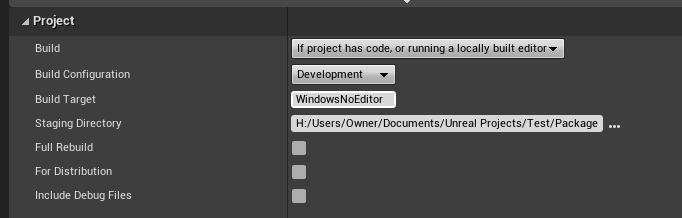
Seems to do nothing to resolve this.
open rapids
winged moss
there's a few instructions epic give you such as disabling the new project windo...
By the way, I just discovered that adding this in the package build activates DX12.
https://i.gyazo.com/6ff05e82f8b0511e2ba51f87c0babd79.png
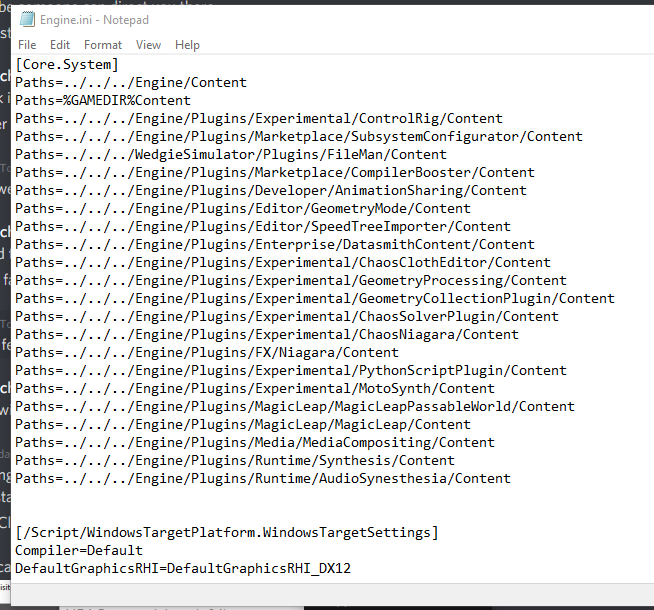
I just need to adjust this setting in either the code or blueprint. At least now I know I don't have to package separate builds just to use different RHI's.
This is for the 4.27 source build, not the built-in.
I still need help as to why the built-in does not cook/package anymore.
 lament acorn
Are there any specific settings I need to flag as true or change for my Windows UE Dedicated Server to automatically upload crash reports? I've ensured it's pointing to our own crash report server, and it works fine for the client, but the server just generates an empty minidump for a crash and doesn't send anything. Makes it a bit hard to debug any issues.
winged moss
lament acorn
Are there any specific settings I need to flag as true or change for my Windows ...
if you are using a source build, you'll want to kill this in WindowsPlatformCrashContext.cpp (as well as UnixPlatformCrashContext.cpp if you also have Linux servers)

"unattended" can refer to a dedicated server
lament acorn
i had set that to true in the ini
i'm guessing that overrides it
how fun
I'll chuck a new build after the current finishes with that, thanks!
 sharp geyser
Anyone had any experience with movie player not initializing and fatal erroring a standalone package build? Only happening on a few PC's not all
Package build running beautifully except on a few players builds
This is the Fatal Error on the player who is having the problem

on a working players log thats just before this line: LogMoviePlayer: Initializing movie player
winged moss
it would help to have symbols
but I've seen gameoverlayrenderer64.dll crash Steam users when using the EOS SDK when they have EGS installed but haven't updated it in a long time
sharp geyser
I know, im coming here with minimal information ahah
thats a touch point worth trying though
thank you
we have tried to disable the steam overlay via the steam client but to no avail
sharp geyser
@winged moss That fixed the issue, thanks very much mate
open rapids
open rapids
This is for the 4.27 source build, not the built-in.
I still need help as to wh...
Nevermind. Found out Build Tool does not like projects named "Test".
I had to change the name to "PixelStreamTest" for the project to finally package.
 naive kindle
UATHelper: Packaging (Windows (64-bit)):        (see C:\Users\charl\AppData\Roaming\Unreal Engine\AutomationTool\Logs\D+UnrealEngine+UE_4.27\Log.txt for full exception trace)
PackagingResults: Error: C:\Users\charl\Documents\Unreal Projects\AroundYou\AroundYou.uproject does not look like uproject file but no targets have been found!```
anyone know how to fix this
i cant package the game
keeps saying uproject does not look like uprojectwait getting log up
nvm its different now
UATHelper: Packaging (Windows (64-bit)): ERROR: Could not find NetFxSDK install dir; this will prevent SwarmInterface from installing. Install a version of .NET Framework SDK at 4.6.0 or higher.
PackagingResults: Error: Could not find NetFxSDK install dir; this will prevent SwarmInterface from installing. Install a version of .NET Framework SDK at 4.6.0 or higher.
ik how to fix this but i dont know how to find the download
you got link? work .NET Framework
nvm found it
sick
bruh
new problem
i already have .net framework 4.8 but it keeps erroring
PackagingResults: Error: Could not find NetFxSDK install dir; this will prevent SwarmInterface from installing. Install a version of .NET Framework SDK at 4.6.0 or higher.```it says sdk tho ill see if there is some download for sdk
naive kindle
yeah it aint working
naive kindle
Fixed
winged moss
are you going to share how for people searching the discord logs? unless it was the .NET Framework 4.6.0 SDK
mellow bane
Show the log
 proud moon
Hi friends, currently trying to build a .exe for an android game, but I got some errors in the log, does anyone know what's failing?
 mellow bane
proud moon
Hi friends, currently trying to build a .exe for an android game, but I got some...
mellow bane
proud moon
Hi friends, currently trying to build a .exe for an android game, but I got some...
Make sure to use exactly the accurate environment & tools as specified in the release notes for your engine version
proud moon
I'm sure I'm using everything it asks for and if not, I don't know what I forgot...
mellow bane
proud moon
I'm sure I'm using everything it asks for and if not, I don't know what I forgot...
Well, double check the exact versions used
Android Studio 3.5.3
Android NDK r21b
 flat moss
Hey guys, anyone experienced in shipping plugins ? I've got one that works fine in editor but it would warn wrong engine version while packaging and not ship at all. Any help would be awesome
winged moss
and what is in ProjectName.Build.cs
if it's linking any of the media player stuff then that'll be why
PixelStreaming sounds suspect for a server target
since that also likely requires media encoding
also you can do Target.Type != TargetRules.TargetType.Server in the actual Build.cs
but you'd want to wrap any PixelStreaming code in #if !UE_SERVER
or introduce a preprocessor
?
{
    PublicDependencyModuleNames.Add("PixelStreaming"):
    PublicDefinitions.Add("WITH_PIXEL_STREAMING=1");
}
else
{
    PublicDefinitions.Add("WITH_PIXEL_STREAMING=0");
}```so you can change the rules of whether pixel streaming is included later
flat moss
thats what I ended up doing, thanks
robust goblet
Anyone here has experience with the Simple UGC Plugin? I try getting their example to work, but my packaged UGC wont show up on the mod menu. It does show up if I keep the mod files created when building my project, but doesnt accept mods packaged separately
normal dock
is anyone able to help me figure out why an entire folder of blueprints isnt being packaged? ive added the folder to Project Settings -> Packaging -> Additional Asset Directories to Cook. all of the blueprints in this folder are parented to the same C++ class. they are referenced in other blueprints, which these blueprints also are not packaged the probably the same reason. neither blueprints are referenced anywhere else except each other (eg dont exist in the world, or referenced from Gamemode or anything). not sure what other information is relevant
normal dock
i havent touched anything aside from the setting i mentioned. everything else is default. theres also only ini blacklist showing up when i search for it
i also used the editor picker thing to choose the path
 naive gyro
normal dock
is anyone able to help me figure out why an entire folder of blueprints isnt bei...
naive gyro
normal dock
is anyone able to help me figure out why an entire folder of blueprints isnt bei...
Check Saved\Cooked\<Platform> and see if the cooked content is there. See if it's being cooked but not packaged vs not cooked + not packaged.
normal dock
naive gyro
Check `Saved\Cooked\<Platform>` and see if the cooked content is there. See if i...
ye its all there. so its being cooked and not packaged?
naive gyro
So in your packaged project, when you unzip the .pak file, the content doesn't exist there?
If you're using a pak file
normal dock
i am using a pak file, i think. in Saved/StagedBuilds/WindowsServer/SpaceBois/Content/Paks wheres SpaceBois-WindowsServer.pak
let me figure out how to open it
naive gyro
it's just a zip file, so you can change the extension and open it up
 vital creek
err, pak files aren't zips
naive gyro
also using 7z
normal dock
i tried this too and its the same thing
 naive gyro
there's an excellent chance I am smoking crack today, it is after eob
vital creek
7zip cannot open pak files. They're a format specific to unreal.
naive gyro
yeah sorry I've obviously confused this with something else
vital creek
You can try turning off pak files when cooking - it'll drop all the cooked assets in the packaged folder.
normal dock
this might be more #cpp material, but i assumed that because the blueprints themselves arent included in a packaged build (only metadata), that the generated classed would be included if i did this for (TObjectIterator<UClass> It; It; ++It). i get some generated classes for my widget blueprints, gamemode and gameinstance blueprints so i assumed all other blueprint generated classes would be in it
normal dock
hm i see
vital creek
You need to use the asset registry to find blueprint classes and load them.
naive gyro
@normal dock Sorry, my dyslexia mistook .pak for .apk. If it helps, when you're done packaging there's a Saved/StagedBuilds/<Platform>/Manifest_UFSFiles*.txt that lists all of the Engine/Project content that got packaged.
normal dock
naive gyro
<@!102286643368558592> Sorry, my dyslexia mistook `.pak` for `.apk`. If it helps...
its ok i forgive you
naive gyro
Sounds like you just need to get FStreamableManager going. It's not quite as daunting as it sounds, if you haven't read the docs on it: https://docs.unrealengine.com/4.27/en-US/ProgrammingAndScripting/ProgrammingWithCPP/Assets/AsyncLoading/
open saddle
@proud moon Hello, did you solve the problem? I have the same problem and I can't find a solution.
proud moon
open saddle
<@!171044864203554817> Hello, did you solve the problem? I have the same problem...
Unfortunately, not yet...
robust goblet
Hi guys! I am playing around with the SimpleUGC Plugin for adding mod support to my game. I followed along the QickStart guide but unfortunenately I can't even get the supplied Example the work correctly. When I package my mod using the ‘Package UGC’ Button the created mod wont show up in my Modlist. If the mod was packaged along with my project it works. I also noticed that the package UGC option creates pak-files, while the project launcher produces uasset-files for my mod. So I guess it has to do something with the pak file. When I keep the uplugin file from the packaged mod created via the button and add the uassets to the mods content folder it works fine … UE4 version: 4.26.2
robust goblet
Another question: How do I force UE4 to package my build in pak files? No matter what I do, I always end up with uasset files...
 winged moss
I’m not familiar with simple UGC but we just did a custom automation job for packaging mods and it didn’t really listen to any of the packaging settings as a result
 inner geyser
Is there a way to do a preprocessor define (or an existing one) only during an actual deploy build process? I tried added preprocessor defines to my build.cs script but they end up defined even when I'm running in editor. I'm basically trying to detect that my code is being touched because its part of a build as opposed to running in editor..
winged moss
show code
 brazen hill
I've got a crazy problem. I have certain Scots in my level that just won't show up in a packaged build. Made sure to add their directory, even add them to be individually cooked. Nothing. They just never show up.
 stoic forum
when I package up for windows it creates and Engine and game folder and a application. when I go to open that it says i need MS C++ runtime.. which i have. but if i dive into the game folder to the binaries and run the game from there it starts up. whats going on?

 mystic atlas
Try installing the latest version?
open rapids
Can someone please help with this problem? I can not compile nor package my game for Linux because of this error.

I don't know how to change the encoding for the files affected.
stoic forum
mystic atlas
Try installing the latest version?
it is installed . in fact if i say to include the prerequisites installer it will uninstall it and run the game. next time through it will install it and run the game. either way the game runs but that "BootstrapPackageGame" that
stoic forum
also why do things that work in the editor not work when you package it up. its very frustrating
winged moss
like
for the MSVC runtime prompt, this is just the bootstrap exe and this is how it detects if the redist is installed: https://github.com/EpicGames/UnrealEngine/blob/release/Engine/Source/Programs/Windows/BootstrapPackagedGame/Private/BootstrapPackagedGame.cpp#L64
stoic forum
winged moss
like
so how would i fix this?
winged moss
// This minimum should match the version installed by
// Engine/Source/Programs/PrereqInstaller/Resources/VCRedist/VC140/vcredist_x64.exe
which looks like the 2015 redist, but installing the 2019 runtime should install that too
stoic forum
thats not even in the folder of the engine. just up to /Prereqinstaller/
should that be in there?
winged moss
Download it from the Microsoft site or run the prereqs installer that comes with the engine
winged moss
there isn't anything special other than putting the splash in Content/Splash
winged moss
it needs to be windows bitmap format and have the filename Splash.bmp
 dusky axle
trying to package a simple development for windows 64 bit but every time I click the package button it opens up a link to a 404 error in my browser
winged moss
and the URL is...? because that makes no sense at all
dusky axle
winged moss
probably because it didn't detect a visual studio installation
dusky axle
oh
I see
I have visual studio 2022 but for some reason unreal isn't recognizing it
I'm still able to build but I guess I DO need 2019
 karmic bobcat

any idea ? 😮
UATHelper: Packaging (Windows (64-bit)): ERROR: E:\UNREAL PROJECTS\UE4\ACR\ACR.uproject does not look like uproject file but no targets have been found!
UATHelper: Packaging (Windows (64-bit)): (see C:\Users\Filip\AppData\Roaming\Unreal Engine\AutomationTool\Logs\E+INSTALL+UE4+UE_4.27\Log.txt for full exception trace)
PackagingResults: Error: E:\UNREAL PROJECTS\UE4\ACR\ACR.uproject does not look like uproject file but no targets have been found!
winged moss
then I'm not sure what else to say, can you show a screenshot from windows explorer?
it doesn't go here
it goes in your game project's Content/Splash
also turn on file extensions
winged moss
show it again with file extensions turned on
winged moss
I was hoping to see the path too
 still flume
Hello Unreal devs!
I have a question about my build being created in the directory.
I would want the packaged files to be saved without the "WindowsNoEditor" folder, is it possible?
for example: I want my files here: ...\Steamworks\sdk\tools\ContentBuilder\content\windows_content*myfileshere
Instead of here: ...\Steamworks\sdk\tools\ContentBuilder\content\windows_content* \WindowsNoEditor\myfileshere
winged moss
Why is this an issue?
And you can always just upload as WindowsNoEditor being the root
still flume
Because the steampipe takes the .exe straight from the windows_content folder, currently
I could probably make it work with it, but it would be cleaner without.
Any insight?
vital creek
...just move the files into that folder?
I fail to see the issue
(no, there isn't an option to get rid of WindowsNoEditor - packaging always generates a folder based on the platform name)
 sonic trellis
hey guys i am getting this error
ERROR: Couldn't touch header directories: Access to the path 'D:\AloneBackUp\Alone\Plugins\VictoryPlugin26\Intermediate\Build\Win64\UE4\Inc\VictoryBPLibrary\Timestamp' is denied.```
i am using source control btw tough axle
I am getting error run.bat error during packaging for android
tough axle
karmic bobcat
any idea ? 😮
Install visual studio 2019
But after that i get this error
winged moss
That won’t be it, file names are not case sensitive in Windows, plus ours is Splash with the capital S
I’m not sure how you were testing it before
Since it would need to restage the files for the splash to show up
 fathom crane
Hello, if I package my entire game once does it only need to package the new stuff I add after that
 reef crater
you may need to tick the full rebuild box in the packaging settings, its in project settings
fathom crane
went afk for a bit but my project failed to package
 worthy elbow
Hey. I wan to turn the proces around and import packages. How can I do that?
 dusk sail
So I created a flappy bird clone from a youtube tutorial. After packaging the entire game, my game is roughly 220 mb, which is ridiculous. How can I further decrease it?
forgot to mention that it is 220 without zipping. After zipping, it becomes 82mb. Is it normal?
winged moss
well what did you try?
did you at least disable plugins you don't use?
and is it C++ or BP?
 wintry wasp
i was able to package a developer version of my game, now when i try to open it the epic games launcher opens instead and my game executable stays in the background with a ram usage of 700mb and a cpu usage of 0%, no logs either written. what's going on there?
winged moss
there's no functionality in a packaged game to open EGS, also you could try debugging it
 robust axle
Hi guys i’m trying to debug a package build
Ive tried
Package settings
- full rebuild
- unchecked for distribution
- checked include debug files
Build configuration - debug game
- development
Platform - mac
After running the game and attaching process, im not seeing any logs in my IDE at all
Im running Rider on Mac
Expecting to see at least one log with [ue_log, Log Temp, Warning, “test”]
Am i missing something?
winged moss
so if you managed to attach, why not break and see what's holding it up?
open rapids
Hi everybody,
I am using a buildgraph to package a project through BuildCookRun command. I would like to know if it is possible to add additional custom parameters to that command to access them in my code during cook (for example to cook specific things depending of parameter value). The things to cook are known through some flags/properties in primary asset data, so I am using ModifyCook in my AssetManager-derived class to get all the specific assets I need to cook. But for that, I would need to pass a custom parameter to cook part of BuildCookRun command.
 fickle cipher
Can someone please point in the right direction? somewhere I can go to start to fix whatever this problem is?
I'm new to UE and this is the first time I'm trying to package my prototype and I'm not even sure where to begin with this
 mellow bane
fickle cipher
Can someone please point in the right direction? somewhere I can go to start to ...
mellow bane
fickle cipher
Can someone please point in the right direction? somewhere I can go to start to ...
Probably need to install Visual Studio with C++ support here
fickle cipher
aah ok thank you I'll do that now
ty @mellow bane , had to install windows SDK after aswell but at least that one I could see from the log lol
UATHelper: Packaging (Windows (64-bit)): ERROR: Windows SDK must be installed in order to build this target.
I mean, couldn't be more clearer could it 😅
oblique current
This might be a stupid question, but is it possible to get an installed ENGINE build through VS2019? I've noticed that the Automation Tool takes around 3h to make a proper binary build on my 5950x (seemingly with all core/thread utilization), while just straight up compiling the engine as Development-Editor in VS2019 takes around 29-33 minutes. Is Development-Shipping the same thing as Installed Engine Build (Rocket Build)?
vital creek
no
and there should be no difference between compiling in an ide vs outside of one if you're actually building the same thing - they call the same exact commands.
As for an installed build - installed/rocket builds involve building more than just development editor. It involves building development editor, development, and shipping.
additionally, if you're building your project from VS with a source build then the entire engine isn't being built - only modules required by your project are.
oblique current
Thanks. I just realized that the difference in compile time is due to the DDC being compiled with the Automation Tool.
vital creek
you can turn that off if you want
it's an option in the buildgraph script, assuming that's what you're using
oblique current
Yup. I got that as well. Thanks.
winged moss
though why would you compile the entire engine like that
with a proper source build, it takes 10 minutes or so, CLEAN, on a 3960X
but that's pretty much what siliex said
 analog tinsel
hello there, how can I delete the part in parenthesis in my build?
 winged moss
shipping builds don't use that window title so does it really matter?
 north sierra
I'm having issue packaging my project
can anyone help?
seems to be mainly this thing PackagingResults: Error: Failed to build "D:/UE_4.27_SOURCE/Engine/Programs/AutomationTool/Saved\UATTempProj.proj":
i have reinstalled my source engine but same issue
mellow bane
north sierra
UATHelper: Packaging (Windows (64-bit)): BuildCMakeLib.Automation.cs(45,54): error CS1002: ; expected [D:\UE_4.27_SOURCE\Engine\Source\Programs\AutomationTool\Scripts\AutomationScripts.Automation.csproj]
UATHelper: Packaging (Windows (64-bit)): BuildCMakeLib.Automation.cs(45,87): error CS1519: Invalid token '(' in class, struct, or interface member declaration [D:\UE_4.27_SOURCE\Engine\Source\Programs\AutomationTool\Scripts\AutomationScripts.Automation.csproj]
Sounds like a code error in the engine
north sierra
mellow bane
Sounds like a code error in the engine
yeah but the engine works. only automationtool has this error
 somber crow
Hello, we want to make a Build script that Sets the sub levels Streaming Method Setting for a Master Level during the packaging process.
My first question is. How do you hook in to the packaging process? We want to hook as early as possible but at least before the levels are processed.
 proud cliff
When Packing my project with Discord sdk installed as a plugin, it outputs this error. Not sure why but everytime it regenerates an 'Intermediate' folder which appears to cause all these errors. I'm running ue5 so any help is much appreciated.

There are about 200 of those errors by the way
 granite shoal
Hello. I have a problem while packaging my game. I searched the internet for this error and I didn't find anything similar to my problem. I also posted about my problem on r/unrealengine and the solutions there didn't work
It seems like the problem is in a user defined struct
but the compiler doesn't want to show which one and what's the problem
Re-creating all of the structs is basically re-writing my game from scratch, because a lot of stuff is connected and the game I'm making has become quite large in terms of assets and etc.
My game has built successfully without any problems until last couple of days. I only added 1 struct for saving special settings, like view bobbing, music volume and etc
And for the last couple of days no matter what I did the game just didn't want to build
I placed all of the structs into a Disabled folder, which I added to the "Directories to never cook" section
I am using blueprints and Visual Studio 2021 for compiling
Unreal engine 4.27.2
the full exception trace is uploaded here https://pastebin.com/qB79cwHp
Pastebin
Pastebin.com is the number one paste tool since 2002. Pastebin is a website where you can store text online for a set period of time.
winged moss
LogInit: Display: LogBlueprint: Error: [AssetLog] D:\Noclippped\Noclipped Project\Content\Blueprints\RealitySaver.uasset: [Compiler] The variable LevelStructures declared in RealitySaver has an invalid type Array of Structures from Source: /Game/Blueprints/RealitySaver.RealitySaver
is it just this?
because something is referencing this BP
granite shoal
this one is replaced
but the problem still didn't dissapear
https://pastebin.com/AQ1vrjYM here's a log of a failed build I did just right now
Pastebin
Pastebin.com is the number one paste tool since 2002. Pastebin is a website where you can store text online for a set period of time.
winged moss
then it'll be time to download editor symbols and debug the cooking process
are you using a struct as a TMap key anywhere?
granite shoal
I'm using blueprints
I have no idea what a TMap is
but I don't use any of the structs I made as dictionary keys, if that's what you mean
the only struct I use as a key is the Int vector, but it doesn't do anything to my builds since the beginning
proud cliff
Once again, more errors using the Discord SDK. Any ideas as to why this would be happening? It builds fine, and packages as well. But when I run the packaged .exe it gives this error message.
 winged moss
depends how you reference the required DLL in your Build.cs I guess
and does the DLL actually get staged correctly with the build?
proud cliff
I'm reasonably new to c++ so if i'm terribly wrong with how I've done this let me know.

Uhm, I believe so?
It works fine in standalone
proud cliff
uh oh bad?
winged moss
yes


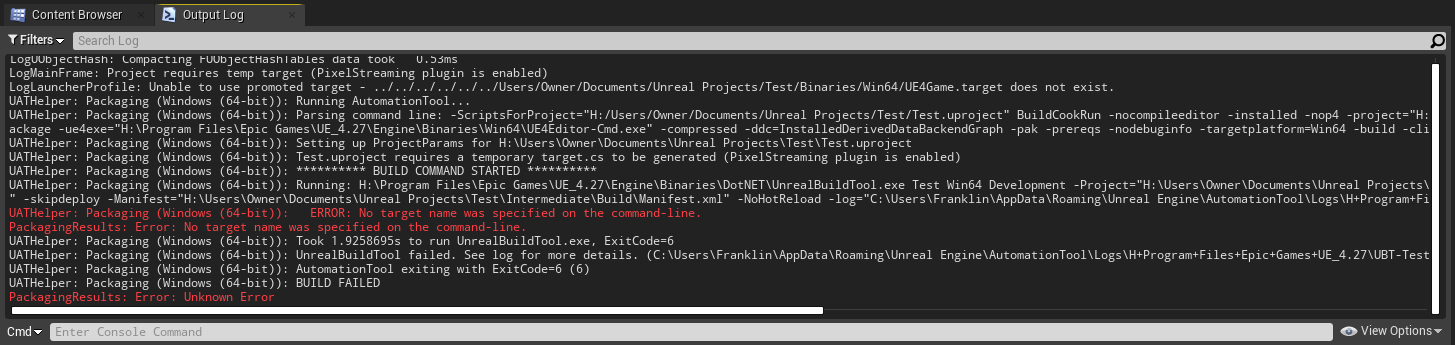
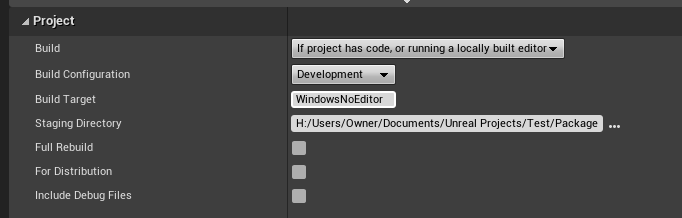
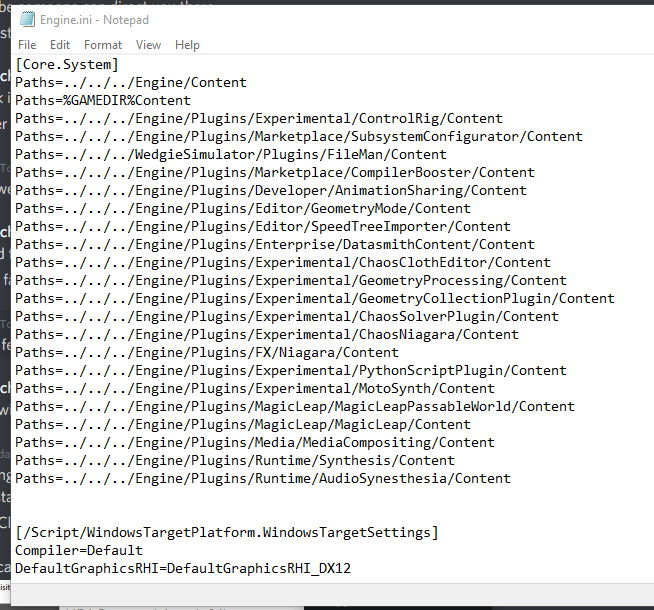
 winged moss
it will only even package on your own machine
so if you work with another developer or work on another machine, the project won't build lol
I know the official "tutorial" on this does the same, but it's stupid
proud cliff
oh right
yep
So is this what I need to do for the dll?

I used the absolute path because I didnt know how to access the binaries folder otherwise
winged moss
the Steamworks.Build.cs maybe a good reference point
but that does delay load on those DLLs since the SteamShared module actually manages loading the Steam dependencies rather than relying on the DLL loading code from the static lib file
proud cliff
Yeah, I'm looking at steamworks.build.cs and I'm lost won't lie
proud cliff
Still no idea if thats told me how to convert my project directory to an absolute path or not. lol
winged moss
ModuleDirectory will be where the Build.cs file is
proud cliff
No clue man, is that somewhere in my project?
i probably don't even have that installed
winged moss
what
proud cliff
don't worry, i'm probably gonna go teach myself some c++ so I can understand some stuff lmfao, thanks anyways man
proud cliff
Turns out, I fixed it. Not sure if it's a very normal fix, but I moved all the discordsdk dlls/libs into the packaged binaries/win64 folder.
I guess I just need to do that each time I package
analog tinsel
hello there I can't make a shipping build with my source build, I could only find solutions more related to a normal unreal engine's version
winged moss
Okay and the error?
analog tinsel
winged moss
Okay and the error?
is not giving me error as far as I know, it fails at build game with this only:
 winged moss
...that is an error
and it's in generated code so that's a bit disappointing but it's not really clear
also depends what the "Platform" property it's complaining about is
analog tinsel
oh okay, well is related to that plugin, I may ask for help with the plugin creators
 warm holly
Question: I'm running UE5 with a project migrated from UE4. Project has a Server target file which works totally fine with UE4. Selecting Platforms in UE5 does not bring up any option to package a windows server (or the target selection area for that matter), only a client. Does something need to be done here for this to recognize the server target, or did I simply miss a build option for UE5 source build? Do you even need a source build still in UE5 to build a dedicated server?
karmic bobcat
got some serious errors, and packing fail... Do I have to fix each one, or is there a "fix all" ?
 karmic bobcat
winged moss
these are warnings
karmic bobcat
winged moss
these are warnings
Ok, but the compile failed also ... hmm
winged moss
ok then show it?
karmic bobcat
I need to do it again, I did clear the log 😮
so this is not that important : "PackagingResults: Warning: Cooking a material resource (in M_Landscape hierarchy) that doesn't have a valid ShaderMap! Shadermap pointer is null."
here is a RED error:
"UATHelper: Packaging (Windows (64-bit)): LogBlueprint: Error: [AssetLog] E:\UNREAL PROJECTS\UE4\ACR\Content\FoliagePackV1\Maps\Overview.umap: [Compiler] Couldn't find object for bound event node OnTakeRadialDamage (None) from Source: /Game/FoliagePackV1/Maps/Overview.Overview:PersistentLevel.Overview"
winged moss
is there a reason you're cooking maps from an asset pack?
karmic bobcat
Sorry I`m not that used to cook map... I usually play around and make levels for fun..
so I made this level, and wanted to share it.. So I decided I would like to cook the map to share it
PackagingResults: Error: Unknown Cook Failure
[Compiler] Couldn't find object for bound event node OnTakeRadialDamage (None) from Source: /Game/FoliagePackV1/Maps/Overview.Overview:PersistentLevel.Overview
 summer olive
We are having issues packaging a windows build for our game. No matter what we do we have the same errors. Here is the logfile:
Log file open, 02/18/22 15:18:35
LogWindows: Failed to load 'aqProf.dll' (GetLastError=126)
LogWindows: File 'aqProf.dll' does not exist
LogProfilingDebugging: Loading WinPixEventRuntime.dll for PIX profiling (from ../../../Engine/Binaries/ThirdParty/Windows/WinPixEventRuntime/x64).
LogWindows: Failed to load 'VtuneApi.dll' (GetLastError=126)
LogWindows: File 'VtuneApi.dll' does not exist
LogWindows: Failed to load 'VtuneApi32e.dll' (GetLastError=126)
LogWindows: File 'VtuneApi32e.dll' does not exist
LogConsoleResponse: Display: Failed to find resolution value strings in scalability ini. Falling back to default.
LogConsoleResponse: Display: Failed to find resolution value strings in scalability ini. Falling back to default.
LogInit: Display: Running engine for game: MyProject
LogPlatformFile: Not using cached read wrapper
If anyone is familiar with how to solve this issue please let me know. Using UE5 Beta.
 eternal olive
hello there, so, i've done 3 pakages without real issue and today i've got this. Any clue what's happening ?
UPDATE : it was a missclick in the launcher settings, i had to uncheck "based on version"

 hollow apex
hi i have made a game with ue4.25 and after packaging for windows 64bit the game crashes at a certain part of the game but the crash log doesnt show anything usefull (like the source of crash) any suggestions on how i can track this issue?
the crash doesn't happen when i play in editor
zenith summit
hollow apex
hi i have made a game with ue4.25 and after packaging for windows 64bit the gam...
What does the crash reporter log say? It should have a call stack (list of functions that were called leading up to the crash).
hollow apex
zenith summit
What does the crash reporter log say? It should have a call stack (list of funct...
[2022.02.14-09.27.32:643][518]LogStreaming: Display: Flushing async loaders.
[2022.02.14-09.27.32:643][518]LogStreaming: Error: Couldn't find file for package /Game/Localization/English/en_None_Cue requested by async loading code. NameToLoad: /Game/Localization/English/en_None_Cue
[2022.02.14-09.27.32:643][518]LogStreaming: Error: Found 0 dependent packages...
[2022.02.14-09.27.47:444][406]LogStreaming: Display: Flushing async loaders.
[2022.02.14-09.28.06:380][542]LogStreaming: Display: Flushing async loaders.
[2022.02.14-09.28.08:153][649]LogSerialization: Error: (../../../Test/Content/Main/Characters/DG/Materials/Face/T_Face_N.ubulk) has invalid bulk data size.
[2022.02.14-09.28.08:153][649]LogWindows: Windows GetLastError: The operation completed successfully. (0)
is this the right log?
zenith summit
hollow apex
-----------------------
is this the right log?
I mean this thing:
 hollow apex
just a sec
hollow apex
found the problem sorry for bothering
 severe mural
hi, im getting this error when packaging game, further there are no errors. anyone knows a fix? thanks
 vital creek
it's just a checkbox in packaging settings iirc, I think "Use IO store"?
 fading fern
Hi randomly out of nowhere I can't package my game anymore.
LogUObjectHash: Compacting FUObjectHashTables data took   0.64ms
LogMainFrame: Selected target: CoopGamer
LogLauncherProfile: Unable to use promoted target - receipt D:/Documents/Unreal Projects/CoopGamer/Binaries/Win64/CoopGamer.target is not for a promoted target
Everything compiles fine in VS
It says packaging complete but it clearly failed since theres nothing in destination folder

even if I rebuild visual studio project files it doesnt work
I tried creating a new c++ class to rebuild binaries but still doesnt work
 quick holly
When you make a build does it gather everything from your content browser or only stuff used in the maps you build?
winged moss
unless you've forced everything to cook, it'll be based on what's referenced by levels, CDOs and INI files
quick holly
awesome thanks!
fading fern
fading fern
I tried creating a new c++ class to rebuild binaries but still doesnt work
update: I tried reinstalling visual studio and I tried deleting and regenerating binaries folder and stuff
still doesnt work

heres screenshot of my binaries folder
LogLauncherProfile: Unable to use promoted target - receipt D:/Documents/Unreal Projects/CoopGamer/Binaries/Win64/CoopGamer.target is not for a promoted target
coopgamer.target exists
but it doesnt work??
also the logs show no errors
fading fern
winged moss
why don't you try renaming that file?
tried renaming, now it doesnt exist ```cpp
LogLauncherProfile: Unable to use promoted target - D:/Documents/Unreal Projects/CoopGamer/Binaries/Win64/CoopGamer.target does not exist.
and you're doing a clean build?
fading fern
yea
winged moss
well you get more control over the packaging process if you actually did use them
but it's always worth searching to see what emits that error
fading fern
k ill try from command line and see if it works
wait i think i found the problem

the file
is like
dead
corrupted
how do i regenerate this
winged moss
How is it “dead”?
 karmic elm
can you share packaged assets among multiple binaries? is there a term for this approach or a tutorial link? thanks
 potent sierra
When I package, the font loses spaces

it is weird ... why would packaging make font lose spaces

why would packaging remove a font's spaces
mystic atlas
Are you storing it as FString instead of FText? (random thought, probably not the cause)
 gloomy sparrow
hey guys
i got these two errors when trying to package
LogFMOD: Error: e:\jk\workspace\2.1_UE4.25_Win64\core_api\platforms\win\src\fmod_output_wasapi.cpp(538) - GetCurrentPadding returned 0x88890004. Device was unplugged!
UATHelper: Packaging (Windows (64-bit)): LogWindows: Error: begin: stack for UAT
What are these and how do i fix them?
 karmic stump
Hello everyone, I need help urgently. We have a mobile game project that we are about to finish. I created a special game instance actor at the beginning of the project. I often reach this actor by casting. When I connect my mobile device and say launch via ue4, it works perfectly on mobile, but when I package the project in apk and install it on the phone, the "cast to" operation does not even respond. neither successful nor unsuccessful. Thanks in advance to everyone who helps.
winged moss
gloomy sparrow
i got these two errors when trying to package
LogFMOD: Error: e:\jk\workspace\2...
Contact Fmod support
gloomy sparrow
oh, what of the 2nd one?
winged moss
Well you didn’t post the entire log
gloomy sparrow
Can I just post it here as a pic? (it's quite long)
mystic atlas
Why a picture?
gloomy sparrow
Can i post the entire text here then? Don't want to just drop giant walls of text is all
mystic atlas

Pastebin
Pastebin.com is the number one paste tool since 2002. Pastebin is a website where you can store text online for a set period of time.
gloomy sparrow
oh, thanks
Sorry for the inconvenience
Pastebin
Pastebin.com is the number one paste tool since 2002. Pastebin is a website where you can store text online for a set period of time.
winged moss
yeah I would really try and clean up those fmod issues
not really seen many people using debug for an actual packaged game though
unless those fmod issues are because you have some USB powered output device (like a headset) which disconnects when your monitor sleeps during packaging but it's still odd fmod would complain about that as an error
gloomy sparrow
That definitely shouldn't be set to debug, I'll change it back to "development and disconnect the headset before I try to package it again.