#slate
1 messages · Page 5 of 1
 bright otter
 plush hinge
Hey, anyone know why this widget is causing SlateUI to go up to around 15ms? theres not really much going on in the widget itself

 grave hatch
Which widget?
grave hatch
Try GetTickSpaceGeometry()
There should be a method to retrieve it.
(that is the slate method, not hte umg one)
 tender patrol
mmmh there is no such thing .GetClass
grave hatch
Check the api docs.
ngl, this sounds super dodgy and not something I would want a game I'm running doing.
tender patrol
Hello
How do you use STextComboBox ? LIke what is the way?

ok I see this but
I don't understand what is this
        + SHorizontalBox::Slot()
        .FillWidth(1.0f)
        .VAlign(VAlign_Center)
        [
            SNew(STextComboBox)
            .Font(IDetailLayoutBuilder::GetDetailFont())
            .OptionsSource(&TargetDeviceFamilyOptions)
            .InitiallySelectedItem(TargetDeviceFamilyOptions[CurrentSelectedIndex])
            .OnSelectionChanged(this, &FHoloLensTargetSettingsCustomization::OnSelectedItemChanged, PropertyHandle)
        ]
]; ```The IDetailLayoutBuilder
 spring crescent
That's just a static on the IDetailLayoutBuilder class that provides the default Details Panel font.
grave hatch
The OptionsSource is a pointer to a TArray<TSharedPtr<type>>
Or TArray<Uobject> or TArray<UEnum>
Or FName I believe...
grave hatch
Shrug
Forcing your user's mouse to click buttons on random web uis is a bit dodgy though.
It sounds like you're using the wrong tech if that's a requirement.
I doubt the clicking requirement is there if you do the native solution!
I mean it's fine for testing.
it's really not for any kind of released product.
So now you're exposing user ips to each other?
You are, of course, warning people that while the game uses dedicated servers, voice comms does not?
You aren't making CoD.
grave hatch
And you think it's a good idea to use it for p2p games.
grave hatch
Taht sounds like a good trade-off.
 limpid estuary
Why not use the explicit 'allow comms' be your one time button press?
That would also make it consistant if they change their mind and disable it.
No clue, just seems like that initial game setup option (and later being in the settings) would make sense
And it doesn't have to be a obvious popup
Think of the number of games that prompt you to setup brightness/audio settings when you boot the first time
Have it be part of a 'first time config' menu thing
Then later be embedded in the settings
Every time you boot it?
I think in that case you need to find a different implementation
Tbh
Unless the comms aren't that important. And it can just be a per lobby chat opt-in
^ works if you expect the players to mostly be using discord comms or something already
tender patrol
where do I get the property handle from ?

I don't see where it got initizlized declared or anything ?
ehh it was a parameter I think
lol
tender patrol
How to change runtime a SButton Text ?
 hot notch
How would I go about editing the style/brush that these return?
FCoreStyle::Get().GetBrush("ToolTip.Background")```"Editing" ?
The font style is just a fontstyle object, FSlateFontStyle probably or FFontStyle
Just copy it, change values and pass a pointer to your new value.
(you obviously need to save your copy somewhere...)
The other one is a texture resource. I don't know if it' s a UTexture or whatever, but the source of it will be a png or svg in the engine somewhere.
That ones a bit harder to edit from code...
 craggy holly
How do you define widgets in CPP now that the SLATE_DECLARE_WIDGET macro contains a static function definition?
hot notch
grave hatch
Just copy it, change values and pass a pointer to your new value.
AFAIK these all return const though. I was more wondering if there was a default way to override these styles. Been trying to read through the Starship stuff but not quite following it yet.
grave hatch
craggy holly
How do you define widgets in CPP now that the SLATE_DECLARE_WIDGET macro contain...
What?
How does that change anything?
craggy holly
Because it throws an error about the static function not be present
grave hatch
You don't even need to use SLATE_DECLARE_WIDGET
grave hatch
hot notch
AFAIK these all return const though. I was more wondering if there was a default...
You can can just add the styles to FCoreStyle and replace them?
FSomeStyleType YourStyle = *FCoreStyle::Get().GetFontStyle("ToolTip.Font"); (copies the style)
YourStyle.SetMyThings();
craggy holly
Ah ffs, you have to move it outside the class definition, it's fine
I swear with every update the Slate syntax gets more horrid
grave hatch
I've been using SLATE_DECLARE_WIDGET since 5.0 and it's not changed...
craggy holly
This is the first time I've had to do a custom widget since pre-5.0
craggy holly
It's fine. The problem was I wanted to declare + define the widget in the CPP. Moving the static function out of the class definition solved the issue
Syntax is just cursed
 grave hatch
I've literally never used SLATE_IMPLEMENT_WIDGET lol
craggy holly
It appears to be present for all low-level engine widgets as far as I can tell
grave hatch
Never noticed it tbh.
The DECLARE one is required for the widget class stuff.
No idea what the IMPLEMENT one does.
craggy holly
Ah yes. Thanks a lot Epic. Super descriptive.
 grave hatch
What did you do to Slate?!
hot notch
grave hatch
FSomeStyleType YourStyle = *FCoreStyle::Get().GetFontStyle("ToolTip.Font"); (cop...
That is my issue though. I don't want a copy of it. I want to modify what that returns so that when something else unrelated gets it, it'll get the new style.
grave hatch
const_cast
craggy holly
That's just coming from Slate whenever I try to create a widget of the declared type. AFAIK it's identical to SBox minus a few size parameters
grave hatch
It would seem not.
Why make a widget that's identical to box instead of a few size parameters?
Why not just use box?
craggy holly
It's not a box, it's like a box, just with a tick function + callback
grave hatch
Subclass box and add those?
craggy holly
I don't get it. The widget has two attributes, child content + an event callback. None of the other widgets do any uwierd registration stuff with events or content.
grave hatch
Which attribute is it even complaining about?
grave hatch
Not in the properties of Self?
grave hatch
Sounds like you haven't inherited from something correctly.
 grave hatch
Heh
tender patrol
tender patrol
How to change runtime a SButton Text ?
Hey I had a questions this one, can someone help me ?
grave hatch
Bind the text value to a lambda or something
tender patrol
ok
 white prism
I am at an absolute state of confusion. Is this a bug? I am setting stats in a UI using the gameplay ability system and tags. Now when I launch the game after opening Unreal 5.2 it looks like this. Some of them set but some of them stay default values.
IF I go and compile the widget blueprint for the menu they all set perfectly fine. I don't make any changes. I just click compile.

 maiden pine
Hey I wanted to ask what are the website/tutorials you would recommend learning slate
tender patrol
Hey .OnTextCommitted(FOnTextCommitted::CreateSP(this, &FWindowTest2Module::SetUserName)) IDK why this gives me error when when running the script spawning me the slate widgets not building....
any idea?
tender patrol
I am trying to get a SMultiLineEditableText to work but no luck
 terse perch
Hello, I'm making navigation for my inventory grid, and I'm wondering how I can make it work with multiple of them. I want to be able to jump from one grid to another.
For instance: I have two grids, one on left side, and the other one on the right side. The selected tile is the rightmost on the left grid. If I press the right arrow, I want to go to the leftmost tile of the right grid.
I saw that there is a HittestGrid, and it looks like something that would fit in this use case. Is it true or I need to use/implement something else?
grave hatch
tender patrol
any idea?
Have you looked at the engine source to see how OnTextCommitted is handled?
tender patrol
Yes I has to use lambda because the normal one did not work
 pure cave
So I am going through the struct customization tutorial. The struct has an enum and depending on the value inside the enum some SBoxes IsEnabled will be set. I am now wondering if I could take this one step further and hide/show them instead of just disabling. I thought about SetVisibility but that's for UUserWidget, so I might have to dig deeper but someone might know of some point I might start at
spring crescent
pure cave
So I am going through the struct customization tutorial. The struct has an enum ...
.Visibility() or .Visibility_Lambda()?
The function must return an EVisibility value.
grave hatch
You can do SetVisibility on slate widgets too.
And SetEnabled
Generally binding by callback is terrible, but everyone does it in slate everywhere.
spring crescent
Why is it terrible? Just wondering since it's standard practice.
pure cave
spring crescent
`.Visibility()` or `.Visibility_Lambda()`?
Well, it's really nice to have that. much easier than I expected.
grave hatch
spring crescent
Why is it terrible? Just wondering since it's standard practice.
Because they are refreshed every tick
Without reason
Exactly the same reason it's bad to use bindings in UMG. Except in UMG it's worse because it's BP.
pure cave
grave hatch
Because they are refreshed _every tick_
I will just pretend I don't know about that 🙈
 crystal lark
I'm trying to add extra data to spline points. I found this example of how to do it: https://github.com/MintBanjo/UE5_SplinePointsMetadata/blob/main/Source/SPMEditor/MySplineMetadataDetails.cpp#L81 THe link highlights the point at which slate widgets can be added to the spline point editor in the details panel. Is there a way to generate this from a struct type like the editor does in the wild? I see the IDetailGroup allows adding property rows that take a IPropertyHandle. I'm not sure where to get those handles from however, at least in this context. Am i stuck manually wiring UI for this?
grave hatch
What exactly do you want to do?
crystal lark
grave hatch
What exactly do you want to do?
I want to embed a details property editor for a struct at that extension point (the spline point editor). So if I add something like a gameplay tag or set of values to the struct, the editor UI will automatically at least be up to date with it. There's still the problem of binding the editor UI to the underlying spline point metadata though.
For my case, I want to make a spline actor that I can customize each point so the mesh that gets spawned can be customized per point. I think to keep it simple, I'll just stick to doing custom widgets and use a combobox that's based on an enum, and then a data table/asset to map the enums to meshes.
(The struct in their example is https://github.com/MintBanjo/UE5_SplinePointsMetadata/blob/main/Source/SPM/MySplineComponent.h#L11 which is for the additional data that could be assigned to spline point)
grave hatch
You want to embed a detail editor for something not directly a property of teh spline point?
Into the details of the spline point?
crystal lark
yes
 livid marsh
hello, sorry if this is a bit off topic but i figure people here might be CSS gurus
i'm trying to modify my sphinx's documentation and the CSS i'm adding is just breaking everything
it's super simple
body {
    background-image: url("../bg.jpg");
    background-size: cover;
    background-repeat: no-repeat;
}
and yet everything seems to break from just including this one simple element
am i missing something here? how am i supposed to tell sphinx to just add this not break everything
it seems to just completely override the CSS used for some reason, instead of just adding ontop of it
livid marsh
nevermind, bashed my head against the css wall enough to finally figure it out 
grave hatch
crystal lark
yes
You'll need to create a details panel customisation.
See examples of how this is used: https://docs.unrealengine.com/5.1/en-US/API/Editor/PropertyEditor/FPropertyEditorModule/RegisterCustomClassLayout/
 summer drift
I'm currently trying to make a custom property type customizer for a struct property, but I can't seem to get it.
I need just what GetOptions does with UFUNCTIONs, but in a struct with a property. I can't use a ufunction cuz I'm grabbing the data from a C++ class, not a UCLASS
grave hatch
Why not make a ufunction wrapper that fetches the data?
summer drift
Because it's the way I have it setup, and changing it would be more work than it would be to just make the property customizer
grave hatch
Fair enough, but "it's from a c++ class" isn't really a valid reason. 😛
Did you have a specific problem? You haven't actually asked a question.
summer drift
It just ends up like this.
When I type something in, it shows the options, but not the currently selected. And when I do select something, it doesn't save the value to the property

I haven't really found anything online for this kind of thing. Either I'm missing it, or not searching for the right thing
Tried looking in source, but I can't find where GetOptions handles making a searchable combo box
grave hatch
What's the code you're using to define the combo box?
summer drift
void FVersionDetails::CustomizeHeader(TSharedRef<IPropertyHandle> PropertyHandle, FDetailWidgetRow& HeaderRow, IPropertyTypeCustomizationUtils& CustomizationUtils)
{
    // Retrieve the inner property handle for the selected property within the struct
    StructPropertyHandle = PropertyHandle->GetChildHandle(GET_MEMBER_NAME_CHECKED(FVersion, VersionName));

    // Add a custom row to the header row
    HeaderRow
        .NameContent()
        [
            StructPropertyHandle->CreatePropertyNameWidget()
        ]
        .ValueContent()
        .MinDesiredWidth(250)
        [
            SNew(SSearchableComboBox)
            .OptionsSource(&Options)
            .InitiallySelectedItem(GetSelectedItem())
            .OnSelectionChanged(this, &FVersionDetails::OnSelectionChanged)
            .OnGenerateWidget(this, &FVersionDetails::OnGenerateWidget)
            .OnComboBoxOpening(this, &FVersionDetails::OnComboBoxOpening)
        ];
}
You don't have the currently selected parameter
Hmm. Never mind.
Guess I'm thinkinf of another widget!
What's your "on selection change" code?
Have you breakpointed it and looked at what it does?
summer drift
void FVersionDetails::OnSelectionChanged(TSharedPtr<FString> SelectedItem, ESelectInfo::Type SelectInfo) {
    if (SelectedItem.IsValid()) {
        NameVal = FName(*SelectedItem);
    }
}
Does that trigger and actually change the value?
 hallow jackal
how do remove item for listview.
I know the problem, I used the wrong item
 long holly
hey yall im trying to build a engine ui tool with slate but i have no idea where to start. what slate doc do you guys recommend for me to read/watch?
i know the umg framework of ui just not slate
only have that ui experience for me
 lucid pivot
long holly
hey yall im trying to build a engine ui tool with slate but i have no idea where...
lucid pivot
long holly
hey yall im trying to build a engine ui tool with slate but i have no idea where...
engine ui tool like a plugin? h ttps://benui.ca/ has slate articles
long holly
lucid pivot
engine ui tool like a plugin? h ttps://benui.ca/ has slate articles
yes im trying to make an editor plugin but i have no idea how slate works
thank you i will look into that
lucid pivot
if you have questions i can (maybe) help, i'm building one too
long holly
lucid pivot
if you have questions i can (maybe) help, i'm building one too
im still in the design phase of it but if you want, can i dm you what im thinking of building and maybe you can give me directions on how i can proceed from there ?
lucid pivot
yeah sure if you want to sound some ideas off me, but im no expert
grave hatch
long holly
only have that ui experience for me
Slate is just like UMG, but in c++. All the same stuff applies really. Just ignore all the complicated c++ umg stuff, that does not apply.
And read the pinned links.
 narrow terrace
Yeah honestly think about it like this, Slate is what UMG is made of without being restricted by Blueprint. BUT the only disadvantages are that you can't use sequencer animations like in UMG and there is no visual designer for it BUT that's literally what I'll use UMG for when working with Slate to plan how to place stuff
I plan to eventually have a simple example in the compendium of that where I show the code sample in Slate and then the UMG designer view of the same exact hierarchy and such
long holly
grave hatch
Slate is just like UMG, but in c++. All the same stuff applies really. Just igno...
i see
grave hatch
Tbh
Teh biggest hurdles with slate are 1) The chain methods for parameters. 2) The [] override to specify contents. Get your heard around those and it's all pretty simple.
 subtle veldt
@grave hatch Can you help me, why can't I press this?
 grave hatch
No idea. That's the mobile joystick, isn't it?
Also don't just highlight random people 😦
 coarse ice
How can I add a Slate widget to an umg widget?
grave hatch
You can't really. You would have to create your own custom umg widget through c++ and then add the slate widget to that.
coarse ice
Hmm, can you tell me where I could find an example for that?
grave hatch
Not off hand, never done it. Might be something in the pinned messages here or in #umg about c++ uuserwidgets.
Or look at any of the uuserwidgets that exist in the engine, if there are any.
coarse ice
Ok, thank you, I will take a look!
craggy holly
UOverlay is probably the simplest example.
 winged fern
I am working on grid inventory. I plan to use UMaterialInstanceDynamic for every slot item. Items count can rise up to 1000. To render different textures I have to create instance per item and set it via parameter. Does it make sense? Or maybe you can point me in another direction.
craggy holly
Use a list view
You only want to create as many widgets as you need to render the grid, you don't need one for every item. List/Tile views are meant to handle that exact case.
The only real caveat of them is that the grids widgets are fixed size, you can't mix widget sizes within a list view because the size must be known to calculate geometry/scroll bar etc.
winged fern
It is two different things. But thank you for pointing out List/Tile/Tree views. It can definitely reduce drawing costs. But what about all visible items? It is still can be a lot of them. Is it common practice to generate that many UMaterialInstanceDynamic for every item? UMaterialInstanceDynamic seems very cheap to render. I notice only performance hitches when create/delete. Some kind of pool can fix this problem.
craggy holly
If you need a dynamic material then you need a dynamic material, doesn't really matter
But if you're allocating 1,000 objects then yes it will take time
pure cave
Going through the plugin list once again in unreal and there is Live Update for Slate Refreshes the editor layout and tabs when Live coding is completesomeone might find it useful and activate it
 drowsy relic
Hello I have a profiling question about Slate. Im trying to figure out why for each Engine loop, 7ms is going to Slate::Draw for 3 user interface widgets. Does anyone know how to find the most expensive widgets or functions being called in those widgets? Im getting used to reading Unreal Trace call stacks but I cant get anymore info besides Slate::tick. Ive tried collapsing the entire HUS too but I cant achieve the same performance as having no HUD at all.
 grave hatch
Are you doing that in the editor?
Becuase if so, that Slate profiling will include the entire editor.
grave hatch
For rich text?
grave hatch
So <1>stuff</><1><2>other stuff</></> ?
 random ocean
hey, i have a question. I have a slate widget and i need to bind to a subsystem delegate, is that possible?
is there a way to do that?
grave hatch
Sure
 inland flower
Can I draw the same slate widget multiple times in different locations/rotations with different rendertransforms in OnPaint or OnArrangeChildren?
An SPanel widget holds a list of slots where each slot is a new unique slate widget. Then it iterates through the slots and calls ChildWidget->Paint() to render each one. That's not what I want to do, though.
I could do this with a single image by calling FSlateDrawElement::MakeBox() and passing an FSlateBrush, to render an image or material. But is there a way to do this with more complex widgets, e.g a widget created from multiple sub widgets in UMG?
grave hatch
That's a good question.
You can render widgets to render targets and then render those as textures in multiple places.
inland flower
Makes sense
grave hatch
Have you tried overriding OnPaint and literally calling Super::OnPaint() but with different geometries?
inland flower
Do you mean painting the complex child widget and then duplicating the paint result multiple times?
I'm thinking because Widget->Paint() takes a lot of by-reference arguments I could take the AllottedGeometry and just copy that every time I need a new widget
grave hatch
No. It would probably redraw it for each call.
Yeah. Pretty much that.
Change the allotted geometry and make multiple calls to teh parent method
inland flower
so after duplicating the allotted geometry result I can then tweak its render transform
grave hatch
I would give it a test and see if it actually works.
inland flower
yeah the most likely thing is that Paint() internally creates a render state that you can no longer change for this render cycle
grave hatch
I expect so
However, I have done plenty of custom stuff in OnPaint that doesn't use any widgets. Draws directly to the viewport. So maybe it can work.
inland flower
yeah it's possible I can call Paint() to get back AllottedGeometry and just set that widget disabled so that instance doesn't draw automatically
and then I can render the batch of allotted geometry in the parent widget
inland flower
It turned out to be very very simple - contents of OnArrangeChildren()

1 WidgetToDraw reference (this is an example, the real widget would be a reference passed from UMG)
Then each additional call to .AddWidget() creates another instance of the widget in a different position. This can be done in a loop for a list of widgets.
SlatePrepass is needed for GetDesiredSize to be nonzero
OnPaint looks like this

This results in a new call to Paint() per child
I think the main advantage of this is that I only need to allocate the UMG widget once, and even the Slate widget is only allocated once, so then the only overhead for each additional instance is just the side effect of calling Paint() which is essentially a new FSlateDrawElement payload
inland flower
I didn't try it, since I wanted to use UUserWidgets created in UMG as the child widgets to draw multiple times
 mental dawn
Hello everyone, I'm making a plugin to import file into Unreal and for the part where the user has to choose the file, I'm calling ```cpp
TArray<FString> _paths;
const bool _openedFileDialog = DesktopPlatform->OpenFileDialog(ParentWindowHandle,
"Select a file to import",
"C:\",
"",
"",
0, // 0 = SingleFileSelection, 1 = MultipleFileSelection
_paths);
It perfectly works except that when the file is choosed, Unreal/the computer behaves as if an Alt_Tab was made (focus is set on previously opened window)...
Has anyone an idea of why and maybe how to correct this ?
Thx in advanceSo it tabs away from unreal / your game?
mental dawn
from unreal, yup (it's an editor plugin)
 sand frigate
Check if you are passing proper ParentWindowHandle.
Passing nullptr in my own code minimizes the editor upon the modal dialog close.
I am using const void* ParentWindowWindowHandle = FSlateApplication::Get().FindBestParentWindowHandleForDialogs(nullptr);, same as epic code.
mental dawn
sand frigate
I am using `const void* ParentWindowWindowHandle = FSlateApplication::Get().Find...
ok i'm trying this
actually i'm using ```cpp
const void* ParentWindowHandle = GEditor->GetActiveViewport()->GetWindow();
it works perfectly 👌 thx my man
 wicked reef
How can I make a widget from Slate?
Image for example is build on SImage, how can I make a Shape from SShape?
grave hatch
You mean UImage?
wicked reef
Not sure tbh
Isn't this the one you select when making a UMG and adding an image to it?

I just thought I could make a slate class look the same compared to when designing a UMG Widget but make it useable in widgets. So it looks like a widget but has the Slate functionality and is useable in other widgets as a "component".
Also can I get screensize somehow?
grave hatch
You can't use slate widgets directly in UMG. They are wrapped in things like UImage.
So if you want to expose SShape (is that even a thing or are you trying to make it?)
You would need to make a UShape and wrap it, like UImage does.
wicked reef
grave hatch
So if you want to expose SShape (is that even a thing or are you trying to make ...
Just an example - okay I did not know a UImage existed too, I thought it was just the SImage but thanks, I think this is enough to work with for now
Also, can I use other components in my UShape like images and/or buttons?
Where is UImage??? I did find the SImage in source files but my explorer can't seem to find a UImage.cpp confusion
ok it is just Image.h ....
grave hatch
You can use any slate widgets you like in your own UMG wrapper.
wicked reef
wicked reef
Also can I get screensize somehow?
Do you may know about this one too?
grave hatch
Erm not really
wicked reef
alright, then I keep researching
grave hatch
I tend to get that stuff from our custom vp client.
If there's a bp node for it, you could look for that.
(look for the c++ implementation)
wicked reef
Alright, thanks!
Seems like it is very easy in BP so theres a nice C++ function (in case someone else is interested in this)

 grave hatch
👍
 upbeat orchid
I have a textblock, and any time the parent of it has SetEnabled(false) called, the text color is set to grey
I would like to set the color it goes to when it's disabled,
I've been looking for a while and haven't found anything that lets you do this
grave hatch
Have you checked the textblock style?
 simple temple
why is this LargeFont returning null? FSlateFontInfo LargeFont = FSlateFontInfo(FName(TEXT("LargeFont")), 48, EFontHinting::Auto); TextBlock->SetFont(LargeFont); I've included the header #include "Fonts/SlateFontInfo.h"
grave hatch
Because you don't have a font named "LargeFont" ?
The fcorestyle or fappstyle has some default fonts available. Try seeing what they do.
simple temple
grave hatch
Because you don't have a font named "LargeFont" ?
What do you mean? I just initialized it with the name ``FName(TEXT("LargeFont"))`
grave hatch
Also you should be using this: https://docs.unrealengine.com/5.1/en-US/API/Runtime/SlateCore/Fonts/FSlateFontInfo/__ctor/5/
The other constructors are deprecated.
simple temple
grave hatch
The other constructors are deprecated.
Oh okay I see! Thank you! 🙏
simple temple
this seems to work FCompositeFont NotoSerifFont = FCompositeFont(FName(TEXT("NotoSerifFont")), FString("/Game/MyGame/Fonts/NotoSerif-Regular_Font.NotoSerif-Regular_Font"), EFontHinting::Auto, EFontLoadingPolicy::LazyLoad); but how do I make a TSharedPtr to this? TSharedPtr<const FCompositeFont, ESPMode::NotThreadSafe> ActiveFont = NotoSerifFont; gives an error
grave hatch
TSharedPtr<const FCompositeFont, ESPMode::NotThreadSafe> ActiveFont = MakeShared<FCompositeFont>(FName(TEXT("NotoSerifFont")), FString("/Game/MyGame/Fonts/NotoSerif-Regular_Font.NotoSerif-Regular_Font"), EFontHinting::Auto, EFontLoadingPolicy::LazyLoad);
simple temple
grave hatch
`TSharedPtr<const FCompositeFont, ESPMode::NotThreadSafe> ActiveFont = MakeShare...
Thank you very much!
upbeat orchid
grave hatch
Have you checked the textblock style?
that's the issue, there is no style option for textblocks. Maybe they realized this and added it later ( my engine version: 4.26 )
grave hatch
Hmm!
 fleet pebble
I am following the Slate Editor Window quickstart guide at: https://docs.unrealengine.com/5.1/en-US/slate-editor-window-quickstart-guide-for-unreal-engine/
However I am getting compiler errors with the example code.... any ideas what I'm doing wrong?


Build a simple editor window using Slate.
spring crescent
fleet pebble
I am following the Slate Editor Window quickstart guide at: https://docs.unreale...
Are you getting actual compiler errors or just IntelliSense errors?
fleet pebble
@Thomas compile errors:
 spring crescent
fleet pebble
I am following the Slate Editor Window quickstart guide at: https://docs.unreale...
spring crescent
fleet pebble
I am following the Slate Editor Window quickstart guide at: https://docs.unreale...
In your case it seems to think this is an FTrackCreatorEditorModule, is that code in the SEditorWindowMenu class?
fleet pebble
@gentle onyxmas No. FTrackCreatorEditorModule is the base class for my Editor Window plugin. The code above is the meat of OnSpawnPluginTab():
TSharedRef<class SDockTab> OnSpawnPluginTab(const class FSpawnTabArgs& SpawnTabArgs);
OnSpawnPluginTab() defines the widgets and layout for the editor window, and I'm trying to bind the OnClicked event (and others as seen above) to a delegate function in the SEditorWindowMenu class (inherits from SCompoundWidget), declared as FReply OnTestButtonClicked();
spring crescent
fleet pebble
<@520904458901913611>mas No. FTrackCreatorEditorModule is the base class for my...
If that code isn't in the SEditorWindowMenu class then this won't be pointing to an SEditorWindowMenu.
The pointer needs to be to an instance of that class.
fleet pebble
@spring crescent ok will play with it some more and see what I can figure out. thanks
fleet pebble
spring crescent
If that code isn't in the `SEditorWindowMenu` class then `this` won't be pointin...
@spring crescent Looks like you had the right of it. I dumped my code in the wrong class.... rookie mistake ha!
 toxic dagger
I made a IPropertyCustomization for a struct I have to make it look similar to TMaps with ForceinlineRow specifier. Everything works great, except for when the struct is used in an array inside editor utility widgets using the DetailsView widget (Left side of the first pic).
Is there something I'm missing in my IPropertyCustomization to have DetailsView pick it up? Putting a breakpoint on the StructBuilder shows everything is valid and the code is executing


It seems that the Dropdown arrow is just missing for the editor utility widget, so I can't expand the array view
grave hatch
Hwge you tried adding the drop down arrow yourself?
toxic dagger
I'm not sure where I would do that, I'm pretty new to customizing the editor and slate. The arrow is there in every other details panel, it's only a problem in the DetailsView widget. Could I detect if the struct is being built inside the DetailsView widget and manually add the arrow myself?
grave hatch
Hmm.
toxic dagger
WidgetReflector says the expander arrow is there and it is visible, but it isn't visible
 grave hatch
What is a details view compared to a details panel?
Hover over the expander arrow and see its desired size.
toxic dagger
grave hatch
What is a details view compared to a details panel?

then like this inside the editor utility widget
 toxic dagger
grave hatch
Hover over the expander arrow and see its desired size.
toxic dagger
grave hatch
Hover over the expander arrow and see its desired size.
The "Size" on the right is its desired size right?


never mind, found the desired size
The SConstainedBox seems to be set to Hidden and the button is a child of that
 grave hatch
It'll be the container box that determines whther to show the button, not the expander.
Probably logic in the SDetailsExpanderArrow.
toxic dagger
Yeah, it's this function that is making it hidden. Even though the array has children, this is returning false
 grave hatch
Go down Slate rabbithole and find out why that method is returning false.
 grave hatch
In slate?
You could do it pretty easily with a raw call to the slate renderer and using a mesh draw element.
Specifically FSlateDrawElement::MakeCustomVerts on OnPaint in a slate widget.
There is no documentation, so use the engine source.
 bold terrace
Is there any way to spawn an Editor Utility Widget (UserWidget) through Slate?
Trying to spawn a window in an editor tab through a plugin.
I am able to get a pointer to the widget in question, I just don't know to to add it to the SDockTab.
grave hatch
You would have to add the underlying slate widget to the sdocktab
spring crescent
bold terrace
Is there any way to spawn an Editor Utility Widget (UserWidget) through Slate?
T...
Have a look at UEditorUtilityWidgetBlueprint::SpawnEditorUITab().
bold terrace
grave hatch
You would have to add the underlying slate widget to the sdocktab
Thank you for the advice, I've tried to add all of "RootWidget() / CachedWidget() / TakeWidget()" among other syntax combinations, but all generated errors like no matching overloaded function found. You wouldn't have a suggestion on the proper way to access the UUserWidgets underlying slate widget?
bold terrace
Yes, I'm sure I'm doing something wrong though.
With SpawnTabArgs.GetOwnerWindow()->SetContent(GetSettings()->QuickAssistantWidget->TakeWidget()); return UEditorUtilityWidgetBlueprint::SpawnEditorUITab(SpawnTabArgs);
I'm getting the error a call of a non-static member function requires an object , but I fail to see how I would provide that.
My google-fu is also failing me, not finding many relevant links
Very new at creating editor slate stuff, initially thought it was going to be easier since I only wanted to spawn in a tab with a single UUserWidget.
bold terrace
spring crescent
Have a look at `UEditorUtilityWidgetBlueprint::SpawnEditorUITab()`.
Is this something the widget itself calls to create a tab, or is this used with the RegisterNomadTabSpawner delegate?
spring crescent
bold terrace
Is this something the widget itself calls to create a tab, or is this used with ...
It's what the widget uses to create a tab that is then registered with a tab manager's tab spawner (typically the level editor's, which is why by default Editor Utility Widgets disappear when you switch away from the level editor). But the code inside should give you an idea of how to create and add an Editor Utility Widget to an SDockTab that you already have.
bold terrace
That makes sense, I'll be doing just that.
Thank you for the advice!
grave hatch
bold terrace
Yes, I'm sure I'm doing something wrong though.
With ```SpawnTabArgs.GetOwnerWin...
UEditorUtilityWidgetBlueprint::SpawnEditorUITab(SpawnTabArgs); seems like the culprit
bold terrace
grave hatch
`UEditorUtilityWidgetBlueprint::SpawnEditorUITab(SpawnTabArgs);` seems like the ...
Oh yeah, I knew that caused the error. Just wasn't sure how to solve it.
It looks like UEditorUtilityWidgetBlueprint is an actual widget class and not a widget function library like I mistook it for.
But when looking at BP editor utility widgets, you can't select it as a parent.
I'm still trying to figure it all out
 smoky patio
Hi, sorry for my beginner question but i have this doubt: Slate must be considered legacy or is actual and maintained? I implemented (in C++) a simple slate SLeafWidget, by overriding OnPaint method, and used FSlateDrawElement::MakeCustomVerts . The same result can be obtained by using only a UWidget with a CanvasRenderTarget. In addition i can capture pointer events bot in a SWidget and in a UWidget.
 thick pasture
smoky patio
Hi, sorry for my beginner question but i have this doubt: Slate must be consider...
thick pasture
smoky patio
Hi, sorry for my beginner question but i have this doubt: Slate must be consider...
Slate is not legacy and is being maintained
The Editor is built on Slate, and UMG widgets are just wrappers for Slate classes
So everything, both the editor and UMG, is built with slate. It’s not going anywhere
 celest locust
My friend's dad who works at Microsoft said that slate is old and we should all use uwp
grave hatch
uwu maybe
narrow terrace
celest locust
My friend's dad who works at Microsoft said that slate is old and we should all ...
Your friends dad is wrong lol
Joking btw, not wanting to be mean
 cinder oriole
celest locust
My friend's dad who works at Microsoft said that slate is old and we should all ...
cinder oriole
celest locust
My friend's dad who works at Microsoft said that slate is old and we should all ...
UWP is a bore cause Microsoft complicated the packaging process to force using thier platform.(Same way Apple forces Xcode or packaging on Mac). But it does have potential and seems friendly (at first glance) but i’ll stick to slate for now.
celest locust
It was /s BTW 😐
spring crescent
 coarse ice
Hello, is there a way to expand all categories in a DetailsView Widget from code?
grave hatch
The details view is kind of an arcane private thing, so I doubt it.
Very little of it is exposed. But there might be a method. If it's not on the detail view class, though, probably not.
 left anchor
Hello I'm getting a Unhandled Exception: EXCEPTION_ACCESS_VIOLATION reading address 0x0000000000000011
int32 SRadarChart::OnPaint(const FPaintArgs& Args, const FGeometry& AllottedGeometry, const FSlateRect& MyClippingRect,
FSlateWindowElementList& OutDrawElements, int32 LayerId, const FWidgetStyle& InWidgetStyle, bool bParentEnabled) const
{
SCompoundWidget::OnPaint(Args, AllottedGeometry, MyClippingRect, OutDrawElements, LayerId, InWidgetStyle, bParentEnabled);
const FVector2D PointSize(6.0f, 6.0f);

const FVector2D PointPosition = AllottedGeometry.GetAbsolutePosition() + AllottedGeometry.GetAbsoluteSize() * 0.5f - PointSize * 0.5f;

**FSlateDrawElement::MakeBox(
    OutDrawElements,
    LayerId,
    AllottedGeometry.ToPaintGeometry(PointPosition, PointSize),
    nullptr,
    ESlateDrawEffect::None,
    FLinearColor::Green
);**
return LayerId;
I get this warning in console
'FGeometry::ToPaintGeometry': Use FPaintGeometry ToPaintGeometry(const FVector2f& InLocalSize, const FSlateLayoutTransform& InLayoutTransform) instead. Please update your code to the new API before upgrading to the next release, otherwise your project will no longer compile. StarFusion D:\Documents\PROJECTES\Unreal\StarFusion\Source\StarFusion\SRadarChart.cpp 49
 snow dragon
whats a good way to get the current world or spawn an actor in a slate class
spring crescent
snow dragon
whats a good way to get the current world or spawn an actor in a slate class
You can use GEngine->GetWorldContexts() (which supports range-based iteration).
Be aware that in editor there'll be several of these, with world 0 being the editor world, while the PIE world might be world 2.
You can do a check such as
UWorld* World = nullptr;
for (const FWorldContext& WorldContext : GEngine->GetWorldContexts())
{
    if (WorldContext.World()->IsGameWorld())
    {
        World = WorldContext.World();
        break;
    }
}
Then don't use the IsGameWorld() check.
For the editor you can just use the world returned by GEngine->GetWorldContexts()[0].World().
snow dragon
nice cheers
grave hatch
spring crescent
For the editor you can just use the world returned by `GEngine->GetWorldContexts...
I wouldn't do that
Check if the world type is EWorldType::Editor
Or there's FLevelEditorModule->GetFirstLevelEditor() - I'm sure there's a method to get the edited world there.
Just assuming the first editor context is the editor world is basically the equivalent of Get All Actors Of Class index 0.
spring crescent
I think GEditor->GetEditorWorldContext(false).World() looks like a safer bet, now you mention it.
grave hatch
spring crescent
I think `GEditor->GetEditorWorldContext(false).World()` looks like a safer bet, ...
That'll do it.
spring crescent
grave hatch
Just assuming the first editor context is the editor world is basically the equi...
Well, it does generally seem to be the case, but yeah, better to be safe.
Oh wait, I say that then I realize that in my own code I used GEditor->GetEditorWorldContext().World(), lol.
grave hatch
I just really hope that GetEditorWorldContext doesn't do the same thing lol
spring crescent
Nah:
FWorldContext& UEditorEngine::GetEditorWorldContext(bool bEnsureIsGWorld)
{
    for (int32 i=0; i < WorldList.Num(); ++i)
    {
        if (WorldList[i].WorldType == EWorldType::Editor)
        {
            ensure(!bEnsureIsGWorld || WorldList[i].World() == GWorld);
            return WorldList[i];
        }
    }

    check(false); // There should have already been one created in UEngine::Init
    return CreateNewWorldContext(EWorldType::Editor);
}
nice one
snow dragon
trying to find a class for this widget, think i found it, but getting error


somebody said its private so im guessing i cant use it? just seeing if someone knows if there is a way to create that slate element
grave hatch
In the property editor module somewhere there's a load of helper methods li ke "CreateAssetPicker".
I believe that particular one isn't private, though.
SObjectPicker or something?
I can't remember exactly.
Look at the property editor module.
snow dragon
one of these maybe
 grave hatch
That's the ones
snow dragon
got it working, but its looking funky
 snow dragon
got this. but when i set it, it remains empty


also enalbed the show thumbnail and stuff but its not displaying
spring crescent
snow dragon
got this. but when i set it, it remains empty
Bind to .ObjectPath() (get) and .OnObjectChanged() (set).
snow dragon
added them. think i did it right but not sure. it's still doing the same thing


 spring crescent
snow dragon
added them. think i did it right but not sure. it's still doing the same thing
spring crescent
snow dragon
added them. think i did it right but not sure. it's still doing the same thing
That's weird, it definitely looks right. Try turning that Cast() into a CastChecked().
Not sure how that could be the problem, though ...
snow dragon
same thing..
snow dragon
so i added a break point, and this code isnt calling when i set a static mesh in the editor
 grave hatch
Did you hot reload or whatever?
You need to close the editor, compile and reload.
If you live code, you need to recreate the widgets (close whatever window you're using and re-open it)
smoky patio
How can i convert screen space pointer position in absolute pointer position (relative to viewport) inside SWindget::OnDragOver(const FGeometry& MyGeometry, const FDragDropEvent& DragDropEvent)? I get pointer position with DragDropEvent.GetScreenSpacePosition(). I need to draw a quad cursor under pointer position.
grave hatch
MyGeometry.AbsoluteToLocal(FSlateApplication::Get().GetCursorPosition()); or something like that.
Except that may not work if the window isn't a 0,0 because apparently "absolute" position is relative to the application's root window. Which is silly.
smoky patio
A second question please, is possible to draw in wireframe mode instead of filled?
grave hatch
Do you want to draw 4 lines to make a square?
smoky patio
I want to draw a quad diamond made with 4 vertices, 2 triangles. But only the borders.
smoky patio
Inside OnPaint
` FSlateVertex CursorTop;
CursorTop.Position = CursorPos + FVector2f(0, -CursorRadius);
FSlateVertex CursorBottom;
CursorBottom.Position = CursorPos + FVector2f(0, CursorRadius);

FSlateVertex CursorLeft;
CursorLeft.Position = CursorPos + FVector2f(-CursorRadius, 0);

FSlateVertex CursorRight;
CursorRight.Position = CursorPos + FVector2f(CursorRadius, 0);

CursorTop.Color = FColor::White;
CursorBottom.Color = FColor::White;
CursorLeft.Color = FColor::White;
CursorRight.Color = FColor::White;

TArray<FSlateVertex> CursorVertices({CursorLeft, CursorTop, CursorRight, CursorBottom});
TArray<SlateIndex> CursorIndices({0, 1, 2, 2, 3, 0});

FSlateDrawElement::MakeCustomVerts(
    OutDrawElements,
    LayerId,
    Handle,
    CursorVertices,
    CursorIndices,
    nullptr,
    0,
    0
);`
Try creating an array of FVector2f and using MakeLines
smoky patio
Ok, i try, thank you very much.
grave hatch
Np
snow dragon
grave hatch
If you live code, you need to recreate the widgets (close whatever window you're...
been doing that and relaunching unreal
 vocal burrow
Hello
Is it possible to make custom Text alignment for Rich Text Block with decorator class? So the Text will be aligned both on the right and the left border like on pic:
I want to be a writer 🙂 Seems like by default UMG I can choose only 1,2,3 options(from the pic)
 snow dragon
so i added a break point, and this code isnt calling when i set a static mesh in...
snow dragon
snow dragon
so i added a break point, and this code isnt calling when i set a static mesh in...
omg was calling wrong function
grave hatch
We know which one you should be circling then, boller!
 snow dragon
at the moment im using a tick function to update my panel. is there like a post select actr delegate on the GEditor?
 grave hatch
Yes
It might be on the FLevelEditorModule somewehre
VS is currently throwing a wobbly.
spring crescent
snow dragon
at the moment im using a tick function to update my panel. is there like a post ...
Look for OnActorSelectionChanged.
 obtuse eagle
What's the relationship between SWidget and UWidget? Are they related? I'm trying to do something with the OnFocusChanged delegate and I want to gain access to the UWidget that has gained focus.
Or is it something entirely separate and I can't have UWidgets with delegates like this?
grave hatch
UMG widgets are uobject-based wrappers for slate widgets.
obtuse eagle
grave hatch
UMG widgets are uobject-based wrappers for slate widgets.
So is there a way to get to one from the other? Basically Buttons don't have appearance properties for when they are focused, so when a button is selected by the gamepad, there's no visual feedback. I've found a hacky way to overwrite the style when a widget is in focus, but I can't apply it because Buttons don't have those events and it would also require recreating every button in the UI (we're in EA so there's a lots of stuff). So what I wanted to do is apply this logic when the focus changes, but those events are slate and only deal with SWidgets...
grave hatch
Are you using CommonUI styles? I hear they're pretty awful.
You can get the SWidget backing a UWidget by doing TakeWidget() on the UWidget, I think.
But there's no easy way to go the other way.
obtuse eagle
grave hatch
Are you using CommonUI styles? I hear they're pretty awful.
Just using the out of the box button
obtuse eagle
grave hatch
But there's no easy way to go the other way.
Okay well shit. So I thought these slate delegates could help me but it seems like they can't.
obtuse eagle
Honestly I'm pretty surprised that Unreal doesn't cover this situation... UI controller support seems pretty crucial
obtuse eagle
grave hatch
You just have to carefully massage the widgets into compliance.
Okay haha, tell me more?
grave hatch
You'd probalby need to replace the buttons you're using with a custom calss or just edit the engine source to add your delegates.
Probably easier to do the latter...
obtuse eagle
Haha yes, those are the other options I had listed. But replacing with a custom class would be a huge undertaking as the UI for the whole game is close to finished.
Editing the engine was another avenue I was considering
I was planning to edit the UButton class. However, apparently that's not a UUserWidget, so it doesn't have access to the focus path related events.
Which would bring me back to the slate delagates, through which, again, I can't access the UWidget through the SWidget.
grave hatch
You can access the swidget from the uwidget, though, and assign the delegates after the fact or change the underlying class to your own slate subclass which has assignable delegates.
After all, what happens in UButton stays in UButton.
Nothing cares about what class backs it.
obtuse eagle
Okay wait so. I could bind something to the OnFocusChanging delegate from UButton. Then when this does occur, I could get the SWidget from the UButton and compare it to the one that's passed in through the event and if it's the same one, I know this is the button that currently has focus?
grave hatch
More like when your UButton creates it's widget, you add a binding to the swidget that has a callback to teh ubutton.
If you edit the engine, anything is possible.
obtuse eagle
It's a bit annoying, given the fact that a button knows whether it has focus. It just doesn't have events when it gains and loses focus. So using the stuff that's already there would require every button to do polling... Or some managing entity to poll for every button in existance..
obtuse eagle
grave hatch
More like when your UButton creates it's widget, you add a binding to the swidge...
Oh okay. So slate event occurs -> bound SWidget function executes -> callback to button?
grave hatch
You can bind the function directly to teh ubutton
obtuse eagle
What do you mean then by "add a binding to the swidget"?
grave hatch
SNew(SButton)
  ...
  .OnFocusGained_UObject(this, &UButton::OnFocusGained) // typod the class here
  ...;
In whatever part of the code creates the backing SWidget inside SButton
Assuming SButton even has the right events.
obtuse eagle
SButton only seems to have OnFocusLost lol
grave hatch
It has OnFocusReceived from SWidget
obtuse eagle
Oh wait a few layers up SWidget does seem to have OnFocusReceived, but no delegates
grave hatch
It just overrides OnFocusLost
You would need to override that in your own sbutton subclass
Also send a reference to your ubutton to the subclass
(Use TWeakObjectPtr)
And hten call some event on your UButton edit
obtuse eagle
I don't know how SButton and UButton are related though. How do I make UButton use my own derived SButton type?
grave hatch
You edit the source of UButton
obtuse eagle
Yes
grave hatch
 obtuse eagle
I also just got to that part
Okay well... there's a way
It's more difficult than I had hoped.
Atm we are not using a custom version of the engine, so it's a big change for something like UI feedback to swap to a custom version. But it's an option
grave hatch
It's actually really simple. Override SButton, add a few methods, edit UButton to use that subclass and add a call back to your edited UButton class
obtuse eagle
Yea I know. I mean just because it's the first time I would edit the engine and swapping over to a custom engine does have some consequences.
grave hatch
You can edit the engine and then create an installed build for your fellows!
Or write your own UButton subclass and change all your buttons.
It might even work with a redirector.
obtuse eagle
Yes it does seem like those are the options
Someone told me a redirector could work, but it would break all of the events tied to the buttons.
grave hatch
This is why you never use default classes and always add your own subclass, even if it does nothing.
obtuse eagle
And also, the UButton class doesn't have any focus events anyway. So I got it to work by wrapping a button inside a UUserWidget. But that makes the replacing fucked and complicates things.
Yea I know. I joined an old BP project
grave hatch
That's actually probably bad advice, but still.
obtuse eagle
Hmm maybe, I don't see any downsides besides the slight convolution it adds.
obtuse eagle
Yup redirectors are... tough
What I could do though. Is OnFocusChanged, loop once over all the buttons and see which one has focus. That's bad, but not nearly as bad as permanent polling.
grave hatch
Is there a method which returns the currently focused umg widget?
Because polling that single value isnt' so bad.
obtuse eagle
grave hatch
You can edit the engine and then create an installed build for your fellows!
Btw what's the best approach here? Just build it and share everything on the repo? Cause that's a lot of extra stuff on the repo.
obtuse eagle
grave hatch
Is there a method which returns the currently focused umg widget?
You can request the currently focused swidget so no. BUT, you can ask a widget whether it has focus. So OnFocusChanged I could poll the currently existing set of buttons once for that bool.
It's a bit strange how some of the focus stuff is exposed to the widgets, but most of it isn't.
grave hatch
Because they didn't need it.
I know you can get the focused swidget, but umg widget is a different matter.
It's like the umg widgets just do a 1-way poke into teh slate hierarchy
craggy holly
You'd need to cast it to an SObjectWidget and get the UWidget from there. Not exactly clean though.
grave hatch
Surely that's only if the focused widget is actually an object widget? What if the focused widget is a widget inside that widget?
craggy holly
Yeah actually, ignore that. It'd be another one up again
obtuse eagle
Yea but you get the entire focus path
so you would have to be able to find the one you're looking for no?
grave hatch
You can go up the parent hierarchy until you got to an object widget, but that's just tedious.
craggy holly
Well the "focused" one is always going to be at the end of the path, but you'd have to traverse the hierarchy to find the SObjectWidget
grave hatch
And you can't actually cast smart pointers well, you'd need to check the classes with string comparisons. :/
grave hatch
Depends if SObjectWidget does SLATE_DECLARE_WIDGET or not
Woudl you believe it doesn't?
It's so shitty.
obtuse eagle
grave hatch
Also send a reference to your ubutton to the subclass
So just to get back to this. After the UButton creates the SButton, I would bind something to the SButton events and pass in the reference to the correct UButton for the callback?
craggy holly
With how inconsistent Slate is I'd believe it 😄
grave hatch
They have this whole type information system for swidgets comparable to the UObject StaticClass/Getclass system but never use it.
grave hatch
obtuse eagle
So just to get back to this. After the UButton creates the SButton, I would bind...
No, there is no delegate to bind to in SButton or its parents. You have to subclass SButton, override OnFocusReceived and Lost and add your own callbacks to the UButton.
-OR-
You check the currently focused slate widget and traverse the hierarchy until you find an SObjectWidget by checking the widgets' debug type.
That doesn't require any engine changes.
It's just dirty.
craggy holly
Or, make a focusable UUserWidget like UCommonButton and use it's focus events
Replace all buttons with that
ez
grave hatch
But they're basically already released into EA and don't want to change the near-finished UI for their entire game.
craggy holly
If you're that far in, then yeah customising the engine seems a more likely play.
obtuse eagle
craggy holly
Or, make a focusable UUserWidget like UCommonButton and use it's focus events
Yea I actually prototyped one to see. But the replacing work would take days, probably more.
I also briefly tried to make some kind of attached UUserWidget that gets the focus and redirects it to the button and changes its appearance. But so far it didn't quite work.
There are so many weird ways to approach this lol
obtuse eagle
grave hatch
No, there is no delegate to bind to in SButton or its parents. You have to subcl...
Oh okay, so the SButton variant just has a member referring to its UButton and in those focus overrides calls back to it.
craggy holly
If you're that close to release, modifying SButton and UButton seems the most viable approach, that or the hierarchy method if you want to avoid messing with engine code.
grave hatch
Tbh, I woudl go with option 2 and use https://docs.unrealengine.com/5.1/en-US/API/Runtime/Slate/Framework/Application/FSlateApplication/GetKeyboardFocus-/, https://docs.unrealengine.com/5.1/en-US/API/Runtime/SlateCore/Widgets/SWidget/GetType/ and https://docs.unrealengine.com/5.1/en-US/API/Runtime/SlateCore/Widgets/SWidget/GetParentWidget/
craggy holly
SButton doesn't know about UButton. UButton binds to events that SButton exposes.
obtuse eagle
craggy holly
SButton doesn't know about UButton. UButton binds to events that SButton exposes...
Yea but he suggested making a custom SButton type that does know about UButton.
craggy holly
You can't
grave hatch
Why not?
obtuse eagle
grave hatch
Tbh, I woudl go with option 2 and use <https://docs.unrealengine.com/5.1/en-US/A...
So you would opt for the hierarchy approach?
grave hatch
It's the easiest way.
craggy holly
I suppose you can actually, but I'd sooner just expose a new event on SButton that is executed when it receives focus, and custom UButton would bind it.
But hierarchy still seems the most sane approach
grave hatch
That is what I suggested basically 😛 I guess you don't need a custom SButton subclass if you're already modifying UButton.
But modifying those classes is definitely the correct way.
It's just the inconvenient way.
craggy holly
yeah
obtuse eagle
Yea what you guys are saying makes a lot of sense. Thanks for the input. I'm going to take a break and get back to it later. Probably starting with the hierarchy method. Or maybe the polling one. Even looping over 100 buttons once when focus changes isn't that huge. Provided the UI is set up cleanly and not everything can be focused. And provided the event isn't called every frame when I'm not hovering over anything focusable.
grave hatch
grave hatch
That is what I suggested basically 😛 I guess you don't need a custom SButton su...
I think I suggested the SButton subclass because you don't want to be randomly modifying every sbutton used in the entire engine.
obtuse eagle
I have to say this server is so nice. Especially as I'm the only C++ programmer on the team. Even just to talk shop a bit ^^
obtuse eagle
grave hatch
I think I suggested the SButton subclass because you don't want to be randomly m...
Yea okay so only UButton would use the new subclass. Instead of anything else that might be using SButton that I'm unaware of.
craggy holly
To be fair outside of editor I think it likely wouldn't matter too much, any button you see there is going to be UMG most likely
Personally I'd modify SButton to add the "onfocus/nofocus" events, and modify UButton to bind them and broadcast UMG-level events to do whatever you need.
Everyone has to customise the engine at some point 😄
obtuse eagle
craggy holly
Everyone has to customise the engine at some point 😄
Is it that common?
grave hatch
The engine isn't perfect and it's written very specifically for Epic's needs (read Fortnite's needs).
craggy holly
Yeah, it can be pretty common honestly
grave hatch
I'm luckily enough to work for a company that can actually get Epic to make changes to the engine itself, but even that can be frustrating. "Oh, yeah, we're doing that, it's currently slated for 5.6" -> we need it next week.
craggy holly
The tough part is remote teams distributing their custom builds, which is a PITA because of the size. Though once you have a decent setup working with Unreal Game Sync it becomes quite managable, just takes a lot of time/setup
grave hatch
And UGS then also requires that you use perforce. And we all know how evil that is.
craggy holly
based 😄
For me it's either that or whisper black magic to git to get it to mysteriously do what I want
obtuse eagle
We do use perforce but are currently 4 people of which only I do c++. So getting all that up and running didn't seem worth it. Also I have no experience with it
grave hatch
Probably isn't
craggy holly
Yeah, too much work for that
grave hatch
Tbh, if you're the one building and packaging the game, they don't even need the changes.
As long as it works for you, what do they care if gamepad focus is iffy?
craggy holly
Depends if you expose anything to BP though too, particularly anything serializable
Actually not certain how that plays out when you mix source with non-source for versioning etc
 obtuse eagle
Lol. Yes but we all test everything. And I feel like I would just commit to a custom engine for everyone if we do go that route.
And so far I'm not the one doing the packaging anyway. But I could
grave hatch
That was absolutely terrible advice and never do it.
 cold quarry
 long cargo
what was the fix
grave hatch
I guess we'll never know.
 chrome jasper
can someone with experience with the Renderer/SlateRenderer contact me, i'm trying to figure out some stuff that is freaking me out right now
i would also pay this guy who helps me at this stuff, just saying
 chrome jasper
I purposely didn't write the question out because if I did, I'd be called an idiot pretty quickly for modifying the WindowsWindow.h class in the engine source
grave hatch
Not necessarily.
There might be a better way to do it. Might not.
But nobody is going to help if you don't ask.
cinder oriole
chrome jasper
I purposely didn't write the question out because if I did, I'd be called an idi...
why would anyone call you an idiot for asking a question.... just ask... if there's a jackass here, i dont think anyone will tolerate them
chrome jasper
Okay
but i guess i solved the issue
the question was if there is any way to pause the slate renderer because i wanted that 2 applications can share one single window to render to
and with coordination the window that is not allowed to render to the window sets its renderer to SlateNullRenderer
but i already managed to do that
grave hatch
Interesting idea.
 granite compass
Is there a book on Slate or it's just another painful system to learn with resources scattered around the web?
grave hatch
The resources you need are in the pinned message and the engine source code.
 warm vault
What's slate and umg framework? I just go to create BP then widget
warm vault
👍
 latent sequoia
Is my understanding correct that in UE 5.2 there is no out of the box way to create Slate widgets purely from Python?
I've looked through all kinds of links and the 20tab thing is for UE4 and TAPython is an external plugin so neither of those would work for me. I'd like to avoid having to rely on anything but the source code so using Editor Utility Widgets unfortunately wouldn't really work.
grave hatch
Good question
From my understanding (and bear in mind I don't use python) is that python shares the same api as blueprints, so it wouldn't have access to slate.
But I might just be wrong.
 placid elbow
@latent sequoia I’m also curious about py + slate. I’m currently using py + qt which has limits to editor interactivity :/
May need to begin digging into cpp if you have to avoid TAPython. (Which I’m just now discovering, seems like exactly what you need!)
latent sequoia
grave hatch
From my understanding (and bear in mind I don't use python) is that python share...
That makes sense, I checked the stuff available in the unreal module provided to python and it doesn't have any of the Slate classes (i.e. the layouts) and it didn't have any of them.
Was just hoping that maybe there is a trick I was missing ^^ Thanks!
latent sequoia
placid elbow
<@141918173598449664> I’m also curious about py + slate. I’m currently using py ...
Yeah tapython looks promising but I'm not too keen on building an entire Pipeline on the basis of a plugin maintained by a single guy, bus factor and all that...(and there's no source code available, so incase development stops you can't even maintain it inhouse)
placid elbow
Makes total sense, there's a similar conversation going on in TechArtAid server with @tribal estuary
Perhaps yall can link up and chat about it. I'd love to be looped into the conversation too
@latent sequoia
 tribal estuary
thanks! bro, you are everywhere😂
 dawn lintel
I am working on making a plugin a bit more functionality via CustomizeDetails(IDetailLayoutBuilder& DetailBuilder) which uses Slate to layout the things.
But since its in the editor, I have to relaunch editor to test any/change. Is there a way to faster iterate on layout related things? (aside from relaunching the entire editor)
(*Sorta like the EditorUtilityWidget, but for Slate?)
Other than just using a near empty project with minimal things loaded for layout design portion? I'm new to Slate so I need a lot more trial/error.
grave hatch
Live Coding works a treat with slate changes.
thick pasture
dawn lintel
I am working on making a plugin a bit more functionality via `CustomizeDetails(I...

Codekitten.me
Live Update for Slate is a simple plugin that refreshes the editor layout and tabs when Live Coding is complete. Compiled for in UE4.27.2.
Have you looked at this plugin so live coding works better with slate?
dawn lintel
ooh. that looks super neat! That looks like that can work for me
 tribal thunder
I'm not asking for a step by step tutorial, but I may ask more questions depending on the answer, I'm trying to figure out how I make a UI for game, and I am struggling a little bit.

I'm trying to make the whole Left Top side of my screen. here.
so it has to be a drop down menu, that shows units, their inventory and location, I'm sure I can figure out inventory and location, but I struggle with the drop down menu
I also need to somehow figure out how to auto populate these drop down menus 
thick pasture
tribal thunder
I'm not asking for a step by step tutorial, but I may ask more questions dependi...
Are you trying to do the game UI in slate or UMG?
tribal thunder
Slate.
grave hatch
Check the pinned messages. Plenty of useful slate info.
tribal thunder
I mean, only thing I understand from this is that I have to use a Panel Widget, and maybe animations to get what I want.
Or I could change how this works, and use a combobox.
but that's just cause I know very little slate/c++ in general.
grave hatch
tribal thunder
Actually can I set.. a box to open up via animation, and have a scrollbox on it..
Yeah no that won't help me.
I went to Uni to learn C++ and I still struggle with it.
I fail to grasp some things is all, I'll learn them eventually.
grave hatch
Then you should probably stick with UMG?
thick pasture
Yeah I would try jumping into visual scripting (blueprints) and UMG if you aren’t super familiar with C++
thick pasture
What do you mean by you cant learn BP?
tribal thunder
I.. don't have the attention span to visual code if that makes sense?
which is why I opted for Slate over UMG
and I got the whole menu made in Slate, just the dropdown part is not working.
Slate is similar to PHP (Laravel) in a sense.
and I do know that
thick pasture
tribal thunder
and I got the whole menu made in Slate, just the dropdown part is not working.
If you haven’t already I would look at one of the engine’s drop-down menus
And replicate that
tribal thunder
that's where I struggle. I don't know what widget/box to use
 stuck jewel
generally speaking, in a details customization with an https://docs.unrealengine.com/4.27/en-US/API/Editor/PropertyEditor/IDetailLayoutBuilder/ would anyone know how you might make an entire array property area colorized, and otherwise totally unaffected?
i'm trying to color code different array properties to make a details pane a little easier on the eyes. i've been mucking around trying to use an SOverlay with one slot for a color block and one slot for the property name widget / property value widget but it just does dummypants things like this (first row)
 grave hatch
I'm sure there was the ability to let the details panel do its default thing and then modify the result.
I don't think you'll be able to colourise the entire row.
It's not even part of the widget when you generate it.
 elfin flint
How do I tell slate to update a widget?
grave hatch
Define "update"
elfin flint
I tried to invalidate a combo box, when i just needed to call SetSelectedItem.. :)
 pulsar remnant
Is it okay to re-Construct a slate widget oftenly (every frame for example) or should preffered method be re-using existing widget by adding/removing childs and other changes?
grave hatch
I believe the epic suggestion is to reconstruct when necessary.
 bitter cedar
I made a 2 Modules (Game and UI)
I made a Slate class in the UI Module called SMyTextWidget and I tried to create a UMG class to wrap SMyTextWidget in it
if i tried to locate the UMG class in GameModule I get
error LNK2019: unresolved external symbol "public: void __cdecl SMyTextWidget::Construct(struct SCTextWidget::FArguments const &)"
but if the UMG class in the same module where Slate is it compiles just fine
Note the UIModule, Slate and SlateCore are referenced in the Build.cs file and the header is included too
LNK2019 is linkage error so if someone showed me this error i would tell him to check the build file(.Build.cs file in the GameModule) or he's missing a header
but the code does compile in UI module, so there's no missing headers and the UI module/Slate/SlateCore are referenced in Game module
why is that?
thick pasture
bitter cedar
I made a 2 Modules (Game and UI)
I made a Slate class in the UI Module called S...
Does the game module have UMG added to its build.cs?
bitter cedar
thick pasture
Does the game module have UMG added to its build.cs?
yep, also i would like to say that even though I am not sure what the reason behind this is, but my intuition tells me to somehow blame the macros for this, because I have no problem referencing anything else
grave hatch
Did you actually implement the construct method in your cpp file?
bitter cedar
yes, as i said it works(compiles) if the UMG class is implemented in the UI module, if i forgotten something like that the code wouldnt compile even if they are in the same module
grave hatch
Did you export the class with an api macro?
obtuse eagle
Is there a way of knowing which userwidget is currently the top one?
pulsar remnant
Any idea why my widget crashes on this?
 thick pasture
pulsar remnant
Any idea why my widget crashes on this?
thick pasture
pulsar remnant
Any idea why my widget crashes on this?
You’re going to need to give more context than a screenshot with 5 lines of code 😅
When does it happen? What is the class name? What have you done so far to debug it?
pulsar remnant
thick pasture
You’re going to need to give more context than a screenshot with 5 lines of code...
I understand that, but the thing is I have no clue about why and what can cause it
I thought it might be a common issue, if I missed a required step
Anyways context is: I have a slate widget which has a wrapper for UMG
and at beginplay I add this widget to screen inside a user widget
As soon as I hit beginplay, it crashes
grave hatch
And the call stack is?
And the local values are?
What is _Widget? because it's not defined there.
Nor is RequiredArgs, which may very well be the cause of the crash.
What is teh actual error message?
bitter cedar
grave hatch
Did you export the class with an api macro?
yes, and It seems i forgot to add, the UI module in *.UProject but this didnt fix the main issue
pulsar remnant
grave hatch
And the call stack is?
You can read a little from here #cpp message
 bronze lynx
Hello I have a question
Does somebody know why slate don't allow FUICommandInfo execution while you are in drag and drop ?
bool FUICommandList::ConditionalProcessCommandBindings( const FKey Key, bool bCtrl, bool bAlt, bool bShift, bool bCmd, bool bRepeat ) const{
    if ( !FSlateApplication::Get().IsDragDropping() )
When processing a command, the first check is to block execution when you are drag dropping and I wonder why because I could really use that kind of system
thx in advance
grave hatch
Not a clue tbh
 sonic garden
Are widgets guaranteed to be constructed parent-first? IE:
void UAuraUserWidget::NativeConstruct()
{
    Super::NativeConstruct();

    if (const UPanelWidget* ParentPanel = Cast<UPanelWidget>(GetParent()))
    {
        // Try to get the parent's UAuraUserWidget

        if (UAuraUserWidget* ParentAuraWidget = Cast<UAuraUserWidget>(ParentPanel->GetOuter()))
        {
            ParentAuraWidget->AddChildWidget(this);
        }
    }
}
is this guaranteed to work (Checking if the parent exists recursively on native construct)
I basically want to give the uppermost UAuraUserWidget root a bunch of information about it's children
sonic garden
Ah, I'm dumb, I can do this in reverse apparently.
void UAuraUserWidget::GetAllChildrenWidgets(UWidget* Root, TArray<UAuraUserWidget*>& OutWidgets)
{
        if (!Root)
        {
            return;
        }

        if (const UPanelWidget* Panel = Cast<UPanelWidget>(Root))
        {
            for (int32 i = 0; i < Panel->GetChildrenCount(); ++i)
            {
                UWidget* Child = Panel->GetChildAt(i);
                if (UAuraUserWidget* AuraChild = Cast<UAuraUserWidget>(Child))
                {
                    OutWidgets.Add(AuraChild);
                }
                GetAllChildrenWidgets(Child, OutWidgets);
            }
        }
}
in case anybody has a similar need in the distant future
 open raven
is slates still capture mouse click and position when detached from player controller?
grave hatch
Sure
open raven
Could you give me some insight. Is it possible to get mouse click event and deprojecting screen to world when I detach from my main player controller and moving around in the viewport without any possessed player controller?
if this is possible I will spend all my time to learn slates
grave hatch
You'll only get a mouse click event in slate, I think, if there's actually a widget to click on in the viewport
And you can't really detach from your player controller...
You can unpossess your pawn, but your player controller will remain yours
open raven
grave hatch
You'll only get a mouse click event in slate, I think, if there's actually a wid...
can I easily deproject screen to world if I use slates if the widget is entirely empty? I really need that
grave hatch
Can't you just use your player controller or something to do that?
The hud class has a convenient method fro it
open raven
no for my procedural map generation algorithm I always need to detach from player controller to move around entire world easily.
grave hatch
How do you do that?
grave hatch
I did try explaining that.
craggy holly
Projection is dependant on the scene view, you don't even need the controller really
open raven
open raven
no for my procedural map generation algorithm I always need to detach from playe...
And I need to make very tiny changes for each actor. I need a UI that shows me the correct variables that I cannot easily calculate for each thousands of calcualtions
grave hatch
How do you "detach" from your controller?
open raven
craggy holly
Projection is dependant on the scene view, you don't even need the controller re...
when I detach none of events work anymore both for player controller and UMG if (Viewport->KeyState(EKeys::LeftMouseButton)) GEngine->GameViewport->GetMousePosition or this PlayerController->GetMousePositionall doesn't respond anything when I detach. From this button
 grave hatch
Oh you mean in the editor?
craggy holly
Oh, well that explains a lot
open raven
yeah I guess I couldn't explained well 😦
craggy holly
Yeah well most stuff doesn't work when you detach from the controller because you're in an editor view, which the game doesn't really know about
It's like simulating
open raven
in engine internals actually I always get print message if I click somewhere when I detached from main PC. I jumped the source but everything is too much low level
    {else if( Click.GetKey() == EKeys::LeftMouseButton )
        {
            if( !Click.IsControlDown() )
            {
                const FScopedTransaction Transaction( NSLOCTEXT("UnrealEd", "ClickingBackground", "Clicking Background") );
                UE_LOG(LogEditorViewport, Log,  TEXT("Clicking Background") );
                GEditor->SelectNone( true, true );
            }
}```I guess I don't have any other option than making my own custom player controller acts like same flexible moving panning around everything editor doing
grave hatch
You could get editor viewport from FLevelEditorModule::GetFirstActiveLevelViewport() (this isn't static) and try doing something there.
But idk where you'll get the event from to run it.
You could make your own level editor viewport class and do it from that!
open raven
isn't it harder than making my own custom player controller acts same as editor navigation?
grave hatch
Probably
Just do that?
Or just change your game mode to enable delayed start and then you'll get a spectator pawn by default and you can fly around.
open raven
I need top perspective always but anyway thanks for your help and clarification. Without you I would try to learn slates just to do what I wanted.
 upper salmon
evening all - has anyone ever managed to get transparent slate widgets / windows working? I've fiddled with it over the past week, but I can't seem to work out how to actually do it
grave hatch
An entire window that's transparent? Or just a single widget?
upper salmon
window ideally, it seems like it should be possible
there's a whole load of code that looks like it should support it, e.g. the morphing functions
grave hatch
I mean, just create an SWindow and set its content to something with no fill and you should have a transparent window, if it's possible.
upper salmon
hmm, that might be it maybe? I'm currently using a fill value with alpha, and it does not work
upper salmon
hmm, it's literally just an SWindow, normal constructor. SupportsTranspracy is set to PerPixel, Initial & Render Opacity set to an input value (0.25)
so no fill colour, actually
need to test something
grave hatch
You aren't using the slate application method to make them?
upper salmon
I believe so;

I don't really know what you mean by "application method"
Slate code just looks like nonsense to mee
grave hatch
Erm, nevermind. I was sure there was a way to construct them from FSlateApplication, but it appeares it's just modals and registering already-created ones.
https://docs.unrealengine.com/5.1/en-US/API/Runtime/Slate/Framework/Application/FSlateApplication/GetWindowTranspa- might be of interest
upper salmon
yeah, I've seen that - it doesn't tell me much tbh
there's almost zero information online
grave hatch
So what does that actaully create?
Also have you tried not using a style?
The style might add a background...
upper salmon
a black window - style could be the problem, but I have a hunch it might actually be something else rendering over the top
in which case slate was never my problem >.<
grave hatch
Heh
upper salmon
ah no, cut it right down to the minimum, and it's still just black;

`NewWindow.Window = SNew(SWindow)
    .SizingRule(ESizingRule::UserSized)
    .SupportsTransparency(FenestraToUETransparencyType(WindowParams.TransparencyType))
    .AutoCenter(EAutoCenter::None)
    .SaneWindowPlacement(true)
    .LayoutBorder(FMargin{ 2, 2 })
    .AdjustInitialSizeAndPositionForDPIScale(false)

    /* Window Params */
    .ScreenPosition(WindowParams.InitialDesiredScreenPosition)
    .InitialOpacity(WindowParams.Opacity)
    .RenderOpacity(WindowParams.Opacity)
    .FocusWhenFirstShown(WindowParams.bFocusWhenFirstShown)

    /* Size Params */
    .ClientSize(SizeParams.InitialDesiredSize)
    .ShouldPreserveAspectRatio(SizeParams.bShouldPreserveAspectRatio);

// Add our new window to the Slate subsystem (which essentially opens it)
FSlateApplication::Get().AddWindow(NewWindow.Window.ToSharedRef());

// Make sure our new window doesn't hide behind some others
NewWindow.Window.Get()->BringToFront(true);`
And you're sure it's setting the transparency properly?
upper salmon
should be, I'll have to step through, but that's a nightmare
heck, not even sure I can do that
yeah, no idea how to debug it tbh, it's a slate argument, so as far as I'm concerned it disappears off into the void
grave hatch
put a breakpoint in the Construct function of SWindow.
Then check it's Args parameter to see what you're parsing to it.
And then see if it's actually using any of those values in the Construct function.
upper salmon
yep!

I can probably debug a little more from here, now that I can see the internal variable name
no, this absolutely looks like it should be working 🤔
sanity check: enabled in Windows too
 upper salmon
haven't been able to crack it, ended up taking it to paid support, weee
grave hatch
Good luck!
upper salmon
thanks!
 hexed jungle
Theres an overrideable function in the graph nodes made from slate, where one can insert additional stuff into the header. This extra function call is made inside a HBox, and returns a single SharedRef to a SWidget. I suppose theres no way to make two entries inside this very same function without wrapping them in yet another hbox?
grave hatch
You can get the parent widget for the swidget, cast it to an hbox and then add a slot.
You're then at the mercy of the underlying code not changing...
hexed jungle
Sounds rather risky
    + SHorizontalBox::Slot()
            .HAlign(HAlign_Right)
            .VAlign(VAlign_Center)
            .Padding(0, 0, 5, 0)
            .AutoWidth()
            [
                CreateTitleRightWidget()
            ]
This is engine code tho, so it probably wont change that much, if at all? 😄
crossing fingers
sorta surprised i got it to work at all lol
 grave hatch
hexed jungle
This is engine code tho, so it probably wont change that much, if at all? 😄
grave hatch
hexed jungle
This is engine code tho, so it probably wont change that much, if at all? 😄
What you can do is check the GetTypeName() (I think?) of the parent widget. It should be "SHorizontalBox"
Just do a check() on that and you'll soon know if it changes.
grave hatch
Slate is awful at types.
grave hatch
It has a system built in that's meant to work like the Cast/IsA system for uobjects, but using the macro for it is optional... and if a widget doesn't, it will return the first parent class that does.
hexed jungle
it's whatever
hexed jungle
grave hatch
It has a system built in that's meant to work like the Cast/IsA system for uobje...
ouch
grave hatch
Super useful 👍
hexed jungle
wuhu! It worked
 pulsar remnant
How do I draw something like this with FSlateDrawElement::MakeBox

Red is allocated size, Greens are boxes each drawn with FSlateDrawElement::MakeBox
The problem is I cannot apply custom size to FPaintGeometry which calculated from AllottedGeometry.ToPaintGeometry
grave hatch
For that I would use drawline tbh.
Draw 4 lines for the box and one for each green thing.
The box used a 9 section image.
Or 9 images, I forget.
pulsar remnant
grave hatch
Draw 4 lines for the box and one for each green thing.
I think you a little bit misunderstood me
Red box is representing widgets allocated size, not actually part of the UI, but still line is a good advice. Thanks 😄
grave hatch
upper salmon
thanks!
Did you ever get a response about transparent windows?
upper salmon
grave hatch
Did you ever get a response about transparent windows?
I did not, no, but I did get it working when I changed the project default framebuffer format
slate widget opacity is now working as expected
viewport opacity is the next thing on my list to look into and remains a mystery
grave hatch
Being able to see through a viewport would be amazing.
pulsar remnant
Well, even if that's a possible thing, you probably need to dig into Windows API or something
Which normally handled by engine
grave hatch
Setting the clear colour of the viewport widget to an translucent colour doesn't work sadly!
I guess maybe it's about the image format of the viewport
It'd be a lot easier if it worked... for stuff.
upper salmon
the rendered image also needs an alpha channel
upper salmon
the framebuffer can have alpha, so it should be possible
feels like something one of the virtual production style templates should be doing
grave hatch
Yeah.
That's what we do, but not for the editor viewport, which is what'd be useful for me.
upper salmon
hmm, looks like the VP examples might be doing the compositing in-engine, which bypasses this problem
grave hatch
Yeah, there's a lot of it in there in various plugins.
 pastel mauve
Hi! I'm an Unreal newbie, though I have a programming and gamedev background. I thought I'd try to make a simple tool that makes use of Unreal's rendering and UI features (a standalone thing, not an editor plugin), but I'm having trouble figuring out where to start. Right now my starting goal is to bring up a single-line text input field upon pressing a hotkey, and hide it upon pressing enter or escape. Seems simple, but I'm stuck on how to get there.
I found this documentation, but it seems to be intended for someone who already has some knowledge of UE. It mentions how to access the viewport and add widgets to it, but not where this code would actually live: https://docs.unrealengine.com/5.2/en-US/using-slate-in-game-in-unreal-engine/
Could someone point me in the right direction?
grave hatch
You should probably use UMG.
A lot more tutorials and will work fine for what you described.
 raven ledge
The editable text field:
https://www.youtube.com/watch?v=tc9QpPzmrsM
Setting keyboard focus:
https://unrealpossibilities.blogspot.com/2020/08/unreal-engine-tips-how-to-use-keyboard.html
Binding an event to keyboard press:
https://www.youtube.com/watch?v=BU9aps1DBY4
This should kickstart you in a general direction.
pastel mauve
Thank you for the resources! Ultimately I'd be attaching more behavior to the text field (the intended purpose is as a command palette) which I'm not sure how well UMG would be suited to? And in general I am much more comfortable writing C++ code than fiddling around with a GUI
😅 honestly my main problem here is that I'm not very used to game engine GUIs, much more used to just doing stuff with SDL or raylib or similar tools
grave hatch
You can make a base class of UUserWidget (or whatever you like) in c++ and implement the actaul stuff in UMG
Have a look at the pinned messages in here. Some useful Slate resources.
pastel mauve
...Do I have the option of not using blueprints or UMG? I will be much more comfortable implementing more complicated UI behaviors in code than blueprints
I guess I was hoping there was someplace I could just drop some C++ code and start making things happen
raven ledge
I'd say yes, but I'm a UI designer and I've been using UMG and blueprintss only.
grave hatch
Overall, slate is pretty easy to work with, there's just a bit of a barrier to entry learning where to start. The pinned messages cover that. If you really want to use it.
And it also lacks a WYSIWYG designer
I really want to make one. One day, perhaps.
pastel mauve
Don't need or want a WYSIWYG, just want to drop a text field into the approximate center of the display (to start with) and then use it as a command palette input, showing a list of command actions filtered by the input text and choosing an action with enter/arrow keys
pastel mauve
Nope, a command palette has just a little similarity to a console but it's definitely not the same thing, or appropriate for the same UI functions. The tool I'd like to make would be a sort of simple 3D modeling tool and commands would be things like "add a cube to the scene"
Which is a great use case for a command palette, and would be a pretty clunky fit to try to use a console for that
grave hatch
Which you could do using the console. The console command would be "add" and you could just use "add cube" instead of forcing your users to write "a" and "to the screen" unnecessarily
Even if it's autocompleted, it's still unnecessary
pastel mauve
I agree that consoles are useful, but I'm really not looking for UI design advice. Just where I need to click to get a C++ source file I can start adding code from the tutorial into
grave hatch
Pinned messages!
pastel mauve
grave hatch
Pinned messages!
Can you be any more specific? I guess you must mean the compendium link, but this is a very large page and I'm not sure where to find the information I'm looking for
grave hatch
Basically the viewports have a slate widget (like slevelviewport, but that's the editor one) that you can add things to. And you'd add it there. I have no idea where or what the game version is called.
I believe the viewport client is the FGameViewportClient, though.
The slate widget creates the viewport client which in turn creates the viewport that you see.
So you should investigate what uses the FGameViewportClient and work your way back to the slate widget that that game viewport uses and hope it allows you to hook into it.
You may be able to do something via player controllers and the AHUD class, but I thihk they only deal with umg and raw rendering.
You may be able to get the game viewport from them, though.
Other than that you'll need to find something which iterates the available viewports.
Good luck 👍
Or the game instance might have something useful?¬!
pastel mauve
Erm. That's pretty similar to the docs page I linked to in the original question, mentioning that my problem is that I didn't know where to put the code that accesses a viewport and adds a widget to it, though the tutorial suggests that obtaining a viewport handle might be as simple as GEngine->GameViewport?
Maybe this is an editor basics thing. Where do I put that code? Where do I have to go in the editor to create or open a source file where I can put this tutorial code, and then run it e.g. on a keypress?
grave hatch
Well, you create a class called SYourWidget. You don't add it to the engine. You put it in your project.
Then you'd use the player controller and an enhanced input setup to interact with it because it probably won't have focus.
pastel mauve
Gonna need some help on what that means. Is there a makefile somewhere?
grave hatch
No.
pastel mauve
In that case, how do I add a class to the project?
grave hatch
If you haven't done any UE c++ before, your first port of call should be #cpp
Do you have a c++ project already?
Do you even have a project?
pastel mauve
I created a new project in UE5. It opened the unreal editor and visual studio. I so far followed the steps in the documentation for editing projectname.Build.cs to load slate dependencies. I've been poking around in the editor, trying to figure out where the code goes. That's about where I'm at.
grave hatch
Nothing to do with c++ should be done in the editor.
It should all be done in your IDE.
To add a class? Same way you add any other c++ class to a project. Create a .h and . cpp file.
pastel mauve
grave hatch
To add a class? Same way you add any other c++ class to a project. Create a .h a...
Normally there are more steps than this
Maybe I'm overcomplicating it
grave hatch
You are
The UE toolchain will just compile everything in your project's Source folder.
pastel mauve
grave hatch
You are
Coming from doing some tinkering with Unity and Godot I guess I assumed that code was going to have to be attached to actors somehow. Or, failing that, that there must be some need to tell the build system explicitly what files to build and link. UE really just...builds anything and everything in the source folder? I guess then my next step is to start reading API docs for how to either poll input or add an input handler and just drop that into Source/myproject/myproject.cpp?
grave hatch
Correct
grave hatch
Though a slate widget just needs focus to accept input
You can set that through FSlateApplication::Get().SetKeyboardFocus(...) or some such
 placid plover
About CommonButtonBase since during its initialization, it will add a UInternalCommonButtonBase to its root, and the SButton in the internal button is not in MyWidget, how can i correctly focuses to the SButton when using SetUserFocus() to the CommonButtonBase?
grave hatch
placid plover
About `CommonButtonBase` since during its initialization, it will add a `UIntern...
Get the button from UInternalCommonButtonBase.
placid plover
grave hatch
Get the button from UInternalCommonButtonBase.
hm but its protected, how can i get it?
grave hatch
Is it not exposed anywhere?
If it's protected to can do a bit of a hack where you create a subclass of UInternalCommonButtonBase that has a single method ThingType GetThing() { return ProtectedThing; }
And then cast the object to that and run GetThing() on it
placid plover
huh? you can do that even though its not the class?
grave hatch
Not recommended, of course.
placid plover
o.o
grave hatch
Yes
placid plover
mind blown
grave hatch
class Base
{
 protected:
    int32 Number;
}

class UsedChild : public Base
{
  // stuff
}

class BaseHack : public Base
{
  int32 GetNumber() { return Number; }
}

UsedChild X{0};

static_cast<BaseHack&>(X).GetNumber(); // works fine
one way i can think of right now is, since TakeWidget() on UInternalCommonButtonBase will return the SBox , the SButton is at the child slot of the SBox, so maybe?
// From the SBox reference
TakeWidget()->GetChildren()->GetSlotAt(0).GetWidget()
😄 good to know... looks so out of the usual inheritance constraint, if we can just break it like that 😂
oh well.. not too surprised now that i remember you can make const into non-const
placid plover
hmm.. maybe i will get it through the hierarchy..
these hack feels so wrong 🫠
 wind temple
how to add SViewport inside SWindow
elfin flint
Using StructPropertyHandle in IPropertyTypeCustomization::CustomizeHeader, how do I override the entire struct, not only one member?
Note: SetValue does work since the custom struct is a non-supported data type.
grave hatch
wind temple
how to add SViewport inside SWindow
Window->SetContent?
wind temple
grave hatch
Window->SetContent?
i want to get get the main viewport and duplicate or render in a slate window without render target. i tried but nothing. do you know how do i do that? my problem with render target is the anti-aliasing, it doest work on render targets :c
grave hatch
So you want to render the main window twice?
wind temple
grave hatch
So you want to render the main window twice?
yeah
wind temple
i have this UGameViewportClient* ViewportClient = GEngine->GameViewport; but dont know how to translate the info to the SWindow
grave hatch
I think you want the viewport slate widget which actually does the rendering. I think.
(which you can get from the client)
You might be able to get the resource the game is actually rendered to and then re-use that in another widget.
wind temple
Thanks for your attention!
 hexed bough
So I've been following a tutorial to make a letter-by-letter printing RichTextBlock (https://www.protowlf.com/unreal/printing-text-in-unreal/) and I got it working, but found that it doesn't quite meet my needs, it creates a default decorator and uses the first row of whatever RichTextStyleTable you give it. I'd like for it to be able to read at least 2, preferably 3 or more styles per dialogue, and in my infinite naivitë I tried replacing the single reference of the decorator with an array that's meant to be tied to the different runs in the text, but I ran into errors and as I was thinking about it I came to the conclusion that my solution wouldn't work anyway(since it's not very flexible), and now I'm kinda stumped as to how to achieve what I'm trying to achieve. If anyone has the time to give me some pointers it would be appreciated 🙏
wind temple
wind temple
i want to get get the main viewport and duplicate or render in a slate window wi...
Ansering my question, i did it ```
void UMyActorComponent::OpenWindow()
{
// Assuming you want to get the viewport for the first player (index 0)
auto ViewporClient = GEngine->GameViewport->GetGameViewport()->GetViewportWidget().Pin()->GetParentWidget();
// Create a new SWindow
Window = SNew(SWindow)
    /* set all properties we got passed with the call */
    .Title(FText::FromString("WindowTitle"))
    .ClientSize(FVector2D(1920, 1080))
    .UseOSWindowBorder(true)
    .bDragAnywhere(true)
    .CreateTitleBar(true);

// Set the Viewport as the content of the SWindow
Window->SetContent(ViewporClient.ToSharedRef());


// Add our new window to the Slate subsystem (which essentially opens it)
FSlateApplication::Get().AddWindow(Window.ToSharedRef(),true);

// Make sure our new window doesn't hide behind some others
Window->BringToFront();
} ```
 ripe lava
What is the best way to draw a material to a render target in slate?
I read froyok's article, but it seems more complicated than what I need since I'm not trying to do this from outside of slate (I'm working in a child class of SImage).
I just want to draw a material to a render target, and read it. I need it to be performant tho, since there will be a small amount of cases where I'm writing basically on tick.
Any advice would be greatly appreciated.
grave hatch
Can't just you do it with a slate material brush?
And set that as the image source
FSlateMaterialBrush Brush(Your Materral)
SNew(Simage).Image(&Brush)
or so
ripe lava
Can you read texture values with that?
My end goal here is to read the texture value under the mouse.
grave hatch
Or do you actually need to read the pixels?
ripe lava
yes
grave hatch
Hmm.
Then this isn't really anything to do with slate specifically.
It's just drawing a material to a render target.
Though, you probably can sample the brush resource from your slate material brush.
ripe lava
Is there a good way for doing that? Last time i tried to read textures directly it turned into a mess and i gave up lul. not to mention i would need this to work for materials too.
grave hatch
Materials aren't texture, you can't sample them.
You need to render them first.
I mean, unless you happen to convert the material graph to c++ and fake it 😄
He has gone and overcomplicated it a lot.
Making it a component, using an entire virtual window...
Honestly, I would look at the source for node "Draw Material to Render Target"
and just copy it - or even call the bp function directly.
ripe lava
Yea, I'm having a look at the source to see if i can find a better way.
When I did a test run of this in BPs I used "Draw Material to Render Target", and it ATE performance when being called as often as i needed it to be. Even seemed like it caused a memory leak since my fps wouldnt return to its normal rate after.
So using it is a no go
ripe lava
Is there a way to draw a certain coordnate of a material to a render target? Drawing the pixel I need to a 1x1 render target would solve most of my issues.
grave hatch
Does the material change that often?
ripe lava
I'm trying to make a UI Button that only registers clicks/hovers on the opaque parts, and supports animated materials... so basically i need it to update on tick when using animated mats.
grave hatch
Or just don't use a material and/or use a sprite sheet that is static
Or find a programmatic way to estimate where the transparency is based on your material's algorithm.
ripe lava
grave hatch
Or find a programmatic way to estimate where the transparency is based on your m...
I wouldn't be in here asking for help if i was capable of something like that lul.
I think I'm onto something with my 1x1 render target idea. I found a way to chose what pixel of the material I write. Just gotta write a func for calling "ReadFloat16Pixels()" from BP's (for prototyping) but its being a pain.
grave hatch
If you can't do it a good way, have bad fps 😛
ripe lava
Yeah... the 1x1 still runs like butt...
 oak zinc
Is slate running on a different thread or it’s in the game thread
grave hatch
GT
oak zinc
Ah I see thanks
oak zinc
@grave hatch my bad actually wanted to ask if slate is rendered in another thread
grave hatch
The rendering happens on the render thread, updates happens on teh game thread.
oak zinc
so also umg is rendering on the render thread?
narrow terrace
UMG isn't rendered, it's functionality is on the game thread but it's just wrapper objects for Slate widget's which as said earlier are rendered on the render thread
 obtuse prairie
any ideas on why this could not work ? (in all scenarios the "image" input is correct)
if feels like i can only "use" it once, then it ignores

also, as soon as i try to use set style my engine crashs

 digital peak
Somebody aware of a cookbook for slate?
thick pasture
digital peak
Somebody aware of a cookbook for slate?
No there aren’t any books for Slate or UMG to my knowledge
I wouldn’t really recommend any game development related books (at least unreal specific) either as they will most likely become outdated within a year
digital peak
Wouldn’t agree (because of https://www.gameenginebook.com for example) but to stay focused: Somebody know a good database for slate code snippets?
thick pasture
I know this will be dumb to say but the engine itself is a database of slate code snippets
The editor is made from slate so it’s extremely helpful to learn from
The UMG/Slate compendium has some slate info but not example snippets like you’re after https://github.com/YawLighthouse/UMG-Slate-Compendium

GitHub
A Compendium Information Guide for UMG and Slate in Unreal Engine. - GitHub - YawLighthouse/UMG-Slate-Compendium: A Compendium Information Guide for UMG and Slate in Unreal Engine.
Most people use UMG for game UI and slate for editor tooling, which in those cases they just use the editor itself for code examples
(Obviously that’s not always the case, sometimes you do need a custom slate widget for game UI, but it’s usually the use case)
But due to that slate doesn’t have a lot of documentation
thick pasture
digital peak
Wouldn’t agree (because of https://www.gameenginebook.com for example) but to st...
But yes if you do keep it extremely generalized a book like that could work, so you are right. I was mainly referring to an engine specific book, since unreal updates extremely quickly. So most code snippets would become outdated fast due to function deprecations and refactors
Yeah slate samples are sadly stretched thin, but I’ll try and keep my eye out for any good websites showing examples
digital peak
thick pasture
But yes if you do keep it extremely generalized a book like that could work, so ...
Thanks… totally agree
It’s the completely wrong channel but if somebody want to know what I am looking for https://github.com/michidk/Unity-Script-Collection but for Unreal Slate

GitHub
A maintained collection of useful & free unity scripts / library's / plugins and extensions - GitHub - michidk/Unity-Script-Collection: A maintained collection of useful & f...
grave hatch
digital peak
Wouldn’t agree (because of https://www.gameenginebook.com for example) but to st...
The engine source + pinned messages here.
pulsar remnant
Does a slate widget expected to calculate it's desired size before painting?
Or can the Widget do it inside OnPaint() and invalidate layout?
grave hatch
Yes, it's before.
OnPaint is actually const so it shoudln't be motifying itself in any way in that function.
The right place to calc it, I think, is in SlatePrepass()
pulsar remnant
grave hatch
The right place to calc it, I think, is in SlatePrepass()
So do you mean ComputeDesiredSize() or CustomPrepass() ?
Also I think I've seen an example of a widget invalidating itself at OnPaint() with const_cast
Does invalidate triggers another OnPaint() regardless of invalidation reason?
If it doesn't, why I'm not supposed to do it in OnPaint()
grave hatch
I don't know whether OnPaint is triggered by any invalidation.
grave hatch
pulsar remnant
So do you mean `ComputeDesiredSize()` or `CustomPrepass()` ?
I guess CustomPrepass is the one. Make sure to set bHasCustomPrepass.
pulsar remnant
grave hatch
I guess CustomPrepass is the one. Make sure to set bHasCustomPrepass.
SlatePrepass() calls CustomPrepass() (if enabled), calculates children (if have any), then finally calls CacheDesiredSize() which calls ComputeDesiredSize()
So why I need to calculate in CustomPrepass()?
As far as I see, the only difference is CustomPrepass() is called before child calculations
grave hatch
Override compute desired size then?!
pulsar remnant
Don't get me wrong tho, I'm just trying to understand
narrow terrace
digital peak
Wouldn’t agree (because of https://www.gameenginebook.com for example) but to st...
I did make an example project that rebuilds the border widget with heavily commented code, I hope that helps?
https://github.com/YawLighthouse/UMG-Slate-ExampleProject
GitHub
This is an example project to help others with learning how to build things with Slate and UMG by rebuilding the border widget with a large amount of commented code. If there is any uncommented cod...
grave hatch
pulsar remnant
Don't get me wrong tho, I'm just trying to understand
Just try it and see if it works.
pulsar remnant
I just wrote this at the end of OnPaint() and put a log at each function
if(WidgetHeight != GetCachedGeometry().GetLocalSize().Y)
        const_cast<SNameplate*>(this)->Invalidate(EInvalidateWidgetReason::Layout);
Invalidated paint 4 times, here is the results:
With this snippet:
20:33:42   Warning      LogTemp         On Paint
20:33:43   Warning      LogTemp         Compute Desired Size
20:33:43   Warning      LogTemp         Compute Desired Size
20:33:43   Warning      LogTemp         On Paint
20:33:43   Warning      LogTemp         Compute Desired Size
20:33:44   Warning      LogTemp         On Paint
20:33:45   Warning      LogTemp         Compute Desired Size
20:33:45   Warning      LogTemp         Compute Desired Size
20:33:45   Warning      LogTemp         On Paint
20:33:45   Warning      LogTemp         Compute Desired Size
20:33:49   Warning      LogTemp         On Paint
20:33:50   Warning      LogTemp         Compute Desired Size
20:33:50   Warning      LogTemp         Compute Desired Size
20:33:50   Warning      LogTemp         On Paint
20:33:50   Warning      LogTemp         Compute Desired Size
20:33:51   Warning      LogTemp         On Paint
20:33:52   Warning      LogTemp         Compute Desired Size
20:33:52   Warning      LogTemp         Compute Desired Size
20:33:52   Warning      LogTemp         On Paint
20:33:52   Warning      LogTemp         Compute Desired Size
Without this snippet:
20:32:02   Warning      LogTemp         On Paint
20:32:04   Warning      LogTemp         On Paint
20:32:09   Warning      LogTemp         On Paint
20:32:11   Warning      LogTemp         On Paint
So it turns out invalidating layout causes re-paint
I will put size calculation code to ComputeDesiredSize()
But the thing is my code paints stuff based on some conditions, for example
if(PaintA)
{
    PaintA();
    CurrentHeight += SizeA.Y;
}

if(PaintB)
{
    PaintB();
    CurrentHeight += SizeB.Y;
}
It doesn't feels very efficient to check these in both functions
Any suggestions?
 true hearth
what's the right way to have a box with a blue background and a black border? is the idea that I nest two boxes inside of each other for that?
pulsar remnant
true hearth
what's the right way to have a box with a blue background and a black border? is...
Just an idea:
Can't you create a child to whatever panel you are planning to use (for example canvas) and paint your allocated area in OnPaint() for this? Or would you be overwriting your childs paint?
I know it's pretty much unnecessary, I'm just trying to see what's possible
pulsar remnant
Can a slate widget choose to not invalidate itself every frame?
Just like wrapping with invalidation box
grave hatch
Try it
true hearth
pulsar remnant
Just an idea:
Can't you create a child to whatever panel you are planning to use...
I ended up nesting two SBorders together -- the outer with a padding of BorderThickness. having written a lot of HTML/CSS, I'm suprised that there isn't something more obvious for this, but so it goes 🤷♂️
 silver tide
Can you use a blueimplementable event as a function for a slate button im adding to the details panel in c++
true hearth
does anyone have an example of how to use a custom font with an STextBlock?
I imported everything and it works great in the visual UMG editor but I can't figure out how to make it work with my Slate widget
true hearth
true hearth
does anyone have an example of how to use a custom font with an STextBlock?
I i...
sigh, I figured it out. it needed an absolute path, not a relative one
grave hatch
silver tide
Can you use a blueimplementable event as a function for a slate button im adding...
No. Slate has no bp support. That would have to be umg for that.
silver tide
grave hatch
No. Slate has no bp support. That would have to be umg for that.
Man that sucks. So any functionality I want to do would have to be all in C++?
grave hatch
You can interface with bp through 3rd party stuff. You could, for instance, add a delegate to a subsystem that is blueprint subscribable.
Then trigger the delegate from slate.
ripe lava
Hey, Any idea why this might be happening?
https://imgur.com/a/o7iCN5K
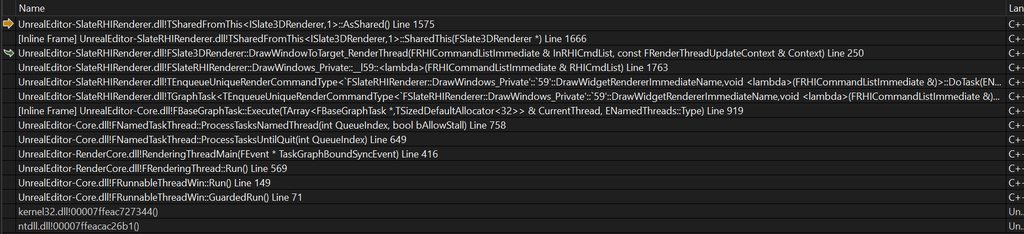 grave hatch
Are you using widget components?
ripe lava
Nope
ripe lava
The confusing part is the crash only happens when i stop PIE while the actor is still ticking the "Render" function.
If i delete the actor first, it doesnt crash.
grave hatch
Which actor?
ripe lava
This one

The widget its setting the image on is just a userwidget with an SImage to see if the render worked.
grave hatch
You need to stop do something 9n actor destroy maybe?
Maybe check if the render object is valid before sending it to that tick method.
ripe lava
Nope, Still crashes.
The crash is being caused by the Slate3DRenderer trying to create a SharedRef to itself and i guess its getting GC'd before it can do that? Idk how to stop that or if i even can.
I think thats what this line is trying to do: // Enqueue a command to keep "this" alive. InRHICmdList.EnqueueLambda([Self = SharedThis(this)](FRHICommandListImmediate&){}); I could be wrong.
This is where it crashes: /** * Converts a shared pointer to a shared reference. The pointer *must* be valid or an assertion will trigger. * * @return Reference to the object */ // NOTE: The following is an Unreal extension to standard shared_ptr behavior [[nodiscard]] FORCEINLINE TSharedRef< ObjectType, Mode > ToSharedRef() && { // If this assert goes off, it means a shared reference was created from a shared pointer that was nullptr. // Shared references are never allowed to be null. Consider using TSharedPtr instead. check( IsValid() ); <- CRASHES HERE. return TSharedRef< ObjectType, Mode >( MoveTemp( *this ) ); }
Not that it probably matters but this is 5.2.
grave hatch
What's the actual error message?
ripe lava
The Slate3DRenderer class was being GC'd before it could call that function.
Also not a crash, just hitting a bunch of checks. (I know i said crash, I misspoke (mistyped?))
I think I fixed it tho.
Changing this line delete Renderer; in the destructor of the resources class to BeginCleanup(Renderer); seems to have fixed it.
That's what I get for copying engine code (from SRetainerBox) and expecting it to work the same for my use case.
The reassuring comment above it didn't help either lul.
Really made me not want to doubt it.
    {
        // Note not using deferred cleanup for widget renderer here as it is already in deferred cleanup
        if (WidgetRenderer)
        {
            delete WidgetRenderer;
        }
}```A check is basically a crash 😛
And I see. Good info! I guess they manage the widget renderer in some other way.
 magic beacon

Привет, добро пожаловать на канал EX PRIME. Представляю твоему вниманию самый подробный и актуальный видеогайд новичка. В этом гайде я расскажу всю необходимую информацию о игре Battle of Titans которая позволит не только разобраться в различных игровых механиках, но и минимизировать неприятные ситуации в игре. Усаживайся поудобнее, не забудь по...
magic beacon
magic beacon
https://youtu.be/xOflQbEfU_E?si=8VIHxZEdXdtOoP2K
Hello there,
I want to create a UI like shown in the link
But I am rather new to UI and I don't know more about how to create UI like.
I do have some knowledge and experience creating some UI using UMG and this is kind of 3D UI which i never create before and not finding anything on the internet.
Please anyone help to get completed my task.
Thanks!
 hearty lantern
hey guys I am facing this issue
Error C2679 binary '=': no operator found which takes a right-hand operand of type 'TSharedPtr<WidgetType,ESPMode::ThreadSafe>' (or there is no acceptable conversion) ProjectEagle D:\EpicGames\UE_5.3\Engine\Source\Runtime\SlateCore\Public\Widgets\DeclarativeSyntaxSupport.h 937
while compiling anyone know how to solve this one
 grave hatch
Dieter's Dumping Grounds
As you might know if you got to this page, I am quite an active member on the Unreal Slackers discord. Over time I noticed a lot of the same issues kept popping up, so I decided to write something down to save myself some typing time (hopefully). Table of...
- What's the definition of MenuWidget?
