#engine-source
1 messages · Page 33 of 1
 nocturne island
 frozen glen
Nope, only thing I did was add "bCompileChaos = true"
nocturne island
same
nocturne island
kk
frozen glen
I appreciate your time btw
nocturne island
i actually have both 4.22 and 4.23 source engine on this machine - have a minor engine change i needed for prototype
frozen glen
And your 4.23 source has the bCompileChaos set?
nocturne island
yeah
and other change
launching editor from VS to create project
fyi - it does say "Targets Up To Date" right before launching
in output window
frozen glen
Hmm
nocturne island
like in a flash then it wipes output window with the other stuff
frozen glen
Try generating the project files, and build that newly created C++ project in VS
If it doesn't build the editor, I'll be wildly surprised
nocturne island
kk... its at 45% compiling shaders ( launched development editor had been using debug guess they dont share shaders)
nocturne island
kk launched - creating new c++
third personm
it launched it - havent built from vs yet lemme exit
CompilerResultsLog: ERROR: MyProject3Editor modifies the value of bCompileChaos. This is not allowed, as MyProject3Editor has build products in common with UE4Editor.
which is normal
adding
bCompileChaos = true;
frozen glen
It didn't compile the editor?
nocturne island
hung there for a min or two and just launched
no editor compile
still get:
but that is normal
frozen glen
Nothing came after the "Running UnrealHeaderTool" line?
There was no result or anything
frozen glen
If you're building the project it shouldn't auto launch, it should just build, unless you have additional settings?
nocturne island
sorry - i just clicked the play button
just exited and clicked build
build project
frozen glen
Gotcha
So I figured it out
My projects are always being created with them setting the "BuildEnvironment = TargetBuildEnvironment.Unique;", and changing it to "BuildEnvironment = TargetBuildEnvironment.Shared;" fixes it apparently.
frozen glen
I swear I tried that change though, guess I just spent too much time consecutively on it heh
Thanks again for all your help
 gritty hill
pretty sure the editor aspect of Media Player is broken, any time you open an asset with the Editor is overwrites the file data, and when you close the file, it blanks it out again
 mighty inlet
does anyone know how the editor does the frame skip when the game is paused in PIE?
 last cypress
2>UnrealBuildTool : error : Missing precompiled manifest for 'SequencerWidgets'. This module was most likely not flagged for being included in a precompiled build - set 'PrecompileForTargets = PrecompileTargetsType.Any;' in SequencerWidgets.build.cs to override.
Hello. anyone have an idea how to deal with this error? this happening when i trying to build "DebugGame" configuration instead of "DebugGame Editor". i do not use any of SequencerWidgets
 stable hemlock
does anybody know how saving assets, that have been modified programmatically, works in UE4 editor?
I have an asset, that can be viewed by an editor. And when a button is pressed, a new obejct is created through NewObejct and assigned on a UProperty (of type TSoftObjectPtr). But when I hit save in the editor and restart the engine, that object cannot be found anymore D: The path is good, but loading it returns null.
I would dig through code, but I dont know in which files D:
i am marking the package of the asset as dirty, btw
and the new object has the asset as its outer
stable hemlock
fixed it, the issue was with the TSoftObjectPtr D:
since my properties were soft object pointers, only the path to the object got saved when i hit the save button in the editor... so now i just use pointers to the objects lol
it makes sense though, you wouldnt need to use TSoftObjectPtr for objects, that are basically subobjects - like components. they are only needed to point to objects whose existence is managed by someone else lol
 thorny lantern
Does UE4 use Chromium for the Widget Web Browser ?
stable hemlock
as far as I know, yes, it does
you can even find it in the source directory
if you search for ChromiumEmbeddedFramework.tps
thorny lantern
This doesn't support Flash
stable hemlock
Flash is dead anyway?
thorny lantern
Yes 😂
thorny lantern
I wanted to experiment an inception game in UE4 with flash
stable hemlock
ah you want to base it on old code
thorny lantern
It was just for experiment
stable hemlock
you will surely find some legacy engines out there
thorny lantern
And chromium can't read live videos
stable hemlock
Does anyone know how to add this line: PublicIncludePaths.Add("Engine/Source/Runtime/Launch/Public"); to the MyProject.Build.cs without getting an invalid reference directory warning? It keeps looking inside MyProject for a folder named Engine!
stable hemlock
you can only make include paths public that are in your module
Understandable 👍
stable hemlock
I just created a c++ header file where I included everything I needed from that .../Runtime/Launch/Public folder, and used the header file's path inside the .build.cs
 timid surge
Hi all! I'd need some help: I'm new to working directly with UE4 source code, and recently we needed a source modification for a specific problem. Do you people have some suggestions about how would I distribute my build to other colleagues and designers so they don't have to recompile them?
I'm asking because the default build just bloats up to 70 Gb and I'm sure there's a clearer way already than just cherry-picking the files "I need"
 fresh carbon
I'm trying to build 4.23 as an InstalledBuild using AutomationToolLauncher, and I keep getting errors relating to a missing HoloLens assembly even though I'm compiling with -set:WithHoloLens=false

I'm using AutomationToolLauncher.exe BuildGraph -target="Make Installed Build Win64" -script=E:\dev\UnrealEngine\UE4_Engine\Build\InstalledEngineBuild.xml -set:WithDDC=false -set:SignExecutables=false -set:GameConfigurations=Development -set:WithFullDebugInfo=false -set:HostPlatformDDCOnly=true -set:HostPlatformEditorOnly=true -set:WithHoloLens=false -set:AllPlatforms=false
 celest viper
This is new: DECLARE_DYNAMIC_MULTICAST_SPARSE_DELEGATE_OneParam....I dont see anything in the 4.23 release notes on it, anybody dig in and know what the new SPARSE variant does?
 thin oar
Hello I just tried to compile my from source and I'm getting a bunch of weird errors like this
does anybody know what in the world is happening lol
 elder falcon
there are no errors in the snippet you posted
thin oar
woops sorry,
F:\Perforce\ultraball_dev\ULTRABALL_V7_CLEANUP 4.23 - 2\Source\ULTRABALL_V2/TP_ThirdPerson/TP_ThirdPersonCharacter.h(1): error C4335: Mac file format detected: please convert the source file to either DOS or UNIX format
F:\Perforce\ultraball_dev\ULTRABALL_V7_CLEANUP 4.23 - 2\Source\ULTRABALL_V2/TP_ThirdPerson/TP_ThirdPersonCharacter.h(10): error C2143: syntax error: missing ';' before '<class-head>'
F:\Perforce\ultraball_dev\ULTRABALL_V7_CLEANUP 4.23 - 2\Source\ULTRABALL_V2/TP_ThirdPerson/TP_ThirdPersonCharacter.h(10): error C4430: missing type specifier - int assumed. Note: C++ does not support default-int
F:\Perforce\ultraball_dev\ULTRABALL_V7_CLEANUP 4.23 - 2\Source\ULTRABALL_V2/TP_ThirdPerson/TP_ThirdPersonCharacter.h(12): error C4430: missing type specifier - int assumed. Note: C++ does not support default-int
F:\Perforce\ultraball_dev\ULTRABALL_V7_CLEANUP 4.23 - 2\Intermediate\Build\Win64\UE4Editor\Inc\ULTRABALL_V2\TP_ThirdPersonCharacter.gen.cpp(23): error C2039: 'StaticRegisterNativesATP_ThirdPersonCharacter': is not a member of 'ATP_ThirdPersonCharacter'
F:\Perforce\ultraball_dev\ULTRABALL_V7_CLEANUP 4.23 - 2\Source\ULTRABALL_V2/TP_ThirdPerson/TP_ThirdPersonCharacter.h(10): note: see declaration of 'ATP_ThirdPersonCharacter'
F:\Perforce\ultraball_dev\ULTRABALL_V7_CLEANUP 4.23 - 2\Intermediate\Build\Win64\UE4Editor\Inc\ULTRABALL_V2\TP_ThirdPersonCharacter.gen.cpp(95): error C2248:
F:\Perforce\ultraball_dev\ULTRABALL_V7_CLEANUP 4.23 - 2\Source\ULTRABALL_V2/ULTRABALL_V2GameMode.h(1): error C4335: Mac file format detected: please convert the source file to either DOS or UNIX format
F:\Perforce\ultraball_dev\ULTRABALL_V7_CLEANUP 4.23 - 2\Source\ULTRABALL_V2/ULTRABALL_V2GameMode.h(10): error C2143: syntax error: missing ';' before '<class-head>'
F:\Perforce\ultraball_dev\ULTRABALL_V7_CLEANUP 4.23 - 2\Source\ULTRABALL_V2/ULTRABALL_V2GameMode.h(10): error C4430: missing type specifier - int assumed. Note: C++ does not support default-int
F:\Perforce\ultraball_dev\ULTRABALL_V7_CLEANUP 4.23 - 2\Source\ULTRABALL_V2/ULTRABALL_V2GameMode.h(12): error C4430: missing type specifier - int assumed. Note: C++ does not support default-int
F:\Perforce\ultraball_dev\ULTRABALL_V7_CLEANUP 4.23 - 2\Intermediate\Build\Win64\UE4Editor\Inc\ULTRABALL_V2\ULTRABALL_V2GameMode.gen.cpp(21): error C2039: 'StaticRegisterNativesAULTRABALL_V2GameMode': is not a member of 'AULTRABALL_V2GameMode'
F:\Perforce\ultraball_dev\ULTRABALL_V7_CLEANUP 4.23 - 2\Source\ULTRABALL_V2/ULTRABALL_V2GameMode.h(10): note: see declaration of 'AULTRABALL_V2GameMode'
F:\Perforce\ultraball_dev\ULTRABALL_V7_CLEANUP 4.23 - 2\Intermediate\Build\Win64\UE4Editor\Inc\ULTRABALL_V2\ULTRABALL_V2GameMode.gen.cpp(76): error C2509: 'GetPrivateStaticClass': member function not declared in 'AULTRABALL_V2GameMode'
F:\Perforce\ultraball_dev\ULTRABALL_V7_CLEANUP 4.23 - 2\Source\ULTRABALL_V2/ULTRABALL_V2GameMode.h(10): note: see declaration of 'AULTRABALL_V2GameMode'
F:\Perforce\ultraball_dev\ULTRABALL_V7_CLEANUP 4.23 - 2\Intermediate\Build\Win64\UE4Editor\Inc\ULTRABALL_V2\ULTRABALL_V2GameMode.gen.cpp(82): error C2511: 'AULTRABALL_V2GameMode::AULTRABALL_V2GameMode(FVTableHelper &)': overloaded member function not found in 'AULTRABALL_V2GameMode'
i like originally cloned this project
and it kind of got to this weird point
 minor karma
can someone help me to fix my engine crashing
when i click play there is 50% chance that my engine will crash.
i had this issue in 4.22.3 so switched to 4.23.0 but it doesnt help 😦
P.S.: It happends only on map with world composition enabled and if i play in selected viewport, play in new editor window is stable till now.
I hope it will not happen if i package my game
stable hemlock
If i need to subclass a slate widget that is located in the private folders of an engine module, is there a way to link to it without getting linking errors?
@pure granite wrong channel?
stable hemlock
#engine-source is for working with the engine source code, like extending the editor etc.
i would post your question in #ue4-general
@pure granite
 pure granite
ok thanks I'll copy that to that channel 🙂
celest viper
Anybody having issues with shader compiles in 4.23? Its in some default shaders that really didnt change from 4.22. Do I need to update drivers?
celest viper
weird nevermind, found an issue in a mod wed made to a different shader from my integration. Fixed! Woo!
 teal plinth
for some reason i got and built 4.23 version instead of 4.22, is it possible to import a 4.22 asset (paragon character) to a 4.23 project without issues? I really don't want to build source again : D
celest viper
Yeah theyre pretty good about handling that kind of backward compatibility
minor karma
4.23.0 source
packaged game crashes on changing level
LowLevelFatalError [File:Unknown] [Line: 2046] Fatal Error Material no found.
https://i.imgur.com/SDFR2Oa.png
how to fix it ?
im not only one having this issue
https://answers.unrealengine.com/questions/921815/view.html


 dense kettle
What is all folder to exclude with Setup.bat to build Installed Build?
Or minimal use to build project on Windows
 brisk silo
@elder falcon world subsystems fucking finally
literally the mayority of usage for singletons in my games they need World
 spare phoenix
why do you need world subsystems ?
you can define custom gamemode, or different worldsettings actor
elder falcon
then we have to add all the stuff in one class to be able to use it
brisk silo
@spare phoenix pool systems
they need to be connected to world as they have to control actors that are spawned for that world
 thorny oracle
hey, I've created a new project using 4.23, but it will not compile, I get this :
any idea what I can do to get this working?
thorny oracle
Ah never mind, I had not updated the datasmith plugin.
 ivory spoke
Since updating to UE 4.23 I always get this error and the editor crashes when trying to save a specific actor. All others are working fine.
Anyone has any idea what it could be?
ivory spoke
- The engine was compiled from source
- There were no changes made to the actor. It's just that any time that I try to save it, it crashes the editor
- Restarting the computer and checking for other running instances of UE4, did not fix it
- When duplicating the actor and trying to save it. The same error occurs.
- Data Validation on the Actor and it's dependencies passed successfully
stable hemlock
do you have any instanced properties on that actor? @ivory spoke
UProperties flagged with Instanced
ivory spoke
This actor is made using Blueprint only @stable hemlock .
If I understood correctly. Im using instanced properties like a material instance and a Curve Float
stable hemlock
oh then I have no clue, do you have debugging symbols?
stable hemlock
yes I did too when I had a similar issue and found the reason, so i could fix it
because the reason could really be anything 🤷🏼
dense kettle
Anyone get issue with pdbcopy.exe when building from sources?
 summer patrol
guys, do you have any idea about how to fix this https://answers.unrealengine.com/questions/919888/view.html ?
elder falcon
is Portal-Staging the launcher? they just merged massive changes to that delta patch tool https://github.com/EpicGames/UnrealEngine/commit/3b246bc3dbba85c5bfa2db0a8cf41dea9ee3ec9e
as well as fixes to the web browser widget (frame rate now configurable, gpu acceleration enabled)
still using ancient cef tho 
they also added the source for robomerge
 torpid marten
my source build of unreal is giving me a bunch of errors for some reason I'm not sure what I did to break it
things like "error C2039: 'SourceModels': is not a member of 'UStaticMesh'"
"error C2039: 'FindPin': is not a member of 'UK2Node_AssignmentStatement"
really random errors
" 'UK2Node::ReconstructNode': method with override specifier 'override' did not override any base class methods"
Anyone familiar with source builds know why this would happen?
I'm using the source build of 4.21
 wise birch
torpid marten
wise birch
torpid marten
No
I made a custom game instance class that I was going to use but then I deleted it
in my project not the engine
should I just delete the source folder and redownload ?
engine folder *
torpid marten
 fiery veldt
Hi friend anyone know how to enable the x86_64 for android packaging.
 fair hemlock
Has anyone here actually tried build .ispc code with 4.23? I get UBT errors when it tries to run the ispc compiler. I can however run the ispc.exe from the command line fine against the same source files.
torpid marten
@wise birch I posted my log in case that helps
 olive venture
hey id like to know more about UE4 source. i forked and cloned the source version.
but now id like to know how to keep it updated.
torpid marten
Anyone know what would cause all these errors?
 small cobalt
Your missing an include or more likely you havent added the dependancy to the Build.cs file.
torpid marten
It worked the other day so I must've accidentally deleted a line somewhere then
small cobalt
I doubt it, UnityBuild is whats causing it to fail, which more so means you have missing Includes.
You probably recently added another class?
torpid marten
I did but then removed it
because I thought it would fix it
🤦🏻
I added a gameinstance class that I was going to inherit from so I could expose some delegates to blueprints
But I ended up throwing out the idea
small cobalt
Yeah well you need to go through all your code files and properly Include stuff each class is using.
You should always favor Forward Declarations in the headers and then Include all types in the CPP.
torpid marten
is there a proper way to delete classes or is it fine that I deleted through VS
small cobalt
Deleting through VS most likely didnt remove the class.
Check the actual directory to ensure its not around.
Make sure to Regen your solution file as well.
torpid marten
What about for startup errors like
[Failure] Could not find file 'F:\UE\UE 4.21\Engine\Source\Programs\AutomationTool\Win\obj\Development\TemporaryGeneratedFile_036C0B5B-1481-4323-8D20-8F5ADCB23D92.cs'.
can I ignore these?
All my files have the proper includes but the errors remain
it builds fine for every other platform so it must be a platform issue
 onyx light
hey im having a hell of a time figuring out where the deferred light pixel shader is called
anyone know where the engine tells it to run in a loop per lights affecting each pixel?
there's some loops in both tileddeferredlightshaders.usf and clustereddeferredshadingpixelshader.usf but neither of them seem to actually run it
meanwhile the function that does the work is defined in lightrendering.cpp but I can't find anything in there that actually directs it to run.
torpid marten
2>f:\ue\ue 4.21\engine\source\developer\directorywatcher\private\DirectoryWatcherPrivate.h(19): fatal error C1189: #error: "Unknown platform" 2> [15/1231] Module.DesktopPlatform.cpp 2>F:\UE\UE 4.21\Engine\Source\Developer\DesktopPlatform\Private\DesktopPlatformModule.cpp(11): error C2061: syntax error: identifier 'FDesktopPlatform' 2>F:\UE\UE 4.21\Engine\Source\Developer\DesktopPlatform\Private\PlatformInfo.cpp(90): error C2065: 'IsAvailableOnWindows': undeclared identifier 2>F:\UE\UE 4.21\Engine\Source\Developer\DesktopPlatform\Private\PlatformInfo.cpp(91): error C2065: 'IsAvailableOnWindows': undeclared identifier 2>F:\UE\UE 4.21\Engine\Source\Developer\DesktopPlatform\Private\PlatformInfo.cpp(92): error C2065: 'IsAvailableOnWindows': undeclared identifier 2>F:\UE\UE 4.21\Engine\Source\Developer\DesktopPlatform\Private\PlatformInfo.cpp(93): error C2065: 'IsAvailableOnWindows': undeclared identifier 2>F:\UE\UE 4.21\Engine\Source\Developer\DesktopPlatform\Private\PlatformInfo.cpp(94): error C2065: 'IsAvailableOnWindows': undeclared identifier 2>F:\UE\UE 4.21\Engine\Source\Developer\DesktopPlatform\Private\PlatformInfo.cpp(95): error C2065: 'IsAvailableOnWindows': undeclared identifier
How is this an undeclared identifier
torpid marten
So uh somehow UMGEditor was added to my uproject under additional dependencies
and I think thats what caused all these errors
olive venture
ok i'll try it again.
so i forked, cloned, downloaded and build the engine from source.
i've also updated my project to the source-code version.
my question?
how do i keep my build of UE4-source ( and there for my project) up to date?
i can imagine this will happen over Github. but how?
olive venture
no one?
 summer spindle
@olive venture you should probably read on git
You need to pull changes from origin repo to your local one once you want to update
olive venture
so simply pulling a change will update the engine? and my project will accept the engine change even if its from version 4.23 to 4.24? (non binary obv.)
 snow kindle
You can, on your local repo, add a remote named upstream pointing to epic repository. Then you pull from this repo, and then you push to origin which is your forked repository on GitHub
This way your forked repository stay up to date.
Actually if you don't modify the engine, forking epic repo in the first place is off little use
summer spindle
As long as you didnt do any changes locally pulling should do fine
snow kindle
Yes indeed, it should even trigger the Setup scripts automatically
olive venture
oh. well since i only want to work WITH and not ON the source version, maybe i should find a better solution for forking the original project.
but since its there, i guess adding a upstream will do the trick for now.
brisk silo
@thick storm did you manage to test Insights?
i finally have it working properly even on DWVR, but on PS4 it wont work
feels bad man, i really wanted to bench DWVR ps4 with insights
 thick storm
@brisk silo we don't test on consoles yet, just check it on pc for now
 north arch
Where would I read in the engine source code, to showcase how UStructs are created dynamically and saved into the project?
summer spindle
you mean struct assets?
north arch
yes @summer spindle
Currently looking at way to dynamically create them, and save them within a folder.
I think ive learned alittle bit by looking at UserDefinedStruct
not quite understanding a few things.
if you have any sort of pointers on files I can look into, to broaden my research into the subject ^_^ would be extremely greatful.
 static ether
I can't run GenerateProjectFiles.bat
Setting up Unreal Engine 4 project files...
C:\Program Files (x86)\Microsoft Visual Studio\2019\Community\MSBuild\Current\Bin\Microsoft.Common.CurrentVersion.targets(1175,5): erro r MSB3644: The reference assemblies for .NETFramework,Version=v4.6.2 were not found. To resolve this, install the Developer Pack (SDK/T argeting Pack) for this framework version or retarget your application. You can download .NET Framework Developer Packs at https://aka. ms/msbuild/developerpacks [D:\dev\projects\ue4\Engine\Source\Programs\UnrealBuildTool\UnrealBuildTool.csproj]

GenerateProjectFiles ERROR: UnrealBuildTool failed to compile.
Yet I have 4.7 installed, so...
https://i.imgur.com/89Tb9PO.png

 unkempt aspen
Why am I getting this error when compiling V4.23
summer spindle
@north arch sorry for late reply
that is created just like any asset in editor - via factories
you might wanna look at Engine/Source/Editor/UnrealEd/Classes/Factories/StructureFactory.h to see how it handles the creation
look at some custom asset & factories tutorials, there are plenty of them available 😉
dense kettle
Anyone get missing precompiled manifest for Launch when building a project with 4.23?
stable hemlock
@unkempt aspen must be because some files have been moved? maybe into a different module
static ether
Oh thanks, I resolved it. I downloaded basically all the .NET versions.
It is rather irritating though, because they are touted as backwards compatible. So newer should work
 hidden hedge
you can install it from the VS installer too
static ether
I added it to my choco install scripts
hidden hedge
well running someting vs building something targeting a specific SDK is kinda different
 somber harness
Does anyone know about the 4.22+ LinkerLoad issue that causes a stack overflow (_chkstk) to hit after some time? Everything worked fine in 4.21, but moving to 23 or 24 it just crashes on startup
thin oar
Hello does anybody know how to import datasmith into Source?
celest viper
@somber harness did you do anything to affect object version flags?
I could be entirely off base but it reminds me of an issue we had due to somebody inserting a new enum entry into like FEditorObjectVersion which really breaks things in the long run
somber harness
no I didnt unfortunately
Seems like the LinkerLoad stack overflow issue is from some newly introduced (4.22+) memory leak or inefficiently executed code. In our case, it is going thru all referenced BP's of our main BP that manages our subsystems, and before it can get thru all of it, it runs out of memory and crashes ^
 low dust
anyone done a direct VS2017 vs VS2019 build time comparison on recent UE4 source builds?
I just did a test build for stock 4.23 on 6c/12t Ryzen 2600x with nvme and it still takes 1h 14m to build the solution from scratch on VS2019, wondering if this is in line what I should expect
 slate pond
@unkempt aspen I'm having the same issues. Any luck?
 spiral mortar
@gusty laurel I think it's not used in case of a source build
 midnight river
anyone tried making a binary build with WithServer=true on 4.23?
i had it working on 4.22 after pulling a patch from epic's github
and it seems epic integrated it into 4.23 but it doesn't work 👀
Server targets are not currently supported from this engine distribution

midnight river
How to quick fix this once you have proper engine built
- Open BaseEngine.ini in your engine directory
- Find
[InstalledPlatforms] - For every server platform change
PlatformTypefromGametoServer
+InstalledPlatformConfigurations=(PlatformName="Win64", Configuration="DebugGame", PlatformType="Game", RequiredFile="Engine\Binaries\Win64\UE4Server.target", ProjectType="Any", bCanBeDisplayed=False)
to
+InstalledPlatformConfigurations=(PlatformName="Win64", Configuration="DebugGame", PlatformType="Server", RequiredFile="Engine\Binaries\Win64\UE4Server.target", ProjectType="Any", bCanBeDisplayed=False)
My working 4.22 had PlatformType="Game" so pherhaps UHT changed in some way in 4.23  but i'm too lazy to properly fix it
 round pond
ok so heres the deal i think this is finally the correct channel to ask in
I am working on a project for that will allow for 2 player to play on the same machine (I want it to be networked eventually) at the same time. The catch is that 1 of them is on the pc and the other is on a VR headset if it is connected. So here are the steps I've taken
- I've added new default classes for the VR player info:
UPROPERTY(EditAnywhere, BlueprintReadOnly, NoClear, Category=Classes)
    TSubclassOf<APlayerController> VRPlayerControllerClass;

    UPROPERTY(EditAnywhere, BlueprintReadWrite, Category = Classes)
    TSubclassOf<APawn> DefaultVRPawnClass;
- I've Overriden login and GetPlayerControllerClassToSpawnForSeamlessTravel to check if viewport is stereoscopic or if the previous controller was the vrcontroller (need to subclass eventually)
APlayerController* AGM_NeoscapeBase_V1::Login(UPlayer* NewPlayer, ENetRole InRemoteRole, const FString& Portal, const FString& Options, const FUniqueNetIdRepl& UniqueId, FString& ErrorMessage) {
    ...

    APlayerController* NewPlayerController = nullptr;
    ULocalPlayer* NewLocalPlayer = Cast<ULocalPlayer>(NewPlayer);
    if (!NewLocalPlayer) {
        return nullptr;
    }

    if (GEngine->IsStereoscopic3D(NewLocalPlayer->ViewportClient->Viewport)) {
        NewPlayerController = SpawnPlayerControllerCommon(InRemoteRole, FVector::ZeroVector, FRotator::ZeroRotator, VRPlayerControllerClass);
    } else {
        NewPlayerController = SpawnPlayerControllerCommon(InRemoteRole, FVector::ZeroVector, FRotator::ZeroRotator, PlayerControllerClass);
    }
    ...
}
TSubclassOf<APlayerController> AGM_NeoscapeBase_V1::GetPlayerControllerClassToSpawnForSeamlessTravel(APlayerController* PreviousPC) {
    UClass* PCClassToSpawn = PlayerControllerClass;
    if (PreviousPC->GetClass() == VRPlayerControllerClass->StaticClass()) {
        PCClassToSpawn = VRPlayerControllerClass;
    }
    ...
    return PCClassToSpawn;
}
So now the next step is to figure out how to make sure that I spawn the correct character and how/where to check for if the vr headset is enabled. I know that I need to call
GEngine->IsHMDEnabled()
at some point but even then I have no clue where to override the spawning so that it spawns the correct default character
sorry for the long question just trying to have as much detail as possible
midnight river
hm not sure about networking but iirc i blocked spawning by setting None to DefaultPawnClass in GameMode
it will still calculate camera position ( i don't remember exactly where ) and you will see things from the origin
but you should be able to spawn characters once you are ready now
 elder falcon
I'm curious how you will merge such spread out changes into several engine versions back 
elder falcon
are they just gods then
summer spindle
Got access to that link in the description?
 summer spindle
do you think spamming that would make things happen faster? 😄
summer spindle
has anybody tried merging 4.22 with turbulence integration?
low dust
@summer spindle if you mean nvidia turbulence it is nvidia only tech
And replaced by nvidia flow
I have flow ported to ue4 versions on my gameworks branches 4.18-4.21
I also have wip port for 4.22 which doesnt render flow fluids but works with cascade particles
So if you can render the effect with stock particles, you can do fluid sim with flow with them
Flow requires directcompute but runs on all gpu's
summer spindle
@low dust i mean it, yes
is it worth switching over to flow? how does it compare to turbulence?
low dust
Switching from turbulence? Turbulence is really old
There are some older ue4 integrations but if you need it on newer ue4, you are pretty much on your own when porting it
summer spindle
i'm feeling like turbulence was more feature rich, having different emitters for different needs, not really familiar with flow but it looks like it haven't got much apart of basic emittance
summer spindle
i'm probably missing the point of all these deprecations
time to finally try these new techs i guess
is FleX already ported to 4.22/4.23?
low dust
some user ported it to 4.22 for the sim
actual fluid rendering is not there
big renderer changes are main reason why most gameworks techs only work up to 4.21 atm
summer spindle
so i can't simulate something like fog/smoke until it gets ported, right?
btw i'm still not sure why would nvidia implement fluid simulation in flex and then make flow
what's the purpose?
stable hemlock
what is SingleLayerWater supposed to be?
 gritty merlin
NOPE
fresh carbon
anyone know why AutomationToolLauncher for 4.23 is failing (VS2017) with reference to HoloLens?
this is with HostPlatformOnly set to true, which according to InstalledEngineBuild.xml should set WithHoloLens to false
 pine flume
If you read the conditional expressions in the XML carefully you'll find that HoloLens support is still enabled by default under Win64 even with the HostPlatformOnly flag set to true.
fresh carbon
<Property Name="DefaultWithPlatform" Value="false" If="$(HostPlatformEditorOnly) Or $(HostPlatformOnly)"/> shouldn't that be setting it to false?
stable hemlock
Running from source is weird. I accidentally pressed Enter with a map and mapdata selected, and it put me in an infinite error loop in Visual Studio where I couldn't continue
pine flume
@fresh carbon the HoloLens line doesn't use DefaultWithPlatform, it uses DefaultWithWindows (at least under 4.23.0), which is defined like this: https://github.com/EpicGames/UnrealEngine/blob/4.23.0-release/Engine/Build/InstalledEngineBuild.xml#L15
fresh carbon
Interesting, that's not what I had. I'll check branch in the morning in the office
Ty
Still, I guess for the default, I need additional deps which aren't part of the standard vs2017 setup
elder falcon
 pliant sonnet
ooooh
summer spindle
fresh carbon
hopefully that commit RE: hair is related to the Shave and Haircut plugin
stable hemlock
didn't expect to see work on chaos cloth this fast
summer spindle
but that commit is regarding the hair not chaos cloth, or am i missing anything?
wonder if that hair plugin is based on "Strand-based Hair Rendering in Frostbite"
stable hemlock
there are chaos cloth changes, they also are renaming old cloth stuff with an nv suffix etc, not just hair plug in
elder falcon
why does this last pch get built when compiling shipping?
surely nothing at all should be "nonoptimized" in shipping?
summer spindle
wrong channel probably but still, why am i missing those smoke features from flex distributed on github? https://www.youtube.com/watch?v=1o0Nuq71gI4

PhysX FleX is a particle based simulation technique for real-time visual effects. So far we showed examples for rigid body stacking, particle piles, soft bod...
summer spindle
was that just separated from it and became flow?
stable hemlock
it says in the video is available for early adopters and you should contact the staff - not sure about the state 5 years later
summer spindle
i'm sure they wouldn't delete it from the implementation, especially looking at their promise to expose smoke to ue4 integration in alter releases (which still didn't happen i suppose?)
round pond
ok engine gurus what on earth is actually different about clicking Play in Selected Viewport vs Vr Preview
 slender cedar
Hello everyone!
Not sure if here (if not, feel free to point me to the right channel please)
Has anybody ever achieved to preview an animation in the level viewport?
As in: drag your actor to the level, see it playing the animation.
I know there's the Animation Blueprint and also Simulate to achieve this, but I'm REALLY interested in having this feature while working with the level
is this even possible?
 fluid stirrup
Is there an easy way to duplicate a class from the engine? I'm trying to create my own Character class like the one in the engine so that I can work on some edits to the class while preserving the current Charcter class.
I literally just want a copy of that class and the CharacterMovementComponent class that I can edit and work with.
 stuck patrol
I have a custom engine from source build, if i want to modify something, will it take a lot of time to recompile?
stable hemlock
really, it depends on the modification. it might take almost no time or you might have to recompile half the engine 🤷🏼
fluid stirrup
I'm trying to include a project file in the engine source, but VS keeps telling me it cannot open the file. I'm including it like this:
#include "MyGame/MyFile.h"
is there some macro I need to use or another syntax to give the engine access to my project files?
round pond
does anyone have an example of how to properly use Verbosity::SetColor
stable hemlock
you want to reference your project file in engine source code? @fluid stirrup
fluid stirrup
@stable hemlock I was being dumb. I got my issue figured out.
 wise cape
@round pond What is it you're trying to do? Set a log color?
@round pond I've not tried - but seems like MacNativeFeedbackContext.cpp has something similar to what you need?
https://answers.unrealengine.com/questions/744628/logging-with-custom-color.html?sort=oldest
 wooden tiger
anyone know why i keep getting this error?
 halcyon root
KhaiSaki yes, it's Microsoft mistake in update
change it <typeinfo> (or check this discord cpp channel for more details)
 dapper quest
When building installed build, I'm getting a problem where the HoloLens build can't find some compiler dependencies. It's throwing "No required compiler toolchain found in {path of MSVC bin}". Anyone know what I'm supposed to install to fix that?
Oddly enough looking at the VCEnvironment source file, it looks like it's looking for an executable I do have:
if (Compiler >= WindowsCompiler.VisualStudio2017)
            {
                FileReference NativeCompilerPath = FileReference.Combine(VCToolChainDir, "bin", "HostX64", WindowsExports.GetArchitectureSubpath(Architecture), "cl.exe");
                if (FileReference.Exists(NativeCompilerPath))
                {
                    return NativeCompilerPath.Directory;
                }

                FileReference CrossCompilerPath = FileReference.Combine(VCToolChainDir, "bin", "HostX86", WindowsExports.GetArchitectureSubpath(Architecture), "cl.exe");
                if (FileReference.Exists(CrossCompilerPath))
                {
                    return CrossCompilerPath.Directory;
                }
            }
Maybe it's not recognizing that my 2019 compiler is >= 2017?
 astral sapphire
Unreal Engine Forums
Anyone upgrade to this version? After changing the include in the NVIDIA engine file, did you get problems with the math check?
Compiling UE4 4.22 engine gives
dapper quest
Yup I've applied that fix already
I ended up just compiling with setting HoloLens to false
dapper quest
How do I use a installed build? The documentation on https://docs.unrealengine.com/en-US/Programming/Deployment/UsinganInstalledBuild/index.html seems pretty vague about it. I've made very minor modifications to the engine source (enabling chaos flag) and I want to move my project onto it without having to compile it every time I compile the project.
This page describes the Installed Build process, including an overview of how to write Installed Build scripts.
summer spindle
@dapper quest building engine usually registers itself, you can you just right click on project file -> select engine version
There you will find something like "source build at"
stable hemlock
Does anyone here know how to install plugins into an engine built from source?
I have a plugin in my library that says "Install to Engine" but it doesn't recognize the source-built engine
It looks like I can put the source code for the plugin into the folder in the engine source, but I don't know how to install just the plugin source code
summer spindle
You can put it in your project plugins folder and it will be built with your project, and once you launch it should be enabled
If you want it integrated on engine level just copy it to engine plugins folder, recompiling engine will build it
elder falcon
https://github.com/EpicGames/UnrealEngine/commit/9cb15d0c114471a78914657fbac137900209a402 obviously I want to know what it was now
stable hemlock
@summer spindle Yes but I don't know how to download the plugin to put it anywhere
I just installed Epic Games fresh on this pc
Unless it automatically downloaded all the plugins in my library
dapper quest
@summer spindle thanks I got it working now! :)
summer spindle
@stable hemlock what plugin is that?
stable hemlock
Particle Text
I guess I'll just download the engine and then copy over the plugin to the source built engine lol
wooden tiger
hey guys seems like i cant launch ue4 from source now keep getting crashes and when i launch it through vs2019 i got this breakpoint..anyone have a clue what's going on?if i launch from launcher it didnt crash
 jagged flicker
I'm trying to understand how a small block of engine code works.
UCharacterMovementComponent has a function called PhysRotation() that sets the rotation of the Character's root scene component.
/** Perform rotation over deltaTime */
void UCharacterMovementComponent::PhysicsRotation(float DeltaTime)
{
    // ... There was code between, but it's not important.

    FRotator DeltaRot = GetDeltaRotation(DeltaTime);

    // ... There was code between, but it's not important.
    // What's relevant is that this function is called each tick,
    // CurrentRotation and DesiredRotation are FRotators in world space, and
    // DeltaRot is an FRotator whose components are the maximum *delta* pitch, roll, yaw per tick.

    // Accumulate a desired new rotation.
    const float AngleTolerance = 1e-3f;

    if (!CurrentRotation.Equals(DesiredRotation, AngleTolerance))
    {
        // PITCH
        if (!FMath::IsNearlyEqual(CurrentRotation.Pitch, DesiredRotation.Pitch, AngleTolerance))
        {
            DesiredRotation.Pitch = FMath::FixedTurn(CurrentRotation.Pitch, DesiredRotation.Pitch, DeltaRot.Pitch);
        }

        // YAW
        if (!FMath::IsNearlyEqual(CurrentRotation.Yaw, DesiredRotation.Yaw, AngleTolerance))
        {
            DesiredRotation.Yaw = FMath::FixedTurn(CurrentRotation.Yaw, DesiredRotation.Yaw, DeltaRot.Yaw);
        }

        // ROLL
        if (!FMath::IsNearlyEqual(CurrentRotation.Roll, DesiredRotation.Roll, AngleTolerance))
        {
            DesiredRotation.Roll = FMath::FixedTurn(CurrentRotation.Roll, DesiredRotation.Roll, DeltaRot.Roll);
        }

        // Set the new rotation.
        DesiredRotation.DiagnosticCheckNaN(TEXT("CharacterMovementComponent::PhysicsRotation(): DesiredRotation"));
        MoveUpdatedComponent( FVector::ZeroVector, DesiredRotation, /*bSweep*/ false );
    }
}
float GetAxisDeltaRotation(float InAxisRotationRate, float DeltaTime)
{
    return (InAxisRotationRate >= 0.f) ? (InAxisRotationRate * DeltaTime) : 360.f;
}

/** Returns how far to rotate character during the time interval DeltaTime. */
FRotator UCharacterMovementComponent::GetDeltaRotation(float DeltaTime) const
{
    return FRotator(GetAxisDeltaRotation(RotationRate.Pitch, DeltaTime),
                                    GetAxisDeltaRotation(RotationRate.Yaw, DeltaTime),
                                    GetAxisDeltaRotation(RotationRate.Roll, DeltaTime)
                                    );
}
I have two main questions.
-
I'm not getting the specific reasoning behind
GetAxisDeltaRotation(). I think it has something to do with howFMath::FixedTurn()works internally, but I'm not sure. Could someone explain? -
Is the main block in
PhysicsRotation()basicallyRInterpTo(Current, Desired, DeltaTime, Speed), but with a different interpolation speed for each component of the rotation?
jagged flicker
I figured out my first question. I see now that GetAxisDeltaRotation() is written that way because negative rotation rates are supposed to translate into an instant turn. Now, I'd just like confirmation on my second question.
summer spindle
so, just compiled engine from source code and had to rebuild game code, went with that "rebuild only project" option and what happened is everything got recompiled
why does that happen? how to avoid it?
even compile output said "rebuild all started", while i used installed build going with "rebuild only project" was getting me "rebuild project started".. remember that stuff happening since the beginning to me
elder falcon
you can not rebuild your project by itself with a source built engine
just use normal build
 granite dust
You can also delete intermediate, build, saved from the project directory (and each plugin in the project folder)
Then when you normal compile it will be a rebuild of the project without the engine
summer spindle
great workflow, sounds fun
though looks like modifying NMake commands could get somewhere
granite dust
I have been full time UE4 for 4 years and I have done the delete intermediate thing maybe 6 times
It takes like 30s
That's 3 minutes over 4 years you might be saving by modifying NMake!
 frigid epoch
Hi there, anyone know if 4.23.1 will be out soon?
summer spindle
well, probably i'm doing something wrong but i've been using clean/rebuild many times, sometimes fixing some weird compile issues that way
btw you guys seen that Chaos apparently includes navier-stokes fluids simulation, CPU as it seems
dense kettle
I found a bug I think.
I cannot build / cook server with custom engine, build with Buildgraph and set:WithServer=true on Linux. Anyone has the same issue?
summer spindle
so, it decided to rebuild engine once again and i didn't modify anything in it
long time since i worked with source build last time, is that supposed to happen like that?
i had to modify UBT to ignore some errors, UHT got rebuilt and engine is being rebuilt as well
how do i avoid this stuff to happen? my engine compilation times aren't low to allow it happen all the time
can i just exclude engine source from the solution so it won't be compiled?
summer spindle
anyone?
granite dust
Don't change UBT. Don't make changes to header files in the engine.
Otherwise you take a risk
summer spindle
is there a way i can make UBT ignore BuildConfiguration.xml files except for one located in Project/Config/UnrealBuildTool?
summer spindle
small adjustment to BuildConfiguration makde UHT recompile on project compile and now due to newer UHT it rebuilds 500 modules
is that like normal behavior?
elder falcon
if you change the configuration, resulting in different compiler arguments / different generated code / etc, of course it has to rebuild everything affected by that
 lucid mantle
Hi guys!
Did anyone tried to set up a DDC on a local disc?
I faced this error every time i'm trying to to build DDC
elder falcon
wtf
the github is suddenly dead
there's no way epic had no commits for several days in a row
lucid mantle
I found out that the problem is in running commandlet on this engine. They just do not work for some reason
elder falcon
how are you trying to run it
lucid mantle
with cmd
EnginePath\UE4Editor.exe Loco_Test -run=DerivedDataCache -fill
elder falcon
you need to put the full path to your project, not Loco_Test
summer spindle
@elder falcon don't think i changed anything that would change compiler params
where can i see the default array "customization"?
elder falcon
what array customization?
arrays are deeply integrated in the property tree/editor
it's not a customization
summer spindle
just trying to see how default UI for arrays rendered
so i could wrap my head around their proper customization
summer spindle
well, first time doing any customization so it's not that simple. taken that little piece of documentation provided for that..
elder falcon
I'm not sure you can even customize the array itself
the display of each element yes
summer spindle
yes i'm currently customizing struct that is held in array
still i'd need to understand how that array details is generated in code
elder falcon
you could try using the widget reflector on the details panel and see where the widgets come from
summer spindle
hm.. totally forgot about that thing, thanks
thick storm
@elder falcon not so much dead as it probabaly doesn't pass automated tests
commits on git only show up after main branch will pass tests
static ether
If someone sees this and knows where I can find the implementation of ArcsineFast please let me know in a ping. Did some light googling for an implementation of an arc sine approximation, found some stuff which I could probable make use of. It would be better to know precisely how ue4 implements it though, and the node doesn't appear to have a way to open the source code. Iirc bp nodes allow this via double clicking them, or right clicking, or I'm sleep deprived.
I'm trying to model the math I use in a material so that I can measure an aspect of the output. It is a laser beam material, and I want to measure the width of the non zero opacity. I don't expect a response, but good vibes to anyone who does 🙂
 cosmic marsh
just look into the struct FMaterialCompiler
elder falcon
day 3 of no commits 
stable hemlock
Can anyone tell me where in the source code the UI (UMG) gets rendered?
elder falcon
 obtuse sparrow
i can code for bleep, so not sure if c++ or source, but sharing is caring:
https://coconutlizard.co.uk/new/programming/the-curious-incident/

Unreal Journal
During an optimisation pass on an internal project we spotted a few areas in UE4 deserialization code that could be hardened up. This post presents those fixes.
image makes it look like some moneyscam <_< its just analyzing code stuff
 green flax
brisk silo
green flax
brisk silo
@elder falcon bruh
thats fuckign next gen engine
im 90% sure thats a PS5/scorpio code drop
this is huge change to file loading what the fk
elder falcon
if only these big merges had some kind of summary for what this change actually means
this way I will never know more than "they changed 20000 lines related to package loading for... some reason" :(
so what's all this "zen" stuff about
they completely re-wrote the async loading
spiral mortar
🤔
 dense kettle
Hi, someone using BuildGraph? I would like to build custom engine, and enable logging into shipping mode. Or I run Make Installed build Linux (the host doesn't matter). We can not enable logging with Installed Engine. So How I can build custom Engine with Buildgraph ?
 wispy shuttle
Can't generate project files all of a sudden
Anyone know what might cause this? I tried deleting that intermediate folder but no luck, still occurs.
 karmic sand
Hi, I'm getting a warning I've never seen on a new computer:
Memory Allocation Warning
A resolution of 1024 will require 64MiB of video memory. Are you sure?
Whether I click "yes" or "no", the project/game runs fine with no visible difference. However, the warning pops up five times when opening the project, on play, during play, etc.
Does anyone have an idea how to avoid this warning?
elder falcon
https://github.com/EpicGames/UnrealEngine/commit/d4f0f4d3f26006a903a5110357d59f00f8f11e01 epic has added the source for all the datasmith tools to the repo
stable hemlock
animation related chaos changes coming in full force it seems!
 sick pivot
Not sure if this is the right channel - but i thought it was relevant - i'm building a project that includes the LOBBY module - but when i include its module - i get the following error when trying to open my project... Not finding anything relevant on google searches and i'm a bit stumped - i dont see any other dependancies to the Lobby module.... Source build 4.23
"Missing import: UE4Editor-Lobby.dll"
thick storm
@elder falcon yep they edit shitton mesh related tools in last few commits
mesh editor on level
mesh editing and uv unwrapping in static mesh editor
mesh sculpting tools (WTF?)
add plugin (Landmass) for procedural landscapes
although it's nt working on master right now
added water rendering
also most Chaos code have been undefed
it seems they are going to push Chaos as default for next GDC
ah
and Editor is getting new Style (;
summer spindle
@iniside#8930 where to look for that new style? 😁
stable hemlock
does master compile with vs2019 or do you still need 2017?
elder falcon
new style is only minor changes
stable hemlock
answer to my question, yes it does compile with 2019
stable hemlock
is it just darker, or just black like windows dark theme?
still compiling here: [150/3519] yay
elder falcon
new style is worse
especially in the details panel, the category separators are now less visually obvious, at least to me
elder falcon
its only subtle changes
stable hemlock
I don't know what they were thinking with that one, well I do, but who really uses oled with windows
elder falcon
stable hemlock
wow that is actually worse
stable hemlock
still there is a long way to until gdc, I'm sure they'll iterate on it
this feels like first iteration
thick storm
i hope they are going into unity new theme direction
stable hemlock
4.24 should for gdc timeframe right?
thick storm
theoretically it should be this year
but will probabaly after gdc
or long before like start of next year
stable hemlock
they did that fast release thing before the end of year for gdc and got tons of problems with that version iirc
cant remember which version was that though
 fervent quarry
i wonder if it's the right place to ask, but i want to make my own standalone ue4stats to csv editor, and use it on our backend to process data later on (and act as storage), any idea how to do this? im not sure what kind of encoding format ue4stats uses, any place where i should look?
 half axle
I've added a property to an engine struct and now I get a serial size mismatch when trying to load a map that has the type of object in it. Is there something I need to do to make adding properties to engine structs work properly?
elder falcon
if the struct is manually serialized somewhere, yes
you will need to add migration code then
and increase the licensee engine version
(do not change the normal engine version or any of their dev versions or you'll encounter death when upgrading the engine)
half axle
That makes sense, thanks
elder falcon
example would be to add this in objectversion.h
then use it like this (I just made this up)
half axle
That definitely simplifies it, thanks!
brisk silo
@elder falcon @thick storm cool 4.24 is going to be stacked
but i dont see 24 at gdc
they try to release 4 updates a year
so i see 24 happening before
elder falcon
wouldn't it be before gdc then
brisk silo
and maybe 4.25 gdc
elder falcon
lots of important fixes in the 4.23 branch too
 finite shard
 formal flower
Speaking of changes in 4.23.
Anyone familiar with custom shader models? Up until 4.22 I've had no probs implementing custom shader models from 4.20 to 4.21 and 4.22. But now in 4.23 I'm getting some strange errors.
I'm not sure how I should rectify this. What I'm passing into smoothstep is exactly the same as what default shader models are passing into it.
No fails on engine compile in VS, but the engine fails to launch due to these errors.
elder falcon
spiral mortar

 normal siren
darn, looks like https://github.com/EpicGames/UnrealEngine/pull/6023/files is not getting merged in a hurry
Anyone know if there is a way to create a scenerenderer from a plugin without these changes?
It really seems like that functionality is private - but SceneCaptureComponent is exposed via the ENGINE_API - which seems odd unless there is a way to get it to capture a scene
hidden hedge
this is why you have your own source build of the engine
at some point you'll need to modify it
normal siren
I do have my own source build of the engine for bigger changes, that PR was extracted from it - feels like a few items overlooked from the API
 oak oyster
VS2017 keeps rebuilding everything every time I hit " > local windows debugger"
its so annoying
 strange wolf
is someone know why UE4 dosen't support distance field for ES3.1?
thick storm
did anyone tried latest ue4 on VS 2019 16.3.4+ ?
hidden hedge
yes but make sure you have the old toolchain installed
 wise cave
is UE default gravity under physics? is there any directional gravity options available as default engine implementation? I saw a lot of stuff around but it simply overrides stuff....
jagged flicker
@wise cave At this point, most engine stuff involving gravity has it fixed along the world Z-axis. There is a pull request (https://github.com/EpicGames/UnrealEngine/pull/1773/) to change this that was accepted, but it's been on hold for years now.
I don't know what you specifically need (custom gravity for just a pawn, a character, fx physics, or more), but that information from pull request and this plugin here (https://github.com/mhousse1247/UE4-CustomGravityPlugin) may help you achieve what you want.
wise cave
thanks for the answer and links @jagged flicker most of the issues around most gravity overrides is that they are liimited to some components or classes, like actor and stuff, when you try to applly other engines stuff like landscape painting, etc thisng start breaking, imagine if gravity had a second option that starts with zero and it applies itself around massand its Z axis is around its mass center, so you can drop, objects and they atract each other so you can build orbits, and use landscape paint like grass w/ no issues and have more complex atmospheres and stuff, here is a cool video for insipration: https://www.youtube.com/watch?v=iJq4cXY97_Y

A physics teacher in the USA Dan Burnes adapted a presentation explaining/visualizing Gravity. Using less than $100 of materials he has been able to explain ...
jagged flicker
I believe there is a (paid) plugin on the marketplace for orbital mechanics, not sure about anything on GitHub or the forums.
If you aren't trying to tweak the behavior of like a 3rd-person character specifically (the built-in character movement modes rely on world gravity), you might be able to get what you want by ignoring the normal gravity and using AddForce or similar to accelerate the objects in the way you want.
wise cave
I went that way, but add force behaves the same way so you need to keep changing vectors and stuff to have the correct behavior and starts to get trickier as you add stuff, for example imagine you are in a surface of a plannet, its rotating itself and in a orbit, if you jump what happens?
probably thos plugins are the best path,
I tried this one, https://www.youtube.com/watch?v=bcTqFA23P9Y

Free gravity project and plugin! This functionality is missing by default in Unreal Engine 4, because there is only horizontal (z axis) gravity. Website: htt...
jagged flicker
It should totally be possible to account for the "planet" rotating so that your actor sticks to the same spot when stationary or jumping straight up. I just don't know the exact solution off the top of my head.
wise cave
yeah all of it is overridable and so on
btw that is a really cool pull request, and see peolple interacting with it until 2018 is awesome
other cool thing woul be to generate a round landscape
instead of a plane
celest viper
Quick question, if I want my game to add on to a config var array this is right syntax for that yeah? +Paths=%GAMEDIR%MyData
elder falcon
maybe epic is waiting for the vs 16.3 compile problems to be fixed first and that's why 4.23.1 takes forever?
stable hemlock
I guess they are going to rush a release before year ends and 4.25 will be for gdc?
brisk silo
tfw still 23.0
 oak warren
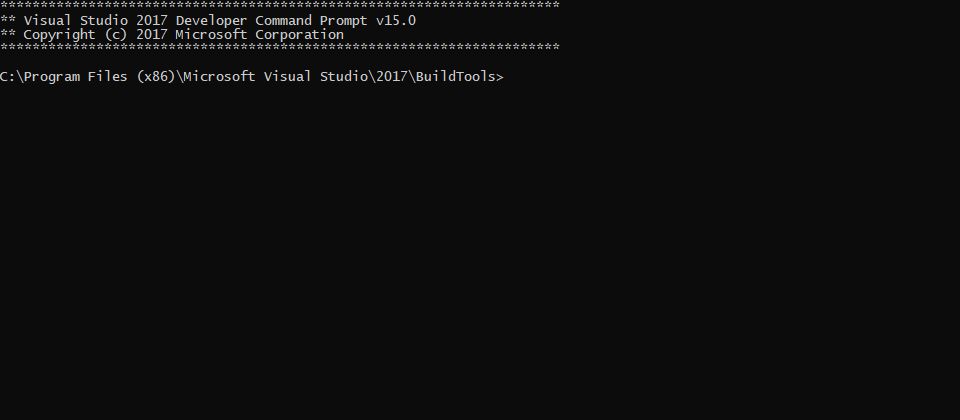
Hey, I built UE4.23 from source and I am having an odd issue. I create a new project, the editor closes and I get this prompt https://i.imgur.com/ohpgTGV.png
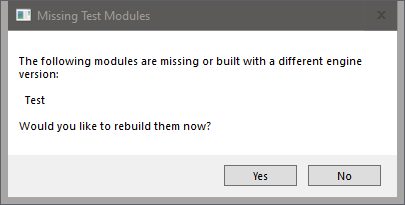
Its not doing anything so I close it and try to open my project as it shows up, then this appears say for a project called "Test"
https://i.imgur.com/S3pa6c1.png
 elder falcon
you can not call a project "Test"
oak warren
I was told this isn't the normal process of project creation. It works after it rebuilds on pressing yes though
Well, any project name does this
elder falcon
"Test" is the name of a build configuration
oak warren
Did the same thing for a project called VoxelGame
thick storm
@stable hemlock idk
but GDC is 4.25
thator after
4.24 might be simply next year
nothing really is set in stone
as or free gravity
yes it is possibly
but overriding and modifing CMC is PITA
then if you also want to make it working in multiplayer you are in the land of suffering
when you get it beyond CMC
you will discover that most of the engine simply assumes gravity Z and fuck all
and then
you will discover that on global level
there is only one world
with multiple level
and taht one world assumes gravity
it the same way you can't easily change engine to use double precision
tl;dr you are better off using some work arounds
or hiring somone full time to just maintain changes
oak warren
For anyone curious the issue was it was trying to launch VS 2017 which I don't have installed instead of 2019 on project creation, fixed it under source control settings.
 dense wharf
I'm randomly getting this DistanceFieldShadowing.cpp assertion crash. Anyone get this before? Not sure what's causing it
 dim basalt
I need quick help. Ive enabled ray tracing and now my project crashes. How can i disable it with the config file?
static ether
I am trying to find the implementation of ArcSineFast that I am using inside of a material, for reasons I cannot avoid. I am hitting a dead end, so I'm hoping for some help.
This line shows that FMaterialCompiler only declares a pure virtual method ArcSineFast
https://github.com/EpicGames/UnrealEngine/blob/bf95c2cbc703123e08ab54e3ceccdd47e48d224a/Engine/Source/Runtime/Engine/Public/MaterialCompiler.h#L128
Then this line
https://github.com/EpicGames/UnrealEngine/blob/bf95c2cbc703123e08ab54e3ceccdd47e48d224a/Engine/Source/Runtime/Engine/Public/MaterialCompiler.h#L400
Shows an implementation of the method, in a class that inherits from FMaterialCompiler. The implementation however, uses the implementation of another class through the member Compiler which is of the same base class. So I have no idea what is going on.. I don't know where else I can look right now.
Here is the member Compiler
https://github.com/EpicGames/UnrealEngine/blob/bf95c2cbc703123e08ab54e3ceccdd47e48d224a/Engine/Source/Runtime/Engine/Public/MaterialCompiler.h#L624
which is set in the constructor https://github.com/EpicGames/UnrealEngine/blob/bf95c2cbc703123e08ab54e3ceccdd47e48d224a/Engine/Source/Runtime/Engine/Public/MaterialCompiler.h#L341
Actually, nvm. I had the bright idea to search for ": public FMaterialCompiler" to see if I could locate other classes inheriting from it. And found HLSLMaterialTranslator.h
 runic cove
Where can i set this?
... just magically hovered over the thing and it popped up
nvm
spiral mortar
@static ether most extensions can list you the derived classes of a class
static ether
I found, I think, the only implementation of the method in the HLSLMaterialTranslator
Seems to just do a regular arc sine, but caches the results
 shrewd thorn
Have there been any hints on when 4.23.1 might come out? Was waiting for that before updating
astral sapphire
How does UE4 handles project name? Where to read about it?
astral sapphire
I'm quite frustrated by the way UE4 generates project's C++ files. Is there any reason to name the main class as the project name?
 languid marlin
Hey guys.. how is it going?
I'm currently reworking part of paper2d's rendering, as it uses DynamicMeshBuilder each frame and is hella slow...
I'm currently stuck on intiializing the vertex factory as it is failing a lot (not creating the resource RHI resource with a message
So i'm looking for some info on how to correctly setup a VertexFactory and VertexBuffer on newer engineversions
do any of you have any tips or info on how to setup said vertex factories so GetDynamicMeshElements work?
spiral mortar
@languid marlin Check engine code
That's the best always up to date source of information
Extensions help a lot when doing so
Entrian Source Search is a full-text search engine for your Visual Studio source code.

JetBrains
ReSharper C++ highlights code issues in the editor, provides quick-fixes and C++ code refactorings.
languid marlin
yeah, i'm right now reading engine code
that's actually how i've been working since now
but this part i feel its more convoluted on ow to setup the vertex factories
and engine dor this part (at least the ones i have been looking at) isn't well documented
languid marlin
yeah, i do know that
mmm, maybe the issue is that, for example, i don't have a full understanding on index buffers and things like that
so that's really giving me a hard time
i've been checking DynamicMeshBuilder and StaticMesh for examples
spiral mortar
What don't you understand about index buffers? 🙂
languid marlin
ah, what they are, have been searching, but its kinda a magic word that doesn't appear more than "hey do we have index buffers"
so i feel kinda idiot jaja
spiral mortar
You're familiar with how all meshes are made of triangles?
spiral mortar
Does the mesh = indices + vertices part is clear too?
languid marlin
which i believe is the render thread part right?
mm maybe give me a refresh there, i do remember creating triangles, vertices but maybe indices i'm on a loss
languid marlin
yep
spiral mortar
many vertices are shared between multiple triangles though
So instead of duplicating the vertices, you keep them unique
and use an index buffer instead that will point to the unique vertices
spiral mortar
hehe
languid marlin
the index buffer is the index that goes... triangle point 1, point 2.. point 3
etc
spiral mortar
yup
spiral mortar
A square has 4 vertices
languid marlin
so the index would point to the positions on the array
spiral mortar
and 6 indices
languid marlin
awesome yeah, now i get that
spiral mortar
cool
RHI = Rendering Hardware Interface
Allows UE to share code for DX11, DX12, Vulkan, OpenGL etc
Rendering code -> RHI -> OpenGL/DX/Vulkan
spiral mortar
Yep
languid marlin
ok so quick question
spiral mortar
Then you have RHI resources
 blazing karma
What is the purpose of PawnMovementComponent? Pawn::AddMovementInput() looks for a PawnMovementComponent and calls MovementComponent->AddInputVector().
Then, PawnMovementComponent::AddInputVector() looks for its PawnOwner and calls PawnOwner->Internal_AddMovementInput, without doing anything else.
PawnMovementComponent is filled with useless functions that just redirect back to the Pawn.
spiral mortar
those are like GPU textures/arrays etc
spiral mortar
RHI resources need to be initialized and then released once not needed
languid marlin
for the GPU
ok, that's where BeginInitResource, InitResourc, InitRHI come into place right?
spiral mortar
Exactly
languid marlin
BeginInitResource being simply a wrapper for calling the render thread
spiral mortar
Yes
languid marlin
ok.. so far so good
(btw, thanks a lot for the time.. kinda excited to get help so i forgot to thank you)
spiral mortar
np
languid marlin
ok so.. thei ssue is that
spiral mortar
So are you familiar with scene proxies?
languid marlin
yes
languid marlin
yep
i'm now trying to replace the DynamicMeshBuilder
and have gotten pretty far BUT
i have an issue with some VertexFactories failing to initialize
now the issue
is that old paper2d code, uses only a position buffer
no index buffer, nor nothing
so it was kinda.. just there
so when i replaced them, and replicated the FLocalVertexFactory
(which only has a VertexBufferRHI)
sometimes it fails there
spiral mortar
You binded all your buffers?
languid marlin
i haven't
i have only done htis
(i did see the bindings.. but that was starting to confuse me)(
spiral mortar
    ENQUEUE_RENDER_COMMAND(InitVoxelMeshVertexFactory)(
        [this](FRHICommandListImmediate& RHICmdList)
    {
        auto& VB = Buffers->VertexBuffers;
        auto& VF = *VertexFactory;
        FLocalVertexFactory::FDataType Data;
        VB.PositionVertexBuffer.BindPositionVertexBuffer(&VF, Data);
        VB.StaticMeshVertexBuffer.BindTangentVertexBuffer(&VF, Data);
        VB.StaticMeshVertexBuffer.BindPackedTexCoordVertexBuffer(&VF, Data);
        VB.ColorVertexBuffer.BindColorVertexBuffer(&VF, Data);
        VF.SetData(Data);
        VF.InitResource();
});```that's how I do it
So a resource is a GPU texture/array right
now you want to use that resource in a shader
languid marlin
but there's no "bind"
aah yeah.. that should be the issue
that's from after 4.18 right?
languid marlin
yeah.. but the vertex buffer is the most MEH thing
spiral mortar
You're entering a world of pain though, that stuff is tricky as hell
languid marlin
literally a position buffer
oh yeah
so that's where i'm at right now so
got to the point where just reading code wasn't enough.. needed some help
so question
in theory i need to bind the buffers right?
spiral mortar
yup
languid marlin
so.. should i just replace this
NewData.PositionComponent = STRUCTMEMBER_VERTEXSTREAMCOMPONENT(InVertexBuffer, FPaperSpriteVertex, Position, VET_Float3);
NewData.TangentBasisComponents[0] = STRUCTMEMBER_VERTEXSTREAMCOMPONENT(InVertexBuffer, FPaperSpriteVertex, TangentX, VET_PackedNormal);
NewData.TangentBasisComponents[1] = STRUCTMEMBER_VERTEXSTREAMCOMPONENT(InVertexBuffer, FPaperSpriteVertex, TangentZ, VET_PackedNormal);
NewData.ColorComponent = STRUCTMEMBER_VERTEXSTREAMCOMPONENT(InVertexBuffer, FPaperSpriteVertex, Color, VET_Color);
NewData.TextureCoordinates.Add(FVertexStreamComponent(InVertexBuffer, STRUCT_OFFSET(FPaperSpriteVertex, TexCoords), sizeof(FPaperSpriteVertex), VET_Float2));
with something more like yours?
which has a "VB.PositionVertexBuffer.BindPositionVertexBuffer"
spiral mortar
void FPositionVertexBuffer::BindPositionVertexBuffer(const FVertexFactory* VertexFactory, FStaticMeshDataType& StaticMeshData) const
{
    StaticMeshData.PositionComponent = FVertexStreamComponent(
        this,
        STRUCT_OFFSET(FPositionVertex, Position),
        GetStride(),
        VET_Float3
    );
    StaticMeshData.PositionComponentSRV = PositionComponentSRV;
}```I guess you're just doing it more manually hehe
languid marlin
yeah, that'snot on me... that's Noldand's vikingly ways
so they are bound?
mm guess what could be happening
spiral mortar
nah it's just how it used to be done before the refactor some X versions ago
You should debug some more
languid marlin
maybe i'll change them .. easier to read too
languid marlin
quesiton, the vertex buffer needs to be inited BEFORE doing the binds?
to RHI i mean?
spiral mortar
yup
languid marlin
maybe that's the issue
and i'm just having a race condition
because on old code, they just kinda do the init (without the inti resource though)
only the binding
then inited the buffer
spiral mortar
race condition is unlikely
languid marlin
then the factory
spiral mortar
The commands are ordered
spiral mortar
Else it'd be a mess haha
languid marlin
jaja yeah
spiral mortar
Anyways that's some really complex stuff
languid marlin
ok, i'm going to check that out.. change to the new way and now i have a good understanding
spiral mortar
Hard to debug and all
languid marlin
yeah...
spiral mortar
So good luck 😄
languid marlin
but has to be done.. dynamic mesh builder is breaking 2d jaja
spiral mortar
Will probably learn a lot along the way though
languid marlin
oh yeah
thats basically how i coded my first plugin
went balls deep
and almost died
languid marlin
thanks! hey can i bother you with a small question before getting back?
spiral mortar
Last one 😛
languid marlin
sure no prbo
the VertexFactory has the info on how to construct the mesh right? so when creating a FMeshBatch and giving it your VertexFactory, you're effectively giving the mesh info.. or do i need something extra?
because there was a DynamicIndexData on prior versions
but that's gone now
spiral mortar
// For each view..
            for (int32 ViewIndex = 0; ViewIndex < Views.Num(); ViewIndex++)
            {
                if (VisibilityMap & (1 << ViewIndex))
                {
                    const FSceneView* View = Views[ViewIndex];

                    // Draw the mesh.
                    FMeshBatch& Mesh = Collector.AllocateMesh();
                    Mesh.VertexFactory = Section.VertexFactory.Get();
                    Mesh.MaterialRenderProxy = MaterialProxy;
                    Mesh.ReverseCulling = IsLocalToWorldDeterminantNegative();
                    Mesh.Type = PT_TriangleList;
                    Mesh.DepthPriorityGroup = SDPG_World;
                    Mesh.bCanApplyViewModeOverrides = !FVoxelDebugManager::ShowCollisionAndNavmeshDebug();
                    Mesh.bUseWireframeSelectionColoring = IsSelected();
#if !(UE_BUILD_SHIPPING || UE_BUILD_TEST)
                    Mesh.VisualizeLODIndex = LOD % GEngine->LODColorationColors.Num();
#endif

                    FMeshBatchElement& BatchElement = Mesh.Elements[0];
                    BatchElement.IndexBuffer = &Section.Buffers->IndexBuffer;
#if ENGINE_MINOR_VERSION < 22
                    BatchElement.PrimitiveUniformBufferResource = &GetUniformBuffer();
#else
                    bool bHasPrecomputedVolumetricLightmap;
                    FMatrix PreviousLocalToWorld;
                    int32 SingleCaptureIndex;
#if ENGINE_MINOR_VERSION >= 23
                    bool bOutputVelocity;
#endif
                    GetScene().GetPrimitiveUniformShaderParameters_RenderThread(
                        GetPrimitiveSceneInfo(),
                        bHasPrecomputedVolumetricLightmap,
                        PreviousLocalToWorld,
                        SingleCaptureIndex
#if ENGINE_MINOR_VERSION >= 23
                        , bOutputVelocity
#endif
                    );```
                    FDynamicPrimitiveUniformBuffer& DynamicPrimitiveUniformBuffer = Collector.AllocateOneFrameResource<FDynamicPrimitiveUniformBuffer>();
                    DynamicPrimitiveUniformBuffer.Set(
                        GetLocalToWorld(),
                        PreviousLocalToWorld,
                        GetBounds(),
                        GetLocalBounds(),
                        true,
                        bHasPrecomputedVolumetricLightmap,
#if ENGINE_MINOR_VERSION < 23
                        UseEditorDepthTest()
#else
                        DrawsVelocity(), bOutputVelocity
#endif
                    );
                    BatchElement.PrimitiveUniformBufferResource = &DynamicPrimitiveUniformBuffer.UniformBuffer;
#endif
                    BatchElement.FirstIndex = 0;
                    BatchElement.NumPrimitives = Section.Buffers->IndexBuffer.GetNumIndices() / 3;
                    BatchElement.MinVertexIndex = 0;
                    BatchElement.MaxVertexIndex = Section.Buffers->VertexBuffers.PositionVertexBuffer.GetNumVertices() - 1;

#if ENABLE_TESSELLATION
                    // Could be different from bRequiresAdjacencyInformation during shader compilation
                    const bool bCurrentRequiresAdjacencyInformation = MaterialRenderingRequiresAdjacencyInformation_RenderingThread(MaterialProxy->GetMaterialInterface(), Section.VertexFactory->GetType(), GetScene().GetFeatureLevel());

                    if (ensure(Section.Buffers->IndexBuffer.GetNumIndices() != 0) && Section.bRequiresAdjacencyInformation && bCurrentRequiresAdjacencyInformation)
                    {
                        BatchElement.IndexBuffer = &Section.Buffers->AdjacencyIndexBuffer;
                        Mesh.Type = PT_12_ControlPointPatchList;
                        BatchElement.FirstIndex *= 4;
                    }
#endif

                    Collector.AddMesh(ViewIndex, Mesh);
                }
}```ya know everything now :p


 spiral mortar
👍
 wooden merlin
Hey, I'm totally new to source code and I want to make a adjustment to InstancedStaticMeshes, but I'm uneducated in how to navigate there. Would someone be kind enough to guide me?
I'm familiar with Unreal overall, just never dipped my toes in the source
Looking for these directives in particular:
Quick and easy sharing of markdown text
Engine\Source\Runtime\Engine\Classes\Components\InstancedStaticMeshComponent.h
stable hemlock
use "find symbols" to find relevant declarations and definitions, then use "find references" to find relevant use cases. thats how i navigate through engine code. sometimes, very rarely, i use the general "find" function
languid marlin
following my adventures last night
it seems that
PositionBuffer.VertexBufferRHI = AllocVertexBuffer(sizeof(FVector), Vertices.Num());
TangentBuffer.VertexBufferRHI = AllocVertexBuffer(sizeof(FPackedNormal), 2 * Vertices.Num());
TexCoordBuffer.VertexBufferRHI = AllocVertexBuffer(TextureStride, NumTexCoords * Vertices.Num());
ColorBuffer.VertexBufferRHI = AllocVertexBuffer(sizeof(FColor), Vertices.Num());
i may be missing the allocation on the vertex buffers
also. investigating a little more on rendering pipeline
i'll also check out how to avoid GetDynamicMeshElements when possible and see if i can use static caching and dynamic batching
on that regard, if anyone has some clues, would greatly appreciate it
languid marlin
on here
my static mesh data type is null, but i'm not sure if SRV can be null.. i'm currently checking
 molten wadi
I'm trying to update my skeleton meshes blendshapes in the editor viewport outside of play. I'm calling SetMorphTarget(), but it only works during play. I've put down breakpoints and followed the flow of logic and I've been looking for a divergence to find out why setting morph target on my skeleton mesh doesn't reflect its changes in the editor viewport outside of pressing play/simulate. I haven't managed to find anything and I wanted to ask if someone with more experience with the source can give me a hint on where I can find out why my blendshape updates aren't being reflected
languid marlin
guys, any clue why the creation of an UniformBuffer may fail?
do you need SRVs created ffor them to work?
i'm 90% sure that's the issue
as 4.18 didn't have RHISupportsManualVertexFetch it seems
so now i'm having kinda an issue for creating said buffers
i'm going to check how DynamicMeshBuilder works, but hte SRV creation always asserts
languid marlin
holy shit, finally
my issue was that in some specific parts, the VertexBuffer wasn't really getting init, so the UniformBuffer creation fails.. due to the SRI not getting created
spiral mortar
🙂
languid marlin
hey phy, it worked, thanks a lot
now paper sprites are almost 10x more performant jajaj
gonna go a little more under the hood
but thanks a lot for your help!
spiral mortar
Awesome!
languid marlin
i'll get to dynamic instancing now, just investigating it seems i can batch the render commands when we use a LocalVertexFactory (which we do), so i just have to setup static relevance when needed
but will get to that later, will report later!
 agile basin
Anyone around who knows basic engine debugging?
I build a custom engine in debug build, I added calls to print the call stack in the area I'm debugging, I built a debug build with the editor that was generated. But my call stacks don't have symbols in the logging.
I'm moving the build to a separate computer and running it there, so the debug symbols need to be built into the game in a way to show up in the print callstack
is this possible or no?
celest viper
@agile basin is there a reason youre "moving the build to a seperate computer and running it there"? Is it a that machine only kinda crash?
agile basin
@celest viper it isn't a crash I added debug logging and stacktrace logging to the engine to debug a show stopping audio issue in a 2 player networked game
there is some bug in the basic voip engine on level transfer that for some reason only repros in my project, i can make new projects with stripped down parts and can't repro it. but it is an issue with the synth component in the voip talker that is magically getting into some state it should be able to gracefully get out of
so it is just convenient to make the other computer the client
either computer can be the client and i worked around it by having my main dev comp be client and attaching VS. i got symbols that way
was just confused that the debug print callstack wasnt working when everything had been built debug.
languid marlin
Erebus, when you start the engine and it loads a game, it will start another process and end the one being debugged. Don’t know if that’s your issue. I had to create a c++ based game and then debug the engine on that process
celest viper
@agile basin gotcha. Yeah I was going to ask why not just run out of VS, but sounds like you figured it out. If you were building debug and copying over the exe and all the pdb's / dlls over then Im not sure why it wouldnt have worked.
agile basin
Thanks!
 manic needle
Hey! Quick question, I've never had an issue building from source. But for 4.23 each time I open the engine it just deletes UE4Editor.exe. I've tried now for 6 days to fix, but haven't found a fix. Has anybody encountered this same issue or know of how to resolve it? Cheers!
 civic nebula
Is there a Macro that checks if D3DX12 is enabled? (ex. WITH_EDITOR)
Not sure if I should be using FHardwareInfo::GetHardwareInfo(NAME_RHI) to check for DX12 .. especially in Material.h
 stoic crane
hrm, question (before i spend an inordinate amount of time trying to figure this out for myself, becasue it's so large) does anyone know offhand/from memory if there is a way to override the Intermediate folder that compile will output to when running via runuat on command line?
languid marlin
i may be wrong, but i don't think there's a macro for that... MACROs are a preprocessor directive, so dynamic things like the presence of D2DX12 shouldn't be there, unless you have to re compile the game for that to work...
guys, abusing your questions again
at the moment i have been good with static path and dynamic pathing on mesh rendering.. everything works
but i have one thing that i haven't figured out how to do
i need to change vertex information for the mesh that i have (as it can and most probably will change the amount of trigs it has)
so i may need to realoc the vertex buffer to make it have more space or less
the only thing that i think of right off the bat, is to just dealloc and malloc the RHI resource everytime it needs to change... but i'm pretty sure thats a very unoptimized way of doing that
i know that for writing on the buffer it needs to be BUF_DYNAMIC, but not sure about how to go with buffer size changes
stoic crane
well i don't really want a macro, just a way to tell the build system to output to a different place other than the default <path>\Intermediate I can work around it either way though
ie: when it generates the makefiles
i just wanted a simpler way to retain intermediates when switching between branches
ie: so i can switch to a different branch, build it, and then if i was to switch back, it would still be in the state it was before switching, since the intermediate folder would be different.
languid marlin
in that case you should just add the intermediate to your source control
if what you want is basically the contents to change when switching branches
that's literally the use case for version control
but we wary about that.. because it will bloat up
I'm going to try two approaches on the vertex factory first
- Allocate the maximum amounts of vertices that i know i need.. i don't know how the engine will fare with invalid vertices though, it can easily crash.. so i'm not holding my breath
- Simply.. when i find that the vertex buffer size isn't the right one for the new vertex count, i'll just dealloc and malloc the resource again... it will be slower, but also safer
also, i'll make the buffer be BUF_DYNAMIC, so i can upload the data.. i'll get back if that works
stoic crane
putting it on the source control would be ridiculous. I would never even consider that.
my choices are either modify ubt so it can be specified, or to just do something at build time in my scripts renaming the intermediate folder before switching branch, and after build or something.
if there's no intermediate to rename, or it's a clean build, then ignore / nuke.
that is actually probably easier, then i don't need to screw with ubt in all the branches.
 quick crystal
Anyone else having issues running UE4.23 as Debug Editor?
I can run it just fine under Development Editor
when I run it under Debug Editor without debugging (Ctrl+F5 in VS) it just crashes. If I launch with debugging then I get a stack overflow and write access violation exceptions
never used to do this prior to upgrading to UE 4.23
I reset my fork to match the unreal repo of release-4.23 and that didn't seem to do anything
languid marlin
sure, was just giving my 2cents, obviously it wasn't a good idea as I said, don't sweat it
btw, just finished creating the dynamic vertex buffer allocation
worked...
i just realloc the buffers if their size differ.. kinda took a page from niagara's chaos
 steel whale
Does anyone know how to fix this?
I installed a plugin from github that was for another version of UE4, and I don't know how to rebuild the files
Actually found a video tutorial, nevermind
quick crystal


Can anyone give me any idea on how to fix this? I can only launch my project in Development Editor mode
I can't use DebugEditor since upgrading to UE4.23
I really would hate to have to rollback almost 2 weeks worth of work in source control because I can't use Debug Editor... but it's starting to look like that is going to be my only choice. I was using 4.22.1 or .3 / whatever it was before this
Only seems to happen on this project
I can open other rather blank / new projects in Debug Editor
I don't even see anything in the locals / stack trace that gives me any clue as to which package is failing... not even sure what "package" means in the context of this method either.
stable hemlock
I had a similar issue few years back, I brute forced it by deleting assets one by one, it turned out to be an issue with data only blueprint, once I found the specific one I reverted my local changes and just remade that file from scratch
quick crystal
I really hope that it is not my mission blueprint
stable hemlock
it wasn't about debug build though, so ymmv
stable hemlock
it would be pretty easy to test
quick crystal
There needs to be a better fail-safe approach
stable hemlock
to be fair, this might be due to things beyond unreal's control
ie file getting corrupted etc
I had it happen only once and never again
quick crystal
True
quick crystal
Though that doesn't make sense why it would load at all then
I had that problem one time and the editor wouldn't load at all
no matter the config (I just started to think about this)
shrewd thorn
@quick crystal I bet you're hitting the stack size limit, some code probably slightly changed in 4.23 that bumps you over when loading something complicated
I've had that problem with Debug mode before. There's an option to change it somewhere in one of the build .cs files
quick crystal
Hmm... interesting. Well my friend is having the same issue with his project. He usually uses DebugGame Editor so he didn't notice. He tried it out today and it crashed just like mine.
Might be a bug with the gameplay abilities module. That's the only real similarity between his setup and mine
(At first glance anyway)
stoic crane
@languid marlin i ended up just making my build script push and pop the folders into place. works well enough, and accomplishes what i needed, so i can build multiple versions of the engine without causing a whole new build every time i switch to build the other. and without having to have multiple checkouts of the repo.
when it swaps, it updates the git dependencies, and then i just move the intermediate and saved folders for the version being built. if I go to do a clean, it ends up nuking, and it continues from that exact state next time lol.
unkempt aspen
When I am building UE4 from source it gives me error: cannot open include file 'typeinfo.h'
Anyone knows how I can fix it
and if It builds successfully, it doesn't launch from source build, it reaches 79% loading and then closes
 limber jacinth
change your compiler version
known bug and google will throw up that many people have had issues with it.
downgrade to V142 of MSVC and it will work.
thin oar
Hello has anybody ever gotten this error when doing a undo changes
no revision(s) above that revision.
Oh nvm i figured it out
 coral fern
Does someone know what method the engine uses to make a Quaternion from a FRotator, is it Tait-Bryan angles? I am currently porting code from UE to BabylonJS and giving the same Euler angle of Yaw 90 degrees I have two completely different Quaternions in UE vs BabylonJS. For ref:
UE - X=0.000000000 Y=-0.000000000 Z=0.7 W=0.7
BabylonJS - X=0 Y= 0.85 Z= 0 W=0.52
 finite belfry
i just had to get 4.23.1 to compile with that problem
if you try and get UBT to build that with the downgraded compiler, it will start nonsensically complaining that you need VS 2017
you need to modify UBT to fix it (found by Zeblote)
if anyone actually has the problem i can say how
languid marlin
Hey guys sorry to bother you, i have a little question
i'm currently building a scene proxy
my mesh can have multiple sections
my question is... do i have to create 1 VertexBuffer per section? because i'm not doing so and it kinda work.. but the texture coordinate and color buffers always reset and don't actually use the BatchElement.FirstIndex
but the PositionComponent does work
spiral mortar
@languid marlin I guess if you're being smart about it your could share them?
 proven shard
Fellas, any ideas why Unreal Spatial OS's installGDK.bat could not find the MSBuild executable? Any of you dealt with this before? VS Studio 2019 is installed along with VS Build Tools 2019. Error: Error: Could not find the MSBuild executable. Please make sure you have Microsoft Visual Studio or Microsoft Build Tools installed. . I've been googleing for this error for ages now (3rd day) and I can't seem to find an answer to it. Uninstalled & Reinstalled VS Studio and it's Build tools several times - no luck. Thanks for any help in advance. EDIT: Solved it.
languid marlin
yeah, i'm doing it... and i actually i'm doing exactly how the source engine does it... the vertex buffer is shared and i change the MinVertexIndex and StartIndex.. etc it works like charm for the position buffer... but for some reason the UV and Color buffer won't work
languid marlin
i'm trying to find exactly where does the engine uses the TextureCoordinate vertex stream component
languid marlin
it seems to use the SRV on my platform at least.. but still i haven't figured out why it doesn't use the offset from the FMeshBatchElement and starts from 0
low dust
hmmmm
I'm trying to clock the perf difference on different memory timings while building ue4 from source but each rebuild just keeps taking less time 😄
I guess I should like do some total reset to ensure all tests start from same point
my first run took 788 seconds to rebuild ue 4.22.3
but that may have needed to rebuild something extra elsewhere
second run took 779s and third run took 760s
these all were done on 3900x with 3200 MHz and CL14
I got similar build times on 3200 @ CL16 before
so can't draw a conclusion if this helped at all
low dust
did two runs at 3333 CL14 and got 776 seconds on both
which was consistent but not the runs I got before, so go figure
also doesn't make much sense that 133 MHz faster ram was 16 seconds slower, but I guess there's just too much variance here between the runs in general
could be from nvme/windows IO
but with these results, can't really draw any conclusions if UE4 builds benefit from faster ram
of course I haven't really tested higher frequences but from these results, can't tell much and I dunno if I even want to try to OC this setup that far if the results are somewhat the same
elder falcon
it does not benefit from faster ram - at all
I made a similar test a while ago (with rebooting pc inbetween to clear io cache) and the compile time was literally identical - to the second
2 tests old ram, 2 tests faster ram, all 4 the same time
so I just returned the new faster ram since it was useless
low dust
I'm just debating myself where I should set these 3200C16 sticks at 🙂
3333C14 wasn't stable at mild OC volts (did compile ue4 tho) so probably going to settle with something that runs close to stock memory voltages rather
some people got same ram running at 3600+ but I don't really want to run that high voltages as they did
shrewd thorn
If you have a lot of ram, you could set up a ram drive for temp files, I've seen someone do that
probably no better than just having a fast SSD on PCI express though
low dust
yeah, I thought about that, could try it
I got 64gb so could at least fit intermediate + saved folders there
my nvme isn't terribad altho I didn't go for new pci-e 4 drives yet:
shrewd thorn
64GB isn't really that much, I wouldn't put intermediate on there
elder falcon
that's just the project. the engine has another 20
low dust
my intermediate is 24.4 GB on 4.22
I'm talking about the engine now
I don't really work on ue4 projects right now, mainly engine side
also you don't even need 16 gigs free ram to compile ue4
I did measure how much it used once but forgot the figure
low dust
again, talking about engine compilation only now
elder falcon
it uses less than 16GB ye
low dust
would have loved to have 128 gigs but can't justify the cost on x570 mobos for it
32gb sticks cost immediately double
elder falcon
how did these ridiculous numbers even become the normal
low dust
(only 4 slots and for that memory amount, you may want to go threadripper anyway)
elder falcon
"ye we need 8 billion values to compile these 24 files but that's normal right"
 gritty summit
Hi! Not sure if it's the right channel, but I have a question about building UE from source.
I've built the latest version from GitHub with Chaos enabled and I've got a total size of UE folder of about ~80GB. Is it ok? And how can I make it a bit smaller? What folders are safe to delete?
granite dust
That is normal. 😦
gritty summit
That is sad!
stable hemlock
Hi! @everyone I was trying to build UE4 from source but it takes a lot of disk space. Currently it's taking 70 GBs and it's not yet completely built. Can anyone tell me how much disk space it needs after a full build?
stable hemlock
big chunk of that are pdb files, you can search for *.pdb in engine folder, select all of them and enable ntfs compression on them to save space
that is what launcher does when you download pdb files
if you want to save space you have to do that manually in a source build
low dust
80 gb is still bit surprising, I think clean clone should be tad smaller
it used to be around 55-60 gigs total
I mean, I have 4.22 built locally here and the whole folder is 82 gigs but I also got .git folder here that holds tons of custom branches along with extra binaries and bunch of ue4 remotes with extra stuff
my .git folder alone is 23 gigs
(but it doesn't hold ue deps for anything but 4.22 as I just cleaned the rest out)
stable hemlock
@stable hemlock I'll try it asap.
@low dust Yeah, even i thought 60 GBs is more than enough.
And while building I noticed the UE4 was marked as 'ignored' by Visual Studio and I wasn't able to run UE4 through local debugger.
Any solution for this?
elder falcon
my in-use engine folder is 73GB + 20GB separate git deps cache
low dust
@stable hemlock not sure what you mean by ignored
by default, ue4 solution defaults to blank program as startup app I think
to debug, you can either set ue4 as default startup project or make solution for your game project with the custom engine build and then run it through VS then
or just run the custom engine and attach debugger manually
all in all, you gotta run same engine build to be able to debug it
stable hemlock
The ignored message is displayed when I place my mouse cursor on the negative sign.
shrewd thorn
I heard a few reports of 4.23.1 causing stack overflows on load, this might be a fix for it: https://github.com/EpicGames/UnrealEngine/commit/9911e72aa639154c178e1fff9a5a3fc292f9c1f4
It's adding FORCENOINLINE to FLogTrace::OutputLogMessage, fix apparently missed 4.23.1
 torpid echo
how do you add preprocessor definitions now? it used to be Definitions.Add("FOO=42") in the build.cs
 hollow wadi
PublicDefinitions
torpid echo
@hollow wadi i remember that now! thank you 🤦
 quiet geyser
What might be the issue?
quick crystal
@shrewd thorn Thanks that fixed it for me
celest viper
I might be over thinking things at this point, but....Does anybody know what font UE4 uses when youre printing text out in a GameplayDebuggerCategory? Is it not a fixed width font?!? Been driving myself crazy trying to get a good looking printout to no avail heh
 low glacier
Unreal Engine Binary Builder v2.3 - Added support for creating zip file of final rocket build.
https://github.com/ryanjon2040/UE4-Binary-Builder/releases/latest

GitHub
An application designed to create installed Unreal Engine builds (aka Rocket builds) from Unreal Engine GitHub source. - ryanjon2040/UE4-Binary-Builder
limber jacinth
@low glacier does it support command line?
low glacier
The app itself doesn't support any command line
You mean passing command lines to AutomationTool?
@limber jacinth If you have a custom InstalledEngineBuild.xml you can set custom options.
limber jacinth
ah was just finding a nice way to auto generate a build via command line
i mean your tool is nice but i would like to do it via a shell script
low dust
@low glacier so you can like, distribute custom engine and editor with that tool?
that's nice
wish I had that years ago (I know it's always been possible to do manually just never bothered)
ah, this tool initially arrived almost 3 years ago? oh well 😄
low glacier
@low dust Yup. It will build a custom engine with given options and zip it for ya :). You can uncheck optional things to exclude from final zip and save 20+ GB I guess. While zipping its shows what the total size of the Engine is and how much you have chosen to zip and how much it skipped.
Plus its open source 😃
 rocky cloud
anyone on latest macos mojave or catalina having codesign issues building UE4?
(mine is a missing ShaderCompileWorker.app directory, but the build process doesn't make an .app directory for that executable)
fixed with touch Engine/Binaries/Mac/ShaderCompileWorker.app
go figure
hollow wadi
Anyone here familiar with unreals implementation of tuples?
I'm trying to find the equivalent of std::get but ...cant
celest viper
Im seeing a Get() function in their Tuple class, is that not the same? (Havent really worked with it much to be fair)
round pond
where is the information about how ue creates the folders and files for a plugin when i click the new plugin button
just curious
round pond
i just have no clue where it would be hiding
rocky cloud
How does Epic create the pack files you sync when pulling the git repo? (the ones that GitDependencies.exe grabs)
stable hemlock
UnrealEngine/Engine/Plugins/Editor/PluginBrowser/
there is a template folder inside, all of the new plug in wizard code is there as well
rocky cloud
Who should I talk to (or where can I ask) to find out more about setting up an existing game project with UE4 source in git?
shrewd thorn
I've only done perforce for local products, in that case I usually have a clean version of the engine checked into p4 and update that via git, then merge over to my main repository
I know some people do git directly
 silent thicket
@rocky cloud are you trying to switch your project from a binary build of the engine to a source built one?
rocky cloud
@silent thicket yes
silent thicket
after you build the engine version you want, you right click your .uproject and click switch unreal engine version and it will bring up a dialog box where you can pick the source build you made
spiral mortar
You'd be breaching the UE EULA then 
 lime quest
has anyone had luck using the automation spec system? I've tried following examples in the engine code and online but can't even get a map to load properly...
hidden hedge
removing a WITH_EDITOR define wouldn't be a violation, it's a violation if you include any code from the Editor modules (big difference) in a runtime game