#engine-source
1 messages · Page 19 of 1
 low dust
 gloomy hamlet
Yeah okay, so you're obviously meant to somehow add that as a global definition when you build their branch then. But if they've forked the engine, it's kind of weird that they don't do so themselves.
low dust
Build.cs itself contained those paths but it didn't let you use those outside the module itself (so had to add "FLEX-1.1.0/include/" to the include paths)
gloomy hamlet
Right but that sets it only for that module. Since the define is checked from the renderer module too, it needs to be set globally in order for the full engine build to have everything compiled in correctly.
gloomy hamlet
Don't know, never looked at this code. Don't even know what it is 😉
Though having said that, yeah possible they just changed the build environment/definitions stuff in UBT and that's caused it. I did notice some increased strictness relating to setting definitions recently.
I gotta sleep. Good luck!
 static spoke
When building UE4 From the Source, is there anyway we can set a Default API?
 grim halo
in DepthRendering.cpp:1227, there's this line
bDirty |= DrawViewElements<FDepthDrawingPolicyFactory>(RHICmdList, View, DrawRenderState, Context, SDPG_World, true) || bDirty;
what is the point of the || bDirty at the end? isn't that implicit in the |= assignment at the beginning?
 spiral mortar
| != ||
grim halo
not sure what | does to booleans
 elder falcon
the || bDirty is completely pointless, yes
maybe it was bDirty = ... at some point and changed to bDirty |= ... without removing the now obsolete part
grim halo
it sounds like the same to me, unless the c++ implementation uses some whacky values to represent a true boolean
like, sometimes it just decides to use 2 instead of 1
elder falcon
not sure how good the compiler is at optimizing this, it'll probably just remove the obsolete part
 coarse aspen
is build lighting bugged on current 4.19?
grim halo
Bugged is a very broad word..
coarse aspen
right, well it's telling me its out of memory and that it needs approximately 18 million gigabytes of it to build lighting for my map with 5 brushes on it and one default light source
 gray glade
That sounds like memory corruption.
99% of the time where you crash due to running out of memory while trying to allocate a gajillion bytes, it's because some garbage value was read.
It could be that a file/asset is corrupted or it could be something else happening in memory causing garbage values to be passed.
gray glade
NP. Sorry it's not more specific, but it's some kind of lead to hunt down.
gray glade
If you're super comfortable with debugging the engine, you may be able to go up the callstack and figure out just what it tried to allocate.
And for what asset.
static spoke
@gray glade Hello! I would like to ask you, is it possible for us to enable D3D12 for an example, as a Default API while building UE4 from the Source? So that we don't need the shortcut with -D3D12.
gray glade
Not a clue.
coarse aspen
heh this is interesting, its crashing the light compute on a new, completely empty map
only wants 52gb of memory now though
gray glade
X|
coarse aspen
maybe i downloaded after a really bad commit
 stable hemlock
If I have ue4 built from source up and running.... will the packaging process also take as long as the (re-)building of the engine in VS? I see similar console information and wonder if I also have to wait for 1-2 hours again
low dust
for first run, yes
after it's built the things, future packaging process will be shorter
grim halo
sorry if it's a stupid question, but I wonder when is shadow mapping done on the rendering pipeline
If I understand correctly, meshes are added to drawing policy factories, which in turn generate "drawing policies" for meshes, and then meshes are drawn one by one during the base pass following those policies
but in this system, when is shadow mapping done? isn't there supposed to be somewhere in the code where a depth buffer is drawn from the perspective of the lights?
elder falcon
look at where FSceneRenderer::RenderShadowDepthMaps is called
grim halo
thanks!
 thick storm
@stable hemlock if should't take anywhere close to building editor time
packaking runtime build only builds about 500 engine modules
vs editor about 2000
though cooking content will eat majority of time
low dust
hmmm
I tried setup FASTBuild for UE4
build conf change doesn't throw errors, I can build updated UnrealBuildTool
but it's not using FASTBuild either
I wonder how I can debug UBT itself
as I suspect it's some path thing throwing it off
I guess I can put some debug texts here
ok, it doesn't find the exe
ok now moving to next issue
FASTBuild Error #1500 - Compiler() - Compiler detection failed. Unrecognized executable 'C:\Program Files (x86)\Windows Kits\8.1\bin\x64\rc.exe'.
gloomy hamlet
@low dust You can step through UBT in VS.
Just need to set it as the startup project, and set the command line args in the Project Settings| Debugging section.
low dust
but if it's my startup project, how will I launch building?
anyway, I got bit further by tweaking the older FASTBuild.cs script
but no it's failing on it not finding any workers
even I have the fbuildworker running on this computer and it's listed in the exact same dir that script looks into
gloomy hamlet
If you set UnrealBuildTool as startup project (obviously requires source engine solution), then right click UnrealBuiltTool project in Solution Explorer, hit properties, go to Debugging category, and under Command Arguments, fill in the UBT command line specifying the uproject you want to build, etc. Can't recall command line syntax off hand.
Then hit F5 and that will set off UBT building your project, with the debugger attached so you can use breakpoints in UBT code.
low dust
I'm compiling the engine tho
gloomy hamlet
Same thing, just need to find the correct args for building engine by command line.
low dust
hmmm
I got it running now
I guess the remote worker isn't needed on the local computer
hence not detecting it
need to setup this on another comp at some point to see if I can run the distributed build
also, the script I'm running is really hacky now, may need to revisit the "new" version and see if I can fix it
low dust
hmmm, now it stalled compilation into this
UnrealEngine\Engine\Source\Runtime\ClothingSystemRuntime\Public\NvClothIncludes.h(14): error C2059: syntax error: ')'
it's faulting on this line: PUSH_MACRO(check) macro itself is #define PUSH_MACRO(name) __pragma(push_macro(PREPROCESSOR_TO_STRING(name))) and // Turns an preprocessor token into a real string (see UBT_COMPILED_PLATFORM) #define PREPROCESSOR_TO_STRING(x) PREPROCESSOR_TO_STRING_INNER(x) #define PREPROCESSOR_TO_STRING_INNER(x) #x
regular VS2015 build without FASTBuild is fine with this code
grim halo
as part of a project I'm probably going to implement reflection capture channels
do you think it would be useful to push to the main project?
( please don't tell me there already are lol )
cause we need to apply a different cubemap based on material/actor ( both would be fine, but I'll probably go for material )
grim halo
static asserts all over the source say static_assert(MP_MAX == 29, "New material properties must have DoMaterialAttributesReorder called on them to ensure that any future reordering of property pins is correctly applied.");"
however this "DoMaterialAttributesReorder" doesn't seem to exist anywhere
spiral mortar
@grim halo DoMaterialAttributeReorder
Engine\Private\Materials\MaterialShared.cpp:2800
grim halo
thanks!
low dust
oh crap
after two days fighting with FASTBuild and UE4
I got a hunch that there was something wrong with the FASTBuild itself, at least with these scripts that I have
so I actually downloaded older version of it (0.93) and it started working - kinda
at least now I get it to accept the compiler and it does distributed compiling with my 2 computers
it still doesn't seem to fill the cache dir so something is still probably off
of right, this script sniffs the buildmachine variable from environment, yeah I don't have the set
yeah, now the cache fills properly
now I'm only gettting tons of other errors 😄
I think these are for me trying to do non-unity build
low dust
and to the macro issue

GitHub
I met syntax error when building unreal engine (4.16) with fastbuild on visual studio 2015
but it's ok without fastbuild.
PUSH_MACRO(check) // error: C2059: syntax error: ')'
the macro is implemen...
apparently MS has fixed that in VS2017 patch :/
doesn't really help when working on VS2015
so have to mod the macro itself
stable hemlock
Is there any way to change all particles' lod distances globally based on user's graphics settings or do i have to rewrite ParticleComponents.cpp?
 acoustic folio
How do I change heap size for 4.18.3 for HTML5 builds? It used to be in packaging settings but now I don't see it..
low dust
@ocean inlet hey man, you around?
been using your FASTBuild script, now on my day 3 trying to make this work
initial issue was that newest FASTBuild 0.95 and your script lead FASTBuild just not finding the compiler
when I went back to 0.94, it found it again
I mean, path and all was right, it just didn't accept it
but that's not my current issue
 ocean inlet
Yeah hoping to get around to updating the script to support 0.95 this weekend, thanks for the heads up!
low dust
there's a reoccurring issue where I get these, after failing or cancelling the build: ```Severity Code Description Project File Line Suppression State
Error Failed to produce item: C:\Dev\UnrealEngine\Engine\Binaries\Win64\ShaderCompileWorker-ShaderFormatD3D.pdb ShaderCompileWorker C:\Dev\UnrealEngine\Engine\Intermediate\ProjectFiles\ERROR 1
I mean it doesn't happen every time
but it's happened few times now
I also get zero cache hits even it clearly writes the cache
not even if I do local build only
I'm using VS2015 which could be partial reason for my trouble
ocean inlet
Does this only happen with cache enabled?
low dust
hmmm, I'll try
ocean inlet
I gotta head of for a bit, hopefully will get a chance to come back and give you a hand tonight if not ill hit you up tomorrow morning. Would love to fix it!
low dust
oh, that probably is related to my other macro error actually
so nevermind that
VS2015 compiler still has that macro issue that they fixed on VS2017
ocean inlet
Literally about to reference that issue
low dust
it now breaks with nvidia volumetric lighting 😄
low dust
I replaced the nv cloth thing as in that fastbuild issue told
yeah
but they'll not patch this
ocean inlet
Hmm bugger
low dust
and VS2017 brings all kinds of other trouble
like I still need to compile physx manually, so I need VS2015 for it
I could mix tho
as it's separate dll compilation
ocean inlet
Urgh, that sucks
low dust
but VAX I have makes whole VS2017 totally unstable
ocean inlet
got latest VAX? They had issues last year with 2017 + win 10 update
that's basically resolved now tho
low dust
nah, no idea if current VA would work already, I refused to pay for it again once they left it broken for so long while I still had maintenance
low dust
and VS2015 was always way better experience for me
I'm really curious why the cache doesn't work
ocean inlet
(sorry couldn't be around for longer)
low dust
like, shouldn't it work even if you don't get one successfull build?
no worries 😃
right now my build only fails on the module where the nvidia volumetrics are in (which is main renderer thing probably)
but I haven't seen one single cache hit so far 😄
it could be related to the unity builds
but non-unity builds break in all directions with 4.18
oh wow, now that I re-enabled cache, it actually gets those hits
and on the second run after re-enabling the cache, it fails to hit them again
 ebon jungle
Hey guys, sorry to interrupt, not sure if this is the correct place to post this, but when I try and package my game, I'm getting these errors. This seems to be connected to the engine itself somehow? Have you had anything like this come up before?
low dust
@ebon jungle did you try #packaging ?
ebon jungle
wow how did I miss that? 😂 thanks
low dust
it's a new channel
low dust
ok, first successful build with FASTBuild
it only compiled it for 3h 😄
not exactly fast but at least it did it
this is now 3x slower than without "fast"build
elder falcon
what does fastbuild do that ubt can't already?
low dust
make everything slower? 😄
well, if it would actually work like intended, it can cache already built classes and it can distribute the building across your network computers
but while this isn't throwing any errors anymore, I'm pretty sure this isn't working as intended
I changed 2 files from the ue4 renderer, other one was header, it's been building for 45 minutes since
I'm pretty sure unreals build system in general is just broken in 4.18
this is so stupid
it literally recompiles whole engine on almost all changes
like now, I changed files from renderer, I've seen this recompile all plugins too
like vehicle plugin
which is totally isolated from renderer
I get that unity-builds bundle bunch of things together but it should affect the plugins
at least, you'd not expect it to
I'll probably try to fix the non-unity build errors next
as this is unacceptable way to work
I can't just wait hour+ after changing few lines of code
now one hour passed on the iterative build
pretty sure this is completely broken setup
I do wonder if this is related to the issues I'm having
BFF file 'C:\Dev\UnrealEngine\Engine\Intermediate\fbuild.bff' has changed (reparsing will occur).
altho I'm pretty sure the FASTBuild.cs is designed to regen the file every time atm
it overwrites the old one at the beginning
gloomy hamlet
@low dust UBT was always broken as far as I'm concerned. Recently I'm playing a little with Lumberyard and see similar ridiculous behaviour.
low dust
yeah, LY building is royal PITA as well
gloomy hamlet
I'm guessing companies that use Incredibuild with huge build farms just don't bother maintaining a build tool that works in a sensible way.
low dust
CE building is ok'ish if you don't touch headers
gloomy hamlet
Simpler to have a shit build tool and brute force it 😉
low dust
most of their engine parts are isolated, even when they use unity-builds
yeah, that's my current impression as well
I just don't have farm of computers here
and my i5 struggles with UE4
gloomy hamlet
Yep, same here.
low dust
I have 3570k @ 4.2GHz, takes 1h 5m for full regular build on 4.18
my fastbuild conf was way slower
like 3x slower 😄
but it definitely didn't use the cache either
it did write to it
but it couldn't read from it
gloomy hamlet
If I was writing a build tool, the first thing I would do is make sure that it logged at every point it decided something had been invalidated, and why.
Without that, it's basically impossible to understand why it's taking so long and what the problem is.
low dust
I'd really need to make some bigger changes on the renderer but it's never happening with these build times
it would take 6 months to get the things done because I'd just be waiting for the engine compile all the time
low dust
ok so, ditched the fastbuild for now, trying to get the non-unity build working on regular build-system first
might try fastbuild again if I get this figured out and it's still slow
I mean, initial build on non-unity will definitely be slower but like mentioned, I mainly care about the iteration times
first run can take hours, I wouldn't care
elder falcon
I don't think ubt is causing your trouble with the rebuilds
it works very well to figure out which files need to be built and which not
low dust
not with 4.18 it does
elder falcon
the problem is most likely that someone decided to include a renderer header elsewhere in the engine
low dust
I've had this issue on every 4.18 build I've made
elder falcon
it'd be useful if it could print the include graph and tell you why it is rebuilding everything, though
...maybe it can and we just don't know how to make it do that
low dust
it definitely wasn't this bad on previous unreals
it's never been great
but it's totally broken now
elder falcon
it could just be that in 4.18 there are a bunch more includes that cause it to rebuild everything even though the include is never used
low dust
going to try this now ```xml
<?xml version="1.0" encoding="utf-8" ?>
<Configuration xmlns="https://www.unrealengine.com/BuildConfiguration">
<BuildConfiguration>
<bUseUnityBuild>false</bUseUnityBuild>
<bUsePCHFiles>false</bUsePCHFiles>
<bUseIncrementalLinking>true</bUseIncrementalLinking>
</BuildConfiguration>
</Configuration>
also have modded the cpu multiplier at 2 and priority above normal elsewhere
people suggested it helped on the compile times
altho I don't really expect huge difference on multiplying the task amount on this i5 as it doesn't have those extra hw threads
elder falcon
probably won't help much then
if you upgrade to a 7820X, the compile times get more in the "acceptable" range
low dust
I did check the task manager on regular builds and it does dip the cpu utilization all the time when it fetches new things to compile
elder falcon
then it just wastes 12 min for an accidental full rebuild
low dust
sure, 7820X would require me to have 1200€ spare extra cash tho
elder falcon
instead of hours
low dust
otherwise I'd do it
it would totally pay itself back too
just don't have budget for it atm
thing is, I don't need more CPU power for anything but for this bloody UE4 compilation as it's so broken
elder falcon
the vs2017 compiler also seems to be faster
low dust
if it did iterative build properly, this cpu would be just fine
could be, but I'm not using it
low dust
I've just had very bad experience on VS2017 so far
and VA version I got is garbage on VS2017
it makes whole VS unstable
elder falcon
oh
low dust
they didn't fix the issues for months
didn't want to pay again for that
and since VS2015 works just fine with VA, been happy with it
but that's just one thing
there are plently of other issues with VS2017
elder falcon
you could use vs2015 to work and have ubt build with 2017
both can be set independently
low dust
not sure if I really find it worth the trouble
few minutes isn't issue
one hour recompile every time is
elder falcon
there must be some way to get it to export the whole include graph or why it is rebuilding a certain file
low dust
tbh, I've seen like 30 min recompiles on 4.18 on some changes, where I haven't touched any headers 😄
elder falcon
that'd probably help find out what causes this
low dust
it doesn't really help to know what causes it if things still depend heavily to eachothers, I can't keep fixing everything for epic if I want to get my own work done
elder falcon
yeah, but if the problem is includes all over the place then it's not really ubt's fault and a different build system can't really fix it either
low dust
if that's the case, then yeah
but I'll see how this goes
if non-unity build with no pch's solve the iteration time, it's pretty clear where the issues lie
and in such case, I wouldn't even care
I only want to stop wasting hours of my time for no good reason
or weeks actually
even when this thing worked better on 4.15, it still took me like 2 weeks to make one modification to physx on the engine side, just because compilation times were so horrible
it was 2 day job
after that I pretty much stopped using unreal
as it was just too painful
now looking at it again but it's only gone worse
elder falcon
well, make sure to tell everyone if there is a magic fix :D
low dust
now kinda stuck at non-unity build for fixing nvidia volumetric lighting
it says GNVVolumetricLightingRHI is undefined
but it does include the header where it's defined
I don't quite understand the code either
they pass the pointer for it
but they never put anything to it on the code
they only call functions for it but only assignment to the ref is nullpointer
which makes very little sense
grim halo
there's something I don't get about MaterialTemplate.ush
it almost seems like the code to compute the properties ( from TranslatedCodeChunks ) is written twice in it?
once as an assignments to PixelMaterialInputs, and once inside the GetMaterial*() functions
( like GetMaterialCustomData0() )
it might be because there's individual functions for each parameters and a function that does them all ( CalcPixelMaterialInputs ) but I'm not sure
ocean inlet
@low dust I'm back, did you manage to find a solution to the problem?
low dust
well, I got it to compile
ocean inlet
Sounds like it was a lot slower tho :/
low dust
but it didn't really use cache properly
yeah
3x slower on initial build
and on iterative build I just cancelled after 1.5h or so
it was nowhere near done
now trying to do non-unity build without pch and incremental linker enabled
this is super slow to build as well
but in theory, this should help on iterative builds at least
which is my main interest here as I want to modify UE4
@ocean inlet do you actually get cache to work with ue4 builds?
I also wonder if this is some regression with VS2015
ocean inlet
Yeah I did, tho i stopped using it as much as the primary reason for me doing it was so when our build machine builds latest change set it would cache those results and everyone else benefits.
Butttt problem with caching is it requires everything to be the exact same, build config, compile type, same invoking call, same directory. Which just wasn't viable
In the office I don't use it but at home I do
low dust
well, I couldn't even get it to work on local build
compile the thing again and it recompiled everything, usually all caches missed
there was like 22GB of cache in the folder
ocean inlet
There is a bug??? either with my script or 4.18 where fastbuild is sometimes doubling actions. e.g. wanting to compile the same thing twice. Fastbuild is smart enough to know to skip it but still slows down the build a little bit.
As for your caching issue,is it a local cache or remote? (Where it is stored)
ocean inlet
What the, and your compiling it the exact same way both times?
low dust
and like mentioned earlier, I did see it using the cache once
right after I had disabled cache and enabled it again
but after that it never saw it again
ocean inlet
Hmm and your sure cache mode was set to read or readwrite?
low dust
it wouldn't write there if it was read only
ocean inlet
yeah just making sure it isn't write only
low dust
I initially set it from the script to readwrite
but later defaulted it back to wahat your script did and set it on the env var
I did get the distributed building working tho but it's not really helping as I don't have a farm of computers here, only one additional i3 😄
I didn't use it in the end
as I read it might confuse the cache (I did try to setup similar SDKs and paths tho)
I also wiped the cache after disabling distributed builds
so that wasn't confusing it either
ocean inlet
Hmm, that's odd.
At some stage I'm most likely going to have to go back and re-write the parsing/.bff file generation. It was written by the previous maintainer and I haven't ever touched it. Mostly been dealing with engine version suport and dealing with VS changes.
I have noticed it's not as fast as it used to be, which is a sure sign something is slipping
haha yeah fair enough. Distribution is easy enough, caching has been a pain just understanding what exactly it wants
low dust
yeah, my biggest pain with UE4 is in the iterative builds, I just want that to be as fast as possible
ocean inlet
If you haven't read it already would recommend having a geeze through here
https://github.com/fastbuild/fastbuild/issues/245

GitHub
Sorry for placing this kind of question here let me know if there is more of an appropriate place.
I am slightly confused as to how FastBuild determines what can be read from the cache and what can...
low dust
on default 4.18, engine pretty much recompiles itself fully on changes on the renderer
ocean inlet
Just to check all the requirements are met for the caching to occur
low dust
I read that and bunch of others
ocean inlet
roger
low dust
but in my case, I couldn't even get the caching work on single computer
I can understand it would be more difficult on distributed builds, due to how it checks the hash
but it shouldn't affect local builds
ocean inlet
I agree
low dust
hmmm, this non-unity build thing is kinda stupid too
it also recompiles tons of things even if it's just linked these
and I haven't altered the header files that they use
ocean inlet
Same behaviour take place without fast build?
low dust
I need to stop the compilation to fix the missing forward declarations and includes with it, so it also recompiles after that bunch of things that it already compiled on the previous run
oh I didn't even try to make non-unity work with fastbuild
this is vanilla now
FASTBuild gave tons of additional errors I had to solve, I wanted to get this non-unity thing compile on stock build setup first so I'll not get stuck on things for too long
might try fastbuild again with this once I get all these issues solved
ocean inlet
no worries
low dust
wonder if I should make a PR for these non-unity build issues
I mean, you are supposed to be able build the engine this way out of the box too
ocean inlet
are they mostly IWYU issues?
low dust
yeah
unity builds let you forget some of those
and when I fix some, it takes like 5 minutes now till the compiler gets to that point again
as it recompiles some of the earlier tools again every time
some of these are on the nvidia gameworks things tho
like now trying to fix flex
ocean inlet
yeah thought as much, they can be a right pain. Suprised they haven't made the switch over, slow and tedious process to do but should get them decent gains in compilation time
acoustic folio
Is there a github page for 4.19 preview that I can download as source? (zipped)
gloomy hamlet
@acoustic folio https://github.com/EpicGames/UnrealEngine/tree/4.19.0-preview-4
To get there you click the branch dropdown on the left, then switch to 'Tags'.
acoustic folio
Aha! Thank you!
low dust
@acoustic folio all ue4 releases are listed on repos releases: https://github.com/EpicGames/UnrealEngine/releases you need to just expand the tags on the top to see the newest previews
acoustic folio
@low dust thanks i missed the tags part!
low dust
oh wow, I didn't know about the tags either
this is even easier
so, day 4 on my "wish I'll get quicker iterative builds" journey
still fixing the non-unity references here
Flex has been PITA to patch as they haven't done proper forward declarations/includes for any of their components, their setup has only worked as to unity-build has stuffed all these files together as one compilation unit
I really should have started with stock UE4 source code for this test 😄
I mean, this is silly
just didn't expect to get this much extra work from gameworks
low dust
I wonder why the full build always rebuilds certain engine tools, like UnrealWatchdog and UnrealFrontend
it literally does those every time again
now I've just right clicked UE4 in the solution and build it alone because of this
grim halo
Pls share when you're done :/
low dust
I'm spamming the channel too much?
 final quarry
Has anyone else ran into the issue where using a source build of the engine, you can no longer cross-compile for linux because UnrealBuildTool won't specify linux targets? It worked fine with the downloaded version of 4.18.3
low dust
@final quarry by default setup, you only get the dependencies for the platform you are building for + mobile and web
I dunno if this is still up-to-date: https://wiki.unrealengine.com/Compiling_For_Linux
but like mentioned there, you need to be sure you've got everything set before you run generate project files thng
final quarry
@low dust I got it working eventually, it was an issue with the environment variable not refreshing on windows server
low dust
you usually need to boot the computer after setting those
final quarry
yeah woops
low dust
hmmm
trying octobuild
getting tons of these warnings now Can't use octobuild for task SlateColor.gen.cpp: can't parse command line arguments: Found unknown command line arguments: ["/source-charset:utf-8", "/execution-charset:utf-8", "/FdC:\\Dev\\UnrealEngine\\Engine\\Intermediate\\Build\\Win64\\CrashReportClient\\Development\\SlateCore\\SlateColor.gen.cpp.pdb"]
@astral sapphire answering here to not flood the jam-chat
 astral sapphire
@low dust my bad
low dust
but I my buildconfiguration.xml is now:
<Configuration xmlns="https://www.unrealengine.com/BuildConfiguration">
    <BuildConfiguration>
        <bAllowXGE>true</bAllowXGE>
        <bUseUnityBuild>false</bUseUnityBuild>
        <bUsePCHFiles>false</bUsePCHFiles>
        <bUseIncrementalLinking>true</bUseIncrementalLinking>
    </BuildConfiguration>
</Configuration>```

(still trying non-unitty build)basically had to add that bAllowXGE
still concerned about those errors tho
astral sapphire
hmm...i think i've seen similar error
low dust
I also got one other error many times in the beginning that said it couldn't find manifest for amd64/lib.exe on compiler
I think did that for UE4 tools
but yeah, it's definitely doing something now, you know where the cache is stored?
low dust
@astral sapphire can you control the cache size of does it cache everything?
asking because this is recompiling everything again 😄
astral sapphire
@low dust it is controlled by ue4 project setup
low dust
is there any doc for it?
low dust
this is only official doc I found https://docs.unrealengine.com/latest/INT/Programming/UnrealBuildSystem/Configuration/
Configure Unreal Build System to control how the engine is built.
like, with actual parameters
 inner niche
Good Googely, adding material nodes is not quite as fun as one would think....
acoustic folio
Anyone happen to have resolved this issue when running an HTML5 game?
Cross-Origin Request Blocked: The Same Origin Policy disallows reading the remote resource at https://datarouter.ol.epicgames.com/datarouter/api/v1/public/data?SessionID=%7B002F9BAD-0D02-0E09-001F-0083001D10A6%7D&AppID=UEGame.UnrealEngine.Release%7C88C2C5D14FBA1A2BDF78FCA2F818623A%7CThird%20Person%20BP%20Game%20Template&AppVersion=4.19.0-0%2B%2B%2BUE4%2BRelease-4.19&UserID=ANON-%7B002datarouter/api/v1/public/data?SessionID=%7B002F9BAD-0D02-0E09-001F-0083001D10A6%7D&AppID=UEGame.UnrealE. (Reason: missing token ‘content-type’ in CORS header ‘Access-Control-Allow-Headers’ from CORS preflight channel).
ERROR: Cross-Origin Resource Sharing [CORS] check FAILED
stable hemlock
i added my github username inside my profile ue4, but i couldn't see repository anyway! 404 error appear, there is something i have to do also?
i'm trying to package a dedicated server, do i have to download the source?
stable hemlock
Problem solved
 warm lynx
Hey yall, I'm new here had a question that I was hoping someone could help me out with.. I'm using 4 vive trackers + 2 vive controllers, and as of recently have been getting crashes when all of them are turned on. Looked into it, apparently theres some issues with UE with more than 3 trackers +2 controllers. Found the solution was to rebuild the engine and to add a couple of lines of code as perscribed by https://issues.unrealengine.com/issue/UE-54387 - I'm getting more than 200 errors when trying to build. Can provide whatever is needed to figure it out.
low dust
oh snap
Octobuild finally works
and I get iterative builds in less than minute now
this is pretty amazing
vs the old 30-60minute wait
well, fast for cpp changes anyway
gloomy hamlet
@low dust Sounds great. I haven't been following everything, not heard of Octobuild. Did you give up on fastBuild and try integrating something different?
low dust
yeah
I still feel like FASTBuild should work the same but there's something that's going wrong with it on my conf
it's not really getting cache hits at all
header changes still last longer
that's expected tho
testing it atm
one major difference with FASTBuild and Octobuild is that fastbuild can do distributed building across the network
acoustic folio
Anyone have experience with HTML5 multiplayer games?
gloomy hamlet
So what is Octobuild adding/changing with respect to standard UBT behaviour?
low dust
cache mainly
I honestly don't know why default UE4 build rebuilds the whole bloody engine
on cpp changes
gloomy hamlet
Yeah, it definitely isn't too smart. But does that mean you've essentially completely replaced UBT's logic for deciding what to compile?
Or Octobuild just sits on top and says "No, actually I'm not gonna build that file again, have this .obj"?
low dust
latter I presume
altho
I didn't really get long linker stage
in the end, if this keeps working, I don't really care how it does it 😄
wonder if there's something that could be done for the rebuild time on header change
like, would disabling pch help there?
gloomy hamlet
Could do, I still haven't fully got my head around how UE4's shared pch stuff works; how and when it recalculates what to put in them.
You can try just disabling it in the Build.cs file of the module you're working on (mostly Engine, presumably). See if that helps.
But you will always be fundamentally limited by the fact that UE4's dependencies are still a mess; IWYU got rid of monolithic includes, but doesn't change the fact there are heaps of headers being included all over the place that wouldn't need to be if stuff was better organised.
grim halo
found somewhere to sneak in my reflection environment index
gbufferb.a is a 32 bit float if I understand correctly
it's being used to encode shadingmodelID and selectiveoutputmask, two numbers that only take up 4 bits each
so there's 24 unused bits for parameters like that ( mine should only take 8 so now it's 16 )
oh no wait, you can only use the mantissa with the current method
23-8=15, 15-8=7 so still there's space for almost two chars
astral sapphire
@gloomy hamlet octobuild is Incredibuild replacement, and UBT uses Incredibuild for caching...
@low dust i've reinstalled Octobuild and it doesn't work...-_-
same error about utf
gloomy hamlet
Thanks. Okay that kind of fits with what I was thinking I guess. If they're relying on Incredibuild for that stuff, then it figures that they didn't bother to implement decent detection of what needs recompiling directly into UBT. So everyone without Incredibuild suffers...
astral sapphire
@gloomy hamlet incredibuild is free for 4 machines
low dust
no it's not
astral sapphire
@low dust it is
low dust
you get free trial that works for 4 machines I think
after 30 days, it's only local build
astral sapphire
trial is permanent
oh...yep, i can't confirm it's not
i'm using it only locally
low dust
The maximum yield the trial gives you is for 32 cores (4 machines x 8 cores).
and on other page For the first 30 days, you can freely use all the IncrediBuild suite of solutions with no limitation on number of builds, and on any other capability it provides. You can run compilations or accelerate your testing, code analysis as well as rendering, shading or on any other development tool you are using. The free license allows you to use up to 4 agents/machines with the ability to use up to 4 logical cores on each agent/machine for 30 days (that’s pretty much 720 potential build hours).
it's possible that doc is outdated
both were on the official website
does the incredibuild make local builds faster?
I didn't care to test as you need to sign up for it
astral sapphire
pwahahah
@low dust i think...i've used it only several times, since i prefer octobuild
IB is chunky
low dust
I'd be more interested on the tools it ships with
if they could analyze the painpoints of the build process
gloomy hamlet
Interesting, hadn't even thought to look into a free version.
So @low dust did you have to modify UBT to work with Octobuild, or it can directly drop in as an alternative to Incredibuild?
low dust
no mods on ue4 side for that
it uses incredibuilds access point
I had to force it on in one engine build from the buildconfiguration.xml tho
but on 3 others I've tested it, it has been used automatically
I think the one where it didn't had some leftovers from fastbuild conf
but I should have cleaned them up tho
so, go figure
<?xml version="1.0" encoding="utf-8" ?>
<Configuration xmlns="https://www.unrealengine.com/BuildConfiguration">
    <BuildConfiguration>
        <bAllowXGE>true</bAllowXGE>
    </BuildConfiguration>
</Configuration>
i wish someone from Epic could help...
gloomy hamlet
So maybe one of you can clarify this for me. Is there some fundamental difference between compilation caching, and just knowing what source/config has been touched and implies a necessary recompile? Because to me, that's just the fundamental, basic point of a build tool.
So it seems like this is basically a fix for the shortcomings of UBT rather than something distinctly different?
low dust
in my use there is
I think 4.18 UBT is totally bugged without incredibuild
or it's something on my engine repo's build setup that breaks it (there are some gameworks stuff in there so not vanilla)
it literally recompiles the engine if I touch any cpp file
including all tools
with octobuild, it works like you'd expect
it only seems to compile what has truly changed
I expect same for incredibuild
astral sapphire
yep, i've noticed it too, 4.17 was compiling fine
low dust
altho can't tell from practise
astral sapphire
4.18-20 not
gloomy hamlet
Yeah that's kind of what I mean. It seems an extra level of caching wouldn't do anything if the build tool just worked sensibly.
low dust
indeed
astral sapphire
i've also found
r.XGEShaderCompile = 1
in ConsoleVariables.ini
low dust
oh right
that's for shaders
you can actually distribute the shader compilation across the network if you have distrubuted build setup
wonder if octobuild can cache that
altho
those shaders tend to not recompile on same build anyway without file change
so there's really no need for that
astral sapphire
anything new in 4.20 ?
static spoke
Any eta on it?
low dust
they haven't even updated 4.19 target to trello
I don't think current master even has much 4.20 specific stuff
saw some framework commits
and tweaks to animations and physics but nothing major
elder falcon
how do you guys manage to bug your ubt
if I change a cpp file, it excludes that one from the engine unity build, rebuilds the one file and relinks the module
works fine
astral sapphire
@elder falcon um...what if you change slate.h ?
elder falcon
are you sure you mean that file? there doesn't seem to be anything worth changing in it
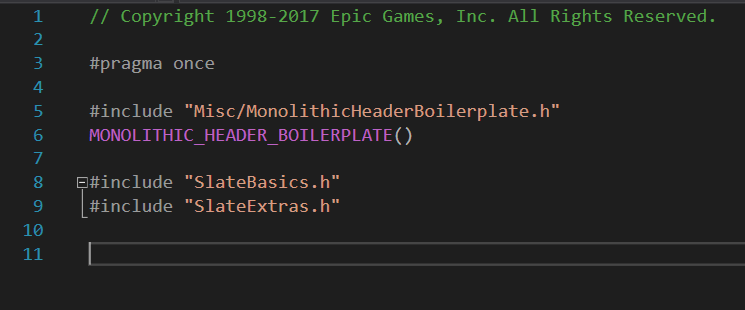
and nothing is including it
changing a header is different from a cpp file anyways
if you change a header you have to rebuild all files that directly or indirectly include it
nothing ubt can do about that, it's just how cpp works
astral sapphire
@elder falcon oh, yeah sorry, i was talking about slatecore...
how ofter do you changing cpp w/o changing headers?
low dust
@elder falcon are you using 4.18?
also, my issues are on cpp changes
which is absurd
one line change in SceneVisibility.cpp for example and UBT builds again all tools, all plugins, the whole engine
that cpp has no connection to vehicle plugin for example 😄
once I put octobuild into equation, it finally started working like you'd expect
do note that I didn't have this issue while working on older ue4 code, sure it wasn't instant back then but it sure didn't recompile always with your neighbours cat and dog in the process
low dust
nope
elder falcon
maybe it's only broken for outdated vs
low dust
could be vs2015 issue
elder falcon
that's probably the largest difference between our setups
 gaunt moat
i'm not sure if this is appropriate for engine-source or where it's appropriate - but i'm having a level chunk refusing to load into Content Browser
what would cause that?
it exists in explorer
and in multiple iterations of P4
grim halo
libfbxsdk is missing
how do i update git deps_
?
ok, just had to execute GitDependencies.exe
grim halo
is it possible to load completely different images as different mipmaps of a texture
and then use that as a kind of "3D texture" that let's you select different those completely different images based on the mipmap index?
astral sapphire
@grim halo it is possible, but useless...each mip has scale of 2, for 3d texture use 2d uv tiling ...p.s. this is a wrong channel for that kind of question, use #graphics
grim halo
oh, sorry, and thanks
 wanton tartan
Any trick to getting a fairly simple pull request approved?
 small cobalt
They usually accept PRs quicker based on their importance to the codebase and how closely they follow Epics coding standards.
 radiant hazel
Heh. Epic should test what they put into UE4 promoted branch better
ERROR: UnrealEngine\Engine\Source\Runtime\Core\Core.Build.cs(149,5) : error CS0103: The name 'PublicDefinitions' does not exist in the current context etc
Might just be a specific of upgrading though
I'll try to rebuild UE4 project files first, compile that so it updates unrealbuildtool, then try again
I think that's the reason actually. In which case, boo, more UBT changes that break things
radiant hazel
Well, that was user error to some extent, but there has to be a fast way to rebuild UHT/UBT without generating project files for the entire engine (and starting an engine rebuild)
If someone knows that, poke me
elder falcon
can't you just right click uht in the solution explorer and rebuild it?
under programs
same for ubt
@radiant hazel
radiant hazel
@elder falcon not really! At least it doesn't seem that way. I think I need to select "quick build" option
thick storm
they update code
but they don't update binaries for UBT/UHT
GenerateProjectFiles.bat in engine soruce will work
you can then manually rebuild UBT
grim halo
I've checked the folder and there's no UE4editor-engine.dll
build doesn't do anything
is there any way to solve this that doesn't entail a 2hr rebuild?
nvm it was windows' indexer
 steel birch
Hey all, since building 4.20 from source I’m having an issue
When I right click a ue4 project file, the launch game, generate visual studio project files, and switch unreal engine versions options have become disassociated. Windows asks me what I want to use to execute them
How can I reassociate these, and what should these options reference?
elder falcon
try running setup.bat again or binaries/win64/unrealversionselector.exe
steel birch
Lol, well that was simple enough.. thanks
Those two operations have seemed to run a find and replace in the windows registry. All the old 4.18 references now direct to the new 4.20 directory
 maiden loom
Hey guys, heard there were multiple versions of the ini files such as Engine
I have found BaseEngine.ini in the Engine/Config folder
I have found DefaultEngine.ini in the Config folder
But I heard someone from epic in some article I can't find again say that there were considering having Per-User config files, anyone knows if that's implemented? And if yes, where can I set those values from the editor please? Thank you very much
 quiet pier
I've been trying to build the editor for the past day but keep getting an error saying that file nldef.h is missing. This file is a part of the windows sdk and I've tried uninstalling and reinstalling the sdks multiple times and unfortunately the error still persists. I can't find much help regarding this issue online
static spoke
@Max Throughput#6019 4.20 Available already?
grim halo
how can I get the log for the shader compiler? I want to know what's wrong that is producing the error
 sleek sand
any idea for a creative trick to overcome the fact that MetaData specifiers are editor only?
I want to be able to mark variables or variable types
and read my mark back based on class/variable with the reflection system
so something like Property->HasMetaData(...) but in non-editor builds as well
static spoke
Any ETA on 4.20?
 obtuse axle
4.19 still isn't even out, so probably at least a few months
4.18 came out in October, but admittedly that's probably a tad longer than most cycles
static spoke
I see. Thanks 😃
astral sapphire
@static spoke 4.20 is on master branch...for brave
 livid imp
or crazy people haha
 faint sand
4.20 will be the dankest version of Unreal Engine yet
 green flax
9 days since last commit on master
thick storm
they don't update master/promoted when they are working on release build
(aside from automated updates)
automation*
probabaly to have easier time mergin release version into master
elder falcon
last time they didn't have zero activity on github over a week before the release
 royal glacier
hey everyone ! Do I need to compile my own source if an engine value command returns that its read only in the console ? (and edit that value, or make it writeable)

 slender saddle
Yeah UE 4.20 needs a new foliage setup. 😉
gray glade
@royal glacier I don't think so, but maybe that value can't be changed at run time - there's probably an INI file you need to set it in.
Considering it's a dimension for a texture atlas of some sort, I wouldn't expect you to be able to arbitrarily change it whenever - that's involve reallocating a new buffer and potentially re-atlasing everything.
final quarry
Does anyone know why this would happen after a fresh compile of the engine? https://i.imgur.com/3ZmKpO7.png
 final quarry
Here is the log, haven't seen this issue before
interesting part is LogFileManager: Warning: ReadFile failed: Count=0 Length=51241 Error=Data error (cyclic redundancy check). for file ../../../Engine/Shaders/Private/BasePassPixelShader.usf LogFileManager: Warning: ReadFile failed: Count=0 Length=51241 Error=Data error (cyclic redundancy check). for file ../../../Engine/Shaders/Private/BasePassPixelShader.usf
update: Turns out the engineer had a bad hard drive, moving to a new one fixed the issue
royal glacier
@gray glade thanks for the feedback on that matter. So basically I'm stuck with a "kinda" small Distance Field memory pool ? 😦 that sucks a bit, I wonder how Epic managed to get so much stuff in Fortnite while using so much DF meshes in their scenes.
gray glade
No?
I suggested it couldn't be changed at runtime.
That you could probably change it in an ini file.
royal glacier
uh I misread, my bad
funny though
cause there's a command to reallocate the buffer 🤔
r.DistanceFields.ForceAtlasRealloc
at least I guess that's what it does
there's literally no doc on all of the advanced DF stuff
@gray glade awesome it is indeed writeable in the .ini
now I can get wild 😄
 hollow timber
Hello ! A quick question about geometry shader, if I want to output a TriangleStream, do I have to match the format used by the vertex factory used by this shader ? Or do I need to have a custom format and then use it in my pixel shader ? (I don't really need to make special operations in my PS so I don't really need one)
I think I have a misinterpretation about where the new data is going. Is it adding to existing vertexes of the mesh or do I need to post process it and add it somewhere ?
low dust
@final quarry is that some modified build?
I mean, you should mentioned that as it could be related to your issue
 sick pivot
Looking on the web for this - not seeing anything..... 4.18 - anyway to DISABLE doublclicking of BP Nodes that opens VisualSTudio and tries to find the Source REference code for the node you double clicked?
final quarry
@low dust Turns out the engineer had a bad hard drive, moving to a different one fixed the data error's during launch
 proper lantern
Hello guys!! Can you please advice me great learning resource about how to make my own game engine like Unreal? I'm fine with Unreal, but I would love to know how to make it by myself. Thanks!
elder falcon
there is no way to create something even remotely comparable to unreal on your own
gray glade
Honestly, best bet is to look at UE4 itself and see how it organizes things, learn why, and use that knowledge to write your own. You'll need to abstract windowing (or lack thereof) from the actual platform, abstract what you use to render and implement D3D and OpenGL renderers, write your own scene management, write your own math, collision, and physics libraries or integrate something like PhysX or Bullet or Havok, and so on and on and on.
Audio, networking, file system, input
proper lantern
Maybe there some books or source code that were been used by Epic games to start the engine programming. I'v found a lot resources related to graphics (Siggraph, GPU pro, Real-time Rendering, Physically Based Rendering from Theory to Implementation, etc, but how I can make platform abstraction?), some about collission detection, Newton dynamics and particles (Baraff's papers, Numerical Simulation in Fluid Dynamics: A Practical Introduction, etc), but nothing related to game engine audio (except XAudio2 documentation, but how I can make my own cross-platform audio engie on top it?), also nothing related to scene management, file system, memory allocation, job manager, entity system, flow-graph, input, network, scriptic system like Blueprints, node-based editor, my own gui framework. All these things are floating apart somewhere, but I can't find any info about how devs learn them and use them in their engines.
gray glade
The Unreal Engine is 20 years old.
It's passed though hundreds, if not thousands, of programmers' hands.
You won't find "the books" that were used, because it's the collected knowledge of 20 years of hundreds of authors.
proper lantern
Hundreds/thousands programmers developed Unreal? Wow! But how new people at Epic figure out how to improve the engine? Looking at the engine source code I can't undestand the code. And I guess guys at Massive didn't saw Unreal source code to make their Snowdrop engine, so I wonder how new people find the way in this field.
 timid hollow
like any large code base, you start small and work yourself in and get some guidance from the older programmers, its not like they completely replace there staff every year
proper lantern
This sort of guidance is what I need probably.
hollow timber
@proper lantern The book Game Engine Architecture from Jason Gregory is pretty nice, it explains many different systems (https://www.amazon.fr/Engine-Architecture-Second-Jason-Gregory/dp/1466560010)
stable hemlock
maybe you should start with computer vision and stuff like that
i mean, just the basics
grim halo
I'd like to up @hollow timber 's question
in general, if we want to modify the geometry in the geometry shader ( say I want to make 3d ripples on water, with more triangles where the ripples are stronger ), can that be done in the editor or do we have to do something (w)hacky in the usf's?
hollow timber
You have a tesselation feature in editor, where you can specify new vertex offsets etc... I think it works well, but in my case I would like to access custom hash grid data... I could use the material editor but I think it's more clearer by coding it (maths operations in blueprint tends to be very confusing/ugly).
grim halo
is it normal for two surfaces reflecting each other with SSR to shift to red with time?
I'm trying to understand if it's a bug introduced by me or it's always been like that
grim halo
oh, and my team doesn't know how to compile the engine, can I compile without debug symbols so I can ship without uploading 10 GBs? 😅
hollow timber
You can ! I would advise to keep the pdb you generated the version for your coworkers in case they have crash and want to send you crash report, this way you can still inspect the callstack if you have the corresponding pdbs
 grand sand
guys I've got stuck in a dead lock. I want to build 4.18.3 from source code. After cloning the repository, and getting the dependencies downloaded and pre requisite installed, I built the engine in VS and getting this error repeatedly.
OculusRiftRenderD3D12.cpp 2>d:\development\github\unrealengine\engine\source\runtime\d3d12rhi\private\D3D12StateCachePrivate.h(716): error C2039: 'SetPipelineState': is not a member of 'FD3D12StateCacheBase' 2>d:\development\github\unrealengine\engine\source\runtime\d3d12rhi\private\D3D12StateCachePrivate.h(258): note: see declaration of 'FD3D12StateCacheBase' 2>d:\development\github\unrealengine\engine\source\runtime\d3d12rhi\private\D3D12StateCachePrivate.h(716): error C4596: 'SetPipelineState': illegal qualified name in member declaration 2>d:\development\github\unrealengine\engine\source\runtime\d3d12rhi\private\D3D12StateCachePrivate.h(716): error C2039: 'SetPipelineState': is not a member of 'FD3D12StateCacheBase' 2>d:\development\github\unrealengine\engine\source\runtime\d3d12rhi\private\D3D12StateCachePrivate.h(258): note: see declaration of 'FD3D12StateCacheBase' 2>d:\development\github\unrealengine\engine\source\runtime\d3d12rhi\private\D3D12StateCachePrivate.h(716): error C4596: 'SetPipelineState': illegal qualified name in member declaration 2>ERROR : UBT error : Failed to produce item: D:\Development\Github\UnrealEngine\Engine\Plugins\Runtime\OculusRift\Intermediate\Build\Win64\UE4Editor\Development\UE4Editor-OculusRift.lib 2>Total build time: 25.21 seconds (Local executor: 0.00 seconds) 2>C:\Program Files (x86)\Microsoft Visual Studio\2017\Community\Common7\IDE\VC\VCTargets\Microsoft.MakeFile.Targets(44,5): error MSB3075: The command "..\..\Build\BatchFiles\Build.bat UE4Editor Win64 Development -waitmutex" exited with code 5. Please verify that you have sufficient rights to run this command. 2>Done building project "UE4.vcxproj" -- FAILED. ========== Build: 1 succeeded, 1 failed, 2 up-to-date, 0 skipped ==========
what am I missing ?
 zenith valve
if you really got the 4.18.3 sources something is not right because that should have been fixed in 4.17 with SHA-1: de3d9cced72bd423dd08b4eba8110799dbb12b85
But if that's the only issue you are having, you could just change line 716 to D3D12_STATE_CACHE_INLINE void SetPipelineState(FD3D12PipelineState* PSO)
(take out FD3D12StateCacheBase:: from that line)
 ashen badger
Anyone seen this warning before?
Warning: C:\temp\Unreal\Content\Maps\environment_3.umap: Package has invalid export /Game/Maps/environment_3_BuiltData.environment_3_BuiltData, resave source package!
 hybrid mica
fyi, spent today hunting. turns out windows 8.1 SDK install needed repairing. ugh
 hot beacon
hey there, i'm trying to understand some kinda deep stuff in the RHI system, might anyone be able to help? i'm trying to figure out how the FRHICommandRHIThreadFence command works and whether i need to actually wait for the fence on the render thread or not
i've got a weird race condition where it looks like a command on the immediate command list hasn't executed by the time a command on the deferred list is getting translated
grim halo
How hard would it be to implement vector gravity and/or custom gravity fields?
Is there a single point in the code where gravity is assumed to be on the z axis or is it all over the place
stable hemlock
there are already people who made that possible, maybe ask them
i believe you had to change engine code
 sick basin
can I set my project config to Debug Editor while having engine as Development Editor?
I want to make sure before messing with it since recompiling engine will take a year :>
basically I just want to only swtich my project from DevelopmentEditor to DebugEditor
grim halo
Well of course you have to change engine code.. but those people might have done it in other more hacky ways from what I've seen
elder falcon
@sick basin use DebugGame Editor config
builds the engine for development and your projects for debug
 lost linden
@elder falcon problem is you need both development and debug. There are things you can't do with a debug build alone apparently.
elder falcon
like what things?
I usually switch between development and debuggame, a full debug build would only be required for debugging engine code
lost linden
like when a rebuild is required internally, it does development build, it fails if its not present initially
I cant remember the exact case I had but a few weeks ago I setup 4.18 with a debug build only to save space. Something happened that triggered the need for a rebuild, but it would look for development build and not debug. So I had to build a development build before I could continue
elder falcon
debug/debuggame can only be started from vs
if you try to open the editor normally it'll load development binaries
might have been the issue
lost linden
oh thats it. I added a new class to a blueprint project to convert and it required the rebuild as development. So yeah I guess it went for development during that process. I had ran the engine from VS to create the project
elder falcon
can be very confusing when you edit stuff in debug, then the editor loads old development binaries without telling you
lost linden
I guess I was trying to cut corners that shouldn't be cut. You live, you learn
sick basin
@elder falcon DebugGame only launches the game, but DebugGame Editor did it for me. Thanks!
 abstract stream
I can't compile the game through Unreal, I get this error.
CompilerResultsLog: ERROR: Couldn't find target rules file for target 'NameOfGameHere' in rules assembly 'UE4Rules, Version=0.0.0.0, Culture=neutral, PublicKeyToken=null'.
Does anyone know how to fix this?
 rustic nymph
hmm I dunno where to ask this. I am doing 360 captures and following a post online they told me to ".. go to USceneCapturer::InitCaptureComponent and add the following code " But I have no idea where to find that.
elder falcon
scenecapturer.cpp / line 72
rustic nymph
thank you just found it too.
elder falcon
it's very easy with visual assist, just press alt+shift+s, type that name and get instant results
rustic nymph
<-- visual artist, so my time in Visual Studio is usually just spent copy/pasting stuff I absolutely need that I can do without bothering the coders
elder falcon
I see, probably doesn't make sense to buy it then if you'll only use it very rarely
rustic nymph
I have a free version VS, but I don't use it much
 warm fox
hey fam, i am trying to build source on windows server but get this error (this didnt happen on my windows 10 system)
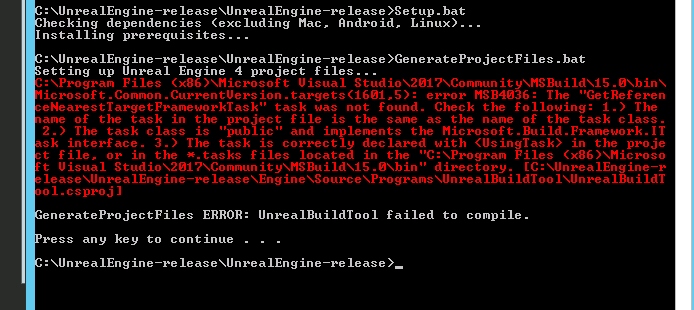
ah fuck, i thought i google searched this last night, but I must have been half asleep.
i dont recall doing this on my desktop, but i checked the box for ' "NuGet package manager"' in VS installer and it fixed it
does VS not use multiple cores when compiling unreal? Doesn't look like it.......
elder falcon
vs doesn't compile unreal, ubt launches the compiler directly with as many processes as you have cores
warm fox
Interesting, thank you for the correction.
I was watching my task manager during the compile and only saw one process running at <20% when I had 16 threads available. I checked the parallel build settings in VS and it was set to 16 already too.
elder falcon
maybe it failed to detect the number of cores properly somehow?
build settings in vs have no effect since vs is not involved in the build process
you can set a multiplier in unreals buildconfiguration.xml to override how many things it does parallel
warm fox
awesome, thanks again 😃
grim halo
Making an installed build, fails for Linux though I have vs 2017's Linux sdk
Any idea where I can get the log?
 wraith crystal
bit of a weirdo question, but here it goes... is UE4 really using the $HOME/.config/Epic directory as a lock for mutexes on Linux?
so in other words, is it using file locking for threads? I would find this very weird
the Windows version (WindowsCriticalSection.cpp) seems to be acquiring mutexes from the OS, using the Windows API CreateMutex(), which is okay
but the linux version... files? really?
(same goes for Mac)
elder falcon
that seems to be a special thing for multi-process mutexes
the normal one is in pthreadcriticalsection.h
wraith crystal
thanks; that means multi-process mutexes are using file system locks, correct?
elder falcon
well it certainly looks like they do
elder falcon
there's probably no reason to ever use one in a game tho
wraith crystal
yeah probably
 warm fox
Is it possible to do headless compiling on windows/linux server? So far it seems like I have to start the editor and package a project before I can build from command line. I found someone else saying the same thing, that the manual intervention breaks their jenkins CI workflow.
small cobalt
I dont have any issues with my Jenkins instance building from source and packaging.
warm fox
Thanks, so you did not have to run the editor at all to get that to work? I'm talking about only compiling the engine and then running RunUAT. I can't run the editor in my cloud VM.
elder falcon
you have to run the editor for cooking, but in cmd mode without gui
warm fox
Thanks, I was trying with the commands here https://wiki.unrealengine.com/How_to_package_your_game_with_commands are they still valid for 4.18.3?
elder falcon
it seems to be missing a few things
small cobalt
I havent tried packaging or compiling for 4.18 but i cant imagine that the command line would need to change much
elder falcon
the -ue4exe=UE4Editor-Cmd.exe is missing at least
are you trying to make a build on windows or linux ?
warm fox
windows
i just tried to run it again and now i get a new error 😅

why is it using the engine folder as a base dir for the project? I put -project C:\gitlcones\test\test.uproject
elder falcon
it should be -project="..."
 elder falcon
I have a bunch of batch files for building/packaging my project, maybe they will help you
this one is in the engine folder so the other batch files know where the engine is
echo Registering Brickadia Unreal Engine dir as %~dp0%...
setx BRICKADIA_UNREAL_DIR %~dp0%
pause```this one builds the editor modules to be able to package
if not exist "%BRICKADIA_UNREAL_DIR%" (
    echo Error: Brickadia Unreal Engine dir not registered. Run BrickadiaSetup.bat in engine root.
    pause
    exit
)

call "%BRICKADIA_UNREAL_DIR%Engine\Build\BatchFiles\Build.bat" BrickadiaEditor Win64 Development -project="%~dp0%Brickadia.uproject" -waitmutex
pause```this one packages the game
if not exist "%BRICKADIA_UNREAL_DIR%" (
    echo Error: Brickadia Unreal Engine dir not registered. Run BrickadiaSetup.bat in engine root.
    pause
    exit
)

:: RunUAT messes with current dir, need a copy
set TEMP_BRICKADIA_DIR=%~dp0

rmdir /s /q TestBuild_Shipping\WindowsNoEditor
call "%BRICKADIA_UNREAL_DIR%Engine\Build\BatchFiles\RunUAT.bat" -ScriptsForProject="%TEMP_BRICKADIA_DIR%Brickadia.uproject" BuildCookRun -nocompileeditor -nop4 -project="%TEMP_BRICKADIA_DIR%Brickadia.uproject" -cook -stage -archive -archivedirectory="%TEMP_BRICKADIA_DIR%TestBuild_Shipping" -package -clientconfig=Shipping -ue4exe=UE4Editor-Cmd.exe -pak -prereqs -targetplatform=Win64 -build -utf8output -compile
pause```this one builds a server exe
if not exist "%BRICKADIA_UNREAL_DIR%" (
    echo Error: Brickadia Unreal Engine dir not registered. Run BrickadiaSetup.bat in engine root.
    pause
    exit
)

call "%BRICKADIA_UNREAL_DIR%Engine\Build\BatchFiles\Build.bat" BrickadiaServer Win64 Shipping -project="%~dp0%Brickadia.uproject" -waitmutex
pause```the last 3 are next to the uproject file
warm fox
whoa, thank you, let me tool around with this 😃
small cobalt
REM -------------------------------------------
REM Clear the Staging Path of existing builds before starting an new one.
REM -------------------------------------------

rd /s /q %FD_STAGING_PATH%

REM -------------------------------------------
REM Generate project solution files so that we can compile Source.
REM -------------------------------------------

"%FD_ENGINE_PATH%\%UNREAL_BUILD_TOOL%" -projectfiles -project="%WORKSPACE%\Master Project\FD_Game.uproject" -game -progress

REM -------------------------------------------
REM Compile Source.
REM -------------------------------------------

"%MS_BUILD_PATH%" "%WORKSPACE%\Master Project\FD_Game.sln" /t:build /p:Configuration="Development Editor";Platform=Win64;verbosity=diagnostic

REM -------------------------------------------
REM Run an Build on the Project.
REM -------------------------------------------

"%FD_ENGINE_PATH%\%UNREAL_AUTOMATION_TOOL%" BuildCookRun -compile -nocompileeditor -nodebuginfo -nop4 -cook -stage -archive -package -clean -prereqs -build -utf8output -pak -project="%WORKSPACE%\Master Project\FD_Game.uproject" -archivedirectory="%WORKSPACE%\%FD_STAGING_PATH%" -clientconfig=Development -ue4exe=UE4Editor-Cmd.exe -targetplatform=Win64 -ScriptsForProject="%WORKSPACE%\Master Project\FD_Game.uproject"
REM -------------------------------------------
REM Generate project solution files so that we can compile Source.
REM -------------------------------------------

"%FD_ENGINE_PATH%\%UNREAL_BUILD_TOOL%" -projectfiles -project="%WORKSPACE%\Master Project\FD_Game.uproject" -game -progress

REM -------------------------------------------
REM Compile Server Executable.
REM -------------------------------------------

"%MS_BUILD_PATH%" "%WORKSPACE%\Master Project\FD_Game.sln" /t:build /p:Configuration="Development Server";Platform=Win64;verbosity=diagnostic
REM -------------------------------------------
REM Rename the WindowsNoEditor final build to something more relevant to the actual build.
REM -------------------------------------------

rename "%FD_STAGING_PATH%\WindowsNoEditor" "FreeDome_Development_Win64_%BUILD_NUMBER%_%P4_CHANGELIST%"
REM -------------------------------------------
REM Add the TrueSky content into the Game files.
REM -------------------------------------------

robocopy "%FD_ENGINE_PATH%\%TRUESKY_PATH%\Content" "%WORKSPACE%\%FD_STAGING_PATH%\FreeDome_Development_Win64_%BUILD_NUMBER%_%P4_CHANGELIST%\%TRUESKY_PATH%\Content" /e
robocopy "%FD_ENGINE_PATH%\%TRUESKY_PATH%\Resources" "%WORKSPACE%\%FD_STAGING_PATH%\FreeDome_Development_Win64_%BUILD_NUMBER%_%P4_CHANGELIST%\%TRUESKY_PATH%\Resources" /e
robocopy "%FD_ENGINE_PATH%\%TRUESKY_PATH%\shaderbin" "%WORKSPACE%\%FD_STAGING_PATH%\FreeDome_Development_Win64_%BUILD_NUMBER%_%P4_CHANGELIST%\%TRUESKY_PATH%\shaderbin" /e

REM -------------------------------------------
REM Add the Server Executable to the Packaged build directory.
REM -------------------------------------------

robocopy "%WORKSPACE%\Master Project\Binaries\Win64" "%WORKSPACE%\%FD_STAGING_PATH%\FreeDome_Development_Win64_%BUILD_NUMBER%_%P4_CHANGELIST%\FD_Game\Binaries\Win64" FD_GameServer.exe

REM -------------------------------------------
REM Kill any old Server instances so we can remove the directory.
REM -------------------------------------------

taskkill /f /im FD_GameServer.exe

timeout /t 5

REM -------------------------------------------
REM Clear the Server directory of existing builds before starting an new one.
REM -------------------------------------------

rd /s /q %WORKSPACE%\Server

REM -------------------------------------------
REM Make an copy to the Server directory so we can deploy an new Instance.
REM -------------------------------------------

robocopy "%WORKSPACE%\%FD_STAGING_PATH%\FreeDome_Development_Win64_%BUILD_NUMBER%_%P4_CHANGELIST%" "%WORKSPACE%\Server" /e
REM -------------------------------------------
REM Archive the final build into an .RAR so that we can send it to the FTP Server.
REM -------------------------------------------

"%WINRAR_PATH%" a -r -ep1 %WORKSPACE%\%FD_ARCHIVE_PATH%\FreeDome_Development_Win64_%BUILD_NUMBER%_%P4_CHANGELIST%.rar %WORKSPACE%\%FD_STAGING_PATH%\FreeDome_Development_Win64_%BUILD_NUMBER%_%P4_CHANGELIST%
REM -------------------------------------------
REM Using WinSCP to upload the .RAR to the FTP Server
REM Publish to FTP plugin seems to hang with large files
REM -------------------------------------------

@echo off
@echo open ftp://solarion-build-server@fissureentertainment.com:%SOLARION_FTP_PASSWORD%@ftp.fissureentertainment.com/ > FTPScript.txt
@echo put "%WORKSPACE%\%FD_ARCHIVE_PATH%\FreeDome_Development_Win64_%BUILD_NUMBER%_%P4_CHANGELIST%.rar" /UnrealEngine/FreeDome/Development/ >> FTPScript.txt
@echo exit>> FTPScript.txt
@echo on

"C:\Program Files (x86)\WinSCP\WinSCP.com" /ini=nul /log=ftp.log /script="%WORKSPACE%\FTPScript.txt"

del /f /q "%WORKSPACE%\FTPScript.txt"
@warm fox
One build script for an project
elder falcon
interesting, is there a reason for doing "%MS_BUILD_PATH%" "%WORKSPACE%\Master Project\FD_Game.sln" /t:build /p:Configuration="Development Editor";Platform=Win64;verbosity=diagnostic instead of calling ubt directly to build the editor module?
warm fox
thank you! i gotta dig through these 😃
small cobalt
@elder falcon This is an older build script, there was probably an reason but i dont remember lol
elder falcon
only difference I can think of is that this will also try to build the shader compile worker first
small cobalt
Probably, its an few years old and doesnt get used anymore
 safe mulch
hey, i'm trying to implement google audio resonance plugin, so lead to instructions i downloaded audio resonance file from github (i had to build unreal) but i have GenerateProjectFiles ERROR: It looks like you're missing some files that are required in order to generate projects. what should i do ?
green flax
@elder falcon nice merge commit there
Epic is really mismanaging the whole git thing imo
well, not totally, but some aspects of it
 boreal orchid
Hi there, where I can enable stats counting from commandlet?
boreal orchid
I guess I need to rephrase the question.
So I found
bool UEngine::HandleStatCommand( UWorld* World, FCommonViewportClient* ViewportClient, const TCHAR* Cmd, FOutputDevice& Ar )
on the 3437 line in UnrealEngine.cpp
But as we can see it doesn't toggle Stat when ViewportClient is nullptr
return ViewportClient ? (this->*(EngineStat.ToggleFunc))(World, ViewportClient, Temp) : false;
ViewportClient is nullptr because I tried to run it from Commandlet.
So how I can enable stat counting \ calculations for Level from commandlet?
 slow crescent
On the off chance that someone might know the solution to this:
I have a custom Blueprint class that needs to override UBlueprint::GatherDependencies. The problem is that some of the dependency blueprints might not be loaded at that time, and when I try to load them using LoadObject<UBlueprint>(...) I get a crash. This is because FBlueprintCompilationManager::NotifyBlueprintLoaded gets called, which modifies FBlueprintCompilationManagerImpl::QueuedRequests, which is already being looped over at that time.
So my question is, is there another way to report which blueprints should be loaded along with my custom blueprint, so that they're already loaded by the time the compilation (and subsequently UBlueprint::GatherDependencies) happens?
stable hemlock
how does the compilation manager normally ensure all blueprint dependencies are actually loaded? the execution path of that does seem to assume the blueprints are already loaded
slow crescent
Yeah, that's what I'm trying to find out at the moment. From what I can tell anything referenced by a blueprint is automatically loaded when that blueprint's package is loaded, and that list of references seems to be created when the blueprint/package gets saved. The criteria for this list of references seems to be that the object is a child to the package.
stable hemlock
hmm is the requirement for your dependencies fully dynamic? if so that sounds like it would be tricky to work around, otherwise you could just add a hidden UProperty child or something just so its referenced
slow crescent
If I understand you correctly I wouldn't say they have to be fully dynamic no. It's part of implementing a scripting language, and the dependencies would only get "resolved" when the custom blueprint gets compiled. I'll give the unused/hidden UProperty route a try and see how it goes.
stable hemlock
is the goal to have scripted classes which can depend on blueprint classes which depend on scripted classes? sounds like something I want to do somewhen down the line but the circular dependency sounds kinda scary to me
slow crescent
Yeah, that part actually seemed to work right out of the box, by simply reporting the blueprint class dependency through UBlueprint::GatherDependencies. I guess the BP compiler itself resolves the circular dependencies somehow.
 shrewd thorn
I would look at what some of the blueprint subclasses like WidgetBlueprint and AnimBlueprint do, maybe copy that. That code is complicated
 bronze crest
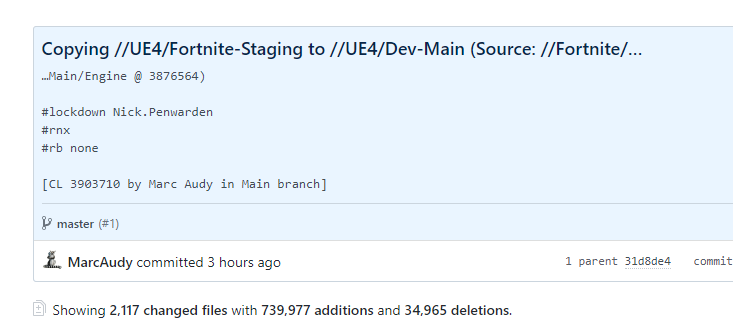
its horrible how epic merges 740000 lines into master without even a single comment
how should anyone be able to keep track of all the things added to master like this?
 fallow seal
this is not how you git
warm fox
@elder falcon thanks for those scripts, i got my headless build server working 😃 😃 I had to add one more that I called preBuild.bat
@echo off

set TEMP_UE4_DIR=%~dp0

call "%TEMP_UE4_DIR%Engine\Binaries\DotNET\UnrealBuildTool.exe" DedicatedServerTest Development Win64 -project="%TEMP_UE4_DIR%DedicatedServerTest.uproject" -editorrecompile -progress -noubtmakefiles -NoHotReloadFromIDE -2017
but to be honest i dont know exactly what this is doing 😅
and running it without VS seemed to use all my cores, at least for part of the time.
final quarry
is there any good reason for the ue4 cooker forcing a full re-cook of the entire games content if something as simple as a logging category is changed in a default ini?
elder falcon
maybe it doesn't keep track of which ini settings affect cooking, but since some can, it'll re-cook just to be sure?
wraith crystal
Does anyone know if an upgrade of Recast is planned anytime in the near future? UE4 is currently using a version of Recast that was released 9 years ago, in 2008 if Recast-License.txt is to be trusted. The latest version of Recast, 1.5.1 was released in Feb 2016. Is an upgrade on the roadmap?
grim halo
if anyone knows the pathfinding system well
grim halo
how difficult would it be to make it work with variable gravity direction?
I have an idea of how to adapt the movement components but I don't know anything about the navigation system
 wet lichen
Guys do you know a plugin where i can set the color in a Text Widget individually or like add pictures in a text box? like with formating ?
 winter citrus
his every one i have a question to ask did any one had a similaire problem when building unreal source 4.17.2 on MAC OS ?? i had try multiple thing installe mono framework , reinstall Xcode and the engine source (setup.command and GenerateProjectFiles.command) but nothing still the same problem , thxx
grim halo
I built and installed build and sent it to my team
then I ran the same engine, but not the installed build, the "regular build"
made project files with it and shipped them
why does the installed build think the project files where made with a different version of the engine and ask to make a copy of the project?
 earnest stream
elder falcon
earnest stream
elder falcon
?
radiant hazel
Can you also upload the log file from the engine
radiant hazel
The engine log please
From the "Saved/Logs" folder
If there's no additional log here, then all I can suggest is to use a newer version of the engine
radiant hazel
Are you running a 64-bit OS?
earnest stream
yes
ashen badger
Have any of you seen this error before?
[2018.02.23-20.12.06:252][  0]LogDerivedDataCache: Display: Pak cache opened for reading ../../../Engine/DerivedDataCache/Compressed.ddp.
[2018.02.23-20.12.23:777][  0]LogGameplayTags: Display: UGameplayTagsManager::DoneAddingNativeTags. DelegateIsBound: 0
[2018.02.23-20.12.26:548][  0]LogContentCommandlet: Display: Lighing Build Quality is Medium
[2018.02.23-20.12.26:673][  0]LogContentCommandlet: Display: Loading C:/tmp/TestSS2/Content/Maps/BaseLevel.umap
[2018.02.23-20.12.31:054][  0]LogTexture: Display: Building textures: rotor_1024x1024 (AutoDXT, 1024X1024)
[2018.02.23-20.12.42:355][  0]LogWindows: Error: === Critical error: ===
[2018.02.23-20.12.42:355][  0]LogWindows: Error:
[2018.02.23-20.12.42:355][  0]LogWindows: Error: Fatal error: [File:D:\Build\++UE4+Release-4.18+Compile\Sync\Engine\Source\Runtime\RenderCore\Private\RenderingThread.cpp] [Line: 813]
[2018.02.23-20.12.42:356][  0]LogWindows: Error: Rendering thread exception:
[2018.02.23-20.12.42:356][  0]LogWindows: Error: Assertion failed: ShaderRef != NULL && *ShaderRef != nullptr [File:D:\Build\++UE4+Release-4.18+Compile\Sync\Engine\Source\Runtime\ShaderCore\Public\Shader.h] [Line: 1473]
[2018.02.23-20.12.42:357][  0]LogWindows: Error: Failed to find shader type FScreenVS in Platform PCD3D_SM5
[2018.02.23-20.12.42:357][  0]LogWindows: Error:
no
 ripe drum
i want to start reading the engine source code. Do you have any idea on which is the best point for starting reading it?
small cobalt
@ripe drum You would kind of need an interest in an particular area, the Engine is an extremely large and complex piece of software. What are you more interested in?
ripe drum
that's a good point, but i want to read it because i want to be better and faster at reading code. And also as an exercise for becoming a better programmer by learning some cpp solution, best practice etc, so... or the most elegant code of the engine, or something related to graphics or physics should be good.
small cobalt
@ripe drum In that case just start with LaunchEngineLoop
For example.
Here is where the Engine plays the Startup movies.
Or you could checkout the RHI code
ripe drum
okay, cool! Thank you very much @small cobalt !
winter citrus
hi everyone im having a wired error when trying to build unreal engine source on mac ,
- Build shadercomplier successfully .
- build UE4 also successfuly
but when i try to run the engine i get this error
gray glade
Sounds like you didn't install dependencies? @winter citrus
winter citrus
@gray glade thx for the reply I did manage to make it work by changing build setting from development editpr to shipping and rebuild the engine
gray glade
That's not really a solution. :/
elder falcon
can you even build the engine in shipping mode?
gray glade
What do you mean? The editor, no, but the engine? Most def.
That's how a blueprint-only project works.
elder falcon
interesting
winter citrus
Hahaha really ? I have followed the unreal instructions
1 - I downloaded the git source
2 - run the setup downloaded all files
3 - run generate source project
4 - build the shadercompiler
5 - build the UE4
6 - when I try to run the engine I get that error
gray glade
For whatever reason you seem to be missing libogg
Why? I don't know. But maybe try running the setup script again?
Building shipping isn't a solution because you don't want to only build a shipping config.
winter citrus
Yepp ur right :/ I have tried to open a c++ project the engine didn't run only blue print
Project can open the engine
Wired I will try to run. The setup again
As a curiosity what is the difference between the development editor build and the shipping build ?
 signal leaf
When using the Engine from source (for dedicated server reasons) how often do you have to build the engine? These 40min - 1.2 hour wait times are unbearable
 steady flint
only when you upgrade it or make changes to it.
also for a dedicated server do you need the engine source?
elder falcon
they don't include a prebuilt server exe for the launcher version
signal leaf
@steady flint From what I am reading yes
Only when I upgrade the engine or make physical changes to the engine code right?
steady flint
couldn't you just add a targetServer.target.cs?
mark it as a server and package out to server?
elder falcon
that's what you do but you need the engine source in order to build the server exe
steady flint
ahh hmm
elder falcon
for some reason a dedicated server requires a completely different exe
I'd prefer just having a -server switch on the normal one
steady flint
yeah so any time you make changes to the code or upgrade engines or other wise effect what the dlls should be
so not often and you can use iterative compile
elder falcon
also every time you update vs or accidently click rebuild :D
signal leaf
What about compiling the server EXE
How often does that need to happen, cuz that too also takes a freaking long time
elder falcon
it should only take long the very first time
from then on the engine modules are already built, so only your changes need to be built again
signal leaf
Seems to be taking a while anytime I make some changes and want to recompile the server to test said changes. Like 40mins still
elder falcon
that's definitely not right, it should be more like 30 seconds to 1 minute max
signal leaf
I have a QuadCore i7 3.5 Ghz
elder falcon
unless you have ltcg enabled in build.cs and are making a shipping build
then it takes a while longer
elder falcon
are you building development server or shipping server?
signal leaf
development server
elder falcon
building a dev server for the very first time takes 5 minutes for me
changing something and building it again takes 24 seconds
if a change is taking you 40 minutes something is very wrong :v
elder falcon
you should still see a similar speedup when building small changes tho
signal leaf
Ye I agree
elder falcon
are you using vs 2017?
signal leaf
well I am kinda redoing everything from the start, and I am gonna see if it all works better
Ye I am using 2017
elder falcon
anyone got a 4.19 build and can test if this change is as important as it looks like? https://github.com/EpicGames/UnrealEngine/commit/88401e57506eb6482f48defaeae4e27dea3a23ef
 grim halo
anybody know where the forward shading implementation of the scene renderer is?
signal leaf
So any ideas on why when I build and launch UE4 it always says, "These projects are out of date: " and to rebuild them. Even after I just did that 5-10 mins ago. All I did was create a new Project.
 thick sentinel
Hey, is there a way to change the target of UE to vs17 instead of vs15? I have changed the accessor and rebuild my project, and even tried creating a new project but it keeps trying to use vs15 which I don't have installed
elder falcon
if the project setting doesn't work, you can put this in BuildConfiguration.xml to make it always use vs 2017
<Configuration xmlns="https://www.unrealengine.com/BuildConfiguration">
    <BuildConfiguration>
        <ProcessorCountMultiplier>2</ProcessorCountMultiplier>
    </BuildConfiguration>
    <WindowsPlatform>
        <Compiler>VisualStudio2017</Compiler>
    </WindowsPlatform>
    <VCProjectFileGenerator>
        <Version>VisualStudio2017</Version>
    </VCProjectFileGenerator>
</Configuration>
 half arrow
Hey, people!
I have a question regarding building the game I'm working on with a new plugin. Specifically, the RedShell plugin (https://docs.redshell.io/docs/unreal-engine-sdk-quick-start). I've been following the docs for it and it seems to be working perfectly, save for one little hitch. When building the standalone game, the DLL needs to be copied into the Binaries directory along with the executable, which I believe is not ideal. This is not the case when building and playing in the editor, and with the DLL in the Binaries dir everything works smoothly. The error message I get when trying to start the game without the DLL is:
The code execution cannot proceed because RedShell.dll was not found. Reinstalling the program may fix this problem.
When running it in debug mode from VS, the error says that a dependent DLL was not found, and the debugger shuts down before it hits any actual code.
I've been trying to get this fixed for days, but I'm really new to Unreal and I really do not know what is going on here. Any chance anyone has a clue? Any help would be most appreciated.
For reference, the version of Unreal is a customised version of 4.15.
gloomy hamlet
@thick sentinel Those settings are only for the IDE association. UE4 still isn't compatible with the VS2017 toolchain, so you need to at least have the 2015 build tools installed regardless.
low dust
if you change build conf, it probably has to recompile most of the things again
oh crap
discord autoscroll failed me again
or more like, lack of it
I'm too old for this crap
I can't learn the app is this shitty 😄
I've done this for year or however unreal slackers has been on discord now
slow crescent
I've been compiling both our game and UE4 with VS2017 for a couple of months now (both 4.17 and 4.18), and I don't have the VS2015 toolchain installed. Haven't had any real issues as far as I can remember.
gloomy hamlet
Compiling is done by UBT, not VS directly. Previously at least, UBT hard coded to the 2015 compiler even if you were using 2017 project files.
It's possible that's changed recently, though I didn't hear anything.
@half arrow Looks like the plugin is missing a runtime dependency entry for the dll.
Try replacing the existing line PublicDelayLoadDlls.Add(...) with PublicDelayLoadDlls.Add("RedShell.dll"); RuntimeDependencies.Add(Path.Combine(redshellDir, "bin", "x64", "RedShell.dll"), StagedFileType.NonUFS);
And accordingly for Win32.
gloomy hamlet
Interesting. So I wonder what the xml file setting is for forcing 2017 compiler.
Weird that they sneaked this in at some point, seemingly without announcing that it's now possible to use latest toolchain.
slow crescent
the code seems to suggest they use the <VCProjectFileGenerator><Version> setting unless there's a compiler explicitly set (through commandline I assume)
 sage cypress
Im trying to open the GenerateProjectFiles.bat file but no .sln files are being generated
The cmd window just closes
Is there a log I can check somewhere?
This is the directory if it helps: https://www.screencast.com/t/J7TMVS1J
 shrewd thorn
Well you can run from a cmd prompt, that should show what the issue is before the window closes
If it gets far enough it does save a log but you're probably failing before it gets that far
bronze crest
@gloomy hamlet UE4 works with the 2017 toolchain for a long time already
I'm still on 4.15 and that also works fine with 2017 (I don't have 2015 installed)
and 4.15 is more than a year old
gloomy hamlet
Well I wish I'd known that. I removed 2015 at some point because I just assumed 2017 was fully supported and got all sorts of issues complaining about missing 2015 toolchain. Ended up reinstalling the build tools.
I guess some leftover registry entries confused UE4 in some way, and that made me assume 2015 was still needed...


 sage cypress
Fixed =]
thick sentinel
I didn't really convey my issue very well, sorry. When I try open a cpp file inside of UE it opens a new instance of VS (if one is already open) and does not actually load the file in the project. When I tried what Zeblote said It would open the cpp file but still create a new instance. Since then I have tried installing VS15 and the problem was still there ( I have since uninstalled VS15 ). I then tried a project in UE4.17 and the problem was gone, So for me the issue only appears in UE4.18. I have tried making a new UE4.18 project and it still exists. When in UE4.18 if I try to compile it says "LogVSAccessor: Warning: Couldn't access Visual Studio", This does not occur in UE4.17.
I was just thinking, when I was setting up stuff on my "new" computer I may have installed UE4.18 before installing VS, but because I was having issues opening my UE4.17 project with just UE4.18 I installed UE4.17, after VS was installed unlike UE4.18 which installed before, Could this have broken something with the 4.18 install of UE?
elder falcon
there is a bug in 4.18 where it keeps opening new vs windows
it will be fixed in 4.19
thick sentinel
Ah, I saw that but didn't see that it caused the other issues
Thanks for your help!
Oh and sorry if this is the wrong channel for this
stable hemlock
when in widget reflector, is there any way to find out what source file or even which line is spawning this SEditableText? https://i.gyazo.com/312ec7012c1244461cd5fe6a5f17c800.png
 half arrow
@gloomy hamlet Thanks for the suggestion! You mean in RedShell.build.cs, right? (I mean, that's the only place the docs specify DelayLoadDLLs) Anyway, I tried it, but sadly: No dice. Same error as before, I'm afraid.
gloomy hamlet
Yep that's where I meant. This stuff is very fiddly due to Windows' dll search path system, and UE4 not letting you deploy files to specific locations
Looking at the code, the plugin has been very hard coded - it seems to assume that it's located at project level (as opposed to engine), and at [ProjectFolder]/Plugins/RedShellPlugin.
Is that the case in your setup?
half arrow
Well no, not quite. It's located in the engine folder, under Plugins/Runtime, but I have updated the source code in RedShell.cpp and in the Build.cs file to match its new path.
Would there be anywhere else where I might need to do it?
gloomy hamlet
Shouldn't be.
Do you use any types/functions from the redshell dll directly in your own code?
It sounds like something is triggering the dll load statically, which overrides the delay loading and so it can't find it in the default search path.
stable hemlock
ugh..
while localizing the game, can't translate multiline original text into multiline text. no possibility to shift+enter
was thinking it's an SEditableTextBox instead of SMultiLineEditableTextBox in there and a quick replace would fix it
but it's some kind of generic SPropertyTable in which you just feed any simple class (in this case UTranslationUnit) and it creates these columns and rows automatically
and for an FString it always creates an SEditableTextBox
can't even find where exactly it does that, it's so complicated
gloomy hamlet
Not sure I follow exactly, but you know you can add Meta = (Multiline) to the UPROPERTY macro?
stable hemlock
that's what i just thought. am trying it. it's my last hope
half arrow
@gloomy hamlet , As per the docs, I call out to their services in a startup file (MyGame.cpp), around the time when everything else gets initialised, as close to the end as I could fit. I use no types from there, but I do use some of their functions. Don't know if this is useful, but I'm pretty confident that I had the same issue when the plugin was part of the project too. Back then, as now, it could be resolved by placing the dll next to the executable. I suppose the root of the issue here is that UE can't find the DLL or the folder it's in for whatever reason.
signal leaf
Anyone know if packaging a project takes longer the first time and should take less time for later packages?
stable hemlock
so, no, Multiline didn't help...
oh. actually it did in a way. i can now paste multiline text into it, but shift+enter still doesn't work
gloomy hamlet
Did you try Ctrl+Enter maybe? Can't remember, but I know I've used that Meta before and it worked fine.
@signal leaf Yes, it will cache cooked assets.
@kind root The delay load approach is intended to get around that requirement so plugins can be easily deployed. It basically tells Windows not to load the dll at startup, but to delay until it's needed. Then the plugin explicitly loads it from the path it knows it's located, before Windows tries to load it from default paths and fails.
signal leaf
@gloomy hamlet Sweet, ye it seems to be significantly faster this second time, awesome!
Thank you so much ❤
gloomy hamlet
No worries.
And sorry for wrong tag, Thomas.
@kind root But it seems like that's not working, and one reason would be if you use something from the dll before the plugin module startup code runs. Realistically that should only happen if you have a global/static variable of a type from the dll, though.
FFS, okay it wasn't me, Discord tagging is just broken...
stable hemlock
ctrl+enter doesn't work either. it works in other places like dataassets, but not in here. something must be handling "enter" from shift+enter before it has the chance to go to next line.
found the code that defines it:
should be fine, but what actually happens when you do shift+enter, it commits text and selects next row
going to change shift to ctrl to see if that changes anything
no, exactly the same behavior
half arrow
@gloomy hamlet Hah, oh, sorry for having a confusing username. But thanks for all your help. The only times I use anything from it is when calling the Init and LogEvent functions as defined in the docs, though, so I don't think there's anything static about it that way. The code is wrapped in some #ifdefs, but they don't use anything related to the plugin itself, so I doubt that's the cause of it.
gloomy hamlet
Yeah, not sure then. You're talking about a packaged build, correct? If you have tried stepping into it (F10) with the debugger, and you get the error without any code running at all, than that definitely means the dll isn't being delay loaded for one reason or another.
Can only suggest double checking the delay-load line in the build.cs (try with just filename as I posted, instead of full path).
half arrow
Err, not sure about the packaged build, to be honest. I normally do tools, but was asked to integrate this plugin, so I'm sort of at a loss for this. As for the delay-load line, I already did try with just the filename, and it made no difference, though maybe if I leave out the RuntimeDependency ..? I'll give it a go tomorrow. Thanks again for all your help, though.
gloomy hamlet
The runtime dependency is required for the dll to be copied when packaging a project. You mentioned building 'standalone' - how are you building the project that leads to having this error when running?
half arrow
Right. That makes sense, though it's strange that they have not included that line in their source files, then. Regarding how I'm building, I'm honestly not sure. As I mentioned, I don't usually do Unreal, so I'm just following the company's internal documentation. All I know is that it has multiple configurations for different kinds of builds based on branch and whether it's server/client, etc. Anyway, If I can't get it to work I can go and grab one of the people who usually deal with the game proper and I'm sure they can help me. I just wanted to make sure I'd given it a proper go before I go running for help, hah.
gaunt moat
hey 'im following this tutorial, and i'm not 'blocked" yet but i want to make sure i'm following right steps. so at the end of this page, it says "compile now" https://blog.felixkate.net/2016/05/22/adding-a-custom-shading-model-1/
is that just a fancy way of saying "run the project"?
or are they asking me to create visual studio project files and"build"?
im currently trying the latter just since it seems like a harmless step....just curious what this means
 strange urchin
Well, if you change cpp file, you need to recompile the UE4 engine
If it's usf / ush file, you just have to save it
half arrow
Hey, @gloomy hamlet , just wanted to thank you again for all your help over the weekend. I managed to get past the missing DLL issue today, and I'm a bit ashamed to admit that it seems to be due to finally changing the Win32 section of the plugin as well. I had originally neglected this, seeing as we don't build for 32 bit, but it seems to have been important nonetheless. Apologies for my thickheadedness. Anyway, I managed to step into it now, and sure, I'm encountering some exceptions, but it's progress at least! Whether it's listed with the full path or not in the PublicDelayLoadDLLs doesn't seem to matter for this, though, so I'm wondering what difference it's supposed to make? In fact, even without the RuntimeDependency it appears to be working now. Well, 'working' as in starting up without complaining about the DLL.
gloomy hamlet
@half arrow Glad you made progress. Yeah the RuntimeDependency is only relevant for the packaging process, which perhaps you're not doing.
With delay load path, I just know that filename is sufficient. Full path may also work, but I don't know if that may cause it to break when the project is installed to a different location.
half arrow
Ah, okay, that makes sense about the filename / full path. I guess keeping it as relative as possible is always a good idea. The issue now, however, is an unhandled exception in the delay load process (delayhlp.cpp) where it can't find the Module. I'm guessing I've made a mistake somewhere, so I'll go and double check everything. Using the debugger, I can step into the exception, but it's mostly long hex values and intricate strings that I'm not really sure what mean, so not entirely sure how best to work it. Do you have any idea?
gloomy hamlet
Has execution reached the part in the part in RedShellPlugin.cpp that calls FPlatformProcess::GetDllHandle?
Thing is I still don't know the process you're following for building/running, so hard to diagnose the issue.
stable hemlock
https://github.com/EpicGames/UnrealEngine/blob/master/Engine/Source/Editor/KismetCompiler/Private/KismetCompiler.cpp#L245 isn't this the same as ClassAddReferencedObjects = UClass::AddReferencedObjects; since that function should be a static function unless there is another generated one somewhere? feels like that logic should be ClassAddReferencedObjects = ParentClass->ClassAddReferencedObjects;
half arrow
Hmm, actually, that's a good point. It never reaches that part of the code that during execution; it seems the StartupModule() function is completely untouched.
 hollow kernel
I'm trying to dig up info on custom shading models. In some of the 2+year old threads, some people are referencing usf files that don't appear to exist in 4.18:
DeferredShadingCommon.usf
DeferredLightingCommon.usf
Might these have been merged in *Shared/Common.usfs?
strange urchin
Old thread are not updates and UE4 files has changed
DeferredLightingCommon still be here !
and same for DeferredLightingCommon
They change the extension file to ush instead of usf
hollow kernel
@strange urchin Awesome thanks a lot for the confirmation. I found the ushs actually, but some of the referenced function names in those older threads must've changed too, because I can't find them in the corresponding ush.
strange urchin
Yes i was in the same case few months ago but you can change the ush file 😃
gloomy hamlet
@half arrow If you want to post the log output I can take a quick look. But if you're saying you can step into the program without issue (so it's not failing at the point the OS loads the .exe), but you get an error about the .dll before the plugin module starts up, that sounds pretty bizarre.
half arrow
Thanks for the offer, but I don't think I can do that. I'm not entirely sure what can and cannot be shared with the public, so I'd rather err on the side of caution there. But yes, I can step into the program just fine, the .exe starts up no problem, and then when the RedShell functions get called it crashes. Not sure what the deal is, and it might be a bit bizarre, but I'll figure it out eventually 😉
 junior phoenix
I'd like to hear how anyone manages their build of the engine from source. What branch of the engine do you typically work with?(my expectation is release) Do you do git pull periodically? Can the pull be automated?
gray glade
Yes, release.
Define periodically?
Yes, of course it can.
I'm of the mind you should upgrade engine versions regularly as they release - don't wait until it's a nightmare to upgrade, but don't upgrade hastily and end up stuck with some particular engine bug that's critical for your game - merge the newer engine version in a separate branch and test that out for a bit. Assets are not backwards compatible - once saved in a newer engine version, you can't open it in an older engine version.