#engine-source
1 messages · Page 7 of 1
 clear elk
are you interested in my pipeline file? maybe then you could provide me with some more helpful infos so i can resolve this stupid issue
also, dont wonder about jan-replace and buildutils, this is a custom parser that starts up the build tools required for my needs
so, i removed the --scripts-for-project=, -command=VerifySdk -UpdateIfNeeded -EditorIO stuff
with AutomationTool.exe it still doesn't work
i get the same exception
clear elk
clear elk
with AutomationTool.exe it still doesn't work
probably beacause RunUAT.bat calls it lol
so, i guess i just have to rewrite some more code of my editor
that will be a long night
First of all, i can't use UAT because i'm using GameFeaturePlugins in my project, so i guess i just stay with the current solution, also i tired with UBT, but that gives me a problem at startup of UBT (eventually it does not recognize the project path)
i guess i just create a special version just for the ci/cd server without the LCM, since i like the way it works on my personal computer
thank you
 honest summit
anyone knows where i can find the source code for doing the migrate function in the editor?
clear elk
honest summit
anyone knows where i can find the source code for doing the migrate function in ...
i would search for the text that is linked to the button
honest summit
clear elk
i would search for the text that is linked to the button
you mean the hint text?
clear elk
i guess so
honest summit
trying now
clear elk
thats the way i use when i'm searching for smt in the source
usually this gives me my results i wanted
honest summit
kills my pc 😂
honest summit
clear elk
usually this gives me my results i wanted
you search with vscode?
clear elk
im using rider as my primary ide
honest summit
ah
clear elk
but vs code sould also work out for this
honest summit
clear elk
but vs code sould also work out for this
yes, its just super slow
 heady sparrow
clear elk
but vs code sould also work out for this
heady sparrow
clear elk
but vs code sould also work out for this
no, do not use a web browser ide for the full unreal source
at least use visual studio 2022
it's a cool text editor but it doesn't have the power to scan 1.2 gorillion files
 meager badge
How many gb is Unreal Engine 5.1 source code
 pallid meteor
source code alone isn't much. Intermediate/build files and the .git folder if you don't do singlebranch are the main bulk
and project templates
5.1 can hit over 100gb all considered
 nova sleet
For a single configuration it's 200gb for me
That number is gonna be higher if you build multiple configurations
 iron dome
The source code itself is quite a lot smaller, though.
 misty oyster
Anyone able to help me in figuring out why i need to recompile 720 items in the engine every time i make a change in my game module?
some things i've changed recently:
- Did a build as DebugGame Server (it started around this time)
- Modified Target.cs for Game client and Server
- Ran a package via RunUAT for both client and server
 languid kayak
A while ago somebody in here posted an engine PR that was a new cell shading model
I can't find it in here...
languid kayak
misty oyster
Anyone able to help me in figuring out why i need to recompile 720 items in the ...
got something formatting in your IDE?
might be something dirtying things
 hidden hedge
misty oyster
some things i've changed recently:
- Did a build as DebugGame Server (it started...
hidden hedge
misty oyster
some things i've changed recently:
- Did a build as DebugGame Server (it started...
Modifying a Target.cs will invalidate
misty oyster
languid kayak
got something formatting in your IDE?
Hmm, i can't say it isn't, but i'd be suprised if that was it, i'll try and see if i can rule this out
misty oyster
hidden hedge
Modifying a Target.cs will invalidate
Yeah i would expect so, but it does it every time i modify a regular .cpp file
hidden hedge
I'd be interested to see if the build output actually says anything at the start
hidden hedge
iirc that's redundant to specify with a source build
 west dune
Does anyone here have any idea how CookedEditor works? Trying to set it as the target platform in the projectlauncher causes UE to crash because it fails to find the FTargetPlatformInfo for it
 pseudo cairn
Hi. I'm trying to build a binary version of UE4. Build itself is good but when I'm getting to the "Build Tools CS" I'm getting these errors:
  DeviceReservation.cs(238,45): error CS1519: Invalid token '=' in class, struct, or interface member declaration [...Engine\Saved\CsTools\Engine\Source\Programs\AutomationTool\AutomationUtils\AutomationUtils.Automation.csproj]
  DeviceReservation.cs(238,60): error CS1519: Invalid token '{' in class, struct, or interface member declaration [...Engine\Saved\CsTools\Engine\Source\Programs\AutomationTool\AutomationUtils\AutomationUtils.Automation.csproj]
  DeviceReservation.cs(239,10): error CS1518: Expected class, delegate, enum, interface, or struct [...Engine\Saved\CsTools\Engine\Source\Programs\AutomationTool\AutomationUtils\AutomationUtils.Automation.csproj]
  DeviceReservation.cs(240,10): error CS1518: Expected class, delegate, enum, interface, or struct [...Engine\Saved\CsTools\Engine\Source\Programs\AutomationTool\AutomationUtils\AutomationUtils.Automation.csproj]
  DeviceReservation.cs(241,10): error CS1518: Expected class, delegate, enum, interface, or struct [...Engine\Saved\CsTools\Engine\Source\Programs\AutomationTool\AutomationUtils\AutomationUtils.Automation.csproj]
  DeviceReservation.cs(242,10): error CS1518: Expected class, delegate, enum, interface, or struct
4.27 branch with my modification. I use vs 2022 and it was successful once I built it couple month ago
If you mean "cut". I did fresh re-build with cleaning Intermediate and Saved folders. Not sure that it will help this time
It's all default from git
hidden hedge
how did an automation project end up in the saved directory
pseudo cairn
command line
BuildGraph -target="Make Installed Build Win64" -script=Engine/Build/InstalledEngineBuild.xml -set:WithDDC=true -set:SignExecutables=false -set:EmbedSrcSrvInfo=false -set:GameConfigurations=Development;Shipping -set:WithFullDebugInfo=false -set:HostPlatformEditorOnly=false -set:AnalyticsTypeOverride= -set:HostPlatformDDCOnly=true -set:WithWin32=false -set:WithWin64=true -set:WithMac=false -set:WithAndroid=false -set:WithIOS=false -set:WithTVOS=false -set:WithLinux=false -set:WithLumin=false -set:WithLinuxAArch64=false -set:CompileDatasmithPlugins=false -set:VS2019=false -set:WithServer=false -set:WithClient=false -set:WithHoloLens=false
Win64
What do you mean by context?
CMD
Also tried with Unreal Binary Builder
https://github.com/ryanjon2040/Unreal-Binary-Builder
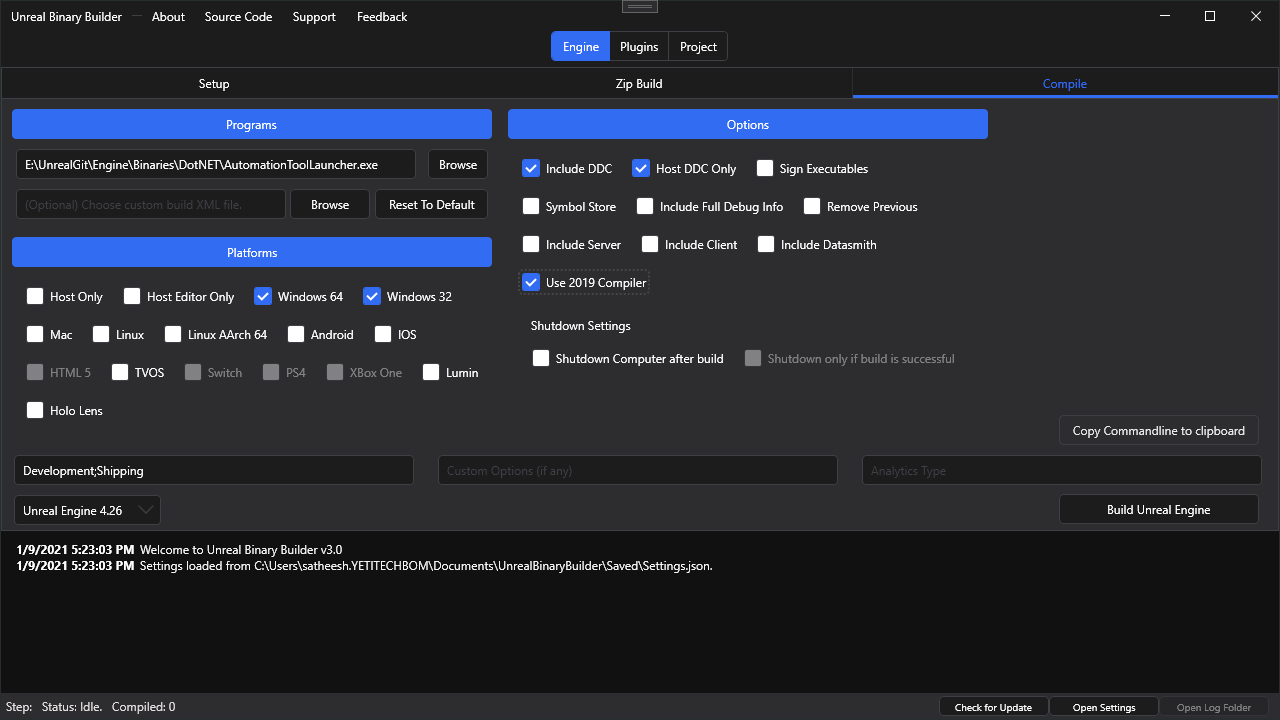
GitHub
An application designed to create installed Unreal Engine builds (aka Rocket builds) from Unreal Engine GitHub source. - GitHub - ryanjon2040/Unreal-Binary-Builder: An application designed to creat...
4.6.2 targeting pack is installed

Installing VS 2019. Something tells me that vs 2022 is the problem
yes


oops, sec
Started re-build earlier so saved was clean, waiting

Standard Windows Terminal (powershell) with Oh-my-posh styling
hidden hedge
I doubt that'll make a difference
pseudo cairn
I don't use it for build just for these folder listings, etc.
4.27
In Chracter.h OnLanded delagete exposed to BPs
And added custom Log Entry
As I said - engine compilation stage is fine. Building non binary build is fine, idk why this one doesn't work..
Waiting for new build to fail. Will try after that
So I could potentially try to re-target automation tool to 4.6.2 and it should work?

Ok, I'll try to do it this way. Thx!
pseudo cairn
It actually worked! Thank you! 🙂
 sonic gust
anyone has a list of plugins that shouldn't be removed from the engine?
what i mean is, i should be able to remove the google, facebook, speedtree, ... plugins but shouldn't remove plugins for handling content browsers, online subsystem null , etc. in order for my build of the engine to function.
 normal vortex
how do you guys update your ue-5 main build frequently? you always download it from zero then build or fetch-checkout via git then rebuild?
 weary delta
Hi, im on 4.27, somebody knows if is possible and how access to the custom stencil via .usf ? Im editing the TAAStandalone.usf, but nothing seems to work. Any idea?
 queen ridge
normal vortex
how do you guys update your ue-5 main build frequently? you always download it f...
queen ridge
normal vortex
how do you guys update your ue-5 main build frequently? you always download it f...
I was on ue5 main and was doing weekly builds until I realized I was way to far ahead and waited a few months for 5.2-preview1 so I could switch to it. Now I’m waiting until 5.2 official. Never going back ue5-main again! Way too unstable.
 thick storm

engine is getting crazier
though I remember requesting similiar functionality..
9 years ago D:
 potent lotus
To enable logging in shipping builds I've added to the project.Target.cs:
  BuildEnvironment = TargetBuildEnvironment.Unique;
  bUseLoggingInShipping = true;
But this enables it for compile time, does anyone know if there is a way to toggle logging during run time?
hidden hedge
potent lotus
To enable logging in shipping builds I've added to the project.Target.cs:
```
...
?
if you enable this compile time flag, it's enabled. you can use the log console command or the -logcmds command line to control the visibility of specific log channels
log global none will stop logging for all channels
 agile tusk
Has anyone ever ran into an issue where when they build unreal engine source, "LiveCodingConsole.exe" is missing? I'm not getting any errors building 5.1, but LiveCodingConsole.exe is completely missing after a build.
iron dome
There's probably a project somewhere in the solution (in the programs folder?) that can compile it.
 white hollow
warning MSB3245: Could not resolve this reference. ue4.27 source code .package build error how to fix this
Took 2.8609983s to run MSBuild.exe, ExitCode=1
iron dome
Is that from the errors list?
 jovial meteor
Does anyone know how could I get stringified representation of every blueprint node?
iron dome
For what purpose?
If you select them all and hit ctrl+c they get copied to the clipboard for your viewing pleasure.
(in text form)
jovial meteor
I was thinking more automated to put them all in json or text file.
iron dome
Oh.
I guess? You could iterate every instance of UFunction with the TObjectRange<>
But that wouldn't get things like macros or custom nodes.
I'm not sure what you could do for those.
jovial meteor
Thanks, I will look into that. I'm just brainstorming an idea for blueprint node generator.
 pallid path
jovial meteor
I was thinking more automated to put them all in json or text file.
pallid path
jovial meteor
I was thinking more automated to put them all in json or text file.
Also look at :
    /**
     * Copies the selected components to the clipboard
     * @param ComponentsToCopy The list of components to copy
     * @param DestinationData Buffer to fill with the copied data, or null to use the clipboard
     */
    static void FComponentEditorUtils::CopyComponents(const TArray<UActorComponent*>& ComponentsToCopy, FString* DestinationData = nullptr);
Copies components as string to DestinationData
And then to "paste", again can supply SourceData as string
FComponentEditorUtils::PasteComponents(TArray<UActorComponent*>& OutPastedComponents, AActor* TargetActor, USceneComponent* TargetComponent, const FString* SourceData)
Thanks, that is basically what I want 👍
 lone scaffold
thick storm
lone scaffold
thick storm
I guess we know now why they always disabled MVVM editor before releases
 thick storm
yeap FieldNotify is now blueprint baseline feature
 edgy seal
Say I am done building the engine from source
how can i package it up in a nice way and distribute it to ie team members?
zipping up the "Engine" Folder doesn't seem like a great idea, given it's almost 300 GB in size
 edgy seal

This page describes the Installed Build process, including an overview of how to write Installed Build scripts.
found it
agile tusk
Thanks, that did the trick. I wonder why it wouldnt build with everything else.
 brittle dragon
can someone help me? I can build UE 5.1 from source just fine and my project just fine. But every time I view engine code, it looks like this.

tons of errors
i tried reinstalling VS 2022 and regenerating project files
recompiled the engine
iron dome
Are you using VAX or R#?
brittle dragon
yeah i was using r# but i uninstalled it
edgy seal
So I followed the instructions to making an "installed build"
But i can't find the build X_X
even though according to log, it succeeded
Not finding a "LocalBuilds" folder 😦
brittle dragon
iron dome
Are you using VAX or R#?
is there an issue with VS2022 and UE5 using R#?
iron dome
No, but there are massive issue with VS(anything) and not using VAX or R#.
brittle dragon
this has been a major headache for 2 days now
iron dome
Reinstall r#. Load up the solution. Give it 30m to scan the engine. Probalby more than it needs, but it isn't instant.
hidden hedge
Oh this was a cross posted question
edgy seal
Anyone got some advice for where the build might be located at?
edgy seal
Yes, i have the same entry
But there's no Local Builds folder
Meaning it failed?
Log started at 4/14/2023 8:47:40 PM (2023-04-15T01:47:40Z) Starting AutomationTool... Parsing command line: BuildGraph -target="Make Installed Build Win64" -script=Engine/Build/InstalledEngineBuild.xml -clean Found 1 scripts to execute: BuildGraph(target=Make Installed Build Win64, script=Engine/Build/InstalledEngineBuild.xml, clean)
It does say at the end of the log file that it failed to build for linux. But i specified 'Win64'
here it says, succeeded


again, this also succeeded
But then here at the end, it says "BUILD FAILED"
And it seems to be "UnrealGame Linux"
Even though when i ran the Automation tool i did it with "make Installed Build Win64"

I'm confused as to what's happening
 snow gorge
This has probably been asked before but i couldnt find it searching, does anyone know what issue causes my source to constantly recompile when building only my project in my ide...
for example: after i fully compile the engine source, i open a project and compile that which also decides to compile half the engine again, if i close it and then open a different project to compile it also compiles half the engine again... but then if i open only the source afterwards and compile it, it does a full rebuild as if it was modified...
Prior to 5.1.1 this wasnt an issue for me, also the engine source is completely unchanged
pseudo cairn
Hi. Trying to make custom Binary UE Build with my version of Unreal for example 5.1-plus instead of custom hash that get assigned after build.
The only things a found is this link https://docs.unrealengine.com/5.1/en-US/using-an-installed-build-of-unreal-engine/ that saying change in manually or VER_UE_NAME_HASHES_SERIALIZED in Source.
Main point that it'd be single Engine Association for .uproject and it'd show my version in Epic Games Launcher instead of "Custom"
Maybe someone has some answers/tips regarding this?
UPD:
Changing BuildId is not recommended by Epic

This page describes the Installed Build process, including an overview of how to write Installed Build scripts.
brittle dragon
So I think reason I'm having issues is that when generating project files, it's not including all the engine source directors in the VC++ Include directories


 flat shuttle
Often when CTRL+left-click-dragging a connected input node away from a node (disconnecting it, during the drag, before releasing) I get this error:
Ensure condition failed: !bGraphDataInvalid [File:D:\build++UE5\Sync\Engine\Source\Editor\GraphEditor\Private\SGraphPin.cpp] [Line: 905]
The Graph Pin Object has been invalidated. Someone is keeping a hard ref on the SGraphPin (SGraphPinExec [NodeFactory.cpp(282)]). See InvalidateGraphData for more info
A breakpoint instruction (__debugbreak() statement or a similar call) was executed in UnrealEditor-Win64-DebugGame.exe.
And a breakpoint is executed here, on the UEdGraphPin* GraphPin = GetPinObj(); line:
bool SGraphPin::GetIsConnectable() const
{
    UEdGraphPin* GraphPin = GetPinObj();
    return GraphPin ? !GraphPin->bNotConnectable : false;
}
A breakpoint instruction (__debugbreak() statement or a similar call) was executed in UnrealEditor-Win64-DebugGame.exe.
The callstack is:
[Inline Frame] SGraphPin::GetPinObj::__l2::<lambda_cacbf6315a6a5dd83bd9cb7823be70b3>::operator() C++
[Inline Frame] SGraphPin::GetPinObj C++
SGraphPin::GetIsConnectable C++
SGraphPin::OnDragEnter C++
[...]
edgy seal
Thank you very much
 smoky goblet
That's partially true, but it should follow the same build rules as anything else. If the source hasn't changed, it shouldn't need to recompile.
My engine build doesn't recompile every time I build.
snow gorge
Im only building the different projects for developement editor currently which before 5.1.1 just built the project without rebuilding the engine source which took about 30s each time i switched between projects... i think i may have an idea of the issue but i will need to check it later to be sure
I may have changed the build target rule from 5.1 to Latest without remembering, perhaps that caused it
smoky goblet
Could people not be setting up source builds properly? Admittedly my evidence is anecdotal, but in my experience with two source builds (one at work and one at home) neither one ever builds anything I don't expect it to.
Or was it a change as of 5.1.1? both my source builds are still earlier than that.
smoky goblet
I'm just talking in generalities. I just follow the directions and it all seems to work out fine.
I've done it wrong previously and ended up with stuff in source control that wasn't supposed to be there.
I wouldn't be surprised if there were other ways that someone could subtly mess it up.
I guess I'll see what I get when I update to 5.2.
lone scaffold

It seems some binary asset types are getting support for VCS merging using Unreal Editor's diff tool. This commits adds support for DataAssets.
https://t.co/SdWi9GdYdf

 Twitter
·
heady sparrow
lone scaffold
https://twitter.com/Skylonxe/status/1647645391947431937
Twitter
·
heady sparrow
lone scaffold
https://twitter.com/Skylonxe/status/1647645391947431937
holy shit, game changer for data tables
snow gorge
snow gorge
This has probably been asked before but i couldnt find it searching, does anyone...
In case anyone else has this issue, what fixed the engine rebuilding every time for me was... in my {ProjectType}.Target.cs files i originally had IncludeOrderVersion = EngineIncludeOrderVersion.Unreal5_1; but changing all of them to IncludeOrderVersion = EngineIncludeOrderVersion.Latest; now does not trigger the engine to rebuild every time i change projects
edgy seal
i'm re-running Automation tool now with this, thank you.
Is there a way to avoid recompilation of it all (which takes 12 hours for me)?
Given that nothing changed, except that i now exclude pltforms
 ornate rose
Any new news about skeletal nanite mesh on github? Tried looking. Couldn't find anything.
 coarse canyon
nope
lone scaffold
ornate rose
Any new news about skeletal nanite mesh on github? Tried looking. Couldn't find...
No, it looks like the focus is currently on readding tessellation https://twitter.com/Skylonxe/status/1648020003084464138
Nanite powered tessellation is making its way into the UE5. There was a commit which readded the Displacement material pin again.
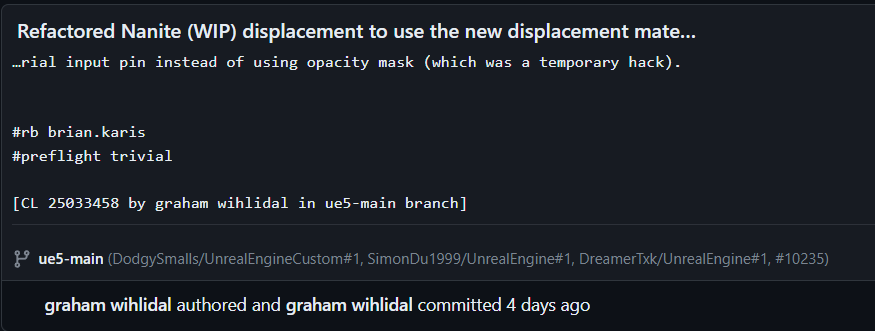 Twitter
·
Twitter
·

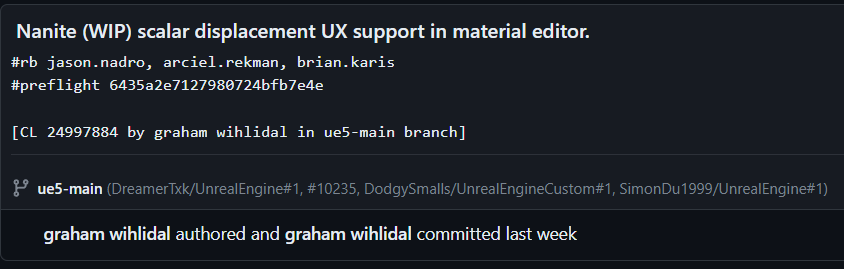 ornate rose
coarse canyon
nope
ornate rose
coarse canyon
nope
OK. Thanks.
ornate rose
lone scaffold
No, it looks like the focus is currently on readding tessellation https://twitte...
Thanks for the info. Thats great news.
ornate rose
lone scaffold
No, it looks like the focus is currently on readding tessellation https://twitte...
We really need displacement through materials especially when blending between different textures and tiling . I am a bit worried if the displacement through materials for nanite meshes will work with decals. I am also hoping for rvt blending between nanite meshes rather than between landscape and nanite meshes.
edgy seal
So I'm running the automation tool to create an installable build from ue5-main
because i want to redistribute the engine build to team members at an acceptable size
However it's now been running for almost 24 hours
it's long done compiling and now seems to do a lot of additional things
And the Local build "engine" folder it has created is still at over 100GB
D:\Dev\UnrealProjects\UnrealEngine\Engine\Build\BatchFiles\RunUAT.bat BuildGraph -target="Make Installed Build Win64" -script="Engine/Build/InstalledEngineBuild.xml" -clean -set:HostPlatformOnly=true -set:WithWin64=true -set:WithLinux=false -set:WithLinuxArm64=false -set:WithMac=false -set:WithMacArm64=false -set:WithAndroid=false -set:WithIOS=false -set:WithTVOS=false -set:WithHoloLens=false
i ran this command
is there anything i can do where it just creates the build for me without all these additional things it seems to be doing?
and also is there a way to avoid the engine to take up 100GB+?
it's now been doing this, sth with shader compilation. I assume its some kind of automated test

 hallow light
Hello all. I have a quick question about unreal source build for creating dedicated server builds. Our current perforce that our team uses is just plain old unreal 5.1. In order for us to use perforce and Jenkins to do automated builds does it require that our shared perforce project is unreal source build? I wanted to create a game farm building pipeline via this amazon doc: https://catalog.us-east-1.prod.workshops.aws/workshops/43e96ac6-6d4f-4d99-af97-3ac2a5987391/en-US/020-build-farms
If we did switch our current project to a source build does that mean everyone on the team needs to sync the source build? It is pretty heavy and an additional 40GB from its normal 5.1 counterpart. Can it be a source build on perforce without everyone having to sync all the source build files?
Discover and participate in AWS workshops and GameDays
 zinc anchor
@hallow light our team makes use of UnrealGameSync and then have our CI pipeline archive the build to where UnrealGameSync can find it. Your team can use UnrealGameSync as a gasket view to perforce.
https://docs.unrealengine.com/4.26/en-US/ProductionPipelines/DeployingTheEngine/UnrealGameSync/
An overview of UnrealGameSync (UGS), an internal tool used by developers to sync their Workspace with a project's stream.
This also manages precompiled builds by changelist, which is really nice for its own reasons
UGS can also be distributed to team members through a .msi installer, then after that, setup is pretty similar to logging into perforce and setting a workspace
This way, our artists and designers never need to build the engine locally from scratch, and the most recent, successfully built binaries are always available to them
hallow light
zinc anchor
<@924922492169101313> our team makes use of UnrealGameSync and then have our CI ...
Thanks so much for the reply...I actually tried following a tutorial and doc on Unreal Game Sync and had a ton of issues. I tried building the visual studio solution for Unreal Game Sync and it wouldn't even build and had a ton of errors. It seems like the docs are very specific to unreal 4 but I'm working in unreal 5. I guess I will look into it more and research more but I ran into a lot of issues right off the bat that pretty much put a halt to using Game Sync.
zinc anchor
hmm yeah; for what it's worth, we are using UnrealGameSync to deploy 5.1 from source
hallow light
zinc anchor
hmm yeah; for what it's worth, we are using UnrealGameSync to deploy 5.1 from so...
ok I will look over this doc you recommended and try again.
zinc anchor
for sure; I remember when I first started getting this set up, I had to refer to a few different places. To help you out, I can try to gather all of that info together to get you on your way faster. My take is that if you can get UGS to work for you, it will save a lot of engineering time vs trying to roll your own homebrewed method
hallow light
zinc anchor
for sure; I remember when I first started getting this set up, I had to refer to...
Ya I have heard from previous people that game sync is solid.
hidden hedge
and if you still run into issues, you can ask here about it
I've also deployed UGS in the past
hallow light
Any docs or resources you find I would greatly appreciate shooting my way.
hidden hedge
well I forked the UGS metadata server to use .NET 6 so you don't need Windows/IIS
after I found a .NET 5 fork, that I forked
but the metadata server is not required for it to work
hallow light
@zinc anchor So here is my issue. The docs you sent me already assume you have UGS setup but I can't even get it setup. I go to this path in my unreal source build and per instructions from a Youtube video I saw, you need to build the solution in Visual Studio. I find the solution here: C:\UnrealEngine-release\Engine\Source\Programs\UnrealGameSync I found the .sln and When I try to build I get these errors.
 hallow light
hidden hedge
how are you acquiring source
hallow light
hidden hedge
how are you acquiring source
from epic game github: https://github.com/EpicGames/UnrealEngine
hidden hedge
https://stackoverflow.com/questions/51348919/couldnt-process-file-resx-due-to-its-being-in-the-internet-or-restricted-zone-o this was like the first result on google for the error

Stack Overflow
I am facing an issue while debugging c# API Coding in Visual studio 2017. Debugging not started and showing a error message like
Couldn't process file resx due to its being in the Internet or Rest...
hallow light
hidden hedge
https://stackoverflow.com/questions/51348919/couldnt-process-file-resx-due-to-it...
Thanks a lot, this is working.
 regal elk
hallow light
<@152269400995528705> So here is my issue. The docs you sent me already assume...
regal elk
hallow light
<@152269400995528705> So here is my issue. The docs you sent me already assume...
unblocking your files or making them writable in p4 should help!
thick storm
lone scaffold
https://twitter.com/Skylonxe/status/1647645391947431937

well it works
kind of, needed to fix crash in engine ;
it can't handle deeply customized class layouts/properties by default
iron dome
What crash?
The biggest problem with the details panel layouts, tbh, is that if your custom layout is higher than the available height, the scroll bar fucks up.
thick storm
it crashed somewhere in engine on nullptr property node
iron dome
That doesn't mean it's an engine bug.
heady sparrow
iron dome
That doesn't mean it's an engine bug.
going from crashing to working is probably a bugfix
iron dome
He hasn't mentioned anything about fixing it or whether that fix came from engine code or his code. And a "bug" in engine code can simply be his code using the engine code incorrectly and fixing it can mean that way of using it has been accounted for.
heady sparrow
well, I'm going to assume iniside did something right here instead of questioning the simple null check they added
iron dome
...or maybe I missed the bit about it being fixed.
heady sparrow
I was getting a lot of control rig stuff earlier on but that was indeed probably just outdated nodes being present
like, the core select node got replaced
the most "not sure if actually intended" change I made recently was giving the pcg volume a component wrapper UCLASS specifier
I'm curious if epic has any CI tests running on their builds because there are a lot of pushes that don't compile
which in fairness is probably mostly the lack of the true full p4 repo
I would rather see cool new stuff than wait for them to shape up every commit anyways
iron dome
There's a whole system for not-compiling-code called horde. It tests everything in every configuration and complains mightily if things don't work.
And you need a valid horde test result id to submit code to the main repo.
But it still fails sometimes. Code can be submitted while tests are being carried out etc.
heady sparrow
iron dome
There's a whole system for not-compiling-code called horde. It tests everything ...
so does it not just... actually compile in msvc?
I guess with the whole supporting 10 different platforms just compiling is not enough
iron dome
It uses clang afaik
heady sparrow
ah
edgy seal
Understood. i assume there's a command sth like -set:WithDDC=false to avoid building the DDC and save a lot of GB as well as time building the DDC pack.
It now ended up succeeding, but the local build is 200GB in size and took 2-3 days instead of the 12 hours when i just compile.
The way i understood it, i just need to somehow DDC generation and then it would compile much quicker and the localbuilds would be much smaller?
 calm mason
edgy seal
Understood. i assume there's a command sth like `-set:WithDDC=false` to avoid b...
calm mason
edgy seal
Understood. i assume there's a command sth like `-set:WithDDC=false` to avoid b...
We used installed builds for a couple of years, but they were a pain to build and distribute, even though we were only taking the main releases. Switching to UGS has been a big workflow improvement.
edgy seal
calm mason
We used installed builds for a couple of years, but they were a pain to build an...
Thank you, I will take a look at UGS and see how it works
hidden hedge
a simple deployment is pretty easy, though a lot of magic is gained through having a metadata server
edgy seal
hidden hedge
a simple deployment is pretty easy, though a lot of magic is gained through havi...
what's the best way to go about a simple deployment?
I don't regularly compile. There's just this one critical bugfix that is blocking us atm and i want to distribute a build with that fix to our team
thick storm
iron dome
That doesn't mean it's an engine bug.
edgy seal
thick storm
https://github.com/EpicGames/UnrealEngine/pull/10359
hah i feel like i remember you from crydev/crymod times
hidden hedge
copy engine source to p4, the project must be next to the engine. look at the example build graph script for preparing your editor build, make sure it targets the ProjectNameEditor target instead of UnrealEditor. pick a place in p4 to submit the binaries zip to.
then configure everything though UnrealGameSync.ini
calm mason
You have to build UGS app yourself too. It's a separate sln IIRC. But this is all one time setup stuff. After that, upgrading/modifying engine is simple.
edgy seal
yeah, ive never worked with this stuff before, so i'm just trying my best to get up to speed
was considering hiring someone to help with this, we'll see if i am able to manage
It's a lot to take in in a short amount of time
calm mason
It is a bit daunting, definitely.
I went through the process 12 months ago, happy to help if you have any questions
calm mason
We are! Sci fi competitive survival
calm mason
Nothing external yet
thick storm
edgy seal
hah i feel like i remember you from crydev/crymod times
entirely possible, haven't changed that nickname for I think 20 years 😄
lone scaffold
thick storm
ooh that is nice!
iron dome
thick storm
https://github.com/EpicGames/UnrealEngine/pull/10359
Fair enough! Doesn't necessarily mean a bug, though. Obviously I haven't looked into this at all, so I'll go with your answer!
hallow light
When using Unreal Game Sync with perforce does it require you to have the source build of unreal engine on perforce?
hidden hedge
hallow light
When using Unreal Game Sync with perforce does it require you to have the sourc...
yes
the project should be a subdirectory of the engine root (the root being where the GeneratedProjectFiles.bat file is)
In the past, I've had a workflow of keeping the clean engine source in a separate depot, and then integrating it into the game depot to keep upgrades easy
hallow light
hidden hedge
yes
thanks
heady sparrow
TArrayView const correctness will be enforced with tobjectptr it seems

/*
    MutableView: safely obtain temporary mutable access to a TObjectPtr's
                             underlying storage.

    Eg:

    void MutatingFunc(TArray<UObject*>& MutableArray);

    TArray<TObjectPtr<UObject>> Array;
    MutatingFunc(Array);                             // unsafe; compile error

    MutatingFunc(MutableView(Array));             // ok; Array will safely "catch up" on TObjectPtr
                                                                                 // semantics when MutatingFunc returns.
*/```I am not sure how to feel about making literally every pointer that isn't const another template thing to compile
        static void Close(ViewType& View)
        {
             // TODO: reenable this once GC Barriers merge
            //RunGCBarriers(reinterpret_cast<const UObject* const*>(View.GetData()), View.Num());
        }```
const in a tarrayview makes perfect sense to me at least
not sure why it needs to be explicit instead of the one in every return value of tarrayview
 kindred cobalt
Anyone familiar with Sequencer modding & the Demo Replay system?
I'd like to be able to make high quality gameplay footage and the best way I can think to do that is being able to add a demo replay as a sequencer "shot" so I can scrub through and clip portions of the demo replay. Would also be nice to attach cameras to various actors from the replay as well.
Biggest concern I have is that the sequencer stuff doesn't seem to work fully in a PIE environment, meaning the replay system would need to be able to operate from just the editor and I'm not sure what kind of undertaking it would be to add that functionality to it.
 neon willow
Is there a relatively straight forward system for adding additional keyboard shortcuts? I'd like to add the functionality to open and close the world outliner tab. For clarification, I'm not talking about new bindings that you set Editor Preferences. I want to add new shortcuts that will then show up there 🙂
Or at least a system for doing that without needing to make engine modifications. Whether it's straight forward or not dictates whether I do it today or not :p
neon willow
Seems relatively straightfoward at a glance. It looks like ya just make a class inheriting from TCommands<>, add a static TSharedRef< FUICommandList > ActionList; to it, add a TSharedPtr< FUICommandInfo > YourCommand; for all your desired commands, then map them to the ActionList in RegisterCommands() and finish with a FGlobalEditorCommonCommands::MapActions(ActionList);  neat
neat
neon willow
I was actually thinking about that earlier while driving 
neon willow
🥳 Huh. Mispelled outliner. Whoops.
 edgy seal
So I finally managed to compile 5.2 with the critical bugfix from ue5-main that we needed. It works fine and eliminates a huge roadblock for us, so thanks to everyone in here for the help ❤️
I want to now distribute it to the team. It sits at 150 GB without Intermediate and Saved. And I was thinking that the simplest way to bring it down in size would be to delete all the .pdb files and .pch files, which seem to cause the bloat mostly.
Is that a good idea?
And also, the best way to do this would be with a batch script i assume
 summer pelican
edgy seal
And also, the best way to do this would be with a batch script i assume
summer pelican
edgy seal
And also, the best way to do this would be with a batch script i assume
Sounds like you're after an installed build. Here's a guide to building one and the different options you have while building: https://docs.unrealengine.com/5.1/en-US/using-an-installed-build-of-unreal-engine/
This page describes the Installed Build process, including an overview of how to write Installed Build scripts.
edgy seal
summer pelican
Sounds like you're after an installed build. Here's a guide to building one and ...
i did try that but wasn't able to get it to work in a sensible way 😄
I will now just use xcopy with /exclude
I think i can skip .PCH, .PDB
i'm not sure if i can also skip .A and .SO
The problem with installed build is that it takes ages and it's not trivial to understand the configurations etc correctly
maybe even .OBJ could be excluded
edgy seal
It takes 3x as long as the non-installable build tho 😄
so i was hoping there'd be a faster way
but i just learnt that just copying the folder does not work
getting the bDoesPathExist crash
so i might not have another choice but an installable build.
D:\Dev\UnrealProjects\UnrealEngine\Engine\Build\BatchFiles\RunUAT.bat BuildGraph -target="Make Installed Build Win64" -script="Engine/Build/InstalledEngineBuild.xml" -clean -set:HostPlatformOnly=true -set:WithWin64=true -set:WithLinux=false -set:WithLinuxArm64=false -set:WithMac=false -set:WithMacArm64=false -set:WithAndroid=false -set:WithIOS=false -set:WithTVOS=false -set:WithHoloLens=false -set:WithDDC=false -set:WithFullDebugInfo=false
hoping this will do the trick
 ruby vale
Ok, so I can do this
UEdGraphPin* Pin = Node->FindPin(TEXT("ParamName"));
FString PinValue = Pin->DefaultValue;
to get the value of a pin if the value is directly typed into the node, but how can I get the value if it comes from a variable that's connected to the pin?
thick storm
you need to walk back to find K2Node which store value
you can find what is connected to pin, and then you need do bunch of casts for specific K2Nodes to extract value
unfortunetly there is no single function for all nodes to get their value
edgy seal
thank you, worked fine 😄
edgy seal
Finally got a 20 GB Build I can distribute to the team
it fixes the problem that had blocked us
Thanks to all of you in here helping me
and for your patience , since i havent done this before and made all the beginner's mistkaes
😄
ornate rose
Any info about improving ue5 hair and cloth simulation on github?
I feel like maybe being able to keyframe hair and cloth and then simulate over the keyframing or be able to keyframe after simulation to correct certain thigs could be a thing.
 coarse canyon
ornate rose
Any info about improving ue5 hair and cloth simulation on github?
coarse canyon
ornate rose
Any info about improving ue5 hair and cloth simulation on github?
You can follow this here if you dont want to read the Git commits
https://possible-gopher-3ae.notion.site/2271d583cdd8422fb4cb71af395e4a64?v=246bf69580234a2499ea16656f8ec870
Krzysiek's Notion on Notion
A new tool for teams & individuals that blends everyday work apps into one.
coarse canyon
 bright plover
i only run one editor and i never noticed this much bloat
bright plover
i only run one editor and i never noticed this much bloat
what bloat exactly are you referring to? The processes that are compiling your shaders?
bright plover
coarse canyon
what bloat exactly are you referring to? The processes that are compiling your s...
yea right
they are there even when im not compiling
 ornate rose
coarse canyon
You can follow this here if you dont want to read the Git commits
https://possib...
ornate rose
coarse canyon
You can follow this here if you dont want to read the Git commits
https://possib...
Thats awesome. Thanks.
 quartz bolt
hey everyone, are there any unofficial builds for the macos main branch?
queen ridge
bright plover
i wonder on how to change build
If you go down that path you can’t downgrade again. Your project becomes locked to that version. Might want to make a full backup copy before.
edgy seal
I've distributed an installed engine build to other team members
It works fine on my PC
on team member's pc, it just closes/crashes after compiling shaders
however there is no crash report nor log file
also anytime the UnrealEditor is started again, it again compiles shaders again
wonder if it is because it has nowhere to save those compiled shaders and thats why it crashes?
no idea whats happening
I understand. This means re-running automation tool with -set:WithDDC=true?
Or is there another way i could share the DDC?
Thank you
thick storm
@lone scaffold
https://github.com/EpicGames/UnrealEngine/commit/0b83c359e1a182f5256795b5a53b44a4931a4909

it was always there. You can group plugin into folders in content browser 😄
 desert olive
Anyone have had a similar crash and fixed it? Can't seem to find anything about FMemoryWriter. Crashes the project anytime i open up a big world partitioned level.

I also don't know where i can switch it to use the 64bit version instead of 32bit. Seems like i'm using 32bit and that doesn't support anything larger than 2gb, but i also don't know what these files are and if i can even remove them without breaking my project
desert olive
The forum pages said to use compress lightmaps in world settings as well as level instances to reduce build size, that might fix this error. But i'm using world partition with packed level instances with compressed lightmaps ticked on.
still getting this issue
another thing i'm trying right now is rebuilding map data. If that doesn't help i'm kinda out of solutions atm
desert olive
Maybe. I sure hope not.
Currently going back step by step with git to see where it stopped working
bright plover
engine source seems to run slower
im unsure tho
it always crashes aswell
i have a pretty big map 64 sqkm2 everytime i try to load this map it just crashes, mid load or 5 to 10 mins after, so i wonder if launcher version comes with less bloat and thats why it runs better or am i just trippin, UE 5.2 on launcher was 90Fps High Settings, source is 30Fps Mid and Low settings.
bright plover
desert olive
Maybe. I sure hope not.
wow man same issue haha
desert olive
bright plover
wow man same issue haha
Yeah trying to figure out the issue as we speak. For my project it is either Fmod related or a static mesh related issue where the engine can't build it correctly and crashes. Literally freezes on trying to build a 300mb mesh.
You should check your engine build logs and see where it get stuck before sending out a crash log
or vice versa
 desert olive
Yes but have not seen that error before
desert olive
desert olive
Anyone have had a similar crash and fixed it? Can't seem to find anything about ...
Fixed it. The engine was stuck building an actor that should have nanite but didn't. Building raw 10,000,000 pixels then crashes.
had to delete it out of the level and the project.
bright plover
Man i think the issue lies deeper here to be honest
Atleast for me, whatever i do thats like demanding it breaks. I think someone injested a fucking bug into the engine, a unity dev or someone
normal vortex
https://github.com/NvRTX/UnrealEngine/tree/streamline-5.1-engine-changes does that have dlss 3 or nah?
hidden hedge
normal vortex
https://github.com/NvRTX/UnrealEngine/tree/streamline-5.1-engine-changes does th...
A cursory Google search shows that this is coming around the time of the 5.2 release. The DLSS plugin is just a plugin, it's not a different engine branch
normal vortex
hidden hedge
A cursory Google search shows that this is coming around the time of the 5.2 rel...
i know its a plugin
but these branches have dlss
hidden hedge
https://github.com/NvRTX/UnrealEngine/tree/nvrtx-5.1/Engine/Plugins/Runtime/Nvidia/DLSS
and it's not any more up to date then what you get when you download the plugin on its own
 prisma lark
Hey - If I want to make a PR into UE, what's the proper flow?
I made one a while back (forked the repo, PR'ed into master) but it got completely ignored: https://github.com/EpicGames/UnrealEngine/pull/7942
Did I miss doing something? Do I need to notify or tag it with something proper?
I need a couple functionalities, which actually make sense and I'm not sure how to PR them in order for them to not get ignored again (as I see there are a lot of open PRs). Any suggestions?
 quick mica
prisma lark
Hey - If I want to make a PR into UE, what's the proper flow?
I made one a whil...
quick mica
prisma lark
Hey - If I want to make a PR into UE, what's the proper flow?
I made one a whil...
You just do the PR and hope for the best^^ But if you need specifics, just work on your custom branch
prisma lark
I need them implemented for a plugin I'm developing so I need them to eventually become part of UE 🙂
quick mica
I see. do you call the function, or is it from some other code you call? If you call the function, just write your own version, should be faster than hoping for it to be fixed^^
prisma lark
I need 2 things:
- A way to remove default headers from the
HTTPModule - A way to process fragment URL params in the
HttpServerModule
Not sure if I could use a function in my own plugin to do those things, especially the second
quick mica
 I don't know, just saying that relying on your changes becoming part of the engine either might take or won't happen at all. So I'd look for other solutions.
prisma lark
I see, thanks for the input - it sounds like the workflow is something along the lines of PR and pray 🤣
 stable hemlock
I was directed here from #cpp anyone run into no member named 'FIntVector4' in namespace 'ispc' when trying to compile the engine? no changes just git pulled, ran the ./Setup.sh then the ./GenerateProjectFiles.sh then ran make. this happens on the release branch and 5.2 manjaro/arch linux here
 stable hemlock
this one

 full jewel
the release branch is the current launcher version, the tags are every other version including that one
 pliant remnant
Just asking, are there any good tutorials that explain how to add stuff to the UE5's Source Code, like C# scripting?
other than just compling the source code and seening how it all works?
heady sparrow
integrating another language into a C++ game engine is not something you are going to find a video on, but the specific term of "binding" scripting languages to C++ and vice versa might come up with something?
also there is the proven https://www.angelcode.com/angelscript/ and (I know less of) https://www.code-orchestra.com/unreal-engine

Code Orchestra
angelscript is an engine fork, (https://angelscript.hazelight.se/) code orchestra is a paid plugin iirc
epic decided to not go with a first party C# binding mostly due to the differences in memory layout iirc... I would need to dig up the thread
#verse ue5 when...
there are a few more scripting language integrations floating around but I'm not going to look
pliant remnant
heady sparrow
angelscript is an engine fork, (https://angelscript.hazelight.se/) code orchestr...
I see, but unreal's source code already has a C# Build system bulit into it, which means that All technically do is to code a new layer of the build system that is very similar to the C++ script intergrations, and just replace the C++ with the C# Scripting!
Is it possible to do that?
heady sparrow
UBT is not the engine
UBT is a completely separate program
it's almost certainly possible in a sense but... not as simple as you think it is
pliant remnant
heady sparrow
UBT is not the engine
I know, but if I'm not mistaken...
UBT Is the thing that allows unreal to function properlly since It is it's bulid system
heady sparrow
build system != game engine

GitHub
Unreal Engine .NET 6 integration. Contribute to nxrighthere/UnrealCLR development by creating an account on GitHub.
here's another example of a C# integration
I'm going to say this is... scary to say the least
I always imagine spending months working on a project while having to maintain a scripting integration that could be dropped at any time
                Shared::SkeletalMeshComponentFunctions[head++] = (void*)&UnrealCLRFramework::SkeletalMeshComponent::IsPlaying;
                Shared::SkeletalMeshComponentFunctions[head++] = (void*)&UnrealCLRFramework::SkeletalMeshComponent::GetAnimationInstance;
The vast majority of code is written and verified by hand to prevent any unexpected behaviors at runtime and to ensure stability.
very, very cool but also maybe not worth the suffering when it causes issues
 fading dagger
Does anyone happen to know how the ScopedMovementUpdate.cpp works? I am curious about the architecture and how the Scene Component (Root) moves and updates transforms of Child attach components (Primitives etc).
west dune
Does anyone have an idea on how to package assets in a specific pakchunk ID with its own GUID and key? I'm looking to use a commandlet.
heady sparrow
fading dagger
Does anyone happen to know how the ScopedMovementUpdate.cpp works? I am curious ...
your best bet is simply reading the source
the main confusion will be when it has to move information to the physics thread imo
FScopedMovementUpdate::~FScopedMovementUpdate()
{
    if (bDeferUpdates && IsValid(Owner))
    {
        Owner->EndScopedMovementUpdate(*this);
    }
    Owner = nullptr;
}```to be clear "scoped" here means it works based on the actual C++ scope
so the goal is to make it only actually do the expensive work when it leaves scope (the ~destructor overload)
seems like scene components have a ScopedMovementStack which can have more than one
the reason for stuff like this: Unreal scene components are super super expensive to update the positions of
they do a lot of work individually
so this is an effort to have you able to sort of defer that massive work until later
I think it tries to only actually move the component when the queue is empty
fading dagger
heady sparrow
your best bet is simply reading the source
I noticed this in source code when looking at movement component a long time ago. I would see them just wrap it in { } and it would pop out of the stack when leaving scope. This uses some kind of RAII Wizardry
heady sparrow
fading dagger
I noticed this in source code when looking at movement component a long time ago...
it's just a destructor
fading dagger
@heady sparrow yeah you mean when the object leaves that scope created it will call that objects destructor etc.
I never came across or understood why or when you'd wanna create a new scope within a function or something to do something like that.
but yea that deferral you mentioned on how unreal does it makes sense.
I've also seen it when I spent some time writing RDG shader passes
 vast narwhal
i built the engine from source for the first time, i can create projects but they don't open by themselves, when i try to open the project, via opening thru the engine project browser, or the .uproject file itself, it just gives me the warning to build the project from source, doing that results in unsuccessful build
vast narwhal
i don't have any launcher version installed
i unninstalled it to test if it was the case, it wasn't
 opal gorge
heady sparrow
the reason for stuff like this: Unreal scene components are super super expensiv...
opal gorge
heady sparrow
the reason for stuff like this: Unreal scene components are super super expensiv...
Yup... love that this is how the engine works by default lol
 static kite
I just wanted to fix one line in the source... That was like 6 hours ago.
I thought 45% Compiling Shaders was bad...
[2673/5659] Compile ... is making me want to cry
How easy is it to build just a module and insert it back into retail installs of UE?
vast narwhal
i need building from source because of dedicated servers
static kite
Meh, I'll just build the full engine for now
 small surge
what engine version do you recommend for shipping for oculus quest 2?
potent lotus
anyone have experience with this function call in the LaunchEngineLoop.cpp AppInit():
        SCOPED_BOOT_TIMING("FPlatformOutputDevices::SetupOutputDevices");
        // Init logging to disk
        FPlatformOutputDevices::SetupOutputDevices();
    }
I'm wondering if there are any noticable side effects if I
a) comment it out and call it again later into my game
b) recall it again at a later time within my games lifetime
bright plover
Someone got dlss working on source?
potent lotus
tested, both "seem" fine. Was just worried i might be missing something now that i've commented out some appinit code.
static kite
So what's the flow for reloading game code on top of building UE from source? Is it live coding? Rebuilding from VS? Restarting the editor each time? 💀
static kite
So after building UE from source, it no longer picks up me building game code in VS with hot reloads. Nor can I get Live coding to work. Ctrl+Alt+F11 does nothing, and the button is just gone from the bottom. The only way it seems for me to recompile code is to relaunch the editor from VS

Any ideas?
fading dagger
static kite
So what's the flow for reloading game code on top of building UE from source? Is...
You should only compile the game engine once unless you're making Engine Changes. When working from source with a game project you should just be compiling only changes to game project itself.
The Run Configuration should be Your Project name
Then w/e Build configuration. Likely DebugGame Editor Development etc
static kite
Yeah, I'm launching from the game's sln. With the game as the start up project
Development Editor configuration
fading dagger
Then when you make code changes just compile the project don't worry about the Live coding
static kite
Unfortunately it requires a restart of UE for them to take. I'm not getting the normal Hot Reload chirp I used to when building the game project
fading dagger
when I have a engine source project version compiled and doing a game project with engine source I never use the live coding
static kite
I don't mind not using live coding, but hot reloading isn't working either
Trying to find a faster iteration speed than fully relaunching UE every time 😅
fading dagger
you kinda wanna avoid hot reloading in general
static kite
So do you relaunch UE every time as well then?
fading dagger
yes
reason for this is because there is alot of stuff
going on before the editor starts
Live coding does work tho
for me
but I dont use it
On the other hand it should be working for you
static kite
Funny thing, I ended up using VS2022 (with the sln still versioned for 2019) and it seems to work now
🤷♂️
fading dagger
Problem solved
prisma lark
Hey. I have made this PR https://github.com/EpicGames/UnrealEngine/pull/10409
Should i do anything to make sure it actually gets noticed / seen by anyone from Epic?
bright plover
anyone got a link to an ue5.2 build port of dlss 5.1?
 gaunt coral
Hi, I need to make a build that accept launch params
I found that i have to define UE_ALLOW_MAP_OVERRIDE_IN_SHIPPING
if I try to define it throught this

I get error: UATHelper: Packaging (Windows): ERROR: Targets with a unique build environment cannot be built with an installed engine. PackagingResults: Error: Targets with a unique build environment cannot be built with an installed engine.
 lilac surge
gaunt coral
I get error: `UATHelper: Packaging (Windows): ERROR: Targets with a unique build...
lilac surge
gaunt coral
I get error: `UATHelper: Packaging (Windows): ERROR: Targets with a unique build...
The error seems to mean that what you are trying can only be done when building from the engine source and that you are trying to use an installed engine, is that the case?
 sick glade
I have a map that was working yesterday, but today any time i try and open it in the editor, it crashes.
[2023.05.05-14.54.52:355][ 10]LogPackageName: Warning: DoesPackageExist called on PackageName that will always return false. Reason: Input '' was empty.
[2023.05.05-14.54.57:174][ 14]LogD3D12RHI: Error: CurrentQueue.Fence.D3DFence->GetCompletedValue() failed
at C:\Users\casta\Documents\UnrealEngine\Engine\Source\Runtime\D3D12RHI\Private\D3D12Submission.cpp:939
with error DXGI_ERROR_DEVICE_REMOVED with Reason: DXGI_ERROR_DEVICE_HUNG
[2023.05.05-14.54.57:174][ 14]LogD3D12RHI: Error: [GPUBreadCrumb] Last tracked GPU operations: [2023.05.05-14.54.57:174][ 14]LogD3D12RHI: Error: [GPUBreadCrumb] 3D Queue 0 - Begin: Frame 9011 - Scene - UpdateGlobalDistanceField - Clipmap:0 CacheType:MostlyStatic - CompositeObjectsIntoObjectGridPages [2023.05.05-14.54.57:182][ 14]LogD3D12RHI: Error: [GPUBreadCrumb] Copy Queue 0 - No Data [2023.05.05-14.54.57:193][ 14]LogD3D12RHI: Error: [GPUBreadCrumb] Compute Queue 0 - Begin: Scene - AccessModePass[AsyncCompute] (Textures: 5, Buffers: 10) [2023.05.05-14.54.57:205][ 14]LogD3D12RHI: Error: DRED: No breadcrumb head found. [2023.05.05-14.54.57:205][ 14]LogD3D12RHI: Error: DRED: No PageFault data. [2023.05.05-14.54.57:205][ 14]LogD3D12RHI: Error: Memory Info from frame ID 9901: [2023.05.05-14.54.57:205][ 14]LogD3D12RHI: Error: Budget: 15570.44 MB [2023.05.05-14.54.57:205][ 14]LogD3D12RHI: Error: Used: 4645.00 MB [2023.05.05-14.54.57:217][ 14]LogD3D12RHI: Error: GPU Crashed or D3D Device Removed.
The log always looks like that. I assume the "DoesPackageExist" issue is the problem as i don't recall seeing that before, but I don't know how to go about debugging it
After that chunk of the log I get this
Use -d3ddebug to enable the D3D debug device. Check log for GPU state information. [2023.05.05-14.55.29:067][ 14]LogWindows: Error: Error reentered: Fatal error: [File:C:\Users\casta\Documents\UnrealEngine\Engine\Source\Runtime\D3D12RHI\Private\D3D12Util.cpp] [Line: 873] CurrentQueue.Fence.D3DFence->GetCompletedValue() failed at C:\Users\casta\Documents\UnrealEngine\Engine\Source\Runtime\D3D12RHI\Private\D3D12Submission.cpp:939 with error DXGI_ERROR_DEVICE_REMOVED with Reason: DXGI_ERROR_DEVICE_HUNG
The call stack in VS doesn't seem to give any hints as to what is going on, I am using 5.2 build from source, anyone have ideas on how to debug
reverting to my last commit from yesterday when things were working doesn't seem to help
I went to bed and my computer rebooted and now my maps seem unable to load
sick glade
maybe also relevant, i can cook and package just fine, i just can't open in the editor
gaunt coral
lilac surge
The error seems to mean that what you are trying can only be done when building ...
yes it is.
I found a workaround without the need to download the buildable source engine. overriding GameInstance
sick glade
sick glade
maybe also relevant, i can cook and package just fine, i just can't open in the ...
It seems to be related to an amd graphic driver update I can’t even run the working build of the game that runs fine on other pcs 😢
sick glade
Never tried Vulkan, that sounds worth a shot for sure will try it when back at pc, thank you
That said, everything worked with directx12 yesterday so I’d like it to work again lol
sick glade
using vulkan does prevent the crashing, wow, thank you!
sick glade
sick glade
using vulkan does prevent the crashing, wow, thank you!
i am on 5.2, but not the must recent commit of it, eventually I want to to go 5.3 for the new learnign agents plugin, wonder if there is any chance that the issue would be resolved there
I or maybe I am better of trying older drivers for my AMD card until it works
with d3ddebug flag log is full of stuff like this
[2023.05.05-18.46.13:507][924]LogD3D12RHI: Error: ID3D12CommandQueue::ExecuteCommandLists: Using ResourceBarrier on Command List (0x0000024E0388E840:'FD3D12CommandList (GPU 0)'): Before state (0x40: D3D12_RESOURCE_STATE_NON_PIXEL_SHADER_RESOURCE) of resource (0x0000024E4EF01800:'Lumen.ScreenProbeGather.TileClassificationModes') (subresource: 0) specified by transition barrier does not match with the state (0x8: D3D12_RESOURCE_STATE_UNORDERED_ACCESS) specified in the previous call to ResourceBarrier [2023.05.05-18.46.13:507][924]LogD3D12RHI: Error: ID3D12CommandQueue::ExecuteCommandLists: Using ResourceBarrier on Command List (0x0000024E038C4E90:'FD3D12CommandList (GPU 0)'): Before state (0x40: D3D12_RESOURCE_STATE_NON_PIXEL_SHADER_RESOURCE) of resource (0x0000024F34B06D10:'Lumen.TranslucencyVolume.VolumeTraceRadiance') (subresource: 0) specified by transition barrier does not match with the state (0x8: D3D12_RESOURCE_STATE_UNORDERED_ACCESS) specified in the previous call to ResourceBarrier [2023.05.05-18.46.13:507][924]LogD3D12RHI: Error: ID3D12CommandQueue::ExecuteCommandLists: Using ResourceBarrier on Command List (0x0000024E038C4E90:'FD3D12CommandList (GPU 0)'): Before state (0x40: D3D12_RESOURCE_STATE_NON_PIXEL_SHADER_RESOURCE) of resource (0x0000024F34B05300:'Lumen.TranslucencyVolume.FilteredVolumeTraceRadiance')
but I think that is just what it happens to be working on when it hangs and not really directly related to the problem
i guess i could develop with vulkan and cook/package w dx12 and still be able to make progress
sick glade
Reverting my amd driver doesn’t seem to help, any idea if windows update could do something that would impact direct x 12 itself rather than it being a driver issue? I am on the windows 11 insider preview build
Okay, will try thanks
sick glade
Nothing seems to work sadly, used ddu multiple times, am testing with version of my game on steam so don’t think intermediate folders could matter.
Very sad :/. At least vulkan leaves me with an option I guess.
 manic urchin
Heya I have a small problem with Packaging a Dedicated server im Using 5.1 Source and the Error Occurs at the "STAGE COMMAND". I guess im just dumb but really can´t figure out how to fix it. If anyone could help me troubleshooting the issu it would be much apreciated! (AND YES I am new to this Discord since i only got the recommendation for it today) My Logs:
 junior parrot
i have problem with building engine from source branch "ue5-release-engine-staging". Getting this error. Any ideas how to fix it ?
manic urchin
junior parrot
i have problem with building engine from source branch "ue5-release-engine-stagi...
D:\EpicGames\UE_Source\Engine\Build\BatchFiles\Build.bat -Target="UEPrototypeEditor Win64 Development -Project="E:\EpicGames\UEPrototype\UEPrototype.uproject"" -Target="ShaderCompileWorker Win64 Development -Quiet" -WaitMutex -FromMsBuild
The system cannot find the path specified. <--- Try running it as an administrator maybe as I see it the important part is that it can´t find the specified directory so maybe also look if you used any special signs in the file path somewhere ig
junior parrot
@manic urchin sry what do you mean to run as administrator? Also all path in logs what is using D:\EpicGames\UE_Source\Engine and E:\EpicGames\UEPrototype\
static kite
Any idea why I can't build UE + my game with Debug Editor? It works just fine with Development Editor, but once I do Debug Editor I get a link error when compiling my game module
manic urchin
static kite
Any idea why I can't build UE + my game with Debug Editor? It works just fine wi...
Can you send the error logs?
manic urchin
junior parrot
<@302035159757094913> sry what do you mean to run as administrator? Also all pat...
Right click on the sln -> run as administrator
manic urchin
manic urchin
D:\EpicGames\UE_Source\Engine\Build\BatchFiles\Build.bat -Target="UEPrototypeEdi...
IF anyone is experiencing this issue thats how I fixed it: I manually recompiled: Unreal Header Tool, Unreal Package Tool, Unreal Pack Tool (Once again) and for some reason i missclicked on HeadlessChaosPref 🤷
 static kite
manic urchin
Can you send the error logs?
static kite
manic urchin
Can you send the error logs?
Late reply, but I solved it. Apparently the 5.1.1 source has a compiler warning on debug builds because of a piece of code that normally gets compiled out (but not in debug), and with warnings being treated as errors, it didn't emit the module, causing the linker error
hallow light
Setup.bat still not working is a serious bummer. It’s been two days now!!!!https://forums.unrealengine.com/t/upcoming-disruption-of-service-impacting-unreal-engine-users-on-github/1155880

Epic Developer Community Forums
We are actively working to resolve a disruption of service that impacts Unreal Engine users on GitHub. Anyone downloading fresh copies of Unreal Engine code from GitHub will experience a disruption of service when running the Setup script that fetches dependencies, indicated by a “Failed to download” error message. Those with existing copies ma...
coarse canyon
hallow light
Setup.bat still not working is a serious bummer. It’s been two days now!!!!http...
Are you using UE5-Main or 5.2 branches? According to that thread they should be working now
hallow light
coarse canyon
Are you using UE5-Main or 5.2 branches? According to that thread they should be ...
No me and our entire team are on 5.1 and I was in the middle of getting Unreal game sync set up so others can get precompiled binaries and now I’m put on hold until this issue is fixed.
hallow light
coarse canyon
Are you using UE5-Main or 5.2 branches? According to that thread they should be ...
I also saw in a comment to that thread that 6 hours ago someone on 5.2 was still having the same issue
coarse canyon
damn :/
 wide sparrow
Still on same issue here
wide sparrow
 molten swift
Why is this STILL a thing
molten swift
Why is this STILL a thing
weekend I guess?
hallow light
Hopefully it’s fixed by tomorrow or me and my entire team will just be sitting there waiting…

 golden hamlet
hallow light
Setup.bat still not working is a serious bummer. It’s been two days now!!!!http...
golden hamlet
hallow light
Setup.bat still not working is a serious bummer. It’s been two days now!!!!http...
So we just gotta wait for this or what?
 unkempt beacon
Help me i have an Issue Building UE4 from source
after hours of compiling I get this error in Visual studio 2022 when building UE 4.27 source code
error MSB3073: The command "....\Build\BatchFiles\Build.bat -Target="UE4Editor Win64 Development" -Target="ShaderCompileWorker Win64 Development -Quiet" -WaitMutex -FromMsBuild" exited with code 6
unkempt beacon
iron dome
Look at the actual compiler output.
you mean the output lines above those?
iron dome
I mean the entire output from the compiler.
There will be other errors.
Do you have the output window open?
unkempt beacon
iron dome
Do you have the output window open?
no i closed Visual studio already
iron dome
Then reload it and compile again.
 iron dome
It won't try to compile the stuff it already has complete successfully.
unkempt beacon
iron dome
It won't try to compile the stuff it already has complete successfully.
great news!
hallow light
golden hamlet
So we just gotta wait for this or what?
there is a solution now in the thread. Someone suggested to replace a specific file: https://github.com/EpicGames/UnrealEngine/tree/5.1/Engine/Build/Commit.gitdeps.xml
Once I replaced this file with the one I had in my project then I was able to run the Setup.bat. Keep in mind this was just 5.1
golden hamlet
hallow light
there is a solution now in the thread. Someone suggested to replace a specific ...
Just went and grabbed the 5.1 instead ot the main build
unkempt beacon
iron dome
It won't try to compile the stuff it already has complete successfully.
I get this Error then the build fails when i'm building ue4 source in vs 2022
1> [4491/4503] UE4Editor-ControlRigEditor.dll
1> Creating library P:\UnrealEngine-4-27-2-release\Engine\Plugins\Experimental\ControlRig\Intermediate\Build\Win64\UE4Editor\Development\ControlRigEditor\UE4Editor-ControlRigEditor.suppressed.lib and object P:\UnrealEngine-4-27-2-release\Engine\Plugins\Experimental\ControlRig\Intermediate\Build\Win64\UE4Editor\Development\ControlRigEditor\UE4Editor-ControlRigEditor.suppressed.exp
1> [4492/4503] UE4Editor-DetailCustomizations.dll
1> Creating library P:\UnrealEngine-4-27-2-release\Engine\Intermediate\Build\Win64\UE4Editor\Development\DetailCustomizations\UE4Editor-DetailCustomizations.suppressed.lib and object P:\UnrealEngine-4-27-2-release\Engine\Intermediate\Build\Win64\UE4Editor\Development\DetailCustomizations\UE4Editor-DetailCustomizations.suppressed.exp
1> [4493/4503] UE4Editor-UnrealEd.dll
1> Creating library P:\UnrealEngine-4-27-2-release\Engine\Intermediate\Build\Win64\UE4Editor\Development\UnrealEd\UE4Editor-UnrealEd.suppressed.lib and object P:\UnrealEngine-4-27-2-release\Engine\Intermediate\Build\Win64\UE4Editor\Development\UnrealEd\UE4Editor-UnrealEd.suppressed.exp
1>C:\Program Files\Microsoft Visual Studio\2022\Community\MSBuild\Microsoft\VC\v170\Microsoft.MakeFile.Targets(44,5): error MSB3073: The command "....\Build\BatchFiles\Build.bat -Target="UE4Editor Win64 Development" -Target="ShaderCompileWorker Win64 Development -Quiet" -WaitMutex -FromMsBuild" exited with code 6.
1>Done building project "UE4.vcxproj" -- FAILED.
I don't think I know how to build the editor target manually, can you tell me how?
beautiful thank you!
iron dome
I'm not sure why using the command line is required to get the full build log...
hallow light
I have UnrealGameSync set up and working on one computer but then when I go to pull down the project from perforce and run Setup.bat and try to GenerateProjectFiles I get 76 errors about missing packages. I also get the same 76 errors when trying to sync using UGS. Has anyone come across this? I am not sure what to do if I can’t even run the GenerateProjectFiles.bat.

 calm mason
hallow light
I have UnrealGameSync set up and working on one computer but then when I go to p...
calm mason
hallow light
I have UnrealGameSync set up and working on one computer but then when I go to p...
Before you upload the Engine to perforce you should run Setup.bat first. This pulls all the dependencies down first that you should put in perforce.
each client/user of UGS should not have to run Setup.bat
hallow light
calm mason
Before you upload the Engine to perforce you should run Setup.bat first. This pu...
Hmm okay I will try that but there is no issue running the Setup.bat only an issue when running the GenerateProjectFiles. But I will take your advice and try it
calm mason
If you DID already do that, maybe you need to install additional components of visual studio
hallow light
I did see a post with someone having the exact same problem but the issue is that most people on my team won’t have visual studio so they can’t do this to get it working. https://forums.unrealengine.com/t/can-not-generate-project-files/694601
Epic Developer Community Forums
When I try to run GenerateProjectFiles.bat I get this (using Visual Studio Pro 2019 w/everything installed) G:\UnrealEngine(release → origin) λ generateprojectfiles.bat Setting up Unreal Engine project files… Using bundled DotNet SDK version: 6.0.302 Building UnrealBuildTool… Microsoft (R) Build Engine version 17.2.0+41abc5629 for .NET Co...
calm mason
yeah so the people who don't want to build (designers/artists etc) they use UGS to sync the precompiled binaries and they do not need to run GenerateProjectFiles.bat
you need either a build machine or one of your programmers to run the script to build binaries and upload them for UGS
then they can be downloaded by other users
hallow light
calm mason
yeah so the people who don't want to build (designers/artists etc) they use UGS ...
Ya I already did all that to build the binaries. I thought that just syncing in UGS would give them everything they need but I can’t sync with UGS because it tells me I need to generate project files so I’m stuck in a constant loop
calm mason
no there's a checkbox in the settings to enable Sync Precompiled Binaries that is off by default
I suspect that in this case the problem is that Setup.bat was not run before uploading Engine to p4
hallow light
calm mason
I suspect that in this case the problem is that Setup.bat was not run before upl...
I see okay I will try that.
calm mason
I can 100% confirm that the artists on my team do not need Visual Studio installed.
Install UGS, enable Sync Precompiled Binaries, sync latest from UGS, run 🙂
hallow light
calm mason
I can 100% confirm that the artists on my team do not need Visual Studio install...
I got it working thank you
 celest viper
Speaking of UGS, have yall ever seen UGS "forget" projects you had associated to it previously?
I typically have a small handful of different streams in my UGS at work, this morning the tool maintained only 2 of them, and its not the first time Ive noticed it happening
fading dagger
Question about C++ lambda functions and Unreal Engine. Since Lambda functions are inlined I notice they aren't debug-able. I did see something about C++ versions that might allow this ability. Has anyone had experience with this?
iron dome
Lambdas are debuggable just fine.
Depending on your compile configuration, of course.
Just dont do this:
[](){ stuff };```
do this:
```cpp
[]()
{
  stuff
};```Also never do [&]
It's just lazy. 😦
fading dagger
I'm debugging the Engines Lamdas used in the shader and graphics pipeline and it does jump over the scope
nova sleet
fading dagger
Debug Game
You must be in Debug Editor
Debug Game Editor will only compile your game code in the debug config and engine code in development config
And all lambdas in the engine code will be inlined and not debuggable
fading dagger
that's what I thought it was the inlining
hmm
dumb question but
do I need to make a special solution configuration for just Debug Editor?
I only see DebugGame Editor in the presets
I am using Rider btw
nova sleet
You don't see this option?
 nova sleet
Was about to ask if it's a source build or launcher build
nova sleet
I can't remember if debug editor is available in launcher builds, I haven't used launcher builds in years
fading dagger
Ya I don't touch it either
cuz I like to learn about how the engine works
and debug it
look here

UE_5.1 is my source build
version
I have two folders one with launch and UE_5.1 is the source build version
it might be pointing to the launcher
actually
nova sleet
hmm if you have a source built engine (from github) you should definitely have the debug editor option
fading dagger
let me clear the project and recreate the solution and select the engine
nova sleet
k
fading dagger
It looks like yes I am dumb here and it was not set to the correct engine project
sorry about that
I assumed
yup
solved it
hallow light
I synced a project from Unreal Game Sync that came from engine source with its precompiled binaries and the original computer it works perfectly but on another computer and other members of the team the files sync, the build is successful and then the .uproject will not launch. I took the advice of the unreal docs in the attached image but still the project will not open no matter what I try. Any suggestions?
 unkempt beacon
I'm getting this error when building UE5 source Using v.s 2022
8>Unhandled exception: Source file 'P:\UE5-S\Engine\Source\ThirdParty\Boost\boost-1_70_0\lib\Win64\boost_atomic-vc142-mt-x64-1_70.dll' does not exist
8>while creating runtime dependencies for module 'Boost'
8>C:\Program Files\Microsoft Visual Studio\2022\Community\MSBuild\Microsoft\VC\v170\Microsoft.MakeFile.Targets(44,5): error MSB3073: The command "....\Build\BatchFiles\Build.bat -Target="UnrealEditor Win64 Development" -Target="ShaderCompileWorker Win64 Development -Quiet" -WaitMutex -FromMsBuild" exited with code 6.
8>Done building project "UE5.vcxproj" -- FAILED.
========== Build: 7 succeeded, 1 failed, 0 up-to-date, 0 skipped ==========
hallow light
there is no error. The project just does not open.
unkempt beacon
okay it doesn't exist so where to get it? it's not on the GitHub page
fading dagger
Does anyone know or have experience creating a IPooledRender Target and marking it as an external texture with the Graph Builder?
 north frigate
Asked this in #cpp but maybe better suited here.
Really just wondering if it is even worth considering a PR against the engine. Not sure what it takes to get something in.
#cpp message
 astral elm
north frigate
Asked this in <#221799439008923648> but maybe better suited here.
Really just wo...
astral elm
north frigate
Asked this in <#221799439008923648> but maybe better suited here.
Really just wo...
Yes, PRs are sometimes/often(?) accepted from outside Epic. Chances probably increase the simpler the fix is
hallow light
I pulled a source engine project using Unreal game sync and then ran Setup.bat successfully but then when I try to launch the editor it stops at 75% and closes. No matter how many times I open it it stops there and closes. Has anyone experienced this?
I have tried two ways. One I tried launching the editor from unreal game sync and also going straight to the .uproject in my file explorer and both have the same result. I try to open the editor and it starts loading. It loads all the shaders and then gets to 75% and the closes and nothing happens after that.
coarse canyon
5.2 final just got released 🙂
https://www.unrealengine.com/en-US/blog/unreal-engine-5-2-is-now-available

Unreal Engine
Find out how this latest release further expands on the groundbreaking feature set released in Unreal Engine 5.
 long wave
Anybody getting an error when trying to update git dependencies after the latest update was pushed?
Failed to download 'http://cdn.unrealengine.com/dependencies/UnrealEngine-17805357/05bcfd9d98ae68a2af528fc3e70c315985eaa4e9': InvalidDataException: The archive entry was compressed using an unsupported compression method.
Seeing that
 spark jetty
Anyone else getting this while building 5.2 source? I have direct X sdk installed, have 5.0, 5.1, and 5.1.1 compiled no issues
 spark jetty
Anyone else having this issue, I guess just build again, thats what i did and it build perfect so idk
 fallen root
spark jetty
Anyone else getting this while building 5.2 source? I have direct X sdk installe...
fallen root
spark jetty
Anyone else getting this while building 5.2 source? I have direct X sdk installe...
yep just fixed it
spark jetty
fallen root
yep just fixed it
Did you also just hit build again and it took care of it?
fallen root
no
spark jetty
What did you have to do? Mine seemed to of magically go away after just building again.
fallen root
the unsync error is from a public/local variable sharing same name and the shader dx bug, had to point to the location directly
I'm still getting all these warnings tho
 spark jetty
Ahhh. Interesting. All I did was open the binary for the engine after it failed to make sure it would still open. Then rebuilt. So maybe opening that found the proper directory.
fallen root
for some reason it doesn't realize I'm using windows
spark jetty
I used to get those in vs too.
fallen root
I did not try opening the binary, didn't think it would open because of the 2 compile errors
spark jetty
Yea I didn’t either. But it actually did with no issue
 spark jetty
Good to know if it happens again out of the blue.
fallen root
i'd like to fix those warnings but seems like a common issue with vs 2022
spark jetty
You could try rider. That’s how I got rid of 99% of my problems with source tbh.
fallen root
rider?
spark jetty
Jetbrains rider.
spark jetty
It’s an ide that focuses more on game dev than vs. just all around more geared for specifically game dev.
fallen root
hmm
iron dome
Vs is pretty shit at UE code without either vax or resharper.
Resharper is basically rider, but in vs. So pick your poison.
However, neither of these ides affect how your code is compiled, that's all done by the UE build system and it doesn't care about your ide or your settings.
Unless you specifically change the build commands/environment.
Also you should, and this is recommended by epic, close the errors list tab in vs and open, and use exclusively, the output tab to deal with compile errors. The same goes for rider.
 short oxide
Hi , Is possible get 4.20.0 All Muti Low End Device Support Export system use on 5.2.0 ?

like this , I want UE4.20.0 Android Export System For 5.2
 stone lily
sick glade
After that chunk of the log I get this
`Use -d3ddebug to enable the D3D debug ...
stone lily
sick glade
After that chunk of the log I get this
`Use -d3ddebug to enable the D3D debug ...
Hey! I'm getting the same error, did you ever fixed it?
sick glade
stone lily
Hey! I'm getting the same error, did you ever fixed it?
I have been running the editor either with -vulkan or -d3d11
i can still cook / package for direct x 12
but can't run either editor or game w direct x12
stone lily
sick glade
I have been running the editor either with -vulkan or -d3d11
I see. In my case I am quite sure the crash is not related to drivers, but a Niagara HLSL custom node (crash not happening when commenting out a couple code lines)
I think this error is way too generic as to provide any straightforward solutions
 stone lily
compiling with -d3ddebug or -gpucrashdebugging didn't give me much more info
oki, I'll try vulkan
thanks
sick glade
yeah neither of those gave me anything useful either, i think the errors are mostly from waht it happened to be executing in parallel at the time of the crash rather than the actual cause
golden hamlet
Just a headsup, the 5.2 source build from scratch, will give you the same error as 5.1
golden hamlet
long wave
`Failed to download 'http://cdn.unrealengine.com/dependencies/UnrealEngine-17805...
queen ridge
I was able to upgrade engine and my project from 5.2-preview1 to 5.2. Haven't tried packing my project using 5.2 yet. Didn't run into any 'failed to download' issues with setup.bat or generateprojectfiles.bat
 quiet oracle
short oxide
quiet oracle
short oxide
I'm pretty sure the other export options you're seeing in 4.20 has been deprecated in 5.2. The minimum requirements for mobile in 5.2 is OpenGL ES 3.2 and Android 8.
short oxide
yes
quiet oracle
Being honest with you, the devices that stil are in GL ES 2.X are so slow and few that is not worth targeting them.
short oxide
hmm
 quick crystal
I got this in 5.1 and now in 5.2 when trying to cook a project. I can run the game in-editor just fine. What Windows SDK is it talking about? I have the one installed required to build the engine
 short oxide
@quick crystal https://youtu.be/zT7Y_TbiYO8

Tec Dev Studio
Download SDK NDK JDK Software :
: https://drive.google.com/file/d/1tLhS98oTvmFMSfSphCDkct6_naGeuRvd/view?usp=sharing
Password :
: https://drive.google.com/file/d/109a6uL5Yo5C4B_x2tnmgDAsjoTj3PubP/view?usp=sharing
@TecDevStudio @tecyt @tecdevstudio @UnrealEngine
×------------...
 short pike
UnrealGameSync shows me this error message now. It was already showing before 5.2 and it was working before, but now it doesn't anymore. Maybe it has something to do with Windows updated there Time format and .Net version of the UnrealGameSync C# project isn't up to date?
Did someone has a clue on how I can fix this?
 short pike
@stable hemlock
- OS is Windows 10
- Locale is Germany
- Regional format is English (Germany)
- DateTime Time zone is UTC+01:00

 short pike
UnrealGameSync shows me this error message now. It was already showing before 5....
short pike
short pike
UnrealGameSync shows me this error message now. It was already showing before 5....
It was working before in windows 11. After I switched back to Windows 10 that happened.
I think the UnrealGameSync project is not configured to be debuggable?
 short pike
That's what I did
quick crystal
Well I haven't tried re-packaging again yet, but cooking seems stuck, I think?
I left it running overnight - it's been about 8 hours
Clicking cancel isn't doing anything... so I am going to go with it is stuck
quick crystal
@stable hemlockYes I am using a fresh engine source build using the release branch the day of 5.2 being released
Packaging this time seems to be stuck too. I was trying to do it in DebugEditor this time to see if I could get more info about the crash... maybe I need to switch back to Development Editor to cook / package
With packaging last time I was seeing a bunch of output constantly being written to the output log
I'm trying packaging and it is just sitting there spinning with really no output whatsoever
I'm going to try cooking / packaging with the Epic Games Launcher Build and see what happens and then I'll report back
meager badge
ue 5.2 source code how much gb
quick crystal
uncompiled or compiled?
Compiled as DebugEditor and Development Editor, I'm sitting at 271 GB right now
quick crystal
Would it help to simplify things if I removed support for certain default platforms? I will never push my games to mobile at this time, so I don't need android support
or iOS support
I am not sure how to do that with a source build. The launcher makes it easy as just unchecking boxes
Ok with a quick google that seems involved and adding an extra set of variables to this whole thing. I'll revisit this idea.
by command line, do you mean run the RunUAT.bat file?
e.g.
call .\Engine\Build\BatchFiles\RunUAT.bat BuildCookRun -nop4 -project

Is this right? Do I need to check anything else?
I noticed that it says Allowed AutoSDK Version and then lists one of the ones I have unchecked... I am not sure if that really means anything

it looks like it does see an allowed SDK version though, indicated on the second line
I'm using UE 5.2, so not sure if that will still work, but I'll give it a shot
meager badge
quick crystal
I'm using UE 5.2, so not sure if that will still work, but I'll give it a shot
how much gigabyte does it take ue5.2 source code
quick crystal
Well I don't know if it was the command line or the fact that I installed the Allowed AutoSDK Windows SDK version, but now it is working through command line
thank you for the help
meager badge
meager badge
how much gigabyte does it take ue5.2 source code
help
fallen root
I get this message when building source in 5.2, anything I need to worry about or just ignore it?
1>Using Visual Studio 2022 14.34.31944 toolchain (C:\Program Files\Microsoft Visual Studio\2022\Community\VC\Tools\MSVC\14.34.31933) and Windows 10.0.18362.0 SDK (C:\Program Files (x86)\Windows Kits\10). 1>[Upgrade] 1>[Upgrade] Using backward-compatible build settings. The latest version of UE sets the following values by default, which may require code changes: 1>[Upgrade] bLegacyPublicIncludePaths = false => Omits subfolders from public include paths to reduce compiler command line length. (Previously: true). 1>[Upgrade] ShadowVariableWarningLevel = WarningLevel.Error => Treats shadowed variable warnings as errors. (Previously: WarningLevel.Warning). 1>[Upgrade] PCHUsage = PCHUsageMode.UseExplicitOrSharedPCHs => Set in build.cs files to enables IWYU-style PCH model. See https://docs.unrealengine.com/en-US/Programming/BuildTools/UnrealBuildTool/IWYU/index.html. (Previously: PCHUsageMode.UseSharedPCHs). 1>[Upgrade] Suppress this message by setting 'DefaultBuildSettings = BuildSettingsVersion.V2;' in ProjectEditor.Target.cs, and explicitly overriding settings that differ from the new defaults. 1>[Upgrade] 1>[Upgrade] 1>[Upgrade] Using backward-compatible include order. The latest version of UE has changed the order of includes, which may require code changes. The current setting is: 1>[Upgrade] IncludeOrderVersion = EngineIncludeOrderVersion.Unreal5_0 1>[Upgrade] Suppress this message by setting 'IncludeOrderVersion = EngineIncludeOrderVersion.Unreal5_2;' in ProjectEditor.Target.cs. 1>[Upgrade] Alternatively you can set this to 'EngineIncludeOrderVersion.Latest' to always use the latest include order. This will potentially cause compile errors when integrating new versions of the engine. 1>[Upgrade]
quick crystal
Anyone know what happened to OnlinePresenceInterface.h?
in 5.2
nvm, it was an intellisense issue
opal gorge
Anyone having an issues GenerateProjectFiles.bat with 5.2?
 pallid osprey
Does anyone here have issue compiling 5.2 from source, release version?
I'm getting compiler errors in DatasmithCADImporter and RigLogicLib
meager badge
how to set up ue5 dedicated server??
sick glade
meager badge
how to set up ue5 dedicated server??
download ue5 from github and build it, then you can build in VS with the server target and cook/package in UE5 targeting server
meager badge
sick glade
download ue5 from github and build it, then you can build in VS with the server ...
I do it
but
In the video I watched, it goes to a place called build target, I couldn't find that option.
I have 5.2
sick glade
in the video is it in visual studio or in UE?
meager badge
sick glade
in the video is it in visual studio or in UE?

Bu Unreal Engine 4 oynatma listesinde oyun geliştirirken kullanılan birçok farklı özelliği ayrı ayrı inceleyip anlatıyorum ve kodlamaya çalışıyorum. Oyun yapımında ve Unreal Engine 4 kullanırken en çok ihtiyaç duyulan veya öğrenilmek istenen özellikleri bu videolarda bulabilirsiniz.
Kanalıma destek olmak ve üye özellikleri kazanmak ister misin?...
vs and ue
sick glade
in VS you should have this

in UE you should have this

in VS make sure you have your target files

 vast anchor
hey, I'm trying to migrate some assets from a project that uses UE5-main branch to ue5.2 release, using this script https://1danielcoelho.github.io/downgrade-unreal-asset/
Daniel Coelho’s Blog
How to move an asset from a newer UnrealEngine version to an older one
I got an error with the FortniteMain which I fixed, but now I get an error about UE5-Main version
any idea how to fix this? I'm only trying to migrate some anim assets, but I don't want to export and reimport them since it will mess up the sound cues I have setup
meager badge
sick glade
in UE you should have this
Yes file have but I don't know how to edit in them
meager badge
I accidentally corrupted the SContentBrowser.h and .cpp files in the ue5.2 version, can anyone send me these files?
otherwise i will have to recompile all unreal
please help
how
please help
ı fixed
thank
how change content browser color? do you have any idea
stable hemlock
Yesterday built my engine from source and today when I tried compile my project had to rebuild engine again and got 500 errors.


If it was created on the launcher, can I not enable it from source?
hidden hedge
never look in that window, always the output log
astral elm
So... 5.1 broke mobile specular, trying to find the CL in source that fixes it in 5.2, anybody haz clues?
Hmm Maybe this
[CL 23069400 by dmitriy dyomin in ue5-main branch]```How do I disable Hololens in 5.2?
Unhandled exception: System.NullReferenceException: Object reference not set to an instance of an object at UnrealBuildTool.HoloLensDeploy.PrepTargetForDeployment(TargetReceipt Receipt) in C:\...\Engine\Platforms\HoloLens\Source\Programs\UnrealBuildTool\HoloLensDeploy.cs:line 486
This damn hololens platform is always causing me issues when compiling the engine
 warm cliff
how can i fix this
 astral elm
warm cliff
how can i fix this
astral elm
warm cliff
how can i fix this
Ah the dreaded "SharedPointer" error... I think when we get those we just roll back a revision and try to figure out what changed...
warm cliff
about vcontrol rig?
astral elm
warm cliff
about vcontrol rig?
ControlRigEditor is the second line, so thats your best clue yes
warm cliff
so how can i fix this sir
astral elm
warm cliff
so how can i fix this sir
do you use version control?
warm cliff
how can i check
hidden hedge
if you don't know if you use version control, you probably don't
astral elm
warm cliff
how can i check
Well, it's never a bad time to start. SVN works fine. Get TortoiseSVN, and make a little practice project with it, not even Unreal, just like a folder and some text files, and play around with it. The idea is for you to have a history of all your changes. If you mess something up, you can always Revert and get back to a working state. It makes collaboration with other people possible, and is great for solo devs as well because of this 'backup' feature where you don't have to worry about messing up. ( Like right now, I would say it might be easier to just Revert to yesterdays state, instead of trying to figure out how to fix a very hard-to-trace error )
Once you are comfortable with the idea, you can move forwards to versioning your Unreal project. Be sure to read instructions carefully and ignore all the folders like Intermediate, Binaries and Saved.
All that said, I think we are in the wrong channel. You are probably not using the source version of the unreal engine. Look carefully for relevant channels to your problems.
iron dome
I really hate the tortoise suite of stuff. It all just looks so basic.
Random interjection
astral elm
iron dome
I really hate the tortoise suite of stuff. It all just looks so basic.
"but it works" : )
 mental patio
moba paragon source help pls
iron dome
Is the paragon source even available?
 merry jacinth
If you already have a source build, would any small update (like from 5.0.0 to 5.0.1) need the same amount of time as if you just freshly got a new source build ?
 outer schooner
I'm trying to extend the editor by creating a graph editor for a state machine. Everything seems to be working so far except copy pasting. To summarize, if I copy/paste or duplicate a sub statemachine node (meaning it contains a graph as well), it's fine. However, if I try to duplicate the duplicated node, the newly created node loses all references (mainly the reference to the newly created graph). Had anyone stumbled across something similar?
iron dome
merry jacinth
If you already have a source build, would any small update (like from 5.0.0 to 5...
Most likely.
mental patio
@iron dome yes paragon come chat plss
 wooden shadow
has anyone encountered this error? About a week ago I started getting this when launching source built ue5-main. Can't figure out why it's started happening or how to address it, and there's 0 info online
 wooden shadow
has anyone encountered this error? About a week ago I started getting this when ...
wooden shadow
wooden shadow
has anyone encountered this error? About a week ago I started getting this when ...
nevermind, somehow I didn't realise the file in question has been changed recently, I was looking at the change history of the wrong file i guess. Reverted the most recent commits to it from main and it seems fixed
 lusty spire
Anyone else having problems with the 5.2 Setup.bat and compiling the engine from scratch in last 2 days?
 south vortex
lusty spire
Anyone else having problems with the 5.2 `Setup.bat` and compiling the engine fr...
south vortex
lusty spire
Anyone else having problems with the 5.2 `Setup.bat` and compiling the engine fr...
worked for me 2 days ago
south vortex
While building a packaged shipped version of 5.2 from source - I get the following message during the build process:
Building BootstrapPackagedGame...
Using Visual Studio 2022 14.34.31933 toolchain (C:\Program Files\Microsoft Visual Studio\2022\Community\VC\Tools\MSVC\14.34.31933) and Windows 10.0.22621.0 SDK (C:\Program Files (x86)\Windows Kits\10).
[Upgrade]
[Upgrade] Using backward-compatible include order. The latest version of UE has changed the order of includes, which may require code changes. The current setting is:
[Upgrade]     IncludeOrderVersion = EngineIncludeOrderVersion.Unreal5_0
[Upgrade] Suppress this message by setting 'IncludeOrderVersion = EngineIncludeOrderVersion.Unreal5_2;' in BootstrapPackagedGame.Target.cs.
[Upgrade] Alternatively you can set this to 'EngineIncludeOrderVersion.Latest' to always use the latest include order. This will potentially cause compile errors when integrating new versions of the engine.
[Upgrade]
The packaging completes fine. But when I search all source files for Unreal5_0 - it doesnt exist anywhere as a setting. When I check BootstrapPackagedGame.Target.cs - it is also not there.
Now, I know I could probably add the setting as it describes to fix the error. But what I'm confused about is - where is the Unreal5_0 coming from if the text doesnt exist in any of the files (apart from the case selector for the message itself)? Any why is that the engine default and not Unreal5_2?
ok - I just worked it out. It defaults to EngineIncludeOrderVersion.Oldest, which is set to Unreal5_0.
Why would that be the default in a 5.2 source build? Why wouldnt Epic start with the latest?
iron dome
So they don't immediately break compatibility.


 sly token
Hey I'm tryin to build a source build right now and I'm havin trouble with a Boost library being missing.. is that something I need to download externally? It's an oculus fork source build of 5.1 ... I might try just building regular 5.1 to see if it's something to do with the oculus branch bein squirrely
also should I be using visual studio 2022 or 2019 for a source build of UE5? I tried using 2019 but it told me it needed dotnet version 6 and that it's not supported in visual studio 2019
so now I'm using 2022
sly token
but is it required to use 2022?? it was telling me that it requires dotnet version 6 and that's not supported in vis2019
 lethal ember
Docs say 2019 or 2022 for now.
sly token
So maybe that's an oculus source specific thing?
I've built multiple source engines including oculus 5.1 and never had these issues
opal gorge
Error C4335 : Mac file format detected: please convert the source file to either DOS or UNIX format
I've never seen this error before
And not sure how to correct it
dos2unix thinks the file is a binary file...
sly token
I'm havin a hard time with some boost libraries being missing.. anyone know anything about that?

all i have in that path is cmake stuff
 limpid mountain
It sounds like Setup.bat wasn't run or it failed. That's supposed to install the 3rd party dependencies, including Boost.
 wraith apex
Has anyone encountered the new FArchiveUobject in 5.2 yet?
 opaque sequoia
Hello, unsure if this is the best place to pose this question but is there any good resource to reference disk locations that unreal needs read and write access to to operate? I'm IT for a firm that is starting to lean into Unreal as a tool and having a hard time getting it running for restricted users. It only wants to run for Admins and it looks that's because it's writing something to a protected disk area during run. Say Program Files for example.
I found another admin having a similar issue and isolated one example of such a cache file in ue4. But with us in ue5 i figure that's likely the same issue, but different location/files
 indigo star
I think it could be config in UE.
 pure star
Hi, if I edit res/styles.xml in default Engine, not source Engine, will this work ? I want to edit the default theme
pure star
Not sure what to edit. I would like to change the background image to be the screen background. I found for example to set the style parent as "@android:style/Theme.Wallpaper"
pure star
I tried to edit both in Engine no source and Intermediate folder, no changes. Can you tell me if it's because my code is not good or I need to edit source engine ?
 red heath
Heyo. I have a question about CharacterMovementComponentAsync.h, not sure if this is the correct place to ask. I'm trying to figure out where (and when) the FCharacterMovementComponentAsyncOutput::Reset() method is called. This method sets the bIsValid property.
I noticed that UCharacterMovementComponent::FillAsyncInput only sets the properties on the AsyncSimState when AsyncSimState.IsValid() == false. As far as I can work out this only happens once after it is instantiated and the constructor sets this as false. I expected it to be reset after every tick (or async tick) so that new forces/impulses applied in game code is taken in and processed. Can't figure out how this works.
pure star
So I want to edit the UE4SplashTheme I guess, or UE4BaseTheme. If I edit the styles file in Engine, the changes propagate to intermediary folder, but it has no effect in game.
pure star
iron dome
Try it?
seems I edited the wrong file, it works but I couldn't do what I needed. I think I need to edit main activity and this suppose editing source engine I guess.
 grand sphinx
Does anyone know current Available Quick-Fix Solutions download links for QFE not working? for MAC
 sage iris
Well for some reason whenever I build a unreal project through IDE the whole source build itself.rather than just the project. AND i do use Build Project Only
opal gorge
ajatypes.h(377): [C1189] #error: "IMPLEMENT OTHER PLATFORM"
Anyone else get this?
Why would MSWindows not be defined?
 ember sphinx
hi! have someone have been able to successfully compile a 4.27plus source editor and compile for iOS to publish on store? we have been testing for 4 days and we are having all sort of issues
and thanks!
astral elm
ember sphinx
hi! have someone have been able to successfully compile a 4.27plus source editor...
We moved to 5.1.1 but if you want to list off some of the issues can look and see if they ring any bells
ember sphinx
astral elm
We moved to 5.1.1 but if you want to list off some of the issues can look and se...
Hi! So with 5.1.1 can we build for iOS with the updated SDK to publish on apple? And is AR working too? And thanks!!
astral elm
ember sphinx
Hi! So with 5.1.1 can we build for iOS with the updated SDK to publish on apple?...
I don't know about AR, but otherwise 5.1.1 is.. not great, not terrible. It works, but we had to do a source fork hack to fix specular lighting and android saves. If possible I would recommend going straight to 5.2 ( though that might have it's own set of problems... )
Be aware that we have upgraded incrementally from 4.27.3 to 5.0.3, then 5.1.1 and each step has been at least a week of fixing stuff
We just got IAPs to work and now suddenly out of the blue iOS Shipping build lighting is behaving differently from Dev. 5.1.1... Pain Is Fun
ember sphinx
astral elm
I don't know about AR, but otherwise 5.1.1 is.. not great, not terrible. It work...
We tested 5.2 and it work to package for iOS and submit on stores, but when packaging on shipping is having an issue that the passthrough camera is not working so it shows all black, you can track ground and place objects and all, but the camera just shows black. is weird that same app with same settings work on non shipping packages, but black in shipping. Open to hear any tip or trick to solve this haha
astral elm
ember sphinx
We tested 5.2 and it work to package for iOS and submit on stores, but when pack...
Man, gamedev is so much pain... Just banging heads on walls half the time. How have I already made 20 years in the industry and not burned out I swear I don't know
 mint portal
Updating dependencies:   0% (0/73)...
Failed to download 'http://cdn.unrealengine.com/dependencies/UnrealEngine-24819931/0dfca370b950d43246b8f3a52c721a083de81b3f': UnauthorizedAccessException: Access to the path 'G:\UnrealEngine\Engine\Source\ThirdParty\Unix\LibCxx\include\c++\v1\__string' is denied.
   at System.IO.FileSystem.DeleteFile(String fullPath)
   at System.IO.File.Delete(String path)
   at GitDependencies.Program.ExtractFilesFromRawStream(Stream RawStream, IncomingFile[] Files, SHA1 RawStreamHasher)
   at GitDependencies.Program.ExtractFiles(Stream InputStream, IncomingFile[] Files)
   at GitDependencies.Program.DownloadAndExtractFiles(String Url, Uri Proxy, String CacheFileName, Int64 CompressedSize, String ExpectedHash, IncomingFile[] Files, Double HttpTimeoutMultiplier, NotifyReadDelegate NotifyRead)Wrapped by AggregateException: One or more errors occurred. (Access to the path 'G:\UnrealEngine\Engine\Source\ThirdParty\Unix\LibCxx\include\c++\v1\__string' is denied.)
   at System.Threading.Tasks.Task.ThrowIfExceptional(Boolean includeTaskCanceledExceptions)
   at System.Threading.Tasks.Task.Wait(Int32 millisecondsTimeout, CancellationToken cancellationToken)
   at GitDependencies.Program.DownloadWorker(ConcurrentQueue`1 DownloadQueue, AsyncDownloadState State, Double HttpTimeoutMultiplier, Int32 MaxRetries, CancellationToken CancellationToken)
I get this, when trying to build from source
and i can download that, but somehow he can't access that path, but it's there and already holds something
 empty jackal
hello, what do i need to change to make thumbnails use alpha?
mental patio
help Paragon MOBA sourje
mental patio
I want to open Paragon Moba game for use
only source or encoding
no how and where can i find it
I will open it for use, if you have a link, give it to me
if i open it
heady sparrow
Paragon's art was distributed but not the code for the game afaik
there are multiple paragon revival projects though
 proven nest
repost from #ue5-general:
I'm making a monorepo with engine and future game projects in it, on Azure DevOps because it has free LFS
I at first attempted to simply push a branch from Unreal's GitHub repo there, but after repeated failed attempts due to other problems (rpc rewinds, needing to faff around with the protocol settings, massive pain) I finally ran into one last error: a single push must be under 5gb, which is less than any single branch from the unreal git repo
so, I'm going to simply extract source zips for individual releases and commit them to a branch epic-upstream and then have my main be branched off that
I lose Unreal's git history doing this, which means upstreaming my tweaks is going to be difficult, but I can always just git diff to make traditional patch files then apply those to GitHub forks
Is this still okay with the eula? If I gain another team member, will I be able to give access to my engine and games repo without it being part of what the eula calls "Unreal's GitHub fork network"? I believe the relevant terms are You may Distribute Engine Code (including as modified by you) in Source Code or object code to a third party who is separately licensed by us to use the same version of the Engine Code that you are Distributing.
proven nest
Actually this is incredibly silly
if I can get the web importer to work (it's failed twice now) to get the full engine repo on there that'd be really nice
or maybe just use my free credit to setup something on digitalocean, perforce, svn, whatever
this is probably more of a #source-control thing though
yeah I've had quite enough of azure devops  I'll set up something else
heady sparrow
finally stopped getting gpu crashes on recent main, thank goodness
running the RHI in immediate -ExecCmds="r.RDG.ImmediateMode 1" helped though
heady sparrow
proven nest
repost from <#846520322642411570>:
I'm making a monorepo with engine and future...
if they have ever used the unreal editor they are pretty much licensees
so you are good as long as it's private to people you work with afaik
 sour wharf
Hey all, when I use the Request Android Permission node it works fine on a normal project, but when I package using the source build version of UE it gives me these errors:

Anyone knows how to fix that?
 pulsar kestrel
sour wharf
Hey all, when I use the Request Android Permission node it works fine on a norma...
pulsar kestrel
sour wharf
Hey all, when I use the Request Android Permission node it works fine on a norma...
Did you run Setup.bat without an Android exclusion?
 last swallow
hello, I am trying to submit a build of UE5 i did from source to perforce so my friend can use it, the engine seems to be something perforce can't handle without getting stuck during submit, anyone know what needs tuning?
sour wharf
pulsar kestrel
Did you run `Setup.bat` without an `Android` exclusion?
Not sure what you're referring to, before I used this node it built and packaged perfrctly fine
pulsar kestrel
sour wharf
Not sure what you're referring to, before I used this node it built and packaged...
After you cloned the engine source code from Github, did you run Setup.bat?
And if so, did you run it without -exclude=Android?
Also, are you sure the engine version you used to create the project matches the one you cloned off Github?
sour wharf
pulsar kestrel
After you cloned the engine source code from Github, did you run `Setup.bat`?
Oh yeah Idid
sour wharf
pulsar kestrel
Also, are you sure the engine version you used to create the project matches the...
Yeah after I cloned it and built the project I simply created a Third Person template through it
It's specifically nodes that refer to Android Permission that I have problems with, without them the project packages fien
ruby vale
I want to change the color of UE5's "reset to default value" arrow and make it yellow like in UE4 (because now it's so much harder to spot which properties are not using their default value)
anyone know where I can change this arrow's color?
 ornate rose
I am curious what we might be getting in 5.3 🤔
 vital hawk
ruby vale
I want to change the color of UE5's "reset to default value" arrow and make it y...
vital hawk
ruby vale
I want to change the color of UE5's "reset to default value" arrow and make it y...
Resource is at Engine\Content\Editor\Slate\Starship\Common\ResetToDefault.svg
Code linking it is at https://github.com/EpicGames/UnrealEngine/blob/8d593e2992610b000f57a825903b713cdf229a8a/Engine/Source/Editor/EditorStyle/Private/StarshipStyle.cpp#L2874
Turns out you can just replace white by yellow in the SVG file from a standard launcher install, you don't actually need to rebuild the whole thing.
ruby vale
vital hawk
Turns out you can just replace `white` by `yellow` in the SVG file from a standa...
Perfect, thank you very much!
 lament oracle
Would modifying this to get bigger landscapes be a good idea or will this just crash the editor? Feel like the default landscape size is too small

want to double the max size (32 components to 64, 8191 to 16382
iron dome
If you have enough memory, sure?
What effect it would have on game performance I ahve no idea. Probably not good.
lament oracle
Worth a try
Although its prolly clamped to that for a reason
wait im dumb
the thing I want to increase are the components
not the verts
iron dome
You want to make it go further?
There's a roughly 10k limit on "useful" distance.
Beyond that it'll get janky as fuck.
last swallow
Hello, maybe someone here knows how best to version control your engine build? i tried perforce, when i submitted it the world locked up
maybe i should add it in steps?
iron dome
Perforce is probably the best. If only because Epic uses it and will support it more than anything because of their workflow.
last swallow
i am trying to figure out how best to manage my project
my original project got into a big mess
iron dome
How? Also #source-control
 misty edge
Hi I just installed Unreal Engine and VS for the first time and created my first C++ file. I got such a warning when I closed my project and tried to compile the project from the .sln file. This warning is annoying, do you think I should care?
 coarse canyon
misty edge
Hi I just installed Unreal Engine and VS for the first time and created my first...
coarse canyon
misty edge
Hi I just installed Unreal Engine and VS for the first time and created my first...
Look at the full error log and check what the actual error is
 quiet geyser
Hello!
What are the chances someone can point me to this commit in github? (It's from 5.2 release notes)
This is my first time looking for engine specific commit, and I can't seem to find it 🥲
 lament oracle
Would modifying this to get bigger landscapes be a good idea or will this just c...
lament oracle
lament oracle
Would modifying this to get bigger landscapes be a good idea or will this just c...
worked
 lament oracle
aaand now I figure out how to create multiple landscapes
south vortex
quiet geyser
Hello!
What are the chances someone can point me to this commit in github? (It's...
Hi mate, given all you've helped with the MP docs and how that has helped me, I spent some time to try to track this down for you.
I found this - do you think it is what you were after? https://github.com/EpicGames/UnrealEngine/commit/8f88ea61415afd545e7f9b8066c07f7daa0bef48
looks like it is from this PR originally: https://github.com/EpicGames/UnrealEngine/pull/9700
quiet geyser
south vortex
Hi mate, given all you've helped with the MP docs and how that has helped me, I ...
OMG! This is indeed it!
I didn't imagine I would get help, but I did my shot 😄
You can't imagine how much this helps me, thanks heaps mate! ❤️
But I'm somehow amazed how I didn't find this in AttributeSet.cpp, since it was the first thing I looked into
But yeah I looked into release and 5.2 branches, and this is on main, so that must be it...
 vocal breach
how do i update my source version? if I downloaded using zip
also i made some local changes so i might need to manually merge some files
calm mason
vocal breach
how do i update my source version? if I downloaded using zip
If you don't have it in source control, easiest way will be to download the new version and apply your changes again.
If you fork from git instead, then it's easier to track your local changes, upgrade, etc.
vocal breach
can i do a git init in the directory?
and git remote add upstream https://github.com/EpicGames/UnrealEngine
but i might just do that
only changed 10 lines or so
 small rover
i have a Custom Rendertarget2D That Derives From Rendertarget2d and uses Tag to get Actor and Draw 2D bounding Box but In Editor It Works Like Charm bu in Build Version its not Same here is Code and Example
Any Idea What is changed During the packaging Of the Project?
i am using unreal engine 5.2 visual Studio 2022
windows build

 calm mason
small rover
i have a Custom Rendertarget2D That Derives From Rendertarget2d and uses Tag to ...
calm mason
small rover
i have a Custom Rendertarget2D That Derives From Rendertarget2d and uses Tag to ...
Do you know you can debug the packaged game from visual studio?
From VS build the DebugGame configuration and launch it.
It will load cooked/packaged data from the last Staged build by default.
small rover
calm mason
Do you know you can debug the packaged game from visual studio?
From VS build th...
yeah but it doesn't make any difference on how the game is packaged
same logs can be seen through the visual studio log Tab instead of Unreal outputLog window
i wonder what things unreal engine Changes causes this
calm mason
Debug it and find out 🤷♂️
grand sphinx
Hey Is there any way to slove this issue , where decals getting projected to the character when it passes over the decals
 small rover
grand sphinx
Hey Is there any way to slove this issue , where decals getting projected to t...
small rover
grand sphinx
Hey Is there any way to slove this issue , where decals getting projected to t...
set this to none in character material

 vague peak
grand sphinx
Hey Is there any way to slove this issue , where decals getting projected to t...
vague peak
grand sphinx
Hey Is there any way to slove this issue , where decals getting projected to t...
While @small rover's idea will work, a better solution would be to adjust the bounds of the decal so that it's barely above the surface of the ground
 small cobalt
How would I get the source for 4.27.0 instead of 4.27.2 which is what the branch on Github was left at?
south vortex
small cobalt
How would I get the source for 4.27.0 instead of 4.27.2 which is what the branch...
You should be able to checkout the “tag” 4.27.0
So from the 4.27.2 branch, do something like “Git checkout 4.27.0”
I can’t remember the exact syntax to do tag checkout, but Git does it.
small cobalt
Yeah ive got that but now im getting a Failed to download 'http://cdn.unrealengine.com/dependencies/UnrealEngine-14885582-734c7ec6587a42c8bca0afdbc35f8ef0/0113e846f56a9668effaed45c46d04a5860f8191': The remote server returned an error: (403) Forbidden. (WebException) when runnning the Setup.bat....
kindred cobalt
Looking for some K2 help.
Is there a way to dynamically create blueprint menu actions contextualized to the blueprint & graph? I see that actions for K2Node_InputAction are just created globally and then hidden on the basis of whether the graph & blueprint support input actions, but I'd like to have the ability to have a menu items generated based on what blueprint / graph is being edited.
Would I just need to fudge it by regenerating menu actions for that node type based on some event so that the global BlueprintActionDatabase is contextualized to the current graph?
I suppose something more equivalent would be a function's local variables or a class' variables.
For posterity: You have to look at how BlueprintActionDatabase does it and hack your own solution via EntryRefreshDelegate
 fleet dock
what is the minimum space required for a source build?
 mossy wave
Ill say 300gb for everything post build
fleet dock
mossy wave
Ill say 300gb for everything post build
holy shit
yeah I'm not doing that anytime soon
small cobalt
Thanks. Ill see if that works.
kindred cobalt
fleet dock
yeah I'm not doing that anytime soon
Yep, upgraded to 4TB nvme so I could do it soon, a few times over for various projects 😅
full jewel
small cobalt
Thanks. Ill see if that works.
that was a different issue https://forums.unrealengine.com/t/upcoming-disruption-of-service-impacting-unreal-engine-users-on-github/1155880
the working Commit.gitdeps.xml file is in the releases section on github for each version
https://github.com/EpicGames/UnrealEngine/releases/tag/4.27.0-release

Epic Developer Community Forums
We are actively working to resolve a disruption of service that impacts Unreal Engine users on GitHub. Anyone downloading fresh copies of Unreal Engine code from GitHub will experience a disruption of service when running the Setup script that fetches dependencies, indicated by a “Failed to download” error message. Those with existing copies ma...
mental patio
where can i find paragon codes can anyone give urgent information paragon scripts
south vortex
mental patio
where can i find paragon codes can anyone give urgent information paragon script...
It is not available
 limber heath
Did the way the BlueprintGeneratedClass is loaded from an asset changed from 5.1 to 5.2? Im seeing some odd behaviour where UberGraphFramePointerProperty points to a prop struct outside of the base class which didnt happen in 5.1
small cobalt
full jewel
that was a different issue https://forums.unrealengine.com/t/upcoming-disruption...
Thanks, this worked.
 whole geyser
does anyone know how to work on a game on ue5 with a friend
like editing the code and making stuff i cant find anything so i figured a server might work
 compact heath
Hello everyone!
Could anyone give a hint on what to do with these messages? I downloaded an existing project for a work and it contains multiplayer, so I cloned an unreal repo and choose a correct branch and built the engine from source etc, but still get these messages when tryin either to open the project from inside unreal or launch it by itself double clicking.
Also when trying to Generate Visual Studio files it says I need a source engine files, which I don't have in the project folder, but the project folder itself is in the Unreal top directory as stated in the documentation.


Some youtube comments and forums advice to create any C++ class to resolve it but never specify where it should be created, I suppose if in the project itself, than how it can be opened in visual studio if it doesn't have *.sln file?
I'm stuck plz help
iron dome
Right click the uprojct file and do 'generate project files' or wahtever it is.
 obsidian steeple
Any render experts able to explain exactly what RTXDI is and how it differs from legacy Ray Tracing in the Epic games builds?
https://github.com/NvRTX/UnrealEngine/releases/tag/nvrtx-5.1.0-1
fleet dock
@iron dome I'm gonna build a pc, how many tb should I get for it so I can source build 5.1
hidden hedge
Well you don't have to build the entire engine if you use a "native project". But I'd go with 1TB as the minimum, at least 2TB if you want some breathing room
And I would have a separate work drive of that size, that's excluding an OS/apps drive
iron dome
fleet dock
<@163374417634656257> I'm gonna build a pc, how many tb should I get for it so I...
I use 2 tb drive, but I don't have many assets.... just 3 copies of the engine.
ornate rose
Can anyone using the latest github build pls confirm if wpo driven with simple wind works with pcg?🙏 Its has a bug in 5.2.
 fringe bear
I can't seem to be able to build 5.2 from the release branch on vs 2022 17.6.2. Anyone else having the same issue? These are the errors I'm getting and I'm pretty sure I'm on the latest commit for the release branch from may 11th. It's a clean install where I ran the setup.bat first, then the generate project files and lastly built the entire solution.

 fringe bear
What would be the required one so I can check?
fringe bear
this is what I've got

 subtle maple
the easy is now with dev drive
fringe bear
I switched to ue5-main and am rebuilding it again cause I read somewhere that there were some issues with some version of vs and ue 5.1, so it could be that there is a problem with this one that is already resolved
 lavish karma
Does anyone have any idea on how to fix this error
Assertion failed: Result [File:D:\UnrealEngineStuff\UnrealEngine-release\Engine\Source\Runtime\Engine\Classes\EdGraph\EdGraphNode.h] [Line: 599]
Happens whenever I try to open the project and have really no idea how to fix
lavish karma
Yes. I have a saved commit that I can pull from to see if that fixes it. Im assuming the issue arose from me changing the parent class of an abstract class Im using
 sick pivot
deleting a project's Binaries folder - this SHOULD NOT signal an entire engine rebuild when you build the project should it?
 tame dirge
Hello everybody!
I'm working on a new projects which require to build UE 4.26 at a specific checkout (d40ec35474e8793b4eea60dba6c4f051186e458e) But when I run the update.bat to start the building process I get the error in the picture.
Any tip on how to access the server?
Thx ❤️

 hearty sand
Yeah sure
Can you edit your message and put:
6th of May 2023: Upcoming Disruption of Service Impacting Unreal Engine Users on GitHub
above it?
@stable hemlock
Cheers
tame dirge
Thx ❤️
fringe bear
Ok I'm at my limit. I downloaded a fresh copy of the release branch (5.2), I ran the setup.bat without a problem, I ran the generateprojectfiles.bat without a problem, I built the UE5 project (~6.2k files) and it launched without an issue. Now when I switched the version of my project to use this one (previously used 5.1 source), first it built some 2.6k files for some reason when trying to launch it and at the end it failed citing these as the errors. I doubt it has anything to do with the plugins I use as they work on the 5.2 binary build from the epic store. Also now when I press to launch the source build of the engine (on its own, without opening a project) it wants to rebuild all 6k files yet again. I changed these settings in my .target files as instructed by some warnings when building it a couple tries ago. Mind you I tried the ue5-main branch (which was apparently 5.3) and it seemed to work, but I don't want to use 5.3 until it's out


 fringe bear
I don't know how much of a proper branch I can be in than this one (https://github.com/EpicGames/UnrealEngine/tree/release). This is literally the branch I'm currently using.
The tag is on the same commit it seems
 fringe bear
well I did and now it's compiling 2k files again
 fringe bear
I would definitely use the precompiled one if it offered the ability to build dedicated servers and clients sure. This is literally the only reason I'm using source.
I mean, there are no development server/client configs for the precompiled build so idk
 south vortex
No, dedicated server builds require source builds
fleet dock
?
 iron dome
south vortex
No, dedicated server builds require source builds
iron dome
south vortex
No, dedicated server builds require source builds
Which you would use to make the installed build.
south vortex
Sorry, thought they were referring to launcher build. Yep.
iron dome
😛
fleet dock
iron dome
😛
I'm trying once more with a larger ssd, what is this error:?

I tried setting max and minimum memory to 248
but I still got this error
4.27 btw
fleet dock
iron dome
248 what?
 iron dome
Have you tried changing your windows page file size?
fleet dock
iron dome
Have you tried changing your _windows_ page file size?
where would I do that?
iron dome
windows key + pause/break -> advanced system settings -> performance -> advanced -> virtual memory
This is what I have for a 128GB page file.
 iron dome
fleet dock
iron dome
fleet dock
I would reset whatever change your made here.
fleet dock
iron dome
I would reset whatever change your made here.
Already did
fleet dock
iron dome
It's very apt.
Is there any way to get it to build faster
It's been a hour and it's at 312 out of 4555
iron dome
Buy a better pc?
I build the entire engine in about 20m, 12m if it's just the parts that relate to my project.
iron dome
There are coreminimal optimisations.
nova sleet
Ah makes sense
iron dome
I.e. it isn't being used.
fleet dock
iron dome
Buy a better pc?
I wish I had the money for that rn, I'll probably just wait the entire day or smth
nova sleet
Leave it overnight
ruby vale
my project's size on disk was 155 GB on UE4, but after updating to UE5 it's now 570 GB on disk. Over triple the size! This is ridiculous, anyone know what I can do to reduce the project's size on disk?
iron dome
And don't compile in multiple configurations.
pulsar kestrel
ruby vale
my project's size on disk was 155 GB on UE4, but after updating to UE5 it's now ...
Did you just run Setup.bat without excluding anything? And build the entire solution afterwards?
ruby vale
pulsar kestrel
Did you just run `Setup.bat` without excluding anything? And build the entire so...
Do I need to get everyone on my team to run Setup.bat again with exclusions, or is there some way to submit the exclusions to source control?
And am I not supposed to build the entire solution? How do I avoid building the entire solution?
pulsar kestrel
Well, the way to get the exclusions into source control would be:
- revert to a clean slate;
- run
Setup.batagain, but this time with exclusions (search forSetup.batin this server's history and look for long lists of-exclude=s, removing the ones you need the files for); - run whatever procedure your VCS uses to detect changes and remove the missing files (Reconcile Offline Work in Perforce).
And you're only supposed to compile as much of the engine as your project needs, see: #engine-source message (ie, have the indicated folder structure, runGenerateProjectFiles.batthen in UE5.sln only build your game target, not the whole solution, and it will only bring in the necessary dependencies).
ruby vale
pulsar kestrel
Well, the way to get the exclusions into source control would be:
- revert to a ...
Thanks for the detailed info, I will try your suggestions!
fading dagger
Quick Question, I've added some uassets into the content folder of Unreal Engine, I did some reading about how the content folder does some sort of caching when uassets are added to a game module content folder where deletion of the intermediate, binary folders and regeneration the project files is required. Since I am adding to the Engine content folder I assume I need to do the same here. To do a fresh regen of the Engine using that batch scirpt. With Unreal are there any extra folders I need to delete before running the batch scrip? I see Build and Extras do these also get regenerated after calling the batch file?
looking at the repo I do see only Intermediate and Saved Missing, so I'll take that as the folders
Content folder is probably downloaded seperately since it's just binary files
 dry sierra
HasReplciatedProperties dreadful misspell within the new Uht 😉
fading dagger
@stable hemlock So I placed a uasset inside the engine Content folder. I have added some engine code to the Renderer Source and they compile fine with the engine along side The RENDER_API class macro. In my cpp file I just create a Engine Subsystem which I use to load that asset from that content folder.
void UCustomLensFlareSystem::Initialize(FSubsystemCollectionBase& Collection)
{
    Super::Initialize(Collection);
    //--------------------------------
    // Data asset loading
    //--------------------------------

    FString Path = "LensFlareAsset'/Engine/LensFlareAssets/LensFlareAsset.LensFlareAsset'";
    FlareAsset = LoadObject<ULensFlareAsset>(nullptr, *Path);
    check(FlareAsset);
}
However this will return a nullptr. Despite this if I create a plugin with its own content folder and run this same code it a plugin it will load the asset fine. Not sure if this is the correct way to load a Data Asset for what I am doing. The purpose of loading this DataAsset object is so I can make use of the UI interface and adjust values at runtime for changing shader behavior. Any thoughts on how I can load this uasset properly?
fading dagger
I am doing a custom engine mod to extend the post processing pass for unreal lens flare system, so I am using that asset to read data and bind to a shader.
 tropic tapir
Was GitHub accounts removed from our Epic accounts? I'm tried get to my repo that's forked from the UE source code but its gone/unavailable.

 distant venture
Am I doing something wrong in where my project compiles 1900 files relating to the editor?
I want to buildcookrun a project and it seems to be compiling a large number of files that are not being directly used in the project
fringe bear
I have a problem, the whole engine freezes when I try to select an actor in the world when in play mode and my ram usage ramps up to infinity. I'm also getting a LogPackageName: Warning: DoesPackageExist called on PackageName that will always return false. Reason: Input '' was empty. warning. I'm using 5.2 from source
fringe bear
fringe bear
I have a problem, the whole engine freezes when I try to select an actor in the ...
It also happens with any other project (even default ones) and with the precompiled version of 5.2.
 north arch
How do you strip out everything from the engine related to physics, and such? Trying to slim down the engine to only do a 2d game.
do I just disable all of the plugins?
 cold wigeon
For anyone else having this error in 5.2.1, just disable GC Cluster in DefaultEngine.ini (gc.CreateGCClusters=False)
UObjectBaseUtility::AddToCluster() [D:\DMPackaged\main\Engine\Source\Runtime\CoreUObject\Private\UObject\UObjectClusters.cpp:762]
UShapeComponent::CreateShapeBodySetupIfNeeded<FKSphereElem>() [D:\DMPackaged\main\Engine\Source\Runtime\Engine\Private\Components\ShapeComponent.cpp:223]
USphereComponent::UpdateBodySetup() [D:\DMPackaged\main\Engine\Source\Runtime\Engine\Private\Components\SphereComponent.cpp:76]
UShapeComponent::GetBodySetup() [D:\DMPackaged\main\Engine\Source\Runtime\Engine\Private\Components\ShapeComponent.cpp:96]
USphereComponent::UpdateBodySetup() [D:\DMPackaged\main\Engine\Source\Runtime\Engine\Private\Components\SphereComponent.cpp:69]
UShapeComponent::GetBodySetup() [D:\DMPackaged\main\Engine\Source\Runtime\Engine\Private\Components\ShapeComponent.cpp:96]
UPrimitiveComponent::OnCreatePhysicsState() [D:\DMPackaged\main\Engine\Source\Runtime\Engine\Private\Components\PrimitiveComponent.cpp:799]
UActorComponent::CreatePhysicsState() [D:\DMPackaged\main\Engine\Source\Runtime\Engine\Private\Components\ActorComponent.cpp:1640]
UActorComponent::RegisterComponentWithWorld() [D:\DMPackaged\main\Engine\Source\Runtime\Engine\Private\Components\ActorComponent.cpp:1352]```Overall 5.2.1 is nice and snappy for us (editor), slightly slower than 5.1 in game (might be from disabling GC Clustering)
Hopefully they fix the GC bug in 5.2.2, or in 5.2.1 when they release on the launcher...
 lament garnet
Hello, is there a guide on how to extend the editor with other features?
Like I want to add a custom Volume like the Nav Mesh Volume, add additional processing to be done when the user builds a level etc.
I suppose I need to extend UE to do that, right?
iron dome
Sort of? You probably don't need the source, though.
You can add custom volume just by creating a new volume class.
And there are probalby events you can subscribe to for building lighting and whatnot.
lament garnet
The idea is processing the level geometry like the nav mesh does, so I wondered if I were able to do that at build/run time without building UE.
Not that it's an issue, just a step more to do.
iron dome
Sure, why not?
How you do it, though? Not a clue.
Check how the nav mesh volume does it.
lament garnet
How, don't know yet, it's an idea that I would love to implement and I'm in the "resource gathering phase" as I've never used UE before
iron dome
I suggest learning UE before you think of modying it.
lament garnet
Absolutely, but "learning UE" is such a broad concept 😆
That's why I asked here if there's a way to do that without modifying it.
I'll toy a bit with Editor Modules I guess? And hook into Pre Build events etc.
lament garnet
iron dome
Sounds like you're trying to run gefore you can crawl.
More like flying but yeah, I'm doing a portfolio project
 mild sleet
Hello, do I need to have the engine built from source in order to add my own modules to my project or is the installation from Epic Games Launcher enouph?
mild sleet
Thx
fleet dock
@iron domeso last time I decided that I didn't wanna build the entire engine, but now I wanna build a project instead. do you have a tutorial for this?
small surge
What branch should I take for 5.1 production? I see a 5.1 and a 5.1.1 release
iron dome
You want the 5.1.1 tag, not branch
small surge
alright. so 5.1 is fine?
small surge
This includes the hotfixes right?
iron dome
The 5.1.1 tag will.
small surge
Not 5.1?
iron dome
That'll be the 5.1 release.