#engine-source
1 messages · Page 2 of 1
 thick furnace
UnrealVS quick build saves a lot of time instead of activating build via commandline
that goes beyond virtual remote workspace
😦
 weary tangle
Seriously EPIC still hasn't fixed this forced iOS garbage thing❓ that i had to hack to finish building 5.0 in spring... well guess 5.1 for me goes on hacking InstalledEngineBuild.xml again 😵💫 .
Please Epic fix it once and for all so excluding iOS will avoid iOS stuff 100%, please🥺
 lean ridge

hello, I liked my github and I still can't get access to the engine source

no, I looked for that

no reply email
on step 6
I can already verify (from 1st pic) that my github account is connected
and the last pic shows there was no email invitation
so sad 😦
 lean ridge
@uncut herald Do you have any ideas? Like do you know someone at Epic Games I could email to help get this resolved?
Or an email address that would be able to handle this sort of thing


 coarse canyon
 lone scaffold
https://github.com/EpicGames/UnrealEngine/commit/1c9979bcfcd1ae37c6f122fdc56b15e...
lone scaffold
https://github.com/EpicGames/UnrealEngine/commit/1c9979bcfcd1ae37c6f122fdc56b15e...
Hot damn, is this really happening? 😄
 thick storm
Other things, Time Of Day Editor, Muscle Simulation, all gone.. for now
coarse canyon
muscle sim = Chaos Flesh?
thick storm
yes
coarse canyon
ah well, we'll get them again 🙂 seems like Epic deemed they were not ready for even the experimental tag just yet
thanks for the insight into Iris above @thick storm I would very much like to follow more information on that, as it progresses. Sounds like a much more flexible and powerful framework, and will replace the older replication graph.
thick storm
no problem
I was dead set to get it working over weekend
i got, and it's still bugged :D, im reporting my finding to UDN as I get them
either way its really customizable, you no longer need replication graph
coarse canyon
Music to my ears!
does it already have things like network relevancy, or still pretty barebones?
thick storm
it doesn't work like that
coarse canyon
So what would be the approach to optimize network updates based on things like distance?
thick storm
gimme sec, I launch rider to check class names (;
to start from
you implmenet class called ReplicationBridge
it's implement by default to retain replication abilities from old system, but you can make your own if you wish
there also more classes you can implement like DataStream (which defines how things are well.. replicated), and NetBlob which is description of what is replicated
DataBridges
have classes DeltaCompression, Filters, Prioritizers
for Distance Based Update you can use Filter
you implement ie. grid, to updated objects only for players in the same cell
or you implement sphere to slow updated based on distance from center, and shut down updates outside of sphere
coarse canyon
what maintains the connection between an object (actor/entity) and the replicated data? some client ID like it was in replication?
thick storm
afaik yes, there is ID
coarse canyon
sounds like a pretty good pipeline that should be easy to extend and customize
Also "Prioritizers" sounds interesting, makes me wonder if you can set caps
thick storm
yeap, looking at it, you can throw away default implementation entirely and roll your own, without touching engine
Prioritizers as name implies determine priority for object update
it does not mean like 0>1
coarse canyon
so its order priority ok
thick storm
but you can gain iomplement grid
and prioritize object updates closer to hot spots
(players)
and in reverse more objects in single cell, will have lower priority
coarse canyon
one of the biggest problems I had in past multiplayer UE4 games was non-deterministic order of replication and having no control over it.. It was a nightmare when coupled with Child Actor components (which IMO noone should ever use)
coarse canyon
probably not out of the box, but if you can make your own prioritizer you can have control over the important pieces
thick storm
the unfortunate part it is still using pollinig by default
but it's another configurable piece per class
coarse canyon
I never had a need to make the whole world deterministic, more like "group this and this actor together and replicate them in this order"
thick storm
that should be dobale, but you would need custom DataStream with reliable packet ordering
coarse canyon
or just adopt an architecture that doesnt need a deterministic order 🙂 its usually dependencies that are the issue
thick storm
there other nice as well
like
default serializer for TSharedPtr<>
I mean if it is USTRUCT()
there is also default serializer for Structs, which supports delta serialization
coarse canyon
nice
thick storm
(but it's not used by most structs by default, you have to create your own serializer and reuse it)
also you can you "compose" serializerzer,
coarse canyon
for anyone to adopt this, they need to provide a painless migration path so they will probably simulate how the existing replication works first
thick storm
get ptr to serializer for type, and reuse it
it works like that bydefault
it's harder when you had lots of NetSerializer/NetDeltaSerializer implemented
you have to rewrite everything to new system
coarse canyon
ah ok, new uproperty meta tags to control serialization and network, or based on the existing ones?
thick storm
I mean you have to implement new NetSerialization
that's very base
from NetSerializer.h
implementing this, of course won't make it work 😄
there is still more boilerplate to implement
coarse canyon
They are still working on this too, I expect them to make it easier to use before making it production ready
a good framework is easy to use by default, but customizable when you need
thick storm
actually once you get grasp of it, it's quite easy to use
coarse canyon
thats great news
thick storm
most of people will be scared by the typedefs and reinterpret_Cast<>
constexpr and statics
the good part of it
coarse canyon
well those are just modern language features 🙂 people need to stay with the times
thick storm
is that pretty much is allocation free, once serializers are allocated the only allocs are from replicated data
actually implementing something like Detal REplication
is far easier than in old system
where you had to roll you own handling of previous data
it's now all handled for you, and DeltaSerialize is called untill it get ackd
so it's safe to use bit packing to indicate what changed
 short pike
I modified Stats2.h and build my Engine. But now the whole Engine builds again >.> I thought only the binaries for my modified files needs to be rebuilt. Can someone enlighten me?
 dark spindle
short pike
I modified Stats2.h and build my Engine. But now the whole Engine builds again >...
dark spindle
short pike
I modified Stats2.h and build my Engine. But now the whole Engine builds again >...
Headers leak everywhere and trigger rebuilding of any user file
 jovial meadow
anyone know how i can go about fixing this ?
Setting up Unreal Engine 4 project files...
The system cannot find the path specified.
Binding IntelliSense data... 100%
Writing project files... 0%
UnrealBuildTool Exception: System.IO.FileNotFoundException: C:\Program Files\Microsoft Visual Studio\2022\Preview\Common7\Tools../../VC/bin/x86_amd64\cl.exe
idk where to find this cl.ex, also how can i figure out what is talking about "The system cannot find the path specified."
is there a way i can go about debugging the header tool?
i don't have this issue with ue5 or ue 4.26/4.27, currently trying to build 4.8.1-release

 jovial meadow
@stable hemlock just realized im stupid but also got jebaited - after you wrote that now i understand 4.8 is really old

i was thinkng it was something inbetween 4.27 and 5 
im trying to track down some bug that was introduced somewhere between 4.27 and 5, but i'm having nightmare building the none tagged engine versions
yeah i see now  my bad
@stable hemlock i can build 4.25/4.27 - i just mean there is an issue introduced somewhere after 4.27 but also before the big ue5 release commit
i guess i should probablyt check the ue5 preview/early access versions
the weirdest thign for me is the commit before the big ue5 release can load ue4 projects without needing to go through that conversion pipeline - and also doesnt recognize ue5 projects
so in terms of the release branch, not quite sure when ue4 ends and ue5 starts
 full jewel
the tags are the same as the launcher versions
 upper grove
i'm getting a client crash with this message displayed, tbh I have no idea why it's happening, the code that is crashing it doesn't really have to do with slate or UI elements really. anyone know what might cause this?
 lean ridge
@uncut herald I removed my account form epic-games and github (or I mean dis-connected them) then I went back and re-connected them and now I have access to all 16 repos 🙂
short pike
short pike
I modified Stats2.h and build my Engine. But now the whole Engine builds again >...
Recompiling the whole engine for little changes..
Isn't there a better way around it? 😩
I'm trying to fix Stats2.h for the prospero-clang compiler (maybe it's a cpp20 thing?) which seems to be more strict with the syntax, since it gives errors like:
error: arithmetic between different enumeration types
which doesn't come up when I normally build the engine.
I would love to manually compile just Stats2.h/cpp with the prospero-clang compiler just to see if it compiles correctly before building the whole engine.
Anyone got ideas? I don't want to spend a week fixing such a minor compile error 😣
dark spindle
short pike
Recompiling the whole engine for little changes..
Isn't there a better way aroun...
No, there is no better way, this is how C++ works. Get a fast 12 cores CPU with 64GB RAM, put everything on a NVME drive.
What you could do is copy both files to a game project and try to iterate there
In non-Unreal projects you can actually compile single cpps, but that gets messy anyway with large files
Unreal doesn't have that afaik
short pike
That's seems like a plan. Thanks for the Answer and suggestion Weirder 🙏
 iron dome
dark spindle
Unreal doesn't have that afaik
iron dome
dark spindle
Unreal doesn't have that afaik
You could disable unity builds in every module... but watch the engine implode because their include structure is a joke.
And most of their modules interlink, so recompiling one will inevitably involve a massive chain reaction.
Not much they can do about that one.
dark spindle
iron dome
You could disable unity builds in every module... but watch the engine implode b...
This isn't going to help one bit
You still won't be able to compile a single .cpp file from Visual, and iteration time on header changes will be way slower
iron dome
It would help with the module_2343.cpp recompiling, making small iterative changes. Though I think they've solved that one internally.
dark spindle
We're talking header, not cpp changes, here
And unity build is not slower anymore in iteration, as long as you've got source control correctly set up
iron dome
dark spindle
And unity build is not slower anymore in iteration, as long as you've got source...
Like I said just a line before!
 fathom tusk
I've been adding MorphTarget support to the SkeletalMeshMerge and I think I'm really close but it's not quite working ... has anyone else done this successfully?
fathom tusk
of course I fix it shortly after asking for help
iron dome
Heh
I'm always doing that. Post question, then 5s later realise I'm an idiot, delete the question and get things working.
 delicate galleon
It's my first time building the source for a server/mp project - and I gotta admit, my dual boot SSD wasn't ready for this 😅

 hidden hedge
probably built the entire engine rather than side-by-side
 unborn falcon
I have a whole bunch of " C3861 'GetTypeHash': identifier not found " errors when trying to build source from the 5.1 branch. Any ideas?
Severity Code Description Project File Line Suppression State
Error C3861 'GetTypeHash': identifier not found UE5_1Preview G:\Github\UnrealEngine\Engine\Source\Runtime\CoreUObject\Private\AssetRegistry\AssetData.cpp 144
iron dome
Try pulling the latest update again. The guy responsible was fixing that error yesterday I think.
unborn falcon
iron dome
Try pulling the latest update again. The guy responsible was fixing that error y...
Gotcha! I'm an idiot. I thought I was doing that, but I still had a second local repository setup in github desktop, so I was pulling to the wrong repository...
I think it's working now. It's compiled 200 modules so far without any errors.
iron dome
Neat!
 humble mirage
Im getting this error that I've seen other people get. I have the correct .net's installed from my understanding and I've seen some people suggest targeting 5.0 but I'm not familiar with how to do that

Here's my .nets

thanks for any suggestions anyone can povide
using VS 2019, idk if thats a problem
delicate galleon
humble mirage
Here's my .nets
When I was compiling yesterday, it worked for me with these (on VS 2022 / UE5)
 delicate galleon
wait you're on 5.1, nevermind - I was doing the release branch
humble mirage
yah, saw someone else saying 2022 was required so I'll give that a go
 long edge
delicate galleon
It's my first time building the source for a server/mp project - and I gotta adm...
long edge
delicate galleon
It's my first time building the source for a server/mp project - and I gotta adm...
btw, what is that software
delicate galleon
long edge
btw, what is that software
WizTree. It's kinda like WinDirStat if you know that - just faster.
I managed to get the engine size down, eventually, by simply activating NTFS compression on .pdb and .obj files
 long edge
delicate galleon
I managed to get the engine size down, eventually, by simply activating NTFS com...
long edge
delicate galleon
I managed to get the engine size down, eventually, by simply activating NTFS com...
would this have impact on debugging load time
 digital leaf
long edge
would this have impact on debugging load time
digital leaf
long edge
would this have impact on debugging load time
yes
 zinc anchor
Hey there, I've almost finished upgrading to 5.1, followed a lot of the threads here to help me as much as possible so thanks for those! 😄
I am running into an issue now with everything to do with Interchange, now.
When I try to generate project files, I get this: https://pastebin.com/y2ZmHzcU

So my questions are:
1.) has anybody seen this?
2.) how do I get rider to include excluded things like this? I've tried just reloading and it remains excluded
humble mirage
humble mirage
yah, saw someone else saying 2022 was required so I'll give that a go
btw building with the settings suggested above worked perfect for me
for 5.1
on VS 2022
zinc anchor
yeah I've got all of that set for myself.. the issue here is that I can't even get to generating project files
humble mirage
oh hi just read your problem, I've never run into that myself. usually when something like that is going wrong I just restart the process (might be bad practice idk)
zinc anchor
okay all good, it looks like my issue was with having a stale interchange directory still existing in Plugins/Experimental while they'd migrated it outside of Experimental 🤦
 calm elk
Hello, I have tried to clone and build from Github source using 5.1 branch and ue5-main...and each time it appears I end up with 5.03. Not 5.1. What am I doing wrong?
delicate galleon
calm elk
Hello, I have tried to clone and build from Github source using 5.1 branch and u...
I believe the default branch is release, did you specify the 5.1 branch when cloning?
 delicate galleon
I'm not entirely sure what GitHub downloads select
I did it via cmdline
git clone https://github.com/EpicGames/UnrealEngine.git --branch {name} --depth 1
calm elk
ah ok, interesting. I guess I will do this 5 hour process again!
thanks for the suggestion
humble mirage
yah after you clone and generate the projectfiles you can cd into UnrealEngine and then use
ls -a to browse branches
or wait sorry git branch -a
and then if you're wanting to use 5.1 use
git checkout 5.1
when you're cd'd into UnrealEngine
calm elk
ok cool thanks. Its strange the web/Git client does not work the same way
humble mirage
this whole process is strange lmao, Im an artist not a developer
calm elk
haha agreed. I am a musician 🙂
calm elk
yah, looks like the git website is kinda deceiving. Basically it still downloads the default Release branch (not the one you selected from the dropdown). So I should just do it via command line https://www.howtogeek.com/devops/how-to-clone-or-download-a-specific-branch-from-github/
lean ridge
Hello, any of you tried to build UE from source, I've had compiler issues when doing it. I was wondering which of you had success and what VS version and UE version you used. Thanks 👍
dark spindle
lean ridge
Hello, any of you tried to build UE from source, I've had compiler issues when d...
If you use a release tag and the VS + Win10 SDK version outlined in release notes, it will work 100% of the time
On UE5 source branches it's less surefire and some versions won't build, so you'd just take another one
 feral bane
lean ridge
Hello, any of you tried to build UE from source, I've had compiler issues when d...
feral bane
lean ridge
Hello, any of you tried to build UE from source, I've had compiler issues when d...
If you mean ue5-main source build, then if you don't get an answer for the next few hours I can check the commit I'm on when I get home. It's from around mid-late August and it's pretty stable. And of course I'm on VS2022 but I'll check the additions I have selected just to be sure for you (sdk etc).
 obtuse quarry
I have a custom build of the engine relative to the project directory. I know that I can reference that engine build via a relative path inside of .uproject. Though I fail to specify it correctly. Can anybody tell me how it needs to look?
../ProjectFolder/UnrealEngine
obtuse quarry
Got it working: "./UnrealEngine"
lean ridge
dark spindle
If you use a release tag and the VS + Win10 SDK version outlined in release note...
I tried 4.27.2-release with VS 2022
I don't know if Rider has full support for UE5 yet, if it does, I'll upgrade
dark spindle
lean ridge
I tried 4.27.2-release with VS 2022
Make sure to use the version suggested in release notes if you have compile issues, sometimes VS releases have compiler issues / regressions etc
Using the same version is pretty much guaranteed to work though
 cloud jasper
source engine
lean ridge
dark spindle
Using the same version is pretty much guaranteed to work though
I think version 4.xx need VS 2019
So I'll build UE5 and see if Rider now supports it, thanks for help
dark spindle
lean ridge
I think version 4.xx need VS 2019
It does not, especially 4.27 works fine AFAIK - not to mention you can use VS2022 with a much older compiler
This is what Epic recommends though:
Visual Studio 2019 v16.5
Windows SDK 10.0.18362
Actually used to compile releases: Visual Studio 2017 v15.9.4 toolchain (14.16.27023) and Windows 10 SDK (10.0.18362.0)
lean ridge
Thanks, I'll check to make sure I have that SDK.
I think I was able to successfully compile 4.27.1 though.
I'll check when I get off work
I'll check that toolchain too, thx
coarse canyon
lean ridge
I don't know if Rider has full support for UE5 yet, if it does, I'll upgrade
Rider has been supporting UE5 since the EAP release 🙂 At first it was a separate "Rider for Unreal" release, but now its part of the main release and is excellent.
lean ridge
coarse canyon
Rider has been supporting UE5 since the EAP release 🙂 At first it was a separat...
Great, I was using "Rider for Unreal" (pre release) with UE5 and it had extremely slow intellisense so I went back to UE4.
I'll try UE5 this weekend and see the improvements 🙂
thick furnace
lean ridge
I don't know if Rider has full support for UE5 yet, if it does, I'll upgrade
wdym by "ue5 support" code is code, there is nothing specific about it
coarse canyon
Rider IDE integrates more into the engine 🙂 can search in BPs etc
thick furnace
that is optional thing and the plugin is separate from IDE
lean ridge
thick furnace
wdym by "ue5 support" code is code, there is nothing specific about it
At the start, Rider for UE5 was poorly optimized and had as slow intellisense as Visual Studio
thick furnace
there is no "rider for ue5", there was only "rider for ue"
when tried rider for ue it was ok just more memory hungry, plus i use primarily r#
 heady sparrow
Rider was certainly better than vs2019 in the first few early access versions for me
in sheer speed of finding symbols that is
lone scaffold
🤔
 thick storm
rumors, that creative 2. might finally arrive in december
 nova sleet
lean ridge
At the start, Rider for UE5 was poorly optimized and had as slow intellisense as...
nova sleet
lean ridge
At the start, Rider for UE5 was poorly optimized and had as slow intellisense as...
I'm using it and it's working perfectly
Right now with ue5
iron dome
Anything is gonna have slow intellisense until it's done its first complete code scan.
Gotta give it a while when you load up ue5 for the first time, I suspect.
 light pewter
1>  [1/4] Module.HoloLensTargetPlatform.cpp
1>C:\Program Files (x86)\Windows Kits\10\include\10.0.22000.0\winrt\wrl/event.h(211): error C4668: '_NOEXCEPT_TYPES_SUPPORTED' is not defined as a preprocessor macro, replacing with '0' for '#if/#elif'
1>C:\Program Files (x86)\Windows Kits\10\include\10.0.22000.0\winrt\wrl/event.h(211): error C4668: '__cpp_noexcept_function_type' is not defined as a preprocessor macro, replacing with '0' for '#if/#elif'
1>C:\Program Files (x86)\Windows Kits\10\include\10.0.22000.0\winrt\wrl/event.h(371): error C4668: '_NOEXCEPT_TYPES_SUPPORTED' is not defined as a preprocessor macro, replacing with '0' for '#if/#elif'
1>C:\Program Files (x86)\Windows Kits\10\include\10.0.22000.0\winrt\wrl/event.h(371): error C4668: '__cpp_noexcept_function_type' is not defined as a preprocessor macro, replacing with '0' for '#if/#elif'
What the heck error is this
iron dome
Delete hololens? 😦
light pewter
iron dome
Delete hololens? 😦
I was thinking about it
but cba I just downgraded to Win10 sdk
if doesn't work now hololens getting fuckin nuked
weary tangle
Hello, anyone tested 5.1 modeling tools. how much changes it has? any pic? thanks.
 normal vortex
anyone else getting crash after setting shader model to 6?
 swift pumice
Would it be a dumb idea to try and ship on the 5.1 branch? With the nanite, lumen and d3d12 bug fixes I find that things almost always run better, and exhibit far less bugs. Is there anything else besides accepting that some niche things might not work and things will change very often (plus the occasional bug but 5.0.3 is already heavily buggy so I see it as a net gain)?
dark spindle
swift pumice
Would it be a dumb idea to try and ship on the 5.1 branch? With the nanite, lume...
If you were already planning to ship 5.0, 5.1 is probably not much worse stability wise, but I'd wait a bit right now
It branched off like a week ago
swift pumice
yeah, thank you for the advice. I think its been two weeks, but yeah still pretty fresh
dark spindle
swift pumice
yeah, thank you for the advice. I think its been two weeks, but yeah still prett...
fwiw I'm planning on shipping a mid-october 5.1 branch myself
But I'm still seeing editor bugs today
swift pumice
yeah, there's been a few bugs but better than 5.0 honestly
thick storm
TDR ?
coarse canyon
swift pumice
yeah, there's been a few bugs but better than 5.0 honestly
It's not like UE4 didnt have bugs too 🙂 we all need to work around them or even sometimes fix in-engine ourselves.
dark spindle
5.1 right now is not exactly UE4 levels of stable
swift pumice
coarse canyon
It's not like UE4 didnt have bugs too 🙂 we all need to work around them or even...
Thats a good point, i just had it in my mind that it was the unspoken rule to never ship on a non RC version. I can see that its silly to think like that though
dark spindle
swift pumice
Thats a good point, i just had it in my mind that it was the unspoken rule to ne...
Most non indie titles ship on non-releases
As soon as you have a dedicated engine dev you're gonna stack up some minor changes to the engine
swift pumice
I feel like thats a recipe to get stuck on an old version of unreal but i guess thats a pessimistic view
dark spindle
Not really because you can rebase changes
But some studios definitely do lock on a specific version
If you don't need anything, why bother?
 pallid path
And if you are planning on targeting consoles you will have to keep up to date as they change their sdk's, epic also updates the latest 5.N and 4.27 to keep up, but anything lower than that they dont
and you cant ship on some of them using old sdk's so there's that too to consider.
dark spindle
Arguably that's also things you can kinda manage yourself if you have a big team but.... Yeah
light pewter
light pewter
```
1> [1/4] Module.HoloLensTargetPlatform.cpp
1>C:\Program Files (x86)\Windows...
Ok turns out the fix for this is putting bEnableUndefinedIdentifierWarnings = false; in HoloLensTargetPlatform.Build.cs and then downloading win sdk 18362
I think it's problem specifically with the OculusVR branch
full jewel
thick storm
TDR ?
GPU crashing
coarse canyon
Even on smaller teams (12 and 30-ish in my case) we had engine mods that we merged into newer versions ourselves. If you have a solid process for it, the merge can take anywhere from a few hours to a couple days for large engine releases.
hidden hedge
well that's why we have a clean engine depot on p4 and an engine upgrade is syncing that up and then performing a merge to the actual game's copy of the engine
the merge conflicts are your engine changes
 coral fern
trying to compile a regular 4.24 cpp project but am getting an error in the engine code:
UE_4.24\Engine\Source\Runtime\Engine\Classes\Engine\Texture2D.h(168): error C4723: potential divide by 0
What do I do?
dark spindle
coral fern
trying to compile a regular 4.24 cpp project but am getting an error in the engi...
You might have a more recent version of Visual Studio that was intended for this engine release
You can probably patch the code (replacing the offending divider by X == 0 ? 1 : X or something like it)
But I'd suggest using the appropriate VS release instead
thick furnace
coral fern
trying to compile a regular 4.24 cpp project but am getting an error in the engi...
 coral fern
so 4.24 release notes says : Visual Studio - Visual Studio 2017 v15.9.4 toolchain (14.16.27023) and Windows 10 SDK (10.0.16299.0)
Minimum Supported versions
Visual Studio 2017 v15.6
but the machine has VS 2019 installed would installing the selected items make it work?
 coral fern
I installed the components but cant figure out how to change the project to use the older toolchain, it still says Using 14.29 instead of 14.16
coral fern
Using the BuildConfiguration.xml now
coral fern
Doesnt find 14.22.xxxx even though it was specified in the xml at the appdata roaming location, keeps defaulting to latest 14.29.XXXX
Have given up and am installing VS2017 since that is what works on my machine
 sharp kettle
Is there a way to get the width of a k2 node? I need it for positioning follow up nodes, and the variable NodeWidth is 0, so they all landed on top of each other
 stable hemlock
Any idea on why Setup.bat would stuck on this.. ?

Looks like GitDependencies is struggling
Fixed it.
 summer holly
Did you ever figure this out? Seems like nobody ever responded to you
 slender vault
Anyone have experience creating text files and writing to them on PS5 seems the same logic that works on PC doesn't work on PS5?
 summer pelican
slender vault
Anyone have experience creating text files and writing to them on PS5 seems the ...
summer pelican
slender vault
Anyone have experience creating text files and writing to them on PS5 seems the ...
No one will be able to answer that on here due to NDAs, you'd need to ask in some approved area like the console section of UDN or DevNet
 wanton summit
after i'm done with a rocket build, it looks like the bridge plugin is not included. how do i add that plugin to ue5?
 twilit minnow
hi everyone, newbie here with github. i would like to build 5.1, wich i can do following the provided steps, but it seems to build for all platforms and the entire project folder becomes 205GB. i only need the windows build (working in virtual production). is there somewhere a guide how to do that? couldn't find much on google or ue forums, also don't really know what search terms to use.
nova sleet
twilit minnow
hi everyone, newbie here with github. i would like to build 5.1, wich i can do f...
Around 200gb is for a single platform/configuration
 timid scarab
So I found that UE resets all non-editable properties in Blueprint components every time a property is edited. I don't like this behavior because it breaks my workflow but I also respect Epic's intentions here, despite not understanding them. Can anyone give me any examples on why this might be desired?
In my case, I am planning to preserve property values declared in C++ on instanced objects, which are not accessible to modify by Blueprints.
I think the fear was on construction scripts, you could basically have logic pile onto existing values
twilit minnow
nova sleet
Around 200gb is for a single platform/configuration
copy, thx!
weary tangle
wanton summit
after i'm done with a rocket build, it looks like the bridge plugin is not inclu...
In spring when i builded 5.0 then after every build i copied bridge manually to rocket build plugins folder. Worked.
 misty edge
friends, I downloaded the source and compiled it. When I right click on the upproject, the switch does not show the unreal engine version, what could be the reasons?
full jewel
i'm pretty sure running unreal version selector in the binaries folder will register it there
 glacial hedge
Has anybody had issues pulling or doing a fetch recently?
I installed github desktop on a new machine I built the other day and now I am getting fetch errors after it finishes downloading all the files
I have deleted the folder, put it in a new place, downloaded it 50 separate times
It works on my other PC, so I copied all the files, put them over to the other PC that is having issues and then did a "Clone from Location". I did not have a fetch option
did a verification and got a ton of errors, Tried to clear them but it just errors out with some silly errors saying it cant pull. I looked online and found that they might be related to "shallow" pull, but when I did the git command for a full pull it said it was full
even though it showed almost 20k files that were not resolved
i did not see any option on github desktop app to change from shallow to full\
when I attempt to download the repo via the ZIP, it just gives me a 400mb file and doesnt extract. I am at wits end, been doing this for a day now
iron dome
I'm not sure GHD has all those features. It's pretty simplistic.
glacial hedge
yeah, well it just worked the other day. However, I had a small issue with the PC (its new) and needed to install windows again
after doing such, no joy
it works flawlessly on my other PC, just this one seems off somehow
glacial hedge
one second
its int he middle of another download attempt
might be more than one second 😛
iron dome
I guess it's not because you haven't set your github login credentials.
What I immediately thought when you said you had to reinstall windows 😛
glacial hedge
"error: packfile .git/objects/pack/pack-37c1ffc0e5a11b4e80177aa5ea683763de50d5b9.pack does not match index
error: packfile .git/objects/pack/pack-37c1ffc0e5a11b4e80177aa5ea683763de50d5b9.pack does not match index"
i get a ton of those
i actually just did that, I removed my github from Unreal, then reconnected it, thinking the same thing
"error: delta replay has gone wild
fatal: pack has bad object at offset 13035161313: failed to apply delta
fatal: fetch-pack: invalid index-pack output
"
it errors out at about "Resolving deltas: 32% (1026134/3181046)"
iron dome
Are you sure your hd isn't just broken? 😛
glacial hedge
its brand new lol
iron dome
I've got no idea.
glacial hedge
yeah
iron dome
Brand new doesn't mean it works. 🙂
 iron dome
Have you tried checking it out via command line rather than ghd?
glacial hedge
well, im new to that, but I can try
that will be my next attempt if this shitshow doesnt work 😛
iron dome
GitHub gives you the commands to do that when you view a repo.
glacial hedge
its been a long time since I used gitbash
iron dome
just uses a dos prompt with the git executable.
glacial hedge
yeah
i got git installed already, after this last attempt I will give that one a go
iron dome
Good luck! I'm off to bed. Sun will be up soon...
 thick furnace
use shallow clone if you have troubles pulling engine repo
make sure you have at least 300gb free
glacial hedge
I have well over 300gb free
and there is no option (that I can see) for shallow clone in Github Desktop
perhaps with GIT, I am using GITBASH right now to see if this changes things
will report when I am done
thick furnace
just dont use githubdesktop, it is quite bad
glacial hedge
😛
glacial hedge
I am an artist, so it works for me (on my other desktop), but yes I am aware of git and know how to use it, just avoid it often
im going to set it up with jenkins anyway, so it doesnt really matter too much. If it works with gitbash then I am GTG
just so odd that it stopped working with the GitHub Desktop on that machine. No clue why
appreciate the thoughts, praying this works
its at 70% right now, so we will see
glacial hedge
yeah, what is annoying is, you start over EVERY time 😛
thick furnace
thats why shallow clone is good - it pulls only N most recent commits and not whole git history of 500k commits
glacial hedge
😛
well, certainly agree. Just wish there was a way to set that in the github desktop, didnt see an option for it.
or an option to run a custom command line argument with the pull
might be in there, some place, we will see
thick furnace
doesnt it bundle with git for windows?
glacial hedge
yeah, I have a git GUI as well
i use to use that for my old C++ engine I was making with a friend. So, I am familiar with bash and the git UI
just prefer to use the clean looking and simple (fetch) from github desktop 😛 100% no difference

is what I am doing now
thick furnace
yeah, thats a full regular clone. you can add --depth=NumberofCommits like 1000 to pull only recent commits
glacial hedge
ah, perfect, thank you
thick furnace
oh, also --no-single-branch
so it pulls all branches initially if you dont specify exact branch to clone
thick furnace
release is the default branch so should be ok
Create a shallow clone with a history truncated to the specified number of commits. Implies --single-branch unless --no-single-branch is given to fetch the histories near the tips of all branches. If you want to clone submodules shallowly, also pass --shallow-submodules.
glacial hedge
Coolio, excited to get this shizly automated with jenkins
then I can dev, press a button and then have it auto rebuild the server/client
been fiddling with this silly repo situation for an entire day now 😦
thick furnace
engine is just a bit too big to download quickly
thick furnace
i had to make a script to download it by 10k commit batches
since office internet is bad (2mbps)
glacial hedge
yeah, I get that
im in Japan, so shit is super slow here for the US servers
and I was playing BF2042 while it was downloading 😛
 glacial hedge
@thick furnace so depth of 1000 seems to have worked, what do I need to do to get the rest of the files? or is there no need?
hm.. nevermind, it failed the checkout, it finished the download but failed checkout
ource/UnrealEngine/.git/objects/pack/pack-3b558e4a4eaa471e9068d57aa760a6db2d3167a8.pack) is corrupt
warning: Clone succeeded, but checkout failed.
You can inspect what was checked out with 'git status'
and retry with 'git restore --source=HEAD :/'
thick furnace
glacial hedge
<@203202200615387136> so depth of 1000 seems to have worked, what do I need to ...
git fetch --unshallow
google for shallow clone for details
glacial hedge
daren@trabior MINGW64 /c/UE5Source
$ git fetch --unshallow
fatal: not a git repository (or any of the parent directories): .git
which is odd, goign to try one more thing
thick furnace
because you have subfolder /ue5source/unrealengine
glacial hedge
interesting...
i deleted that
C:\UnrealEngine is where it is at now

oh, I need to CD into that folder and THEN do it
feels stupid
okay, fetch is working now. I am on a good path now, Thank you so much for the help! ❤️
 timber sluice
Hey, I need to built it from source for server purpose. That means everyone in the team has to do the same?
iron dome
If you use the same release tag from the source control, it should be okay, I think.
thick furnace
timber sluice
Hey, I need to built it from source for server purpose. That means everyone in t...
have a separate repository for source engine, and a way to share or sync binaries or have custom installed build
also UnrealVS has a handy "Build only startup project" that is a must-have
misty edge
I downloaded the source and compiled it. When I right click on the upproject, the switch does not show the unreal engine version, what could be the reasons?
I only find the version Selector from Launcher/Engine/Binaries/Win64…I have run it but it says “The current folder does not contain an engine installation”…
And I tried many other solutions.
 twilit needle
During a full UE engine rebuild, all 16 cores pegged @ 100% usage, Visual Studio thought it might be helpful to suggest disabling ReSharper because of a 5 second UI responsiveness issue.
How TF does VS not understand that the compile I told it to do is what is killing the CPU? 🤣
Dumb tool.
thick furnace
misty edge
I downloaded the source and compiled it. When I right click on the upproject, th...
in "Switch engine" you click on [...] button and select engine folder
or launch it at least once so it self-register in windows registry
 full jewel
wasn't the original estimate something really absurd?
dark spindle
The first estimates for LWC were Solar-system sized
Though anything above a couple of miles is big enough for most practical purposes
Either you're doing Flight Simulator, or you're gonna have a hard time modeling each grass blade on those 88km sized maps
iron dome
Wow, it doesn't even do sun to the earth?
I've always wondered, is that 93m miles from the centre of the Sun or the edge?
The edge being a very nebulous definition, in more ways than one.
dark spindle
iron dome
I've always wondered, is that 93m miles from the centre of the Sun or the edge?
Radius of the sun is a rounding error
But center
iron dome
Even the centre of the sun isn't exactly because it wobbles around as well due to the pull of gravity of the rest of the solar system.
 unkempt otter
Has anyone by chance been experimenting with VR + lumen + nanite in 5.2 (ue5-main branch)? The performance pretty amazing, let alone the fact that it even works at all. However my packaged build has issues that don't happen in the editor - I'm seeing glitchiness in the left eye on any non-nanite assets (I can see those objects through walls and they shift around left/right as I turn my head), and the performance is a bit worse than the editor (maybe 5 or so less fps). I do realize this is literally the bleeding edge though lol so I'm not even really expecting an answer. In edtitor, getting 25-30 fps but in package it's like 20. scene is a fully detailed home interior with 30+ dynamic spotlights (toggled on/off depending on where you're standing to save perf)
unkempt otter
Ahhh.. the issue was Instanced Stereo turned on, issues are gone with that unchecked
 next edge
anyone know how to get NVIDIA DLSS to compile for 5.1 ? I tried to use UnrealBuildTool.exe but get a bunch of errors
hidden hedge
posting the errors might be helpful
next edge
actually maybe I fixed it-- seems like it was targeting VS 2019 but now that it's using VS 2022 it's making it much farther in the build
next edge
nope, DLSS still gave me the same errors, just took longer lol. key ones
undeclared identifier
NGXD3D12RHI.cpp.obj : error LNK2019: unresolved external symbol "public: class FRHITexture * __cdecl FD3D12BackBufferReferenceTexture2D::GetBackBufferTexture(void)" (?GetBackBufferTexture@FD3D12BackBufferReferenceTexture2D@@QEAAPEAVFRHITexture@@XZ) referenced in function "public: virtual void __cdecl FNGXD3D12RHI::ExecuteDLSS(class FRHICommandList &,struct FRHIDLSSArguments const &,class TSharedPtr<struct FDLSSState,1>)" (?ExecuteDLSS@FNGXD3D12RHI@@UEAAXAEAVFRHICommandList@@AEBUFRHIDLSSArguments@@V?$TSharedPtr@UFDLSSState@@$00@@@Z) NGXD3D12RHI.cpp.obj : error LNK2019: unresolved external symbol "public: void __cdecl FD3D12DescriptorCache::SetCurrentCommandList(class FD3D12CommandListHandle const &)" (?SetCurrentCommandList@FD3D12DescriptorCache@@QEAAXAEBVFD3D12CommandListHandle@@@Z) referenced in function "public: virtual void __cdecl FNGXD3D12RHI::ExecuteDLSS(class FRHICommandList &,struct FRHIDLSSArguments const &,class TSharedPtr<struct FDLSSState,1>)" (?ExecuteDLSS@FNGXD3D12RHI@@UEAAXAEAVFRHICommandList@@AEBUFRHIDLSSArguments@@V?$TSharedPtr@UFDLSSState@@$00@@@Z) NGXD3D12RHI.cpp.obj : error LNK2019: unresolved external symbol "public: void __cdecl FD3D12Device::RegisterGPUWork(unsigned int,unsigned int)" (?RegisterGPUWork@FD3D12Device@@QEAAXII@Z) referenced in function "public: virtual void __cdecl FNGXD3D12RHI::ExecuteDLSS(class FRHICommandList &,struct FRHIDLSSArguments const &,class TSharedPtr<struct FDLSSState,1>)" (?ExecuteDLSS@FNGXD3D12RHI@@UEAAXAEAVFRHICommandList@@AEBUFRHIDLSSArguments@@V?$TSharedPtr@UFDLSSState@@$00@@@Z) D:\Plugins\Output\HostProject\Plugins\DLSS\Binaries\Win64\UnrealEditor-NGXD3D12RHI.dll : fatal error LNK1120: 3 unresolved externals
full log here
 lavish crater
when I get ue5-main it fetches a bunch of files into the Engine\Plugins\Experimental\NNX\Source\ThirdParty\Deps\ folder. Can I stop this?
It adds them to my changelist, which gets really annoying when I'm trying to switch and merge branches.
If I remove them, they get added back next fetch.
next edge
unkempt otter
Ahhh.. the issue was Instanced Stereo turned on, issues are gone with that unche...
have you tried SteamVR? Oculus is fine, but I get this crash with SteamVR:
unkempt otter
next edge
have you tried SteamVR? Oculus is fine, but I get this crash with SteamVR:
Hmm, no I've just been using Oculus VR with the open XR plugin
Oh and when running the packaged exe I still get noticeably worse performance and consistent crashes :/
This is 5.2 though not 5.1
 quiet oracle
next edge
have you tried SteamVR? Oculus is fine, but I get this crash with SteamVR:
quiet oracle
next edge
have you tried SteamVR? Oculus is fine, but I get this crash with SteamVR:
You need to play in standalone with these launch parameters -vr -norhithread
next edge
@quiet oracle yea that was working for me for a moment but then it stopped working. I'm back to crashing no matter what with SteamVR
https://twitter.com/iBrews/status/1572078719874785280

 quiet oracle
Are you using Virtual Desktop?
next edge
@quiet oracle tried Virtual Desktop, also tried a dummy driver. also tried connecting to steamVR from the Oculus runtime (but with SteamVR still set to OpenXR default). what do you recommend ?
 thick storm
i hope it can replace perforce ;o
misty edge
thick furnace
in "Switch engine" you click on [...] button and select engine folder
In my problem, the "Switch engine" option does not appear anyway.
 sleek meadow
How can I run standalone game with debug symbols attached ?
dark spindle
Add -game to VS debugging command line, press F5
Or run your packaged game and attach Visual, pass the pdbs when prompted
Or cook in editor, compile your packaged target and press F5
coarse canyon
misty edge
In my problem, the "Switch engine" option does not appear anyway.
Did you run setup.bat? those shell extensions should be there
sleek meadow
dark spindle
Add -game to VS debugging command line, press F5
Do I need to cook assets and I need to compile in Development Editor configuration ?
dark spindle
sleek meadow
Do I need to cook assets and I need to compile in Development Editor configurati...
In this mode, where you have the unpackaged uncooked game without editor, the defaults will work seamlessly
 civic surge
Hey Im cloning the ue5-main branch after a fresh fork from UE's github and after running the setup and generate project files batch files Im having a bunch of random file changes already show up in my changelist did something change since I last checked(last I checked was 4.25 btw)?

 full bobcat
Hey ! Yes something is missing from the .gitignore, I've made a pull request for it there : https://github.com/EpicGames/UnrealEngine/pull/9616
 humble bloom
@thick storm I had a question about Iris, can you give me some clue? Is Iris based on actor like the old replication system? I'm wondering if Iris is a promising way to implement replication for Mass where an entity don't even have a actor binding to?
thick storm
Iris does not have any particular requriments
default implementation is for Actors/Objects
but you can just create your own
it's a lot of code to create custom DataStream/ReplicationBridge but it can be done without touching engine code
 cursive robin
Hey anybody who has added substance plugin for unreal 5 source build?
Im getting errors when packaging, and now when I try to open the project
Anybody know how to fix this? In advance, thanks 😄
Error message:
UATHelper: Packaging (Windows): ERROR: Missing precompiled manifest for 'SubstanceCore', 'C:\NBrew\Game\Intermediate\Build\Win64\PotionLand\Shipping\SubstanceCore\SubstanceCore.precompiled'. This module was most likely not flagged for being included in a precompiled build - set 'PrecompileForTargets = PrecompileTargetsType.Any;' in SubstanceCore.build.cs to override. If part of a plugin, also check if its 'Type' is correct.
PackagingResults: Error: Missing precompiled manifest for 'SubstanceCore', 'C:\NBrew\Game\Intermediate\Build\Win64\PotionLand\Shipping\SubstanceCore\SubstanceCore.precompiled'. This module was most likely not flagged for being included in a precompiled build - set 'PrecompileForTargets = PrecompileTargetsType.Any;' in SubstanceCore.build.cs to override. If part of a plugin, also check if its 'Type' is correct.
I then tried to re-add it to the Engine/Plugins/Marketplace/folder
This time also adding the PCH.SubstanceCore.h and PCH.SubstanceEditor.h files that are generated
But when I open it now I get the error message shown in the picture
 cursive robin
Hey anybody who has added substance plugin for unreal 5 source build?
Im getti...
cursive robin
cursive robin
Hey anybody who has added substance plugin for unreal 5 source build?
Im getti...
Issue was resolved by putting it in the Plugins/Runtime folder instead of creating and putting it in Plugins/Marketplace/
 jovial basalt
Hi is the branch 5.1 or ue5-release-engine-staging more stable?
dark spindle
5.1
jovial basalt
Thx
 small surge
How long until 5.1 ships?
 shadow night
I have cloned the latest commit from 5.1 some time ago and now how would I update if I need to?
Fetch/pull will try to get everything again right?
I just wanted to get to current latest state
(or I guess the changes between, not previous commits or other branches)
 small surge
 plain mulch
2 hours from now.
plain mulch
2 hours from now.
wait really?
thick storm

 gritty galleon
Hey folks, I'm trying to get my hands on modding the Unreal engine 3 and on a tournament 3 or the Unreal development kit, something like that. I really want to mod the game, any of you can lend a hand in an advice, what would be the best option? Also yes I know the engine's longer used. I'm just trying to mod the game, any tips or advice?
lone scaffold
 thick storm
ok, I start to believe that creative 2.0 will be in december
finally 😄
and unlike unreal script, Verse will probabaly have first party support from JetBrains
nova sleet
I just hope the final version of verse won't be anything like what we saw
thick storm
unfortunetly.. I doubt it. It's conna be Python mixed with Lua and randomly throwed C
nova sleet
And I sure hope it isn't crammed into the BP VM
nova sleet
Well that gives me a bit of hope
 sand garden
hello i want to build ue5 on my hard drive but i have the source code in my ssd so the path of which directories do i have to change in the source build in visual studio to build the engine on another drive?
dark spindle
sand garden
hello i want to build ue5 on my hard drive but i have the source code in my ssd...
You have to move everything
Will be very slow to build on non-SSD (think multiple hours)
sand garden
dark spindle
You have to move everything
oh then no luck i guess
sand garden
dark spindle
Will be very slow to build on non-SSD (think multiple hours)
days*
 arctic spear
anyone using ue5-main source latest have problems with animation modifiers?
all modifiers that make curves, somewhere later, something is scaling all the time values down by a lot, to all near 0
it has been at least a few weeks, but no fix
stable hemlock
Im not sure if this is correct channel to ask, but im generating clang database with UBT, and when i run it like this: w:\UE_5.0\Engine\Build\BatchFiles\Build.bat -mode=GenerateClangDatabase ...
it makes the json-file into UE_5.0-folder, but id like it to put it into my project folder. Is this possible?
 spark mango
I have a very old fork of UE on GitHub that is missing 50+ branches and 200+ tags compared to the EpicGames repo. GitHub has a 'sync fork' button but that only updates the currently selected branch. Is there an easy way for me to pull all of the upstream branches and tags into my fork, or would it be easier to just delete the whole repo and re-fork it?
 quiet knot
thick storm
there is new VM called Solaris
quiet knot
thick storm
there is new VM called Solaris
Mmm if Verse is a reference to the metaverse/universe, is Solaris a reference to the most important star system of such universe?
coarse canyon
quiet knot
Mmm if Verse is a reference to the metaverse/universe, is Solaris a reference to...
Verse is a new gameplay scripting language
 unkempt heath
Hello, I just setup Visual Studio 2022, and am trying to work with 5.0.3.
When I open visual studio to build the engine from source i'm greeted with the following message and am not sure how to resume.

i don't think it's as straight forward as downloading .NET Framework 4.5, iv'e tried that and already have it on my system when i try to install.
On a side note, am i supposed to be able to build UE 5.1.0 with VS 2019? or will we all have to upgrade to VS 2022?
thick storm


ArtStation
This is a character that I've modeled for the Anticto Studio as part of Mutable tech demo. Mutable is a API for character customization and general dynamic 3D content for videogames or graphics applications. It’s flexible, powerful, portable and integrated to Unreal Engine 4. That's the same API used by PlayerUnknown's Battlegrounds for characte...
seems like.. Epic was on new shopping spree
lone scaffold
What do you mean? Is the plugin part of the engine now?
lone scaffold
yep, looking exactly at that folder as i could not find the commit
that's interesting
thick storm
something like this was bound to happen, metahuman without proper character customization is just fancy face creator
== useless in most cases
lone scaffold
yes, would make sense as the next step.
thick storm
does anyone have an issue, when sometimes Trace Store works (for Insigts, anim debugging etc), and sometimes dont ?
thick storm
it doesn't change anything, since editor plain does not connect to trace store process
lone scaffold
Not sure about trace store but I used unreal insights a few times in UE5 and it worked fine. Iirc in UE4 it randomly stopped tracing on editor startup / did not catch up, so sometimes I had to restart the editor a few times (usually once or twice). Can't say for sure as it was long time ago.
thick storm
Yeah when it connects to trace store it works fine, but it does not always connect.. which is pretty annoying.
 jaunty seal
anyone have luck using vs 2022 with ue5-main branch. The videos I have seen dont run into the below error.
I followed the github instructions, vs 2022 install with the other components. The below is the error is after
setup.bat
generate project files
build
start new instance then boom error
 thick storm
 jaunty seal
Ya I am thinking so, going back to 5.0 non main 😄
 tired bolt
lone scaffold
Skein is still alive
tired bolt
lone scaffold
Skein is still alive
Yeah I noticed, it's affecting all source control provider, but
* @note This concept is currently only implemented for the Skein source control provider.
Any idea why they removed the SkeinSourceControl plugin from the Developer folder?
- Is this to allow for undercover development and release it later as a surprise?
- Or is it because they intend to release it through the Marketplace? Free or not, but it would allow for quicker iteration
lone scaffold
Very likely 1. They do it with most new functionality these days. When you look up recently added UE5 features like mass, these are just moved from Restricted folder. I suppose this was moved out of Restricted too soon because the actual Skein is not announced.
thick storm
There is special Restricted folder
and it's usually reserved for things, which either barerly work or not sure if ever release
 ornate rose
Found a vid here:

A tutorial on how to build Unreal Engine 5 from Source (github)
Unreal Marketplace: https://www.unrealengine.com/marketplace/en-US/profile/eeldev
Unreal Products: https://www.unrealengine.com/marketplace/en-US/profile/eeldev
Developer Website: https://eeldev.com/
Twitter: https://twitter.com/dryeeldev
Discord: https://discord.gg/3Yu7pEy
It shows a simpler way of building ue5. I am wondering if you simply download ue5 main branch as a zip. This should work with
out any issues, right?
heady sparrow
ornate rose
It shows a simpler way of building ue5. I am wondering if you simply download ue...
the only difference is not having source control (cloning it is one button)
you definitely want source control
just cloning it is 90% the same as this video from what I can see
ornate rose
what is source control used for?
heady sparrow
ornate rose
what is source control used for?
git/perforce et al
anything to track changes so people can work together
and frankly even useful when working alone
what I'm saying is downloading the zip vs just clicking here is pretty much just as easy
 ornate rose
Maybe I should get Git desktop.
I am trying to update my ue5 build. I used git clone -b ue5-main --single-branch https://github.com/EpicGames/UnrealEngine.git to build it in the past. How do I do a gitpull? I tried using git pull -b ue5-main --single-branch https://github.com/EpicGames/UnrealEngine.git
Didn't work.
ornate rose
heady sparrow
and frankly even useful when working alone
But if you are working alone why would you need perforce especially if you are using a build that is not released yet which is why you are building from source.
heady sparrow
a single branch would be a much smaller download
github will just get the whole thing lol
heady sparrow
ornate rose
But if you are working alone why would you need perforce especially if you are u...
tracking and backing up your own changes in git
what happens when it crashes and you can't remember what you last did?
applies more to coding heavy projects but art can use them to
ornate rose
heady sparrow
a single branch would be a much smaller download
Ok. Thanks. You are saying that command is meant to download only the single branc which is a smaller download and cannot work with git pull as git pull will download the whole repository so in otherwords anytime you need to update, simply do a redownload of the ue5main build with git clone -b ue5-main --single-branch --depth=1 https://github.com/EpicGames/UnrealEngine.git and recompile?
heady sparrow
ornate rose
Ok. Thanks. You are saying that command is meant to download only the single bra...
you need to clone it first to actually get it. pulling is when you pull their changes to change your local repo
you might need to fetch before pulling
honestly a git gui will make this a lot easier to understand
I still don't bother with learning every git command
github desktop is a bit too simple and will probably do a few extra branches you don't need but you may as well
ornate rose
heady sparrow
you need to clone it first to actually get it. pulling is when you pull their ch...
How do I get Git gui?
heady sparrow
there are a few options
may as well go with this one
I use git extensions but it's a fair bit harder to understand
and you can use both or whatever, they all just use your underlying git client
ornate rose
heady sparrow
https://desktop.github.com/
Thanks. But doesn't source control add to file size increase?
heady sparrow
ornate rose
Thanks. But doesn't source control add to file size increase?
yeah, the .git folder will get pretty large
you can do the single depth thing you were doing earlier which would heavily mitigate that
and there are ways to compress/clean up the git folder after
ornate rose
heady sparrow
yeah, the .git folder will get pretty large
Ok. I have downloaded git desktop. Added the cloned branch I have to the app. It currently says no changes to the repository
Ok I see changes. I will try and look up tutorials of how to use the app to update my build. Thanks.
I am trying to pull, git desktop says bad access
I think I am having signing in issues with github desktop. Can't find authenticated user
Working now @heady sparrow I did a pull, it says unable to merge unrelated histories in this repository. I need to do a git fetch?
heady sparrow
ornate rose
Working now <@92824241472307200> I did a pull, it says unable to merge unrelated...
may as well just do a hard reset on the latest commit when things get weird
ornate rose
heady sparrow
may as well just do a hard reset on the latest commit when things get weird
How do I do that?
I need to use git reset --hard HEAD? I am not sure where to enter this in git desktop.
heady sparrow
man at this point you are better off googling a git tutorial
but yeah that command should work if the head is actually what you want
I just use git extensions to right click on the commit I want
ornate rose
No worries. Will just download the zip file and take it from there. I just wanted to test nanite with the pathtracer. Appreciate all the help. 🙂
 neat lion
I'm using the source main-ue5 version of the engine. What are the proper steps to properly pull updates from github? Whenever I try to pull updates and recompile, I get an array index out of bounds error and crash when trying to launch the updated editor.
dark spindle
neat lion
I'm using the source main-ue5 version of the engine. What are the proper steps t...
ue5-main is not supposed to work all the time
Get another commit and rebuild
neat lion
dark spindle
Get another commit and rebuild
Thanks, ill try this. Wasn't sure if I was updating the wrong way or something
coarse canyon
 brave dirge
how it performs building source
brave dirge
how it performs building source
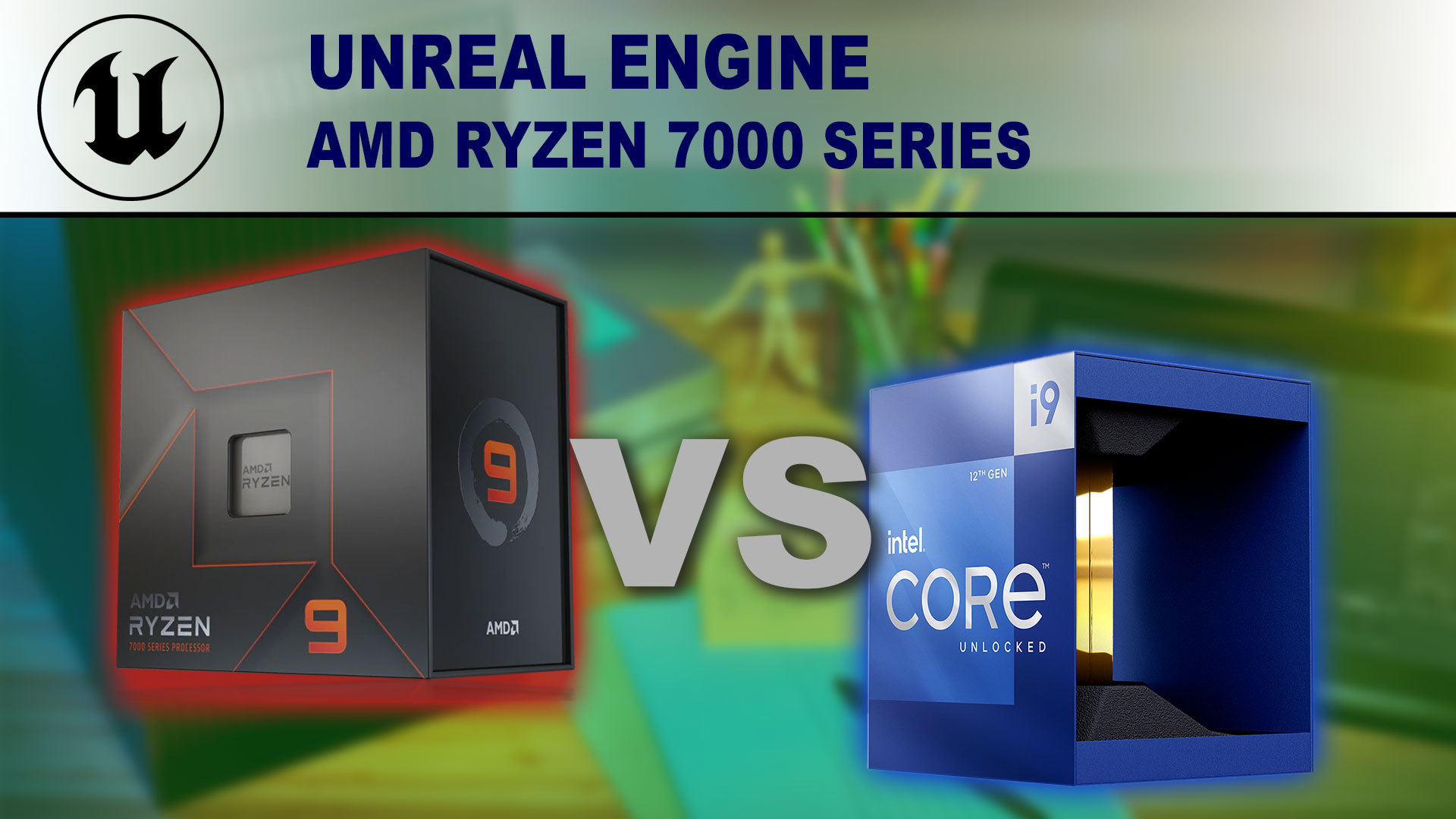
Puget Systems
AMD's new Ryzen 7000 Series of processors have arrived, promising faster performance along with new features like support for DDR5 memory. The previous gen Ryzen 5000 already faired well against Intel's 12th generation in Unreal Engine. Will AMD be able to improve its lead with these new CPUs?
 sand nexus
Hello, Im trying to get an installed build going on a separate computer so my friend can work on audio. But the problem is, it cant seem to compile c++ projects. Is there anything i need to run to get build rules and other suff going or did i mess up when I made the build?
tired bolt
I noticed that there is now a dedicated branch for UE5.1 https://github.com/EpicGames/UnrealEngine/tree/5.1
It is now only accepting fixes for blocking issue like crashes, so I bet that we will see an experimental build quite soon now 🎉
tired bolt
tired bolt
I noticed that there is now a dedicated branch for UE5.1 https://github.com/Epic...
The 5.1 branch is currently open for critical bugs only
source https://github.com/EpicGames/UnrealEngine/pull/9553#issuecomment-1268609619
5.1 experimental really is just around the corner 🙂
sand nexus
Can somebody please point me in the direction where I could find out how to make an Installed build be able to create c++ projects. there has to be something I can run to generate the necessary build rules and stuff (solodev trying to figure this out so I can have a friend help me out with audio a bit). Please
sand nexus
ERROR: Unhandled exception: Tools.DotNETCommon.JsonParseException: Unable to parse C:\Users\someone\Documents\InstalledDDC\Engine\Intermediate\Build\BuildRules\UE4RulesManifest.json: Index was outside the bounds of the array.
This is what i get when creating a c++ project with my installed build
The file in the error is an empty json
How does one populate that file?
ornate rose
tired bolt
I noticed that there is now a dedicated branch for UE5.1 https://github.com/Epic...
Do you think 5.1 will support pathtracing for Nanite? or will be in 5.2?
tired bolt
ornate rose
Do you think 5.1 will support pathtracing for Nanite? or will be in 5.2?
I don't know but I think it would be mentioned in the roadmap
https://portal.productboard.com/epicgames/1-unreal-engine-public-roadmap/c/846-path-tracing-improvements
 cursive spoke
Does anyone know how to compile engine source on windows so that it has iOS support? (5.0.3)
https://docs.unrealengine.com/4.27/en-US/SharingAndReleasing/Mobile/iOS/Windows/
shows how to leverage a mac to build and package an iOS build from a windows editor, but their steps assume "iOS" shows up in the Edit -> Project Settings -> Platforms, but that is not true when GenerateProjectFiles.bat does not build for iOS.
iTunes was installed prior to running the setup scripts, but did not seem to help.

How to remotely compile on a Mac from a Windows machine to create an iOS build.
cursive spoke
Ok, I tracked it down. MobileDevice.dll was too new of a version
ornate rose
tired bolt
I don't know but I think it would be mentioned in the roadmap
https://portal.pro...
True. I think that would come for 5.2.
 tacit slate
wait, there's a 5.1 branch now?
tacit slate
yeah, I didn't check in the last weeks (I was on vacation)
nova sleet
5.1 preview appeared on the launcher
coarse canyon
hmm nothing happens when I click Install on it?
 lyric tiger
Same here.
lone scaffold
I have been always looking for the actual utilization of TObjectPtr lazy loading in the engine. Is this it?
https://github.com/EpicGames/UnrealEngine/commit/3476777206ad6a58a86065f87af8803f010546a6
 dark spindle
Probably
lone scaffold
Yeah, seems BP is also updated internally to use them, so these types won't require full loading when referenced from BPs
coarse canyon
You think this is tied into the Virtual Assets feature?
lone scaffold
Hmm, not sure. I personally think not. I think this is about not loading all referenced objects when some asset is opened. Search for @TODO: OBJPTR actually revealed more of these. Basically faster asset opening in editor, lower RAM consumption and potentially also faster editor startups.
Virtual assets feel like a separate feature which just downloads the asset from server when used.
Maybe it could eventually lead to deferring virtual assets downloading until they are truly used, so there can be some link. But right now it seems LazyOnDemand meta is added to different classes than the ones using virtual assets.
coarse canyon
lone scaffold
Hmm, not sure. I personally think not. I think this is about not loading all ref...
That alone is indeed a good change. I was investigating a slowdown opening an asset recently and checked what was happening behind the scenes.. whoa, almost all the project was being loaded at once.
And yeah I remember when they originally recommended using TObjectPtr, they said it was mainly for editor perf and future enhancements. It wont affect performance in a cooked build
lone scaffold
coarse canyon
That alone is indeed a good change. I was investigating a slowdown opening an a...
yes, it is a repeating problem for us too. All you need is a few BP casts going against common abstractions.
thick storm
i doubt that TObjectPtr will solve this problem
at best it will move it in different direction
you still need to everybody use FPrimaryAssetId or Soft references
lone scaffold
yeah, definitely not but there are todos for switching even UFunction to it. That could improve it for editing experience.
thick storm
I mean if opening assets in editor is slow, it's gonna be slow in game as well : D, so it's better not to hide that problem behind another smart pointer
because TObjectPtr<> is not going to work outside of editor build
coarse canyon
thick storm
I mean if opening assets in editor is slow, it's gonna be slow in game as well :...
Cooked assets load faster and with less data the editor needs 🙂
thick storm
I know, but if it load half of project it is still not good ;d
 wintry coral
Is there a Mac osx version of unreal? I am trying to pack a Mac game and I need to find unreal osx version but I can't
coarse canyon
thick storm
I know, but if it load half of project it is still not good ;d
Im not sure it does? Ive been assuming thats probably an editor only artifact? But I actually havent tested if its different in cooked build vs editor
thick storm
Afaik outside of editor TObjectPtr evaluates just to raw pointer
As the metadata is not accessible outside of editor
You still should make sure to use soft references
 kindred cobalt
Anyone know of a primer for extending unreal's navigation/pathfinding system? I want to implement a flow field navigation method that utilizes & integrates with the existing navmesh functionality.
lone scaffold
coarse canyon
Im not sure it does? Ive been assuming thats probably an editor only artifact? B...
editor loads additional referenced assets based on hard references and these are resolved same way in cooked game - by loading referenced assets. If your asset loads half of the project in the editor, I am 99% sure it does so also in the cooked version.
lone scaffold
kindred cobalt
Anyone know of a primer for extending unreal's navigation/pathfinding system? I ...
Try #gameplay-ai but there is no good material I am aware of. You are probably on your own.
kindred cobalt
lone scaffold
Try <#221798778208780288> but there is no good material I am aware of. You are p...
Yeah I figured ai would be more about behavior trees and not engine deep code. I'll give it a shot though, thanks.
ornate rose
5.1 preview has been released but will have to stick with the github branch as the pathtracer supports nanite. Hopefully we see it in 5.2 preview release.
 green briar
More of a git related thing, but is there a decent way to set the default editor map per branch? I figure you'd need to untrack the ini file after being set to the right one for each branch (otherwise an eventual merge would undo the change anyway)? Any other ways that I'm missing?
thick storm


something interesting is happening i would say

im gonna check it but from description it's something similiar to marvelous
now im really waiting till they developed ML assisted tools
for skinning in editor 😄
ornate rose
Anyone sucessfully build from ue5 main in the last two days? Keep getting errors when I build in visual studio 2022
After you do a git pull, and run setup bat, and generate project files. bat, do you need to delete the ue5.sln file if you need to rerun setup.bat and GenerateProjectfiles.bat?
Thanks for the help. But I don't want ue5.1 preview. I am trying to get ue5main specifically. Will keep pulling till it works.
Is it better to Clean before rebuild in VS?
Ok. Thanks. If I am correct, after a pull, when you rerun setup and generateprojectfiles.bat, when you click on ue5.sln and open in VS, you click rebuild, right? Not build.
thick storm
just if anyone wonder, the pattern cloth editor is unusable
everytime i fix some crash there is another one, guess I will wait few days ;
ornate rose
Ok. So using build instead of rebuild will take less time to compile. Thanks.👍
swift pumice
How long does everyone's source builds usually take? Mine take 2-3 hours on a 10900k and I cant help but feel something is way off. I have a m.2 ssd and 64Gb of ram so there shouldnt be any bottleneck
dark spindle
swift pumice
How long does everyone's source builds usually take? Mine take 2-3 hours on a 10...
Depends if it's a full build or a project build
swift pumice
Usually i just right click on the UE5 subproject and it throws 5000 files to compile
dark spindle
Assuming that's in your project's solution and not the full engine itself, i'd look at any plugin you're not using and disabling it
I usually get more in the 2500 range
swift pumice
Sorry, i wasnt clear. Its the engine source
Just went to do a project only build and this is what i get
 dark spindle
swift pumice
Sorry, i wasnt clear. Its the engine source
dark spindle
swift pumice
Sorry, i wasnt clear. Its the engine source
Okay but the engine source should ideally be built from your project's Visual solution, rather than the UE5.sln file in the engine folder.
swift pumice
Oh really? Ive always just done it through the UE5 solution
dark spindle
There's your problem
dark spindle
Make sure to disable unused plugins from your editor
Personally I have somewhat worse specs on my hardware and engine builds take about one hour usually
swift pumice
Gotcha, I cant head into the editor due to the engine not being built but do you have any recommendations for heavy plugins to disable so I can do it in my uproject?
dark spindle
Any you're not actively using
swift pumice
thanks ill be sure to do that
thick storm
ok I managed to patch the cloth plugin enough to at least start editor
and yeap it is simplified Marvelous
you can make cloth from patterns, simulate it and skin it
also there is experimental skeletal mesh editor
which while not really working also have options to edit skeletal meshes and skin them
I see Epic don't want you to ever leave the unreal editor 😄
coarse canyon
thats amazing! Thanks for the info @thick storm
 queen ridge
Anyone using ue5-main and able to build and package a project? If so please let me know which commit you’re using, thanks.
ornate rose
Another error while building
 ornate rose
Did another git pull, still compile errors. If anyone builds successfully, pls let us know if it works.
 lament oracle
Failed to find shader type FSSDSpatialAccumulationCS in Platform SF_VULKAN_SM5
Attempting to launch UE5.0.1 on vulkan throws this
 steep sun
Building DLSS plugin for 5.1 but getting build errors like ":\DLSS\DLSS510PreBuild\HostProject\Plugins\DLSS\Source\DLSS\Private\DLSSUpscaler.cpp(667): error C2923: 'TSharedPtr': 'ICustomStaticScreenPercentageData' is not a valid template type argument for parameter 'ObjectType'"
Why was CustomStaticScreenPercentage.h and CustomEditorStaticScreenPercentage.h deleted from 5.1 brnach?
Is DLSS NOT compatible with 5.1?
I'm trying to RUNAUAT.BAT on the DLSS plugin to rebuild it for 5.1. Was some fundamental change in DLSS expected?
heady sparrow
Looks like network prediction is alive? https://github.com/EpicGames/UnrealEngine/commits/ue5-main/Engine/Plugins/Runtime/NetworkPrediction
dark spindle
steep sun
Is DLSS NOT compatible with 5.1?
No, it's not
Like any code plugin it will be updated when 5.1 is available for good
ornate rose
Anyone able to build ue5 main recently?
heady sparrow
ornate rose
Anyone able to build ue5 main recently?
yeah, I had to make some world leak checks not fatal though 😓
I can get the commit ID if you like
 languid kayak
f467590f16e904248e76b31e4eb6d06a055813e2
ornate rose
languid kayak
`f467590f16e904248e76b31e4eb6d06a055813e2`
Thanks. My sincere apologies about the question I am about to ask. To do a git pull using the commit ID, you use'' git tag f467590f16e904248e76b31e4eb6d06a055813e2''?
after entering '' git pull origin ue5-main '' ?
heady sparrow
ornate rose
Thanks. My sincere apologies about the question I am about to ask. To do a git p...
git merge f467590f16e904248e76b31e4eb6d06a055813e2 after you have it fetched
cherry picking might help... unsure
I generally just git extensions around
ornate rose
heady sparrow
`git merge f467590f16e904248e76b31e4eb6d06a055813e2` after you have it fetched
Ok. so use git fetch f467590f16e904248e76b31e4eb6d06a055813e2 first before merging. Thanks.
 dense phoenix
@ornate rose I think you want to git checkout not git pull or git merge so:
git fetch ue5-main
git checkout ue5-main
git pull origin ue5-main
(make sure you are in root directory of repo)
git checkout f467590f1 .
(don't for get the dot)
I have never git merged a previous commit from the same branch to the same brach. Have no idea what it does.
ornate rose
dense phoenix
<@866436780995903558> I think you want to `git checkout` not `git pull` or `git ...
Thanks a ton
@dense phoenix Sorry when you say in root directory of repo, you mean the git folder on your local hard drive?
heady sparrow
oh yeah, I neglected the checkout step
dense phoenix
that is git project root
heady sparrow
my bad
dense phoenix
ornate rose
@dense phoenix Thanks 👍
ornate rose
heady sparrow
my bad
No worries man. Appreciate the commit ID you shared👍 Thanks again.
heady sparrow
Git Extensions makes me forgot what I'm doing with raw git commands
ornate rose
No worries. I am not familiar with building and git at all. Too much stress to wrap my head around tbh. Just want to make art. Hoping to try out pathtracer with nanite support. I am wondering if that feature will make it into 5.1's full release.
ornate rose
@dense phoenix I am not sure if I am doing this correctly🙏

Am I supposed to add the https://github.com/EpicGames/UnrealEngine after git checkout f467590f1?
I created my initial repository using git clone -b ue5-main --single-branch --depth=1 . So maybe thats why it saying it needs a worktree?
glacial hedge
I am working on getting Unreal Engine Source to pull via Jenkins, the issue is... it says the repo doesnt allow username and password pulls anymore. Does this mean I need to create a key on my GithubAccount and then try to link that via the Jenkins credentials system?
anybody has luck doing this?
I got the entire rest of the pipeline working. Would love to get a pull request from the repo + engine source build automated with a press of a jenkins job
glacial hedge
"Failed to connect to repository : Command "git.exe ls-remote -h -- https://github.com/EpicGames/UnrealEngine.git HEAD" returned status code 128:
stdout:
stderr: fatal: Cannot prompt because user interactivity has been disabled.
remote: Support for password authentication was removed on August 13, 2021.
remote: Please see https://docs.github.com/en/get-started/getting-started-with-git/about-remote-repositories#cloning-with-https-urls for information on currently recommended modes of authentication.
fatal: Authentication failed for 'https://github.com/EpicGames/UnrealEngine.git/'"

GitHub Docs
is the error I get when I put the rpo into the GIT URL of Jenkins
glacial hedge
If I try using my SSH, i get this:
"Failed to connect to repository : Command "git.exe ls-remote -h -- git@github.com:EpicGames/UnrealEngine.git HEAD" returned status code 128:
stdout:
stderr: Host key verification failed.
fatal: Could not read from remote repository.
Please make sure you have the correct access rights
and the repository exists."
ornate rose
How do I that? with git config?
ornate rose
Thanks.
ornate rose
Its downloading now with git fetch origin commit ID and use git reset after. Thanks.👍
dense phoenix
ornate rose
<@221121461954412545> I am not sure if I am doing this correctly🙏
Git checkout <git-hash> . (With no url) I was referencing the directory online with the url.
There is no such thing as a commit ID. Those are hashed representations in SHA1 format of the code at that commit.
The dot after the hash tells git to change all files in this directory and all sub directories.
Here are some guides that might help. https://devopscube.com/checkout-clone-specific-git-commit-id-sha/

DevopsCube
There are scenarios where you might need to checkout or clone from a specific git commit id. This blog explains the steps involved in checking out a specific git commit ID (SHA).

Stack Overflow
What is the difference between git checkout [commit-name] and git checkout [commit-name] . ?
I saw that the first command changes to detached head state, where you can commit up from there and go ...
Git works in Unix systems, which is not windows.
Git bash for windows is a good way to do it.
git reset --hard $SHA1 deletes your work so I don’t use anything with —hard or -f unless someone has committed secrets or something
dark spindle
I mean, commit hashes are quite commonly referred to as IDs, even in the official doc. And Git works fine in any terminal on Windows, there's no need for Bash (Git also installs its own anyway)
dense phoenix
Oh, I have never heard of a git ID. But id’s are not hashes in my opinion. But yes most certainly they can be used to identify a commit. The dot part only works in *nix systems.
dark spindle
That's not true either
The git command line works the same everywhere, for the most part
dense phoenix
It works yes. I have messed up my work tree in windows git with dot before. The reason is trivial.
#engine-source message https://www.howtogeek.com/devops/how-to-set-up-https-personal-access-tokens-for-github-authentication/

How-To Geek
As of August 2021, Github has removed support for using your account password from the Git command line. You can still use HTTPS, but you will need to set up a Personal Access Token to use instead of your password.
You can use personal access token or ssh.
dense phoenix
dark spindle
I mean, commit hashes are quite commonly referred to as IDs, even in the officia...
Git bash is an emulator so not really windows. You probably know this. I was assuming that the person previously with the git problems was using git without git bash emulator.
Sorry I am on a train.
dense phoenix
glacial hedge
If I try using my SSH, i get this:
"Failed to connect to repository : Command "...
How-To Geek
As of August 2021, Github has removed support for using your account password from the Git command line. You can still use HTTPS, but you will need to set up a Personal Access Token to use instead of your password.
Sorry this has become a git channel. Maybe we need one.
dark spindle
There is one
dark spindle
dense phoenix
Git bash is an emulator so not really windows. You probably know this. I was ass...
For the record, all Git commands behave the same in the regular Windows terminal
There is no need for the Git Bash specifically, other than comfort
glacial hedge
@dense phoenix I did that, still getting errors
"Building in workspace C:\ProgramData\Jenkins.jenkins\workspace\ZeroDay Genesis\100 - Pull
The recommended git tool is: NONE
using credential f9f8ba55-0eac-4104-867b-881721c58cc0
Cloning the remote Git repository
Cloning repository git@github.com:EpicGames/UnrealEngine.git
git.exe init C:\ProgramData\Jenkins.jenkins\workspace\ZeroDay Genesis\100 - Pull # timeout=10
Fetching upstream changes from git@github.com:EpicGames/UnrealEngine.git
git.exe --version # timeout=10
git --version # 'git version 2.38.0.windows.1'
using GIT_SSH to set credentials
Verifying host key using known hosts file
You're using 'Known hosts file' strategy to verify ssh host keys, but your known_hosts file does not exist, please go to 'Manage Jenkins' -> 'Configure Global Security' -> 'Git Host Key Verification Configuration' and configure host key verification.
git.exe fetch --tags --force --progress -- git@github.com:EpicGames/UnrealEngine.git +refs/heads/:refs/remotes/origin/ # timeout=10"Is what Jenkins is saying. For some reason it cant auth. I am going to look into the global config of jenkins, but its like its ignoring it all together.
I modified the hosts process to accept all keys (for testing) and the error on the website changes
"Failed to connect to repository : Command "git.exe ls-remote -h -- git@github.com:EpicGames/UnrealEngine.git HEAD" returned status code 128:
stdout:
stderr: Load key "C:\Windows\TEMP\jenkins-gitclient-ssh2549327320223930859.key": invalid format
git@github.com: Permission denied (publickey).
fatal: Could not read from remote repository.
Please make sure you have the correct access rights
and the repository exists."
do I have to export my key and load it into Jenkins some place?
coarse canyon
sigh.. someone blocked the Git sync again with a huge PR with thousands of files..
dense phoenix
glacial hedge
<@221121461954412545> I did that, still getting errors
"Building in workspace C...
Are you using ssh or https? personal access token is for https
ssh errors are quite a hassle
dense phoenix
dark spindle
For the record, all Git commands behave the same in the regular Windows terminal
It has to do with windows vs nix filesystems. it's not important if you are strictly in windows. i agree windows commands work exactly the same. I just lost a lot of time with this difference once.
glacial hedge
@dense phoenix ill be honest, I have no clue what I am using 😛
i followed the steps the link you sent me
created that token


and this is the error that I get when I attempt to run it via jenkins

i set it for GITHUB project
and then under Source Code Management I get this

The goal, or intent, is when I run the build (or chronjob it) it will do a pull/fetch so that the local repo on my machine is up to date with the newest engine changes.

This way, I do a pull, complies the engine, gets latest from P4 (this works) builds my server, builds my client and then distributes it. Everything is working but the pull...
So, any help or guidance is certainly appreciated. I can do this manually of course (and I have been) just trying to get this working with Jenkins
Interesting note, when I go to the ssh clone option on the UnrealEngine page, this is what I see

the key you linked me to make, does not seem to "like" the ones that Epic is requesting

This is what it wants me to make
I was following this "string of thought" a bit ago. I created a local key on my build machine and then tried to load that in, but it seems that didnt work... so, any guide or ideas on how to get that to work might be the answer. Seems so silly.... but I get it for security reasons
dense phoenix
jenkins plugin uses ssh i think
glacial hedge
I think so as well, but trying to figure out where I am missing the link here. Seems like jenkins isnt pulling my github stuff to supply to Epics repo
dense phoenix
add credentials
and change the url to the https one
add personal access token to the credentials
 dense phoenix
did you make a personal access token?
that should be in place of where you put a password
glacial hedge
 dense phoenix
generate a new token and copy paste it into credentials


 glacial hedge
ype, did that
k, one sec
... that might have worked.... you devil dog you
and this branch, should be release, right?
 glacial hedge
k, cause I put release in there, and this is the build error i get
I am doing UE5

its looking for origin for some odd reason
dense phoenix
so not ssh username and password
just username and password
ue5 branch is ue5-main
glacial hedge
yeah, i put that in there, but its still looking for origin.... need to do some digging
dense phoenix
you can set up ssh if it really wants it
that is a different thing in github
https://github.com/settings/keys there are help documents there
GitHub
GitHub is where people build software. More than 83 million people use GitHub to discover, fork, and contribute to over 200 million projects.
glacial hedge
copy, going to look into that. thanks
 junior hare
Hiya, does anyone know where the rendering for the transform tool is done? I'm sick of the bug where it inverts when you get too close when it's editing a parented actor and am going to fix it

Found it, UnrealWidgetRender.cpp for any future searchers. rendering is done in FWidget::Render_Rotate, FWidget::Render_Translate, etc
ornate rose
dense phoenix
Git checkout <git-hash> . (With no url) I was referencing the directory online w...
I did try that in line 11 of the image :#engine-source message
It says this operation must be run in a work tree
dense phoenix
i don't think i've ever gone into the .git folder
not sure if a work tree exists in .git directory
that's not the root though for sure
trying to recreate but it taking a good long while
#source-control looks like experts in all things like this though @ornate rose
ornate rose
dense phoenix
<#375019235853729805> looks like experts in all things like this though <@866436...
Appreciate the help. Thanks.
git fetch origin commit ID seems to work. I think its because I did a git clone of ue5main only and not the whole repository?
dense phoenix
git pull = git fetch + git merge. Git fetch doesn’t change any of your files. It just gets the git metadata that contains the file changes. Git fetch —all will get all branches metadata from remote repo, but no code changes. If someone pushes a new branch to the remote repo on GitHub after you cloned it, you have to fetch it before checking it out. @ornate rose
Git fetch might include code in a new branch fetched. It just doesn’t change existing code on your local repo.
I don’t remember.
ornate rose
@dense phoenix I used git pull origin commit ID and I have downloaded it to my local repository. I then used git reset --hard FETCH_HEAD. Ran setup.bat and GenerateProjectFiles.bat. I am building now using VS currently. Fingers crossed. I don't know why git checkout doesn't work. I had an initial error whenever I opened the ue5.sln file. Turns out I had to delete the .suo file in the .vs folder. So it works now.
The hassles of building ue5 are worth writing a book about lol 😆 I get the ue5main is only meant for testing but it would be nice if they could just have a snapshot at intervals so that ppl who want to test can try it. Instead of ppl going to so much length to find the last commit ID that worked.
ornate rose
Still getting this error: #engine-source message
I keep getting this anytime I build.
Maybe I ahould delete the whole folder and restart again?
dark spindle
ornate rose
Still getting this error: https://discord.com/channels/187217643009212416/375021...
Show the actual compiler output, error list is always wrong.
ornate rose
dark spindle
Show the actual compiler output, error list is always wrong.
Its still building atm over 4 hrs now.
ornate rose
dark spindle
Show the actual compiler output, error list is always wrong.
If I check the errors tab. Thats shows up. Or should I ignore it?
dark spindle
Yes, the error tab is 100% bullshit and should never be looked at
The compiler log is the ground truth
(And if the engine build takes more than an hour, you probably want to move everything to an SSD or NVME drive, invest in RAM, compile only from your C++ project's solution, disable all plugins)
ornate rose
dark spindle
(And if the engine build takes more than an hour, you probably want to move ever...
Ok thanks. Might be the ssd. I am using a 64gb ram laptop so I am not sure why. I will try to be patient.
@dark spindle Nope. Didn't work


I get this error when I try to run unrealeditor.exe
dark spindle
ornate rose
<@223305281700888576> Nope. Didn't work
So what is the error in that window now?
ornate rose
dark spindle
So what is the error *in that window* now?

Or am I supposed to update VS 2022 to the latest update?
dark spindle
ornate rose
That's the error window - close it and never look at it again in your entire life
Show the compiler error in the output log
ornate rose
dark spindle
Show the *compiler error* in the *output* log
This? (44,5): error MSB3073: The command "....\Build\BatchFiles\Build.bat -Target="UnrealEditor Win64 Development" -Target="ShaderCompileWorker Win64 Development -Quiet" -WaitMutex -FromMsBuild" exited with code 6.
8>Done building project "UE5.vcxproj" -- FAILED.
dark spindle
No
The actual error, earlier, above in the log
That's just saying the build failed
ornate rose
\Win64\UnrealEditor\Development\NNXUtils\UnrealEditor-NNXUtils.suppressed.exp
8>libprotobuf.lib(any.obj) : error LNK2001: unresolved external symbol __imp___std_init_once_begin_initialize
8>libprotobuf.lib(map_field.obj) : error LNK2001: unresolved external symbol __imp___std_init_once_begin_initialize
8>libprotobuf.lib(extension_set_heavy.obj) : error LNK2001: unresolved external symbol __imp___std_init_once_begin_initialize
8>libprotobuf.lib(text_format.obj) : error LNK2001: unresolved external symbol __imp___std_init_once_begin_initialize
8>libprotobuf.lib(dynamic_message.obj) : error LNK2001: unresolved external symbol __imp___std_init_once_begin_initialize
8>libprotobuf.lib(wire_format.obj) : error LNK2001: unresolved external symbol __imp___std_init_once_begin_initialize
8>libprotobuf.lib(implicit_weak_message.obj) : error LNK2001: unresolved external symbol __imp___std_init_once_begin_initialize
8>libprotobuf.lib(descriptor.obj) : error LNK2001: unresolved external symbol __imp___std_init_once_begin_initialize
8>libprotobuf.lib(reflection_ops.obj) : error LNK2001: unresolved external symbol __imp___std_init_once_begin_initialize
8>libprotobuf.lib(arenastring.obj) : error LNK2001: unresolved external symbol __imp___std_init_once_begin_initialize
8>libprotobuf.lib(message_lite.obj) : error LNK2001: unresolved external symbol __imp___std_init_once_begin_initialize
8>libprotobuf.lib(message.obj) : error LNK2001: unresolved external symbol __imp___std_init_once_begin_initialize
8>libprotobuf.lib(generated_message_reflection.obj) : error LNK2001: unresolved external symbol __imp___std_init_once_begin_initialize
8>libprotobuf.lib(any.obj) : error LNK2001: unresolved external symbol __imp___std_init_once_complete
8>libprotobuf.lib(map_field.obj) : error LNK2001: unresolved external symbol __imp___std_init_once_complete
8>libprotobuf.lib(extension_set_heavy.obj) : error LNK2001: unresolved external symbol __imp___std_init_once_complete
8>libprotobuf.lib(text_format.obj) : error LNK2001: unresolved external symbol __imp___std_init_once_complete
8>libprotobuf.lib(dynamic_message.obj) : error LNK2001: unresolved external symbol __imp___std_init_once_complete
8>libprotobuf.lib(wire_format.obj) : error LNK2001: unresolved external symbol __imp___std_init_once_complete
8>libprotobuf.lib(implicit_weak_message.obj) : error LNK2001: unresolved external symbol __imp___std_init_once_complete
8>libprotobuf.lib(descriptor.obj) : error LNK2001: unresolved external symbol __imp___std_init_once_complete
8>libprotobuf.lib(reflection_ops.obj) : error LNK2001: unresolved external symbol __imp___std_init_once_complete
8>libprotobuf.lib(arenastring.obj) : error LNK2001: unresolved external symbol __imp___std_init_once_complete
8>libprotobuf.lib(message_lite.obj) : error LNK2001: unresolved external symbol __imp___std_init_once_complete
8>libprotobuf.lib(message.obj) : error LNK2001: unresolved external symbol __imp___std_init_once_complete
8>libprotobuf.lib(generated_message_reflection.obj) : error LNK2001: unresolved external symbol __imp___std_init_once_complete
Is this the wrong error?
dark spindle
Check if UnrealEditor-NNXUtils is something you need. Again, strongly advsie compiling through your own C++ project
ornate rose
dark spindle
Check if UnrealEditor-NNXUtils is something you need. Again, strongly advsie com...
Ok Thanks. I am curious what might be causing it. Since other people have been able to build theirs. I am not sure if its something I need or not. Its definitely an experiemental plugin: [5441/5889] Link UnrealEditor-NNXUtils.dll
8> Creating library ..\Plugins\Experimental\NNX\Intermediate\Build\Win64\UnrealEditor\Development\NNXUtils\UnrealEditor-NNXUtils.suppressed.lib and object ..\Plugins\Experimental\NNX\Intermediate\Build\Win64\UnrealEditor\Development\NNXUtils\UnrealEditor-NNXUtils.suppressed.exp
If I don't need it. I can delete it and do a rebuild?
dark spindle
Again, just disable the plugin and build from your project
ornate rose
dark spindle
Again, just disable the plugin and build from your project
Ok. Thanks
ornate rose
dark spindle
Again, just disable the plugin and build from your project
Dumb question: How do I disable the plugin in Visual studio?

The only option I have is to delete it. I need to build ue5 to be able to open ue5 to disable the plugin.
Sorry where is .uplugin located? in the git folder?
found this: https://forums.unrealengine.com/t/error-msb3073-building-4-26-caused-by-extra-quotation-mark/471123/5
Unreal Engine Forums
Sorry, it’s been a while, but to the best of my recollection you can just use the traditional Windows 10 Command Prompt to run the batch file manually (I don’t know how to fix batch command that is generated by Visual Studio). I did it manually like this: Using File Explorer, navigate to the folder where your Build.bat file is located. In t...
Seems deleting the offending folder solved the issue. I will give it a go.
dark spindle
ornate rose
Dumb question: How do I disable the plugin in Visual studio?
You don't
You disable it in your uproject file, or the engine's Plugins list
ornate rose
dark spindle
You disable it in your uproject file, or the engine's Plugins list
can you pls tell me where the engine's plugin list is usually located?
dark spindle
Edit / plugins
ornate rose
dark spindle
Edit / plugins
In the git folder?
dark spindle
In the Unreal Editor
ornate rose
dark spindle
In the Unreal Editor
I can't do that because I can't build Unreal to access the Editor
dark spindle
You'll have to either edit the uproject manually, or use another Unreal build
Make sure you regularly disable unused plugins when upgrading the engine
You'll have compile time and avoid such issues
ornate rose
dark spindle
You'll have to either edit the uproject manually, or use another Unreal build
Ok. Thanks.
Ah. Thank you. I deleted the NNX folder and I am rebuilding in VS studio. Just a test to see if the build would be successful based on the ue forums post.
ornate rose
Hmmm...this is how the NNX.uplugin looks like now in VS after deleting it and currently rebuilding.

It has a red x which means its probably disabled. Fingers crossed.
thick storm
ornate rose
Dumb question: How do I disable the plugin in Visual studio?
add plugin to your uproject and set "Enabled" : false
ornate rose
Guys. It finally succeeded:

🙂
Turns out deleting the folder worked.
Thanks to everyone here who helped me. Won't be possible without your help 👍
 storm mesa
Building the engine is going pretty slowly, but cpu and memory aren't being used very much. Is this expected?
E: seems like starting the build with a decent amount of memory being consumed did not allow the build to fully utilize available resources. Going full speed now
 arctic wing
Hi, does anyone know if there's support for Unreal Engine as a Library in Unreal Engine 5? I'm trying to compile it as in docs, but there're still errors I can't resolve. It's all about IMPLEMENT_MODULE and IMPLEMENT_MODULE_USD


 strange swift
support for Unreal Engine as a Library
wot?
 vital hawk
strange swift
> support for Unreal Engine as a Library
wot?
vital hawk
strange swift
> support for Unreal Engine as a Library
wot?
New thing from 4.27
https://docs.unrealengine.com/4.27/en-US/SharingAndReleasing/BuildAsALibrary/
strange swift
vital hawk
New thing from 4.27
https://docs.unrealengine.com/4.27/en-US/SharingAndReleasing...
Huh
hidden hedge
arctic wing
Hi, does anyone know if there's support for Unreal Engine as a Library in Unreal...
https://docs.unrealengine.com/5.0/en-US/building-unreal-engine-as-a-library/
this is the 5.0 specific page, and it specifically mentions your project's Target.cs
arctic wing
hidden hedge
https://docs.unrealengine.com/5.0/en-US/building-unreal-engine-as-a-library/
th...
Yeah, I used that page, and thought that by project they meant unreal engine source project, screenshot of target.cs file from which I attached to my message. Is it target.cs file for some different project additionally to source code project?
hidden hedge
arctic wing
Yeah, I used that page, and thought that by project they meant unreal engine sou...
the "Target.cs for your project" is pretty clear cut
 agile sierra
Hello guys, stuck on something need help. I have been trying to bake light through GPU lightmass but i could not find any option to control Light bounces. Yes CPU lighmass has light bounce setting but not happy with the baking results of CPU. also little too time taking.
 gloomy jetty
Hey guys I am trying to install UE5 source using this video https://www.youtube.com/watch?v=_7TQynJ_TrQ. but in the video when they do "git tag" it goes to 5.0 while when i do it i only get to 4.17, any reason why?

In this video, we go over how to download the Unreal Engine source code from the Epic Games Github repository and build that source code in Visual Studio. In order to access the Github repo, we had to connect a Github account to an Epic Games account. We also discuss the various branches and tags in the repo so that you know which version of Unr...
sleek meadow
Is there a way to read GBuffer pixel data ?
coarse canyon
sleek meadow
Is there a way to read GBuffer pixel data ?
Wrong channel. Try #materials or #graphics
 untold fiber
what's the command to clear the cached console command history?
 tranquil jetty
trying to build 5.1 from git.... but getting this after building on tryiong to debug: Unable to read module manifest from '../../../Engine/Binaries/Win64/UnrealEditor.modules'. Module manifests are generated at build time, and must be present to locate modules at runtime.
A breakpoint instruction (__debugbreak() statement or a similar call) was executed in UnrealEditor.exe.
not sure what thats all about, previous versions built and ran just fine
missing dependancy?
normal vortex
https://github.com/NvRTX/UnrealEngine/releases/tag/nvrtx-5.0.3-2 you guys saw anything about "Shader Execution Reordering" on latest commits for ue5-main since 12th?
https://www.reddit.com/r/nvidia/comments/y1n72u/todays_benchmarks_likely_dont_include_the_new/ thats why im asking also

reddit
108 votes and 55 comments so far on Reddit
 turbid sigil
normal vortex
https://github.com/NvRTX/UnrealEngine/releases/tag/nvrtx-5.0.3-2 you guys saw an...
turbid sigil
normal vortex
https://github.com/NvRTX/UnrealEngine/releases/tag/nvrtx-5.0.3-2 you guys saw an...
No? All the commits are in the branch nvrtx-5.0 on nvidias fork which you linked to
stable hemlock
Is there a way to compile the engine source like a launcher build ? So it does not do 250gb.. ?
thick storm
normal vortex
https://github.com/NvRTX/UnrealEngine/releases/tag/nvrtx-5.0.3-2 you guys saw an...
It's hardware feature
it doesnt need to be implemented
like branch prediction on cpu
normal vortex
stable hemlock
Is there a way to compile the engine source like a launcher build ? So it does n...
https://dev.epicgames.com/community/learning/tutorials/Jd3M/creating-a-custom-install-build-with-ue5 but i never got it build because of the errors

Epic Developer Community
I've updated my UE4 white-paper on how to make a custom install build and created a video tutorial based on my first install of UE5. This takes you tho...
lone scaffold
Are you telling me that I won't need to wait for ages when right clicking dozens of selected asset?
 hidden hedge
took a long time
thick storm
I do hope it comes to mainline sooner than later
hidden hedge
might be the first public outing for verse
thick storm
yeah, i guess they will add verse in 5.2
im really interested in tools that allow to modify game live from editor
that was beyond awesome
lone scaffold
sounds game specific / like something they would like to keep for FN only. But Verse is coming.
thick storm
still I guess it has something to do with commits "cooked editor"
and seems like something which can be a plugin
stable hemlock
thick storm
yeah, i guess they will add verse in 5.2
there's no specific code for verse on the p4 ?
lone scaffold
Last time I checked P4 was more or less same stuff as git. I think they moved away from UE4 approach where licensees had access to a lot of WIP stuff. Also a lot of development is now happening in Main but in Restricted folders which are private.
 vale fractal
How can I pull ULevel metrics, like number of blueprints referenced and file size? I wanna use this for an editor tool
strange swift
vale fractal
How can I pull ULevel metrics, like number of blueprints referenced and file siz...
I believe in order to answer this, you'll have to find it within the engine code for yourself
It looks like Level.h/cpp - ULevel::AddReferencedObjects might be a good starting point.
 tepid marsh
Adding a source effect preset to a source effect preset chain, and then referencing that chain in a Sound Cue will cause the source effect to not load correctly when restarting Unreal 5.0.3 due to "because its class (SourceEffectPreset) does not exist". Any ideas here? I am suspecting that there is a loading phase issue here but not sure what to alter in order to get it working.
vale fractal
strange swift
It looks like `Level.h/cpp - ULevel::AddReferencedObjects` might be a good start...
I’ll take a look here, thank you!
vale fractal
strange swift
I believe in order to answer this, you'll have to find it within the engine code...
I ended up deciding that’s what I needed to do. Yesterday I dug through AssetData, ContentBrower/ContentBrowserData, and EditorUtilityLibrary.
summer pelican
vale fractal
How can I pull ULevel metrics, like number of blueprints referenced and file siz...
Have a look at the SizeMap tool, it shows referenced objects for a given asset and the estimated size of each of those assets. It works on levels as well:

Yes, I meant to have a look at how it was set up as it will have the relevant functions inside of it. While I don't know the exact functions needed that tool should be a good reference point
vale fractal
Thanks, I’ll dig around that
 plain wedge
Hi, how can I change the project version from ue5_main branch to release?
coarse canyon
plain wedge
Hi, how can I change the project version from ue5_main branch to release?
Depends on what version your main branch is. If you are already using a version higher than the release version, then you cant. If you are using main that is version 5.1, then you can move your project over to 5.1 when its released soon or use the preview release.
coarse canyon
5.1 preview 2 is out on launcher 🙂
 stark tiger
Hi All, I want to dig into the engine source to figure out where the networking code is located to play with some experimental ideas on possible P2P integrations. Yea, I know that some have said that this is not a good approach, but I have some ideas that might be interested to test out. With one of them being for the nodes to serve many small files like I saw in a recent YouTube video on UE5 about how many developers can work on the same map levels and world at the same time by having each asset as an individual chunk. Could be something there for world serving, I think.
 amber junco
hi
is there an easy way to say which version u have via source code files ? i cant launch the editor
there seems no info in readme or anywhere
ok got it. under engine/build/version or something
summer pelican
amber junco
is there an easy way to say which version u have via source code files ? i cant ...
Engine\Source\Runtime\Launch\Resources\Version.h will show the engine version
amber junco
ty
coarse canyon
Looks like the Horde suite of tools are going to be branded under "Unreal Cloud"
https://github.com/EpicGames/UnrealEngine/commit/878b748a8ce7fc3761533379a7ef02cd1912be26
thick storm
still waiting for Skein ;D
coarse canyon
I'm hoping for a Fortnite Creative 2.0 announcement along with Verse 😄
thick storm
im 99% sure it releases in december
turbid sigil
before I start on this long path, no one has ported VRWorks to any version past 4.18 right? I've searched for a bit and found nothing, but want to make sure no one has done this before I sink hours into it
hidden hedge
thick storm
still waiting for Skein ;D
I still reserve a bit of skepticism over Epic rolling their own VCS. It'll be essentially be unproven (PlasticSCM flashbacks, and that one still has weird problems) and I'd hate the EULA to restrict its use exclusively with Unreal
 small isle
hidden hedge
I still reserve a bit of skepticism over Epic rolling their own VCS. It'll be es...
small isle
hidden hedge
I still reserve a bit of skepticism over Epic rolling their own VCS. It'll be es...
Rightfully so. But I'm hopeful for something new to shake up the status quo. Git itself is great for code but Git+lfs is...... Okish for games. Haven't used plastic. Perforce has some annoyances but is my favourite of the bunch for this purpose.
But skepticism is definitely warranted.
It's a very high risk to use a new vcs, and it's very easy for a bug to corrupt everything
hidden hedge
Like Visual SourceSafe of old
small isle
I'm lucky enough to have avoided that. Started with svn around 03-04
hidden hedge
I'd be less skeptical if it was a true open source project that isn't tied to Unreal. Like storing web projects, and at my old job we had projects on other engines
Well same but I've heard the stories online
small isle
Yep. I love the origin story of git. I'd love something like that designed from the ground up for mixed use of code and binaries
hidden hedge
We'll see once there's more info than random references being scraped from commits
lone scaffold
coarse canyon
Looks like the Horde suite of tools are going to be branded under "Unreal Cloud"...
This is a good thing. It is not Horde itself. It is Horde Storage which was already once renamed, I think from Jupiter. As far as I understand, Horde Storage does not have that many things in common with Horde. Horde Storage is a backend for uploading and downloading big binaries. I think it is developed mainly because of shared derived data cache in cloud. In UE4 this was usually done by having DDC on AWS as S3 storage.
coarse canyon
Yeah there is a talk at UnrealFest by the Coalition about using Horde Storage and its already called Unreal Cloud DDC there. Just made me wonder if they are using that branding for all of the tools.
lone scaffold
I was under the opinion that they want to use it as a more generic binaries storage, so the renaming to "DDC" surprised me a bit. I imagined it as something what could also store big artifacts for Horde like packaged games and possibly also shared intermediate files for devs for fast iterative cooks.
coarse canyon
Yeah good point.
Has anyone dug into the new Virtual Assets feature in 5.1 yet? I've been wondering if it requires Perforce or uses something like the Horde Storage feature
A lot of teams (mine included) are working fully remote, distributed across multiple countries. So any features that help with that (and not needing a central office server setup) are going to be great
thick storm
Virtual Assets were at some point tied to Jupiter
I think they still need Horde Storge aka Cloud Storage
I tried to test it, but got stuck at deploying horde, it's docker container.. but I cloudn't figure out all the configuration
thick storm
so it Rquires ScyllaDB, that would explain why it is hard to deploy ;
 urban lagoon
Hi everyone, I have a question about Epic Games Launcher recognising source engine build. The thing is, I have built UE 4.27 and UE 5.0 from source and installed Epic Games Launcher after that in order to install a plugin. But EGL does not show any UE versions available. I was told that the only way to install the plugin is to install a stock 4.27 and/or 5.0, install the plugin to that stock version and then copy the plugin to the one built from source. Is this really the only way?..
strange swift
urban lagoon
Hi everyone, I have a question about Epic Games Launcher recognising source engi...
Unless you can find the raw plugin files somewhere then yeah just do that
coarse canyon
urban lagoon
Hi everyone, I have a question about Epic Games Launcher recognising source engi...
Why do you want your source builds in the launcher? I've not had to do that once. If its simply to install a plugin that will install to Engine only, then yes install to a vanilla engine version, then copy the plugin files into your game folder (IMO you should always do that anyway)
Only you install (say for 5.0), you can find your plugin files here:
C:\Program Files\Epic Games\UE_5.0\Engine\Plugins\Marketplace\
urban lagoon
Thanks!
tired bolt
coarse canyon
Why do you want your source builds in the launcher? I've not had to do that once...
It might be a question from someone used to how Unity Hub works (at least for Unity devs with source code access, I realize it's probably not the case)
In any case, it's a nice thing from the Unity Hub 🙂
lone scaffold
lone scaffold
I was under the opinion that they want to use it as a more generic binaries stor...
correction: cooked assets are using different system called Zen (Store). https://docs.unrealengine.com/5.0/en-US/zen-store-in-unreal-engine/
coarse canyon
lone scaffold
I was under the opinion that they want to use it as a more generic binaries stor...
It is indeed built for more things than just the DDC, they confirmed it in an UnrealFest talk today (the geo-distributed one with Coalition)
lone scaffold
Nice, thanks for info!
hidden hedge
a missed find and replace on that readme
 coarse canyon
hidden hedge
a missed find and replace on that readme
coarse canyon
hidden hedge
a missed find and replace on that readme
both AWS and Azure are supported. Epic uses AWS, but Coalition uses it on Azure.
hidden hedge
yes but read the sentence
coarse canyon
hahaha ❤️ see it now
swift pumice
Any one experiencing AMD related issues with 5.1? I've had multiple users report gpu crashes (6900XT, 6600XT and Vega cards)

they claim to have their drivers up to date or could this be caused by an outdated windows build?
nova sleet
Depends what they mean by latest drivers, optional drivers or "recommended"
Optional are the up to date ones and they should be used
swift pumice
ill ask, thank you very much
 weary locust
nova sleet
Depends what they mean by latest drivers, optional drivers or "recommended"
Opti...
weary locust
nova sleet
Depends what they mean by latest drivers, optional drivers or "recommended"
Opti...
Non-WHQL drivers always have issues for me. The September ones broke browser hardware acceleration, and Youtube among other things. :))))
brave dirge
how is preview 2?
 pulsar kestrel
Has anyone here managed to make clangd work nicely with Unreal on Windows? I've made some changes to UBT's GenerateClangDatabase.cs which help (making sure it uses the clang-cl flags rather than the clang ones and adding the .generated.h folder paths), but it's still not quite there yet in terms of code navigation or reference finding. Any tips would be highly appreciated.
swift pumice
It was on a shipping build but I’ll try to send someone a test build to try, thank you!
nova sleet
weary locust
Non-WHQL drivers always have issues for me. The September ones broke browser har...
Oh yeah HW acceleration on stuff like YT videos is broken on some GPUs with the optional drivers but it should be fixed with the next update
But in general I find them much more stable
 wintry gulch
I can't access the repo because I removed myself from the Epic Games organization on GitHub at one point. Now I don't see anywhere to rejoin so I can access the repo. What should I do?
Feel free to ping me if you have an answer
wintry gulch
Never mind, I got a moderator response on the forums. Apparently it's an edge case and can be solved by disconnecting and reconnecting your GitHub account
Unreal Engine Forums
At one point, I had linked my Epic Games account to my GitHub account and accessed the Unreal source code. Later, I removed myself from the Epic Games developer team that is required to access to source code. Now I want to access it again, but there is no way to rejoin the Epic Games developer team. How do I access the repo again without having ...
lament oracle
Migrating a plugin from 5.0.3 to 5.1.0 and im getting this error error : Found '.' when expecting ',' or ')' while parsing UENUM metadata in UENUM