#visual-fx
1 messages · Page 39 of 1
 fossil swan
:p
there is a velocity/force thingy in the cylinder module, if you increase it you will expand the smoke faster.
if you want to slow it down after the faster expansion, you can add a drag module.
 brisk estuary
Hello! Does anyone has an idea on why I'm not able to import this fur correctly in Unreal? I made it in Maya using Xgen. Thanks in advance ✌🏽 https://youtu.be/hVbwIN1N8gU

The Last Polar Bear is waiting while I grow his fur, this animation is still in process, but the rig is done with the IK legs.
This is the Groom first pass, I'm facing an issue in Unreal where my imported fur doesn't look like the one in Xgen inside Maya.
I'm developing an Empathy VR experience to show people how does the last Polar Bear lives...
 vast pecan
hey guys, I was wondering if there's any simple way to cache material node preview/output as a texture?
this thing
 fossil swan
there is a texture baking thingy in one of the engine folders
vast pecan
not sure I understand. is that a blueprint?
fossil swan
its a blueprint that looks at the material in the same folder.
you can copy that setup in there, and then bake it out.
vast pecan
ah, got it. let me try to find it
vast pecan
yeah, I know about render to texture and it's a rather complex solution
fossil swan
its like 20 seconds of work
vast pecan
oh btw - just looked at your user name and realized that the node I'm trying to cache as texture is from one of your tutorials
fossil swan
lol
https://docs.unrealengine.com/en-US/RenderingAndGraphics/RenderTargets/BlueprintRenderTargets/HowTo/CreatingTextures/index.html if you wanna create it yourself
A demonstration of how to use Blueprints and Render Targets to create Textures in UE4.
https://gumroad.com/luos#MxUBl < has a texture baker setup in the project

Gumroad
Community focused real-time VFX guy always sharing his content with others.Check out his YouTube channel for tutorials.
vast pecan
nice! thanks!
vast pecan
I followed the tutorial with rendering material to a render target (and it was indeed a 20 seconds setup), but I was too lazy to move the actor each time I needed to re-capture my texture, so I ended up creating an editor widget:

can share if anyone else needs it
fossil swan
yea why not, share what you can share
vast pecan
there you go
still not as simple as it's in substance designer, but maybe one day they'll have an option to render specific nodes in one click
fossil swan
i think someone could easily make a plugin that adds "bake node result to texture" to the material editor.
vast pecan
yeah, should be easy, probably. I'll have a look at cpp editor utils api when have some free time
don't think it's possible to do with editor widgets though
 civic root
What's the best toon shader/edge detection, no matter the performance cost? Also what is the best looking with good performance? Is there an edge detection that also encodes depth information, as in the game is made black and white with black borders around edges, but the further back the edges are they are shaded more or less blue depending on that edge being further or nearer from the player?
 full slate
Anyone know of a way to limit how many particle systems can exist in your scene?
I've looked into the Significance Manager and now I'm researching pooling but I haven't found any good info on it
 brittle remnant
So @fossil swan there is an option in the static mesh editor to export to texture btw, just output your material to emissive and put it on a plane and there you go!

No need for render targets and the like
brittle remnant
😄
 analog quarry
Anyone have experience with randomizing pre-damage? (APEX) I want to have some windows that are broken initially, but can be further damaged. I mean, I guess I could fire of an damage impulse at beginplay but seems a tad performance draining. Can you script it and save state?
 night owl
Hi guys. I want other characters to slightly disappear when they are moving away from player. Is i better to do with shader or there is a better way?
analog quarry
Sounds like a sphere mask
night owl
Yep, probably should work like I want, thanks for idea
night owl
Found even better solution. OpacityMask with DitherTemporalAA is almost perfect for fading in/out
 ashen leaf
is there a material node that can output a float value when a specific value is put int.
example. i want my health bar value of 1 to 0 to interp between green and red. but when it equals 0 turn black.
nevermind. i finaly found the if statement
 jaunty bough
anyone with experience with PointCloudKit by Full of Stars? My particles in cascade are set to facing camera, but they dont actually face my viewplane propperly. The material is a masked circle sprite, and when i move my camera i noticed that on certain angles parts of the pointcloud seem to face an incorrect direction, so the circle sprites turn into an ellipse, until i hit the angle where they disappear. Any ideas on how to solve this?

 pliant dove
Hello guys. Can someone help me please to figure out of how to recreate ingame material with existing texture files?
I have 7 texture files with such symbols in their names: C, Fc, Fw, M, N, R, T. I guess "C" mean color and should be connected with "base color". "N" is normal map and should be connected to "Normal". "R" looks like ambient occlusion map, but since it is named "R" maybe it should be connected to "roughness". "M" looks like mask, but I don't know where I should connect it. Unfortunately I have no idea what is "Fc", "Fw" and "T" texture files. So, can someone here help me please with it?
 fossil swan
@pliant dove since these seem to be the official crash bandicoot textures, you are actively sharing ripped goods with us.
thats worth an instaban, do you understand?
 torpid palmBOT
:no_entry_sign: Coldsteelj#6767 was banned.
 primal parrot
How would one render multiple cameras, laid out in a grid, from one camera out of sequencer? For a makeshift contact sheet out of UE4?
 idle vine
Hi, guys, I have made an effect that spawns mesh spikes. Now I can't figure out how to do the damage properly. I use a box collision for now. That works but the spikes rise in a formation with different timing, so it does not look real when damage is applied to the enemies. Is there a way to let each of the spike mesh inside the particle to damage detection? Or should I just better spawn the spikes using blueprint and add other effects using particles? Hope someone could give me some suggestions. Thank you!
fossil swan
if you really want each spike to do separate damage, yea the latter would be your best option.
in theory you could still spawn the same spike trough updated location stuff trough blueprint so they share the same drawcall, but i'll leave all that to your imagination.
 scenic lava
hi guys i wanted to know some sources where i can learn to be a tech artist :S
 civic socket
does anyone have recommendations on asset packs with magical effects? Making stuff like ice spells, earthquakes, lightning bolts, etc
 bleak gyro
Hey folks, what do you call effects used for hitscan weapons to mimic fast projectiles? Tracers?
 cold sorrel
yes
bleak gyro
In that case there's a gap in the market for someone who knows how to make them, as there don't appear to be any on the Marketplace 😅
Does anyone know where I can find some (Placeholder) Tracers?
 hot tiger
Does anyone know how to create a spotlight effect similar to this?
 fossil swan
outline.
some do it in a post processing, some duplicate the mesh, make it a few % bigger and invert the normals, some use fresnel, and others summon demon kitties from the underworld to do their bidding
if I'd where to google it, id google "ue4 mesh outline tutorial"
hot tiger
Thanks for answering! But I mean the actual spotlight effect with the "fog effect". The outline is already in place. Our concept artist drew that light effect over an ingame screenshot of our project.
fossil swan
well, that was far from clear from that image due to the massive ui on top of it :p
hot tiger
Sorry about that 😅
fossil swan
uhm, cylindrical mesh with a line-ish texture or two panning and blending on top of eachother, fading out near bottom.
hot tiger
Ah, that'll do it, thanks for the tip!
 floral geyser


 ebon chasm
Can you maybe share that survey?
 mortal marten
Hi guys,
I'm at my wits end right now. I've been prototyping around a system to animate objects being pushed around on conveyor belts.
They should collide with themselves and the environment. So far i've been doing several different things.
-Static Mesh Actors with Simulate Physics (excellent to work with as you can do ALL the things, but obviously the wooorst for performance by FAR)
-Niagara CPU Sim Particles (work okayish but i haven't found a way to make them collide with each other, is that even possible?)
-Niagara GPU Sim Particles (I've used the PDB example content, so they can collide with themselves, also collide with the environment via distance fields but the DF are kinda error prone and they jump around wildly even with somewhat simple replacement distance field meshes)
Nothing has proven to be the right track so far. Anybody got any insights or leads? Maybe i'm approaching this completely wrong. Your input is greatly appreciated, thank you. 🙂
cold sorrel
I would not try to simulate this.
 analog onyx
@Ricemanu#9419 we need context to give you more insight. Like, is it visual only effect or part of gameplay, viewing perspective and scale, counts, etx
mortal marten
Thanks guys.
It's visual only, no gameplay. Viewing perspective is top down (building game). Since the player can control how many of these machines he can build, counts are difficult to tell. Would need to be able to scale it somehow. Maybe around 5k objects, as they can be pretty small.
analog onyx
Next up, we challenge you, if it actually needs to be a simulation rather than depiction of 5k objects moving on conveyor belt.
@mortal marten
mortal marten
Doesn't have to be, no. So you're saying, some kind of baked animation? I've thought about that, too, but this adds another complication, as we are going to have lots of different objects and lots of different machines and conveyor belts. So this will easily go into hundreds of different animations.
So ideally, there would be some kind of automation possible with whatevever you're envisioning @analog onyx
(I know, not the easiest requirements) 😛
analog onyx
Next up, do you need player to be able track individual item on network of conveyot belts from point a to point b and identify it? @Ricemanu#9419
mortal marten
No need to track individual items. Every "wave" of items can be treated as a single object.
analog onyx
The gist of me asking it is slightly different. Does it have gameplay feedback?
Say if you move camera away, then come back and see completely different items, does it have any effect?
mortal marten
I'm not sure if i understand you 100% here. Are you saying something like, does it matter if the player sees the correct system in the correct state?
The number of systems is finite, by the way. The player can't reconfigure them, but there is a lot of variation in terms of items and systems where they will be driven around.
Oh and one more thing, i really appreciate you taking the time to mull over this. I've been stewing over this for too long alone. 👍
Getting back to your question, it should be somewhat persistent, but as it is purely visual, it doesn't have to be very accurate. The gameplay systems are completely decoupled from those animations.
analog onyx
I dont have full picture to answer so far. But for visual only system, you can simply spawn a mesh on top on conveyor belt with a panning texture and change the texture for every conveyor belt section. Instead of texture, it can be meshes or impostors being moved by WPO
I dont have full picture to answer so far. But for visual only system, you can simply spawn a mesh on top on conveyor belt with a panning texture and change the texture for every conveyor belt section. Instead of texture, it can be meshes or impostors being moved by WPO
If you want to track individual item for gameplay reasons, you need a system to update positions of instances of static mesh efficiently
mortal marten
Those conveyor belt systems can be quite complicated, with stuff going up, down, around corners etc. So it's not just two dimensional. Also, the items in each "wave" should collide with each other and the environment. That is probably far beyond WPO. I'll give you an example

The items are food items, like tomatos, onions etc, and they are being moved via the conveyor belt into the machine.
So for this system, they'd travel from the box on the left to the hopper on the right, where the animation would end.
primal parrot
@mortal marten since you said wave of items, assuming it can just be prebaked even if its 100s of variations? like its just for show, and just a random number of different veg or food moving and colliding and dropping? how many different belt setups? am wondering if you could either (if you know Houdini) setup and wedge out sim variations easily as VAT or ABC caches. or better I am willing to bet you could export point caches from H with attrs setting each food item, and use Niagara with instanced static meshes on points. Could be lighter, AND the coolest part is you can go from prebaked to live in UE4...so could maybe have them drop off the belt into the hopper and that be sorta simmed in Niagara... have not touched Chaos but can that handle 5k objs? 😛
mortal marten
@primal parrot Thanks for the reply my man!
Yeah, it's a finite number of variations, so i think it could be prebaked. Hadn't considered that yet because i wanted to do everything in engine. I'm no Houdini magician i'm afraid. I know there are infinite cool things you can do with it, and probably push out some solution to this particular problem. So if possible, i'd love to keep it in editor somehow. Altough i love the idea of switching the objects to simmed during runtime.
As for chaos, i haven't tried that yet. For my tests i've been using 4.25/4.26 physics without chaos enabled. Might bring some general performance increases, but i don't know. There might be something in it, i guess i'll have to research a bit in that direction as well. Going from those destruction examples where they bake physics, this might actually work in a more controlled manner, like pushing objects down the belts and let physics do its thing.
primal parrot
"-Niagara GPU Sim Particles (I've used the PDB example content, so they can collide with themselves, also collide with the environment via distance fields but the DF are kinda error prone and they jump around wildly even with somewhat simple replacement distance field meshes) " - i havent played with this enough but are you sure the errors are not user? 😉 maybe it can be tamed... these guys will know 😛
mortal marten
Hehe, yeah! Those errors might be user errors.
The thing is, i've tested those systems with very chunky distance fields (large, uniformly scaled cubes) and they worked ok. With those more detailled meshes, weird stuff started to happen. I even created replacement distance field meshes that were a bit chunkier. But even then, the items jumped around a fair bit. It always seemed like the particles were getting "pushed" between two cubes.
primal parrot
is it possible to use Chaos but then bake it to a VAT or ABC inside UE4 for performace? or maybe bake to fbx?
cold sorrel
No
primal parrot
someone needs to write THAT plugin 😛
to be honest @mortal marten you dont need to be a magician in H to do simple RBD objects on a belt... lots of tutorials, and people to help here and there 🙂
or Maya? 😛
but i am not sure how many variations of belts and sims needed and so VAT or ABC may be too much for your performance
what about making objects move along splines, make several variations of them colliding with another obj type and just layer them up all within ue4
like how many food types? do a spline tomato on belt, tomato on belt hitting onion, tomato on belt hitting carrot.... repeat for every type 😛 heh lot of work... does this need to be realistic?
mortal marten
Just moving them along splines wouldn't suffice, as they should collide and be dynamic in their movement
I'll show you some of my GPU Sim Tests (Which worked pretty good, but then again - very large and simple meshes)
primal parrot
ah ok, i didnt realize it was THAT many at once
mortal marten
I just wanted to see how far you can go
Turns out with GPU particles very far
primal parrot
hehe ok, but are they bunching up because of bad friction settings? or is that wanted?
mortal marten
I didn't really do a lot about friction, i felt that this was OK for the test.
You should have seen it before i discovered the pdb stuff. ALL my particles bunched together in one location
primal parrot
looks cool though 😄
mortal marten
I think so too, but this is mostly Epic´s work with the PDB example.^^ As for the collision, there is a neighbor grid that you can define, so you can control how well they collide with each other (at perf cost)
 pulsar goblet
Unless I'm mistaken, you could prebake all the variations in one animation of them all going up the conveyor belt. Then just mask out everything you don't want appearing just yet via making the items on the conveyor belt a masked material
It would require a bit of planning though on which items can appear first and whatnot so as you go up the slider for the material, more items appear. You would just have to plan out what you want to appear first, second, third, etc. Just an idea to throw out there though
mortal marten
If it's one prebaked animation, then why masking it out? To make it "tileable"?
pulsar goblet
Well you said you didnt want all the items on the belt at once right? and you would have to make a bunch of animations for them all going up the belt
unless i misread something
mortal marten
It doesn't really have to be continous, more like waves, as i said earlier. So 500 tomatoes, and then another 500 tomatoes, something like that. Could be the same animation.
pulsar goblet
well if you just wanted 500 tomatoes, you could definitely just make it a visual only animation bake and handle what the animation is meaning behind the scenes
mortal marten
I think that's the consensus that i'm starting to take home. Eventually that's going to be a LOT of animations, but at least it's extremely controllable.
Thank you everyone who gave their input, i'm really amazed by your helpfulness. 🍻 Have a great weekend.
primal parrot
oh wait, so its not tomatoes and onions and whatever all mixing in variations? and yeah waves is great as you dont need to worry about looping really
mortal marten
Yeah, no mixes @primal parrot. And no loops. So i guess it's back to the drawing board and then look into just baking the animations. Sim would have been great but it really just needs to be a nice visual effect that actually works.
primal parrot
ahhh no ok, i thought it was a few variations all coming down the belt at same time. this for a game or cinematic or renders? i still vote for maya or houdini, simple rbds cached out... or get chaos working 😄
mortal marten
Game 🙂 I'll check out chaos. Good ol´Maya, i haven't touched that in a few years, so i'll try to do the sim in max instead 😛
 tall oriole
can a particle leave a trail? like if I had the emitter on a projectile can the rightly configured particle leave a trail behind it?
cold sorrel
yes
 wanton narwhal
Not sure if this is the right place to ask, but has anyone had this bug where volumetrics render on top of geometry? Using UDS, which works just fine in many other projects. It almost acts like there is an invisible duplicate of the object, which should be blocking the clouds, but that invisible object (or pass?) is the wrong size.
 primal parrot
assuming you are using the clouds actor? or is this 4.25? but seems like altitude is too low
or check the translucency sorting
ah sorry dunno UDS
wanton narwhal
It's Ultra Dynamic Sky, so I think the problem is something obscure I'm doing somewhere else in the project (Just updating a very old project). It was a long shot, but figured I'd ask in case it was something obvious. Thanks.
primal parrot
check trans sorting maybe somewhere
wanton narwhal
Will do. Maybe I fiddled with that for some other reason.
 junior depot
hi, I would like add camera fx to my ability (e.g. form paragon assets) do u have good link to tutorial?
 round oar
Hi guys, I'm new to unreal (I use it since a couple of month), I need to create a splash effect like this one https://www.youtube.com/watch?v=GYIpJLMRizg, do you have somethings in minds that can help me (tutorials or resources)? Thank you all

Intamin Rides - Ultra Splash
 halcyon hornet
round oar
Hi guys, I'm new to unreal (I use it since a couple of month), I need to create ...
halcyon hornet
round oar
Hi guys, I'm new to unreal (I use it since a couple of month), I need to create ...

YouTube
Welcome to the official Unreal Engine channel!
Unreal Engine 4 is a complete suite of real-time 3D tools made by developers, for developers. Create and take your content anywhere, from PC, console, mobile and VR games to cinematic experiences, visualizations and training applications. With Unreal Engine you get everything you need to start, shi...
You just need to setup the Particle System and use some good splash textures 😉
primal parrot
mortal marten
Game 🙂 I'll check out chaos. Good ol´Maya, i haven't touched that in a few year...
Not sure if this ever came out? Probably not any more performant than Chaos though - https://youtu.be/IYClvszCCPA?t=1987
pulsar goblet
Anyone know of a way to lerp something in a material all the way without stopping in the midpoint anywhere? Like if I wanted to lerp the color of a cube based on distance, but I'd like it to not stop at midpoint values and go all the way to a or all the way to b.
 tulip ice
Like the If node?
pulsar goblet
I guess so, but if I used an if node it would snap to the color wouldn't it?
tulip ice
What is the difference between snapping and lerping without going through the midpoint?
Are you lerping between two states over time?
pulsar goblet
Well, I want it to go through the midpoints, just not stop in the middle if say the distance value is getting closer, but not there yet.
I guess it's probably better explained if you kinda look at it like a timeline in blueprints. It can lerp through the midpoints of the 0-1 value, but it won't stop until it reaches the end
tulip ice
Materials don't remember state between frames, so if you're lerping irregularly between values, you'd typically control the parameter from BP/C++. E.g. when your distance gets higher, play a timeline that controls a material parameter forward, and when the distance get lower, play it backward (not from start).
pulsar goblet
Hm. Yea that's what I was afraid of. It would probably be pretty poor for performance if I had like 500 cubes and I wanted to walk through them with them all triggering their own event timelines though
Would it be possible to do something like that in Niagara? I'm still a novice using that right now so I don't know much about it yet
tulip ice
Alas, I'm still on Cascade, so someone else will have to chime in on that one.
pulsar goblet
The only reason I'm in Niagara now is because cascade broke on me lol
Thanks for your input though, I'll go pop a question in the Niagara channel.
 random trout
does UE4 merge draw call for particle emitters with the same material ?
 digital kiln
Not sure if this is the right channel... I'm very new to unreal, and I downloaded the free project "Infinity Blade: Temple" to play with. However, I noticed there seems to be a filter or something over the whole thing, where in in both play mode and edit mode it all looks very pink and contrasted. I tried editing the lighting and atmosphere settings but it doesn't change the filter. Even moving the assets to a new level keeps the filter. IF i migrate the assets to a new project however, the colors appear normal. Obviously, this is somewhat of a fix, except that for some reason some of the funcionality doesn't work, like my character can't walk on certain parts like he's supposed to. My question is, is there some sort of filter system I can't find? It doesn't seem to be in the post processing element that's in the scene, ive deleted lights or changed to the exact light set up as the project I imported into to see if those are the issue either, but nothing works and i haven't found an answer online. can anyone help? see screenshots for an idea what i mean by the color filter
 tulip ice
Maybe post processing on the player pawn's camera?
digital kiln
Ohh I'll have to look!
 hoary sundial
Vertex Painting: Can you change an already painted texture to something else? Like I've got some staticmeshes with vertex painting already done but I wanted to change that already painted stuff to a new material basically. Is it possible?
mortal marten
primal parrot
Not sure if this ever came out? Probably not any more performant than Chaos thou...
Yeah, i don't think this has been a big thing, it's the first time i'm seeing it and i've been to that particular UnrealFest. Looks cool though. Seems that you have to do a lot of custom stuff to make that work.
mortal marten
hoary sundial
Vertex Painting: Can you change an already painted texture to something else? Li...
What do you want to change, exactly?
You can import vertex colors from your fbx and then edit them using the editor`s paint function. @idle spruce
 lean shadow
Hello! Does anyone happen to know what unit of measurement the wind force is calculated by? As in are the particles moving in cm/sec?
 little oriole
hi, i am working on vertex offset for trees, i used bounding box based uvs to deform trees
the problem is, it does not work with foliage because the objects seemingly dont have unique bounds anymore
any ideas how to replace it?
i found this note:


 devout canopy
Does this seem like a large amount of calls for a fire this small? The actor calling the particles is on the server, always relevant, and multicasts the fire effect to clients.

I haven't even put in the smoke yet

I have LOD set up, particles as GPU sprites, and didn't make the flame too intense I felt.
 hoary sundial
@mortal marten for example I opened a level from an asset pack, with the painted puddles on the ground... i wanted to see if i can easily switch out that texture for a different one but couldnt exactly figure out where that textures source file is because you cant exactly select a vertex painted puddle like other objects
mortal marten
hoary sundial
<@!303248358766673941> for example I opened a level from an asset pack, with the...
So are we talking about a texture, or vertex colors? Best send a screenshot
 wicked shuttle
Hi there! I want to use noise with volumetric clouds. Using a noise texture works fine, but using the noise node as input to conservative density makes shader compiling consume unusual much RAM (15-30GB) and it does not terminate (e.g. hangs at "Shaders Compiling (39)" ). Is this something I should not do? Is this a bug? Or should I just wait another hour? Example volumetric material attached. Thanks for your help!
 brittle remnant
@dusty gate Use a 3d noise texture. Procedural noise is very costly, not really pratcial for most runtime applications.
 visual basin
I need my help wrapping my head around something. I'm trying to create a rainbow effect in the material editor using a lerp3, but I'm unsure how I can smoothen the transition between 0 and 1.

I am using this at the moment.
 visual basin
I was able to figure it out, kinda.


Was able to get this looking better by messing with the UTiling in the texture coordinates

 celest birch
Can someone help me? Whenever I move, there are fewer particles on my torch, but if i move and then stay still, the particles come back

 vapid scaffold
When creating gradient ramps to use when gradient mapping grayscale flipbooks such as fire, is it best to use the Curve Atlas assets with curves created directly in UE4 instead of creating gradient textures in Photoshop?
It seems much more convenient to iterate by doing it all in UE4 but I'm wondering if it's expensive and if gradient textures are still preferred for games
pulsar goblet
celest birch
Can someone help me? Whenever I move, there are fewer particles on my torch, but...
Sounds like it's simulating in world space. Switch it to local and it will only simulate where the system is
celest birch
Thanks @pulsar goblet
celest birch
Hi all I am running into an issue with my translucent water materials and exponential height fog. I cant seem to figure out how to get the materials to respond to the fog. I tried changing the translucent render order, I could switch them to opaque because its a stylized scene anyway but it will still bug me haha
I am exaggerating the fog to illustrate the issue. Any ideas as to why the refuse to accept the fog?

 digital patrol
I'm learning how to use vector fields in cascade right now (exported from Houdini) and when i use them in my environment, my particles seem to get stuck in it. would anyone have any idea why thats happening?
vector field in unreal:

vector field in houdini:


 pulsar goblet
 floral gorge
https://youtu.be/6gp1ECkpCDc this comes to mind that might put you on the right track
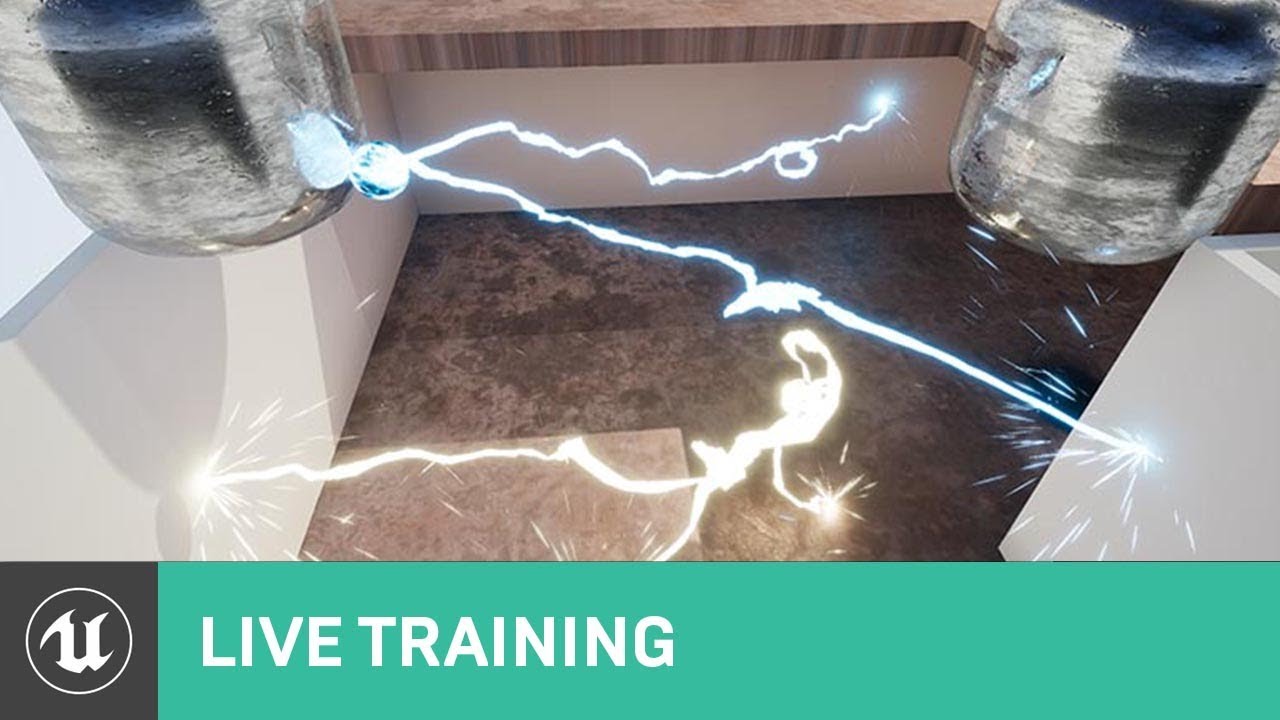
On this week's livestream, Alan Willard demonstrates the creation of complex in-game effects using Blueprints, particle systems, and shaders. He shows how these three systems can be interwoven to create complex dynamic effects for in-game use.
ANNOUCEMENT POST
https://forums.unrealengine.com/unreal-engine/events/1365166
floral gorge
thanks
 hexed gate
@Problem Helper anybody has any idea how To do a blood sword trail when i hit the AI and when i am not hitting the AI,player should do normal sword trail.
 hot kettle
Does anyone know how to make a neutron star like orb in UE4? If you do please help
 shut blaze
Are there any VFX Tech artists around that are familiar with the ins and outs of creating clouds or "nebula's" with volumetric ray-marching? And how one could possibly combine that with fluid simulations? Please DM me 🙂 I'm looking into the R&D phase of a crucial pillar of tech needed for a project I'm starting.
And would you be able to provide a freelance service for hire to create tools?
cold sorrel
Cloud imperium are the only ones actively doing something like this
With unreal translucency performance, that sounds like suicide
shut blaze
cold sorrel
With unreal translucency performance, that sounds like suicide
Thanks for the critique, I know its somewhat uncharted territory, but I believe its possible considering UE4's Volumetrics and what Ryan Brucks has explored. I confess I'm not very knowledgeable or posses the technical know how. That's why I'm looking for someone to aid me in this. 🙂
shut blaze
I've looked at Space Nebula and Starfield V2 on the marketplace, and it seems to have pretty good real-time performance. Though the downside is that you don't feel in control with all the parameters. Creation feels very random.
Changing one value seems to ripple down to every other element.
vastly changing the outcome.
 shut blaze
cold sorrel
As long as it's not for a game, its possible
shut blaze
cold sorrel
As long as it's not for a game, its possible
Yes this would be for a game 😄
madness I know
cold sorrel
Lol
Good luck. /someone who has looked into it
If that's the only thing in the game, sure
Otherwise, nope not even close
primal parrot
15 fps games are in these days
cold sorrel
Cinematic fps
floral gorge
@icy pebbleim asking is there a way mask a billboard by a material so it is only visible wear the material is
torpid palmBOT
:triangular_flag_on_post: John Logostini#2442 received strike 1. As a result, they were muted for 10 minutes.
 nova willow
How would I do an effect that would display a sort of smoke around the edges of a mesh? Not quite sure what that type of effect would even be called so not sure what to google for this 🤔
(basically this is for my building system, I wanted to try if it would look nice when you complete a buildable that it'd do a small dust/smoke fx around its edges to signify it's done)
digital patrol
Any idea if its possible to apply a constant rotation to a local vector field? i have my particles following a specific vector field shape but i also want it to rotate
nevermind there is a node specifically for it and im just blind
 hot flower
Anyone here know much about mesh displacement and lighting? i understand why the circled area is not lit, but i don't know how to solve it:

this is a sphere with a material that causes displacement, but the lighting only affects areas that would have been affected if there wasnt any displacement
i was under the impression that using RT and enabling the Evaluate World Position Offset would fix it, but it did not
analog onyx
Normals.
 wet pagoda
Hi so the first time I load up my game, the mipmapping causes my textures and flipbooks to go super blurry for about a second and for every first change in flipbook or texture. Does anyone know how I can fix this please I am struggling so much
analog onyx
That is operation of texture streaming
wet pagoda
Okay thank you, do you know how I use that to fix my problem? 🙂
analog onyx
Just hide it behind loading screen tbh
wet pagoda
Yeah I would but the thing is, my flipbooks + textures change during certain points in gameplay so idk how I can hide it behind the loading screen
analog onyx
You can pre stream individual textures on demand, somewhat in advance when you know they are going to be used
Or set them to never stream
wet pagoda
Okay thank you for the help
wet pagoda
analog onyx
Or set them to never stream
Just wondering are there any disadvantages of using never stream because it feels like there is haha
cold sorrel
Yes, it means it will always be in memory.
wet pagoda
cold sorrel
Yes, it means it will always be in memory.
Alright thanks, I'll try to refrain from choosing that option then!
hot flower
analog onyx
Normals.
is it possible to change the normals to light the displaced vertices? i dont see it being possible for a normal to work in such an extreme way
fossil swan
ehh its not that hard.
generally if I can do it, anybody can.
cold sorrel
I would say anybody can use DDX DDY to get faceted normals, but doing it properly by getting the derivative of a function more complex than a sinewave is far from something anybody can do.
Since that will entirely depend on the function driving the offset.
celest birch
Does anyone know how to allow for Opacity Masking? I don't know why it's greyed out, or how to fix it.

 split hawk
celest birch
Does anyone know how to allow for Opacity Masking? I don't know why it's greyed ...
split hawk
celest birch
Does anyone know how to allow for Opacity Masking? I don't know why it's greyed ...
change blend mode to masked
celest birch
Thank you
split hawk
hey guys, im about to start creating a map-wide snowfall system for my game, and i'm wondering if any of you have done this type of thing before. ofc, im looking for this to look decent while maintaining very good performance
ive watched a couple tutorials and they show a map-sized emitter being used. Is this the best option? I can see myself using a character-attached system as an alternative
fossil swan
i'd go for char(camera) attached system, no use emitting shizzle where player/user cannot see it
also, in the future please refrain from multi-posting the same thing in multiple channels :) *points at #rules *
 wind gyro
Hi i hope i am writing to the right place... i need to implement a feature in my project where i could change the lut filter in runtime... i tried to add a get actor of class node in my character blueprint and choosed the post process volume as an actor class from the returning value i get the settings then i used the break postprocess settings and pinned the values which i want to be changed... but unfortunately it doesn't seems to work... i wonder if anybody have a solution or suggestion for this issue..
 wind gyro
Solved here`s the solution if anybody interested ...

 visual ridge
Hey guys, hope you are doing great!
Who somebody can tell me how i can spawn a particle system to every bone of my fracture object?
This method does not work correctly: Screenshot

 silver pike
Hey Everyone, I'm having a strange issue with my smoke particle simulation. It shows up fine when light is shining through it... But when I switch views to be above the smoke particle, it shows up as black. Within the particle system settings, the simulation looks fine... I have a feeling it may have something to do with post processing? I could be wrong though. If anyone can help that's be awesome. Thanks

 celest birch
Hi all, I am having and issue with ray tracing when I try to make a waterfall. The sine function is showing up with really hard edges in the material

is there a way to soften the edges? or to blend it so the shadows arent as harsh?

here is the setup
 oblique kernel
Would this be the place to discuss materials for something like a landscape?
Particularly how materials interact with normal lighting vs path tracing
 weak jewel
Can anyone help me setting up a Depth of Field ?
I'm kinda helpless rn
Rn it's like either everything is blurred or nothing without any transition between various camera positions
I'm making a Top-Down Game and the floor isn't visible so I want the lower/higher floors to be blurred so it's easier to see that you're currently above or below something
weak jewel
oblique kernel
Would this be the place to discuss materials for something like a landscape?
primal parrot
Anyone have experience exporting cameras from UE4 to Houdini? Cheers!
 devout portal
@primal parrot you can export camera tracks from sequencer
by right clicking the camera track
 thorny frigate
so im hoping this is the right chat, but ive got a final major project for college which im using houdini for one of the aspects for. ive used the simple fireball from the simple fx tab, but i cant work out how i can export it into ue4. im trying to basically make a nuke so i can have this kinda cutscene thing going on so a nuke blows up and buildings get destroyed, but the only tutorials i can find are for pyro which dont give me the results i want and im totally inexperienced with houdini overall, i just dont have a pc powerful enough to use the likes of blender to render the cutscene instead of doing it in ue4
cold sorrel
Short term answer: You won't.
Long term answer: If you don't have a PC powerful enough, you will have a rough time with all of this, but I'd start with the following.
- Learn how FX are built in UE4 using sprites, particles and materials.
- Learn how cinematic streaming works and investigate if that's an option for you.
- Learn combustion simulation.
- Learn the specific solver you want to use in Houdini, (I.E, pyro, sparse or axiom) and spend some time investigating other solutions like embergen.
- Adjust your simulation to work with the material method you learned and chose during 1.
- Learn volume rendering.
- Start rendering individual building blocks, or if you picked the streaming method in 2. use a cloud farm to render or pick up a lot of patience.
- Learn how to combine all of the above.
- Redo most of it because a nuke is extremely hard and will not look good the first few attempts.
- Start learning RBD simulations in Houdini. (Including model prep and constraint building)
- Investigate which import method works for your usecase. VAT, Bonedecomp, or maybe abc.
- Learn Niagara and figure out how to fill out an RBD simulation with particles using sockets, hbjson or just random distributions.
- Combine the RBD and Nuke, then figure out how to handle the sorting based on your camera.
Good luck!
If you are dedicated and have some experience with this already it should be doable in a few months or so.
As a working professional and some sort of Houdini Expert, I would estimate a task like this to take me 4 -8 weeks fulltime work depending on the details. I know all of the steps though so I wouldn't need to spend any time learning.
 mortal sandal
Anyone using the new Water system with Lighting Channels? Mine seems to be illuminated by all 3 all the time, using the WaterMeshActor and the OceanWater and Directional Lights
thorny frigate
well having a nuke in my demo is out of the picture then because i have around 5 weeks to get the mechanics and everything working as well as building the environment, so no cutscene it is
split hawk
thorny frigate
well having a nuke in my demo is out of the picture then because i have around 5...
do you have to use houdini? what kind of quality level are you aiming for. if you are totally new to houdini them you might want to too elsewhere if you're on a tight timescale
i can imagine creating a fairly convincing nuke effect in niagara alone but pyro simulations go a long way
then again ive never really done pyro work lol
thorny frigate
No I don't have to I was choosing to, originally I was going to use blender to render an explosion simulation with buildings breaking, then thought it would be a lot smoother doing it in real time using chaos in unreal and exporting the explosion from Houdini, but if these guys say it can take weeks and months then it's getting abandoned for now until I have more free time to carry it on
split hawk
thorny frigate
No I don't have to I was choosing to, originally I was going to use blender to r...
are you working with a commerical version of houdini?
thorny frigate
Currently just a trial
split hawk
yeah so i dont think you'll be able to export much from houdini apprentice or something like that.
if this project is putting you on the fence on whether you should get a commercial license then id say definitely seek other options
really the only way i see houdini working from you is if you have a commercial license or an educational license through your school and even then the skill gap is another issue
mostly giving you this advice because of this specific table
 cold sorrel
Embergen would be a much quicker solution and less of a learning curve.
thorny frigate
I put trial in italics because I’m not entirely sure if the version I have is entirely appreciated in this discord you see, my college won’t get those educational licenses because it apparently takes time to put them on all the pcs, basically they refuse to take all the main hard drives out and dupe them, which means all the software in the college is outdated or needs updating to have the most recent bug fixes and stuff
cold sorrel
But from the question I can deduce that you have a lot of missing fundamentals. Expecting to be able to export a pyro sim, is the first one.
Ah, Pirate. No more help for you.
thorny frigate
Yup was waiting for that
cold sorrel
Please leave.
split hawk
thorny frigate
I put trial in italics because I’m not entirely sure if the version I have is en...
ah i see. well like I said even then the skill gap might be an issue if you only have 5 weeks
especially if you have other things to do
thorny frigate
Server doesn’t say it’s against piracy as long as I don’t ask for pirated goods or encourage piracy. But either way I’ll be putting Houdini on hold until I have more time to show off what I want to produce, thank you all for your help.
fossil swan
mentioning you might or might not have pirated content is already enough reason for a ban
thorny frigate
fossil swan
mentioning you might or might not have pirated content is already enough reason ...
Alright
 brittle monolith
Hi frens, how would you go about making a flower bloom-inspired effect in Niagara? I'm trying to figure out how to position some particles in a radial fashion but I'm not sure how to approach that. Here's my inspiration https://youtu.be/pZVdQLn_E5w

A collection of various types of flowers blooming.
Facebook: https://facebook.com/nextobserver
Patreon: https://www.patreon.com/nextobserver
split hawk
brittle monolith
Hi frens, how would you go about making a flower bloom-inspired effect in Niagar...
oh thats a good one...two thoughts come to mind, depending on the quality you're looking for: animated subUVs (flipbooks) on sprites or (if you're feeling adventurous) mesh particles with vertex animation materials
this would let you get the progressive opening effect of the petals
then you could move and rotate the particles as necessary to make room for more as they open
brittle monolith
I'm looking for something more simple and stylized, even how to position them in a circle would be enough of a start for me 
 lone wing
have you heard about the golden angle? thats a good start for rotation
split hawk
though you might not want to use sprites at all if you're looking to have petals up close and personal
brittle monolith
@split hawk I feel you, I'm a bit of a noob with everything but sprites though 😬
split hawk
if you want to start simple there is a way to procedurally generate sprites and step their transform as you do it.
but for starters
try a niagara sprite emitter and burst a bunch of particles in a sphere. then in the renderer set the pivot of the sprite to like X: 0.5 Y: 0.2. then you can use custom alignment mode on the sprites and in the spawn stage set the alignment to be 0,0,0 - particle position to get them all facing away from the middle.
there might be an easier way to do what im describing but ive done that before and gotten interesting results
 cold sorrel

Support us on Patreon: https://www.patreon.com/entagma
We're thrilled to have Houdini artist extraordinaire and educator Chris Kopic for a guest tutorial. Check out his Instagram: https://www.instagram.com/christopherkopic
Chris agreed to shed some light onto how he created this endless looping flower. Using vellum and a bit of houdini tricker...
split hawk
yeah thats one way to do it
cold sorrel
You can recreate pretty much all of this in Niagara.
It translates fairly directly
(Except for the simulation part ofc)
brittle monolith
Thanks y'all 
cold sorrel
The bend could be stored as a poor mans blend shape and be driven by dynamic particles.
Pair that with some more interesting patterns using something like the superformula and you are done.
brittle monolith
cold sorrel
https://www.youtube.com/watch?v=J2rDQtsTwzo
this channel is lovely
weak jewel
Can anyone help me setting up a Depth of Field ?
I'm kinda helpless rn
Rn it's like either everything is blurred or nothing without any transition between various camera positions
I'm making a Top-Down Game and the floor isn't visible so I want the lower/higher floors to be blurred so it's easier to see that you're currently above or below something
 reef summit
is there a way i can make a material render after post process
devout portal
Does that mean i can have multiple beams in a single emitter?
 cold sorrel
You can have as many as you like. It will just be very fiddly
 formal wren
Hello Slackers. I'm working in the water material, in Cinema 4D, for my Antarctica Rising project but I'm struggling with reflection and rifraction settings. What I remember for sure is that the visibility below 200m of depth drops drastically and some of the bigger depths reach 5-6km in some areas. Any suggestion? I can't find any detailed info anywhere and I need to fix this. I hope somebody has some hint for me. Thanks
 main totem
anyone can help me with blurry glass shader that does not hide things behind it?

i found one but it hides the particle effect behind it
celest birch
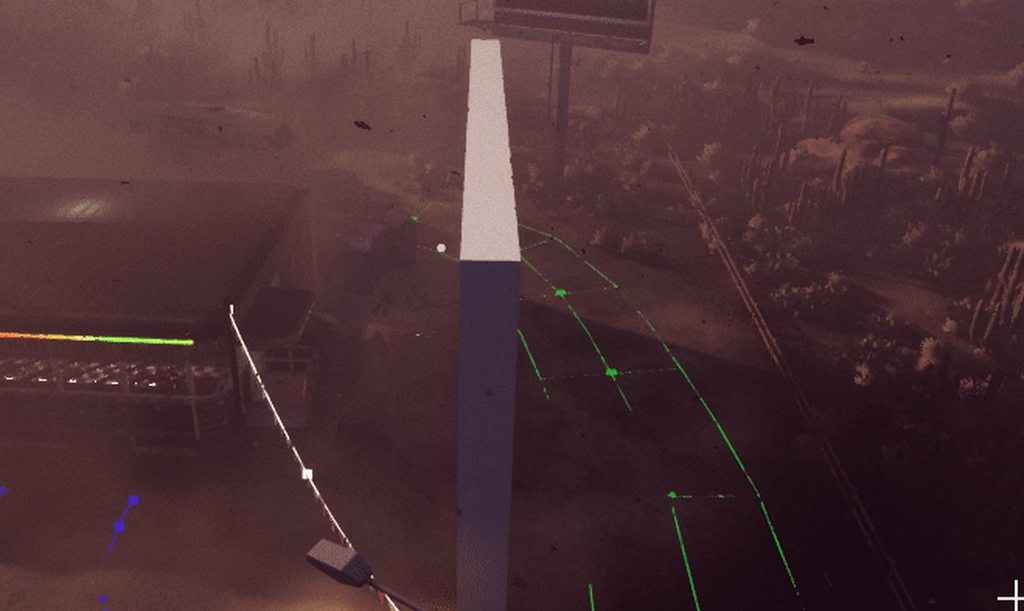
hi in the editor the particle is well blocked by the wall, everything works fine, but when I play it, the particle crosses all the objects, why?

(ingame)
https://i.imgur.com/F2YKKuB.mp4
 celest birch
so ? any idea ?
cold sorrel
I'm guessing this is cascade and that your max collision distance is too low.
But you should know that this is Horrendously expensive and won't ship.
celest birch
thanks!
 wintry ember
Hi i'm having an issue with my particle system
it says no async tick
i havent found a solution to solve this problem
is there anyway to fix this?
fossil swan
https://www.youtube.com/watch?v=cGNPPORwWSU
Cokey at it again
 winged nymph
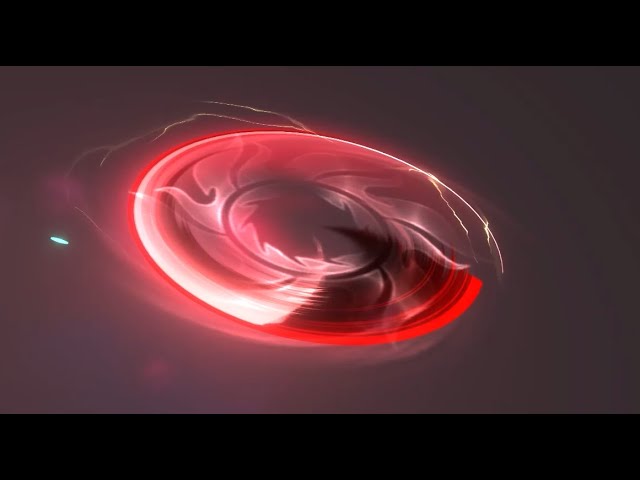
is it possible to kill cascade particles when they hit a certain Z height?
super easy to do in niagara, Ill just convert the cascade system
fossil swan
invert the killplane in one of the kill modules, and put it above the effect. can either be local or world space iirc. (havent used it in ages)
In case you wanna keep it in cascade.
winged nymph
ohh, I forgot it was a GPU Sim
been a while since I did cascade stuff
the kill height is exactly what Im looking for
 cerulean hinge
Is it possible to reduce volumetric fog in an area? I Know you can increase it through volume material and particles, but the opposite? 🤔
 lean badge
Not possible afaik @cerulean hinge
You could hack it by using vol mat/particles to cover an area, and then in the material mask out what part of the world the extinction is 0 (or 1 - been a while) and therefore it would appear that the fog would be gone in that area. It is messy, I would not do that in game production though unless it is critical for you
Alternatively the old method is to use triggers to change the overall fog settings, and then use fog planes in the windows and doors/distance to pretend as if the fog is still there if this is about dealing with an interior. Won't work well with volumetric due to the color differences and subtleties though.
cerulean hinge
@lean badge Thanks for the insights! I am looking to create a "fog of war" effect around the player in third person, but with fog rather than just black fill.
I was thinking similar to your suggestion of masking, but rather spreading the volume particles around the player increasing fog everywhere but the centre, so it appears like fog is gone in middle around player but is along the edges, but wanted to see if there was a way to remove fog rather to create it. I guess I will still to the latter unless it's also not feasible for prod?
primal parrot
Some ideas - https://youtu.be/KL3rSV-IJ20?t=586

In this presentation by The Coalition, Studio Technical Art Director Colin Penty outlines how they utilized tools like Houdini, Maya and a number of UE4's latest rendering features such as temporal upscaling, volumetric fog, distance fields, compute ray traced shadows, and bent normals for specular occlusion to craft the visually spectacular Gea...
lean badge
Is the FOW meant to disappear once you have explored an area? Or does it come back as you walk away?
The Gears5 thing is neat
cerulean hinge
lean badge
Is the FOW meant to disappear once you have explored an area? Or does it come ba...
It should be like a permanent effect around the edges, moving along with the player, something like this:
 cerulean hinge
primal parrot
Some ideas - https://youtu.be/KL3rSV-IJ20?t=586
cerulean hinge
primal parrot
Some ideas - https://youtu.be/KL3rSV-IJ20?t=586
Yeah I am using similar atm with volume BP to make fog thicker around it.
But the screenshot above is faked with dozen such BPs scattered around the player. Maybe it is the way to go 🤔
primal parrot
Have you tried a large sphere with a Volume Texture that you mask out around the player? If you set the material and the volumetric fog settings correctly it should work. Or perhaps you can use a shadowed light to mask out above the character pointing down, where only the fog appears outside the shadow
cerulean hinge
@primal parrot Gonna try the mask approach, although not sure why Hourences said not to do it in production. Didnt think of the light tho, will look into it, ty!
primal parrot
well either way, fullscreen fog will eat some performance... but I found using a light with volumetrics turned on, and a sphere, as long as you are inside the sphere the overdraw and perf is not bad, compared to many sprites overlapping to get same effect. what platform is this on?
cerulean hinge
It's for PC @primal parrot, so we got some room. Although I am not sure what you mean by shadowed light, can you elaborate please? What I can see light only can increase fog density too.
primal parrot
Go for a mask in material, otherwise you can use the shadows/god rays and set your mat correctly, where only the fog appears in light, shadow will be emtpy.
Not at desk at mo so cant check, and its been a few months, but its definitely do able.
cerulean hinge
Hmm it sounds tho that I want the opposite - fog to appear outside of light above the player? But gonna look into masking more, ty!
primal parrot
Yeah sorry I meant have a light with a mask on that (Light Function or maybe object outside cam between light and player? hack i know), so the light is around, but in center its masked out... but again probably work better just using a mask in material... im just stating I know for fact you can make a VT in a sphere with noise like this old method , and have it masked out by shadow if you tweak the material. https://www.overdraw.xyz/blog/category/UE4 or you could just place a few spheres of fog around the player and be done with it 😛 but again if they overlap that will kill perf a little.
cerulean hinge
Aah, I see what you mean. Thanks, will have a read!
 frank peak
I've found that lights from point lights as well as partial effects seem to grow in brightness over time any idea why this might be?
 main urchin
hi there!
i need to record a 360° Unreal environnement into sequential frames.
Do i have to buy the Camera 360 of Ivan Elizarov? or this is not up to date and there is a native way to do that now?
frank peak
Is it possible to play VFX in reverse?
 left remnant
hi all, does anyone know if there's an equivalent for widget animations for blueprint actors?
can I just create a simple tween in a timeline and save it to a variable to play back later
im looking to do the same types of animations that are already possible in interface widgets in blueprint actors
oh I found it actually
its called ActorSequences
its an experimental engine plugin
 pure sedge
hey there im trying to learn a bit about about optimization for fx and im trying to optimize the heavy smoke effect from squad. I dont know how to optimize it since the material is really simple, all the planes will overlap at some point and shader complexity is getting really bad. Any ideas on how to start?
thats the shader complexity
 pure sedge
also when particle parameters are changed, the changes are only present in editor, not when hitting the play button
frank peak
When releasing a particle effect back into the pool what decides how long it takes to vanish?
cold sorrel
Depends on how good it is at swimming.
frank peak
I have one I would like to disperse faster,
frank peak
For what reasons would a particle effect, that is active sometimes disappear?
Some kind of optimization to prevent it from wasting CPU when it thinks its unseen?
fossil swan
(speaking from cascade experience) when its out of view for X (mili)seconds they can be turned off. out of view means that the bounds are no longer visible to the camera. for gpu emitters we can set this manually, for cpu its done automatically.
things like disable/kill on completion, kill planes also need to be taken into account.
frank peak
I'm interested in knowing where I might turn it off 🙂
devout canopy
I think I got most of my particle effect issues straightened out by reducing material conplexity
Thanks for all the help over the last month or two
devout canopy
Now I just need to make my most efficient fire and smoke material, and test.
 ivory dagger
Anyone know how to make a particle system conform to the landscape..like a decal?
 gilded fiber
ivory dagger
Anyone know how to make a particle system conform to the landscape..like a decal...
gilded fiber
ivory dagger
Anyone know how to make a particle system conform to the landscape..like a decal...
Depends on what you mean. You can turn on collision and it will bounce off the surface. You could set a lot of max bounces with low restitution, and it would kinda flow down the landscape.
Or are you trying to make something like an animated decal with VFX?
ivory dagger
Animated aura under a character that doesn’t get clipped into the world on uneven surfaces
It works with decals of course and can animate the material, but if I want to use a particle system to give more animation and additional effects with it
@gilded fiber Thanks.
frank peak
What causes the slow build up of light, when entering a level?
 lone heart
auto exposure, usually
your lights may be too dim so it takes a while to ramp up the exposure. I think either brightening the lights or changing your post-process volume’s exposure adjustment should fix it.
 gilded owl
Might be the better place to ask, would anyone know of a way to generate an undulating wave animation like this in materials? https://i.pinimg.com/originals/37/b8/11/37b8112791f2529ffe4882412b541c94.gif
Or is it better to use some textures to "mask" out the wave and apply some simple panning and stretching to do a poor man's version.

 oblique thicket
I get this error while trying to use VAT textures in a masked material, any idea?
[SM5] error X8000: Validation Error: Declared output vertex count (18) multiplied by the total number of declared scalar components of output data (57) equals 1026. This value cannot be greater than 1024.
 unreal thorn
gilded owl
Might be the better place to ask, would anyone know of a way to generate an undu...
unreal thorn
gilded owl
Might be the better place to ask, would anyone know of a way to generate an undu...
you could pan a displacement noise to give the wavy effect.
gilded owl
@unreal thorn ah I meant to say 2D much like the gif, not 3D.
unreal thorn
In that case, you could create a custom HLSL shader, or you could port one from ShaderToy GLSL to Unreal.
There are few things that had to be changed, but the list would be long.
gilded owl
@unreal thorn I need to look into HLSL, whats the main way to make HLSL materials?
 fleet crest
does anyone know how i can make my local fog spawn all at once instead of ramping up

as its causing my local fog to flicker and grow
i just want it to spawn in all the particles at once
but i cant seem to do that
unreal thorn
gilded owl
<@325627930484932608> I need to look into HLSL, whats the main way to make HLSL ...
use Custom node in your material - it'll interpret your HLSL code.
Just make sure the inputs and outputs are matching with the code.
gilded owl
@unreal thorn evidently HLSL is a bit beyond me now. I'm more a 3D artist and not quite a programmer. I can make some smart materials but HLSL seems quite alien, or rather I've never seen any tutorials for it.
unreal thorn
You could start with writing GLSL on Shadertoy, as most of the syntaxes aren't that much different to Unreal's HLSL. It's more about making shapes with math tricks than programming.
Again, it's the way to go, unless you want to go the 3D mesh route.
 shell nebula
Talking about HLSL, i really need some help with occlusion! Can someone give me a hand? I have an custom node that creates a glow around the character, but I want to effect to be occluded by the other object between the actor and the camera.
https://forums.unrealengine.com/t/help-with-hlsl/226657
I've made a post in the forums with more details.

Unreal Engine Forums
Hello! I don’t know anything about HLSL and I really want some help with it! First of All: I have a code here that creates a Blur around the character and with that I can create a nice Glow effect around the character. I took it fro this tutorial: Ok, now is the problem: I need to occlude the effect when an object or anything tha...
halcyon hornet
Does someone know, how to setup dynamic bounds in the Particle System based on the old Casscade?
 near hound
Hey all! I'm trying to add a muzzle flare (with a Niagara effect) to the first person shooter template, and I'm having trouble getting the flare to line up exactly with the muzzle while it's moving or during the recall animation. I've attached it to the muzzle "bone", and it's close, but it just doesn't update fast enough. Any pointers?
reef summit
material billboards with custom depth?
 balmy maple
Is this the right place to ask about lighting?
balmy maple
ty
halcyon hornet
Oh there is this setting, I couldn´t find it always clicked on the particles. Thank you 🙂
 fluid grove
Can I get the value of a single bit of my custom stencil texture?
Or otherwise do bitwise operations
in a post-process material
 vocal python
I have a basic question - Can I have a particle that follows a hyperbolic trajectory? Like a mortar or cannon shot?
split hawk
vocal python
I have a basic question - Can I have a particle that follows a hyperbolic trajec...
you can use gravity and velocity. unless you need a different method?
vocal python
Can you give me an example of how that would be done? The only way I'm imagining that is by setting the location from a blueprint per tick
 fervent quest
vocal python
Can you give me an example of how that would be done? The only way I'm imagining...
fervent quest
vocal python
Can you give me an example of how that would be done? The only way I'm imagining...
I guess you made a trajectory via Projectile Movment in BP. You can simply add a particles that spawns as a child, connect velocity of a parent as a multiplier of a particles lifetime (you can try to do it it Niagara it has really fun node called spawn per Unit, but you can do it in Cascade aswell), add some velocity in Local Space and Gravity in WS
 valid quail
Anyone with a clue on how to make this effect? I need time to be stopped and have those trails stuck there.

 flat sphinx
valid quail
Anyone with a clue on how to make this effect? I need time to be stopped and hav...
flat sphinx
valid quail
Anyone with a clue on how to make this effect? I need time to be stopped and hav...
Well, what you're seeing is 2 shots in one. Both shots are locked on a Tripod. The first shot has a lower shutter speed. If you're shooting at 24fps w. 1/50 shutter, you would slower the shutter to like 1/10 or maybe lower, the lower it is, the more trails you can get. That's the 1st shot. Now, the 2nd shot is of the lady in the middle, normal shutter speed of 1/50, and basically you want to plan her movements. In After Effects (what I use), layer the 2nd shot of the lady on top of the 1st shot which you freeze framed, and for the 2nd shot, mask out everything else except her. That way, she's moving, while everything else is frozen. BUT REMEMBER, both shots have to be locked on a tripod, if not, you'll have some difficulties lining them up, but if its a minor move, just make an adjustment and crop it in.
primal parrot
@valid quail this is perfect - https://www.unrealengine.com/marketplace/en-US/product/custom-motion-blur
valid quail
flat sphinx
Well, what you're seeing is 2 shots in one. Both shots are locked on a Tripod. T...
Thanks for the insight, but I need this in Unreal! And preferably volumetric
valid quail
primal parrot
<@!202818029224984581> this is perfect - https://www.unrealengine.com/marketplac...
Yes! We ended up going for that. We'll be testing it today. Thanks a lot!
torpid palmBOT
:triangular_flag_on_post: Torindado#1779 received strike 1. As a result, they were muted for 10 minutes.
 strong loom
Does anyone know why my displacement & tesselation is causing these artifacts?
 strong loom
On the right image, the darkened spots and areas on the snow..
frank peak
How would a person make the "edge of screen" your damaged look from call of duty?
Is it just a HUD element with alpha?
And can you have an animated HUD element?
unreal thorn
frank peak
How would a person make the "edge of screen" your damaged look from call of duty...
Doing it in UMG with low Z-order will do.
You could assign a full screen image to a UI material, and do the fading thing in there.
frank peak
Ty
frank peak
frank peak
And can you have an animated HUD element?
What about "Animated textures"
Like perhaps a health bar with a visual effect?
unreal thorn
frank peak
Like perhaps a health bar with a visual effect?
Again, you can use materials for that.
Just put a panner on a texture layer to make it scroll, or mix the UV with any kind of effects you desire.
frank peak
Ty
 somber saffron
how to set a specific amount of time for an emitter
I can't find a node for time

 limber pulsar
It can be set in the emitter itself
somber saffron
limber pulsar
It can be set in the emitter itself
you mean in the effect file?
I don't want to edit the actual file
limber pulsar
guess you can do something like this then
 somber saffron
alright thank you
 balmy steeple
Hello !
I set up a system to darken some area of my project. For that, I use a simple volumetric fog setup : I setup a black volume material using a boxmask, and setup a particle system that spawn a single, infinite particle using that material. That way, I can have an area in form of a box in my game that look darker than the rest of the game. My issue is that this methode is rather expensive, as the exponential height fog add about 2ms for each frame, wich seems like a lot for such a simple desired effect. Is there a less expensive way of achieving a similar effect ?
For reference, here is a piece of level with the dark fog effect off and on :

to be more specific, I don't need all the fancy thing that volumetric effect can do, I only need this system to darken the "irrelevant" area of the level, they are not meant to be seen up close or anything. That's why I wonder if there is a less expensive way of achieving a similar effect.
 idle flume
I'm having an interesting problem I can't seem to nail down...I've got a working Sobel Outline PP material that completely disappears when I both Clamp or Saturate the sobel and inject the material Before Tonemapping...anyone run into this before? I feel like there's something simple I'm missing
cerulean hinge
Is it possible to activate/deactivate niagara in a BP construction script somehow? Seems to only be accessible in event graph
unreal thorn
cerulean hinge
Is it possible to activate/deactivate niagara in a BP construction script someho...
BeginPlay isn't a bad way to go.
cerulean hinge
Yeah, gonna go with it, just wanted to have it visible in level editor instead of pie, which doesnt seem to work
 grave dune
Can VFX be made in Blender and exported into UE4?
limber pulsar
No, you can make some meshes that you'll use in the vfx in Blender but that's about it
 wild slate
Guys,how i can spawn sprite once in Niagara with loop duration ?
devout canopy
bah
still issues
oh no wonder
the smoke is still white even with the low count lol
 unreal thorn
grave dune
Can VFX be made in Blender and exported into UE4?
unreal thorn
grave dune
Can VFX be made in Blender and exported into UE4?
You might want to look for Houdini to create Niagara effects without assembling one in editor.
 mental rivet
Is there a way to achive this with the camera in ue4?
 unreal thorn
mental rivet
Is there a way to achive this with the camera in ue4?
unreal thorn
mental rivet
Is there a way to achive this with the camera in ue4?
That's increasing the focal length, right? Just reduce the Field of View degrees.
mental rivet
no
a shift off the view
I found this... but I have no idea where I should put this in https://docs.unrealengine.com/en-US/BlueprintAPI/Utilities/Struct/MakeMinimalViewInfo/index.html
Make MinimalViewInfo
 chrome ridge
I need a niagara guru to help me quickly fix my dynamic beam to render properly while using a orthographic camera

This image below is if I eject, it shows as it should, but when I play like a user would, I can't see it
 fossil swan
beams are camera-aligned planes. it wont work with ortho properly
I would probably just use a mesh that changes length trough some code if needed.
chrome ridge
Aye, I suppose eh. Set3DWorldScale I'm guessing? @fossil swan

I can get it to sort of work if I switch to this setting

But it's still not at it's desired effect
chrome ridge
Like this? Seems like it's not working though
 mental rivet
Has no one a idea how I can change this value?
 devout canopy
I would like to cover the ground (terrain) a black colored material as a fire burns across the level, is dropping down a decal the best way to do this effect?
pulsar goblet
Does anyone know how I would break up this edge? I want to break it up so i dont see the line of the gradient it creates. I know I saw how to do that somewhere in a video but I just cant remember where at all. This is just a sphere mask on a mesh material thats making it turn a color based on a point in world space.

 versed sandal
guys anyone knows if muzzle flash with particle system is better for performance in mobile game or static mesh with material?
fossil swan
should not matter if set up decently
versed sandal
@fossil swan Thanks you v much for the idea. What is most important thing i need to consider for (decent)?
fossil swan
not much, simple mesh shapes, particle cutouts, not too many particles.
 wind swan
Can someone tell me how to make or where to get images for Border Widget? So i can make textured widget windows
 proper stone
Hi, I have some problems 🥲
I have set the sockets, but the Attack VFX didn't display...
 shell nebula
Hello! I'm having some problems in saving a Render Target image to a file. Everytime I export, the image seems to be darker than my viewport. Can anyone help?
 rugged raft
anyone know how I can increase sampling in UE 4 render?
proper stone
Thank you for your reply. But how to change the particle type to an infinite loop particle?
shell nebula
proper stone
Thank you for your reply. But how to change the particle type to an infinite lo...
You can set the Emitter Loops to zero
inside the "Required"
 proper stone
shell nebula
inside the "Required"
proper stone
shell nebula
inside the "Required"
Thanks!!!👍 👍
 vivid arch
Alright, because the job channel is kinda poop when looking for specific skill sets... anyone know a great place to find UE4 VFX artists for paid work?
vivid arch
I just spent 30 minutes scrolling through that crap...it's super annoying ¯_(ツ)_/¯
cold sorrel
If you need freelancers, the rtvfx discord has a role you can ping that available artists can assign themselves.
vivid arch
I only found one person mentioning VFX
vivid arch
cold sorrel
If you need freelancers, the rtvfx discord has a role you can ping that availabl...
pm link please
cold sorrel
But recruiting a fulltime artist is near impossible atm. I've been agressively trying since november.
vivid arch
part-timers will do just fine
cold sorrel
There are a few there, but they are rare and even rarer to find one with availability.
There used to be more of them, but Tuatara and Beyond hired them all.
vivid arch
Ah, that's strange. Typically you don't make as much money if you're part of a studio like that (versus just finding contract work yourself)
cold sorrel
No, but it's safer and easier if you are a bit junior which I think a lot of the Tuatara gang were.
So I can see the appeal.
vivid arch
Ah, true
cold sorrel
But too befair, we are talking small numbers. There are extremely few vfx freelancers in general so if five joins up with studios, that's like a 50% reduction of availability 😛
 candid cloud
I am not sure this is the right channel but i hope so :D
My question is about the "Ultra Dynamic Sky" Marketplace item that creates Rain Snow and other stuff. I currently try to create some sort of entrance into a building / something, but i realised that the snow goes through the walls inside the building.
I am curious if there is a trick to avoid that or some sort of effect blocker box that i can place on this places where i dont want to have any snow.
I would be happy if you could hint me to some keywords so i can google about them, please.
I know i can do a "level portal" so it switches to other level, or "level streaming" but i cant do level streaming with every building since i need some sort of "view blocker" or they would see no outdoor stuff if they watch around.
Thanks for the help.
frank peak
Is it possible to transition from one material to another, linearly? Would it also be possible along a plane? Can you change from a translucent material to a opaque one?
@fervent merlin Your depth of knowledge is very humbling I hope you don't mind if I ask you specifically c:
 fervent merlin
using material blend assets, you can do this, however using different material domains is not possible, as a blend layer material functions slightly different than regular materials, you can definitely get this desired appearance though
brisk estuary
Hello, does anyone know how to expose the individual values of the hair properties to edit them in real-time?? In this image I created a structure and tried to assign those values to the hair variable but It didn't worked because they are not the same type, the problem is that with the original variable I'm not able to set each parameter with the make node, or split the structure like with any other normal structure.

My goal is to change those values with this UI buttons

thanks in advance! ✌️
 fringe river
Im totally new to UE. Ive been looking through a lot of tutorials about motion graphics and sometimes the workflow is through a 3d software like blender or c4d and sometimes it seems to be built directly in UE. How do I know when to use a 3d software and not?
 rare topaz
Quick Question, does anyone know the name of this type of node?
 primal parrot
Roll over and hit CTRL A 😉
unreal thorn
rare topaz
Quick Question, does anyone know the name of this type of node?
Constant4Vector
 glossy patio
Hey there, does anyone know if one could easily "project" a mesh to the surface of another like so

or would it be better to render polygons directly to a render target so the surface material can sample it? even for large scale maps.. ?
 magic ingot
Hey, can anyone point me in the right direction on how to make a sniper scope like this?
 devout canopy
I know I can make my materials spheres with RadialGradientExponential like so

Is there a way to make the fire material at the bottom look more like the bottom half of a pyramid instead of a sphere?
 fair sigil
hey guys, i'm having an issue with a particles system clipping at certain distance close to the camera. the system is a skid marking for a car system, but the skids clips from the camera until X distance, and then becomes visible

 wide musk
can anyone send me links or point out how to make body aura from scratch on unreal engine private message me if you can that would be helpful im new to unreal
 copper maple
Is there a way to write to a portion of a render target? So that I don't have to write to the full texture when updating it. As an optimization. I tried to offset the vertices but it seems to do nothing.
Actually this works... the setup is 100 units so moving it 50 writes to half of it. And the Z needs to be 0
analog onyx
@copper mapleThere is a blueprint function, draw material triangles or something like that.
You build triangle list, then draw it
For what you are doing, however, you likely do not need it.
 dry bone
o_o
analog onyx
Let me guess, you are writing something to a 2d render target around the player, and want to snap move it with the player in set increments, correct ?@copper maple
analog onyx
Instead of moving whole content of the render target when player moves one snap, you can just implement toroidal indexing, and shift the indexes. Then you only need to write into a region, that has just been revealed. @copper maple
Search for toroidal indexing. It will lead you there.
copper maple
@analog onyx Thanks, but do you mind sending me a relevant link? I'm getting a very confusing search result 😛
analog onyx
@copper maple
NVIDIA Developer
Chapter 2. Terrain Rendering Using GPU-Based Geometry Clipmaps Arul Asirvatham Microsoft Research Hugues Hoppe Microsoft Research The geometry clipmap introduced in Losasso and Hoppe 2004 is a new level-of-detail structure for rendering terrains. It caches terrain geometry in a set of nested regular grids, which are incrementally shifted as the ...
Section 2.4
copper maple
@analog onyx Supernice! Thanks 😄
celest birch
Hey, I have this sprite sheet particle, but when I move it, it has to run through the entire loop before it updates - how can I make it smooth? https://streamable.com/dit5s7

 main arch
How do vector field volumes behave when several of them overlap? I have a cascade GPU particle system that is being influenced, and seems to work correctly with two separate volumes side by side, but once I overlay another vector field volume the influence of the original two seems to be lost.
celest birch
thank you 🙏
chrome ridge
Hey folks, is there a way to mask a ribbon Niagara particle behind another material? Picture a 2D snowball being thrown. I want the ribbon trail to be in the middle but behind the snowball
chrome ridge
I'd like to hide the ribbon after that material
 chrome ridge
Anyone?
primal parrot
this will help you, just mask it out and line it up? https://www.youtube.com/watch?v=hEN4z4dwpMo
Normally the texture on a ribbon moves with the tip (Lead Particle) of the ribbon and is stretched. I show how to make the texture tile, stay static (not moving with the tip) and how to fade the whole ribbon based on the age of the lead particle.
Note: The generated UVs are NOT distance based. If the ribbon has two points far from eachother an...
chrome ridge
@primal parrot I'll take a gander, thanks
 marsh sleet
any good resources or jumping of points for effects similar to Mortal Combats Internal gore systems with the meshes actually rendered in body? please and thank you.
 tribal herald

Is there a cheap way to get wind on clothes (ideally in shader) that looks a bit better than SimpleGrassWind?
fossil swan
the right masks + world position offset.
primal parrot
layer it up!
 stark gale
has anyone accessed the indirect lighting cache inside a shader?
im trying to do a soft environment lighting kinda shader thing, and i found how to access the SkyIrradianceEnvironmentMap inside a shader but i can't figure out if there's a way to sample indirect lighting
analog onyx
@stark galeOnly in forward rendering
 distant verge
https://gyazo.com/3a597911516761bc03cac52f30aa8f7d
Anyone know why this happens?
I set my foilage cull distance to 0. But it still fades out so fast
I don't want it to disapear so fast.

 cunning adder
I'm making a dust particle effect for when my player runs/walks. The problem is that the emitter seems to have a delay before spawning, so the particle spawns far behind my player. Has anyone had this issue before? The delay settings section is all zeroed out so I'm very confused - Thanks
Fixed! ignore me lol
 mint prawn
Anyone know how to sample a pixel from an active material, not just a texture?
analog onyx
You need to clarify what you want to do, because what you asked does not make any sense. @mint prawn
mint prawn
@analog onyx Sorry, I need to get (sample) the linear color data from material while its running. Not a texture2d. That make any sense?
cold sorrel
Maybe he wants to sample a buffer?
mint prawn
The same way you would sample a pixel from a texture2d. I need to sample it from a running material
cold sorrel
Yeah, that's not a thing 😛
mint prawn
I do it all the time
cold sorrel
So do it again!
mint prawn
lmao, i dont know how with a material. Yeah probably not a thing
analog onyx
I will lie saying there isn't a way to do it, but I think it would be beneficial for you to explain what you are trying to do, rather how to do it.
mint prawn
Fair enough. Instead of using a perlin noise for a weather system. I would like to build a material out and sample it every now and again and update the weather with it.
analog onyx
That would imply rendering out your material to a render target and sampling said render target afterwards.
mint prawn
ok, that makes sense. I wonder how heavy that is. Sounds like its a bit heavy.
Atleast for something that needs updated often
Is there a typical way people set up a dynamic logic for weather systems?
Probably the wrong channel for that. @analog onyx Thanks for the help though.
analog onyx
There is nothing like a typical way. Everyone chooses their own approach based on needs, ability and budgets.
mint prawn
Yep, sounds about right. Ill probably just end up Replicating a seed then and go the perlin route.
 tropic terrace
hi guys, are there any tutorials out there that can help me do something like this? Or can someone give me a short advise how to approach this? https://zhestkov.studio/Computations-Art-film-2019

Computations is an experimental art film directed and designed by Maxim Zhestkov at Zhestkov Studio. It speculates a distant future when...
primal parrot
few ways, one would be niagara and a particle sim, a faster way would be geo with WPO material and noise panning. https://jesshiderue4.wordpress.com/materials/scaling-around-a-pivot-offset/

Today we have a look at some different techniques to add depth to our materials - WPO, Displacement and POM.
If you have any questions about Game Art VFX or the Unreal Engine then email me: tharlevfx@gmail.com
Or you can find more tutorials on my website: http://www.tharlevfx.com
or check out my work on the Unreal Marketplace:
https://www.un...
but if you need actual physics and rolling balls around each other... then niagara and a lot more work 😉 although you can also do it in Niagara with a simple grid of particles using constraints.
tropic terrace
primal parrot
https://www.youtube.com/watch?v=kxsQ5m2IAXs
thank you!
primal parrot
what do you need, exactly that example? just moving undulating geo in a grid?
tropic terrace
primal parrot
what do you need, exactly that example? just moving undulating geo in a grid?
a physics simulation with actual balls is what I would need just like in the example
cold sorrel
Hahaha
primal parrot
ah ok, well, do you have Houdini? 😄 could do that easy and export to UE4... someone who knows more can say, maybe chaos or niagara grid3d stuff
cold sorrel
This is one of those, if you have to ask you won't do it.
primal parrot
gotta be a way in chaos to move geo but have it goal back towards its orig grid? 😛
no? 😉
cold sorrel
Don't try to do this in chaos 😄
primal parrot
grid3d or PBD niagara it is then? 😛
tropic terrace
i dont have houdini so I will go with niagara haha
cold sorrel
Start by implementing a spatial hash, and then a PBD solver.
primal parrot
so if actual "physics" were not needed, would a mix of WPO or Pivot Painter and a panning texture work?

Et voilà, I present to you: InstancedStaticMeshComponents with position-dependent coloration!
#UE4 #techart #vfx #gamedev https://t.co/rlN9k0tpPj
 Twitter
·
analog onyx
Twitter
·
analog onyx
You know, that shot is so fast, that if your spheres overlap slightly, nobody would notice. Hence, instead of PDB, you could simply get away with just mesh particles.
 fluid portal
did anyone experience in 4.26 background color ui didnt show up

im trying to click the background color icon but no background color ui show up
primal parrot
@tropic terrace had a quick go at spring force on a grid, with a wind controlled by a curve using random mass with a mesh renderer...bit of a hack and not perfect at all, no real collisions 😄 but I am sure you can do something like this with a panning texture or noise of your choice to control the height. https://i.gyazo.com/59e1be2bd2541c29262bb4a59b879b46.mp4 sadly the niagara lights used here are cpu only so if you want many spheres it may slow things down, but a material and some proper light tricks I am sure you can make it look cool...even some volumetrics 😛
 fallow dune
Hello!
Is there a guide on how to start a vfx path?
fossil swan
on the realtimevfx forums there is a getting started topic
fallow dune
fossil swan
on the realtimevfx forums there is a getting started topic
Thanks!
 tropic basin
Hey guys, maybe this is silly but here it goes
I have these free effects from the marketplace, but when I render a video, they disappear after 2 seconds, leaving only the maya of the object. I don't know if I have to touch something in the particle section. They only disappear after 1 second when I render the video or when I give it to play, as long as I do not do any of those 2 things, it continues in a constant loop as I want it to be.

The effects that are giving the problem are these 6, but I don't know if the problem is here, or when i rendering
 tropic terrace
primal parrot
<@!513079755902418945> had a quick go at spring force on a grid, with a wind con...
tropic terrace
primal parrot
<@!513079755902418945> had a quick go at spring force on a grid, with a wind con...
this is so cool thanks!
 cinder flint
Wow
 stuck cove
Hello, i'm a beginner and i want a really simple muzzle effect tutorial or download i would appreciate either of them, i have the epic games shooter game muzzle flash but for some reason the materials just wont apply even if i add them manually, thanks
 versed sandal
guys anyone can advise, if muzzle flash with particle system is better for performance in mobile game or static mesh with material by hiding and showing on each shot?
unreal thorn
versed sandal
guys anyone can advise, if muzzle flash with particle system is better for perfo...
Particles are still a good (if not better due to the optimisations) choice
celest birch
whoooaaaa
 latent rune
Has anyone recently gotten the Houdini Volume Texture ROP output working correctly in engine? I've tried using the raymarch shader that was indicated in the vid by Mike, but it doesn't work now. It seems to be using a render target instead of texture object, and there's an error on the shader when compiling.
 scarlet plume
is there a way to directly make a particle system use the relevancy of the actor which spawned the particle system?
edit: nvm just made the emitter a component instead of spawning a particle system in the bp
 vast fractal
Hi everyone, i'm super new to niagra still. Can someone explain how i get my sprite scale to start at 5 and end at 0 over time? I"m basically wanting my sprite to start large and shrink over time.

I'm trying this, it doesn't seem to be working though. . .
cold sorrel
You have to do it in particle update, not spawn.
Spawn only happens on the first frame.
 atomic bough
how do i apply a fresnel outline to a skeletal mesh?
vast fractal

Can someone explain why my ribbons with curl lnoise force applie throws out the ends of my ribbons so wildy?
vast fractal
Can i create a niagra vfx instance where i can re-color the vfx? Lets say one vfx is blue, i want an orange one? or do i have to go into the nodes and create a whole new vfx?
latent rune
vast fractal
Can i create a niagra vfx instance where i can re-color the vfx? Lets say one vf...
Gradient mapping/curves are your friend for this https://realtimevfx.com/t/particle-gradient-mapping/1952

Real Time VFX
Hey guys, I’ve been doing some experimenting lately and wanted to show you some of my results. Shannon Berkes comment about using the shit out of gradient mapping made me think about how to use it inside the engine with particles. I think this is super useful and offers new possibilities color-wise. I’m certainly not the first one to try this,...
AKA LUTs
Also look up Curve Atlas
 narrow kernel
has anyone ever tried importing alembic files from houdini? because I keep getting this error

 timber halo
I had this idea that I would like to try using blurred scenedepth inverted minus scene depth inverted to create a darker "drop shadow" based on depth in a post processing material. But I can't find a way to get blurred scene depth.. Any ideas?
analog onyx
to get blurred scene depth, you have to make one, by for example, taking several samples of scene depth texture nearby and weighting them by some sort of a function.
@timber halo
timber halo
@analog onyxmm, yeah that's an idea, to create a custom shader node or something. I am not that fluent in such though, was looking for a simple way 🙂
analog onyx
it is the simple way and only needs material expressions
timber halo
I wish I could've gotten scenedepth as a texture object to put into spiral-blur
analog onyx
there is(was?) a scene texture blur material function
timber halo
Yeah there is, but no way of setting it to use scenedepth, I looked at it and don't really understand it fully..
the spiralblur-scenetexture is a custom node, if I knew how to replace the texture input there with scenedepth in that custom code.. hmm..
I am just after being able to blur the depth buffer, so that f.ex. sharp contrasts (bigger depth differences) would produce drop shadows
The idea is to enhance visibility of air based units in an RTS o.O
analog onyx
Just replace decodescenecolorformaterialnode with a function, that samples scene depth. If you are unsure what function that is, just make unlit material, plug scenetexture:sscene depth material expression and check source HLSL
timber halo
Ah nice, will check thanks
how to check source HLSL?
You meant the red node for scenetexture:SceneDepth right? hmm..
https://answers.unrealengine.com/questions/925075/view.html apparently not alone. Well I located the DecodeSceneColorForMaterialNode calls, but not sure what to replace it with.. I keep looking/learning.. 🙂
it was in the custom node which I copied from SpiralBlur-SceneTexture to try modifying it..
timber halo
I've tried "return SceneTextureLookup(NewUV, 1, false);" and "CalcSceneDepth(NewUV)" still trying.. might be on to something, but I don't know what these really return, I need the output to be a value 0.0 to 1.0 sort of like DepthFade..
narrow kernel
hm
primal parrot
@narrow kernel check to make sure you have geo in all frames, eg. 1st may be empty.. and it doesnt like that... also make sure you put the correct frame range. Also check your abc has no errors, non manifold polys etc.... load it back in to houdini and double check. UE likes clean geo
narrow kernel
primal parrot
<@!369901357932478466> check to make sure you have geo in all frames, eg. 1st ma...
checked for all of that (except non-manifold one, dk how to check that, but I'm pretty sure it's okay since its a really simple cloth simulation), I loaded it into both C4D and Blender, it works on both of them, only UE is throwing this error...
primal parrot
in H you can try a Poly Doctor node. otherwise if its clean again double check to make sure you have right frame range in import? is it large file?
whats output log say?
narrow kernel
lemme try the poly doctor node
the frame range seems correct and its not really a large file, just ~420mb
lemme get the output log for you
primal parrot
well...420mb is a bit large, this for a game or cinematic? 😛
narrow kernel
 narrow kernel
primal parrot
well...420mb is a bit large, this for a game or cinematic? 😛
narrow kernel
primal parrot
well...420mb is a bit large, this for a game or cinematic? 😛
cinematic
primal parrot
and have you imported any others and it worked? im not sure if this is an issue but all those spaces you have in the names of your folders, etc?
try a test with a simple 10 frame 1 mb file
narrow kernel
the folder name has spaces but i made sure the file itself doesn't have any spaces
imma try to copy it over to a folder with no spaces
primal parrot
yeah and again try a smaller file to test if works
narrow kernel
nop, the spaces didnt do anything
hmm
lemme see
a test file

so I put the poly doctor node aand...
so
I made a test file
with just a plane
and it worked
(5KB File)
Hm so there's something wrong with this file
maybe I should try 1-200 frame range instead of 156-200
and while importing set it to 156-200
narrow kernel
okay I interrupted the export
imma show the geo

(I added the poly doctor just now
file1 is the fbx imported from ue
for the collision
primal parrot
hah i wont be able to tell visually... show the geo parameters (the "i) info and see if it has any weird stuff listed

 primal parrot
yes but on the actual cloth geo
inside that node
also, do you want the table legs in there too?
narrow kernel
the vellum node of the plane
primal parrot
they should be diff abc
narrow kernel
nop, just the cloth
here's for the vellum node


this is the geo itself
(after transforms, delete and subdivisions)
primal parrot
before abc export , you are killing everything but P right?
dont need all the extras.. maybe v if you want motion blur on the vel
also not sure if this would be an issue but is that all quads? make it tris and see
narrow kernel
Dont need motion blur atm
primal parrot
maybe abc import doesnt like quads
then delete all attr but P
make your 420mb smaller 😉
narrow kernel
primal parrot
maybe abc import doesnt like quads
remesh it?
primal parrot
yeah several ways to make tris, remesh, think in polydoc allows? and yes P is position
just put a attribute delete node before export and
 narrow kernel
ahhhhh
primal parrot
that will kill all those extra things you dont need
try that first, maybe quads are ok
narrow kernel
Didn't know that one
primal parrot
but you had all the extra attrs, but i still think maybe quads could be issue?
narrow kernel
hm
its really simple, just transform > deleting some quads > scale down > subdivide > uv unwrap > cloth sim > just added poly doctor > make loop > rop alembic
primal parrot
yep but before rop add the attr del
primal parrot
visualize if any bad polys
also on your import, you are not tweaking any other settings? all default?
narrow kernel
just the frame range
primal parrot
and silly Q but def changing from static to geo cache on import? 😛
but ya , try first the same cloth geo but only 10 frames or so.. no extra attrs
otherwise try this before the rop... remesh with settings to 0, add normals and delete all but ^P
 narrow kernel
primal parrot
and silly Q but def changing from static to geo cache on import? 😛
narrow kernel
primal parrot
and silly Q but def changing from static to geo cache on import? 😛
oh I did that one
it says geometry group node, but isn't that depricated?
 narrow kernel
primal parrot
otherwise try this before the rop... remesh with settings to 0, add normals and ...
narrow kernel
primal parrot
otherwise try this before the rop... remesh with settings to 0, add normals and ...
aight will try that

that attribdelete okay?
primal parrot
looks it
narrow kernel
aight imma render 10 frames
narrow kernel
I am using 18.0.597
hm
I see
I will update if it does not work
nah its still throwing the error
it cannot be the version tho
because i make a test alembic file with just a grid and it worked
primal parrot
and the test is only a few frames?
 primal parrot
and again poly doctor not showing any strange polys?
after remesh
this is not extruded is it?
narrow kernel
I cannot get the poly doctor visualize to work
the group node is depricated, that's where I'm stuck
primal parrot
well you can unhide it
but i havent tried visualize, have you at least set the settings in poly doc to fix polys?
primal parrot
yes but in poly doc you need to set it to fix all sorts
narrow kernel
because we are remeshing it later
primal parrot
no before remesh
primal parrot
remesh later shouldnt matter.. yes but in the poly doc node you need to set the drop downs etc and go thru tabs to make sure its fixing things like non manifold etc
narrow kernel
aight looks like its taking some time
primal parrot
anyway not sure what else to try but somehow you have to fix the geo 😄 maybe a subdiv and then a polyreduce to bring it back to smaller number of polys....
is it extruded cloth or thin?
narrow kernel
I am pretty sure I just slapped on the vellum cloth node and then increased the friction in the solver
so everything is petty much at default
primal parrot
yes after the sim did you extrude the cloth and make it thick? maybe some overlapping going on?
narrow kernel
nah, after the sim it just make loop, poly doctor and stuff we just added
(remesh etc.)
primal parrot
not sure what loop may do.... shouldnt matter but maybe try without
narrow kernel
hm sure
okay repairing everything takes a lot of time
imma just bypass makeloop and try again
nop
still no luck
also, one more thing i have noticed
in my test .abc import, it showed a track here, but in this file it does not show any track

could this be something related to the problem

this was the test file in comparison
primal parrot
are you exporting the test grid same way? or export the cloth same
primal parrot
yeah not sure, sorry, but obvs something up with the cloth geo..
narrow kernel
hm
primal parrot
when you reload the abc back into H it looks fine?
narrow kernel
i should try to remake it then
narrow kernel
primal parrot
when you reload the abc back into H it looks fine?
yes
primal parrot
can you load into Blender then rexport it?
primal parrot
weird, again imagine its just a grid that is simmed?
narrow kernel
yeah, Its been 1-2 days
primal parrot
tyr importing it as static mesh, the cloth
narrow kernel
still cannot figure out
primal parrot
see if you can load at least 1 frame
narrow kernel
as alembic or fbx?
because i did try alembic
it didnt work
and fbx just crashed my pc
primal parrot
import the 200 frame abc into ue4 as static not geo
narrow kernel
its a 60 frame abc but sure
nop
still giving the same error
i should probably remake the sim at this point
primal parrot
yeah, again somewhere something is wrong wit that geo , sorry not sure what else
primal parrot
no worries good luck
vast fractal
latent rune
Gradient mapping/curves are your friend for this https://realtimevfx.com/t/parti...
cheers!
vast fractal
Can someone tell me how i create an emitter in niagra that shoots dust rings out? basically, the emitter shoots a 'ring' in the Z direction and the sprite isn't always facing the camera.
SOrry, i'm SUPER new to niagra and vfx.
I know i want to make a dust ring though. . .
latent rune
vast fractal
I know i want to make a dust ring though. . .
Try using a Torus Location
In your Particle Spawn
vast fractal
latent rune
In your Particle Spawn
Worked like a charm, ty
Can someone tell me how i make my particle system in niagra...start working BEFORE frame 0?
I want my vfx already in full force before the game starts.
primal parrot
in the system, warm up
 civic epoch
Volumetric Clouds Material & Sequencer Question: Does any one how to add parameters from inside a Cloud Material Instance into sequencer? It lets me add the Material to sequencer but that only allows me to switch between material Instances but not add any specific parameters from that material instance. Might anyone know?
 vast fractal
I have a fx that i finished, i'd like to make this many different colors now. Do i just duplicate my niagra graph and recolor all the individual colors?
What's the best method for this? I've tried exposiing the color paramaters but i'm not sure how i save that to be re-used in other scenes?
unreal thorn
civic epoch
Volumetric Clouds Material & Sequencer Question: Does any one how to add parame...
Use Blueprints instead to store the variables (flagged as Expose to Cinematics), and drive the material params on Tick.
 twilit scaffold
Or a material parameter collection could also work if you don't need multiple clouds
 normal mortar
I'm trying to make a phase/dash/teleport effect but i have no idea where to get started. Anyone have any good tutorial recommendations?
 rigid stag
@vast fractal : if you include the Niagara system into a blueprint, you could modify those user parameters as you want, I think.
wicked shuttle
civic epoch
Volumetric Clouds Material & Sequencer Question: Does any one how to add parame...
You always have the option of creating a distinct Material Parameter Collection, adjusting your material to use this, and drag the material parameter collection into sequencer. you can then select every parameter from it as desired and animate the value.
 thick blaze
Hello. I'm looking for some direction. I have a distant hill with some great volumetric fog on it. I'd like the player to see from a distance that there is a dark and ominous cloud on the hill. I'm having trouble getting my fog emitter to not cull too early (the emitter looks like it stops at about 10k units and I'd like it be visible for maybe 100k units). What is a good way to demonstrate a dark cloud on top of a mountain from a long distance?
UPDATE: I found this solution after lots of searching. It was ridiculous how easy it was to resolve. Now my cloudy hilltop can be seen from afar.
SOLUTION: "I've faced the same problem today when I was trying to make high resolution screenshot of my whole level from the very top of it. My smoke particles disappeared when I put my camera too far from the emitters. Problem was successfully fixed by increasing of value "View Distance" to 50000. This setting is placed in section "Volumetric Fog" of Exponential Height Fog actor (I guess you have this one on your level as well). Note, scroll bar can set 10000 only, but you can set bigger value in input manually."
SOURCE: https://answers.unrealengine.com/questions/403301/how-to-cull-particle-from-distance.html
 dark hornet
Hi guys, I am trying to replicate DMC 5 sword trail, as shown in given image. They have some kind of refraction masked with some texture.
I am unable to replicate it, I have attached my version of sword trail vs Dmc. Also i have attached my material graph.
I need help on figure out how to approach this material in UE4.
 civic epoch
wicked shuttle
You always have the option of creating a distinct Material Parameter Collection,...
civic epoch
wicked shuttle
You always have the option of creating a distinct Material Parameter Collection,...
Thank you KV!! Material Parameter Collection worked the best
 brisk canyon
Hello everyone! I'll try to keep it short and sweet..I want to control the alpha of a glow map texture in a material based on the amount of light hitting it. Any ideas? Is there a more performant way than just hit traces on the light sources plus logic to handle that?
rigid stag
I think, if have all that in a HLSL shader it would be quite fast. if you wanted an optimization, have a simpler geometry that goes through the pipleline and use it to scale your glow on another object but throw away the color information so it doesn't actually render. lol, or just use one light query for the object per light and dot them etc.
brisk canyon
rigid stag
I think, if have all that in a HLSL shader it would be quite fast. if you wanted...
I think I get what you're saying but could you reiterate? How would I get that info in an HLSL?
stark gale
does anyone know how to get world position in a post process material?
oh nvm, you can just use the WorldPosition node
lmao
rigid stag
Lights if few could be sent as vectors if a lot maybe as a texture sampler. If you are in material space there is a custom hlsl node. If you are in Niagara you can inject hlsl as an input in a module script. It's not a beginner technique there's a lot to learn...
 swift trail
rigid stag
brisk canyon
I think I get what you're saying but could you reiterate? How would I get that i...
swift trail
rigid stag
brisk canyon
I think I get what you're saying but could you reiterate? How would I get that i...
I found a couple of unreal HLSL examples from CGHow and that got me started. Those helped me a ton. That and playing with shaderToy.
brisk canyon
rigid stag
Lights if few could be sent as vectors if a lot maybe as a texture sampler. If...
Thank you! thats more direction than ive had the past few days trying to solve this one with google-fu which appearently needs to be stronger ; i'll post some screen shots when its working!
 nocturne orchid
Cascade question:
My character has multiple meshes, and the particle only takes a actor parameter
How could I get the specific mesh I want for the mesh particle to perform on?
 nocturne orchid
So,,, Only first mesh component found could be used in cascade particles...
I should use socket location module instead of skel vert module
 vast fractal

I have a distortion particle in my niagra setup, you can see how it's distorting the bottom of the legs and the env together.

When i turn on my other emitters, it's not 'really' distorting the body anymore? i'm GUESSING t his has to do with sort order? I've tried adjusting the sort order hint on the emitters and it doesn't seem to do anything?
Does anyone know what's going on here?
rigid stag
vast fractal
Seems like this is a refraction issue?
did you want it to only distort the background like the top image and keep the light rings undistorted? or did you want those rings to distort as much as the background in the top image?
 hexed agate
Hey, is there a way to get the GPU depth buffer or GPU distance fields working when using forward shading models? It's making niagara particle collision not work?
 sweet raft
Is there anyway to have a material that allow having multiple planes overlapping being rendered like in the image below ? assuming each circle is rendered in a 3d plane and when they overlap, the outline is combined.

 sacred parrot
sweet raft
Is there anyway to have a material that allow having multiple planes overlapping...
sacred parrot
sweet raft
Is there anyway to have a material that allow having multiple planes overlapping...
You could do this via Stencils in Post Process if your project can afford it. Here is an overview. You would need to set all your objects to the same Stencil Value so they can all work in concert with one another to draw the outline.

Masking enables you to alter specific parts of your final scene without affecting everything else in it. There are several options in Unreal Engine to perform real-time masking.
In this episode of Unreal Tips & Tricks, we focus on using the Custom Stencil Buffer in a Post Process Material which allows us to alter how multiple objects are rende...
vast fractal
rigid stag
did you want it to only distort the background like the top image and keep the l...
I'd like the distortion to be behind the rings, distorting the body and the env. Can't seem to find a fix for refraction though.
primal parrot
but maybe in materials something can be ticked like sorting order but perhaps its something else
or maybe you can make 2 sep systems, and in the details panel try translucency sort order
sweet raft
@sacred parrot That is what I asked for, Thanks ! One question: is it possible to have something like this but within UMG ? what I'm trying to achieve is to have a minimap with range indicators like in the Image below that overlap and are transparent and (optionally) have outlines over the combination of the overlapping ranges.

I'm still not sure how to approach this, because the solution in the video you provided uses custom depth and post processing which are not possible (as far as I know) to use on UI
 burnt kiln

 south sun
Has anyone had issues with mimicking materials in UE4 from UE5? I basically copy pasted some material nodes and they are giving different results for the Texture Sample:

Top is UE5 showing the fully white mask and the bottom is UE4 showing the texture basically unchanged
fossil swan
is it set to wrapped? clamped? mirrored?
south sun
I'm a bit of a noob when it comes to material changes, whereabouts do I find that setting?
fossil swan
they can be set in the texture viewer, or the detail panel (when clicking on the texture sample) in the material editor
also, check the preview values of the dynamic parameter
south sun
Ok, it's from the texture asset itself. Which I exported and then imported.
But that doesn't match the UE5 version which also has it form texture asset but is clearly clamped to get the same effect.
Preview values of the dynam param are the same
Changing it to clamped works, but I'm unsure of why the texture doesn't have those settings after exporting.
fossil swan
because those settings are set in the uasset that contains the texture, not the tex itself
south sun
Yep, I see where they differ now. Thanks for the quick response and fix!
fossil swan
np
 dreamy adder
Hey can anyone point me in the direction of how to learn to create this effect by DeepSpaceBanana? Is it using some WPO in the material or niagara or both? I found it here: https://realtimevfx.com/t/deepspacebananas-sketchbook/1705/149

 fossil swan

https://gum.co/DissolutionEffect1
If you liked this tutorial, you can support me
https://www.patreon.com/ARThiteca
Send donation
https://paypal.me/arthiteca
TimeLine:
00:46 - создадим каталоги ассетов
01:00 - DisolverActor - актор который будет сканировать сечение пространства и преобразовывать пересекаемые статик мешки
02:07 - SceneCapture2d ...
dreamy adder
Ooooo. Thank you sir! @fossil swan
cold sorrel
Except Deepspacebananas version is pure material and blueprint. No particles.
Essentially, store the facelocations as pivot for the connecting verts, lerp in a noise based on a sphere gradient from location via MID or MPC.
Not much more to it.
dreamy adder
Thank you @cold sorrel ! There are a few things in that sentence I need to google and learn more! 😅 Appreciate the direction! 🙏🙏🙏
sacred parrot
sweet raft
<@!826600660551204935> That is what I asked for, Thanks ! One question: is it po...
Ah for this particular application you need to solve distance fields in 2D which is something that i have not done before but perhaps something like a 2D metaball solution would get you in the right direction?
 cobalt peak
What do the + icons here mean?
 fossil swan
wasnt that shared with another emitter?
yup, it means if you change values in that module, they are also passed on to an identical module somewhere else in the same system
 thorn sage
so i have this weird thing, i deleted the sky sphere and it still there... what can it be?
 cobalt peak
thorn sage
so i have this weird thing, i deleted the sky sphere and it still there... what ...
cobalt peak
thorn sage
so i have this weird thing, i deleted the sky sphere and it still there... what ...
It looks like the default texture with sky color settings
thorn sage
there is no sky sphere in the scene
cobalt peak
That's not really what I said
rigid stag
sweet raft
<@!826600660551204935> That is what I asked for, Thanks ! One question: is it po...
if you render each points circles with different depths I think you'll get your desired effect. all the front circles in say range of 1 and all red outer circles range of 10, so the front ones block the draw of the back ones. maybe you can put those values into a material and simply lerp color based on distance to them all.
latent rune
south sun
Changing it to clamped works, but I'm unsure of why the texture doesn't have tho...
I've found when moving uassets or migrating from UE4-->5 that references get broken and don't come along as well. You have to re-hook everything up.
south sun
latent rune
I've found when moving uassets or migrating from UE4-->5 that references get bro...
Yea very frustrating to say the least. Hopefully there will be more forward/backward compatibility in the future.
sweet raft
@sacred parrot Its the same principle with metaballs, what I intend to do is implement It using render target, where I draw on a texture the different ranges from the same team/color on each color channel and use that texture in a material to render it, its the best solution I could think off for now.
@rigid stag That wouldnt work when point ranges are transparent and outlined they would look like this, at least if you are talking about rendering the ranges as Image widgets :
 rigid stag
sweet raft
<@!351071402893246466> That wouldnt work when point ranges are transparent and o...
rigid stag
sweet raft
<@!351071402893246466> That wouldnt work when point ranges are transparent and o...
CanvasRenderTarget
sweet raft
@rigid stagYep that one
I just managed to make it work, just need to figure out how to show in in a ui image on top or underneath the points
rigid stag
Image on a blueprint widget?
sweet raft
Yes, a single image with a material that uses this generated texture
 rigid stag
sweet raft
<@!351071402893246466>Yep that one
rigid stag
sweet raft
<@!351071402893246466>Yep that one
what if you put it all in a blueprint and choose the draw order of each part to the canvasRenderTarget? your dots are moving right? As much as you like, you can update positions and just layer the 3 parts red, transparent yellow circle in 3 separate passes that way you get your metaball effect. And if that rendertarget was supplied as an image to a bluetooth widget? I wonder if it can be.
sweet raft
Still trying to figure that out, My goal right now is to have something working, then later ill think about using each channel independently, and figure out how to layer things up, because ill be having multiple meta balls of different color types overlapping each others so that's a problem for future me.
rigid stag
sweet raft
Still trying to figure that out, My goal right now is to have something working,...
Thank you for asking your question by the way, I didn't know about CanvasRenderTarget till just a moment ago. 1-Up
sweet raft
@rigid stag I just made it work! now I only need to play around with the material, and fix some positioning issues.

No problem!
sweet raft
final result.
 balmy steeple
Hello !
I'm using a post process material to darken a specific box area in my scene. for that, I set up a simple mask in my post-process material. you can see that material and the in-engine render below. As you can see, I have two parameters : "scale" and "location". their name are pretty explicit : they describe the scale and the location of the box I want to darken. My issue is that It's extremely inconvenient to use, as I need to manually enter the scale and location in my process volume. Is there a way for me to place a box in my level, in a way that scale and location parameters match the scale and location of that box (as an example, the scale and location of my post-process volume) ? If not, anyone know how I could make this more convenient to use ?


 raven sage
Can anyone give me a quick tip on how i'd scale faces in a mat graph vertex shader?
just wanna scale each face/triangle from each one's center point
essentially creating a splitting effect where each triangle splits from its adjacent

like this but, it's not reliable on non basic meshes
analog onyx
@raven sageBy encoding where the center is in UVs of the mesh.
raven sage
i don't know how i'd go about encoding that
 quasi pewter
Hello! I’ve got a very large terrain (~150sq miles) that I’ll be flying over in a plane. Atmospheric fog creates this very large and noticeable line at a certain distance out. Does anyone know if there’s a way to get rid of this line?
 fossil swan
change values until it dissapears. it only happens with super-dense fog
quasi pewter
No values I’ve found seems to change where the line appears. The picture above is taken with the default values

With the fog multiplier turned to 1000, it becomes apparent that the fog is affecting pixels behind the line differently
I would think that distance scale or distance offset might change where the line appears, but neither has any effect
 civic oak
how do i use a .mov as a blaster effect from my gun?
feels odd thats how website of vfx sends hem
fossil swan
either render it out as a flipbook, or recreate in the material editor.
that video is not for realtimevfx but pre-rendered vfx or whatever the name for it is
civic oak
ok wish i understood what ya ment..
got any links on how to make it flipbook? or used for niagara system or something partial?
i was just hoping to make a blaster or a beam laser effect
rigid stag
balmy steeple
Have you tried linking those values to the dimensions of say a cube, and making it non-render at game time and maybe assign it a transparent mat so it's not obtrusive?
balmy steeple
rigid stag
Have you tried linking those values to the dimensions of say a cube, and making ...
I'm not that familiar with post process material, so I don't know if this is possible, and if it is, how to do it.
But being able to assign the location and scale of an object placeable in-engine would be ideal, yes
rigid stag
balmy steeple
But being able to assign the location and scale of an object placeable in-engine...
I imagine if you brought your post process into a blueprint, it would have some functions you could call...
balmy steeple
Thanks a lot, I managed to make it work that way ! I didn't thought about the possibility of editing this inside a blueprint.
 nova willow
Is there really no way to use SubUV's in a particle so that it picks one at random and then doesn't change it?
both SubUV Movie and SubImage Index just keep switching them regardless of settings
nova willow
Okay lemme give it a try
fossil swan
particle random outputs 32 different values between 0-1, so if you hook that up to a flipbook material function you can get up to 32 different frames
nova willow
hmm
 limpid lantern
balmy steeple
Hello !
I'm using a post process material to darken a specific box area in my s...
limpid lantern
balmy steeple
Hello !
I'm using a post process material to darken a specific box area in my s...
Just create a simple Actor BP and set any values from there based on actor size itself.
nova willow
think I need to tweak it a bit, because it's set up like this atm
 balmy steeple
limpid lantern
Just create a simple Actor BP and set any values from there based on actor size ...
balmy steeple
limpid lantern
Just create a simple Actor BP and set any values from there based on actor size ...
thank you, I've been given that answer yesterday and it work like a charm !
fossil swan
@nova willow grab a flipbook material function, that should make things easier
limpid lantern
balmy steeple
thank you, I've been given that answer yesterday and it work like a charm !
Ops sry didnt see the previous messages 🙂 You probably already realize that, but anyway: in case of changing boxmask size you can use GetActorTransform of BP itself
nova willow
actually I got it working now, subimage index constant 0, and in required section in the SubUV there's an option to... randomly choose a subimage :P
kind of confusing how it's set up but hey it works
nova willow
also - I'm noticing the default orientation in the particle editor actually puts Y as the forward direction... is this a pattern with particles, or just the editor for some reason starting the preview in that orientation? :P
I'm just noticing all my directions in the particle are wrong because of this...
normal mortar
https://www.youtube.com/watch?v=pSFaWLQWsik any idea how i can use a frame buffer in post process material like this?
Testing the frame buffered post-processing for @UnrealEngine #gamedev #UE4 #indiedev
 raw reef
is it not possible to use a world displacement shader with a spline mesh?
I have a world displacement shader that works perfectly on a regular static mesh... but when I try apply it to spline mesh it does do anything...
ah nvm
I'm stupid - my coordinates are off
works at 0,0

frank peak
When particle effects warn against startup time and say that it can cause "hitches" I assume that's because calculating the location of the particles all at once would be expensive processing wise, and drag out the frame?
fossil swan
generally startup time is fine (does not work for gpu particles... if we are talking about cascade)
 glad badger
How can I configure particle speed?
 timid jay
glad badger
How can I configure particle speed?
timid jay
glad badger
How can I configure particle speed?
something needs to change the particles velocity before they solve for forces iirc
can you give a more concrete example?
oh, that post was from 8am
cold sorrel
Wrong channel
 silent gust
how can I make it not seem so dark?
timid jay
try manually setting the exposure in the post processing volume?
silent gust
well i switched to UE5 hoping that would help. I did make it a bit better but now the character isn't well lit and idk how to do what you suggested
 cosmic ridge
I want to make the grass foliage burn from forest fire. Can anyone assist me here.
wind swan
How can i delete all particles/decals on level on blueprint event?
 fleet bay
I encountered a problem with the ue4 particles and I could not find any solution so far.
When I add a Skel Vert/Surf Location in my particle system the viewport only shows me "no async tick" and no particles spawn.
Obviously when I add a target mesh there is still nothing spawning
 worldly pivot
I cant seem to find a good answer on google, how do I get WPO to respect my meshes rotation?
unreal thorn
worldly pivot
I cant seem to find a good answer on google, how do I get WPO to respect my mesh...
Convert any world position vector you have to local space.
As the name implies, World Position Offset offsets the vertices in world space.
unreal thorn
Sorry, I mean the other way around, local space to world space
worldly pivot
Still nothing 😄