#visual-fx
1 messages · Page 38 of 1
 fossil swan
O_o doesnt seem anything should be causing a delay
fossil swan
give me a min though, need to finish something else really quickly
fossil swan
thats really weird
 feral elbow
?
fossil swan
@feral elbow something under the hood seems to do some weird messing uppery.
recreating the same thing from scratch works fine
feral elbow
are you telling me its imposible to remove the delay
but i made this from scract?>
the default particle system
fossil swan
i know, but something got messed up somehow
feral elbow
huh i see
so did you manage to fix it and make that new version?
i could really use it
 feral elbow
recreate it from 0? or just modify the existing one i sent you?
fossil swan
try existing one
feral elbow
ok
yes it seems to be spawning another particle now much earlier
nice
thanks now i just need to remove the old particle
fossil swan
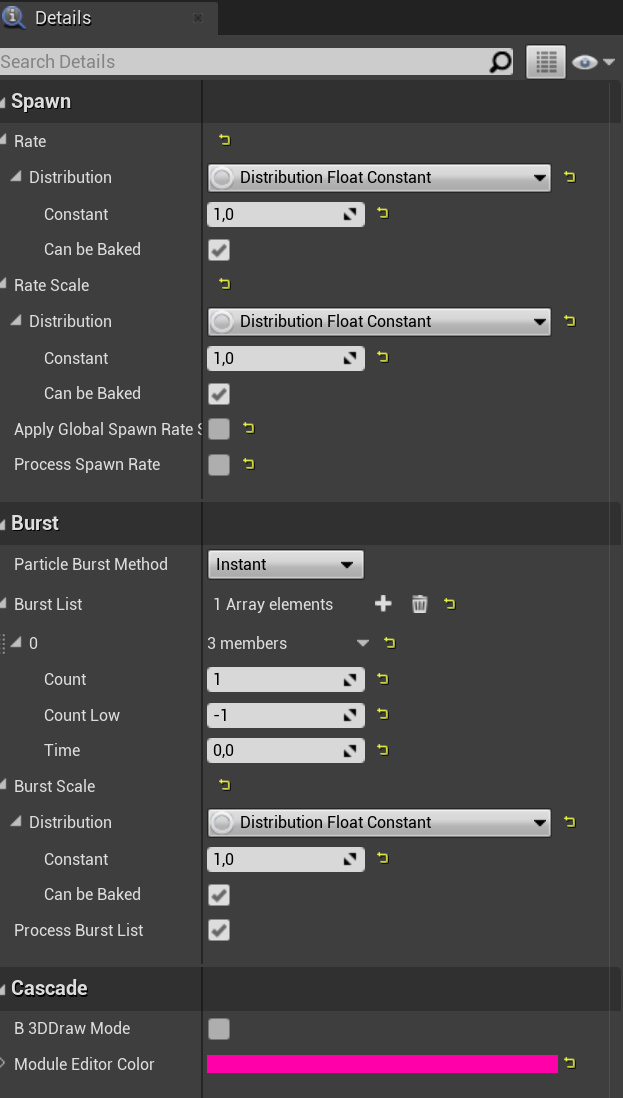
i didnt notice the burst rate scale being set to 0 hehe
fossil swan
np
 celest birch
Hello. Why I can't increase the size of particle in Y and Z directions, only x works and increases particle size in all directions?
fossil swan
is this niagara or cascade?
if cascade > required module > screen alignment > psa rectangle
 mystic zinc
I fix this ! Solution :

- Make you a FunctionMaterial with that in it.
- You also need a Material Param with a parameter: Origin Offset
- In your code where you are doing the Rebasing, add this:
(Set the MaterielParam in the node)
- and in your Cloud Material replace the Worldposition by your function with a Staticbool on True before the node:

This really partially corrects the problem, because with each rebasing, the coordinates go wrong in the frame, it creates a visual glitch. but it's better than nothing !
 boreal stirrup
Hello! I'm having some issues with translucent materials using the custom depth stencil feature. I have a plane on the floor with a translucent material acting as a pre rendered ground shadow for my car model. The shadow is of course using a "translucent" blend mode to achieve a smooth shadow (Not "masked")
Enabling the "Allow custom depth writes" flag in my translucent material enables me to actually see the translucent material in the "custom stencil" buffer.
But It's using a hard clip to render the stencil. just as if I were using a "masked" blend mode on my material.
Do anyone know if there is any way to get a soft faded stencil in the custom stencil pass?
I made an image to try to illustrate what I'm after.
 glacial tapir
I'm looking for some advice on how to make some subtle sand effects, where the sand blows around on the ground. Any tips on where i should start? Are fine sand-like particles achievable(or a good idea) in niagara?
 latent rune
glacial tapir
I'm looking for some advice on how to make some subtle sand effects, where the s...
latent rune
glacial tapir
I'm looking for some advice on how to make some subtle sand effects, where the s...
It depends on the situation as to what solution'll be best. Short answer is yes, Niagara or cascade (though I'd go with Niagara personally) can do this kinda thing. The solution could be either 1 or a combo of things: GPU sprite particles emitted with velocity/wind and collision enabled, or a sandy texture (some noise like a dust cloud, could even be a flipbook) emitted in a direction similarly.
One thing I'd check out is the excellent free Meerkat demo. There's a couple really nice examples of dust there that are very simple and readable.
 lean heron
by the way @jagged rivet i remember you commenting on my question a couple days ago about finding some dirt mask textures. know any good places to find some?
 jagged rivet
https://textures.com/
https://3dtextures.me/
https://sharetextures.com/
https://texturehaven.com/
https://architextures.org/
https://cc0textures.com/
https://megascans.com/
https://poliigon.com/@lean heron

Textures.com
Textures for 3D, Graphic Design and Photoshop 15 Free downloads every day!

3D TEXTURES
Free seamless PBR textures with diffuse, normal, height, AO and roughness maps.

ShareTextures.com
ShareTextures.com Free PBR Textures archive include wood, stone, wall, ground, metal textures and more. Download free seamless textures up to 4K resolution.

Architextures is a library of textures and materials for architects and designers. Use our free web app to create seamless textures, bump maps and CAD hatches
 primal parrot
relooked at this, it turns out its the weather map is not tiled correctly
 bitter flower
is that a modification a noob could make?
fossil swan
not really me thinks
bitter flower
Alrighty, thanks for looking into it!
primal parrot
yes you can, simply make your own 😄 @bitter flower
like make it not have anything on edge of image.... or use ANY other tilable image instead of the one ue4 uses
 potent ether
hi guys, i want a sprite / translucent surface to glow emissive color depending on the light that is actually receiving, cant find the way to, anyone could tellme the function i shall use to get the light from the coordinate in the material editor?
primal parrot
fossil swan
not really me thinks
I am no longer talking about the Volume Texure, which yes is a bit tough for newb... just saying in 4.26 if they swap out the orange/purple weather image with any other tiled image it will fix those lines.
celest birch
does anyone know how to disable or do something to stop making particle like this i have fire but i dont want its just like in the picture btw i grab the torch fire from marketplace thx
 faint aspen
Hi!
Is there any way to prevent SkyLight for illuminating interiors? Looks like it just illuminates everything and it does not take into account some objects are closed and light should not get in
faint aspen
celest birch
does anyone know how to disable or do something to stop making particle like thi...
It should be in the partcle editor. LOCAL position instead of WORLD or something like that. I don't remember exactly but I had a similar problem a while ago
celest birch
faint aspen
It should be in the partcle editor. LOCAL position instead of WORLD or something...
hi yes i already with fixed it with local space 😅 btw thx 🙂
faint aspen
😄
 indigo jolt
@faint aspen post process volumes inside interiors with reduced skylight values is one avenue
it's not a perfect solution though, as it will look weird from outside looking in
or inside looking out
latent rune
jagged rivet
https://textures.com/
https://3dtextures.me/
https://sharetextures.com/
https://...
This is prob. a pinnable post 🙂
fossil swan
jagged rivet
https://textures.com/
https://3dtextures.me/
https://sharetextures.com/
https://...
<_<
consider it so
celest birch
How would you go about making a custom sky? I got the material i just need a way to change the default sky with my new sky material
 teal jungle
Hey all - are there any good examples out there of a line-tracing based laser gun in UE?
 stone egret
Guys why is linear gradient not showing up?
stone egret
@celest birch thanks I will give it a shot ...but does unreal have a texture mapping node(like in blender)
stone egret
yes
stone egret
Basically, there are both nodes, mapping and texture co-ordinate they are often used simultaneously.
celest birch
Hello. Does anybody has extra tutorials about Raymarching? Like this https://www.youtube.com/watch?v=grmZ0I5-CgA

I finally had the time to do this tutorial, I hope you liked it ? This is my first tutorial in UE4 and I would like in the future to do more. This Blob need more love to have a better look but I guess that you had the global idea :)
Please feel free to modify it and don't forget to share your result :D
Link to Distance field function : https:/...
fossil swan
posting here for great justice:
https://twitter.com/VFXApprentice/status/1351622409217040391

Big news! @Alex_Redfish and @Keyserito are inviting you to a split-screen livestream this Saturday at 9am PST. Watch as they both animate magical burst #2DFX while answering questions, swapping stories, and otherwise having a great time!
#2Danimation

 Twitter
·
Twitter
·
 hollow ice
anybody?
 cold sorrel
I would try graphics. This has nothing to fo with vfx
 old yarrow
followup to this older conversation: It looks like 4.26 with stencil layers may fix this
Reference for render passes supported by Movie Render Queue
 novel vector
I have two spotlights setup with the exact same settings, Spotlight 1 is setup on a Actor, Spotlight 2 is setup on a Character.
The Spotlight on the Actor only requires a Intensity of 5 for decent light when under it.
For the same light level on the characters spotlight it requires a intensity of 5000
Why is their such a major difference between a spotlight on a Actor and a spotlight on a character?? Being that they are both the same component, with all the same settings the Intensity shouldn't make a difference but it does.
Can someone Explain this to me??
 gray roost
Hey guys, any ideas how can I avoid having this ugly clipping of my particles billboards?
 stiff jackal
Can we use as a source for a ribbon particle a gpu particle or is it impossible (with cascade?)
fossil swan
gpu particles do not pass information back to cpu, so no you cant use a gpu particle.
stiff jackal
Mmh ok thank you ^^
gray roost
Sounds good but where is it exactly? Didn't find it anywhere in Particle parameters
aha thanks! I will check it out!
 graceful tangle
Is it possible to make object only being rendered in scene capture component?
 errant pawn
This sounds like the guy who does the Intro to Unreal course!!
 proper zenith
Putting this question here because its maybe VFX related?
Im having a 'sutter' in my game after like 10 minutes of playing
And changing the options menu "Effects Quality" and applying it fixes the stutter for another 10 minutes
I'm assuming this is flushing some sort of memory? anyone know what that might be?
proper zenith
graceful tangle
Is it possible to make object only being rendered in scene capture component?
yes, there's several functions for it. if you're in BP, drag a wire off an type "Show Only"
https://docs.unrealengine.com/en-US/BlueprintAPI/Rendering/SceneCapture/index.html
Scene Capture
graceful tangle
proper zenith
yes, there's several functions for it. if you're in BP, drag a wire off an type ...
Thanks for the answer. "Show Only" isn't what I need, I want an object to be invisible in the main camera view, but visible in scene component. I can use "Only Owner See" property but it seems like a messy workaround: every time I spawn my object I have to get scene capture from the level and set it as an owner
proper zenith
There's other functions but it might not be what you want
fossil swan
@night kestrel wrong channel
 civic fulcrum
Hallo,
i woul like to ask for help. Iam transfering my project from Unity to Unreal. Now iam recreating particle effect for fire, I would like from Cascade to spawn random prite from sprite sheet. the only thing i have found is changing sprites through Sub UV. But that changes the sprite in life time every particle has the the same starting effect. Is there a way to have every particle difrent starting image?
(i have found something about creating more emmiters each emmiting desired image, and set up a delay on each of them. But changing delay in the Required tab doesnt seem to do anything.)
If there is someone who nows. Please let me know.
Thank you all, and i wish you a wonderful day.
 fringe fossil
How could I make a lazer beam which targets a player? I'm trying to do a tower that fires a lazer at a player until the tower is destroyed. I need to be able to dynamically update the location. It should start at the tip of the tower, and fire at, and focus the first player who enters.
Does anyone know if this is possible, and how I could start designing a particle like this?
 twin anchor
Hi could I use flip book to make a muzzle flash for my 3D game? I’m trying to get a realistic muzzle flash, and a lot of modern games look hyper realistic to the point where it looks like a picture. Could I use these? https://www.actionvfx.com/collections/muzzle-flashes-vol-2-stock-footage

116 real muzzle flash elements in total.
88 Video Clips + 28 Still Images.
12 different guns across 5 weapon classifications.
Includes 4 different angles to fit any scene.
Delivered in 2K or 4K in 12-Bit ProRes 4444 at 23.98fps.
All files include a pre-keyed Alpha Channel.
Camera: RED GEMINI 5K
 valid shadow
anyone has an idea if there is a way to reorder triangle id's basically i want to organize the triangle id's so i could put a mesh and use the sample mesh to spawn particles and sample the triangles in that given order
fringe fossil
nvm i figured it out
 copper maple
I'm trying to import an alembic file from houdini to unreal. It seems to take for ever if the file gets bigger than like 4 mb. I use the geo cache experimental import
primal parrot
@copper maple make sure you set it to the correct frame range as it always sets 1st frame to 0... also make sure your ABC is clean, no strange polys made of 20 points etc.... reload the abc into houdini to make sure its ok first. I found it will take forever or never fully load if some small issues in the export. I have loaded 50mb or more so it is possible.
copper maple
@primal parrot Humm... My sim starts at frame one. do you mean that I should offset the time before exporting or should I import it from frame 1 in unreal?
copper maple
Thanks! I'll try that.
@primal parrot Still wont work... am I missing something fundamental? Should the normals be on Points or vertices? must it have a name or path attribute?
primal parrot
what are you making
copper maple
It's a grain simulation meshed with particles to vdb and then converted to a polygon, remeshed and output to an alembic.
It imports quickly into maya and back to houdini.
works like it should to blender as well
celest birch
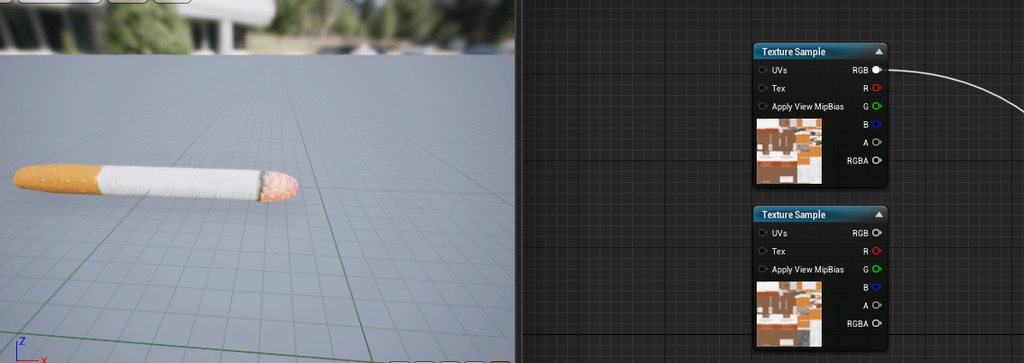
Hello short question
is it possible to do this on UE4?
Basically I have two textures,
I want to use a param that will change little by little the texture 1 to 2.
fossil swan
depends on the uv's, but you can lerp between the two.
celest birch
i have to use what ? thanks for your quick answer
celest birch
Yeah thanks you 🙂
Ok no i need to go to this line and not the ocapity general
i can try
copper maple
@celest birch you can use a gray scale gradient map and use a threshold value that you can expose as a parameter. Then you can control this in a blueprint as a dynamic material instance.
@primal parrot I manage to get it to work by disabling a bunch of mesh optimizations.
 slate junco
Hi, do you know any way to dynamically change a mesh's opacity in game without messing with its material or material parameters. I have to make a UI functionality to place skeletal meshes by drag and drop. But these skeletal meshes should be semi transparent before they are actually placed to level. I know I can use parameter values but I want to know if there is a way to do it without working on all the possible materials on every kind of skeletal meshes.
 coarse current
celest birch
coarse current
celest birch
How is your UV layed out? Looks like you need to deal with a couple of different masks and animating them in your material with parameters! 🙂
 marble merlin
So im doing a canyon, using megascans, the meshes look great at a distance, once up close its blown out, is there a way to keep the quality at a distance and up close, when increasing the size of a mesh
 subtle oracle
Is there a localized directional light? I want to apply volumetric light through windows without lighting up the whole scene
 brittle remnant
@subtle oracle Spotlight is ideal
subtle oracle
@brittle remnant My problem with a spot light is how it spreads outwards
And, the origin of the spot light is very bright, which looks unrealistic when looking through the window
brittle remnant
@subtle oracle You can make the cone angle narrow and move it back in some cases if you have room. As well you can increase the source radius to reduce the dot at the origin.
The other more fiddly way to approach it is to use lighting channels. Just make a new directional light. Set it to affect channel 1 only, and then mark up all your room assets to be affected by channel 1.
primal parrot
@subtle oracle use a gobo (Light Function)
brittle remnant
A gobo doesn't accomplish his goals here, he wants parallel light rays
primal parrot
rectangular light with a window shaped gobo to fake light coming through a window, or play with barn door settings is what they want I am guessing?
actually your lighting channel idea is best...
 cobalt oracle
Hiya, I'm trying to get my procedurally generated cubes to look "normal" (ha, get it?). Since they are procedurally generated, I'm generating normals for all the vertices. They seem to be allright and in-line with all of the other worlds normals (e.g. if I place a cube next to it, the normal colours are correct).
However, I want to apply an extra normal map over it, because the box is textured. I'm using the BlendAngleCorrectedNormals node in my material, and for some angles it seems to work allright, some other angles seem to be inverted (left and right) and then there's the bottom doing this...
now if I just plug in the VertexNormalWS into the Normal output, it looks correct, so the vertex normals don't seem to be the problem. Any idea why the normal 0,0,-1 is causing this issue? And how should I fix this material?
(the left cube is an actual simple cube actor, for reference)
cobalt oracle
myeah somehow I toggled this one off, so I removed that and we're good. Now to make sure the tangents in the generated mesh are good... some sides look good, some sides are off 🙂
 lavish parrot
Anyone know if there's a way to only render some things "through" another, invisible, mesh? So I could make for example a small scene that is only able to be seen through a portal for example?
Without rendertargets
lavish parrot
@grim briar Fantastic, thanks!
Funny, I had already read the two topmost posts there and went into that video and got sidetracked from there. x)
lavish parrot
Hm. I've followed the instructions there to the letter, but it's just not working for me. The thing I want behind is still showing.
 heavy merlin
how can you make it that the muzzle flash moves with the gun?
 neon cave
attach it to the muzzle socket?
 still cipher
Hey, why am I getting black borders on my camera actor?
subtle oracle
@brittle remnant Your light channel idea for window light is interesting. However, it doesn't seem to work correctly when using a directional light that has volumetric scattering
The volumetric light ends up not getting blocked by meshes that don't have the 1st channel
The volumetric problem isn't actually specific to the directional light, it happens with every light
subtle oracle
What if I use a directional light, and I put a massive cube above my entire level that blocks the directional light. Then, I can use mesh booleans to subtract holes in the cube to allow volumetric light to enter through windows 🤔
 fluid tartan
try
 sullen charm
Is it possible to do decals, or something with a similar effect, but projected from a point?
This pic illustrates what i want. Around the smoke in Valorant, they project an effect onto surfaces where the bubble overlaps.
It affects walls and the roof just as well as it affects the floor. I can't seem to get deferred decals to do anything but project in a single direction, within its bounds.
 drifting star
Hi Guys there is a way to prevent particle to be influenced by the parent scale?
 fervent quest
@drifting star you have scalibilty mode in a emitter state at a very top of emitter in niagara
drifting star
thank man about but there is something similar also in the cascade too?
fervent quest
tbh Im not a cascade expert but I dont think so
but you can easly convert your system to niagara with 4.26, devs added quick converter when you click on it with a right mouse button
at least I saw that in patch notes...
drifting star
thank you 🙂
fossil swan
converting to niagara is still very much beta
and no, in cascade you cant prevent scaling
(and things like velocity dont get scaled)
 stoic ember
does anyone know of a visual effect/post processing setting that causes something like this
my viewmodel is blurry
drifting star
F0
 quiet fox
stoic ember
does anyone know of a visual effect/post processing setting that causes somethin...
quiet fox
stoic ember
does anyone know of a visual effect/post processing setting that causes somethin...
I think depth of field
But I don't know how to use it
stoic ember
r.DepthOfFieldQuality 0 fixes it, I've been messing with DoF settings for like an hour and still cant get it to look right without basically disabling it
 junior kite
If i have an empty scene, it's looking normal
 modest leaf
hello, i have a lightning vfx that is attached to the player's weapon and when i move the weapon around the motion blur creates a lot of trails, is there a way to bypass that? i tried enabling output velocity in the lightning material but doesn't seem to do anything
 proper beacon
Is there some way to set a fixed amount of particless in a emiter ?
I need from start x num
proper beacon
ty lets see
another problem
does someone managed to get the orbit system working with GPU particles ?
fossil swan
not without a separate plugin, or fake it with wpo (not sure if thats a smart thing to do)
fossil swan
depending on your goal, vector fields mayhaps?
proper beacon
I wanted to do something like https://cdn1.epicgames.com/ue/product/Screenshot/MachineryFX_Pack - Unreal Editor 12_15_2017 4_47_10 PM-1920x1080-0242d376e65bb89e18e875b1afaebd58.jpg?resize=1&w=1600

but welp
I think that isn't the way
 analog quarry
proper beacon
I wanted to do something like https://cdn1.epicgames.com/ue/product/Screenshot/M...
analog quarry
proper beacon
I wanted to do something like https://cdn1.epicgames.com/ue/product/Screenshot/M...

Support me on - https://www.patreon.com/Ashif
Support me on - paypal.me/9953280644
. In this tutorial you will learn how to create Doctor Strange Portal Effect in unreal engine. you will learn every step for this effect texture, materials, mesh and emitters. For any concern comment below the video or create help thread in CGHOW form (discussion ...
Against all odds, are anyone good at Chaos Destruction? I'm struggling with how to make a pillar topple instead of crumbling. Need to detect when a segment is loose somehow and apply a field?
proper beacon
mmm thats niagara
analog quarry
so do niagara 🙂 cascade is pretty much deprecated at this point and niagara is awesome 🙂
proper beacon
yeah, no in my version
 bleak inlet
@proper beacon duude just use niagara 😃
i havent looked into this server for years or so
proper beacon
niagara is in the other channel
XD
solved it in other way @bleak inlet cannot use niagara on this version
bleak inlet
oh ye my side project is 2017 ue4 as well, can feel the pain
 candid meadow
Hi, I'm trying to use Spawn Per Unit, how can I see the result of it in the particle editor ? (it shows ok in game if I move the projectile). So in other words, how can I fake movement of the particle to see the Spawn per Unit effect in the particle editor?
fossil swan
@candid meadow viewport part of cascade > view > movement
candid meadow
@fossil swan I dont have a view > movement, but I have a view>motion
great , it worked ! I had to also "restart sim" after toggling view>motion, and "motion radius" is needed , like 150 for example, to see the spawn per unit!
 indigo parrot
How can I get an actor or particle to only show on using a render target from a Capture 2D Component?
 wicked shuttle
Hi there! I want to disable wrapping and use clamping for a volume texture. Does anyone know if and how this is possible? I have exactly the problem mentioned here and could not find a solution yet: https://answers.unrealengine.com/questions/985115/volume-texture-how-to-change-tiling-method.html
Thank you 🙂
primal parrot
not 100% sure but would the compression settings effect that? like the tut has DXT1 where the question has default....
wicked shuttle
Thanks for your reply. I have just tried it, no change for any texture format. My guess is that this has changed engine-internally to default to wrapping (as it might be most useful in many cases), but just a guess.
wicked shuttle
Thanks for the tip. How would you approach this? Clamping of UVs in the material does not work as interpolation is done before I guess. Add 1 additional layer on top/bottom of volume texture and re-calculate UVs in the material?
This is an example volume texture. bottom is pure black, 4 layers, top is pure white. but very bottom/top are grey as result of wrapping/interpolation. In material, I use TexCoord -> UV input. Same result with TexCoord -> Clamp(0; 1) -> UV input.
This is the 2D texture. I can actually get rid of the interpolation in 3D texture if I set the 2D texture filter to nearest neighbour. But I would prefer to have bi-/trilinear filtering with clamping at the borders.
wicked shuttle
Amazing! Thanks 🙂 I'm using custom shader with TextureObject as input, so that I can access the sampler via code. Let me see if I can find out how to manually set this in shader code. Thanks for your time!
I'll play around a bit and see how far I can get. It's motivating to see that it's possible at all 🙂
wicked shuttle
Haha, sweet! 🙂 Btw I think that part works now: instead of TexSampler you can use:
GetMaterialSharedSampler(TexSampler, Material.Clamp_WorldGroupSettings)
I basically looked what the HLSL code of your solution looked like.
 wild fog
lads,72 hours into volumetric, outstanding results, but cant replicate the best once i achieved 24 hrs ago... plz check the mistakes.. 1 result 1 code 2 result 2 code... resources on request.
The path
2
The Core
100% volumetrics..
quiet fox
Hi!
I am new to cascade, does anyone know how to destroy the particles in time?
I have tried to destroy the emitter but the particles just disappear.
Is there any other way to, for example, stop them from spawning?
something like niagara
Thanks.
Ok I solved it, I just had to deactivate the component
 polar laurel
Hello! I am trying to use a flipbook to drive particles but I can't figure out how to orient the emitter.
how would i change the axis this is spawned on
im just using a sphere location btw
for example I can't rotate this planar result it is stuck facing upwards
 young panther
Under Emitter you should have one called Facing Mode, doesn't that change the alignment?@polar laurel
polar laurel
No thats for mesh or sprites
I'm using texture sample
Maybe I can run a dynamic parameter in the material
 chrome ridge
Hey guys, how is it possible to have a actor(s) not be affected by a post process volume? Any key words, tutorials or techniques to make this happen? @ me when you get a chance!
 analog onyx
@chrome ridge no
chrome ridge
@analog onyx Yes, just did it hehe
primal parrot
please do tell @chrome ridge
chrome ridge
primal parrot
please do tell <@!294162432115474433>
Actually I didn't get my intended results haha
I'm trying to make a pixelized game, so I want to skip some work by grabbing bought assets from the marketplace, slapping them in a map, then putting on a post process effect to pixelize
I can
But movement feels weird
Before pixelate
After
It looks good, but when I move my char, it looks trash
Im just trying to find a easier way other than pixelizing each and every texture
chrome ridge
This is what I mean by it moving horizontally weird. When I am extreme left, or right it's not inside the post process volume
So yeah, moral of the story is, post process is great if it's a fixed camera. If not, it's gonna give the player a seizure haha
primal parrot
cant you just make the volume bigger?
chrome ridge
It's not about that @primal parrot It's about how to have the player move without the pixel post process effect not looking bad when there are verticle lines as we move horizontal
primal parrot
Ah, well isnt that just lack of AA? which is what you want? to look pixelated like an old 2.5d arcade game? 😄 You are talking about the crawling?
chrome ridge
yes, the actual crawling on the building though
 crude sleet
Hi, I'm from Unity and I was wondering if it's possible with Niagara to have particles affected by a wind zone
 lime yoke
Is it possible to have a particle in an emitter appear to overlay all other components of the emitter? Kinda like using a billboard
lime yoke
Found the solution; the camera offset module seems to do the trick
 sudden grove
Anyone know how I could make a laser pointer that splays out?
Similar to a spot light, but I want it to be more visible.
From the sides and such.
 slim oyster
Hey Guys, how would you a "spark" effect like genshin impact on pickable items?
https://youtu.be/25czmm0ZkzI?t=715

This game is Genshin Impact. In this video I'll be showing gameplay from the first 40 minutes of the story and sharing some impressions.
Subscribe and click the 🔔 to get notified when there is a NEW video!
【 Social 】
Twitch ► https://twitch.tv/havian
Instagram ► https://www.instagram.com/haviancritdmg
Twitter ► https://twitter.com/HavianCritD...
slim oyster
I started with a bill board.. they seem to have a 360 positionning
fossil swan
@slim oyster here's some info on it https://www.youtube.com/watch?v=FEMqR7ggSwE

More Game Art Tricks: http://simonschreibt.de/game-art-tricks/
Article to this Video: https://simonschreibt.de/gat/zelda-the-bling-bling-offset
Music: “Blue Hour" by Birocratic (http://www.birocratic.com)
This video explains two simple but genius tricks for adding a bling-bling-effect to the items in Breath of the Wild.
by the looks of it, its all just sprite work
slim oyster
thanks 🙂 i'm looking into it! that's a good idea yes
quiet fox
Hi
Does anyone know any event that is triggered when cascade particles collide with something?
 deep dagger
@chrome ridge the post process volume only deals with the camera/view. You COULD exclude an actor from a post process material via custom depth or whatever.
chrome ridge
@deep dagger Aye, I ended up doing just that! Works decent. Not the best, but it works well enough. Thanks for answering
latent rune
crude sleet
Hi, I'm from Unity and I was wondering if it's possible with Niagara to have par...
Indeed it is
 vale basin
Total newbie with post process, fx,, materials, etc.
Basically I'm trying to blend from a post process material to... not a post process material. I've tried changing the blend weights of the post process component with 0 results
Anyone have experience with this sort've thing that can point me in the right direction?
sullen charm
Custom depth. Make the meshes write to custom depth buffer. Make a an edge detection post process effect. Use custom stencil to get different color/behavior for different kinds of things you want to be seen through walls.
The description probably leaves you with some questions, but it gives you some things to go on when googleing, should no one care to provide an in depth answer.
fringe fossil
sullen charm
Custom depth. Make the meshes write to custom depth buffer. Make a an edge detec...
Do you know any tutorials for this?
Would it perhaps be easier to do a full outline of the characters?
sullen charm
This shows you custom depth, and how you can use it to see things through walls. Getting just an outline is harder, since you need to use edge detection. I made my own kernel for that (which was a pain), idk, maybe Unreal has something built in i just didn't find.
https://www.youtube.com/watch?v=timuvlu2ukc

Tutorial on using post process materials to render objects through each other!
Pretty fun thing to make, super simple, and can be combined with other effects and textures for some really nice VFX.
Clarification - During the process I mentioned the floor node incorrectly. "Floor" is a mathematical process that takes a number and rounds it DOWN ...
fringe fossil
sullen charm
This shows you custom depth, and how you can use it to see things through walls....
What do you mean by kernel? Like a computer kernel? Like the linux kernel?
cold sorrel
In image processing, a kernel, convolution matrix, or mask is a small matrix. It is used for blurring, sharpening, embossing, edge detection, and more. This is accomplished by doing a convolution between a kernel and an image.
fringe fossil
o.O
cold sorrel
Sample some locations around each pixel, compare the results, done.
(Do this on the depth)
fringe fossil
thx
fringe fossil
@cold sorrel oh at the end of the video the guy explains it but he said its extremely expensive to do
if its so expensive, how did overwatch do it lol
there must be a better way of doing it
 humble berry
Is there a way to emit 'Black Light' through a material instance? Where the material glows black instead of whatever other color it is?
fringe fossil
sullen charm
This shows you custom depth, and how you can use it to see things through walls....
So is there a way to apply this effect on a per-character basis? For example, I want players above 50% health to have green color, and below 50% would be red
But because it's a post process, it' s applying it to EVERYONE
sullen charm
It's called custom stencil. I've never used it myself. I only did the research a bit ago because this is something i am going to have to do myself down the line. Google it. It gives you a bit more data to work with when doing this custom depth stuff. You can use that for logic.
fringe fossil
sullen charm
It's called custom stencil. I've never used it myself. I only did the research a...
Oh no that's not what I'm referring to though. I just want to know if it's possible to have it on a per-user basis instead of globally for everyone on the map
sullen charm
fringe fossil
Oh no that's not what I'm referring to though. I just want to know if it's possi...
What do you mean per user? Only some users should see through walls, or you should only see some users through walls?
You can selectively apply the material only to the cameras that should get the effect, if you only want some people to be able to see through walls. You can make logic to toggle people in and out of the custom depth buffer if you only want some people to be seen. You can also do most of this with custom stencil.
Depends what works best for your case.
fringe fossil
One second, I'll show you an example of what I mean. I'm loading up the engine.
sullen charm
But custom stencil is definitly how you seperate between levels of health
fringe fossil
So if you see, the material is applied to our post process volume
so that means that if i change that material, it will change it for everyone on the scene
sullen charm
Put it on the camera
The camera has post processing too. Volumes are for regional effects.
fringe fossil
Well then there's still another problem.
What if Player 1 has 100% hp, but player 2 has half hp and I want them to be red
If I change it for player 2, won't it also affect player 1
so they would both be red?
sullen charm
Pretty sure that's what custom stencil is for. It gives you more data per pixel to work with for custom depth. Think of it like a custom color to go along with it. Then you set up logic to change the custom stencil color on the players that are affected (in actor), and the post process only handles the stencil color and does the right thing depending on the color.

With some of the recent changes to Unreal Engine 4, rendering multi-color outlines is now possible! This is done through the use of Custom Stencil, a new buffer similar to Custom Depth - but allowing meshes to render as integer values. This provides us with a 1-255 range of indices that can be used to apply different outline colors to meshes and...
This is what you want, right?
fringe fossil
@sullen charm okay that makes sense
 gilded fiber
I have a particle system with a color parameter. I want to create systems that I can attach to actors that have different values for that color parameter, so I can have a red, green, blue, etc version. Is there something equivalent to a material instance where I can create just a set of parameters that thinly wraps the master particle system and passes that parameter? Or do I have to create a copy of the particle system for each color?
I'm trying to avoid having to do any blueprint work to change the parameter, I just want to plug it into a particle system variable and be done with it.
fringe fossil
@sullen charm Curious as to why in tom looman's setup, it's a 255,254,253,252 starting at 255
Why didn't he start at 1 lol
sullen charm
gilded fiber
I have a particle system with a color parameter. I want to create systems that I...
If this is niagara you can just use user params and edit them per instance. But this isn't the niagara channel, so if it's not that, i can't help.
Alternative advice, should you not be using niagara. Start using niagara.
gilded fiber
Hehe, it's cascade, so maybe your other advice is applicable
I mostly do design work, so VFX is a little foreign to me, and I've struggled the few times I've tried Niagara
sullen charm
It felt a bit daunting when i changed from cascade to Niagara, but it blows the doors open when it comes to possibilities.
Having control of your parameters alone makes things so much easier.
Cascade has some ability to change params from blueprint though, so if you just want a quick fix for this, there probably is a setting on the color to make it a param or something. Idk though, controlling parameters in cascade is painful and limited.
 cloud nimbus
Has anyone attempted to make a functional day/night cycle in 4.26 using the sky atmosphere and two directional lights? I am unable to get the SkyAtmosphere to accept more than one lightsource. It always renders black. I did find some 6mo old YT tuts, but it looks like things have changed a fair amount since then.
gilded fiber
sullen charm
Cascade has some ability to change params from blueprint though, so if you just ...
I just went ahead and made a separate particle effect for each color. Bug fixing will be harder, but it's a short term project, so #yolo.
gilded fiber
sullen charm
It felt a bit daunting when i changed from cascade to Niagara, but it blows the ...
Can you recommend any good guides for learning Niagara?
sullen charm
gilded fiber
Can you recommend any good guides for learning Niagara?
I kinda wish i could, but i learned it before there were good guides, so i just kinda bashed my head at it until i got it.
I can give some tips from when i learned it though.
At first, it felt like it lacked a lot of functionality from cascade, but that's because you don't have all the "nodes" your used to, but that is just because the new dynamic input makes a lot of it super redundant. Like a node might not have an input you want it to have. Like the node has a vector input and you wish it had a scale float input too to scale the vector. But you can just press the arrow next to the vector input and replace it with anything that produces a vector, including vector multiplied by float.
Best of luck. There's probably a lot of good tutorials on it now that it's no longer a plugin, like it was when i learned it.
gilded fiber
That's a cool tip, I'll keep that in mind 🙂
I'm hoping a legit VFX artist friend of mine joins my project later this week, I will bum some niagara tips off him too 🙂
crude sleet
latent rune
Indeed it is
Hi, sorry for my late reply I didn't notice your reply,
As far as I know, this wind force is a force applied independently from a wind zone right? So I would need to sync the variable if I want to play with wind direction and strength
thanks very much for your answer
 weak jewel
Hey everyone I have a super specific question ^^'
I wanna have something like a post process volume but I can see what's happening from outside...
Usage:
I have some projectiles which should be affected by this volume to change color only as long as it's in there.
latent rune
crude sleet
Hi, sorry for my late reply I didn't notice your reply,
As far as I know, this w...
Correct, the wind force in an emitter will only affect those sprites/mesh AFAIK. I'm not sure if a volume with wind or gravity will affect sprites/mesh from a particle system though. My gut says 'no', but I'd have to test to be sure. Unless you have wind that you expect to shift randomly in diff directions, I'd just set the wind force up as a User Param so that when you place your emitters you can set the direction you want them to flow on a per emitter basis. Granted, this won't work if you expect to have this emitter attached to something, or be more dynamic, so another solution would be necessary 🙂
crude sleet
latent rune
Correct, the wind force in an emitter will only affect those sprites/mesh AFAIK....
I see, interesting, I'll keep digging, thanks to you
latent rune
It could be that if you spawn your particles/mesh with gravity it gets picked up.
 void palm
Hey guys! Is there anyone to who I can address some questions regarding RayMarching? Thanks in advance!
analog onyx
Stating a question that way always has a risk that someone, who might know, might actually want to silently skip rather than heroically junping ou of the crowd, screaming MEEE! #graphics @void palm
void palm
True true.
 obsidian compass
I'd like to have a fog particle collide on a custom collision channel, but there doesn't seem to be a way to select custom or specify a channel at all from the drop down on an Actor Collision node in Cascade. There is a collider on my player character that I'd only like to collide with this type of particle. Any idea how to set custom collision for a particle?
To clarify I'm using a spheroid capsule collider around my player character meant only to kill fog particles around him. The problem is that it generates overlap events with other actors, but I only want it on a custom channel with this particle type.
Problem solved. It appears in the drop down after creating the custom object collision type. I should have done that first.
 rare tendon
how come my skylight is set to realtime, on a daynight cycle thing, but to get the best lighting i have to disable realtime then enable it again?
realtime on when light is changed
realtime turned off after 1st img
realtime back on
how come it doesn't just go straight to img 3 after changing light the light?
 sweet raft
Hi everyone, is there a way to have an object with a gradient material that keep its gradient direction even when the object is rotated ?
 faint linden
Like a world space normal?
 rancid badge
Collision for my particle system works only for my particle spawn point, not the individual particles. Any idea what I did wrong?
sweet raft
@faint linden I'm trying to simulate lighting on an object (a simple plane) by having a gradient color added to the object's texture color where the direction of the gradient (lets say from to to bottom) stays the same even when i rotate the object.
faint linden
There's a few tutorials on youtube that tackle things similar to that. Stuff like moss or snow on rocks. Not quite what you're looking for, but uses techniques you can use that would help you achieve what you want.
sweet raft
@faint linden good idea ! ill check those and see if I can adapt them to my case, thanks .
 gaunt night
Hi, I am using a sphere mask on a material to subtract shapes from meshes - how would I go about making a glow or effect at the point the sphere mask intersects with the mesh? -
 waxen willow
How can i fade a particle based on both absolute emitter time and particle time?
waxen willow
Done! I was able to achieve this with initial color and a curve
 crimson heron
Does anyone know how to keep an Emissive objects light still effecting the world lighting, even when it's offscreen?
see in this video how the light emitted is depended on the amount of the object onscreen
I want to disable the onscreen calculations and just have the same level of emission regardless of onscreen/offscreen
 mystic salmon
crimson heron
Does anyone know how to keep an Emissive objects light still effecting the world...
mystic salmon
crimson heron
Does anyone know how to keep an Emissive objects light still effecting the world...
First, try to disable auto exposure if it doesnot work, Check "use Emissive Material as Static lighting" from your emissive object detail. Click on check box and build lighting.
Now you can use your emissive cube as custom lighting object.
crimson heron
Thanks, unfortunately the entire level is being done in dynamic lighting, so this time I guess I won't be able to use emissives to light?
 abstract forge
i have a problem with ribbon particles
when the source dies the ribbon flashes like such
the ribbon suddenly changes from this to the above one
primal parrot
which version nigara? but if you have a random lifetime, they most likely wont work well... unless thats been fixed?
junior kite
i copied over things to my plugin and lost all of the references.
I could reset them, to what it was before, but my materials are all missing 3 base pass vertex shader instructions, and i can see, that the material is missing it's surrounding in preview
This is for all materials, so i seem to loose one thing, i did not find yet
any ideas about what got lost ?
they look the same, have set up same references
but the copy is missing 3 instructions
And the other materials look the same, as i said.
i loose an information and don't know where
junior kite
wrong channel ?
primal parrot
Is there a way to animate the spline points that make a River in 4.26 Water Bodies? Animate any of the attributes? Or is there a way to make a river look like it initially pours or expands by either moving and ground a spline? Cheers!
 worn hare
is Cascade the particle system that uses the CPU and Niagara the one that uses the GPU?
primal parrot
no Cascade is the older system, Niagara new and a bit more robust, both use cpu and gpu @worn hare
worn hare
primal parrot
no Cascade is the older system, Niagara new and a bit more robust, both use cpu ...
I see, so there's no reason to use Cascade over Niagara then?
primal parrot
if you have 4.25+ yes use Niagara
cold sorrel
Depends how you spawn the effect.
If you spawn the effect in the world, it'll stay there even when local space. If you spawn int attached, it will be attached.
Unfortunate
junior kite
junior kite
Recall
 reef summit
is there a way to get a variable out of a material where a blueprint can use it?
like for example when someone does a cell shader they usually take the desat of pp input0 and divide by the desat of diffuse color and clamp between 0 and 1
could somehow we get that number out of the material so a blueprint could deal damage based on an if statement
example: vampire takes damage if he has a surface that is more lit than .7
if anyone has done anything like this or has an idea please @ me here. i have a cell shader but i have no clue how to get the number out of the material into a blueprint
im not working on a project or anything right now
i just thought it would be nifty and would like to see it in action in a test project i have
 echo knot
hello. is this the channel to ask questions regarding ray tracing?
 silent bobcat
Are there any good tutorials for bullet tracer effects? I'd like to use simple beam particles for ray trace weapons.
latent rune
reef summit
like for example when someone does a cell shader they usually take the desat of ...
You might want to look into Material Parameter Collections.
celest birch
Hi guys, I'm new to UE4. Still going through the base tutorials, I know this may be a little advanced (in my current position). How would I create some luminescent/bioluminescent plants?
From my understanding it would be playing around with Emissive-Color materials blueprints. But that's all I understand so far. If anyone could shed some light on this I'd be forever gratefu
subtle oracle
Anyone know why my lit particles turn black depending on where the character is standing? I want the particles to always be lit if the lighting lights them, regardless of character position
My particle material is simply a masked texture
crimson heron
@celest birch yes youd be using emissive in the materials editor
probably also some lights attached to sell the effect, DM me if you want help with emissives
I also have a question, is there a way to take the TIME value in the materials editor and only update it's value like once per second? I'm trying to create an effect where computer screens scroll through the code but in a jerky manner
 chilly iris
Do you guys use an UE4 template for showcasing FX?
crimson heron
Well the ue4 demo content project has a lot of FX included
void palm
I would like to create a Data Texture using render targets. I would like to mask out a single pixel from a data texture and write a color in it in blueprints.
How would I mask out a single pixel from a texture?
Let's say for example, my rendertarget is 16x16.
 wanton thicket
Does anyone have any idea how the devs managed to create the ammo counter/bullet stack seen in this video? The bullets look like they are part of the UI while also looking 3D and animated depending on the amount of bullets in the gun. Any ideas how I can replicate this?

SEGA Use 5.1 sound system in the game
Some voice or vocal is miss cannot record it
Twitch:https://www.twitch.tv/barryak47
Fans:https://www.facebook.com/TAESportsTW
#湯姆熊歡樂世界台南真光店
wicked shuttle
@wanton thicket Don't know if this works as exspected, but what about attaching the bullets to the player's camera? Like done in VR when picking up stuff: https://docs.unrealengine.com/en-US/SharingAndReleasing/XRDevelopment/VR/DevelopVR/VRCameraRefactor/index.html
Information on attaching items to any HMD.
wicked shuttle
void palm
I would like to create a Data Texture using render targets. I would like to mask...
Does this help? https://www.youtube.com/watch?v=Tx3j8nai3vE

The mentioned tutorial: https://answers.unrealengine.com/questions/481886/scene-render-target-filtering.html
I want to write pixel per pixel into a texture / renderTarget and show how to do that by using Canvas Render Target and a Blueprint
subtle oracle
I have this simple post process material that grays out the world but keeps actors with a stencil depth colored. Problem is, the colored stencil actors are visible through some walls. Any idea on how I could prevent the stencils from being visible through walls?
wicked shuttle
subtle oracle
I have this simple post process material that grays out the world but keeps acto...
I'm no expert there, but maybe you can compare depth and only apply your stencil when no wall is in front? Similar to this here? https://superyateam.com/2019/06/17/custom-depth-and-custom-depth-stencil-in-ue4/

Custom Depth and Custom Depth Stencil are the nodes which you need to use if you are implementing Occlusion Masking in UE4. Read to learn how to use them.
subtle oracle
That helped, I was able to get it working! Thanks
wicked shuttle
cool, you're welcome 🙂
wanton thicket
wicked shuttle
<@!216935642913832961> Don't know if this works as exspected, but what about att...
That's the only way I can think of but the way the bullets are lit (don't react to world lighting and don't move with the camera wobble) make me think it's a UI element
wicked shuttle
wanton thicket
That's the only way I can think of but the way the bullets are lit (don't react ...
I see. Another workaround might be creating a custom shading model for the bullets, but doesn't seem like the first thing to try. Hope somebody has a better clue 🙂
wanton thicket
Thanks for the suggestions 🙂
It's one of those things which I saw a while ago and still can't figure it out, but curiosity is getting the better of me
 split hawk
anyone know what the step node does in the material graph?
 torpid grail
Hey guys. I’m trying to spawn a particle system on a break event using chaos. However, when I create a custom solver I loose the collision I had on my geometry collection? Any tips on how to get Niagara working with Chaos?
marble merlin
Does anyone have experience with groom?
split hawk
marble merlin
Does anyone have experience with groom?
yeah ive done some work with it
marble merlin
So I added hair to one of my creatures, and paired it with the skeleton, but it wont move correctly with the animation
it moves delayed or just kind of off, im up to date and everything, any ideas what causes this?
@split hawk
split hawk
do you have "tick animation on skeletal mesh init" checked in your project settings?
marble merlin
yeah I checked that as well
split hawk
screenshot?
marble merlin
sending
You can see the tail is moving, feet arnt, it also seems to make hair disappear when you get close or certain angles

but in tpose its perfect
split hawk
ah i see the tail is offset but moring correctly and the feet arent moving at all
marble merlin
exactly
split hawk
what engine version are you using?
marble merlin
4.26
split hawk
ok the last i worked with groom was 4.25 so my advice might be mute for you
marble merlin
Could it be caused by the import size being different, I had to downsize it alot
split hawk
ok yeah that could definitely do it
that shouldnt happen
where did you create the groom?
marble merlin
yeah All the vids I watched said to set export for 100, and I use blender
marble merlin
mesh was set to normal size, it was just the hair I had to make big
thats my next step, trying to import them at the same sizes
split hawk
yeah try that
also i dont know if its still like this in 4.26 but in 4.25 on importing the groom if the transform is off (its rotated the wrong way or scaled incorrectly) you need to reimport it with corrected transforms, not just change it in the details panel
marble merlin
Ahh
split hawk
i dont know if thats what you've been doing already but groom importing in wacky like that
marble merlin
yeah I was editing it once I got it in, it would come in at the wrong direction
thanks for the help
split hawk
yeah np
try to fix the scale in blender tho, that will probably mess with things more than anything
void palm
wicked shuttle
Does this help? https://www.youtube.com/watch?v=Tx3j8nai3vE
This is basically the exact thing I wanted! However, I managed to do it in the end by myself. But thank you for taking the time for searching for this. I actually didn't use the "Begin draw canvas to render target" node, instead I used another method, but I'll try this method too, since maybe this one is more performant than my execution. Thanks!
fossil swan
 spice sand
Particle eye candy: https://youtu.be/CxEqoGflzXs (WIP)

 dusky berry
does anyone have any general tips for helping a "realistic" game look better using the post process volume?
so far I've just upped the contrast a little which I think has helped

my game is in a well lit furniture store
the game was looking a little too clinical, when I want it to look more like a nice advert
split hawk
you could try playing with dirt mask, lens flare, depth of field, and a bit of chromatic abberation
you could also use a LUT or color tint to make it feel less clinical
i believe there is also a saturation control somewhere in ppvs
dusky berry
ty I'll look into LUTs, I upped the global saturation on the ppv
split hawk
yeah also it looks like your scene is using a lot of ambient/indirect light so you might get some nice variation if you use some different kinds of lights to change up the intensity here and there
dusky berry
thats a good idea, I'll try to add more diverse lighting. the entire game is proceedural though, so its all dynamic lighting which is expensive 😭
spice sand
A few suggestions would be to check your scales on things. The individual assets look great, but how far apart are they? Look at your own living room and try putting things at the actual spacing. Also take a look at the scaling of the texture on your floor it looks way too large. If you're using a directional light, replace it with a bunch of regularly spaced spotlights (static) on the ceiling so you get variations in lighting, but will help add to the sense of depth. Finally, try a cinematic camera with a small value for the aperture so you get some depth of field.
spice sand
@dusky berry Oops... I missed the comment about it being procedural. I read one suggestion regarding dynamic lighting where you put a dynamic spotlight (less expensive than a point light) in a blueprint with a trigger volume around it. When the player enters the volume, turn the light on, when they exit, turn the light off. By doing this you can limit the number of dynamic lights that are active at any given time. Depending on how procedural the map is, you could also consider pre-baking lighting into some of the textures for the rooms so each room is a module with fixed lighting.
celest birch
Hello, I am currently working on some FX for a game and I made a Particle system that imitates a force field, as of right now it follows the character, and it is rotating when the character rotates, i'd like to stop that and the Lock Axis Module does not seem to work for this situation does anybody know of workarounds?
 marble valve
where i can find some free realistic explosion vfx and smoke plumes?
sullen charm
How would i best go about making a "post processing window" of sorts. A translucent mesh that applies a post processing effect on what's behind. Using SceneColor and just doing part processing effects on that breaks translucent materials behind it, so i don't consider that a proper solution.
celest birch
https://discordapp.com/channels/187217643009212416/221799195806400512/812177398228320297
Guys, I'm posting this here in case some of you wizards can help me out with it ❤️
fossil swan
@celest birch busy so i cant go into detail, but look into the "distanceToNearestSurface" node.
celest birch
@fossil swan No worries, we'll talk in detail when you have the time 😄
I just want to understand the technology behind it that is all
fossil swan
doooont ask me about the tech behind it :p
celest birch
@fossil swan I know this is some "secret of the trade" but i couldn't find any tutorials related to it. Plus i have 0 experience with materials 😂
cold sorrel
No secret. Nor is it particularly advanced. It's just timeconsuming to explain to someone who won't read up on the basics first.

More Game Art Tricks: http://simonschreibt.de/game-art-tricks/
Article to this Video: https://simonschreibt.de/gat/stylized-vfx-in-rime/
This talk was given at the ADDON 2017 in Rennes/France. It's about the stylized effects from the game RIME.
Tips for better listening:
- Play the video in 1.5x speed (saves time & reduces echo/reverb a litt...
It's like telling someone to explain Matrix Transposition but you don't know what a Matrix is.
Or taking it further, asking about conjugation before you know the alphabet.
It's not going to mean anything and it just wastes everyones time.
dusky berry
spice sand
<@!116523519877054473> Oops... I missed the comment about it being procedural. ...
When the player enters the volume, turn the light on, when they exit,
I think this applies more to games that are linear? my game is "outside" meaning most lights near the player will be relevant. Unless I'm wrong but I dont think this offers more benefit than simply adjusting the light's "max render distance" and the "Min Screen Radius for Lights" setting right?
sadly the player can break all the walls and theres a day night cycle so prebaking doesn't help too much. Sadly the lighting and furniture is dynamically placed too :X.
spice sand
Trying to achieve realism, and procedural is a tall order... what about using a decal as a fake shadow?
dusky berry
yeah the world is entirely HISMs. I tried using distance field shadows for everything except the player, which didnt actually offer that much performance benefit vs dynamic. But looked much worse and had a big memory impact too 😦
I think I'm just going to stick to dynamic shadows. The view distance isn't too far. I limit it quite heavily
the view distance in game is fairly short but it hasn't hindered gameplay much. It kind of adds to the mood

 buoyant swan
Is it possible to interpolate between 2 different materials?
quiet fox
Can someone explain me quickly how to use depth collision with gpu particles in cascade?
 mild cloak
Hope I am in the right channel: How and what would I use to get engine or exhaust flames (make just like a glow emitter or something) like this?
 fossil swan
@mild cloak whats the exact result you are looking for?
I did some thruster-like tutorials a few years back, but might not be relevant depending on needs
mild cloak
@fossil swan . Here is an example of what I need. I'm trying to get a jet-engine like effect: https://youtu.be/qhCtOhmEDgo?t=168

First Outing this year for the FireForce 5 Jet Car at The Fast Show at Santa Pod Runway. Putting in an earlier run of 5.14 @ 306mph and following it up with this run of 5.07 @ 298mph.
If you just want to see it run - skip to 2.50 mins
Please like the videos, subscribe, check out my facebook page and contact me if you are looking for a video of...
fossil swan
@mild cloak bit old but: https://www.youtube.com/playlist?list=PLuqNhfvpWXRiHIFsstRqF_nDUzNyKVJLq
the livestream is sliiightly newer but i'd suggest the separate videos.

YouTube
This tutorial will show you how to create a mesh based particle effect for projectiles/beams and other similar special effects. Software used: Photoshop, 3ds...
 celest wagon
hey guys how can I have a liquid shader rotate depending on a vr glass similar to this https://www.youtube.com/watch?v=mVQNMmnIqMo&ab_channel=Goutrial

The new update came out and it had an unexpected feature!
Music: https://youtu.be/Z-_TSTy0H78
Go support their content ^^^
it doesn't need to be this crazy but something close
fossil swan
you'll have to do some advanced googling to find people posting info about it.
But generally, if you have to ask... you might not be ready :p
(take it from someone who isnt ready)
https://twitter.com/ShaderBits/status/1268968994247249923


This thread has a breakdown of a simplified version of the fake fluid effect. Here it is just drawing a fluid profile (need to add a bumpboffset to actually draw the fluid surface cheaply next). https://t.co/ayAvmOV6le
Retweets
298
Likes
1384
Twitter
·
split hawk
say i want to step a scalar value in a material. if 1-.75 return 1, if .75-.5 return .75, if .5-.25 return .25. how would i do this?
would i just concatonate if statements?
is there a more elegant solution?
cold sorrel
round(input*4)/4
split hawk
cold sorrel
round(input*4)/4
used ceil instead of round but did the trick thx
out of curiosity is there an easy way to step an input value at arbitrary values? this method evenly distributes it which is good enough for me
 thorny frigate
hey so im not quite sure if this is the right channel to ask this is, but as it kinda falls into visual fx, ill deal with any consequences that follow if im wrong. So im a student studying games dev, and at the end of my course I have to produce a final project, blah blah blah get to the point am i right? So the last project i made it was on mars, I made a landscape and made my own textures in quixel mixer, i added a volumetric fog, but what it was lacking was some sort of dust cloud, or sandstorm, there are no tutorials whatsoever on youtube, and any videos that show off any sort of sandstorm are like 6 seconds long and are just advertised for a marketplace asset, i was wondering if anyone can point me in the right direction with a link or video of how to create some sort of sandstorm effect, as im hoping to improve upon my last project and actually complete it this time. Thanks!
mild cloak
fossil swan
<@!729033711005204533> bit old but: https://www.youtube.com/playlist?list=PLuqNh...
thanks for this. I will try it out!
celest birch
thorny frigate
hey so im not quite sure if this is the right channel to ask this is, but as it ...
There was a Western town template free on epic marketplace a little while back, that among other things had some dusty whirls effect, which I think is something that may give you an idea? I don't know if it's still free now though...
thorny frigate
if it was in the last 2 years then i may have it, ill have a look now
yeah i think i have the one you were talking about, ill take a look now, i ended up looking at ue4 documentation for niagara and the ue4 forums to find a tutorial by underscore for localized volumetric fog, might be what i need, thanks @celest birch
 trail jackal
hello I am trying to develop a mobile 2d platformer. I want set a postprocess for the background layout but as far as i know it just works when the camera is in it. I want the front scene to be normal but the background with postprocess
 potent forge
Does anybody know how to cast shadows on invisible goemotory
lime yoke
I've got an emitter that spawns particles in a random distribution and I want to make a second emitter spawn particles in the same location. Is there a way to do that? My current setup just has both emitters spawning randomly within the same distribution.

Found the answer, it's seeding
celest wagon
@fossil swan Thanks for the info I will check it out and try my best
young panther
Hi have a Blueprint widget that seems to have a lighting effect happening to it. Its only got about 25% color. I cant find what could be causing it. Its applying it to the whole bp. so presume its the base overlay I have tried with a new bp and no issues. Any thoughts. ??
quiet fox
Hi I have a problem with cascade when I see it in the viewport it looks like the collisions work fine, but when I play it it looks like there is no collision.
Any idea?
cold sorrel
You haven't set max collision distance
quiet fox
Yep, that was it
thanks : )
void palm
Has anyone used Data Textures to get transform info and use it in RayMarching?
I have this simple small data texture:
This is an 8x8 render target.
The thing is that I would like to create the amount of SDF spheres in raymarching, how many columns I have in the texture. (In this case 5 spheres. The rows represent position, rotation, scale)
I can read out values no problem, but I don't know how to properly process this data.
Right now there is the raymarching function, and I tried doing another loop to iterate through all colums of pixels and add them to the scene. But for some reason (probably my math is wrong), it doesn't display anything, or only the last element.
Does anyone have a spare 10 minutes to help me out with this one?
 analog onyx
At each iteration, you read all the sphere transforms and estimate distances to them. Combine with operator of your choice. Eg. Min. That is all. Though whole undertaking reeks a bit.
mild cloak
I have a beam and I want it to attach from 1 joint to another. The "spawn emitter attached" only allows to have the beam emit from one joint using "attach point name" node. But I don't want it to emit, I need it to be constant and follow some animations. I can make it constant, but how do I make it start at 1 joint and end at another?How do I do this?
cold sorrel
@mild cloak
 slender walrus
does anyone have a clue if and how it would be possible to have texture effects like blood/sweat running down a characters face? I searched myself silly on google 😦
mild cloak
cold sorrel
<@!729033711005204533>
Thank you! Is there a way to avoid the lag of the beam? Like it lags in updating the target and looks really funky. It lags when I drive forward, maybe that helps, it does not lag if I am just turning. EDIT: "Post update work" fixed it!
split hawk
slender walrus
does anyone have a clue if and how it would be possible to have texture effects ...
@slender walrus panning textures and masks, check this out: https://www.youtube.com/watch?v=rhlV4okjkiA

In this video, we make a shader that creates rain rivulets or drips running down the sides of our model. The drips can behave differently depending on if the water is soaking into a permiable surface or running down the side of an impermiable surface like glass or metal.
Now that we've learned how to do drops and drips, in a future video, we'l...
his other videos might be helpful as well
slender walrus
@split hawk Thank you!!
split hawk
np
slender walrus
I also found this one: https://80.lv/articles/breakdown-animated-raindrop-material-in-ue4/ which looks very impressive

Harry “deBug” Emelianov kindly prepared a step-by-step breakdown of his animated Raindrop opaque and transparent materials made in UE4.
 tropic whale
So im looking into creating an open world horror game, that has a massive spotlight in the middle of the map (think saromon) and have imediately realised that simple spot lights arnt nessearily capable of such a task.
does anyone know of any techniques or objects/functions I should research to get this done?
split hawk
@tropic whale you mean like sauron?
 tropic whale
Y E S
@split hawk everyvideo i look up, just says how to make a flashlight, or day/night cycle. but what I realy want is a giant flashlight that reaches across the whole map
I know its "possible" but have no where to start :(
split hawk
@tropic whale ive never tried something like this but i can imagine there could be problems. if you haven't tried a straight up spotlight try it out, see what happens. if that doesnt work i would try to fake it by lighting up the top of the tower and using a big moving spotlight to light up wherever its pointing
 uneven sun
Hey, I'm new here and I'm sorry to cut in to your conversation:/ but my particles return to their offset when I render and I have no idea why
tropic whale
@split hawk ive tried a spotlight, but its atenuation distance cannot reach far enought at all! and i even tried using a directional light (the sun) and putting it in the map, then blocking the light comming from it with a cage and window (like a lighthose) but I don't think there is anyway to do that either. the only thing i can think of is making a congo line of spotlights infront of one enouther to reach out across the map lol.
split hawk
uneven sun
Hey, I'm new here and I'm sorry to cut in to your conversation:/ but my particle...
cascade or niagara?
uneven sun
cascade
split hawk
oof im a niagara man sry
uneven sun
No problem man!
 prisma rune
Hey all, I'm fairly new to using Unreal so apologies if this is a very basic knowledge type question. I'm making some particle systems in Cascade but the updated versions are not playing when I hit the play level button, it's using old data. Any ideas I can look into off the top of your heads?
primal parrot
There is a way with Light Function to do the Gobo, I think. Block out all but a circle in center. but do you mean lit from above, center straight down? or like Sauron, from a point off center and pointing down around the map, like a lighthouse?
tropic whale
@primal parrot Like Sauron
 plush knoll
How do I get fog to apply to particles? they appear right through my exponential height fog
 novel belfry
Does anyone know why my water (river body) does not have caustics?

Something like rdr2
 split hawk
novel belfry
Does anyone know why my water (river body) does not have caustics?
split hawk
novel belfry
Does anyone know why my water (river body) does not have caustics?
i dont think you get caustics for free in unreal
cloud nimbus
Im having some issues with BPs and Niagara. Im trying to disable an emitter via emitter name, but regardless of the bool value the VFX continue to trigger. I know that the target is correct because Im able to adjust the 'amount' of particles using the set niagara variable. Any thoughts? Am I doing something wrong?
 split hawk
@cloud nimbus i dont think you can actually disable emitters individually in a niagara system. if you can i would be quite happy. i believe that node only works on a cascade system, but the fact that it accepts a niagara target is confusing
have you disabled a niagara emitter this way before?
cloud nimbus
split hawk
<@!401412650690674688> i dont think you can actually disable emitters individual...
I have not, I'm trying to build out a niagara weather system and thought this node would be a good way to manage precipitation. I can do it the hacky way and set the particle count to 0 on emitters I want disabled (shudders)
split hawk
thats the only way i know how to do it lol
cloud nimbus
😫
split hawk
i usually have a user bool that i check against as a dynamic imput
yeah ik im not a fan either
cloud nimbus
ok, well good to know. It makes sense that this might be a cascade only node. I know there are a few of those floating around.
Thanks for the help!
split hawk
np
 mossy remnant
Why is volumetric scattering intensity greyed out on my point light? Cast Volumetric Shadow is enabled but i can not change the value from 1.0
 spring spear
Are getting hit effects in first person games (red vignette) typically done as a post process material or as a UI element?
cloud nimbus
spring spear
Are getting hit effects in first person games (red vignette) typically done as a...
Could be both. I use a full screen particle material and post process.
split hawk
so question, is there a way to toggle ncloth simulation on a skeletal mesh at runtime?
 heady kernel
I have a beginner question about SubUV Function. I looked up the documentation but was still a little bit confused since SubUV Function looks similar to Flipbook to me. When would you choose SubUV Fuction over Flipbook?
split hawk
@heady kernel if you need to animate a subuv texture on a surface that isnt a particle then you'll probably want to use the flipbook function. i barely ever use it because i only use subuv nodes for particles and you can animate subuvs from inside niagara and cascade (i dont use cascade but id be surprised if you cant)
 mental stump
AssetCheck: Warning: Anim_Montage_CastSpell_Fireball Particle system /P_ky_magicCircle1.P_ky_magicCircle1 used in anim notify for asset /Eir/Magic/Anim_Montage_CastSpell_Fireball.Anim_Montage_CastSpell_Fireball is set to looping, but the slot is a one-shot (it won't be played to avoid leaking a component per notify).
I cant seem to find much on the net about this warning. The VFX will not fire in the animation
its a looping VFX but is there a way to have it not loop? or is that done at the particle level
split hawk
@mental stump cascade?
mental stump
yeah
i can convert them to Niagara, not an issue. Just wondering exactly i need to adjust
split hawk
i only work with niagara lol sry
in niagara its pretty simple
just set the system to loop once
ive never had that error with niagara
mental stump
oh thats right. Niagara has an entire system control
lemme run the conversion real quick on it
split hawk
are you using a skeletal notify or a particle notify
mental stump
Sad part is i took a training course on Niagara and i have been so caught up in everything else the last few months, i forgot so much of it.
lol
Particle notify
i tried timed particle notify as well
lemme guess. Niagara will also allow us to see the VFX in freeze frame time as well, similar to cinematics?
heady kernel
split hawk
<@!599449494198812672> if you need to animate a subuv texture on a surface that ...
Thanks for the reply. Do you mean using dynamic parameter to control which frame to be fed into SubUV Function node?
split hawk
@heady kernel there is a dedicated module in niagara called SubUVAnimate that does the same thing as flipbook
mental stump
however it just goes on forever. 
anyway to cut that to a time in all the emitters at once?

 mental stump
yup
i did
thats what i adjusted, but the animation just keeps it playing, since there is technically no end. haha
split hawk
each emitter is set to system under life cycle mode?
mental stump
they are all self
split hawk
they need to be system
in order to use the system life cycle settings
otherwise you could set each one to loop once, but it saves on performance using system
split hawk
np
heady kernel
split hawk
<@!599449494198812672> there is a dedicated module in niagara called SubUVAnimat...
I've tried SubUVAnimate which is really handy. I'm trying to make a niagara particle system playbacks a spritesheet which has several animation in it, and then I run into the confusion of SubUV Function.
split hawk
you can open up the module and it gives you some advanced options im sure you could find a way to do it
overall the advantage is not having to hard wire a material to function in a specific way
heady kernel
I was thinking about do it in material before but your suggestion seems easier to manage. I'll look into that. Thanks!
split hawk
np
mossy remnant
Just bumping this question up because i need to find an answer today... 😅
Why is volumetric scattering intensity greyed out on my point light? Cast Volumetric Shadow is enabled but i can not change the value from 1.0
 timid folio
Hello.
I'd like to create a material that consists of streaks continuously moving towards the centre of a circle. Does anyone here have any idea how to achieve that?
Cheers.
cold sorrel
Tile a streak and polarize the uvs. Pan.
timid folio
Really? I'll give it a try.
spring spear
Hi guys! I have a fire flipbook and it seems to be bleeding at the top. I think the issue is resolved if I change the texture mode to clamp instead of wrap, but the Flipbook node inside my material requires the texture to be set to wrap. How can I solve this?

Here are the texture settings:
 cold sorrel
Don't have any fire pixels on the edge of your texture.
spring spear
Not even at the bottom? 😦
All right, thanks!
Why does this happen in the first place?
cold sorrel
Because it's set to wrap, so it wraps. as it mips down, there are less pixels, so it blurs. Blurs spread and voila, bleeding.
spring spear
I see and there's no way to use the flipbook node or a different one to use a texture set to clamp?
Why does it require the texture to be set to wrap?
 silver chasm
Is it just me or if you attach a particle system to an actor as a particle system component and then rotate the actor the particle system gets completely messed up? For example look at the following video, I have a dust particle system that works perfect in one orientation and then when I rotate the parent actor it completely breaks? It looks like the velocity & initial position of the particles is in world space or something? This must be a common problem right? How can I solve this? I need to be able to rotate these actors at run time. I can't believe this just doesn't work.. seems ridiculous to me.
 cold sorrel
The easy fix is to make it localspace.
The correct fix would be to set the velocities up in a way that respects rotation.
silver chasm
@cold sorrel how do I make it local space?
Nm found the checkbox
god if I could count the amount of time I've wasted trying to get to stuff work where it just ends up being one checkbox haha
it would be a long long time
I wonder why local space is not the default, like in what situation would you want particle velocity and position to not respect the actors rotation??
cold sorrel
Most situations where it needs to move you want it to leave particles in worldspace
The problem is that your velocity setup dodgy, but if localspace works, just use that 😄
silver chasm
Why do you say that the velocity setup is dodgy?
I'm using a cylinder node in cascade and using that to give it velocity
I guess it would make sense to leave particles in world space for example with blood from a hit or something, you wouldn't want the blood particles to follow the character after they are emitted
 sleek heart
Does anyone know how I can make my own math expression in the material editor?
fossil swan
there is a math node for that

 fossil swan
@sleek heart sorry wasa bit busy, custom allows you to write hlsl and such, you can use that for math
though I thought they added the math expression in the material editor at some point. wonder why that did not happen
(said the person without any hint of math/code in his bones)
celest birch
also, Mailman, just in case you missed it 🙂
#released message
https://www.youtube.com/watch?v=V3BVsYV7ge0

Learn how to create your own external Shader directory to store Unreal Shader Headers (HLSL) files, instead of using that pesky tiny custom node text box! :3
Github Code Example: https://github.com/Sythenz/CustomNodeExample
TWITCH ►► http://twitch.tv/AlessaBak...
which makes my copying and pasting of hlsl much easier 😄
sleek heart
thx guys!
 pale ledge
https://gfycat.com/equalgrandiosekakarikis
does anyone have any experience with houdini ? my sim and my FBX exported dont match.
my node graph is relatively simple https://i.imgur.com/4gnpKEJ.png

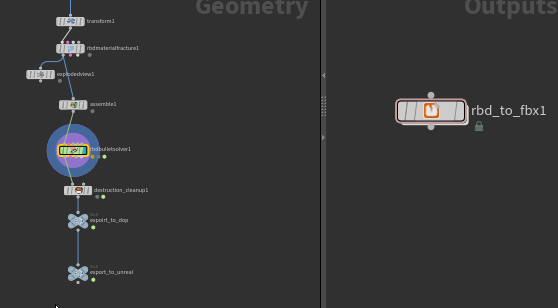
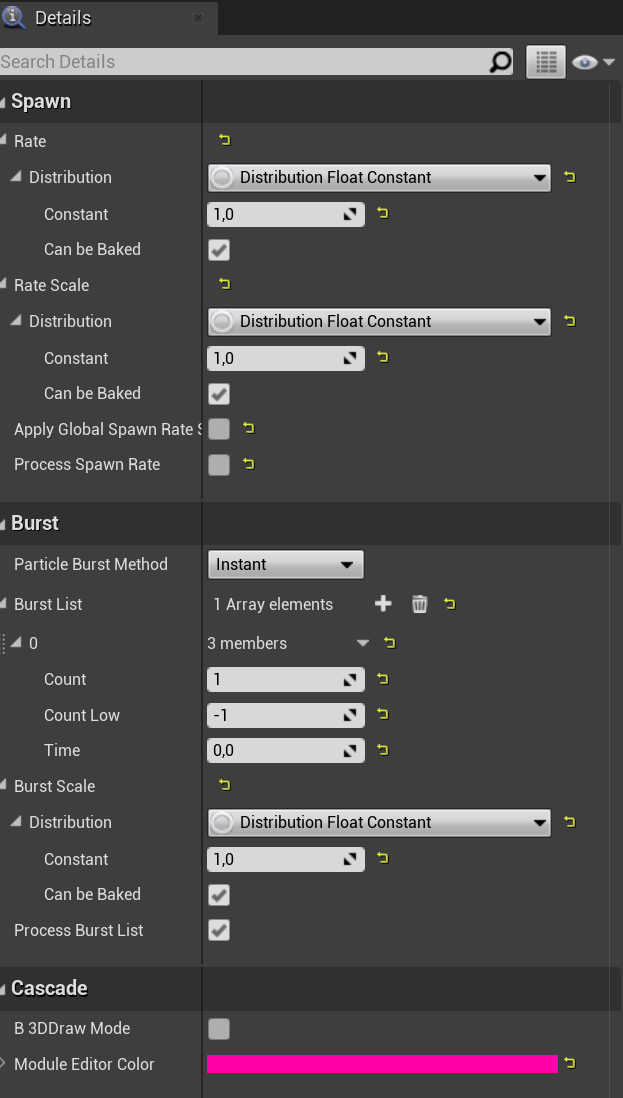


 hazy tusk
Just out of curiosity, does anyone happen to know how to use a skeletal mesh with morph targets?
- I have a skeletal mesh inside my system now. Its not showing up... i think its because the renderer doesnt have a skeletal mesh.
- Thirdly, I need to call the animation within the system.
Ive YouTubed Keyword Search: Unreal Niagara Morph Targets.
- All I seem to get is morphing, with disintegrations and reformations.
- I can not find something as simple as: Pull in an SK mesh, Assign MT's, Assign Mat, Then use the rest of Niagaras features.
I am working for a client, therefore, I do not want to create a BP. They need a Niagara System.
@here
heady kernel
pale ledge
https://gfycat.com/equalgrandiosekakarikis
does anyone have any experience with...
There is a option in animation interpolation in Unreal. Try setting it to linear.
pale ledge
@heady kernel your an actual god. although interestingly it was linear by default and setting it to step fixed the issue. thank you so much.
heady kernel
pale ledge
<@!599449494198812672> your an actual god. although interestingly it was linear ...
np! yeah it is actually step instead of linear. I must have mixed up two option.
echo knot
hey everyone. i have a cloud texture with a black background and i'd like to remove the color somehow. i'm using it in a particle system and the opacity isn't working correctly. how can i fix this? essentially, the black color will need to be the opacity layer

disregard 🙂 i was doing this wrong
the smoke, which is the black and white texture, is supposed to be my OPACITY, duh
echo knot
so i have a material in the world. but it's using the material in the Required section of the particle. is there no way for me to set this in the world?
 drifting star
Im not sure but i remember that there is an module or a section that let you pick another material so mybe there is also a parameter option, in niagara im 100% sure that you can change it in scene, creating a user variable for material and set it inside the relative slot in the render component
echo knot
should i use niagara instead of the regular particle system?
drifting star
I think Niagara in the last 2 version is quite better, I had only problems with ribbons but is much more editable
 zenith marsh
Hey, i hope im in the right section. I didnt find any info on this on google so ill shoot my shot here
im using the basic particle system - not niagara - and im having mesh particles. I want them to cast shadows, but idk how. there are no settings for shadows. can somebody point me in the right direction?
 split hawk
@zenith marsh niagara boy here but have you tried turning on cast shadows in the details panel when its in your scene?
zenith marsh
@split hawk U mean in the particle editor (cause I didn’t find it there). The mesh itself - if placed in the scene casts shadows. And I spawn those via bp using particle emitter
split hawk
yeah so in the cascade component in your bp is there a cast shadows checkbox?
zenith marsh
No
split hawk
in that case im not sure. niagara systems have a cast shadow option
 lapis crag
Question for all of you Niagara wizards. Can you import a simulation as a point cache from Houdini (as alembic etc) and do the equivalent of a copy to points SOP inside Unreal?
primal parrot
Yes, if you simply mean instance something to those particles... and this is a Niagara question so maybe move to that channel 😄 #niagara message
lapis crag
Nice! How would you go about doing it?
Fair point. This channel is more virtual production type stuff I take it
cold sorrel
VFX in film != VFX in games. Maybe that should be added to the channel description as there's more and more film people dropping in.
 candid wagon
I'm using "Distance To Nearest Surface" for my water's edge foam, and it seems to only work if Dynamic Shadows are enabled.
However! It doesn't seem to work at all for Skeletal Meshes, even with Dynamic Shadows enabled.
Anyone have any ideas why that might be?

Here's a static object and a skeletal mesh in the water. Edge foam only on the static mesh

 inner citrus
Distance to nearest surface uses distance fields and that doesn’t work for skeletal meshes. This page, check the section on limitations because it says you can set up capsule shadows to make it sort of work for skeletal meshes https://docs.unrealengine.com/en-US/BuildingWorlds/LightingAndShadows/MeshDistanceFields/index.html
An overview of Mesh Distance Fields and its available features that you can use when developing your games.
Dynamic shadows probably have to be enabled so distance fields get generated
candid wagon
Interesting! Thanks so much!
Hmm doesn't seem to help after enabling capsule shadows, and dynamic shadows as well
I'll keep doing research and see what I can do
 shadow atlas
anyone know what broke in my ocean underwater shader?

works on the river
???

mmmmm

if you shrink the island spline to 0 x and y dimension
it breaks post processing underwater shader
 fringe flare
let's say I have a texture that contains strictly somewhere between 6 to 12 colours. Could I in theory grab each colour and expose it as a variable? For example: I want to have a menu that players can change their sprites palette in but I would want to populate the options with however many colours there are in the lookup texture
 lean hollow
[Help] hello friendly people! Im about to throw some torches and lanterns into my 2K map thats' got a day/night cycle... is there any super easy obvious shortcommings i should try to avoid? im not planning to go nuts.. just a few torches in the villages and castles
brittle remnant
@lean hollow Make sure to set Distance fading and make sure not to have the radius of more than 4 lights overlap as much as possible. (Use lighting complexity view mode to check your light overlap)
 indigo compass
Anyone have any idea how to make a material that mimics point cloud data?
lean hollow
@brittle remnant thank you!
 quartz mica
I was wondering about some inconsistencies with Macro UV usage in materials. Setting the system-wide macrouv radius works just fine for me, but when I try to override it per-emitter I end up with effects like this

Is this a bug with macroUV stuff or am I missing something?
primal parrot
Any ideas on why an alembic cache such as a fluid sim is not getting any decent motion blur in UE4? Do I need to export the abc with vel, or will UE4 naturally motion blur anything moving without it? Also does fps matter? Like I bring in a character from ue4 in at Houdini at 24 or 30fps, and export back out, etc... does fps actually matter since UE4 is not really running a locked fps? Cheers!
 civic pelican
Anyone know of a debug view for decals? There must be a way to show the volumes as wireframes. I've got some decals that aren't spawning but it could be they're just not positioned right.
sleek heart
Went through the process of converting all of my local position nodes to pre-skinned local position nodes instead since I realized I need to be using it for my material. However for some reason these errors only show up after I convert 4 of the local position nodes. They don't show up when I only convert a few of them. Anyone know what the problem could be?

 gritty sigil

when doing post-pro material fog based on scene depth, any idea why it's so pixelated? (See edges of the tree for example) and it also flickers a lot
gritty sigil
it appears to be fixed by having the material be pre-tonemapper. I'm guessing anti aliasing is applied as part of that phase
 oblique sierra
Is there a better implementation for camera-shake? Playing back pre-recorded samples isn't really doing it -- I need a more granular approach that I can blend in and out of smoothly.
I've experimented with playing the same shake at different rates (which does not play well with how timers work whatsoever) and with experimenting with the falloff by placing it away from the camera but getting a soft gradiation with realtime changes seems impossible.
oblique sierra
So its not the default play camera shake which appears when you search or apply for it and its not one I saw in tutorials, but the scale input wire here works nicely for my purpose.

 mossy pollen
Does anyone know how I can modify the default water to make it look more realistic?
 strange sonnet
Hey everyone, I'm trying to attach an animated socket to a geometry cache? Anyone every done this? I'm exporting out alembic from houdini and not using the houdini engine -
primal parrot
whats your end result? can you maybe emit something in niagara and attach there? (not 100% sure you can read anythign of abc cache yet in niagara though so... :P)
 drowsy vortex
I want to add a light beam to my flashlight, so... How does that work?
mossy pollen
drowsy vortex
I want to add a light beam to my flashlight, so... How does that work?
Volumetric lights
drowsy vortex
where?
 olive berry
Hello,
I currently try to make an colorized area like below but in square shape.
Currently i have success to make desaturation and exclusion of actors (with custom depth stencil).
I just don't know how i can just saturate colors inside an box.
Thanks by advance

 dense trail

One of the new features of UE4 (in comparison to UE3) is that you can access the world position of a pixel via post processing. I just reali...
 wind steppe
olive berry
Hello,
I currently try to make an colorized area like below but in square shape....
wind steppe
olive berry
Hello,
I currently try to make an colorized area like below but in square shape....
Maybe BoxMask-3D node is what you need, it can be used to draw cube
Hey guys! I want to displace texture so that it appears higher/lower on different camera angles. Maybe this image will give you an idea: imagine that background moves further than mask if you rotate the camera. Which node can be used to do that? I achieved the effect with VirtualPlaneToCoordinates, but it depends on ObjectPosition. I'm sure there is something simpler
 fossil swan
@wind steppe bumpoffset node comes to mind
split hawk
yall know what the difference is between bumpoffset and the thicc parallaxocclusionmapping node?
fossil swan
bump > fairly cheap and offsets coordinates on view angle
pom > expensive, more control, iterates X times over a heightmap to create a somewhat more accurate depth of the surface
wind steppe
Yes, exactly what I need, thanks
mild cloak
Does anybody know how to do these arrow things that is circled in red? Or maybe someone has a tutorial. I have no idea what to call them and can't find it online. Their animated arrows that tell you which direction to go. Thanks!
 split hawk
@mild cloak are they UI or in the world?
mild cloak
split hawk
<@!729033711005204533> are they UI or in the world?
In the world
 tardy bane
Hi all! I'm trying really hard to adjust my scene's lighting and colours to reflect reality as closely as I can. Right now it's PRETTY but not realistic enough. Images here are recreations versus real photos. How do I get the colours more real ?

Actual photo
 split hawk
@mild cloak doesnt really matter just curious. id say make a nice arrow texture in photoshop or whatever and then sample that in you shader graph. then you have options. you could use a texcoord node and tile it a couple times along with a panner node to get them moving and then use a generatedband to fade out the sides. or you could use a mesh that uses UVs outside of texcoord 0 so the arrows tile and them pan it on that, would be harder to fade out the edges that way though
split hawk
tardy bane
Hi all! I'm trying really hard to adjust my scene's lighting and colours to refl...
looks like performance isnt an issue here. The plants are missing occlusion, esp on the left side. are they set to occlude each other? are they using ambient occlusion maps?
tardy bane
split hawk
looks like performance isnt an issue here. The plants are missing occlusion, esp...
I.. didn't know I could do that. Only been using Unreal for a week and a bit now! 😅 Would I find that under the foliage tool or individuals meshes?
split hawk
so yeah if they are instanced foliage occlusion is off by default, its in the foliage settings somewhere, try that
tardy bane
Thank you so much! I know I can't hit PERFECT reality until I can get back to the island itself and capture the actual tree types, but I'm trying to hit as close as I can.
split hawk
also are you using SSS?
split hawk
yes thats the one
tardy bane
Awesome!
split hawk
SSS is subsurface scattering. this
 tardy bane
Ohhh that's very cool!
I'm largely relying on Quixel assets atm - is this a thing I can enable?
split hawk
yeah in the material instances youll find SSS is turned off by default
tardy bane
Thank you so much! I really appreciate the help! I'm trying to build a 'playable' immersive environment for education and research
split hawk
also you can turn on displacement and tessellation if you really want to kill you computer
ah yes playable is...you'll have to experiement with performance lol
tardy bane
I have to build the sexiest possible prototype and then work on ramping it down however I can to make it something students could plausibly 'play'
split hawk
ahhh ok that sounds fun. theres lots of ways to do that, you'll find plenty of solutions. if you really need the sexiet possible tho just turn on ray tracing and hope your computer can handle it
tardy bane
Thank you very much - I'm sure I'll keep asking. I want to crank as much photorealism as I can - this is Bunce island, which was a slave fort in Sierra Leone long ago, and I'm a professor of history who is working to find new ways to teach history that brings it literally to life. So to do that it has to be as real as I can get it 🙂
split hawk
tardy bane
Thank you very much - I'm sure I'll keep asking. I want to crank as much photore...
thats really cool, wish i did stuff like that in history class lol. yeah just keep in mind "realistic" and "playable" usually tug in opposite directions
tardy bane
split hawk
thats really cool, wish i did stuff like that in history class lol. yeah just ke...
That is a major tension for this, yeah. I blame Ubisoft for giving me the idea in the first place, but given what I teach and study (slavery, African history), bringing it to life has the potential to really transform how people engage with both topics. Thanks again so much!!
olive berry
Hello,
I am still on my colorized area and i am now pretty close to final render but i have 1 problem
- The edge is strange (sometime the edge is not outlined and the inside satured area the edge is double width)
My current material :
https://blueprintue.com/blueprint/-63tkff3/
Current result :
 mild cloak
split hawk
<@!729033711005204533> doesnt really matter just curious. id say make a nice arr...
mild cloak
split hawk
<@!729033711005204533> doesnt really matter just curious. id say make a nice arr...
Ok thanks, I'll try it out
 keen garnet
hello, The Light Propagation Volume is no longer used in from 4.25-4.26 ? What can be used to get nice GI?
 mystic onyx
hi everyone! Im having some mesh particle shadow problem

the shadows casted on the water ripple is kinda off
the ripple is a cascade mesh particle, with a disk mesh
i tried increasing the light map resolution of the disk to 128, didnt help
the blend mode is translusent
 solid palm
Hi! I want to make a drone shot and keep the camera position in order to bring it to unreal. I found a way to truck the video footage using after effect and then importing the .jsx to 3ds max. Now I have the camera movement in 3ds max but can't bring it to unreal. How can I link the camera animation from 3ds max to unreal any ideas ??
Another thing I tried was to make a cube and link it to the camera and then import that using alembic to unreal, but same couldn't link the cube with the unreal camera. plz help
@tardy bane Try to play more with the sub surface scatering of the leaves, from what I see in the left side seemed that too much light passes through maybe that's one of your problems
tardy bane
solid palm
<@!160529318177406976> Try to play more with the sub surface scatering of the le...
Many thanks! I will try to work on that!
fossil swan
not a whole lot changed over that time
they are ok
i also made some tuts related to cascade, but well.. about as old hehe

YouTube
This tutorial will show you how to create a mesh based particle effect for projectiles/beams and other similar special effects. Software used: Photoshop, 3ds...
split hawk
is there a way to generate convex collision on multiple assets at once?
 quasi pewter
Hello everyone, I’m having an issue where the UE4 content example smoke changes color based on the camera’s angle. This is causing problems in VR, as the particle is colored differently in each eye. Does anyone know how to fix this?
 keen schooner
Any tips how to make "effect" like in LOL when i click on ground
with arrows

like this
 wraith stone
Hello, any ideas on how to setup DOF in 4.26 the way to blur near objects and far objects simultaneously?

 oblique adder
hello nice people
I have a question about particle system showing sprites
here is my question

This number looks like generateed by particle systems, that the numbers are the sprites, right?
my question is that if we can actually manage what sprite to show or even more, combine digits to be larger numbers (up to even millision)
 worthy seal
Does anyone know how to get rid of flicker on online post processes
worthy seal
mild cloak
Does anybody know how to do these arrow things that is circled in red? Or maybe ...
I would recommend making a texture that is one of those arrows in white with a black background and use that as a mask for the opacity channel of a transparent material. Then in the Uvs that are linked to the texture multiply a texture cordinate with a scalar to see how much you want to till it and then multiply that with a panner node
tile it*
@mild cloak here is the material mask i used as well as the shader graph


Just make a mat instance and tile and speed up or down to your liking
mild cloak
That's awesome, thanks @worthy seal. Will definitely give it a go!
worthy seal
mild cloak
That's awesome, thanks <@!328268491297783819>. Will definitely give it a go!
No problem hope it helps
fossil swan
worthy seal
if its emissive you can set the shading model to unlit (in most cases)
tiny optimization suggestion to a good example.
worthy seal
Does anyone know how I can mitigate flicker when using a outline post process material? I have it set to before tonemapping but i still get flicker especially around where there are two thin edges close together. I have also tried switching between FXAA and TAA and they have same issue?
I am using a Laplacian Mask
 devout canopy
Hey everyone, I have my first game I am working on. I have a fire that burns and spreads across the whole map, and the last thing I need to do is optimize my fire management actor and particles. Is there a good guide or tutorial on how to configure large amounts of particles to best practices? I have LOD set up but FPS still drops too much. I was going to reduce the intensity of the particles and so on, but I am 100% self taught. So a guide to keep me aligned with best practices or something would be helpful. <3 Thanks
I'll also be digging more through epic kb
fringe flare
can I add a bunch of constant4vectors together into an RGB
celest birch
Hey, I'm using an realtime pixel VFX asset for an explosion particle at my vr game. but it drops my fps from steady 90 to 45 ( i can read there is VR caps so if it drops below 90 then its capped at 45...)
at the asset page they say that for more performance i can turn of lights and gpu emitters. but I have never worked with particles before. can i turn the lights of just by the Light checkbox or can there be other places that it should be turned off?
 fringe flare
Is it possible to grab every colour in a texture
for example a LUT
I have LUTs with 12-15 colours and I want to basically let players edit LUT palettes in game
echo knot
hi, figured someone might have experience with this here. i'm trying to create a black fire effect using niagara, but when i assign a black color on the particle the particle disappears. this makes sense because i believe the black color is used as an opacity layer. is there a way to invert this and potentially use white as the opacity layer? i'm attempting to do this now but it's not working
i figured it out, i had to use a 1 minus on the particle color
hmmmmmm no actually that still doesn't work
 junior matrix
Likely you're using an additive shader. Adding '0' does nothing. Adding negative rarely works desirably. Look for a multiply shader instead.
echo knot
ok let me try that
so the blend mode on my material is translucent. is that what u meant by additive shader? @junior matrix
omg the material instance had an additive override
🙄 🙄 🙄 🙄 🙄 🙄 🙄 🙄 🙄 🙄
absolute mega ugh
keen garnet
hey guys, any idea how to achieve those snow sparkles? I tried with a noise roughness but not quite there yet. I might have to use some normal map facets but not sure how to add it on top.

 thick grail
is there a way to wallhack an object only through specific objects? like e.g. you can see other players through a tree, but not through any other objects?
proper beacon
Hey there people I got a headache problem, I want in the shader given 2 vectors location in 3D and 2 vectors direction get 1.0 when the vectors are one in front of the other, but get 0 when aren't one in front of the other, any idea about how can do it or if there is some example ?
proper beacon
Is done had an issue with min and max
celest birch
Hi, having a bit of an issue, I have a niagara system with two emitters, let's call them A and B. I want A to spawn particles as it moves and successfully set this up with User.SpawnPerUnit. My system B I want to be stationary and just spawn particles infinitely, which works as long as I have it set NOT to local space, however I need this 'local space' setting on because I want it to inherit the emitter position (plus local offsets due to curl forces etc). I read online a way round this is to have a skeletal mesh input to spawn particles from (I want B to spawn around a skeletal mesh so this works for me) so I set an input User.Mesh on emitter B. HOWEVER this prevents A from working, as if A is also expecting a mesh input, and A only starts working again if I remove this mesh input setup. How can I get a mesh input for only one emitter in a system without affecting the other?
 native oar
Hi, i understand the basics about shaders but for these smoke effects in my game, how do i reduce the shader complexity, as i really dont want them impacting my performance too much, thanks in advance
 heavy thistle
Hello, I'm using the unreal water shader, but it does not render correctly in the raytraced reflection, any idea how I can fix that ?

 flint wyvern
I'm trying to render some item icons with a scene capture 2d, but the image is always black aside from some metallic shine on the edges. I've tried playing around with all the various GI settings on the scene capture component, but haven't had any luck.
celest birch
any good guides on making cartoonish blood sprays, they all seem to be about the after effects of the blood (eg how it looks on a surface after the effect is over) rather than the effect itself
oblique adder
Hi nice people, any idea on how to use particle system to show test? like, each element is a word XD
 onyx dragon

Hey guys is it possible to add smoke effects in paper 2d or is flipbook the only way?
drifting star
@keen garnet I used to to fake that kind of stuff with the emissive
drifting star
@native oar you could use just 1/2/3 sprite with an animated sheet for the smoke effect instead of multiple cloud texture sprite
or anyway make a better shader then reduce the amout of sprite
 woven olive
I've just started playing with Houdini Apprentice edition and I have to say, I'm really impressed with the software. Very intimidating to jump in without aid, but there are great tutorials out there.
Definitely will say that I recommend anyone who's been curious about it check it out
split hawk
^ literally same been using it for about a week now. really scratches that procedural itch i had ya know
 torpid hamlet
hey im trying to make a video in my start menu and when i try to play it in my media texture my ue4 crashes and pc locks up any recomendations???
split hawk
So ive got an annoying problem and a conceptual question. I have a material function (pictured) and im sampling a noise texture. When I use the texcoord I get desired results, the Edge Mask output has a nice...edge. But when I sample any particular UV coord, i always get black. Any idea why this is happening?

Black at any particular UV

I'm using a particle system thats randomly sampling a mesh using this material function, thats how i know its black at any UV
does this have to do with texture filtering?
drifting star
@split hawk cuz 2 vector constant is not an uv, if you want to offset the coordinate you should add the 2 vector component to the texture coordinate
if you feed that V2 directly, you are going to feed 1 pixel pos to all the texture
instead of mapping correctly the U and the V
split hawk
@drifting star what im basically trying to do is sample a specific pixel on the texture using UVs. I used the constant vec2 just to show the results. I'm actually using the UV function input and then feeding that with the UV that the particle gets when it spawns on the mesh.
 drifting star
ok then I think that by default you just sampling the black pixel of that cloud texture so its working as you intended
split hawk
yeah thats what you would think but no matter what the UV is it is always black
this is the material

and these are the particles in niagara
 split hawk
ok got it working. like many things it turned out to be a single checkbox. thought the module did this automatically, but the attributes are just empty if you dont check this, so all the uvs were returning U0V0
 drifting star
🤣 🤦♂️
split hawk
yeah thats how im feeling but at least i wont make the same mistake again
lime yoke
I'm trying to use a translucent material on a torus shape, but it creates an odd area in the middle. Is there a setting to allow the material to not view itself through itself?
 fossil swan
deferred rendering does that.
not much you can do besides https://www.tomlooman.com/the-many-uses-of-custom-depth-in-unreal-4/

Unreal Engine 4 introduced a new depth buffer along with their PBR rendering system. It's called "Custom Depth" and can be used for effects like the selection outline that is built-in the Editor, rendering of occluded meshes or custom culling of transparency. I will discuss some of the basics of using this buffer in the material editor and expla...
 celest oasis
Any idea if it's possible to get this example setup? specifically the one where you can adjust it to create lightning etc.
https://www.youtube.com/watch?v=NndsCthHDDY&ab_channel=UnrealEngine

The Sky Atmosphere system has been significantly improved in Unreal Engine 4.26, including fully configurable Volumetric Clouds, Sky Atmosphere shadowing improvements, real-time dynamic GPU-based Sky Lighting that automatically reacts to time-of-day changes, and a new Environment Light Mixer panel to make adjusting all things related to the atmo...
vale basin
Trying to make this gradiant texture scroll up. When I connect my add node to the UVs, the texture just disappears.
This scrolling setup works on other textures, but just not this one.
What could the issue be?

 vagrant canyon
@vale basin check these parameters in this texture's settings, it might be set to Clamp

Should be Wrap... But if it's an Engine texture it's probably safer to duplicate it than modify its settings.
vale basin
I think that might be the problem, I stepped away momentarily. Thank you very much for the assistance!
vale basin
vagrant canyon
<@!352157206076063744> check these parameters in this texture's settings, it mig...
Just got back to the office and that WAS the problem! Thank you!
 warm dune
Not sure if this is the correct place to ask about caustics. I have added caustics to the ocean but I would like to have caustics on the ocean floor when I 'dive in'. Suggestions?
 burnt forum
hey there guys, is there anyone here that had some experience with media textures and mobile builds for android? Is it possible to use media texture to drive opacity/mask of a material? I'm getting this weird behavior where transparency is not rendered. Deploying on Oculus Quest 2. Any insights are greatly appreciated! 😄
split hawk
warm dune
Not sure if this is the correct place to ask about caustics. I have added causti...
are you using the built-in water system in 4.26?
 tacit dove
Hello y'all! Any suggestions on tutorials about render targets? I'm trying to understand the logic behind making a line of sight post processing effect for multiple actors, i know that a line trace is needed but in a simpler level, i can't get to draw a brush material in a plane at my actor location.
analog onyx
@GRGC25#5165 what is line of sight effect? Come with a detailed description of what you are after.
 fair thistle
Hi guys. Im trying to add an oil spill puddle on a concrete floor. I have both materials ready but I cant find how to layer them. I cant do a decal as the oil texture is iridescent with a fresnel and has movement. Any suggestions?
analog onyx
It being decal does not stop you from faking thin film interference effects. @Dirtyphonics#8463
 cyan fjord
Is there a way to make a Mesh invisible through the Stencil index? With a post process material for example?
vagrant canyon
@cyan fjord if you want it to be invisible then just hide it 😉 What is it you're trying to achieve? You can mask a mesh with Custom Stencil yes, and access it in a PP material, but to make it invisible you'd technically have to make whatever was behind it (whatever was obscured by this mesh in the main pass) visible, and you wouldn't have this information at this point because, well, it wasn't rendered.
tacit dove
analog onyx
@GRGC25#5165 what is line of sight effect? Come with a detailed description of w...
@analog onyx based on your actor's forward vector, you use some linetraces to get hit locations within a distance, you use those hit locations as triangle vertex's to draw a dynamic radius into a texture, in this case, the texture should be huge and more than one actor should contribute to it
cyan fjord
vagrant canyon
<@!772256981310111795> if you want it to be invisible then just hide it 😉 What ...
I want to use a material for a box that will hide everything with a specific stencil inside it. Yeah, your right. It wasn't rendered at that point :/
lime yoke
I'm trying to use a post-process material that reads the custom depth stencil value of objects, but regardless of what value I give to objects, they're all being read as 0. Anyone know why?
 pulsar goblet
im currently working on a shader that im trying to use to make something bob up and down via world position offset. while i can do this easily with a time and sine node, every instance of the object will be doing the same bobbing motion. is there a way to offset this per mesh?
 halcyon hornet
Hi there, I have a little problem with my particle effects. They´re created with emmisive color. And should be customizable in red, green, white. But when I´m trying to setup in a dark scenery, they´re glowing. I checked the EpicGames Particle Effect Example and they´re glowing too. Someone knows how to avoid it or is there a tutorial about this specific problem? (Oh yeah and if I put the Particle Color into the Base color it´s just black instead of red,green or white)
 pulsar goblet
well if you make particles with emissive color, you'll need to dull the color to match the environment most likely. emissive is emitting light. so you'll need to control it with your lighting scenario
halcyon hornet
So I need to align the particle effect with each single bright/dark scene?
pulsar goblet
that's what i would do. i'd probably use the base color to control the color from the particle emitter itself instead of using emissive though
that way you wouldn't have to align it everytime and it works with lighting with only minor tweaks. again though, this is just what i would do to approach it.
halcyon hornet
Yeah that´s what I tried to do. For the smoke effect it worked, but for my tire skidmark it´s always black, that´s weird. Okay thank you, I´ll test around some more 🙂
halcyon hornet
Oh no, just change the color is no permanent solution, because then it would be dark under a spotlight. Okay I need to find the issue with the Particle Color and the Base Color. It definitly should not be in the Emissive Color. No idea why Epic did that for the example template though.
My setup is Surface/Transculent/-/Default Lit , don´t think that´s the problem.
Okay thank you for now, I´m on it ^^
pulsar goblet
if you hook up particle color to the base color in the material remember to change the color via the particle system. i think it's sometimes sets default values that might not be good ones. if you really need to give it a color boost you could slightly give it some emissive to stand out if it's too dark. i know i've faked a couple things like that in the past to get things to be seen easier. as for it being dark under a spotlight, maybe this article might help https://docs.unrealengine.com/en-US/Resources/ContentExamples/EffectsGallery/2_F/index.html
An overview of the Effects Gallery example level.
halcyon hornet
Ah thank you. Okay, I´m going through all steps one more time. Maybe there is even something wrong in my material setup too.
 thorny holly
is there any to as post process material show the material normals of all meshes? i'm aware of as scenetexture:worldnormals but that's not quite what i want
 wet saddle
Hi there, Is someone already use the pivot painter2 tool?
For now I'm trying to do something similar to the build house from the content exemple.
I have my bricks going down one by one but they are now following the same order than the number in the mesh's name from 3dsmax.
I have 8 mesh but the animation order in unreal is. 7,3,4,6,8,5,2,1... look pretty random to me. But I used the same material than the build house and only changed the 2 textures for mine.
 uneven cove
hello! im in the process of learning cascade and i had a question about ribbon particles. is there anyway to make the ribbon closer to the source? i was working on a fireball effect for class and couldnt figure it out. thanks!
 fair thistle
@analog onyx How would you do it? I couldn t find any tutorials
 terse minnow
Hey guys, I'm playing around with particles in UE however I find the particles have a finite draw distance (I've increased the bounds to incorporate the full screen and only have one LOD as I'm creating some cinematics) However the particles do not appear a certain distance from the camera - I've looked but can't find anything on this. Would massively appreciate any help
analog onyx
@tacit dove i am afraid i still have no idea what you are asking about.
tacit dove
analog onyx
<@734557341609099284> i am afraid i still have no idea what you are asking about...
Specifically, at the moment, Try this,
A material with just a render target, it's uvs are world position's r and g channels divided by something like 600.
Another material (a brush) with just a radial gradiant (or any texture at all) with the same uvs as the last one
an actor which uses "draw material to render target" to draw the brush material into the rendet target.
there might be something wrong with that setup but idk why
analog onyx
Alright.
 frigid badger
How would you have concurrent hit effects on a material? Like say on an energy shield? The tutorial I've been using does it via a spheremask but it doesn't cover concurrent reactions
 formal merlin
Is anyone familiar with the stencil buffers used in materials? I'm having trouble utilizing them
 shadow gyro
Looking for a VFX Artist to help with an indie Halloween game we're dropping this year. If you're interested DM me or check out #volunteer-projects

 celest pulsar
Got a bit of a question - when using one of those outline post process materials, would it be possible to highlight specific parts of a mesh rather than the whole thing?
analog onyx
@frigid badger there are several ways. Selection of approach depends on how many concurrent we are talking
@celest pulsar you can use masked material, that writes to custom depth for that
frigid badger
@analog onyx Well just learning how to do more than one would be a start, but honestly I'd be interested what those other approaches are as well
analog onyx
@ZER0#7282 yu can pass several locations and use several sphete masks
Also you can have impacts as separate meshses
Likewise, Jan Kaluza suggested here at some point yet another way, that is spawn one shield per impact and cull parts not affected by impact
Likewise, Jan Kaluza suggested here at some point yet another way, that is spawn one shield per impact and cull parts not affected by impact
There are more advanced techniques that involve spatial hashing
frigid badger
analog onyx
@ZER0#7282 yu can pass several locations and use several sphete masks
I'm guessing I'd have to make N Spheremasks & assign them an individual Hit location Parameter while on the blueprint feeding it the vector I'd have to cycle through each Spheremask parameter in a loop? I'm assuming that's how that would work?
analog onyx
@ZER0#7282 yep. But realistically, N here ends on 7-8 masks tops. More gets too expensive easily
frigid badger
analog onyx
Likewise, Jan Kaluza suggested here at some point yet another way, that is spawn...
Also I've just looked up those posts you've mentioned and that's visually exactly what I'd like to recreate. Although I'm afraid I'm too much of a noob to understand how that method actually works. I can't find that breakdown he mentioned, did that happen?
frigid badger
analog onyx
@ZER0#7282 yep. But realistically, N here ends on 7-8 masks tops. More gets too ...
Ah I see. Thanks very much, I didn't consider doing this, so this is a big help. Thanks. Single digits for N is a bit limiting but I guess I'll see what I can do
analog onyx
Erghh not sure. But the gist of his method is that you spawn a shield. And then for each hit, you spawn mesh particle with exact same shield mesh in the exact same position, and pass hit location as particle parameter. In particle material, you sphere mask as usual, animate using particle life, and use wpo to output not a number for vertices, that are always outside of hit mask. Last step is otional, but it saves perf. @ZER0#7282
frigid badger
analog onyx
Erghh not sure. But the gist of his method is that you spawn a shield. And then ...
Like a Niagara system?
analog onyx
On practice, almost all such effects have no advanced tech and are just floaters, loosly conforming to the shape of the shield.
Given, that the shield is some sort of shape with decent symmetry
frigid badger
Thanks again, I'll give it a go
devout canopy
Hey everyone, I am a little confused and looking for some help. I have a particle effect fire that spreads across my map. I have been working on LOD and the intensity of the particles buy my frame rate is still dropping too fast. I reduced the intensity of particles and no matter how I adjust the LOD my first is hitting my tick rate too much, even with a small amount of fire generated. Is there a good method to determine what component of my particle effect is causing such an impact?

If it matters I use blueprints
The particles are all called by a single actor, dynamically spawned, and the actor is marked as always relevant (Per suggestion of members here when the fire wasn't visible in a multicast function.)
 grizzled merlin
Hey guys, I'm not used to post processing and I'm trying to achieve a specific effect. In my world, I have set it up in such a way that there are no pitch black shadows, which I want, but in a specific room I want there to be pitch black shadows, or at least much harsher shadows
pulsar goblet
If you have a postprocess effect to make the shadows lighter, you could probably set up a trigger that you walk through that has a reference to the postprocess material and change the shadows to the harsher tone when walking through it.
grizzled merlin
The skylight I believe is making the shadows lighter
 sudden token
Do you have baked or fully dynamic lighting?
grizzled merlin
Dynamic. I'm possessing another pawn for a minigame, and it's in a completely locked in room but the room is very lit
sudden token
I would try add another post process volume just in that room that makes the GI darker
grizzled merlin
That's what I did and wasn't finding the right settings to adjust shadows alone. I think I've achieved my effect now, I just had to mess with exposure. Ty for your help anyways ❤️
halcyon hornet
Hi @pulsar goblet , you helped me a bit with the particle colors 2 days ago. I still can´t change the color of it.
I opened the Epic Games Vehicle Game Template with that UE4 buggy and the desert map.
Even there, if I change InitialColor or ScaleColor/Life, nothing changes the tire skidmarks color. And it should definitly not be placed in the Emissive Color, I know someone changed the color before.
What I´m overlooking?
pulsar goblet
Did you put particle color in the material of the system you are using? If you do that it should be modifiable in the particle system itself. I haven't had much dealings with niagara, but i know thats what happens with cascade.
basic material

basic particle system

a setup like that works for me
halcyon hornet
pulsar goblet
Did you put particle color in the material of the system you are using? If you d...
Yeah that´s exactly what I use. The one from the Epic Content. So it works to change the color for the smoke, but not for the tire skid.
Look I change it to green, the smoke is green. But not the tire skidmark, it stays dark.
 pulsar goblet
Do you have the same setup for material on the skid as well as the smoke? You still need particle color in the material
halcyon hornet
No, in the Unreal content, it´s in emissive color. But I changed it for my project and plugged it to Base Color and that works. But not for the tire skidmarks.
pulsar goblet
I mean in the skid mark material. Does the skid mark material have the particle color node in it
halcyon hornet
Yeah it looks like this, this is the Epic Games original btw.
 pulsar goblet
Multiply the red channel of that mask by the particle color and see what happens there when you plug it into the base color
halcyon hornet
No still won´t change. Also I tried many things by myself the last days.
Years ago I found a Halo Warhog template, someone shared it in Unreal Forums. I still have it here. He used the exact same kickup effect from Unreal´s VehicleGame, he colored it brown, but if I try that here on his setup, example green, nothing. But I noticed just now, even if his tire skidmark is brown inside the level, it is black in the casscade.
Is there anyhthing needs to be compiled before the color will work?
warm dune
split hawk
are you using the built-in water system in 4.26?
Yes. I have used the utility to generate caustics textures and it is ok.

No caustics of ocean floor
 pulsar goblet
halcyon hornet
No still won´t change. Also I tried many things by myself the last days.
Years ...
pulsar goblet
halcyon hornet
No still won´t change. Also I tried many things by myself the last days.
Years ...
You do also have two color changing things in the cascade, make sure there's only 1 affecting the color
One thing I had was an initial color and and a color over life. Having both made them act weird and not work correctly
So just turn off initial color for a bit and leave color scale over life to see if that works
halcyon hornet
If delete Initial Color, it´s gone.
If deleteing Scale Color, nothing.
Not sure if you have time to check that, it´s in the Learn section, VehicleGame, it´s not in the marketplace anymore.
pulsar goblet
Oh if it's available in the learn section I'll download that and look into it. I'm a bit busy right now but in a couple hours I'll see what it's like
halcyon hornet
Oh that would be great. You can´t imagine how frustrated I´am already about this.
pulsar goblet
halcyon hornet
Oh that would be great. You can´t imagine how frustrated I´am already about this...
So, it was really baffling me why it was not changing colors in the vehicle learning thing. But I believe i figured it out. In the initial size of the tire track it's set to a constant of 10, 10, 0. It's size needs a z axis. So change it to 10, 10, 1 and the color will change with the scale. That's a weird little thing that happens...
halcyon hornet
pulsar goblet
So, it was really baffling me why it was not changing colors in the vehicle lear...
Hey, thank you to looking into that, that was crazy right? I think I tried that with the intial size before. In my casscade, it looks a little bit colored, but still more black then green (okay that was because the light was rotated wrong in preview, lol). But in the level, the color seems to be correct after setting the initial size, (likewise to decals) You will not believe what nonsense I figured out. This color setting is working without any problems on 4.7. I´m not sure when it exactly starts not to working anymore, but I guess after 4.21 it starts the color not to change correctly till todays 4.26. This Halo template was very old, but it converted the color to 4.23, LOL. That was a hell of 4 days to figure that out, man thank you to look into it too. My emergency solution would have been, to use VectorParameter and change that by the car blueprint. But good it seems finally to work now 🥳
pulsar goblet
Yea np that was the weirdest thing i'd seen, but makes sense I guess when you think about it. Things need a z axis even if it's a plane
 ivory vine
Hey everyone. I was wondering if anyone knows how to make Column/Cylinder like particle systems? Like a blip from GTA
Like this kinda idea:
 halcyon hornet
pulsar goblet
Yea np that was the weirdest thing i'd seen, but makes sense I guess when you th...
halcyon hornet
pulsar goblet
Yea np that was the weirdest thing i'd seen, but makes sense I guess when you th...
Yeah if creating a decal and drag the material onto a cube, and just play around with it, we see that it makes sense it needs the Z axis too. But still it was a needle in a haystack, lol.
@ivory vine hm, you could do that in several ways. If you want that inside a particle, you could add the mesh to the emitter, add the typedata -> mesh data.
ivory vine
Thanks @halcyon hornet
 valid quail
Any node or way to make blacks blacker and whites whiter in a material?
 stone raven
Hi
I want to create transition on one map to another
So I want to create a dissolve like effect where one map dissolve and at same time another map becomes visible.
I am streaming level to load next level
I am using Post process material to dissolve current map
Now I want in black part other map should be shown.
Any idea How can I achieve this?
 dusky berry
I've some textures I want to use on posters ingame. Theyre non power of 2 sized so I'm padding them for compression and size reduction

The padding shows up ingame, does anyone know a good way to remove the padding via the material?

NVM figured it out
 pulsar goblet
Anyone know if there's a way to influence all vertices equally in a material using wpo? Like if I'm panning a texture for wpo the vertices all kind of get influenced separately but I all vertices to be affected based on the center point of the mesh.
 karmic solstice
Hey guys Im trying to rotate this particle generator (on the left) however when I do it sort of doesn't stop and carries on (on the right). Any ideas how I can make the rotated right version behave the same as the original on the left?
stone raven
stone raven
Hi
I want to create transition on one map to another
So I want to create a dis...
I created Capture Component 2d to capture Texture from other map
using Post Processing on Pawn Camera i was able to blend it into smooth transition

 spice quartz
Umm soo, I've been trying to get multiple spritesheets to work on a material and the only tutorial that had any info on how to use multiple sheets is from 2014. I hooked them up how they should be and to my understanding they should be moving between the sheets smoother than seen in the video (https://imgur.com/kUSwA8m). Anyone has any idea why that would happen? (just for info, there's 9 spritesheets in total of which the last one is 2x6 and the rest 6x6 rows and columns). Is there another approach to the animated material, like from a video instead of sheets or something else.
 fossil swan
you just make a horizontal line with the word unlocked on it, apply on a ring mesh, pan texture. done.
 full slate
valid quail
Any node or way to make blacks blacker and whites whiter in a material?
full slate
valid quail
Any node or way to make blacks blacker and whites whiter in a material?
Have you already tried the CheapContrast node?
valid quail
full slate
Have you already tried the CheapContrast node?
I did. It sometimes is what I expect, it sometimes just darkens the image. Weird. I'd like to see the math behind it
full slate
valid quail
I did. It sometimes is what I expect, it sometimes just darkens the image. Weird...
In those cases, I usually export the texture, open it in gimp, and play with the color curves and clamps.
valid quail
full slate
In those cases, I usually export the texture, open it in gimp, and play with the...
Yeah I don't have that much experience in graphic design and such so all this math is limited to me. I don't think clamping is my case, but curves would be interesting. Any node or suggestion in Unreal?
It would be more like clamp the center/push it to the sides lol
full slate
@valid quail Yes that's more what I mean, I'm not referring to clamping like it's used in Unreal, I forget what it's called in Gimp but it's right next to the color curve. Essentially you can choose your darkest value, brightest, and median, and then it interpolates between them. I think it'll be exactly what you're looking for.
I often use it to get a full greyscale spectrum on textures that don't utilize the whole spectrum like I want, sometimes for math reasons, but you can also use it to define what your full black and whites are.
Sounds too simple, but what if you pass the texture through a contrast node, and then multiply it with a scalar parameter?
You could also use a clamp node, change it to a max, set the max as your "dark" value, multiply it by a scalar, then subtract that result from the original texture. Then you can do the opposite for white. That'll give you a sort of low, mid, highs control.
valid quail
full slate
You could also use a clamp node, change it to a max, set the max as your "dark" ...
You lost me there but I'll bookmark these
full slate
valid quail
You lost me there but I'll bookmark these
Lol. I don't have Unreal in front me of otherwise I'd show it
valid quail
I don't even know how to google this
full slate
A___
Texture
clamp
select clamp, bottom left you can change it to max, set max to .33 for now
multiply by ScalarParamater, temporarily set it to .5 for now
B___
Drag from your texture again, create Subtract node
B minus result from A
valid quail
you mean change the clamp type at the node itself?
full slate
Yeah when you click on the clamp node after you've placed it, bottom left, you can change it to a min or max node
What you set your max to will define what range you're affecting
And your multiplied scalar is the brightness/darkness of that portion of the spectrum
It'll allow you to darken anything below a define value
pulsar goblet
just to help visualize. i think i interpreted this right
 full slate
pulsar goblet
just to help visualize. i think i interpreted this right
full slate
pulsar goblet
just to help visualize. i think i interpreted this right
Very close, just need to connect the texture and clamp and that's perfect.
pulsar goblet
 full slate
Maybe it won't be what you want, but it's what I can come up with off the top of my head without the engine in front of me
valid quail
definitely I'll be trying this
full slate
@pulsar goblet Very nice
valid quail
there's a lot of complex and not so complex math about mats I need to learn yet
thanks a lot for the time!!
pulsar goblet
hey i wasnt even aware you could change clamp types lol
valid quail
gonna open unreal in a couple of minutes
full slate
I hated math in school, despised it, but UE has made it sort of interesting lol
valid quail
Yeah I knew there was an enumerator there but honestly wasn't bothered to learn what it was for
valid quail
full slate
I hated math in school, despised it, but UE has made it sort of interesting lol
same
full slate
@pulsar goblet Thank you for visualizing that
pulsar goblet
np
valid quail
thank you both for the time
full slate
@valid quail The above will allow you to control the lower end, but for the brights it's pretty much the same.
You'll add an Add node after the Subtract. Then do what you did for the darks again, but change the Max to a Min, then feed that result into the Add node.
You're welcome. Play with the numbers and see if you have any luck with it. For certain types of soft textures it may look too harsh. There's likely a way to blur that cutoff, but idk right now.
valid quail
💖
celest birch
Hello all, don't know if this is the correct channel; When I use any water material, my player character's reflection appears on the water, is there any way to disable this?


if anyone has a solution please @ me
full slate
celest birch
Hello all, don't know if this is the correct channel; When I use any water mater...
You can use a post process volume to disable screen space reflections
celest birch
thanks, it worked
formal merlin
Can I have some help with the stencil buffers used in UE4s Post Processing effects. It doesn't seem to apply when I use a certain effect.
 outer bobcat
anyone has any resources about how to create a 2D trail effect in Unreal? (for example an object falling down in 2D and leaving a blue trail behind it as it falls down).
fossil swan
we call them ribbons, but you can also make them with regular meshes.
stone raven
Hello,
I have created post process material for transition
It's being render twice one for each eye in VR
How can I fix this to show only one effect?
This is my material
Thanks
 outer bobcat
@fossil swan thanks, thats what i needed. found the resources i was looking for
outer bobcat
Hey guys, one more problem im having, i have a 2D item that spawn randomly on the X axis of the screen and drops down, it has a ribbon particle effect attached to it, the player camera is orthographic. the problem: the particle effect becomes smaller the further it is to the left or right of screen, i check the location of the item but its all on the same location except for X axis. why does the particle effect become smaller?
update: fixed it, had to change screen alignment in the effect from PSA Velocity to PSA Rectangle
split hawk
hey guys what does the material step node do?
seems to just return the 1 if y >= x else 0
 dreamy adder
Is there any online resources for free volume textures?
primal parrot
for clouds, fog etc? dont think so, but you can make them in ue4
 loud burrow
So I am modifying one of the Luos particles (Par_KineticForce_01) and I wanted to make the expansion of the smoke to be faster. Low experience with cascade so was wondering if anyone knew how to do this?
