#visual-fx
1 messages · Page 35 of 1
 opaque prawn
 coarse ridge
oh
thanks
 fossil swan
hehe
 ivory forge
I have a dynamically generated heightmap pattern and I would like to generate normals for it. I subtract neighbouring pixels in x and y direction and generate a normal vector for each fragment. It seems to work more or less ok, but it is flickering. The level only contains a plane with this material and a reflection cubemap. I'm not sure if it's flickering because of the normals are not calculated right or because of some Unreal settting (disabled auto exposure, temporal aa).
This is the effect: https://www.youtube.com/watch?v=-93_o3iulgw
And this is how I try to generate the normals.
I have been fighting this for a long time and would really appreciate some suggestions.
 fossil swan
that effect (minus the flickering) is fricking sweet though.
ivory forge
thank you
fossil swan
you dont need the normalize btw, iirc the normal input automatically applies one.
(should also be in the normalize description)
ivory forge
i didn't know that, thanks
I also see the same filckering effect when moving the camera on the scene with a frozen frame of the dynamic material
fossil swan
hmm, might want to wait until a smarter person than me takes a look at it.
(which shouldnt be hard :p)
ivory forge
thanks for the support 🙂
 brittle remnant
@ivory forge if you can capture a video that shows the different buffers. You should be able to see where in the material pipeline the flicker is coming from.
If you post here I can take a look
ivory forge
@brittle remnant great idea, thank you. i will do it.
ivory forge
@brittle remnant I was checking all the buffers and the flicker was not present anywhere. it turns out it was caused by the camera screen space reflections. thank you for the suggestion. it helped to find the issue.
brittle remnant
@ivory forge No problem! Whenever I see weird unexpected stuff that's usually my go to approach. Remove variables till there's only one option. 🙂
 sly nest
Has anyone tried using an emissive type material + cone based shape to simulate a really far away light? Are there any impostor techniques that can be used for really far away lights?
 mild sparrow
What is the high level approach to have a render target show "thermal vision" while the player's camera is normal? I assume night vision is done with a post process effect?
Follow up question, i assume this means that each object has two simultaneous materials?
mild sparrow
mild sparrow
Got it!
😍
Is it possible to have a transparent particle emitter in a post processing custom depth pass?
trying to get an explosion to show up in the infrared
 snow walrus
Guys how to avoid this error
mild sparrow
Is it possible to display a semi-transparent particle with a custom scenedepth?
I am trying to get the explosion particle to show up on my render target screen where white objects have a custom scene depth
 neat dagger
if i have like 6 layers in my landscape material, do the cost increase depending on how many layers i've painted? or do i just pay the full price every time
mild sparrow
Hi @round fog, it was recommended that I ping you with respect to a challenge I am running into :)
Bottom "infrared" panel is a render target with a PP material layer. White objects are objects that have custom scenedepth ticked.
I would like the explosion particle to also show up as white on the screen. I assume they are a transparent entity. I have tried ticking scenedepth, but they do not show up.
If you have time, I would grateful to hear your thoughts.
 round fog
hey, what you're running into there is a problem with the order in which the renderer does things
custom depth is rendered before opaque materials in the base pass are rendered, but translucency happens pretty much at the end of the frame before postprocessing
that means when you access the custom depth buffer in the opaque material there, it won't have the custom depth from the translucency in it because that was not rendered yet
I believe you can only reliably do self-tests in translucency against custom depth, because it might be that the result doesn't get stored into the buffer but discarded after that translucent object is rendered, but I might be wrong
besides, your explosion would only look like a big quad
what exactly are you trying to achieve here, big picture? @mild sparrow
mild sparrow
Render the same explosion as white in the post process material 🙂
round fog
you mean on the render target that you have in the cockpit there?
round fog
(or so I assume)
mild sparrow
yes, on the render target
round fog
I would just use the regular scene color for that and process it accordingly
that way you get the full image including translucent and other objects
what are you using custom depth for there exactly?
mild sparrow
I am using custom depth to paint desired "hot" objects white
because the explosion would be hot, it would be colored white
round fog
that sounds more like you'll probably want to output an extra custom channel in your shading model, and access that in the postprocessing
which is render engineer work
at least that's how I would approach it "properly"
the easier, more accessible way would just be to make the explosions bright enough that they show up as you want, and then mix custom depth with scene color to get some manner of highlighting on the objects that aren't already bright in the scene
mild sparrow
mix custom depth with scene color
Is this done in the PP material?
round fog
yeah, most intuitive place to do it. You could also do it as part of your render target rendering if you need any fancy processing
SceneTexture::PostProcessInput0 and SceneTexture::CustomDepth
lots of buffers available there
mild sparrow
make the explosions bright enough that they show up as you want
And this means to crank up the albedo on the explosion?
Thanks a ton @round fog, custodian of #visual-fx
this gives me great direction to start approaching this
round fog
heh, nah you're thinking of @fossil swan
albedo is clamped to 0-1, you'll want to use emissive instead. On that note, I hope your explosions aren't using lit translucency, because that's expensive 😉
mild sparrow
: D
right now I am just using a particle system with a particle that comes in the starter content pack
so...figuring out what in the hoo-hah is going on
round fog
hehe, have fun!
mild sparrow
thanks
 fallen sand
@lone heart @cold sorrel Sorry for the late reply, do any of you know any good documentation on how to create a simple particle system like that? My knowledge of cascade is pre limited lol
 civic root
Do you think it could be possible perhaps with a custom plugin to use this technology as a texture input with controllable functionality? The trained model is pretty lightweight I believe, so controller input can realtime morph a sky. I'm just not sure how to "inject" the image result from the AI into the BP pipeline if this would be possible. https://www.youtube.com/watch?v=qk4cz0B5kK0

❤️ Check out Weights & Biases and sign up for a free demo here: https://www.wandb.com/papers
The showcased post is available here:
https://app.wandb.ai/lavanyashukla/visualize-sklearn/reports/Visualize-Sklearn-Model-Performance--Vmlldzo0ODIzNg
📝 The paper "Semantically Mult...
fallen sand
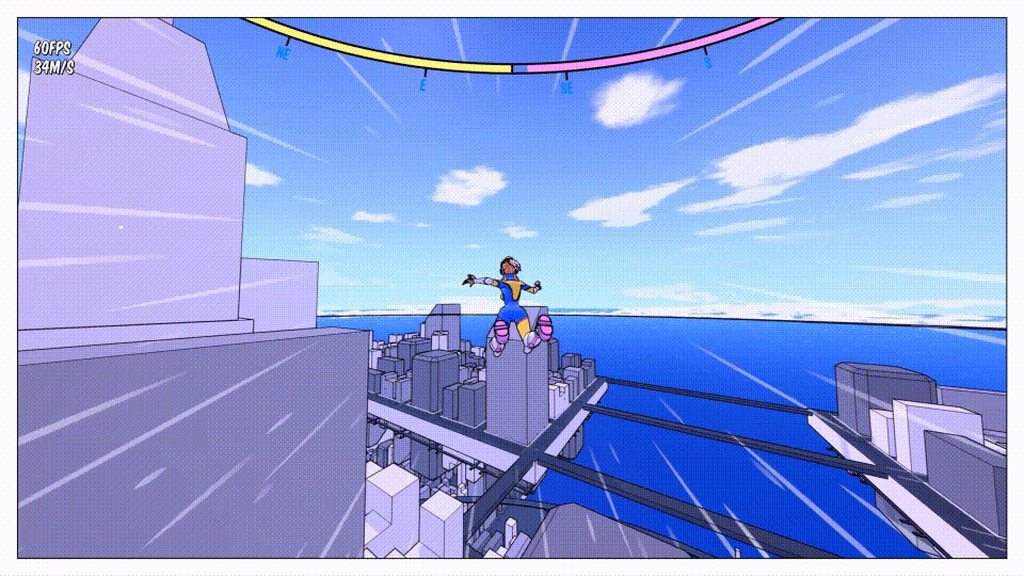
Might seem like a stupid question, but does anyone know how I can like block/mask out the center of a particle system? I can see the speed line effect in the gif linked is just a simple radial line squashed out, but I'm unsure as to how I can mask that center sphere where the player is
 opaque prawn
you can go into the material that the particvles use, and add a sphere mask with the A being world position and B being object position, then make the radius pretty big like 500 to start with, then 'one minus' the sphere mask and plug it into opacity or opacity mask
probably i would just have the particle location be a sphere, then set the particles to only spawn from the surface of the sphere, and make the sphere as large as the "hole" you want @fallen sand
fallen sand
@opaque prawn ye, that particle location way seems the easiest to me
 silent bramble
Hi all. Does anyone know why a translucent material on a mesh emitter in cascade is showing as grey squares?
round fog
It failed to compile
Check the material for error messages, or check the cook log for material compilation warnings if this is on platforms
mild sparrow
Is it possible to apply a material to a widget? This doesnt seem to be working
 celest jasper
@mild sparrow I never did this, but editor doesn't filter Material Domain, so... is that Material set to User Interface? 🤔
mild sparrow
@celest jasper that was the answer, thank you 🙂
mild sparrow
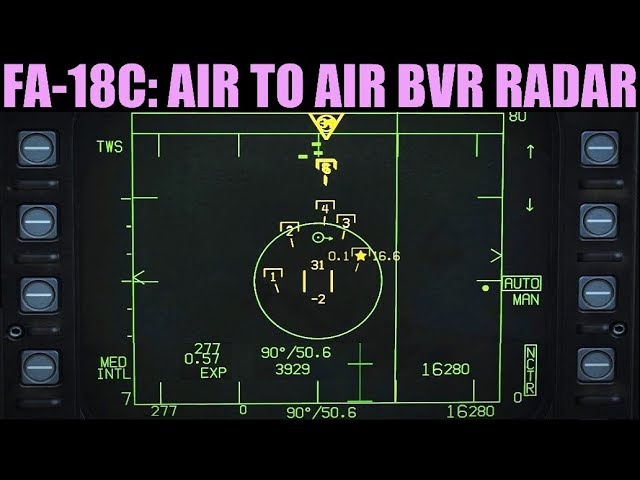
Hi folks, I'm really wracking my brain over this. What would be the high level approach to implement moving icons on a flat surface the "Unreal way"? Would they be a collection of widgets? Would I be feeding game state to a shader?
Here is an example: https://youtu.be/J7JCI3_L0JE?t=619
0:00 Overview
1:52 Modes
4:25 Mission Description
5:31 Setup
5:57 Setting Bullseye Waypoint
8:10 Controls
8:39 Symbology & Controls
19:27 RWS
22:30 RWS+LTWS
26:10 TWS
30:47 RAID/EXPAND
Mission: https://drive.google.com/open?id=1Er9_8CvlOX3LGlG4pKn0DdFKd8DfOwKr
FA-18C ACM: http...
 grim kiln
@mild sparrow quick and dirty way could be this
mild sparrow
sweet @grim kiln !! Thank you so much 😄
silent bramble
Anyone know if it's possible to spawn a single mesh in cascade immediately? Best I've found it so set loops to 2 but even that results in around 1 second delay before the mesh appears.
 analog onyx
@mild sparrow Such screens are most commonly just numerous meshes with additive materials.
mild sparrow
@analog onyx so that technique applied to the above would mean that each individual green rectangle is a separate mesh slightly raised from its background?
analog onyx
Not really, each rectangle is a mesh, but each element is a mesh.
mild sparrow
so each piece of text, the sweeping vertical line, the yellow thing, etc.
analog onyx
yeah, very likely.
mild sparrow
😄
I've just started implementing it this way, and I am running into a strange issue
pics incoming
So here we have three meshes
- the background
- the yellow verticle lines, raised slightly off the background
- the green rectangle, raised slightly off the background
I move the yellow verticle line mesh using AddRelativeLocation on only the X and Y axises so it goes up/down and left/right
however, it will randomly go behind the black background and I am scratching my head as to debug why
For example, this is what I am doing to make it move right
here it is successfully moving, seemingly at random it works
opaque prawn
because of rotations of your cockpit probably
personally the mesh thing seems annoying to work with, i'd probably do it as a UI widget
or fuck, just write stuff directly into a render texture but meh that's probably too expensive
mild sparrow
@opaque prawn I think you are correct wrt cockpit rotation. There is no clipping issues when the radar display is perfectly vertical or horizontal. I had the wrong presumption that, because I am only working with relative locations of the radar objects wrt the radar display, the rotation of further grandparent entities shouldn't matter. Do you know where my comprehension is wrong so that I can try to account for this issue?
opaque prawn
if you wanna keep going with the meshes you need to account for the cockpit rotation when adding locations to stuff, it's a bit of a mess. it might be a more manageable thing to create your radar in a separate blueprint and have that as a child in your cockpit
 worn pagoda
@mild sparrow You should probably make this screen flat and axis-aligned in a Blueprint actor component, using all relative location/rotation, then add it to your cockpit that way
opaque prawn
^^ yeah, i mean you can counteract the cockpit rotation but it seems like pointless effort
mild sparrow
@opaque prawn , it is a separate BP and its a child actor of the cockpit 😆
opaque prawn
oh ok, then that's quite odd
mild sparrow
@worn pagoda i might not fully understand, but I think I'm doing that
opaque prawn
would need to see more of the blueprint to really give pointers, but like i said i would do it in UI, just cause it'll end up looking better and beign easier to manage
mild sparrow
Icons on the black backdrop are parented to the black backdrop, so their relative motions should be wrt the black backdrop. The black backdrop is then parented to the cockpit
Rick Ill try scoping that out. I assume i can make it interactive and be able to "select" items on it?
worn pagoda
Yes, mouse input on in-world Widget Components is easy enough to solve
 stone cedar
Hey :)
With some googeling I found away to use the Depth Fade to get a material which only gets rendered where it overlaps objects:
Like for Decals I'd like to be able to exclude objects from this, like the player character.
Does anyone has an idea how I could achieve this? Unluckily I don't really have experience with rendering.
fallen sand
@opaque prawn Just on that speed line particle system again, got the actual particle system set up, but how do I attach it and rotate it to the player?
opaque prawn
oh uh
fallen sand
@opaque prawn dw got it sorted
opaque prawn
ok great haha
opaque prawn
ah great stuff!
 prime pecan
opaque prawn
prime pecan
opaque prawn
haha
stone cedar
Getting this in UE 4.25 How can I read the stencil buffer?
Ok, got it, using custom depth and the custom stencil buffer. If custom and scene depth are equal I check my stencil buffer and if this has a specific value I set opacity to 0
 soft flame
HI :)
Does anybody know how I get a sampler2D in my shader? I want to use tex2DGrad in a custom HLSL node but I don't know how I can get or convert my texture to a sampler2D type 😕
 cold sorrel
Use a texture object node
 crystal wren
Would anyone happen to know if it's possible to create a beam emitter in Cascade that doesn't face camera position? I'd like to create a flat, horizontal beam.
cold sorrel
Does lock axis not work?
crystal wren
yeah, unfortunately it doesn't look like it has any effect
 shadow goblet
Is there an alternative to building the lighting for a fairly large outdoors world that had a ton of foliage?
 keen sky
Hello, I'm trying to create this laser beam that's only for aesthetic purposes but I have not created any sort of particle before, can anyone recommend some guides that could help me create something similar to this?
 rustic depot
Just a plane with a texture if it's distance piece
Else a cylinder with inverted normals could be what u want also a vertex gradient got opacity ontop
keen sky
okay will try both ways, thank you
 native vector
Can someone tell me where i can change duration of this emmiters? some takes 8 seconds, some take 2 seconds, and i dont know why. I dont see any settings anywhere where i could change that.
I changed many values, but nothing happend in the timeline.
cold sorrel
Loop duration in emitter state
native vector
@cold sorrel it doesnt do what i want. The green line in the timeline still shows 7.5 seconds
Is there a way to force all emitters to take only 2 seconds in the timeline ?
cold sorrel
ok
 cedar ibex
Question about ribbons. I have a projectile actor that has a particle system for visuals. What's the best way to keep the ribbon trail alive long after the projectile impacted and that actor was destroyed? Right now with impact, actor gets destroyed along with the particle system and the trail pops out of existance
opaque prawn
@cedar ibex don't destroy the projectile when it hits, just stop it from moving, disable any damage causing overlap components, and deactivate the particle, then after a certain amount of time destroy the projectile
cedar ibex
I'm starting to do something like that, but am getting worried about performance because with the firerate I got and the possible number of these guns, I think the framerate would be mincemeat
That's not related to the ribbons though, thank you for your help.
Another issue I got with the ribbons is that they are overshooting the source particle
cedar ibex
If spawning an actor with a collision sphere in a particular direction is ballistics then yes
The actor then checks for Hit events
This is the overshoot
analog onyx
Didn't cascade ribbon trails already had a built in system to persist death of the source ?
opaque prawn
possibly, would that work if the particle system is destroyed though
cedar ibex
I think that goes with the death of the source particle
Not if the whole system gets destroyed because the actor itself also gets destroyed
opaque prawn
the overshoot is tricky, is the projectile actor still moving or is it always ahead of the projectile? if so you should check the source constant location, by default it might be at 500 or some number in X
i presume you are using cascade
cedar ibex
Yes, cascade
The projectile actor is the projectile so I don't quite understand the question
Locations are zeroed out
opaque prawn
i mean when the impact happens, are you stopping projectile movement
cedar ibex
Good question, I'm not, I'm simply destroying the actor
opaque prawn
ah but thats fine
cedar ibex
Just tested with StopMovement node before destroying and it's still overshooting
opaque prawn
is the ribbon always ahead of the projectile, or does it only happen when there is an impact?
ok but i think i get what you mean with overshooting, it continues on - it's not just offset by X amount of units from the very start
cedar ibex
Only on impact
cold sorrel
Is the ribbon inheriting velocity?
cedar ibex
I don't see any inheriting velocity options, and it doesn't have any velocity particle component itself
The overshoot seems dependent on the velocity though
The higher the velocity the greater the overshoot
opaque prawn
i suppose that is just a delay between the impact happening and the actual stopping of the projectile, depends how fast your projectiles are moving?
cedar ibex
Maybe but then it's a precision issue when destroying the actor and shouldn't be there when it moves slowly, right?
opaque prawn
uhhhh yeah i guess
cedar ibex
I guess I ought to get rid of ribbons and just make some kind of beam trail
 craggy osprey
Hey, quick question.
how would one go about making a material effect happen world aligned instead of UV aligned?
I've got this panner scrubbing across the object, but I don't want it to pan across the UV's, I'd prefer to make it pan across the object's Z, irrespective entirely of the UV's.
cedar ibex
For my issue above with overshooting ribbon trails, I've switched to Niagara (also using the ribbon renderer) and that solved the problem 😮
 ebon grove
Hello guys, i have a quick question, does anyone ever tried to import a blender fire and smoke into unreal engine 4, if so how did you do it?
 autumn jolt
anyone else get massive slow down of saving a niagara system in 4.25 - it use to be almost instant now it can take 3-5 mins - its painful - doesnt even have to be an overly complicated emitter
ivory forge
@autumn jolt gpu particles were about this slow for me
autumn jolt
4.24 was pretty instant for me the second i opened it up in 4.25 it was like 30x slower so save or more
 ivory hemlock
I posted this question over in #blueprint, but realized it probably belongs here instead: I'm trying to replicate the rotating star layer shown at https://youtu.be/SeNM9zBPLCA?t=1133, but I'm having trouble with getting the UVW coords right for the cubemap sampler. I know it needs to depend on both the CameraVector and the SkyAtmosphereLightDirection, but I'm having trouble figuring out the particular way I need to combine them.
I basically want the cubemap to rotate so it looks like it's "attached" to the sun - the sun should always be in the same spot on the cubemap.
I tried using RotateVector, but every possible combination of inputs I've tried on that one have ended up with the stars warping near dawn and dusk so it looks like you're traveling through hyperspace. Not quite the desired effect.

This hands-on presentation by Epic's Sjoerd De Jong explores the Sky Atmosphere system in Unreal Engine. Starting off with the basics, viewers learn how to render a beautiful and fully dynamic sky within seconds. From there, the session showcases how to create alien, dusty, or...
I did realize something since posting that... I actually want it to specifically rotate around the "north-south" axis (so, Y in my case) and I'm pretty sure I want to rotate the UVW coords exactly opposite the sun's rotation around Y.
 cosmic quiver
Hey guys, has anyone used the particle text plugin? I am trying to use it and it seems the text doesn't change on runtime.
ivory hemlock
This is as far as I've gotten so far... If I connect either the Camera Vector or Normalize outputs to the UVs input of the Texture Sample, it looks fine, but of course doesn't follow the sun. If I connect any of the Rotate* outputs to UVs, it displays either all black or a really smeared version of the texture, even if I set it up so there's a 0 rotation amount.
ivory hemlock
I'm also having another issue with my sky atmosphere setup... I have a timer set up to rotate the sun, and things mostly work great... but when it's night time (the sun is below the horizon) if I look down toward -Z, it acts like I'm looking at the sun - everything goes so dark I can't see. If I look to the side or up, though, the auto exposure adjust goes back to a usable level. Any idea what could be causing this? There's no lights on the ground, and I even stuck a huge sphere underneath my terrain to make sure the sun shouldn't be able to reach us from that angle... but so far nothing has helped.
 hazy estuary
Can anyone teach me how to make a magical sword??
 celest birch
hi folks. I needed a way to access some material instance parameters inside the materials of a bunch of cascade systems through the BP that spawns them. I somehow could not make it work in any other way than using Cascade's named material overrides. But they keep breaking / reverting the input materials for no reason. Any thoughts ?
 kind plover
@ivory hemlock have you seen how it is done in the from ants to outer space video?
I am not 100% sure I understand what issue you're having but I am currently struggling with a similar thing
in the video he uses basically this setup
this is what I am doing but my background stars for some reason move twice as fast as the sun
ivory hemlock
Yeah, that video is what I'm basing mine on too
And confirmed, your setup makes the stars move twice as fast as the sun 🤔
ivory hemlock
🤷♂️ at least it gets the sky moving. Good enough for now.
Right now my auto-exposure woes are a way bigger issue.
ivory hemlock
The AE visualizer says my average scene EV100 jumps up to around 0 (as opposed to usually being around -7) when I look up at a certain angle above the horizon, at midnight. No direct sunlight; just a SkyLight with a cubemap to give some basic nighttime ambient lighting to the scene
and the histogram doesn't even show any bars that should bring the average up that far... but that's what the stats say -.- I really don't understand what makes it think the avg. EV100 is that high
 wanton cairn
Im hitting a road block on something dumb and simple. Im doing a muzzle flash as a CPU sprite particle system. The headache inducing part is that its not rotating properly when given a rotator value.
Any suggestions on how to deal with this?
opaque prawn
is it just trying to face the camera?
wanton cairn
@opaque prawn I believe so
Was looking at ways to lock it so that wont be the case
I ended up switching to a mesh particle to try
I may end up just creating a bp for this. Kind of annoying and giving me a headache haha
opaque prawn
there is an emitter option to lock axis
so like, set the emitter to local space, lock it to X or -X and then spawn it attached to whatever in your weapon
but that only controls making it look in the right direction, are you trying to rotate it around the particles X axis, like make it spin
wanton cairn
Well trying to rotate the particle emitter so that it aligns with the weapon points that i ave
ivory hemlock
I am so confused. How does AE think the average scene EV100 is varying that much when I'm looking at grass that isn't changing its color at all? I guess my ambient light levels are too low?
opaque prawn
@wanton cairn sry missed that message, yeah I think it should be in the lock axis, what settings have you got in there?
silent bramble
Hi all. I'm trying to figure out the best way to put together FX for an area of effect spell that has projectiles falling from the sky but also has impact FX and a terrain hugging visual on the ground. Would it make more sense to spawn projectile actors in the air and a decal for the ground or is this something that could be done more effectively in cascade?
opaque prawn
@silent bramble yeah you'd most likely need a decal
you can have emitter events that can call the spawning from a blueprint but might be overkill
silent bramble
@opaque prawn Will give that a try - thanks
wanton cairn
@opaque prawn NP. Lock axis to Rot Z
 ruby ermine
I have initial rotation module shared by 2 emitters. So they each both use the same values for uniform float distribution but they end up with different rotations. Is there something I can do about that?
I want them to get some random rotation and use that value for both of them
mild sparrow
Hello I come from the future bearing a grave question - how can I get a transparent particle (explosion) to render to a custom scene depth? I am doing that to color it white on a "thermal vision" post processing material. My people depend on it, the robots are attacking us all.
mild sparrow
I'll reframe this to avoid the X/Y problem: I am trying to have an explosion that is rendered white on a post process material (infrared camera). I have tried this with a particle emitter using custom scene depth, but I can't seem to find out why it doesn't work.
 rotund ice
does anyone know how to make a flare vfx like this 🙂 https://www.youtube.com/watch?v=B_dUrPjNPwE If u can help that would be amazing 🙂

 mental stump
Assets from .../Artsource/Orion/ file location. Those are from Paragon assets right?
opaque prawn
yeah
mental stump
Thats kinda what I thought. We have someone building vfx for us however many assets we could see came from peoples PCs and Paragon.
 amber beacon
Hey guys! I wondered that dynamic params didnt work with beam in cascade emitter
https://issues.unrealengine.com/issue/UE-13679
Any solution, please?
 brazen notch
Hi all, at another vfx group, people spoke about the possibility of doing chroma keys and 2D compositing using Unreal. What you guys reckon? I saw it's basic and need a well even lit bg, something that's not the reality. Is it something that Epic is looking into?
 dull quartz
@brazen notch Compositing is supported in unreal via the Composure plugin
In Composure, a graphics utility plugin available with Unreal Engine, we’ve added a new set of tools to make compositing a lot easier.
brazen notch
@brazen notch Compositing is supported in unreal via the Composure plugin
@dull quartz I know that. I'm curious on to what extend it can replace a compositing software like Fusion/Nuke/Afterfx.
dull quartz
I think the Sequencer is as close as you will get in the Editor
 strong jetty
are texture arrays still broken
in 4.25.1
 quaint pumice
anyone know how to make depth fade limited to be horizonal only? That is, I dont want the fade consume the sky right above me.
 olive goblet
Anyone have a suggestion on how to get a water splash effect?
I am not a visual artist sorry
ruby ermine
@olive goblet I ended up asking myself the same question a couple weeks ago
I recommend taking a look at ParticleEffects project provided by Epic
there's ton of water materials there
just take a look there and figure it out
olive goblet
thanks
 round bear
Hey guys, can anyone explain to me why migrating files breaks the entire relative links, all materials vfx etc have lost links to their source and its a pain to manually hook every single one up!
round bear
My bad it was the folder layout, remember to place the items in the correct root folder!
 silent bay
Does anyone know why a lens flare might look low res? is it if the source is very small?
 nova willow
How on earth do I use a sprite sheet with a particle emitter? 🤔 I can easily split it out into paper sprites but you can't feed those into a particle system as far as I can tell, and I can't find a way to give specific UV coordinates to the particle emitter either...
cedar ibex
This document describes how you can create a sprite particle effect using Niagara.
nova willow
Yeah I guess I'll have to tell my artist to put them into a proper grid...
:D
so much for "hey I'll just use the "extract sprites" in auto mode"
I was trying to work around this by creating a custom material where I can specify the UV coordinates but it doesn't really seem to be worth the trouble...
 hallow grail
Anyone familiar with HLSL knows why SceneTextureLookup can't be found? Has it been renamed? https://i.gyazo.com/1ef35251585ba26d0c8736d5ff45b096.png
https://gyazo.com/c3db40c9ce8d7af27e24576a3dfb526d

 analog onyx
@hallow grail SceneTextureLookup is not included, unless you use a scene texture.
hallow grail
I don't quite understand what you mean by "use"... does it need to be connected to the custom expression somehow?
Edit: got it to work by connecting the SceneTexture Color output and just not using it, ty for answer ^^
 true seal
Question on a post-process volume that I don't seem to find online.
I have a pretty simple post-process volume, just some color grading. It's set to a small area.
If I have it enabled at all the standalone and packaged game builds give me a pure white screen.
The console does work, it shows the FPS at something horrible like 7
disabled, FPS is ~80 standalone and smoothed to a solid 60 packaged
 acoustic lily
how do you do mesh deform on landscape or objects with collision detection
 hidden forum
So I'm doing a flame fx/spell and turned on collision (using cascade btw), it works in viewport but as soon as I press play it just goes through the mesh. Any ideas what could be the issue? Tried adding more collision options in the cascade editor
Basically I want to have the particles generate hit events for gameplay purposes
 crimson siren
Heya peeps! I am new around here and new to UE itself. I am working on a mod for ARK: SE. It uses an older version of UE4, and it comes with less features within the Dev Kit. I am working on something which I cant figure out completely. I tried looking up tutorials but none seem to exactly touch the subject I am trying to learn
Basically, I am trying to add particles to weapons / items which are equable by character. To be more precise, here is a pike weapon I added some random particles to
Its preview only on the mesh itself, attached to the bone as an extra socket. What I fail to do is to get that particle / socket active within the game. I just spawn with a modified pike, but no particles. How would I exactly get this thing going on within the game itself?
 rapid badger
I downloaded a stylized grass pack to use in my project, however, it manipulates vertex normals so i am not sure how to set this up to work properly
this is the tga
 fallen swift
Hi! I can't find documentation about the proper way to achive UI VFX like this which is made in Unity but in UE4

Game effect tutorial - How to use UI effect Particle with UI Canvas in Unity
Hi guys! long time no see
Today i'll show u the way to control effect particle with UI Canvas
Hope you like it ^^
► Link package : https://www.patreon.com/posts/19279284
--------------------------...
How is the best way to aproach this?
I want to do some kind of effect in widget for unlockable content

It seems that is not possible to use particles in UI
 novel iris
Hi! My particle system is not working when I play the level with sequencer or when I render the movie. In the viewport it works and is visible. What could be causing this?
rapid badger
anyone know why i am getting weird shadows?
 reef summit
i wanted to change this to opt in
i got it working by plugging the bottom into == and pp0 int > and<
would like to get it working where it doesnt apply unless it equals a stencil value
sorry this if statement is confusing me. should i be checking custom stencil?
got it
custom depth and custom stencil are not the same
 stone socket
Hello guys,
i'm looking for options on making all sorts of water effects and liquid simulation (splashing, making objects look "wet", flow of water between objects, etc).
I'm not sure where to begin, so i'm researching all options (plugins, techniques, etc).
Can someone give me some ideas?
 lone heart
it might be easier to do that in the material—oscillate the scale of your texture coordinates
oh I thought you were just talking about the flat part
you could still do that with WPO in the mesh material but it’d be a little trickier
I can make an example in a bit, deep in the throes of finishing my jam game right now 😛
lone heart
@celest birch try this
the -0.5 is arbitrary, it’s a multiplier on the mesh’s size—in this case since the LinearSine goes from 0 to 1 the mesh gets scaled from 100% down to 50% respectively
lone heart
it went great! this is my entry: https://mahalis.itch.io/blossom

thank you!
it’s mostly based around a technique that I think I first read about here: https://vfxmike.blogspot.com/2017/04/splatoon-in-unity.html

Infinite Splatoon Style Splatting In Unity Download the 2018.3 repo: Splatoonity on GitHub The basic idea This works a litt...
I do love that moment, haha
it uses a little Niagara for the floating petals too
lone heart
that looks right to me, am I missing something?
 molten lintel
Can anyone think of a cheap way to put a distortion effect on a TextureCube? I could do a distortion effect on another TextureCube, but there has got to be a cheaper way...
lone heart
that is real weird
unfortunately I’m not too familiar with Cascade, no idea what it does with mesh particles
 analog ravine
any chance to find a tutorial to make a psychedelic / kaleidoscopic material? post process material would be great aswell
something like this
 sharp siren
Any help on how to have an effect similar to unlit?
cold sorrel
Use death events
 violet ore
How can i make Visual FX in UMG? i mean like particle system but for UI mode. Can we achieve that?
 plucky idol
Game of life shader using custom node & render targets (slowed down)
just filled it with a grid texture, nice patterns
analog onyx
looks like iWave, that went rogue.
 safe talon
Cascade: emitter text missing. Has anyone ever seen this (4.23.0) and if so, how to fix it? Cannot find anything on it:
 orchid shuttle
Is there a way to make Scene Depth Ignore the Z Axis?
 feral kindle
Has anyone had any luck with supporting dual screen Android devices like the LG V60? The V60's single screen is 1080x2460, and when using the dual screen, the game stretches to support the extra resolution, but internally, (using something like setRes for example) the game still thinks that "fullscreen" resolution is 1080x2460. Setting to something like 510x2460 will render the viewport on a single screen, but setting the resolution to 2160x2460 (the actual resolution of the device using the dual screen), the upper half is of course rendered off screen, above the dual screen case's display. This is manageable by designing all assets to be half the height that they would want to render at so they maintain artistic scaling, but it's not ideal because I am essentially rendering each screen at a pretty abysmal 2460x510 resolution.
 grand forge
@feral kindle as a PC dev I have basically no clue how to help but I have a potential solution nonetheless:
if the phone itself changes how things are displayed when changing between the two there is an internal event going on, might be worth trying to either detect that change and quickly adjust everything to fit, or find a way to force the phone to call an event in your code when changing, other than that I have no clue 'cause I basically don't do anything outside of the desktop/console environment
feral kindle
There's an SDK .jar released by LG to support this; I originally thought that maybe the native Android "foldables" stuff would be a good start, but it doesn't seem like the LG dual screen case is treated like a foldable phone, but rather like a secondary display with some proprietary handling. Though I'm not familiar with adding external .jar libraries/SDKs to Android within UE4.
grand forge
weird, I'd try implementing support for other foldables and contacting LG to ask if there's a way to detect the change, not sure how you'd go about doing that but if you find the right email I have a feeling the software designers will have something that at least kinda works like finding a low-level variable related to screen scaling and waiting for it to change
feral kindle
Well the SDK http://mobile.developer.lge.com/develop/sdks/lg-dual-screen-sdk/ allows for this already, I'm just not sure how to incorperate the .jar library into my UE4 project. Not sure how UE4 adds Android .jar libraries.
LG Dual Screen(also known as LG DualScreen) is a LG smartphone with two screens. Independent applications can be run on the screens at the same time.
grand forge
hmmm, I'd reccomend trying to build a simple go-between or looking for a specific tool for that, other than that I've got nothing :/
grand forge
does anyone know how to apply a postprocess effect to a cascade particle system? I'm losing my mind trying to get the right effect lol
celest birch
guys i made this candle fire using particles but the problem is that when i move it it doesn't have smooth movements , its like a frame skipping effect i am getting while moving it ..anyone knows why this is happening ?
cold sorrel
Because you are spawning sprites in worldspace. Every "step" is a new particle
celest birch
so what settings should i change in the particle system ... I'm noob so i hope you understand
celest birch
just a sec im starting unreal..
there is no option as such..and just to let you know i used a mesh data and mesh material
fallen sand
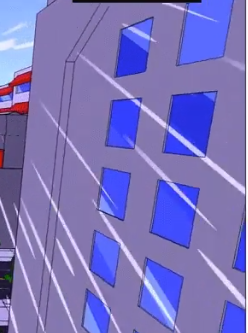
Yo, can someone help me out with spawning varying lengths in a particle mesh system? First one is mine, and I'm trying to replicate the second picture where there are varying lengths and positions at which they spawn, cheers!

 vital spruce
Hey so I'm having some issues with a dynamic material instance, I've used them tons of times before but for whatever reason this specific instance is giving me grief
If anybody could spare a few minutes to help me that would be amazing
celest birch
@cold sorrel you there mate...i have camera facing turned on for my flame ..and when i try to rotate it , it won't . i followed a tutorial online .
it instructed to keep the mesh alignment to locked axis , camera facing options to x axis facing z up , screen alignment to psa type specific and finally using a lock axis and setting the lock axis flags to rotate z ..but still i can't rotate it ...any guess to what may be causing this ..
celest birch
ok it seems like the tutorial was simply teaching how to rotate the face towards the camera ..what i am trying to do is rotate the flame placed in the viewport ..like have the whole flame rotate in order to key it in my level sequencer but it just doesn't rotate ..
rapid badger
I was wondering, whats the best way to use different lighting on a large world, for example, I have made a forest and it is dark because of the shadows, I am hoping to light this section up somehow so when the player enters the zone its not just covered by shadows but has its own lighting
sorry if i shouldnt post ehre
celest birch
@rapid badger well try increasing the sky light intensity along side increasing the indirect value of the directional light ..that should do the job...
celest birch
can someone please help me out with my rotation issue of particles though.
stone socket
In Niagara, I'm trying to get (the index) of the particles near the current particle. I'm testing with NeighborGrid3D but i can't figure out how to make it work.
Could anyone give me a hint?
opaque prawn
yes, fuck i can;t remember what we did to fix it tho
it was like, a specific combination or panner, uv, and particle stuff, i'll see if i can find the material
how slow/fast is the panner? have you tried different values in there btw, like slow it down if it;s very fast etc
the mesh, you have some vertex or second uv or how are the uv coords laid out
cause i know it was when i was doing something super specific and i had my uvs like, warped around
right ok, fair enough you're right
sry im scrolling thru this old project trying to find this shit lmao, just thinking out loud kinda thing
fuck sorry man, i can't find it, doesn't help that it's fixed now. but i remember it being something super weird like a combo of texture size, texture compression, panning directions, uv scale and witch magic
 weak jewel
Hey there... So I'm currently making a level and wondered why everything get'S so bright as soon as I head in the forst.
So I've found out it's the eye adaption. Is there a way of disabling or atleast reducing it's intensity ?
Haven't found anything in the post process volume settings
opaque prawn
@celest birch that's the one omg, yeah great that you fixed it!
 barren gull
@vital spruce check your element index by opening your mesh, also check your name is correct and make sure you selected correct material and created paramters inside material
 keen bluff
hey if I'm using a flowmap to flow texture UVs, niagara doesnt let me use the SubUV sampler. Is the only work around to just make a material instance and have subuvs exposed there?
well it lets me use the subUV sampler but the flow/perturb is lost
 toxic arrow
Trying to create swirly bokeh
 granite patrol
Hi, I was following this tutorial on how to make rain. https://www.youtube.com/watch?v=KagvDQbkSHk
It works ok, but I have an issue where my particles stop falling down at some point.

Revisiting the first tutorial I ever made, adding some new information and giving a better explanation!
Now that it's raining more than ever
Know that we still have each other
You can stand under my umbrella
You can stand under my umbrella, ella, ella, eh, eh, eh
Patreon: ht...
 fossil turtle
Hey guys, do Dynamic Material Instances work with Mesh particles inside Niagara? And if not, is there a workaround?
 wintry vale
Any reason why no depth test would fail to show in front of everything?
wintry vale
well if i don't loop and respawn particle it works ok
 ruby moat
Hi, I was following this tutorial on how to make rain. https://www.youtube.com/watch?v=KagvDQbkSHk
It works ok, but I have an issue where my particles stop falling down at some point.
@granite patrol I think when it reaches a specific number of particles it will stop spawning them
Revisiting the first tutorial I ever made, adding some new information and giving a better explanation!
Now that it's raining more than ever
Know that we still have each other
You can stand under my umbrella
You can stand under my umbrella, ella, ella, eh, eh, eh
Patreon: ht...
 hasty tendon
hello
fx guyssss
i'm exploring tutorial in example project
and at the beam + noise module, i can't find a field that let me control how fast the noise move
i suspect that lie in the Noise Speed, but no matter what value i typed in, there is nothing change, the noise move fast like crazy
really, like the Noise Speed is broken since it does nothing to the simulation, anyone has this same issue ?
stone socket
Hello guys, does anyone knows how ta make niagara particles have collisions but not collide with themselves?
 sterile saddle
Hi, is it possible to tell Unreal to NOT compile a shader that i open ? Just show me the node without compiling
Cause i did something with a node, that make Unreal crash instantly when it try to compile it
So i can't open or use this material now and i need it :/
 brisk breach
How can I lower down quality of FX for mobile?
 visual zinc
Hello, how can I make a sword trial work through bp's there is no animation to make it of type Anim Trial. So any ideas how can i do this?
(The sword works based on the mouse movement on x y )
 wary condor
hellooo, Im having trouble with the CineCamera - It's giving me crappy gaussian dof at a specific point when the dof gets small. The weird thing is that it works when I hold down the slider for the manual focus but when i release the slider, it gets crappy
okay...
If realtime is turned off it seems to work...
 indigo jolt
@visual zinc for Anims you use anim trail, with no anims you use Ribbons
 mellow gate
Sandstorm, blowing wind with sand particles.. would like assistance, or steered in the right direction with this
cold sorrel
@indigo jolt Or a curvemesh
indigo jolt
he’s using dynamic mouse inputs. in fairness- the mesh thing is how i last solved this issue but only with semi canned arm animations.... if the hand trajectory changes midway to draw a swiggle then that kinda is bad
if he can keep the hand movements to consistent arcs on one orientation things might work - parenting the arc meshes to a the root then getting orientation from shoulder or something might get “close enough “
if it’s Die By The Sword type arm controls.... ribbon it
hasty tendon
hellooo
i think for actual mobile project we should use premade texture for effect rather than using procedure sprites like we'v seen in example project ?
i mean are those calculations heavier than a texture lookup ?
 spring spear
Does anybody have experience with creating a trajectory line fx? I am currently stuck
 cobalt sparrow
@spring spear if you calculate the projectile trajectory in BP you can set tangents to Particle Parameter and feed in the calculated values from the BP
Hello! Is it possible to have a EventReceiver Spawn to act as a spawn rate, not the burst?
I have a dummy particle colliding with terrain and I want to have child particles to emit for some time at the collision location
Right now they just spawn all at once, using Curve Distribution as a spawn count seems to not doing anything
spring spear
@cobalt sparrow sent you a friend request 🙂
 worldly monolith
How can I create an effect similar to this? (referring to the white circle and the imploding effect) https://i.gyazo.com/9a6f85222be09a59486340b08e3cb4b2.mp4 https://i.gyazo.com/02ebb7c2bef20a63c7b1cd8aabc3d2aa.mp4
 quasi mulch
For the 2nd video,to me seems something like this that's getting animated via blueprint https://www.youtube.com/watch?v=BwQcwNWdRq4 @worldly monolith In the first one, it seems to also have a refraction material
GASP! He finally makes a new video. Sorry everyone, I was legally bound to not make videos due to work commitments, but now I'm back at it!
Patreon: https://www.patreon.com/deanashford
Discord: https://discord.gg/ttqYq3r
Twitter: https://twitter.com/Play_Ruff
__
Huge thanks...
worldly monolith
Thanks, and in the first video there's an implosion distortion kind of effect (similar to the photo below). Do you know how I could create this? @quasi mulch
quasi mulch
No idea sorry, maybe some post process
 latent rune
@worldly monolith There's a ton of videos for this effect; here's one: https://www.youtube.com/watch?v=ts0uvu3zkW4

A quick tutorial on how I achieved a Black Hole effect in Unreal Engine 4. I hope you all enjoyed and have a fantastic day. :)
If anyone has an idea for another video or a request for me to try and create something please leave a comment and I'll try my best to do so.
Sorry ...
@spring spear Youtube to the rescue! Check this: https://www.youtube.com/watch?v=yMdQ-W4SiAE

What are the 3 Predict Projectile Path nodes in Unreal Engine 4? Why don't we watch this video and find out how this nifty node can help you simulate things such as the arc in Angry Birds or a bullet Droop in a shooter.
Source Files: https://github.com/MWadstein/UnrealEngin...
@brisk breach @hasty tendon Luos will show you the way of UE4 vfx optimization for mobile: https://www.youtube.com/watch?v=Xc9RSFazvyo

Be sure to check out my UE4 marketplace for awesome vfx packs! https://www.unrealengine.com/marketplace/profile/Luos A pre-recorded and extended talk I did for the UE4 Israeli meetup.
While creating the effect I talk about some optimizations and performance gains for effects.
mellow gate
working on a sand cloud/sand storm effect.. getting the basics down, but definitley would love some guidance, as i'm new to the whole vfx and niagra system aspect of ue4
hasty tendon
thank you so much @latent rune !
craggy osprey
Not immediately sure if this is the right place... but is anyone familiar with Blender?
mellow gate
@subbu, I may actually be able to help. I'm live on twitch right now kinda fine tuning my sandstorm
@craggy osprey , I'm quite familiar with blender. What's up?
craggy osprey
Hiya!
Trying to do animations right now, but running into the issue where everything seems linked?
Creating actions, trying to create separate actions for reload animations, but my reload and firing are blending together, and that's just not at all what I want
mellow gate
everything linked as in.....? are you trying to import animations into unreal?
craggy osprey
I'm creating "Actions" which I'm assuming are animations?
But I have the main gun body move, and then the barrel of the gun slides back itself as well, this apparently has to be done in two separate actions.
Then, when I try to do the reload animation, I'm just making the body of the gun do a 360, but the barrel sliding back is getting lumped into this action
I'm doing all of this in Blender
mellow gate
yes, actions are indeed animations. each animation has to be exported to ue4 separately. for each action, an individual animation, then compile those animations into an animation blueprint in ue4
i kinda figured that out when i looked at the ue4 mannequin and how all the animations were set up and the blueprints and so on, and broke it down so i could figure out what i needed to do
but, as for what youre doing in blender, you need to double check your export settings, and basically for each animation, at least the way i would do it, save as an individual blend file and name it according to the animation youre making, so that you're not constantly reloading from the same source file that has ALL the animations in it. make any sense?
craggy osprey
Is it possible to animate child meshes within one action?
Cause, this whole process is somewhat confusing honestly.
mellow gate
i'm sure it's possible, lol.
 young garden
@mellow gate just give suggestion how to create
mellow gate
This document describes how you can create a sprite particle effect using Niagara.
@young garden, that's what i used to get the basic idea of how a niagra emitter works... you just have to adjust a few values, and import your own image to use
young garden
Is it for sand strom
young garden
I am beginner to unreal
mellow gate
once you learn the basics, you can google an image you want to use for a sandstorm, and use it in the Niagra VFX system
beginner?
oi
ok
young garden
Exact thing for sand strom I need
mellow gate
ok. first of all, you'll want to google transparent images of a sand cloud or sand storm
something like this
actually
@young garden
i'll just make a tutorial video about it for you on youtube, because it will be easier to explain, and a LOT less typing
young garden
Ok sir
 vocal surge
why particle everytime is black ?
 kind sorrel
hey guys is there a way to reset the emitter or make it play again rather than spawn it every time ?
 young garden
Hi can you please help me how to create sandstrom
round bear
Hi guys, silly question, but is it possible to change the background colour of the preview window in unreal (for vfx)
 haughty kelp
Can I somehow hide particle system only in Blueprint viewport?
 fossil quarry
@kind sorrel Can you try this setup to reset Particle System?
kind sorrel
@fossil quarry thanks man I'm going to try it now 🙂 oh just to share one tip, you can right click on object reference and convert them into a valid get, that is really usuful I find
keen bluff
In Niagara, is there a built in module for an emitter only playing while it has velocity or do i need to make it?
nvm found it
 pseudo skiff
has anyone attempted to recreate Doom 3 volumetric glow in UE4 https://simonschreibt.de/gat/doom-3-volumetric-glow/ ? I think it could be a solution for VR (especially mobile VR) since using post-process is a big no-no there.
hmm.. There is Unity implementation of this http://yzergame.com/doomGlare.html
Tim Sabo - Portfolio
I wish someone converted it to UE4 using material alone (no C++, no low level shader programming) 😊
rotund ice
Hello, I was just wondering if anyone knows how to make an effect like this. When a player shoots an enemy. Depending on where the player shoots the enemy thats where the effect will start to play if u get what i mean 🙂
silent bay
hello, I'm just reading through a 32 page forum post about Cascade Shadow map "acne" / vertex line artefacts, am I to understand this never got fixed? It seems to be a popular / common issue when using dynamic shadows, can anyone let me know if I should just give up now on trying to make non-glitchy dynamic shadows? Distance Field Shadows is the only alternative?
analog onyx
It was addressed, but wasn't fixed. You can't fix it. It is integral part of shadow mapping. @silent bay
it is mostly down to choosing good setup
 analog onyx
You can push bias values beyond limits of the slider btw.
silent bay
I tried but the shadow gets pushed so far away from the point of contact
do you know what Shadow Resolution Scale does? when I change it in my directional light nothing seems to change
latent rune
@rotund ice It's a bit advanced, but Art Hiteca has stuff like that effect you could repurpose: https://www.youtube.com/watch?v=QhL5N_4fwZE

https://gum.co/DissolutionEffect1
If you liked this tutorial, you can support me
https://www.patreon.com/ARThiteca
Send donation
https://paypal.me/arthiteca
TimeLine:
00:46 - создадим каталоги ассетов
01:00 - DisolverActor - актор который будет сканировать сечение пространст...
@rotund ice Also this one: https://www.youtube.com/watch?v=syVSRDQxrZU&feature=youtu.be

In this demo, Chris Murphy covers the fundamentals of Niagara, Unreal Engine's new VFX system, and extends what begins as simple functionality into an advanced character disintegration effect. This presentation acts as a primer for new developers looking to create effects in U...
 wise maple
Is there a commonly accepted way to convert from screen position to world space position (for example, to plug into a vector noise node)? I'm trying to achieve an orthographic parallax effect on a surface shader and I want the image to be fixed irrespective of how the camera moves.
indigo jolt
guess at it until you reach your limits, then share your results, your reference and ask again how to overcome the problems that have blocked you from matching your references
at that point you will have good answers from community as well as a stronger foundation from which to use those answers
or just “google smoke, fog, dust vfx tutorials on youtube for both Unreal and Houdini or whatever software you have (which we would need to know to answer)”
sly nest
I have a number of essentially duplicate materials that use different nodes. Is there any reason to convert them into one big material and use material instances + static switches to toggle features instead?
 rain ice
Hey does anyone how I can make an energy ball in unreal. I already added things like sphere rotation and messed with the spawn setting. I'm trying to make it more of a solid than just particles going to the center. Is there a way to do this?
 polar jolt
@rain ice There is a video by CGHOW i think that might help

Support me on - https://www.patreon.com/Ashif
Support me on - paypal.me/9953280644
hi guys today i have created this energy ball effect in unreal engine Niagara. for this i used a high res sphere from Maya for main element in this effect and i used noise node in material so yo...
rain ice
It seems he uses like pre-made assets though and show how to modify them
@polar jolt Would I have to just find the meshes itself for a lot of them? Or could I make the effects without it?
indigo jolt
honestly i'd kinda shy away from that tutorial, those orbit bits don't even orbit cleanly, the tails aren't following the path
you'd be better off just making a plane + dome mesh from a sphere with a pivot that is same as original sphere - have plane intersect the dome, and draw on little energy meteor bits on that then spin. not sure what those orbiting bits are supposed to look like though...
you can't achieve success if you can't describe it
rapid badger
is it better to create a portal effect in niagra or just normal particle system?
cold sorrel
Yes
 fathom gazelle
Whats The VFX File Format Who Fits Good For Unreal Engine 4 ?
Pls Tell Me Someone Knows
cold sorrel
. Uasset
Your question doesn't make sense I'm afraid.
There is no such thing as a vfx file format
snow walrus
guys is it ok to keeping the UV map like this? it has two materials but unreal shows that uv's are overlapping
 floral estuary
Are there and pros/cons to using niagara over cascade at this point?
worldly monolith
Is there a way of achieving an effect like this? (everything getting sucked into one point) https://i.gyazo.com/ab824b9b870eb3271c3d46eabd378c10.mp4
rapid badger
how do i make a particle fade out
cold sorrel
Multiply in the Particle Color node in your material.
rapid badger
how do you make a particle follow something that moves
cold sorrel
Required node. Localspace tickbox
rapid badger
yeah i do that, I am just wanting the particles to follow behind if the object moves
so right now they slowly move upward
when the object moves towards me
i want them to spawn behind as its moving
if you get me
do i hjave to add it to a socket?
cold sorrel
You need to go through the 101 tutorials I'm afraid.
rapid badger
what?
 wanton shore
how to remove the initial delay a particle has?
cold sorrel
Set up your bounds larger
 pseudo jolt
Hi there guys!
I need to have a water that is similar to a pool filled with plastic balls.
I wonder if someone can point me to a right direction of how to achieve that in a more efficient way.
HEre's a couple of questions, if you please:
First of all, i wonder if having a great number of spheres with "Simulate Physics" is a right option?
I did a few tests with roughly 1K spheres and it worked pretty nice, but i wonder if a simple copy-paste method is actually a good way to fill the areas with the ball-water?
Another question is to simulate foam - whenever the ball is near the specified collision surfase (like a boat or similar) it should change it's color to white. Also, the same whitening affect should occure when the ball gets is's speed in a specified range. Is there a way to get a velocity parameter from each sphere and plug it into material options to drive them?
I also wonder if I can use Niagara to spawn mesh-particles instead of the "real" spheres with the similar simulation result?
Any thoughts would be greatly appreciated.
analog onyx
First of all, i wonder if having a great number of spheres with "Simulate Physics" is a right option? No
What you are asking for would be a typical SPH or FLIP solver, at least from your description it sounds so.
So you generally need to give more detailed explanation of what you are after, including showing references.
@pseudo jolt
cold sorrel
Unreal doesn't have a solution for this sort of thing that doesn't require some serious coding AFAIK.
analog onyx
Really depends on context of the effect and its application. Making an anecdotally simple SPH solver is pretty much blueprintable in several hours. Key decisive factors here would be If the effect is targeting realtime and if it is visual-only effect or it participates in gameplay in some way.
cold sorrel
Fair enough. I assumed it targetd realtime/gameplay as this would be much easier to just bake if it's for visual only.
Also, writing an SPH solver is something a lot of people would consider serious coding 😛
Not everyone is a tech maniac/wizard/other.
analog onyx

cold sorrel
A PBD solver I can buy, but I feel there's a definite step up to SPH.
pseudo jolt
Ok, let me clear this case a bit more: this water is not meant to be a realtime in-game effect. Im working on a animation piece, so, it will be rendered out after all
analog onyx
If it is not realtime, and you are fine with as low as 1k spheres, you surely can use just physics, provided that results satisfy you. You can pass a parameter to material using per primitive parameters for foam color. But it might be better/faster to simulate whole thing elsewhere and bring in resulting simulation into unreal instead.
pseudo jolt
Thanks, @analog onyx . Generally yes, I'm pretty ok with current straight forward solution - seems ok for now at least. Also,I will try to get the sym out from Houdini but this is not a good way as it adds extra step in production pipeline. Each time you apdate animation you should update sim and re-export. What I was after using UE is to get rid of those extra steps like re-sym, re-light, re-render, e.t.c by moving to real-time.
Could you give me some more details of how to get velocity from spheres to material? I'm a beginner in UE, sorry
analog onyx
Provided, that your spheres are static mesh components, you can either create unique dynamic material instance for each sphere, and adjust vector parameter there, or use per primitive parameters. https://docs.unrealengine.com/en-US/Engine/Rendering/Materials/CustomPrimitiveData/index.html
An overview of the Custom Primitive Data workflow for storing custom data per primitive that's accessible through Blueprint.

In this video, we introduce Dynamic Material Instances, wherein we can control Material parameters within a Class Blueprint. Note that this video combines both Material and Class Blueprint techniques.
A link to the wiki for further notes is available here -
https://wiki.unrea...
pseudo jolt
Thanks 🙂
pseudo jolt
I wonder, if there's a way of making a copy of an object as instance, (similar to foliage) to reduce draw calls and still have each ball dynamic?
young garden
How to add particle effect in layer landscape
 clear vessel
How can i mask the black parts of my texture in a translucent material?
nvm got it working
 oblique thicket
Hmm I am trying to pause my fountain Cascade emitters and re-activate them, but it seems that de-activating just kills the emitters. I don't have "Kill on Deactivate" enabled tho. Is that a bug? 4.25
oblique thicket
My bad: I forgot that I had to specify that on the Spawn function as well...
young garden
Hi add particle effect in landscape layers
 versed crystal
Has anyone ever tried to bake a liquid sim to vertex displacement maps? I'm making a very small high fidelity experience and wouldn't mind spending a ridiculous amount of resources getting something like that to look amazing. I came across this Unity example that was abandoned but its literally exactly what I would want to do: https://www.youtube.com/watch?v=jGoSavwF9Pw
I've tried exporting an alembic of the fluid surface but the results are less than stellar because they don't integrate with the water like they do in that example.

This video is a demonstration of rendering fluid simulation in real-time with Unity.
Segment of the coastline with a pier.
Discussion: https://forum.unity.com/threads/water-system-based-on-fluid-simulation.504291/
 worldly trail
Hey guys was wondering if anyone knows or could point me in the right direction I want to make a windline particle system really struggling to make a start on this any ideas?
 novel pine
hey does anybody know how to make a pixel explosion particle effect ?
 sweet basin
Can anyone point me in the direction for achieving this sort of blurred/fade effect for "under the map" situations?
 mossy escarp
@sweet basin Emissive floor material with some height fog would be my first approach
sterile saddle
@sweet basin With something like that in the Opacity channel
 indigo forum
@floral geyser Using Fresnel, Multiply Opacity using fresnel
Is possible, Niagara particle, spawn particles on surface of landscape?
like a foliage paint
sweet basin
@sterile saddle While I do appreciate the answer, I'm not exactly sure where to apply it. I eventually settled for using two planes, both unlit, one faded, one solid. It created this effect, which is "good enough" for now, but if you've got the time to elaborate, I'd love to see what you manage!
wise maple
Is there any way to precompute a texture using a material and keep it around in memory to pass as a parameter to a mesh's material?
I want to make a configurable team recoloring texture (like bits of red or blue or whatever on armor/flags), but I would like to precompute it ahead of time.
sterile saddle
@sweet basin in the opacity of your material, that's how i fake the deep of the water
 small sorrel
Hi! I have a bit of a problem here... some of my reflection captures are randomly glowing in red, has anyone experienced this?
 plain dock
@versed crystal pretty sure that fluid sim was done with houdini and imported as a vertex animated material
@brando can you give an example of what sort of thing you want?
@wise maple https://docs.unrealengine.com/en-US/BlueprintAPI/Rendering/DrawMaterialtoRenderTarget/index.html
Draw Material to Render Target
@small sorrel do you have a very strong red light in your scene?
small sorrel
Nope. Only sky and directional lights. It's also random ones glowing. After I build the reflection captures some that were glowing start functioning correctly, some keep glowing and some that were ok before start glowing
small sorrel
Thanks! I'll post it there too
plain dock
Np
 hot prairie
i am using ribbon particles and spawn by unit do generate drawn strokes in VR. is there a way to disable the scaling over time/progress?
plain dock
It's on the particle update section @hot prairie
 hard forum
Is there a simple explanation as to why my particles loose their color when i change them to GPU sprites?
making some flames right now and they look right as cpu but when i put them on gpu they go black
 vivid coral
Does anyone have any idea why my particles seem to intensify/settle as I move the camera?
cold sorrel
TAA
vivid coral
Really? Can I exclude them somehow perhaps?
Hmm
I ran r.PostProcessAAQuality 0, issue still occurs
 frozen valley
Hi everyone, can I ask a procedural material question here?
hot prairie
@plain dock ok I switched to niagara since there are way more options... but i am still trying to figure out how to control the ribbon automatic growth while drawing
plain dock
@hot prairie getting you screenshot
@vivid coral txaa is a project setting
i think
will double check for you
yeah, here you go @vivid coral
Smoothing of jagged edges using the FXAA method.
You can also try turning on "responsive AA" in your particle material
@hot prairie
turn that off
bear in mine that what you're doing isnt normally how particle systems work
and many things, particularly to do with changing values depend on the idea of a normalised life span
if you stop the lifetime from updating or dont kill particles after their lifetime ends, things can get weird
not so weird that creative solutions cant fix them, particularly in niagara
but don't expect things to "just work" out of the box
hot prairie
thx @plain dock
just disabled unchecked the kill particles box, but the growth is still happening. isn't there something like a curve acting like a multiplier for the x and y axis of the ribbons element?
plain dock
have you disabled size scale in the particle update section?
plain dock
huh thats tyrange
you dont have any particle update modules at all
maybe its increasing scale by default?
hot prairie
just added the initialize ribbon which also allows to set lifetime and stuff. but the scaling kind of happens automatically
just found a "ribbon width scale" module but this just acts as a multiplier
hot prairie
okay i found at least one of the issues - the ribbon stretches one texture across the whole length of the ribbon and I had a circle as sprite, so of course 🙂
how can i link the the lifetime of an particle to a boolean? like "spawn when button pressed", "kill when released"
 proper beacon
What's the way to don't get the particle count set to one disappear from quality settings?
mild sparrow
Hi all, particles featuring transparent textures are black in the right eye of a VR HMD. Does anyone know why?
plain dock
@hot prairie look into niagara blueprint interaction
 proven crystal
I'm trying to shoot out some debris from an explosion, but I'm a bit lost. I've tried doing it with niagara mesh renderer, but it's not possible to have different meshes in an emitter, and having a different emitter for each mesh seems a bit tedious. Does anyone know a good way to do it? I basically want to spawn a few different meshes with initial velocity and allow them to collide with the ground a bit.
plain dock
so, you can use a technique called mash flip booking
basically the idea is that you merge all your debris meshes so they sit on top of each other in a single FBX. then assign a vertex value (either colour or UV usually) that acts like an ID for each piece of debris. then in your shader you set the coords of each debris chunk's vertices to be 0,0,0 when apart from the one you want. the graphics card interprets all the triangles that have their verts as 0,0,0 as bad triangles and drops them from the render entirely (i think, this is what i've heard)
then you can use a dynamic param to set the one you want
someone like @cold sorrel probably knows if I'm talking shit tho
cold sorrel
That's valid.
But setting up a few emitters with variants takes no time. Especially in niagara where you have inheritance so the only thing you change in the system is the renderer.
More control that way
snow walrus
Guys is there any nodes that i can connect for multiplying texture ? For example i have a texture but its small for the surface and i want to connect a node so it repeats it
 daring dome
@snow walrus scale it like this
 near jacinth
Small issue with a particle system parameter. If I change the color parameter in the system for testing to a crazy value, it shows up perfectly fine in the level (in PIE)
but if I change it at runtime using this
it looks like this
Max input and Max output are both set to 500 for V
any idea what's going on here?
ahha. I figured it out. Regardless of what you enter as the color, the color parameter only passes in max 1x color scale. It can't pass in that "V" value. So I need to add a color scaler to multiply it
proven crystal
basically the idea is that you merge all your debris meshes so they sit on top of each other in a single FBX. then assign a vertex value (either colour or UV usually) that acts like an ID for each piece of debris. then in your shader you set the coords of each debris chunk's vertices to be 0,0,0 when apart from the one you want. the graphics card interprets all the triangles that have their verts as 0,0,0 as bad triangles and drops them from the render entirely (i think, this is what i've heard)
@plain dock Interesting technique! Didnt know it worked that way, great tip!
But setting up a few emitters with variants takes no time. Especially in niagara where you have inheritance so the only thing you change in the system is the renderer.
@cold sorrel Right, I forget about that all the time.. Create an emitter, add it a bunch of times in a system and then change a parameter on each. I dont have to create a bunch of emitters and THEN add them all to a system.. 🙂 It's probably the easiest thing for now, thanks!
 floral geyser
Is it difficult to make such particle? https://gamepedia.cursecdn.com/dota2_gamepedia/0/0e/Planetfall_Echo_Slam.webm
i mean, turning actor into dust via Niagara i suppose?
 vivid nexus
they use the flash to remove the mesh and then create a big enough emiter so it looks like the object fades
plain dock
You could do a dissolve shader if you can't do a flash.
Can we sample vertex colours with the mesh samplers? Or uvs?
Would be cool if we could use that to direct mesh spawning by changing stuff in the material.
 wicked shale
IIRC yes, you can sample vertex color and uv. uv sampling is part of the cool final content example for niagara (with the mesh and the floating ball)
 lucid solar
Anyone know how to create a "TearsOfDenial" effect?
(Game is DarkSouls3, spell is Tears of denial) its the glowing heart effect
I'm not sure how to have the effect only clip through the owning actor (but be blocked visibily by others)
 vapid hedge
which module should i use in cascade if i want to change an emitter's location/ position over its lifetime?
more specifically through a curve
plain dock
you could use a box location set to curve and locked x axis
why are you trying to do it inside the emitter instead of witha blueprint or in sequencer?
@vapid hedge
vapid hedge
the emitter itself is tied to an animnotify
celest birch
@floral geyser did you make it? (the particle effect from DoTA)
 keen jay
i am such a nood at particle systems in unreal but how would u create a wind type effect similar to air bending in the avatar
proper beacon
If you spawn something in the world whats the best way to do a scale effect of the mesh at spawn ?
floral geyser
@floral geyser did you make it? (the particle effect from DoTA)
@celest birch
Nope :(
 rustic galleon
Hello. I've got stencil enabled on my post-processing settings but all I see in-game is blackness except where the stenciled thing should be, and then I just see a solid color and numbers. What should I do? 🤔
celest birch
@floral geyser did you try to spot some open source assets???
 gaunt night
Trying to get my head around something I need to crate for my game - Can someone suggest a process for creating a material that reacts to touch at the point it is touched by the players hands (for a VR game). The effect I want to get is if you were to touch say a cube object, at point on the face of the cube where you have touched it a visual effect in the material would flow outwards from the touch point. Very new to this and wondering what processes I need to look at. Or does anyone know of any existing materials on Marketplace that may achieve this?
 grim cypress
I was just wondering, how should I approach adding snow in my level? The part of the level that needs snow its not too bad but in order for me to see the snow I need to add quiet a few snow particles which add up to 160k using Niagara. I would like to increase that so I can see even more of them but then my frames drop to around 60+ from 100+
I never used Niagara so I might've done it poorly hence the frame drop but I was just wondering the following. Should I have 1 or more systems in my scene that will spawn snow around the map or just 1 that sort of hovers over the player at all times and just follows around while being in the part of the map where it should display it
-+
analog onyx
which add up to 160k using Niagara. What led you to this specific number ?
grim cypress
Managed to sort it out so everything good
 rocky bison
How do I get vector fields working in Niagara??
I have it added in but now Idk where to go XD
nevermind I got it working
 tepid rock
 split geyser
Hi there! Searching any idea how to make this effect around Character
Character stencil must cut off the light
my current knowledge is not enough 😣
 cedar wadi
hi all, i was wondering if anyone had any tips on dealing with making trails off high speed projectiles. Currently I am creating a mesh off the back of the projectile and resizing to its speed. But its difficult to visualise at such a high speed, slower speeds its working fine.
any advice would be great thanks!
 hollow temple
hi all, if there any way to create particles reading all their parameters from file?
 bleak inlet
damn cascade, again even on fresh particles scale axis are all locked together for no reason 😐
ok I suppose if its set to square
then it really is square
😂
 rugged radish
hey there, looking into embergen for my shortfilm, but I need to learn some basics before diving into the trial, so I´m not wasting that precious 2 weeks...
I wanna make highquality smoke and fire fx and I need to look into how to incorporate them.
As its just for cinematics, I don´t care much about reusability.
Someone already mentioned using media textures on cards for that (instead of flipbook textures for a more particle based/kitbash approach).
What I need now is some direction/tutorials for a shader setup, that allows some basic relighting in the scene (normals?6pl?), blending with the environment (pixel depth offset?) and material type (so it can be backlit for example and interact with exponential height fog etc).
I´ll know where the basic lighting will come from, so I´ll probably be able to get the base lighting directly from within embergen (still looking into that).
Most FX will be positioned in the scene, so the camera won´t move through them/they don´t interact much with the scene objects.
For those rare cases, I´ll probably still wanna use flipbooks/particles, but I assume the shading would be the same approach.
Here is a breakdown of the most complex shot so far in my shortfilm, you can see the amount of smoke stuff in there, took me months do do that in 3dsmax/phoenix, so really looking forward to a more "fakey" realtime approach...
https://www.youtube.com/watch?v=W4Gbwcby8J4

Breakdown for the underwater volcano shot from our shortfilm about Tardigrades.
Software used:
-3ds max (scene assembly, lighting, rendering)
-Phoenix FD (all smoke FX)
-Vray (rendering)
-Itoo Forest Pack (plants and corals)
-Houdini (fish swarms)
-Zbrush (Sculpting of sever...
plain dock
Yeah, you're probably w going to want to use a range of approaches for different elements. Are you just rendering in unreal or do you need it to run in realtime? If so on what hardware and at what target framerate
@rugged radish
 jolly stream
Anyone know how to get dynamic lighting from particles to work on mobile?
clear vessel
Is there anyway I can substitute a material instead of a layerinfo
 lusty osprey
I made a gore system in Unity and was wondering if it could be recreated in Unreal ? I want to migrate. What you guys think btw
rugged radish
Yeah, you're probably w going to want to use a range of approaches for different elements. Are you just rendering in unreal or do you need it to run in realtime? If so on what hardware and at what target framerate
@plain dock Just using Unreal for lookdev and rendering. SO for lookdev, I´ll need it to stay somewhat responsive, but thats about all I care for...:)
plain dock
@lusty osprey tou could use this for the texture masking

Announcement Post: https://forums.unrealengine.com/showthread.php?123164
Sam Dieter is on to talk about a powerful new feature from the 4.13 release, Blueprint Drawing to Render Targets! There are limitless applications to such a versatile tool, so Sam will give a basic overv...
Item_42
 ocean inlet
Does anyone know how to make a material only visible from the inside?
 unborn stump
anyone here know houdini?
cold sorrel
Yes
 signal talon
Guys, I want to make a outline like in overwatch that indicates where you have to do something. Does anyone have a tutorial for this?
bleak inlet
@signal talon looks like a mesh and just a tiling texture
as you can see polygons are a bit visible in the pattern in the corner
so it is trim texture with geometry
most likely
well most stuff is geometry in game engines 😄
 pine crystal
I’m trying to figure out what’s cheaper in forward rendering masked opacity or translucent
The shader complexity view shows green with opacity masked with early z but when profiling vertex lit translucent seems cheaper
Translucent materials if I understand correctly are rendering in forward regardless of pipelines so I understand why this may be more expensive for deferred but it seems cheaper than using early z masked when already in forward rendering
Anyone know for sure?
My project is VR so every ms counts
signal talon
@bleak inlet great tip and I can defintly model that. But if i wanted to be a bit more fantasy/magical and wanted to add a spark emmitet around the mesh, how would I do that?
plain dock
@ocean inlet invert normals?
@unborn stump yes?
@signal talon use a more fantasy/magical texture. And for sparks emitted around the mesh, make a particle system with niagara.
signal talon
My particle system knowledge is very low XD i would know how to bound thr particle emit to thr mesh😅
plain dock
You will need to learn how to make particle systems, then.
rugged radish
Or is that the word so just capitalize for emphasis?
@plain dock Thats just a typo...:)
plain dock
Ah ok
 main urchin
Hi, anybody can explain me Spawn Emitter Pooling Method ? Or can point me to a good explanation? (i'm doing a shmup with a lot of explosion... i'm not using any method pool. Do i have?)
pseudo skiff
I made a texture if a sort of energy beam, tiling on one axis (starting segment, middle tiling segment and end segment). Knowing a starting point and end point in the world (distance changes dynamically), I need to make a straight beam between the two. What's the cheapest (performance wise) way to make a beam ?
 fair rampart
So i have a 2048x2048 explosion evenly divided as a SUBUV, But if i play as an animation it just scrolls smoothly through the images
 bleak jetty
heyo! anyone know how to remove "out of memory for skin cache" from the render?
rugged radish
So, I found this real cool example file for 2D raymarching, which gives me great results:
https://80.lv/articles/creating-2d-raymarching-smoke-in-ue4/
I´m still pretty new to Unreal though, this file seems to work only with flipbook and a particle system.
What if I wanna use a higher res image sequence (aka, not limited to the few columns and rows of a flipbook texture)? All I found was something about media textures, but thats only for displaying a movie on a screen and stuff like that, not for use in a material like in the example above...
Any tips on wether this is possible at all, or on where to start looking?

FX Artist Dae Hyek Kim talked about the technique he used to build 2d raymarching smoke in UE4. A similar solution was originally used in Uncharted 4.
analog onyx
@rugged radish Use texture arrays
rugged radish
Sweet, thanks for the hint!
cold sorrel
Or mediatexture
rugged radish
Hm, sorry, all I could find on mediatexture is how to use it in a blueprint to play it during gameplay.
I want to use it in the material editor instead of a texture sample, to play an image sequence for a smoke material.
Couldn´t find anything on texture arrays...:(
cold sorrel

In this Unreal Engine 4 (UE4.16) tutorial I show how to use the MediaPlayer component to render a MediaTexture onto a static mesh and play an mp4 video file.
To do this you have to add the mp4 to a folder called Movies in your content of the UE4 project, then add a file media...
Open material that's created, do tweaks.
rugged radish
Thanks, also just found it in the official docs. Should have searched there, searching on google just led me to a page in the docs that wasn´t helpful at all...:)
Describes the core features and functionality for video playback using the Media Framework tools in UE4.
analog onyx
I wanted to link you a doc page about texture2darray
but there is none
Texture2DArray is such resource, that stores several independent textures, and you can sample it with regular UVs, but with additional component, that picks which subtexture(or slice) is to be used.
In Unreal Engine, you can create Texture2Darray in content browser, by rightclicking and finding corresponding asset type.
Note, that for it to work, you may need to either enabled Texture2Darray creation in project or editor settings or via console variable.
@rugged radish
 stark monolith
Does anyone know how to access the iteration index of a simulation stage in niagara?
or how it's meant to be done
rugged radish
Texture2DArray is such resource, that stores several independent textures, and you can sample it with regular UVs, but with additional component, that picks which subtexture(or slice) is to be used.
@analog onyx I´ve looked up and down and I can find it nowhere.
I´m also not sure what the advantage would be over using media texture.
I don´t like the media texture workflow, so if it would be simpler using texture2darray, I would be up for it
celest birch
Any good tutorial about character wounds by materials or other ways?
 weary sand
This is old af.. so am I.. riiiip: Left for dead 2 gdc power point about how they did it 10 years ago.. http://alex.vlachos.com/graphics/Vlachos-GDC10-Left4Dead2Wounds.pdf
celest birch
Good time of day. Any ideas how it possible to make in ue4?
Is this event possible to cut piece of texture in material by capsule collision?
analog onyx
@celest birch Surely. The paper, you took picture from, describes it in detail.
celest birch
@analog onyx Probably it's to early for me to make it in UE4. Will study better.
 tardy dome
i think a lot of that l4d doc is bull
its premade wounds, not runtime elipsoids
basically a boolian in ur dcc and make a mask out of it
technical mumbo jumbo to explain something easy
tardy dome
if u shoot a female zombie a male head spawns out of it
its not runtime wound mesh generation
analog onyx
yeah, just read the paper.
analog onyx
¯_(ツ)_/¯
cold sorrel
Huh, I met with Gray who worked on it a while back and discussed it. It didn't seem very easy to me, even though I've read the paper.
analog onyx
Setting the whole thing and ensuring it looks consistent everywhere while not blowing any of the budgets is not easy. It never is.
Checking if fragment is within an ellipsoid and if so, masking it out, however, is pretty trivial,
, along with determining projector-space UVs for mask, and supplying ellipsoid transforms in skin pose. That makes up the tech part of the method.
Rest is on the art and there it becomes a worthy challenge.
cold sorrel
Yeah, Gray doesn't usually do the simple things 😛 Hell that guys has been making FX since I was in kindergarten.
stone cedar
Hey, how would I do bitwise operations on the material editor? Does unreal support this?
analog onyx
Using custom material expression. Unreal supports it to an extent that ensuring that it works as intended on all platforms is on you. @stone cedar
stone cedar
ok
stone cedar
Is it possible to have the custom stencil additive?
brisk breach
Does anyone know why all the particles in world are stretching to 0,0,0 coords?
 vernal jacinth
I was just about to ask the same thing

here's a video example
i think its a bug they introduced in 4.25
stone cedar
haha yeah, I have the same issue 😛
and I tried everything, switching the domains of the effects etc.
brisk breach
is there a way to fix this bug
 tight swift
hey fellas
I need help with recreating an effect from jjba
specifically the timestop effect

this thing
I already scripted timestopping
all that's left is putting that effect
so if anyone could help it would be much appreciated
 hollow jacinth
@tight swift here is an example of a color inverting post-process
You can combine that with other nodes such as hue shift to replicate it properly
tight swift
thank you very much @hollow jacinth
 coral falcon
Is there any guides on creating good camera shakes cause at the moment my camera shakes are trash
brisk breach
How to get this effect on character's body?
celest birch
i have been getting this weird effect while rendering , i can see the buildings that are placed way behind in the dark far away from the light source and yet they are when i enter the coverage area of the spotlight , they are not visible when i turn off the exponential height fog . is there a way i can make those buildings completely dark while having height fog on ?
 fierce arrow
Does someone know if it's possible to fade out shadows in dynamic lighting only? Right now they just disappear very suddenly at a certain distance, which is too abrupt.
 short niche
Is this where I would go to ask about lighting issues?
 spring idol
Hello, apologies if this is the wrong channel, could someone help me get my asteroid mesh to fall from the sky as a meteor and spawn a foliage type?
fierce arrow
You should ask that in programming.
 bright panther
New VFX competition for VFX Artists in games! :)
We've partnered with realtimevfx.com and Nvidia to put together an incredibly cool challenge. Full announcement will be on Friday the 31st!

Real Time VFX
 plain mango
@brisk breach @vernal jacinth have you found a solution to this because ive come across the same problems with cascade fx since upgrading to 4.25
brisk breach
Nah nothing yet @plain mango
I found a way around but that make particle look ugly af
vernal jacinth
@plain mango me neither i asked on answearhub too but no solution yet, im pretty sure its a bug, best we can do it is report it and hope they fix it in 4.26, at least in my opinion
 fringe flare
are there any good tutorials for using a material to make it look like its phasing between 2 levels
like theres a wall blocking your path, you activate ability, it makes circle around you that displays different version of the level with the path not blocked
fringe flare
 gilded shuttle
Hello! I'm trying to follow this post - https://twitter.com/Vuthric/status/1286796950214307840 on lightmapped smoke using houdini and Unreal. Got the smokeRGB sprite from Houdini into unreal but doesn't give the desired result. I tried swapping the R and B inputs/outputs to match the light setup in Houdini but no luck 😦 Can someone please help me know where I'm going wrong? Thank you!
currently it looks like this
 restive tundra
i'm trying to achieve a diorama style art but can't get my head around how, i messed with the cinecamera's settings but nothing suits my needs any one kindly willing to help me?
plain mango
@brisk breach @vernal jacinth Apparently this is the solution for 1 user
"Had the same issue, fixed by turning off local space in emitters that using "emitter initial location" "
Im only noticing the issue with mesh data emitters though so no idea what could be the issue with their update
vernal jacinth
yeah same the emmiter that bugged out is a mesh data emmiter for me too and local space was already turned off, turned it off for every other emitter in the particle but still bugged
plain mango
Alright @vernal jacinth @brisk breach Ive found its WPO breaking stuff, I found a fix by changing my material
brisk breach
awesome thanks @plain mango I'll try that out
 rapid trellis
Hi guys, is there a way to create editor only path in material? I'd like to use different constant when I'm playing standalone game and different value when playing in editor. Something like
#ifdef EDITOR_ONLY
const int32 x = 1;
#else
const int32 x = 0;
#endif
Is such thing possible in material editor?
 dapper dawn
Am I right in understanding that orbit "Offset amount" can not be updated on tick while the particle is alive? Setting a parameter works fine when the particle spawn and setting it to a certain value, but when trying to update said parameter on tick nothing happens, it just keeps it's first set value. Is this normal behavior?


i also printed the value from the timeline and it works fine (goes up from 0 to 1 in 2 seconds)
however, when inputting this value into the particle system it doesn't do anything
And I'm also 100% sure the setting vector node works as well, because when I use it just once with test value of 1 it works
It just seems like the value can only be set once per alive particle system
setting it multiple times has no effect, only the first time you set it seems to work
My question thus is how can I increase the offset amount of the orbit module over the particle's lifetime? I want to create a sort of explosion effect, where the offset increases from zero to 100 over 2 seconds (lifetime of particle system)
Ok found the answer to my own question by nosing around in the settings of the orbit module

this did the trick 🙂
dapper dawn
On a sidenote, anyone know where I can find a tutorial on how to make an IMplosion? I basically want the particles to be sucked into the center instead of moving away from the center as in an explosion. So basically a reverse explosion effect is what I'm looking for. 🙂
 grave depot
 gleaming rapids
as someone completely new to FX, should I look into Cascade or Niagara?
analog onyx
These are just tools. Principles ares still the same. Niagara might be a bit intimidating, if you are just starting.
gleaming rapids
because i heard Niagara is better(?) but okay I will check out Cascade first, thanks!
spring idol
Hello, what would be the best way to create a meteor impact effect?
gleaming rapids
i know this is super basic but I have finally made fire : D Really feel like a caveman discovering fire for the first time
celest birch
Anyone can help me with some super fast basic questions , dm me
Coming from unity knowing those 2 PS perfectly well, but having bit trouble finding one thing in documentation in UE.
 valid shadow
is there an option to make the volumetric fog to be black
i know it's additive
so i'm guessing nope
 chrome chasm
Guys somebody knows why when I activated all raytracing features the default fire particles dissapear?
It's the P_fire
I don't know exactly witch feature in r.RayTracing.ForceAllRayTracingEffects 1 caused it...
celest birch
Hello folks, how would you guys go about to create particles for UI in unreal engine? I am rather new to UE. Used to be a unity guy..
Render them to a rendertarget and add that to the UI or whats the go to way?
 heady elk
Was wondering if anyone has tried instancing volumes in UE? Usually in Houdini we approach cloudscapes with instancing, though it seems that in UE 4.26 the technique is having a huge cloud grid and subtracting & combining noises 🤨
Loading all the volume in one chunk just sounds heavy
 civic roost
hi all, I'm getting this warning from my particle (it was a looped particle that I turned into a single burst)
spawned potentially immortal particle system! /Game/Levels/UEDPIE_0_World2.World2:ParticleSystemComponent_52 (/Game/InfinityBladeEffects/Effects/FX_Ambient/UI_MainMenu/P_ForgeSmoke.P_ForgeSmoke) may stay in world despite never spawning particles after burst spawning is over.
I even put a lifetime module on it, what might I be missing
ah got it, set "emitter loops" to 1 in required module
 zealous grotto
can someone tell me if the regular particle system is broken in ue 4.24 please?
i cant seem to use any type of param from blueprint, it just doesnt work
 fresh quiver
anyone know how to reduce yellow timeline to green only ? its too long
 honest sky
Hi guys. Is it possible to have object be visible only to camera? So not affecting shadows, gi, reflections?
mental stump
@fresh quiver #niagara but yeah if you zoom out on the timeline you will see an end loop area. Drag that to the left. Problem is thats NOT a lifetime. Your lifetime of the emitter is inside and i THINK its the green length.
You can also tick the box for Delay in Emitter Setup and then drag the green bar to delay its time
 halcyon path
I am having an absolutely hell of a time projecting particle system from a random point in space to the location of the mouse cursor. I have a particle system setup and I'm using Spawn Emitter Attached, but it's just not... doing anything at all. I cannot figure this out, despite several hours of banging my head against the wall. I tried following the Epic tutorial on this, but... just no progress whatsoever. Any help whatsoever would be super appreciated.
 restive minnow
https://youtu.be/ywd3lFOuMV8 @halcyon path Tried this?

This video demonstrates the setup for a Beam Emitter, which are often used for things like weapon effects. This example shows how to set up an arc of colored lightning.
(00:04) - Intro and Initial Setup
(03:13) - Creating the Particle System
(06:14) - Tangents and Interpolatio...
2 points, particle moves to target on spawn
halcyon path
Yeah, that's precisely what I was following.
It just... doesnt' spawn anything. I don't understand it.
@restive minnow
restive minnow
I have zero particle knowledge 😂
But maybe try just spawn particles on key press first
See if your particles work
halcyon path
OK. I'll keep poking at it. Ugh, it's so frustrating.
zealous grotto
Hi can someone please tell me how i can change niagara material scalar from blueprint please
If anyone can give a helping hand i would really appreciate it
honest sky
Anyone knows how to get composure+sequencer to save tonemapped result instead of linear?
honest sky
Nevermind, seems composure can only output exr's...
 harsh hill
how bad is using an if node in a material?
harsh hill
is there a way to make refraction work in a material without it making a duplicate of the image?
like I have a water material that refracts but it kinda makes a second version of the object that is warped instead of warping the actual object
this is the refraction bit of the graph
refraction amount of .9
 hollow ice
How to prevent fire from trailing?
I've a fire FX. I'm using it on a torch. When I run with it creates trails
 unborn plover
hollow ice
unborn plover
hollow ice
@unborn plover Thanks. That worked. Let's say I want to reduce the trailing effect is there any variables for that?
 silent seal
@harsh hill try inserting just a number into the refractions instead of all those nodes and see what happens
@hollow ice you could kill the particles faster, so it trails less behind
harsh hill
@silent seal still the same issue
silent seal
@harsh hill weird, i did a glass material and didn't have this problem. Check the refraction options of the material
harsh hill
anyone know how to access motion 4 way chaos? i added a material function call node and clicked on it but it's not an option
floral geyser
how to make mesh in particle look always on player?
latent rune
Anyone successfully made a destructible mesh (created within UE4) destroy from one side to the other?
 frosty sinew
Heyo! Need HALP :x
I'm not that gud with bp so it may be an easy solve idk...
I'm trying to make a player / pawn get killed when it collides with a defined particle type that has >0,5s of lifetime .. Any clue on how i could manage to do it ?
Seems impossible with Cascade, but i don't see such events in Niagara either
frosty sinew
yea, but this one is for "if a particle hits something"
then it does a thing
that's how we can cast decals and other fx at impact locations
but my particle is standing still
having 15s lifetime
celest birch
ahh ok
frosty sinew
and has to kill everyplayers hiting it
celest birch
got me curious so i was looking around for it
frosty sinew
except the player casting it for 0,5s lifetime
yay
you see the Tron trail in the arena ? it's kinda the same way of working
dk if i need to do it with particles tho
celest birch
can't you spawn collision volumes and then get a reference to an instigator pawn and avoid killing the instigator?
frosty sinew
mmh maybe i could, but i'd need one on every particle, wouldn't it make the game lag ?
celest birch
like separate from the particle
just using blueprint maybe
hmm, ah yes perhaps
unless - you ensure to kill elapsed volumes?
if the volumes have a lifetime
how many particles are there in the world?
a lot of them?
frosty sinew
there is
celest birch
perhaps spawn one bulk collision volume and group around them?
for a burst of shots?
or - spawn one collision volume and if another one is spawned in the same area as an existing one, kill it?
so it spawns - dies, spawns - dies , spawns - dies
frosty sinew
mmh
problem is like it's acting as a trail
maybe i could generate a procedural mesh
then check the hitbox of it in real time
but i have no idea how to do this xd
celest birch
generate a procedural mesh and assign is as a collision object you mean?
frosty sinew
yea
celest birch
you can do that using mesh splines / spline tools i think?
or at least spawn the spline points at some interval of time
frosty sinew
oo
celest birch
maybe this is going a bit too far though lol
frosty sinew
actually that's a great idea
celest birch
oh ok lol
i wish i knew more about cascade i used to use it a lot.
have you used niagara at all?
frosty sinew
yea, but just for some basic fx stuff, not interacive particles with events
celest birch
i just used the content examples and actually implemented a version of that onto my game lol
was cool
celest birch
cool cool
 wild fog
Good Day.. Is this the thread for it? Need Sharp Edges for this gas
harsh hill
I need help, i have a water plane with a translucent material and a particle system emitting spheres with another translucent material. Ideally I want the the spheres to move slowly through the water plane and become visible, but right now the water plane is always rendering above the particles. if I just change the render order then the particles ALWAYS render on top of the plane and I don't get them moving through the plane. Can anyone help?
 amber trench
hello everyone! I need some help, any idea why this happens?
okay... nvm... found a fix
celest birch
How can I create a material like this?
wild fog
Greetings
 still cipher
Hey, any ideas on how I could make the inside sphere visible through the outside one just like in the picture?
 fast scaffold
If you're using transparent materials you can use the translucency sort priority
In the image, the black sphere is behind the white one, but i set its sort priority higher
fast scaffold
No worries mate, i find it's a lifesaver in vfx work
still cipher
Seems so
 neat meadow
Not sure if this is the right channel, but I'm having problems with an anim trail effect on my animation
Basically, whenever I set the animation rate to 0 or close to 0, the anim trail gets very large, like in this screenshot
 inland dust
how to export niagra 4.22 to 4.25 ?
 barren kestrel
Hi guys, I am having a problem with post processing material that goes after tonemapper. When I quantize colors, they start to flicker producing horrible noise. "ShowFlag.Tonemapper 0" solves the problem. But I am trying to understand why is it happening. Does anybody have any idea?
this is how it looks
 agile crest
Quick question: Can i optimize mesh particle spawners in cascade? Lods or max draw distance dont seem to work on these types of emmiters?
agile crest
Found it. I was confused because all of the emmiters in editor show the current lod level you are working in. But when you play it works correctly. 😛
 normal wolf
Hello guys, I would like to ask you for help, I have an issue with ribbons at the moment. I am using spawn per unit, as I dont want to run the ribbon constantly as it creates other issues. but As I shoot it from the weapon it has a gap, between the weapon and start of the trail, I got rid of the fade out to be able to see more clearly. I am sending screen of the issue and my settings in the cascade, if you have any ideas, please let me know.
amber beacon
Hi guys. I just wondered how can I compare the depth of the particle position and the scene depth for a custom culling like on the reference. Can someone help me, please?
analog onyx
@amber beacon Material. Scene depth. That is basically it.
 snow ledge
The fire and smoke are separate emitters. How do i get them to not fight for render priority? In this clip listed, the fire is rendered on top of the smoke. If I set them to the same sorting order, then the smoke renders over the fire. Both are translucent materials.
https://gyazo.com/a585e3ff9d2ca2e991936c567a272713
 cold sorrel
Emitters will follow the priority set within the particle system. Systems will sort the whole system based on position and priooverrides. You can't make them "mix" and all blend based on distance or the like.
snow ledge
I feel that i addressed your response in my initial post.
cold sorrel
What are you trying to do?
The gif doesn't show any priority fighting.
It shows a set prio order.
And that's all you can do.
snow ledge
So you're saying that there will always be a dominate emitter that renders over all the other emitters?
cold sorrel
Correct
snow ledge
I hope youre wrong
snow ledge
I had more functionality when making my first particle system in dx9.
analog onyx
But...
cold sorrel
The only engine I've ever used with perfect particle sorting is Frostbite. And that was only because under the hood it combined all overlapping systems to one giant emitter using the same shader.
snow ledge
I'm in denial over the fact that I can't make smoke come out of fire without the fire not always rendering through the smoke.
cold sorrel
You can make the smoke render on top of the fire if that makes you feel better.
But you can't have individual particles sort correctly
I mean you can, but it involves writing a new renderer.
snow ledge
Making them separate effects could work right?
cold sorrel
One effect will draw infront of the other completely.
So it's the same issue between full systems as you have between emitters within a system.
(Except the system has a transform that helps as long as they don't intersect)
snow ledge
Ok so it's doable. If you place the emitters on different static meshes it works
Not perfect, and definitely not intended, but works for a fast moving projectile.
Just need to figure out why some particles jump foward on projectile movement activation. https://gyazo.com/07fc7490934c54409dc2db67cd853d03



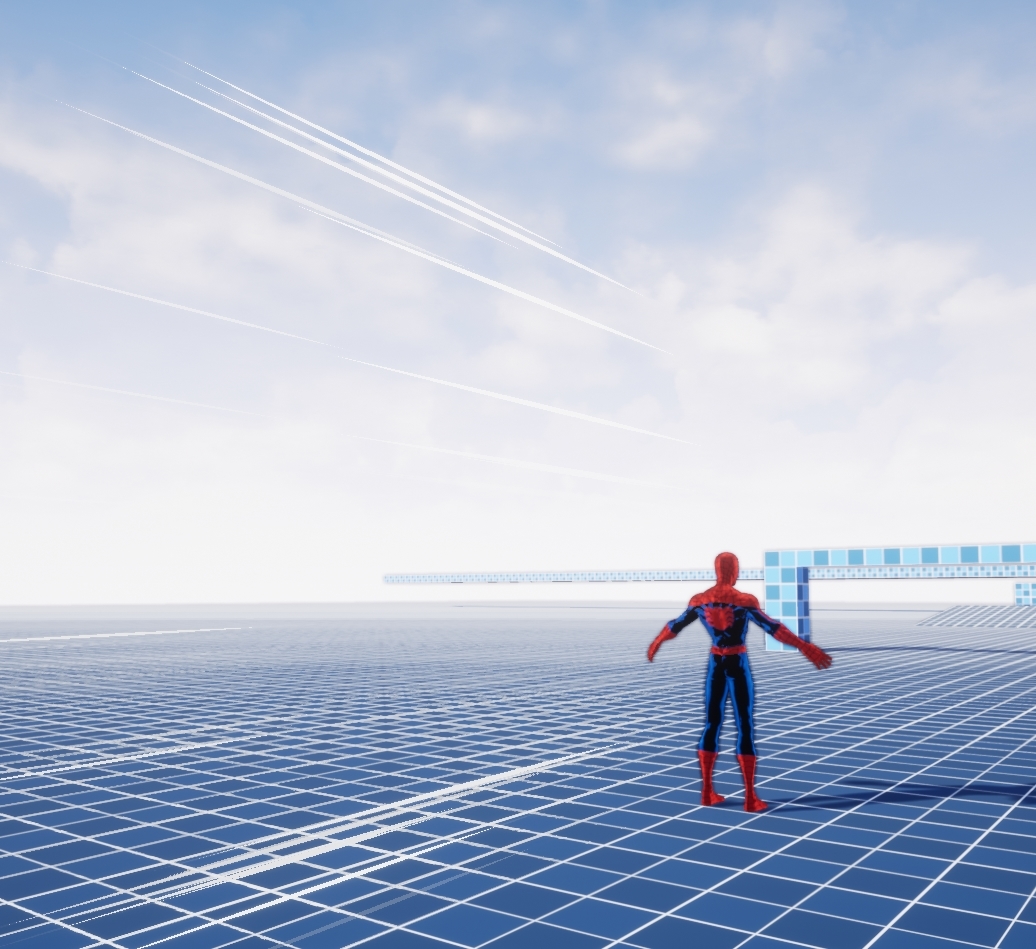
 clever pulsar
Hello, am I on the right place to talk about lighting stuff?
 torn fjord
sure seems like it
 neon wing
Hello, how do I make a kaleidoscope post process effect? it would mirror the sides and up and down
clever pulsar
sure seems like it
@torn fjord Okay! Does anyone have an idea about my problem?
https://discordapp.com/channels/187217643009212416/225448446956404738/743893450109354074
Is it a "natural" behaviour?