#visual-fx
1 messages · Page 33 of 1
 cold sorrel
Should be very easy to script in Maya as well
But that would require more effort to automate
Hell, even if you have 500 of these, it'll take a maximum of a minute each to select a random vertex color and paint the verts by hand and you'll still be done in less than a day and a coffee break 🙂
 fossil swan
I needed something like that a while ago and found this for 3dsmax.
goes trough bookmarks
https://forums.autodesk.com/t5/3ds-max-programming/assign-random-vertex-color-per-element/m-p/7127569#M16215

If random vertex color per element is enough (which may or may not result in duplicates, changing seed might help sometimes), you can use dataChannel modifier for that:
 hot cosmos
I'm currently playing with niagara, just in case. I'm able to make simple particle from scratch.
 steel sentinel
hey guys, for a complete novice in vfx what's the best way to build something like a spark visual?
preferably within unreal
or unreal + 3d package at most
hot cosmos
oh yeah cascade should be sufficient for you
hot cosmos
I'm not finished typing dude
steel sentinel
fair
hot cosmos
are you familiar with "spritesheets"
hot cosmos
well that's how we did our last vfx projects mostly
so set up a particle, add flipbook material to play the spritesheets and it's mostly done
that
that is the base concept
the reason why I said cascade is sufficient for you
currently people are bringing up niagara everywhere
it's a much complex particle system
and it's in beta
steel sentinel
I understand the base concept, but I was asking more in terms of how to realize it
hot cosmos
most of our stuff -> couple of particles (in billboard form) -> add spritesheet animation -> tadaa
really it's that simple
if we do it overly complex the system demand will get very expensive, and last time we had to collapse most of our fx into spritesheet animation
cascade has shit tons of tutorials on youtube so. I guess start there?
Anyway my turn
I'm currently playing with niagara, seems that epic updated it again on 4.24.1, now there's this node editor like window
also there's niagara function, niagara module, niagara emitter, etc
is there any simple tutorial out there that explain the whole system in a package? How to connect each (function, module, system etc) into one thing that is actually usable?
the emitter itself seems pretty simple for me, but it missing couple of stuffs, like premade system (such as orbit module in cascade, event generator, color over life, etc)
most likely I'll be using cascade but just preemptive learning for future projects
I can handle cascade just fine now
I'll look up into epic's document on this first, also found CGHOW on youtube, but I would appreciate if anyone can point me out to a more elaborate explanations on niagara, thank you
 analog onyx
@steel sentinel Starter content has few spark effects. You can reverse engineer them and have it as starting point.
hot cosmos
one particular question that bothering me about niagara
is the "niagara emitter" can be used on its own? or do I really need to make a "niagara system" for the particles?
in the level I mean
steel sentinel
@analog onyx which starter content? I haven't found any
analog onyx
startercontent/particles
hot cosmos
@steel sentinel when you create a project there's should be an option "include starter content"
 steel sentinel
@analog onyx I'll take a look, thanks
hot cosmos
oops I miss #niagara section on the left side of the bar lol so nevermind
I'll read the chats there
cold sorrel
@steel sentinel You absolutely do not need a spritesheet for a spark. Go through this, and ping us back if you have further questions. Keep it as simple as possible.

For the full tutorial playlist:
https://www.youtube.com/playlist?list=PLZlv_N0_O1gYDLyB3LVfjYIcbBe8NqR8t
This video covers some key terms that you will need to know in order to comfortably use the particle effects systems in Unreal Engine 4.
(00:05) - Particle terminology
(...
steel sentinel
@cold sorrel appreciate it Glad, thanks
cold sorrel
@hot cosmos I found several youtube playlists that cover exactly what you asked when I started looking into Naigara a while back. I'm sure they are still there. The Split Hare Studios intro covers it fairly well. Learning effects from CGHOW is a bit like learning to cook from HowToBasic.
hot cosmos
thanks
you mean this channel https://www.youtube.com/channel/UCpLFWP2MFK7OBX_qgHJC12Q ?

YouTube
Split Hare Games is currently just one guy developing indie games that he's passionate about. Polterpals (previously known as Ghost Town) is currently in the...
cold sorrel
Yeah, there was a 1 hour intro that went over the questions you listed
hot cosmos
"learning to cook from HowToBasic" ROFLMAO you really made my day
glad I'm not the only one that feels CGHow's tutorial is a bit.... emmm. But it should cover some grounds too.
cold sorrel
It's absolutely fine to check it out for inspiration. Just be aware that it has very little to do with actual production use.
analog onyx
Rumors also exist that VFX artists hate mathdots for sparks 😭
analog onyx
me to mathdots
cold sorrel
That said, it's absolutely fine to use for prototyping or learning.
Removes one layer of complexity from the process.
analog onyx
One gotta love Niagara just for ability to make node noodles. Whatever I do, ends up in something like that:
 cold sorrel
I still haven't opened it.
But that looks quite structured compared to the fx graphs at work 😛
analog onyx
Thanks. I do feel significantly better now.
cold sorrel
I inherited this effect... https://www.youtube.com/watch?v=anA59Hk15rg&feature=youtu.be&t=54

The Snowdrop Engine is all about empowering our content creators.
Learn more about the Snowdrop Engine here: https://www.massive.se/project/snowdrop-engine/
Learn more about Massive: http://www.massive.se
Follow us on Facebook: https://www.facebook.com/Ubisoft.Mass...
Follo...
cold sorrel
I enforce a lot stricter commenting and structure guidelines because of the things I've seen.
 polar loom
i think i got something working, but cant say i fully understand math there, nor how to fully control how randomness in blinking look https://gfycat.com/pleasantsecondaryanglerfish

nodes
i think clamping through Saturate is useless, frac is kinda enough since it outputs first digits after decimal, so 0-9 range? (for that, dividing by 10 guarantees that value has some decimals), multiply, eh, not fully understanding it, according to tests/what other did, it amplifies how strongly object position affects randomness
the whole node group output is added to all sines outputs for phase shifting, probably ideal output should be 0-1, not 0-9, but I don't know how to do
there's full emissive shader graph if anyone's curious/would want to hint how to improve 🙂 https://blueprintue.com/blueprint/zpnedywu/
BlueprintUE
polar loom
anyone wants to get eyes burned? https://gfycat.com/forcefulpastgoose

 frail nymph
Hey all, have anyone had this issue with ribbon trails in ue4? https://imgur.com/aVDvyy2 I'm using UE 4.21. The ribbon appears to be respawning, at full length, when the particle the ribbon is attached to, dies (actor collision set to kill). To make it weirder, if I set my actor collision to freeze, this issue does not happen. I also tried updating to UE4 v4.24 but then I get this issue with the actor collision set to freeze and kill 100% of the time. Without collision, it also occurs randomly but less frequently. As far as I know everything should be set up correctly so I am very confused :/
 fossil swan
just ribbon things.
so you might want to deactivate the ribbon source and destroy it slightly later.
 plucky idol
i cant get nvcloth to work in ue4.24, simple test runs fine in 4.23 & 4.22, but iin 4.24 nothing moves after painting the verts for cloth 😦
any changes i missed?
 devout portal
I have a very weird issue.
There's a particle syslem that is attached to component. Component moves. But particles are not visible.
They become visible if i hit F8 or F1 and back.
 ebon loom
Hi all - in which channel should I post a question pertaining to Post Process Volumes?
 dull quartz
@ebon loom probably here
ebon loom
cool
I have an unbounded PPV and it's affecting my camera in some ways but not others. Vignette, Tint etc do work, but DoF, Chromatic Aberration do not. Any ideas?
dull quartz
Does the camera have any PP effects set? (iirc cameras have their own pp settings)
ebon loom
It's a newly created one. I'll check what the defaults are
also, I'd like to see the effect through the Editor cam too
dull quartz
hmm PPV should effect the editor cam (check the viewport settings you may have some effects toggled off)
ebon loom
yeah, I wonder if there are any project settings that prevent it. I'll check tomorrow (this is at work, so I didn't set up the project and I don't have access at the mo)
cheers!
 silent shard
Hey fam maybe someone can help me, is there a way to mask the the exponential height fog.
 midnight pulsar
ok so... this is technically a mod to a game but it happens in a completely detached world/map only accessable by console command...
the porblem is simple... the light is kinda way to "white" and extreme and the shadows are just black... the color of the model faced to the dark side simply appears to be white and black...
i have the standard sky sphere and the standard sky light and so on place in the world (its basically the engine default world for a project without the starter content)
the wierd thing id, in the editor it looks completely okay but in game it looks like this
why could this happen?
I think it rly has somethign to do with the sky stuff cause if there is no sky stuff and i light it up with a normal cone light it looks pretty okay
btw I'm noob in UE "art" stuff
this is the dark side
midnight pulsar
solution: make the sky light moveable to stationary >.>
 snow walrus
Guys can somebody help? I want to make that : If bullet hits the lamp, light will go off
what i should do to get this ?
fossil swan
#blueprint on impact turn off light.
snow walrus
object-on impact turn off light (get correct light )
is this correct ?
i have nearly 10 lights
fossil swan
that really depends on the situation, how the lights are used, how the projectiles are used, etc, etc.
snow walrus
i cant do that with baked lights. right ?
fossil swan
nope
fossil swan
if its baked, its baked
silent shard
@snow walrus you could do a line trace to figure out which light it is and then turn it of when you trigger the gun.
I would probably set that up in your player blueprint
you could do this with baked lightning by loading different lightning scenarios and switching them with the gun shot but I don't know how fast that would be
here is the documentation for Precomputed Lighting Scenarios
This page provides an overview of Precomputed Lighting Scenarios in UE4.
its basicaly switching the level but that probably wont work for your purposes
you can see that 1:00 https://www.youtube.com/watch?v=PbayGU6fehY
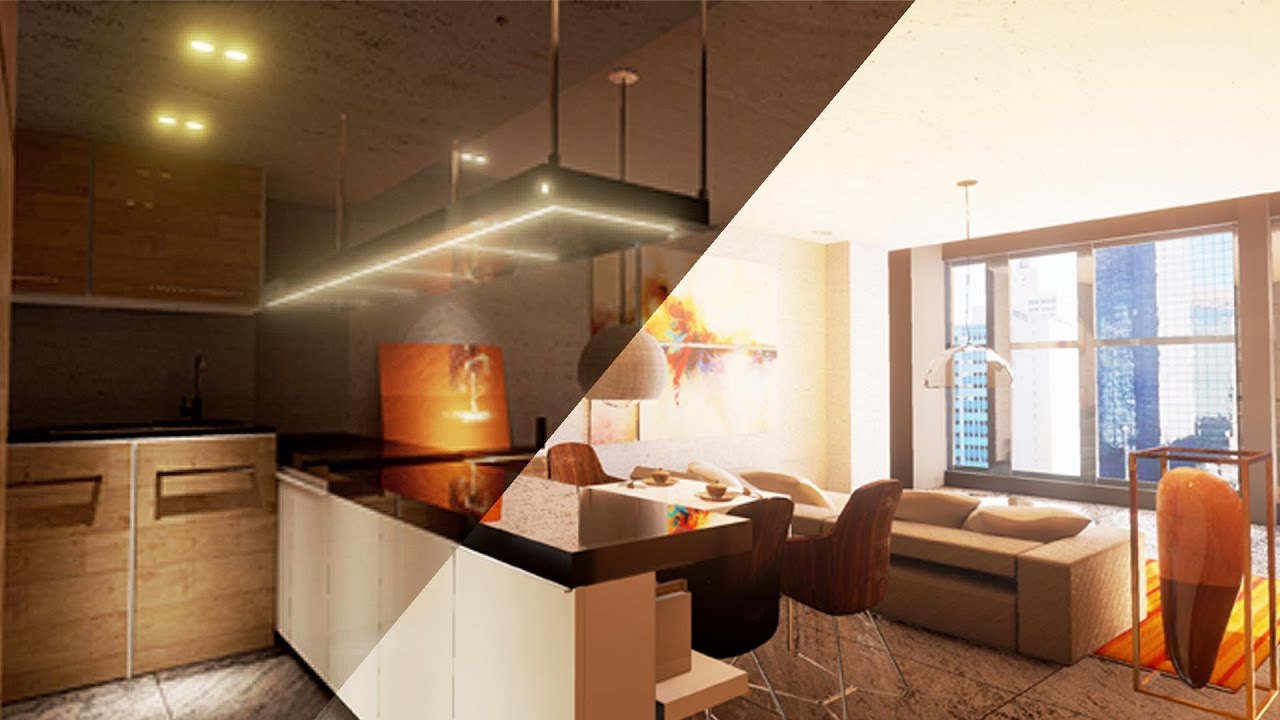
Use the new Precomputed Lightning Scenario Tool In Unreal Engine 4.14 to easily toggle between different lighting setups for your Archviz Scene.
Toggle between Day And Night Scene Using Precomputed Lighting Scenario
1.Creating an Emtpy level
2.Adding multiple level
3.Setup...
you could "hide the level loading" with a widget that is sort of like a flash bang or something but I would go for dynamic lights for this purpose
here is a tutorial for the linetrace gun just repurpose it and set what happens when you press the trigger. https://www.youtube.com/watch?v=DTNO4kULts4

In this tutorial we are going to edit the default weapon from the blueprint fps project and turn it into a line trace weapon that spawns explosions upon hitting.
if you plan on staying with baked light with 10 bulbs you would need 100 light levels 😂 so you cover all the possible scenarios when a bulb gets shot(why so many levels? you cold should bulb 1 and then bulb 6, or bulb 2 and bulb 7 and each one of the combinations would need a sperate level). You would also need to set up a logic on which level to stream according to the constellation of lights that has been shot. and the level loading would be shoot light->add effect widget to viewport->load stream level->on complete remove widget from viewport
@snow walrus pm me if you heave further questions.
snow walrus
@silent shard thanks. I will
 shut chasm
hey, can someone help explain to me how to rotate a vector given a transform?
i have a vague idea that i need to use the Transform3X3Matrix node, but... how do i use it 
basically, i need to be able to rotate a WorldPosition node and a VertexNormalWS node by a given transform and rotation pivot, and i just dont know how 😅
i cant just use RotateAboutAxis because i need two rotations... or can i? can i just plug one rotate about axis in to the other? what order do i need to do that in to get it to be correct?
also i cant just use a TransformVector node because i have several objects that need to be 'parented' together... 😬
hot cosmos
Just bumped into this problem, I cannot make my particles appear then dissapear softly
I added "Color Over Life" and use curve to make the alpha goes from 0 to 1 to 0
but that doesn't seem to do any effect on mine
I followed this guy instruction
https://www.youtube.com/watch?v=ezOaFBPBE9w
WTF is.. Cascade.
A short tutorial/explanation-esque series where I explain Cascade's modules.
my material just got one simple texture and linked to both base and emissive
and kinda weird why the "base color" greyed out on mine
this is all there is to it
I think I should add "particle color" in the node, that's my guess
hot cosmos

okay I'll look some materials used in cascade to see how they work
thanks @fossil swan
fossil swan
particle color, rgb multiplied with rgb of texture, alpha multiplied by alpha (if there is any) from the texture.
 fossil swan
hehe
hot cosmos
I don't get it though
why multiply alpha with alpha
and why the base color is greyed out
fossil swan
it depends a bit on the texture. sometimes there is no alpha, in that case you can multiply with RGB (or R, G, or B)
hot cosmos
so why the base color is greyed out?
fossil swan
if its set to unlit, base color is grayed out since there is no lighting info for it
fossil swan
nice
hot cosmos
I figure just want to redo some stuffs from zero so I can grasp the concept
switching from unity to unreal is like switching from max to maya
specially this material thingy lol
anyway thanks again
fossil swan
np :)
hot cosmos
woops it's me again
I'm now doing a mesh type on cascade
subimage index definitely don't play well with mesh data on cascade
so I suppose spritesheet animation must be done within the material using flipbook and I manage to get it to work
basically the mesh must be done (along with its material) before spawned within cascade
now the problem is that the flipbook animation don't seem to sync with the particle life/spawn
is there anyway to circumsize this?
*circumvent I mean
what node should I be aware of within the material editor?
thank you in advance 👍
Sorry if I ask too much
Nevermind, I found it. Basically just replace "Texture Sample" with "Particle SubUV", now it plays well with Subimage Index module

 grave shale
Hi Unreal Slackers!.. This might be a simple question about particle counts.. I know the meaning of the number at the left which means how many particles that showed up on the screen. But what does the numbers on the right side means?
 gritty turret
is it possible to select which decal will be draw on skeletal mesh and which not? If I using Mesh->bReceivesDecals = false; all decals are hidden. But I want a specificс one to be draw on my mesh.
 frail orbit
hI guys I want to spawn particles from orbiting particle. I used orbit module and emitter initial location but doesn't seem to have an effect on the child emitter, the child particles are still spawned at the center. Any idea how to do this? Thank you
fossil swan
@grave shale maximum amount that can be spawned in a loop with current settings.
grave shale
Thanks a lot @fossil swan !
hot cosmos
Pardon for jumping in, so how do you determine the exact number of maximum spawned particles? In unity there's this "max particle" input I can enter the exact number. In cascade however, seems that the max particles were determined by both distribution "rate scale" and "rate" itself.
but playing with those two I cannot get the exact number, say 10, I tried to input 1 and 10 it came out 7
🤔
would the maximum particle number affect the performance though, since I was thinking it would ask the resources to free up some memory for the maximum number of particles?
if it's not I can die in peace and forget about this thing lol
just testing on cascade 1 for rate and 4 rate scale resulting in 10 max particles
the manual don't even cover this 🤕
how is it 1 in rate and 4 in rate scale turn to 10 max particles with this setting?
hot cosmos
okay thanks @cold sorrel
hot cosmos
oh yeah there's "max draw count" on "required" this is probably the closer setting to that max particles in unity.
and lifetime settings definitely affect the maximum number of spawned particles
those two are different parameters for sure, starting to get it
 latent rune
Anyone have an idea how to return pixel color under reticule/mouse?
 gleaming fulcrum
Guys! how are you?
Very small question, i'm creating a selective fade out (a fade that only lets the character and some other things on screen) i'm doing it by using stencils and a post process material
I wanted to know if its possible to make particle emitters have an stencil too so i can (on this black screen) add some particle effects... is it even possible or i cannot setup stencil values on particles?
 hollow cloud
Hi! Does anyone know any good study material/course on learning about the Material Editor?
hot cosmos
@hollow cloud I would start on unreal engine channel videos on youtube, they cover the basics
hollow cloud
@hot cosmos I am already done with it! I don't know where to go from there, the Unreal Documentation really sucks, goes all over my head! And when I see materials in other projects they are like huge like really huge, like Spaghettis all over the place, and I can't really figure out the logic behind some couple of nodes.
 solid wing
Are there any nodes in particular that you're having trouble with?
cold sorrel
@hollow cloud It sounds like it's not the material editor that's the problem. Do you have a grasp on the basics of shaders?
I'd recommend this to start geting comfortable with UVs and then build from there.

YouTube
This is the first course in a series of tech art courses. Here we look at the fundamentals of manipulating vectors and UVs in 2D and also begin to look at ra...
hollow cloud
Hey @solid wing there are a lot of nodes I am having trouble with as to say, I think I lack the shader knowledge. Thank you to @cold sorrel for this tutorial series hope it gets me the basics as mentioned. If I get any troubles with the nodes or some shader logic I'll you guys know in here. Thanks for the help.
 rustic mist
Hey all. I'm relatively new to UE4 but I'm looking to get better with particle systems. I specifically want to model this snow effect: https://www.youtube.com/watch?v=Ei1OlzT-AKs
I know that this is likely pretty ambitious for a newcomer, so I'm looking for maybe any resources or tutorials that might put me in the right place to start cutting into that snow effect

Filmed October 30th 2019
solid wing
First question. Are you planning on using cascade or Niagara?
rustic mist
I actually am so new I don't know the real differences between the two, other than Niagara is newer
Currently looking up just that
solid wing
So, Cascade is a solid system, and there's a decent amount of tutorials on it. However, Epic is in the process of phasing out Cascade and bringing in Niagara, which is their more powerful particle system. The con to Niagara is there isn't a huge variety in tutorials, though there's a couple tutorials with the basics on youtube.
fossil swan
cascade just wont get updates, but the phasing out aspect might take years
(wont get updates unless they find something really breaking)
solid wing
Touche
cold sorrel
Also, 80% of this effect won't be done using particles.
So don't start with that.
It's mainly a shader thing.
So I'd say, the first question is, How far have you gotten so far and which approach are you attempting.
 fossil quarry
@solid wing Here are some interesting tuts. Looks like this guy specializes in Niagara. https://www.youtube.com/user/asif786ali1/videos

YouTube
Unreal engine vfx tutorials #unreal #unrealengine #unrealengine4 #niagara #unity #unity3d #unitygames #ue4 #ue4archviz #unrealenignevfx Purchase Effect Packa...
fossil swan
I would not suggest cghow for tutorials, his practices are really bad and nowhere near game-ready
fossil quarry
But only his tuts are available in YouTube
solid wing
https://youtu.be/SI35du2U1AY
It's a little outdated because they changed how Niagara looks, but this tutorial is really solid for getting the basics down, and from there, making things.

This is an introductory level tutorial for UE4's Niagara System, which is the new particle editor that will eventually replace Cascade. The video goes over all of the basics of the system and how to use it by creating a simple water drop particle system.
The followup video w...
latent rune
@fossil swan I learned that about cghow myself ... he seems like he's mostly self-promoting to sell his stuff, which is fine, but at least make your tutorials decent if you're gonna' brand them as such
fossil swan
he's gone as far as even make an android/apple app to get updates from his website/youtube :p
latent rune
dude's def. a hustler 😉
hot cosmos
Why the hate? TBH his FX do look good. Probably need some optimizations, but they're definitely look fancy. Good for inspirations, and his tutorial probably cover some holes here and there.
Anyway another question, both these cascade and niagara actually just "mere interface" to the unreal particle system underneath correct?
So even on beta niagara produced FX shouldn't be a problem when used in production?
Because each of the niagara modules basically just a script, as pointed by split hare's tutorial?
Most likely crashes occur on building the FX itself, but the resulting product should be stable?
If they're something like binary plugins on max then it does make difference
So far I'm stuck with couple of stuffs on cascade, definitely will try niagara on those
fossil swan
@hot cosmos they might look good, but as I said, they are all but game ready, and showcase mainly bad practices. as in, the holes he is covering, he is covering with quicksand.
besides that, if you are active in the vfx community you'd know how he constantly tries to bend rules, create fake realtimevfx websites that link to his instead of the official one, his website was filled with pirated content, and more.
 prime pecan
sounds like a pleasant individual
 cobalt sparrow
Anyway another question, both these cascade and niagara actually just "mere interface" to the unreal particle system underneath correct?
So even on beta niagara produced FX shouldn't be a problem when used in production?
Because each of the niagara modules basically just a script, as pointed by split hare's tutorial?
Most likely crashes occur on building the FX itself, but the resulting product should be stable?
@hot cosmos no, they are completely different. Niagara is written and works on HLSL, where's Cascade is I believe C++ based. And AFAIK they are both the FX engines by themselves, not just the interface.
fossil swan
besides being related to vfx/particles, thats about it
cobalt sparrow
Guys, what is the best/common way of doing a jet engine that leaves a smoke trail in UE4. Smoke trail in particular. Right now Im trying to do it with lots of particles with high Init Velocity and Drag. But there are many issues with particles rotation and alignment.
Photoreal style
fossil swan
same as mentioned in realtimevfx discord
cobalt sparrow
Ribbons?
fossil swan
either that, or a bleepload of gpu smoke sprites
cobalt sparrow
Aight, thanks!
prime pecan
one thing I've always wondered was how racing games make their skidmarks when you're drifting. are there any good articles on how to approach that? I'm mostly just curious about the process
 celest birch
i have an emitter that should be emitting smoke continuously. Instead it's just going puff-puff-puff with like a 1sec interval and emitting a few particles at a time. What am I doing wrong
I set the max draw count to super high values just in case but it didnt solve it
 stone iron
whats spawn rate?
cobalt sparrow
Is there a stat command that shows list of all the particle systems running on the scene?
celest birch
is there a way to drive the scale of a particle with its velocity in cascade?
i mean especially using the vector to define the axis it scales on
celest birch
Like I want to take the velocity vector and scale it down on the perpendicular X and Y axis, so that the particle becomes thinner with more velocity
also scale it up on the velocity axis
cobalt sparrow
@celest birch Size by Speed node, but it works only with PSA_Velocity alignment
celest birch
I tried the size by speed node already but did not try psa_velocity yet, thank you, I'll take a look into it
@cobalt sparrow thank you the result is somewhat what I went for
cobalt sparrow
My pleasure
 dusky dove
Hello! one question, it is possible to do a Custom Stencil for Decals? I need a post process to draw everything Black and White but keeping some decals in color.
analog onyx
no
 keen bluff
how do i use keyframes in niagara? Is there any documentation on this?
Like it says "Create a key when channels/properties change." and it doesnt show any update when thats on or off
hot cosmos
I think you're suppose to give curved values first on the parameter only then you can set up the keys. I haven't gone that deep but It should be tad bit similar to cascade since there's a curve editor window on niagara
 full cargo
Hello. I've made an explosion after this tutorial https://www.youtube.com/watch?v=Hc4xkXeIJs8&t=669s and I've set the emitter loops to 1 but the particle still loops 4 times. How can I make the particle loop only once? I want to make an explosion for a grenade. Thank you!

Explosions for Games: Vol. I - https://videohive.net/item/explosions-for-games-i/23873239
Explosions for Games: Vol. II - https://videohive.net/item/explosions-for-games-vol-ii/24941528
This is an UE4 explosion shader tutorial for Explosions for Games: Vol. I - it covers the...
fossil swan
in the required module you'll need to set it to loop once
full cargo
I've set the emitter loops to 1 but still goes 4 times and only after that it stops.
fossil swan
how long is the lifetime?
full cargo
3 seconds, but if I change to 1 second or any values it doesn't change the loop time
fossil swan
emitter duration has something to do with it, but I am guessing you are not using burst to emit 1 time, and are just using rate/rate scale
full cargo
This is what I'm using on spawn
fossil swan
k, if its not the loop, or spawn rate, then last thing I can think of without seeing it in action is that the flipbook is playing multiple times. else... no clue unless more info
full cargo
Thank you for your help. This helped me to look into it and found out that the dynamic parameter was multiplied three times the flipbook numbers
fossil swan
hehe
 elfin turret
Hi folks! I'm looking to animate various material parameters on a static mesh to achieve an disappearing effect. The animation is dynamically triggered for a given instance of the mesh when the player interacts with that instance, which are placed dynamically throughout the world.
It looks like Actor Sequencer Component is the only tool I have to create this sort of fine-tunes animation for a static mesh. Matinee doesn't exist anymore. Sequencer seems to be only for more "hard coded" world-level animations. Animation Sequences require you to have a skeleton. I suppose I could add a single root bone to my mesh, but even then, the curve tool provided doesn't seem very good for the kind of tight, frame-by-frame control over the animation I need.
That said, Actor Sequencer is marked as experimental, and seems a bit buggy as is. Am I missing something? This seems like it would be a pretty common use case
 austere crypt
Does anyone know how to make a post process material that will look like the diffuse color?
austere crypt
Nevermind, the reason why i wanted diffuse color is so i can have a style similar to the Unlit mode.
Does anyone know how to achieve the Unlit look?
fossil swan
set materials to unlit? or use the emissive input?
 celest jasper
@austere crypt Finish the tutorial, it later uses the 2nd SceneTexture in code, which is SceneTexture: DiffuseColor in the material editor.
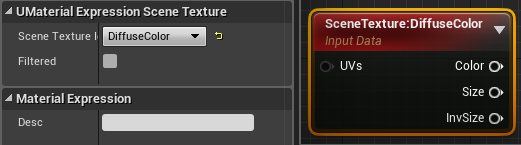
This is all under the assumption you need to toggle it on/off. If your whole game should look like this, set your materials to unlit, like Luos mentioned.
celest birch
hello, is it possible to alter the particles direction by blueprint?
I want to create a blueprint with destionation and all particles (rockets) will go there after a bit amount of time after born
thank you
 karmic juniper
I am currently creating a new mesh based particle system, it seems to be looping in bursts instead of a smooth loop. I have played with many of the settings and the only thing i seem to be able to accomplish is extending the duration of each loop, but it still stops between loops. What needs to be changed to stop this from happening?
 craggy osprey
Would anyone know how to pan a material created effect?
I kinda can't plug into any UV channels here...
 little bear
so Im making a particle system where particles attract towards one place
I have that part done
now I just need a way of making it in the shape of a vortex
Im attempting to recreate this
I know its quite hard to see
but its literally the same thing just being attracted in a vortex kinda of way
instead of just straight toward the point
here is what I have
(CASCADE)
craggy osprey
@civic plover This is what I ended up making with the scanline effect btw, I appreciate the help yesterday 🙂
 solar shoal
Hi all! I'm working on a spline mesh system to generate a tube between 2 points. That mesh gets a noise displacement from it's material using World Position Displacement. I'm running into a problem though where the resulting mesh tube is distorted way too much because its using each vert's world space position. What I would like to do is displace the spline mesh using the world space position along the original spline, or maybe subdivide and displace the points of the original spline (but I'm afraid to get the fidelity I need it would be really expensive). Is there a way to feed the world space position along the spline into the spline mesh material so that it only distorts the mesh using that data?
Maybe somehow storing the WS position of the spline in the spline mesh's verts?
I hope that was coherent...it's getting late 🙂 Sleepy time now.
 dull kite
Rookie question but, how do I create gradients in color over life ? When I go to color over life > distribution > constant curve > points > out val. I can only make it a flat color while in tutorials their using gradients ( red white in the middle and back to red) I don't see a curve or difference in the way their using distribution.
celest birch
help. mesh particles are not colliding with the world 😦 i have these mesh debris with actor collision, also tried with scene depth. Nothing
i deactivated drop detail, made the drop detail distance super big just in case. I dont have LODs
@dull kite what you see in the color select when it displays as a gradient, is not actually a gradient, it's unreal language for colors with values greater than 1 in any channels of RGB
dull kite
AH ! thank you so much !
when I copied the values it worked. Now I can play around with it
 silent bay
helloo anyone maybe know how in cascade curve editor you can select and move multiple keyframes?
left click and w/e modifier will just move the view around
and if I manually select them and try to drag it will just move the one I clicked on
celest birch
yeah if you keep shift pressed @silent bay
when you are done selecting, on your last click
you keep the mouse button pressed and drag it around
everything will move
there is also a way to scale a bunch of keyframes but i dont use it so idk how works
dull kite
Anyone know why unreal doesn't auto select the parameters within the Dynamic node in my particle system ? The material has a Dynamic parameter Node in which I typed a name. Yet it won't select / let me type or choose any. I applied the material to the mesh.
As can be seen in the material I named the parameters. attached them to emmision and the other to diffuse. applied it to the particle in required. Yet when I look in Dynamic nothing can be found back.
fossil swan
np, weve all been there
celest birch
Henlo, I was wondering, why does putting a cosine on the V+U axis of a lineargradient create two lines and not the curve that we see in a cosine graph?
Oooooh im dumb I think it has something to do with the value changing between 1 and 0
prime pecan
yeah nothing wrong here, it's pretty much a curve, but you have to imagine that you see it from the top and the more white something is the nearer it is to you and the more black it is the further it's away, so 1 is white and everything from 0 to -1 is black. and then the inbetween are the gradients. then you stretch that along the axis and you have those bars 😄
it's not the best explanation, but maybe it helps
so on the V gradient you go from top to bottom from 1 to 0, to -1, to 0 and back to 1
0 to 1 input 1 to -1 to 1 output
 granite patrol
@craggy osprey Mind if you post screenshot of your blueprint or expain how did you do it? I like the effect.
craggy osprey
@granite patrol Sure! DM me so I remember. My pc isn't set up, and I'm going to bed soon, so I'll get that to you in the morning :)
granite patrol
Sue will do, thank you so much.
 fluid patio
when you are in the particle editor but your viewport is not centered on the particle, is there a way to recenter it? sometimes I can't lose particles so I just recreate the particle, but this is annoying
 kind sorrel
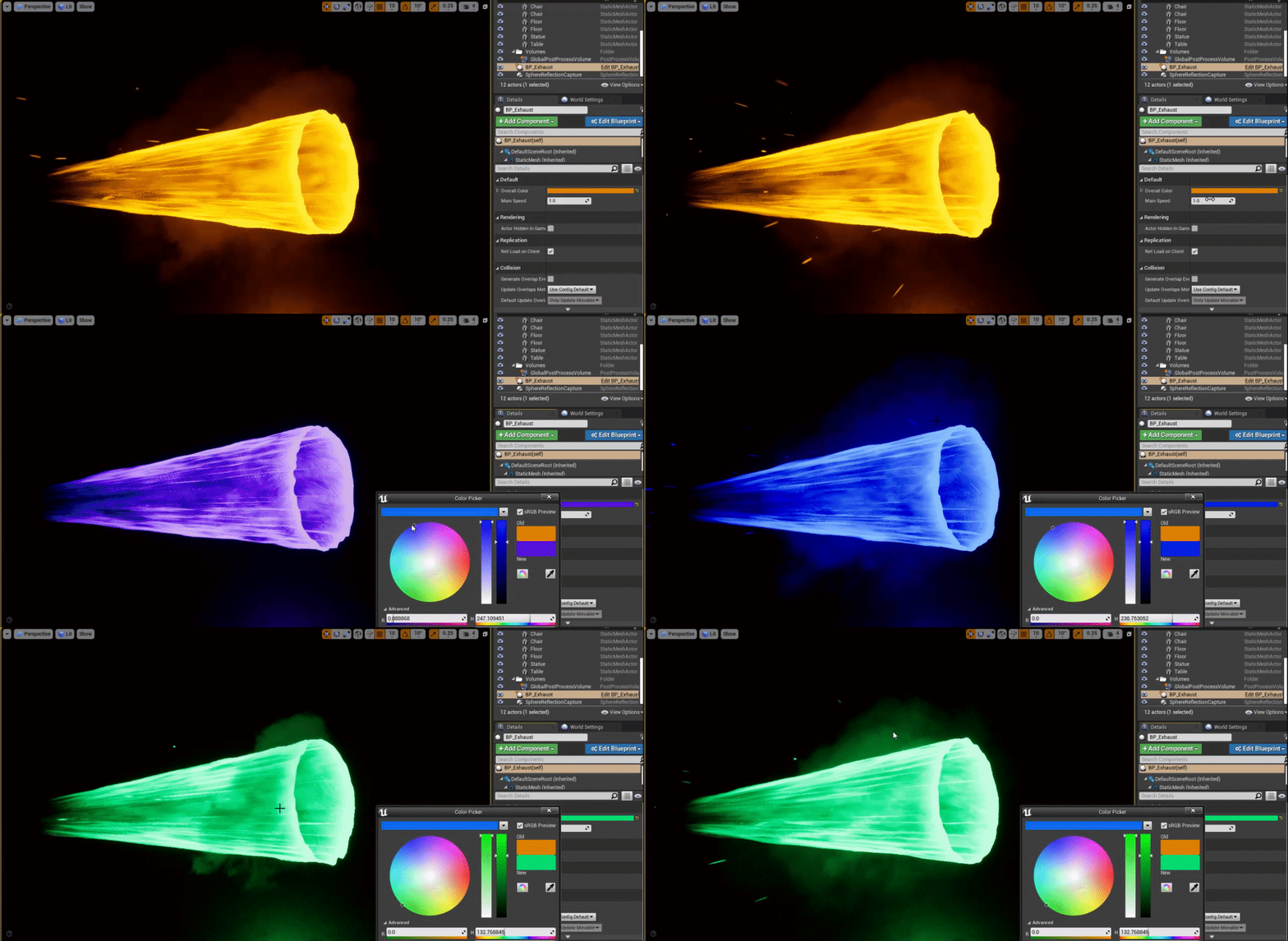
Hi guys what can I do in the material editor so that the color of the smoke is a bit whiter than the color selected
I think the right way to say it is so that it isn't as saturated as the color selected
 arctic thunder
Try to use "Add" or "Multiply"
prime pecan
are they different materials?
kind sorrel
yes they are @prime pecan
prime pecan
then hook up a desaturation node to the color input
fossil swan
can also use an offset noise texture to subtract a little of the brightness.
or multiplying the highlights with itself so they become brighter.
Lerp between two colors, one focused on the darker, other on the lighter parts.
kind sorrel
@fossil swan you mean something like this https://gyazo.com/85133d73fa8a310d318aea7fbdc81a58
 fossil swan
noise texture please, the noise node should basically not ever be used where possible.
and why are you using a flipbook texture as the alpha?
kind sorrel
@fossil swan so just to be clear any noise texture that I imported , you are not refereeing to any texture that's inside the engine ? and I'm using the flipbook for the opacity because it's the smoke part of the effect
fossil swan
doh, was looking at the thruster hehe
multiply the color with the rgb channel of the texture, that already adds more contrast.
you can use any noise texture, but need to rescale it so it has the same amount of frames as the flipbook for best-non-flickering results.
 fossil swan
you can always play some more with the rgb contrast if needed
 indigo parrot
I've been working on a simple low poly explosion particle for a little bit. I made some debris fly out and bounce a few times on the ground. I added a ribbon to the debris and it looks nice.
by only issue is that at the end the ribbon teleports to the source point. What is causing that and how can I fix it?
fossil swan
so odd that the last few weeks people keep asking about the ribbon skip hehe
lifetime of a ribbon should be slightly shorter than the thing its attached to
and in-editor the snapback is sometimes a bit more present than when you are in-game.
indigo parrot
the lifetime of the ribbon is 0.5 while the 'debris' is set to 3
tried fiddling with it again and it still wont get rid of the snap. It is also just as visible in game as well.
I have also just noticed that the debris emitter's collision is no longer working.
 finite frigate
Is there an easy way to have a mesh particle spawn at its center location? If I have a sphere mesh and I want the center of it to be the spawn location.. type thing
fossil swan
set the pivot in the center in your 3d program of choice
 ruby ermine
is there any free software I can use to create spritesheets for fire/smoke effects? I just saw this tutorial here https://youtu.be/tM91TKJe4Ko?t=87 but all he says there is that he used Maya for it. Well I'm using Blender for all of my modelling/animations, no idea if I can do the same in it.
finite frigate
@fossil swan Thanks luos!
dull quartz
@ruby ermine you should be able to achieve the same thing with blender
You might need to use GIMP or Imagemagic or something to stitch the rendered frames together tho
 cosmic quiver
How do I get started with materials? I know absolute 0 about them, would like to learn. @_@
 sterile minnow
If the power of 2 comes before the inverse of x after the Particle Color, will the emissive still be good?
 merry rapids
Does anyone know how to pause a particle system without using delta time ?
also. how do you get all free roaming particles ? not used as components in other blueprints ?
I can only get this Particle Event Manager
dull kite
Hey guys, does anyone know how to change the Cylinder emitter into an oval ? Making this kind of portal effect but a Cylinder won't do. I'm looking for a way to change the shape without using velocity.
fossil swan
in cascade you cant really, only thing close is change the initial location so it has an offset on one axis making it spawn a biiiiit more oval-ey.
 tall whale
Hello everyone! I wanted to ask if someone knows how to make a post-process ignore a decal on Unreal 4.23.0. We used SetCustomDepthStencilValue on meshes, but we can't find anything similar for decals
ruby ermine
@waxen gate so I've been told but I can't figure out how. The tutorials are there, I'm still searching and watching them. Guess I'll get it done eventually
In the meantime I used this nice little tool: http://mebiusbox.github.io/contents/EffectTextureMaker/
and I ended up with a flame flipbook but I'm wondering how do people make those flipbooks "loop", sort of. You can see mine glitch literally every second
celest birch
hello everyone i have cupule of questions
i am working on a small project and I'm researching lens flares is there a way to change the spacing between the bokeh and is there a way to have multiple different lens flares
 past osprey
Is there any reason that this property on the sky atmosphere cant go under 100? manually setting it to anything under 100 sets it to 100 https://gyazo.com/26eaf86bb097ffc48b8afa5b0876cf92

 candid spade
Hello, I have a simple question. I am trying to create a light beam with 2 simple balls of light at each end, Ive got the beam, and ive got the ball of light but I cant seem to figure out how to just get the ball of light to be a single sprite that stays with the beam...
the beam will be moving so the balls of light need to stay in place constantly currently they spawn and stay in place over a period of time then spawn and stay etc etc
 ashen matrix
Why is the animtrail not smoothly rounded?
 lofty pike
i have a texture with a transparent region, without getting too complicated how would i render another within that region?
as if one was just, showing on top of the other
cold sorrel
@ashen matrix There's not enough data. The animation happens in too few frames.
A very common problem, and the reason why this sort of effect is usually done with meshes instead
celest birch
there was a tutorial that included a green beam shader i saw once and can't find anymore i think it was from epic
currently trying to make a cascade beam smoother
lofty pike
i.. think i figured it out
ashen matrix
@cold sorrel not sure if i can post links put i just found this you can see https://youtu.be/qkVu3sC2xIs at 1:39 the speed is way too fast but the animtrail is still smooth?
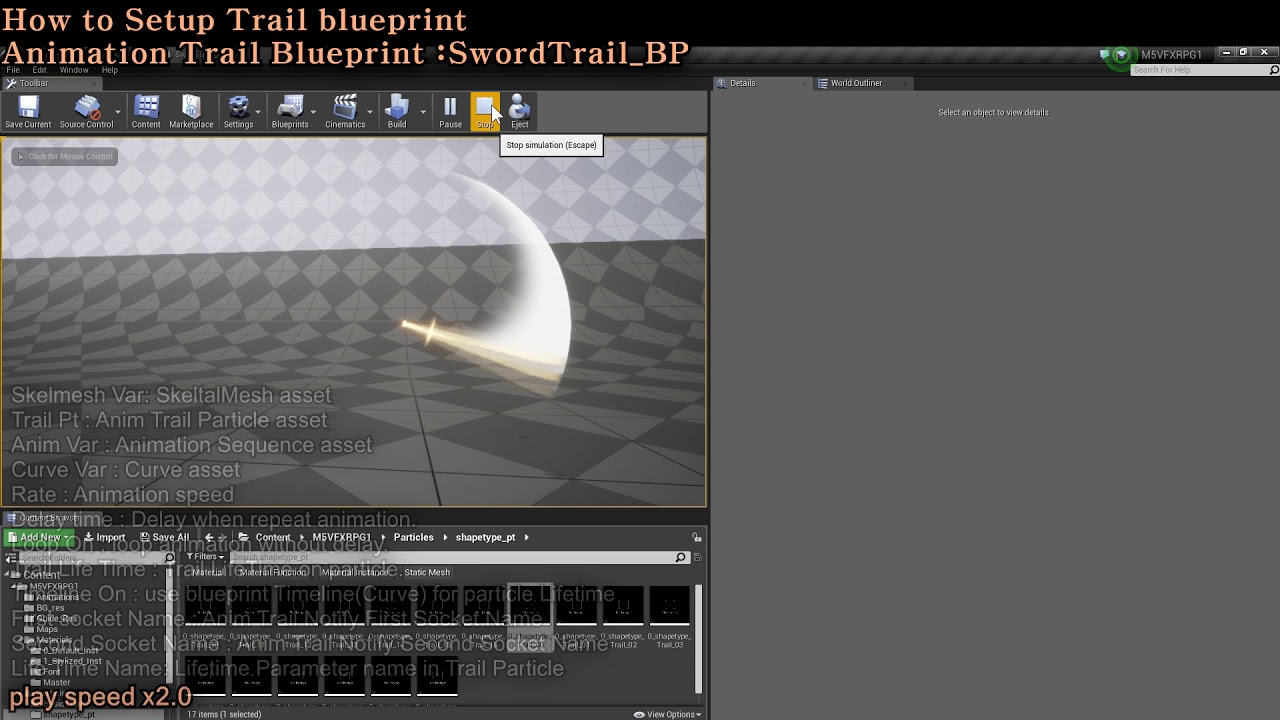
M5 VFX RPG1. Sword Trails includes SwordTrails stylized as the first asset for RPG games.
It includes more than 50 set trails.
With a variety of ready-made textures and materials, you can easily create from simple shapes to luxurious shapes.
Create your own trail and apply it...
cold sorrel
Increase the spawnrate
I haven't worked with animtrails, only ribbons so there might be some built in magic I'm missing
finite frigate
Anyone know any good VFX sprite sheet tutorials? Non-3D Software ones
 umbral zinc
Has something changed with UE4 4.24, as i don't have any lights on my level, but the landscape is all visible?
And if i add a spotlight, i just can't see the light because the landscape is so well lit on it's own 😮
 unborn hazel
Hey guys, do you know how to make a Blurry material?
Like, at the momment it is just a very bright white, but I want to make it blurry on the edges.
unborn hazel
thank you.
fossil swan
magic requires the sacrifice of small kittens
unborn hazel
😦
cold sorrel
are the kittens milliseconds?
fossil swan
every kitten saves you one millisecond
Kotaku: No more cats in shelters, but for what reason?!?!
 stone mirage
Good evening, is there a way for a large parallax occlusion overlay to conform to terrain?
 violet ore
hello, i used Convolution Bloom (FFT) in my post processing to achieve nice bloom on my lighting. However, my particle effects make it "spammed" so it spawn a lot of anamorphic lens in my screen. How can i fix that?
 spare hare
by not making them emissive
violet ore
@spare hare so is there any alternative to make my particle can spawn a light?
 stuck hare
?@#
 daring narwhal
I am having some weird issue where my GPU particles dissapear around 0.2 seconds after they collide with something
Anyone ever had something similar? Collision mode is set to bounce and both lifetime and alpha over life should be good for multiple seconds
According to the Particle Editor the particles are still alive, even if I cant see them
Oh I get it now
When collision mode is set to bounce particles will dissapear as soon as they stop bouncing
Ehhh, now I just need to figure out how to have them bounce without killing them if they stop bouncing
silent bay
hello, i have an issue with draw order in my scene, I have some geometry in a blueprint, if I scale up my blueprint asset in the transform settings, it starts to get rendered behind certain objects, like its having its draw order changed
 bleak locust
looking for work in #looking-for-work thanks
 quartz kindle
lol 3 different mods 3 different times
quartz kindle
quartz kindle
the ultimate reason for anything 😄
 heavy basin
@bleak locust So was i lol
quartz kindle
woo
candid spade
I have a simple beam particle thats being animated by a matinee. it looks fine when I run the matinee in the editor but once im in game the beam doesnt show? any ideas?
stuck hare
Oi bois, any solid tuts/docs on working with sound and music in unreal?
hot cosmos
Hey guys, I'm having trouble combining FX with simple animation (sequence). What's the best way to do this, so that the animation will play simultaneously along with the fx playing. I need this since there're some complex animation which wouldn't be possible to do within cascade alone. Thank you in advance
@candid spade seems like you have similar problem with me. Matinee is phased out at least in 4.24.1, I can still access it but there's a warning on the window. And I can only access it through camera animation file within the editor. So I wouldn't use matinee anymore.
 worthy hollow
Anyone know how to make a rotate around point particle in the Niagara particle system follow the actual emitter or character's movement?
candid spade
@hot cosmos yea I noticed I'm just too stubborn to switch to Level sequences lol maybe I should do some testing with it, I'm on 4.21 for the project im working on and have no issues with any of my other matinee for big door animations and stuff just this dang beam particle poofing as soon as it starts moving too fast it seems
 ivory forge
Is it possible to read the transform of an instanced static mesh from the material blueprint? I'm trying to get an instance specific variable from the material that I can change from blueprint, and it seems that only the transform can be changed per instance. Is this possible? Or is there a better way?
 arctic python
@worthy hollow Have you tried using a Location Event? Have the emitter you want to be followed generate a location event, then use an Event Handler on the emitter that has the rotate around point. Remember you have to enable persistent IDs to get events to work.
 glass orchid
Is there a way I could make a particle that chooses random locations on a texture and makes a random chunk that it then emits?
I'm working on a particle that would emit when a player digs so a bunch of small dirt chunks will be thrown everywhere
glass orchid
So I have this so far
The movement of the particle is okay, I would rather have it have a lot of energy at the front, and then go down rapidly. The shape also isn't correct
worthy hollow
https://gyazo.com/d6ccf076a02437ed03415fbe2789ef80 Anyone know the best way to make particles lay flat and expand outwards like the effect in this explosion?

In Niagara btw
arctic python
@worthy hollow There’s a couple of ways you can make a flat circular effect in Niagara. You can use a mesh renderer, with a planar mesh and use override material to put the material on the planar. Then you can use Mesh modules like Initial Mesh Orientation and so on to create your effect. Or, you can use a Sprite renderer with a sprite material; in the renderer, set the Facing Mode to Custom Facing, Alignment to Custom Alignment, and Custom Facing Vector Mask to X:1, Y:1, Z:1. That should give your Sprite material an orientation that is locked to the Z axis, which makes it flat. To make the impact effect you would probably use Scale Size and maybe use a curve dynamic input to make it expand and then disappear. Hope that was clear...if not you can DM me and I can try to give you more granular instructions.
 real beacon
hey people im trying to make a funky cloth/ribbon type flame kind of like the one from dark souls in the gif below any idea on how to do this? i only know how to do floating dots like embers and such 😦
 civic plover
Look into ribbons in whichever particle system you're using; they're not that complicated or even that different from conventional sprite systems.
real beacon
ok thank you ^^
real beacon
hmm seems id be better panning a texture on a curved mesh instead as them trails when they move slow look trash XD
 undone harbor
Whats the best way to create a bullet trace, that looks like a beam particle, but can move. Unless beam particles can move and I just cant figure it out
spare hare
@worthy hollow It's just a circular mesh
ashen matrix
How do i fix the last attack's trail? Is it a tessilation setting?
 lone wing
looks dope tho lol
ashen matrix
@prisma fog add sockets to the static mesh of the sword. For me, i made a "master" blueprint for the weapons that has a particle system inside and a static mesh. I call "Start trail" inside the blueprint of the master whenever i start attacking and "End Trail" or stop when i stop attacking. Pretty simple. Now i can add new weapons with different trail colors and textures for each weapon
To make new weapons you need to make a child blueprint of the "Master Sword" Blueprint
And change the static mesh and add sockets to the new mesh aka Helt and Tip of the sword
Final output
ashen matrix
Inside the blueprint. I call a notify that will get the child actor inside my character that will cast to my sword master which will begin the trail and end it
I don't use the animtrail notify
Nope
Only notify
I don't use montages
Lets say left foot is start animtrail trail and right is stop animtrail
When i call start animtrail i cast to my character to get the child actor inside it (Weapon Bp) using that i then cast to weapon Bp and get the particle system inside it and call a node called "Start trail" and with stop animtrail its the same but i call "End Trail"
End Trails
Unreal Engine Forums
General discussion about the game industry and the Unreal Engine community.
Begin Trails
Its called begin trails not start trail btw
The second link is important
Just add an anim notify at the end of the animation
What
The anim notify is inside the animation bp
Yeah its inside the weapon bp
But its a custom event
That i call from the animation bp
Of the character
Just get the child actor(weaponbp) from you character
Give me a second
inside the animbp
inside the sword master
ignore the hit detector stuff
Np
celest birch
How do I join the "Set Variables" to be in just one header?
 safe swan
Hello. Anyone using the Panoramic Capture plugin: is it possible to render frames with alpha? I've tried rendering still images with nothing but a cube and a directional light but the background is rendered as black and not transparent.
arctic python
@celest birch you don’t need any of those set variable modules; all those parameters are in the Initialize Particle module now. Which I see at the top of your screenshot.
Parameters in the Initialize Particle module: Particles.Lifetime, Particles.Mass, Particles.Color, Particles.SpriteSize, Particles.SpriteRotation. There’s also a couple of basic Mesh parameters but I can’t recall their exact names offhand.
You can, of course, add modules that modify or override parameters in Initialize Particle. But it’s handy to have all of those in the same place.
fossil swan
https://i.gyazo.com/2946daad597c8477c7246c4e1dc9a406.gif hnng culling parts of mesh not needed
 astral rivet
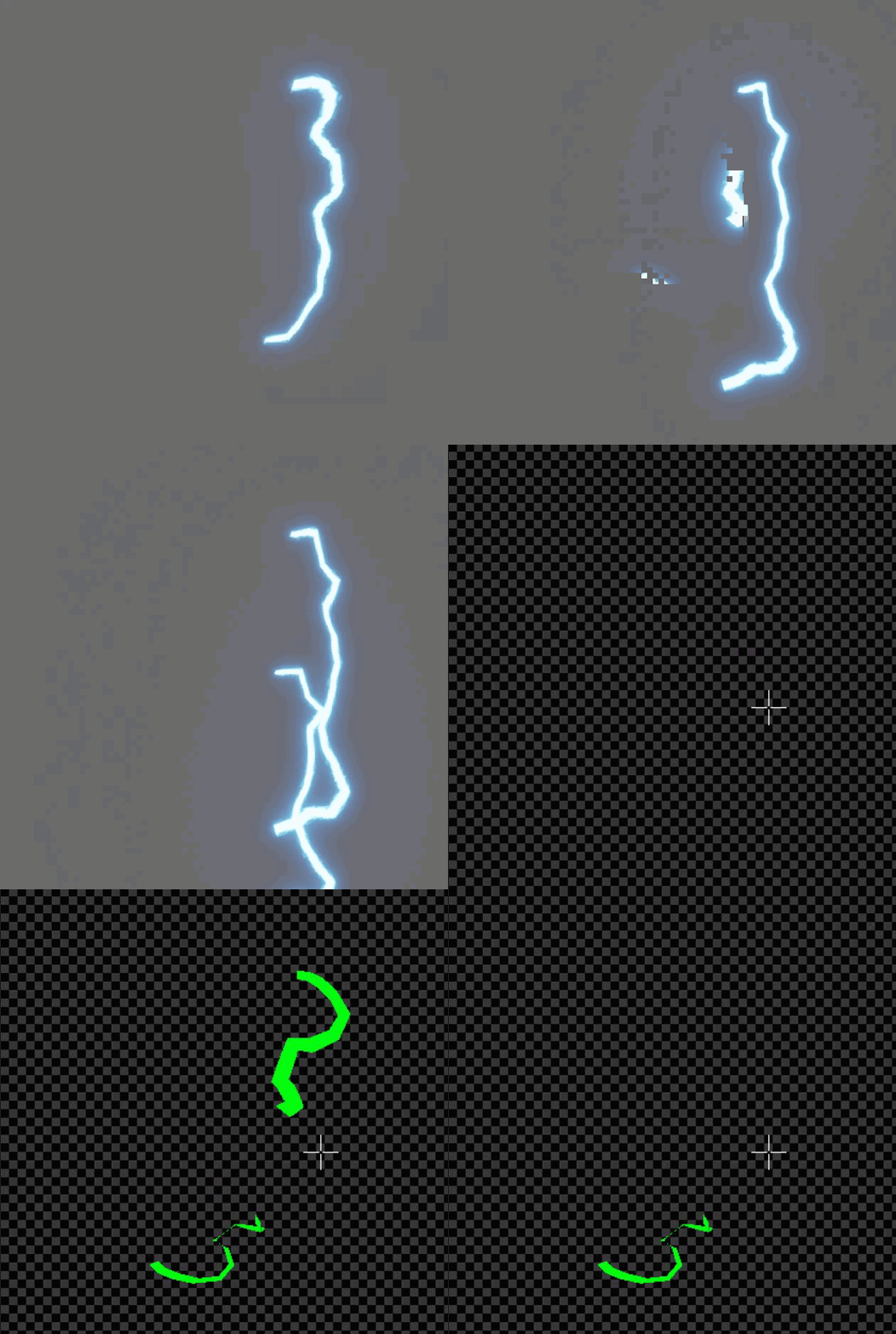
So I followed this tutorial on creating this tron material, but because of the way the material was UV'd or something, it wraps around objects it's placed on in the game world in a weird way. Is there a way in the material blueprint to make it so it looks how it's intended to?
 minor wasp
does anyone have any thoughts/suggestions about how to achieve the hazy surface of this rocket exhaust with meshes & materials? I've thought about using particles, but I don't think a high enough fidelity can be rendered in a performant way.
@astral rivet if you're using BSP geometry I don't think they'll have the regular UVs you were envisioning...
fossil swan
so nice to see collision in cascade suddenly just not working
worked a moment ago, duplicated emitter, bye bye working collision module
 void tangle
hi guys, not sure if this is the right place to ask but I want to play around with mixed reality capture and the logitech webcam is supported (as per UE document). Has anyone had experience with this / and the webcam thing (as the capture card mentioned by UE is like 10 times the cost of that webcam) . thanks
 indigo jolt
@minor wasp i see 2 vase shapes there, maybe 2 vases and a cone all kinda overlapping
just make meshes that fit what you see there, then the rest can be done with shader
little bit of fresnel fade on sides, some color regions
fossil swan
fook me with a big stick.
spend half anhour trying to find out why fricking particles where ignoring collision module
<_< local space
 chrome ridge
@fossil swan Im currently wrestling with particle collision right now. Any tips?
fossil swan
get length of mesh, linetrace to wall, use that to control a mask that masks out anything beyond what the line trace hits
chrome ridge
Sounds about right, though I wouldn't know how to even do that haha. I'm well versed in animation and some scripting but never really dinked around with masks @fossil swan
I do have a linetrace that is doing stuff for it. Just never masked
fossil swan
no time to explain atm, need to finish some work before tonight
or ELSE
dundunduuunnnn
chrome ridge
Dude if you have any keywords, I can do my own research
fossil swan
object bound node, get length of mesh as 0-1, linetrace, compare length of trace to length of mesh, gets you a number.
as for the masking, either some math or a clamped texture that can be set as a mask
chrome ridge
Cool, thanks

 chrome ridge
Lol Aye, I just wish people shared a simple screenshot. It's quicker than typing and explaining sometimes. I know lot's of people don't want to post their code and blah blah, but at the end of the day, simply pressing Win+Shift+S then Ctrl+V will save time for all haha. Anytime I help someone, and I have the code, ill just screenshot it and be done with it.
fossil swan
last time I had to set it up was years ago, on a project thats no longer on my pc hehe
<_< should have backed it up
chrome ridge
Yeah, that technique only works if the code is on a pc and is a fairly common problem. Sall good man, thanks for the advice man. It's one way to go about it for sure
fossil swan
i remember deathrey mentioning something that occludes stuff behind walls or so.. but.. again a while ago.
cc: @analog onyx
chrome ridge
Im watching a 55 min youtube tutorial from epic right now. It's probably one stinkin checkbox or something but I have to grind through a whole vid for it haha
fossil swan
iknowthatfeelbro hehe
candid spade
I got this damn beam particle from another project and I cannot figure out for the life of me why its got this bend in it (this is 2 of them pointing at each other) what would cause this?
candid spade
ah finally found it nvm
 naive shadow

How can I get my translucent shader to discard the fragments from the internal polygons in a mesh?
Pause at 0:12 and you can see the spheres inside that we don't want to see
 runic crypt
Hey, is there a way to make a cascade system NOT do all the camera facing rotation stuff? I am making an AR app, and the particles keep turning with my movements instead of staying static to the surface they are coming off of
civic plover
@runic crypt "Required" section --> Emitter --> Screen Alignment
...is probably where to start looking
runic crypt
yea, been playing with those, but they all seem to say facing camera
cold sorrel
You are looking for the Lock Axis module.
runic crypt
thanks glad! had that on, but turned out I needed local space =X
working perfectly finally lol
naive shadow
What about my problem?
fossil swan
dont use translucent for that. problem solved :p
or look up tom loomans custom depth, or use dither + masked.
naive shadow
Im using custom depth now and the model appears behind things like youd expect but it still renders the internal polygons (spheres) that the model has
prime pecan
https://www.tomlooman.com/the-many-uses-of-custom-depth-in-unreal-4/ this explains how to cull the inner triangles

Unreal Engine 4 introduced a new depth buffer along with their PBR rendering system. It’s called “Custom Depth” and can be used for effects like the selection outline that is built-in the Editor, rendering of...
naive shadow
Thank you!
 oblique sierra
Is there some sort of node trick I can use to duplicate and offset this imagery in a UMG widget, projected to worldspace?
Looking for a blurring/after images effect.
https://youtu.be/XFbTYybOHtM?t=44 eg, the way this object is directionally blurred and physically offset.
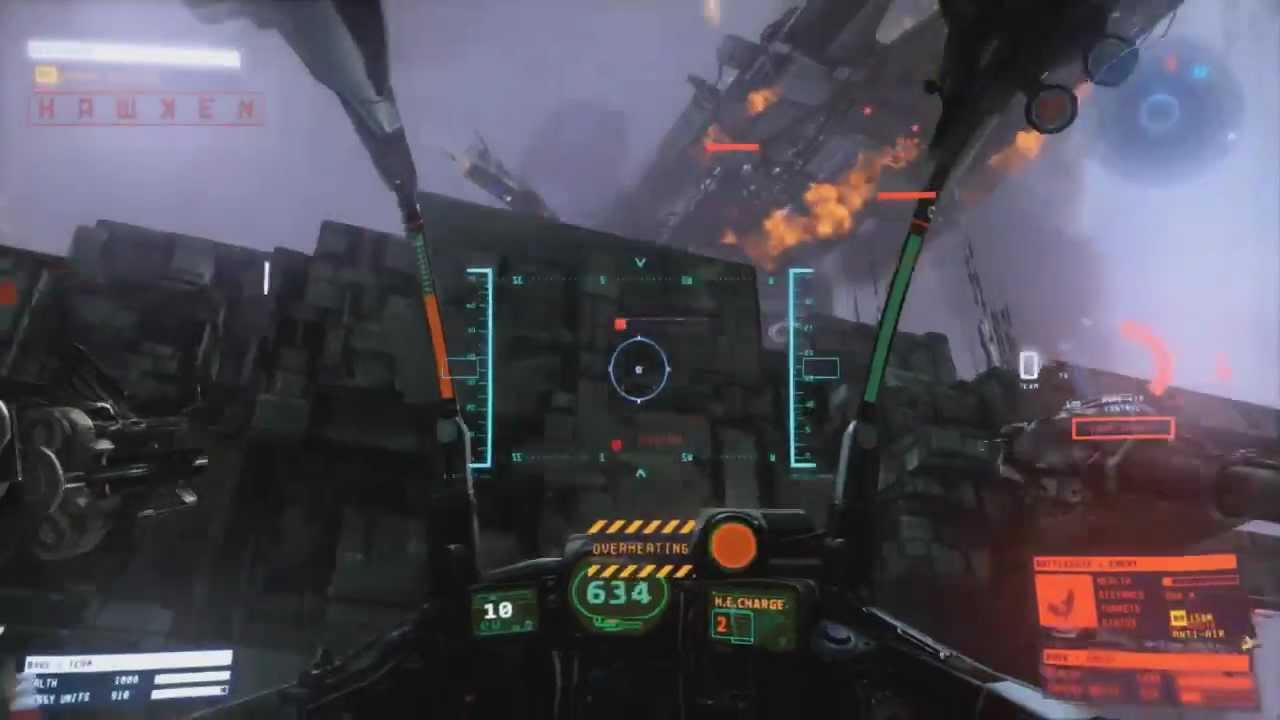
You are free to fight!
Join the Open Beta now: http://www.playhawken.com/#enlist/
Free-To-Play Mech Combat FPS brought to you by Adhesive Games and Meteor Entertainment.
12/12/12
Addendum: I found a kickass trick where you can have widgets in 3D space and by having them captured via a Scene Capture 2D and replicating the appropriate camera/player positions with the right render settings, you can capture really REALLY clean 3d widgets without the AA or motion blur screwing things up.
These are the settings I used, as a peace-offering to aid in this shitty quest to figure out this offset/blurring trick because I am a shader scrublord
To those just seeing this, scroll up and give my question a read. Its relatively simple in terms of what/how, I just don't know best practices for achieving it. @ me if you have any ideas.
Thanks.
prime pecan
do I understand this correctly?
you're capturing a 4k texture for your already existing hud to avoid stuff like motion blur?
 ashen citrus
Hey! I'm reviewing some Custom Shader and I've stumbled upon:
float scale = length( TransformLocalVectorToWorld(Parameters, float3(1.00000000,0.00000000,0.00000000)).xyz);
What Parameters stands for?
analog onyx
It is a struct
ashen citrus
Can I somehow see what it contains?
analog onyx
Yeah, follow it through the code.
ashen citrus
Where do I search it? In HLSL code preview? Can't find any struct named Parameters there
 frank forge
Anyone have a writeup on effects like tire tracks? We tried using a decal based system and it just isn't cutting it performance wise. Looking for talks / articles / techniques around how people are doing things like skid marks, tire tracks, foot prints in UE4.
frank forge
The old google had a few hits...
https://www.artstation.com/artwork/bVKdn

ArtStation
Dynamic vehicle track system for unreal engine
Features:
- surface detection
- Track fade
- Mud tracks dry up before fading
- Snow tracks melt
- Material blending
- tracks normal information
- tracks roughness information
- vehicle builds up dirt ont surface
- Dynamic frictio...
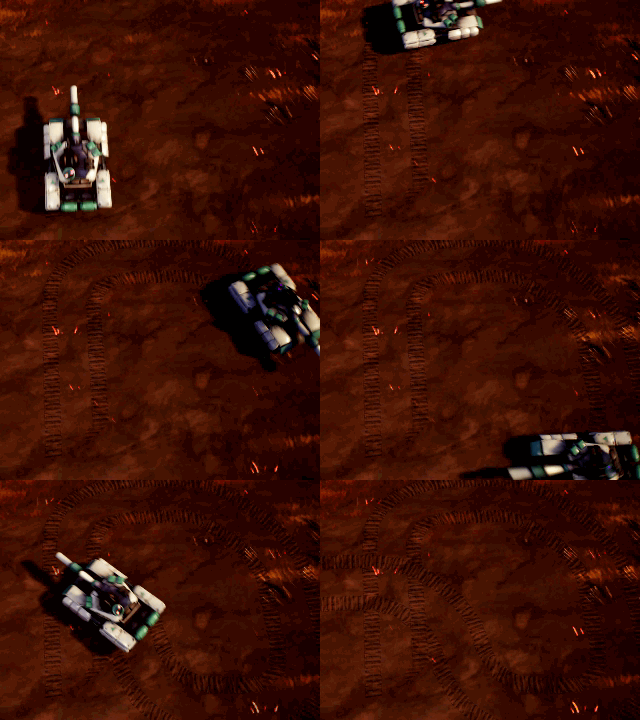
Mod DB
In Tank Brawl 2, we want tanks to leave track marks, jeeps leave tire marks on the ground. We looked at using the particle system ( include the ribbon module) to do it but it was difficult to make the track mark look continues and good. So we...
latent rune
Hey guys, I'm trying to recreate this water ripple effect in a material using this example:
But seems like no matter what my settings are, I just get a black/white flashing
No rings animating
 weary helm
Heyo, is it possible to have meshes with transparent materials but that are affected by post process outlines ?
 unkempt canopy
Hey guys,
Gaussian DoF was removed with 4.23. Now i wonder if it is possible to create a tilt shift effect with 4.24 ? i tried the DoF settings inside the post processing volume, but i cant achieve a good looking result :/
 torpid elbow
hi! sorry if this is a simple question or not the right place to post this but i'm just trying to get a particle surface to follow / emit from a geometry cache. I'm pretty new to Unreal but i've tried a few things with no success. Does anyone have any suggestions? Thank u !
oblique sierra
@prime pecan And aliasing. On a 2d cap, you can change or disable the anti-aliasing model, and anti-aliasing totally breaks the 3d widget stuff visually producing an awful blurry mess even with motion blur switched off.
There's no way to set per-object anti-aliasing with exclusions that I know of, or to add an exception to the motion blur in ue4.
Its just not a feature the engine has.
This workaround is dumb and messy but it works.
If I didn't need to do this, I wouldn't be doing it ¯_(ツ)_/¯
prime pecan
Hey, making games is all about cutting corners. As long as it does what is supposed to and doesn't break anything, sure.
oblique sierra
Yuh. Best of all it works amazingly for stereoscopic stuff or VR. Very iron man feel, and because with the interocular distance checking using eye-tracking with some convergence math, it just matches distance with the gaze automatically so its always as crisp.
 upbeat stirrup
Guys! I have a projectile particle and it's showing up fine in the editor when i simulate but it is not showing in game at all! Any ideas why?
 weak jewel
So as soon as I put the sun right behind that house this happens... Does anyone know why theres a Godray coming through the wall ?
 ashen crag
Can you add a sound to a visual effect directly? Maybe via the Event module?
 polar flint
Anyone have any tips or resources on how to make a water effect similar to the one here?
https://twitter.com/OskSta/status/1227630283207385089?s=19


I made some dynamic sandbanks. They help ground the environment and they soften the grid. https://t.co/Zqp2jzMQ6r
Retweets
1911
Likes
14537
 Twitter
I'm mostly interested in the waves coming off of wherever there is contact with the water
prime pecan
what are possible approaches to adding a trail to a moving object? I know animtrails exist, but those are only for skeletal meshes, right? And I know ribbon particles, I want to experiment with them, but I'm curious about other approaches, even if it's something that would have to be build from scratch.
also I'm asking about something that could be used like the trail of a blade, not just a single line. 🙂
 minor fog
A simple issue I think but bullet hit FX particle spawners seem to not be able to align with the hit normal (or orientation of the hit) and instead always emit upwards?
I think I am missing something quite simple but brain no work today
minor fog
I want the fx to project along the green line.. but no matter what rotation I give it it is the red line?
analog onyx
Enable Local Space in the emitter settings. By default you are setting velocity in world space.
 cinder lantern
@oblique sierra regarding your question on general, you could probably do some stencil masking trickery to mask post processing effects
oblique sierra
Very quick question: Can post-process volumes be set to only include specific objects?
I need to remove the motion blur and aliasing from specific objects as there are lots of really ugly smears which break the usability of the UI objects.
My batshit workaround right now is to make a replica actor in another location, make a 3D widget, screen capture that 3D widget at screen resolution and then paste that thing right over my scene. Its very expensive and makes me cry a little bit.

Autosight feels a bit mushy due to the fact its using the same input deltas as a human controller, so some sort of stabilisation is going to be needed to comp for the camera physics. Any time the player moves the right stick, the autosight is totally ignored. If the target is ...
Its the trick I'm using to put these UI elements on top, and have them be in real "3d space" since later, I want to move objects in that space.
@cinder lantern Know of any good places to start reading about that stuff?
minor fog
@analog onyx thats what i thought as well tbh but local is checked in the "required" module of each part of the FX
I also string output checked to ensure the rotation I am setting the emitter to when spawning is valid and it is.
analog onyx
Velocity modules have independent option to set initial velocity in world or local space too.
minor fog
roger. I will check that
hmm.. yeah no luck. I am wondering if I am attaching it wrong.. have to do some more playing. weird problem!
minor fog
brain hurts..
 wintry vale
Trying to make a custom If node in HLSL
I think it should be a good practice into HLSL but also I need it.
this is what I have but it isn't working the way I thought it would if(TexColor.x == CountryColor.x && TexColor.y == CountryColor.y) { return SelectColor; } else { return TexColor; }
analog onyx
Firstly, If you are making float equals comparisons, that is unreliable. Secondly, that custom node makes no sense, for if you want to use if statement, whole block needs to go under braces, not just variable that holds the result.
wintry vale
@analog onyx hmm I'm not understanding any of your two points
I thought HLSL would do that check per pixel ? or do I need to iterate with a for loop through all pixels?
To attempt to address the first point, I need to only compare those two ( x and y or R and G)
The second point, I'm not sure what you mean by "whole block" for me to attempt to put the "Whole block" under braces.
analog onyx
move it to #graphics VFX people will come and burn us with fire, chill us with ice and apply other elements they are good at for it is their channel.
wintry vale
hmm ok, I posted here because it says "Advanced Shaders" I guess #graphics is for "Shaders"?
fossil swan
@north dock please read the #old-rules as posting the same msg in multiple channels is frowned upon
 north dock
@fossil swan Didn't realize I couldn't throw my question to two channels at once. My mistake.
fossil swan
all good
 chrome violet
I am trying to make a very simple effect that draws between two line traces, but I'm having a hard time figuring out how to do this. So many effect tutorials take you down really complicated setups for very specific types of effects, but none are "point A to point B" basic emitters. Where should I start with this?
fossil swan
take a look at beam emitters. you can set a source and target location.
celest birch
hey guys, i have a really annoying problem here
whenever I use displacement on a shader it gets weird sorting issues
I know there is a super simple fix for it, a few nodes to add to opacity channel or something like that
but i dont know where to find it
does anyone know this ?
I found it !!! if anyone ever needs
celest birch
update : didnt work :/ but it has worked for me in the past
 mental rivet
Need a way to achieve a sky like this in the ue4 https://giant.gfycat.com/ThirdClassicDegus.webm

 dapper dawn
I have a trail particle for a projetile ( a cannonball). But when the cannonball is fired from behind the player and later comes within the view of the player the trail doesn't work. The trail only works when the cannonball is spawned inside the view of the player. How to fix this?
 prime lion
how can i create dynamic module script that has this kind of output
instead of this
nm its dynamic input script
minor wasp
@indigo jolt thank you
indigo jolt
np!
mental rivet
Is it possible to make a depth stencil what goes not through walls... or a other way to exclude materials for post processing
 valid shadow
ello,what was that feature
that when you activate it cuts the sprites mesh to decrease transulency overlap
idk why i can't find it
cold sorrel
celest birch

How i can change the particle color?
am trying to play with the colors but nothing happens 😄
am it doing it wrong?
fossil swan
check if the material used has a "particle color node" set up properly.
Initial color changes the color on birth. scale color changes the scale of the initial color. there is also color over life, that can change the color over the particle its life.
fossil swan
np
celest birch

Is there a way to stop the particle from following my rotation?
when i look right the FireFlies will turn with me
Is there an option for UnAttach maybe?
It s following the way i am facing
i just want it to stand still and do it thing 😄
 still cipher
I'm pretty fresh to particles, any tutorials out there that can help me achieve this simple muzzle flash?
celest birch
Can any help me here?
I have broken blueprints from a landscape material pack
Can anyone help me
The link to the auto landscape materialhttps://youtu.be/wkypCxc2Mzg

Available in Marketplace!
Landscape Auto Material is a flexible autopainting material for Unreal Engine 4 Landscape component. When you are drawing the topology of your landscape, proper material layers are drawn automaticaly.
You can paint these and additional landscape lay...
If anyone own this landscape material pack then please help me I will be very grateful to u and can give you some $ if uou want.
wintry vale
@celest birch If you broke it, why can't you create a new project, importing the assets fresh into the new project and then export the original back into the project you are currently working in?
celest birch
Actually every time I import it it's broken
I think it's originally like that ( broken )
wintry vale
If it is originally broke, you are pretty much at the mercy of the person who put it up as broken. I'd leave a review if true to inform others that the pack comes with broken assets.
fossil swan
its not, works fine here (try redownloading the package?)
 plush knoll
How do I set a particles detail mode in cascade? I want it to be a mesh emitter on medium and high, but a 2D particle on low. It seems you can only set the detail mode in the editor and not at runtime or blueprint
celest birch
Need help
The creator fixed the problem by giving me a new and updated automaterial pack but now the problem is that I cannot see the .uasset file (the material) in my content browser (yes I save pasted the file containing the pack to the /documents/unreal projects/My project) some instances of the pack are being shown in the editor but not the materials.
fossil swan
newer/older version stuff?
arctic python
FYI
Cascade to Niagara - February 20 - Live from HQ - Unreal Engine Forums
Unreal Engine Forums
Cascade To Niagara - Inside Unreal
WHAT
With Niagara getting closer and closer to full release there has never been a better time to start your transition from Cascade. On this episode of Inside Unreal, Epic's resident VFX wizard Alan Willard will walk us through how to repl...
solar shoal
Does anyone know if you can use the "Rotate About Axis" material node with particle meshes?
It works fine on the preview mesh in the material editor, but the particle meshes get offset from the emitter quite a bit.
It works fine on the preview mesh in the material editor, but the particle meshes get offset from the emitter quite a bit.
Does anyone know if you can use the "Rotate About Axis" material node with particle meshes?
It works fine on the preview mesh in the material editor, but the particle meshes get offset from the emitter quite a bit.
arctic python
@solar shoal Are you using Cascade or Niagara?
solar shoal
Cascade....in UDK 😩 .
cold sorrel
You need to remove the particle position before rotating around axis, then add it back afterwards
solar shoal
We figured out a solution, using baked pivot position. At first we thought it wasn't working at all, but found out having the material assigned in the static mesh properties AND overriding it in the particle system made things really wonky.
(screenshot feeds into WPO)
solar shoal
Yes, that's a lot of texture memory. Is this for a game? I believe you can use a video file as a texture. Try here for info:
https://docs.unrealengine.com/en-US/Engine/MediaFramework/HowTo/FileMediaSource/index.html
Illustrates how you can play a video file inside a level on a Static Mesh with the File Media Source asset.
solar shoal
Here's some info about video with Alpha channel
https://gist.github.com/calben/163b8e64180a344bba7ae41889d69e14

Gist
Rendering Video with an Alpha Channel in Unreal Engine 4.14+ - rendering-alpha-video-ue4.md
There's nothing wrong with using whatever works, is performant and fits into your memory budget 🙂
 runic ruin
hey guys i have a problem , i have this looping fire flipbook and already set up the fire in UE
and the fire movement look so fast and doesnt look like it looped properly can anyone help me , im still new to unreal engine and sorry for bad english
 dark mango
How do I spawn a large number of particles and then make them continue to spawn at a slow speed one at a time?
upbeat stirrup
How can i make a particle that spawns on the ground and on meshes?
So i have this particle i think it was made by Luos
i've made it so it grows grass
but if there is a hole in the ground etc it will grow stuff on top of the hole
not inside the hole
any idea what i can use so the particle can detect uneven surface and grow grass on top?
instead of clipping or being in the air
fossil swan
https://www.youtube.com/watch?v=aYZEmaQUrAo in the first 10 or so minutes it explains a technique for that, as my clover setup was only made for flat floors.
More Game Art Tricks: http://simonschreibt.de/game-art-tricks/
Article to this Video: Permalink: https://simonschreibt.de/gat/cool-stuff-with-textures
The Invisible Hours: http://www.tequilaworks.com/en/projects/the-invisible-hours/
This talk was given at the Digital Art Conf...
upbeat stirrup
thank you!
fossil swan
*first 20 minutes
upbeat stirrup
hmm so it explains the logic behind it how it works but how exactly can i replicate that in unreal, im using the clover particle and it doesn't react to the uneven ground etc
i'm not experienced with particles so im a bit stuck
fossil swan
its something I havent had to do myself so my guidance is limited, but you could use that heightmap to offset the mesh trough the material with world offset.
another way is to create an emitter that spawns higher above ground level, and when it hits the floor an event generator could spawn the meshes. taking the role of the current mesh emitter.
though I am sure one of the more skilled artists here might know of a better way
upbeat stirrup
hmm ok, i will try to play around with different options etc, in the worst case scenario i will just have to limit the ability to be used on even surfaces hehe
fossil swan
if I had more time id be willing to give it a try but... well.. time
upbeat stirrup
while it looks awesome in action it looks like this after it ends haha
no problem man i understand fully, there is always way around stuff :p
 zealous grotto
how or what value i would have to use to have like a pocket or button follow cloth simulation
 wary condor
anyone know how to fix this issue with translucent materials and a fog post material?
 still cipher
@celest birch change the lifetime to burst?
fossil swan
was already answered in unreal-engine, and changing it to burst wont stop it looping.
(the answer was to set it to loop only once in the required module)
still cipher
oh
alright
I'm trying to get my hit particle to work, I've put it on my character and added "set emitter enable",
the particle effect plays automatically, not when I press a button.
celest birch

Am ticking these for it to loop only 1 time
still doing the same 😄
this is on required
 fervent tundra
@fossil swan 👋
oblique sierra
@cinder lantern You mentioned the use of stencil masking trickery, to mask post-processing effects. I don't really understand quite what you mean by this. I'm aware of how stencils work, but not in respect to post-processing.
celest birch

What ever i do the color stays the same
if tho its white here but in real its black 😄
and am sure am at the required model
fossil swan
you should check out the regular resources for cascade
particle colors do not work unless the material has a particle color node multiplied with the texture and its math
Assets the contain any number of particle emitters used to create effects in the world.
still cipher
How would I go about recreating this trail effect?
I tried using ribbon, but it came out like this
arctic python
Are you using Cascade? If so you probably need to use the AnimTrail data type instead of Ribbon. Ribbons work well for trails in Niagara but not so well in Cascade.
https://youtu.be/5HkghxEIXiU might be useful

AnimTrails are sheets of polygons driven by particles, which are emitted from the Sockets (or bones) of a Skeletal Mesh.
(00:04) - Intro and Persona
(01:57) - Creating the Material and Particle System
(05:14) - Creating the Anim Notify
(08:33) - Testing and Tweaking
(12:41) - ...
still cipher
@arctic python I don't have any animations in, just a moving rectangle
undone harbor
Heres a dumb question. Can beam particles not send information to the dynamic node to update a material?
fossil swan
https://issues.unrealengine.com/issue/UE-13679 nope @undone harbor
fervent tundra
@fossil swan https://i.gyazo.com/b7559954d96cd4832a3ea75a0d7d6f68.jpg i have 2 questions. The horrible waterfall i made here. doesn't change the 24 hour cycle is happening. It stays basically the same color. (its driven through emissive) Is there a proper way to do such waterfalls? (source/tut/tips/advice)
My second question is when the game runs, the waterfalls aren't working anymore other than throwing a few textures every few seconds. https://i.gyazo.com/d146b4ce5369cee611cd269f3acfe63f.jpg Any idea? tips/advice on that matter?
Appreciate your help as always 😄

 fossil swan
I dont do much waterfalls or time of day changes, you can use global skylight color thingy to alter the colors. and I wouldnt use emissive for non-magical water.
and that might be LOD's kicking in and not reverting.
fervent tundra
Ah alright, thanks man, it gives me some direction to dive in 👌
 austere plinth
Hey, anyone have already had the idea to exclude a material from a post process ?
ruby ermine
https://gyazo.com/2bf84c4e1bca9c58ff2560f59bc19de5
@celest birch hey, that smoke thing looks nice. How did you get sub-image sheet for that?
celest birch
@ruby ermine you can find them on market place
ruby ermine
so I finally managed to create looping smoke spritesheet but somewhere in the process I ended up with some unwanted noise all over my background
I'm a bit rusty when it comes to materials. How can I get rid of it?
fossil swan
opacity might not be clean. could always multiply red channel with the emissive scale as a quick fix.
ruby ermine
yep, worked nicely
 alpine chasm
I got a real dumb question
how do I change the skysphere material? I drag and drop but it doesn't update.
 raven sage
Hey All, has anyone messed with the fluid sim example in the example content? the folder is called BlueprintFluidSurface
I'm trying to figure out how to use a mesh other than a plane
every other type of mesh i use, sort of kinda works. Nothing is broken but it's as if any UVs other than planes mess up the ability to left click on it and have the hightsim stuff activate where your trace hits
minor wasp
is it possible, either in niagara or cascade, to have a sort of mesh-based ribbon particle/emitter?
spare hare
@alpine chasm the sky material and the sky sphere are heavily coupled. You are better off writing your own sky object
celest birch
@minor wasp i tried doing that with spline meshes in BP but honestly would advise just emitting a series of mesh particles with some VAT if you can afford it
 barren vessel
Hey everyone!
Has anyone had experience exporting a particle system on .copy format?
The general issue is that I need to export a particle from 4.24 to 4.23 migrate doesn't have backwards compatibility and I'm looking for solutions so I don't have to re do everything on 4.23 😭
fossil swan
good luck hehe
barren vessel
the fun thing is that when you export a particle system via .copy file, all the info on the system is there, but there is no way of importing that file (or documentation on it that I've come across) on how to use that
fossil swan
I do wonder how .copy works
barren vessel
Yeah me too, haven't found anything on how to use that file inside UE
barren vessel
hahahahahahahaha @fossil swan I'm crying, but its funny 😄 . I tried renaming the file to .uasset... no luck 😛
minor wasp
@celest birch VAT?
fossil swan
vertex animation texture
celest birch

Follow on Twitter: https://twitter.com/lucengame
Support on Patreon: https://www.patreon.com/lucendev
Join the Discord: https://discord.gg/KcCJE5S
Andrew Ryu: ryusoundworks.com
Luos
I did set the time
at that point look at the Emitter
There is kind of waves
thats done with Emitter effect or is it something else?
Some kind of energy without color
fossil swan
refraction
chrome ridge
Anyone have any keywords or tips to make cartoon eyes like Links eyes in Wind Waker?
celest birch

How i can destroy this emitter as i want
Stop it
Cuz its looping
and i want it to loop but sometimes i want it off
any thoughts?
fossil swan
@chrome ridge this should explain it
https://www.youtube.com/watch?v=pvLG4rmkB8A

Before you dislike the video, No, this is not suppose to be a full tutorial. This should give you the groundwork and logic behind our method so that you can recreate this yourself. Feel free to ask questions below and I will try to help where I can! :)
We had a bunch of peop...
I kinda made this for such things: https://www.youtube.com/watch?v=Ako_vp26q-g but its fairly complicated.
(download in description)

Grab the free content here: https://gumroad.com/luos#MxUBl
A rather complex(ish) material setup that allows you to provide flipbook based masks for facial features. (eyes, pupils, mouth, brows)
With some work you can easily add a nose feature or whatever you desire of course....
chrome ridge
I seen the first vid already. Ill def check out the second one! Thanks!
minor wasp
does anyone know of a way to import absolute shape keys from Blender?
 crimson vigil
any idea on how to achieve something like this?

ArtStation
A scene in Unreal of a cauldron bubbling and boiling over. I used a material transition and mesh particles to achieve the effect.
Bubble particle breakdown on my website here: https://www.meganhsuart.com/blog-1/popping-bubble-particle-ue4
This scene won First Place Game Effect...
looks like both a particle effect for the bubbles
and some material effect
crimson vigil
yea I saw that
relatively vague , but from what I see the bubbles are not necessarily meshes
fossil swan
ok lemme rephrase that, i would do it with meshes :p
crimson vigil
Good point. I'll try with the animated water material and then use meshes+ particle system for the bubbles I guess
see what i can do
cold sorrel
The bubbles are meshes
The boiling is a noise that drives the WPO and coloration.
The leaking is a thresholdmap
Ah there's a breakdown
fossil swan
breakdown doesnt go over it all too well
though boshy should know his materials, so he shouldnt have a hard time figuring it out
cold sorrel
Nope, but there's nothing complex going on so I can almost guarantee my description is close
celest birch
How do you guys go about painting threshold maps btw ? i have tried a lot of different ways with varying results / time taken and still havent picked a definitive technique for this
i even came up with a technique for complex ones (for example a text or complex sigil drawing itself on a surface) where i make the lines into a 3D spline in Maya, then extrude a mesh from it, displace the height of points depending in which order i want them to be drawn, then bake a height map
crimson vigil
got something I like for the animated material
Going to try to make the bubbles now and tweak this later
cold sorrel
Threshold maps depend on the usecase. I mostly use them for liquids, in which case I generate them procedurally. For intricate stuff I either hand paint or try some curve transfers
 clear vessel
How can i get the stars to show in skysphere, and also make the skysphere a whole sphere instead of a hemisphere?
valid shadow
hmm anyone know if there is a way too make it so if i have a disabled depth test on a mesh i have i can make it self oclude from closest to furthest point not the opposite cause it's .... pretty bad
 barren gull
when i use scene captures 2d camera to render target in gtx 1060 graphics card it works perfect, but when i use in RTX gpu my editor starts lagging at 0.1 fps, how to run scene capture 2d in RTX?
 sullen notch
Hey , does anyone have some tutorials on building lighting and explaining how each light affects the scene ? articles videos anything is fine , tried looking on youtube but everyone seems to show only how to get godrays and not build lighting itself , @ me if someone answers , appreciate the help.
 crimson bramble
Is it a known thing that GPU Sprites can't change they color after the initial value ?
fossil swan
not a thing, you accidentally using initial color instead of color over life?
crimson bramble
I'm using the color over life
fossil swan
then it should work right out of the box
crimson bramble
Weird, i tried now a few different things, and it's always not chaning the color when i use GPU Sprites
fossil swan
thats uniform, so itll pick either/between (and repeats it)
set the distribution to curve
crimson bramble
Aight, i try it with curves.
Also, that's how it looks when i remove the GPU Sprites
Ahh, works now with the curves
fossil swan
thats related to a gpu limitation iirc
crimson bramble
thanks
fossil swan
np
mental rivet
trying to make a quake 1 like sky...
https://giant.gfycat.com/DistinctSilkyCrow.webm
But I'm not happy with it, it looks to "round"
 fossil swan
iirc quake1 used a skybox actor in a (often) square room with textures applied to it, and a square box either around the map, or wherever there is a window and apply a skybox check to a specific surface so it renders the skybox actor its view.
mental rivet
nope
fossil swan
they at least did that with ued 1.0 up to 2.5
mental rivet
quake 1 had no 3D "skybox"
it was just a texture effect
it should look like this https://youtu.be/icWh2szIzYk

QUAKE DONE 100% QUICK LITE 2
fossil swan
lol oh god the horror
mental rivet
my shader is pretty close, but it looks to "round" in quake 1 it looks like a flat sphere
fossil swan
still seems like a brush volume around it though
mental rivet
its a very simple shader
mental rivet
So... no one have a idea how to make this sky in the material more "flat"
 solid lark
Your material does that because it's stretching across the UV's of that sky box. Make a custom one with cleaner UV's.
OR try using Absolute World Position in your material instructions.
mental rivet
the sky is just a plane, and it should work on every surface the same way
like putting a plane outsite a window and seeing this sky
no skybox around the whole level
mental rivet
maybe I skip the idea and use rendered sphere maps like this: (used a sky from Half-Life and made a hdri map with it)
original
solid lark
"the sky is just a plane, and it should work on every surface the same way" No. That's just not how UV maps work. If your UV is dirty it's gonna to ugly things with your materials. There's ways around it but if you always start with clean UV's then you don't have to make more expensive materials.
And that's a cube map.
mental rivet
you don't get it how it should work
mental rivet
HDR sky works, but I'm still not happy with it 😠
 drowsy lynx
For me, neither normal nor Mesh-Particles have Motion-Blur. Is that something normal?
fossil swan
@drowsy lynx try the node particle motion blur fade
drowsy lynx
@fossil swan thanks!
fossil swan
should be hooked up to the transparency part of it iirc
but im sure it can go wherever
@drowsy lynx though.... that might only be for gpu particles so the "camera motion blur amount" works in the gpu sprites module
drowsy lynx
@fossil swan i'm amazed how badly this stuff is documented. but i'm not talking about camera-motion-blur. the cam is static. only the particle moves around. (and i'm in cascade, not niagara)
fossil swan
I agree, when going over a lot of paragon content I often see them using two textures, one blurred, one non-blurred and depending on particle speed they lerp between em
drowsy lynx
lol 😄 that's ... very basic 😄 but might be effective though 😄 it's just that i'd have expected something more...advanced from the big huge next-gen-unreal engine 😄
(and it doesnt help for mesh particles)
fossil swan
would be fun if we could decide blur amount like the oldskool camera's that had burn-in when recording flames
drowsy lynx
(i tried using the "previous frame switch" on mesh particles without success)
cold sorrel
isnt' previous frame switch only for mesh deformation
fossil swan
seems to work for motion and deformation
drowsy lynx
yeah you can feed in the last-frame-vertex-position. if this means to you a mesh-deform or mesh-translation...the vertex doesn't care. it was moved. thats all what counts 😄
fossil swan
maybe the vert does care, we just never ask them what they think
drowsy lynx
easier than i thought:
fossil swan
lol
drowsy lynx
even thought i've no idea where the "default motion blur settings" are set. the particle-spawner in the scene doesn't seem to have blur-settings
for normal particles it seems to only work for GPU particles and then its buggy:
fossil swan
you doing motion blur research? for funnies/personal interest or nda?
drowsy lynx
i was just working on motion-blur for the spline-components for my slimy-stuff and wanted to add motion blur to my mesh-particle-splashes and was curious if it works for normal particles as well. nothing i do in unreal is NDA as i don't work with unreal in a professional context
It was necessary to calculate the last position on the spline and feed it into the material and use the "last frame switch"-node but it was worth it. thx to @celest jasper for the push 😄
fossil swan
ooh thats really nice
 frank epoch
hey, im trying to figure out a way to spawn particles along a beam. anyway to do that?
silent bay
hello, is it possible to get the distance field visualization in a post process material?
or a sphere mask in screen space in a post process material?
i need a cheap way to create a depth occluded aura around an object
Originally I was trying by spawning a bunch of feathery particles on the object (its a sphere) and it works great, but it was all white in the shader complexity graph
silent bay
for now I'm just going to make a sphere in my scene with additive fresnel material, but eager to hear any cool ideas
 lone heart
@frank epoch are you using Cascade or Niagara?
ebon loom
Does anyone know if it's possible to emit particles from a point in the scene/screen and for the particles to take the color of the surface/pixel? Imagine a ping/sonar ring originating from the camera/player position (usually done with a depth map post process material) but particles are also emitting from it. This is probably an insane ask, I realize 🙂
frank epoch
@lone heart cascade.
 fathom frost
New to particles. I have some smoke but when I move it the smoke moves 1 to 1 with the particle system. It never trails behind like one might expect.
What setting would allow for that?
I thought drag might do it but that must be somthing else
thoughts?
fossil swan
required > local space
fathom frost
Ty Luos
fossil swan
Praise @bright panther https://twitter.com/JangaFX/status/1235313322670641152


To celebrate @blender_org's VDB integration, we've decided to release a set of high fidelity VDB simulations generated with #EmberGen. These are licensed under CC0 (Public Domain). Go download them now and 🔄 this to spread the word!
Download: https://t.co/KUg37dmhVW
#vfx ht...
Twitter
 bright panther
😛
 outer fulcrum
Hi folks asking smarter people than myself. Any info is much appreciated.
What is the process now to create sprite cutouts using the alpha? you use to be able to right click on a texture and convert to subuvanimation data but that option is no longer there?
what is the new way of doing this?
fossil swan
never heard of that approach. In the required module you can assign a texture, and which channel to use for cutouts. can also use the overall brightness option.
drowsy lynx
Made a new version for the motion blur video. This time it also covers (mesh)particles and spline mesh components: https://youtu.be/dbry8XbKUPs

I'm moving objects in different ways and show how to add motion blur to them if they don't have it already by default. We're going to look at vertex offsets, the last frame switch node, the motion blur fade node and how to add blur to spline mesh components.
Art Station Link...
 ancient stump
Is there a way in cascade to change the entire emitters color depending on the lifetime of the emitter?
For instance: if you have a system that only loops 1 time, and it has a duration of 1second, can you have the particles emitting at 0 be blue and near 1 be red?
fossil swan
you could adjust a variable color thingy (in material or cascade) trough a blueprint.
another weird way of doing it is using an initial color curve so over time the initial color a particle spawns with will change, add to that a color over life that is white (1/1/1) at zero, and the color you want them to be over time.
ancient stump
Myeah don't really want to use BP for that 😄
will try the initial color curve, thx!
fossil swan

Cache optimisation is one of the most hardcore, low-level topics in game programming. In this post I explain the basic ideas, and show an example of how our particle systems went from tons of cache misses to good memory coherence.
fossil swan
its looping
 limber shale
For some reason my particle with a lifetime of 4 seconds keeps repeating to pop up as soon as it's going to start again. any advice?
fossil swan
lol
limber shale
nah it was the wrong video 😄
fossil swan
you mean that odd flicker moment?
fossil swan
show me size by life
limber shale
fossil swan
not related, but select all the points and set it to auto clamp :p
hmm, nothing there that should cause that.
either something in color/alpha over life, or something odd in the texture?
else just cascade being cascade
limber shale
ye doesnt help at all. i mean if it 's not that visible ingame i dont really care
but i was just wondering
but how about Size By Life in connection to Initial Size?
fossil swan
initial size only changes the size on birth
limber shale
so it has no influence
fossil swan
so, unless there is something odd in the material or color over life, i'd just remake it from scratch and hope it goes away
limber shale
nah color is actually fine
ok well, imma try out from scratch. thanks for your help
maybe an issue by cascade since i notice the flickering seems to appear not every time it starts from new
fossil swan
let me know if recreation fixes it
celest birch

The responsible of this emitter size is Szie By life or Scale Color / life
?
And if it is Size by life

These are the stuff i need to look at to scale it?
fossil swan
WTF is.. Cascade.
A short tutorial/explanation-esque series where I explain Cascade's modules.
Even though Cascade might be old news in a few months due to Niagara.. These vids might still come in handy :)
 quick pier
guys i need help i have these weird refraction artifacts


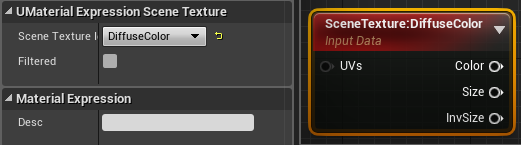
any idea how to fix
theres like a grid where you can see a clear cut line
drowsy lynx
@fossil swan so, here is the repaired version 🙂 https://youtu.be/r1BCJt22oHY

I'm moving objects in different ways and show how to add motion blur to them if they don't have it already by default. We're going to look at vertex offsets, the last frame switch node, the motion blur fade node and how to add blur to spline mesh components.
Art Station Link...
@fossil swan as i saw you made a video about "size by life": did you ever get the cascade "size by speed"-module working? for me it never gave the results i expected.
fossil swan
@drowsy lynx it sorta works, but it always feels like it does not go back to its original size if the speed goes back to zero. there also seems some difference between cpu and gpu versions.
I do use it a lot for fast moving sparks, but I never felt I could rely on it for things that slow down/halt
oddly I remember being amazed one day when it did go back to its original size after slowing down. so perhaps a module order might affect it?
 keen cypress
anyone know how to get DOF working in 4.24 i cant get a camera that blurs everything out except a certain character
oblique sierra
Is there a way to change the antialiasing mode for different objects, for VR (for example) with 3D widgets? The AA creates problems drawing widgets.
 wanton frigate
'm new to unreal engine and i wanted to give it a shot for vfx/animation.... i was prompted to install 2 plugins AJA media plugin and blackmagicstudio plugin....after installing both the project file is not opening and the loader is getting stuck at 39% has anybody encounter this issue?...Pls reply....Thank You
wanton frigate
boot animation( 4 dots ) has been stucked
 kind ravine
This can take a lot of time @wanton frigate . At 39% it is loading the plugins. Try waiting for 10 mins.
wanton frigate
thanks mate @kind ravine
 hardy barn
Hey, I'm having an issue where when I draw a material to a render target it ends up looking like this. Does anyone know what could be causing this? I'm following this tutorial on setting up a height map for water https://wiki.unrealengine.com/Render_Target_Lookup#Using_the_HeightMapReader
analog onyx
@hardy barn The method, described in that article, is not viable for realtime purposes. You can skip it.
hardy barn
@analog onyx Looks pretty viable to me.
Unless you know an alternative solution of getting buoyancy on actors
analog onyx
I don't think me knowing or not knowing alternative approach affects viability of method, described in the article.
You should look at CPU only approach or proper ring buffer readback instead.
 wild slate
Hey,guys ? How i can enable once spawn in particle (i want use it for cheap light shafts)
Now i have strange blinking artefact :/
 faint aspen
Anybody know why Depth of Field is so messed up?
spare hare
@wild slate why using a particle and not just a static mesh?
 rancid river
Now i have strange blinking artefact :/
@wild slate use a static quad, you are overthinking
limber shale
How do I make a streak following a fireball when the fireball is moving?
fossil swan
mesh, animtrail, ribbon, spawn a bleepload of particles, whatever you fancy
limber shale
appreciated, thanks @fossil swan
so which one of those fits the best when it comes to delay
since the fireball needs to go to the direction of a monster, in cascade i cant give it a direction
so the streak shows up and follows the fireball as soon as the fireball is moving
limber shale
ye
fossil swan
(unless its something like static final fantasy fights or whatever)
if it a straight line, just use a mesh
if it curves, a ribbon
limber shale
@fossil swan the ribbon worked very fine for me, thanks again for that. I'd also like to let sparkles follow along the object kinda as a ribbon. But adding it as a ribbon stretches it out..
fossil swan
i'd just use some regular particles or gpu particles for that
and use spawn per unit
(spawns X particles per Y units traveled)
limber shale
ah makes sense. as soon as im moving the object the particles follow along cuz they simply respawn
that fixed it, too easy.. thanks
 pearl parcel
Hi unreal community!
I have a small problem with a fireball particle I made. It seems the flames stop spawning after it gets far away enough from my camera. I tried testing this in multiplayer and found out that it does indeed seem to spawn more flames up close.
I'd like to make a continuous trace of fire.
fossil swan
LOD's of the particle are probably kicking in
pearl parcel
is there a way to modify that?
fossil swan
go to the specific lod, and adjust spawn rate/spawn per unit
pearl parcel
I'm sorry I've tried searching for it but I can't find anything that directly says LOD :S
fossil swan
top bar, the tiny "lod:0" thingy
pearl parcel
ooooh! I have not clicked those before
fossil swan
watch out with the regen/add lod buttons :p
pearl parcel
Unreal Tournament Forums
If I have a ton of particles like snow, is there a way to make them disappear after X distance? They're causing FPS to drop a noticable amount, and this is a good
Is it not the same as this guy is talking about?
I managed to delete all the lods and now it definatly doens't spawn a whole lot of flames 😄 So I think you put me on the right track. Rn I'm trying to search the internet for how to use LODS cause I dont get them
fossil swan
could be, never noticed it myself though
pearl parcel
Anyways, thank you Luos. I found on youtube Unreal's very own LOD guide. My problem has been solved:)
fossil swan
great :)
raven sage
Hey All, is there any way to remove the grainy-ness from metallic reflections with fast moving objects?
in this case i have a bunch of mesh particles moving really fast. The floor material is metallic 1 and roughness 0.1
hoping i could get really nice reflections
dapper dawn
Question, anyone kow why my ribbon particle appears all jagged and there seem to be seems everywhere?
https://i.gyazo.com/af160c6eac3cbdbd112ac5a2d05b5fae.mp4