#visual-fx
1 messages · Page 28 of 1
 cold sorrel
 desert sage
I mean I don't know if it's possible
 analog onyx
@desert sage You can have a procedurally generated distance field font in particle material, where each letter is controlled by scalar parameter and achieved via a set of distance estimators. That would truly be a text without textures and at the same time a very dubious accomplishment.
desert sage
yeah that sounds a bit like overkill. I wanted to add it in my graduation work scene but that sounds like a graduation work project on its own
analog onyx
Actually, that would be something for a research project.
desert sage
I suppose I'd probaby have to go with the texture approach then, but that means either limiting the amount of different text I use or having a boatload of textures
our graduation works are mostly focussed on research actually
I can also always fake it with a blueprint and text renderer I suppose. I'm not planning to go super fancy with it, just popping in and out
if I did want to go more fancy with some of them I can always use textures for that
 spice ridge
@spare hare i didnt quite get the material working the way you suggested a couple of nights ago, but i did stumble across something i think looks even cooler by mistake. i accidentally had the shader apply a black border to the insignia
i'll get a screenshot in a second
i really like the effect, and its clearer as its not adding so sharply to the underlying colour too
so, im going to keep it like that 😃
 austere crypt
I'm making the render through walls effect using custom depth, but the problem is
my sprite disappears when it's fully blocked
static meshes still works
I'm assuming it's because the sprite didn't get rendered when it's not visible by the camera? is there a way to bypass this?
I set the project for mobile, which is probably why. Does anyone know what is happening? I've tried messing with the settings but i can't figure out which one gives me the desired effect
Here's a gif to be more detailed. Notice how the effect is off a few second when the sprite is no longer visible. why?
 lone wing
@austere crypt try setting a bigger bounds scale on that actor
 cedar ibex
Hey, any suggestions on how to do space dust particles that whizz past the camera?
Something like this

X4: FOUNDATIONS brings our most sophisticated universe SIMULATION ever. Manage your assets or EXPLORE space in first person. Fly every ship, TRADE and FIGHT ...
I can't seem to get far with particles as I can't control their spawn position directly.
 fossil swan
attach an emitter to the cockpit, emit towards it
cedar ibex
The thing is that the particles ought to be static
And only move in relation to the camera
fossil swan
suggestion stays the same
cedar ibex
From what I saw, the only way to make particles static is to disable looping and spawn them only once so to speak
But then their position won't update even when attached
Because the emitter is attached but not the particles
cedar ibex
I was able to do what I envision with static mesh instances because I can kill them outside a volume and spawn them inside a volume attached to the camera
Setting them to local space had weird effect, the particles were moving yes but the camera needs to move through the field, not the field with the camera
 silver dirge
can I bound skylight in specific area ?
silver dirge
thank you, moving to graphics, out
cedar ibex
It's driving me nuts
fossil swan
@cedar ibex regardless, that dust particle and tiny white stripe stuff is attached in front of camera
cedar ibex
Feels like it should be simple
cedar ibex
I'll bang my head against it some more, thank you
fossil swan
basically, as I said and make the particle move towards camera. either by velocity or other means (like camera offset)
fade out when too close to camera. (in the material)
cedar ibex
So I can drive the velocity outside cascade right? Hang the camera velocity to it or something to that effect
fossil swan
yea, you can make blueprints talk to cascade/vice versa
 glossy gyro
Anyone know how to make it so materials with SSS don't glow in the dark?
I'm trying to make a particle that has a backlit effect. The backlighting only works when I set my Shading Model to Subsurface and set the opacity to a low value. This makes the particle glow in pitch black conditions.
If I set the Shading Model to Subsurface Profile, it no longer glows in the dark, but backlighting doesn't work.
 celest birch
how de fuck do u do spiral particles
 sharp cove

 mortal lily
#graphics or #ue4-general (if you want to try your luck)
fossil swan
@celest birch
orbit
or vector fields
or meshes with panning textures
or vertex animated meshes
or rotation over life
or the rotate around pivot material setup
etc
 rustic monolith
guys i`m working on a toon line shader and decided to use the hollow method for the out line , and need a way to inflate the hollow mesh in normal direction, so I want to know how to use the world position offset to scale in the normals direction
 winged imp
@rustic monolith type 'vertex normal' to find the node, multiply it by a scalar parameter then feed into world position offset. that should work
make sure all edges are soft edges otherwise they would split
rustic monolith
thanks @winged imp its work almost perfectly!
now I have one other problem , the color change to much from editor to play mode
winged imp
make sure you turned off Auto Exposure in project settings
rustic monolith
let me try it
it is off, mmm I will play with camera setting maybe is adding color tint or something
 whole pewter
how come when I make mu cieling light a HISM it loses its settings?
I need it to have color and look like the other light
celest birch
has anyone here experimented with Macro UVs ?
im having issues aligning and scaling the macro UV how I want. It looks like some settings are straight up missing O_o
the UVs are facing camera unless you override them, but if i override them I get something aligned in WS and cant edit exactly where and how they are projected and where they face
there is a "radius" settings which more or less works to scale it but no setting for rotation
and i try to scale my macro UV in the material graph but for some reason that moves it off center by a value that I cant predict
like if I multiply the output of macro UV node by say 0.5, it does give me something twice as big but not centered at all, and adding .5 or .25 or .75 doesnt seem to center it
so to sum up :
- cant figure out how to make the projection face camera when overriding the "system macro UV" whatever that even is
- cant manage to align and scale the macro UV however i want without getting something that's not centered on my particle system
- cant find a single tutorial about this anywhere, wondering how thats possible since that stuff seems pretty basic / useful. Is there some type of other local space based sampling that people normally use instead of this ?
 short sorrel
All, what is my starting point for smoke of a smoke grenade? I don't want it to go through walls, but I also don't want particles to just die if they hit a wall. I currenlty have a CPU particle to use flipbooks.
I've seen this idea here: https://www.youtube.com/watch?v=2IAGZ02oyOM

any input welcome.
cold sorrel
That's the naive approach to smoke grenades. It doesn't work
Too overdraw heavy
Fake the thickness, especially when you are inside it
 pale owl
tooner's smoke is clearly driven by BPs for the collision, where hes tracing the positions of instanced smoke puffs.... i doubt that would use particle collision, though using particle collision is entirely possible. mostly depends on networking needs i suppose
 dusk tundra
Games like Rainbow Six Siege seem to just use a small number of smoke billboards (maybe 6 - 10) that they evenly space. Entering the smoke activates a postprocess/fog on the client to limit view

We go over what smoke grenades are and some good techniques to use them. --------------------- Buy Games for Cheap: https://www.g2a.com/r/diff3rentbreed (G2A...
That link is to a section of the vid where you see the puffs appear (on minimum settings)
dusk tundra
sounds better
I can't find modern smoke grenade ref from it because a character is named smoke i guess 😛
It does seem they just make a single puff that expands quickly from impact location. I'm sure that takes into account walls/etc to not show through
cold sorrel

Last day for any Ying play with smoke grenades. Rip rush smoke candela plants.
celest birch
How to spawn one particle in cascade and have that particle last forever?
 solar remnant
i'll be darned thats a hell of a solution
cold sorrel
It's pretty much the standard these days
celest birch
@fossil swan opinions on my MacroUV problems described above ?
short sorrel
I'm trying to make a volumetric smoke grenade effect, so that it will generate the right amount of smoke. I'm currently using one particle system for the smoke that comes out of the grenade, then cascade-spawning a different particle system to provide the volume (checking for collisions). It's just a start, but if you have pointers they'd be welcome.
https://gyazo.com/5d64794b0bf653c3f1c164008970d2f6
 analog onyx
@short sorrel I'd suggest you a different strategy. As I've understood, you are aiming for smoke effect not to bleed through walls in smaller rooms. When triggered, do a few traces to roughly determine free room around and adjust particle parameters accordingly to drive the shape of effect. Stacking many planes will quickly trash performance.
short sorrel
yes thank you, but I also want it to exit through doors
also i'm having a hard time to make the smoke thick & nice looking enough with a single PS
i understand your point, currently what you see still hits 120 fps
it's subuv material with GPU particles
the issue I have is that the smoke is directional, from where the bomb is pushing it out
in reality, it would fill a room
but if out in the open, it would keep going in one direction
so the idea is to ray trace ricochet and have the secondary effect go in that direction
 brittle remnant
If you need smoke to fill rooms and exit through doors then I would recommend marking up the rooms and doors with actors that define those spaces. Then have the partices get the dimensions and restrictions from that markup
Also using thick walls will simplify things
short sorrel
ok thank you
 marsh plinth
quick question, i made a particle that shows just fine inside the editor, but when i package up the game you don't see it
any help? thanks
brittle remnant
@marsh plinth Very likely you are using textures that aren't being cooked into your build. Usually happens if you include assets from the engine or developer directories. Ultimately you should probably be seeing a cook error that mentions missing assets.
marsh plinth
thing is i’m not using a texture for that particle system
brittle remnant
Might be a material then. Couldbe any missing asset.
marsh plinth
we have many particles and this is the only one that’s making us problems
brittle remnant
Comb through your cook log and look for errors that might relate to that particle
marsh plinth
the material is basically a noise node that’s being colored and panned
okay i guess that’s what im gonna do
brittle remnant
Oh
thats probably that the noise node isn't supported on your target cooked platform? Are cooking for mobile?
marsh plinth
nope, Windows
would replacing the node with a classic noise textured generated in photoshop fix it?
brittle remnant
I would test that out and see if it's the issue
marsh plinth
alright will do
brittle remnant
Also that noise node is insanely slow to be using at runtime
Better to use a texture if you can.
marsh plinth
yeah i know, i heard many times it’s not recommended at all to use the noise node in shipping products
brittle remnant
If you need a 3d texture look into ryan brucks pseudio volume texture sampling / baking
If it's 2d though just make one in photoshop or use the unreal material baker to bake your noise node out to a texture
marsh plinth
nah i don’t need anything complicated, i just use it for a stylized fire particle
yeah
will do that, thanks
marsh plinth
yeah i hope
brittle remnant
There's a few other things that could cause your particles to not draw.
Could be hitting your particle limit (unlikely) could be getting LODd check your cascade for unintentional LODs. Related to LODs it could be that engine scaleability is set too low in your cooked build settings.
marsh plinth
i’ll look into that but it most likely is the noise node acting weird as all other particles work fine and this is the first time i’ve ever had this happen also first time using the noise node so yeah
marsh plinth
hey, tried changing the noise node with a noise texture i generated in ps and it gives out an error
i think i got it, but now my particle looks weird. does the noise node generate a specific noise pattern?
hold on, i think there's another problem. looked in the cook log and found this: https://pastebin.com/BTTgDGkT

Pastebin
i am only using the rg channels, i'm masking them
makefloat3
using a float2 doesn't work
float3 works for me too, using a float2 doesn't work
brittle remnant
Noise generates 3d noise. It uses a float3 as input.
marsh plinth
then how would i fix this?
brittle remnant
You probably don't need 3d noise given how you appear to be using it.
marsh plinth
yeah i most probably don't
brittle remnant
Just replace the whole thing with a texture lookup using a 2d noise texture.
marsh plinth
i did that and it looks completely different
i need a texture that has the same pattern as the one that node generates
this is what the particle looks like with the noise node
if i plug in my noise texture it looks like a fuzzy ball
brittle remnant
That's because by default the noise node outputs -1 to 1 values.
You will need to make sure your texture is linear (not SRGB) and then bias it into the range -1 to 1 to get similar results.
Also the style of noise is important. There are many types
Look up the type of noise you are using in the node on google to see what it should look like
Or you can copy and paste that chunk of code into a new simple unlit material and hook it up to emissive. Then use the render material to texture feature in the material editor
You will need to make sure that your UV scale tiles though or the output will not tile
You can rescale it in your final material
brittle remnant
You need to connect the output of your noise directly to emissive with nothing else in it
then use the render material button at the top
(can recall the exact name of the button)
marsh plinth
ooooh now i get what you're saying
brittle remnant
Well you want 0-1 values
You can re-bias the values after you render the texture
marsh plinth
then okay i'm setting it to min 0 and max 1. how do i render it, i can't seem to find a way to do that
brittle remnant
There should be a button at the top of the material editor
render material or something
brittle remnant
The feature is in 4.19 afaik
onesec I'll launch my editor here
Ok I somehow recall there was an automated way to do this but I guess it's a bit more manual by default. We probably built some custom code for it at one point: https://docs.unrealengine.com/en-us/Engine/Rendering/RenderTargets/BlueprintRenderTargets/HowTo/CreatingTextures
Here's the documentation on how to do it. A bit convoluted but it will work.
marsh plinth
holy freaking shit man, all this work for a simple fire texture. i guess i'll do it tomorrow
brittle remnant
Heh, I suspect that if you do what I suggested earlier it will be a lot easier
marsh plinth
dumbest question of the night, can you generate the texture for me?
brittle remnant
look up the type of noise you are using, find a texture that uses that style of noise, then bias it like your generated noise
sorry man I can't at the moment, busy with other stuff
marsh plinth
i believe only setting it to -1 and 1 makes it look like that, everything else is default
brittle remnant
right, but you need a texture that looks like the same kind of noise.
then you need to bias that texture to output values from 1 to -1
marsh plinth
well what's the default type of noise the noise node generates?
brittle remnant
Just plug it into the emissive and set it to 0-1
I mean you could probably just screenshot it out of the editor honestly if you set up the UVs, lighting, postprocessing, and tiling properly.
It's called simplex noise.
marsh plinth
tried doing this, doesn't really work. similar result to using a perlin noise texture
brittle remnant
If you show your network I can probably help with why
there should be no difference between a static texture and the math version
well not much difference
brittle remnant
Need the texture version as well
marsh plinth
brittle remnant
You need to scale the texture before you capture it, make sure it tiles, and set it from 0-1
I assume your texture coordinate that plugs into the noise function is not 1,1
It's probably scaling the UVs like 0.02, 0.02 or something
marsh plinth
it actually is 1 1
brittle remnant
what are the settings inside your noise node then
marsh plinth
brittle remnant
Scale 3 is probably what is zooming in. If you plug that noise into the emissive of your material what does it look like?
The texture above?
marsh plinth
marsh plinth
brittle remnant
Ok that's what your texture should look like, you'll need to make it tile in photoshop
and make sure to remove any lighting by capturing in unlit mode. Just stick it on a cube
(disable postprocessing too)
marsh plinth
yeah, cube or plane same result
brittle remnant
it doesn't look like you are in unlit mode
marsh plinth
problem was i didn't turn off the panner
marsh plinth
yeah i just created a new level and tossed in a plane
and set the lighting to unlit
brittle remnant
disable postprocessing and use the "top" view to capture
marsh plinth
alright done
brittle remnant
Make it tile in photoshop
marsh plinth
okay done
brittle remnant
Now you bring it in as a greyscale texture set to srgb off.
And add that back to your material
With the panner and everything.
But you will want to put the output of that texture into a lerp that has A=1 and B=-1
Or maybe flip that. Not sure
You will need to slow down your panner probably
Or actually perhaps speed it up... you should be able to tell
marsh plinth
i can't seem to be able to set it to 1 and -1 and have it look like the noise node
brittle remnant
Show your nodes
marsh plinth
brittle remnant
Red goes into alpha and a=-1 and b=1
Also you no longer need the break v2 / make v2
brittle remnant
Np glad i could help
Good news your material is now a lot less instructions probably
marsh plinth
yeah most probably
brittle remnant
I recommend also replacing your radial gradient with a texture. Pack it into the green channel of your noise texture for tons more savings.
These procedural nodes are handy for prototyping but very slow.
 plain frost
How would I do a two-pass post processing effect on ue4? Just adding the materials as blendables on the camera doesn't seem to do the trick
 main bay
I was thinking of creaing a vector vield for my TD game and i was wondering if its posible to change it when ever i spawn a tower that the vertixes in that area point upwards or so
 void palm
Hey guys! One question please. I am trying to create a particle system where the burst has separate meshes, and all spawn from the center point, with a random rotation to give it's circular shape, but I want it to also face the camera always. Can anyone help me?
When I select the emitter to face the camera, their rotation is not retained, so they all stack on top of eachother to face the camera
main bay
flip book?
 glass epoch
@void palm You can set camera facing in the mesh data module
 still cipher
Hey, my particle's origin is set to the middle, the pivot point of the mesh is on the side and it scales properly in the viewport, but in the particle editor nothing has changed. Can anyone help?
celest birch
Particle editor displays local particle settings if your emitter is rotated it won't show
Also why does it matter emitter is just an un-transformed template
marsh plinth
hey, i'm back here again. my particle doesn't show on a packaged build. it looks just fine inside the editor. yesterday i had a problem with the noise node and ended up doing it the right way, getting rid of the noise node. it seems that wasn't it.. the particle system itself is really basic. just a material, lifetime of 1 and spawning 1....what could be wrong? no warnings/errors while packaging
celest birch
Can you go more in depth, is it looping or not
 devout tiger
hey guys what is the best translucent shading model to use with raytracing right now for water or glass? I am doing water in particular and it's noisy even with a lot of samples .
marsh plinth
this is what my particle looks like
in editor it looks perfectly fine
but when packaged it doesn't show at all
no errors or warnings whatsoever
brittle remnant
Did you check to see if there are LOD's in the system?
marsh plinth
i mean i didn't set up any LOD
you can't see it at all no matter you're right in front of it or really far away
 true terrace
is it using engine/editor content? maybe you have the DoNotCookEditorContent flag on in packaging?
marsh plinth
what i did to fix it is apparently to change spawn rate from 1 to 3
true terrace
Oo
true terrace
How bad is it to do this? And most importantly, is there a better way? how would you guys approach this?
To sum up, this material function would be plugged into the master mat of ALL meshes in levels.
Because each level transition needs all meshes to "disappear" with a vertex anim, but it's a different anim for every level transition, and of course... levels reuse assets... sometimes
I'm wondering if
- There's a better way to set that up, as in some feature i don't know about that could magically override a mat function of materials per instances? or per level? ... or maybe the new material layer system?
- if there isn't, how could i make this lighter/better. I heard IF are expensive, could probably do some math to achieve the same but i don't know how much cheaper that'd be
celest birch
Can you warp stuff using post processing materials?
(Specifically referring to Quantum Break) https://www.youtube.com/watch?v=G0E6wcH1Ygg

The visual effects in Quantum Break are outstanding!
true terrace
afaik post process only outputs emissive, so no vertex offset or stuff like that
Could do some UV distortion maybe... ? Looks like they're mixing a bunch of stuff tehre, post process + particles + specific meshes in the level
celest birch
Unreal Engine Forums
For discussions about Materials, Textures, Lighting, Particle Systems, and Post Process Effects.
This guy was able to do water distortion
so I wasnt sure if you could have it warp based on the object distance (Not talking about the super close up objects)
true terrace
oh yeah cool. It's uv distortion basically.
In my case it's a tough one cause only "some" meshes need to be affected and it's tough to get a post process to really look like the object themselves are being distorted (not look 2d)
thanks for the suggestion though
celest birch
Yeah
 wind lark
Hey y'all! I'm wanting to design an earing with hanging strands that are attached to the main part of the earing and that can dangle and move as the earing moves/the wind blows, etc.. Ideally I'd like to procedurally change the number/density of strands and each strand be a separate object that can swing/etc... I haven't made anything like this before and would love to hear peoples thoughts on potential ways to approach this ! Here's a sketch of the kind of design I'm intending..
I also want to have particles spawn from the dangling strands and inherit some of the strands velocity, was thinking to use niagara and sample tri coords from the static mesh strands, but also open to other ideas, that was just what first came to mind for me
also ideally would want collisions to be possible between strands so i can play sounds when they collide with each other
 prime pecan
that's a lot of stuff for a simple earring, how will it be used?
wind lark
I just called it an earring because a real life earring that looks similar inspired me. I'm planning to use it as an musical instrument/flowtoy/creature/etc... not sure exactly how it will be used but more wanting to make it and play from there
whole pewter
I am trying to turn off light propgation for me performance but unreal is vague on how to turn it off, does anyone know what unreal did to turn it off?
rustic monolith
hi guys, I`m working on a toon out line shader using the hollow mesh method want to know if is possible to clone polygons in shader and how to to it
brittle remnant
I would do that in your character blueprint.
You'll need a second mesh, but you can copy the current pose fairly cheaply.
rustic monolith
@brittle remnant thanks !!!
 teal dawn
Hello! I need help with a problem I'm facing with one scene. Since it is an Archviz VR project that demands photorealism, the solution for the artist was to change the reflection capture resolution to 1024 in the project settings.. right in the middle of the development. I rebuild lightning for most scenes so far but this one scene in particular would not compile (Cook Fail - Unkown Error) if I build the reflections again with this new set. Did anyone encounter a similar issue before? any tip on how to debug this better?
After Building lightning the scene works fine and everythings looks good, but I get cooking error when I try to package the whole thing (took me a while to find it was this scene causing it, and that it cook fine before rebuilding the lights).
cold sorrel
Yes
fossil swan
yes
cold sorrel
Make a stretched, glowy line that follows a bullet.
 void flower
It's hitscan, so I just want to fake it
 old terrace
Guys, is it possible to get rid of this weird beam distortion?
It appears if I look on that beam from certain angle.
celest birch
I'm wondering something.
I'd like to do a toon post process effect that allows for more artist control on various different objects, but I'm wondering if I can use custom stencil buffers to change the shading properties based off what one the object uses.
I'm wondering if it could be used that way, since it apparently supports up to 255 differerent indices.
Since there isn't a toon shading model for 4.22 yet, and I want to try and avoid materials, so then I could possibly do dynamic shadows and the such
celest birch
or is that stencil buffer only for colors?
 shut oracle
hello, I am using a fire particle effect that came in a free pack for a hand torch. works great but when i walk the smoke stays point up instead of sort of trailing and the flames sort of follow me like 34 or 4 behind me then disappear i would like only the one on my torch - any advice for a newb?
cold sorrel
Read up on localspace particles
shut oracle
ok thx
marsh plinth
hi, probably a dumb question, but how do i get rid of an almost completely black shadow under a cube, let's say? (most importantly under a completely parallel surface with the map) i obviously have a skylight and the lighting is set up well. everything looks okay except this
 spare hare
@marsh plinth show me
marsh plinth
i mean... if i just drag a cube onto the map it all looks fine except underneath where it's completely dark
do you need to see that?
marsh plinth
okay one sec
apparently now if i put down a cube it's not completely dark. oh well. but it still shows on other meshes
for example on the underside of those gaps
those should be the same shade of grey as the rest of the mesh
spare hare
you have a skylight somewhere?
marsh plinth
yeah, of course
marsh plinth
the closest thing to that is Lower Hemisphere is Solid Color
and a Lower Hemisphere Color which i can choose and currently is completely black
oh here it is
i raised that from black to a dark gray and now those spots aren't completely black anymore
yo thanks everything looks way better now
 echo merlin
Hi... anybody give some idea for bullet trail effects...

Work in progress for bullet tracers particle effects for Switch. Grey Games - Mitch Manders & Tom Looman More info & dev updates: http://tomlooman.com Twitte...
I want to achive this kind of effects in line trace weapon system anybody suggest some ideas
Thanks in advance
glass epoch
@echo merlin : this could help: https://www.youtube.com/watch?v=eBN91xFteD4
In this one, we cover Beam particle systems! I'll show you how to use them to create laser bullets, and set up the gun to fire lasers. We also cover setting ...
 fiery solar
I'm having an issue with my cards being too bright in my level. I don't want them to reflect any light or get washed out like this:
Here is my material
Anyone have any suggestions?
This is my texture
brittle remnant
You need to adjust your post process settings. You’re getting hit by bloom and the filmic tone mapper. You might also need to slightly darken your paper albedo.
fiery solar
@brittle remnant like add a post processing volume?
ok yeah that helped a good bit
What do you mean about darkening my paper albedo
brittle remnant
I just mean darken the diffuse of your paper a bit. When working in PBR it's a good idea to check if your values for material types are correct. Though it can be tricky if you don't have accurate values for all the surfaces in the scene. In this case though since that is the brightest element you can just nudge it down a bit and use the postprocess volume to balance overall brightness.
fiery solar
where do i do that
 odd gull
hi, anyone got any ideas on how to make a voronoi tiling for fracture? in one axis(houdini)
totally goes against the idea of procedural noise i know 😛
 fossil swan
as abombinabull said, show us the materials as well.
fossil swan
- you could control the glowintensity inside cascade instead. (less issues in case you need to tweak things)
- Opacity input of depth fade can be used instead of multiplying its output.
- in theory you only need the texture for opacity, and you could use the red channel only since its a gray texture. (v3 vs v1)
but nothing there thats really worrying.
that high intensity might be why its fading out so oddly
you kinda want to tweak the color over life as well, as opposed to only rely on the alpha over life.
solar remnant
your alphas are where you are best going to find a good fade out
the technique I'm trying currently is to use an alpha for fade out, the B channel as a stand in alpha for its formation, the G channel for smoke sim data, and the R channel for emission data fade out is hard to learn been focussed on it for a few months now
cold sorrel
@odd gull As long as the points you use as centers are scattered in a tiling way, it should automatically tile
 hoary knot
@deft ivy Can you possibly show me some blueprints you have setup for the red dot sights?
hoary knot
No problem
hoary knot
Okay, So does this happen when you look through the scope or when you move?
 deft ivy
i dont know
i wanna know how i can get rid of the blur
it happens when i move
i turned of motion blur in the fp camera
i fixed it
hoary knot
Could be an effect of the red dot duplicated.
deft ivy
i had to turn of motion blur in the post process
hoary knot
oh 😄
odd gull
@cold sorrel hey thanks for your reponse again, the reason i want to tile is because i want to lay them tiling along a spline with a morph tager animation from 0-1
the fracture will disrupt the ground like https://vimeo.com/160013117
but ability to tile along the spline
cold sorrel
Yeah that's going to be tricky with voronoi as it's distancebased
And a non linear spline will create different distances
You can probably build your own cutter that does it
odd gull
that sounds like the way to do it actually, with the booleon fracture?
thanks for that, trying to over use houdini nodes rather than building my own again 😛
 vocal harbor
Hi all,
Can particles be instanced like meshes, or is that not possible?
I understand that Cascade works on a pool system to stop more than X particles being spawned, but if you have several of the same particle emitters in world, obviously it would be great to optimize them
fossil swan
nope, not afaik.
thats where lod's and culling comes into play
glass epoch
Hi guys,
In Cascade, what's the best way to dampen a particle velocity?
glass epoch
I know there is drag module, but is there a way to trigger the dampen after a certain amount of time on the particle lifetime?
I'm trying to achieve this: when the particle spawn, it has a very fast velocity. However, shortly after that, it needs to be dampened and slow down. I need to control when it get dampened
brittle remnant
Keyframe the velocity. I don't think you can key the drag
glass epoch
@brittle remnant : how do you keyframe the velocity? Like in a distribution curve?
celest birch
Acceleration over life
fossil swan
afaik you can keyframe the drag
cold sorrel
Velocityscale over life
if you can't keyfram drag
Which would be madness if you can't...
 vague tulip
Anyone tell what vfx software he used ue4 Houdini? https://vimeo.com/user10556943
cold sorrel
Impossible to tell. There's nothing advanced or specific going on so it could be done in anything
or did you have a spcific video in mind?
cold sorrel
Yeah, could be done in any 3d app
vague tulip
There's a little toggle on top left that I thought would give it away
Cine camera actor ?
vague tulip
Oh ok but it still could be something he imported and just animated in unreal tho right ?
vague tulip
Make it sound simple lol , I'll look into some Niagara tutorials . Thank you
cold sorrel
You really don't need niagra for that
It IS simple
just well executed
a few minutes on www.realtimevfx.com should make it clearer
 bleak inlet
I was wondering
Is it possible to control motion blur in the particles ?
cascade
like with a motionblurfade node for example
cold sorrel
The ground smash is just a skeletalmesh
bleak inlet
is it possible to increase the strenght using that node ?
cold sorrel
baked from wherever
Like this
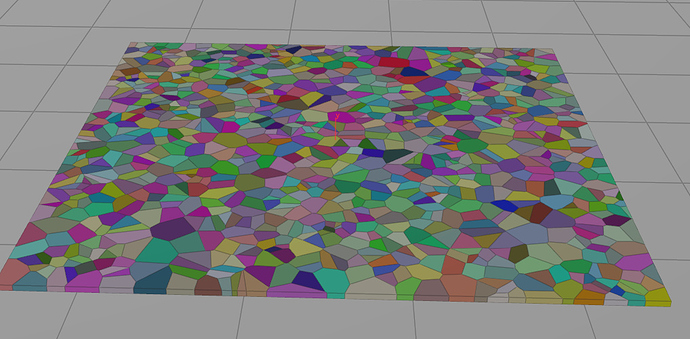
Real Time VFX
When I do this sort of thing, with few pieces like in the video I simply fracture a groundplane, animate a sphere through it. Remove the static pieces and convert the result to a bone animation to be used in Unreal as a skeletal mesh. Shattered floor. Collision sphere ani...
That example is from houdini, but the same approach works in anything
Then you just bake it to a skeletal mesh or a VAT if you are feeling fancy
vague tulip
Very interesting thank you also that website is awesome
bleak inlet
@fossil swan 😃
glass epoch
@celest birch : acceleration over life could work, the tricky part is to find out when to stop the deceleration so it doesn't go backward. But it can be done
@fossil swan : how do you keyframe drag? You're talking about a key on distribution curve?
true terrace
Hey material experts
Is there a way to hide all these unused outputs? (other than the "Hide unused connector" button that hides it for all boxes)
 sand juniper
Anyone out there have any experience with the composure plugin tool? looking for some info on green screen work
 runic beacon
Hi guys! I have a question. So we are working on creating a pilot episode for an animated series we are creating. The series is fantasy based and visually its going to be more set in realism. We decided to give UE4 a shot since everyone had been talking about the new advancements. But I wanted to know if you guys had any helpful advice you could give about the vfx. We want them to look like cinematic vfx and not like video game vfx(like LOL or something). We are going to use Houdini but still have concerns about fluids and dynamics. The series is magic heavy so we want to make sure UE will work before switching to it.
true terrace
UE can do a lot, and very easily too.
The houdini integration is pretty good and allows to do (fake) a lot of complex simulations like fluid as a simple static mesh with a shader vertex anim
as someone who's currently helping on a project with a lot of people with pre-rendered VFX background though, i'd say the challenge is to keep in mind it's a real time engine, it's not necessarily made for (and usually do not need) millions of polys per mesh, or 8k textures, or crazy dynamic lights and volumetric fog everywhere
but for the kind of project you're talking about i think it's going to be a good match. I'd advise doing heavy things like fluid sim etc.. in houdini and bake it to unreal as a mesh
everything else like magic particle effects are very easily done inside unreal
the only warning i'd have is if you're thinking about doing VR or mobile, a lot of advanced FX will be way more challenging/impossible (volumetric, fluids, dynamic shadows etc...)
but someone else should chime in though, my xp in VFX is pretty new
sand juniper
@runic beacon im a new user but what your trying to do kind of goes into what im doing...Thus my work around on that is to use real looking assets and place them on a plane with a transparent mesh. Not sure if your trying to make your effects via the ingame engine...hope that at least points you in the right direction
cold sorrel
Ue is not a renderer. It does not support volumetric effects in the way you want. There are hacks and work arounds for certain effects but in general, you will need to render your vfx out somewhere else and comp it in. Either live or in your post kit.
bleak inlet
@true terrace i guess not , its not visible in game tho since its a tool in material editor 😛 not sure if there is a way to edit the node quickly when its not a function
runic beacon
Ok so if we simulate the vfx in Houdini. How do we get them into UE?
cold sorrel
Render them out as a sequence, play back on a plane that follows the camera
By that point, you might as well track and comp it.
The other option is to use Niagara or cascade in tradtional game vfx workflows, but then it'll look "like video game vfx" as you put it.
Like this: https://www.youtube.com/watch?v=Qjt_MqEOcGM

During the “State of Unreal” GDC opening session, Goodbye Kansas and Deep Forest Films revealed "Troll," a real-time technology demonstration using Unreal En...
runic beacon
Yeah that realism and cinematic look.
cold sorrel
But that's using the game techniques you excplicitly said wasn't good enough...
Just sprites.
runic beacon
No no I'm talking about the look of realism not the vfx. Sorry if that wasnt clear.
true terrace
@bleak inlet I found another node that does it Get Material Attributes and Set Material Attributes, you can choose which outputs/inputs are displayed on these nodes
bleak inlet
cool
ill repost my question here again by the way
Is it possible to control motion blur in the particles ?
cascade
like with a motionblurfade node for example
got no time to test it now by making some fx and experimenting sadly
true terrace
@runic beacon if that video above is the kind of realism you're going for then UE is great for it
also check out the latest quixel/photorealism video that was made a week or so ago
runic beacon
Thanks guys for your advice
 river forum
@bleak inlet my guess would be you would need to look at the post process effect for motion blur and see if you can adjust that blur scaling with a material that's being used on a mesh in the particle system. 🤷
 ivory dagger
something's wrong with my stencil. am i doing something wrong?
i get both colors instead of only one of them
if i try a different outline method, i get the right side red and the left side green. only happens using stencils
vague tulip
So for game VFX like attacks and specials etc. UE4 particle system is good but for things like explosions , building collapsing , water or something I should look into Houdini? What is Houdini actually used for I understand procedural stuff like towns , buildings foilage but when do I choose one over the other for VFX?
@sullen forge
fossil swan
you make meshes, flipbooks, etc outside of ue4
could do that in houdini or other 3d tools that have simulation (plugins)
cascade is just part of where you assemble meshes, materials, etc
vague tulip
Ah I see, is Niagara the same thing
fossil swan
yes, though has more functionality, and more hooks to use advanced features from houdini and the like.
vague tulip
Hmm I feel like this is the last component missing to have a nice workflow. So far my workflow I have is Maya LT for modelling, animation, rigging.(considering switching to blender) ZBrush and substance painter which I then use ue4 or unity to display my asset. Would learning Houdini for VFX help or is ue4s niagara sufficient enough for vfx with it's added functionality and advanced features
mortal lily
depends on your goals
fossil swan
you'll need photoshop/substance/whatever for textures.
You'll need blender, max, houdini, or maya for meshes.
you'll need whatever additional tools for specifics.
just cascade, or just niagara wont do much
vague tulip
My goal is to make games assets with VFX also
mortal lily
For most effects PS, AE, a 3d Package of choice and perhaps Substance should be sufficient tho
vague tulip
So far I have the animation modeling sculpting down
With texturing and now wanting to dip feet into vfx
fossil swan
follow tutorials, get a feel for it
A Community for Real-Time Visual Effects Artists
vague tulip
Just confusing when everyone talks about houdini
fossil swan
houdini is a god-tier tool for (procedural) content creation, so breaking stuff and exporting that as vertex animations or what not. it can make amazing explosions which you can bake down to flibooks, or allembic, etc.
there is also a houdini plugin for ue4, giving you much more leverage over your authoring
vague tulip
Gotcha starting to understand thank you
cold sorrel
If this is confusing, I'd stay away from Houdini a while longer.
cold sorrel
This image has some truth to it for beginners.
vague tulip
I agree because https://realtimevfx.com/t/frost-grenade/6047

Real Time VFX
Hi! I am finishing up this frost attack grenade thingy. Just throw it on a couple of enemies, watch them freeze and subsequently explode into lots of pieces. I wanted to get a deeper understanding of Blueprints and improve my ability to implement my own effects into functioni...
Looks awesome but it's all just blue prints
cold sorrel
That's uh, how games work...
vague tulip
Am I missing the description of him using Cascade or Niagara?
fossil swan
vfx is basically combining everything the engine has to offer to get good and performant results.
cold sorrel
the control is blueprints
vague tulip
So like in substance painter I can make something have a wet look or burnt look etc. That would be applying the mesh deformation. The smoke Sparks etc. Would be the particle system , creating beams and stuff would be alphas or even the ground cracking could be an animation import
cold sorrel
Something like that
odd gull
@cold sorrel dont think ive ever seen a more true meme
vague tulip
I would combine and import the material, alphas in ue4 while adding the additional particles. Houdini allows me to use it's procedural system to make flipbooks to help enhance ue4s particle system like this video https://youtu.be/W1y1W64Fsss

A quick video to show how to get a flip book from your renders in Houdini into UE4 or any engine.
odd gull
the problem with houdini is that, everything youve learnt over the years is non transferable to houdini 😛
cold sorrel
Not sure what you mean with enhance, but yes you can use Houdini to make source material for flipbooks
vague tulip
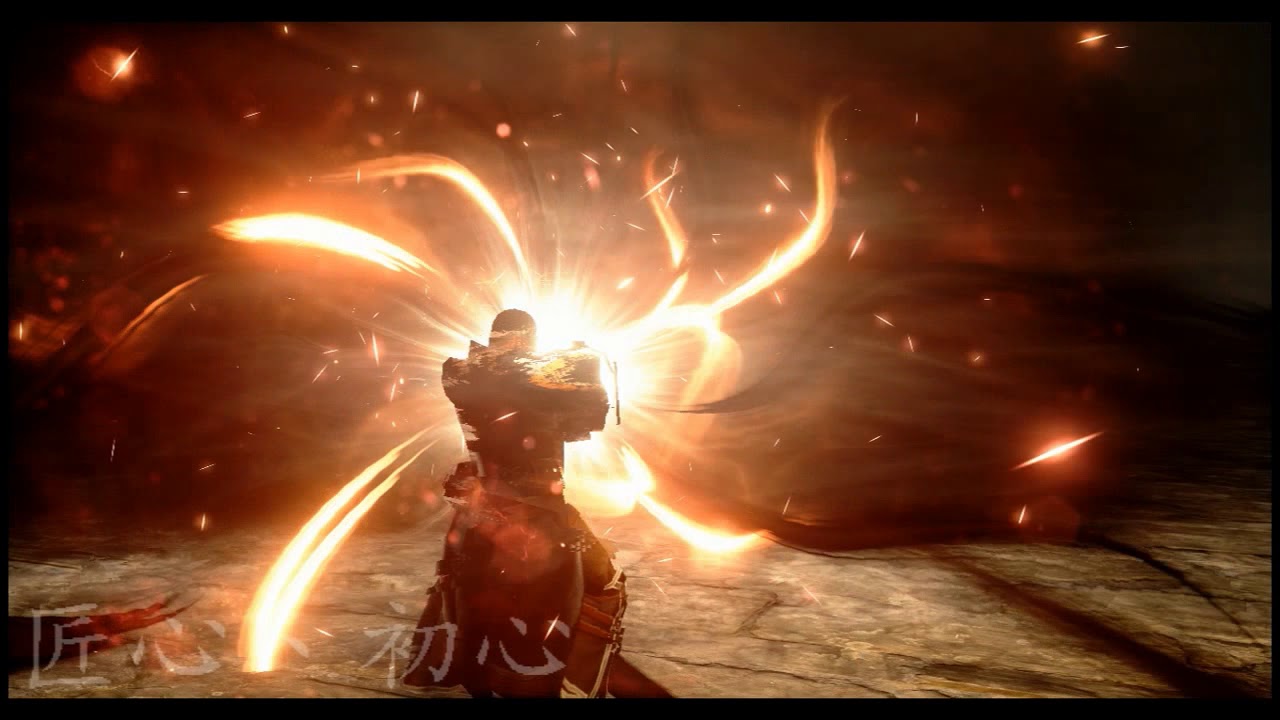
so much to take in -_-. Making things like this is what I want https://www.youtube.com/watch?v=9oGTReEvNMM
 cold sorrel
Well, at least you're ambitious. 😛
vague tulip
feel like i came a long way in 3-4 months
ill wait a bit more and research vfx
or if udemy tutorial comes out lol
cold sorrel
I have released a pluralsight course for it, but I think you would benefit from covering the basics first
 sullen forge
@vague tulip you hath summoned me
and others gave you better answers lol
also all the stuff ive done in houdini is for procgen, not for FX. other than some very, veeeery small things, so cant really help there
vague tulip
ah yes, thank you
 pseudo skiff
@cold sorrel do you have a link to your Pluralsight course ?
vague tulip

Winni Li did a detailed breakdown of VFX production in Houdini and UE4: simulating fire, splash effects, combining rigs and VFX, and more.
cold sorrel
@pseudo skiff https://www.pluralsight.com/courses/houdini-vfx-games

Have you ever tried to create an explosive effect for a game engine, and not had a clue where to start? In this course, you'll learn how to create all the content needed to create an explosion effect in Unreal 4. Software required: Houdini 15 and up, Photoshop, and Unreal Eng...
vague tulip
😮
pseudo skiff
@cold sorrel any chance for a course for Blender + UE4 VFX for games? 😉
cold sorrel
I'd have to learn blender first
But it's all the same
I did this article around the time that course came out. It goes over the basics of game vfx.

VFX artist Andreas Glad talked about his approach to visual effects production, showed how these could be used in games and when VFX are used. Andreas worked on a bunch of cool games, including Battlefield 1 and Battlefield 4.
And that one actually contains a shot of the end result of the course. The trailer editors didn't deem that worthy of including...
vague tulip
this is the final product of the pluralsight tutorial ? https://i.giphy.com/media/l4FGHHlBLggH5iWfm/giphy.webp
 vague tulip
tell me if im wrong i think i understand
nvm i lost it
lol
from there add cool emitters and stuff to make it look pretty ?
vague tulip
perfect!
glass epoch
In cascade, is there a way to pass in programmable "Size by life" for particle?
For example, I want to be able to adjust the max in Size By Life in C++, but changing the distribution mode to "Parameter" wont' take into account the particle life value
vague tulip
@cold sorrel sheesh man now I understand why you said this is a league of its own
making the parameters visable to ue4 does maya do that also ? this reminds of me scripting in unity making parameters available in the scripts
cold sorrel
Nope. That's a houdini Engine thing
In maya you have to export the mesh as fbx, import it and then do the material
vague tulip
this is pretty awesome
one thing that i couldnt wrap my head around is why did the curve attach itself to the line ?
oh duh i get it
you said it its like extrude
basically the thickness between the two points in the curve
cold sorrel
yup
vague tulip
@cold sorrel I never got it to work. Any issues because of using Houdini apprentice or something
cold sorrel
so, use the techniques in whatever software you already have
vague tulip
It made sense how to use houdini and being able to have those parameters aviable is convenient
cold sorrel
yep
vague tulip
Only other confusing part was why you used a sequencer instead of like opening up the montage was it because old version of ue4
cold sorrel
BEcause it was easy to demo
vague tulip
Ah ok
So the only cumbersome issue with using like Maya or blender for the mesh and stuff is that I would have to go back to that program to modify the shape or something because of the values not being accessible
cold sorrel
Correct
vague tulip
🤔 , wonder if that can be made into a script or plugin
cold sorrel
It's been done
vague tulip
Quick research shows live link ?
mortal lily
live link is for animation
vague tulip
Dang I see
celest birch
is there a way to make mesh trails ?
or something that functions like a ribbon but is not a flat plane ?
for example where you can give it a spline as a profile or a mesh that can be repeated or stretched
 hot river
Need help with a hair system. Not on a ue4 side but i've tried everything from fibermesh, Haircards, and Xgen. I can't really seem to get it to look right if someone could give me a hand it.
 devout portal


Sometimes it's cool to find some old assets I've made and then decide to create a completely different fx with that stuff 😁😈 #ue4 #vfx #realtime
Likes
389
 Twitter
 summer steeple
Hi guys,
Is there any way of configuring a cascade particle system's warmup time from BP or CPP?
I am trying to get a particle effect start at a certain point in the effect and it needs to be configurable in runtime somehow, but am having no luck figuring out a way of doing this.
celest birch
I think you need to 'expose parameters' on warmup time
 weary helm
Heyo, any idea why my particles are invisible when the color is blue / green ? (same result in game)
 modest leaf
hello, is there a way to remove the motion vectors of a particle system so it's not affected by motion blur?
 pastel nebula
Any ideas how to add a custom gradient to the other side of this inverted sine gradient. I'm stumped.
cold sorrel
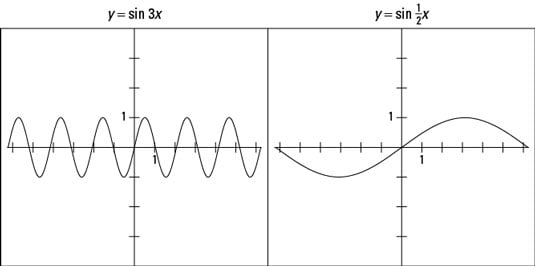
The period of a trigonometry function is the extent of input values it takes for the function to run through all the possible values and start all over again in the same place to repeat the process. In the case of the function y = sin x, the period is 2π, or 360 degrees. Pic...
pastel nebula
Wow I'm a doofus so just y=sin2X... lol
solar remnant
1- node is bliss when you're lazy
river forum
@weary helm more specifically, your particles are only visible when the color is red. are you doing anything with a red channel on your materials?
weary helm
@river forum Not that I can see.. this is my particle material
celest birch
my issue now is I have a particle system I am activating and deactivating at runtime (using cascade), problem is even with 'kill on deactivate' unchecked, if I deactivate and don't reactivate within the emitter max duration when I try and reactivate nothing happens.
 fallow spindle
hey guys, im looking to buy a vfx pack for some vehile animations but can hardly find any. im looking for this type of effect along with a dust type of effect, if any of you know some good ones on the store that would be great. just been having troubles with keywords n stuff, dont even know if this is the right channel
spare hare
Splash would be a keyword
cold sorrel
I'd say you are hard pressed to find a good version of that since it needs to be very parameterized and custom to the game you are building.
 verbal scaffold
I need help with a special effect. When a mob dies in game, i want to make it that his soul leaves his body. It would be cool if i could get a frame from his death animation and make it a mesh and send it to the particle system. The point is to basically knock the soul out of a mob, which i want to represent by having a frame of the mobs animation stays in place and slowly fades out. Anyone have any idea how i would go about doing this? I am currently looking at animation notifies and feel like some blueprinting is the way to go but i really suck at it and fear that what i want might not be possible :/
devout portal


River Renderer ported to Unity! Added adaptive tessellation, 2.5d simulation and proper velocity matching between wave crests and sim data #madewithunity https://t.co/m4HZFMPbXX
Retweets
602
Likes
3357
Twitter
 zinc remnant
@verbal scaffold I believe there is a way to convert your skeletal mesh to a static mesh in editor. As far as I remember you can pick a custom animation and scrub through to find the frame you want to create the static mesh from.
verbal scaffold
@zinc remnant I tried that and i did get meshes from frames. But the problem is how to make it so that at the moment of impact, i get the mesh from that last frame the mob was in and then send it to the anim/PS notifier in order to spawn a ghost effect from that mesh. I fear that cant be done without some blueprinting but as I said, i suck at it.
 minor latch
Hey guys, I need some help with displaying areas in my hex grid, if possible similar to games like Civ 5. They need to be dynamic and adapt to terrain. Sort of like this:
zinc remnant
@verbal scaffold you'd have to have some kind of death event in your character BP (which I assume you already have working if you can kill them?) and just spawn a particle emitter at it's location
The particle system having whatever effect you want to be driving inside it
Ah, I see the problem now, never mind. Not sure if I'm honest. You might want to just freeze the animation at that point and do some shader gubbins to make it look like it's fading or dissolving away
glass epoch
@fallow spindle : let me know if you find something since I'm working on the same thing
@celest birch : I believe UE has good sample of content for smoke
solar remnant
The unreal learn tab has some pretty good kick up dust in the advanced vehicles project.
solar remnant
https://www.gdcvault.com/play/1024299/Visual-Effects-Bootcamp-Rapid Nadab Goksu did a good breakdown on smoke in his talk here
With a combined game dev experience of 50 years, these 6 VFX artists from Blizzard, Naughty Dog, Nvidia, EA DICE, Vicarious Visions and FXVille will share knowledge over 6 individual rapid presentations, each lasting 10 minutes. During this...
solar remnant
Explosions are hard they're also the most enjoyable effect to play with imo
celest birch
I like the random rotation my droplet particles get over time but how do I set an initial rotation? I want the tapered part to be pointing at the particle emitter origin.
nvm solved it
glass epoch
Is there a way to rotate mesh particle when you check "Facing camera" ? I want to rotate mesh particle in certain way, but as soon as I check "Facing Camera" then the particle always face certain way
glass epoch
Also, is it possible to apply a flipbook texture onto a mesh particle?
Right now if I apply flipbook material to a mesh particle, it applies the entire flipbook instead of a frame
 normal flax
@fossil swan lol
celest birch
Hi I am having trouble with a beam particle emitter I am spawning repeatedly at runtime, I have set a delay of 0.5 seconds and a system lifetime of 1 with a particle lifetime of 2 , thing is sometimes it doesn't spawn sometimes it does
celest birch
In fact it's a turn based game. The enemy does spells with effects and animations. For some reason this effect will never trigger more than twice in a row unless there is a spell between them.
 stuck salmon
Hi Im trying to make rain and when it hits the ground spawn a second emitter. Now I already have the Emitter Initial Location but the "GroundRain" isnt spawning at the locations where the falling rain is hitting the ground
its just spawning at 0,0,0
does someone have an idea what Im forgetting/doing wrong?
the particles also dont get "killed" when they hit the ground
no idea what im doing wrong
 tawdry smelt
@stuck salmon you need to be using an event generator in your main rain particle.. and an event receiver on the particle you want to spawn when it dies (a splash I am guessing)... this vid should show you how to do it 😃 hope that helps!
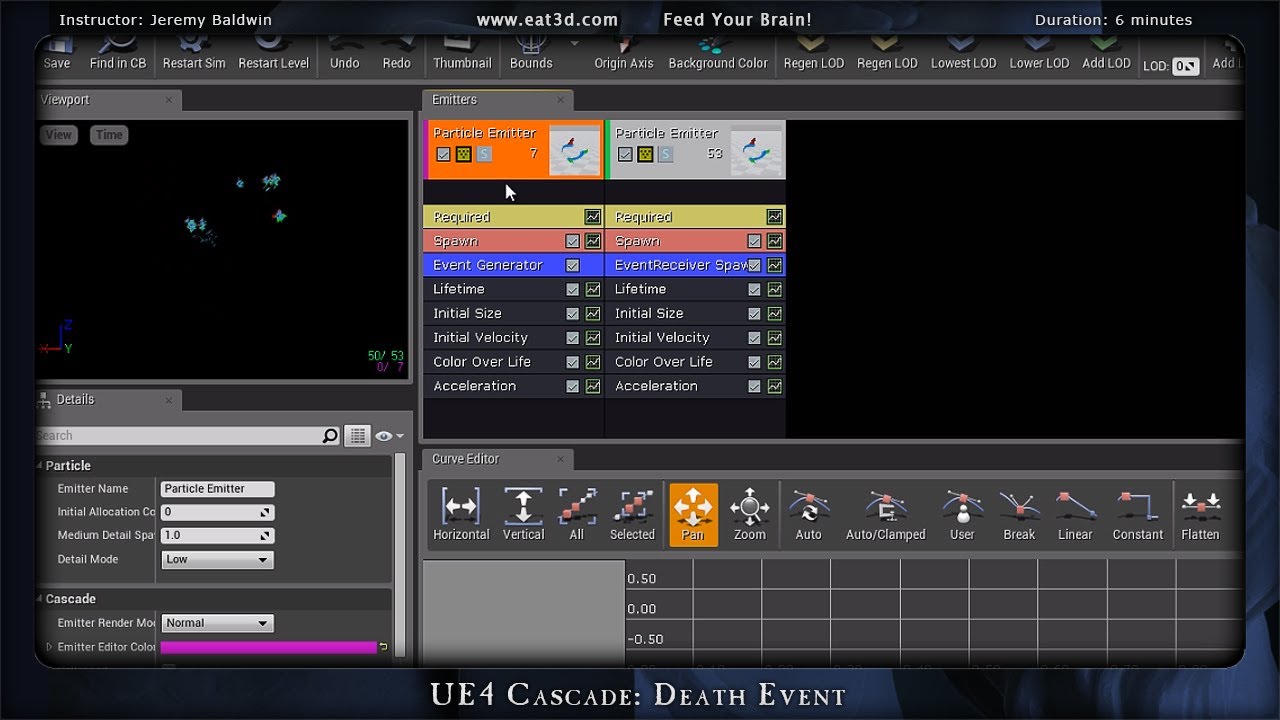
In this demonstration, Jeremy Baldwin shows how to spawn particles in a particle system off a secondary particle system using an event generator within Unrea...
show me your collision settings and I may be able to tell you why they aren't dying
stuck salmon
Yea I maanged to do it with the same video you linked :p
glass epoch
Is it possible to apply a flipbook texture onto a mesh particle?
Right now if I apply flipbook material to a mesh particle, it applies the entire flipbook instead of a frame
cold sorrel
Yes, but you have to control it yourself with parameters
glass epoch
@cold sorrel : how do I do that?
cold sorrel
Look up dynamic parameters
celest birch
Hello could anyone point me in the right direction in finding learning resources for Stylized textures and applying to fx
 safe raft
Is volumetric fog in UE4 suitable for things like airplanes going through clouds?
mortal lily
I doubt it. But you can always try i guess.
spare hare
https://streamable.com/gqpvn
idk the rain looks like shit tbh :D
 candid flint
Works for a 20 Euro game ;)
Despite the wall it lacks depth i think
is that fade distance?
Also resolution
devout tiger
I am trying to use the "one particle" volume method but the particle gets spawned once per second making the volume fog pulsate/pop. Is there a way to get the particle to just stay to get rid of the popping?
Even with long life settings it keeps re spawning
 dapper dawn
I have a particle emitter that i spawn attached. Inside the particle emitter there are emitters that use local space and some that don't. However, for some reason when spawning attached even the none "use local space" emitters seem to use the local space of the actor they are attached to
celest birch
Need some help with the ghost character creation. The main problem is when I am trying to put opacity lover then 1 it doesn't work properly with other objects with opacity lower then 1, including with itself.
brittle remnant
@celest birch Unfortunately this is a limitation with translucent meshes. There's no current solution for per pixel translucent sorting so you will always have these kinds of issues. You can check out this post by Tom. Scroll down to the "culling inner triangles" part of the post. https://www.tomlooman.com/the-many-uses-of-custom-depth-in-unreal-4/

Unreal Engine 4 introduced a new depth buffer along with their PBR rendering system. It’s called “Custom Depth” and can be used for effects like the selection outline that is built-in the Editor, rendering of occluded meshes or custom culling of transparency. I will di...
It won't solve all your problems but it can improve some of them.
cold sorrel
Will someone pin that damn post? It is already 67% of everything posted here.
celest birch
@brittle remnant Thanks
brittle remnant
haha
true terrace
heyall
Im trying to have a post process material that uses a sphere mask to do a simple transition to black on the scene.
BUT it seems to cut the fog out whenever the meshes are being blended to black
Any idea how to work around that?
brittle remnant
You would have to blend fake fog back into the black area of the post. You can do that by reading depth and adding the fog color in.
true terrace
This is what i mean
hmm what about if its volumetric fog as in the screen shot, i wouldnt get all the details right?
is it not rendering the fog because its black emissive? is that the issue?
wait i just realized that question doesnt make sense
i'll try with depth, thanks!
true terrace
Would anyone have a tip on how to affect only the gradient part of a gradient or mask?
As in i want to add some color within a range (.1 to .9) but NOT when its 0 or 1
solar remnant
color ramps are what I use for that
true terrace
oh yeah didnt think of that! thanks
for anyone else wondering, 1-x the mask then multiply that to the mask
does a ok job
brittle remnant
@true terrace You will not be able to blend the volume fog back in to what you are doing. Simple depth fog would work fine but volume fog is too sophisticated to do in post.
true terrace
@brittle remnant yeah sadly. I had to work around that by having my material effect on level meshes, instead of post process, this way the fog wasn't affected
 fringe panther
Does anyone have an idea what might be the cause of being unable to write to a rendertarget while sampling from another rendertarget ?
readpixel only seems to work on RGBA8 so im stuck using that
i have tried switching out the sampler2d in the material for a texture object but it's like i can't properly bind my rendertarget to the input
if anyone could provide any pointer id be gratefull were in a game jam and this needs to gets fixed today
 long citrus
i have a weird problem where my shooting fx is different depending where my player is facing, any idea why that is?
tawdry smelt
@long citrus got a vid?
 shut flicker
What is the workaround for doing acceleration in gpu particle systems that isn't constant?
(cascade)
 frail sail
hi guys, I got this cubemap applied to a sphere with inverted normals, and I am trying to tile it so that it's "seamless" with the level. There is some distorsion going on so no matter what scale I use there will always be something out of sync.
Am I doomed?
I don't come from a 3d graphics/rendering background. If I use the camera vector as UVW coordinates the distortion is unnoticeable (if there is any) but with no tiling it looks like a magnifier. I'd like to "scale" the cubemap without distortion but maybe that's just not possible for how cubemaps work
spare hare
Cubemaps simply dont have a depth
solar remnant
you could recreate the cube map on the fly using a render target though
frail sail
I am creating it on the fly, the thing is, I am unable to make it match the background.
@spare hare you mean a pixel depth property? Indeed!
spare hare
no. A Cubemap is just a texture that is "infinite" away
What you need is a parallax Cubemap, similar to how reflections do it
frail sail
so attempting to "tile" a cubemap makes no sense and will only generate artifacts
 glacial sentinel
Does anyone know how to make normal PointLights just act as giant balls of light with no (or very little falloff) so that the player can see exactly the boundaries of the light's radius? Attenuation radius unfortunately isn't sufficient beyond 512uu or so.
I've tried playing with the rest of the obvious things but I haven't been able to find the correct pieces (or combination of them)
celest birch
AFAIK point lights are only visible by the light (and hence shadow) they cast on other actors, however you could fake it with an emissive sphere with a point light inside
glacial sentinel
@celest birch Is it actually possible to use a material for a mesh in the same way that you use a decal? Because the only decal components I know of are cubes... whereas lights are either spheres or cones
celest birch
Decal what do you mean? Also to turn a cube/square into a sphere/circle use a sphere/circle mask
weary helm
Heyo, is it possible to have a translucent material working well with a custom depth post process effect ? The mesh with the translucent material is hidden. I tried different things like 'Separate Translucency" ticked or "allow custom depth", but it doesn't have any visible effects.
analog onyx
@weary helm It is getting clipped. Set clip mask to something lower.
brittle remnant
@glacial sentinel Disable inverse square falloff and then lover the falloff > 1
 sly echo
Hey guys i am having a problem with some shadows in a project of mine. I cant find any solution. Some of my lights creates some Artifacts like this https://i.gyazo.com/thumb/1200/1b25fdb162d317d8d7f11936cacf2853-png.jpg
Any direction or idea how to make smoother or fix it would be nice
 spare hare
static or dynamic?
sly echo
static
@spare hare at first i thought it was resolution shadow map of the wall behind but it is not :/
main bay
hey guys/girls
I wanna have a huge amounts of effects going on (making a Towerdefence game) are there does and donts that i should really pay atention to, like never use mesh particels or do use them etc
mortal lily
overdraw might be your worse enemy
mesh particles could actually help reducing overdraw in some cases
main bay
i get that its lighter for overdraw but will the total be reducing more then its helping
its a top down game
so i dont expect most of the effects to over draw to much
desert sage
been a while since I've worked with particles, can someone remind me how to make particles not be oriented towards the camera at all?
I thought it was screen alignment but that doesn't seem to do it
setting it to velocity is what is reccomended online but it it still aligns to the camera on one axis
also, I don't want it to rotate towards the velocity since they''ll be moving in a different direction than the one they are moving in
celest birch
is there anyone who can explain to me exactly what these do ? it's not scaling my parameters in the way I expect it ... tired of banging my head on this wall and I suspect this is where im missing something
fossil swan
@desert sage need to fiddle with axis/lock axis stuff
@celest birch min/max input is how you set the range. i.e. 0-1
the output could be -1000 to 1000
0 would be -1000 and 1 would be 1000
0.5 would be 0
constant > is the current value (uses the input)
celest birch
i thought it did that but it seemed to not scale linearly maybe my math is wrong somewhere else
thanks
constant is only used if no input ?
fossil swan
yea, and for preview
you can also make it show up when placing an emitter in the level to tweak those values
celest birch
yea thats what im doing
main bay
@fossil swan any master tips on making cheap performance effects look good?
and what are you tips on does and donts?
fossil swan
simple materials where possible, low poly meshes where possible, reduce drawcalls and overdraw where possible.
look at a lot of threads on realtimevfx.com
@main bay
main bay
thanks
do you know if its better to use mesh particles then camera facing planes with overdraw?
like 32 verts max
spare hare
Depends
fossil swan
depends on the shape
spare hare
depends on the materrial
fossil swan
and size
spare hare
depends on the amount

 spare hare
I usually use Camera Facing Particles. The overdraw is negligible in most cases.
main bay
lol
well its a topdown game, so i dont expect to much overdraw like grass or so
but just wondering how to test for when mesh particels can get cheaper then camera facing sprites. i tought they where almost always cheaper
but i would love to get a over the top amount of particels
fossil swan
gpu particles is where you get the most pews.
though one mesh could give you even more if you know how hehe
cold sorrel
All it depends on is where you have the performance to spare. If you are filling up on memory, don't use meshparticles. If Fillrate is kicking you in the teeth, simplify your materials. If the GPU is choking, move back to CPU and so on.
main bay
so with blueprints i noticed the total can be much greater if you only use 1 bp and then 400000 instances then for example 100 with a total of 40000 instances, is that the same with particles is the actualy spawning a different partical already creating a huge cost?
fossil swan
https://twitter.com/Luos_83/status/977565296646115328 this is one mesh


Interesting. For Shinbi's Heart #vfx they used a mesh existing of many many small planes, and trough some material wizardry they expand and what not resulting in what looks like a spammage of tiny gpu particles.
#ue4 #paragon https://t.co/U3UwfxLDqX
Twitter
cold sorrel
I would point you to the rtvfx wiki, but that entry is still empty xD
fossil swan
whips @cold sorrel get going!
cold sorrel
But I'm at wooooooork
fossil swan
priorities :p
main bay
so is that mesh heart cheaper then if you do it with gpu
cold sorrel
Define Cheaper
fossil swan
it depends, in this case the shape dictated a good usecase for using a mesh. getting that heart (or kiss) shape would have been hell to do trough other means.
main bay
oh and i noticed if my cam moves in a left or right motion gpu particals stretch horizontal and vertical for up and down, dioganal same but it simply gets the shape of the derection horizontal or vertical most
 rustic depot
Wat is he tryn?
main bay
Me? i'm trying to get a shit ton of effects going on at the same time but i like to ask experts like Luos on what to do or donts before i go the wrong way
main bay
is there like a instancing thing for particles
spare hare
particles are automatically instanced
fossil swan
raildex is the expert now
main bay
hey man you can say what you want but you made a lot of effects
cold sorrel
But systems are not
rustic depot
But what type of effect are you tryn now?
 spare hare
luos knows whats up 😎 🔥
cold sorrel
laughs in old man voice
spare hare
you can reset particle systems.
If you fire a lot of Systems at the same time it may be a good choice to pool the systems
main bay
i want a range of effects like, lazer, lazer from the sky, some lichting strikes, that hits multiple enemies, some homing rockets, some huge blast effect, some nice explosions for the units if they die
spare hare
have you profiled tho
main bay
what is pooling the systems?
spare hare
particle systems usually destroy themselves after completion.
You can keep them alive and simply reset them
analog onyx
You need to be properly certified to do lasers from sky though. Rest is cool.
rustic depot
Ehm.. what about ribbon collision triggering explosion IDK.. rarly using ue editor
main bay
haha, only if the name is deathray? i asume
so is keeping the particles alive better for performance then?
i only made particles that just stay in levels so i never really needed to pay close attention to how they where spawned
analog onyx
Cumulative wisdom of generations here is make it look good first, think about optimization later.
main bay
ye but i wanna make it run good and optimize at the same time
i dont wanna make something cool that i know wont work if there are atleast 30 going off at the same time of only that effect
rustic depot
Just use tons of opacity
main bay
sarcasm is strong in this one @rustic depot
 main bay
the game works
just not really any particles for fireing yet
its now just a cone that shoots out
so you can already place 1000ths of towers if you want
rustic depot
In what location did you spawn them?
Box field ...plane...
Or are you trying to make the blueprint?
celest birch
how does it work if i want to drive a min AND max value
the input is only one vector
main bay
celest birch
someone pls O_O
rustic depot
Do you want to control just one of them? Or do you have just a vector 1 inputs?
I don't understand your question
celest birch
i want to control the size of my emitter with a volume
fossil swan
afaik can only min/max random that value by changing it every time it spawns/activates trough bp
celest birch
Oo
but its the whole box
for all particles
what wont work
so why dont we have a box emitter module
like we do for cylinder location for example
or am I doing this wrong ?
@rustic depot my issue is init location wants min/max values in XYZ and vector parameters only have 1 value for X, 1 for Y, 1 for Z
i just want my particles to emit within a box -_- is it actually that complicated ??
rustic depot
Shouldn't be, I'm not home so can't try
main bay
@rustic depot Are the assets height based? Looks like extruding in y
Looks cool what do you mean height based
https://twitter.com/klemen_lozar/status/1033409819116359681
anyone tried this effect?


Dynamic lights are expensive, using sprites with a modulate blend material you can multiply screen colors behind the sprite and use depth masking to fake a light radius, cheap and can work surprisingly well. #screenshotsaturday #UE4 #gamedev #indiedev https://t.co/fNct4EYT...
Retweets
449
Likes
2265
Twitter
celest birch
@fossil swan is it really not possible to set bounds of a box in BP and emit inside these bounds ? it sounds crazy that this would be any kind of issue
fossil swan
no idea what exactly you are trying to do.
plenty of ways to emit within bounds
initial location is already within bounds
celest birch
i am trying to have a box in my BP actor
that drives the bounds of my emitter
but all the location modules take in min and max values for XYZ
and all I can feed it is a single vector
fossil swan
bounding box in cascade means something different sorta
celest birch
yeah sorry
i mean because in BP i am just using the "bounds" of my component to drive it
but i mean emit inside of a box
spare hare
@main bay dynamic lights with SHADOWs are expensive.
celest birch
simply that and driven by my box component
spare hare
lights without shadows are pretty much almost free
spare hare
with a particle you render pixels twice because its rendered after the base pasee
celest birch
@fossil swan
fossil swan
sorry too busy atm
analog onyx
You might not be able to do that via particle parameter. Cascade ¯_(ツ)_/¯
spare hare
Cascade has a Box Location Module
(hopefully. idk cascade is shit and havent used since niagara)
analog onyx
Pass two parameters. One defines starting plane, where all particles should spawn. Control that with initial location plus parameter. Add world offset module, and offset your particles randomly by a size of your box in remaining dimension.
@spare hare You wish.
fossil swan
no box location module
there is a kill box
not sure if it has variable support, could use that to kill stuff outside of it XD
or a cylinder, disable axis so its one square, move it back/forth
fossil swan
old tool is old
main bay
you can probably do some material magic with worldposition multiplay or so
cold sorrel
There
😄
Also saying that lights without shadows are pretty much free is a very bold overstatement.
main bay
thanks
cold sorrel
Does Unreal not do lighttiles?
main bay
ye i just did a test and well it is alot cheaper then shadow!! by a mounten, but free...
mortal lily
arrgh the fillrate one is already done. hehe
spare hare
@cold sorrel
260 point Lights with maximum radius (16k) cost 11ms for me.
960 point lights with small radius (1k) cost 16ms.
Both where profiled from a distance of 5000.
which is indeed not free. but not very expensive either
cold sorrel
Nah, just the entire frametime 😛
spare hare
thats what optimizing is for.
If you have 260 point lights with a 16k radius, i would fire you instantenously.
spare hare
163m
cold sorrel
Got it
Unreal limits at 4 overlaps though the docs says
@mortal lily Feel free to expand on it!
spare hare
that limit is for stationary only
cold sorrel
ah
spare hare
1920 point lights 
cold sorrel
Either way, it's easy to get to a tenth of that many overlapping with projectiles if not controlled and paying over 1 ms for projectile lights is ludacris
glacial sentinel
Help! My particle emitter is spawning endlessly and I only want to show it for one lifetime and then no more per Event call
 kind sorrel
how can I make this emitter despawn ? https://gyazo.com/088e4eb102a6a1a834fb818646b67460
 dapper dawn
there is an "set emitter enabled" node which is GREAT! Love it!.... but... how does one DISABLE a particle emitter within the particle system? 🤔 hmmmm.....
 stone kettle
 spark latch
I'm offering paypal ($25 minimum) for help with a material I need created. PM me if interested, price is negotiable.
spare hare
@spark latch what needs to be done?
mortal lily
 viscid bridge
Hey 😃 I´m quite new to unreal. I have the following problem: I have a fire (one I´m using from the M5VFXVOL2-package) and I created a trigger capsule which fits the size of my oven. now I want the fire to stay inside the capsule so I thought of adding an "actor collision" to the fire emitter. I set it the "collision completion option" to kill and left the "collision type" at "WorldStatic" but it´s not working at all.. the flames are still coming through the capsule. Can anyone maybe help me solving this problem? thanks a lot in advance!
p.s.: I´m not sure how complicated that is 🙈
fossil swan
@spark latch stop posting that, go to #looking-for-talent, thanks 😃
@viscid bridge while its only a start, use a kill volume, make it the size of the oven (might need to be a tick smaller) and make it kill when its outside.
viscid bridge
alright! I´ll try that! ty!!
spark latch
@fossil swan I didn't realize those sections were there. Sorry about that.
fossil swan
no worries, now you know 😃
celest birch
Hello Im seeking some information on particle trails we created a boat and plane and are trying to figure out how to make a trail from the obj going though water and clouds and information how some thing like this is done would be awesome.
solar remnant
could use a render target or reference depth fade or distance fields, the solution depends on what you are hoping to achieve
 wary cliff
How do I force a particle system (gpu sprites) to be consistent on all quality settings?
The first problem I had was the spawn rate being affected by the effects quality setting, Unchecking "Apply Global Spawn Rate Scale" fixed that one but reducing shadow quality also breaks my ps on low and medium settings.
edit: The reason is the distant field collisionmode, but I can't use it without that...
edit: nevermind resolved
 merry igloo
I am having trouble working on a material for particle system, hoping to get some help as im pretty stuck. The black background shows on the final material I have a masked out alpha channel in photoshop on the file im using in ue4, not sure why black bg is still showing on this , i get same result for translucent & masked
https://www.youtube.com/watch?v=gW7uTix1mLg&t=89s
I am following this tutorial to learn about particle effects, aside from very basic editing of a few particle systems in free content this is really my first time in cascade, have not done anything in niagra before , but the tutorial uses an asset from a rather pricey pack so i wanted to recreate the same material that he uses, which is not complex at all , but i cannot figure out what im doing wrong in the texture
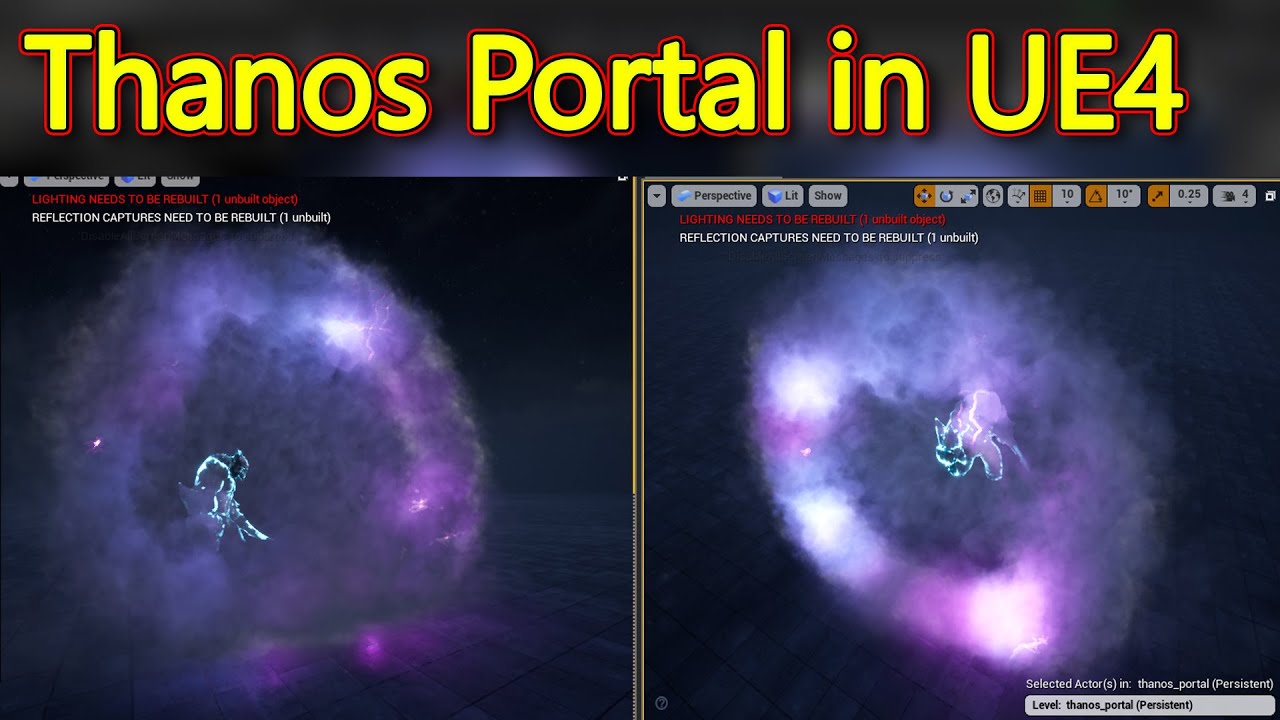
Visit: https://cghow.com/ for more tutorials. submit your tutorial/Artwork. In this tutorial you will learn how to create Thanos Portal Effect in unreal engi...
honestly im not even sure if my error is something in ue or ps, any help would be greatly appreciated thanks
solar remnant
are you sure your image is exporting with an alpha? photoshop likes to not do that for me sometimes you can check with a multiply and preview the channel in there
merry igloo
so its odd,
alpha channel is now showing false in unreal, how ever when i first reimport a fresh save of the image into ue it will show true
it only swaps to false after i start doing stuff in the editor , but if i open the file back in ps, i can view the alpha channel and its still correctly ( enough ) masked
can still get to show true when i freshly import
spare hare
Alpha Channel is available depending on your Compression setting
Also dont use png, but tga
merry igloo
what would the recommended settings be for unreal?
fossil swan
smaller textures, and if its a black/white image, no alpha.
 wispy plinth
is there anyway for me to get a vector from a material into blueprints?
I want to check what the average color of the scene is from a certain position.
merry igloo
@fossil swan Smaller as in pixel size or file size? also the image is in color
spare hare
@merry igloo Resolution is important, not the file size on your disk.
just because jpg is smaller doesnt mean you should use jpg.
merry igloo
seems like its impossible to find any solid info on how to set up these files specifinally what settings unreal is looking for, and no offense but no one has given any solid info here either alpha channel is avaliable depending on your compression settings, okay what settings should i use to get that, make it smaller, further more ive gotten things like if its black and white no alpha, okay but the screen shots i posted clearly show i am working in color, furthermore the screen shots also show i am using 8bit rgb tga file as well as a 4096x4096 resolution, i feel like i provided plenty of information and i am just getting the most basic of answers, not sure why on that really. I mean a good answer to me seems like ( and this is an example) that if want the alpha to function properly i would need a 1024x1024 image saved as tga with only 16 bits per channel anything above that will nulify the alpha, or what ever the real answer maybe. @spare hare is really the only one who actually answered a question directly with the reso/byte size question . If this is information buried deep in the ue4 documentation i am unable to find it. the only tutorials that come close to covering something along the lines of my issue, skip straight over the export from PS and import to UE4 process, which clearly seems to be where the problem im having is. So the real question is how does one actually find the info on what ue4 is looking for when setting up files in other programs
spare hare
You can easily tell whether your Texture has Alpha or not in UE by ticking/ unticking the separate channels of your texture
merry igloo
yes i am to a point where it shows alpha here, still doenst function properly in my material
spare hare
maybe show me the texture?
fossil swan
"clearly shows I am working in color"
https://media.discordapp.net/attachments/375020523240816640/575842327827054603/unknown.png?width=1450&height=790

thats a black/white lightning image, just add the color inside the shader.
we explained plenty and properly, but i feel your inexperience is the bottleneck here.
the reason we tell you to reduce the texture size is out of experience. a 4k flipbook for some lighting is very expensive, especially if there are better ways to approach lightning. loads of good examples on realtimevfx.
As long as there is an alpha channel in your tga, and you save it properly as 32 bit, itll be there on import. though again, you wont really need an alpha channel for this. heck, you dont even really need a flipbook for this but /shrug.
merry igloo
ty rail, i finally just it got it working properlly, i believe the last hang up is actually my editor just behaving oddly
@fossil swan thats a color image, the black and white you see is the alpha channel showed by it self in photoshop, does not chage the fact its a color image also the screen shot has the file name and settings in the tab on photoshop that also show its rgb/8bit so yeah i would say it clearly shows i am working in color before it hits the editor, but i guess your inexperience with photoshop makes it rather "black and white" in your mind
fossil swan
dude, ive been doing this for 18 years
my point was that you dont need color for that kind of thing
you could easily add the color to the grayscale in ue4
saving you the alpha
which costs as much as RG and B combined
solar remnant
I'll second the greyscale, pre-coloring for these sort of effects is stupid as you are stuck with your baked in color and are taking up memory for zero gain
analog onyx
@wispy plinth Needs a plugin to readback scene color.
fossil swan
@merry igloo dont get me wrong, I could probably have worded it better
but your current approach is highly unoptimal
merry igloo
better settings is all well in good, but youre rather being a dick about insiting my image is in grey scale when it clearly is not, not to mention the fact that i also "clearly stated" i was trying to recreate the exact asset used in the tutorial, also clearly stated that i am attempting to learn the particle system through said tutorial ( and of course others) but this literally my first attempt at anything in the particle system in ue4 , so i guess i should make it rather understandable, the tutorial does not do it the way you are suggesting and i fully intend to follow it the way he does it in the video, further expanding that concept, i do not know how to color grey scale particles in ue4 at this point so thats not an option second note on that, the tutorial specially uses the mask from the alpha luos, you think your initial answer had any help to the actually problem, youve been doing this 18 years? you should probably know then a 4k vs 1k texture isnt going to cause my alpha to malfunction honestly not trying to be an ass hole by pointing this out, but the texture size had abosultely nothing to do with the alpha issues, and changing texture size does nothing for the issue that was happening
cold sorrel
It'd be a redo if my junior handed me that
merry igloo
4k vs 1k is purly about optimization and as this is about learning and not creating a game ready or market ready asset , that again holds no bearing on the issue
cold sorrel
Oh, it's cghow. That explains it xD
merry igloo
but by all means if you want to make a tutorial that highlights the proper way to do it have at it
cold sorrel
I can never tell if that channel is satire or if he simply refuses to learn :p
Oh I don't think I have the chops to make a complex tutorial like that
fossil swan
just spend a lot of time on realtimevfx. and there are a lot of tutorials out there showcasing proper practices.
minus cghow
solar remnant
gdc talks too
cold sorrel
Not mine!
fossil swan
@cold sorrel can I be undead again? dont like being dead to people :p
 merry igloo
but tbh thats a big problem with with the commuity
cold sorrel
I had my old glasses and that clearly invalidates all I said.
fossil swan
18 year general gamedev experience @analog onyx vfx about 6
cold sorrel
No luos. Not until you have better opinions
merry igloo
some one comes looking for help on something, and you guys who have been doing this for X years have this attitude of you do it best, so you tell the new guy in the most vauge way possible to do it your way
fossil swan
ok ok, half life is the best game ever
cold sorrel
There ya go
fossil swan
with perhaps half life 2 topping it
solar remnant
Hand holding doesn't exist in this industry, many people offered sound advice thats all we can really do from our armchairs
analog onyx
@merry igloo The best way to take feedback is to relax and let it flow through you i'd guess.
cold sorrel
Fine! Export texture as 32bit tga, thus including alpha. Import it leaving everything at default. Done
fossil swan
A Community for Real-Time Visual Effects Artists
its funny we had this whole lightning mesh flipbook talk on the vfx discord a day ago.

Quick breakdown of stylized electricity, I cycle between meshes based on their assigned vertex color values, it's like a "mesh flipbook". This is a very flexible technique, 3D results and drawing efficiency. #screenshotsaturday #gamedev #indiedev #UnrealEngine https://t.co...
Retweets
1678
Likes
6435
Twitter
merry igloo
i just think its highly misleading when you are told something wont work period
and what do you know
it works
seems cascade can handle a 4k textures no problem for flipbooks
but you hate on some one who is trying to share knowledge
fossil swan
lol
merry igloo
just seems toxic af
fossil swan


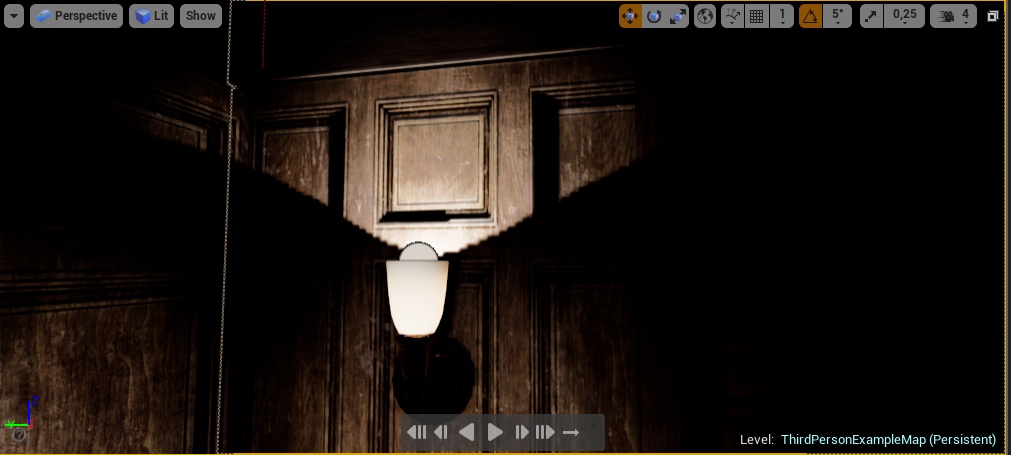


me and glad atm
now I am toxic
just so you know the difference
you can even use 16k textures for flipbooks if you want (with a little ini tweak)
the point is not to do that because fucking unoptimal
solar remnant
just use a cubemap
cold sorrel
Hammering nails into the tires of a car works until you need to drive it. It still isn't something I would teach.
Same thing
fossil swan
its like putting a bandaid on a wooden leg
cold sorrel
I would even go as far as trying discourage said hammering
And instead suggest buying studded tires
Does that make sense?
wispy plinth
@analog onyx what plugin? Is it heavy on performance? Just need a 4x4px sample