#visual-fx
1 messages · Page 20 of 1
 indigo jolt
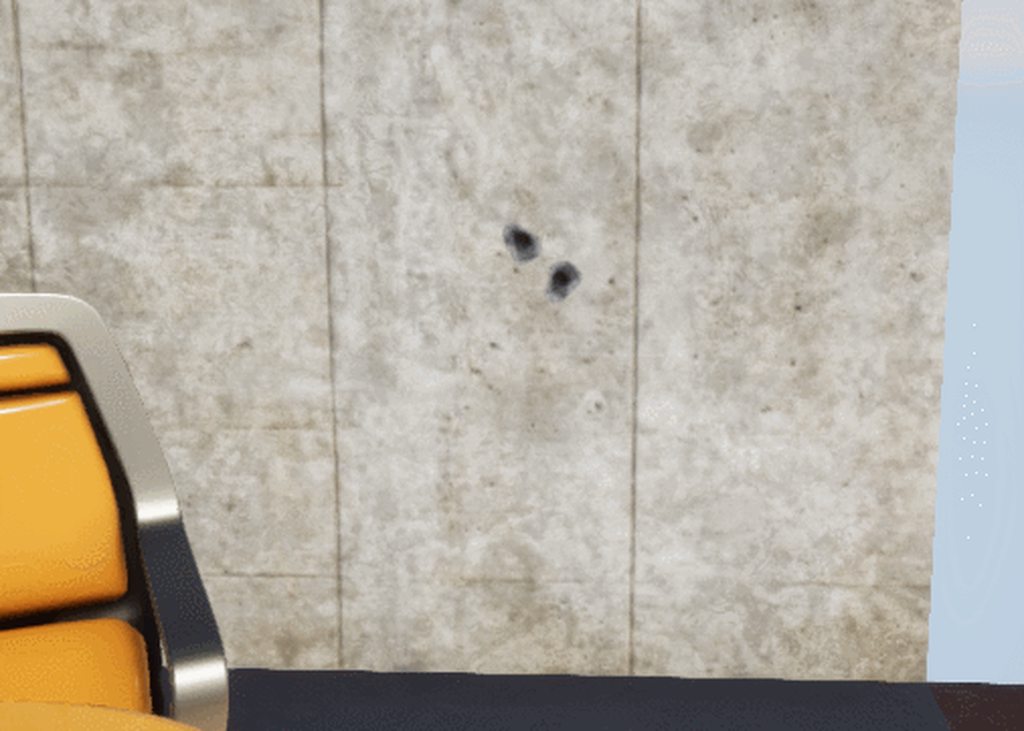
oh just straight up meshes not actual decals
hmmm times like these i wish i was working on a game with more flat surfaces 😛
but at that scale i guess it'll work with everything
indigo jolt
oh that weird other tech
i never tried those
do those work in forwardrendering?
that might actually be a really useful thing for me to try...
 cold sorrel
No clue. Tried them for the first time today so take nothing I say as fact
They don't really project, they are .... weird
indigo jolt
hmmm i still need to try
i haven't touched niagara yet due to project...but those i have no excuse for
cold sorrel
Me neither
Hmm, they seem more to be depth based, so they only render against geo
instead of projecting
Right, so you should be using geo that conforms to whatever you want the meshdecal on. Meh, I'm just doing bullet holes so who cares! 😄
 fierce epoch
Can't find a way to do a pre-warm on a niagara system. Start it up as if the system's been running for a while. I tried setting the age of the emitter and the age of the system on spawn, but then I get no particles spawned at all. Does anybody know how this should be done?
 long rapids
hey gang, i need to have particles follow a spline, but not EXACTLY, i want them to kinda twist around it. any suggestions?
(cascade not Niagra)
 devout portal
@fierce epoch Hmm. I wonder if it's possible. I've tried various ways of doing that but could not force the particle system to warm up.
most obvious way should be to drag the particle system on the timeline, unfortunately that didn't work...
start/end also only works inside the preview window
 sullen forge
so im checking one of the cool playstation developer conference papers
and there is this thing wich is wild (graphics research)
using a compute shader to render particles
to have "perfect" depth sorted particles without any kind of overdraw
the technique is more or less like forward+ rendering. You sort all the particles into a screenspace grid, and then each pixel grabs the particle list, sorts by depth, and renders the first one (maybe a bit of the second one if there is transparency)
plus industrial amounts of shader hackery for optimization
shows huge gains thanks to async compute and stuff on heavily overdraw scenarios, where there are tons and tons of particles
devout portal
@sullen forge link?
sullen forge
NDAD 😦 due to all the fancy shader trickery
i think nvidia has their own version, this is mostly an improved technique
but its essentially doing software rendering in a compute shader, for the particles
 analog onyx
What sorting algo are they using ?
sullen forge
they raytrace the particle quads on the compute shader
per pixel
and then sort the hits
devout portal
@long rapids i'm not cascade guru, but you could place particle not in the center and just spin it, that will make an illusion of spiral motion
@analog onyx quick sort probably, not many options there, they're all have to be linear (as they are computed in parallel per pixel)
 valid shadow
is there a way to convert a material to texture based on a mesh
 obtuse seal
@fierce epoch I'll be double checking on this but I think the intended method to have warmup time is setting a negative first loop delay. You have to adjust the sim timing in the timeline so that it doesn't start in negative time however, so for 2s warmup I set the scrubber to start at 2s https://gyazo.com/2b12494e2e6a3f4f653eb7c0de9a745f

@long rapids You can't have the particles of a cascade system follow a spline but you can have the entire cascade system itself moved along a spline. As for getting a twirl around a point on a spline you can calculate a point on a tangent aligned circle that progresses with sine, Niagara has a Rotate Around Point module that effectively does this so you could port that to BP
devout portal
@obtuse seal dragging the emitter in the timeline sets this, but it does not affecting the system in the level
long rapids
@obtuse seal thanks, i'll try something like that
 ebon gate
How do i enable 3D draw mode in niagara?
fierce epoch
@obtuse seal I tried that (again now), can't get it to work. Maybe it should but something's missing, I donno.
@devout portal That's why I posted, I began to think maybe it's not possible too. But the system simulates so well when u scrub, I think it's weird if it's not possible.
I was sure the solution is in setting the system's age on spawn.
 celest birch
Hello, I don't know how to call it, but let's say I want to create this fx: the magician creates a well in front of him and from this well a lot of ghosts come out. Now the problem is the well will intersect the ground, but I saw some videogames hacking that because there's some sort of zDepth/render priority/whatever so the well could be rendered on top of the ground and you'll have this sort of hole inside the ground. Do you think is possible in UE? And How? Thank you a lot in advance.
cold sorrel
@celest birch POM method: https://imgur.com/a/0XgUNJg
Stencil method: https://www.youtube.com/watch?v=WzeeXMcui_0

Chris Murphy (Epic Games) takes us through the creation of an Asteroid blasting through a portal similar to the effect in Paragon.
celest birch
@cold sorrel , interesting, it seems what I need. Thank you for the name and link
devout portal
I wonder if Wyeth will read the thread above...
obtuse seal
I'm 50/50 odds on someone having been answered how to do Niagara warmup times in the recent live stream but I'd have to watch the whole thing to find it 🤔
 brittle remnant
So I noticed the Niagara test map runs very slowly on my machine. It seems like the main culprit is the sample system that has the running character. Seems to cost 8-10ms.
Is there still a significant amount of optimization work to do with niagara? Also is there anything specific to this emitter that we should be wary of?
fierce epoch
@obtuse seal I'm actually 30 mins into the thing hoping to hear something about it. What I do know is that none of the systems showcased in the content examples scene is a warmup, so I'm skeptical :X
brittle remnant
As well it seems that while Niagara enables extremely complex data manipulation it makes doing simple things somewhat unintuitive. I'm concerned that the workflow has taken a couple steps backwards for meat and potatoes work in order to enable the crazy advanced stuff.
I'm willing to chalk up my initial discomfort to unfamiliarity to some degree but at the same time I can't help but feel that cascade's stack of modules was easier to read at a glance.
fierce epoch
@brittle remnant It's still early access, I believe that's one of the things they will tend to before replacing Cascade completely. Once they add all of the features that are missing in node form, I think it'll be a much more comfortable system to use
obtuse seal
Regarding the speed of Niagara, there's much optimization to come. Skeletal mesh sampling is costly due to tons of data polling getting tris and UVs to replicate the mesh surface in the particle material plus physics simulation, etc etc
As for creating more simplistic systems, although Niagara may at first glance appear more complicated it is exponentially faster to iterate and create new effects just on the basis of being able to modularize behavior.
As well I suspect it will be much faster to create simple effects once the included modules library gets filled out more to suit the needs of simpler effects. And as well there's a learning curve to the UI to be sure
brittle remnant
I agree the functionality awesome and reusable but the interface to that functionality is this giant wall of nested properties and lots of hidden / layered data. It makes it really hard to "read" when working.
I find myself constantly expanding rollouts to try and figure out how the particles are being modified.
obtuse seal
Indeed it is a danger of exposing behavior that was once walled off that it can become confusing
as far as the concept of modifying the very core behavior like Solve Forces and Velocity
brittle remnant
The cascade modules being labeled at a higher level allowed the user to compartmentalize the data flow / xforms and easily understand what a system is doing. (It wasn't perfect by any means but just by example here)
Yeah I think "Solve Forces and Velocity" is a perfect example of what I'm feeling. It's all become very abstract.
obtuse seal
I would surmise the reason for the continued existence of the stack paradigm in Niagara was to expose this same data
brittle remnant
To be super clear I think it's all a step in the right direction, I feel like the UI could use some improvements to make readability and clarity better.
obtuse seal
It could be a good idea to hide some intrinsic modules by default to save some pain for non power users
although you have to consider that the entire possibility of disabling something like Solve Forces and Velocity is an optimization within itself...
there could also be some more color coding in the stack
oh and something I was considering was stack comments, which may be of use in particularly large/complicated effects
brittle remnant
"although you have to consider that the entire possibility of disabling something like Solve Forces and Velocity is an optimization within itself..." what do you mean by this comment?
obtuse seal
If you don't need to solve forces in your particle system you can remove the entire module that handles it and save on computation there
brittle remnant
Ah gotcha.
I think stacks of float modifiers like this are kind of hard to "read" for example.
obtuse seal
Yeah, stack comments could help in that regard
brittle remnant
I feel like it needs a bigger container that encapsulates the function moreso than comments.
obtuse seal
Hrm, not a bad idea to have an unwrapped view of the dynamic input hierarchy
if that's what you're talking about 🤔
brittle remnant
Maybe it's just me but I feel like I'm always dealing with the raw data streams instead of thinking about higher order behaviors.
I like that I can drill down in there for sure.
But it's really hard for me to re-read someone else's work due to lack of encapsulation. Kind of like looking at assembler or something.
obtuse seal
Yeah, trawling other vfx work will be a pain without comments, which I might suggest once more that stack comments could assist with lol
although there's only so much to be done softening the blow of making an intrinsically more complicated system readable
as it was you could only edit so much of a Cascade system
brittle remnant
Oooh
Ok what if commenting a chunk of the stack would turn it into a reusable/expandable module? Like in my example above I could collapse it into "Scale By Curve" and only the input fields would be exposed?
I could imagine those being made into their own reusable thing in the generic browser?
obtuse seal
You can make a module to handle that if you'd like
it's the concept of modules itself
brittle remnant
If that's the intent for modules then why have this alternate route?
obtuse seal
There would be a heckuva lotta default modules if there was one for each possible data conversion/operation
brittle remnant
Makes sense. But then I would still say that you should make comments look and behave as if they were a module. The text of the comment becomes the "module" name and then you can expand it to edit.
Should be color or icon coded to be different than a module of course. 😄
brittle remnant
The idea being that the comment encapsulates and explains the functions inside.
😄
Thus reducing clutter and increasing the global readability.
but still allowing users to drill down and edit.
obtuse seal
Yeah, I can see that sometimes you might want to glue together a modules out of dynamic inputs and data-ops but it you only want one so no reason to bother making a module and it becomes quite large so it's illegible from the outside. Certainly a good use case for a commenting system as described
brittle remnant
Yeah that sounds pretty cool. I'm still learning so I'll ping back more feedback/impressions as my understanding improves.
obtuse seal
could probably use a submissions form of some sort to send this along to the dev team, probably worth pm'ing them any ideas you have as I'm sure they'd like to know
 viral wadi
@brittle remnant Thanks for the feedback and ideas, this is definitely an area that we will be focusing on as we more forwards. There was actually some discussion early on about whether or not to allow nested dynamic inputs to reduce complexity and since they cause readability issues in the current stack paradigm, but in the end they were too useful to exclude
that said we've got a ways to go before the user experience really feels right
 ocean hedge
@obtuse seal We put in a temporary way to edit the warmup in the System details
the above discussion is really useful
one idea that was thrown around at one point was to basically have a graph at the system level of just the emitters with each module being stacked up cascade style within the emitter... events would be the connections between emitters... and selection of emitters/modules would populate the current property panel
it's one path we may explore based on feedback
 spice bone
regarding system exposed parameters and accessing the parameters via BP, it seems intuitive for primatives (set niagara variable float, etc) but what about setting other system exposed params like skeletal meshes, enums, etc? Is that currently possible? Sorry if re-ask, searched here and on forums and couldn't find a clear answer.
 wet pumice
There are two parts to that answer.
One part is wrt our types. Niagara has it's own type system that we'll need to interface with BP type system in order for BPs to easily set arbitrary Niagara types.
Currently we have provided explicit functions for the most common types but for less common types we'll need create some solution that can handle any Niagara type.
The second part is wrt data interfaces. For skeletal meshes and the like.
Currently you can reference an actor in the level from the skeletal mesh interface for example so that the emitter can spawn from that mesh. (We also detect meshes the system is attached to for spawning).
This does feel a little clunky and we can likely do better.
One option may be passing references to other objects like meshes directly as parameters and having the DI read that parameter to find the mesh it should use.
Alternatively we can allow users to create instances of whole Data Interfaces in BP and then set those as the parameter.
Each of these has advantages and challenges to overcome which we'll be discussing in the coming months.
obtuse seal
DIs in BP would open up a lot of possibilities but managing synchronization seems tricky 🤔
wet pumice
Yeah I think that is my preferred answer but there's a ton of possible issues/pitfalls there.
We shall see when I get time to give that some love again 😃
obtuse seal
If I add a new NiagaraNode type, where's the right place to expose it to editor? I'm guessing EdGraphSchema_Niagara which has a GetGraphContextActions call 🤔
wet pumice
Yep that's the place.
Though we do need to provide c++ extensions points here so users could create their own nodes.
Tbh new nodes isn't something we've really considered users would want to do a lot.
What specifically are you trying to write?
obtuse seal
Wanted to stick my nose into writing a for loop utility for the graph
wet pumice
That's a can of worms right there but I'd be interested to see what you come up with.
obtuse seal
Not much else to say but that I've hmm'd and haw'd over very technical mockups done in mspaint
I do think I found a nice implementation that avoids needing to make a niagara function script just for the loop *contents
wet pumice
Looking forward to seeing it. 😃
viral wadi
for better or worse we'd probably use a design similar to what blueprints does for loops but instead of the execution wire, we'd have the parameter map pin
purely based on the fact that people are already used to that setup
obtuse seal
Yeah I had a guess that might happen but it looked like an execution flow nightmare
viral wadi
although adding a node that would just call a function n times would probably still be a useful first step
although honestly I don't think I would want to try to implement any of this until we take some time to rethink and refactor the translator
obtuse seal
yes in particular a solution with passing through the context wire would require a good deal of work in the translator, or at least it seems as much to me 🤔
spice bone
@wet pumice thanks for the detailed answer. So currently there are some types which are inaccessible except via defaults in editor and you're looking at creating other ways for them to be accessed, yeah? Just for my own clear understanding!
wet pumice
Yes that is true.
Though actually adding any particular type is trivial so if there's a list of ones you're really feeling the lack of, I can add them.
Eventually I'm hoping to rope @viral wadi into creating some blueprint UI magic to set any type via a new BP node specific for niagara. :D
@obtuse seal
There's almost certainly going to be work in the vm compiler back end too.
I suspect it would blow up right now if it sees a for loop 😄
obtuse seal
babies first for loop inside a custom hlsl node works right now, what could possibly go wrong 
wet pumice
Works like works works?
wet pumice
CPU execution?
ocean hedge
if the optimizer auto-unrolls the for loop, it would be fine on the back end
wet pumice
Yeah that must be what's happening.
Awesome if so.
Sometimes the compiler back end just does the right thing all by itself and I'm like.
https://www.youtube.com/watch?v=KlLMlJ2tDkg

a Compilation of Owen Wilson saying WOW. ► Follow us! • Facebook - https://www.facebook.com/OwenergyStudios/ • Twitter - https://twitter.com/OwenergyBoost?la...
obtuse seal
Unrolling does indeed work but optimizer has no concept of variable loop count 🤔
unsurprisingly
wet pumice
a variable loop count definitely wont work yet on CPU
I need to implement proper branching in the vector vm which I've not gotten around to yet.
obtuse seal
note that variable loops do indeed work on GPU. I had perused the vectorvm bits but couldn't wrap my head around it 🤔
sullen forge
they do work
but its a "with caveats"
we go back to the whole "gpus execute math in chunks of 64 floats"
so if a single chunk (waveform) uses the same amount of iterations
then all is gold
if any one of the 64 floats uses 10 iterations and the other 63 numbers do only 2 iterations, the gpu executes 10 iterations
a static for loop, or a loop that uses a global variable will be completely fine
obtuse seal
the more you know 🤔
wet pumice
Yeah branching/looping on GPUs is something I think more people should be aware of. Especially Niagara users.
We'll likely put something explaining this along with the docs for our branching and looping nodes when they arrive.
CPU branching will have similar performance considerations to the GPU.
CPU simulation I mean. Done in the Vector VM for Niagara.
Not regular branching on the CPU.
That has a whole other set of performance considerations 😄
brittle remnant
@viral wadi Yeah the more I play with it the less confusing it's getting but I think if I imagine multiple artists working on one effect it could become difficult to read/understand the intent behind the original creation.
obtuse seal
I cry for the artists. But altogether vfx work is as much technical as it is artistic
brittle remnant
Just because something is technical doesn't mean it's ok for it to be hard to understand. I would argue that the pure code version is right now more clear than the current interface, because it can be commented and the flow of data is easier to see at a glance. UE4 has amazing toolchains and they should strive to communicate complex ideas in a clear way.
Like the point of a tool is to simplify common workflows otherwise it's easier to just write code.
obtuse seal
Well I wouldn't want to imply that user interface should be left by the wayside, much the opposite that Niagara offers an opportunity to massively clean up Cascade's workflow
Aside, riddle me why the Vector VM is called a Vector VM if it can't output vectors? 🤔
brittle remnant
Also to enable creative people to be creative. It's possible to do everything Substance designer does in 3DSMax through a massive amount of scripting / stack manipulation but designer makes it intuitive and easy and the artist can focus on making art.
sullen forge
@wet pumice does vector vm use AVX and similar stuff?
last time i looked i think it did SSE, but im not sure if it supports wider stuff
wet pumice
Not yet.
It's SSE2 only currently. Primarily for portability but at some point in the near future I want to extend it for those machines capable of better to use better instruction sets and wider registers.
sullen forge
isnt the VectorRegister 4-wide?
wet pumice
yes
sullen forge
running 2 or 4 of them at once in the vm? for the wider instruction sets
interesting. You can take that stuff REALLY far
like using the super fancy latest AVX instructions including things like masking
obtuse seal
'tis greek to me but nevertheless incredibly interesting 👀
sullen forge
@obtuse seal CPUs have done SSE for a ton of years already. That lets you do math on 4 numbers at the same time
on the later years, they have been extending it to be wider
i think the bleeding edge is 32 floats
wet pumice
:)
I won';t bore everyone with getting too far into it but yes.
Eventually the machines that support them should have access to the newest and best instructions and the perf boost that comes with them.
sullen forge
only on Xeons and that kind of cpus i think
GPUs have been doing this for a LONG time
thats why they are so good at graphics
obtuse seal
Interdasting
sullen forge
after all, graphics its executing the same code (same shader) on a bunch of pixels at once
obtuse seal
Meanwhile the rand function
wet pumice
A rework of how we handle randoms is something I want to do asap
sullen forge
blue noise please

bluenoise is the noise at the top
nvm they use noise texture the bastards
obtuse seal
Cruel jokes aside keep up the good work STovey 👍
sullen forge
yeah its real fancy
wet pumice
😃
Cheers
fierce epoch
omg @viral wadi system details for warmup, so simple, I've been going nuts!
At least I learned Niagara a bit better because of this. lol
sullen forge
@obtuse seal want a random function? https://www.shadertoy.com/view/ltB3zD

you should be able to paste the "gold_noise" function as an hlsl node
with edits of course
brittle remnant
RE: Niagara GPU VS CPU, I pinged this earlier but I think I'm still unclear. Is there anything a GPU sim cannot do that a CPU sim can? Ignoring performance why would I pick CPU or GPU when designing a system?
My default stance is put everything you can on the GPU because we almost always have more GPU power than CPU. However I don't know if I'm trading off CPU only features or advantages with this line of logic.
spice bone
@wet pumice thanks for the confirmation, saves me going on a wild goose chase. The main thing we were trying to set was skeletal mesh so we could apply that dynamically to templates that require one. We haven't tested enough to know what else might be handy, but there are some usual suspects that come to mind. The basics you have there cover almost all cases though.
wet pumice
@brittle remnant Currently there are a number of data interfaces that are not implemented on GPU.
We plan to do these in the near future. Though there may be a few feature disparities on a case by case basis.
Our aim in certainly feature parity in all places possible.
Collisions are one place we know there are feature disparities.
There the CPU does proper scene collision queries and the GPU does depth buffer collision (and in future distance field collisions).
Regular math / modules etc should all work identically.
Randoms are a bit more tricky but we'll be reworking randoms hopefully soon so they work seamlessly across both CPU and GPU.
As for perf considerations.
Emitters with large particle counts will make the best use of the GPU.
Though if your game is CPU bound then offloading emitters with low particle counts could also ease the load on your CPU.
brittle remnant
@wet pumice Awesome thank you!
RandomNiagraFeedback. Dot notation while familiar for programmers doesn't really appear in other interfaces throughout Unreal Editor to communicate hierarchy/namespaces. I think there might be some value in finding a more readable way to name these? I find they make reading a module difficult because the bit I mostly care about is at the end of a long string that is sometimes obscured because of limited horizontal space. Like could the hierarchy only be displayed on rollover? Could I create a human readable name for each one that replaces the dot convention? Just some thoughts.
brittle remnant
RandomNiagaraFeedback: There's currently no way to preview ranges / spaces for values you are setting that are spatial. Like if you are creating a random vector range for spawn location being able to see what that box looks like with some kind of in viewport preview would be useful. (similar to cascades "location" preview wireframe shapes) I understand that the data is so generic it's hard to know when the thing you are generating translates into meaningful in world units though...
RandomNiagaraFeedback: On that same note having debug drawing for all the data types would be super useful. For example I want to be able to see, particle locations, engine.owner.location etc.
ocean hedge
Yep, being able to debug draw is on our (admittedly lengthy) list
We have discussed a few UI alternatives to the name spacing, especially ones that are more internationalization friendly.
brittle remnant
Great to hear! 😃 I would prod for "Faster read at a glance - with ability to inspect details"
Also random question: Once I have defined a curve in one module is it possible to reference it in another one?
ocean hedge
If you define it as a variable you should be able to. I think we have some auto tests covering this.
brittle remnant
RandomNiagaraFeedback: It's kind of odd that in this setup a value of 1 in the graph results in a value of 0 for the particle. I think it's because the start and end colors end up mapping to the lifespan curve backwards...
@ocean hedge Ah got it. For reusable data I want to make variables.
brittle remnant
@ocean hedge I'm trying to define a curve parameter and I can't seem to find a way to edit the curve or reference it in the system
 fathom grotto
i've been asking all my shader questions in #graphics I had no idea this channel existed
Anyone here able to give some advice on something? I want to control chromatic abberation based on the wavelength of the output audio of a game. I was wondering if this was possible? I realize I might need a Blueprint to control a param in a shader but figured someone here might have an idea on how to achieve it
brittle remnant
It looks like there's a node called calculate frequency spectrum that outputs an array of floats
you should be able to take the max of that array and pass it into a parameter that drives a post process volume
fathom grotto
I see, alright thanks.
brittle remnant
also "get amplitude"
fathom grotto
I also noticed that Chromatic Abberation only goes in one direction, is it possible to change the direction?
Or would I need to rewrite the post process itself
brittle remnant
No I think the built in one is radial
Yeah you could make your own by splitting the color channels and UV offetting them and re adding them back together
fathom grotto
Alright. Thanks. I appreciate your help. I'll look into this stuff now.
brittle remnant
np
 lilac rock
Hi everyone. I want to make my mesh particles move on the surface of the sphere and not fly away but I'm having luck. They are either glued to it or fly away. Does anyone know how it can be done in Cascade?
 tardy dome
there was allready a niagra livestream right?
 mental quiver
@tardy dome Yep: https://www.twitch.tv/videos/289514707
tardy dome
ahh cool, prolly go watch it after dinner tonight, is it any good?
ocean hedge
it was amazing 😉
@brittle remnant here's a screenshot that I put together where I declared a curve variable on the emitter and used it in the particle update script
 fossil swan
havent done much lately, still havent touched niagara even :/
but at least I am making something with good old cascade hehe
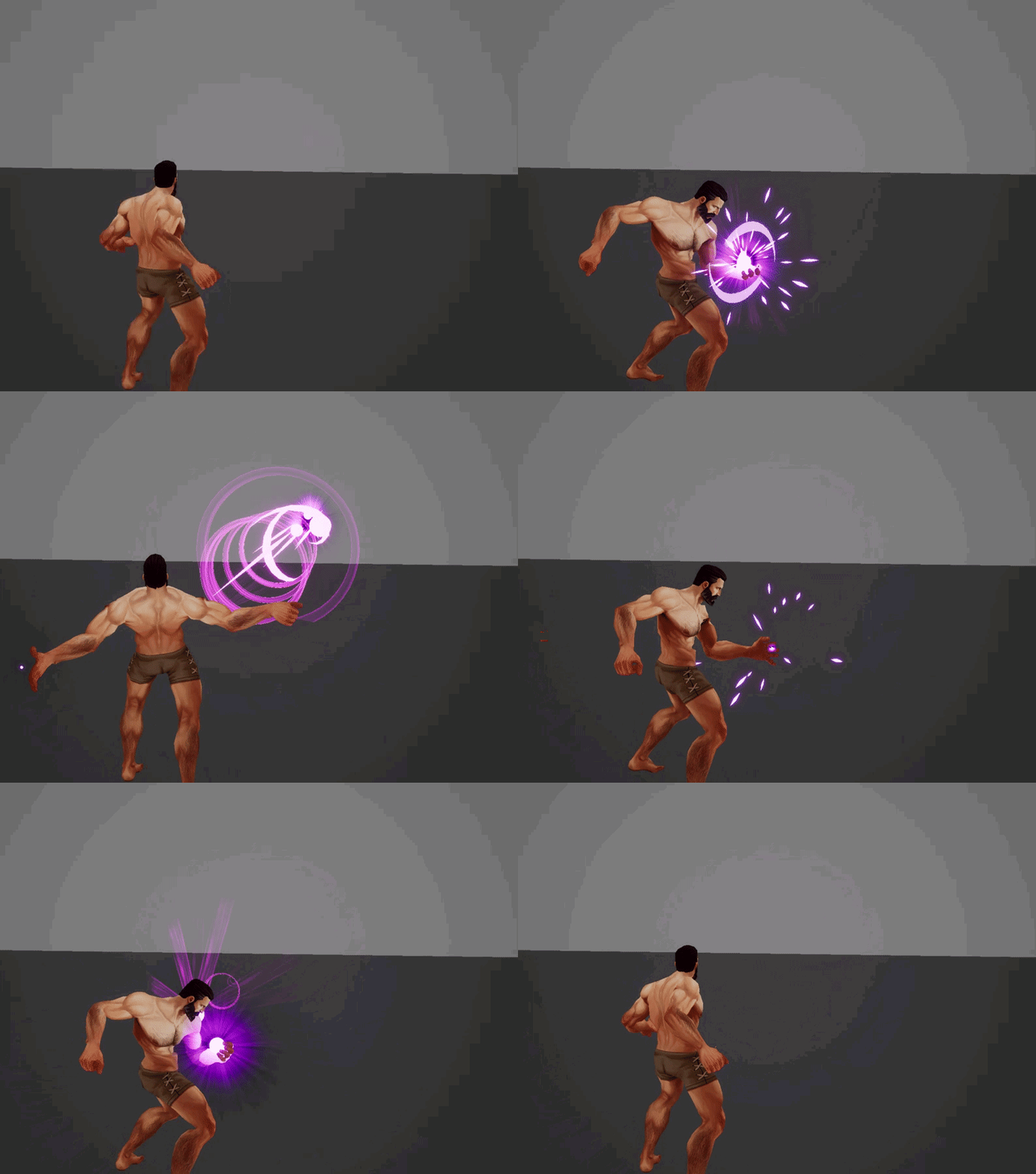
https://i.gyazo.com/8a44f59d6fd1a3dd63b180c078c1c318.gif
https://i.gyazo.com/ecdb55008a0573239f59d7c48d08c417.gif

 indigo jolt
that's sweet, how'd you construct those cloud bits? image sequence from flash?
 safe swan
Hello. I'm having issues with deactivating a looping particle emitter. Right now when I call "Deactivate" in a Blueprint, the particles disappear immediately but want I want is for the particles to die as if they were single shot. Is it possible to change the looping parameter of an emitter from BP? Or to deactivate the system but allow the particles to die?
 zinc remnant
I've used Deactivate before and it's let all particles alive at that time die normally... not sure what's going on there
safe swan
@zinc remnant thanks for answering. yes, I thought I had seen that before but for some reason they are just disappearing.
brittle remnant
@ocean hedge Can you show me where you declared it? If I add a float curve variable using this UI. It doesn't appear in any of the pop-ups on the right panels. I think I'm doing something fundamentally wrong. 😃
zinc remnant
it's a particle setting in the blueprint

like so
http://puu.sh/B6j4Z/04d290c7e3.png or you could set it in the graph somewhere
 safe swan
ah! thanks, I'll try that. I'm spawning them so I'll do the BP node
zinc remnant
I don't know if it'll help, but maybe - I've had some weird behaviours be fixed when I set that value to 0
safe swan
nothing, I set it to zero before calling deactivate and still they suddenly stop
brittle remnant
@ocean hedge If I use the "Read from new emitter parameter" it makes a new parameter and then links it but I still can't find any way to actually edit the float curve values defined by that parameter.
@ocean hedge And if I select "float from curve" it adds a new "Float From Curve 001" that I can edit but I can't find any way to reference that curve elsewhere in the emitter.
@ocean hedge Ok so I found the feature where you can drag a parameter variable into a "slot" on the emitter stack, and also found how it organizes the custom made parameters into an "other" category. So I can kind of get it to work if I make a custom curve for one parameter and then drag it from the parameters list into the new slot. However once dragged it seems to become a purple "link" to the curve rather than an editable one... so if I make the parameter by using the "+" button in the parameter tab there doesn't appear to be a way to edit it's contents. Needless to say this is a fairly confusing workflow. 😄
@ocean hedge Also I seem to be crashing a fair bit while doing this.
@ocean hedge Sorry for the spam but also renaming a Float Curve parameter that has been made using the float from curve function in the emitter stack does not appear to work. You can double click to rename and type a new name but it just reverts to the default name.
safe swan
@zinc remnant Ah! Fixed. I assumed "Kill on Deactivate" meant that the system would be killed after deactivating and all the particles died, but it kills everything right away at deactivation request.
zinc remnant
heh
where's "kill on deactivate" ?
ah it's in emitter settings
yeah, personally never turned that on ever, so that would definitely make sense
fossil swan
@indigo jolt I can request animated sequences from the animator guy from this particular client, he draws them by hand actually
obtuse seal
@brittle remnant Creating a new param in any namespace under the Parameters window has an old bug with not declaring the param in the ubergraph/hlsl/ (wherever it needs to be so that it's registered in the context menu). In short you have to drag the parameter from the Parameters pane into a Set Variables module so that it's registered and can be referenced.
Pretty sure you already sussed that bug
Regarding crashes I'm sure it would be of great help to save all of the relevant crash logs and addend some short descriptions. Not sure if it's being done this way anymore but you could forward these logs to shaunkime or the other fine fellows at Epic
As it turns out it appears there's a crash with undo'ing the history of a curve so I'll take that down...
ocean hedge
@brittle remnant, here's what I did, for reference...
at the top of the Emitter Spawn stack, I clicked the + button to add a Create New Parameter/ Curve for floats
I named it whatever I felt was appropriate
You should be able to edit the curve directly where you create it there
You can then bind the value via the dropdown next to the place where you want to use it
Link Inputs/Emitter/Whatever you named the curve
we clearly need some more QA around the other use cases you mentioned
indigo jolt
@fossil swan thanks for answer - they look just ridiculously good. If i found out you were doing that procedurally through material dissolves and meshes I'd cry
color, shapes, and timing look really good, it all feels like an improvement over stuff i've seen from you before
 barren raven
Anyone getting frequent crashes with Niagara when fiddling with GPU sprite particles?
Nothing out of the ordinary just a super basic snow emitter with about 20 - 50K sprites being spawned.
obtuse seal
What're you getting in the logs?
barren raven
Oh I forgot I can still read the crash file
Thought I had to go and install the source 4.20 for debug symbols
Thanks I'll have a look now
barren raven
@obtuse seal Didn't make out much from the logs, I recreated a similar emitter in a fresh project and it seems to be stable- it might have been the fact that I was using a large bounds and large amount of particles. It was hard crashing 100% of the time when clicking the "Interpolated Spawning" checkbox from the emitter
I'll see if I can repro it on a blank project in a bit
viral wadi
@barren raven There is currently a pretty nasty crash bug which only happens on GPU emitters and manifests in different ways. I've got a fix for it which will be going out in 4.20.2.
barren raven
@viral wadi Great to hear thanks so much for confirming! Looking forward to the fix.
ocean hedge
poll of the audience here... I want to get little snippets like the answer above for sharing a curve out into the world faster than we are currently doing
if the Niagara team were to start a blog as a sort of unofficial manual, would that be of interest to you guys?
fossil swan
yes
fossil swan
@indigo jolt
I think I could get something like that proceduraly-ish, but I'd need to do a bleepload of tests.
ocean hedge
a wiki might be good, but needs constant maintenance as it implies an up-to-date content
so a blog seemed like the right balance to me
fossil swan
it might be wise to mention the ue4 version you used to make it, so in case it doesnt work on a current version, they can always download that specific version to try it out.
and I agree about the wiki/twitter thing
ocean hedge
yeah, I thought we'd preface each entry with the UE version, maybe even CL (assuming we can tie that to git commit somehow)
fossil swan
still havent touched niagara y_y
ocean hedge
the actual manual takes quite a bit of copy-editing, translation, and polish before it gets released, otherwise I would just do it that way
 celest jasper
I would read the blog 🙂
indigo jolt
i'm also waiting on some other try-hard to do a tutorial showing how to use Niagara to do some VFX thing that i actually need to do that looks better than what i'd be able to do in Cascade
fossil swan
^
celest jasper
^
fossil swan
yea, id like that. I know cascade better than the back of my hand, so a niagara for cascade users thing might be an interesting way to go
ocean hedge
message received... so a tutorial on a spell effect, fire, smoke, something like that?
fossil swan
i know its a bit limiting perhaps, but need to start somewhere
yea, or an explosion, which can be a combination of said things.
indigo jolt
@ocean hedge at the very least a fire or explosion - something compound and ideally something that CANNOT be done as easily with Cascade
and leverages the Niagara benefits
celest jasper
nah, why would you use niagara for those easy things if you can do it in cascade
fossil swan
because generally my work only exists out of combining easy things :p
indigo jolt
i dunno if all VFX artists are as lazy as me, but i'll always take the shortest route
if you show something to be easier, i'm sold
fossil swan
^5's @indigo jolt
the fact you can now muuuch easier combine already made effects made me need a towel
indigo jolt
yeah, my underlying fear of NOT using Niagara is that the benefits won't be evident unless it's in relation to an entire project's worth of VFX
indigo jolt
you know if you want to blow my nips off - do some sorta really smart lightning
fossil swan
while that would help, people who havent touched niagara would not know what to do with it
indigo jolt
like beam-type stuff with volume is something i'd appreciate
pull off a good Ghostbusters Beam that sticks to things and bends and has volume
and changes target distance dynamically
i have no idea if Niagara helps do that 😛
but that's what i want to do more of
fossil swan
which is hard to do with cascade and blueprint. the setup of the linkgun in UT4 is insane
celest jasper
sounds like the lighting tutorial
indigo jolt
yeah like a freakin fire-hose with arcing water that's actually efficient and does splashes is annoyingly hard
yeah an "ez-to-do Linkgun" would be sick
that would get a bookmark from me
celest jasper
@indigo jolt What is the difference between the linkgun you mention and this: https://www.youtube.com/watch?v=6gp1ECkpCDc
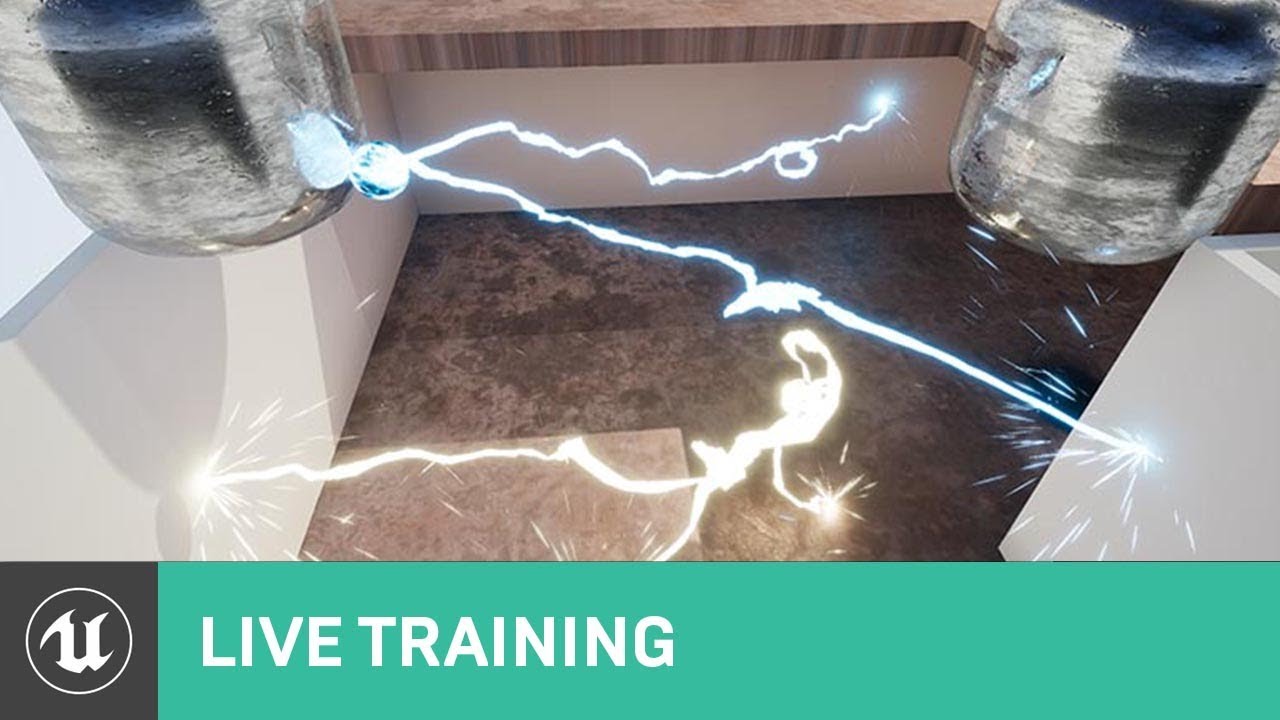
On this week's livestream, Alan Willard demonstrates the creation of complex in-game effects using Blueprints, particle systems, and shaders. He shows how th...
fossil swan
the first thing I learned with cascade was trough recreating the rocket from the rocket launcher from scratch, still use a loooot of those techniques nowadays
indigo jolt
so yeah that's not a bad example - except the setup is a little bit incomplete and it's environment-only
fossil swan
Allan explained that well, but i didnt like the results. it felt oldskool
indigo jolt
like it's not really built to be character-spell
celest jasper
what is the vital 20% 🙂
indigo jolt
if i can click right mouse button and shoot that out of my First Person Character gun, have it interact with environment and do damage that would be the 20%
fossil swan
@ocean hedge any chance some more paragon vfx will be released that used niagara?
indigo jolt
OH GOD SERIOUSLY YES
please that
it was so painful when the stuff got released and i realized immediately "oh most of this is on the Blueprint side and that doesn't exist..."
fossil swan
i know at least the minions used some of it, but probably some of the newer characters as well?
celest jasper
At least 'do damage' has to be done in code anyway
indigo jolt
yeah damage interactions yes are at least in BP
i don't know if Niagara does bp things like that
i assume not
fossil swan
still no sound control trough niagara btw?
indigo jolt
hmmm that would be nice, i hate having to double up on sound stuff
fossil swan
yuuup
same with altering colors trough persona, or tweaking values in emitter in persona as well.. would be sooooo nice to have that more open
celest jasper
Not sure if related with the linkgun, but feeding location data into Niagara might be neat. What is the current method to tell a particle system to spawn a particle in 100 pre-defined locations?
I hacked this one by changing the emitter location on every tick.
fossil swan
hehe, worst way would be a sphere radius with a bleepload of seeds
can we have a list/array of random locations it can pick in gara?
hnng
barren raven
@ocean hedge the blog sounds great- definitely would be all over it. Also yes that pillar example would be amazing to look over and see how it was built up. The current content examples are great too though, no complaints there!
ocean hedge
@fossil swan no sound yet.. although it is on our radar
fossil swan
sweet
ocean hedge
an example of multiple spawns for a frame is though that Houdini CSV, but that isn't game-driven..
fossil swan
what about more control trough persona?
we had to change the source to dynamically change sockets a ribbontrail is attached to, and its been hell so far hehe
fossil swan
changing color is hell to set up, not to mention it sometimes just refuses to work until a restart, or in worst cases re-setting it up for some reason (havent tried since 4.17 though)
changing sockets, tweaking any value time/size/location etc is impossible unless blueprints or changing source
i could probably use a loooot less emitters if we could tweak those on a per-animation basis
not to bad an approach though nin, check the heart vfx from paragon, they sooooorta use something like that
celest jasper
shinbi heart?
fossil swan
i thought it was gpu, but it ended up being a few hundred planes
celest jasper
the one that is in fortnite now?
indigo jolt
oooh yes so if we could have a demo example of changing ALL the spell colors for ONE instance of ONE player's spells, but not another's, that would be kinda neato. a smart way to setup DLC-like spell variations on a per-character basis rather than a Global MPC-type basis would be worth demonstrating
like if i got a Street Fighter MMO and there are 3 Ryu's and 5 M.Bisons, but I want 1 of the Ryu's to have Purple Rimmed Fireball Power up he can pickup and not have it affect the others
the less of that done in BP the better
fossil swan

Material Function library that uses the 'Superformula' to draw interesting shapes.
celest jasper
old
fossil swan
fact that its a plugin and has a mesh-cutout tool makes it rather neato though
celest jasper
I might actually throw some bucks in for a 3D supershape implementation
Instead of 2D supershape stencils 🙂
fossil swan
true
celest jasper
Also, he is moving on an edge. The so called 'implementation' has only 1 twist in the material editor, it's a copy + paste for the rest of the formula.
brittle remnant
@ocean hedge Ok I see the whole "Set variables" Path. Just as a note, this workflow seems to fall apart if you use the + on the parameters tab. In that case it creates something that can't be renamed or have it's defaults set in any obvious way I could find. Also these parameters don't show up in the pop-up lists in the emitter stack.
@ocean hedge It's also strange if you create a variable using the "new curve for floats" option in the emitter stack, as it creates a new variable but it can't be referenced / renamed but shows up as a variable. It feels like these 3 paths should be unified / clarified.
ocean hedge
they absolutely do need to be cleaned up / unified
the parameters panel was a bit of a late-stage addition and needs a lot of work to meet its design goals
wet pumice
There's a content example for that
 slim rapids
I looked content examples, but I think I only saw hard coded locations, not spline based. hmm
wet pumice
We do have a spline data interface that should let you read from a spline component in the world.
It may have a few rough edges though. It's quite old and much has changed in the interim. We may need to take another pass over it.
Would be interested in issues you find.
Alternatively I'm sure you can expose the values use in the spline beam example as user parameters if you need to modify them via BP etc.
slim rapids
Thanks
 subtle idol
hey guys, hows it going? i'm working my way to re-create this graph here. although i cant figure out what input the brown/yellow nodes are that allow inputs like "1.54e+04" any help?
slim rapids
@wet pumice Hmm, I tried to use the Data Interface, but it takes an Actor as parameter. I created niagara component to my character, but now I don't know what to feed to data interface. Should it not take spline as parameter so it knows what to follow?
 spare hare
@subtle idol those are simply constants
wet pumice
That interface takes an actor with a spline component as a parameter so it can interact with our spline components.
But it sounds like you just want to drive the spline manually.
So I'd look at driving the spline in the content examples via user variables.
I'm sure we can make working with splines a lot better.
I know @strong carbon has been putting some thought into this recently.
spare hare
@subtle idol to be precise, Constant3Vectors
subtle idol
@spare hare thanks, I thought so! but i cant input text? and unreal does the math in the node... how can I input the values seen within the nodes? thats why I thought they might be different
spare hare
this is the exponential notation
subtle idol
Googling! i'm no programmer, i would like to learn.
something sneaky for sure, i cant work out how to input these "exponential notation" values into the vector
spare hare
4.97e04 means 49700
(4.97 and the decimal shifted 4 times)
subtle idol
ah yeah! i do remember this from maths class actually... and that works great!
thank you very much @spare hare
slim rapids
@wet pumice Thanks. Looking forward for updates! You were right. Simplies thing was just to set end position manually with tangents. It's cool to have so easy way to manipulate every variable inside particle system
 ebon gate
anyone know how to enable 3D draw mode in niagara? I cant see where the particles are spawing especially when using torus location.
viral wadi
@ebon gate We don't have viewport visualizations for modules yet, but it's on our list of features to add.
ocean hedge
After yesterday's discussions, here's the website I put together this morning.. feedback is welcomed... https://niagara-vfx.herokuapp.com/

 weary helm
Hi, I followed a tutorial to create a blackhole effect, but for some reasons when there is an object in front of it, the blackhole doesn't reflect it it properly, instead the silhouette is duplicated and it looks like a weird glitch. Any idea how to fix that plz ?
subtle idol
@weary helm all i can think is it is a screen space reflections or refractions problem
hey all, i'm creating an effect wth the pivot painter... this is the part that is failing
in the asset preview it gives the desired effect
because it is at 0,0,0 world position
as soon as it moves, it begins rto get offset
by the asset location
any solution to this?
 honest sable
ヾ(^∇^) hellllllooooo everyone!
indigo jolt
hey has anyone ever seen black spots next to masked opacity bits when using World Position Offset values?
ie - you try to do a dissolve mask on a mesh and it works great, totally dissolves wonderful
but you add in some World Position Offset values to it and boom - black spots next to the opacity holes
 formal zenith
Hi, I need some help with a rain particle.


I followed a tutorial just right.
But the rain only shows in one direction.
Can anyone help with that?
@every1 @every1 @every1
ebon gate
@viral wadi Ah cool. In the mean time, I will try using gpu sprites to help visualise the torus location.😆
@formal zenith im not sure what the exact problem is but from what i can gather is that you are setting the bounds for gpu sprites which doesnt tend to work fo some reason. (this happens in Niagara too😉 ). so i suggest u try turning it back to CPU emitter then set bounds or you can try manually entering the values (click on the empty black space next to the emitter to see bounds in the details panel)
@formal zenith also for the rain itself. i think its camera facing so you might want to have it velocity aligned
tardy dome
watchin that niagra stream now, when they went, thank you cannabis coder there is a display bug in 420, that made me laugh 😛
ebon gate
yeah it does but i do it temporarily just to set the bounds and then put it back to gpu.
cold sorrel
Why would you have to set it to CPU to set the bounds?
honest sable
@ebon gate It's my favourite point release 😉
formal zenith
@cold sorrel @ebon gate
Still have any help?
I have to set it to cpu..?
How might I do that? This is my first particle.
cold sorrel
Make your bounds big enough to cover the world or attach the effect to the player/camera
formal zenith
I'm just following a tutorial.
cold sorrel
Read the docs
formal zenith
No thanks, it's a video tutorial.
I followed everything but all of his steps won't work.
YouTube
A simple rain particle system that uses two emitters for both rainfall and ground splash. If you have any questions, get in touch and I'll try to help best I...
The issue is so small it shouldn't take doc reading
My images are above
cold sorrel
Right so instead you @ tag people
formal zenith
If you don't want to help please don't reply.
 earnest imp
Calm down :/
cold sorrel
You tagged me...
formal zenith
Maybe Iby has the fix.
cold sorrel
I told you the fix. Jaysus. Maybe purveying quicklike edibles is more your thing
formal zenith
This is the normal location, everything seems to align with the same thing the tutorial teaches, but the bounds have an issue it seems. When I click bounds it doesn't fix.
ebon gate
@formal zenith Thats the location not the bounds but that does indicate how big it needs to be though. although the location size is a bit weird but ok.
ill send some screenshots
brittle remnant
@formal zenith The bounds of the particle system is different than the spawn location. You need to edit the bounds of the emitter to match the area you want rain to appear in.
ebon gate
@formal zenith step 1:
Step 2: scroll down in the details panel until you reach bounds:
ebon gate
ok now set the bounds so that it encapsulates the whole particle
formal zenith
same numbers as the spawn location?
ebon gate
no thats the location it spawns.
formal zenith
How do I know the range to set for the whole particle?
I know it's a noob question but it's the first time I've come across anything like this in general.
ebon gate
you have to eyeball it. click on Display bounds for a visual representation:
ebon gate
from what i can gather from your particle location i'd set it to something like this:
formal zenith
ebon gate
set the min values to 0
ebon gate
ok it should work now.
formal zenith
And I changed the range to 0 0 0 and 5k 5k 5k
But it's still one dimensional at the moment...!
ebon gate
what do you mean?
ebon gate
you referring to the location being in one sided?
ebon gate
yep its location
formal zenith
Haran said

in the required tab again set the "Emitter origin" to X-2062.844971
And I did.
It appears to work!
It was raining in the wrong place, so when I looked at it from another side, it simply wasn't raining.
I'm not sure why at all, but that was weird.
Should I upload the material for anybody who wants free rain?
And thank you iby!
ebon gate
yeah you needed to half the location range to -2500 min to 2500 max to center it make sure to fix the bounds at the same time.
also you dont need to upload it. I think the Soul:City Demo (Available free on marketplace) has nice rain.😉
ebon gate
I think you can do if you want. its pretty much uses the same concept but i'd suggest you to learn from it instead, like the locations, bounds and the modules etc.
i also suggest you follow these too:
The web's best 3d modeling tutorials and training videos for popular 3d modeling software including 3ds Max, Maya, ZBrush, UE4, UDK, Mudbox, Unity, ZBrush and more.

Real Time VFX
Welcome to the Real-Time VFX site! If you’re a student getting into vfx, an indie dev, new enthusiast/hobbiest, or maybe a current dev looking to switch into FX, then this is the thread for you! With more and more people joining the site, there have definitely been an incre...
formal zenith
Sure, I'll take a look. I only decided to make the rain because it was expensive to purchase otherwise and apparently easy. The tutorial maker had his numbers legitimately wrong in the video, sadly.
I'm just a 3D animator/modeler, I have no place in VFX but I'll still give it a shot if I have to ever touch these again.
honest sable
opened up an old emitter in niagara and everything is NaN
full rebuild does nothing
oh well. faster to recreate
 ocean hedge
Can you dm me the bad files?
weary helm
Hey, reposting because I'm quite frustrated 😦 , I've been trying to fix this issue for hours and I searched all over internet for a solution.
I followed few tutorials to create a blackhole material, but everytime I use the refraction, if I put any objects between the blackhole and the camera, there is this weird visual glitch
basically, the silhouette of the object is duplicated on the blackhole, and makes it look like it's transparent
same issue here: https://forums.unrealengine.com/development-discussion/rendering/44423-how-can-i-fix-these-refraction-artifacts
Unreal Engine Forums
For discussions about Materials, Textures, Lighting, Particle Systems, and Post Process Effects.
 mortal lily
@ocean hedge i just want to let you know: the images on your blog are broken on my end. https://niagara-vfx.herokuapp.com/how-to-drive-particle-parameters-via-blueprint/
Niagara Blog
I've created the following system: I used the + button next to System Exposed Parameters to add the three user variables shown at the top. By virtue of being in the User namespace, those variables will now be tweakable per instance in a level. Here you can see the three places
ocean hedge
yeah, I'm looking into it.. the pains of setting up a new website..
thank you for reporting it
mortal lily
np
obtuse seal
Kudos on hosting a blog that covers some of the arcane bits of Niagara, Begin Defaults makes sense now 👍
ocean hedge
yeah there's soooo much to cover, it will take a while, but hopefully we'll be able to get a handful of posts in a week
obtuse seal
I actually hadn't defined a slate style but as it turns out popping a new node into the graph editor is straightforward, now to do the Compile bits https://gyazo.com/7c04c4af93effe21e9f97c7445bf04ae

Also very much looking forward to more posts getting into the nitty gritty of Niagara 👍
oh and the other content examples 👀
obtuse seal
It's almost legible! https://gyazo.com/f1ffae6ffb47e440f1658123aa3586ec
 obtuse seal
eyy I see gpu ribbons incoming, good stuff
long rapids
i'm trying to spawn emitters and NOT have them fire....then much later fire them with BP. Is there a way to do this?
(cascade not Niagra)
 visual hazel
@long rapids I think there's an option to auto activate components, which you can disable to prevent an emitter from firing until you tell it to in BP.
long rapids
grerat thanks! always wondered about that
 drifting wave
@long rapids could try a Particle Parameter on the Spawn Rate to enable and disable spawning of Emitters inside of BP
indigo jolt
@cold sorrel that's actually better overlap behavior than i've seen anyone else do with POM decals
for some reason everything else i've seen in that category tends to render squares wherever there's overlap
Is anything about that incompatible with Forward Rendering?
cold sorrel
Hehe, I do no overlap checking at all
And they are not real decals either
far more hacky
If POM is compatible with forward rendering, then it should be. I'm not doing anything fancy at all
indigo jolt
i think it is
i mean bump offset works
so sorta similar idea
but yeah i'd love to see tutorial, nodes, textures etc
i'm curious how far i could get with same method but free-hand painted
so far all other material methods and stuff i've seen have been really glitchy
honest sable
https://github.com/EpicGames/UnrealEngine/commits/dev-niagara with your morning cup of joe
obtuse seal
☝ this but I queue the build at the end of the day 'cause it takes forever
long rapids
(cascade) i have a long particle i need to collide w/ object, then play a burst. i have it working properly, but it doesn't happen until the center of the long particle hits the object, not the "head". what is the best way to solve this, so the 'tip' of the particle (which has a large scale multiplier) hits the target and causes the burst?
 spark ocean
 brittle remnant
You need to set your particle system bounds
long rapids
Morphine; looks like Bounds
brittle remnant
click outside the emitter stack to find the settings for the whole emitter
brittle remnant
yep, make sure the bounds match the area of the particles
long rapids
here's what i'm talking about ; the red thing is a single particle (no beam) and it passes THROUGH the target (sphere) until it's center hits the sphere THEN it plays the collision burst. how can i shift this point to the 'front' ?
brittle remnant
generally I would do this by using a blueprint that handles the collision with a line trace and split the effect into two parts
Its possible to do in the emitter but annoying to set up
long rapids
i have the collision working fine in the emitter
it hits sphere and bursts
but the 'hit' is being done at the CENTER of the big red thing;....when small its fine, but since it's scaled up, its not
brittle remnant
yes I understand, the only way is to shift the particle backwards as you scale it up such that it's local 0,0,0 is at the front of the particle
long rapids
right, i get that concept; how would i do that?
long rapids
hmmm....okay, is there any way to SEE that in cascade?
i mean, the actual position?
its like a pivot/origin
brittle remnant
if you turn on the grid you can see the center somewhat
long rapids
remove initial velocity, maybe i'll be able to see...thanks i'll try that
brittle remnant
np
obtuse seal
Looking at implementing Niagara ForLoop, I'm thinking it would be expedient to flag every node that's routed through the forloop context pin and do the relevant Compile slightly different, but it also seems like hitting a nail with a nuke. 🤔
More specific question is that I need a way to walk up the "Loop Body" context pin until I get to the end of the loop and then start compiling back but I don't see a clean way to handle it. Especially if someone does something silly like link two Map Set nodes that aren't interdependent. I was thinking of solving this a bit earlier by handling for loops through two nodes, a "For Loop Begin" and "For Loop End" so that I could route the context pin cleanly, however this kinda breaks the edgraph design paradigm entirely with a two-for-one node
For some visual stimulus, you can walk up the for loops "Loop Body" context pin until you hit a dead end with the Map Set node and then compile back, so this makes sense https://gyazo.com/9f98e1367e0d97cb52b8ad149e7fcbcf

However a silly graph like this has no evident order of operations. in retrospect it's not really surprising that it shouldn't work as Map Set always has to run to an OutputModule https://gyazo.com/205283fda1e73fb891773c027a293c6e
 ocean hedge
I was wondering how you were going to deal with that particular issue
in some sense , this is similar to the begin defaults node
you could use the last non-get traversal path as yoru starting point
to work backwards from
that roughly matches what you'd see in the BP version
obtuse seal
My lazy solution: https://imgur.com/a/FGHXEiQ
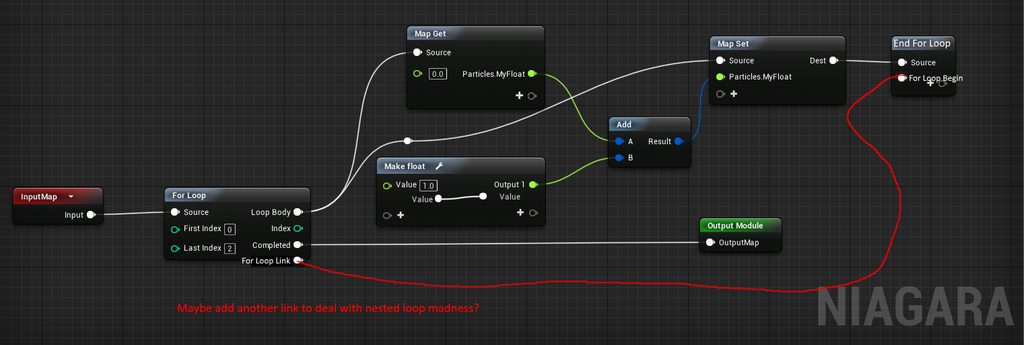 ocean hedge
there's no need for the loop back
you'll know from context
just traverse the output pin from Loop Body until you find a End For Loop
then you can walk back from that like we do from output nodes to get what actually gets touched
if you encounter more than one connected in the traversal, generate an error
obtuse seal
Yeah in retrospect an extra link is really unecessary 🤔
There's some other quibbles like making sure the index value doesn't get referenced outside of the loop
Although I can't say I know how that's even handled for BP so back to the source code 🤓
 winged nymph
https://youtu.be/OFfaFblwn1Q?t=481
Anyone think I could achieve this charging effect with just cascade or some simple blueprinting?

This video shows you how to easily get TONS of Ancient Arrows in Zelda Breath of the Wild which are the most powerful arrows in the game. Ever wonder what th...
the blue lines absorbing into the bow tip in the beginning specifically
hmm I could use a location sphere and point attractor
and size scale
aww yeah thats cool
indigo jolt
no
meshes, think like a couple shaped like captain america's shield and maybe some shaped like the scooper part of a loader
that and animating materials
there aren't very many particles being used there, but there's probably 3-5 elements of overdraw
earnest imp
Yo, someone have any idea on how to do this kind of effect, I'm looking for a way to do a material, not a post process volume :3
Thanks :3
https://youtu.be/2YzUquGR6R8?t=14s

I whant to reproduce that :3
 sinful valley
@earnest imp Most of what's going on in that video, it seems, is just randomly toggling dynamic materials - between a "mesh wireframe material" and the "normal" material.
When I clicked on that vid you linked, the next one was a glitch material tutorial lol (https://www.youtube.com/watch?v=KltIqrO88jA). Combining parts of that tut with the aforementioned dynamic material should get you something close.

Donate: PayPal: paypal.me/othelnic12 Donation RU: DonationAlerts: http://www.donationalerts.ru/r/othelnic12 YandexMoney: 410013755642875 URL: Me in VK: https...
earnest imp
I was checking this out :p
sinful valley
@earnest imp You know how to do a wireframe material, right? It's super easy. Just check one box.
earnest imp
Yup, I saw it
I've allready done the wireframe effect
I need to do the "glitch" effect
Here's what I've allready done
When the character ragdoll, I whant his material to glitch :3
 lime agate
This is my first Particle and it looks really bad, How can i make it look like it does not spawn from a unique point?
its far from realistic :C
obtuse seal
{
    float Constant10 = 2;
    float Output1;
    Output1 = Constant10;
    float Result = Context.MapSpawn.Constants.Emitter.MyFunction.MyFloat * Output1;
    float Result1 = Result * Output1;
    float Result2 = Result1 * Output1;
    Context.MapSpawn.MyFunction.OutFloat = Result2;
}``` Do all of the intermediate assignments to Result vars get cleaned up after the intermediate hlsl from the niagara translator passes through hlslcc?they should get optimized out yeah
you can see the generated assembly too
at least for CPU VM code
obtuse seal
Good stuff 👍
indigo jolt
hmmm change from a burst to a high rate spawn for a short duration so spark location "skids"
brittle remnant
RandomNiagaraFeedback: Working with gradients: making gradient keyframes "stick" to the beginning and end of the editor would help. Having to eyeball it feels sloppy.
RandomNiagaraFeedback: You have a System with two copies of the same emitter in it. You are editing a variable in one of them in the System. Then make a change to the base emitter. Toggle back to the system and the one you had selected is still selected but has lost the selection feedback in the timeline making it hard to know which one you had selected.
RandomNiagaraFeedback: Gradients need a way to control the blend between the colors in a nonlinear way. IE the way photoshop handles it would be fine but curve tangents would be ideal.
RandomNiagaraFeedback: Would be great to have an editor preferences setting that remembers the Orbit Mode you have selected so you don't have to recheck the box each time you open an emitter.
obtuse seal
@brittle remnant If you right click a color curve there's a "Show Curves" option that lets you define the tangents. It gets pretty squished in the amount of space it's normally allotted though so that could be improved.
obtuse seal
Also there's a bflag somewhere for the orbit mode so that should be exposable
brittle remnant
Ideally you can set a global default but each emitter/system remembers it's local setting if different from the default.
obtuse seal
Could use a thumbnail utility as well 🤔
brittle remnant
HighLevelNiagaraFeedback: The more I work with Niagara the more I feel like Emitters and the System editor should do a better job defining a workflow. It's awesome how data driven and flexible everything is but the cost is that there's no clear path to approach creating effects. The system is just like you "gots some datas, you change some datas. Good Luck!" Collision being broken into many separate modules that depend on each other and the "Solve Forces and Velocity" stand out as things that most of the time I don't want to have to worry about as an artist. It's cool that they can be customized but the "default" path is not very intuitive. Furthermore it feels very slow. Some of that I'm willing to chalk up to unfamiliarity but at the same time there seems to be a lot of "steps" between me and simple effects. Perhaps that's somewhat due to not having a big library of base emitters yet.
obtuse seal
Collisions are really a special snowflake of having a good handful of independent modules to handle them, that is true...
ocean hedge
here's the vision that we're looking into for the next release
no one builds effects in a vacuum
have a suite of primitive effects that do the majority of the behavior you want for game-ready smoke, sparks, dust, etc
when you create a new system, a browser comes up and lets you choose one of these templates
these may not have a lot of artistic styling up front so as to be useful to the widest group of people
maybe a handful of more polished systems for guidance
thoughts?
obtuse seal
Interesting approach to say the least 🤔
Certainly makes sense to package some starter emitters in the starter content
ocean hedge
it'll be data driven so that effects leads can rip ours out and put in their own
you guys focus on the tweaks and customizations that turn it into the effect you were envisioning
obtuse seal
Yeah, it seems like an efficient way to ease new users into the water. In some ways it seems like bringing the content examples to them rather than the other way around.
brittle remnant
That's valuable but I'm not sure it will completely address some of the issues I mentioned above. It does provide a jump-start when building effects but I'm not sure it will make the modules, their functions, and their relationships more clear. Nor does it define a workflow for building new effects from the ground up. I think what I'm feeling is a desire to encapsulate more functionality into simple tools at the System level and do the nitty gritty data-math athon at the Emitter level.
 soft sorrel
I think primitive emitters that are a bit more generic would be better than specific smoke, sparks, dust ect. for example: burst, collide, ribbon, mesh....
brittle remnant
Right now it feels like systems are just as "deep" as emitters is maybe a simpler way to describe that.
I think perhaps I'm imagining that a system feels more like cascade, and I can double click a module to edit it like the current emitter workflow.
Which I think is what the intent is. But there's so much flexibility at the system level that I can't confine my design to high level artistic decisions.
I'm still worrying about solving forces etc. (Sorry I know this is a bit abstract on the feedback side)
Want to say that there's a lot I love about this tool. Just trying to communicate that currently it feels slow to use and forces me to manage a lot of complexity when doing simple tasks.
Don't want to proscribe a solution but try to explain my experience so far. (about 3 weeks of serious investigation)
ebon gate
Hi I need some help with rotating particles around based on where the particle is pointing. does anyone know how to do this in Niagara? Ims truggling to ge tit too work wioth Mesh particles and Box Collision
brittle remnant
@ebon gate You should be able to use "Facing Mode" "Velocity" under the Mesh Rendering settings.
brittle remnant
So where do you want to get the rotation value from?
The base system?
You should be able to define an initial rotation in the particle spawn settings.
Youll also want to enable local space in the emitter properties under emitter spawn
ebon gate
hmm local space worked. thanks!
ocean hedge
@brittle remnant Please keep it up... feedback like this is why we went into Early Access... in our minds the system version of the emitters is just a way to specialize and tweak from a known baseline...
the modules, as currently designed, were written by experienced fx tech artists, but there are a thousand little design decisions that we could have gone either way on
at one point we had one mammoth collision module with options to turn on and off
but we wanted to leave open slots for customized behavior
so we broke them up
one way of looking at it is that there's nothing keeping customers that prefer different designs from creating their own suite of modules that are to their liking
but the other is what is the 90% use case
maybe a way to lock down/hide child behaviors in the system version of the emitters
hmmmm... definitely worth thinking about... thanks
brittle remnant
No problem! I'm really enjoying Niagara and getting more comfortable with it by the day! I know I'm mostly posting feedback but I'll add that it's an amazing system! The ability to parameterize and link anything is really awesome!
Hoping to start posting up some examples in the coming weeks.
ocean hedge
looking forward to it!
 long rapids
@honest sable very cool!
got a question for my old-school cascade folks, related to BP Class (prefabs)
i threw a 'beam' style emitter into a BP Class and of-course it broke as it cannot reference actual Actors in the world
the components it references are IN the prefab....can anyone help me to figure out how to wire them up?
(FWIW, it was working fine before i put it into the BP class, so i know thats the issue and not something else)
indigo jolt
i think you actually want to use a Target parameter and have it reference a specific location variable - then have that location variable set by your actor or whatever
the actor type is kinda more for non-interactive environmental stuff
the reasoning there is, your variable could have no updated info and it'll still "exist", but as soon as you "set" that variable to something new, beam will update and be happy
whereas an actor variable is like "huh we're shooting at which ONE thing that must already exist in level all the time every time?"
long rapids
@indigo jolt right, i get the concept. It cannot target an actor that doesn't exist in the world. When i choose "Param Type" i do not see Target as an option......i can 'getLocation' of the component in the flow-chart, but how do i feed that value back into the Particle Array?
i have None, Scalar, Actor, Color and Material as pulldowns
indigo jolt
hmmmm this is a little different than i'm used to since i normally work with regular BP in event graph
i'd guess "Color"?
since it should have enough vector values for location
along with an obviously useless alpha channel
i'm at my limits here though, if anyone else has any ideas please pipe in
long rapids
hmm, Vector provides an X,Y,Z value, so i just punched in 5000 by hand and it still not working
even then, it doesn't give me the arbitrary location of the target element inside the BP. oh well, thanks for trying 😃
indigo jolt
well good luck, beams and sources/targets are a messy business. i mostly mess with that stuff AFTER the designer/programmer does
long rapids
heh, thanks
honest sable
 fathom grotto
It worth learning Cascade if Niagara is going to be the new ue4 standard?
I have 4.19 currently but I could update to 4.20 if it's worth doing
 inland forum
learn Niagra, it's easier to learn anyways 😃
fathom grotto
Alright!
inland forum
ayyyyyyyyyyyyyyyyyyy folks. Is the Niagra plugin the only way to use Niagra in 4.20.1? It's not "official" yet right, still Beta?
celest jasper
<@&213101288538374145> Can someone pin this link from Shaun Kime about Niagara? It also works like a FAQ. I don't believe most people will read it anyway, but at least we can just point them there, instead of giving people predictions when Cascade is gonna die. 🙂 Besides, it's still a good unofficial Epic resource.
 round fog
long rapids
round fog
long rapids
BP / VFX question: I have a BP Class that references a particle effect that needs a skeletal mesh and static mesh because i'm emitting from those vertices. It works fine in level, but as a BP Class it breaks because I can no longer assign the actor in the Araay Paramaters (since the actors dont exist in the world, they are contained in BP Class as components). Has anyone solved this? Suggestions very welcome....
indigo jolt
when i've done this - attaching particles to a character so they emit from the character's mesh, it required me to do it all in the Character BP itself
in my instance - playable character that i wanted to have electricity spawn just on her hair
long rapids
@indigo jolt right, so i'm stuck here: https://www.youtube.com/watch?v=-pyTw-45Mfw&t=7s 2:27 when he uses the pulldown to assign the Actor. In my case, i cannot assign anything because it isn't in world.

I explain how you spawn particles on the surface of an actor.
indigo jolt
if my memory serves, i think i had to make the emitter like a child of the mesh in question or something... or that was NOT the way to do it and i had to put it in Event Graph and do spawn emitter attached... either way, it was only that way that the particle system ALLOWED me to reference the appropriate actor
because otherwise i'd search for it and it wouldn't let me fill in the box
long rapids
right...thats exactly where i'm at
indigo jolt
yeah you gotta put it IN the character BP
long rapids
its in my BP...but still not in the world, so doesn't showup as Actor in pulldown
indigo jolt
this example i tried initially but it doesn't work because the particle and the object "exist in level"
long rapids
right
indigo jolt
is it in a separate class or in a Character BP?
long rapids
its a new separate BP Class i made
indigo jolt
because i'm very specific here - this is THE character bp
the one where the Skeletal Mesh lives
indigo jolt
ok great you're on right track then
long rapids
NOT "character" BP...just a new one i made
indigo jolt
hmmm you know what give me 5 minutes i'll pull up the setup i have in project
long rapids
awesome, thanks Ballsproblem!
long rapids
yeah, i'm about 3hrs in....lol
long rapids
i'm just glad there's someone who even knows what i'm talking about.....lol
indigo jolt
oh yeah i know this very well. in fact once you get this setup right you can control it based on the material ID
so you can set it to spawn on THIS material but NOT THAT
so just a shield, just a hat, just a whatever
long rapids
can see thats handy, but not what i need right now
indigo jolt
that might actually be the best way to do it i forget lol
again i'll know in a few more minutes
 fallen prawn
ey guys, does anyone know how to actually fade out an emissive material? I tried with the opacity, opacity mask and dither but it simply disappears all at once instead of fading, i guess that that is how its supposed to be.. but any way around it? Thanks! Im just trying to fade some lightning nicely haha https://gyazo.com/22f53f80d5d0558b28ca07e94f9a5490
cold sorrel
Color - >black
fallen prawn
yeah it turns black.. ._. wot should i do then? ;-;
fallen prawn
Solved it xd
 stone yarrow
Guys I want to reduce the size of particles as they go near to the camera. And only those particles which are coming in the view frustum and near by to the 'near clip' plane. Any suggestions how can that be achieved ?
subtle idol
@stone yarrow you want to reduce the side of them? until they disappear or for some other purpose? because you could maybe multiply the pixel depth by the TexCoord node... and have it scale down that way... or have it fade out that way
stone yarrow
@subtle idol Yeah , I want to make them disappear, As they get close to camera, I want to make them go transparent and scale the size of them to ) slowly as they come near to camera.
subtle idol
I wouldnt be sure how to do that in Cascade... I have just been using Niagara and you could input camera distances in their (still just guessing) but the only way i know to do it off the top of my head would be in the material editor
stone yarrow
@subtle idol how can i achieve it, can you share me what to do in material editor
subtle idol

If you liked this tutorial hit the thumbs up button and subscribe if you want to see more of my vids. If you have any questions tell me in the comments. Patr...
annoying video
but to the point
 boreal echo
How do i delete this module(?)
ocean hedge
@boreal echo it is inherited from the base emitter, cannot delete them.. best you can do is disable... otherwise inheritance would be almost impossible to implement without a lot of end user input
boreal echo
I'm confused by the example then
This is from Content Examples
Are they derived from different base classes somehow?
@ocean hedge Also, what do the numbers next to the parameters mean? You can see them in the left of the above photo
Sorry if i missed it from the livestreams
ocean hedge
If you right-click on the emitter name, you can go to the base version and compare which modules are added
In the parameter panel, it shows how many times that parameter is used. In the future clicking on it will collapse the stack to just those modules using the param
boreal echo
Hmm
Like this?
Opens up new instances of the parent or siblings if it can't find a higher level
I'm just confused about the Content Examples one
Why it seems to be derived from a different base class
Both of these are source emitters. Content Examples on Left, my project on Right
celest birch
hello.
I'm looking for ue4 vfx artist, need several effects.
please dm if you are interested.
email - bv01d7@gmail.com
mortal lily
viral wadi
@boreal echo Emitters are separate assets which can be edited by themselves, and then you can group several emitters into a single system and tweak them further. Your system in your project and the content example system are referencing different emitter assets.
ocean hedge
Niagara Blog
Niagara allows for custom structs and enums that are built within the Blueprints / Enumeration or Blueprints / Structure content menu options to be used within graphs. Enums Here's an example enum created via the Blueprint Enum editor. In the project settings, navigate to th...
brittle remnant
Is it possible to have particles that live forever in Niagara? When I set the lifetime to 0 they have a lifetime of 0. 😄
ocean hedge
normally I'd say just remove UpdateAge, but that generates an error in 4.20 '
fixed in Dev-Niagara
indigo jolt
you gotta buy one of those special keyboards that has the infinity symbol after 0
😛 seriously if someone finds answer that sounds really really important
ocean hedge
the main questions are as follows:
what do you want Particles.NormalizedAge to do in that case? Stay at 0.0 forever?
brittle remnant
Ok thanks!
Have to think of things in a whole new way 😄
Also having an issue getting the normals of my particles to face the direction of the surface normal of the mesh
It seems like I am getting an inverted normal maybe?
Im just grabbing the normal from the mesh and setting the sprite alignment to that mesh normal
using a lit masked particle
I have tried negating the normal using a multiply but it doesn't seem to do anything.
I feel like I'm having some sort of transform problem. Like the normals aren't in world space or something.
ocean hedge
take a look at what wyeth was doing in the content examples with the dna chain
he is using a mesh particle to draw the normals I believe
brittle remnant
@ocean hedge I'm able to get the particles to point in the direction of the normal but I can't get the surface normals of the quad to point in the same direction
ocean hedge
@brittle remnant See this example:
Need to make a blog entry or just get rid of the blend factor as no one notices it the first time around
The comment on the Custom Facing mode explains what to do, but I admit it isn't obvious at all
boreal echo
This is all starting to make way more sense
It'd be really nice if there was a way to set the parent emitter to the values of a child
Or set the parent emitter from the Niagara System
How do you remove a single attribute/variable from a module
Like if i decided i didn't want to set particle color
ebon gate
I was trying to make wind particles from Zelda Wind Waker but ended up making this nice FX😆 :
brittle remnant
@ocean hedge I'm still confused how this modifies the normals of the quads. It seems to only affect the orientation.
brittle remnant
@ocean hedge When I pipe the surface normal into the spritefacing it seems to generate a normal for the whole system instead of a per particle normal
@ocean hedge When I set the mask to 1,1,1 it just stops drawing the particles alltogether
@ocean hedge Ok it seems to be a bugwith combining the "custom alignment" with the "custom facing"
IE I want to light the particles as if they are fur/grass where they take the normals of the object but at the same time stick out like hair
brittle remnant
@ocean hedge In your example you have the alignment set to "Unaligned" but if I use "Custom Alignment" mapped to the objects normals and the Custom Facing set to the objects normals the particles disappear
ocean hedge
Ok I gotcha now
We assume that the billboard facing direction is also the normal. No way to change that as of yet.
You have to be careful when controlling your vectors manually, facing is the plane normal, alignment is the plane V axis, we compute the U from there.
If the vectors aren’t 90 degrees from each other, you can get into bad situations
brittle remnant
@ocean hedge Yeah would love to be able to just define the normals with a "custom normals" channel of some sort.
 fleet wraith
Thanks I really appreciate it!
boreal echo
Just want to say I don't think this is very intuitive. If there was a way to add a trash icon next to things that can be removed, it'd really improve it.
boreal echo
This doesn't seem to exist
boreal echo
@strong carbon What's the point of the Curves window in Niagara?
celest birch
Hey, anyone have an idea how to go about making an animated billboard material?
is there a way to just plug an MP4 into a material, and then overlay effects, or do I have to do it with image sequencing?
im starting to think I'll have to splice the video up into several images and then just use a panner node, but i wanted it to be a high quality ingame advertisement?
zinc remnant
There are some ways to do it... if it's quite short, you could use an image sequence flipbook. If it's quite long, you could use an in-world widget that plays the video
This documentation may be old, I'm not sure. But it should be easy enough to find tutorial videos on Youtube and the like
 cyan rampart
Iam new to particles..
Which one would u recommend me to learn
Naigara or cascade?
mortal lily
cascade. since Niagara will probably still take some time.
Also since Niagara is there..you can always jump in and fiddle with it hehe
obtuse seal
Never too early to get started with the cool new tools 🤔
mortal lily
Oh yeah no doubt. But i guess learning Cascade is still a valid option in mid term.
cyan rampart
So if I learn cascade.. I can easily understand naigara right?
obtuse seal
Niagara exposes data and features that Cascade does not, and the UI of both is fairly different, so it will take some time working with either to really be proficient at making VFX.
If you're curious about Niagara you can take a look at the pinned messages in this channel, there should be a link to the GDC talk and a Niagara blog that covers a variety of topics. It's also a good idea to take a look at the 4.20 Content Examples project and take apart the Niagara Systems in there.
cold sorrel
If you are new, absolutely go with cascade
Tons of docs, tutorials and it's production hardened
Dip into Niagara when you feel cascade isn't enough anymore
celest birch
whats the max frames you can have on a flipbook?
the flipbook was built up of like 25 1024 images, that's the problem haha
mortal lily
hmm not sure if there even is a limit on frames on a flipbook
celest birch
definitely a resolution limit though.
cold sorrel
I'd say stay under 16 million frames
That's a 4k texture with a whole pixel per frame. :)
viral wadi
@boreal echo You can "pin" curves from curve data interfaces in the stack and then they will show up in the large curves window for editing
boreal echo
@viral wadi Like I could get this into the large curve window somehow?
viral wadi
@boreal echo Yeah you need to click the weird looking button in the row that starts with "curve" and ends with "import." That was a placeholder image I put in there that was unfortunately overlooked for 4.20 😦
boreal echo
Oh wow
Had no idea that was a clickable button
Are there any other icons that are clickable in the stack?
I thought they were all aesthetic
viral wadi
The yellow and green arrows that appear next to inputs are clickable to reset to module defaults and emitter defaults respectively
I just added the curve pinning button to the (growing) list of usability issues I'd like to address for the 4.21 release
boreal echo
That one is standardized throughout Unreal, so caught that one
Oh, btw. Does MeshEditor.Enable work for you guys on the current build? A bunch of guys in #ue4-general found out it was completely broken by 20.1
It should add a new tab to Modes
cyan rampart
@cold sorrel @obtuse seal tq guys.. I'll start with cascade first
boreal echo
It'd be nice to be able to reorder variables in the same element box, especially since their execution order matters so much
boreal echo
What's the difference between the Temp and Transient namespaces?
 hasty plank
anyone know how to replicate something like this? https://www.youtube.com/watch?v=sV_6E1Lh7yo

SUBSCRIBE for daily car videos! http://vid.io/xkQ Mercedes-Benz SLS AMG Developement and Testing Wind tunnel
 short sorrel
All, i have a dynamic generated snow material that covers my terrain map. To my understanding there is no way to attach a physical material to a dynamic material, so I have been trying various way to know when my character is on snow.
Mu current idea is to use very small render targets (4x4 or so) under every character so that if the avg color of pixels is white (or close enough) then the sfx associated to that are snow-related.
This is a hack and does not cover other things such ad bullet collision effects.
- any opinions on this / other options?
- how can I actually compute the avg color of a render target? pref. in BP but c++ is fine too
otherwise, I could try to export the snow dynamic material to a layer that I could then make invisible, but I have no idea whether it is feasible to export a dynamic material (map is 2km x 2km)
wet pumice
@boreal echo Yeah reordering would be nice there. I'm sure @viral wadi has that on his list already.
There isn't much difference between temp and transient.
Anything that isn't one of our special namespaces (User, System, Emitter, Particles, Module) is basically just a temp variable within that execution so different names are just personal preference or for organization reasons.
E.g. We also have Physics.Force as a temporary variable but use the Physics namespace to encapsulate related variables.
boreal echo
Guessing we use namespaces to dictate execution order then too
viral wadi
@boreal echo The built in namespaces are somewhat related to execution order since they define the origin of a particular attribute, and the scripts execute in a fixed order, but custom namespaces don't have any specific execution order and are local to the script they're being used in, i.e. writing Temp.MyFloat in particle spawn, and reading Temp.MyFloat in particle update are accessing two separate and unrelated attributes
boreal echo
@viral wadi that's a bit confusing. I was under the assumption that all variables were at least local to the full stack. Meaning a value could be set in spawn and used in update
Or is it because update isn't run the first frame?
honest sable
@viral wadi "custom namespaces don't have any specific execution order and are local to the script they're being used in, i.e. writing Temp.MyFloat in particle spawn, and reading Temp.MyFloat in particle update are accessing two separate and unrelated attributes" seems like a gotcha blog post
boreal echo
Also, what's the difference between temp and transient? Is there a doc somewhere where we can learn the purpose of the namespaces?
viral wadi
Yeah it is confusing right now, I'll make a note to add a full explanation to the blog.
@boreal echo Basically any namespace other than "User, System, Emitter, and Particle" are treated the same, if different ones are used it's purely for organization purposes, and they're only valid for that specific stage of the stack
boreal echo
Are the stages particle spawn, update, etc?
Oh and can you explain how to set a variable from a user defined namespace? I have some screenshots if you scroll up.
viral wadi
User attributes are defined per system and can be pushed from external sources, and can not be modified in the stack, System attributes are defined per system and can be read and written in system spawn and update scripts and are available for reading for emitter and particle scripts, Emitter attributes are defined per emitter and can be read and written in emitter spawn and update scripts and can be read in particle scripts, and Particle attributes can be read and written and particles scripts, any other namespace is treated as local to the script it's read or written to
Also our terminology is pretty inconsistent which is something we're working on too, it makes these types of discussions more confusing than they need to be
@boreal echo You can add new attributes using the + button at the top of each section, or by right clicking on a module header and selecting "Insert Before" or "Insert After"
@boreal echo Then once the attribute is added you can change the Namespace.Name to anything you want, although if you try to write to a 'reserved' namespace in the wrong place it will cause a compile error, e.g. writing to System.Age from one of the particle sections
We'll probably add a warning in the future if you're using the same Namespace.Name across different sections with options to hide the warning in cases where you don't care, and an option to 'promote' the attribute into a persistent namespace if that's the behavior you actually want
boreal echo
Oh so the only way to add a user defined variable is to add a reserved one and then change it's name?
That's the intended workflow
viral wadi
The other option is to add in the parameters panel to the "other" section
boreal echo
Oh, I meant to use it in the stack
I like how it automatically cleans up variables btw
boreal echo
@viral wadi As an example, say I have this Niagara script i'm running in Particle Update
Is there a way for me to get Module.BeamEnd if it's a random vector set in Emitter update?
honest sable
have u tried setting it as a random vector in the particle spawn/update?
viral wadi
@boreal echo I forgot to mention earlier that the Module namespace is special, it gets replaced with the name of the module at compile time which is what allows us to address several calls to the same function separately in the graph generated behind the scenes in the stack, we call this "aliasing". If you look at the module which is using beam end, it's probably writing it to an emitter attribute and you can reference that in your particle update module
@boreal echo In the header for the stack there is a "View Options" drop down, where you can turn on displaying module outputs
boreal echo
Was hoping this would work
Ah that makes sense @viral wadi it was converting my variable name into a long hashcode of some sort when I tried creating a new variable in the Module namespace
The module outputs view mode helps a lot
How can you expose variables to the stack?
viral wadi
anything you put in the Module namespace in your module will be exposed to the stack
same with DynamicInputs
boreal echo
Nice
Sorry if i'm asking a lot of questions, if there's a doc with this info I'm very willing to read it.
viral wadi
@boreal echo Not at all, these types of questions help us know where we need to focus our documentation efforts and which parts of the tool are having usability or discoverability issues.
ebon gate
Do ribbon particles always need to be attached to something in order for it to work? or can it woerk on its own? I'm making wind particles like the one in Zelda Wind Waker. at the moment my wind particle is currently mesh based and i'm just curious if it can achieved with ribbon particles for a more dynamic effect. If it can be achieved, i may be needing some help creating it.
 fresh harness
What's the name of the content sample that's got all the Niagara effects in it?
boreal echo
Content Examples @fresh harness
 strong flint
@fresh harness Its just the standard content examples, the map itself is called Niagara, but thats it. I'm not sure if you have to redownload the context examples or not, or if it gets automatically added.
Hey guys, I wanted to ask, does anyone know if its possible in Niagara to emit from points on a static mesh, I can't seem to figure it out. I'm still pretty new to this, but nowhere online, nor the documenation mentions this at all, its always skeletal meshes.
 strong carbon
@strong flint one of the content examples shows sampling from a static mesh, it’s in the third room. Have fun!
wet pumice
The static mesh interface is a little under loved compared to the skeletal mesh one.
I'm also currently making improvements to the skeletal mesh one. Should get time soon to swing back around to the static mesh interface and improve it.
Basic functionality is there though.
sullen forge
im in a serious need of a realistic-ish ball explosion effect
that works in VR (mesh based)
and does not use transparency
will pay for it if you know or have that
cold sorrel
Realistic, does not use transparency.... 0.o
 pseudo skiff
-ish
sullen forge
@cold sorrel a true struggle
im on PSVR and running 120 fps like a madman, Almost any sort of overdraw nukes my performance
im ok with dithering
sullen forge
as far as i know im the only guy running UE4 at 120 FPS in psvr
 jagged crane
Just tried to migrate a content example niagara system and it didn't really work as i expected, migrating as a Modules folder
celest birch
@jagged crane i was able to migrate the assets. make sure you enable the niagara plugin in the destination project first, then make sure to migrate the root directory of the niagara examples.
jagged crane
ah okay, i didnt migrate root. thanks!
 lone wing
nvm, found out..
jagged crane
Anybody know what it means when the niagara timeline gets stuck in the beginning (looping duration of seemingly .002 seconds)? it happens when i add a "sample skeletal mesh module."
obtuse seal
@jagged crane If the timeline gets stuck the Niagara Emitter/System has failed to compile and/or cannot run due to an error.
jagged crane
I see, I’m most likely using the mesh modules wrong
Trying to particleize dekker mesh 😃
obtuse seal
I would suggest looking at the implementation of the skeletal mesh sampling in the Content Examples Niagara level
Might also try looking in the output log and see if any LogNiagara errors are appearing there
jagged crane
I was basing my effect on that example
I got it reproduced still
But tried combining the mesh sample for color and ran into issues
I think maybe I need to modify that mesh/particle material
obtuse seal
@jagged crane There's a material node Niagara_MeshReproductionSpriteUVs that you will need for getting the texture info to the particles that are spawning from the mesh.
indigo jolt
@ebon gate there's no reasonable excuse for a game to use ribbons on environment-based VFX that are persistent like that. those things in Zelda - i'd bet anything that what you're seeing is something like 1-5 lengthy mesh variants with different shapes being spawned with a panning "noodle" line.
jagged crane
@obtuse seal thanks! I’ll give it another go and see what I can get.
indigo jolt
oh god i just spent like an hour trying to figure out why my particle system got all "blinky" and vanished a lot....then realized i'd checked Bounding Box and didn't adjust size range
don't ever do something that stupid
mortal lily
Because you haven't looked closely enough.
indigo jolt
because waterfalls are really hard to do and are the perfect way to destroy your GPU
 neon cave
anyone know how https://youtu.be/xr8dq69S4HM?t=31 is achieved?

Take a look at how to play Countess, the new Burst Caster Hero in Paragon. All heroes are free in Paragon and Countess is now available to play for free. Par...
celest birch
but it's just a panning texture over a curved plane
neon cave
the fx they supply are the right ones but obviously they do something with meshes
celest birch
how is that capable of damaging ur cpu
indigo jolt
BigFellajamal - just doing a curved plane is one part
good waterfalls combine a mesh panning thing + some particles
as a hybrid
which becomes a real overdraw nightmare since the quantity of screenspace is massive
and often more particles give an improved appearance...which you might want considering how limited the silhouette of a curved mesh is
indigo jolt
kinda depends on how many particles you use
this is one i did a few years back

Water material and Waterfall created for Unreal 4. River water mesh was created initially using a spline actor which was then exported over to 3D Max where I...
it's pretty costly
celest birch
I was just gonna animate a mesh, so it swings in the wind, and use emitters for stray strands.
indigo jolt
used velocity facing image sequences of water splats rendered from Realflow for the particles
then the mesh itself isn't very complicated
the thing is if you look at a mesh from some angles it can be pretty darn ugly - you don't want to see "hard lines" on a waterfall
indigo jolt
yeah if you use a fresnel you can kinda get around a little bit of it
the problem is usually if your camera is to the SIDE of the waterfall
indigo jolt
no
look at that in side view
the front of it will show hard polygon edge
the back will look fine but what you'll end up with is a visual similar to a table cloth with dangling fringe hanging over a table
the top of table = hard edge
the fringe = soft alpha
it's pretty annoying

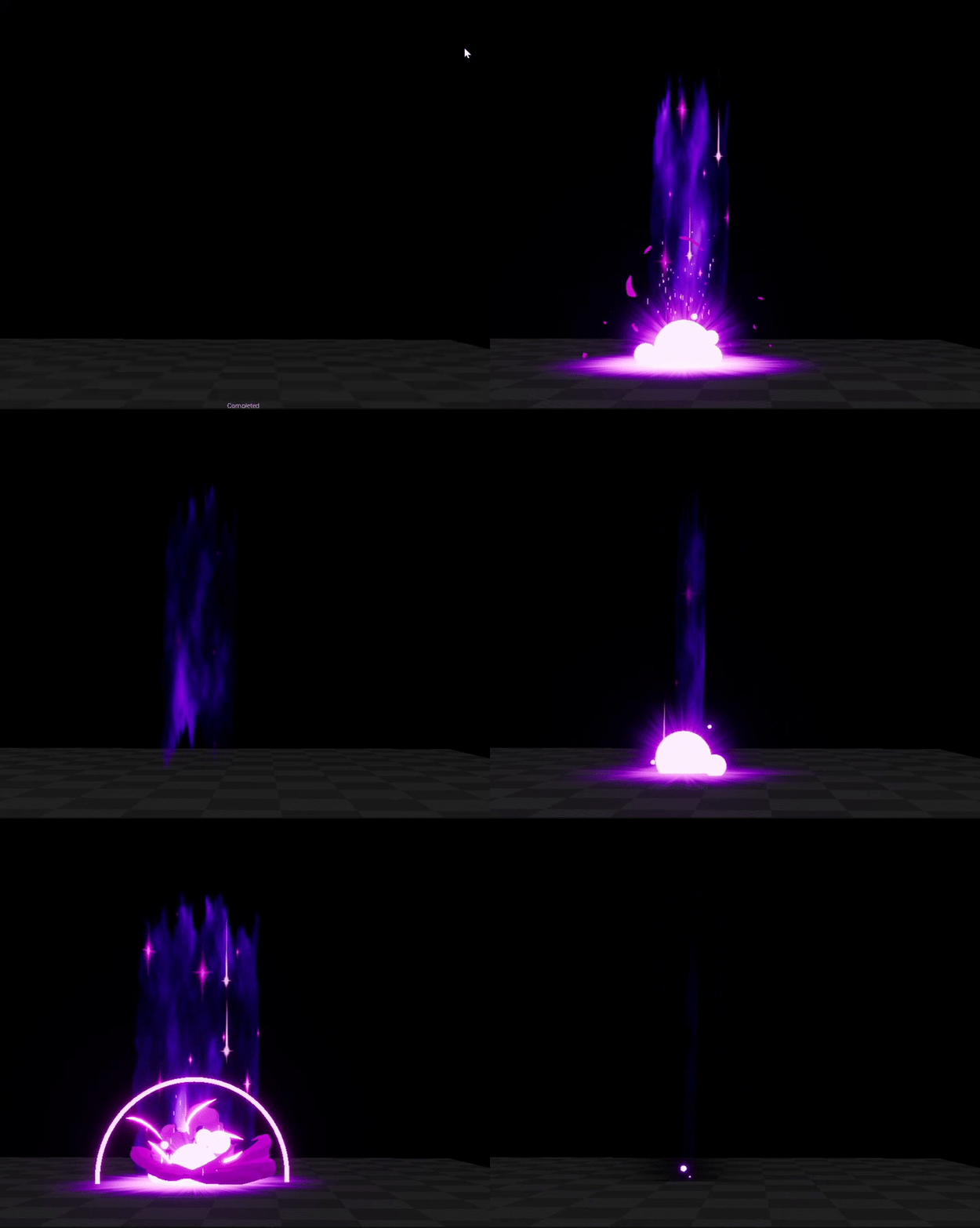
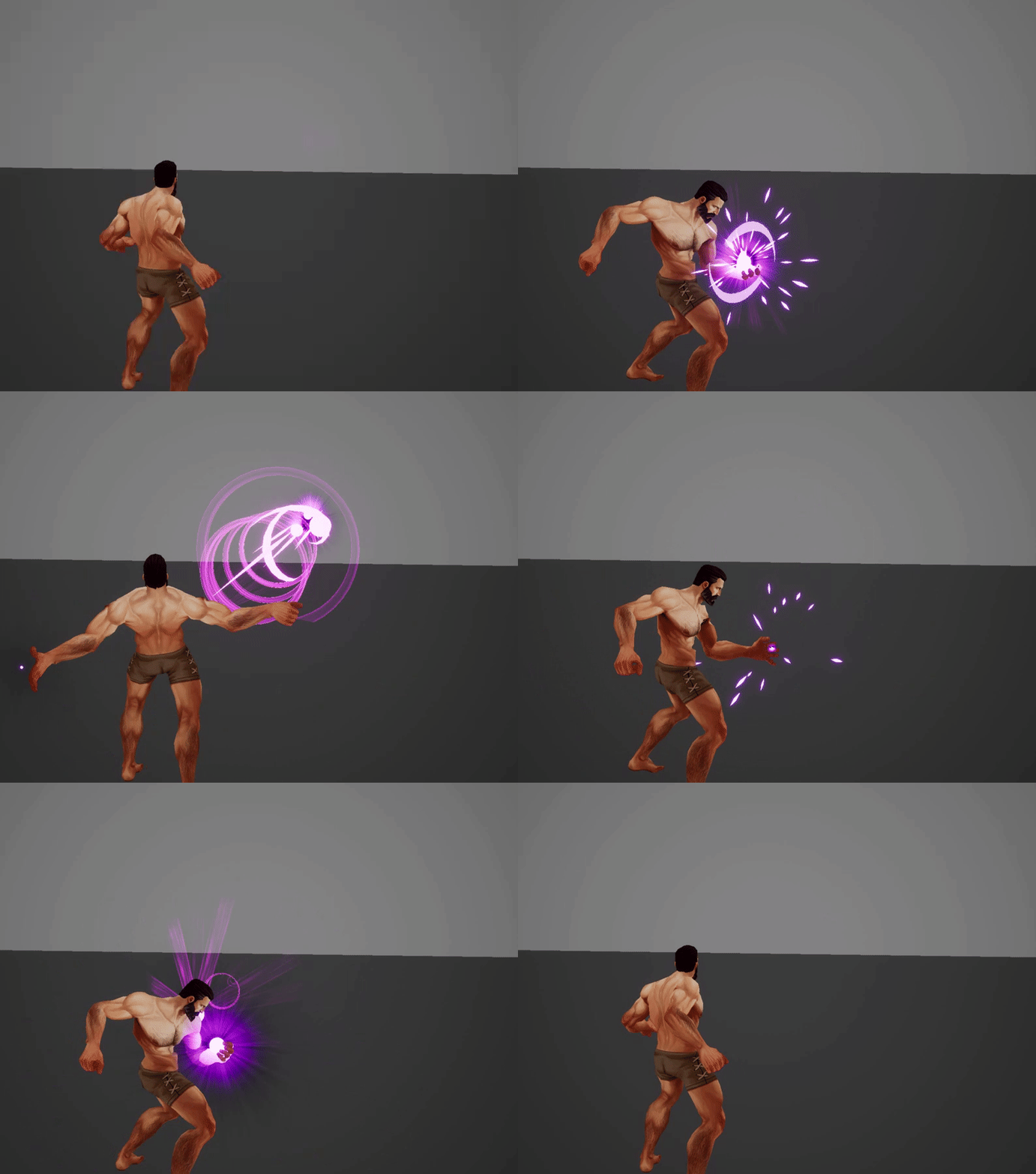


that's shape i used
i'm not saying that's a perfect shape, but that's what i came up with at the time
those are vertex colors - red = no opacity
the other colors are different speeds/colors
anyway what i did is NOT the best, there's way better stuff in games but yes - there's not a lot of great examples