#visual-fx
1 messages · Page 14 of 1
 candid flint
candid flint
candid flint
I do have everything beside of looking at mouse cursor, I just dont get the correct rotation
Dont think this fits in #visual-fx tho
candid flint
ok :9
 indigo jolt
i work in VR - i frequently orient things based on player hand controller rotation
so it's do-able
candid flint
Me too, but this is different xD
@cursor location: I really have all that figured out. It's just combining two rotators properly while the angle changes around the planet sphere, nvm tho. I'll look into it again.
 brittle remnant
Theres a bp node to combine rotators
 violet socket
I have a problem that's driving me nuts. I've already addressed the bounds and LOD so I know that's not the issue. When I place an emitter in a level, and move the camera, the effect appears to fade out. It's still there, just noticeably more translucent. If I move to the back of the effect, or to the side, it goes back to normal. It's essentially this issue https://answers.unrealengine.com/questions/718428/particles-not-rendering-at-distance.html but there were no solutions posted. Thoughts?
 random saddle
Hey. I'm an idiot.
I'm trying to spawn a muzzle flash for a gun. The flash being literally just a 2D image with no depth or animation at all.
Can anyone point me in the right direction? I have no idea how to use Unreal's particle system.
 spare hare
https://www.youtube.com/watch?v=pcTIekaiOZI @random saddle

This is episode 62 of my unreal engine 4 beginner tutorial series, in today's episode we go over an interview to the cascade editor allowing us to modify and...
random saddle
Thanks.
 mellow musk
hey guys, my sprites are showing the material from the wrong projection direction, any idea how to fix this?
I'm not talking about locking axis
so they're supposed to show up as alphabetical letters, but it's like their edges are being taken instead
 soft sorrel
Anyone ever notice that the 'disable' button on the Location > Pivot Offset module doesn't seem to work? I don't use this module much, maybe I'm missing something. I'm on version 4.16.1
 celest birch
So i need help with a particle system, it goes through buildings, how can i make it not show through the buildings when a player enters but when you look out the windw it shows its raining, how can i do this?
it is a particle system
brittle remnant
@celest birch The solution I came up with for this is to render a depth only texture from above my playspace and use that as a world space mask for the rain. IE: If the WorldPositionZ > DepthMapValue draw rain opacity at 0.
celest birch
No clue how to do it xD
brittle remnant
Look up render targets and world position coordinates and you should be on the right track.
mellow musk
or use gpu sprites with scene depth
indigo jolt
or set all your particles to collide and just get 4 more video cards
 winged nymph
what could I be doing wrong that could explain why bone/socket module doesn't work
other than the obvious
all names are right, skeletal mesh has bones
source set to bones
ok.... it works if I drop the emitter and skeletal mesh in the world and set the instance parameters on the emitter, but what if I want to do this within a blueprint?
does this just do nothing then?
 ebon copper
assuming my editor is set to centimeters for Distance units, what does standard gravity correspond to in Cascade? 98.2?
 fossil swan
btw if any of you never saw "thunderbolt fantasy" I suggest to start at 2:00 and watch it for three minutes.
its vfx-hnnng
https://www.youtube.com/watch?v=QWwmqHGYHus

From Thunderbolt Fantasy(東離劍遊紀、サンダーボルトファンタジー) 刃無鋒(Edgeless Blade)
(turn subtitles on)
fossil swan
story if awesome too. think ive watched the entire series three times last year
but I stay for the vfx ofcourse
 sullen forge
@fossil swan what the fuck lol
anime puppets
isnt it written by the great Urobutcher?
who wrote fate/zero and madoka magica and psycho pass
omg the overkilll FX
its so goofy holy shit, withthe ceramic dools
fossil swan
yea, but i totes love it
took me an episode or two to really get into, but due to the vfx for me atl east that was easy
 void flower
Any particle gurus want to make $10-20, I need some flare gun FXs done 😃
void flower
@fossil swan you dont have any on the MP do you?
 lone wing
how do i keep particles from crossing each other, when using initial location + initial velocity, for example if the particle spawn at the left, it doesnt move to the right
 gray inlet
some location modules have features for that
sphere, for example
allows you to set velocity based on the location in the sphere
 barren raven
Is it possible to drive cascade module values like spawn rate or size with audio input, or is that something niagara will handle in the future?
gray inlet
you can handle them with parameters
so you'd have to turn your audio signals into particle parameters for it to work
barren raven
It'd just be some float data coming in, so I can then set an emitter parameter which could then affect the spawn rate?
gray inlet
yes
barren raven
Awesome thanks a lot
 analog onyx
Lads and ladies, got into a bit of a challenge. I need to make a rather special effect. It is visualization of a wire, that is used for missile guidance. When viewed from arbitrary direction, you can only notice first few meters of the wire, which is painted specially for being noticeable. But when viewed from guidance sight, you can see the wire for hundreds of meters if not kilometers. It is the latter, I am mostly after. Any ideas ?
 celest jasper
also, distance blend material node
 high flower
Looking to burn away falling leaves / particles. I'm guessing a shader with a growing noise-like mask is the way to go? Anyone have any direction to point me in; resources, etc.?
fossil swan

Real Time VFX
hey everyone, noobieue4 here again. I am trying to learn how to make alpha erode thing, but i am running into this odd issue where the erosion would work, but it keeps looping? is there away to turn off the loop? is there something i can replace...
high flower
Thanks, @fossil swan
fossil swan
when you cant find your particle effect
https://i.gyazo.com/cc0ee07ca1811664ca4366d9dde6eb17.gif
 spare hare
^When you don't know what you are doing 😄
indigo jolt
i've panicked many times when the cascade viewport sends me into another galaxy far far away from my emitters
 fathom bobcat
probably a nooby ass question, but there's no actual way to have reflectivity values for particles is there?
particle materials that is
would it be possible to use a mesh emitter and fake it? I'm trying to do a simple confetti FX
 obtuse seal
Material noob here, how do I reroute a parameter to a bunch of inputs without knitting a spaghetti scarf of wires?
celest birch
@obtuse seal You can have duplicate parameters and they'll update at the same time if they share the same name
obtuse seal
thank goodness
Now I need to get a panning linear gradient in a material, oddly I can't find any topics on google. What's the best approach?
celest birch
Should be able to do it with either a gradient texture or gradient node (can't remember the name) and panning the UVs
obtuse seal
Panning a gradient node directly doesn't really seem to work so I'll do it with a texture methinks
indigo jolt
@fathom bobcat particles and particle meshes can use any kind of material type. it's the material type that determines reflectivity. Translucent can do reflections only when set to the Volumetric or Forwardrender dropdown boxes. Masked and Opaque materials are reflective by default and can be used for this purpose easily. Additive is the only material type that has zero ability to do reflections
random saddle
How do I make a particle system spawn in a random rotation around the Y-axis? The option seems to just be a slider with no individual axis control
And the slider doesn't seem to change anything
fathom bobcat
@indigo jolt that's interesting. I had a masked material with metallic/roughness settings applied and they wouldn'
wouldn't render in cascade
but they would when i broke the links to the metallic and roughness inputs
fathom bobcat
@indigo jolt I tried it again and it works fine now, not entirely sure what that was about. Sorry to have potentially wasted your time.
So, followup question, is there an explanation as to why masked materials don't support GPU sprite collision? Just out of curiosity
indigo jolt
hmmmm i wasn't aware of that but my best guess would be that gpu type collision is "scene collision" and that's sort of in same ballpark as "depthfade" and other depth-based stuff - which normally only works on Translucent
if you want collision and you want those visuals maybe you gotta go without GPU type particles. conversely though, i doubt you're really getting "realistic reflections" in a confetti strip and i bet you could probably fake them by having a texture set to "world aligned texture" that has some white dots pushed into emissive
so you'd get random "light reflections" as things fall
your confetti could probably be fully unlit
and super cheap that way
 crude steppe
Is there any proper way to add light to a beam emitter?
I tried cobbling something together with a point light with a long source, but it doesn;t really look all that good and lags behind the beam
indigo jolt
as in, light that affects scene as though your entire beam is a giant long lightbulb??
crude steppe
Yeah, something like that
Like you can add light to regular emitter, so fire actually lights up the surroundings
indigo jolt
hmmmm yeah i think you're only going to be able to do it at the end-points
or you're going to have to shoot a ton of little lit particles down length of beam and have THEM do the light component aspect
and use collision to kill them off at same point as beam ending
indigo jolt
it's kind of a trashy and expensive solution
oh just add a collision module to them
and you gotta make them visible which is also super annoying, so you'll have to make them REALLY small, but VERY POWERFUL
i dunno man what kinda beam is this exactly?
there might be more options depending on end goal here
crude steppe
A player shoots a constant beam weapon to drain energy from enemies or power up various dormant machines
Just your everyday constant beam
indigo jolt
hmmm ya i'd just do the start and end points then
you could go wild there and even have a bunch of sparks at either end that both have light sources
crude steppe
True, some light at the end might be enough
I'll try that
It wont light up the floor and stuff, but oh well
indigo jolt
and don't forget to make things "affect" the target

Shadow Arc with start point, end point, and electric material
making energy crawl all over target can be a real nice way of making beam seem more effective
lots of ways to do that too
beams is tough 😦
celest birch
How to create burst-like particles effect?
In starter content I've found P_Explosion
In the end of "action" it prints "Completed" and starts again
My particles start to spawn even if some particles from pervious "burst" still exist
fathom bobcat
in the required tab in cascade you can set a delay period
you'll also want a lifetime that's lower than the delay so that all the particles have a chance to die
fathom bobcat
your other option is to set it so it doesn't loop and then use a blueprint
which is what the P_Explosion was made for i believe
what would be the best way to introduce random noise for particles, to simulate turbulence in say confetti floating down?
vector fields?
celest birch
attractors?
celest birch
Hello guys do you have a link where i can create hit blood effect?
 cold sorrel
What kind? I'm working on a painsplat tutorial using vertex animation textures. I was hoping to have it done today but I'm slightly behind. It's a huge one
cold sorrel
It's not a tutorial, but you can grab this pack and see how it's made on my Patreon: https://vimeo.com/257195158

A while back I meant to release a pack of blood VFX for Unreal Engine 4 but I decided I'd rather share it in a way that it's affordable for both people…
celest birch
Thank you for the link sadly i can't afford it. :(
cold sorrel
Damn. I knew I priced people out at $3 for the whole pack. Oh well
celest birch
It's cheap yess but i don't have money right now. I'm a student haha
I will buy it but my deadline is on tuesday and it's killing me
cold sorrel
check out realtimevfx.com there's a gore contest in progress so there's a lot of info to be found in those threads
 lyric smelt
@Progmartian#9540 https://m.youtube.com/watch?v=kLeKe2SHu78
YouTube
UE4 tutorial on spawning a blood spurt particle, which them adds decals to the environment! So violent :'( Request by - "Nickname Surname" (that's literally ...
Works well enough though I remember we had to do some extra tweaking
celest birch
Already did it thank you guys.
@lyric smelt i used that one. And do the tweak stuff
indigo jolt
gore contest ooooo
sullen forge
i just saw a pretty nifty effect in god of war
for a pire of fire
like a huge torch
they have the typical particle billboard with flame
some gpu particle embers
and a pointlight
wich is hovering over it AND moving
they have a pointlight moving randomly on a sphere of around 0.5 meters, without changing intensity like its common to do in such a case
indigo jolt
huh that's an interesting solution
void flower
Still looking for someone that could make a flare gun particle [paid] DM me if it's something you can do 😃
 polar heron
Would anyone have any idea why all my particles are visible while playing, but only some are visible in simulation?
I'll try and be more specific.. I'll get an image, hold on
Here we go, when I eject from the pawn to take a screenshot it decides that it wants to unrender the explosion particles, but the beam particles are fine.
fathom bobcat
could it be that the emitter object isn't visible?
 trail quest
hey guys, i try to rebuild/modify some of the paragon fx in 4.18 (and for learning purposes 😉 for my project ,but cant get a specific material to work. its a small mesh/lightning fx, not too fancy. i have four dynamic parameters, and the material previews just fine. but when i use the Dynamic Module on the emitter, he doesnt recognize the parameters and thus cant change the values, resulting in a invisible fx. any ideas why that is?
trail quest
got it fixed 👌
 kind stone
hey guys. im having a issue with light maps in UE4 1.19.1
walls on one side are eamless
on the orher you can clearly see the seams between the walls, there is a point light inbetween them casting even light so i dont know whats going on
 visual hazel
@kind stone Yeah, that's a problem that I have with light maps too. It's been like that the whole engine. I think it's something like it's using different threads for each object, so they have different lighting qualities. If you use a single thread it might work better.
 frail crown
Hello. I'm trying to understand something as far as particle colors. I have a particle and it almost seems like the color is some sort of gradient. If I click on it and use the color picker and just move around inside the circle part is seems to do various things while maintaining the gradient, but if I mess around with the RGB parts too much it can potentially break this gradient and make it a solid color. When this happens the particle losses it's neon-like quality. It seems to happen when the value drops? Is there something else here besides just normal color data?
Although I'm noticing now that the value is 34, when the value slider is normally 0-1? @.@
celest birch
@frail crown Color is in the 0-1 range. If you go above 1, the engine treats it as emissive and makes it "glow"
Which is the neon-like effect you see
frail crown
Ooooh! That makes sense. Thanks. xD
winged nymph
how can I fix this problem with ribbons when you're looking head on or from right behind it'll draw lines like this
that spin around
attempting to face the camera
gray inlet
making a weapon trail thing, mainly for UX, not even for the effect itself.
Is there a way to send a particle along a beam, from source to target?
so I want to make a smoke trail, but also want to send along a tracer bullet
spare hare
@Sigil Baram#1205 I recommend using the HSV input instead of the RGB input. The V input scales your glow intensity (0-1 means no glow) and is equivalent of scaling all RGB values equally
 pseudo vortex
Is there any known issue in 4.19 (or even before) of Particle Systems not listening to Float Parameters?
Want to change the SpawnRate from BPs and name is correct, but it doesn't seem to have an effect :x
I haven't setup that particlesystem (not my job), so could be that this is maybe wrong?
If I set min output to something like 20 or so, I can see the change ingame. So it's the correct system
@fossil swan Maybe?
Welp, can't get it to work
Went through all these settings. It doesn't want me to adjust it
ARE YOU KIDDING ME
flips client's table
Nvm me....
fossil swan
sorry @pseudo vortex I was(and am) afk :/
pseudo vortex
No biggie. No one could have solved that anyway
indigo jolt
@pseudo vortex try same setup but do it to another part of particle, like color or scale
i think you mostly have it right
but i'm not sure the spawn parameter is the one you want to mess with - maybe Spawn Scale
but not sure
gray inlet
@pseudo vortex have you tried to set the mode to DPM_Direct?
indigo jolt
ooo ya try that
gray inlet
DPM_Normal basically means, it doesn't take input at all
at leats that is my impression when I do these tings
actualyl reading this, it takes the input and maps it so you can use the same parameter to drive different things in the particle system
when using DPM_Normal
 frosty warren
How do you change the mesh collision on mesh emitter particles? It's only treating a 1x1x1 spot as collision. I have simple and complex collision on it but it's doing nothing changing the collision on the mesh
candid flint
https://www.youtube.com/watch?time_continue=14&v=XYPPd5oLoPM I followed this tutorial, but the effect just works in the viewport, on play it disappears. Somebody done that before?

This tutorial explains how to create a material that modifies the opacity of objects based on an external point in space. Material instances are used to driv...
fossil swan
@frosty warren it looks at the collision you generated/made for it. but yea it can be finicky sometimes.
candid flint
If somebody else has the problem, the solution was to also mask out BoxExtent like PrimeLocation and update BoxExtent in the Blueprint on tick.
celest birch

anyone know how i can get it to perfectly time with the tree's centre piece hitting the ground
 wise pebble
@celest birch Maybe add a simple collision component at tree's center (or wherever you want) and use its overlap event to fire off the effect?
celest birch
@wise pebble i tried that but landscapes dont like overlap events very much so im doing on static hit
wise pebble
@wise pebble Oh, didn't know there are issues with landscape collisions.
@celest birch I meant to tag you, not myself 😃
celest birch
@wise pebble lol no worries
winged nymph
get we can a "Use Extremes" checkbox for Initial Rotation?
@celest birch does it always emit at the wrong offset? you could use a initial location and add some -Z to it, but that'll only work if they always emit in the same wrong way
I would also add a slower size/life increase and add some local space velocity outward
and drag
trail quest
hey guys, i cant seem to get a proper fade-in effect for my fx...i dont want it to "plop" into the scene, and tried to use the alpha or scaleColour/Life to achieve that, but it just doesnt seem to work out. my material is pretty basic, so i dont think its overwriting anything. any ideas what to do? i can let it fade-out by multiplying the particle relative time into the opacity channel...but no idea how to influence the spawn. could pull my remaining hair out over this. it seems so simple but nothing works 😄
oh, im still on 4.18...my team doesnt want to upgrade on 4.19 just yet 😫
fossil swan
https://www.youtube.com/watch?v=ezOaFBPBE9w
just use alpha over life, make sure your material has a particle color alpha channel hooked up to transparency or mask depending on needs.
WTF is.. Cascade. A short tutorial/explanation-esque series where I explain Cascade's modules.
wise pebble
"WTF is..." in the title is inspired by TotalBiscuit's videos? 😃
 buoyant escarp
Hi, i have a Problem, my Blueprint generating a Particle event that spawns just a particle in a specified place do not work if the particle data type is ribbon. Do anyone know how to fix this?
this is my blueprint
And this is my failure as a human being
I was very happy when i found I could spawn particles with blueprints, it grants a precision that i much appreciate, but when I couldn't do it with ribbons I became very sad T.T
plz send help, thank you.
indigo jolt
ribbons gotta move 😛
add a velocity and they'll show up
or some sorta target between 2 points
cold sorrel
Gotta go fast!
indigo jolt
i might have been thinking beams on the target thing
just jack up velocity more
put it at +900 in some direction
if that doesn't do it try 9000
we can probably help more if you specify what kind of specific natural or unnatural end result you're trying to achieve, along with context, what things are attached to etc
like if you attach ribbon to a character then run around - you won't need velocity exactly
it'll look janky, but it'll show up when you move
however if it's attached to a static object that doesn't move AND there's no velocity, you won't see much at all
buoyant escarp
20000 velocity still no ribbon =<
indigo jolt
jack up scale, and make sure to watch wireframe
i mean you could start over from scratch tbh and undo whatever screwed up ribbons - to see a ribbon the steps are rudimentary. 1. make new particle system. 2. apply a material. 3. set to ribbon
if you just follow those steps first, you'll see ribbons
there's plenty of other steps you can take to make it break after that point
buoyant escarp
My current goal is to make a lightning strike. I could achieve this by having an emitter that spawn on units moved, and in one frame move the actor from point A to point B.
But if I could just spawn the particles at specific points I could make other shapes then a straight line
indigo jolt
ah this helps
ok so ribbon COULD do this, but it's sketchy
so here's what you'd have if you followed those basic 3 steps fyi https://i.gyazo.com/fd94183709bebc4152056efa35790f19.mp4
here's tutorial you need to watch tho

Ribbons are particle streams that can be emitted from other particles. They're useful for things like contrails. Here we show how to set one up to stream fro...
so you COULD do a lightning strike this way, but here's the thing about ribbons. you know how a Slinky works?
buoyant escarp
😮 ?
indigo jolt
ie - you stretch out a slinky to touch the floor, then drop the slinky, the top races down to meet it
so that's how ribbons work, they don't like to "die at full length"
Beams would do this
a Beam will also allow you to use pre-defined Source and Target locations via Blueprint
and beams can use Noise so you can get some randomization on geometry shape
also beams can die at full length, if you're clever you can use material to dissolve it too
your other options are slim tbh
but ribbon is just not suitable
a ribbon is really nice for adding a "meteor trail"
or maybe cigarette smoke
buoyant escarp
Hmmmm... Maybe my end goal could be better achieved with beams... I've never spent much time with beams, but this could be the points where I should learn them
indigo jolt
yep
buoyant escarp
At this point I'm kind of amazed that Ribbons don't seem to support "spawn particle events" at all
the single particle at the top is is spawn by an event in the blueprint, the once at the bottom is normal spawn
Anyways, now I give up on ribbons for this, I'm gonna start to learn Beams instead. Thanks for the help Ballsproblem =d
indigo jolt
np
 rotund quartz
I'll just leave this here...
Join us for a first look at Epic Games' new Unreal Engine VFX editor, Niagara. This new suite of tools is built from the ground up to provide unprecedented p...
winged nymph
ya can't wait for niagara
cascade is like eating just a forkfull of the best meal ever
I want mooooore now
 old terrace
Hey guys! Is it possible to play particle from emitter component only once? Just like SpawnEmitterAtLocation with AutoDestroy option enabled.
C++ or BP
cold sorrel
My new tutorial is out! It covers Vertex Animation Textures and Decal texture baking, all wrapped in a nice painty package.
https://vimeo.com/266717949

In this tutorial, I'll show how to create a Paintsplat projectile in Unreal Engine 4. I'll take you through the creation of Vertex Animation Texture splashes…
indigo jolt
lol awesome
i'm saving this one for long-term
it'll be a while before i can use this sort of method to replace my current alpha-erosion + curved mesh method
but looks way more crisp
no nasty pixels
sullen forge
damn thats awesome
very good video
practical and to the point
and an actual final quality level effect
indigo jolt
huge relief as the last way of getting any sort of fluid deformation in a game-ready format with houdini required a purchased plug-in just to do the tutorials
that was super annoying
this tutorial looks way more useful
cold sorrel
😃 Thanks!
indigo jolt
🙇
i'm gonna tell my squash buddy at side fx about this one
he'll get a kick out of it, he knows your stuff - but he does water stuff
 shut flicker
Anyone else have issues where if your particle system has an LOD that spawns 0 particles, they get stuck at that LOD if they started there based on where the player spawned.
I guess I just should spawn 1 particle to keep them alive. Wasn't sure if someone has ran into it before tho
shut flicker
Looks like the PS just needed bounds set 😃
analog onyx
Particle system stops updating, when owner no see is set for the main view. Any fast workaround for that ?
 hallow arrow
is it possible to make particles align to a mesh from the start?
like, spawn all particles that are needed and distribute them over a mesh shape?
celest birch
so, ive been tinkering and trying to introduce volumetric fog to our game, the visual difference is huge at some points but so is the performance cost.
setting the console variable r.VolumetricFog.GridSizeZ to 50 did reduce me some ms but the fog is still eating 6-12 ms
now this is a top down game, and i am using an old pc but im worried about user experience as i can only a) optimize the game or b)increase visuals by this method and i have about 2 weeks for almost 30 maps
now the question is how would i go about reducing the cost of the fog while keeping some of the finer visuals
 tawdry mica
Maybe don't use it at all? If it's top down you're not going to get a great effect from it anyway as you are looking down at the terrain and not through the light source unless you're using spotlights in a night time scene. Maybe a simple atmospheric fog with small uses of volumetric fog near light sources where it gives a nice light beam effect.
Rather than global
For my own game I had added a lot of post process but the performance cost wasn't worth it in most cases. I disabled all of it and focussed on makingthe game look as good as possible with 0 post process. Then you can tinker with adding some small amounts of post process
But the performance cost is rarely worth it. SSR is a good example of that. It generally looks bad unless it's on a very high setting in which case it's way too costly.
Volumetric fog looks better but it's so costly.
Or just don't worry about the cost too much and have it as a graphics option to be enabled or disabled. I'm sure any high end card won't struggle too much with it
 slender tapir
Is there a way to actually pull of part8cle vfx without geo
 wanton vector
Is it worth it spending time on cascade now, when niagara is coming? I'm trying to sort out a heat/shimmer effect that covers a wide area (a large desert landscape). I'm using the Heat material with refraction from the P_Fire from Epic's assets, but it's not displaying at all. Anyone got some suggestions for how I can produce the effect I'm aiming for?
slender tapir
Has anyone here done any stuff from cgwells courses
indigo jolt
if cascade got removed entirely within the next year....90% of VFX artists would be pretty darn pissed off imo
there aren't a ton of niagara evangelists yet
cold sorrel
Cascade's going nowhere. Learn it
I work in a nodebased particle system and I spend large amounts of time recreating "modules"
It's just such a fast way to work compared to nodes. Nodes beats modules hands down when it comes to expandability
indigo jolt
ya, seems like Niagara is a solution for large-scale solutions where you might want control over 50 particles systems at once without doing a lot of replication
but not so much for "quick and dirty"
i'm clueless about it, but that's what i've gathered
sullen forge
not at all
niagara is designed in a way that it also has a stack system
you will be able to emulate cascade in niagara
but niagara fixes a few very critical things
regarding FX reuse
everything is more modular and far easier to reuse
so fx artists will be able to easily reuse parts of effects
for example imagine a "flame" emitter that just has properties for size and strenght, and then you put that on a torch, or on a flamethrower, or on a chimney
its definitely going to be extremelly useful for me
ill jump into it as soon as i possibly can in 4.20
becouse i have lots of magic effects and shit i will need to reuse in different colors/sizes. Reusing them its going to make my life a lot easier
 steep eagle
hey, anyone in here good with ribbon trails?
indigo jolt
relative to people that have never used ribbons...yes
just go ahead with question and be very specific about what you're trying to achieve - what real life visual you're trying to emulate, in what situation, with what kind of movement, characters, static, etc
the more info ppl have the better
ie - "I am making a Zebra simulator, my Zebras need to fart out zebra-striped ribbons that shoot out 20 feet behind zebra and are 5 inches thick and go upward like smoke"
slender tapir
Can someone point out hiw to do sone nice effects like that on cgwells
gray inlet
hard work and dedication
cold sorrel
👆
steep eagle
@indigo jolt hehe, well i'm trying to create an engine trail with a ribbon a la homeworld 2 but i'm running into problems with the ribbon stuttering where it spawns, as ribbons do
i'm wondering if there's a way to fix that, besides setting the spawn rate of the emitter super high
celest birch
how would i setup a police lights system for my game'
fossil swan
goofing off recreating an old fav of mine.
https://www.youtube.com/watch?v=3FA5p7pOIAg

Recreated an all time favorite effect of mine. Always had a weak spot for Phantasy Star 4, and even to this day I am in love with all the effects present in ...
wanton vector
Wow, that looks great
But like you guys said, I'll just use cascade for what it's worth now. Do you guys have any suggestions on how to make a heat/shimmer effect? I'm having difficulties making one. The P_Fire from default assets has a heat distortion emitter, but I'm having trouble scaling it so that I can actually spot it visually. It's emitting like I want it to, but with no distortion effect. I need a heat distortion effect like one you would see on desert dunes where you can practically see the heat waves. Any suggestions are most welcome! 😃
cold sorrel
Did you try googling the question?
wanton vector
@cold sorrel Obviously. I wouldn't resort to asking questions here if I couldn't find it myself. There's a lot of topics about it, but they're all referencing the P_Fire particle system. @sullen forge Hmm, yeah I could use a distortion effect in post process.
slender tapir
is is necessary to use mesh in sfx for slashes and the likes
indigo jolt
no padraig - Anim Trail is common for that
fossil swan
depends, while animtrails are common, its often cheaper to use meshes. (if you use houdini @cold sorrel has a great tutorial on it)
 steady mist
super noob question... in cascade how can i make my ribbon particle move in a wave on the z axis over time
initial velocity is some x,y value which is set first. then i need the particle to bob up and down.. this has to be so simple haha
wanton vector
@sullen forge Got a nice and working heat shimmer effect by using a post process material. I thought particles would look better, but I'm happy with the result I've got. Cheers!
On another note, I've got grass that bends when I walk over it, and I'm working on getting the grass to stay down for a set time before it bends back, so you can actually see your trail in the grass. There's some videos about render targetting (Andre Allan does this with snow deformation), which leaves trails behind the character. Would that be the way to go, or is there a better solution? The location is based on the a Material Parameter Collection so I'm trying to store the last position, but still gotta reach a successful result. Anyone that got this to work/got any suggestions? Been searching the web far and wide for a solution. Cheers ahead of time!
sullen forge
@wanton vector to get the best one, you need the render target thing
its expensive in perf, but the results are incredible
wanton vector
I'm making it bend in one direction (i.e the path I walked on), but its just applying the blend to the grass Im currently standing on. Hmm.
Yeah, thing is I bet it would be too costy for me as I'm already down at 60 FPS. Performance is an issue for me since I have a 20x20km map with dense forests, and going for a lot of detail etc.
sullen forge
the grass system can be optimized much more than you think
you can have it only in a radius around the player
you dont need it to do it on the whole map
you can have a 256x256 render target with the grass for the next 12 meters. this would give you a precision of 1 pixel per 10 cm
wich should be enough
the trick is that you center the render target on the player
allways
wanton vector
Hmm okay, yeah that's the solution I had in mind aswell. Now to figure out how to make the render target actually influence the grass meshes, as all the videos I've seen are with landscape materials. I'll have to read up on it, thanks for the help so far!
old terrace
What happend to material editor in 4.19? Shader compile time is like 5 times slower, compare to 4.18.. Each time I change material, I't compiles >200 shaders..
Any ideas how to fix that?
tawdry mica
think its standard
all meterials need to be compiled when used for th first time
you probably had them all compiled before already
now you have to do it again
1 of the joys of updating
old terrace
@tawdry mica It recompiles every time I change the material. More than 200 instructions. I know it should compile before using, but it was much faster in 4.18
In 4.18 you change the material and it compile shaders only when you press Apply. And like 30 shaders. Right now, if I add any node, it loads shader for like 10 seconds and compiles >200 or even >400 shaders
Every time I make changes, this appears in log.
LogMaterial: Missing cached shader map for material M_NoisyPlainColor, compiling.
How to save this cache, so it do not recompile every change..
wanton vector
@sullen forge Hey! I looked up the render targeting technique and that's definately what I'll be going for! I've followed a talk @ GDC by Chris Murphy (https://www.youtube.com/watch?v=67z5u8ZcEcw). He's using the render target for his landscape material, and I'm trying to incorporate that with my grass meshes. Would you mind looking at my set-up? I'm pretty lost as I get no visual results from what I've got as of now.

Epic's Chris Murphy explores how Unreal Engine's Blueprint allows developers to create high-end effects that impact many areas of the game environment withou...
 cerulean pecan
how do you go about having multiply render targets and have it centered on the player and such
For my grass I'm using a world aligned texture function and grabbing the z value
wanton vector
Well, for now I only have a Scene Component 2D attached to my character (in the blueprint) which is projecting the Render Target texture. That way it's always centered on the player.
cerulean pecan
I'm having trouble visualizing this
wanton vector
Same :/
cerulean pecan
Wouldn't that make you draw in the same place all the time?
wanton vector
Well yes, but the Scene Component 2D is a child of the BP itself, so when the BP moves so does the Scene Component. You can set it to update per frame. I'm pretty sure that works anyways, I've been dealing with a lot of different game mechanics tonight so I'm kind of beat haha!
cerulean pecan
Is this explained in the video you sent?
wanton vector
Not really, I just figured that out by myself. The video I sent is pretty fastpaced and I advice you watch it if you're trying out the method I'm aiming for aswell. He talks about using a render target that controls a brush which changes the landscape material, which is what I'm trying to do, only for foliage.
So I've set-up a centered brush material with a falloff like in the video, and I'm using his logic in my character BP. I then proceeded to try to combine this with the current foliage bending. Not getting any visual effect at all and I feel like I'm just misunderstanding it. Would love some feedback on workflows on this if anyone ever has done something like this
cerulean pecan
I'm not understanding the whole scene component 2d thing you're doing
wanton vector
Yeah it's something I picked up from this post here; https://forums.unrealengine.com/development-discussion/rendering/11292-getting-ground-color-for-grass/page2 - 2nd last post. Figured I'd use it in the character BP and not the scene itself.
Unreal Engine Forums
For discussions about Materials, Textures, Lighting, Particle Systems, and Post Process Effects.
Since then the foliage that is being drawn can be centered around the player, and not world-based
cerulean pecan
I don't have my project open right now, but I believe I am drawing to the render target via the static mesh's uvs
I'm opening it up one sec
cerulean pecan
Okay I set up the scene capture 2d
Is there a height above the player I'm suppose dto set it to
now how do I draw on it and not capture the player
celest birch
@cerulean pecan To center the render target, you just gotta record the position difference between each frame and then draw to a second render target
wanton vector
I'm not really sure. I set it to the height I've scaled my landscape with on the Z, 498. Not really sure why haha, but if you play around with the Z values you'll see how high you need it
cerulean pecan
am I supposed to put a hidden brush in the player or something
celest birch
I believe you are both talking about different things here
wanton vector
Oh, so it's not enough to just have it as a child to the BP?
So it would follow the player?
celest birch
@wanton vector I'm not actually sure what you're talking about. What problem are you having?
wanton vector
Well, I want the landscape grass meshes behind my character to stay bent after my character passed through it. Right now each of my character's feet bend the grass, but I need the placement to stay for a set amount of time.
To create a trail, pretty much.
celest birch
What do you have right now?
wanton vector
One foot touches the ground in the anim BP and the grass bends outwards with a set strength and falloff, and disappears when the next foot lands on the ground.
celest birch
What's the specific setup? You're using Render Targets? How are you drawing to them?
wanton vector
I'm using a material expression collection param to drive the position of my grass meshes' material. I'm offseting it. I'm not using render targets at the moment, but I've read that it would be the best method to create the trails behind the player.
and the character simply sets the vector parameter value to the collection param.
I exaggerated the effect for your viewing: https://gyazo.com/471cbcb3b3cab7c0dd22744a8834ce4f
Here's the material graph for the grass mesh, which goes to the offset.
celest birch
Yeah you'll need render targets if you want to create a trail
I don't actually know what you're doing with the Render Target atm but you don't need a scene capture
wanton vector
Oh okay. Yeah well I really have no clue how to go about doing this haha 😃
cerulean pecan
Tommy saves the day
wanton vector
Been following a lot of tutorials and reading doc's, but can't wrap my head around how to use the render targets in order to make the grass trail
Trevor, your making a trail aswell?
celest birch
The video you linked before (https://www.youtube.com/watch?v=67z5u8ZcEcw) should do most of what you want
Epic's Chris Murphy explores how Unreal Engine's Blueprint allows developers to create high-end effects that impact many areas of the game environment withou...
It won't do the bending but it's a start
The bending part is a bit more involved but I think you should start with just writing to a render target and then making grass disappear or something
wanton vector
Yeah, I'm scavenging what I can from that talk. It's based on a landscape, while I'm aiming to use it for grass meshes. Just gotta figure out how to actually pull that off
celest birch
Are you using foliage or grass tools?
wanton vector
Landscape grass output
celest birch
He explains how to make the grass disappear as well
But yeah, it's a bit different if you want to do bending since you'll have to edit the mesh material instead of the landscape material
wanton vector
Oh wow, I didnt see that! Mustve skipped past that part! Thanks! I'll give this another view tomorrow after a good nights rest, been working for far too long now hah
celest birch
Oh my bad, he edits the mesh material to make the grass disappear
analog onyx
So much grass interaction talks lately. Could not resist and ported my foliage interaction thingy over from Unity.
@celest birch So, wanted your opinion on something grass-related, If you don't mind. What do you think about skipping persistence buffer all together and just increasing lifetime on the particles, while simulating spring physics in particle-relative time ?
celest birch
@analog onyx Not exactly sure what you mean. Might have to explain it to me in simpler terms lol
Cool stuff on the grass btw 👍
While on the topic of grass, I saw a pretty smart way of creating masks: https://www.artstation.com/artwork/x2Nn2

ArtStation
For more examples go here: https://www.artstation.com/artwork/o82YL
For higher quality use: https://drive.google.com/file/d/0ByOuETOhP-uoYzZJVTZGanNFT1U/view
works in version 4.13 and up
Any questions don't hesitate to ask
Using it, you don't have to have each actor draw to a render target
Unfortunately, it is only a grayscale mask so if I want to use it for bending, I need to derive a vector field somehow.
Oh I just took a closer look at your grass video. Is that spring physics I'm seeing? 😃
analog onyx
@celest birch Yeah, gotta get gyazo pro. 7 seconds sucks. Here it is with less dampening
What I think though, is that how you do it normally? You render a scene capture from top, using showlist, that includes only particle systems. Those particle system have owner set to the character, and Owner No see enabled, so they are only visible in capture. Particle material represents deflection direction. So you set the particles to live only one frame and spawn them right under the object or on interaction events. Then you ping between two render tagets, compositing result of scene capture into persistance buffer, and gradually fading it using delta time.
In case with a spring physics, well, you just substitute deflection direction with force and add physics pass.
But how about just rendering long trail of particles, with long life, instead of compositing the thing into persistance buffer? In the case, the render target, you are capturing to, will be the single one in the process, and the one you will sample in foliage shader
You know, you can use particle life, to wobble between forward and reverse deflection direction, slowly attenuation to zero deflection towards end of particle life ?
The part which I am not sure about, is the fact that rendering particles is already the slowest thing in the process.
celest birch
That's... actually a good way to do it
I never thought about using particle systems. I've just been using Draw Material to some sort of brush texture to a render target
Is rendering particles really that slow though?
analog onyx
It is the same, but drawing particles allows you to scale for N objects
It isn't slow, but it is the slowest. 0.4 ms, to be precise.
that is for a dozen of objects with one frame life time
just to compare, physics pass, with 10 Poisson iterations for cell-to-cell energy transfer would take 0.2 ms on 512 grid.
(you can mercilessly fake momentum transfer by just growing particle over time, in the second case )
celest birch
I think your proposed method would be quite good. It can also get around the problem of fast objects not having a continuous trail
You'd be faking the spring physics with the particle right?
analog onyx
yep.. well.. just something like.. use particle parameter, controlled by a curve, that would lerp between forward deflection and reverse deflection, and slowly attenuate the effect to zero, when particle life reaches 1 .
or just sine in material driven by particle life
celest birch
Man, you gotta do some tests now!
I really like the idea
Your way is so much better than mine haha. Automatically centers on actor and only requires one draw to a render target
analog onyx
I thought about it today, when moving over the shader from Unity. Its clear benefits are ability to use one 8bit render target(You need at least 16 bit with physics sim) , and having precise control over the effect. Its downsides are poor scalability (times objects times trail length).
celest birch
Pinging you @cerulean pecan since you might be interested in this too
analog onyx
One particle problem though, it is that motion will be a bit.. undefined in the region of particle overlaps
celest birch
Yeah was going to ask about that...
Maybe just have latest particle render on top somehow?
analog onyx
Yeah, sort by life
celest birch
I mean that's how it works using Draw Material method anyway
analog onyx
I mean it should look okey, but unlike with physics sim, there will be some confused motion near line where new particle blended over
Probably could get away by snapping particles to simulation grid exactly, both for size and location.
celest birch
Let me know if you get it working. I'd really like to see the results!
analog onyx
Yeah, I will test it against classical approach and will revert with results.
celest birch
@analog onyx Oh yeah forgot to ask. How are you distinguishing if an object should be drawing into the vector field? For example in your video, are the objects on the starting platform emitting particles?
analog onyx
@celest birch Get all actors of class on begin play, loop through array, add to capture showlist.
The objects, that interact, are dedicated blueprints.
Can use tags equally.
and yeah, set owner to player character to
celest birch
Nah what I mean is, if a ball goes into the air, it shouldn't affect the vector field anymore
But once it reaches the ground, it should affect the vector field
analog onyx
Perhaps, monitor overlap events in the object's blueprint, and stop emitting, when not colliding? Not doing it yet.
celest birch
Ah okay, was just wondering if you already had a solution for it
I was thinking if you do the scene capture from the bottom, you can compare particle depth against landscape depth. If particle depth is greater than landscape depth and less than some user-set depth, then draw it to the render target
Well actually you can just do it from the top too
As long as you have landscape heightmap
analog onyx
You don't want to be rendering anything, other than particle for that capture though
celest birch
Yeah you wouldn't render anything else besides the particle
analog onyx
Yeah, could test it against landscape heightmap, but that means actually having that heightmap, and burdening pixel shader of the particles.
Being a madman, one could do the thing in 3d 😃
celest birch
Yeah, not everyone would have the heightmap
I would have it in my project though 😛
You should be able to just do it through a blendable on the scene capture... I think
analog onyx
One particular usage case, that comes to mind and can be done, is wind occlusion
Can mindlessly make wind by showering particles over the field.
celest birch
Oh yeah that would be neat 😂
 drowsy lynx
Just released the updated version of my RIME talk from this years UnrealFest - Now with Water! :)
https://youtu.be/4FIDBeF_4SI

More Game Art Tricks: http://simonschreibt.de/game-art-tricks Article to this Video: https://simonschreibt.de/gen/stylized-vfx-in-rime-water-edition 00:02:50...
analog onyx
@drowsy lynx Cheers for sharing. Shame I did not make it to Unreal Fest this year.
wanton vector
That's some nice grass interaction there!
obtuse seal
That interactive grass is nuts lol. In regards to the simulation approach, using particles to approximate deflection is pretty smart, it's kinda becoming a fluid sim 😵 . I'd like to sit down one day and get something like this working, are there any text or video tutorials on reactive grass with render targets?
celest birch
@obtuse seal Creating grayscale masks is easy enough and there are a bunch of videos on it
Bending the grass is just using a flowmap-like texture instead of a grayscale one
You can create the mask using Draw Material node or scene capture and particles
sullen forge
@drowsy lynx i really like the videos you have, thanks for that one
drowsy lynx
@sullen forge thanks 😃
drowsy lynx
neither did i 😄
indigo jolt
i seem to be experiencing some compression issues with a texture/material while using a beam on first cast of a spell
anyone have thoughts on best practice for fixing problem like that?
simply disable mip-mapping?
or too sketchy?
drowsy lynx
good question. we had this in a custom engine and there i had to turn on an option, that the texture is always availiable. i think this is possible for unreal as well but needs to be used carefully 😄
indigo jolt
yeah i'm just struggling to think of a situation where i ever want this thing downscaled at close-range
it's a spell of player character, in VR, coming from her hands
so ANY down-rez just brutalizes visuals
i guess i wouldn't mind if it only did it for other characters/players at a long range
analog onyx
set the texture to never stream ?
indigo jolt
yeah right now i'm just setting it in the material texture parameter, setting the mip level to absolute 0
which works
rather than on the texture itself just yet
texture gets re-used in a lot of situations
 safe merlin
Hi everyone, i was wondering if there was someone with patience and knowledge capable to help me with a post process effect, (PM me Thanks)
indigo jolt
more people will help if you go over what you're trying to achieve - no one wants to volunteer for something then find out that it's more difficult than their own capabilities or time permits
well maybe someone....but not many
i can do SOME things with post process, but not as much as others, so i could easily end up being stumped
celest birch
@safe merlin Just post the problem you have and someone might be able to help
Heh someone's using Kuwahara filter for their work: https://80.lv/articles/automatic-stylization-for-realistic-assets/

Victor Kam showed how he uses scanned assets with Kuwahara filter to build his amazing fan project.
tawdry mica
That's really impressive, everything looks hand drawn, reminds me of Spirited Away
 worldly pivot
Can anyone explain roughly what this is doing? I sort of understand it
I get that its panning the texture but whats it doing before the panner
celest birch
Using the object's X and Y coordinates to determine the panning of the texture. Looks like it's for some sort of world aligned effect but hard to tell
worldly pivot
Yeah i figured it out thanks 😃 one sec il explain what i think its doing
Yeah its setting the UVs so that when the particle spawns in a different WS it has a different position on the panner
Its from the Infilrator demo im just trying to break down there muzzle flashes so I can make my own
indigo jolt
hmmm that color thing doesn't make sense
it should do this instead https://i.gyazo.com/2344aaa9b6a6167dd33fb30cce5c1ca3.png

otherwise the color edge isn't being driven by the nice flash shapes and their gradients
but by a flat value, which means you're just using a flat value between those 2 colors rather than colorizing separately
of course, even that's pretty weak - gradient map it for full win
worldly pivot
@indigo jolt Its the one from the inflitrator demo ive not touched it so its how epic did it ¯_(ツ)_/¯
 upbeat jungle
hey guys , i am working on the game with few guys and sicne we are really small team we all have to sit on more chairs than we use to from AAA development. now i am trying to get in to vfx in unreal engine. i have one pecific effect which i would like to recreate if anyone can point me out direction how to do it it will be mega helpful. its this kind of projectile /trail https://www.youtube.com/watch?v=hplZAWQxb6Y&feature=youtu.be&t=1m33s thank you in advance

The final battle at the Baltimore docks in a beautiful high-definition quality. All rights reserved to Warner Bros.
analog onyx
@upbeat jungle You can choose from using ribbon trails, ordinary particles with spawn per unit traveled or just a simple mesh for the trail.
upbeat jungle
so its basically combination of projectile mesh , ribbon trail and muzzle flash which which together will end like this ?
 golden hamlet
VR & VFX - Some VFX tricks, like using SubUV Textures to simulate fire or smoke, do not hold up very well when viewed in VR. In many cases you are going to need to use static meshes instead of 2D particles to simulate VFX's like explosions or smoke trails.
Near field effects, or effects that happen very close to the camera, work well in VR, but only when the effects are made up of Static Mesh particles.
how would you achieve this with smoke and fire?
trying to find some tutorials on this
im going to make a vfx system thats movable with the smoke for fire training
in vr
fossil swan
put em on meshes.
also check the robo recall stuff to see how they did it
worldly pivot
Hmmmm I have a material with a sphere mask on it but its not showing up in cascade or in the world? can you put sphere masks through cascade? do you have to enable something?
Oh Solved it, hadnt set the dynamic param properly 😅
golden hamlet
i checked out the robo recall, nice stuff
wanton vector
I can't get the render target technique to work at all with keeping my grass meshes bended. I must be misunderstanding something, would you guys mind taking a look at my set-up? He is dividing the masking by 50400 which is the default landscape size, but I've got a tiled landscape of 20x20km with 450 levels. Would the landscape size I divide it just be 20,000X20,000 (400,000,000)? Tagging you guys since you seem to know a good amount of this stuff, hope you don't mind @celest birch & @analog onyx
https://gyazo.com/93f8f0272914ade9ce083c168535a4a3 I'm bending the grass meshes using the material set-up below whenever the character's feet land in the anim BP.
Here's the logic that bends the grass meshes that are being walked over, which I add to the render target's logic, and goes into World Position Offset.
Here's the render target logic. I'm not really able to grasp my head around this method, can barely hang along with Chris Murphy's talk.
Here's the character set-up.
Here's the brush material, which is made into a material dynamic instance in the screenshot below (construction script of the character BP)
Here's the construction script of the character BP. What I'm aiming for is the effect they've got going in Hunter: Call of the Wild, i.e show in this video: https://www.youtube.com/watch?v=3MMO6FFw050
Today in The Hunter Call of the Wild you learn how to track animals. #thehunter #thehuntercotw Support -------------------- Consider supporting me on Patreon...
analog onyx
@wanton vector You don't cover all your landscape with render target. You only cover the region, where it matters visually around the camera (typically up to 3rd LOD of your grass/foliage )
wanton vector
Alright. I placed a SceneCapture Component above my character so the render target is parented to the BP so it's always set in the range, and I had this set-up previously but it's still not leaving a trail @analog onyx
 dark dagger
Anyone have any experience importing destruction sequences from Rayfire/Max via Alembic? I've got the fragmented mesh importing as a geocache, and it looks like it's got all the frames, but when I put it in the level, it just sits there.
celest birch
@wanton vector I see that you have a collection parameter for position in the grass material. But what you want to do is draw a brush to the render target
And then use render target in grass material
Also, why are you using WPO in your brush material?
 molten orchid
Not sure if this is the right place to ask this, but is it possible to access the lighting information from a material when using forward rendering?
The light vector node is deprecated since Unreal uses deferred rendering, but shouldn't it be possible to write some code and revive this feature for a project using forward rendering?
celest birch
Not really any info on it but here's a start: http://www.tomlooman.com/disneyfaciliershadow/

This weekend I stumbled upon a reddit post about Dr. Facilier’s interesting shadow in The Princess and the Frog and it inspired me to experiment with Forward shading in Unreal Engine 4 to re-create a similar effect in real-time shading. OP poin...
 fervent shoal
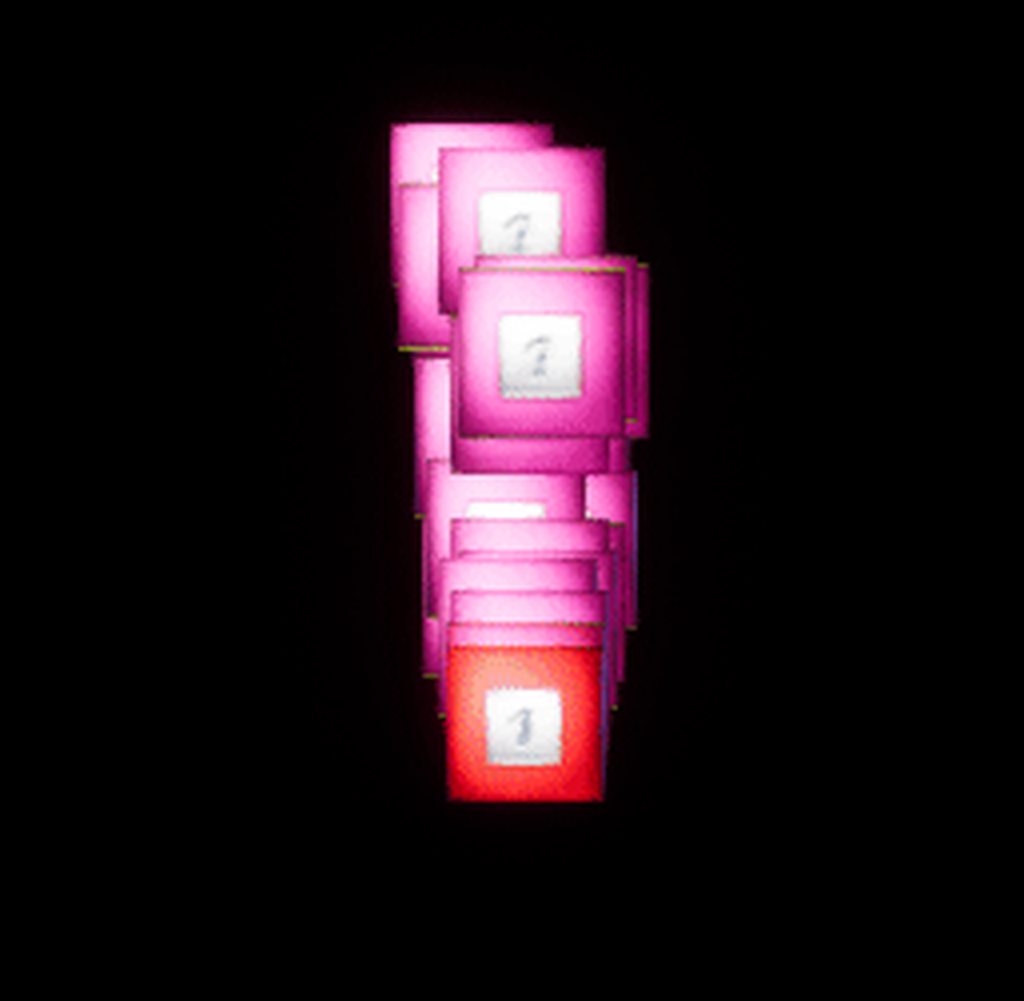
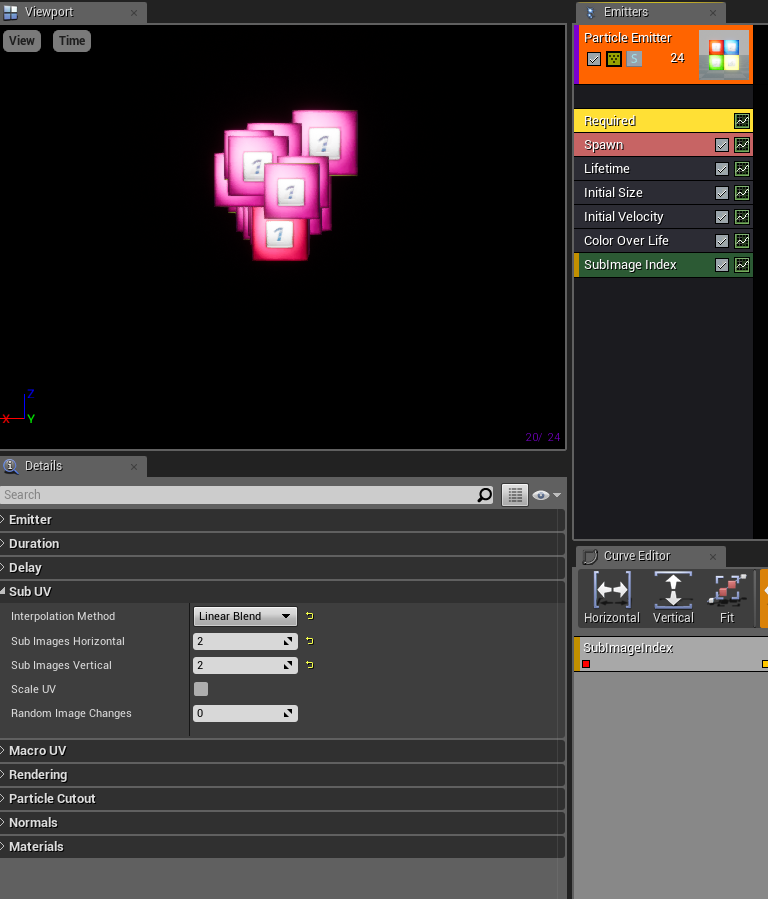
So I followed this --> https://wiki.unrealengine.com/SubUV_Particle_(Tutorial) <-- Tutorial, but I feel it may be dated as my result was different shades of the first block.
https://i.imgur.com/aHjhVSu.gifv
Any ideas on how I should progress to get my subUV particle system to work properly?
 fossil swan
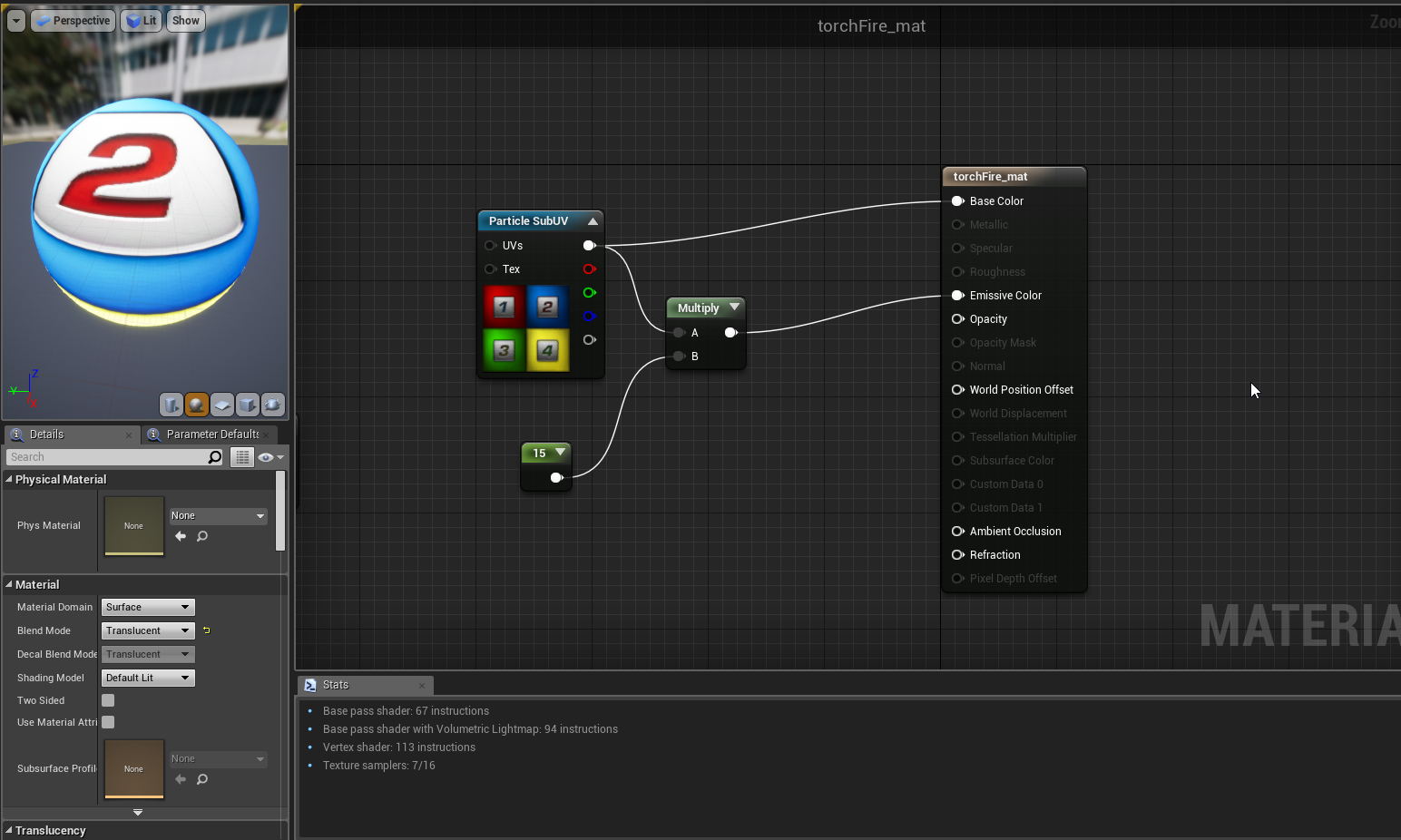
show me your material
 cyan cape
anyone interested in recreating https://www.youtube.com/watch?v=2uQ3-mWm1fw in ue4?

Asset store package of effects for Unity3D Link on asset store https://assetstore.unity.com/packages/vfx/particles/spells/magic-effects-pack-1-99856
@me
wanton vector
@celest birch Okay. Could I PM you later about this issue? I get what your saying, but I'm having trouble visualizing how I should set it up. Should I just scrap my previous setup with the collection parameter for position and replace it with the brush to render target?
I plugged the brush into WPO since I thought the brush decided what effect I would get, but its just a mask, right? I use WPO for the grass bending. I just realized that only Opacity and Emissive are valid for render targets :)
fossil swan
still recovering from a neck/arm injury and need to keep training/using my arm regularly, so every few hours I have been drawing silly noise textures on my huion.
https://i.gyazo.com/5f5b00de1268293b0dbe1ce8682d8c5d.jpg
 fervent shoal
@fossil swan https://i.imgur.com/djlVPat.png (sorry about the extremely late reply!)
 fossil swan
that looks fine. in that case just need to set up the subuv flipbook and required node up correctly @fervent shoal
fervent shoal
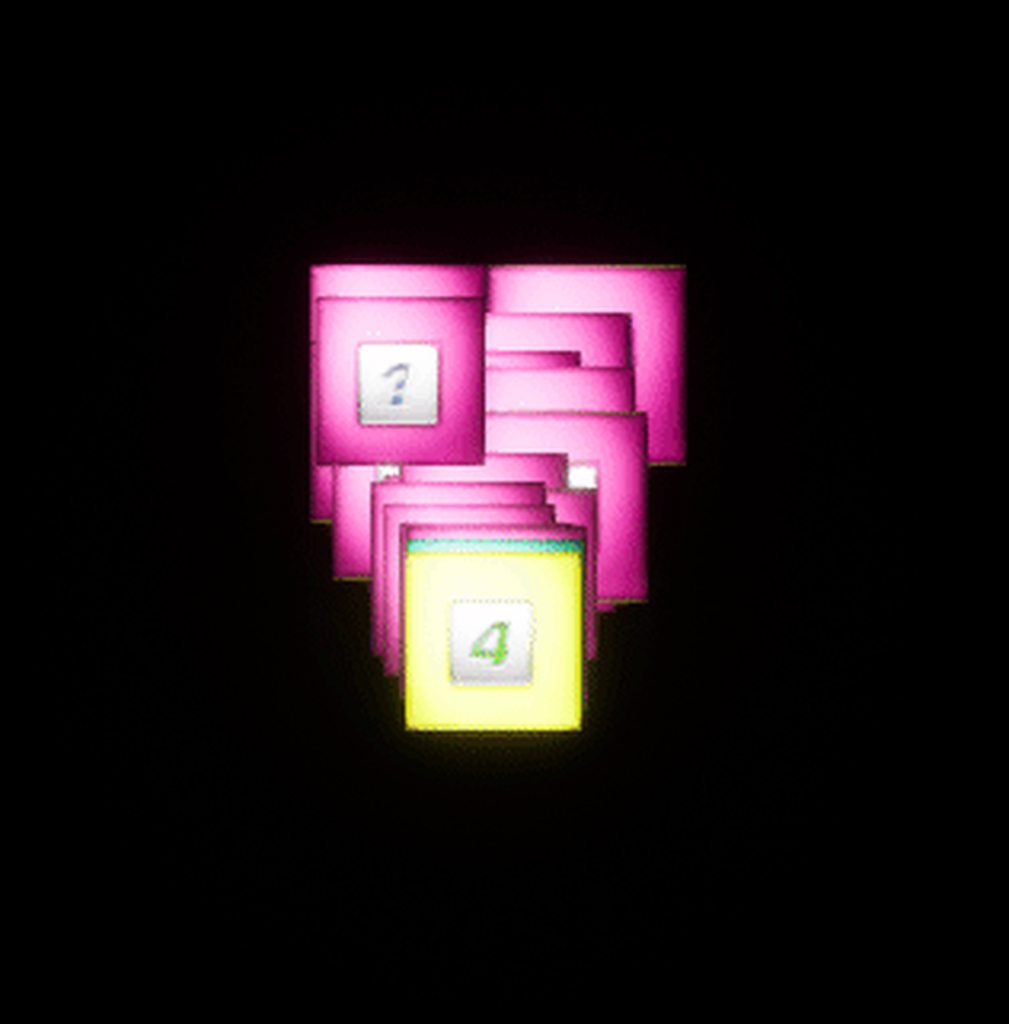
Maybe I fixed it? Still seems like the 1 is overpowering,
https://i.imgur.com/7shVU7n.gifv
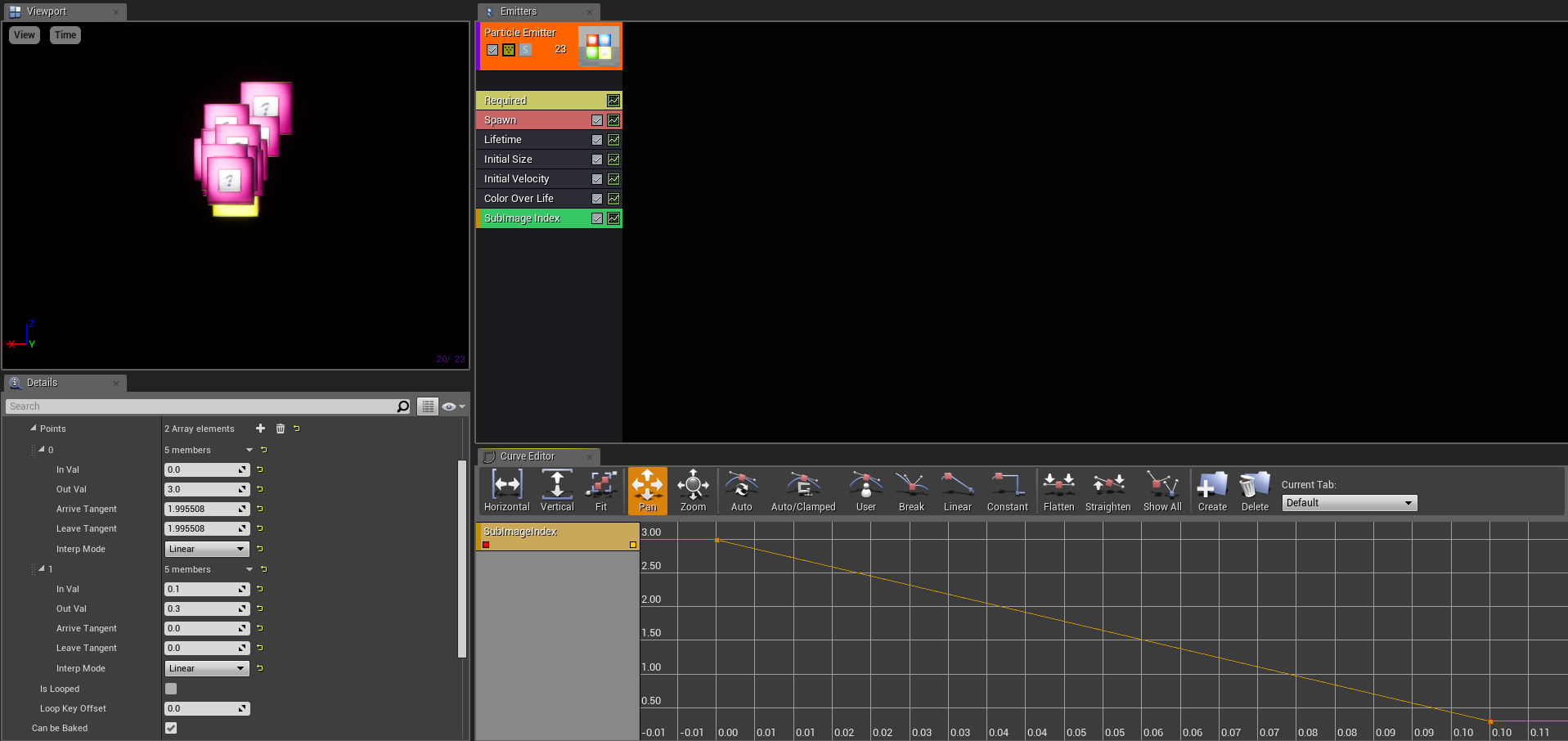
I changed the 0 point from in val 0 out val 0 to in val 0 out val 3
https://i.imgur.com/cxHBOmw.png
https://i.imgur.com/TmYvOPB.png
 fossil swan
you want em to be random picked or over time?
fervent shoal
Random
fossil swan
opens ue4 because I keep forgetting the distribution name
distribution float uniform 0 -3
fervent shoal
Not a big graphics guy, my domain is normally situated in BP's,
Aha!
It's aliiiive!
I'll have to note that down... Thanks a lot friend!
fossil swan
np
fervent shoal
em,
So it appears my textures are rapidly blinking now,
https://i.imgur.com/yl20BFX.gifv
the gif doesn't really do the issue justice
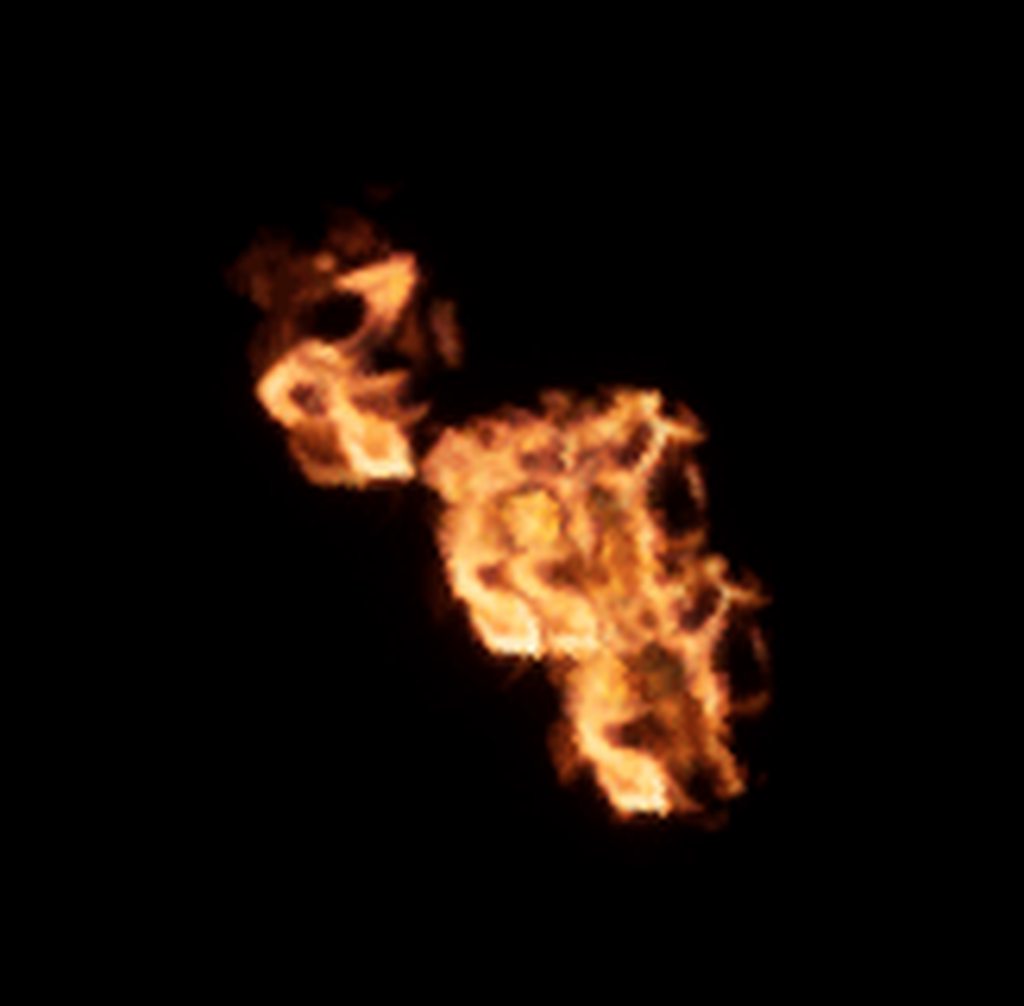
Ohh! It's swapping between the textures at random!
versus when it spawns one, it stays that one one for it's lifetime, <-- (which is what I was going for)
wanton vector
«Random image changes»?
fervent shoal
I have a subuv particle, there are a total of 4 "textures" within the one,
wanton vector
Oh right
fervent shoal
Once a particle is spawned from the emitter it seems to be swapping at random very quickly between the 4 choices, versus staying one for the duration of it's lifespan
fossil swan
currently preparing food so im a bit afk hehe
fervent shoal
idm, I'm tryna google it a bit, anything at any point is nice =)
so I figured i'd just toy with random things,
and using SubUV Movie I was able to get them to blend between eachother (which looks better then what I was originally thinking with them staying a single thing through out their lifetime,)
Anyway to also randomize the rotation of the texture?
fossil swan
init rotation
fervent shoal
in the material i presume?
fossil swan
and in required node there is also an option somewhere to flip uv's
particle
and init rotation rate
fervent shoal
ahh, ty
Alright, I'm pleased with my result. Thank-you very much!
sullen forge
trying my hand at mesh FX
for some kind of magic vortex-y thing
inspired by the houdini tutorial Glad posted for paint splats
slowmo version
celest birch
@wanton vector Post your issue here in case people want to learn as well. I gotta sleep now so I'll help later
And yes you can probably scrap the collection parameter stuff
 limpid geode
Hey guys, anyone have any luck getting Niagra to work? Want to give it a try but half the things I try end up crashing the engine...
For starters I can't even create a GPU based sim...
limpid geode
Yeah seems to be pretty bad. Downloaded and built the promoted branch in hopes it would have been improved a bit, but it's exactly the same 😦
Doesn't help that there is no documentation either
gray inlet
they said niagara in 4.19 was months old, in the talk
pretty sure they are working on the new thing on the side
at least if that is true
wanton vector
@celest birch Yeah sure! Totally agreed, would love for more people to learn this stuff, it's so powerful by the looks of it! Yeah I'm trying to just simply remove the grass for now.
Edit 1: I managed to make ALL the grass disappear when I entered the middle of my testing landscape. Gonna play around with the code now that something's atleast happening!
analog onyx
Jeez, how do you VFX guys manage overdraw on the effects? I just opened a scene with my old effects pack and it is hell 😭
cold sorrel
Blood, Sweat and unholy sacrifices
analog onyx
The latter one sounds like a thing I'd try.
 silent elk
Has anyone had issues with 4.19 and getting the pixel position for post processes?
The UV coordinates seem off because of their dynamic resolution, they had a fix for it but the documentation is down :/
wanton vector
I'm having issues with my rendertarget in order to make the grass meshes leave a bended trail behind the character. It's not moving with my character (I tried with and without a SceneComponent2D with the Render Target as it's projection) but just stuck in the middle of the landscape. It's bending all of the grass in every direction except one direction. I'm not sure what I'm doing wrong, but atleast I'm seeing some result now.
Grass mesh material
wanton vector
Render target set-up
As soon as the Render target actually tracks the player's position, I think it would work pretty well
This is how they set-up the BP to reference the ForcePosition at the GDC talk, but I want it to just generate the tracks to for example my 3rd LOD as @analog onyx said earlier. What am I doing wrong? I honestly don't get why it's generating in the center of the landscape, and not on the brush affected by the character BP, and why it wont follow the character. This set-up was way more complicated than I thought it'd be, but damn will it be worth it as my game is pretty dependent on this.
fossil swan
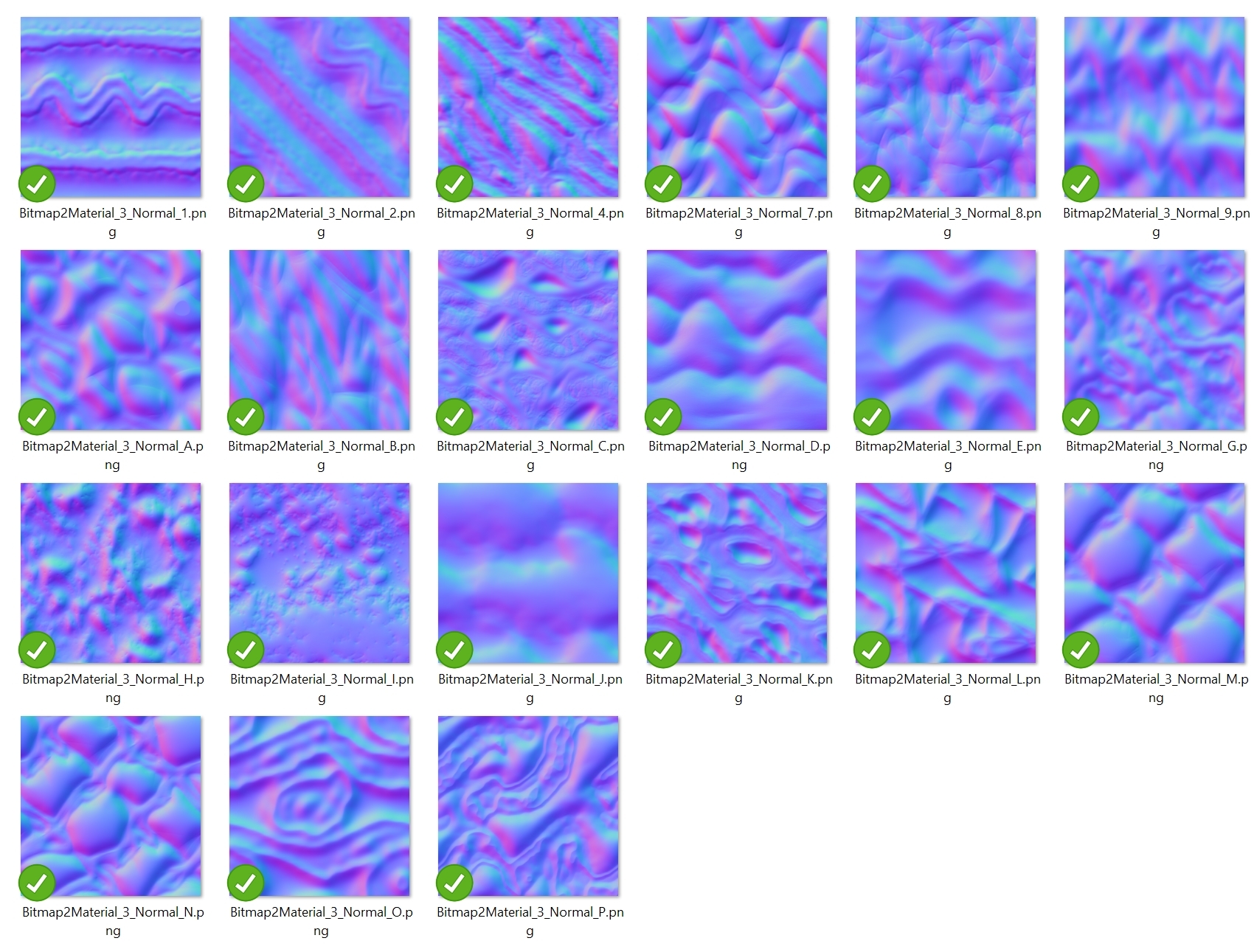
https://i.gyazo.com/f642dc865add28b0ba9f0e0fc477d1ea.jpg
https://i.gyazo.com/dc9a6523fd4363b403de120a2c2cf438.jpg
that should be enough.

 calm hemlock
celest birch
calm hemlock
celest birch
@wanton vector So the setup Deathrey mentioned is to attach the scene capture to the player and look down. Then you spawn particles with some sort of mask texture that only the scene capture can see. The scene capture captures the particles to a render target and then you can use that in the grass material.
fervent shoal
So I've got a particle which I'm having emit light, When I tick High Quality Lights it seems that every particle spawned by the emitter is putting out a light, even though I have the Spawn Fraction set to .2
If I untick the option, it goes down to .2 of them spawning a light, however I want the High Quality light option ticked,
Any ideas as to what I may be doing wrong?
EDIT - I can't seem to find anything about this on the documentation https://docs.unrealengine.com/en-us/Engine/Rendering/ParticleSystems/ParticleLights
wanton vector
@celest birch I understand. That's what I'm doing aswell, minus the particle part. I must be doing something wrong with my mask since it's staticly located in the middle of the landscape. I got a scene component which captures the player, but I'm not doing anything with its Showlist in an attempt for it to spot the grass. So in theory the character is meant to bend the grass mesh, and the Render target will take that bending into memory. The grass is being bent (Im doing something wrong there, not sure what), but not on the character. The render target is not taken into effect, when I remove the scene capture it's the same result.
So im guessing the particles in Deathrays method would replace the Brush material which does my masking.
celest birch
@wanton vector OK let's go over this little by little. What exactly is your scene capture capturing and can you show me a screenshot of the render target it captures to?
BTW you actually do need the collection parameter for player's location but it's just for calculating the correct UVs, not for masking
But we'll get to that later
wanton vector
Oh okay
Thanks man :)
Im at work now, but the scene capture is looking down at the player in its BP. Like I said I havent set anything specific other than what render target to use, so it might not even be capturing the grass.
I can send a pic of its setup later, but its nothing specific other than what I wrote
celest birch
The particle part is kinda the key here
The render target is meant to be a mask so there's no use capturing the grass
wanton vector
Oh okay, I thought the brush material was the mask
celest birch
Well it is... the render target just accumulates all of them
Brush material is meant to be used on particles so doesn't really have any use without them atm
wanton vector
Oh okay, yeah I see. So i need the scene capture to actually capture something, in this case particles
celest birch
Yup
wanton vector
This is pretty new to me. How should I set it up? I'd keep my bending logic in the grass mesh for WPO, and create a particle that does what exactly? Generate collision and then reference the grass mesh?
celest birch
So the setup would be something like:
- Attach scene capture to player that looks down
- Spawn particles at player's location. Those particle system have owner set to the character, and Owner No see enabled, so they are only visible in capture. The material for the particles should be some sort of mask.
- Capture particles to render target
- Use render target in grass material
wanton vector
Neat! In my usage I'll just attach the particles to the BP. So the material for the particles could pretty much be the brush material? I can't wait to give this a try. How do you suggest I implement the render target to the grass material? Add it with the current WPO logic?
celest birch
Material can be a grayscale mask if you don't want any bending. If you want bending, you'll need to use something like this:
wanton vector
So if Im not mistaken to capture the particles I need to add them to the Showlist?
celest birch
Yes
To use the render target in grass material, do something like this: https://gyazo.com/619583e69c1a2db054190ddbbeade8cf

I would recommend just sticking to grayscale masking for now and just coloring the grass or something
This is what the colors represent in the brush image I posted: https://developer.valvesoftware.com/w/thumb.php?f=Water_flow_test.png&w=800
 wanton vector
Yeah that would make it easier to debug. Thanks a lot for the help! I cant wait to try this out. One last question before I go back to changing diapers, what exactly does that image mask for the particles do?
Oh hehe there we go
celest birch
Although the colors should be flipped in Unreal's case
So black in top-left, red in top-right etc.
Actually, I'm not sure if that even matters...
Anyway, those colors represent the direction the grass should bend away
wanton vector
I'll try to use this with the base color first, and then move on to the material's WPO later
celest birch
And you just do some math to figure out how to bend them
wanton vector
Okay. Just to make sure I understood you correctly, I keep the math for the mesh bending in the grass material and combine it with the render target, and use the particles to create a mask which takes care of the direction its bending, or do I do all the bending math in the particle?
wanton vector
Okay, great. Holy, I'm confusing myself haha, thanks for holding out, I really appreciate the help you've given
celest birch
There's actually a bit more to the bending part. You'll need a way to store each grass blade/plane's pivot point so you know what to rotate it around
No problem
wanton vector
Oh man, that sounds complicated ;)
celest birch
Once you get to that part, I'll help you out again 😉
celest birch
Good luck!
wanton vector
You to! On whatever awesome stuff you're doing
fossil swan
@calm hemlock just me goofing off with myhuion making random noise textures.
https://giphy.com/gifs/dean-winchester-oh-you-agwRgmVDJceZO
@rotund quartz
 worldly pivot
Anyone got a tutorial for a dissolve that has particles emitting from the dissolve?
fossil swan
https://gum.co/bouSt
there you go

Gumroad
A variety of hand-drawn noise textures (and some filters on top of it) for your noisey needs. by: Yoeri - Luos_83 - Vleer. website: luosarts.com. ue4 marketplace: https://www.unrealengine.com/marketplace/profile/Luos. Patreon: https://www.patreon...
analog onyx
@wanton vector Besides simply attaching scene capture to the player, you need to ensure that its movement is snapped to increments of not less than one texel of render target. If you have 512 render target, that covers region of 100 by 100 meters around the player, then movement of the scene capture should be done in increment that is multiplier of 0.1953125 meters.
analog onyx
@celest birch So, as discussed several days ago, I gave a spin to simulating spring physics in particles, rather than in render target. The fakery is quite impressive and with good time spent tuning is indistinguishable from a sim . GPU cost is really insignificant, but particles do incur noticeably more strain on CPU, but still well within limits. Overall seems quite usable. Worth noting, however, that as much as I'd want, 8bit target just does not cut it, and you want at least 16 for smooth animation. But I want to go a step further and try to modify the approach a bit more. Instead of using render target to represent final deflection, I would make particle materials output initial force and its particle time. Then you could do the sim in the interactive mesh's material all together, which effectively means, that you can manipulate animations in any way imaginable. For example, you can define custom animation curves for each vertex depending on time, and make what you initially mentioned( grass blade top lagging behind). This is even more favorable, because you can customize environment's response to a force completely within individual materials. Seems beyond dope, with one grain of salt. The issue of overlapping particles here is not just an issue, but a complete showstopper. You can't blend the time, and thus, can't blend particles on top of each other. If solid blend is used, the time will jump for a simulation cells in question. That is not desirable.
celest birch
@analog onyx Took me on a rollercoaster of emotions there. Results sound very promising though! The blend issue is only an issue with the sim right?
Haven't messed with this blend mode much but would Additive work here at all?
analog onyx
Yeah, it is only the issue, if you want to fake the sim per mesh vertex, instead of per render target texel .
But no blend will work in this case.
It is only instant simulation state change, that is possible. There might be an approach to handle it reasonably, but I don't see a way yet
celest birch
So it's not possible to blend at all or the blend just doesn't look good?
analog onyx
Think of it as if you are using a panner node for texture coordinates, and multiplying time input by a scalar parameter. If you change the scalar in runtime, there will be weird jumps in the texture. Well, it is exactly the same behavior with the stuff we are discussing
celest birch
Oh right yeah I understand now. That is unfortunate...
Got any gifs of the jumping?
analog onyx
Not on this machine. But it is pretty ugly.
If you are doing the blend, it is not as ugly, but grass will perform fast-backwards kind of animation
On a side node though, there is a pretty decent way of making sure that player will not affect larger objects(trees for example), but those could be affected by wind and explosions
celest birch
Oh how do you do that? 😮
Is the blending issue with the new approach you described (output initial force and time) or old (final deflection)?
Or both?
analog onyx
With 16 bit render target you actually have enough leeway to do the following: In the receiving material, remap the range of the final deflection in a such way, that a tree for example, will take only 0.5-1 values from 0-1 range. When injecting force, produced by player, ensure that it never exceeds 0.5
Yep, blending is an issue with experimental approach, where particles output initial force and particle time.
celest birch
Ah yeah that's pretty smart
analog onyx
When particles render final deflection, the blending is a bit of an issue, but you know, you never notice in the final scene.
celest birch
But you can still do the sim right?
That might be good enough for me. I wanna redo my grass stuff but no time atm 😩
analog onyx
Yep. I will try a few reasonable approaches to try to blend initial states, but chance are that it is a no-go. Will probably slap together a demo scene and record a vid of the original idea in action.
celest birch
Ping me once you do and lemme know if you solve the blend issue 🙂
Also it's great that performance impact is negligible 😃
analog onyx
Within reasonable numbers though. Render target sim will not clog, even if you through a thousand of objects at it. Particle sim might. But in both cases, you will be render thread bound.
And yeah, the most important, particle sim will not explode on abrupt frame delta time changes, like conventional one does.
sullen forge
@analog onyx thats how gpu particles work
they actually run as pixel shaders in an ofscreen render target
(niagara particles will be full compute shader)
analog onyx
Yeah but you still bound by spawning them, as of now at least.
celest birch
Btw what would happen if you put a blendable on a scene capture that uses the same render target?
analog onyx
you can use a blendable with scene capture
just can't read from a target, being rendered to
celest birch
I was hoping you could get around that by using blendable but guess not 😛
analog onyx
Well, blendable in the context is equal to doing a shader pass manually. If you have an idea how to adress the underlying issue, I'd be glad to hear any opinions.
wanton vector
@analog onyx @celest birch Okay, I've set-up the scene component like this, and I'm just getting a black render.
wanton vector
Well, it's rendering when I set it to Legacy Primitive Render Mode hehe
celest birch
Anyone know where I can purchase/download textures for particle creation? I'm mainly interested in textures I can use for ribbon trails to make different weapon trail effects, like this:
not really sure how to search this type of thing up 😅
drowsy lynx
i'm not sure if you can just buy textures. but in unreal/unity store there are VFX packages and maybe those contain textures you're looking for.
@celest birch
celest birch
@drowsy lynx that's what I'm looking at now, haven't really found what I want yet. I'm just wondering if anyone knows of a library/collection or something, kinda like stock footage if you get what I mean.
drowsy lynx
@celest birch there is stuff like that for example https://www.fxelements.com/ and https://www.actionvfx.com/products but it's more real-life footage and always animated. no "statix" textures and maybe even handpainted.

FX Elements
High Quality VFX Stock Footage

ActionVFX provides the best stock footage elements for professional Visual Effects. From Explosions, Fire and Smoke, Muzzle Flashes and Bullet shells and Gun FX, to Debris and Particles, we have your assets covered. Available in 4K. 100% Royalty-...
celest birch
Yeaah, that's what I assumed. Thanks man!
wanton vector
Maan, not getting a result at all with my set-up. :/
 cursive jewel
Hey guy's hope this is the right channel, How come i cannot add to my image? in appearance it just say's brush and colour and Opacity, but it's not allowing me to add my PNG
obtuse seal
This is more related to UMG, but you need to press the dropdown arrow by the brush and then select an image there
cursive jewel
Oh right sorry for posting in the incorrect section but thank you for helping me regardless.
I'm an idiot xD
wanton vector
Okay, so I got some sort of a result now with the bending grass meshes @celest birch - the particle is working as a mask, YAY! But it's rendering the particle along the entire landscape, originating from the character's position. So I tried setting some UVs in the particle mat, but I must've failed the logic there so I removed it. Either way, I just gotta remove the tiling over the landscape and flip the effect so all of the grass meshes are rendered, and it's removing instead of adding meshes on the particle mask. Once I get that to work I can move on to WPO, been trying to play around with it, but haven't been able to make the bending work with the masking yet. Tried to one-minus the effect in the grass mesh (so instead of removing all the meshes and spawning meshes on the particle, it should flip the logic so it removes meshes from the dense grass plane instead). That didn't work though. 😃 But hey, one stop closer! I'm gonna go to bed, but I'll upload some of the mats I did today with your guidance Tommy, I think we got different timezones so. 😃 @analog onyx I'm not entirely sure how I should setup that movement increment, would I do that in the grass mesh I'm using the render target for? I.e multiplying by the incrementing (not entirely sure what this word means) value?
Event begin play:
Here you can see the render target in action; it is rendering the particles.
Scene comp projecting render target, using an ortho width of 512 at the moment
Particle system is only a basic one which moves outwards from it's origin
analog onyx
@wanton vector There is a good video called Technical Art culture of Uncharted 4. At some point a brief explanation of what you are trying to do is given. Though no details is given, It is pretty apparent, what you need to do, from the video.
wanton vector
Thanks man, I'm watching that now.
wanton vector
I believe I understand how the set-up works, but I'm just having massive issues implementing it. I'm already using render targets in my UI and that was a walk in the park compared to this. It's way above my skill level at the moment, but now that I got sucked in by the effect it can produce I can't step away without making it work. I feel like I'm missing a crucial step somewhere, but I followed the process of Chris Murphy & other Render Target technique videos as much to the point as I could. This tech is awesome though. Gotta go sleep, but I'll keep working on this tomorrow
celest birch
@wanton vector Nice progress! In the grass material, what are you dividing the UVs by? That part will control the tiling so try playing with that.
indigo jolt
soooo not many people will have answer to this, but
Particle light modules
working on PC, not working on PS VR
anyone experience this?
 mortal lily
true hehe
indigo jolt
so let's just say as an example - perhaps there's a front-end screen and we have essentially INFINITE resource allocation there to make it popping and amazing
and we got fires, and we got embers, and we want embers to light up environment as they float up
now i can use a blueprint with a light component to make the main fire core have a light that rotates around a central point and wobbles with a sine so THAT is all taken care of
lots of nice jiggly shadows
but the tiny ass embers moving all chaotically upward?
i'm not sure if i can reasonably spawn a light via bp and attach it to each ember over the course of it's lifetime and fade it out towards end etc
might be possible
but if i can just use the light module then that solves a lot
but PS VR has so far been unable to recognize light modules
maybe 4.19 it's fixed? i don't even know since i'm remote and i don't have a PS VR so i rely on video proof.
if anyone knows what situation with Particle Light Modules in PS VR right now let me know - do they work, did they ever work, is there a trick to make them work or not work?
mortal lily
i dont dev for psvr, but are particle lights supposed to be supported in the first place on psvr?
indigo jolt
that's one of the questions i need answers to
mortal lily
kinda hard to imagine since light is probably one of the big perf killers
indigo jolt
indeed
it could very well be something impossible
i just want to know if i can save a few hours of BP fiddling and click a "check box" to get this working or something
sullen forge
particle lights are supported in psvr @indigo jolt
i had to disable every single one from PSVR, as they would nuke performance, even if only 1 of them was in the map
candid flint
maybe like this? https://gumroad.com/l/eZxjg https://gumroad.com/l/4kmf

Gumroad
Over sixty real muzzle flashes from a rifle, pistol, and SMG, now in transparent still image format. Just drop them over your footage, make them one frame long, and position them over the end of the gun. These even work in iMovie using the "Pictu...

Gumroad
Don't waste your time creating muzzle flashes, or using those same ones that everyone already uses! Use these new, custom, and tested textures! This pack include 200 4K hand painted professional muzzle flash textures for gunfire, ready to drag an...
Oh wow, my chat was still scrolled up and I didnt notice there was a ton of answers already 😂
wanton vector
@celest birch Heya! So last night I was playing around with the dividing node, and it did change the tiling like you said, either the particles effect became too big, or the tiling was incredibly small. I am by default dividing by my scene captures ortographic view of 512. It doesn't change the effect so it doesn't spawn particles anywhere else but on the player. When I move around, the particle system follows the player, and so the render is not being stored and used properly.
celest birch
@wanton vector What does the render target look like?
wanton vector
@celest birch
https://gyazo.com/0f52a344386b1e87fc0ac85385830b5c - during runtime - it's pretty small and close to the character haha

Im sure an issue must be laying with my actor BP, where the values for the vector parameter values and scalar parameter values are determined by map size (50400), which is how Chris Murphy used it. I tried setting it to the character's location to no effect.
I'm using tiled levels, world composition etc. so determining the brush by the landscape size would be... hacky, and like Deathrey mentioned I just need this technique for the grass meshes up to LOD 3. Not sure how to set that up in the BP itself though.
celest birch
@wanton vector You only need landscape size if you want to project whole render target to the entire landscape. In your case, it's only around the player so ortho width should work
wanton vector
Yeah, okay
celest birch
What's the DrawAtLocation event for?
wanton vector
It takes the parameters from the Brush material (which is a sphere mask pretty much), and then draws the result to the render target
which is the same render target I'm using for the grass mesh
celest birch
Um... why do you need it? You're doing the scene capture method
wanton vector
I'm not really sure if that even works though, in Chris Murphy's talk it all worked so I copied his method hah
celest birch
You gotta pick one method and stick with it lol
celest birch
Either scene capture + particles or draw material
Hard to tell what's wrong with the tiling though. Could be RT issue or material issue
wanton vector
Okay, I'll try and go with the particle method, since the other method didn't work (and is the reason I'm here hehe), but yeah. It's giving pretty much the same result
So far I've got a disco landscape material , there's a party out in the wild😉
At the moment I'm multiplying the set-up you wrote out, with the base color
But that actually does alter the grass mesh, so I just need to sort the tiling and actually making the render target work so it tracks the movement
celest birch
Oh I know what the problem is. You gotta open the render target up and change tiling mode to clamp
It should be called X-axis Tiling Method and Y-axis Tiling Method
@wanton vector
wanton vector
Hmm, that didn't do anything
Sec
Still the same behaviour with repeating and no tracking of where Ive been
celest birch
That should've gotten rid of the repeating 🤔
At this point, might be helpful to display the render target on the screen and post a gif as you move around
Trails are done by the particles
wanton vector
Hmm alright
Ehm, when Im opening the render target image while simulating, its just appearing like this:
celest birch
Top-left, click View and disable Alpha
 celest birch
Okay render target itself seems fine (although you should capture only particles).
Can you post another gif just running around?
And another just standing still

 celest birch
Sorry I meant without the render target window
wanton vector
Oh okay
https://gyazo.com/4c464b8e17a47b1e45ea22fff9f0f357 - only showing particles

Standing still: https://gyazo.com/2aadba3ddf114ac1dadb1f115def1d7e
The Position is set to the third person anim BP where I'm tracing feet placement for footprints etc.:
So when a new foot hits the ground, the particle resets
https://gyazo.com/ae0ed28f95e161fdcd1da155a6baa331?token=3201a28e60927731caac04737d287601 as shown here
celest birch
Position should be all the time (or at least, while moving). Setting it on feet placement is why it jitters
wanton vector
Okay
celest birch
Is it actually tiling?
wanton vector
https://gyazo.com/665b0383d1d73de2e579e587f661b4c2 put the logic in placement now, but would prefer it on the feet placement for accurate trail placement, but I'll do that later
celest birch
Trail placement is done through particles not the parameter collection. So spawn particles when foot contacts the ground
wanton vector
https://gyazo.com/a89152b994cbae66135d2892efbace96 here you see the tiling clearly
celest birch
Parameter is just for UV calculation
celest birch
Can you go into your grass material, select the render target Texture Sampler and screenshot the details panel?
wanton vector
So I would play with this and attach this particle to the feet then, pretty much, or in the anim BP eventually
Sure, one sec
celest birch
Yeah something like that
celest birch
Dunno if emitters get auto destroyed after they're done but might be better to create emitters beforehand and attach them to the feet. You'll have to look into that one
celest birch
Oh did that work?
wanton vector
https://gyazo.com/d8476ae8562050185fc1df77e3852899 - It's not tiling now, but it's giving a strange effect outside of the particle radius
celest birch
Yeah what happens is that if you use UVs outside 0 to 1 range in clamped mode, it will just repeat the edge pixels
You can fix it by checking if UVs are within 0 to 1 range. If yes, return 1. Else return 0
And then multiply the render target by that value
wanton vector
Hmm, trying that out 😃
fossil swan
someone was kind enough to send me an animation for that crosscut effect I made previously
https://i.gyazo.com/6ed82bb50df22e8d089475c6919057ef.gif

 vast raft
So I have a cylinder particle emitter right now. Would there be a way to make the height the paticles spawn equal to the collision between the cylinder and the ground (which would be the highest point on all static meshes that collide with the cylinder)?

(excuse the music)
IE so the particles don't spawn inside the stairs
Or if the terrain was not flat it would spawn at the top of the terrain not underneath of above it
wanton vector
That looks awesome Luos! Hey @celest birch , do you have any recommendations on how to set-up that UV check? I thought an if node would do the trick, but not like I used it
fossil swan
@vast raft afaik not out of the box, i saw the paragon people spawn an invissi particle thats being shot at the ground at high velocity and have that impact be the trigger for the height of everything else using particle event and location related stuff
vast raft
Would that be expensive hardwarewise?
fossil swan
not really, i mean they used it for paragon
so it would work on current gen consoles
and in theory its just one particle and a collision event
vast raft
Would there be a way to change the material after the first collision?
Cause then I could just make it invisible till it hits the ground the first time
fossil swan
you emitting opaque rocks?
vast raft
yea
fossil swan
then setting em invissi or changing materials is way more expensive
vast raft
Gotcha
fossil swan
just emit a small invissi particle
 dusty shore
guys If I was to make a Csgo like smoke grenade, what should I look for or learn first?
fossil swan
understand how to optimize it due to translucency overdraw imho hehe
fossil swan
you'd probably want a flipbook or animated material for the smoke, set up an emitter, and optimize it
for a flipbook you might need to render a simulation in max/houdini/blender/find one online
for now i'd pick one of epic's smoke flipbooks
dusty shore
Can I change them to be perfectly half sphere?
fossil swan
half sphere of what
dusty shore
to make the smoke like in csgo, so its like half of a sphere
fossil swan
i never played that so its vague. the sprite half a sphere? emit in half a sphere's radius? make each frame look like half a sphere?
fossil swan
still doesnt tell me what you mean with half a sphere hehe, because visually thats not half a sphere.
you want it to be emitted in half a sphere radius?
dusty shore
yes
fossil swan
location > sphere module > disable negative z
dusty shore
thanks for the help man
fossil swan
good luck
fossil swan

download link: https://gum.co/QJXR Put "0" in if you dont want to pay. You are allowed to use this file in any project, commercial or not, marketplace pack i...
vast raft
What's the best way to use an invisible particle?
Like just set the material to nothing?
fossil swan
I think there is an option in .. one sec
right under the emitter name you have a checkbox, a yellow box with some dots, and a yellow box with a S in it
click on the middle one till its an X
if im correct
that way its invissi
(so no need for a material that way)
vast raft
Gotcha
Though I'm thinking it might be better to have a really tiny invisible actor run around the base of the mesh generating particles where he 'walks'
And by 'run' I mean teleport around
fossil swan
whatever works for you ¯_(ツ)_/¯
vast raft
I'm trying to get a visual effect of a rock being ripped out of the ground
vast raft
The On Particle Collision event does not seem to work
fossil swan
https://docs.unrealengine.com/en-us/Engine/Rendering/ParticleSystems/Reference/Modules/Event
https://www.youtube.com/watch?v=1pcaHuPynFY
https://docs.unrealengine.com/en-us/Resources/ContentExamples/EffectsGallery/2_D
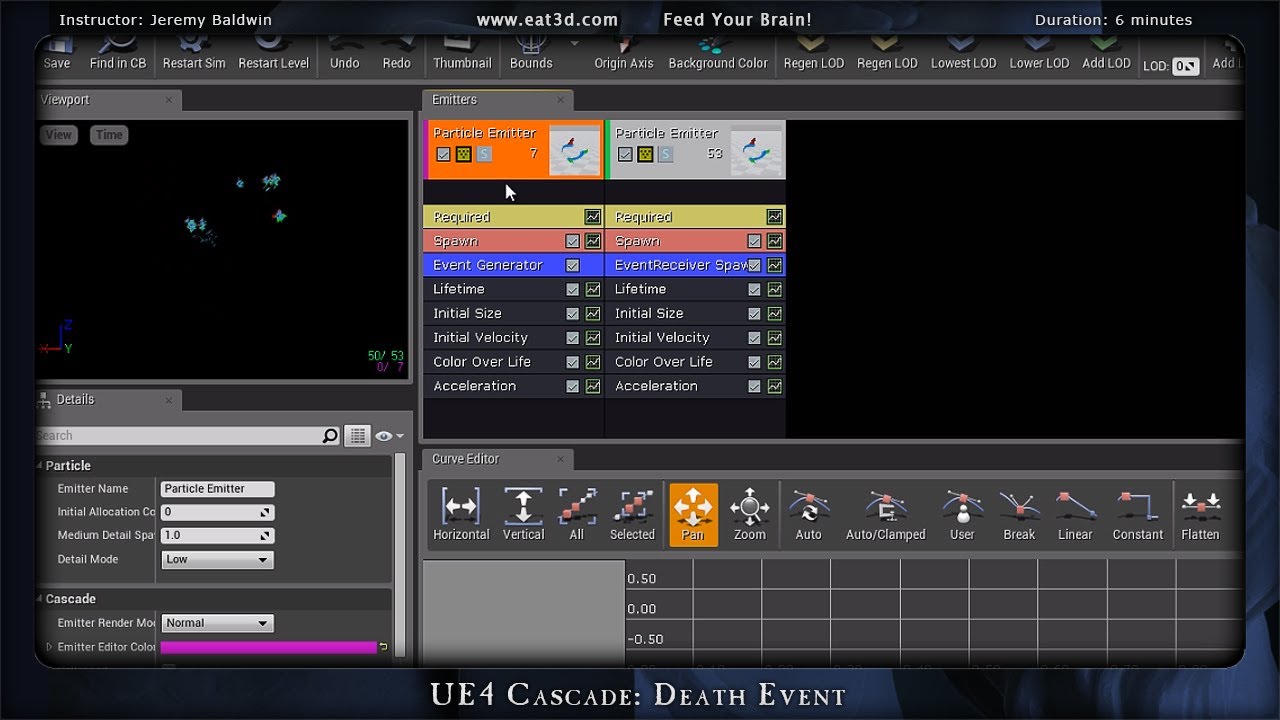
In this demonstration, Jeremy Baldwin shows how to spawn particles in a particle system off a secondary particle system using an event generator within Unrea...
vast raft
You're awesome - I was trying to use the builtin on particle collide event but I guess it doesnt work
wanton vector
@celest birch https://gyazo.com/b0652b5644d1a62446ad7992052329ab This effect is what I'm aiming to replicate in my game. Update on the progress: Particles dont stay in place where they have been previously (is there anything particle-specific I should do for this?) - Havent figured out the way to block out values beyond 0 and 1, clamping is not removing the tiling issue.

 rocky barn
Probably not the right place to ask this, but anyway : How do I force displaying shadows, no matter distance ?
vast raft
Thanks @fossil swan . I ended up with two actor collisions. One was against Object Type "Terrain" and the other was WorldStatic. If it collided with worldstatic it would just Halt Collisions so it would fall through the ground and not be a problem. If it collided with Terrain it instantly kills it which proc's an event that spawns a rock. A little jurry rigged but it works nicely.
fossil swan
glad you get it to work 😃
fossil swan

Welly and a buddy made animations for the mannequin for me to use with the crosscut vfx I made. I am very grateful for them doing this, it adds so much to th...
vast raft
Is it me or does Infamous 2 have the best VFX?
celest birch
@wanton vector Create a Custom node, change input name to UV and put this in Code:
if (UV.x < 0 || UV.x > 1 || UV.y < 0 || UV.y > 1)
{
    return 0;
}

return 1;
For scene capture + particles method, trails rely on long particle lifetime. Note that trails will disappear if grass is not in view of scene capture. But if particle is still alive when coming back into view, trail will reappear again which is an advantage over the draw material method
 drowsy lance
Is it possible to spawn particles along an actors spline component?
gray inlet
not with cascade, afaik
but you can make a blueprint that moves along a spline and attach the particle system to that
drowsy lance
That's not going to work for what I am doing, Particles are static for the most part.
wanton vector
@celest birch Man, thanks for the code snippet, didn't know you could make Custom nodes haha. When I plug the Render Target into the UV input and multiply the custom node with the Render target's setup, -most- of the flickering is gone, but it does appear still. What UVs should I actually plug in? Either way, the fact that if the particles have a long lifetime and you can walk back in time and see them, that's absolutely amazing and just what I was hoping for. Since they're not rendered for the player, they don't cost anything do they?
celest birch
@wanton vector You gotta plug in the result of the UV calculation (not render target) into the custom node. So plug the result of the Add node into UV. Then multiply render target by result of Custom node
As for performance, I'll just quote Deathrey since he has it implemented:
GPU cost is really insignificant, but particles do incur noticeably more strain on CPU, but still well within limits
At this point, you just gotta make the grass bend 😛
wanton vector
Yeah, the issue is still remaining with the particle following the player but not leaving a trail though :/
celest birch
Oh that's somewhere in the particle system settings. Can't remember what it's called atm
wanton vector
Okay, I'll look around! 😃
celest birch
Admittedly, I don't have much experience with Cascade so not sure what you need to change
wanton vector
Could it be that it has to be a ribbon particle system, or something in that manner? Same here, total noob at it, like most other things haha 😛
celest birch
Nah that shouldn't be it. Go into your particle system, click Required module and uncheck Use Local Space if you haven't already
wanton vector
Oh I had to tick Local Space because if I didn't the particle would rotate around and be all jiggly, which is probably because it's attached to the character. Hmm
celest birch
Not sure what you mean by rotate around and be all jiggly
celest birch
I have no idea what's going on with that lol
wanton vector
😛
The particle is leaving a trail, but the render target is displaying the trail in another manner than the particles are rendering hmm...

I'll make another gif where it's easier to visualize, 1 sec
celest birch
That's strange. Post GIF of running around and render target
 celest birch
I think you're not dividing by the correct number in the grass material and your scene capture needs to be rotated. Just play with the rotation until it lines up
celest birch
It seems the scene capture is inheriting rotation of the character. Should be able to fix that by clicking Rotation and setting it to World
wanton vector
Yeah, the rotation to world fixed the issue, along with rotating the scene component. It's still a bit jumpy when I move around
Like it changes position relative to the actor
celest birch
Can you show render target and particles too?
wanton vector
A picture of their set-up or while running?
celest birch
While running
wanton vector

https://gyazo.com/799ae6ce1593f1a2abe6478a7c139ef0 I'll send one in slow-mo where it's very obvious shifting of position


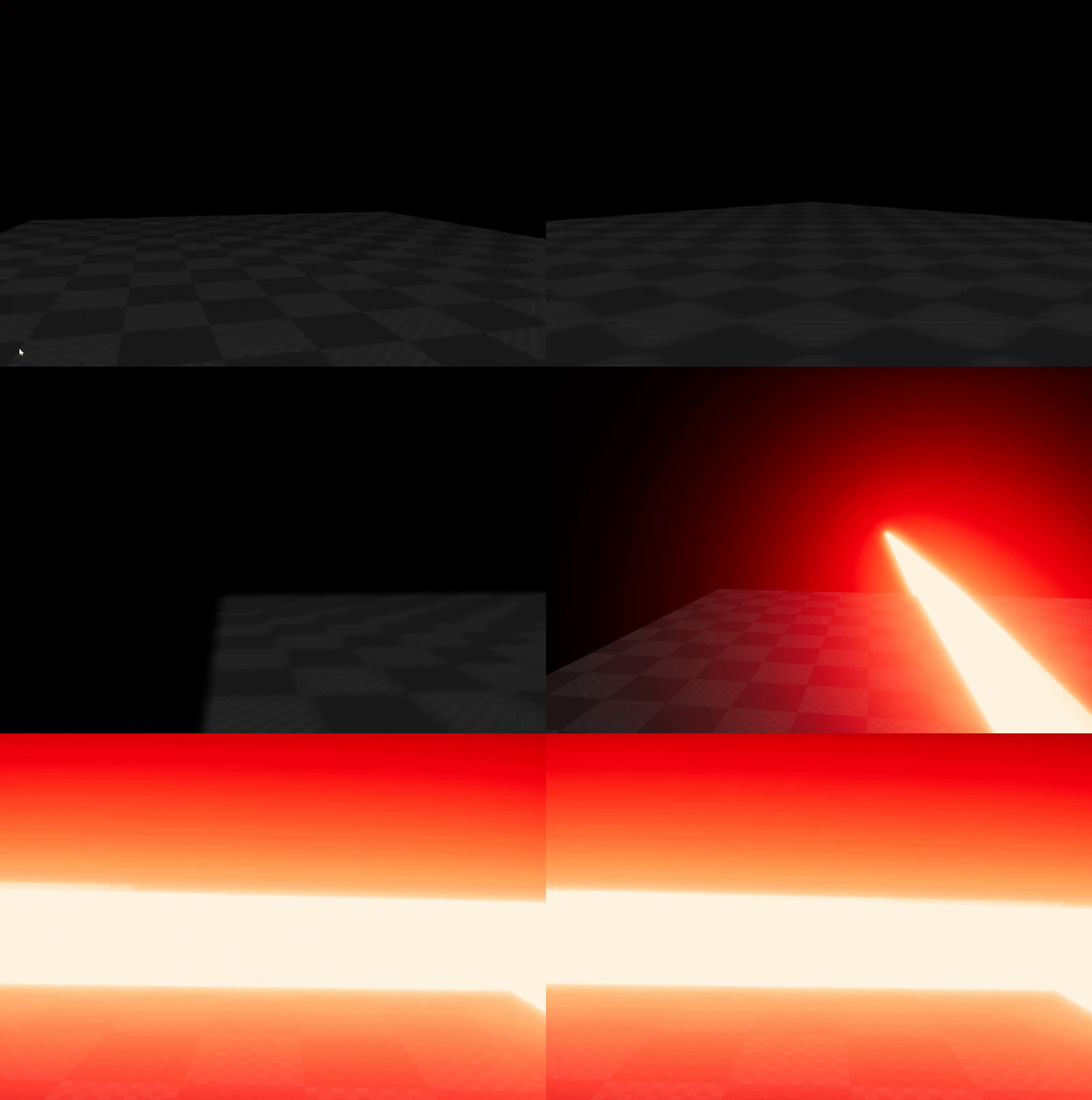

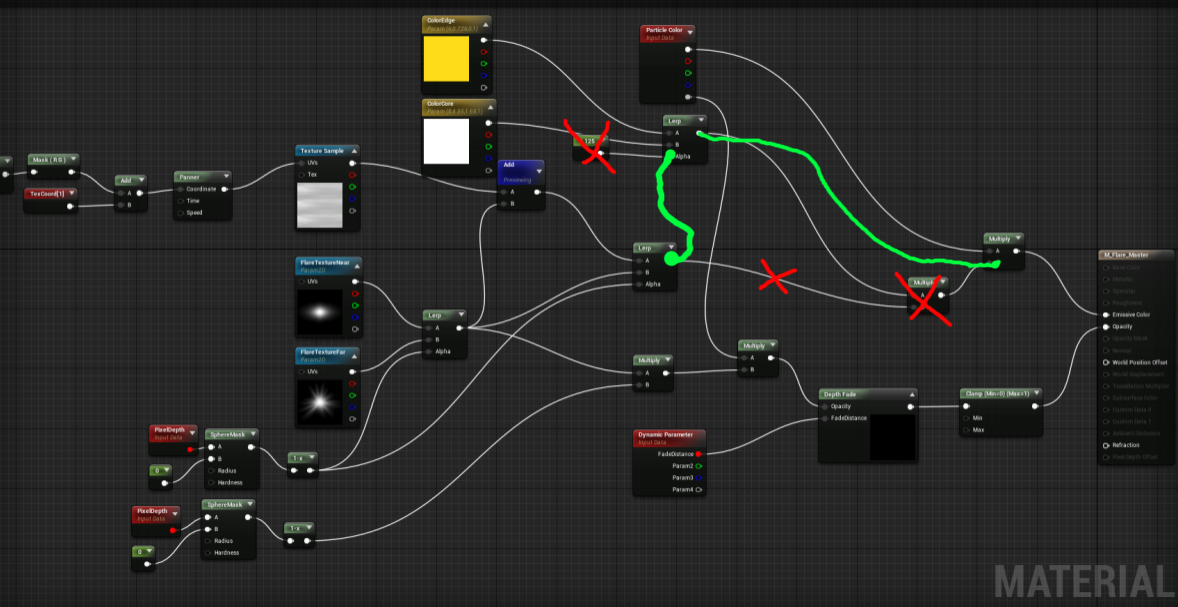
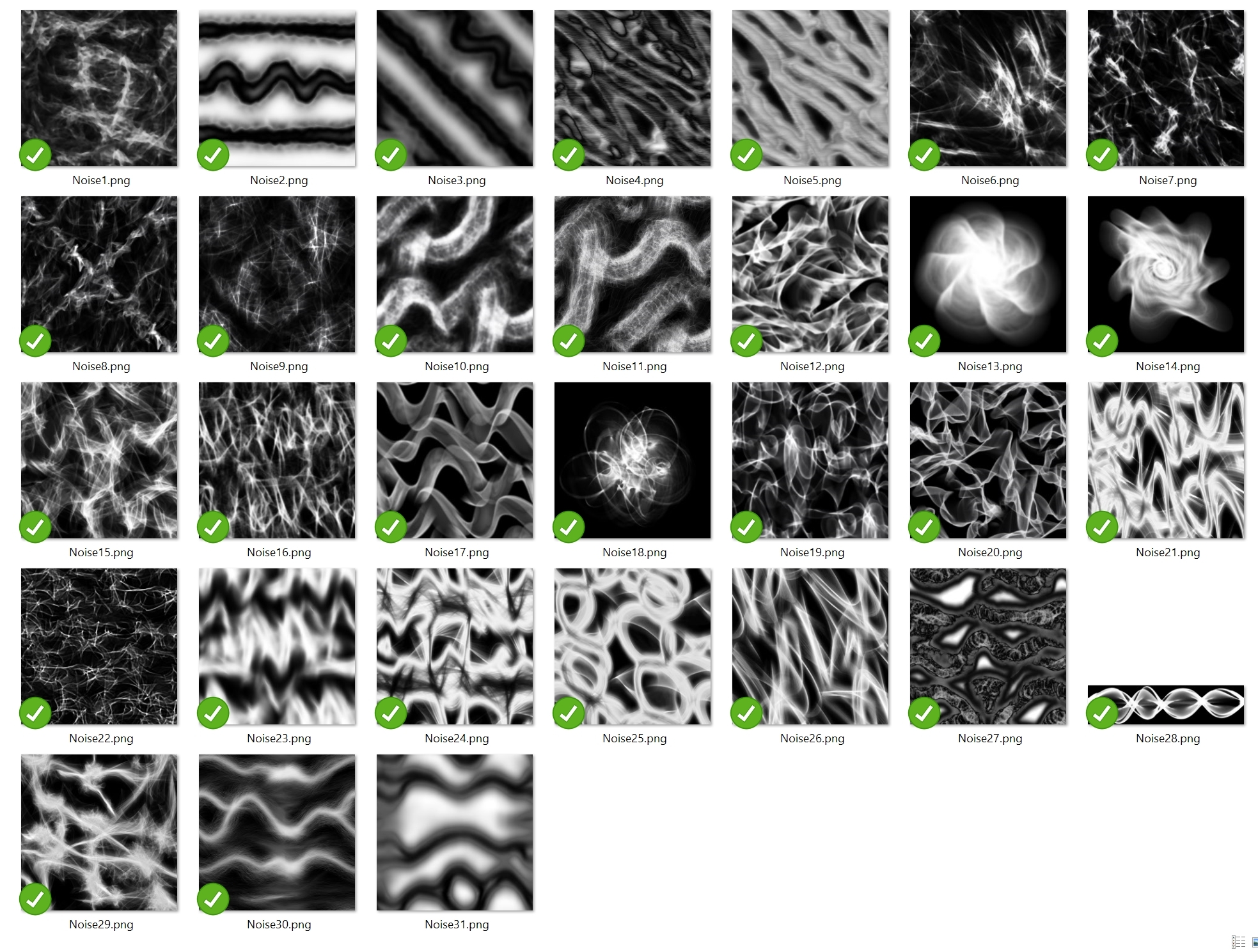


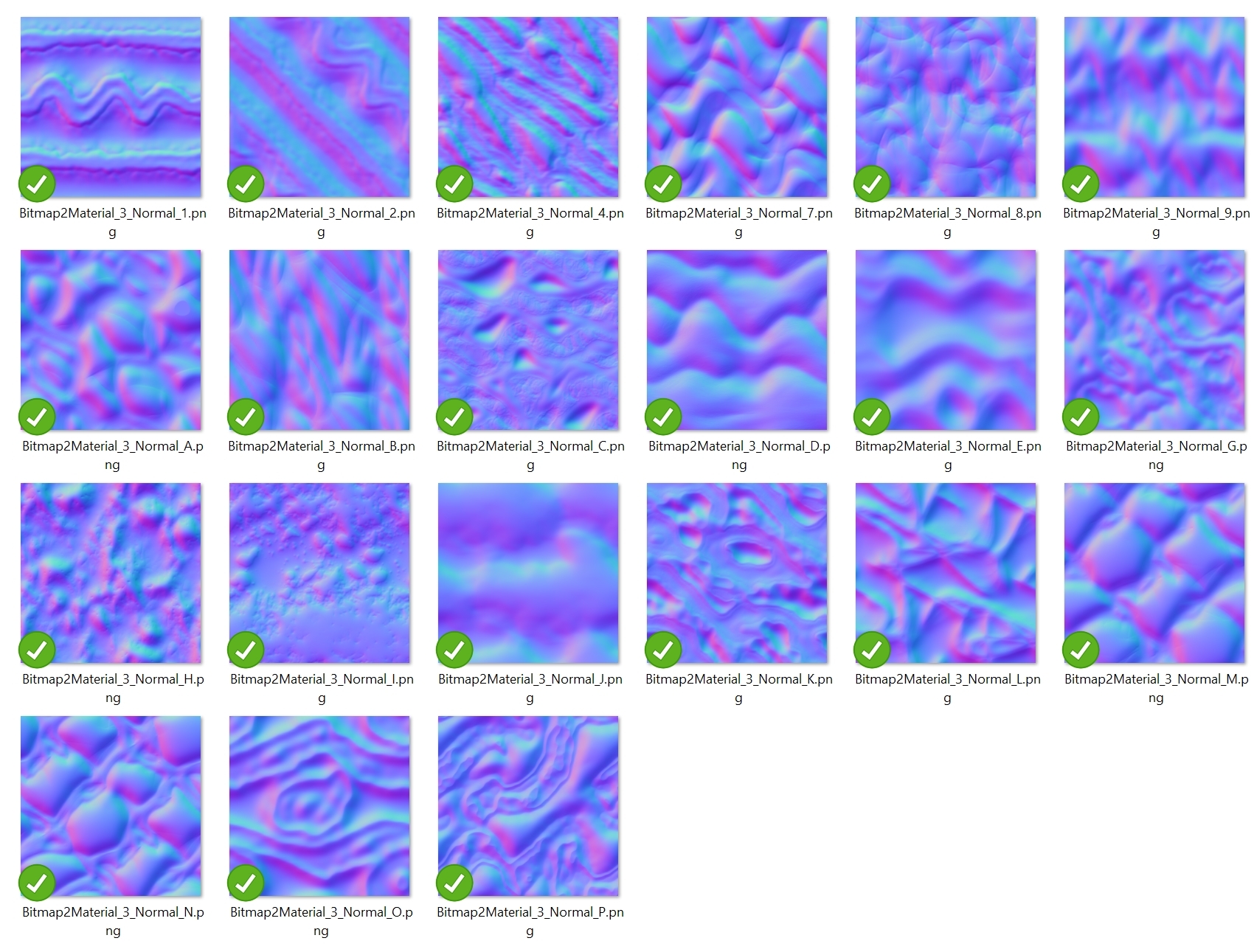
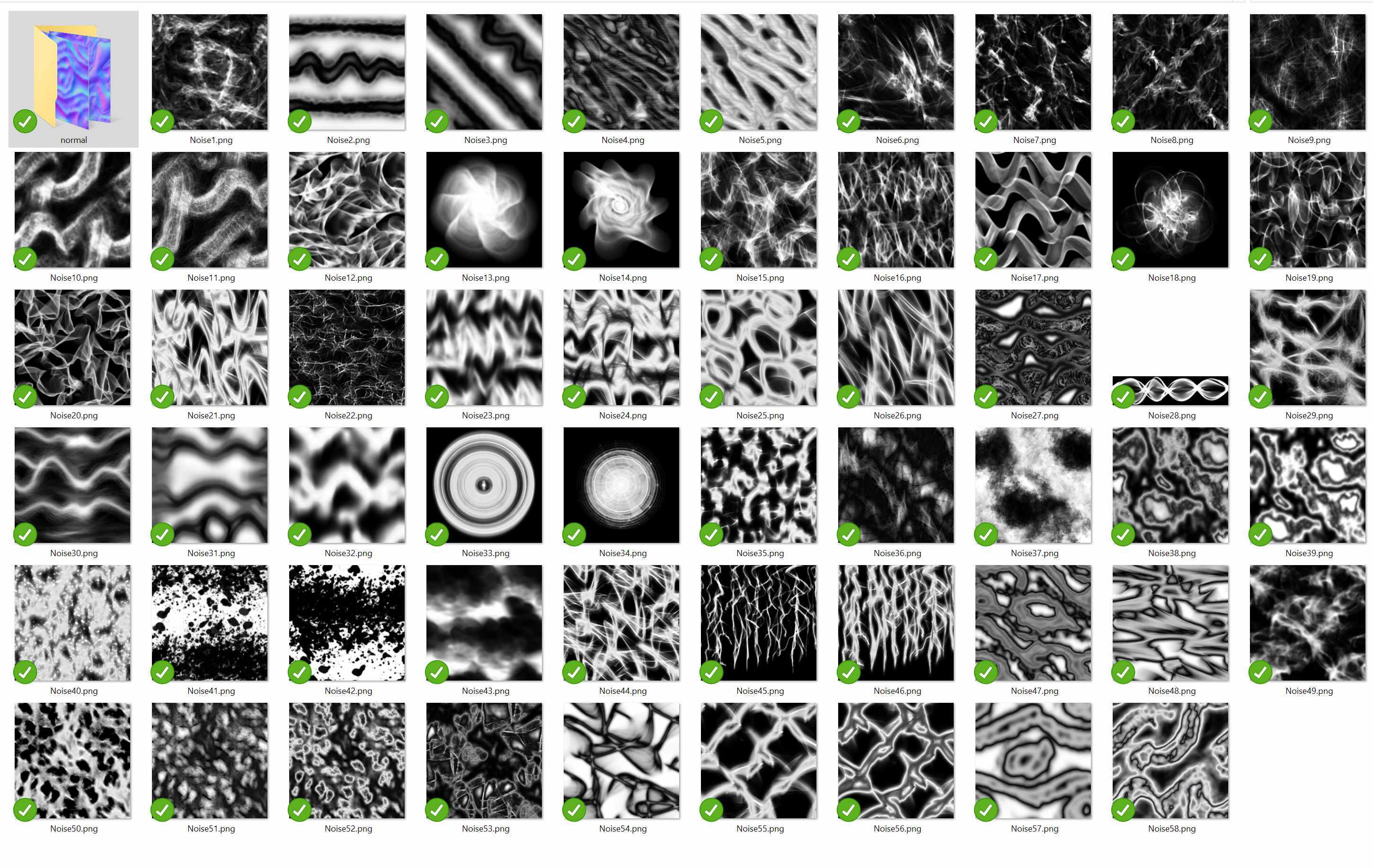

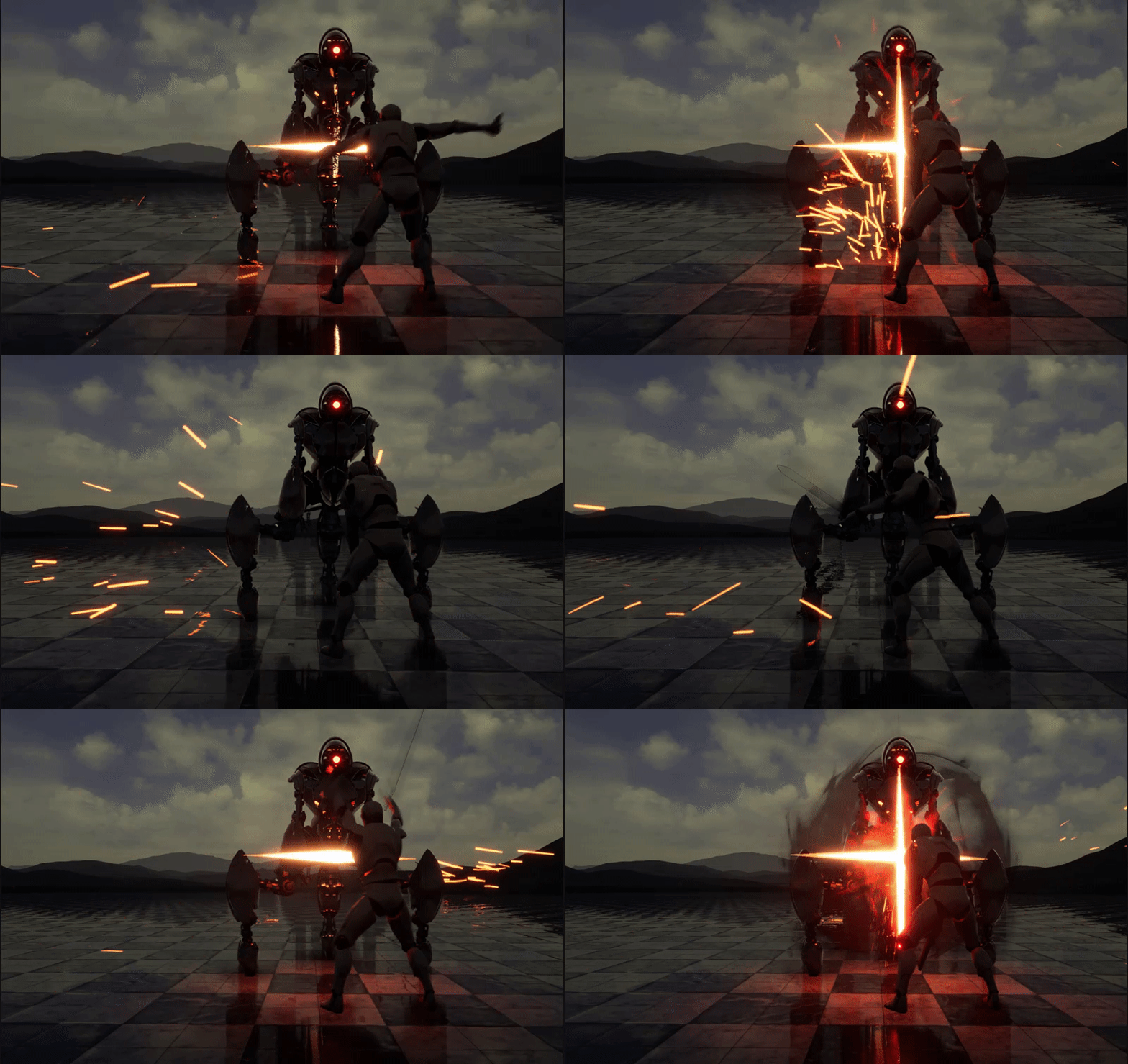 celest birch
Are you updating the parameter collection Position every frame?
wanton vector
Yeah