#visual-fx
1 messages · Page 8 of 1
 lofty vapor
I have a blood paricle
What seems to be pretty transulent from 1000cm
And do not know why
From close it alright
But from far (1000 units) its too transparent
(I do not use depth fade)
lofty vapor
Just have 1 lod
So my scene looks like
Like this
And when I hit someone
spawn a blood split emitter
BUT its too tranpanent from this distance where my camera is
Is it possible its transpanent because of the fog?
(well the fog do not overlap the blood particle)
from close
From far
:/
(you almost cant see the blood)
 cold sorrel
Looks like it's rendering behind the smoke
If you disable the fog, does it look right?
cold sorrel
Set the translucency sorting and you are fine 😃
lofty vapor
Translucency sorting?
cold sorrel
Translucency sorting priority
lofty vapor
Is it part of the actor
cold sorrel
The fog is particles as well right
cold sorrel
on the particle instances
cold sorrel
Np
 daring narwhal
I have a question. Is there some way to setup a looping particle system to burst only once when its activated and don't burst in the next loops?
 shut flicker
You could setup the burst as a separate emitter in the particle system. And not loop that emitter.
shut flicker
np 😄
daring narwhal
works like a charm 😄
 old terrace
Is it possibly to inherit particles rotation from particlesystem rotation? I want my particles always face up, but in relative of their emmiter.
 fossil swan
local space comes to mind
old terrace
Local space moves particels with it's emmiter, wich I do not want to
Moreover, Local space does not make particles rotation to be in local space. Particles are always facing camera or one direction if I set LockAxis. Is it possiple to get rid of that?
old terrace
There is no way to make it without meshes??(
fossil swan
screen alignment type specific and lock axis stuff
i dont touch it enough to give proper guidance though
in init mesh rotation you have inherit parent
fossil swan
Never realized the ditherTempAA node is just a mat function using some custom code and even a texture. did not expect that.
also makes me wonder if its optimizable because 12-15 instructions is a lot
old terrace
It depends on what type of differ you want. You can easily write your own for 50% transparency, for example..
I even had an example somewhere..
 fossil swan
hmm interesting, though "writing" my own wont happen unless I can make it with nodes. I cant code/script if my life depended on it
even after 1.5 years of coding lessons I suck
old terrace
Well, Blueprints and MaterialEditor are also programming) Blueprints = C++, Material = HLSL/GLSL
fossil swan
yea I knooow, but "writing" and "placing nodes" imho isnt the same :p
 round fog
same thought process though!
 primal token
Has anyone seen this tutorial? I can't figure out the step of "Lerp between the original scene color and a post process effect " There is a thread I found but its a dead end and the guy never got an answer with the same issue. http://oliverm-h.blogspot.hr/2014/08/ue4-localized-post-process-effects.html

One of the new features of UE4 (in comparison to UE3) is that you can access the world position of a pixel via post processing. I just reali...
Blend weight doesn't do a thing on the material in the post processing volume
primal token
Ok I figured out how to add the scene color back in but its still a hard black shadow instead of desaturating the area
idk why the guy cut off the rest of the graph in his tutorial
 slow gull
Hello, I am looking in to drawing a “swipe” on the screen. My project is using a Mobile platform. I believe this would be done through some sort of material with a mask? I am a programmer and do not commonly work with advanced materials. Can anyone point me in the right direction?
 forest burrow
anyone know of any good tutorials on making big explosions? 😃
 calm hemlock
Well, you need some potassium nitrate and sugar
 tidal forum
hey guys.. I'm game jaming so everything is hectic :).. so I made some floating dust for atmosphere and they work in the vievport. when i run it in vr thoug, i only see them when i look down, they disapear when i look forward or up.. any ideas?
wow i can't type.. sorry
 final wadi
@fossil swan hey mate u seem to be the go to vfx guy so sorry for the mention. Do you have any tutorial on you're channel for making animtrails vfx et for melee weapons . Or can point me into some resources to do it thanks
fossil swan
I dont have one, but its fairly simple.
like a ribbon, make an animtrail, apply in the animation tab to the animation of character or sword or whatever, set two sockets, one being top, other being bottom. done.
tidal forum
@tidal forum to myself.. set bounds on gpu particles you noob!!!
cold sorrel
@forest burrow Shameless selfpromotion: https://app.pluralsight.com/courses/houdini-vfx-games

{{meta.description}}
This is the endresult: https://www.youtube.com/watch?v=EGJAxGFVoMI&feature=youtu.be
@final wadi If you get fed up with the animtrails looking jagged, check this one out. Shameless selfpromotion #2; https://vimeo.com/223354261
shut flicker
nice, I've been looking for a decent sword trail tutorial
btw your youtube link doesn't work
shut flicker
yep all good, sick explosion 👍
final wadi
Thanks but $200 to make some anim trails is a little out of my budget right now. I'll just stick to ue4. Houdini does look pretty cool though
fossil swan
Its really easy, there are enough free tuts on youtube for em.
you can even start with just a general white material.
I need to finish some work, after that I'll consider to make a very short to the point tut
 tawdry anvil
So I want to do a mask thingy for a PostProcess flashlight effect. This is the best I've managed to do, ScreenAlignedPixelToPixelUVs has the right ratio but I feel like it's being scaled by something (texel size? 🤔 )
UV spaces make my brain hurt 😦
fossil swan
@final wadi uploading video atm
final wadi
@fossil swan nice one man appreciate it
tawdry anvil
You can just talk over the video 👌 😛
shut flicker
nice, this looks amazing Luos, going to be so useful for me. Once there is audio 😉
fossil swan
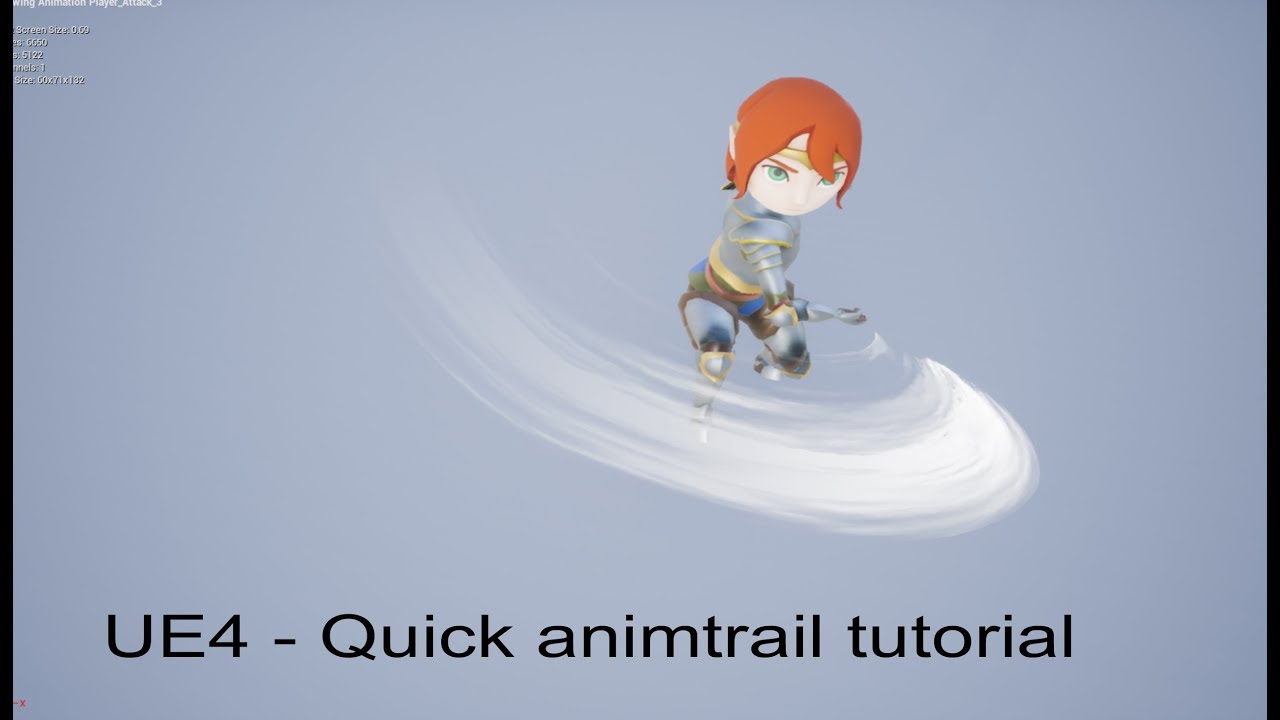
A quicky, showing how to create, use, and apply an animtrail effect onto a skeletal mesh animation.
there XD
that'll be 12,50 thank you
:p
Patreon
Become a patron of Yoeri - Luos - Vleer today:
Read 138 posts by Yoeri - Luos - Vleer and get access to exclusive
content and experiences on the world’s largest membership
platform for artists and creators.
 mossy agate
Hi. I'm using mesh emitters. Is there any way to interect to other actors with using mesh emitters?
shut flicker
What do you mean by interact? Collision? Going to have to elaborate a bit on that question.
mossy agate
I'm creating rock rain, and when the rock hits you, I want to damage you.
Actors are too expensive for that.
lofty vapor
Just use depth colision
Or smth
And on bp check if its generate hit effects
These modules handle how particles will deal with actor collisions.
Oh wait this isnt the one
I wanted to link
xd
mossy agate
Can BP notice it? Because I tried it and it didn't work
Probably I did something wrong
mossy agate
Hmm, i didn't try that. Thank you. Can I send you PM when I do this? Because I'm not able to use my computer now.
lofty vapor
Yeah its fine
mossy agate
Ok then, thank you. :) I'll reach you tomorrow.
mossy agate
@lofty vapor That would be great. :D By the way, I'm using mesh emitter. If you can hit the character or any actor, that will help a lot to me. I don't really wanna use actors for rock rain.
lofty vapor
Yeah I wanna use particle to try it
mossy agate
Then good luck, just let me know. :)
mossy agate
@lofty vapor This video shows what I'm exacly using
But it's older version of UE
https://youtu.be/psoTTXS7844

We now show how to set up a Mesh Emitter, complete with a custom particle Material and using a Collision module. (00:04) - Changing the Toy Cow Static Mesh a...
shut flicker
Event modules allow you to generate events based on particles themselves or other actors in the level.
you want to use that module^
lofty vapor
I trying to do this
BUT
Do not know how to make an event xd
To be able to use it in game
So thiss
mossy agate
So when it hits on something, can I damage it?
lofty vapor
The only thing
I cant seem to get a reference to the other actor :/
BUT
I get location
So I can make a sphere
SphereTrace
Something like this
mossy agate
That's a good idea. I really want to be able to use my computer now. :D When does the event start?
lofty vapor
Umm everytime its hit something
mossy agate
Wow, this is what i'm looking for
lofty vapor
Cool 😄
mossy agate
Thank you @lofty vapor @cold sorrel
lofty vapor
Its alright, it wasnt just me x )
So the particle will need the
Event Generator
And the ActorCollision
And you have to set up the actorcollision module correctly
Like collision types
But you get the main idea
mossy agate
Just give me a minute, I'm going back my home. I'll try it in 10 minutes
mossy agate
Can you show your event generator?
lofty vapor
Umm yeeaaah... but still kinda buggy
Do not fire everytime
Just tring to find a way to fire every time
Hmm its colliding propelly with the camera
Kinda confussing
 cloud quest
Anyone know of a good quick way to drive a few floats to a material for a beam emitter? Dynamic parameter is bugged, and I've used up ParticleColor already
cloud quest
^ Nevermind, realized that I had enough precission to handle 2 values in each float
fossil swan
with if statements, fracs, etc you can get more variables out of a single vector
but its not cheap-ish
cloud quest
Yeah I ended up solving it with fracs, luckily I'll only use the material in a few instances so it's not a big deal @fossil swan
 lost vessel
Heya, so does particle trail work better with anything that's not a character? I was looking into this at 4.12 or something, it was seemingly impossible to kill off the trail smoothly (fade out over life after you stop the effect)
cold sorrel
Trails are not great, but I can't recall that ever being an issue.
lost vessel
Hmm ok, maybe I'll try again then soon. Maybe I screwed up.
Here's a better explanation, that's from a looong time ago though but tried again since without luck.
shut flicker
What do you guys do for streams of fluid particles, besides spawning a ton of particles? I am trying to do something like a squirt gun
 jagged rivet
@shut flicker if you go to the Modding tab in the Epic launcher there is the VR Funhouse. It has exaples of squirt guns, they are not very taxing, they run fine in VR
shut flicker
Hmm okay yeah I haven't seen any good example of ribbons used for liquid. I really want to do this for a slimy goo and I want them to be affected by gravity or at least fake it. I would love to see an example of something advanced done with ribbons tho, the magic might mostly be in the material
@jagged rivet Can I test that without VR equipment? Thank you, I'll give that a look 😃
jagged rivet
I'm sure you can
shut flicker
Sweet, downloading it now
 barren raven
@shut flicker fairly sure most things in that demo make use of custom NVidia stuff btw! Really cool nonetheless
shut flicker
ahh yeah that's what I was thinking seeing that it is from nvidia
barren raven
Yeah not sure if it’s a royalty free license or whatever to use
jagged rivet
It does use Nvidia only stuff like PhysX but part of the idea of this tech demo is to get other developers to use it. So yeah it's free to use.
From https://developer.nvidia.com/vr-funhouse-mod-kit
"Game Developers
Access the full VR Funhouse source code from Github, and build your own game with the powerful NVIDIA GameWorks, PhysX, and VRWorks technology integrated into Unreal Engine 4 and VR Funhouse."
NVIDIA Developer
shut flicker
Yeah, it looks like that is using Flex Fluid for their liquid particles
 radiant frigate
hi um, was there a way to flag a material/particle to draw on top of absolutely everything? a quick google search told me that I have to use a translucent material, and then check Disable Depth Test on it but i can't seem to have it draw over meshes
or is there a flag i must've missed either in Cascade or in the material (instance?) 🤔
fossil swan
disabling depth test draws it on top of everything.
try using camera offset, and in cascade the order is from left to right as to what is drawn on top.
 quaint bluff
Question: I got weird blue tint after light build, any idea how this happened and how do I undo it?
that's from default skylight
no settings have been changed
 spare hare
the skylight applies a ambient light from the sky/ very distant objects (Sky Threshold in the SkyLight)
if your Sky is blue, it will apply a blue tint to the shadows
@quaint bluff
If you are talking about the circle, it is the reflection from the Reflection Sphere.
The darker texture has no reflection applied to it
quaint bluff
this is a default scene with no changes made to lights
it does not look like that by default
spare hare
it does
quaint bluff
k ill open another project
spare hare
prior 4.18, there was no SkyLight in the defaults cene
the same goes for the Reflection Sphere
since 4.18 you have now both of them in your default scene
spare hare
magic
fossil swan
^not really a vfx-channel question
spare hare
Yo, I have a torch.
Depending on the Physics Volume it changes the Particle Systems it uses:
Normal: Fire+Smoke
Water: Fire+Bubbles
I am using "OnPhysicsVolumeChanged" for that.
However sometimes Bubbles appear above the water when the torch is half in the water. Is there a possibility to forbid that?
The Particles for the Bubbles have an Actor Collision Module which tests for the Surface
 buoyant skiff
is it possible to apply a post process to an asset and visible from the outside the object, I would assume as a material?
barren raven
Are normal maps typically also generated with smoke / explosion flipbooks so that you can have accurate lighting data or are they usually just run on a cheaper translucency model that doesn’t consider normals in general?
Looking to get more directionality + depth than a typical masked smoke flipbook
I know the Houdini game tools export normals from sims but from what I’ve tested, not much changed / they were fairly grainy and blobby (probably to be expected when generating normal maps from sims)
fossil swan
you can use translucency & normal maps, it def looks better for smoke.
sometimes we also just use a sperical normal and tile it X/Y times to match the flipbook frames for a generic somewhat accurate-ish shadow look
just change the lighting mode under the translucency tab inside the mat editor
barren raven
Gotcha thanks! will try the spherical normal as the normal from Houdini looked pretty strange- might also try blurring it to get more broad shapes!
barren raven
@fossil swan do you use the "Generate Spherical Particle Normals" checkbox in the material settings in addition to the normal map? (I know this is a different thing to using a spherical normal texture , just curious what it does as it seems to add on top of whatever normal I input)
Getting nice shading now just trying to find the best combination of settings
fossil swan
no need for a normal map afaik if you use that checkbox but im not 100% sure
i barely touch it
(i wonder it it changes depending on the amount of X/Y frames)
barren raven
Interesting. Yeah it seems to produce vastly different results depending on if a normal is piped in already or not
Will have a play around and try to find a nice setting
fossil swan
lemme know your findings, id be interested 😃
barren raven
Got some interesting results
Making a quick image now
All identical setups etc
Just changing the normal settings
I'll record a quick lighting response vid with a point light moving back and forth
Note that the texture normal from houdini is a bit funky, might try a few different ones to be sure
fossil swan
first but def 3rd look rather well imho
barren raven
3rd isn't picking up the directional light highlights much at all, can be cheated in the material but it's interesting as the first / second have the best highlights but the second has the obvious spherical shape. I guess what is happening is the texture normal is breaking up the sphere shape in the first one
barren raven
Ok after some more tweaking on the spherical + texture normal version, got some shading I'm happy with. Thanks for the help @fossil swan
fossil swan
np 😃 you did it all yourself
buoyant skiff
I challenge somone to make a "realistic" looking ghost, not a cartoon or monster version, something creepy.
I've given it a go using materials on robes but I wonder about a particle approach
spare hare
black smoke and go 😄
fossil swan
there was a willow the wisp challenge on rtvfx.com which had some cool results
ghosts are never realistic as they do not exist :p
spare hare
@fossil swan who says they do not exist?
maybe there a ghost right next to you headbanging?
fossil swan
I do not believe in ghosts.
I do believe our eyes filter out reality as we know it, but ghosts.. nope
spare hare
My Smoke gets distorted when infront of refractive water. Any way to solve this?
barren raven
For large explosions and dense smoke is it pretty much a given that you’ll have terrible quad overdraw and shader complexity (even if for a short moment)?
I thought foliage was bad but large sheets being spawned at once is even worse- large areas of the screen being taken up by overlapping translucent quads... doing my best to reduce the spawn count, lifetime and material complexity but there’s still a drop in frames while it’s active (not anything crazy but can probably be the difference between a solid 120fps and a fluctuating rate). Any tips other than only use where necessary / be as lean as possible?
spare hare
@barren raven have you tried Particle Cutouts? THey try to cut the fully translucent part of the particle so you have less overdraw
LODs for the Particle Emitters may help aswell
barren raven
I saw that on one of the Epic livestreams a while ago, thought something like that was happening automatically- will look into it thanks!
Ooo LODs for particles! I assume this means depending on distance, less will be spawned?
Gotta read up on it I think!
spare hare
You can set the distance the LODs kick in and you can even disable modules completely
LOD3 vs LOD0
 stoic yacht
hey guys!
anyone have any nice particle tutorials in unreal? mostly looking for a spell cast kinda thing going on
also, if anyone can take some time to dm me and help me out with a couple of questions, I'd love it. I might commision too depending on what I am looking for
fossil swan

YouTube
This tutorial will show you how to create a mesh based particle effect for projectiles/beams and other similar special effects. Software used: Photoshop, 3ds...
stoic yacht
@fossil swan thanks dude. and another question I have: effect being released, then coliding, then the effect of the collision --- how would I find tutorials on the whole thing rather than the beam itself. how does one go about a full spell sequence from launch to post collision
fossil swan
a few weeks ago they released an advanced vfx stream on youtube, which goes into collision some more.
there are barely any tuts that would go into the whole thing
fossil swan
check out epic's learningtab, loads of content with effects, as well as some free packs on marketplace and pick em apart.
on the UT tab you can also download UT, which also has the editor, that could show you more in depth stuff for weapons, which could be altered for other things like spellcasting etc
stoic yacht
❤ thanks
 drowsy lynx
Am I stupid? I try to add a youtube video to a pinterest board. Some time ago I could choose between "upload url" and "upload image". now i only get the "upload image" option and can NOT just paste an url .. wtf am I doing wrong?!
drowsy lynx
it's shit but i don't know anything better. 😦
cold sorrel
I've been burned to many times by: "Oh that looks like it could be a good ref and that's another dead link."
drowsy lynx
it's the most shittiest website, the seem to hate good UI and UX and the pin button doesnt work or sucks or whatever and that you cant use it without account is a shame and that they don't have a tagging system doesnt make anything better 😄 i'm open for suggestions for a better system 😄
drowsy lynx
yes but it would be nice if others can make use of the collected stuff.
cold sorrel
WHAT!? Sharing!?
The awesome fx ref collections by Denis Girard are gone from Tumblr. I'm anticipating the same will happen to most pintrest collections.
Sadly
drowsy lynx
i know, in vfx this word is kind of new to people 😄
barren raven
Anyone know offhand if motion vector flipbook performance is noticeably lower than standard flipbooks? Going to test eventually but have been battling Houdini all day
 sullen forge
but the extra memory might be saved if you then use less frames
ive been doing the mesh animation effects
love them
fossil swan
+1
sullen forge
sadly in VR i cant do flipbooks
only for very far textures or similar
but a typical explosion or smoke effect? looks horrible
@fossil swan in the jam entry i use vertex animation for the flames, and noise displacement on a sphere for the magic ball
barren raven
Some of the Houdini game shelf tools are super cool
It's a monstrous piece of software - just can't handle the render times especially when trying to test quickly- UE4 spoils us so much!
fossil swan
@sullen forge shooow mee
sullen forge

Game for the epic megajam. Free to download in https://vblanco.itch.io/kyndill
check the flames in the torches
done like in 10 minutes, i just took a random flame simulation from houdini, made it "taller" to the shape i wanted, i made it loopable, and then converted to a mesh and exported it
cold sorrel
Motionvector blending is the same cost as uv distortion+regular frameblending. Same amount of texture reads and the same math
Mostly because, that's exactly what it is
fossil swan
nice @sullen forge
sullen forge
my favourite effect is the fireball i did for DWVR

i used your noise pack in it @fossil swan
fossil swan
Glad I could help
barren raven
@cold sorrel would you use it in general, or not unless you needed some very fancy hero explosion?
cold sorrel
Nope
Unless it's specially crafted to work with MVs (as in, uniform movement, no direction changes and so on) it won't look any better than regular frameblending. And even if all those criterias are met the only time I've felt that they are worth it are for super slowmo things
The only thing I've shipped with them were background smokepillars. Nothing else really felt worth it.
barren raven
Nice, makes sense!
I guess most things move too quick for it to be useful
but yeah background smoke pillars would be a great use case as they can be super slow
 flat sinew
a lot of niagara improvements in this commit if anyone here cares: https://github.com/EpicGames/UnrealEngine/commit/ca24b4e26df010d84c4b6d379068234414693002
@fossil swan maybe it makes you happy
 brave dove
Hi everyone - would this thred be the best place to post a question about dynamic lighting issues with particle effects? (ue4 - 4.16)
I am deff missing something with the translucency of particales. Example: I have a dynamic cloud blueprint that never changes brightness when my dynamic light changes. This happens with all of my particals. Here is an example...
I know the camera is changing exposure but dear god... it's drowning out eveything else
Any ideas?! Thanks!
fossil swan



 timber whale
So scaling particle affect systems seems to only scale the particles themselves not the area affected by the particle system.
Is there anyway to scale the area that a particle effects without going into cascade?
fossil swan
nope sadly, though you could expose it with particle parameter option
not everything has that option though
timber whale
Darn I need to scale the snow affect to about 1.5x the size of the spider but I don't know anything about cascade other then it is the particle editor
fossil swan
most modules have a distribution option, one of em is "particle parameter", that way you can give it a parameter name and set some min/max options as well. this way you could probably blueprint something together that tweaks that value depending on its size
fossil swan
sphere, innitial location
timber whale
that is suprisingly simple
fossil swan
hehe
barren raven
Trying to figure out when to use SubUVMovie vs SubUVIndex- am I correct in saying that movie would be more suitable for looping particles since it seems to restart the flipbook from the start if the frames run out before the lifetime ends and index is more suitable for oneshot flipbooks that shouldn't loop like explosions, as it plays the flipbook once?
cold sorrel
Yes
barren raven
Thanks!
fossil swan
@spare kayak green circle seems to have something messed up in size over life, particle explosion (and anything else really) needs to be set to loop only once.
 spare kayak
The loop once can be set under the duration right? (emitter loops I'm guessing)
fossil swan
required module has the loop setting
 untold stratus
is there a way to make a decal that overpowers an emissive material? For example a glowing wall gets shot and the bullet decal cracks the glow with blackness
I thought stain but I can't figure out how to make that pure black over an emissive
I think b/c the Deferred Decal has to be Translucent then it can never overpower Emissive.
true?
 forest meadow
anyone out there who can help me make a few simple particles? 😄
fossil swan
have you followed any basic tutorials?
forest meadow
a bunch
infact, i made most of the particles i need using tutorials, but the specific ones is whats getting me now D:
fossil swan
whats the issue? perhaps I can give you a few keywords to google
forest meadow
like, i have no idea what to try to make an aura-type particle, like a character burn/poisoned particle
fossil swan
thats still rather global, try to make it smaller. what would you expect to see for aura or burn/poison. what would work? sprites? meshes? ribbons? want to emit from the characters body or just close around it.
i.e. for an aura i might make an inverted cylinder with an upwards going texture and some additional material tweaks
forest meadow
how do i emit with a certain shape? is that possible?
like, can i make the basic fire particle emit in a large circle?
fossil swan
you can emit meshes with intricate materials applied to it
ofcourse, cylindrical location module
barren raven
Is it possible to have non square flipbook atlases work? Like 1024 x 512
fossil swan
yup
barren raven
Working with a tall and long flame burst and there's a lot of wasted space doing it square
Oohhh! How so? Tried changing the UVs in the material editor but did nothing
I am using a SubUVTexture node though
fossil swan
then make whatever you put em on twice as long
barren raven
Will try haha that makes sense
It seems the card in Cascade scales proportionally- only the X value affects the initial size
I can use a custom card I guess?
barren raven
Oh wow
Had no idea you could do that
Thanks so much
This'll be useful for loads of stuff
barren raven
Really cool
 worldly trail
hey guys, any one know a tutorial for impact effects, wanted to try something a little stylized?
drowsy lynx
@worldly trail tutorials in general are rare but looking at other effecs frame by frame will give you an idea. i recommend pinterest for reference search.
battlerite has nice effect. here's a little impact from gun effect: https://www.youtube.com/watch?v=aGSvnH1u1CY

you can step through any youtube video frame by frame by pressing "." and ","
fossil swan
there is also http://www.youtubeslow.com/
YoutubeSlow
worldly trail
hey guys for the links, love the effect i'll take a look at pinterest too!! Just need to figure out how to start something like this lol 😃
fossil swan
you done stuff with cascade before?
worldly trail
hey man sorry for the delay, was in a meeting ha. No I have done anything in cascade before so this should be fun 😃
fossil swan
in case you get stuck: https://www.youtube.com/playlist?list=PLuqNhfvpWXRiHIFsstRqF_nDUzNyKVJLq
YouTube
This tutorial will show you how to create a mesh based particle effect for projectiles/beams and other similar special effects. Software used: Photoshop, 3ds...
worldly trail
@fossil swan Thanks dude i'll check them out 😃 awesome stuff!
 shell topaz
Hey Guys i was wondering if someone could tell me how i would achieve the ring of fire effect like in this video im still learning how to use particles so i am unsure where to start if someone could help me i would really appricate it I come from the unity engine so this is all new to me https://www.youtube.com/watch?v=p3d9rY4oAXc
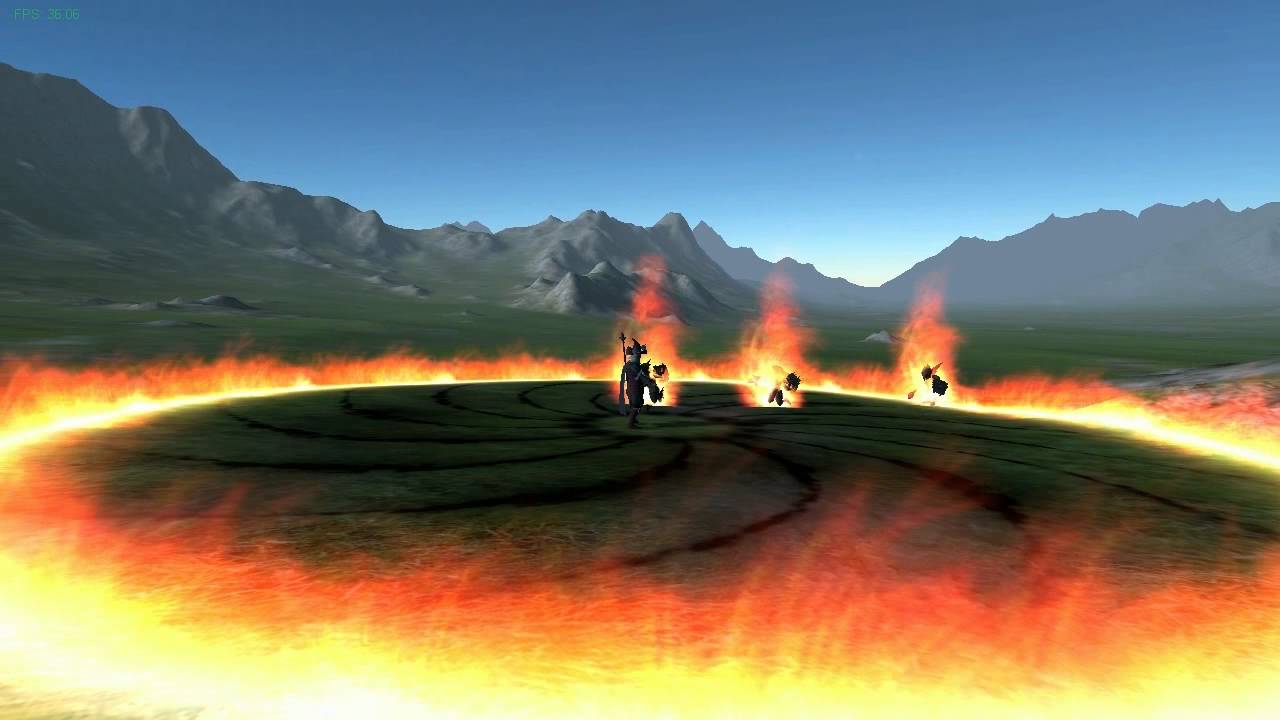
This is a work-in-progress demonstration of a magic effect called Ring of Fire. It was created using the Unity engine and, in the near future, may become a p...
think i figured something out but still stuck on how i would turn that into fire
drowsy lynx
@shell topaz you can create a material with an animated flame (flipbook or changing the material UVs to give it a bit of motion) and then assign this material to the particles.
Another idea could be to spawn a cylinder-geometry (basically a ring) which has a flame-material assigned and gets scaled bigger until it reaches the max. distance of the spell
fossil swan
unless its project specific, .17 and .18 have a bug in cylinder location where it doesnt work only on the borders anymore
spare kayak
Not sure if this's the right chat, but I'm trying to get an average colour value within a material function. But the problem is that I can't use a texture sample as the input is a particle subUV. Is there a way to use UV's to fetch two different locations on a particle subUV?
brave dove
Hi everyone - would this thred be the best place to post a question about dynamic lighting issues with particle effects? (ue4 - 4.16)
I am deff missing something with the translucency of particales. Example: I have a dynamic cloud blueprint that never changes brightness when my dynamic light changes. This happens with all of my particals. Here is an example...
I know the camera is changing exposure but dear god... it's drowning out eveything else
Any ideas?! Thanks!
 quick bridge
@brave dove Maybe your particles are using unlit materials and that is the reason.
Hi,
Can anybody tell me what is performance efficient way to contain particles in costum shape (ex. bottle)?
fossil swan
PSA: Bug in cascade in 4.16 and up. Cylinderm odule > surface only not working
PSA: Bug in Cascade in 4.16 and up, Gpu particles with PSA-Velocity, with innitial sizes where min-max are about 300 units in size difference result in flat particles on one axis
 rapid oracle
Im looking to make VFX with particle system around my gun , is there any tutorials about it or something that will give me head start?
fossil swan
i dont have a muzzle flash tutorial, but i have a speed-create video of a very basic one.
rapid oracle
can i see
fossil swan
gimme a min, writing some docs
 signal tapir
You could also look at the ShooterGame example from Epic
fossil swan
^
fossil swan
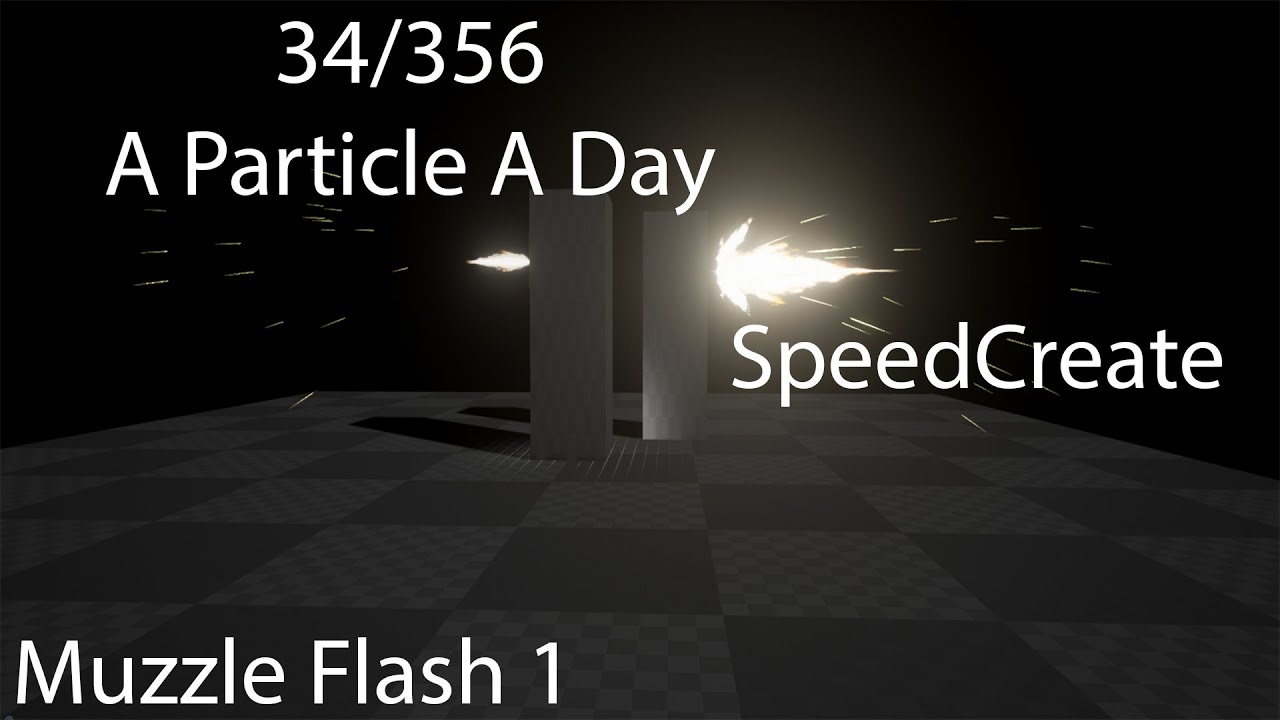
flexes muzzle Please consider becoming my patron :) https://www.patreon.com/Luos Unreal Engine Forum thread: https://goo.gl/s7M73o Volume one/Marketplace t...
brave dove
@quick bridge Thanks for the advice, I change my MAT's to "Default Lit" and nothing changed. Any other ideas?
maybe something must be changed/added in the BP to recognize this?
quick bridge
I advice return it back if nothing changed for now, maybe you have strong emissive in your particle materials?
fossil swan
how many of those clouds are you emitting btw?
brave dove
They are voluimetric clouds that spawn in a predetermined area. You can actually find the package on the UE market.
Yea good idea - i did return all the mat's to 'Unlit'
Lous - not sure how to answer that i guess. They are not meshes
rapid oracle
@fossil swan hey boss i was looking to make something like in final fantasy 15 when u draw a weapon it starts as a hologram then turns in to a mesh
i know how to do that with materials but id rather make a particle of that hologram then setting visibility of the mesh

Creating some custom hologram materials in UE4. Many more to come.
like that
 naive current
Hi guys, I updated a random project of mine from 4.15 to 4.17, and everything seemed to work, until I built the lighting. Everything looked normal except for this one wall, which now looks very odd. What could this be?
The wall and the door are two seperate meshes
fossil swan
@rapid oracle id still use a mesh for it, not translucent hough, but masked & dithering.
fossil swan
you can use multiple uv-channels if that makes it easier. though a simple decent looking fade in/out function is easily made.
rapid oracle
if i have 10 mats on 1 mesh , i have to do fade in for each one separetly ? i havent heard about multiple uv @fossil swan
fossil swan
if you have 10 mats on one mesh you have 10 drawcalls for that one mesh, thats not good :p
you can apply multiple uv-channels to a mesh in your 3d program of choice
just like you applythe lightmap to another uv-channel, you can create more texture uv's as well
drowsy lynx
In case someone wants to create vector fields in blender: https://youtu.be/1Z52OQ81Qk0
 signal tapir
Nice. thanks Simon. When vector fields were first added, I checked for ways to create them with blender but it wasn't possible then. At some point I saw that plugin but haven't had a chance to use it yet. I might just do so for the upcoming Ludum Dare.
drowsy lynx
there are other tools as well but this one is free and the documentation is pretty large actually. nice. but as a blender non-pro i had some trouble following it so i made a video for all other non-blender-pros 😄
signal tapir
Yup, very helpful. 👍
drowsy lynx
@fossil swan since you played around with gpu particles...do you know what numbers are kind of standard these days? are 10.000 gpu particles a lot or is 100.000 totally common?
fossil swan
100k is pushing it, but 10k shoudlnt be too much of a problem. but it depends on the gpu
insta-bursting high values can cause a short stutter
drowsy lynx
ok good to know a rough estimate 😃
fossil swan
on a 1080ti 100k with low instruction materials isnt even much of a problem
rapid oracle
https://youtu.be/RHz0iHt-cRk
as u can see i managed to do something like i wanted but i have that bug now pls watch video

its fades out when i draw my wep again fast
fossil swan
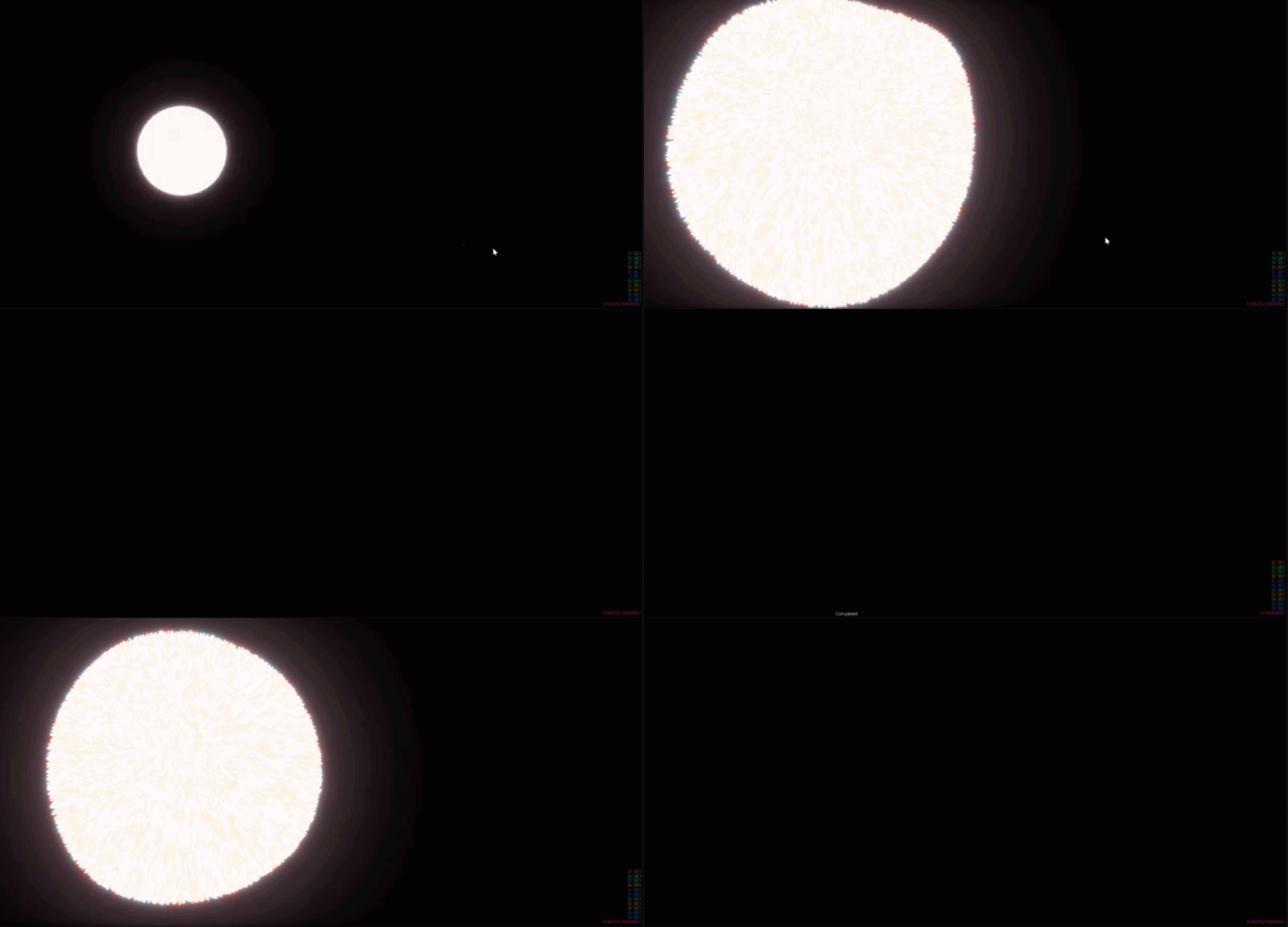
@drowsy lynx 1m is a hard-locked value btw, probably can change it in an ini
drowsy lynx
hm ... let's see if i can make unreal crash 😄
 drowsy lynx
sun! 😄
rapid oracle
its ezi one tho pls bos 😄
worldly trail
hey guys super quick one do you know how to change the BG in the material editor preview window?
this thing lol 😃
drowsy lynx
@rapid oracle i don't understand the bug/video. but maybe the blueprint channel is a better place to ask ?
@worldly trail the only thing i know is that you can disable it. but changing...no idea
worldly trail
baa! I just wanted a simple black or something, it's really hard to tell the amount of glow i'm putting on stuff!
drowsy lynx
black is ok. go to the world settings and turn it off
drowsy lynx
worldly trail
cheers dude woop, you can change the cubemap there too awesome sauce!
drowsy lynx
oh nice! didn't notice that 😄
 celest birch
hey
How do you make a particle have collision, so like if the particle hits a player... burn them
But im wondering if there is a "per particle collision" kind of system
where if a single particle hits something, it fires an event
fossil swan
Event modules allow you to generate events based on particles themselves or other actors in the level.
celest birch
@fossil swan would it be better to simply create a blueprint with the particle, add a particle movement component (for like a fireball or something) and then add some sort of capsule collider or sphere collider to handle collision?
i feel like that might be my best bet actually
fossil swan
it probably is, but its a bit outside of my knowledge-zone
celest birch
ok cool
celest birch
@fossil swan thx
fossil swan
works?
celest birch
@fossil swan yeah i just did my method
but the problem is it wouldnt work very well for certain types of particles
but its fine i guess
Particle collision is a very interesting thing
because the particles themselves can be very complex
 graceful aspen
yo- i have some particles dust in my ut4 level. they're being lit nicely by directional light, however only when looking at them from the direction of the light. when looking into the light, i'd like them to appear lit. any ideas?
can see the dust illuminated as i am towards the side the light is coming from
move around to the other direction, looking into the light, and the dust is not lit. so basically id like the dust to appear lit from this angle as well.
 near blaze
#visual-fx anybody suggest the best way to create a destructible light that switches off when hit with projectile or bullet
barren raven
@near blaze that's a basic blueprint- you can create a new BP, add a light inside of it and then write logic called either when the bullet trace determines it hit the light, or when a projectile or bullet passes through a bounding box around the light.
There are plenty of light switch tutorials which follow similar logic, so would recommend checking those out.
lofty vapor
Guys
I have a Fog effect, but somewhy its just activating if something in is it
So as long as there is something overlaying my fog, its working fine, but as soon as my character goes out of it, you cant see it
 brittle monolith
celest birch
brittle monolith
celest birch
That would be really cool if there was
fossil swan
im sure you can expand on it in houdini, but I sometimes bake out simple movements and some pflow stuff with a toon-shader to a flipbook in max.
 ashen stump
Some clever noise panning could get you that look
 raw trout
I did a pokemon stadium style colour thing if anyone wants to check it out, I know I fucked up with a shit ton, but theres a reddit link in the description to see how I did it https://www.youtube.com/watch?v=pS6dchvGNhk&feature=youtu.be
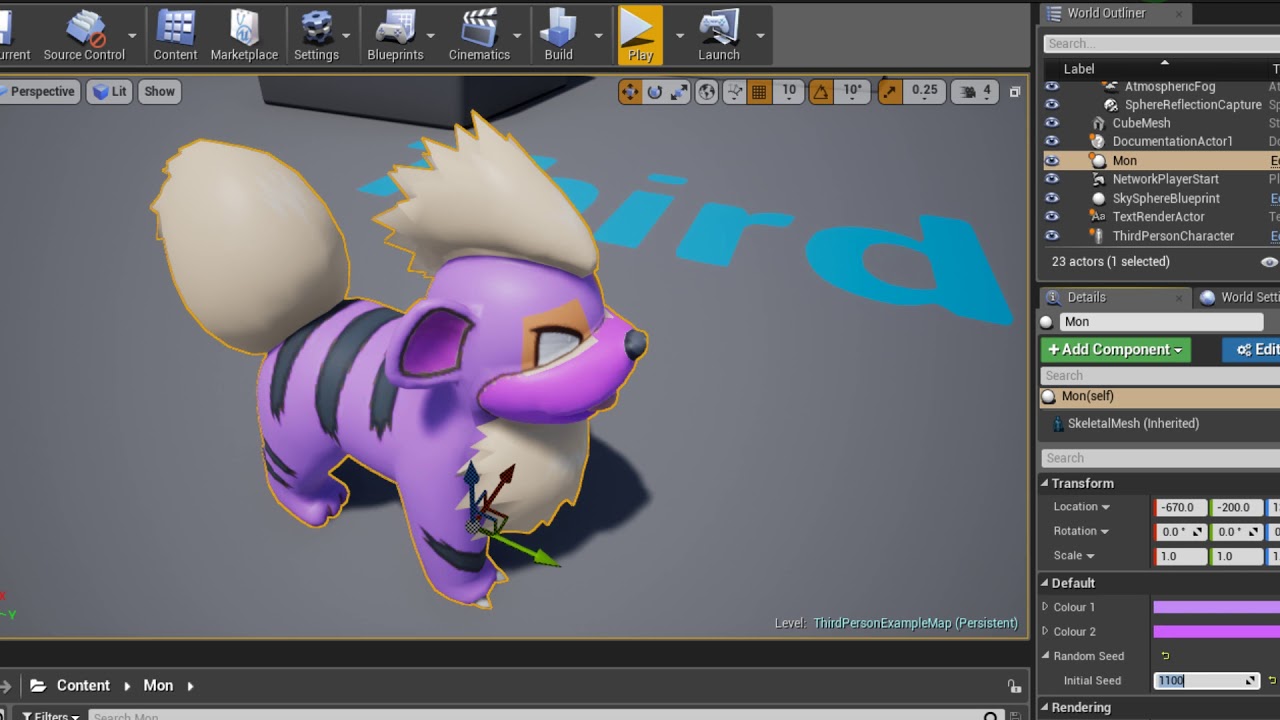
Here is a link to a tutorial I made https://www.reddit.com/r/unrealengine/comments/7e7r1p/quick_semitutorial_pokemon_stadium_style/ In this video I show off ...
drowsy lynx
@brittle monolith you can checkout my talk about rime (contains a part on smoke) and also the updates at the bottom of the page where some people-recreated it. TLDR: you can come closer to what you search but it might never be as perfect as when you're using a flip book.
 stone verge
hello
hi simon
we are looking for help to get a better visual appeareance of our game.
We posted our problem here https://forums.unrealengine.com/development-discussion/rendering/1388524-how-to-achieve-a-nintendo-wii-wiiu-feeling-with-ue4-materials-and-baked-lighting
but i would like to know where should start to look to fix the problems that the community are pointing
The problem is how to achieve a look like DK Wii or Kirby Return to Dreamland
fossil swan
look into PBR, normal maps.
and more detailed albedo textures, roughness maps, again normal maps
stone verge
So that means using substance?
fossil swan
not perse
the biggest difference between your video and the nintendo one is art direction and (more) effort put into the models & textures
fossil swan
you'll probably need bitmap 2 material, xnormal, or knald
stone verge
that looks so dull as you say
Is there a tutorial how to achieve that with substanceor any other software? because i have looked tutorials of substance and they use PBR mainly for Realistic rendering
fossil swan
tell that to pixar :p
also pbr
and especially donkeykong uses zbrush and bakes down to low poly
fossil swan
gamedev-ing isnt cheap
fossil swan
good luck!
stone verge
thanks!
 mortal lily
you can paint roughness map in ps tho
stone verge
with quixel?
mortal lily
w/o quixel. just paint the grey values
not the best way to do it tho 😛
but it works
fossil swan
bitmap 2 material sounds like a good tool for that in that case
fossil swan
yea
drowsy lynx
@fossil swan someone asked me what exactly you do in this node. is there something special? it seems that you're blending normals maps in it (the param "combined normal map strength" sounds a bit like that 😄
fossil swan
everyone asks that, nobody seems to notice the tutorial on youtube about it.
Its basically using a nnormal map to distort uv's, thats all there is too it
using normal maps since I only need two gradient, and a normal maps compression just works nice for it
drowsy lynx
acutally i checked at your website in the resources section where some material examples are aplced 😄
fossil swan
yea, website still needs some tweaks and improvements, but busy as hell
drowsy lynx
hm i cant find the tutorial video aboit it. is it maybe "super mask" or "material function fun"?
fossil swan

Been a while since I did a tutorial and since soooooo many are asking what the "distortion" material function does... well its basically this.
its nothing more than that
but people find it magical for some reason hehe
drowsy lynx
i'm still not sure about the "combined normal map strength". this i know only from when you combine two normal maps. in your example video i only see an "add" for the combination of the textures .. hm..
fossil swan
yea, it was from another function that uses one normal to distort another normal that distorted the uv's hehe, never bothered fixing it
or well, renaming it
the function i supplied on your uv-distortion video does the same thing
drowsy lynx
so within "luis_mask_distorter" are there still two normal maps combined or is it just one but and the parameter is still there ? maybe you should just post an image of that function below the youtube video 😄 that would clear things out quickly 😄
fossil swan
just the input not named correctly because my brain is used to see that one and muscle memory moves wires to it :p
there is a reason im not showing it, while nothing special im already annoyed other vfx sellers use the node and just rename it like they made it
https://luos.stackstorage.com/s/xvSdYO9IRzONnf8 gave this one away for zip
drowsy lynx
nice, thanks!
celest birch
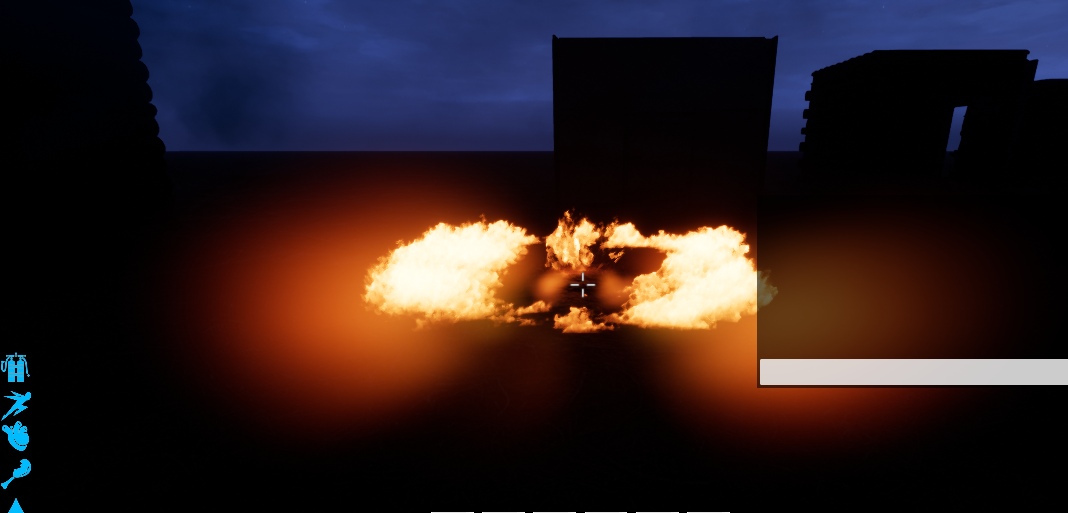
how do i make this particle
actually illuminate the area
lol
likke, a torch should illuminate areas
do i literally have to add a pt light
drowsy lynx
add a "light" module to the emitter
fossil swan
cheaper to add a light trough blueprint, the lights in cascade are (for some reason) old and arent optimised
they cost more performance than a regular light
celest birch
hmm
mortal lily
^^
fossil swan
they also ignore lighting channels
celest birch
@fossil swan but lighting for me
usually just bleaches my meshes if the intensity is anything above like
0.3
and 0.3 isnt very "illuminating"
shit ill figure it out
dw
celest birch
No just point lights
in blueprints
they are either really strong, or just really weak
fossil swan
that really depends on the settings you are using, and if you are using square inverse or not
celest birch
wow
i turned squared inverse off
why would u ever use that
lmao
it ruins ur light
fossil swan
its from older engines
celest birch
But why is it on by default?!
fossil swan
you can actually have quite some control if you know what you are doing
because the new one is physically more accurate I assume

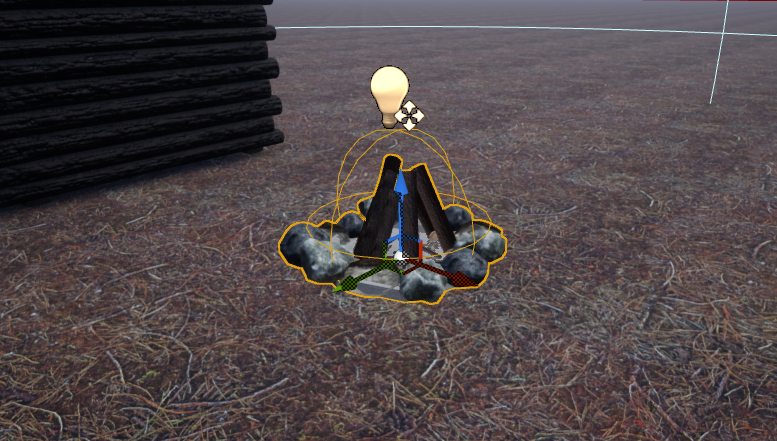
 hardy furnace
might just be your brightness or other stuff going haywire, usually works for me...
 wild basin
Im trying to add some decals on hit to a level but Im having trouble getting them to show correctly. Instead of my desired decal I just see some weird small square distorted texture. Im also new to this so I'm probably doiong somethign simple wrong. Tips?
celest birch
In Cascade, is there a way to break the link between shared modules?
fossil swan
@celest birch ctrl drag one of the shared modules onto theother
celest birch
Hmm that just creates another module

Not a big deal though, was just wondering if there was something I was missing
Thanks anyway
fossil swan
yea, afaik thats the only way
fossil swan
I tendto use a hueshift with a particle relative time, particle random, or dynamic.
drowsy lynx
@celest birch couldn't you feed in random values into the material with the dynamic parameter module?
fossil swan
its limitations mostly
drowsy lynx
yeah gpu can't use everything you can use on normal ones. i guess it's because they can't communicate with the cpu anymore since they are running solely on the gpu and therefore can't receive new data - e.g. like motion from a orbit module - ...but it's just a guess 😄
fossil swan
O_o for some reason my dynamic parameter does not want to push the viarables set in cascade onto the material
well, its not updating, even tough spawn time only is disabled
fossil swan
drowsy lynx
is it a beam emitter? seems that dyn param doesnt work with that
fossil swan
nah
regular
its a bug that was found in 4.14
but is backlogged
that was a nice hour wasted
drowsy lynx
bit why isn't it working when you use standard particles? what's the reason?
fossil swan
if your red or green channel has "spawn time only" enabled, blue and green also have spawn time only enabled
even when its not
fossil swan
ikr
BUT! only if the distribution is set to float constant & has spawn time only enabled btw
in case you run into it
drowsy lynx
anyone has an idea why my flip book / subuv is flickering? the options should be right. i added the correct amount of frames etc
it's a flip book of 4x8 tiles
cold sorrel
Changing framerate over time?
jagged rivet
My cat just attacked that gif, scared the crap out of me
celest birch
haha
fossil swan
new video of sun actually eating the galaxy: https://78.media.tumblr.com/5587208b9990a61271f57a8dac65b21e/tumblr_oi8wy9OOlc1t0l1jvo1_400.gif
 ashen stump
Ha, that's really cool
 mental quiver
I'm just imagining the "Nom, nom nom nom" 😛
 errant shuttle
So I have a particle system set to Kill on Completed but when I call UParticleSystemComponent::DeactivateSystem, the particle still exists in the scene
fossil swan
particles spawned before you deactivate continue untill they die, unlike destroy.
(when set to kill on complete)
sullen forge
hey @fossil swan . do you know an easy way of doing billboards out of a 3d mesh by material?
i want a billboard but without a particle system
cold sorrel

Material Network to connect to WORLD POSITION OFFSET: http://pastebin.com/hkqkkJ9j
fossil swan
long live simon hehe
sullen forge
ah nice
yeh thats exactly what i wanted
not working in 4.18
dammit
gonna remake it properly, the paste doesnt work
 vast path
you can't have lights on ribbon ?
 wild quest
Would be cool to have a few lights here and there when using a ribbon for a glowy trail!
maybe you can get a nice effect when activating Emissive (Dynamic Area Light) in your Ribbon Material, afaik you also got to add some additional node to the network to control the intensity. Not sure if that is all
The Node to control the influence is called GIReplace
fossil swan
not sureif this has changed recently, but
Adding Emissive Lighting to any Material is very cheap and effective way to simulate a light source without adding any new lights. However keep in mind that when using Emissive Lighting the Emissive Lighting will not illuminate dynamic objects, like characters, the same way that lights will. Also remember to tweak the Bloom setting on the Post Process volume if your glow is too intense.
A How To Guide for using the Emissive Material input inside the Material Editor in Unreal Engine 4.
vast path
thanks guys : )
wild quest
the stuff I mentioned somehow only worked with opaque materials when I was testing.. would have been great to use that together with additive or transparent ones O_o
radiant frigate
hi, can beam emitters be set up to use random particles for their start and end points?
radiant frigate
oop resolved it
 fiery solar
@fossil swan how did you start learning particle systems? I saw your showcase recently and it was really good
fossil swan
i just took apart the ut3 effects and took it from there. (already know how to model & how to make textures)
fossil swan
when you buy UT3 :p
though nowadays you can take a look at the free content in ue4 ofcourse
learning tab has a lot
and then well, follow tutorials, recreate content from the learning tab, if you dont know what a node/module means use the ue4 material/cascade compendium etc
fossil swan
it uses the same particle editor, and in the install-folder you can find the editor
it looks a bit outdated but works fairly identical to ue4
the content browser is a bit different but shouldnt be hard to find the effects
i suggest to pick one you like, look at each emitter and its materials & textures, try recreating the textures, recreating the materials, and recreating the emitter modules
thats how I got started at least.

YouTube
This tutorial will show you how to create a mesh based particle effect for projectiles/beams and other similar special effects. Software used: Photoshop, 3ds...
fiery solar
Thanks man
You ever think of doing a udemy class or something for making your particles? I think it'd be successful. There's 0 particle classes on there
fossil swan
I prefer to keep all my tutorials free
fiery solar
Do you have tutorials? All i could find were the speed builds for the particle a day
fossil swan
also if you want to take a mre realistic vfx route, @cold sorrel also has some great (often houdini based) tutorials
I just linked to those tuts hehe
^ few messages up
cold sorrel
o.O
cold sorrel
I know nothing
fossil swan
lies!
 tired moth
Hi guys, glad Partikel is your channel Unreal Simon? I'd like to see 😃
Luos your channel is amazing, i am very lucky to find it recently 😮
PogChamp
fossil swan
lol
cold sorrel
Nah, Unreal simon is @drowsy lynx
fossil swan
who has both simonschreibt and unrealsimon channel
tired moth
I've not heard of houdini based particles before, sounds interesting. Truth be told i am very new to particles and have only made a few super basic things, so finding these top channels is a godsend, it gives me alot of ideas and motivation, and make the particles my own.
cold sorrel
My stuff is here:
https://www.pluralsight.com/courses/houdini-vfx-games
https://www.sidefx.com/profile/Partikel/
https://vimeo.com/partikel

Have you ever tried to create an explosive effect for a game engine, and not had a clue where to start? In this course, you'll learn how to create all the content needed to create an explosion effect in Unreal 4. Software required: Houdini 15 and up, Photoshop, and Unreal Engine 4.
tired moth
@cold sorrel Very cool stuff, i am interested in your course. I've not used pluralsight before, i assume you would be compensated in some way if i used the free trial minutes to view your video?
cold sorrel
Yeah
You can get through pretty much the whole thing on the trial (as long as you don't rewatch anything 😃 )
tired moth
I noticed that, i just wanted to make sure man, as you deserve to be rewarded for bringing me in 👍
Awesome that you worked on BF1
That game has some of the best effects going !
cold sorrel
Thanks!
tired moth
That is a pretty unique and cool career you have, making VFX as a business, nice..
I imagine it can be rewarding when it all comes together 😃
fossil swan
when the sound gets added to em
http://3.bp.blogspot.com/-2Shy0Uxxnsw/UAsOSP2CqII/AAAAAAAADGI/oYjWStXwwK0/s1600/tumblr_lozlh0Af751qbzb5q.gif
 cold sorrel
Best job in the world
 weary pecan
Any idea how to make ROLLING smoke? http://www.chicagofirewire.com/engine-company-operations/excellent-raw-video-turbulent-smoke-conditions-joplin-mo-11-15-2015/ I think the closest thing would be the edge of water fall lip

{adinserter 1} Joplin House Fire 11-15-2014 from Marty Dashiell on Vimeo. “iPhone video of house fire on Range Line Rd from a passerby (directly across from Big Lots.) Resident of the house s…
sullen forge
ive watched @cold sorrel tutorial on pluralsight. it is a very solid great tutorial
becouse it goes full workflow
from start to finish
creating a flipbook in houdini, making it look good in unreal, creating an expliosion from it, etc
drowsy lynx
@cold sorrel got a little houdini channel as well 😄 https://www.youtube.com/channel/UCHKNOUwxyld0UVTIOk4E0zw

YouTube
 wintry hazel
my particle FX stop rendering when camera view moves a little down or to the right. Anybody else had this problem?
not hitting a wall.
part of the effect should still be rendering when moving up and left.
but it stops also when moving up and left but only when fov reaches the edge of the main part of the particle effect.
it's a waterfall btw.
with a translucent material
the whole thing stops rendering when the start of the effect hits the screen edge.
also i'm getting a pulsing look now.
like a flickering.
i noticed my fire particles do the same thing but not all the time.
if that helps.
never mind the gpu particle was missing fixed relative bounding box.
fossil swan
need to set the bounds @wintry hazel
wintry hazel
@fossil swan Thanks for responding. I finally found the setting in cascade.
fossil swan
yay
 gleaming gyro
I'm looking for a way to create metaballs in UE4.18. All plugins I can find online are for older engine versions, and the live training isn't really creating metaballs but just creating a 2D render that looks like metaballs... Anyone got ideas how I might be able to do this?
fossil swan

Rendering metaballs In UnrealEngine4.
There's no limit to the quantity of balls (Determined by the performance of the GPU)
Includes:
Rendering High Quality MetaBalls in RealTime
Creating Pseudo-3dTexture in BP
Sampling Pseudo-3dTexture in Mat
havent tried it myself though
gleaming gyro
That one is literally the live training from UE4 streams. Problem there is that it's just a 3D texture on a cube that looks like balls, so the wireframe's still just a cube, plus it can't have interaction with the environment/metaballs in another cube, and textures/materials would be very difficult to implement...
gleaming gyro
Right, it uses a different algorithm and allows for different amounts of balls in the cube, sure. But the idea is the same in that it's still a cube with a 3D material, and has the same problems (for my application).
So under the hood, sure there's a difference, the end result for the person using the blueprint is pretty much the same as the livestream version, apart from maybe allowing more metaballs and details like that. But it would still be similar to use, and have the same problems...
Thanks though for the link
fossil swan
metaballs are a very specific thing to make, so i doubt there is much ue4-related information on it, you might need to find a way to create the setup yourself.
fossil swan
good luck :)
i love metaballs but making em myself is something Ive never even considered trying :p
 drifting steeple
anyone recommend a good fog setup other than tweaking the atmospheric fog?
would like to cull visible distance for players in a MP / large scale landscape setting
actually looks like exponential heigh fog will do it
..but let me know if i'm missing a trick 😉
 polar heron
@drifting steeple I don't have any tips, but that looks fantastic, good work.
fossil swan
its the ue4 elemental demo from learning tab :p
drifting steeple
yes, i should of cited the source
fossil swan
nah no worries
fossil swan
thats the spirit hehe
drifting steeple
Guide to creating height-based, distance fog in levels.
^ source
mentions animating exp. height fog also
anyone done this? would be interesting to see an actual example

Quick run down on using the in-engine fog systems! There's a bit of particle stuff in this one, but for this kinda thing, they kill performance!
even without the animation this isn't performant at all
i thought it would reduce the amount of geometry needing to be rendered
fossil swan
youd probably need to set up distance culling for it all (no clue how)
drifting steeple
ah that's an example using a manual setup (depth fade on a card)
standard version is much better
 prime quiver
So
for the lack of a better term - is there a way to check if a particle system component has an "inifinite" particle?
Something without a lifetime.
prime quiver
It does emit, it just doesn't die.
Problem is - there is no way to get the lifetime of an emitter
fossil swan
oh, you wantto know how long it has been active? might need to emit it alongside a bp counter or so?
 elfin smelt
Currently trying to create a 3D drawing tool. I have started with creating a spline and attaching a ribbon emitter to it, but my frame rate drops significantly. I have also attempted spine mesh generation in realtime, but the results are the same. I was wondering if anyone could point me in the right direction of what I should be doing. From all the games out there I know it's a mesh being extruded along a spline, but I can't find anything on how this can accomplished. Also any information on optimizing the ribbon emitter or mesh for framerate increase would be helpful too.
wild quest
@elfin smelt maybe you can achieve a performant effect by using a good tesselated cylinder and deform it per material and a blueprint registering the last positions of the brush? There was heavy talk going on about this when SFV Mesh trails were analyzed. Bill Kladis was putting some BluePrint out which might help you further.. if that is the right direction anyways
elfin smelt
@wild quest thanks for the suggestion I'll check out tesselated cylinders and deforming material. It's the first i have heard of this so I'll have to dive into it and I'll look up Bill too and see if he touches on any concepts I should be attempting.
 bright panther
Is there any reason Apex destruction got removed by default from the editor?
Just too glitchy?
 inner flicker
I don't know but I can think of two reasons
- they moved it into plugin so it actually allowed them to turn it off where in past it wasn't possible
- majority of the users never use that feat
pretty much one reason in the end
just them moving it into plugin allowed to disable it by default
@bright panther ^
bright panther
Thanks for the info 😃
bright panther
Wonder if they'll ever replace it with something proprietary
inner flicker
I wish they did that for core physics systems too
I'd guess they'll replace it with nvidia blast
would make most sense
NVIDIA Developer
Blast is a new NVIDIA GameWorks destruction library developed to replace the APEX Destruction module. It is redesigned from the ground up, focusing on performance, scalability, and flexibility.
they already changed apex cloth into nvidia cloth
seems like nvidia wants to get rid of the apex brand
bright panther
Makes sense
I've got a friend creating a custom real time destruction plugin.
We'll have to see how it fares against blast. Blast seems to be pretty heavy on the computation.
bright panther
Well I saw on youtube someone using blast and it seemed to lower the FPS pretty significantly
 junior matrix
I think blast is just the sim used to handle an object's destruction, not to sim the resulting rigid bodies. When the latter becomes thousands to tens of thousands, it's going to lower the FPS.
 clever zealot
Hi, anyone know why the sun and other lights penetrate walls when Exponential Height Fog is enabled?
rapid oracle
sorry to interfere , how do you make particle system to play itself once ? (when it shows completed)
fossil swan
set loop to 1 for each emitter (required module)
rapid oracle
Noice thanks
 dark dagger
So.... this is probably a silly newish-to-unreal question, but when I'm setting up a beam that's going to be hooked up through Montage (rather than code or blueprint), is there a way to just specify "This"(ie, the entity to which it is attached via AnimNotify) as the relevant actor in the source and target modules? I'm trying to get lightning to kinda flow from my character's left hand socket to his right hand socket (or, ideally, to a socket on a blade we spawn in his right hand).
dark dagger
Surely there's some way to make the Source and Target modules work like the Bone/Socket Location module?
 sly wraith
spare hare
sly wraith
spare hare
@sly wraith because you have a Reflection Capture which covers the whole area.
You need to place a Scene Capture within your "dark" room
 pure sedge
I think this is pretty much a noob question but how can i make my particel system stop. I mean ive only did systems that went forever
cold sorrel
On the required module, set number of loops to 1
pure sedge
ok do you know how i can remove them or destroy within a blueprint?@cold sorrel
cold sorrel
deactivate it
cold sorrel
Deactivate
celest birch
yooo
im trying to think about how to implement certain VFX
for example, if i want a glowing goku style aura from dbz around my characters?
how would i implement an "Aura" style vfx
cold sorrel
2d or 3d?
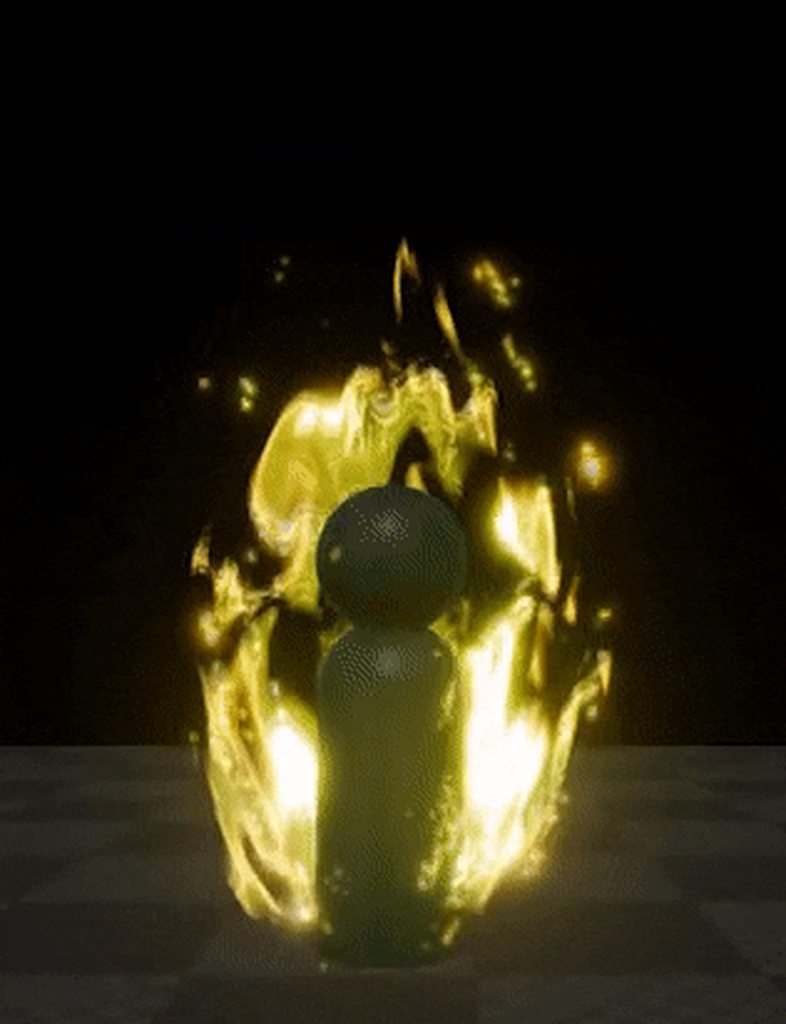 fossil swan
in this case its a cylindrical mesh, cut out a vertical oval mesh, and just have some textures panning upwards and a mask for.. well.. masking
celest birch
Uh
@fossil swan so its just a material?
what if you looked behind us though
wouldnt it just be on that one plane?
fossil swan
its a cylindrical mesh the texture is on
but tweaked top and bottom to be a bit more oval-ish in shape
celest birch
So its literally a cylinder around the player model
But with a material that pans up
and im assuming the "glowing" is emissive?
fossil swan
yea, and a mask thats shaped a bit like an upwards flame thing
celest birch
hmm
well im gonna have to read this lol
i havent messed with materials like this much
but it sounds simple
celest birch
@fossil swan do i really need a 3 hour video
on masking lmao
i feel like its probablyh not that complex
fossil swan
masking is just a black & white (or grayscale) image to tell engine where to show or hide the texture
celest birch
@fossil swan yeah im just trying to figure out how we essentially "subtract" using that mask
because we are essentially saying:
- Heres my full texture
- I want you to remove this (The mask)
lol
fossil swan
multiply it.
if a mask part is black its zero
any value times zero is zero
or use it as the opacity/opacity mask
celest birch
hmm
ok
@fossil swan what if im using an already transparent image though lol
like wouldnt that work?
fossil swan
if it has an alpha channel use that
or if another rgb channel has the mask, use that
celest birch
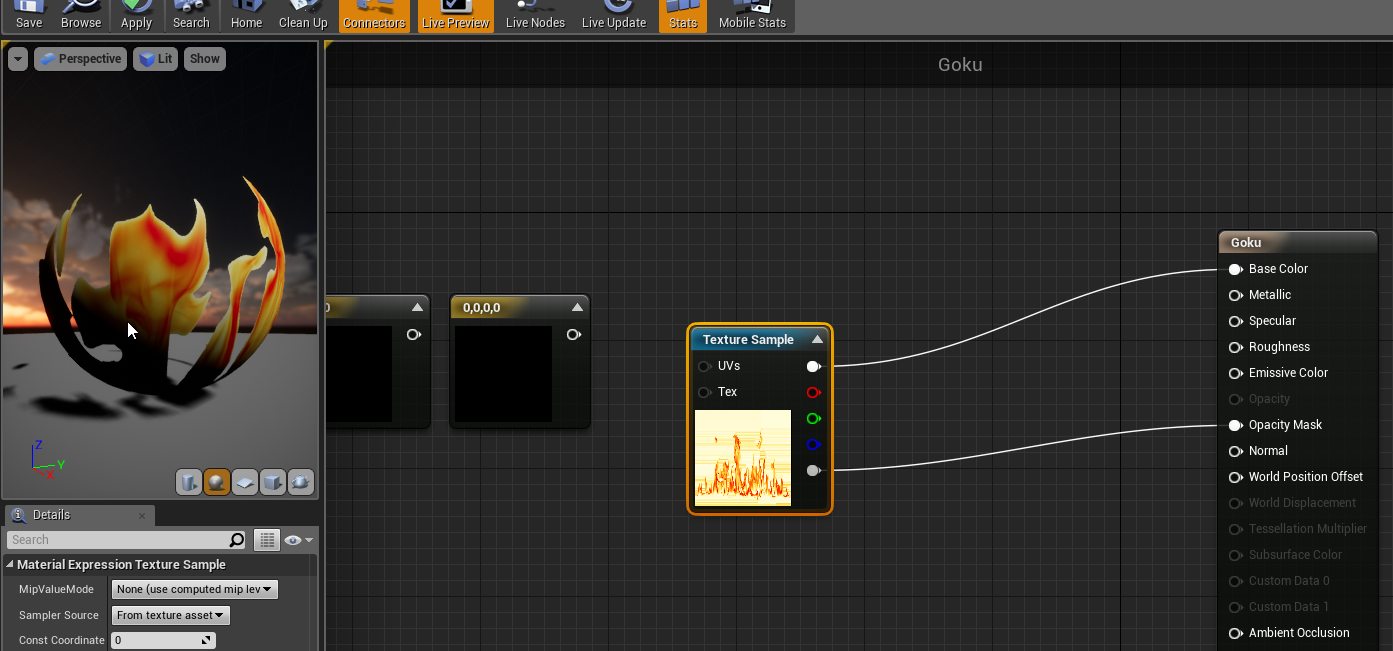
@fossil swan lol am i doing it right?
it looks right to me..
just want to make sure though
fossil swan
yuz, its a start
celest birch
this shit is just some like
google images "flame"
i found rofl
Is the "Panner" node what i need
to make it pan up?
woo we gettin there
still looks like absolute dog shit compared to yours though lol
Rofl now i got it panning up... that was some simple shit +_+
cold sorrel
I have never read that many lols and rofls in a row before. At least he finds it fun.
celest birch
@fossil swan is there a way
to remove that greenness
from my material?
like you see how its kind of a green + yellow
lime kind of color
i dont like that... i want to make it completely yellow, io was wondeirng if there is a way to strip the green out
 dark rain
n00b pfx question here: how do I make particles fade in and out when spawning and despawning?
I have barely touched the particle editor, so please be kind 😛
I did manage to get a cloud particle system up by fiddling with the default settings though, but could never get the clouds to fade in / out of existance - they just pop in and out
here's the particle system, the clouds here are for a 2D side-scroller game
they are just billboards with a texture on it
celest birch
Use Color By Life module and adjust the curve for Alpha
dark rain
do you mean Color Over Life? I can't find Color By Life
celest birch
Ah yup that should be it
celest birch
This is more specific to the Color By Life module: 0 will be the start of the particle's life and 1 will be the end of the particle's life
dark rain
its showing me this
it looks like it's already set to the entire length of the particles life, as you said
celest birch
Yup so using that curve, the particle should fade in and out
You also need to use ParticleColor in the material
Do a multiply with the ParticleColor alpha and your texture's alpha
celest birch
The bottom pin is the alpha channel
fossil swan
when a vfx artist is bored during some time off
https://i.imgur.com/LACPdX0.gif
 prime quiver
Stupid question but
In a material, when using cubemaps, I usually plug in a CameraVector
well, is it possible to "change the FOV" of that vector?
i.e. scale the cubemap
vast path
hey, I'm new to FX and I'm currently trying to create some boosts for rocket league in order to train. What would be the proper workflow for creating like a trail of milk ?




like, is it better to create a ribbon, or a sprite with constant flow etc..
vast path
you think this kind of effect : https://gyazo.com/d6fb045ca783f5254a6865d5f85f7899 is made with realflow ?
Gyazo
cold sorrel
No, it's not.
Realflow isn't industry standard even in film these days
The rocketleague example is using particles. It might be using metaballs, or just clever shading.
cold sorrel
After a closer look at Rocketleague there's nothing fancy going on.
It's just a few blobshapes with some noise in the vertexoffset being emitted.
Two different scales
Then a old school sprite splash on impact.
vast path
oh okay I'll take a look at metaballs, thanks
cold sorrel
But, I just... Fair enough.
vast path
nvm, thought you meant blobmeshes = metaballs but they're just some meshes
 jolly leaf
Hi guys, can I get help on rotating my mesh through a material? I basically have a mesh with a couple thousand plane scattered in space, and I need each one of them to rotate to the camera the same way a particle would. I've gotten to the point where I can rotate them towards the camera in one axis (Z) via RotateAboutAxis, but I also need it to rotate in one more axis (Y) and I'm not sure how to do this...
 sacred heath
Hello, I would like to know if would be posible doing an outline on a mesh or a skeletal mesh without using a post process. Why This? I would like to outline enemies of local player red and allies blue and i would like to have a parameter yo tweak in the material of said mesh. Any suggestion?
celest birch
@vorixo#7101 If you don't want to use post process, you can do outlines using the inverted hull method
Although you can do separate colored outlines using post process too
sacred heath
Im not a material guy so i have a limited knowledge about the matter, how could i edit a PP effect per mesh
Lets say meshA i want it to have it blue, meshB green and meshC purple
celest birch
You have to use Custom Stencil to differentiate between meshes

Post Process using Custom Stencil and Custom Depth in Unreal Engine 4.9 and above to display a multi-color outline post process effect.
sacred heath
Can i do this on runtime?
Like accesing a parameter of the material
To swap the colour how i want
Because thats what im looking for
sacred heath
Afaik MID are only for a material within your mesh thats why i didnt know if this was posible with a PP which is added with a PP volume
But again you are speaking with a newbie in this topic so
Ill check it out! Thanks a lot Tommy
sacred heath
This is for neutral ships that as soon as you take them you onrepnotify rest of clients the outline colour they perceive you
Like a team differentiation
celest birch
In that case, you can just change that ship's custom stencil value
The outline material I linked has 4 colours IIRC
 night hearth
Hey guy. I looking to achieve this effect: player start in a park with desaturated colors basically black and white and a video in front of him in normal colors
how can I achive this?
celest birch
@night hearth I'll point you in the right direction. Use custom depth on the video mesh and use a post processing material to desaturate everything that isn't the video mesh
night hearth
@celest birch thank a lot. do you think you could elaborate a bit on the post proccesing material? I'm mainly a gameplay programmer I don't know a thing about materials