#visual-fx
1 messages · Page 4 of 1
 delicate dock

 worldly patrol
Hi, I'm trying to remember how to restart a VFX that doesnt loop in my viewport with a hotkey. Last year I remember being able to press a button and have all VFX in the scene restart, but I'm having zero luck finding anything about it online or by trying random hotkeys out. Don't suppose any of you know?
 fossil swan
worldly patrol
Hi, I'm trying to remember how to restart a VFX that doesnt loop in my viewport ...
fossil swan
worldly patrol
Hi, I'm trying to remember how to restart a VFX that doesnt loop in my viewport ...
have it selected and press: "/"
pressing "shift /" will fire off all emitters in the scene.
worldly patrol
Thanks o7
 lavish bough
Do someone know why my VDB look like a bounding box in UE 5.3 ?

 odd canyon
Anyone know why GPU Sim Particles not working in Quest2 Android Vulkan ?
 worthy cobalt
Ik you asked about this awhile ago but I'm having the same issue right now, how many frames did u have total?
 hardy glen
Hi!
I have no idea about Niagara and I have this problem: https://forums.unrealengine.com/t/set-velocity-value-each-time-i-instantiate-a-niagara-effect/1538581

Epic Developer Community Forums
Hi! I’m working with Unreal 5.3 and this is the first time I work with Niagara Effects. I have create a ribbon trail and I want to pass the value of the Velocity as an argument. I don’t know if I can do that, but this type of velocity, with Z value equals to 50.0, doesn’t work for me: Because I always get this effect: So, I have read i...
Where can I learn everything about Niagara?
Thanks!
 ocean falcon
Guys is there any way to get this effect in ue5 look for it every where on YouTube and in the market place i couldn't find a tutorial or product
 worthy cobalt
Does anyone have any experience with VDB's & Path Tracing? I can hardly find any documentation aside from Winbush's short video and I'm hoping for some guidance 🙂
 frank thicket
ocean falcon
Guys is there any way to get this effect in ue5 look for it every where on YouTu...
frank thicket
ocean falcon
Guys is there any way to get this effect in ue5 look for it every where on YouTu...
It just simple NiagaraRibbon(or it could be)
anyway, this is easy to implement via Niagara, for finding product/tutorial search key is something like this: How to create trail effect with Unreal Niagara Ribbon ! : )
 wild vigil
Afternoon all, I'm currently working on a project and imported a blender animation (explosion) into unreal as an alembic. I managed to add a texture and fade through level sequence which plays fine but I'm struggling to then play/attach animation to hit location through my character BP. I have tried both Geo cache and Skeletal mesh but struggling to find any information on then adding to blueprints with sequence track. Can anyone possibly point me in the right direction?
ocean falcon
frank thicket
It just simple NiagaraRibbon(or it could be)
anyway, this is easy to implement v...
Thanks alot
 latent warren
Hiya everyone, if this is the wrong place to ask please do redirect me -
I've been trying out heterogeneous volume rendering for some large 3d particle effects (specifically I'm working with a niagara fluid's baked sim data, but I believe niagara isn't the culprit of my problem). The heterogeneous volume renders just fine in the viewport and in PIE or standalone games. However, it is completely invisible in **packaged **builds.
I've tried, without success:
- Cooking all content (in case shaders/materials were missing)
- Checking the validity of the sim data reference (the asset itself is correctly loaded)
- Adjusting the packaged build's scalability settings
stat gpu also does not seem to list a heterogeneous volume entry in the packaged build.
Is this a known issue? The documentation is pretty sparse (and I understand it's an experimental feature!)
 queen fable
post process (toon shader) + transparency
is it possible
my translucent materials are either unaffected by the postprocess, or they're black. I can't seem to figure out a combination that works
 torpid ferry
how do i fix my niagara from disappearing when i make it smaller in size inside the scene? everytime I put it in there it works fine but when i decrease the size of it everything disapears. Any help is appreicated. @ if you reply. Thanks!
fossil swan
Dont scale it @torpid ferry
systems arent really build for that.
Some people expose scale options in user parameters, if not, you'll need to scale size/speed/velocity related things yourself inside the modules.
 subtle sundial
May have put this in the wrong channel:
 torpid ferry
fossil swan
Dont scale it <@572087469495943168>
systems arent really build for that.
Some p...
torpid ferry
fossil swan
Dont scale it <@572087469495943168>
systems arent really build for that.
Some p...
How do I scale it in the module is what I meant or the parameters. Thanks!
torpid ferry
anyone know how I can keep the puffiness of the first screenshot without it turning gargantuan? I need the size to be the same as the second screenshot but without the smoke looking like that. Any help is appreciated. Thanks! Please @ me if you reply.

 worthy cobalt
Does anyone know why my VDB loses its resolution when I click play animation? I tried r.SparseVolumeTexture.streaming.prefetchmiplevelbias since it is blurry and flickering but its not working. Any advice appreciated!
 neat arrow
torpid ferry
anyone know how I can keep the puffiness of the first screenshot without it turn...
neat arrow
torpid ferry
anyone know how I can keep the puffiness of the first screenshot without it turn...
You cant do much else other than bring up the spawn count
Or make it more dense
 celest birch
Anyone got idea why when I do this

My FX doesn't bridge to other side

I have my beam end set in here

so i've corrected one thing I've notcied
sorted it nevermind
torpid ferry
neat arrow
You cant do much else other than bring up the spawn count
Thanks, that helps a lot!
🙂
celest birch
Can someone point me in the direction for making a glow effect on just a certain part of a mesh, like the arms in this example?


I know there's a bunch of overlay mesh effects out there but I can't figure out how to just apply to a certain area I want
 tame garnet
So, I'm optimizing a Weather component, but I'm wondering how to handle if the player looks through a scope or binoculars. Currently weather effects are attached to the Player. How would I handle making sure things that are far away have weather applied, without applying weather to the entire map??
 tame garnet
celest birch
Can someone point me in the direction for making a glow effect on just a certain...
tame garnet
celest birch
Can someone point me in the direction for making a glow effect on just a certain...
Probably just an emissive map on the mesh that you control with a parameter
Would attaching to the Player Camera Manager work maybe? Since ther player may be switching possesed pawns?
 terse pulsar
Hey guys, was wondering if anyone with VFX knowledge in UE knows how to achieve this type of animation in UE. This one is done in houdini and wondering what would be the best way to import into UE to make it renderable. Obviously skeltal mesh does not work. So Abc or VAT or USD? Any intake helps! Thank you

 analog onyx
@terse pulsarthe best was is not to import it, but to simulate it in niagara
terse pulsar
is it possible to make things like this in niagara @analog onyx ?
analog onyx
of course
 plain escarp
anyone know of any good explosion tutorials for games?
I found a few, but they either don't actually go into what variables/parameters they use (leaving most of it up to guess work) or the tutorial is made for more cinematic purposes and are very intense on the GPU
 stark fable
Hey guys, I want to create pulsating material like in COD C4 breach, not sure how I would go about it
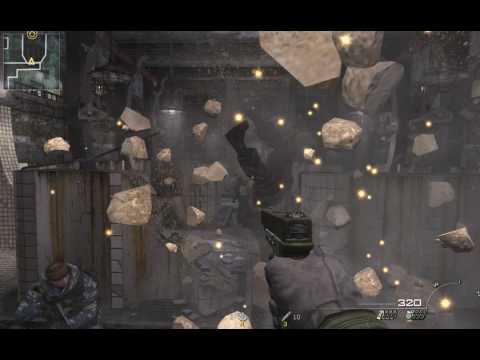
do I need to use some sort of opacity node?

I am primarily a coder so I don't know what nodes to use
fossil swan
translucent material, sine node. some other stuffs, and you are good to go.
stark fable
fossil swan
translucent material, sine node. some other stuffs, and you are good to go.
got it, thanks

 snow aurora
Anyone working with UE5 + ARkit/ARcore? UE AR buggy AF & workflow painful compared to Unity... though perhaps Epic may kick things into gear when Vision Pro drops soon
frank thicket
stark fable
You could multiply opacity by this:
Dot(VertexNormal , ViewVector)
To get some shading like your reference image.
stark fable
frank thicket
You could multiply opacity by this:
Dot(VertexNormal , ViewVector)
To get some s...
how can I get view vector in Unreal materials?

this is all that shows
frank thicket
stark fable
Maybe it's called "CameraVector/Direction"
 frank thicket
The names are similar a little bit, so I haven't remembered right !! Sorry: )
stark fable
 stark fable
frank thicket
The names are similar a little bit, so I haven't remembered right !! Sorry: )
stark fable
frank thicket
The names are similar a little bit, so I haven't remembered right !! Sorry: )
works nice, thanks
 bitter estuary
Anyone know how to fix that ugly line? Its caused by the volumetric fog. I dont have any start distance or cutoff distance set. Any ideas?

 hardy lava
Hi guys, I'm creating some vfk for a scene in unreal engine. The scene has a day/night cycle and the auto exposure values change dynamically. What this means is my particles either dim during the day or get too bright during the night. Does anyone know a method to keep a consistent exposure for the particle while the day/night time cycle is in effect?
celest birch
lmao asking that in an Unreal Engine server btw
fossil swan
hardy lava
Hi guys, I'm creating some vfk for a scene in unreal engine. The scene has a day...
there's some exposure nodes available in the material editor. forgot their name, something eye adaptation perhaps?
 split hawk
hardy lava
Hi guys, I'm creating some vfk for a scene in unreal engine. The scene has a day...
split hawk
hardy lava
Hi guys, I'm creating some vfk for a scene in unreal engine. The scene has a day...
EyeAdaptationInverse is probably what you're looking for.
hardy lava
Bless both of your souls, I spent the entire day trying to figure this out!!!!!!!! @fossil swan @split hawk
fossil swan
 split hawk
Yeah I think a coworker sent me a UE tips and tricks twitter post about it. At the time I thought "Oh that's cool," but now that node is crucial to controlling a bunch of bright effects in our project.
 zenith glen
Hey is there any way shape or form to make decals be filtered as nearest for that pixelated look ? I already filtered all my textures as nearest in order to have it and my textures are 256px

 mortal bronze
Hi everyone, Can anyone guide me how to make material on UI similar to this video? Thank you in advance and sorry if I interrupted the conversation.
 native sigil
hello, I'm trying to simulate the cloth. Above is I pingpong two balls, as you can see, the front ball leaves a sihouette after it moves to another spot on the cloth. Is there a way to fix this?
analog onyx
@native sigilWhat is initial state of the cloth ?
native sigil
analog onyx
<@255004876554108928>What is initial state of the cloth ?
 i'm pretty much using the default setup, just changing gravity a little bit and add some collision thickness. Also subdivide +1. This is the state:

also I'm unsure where to change the Max Distance for the cloth, I have to scale it in the detail setting
oh hey now it fixes itself  thanks for the concern @analog onyx
 pine vigil
Hello All, Do anyone know if its possible to change frame in the material for a vdb sequence, its when using hetrogeneous volume. i know its possible to do the animate/looping in the settings but i could not find a way to change it in the materials. 🙂
 glossy cargo
Does anyone have any resources on how to access the AO Scene Texture or something equivalent when using Lumen? I know Lumen gets rid of the need for AO but maybe I can use Mesh Distance AO or something?

 wraith hound
glossy cargo
Does anyone have any resources on how to access the AO Scene Texture or somethin...
wraith hound
glossy cargo
Does anyone have any resources on how to access the AO Scene Texture or somethin...
u can use normal SSAO, and also the buffer of it with Lumen .
 vital swan
hi guys, sorry if not the right channel. WHy does my decal overlaps my actor? how can i solve it please ?
 glossy cargo
wraith hound
u can use normal SSAO, and also the buffer of it with Lumen .
glossy cargo
wraith hound
u can use normal SSAO, and also the buffer of it with Lumen .
right when i try that though the screen is just white:
 wraith hound
glossy cargo
right when i try that though the screen is just white:
wraith hound
glossy cargo
right when i try that though the screen is just white:
try enabling the SSAO Pass in Lumen CVAR, than its not white anymore.
glossy cargo
wraith hound
try enabling the SSAO Pass in Lumen CVAR, than its not white anymore.
i set:
r.Lumen.DiffuseIndirect.SSAO 1
r.Lumen.ScreenProbeGather.ScreenSpaceBentNormal 0
and there was no change
ooh
r.Lumen.ScreenProbeGather.ShortRangeAO 0
that works
wraith hound
glossy cargo
ooh
r.Lumen.ScreenProbeGather.ShortRangeAO 0
that works
u only can have shortrangeao or SSAO
glossy cargo
wraith hound
u only can have shortrangeao or SSAO
is there a way to use shortrange AO in a post process material?
glossy cargo
wraith hound
u only can have shortrangeao or SSAO
because as it is SSAO isn't the most stable, not very useful as a mask:
https://gyazo.com/e2e83356090aabcfd0bfbb014f33f8af
https://gyazo.com/9c21b46a0e5dc02950b1d323e547974fa

I've found DistanceFieldApproxAO works pretty well but it's a bit harder to control:
https://gyazo.com/b457835ee13e7d5e02e8ce4bc33f399d
 glossy cargo
I've found DistanceFieldApproxAO works pretty well but it's a bit harder to cont...
glossy cargo
glossy cargo
I've found DistanceFieldApproxAO works pretty well but it's a bit harder to cont...
and it catches flat surfaces pretty badly:

which doesn't seem to be an issue in the Distance Field Ambient Occlusion Visualizer, so not sure where that issue is coming from

 viral bear
Hi, My issue is hard to describe so i have a video to go with it. I have a cascade particle effect (flames) that seems to display behind another actor. if i get very close to the particle emitter it appears infront as intended, but i need it visable when its further away. The reason this confuses me is as you can see in the video it is not a distance issue only because from a distance the flames are still visible but they are rendering behind the earth(until a certain distance away from the earth, at which point it appears correctly). I have an atmosphere actor and a few other transparent actors that could be the issue but i need a ball park idea of why this is happening as I dont understand transparency or cascade effects very well. Thankyou : https://www.youtube.com/watch?v=jeRnixDZrVk
 frank thicket
vital swan
hi guys, sorry if not the right channel. WHy does my decal overlaps my actor? ho...
frank thicket
vital swan
hi guys, sorry if not the right channel. WHy does my decal overlaps my actor? ho...
Because the lizard is in the decal projection area(box)
Make the decal box thinner or disable "ReceiveDecal" on lizard actor.
 acoustic wren
I have an issue with instanced static meshes and (i assume) Anti Aliasing. The objects are super blurry when moving. I didn't have this issue with normal static meshes.
Any idea how to fix this? TSR in this case, but TAA seems to have the same issue

Same issue here, no proper solution though
https://forums.unrealengine.com/t/wpo-animated-instanced-static-mesh-smearing/776920/5
https://forums.unrealengine.com/t/wpo-issue-in-ue-5-0-on-all-materials-severe-smear-dither/515780/30
Seems like the issue is older...
acoustic wren
Doesn't happen if I set the material to translucency and the pass to after motion blur. Translucency alone with while (after?) DOF doesn't "fix" it.
Motion Blur is disabled in the whole project, still broken. Disabling AA also "fixes" it. But all of those workarounds are pretty bad... someone knows if this is fixed in UE5.3 / 5.4 or planned for 5.5 / 5.6?
acoustic wren
Do i need a previous frame switch to fix this?
https://forums.unrealengine.com/t/how-to-use-the-previous-frame-switch-node/392081 this was still 4.15 though
But yeah it started to happen with WPO animation playing, i think it did not happen when the animation was not playing / on the same frame
acoustic wren
I'm on 5.2 though so its obviously not fixed? 😄
What else could it be? It doesnt happen with AA disabled or switched to MSAA or if the material is translucent (+after motion blur)
But you're not moving the ISM instances itself
you're only using WPO
Yeah will do, but thanks for your time! Will try to reproduce this
I wonder if it would be enough to only use WPO though
if i don't have collision or anything?
One moment, will check
Nope not using but. But i think i just fixed it - or at least improved it good enough for now by using the Previous Frame Switch and subtract the time difference. (The subtract is probably wrong, but works way better for now)
https://docs.unrealengine.com/4.27/en-US/RenderingAndGraphics/Materials/ExpressionReference/Utility/

Ah ok, still - good to know. I think i'll keep it like this for now, it's good enough, at least the objects don't vanish anymore. Thanks a lot! 😄
I'm really missing my UDN access haha
 outer rose
Hey - I am currently trying to find a good way of creating realistic volumetric/fake volumetric clouds for floating islands that can also be seen from a far distance. The problem with using volumetric fog/local fog for me is, that I would have to increase the view distance of the voluemtric fog to a really high value, which I want to avoid. I tried using the Volumetric Plugin from unreal, but there the clouds cannot have different altitudes and are just all on a certain height layer. Ideally i want to have cloud structures around my islands (see 2nd image) similar to the ones you can see in the sky of the first picture i posted, but with different altitudes.
What would be a good way to achieve this effect? Does somebody maybe have an approach for this?


 sage ruin
https://youtu.be/PgnpBUBMW5g I want to create a demon breaking the ground and coming out can anyone help me how to do that i have shared a link from Tall Grass i need to recreate that the same ground braking effect at the start of video how can i do that in unreal

 vernal totem
hey guys, I was hoping I could get some insight on this issue. I'm getting these problems with my flames when I turn raytraced translucency on for more accurate glass for the lantern. In pathtracer this issue is not there. A similar problem with translucent materials was posted about on the UE forum and the solution was just to change it to raster, but that mean't the glass was not as good. in my project I plan to use path tracer for renderig but if this were in a game, wouldn't this be a problem/ pathtracer wouldn't be used? So my other question is if pathtracer is used in video games (like insomniac's Spider man and read dead redemption) or is it just for more prerendered visualisations like arch-vis? (would It be better to ask lighting about this?aha)

 split hawk
vernal totem
hey guys, I was hoping I could get some insight on this issue. I'm getting these...
split hawk
vernal totem
hey guys, I was hoping I could get some insight on this issue. I'm getting these...
I'm pretty sure the path tracer is not intended for real-time rendering.
vernal totem
split hawk
I'm pretty sure the path tracer is not intended for real-time rendering.
yea I just learned about it from william Faucher. so would glass for realtime be made differently then? would it not be raytraced?
split hawk
vernal totem
yea I just learned about it from william Faucher. so would glass for realtime be...
I should start by saying I don't have too much experience with offline rendering. That being said, I would expect real-time and offline/arch-vis glass to differ in the same ways that everything else tends to differ. Real-time projects and assets tend to compromise on quality in favor of performance. However, I wouldn't expect it to create the difference you're seeing in those screenshots. Those almost look like different materials.
Also, pathtracing is not the same as raytracing. As I'm sure you've heard, we can now do real-time raytracing through a combination of black magic and powerful hardware. Path tracing, at least in the context of Unreal, is specifically tailored for high quality renders at the cost of speed. Theoretically, on powerful enough hardware, it might be able to run in real-time, but we're not there yet.
 sterile sparrow
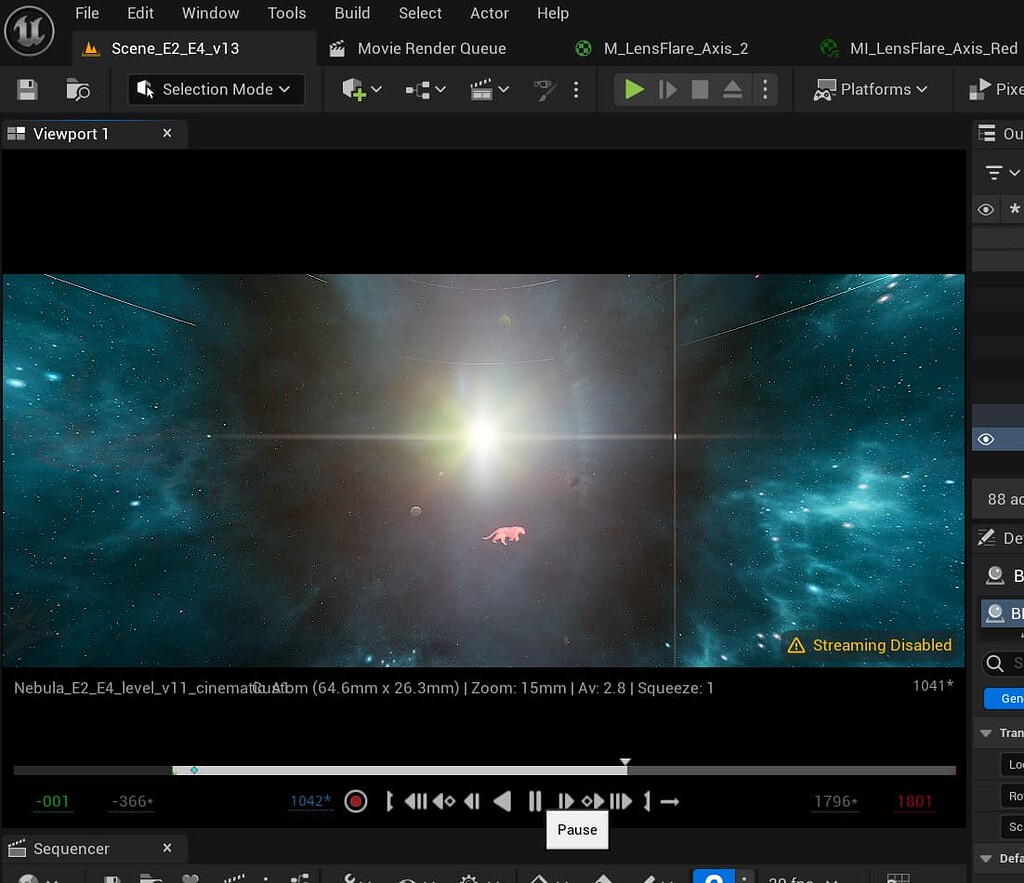
Can any of you guys help me out w this? 🙂
https://forums.unrealengine.com/t/material-billboard-rendering-differently-in-viewport-vs-render-play/1606963
Epic Developer Community Forums
Hello. As the question says, I have a material billboard that is rendering differently in viewport vs render/play. How it should look: How it looks: Can anyone help me out with this?
 dapper dawn
Hello. I'm having a strange issue with Cascade. When I set a color over life in the particle itself the color works fine. However, when I modify the color from within blueprint the color is off. I tried using the exact same test color in both scenarios, and in the blueprint scenario the result appears much greener for some reason. I have no idea what could be causing this as there is nothing that I can find that could make the resulting color more green. What could this be?
Is this some kind of conversion issue from blueprint to particle color?
Oh ok I found it! It was because the color was boosted (10 instead of 1) and the parameter only allowed up to 1, so anything above got distorted into a different color
Fixing the parameter did the trick
 weary helm
Hi is it expected that custom stencil doesn't work with procedural meshes?
(I'm trying to use a procedural mesh
as a mask of my post process effect, it works as expected with static meshes but not with procedural meshes)
 frigid idol
outer rose
Hey - I am currently trying to find a good way of creating realistic volumetric...
frigid idol
outer rose
Hey - I am currently trying to find a good way of creating realistic volumetric...
You could try having 2d images of clouds be visible when the player is farther away from the islands and fade them out/replace them with volumetric clouds when the player gets closer to them
 void aspen
In multiplayer settings, do VFX components that are on characters need to be replicated?
fossil swan
void aspen
In multiplayer settings, do VFX components that are on characters need to be rep...
only if other players need to see em.
though you wouldnt replicate the niagara component itself, just something that tells said component to activate.
 umbral flint
I've done only a few stylized stuff how to create this effect like the custom lighting on the mesh to give this stylized look, or what would be the starting point of this ?

 nocturne root
umbral flint
I've done only a few stylized stuff how to create this effect like the custom l...
nocturne root
umbral flint
I've done only a few stylized stuff how to create this effect like the custom l...
I would guess maybe using a custom normal map
 unkempt jetty
HELP NEEDED ⚠️
So there's this DMX library that has a bunch of stuff related to live show visual controls
Concert lights and fireworks and fog machines and lasers
stuff like that
Wanted to use it in a scene
Noticed that the laser module is using a particle system to create a bunch of sprites that look like rays and have them move around (as seen below)
the blue and green things

Problem is, as seen there, they go through stuff. no collision
Way they're generated is basically
- Get angle of spread & number of rays
- o math to set the positions
- Set the particle size for all of them to some set size
- render

Now, since their position's gonna move all the time, I want to have a collider for each ray that sets the size of that ray to whatever the distance between the laser origin and the object that it collides is
However the collider seems to not be aligned with the lasers, and I cant find a way to
- Make collider follow orientation of the rays (set on sprite renderer) and have multiple colliders for each ray
- Calculate collider stuff in blueprint, and set it as the sprite length for each ray individually (they all seem to have the same sprite size and I can't see a way to change that)
These two are the only ways I can think to fix this without having to hook up the whole DMX system from the beginning. Beginner to Unreal, that's kinda hard for me
If anyone has an answer to these questions PLEASE PING ME! ⚠️
Thank you in advance
P.S. An helpful answer would also be "It's not fixable". I really don't know if it's even possible or not and I've spent a whole ass day with this. Anyone with some experience would be a great help
 languid palm
Does anyone know how to change the DMX receive rate? Looks like it was deprecated in 4.27, is it controlled somewhere else now?
 glacial tapir

Is there any reason my mesh would appear white while the camera is underwater? Post processing is off
frank thicket
unkempt jetty
If anyone has an answer to these questions PLEASE PING ME! ⚠️
Thank you in advan...
This is a fun case, not sure what is the best way to solve that but I for collision detection(end point of lasers)
I would like to go and fool around with DepthBuffer RenderTarget that is captured from start point of lasers!
Then fool around more to use that in the Niagara . . . as I said not sure how it gonna end up but this is my starting point, Look at this Video:

Niagara is Unreal Engine’s powerful new VFX tool for authoring sophisticated real-time particle effects. In this Unreal Engine Learning Theater session by Epic’s Chris Murphy during GDC 2019, you will see how to use this new tool in a practical example that combines Niagara with Unreal Engine's visual scripting language, Blueprint, to create a d...
frank thicket
unkempt jetty
If anyone has an answer to these questions PLEASE PING ME! ⚠️
Thank you in advan...
And if you don't have enough time or this is very hard to do for you, there is alternate way which is stupid(if you care about smooth performance)!
that way is to implement the effect via Blueprint, this is way easier make few ray casters(trace by channel is the node I think) compare to talking with GPU in Niagara : )
In BP simply you can set start point and end point and ray caster will act as laser , when it find something in the way, it will recognize that surface and you could make spline from start point-hit point.
 noble tulip
Hi guys, I'm facing a challenge using niagara where I need to fade in and out particles but their age is totally variable, I know when they should spawn and they should stay alive until I chose to kill but they should fade away instead of just despawning the system. Does anyone have a tips for this case 🙂 ?

 indigo anvil
Hello! Anyone using ultra dynamic sky, how do I make volumetric clouds to stop moving? I make my sky look awesome, and in a minute clouds are totally changed 🤦
 strong vortex

hey im a total rookie in vfx
im trying to make the birds fly in different direction upwards
 marble pivot
Hey everyone, i wanted to ask if someone here has experience with advanced niagara fluid shading/effects :)
I'm trying to give my fluid sim a paint-like texture but haven't found anything that helped 🙏
Thanks in advance!!
 buoyant kindle
Hello everyone,
I hope I'm posting this in the right section. I'm embarking on a journey to learn Real-Time VFX in Unreal Engine and I'm eager to start today. I've found a highly-regarded course on realtimevfx.com that is based on Unreal Engine version 4.26. However, I'm aware that Unreal Engine has been updated to version 5.3.
My question to the community is: For a beginner in RTVFX, is it advisable to start learning with these recommended videos/courses in the older version 4.26, as the course is structured around it, or should I attempt to follow the course using the newer version 5.3? I am concerned about the learning curve, compatibility of techniques and features between these versions, and which would offer a more solid foundation for a beginner.
Alternatively, does anyone know if there are reputable courses or resources specifically tailored to learning RTVFX on Unreal Engine version 5.3 or any of the version 5 series? Would it be more beneficial to seek out newer resources instead of using the older version?
I appreciate your insights and advice on this matter.
Thank you!
frank thicket
noble tulip
Hi guys, I'm facing a challenge using niagara where I need to fade in and out pa...
On particle update, place scale color, for alpha input of color use "FloatFromCurve"
Then adjust that the way you want : )
frank thicket
indigo anvil
Hello! Anyone using ultra dynamic sky, how do I make volumetric clouds to stop m...
Probably they exposed a parameter related to that(cloud speed/animation/phase or something like that!)
If is there nothing on vol cloud actor, check the vol cloud material instance, if there is no parameter too, then you should disable animation/time node on volumetric cloud master material!(which I don't recommend it!!!)
frank thicket
marble pivot
Hey everyone, i wanted to ask if someone here has experience with advanced niaga...
If we assume that paints are opaque surface, its not that hard, simply set pbr values on shader!
For more advanced 3d fluid shading, RenderBucket channel on YT has provided amazing tuts about that . . .
frank thicket
buoyant kindle
Hello everyone,
I hope I'm posting this in the right section. I'm embarking on ...
Don't worry about engine version, just foundations matters most!
If you think that course is nice for you, be comfortable and follow that. Also GameDevOutpost on YT has a great free course for starting Niagara(it's on UE4)
If you are picky about it and you want to learn it in UE5, I highly recommend Thomas Harle paid Contents.(tharlvfx on YT was the username I think.)
noble tulip
frank thicket
On particle update, place scale color, for alpha input of color use "FloatFromCu...
Nah the answer isn't that easy I think sadly, cause I can't know the age of the particle in advance. And can't use normalized age for the curve cause I need to control the duration of the fade in and out
marble pivot
frank thicket
If we assume that paints are opaque surface, its not that hard, simply set pbr v...
Thanks a lot!!
frank thicket
noble tulip
Nah the answer isn't that easy I think sadly, cause I can't know the age of the ...
That float from curve will run on normalized age automatically! Just put it on your emitter and see 🙂
buoyant kindle
frank thicket
Don't worry about engine version, just foundations matters most!
If you think t...
Tanhk you very much Mobin! That really helps me
 cinder jungle
hello , from where do i start learning vfx ? i have 0 exp in vfx i wanna learn how to make good visuals "skills , attacks , post processes, etc etc " i want a guide line or a road map since all searches leads to nothing specific . thank you
analog onyx
cinder jungle
hello , from where do i start learning vfx ? i have 0 exp in vfx i wanna learn ...
By making it.
There is no real other way.
 wanton juniper
Hey guys, is anyone else having an issue where chromatic aberration doesn't work in UE5.3? It works fine in my UE5.2 project but when I converted it to 5.3 is stopped working
cinder jungle
analog onyx
By making it.
how is this a useful answer ? i said idk where to start even and you tell me by doing it non sence ? there has to be some baby steps to follow or ocurse or sth idk
 solar plaza
cinder jungle
how is this a useful answer ? i said idk where to start even and you tell me by ...
solar plaza
cinder jungle
how is this a useful answer ? i said idk where to start even and you tell me by ...
did you look at the getting started page? https://docs.unrealengine.com/5.3/en-US/getting-started-in-niagara-effects-for-unreal-engine/

This page collects all the getting started learning materials for Niagara.
analog onyx
cinder jungle
how is this a useful answer ? i said idk where to start even and you tell me by ...
It is pretty useful, as a part of goal-oriented learning. Same like kids, who learn to swim by just being tossed into the water, do so faster, you will have a better time learning by just picking something you want to make and creating it, while learning all elements you need on the way, one by one. Those, learning that way, progress faster, reach better results than those, relying on tutorials. In fact the more you belong to latter group, the harder it will be for you to create anything, as each time you will be looking for material to handhold you and struggling to find it, quickly falling behind former group.
cinder jungle
analog onyx
It is pretty useful, as a part of goal-oriented learning. Same like kids, who le...
no thats not true i agree that following tuts are not good but in my case i want to know the basics so ican create on my own so starting of with some info is better than 0 i have no idea what nodes do in materials and what to do with them you are aying i should just smash around them blindly and see what i can get this is a very bad take on how to learn tbh but sure after knowwing what nodes do or where can i find info on them then yea i can create then same for niagara an its mdoules / events etc etc
analog onyx
cinder jungle
no thats not true i agree that following tuts are not good but in my case i want...
You were designed to smash around and see what happens by nature. It works quite reliable. So reliable, that recent years technology had been evolving mostly to mimic the process. I think that is good indication that it is far from being a bad take. Having trained quite a few technical artists, I have the right of opinion on the matter. In any case, it is your time and your decisions.
fossil swan
Im with Deathrey on this, I mashed nodes around until I understood what they did. And if I want to make something I break it down, then even further down, and find resources that explain how and why it works the way it does.
Having said that, most channels on this server have pinned messages. Check those.
 desert comet
Fake it UNTIL you make it. Also good to know basic math.
frank thicket
cinder jungle
no thats not true i agree that following tuts are not good but in my case i want...
I totally agree with guys, but to be more fair, I would say: if you want to read/write something, you should learn the alphabet first!!!
Sure you could say learn the alphabet by yourself too, it is ok with some basic stuff like Photoshop, Marmoset, Premiere/AfterEffect and things like these . . .
But there is some stuff that is fairly complex compare to examples above, things like Niagara, Houdini or Shaders and more, it's possible to learn alphabet of these by yourself but not efficient at all.
Here it's logical to boost up your learning curve by watch and learn from beginner tuts(let say alphabet!)
When you get comfortable with basics/UI, then you could go and easily explore all the nodes/functions and make your own solvers and things like this to improve your knowledge without relying on any source!
GameDevOutpost YT channel has a nice beginner tut just for starting the Niagara and I recommend that
cinder jungle
fossil swan
Im with Deathrey on this, I mashed nodes around until I understood what they did...
so you did this and takes x amount of time to smash and get results knowing nth , if you had the basic info it would take half or less the same amount of time you agree with this at least ? coz thats what i am saying starting from sth is better than none at least for me since i dont have much time to spare
cinder jungle
frank thicket
I totally agree with guys, but to be more fair, I would say: if you want to read...
yes my point made clearer ig
frank thicket
When you saw those tuts, I highly recommend the Tharlevfx YT channel and and Simon Trumpler website(VFX tricks)
cinder jungle
gonna check on them one moment
frank thicket
cinder jungle
so you did this and takes x amount of time to smash and get results knowing nth ...
Yeah Agree with you
fossil swan
in my case, back in the day we did not have any tutorials or guides. we all came together and tried solving stuff together.
I am also someone who learns poorly from documentation and --especially-- video tutorials, so for me just taking apart examples and redoing em over and over, as well as writing down what I want and trying to break it down to its smallest component and research those works best.
cinder jungle
fossil swan
in my case, back in the day we did not have any tutorials or guides. we all came...
i agree with you that this is the way to go "when there is no resources" but giving that there is you dont recommend me starting from them then doing that after i get some info ?
fossil swan
its why I pointed at the pinned messages in this and the niagara channel.
cinder jungle
yea gonna check on them for sure . thank you
 golden olive
Not sure this is the best place for this question but I am looking for some help. I am trying to figure out the best way to make ship and water fx for a interactive inside of UE5.3. Does anyone have a good resources on where to start for this stuff. Having the foam and wake while also getting the water spray and mist is what I want to do. Below are screen shot from an example and here is a link to a video showing it off.
Thanks!

 oblique briar
Are there any useful console variables for VDBs to up the quality it renders at? Thanks for any info.
void aspen
im having trouble getting other** clients to see an attack VFX.
i have client side VFX firing fine but when i do the multicast, it fires but i don't see anything and im not sure why.
is there anything wrong with this flow of logic?

 celest birch
If anyone has experience in using Unreal for creating a film or using the software with a VFX film studio, could you please get back to me as soon as possible? I have a university assignment due Friday and need to interview someone from this field. The interview should last around 30 minutes, and I'll ask questions regarding the software and your experience using Unreal for a VFX studio. If you are interested, please contact me, as it’s time-sensitive. Alternatively, if you know of anyone I could contact, please also get in touch. Thanks.
fossil swan
celest birch
If anyone has experience in using Unreal for creating a film or using the softwa...
maaaaybe if you ask @topaz stratus politely, he might do so.
void aspen
im trying to get a trace vfx from the point of fire to the end point and im not sure exactly how to get the correct line exactly as the line trace. im sending the hit info of that line trace but it only returns the end location
 void aspen
would it work if i spawned an actor and like lerped it from the start and the end location? making like a trace of where the projectile fires?
glossy cargo
I wonder if anyone here can answer this, it's a very unusual issue
When I set my texture to wrap with a filter of tri-linear or bi-linear, it filters across the edges where the texture repeats. The way I'm using my texture this creates a really ugly seam, I want my texture to have sharp edges at the edge where it repeats, almost acting like nearest-neighbor:
 frank thicket
glossy cargo
I wonder if anyone here can answer this, it's a very unusual issue
When I set m...
frank thicket
glossy cargo
I wonder if anyone here can answer this, it's a very unusual issue
When I set m...
Maybe getting frac of the coordinate work for you:
Fract(TexCoord * x) ---> UV input of sampler
(Not sure of course!)
glossy cargo
frank thicket
Maybe getting frac of the coordinate work for you:
Fract(TexCoord * x) ---> UV i...
Tried that too, set the texture to clamp and frac’d the uv so it would tile anyways, same issue of the edges getting filtered
frank thicket
glossy cargo
Tried that too, set the texture to clamp and frac’d the uv so it would tile anyw...
ahan, so I'm not sure what is the reason and solution!
by the way could I ask what is the reason of setting the sampler to wrap?
 quasi wolf
I get this warning every time I paste a text widget that I made, but how else am I supposed to place text with custom fonts?
 analog onyx
quasi wolf
I get this warning every time I paste a text widget that I made, but how else am...
analog onyx
quasi wolf
I get this warning every time I paste a text widget that I made, but how else am...
Are you sure that you need 2500 x2000 uncompressed texture ?
quasi wolf
of course not, I’m just placing widgets and that’s the size of them
literally just widgets with a single text object in them
 ruby berry
Hi everyone! :D I'm trying to get the Stencil material i made to show a different color depending on the CustomDepth Stencil Value inputted on the Item. Any ideas on how I could go about this?
This is to be used for Sensing/Looking;
If player uses their ability to sense Items around them, the items show a purple stencil
If the player is looking at an item to interact with, that item will show as a white stencil
I have a post process volume and currently have the set up for looking at an item like in the image shown. Any direction appreciated!

 subtle turret
Hey everyone! I’m new here 🙂
Is there a way to do this live green screen feed with a low cost set up?
I’ve heard of people creating videos in a similar manner to this with just iPhones in green screen but in this tutorial he was he needs vice motion trackers attached to the very expensive camera he’s using.
Is there a way to achieve this same
Live green screen recording in unreal engine but with just a smartphone?
I have a decent computer , green screen set up and smartphone but I can’t afford the vive trackers and expensive cameras.

More on the Vive Mars: https://mars.vive.com/
Special Thanks to Rebellion Film Studios: https://rebellionfilmstudios.com
Rebellion Demo reel: https://www.youtube.com/watch?v=EgT-DBBWWbE
Grail Knights Quest: https://www.youtube.com/watch?v=Y563OZ0ONrE
CREDITS:
VFX at Rebellion Film Studios
Head of VFX - He Sun
UE Supervisor & CG Lead - Arda ...
 split crane
golden olive
Not sure this is the best place for this question but I am looking for some help...
split crane
golden olive
Not sure this is the best place for this question but I am looking for some help...
I would go for Prismatiscape... cheap on performance, great looking interaction.
 lone condor
So what's a good way to handle multi-surfaced footsteps? (i.e. different particle & sound effects based on the surface the player is walking on?)
I was following a tutorial that just added the particle/sound effect onto the character animation when the feet hit the ground, but this doesnt seem flexible enough to handle different types of environments.
split hawk
lone condor
So what's a good way to handle multi-surfaced footsteps? (i.e. different particl...
You could try a custom Anim Notify that does a ray trace to the ground, getting the hit physical material, and playing the appropriate effect and sound based on that.
celest birch
Is there a way to make particles not be affected by the post processing volume?
 uncut frost
Hey guys, i have a question about an aura VFX i wanted to implement in a test game i was working on... Let's start by saying that i'm a total noob and still learning Unreal Engine but: is it possible to achieve something like gif i linked using only Niagara? I also thought about using a 2D sprite like that one and add some particles on top of it using Niagara. Let me know what you think, thanks in advance.
 fossil swan
uncut frost
Hey guys, i have a question about an aura VFX i wanted to implement in a test ga...
fossil swan
uncut frost
Hey guys, i have a question about an aura VFX i wanted to implement in a test ga...
easiest is a flipbook.
harder would be uv manipulation, uv distortion, some gradients, and a lot of math.
uncut frost
Perfect, i'll try it. Thank you!
 dusty vessel
does anyone know if GPU Niagara particles work on android/meta quest headsets?
fossil swan
they do.
 pallid cobalt
are there any tutorials online that show how to create car crash and car window smash particle effects? Just want a simple system where the particles spawn, fly in the air and then land on the ground but I cant seem to find any tutorials that do that kind of particle effect. Im probably looking in the wrong direction so could anyone help me get on the right path? ^^' Im planning on using cascade for said effects but if I have to go Niagara i'll go with that
fossil swan
besides really having to learn the basics, take a look at the matrix demo.
pallid cobalt
ok. ty ^^
 minor sable
pallid cobalt
ok. ty ^^
minor sable
pallid cobalt
ok. ty ^^
Just like Luos said, the basics are what you should look into to. Its basically a lot of smaller system talking to each other -> Deformation shader, Glass shatter emitters, Collision responses etc. Would break down the thing you want to do into smaller task and tackle one by one. (just to put out a fair warning, depending on fidelity and artstyle, this could be quite a big task)
 buoyant bridge
Is it Possible to add a Deadzone to a Camera Shake or the Player that uses the Camera Shake?
I'm worried about making the player nauseous with every part of the screen shaking at the same frequency.
 azure totem
Hey I was wondering if anyone had made painter systems like this for their own game or had an idea how this was done? I'm guessing he has a system that duplicates the landscape mesh, which he than paints onto for a density map (hence the proxy label in the left)
https://www.youtube.com/watch?v=HKD7X_y7K1M

twitter thread: https://twitter.com/Vuthric/status/1291037793724989447
join the Inside Unreal live stream this Thursday to know more!
(there will be VOD if you are seeing this in the future)
https://forums.unrealengine.com/unreal-engine/events/1796943-inside-unreal-expand-your-world-with-volumetric-effects
lone condor
Anyone know if there's an easy way for my to exclude my character from an unbound post processing effect?
Use case: I have a post processing saturation modification so that my game looks to be greyscale. But I'd like my main character to still show with normal colors.
Alternatively, if there's a way to exclude my player from the color settings of a camera, that would work too.
frank thicket
lone condor
Anyone know if there's an easy way for my to exclude my character from an unboun...
Yeah, Custom Stencils are what you want, fortunately there is dedicated tutorial by epic for this . . .

Masking enables you to alter specific parts of your final scene without affecting everything else in it. There are several options in Unreal Engine to perform real-time masking.
In this episode of Unreal Tips & Tricks, we focus on using the Custom Stencil Buffer in a Post Process Material which allows us to alter how multiple objects are rende...
 lyric flare
I have a pretty basic game in 5.2, and I'm following a 5.3 tutorial for a flamethrower that requires Niagra Fluids. Should I enable the beta in 5.2, upgrade to 5.3, or find a different tutorial? Ideally I would upgrade, but I don't know if that would cause extra problems for myself. Is there any real issue with just using the beta in 5.2?
lone condor
frank thicket
Yeah, Custom Stencils are what you want, fortunately there is dedicated tutorial...
Awesome, thanks!
pallid cobalt
heya. I been having some trouble setting up collission for my cascade particle system. No matter what I try, the particles here just keep going through the vehicle. The vehicle's collisions are all there and working. Im just trying to get it so the particles go over the car rather than through

here's the current settings for the particle's collisions too
 pallid cobalt
weird. Found out my collisions on the emitter DO work, its just the ones I have on this blueprint that are phasing through
 spark thorn
Hi there, I need some suggestions for how to technically approach creation of an effect.
We have enemy robot characters, and they have damage state similar to glory kill in Doom 2016. Except here thay can continue moving. When they get low on health, there needs to be effect on robots that you can interact with them.
My problem is that I am not sure how to technically approach creation of the effect because robots are customizable (before gameplay) and made from many parts and each part has its own master material (asset store package).
So I am not sure if I can use material for effects (would need to add material code in all those materials), or sample mesh (maybe possible if fixed number of meshes in BP). Any ideas?
lyric flare
Bit of a noob question, hopefully that means an easy answer for you guys. I'm rather unfamiliar with particles, and a lot of the tutorials online seem to focus on pretty performance-intensive effects. My flamethrower here though, as you can see, would not work well with such expensive visuals. I was hoping to replace the glowing sphere I have now with a simple flame, but I'm not sure how to select a guide that would offer the specifications I'm looking for. I'm also welcome to alternatives to my current setup, if this strikes anyone as a naïve approach that would be better made some other way.
 cyan junco

I don't know where to put this
but is there a way to add bones for this guy or soimething?
I tried the "add virtual bone" option but that hasnt done anything
frank thicket
cyan junco
You should get answer in "Animation" thread . . . ask it there.
 mystic cypress
hi all, i'm trying to scale whole niagra systems easily, found this on a ue5 forum, i'm using uefn, with ue5 niagra systems, but can't find some of the nodes, like i'm trying to search 'break vector' and nothings coming up, is there another way to find it? TIA

 tranquil pebble
Hello, can someone help me with the niagara editor preview window? I seem to have no "real" light in there. If I follow tutorials and they for example increase the color value to > 1 then their particles start glowing/blooming, while mine just become bright white with a very thinly, almost not visible colored outline.
 lilac acorn
Hi guys, I need to do a water fall for a cinematic in Unreal, whats the best way, to do this ?need it to look pretty good.
 hollow moat
I have a question about cel shading. I currently split diffuse into bands, as you would expect. This looks very nice for rounder objects, but for hard surface objects, e.g. a cube, there is a very harsh transition that seems a little jarring. Would it be possible to implement some sort of consistent "fade" so that when a band changes, it takes a fixed amount of time to "lerp" to the next band. I am not talking about a smooth lighting transition, I still want it to be harsh, but rather when the band changes there is a smooth fade of constant color to the next band. I'm aware this would require storing the current band information for each pixel somewhere (i.e. a render target) and comparing the change every frame, which sounds very costly. I am not a shader expert. I am curious to hear your guys' thoughts on this.
 full kettle
hollow moat
I have a question about cel shading. I currently split diffuse into bands, as yo...
full kettle
hollow moat
I have a question about cel shading. I currently split diffuse into bands, as yo...
You'd be a million times better off modifying your source assets hard edges with a bevel and setting to smooth or hard depending on your liking (will save you runtime performance and almost certainly take less time then trying to implement post rasterization)
hollow moat
full kettle
You'd be a million times better off modifying your source assets hard edges with...
How would modifying the assets as you described result in a cel-shaded look though
full kettle
once you bevel you can set the shading to smooth
hollow moat
That would only create divisions at the edges, meaning it would only work for cubes and hard surface materials.
full kettle
and the interpolation is handled during rasterization between the two edge points
same way tha ta normal smooth object is handled, but the finer your bevel the sharper your toon edge will be
hollow moat
Oh right I see
Actually I don't, but I think I have some idea what you mean
Still not sure how that would result in a crisp shadow line that could be configurable into a number of bands
full kettle
the number of bands youll control in the shader
most people use a post processing shader, even though getting a clean lighting pass isn't exactly easy
hollow moat
full kettle
most people use a post processing shader, even though getting a clean lighting p...
I'm using a custom shading model that splits it into bands configured by a curve
full kettle
then the edge bevel will control your gradient
There is actually another thing you can do to weight your normals to your face size to ensure your flat faces arent part of the gradient at all as well
so you don't have to do more than an additional vertex on the bevel
in blender, alt+n > average > face normal

assuming you want the shading like on the far right
golden olive
split crane
I would go for Prismatiscape... cheap on performance, great looking interaction.
I havent heard of that. I will check it out. Thanks
 faint maple
My first 3d environment in blender.. my plan is to migrate this into unreal for VFX.. (myself in green screen.. with motion trackers and stuff..), any suggestion on how to properly migrate it into unreal form blender?, I'm kinda new to VFX and stuff in unreal..


Also, how to take the camera tracking data from blender and put that into unreal?
I'm planning on, adding my green screen keyed video as a emitting plane.. so that I get all the shadows and stuff..
But, idk how to apply the camera motion.. pl help
Also, how do I add the same hdri? Or am I better off using ultra dynamic sky?
hollow moat
full kettle
Wow that's really cool, didn't know you could do something like that.
 cosmic eagle
I hope thats the right channel, if not im sorry. I wanted to try out some fog with a post process volume and checked "extent infinite" i get that result:

does anyone have a clue why?
spark thorn
Guys I need to make a tornado, a 6km wide one. Purpose is to use it as smokescreen to prevent players from outside sniping players inside. Any marketplace assets or tutorials on it?
Inside the tornado it should be light storm, so player can see, and most should be around the borders.
I can make it myself but I am looking for heads start, marketplace and tips from tutorials.
Thanks.
fossil swan
you wont find any tutorials for that.
I do think there is a marketplace asset that soooorta has something like that, but dont know if its performant.
unless its for a client, I'd suggest a change in design and pick something thats not super hard to pull off visually proper.
 fossil quarry
I exported a vdb sequence from EmberGen (fire_torch preset) but the temperature is coming as blocky. Any idea how to solve this?
 spark thorn
fossil swan
you wont find any tutorials for that.
I do think there is a marketplace asset th...
spark thorn
fossil swan
you wont find any tutorials for that.
I do think there is a marketplace asset th...
For client yes. I am thinking of spawning effect on a spline, yes? Can also be a sandstorm border.
Would need to conform spline to ground since its a long stretch of elevated surface. Higher on some location, lower on other.
Or just a huge particle system, cylinder or box, spawning dist like particles on the border, like a dust wall.
https://www.youtube.com/watch?v=mWKx0Vegvr8
Also why material turns black as I orbit around. I think I knew this issue before but its been a while since I waas playing with materials 😛 .
 cyan junco
I don't know where to put this

but I imported a new font and it's not showing up
anyone know to fix this?
cyan junco
i tried following a tutorial on it but everytime I bring the font into a ,ateroialthing it turns it all whitew

why is it doing tha?
 inner shale
Is there a way to do a Unreal equivalent of Blenders cast modifier?
Basicly something like this
 final heron
so I'm working on a Niagara system rn. I did it without any problem in the Niagara editor, but I'm having simulation rendering trouble when I instantiate the NS in my level... Has someone seen that problem too? Any solution?

literally it behaves as if the render zone was cut there - except that it's not where my rendering bounds are
moving the NS actually doesn't move the non-rendering zone

just moved the thing rn

no problem at all in the Niagara editor
 final heron
oh never mind... the VFX was colliding with a hidden object, my bad
 versed cipher
Hello everyone, I need help. I can't seem to figure out why the Niagara ribbon fails to recalculate the tangents in time. The ribbon is constructed based on the spline component actor, and the blue and red lines represent the direction vectors of the actor and the 0 point of the spline component, respectively. I can't find the right approach to solve this issue. I would be grateful for any advice, thank you.

 sleek obsidian
hi, anyone know how to reset to default a Pin ?
 tranquil pebble
Hello, can someone help me how to let my ribbon beam follow a spline?
 stray osprey
in Niagara, using from other particle, how can you have a mix of local source and world destination emitter ?
full kettle
Damage system should be ready for shooting up active ragdolls tomorrow!
 bright hinge
Hey there, to ask about materials / textures and render targets is this the correct place?
This one minus node doesn't seem to be working as intended to make the black part of the texture transparent

 patent marlin
Does anyone know how to optimize an alembic file, I'm trying to find out the best way to export a flip fluid into unreal, right now my file is 32 G and i want to lower it
analog onyx
@bright hinge what makes you think so ?
analog onyx
patent marlin
Does anyone know how to optimize an alembic file, I'm trying to find out the bes...
There is not much you can do, because raw data before compression and optimisation is at about 5-10 gigabytes per second for decently dense surface.
patent marlin
Okay 🥲
bright hinge
analog onyx
<@1191907991658692710> what makes you think so ?
Well... it literally isn't working as you can see. I'm not thinking anything, just wish I knew the root cause 😅 any idea?
patent marlin
hey does anyone have experience with houdini Niagara in unreal
I need help badly, I'm trying to export whitewater in unreal
 worldly meadow
Not sure if this fits this channel well, but is there a way for my viewmodel to have a separate FOV than the rest of the world?
 golden umbra
worldly meadow
Not sure if this fits this channel well, but is there a way for my viewmodel to ...
golden umbra
worldly meadow
Not sure if this fits this channel well, but is there a way for my viewmodel to ...
I integrated a plugin called WeaponFOV this week that does exactly that. Easy to use and works very well.
It's really clever. Uses WPO to simulate different vertex projection.
 south sequoia
Has anyone ever achieved a point cloud effect within Unreal here?
as in, i have a landscape, mesh, everything, and i want to get a point-cloud effect from a mesh
stray osprey
south sequoia
as in, i have a landscape, mesh, everything, and i want to get a point-cloud eff...
I started then we went another route. skinmesh was the only way i could sample mesh
 spare elk
celest birch
spare elk
celest birch
What a beautiful VFX bro ❤️
 ebon crypt
I have a post-process material that gives objects outlines. I use custom depth stencil value to determine which objects should have the outline. I have multiple outline material instances, each with multiple depth values. Only one works in the scene at a time though, even when both are referenced as a post-process material in an unbounded post-process volume. Can anyone help me?
celest birch
@spare elk ty
tranquil pebble
Hello 🙂 how can mesh particles be rotated to face a certain point? I have 6 planes aligned as a circle and want them to face the origin point in the middle.
stray osprey
6ms max seems like a lot, on a 13600k, how do you read this?

i think it has an overhead which is way more than the total sum of emitting blocks (rate>0)
 pine flint
Hi , can someone recommend me some good free tutorials or learning resources for Niagara? A good youtube playlist will be helpful.
 snow lodge
hey there
I'm currently working with GAS and I'm trying to create a "missile barrage" effect
similiar to the ones like Arcane missile or Kai'sha in lol or the missile rifle in BL3
so basically a swarm of target lock missiles(the entire game is target lock)
My question is, how could we handle damage here? As there are many individual missiles I'm not sure what that means in term of performance, should I predict the damage on an actor?
or should I make them all actor? Or use the niagara to detect hit?
Effect is server authored so damage is sent from server to the client
and replicating actors, especially this many actors is my main concern here
 young copper
Somebody have a tutorial that will tell me how to make bullet traces like in lyra game project?
 proper burrow
Does anybody know why my particles become black the further away i look at them?
proper burrow
proper burrow
Does anybody know why my particles become black the further away i look at them?
omg i figured it out! There an option for what to do when the particle is less than a pixel wide in the sprite renderer:

by default its set to "automatic", which darkens the pixels
 signal veldt
celest birch
signal veldt
celest birch
How did you repeat it? Looks very nice
 atomic lantern
Hello, I remember seeing a database-like website containing a lot videos of VFX, something like artstation, but explicitly for VFX, however, I can't find it anymore. Does anyone know what I'm talking about?
atomic lantern
celest birch
<@322346506571218967> magesbox
That's exactly it. Thank you!
celest birch
@atomic lantern but it is in chinese
you can watch vfx artworks there
and you can upload your work there if you like
and there are some tutorials on this website(but in chinese)
@pine flint cghow
atomic lantern
I need it only as an inspiration source, so it doesn't matter that it's Chinese
celest birch
@atomic lantern good!
pine flint
celest birch
<@998178362247888907> cghow
But his content is not free. His videos are locked behind membership
 odd nova
Anybody know how to fix the path following me like a snake?
 next merlin
hello. has anyone here tried niagara fluidsim? I'm facing an issue currently where volumes are completely grey even though they look fine in the niagara editor
atomic lantern
Hello, what lifetime should I use for visual effects that is meant to exist the whole life cycle of a niagara system?
 restive meadow
https://youtu.be/NSS6yAMZF78 did someone try to do this?
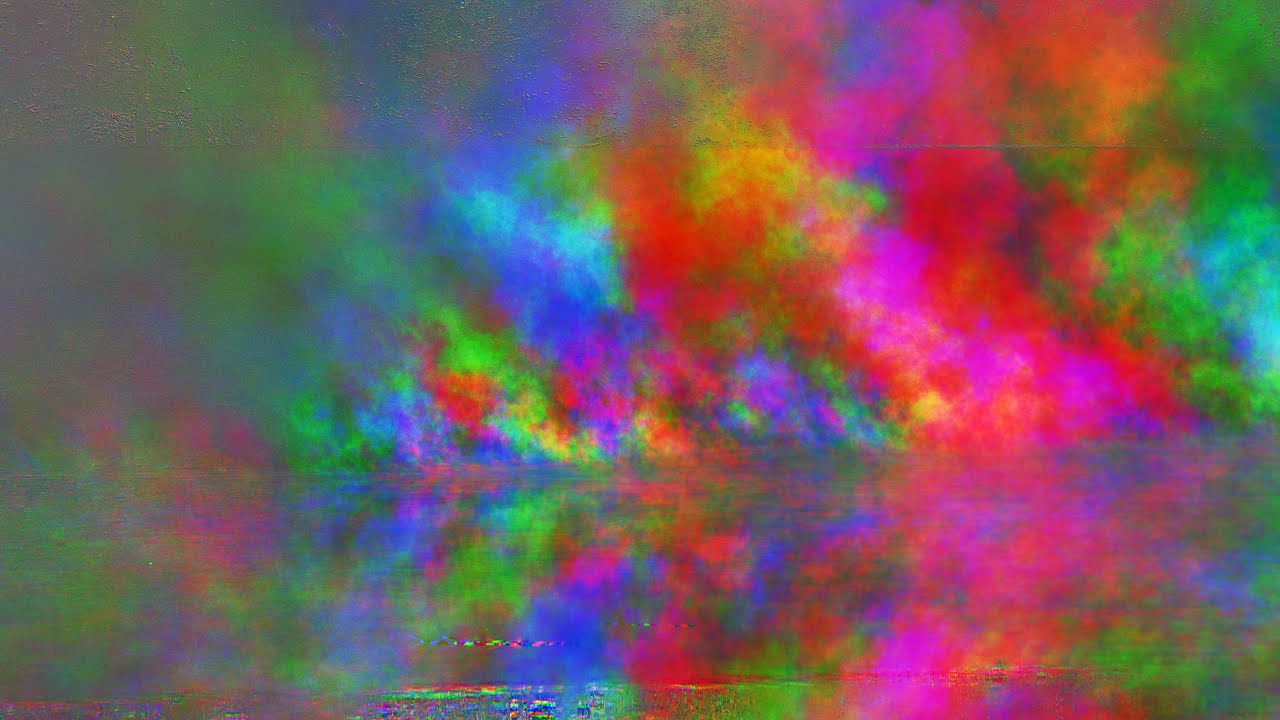
With a very simple trick you can extract the motion of a video. All footage was shot by me, as usual...
Music*: https://posy.bandcamp.com/
- When requested a lot I'll add a single of the end song.
Support my projects on Patreon: https://patreon.com/posy
Tutorial attempt: https://youtu.be/woj4vfMLpao
Posy on Spotify: https://open.spotify.com/a...
 open totem
so cooool
atomic lantern
Hello, does anyone know how to make a certain emitter persist its whole lifetime even if the system containing it would be destroyed? I have a projectile that has a core emitter that follow the projectile actor in the scene, and a trail that is spawned where the projectile was previously. The issue is that when the projectile hits something, the trail is immediately destroyed. However, I would like it to stay and finish its life cycle.
 hearty bison
pine flint
But his content is not free. His videos are locked behind membership
hearty bison
pine flint
But his content is not free. His videos are locked behind membership
these are a good start
atomic lantern
atomic lantern
Hello, does anyone know how to make a certain emitter persist its whole lifetime...
Ended up creating a pooling system for my niagara components I attach to the projectile, so that I can leave it to finish whatever it has to do ever after the projectile is destroyed.

 west sorrel
https://www.youtube.com/watch?v=cmyF5ge6SQU&t=8s 3:50 i want to create smoke like that using unreal using Niagara can anyone guide or if anyone has any tutorial link that would be helful

In celebration of 10 years of SWTOR, we’re re-releasing all of our classic cinematic trailers enhanced in 4K. “Hope” was initially launched on June 14th, 2010.
The year-long celebration of our 10th anniversary kicks off with Legacy of the Sith, a new expansion that marks the starting point to a full year of galactic intrigue, conflict, and m...
split hawk
atomic lantern
Ended up creating a pooling system for my niagara components I attach to the pro...
Out of curiosity, what does this do? Are you extracting the Niagara component into its own actor?
atomic lantern
split hawk
Out of curiosity, what does this do? Are you extracting the Niagara component in...
The projectile actor does not create the niagara component. It means that the projectile actor blueprint does not have that component in its hierarchy by default. If the component would have been in it, there would be problems with its management after the projectile is destroyed. The problem is that when the projectile is destroyed, I want the particles to finish playing, and they only can do that while the niagara component exists. If the component would have been managed by the projectile, the particles wouldn't be able to finish playing after the projectile is destroyed. A work around that I used makes use a pooling system that I wrote myself. Practically I create N niagara components that can be used by anything, and they can be re-used as many times as you want. In the screenshot that I sent, you can see that on begin play of the projectile I ask the system to give me that component, so that the projectile can use it. Afterwards I do things I need to do to display my system correctly, and then I start it. When the projectile is destroyed, i.e. when it ends playing, I deactivate the component, so that it doesn't spawn new particles, but keeps the existing ones, so that they can fade out. I also tell the pooling system that I want to release the component that I have requested previously, but I tell it that it can use it only after 2 seconds since my request; that time should be enough to let the particles fade out completely. After those 2 seconds, any other projectile (or anything else really) can request that same niagara component that was previously used by another projectile (again, or by anything else).
split hawk
atomic lantern
The projectile actor does not create the niagara component. It means that the pr...
A couple thoughts: Is there a reason you don't just wait to kill the projectile until the particle effect finishes? Also, is there a reason you're not using the built-in FX pooling system?
atomic lantern
split hawk
A couple thoughts: Is there a reason you don't just wait to kill the projectile ...
Uh, I actually didn't think about not destroying the projectile for a few seconds 😛 My bad, I guess. Does the built-in FX pooling system allow me to do what I do? I don't know about it much
split hawk
atomic lantern
Uh, I actually didn't think about not destroying the projectile for a few second...
Hey if we could think of everything life would be very boring lol. And yes the built-in system allows you to do exactly what you're doing. I've actually never used it until now, but I spent 30 minutes trying it out and this seems equivalent to the custom pooling system functionality in your screenshot.
 atomic lantern
split hawk
Hey if we could think of everything life would be very boring lol. And yes the b...
atomic lantern
split hawk
Hey if we could think of everything life would be very boring lol. And yes the b...
Does the SpawnSystemAttached create it on demand though? In my case I create everything when the game starts
split hawk
Note the Manual Release mode in Pooling Method.
atomic lantern
Oh, I just went through some of the source code
UNiagaraComponent* CreateNiagaraSystem(UNiagaraSystem* SystemTemplate, UWorld* World, AActor* Actor, bool bAutoDestroy, ENCPoolMethod PoolingMethod)
{
    UNiagaraComponent* NiagaraComponent = nullptr;

    if (FApp::CanEverRender() && World && !World->IsNetMode(NM_DedicatedServer))
    {
        if (PoolingMethod == ENCPoolMethod::None)
        {
            // ...
        }
        else if (FNiagaraWorldManager* WorldManager = FNiagaraWorldManager::Get(World))
        {
            UNiagaraComponentPool* ComponentPool = WorldManager->GetComponentPool();
            NiagaraComponent = ComponentPool->CreateWorldParticleSystem(SystemTemplate, World, PoolingMethod);
        }
    }
    return NiagaraComponent;
}
From what I understand (from various tooltips) it will create a component on demand if there isn't a free one in the pool, but you can specify a pool prime size on Niagara assets that frontloads their creation.
 atomic lantern
But isn't that number associated with a single niagara system though? How does it work?
split hawk
atomic lantern
But isn't that number associated with a single niagara system though? How does i...
Yes. Again I haven't used the system till now, just knew it existed. But yeah you can specify a max pool size and pool prime size for every individual niagara system.
atomic lantern
🤔


Actually though, it happens when I try to use that system multiple times. In 5 seconds I use it like 10 times, and I do that for 10 seconds straight. Out of that number, only 4-6 fail to be allocated or something
Those are rough numbers btw
split hawk
atomic lantern
Those are rough numbers btw
First thing I'd ask is what are the lifetime settings on that system? Does it live infinitely?
 split hawk
atomic lantern
Shouldn't Deactivate function abort it regardless?
split hawk
atomic lantern
Shouldn't Deactivate function abort it regardless?
Yes. The reason I ask is because if it was using a finite lifetime you could just use Auto Release and not worry about manually releasing it. But I expected it to be infinitely lived cause you're using it for a trail on a projectile.
atomic lantern
Can I use a finite lifetime though? I'm making projectiles which in theory can travel any distance, the only thing that determine their end is certain collision they can hit. Obviously I have a lifetime on the projectiles actor to avoid certain cases when players shoot the air, but it shouldn't change how the FX works regardless, should it?
atomic lantern
atomic lantern
🤔
The weird thing is that it's not a thing anymore. I'm playing the same FX like 10 times per second, and it's not happening anymore. Well, in 20 seconds it happened only once. It doesn't make such sense though
split hawk
atomic lantern
Can I use a finite lifetime though? I'm making projectiles which in theory can t...
My approach is if I know long the parent (in this case the projectile) will live, then I almost always use a finite lifetime. In your case, you don't know exactly how long that will be, but you know the maximum amount of time it can live. If the range of possible lifetimes is pretty small (like 1-2 seconds), then I would probably use a finite lifetime for the effect. If it's possible for some projectiles to live for 5 seconds, and others for 0.5, then I would probably use Infinite lifetime and do one of the approaches I mentioned earlier. There are other considerations like how visible the effect, and if you want to use the effect for other unrelated things, but that's generally my approach.
atomic lantern
atomic lantern
The weird thing is that it's not a thing anymore. I'm playing the same FX like 1...
I didn't notice the log, but I got like 15 of these in 40 seconds of testing it intensively
LogNiagara: Warning: UNiagaraComponent::OnComponentDestroyed: Component (0000074D9D94B400 - NiagaraComponent /Map_01/System/UEDPIE_0_L_01.L_01:PersistentLevel.MTD_WorldSettings.NiagaraComponent_56) Asset (NiagaraSystem /VFX_MagicProjectile/Niagaras/NS_IceProjectile.NS_IceProjectile) is still pooled (2) while destroying!
Yeah, it can be 0.1 seconds, as well as 10. I'm fine with not destroying the projectile for a few seconds though, so I'm good with releasing the system to the pool manually
atomic lantern
atomic lantern
I didn't notice the log, but I got like 15 of these in 40 seconds of testing it ...
It's weird that it's saying that it's destroying it though
Apparently it's the third if 🤔
    if (PoolingMethod != ENCPoolMethod::None)
    {
        if (UWorld* World = GetWorld())
        {
            if (FNiagaraUtilities::LogVerboseWarnings())
            {
                UE_LOG(LogNiagara, Warning, TEXT("UNiagaraComponent::OnComponentDestroyed: Component (%p - %s) Asset (%s) is still pooled (%d) while destroying!"), this, *GetFullNameSafe(this), *GetFullNameSafe(Asset), int(PoolingMethod));
            }
            if (FNiagaraWorldManager* WorldManager = FNiagaraWorldManager::Get(World))
            {
                if (UNiagaraComponentPool* ComponentPool = WorldManager->GetComponentPool())
                {
                    ComponentPool->PooledComponentDestroyed(this);
                }
            }
        }
        else
        {
            if (FNiagaraUtilities::LogVerboseWarnings())
            {
                UE_LOG(LogNiagara, Warning, TEXT("UNiagaraComponent::OnComponentDestroyed: Component (%p - %s) Asset (%s) is still pooled (%d) while destroying and world it nullptr!"), this, *GetFullNameSafe(this), *GetFullNameSafe(Asset), int(PoolingMethod));
            }
        }

        // Set pooling method to none as we are destroyed and can not go into the pool after this point
        PoolingMethod = ENCPoolMethod::None;
    }
If you're just going to delay destruction of the projectile I don't think you even need to deal with pooling. Pooling seems necessary only if you need to immediately destroy the actor.
atomic lantern
Wouldn't that be beneficial to the performance though? Instead of creating the component for every projectile from scratch, I could get an existing one from the pool instead, skipping the creation step
I can always profile it, but it sounds that pooling would be better in overall
split hawk
atomic lantern
I can always profile it, but it sounds that pooling would be better in overall
Yes pooling has performance benefits. It would be worth testing if default Niagara components make use of pooling. I don't see any settings for it in the details panel.
atomic lantern
I feel like all the actor components are created from scratch on NewActor call. I don't think that niagara can interfere that process in any way, making the world pull the component off an external pool. Anyways, these are all thoughts without actual facts 😛
atomic lantern
atomic lantern
I didn't notice the log, but I got like 15 of these in 40 seconds of testing it ...
Never mind, I get these as I finish playing. Most likely projectile EndPlay gets called after something that destroys the pool does, which is weird. I wonder why they didn't make it release all the pooled resources with any delay, just to avoid this confusion
 upbeat gate
Anyone know how to create something like this? I am wondering if I could do it with a sphere that reacts to the surface rather than just a plane
split hawk
atomic lantern
Did some testing on this. Looks like the errors were just due to using event end play when ending PIE. We only want to call this logic when the actor gets destroyed, not when PIE ends.

 atomic lantern
split hawk
Did some testing on this. Looks like the errors were just due to using event end...
atomic lantern
split hawk
Did some testing on this. Looks like the errors were just due to using event end...
Makes sense, perfect, thank you 😄
But what about level transition? I guess the pool is relevant to a world, so running the logic in that case would yield the same warning?
split hawk
atomic lantern
But what about level transition? I guess the pool is relevant to a world, so run...
Yeah I'm not sure, that's something worth testing. PIE ending invalids the component so I'd expect anything that would invalid the component to throw the same error.
split hawk
atomic lantern
I didn't notice the log, but I got like 15 of these in 40 seconds of testing it ...
As for this, I also only get it when PIE ends. Seems like 1 for each system in the world currently, so maybe the engine just expects you to not have any currently in use when the game stops.
atomic lantern
Hm, it looks like I still get the same warning even after doing that LogNiagara: Warning: UNiagaraComponent::OnComponentDestroyed: Component (0000074D635A3000 - NiagaraComponent /Map_01/System/UEDPIE_0_L_01.L_01:PersistentLevel.MTD_WorldSettings.NiagaraComponent_145) Asset (NiagaraSystem /VFX_MagicProjectile/Niagaras/NS_LightningProjectile.NS_LightningProjectile) is still pooled (2) while destroying!
I mean, after filtering out anything but Destroyed
atomic lantern
atomic lantern
Never mind, I get these as I finish playing. Most likely projectile EndPlay gets...
Oh, actually though, it makes sense. I never release the component, and I can't do that in time either, because, as I have already said, ^
split hawk
atomic lantern
Oh, actually though, it makes sense. I never release the component, and I can't ...
I didn't see that previous message. There's an error and a warning, they're 2 different issues. Using Event Destroy instead of Event End Play solves the error, but not the warning. I'm not sure how to solve the warning, but if it only shows up when ending PIE then I don't think it's a big deal.
 atomic lantern
I don't get the error though, now I only get the warning. I was getting that error the first time, but not anymore. I tried to restart the editor to see whether I affected the pool in any way by intensively using it, but nope, I don't get that error anymore
I'll try to use the OnDestroyed event. Even though it's something that happens after PIE, I still hate having any warnings/errors in my project, so I tend to fix them, so I don't ignore anything new warning/error that might appear at any moment
split hawk
atomic lantern
I don't get the error though, now I only get the warning. I was getting that err...
Interesting, and this is still using Event End Play, unfiltered?
atomic lantern
Yes, it is
atomic lantern
atomic lantern
I haven't changed my code at all
Event Destroyed doesn't seem to fix it 🤔
split hawk
atomic lantern
I haven't changed my code at all
That's strange. I have 100% repro on that error using Event End Play. Happens every time.
atomic lantern
Yeah, that is indeed weird. I have tried to check whether EndPIE is ever called, but it doesn't?

nvm, it is called
split hawk
atomic lantern
Yeah, that is indeed weird. I have tried to check whether EndPIE is ever called,...
And you weren't filtering for Destroyed?
atomic lantern
well, I were not, but I tried to use switch to see whether the EndPIE is called, previously I didn't have any switch
split hawk
atomic lantern
well, I were not, but I tried to use switch to see whether the EndPIE is called,...
I see. Guess there's something different about our environments. Anyway yeah I don't know how to solve the warning other than waiting for all the active systems in the world to stop and return to the pool before ending PIE.
atomic lantern
split hawk
I see. Guess there's something different about our environments. Anyway yeah I d...
I found an interesting thing. In UEditorEngine::TeardownPlaySession we dispatch EndPlayInEditor before the pools are cleaned up 🤔


(Hopefully you're familiar with C++)
Oh, never mind, I actually lied a little bit in my code. The only thing I have added is a IsValid check, that's why I didn't get the None Access. Apparently the BPs get their properties invalidated on EndPIE, which means I never call ReleaseToPool on EndPIE, hence it remains occupied, and thus the warning 😄

I don't know much about BPs in terms of their implementation and validation, but I guess it's something that could have been done easily in C++ by using any non automatically validated pointer
It doesn't look like BPs have any function other than EndPlay and Destroyed that could notify us about something similar, so I guess we can only bear with that warning, unless I implement my niagara related code to pool back and forth in C++
split hawk
atomic lantern
It doesn't look like BPs have any function other than EndPlay and Destroyed that...
Ahh I see. The error was from the component becoming invalid when PIE ends, but the warning is because PIE ends before the component is released. This works for me:
 atomic lantern
But you still get the warning, don't you?
but the warning is because PIE ends before the component is released
Yeah and no. The component cannot be released because the BP got invalidated, hence it doesn't know what component it has pooled on EndPlay with a EndPIE, hence it never calls the ReleaseToPool. The pool destruction/invalidation occurs after ALL the EndPlay in the game
I have tried to create a test to see whether pooling really works. It spawns a thousand systems every .2 seconds. The first thing to say is that FPS did not change at all, it's always around 19, going back and forth. I don't know what about the memory though. When I use PoolingMethod None, anytime I print the system, it's increasing its counter by 1000. When I use AutoRelease, I would imagine it to increase for a few seconds, and then be always a number within the range of numbers I have seen previously. However, this doesn't seem to be the case, instead, it does something weird. It seems like it pools like 30 systems out of 1000 every tick. (second screenshot) Whereas pooling set to None, as expected, doesn't pool anything (third screenshot)


 split hawk
atomic lantern
But you still get the warning, don't you?
split hawk
atomic lantern
But you still get the warning, don't you?
I think I see my mistake. I tested the setup below, which doesn't give any errors or warnings, and I got excited and plugged in the Destroyed exec and then set that message. Well, this doesn't give any issues cause nothing ever gets released to the pool, and it never executes lol. Once Destroyed gets plugged in, now theres stuff in the pool and the warning appears again.
 split hawk
atomic lantern
I have tried to create a test to see whether pooling really works. It spawns a t...
split hawk
atomic lantern
I have tried to create a test to see whether pooling really works. It spawns a t...
Remember that systems have a maximum pool size, it's 32 by default.
atomic lantern
split hawk
Remember that systems have a maximum pool size, it's 32 by default.
Oooh yeah, that makes a lot of sense, I forgot about it, thank you
split hawk
atomic lantern
Oooh yeah, that makes a lot of sense, I forgot about it, thank you
By the way, I tested if statically added Niagara components use pooling. They don't. Not surprising just thought I'd let you know.
atomic lantern
atomic lantern
I have tried to create a test to see whether pooling really works. It spawns a t...
I got this little test running, nothing fancy really in terms of profiling, but doing this without pooling results into 13~ frames, but with pooling it's 23~. I really should use some actual tools, and at least see the allocated memory, but for now the framerate is the only thing that matter 😛
 coarse karma
Is there a significant difference between spawning a skeletal mesh with physics in the world vs rendering a skeletal mesh in niagara?
I have a dismemberment system that is super good for a prototype but I'm trying to get some future plans worked out, and I'm considering ways to optimize the dismembering. There will be a lot of limbs flying around, and it would be nice if they could stick around for a bit, so I'm thinking Niagara seems like the way but I am unsure if there is an actual difference between the two in terms of optimization..
split hawk
Do I have to make a custom bp to have a post process volume be spherical?
 glossy raven
Does anyone have experience caching out chaos cloth sims? I have it working "fine" with the take recorder, but i get caches that are 1/8th or so the size of the timeline, that have to be arbitrarily scaled to match the timeline. the animation seems to match up when i do this, but it is annoying and introduces an undesirable element of fudging
im guessing it has to do with the scene timing/tick which i have tried different settings in project, sequence and cache settings - Tick, relative timecode, platform, every frame etc
and they all give slightly different but still randomly sized caches that have to be expanded
and slightly different sim results
there is no good documentation on this that I can find
pine flint
Hi, how to apply damage using niagara vfx . For suppose I want to fire a niagara laser and when it touch an enemy it should damage him and spawn explosion vfx , sounds etc. How to achieve this?
split hawk
coarse karma
Is there a significant difference between spawning a skeletal mesh with physics ...
The only way to render a skeletal mesh in Niagara is with the component renderer, which is experimental and says this at the top.
 coarse karma
split hawk
The only way to render a skeletal mesh in Niagara is with the component renderer...
coarse karma
split hawk
The only way to render a skeletal mesh in Niagara is with the component renderer...
gotcha, good to know!! I'll have to try to bake out parts of the skeletal mesh into static meshes in that case. thank you!
 paper crypt
does anyone know exactly how shaders are affected by quality settings?
I'm running into an issue where reflections are super broken (basically super bright garbage appears on any reflective surface), but only if global illumination is set to "medium" or "low" and reflections is set to "high" or "epic"
having trouble diagnosing where the issue is
 bleak crypt
is there a way to detatch or reattach a niagara system from an actor? I want a system to be attached to an actor until a certain point, then i want it to be stationary. Can't really find anything on google or in here for that
 lone wing
bleak crypt
is there a way to detatch or reattach a niagara system from an actor? I want a s...
lone wing
bleak crypt
is there a way to detatch or reattach a niagara system from an actor? I want a s...
Can't you just DetachFromActor
use the KeepWorld options to leave it in place
bleak crypt
Im doing this logic in a gameplay ability, and didn't see that function available. I'm not at my desk rn so I can't check though
bleak crypt
lone wing
use the KeepWorld options to leave it in place
tyvm :)

 stiff lark
Hi im houdini artist , Im hoping can anyone show me how vfx reel onto unreal engine Must look like to get hired?
 hard venture
stiff lark
Hi im houdini artist , Im hoping can anyone show me how vfx reel onto unreal eng...
hard venture
stiff lark
Hi im houdini artist , Im hoping can anyone show me how vfx reel onto unreal eng...
I'm a houdini artist from film working in games now for almost 10 years. I hardly use houdini at all. Most of the houdini work right now is in environments using houdini engine.
RBD sims are most of what I use houdini for now. Fluid sims are mostly done on embergen.
Are you trying to get ganeplay work or cinematic work?
stiff lark
Wahtever goes to get myself Hired But i think My workings r more high end So i be good in cinematic also
hard venture
Then you should learn sequencer and make a cinematic short that showcases your ability to not only get your fx to work in unreal, but make them look good.
stiff lark
u got any free environments , with materials or any market free kit , i can test My vdb stuff
what u use like Flipbook and vdb and fbx?
hard venture
Epic market place has all kinds of free stuff, and each month they add new stuff.
Like I said, houdini is mostly used in environments, and with PCG you can generate some pretty good biomes, and that works much like the copy stamp tool.
There is niagara fluids that is real-time in game fluid solver.
I suggest you actually open up unreal and start making some stuff. No one is going to implement your work for you... making it is the fun part, getting ot to work in engine in real time is the job.
 hexed locust
im some what new to niagra in ue5 and was wondering if any one would be willing to teach me how to make somthing(literly anything at all) that i could use as a base to learn it i tried to find videos but they dont realy exsplain it or its for a dif verson of ue
 tired hazel
Is it better to use sliding textures as effects instead of particles? It would be more efficient right ?
 versed lynx
Hey guys I made this trail texture, but I am not sure how to manipulate it so it looks like a trail movement in a shader. Here is what I've got so far but I guess this is just manupulating the UV and kind of scrolling. MY goal is to look like a projectile trail, or like a niagara ribbon with a jitter module.
 south vigil
not sure if this is the right section to ask this. It's a foliage question. I'm working with foliage in a suburb street and I'm trying to add grass along a tree lawn near the sidewalk and street. Is there a way to fine-tune the foliage to make it lay straight along the curb? thank you so much!
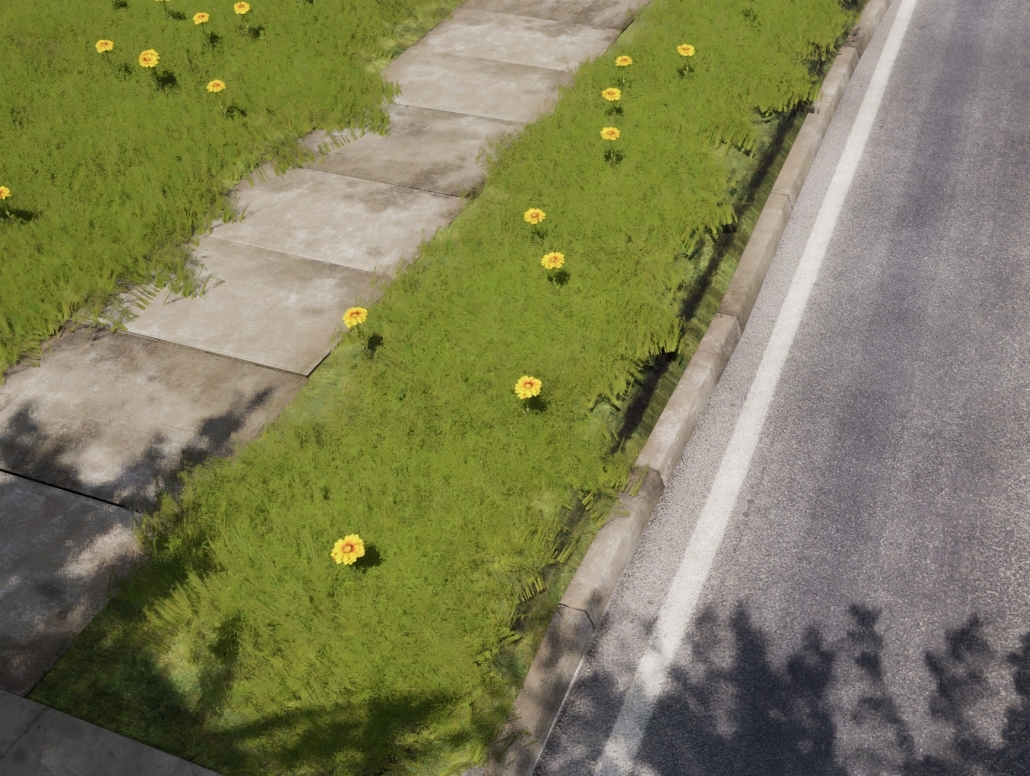
 kind bone
south vigil
not sure if this is the right section to ask this. It's a foliage question. I'm ...
kind bone
south vigil
not sure if this is the right section to ask this. It's a foliage question. I'm ...
I would try PCG
 livid delta
Hey, I am running into a very weird issue regarding the rotation of a niagara system that ive been racking my brain and trying to fix for about 3 days now... So basically i have two different skeletal meshes with animations and an anim notify that spawns the same niagara system. Everything is set up the exact same but the system fires along world axies for one of the animations and along local axies for the other and I cant for the life of me figure out why. If anyone has some good pointers as to what could be wrong it would be very appreciated! 🙂
 stiff lark
Guys does vat works on indie non commercial?
 hallow leaf
Can anyone please point me to the right direction to get this effect from Unity in Unreal? https://youtu.be/rgYMRP0FzjM?si=ahUlU2w-FAxnDNgf

Learn how to render game objects on top of everything or every object/Model in unity3D. This short unity video tutorial will teach you how to Render game object on top of everything without using or applying any extra shader. But using an extra camera you can render a game object on top of everything.
This is one-minute unity tip where using an ...
 vague surge
can anyone help me understand why the "Start Time" for my media players doesn't actually work? (rightside detail column), the videos always start at the beginning regardless of the time i set. (MP4 file)


while using Media Plates, the problem persists. The video plays properly if the Start Time is 0, but if it is anything above 0, the video just never plays
 hallow leaf
Thank you so much. I will test it out and see if its what I'm looking for. I appreciate it
 solemn wave

Unreal Physics is a free to play exploration of in-game physics like never before, this dynamic 3D sandbox features a mesmerizing collection of demos, showcasing stunning visuals and realistic simulations. It's a playground of endless possibilities where creativity meets the cutting edge of physics technology. Coming free to PC on Steam and Epic...
 forest raven
Hello, how can i get rid of these ugly black parts in my water?

 full path
I've noticed that setting the maxtracedistance of Heterogeneous volumes doesn't affect if they get rendered or not. I have a sky full of clouds for testing purposes. I've gtting 6fps, so I switch from r.heterogeneous.maxtracedistance 1000000 to r.heterogeneous.maxtracedistance 10000 and am still stuck at the same framerate but with fewer clouds rendered.
I checked ProfileGPU and indeed they are all still being rendered. I have to turn off their visibility for them not to be rendered.
What's the point of reducing their maxtracedistance if it does nothing perfromance wise?
 fickle fossil
Does anyone here have any problems with VDBs againts a HDRI Backdrop? mine blur and loose all detail. Is there away around this? Many thanks
 fickle fossil
ah... you can't use DOF when using VDBs against a HDRI background. That's the casue of the blur..
 woeful estuary
forest raven
Hello, how can i get rid of these ugly black parts in my water?
woeful estuary
forest raven
Hello, how can i get rid of these ugly black parts in my water?
what does your material look like
forest raven
woeful estuary
what does your material look like
its the default water material on the ocean component
 fiery walrus
i have 2 spheres. but the one on top needs to be rendered over the other one with opacity. i know its a sorting issue probably but how do i fix this in niagara
 split hawk
fiery walrus
i have 2 spheres. but the one on top needs to be rendered over the other one wit...
split hawk
fiery walrus
i have 2 spheres. but the one on top needs to be rendered over the other one wit...
Increase the sort order hint for the renderer of the outer sphere.
If they are in the same emitter, you can just move the renderer down.
fiery walrus
split hawk
Increase the sort order hint for the renderer of the outer sphere.
it works! but for some odd reason the inner sphere gets invisibleish
Nvmd, it works! Thanks a lot!!!
 karmic echo
I have no idea where to ask how to achieve this effect aha.
The closest way I can describe it is imagine a garbage bag rolling down a slope, I want an outside object sort to deform around a circle collider as it rolls. Sort of like this image.
Does anyone have a direction they can point me in to achieve this sort of effect?
Edit: I think physics soft-body simulation and chaos flesh might be the direction I start in. If anyone has better suggestion, I would love to know!

 subtle skiff
hi, I want to make a reconstruction scene with as transition from broken to clean. Something like this tutorial, but instead of changing the postprocessmaterial with the mattepaint I want it to have zero opacity. Here is my setup so far :

Any advice to achieve this would be awesome !
 visual ridge
forest raven
Hello, how can i get rid of these ugly black parts in my water?
visual ridge
forest raven
Hello, how can i get rid of these ugly black parts in my water?
You could try to add a clamp node for you color by increasing min value))
visual ridge
forest raven
Hello, how can i get rid of these ugly black parts in my water?
Or did you mean this type of artifact?
 forest raven
visual ridge
Or did you mean this type of artifact?
forest raven
visual ridge
Or did you mean this type of artifact?
All those black spots in the water
You see how there is like big black spots in the waves
coarse karma
forest raven
You see how there is like big black spots in the waves
aren't those just shadows?
add more light and see if that changes anything
subtle skiff
Yeah just change your directional light orientation
 whole cove
idk which is the best place to ask, but if i import a ue4 cascade particle into ue5 for example a fire, it doesnt look the same, it is like the torch is just flickering just a tiny bit, but not a big fire going, i bet something with spawnrate changed or something, is there a docs about these things somewhere?
 terse skiff
hi, i wanted to make a shader with which i can put different effects on surfaces like fractals etc. I don't know how i can do it. Can anybody help with it?
 livid swan
terse skiff
hi, i wanted to make a shader with which i can put different effects on surfaces...
livid swan
terse skiff
hi, i wanted to make a shader with which i can put different effects on surfaces...
you can use the custom node in materials to render pretty much anything
terse skiff
livid swan
you can use the custom node in materials to render pretty much anything
what custom node?
terse skiff
oh ok
livid swan

Expressions that allow the use of custom, plain shader code.
 nimble timber
Hi, is there a way to make picture in my game more realistic? Can someone help with setting up my post process? I am making hyperrealistic liminal space game.


 fossil palm
Hello. I was wondering if someone could help me with something. I'm working on a lighting engine and I need to figure out how to get shadow casting to work correctly. It's basically an Unlit Material that mimicks the logic of Phong Lighting, which I'm using to build a game with Retro PS2-esque visuals. One thing I'm having trouble figuring out though is shadow casting. Because it's an Unlit material it doesn't cast shadows so fake shadows are something I'm looking at here. I imagine this will be a little bit more complex than just one thing in that it may require a combination of material VFX and Blueprint Scripting to get right. But I haven't fully figured it out yet. I've tried several things but right now I'm on my backup plan of blob shadows if I can't get realistic shadows to work. I'm hoping someone in here might have an insight in terms of whether to use Render Targets or Decals, whether that's even the case, if so how would I use them, or if not what would be a better solution? For context, I'm operating in Unreal Engine 4.23 so there are things in later engines that might come in handy that I can't use currently so please do keep that in mind.
I appreciate any help I receive and thank you all for your time.
analog onyx
@fossil palmwhy fake anything at all?
Why not just change engine's lighting the way you need it to be ?
fossil palm
I'm afraid I don't know what you mean. The system I'm using is based on an Unlit Material and as a result it doesn't take light and shadow natively. I prefer this as an option as it means it'll be less instruction intense compared to other solutions but shadows are a stumbling block with this particular system. In terms of changing the engine's lighting, can you give me an example of how I would go about this? I'll admit I'm better at programming than VFX but I've not considered changing the engine's lighting because I don't know if anything I change will break the entire engine or a key engine piece that's needed elsewhere. If you have an example of how I could do such a thing, just to help get me thinking, I'd appreciate it.
analog onyx
fossil palm
I'm afraid I don't know what you mean. The system I'm using is based on an Unlit...
just have a look at shader source the files
there is nothing fancy there, just large volume of code
trying to cram in lighting model on top of unlit material... is.. meh.
pretty bad
fossil palm
Right. But the Unlit Material is lightweight in terms of performance, which is why I'm preferring it right now. It's not really using any light functions currently. It's just using material parameters to mimic lighting at certain points using BP Light Probes. If I try to cram a lighting model on top of it, you'd be correct. But that's why I'm trying something like fake shadows to account for the limitations in this system. I do have blob shadows working pretty much as intended in the event this doesn't work but I thought I'd ask in the event someone has done this before. Whether by way of Render Targets, Decals, or some other solution.
 sleek inlet
full path
I've noticed that setting the maxtracedistance of Heterogeneous volumes doesn't ...
sleek inlet
full path
I've noticed that setting the maxtracedistance of Heterogeneous volumes doesn't ...
thats a good question lmao I cant help, but this is hilarious to me. sounds like someone forgot to finish coding it
split crane
Hi all! I just have any idea how you would approach this leaf destruction effect? https://youtu.be/WZ7GNxTu3Xo?t=200 It looks so real... Not looking to recreate this, just theorizing on cutting meshes up and hiding parts?
split hawk
split crane
Hi all! I just have any idea how you would approach this leaf destruction effect...
I do vfx, and this is magic to me lol. I've been rewatching that video to see if I can come up with a theory of how it generally works, but I feel like there's something going on here that I don't understand. I'm pretty sure they're using render targets to mask out bullet holes and hide parts that get separated. The bullet hole part of that is pretty standard, but the hiding of the separated pieces is non-trivial tech art magic. (As a side note it also looks like they're modifying the normals for bullet holes which looks really good.)
The part that dupes me is that it looks like the leaves are getting cut off where the bullets are hitting them. This sounds obvious to say but it implies that the foliage meshes aren't pre-fractured like they would be if they were using a system likes UE5's chaos fracture. It implies that the engine is makes a decision about where to separate the mesh at runtime. I'm not sure what the state of art is when it comes to dynamic destruction, but there's a reason we pre-fracture meshes. It's an expensive operation. So it could be that it is actually pre-fractured, and it just looks close enough because they pre-fracture it to a high level of detail. Gamedev is a lot of smoke and mirrors after all. In the end it just needs to look right.
I'm not an expert, and I'd love to see other people's ideas on this.
split crane
split hawk
I do vfx, and this is magic to me lol. I've been rewatching that video to see if...
Me too! This was mindblowing to see. Maybe someone here has the game and could have a super closeby look on this, but its by far the most impressive thing in VFX ive seen in a while.
atomic lantern
Hello, does anyone know how niagara systems can be handled by the end users? I'm referring to game settings, and I wonder how I could tell niagara systems to use different emitters as well as different settings for them depending on what user has selected in settings. For instance, I would like an emitter to spawn 5 particles on low quality, and 40 on high. How would I achieve that?
 mild stone
they doesn anyone knwo the anseer for this

 fossil palm
 carmine salmon
how to simply change the color of this kind of FX?
carmine salmon
how to simply change the color of this kind of FX?
You can do it with the Color Over Life Functions that are already present in some of these Emitters. Just set the start and end colors to the same value. You can also make them different values if you want the color to change over time. However, for it to work, your material needs a Particle Color input.
carmine salmon
fossil palm
You can do it with the Color Over Life Functions that are already present in som...
thaank you
split hawk
atomic lantern
Hello, does anyone know how niagara systems can be handled by the end users? I'm...
You're talking about scalability settings, which are generally handled with Effect Type assets, but can be overridden within systems and emitters themselves. There is a setting specifically for modulating the spawn amount called Spawn Count Scale, which you'll find useful. However it isn't possible to modify what emitters are in a system at runtime, though I've heard you can turn them on and off in 5.4.
atomic lantern
split hawk
You're talking about scalability settings, which are generally handled with Effe...
Thank you, I found it!
atomic lantern
split hawk
You're talking about scalability settings, which are generally handled with Effe...
What if I want to apply a certain settings to only one system? Would I need to create NiagaraEffectType per system? That seems kind of annoying
The only scalability settings I found under an emitter is related to Sprite Renderer. Apparently I can only set some CVars, which are supposed to be global as far as I understand

However, I guess I could try to set spawn rate to multiply by some CVar so that it scales depending on it. The only issue with that is that I don't know what is supposed to change these variables and what are their values

nvm the SpawnCountScale is set directly by the NiagaraEffectType, I'm dumb 😛 However, I wonder whether it's applied on anything automatically. Will it affect systems that don't specifically use it?
split hawk
atomic lantern
nvm the SpawnCountScale is set directly by the NiagaraEffectType, I'm dumb 😛 Ho...
No, the settings in the effect type will only apply to systems using that effect type.
atomic lantern
To create scalability settings for each setting individually, I would need to create new entries in that array, correct?
 split hawk
atomic lantern
To create scalability settings for each setting individually, I would need to cr...
split hawk
atomic lantern
To create scalability settings for each setting individually, I would need to cr...
Correct
atomic lantern
Alright, perfect, I'll try it out
Do you know how I would check out how the FX looks on different settings in the preview window?
split hawk
atomic lantern
Do you know how I would check out how the FX looks on different settings in the ...
There's a scalability mode in the Niagara editor, but I'm not sure if it actually changes the scalability of the preview.
Otherwise you can change the scalability of your editor.
atomic lantern
Scalability mode? Are you referring to some window? Where can I find it?

I only found something in the Edit Summary View, but I have never used the window, and it doesn't make much sense for now
 split hawk
atomic lantern
I only found something in the Edit Summary View, but I have never used the windo...
split hawk
atomic lantern
I only found something in the Edit Summary View, but I have never used the windo...
There's a button on the top tool bar that says "scalability"
atomic lantern
Yeah, it doesn't change it. It's a shame 😔

However, using this mode unlocks the emitter settings. Now I am able to override things setup within the NET

However, now I wonder whether it's possible to create some shortcut to switch between different effect settings (low - epic), as it's annoying to go to the engine scalability settings every time
 full crest
Hey, anyone know what to do about this issue, using ue5.3 and trying to import houdini points using the plugin but it tells me the initialize particle module is deprecated. I've tried swapping it for a new one but i cannot get it to preview
 split hawk
atomic lantern
Yeah, it doesn't change it. It's a shame 😔
split hawk
atomic lantern
Yeah, it doesn't change it. It's a shame 😔
Are you sure about this? Did you test drastically different settings for the scalability levels?
atomic lantern
I have a system that is different enough on low and epic settings. Using that system I have tested the options from Scalability window, but it didn't do anything. Using the settings you can find in the level viewport does change it though
For instance, I have these sprites spawning with a spawn rate of 80 on epic, and 40~ on low. It does change using these settings, but not the ones within the scalability menu


 split hawk
atomic lantern
For instance, I have these sprites spawning with a spawn rate of 80 on epic, and...
split hawk
atomic lantern
For instance, I have these sprites spawning with a spawn rate of 80 on epic, and...
I see so the editor scalability settings change the preview but not the internal Niagara setting?
split hawk
atomic lantern
Hopefully it's a 5.3 thing or something
I just realized that what I said about not being able to change what emitters are inside a system based on scalability isn't exactly true, because one thing that the internal Niagara scalability does allow you to do is define what emitters are active at each scalability level.
atomic lantern
How would you do that?
I guess you can set the spawn rate at 0, but it doesn't completely disable it, making the emitter take on some performance regardless
split hawk
atomic lantern
I guess you can set the spawn rate at 0, but it doesn't completely disable it, m...
I don't remember exactly, but it's something I've done before. There's either a button on the emitter box, or in the scalability settings for that emitter I think whichever levels are grey (disabled) mean that the emitter will be inactive at those levels.
atomic lantern
Hm, I don't see anything 🤔
 atomic lantern
split hawk
Correct
atomic lantern
split hawk
Correct
Also I have noticed that it isn't true. I have added a new NET to a niagara system that uses the SpawnCountScale for the trail, and set it to 0 on low and medium, but it disables all other emitters
Overriding the SpawnCountScale on that particular emitter to 0 on low and medium makes it work properly
That's the case even when emitter scalability is set to self
It's extremely annoying though, as some systems are meant to be the same regardless of the scalability settings, but it applies things on emitters I don't want to change 😔
split hawk
atomic lantern
Also I have noticed that it isn't true. I have added a new NET to a niagara syst...
I'm not sure what you're saying isn't true. The SpawnCountScale setting in the NET effects the entire system.
atomic lantern
split hawk
No, the settings in the effect type will only apply to systems using that effect...
oh, sorry, I meant to ping this message, however, I guess I understood it incorrectly the first time. I thought that settings SpawnCountScale on a NET will only affect emitters that make use of that variable, but it turns out that it affect every single one
 sweet owl
anyone had issues with Local Height Fog in UE5.3? I drag and drop it in a scene but it just renders transparent. I don't see if producing fog
 untold shuttle
Hi there! I'm Marv Richie, a VFX artist specializing in bringing visual effects to life. Whether it's creating stunning CGI environments or enhancing scenes with digital magic, I thrive on making the impossible look real on screen.
tranquil pebble
Hello 🙂 How would I go about creating such vfx characters that play a certain animation?

 magic scroll
untold shuttle
Hi there! I'm Marv Richie, a VFX artist specializing in bringing visual effects ...
magic scroll
untold shuttle
Hi there! I'm Marv Richie, a VFX artist specializing in bringing visual effects ...
Isn't this roblox studio???
split hawk
Lol
 gaunt cradle
 keen cairn
I want to make it vertical, like a phone recording. How do I do that?
 keen cairn
I want to make it vertical, like a phone recording. How do I do that?
keen cairn
keen cairn
I want to make it vertical, like a phone recording. How do I do that?
for a pc game
tranquil pebble
Hello 🙂 I want to spawn 3 character meshes that mirror the animation of the player character while they exist, but Im not sure whether I should make them particles or actual skeletal meshes?
 fossil palm
keen cairn
I want to make it vertical, like a phone recording. How do I do that?
fossil palm
keen cairn
I want to make it vertical, like a phone recording. How do I do that?
Adjust the Camera resolution by swapping the values for the height with the width. I don't know 100% why you'd want to do this but that's how you'd do it. Or if you just mean flipping the view side ways, rotate the camera 90 degrees on its X Axis, or -90 depending on which direction you want to turn it.
fossil palm
tranquil pebble
Hello 🙂 I want to spawn 3 character meshes that mirror the animation of the pla...
What would be the purpose of these meshes? Is this for an attack or a specific kind of enemy? And will this purpose require collisions or no?
tranquil pebble
fossil palm
What would be the purpose of these meshes? Is this for an attack or a specific k...
The purpose would be primarily visual. It should be an attack ability for the player character. Hit collision and Damage is done via montage notifies and spawning collision shapes. So the FX only needs to be visual, to make it look better. I have made the animation, I just dont know how to make the other guys
Since in the video the attacks of the side guys start prior to the player, I assumed I probably need to use skeletal Meshes and play an animation on them with different PlayTime Factors.
fossil palm
tranquil pebble
The purpose would be primarily visual. It should be an attack ability for the pl...
So I'm watching this video on how to do Ghost Trails because I have a mechanic in my game that uses them, here's the video: https://youtu.be/FNjA7wT2MEs
Now it should be noted that with Ghost Trails, it's a little bit simpler because you just spawn the Ghosts at the Character's CurrentLocation and set its Pose to the pose the character is currently on. However, you can adjust the spawn location of the actor by choosing how far to the left, right, back and forward to set their locations, and then probably instead of setting it to the pose the current character is on, instead just set the Ghosts to play a specific animation sequence or montage and that should do it. Just make sure the attack and the attack windup are separate animations so that you can have the ghosts perform the attack before the character but have the player's attack include the wind up animation at the start. You can do this by setting the start-up frames to a looping animation and then either have it loop for a set amount of time or until an input is registered or done registering.
Keep in mind, I've never done something like that before so I don't know what exact numbers or functions you may need to play out. However, the wind up animation in montages can be set to loop a certain number of times to get the windup amount correct, and then just set that value to zero on the ghosts if they're all using the same montage. You can also divide it among separate montages if that helps at all. I'm no expert on this but that's also why I'm citing a video reference.

Hi, guys! I'm back, hope you enjoy it!
Project Download : https://www.patreon.com/posts/79403373
Patreon : https://www.patreon.com/A1exHuang
My Products in Unreal Marketplace : https://www.unrealengine.com/marketplace/en-US/profile/AlexHuang?cou...
tranquil pebble
fossil palm
So I'm watching this video on how to do Ghost Trails because I have a mechanic i...
I've watched that video already. I couldnt find a way to make it work for my needs. But maybe I'll have to try again
fossil palm
tranquil pebble
I've watched that video already. I couldnt find a way to make it work for my nee...
Admittedly your application appears to be a little more complex than a Ghost Trail so I can see why it may not translate 100%. But it might help if you post a recording of what you already have so we can see what's going wrong. I'm assuming the videos you posted are not of your actual work just because they look like they've achieved what you're looking to accomplish. Either that or I've misunderstood something. So can I see what you have so far?
tranquil pebble
fossil palm
Admittedly your application appears to be a little more complex than a Ghost Tra...
Its not mine no, Im trying to get my feet wet with niagara and stuff and while looking for inspiration I've found this. Im not currently at my pc, because I need to go to sleep, but I can send something in ghe morning
fossil palm
tranquil pebble
Its not mine no, Im trying to get my feet wet with niagara and stuff and while l...
Alright fair. I can wait.
tranquil pebble
@fossil palm Good Morning 🙂 So this is what I have so far, I have an actor BP with 3 SMs that is spawned via a notify in the attack montage and on Begin Play plays a dedicated copy of the montage on them.
 keen cairn
fossil palm
Adjust the Camera resolution by swapping the values for the height with the widt...
keen cairn
fossil palm
Adjust the Camera resolution by swapping the values for the height with the widt...
to make it look like a phone recordin
tranquil pebble
@fossil palm I think Ive done smth so far. So I get them to scale up and spread outwards correctly now. The only issue I have now is that they dont move to the point the player is moving. Since they use a dedicated animation, I tried using a motion warp component and setting it to the calculated warp location of the player but the motion warp window just isnt used at all...
fossil palm
keen cairn
to make it look like a phone recordin
Yes, I already answered that. Go into camera resolution, and swap the height value with the width. The width should be 1920 and the height should be 1080 if you're using a 1080p camera. Just set the height to 1920 and the width to 1080 and that's an easy way to solve it. Think of it like this: the camera view on a phone that is side ways is a 16:9 width to height ratio when sideways. So to make the camera look upright, you'll want that resolution to be 9:16 instead.
fossil palm
tranquil pebble
<@276499752877817858> Good Morning 🙂 So this is what I have so far, I have an a...
May I take a look at your Event Graph? I just need to know what code is in your actor blueprint for the Spectres is what I'm going to call them for now. And how it differs from the player character.
fossil palm
tranquil pebble
<@276499752877817858> Good Morning 🙂 So this is what I have so far, I have an a...
From what I can tell, you'll want to do a trace between each of the three guys and the collision point you seem to spawn, and then during the thrusting animation, pull them toward that point over the course of a second or half a second or however fast you want it to be. You can get them to point at it algorithmically via Reorienting them to face that collider. However, then you'll want to do 3 VectorDistance nodes, each one getting that collider's location and each of the Spectre's locations. This will calculate the distance they need to travel. And then finally, you'll want to set their Actor or Component Locations to GetComponentForwardVector * Distance (Using a Vector * Float node) and then divide that value by the total amount of time you want the animation to take. And then you'll want to loop that calculation over however many frames until the collision is met. You might to make a dedicated event for it and attach that event to Event Tick. You'll want the event itself to have a Bool Parameter called Disable and at the very beginning of it if Disable == True, do nothing, then have all of that particular event's code follow the Disable == False outcome. From there, you'll want to set the Disable Value to a Variable and change that variable's value within the Anim Notify like you did for the spawn.
Edit: I'll show you some example code in a little while to demonstrate what I mean. I need to open up space on my computer first.
tranquil pebble
@fossil palm I have this so far
Its essentially just 2 timelines rn that interpolate between locations and scale values.

This kinda works, and Im sure I could tweak a lot of small things to have more control over how and when what is happening, but deep inside it feels hacky. It feels like Im not doing it as It should be done...
fossil palm
tranquil pebble
Its essentially just 2 timelines rn that interpolate between locations and scale...
This helps a lot actually. I've finally gotten your video into a player that can do frame by frame (that moment you realize Blender is a better video player than VLC, FML). Anyway, this looks like a step in the right direction, admittedly. However, I don't see separate code for Back Guy, Left Guy, and Right Guy. It looks like they're all colliding in the same direction correctly, it's just timing that needs to be adjusted. If you separate all three of them into separate code strings and play them at separate times, that should get you what you're after. I'm working on my example now, just give me some time basically.
tranquil pebble
fossil palm
This helps a lot actually. I've finally gotten your video into a player that can...
Yeah they're all the same for now, because I wanted it to work in general first before adjusting individually.
I still have to learn what to handle better as particles and what as the "real thing"
fossil palm
tranquil pebble
I still have to learn what to handle better as particles and what as the "real t...
Using Timelines is an absolutely fine way to go about this. They're basically just a controlled Tick so it's fine to use them in place of a Tick to get everything working correctly. So, I couldn't get the thing moving at all for some reason. Maybe it's because I didn't have any of the things needed to move something correctly, I don't know. However, I do have the logic built out for you so here it is: I had to frankenstein this image out of 3 separate screenshots so the information would be readable. And I did screenshots instead of a video because discord routinely cannot upload my videos for some reason. Basically, I had two timelines. It looks like three but only because one of them's a copy paste of an existing timeline, don't worry about that. Each timeline is identical. I made them each 1 second long and have float tracks that go from 0 to 1 during that time. The windup timeline, I would basically just have play for as many seconds as you want the windup to play for, which should be different to anything that has a different start time. I think in your example you want the side guys to go first, so those are Char1 and Char2 in this example. I made 3 variables, all floats. I set WindUpTimeBack to 5, WindUpTimesSides to 3, and then I'd increment Wind Up Time at the end of the timeline. I'd then have it check to see if its value is equal to the prior two. Then once it's equal, play the following code which is the same on both tracks for the most part. Basically I just calculated the distance between Char1-3 to the ActorTarget, who you can set to whoever you want, I just needed a placeholder variable. I got the distance, multiplied said distance by the ActorComponent's Forward Vector, divided that distance by the total amount of time it'll take to cover that distance in frames (15 for .5 s at 30 FPS) then set the timeline to stop when the distance is fully covered.
 fossil palm
tranquil pebble
<@276499752877817858> I have this so far
fossil palm
tranquil pebble
<@276499752877817858> I have this so far
To be clear, it looks like you have it mostly right, you just need to set the individual timings to different values and have the animation play the thrust before it makes it to the designated location. If you want it to stop before it hits the target, just add a buffer by having the stop time take place somewhere before the final distance, and then once they hit the location, set the ActorComponent's visibility to Hidden and you should be good to go.
tranquil pebble
@fossil palm ALlright. I guess then Im going for the non particle approach find tune the timings more. At least until I may discover a more optimal approach to this someday 🙂
Thank you so far 🙂
fossil palm
You're welcome. I tried my best.
fickle fossil
Hi, I was wondering if anyone here could kindly help? I'm using MRQ to render out a load of EXR images. The first image I'm sharing is a "High Resolution Screenshot". The second is the same frame but is the EXR exported image. The issue is with the VDB elements. It appears that one of the "channels" renders in a different location. There are no animated features in this video, everything is static to give the impress that we are witnessing a frozen snapshot in time. It's been rendering fine for most of the project but I've had to revisit this section and now this issue has popped up. Any idea why my flames are rendering in MRQ out of sink with the Smoke in my VDB volume? Has this issue come up before? Thanks for your help.

 tranquil pebble
fossil palm
You're welcome. I tried my best.
tranquil pebble
fossil palm
You're welcome. I tried my best.
Just for the update 🙂
fickle fossil
easier to see in Prmiere Pro..

I can already see that the issue is still here while doing another render... No idea why this has just started to happen....

fine in the main viewport..
 fossil palm
tranquil pebble
Just for the update 🙂
fossil palm
tranquil pebble
Just for the update 🙂
That's awesome. All you need to do now is adjust the timings to hold the wind-up a little bit longer and you've basically got it.
 weak jay
Hello! Does anybody know if I can make a "Cascade Particle System" always stay rendered in when I am not looking at it?
weak jay
Nvm, found a solution
 gentle flare
 gentle flare
https://tenor.com/view/thunderstorm-david-attenborough-a-life-on-our-planet-ligh...
gentle flare
gentle flare
https://tenor.com/view/thunderstorm-david-attenborough-a-life-on-our-planet-ligh...
Yo,Peeps, anyone has any pointers as how to achieve something like this?
Would you guys go for one system with both volumetrics and lightning, or try to compose it with different effects? Anyone done something like this, or has seem some project with something similar I could take a look in? Any help is appreciated. Thanks!
keen cairn
Is there any way to make the game low quality? Like a phone recording in a pitch black room. The game should be smudgy/painty/noisy(at times)
 flint gyro
gentle flare
https://tenor.com/view/thunderstorm-david-attenborough-a-life-on-our-planet-ligh...
flint gyro
gentle flare
https://tenor.com/view/thunderstorm-david-attenborough-a-life-on-our-planet-ligh...
it`s houdini
 high jackal
Any idea how to make this particle affect cone shaped?

I want it to simulate a gas/hot vapor leak from a pipe
split hawk
high jackal
I want it to simulate a gas/hot vapor leak from a pipe
You could try scaling the sprites over their life.
 shadow basin
Is it possible to do post process before the shadows are applied, or negate them from my calculations somehow?
fossil palm
As far as I'm aware, not unless the shadows themselves are a post process display. This is because Post Process takes place after everything else to apply minor edits to the outputted frame. Shadows are usually applied before that because they're based on lighting calculations which are usually color modifications within the base colors of any given material.
shadow basin
I see you get the diffuse color. Maybe I can do something with baseColor, diffuseColor and otherPixelDiffuseColor 🤔
I want to blend two pixels, without blending in the shadow values of the other pixel.
fossil palm
If you don't mind me asking, can you a bit more specific about what you're trying to achieve?
shadow basin
I'm blending stuff togheter. But shadows introduce artifacts. https://imgsli.com/MjU3OTg1
Look at the stones center-right in the screen
 fossil palm
Not sure how to help with that to be honest.
shadow basin
No problem! Just thinking out loud. 😊
 narrow plover
Does anyone have graphics card recommendations for <$800 USD for ue5 and houdini vfx? 🙏 trying to build my first pc haha
 frozen moth
why this happening, i think it´s a blender error, not is normal (exemple:flip normal) if anyone knew, pls tell me
 split crane
frozen moth
why this happening, i think it´s a blender error, not is normal (exemple:flip no...
split crane
frozen moth
why this happening, i think it´s a blender error, not is normal (exemple:flip no...
Smoothing groups?
frozen moth
split crane
Smoothing groups?
i don't know, when i apply the armature this happens, when i don't the texture work normal
split crane
frozen moth
i don't know, when i apply the armature this happens, when i don't the texture w...
Hmmmmm... Can you show unlit/detailed lighting mode view? Maybe your UVs didnt import, or there are smoothing group issues?
 paper nova
gentle flare
https://tenor.com/view/thunderstorm-david-attenborough-a-life-on-our-planet-ligh...
paper nova
gentle flare
https://tenor.com/view/thunderstorm-david-attenborough-a-life-on-our-planet-ligh...
you will find on the marketplace a free for the month cloud lighting system and I think it offers very similar feature to what you have shown.
shadow basin
I want to identify some meshes in my post process material. I'm currently using stencil values to achieve this.
But "render custom depth values" causes a separate depth pass that is run without any occlusion.
I only need a value for the actual pixel on screen.
Any idea how to achieve this without modifying the source with a completly new render texture and lots of logic?
I have looked at every bit of info that gets passed from meshes and materials onto the targets available in the postprocess pass, but found nothing 😅
 opaque merlin
anyone know how to do a simple flash effect in niagara?
woeful estuary
opaque merlin
anyone know how to do a simple flash effect in niagara?
what kind of flash are u looking for?
i would build the shape in a material and throw it into the sprite renderer depending on what u want to achieve
opaque merlin
woeful estuary
what kind of flash are u looking for?
i would build the shape in a material and ...
be for like a flashbang
shadow basin
opaque merlin
be for like a flashbang
You can animate a niagara sprite for a single frame. Make it huge and super bright?
opaque merlin
I can try that ig
 brave crane
Hi, if i have TAA on and then turn on DLSS everything looks like shit and blury, but if i have TSR on and then turn on DLSS it looks fine, anyone else have that?
I could just force TSR on before activating DLSS but i thought it preferred TAA
brave crane
well that's what i thought too but if you enable DLSS and then check r.AntiAliasingMethod it doesn't get overridden when enabling DLSS so whatever method you had being used is still technically being used, you'd think if DLSS was handling anti aliasing in its entirety then it'd set r.AntiAliasingMethod to 0 right?
they've got docs but they dont really cover specifically about your current anti aliasing method before enabling DLSS, the docs show you how to set up DLSS and all that, originally when i set it up i made it so before it enabled DLSS and chose a quality type it would set r.AntiAliasingMethod to 0 manually and then enable DLSS and it would look like shit
like it had no anti aliasing being applied
 fast finch
gentle flare
https://tenor.com/view/thunderstorm-david-attenborough-a-life-on-our-planet-ligh...
fast finch
gentle flare
https://tenor.com/view/thunderstorm-david-attenborough-a-life-on-our-planet-ligh...
I tried something like that before on some freelance batman project.. back in UE4.27 The closest I could get to that look was using geometry with high SSS(Burly) on cloud cards spawned ontop of geo. Such a hack and terrible performance but I bet in UE5 with VDB clouds you could get something more correct now. Just put some lightning images on a card and spawn them along with lights.
https://i.gyazo.com/3b85fe9fbfac9da5b73d427004fbc70c.gif

 worldly gazelle
anyone know why my VDBs are not casting shadows? I'm using 5.4 so there definitely should be shadows

 carmine ginkgo
Hey guys does anyone have any suggestions on non runtime sim cloth sims like capes for a player character? The default sim goes pretty crazy at times and the cost is high for it.
 paper lake
Hello there!
I’m trying to use the local parameters within a custom Niagara module. Basically, I want to burst n particles and have each particles position based the position of the particle previous so that the first is at 0,0,0 and the next is say 0,0,10 then 0,0,20. (I know there are easier ways to make a line of particles but I’m just trying to get the logic right for more complex math).
Currently, I’m taking a local vector, adding 10 to the z position and updating the particle.position as well as my local vector. I’m assuming that the next particle will read that value (0,0,10) and add 10 more to it but appears to spawn all particles at (0,0,10)
My local vector had “default mode” set to “value” which I believe should fall back to a default (0,0,0 in my case) then update once set. I understand that this value doesn’t persist frame-to-frame but I had guessed it would from particle-to-particle within a given frame.
The attached image should have all the info necessary… has anyone messed with local params in a module and know how I can achieve this effect?
Thanks for reading.

 wild quest
paper lake
Hello there!
I’m trying to use the local parameters within a custom Niagara mod...
wild quest
paper lake
Hello there!
I’m trying to use the local parameters within a custom Niagara mod...
Hi gammaminus,
To get a local handle for each particle you can use the particle ID, there is an option to have consistent particle IDs on the emitter.
Then you can grab that ID in your scratch pad and multiply it by, (0,0,10) and plug it into your offset.
 neat solar
hey all i have a question.. im wanting to port over some vfx from another UE4 game in to a mod for an UE4 game im working on. now wheni do this it exports fine, but like the particle effects dont show up. any idezs?
both games are on UE4+
full path
Hey everyone!
2 have to very large Heterogeneous volumes for testing. I have depthsort turned on and a very large difference in translucency sort priority between the 2. Yet UE seems to still struggle with sorting (flickers, they get swapped at certain angle).
Is there a way to force a translucency order? I know the camera angle/shot and I always want 1 VDB in front of the other
 stable shuttle
Hi! I've been trying to get this rotation (gray background gif) with a particle for a while but i can't seem to find the solution. Closest ive gotten is this (black background image) but i cant get the orientation right. Anyone that knows how i could achieve this effect?

 paper lake
wild quest
Hi gammaminus,
To get a local handle for each particle you can use the particle...
paper lake
wild quest
Hi gammaminus,
To get a local handle for each particle you can use the particle...
Thank you DomR. Unfortunately, I'm ultimately trying to do a much more complicated algorithm - more than just the offset here. The offset is just a test to see the logic working. I really need to run the algorithm, put the first point at the result position, then take that result as the input for the algorithm for the next point and so on.
carmine ginkgo
Hey peeps I’m trying to spawn a bunch of spikes in a row in Niagara does anyone have any tutorials they can recommend
 fallow ocean
carmine ginkgo
Hey peeps I’m trying to spawn a bunch of spikes in a row in Niagara does anyone ...
fallow ocean
carmine ginkgo
Hey peeps I’m trying to spawn a bunch of spikes in a row in Niagara does anyone ...
Well I think one way to do that would be to make BP to do casting of a Niagara emitter that creates the spike , with a delay between each separate cast of the emitter, unless your wanting a different effect
 main marsh
Peace and hello everyone, i have an issue with a FX that i created, when i add collision it doesn't work and i get this error on the side

How can i fix it please ? the FX still goes through meshes and such.
 devout shoal
has anyone ever seen the unreal water plugin's underwater post process do this is, (what looks like a bounds problem) it only happens when the camera moves far away i think. anyone know of any solution to that. I'm using 4.27.2. sorry if this isn't the best channel
 fossil wind
https://www.reddit.com/r/unrealengine/comments/1cioqpl/finally_found_some_time_to_work_on_a_procedural/ stylized glass
Reddit
Explore this post and more from the unrealengine community
subtle skiff
hi ! I have created a HDA for some curves options I need for a fx shot, problem is I cant apply my FX to all of my curves, only the first one. Any idea ? I apply a niagara emitter with a simple scratch module


 celest oasis
have anyone tried the audio visualizer in unreal and know if it can take realtime input, like line in?
stable shuttle
anyone that knows why my spiral gets so angulated?
 subtle skiff
stable shuttle
anyone that knows why my spiral gets so angulated?
subtle skiff
stable shuttle
anyone that knows why my spiral gets so angulated?
Increase the spawn amount
stable shuttle
subtle skiff
Increase the spawn amount
The amount of particles? Because that doesnt change it.
 sturdy scaffold
Problem 1: In niagara mesh object
in this image most of the object are in top and bottom but I want most of them in middle
Problem 2: I want this niagara effect in level put any object and then it will create all particle in this shape without Blueprint

 buoyant nebula
Hey,
I'm wondering what would be the most performant way to visualize such dots over the landscape?
3D Widgets? Or is there something more performant?
These dots can go in the thousands easily
 analog onyx
buoyant nebula
Hey,
I'm wondering what would be the most performant way to visualize such dots ...
analog onyx
buoyant nebula
Hey,
I'm wondering what would be the most performant way to visualize such dots ...
Procedural mesh or particle sprites
buoyant nebula
analog onyx
Procedural mesh or particle sprites
What would be the advantage to use procedural meshes over e.g. a nanite particle system with sprites in this case?
analog onyx
buoyant nebula
What would be the advantage to use procedural meshes over e.g. a nanite particle...
Would not be any
inner shale
Anyone if there's an unreal equivalent of blenders mesh cage?
 civic sparrow
Is there a way to have 2 spheres with the same material look as if they are joined? or is there a video or term that I can look up?
 tulip reef
stable shuttle
Hi! I've been trying to get this rotation (gray background gif) with a particle ...
tulip reef
stable shuttle
Hi! I've been trying to get this rotation (gray background gif) with a particle ...
You could set the position of the particle via Sin*Cos, ,Then Orbit the particle around a point
 dense sail
Hey Folks,
Heterogenous Volume VDB is getting choppy when TimeDilation is applied.
Here is a quick video capture compared beside a cloth that is interpolating well in slowMotion vs a VDB explosion that is getting choppy.
Can anyone help me with this one ? How do I get a smooth interpolation of the explosion VDB just like the cloth beside it ?
Thank You!
woeful estuary
not rlly vfx but i feel like yall may be able to help me,
i have a user interface material that i want to use as a screen effect, someone else will be doing the real implementation, but i want to create a simple setup (in blueprints? user widgets? idk anything about UI) in my test level to view the UI screen effect in my level but im blanking on the correct terms to find a useful tutorial on this
stable shuttle
tulip reef
You could set the position of the particle via Sin*Cos, ,Then Orbit the particle...
i tried setting with "rotate around point" and then add velocity to it with a vector with x-axis cosine and y-axis sine. but that didnt work
 high moss
There's this video about creating a sword trail. He used niagara to create it.
https://www.youtube.com/watch?v=LibOjabsOw8
There's a comment at the bottom saying there's a better way but I don't understand all the typos.. does anyone understand?


Here's how you create the classic video-game sword trail using Unreal5 Niagara Particles-!!
If you enjoyed this video, please consider becoming a Member :)
https://www.youtube.com/@TheRoyalSkies/join https://www.patreon.com/RoyalSkies
If you like my Demo-Character, you can find her on my ArtStation Store:
https://www.artstation.com/royalskie...
 tawny kraken
Idk if this is the right place but for my game I want to add stuff to my viewport like rgb separation or kinda stuff that makes it look like an old vhs
fossil palm
tawny kraken
Idk if this is the right place but for my game I want to add stuff to my viewpor...
Then this is the tutorial for you. https://youtu.be/_gO5Q-wFL1U

In this post-processing shader video for Unreal and Unity, I show how to add interlacing lines and YIQ color grading to convert our rendered output into VHS quality. Next week we'll add even more techniques to improve the effect.
Here are the vector3 values to use to convert from RGB to YIQ:
0.299, 0.596, 0.211
0.587, -0.274, -0.523
0.114, -0....
It's split into three parts but this is the first of those parts and following all three should give you the result you're after.
tawny kraken
Thanks!
fossil palm
You're welcome. As someone who followed it, I can say with certainty that it works.
 crisp edge

Hello !
Here is a cheap distance blur can be used to fake Distance depth and focus the view on front elements for a light GPU cost.
Not something incredible, but can prove useful !
Asset download on Patreon for members only until January 30 2024 then free 🚀
https://www.patreon.com/posts/fake-depth-of-96795510
🔸🔸🔸🔸🔸🔸🔸🔸🔸🔸🔸🔸👨🚀
👍 Patreon where you...
just curious, how do i plug in this effect ?
I downloaded it but he doesnt really explain how i apply it to my camera.
or idk if hes even doing that tbh xD
basically just a DOF alternative
crisp edge
nevermind i found it ! so it was working and then suddenly started to do this

everything is plugged in as is

i noticed when i put the play to auto scalability and eveyrting is on ultra then it fixes it
 stoic zenith
Any shader experts here?
I have an idea for a transition effect but my HLSL skills are quite limited.
It is possible to extract depth information from a scene in a Post Process material.
I was wondering if there is some way to use that as the basis for some sort of a particle dissolve effect with a vertical wipe on-off?
Visually sort of like the old Star Trek transporter beam.
 dense kayak
stoic zenith
Any shader experts here?
I have an idea for a transition effect but my HLSL skil...
dense kayak
stoic zenith
Any shader experts here?
I have an idea for a transition effect but my HLSL skil...
You may want to look into Niagara for that, it is possible to both sample skeletal meshes and read GPU buffers to do some very cool dissolve effects
Here's a dissolve effect I made a while ago that heavily relies on sampling GPU buffers https://www.reddit.com/r/pcmasterrace/comments/14kdpvt/what_do_you_think_of_these_effects_in_ue5/
Reddit
Explore this post and more from the pcmasterrace community
woeful estuary
does anyone have a good tutorial for a post process material that has a camera stun/delayed camera movement type of effect?
stoic zenith
dense kayak
You may want to look into Niagara for that, it is possible to both sample skelet...
Thanks!
 dusty robin
do we have anyone here that can help with character auras like these: https://sol-rng.fandom.com/wiki/Auras

Sol's RNG Wiki
This article is about Auras. For more uses of Auras, see Auras (Disambiguation). If you are on mobile, see Auras (Category). Auras are the game's objective and they are obtained by rolling for...
woeful estuary
hey folks, looking for an alternative to using the sine node, that results in more random values each time to make my effect look far less uniform
split hawk
woeful estuary
hey folks, looking for an alternative to using the sine node, that results in mo...
Are you talking about the sine node in materials or the sine dynamic input in Niagara?
woeful estuary
materials
inner shale
Is there an equivalent of blender's mesh deformer modifier in unreal?
dense kayak
inner shale
Is there an equivalent of blender's mesh deformer modifier in unreal?
Not super familiar with that but you might want to look into the deformer graph
carmine salmon
hi, I am new in vfx, been diggin into fx recently, I'd like to ask, is there any possibilities to trigger an emitter to be spawned by other emitter in a Niagara system? if, it is, how to do that
weary helm
Hi, how can I change a decal transform at runtime after spawning it from BP?
Let's say an action spawns many blood pools, how can I scale them up separately?
Since the decal is not considered an actor, I can't just fire a 'scale up' function. Some tutorials use a timeline, but that sounds like a bad option I would need a different timeline for each blood pool

 onyx leaf
weary helm
Hi, how can I change a decal transform at runtime after spawning it from BP?
Let...
onyx leaf
weary helm
Hi, how can I change a decal transform at runtime after spawning it from BP?
Let...
Wouldn't creating a scale parameter in the decal material and ramdomizing it in BP work?
 undone fjord
I have no idea where this would go, but - is there a way to access UE5's ability to generate convex collision shapes? Context: I want a "net" ability that entangles a target, the net would be a convex shape around the target and having UE5 generate a collision shape and extracting it is the one way I can think of that isn't above my pay grade. 🤦♂️
analog onyx
@undone fjord procedural mesh component has collision generation
 foggy rose
i understand this might be too much of a noob question for here, but I'm trying to get into shader programming. I've got a few years experience with C++ so assume I have a basic level competence. Are there any good resources for getting started with this? I know what i want to achieve, and I've read the "programming a global shader" page on the unreal docs, but about a third of the way through it stops bothering to explain where the code snippets should go, leading me to just try and figure it out from context and now i've got 50 errors, so perhaps something with a bit more clarity than that would be good
 jade barn
Has anyone got deadline working consistently? I'm using the latest plugins from DL 10.3.2.x and it just won't parse the manifest queue properly.
undone fjord
Thanks @analog onyx 🙂
analog onyx
foggy rose
i understand this might be too much of a noob question for here, but I'm trying ...
You will need to be comfortable with graphics programming with directx 12. After you are, you can come back looking at unreal code and everything will make sense to you.
foggy rose
That’s cool. Do you have any good resources on getting started with that?
analog onyx
foggy rose
That’s cool. Do you have any good resources on getting started with that?
ChatGPT
foggy rose
i'll go see if i can find some documentation then
fossil wind
Anyone know a way to make sweat on character?
foggy rose
I'd probably use a fairly simple niagra emitter for that
foggy rose
analog onyx
You will need to be comfortable with graphics programming with directx 12. After...
Ok different question: lets say I'm fine with actually coding the shader in isolation (because i'm a fast learner and i'm happy to take my time with things, so not worried about that) is there anywhere I can get info on how to structure something like that in Unreal? because it's not the code itself which is bothering me, but rather the fact that the documentation pages all seem to be for Unreal 4 and no longer work in Unreal 5
 pale citrus
I've got a sweet post-process material which adds this highlight effect to interactable objects using a custom depth stencil. But I'm trying to have it show up even in a case where the item itself isn't visible, to create a sort of ghost outline for where an item can be PLACED. What's the best way to go about that?


I'm open to potentially hacky solutions, like maybe I can apply an invisible material to this thing or something?
pale citrus
Solution for the above, in case anyone was wondering.

 analog onyx
foggy rose
Ok different question: lets say I'm fine with actually coding the shader in isol...
analog onyx
foggy rose
Ok different question: lets say I'm fine with actually coding the shader in isol...
Nothing changes in that respect.
 fiery mist
How do I create a volumetric cloud that has has a custom flowmap and height map, and also can have different materials
carmine ginkgo
FX question, I want to change a material on a niagra system via blueprints, I cant seem to set a user param on it though, can anyone point me in the right direction please
 carmine ginkgo
Nervermind got it sorted


 dusty robin
can anyone help with character auras like these: https://sol-rng.fandom.com/wiki/Auras? I want about 40-50 of it. but i will like to some specific 5 that i send the screenshot. We want to use the auras in our Fortnite map, so we prefer niagara


Sol's RNG Wiki
This article is about Auras. For more uses of Auras, see Auras (Disambiguation). If you are on mobile, see Auras (Category). Auras are the game's objective and they are obtained by rolling for...
 mighty bear
Hii guys i made this vellum hair simulation in houdini and want to render it in the unreal engine. as you can see in the video when the tablets collides with hairs its changing color for a period of time . for basic effects i made this with vertex color with alembic file but don't know much about ue5 hairs system do you know how can i do this in unreal
This is a short teaser of what I'll be going over in my first Patreon tutorial. I'll be covering vellum hair, RBD simulations, upresing hair and finally creating a wet map solver with a decay slider.
Follow me on Patreon:
https://www.patreon.com/paulesteves28
Instagram:
https://www.instagram.com/paulesteves28/
Twitter:
https://twitter.com/Pa...
fiery mist
How do I make custom shaped volumetric clouds?
And also, how can I prevent tiling of clouds and just have cloud coverage for a certain area
hardy glen
Hi!
If I have a small sphere with a material, what do I have to do if I want to make it look like this?

Thanks.
 fringe flare
Is there a way to hide a section of a procedural mesh but render the shadow
lone wing
disable render in main pass
lavish bough
Hi everyone ! Got this issue after importing the alembic from houdini with my wheels. I can't figure out what is wrong. Any tips ? :/
It is a simulation that I then exported in abc
lavish bough
I found that it is the rotation of the wheels that has the problem.
fringe flare
lone wing
disable render in main pass
Can I do that to only a specific section of a procedural mesh ?
lone wing
fringe flare
Can I do that to only a specific section of a procedural mesh ?
you can do via material, shadow pass switch into masked opacity
fringe flare
that worked 🙂 thank you 
 gaunt night
does anyone know how I might fade out a vdb material over time? using dynamic material with a scalar parameter in a timeline does not seem to have any effect
 barren canyon
Ola. i want to render in low rez but have crisp piksels. How do i shoot web pls?
This default upscaling downscaling bullshittery that engine does is not what im looking for.
Trying to mkae PS1\2 style game basically.
pls @ me
 barren canyon
UPD: solution is to put this into console r.Upscale.Quality 0.
 supple moon
Alright boys. It’s been said that the best of the best UE vfx experts are in this chat.
Currently, for science, I’m trying to figure out how fortnite adds particle effects to the gas widget when you turbo.
I want to learn the technique so I can have fancy icons. Like saaaaaay a burning skull to let my player know when their ultimate ability is ready.
 devout thicket
i have a problem, my niagara not showing on ray tracing
supple moon
Feels bad
fiery mist
how do I make a localized wind system for foliage
 unique dragon
Hello,
I am looking for a VFX artist who can replicate the teleportation effect of Corvo from Dishonored, which appears in this video: https://www.youtube.com/watch?v=LwVyfkk0VHc&t=2s. Specifically, I am interested in the first effect shown. This would be a commissioned work.
Is anyone available to do it? DM me 📩

This is a video showing a comparison between daud's and corvo's blink animations. I use mods to further demonstrate the differences.
 zinc minnow
Looking for inspiration here, having "artist block" on how to achieve an FX. Need an artistic pattern (I already have the texture) to "pass through" a character after turning them into a black silhoutte.... it needs depth, and needs to appear "in" them. I've tried a render target capturing a niagara fx but it just seems to float on the surface of the character. Any ideas on how to get this depth?
I'm kinda thinking of how to use the black silhouette as a window into FX playing behind them at a large scale
fiery mist
how do i have my particle system always in the same position as the player's camera and when possessing other pawns such as cars and stuff

 potent oriole
hi guys im trying to setup a pollen cloud effect which is basically infinite (whole duration of my game so i just set particle lifespan to 5000 since my game is just matches that last max 20 minutes), I use hanging particulates, I like some noise with it, problem is that over time the cloud expands and the particles gradually disperse, is there a way to treat the particles as if they are in a snowglobe?
 oak marsh
unique dragon
Hello,
I am looking for a VFX artist who can replicate the teleportation effect...
oak marsh
unique dragon
Hello,
I am looking for a VFX artist who can replicate the teleportation effect...
Which part of it are you trying to replicate?
the smokeing hand?
 lofty hazel
Any idea on how to replicate this ground-swiping wind effect?
It propagates outwards.
 unique dragon
oak marsh
Which part of it are you trying to replicate?
unique dragon
oak marsh
Which part of it are you trying to replicate?
this, but i found on fiverr someone that is doing the request

 waxen basalt
unique dragon
this, but i found on fiverr someone that is doing the request
waxen basalt
unique dragon
this, but i found on fiverr someone that is doing the request
Dishonored?
unique dragon
waxen basalt
Dishonored?
yes
atomic lantern
Is it possible to activate an emitter once the system gets released within the system itself? I don't want to add any additional BP logic around that
 knotty scroll
lofty hazel
Any idea on how to replicate this ground-swiping wind effect?
It propagates outw...
knotty scroll
lofty hazel
Any idea on how to replicate this ground-swiping wind effect?
It propagates outw...
It's just a little circle sprite that's aligned to the ground and gets scaled up quickly, is what i gather from this image
atomic lantern
Did anyone have any issues with niagara and pooling in 5.0 or 5.1? I'm trying to spawn an effect in an empty level using pooling, but it doesn't appear up to the point I release it. If I don't use any pooling, it works perfectly. Using the very same project, it works flawlessly on 5.3.2
Answer: don't use root component of the actor. It works for scene components, but it doesn't for sphere collision component. I don't know what it has to do with as scaling and location are correct. Got it working by creating a scene component under the root sphere component, and using it as the attach target
 solar pine
Hi all!
How does one change the sky colour WITHOUT affecting the colour of the environment...?
I've seen some stylised games like this 🤔
Thanks in advance for any light shed!
solar pine
solar pine
Hi all!
How does one change the sky colour WITHOUT affecting the colour of the ...
Didn't realise "light shed" was a terrible pun😭🤣
 boreal condor
solar pine
Hi all!
How does one change the sky colour WITHOUT affecting the colour of the ...
boreal condor
solar pine
Hi all!
How does one change the sky colour WITHOUT affecting the colour of the ...
maybe have 2 skydomes, one that affects the world and is invisible, one that doesnt affect the world but is visible? i have no clue how expensive that is though
 cedar cairn
Anyone have experience rendering passes for hair strands? Specifically World Normals?
solar pine
boreal condor
maybe have 2 skydomes, one that affects the world and is invisible, one that doe...
Oh, how kind of you to respond!!
I'll try that!! 🤔
 onyx bolt
Hello, I'm looking for someone. How can I make a shader like this? It's like Silent Hill. The blood shader appears and disappears. 🙂 If anyone has a tutorial or knows how to do it, it would be greatly appreciated.

 lofty hazel
knotty scroll
It's just a little circle sprite that's aligned to the ground and gets scaled up...
lofty hazel
knotty scroll
It's just a little circle sprite that's aligned to the ground and gets scaled up...
Yeah, I ended up doing exactly this, thanks 🙂
I've got another question regarding synchronization between gameplay and VFX, how exactly do I know when an hit has occurred and X event must happen? For example, how would I detect collision on a specific frame of a VFX?
knotty scroll
In Niagara there are collision events you can set up, but as for damage on hit, spawning particles, etc, im p sure it has something to do with a blueprint
lofty hazel
In Niagara there are collision events you can set up
I heard these aren't reliable and shouldn't be used for gameplay-related tasks, what're the alternatives?
knotty scroll
lofty hazel
> In Niagara there are collision events you can set up
I heard these aren't reli...
Well if you want to have a projectile with a trail that collides with an enemy and explodes, damaging it, i assume you'd just make a trail, and then the actual projectile, damage sphere and explosion particle spawning has to be coded in, but i didn't work with this type of stuff yet
 stable vessel
Hello everyone, i wanted to ask if there is a way to mark a mesh with a stencil ID lets say 1 and to be possible for this stencil to be occluded by other meshes (meshes that are not marked with a stencil ID) so basically i dont want the stencil to be infront of everything i just want to use it as a mask
split crane
onyx bolt
Hello, I'm looking for someone. How can I make a shader like this? It's like Sil...
You could look into this? https://www.youtube.com/watch?v=pegTEr_k7HE or I would make it a decal with Material Parameter Collection and play the disapearing effect of the decals through MPC value. Probably just HeightLerp a bloody texture and mask.
atomic lantern
Hello, I have a projectile like that, and when it hits a wall it doesn't disappear immediately. The way it's handled is it spawns a new core every 2 seconds, but I would like to fade it out once it hits the wall. Does anyone know how to do that?
Answer: use OnDeath event.

 inland sparrow
Is there a way to render a game to have the look of a 360-degree VR video?
inland sparrow
 lofty hazel
knotty scroll
Well if you want to have a projectile with a trail that collides with an enemy a...
lofty hazel
knotty scroll
Well if you want to have a projectile with a trail that collides with an enemy a...
Yeah, that's probably the easiest case, though, there're some cases in which I have literally no clue on how to know when to apply tracing for collisions, such as in this: https://www.youtube.com/watch?v=sS48WJ-knPY
As you can see, when thunders fall from the sky, there's quite a delay before they hit the ground (or even the long windup attack at around 10 seconds) and that's where I'd check for collision, not from the start, how would I time such things with Niagara? I'm truly unsure

VFX in UE4, persolnal work.
Thanks for watching :)
If anyone has any idea, that'd be amazing
 unborn viper
atomic lantern
Hello, I have a projectile like that, and when it hits a wall it doesn't disappe...
unborn viper
atomic lantern
Hello, I have a projectile like that, and when it hits a wall it doesn't disappe...
have you fixed this
atomic lantern
unborn viper
have you fixed this
Yes, use OnDeath event. When it happens, play an emitter with the same particle, but with a fade out, i.e. ScaleColor with alpha
unborn viper
atomic lantern
Yes, use OnDeath event. When it happens, play an emitter with the same particle,...
okay great
if you have other request i will be glad to help.
atomic lantern
Is it possible to get SystemReleased event in a Niagara emitter?
#niagara message
atomic lantern
unborn viper
okay great
if you have other request i will be glad to help.
You kinda wanted to help, so I'm pinging you just in case
 little fable
Hope this is right here, I want to add a camera effect for a top down prototype (Blur on Screen Borders and maybe a Vignette where the Borders are darker) maybe someone has a tip to achive that?
here are some similar effects and I want to test a little bit with such stuff

 split hawk
little fable
here are some similar effects and I want to test a little bit with such stuff
split hawk
little fable
here are some similar effects and I want to test a little bit with such stuff
It's very simple to set up a vignette using post process settings. As for the blur, both of these examples look like depth of field (DOF), where the blur is based on distance from the camera, not simply around the borders. DOF is also built into the post process settings on cameras and volumes. If you actually want a blur on the screen border you could do that with a post process material.
little fable
split hawk
It's very simple to set up a vignette using post process settings. As for the bl...
Thanks, is there a way to see the changes of camera post process settings live?
split hawk
little fable
Thanks, is there a way to see the changes of camera post process settings live?
Yeah if you use a post process volume it will apply the settings to every camera that it influences. If you're using the settings directly on a camera you can pilot the camera to fullscreen it.
little fable
hmm I play around with the attributes but the result isnt cool, option 1 = all are blured, option b: all are sharp ^^
I cant get it

maybe I try to dive deeper into this later :/
split hawk
little fable
maybe I try to dive deeper into this later :/
If you're talking about DOF I was using it recently and remember that I had to finely tune the settings to get it looking how I wanted. Sensor width was important for getting a middle ground between all and no blur.
 quasi wolf
I just use this
 little fable
hm, this is better as my tests to fix the attributes xD

aperture is between 1 and 32
with your settings the tree in the foreground are sharp
but this is kinda better then before

i like the look with vignette
thank you guys 🙂
the hear of the character kill the eyes with his reflection but this are placeholders for now
back to work for my inventory (game menu) 🙂 the ui staff within the last days was hard 🙂 this camera stuff was a nice variety 🙂
little fable
the hair reflecting of the sun is a bit to much

how is this effect calling? In want to search for a solution to avoid this
split hawk
little fable
how is this effect calling? In want to search for a solution to avoid this
Probably want to adjust the roughness or specular.
little fable
i try to Set IT for the Hair Material to 1 (roughness) and also specular but nothing happend
IT IS only a Testcharakter
 flat ivy
Hello! Does anyone know of a way to limit motion blur only to specific actors or parts of characters, i.e. to the main character or their arm?
 ocean owl
flat ivy
Hello! Does anyone know of a way to limit motion blur only to specific actors or...
ocean owl
flat ivy
Hello! Does anyone know of a way to limit motion blur only to specific actors or...
You may use a post process volume only on desired locations to apply localized motion blur
flat ivy
Do you mean the volume bounds, or some other setting? The bounds only enable/disable the effect as a whole, it doesn't make the blur specific to the objects within the bounds
@ocean owl
ocean owl
flat ivy
Do you mean the volume bounds, or some other setting? The bounds only enable/dis...
Use one volume without bounds and one with bounds limited to the interested zone
That's the most basic way, else you'd need to work with blueprints or code to make adaptive motion blur like the one you see irl for example moving your eyes from feet to front while running
unborn viper
atomic lantern
You kinda wanted to help, so I'm pinging you just in case
No prob just send you a request
split hawk
Has anyone had an issue where your post process only appears on a camera after ejecting from the character?
It's only visible in the preview window.
quasi wolf
you know what, how the hell do I even light a scene? just found out that enabling shadows on a directional light literally disables the light entirely, nothing happens, doesnt even show up after building. but I dont want shadows anyway, other than to be able to have darkness in rooms with no lights, while outside areas are lit nicely. and another thing is how do I even have ambient lighting or whatever its called? every surface that isnt directly facing the light source is just complete BLACK, it shouldnt be like that. isnt sky light supposed to fix that? again, doing nothing at all
like damn I literally just want outside geometry to be one colour and inside geometry to be dark if needed
why is it always such a pain
Ive literally had to use 6 direction lights, one for every angle, alongside a single directional light for where the actual light source should be, just to make it look how it should but of course thats not an option when there are buildings you can go in
split hawk
Has anyone experienced the exposure compensation post process setting not working as expected?
split hawk
I figured it out. It was getting overridden by something else. Thanks though.
little fable
hey, I want to create a small niagara effect. I want to spawn a dust cloud after hitting the ground with a hoe. Maybe somebody has a small guide / tut for this? It is actually a prototype so it can be simple. The style is stylized
 woeful hedge
Is it not possible to spawn cascade effect multiple times in loop ?
solar pine
Hi all!
Any straightforward guidance on how to create a cubemap texture for a sky?
The ones that come w Unreal seem to be just a texture, yet everything online says to use render targets etc..
I feel like I'm missing something 🤔
Thanks in advance!
solar pine
solar pine
Hi all!
Any straightforward guidance on how to create a cubemap texture for a s...
Ignore this, as usual, posting in forums leads to you to solving your problem!
Good night everyone 💤💤
 elder spire
Hey all! I've set up a physically based lighting setup in my scene, which has caused all my VFX (and anything using emissive) to turn black . Doesn't seem to matter if the material is unlit or not. From what I understand, it's due to the drastic difference in lux (directional light) and candela (emissive) values, but I'm not sure how to compensate for it.
Can someone point me in right direction?
little fable
Hey, I actually do a tutorial
its in older ue version
and I cant find "Scale added Velocity"

this is screen from tut
 fading slate
hi guys, i have a problem where when this ball is standing still the vfx is acting like it should. the particle system is attached to the static mesh, so it does follow the ball. However when the ball moves, th vfx kind of just spawn a little and little based on the balls last location as you see in the second image. I want it to act like the first image even if the balls moves. anyone got any solutions?


 copper maple
fading slate
hi guys, i have a problem where when this ball is standing still the vfx is acti...
copper maple
fading slate
hi guys, i have a problem where when this ball is standing still the vfx is acti...
you mean it farts out the particles at the ball position? I would use an Inherit velocity module so that the the particles would tag along. I would also add a drag to they would slow down. You will probably fade them away pretty fast to get a dotted line of particles. Have a look at the spawn per unit module.
I'm experimenting with the Sparse Volume Textures and the Heterogenous Volume actor. If I copy the system they become really low resolution and starts to flicker quite a bit. If I reimport the data or changes and save a setting on the SVT asset it fixes the problem.
copper maple
little fable
and I cant find "Scale added Velocity"
Things changes.... I guess that you could just multiply the velocity with a float (random range)?
copper maple
elder spire
Hey all! I've set up a physically based lighting setup in my scene, which has ca...
You seem to have read up on the difference. You can probably find reference charts for various light sources on the Internet. I have started to use Eye Adaptation Inverse on before connecting to emissive. Then I get automatic compensation for eye adaptation.
little fable
copper maple
Things changes.... I guess that you could just multiply the velocity with a floa...
this are my velocity fields

I didnt have the whole row (scale added velocity) :/
copper maple
How would you scale a vector using math? It doesn't matter that the field is missing if you know what you are doing.
little fable
thats my first niagara tutorial 🙂
But I got it
actually I have another problem, the preview auf niagara is correct, but after drop in editor there is only 1 emitter
 sonic relic
I want to create an underwater scene... or more specifically I want to be in a room underwater, looking out through windows into dense undersea fog.
How can I achieve this?
My first thought is that I can use two exponential height fogs. One that starts from my camera, to the edge of my room, 0 - 3000 units, then another that starts from the edge of the room, 3000 units, outwards into the distance, but I'm finding that the second fog volume looks as if it it isn't applying to the langscape or anything that's supposed to be outside underwater at all? (possibly because the camera is closer to the first fog or something?)
Is there a good way to achieve these two different levels of almost like post processing? in the same scene?
analog onyx
@sonic relic make underwater fog part of porthole shader
sonic relic
analog onyx
<@196139313388453889> make underwater fog part of porthole shader
so like... for a transparent/window material of sorts?
 sly snow
quick question: how many metaballs set to their lowest LOD can i have moving around in game with good fps?
 thorny badger
Hi, what you do when you need colorless abstract texture for fx? Like in this picture. I understand process of making fx, i know editors, but spend too much time on those mask textures.

 silent ledge
Is there any way to get local fog volumes to stay visible as you walk near/through them? I saw no setting in there to get them to last, and I'm wondering if maybe they are only meant for far away fog. Or do they inherit some settings from the height fog? (I have that dialed in so the fog is pretty far away from the player).
I could get away with a niagra system, but the local fog volumes look great and are exactly what I'm looking for, so if there is some setting I'm missing that would be awesome
celest birch
hey, im trying to recreate the artifacting from a bad quality digital camera, specifically the wobble of it not being that stabilized, how would i do this in unreal?

"This footage was found in an archive from the Internet Archive. The archive which was once public has now been mysteriously deleted but the footage is still available. The video is slightly corrupted but still watchable at the very least."
Date recorded: October 2nd, 2011
kinda like that for example, even tho this one was done in blender (hopefully that made sense😭)
 crisp shard
@thorny badger you can use substance designer or photoshop to create this

this is what create for examples

they are useful to make vfx!
copper maple
celest birch
kinda like that for example, even tho this one was done in blender (hopefully th...
I'm guessing that you mean the Skew effect from a Rolling Shutter that makes the take feel so floaty?
https://en.wikipedia.org/wiki/Rolling_shutter
I think that it would be a bit hard to do it "for real" since you need to move things during rendering one frame. But I think it would be possible to cheat it rendering a larger image and the warp it based on the camera movement in a post material.

Rolling shutter is a method of image capture in which a still picture (in a still camera) or each frame of a video (in a video camera) is captured not by taking a snapshot of the entire scene at a single instant in time but rather by scanning across the scene rapidly, vertically, horizontally or rotationally. In other words, not all parts of th...
celest birch
copper maple
I'm guessing that you mean the Skew effect from a Rolling Shutter that makes the...
so would it be easier to try and figure it out in post instead?
copper maple
celest birch
so would it be easier to try and figure it out in post instead?
It wouldn't be the same but it would be more reasonable to do. I guess that you could spend a lot of time trying to do something more real with a custom renderpipeline hehe
celest birch
just trying to think of how to fit it into my workflow rn im using a menu i made in unreal to teleport around to different levels to film segments for my film, then using ntsqct and davinci resolve for post.
thorny badger
I'm making a taser weapon and i need to create wires. I want them to be a little dynamic, not full rope simulation but wire should hang down when taser and connected target comes closer and stretch when they moving apart. How can i do this? Is it possible to do entirely in niagara?

 craggy stratus
anyne from houdini
 sand blaze
Hello, I'm looking for help. I want to create an animated screen effect in unreal, like in this videos:
https://www.fxelements.com/products/clips/blood-lens-013
But I'm not able to find a way to do it. I dont know if it needs to be a post process material or a video or a widget .... at this point I don't even know if it is even possible but... my last resort is to ask.
I will really appreciate the help, we can speak in private if needed. Thank you!
 plucky moss
craggy stratus
anyne from houdini
plucky moss
craggy stratus
anyne from houdini
Hello, I'm from Houdini and Unreal Engine
crisp shard
@plucky moss i dont know how to learn houdini lol
 topaz violet
sand blaze
Hello, I'm looking for help. I want to create an animated screen effect in unrea...
topaz violet
sand blaze
Hello, I'm looking for help. I want to create an animated screen effect in unrea...
It is very doable. Can be done either as particle system spawned in front of camera or as post process. For PP reference Ben Cloward rain screen on YouTube.
topaz violet
thorny badger
I'm making a taser weapon and i need to create wires. I want them to be a little...
I would try vertex color on wire spline mesh that WPOs based on distance between point 0 and end point of spline with a bell curve multiplied against it maybe for edge cases near and far away targets. That’s an off the top of my head approach having never done it.
topaz violet
copper maple
I'm guessing that you mean the Skew effect from a Rolling Shutter that makes the...
Not ideal but a render target that updates a specified number of times per second being used as a post process might get you started.
plucky moss
crisp shard
<@607681971627229214> i dont know how to learn houdini lol
Do you want to learn how to use Houdini with Unreal Engine?
Just send me the friend request, I tried dm and it doesnt let me to
stoic zenith
After a couple days I am still trying to find a solution for a dynamic shadow catcher material.
Some ideas her but nothing works so far
https://forums.unrealengine.com/t/how-to-get-dynamic-shadows-on-translucent-surface/125711/14
In the attached I need to render the shadow(circled) but anything white should be transparent.
Is this possible?
The only feedback I've gotten online is that its possible using custom depth and shaders.
I've explored options using Composure and also rendering out a separate shadow pass as an AOV.
But neither solution is what I need.
Any feedback appreciated!


Epic Developer Community Forums
Worked for me, thank you.
 sand girder
Hello all, not sure if this is the right place to ask this
I have a camera that is parented to a null and the null is rotating, I can see the animation in the viewport
but when I render, it renders some random location
I am in 5.4
 shrewd grail
Anyone knwo of any free "dirt falling" effects or something purchaseable? Like dirt falling from destruction of like an earthquake when you're in a cave...
 near oasis
does anyone know how to modify post processing settings for a camera manager?
There doesn't seem to be any options for it
 elder mist
near oasis
does anyone know how to modify post processing settings for a camera manager?
elder mist
near oasis
does anyone know how to modify post processing settings for a camera manager?
Look into camera modifiers.
weary helm
Hi, could anyone help me figure out why my niagara particles arent fading out over time? They just disappear after their lifetime expires

 split hawk
weary helm
split hawk
weary helm
Particle color data is passed to materials with the ParticleColor node.
crisp shard
yes
 gloomy sleet
hey so I really love how realistic and physical the blood effects are in this game made in ue5 and im just wondering if anyone has an idea on how they were made/how to make them...I feel like most blood vfx tutorials make the blood like super cheesy and fake, while the blood vfx in this game look like real blood.
also if anyone responds please ping me, thanks
the blood?
im confused how would that be a mesh
a mesh is a model
like a polygon model
not a visual effect
a series of 2d images
typically
unless they are dynamic
oh nice thanks
thanks
do you think most of the sparks and smoke vfx in the vid i sent are ported from other softwares or could the be utilizing niagara?
oh okay thanks, sorry if any of my questions are dumb i havent ever really messed with vfx before
thank you
gloomy sleet
whoa what the heck
 fluid yacht
gloomy sleet
hey so I really love how realistic and physical the blood effects are in this ga...
fluid yacht
gloomy sleet
hey so I really love how realistic and physical the blood effects are in this ga...
u can actually do it with niagara, its looks 3d, but in fact its also fake
gloomy sleet
fluid yacht
u can actually do it with niagara, its looks 3d, but in fact its also fake
do you have any tutorials you could send? that would be very much appreciated.
fluid yacht
gloomy sleet
do you have any tutorials you could send? that would be very much appreciated.
thats the sad part, no, im not much into niagara, but i know most blood effect are niagara
there are many ways to do it, better ones are using VAT or even alembic
so just looks for that, with VAT u are just converting 3d fluid simulation into short texture animation
gloomy sleet
ah i see that
thank you
yea the main issue i’m finding it most of the niagara blood effect tutorials look really fake a cheesy
fluid yacht
yeah, cuz they dont know how to do it 🙂
u can still have quite nice result with just simple texture setups
gloomy sleet
that makes sense, thanks again
gloomy sleet
fluid yacht
u can actually do it with niagara, its looks 3d, but in fact its also fake
wait so do you recon that all the particles used in that video are niagara?
full vid btw https://www.youtube.com/watch?v=9ZzPgD-Q7EY
 crisp shard
@gloomy sleet https://www.magesbox.com/works/detail/id/22608 look at this.this is one vfx artist from my country 's work

嗨呀~~ 做完好好过五一咯,Faust_浮士德游戏特效原创作品-Magesbox
it is similar to your blood vfx
maybe i can ask him how to do it
the vfx is awesome!!!!
gloomy sleet
damn his vfx are hella nice



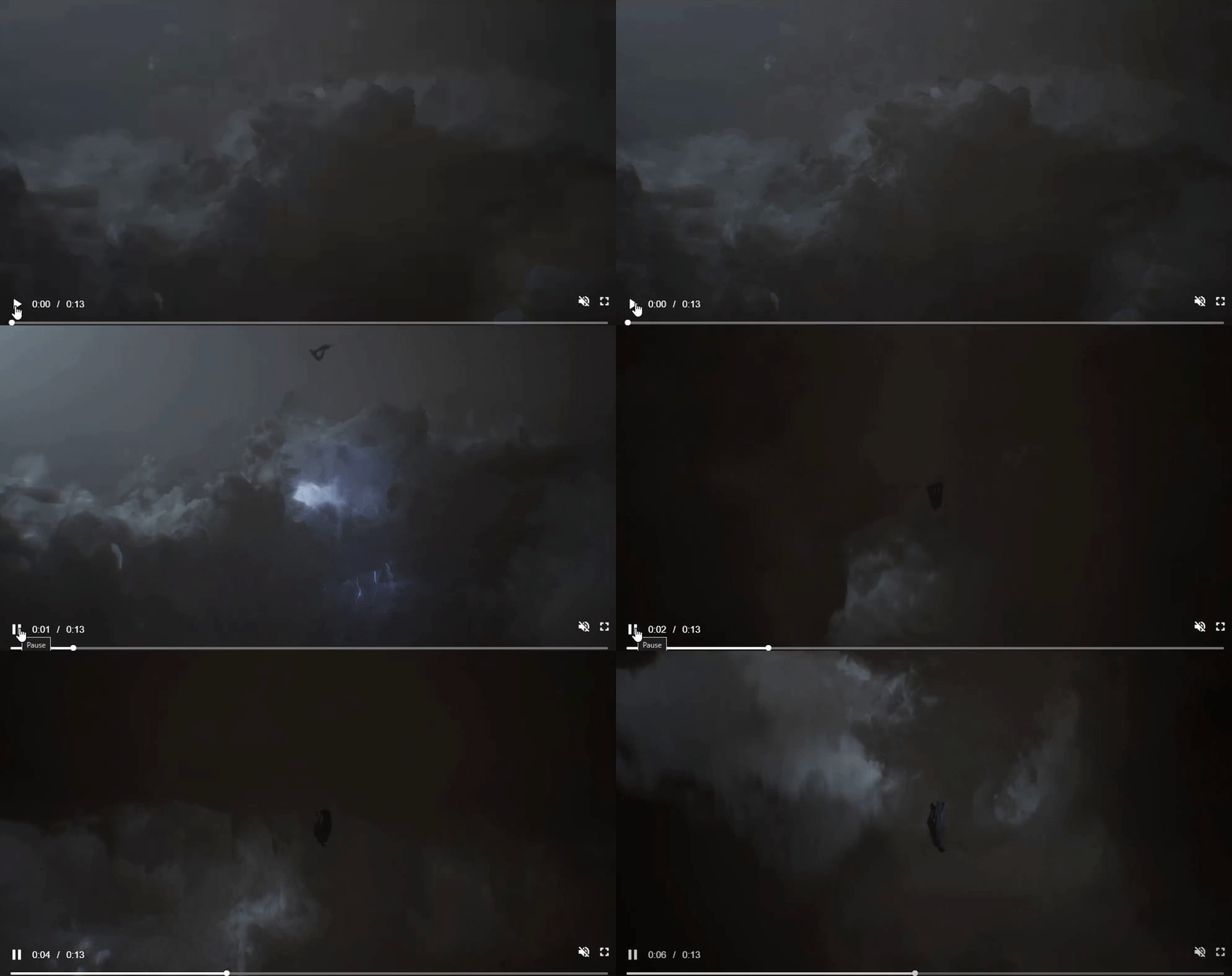 fluid yacht
gloomy sleet
wait so do you recon that all the particles used in that video are niagara?
fluid yacht
gloomy sleet
wait so do you recon that all the particles used in that video are niagara?
well i cant say for sure what ideas this devs had, but normally niagara is what u use for any particle and alike vfx
this particular blood looks like VAT (the shotgun scene), if u slow it down, watch frame by frame, u even see its not what u think, its the enemy pistol shooting first at player, then player, first the sparks, then the blood, could be also a little closer to the npc body
normally u use couple of layers of the same VAT, the VAT is just splash animation, no transforms animation in VAT, u animate its scale with niagara, u spawn couple from the same center point, with different rotations and scale anim, when they overlap it looks nice
gloomy sleet
fluid yacht
well i cant say for sure what ideas this devs had, but normally niagara is what ...
oh okay, i think i understand. thank you
dapper dawn
Hello is there a way to make a ribbon attached to an animation work in local space? The problem I'm facing is that I would like to have my melee attacks produce a swoosh ribbon / trail but my characters are often moving fast or on a moving base but the trails produced by the animations are not attached / do not inherit the velocity of the character which makes them not work well. Is there a way to have ribbon trails work in local space / attached / inherit velocity?
 north marsh
what document is starter good for realizing VFX?
north marsh
crisp shard
<@607681971627229214> i dont know how to learn houdini lol
Me too, but vfx can be created from Houdini, so it good to learn Houdini for vfx for unreal engine, so distractive and annoying to know what to learn for vfx
I think it is good for +mirror+emissive
making the geometry as +mirror emissive
 balmy heron
Check out this recent project i did :)
"Mini-Supernova VFX (Stylized Material Study)" by Ben Finkelstein https://www.artstation.com/artwork/kQVwky

ArtStation
Over the past few weeks, i've been studying Simon Schreibt's material setup for wispy looking particles, via his Wispy Boom project available on Gumroad! (https://simonschreibt.gumroad.com/l/ekfkxy)
With this project i got to go much more in depth than previously with particle behaviors, such as the jitter right before the explosion and how it r...
north marsh
crisp shard
Good Job
crisp shard
ty
plucky moss
gloomy sleet
hey so I really love how realistic and physical the blood effects are in this ga...
To be honest it's a mesh
And looks like one made in Houdini and exported as VAT
I've worked with those methods of blood
Probably you can see different patterns and it's for a simple reason, quantity, orientation, sizes, noises and vertex offset
 plain dock
crisp shard
plain dock
crisp shard
Very nice
plain dock
gloomy sleet
hey so I really love how realistic and physical the blood effects are in this ga...
A big part of getting blood right is getting the right amount of darkness. thin blood is red but it quickly starts looking black when it not geting so much light
crisp shard
@plain dock thank you,thanks for your encourage
split crane
You could play an alembic animation...
 lusty ingot
anyone know how to create fog of war?
little fable
crisp shard
i made this in 2 days
Looks awesome
crisp shard
ty
 sage fern
thanks @split hawk
hello everyone!
im kinda new to unreal, kinda old to game dev, limited shader experience but i understand most of the basics and maybe a bit more than that.
i'm trying to stylize my game with some painterly style shaders, and i had several questions about unreal's post processing. i'm just gonna start with one for now.
im trying to run a sobel kernel for edge detection. thats working fine. but for the desired effect, i need blur the sobel results and combine them back in with the original results. from what i understand, i've got two choices here - duplicate a ton of sampling and processing per pixel so i don't need another pass, or have some additional g buffer space to store the sobel results. is anyone familiar with this kind of problem?
 grizzled juniper
Hey all, anyone knows about VDB explosions?
I'm using an explosion VDB by The Pixel Lab and their own material as well, the problem is that no matter what parameters I move I'm not getting any fire/temperature colour.
Tried it in Blender and the temperature/density/scatter parameters work alright, but I can't make them work in UE.
Any ideas?

 tiny crane
grizzled juniper
Hey all, anyone knows about VDB explosions?
I'm using an explosion VDB by The Pi...
tiny crane
grizzled juniper
Hey all, anyone knows about VDB explosions?
I'm using an explosion VDB by The Pi...
I'd make sure you have the temperature set in the right channel when importing. try turning on the Blackbody or emissive from scatter bool too. but VDB's should read in like a texture they have several channels you need to break up and decide where to pipe them.
 snow magnet
How are you supposed to set that type of user parameter?

All I'm looking to do is to change the "Sound to Play" at runtime
plucky moss
grizzled juniper
Hey all, anyone knows about VDB explosions?
I'm using an explosion VDB by The Pi...
I know
grizzled juniper
@tiny crane everything appears to be in place as far as my knowledge goes although maybe, indeed, there's a swapped channel
@plucky moss and then?
 tiny crane
grizzled juniper
<@209537773965803521> everything appears to be in place as far as my knowledge g...
tiny crane
grizzled juniper
<@209537773965803521> everything appears to be in place as far as my knowledge g...
you could try all the channels plugged straight into emissive with a multiply. if that doesnt work i think its your vdb.
 craggy osprey
Not sure if this is the correct channel, but this is the closest I can think of.
Anyone run into this before? As best as I can find, the only fix is turning off anti-aliasing, which isn't really a solve.
I've never seen this happen during editor time, only during PIE.
TLDR : Heavy image ghosting only runs during PIE, only stops happening if Anti Aliasing fully disabled.
 true wadi
Hey all! A bit new to UE5 shaders, and wanted to ask if anyone knew how to make compute shaders in UE5. I've been looking to implement this ocean wave simulation by Jump Trajectory, but found it quite difficult to do anything related to compute shaders in UE5. Google isn't really of much help. My first thought was maybe using Niagara's ability to write to render textures, but I'm not quite sure. Any thoughts?


How does ocean waves simulation with Fast Fourier transform work?
Source code:
https://github.com/gasgiant/FFT-Ocean
Music:
https://soundcloud.com/igor_vaiman
Catlike Coding on Gerstner waves:
https://catlikecoding.com/unity/tutorials/flow/waves/
3Blue1Brown on Euler's formula:
https://www.youtube.com/watch?v=v0YEaeIClKY
3Blue1Brown on Four...
analog onyx
@true wadi there is a tutorial how to do that in niagara

Epic Games Developer
This tutorial will guide you through the process of making ocean simulation system in Niagara
But you can also do that using global compute shaders
true wadi
Holy shit thanks so much
 warped fox
Hey I got a quick question, I have a list view and I cannot find a way to make the text wrap? I got it to work in my other components but the replies on my widget need it as well! I cannot find wrap text for list view

 fervent thicket
Hey, ive got a question regarding addititve blend mode and depth of field. I dont know how to make the heterogenous volumes behave correct in the depth of field but i guess that is not possible right now because it just doesnt write in the depth. This known fix for translucencys where you make it render before Dof does not work here (or rather does noit give the desired result). it always uses the background for Dof. So my last resort is just to just make it be in focus all the time, but this does not work. I tried everything i could find online but it just doesnt change the Dof on the volume. Is this just a limitation that has no workaround?

 grizzled juniper
tiny crane
you could try all the channels plugged straight into emissive with a multiply. i...
grizzled juniper
tiny crane
you could try all the channels plugged straight into emissive with a multiply. i...
Still nothing, guess I won't be using this VDB.
It's probably fine but I don't want to spend time in those nodes
 sly plaza
edit:
I found the solution, just needed to add a node inside of material..
 noble wraith
Hey - could you enlighten me on what it takes to achieve a healing beam similar to TF2? I mean, more specifically the effect itself rather than how to achieve start/endpoint, etc. Thanks!


 fervent thicket
@noble wraith i would assume just some panning textures (stretched noise) along a ribbon and some small particles following that ribbon.
or a stream of thousands of small particles with spheres that are so close togehter that it looks like a beam

 blazing crypt
Hey all, I"m facing the issue when I import a VDB Sequence into Unreal , the position as well scale is off in UE5.4. Anyone facing same issue?
 upbeat fractal
Hi, I'm still very inexperienced with UE and I was watching this video ( https://www.youtube.com/watch?v=9KvUfnrHcqM&list=PLnuOQgh5p0kJo_68Yf3vRet6tCYdCH_IS&index=73&t ) on a toon outline shader when I got to the "Modulate Outlines Strokes Thickness from Depth" and when I made it in my project it doens't work properly. I don't know if I did something wrong but when I rewatched the tutorial and compared it with my code it looks like I did everything correctly and now I don't know what it is. What's supposed to happen is when you get close to things the outline gets thicker and when you get far away the outline gets thinner but for me instead the outline gets thicker when I move away and disappears entirely when I get close. Another issue I'm having is the outline on the two mannequins I have get so thick when I get far away that they become unrecognisable ( ps: ignore the terrible platform textures they are placeholders )

 craggy osprey
Not sure if this is the correct channel, but this is the closest I can think of....
craggy osprey
craggy osprey
Not sure if this is the correct channel, but this is the closest I can think of....
Bumping this, running into a double image problem, apparently tied to Anti Aliasing, anyone run into this / solved this before?
craggy osprey
nvm, figured it out I believe... was due to a shader that has apparently turned heel
 main obsidian
I have 2 post processing materials, they are material instances from the same material and the only difference is the color param that I'm using. How do I make certain things in the level use the first and the others use the second?

 vestal sphinx
// The number of lights to consider for sky/atmospheric light scattering
#define NUM_ATMOSPHERE_LIGHTS 2
Ah, yes, the compile-time constant that requires recompiling the engine to tweak instead of something that can be configured in the editor
vestal sphinx
yeah, you need to set Atmosphere Sun Light Index to 1 (default 0) on the 2nd light. Since that constant is hardcoded in source code to 2 you can't have more than that unless you recompile the engine
vestal sphinx
Actually, nevermind https://dev.epicgames.com/documentation/en-us/unreal-engine/sky-atmosphere-component-in-unreal-engine
Currently, multi-scattering is not evaluated for the second light source.
😦
Epic Games Developer
A physically-based sky and atmosphere rendering system with time-of-day features and ground-to-space view transitions featuring aerial perspective in Un...
yay for a mass market game engine harcoding arbitrary limits
blazing crypt
Hi all, I have a VDB sequence in my Sequencer, which runs fine. The only issue I'm facing is, when I make it to spawnable it disappears. Has anyone faced a similar issue in 5.4?
 crisp spruce
Hey everyone, I am trying to create an afterimage effect in VR and running into some difficulties. My current approach is to use a SceneCaptureComponent2D to get a texture render target and then set that same render target to the target render target of the Stereo Layer component. This works but I do not have control over the alpha of the texture. I tried to pass the texture in as a parameter to a dynamic material instance to manually set my desired alpha value and then "DrawMaterialtoRenderTarget" to get that Mat on the StereoLayer render target but that results in only displaying the clearColor on the stereo layers.
Any ideas welcome! Also, maybe there is an easier way to do this?
 fervent lily
https://forums.unrealengine.com/t/vr-post-process-only-works-in-left-eye/1946834
Good morning anyone lol Anyone familiar with VR and post processes? My left lens renders the shadows fine but my right lens covers everything in shadow and ignores the lighting.
If I turn off the post process then everything is fine, it's just this specific shader and I can't figure it out

Epic Developer Community Forums
Hi there, I’ve gone through pretty much any thread I can find about issues like this but non of the solutions are working. I’m using UE5.4.3 It worked in 5.3 I believe but I’ve done too much work in the new version to go back now (running out of time) Basically I have this hatching shader in my post process volume, every other shader works fi...

left eye - right eye
crisp spruce
fervent lily
https://forums.unrealengine.com/t/vr-post-process-only-works-in-left-eye/1946834...
Unsure if this is helpful but you can return which eye you are looking out of in the material graph. Maybe could help in debugging
 crisp spruce
fervent lily
https://forums.unrealengine.com/t/vr-post-process-only-works-in-left-eye/1946834...
crisp spruce
fervent lily
https://forums.unrealengine.com/t/vr-post-process-only-works-in-left-eye/1946834...
How is your post process being applied? Through a volume or directly to the pawn's camera
fervent lily
crisp spruce
How is your post process being applied? Through a volume or directly to the pawn...
It's using a volume. It has 3 post process materials, one for lines, one for replacing shadows with hatches and one for scene colourisation.
If I disable the outlines material, the shadows work fine I'm both lenses. But I have no outlines.
If I disable the shadows the outlines material then I just have no shadows.
With both enabled I have correct shadows in left eye, and fully covered shadows in the right eye for some reason.
It's really odd
crisp spruce
fervent lily
It's using a volume. It has 3 post process materials, one for lines, one for re...
May have something to do with the left eye rendering first so some input is different in the material graph on that second pass for the right eye?
fervent lily
crisp spruce
May have something to do with the left eye rendering first so some input is diff...
I'm really unsure, I haven't told the material graph specifically to render in one eye or the other. It should by default just render in both eues
Eyes*
It did before. I'm using stuff like scene texture, scene colour, world normal position etc..
crisp spruce
It does automatically render to both eyes. It runs the material twice. Once for each eye.
fervent lily
Oh ofcoruse, so then the line material causes the shadows in the right eye to completely fill the scene. If I turn the lines off then the shadows are perfect
However the lines render perfectly fine in both eyes with or without the shadow PP material
@crisp spruce
crisp spruce
weird :/