#cinematics
1 messages · Page 8 of 1
 spark magnet
 teal hearth
spark magnet
You have to scale it in whatever 3d software you exported it from. When you do t...
teal hearth
spark magnet
You have to scale it in whatever 3d software you exported it from. When you do t...
ty!
 olive sparrow
having trouble with getting ultra dynamic weather rain drops to splash on the surface of a water body ocean. I can see the splashes on the landscape underneath the ocean, but not actually at the surface of the water. has anyone encountered this before?
 graceful tundra
You are the ONE!~ thanks hey. I really appreciate your help. I'm such a noob.. so thanks for sharing!
 west fossil
Any cinematorgrpaher here?
What would be the best camera under £600
And if anyone has used “djo osmo packet 3”, should I go for it or should I wait for iPhone 16 to come
 tribal mountain
Hello guys. How do you go about getting world location of your mouse/cursor. I want to do click events anywhere in the world with the current mouse location?
 mossy drift
@tribal mountain Not sure if this is what you mean, but it shold give you ideas. https://www.youtube.com/watch?v=jwEgQBmd6PA

#unrealengine #tutorial
00:00 Click with UMG
05:40 Click with mouse cursor
In this part we move on to use the User interface (UI) to trigger an event that affects the actors in the scene. The logic is very similar to the previous steps but its good to see how its done through the UI
Additionally we see how to detect what is under the mouse ...
 gentle abyss
I have a skybox mesh I bought. It looks nice, but it requires a lot of post processing effects that can negatively impact the rest of the scene.
I want the skybox's post processor to only affect the skybox mesh, and leave the rest of the scene alone. That's it. I don't want to change anything, just change the post processor to only impact the skybox.
Is anything like this possible?
 tidal moat
Hi, does anyone know how to movie render camera cut blending?
Seems when I'm using movie render queue to render Camera Cut blending with 2 cameras, the second camera render always start at a different location and blend in to it. It doesn't start at the first camera's current frame position. What's the problem?
Is it camera blend not renderable?
 echo bramble
is it possible control Shutter speed in sequence in UE5 ?
 sweet hawk
Hello
Is It possible to update Volumetric lightings more frequently?
If you move object with volumetric lighting enabled, you will see the ghosting/trail
 autumn patio
Has anyone experienced weird material rendering errors/artifacts when rendering MRQ in 4K vs standard HD? Whenever I render standard HD all my materials are fine and everything works as expected, but when rendering 4K some of my materials wig out.
 elder burrow
Good morning, not sure if this is the right place to ask this, if its not please let me know. I am having an noise artifact when I move my camera that it takes a couple of seconds to settle
Does anyone has a suggestion of ho0w to fix this
mossy drift
@autumn patio sounds like it's running out of VRAM, Restart your machine before exporting, make sure no other programs are running, and if you can, optimize the size of your images, there is no need for 8k textures on a chair.
 fading summit
Need feedback on how can I make it look realistic.
 mossy drift
white is a bit overblown, glass needs work. if you are using an hdri to light the scene pick one with a little color, like a sunset with a blue sky. The middle item has some shading issues. maybe rotating the light a bit gets rid of them, maybe geometry, or chaning the shadow settings. the item on the right would look better with less roughness
 wild lily
Would also suggest to add some noise to the base color and subtle grime to the roughness of those materials. Because no matter what you change in material values, perfectly flat values will always look a bit unnatural
Depth of field would be good as well, to give it the impression of being shot with a real camera
fading summit
Thanks for the feedback, I'll try to update it.
Not sure why glass is not working well.
I am not using HDRI, just default sky.
fading summit
I did some changes. Not sure why some shadow on product is not being smooth and looking wierd.
I tried depth of field, but it does not look good so removed it.
 fading summit
The shadows and reflection got better. I had to enable ray tracing.

 eternal cliff
This question probably comes up a bit but is there a way to set the cinecam to work of a resolution or aspect ratio instead of a sensor width and height mm, I ask this as 99.99% of the time I render out I will be rendering out to a set screen size. I know you can set resolution on the movie render queue and thats what it renders out but I want to know if it possible to do in the cinecam itself (so I can preview how it will render out)
I am happy if i have to specify aspect ration in the cinecam settings and specify resolution in the movie render queue later. I just wonder if there is a stock UE way to do this (a setting that im missing?) or a plugin that can do that for me
 crisp horizon
Quick question:
Anyone here using After Effects with Unreal Engine who does NOT use cinema4d?
We simply want to bring in a camera and some reference plane/dummy from Unreal into After Effects and we´ve never been lucky with any out of the box solutions.
Now I just figured out that After Effects since 2023 or so can import gltf as 3d models AND extract camera from it, which Unreal Engine also is able to export natively.
Unfortunately in my first test the 3d model and the camera do not match up in after effects.
It looks like its most likely an issue with different pivot/rotation, not axis conversion and units should be the same.
 proud fossil
https://www.artstation.com/artwork/dyJyA1
how do you render such clean cinematics?
If I crank up path tracing samples it crashes UE, or never resolves the noise fully.
and if I use denoiser it creates those denoised splotches.
is there any other secret to clean photo real noise free rendering? please help

ArtStation
Environments made with Unreal Engine 5.4 and Nuke.
Inspired by Venezuela's Natural Landscapes.
crisp horizon
has anybody tried using movie render graph to render a map with a material override using the modify node? Can´t get it to work....
 rich urchin
elder burrow
Good morning, not sure if this is the right place to ask this, if its not please...
rich urchin
elder burrow
Good morning, not sure if this is the right place to ask this, if its not please...
Did you find a solution?
I also see your realtime is off?
 hardy crown
rich urchin
I also see your realtime is off?
hardy crown
rich urchin
I also see your realtime is off?
That's the reason for why it settles at all for him, since it just stops rendering after a bit..
elder burrow
hardy crown
That's the reason for why it settles at all for him, since it just stops renderi...
I see! Thank you guys
echo bramble
hello, i have a problem, my output looks much faster than on editor preview
yes, i exporting in correct count of frames
my editor is locked to 24 fps
but when i render a video and than start make a video from sequence of images
it looks way faster than on preview in editor
 dapper valve
Art Director day 2
Art direction tests for Dead Heat
#PS1 #indiedev #indiegame #b3d #JohnWick #artdeco #neogothic #Cyberpunk #eyecandy

 Twitter
·
Twitter
·
 hidden plinth
Dropping this here for level sequence expertise......
Level sequence and blueprints question:
I have a blueprint of these rotating lights -- they rotate at the start of the sequence but I'd like for them to rotate at the start of another sequence as well -- is there a way to "reset" the blueprint from the beginning upon the second level sequence running?
The blueprint acts as this: rotating for the duration of the sequence using a delay (both sequences are the same length) and stops at the end. It has several lights within the BP and a mesh.
Sequence 1 activates and works well -- sequence two needs to activate the blueprint again, from the beginning, upon it's start.
 unique ermine
hidden plinth
Dropping this here for level sequence expertise......
Level sequence and bluepr...
unique ermine
hidden plinth
Dropping this here for level sequence expertise......
Level sequence and bluepr...
select the actor and add it to the level sequence? I'm sure you have tried this. I could jump into one of the voice chat rooms and we can share screens and I am sure I can help you out.
Hey everyone I finally finished my underwater cinematic. Check it out if you have a minute 

I had an idea for a cinematic where my character was flying through the clouds. And so I created a cloth simulation and added wind in Marvelous Designer, but I accidentally…
also change setting from 1080p to 4k ( stupid vimeo)
 toxic rune
Hey all, has anyone else had this issue with looktracking? I've got my camera setup on a rail and its supposed to move smoothly however its been freaking out each time i render it. let me know you have any ideas or thoughts!!
thanks.
 trail galleon
someone knows how to resolve this render error? due to temporal sub sampling or handle frames evaluation will occur outside of shot boundaries
elder burrow
Hello good evening not sure if this is the right place to ask, I have a landscape with a several pcgs and there is a section that I wanted to highlight in after effects, but I wanted to avoid to export the data from ue5 to C4D and then to after effects. Is there a way to create a matte in unreal that I can select without duplicating the landscape? In c4d my approach to this was to enable a matte to each material. Is that possible in ue5
I know that crypto matte might work, but I have a lot of renders and I want to make the process easier and faster
 proper raven
How can I add keyframes for the player character in a level sequence?
or would I use a camera sequence?
 nova fern
Does anyone know what could cause my skeletal mesh actor to appear in the sequencer, but NOT in the renderer?
It also doesn't show up in the floating window you can get when you click on the camera, it only appears when you look through the camera in the sequencer
 lusty sigil
nova fern
Does anyone know what could cause my skeletal mesh actor to appear in the sequen...
lusty sigil
nova fern
Does anyone know what could cause my skeletal mesh actor to appear in the sequen...
Check if the actor is set to "Hidden In Game"
if you hit the "G" key in the viewport it will go between Game View. If the actor is hidden in game you'll see it disappears when game mode is on
nova fern
lusty sigil
Check if the actor is set to "Hidden In Game"
very weirdly, this ended up being it, despite me never having applied that flag before
It usually ALWAYS defaults to not hidden, until you actually get into the sequencer, give it that option, and uncheck the box
but here... sure enough, defaulted to non visible which is weird
even though yeah, I didn't hide it before at any point
lusty sigil
average unreal experience haha
if you're using one of the "latest" versions (UE5.3.2 / UE5.4) then it could be an editor bug or something
because quite a lot of bugs have been plaguing the editor for the past 6-12 months now sadly. Sometimes it's just "small" things like this, other times it's much bigger issues that cause severe performance drops 😅
nova fern
lusty sigil
average unreal experience haha
hah, yeah. we switched from Maya offline rendering to doing it all in Unreal
the speed is incredible but some of the bugs, and just a SMALL handful of lacking features, are really driving us up the wall
no shadow catchers and no proper image-based lighting for fur grooms are the main 2 making us go insane
 next vortex
Does anybody know why I keep getting these lines in my 4k render using movie render queue?

Sorry if this question has been asked before, just joined this channel like 10 mins ago
 marsh wasp
can someone help me, on how i can make focus on the "skybox"?
First image is how it looks like in editor, second is from the camera.
How can i make it focus, so its not blurry?


 glossy jasper
Hi! How do you add actors in Sequencer, without a transform track?
Theres a lot of them and I only want to control visibility
 ancient heart
hi there i'm a begginer unreal engine student, i was making dmx live show in unreal and i was wondering if i can use multply sequence so i can use in one sequence 1 setup light and ecc with other sequencer, but when i press play when i'm working on one sequence the other sequencer they not playing, i saperate difference set up on difference sequencer can i play all of them at the same time when gonna render ?
elder burrow
Hello all
my frames are coming back as black
everything was fine and I have no idea what happend


Those are my settings and my logs
 stable mulch
A quick trailer of wolverine va deadpool
elder burrow
Can anyone help ?
 grand bloom
stable mulch
A quick trailer of wolverine va deadpool
grand bloom
stable mulch
A quick trailer of wolverine va deadpool
looks great man
when i record my character with a gun using take recorder only the character gets recorded, if anyone has an idea how to also record things like the gun he pulls out, please let me know i just can't find a way

this is how it looks ingame
 stable mulch
grand bloom
looks great man
stable mulch
grand bloom
looks great man
Thanks
 final marsh
I want to add some modified particle FX that I grabbed from the marketplace to my scene. They're Cascade particle systems, they look great when I just drop them in my level. But as soon as I add them to sequencer and make them spawnable to that level sequence, they disappear and won't render with the Movie Render Queue. Is there a setting I am missing somewhere, or can UE wizards point me in the right direction? I'd rather keep them spawnable so that I don't have to add them as actors to every scene and move them out of the camera's sight. I'm also open to any other workarounds!
 next maple
Anyone knows whats happening to the hair in render they not working fine but in the scene they are perfect

 stoic brook
Hello Everyone,
So Im creating content for videomapping inside unreal, so i created multiple levels for different effects and different layers for the mapping.
Now i want to render all levels at the same time is there a possibility to make a queulist ?
stable mulch
Deadpool vs wolverine 1.2
 tall tusk
Hi i wonder does anybody know if i could render using the new Panoramic Rendering with alpha background? I know there is a tick called accumulate alpha both in defering and path trace rendering, but i cant find any tick like that in panoramic Rendering..
 dull isle
Hi, is the snapshot blueprint? the style looks awesome! How did you do that?
lusty sigil
Is it possible to make a Cine Camera basically opt out of a post process volume completely? I know that I could just override all of the settings manually directly in the CineCamera, and that would work fine. But I'd rather just click on my Cine Camera actor/component, untick a bool and now it no longer inherits from any PPV.
 edgy crown
dull isle
Hi, is the snapshot blueprint? the style looks awesome! How did you do that?
edgy crown
dull isle
Hi, is the snapshot blueprint? the style looks awesome! How did you do that?
Hey, what do you mean by the snapshot blueprint? Not sure I totally understand lol
 fallow cipher
Hey guys, howzit going? First time posting here...
40 year old, just getting into 3d animation. I always wanted to make games or make movies as a kid and went to college for it, and flunked out. Life took me on a different career path. This year, after I turned 40 I decided to try and get into some 3D animation. With software like Unreal and Reallousions iClone, animations has gotten pretty easy.
So far have been a weekend warrior, watching YouTube videos to teach myself.
Ive made a few animations so far. Wanted to share them and get some feedback.
Ive done my take of the Deadpool and Wolverine movie
I am definitely struggling with lighting and framing my shots.
The action stands a lot to be worked on, however I am getting the basics. Still need to learn how to ragdoll and use physics with my animations

Spoiler warning
My recreate of the Deadpool opening scene using Unreal and iclone
This is another short animation I did using Replica Studio to Iclone to Unreal Engine workflow
My channel has a handful of other videos if you wanna take a look

 south dust
lusty sigil
Is it possible to make a Cine Camera basically opt out of a post process volume ...
south dust
lusty sigil
Is it possible to make a Cine Camera basically opt out of a post process volume ...
I believe you can make the post process volume inheret from the cinecamera. So as long as your camera exposure is viewable for work, you should be good.
Otherwise you will have to use overrides in your cinecamera, but that's fairly easy. I'm not sure exactly what pp effects you need in your volume that you wouldn't have in your camera though, unless you're talking about a game cinematic rather than linear content renders?
lusty sigil
south dust
I believe you can make the post process volume inheret from the cinecamera. So a...
Ahh makes sense, yea I'll just have to override the settings on my camera directly then. Usually for pre-rendered cine work, I put a lot of the settings in the PostProcessVolume rather than directly on my cameras since I usually use Spawnable cameras per-shot, but need them all to have the same general settings applied. So i just do it via the PPV.
But atm in this case, I need to fully disable the PPV from affecting just one of my cameras, but the PPV isn't accessible because it's stored inside a Level Instance.

Thankfully it's only 1x cine camera component contained inside a Blueprint that I need to remove the PPV effect from (since that camera is only supposed to capture a render target before certain post processing effects are applied). If i had to disable it for multiple cameras though, it's be a pain. Wish there was just a simple bool on the camera component that stops any PPV from affecting it. 😅
south dust
You could actually make your own blueprint containing a cine camera and create that functionality in blueprint yourself, I believe
But I haven't tried it, but I could see it being useful. You could read presets from a datatable and use that to drive all of the cinecam settings from a single drop down, etc. Very powerful
I just don't know how that would behave in sequencer, is all. But worth a quick test!
In fact you could make a central BP camera manager that has that tick and communicates to all cine cameras to enable or disable too. Then you can have exactly one bool to control all the cameras found in your level automatically
That's how I would approach it (then sequencer can still be using vanilla cinecams while all the logic is in that second manager bp)
 noble kraken
Hello, how can I change the camera settings so it fit 351x720 ?
the sensor width and height I mean and then the resolution
 lavish rain
Hello!
I'm using Movie Render Queue to render a scene with cinematic cameras that includes Nanite meshes. It seems like the LOD/Nanite fallback mesh isn't updating based on the cine camera's position. Does anyone have any ideas on how to fix this?
 wheat karma
How do you fix parts of your scene not rendering in Movie Render Queue? I've never had this happen before? Could it be an issue with UE 5.4?
 vestal lion
Honestly, don't know which channel to post this in, so I'll just drop it here. I have a problem with an object in sequencer. The tree is supposed to appear when it's outside the cube, it's achieved with an animated masked material and everything works perfectly when I move the cube manually in the viewport, however when I animate the cube it doesn't update during the animation. ANY help would be greatly appreciated!
Here's a janky video to show what I'm talking about
wheat karma
wheat karma
How do you fix parts of your scene not rendering in Movie Render Queue? I've nev...
Here's what have in the viewport and here's what's rendering


 rain jungle
wheat karma
How do you fix parts of your scene not rendering in Movie Render Queue? I've nev...
rain jungle
wheat karma
How do you fix parts of your scene not rendering in Movie Render Queue? I've nev...
Does your level sequence have a Camera Cut track that is bound to the camera you want to use? Looks like it's rendering from a different camera actor
 mild forum
Hey everyone, I hope someone has an idea what the problem is.
I set up a quick cinematic on a prebuild map. In sequencer everything looks fine but the render… When I go into playmode the stuff is there.


 proper pawn
mossy drift
proper pawn
mossy drift
there is a niagara specific channel
 tight stone
Most Sequencer /MRQ issues are actually caused by game code conflicting - either you have sub levels set to blueprint streaming, or you don't have anything in game that makes the data load like you loaded it in the editor, or you have hidden in game checked, or you have actual code that is running and fighting/overriding sequencer.
MRQ is just a PIE session. Close Sequencer and autoplay it with a Level Sequence Actor and get that working first and then MRQ should work
 lone frigate
Hi! Is there a way to create a cinematic video, with cinematic graphics, while still remaining high fps count? When my scene is set up, my fps is around 14 fps, depending on what I'm looking at(with cinematic graphics). When the graphics are set to low, my fps count is around 80-100. I want to create a cinematic video, but with high fps and good graphics.
lusty sigil
lone frigate
Hi! Is there a way to create a cinematic video, with cinematic graphics, while s...
i'm not sure what your PC specs are, but do you plan on this cinematic being shared as a realtime project? E.g it plays live in-game? Or can it be pre-rendered? Usually the best workflow imo is to pre-render it where possible. It means that you can lower the graphics settings a bit in the engine, and only bump them up when you need to render the output. Before I upgraded my PC, I would often do cine work in Unlit mode to gain back a significant amount of FPS, then I'd make sure Movie Render Queue always rendered at the highest settings.
If your sequence needs to be rendered in realtime then you might have a bit more of a problem. For that, you might need to optimise your level/lighting/assets/etc.
tight stone
lone frigate
Hi! Is there a way to create a cinematic video, with cinematic graphics, while s...
Movie Render Queue
Oops Frostbite already said that 🐸
lone frigate
@tight stoneI rendered it in png format, I have like 2500 pictures. But I want it to play it like a video
tight stone
There are many tools that can help you turn an image sequence into a video file, ffmpeg is a common one, but there are others that may be easier to use.
lone frigate
Ok. But is there an other format I could use? So that I dont have to convert it always
tight stone
The engine has Avid DNxHR and Apple ProRes video support (as plugins) but they're meant for media professionals and aren't easily viewed by regular video watching applications, so probably not.
lone frigate
Ok thank you. I rendered the image sequence in blender, it works pretty good. If you dont mind me askin, what would you say are the best settings inside movie render queue, to get very high quality and high fps, but also that the render wont take 2 hours to get done.
elder burrow
Hello not sure if this is the right place to ask this, I have a camera movement that is looking at an object. I want to export the camera to after effects. So I am selecting all the elements that I want and export, in C4D I am importing as an fbx, since I am looking at the camera in UE5 I have parent the camera to that object, but the movement is not the same, has anyone experienced this?
 sleek kiln
has anyone ever seen this? why cant i turn it on?
 muted pond
Hey ya'll - can you render out Chaos cloth simulations?
 timber horizon
any idea how to fix near plane clipping from THAT far?
I have my near plane clipping changed in project settings to 0.5 and I've resetted editor few times
Ikr camera clipping is to be expected but that is way to far to clip
focal length is at 70mm if that changes anything

 hollow mesa
I think near clipping plane in the project settings is for your viewport's clipping distance. I believe the cinecamera should have a clipping plane you can set
 livid light
One message removed from a suspended account.
 cinder fable
Howdy! any tips on creating a crowd of alembic cache charging down hill? I've tried using the spline path which works abit fine, as my shot is from afar... but I can only do one Alembic attached on a BP.. was having thoughts on trying other methods on making crowd in unreal as different methods have a pain staking long set ups for it to work properly (and ofc if the results are good for my cinematic scene)
 jaunty bough
Allo allo! This is a bit of a weird one, but has anyone encountered a way to trigger UI in Sequencer? The game I'm making cinematics for use WBPs for their UI elements, but I can't seem to find a way to have them trigger via Sequencer without a plugin. Any help would be amazing. cheers!
 runic spoke
hey guys quick one please, im exposing a variable to cinematics and i can see how it increases in my detail panel but in the actual sequencer is not updating, any ideas ?
 calm birch
Hey guys, having issues with my virtual textures. They are fine in viewer, not blurry at all. The moment i hit render they keep blurring overtime. Anyone had this issue?
 fleet jungle
jaunty bough
Allo allo! This is a bit of a weird one, but has anyone encountered a way to tri...
fleet jungle
jaunty bough
Allo allo! This is a bit of a weird one, but has anyone encountered a way to tri...
check out the Sequence Director, you can trigger any logic from it
fleet jungle
runic spoke
hey guys quick one please, im exposing a variable to cinematics and i can see ho...
is the variable keyed in the level sequence?
runic spoke
fleet jungle
is the variable keyed in the level sequence?
yes, i gave up and used another bp instead (directional light instead of a custom bp that emulates directional light)
fleet jungle
sometimes the best way is just another way
runic spoke
thanks anyway mate
spark magnet
Hey 👋. I have a big question.
Has anyone ever had to deal with importing a destruction alembic cache from Houdini but getting an error about 5 vert faces?
My teammate has tried everything on his side to make sure it’s only tris and quads but I’m still getting that error when importing.
Any help would be appreciated greatly!
 primal surge
Im filming new cinematic (1920*1080 - 24 fps) but I need render setting for youtube and instagram in premiere pro. I tried so many render settings but not good. When I uploaded youtube, I dont know why, video looks tresh all the time. Do you have any suggest for that? I need for instagram setting too same time.
Last time, I tried this one. But not good. I need 1080p setting by the way. 2K is already good in youtube.
How To Export 1080P, 1440P or 4K 60 FPS Videos from Premiere Pro optimized for YouTube. Best Export Settings for faster rendering and best quality at the same time! I'm using Premiere Pro 2022 in this tutorial.
SUBSCRIBE for more: https://bit.ly/3zzcvb7
Premi...
 toxic oyster
im trying to render a simple scene, but its stuck at doing this until it doesnt have enough memory and crashes
 primal surge
toxic oyster
im trying to render a simple scene, but its stuck at doing this until it doesnt ...
primal surge
toxic oyster
im trying to render a simple scene, but its stuck at doing this until it doesnt ...
What is your resulation and gpu memory?
hollow mesa
runic spoke
hey guys quick one please, im exposing a variable to cinematics and i can see ho...
Also have to make sure your blueprint is set to run construction script during sequence
hollow mesa
livid light
One message removed from a suspended account.
Just replying to this for anyone looking for answers in the future, I find that sometimes undoing an action will cause sequencer to lose track of spawnable objects like the cine camera 🤷 (You'll know this is the case if the icon for the object is a bit greyed out as well) I've found I can fix it by right clicking and 'changing' the class back to whatever it was. In this case cine camera, but I've also done it for static meshes or BPs (have to actually specify the blueprint by name in the class dropdown). It can be tedious if it loses track of a lot of objects, but it usually does the trick
 hollow mesa
sleek kiln
has anyone ever seen this? why cant i turn it on?
hollow mesa
sleek kiln
has anyone ever seen this? why cant i turn it on?
I think this is just a case of it not being an object that should be exposed to cinematics. At least in that way. You're trying to expose a static mesh to cinematics it looks like. I'm going to assume because you want to control it's transforms, but this will hold true for whatever you're trying to do. Use the construction script to drive the transforms and create a vector/rotator/etc variable. Expose that variable to cinematics and make sure you have run construction script in sequencer enabled in your BPs class settings. You'll be able to control it that way
hollow mesa
sleek kiln
has anyone ever seen this? why cant i turn it on?
Just saw your post in the sequencer channel as well. Now you've got me curious, since the other guy seems to imply that you should be able to do this. How strange. I wouldn't have through you'd be able to expose an actor that way, but maybe you should be able to? Curious if others will chime in
 gaunt basin
Sorry for the screen photo, but if my media tracks look like this, what setting do I have to change to make them look normal again?
In other projects they're a lot more bulky and show the name of the file that's used there.
I have no clue how I changed this to look like this.
 hollow mesa
gaunt basin
Sorry for the screen photo, but if my media tracks look like this, what setting ...
hollow mesa
gaunt basin
Sorry for the screen photo, but if my media tracks look like this, what setting ...
Is there an option to expand them next to the track name to the left, just outside the picture? I don't use media tracks but I'm just spitballing here
gaunt basin
hollow mesa
Is there an option to expand them next to the track name to the left, just outsi...
Sadly no
runic spoke
hollow mesa
Also have to make sure your blueprint is set to run construction script during s...
many thanks!
 fierce jungle
Anytime I close the editor, bound tracks gone missing. Anyone knows the reason?

I get "The object bound to this track is missing" when I hover CharacterMesh0
fierce jungle
There is a bug it seems. Whenever I restart the project the data in the Binding Properties gone missing. I saw a lot of stuff changed in 5.4 so it's potentially related to that. Reported the problem.
 cloud plank
fierce jungle
There is a bug it seems. Whenever I restart the project the data in the Binding ...
cloud plank
fierce jungle
There is a bug it seems. Whenever I restart the project the data in the Binding ...
Same issue with me
 sudden badge
guys davinci resolve or after effects for composiitng a 10 second render scene?
 autumn belfry
I'm excited to share with you my new animated short film: NEW SPECIMEN
Made with Unreal Engine 5.4, Metahumans, MoveAI, Marvelous Designer & DaVinci Resolve
Link → https://youtu.be/P14mcurpFaE
elder burrow
hello, I am in 5.4 and my foliage when I animate the camera is disappearing some small random sections
the anti alising is 2 x16
I am using the console variables
r.Raytracing.Geometry.InstancedStaticMeshes.Culling 0
r.forceLOD 0
foliage.forceLOD 0
raytracing.culling 0
any suggestion why is this happening and how to solve it?
toxic rune
Hey all does anyone have any experience with the camera on rails? when i render out my video its doing this strange hitching issue
Apologies for the poor quality but here is the issue
very strange, i could not seem to find much online about the issue

this is the path it follows, it goes back and forth a couple of times
hollow mesa
toxic rune
this is the path it follows, it goes back and forth a couple of times
Can you post a screenshot of your sequencer timeline for the camera?
toxic rune
hollow mesa
Can you post a screenshot of your sequencer timeline for the camera?
sure, here is the timeline


and also the curve
hollow mesa
What is the Absolute P value? As in, what purpose does it serve?
toxic rune
its the value of the location of the camera on the rail
hollow mesa
The stuttering you're seeing reminds me of when I use Constants as keys to switch mesh locations, so I'm wondering if it's something related to that. But it doesn't look like you have any drastic location shifts keyed anyways, so perhaps a dead end
toxic rune
yeah its odd, it only glitches out like this when "played" but automatically moving it does not cause any trouble.
its a very strange issue
not much that i could find online about it
hollow mesa
If you jump to your keys, are they set to whole numbers? Or like. Frame 15.68 sort of thing?
They should be whole numbers, but I've had that happen before, so it's good to rule that kind of thing out
 last rain
Hi! What is the best way to create camera shake for cinematics with sequencer? I watched couple of tutorials and they created camera shake with blueprint "camera shake base" and with perlin noise. BUT the big problem is that the noise is always random which is not good in cinematics. I couldn't find a way to so it would force to use certain seed for noise. Or is it better just manually key frame camera movement to mimic camera shake?
 unborn pulsar
Hi, I'm new to unreal and I'm following this tutorial. I'm using the latest version of unreal. I'm not getting the result in the video the same as mine. I mean, it works but the deformation of the landscape is not the same as seen in the video even if I set the values correctly. Please click on the video, it will direct on the timestamp im talking.
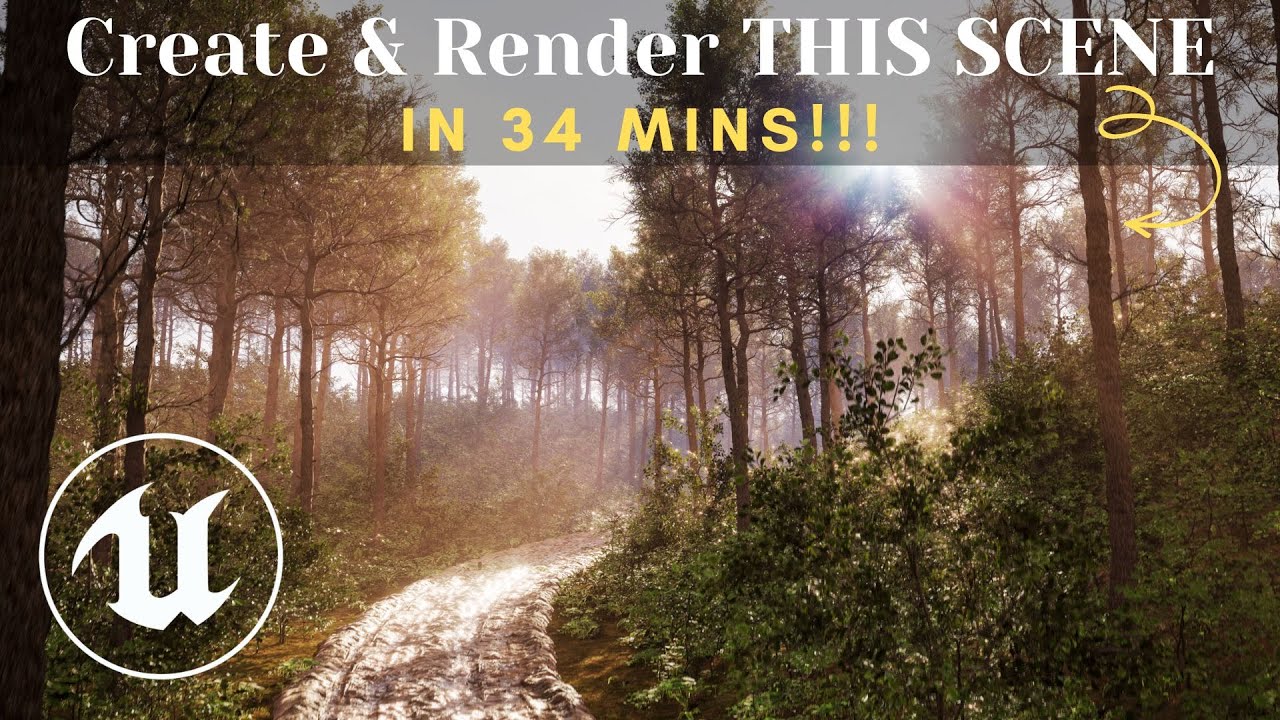
In this video, I will show you how to create and render this forest road animation inside unreal engine 5.
Special Assets on my Patreon: https://www.patreon.com/hojdee
Free assets on my website: https://www.hojdee.com/courses-details/free-downloads
Subscribe for more!
RELATED VIDEOS:
World Creation Playlist: ht...
rain jungle
last rain
Hi! What is the best way to create camera shake for cinematics with sequencer? I...
Tried baking it? https://forums.unrealengine.com/t/is-there-a-way-to-bake-the-camera-shake-values-to-the-keys-in-sequencer/213060/16

Epic Developer Community Forums
You can bake out camera shake with the Bake Transform tool in Sequencer. Here in 5.3, I’ve baked the camera shake track, which ends up muting it and creating another transform section that has the baked keyframes.
last rain
rain jungle
Tried baking it? https://forums.unrealengine.com/t/is-there-a-way-to-bake-the-ca...
Thanks, I will try that!👍
last rain
Actually the easy solution to this was to just use "Wave oscillator camera shake pattern" which is always the same instead of "perlin noise"
 junior basin
Is there any way to setup supersampling to run in renders from MRQ but not run in editor?
Also, is there a good guide anywhere for using DLSS/DLAA focusing on render quality, not on speed optimizations?
tight stone
I don't think DLSS/DLAA will ever add quality compared to a real native render
You can use the console commands/cvars setting to add console commands that get run in MRQ, r.screenpercentage might do what you want
 undone geode
Any VDB SVT experts here? What causes your SVT's to be culled after a certain distance from the camera?
 fossil storm
Hello. I'm on 5.3, and I can't for the life of me figure out how to avoid grass pop-in while rendering with Movie Render Queue. I have to turn off the grass flush option as it fills my GPU and crashes. I've tried adding a pretty long engine warm up period in the AA settings. Still, grass spawns in square sections as the render cam gets closer.
Any tips on what I might try next?
 covert crag
fossil storm
Hello. I'm on 5.3, and I can't for the life of me figure out how to avoid grass ...
covert crag
fossil storm
Hello. I'm on 5.3, and I can't for the life of me figure out how to avoid grass ...
Is it landscape grass or foliage?
You can crank grass.CullDistanceScale to 10? (or something that doesn't crash the GPU 😅 )
foliage also has foliage.CullDistanceScale. Most settings has some sort of Scale or Bias cvar you can adjust.
covert crag
Then grass.CullDistanceScale 2 should double the distance if I remember correctly
fossil storm
I changed it to 4, and it works exactly as you described. The grass cull distance is 400% farther away. In the render, however, the pop-in is still prevalent. For the most part it happens father away, but now some sections of the grass actually stay unloaded until it nearly reaches the camera. It seems there is too much info being written to the GPU for it to keep up.
I will try and change away from DLSS (this is a preview) and do temporal AA instead. Perhaps that will slow down the render speed to something that would help the system evaluate the frames better.
That being said, the sequence runs just fine in the editor using normal cull distances.
 plush mesa
Hi guys! Using Path tracing with MRQ causes issues, shadows are missing, the render looks flat, not sure what causes it, any ideas?

In lit mode in editor foliage has way more shadows
 plush mesa
Looks like my sun is not casting shadows in Path Tracing mode. I'm using Ultra Dynamic Sky for lighting btw (but I checked the path tracing option)
plush mesa
Do you guys know of a website where I can hire someone I can send the project to so they can fix the issue for me ASAP? My deadline is tomorrow and this is driving me mad
plush mesa
plush mesa
Hi guys! Using Path tracing with MRQ causes issues, shadows are missing, the ren...
I fixed the issue by enabling dynamic shadows on all foliage (they had contact shadows only)
 fast rose
Has anyone ever produced a cinematic short film using multiple versions of Unreal, then stitched together the clips to make the final result? Known issues?
mossy drift
I see no potential issues. the same exact scene might look a little different if you used different lighting techniques but apart from that they shold look similar.
fossil storm
plush mesa
Do you guys know of a website where I can hire someone I can send the project to...
If you ever get stuck and need help in the future, I recommend posting a detailed request on the job boards on this discord. People respond pretty quickly.
 cursive crown
as you can obviously tell i've been using quixel to put together this cave. though I'm not sure what kind of workflow id follow to blur this ugly intersection between the roof and wall
 plush mesa
fossil storm
If you ever get stuck and need help in the future, I recommend posting a detaile...
plush mesa
fossil storm
If you ever get stuck and need help in the future, I recommend posting a detaile...
Oh yeah, I'll definitely do that next time, thanks!
 red cliff
cursive crown
as you can obviously tell i've been using quixel to put together this cave. thou...
red cliff
cursive crown
as you can obviously tell i've been using quixel to put together this cave. thou...
You could allways just blurr the background by changing the camera focus or add a mist/fog in the cave. There are plenty of ways to be creative when it comes to hiding less pretty stuff in a cinematic 🙂
cursive crown
red cliff
You could allways just blurr the background by changing the camera focus or add ...
ah ok sounds good!
 burnt siren
I was going to ask if this would be the right place to ask about making conversations in first person feel engaging without feeling too weird, since I can't do cuts and whatnot, but I think I just remembered something relevant that should help (and probably explains why Bethesda games' conversations feel weird) me avoid the worst of it.
I recall reading that, generally, listeners look at the person they're listening to, but speakers usually just 'check in' at key moments without tunneling on the listener, even if they're only talking to one person, and two people actually looking at each other's face is only a small part of most conversations (with direct eye contact even rarer)
Unfortunately I can't find where I read the bit that covers that difference in listener and speaker (I can find the surprisingly low amount of face-to-face contact and lower eye contact one), given how much of the internet is trying to sell 'stare at their eyes 100% of the time' as some sort of conversational superpower for business dealings and pick-up artists...
All that said, any further advice or videos to check out with a focus on first person cinematography would be appreciated
 celest oriole
This is the exact same camera. The left image is view from the camera in Unreal's two pane layout, and the right is from the same camera in its own viewport. Why are they so drastically different?

Ah never mind, the two pane layout has the second view defaulted to the top view but I had the transform of the camera locked. Just switched it back to Perspective
 graceful oxide
Hello hive mind! Im looking to the render graph in 5.4 and would like to understand how to render out multilayered EXR using the render graphs, but im failing to under stand how to set up the nodes? I wants me to connect the .exr sequqnce (multilayer) to the Globals. Does any one know how this works ot able to point me in the right direction?
tight stone
graceful oxide
Hello hive mind! Im looking to the render graph in 5.4 and would like to underst...
I don't understand the question, make a multilayer node and connect it somewhere in the branch named Globals
 neat arrow
I brought in a groom from another DCC and it looks fine in the viewport render but the final render has a ton of lighting glitches, looks like the lights is hopping around all over the groom. Does anyone know why this is happening?
 restive sinew
Is there any plugin for ue5 that mimics lidar in dji? It would be cool to see and pull focus similar lidar stuff hehe.
I assume this can be done with multiple linetraces hitting a certain area and translating it into dots like topdown like what dji shows on their 4d hehe
sweet hawk
I need help with Path Tracing.
For some reason, when the character Is located at 0 0 0 , Path tracing render doesn't render properly the objects.

This happens very frequently
 brazen magnet
sweet hawk
I need help with Path Tracing.
For some reason, when the character Is located a...
brazen magnet
sweet hawk
I need help with Path Tracing.
For some reason, when the character Is located a...
Does same happen in lumen
Could be bounds issue but probably not
sweet hawk
No. I found a cause, Its somehow related to Sky Creator
 flint carbon
Anyone know why Pathtracing render looks so blurry when viewport is very clean and sharp? I used 32x32 sample (total 1024 sample). Whatever i do it, it looks very blur
 stark igloo
hi i need a camera tilt - shift tutorial / solution , not for the third person character but for the camera
does anyone has one ?
tight stone
flint carbon
Anyone know why Pathtracing render looks so blurry when viewport is very clean ...
Do you have a lot of motion blur? It doesn't preview in the viewport (when stepping through frames/scrubbing) and it'll make it look blurry because it renders 32-sub steps so if the objects are moving then that might be why
 primal solar
Hi every one!
Has anyone managed to use WPO with path-tracing? I'm using 5.3, have some instanced Megascan foliage and would like to enable movement like wind or scaling using World Position Offset?
I'm also having issues rendering particles and so far I haven't been able to find anything remotely interesting regarding those problems on the web...
 sudden stirrup
hey anyone know what subject I need to google to fix this polygonal look in path trcing?

also anyone got any idea why my textures are blurry in path tracing. i.e I have a letter and the writing in the textures etc are blurry
tight stone
primal solar
Hi every one!
Has anyone managed to use WPO with path-tracing? I'm using 5.3, ha...
I think you have to check something on the mesh component? It requires the renderer instances each mesh using WPO to put it into the raytracing acceleration structures so it's expensive
primal solar
tight stone
I think you have to check something on the mesh component? It requires the rende...
You mean the "evaluate world position offset" checkbox? It is checked, both in the mesh components détails and the material
tight stone
If you take it out of the instancing does it work? May not support Instanced Foliage
primal solar
Not instanced, it does work, yes... But as you can imagine, I have quite a number of instances, so uninstancing them is going to have a huge impact on performances, and even though it's for some offline render, I do need to be able to work in the editor 😅
 ebon shoal
I am looking for some help on this. I can not figure this out. I have made bink videos that play inside my scene. Inside sequencer they play in realtime and everything looks great. When I render the sequence out the videos do not play in realtime, they are slow and lagging. Anyone every run into this?
tight stone
primal solar
Not instanced, it does work, yes... But as you can imagine, I have quite a numbe...
Using WPO with PT would effectively uninstance them too because each instance has to run wpo to modify vert positions and then reinsert itself as a unique object in the raytracing acceleration structures
The only frame accurate video format is generally image sequences, not videos
Though even then that can have issues around the first frame of a shot so you might need to make a fake extra frame in every shot
primal solar
tight stone
Using WPO with PT would effectively uninstance them too because each instance ha...
Thank you for your answer.
 harsh frost
Anyone know if/how to get Tessellation through the material in 5.3 to show up in pathtracing? Is it even possible?
I have the following enabled in the engine.ini -
r.Nanite.Tessellation=1
r.Nanite.AllowTessellation=1
r.RayTracing.Shadows.EnableTwoSidedGeometry=0
Wall is still flat when switching to PT.
 valid stirrup
hi all - i'm trying to figure out how Mark is creating this slight fisheye / dof / real phone lens effect https://youtube.com/shorts/MR36BNZuYt4?si=JLDzbuAT2PxnyydQ
any advice would be massively appreciated!

Deadpool doesn't want to be caught oogling Wolverine's washboard abs. These sunglasses should do the trick.
#deadpool #wolverine #deadpool3
 dull cove
Hey everyone! For some reason tracking/manual focus is not working in project on any level. It only works if the focus distance is very small, like 1.5 cm. I am not using any crazy Min/Max focal lengths, just the 30mm Prime f/1.4 with min max focal length of 30 mm. I do have a sequencer, but these values or not being animated anywhere.
(I don't know if its related, but the debug focus plane is also a grey-ish color instead of the usual purple)
Does anyone have any ideas? thanks in advance
 twin ore
I need help with a camera thing. When I try to render a sequence, the render just stays on a single camera angle rather than tracking the movements I made with the camera. Did I miss a step somewhere?
tight stone
Did you make a camera cut track on sequencer that tells the engine what cameras to look through?
twin ore
tight stone
Did you make a camera cut track on sequencer that tells the engine what cameras ...
I thought I did.

 deep pilot
hi, Im trying to make a short film in UE5 and i was just wondering, is there some sort of way to make footsteps dynamic in engine without having to add them in post? Similar to dynamic footsteps for Games but for Cinematics and Animations?
sweet hawk
G'day.
Could someone help me figuring out this problem?
For some reason, Volumetric fog lighting is visible through mesh, even tho the spotlight inner & outer radius doesn't go beyond the model.


 rough jay
 dapper stone

 vivid wolf
Hi guys, I was wondering if you could kindly help. The issues I have are rectified once the camera is closer to the objects. What settings do I need to change to keep the quality as high as when I'm closer? The image with numbers is from further away while the other image illustrates the improvements when closer. These are the following issues:
1 - Shadows don't appear when further away. Where in my settings can I improve this?
2 - Reflections aren't accurate. Where can I improve reflections in my settings?
3 - Strange artifacts when further away in the reflections, I also notice this whenever there is an object in front of the reflective water.. What do I need to do to resolve this? Again this appears to go away when the camera is closer.


I'm using a HDRI to light my scene.
Should I be asking this question in another place?
mossy drift
@vivid wolf try r.shadow.distancescale 0 and r.Raytracing.Culling 0
this two will cause performance to suffer so they are more for render cinematics.
vivid wolf
mossy drift
<@494478459133886474> try r.shadow.distancescale 0 and r.Raytracing.Culling 0
Thank you, It's for a cinematic video for a client so I will give that a go. I'm not using Ray tracing though.. should I?
mossy drift
l beleive lumen uses raytracing
jus try and see
it might be some other thing, but those two settings have bailed me out before
vivid wolf
r.shadow.distancescale 0 didn't have any change to the issue pointed out in 1 on that short list. and I can't see any improment on the reflections with it either. I'll try the raytracing now.
 mossy drift
nice job, looks very realistic
the water is too bright
try turning off (or on) screen traces
vivid wolf
hmm, sorry but where would I do that?
mossy drift
sometimes reflectios look better with it on.. sometimes with it off
post processing volume
vivid wolf
Looks better on, don't you think? Shadows now look black
 mossy drift
hmm worse in this case
it was better before, maybe lower the specular value of the water
vivid wolf
@mossy drift Thank you so much! I really appreciate your guidance and this has solved all 3 issues. It was initially set to r.Raytracing.Culling 3.
mossy drift
ya welcome.
vivid wolf
Do you think this looks better? I've lowered the Specular amount on the water material and I think this works?!


 timber jay
sup guys, i'm desperately trying to find out why the assets inside of the hourglass piece are not rendering no matter what I try, any leads ? thanks
 mossy drift
vivid wolf
Do you think this looks better? I've lowered the Specular amount on the water ma...
mossy drift
vivid wolf
Do you think this looks better? I've lowered the Specular amount on the water ma...
Looks more natural 👍
mossy drift
timber jay
sup guys, i'm desperately trying to find out why the assets inside of the hourgl...
Try r.Raytracing.Culling 0 if it's far.
timber jay
didn't work unfortunately, very weird
there's a few assets I need to pin in order to see them when I boot up the project
timber jay
found it, just had to uncheck this
 ancient heart
hello there i'm a new unreal user from blender and i was animating the camera of my scene and i was wandering if i can manipulate more this keyframe, like have 2 handel to increment an is in is out like blender
 undone geode
Outside of what's available in Megascans, can anyone recommend dynamic photoreal vegetation and/or tree packs suitable for archviz or even for final pixel film projects?
 topaz violet
Hello guys 👋
When you try to blend from a normal camera actor (player camera) to a cinematic camera (sequencer) , I get a weird camera popping in the beginning and ending of the blending.
Does anyone know how to fix this? 🤔
 wary oak
So I'm trying to match up the end of my cinematic exactly with the player camera, but it seems impossible as even though the coordinates and focal lengths match exactly it still looks really different between the two, so there's a really jarring cut when it switches between them. Any way to fix this?
tight stone
Use camera blending, it's passing a camera cut flag when you don't and that resets TAA/TSR, screen traces, etc
tight stone
ancient heart
hello there i'm a new unreal user from blender and i was animating the camera of...
Change the key frame types in the right click menu for them, you're probably looking for User and then Weighted Tangents being enabled
 stone coral
Does anyone know the problem that the take recorder only wants to record in 60000 fps and if I put it to 25 or anything else and I leave the window it snaps back to 60000? I have no control over the take recorder recording fps
sweet hawk
That never happend to me
Anyone know a command to increase the shadow limit?
If camera is far far away, shadows disappears.
undone geode
I have a Blueprint manager class which instances many Blueprint actors to create a flocking behaviour.
The actual animation is handled OnTick in each instanced actor.
How do you enable tick based animation in Sequencer for a cinematic?
 crystal pecan
So i'm having a hell of a time. UE5 was outputting world depth passes before today but now it refuses to do so. I was getting an error before, but not in this most recent attempt: "not all frames were fully submitted." What does this mean? I've tried both deferred and path traced and neither will output world depth passes in my project anymore.
 ebon quarry
can you make a level sequence have it's transform relative to the actor ? im trying to make it so i can place these actors thorughout the world and when interacting, the level sequence will play but this way i won't have to remake the level sequences and the cameras, so they'll spawn and transform relative to that actor
ebon quarry
tight stone
It's a property on the level sequence actor
amazing news , just getting into level sequences / cinematicss
thank you
ebon quarry
after adding the actor to the sequence, how do i have the camera "attach" to it ?
i think i found it

the transform still seems to be world based and no off of the actor, would there be a way to have the camera spawn x distance away from the actor ? and relatively transform it from there?
tight stone
If you're editing you have to choose which actor in the level to be relative to with the menu in the top left of sequencer iirc
For the whole level sequence to be shown relative to that actor
When you use the attach track then I think the transform is relative to the object it's attached to
undone geode
How do ypou ensure the current viewport doesn't change when entering PIE?
I've deleted the PlayerStart but on entering PIE a PlayerCameraManager component is created and my viewport changes.
The problem and challenge for me is
I've had to change WorldOrigin in the construction script of a ActorBlueprint and when you enter PIE it always assumes a World Origin of 0,0,0!
Sort of a chicken and egg problem.
 undone geode
Any Lumen experts aware of any specific console commands that enable highest quality Lumen renders?
ie reduce ghosting, shadow noise, etc.
Since its for a Cinematic performance is secondary!
ebon quarry
tight stone
When you use the attach track then I think the transform is relative to the obje...
nice yea this worked thanks
crisp horizon
Quick question:
Does anybody know how I can have engine warmup frames AND use nvidia DLAA in MRQ?
As far as I understand, DLAA replaces anti aliasing, so if I use both I´not sure wether DLAA even does anything.
But for some effects and especially foliage hacks I´m using, I need warm up frames.
So...what do I do here?
Do I just disable "TSR" and set anti aliasing to override?
Doing some tests rn myself, but I´m a bit pressed for time to render this out...
 vernal schooner
vivid wolf
Do you think this looks better? I've lowered the Specular amount on the water ma...
vernal schooner
vivid wolf
Do you think this looks better? I've lowered the Specular amount on the water ma...
much better, before it was brighter than the sky, now it looks correct
 astral flower
tight stone
crisp horizon
Doing some tests rn myself, but I´m a bit pressed for time to render this out...
astral flower
tight stone
crisp horizon
Doing some tests rn myself, but I´m a bit pressed for time to render this out...
Warm up frames - set engine warm up count to 60-100 or whatever, check "render warm up frames" and then set Render Warm Up Count to zero, warm up isn't really anything special, it's just rendering the world without moving the level sequence forward, so that rendering features that need a visual history have something on the first frame of your output
I don't know how you'd get DLAA to engage, if you dont check "override anti-aliasing" then it'll try to use what's in the project, but I'm not sure how DLAA injects itself into the render loop
There used to be a setting included in the DLSS plug-in that you had to add to your render job to have it add DLSS, since it's a third party add-on
undone geode
In regards to warm up, discovered Engine Warm up is necessary when rendering out a tick based animation that takes some time to reach the desired state.
unique ermine
marsh wasp
can someone help me, on how i can make focus on the "skybox"?
First image is how...
You most likely have to adjust the depth of field on the camera. Or change the focus distance.
marsh wasp
unique ermine
You most likely have to adjust the depth of field on the camera. Or change the...
Found out, I had a blur overlay on the UI.. but thanks tho
 amber snow
World depth is just rendering black. Any ideas?
 craggy umbra
mossy drift
<@494478459133886474> try r.shadow.distancescale 0 and r.Raytracing.Culling 0
craggy umbra
mossy drift
<@494478459133886474> try r.shadow.distancescale 0 and r.Raytracing.Culling 0
wha tdoes the r.RayTracing.Culling 0 do ?
mossy drift
craggy umbra
wha tdoes the r.RayTracing.Culling 0 do ?
it's supposed to remove things that are not seen from being taken into accont for raytracing calculations, but sometimes setting it to 0 will stop distant shadows from dissapearing.
0 disables culling, thus worse performance but might improve the look of some scenes.
craggy umbra
mossy drift
it's supposed to remove things that are not seen from being taken into accont fo...
Ok thank you for explanation
tight stone
amber snow
World depth is just rendering black. Any ideas?
Are you rendering to EXR and actually looking at the data? It doesn't work in jpg/png
 toxic tusk
Hello I made this model in Blender 4.1 and imported it into UE 5.4. Why am I getting this weird shading? When I exported the FBX from Blender I used Face


 nova rune
maybe try going modelling mode -> attribs -> recompute normals?
should fix something like this
also consider posting something like this in a different channel next time
crystal pecan
Hey guys, anybody have any experience with niagara particles behaving differently in a render than they do in the viewport? I have an asset, beefy bats specifically, and they are made to follow a path for my video, and they do so in the viewport, but when I render the video through the movie render queue they do not follow the path and instead go someplace completely different, becoming basically useless. Is there like, a setting or something somewhere that can make a niagara particle behave differently in render vs viewport?
mossy drift
@toxic tusk clear custom split normals in blender and check face orientation.
 abstract lark
Just made a new Video, please tell me what you think about it 🙂 still very new to unreal engine, but its so much fun and endless possibilities! https://www.youtube.com/watch?v=QBKNOYb4fME
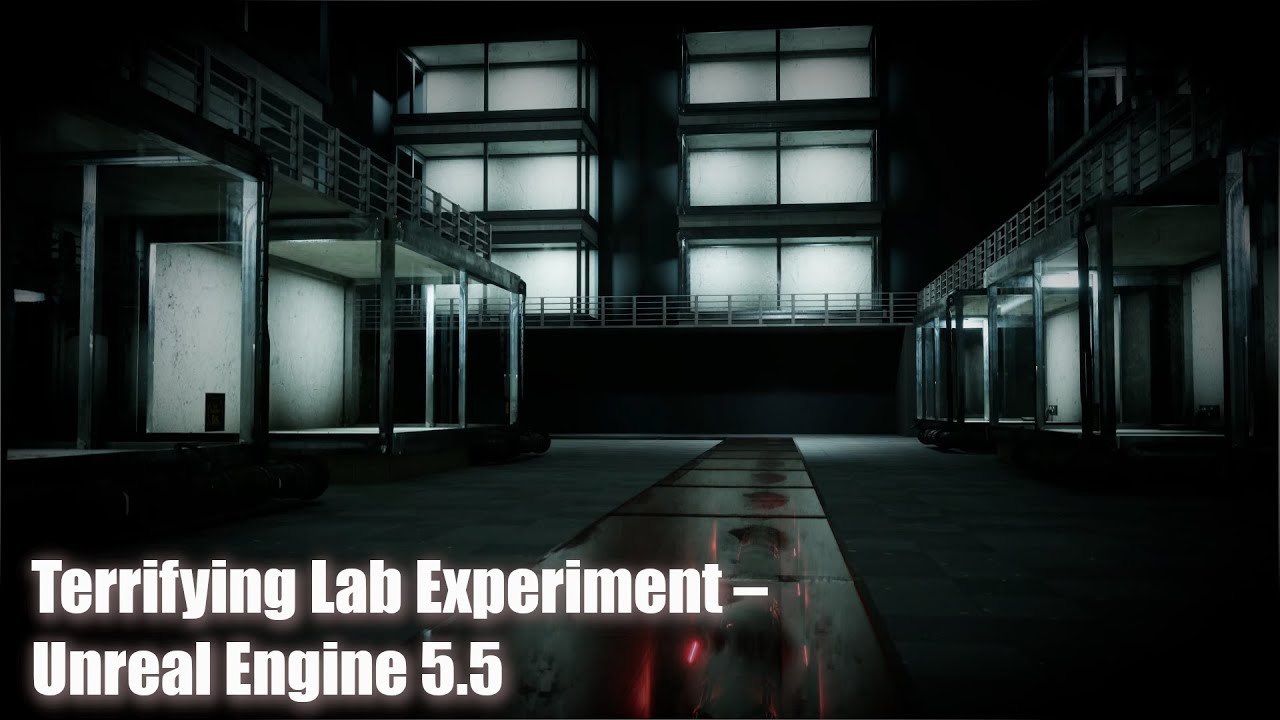
Step inside a terrifying human trials laboratory where eerie experiments take place, crafted in Unreal Engine 5. This short cinematic explores a dark, mysterious lab, with ominous vibes and unsettling details, showcasing the power of Unreal Engine's lighting and environment-building tools.
I aimed to create a horror atmosphere with detailed env...
 torn zealot
Does anyone know how to get camera to export 1:1 from houdini and unreal? FBX, usd export, none of them line up 1:1. The renders I mean
 median sparrow
Hello!
Im making a small cinematic for my project but the character on the front constantly has low resolution textures despite being 2k. Would love some help on this!

It probably wouldn’t be motion blur or the camera’s focus since the textures still looks low res when the character is still
deep pilot
 cosmic hound
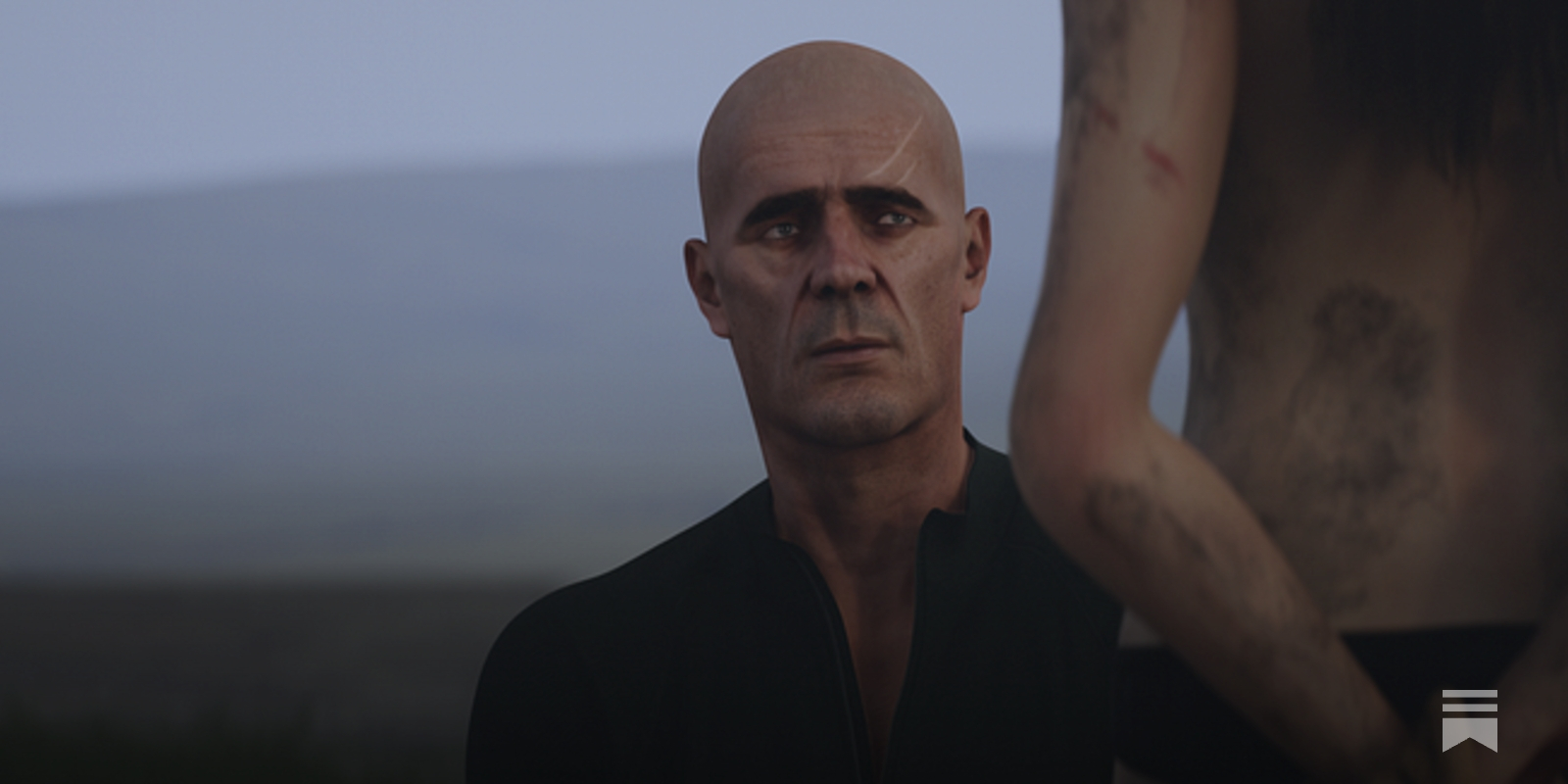
Some early stills from my animated feature film, MASSACRE AT OAK HILL
 rich bough
Hi all, does anyone know how to animate the light function of a light in Sequencer? My directional light has a light function material that simulates cloud shadows on my landscape. I would like to animate the position of the cloud shadows in Sequencer. Any help would be much appreciated, thanks!
 gritty ingot
How would you create something like 1:19:23 https://www.youtube.com/watch?v=WTmiPpj2fU0 -
Where it basically goes from gameplay and the player being possessed, to a sequence from the first person view, back to the player being possessed with the character bp at the new location? Im pretty new to this side of unreal so the concept is kind of escaping me.
Another thing that isn't making sense - say I want to control my character from the sequencer but my character isn't spawned in until runtime. How do you dynamically set the character reference in the sequencer?
I keep seeing this tutorial everywhere: https://dev.epicgames.com/documentation/en-us/unreal-engine/change-cinematic-track-bindings-in-unreal-engine?application_version=5.3
Where you basically create a blank actor and set its value during runtime, but a blank actor/character is not going to have any of the functionality my character has, and therefore Im not going to be able to animate/trigger any of it. In otherwords, ill be able to change its transform, but if I want to do something like make the character walk, I'm going to need access to the even im using for walking.
Any insight on this process would be greatly appreciated.

Browse Safe and Secure Via NordVPN !
GET NORDVPN: https://go.nordvpn.net/aff_c?offer_id...
USE COUPON CODE: shnhorror
USE THE CODE SO YOU CAN GET 68% off 2-year plan + 1 additional month FREE.
SHN Rating for VISAGE 👻👻👻👻
This house is stained with a terrible past. Families were brutally murdered by their own family members, people went in...
Epic Games Developer
This example illustrates how you can apply Sequences to dynamic objects at runtime that are different than the one the Sequence was authored with.
even just the gist of a super basic version of the above ^ ie - player walks into trigger, falls while a camera shake plays, lands, gets repossessed
tight stone
You need Camera Blending, which is a property of the Camera Cuts Track, and Runtime Rebinding/Dynamic Binding, which lets you animate on a stub version of your character or a similar and then at runtime make Sequencer apply the data to a different instance of the object (aka your actual player character)
gritty ingot
Thank you
gritty ingot
tight stone
You need Camera Blending, which is a property of the Camera Cuts Track, and Runt...
So wait when you talk about camera blending, does that imply that you wouldn’t play the camera animation directly on the player camera?
tight stone
gritty ingot
So wait when you talk about camera blending, does that imply that you wouldn’t p...
The Camera Cut track tells the Player Camera Manager what view target to use. But when you enable blending and drag out the blend handles (which are admittedly tricky) it will handle blending to/from the current view target (ie: player camera) when the sequence starts. So if you have a third person camera and you want to hard-cut to a new camera, don't drag out the blend handle on the left side of the camera cut section, but if you want to softly transition to your cinematic camera, then put the blend handle there.
And then at the end of the sequence it will start returning to the view target that the Player Camera Manager was pointed to when the level sequence actor started playing
undone geode
Is it possible to get a water material to look photorealistic using Lumen instead of PathTracing?
 restive finch
If I'm using the same camera in multiple sequences (assembled into shots later on), how can I keyframe the focus tracking property so the camera is focused on different actors in each sequence? (I know the tracker picker has a keyframe icons next to it but for some reason it doesn't seem to work?)
 dawn pike
is it possible to access camera cuts from a level sequencer in a blueprint? I want to dynamically change which camera is being used.
undone geode
Does anyone have a set of Cvars they typically use when rendering with PathTracing?
I typically used Deferred Rendering and all my Cvars are Lumen based.
 opal acorn
I am getting an issue in my movie RQ renders, with dlss all motion elements render as expected, but with normal aa used, all motion graphics are not rendered like cloners …any idea what’s going on??? Seems super odd mograph elements would disappear because of aa type.
 red sky
I have issues while rendering in cinematicas mode
dawn pike
dawn pike
is it possible to access camera cuts from a level sequencer in a blueprint? I wa...
I've found that I can dynamically create a camera cut and switch cameras from a blueprint. however that's not a real solution. still wondering, is there any way to get a handle on cameras in a level sequencer from a blueprint?
dawn pike
really what I'm after is simle: how can I have multiple cameras in a sequencer and dynamically trigger which one to play from an external blueprint? I want a "dynamic" cinematic where it picks different cameras each time it plays.
tight stone
Until 5.5 comes out with conditionals and more binding things you'll need to mark the level sequence as Volatile and then edit it's contents at runtime @dawn pike
There's a Sequencer Scripting plugin that exposes it to blueprints, but some edits may have to be done in C++ because their data can't be exposed to BP
opal acorn
Any ideas how to resolve light flickering in a room, lights coming in an open door, moving and some frames the lighting pops. Always random frame when rendering in MRQ , thanks for any help!
 tardy arch
guys, someone can send a tutorial for the correct ACES workflow?
Please
spark magnet
Hey hey! Hoping I get an answer here. Does anyone know why VDBs are flickering at rendering? I upped the Mip on them and I still get it. This is what I see when I render
spark magnet
undone geode
Any VDB SVT experts here? What causes your SVT's to be culled after a certain di...
Did you try this console command?
r.HeterogeneousVolumes.MaxTraceDistance 100000
tight stone
spark magnet
Hey hey! Hoping I get an answer here. Does anyone know why VDBs are flickering a...
Do they have any settings or cvars about blocking or streaming, maybe it's not loading them fast enough off the disk
spark magnet
tight stone
Do they have any settings or cvars about blocking or streaming, maybe it's not l...
I see this on the heterogeneous object

Would it be "Force Mip Streaming"?
It is a pretty heavy scene so I am assuming it's having a hard time rendering it out every frame
undone geode
spark magnet
Did you try this console command?
r.HeterogeneousVolumes.MaxTraceDistance 100000
Thanks!
tight stone
spark magnet
It is a pretty heavy scene so I am assuming it's having a hard time rendering it...
Issue blocking requests
spark magnet
tight stone
Issue blocking requests
hmm, that doesn't seem to work
tight stone
😦
spark magnet
tight stone
😦
Does that force the VDB to render on every frame? It also seems like in getting a texture streaming limit. I wonder if that’s connected?
tight stone
Usually the loading requests happen over multiple frames to avoid hitching in games, so that option is supposed to wait until the request is done after it's made so you don't run into situations during rendering where it hasn't finished loading in time
You might also look to see if there's a cvar for a pool size, maybe you have too many VDBs at once?
Or it's too high red? Not super familiar with it sorry, shot looks cool tho
tight stone
spark magnet
Does that force the VDB to render on every frame? It also seems like in getting ...
Check the Streaming Performance Notes section on Sparse Volume Textures documentation, on mobile so can't link sorry. But it looks like it has a cvar for showing memory usage
 ripe bridge
Hello everyone, I am new In this Industry i am doing Cinematics for first time, can you guys help me and provide me feedbacks so i can improve my learning.
rich urchin
ripe bridge
Hello everyone, I am new In this Industry i am doing Cinematics for first time, ...
Maybe add them to a Youtube link. You can make private links.
 cinder lantern

First Cinematic Trailer Sequence of RUDHRA.
The Great War has scorched the planet and Humanity is fighting its own creation. As the lines between MAN and MACHINE blurred , so did the roles of OPPRESSOR and SAVIOUR.
Stay Tuned for more updates as we dive deeper into the world of RUDHRA.
https://www.youtube.com/@MayanjaliPictures
Directed , E...
 pine sage
morning everyone , can someone help me fix my shadows in lit mode in unreal? trying to render some basic test here but the far objects are not casting shadows. works fine with path tracing tho

 gaunt sequoia
hello - HOW do i record traffic in the unreal city sample? what do i need to put inside of the take recorder? i just want to record traffic and tehn drive through it myself to maek a great scene.
undone geode
Any render experts here?
When using PathTracing for renders what settings give best quality? In particular, what anti alias method and settings should be used? So many options!
I know that if you use r.PathTracing.SpatialDenoiser.Type set to 1 it allows Temporal as well as Spatial samples in de-noising.
But what specific values to use?
Most youtube videos on using MRQ I've seen assume Deferred renders, not Path Traced.
 tight stone
Path Tracer ignores the AA method
Temporal denoising probably doesn't work in MRQ because it'll offset all of your rendered images by two frames so you'll lose frames
undone geode
Thanks. Yeah so far only noticing a difference when I set AA to None and play with Spatial Temporal samples. Pathtracing seems to like a LOT of Spatial samples.
tight stone
I'm general you want as many temporal samples as you can afford to wait, though at more than 512 to need to switch to a combination of spatial and temporal
Path Tracing needs lots of samples in general. Too many spatial samples overloads the GPU though, so I'd try like 500 temporal and 2 spatial, or 250x3 etc
Also enable "Render Warm Up Frames", then set Render Warm Up Count to zero, and instead set Engine Warm Up to something, it is better for avoiding crashing the GPU due to too much work being submitted at once. The PT doesn't really need a lot of warm up because it doesn't have temporal image history like TSR does
undone geode
Thanks. But in my tests Temporal samples take much longer and best to minimize and favor spatial instead. YMMV.
Also there doesn't seem to be any advantage inusing any Cvars for PathTraced renders.
Even r.MotionBlurQuality set to 0 vs 4 makes no difference.
tight stone
They should be reasonably similar as long as your game thread doesn't take a ton of time. Be aware that you're getting N spatial samples per Temporal Sample
So 512/1 should be reasonably similar to 128/4 in terms of time
If you have Use Reference Motion Blur enabled on the PT then you need lots of temporal samples as it doesn't do the post process engine motion blur, which has artifacts
undone geode
Thanks makes sense!
Another PathTracing issue.
Is there some way to render Fog?
Attached 2 screen grabs, one with Deferred Lit mode, the other PathTraced.

 undone geode
Ok so I discovered that as of 5.1 PathTracing supports fog. You need to enable Reference Atmosphere in your Post Process Volume.
But then the problem is that no sky or clouds or rendered!
It seems you have to decide what is more important.
 undone geode
Has anyone managed to get the new NForDenoise pluginin 5.5 to have any effect with PathTraced renders?
I can see the difference in the viewport, but after a couple hours of testing with MRQ I cannot see any effect.
Perhaps still buggy?
The description on the actual plugin states 'mainly for use with MRQ'

 shell kestrel
Hi, I'm struggling to figure out how to get motion vector and world depth pass data from Unreal EXRs into Davinci Resolve Fusion. The passes are all visible and look sensible in DJV. I've also figured out a workflow in Blender's compositor to utilise the passes for depth of field and motion blur. But I can't get anything to show for these layers in Fusion. For the world depth I've got a MediaIn node with layer set to FinalImageMovieRenderQueue_WorldDepth and the RGB channels all set to the world depth Red channel. All I get from this is black image. For the motion vectors I've got a MediaIn node with layer set to FinalImageMovieRenderQueue_WorldDepth and have tried just the RG layers and RGB layers set to the motion vector color channels, but all I get is an empty alpha image. EDIT - I've got something visible now using two Loader nodes, one with RGB set to world depth red, and the other with RG set to motion vector R and G. (1) Is this the right way to do it? (2) Why don't the MediaIn nodes work? (3) In the channels list there are Z and X/Y/Z Velocity specific channels listed, should I be using them instead of the RGB channels? (4) Also in blender I had to subtract 0.5 from both the RG channels for the motion vectors, not sure how to do that in Fusion (think it might be channel boolean, but can't figure out how to subtract an input value).
tight stone
undone geode
Has anyone managed to get the new NForDenoise pluginin 5.5 to have any effect wi...
Only supported in graph configurations, use the drop-down on settings next to the job and convert to graph, add path Tracer, enable denoiser override and set to temporal
undone geode
Thanks will try again. My goal is to eliminate the tons of 'fireflies' in my render due to insufficient samples.
Trying to keep render times reasonable!
The Optix Denoiser workd great but its way too powerful and eliminates a lot of image detail as well.
Showing the issue. Wondering if its a better approach to denoise in my target DCC like Resolve?
 tight stone
The temporal one is kind of slow tbh, but you'd have to play with sample counts to see if it's worth it
Theoretically it's a better denoiser than doing it in Post because it has more information available (more than just the final image)
undone geode
You're referring to Temporal Samples, NOT the Denoiser plugins correct?
tight stone
No, the path Tracer temporal denoiser, iirc it's like 0.5s per frame at 1080p
undone geode
How do you enable this? Not familiar with 'path Tracer temporal denoiser'
tight stone
So it's slow in simple scenes but depends on how long each overall frame takes right now. Make sure you enable "Use Reference Motion Blur" in the PT node as well, otherwise it denoiser after every set of spatial samples which probably isn't necessary.
Enable the plugin, convert your job to a graph, replace the deferred renderer node in the config to path Tracer, enable denoiser, set it to temporal, enable reference motion blur and turn it on(both checkboxes need to be checked, the left side and the right side), add the Sampling Method node to the Globals branch in the config and set temporal sample counts to say 64 or 128 or whatever, and go to the Warm Up node and lower it's warm up to like 4, PT doesn't need as much as deferred does
It's 5.5 only
undone geode
Thanks. So only in the Render Graph?
tight stone
Yes. It doesn't support everything non graph renders do yet but it's hopefully close enough. Only things I can think of that aren't supported are panoramic images, Display wall renders, high resolution tiling, fcpxml export
So most likely you can just replace your configuration with graph ones, they're pretty similar, some settings moved around now
Anti-aliasing is gone, replaced by Warm Up, Sampling Method, and properties on individual renders, ocio settings have moved to the output formats (jpg etc), filename has also moved to jpg node instead of Output Settings
undone geode
Will give it a try thanks. By plugin I assume you mean the NFor?
tight stone
Yea
It's new tho so your results may vary, but you should see in the Output Log a message about things being denoised as MRQ renders each frame if it's working, also your renders will be slower (with the same settings as before) :p
undone geode
Yeah I have it working in the viewport, just not in renders.
undone geode
tight stone
Yea
Does it matter where in your graph you ad a CVAR presets?
 tight stone
undone geode
Does it matter where in your graph you ad a CVAR presets?
tight stone
undone geode
Does it matter where in your graph you ad a CVAR presets?
Yes. It can only go on the Globals branch (not layers) since it applies to the whole render, but also if you re-declare nodes multiple times, the ones further to the right have higher priority
undone geode
Makes sense. Thanks
undone geode
tight stone
Yes. It can only go on the Globals branch (not layers) since it applies to the w...
I put it to the right of Game Mode Overrides so any Cvars will properly override those set by Scalability settings
 tight stone
I think they'll work in either position because they have a higher internal priority than Scalability but I haven't actually tested that.
undone geode
Thanks. On Warm Up I see 'Emulate Motion Blur' Does this have any effect on the actual Motion Blur in rendered frames?
 tight stone
undone geode
Thanks. On Warm Up I see 'Emulate Motion Blur' Does this have any effect on the ...
tight stone
undone geode
Thanks. On Warm Up I see 'Emulate Motion Blur' Does this have any effect on the ...
No it's only for the first frame. Motion Blur works by calculating the difference between the previous frame and the current, but on the first frame there is no previous frame, and often times people don't have any data (ie: they didn't make their animations an extra frame long). So it fakes it by jumping to Frame 1, then back to Frame 0, which gives you close-enough results
shell kestrel
shell kestrel
Hi, I'm struggling to figure out how to get motion vector and world depth pass d...
For info, I figured out how to modify the motion vector pass from UE in Resolve to add the required negative 0.5 offsets to the R and G channels. The Fusion node network is: Loader->CustomTool and then can enter the functions into the Channels settings for the CustomTool, eg "r1-0.5" (which means the red minus 0.5, and do the same for green.
 ionic compass
anybodyo have any recommended ui layouts for widescreen monitors? i feel like i'm always struggling with efficient layout with my 49 inch ultra wide
 brave bramble
Not sure what the appropriate channel for this is, I'm constantly getting this out of Vram issue for the first time ever while rendering with path tracing. MRQ never gets past motion blur. It's a static single image, 24gb vram 4090

Seems like the gpu never kicks in at all, version 5.3
Seems to have been acculumator includes alpha causing it
 mild zinc
Hello,
THE ISSUE (front gear example): https://imgur.com/a/9KqvPTM
I am having weird glitching in my sequencer for my 'Animation Sequence' assets. In the attached v example (one of many) the front landing gear keeping glitching to open and close, you can also see the front wing glitch quickly in the beginning. The animation sequence asset is an animation going from open to closed. I have already changed the properties of the track to "keep state". It is almost like the engine is not keeping track of where the animation should be while it is not directly playing. To fix it in my viewport, I am having to scroll through my sequencer timeline backwards to "reset" everything. But the issue is showing up in my renders too! Nothing online shows something similar. Any tips??
Little bit info on the set up: The ship's textures are very high-res and unfortunitley it is very high-poly. So, due to hardware limitations, I had to section off the moving pieces (gears, wings,.etcc) from the body of th ship. The sectioned off pieces where then rigged and animated in blender and imported as a skeletal mesh with an animation sequence to UE. The re the attached to the body of the ship for overall transformation.
Any guidance is appreciated. Thanks so much.
 tender yacht
I'm new to creating animations or honestly anything to do with unreal 5. I need to make an animation of a tornado and I do have ideas of the video I want to make. However, because I am new I'm not sure where to start and all the videos on youtube seem to specific for making shooting games. Are there any tips on where I should start when trying to teach myself the program more making an animation of a tornado in a mid west town? Something prefferably free or cheap. This is for a class in school so I don't want to spend a lot of money on courses.
 plucky cradle
tender yacht
I'm new to creating animations or honestly anything to do with unreal 5. I need ...
plucky cradle
tender yacht
I'm new to creating animations or honestly anything to do with unreal 5. I need ...
I dont know much about unreal as I'm new to the program. I would think Niagara would be what you would want to learn for an effect like that. I know how to make tornadoes in houdini but it's not a free program.
If youre strapped for time and money, maybe choose a different concept for your short film
tender yacht
I unfortunately do not have any creative choice in this because its for the final in the class 😦 Otherwise I never wouldve chosen tornadoes lol, thanks for the suggestion, I'll try it out
 idle sky
hm have an issue here,

have the rendernode set on detailed lighting
but its just rendering the default lit
all meshes are nanite
with the "old" mrq settings it works just fine
no wierd setting, the globals are all basic settings
mild zinc
plzz help: animation sequence asset glitch (advanced animation)
Hello,
THE ISSUE (front gear example): https://imgur.com/a/9KqvPTM
I am having weird glitching in my sequencer for my 'Animation Sequence' assets. In the attached v example (one of many) the front landing gear keeping glitching to open and close, you can also see the front wing glitch quickly in the beginning. The animation sequence asset is an animation going from open to closed. I have already changed the properties of the track to "keep state". It is almost like the engine is not keeping track of where the animation should be while it is not directly playing. To fix it in my viewport, I am having to scroll through my sequencer timeline backwards to "reset" everything. But the issue is showing up in my renders too! Nothing online shows something similar. Any tips??
Little bit info on the set up: The ship's textures are very high-res and unfortunitley it is very high-poly. So, due to hardware limitations, I had to section off the moving pieces (gears, wings,.etcc) from the body of th ship. The sectioned off pieces where then rigged and animated in blender and imported as a skeletal mesh with an animation sequence to UE. The re the attached to the body of the ship for overall transformation.
Any guidance is appreciated. Thanks so much.
 heady berry
I'm trying to add a dof in my scene. Then I checked the layers, and this is what happened. Is this a bug? I can't find the sweet spot for the dof for this type of scene. Most of the dof can be done easily if there is a subject in the front.

 tight stone
idle sky
hm have an issue here,
tight stone
idle sky
hm have an issue here,
I think this is fixed in source but not the latest preview build
 abstract sundial
Here is a cinematic I've worked on recently. Feedback is appreciated
https://youtu.be/QT3DpRSGU9s

🔴[Store, Membership, and Socials]🔴
https://linktr.ee/arghanionprime
💢You want to Support the Channel and get AWESOME Assets? Check out: https://www.thepixellab.net/vdb/ref/51/
--------------...
 sullen pelican
Does anyone have cinematic animations that they'd like to render stereoscopically and publish into the Apple Vision Pro / Meta Quest headsets?
I'm on the developer support team at Rival (rival.tech) and we do it all for free (rendering/hosting/publicizing) on the platform. Open to having a chat with anyone who's interested. Cinematics look awesome with stereoscopic depth perception - DM me 🤝
 karmic folio
Stupid question here, but I'm stumped. Using control rig on a vehicle. I'm using two sequencers (one to fold wings) and another (one to open the doors). Each one plays alone fine, but once you play the other sequencer at any point they both snap between frame zero and their current frame indefinitely (creating a nasty blur of the bones snapping back/forth). Any ideas?
karmic folio
One sequencer controls the left arm, another the right... they operate on their own just fine, but when they play together.... welp
 placid oak
Is there a way to change the overall projects aspect ratio? without having to change each camera i have to that desired aspect ratio?
 blissful tundra
Hey, I render this photo but i have problem with focus in my camera. I hit focus to the car but city is still in focus. I checked the plane of focus and it was right at the car so the city must be out of focus but it is still focused. Any solutions? The city is static mesh

 exotic saffron
Hello, does anybody know how to create Branching Cinematic Sequence Trees? I want to create events in a storyline, and depending on the choices, the sequence plays a specific shot or cinematic.
I want to keep it on a Master sequence and use some sub-sequences, so it's kind of triggering those events and playing it. I'm probably complicating myself with this.
ionic compass
anybody used or bought a cinematic quality semi-truck rig?
tight stone
blissful tundra
Hey, I render this photo but i have problem with focus in my camera. I hit focus...
Focus is based on real camera properties such as sensor size, aperture, and focal length so you will need to adjust those as well. The focus plane only chooses where things are on focus, but not how out of focus the world is
crisp horizon
Goddamn this is driving me crazy...just started a new project and now the playhead always resets to the start of the sequence. I don´t remember ever having to change anything to just play from the playhead position, what do I have to do to reenable that behaviour?
Gah, nevermind, I had accidentally set start and end range to the same frame...:)
 worthy field
anyone tried using ACES cg with VolumetricClouds?>
opal acorn
is there any way to get more control of the "focus range" of depth of field, meaning expanding whats in focus while keeping the sense of dof...so for example if something has extreme defocus, keeping the object in focus a bit more than a razor thing slice of focus.
 uncut kiln
With Take Recorder, when I spawn a Niagara system attached to the recorded actor it moves around like crazy and doesn't stay locked to the actor. Anyone knows what's wrong?
 tropic cloak
Heey everyone! I wanted to share here the short film we just released, all made in Unreal Engine 5: https://youtu.be/Dl8C3giKsAk?si=Z8nrKzb814xOdJ1V

Created, Produced and Directed by Salva Gómez and Alvaro Sánchez.
Finally, "Scars Of War", the short film in which we put so much work and passion, is out!!
Made in Unreal Engine 5, the movie tells the journey of our main character, "The Ranger", on his way home after spending many years fighting in the frontlines. It's a movie about loss and ...
 tired osprey
Hey guys, wondering im creating a ambient looping loading screen render for our game, and im setting up the project in after effects
should I set the framerate of the comp to 30fps or 29.97?
googling it doesn't give me any concrete answers on this specific usecase
maybe it doesn't matter?
tight stone
- 29.97 is for television
 dark smelt
Hey everyone! Currently a bit stuck on an issue with movie render queue. It just started to happen that once I render my scene directly without opening the level first, the output lighting seems to be totally broken and not at all what it should be like. Once I open the level itself and render it while inside the level, everything works fine. Though this shouldnt be a solution since having the level open is not the most optimized way of rendering (rather than using an empty render level, which is what Im doing now.). The correct level is selected in the movie render queue and all levels are set to always loaded. Its really strange and just started to happen. Happens with my cvars and without any render settings at all.


Its pretty strange since its not totally unlit or anything. Its just really broken
dark smelt
^ It seemed to have been a problem with exposure. Looking completely different in editor and render. Still weird but at least a fix.
 flint needle
is Camera Calibration broken in Unreal 5.4? Image Center just blurs the whole image, Anamorphic lenses dont do anything. etc
undone geode
Has anyone doing a PathTraced render had to incorporate water drops on glass?
What was your solution?
 fervent laurel
Is there really no straightfoward way to add text to a sequence without purchasing a plugin?
All of my google results lead me to that
 winged walrus
fervent laurel
Is there really no straightfoward way to add text to a sequence without purchasi...
winged walrus
fervent laurel
Is there really no straightfoward way to add text to a sequence without purchasi...
what do mean by this? like you wont the text to animate with basic movement? or something else
you can drag n drop text in sequencer without plugins
fervent laurel
winged walrus
what do mean by this? like you wont the text to animate with basic movement? or ...
Ah I must have been looking in the wrong direction with widgets
Googling "text in sequences ue5" just leads me into the direction of UMG widgets and the UMG Cinematics plugin
winged walrus
fervent laurel
Ah I must have been looking in the wrong direction with widgets
ahhh, okay, didn't know you was using widget text
fervent laurel
winged walrus
ahhh, okay, didn't know you was using widget text
What did you suggest if not that?
 frozen coyote
Any ideas about burning in camera names if the sequence is nested?
 narrow sapphire
Anyone have good video that guides how best to go in and out of cinematic etc, at the moment I have to turn off use controller yaw but when this is done camera snaps etc looks odd
winged walrus
fervent laurel
What did you suggest if not that?
could use the text in world space
so where you create actors n that, just type in text, and drag it into level, then the sequencer
undone geode
Is anyone aware of any ‘affordable’ render farms that specialize in Pathtraced renders from Unreal?
I can’t afford a new video card and calculate a current personal project will take 40 hours to render on my current setup!
 hollow drift
Hello! I want to share my video about League of Legends 🙂

A League of Legends Imagined short film about Akali, a champion from the game.
I used MetaHumans for the animations as well as UE5 (Version 5.3.2) as the engine.
Enjoy.
 digital badge
Hello, my camera have this kind of bug, can someone know how to fix it ?

(this is the cine camera actor preview)
 silk fossil
Hello, everyone! I could use some advice. I'm rendering a scene in Unreal Engine 5.3 where the foreground objects are added to a stencil layer, and Niagara particles are also emitted. Everything works as expected in the sequencer playback, but when I render to EXR, the particles randomly disappear or fade out. If I disable the stencil layer, the particles render fine. Any suggestions on how to solve this issue?
undone geode
Any Pathtracing wizards here ever get adaptive sampling to work? I see a console command for it. Trying to optimize speed, quality...
 bold patrol
pls help on this question. thx!
https://forums.unrealengine.com/t/god-rays-not-appearing-when-using-path-tracer/2100843

Epic Developer Community Forums
I am trying to get God rays/light shafts in my scene. I can see them just fine when using real time rendering (Lumen) but when I switch to path tracing they are barely visible. I cannot get it to look like it does in the docs: (Picture from the docs) I’ve increased the volumetric scattering intensity on the light source and followed the do...
undone geode
bold patrol
pls help on this question. thx!
https://forums.unrealengine.com/t/god-rays-not-...
Pretty sure you simply need to enable atmospheric effects in your PPV under Path Tracing.
Any Movie Render Graph users?
I've used it a bit but have yet to find anything I couldn't do using just the MovieRenderQueue.
Is anyone using it, and if so, why?
Seems like window dressing on existing functionality to me.
bold patrol
undone geode
Pretty sure you simply need to enable atmospheric effects in your PPV under Path...
If u mean reference atmosphere, unfortunately, I've already enabled that
undone geode
Question for any PathTracing render wizards. Should you favor Spatial over Temporal samples in an image with no motion for utmost quality? Or is it always simply the multiple of Spatial and Temporal samples that matters?
tight stone
MRQ default settings cap out at about 500 temporal sub-samples (MRG doesn't have this issue), but the same sample pattern is picked regardless of temporal vs. spatial samples (ie: 1x128 or 64x2 or 32x4 all would pick the exact same samples), though in the case of the temporal samples the world could be moving (animated materials, moving objects, etc.)
 dreamy sand
Hello everyone! Two months ago I had an idea of Godzilla attacking America during an Election. Thanks to things I learned here, I made it in Unreal! It's rushed but I think it came out great! It's more like a psychotic episode of veep. Now I said that, it's going to be torn to shreds whoo!
https://www.youtube.com/watch?v=TRmPPonVtU0&lc=Ugwy67RRJYffqB0ZLYJ4AaABAg

When Godzilla crashes an election, chaos, incompetence, and political absurdity ensue. The President juggles tanking poll numbers, social media stunts, and misguided military strikes—all while a giant lizard rampages through the country!
I came up with this concept two months ago and have been sprinting all the way to now! My free mocap didn't...
 maiden tendon
quick Q... I need to output a render to a rather weird size, it's essentially a 6872px wide screen by 1080px .. which I know is wild lol, just wondering what my options are here? Is there a way to set a camera up in ue5 for that and how would I go about doing so?
tight stone
Movie Render Queue, though you'll need a decent GPU (lots of vram) to actually render something that big
You'll also need to icnrease the Windows TDR settings so it doesn't think your gpu has crashed because it took so long to render a frame.
frozen coyote
how can we grab the current cine camera actor for burn in since the default one doesn't actually seem to do it?
frozen coyote
this ended up working if anyone wonders

 fickle marlin
Hello, I'm trying to render videos in Unreal Engine. After exporting, Media Player says "We can't open File Name. It uses unsupported encoding settings. 0x80004005
Movie Render Plugins used:
.png Sequence [8bit]
Command Line Encoder
Epic, Delete Source File, Skip Encode on Render Canceled, Write Each Frame Duration
Deferred Rending
Everything off except Render Main Pass.
Anti-aliasing
Spatial Sample = 1, Temporal = 1, Override is off.
DLSS/DLAA
Quality (I have the RTX 3050)
Output
Custom Frame Rate (30 fps)
Override Existing Output is one
Im new to unreal video rendering
tight stone
Did you set up the project settings for the command line encoder
 south surge
Hey! I'm trying to figure out how blend the sequencer camera out to a specific location. I've been trying a few things but every way has an issue.
I've followed the Unreal docs using the 'Can Blend' in the sequencer. This will blend the cam in/out of the last player controlled position going thru a trigger. Then in the BPs after the sequence play node I have it going to a Set Control Rotation. The problem with that is right before the sequence plays the cam will jump to the position I set then blend into the sequence cam, but at the end it will also properly blend into that position which is nice. I've tried setting delays and custom events using the sequence end but it either doesn't work or the cam jumps to the new location after the blend. I'm guessing part of the issue is disabling the inputs thru the cinematic option/in the BP. Anyone have any ideas? I'm sure it's something easy I'm overlooking. Thanks!!
 ivory minnow
Hi,
I have a problem with the animation rendering. The camera in the sequence shows what has been set, but during rendering the frame is behind the object. I tried to insert a new camera, but it doesn't work. Not all sequences have this problem. I can't find the cause. Do you have any suggestions?🤔
fickle marlin
tight stone
Did you set up the project settings for the command line encoder
Problem no longer existed with appleprores
tight stone
Do you have a camera cut track pointed to the right camera
 spice tulip
SceneCapture2D capturing different scene than player camera
does anyone know about it ?
same issue is in forum also but not solved
https://forums.unrealengine.com/t/scenecapture2d-capturing-different-scene-than-player-camera/19782

Epic Developer Community Forums
Hey folks, pulling my hair out here trying to figure out why this SceneCaptureComponent2D is writing slightly different color than what I see in the primary viewport when the camera is placed at almost the exact same position. Below is an example taken from the RealisticRendering demo that demonstrates what I’m seeing. I created this by placing...
 slate bear
is there maybe some "general possible reason" why OnFinished is not called when sequence player is finished?
no error, no crash, sequence player ends but on finished event is not called
 brisk bluff
I am having weird lighting spots we have small emissive dots in the bg when an object is moving in front of them at the edge, completely random crazy high values appear... has anybody seen this and found a way to fix it ? the crazy high dots do no appear where there are emissive material just to make clear it is not in the right place so to speak

 hollow vector
Hi, when using a master sequencer with many shots in it, is there a way to render out those shots to separate folder? (ex: shot 1 renders frames to shot 1 folder, etc) rn all shots export to the same folder
 tight stone
hollow vector
tight stone
hollow vector
Make the File Name Format {shot_name}/{frame_number} or whatever combination you want. It should auto complete the possible values when you press {, and you can put folders in the filename format field
 royal elk
He everyone,
I challenged myself on the week of Halloween to see if I can put together a Halloween cinematic using only Epic Marketplace items and my own premade assets. Also, I could only work on it up to an hour a day:
https://youtu.be/6mC1Y_lZnVw
In about 8 hours I was able to put together this animated scene solely using content from Unreal Engine Marketplace.
 half galleon
does anyone know if it is possible to combine the output of 2 cameras but make one of them more transparent than the other, so you basically see from two cameras at the same time
 lethal plover
brisk bluff
lethal plover
brisk bluff
check if your levels are set to always loaded and not blueprint streaming... the output log should tell you this too
winged walrus
brisk bluff
I am having weird lighting spots we have small emissive dots in the bg when an o...
you might need to adjust the bloom effect, on camera or post processing
winged walrus
lethal plover
you can can the level to be always loaded instead of blueprint in the "levels window" just right click on the level.
or you can go in your sequencer, and add track "levels" and drag n drop your levels in the green bar
hope it solves your issue!
 junior atlas
Anyone know why i get this cryptomate instead of all materials or objects? maybe i need to do something else to make it work properly?

 shadow prawn
Hi guys, so I've been working with sequencer for the pas few months and I noticed that a random sphere appears at 0 0 0 location SOMETIMES. What the hell is that?
There is no player start or anything like that on the level.
tight stone
A default pawn is always spawned when you go into PIE regardless if you have a player spawn (MRQ is PIE too)
 chrome arch
Anyone encountered this error while trying to render a sequence?
~~Assertion failed: InputDesc.Format == OutputDesc.Format [File:D:\build\++UE5\Sync\Engine\Source\Runtime\RenderCore\Private\RenderGraphUtils.cpp] [Line: 270] This method does not support format conversion.
The game itself runs fine both in editor and cooked. But trying to render out a sequence crashes and returns this.~~
Solved by DM. Apparently caused by the Water Plugin. Now renders fine.
 hearty sky
Not sure where else to ask this, but has anyone been able to get subtitles working with the Bink Media plugin?
 edgy sail
Hey everyone, does anyone here know if Movie Render Graph implicates change for distributed rendering? Has the cmdlet changed from MRQ? I know i am kinda asking the question that i am meant to have answers for but the Unreal is moving fast i am trying to keep up.
 winged yew
Good morning guys, I hope you are doing well! I have 2 questions regarding this personal project of mine. 1) I really dislike the standard DoF effect of UE5, I want to control the output like we can do with the lensflares, so instead of just a basic blur, I want to have more depth and style. In octane for example I can simply add a aperature/bookeh map to change to style. I cant seem to find such settings in UE5. Does anyone know a plugin, or a hidden setting on PPvolumes or Cinecameras? 2) When rendering the image, I render it at 4k with console commands. When I have the command "r.ScreenPercentage 150" it glitches out the ground and easyfog cards on the background. When I have it turnt off it works just fine. I also went on and tested the render with 120 warmup frames and the same issue is pressistent. At 2k without screen% works fine, with it theres still glitches on the ground but less. Its very wierd. I would really like to keep the r.ScreenPercentage 150 command since it gives me the best balance of detail and sharpness, especially on the rock formation in the background. Any help would be highly appreciated ❤️

 hallow fractal
Hi @everyone! I'm creating a cutscene for a game that my team's building. I created a level sequencer for the cinematics, and I created a text animation in After Effects, which I would like to put on top of the cinematics shot. I currently have the text animation created as a flipbook material, and have put that on a widget. Is there a way (without the UMG cinematics plugin) to add this widget in the sequencer, so that it gets displayed on top of the cinematics?
 hearty wagon
hallow fractal
Hi @everyone! I'm creating a cutscene for a game that my team's building. I crea...
hearty wagon
hallow fractal
Hi @everyone! I'm creating a cutscene for a game that my team's building. I crea...
You could just create a media player for the flipbook sequence and stick that directly in the sequence. That SHOULD work as long as you have alpha in the source flipbook textures. You would just need to add the alpha to the material
 elder snow
Let me know your thoughts or if it sparks any ideas!
https://youtu.be/IO3stFfhxuw

Real-Time Dynamic Character Blending in Unreal Engine by 2DNAC
In our latest project, Real-Time Dynamic Character Blending, we pushed the boundaries of digital character creation and animation within Unreal Engine. This advanced system enables real-time blending and seamless transitions between six uniquely crafted characters, revolutionizing h...
hollow vector
Hey guys, quick question to sequencer users. When I create a shot and do animation in unreal, it looks a certain way and looks good, then when I render it out and rewatch it, its all too fast. Im guessing its because of the editor not running playback at 24fps because of performance? is there any way at all to see the real speed in engine before rendering out?
or at LEAST to know that its not the real speed
 grizzled yoke
Is it possible to use the procedural foliage spawner on a static mesh instead of a landscape ? rendering some content i made in houdini on Unreal . Im avoiding using landscape as my terrain so it matchs my houdini scene .
hallow fractal
hearty wagon
You could just create a media player for the flipbook sequence and stick that di...
I did try this, but I wasn’t able to see the text animation on screen, like how a widget appears. Does this work only if it’s placed into the viewport, only then does it work?
edgy sail
winged yew
Good morning guys, I hope you are doing well! I have 2 questions regarding this ...
Can i quickly ask why is it necessary for screen percentage to be more than 100?
winged yew
edgy sail
Can i quickly ask why is it necessary for screen percentage to be more than 100?
Yes ofc, I have realised it is better for fine details, the final output is always clearer
 dark trail
Mega noob here. using Ultra Dynamic skies but want to pause sim in editor to check a specific cloud moment. Is there a general 'kill/stop' setting for editing?
dark trail
NM, found it in UDS - 'level editor tick'
Is there a native global setting for that same thing?
 outer vector
Hi, I wanted to share our creations of cineamtic jeans. What do you think ? https://youtu.be/5LH1aznIYIw

Hi! In this video, we will show you step-by-step how we create cinematic jeans.
We'll start by using Marvelous Designer 2024, then move on to Substance Painter 2024 (version 10.0) for texturing the jeans. We'll also refine the animations in Blender 4.1. The final step will be exporting and rendering in Unreal Engine 5.4.
Be sure to follow us f...
edgy sail
lethal plover
Don't use stencil clip layers in the MRQ, it's not good. Treat your shot with a green screen essentially use a plane like you how you would in the realworld, if you can get by using cryptomatte which is the material ID render output you can as well or use Movie Render Graph from 5.4+.
edgy sail
winged yew
Good morning guys, I hope you are doing well! I have 2 questions regarding this ...
Noar you might be able to manipulate DOF by using a physical lens mimic in-front of your camera.
edgy sail
winged yew
Yes ofc, I have realised it is better for fine details, the final output is alwa...
https://www.youtube.com/watch?v=lUgUt5IsMZU Say for example from this guy. Unfortunately Unreal don't support anything like the bokeh of Octane.
https://tiedtke.gumroad.com/l/realcinemalenses?autocomplete=true&layout=discover&query=ANAMOR&recommended_by=search similar one which is free. same train of thought.
 storm harness
Fluid Flux question: Does anyone have experience with controlling the framerate of the fluid simulation within a level sequencer? The fluid framerate in the editor preview can be controlled within the fluid domain's details but apparently not when simulating with a sequencer.
winged yew
edgy sail
https://www.youtube.com/watch?v=lUgUt5IsMZU Say for example from this guy. Unfor...
Thank you so much Jerry, absolutely brilliant! You opened a whole new door of possibilities for me. Lots of appreciation ❤️
edgy sail
This is a very niche question in regards to distributed rendering in UE5.4+ with Movie Render Graph.
With the introduction of 5.4 I've noticed a potential compatibility issue that needs to be made to distributed software packages like deadline in order to support the new Movie Render Graph. I recompiled the deadline plugin to 5.4 and is able to successfully render movie render queue but unable to do so for movie render graph.
That being said the default NewProcessExecutor of UE seems capable of rendering the default Movie Render Graph with a single layer when i am experimenting the possibility of a pipeline change in the commandargs structure. Sadly i didn't find anything concrete. I have still yet to print out both commandargs being sent by the deadline plugin executor and newprocessexecutor in order to compare them and see where the diff factors are.
Any tips and information will be appreciated. I will update this message when i find out more.
 gray herald
I'm trying to render a specific viewport mode via movierenderqueue. This forum post from 2017-2019 seems to imply it's possible. https://forums.unrealengine.com/t/how-to-render-sequencer-movie-with-viewport-mode-lighting-only/406235
But no matter what I try, the view mode in play mode changes, but in the movierenderqueue's viewport it doesn't (i'm just using simple execute console commands in begin play of an actor). Any idea how can I achieve that? (attempted viewmode wireframe for example)
 prime tendon
hello there, does anyone know why my panoramic capture render looks so overexposure? the scene is visible, but too bright
undone geode
Question about missing motion blur.
I have an imported alembic cache of dripping water but am unable to get motionblur happening during my renders even if I increase Temporal Sample Count.
Is this something that is enabled at the time of alembic import?
Or does the original alembic need velocity vectors specifically defnied at the time of export from your DCC?
 twin sand
I have a panner in a material that adds a cloud shadow texture mask to grass. In cinematic renders with TSR and supersampling the panner stutters and the clouds jitter back and forth. What should I do to the panner in the material so the panner doesn't stutter with 2x supersampling?
 hollow vector
Hey guys, quick question to sequencer users. When I create a shot and do animation in unreal, it looks a certain way and looks good, then when I render it out and rewatch it, its all too fast. Im guessing its because of the editor not running playback at 24fps because of performance? is there any way at all to see the real speed in engine before rendering out?or at LEAST to know that its not the real speed
sweet hawk
I'm trying to connect tablet/smartphone via Live Link to my Unreal Engine.... but UE doesn't detect despite typing the same ipv4 adress (same connection)
This is really giving me a headache.
I've managed to do It once in the past... took me nearly 3 hours and somehow It worked.
 frozen pike
I am trying to simulate the physics of this sphere in sequencer but it isn't simulating smoothly at all. Does anyone know how to fix this?
 sage canyon
frozen pike
I am trying to simulate the physics of this sphere in sequencer but it isn't sim...
sage canyon
frozen pike
I am trying to simulate the physics of this sphere in sequencer but it isn't sim...
Wouldn't recommend doing it like this. Instead, record the motion via Take recorder, then copy the keyframes on your (spawnable) sphere actor. This way you have a lot more control over it.
LogShaderCompilers: Warning: Failed to compile Material /Engine/Transient.Footage CaptureData Material for platform PCD3D_SM6, Default Material will be used in game. /Engine/Private/SlateElementPixelShader.usf:168:58: error: no member named 'GetFrontSubstrateHeader' in 'FMaterialPixelParameters' FSubstratePixelHeader SubstratePixelHeader = Parameters.GetFrontSubstrateHeader(); ~~~~~~~~~~ ^ /Engine/Private/SlateElementPixelShader.usf:169:50: error: no member named 'SubstrateTree' in 'FSubstratePixelHeader' FSubstrateBSDF UnlitBSDF = SubstratePixelHeader.SubstrateTree.BSDFs[0];
Really going insane here. From one day to another UE suddenly decided to compile shaders for EVERY subframe when rendering. Usually this problem can be resolved by fixing a “bad” material but this time the issue is related to Substrate. Once I turn it off in the project settings, all the scenes will render fine.
It will even occur in a completely empty map which is super strange.
Any tips? I couldn’t find anything on Discord, Reddit or UE forums.
 hollow hamlet
Hey crew!
Is anyone else experiencing this issue in Unreal 5.5 when attempting to render in 4k? (1080p renders are fine) There's a weird outline if you look around each object (no blur?).
I've tried a bunch of methods to fix it:
- turned off motion blur
- Increase/decrease temporal/spatial sample count
- Switched between all anti aliasing methods and selected None
- Switched RHI between DX11 and DX12 (Vulkan looked doo doo)
I never had this render issue when rendering 4k in unreal 5.4 and it only happen when trying to render in 4k, could it just be a 5.5 issue?

 tight stone
I think there's a problem with depth of field in 5.5 when you have alpha support enabled
And maybe it applies when you don't too?
 summer mortar
UE 5, using the Movie Render Queue.
I'm using a Media Player (on a material -> on an object) to play an MP4. The video plays fine in realtime, but when rendering, it hangs on a single frame for like 100 frames, then jumps to the correct frame (100 frames later) and holds on that. It's not the material, I know that's working because it has a procedural static effect which is sucsessfully updating every frame. It's just the video file.
Any idea why this is happening?
I have nothing fancy in my setup. Just a camera, and on the object an Event on the object to trigger the media to play (Start Media > Open Source)
 tight stone
You have to use image sequences and not video files, they always try to advance based on the wall clock, but MRQ seeks backwards, but video codecs generally don't have frame perfect seeking
edgy sail
"Duplicated from Blueprint Channel to Cinematic"
I recently noticed a behavior of the sequencer when BP are spawnable which i perceive is bugged but maybe it's a feature not a bug, when i grab the actor position when it is a spawnable inside a sequencer i always get 0,0,0 instead of the actor position of that actor where it shows in sequencer and then when i scrub or toggle variables in details panel the position data magically updates without the print message from construction script firing again, which is incredibly odd.
I imagine the engine is probably doing this in my particular scenario. 1. spawn the object at 0,0,0 -> 2. run the construction script -> 3. then move it to its location even though not keyed in the sequencer. By the way my script was able to capture the position perfectly fine when it is a possessable in the sequencer.
hollow hamlet
tight stone
And maybe it applies when you don't too?
Thanks! I'll tamper with depth of field settings and the alpha support toggle to see if it fixes anything.
I'm creating a fresh project today so it'll prove/disprove the theory if 4k rendering still has issues
hollow hamlet
@tight stone I created a new project and tested the same sequence and looks like it's my old project settings that's causing problems and not UE 5.5 (Thankfully)
Left - New Project
Right - Old Project
Strangely if I try to migrate the sequence it replicates the issue in the new project so i'll just recreate everything from scratch.
 hollow hamlet
Ok jokes, I spoke too soon.
I adjusted the manual focus on the new project to test the above and i'm still seeing weird outlines around the assets again.
Same test on Unreal engine 5.4 doesn't trigger the issue.
So it appears to be a new unreal engine 5.5 issue.

 worthy field
Hello guys
i was wondering,
why is there a discrepancy between the viewport and my MRQ render?
it is the Directional Light's Specular/reflections that is being weird

 pearl hornet
Hey everyone!
I created this keyboard commercial in Unreal Engine as a portfolio piece and to sharpen my skills. Rendered using the Path Tracer.
https://youtu.be/vJCJEBs_RMM?si=fN-eSSoxfZVW70iX

All shots Rendered with Path Tracer in Unreal 5.
Also used Modeling and Motion design tools in UE5.4
Produced & VFX by Visual Xception
 magic granite
Does anybody know how to fix this super simple issue. Whenever I zoom out the glow effect of things dissapear. Im not sure if this is to do with LODs or something else? Any fix much appreciated
 snow frost
Custom Lambo Animation
nova rune
snow frost
Custom Lambo Animation
camera work made me sick lmao
winged walrus
snow frost
Custom Lambo Animation
yeah, too much motion going on, and too much tilting n that...
 deep skiff
does anyone know how to trigger apex destruction in sequencer? i have this static ship mesh that i want to trigger and explode at a certain point of a cinematic im developing
 brittle brook
Hey everyone! 🎥 I’ve been learning Unreal Engine for 3 months and created this winter driving scene featuring a Porsche 911 GT3. It took me 3 days to complete (plus 4 hours of rendering on my old GTX 960M). I’d love your feedback on the visuals, sound design, and overall vibe! 🚗❄️. https://www.youtube.com/watch?v=htlvVV0yXhk

This video showcases a fictional scene created entirely in Unreal Engine 5.4. It features a Porsche 911 GT3 driving through a cold, wintery mountain road, capturing the harshness of winter and the relief of finding an gas station at the end of the journey.
🔧 About the Project:
I've been learning Unreal Engine for about 3 months, and even th...
 primal stag
brittle brook
Hey everyone! 🎥 I’ve been learning Unreal Engine for 3 months and created this ...
primal stag
brittle brook
Hey everyone! 🎥 I’ve been learning Unreal Engine for 3 months and created this ...
looks cool but in those long distance shots it seems like the car is going slower than it should be
some of the shots atleast
brittle brook
primal stag
looks cool but in those long distance shots it seems like the car is going slowe...
thanks for the feedback, I thought something was off I just couldn't figure out exactly what.
winged walrus
brittle brook
Hey everyone! 🎥 I’ve been learning Unreal Engine for 3 months and created this ...
just a question..... is this a draft or final product?
just before I make feedback 🙂
brittle brook
winged walrus
just a question..... is this a draft or final product?
eeh well it's the final product. 😄 but take into account that I'm learning it and I put it out just for the feedback what to improve and that there is a lot 🙂
winged walrus
brittle brook
eeh well it's the final product. 😄 but take into account that I'm learning it a...
ahhh okay, is it a personal project?
but yeah it looks pretty good, but in some areas it seems too dark when the car is zooming area and hard to spot, you could have less fog maybe...
I did notice with the wave effect on the road did clip through the car near the end when car dips, but other that, pretty good!
brittle brook
winged walrus
ahhh okay, is it a personal project?
but yeah it looks pretty good, but in some ...
That's right, a personal project just to learn UE5.I started to enjoy it even with a weak laptop.🙌I've been working on the visibility for a long time.I wanted to see the godrays and I didn't know how else to show them than with the help of the fog, so I kept adding more. You could probably solve it with a keyframe I made at the end of the video so that it could be less visible from some of the shots,but I didn't finish it completely. Yep the vawe effect will probably go away completely 😁 thanks so much for the message and for the feedback!
winged walrus
brittle brook
That's right, a personal project just to learn UE5.I started to enjoy it even wi...
nice, so you can keep playing around with setting, like fog, lighting, camera angles ect 🙂
but yeah enjoy!
and no worries 🙂
 gloomy wyvern
Any tips for volumetric lighting with emissive material? I've set up a media texture for my emissive television screen and would like a little more volume and depth. Should I be adding a rectangular light where the screen is and raising the volumetric contribution? There's some curvature to the screen which makes the rectangular light a little less realistic. In addition, the media texture is playing a video and I'd like the fog to reflect the change in color.
nova rune
yeah probably a rect light with the fog
and maybe key frame the lights to change with the screen colour
stone coral
Heyo! I recorded a tracked camera with the take recorder. When I then wanted to edit the take I wanted to change filmback settings (sensor size) however due to unknown reason the button is locked. Also: I copied this exact camera, closed the sequencer and tried to change the settings then. Still locked, although there is no sequence to lock it. It just snaps back to original settings. Does someone know how to fix that?

 hushed inlet
worthy field
Hello guys
i was wondering,
why is there a discrepancy between the viewport and ...
hushed inlet
worthy field
Hello guys
i was wondering,
why is there a discrepancy between the viewport and ...
Could it be that the camera settings were changed in sequencer and once you close sequencer it goes back to what was originally....
worthy field
hushed inlet
Could it be that the camera settings were changed in sequencer and once you clos...
Ill check if thats whats happening
 restive cradle
So I am having an issue in Unreal where our Groom hair:
When Binded to characters that have root motion-based animations which are needed for a Marvelous Designer Alembic clothing as well as having physics enabled. They become blotching and distorted when they move away from the animation's starting point. I have been stuggling with this for months and only come up to dead end threads on the main forum. Has anyone encountered this and figured out a fix.
 restive cradle
So I am having an issue in Unreal where our Groom hair:
When Binded to charact...
restive cradle
restive cradle
So I am having an issue in Unreal where our Groom hair:
When Binded to charact...
Groom at the start of the animation
 brittle brook
Hey everyone! 🎥
I’ve revisited my winter driving scene featuring a Porsche 911 GT3 and tried to incorporate some of your feedback. While I’m not planning to make further changes to this video, I’d love to hear your thoughts on what I could improve or pay more attention to in my next project. Your input would mean a lot! 🚗❄️ https://youtu.be/qedyLd1IKR0

This is an updated version where poor visibility caused by heavy fog was removed, wind traces on the road were adjusted, and the overall rendering quality was improved. This time, it took 6 hours to complete. 😄
Let me know in the comments which version you like more and what I could improve in my next project. I truly appreciate any feedba...
 cursive heron
hi ! What's your best tutorial you would recommend for creating cinematics ?
or a proper course
brittle brook
cursive heron
hi ! What's your best tutorial you would recommend for creating cinematics ?
it depends on what kind of cinematics you want to do. one of the best courses on UE 5 regarding cars is from https://www.youtube.com/@postprocessed
Otherwise, I learned cinematics from YT videos at first. I haven't discovered a specific cinematics-only course yet.

YouTube
Lead Unreal Engine Artist | Post Production
DI Colorist
Certified DaVinci Resolve Trainer
cursive heron
brittle brook
it depends on what kind of cinematics you want to do. one of the best courses on...
thansk a lot
i was especially wondering about the general worklflow on the sequencer + camera movments 🙂
 gray onyx
hello! my friend is working on something an he was wondering what could make a path tracing denoiser not work? i haven't dealt too much with UE so I'm not quite sure what he's talking about but I'd appreciate it if anyone has anything in mind

 meager pecan
tropic cloak
Heey everyone! I wanted to share here the short film we just released, all made ...
meager pecan
tropic cloak
Heey everyone! I wanted to share here the short film we just released, all made ...
Woah. Incredible
cursive heron
how can i properly export this sequence ? i tried everything but it keeps rendering the beginnning

 verbal trench
Hello! How can I blend between different level sequences smoothly and seamlessly? Also, is there a way to list all the sequences in a main sequence and play or select a sequence based on a condition using code?
 safe depot
Hi everyone, I'm working with UE 5.4.
I'm rendering a high-poly model with 8K textures using UDIMs.
The textures are virtual textures, but I'm encountering a problem: when I render, some areas appear as blurry "squares" in the texture
I tried copying the transient pool into the fixed one, but I’m unsure how to render properly without blurry textures.
Can someone help?
 serene mural
Does any one know how to fix this issue?
It look like anti-aliasing rendering problem, texture, or rendering resolution.
 rancid palm
Hello, I think I found a bug in 5.5, on the camera rig rail, the "current position on rail" attribute randomly stops working and does not move the rail until you restart the editor. Any help would be appreciated
frozen pike
safe depot
Hi everyone, I'm working with UE 5.4.
I'm rendering a high-poly model with 8K te...
Hey, I want to help but you should add a picture or a video of it so it’ll be easier to recognize what’s happening
 sullen mural
a little on the outside edge of the subject of the channel, but i figure you guys will know a lot about cameras.
My game is first person, and i'd like to have examinable objects, where on interacting the player's camera moves, rotates and zooms into a specific fixed position looking at that object (i'll lock out movement and most controls during this of course). the objects will be part of the level and never move
And when hitting the interact button again, returning to the first person camera. (ideally reversing into it so the player doesnt see themselves)
ideally i'd like to smoothly move between these two positions, and not just jump to a different camera
any advice on how? I'm most comfortable with cpp, but i can do blueprints too
 sweet swan
rancid palm
Hello, I think I found a bug in 5.5, on the camera rig rail, the "current positi...
sweet swan
rancid palm
Hello, I think I found a bug in 5.5, on the camera rig rail, the "current positi...
is your camera rig rail spawnable or in the level? It need to be in the level.
rancid palm
sweet swan
is your camera rig rail spawnable or in the level? It need to be in the level.
Its in the level, not spawnable, and I found out that when I change anything inside its blueprint that's when it stops working. I didn't have this problem in 5.4
cinder fable
can anyone help me it just happened suddenly but my meshes on the sequencer are invisible even in the Outliner some of the meshes do still appear in the sequencer and the outliner
the models affected have this
 crisp horizon
I´m bringing this issue up once more, but does anybody know of a "hard limit" when it comes to maximum number of animated tracks, or a way to disable some feature of the sequencer, so its still possible to add more?
I´m using datasmith to import particles and it works really well with just one exported mesh for the instanced geometry and then animation sequences with tracks for the spawned instances.
But anything above roughly 4000 particles makes unreal crash (after nearly crashing my compoter, because its eating all 64 gigs of ram)...
And no, I can´t just use niagara, or I obviously would...:)
tight stone
sullen mural
a little on the outside edge of the subject of the channel, but i figure you guy...
Player camera manager -> set view target with blend.
tight stone
crisp horizon
I´m bringing this issue up once more, but does anybody know of a "hard limit" wh...
This is not a good way to store your data, this is not the right system for this. You should really find a way to make Niagara + a Sim Cache work, since sim caches support streaming of data a few frames in either direction, plus are much more lightweight in terms fo data storage and optimized rendering.
crisp horizon
tight stone
This is not a good way to store your data, this is not the right system for this...
I would gladly use something like the houdini plugin, but alas, there is none for max...
And I really can´t do what I can do with tyFlow in Niagara, that knowledge isn´t easily transferable, so I´m stuck with whatever solution is being provided.
Which, as of now, makes datasmith still my best option....
I also don´t know how the houdini engine to niagara system works, afaik they store the particle info via prt, so, not sure if that would work better or if its the same issue with large amounts of animation information being read....
Haven´t seen it in action with thousands of particles.
 light otter
how to disable motion blur for renders?
 icy rock
Does anyone have any experience with volumetric clouds - my 'god rays' from spotlights have a noisy, fuzzy buzz to them - they seem glitchy and I'm not sure what to look into? I have read a couple things about it being related to Temporal AA but would love some suggestions on things to test
tight stone
light otter
how to disable motion blur for renders?
Motion Blur Amount on your cine cameras post processing
 torpid tree
light otter
how to disable motion blur for renders?
torpid tree
light otter
how to disable motion blur for renders?
On your render settings, add console variables, click + on Array element next to console variables, add r.MotionBlurQuality then put its value to 0.
 night pollen
Just finished a quick tutorial on parenting handheld objects to Metahumans for cinematics! Hopefully it’s useful to someone https://youtu.be/GT_X5-A9x8g?si=ZwoJDuqoPlx7beAh
This tutorial shows how to attach and parent objects to Metahumans in two ways, through the Blueprint and through the Level Sequencer.
Quick demo of Eric from my short film Merisol holding a flashlight and a pistol, and the tutorials right after.
If you like this or want videos on anything else, let me know!
Video Chapters:
00:00 Intro
00:15...
undone geode
Experiencing weird DOF issue in viewport and renders. In the attached notice the base of the wine glass. Deferred render but same issue exists with PathTracing. If I hide or delete the table surface, the issue goes away. Same issue in viewport.
Only happens when I pilot a camera.
 winged walrus
undone geode
Experiencing weird DOF issue in viewport and renders. In the attached notice the...
winged walrus
undone geode
Experiencing weird DOF issue in viewport and renders. In the attached notice the...
maybe double check the table material, like the roughness and metallic
just incase its like a chrome
 wraith escarp
hi folks. I have a world partition level with cutscenes involving LevelSequenceActors. These actors have LevelSequenceAssets which have spawnable actors (which i understand work as a hard reference). If I played a sequence and am "done" with it, how can i be sure i no longer maintain a hard reference to sequence spawnable objects? I can't set the LevelSequenceActor as spatially loaded and want to make sure i'm tidying up as character progresses. Thanks!
 willow seal
can you guys tell me how to set up my cinecam aspect ratio / width and height to render in 1152x960?
tight stone
Rendering out to images? Cameras don't have resolutions in Unreal, so just set a sensor size that matches that aspect ratio (it affects dof so you don't want to make a giant sensor)
nova rune
use MRQ and set resolution there??
 devout imp
what is the ordering of what overrides what in terms of project settings, CVars, PPV when rendering with mrq
 tall skiff
Anyone able to quickly help me? final project due in a couple hours and just need 11 renders
we are just exporting photos, not video sequences

Everytime I hit record after moving the cinema camera, no matter where I put it, it reverts to its original position and no where else
tall skiff
Got it. Deleted the entire dang cinema cam
 modern moth
hi, i have an issue where my render exposure is higher than what i see in the viewport, did anyone already had the issue? im using manual exposure in post process and camera
would appreciate any help
light otter
does anybody know why my chaos cloth physics is rendering like this???

 old vault
Hi All
looking for video editors with a good knowledge of camera angle and cuts.
Intrested people can DM me Directly.
modern moth
light otter
does anybody know why my chaos cloth physics is rendering like this???
when your sequence start your animation teleports your character into place wich fucks up your cloth sim
 rapid patrol
When making games, would you want to use film softwares in combination will renders in the game engine for the cinematics or would you do that all in the game engine? I used Davinci Resolve for video editing and now I am looking to make a game at some point or do more advanced VFX. Would anyone be able to run me through some of the process and some things I can look into to fast track things vs learning the entire engine over a longer period?
nova rune
light otter
does anybody know why my chaos cloth physics is rendering like this???
Give engine warm up frames
 river elm
Hi! I'm working on a personal project (Animation) using Unreal engine, Blender for some modeling, and Davinci resolve.
I'm quite new to Color grading so I'm also attaching the raw render. I'm aware it's very inconsistent lol.
It's still WIP and would like to get C&C
Hope you like it!
 gusty heath
Hi peeps, bit of a Q. can i combine a live capture with a vcam? ie put a phone on my shoulder rig rails, camera is sending to unreal and have vcam track the live vid?
bmpcc6k is camera not phone
hollow vector
hey guys whats the fastest way I can get just any mannequin rig to pose? im just doing some quick previz and been using the UE mannequin but it doesnt have controllers
 vivid jetty
I just started UE5 2 weeks ago and I'm following this tutorial from the bad decisions studio and I have got a problem. I have multiple cameras set up in my sequencer and in camera 3 I want my guys to walk in and I want them to be visible in camera 3 but right now they are just standing in T pose in camera 1 and camera 2 I don't want them to be there in those cameras I want them to be visible in camera 3 only, how do I hide them in first 2 camera when I'm making my shots
 warm brook
hay guys !
Just made Groom Rendering tool for your cinematics 🙂
Take it !
https://artstn.co/m/VRYDd

ArtStation
Resources - HAIR CINEMATIC TOOL UE5, USD $0.00. Hair Cinematic Tool is our own plugin for Unreal Engine designed to give creators full control over Groom rendering settings, addressing the platform’s lack of detailed...
gusty heath
https://www.youtube.com/watch?v=CcFpJ7amIZ8 Happy (upcoming) New Year! 😉 🐉 🎆 🎉

❗️🔥 Subtitles are available in multiple languages 🔥❗️
Happy New Year Wishes from Taiga, the Goddess of Life! :)
─── ⋆⋅☆⋅⋆ ───
#dragon #cgi #dragons #trending #rec #fyp #horizontalvideo #shortfilm #adventure #trending #musicvideo #recommendations #pyf #music #animationvideo #3d #cg #fan #animation #unreal #unrealengine #...
hollow vector
hi whats the fastest way i can get any rig for previz? can be mannequin
 toxic glacier
anyone ever seen a rendering issue like this before? on 5.5
seems like if the DOF is pushed too far it freaks out like this at rendertime.. i'm not getting that in viewport playback at all. there's some easyfog cards in there that are stacked up, as well as a handful heterogenous volumes, but that's largely around the ground. other than that it's a pretty vanilla scene, just an exponential fog, directional light, sky light, sky atmosphere. This is being rendered with TSR anti aliasing.. TAA looks like the same error, selecting None for Antialiasing looks different but broken still
stripped out any of those translucent type objects and effects to test.. same issue
i found it.. apparently the squeeze factor is giving it problems :{ reverted it from 2.0 to 1.0 and it's sorted
toxic glacier
nvm! that's a lie, still have those issues with squeeze factor at 1.. weird
 chilly mirage

Just messed around with post-processing to get it as realistic as possible
What else should I add to make it more realistic?
 steep apex
Has anyone successfully managed to get accurate shadows on an imported plane with green screen footage? Moving left to right on a line is fine but when the person moves in Z space has anyone manage to keep the shadow sticking to the feet of someone?

Or is it a limitation of a 2D plane in a 3D environment since it’s not actually touching the ground once the persons walk from the origin point
tight stone
toxic glacier
nvm! that's a lie, still have those issues with squeeze factor at 1.. weird
There were DoF issues when Alpha in Tonemapper support is enabled, not sure if it's the same issue, I don't think it's fixed until 5.5.2 (maybe 551)
 soft light
brittle brook
Hey everyone! 🎥 I’ve been learning Unreal Engine for 3 months and created this ...
soft light
brittle brook
Hey everyone! 🎥 I’ve been learning Unreal Engine for 3 months and created this ...
Hey, looks great! and you take good care of the sound, that's important and too often overlooked. 👍
Because you care, I should add that two things on the audio side could be improved :
Timing - passby whooshes are too fast, they seem out of sync with the speed of the car, and they disappear before the car gets out of hearing range.
And panning - car sounds move from right to left while the car stays in front of us
These make the audio feel "glued" to the visuals, and less authentic.
To solve both issues I'd approach it from the realtime angle, letting the car produce its own sound as it drives by or away.
Add an Audio Component to the car Actor, playing a continuous engine sound.
To the Audio Component add an Attenuation Setting, which will make the sound come from the car's direction and distance.
To get even more realistic add another AC, playing the sound of tires on wet asphalt, with the same Attenuation.
You can even make it play a doppler effect when it drives by the listener.
Set it up once and forget about it..
Then go make your cut scenes, camera movements, volumetric fog and those icy particle trails, and let UE handle the sound design for you 🙂
toxic glacier
tight stone
There were DoF issues when Alpha in Tonemapper support is enabled, not sure if i...
thank you! it was in fact the alpha in tonemapper!
gusty heath
Happy New Year! Here's a little present 🙂

Unofficial CGI Music Video for "The River of Dreams" by Billy Joel. Created using my new mocap system of two Kinect 360 sensors + keyframing & cleaning in Blender. Yes, I dance for all the dragons here :)
─── ⋆⋅☆⋅⋆ ───
Lyrics
"The River Of Dreams"
In the middle of the night
I go walking in my sleep
From the mountains of faith
To the river so...
tight stone
toxic glacier
thank you! it was in fact the alpha in tonemapper!
Glad that fixed it, it should be fixed properly in 5.5.1 or 5.5.2 (ie: You should be able to re-enable alpha support once that's out)
 finite linden
toxic glacier
anyone ever seen a rendering issue like this before? on 5.5
seems like if the D...
finite linden
toxic glacier
anyone ever seen a rendering issue like this before? on 5.5
seems like if the D...
Really nice shot! looking forward to your finished movie!
undone geode
warm brook
hay guys !
Just made Groom Rendering tool for your cinematics 🙂
Take it !
https...
Amazing and much needed! Any chance an update is available for 5.4?
warm brook
undone geode
Amazing and much needed! Any chance an update is available for 5.4?
U can try to use it in 5.4
But we haven't test it
🙂
brittle brook
toxic glacier
anyone ever seen a rendering issue like this before? on 5.5
seems like if the D...
hello, I had a similar problem. I tried to solve it with the same sqeez factor of 1. it has to do with the sensor size. these things don't like to communicate with each other and when i set the sqf to 2.0 something similar happened. I couldn't completely eliminate it but i played with the sensor size, aspect ratio, and sq factor. Hopefully you'll be able to fix it better. Fingers crossed it looks very nice!
 tribal ether
does anyone know what node to use to be able to translate the texture on the material up or down/ left and right? additionally being able to key that as a parameter in sequencer?
 wooden path
Looking to clean up an image for a single render not a video. Already up'd the samples, override the anti-aliasing, checked the focal plane, turned off temporal up-sampling setting it to 0, and motion blur is off in my post process.
 wooden path
figured part of it out as I had to disable all of depth of field to 0 but now trying to get rid of the smudging in the shadows

 peak fox
no Master Sequence?

 glad silo
I have an issue. I have a cinematic with some niagara system but when i render the smoke is not appearing despite being visible in viewport
twin sand
Is there a way to start a cinematic render on a timer, i.e. delay. i.e. start Render(Local) after 60 minutes? (wait while computer is finishing other tasks)
 hard island
I have skeletal mesh animations, I've created separate level sequencers for each animation. Now after making a master sequencer(collection of all the shots) is there any way i can blend animations of separate shots? I tried using weight under the animation track but doesnt show any result. I kept the value of one animation weight to 0.1 and other to 1 but still theres no blend
 silver raft
tribal ether
does anyone know what node to use to be able to translate the texture on the mat...
silver raft
tribal ether
does anyone know what node to use to be able to translate the texture on the mat...
You could use the 'panner' node
silver raft
glad silo
I have an issue. I have a cinematic with some niagara system but when i render t...
It's possible the particle system needs some frames to warm up/run. You could try adding some warm up frames in the MRQ
 lucid frost
Does anyone have experience playing panoramic videos on UE? I used a media player to attach media materials to the sphere for playback. But my 8k video was clearly clear, but it looked terrible on UE. Hoping to help guide the way
 chrome canopy
Is it possible to have bp actor character to play animation inside level sequence or does it have to be mesh component?
undone geode
Any alembic cache wizards?
I'm familiar with geometry cache and have used exentensively on Alembics exported from Houdini and Marvelous Designer.
For some reason a recent Marvelous export imports to Unreal without any animation, even though Unreal seems to recognize the total frames when I import.
ie when I add the alembic to Seqeuncer, then add a Geometry Cache track, I only see the first frame.
Not sure if the issue is on the export-send or import-receive.
Any alembic cache wizards?
I'm familiar with geometry cache and have used exentensively on Alembics exported from Houdini and Marvelous Designer.
For some reason a recent Marvelous export imports to Unreal without any animation, even though Unreal seems to recognize the total frames when I import.
ie when I add the alembic to Seqeuncer, then add a Geometry Cache track, I only see the first frame.
Not sure if the issue is on the export-send or import-receive.
 jovial willow
does this affect TSR as well? I see this warning even when I have TSR enabled
 jovial willow
from what I can tell, it does not effect, so is this error message a mistake? it appears for TSR but not No AA
chrome canopy
hi guys, i have modular character that combined meshed inside Character actor Construction script, i do can get the animation like for the SM, but the weird thing is that some input gets disabled after playing the cutscene, it's about touch input interface which is still visible but not functioning
 split swallow
Ok quick question for y'all: I'm new to using Unreal 5, and I'm primarily using it for animation / cinematics for work (and as a content creator). I've created a set that I'd like to reuse for different animations.
As far as scene organization goes, my thoughts are that I should create folders that I can turn on/off for each scene that includes the actors/sequences/cameras (and possibly lights if I'm using scene-specific lighting) for that scene. Is that the best way to go? Or is there a better way to organize my scenes? Should I reuse the same actors / cameras for multiple scenes, but control all of the starting positions using starting keyframes?
Thanks for the help!
 hard jay
Hi, is there a way where I can record camera movement into a level sequence at runtime? Our Level is dynamically created and I want to record a camera ride while im playing so I can see all actors while recording.
undone geode
Any Metahuman Groom experts? How do you expose specific Blueprint settings in Sequencer? In my case I only need to expose the External Froces properties of the hair groom.

 zealous helm
in landscape painting mode, how can I enable + (create layer info icon)?


 primal rock
undone geode
Any Metahuman Groom experts? How do you expose specific Blueprint settings in Se...
primal rock
undone geode
Any Metahuman Groom experts? How do you expose specific Blueprint settings in Se...
If I'm correct the simulation settings like physics would be on the actor itself.
undone geode
primal rock
If I'm correct the simulation settings like physics would be on the actor itself...
Thanks.
 clever yew
Hi, does anyone know if Cine Camera's do any auto-FOV or focal length stuff when ran on different screen sizes? I'm getting different results on my laptop with a 14-inch screen compared to my normal computer with a 27-inch monitor
 keen locust

I imported a camera from the engine to Blender and re-imported it from Blender to the engine, but it doesn't work in the game. What is the mistake I made?
frozen coyote
Anyone got any fun ideas why my shadows appear to kind of unpropogate at the start of this scene (sorry for the croppedness, trying to hide the MC) - this happens no matter how many warm up frames, and with nothing else moving in the scene.
frozen coyote
This definitely only happens with AA turned on actually
gusty heath

Now here's a REAL presentation of my Dragons 2.0 ;)
─── ⋆⋅☆⋅⋆ ───
Music: HEDEGAARD, CANCUN?, I.D.O. - BANG BANG POW!
─── ⋆⋅☆⋅⋆ ───
#dragon #cgi #dragons #trending #rec #fyp #horizontalvideo #shortfilm #adventure #trending #musicvideo #recommendations #pyf #music #animationvideo #3d #cg #fan #animation #unreal #unrealengi...
 frank ferry
does anyone know why niagara particles don't collide with meshes when I render cinematics or using niagara cache? I have sprite particle system that collides with the environment in a viewport but not when I render
 rare sigil
I just finished my short film called The Hunt, based on an original concept art I created.
Here’s the link: https://youtu.be/LRD9JZ3NSG8
Hope you enjoy it!

The Hunt is based on an original concept art I created, also titled The Hunt. My goal was to learn and experiment with Unreal Engine 5, so I used the keyframes from my concept art to bring this short film to life.
Created by Bobby Singh, a concept artist with a love for storytelling.
My Portfolio - www.artstation.com/bobbysingh
Watch the film...
brittle brook
Hey everyone! 🎥 Here’s a teaser for my next project featuring the Hyundai IONIQ 5N, created in Unreal Engine 5.5 I’m still at the start of this journey with UE5, learning and improving with every project. Let me know your thoughts on the visuals and vibe, and share any tips on what I could focus on in future projects. Your feedback means a lot! 🚗⚡ https://www.youtube.com/shorts/AnNLkJlmQBs

Just starting my journey with Unreal Engine. 🚀✨ This teaser is a glimpse into what I’m learning—there’s so much more to explore and improve! Every piece of feedback helps me grow, so feel free to share your thoughts 🙌🎮
Stay tuned for more! 🔥
 hallow barn
Hi I try to render my tutorial starwars scene. In this first shot everything is supposed to be blurry, in real time it looks like it works, but when the I render the scenes, the stormtroopers on the left and right are sharp and have those unsharp squares. Do you have an idea what went wrong?
 frozen coyote
really struggling to get the ~ perfect ~ render - the current documentation doesn't really account for changes in Lumen / not using pathtracer. In my example shot there (just a portion of, I'm not rendering portrait) - I can basically choose between flickery little noise, or blotchy big noise, depending on my settings. Does anyone have up to date 5.5 stuff? I also have to make adjustments for how many grooms are in the scene.
There are a few good youtubers with a list of console commands but nothing that is a true 1:1 'perfect render' settings. Sometimes it's worse than viewport.

 late raft
Hey guys, is it not possible to render out sequences where there is a blend in the camera cuts track? It treats them as seperate jobs so wondering if this breaks it
 unique stratus
Does anybody know if it is possible to change the render preset of multiple shots without changing the output directory? I have 32 cameras and I want to change them to the full production render preset. But whenever I assign that, it changes the output directory to the same directory for each sequence in the queue.
frozen coyote
at my wits end on blotchy renders with grooms, on metahumans and other characters. Is there any commands that will actually help? I have been through basically every cvar and nothing helps with this kind of large blotchy flicker https://www.reddit.com/r/unrealengine/comments/10gzrf0/ue51_flickering_shadows_from_fur_any_solutions_to/ similar to the one here. I am on 5.5

Reddit
Explore this post and more from the unrealengine community
the voxelisation has not fixed it
tight stone
hallow barn
Hi I try to render my tutorial starwars scene. In this first shot everything is ...
Disable alpha in Tonemapper support or wait for 5.5.2
tight stone
late raft
Hey guys, is it not possible to render out sequences where there is a blend in t...
Unsupported
tight stone
unique stratus
Does anybody know if it is possible to change the render preset of multiple shot...
The output directory is part of the preset. Your best bet would be using Python to script whatever change you want in bulk.
unique stratus
Thank you for that info. I’m just an artist, so I guess I’ll have to change them all manually
 hollow depot
Anybody know of a way to print the current scene exposure value to a float? I can get it in the editor from Show>Visualize>HDR but I can't seem to find any way to do it in BP
 gaunt pebble
Hi, everyone! I’m Magic studios, and I specialize in creating cinematic 3D movie trailers and cutscene animations that bring stories to life. I’m really passionate about combining dynamic visuals with storytelling to make projects unforgettable.
Looking forward to connecting with all the amazing talent here! 😊
Here is a sample reel
nova rune
Do you want any feedback on that reel?
 scenic rivet
does anyone know is it possible to rig a mesh with roughly 10 millions polygons in ue5?
like how possible it is with nanite skeletal mesh if i have one character with 10 millions polygons
nova rune
Might want to do some research on that robot mesh that was in a lot of the ue5.5 demos
That was a fusion 360 mesh with millions of polygons
scenic rivet
are you refering to the one in this? https://www.youtube.com/watch?v=2ShnOuSFJsA

Here's a full, uncut playthrough of the gameplay of Unreal Engine 5.
Subscribe to Watch Summer Game Fest: http://bit.ly/tga18sub
Follow The Game Awards on Twitter: http://www.twitter.com/thegameawards
Follow The Game Awards on Instagram:
http://www.instagram.com/thegameawards
Follow Geoff Keighley on Twitter:
http://www.twitter.com/geoffkei...
nova rune
No it was in the diner scene - was a demo for 5.5
scenic rivet
the one in this?
https://www.youtube.com/watch?v=cfoh5FHS5RA

Unreal Engine 5.5 brings significant advances in animation authoring and mobile game dev, while we’ve continued to invest in areas like rendering, ICVFX, and developer iteration. Plus, say hello to some brand-new innovations.
Find out more at unrealengine.com/whats-new.
#unrealengine #ue5 #ue #unrealengine5
scenic rivet
nova rune
No it was in the diner scene - was a demo for 5.5
oh, i found the part talking about this, thanks alot for pointing me towards this
nova rune
Yeah thought that might be helpful
devout imp
anyone know how to make an event that changes camera settings?
there are these nodes but im honestly not sure what a "movie pipeline" is despite working with MRG and MRQ full time for the last month
 devout imp
frozen coyote
at my wits end on blotchy renders with grooms, on metahumans and other character...
devout imp
frozen coyote
at my wits end on blotchy renders with grooms, on metahumans and other character...
Are you using vsms? Do you have raytraced shadows?
nova rune
devout imp
anyone know how to make an event that changes camera settings?
I believe add a custom event node, which you can then call in sequencer with trigger?
(Having done this for physics stuff not sure if for cameras)
nova rune
devout imp
there are these nodes but im honestly not sure what a "movie pipeline" is despit...
Oh true actually I don’t know what those are - what settings are you trying to edit
sweet hawk
I have a huge problem with getting Animation Sequence to play in reverse in Level Sequencer.
When I let it play, It refuses... when I scrub It in level sequencer... It works flawlessly.
 fair bay
sweet hawk
fair bay
sweet hawk
Have you tried using the curve editor does it do the same thing?
devout imp
nova rune
I believe add a custom event node, which you can then call in sequencer with tri...
I tried wrapping a cinecam in a blueprint and adding a custom event to change, for example, the aperture.
Ideally, i wouldn't have to wrap it, that is just one way I have tried
nova rune
what would cause the event?
devout imp
A console command
devout imp
Reason it doesnt work is because it is spawned by sequencer. Other console commands/events work fine.
nova rune
oh thats a cool idea
sweet hawk
fair bay
Have you tried using the curve editor does it do the same thing?
I will check
brittle brook
Hey everyone,
I’ve been tinkering with Unreal Editor 5.5 again. I’ve honestly lost count of how many times it crashed, but here’s what I’ve managed to create so far. It’s still a work in progress, but I feel like I’m improving with every project. I’d really appreciate any feedback you have! 😊
frozen coyote
How come my sketal meshes cast shadows in viewport but not in MRQ? I have left everything on default for testing purposes and it still looks different.
only have a directional light in the scene, set to movable, instanced and static objects are fine
frozen coyote
https://forums.unrealengine.com/t/movie-render-queue-shadow-reflection-problem/477201 same as this person but none of the solutions in there work

Epic Developer Community Forums
Hi, i have an issue when i try to render with the Movie Render Queue. the reflection and shadow dosen’t work on the half on my character. i create an animation on the sequencer for all my robot , it work fine for half of them but icant find the issue. i try to compare the command variable with Editor / Render Cue but nothing seems to work . ...
r.SkinCache.SceneMemoryLimitInMB - bumping this up to 256 did it. You could do it in project settings but seems unneccesary so I only do it at runtime
nova rune
brittle brook
Hey everyone,
I’ve been tinkering with Unreal Editor 5.5 again. I’ve honestly lo...
maybe some more interesting camera angles?
frozen coyote
I am now struggling with the mip mapping. I crash with disable streaming, no surprises there due to dense scene. Is there a CVAR that can stop the FLICKING. I don't mind if some are on a higher MIP but i would rather they didn't flick between them, once they've settled, they stay there. is that mip bias? don't really understand their commands.
undone geode
Strange render issue with Move RenderQueue.
No CVars. Default settings with Deferred render. Default cine camera.
Why is my rendered image so much darker than my viewport?
And stranger, changing exposure in my viewport has no effeect on the rendered image.

 nova rune
do you maybe have a post process that has manual exposure thats turned off in viewport thats coming through in render?
frozen coyote
Still getting pop in with streaming of textures despite a really low feedback value and game over rides
also first few frames 'fade in' despite havign a massive warm up, whats that about?
 frozen coyote
ALSO having issues with physics in movie render queue - it appears to just go back to its starting point every frame?
 wise marsh
not sure if this has been asked before but is there any workaround or even support to getting volume materials to work with path tracer? I know you can use vdbs and console commands but is there any way to get actual materials to work?
It's a bummer having to use Lumen and missing out on perfect shadows just because I can't have my fog materials working in a scene
 fickle narwhal
Currently working with Take Recorder to record physics simulations. When recording a mesh component inside of an actor it seems to record the transform relative to the world origin rather than keeping it relative to the parent actor, so the resulting animation is offset. I've tried Record Type "Spawnable/Possessable", Record Parent Hierarchy "On/Off", but nothing seems to change the result. How can I record the simulation as a Relative Transform to the parent actor?
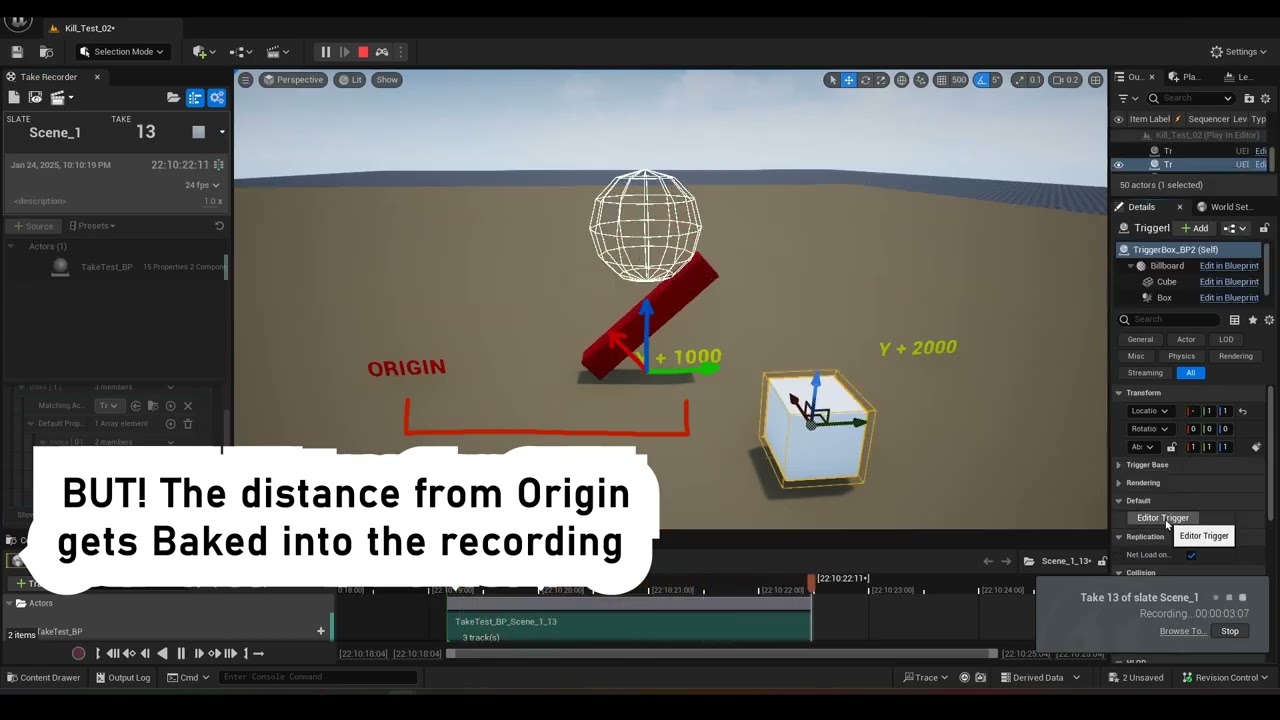
 gloomy depot
How do I prevent returning to the player's camera after a cutscene ends? Aka I want the camera to remain (and obviuously seeing through that camera in the viewport) until I call another event. Thanks! SOLVED: See responses from SeanR below
fickle narwhal
gloomy depot
How do I prevent returning to the player's camera after a cutscene ends? Aka I w...
For this you can make an event track in your sequence and create an event that: Gets the player controller, then sets the desired camera as the view target for that controller. Then when the sequence ends your player controller is still looking through that camera, but then you will need to set view target manually (with a trigger box etc.) to exit that camera again.
gloomy depot
fickle narwhal
For this you can make an event track in your sequence and create an event that: ...
Thank you so much! That makes perfect sense. Question for you - SetViewTarget calls for an Scot as the view target versus the cine cam within the level sequence - is this a situation where I should spawn a cine camera actor or am I able to use the cine camera from right within my level sequence? In my level sequence it shows the cine camera as ‘spawned’ (with a checkbox)
fickle narwhal
gloomy depot
Thank you so much! That makes perfect sense. Question for you - SetViewTarget ca...
When you create a Cine Camera in sequencer it actually is a Cine Camera Actor with a Camera Component. So just make sure you create the Event Track for the Cine Camera Actor and the resulting event will have an input pin referencing that actor.
gloomy depot
fickle narwhal
When you create a Cine Camera in sequencer it actually is a Cine Camera Actor wi...
This has helped me incredibly. THANK YOU so much. I really appreciate you here. I finally got what I needed to working.
 gray nymph

 steep copper
Unfurtunatly it looks its impossible to bake an animation to modular control rig. IS there anyone could make it run with modular control rig?
 hallow pawn
Can some one help please? I am trying to render a mesh and im moving around plains for the light to bounce off of them but when i his ctrl s to save it just reverts everything

 gusty sandal
hallow pawn
Can some one help please? I am trying to render a mesh and im moving around plai...
gusty sandal
hallow pawn
Can some one help please? I am trying to render a mesh and im moving around plai...
so there is already a key frame for that plane’s location in the sequencer. when you move it, then hit save, the plane snaps back to the location saved in that key frame. if you want the key frame to automatically update when you move the plane, then you have to enable auto keying in the sequencer. it’s one of those little diamond shaped buttons. there is a mode called ‘key changed’ or something like that. with that enabled, anytime you change any property of any object already in your sequencer, a key frame will be created for it.
hallow pawn
thanks, i just removed that plain lol, I shouldnet have accidently added it to the sequencer lmao,
ran into another problem though as one of the meshes im trying to render has logic to change its material when spawneed. and for some reson when I try to render, it starts playing that logic
gusty sandal
hallow pawn
thanks, i just removed that plain lol, I shouldnet have accidently added it to...
yeah you can just delete the plane out of the sequencer, and then you’d be able to move it wherever you want (because sequencer would no longer be controlling it)
hallow pawn
is there a way to render without the blueprints inside fiering ofF?
gusty sandal
so it’s a blueprint that contains a mesh? and in the viewport that mesh has a certain shader, but when you render it, that mesh has a different shader?
hallow pawn
ya so mesh in the rendering level, as I want it rendered, but when i try to, I get its orange material counterpart, wich is needed for the game but not for the render

and when i render:
 gusty sandal
so this could be happening from many sources, but the first place i would look is in the blueprint event graph. disconnect anything that is connected to the event begin play node
hallow pawn
meh that complicates things, not that its hard, just time consuming if i have a lot to render, is htere no way to just disable that in the sequencer or something?
gusty sandal
no, because anytime you render anything from the sequencer, unreal is essentially running an instance of the “game”, so anything that is set to trigger upon the start of the game or during runtime will always trigger.
A simpler way could be to just go find the static meshes that the blueprint is comprised of and drop those into your scene instead of using the blueprint asset?
hallow pawn
fucckkkk no, there all composed of a bunch of stuff, basicly kitbashed
that being said, i guess removing begin play is simple since its tied to all the buildings I have

 serene lodge
Hey all, what could be a reason using MovieRenderQueue_WorldDepth would render an all white image?
gusty sandal
serene lodge
Hey all, what could be a reason using `MovieRenderQueue_WorldDepth` would render...
I may be wrong, but i think world depth generates an image where the pixel values are ACTUAL world units. so if everything in your scene is more than 1 unit from the camera, then it will appear fully white, becauce when those units are converted to color data, the color cant go above 1
because color values are just 0-1
serene lodge
Ah okay, I think they actually may make sense for what I'm test rendering.
I did happen upon this doc/video where the person says something similar, and just lowered the exposure in PS to show the image:
https://dev.epicgames.com/community/learning/tutorials/O2V/unreal-engine-rendering-passes-with-exr
I'll have someone on my team check all these outputs and see what they can do.
Thanks 😄
gusty sandal
world depth should be written to an EXR file. and then in software like photoshop or after effects are there are tools that allow you to convert/normalize the values so that the farthest thing in your scene is represented by a value of 1 and the closest thing is a value of 0. in after effects that tool is called EXtRactor
serene lodge
Thanks, that helps!
toxic oyster
Is it possible to get timecode on the render "file format name" ?
We have something we recorded with timecode, but want to stamp the renders with the timecode in their name
 odd sluice
Hey all any idea on what I can do to reduce this flickering when I have shallow depth of field?
undone geode
Any Movie Render Graph experts here? Is it possible to combine and render-hide specific Layers for render passes?
 severe needle
undone geode
Any Movie Render Graph experts here? Is it possible to combine and render-hide s...
severe needle
undone geode
Any Movie Render Graph experts here? Is it possible to combine and render-hide s...
Yes it’s possible
undone geode
severe needle
Yes it’s possible
Yeah thanks, just found this https://dev.epicgames.com/community/learning/tutorials/LpaB/unreal-engine-using-the-movie-render-graph-to-render-in-layers

Epic Games Developer
In this tutorial, we will cover the basics of the Movie Render Graph, talk about the different nodes, and show how to start rendering your shots in layers.
 slate lake
Take recorder for the beginners like me. Hope it helps those who doesn't know. 🥲 https://youtu.be/-ammB2RlPJA?si=kMC58xdKCP2Zz2bK
In this video I have created a cinematic shot driven from Take Recorder during a gameplay session.
Packs:
Demo Map: https://www.fab.com/listings/1c1467ce-a2f5-4be1-8988-9069f90a8571
Car: https://www.fab.com/listings/591e3b3f-9d49-4cd2-8e28-d471c1a10cab
Timestamps
00:00 - Packs
00:09 - Plugins
00:30 - Game Mode Override
00:59 - Take Recorder
0...
serene lodge
I've been following this doc, but these CVARS don't exist in 5.5. Were they renamed?
https://dev.epicgames.com/documentation/en-us/unreal-engine/rendering-high-quality-frames-with-movie-render-queue-in-unreal-engine
 severe needle
serene lodge
I've been following this doc, but these CVARS don't exist in 5.5. Were they rena...
severe needle
serene lodge
I've been following this doc, but these CVARS don't exist in 5.5. Were they rena...
Ray tracing was removed in 5.4
Like all of it
serene lodge
Oh wow, I see. Was it replaced by anything, or how do you handle quality settings for rendering?
severe needle
It was deprecated and removed in favour of full lumen. You should be able to find equivalent settings for Lumen
serene lodge
Aaah, sorry I'm two weeks into Unreal since we're exploring using it to handle renders at work so I'm a bit out of the loop.
Lumen is the new lighting system which is not the same as raytracing? Is lumen the default system that I've actually been using in a test scene if I haven't modified any settings?
 full creek
Does anyone here have experience with making VR renders? I'm looking for information on best bang for your buck render settings. I've tried a bunch of different settings but don't seem to see much difference and not sure if I can get better quality out of the render. Here's a test render I did at 6k exr, no anti-aliasing, and 30fps. https://youtu.be/sr1RMzhNWvQ

8 temporal samples doesn't really look much different for me.
Trying to render at 8k is dicey because it causes Unreal to freeze a lot. Sometimes it goes through but more often doesn't.
mossy drift
serene lodge
Aaah, sorry I'm two weeks into Unreal since we're exploring using it to handle r...
Lumen uses raytracing, it is a global illumination + reflections system. It is the default if you don't touch anything.
light otter
does anyone know how i can fix thi
the mdoel keeps disappearing whenever i get close to it
serene lodge
mossy drift
Lumen uses raytracing, it is a global illumination + reflections system. It is...
Thanks for the explanation, I'll read up more on this. 🥰
 gray stone
What Steps are taken to make in-game cutscenes look better than gameplay models? For closeups, for example in the Final Fantasy 7 Remake/Rebirth series, the in game cutscene models up close look better than the gameplay ones. Do game studios swap the whole model for a higher poly one?
tight stone
Usually yes
They often use additional lights (often changed on a per-shot basis) - once you're making a cinematic it's often more about thinking about the scene in 2d than 3d, like how in paintings from old masters they merge many objects together into shapes using value grouping
fair bay
light otter
does anyone know how i can fix thi
Check your near clip plane. Go to your camera settings find the property and change the value to a lower number. Give that a try.
red cliff
I made this cinematic trailer for my game, what do you guys think about it?
https://www.youtube.com/watch?v=sS2Hv6VZ51U&t=6s

Echoes of Argora is an upcoming single-player open-world RPG, developed by a solo developer at Emerald Studios Sweden. Explore a realm of ancient secrets, engaging battles, and divine powers as you carve your own legend.
Explore a wide open world
Engage in strategic and intense combat
Wield divine powers and shape your destiny
Wishlist now on ...
fair bay
red cliff
I made this cinematic trailer for my game, what do you guys think about it?
http...
Great job man! Looks good.
red cliff
fair bay
Great job man! Looks good.
Thanks a lot, I appreciate the nice comment 😄
nova rune
red cliff
I made this cinematic trailer for my game, what do you guys think about it?
http...
Definitely awesome for what I assume is a smaller studio, I was just wondering how u guys went about the VA? Did you end up hiring someone?
red cliff
nova rune
Definitely awesome for what I assume is a smaller studio, I was just wondering h...
Thank you! Yes it's just me, myself and I. Well my recording equipment wouldn't give me that "top notch" quality so I went on to hire a professional for the voice-over.
nova rune
Great for being on your own, how long have you worked on this project?
red cliff
nova rune
Great for being on your own, how long have you worked on this project?
Thanks, I appreciate it. It's been in development for around 1.5 years now. But I've been able to put in a lot of time on it due to work/school from home.
nova rune
nice!
 tepid quiver
Hello, I'm going to share with you my latest work with scenarios.

Trabalho realizado com a unreal engine 5.5, utilizando ativos Megascans, camboja e ultra dynamic sky, uma floresta realista.
 young bay
Hi guys, is it possible to have volumetric clouds in PT show up over terrain when viewed from above ?
 serene lodge
Hey all, what might be the cause of this black noise on cryptomatte ouputs? Multipass effects are disabled as well.
 tight stone
serene lodge
Hey all, what might be the cause of this black noise on cryptomatte ouputs? Mult...
tight stone
serene lodge
Hey all, what might be the cause of this black noise on cryptomatte ouputs? Mult...
Can you attach the exr here?
serene lodge
tight stone
Can you attach the exr here?
Sure thing, here you go 😄

(This is a slightly different one from the previous screenshot, but the issue persists in this exr as well)
tight stone
serene lodge
Sure thing, here you go 😄
I'll have a peek later today when I have access to Nuke 👍
serene lodge
Awesome, appreciate it. 🙂
tight stone
serene lodge
Sure thing, here you go 😄
I think it's the DWAA compression, it's lossy
So your objectid's are getting transformed into different values (and compressed)
You can see the metadata on the exr (lower one), it has the original names and the ID hashes, but when the matte is picked its' just picking values and can't map them back to names, which to me says the values have been changed (also the blocky look is very distinctly compression-like)
 serene lodge
Ahhh interesting, okay, I just saw a video once that someone said to use DWAA "just because". But if I think back, it wasn't related to cryptomattes, and was specifically for rendering beauty shows and render passes.
I'll try another!
@tight stone Awesome, Piz compression worked. Thanks again for the help, this was driving us crazy for like a week. 😭
 tight stone
Yay, glad to have helped. Also FYI object IDs don't work with multiple render layers in MRG (and MRQ doesn't support layers), but should be fixed soon hopefully
twin sand
You think bloom is good in cinematics or no? I'm leaning towards no bloom.
mossy drift
twin sand
You think bloom is good in cinematics or no? I'm leaning towards no bloom.
it looks nice in moderation
young bay
Hey guys, nobody knows anything about this ? 🥺
twin sand
mossy drift
it looks nice in moderation
I think when streaming the 7000-8000 kb/s bitrate and codec transcoding makes bloom look really bad. It takes away all the crispiness and makes it look comic booky.
young bay
Hey guys. I'm using Procedural Foliage Spawners on this heightmap to generate trees to cover the surface like the reference pic. However I'm hitting hard limits of memory (3080 Ti/ 64Gb Ram) and it slows down & crashes at a certain point. What would be the best approach for covering this mountain with millions of trees .

 undone geode
I have a 7 second alembic file exported from Houdini.
When I try and play back and or render in Sequencer this file plays back much too quickly in about a second.
What is going on?
I notice that on import you can choose 'Sample by Time Step' instead of by 'Sample by Frame'.
Checked the documentation but not much help.
What value should I try for Time Step?
hallow pawn
Is it possible to have a cine cam move in game and record my gameplay? I need to make a trailer and am not sure how to do so without just having a boring screen recording
 astral lance
Im rendering an automotive shot in pathtracing. I want to render the elements in seperate layers. Car, Glass and the just the shadow falling on the ground plane in alpha, maintaing the translucency of the glass and transparency of the shadow in png. I’m using UE5.5.
Just like we do in 3dsmax+Vray or any other offline rendering tool.
Looking for similar output like this
 young bay
Hey guys, I'm trying to use the LookAt on a Camera actor but it's not doing anything... What am I doing wrong ? Thanks a lot!
astral lance
young bay
Hey guys, I'm trying to use the LookAt on a Camera actor but it's not doing anyt...
instead of "actor" use any "static mesh actor". And turn off "visible" from the details panel.
I always use the default cube and rename it as per my camera name.
 prime mountain
Is it possible to save Highres Screenshot without the passes, I tried adding the Shot 0 0 0 0 0 0 0 to the blueprint but it still exports all the passes
 thorn atlas
Isn't the camera supposed to take into account FOV when handling LODS? I am using an RTS camera with a zoom function but when I zoom in, even when I fill the screen with a unit, it never updates the LOD to the best one, always keeping the low poly one. Anyone run into this issue?
sweet hawk
I don't know If UE 5.5 introduced this... but sequences can have notes?
I don't see an option to add note or anything

 stoic moat
Hey guys, does anyone know any good tutorial videos for creating a car cinematic animation from start to finish?
hallow pawn
@stoic moat https://www.youtube.com/watch?v=h2aL7jEg_xw maybe this will help

In this video we create a cinematic driven from data captured by take recorder during a gameplay session. We explore topics like the camera crane, motion blur and extracting take recorder data to a proxy blueprint actor for ease of use.
=Timestamps=
00:00 - Introduction
00:22 - Project Recap / Setup
00:41 - Recreating my drive path with rings
0...
I need help figuring out why when i record gameplay in take recorder, it only records how my camera moves but not any of the buildings that get built (its a building game lol) I also cant capture the HUD. so I'm clearly doing something wrong and im a total noob. but I have to make a trailer
stoic moat
hallow pawn
<@228344581354160129> https://www.youtube.com/watch?v=h2aL7jEg_xw maybe this wil...
in that video he has mostly everything done hes just piecing things together. I am looking for a tutorial that starts at the very beginning... not really much out there for UE5(free at least) so Ill probably just piece together a bunch of different videos if I cant find a single one
hallow pawn
he has privious vids, you could look into the playlist
like hes got vids on making the map and all that if your like totally new to UE. a lot of learning is just getting familiar with UE and mixing tutorials can work, it can also lead to a lot of issues and incompatabilities especially if your new, AI found that out a lot lol
 copper ginkgo
light otter
the mdoel keeps disappearing whenever i get close to it
copper ginkgo
light otter
the mdoel keeps disappearing whenever i get close to it
Yes, it has to do with the physics asset for that object not being setup crrectly. You can either re-create the physics asset or crank up the bounds scale in the details panel
tight stone
Do all frames look like that or just the first one
Default MRQ settings? Does turning off thumbnails in Sequencer do anything? (Right click them, go to thumbnails, then uncheck enabled)
I believe the look you're seeing is motion blur being confused by a huge movement between frames
hollow depot
Hey Guys, anyone seen this DOF bug before? Happens when I have an object close to the camera
 twin sand
Anyone able to get the DLSS cinematic plugin to work with DLAA? I always get really bad shadows and shadow flickering.
split swallow
Anybody know how to fix these weird artifacts that I'm getting on my depth of field shots, particularly if the camera is either moving and/or I'm changing the focal length?
This is what it should look like (and what it looks like in my editor window):

But this is what it looks like when I render it out:

Nevermind, I fixed it 🙂
rain jungle
split swallow
Nevermind, I fixed it 🙂
Curious to know the fix, in case the same issue pops up for others
 prime harbor
Are there any good resources to render a volumetric (fog/heterogeneious volume) pass from MRQ?
split swallow
rain jungle
Curious to know the fix, in case the same issue pops up for others
Just need to go into the Project Settings, and under "Rendering" I just had to disable Alpha Output
 jagged totem
Hi! This is my first time using Unreal for actual film making. Bit confused by this thing that's happening. I have my character setup in a blueprint. I've added the blueprint to my level sequencer and then added the character skeletal mesh component and an animation to the SKM. My camera is tracking the character Blueprint. When the animation plays through the transform for my character stays in place and then my camera loses focus because its focused on the transform I think?

Any help would be greatly appreciated
 fossil tangle
Hi All,
I am trying to record gameplay in LyraStarterProject using take recorder… I have added Player as a Source and recorded some footage. While the recording is being done, its failing to save the recorded sequence with the warning:
Warning: Can’t save ‘…/Takes/2025-02-18/Scene_1_25.uasset’: Illegal reference to private object: ‘StaticMeshComponent /ShooterMaps/Maps/UEDPIE_0_L_Expanse.L_Expanse:PersistentLevel.BakedStaticMeshActor_C_UAID_E04F43E623D4FEF700_1435396366.StaticMeshComponent0’ referenced because it is an archetype object (private object belongs to an external map).
Can anyone please help me fix this…
Thanks!
 pulsar ermine
safe depot
Hi everyone, I'm working with UE 5.4.
I'm rendering a high-poly model with 8K te...
pulsar ermine
safe depot
Hi everyone, I'm working with UE 5.4.
I'm rendering a high-poly model with 8K te...
@safe depot, @frozen pike,
I think I'm experiencing the same issue while using UE 5.5.3. Did either of you figured out this problem?
I've attached an example I've got of a tiled mesh terrain which imageA (left picture) has UV coordinates 1009 for UDIM setup with a numbered texture as part of a texture sequence, and imageB (right picture) is reverted to UV 1001 with an unnumbered texture. Ideally nobody should have to revert the UVs back to 1001 and assign a separate material to a different mesh to fix the issue. I've been doing my UVs setup in Maya, so my issue is either with Maya to Unreal or continue editing the virtual texture streaming settings which didn't make any difference for me.


 sly lynx
I have AnimBP variables exposed in Sequencer, each with their own tracks....but the animations dont play/update as i scrub.... what am I missing?
 gusty heath
https://www.youtube.com/watch?v=g4DhKgZsxIM
Dragons of Winter (2025) 🐲 CGI 3D Animated Sci-Fi Movie
This is my magnum opus - the greatest work I’ve ever created, on such a next level that everything before it feels like child’s play. For the first time, my dragons aren’t just present - they’re performing dramatic roles. I personally handled the motion capture for every single character.

The CGI 3D-animated sci-fi movie "Dragons of Winter" is a standalone prequel to "Animal Planet" and tells the origin story of all dragons in that world.
This is my magnum opus - the greatest work I’ve ever created, on such a next level that everything before it feels like child’s play. For the first time, my dragons aren’t just present - they’r...
pulsar ermine
pulsar ermine
<@325697451824513045>, <@574419668815708160>,
I think I'm experiencing the same ...
For anyone else with this issue I had to open the StaticMeshEditor for each particular actor, go to the specific lod version (lod0 for my specific assets), tick to enable 'Use Full Precision UV's and click Apply Changes at the bottom of the Build Settings dropdown options. This way no need to modify the existing UDIM numbered UV coordinates and texture sequence if already modified in another program such as Maya, Houdini, Blender etc. It'll use more data, but it'll accurately display properly within the viewport.
brittle brook
Hey everyone! 👋 I just finished my latest Unreal Engine 5.5 project featuring the Hyundai IONIQ 5N, and I’d love to hear your thoughts! 🚀 I’ve been pushing myself to improve both visuals and sound design, so any feedback or tips would mean a lot. Let me know what you think—and if you have a moment, drop a comment under the video! 🙌 https://www.youtube.com/watch?v=GEiXLp19j7g

My Journey in UE5 Continues…
This video is my next step in learning Unreal Engine 5. What was supposed to be a short project turned into a long ride - because let’s be real, life happens. I kept tweaking, refining, and pushing the visuals and audio to the limit. I wanted to improve my camera work, add more dynamics, and finally, get better at so...
brittle brook
gusty heath
https://www.youtube.com/watch?v=g4DhKgZsxIM
Dragons of Winter (2025) 🐲 CGI 3D ...
it looks fantastic, such an incredible amount of work! Great job!
brittle brook
split swallow
Nevermind, I fixed it 🙂
How ?
gusty heath
brittle brook
it looks fantastic, such an incredible amount of work! Great job!
Thanks 🙂
gusty heath
brittle brook
Hey everyone! 👋 I just finished my latest Unreal Engine 5.5 project featuring t...
The camera work is actually pretty good.
brittle brook
gusty heath
The camera work is actually pretty good.
Thank you very much. I'm still learning tho 😄
 obsidian goblet
Hey everyone, we’re a small team developing animations for our own IP, hoping to connect with Unreal cinematic devs:
PATREON: https://www.patreon.com/morningstarproject/
DISCORD: https://discord.gg/4xTaFwdtp5
Pursuing a refugee fleet of the Shigue Diaspora, corporate forces of the Hegemon send their elite mercenaries to attack an alien wea...
twin sand
If I use this setup will the spatial samples increase visual fidelity or do the two methods ignore each other?
 tight stone
You get spatial samples* temporal samples many renders, you probably want to turn off AA after 9 or so samples, they'll do aa for you
twin sand
Most of my renders only use spatial samples and no TSR or temporal samples. This render the foliage shadows are so complex that they flicker when rendering cinematics so it needs TSR.
I disabled the TSR(to none) and only used the samples and the flickering is still there so this scene needs TSR to be presentable otherwise it's unbearable.
tight stone
Then I would put the samples all in Temporal. That's generally the right answer unless A) you have more than 500 (path tracing) or B) you need no motion blur
twin sand
Well I figured it out. The directional light shadows glitch out when they're at a low angle. They're super crisp and perfect between 11am-5pm. In the morning and at sunset the low angled light causes the foliage shadows to go haywire.
TSR is required to mask the glitching by blurring the shadows into soft shadows.
undone geode
Has anyone used overscanned footage before?
I've overscanned my UltraHD sequence by 20% before rendering out as an EXR sequence from Unreal.
This is so I can use a Lens Distort while retaining my original cropping inside Resolve
So instead of 3840x2160 the EXR's are 4608x2592 pixels.
However, upon importing to Resolve or even before importing, Resolve seems to recognize these clips as UltraHD 3840x2160.
Why is this happening? Does Unreal embed some sort of metadata that Resolve reads or?

 tight stone
Yes
Look up exr Data Window vs Display Window
Unreal keeps the requested output resolution as the display window in exrs, and packs the extra data into non visible space around it
Tools with good exr should know that if you request pixels outside the display window, like a screen space camera shake, that there's real data outside the windows it can use
nova rune
brittle brook
Hey everyone! 👋 I just finished my latest Unreal Engine 5.5 project featuring t...
For me personally way too much acrobatics with the camera - maybe a slow pan/orbit with the whole profile of the car instead of so much focus on the car model font?
brittle brook
nova rune
For me personally way too much acrobatics with the camera - maybe a slow pan/orb...
Hi and thank you very much for the feedback.This was my original intention, but then I reworked it and used some of it for TikTok and originally I wanted it cinematically slow.In the next project I will stick to the original plan if I can. 😀 But thanks a lot for the feedback again I really appreciate it .
 sharp jasper
twin sand
If I use this setup will the spatial samples increase visual fidelity or do the ...
sharp jasper
twin sand
If I use this setup will the spatial samples increase visual fidelity or do the ...
Made a video on this exact topic last week: https://youtu.be/fVg5ihB8Wdc?si=0BbiNfJirRVTDknS
Movie Render Queue in Unreal Engine has been around for years now, so I have compiled the latest and greatest information to give you the best possible understanding of how things work, and the best renders.
Get EasyMapper, EasyFog, and EasySnow here on FAB: https://www.fab.com/sellers/William Faucher
Sale ends Friday, February 21st 2025.
FR...
 split ingot
a vdb test
nova rune
split ingot
a vdb test
nicee, made in houdini?
serene lodge
Hey all, would anyone have any idea why the output (second image) looks drastically different from the editor (first image).
This is using MRQ, Pathtracing. It's almost like the sub surface profile is being ignored, though that's just a guess.

 serene lodge
Ah, solved. I had disabled the tone curve, which of course changed the look since the editor is using ACES.
tight stone
If you have an OCIO profile you can set the viewport up to use it, and then render in MRQ without it
(and then reapply in post)
serene lodge
Oh that's a good tip! Because yeah, we definitely want to just handle everything in post.
sharp jasper
If you disabled the tonecurve you just need to convert it to the right colorspace in post to get the same result
Using ocio at render time just does the conversion at render time but you can use a colorspace transform to get it right after as long as you know its a linear srgb image
serene lodge
For sure. I was just doing quick sample PNG outputs so just got caught off guard by the different look before I remembered tone curve was disabled specifically because we'd convert it back in post.
tight stone
In Movie Render Graph, you can apply OCIO profiles per output image, so you can render to ext without ocio or tonecurve, and write out a PNG that has the OCIO added without a second render
serene lodge
Super helpful, thanks guys 😄
gusty sandal
serene lodge
Hey all, would anyone have any idea why the output (second image) looks drastica...
out of curiosity, what are you making?
serene lodge
gusty sandal
out of curiosity, what are you making?
We do science/medical animations and are testing the feasibility of using Unreal for faster turn around renders. This is just a test scene we're using to compare with the same in Redshift Maya to see how well we can match.
gusty sandal
serene lodge
We do science/medical animations and are testing the feasibility of using Unreal...
pretty cool
gusty sandal
serene lodge
We do science/medical animations and are testing the feasibility of using Unreal...
wonder how common this story is - boss/client/i was too impatient for redshift or octane so i switched to ue 😂
serene lodge
Haha we've been curious about it for a while, and now we have some down time are trying it out finally.
 jovial karma
A cinematic of an environment that I've made https://youtu.be/FPwCkJ1Ek0E?si=5xfsidbFYZkbE1_Z
Fab asset link : https://www.fab.com/listings/f29eeef2-a618-452a-acc9-2879cd760782
Inspired by the vast underground storm drain network beneath Tokyo, this asset brings a highly detailed and atmospheric environment to life.
Software Used :
- Unreal Engine 5
- Davinci Resolve
 cyan harness
Anyone know how I could go about adding depth blur to this sphere but only around the edges?
 junior basin
I've moved to UE 5.5 from 5.3 & getting errors in still render queue.
LogScript: Error: Script Msg: Traceback (most recent call last):
File "<string>", line 3, in <module>
File "C:\Program Files/Epic Games/UE_5.5/Engine/Plugins/MovieScene/MovieRenderPipeline/Content/Python\mrq_stills.py", line 36, in create_sequence_from_selection
camera_cut_track = sequence.add_master_track(unreal.MovieSceneCameraCutTrack)
^^^^^^^^^^^^^^^^^^^^^^^^^
AttributeError: 'LevelSequence' object has no attribute 'add_master_track'
Any idea's what might have been depreciated & if there's an easy fix for this?
junior basin
Worked it out. You have to replace:
camera_cut_track = sequence.add_master_track(unreal.MovieSceneCameraCutTrack)
with
camera_cut_track = sequence.add_track(unreal.MovieSceneCameraCutTrack)
That's an engine plugin so hopefully will be changed eaily by EPIC. I don't build from source so don't have an easy way of making that pull request!
nova rune
jovial karma
A cinematic of an environment that I've made https://youtu.be/FPwCkJ1Ek0E?si=5xf...
very nice texture work that makes the scene believable
serene lodge
Good morning! Back again with another question.
Our test model here is alembic geometry cache, with a material slot for each of the cells. However, it seems that cryptomattes are not working? In the second image you can see it treats it all as a single object, despite the object id type being set to Material. The cubes were placed in the scene just to verify that cryptomattes were working in general.
I had found this post which seems related, but it also links to a bug tracker that is marked resolved:
https://forums.unrealengine.com/t/alembic-geometry-cache-cryptomatte-5-3-2/1585473
Has anyone had success with this, or is able to test it?


 verbal oyster
How to globally change a sequence audio volume?
tight stone
serene lodge
Good morning! Back again with another question.
Our test model here is alembic...
Does it work if they have different materials? Right now it looks like they all have the same name, so they would generate the same cryptomatte id when using material
serene lodge
tight stone
Does it work if they have different materials? Right now it looks like they all ...
Ah, I assumed it was material slot, not material instance.
That said, the blue cells do have different materials and even they are not coming in as a separate group.
 tight stone
Are you sure those material slots are actually visible in the camera too? Try it without an alembic cache (ie a static mesh with multiple materials, or a skeletal) - each mesh type in unreal is rendered differently and may have different support
....but also the engine is realtime and fast to render, ideally you don't fix things in post. DoF/Motion Blur/AA/etc aren't supported by the objectid pass so they're probably a bit limited in use anyways
serene lodge
Oh, let me try with the static mesh. The cryptomatte is mainly to give the artist some freedom when they have to layer additional artwork (usually lines, text, and fades) when they're compositing the animation. In the example scene above is a bad example of where it would be useful, I agree.
What you said about being visible to the camera is interesting. I noticed that the model came in with 101 material slots, but there are definitely not that many cells the test file. Some of these material slots don't seem to do anything when I put an obvious colour into them, and I'm wondering if there's some overlapping happening. I'll ask if they can provide only the exact slots for the model.
crystal pecan
Is there a workaround to getting groom simulations to work with antialiasing settings in the render queue?
 vestal quarry
Hello, I have a level sequence that i am playing when i interact with an object in my game, but the sequence is resetting once it has been played. How can i make it so it ends on the last frame and stays that way.
 steep lagoon
My take on the Musk/Trump disaster…
The Alerta Hard-Choir sound is created entirely with AI
The 3D Animation is handmade with CC4, iClone 8 and Unreal 5
https://youtu.be/N32CTA8MWsM
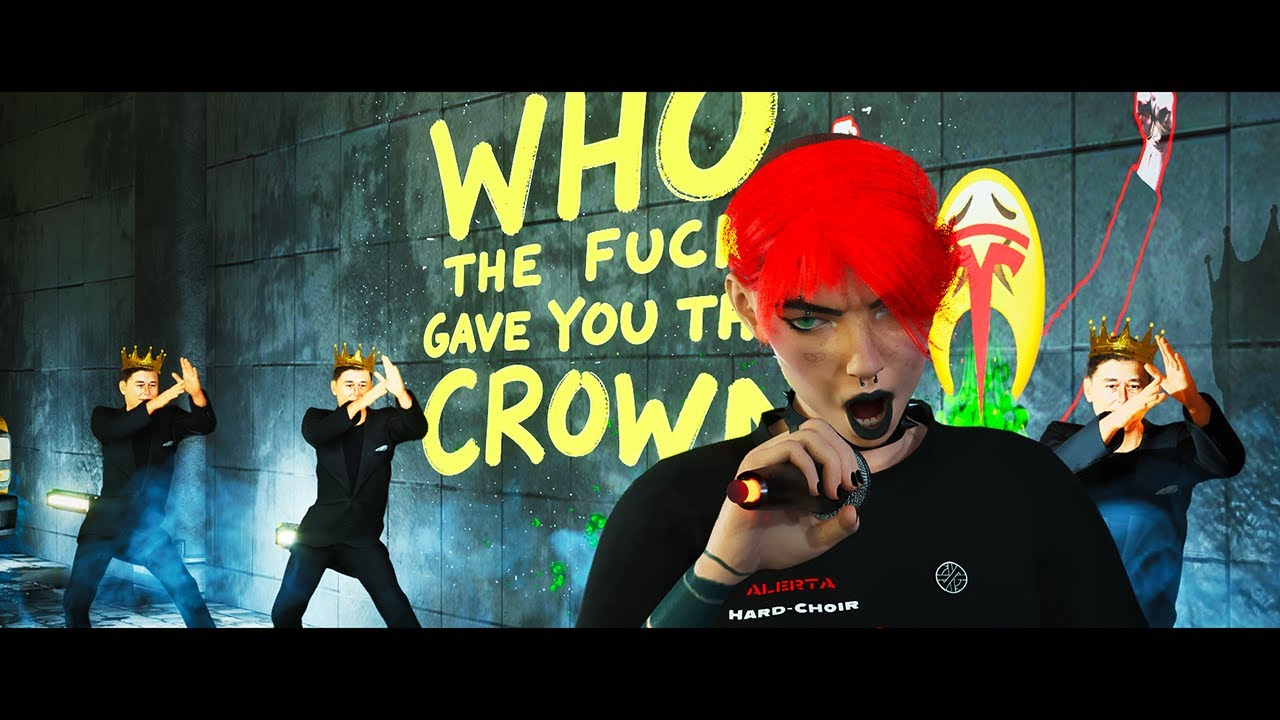
My take on the Musk/Trump disaster...
The Alerta Hard-Choir sound is created entirely with AI
The 3D Animation is handmade with CC4, iClone 8 and Unreal 5
 hidden fulcrum
steep lagoon
My take on the Musk/Trump disaster…
The Alerta Hard-Choir sound is created entir...
steep lagoon
hidden fulcrum
<#1054845177509974107>
hidden fulcrum
steep lagoon
My take on the Musk/Trump disaster…
The Alerta Hard-Choir sound is created entir...
steep lagoon
hidden fulcrum
<#1054845177509974107>
Hm, not sure what you mean...
hidden fulcrum
steep lagoon
Hm, not sure what you mean...
that is the chanel for sharing your work
steep lagoon
hidden fulcrum
that is the chanel for sharing your work
Ah, ok... Will post there... Thanx
lusty sigil
vestal quarry
Hello, I have a level sequence that i am playing when i interact with an object ...
In case you haven't got to it already, you can change the Finish Completion State Override property on the LevelInstanceActor to Force Keep State 🙂
 serene lodge
tight stone
Are you sure those material slots are actually visible in the camera too? Try it...
serene lodge
tight stone
Are you sure those material slots are actually visible in the camera too? Try it...
Hey there, sorry for the late follow up, the weekend came fast.
We tested same model as a static FBX and the cryptomatte does work, so something is definitely happening due to the fact it's an alembic file in the other case. I've tried also using simple lit materials on the cells instead of our subsurface one just in case there was something happening there, but it still comes back as a single group.
First image = static FBX
Second image = alembic


As for your point about the camera seeing them, it is pointing at the model.
 tight stone
Maybe alembic caches don't work, should make a minimal repro case and file a bug report
serene lodge
Yeah, we'll try with something bare bones and will file it. Thanks for the help!
undone geode
Question for any Sequencer experts.
Is it possible to change Cvars during Sequencer playback or render?
I need to switch r.VolumetricFog.HistoryWeight to a low value just before I switch lights off so that they are more responsive.
The tradeoff with a low value is that there is flicker.
rain jungle
undone geode
Question for any Sequencer experts.
Is it possible to change Cvars during Sequen...
I would try setting up a blueprint with a custom event that executes the console command. Then in sequencer set up an event trigger that triggers the custom event when you want it to happen
tight stone
There's a console command track on sequencer, and in MRQ
undone geode
rain jungle
I would try setting up a blueprint with a custom event that executes the consol...
Yeah seems like the only way.
 floral latch
sup nerds, when I render a cinematic with a squeezed/anamorphic lens, the depth pass seems to ignore the squeeze factor and comes out stretched vertically. Is there a work-around or do I just cry?
undone geode
I need to export a mesh animated in Sequencer to use for collision in another DCC.
What is the best way to accomplish?
Can I simply export the mesh Sequencer track as FBX or?
nova rune
I think right clicking on it - there’s some bake options
From which you can export once they are an asset
twin sand
When I set r.ScreenPercentage 200 only the left side the screen can see the water reflections.
 hybrid mirage
What type of reflections are you using? RT or ScreenSpace?
twin sand
RT with Lumen
It only happens in cinematics, in game with SceenPercentage 200 it doesn't happen. And only at 4K. At 1920x1080 it doesn't. At 4k in cinematics the screen seems split in half with reflections.
Maybe... because I need to plug it into an actual 4k monitor.
hybrid mirage
The thing is Lumen just captures Reflections until one point
Try one thing
If you are using a Post Process Volume to select what type of reflections you want
Don't select "Hit Lighting for Reflections"
Select the other option and check
twin sand
So try surface cache instead of Hit Lighting. Trying now.
That didn't fix it.
hybrid mirage
Can you send an screenshot?
 rose bobcat
anybody know the best way to avoid texture pop in during in game cinematics? Is there a way to prestream textures for all the upcoming meshes in a cinematic or similar?
tight stone
Virtual or regular texture streaming
You can set up preroll on camera cuts and propagate that preroll area all the way up the hierarchy to inform regular texture streaming about the upcoming camera location which starts the streaming process for regular textures if there's room in the pool
twin sand
Is it possible to increase the D3D12 budget? I have 16GB VRAM but the budget in Unreal is capped at 14102MB and used is 15619MB so the render crashes. Pagefile is 100GB and 32GB ram.
 swift ridge
Hello everyone.
Does anyone know how to force Mip bias of heterogeneous volume when rendering movie render queue?
I tried bunch of Cvars, Force Mip streaming on the actor itself but every Nth frames the resolution of the sparse volume texture gets blurry and down-res, causing it to look glitching.
I increased poolsize of virtual texture too but no luck so far:(
I am using 5.5.2
tight stone
Is there settings on the volume about blocking? Maybe it's not loading from disk fast enough
 crimson ore
ok so I made my very first render with unreal but that makes a bunch of png images, what is a good tutorial or manual that I can follow that can tell me how to easily make all those images into a single avi file or any video file that could be easily shared?
twin sand
In the pipeline config (movie render settings) add an Apple ProRes and deselect the jpg. It will export the render as a movie. You can export as a jpg and compile them later on with your video editing software (e.g. Davinci, Lightworks).
This is usually done for super high resolution renders that take >24 hours so an entire render doesn't need to be redone to fix something minor and the subset of jpgs can be swapped out. The images below show the settings and the plugin you need to enable to export movies.

 crimson ore
twin sand
In the pipeline config (movie render settings) add an Apple ProRes and deselect ...
crimson ore
twin sand
In the pipeline config (movie render settings) add an Apple ProRes and deselect ...
does that work if I'm on windows?
crimson ore
trying the Apple ProRes Media gives me these errors, does anyone know what I could do?
 twin sand
It definitely works in Windows. Does that file path exist explicitly? The accented a in Cinematica might be giving it problems, likely a filepath error.
crimson ore
twin sand
It definitely works in Windows. Does that file path exist explicitly? The accent...
yeah I changed the accent and it worked
crimson ore
twin sand
It definitely works in Windows. Does that file path exist explicitly? The accent...
thank you very much!
tight stone
Otherwise use ffmpeg or similar to make h264s, not everything can play prores
 grave matrix
Hey guys I need some help with rendering. I'm doing a project in Blender and using meta humans which I render in UE5 and later comp onto my Blender render. I have exported geometry which I use as holdout in the path tracer, as well as some animated assets to which the meta humans are parented. When I render this out I get really bad motion blur and when I disable motion blur UE throws a bunch of errors. Anybody got an idea what's going wrong?

And when I render this the characters make massive jumps when a frame is complete, normally they move a little with each temporal sample
 hoary anvil
why when the video plays there is that white screen for a moment? and why the video plays on my PC but not on other PCs?
and before typing stupid stuff (YES it looks like minecraft but it's a slenderman adaptation of it)
gusty heath
Hey community, got a technical level sequence question for you. Can you "make your own Level Sequence events" in blueprint? For example, what if you want to make your own "Actor Hidden In Game" event, but that applies to collision? P.s. as far as I can tell, repeater events are not sufficient, and neither are template sequences. Edit 2: and thank you 🙂
 shut scroll
gusty heath
Hey community, got a technical level sequence question for you. Can you "make yo...
shut scroll
gusty heath
Hey community, got a technical level sequence question for you. Can you "make yo...
I guess there are a few things you could do:
1 - Add an event track directly to an actor track - this way you can call functions on that Actor BP directly from the level sequence director Blueprint
2 - Have a "middle man" (Manager, Subsystem, Game instance, Player state or whatever else) - Then your event track calls a function/event dispatcher on that manager, and other external BPs can bind to it -- OR the manager blueprint itself can broadcast function calls to registered/cached actors.
Does that correspond to what you're trying to achieve?
gusty heath
shut scroll
I guess there are a few things you could do:
1 - Add an event track directly to ...
Thanks for your reply! I tried and liked the middle-man approach in some cases, what I am looking for (in addition) in something similar to the Anim Notify States, where it supplies a Begin and End event. For example, you can expose a bool to a sequence (Expose To Cinematic), but how do you listen to changes? Imagine there being a "RepNotify" style way of actually executing the changes in accordance to the variable changes.
Edit: for example, I made a spawnable actor that hides the user interface on BeginPlay, and shows it on Destroyed. This is obviously stupid (costly) but it's incredibly easy way to hide the UI during a set duration. This has short-comings however, if you want to show/hide many times you have to spawn the actor many times (stupid * X) and won't allow making changes to actors in a sequence.
Do note, all solutions ideally take into account that the sequence can get disbanded at any time. Imagine leaving a conversation early etc
tight stone
If Sequencer is animating a property, you can make a function on it called Set<propname>(proptype Value)
ie
float MyCoolValue;
{
MyCoolValue = Value;
// do something else
}```

It will get called every frame _instead_ of sequencer setting the value directly (which is why you have to set it)When Sequencer stops evaluating it should restore the previous state to objects as well.
gusty heath
tight stone
If Sequencer is animating a property, you can make a function on it called `Set<...
Hey cheers. That sounds promising, but I don't understand from where I call this event. I suppose this is just a custom event on the actor you want to alter? The closest I've achieved to what you are saying is with a Repeater-event. This doesn't restore the value though, and it's very limited beyond booleans because you can't keyframe the value (tbh booleans like this is the primary use, but still).
Aside from me not understanding, it does sound like exactly what I need
tight stone
Sequencer automatically calls it if you're animating that property through Sequencer
You don't need an extra track or anything, just animate the property, and if you have call in editor on your function , add a print statement to it and you should see it in the output log when you scrub
gusty heath
tight stone
You don't need an extra track or anything, just animate the property, and if you...
Wow, I refused to believe that was going to work 😄 I had no idea this was possible nor I've heard or seen anyone use this before.
From a workflow POV this makes total sense, and is exactly what I was trying to figure out, swearing it has to be possible. Just wouldn't figure out it would behind the scenery resolve this link.
Thanks a big bunch!
tight stone
Yea unfortunately the blueprint setter metadata isn't available at runtime, and rep notify is for network replication, so it uses this sort of hidden name based thing
 gusty tulip
Hello everybody. I was wondering if anybody is able to stop and resume cinematic renders maintaining consistent positions on Niagara systems and other dynamic effects. Even setting Niagara's system in deterministic mode and using the same seed number, if I render the same sequence each time particles are placed differently...
 whole kayak
hi guys is there a way to get wind with pathtracer and world position offset? my gpu keeps crashing everytime i try to enable wpo1 and i need wind on trees. thanks (i use rtx 4090)
tight stone
WPO is very expensive for ray tracing, as every object that uses it has to be uniquely instanced (both the mesh data and the BVH acceleration structures) and have their acceleration structures be rebuilt each frame too.
 frosty walrus
hey all, is there an example of Object IDs working with MRG? I've been struggling to get anything other than a blank output