
#cinematics
1 messages · Page 3 of 1
 dire flax
 short nexus
I'm experiencing strange rendering artifacts in Movie Render Queue renders. They only occur when the camera is facing towards the sun, and only on the right-side of the rendered frame. This is a gif of just the area of the frame that's affected:
https://i.imgur.com/z7TD5XS.mp4
Anyone have any clue what this could be?

 gusty heath
At first I apologize by my english,
I'm having trouble to understand why in sequencer with a Metahuman Actor when I add an animation like turn 180 no yaw matching at all, so I decide to set the yaw rotation manually in the next frame after the end of turning 180 animation but instate all references to yaw changes and I get every path made by the actor completely rotated.
I know that must be some knowledge I lack.
How is the apropiate way to apply a Turn 180 animation and after that the pivot of metahuman still keep the yaw rotation?
 slender axle
Movie Render Queue is always crashing. Does anyone know why? Here's the call stack. Thank you 😀
 gusty heath
slender axle
Movie Render Queue is always crashing. Does anyone know why? Here's the call sta...
gusty heath
slender axle
Movie Render Queue is always crashing. Does anyone know why? Here's the call sta...
Tired to suffer the same issue, I change to DX11, I know the cost, but in the way to produce the cinematics....is at the moment the righteous choice
slender axle
gusty heath
Tired to suffer the same issue, I change to DX11, I know the cost, but in the wa...
It's not a graphics issue
slender axle
slender axle
Movie Render Queue is always crashing. Does anyone know why? Here's the call sta...
I assume it's something related to my Game Mode which is conflicting with the render. I guess I should create a Game Mode override for this?
slender axle
Did you get this solved? I feel like I'm having the same issue.
 zealous forge
slender axle
Did you get this solved? I feel like I'm having the same issue.
zealous forge
slender axle
Did you get this solved? I feel like I'm having the same issue.
no apparently mines related to teh level as the makers posted about it
zealous forge
gusty heath
Tired to suffer the same issue, I change to DX11, I know the cost, but in the wa...
what does changing from dx12 to 11 do to it if it works?
slender axle
zealous forge
what does changing from dx12 to 11 do to it if it works?
Do you have a picture of your error?
slender axle

These are my updated errors! It would be so amazing if someone knows what's going on here. It crashes every time and it doesn't seem to have to do with graphics...
zealous forge
yeah mine wasnt like that
 undone geode
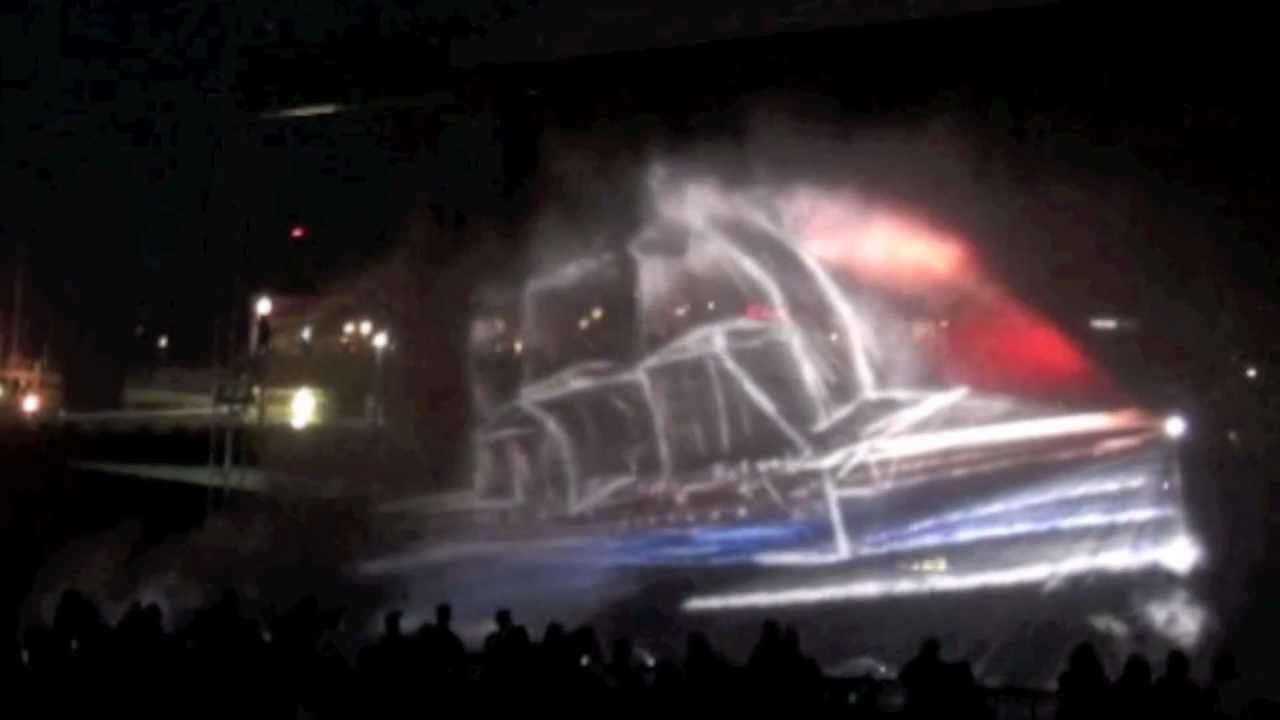
Anyone know if its possible somehow to create a type of 'projection mapping ' effect on volumetrics like this?
https://youtu.be/JiVCXDrPtTc
 rocky escarp
undone geode
Anyone know if its possible somehow to create a type of 'projection mapping ' ef...
rocky escarp
undone geode
Anyone know if its possible somehow to create a type of 'projection mapping ' ef...
You’d have a better result with materials or particles over stock volumetrics
 wicked sinew
Hey, sharing recent projet, would like to know what do you think about it ? thanks in advance everyone 🙏🏽 https://youtube.com/shorts/9Ez_3B4WYmk?feature=share

Part II of a research with Unreal Engine from a ref developed by Universal Everything originally commissioned for Hyundai Sejong Motor Gallery, Seoul, Korea.
Soundtrack: IAM - Ca vient de la rue #iam #rap
#film #urbanphotography #gallery #run #waterman #explore #hyundai #universal #everything
#rokoko #louisvuitton #supreme #bape #nike #adidas ...
 magic shoal
Hello could anyone help me with this annoying issue. When i view my Assets in UE with a normal camera everything looks fine, when i view it through a CINE CAMERA ACTOR my assets look distorted, like there is a perspective issue. I have tried, focal length, aperture, focus method, aspect ratio etc, no luck. Any help would be amazing. Thank you
slender axle
Does anyone have any insight to what this error means? My Movie Render Queue crashes every time. I have an RTX5000 and it crashes if I'm doing just a 1920 x 1080 pixel render with no anti-aliasing. Even rendering something that's 500px by 500px crashes. Please help!

Rendering remotely seems to work (if that helps)
 next maple
hi everyone, i Converted group to blueprint class not visable in Video render
am rendering this scene but i make blue print class of the assts and now its not rendering out any one know how to fix this fuck up ( in blue print class all are mega scan assts) anyone know how to fix it?


 slender axle
Did you figure this out? I'm having a very similar issue.
 jade iris
slender axle
Did you figure this out? I'm having a very similar issue.
jade iris
slender axle
Did you figure this out? I'm having a very similar issue.
If you are talking about the render crash. It was an issue with Brushify. It created a butt load of instanced meshes which was too much for the render scene
slender axle
jade iris
If you are talking about the render crash. It was an issue with Brushify. It cre...
Did it every look anything like this:
UnrealEditor_Slate!SharedPointerInternals::FSharedReferencer<1>::FSharedReferencer<1>() [D:\build++UE5\Sync\Engine\Source\Runtime\Core\Public\Templates\SharedPointerInternals.h:574]
UnrealEditor_Slate!FSlateUser::GetCaptorWidgets() [D:\build++UE5\Sync\Engine\Source\Runtime\Slate\Private\Framework\Application\SlateUser.cpp:338]
UnrealEditor_Slate!<lambda_a64d7ee75cc0545ac2ce992b1bb5277d>::operator()() [D:\build++UE5\Sync\Engine\Source\Runtime\Slate\Private\Framework\Application\SlateApplication.cpp:1394]
UnrealEditor_Slate!FSlateApplication::FinishedInputThisFrame() [D:\build++UE5\Sync\Engine\Source\Runtime\Slate\Private\Framework\Application\SlateApplication.cpp:1391]
UnrealEditor!FEngineLoop::Tick() [D:\build++UE5\Sync\Engine\Source\Runtime\Launch\Private\LaunchEngineLoop.cpp:5351]
UnrealEditor!GuardedMain() [D:\build++UE5\Sync\Engine\Source\Runtime\Launch\Private\Launch.cpp:202]
UnrealEditor!GuardedMainWrapper() [D:\build++UE5\Sync\Engine\Source\Runtime\Launch\Private\Windows\LaunchWindows.cpp:107]
UnrealEditor!LaunchWindowsStartup() [D:\build++UE5\Sync\Engine\Source\Runtime\Launch\Private\Windows\LaunchWindows.cpp:244]
UnrealEditor!WinMain() [D:\build++UE5\Sync\Engine\Source\Runtime\Launch\Private\Windows\LaunchWindows.cpp:282]
UnrealEditor!__scrt_common_main_seh() [D:\a_work\1\s\src\vctools\crt\vcstartup\src\startup\exe_common.inl:288]
kernel32
ntdll
I'm not getting the common GPU crash white dialog box. My VRAM isn't being filled either when I monitor it. It just crashes instantly.
jade iris
From a quick glance it looks that your UI is producing the error. Slate.
It's trying to find the CaptorWidget
slender axle
jade iris
From a quick glance it looks that your UI is producing the error. Slate.
Hmm so weird! Even when I override the game mode (e.g., so there's no event which creates a Widget on Begin Play) this still happens.
jade iris
Are you using RenderQueue?
slender axle
jade iris
Are you using RenderQueue?
Yeah! Seems to work fine with Legacy though. But I want to use MRQ for obvious reasons.
jade iris
Do you have all the necessary dependencies? Plugin etc... Sorry obvious question.
slender axle
jade iris
Do you have all the necessary dependencies? Plugin etc... Sorry obvious question...
The only Third Party plugin I think it could be is Ultra Dynamic Sky perhaps
slender axle
jade iris
Do you have all the necessary dependencies? Plugin etc... Sorry obvious question...
For MRQ though yes
slender axle
slender axle
The only Third Party plugin I think it could be is Ultra Dynamic Sky perhaps
I removed it from the World and still the same error

 wraith turret
 junior linden
If rendering options are correct restart the engine and try again. Helping me sometimes
Chat, how should I properly set up the rendering so the cloth animation play correctly?
 vapid trellis
Does Camera Lookat Tracking NOT work in game mode? It works fine in the viewport but as soon as I Play the level (Green play button at the top) the cameras are looking at something completely different. This is driving me crazy
junior linden
wraith turret
If rendering options are correct restart the engine and try again. Helping me so...
The render options are normal
The foliage just disappeared

 spare orbit
Hey folks,
Quick question regarding the sequencer. When I hit play to test out the current sequence, it doesn't automatically switch between the cameras in editor, only the rendered out sequence. Is there a hidden tick box so that I can hit play to test the camera switching without having to render out the whole video?
vapid trellis
spare orbit
Hey folks,
Quick question regarding the sequencer. When I hit play to test out t...
Have you tried clicking this camera icon next to the Camera Cuts track in the sequencer?
 spare orbit
vapid trellis
Have you tried clicking this camera icon next to the Camera Cuts track in the se...
spare orbit
vapid trellis
Have you tried clicking this camera icon next to the Camera Cuts track in the se...
Yes but that just sets my current view camera to the ones used in the sequence. I want it to change by itself between the cameras after I hit play.
 final gyro
Is it possible to use control rig in an additive way on top of premade animations within sequencer? Currently, I have a very simple animBP that is playing an idle animation, which plays fine in preview. However, when I add an asset based control rig, the idle animation goes away, and I get access to the control rig. I then choose additive mode on the newly created control rig track, but alas no change.

 junior linden
Damn, I'm so frustrated
anyone else have this problem?

no foliage at all...never happened before
 royal snow
Is the .wav export option for the Movie Render Queue still broken for attenuated sounds?
I'm having one render pass for the video and another for the audio, but the audio sounds like the listener is always placed at the start, even if the camera is moving through the level. When playing the sequence in editor, all is fine
 fresh condor
Anyone know why 360 rendering animation is black? I am gathering this is an issue and is already fixed for 5.1.1. Hoping we get a 5.1.1 release soon?
final gyro
Anyone know if its possible to access audio envelopes of an audio track currently playing in sequencer, that I can feed as a float value into another BP?
gusty heath
wraith turret
Chat, how should I properly set up the rendering so the cloth animation play cor...
Cloth Sim in Unreal dont like anti aliasing. Turn off anti aliasing or make the cloth sim in antoher software and import as alembic for example
final gyro
anyone know if animBP can be enabled when editing a control rig in sequencer? seems mine stops working as soon as I begin to keyframe control rig
 spice tulip
How to apply vintage effect in camera , so that it look like security camera
Jitter type
 merry sluice
Hi guys. Is there any way to create more realistic wind for plants? The one which comes from quixel is quite crappy because it uses just Simple Wind. Or maybe there is an asset pack with better plants
 coarse plaza
Hey guys, I am having a very annoying issue rendering a shot
This is the shot. The sequencer, the first frame in the viewport and the first frame rendered out with MRQ. It's not the first time I had this issue and to this day I don't know what's causing it


 pallid spire
coarse plaza
Hey guys, I am having a very annoying issue rendering a shot
pallid spire
coarse plaza
Hey guys, I am having a very annoying issue rendering a shot

This issue has been plaguing me for literally years. Fix that weird first frame in Sequencer/Movie Render Queue with a fix so easy it's ridiculous.
Thank you so much for watching!
Timestamps:
00:00 - Intro
00:50 - What exactly the issue is, and how to fix
04:04 - Outro and Thanks
 inland gale
Hello, does anyone know how to attach the player spawn point to a sequence so that during warm up the camera is in the same location as where the render will happen?
What i'm trying to do is make sure LGTs have spawned in the right area
Currently when I render a sequence during the warm up it spawns the camera/player at the PlayerStart actor position
I want to avoid having to move that manually to the location of each shot
I already tried to attach it to the camera component in the sequencer and copied the location of the camera and added that to the transform parameter of the PlayerStart in the sequencer
But it's not working 🤷♂️
 deep jetty
Hi folks! Any idea why cloth simulation doesn't work when playing back an animation in sequencer?
 steep notch
Anyone having Render Queue rendering issues in 5.1?
 novel star
Hey guys, does anyone know how to get Niagara particles emitting instantly/ already before rendering in the movie render que?
Currently, they spawn after around 20 frames
 bronze pasture
novel star
Hey guys, does anyone know how to get Niagara particles emitting instantly/ alre...
bronze pasture
novel star
Hey guys, does anyone know how to get Niagara particles emitting instantly/ alre...
Did you tried to use Warm Up Frame Count in Movie Render Queue settings ? (First thing I think of now)
 long citrus
Hey everyone, I am trying to render my animation using the movie render queue plugin, this is probably an easy fix but I am new and can't see why this is happening. Basically it would appear when I render it's using a camera that is under my map and not the cine camera I have for the animation, do you know why this is, I have checked and there's only one camera in my level?

 sour hound
hi, anyone knows if we can use packed level instances in sequencer?
 small folio
long citrus
Hey everyone, I am trying to render my animation using the movie render queue pl...
small folio
long citrus
Hey everyone, I am trying to render my animation using the movie render queue pl...
Have you set that camera as active with a camera cut track in sequencer?
 vivid wolf
Hi, I have a quick question I hope you guys can help with. My current scene is running at between 6fps and 8fps.. will this have a bad effect when it comes to rendering my scene to create a video? Does it need to be running at 24fps for this to work well? thanks
small folio
vivid wolf
Hi, I have a quick question I hope you guys can help with. My current scene is r...
How are you planning to render? MRQ? You'll be fine with MRQ, it just might take a little longer to render
vivid wolf
Yeah I was going to use that.. I've lost loads of frame since I moved over from 4.27 to 5.1. It's a 6 min vid. Here is the same project but in 4.27 https://youtu.be/ro0MU33xhs4
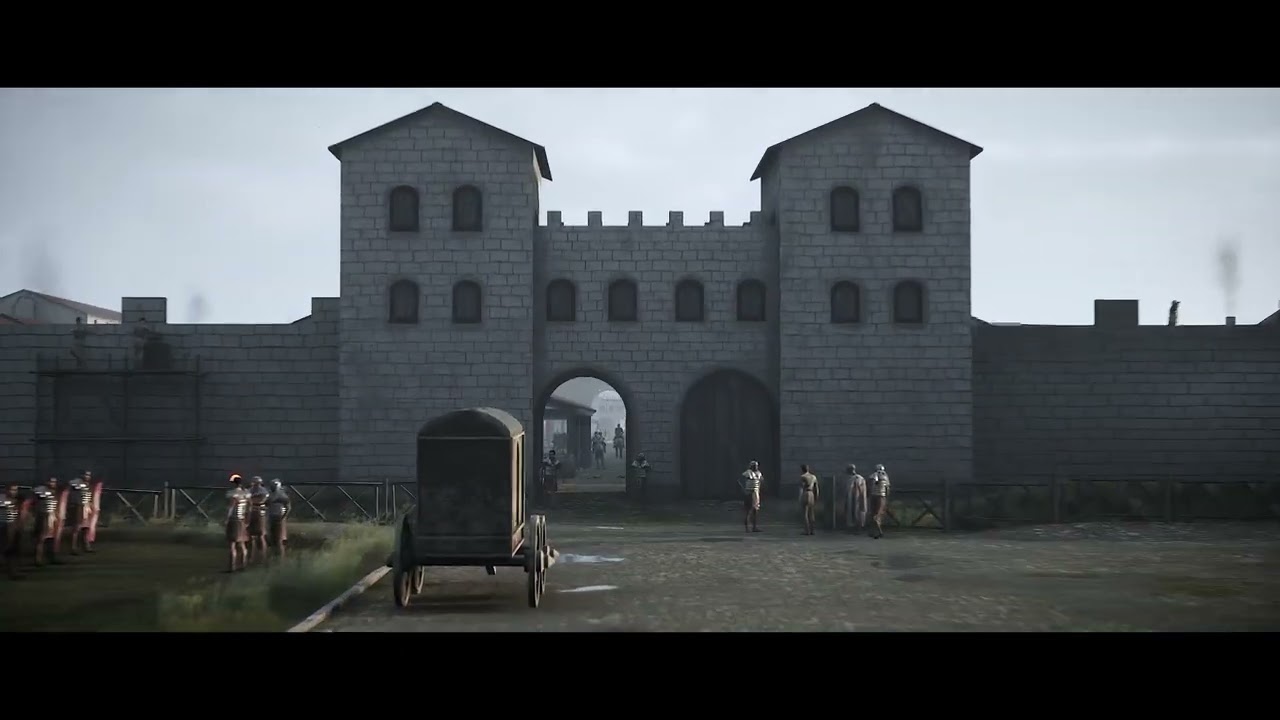
I used the old system of rendering with that so will need to know how to get the best cinematics in 5.1
vivid wolf
small folio
How are you planning to render? MRQ? You'll be fine with MRQ, it just might take...
So my fps aren't going to be an issue when it comes to rendering?
small folio
Naa you'll be fine, mrq takes control of ticking/time anyway
small folio
vivid wolf
I used the old system of rendering with that so will need to know how to get the...
Definitely mrq. Checkout some of William fauchers videos on it to get best results. Some of the commands he does around raytracing are a little out of date, but the general settings and workflow are still great starting points
vivid wolf
small folio
Definitely mrq. Checkout some of William fauchers videos on it to get best resul...
thanks, I've been slowly going through his vids, they're epic!
sour hound
hi anyone knows how to fix this flickering when the animated object touches the corner of the viewport?

 silver raft
long citrus
Hey everyone, I am trying to render my animation using the movie render queue pl...
silver raft
long citrus
Hey everyone, I am trying to render my animation using the movie render queue pl...
One thing to check is that you ha e locked the camera to the viewport. To lock use the little camera icon on the camera cuts track.
silver raft
deep jetty
Hi folks! Any idea why cloth simulation doesn't work when playing back an animat...
You may need to select play simulation first before playing sequencer. This is the 'play from viewport' button. But instead of playing character, slecet it to play simulation.
 frozen pike
Hey everyone! I was wondering if I can make a cinematic in a level sequence but during in game. I have blueprints that I want to be active while creating the video
 plush mesa
Does anyone know how to get rid of this noise? I tried increasing the sample count in my light, post-processing volume, and the AA samples in the MRQ settings, but nothing changed.
 gusty heath
Hey guys, How to rid off this glitches during rendering in MVQ

If I render in 2k quality everything is perfect, this effect occurs only in 4k. Any ideas?
 fossil wyvern
hii, making a scene but these artifacts keep on coming I have to restart it to fix this but after sometime it comes again

 somber talon
Is there a way to create a a kind of 'shot preset' with sequencer? I'm building a template for NPCs but would like to be able to make sweeping changes to all the shots that use this 'preset'. I was watching something on Master Sequences that maybe could work for this? or some version of doing Children versions of a shot like you would a BP?
 violet knot
Hi! I´m using the project “City Sample” to create cinematics but when I try to export these cinematics with the movie queue the video exported is from the point of view of the Player start. Please if anyone knows how to make me export what I see from the cinematic camera I would appreciate it. Thank you!
gusty heath
violet knot
Hi! I´m using the project “City Sample” to create cinematics but when I try to e...
https://youtu.be/cn13_-DC59w use a spawnable camera in the sequencer

This video is made to help new users get started making cinematic renders from Unreal Engine projects, specifically from the 'Matrix City Sample'
If the camera is not created from within sequencer, using a SPAWNABLE camera - then the camera will render out from the world position 0,0,0. I had noticed that many others had this issue from this f...
violet knot
gusty heath
https://youtu.be/cn13_-DC59w use a spawnable camera in the sequencer
thank you so much! this fixed my problem 😊
 oblique ice
long citrus
Hey everyone, I am trying to render my animation using the movie render queue pl...
oblique ice
long citrus
Hey everyone, I am trying to render my animation using the movie render queue pl...
I had a similar issue and had to 'set as spawnable' for my cine camera in the level sequence
Right click ont he icon for your camera and set as spawnable
solved it for me
 mossy drift
@fossil wyvern textures glitch out in 5.1 quite often when you are near capped on VRAM, you can reload the textures, if it gets too critical turn off extra monitors and extra apps that might be robbing VRAM
undone geode
Hi guys. Need some help with 'stuttery-jittery' rendered animation.
Simple timeline rotation in Sequencer at 24fps. Plays back fine in Sequencer. But after rendering (ProresLQ) and importing to Resolve or Premiere the playback is all wonky. Rotating film reels jump and stutter for some reason.
Anyone care to guess what is happening?
oblique ice
undone geode
Hi guys. Need some help with 'stuttery-jittery' rendered animation.
Simple timel...
Are your sequence settings in prem the same framerate as the video file?
Looks like framerate mismatch to me but could be wrong
It could also just be the program monitor in prem being stuttery, not the file - did you try exporting to see if its still there?
 fleet tide
how come my renders are coming out different than the viewport? the saturation and contrast are way off:

vs

it's more noticable here:

vs
 fleet tide
here's another scene where it's even worse:
here we have sharp shadows, god rays, fog throughout the forest, and reflections off the ship

and here in the cinematic it looks almost unlit

and the saturation is way way off this time, where before the renders were not as saturated, this one is too saturated
i'm using the same render settings for all my scenes, so no idea why they all act so different
 winged walrus
fleet tide
how come my renders are coming out different than the viewport? the saturation a...
winged walrus
fleet tide
how come my renders are coming out different than the viewport? the saturation a...
this might be why. do you have post prossing on your camera?
if you do, then set the blend to 0
fleet tide
winged walrus
this might be why. do you have post prossing on your camera?

i also have a boundless post process volume too but it's not currently set to do anything, as I've been fine with the look of the viewport without it
winged walrus
hmmm, that's odd
are you just using the default render settings, with nothing added?
fleet tide
winged walrus
are you just using the default render settings, with nothing added?
im using the Still_Ultra preset
that kept crashing, movie pipeline render seems to be doing better
winged walrus
ahhh yee,
fleet tide
working but it added like mobile joystick UI to my renders?
 winged walrus
haha what, why are they their 😅
but at least its working
but yeah, be careful when changing rendering settings, as they do weird stuff
that's why I leave it on default settings most of the time
undone geode
oblique ice
It could also just be the program monitor in prem being stuttery, not the file -...
Yeah thats what I thought but pretty sure its not framerate mismatch. Happens in Resolve as well.
fleet tide
fleet tide
after switching the render settings it's looking a little better but it's still missing fog and sunlight shadows
 fleet tide
shadows working now, but still missing exponential height fog

having an issue where the exponential height fog is not showing up in movie renders or in-game mode, any ideas what could be causing this?
fresh condor
Is there a way to get Movie render queue to render out frames while play mode simulate is on? I have about over 200 cars in a traffic that is run through blueprint. I will have to drag 200 cars into the sequencer and trigger each car events which is going to be very time consuming.
fresh condor
Surely there is a way to call function of a event trigger of a blueprint to multiple actors added to a sequencer?
small folio
fresh condor
Is there a way to get Movie render queue to render out frames while play mode ...
i'm pretty sure it DOES simulate the world while MRQ is going. that's why traffic appears when you do a render with MRQ in the city sample
 sick tapir
Argghhh, losing my nerve here. Absolute noob when it comes to cinematics, what I want is a simple camera flight triggered when I press space. I created a Camera Animation Sequence (which I have a hard time finding info on, because no matter how hard I search for Camera Animation Sequence, all tutorials like using the Level Sequence). I want this sequence to spawn a cinematic camera, animate it down a path, and then die and give back to the cinematic camera in my level. I don't want to animate the existing cinematic camera in my level, as it currently has some parenting and other settings I'd rather not mess with.
I thought playing the sequence would be as simple as this, but while the Template Sequence Player is created, it doesn't (as far as I can see) create a camera or play the sequence at all. Any ideas?

 knotty quail
Anyone ever have an issue where thier render gets stuck uninitiallized an uses most of their computer's resources? Currently running a 3080, and 32 gb ram, and 32 core threadripper

whenever i render though, my ram usage shoots to max, vram stays pretty low.. and the scene itself is not very complex at all either
gusty heath
sick tapir
Argghhh, losing my nerve here. Absolute noob when it comes to cinematics, what I...
Have you tried using multiple cameras in the camera cuts track in the sequencer? You could bind camera 1 from frame 0-50, then bind camera 2 (which is animated down the path you mentioned) from 51-100 and go back to camera 1 from 101-150 for example. Not sure if i understand your problem tho
sick tapir
gusty heath
Have you tried using multiple cameras in the camera cuts track in the sequencer?...
So far I don't have a master sequencer, I was thinking I could play a template sequence (or the camera animation sequence, which seems to be a special template sequence) without having a master
My problem is that I don't know how to play this template sequence, or that the way I'm trying to do it doesn't spawn the camera, although it's marked as spawnable
I think my camera sequence is fine, it's set to spawn the camera (which is the default), things look fine when I'm previewing it while not playing, and I don't think I need to bind it in Blueprint because, well, there's nothing I wanna bind to
 gusty heath
sick tapir
I think my camera sequence is fine, it's set to spawn the camera (which is the d...
gusty heath
sick tapir
I think my camera sequence is fine, it's set to spawn the camera (which is the d...
Press Track an add a camera cuts track

bind the cam to the cuts track
that would be the easiest way
if you want to combine it with some sort of gameplay you can forget everything i said
im just talking from a cinematic pov
sick tapir
Can't - in a Camera Animation Sequence, camera seems to be the literal only thing allowed

No interaction with gameplay needed, I was just trying to hook up a debug/promo video camera flight in 5 minutes, and here I am, a number of failed attemps later 🙃
gusty heath

@sick tapir why wont u use a standart level sequence?
i realized i actually never worked with the camera animation sequence so i cant really help
sick tapir
Because I don't want to change anything on my default camera, and I don't want to have an extra dormant camera idling around in my scene waiting for the camera flight to trigger. Also when which camera becomes active is a huge mystery to me in Unreal. So it just felt like the right approach to use the Camera Animation Sequence, which seems to be made for exactly this task - spawn camera, animate it, and give back when done
But you're right, I could and it would probably be quicker
 vivid lintel
any tutorials for a beginner whos never made a cinematic?
 cursive heron
hi any idea why is my character out of focus in the render but not in the scene ? i'm using tracking with an offset

thanks a lot
i've tried everythnig i'm going nuts
oblique ice
fleet tide
having an issue where the exponential height fog is not showing up in movie rend...
not sure if somebody answered already but pretty sure path tracer not compatible with fog - if you are using path tracer
oblique ice
vivid lintel
any tutorials for a beginner whos never made a cinematic?

YouTube
Welcome to my channel! I'm a deaf 3D Generalist. I've been working in the entertainment industry for the past 14 years. Some of my work includes VFX/CGI shots in Marvel's Black Panther, and HBO's Watchmen. I'm using this space to share as much information as I can about the industry and techniques to improve your art. Enjoy!
Unreal Engine, CGI,...
Check out this guy @vivid lintel - he is the cinematics UE gigachad
oblique ice
knotty quail
Anyone ever have an issue where thier render gets stuck uninitiallized an uses m...
Your render settings will be incompatible with some feature most likely
Make you are using pathtracer & grooms, so disable simulation - maybe using too many subsamples, maybe too many light bounces etc
 amber needle
hi all! Anybody set remote render by local render farm? How I can do it? Tuts? Local I mean another machine near me.
 knotty quail
oblique ice
Your render settings will be incompatible with some feature most likely
knotty quail
oblique ice
Your render settings will be incompatible with some feature most likely
Turns out it was render multiple cameras.. I presume it tries to render them all at once lol
fleet tide
oblique ice
not sure if somebody answered already but pretty sure path tracer not compatible...
i have everything set to lumen
omg i fixed
had to set my directional light to static
undone geode
Still trying to solve a BP rotation issue using Sequencer.
You can see from the attached I have 2 custom events for my rotation.
StartRotation
AddRotation
If I simulate BeginPlay is called and then my 2nd custom event AddRotation and it rotates as expected.
In Sequencer I've added an Event track, keyframe, and targeted my StartRotation custom event.
However, on Sequencer playback ONLY StartRotation is called. AddRotation never gets called and no rotation takes place.
Why?

 wispy plover
Hello, someone who has had rendering problems due to the deactivation of the post process volume?

 vivid wolf
knotty quail
Anyone ever have an issue where thier render gets stuck uninitiallized an uses m...
vivid wolf
knotty quail
Anyone ever have an issue where thier render gets stuck uninitiallized an uses m...
I've just put in another 64GM of DDR5 RAM and now my system has 128GB and it still crashes..
vivid wolf
System: 128GB DDR5 RAM, 3090 NVidia card with 24GB VRAM, CPU - 12th Gen Intel 19-12900k 16 cores....
Trying to render out a 6 min video. Here is the same video rendered in 4.27 using Render Movie Settings, NOT Movie Render Queue.. https://youtu.be/ro0MU33xhs4
I've moved the project into 5.1 and the only big changes to the project have been Nanite, for all the foliage and assets that would "benefit" from Nanite, Lumen and World Partition. (I've set the WP to quite large as I need to see the trees on the horizon.)
I tried to render the project again using the faster, Render Movie Settings, but the results were absolutely terrible.. not sure why it was so bad but they had artifacts everywhere on all aspects of the scene... totally unusable.
Now... I've tried to use Movie Render Queue after studying all the YouTube vids by William Faucher. I did realise that because the project is quite large I'd need to lower my expectations and so I used what I thought was reasonable settings: see attached image, the output image size was 4k, 3840 - 2160, as I had in my original video.
When I try and render this I max out my 128GB RAM & 24GB VRAM and the system crashes.... I really need some advice on this, what should I be doing? if its all just a RAM issue what should I do to reduce this? Or is this just a UE5.1 issue and I need to consider other things when I render movies?! Please help, thanks


anyone on here from Unreal Engine who could offer advice on this issue as I can't upgrade my system any further and my client really needs this 6min video by Monday.
is there away to select all the texture that my project actually uses so I can reduce the text size even further?
long citrus
Hey, can anybody help me please. I am trying to render my short camera animation using the render queue plugin but for some reason when I render it shows a completely different thing, yet I only have 1 camera in my scene?

 vivid wolf
not much help here in Cinematics, is there...
long citrus
No it doesn't seem like it does it, I am struggling to find help anywhere tbh
vivid wolf
same here
it would help if the online documentation was up to date, too...
I'd love to understand the following. This morning my PC had 64GB RAM. My project would open and it would take up just over 32GB of that. Later that day I add another 64GB of RAM... I now open my project and it takes up 68.5 GB of RAM... AND I've just gone through the entire projects used textures and divided their original value by 4... reducing the texture resolution to a quarter.. 😐
long citrus
That does seem odd, I'm afraid I can't help you there, sorry.
knotty quail
vivid wolf
System: 128GB DDR5 RAM, 3090 NVidia card with 24GB VRAM, CPU - 12th Gen Intel 19...
Try warmup frames, also try virtualizing the textures, like have them fully load into the card first
vivid wolf
knotty quail
Try warmup frames, also try virtualizing the textures, like have them fully load...
thanks for your reply. I've tried it using an example for the documentation, out dated but I thought I'd try them. It crashed again as it maxed out my system.. I've also tried to half each of these values and each time, lowering the number, I still get crashes.
 vivid wolf
knotty quail
Try warmup frames, also try virtualizing the textures, like have them fully load...
vivid wolf
knotty quail
Try warmup frames, also try virtualizing the textures, like have them fully load...
"virtualizing the textures".. could you kindly explain a little more by what you mean here? I'd happily try it.
undone geode
Help! Trying to debug a troublesome render sequence. Only one of my sequnces isn't rendering. I just render the background. By coincidence this is the only sequence that has a image icon in the Content browser. Not sure if this is related.
Any tips or suggestions welcome!

 knotty quail
vivid wolf
"virtualizing the textures".. could you kindly explain a little more by what you...
knotty quail
vivid wolf
"virtualizing the textures".. could you kindly explain a little more by what you...
 vivid wolf
knotty quail
vivid wolf
knotty quail
Thank you, I'll give it a try
vivid wolf
knotty quail
still crashes..
the VRAM got no higher than 15GB but the RAM hit the 128GB came down to 114GB and the warmup frames started.. dropped again but then crashed....
fresh condor
small folio
i'm pretty sure it DOES simulate the world while MRQ is going. that's why traffi...
Unfortunately, I am not using the mass system for the cars. I am using a spline blueprint without any simulation for the cars.🙂
fresh condor
wispy plover
Hello, someone who has had rendering problems due to the deactivation of the pos...
I have this issue too. Is there a way to tell the camers in MRQ to use the level's PPV volume settings and to disregard the camera ppv? Its kinda lame to work so much on your ppv looking very good and then when you add a camera, the post processing is completely different and then you have to tweak the camera ppv all over again. Maybe use the levels ppv and the adjust further with camera if you need to do so.
small folio
fresh condor
Unfortunately, I am not using the mass system for the cars. I am using a spline ...
yes, but i think the world ticks, so as long as your game mode starts the process, or you have a placed actor or something, it should start doing what you want
fresh condor
small folio
yes, but i think the world ticks, so as long as your game mode starts the proces...
Ok. Thanks. I am activating the events trigger through the sequencer and I have to do it for all 200 cars. Maybe I will try the render remote method from MRQ since that activates game mode to be on?
 jovial nimbus
Why is the grass turning on and off as I pan the camera? It doesn't seem to be LODs because I'm not moving the position---any ideas?
fresh condor
wispy plover
Hello, someone who has had rendering problems due to the deactivation of the pos...
fresh condor
Is there a way to have camera blend weight off and still use depth of field of the camera?
gusty heath
long citrus
Hey, can anybody help me please. I am trying to render my short camera animation...
Can you send a screenshot of your sequencer?
rocky escarp
undone geode
Help! Trying to debug a troublesome render sequence. Only one of my sequnces isn...
The render window shows no shot is assigned in the sequence. The thumbnail is captured when you save a sequence with a camera in. You can remove it with the right-click menu in the content browser.
rocky escarp
long citrus
Hey, can anybody help me please. I am trying to render my short camera animation...
Look at the cut name status. You need to assign a shot to render, not just have a camera. Do worry, so many people have problems with it. Epic does seem keen on allowing a fallback, but I’d suggest they make that text red at least. Maybe it just needs to be a preflight check on the MRQ submission window.
rocky escarp
sick tapir
Because I don't want to change anything on my default camera, and I don't want t...
A regular level sequence will handle binding to an existing camera as long as the sequence is running. Therefore you don’t need a second camera, you just take over it’s transform temporarily if bound and has a transform track. Alternatively you can create a spawnable camera that only persists as long as the sequence does, this allows your level to remain unpolluted with cameras outside of the sequence running. Camera animation templates are a subclass of template animations that only bind to cameras, they are most useful when manually working in a regular level sequence to quickly apply animations to cameras. This is more for a workflow/ux benefit. They also apply additively/local (by default). In your use case I’d use a normal level sequence for simplicity. You can use camera animation templates but you would have to bind them to your target camera in blueprint.
gusty heath
Hi everyone!
I would like to know how (if it's possible) make a Character that has a lot of code in blueprints, animation blueprints,etc , can be exposed to cinematic. For example if the animation blueprint expose a velocity variable, in some frame set this variable and the character for example implement the run animation or just for cinematics I need to put an empty actor and sets the animation in the time line?
oblique ice
gusty heath
Hi everyone!
I would like to know how (if it's possible) make a Character that h...
You can try Take Recorder!


^anybody know why I'm getting such inconsistent results with path tracer?
One frame I get massive noise problem, then the next no noise and totally busted depth of field
gusty heath
oblique ice
You can try Take Recorder!
So, if the character implements some code to animate for example a salute, this cannot be exposed to sequencer to activate like an event?
oblique ice
gusty heath
So, if the character implements some code to animate for example a salute, this ...
Not sure you can do it that way though I could be wrong, I know Take Recorder can accomplish some of what you're describing and it's the solution I had to go with
gusty heath
gusty heath
So, if the character implements some code to animate for example a salute, this ...
you can simply drag the skeletal mesh into the sequencer and add the animation preset
not sure how to control it via bp
why would you even do this
 willow sparrow
Hello! I'm currently a Beginner in UE5, And I want to learn how to combine Unreal With a visual effects program like VEGAS Effects, Hitflim, After Effects, etc...
I want to learn this because I'm a video editor for 4 years and I want to make a pilot for my TV Series using unreal and any VFX Program, thank you!
gusty heath
gusty heath
why would you even do this
Because I´m making a short film with the characters that implement lot of code for some actions like aim pistols, salute, run or walk according to their velocity and this will simplify the cinematic because for example I could trigger the aim function that has some code to put the pistol from gunholster to the hand in the exact moment of the animation is with the hand over the gun then attach to hand and continue with the hand attached to the hand. Because other way I need to this manually in sequencer attaching the things to the character, etc
willow sparrow
willow sparrow
Hello! I'm currently a Beginner in UE5, And I want to learn how to combine Unrea...
ummm
This is fairly urgent
if y'know what I mean
oblique ice
willow sparrow
if y'know what I mean
YouTube
Welcome to my channel! I'm a deaf 3D Generalist. I've been working in the entertainment industry for the past 14 years. Some of my work includes VFX/CGI shots in Marvel's Black Panther, and HBO's Watchmen. I'm using this space to share as much information as I can about the industry and techniques to improve your art. Enjoy!
Unreal Engine, CGI,...
Check out this YouTube channel Levy - it's good for learning!
willow sparrow
oblique ice
Check out this YouTube channel Levy - it's good for learning!
Thanks
willow sparrow
oblique ice
https://www.youtube.com/@WilliamFaucher
I can't see any video in that channel talking about using UE5 with a VFX Program**. . .**
gusty heath
gusty heath
Because I´m making a short film with the characters that implement lot of code f...
Makes sense, should be possible somehow. I prepare all the animations in blender and do some corrections with the controlrig. Actually never tried to use game ready character for a cinematic. Did you try using anim montages with notify states? I think you can call them in the sequencer but not 100% sure
gusty heath
gusty heath
Makes sense, should be possible somehow. I prepare all the animations in blender...
thats total bullshit after a second thought
 hollow plaza
fresh condor
Is there a way to get Movie render queue to render out frames while play mode ...
hollow plaza
fresh condor
Is there a way to get Movie render queue to render out frames while play mode ...
Any idea how to do it? I want to add crowd and traffics animations to my sequencer, instead of manually animating them!
oblique ice
Anybody have experience with depth of field and grooms?
Cannot get grooms to have proper depth of field, it's always got artifacts
sick tapir
rocky escarp
A regular level sequence will handle binding to an existing camera as long as th...
That's the way I got it working now with @gusty heath's help, thanks to both of you and for the extra info on the Template Sequences!
wispy plover
fresh condor
I have this issue too. Is there a way to tell the camers in MRQ to use the level...
Hey friend, thank you very much for your help! That's how I was surprised after having dedicated several hours to obtain the lighting environment that I needed, the configuration of the camera seems very important to me, as you say, I will make the necessary adjustments:
 wispy plover
fresh condor
Try this: https://forums.unrealengine.com/t/why-is-post-process-volume-not-appea...
wispy plover
fresh condor
Try this: https://forums.unrealengine.com/t/why-is-post-process-volume-not-appea...
Thank you very much, I will review it in detail.
undone geode
Making use of volumetric lightbeams in a current project.
The challenge seems to be on any close up shots that are perpendicular to the light direction.
There is always a gap between the light and where the volumetric effect starts.
In the attached my light position is circled in blue to the left.
How to remove this gap?
I've even tried every r.VolumetricFog... console variable 🙄
 undone geode
At last!
Posting my solution to benefit others.
If you have Cast Shadows enabled on your light, and are also casting Volumetric Shdows, make sure that Cast Dynamic Shadows is NOT enabled!

 trim schooner
"Objects within the Focal Region (Black) use the non-blurred scene layer. This layer can be very narrow—like here, where it is only focused on the character— or very wide, encompassing more of the scene's foreground and background."
This is from the Docs
How do I make this region larger or smaller?
fresh condor
wispy plover
Thank you very much, I will review it in detail.
No worries, mate 🙂
fresh condor
hollow plaza
Any idea how to do it? I want to add crowd and traffics animations to my sequenc...
I think I saw a video on youtube of a guy recording the screen rather than using the sequencer. Might be worth a shot:https://www.youtube.com/watch?v=bK13DMSqAUc

Ever since Epic Games released this Amazing Unreal 5 technology demo together with the creators of the Matrix movies, I have wanted to go fly around and explore this generated city. Fortunately It is now possible on PC.
I inspired to screen record stuff in this city and made a Timelapse kind of footages in my video editor. Now I decided to make ...
Also you can trigger events through the sequencer but you have to drag everything into the sequencer timeline. That would be so time consuming. I am surprised Epic didn't add a way to trigger many assets that run in game mode for sequencer without activating each one in the sequencer.
 inland coyote
Whenever I import a camera animation from Maya to use in the Sequencer, the camera's Manual Focus Distance always gets overwritten and reset to 5cm. Is there any way I can have that not happen?
hollow plaza
fresh condor
Also you can trigger events through the sequencer but you have to drag everythin...
Yeah, I think we should talk to them about it!
fresh condor
hollow plaza
Yeah, I think we should talk to them about it!
Yep, I think they might be aware, there is a way to use Blueprint interface to activate this but I am not too sure how to go about it. I am wondering if there is a way to record screen using 360 with OBS.🤔
hollow plaza
fresh condor
I think I saw a video on youtube of a guy recording the screen rather than using...
Rendering the screen won't do the job for me, I want to animate objects inside sequencer alongside the gameplay!
hollow plaza
hollow plaza
Rendering the screen won't do the job for me, I want to animate objects inside s...
Adding a camera inside the sequencer will capture the movement in the city, but I want to visualize it in realtime, so I can animate simultaneously in sequencer!
hollow plaza
Take recorder worked fine with the cars they just disappear randomly even when my character was near them, but the metahuman characters are without meshes when opening the sequencer!
 low basin
while rendering using movie rendercube un ue5. some distence bg object and small mid ground arnt render, do any one know why this is happning?
 vivid wolf
Hi guys I was wondering if you could kindly help? I've been told you're really good at translating these kind of errors into something akin to English..
This error occurs just after I've gone through my warm up frames on MRQ.
Assertion failed: Desc.GetSize() > 0 [File:D:\build++UE5\Sync\Engine\Source\Runtime\RenderCore\Private\RenderGraphValidation.cpp] [Line: 285] Creating buffer 'GPUScene.InstanceSceneData' is zero bytes in size.
UnrealEditor_RenderCore!FRDGUserValidation::ValidateCreateBuffer() [D:\build++UE5\Sync\Engine\Source\Runtime\RenderCore\Private\RenderGraphValidation.cpp:285]
UnrealEditor_RenderCore!FRDGBuilder::CreateBuffer() [D:\build++UE5\Sync\Engine\Source\Runtime\RenderCore\Public\RenderGraphBuilder.inl:75]
UnrealEditor_RenderCore!ResizeStructuredBufferSOAIfNeeded() [D:\build++UE5\Sync\Engine\Source\Runtime\RenderCore\Private\UnifiedBuffer.cpp:462]
UnrealEditor_Renderer!FGPUScene::UpdateBufferState<FUploadDataSourceAdapterScenePrimitives>() [D:\build++UE5\Sync\Engine\Source\Runtime\Renderer\Private\GPUScene.cpp:709]
UnrealEditor_Renderer!FGPUScene::UpdateInternal() [D:\build++UE5\Sync\Engine\Source\Runtime\Renderer\Private\GPUScene.cpp:651
UnrealEditor_Renderer!FGPUScene::Update() [D:\build++UE5\Sync\Engine\Source\Runtime\Renderer\Private\GPUScene.cpp:1607]
UnrealEditor_Renderer!FDeferredShadingSceneRenderer::Render() [D:\build++UE5\Sync\Engine\Source\Runtime\Renderer\Private\DeferredShadingRenderer.cpp:2507]
UnrealEditor_Renderer!RenderViewFamilies_RenderThread() [D:\build++UE5\Sync\Engine\Source\Runtime\Renderer\Private\SceneRendering.cpp:4390]
UnrealEditor_Renderer!<lambda_d825e7d5a738e0bb6b7e834ee381bd9e>::operator()() [D:\build++UE5\Sync\Engine\Source\Runtime\Renderer\Private\SceneRendering.cpp:4668]
UnrealEditor_Renderer!TEnqueueUniqueRenderCommandType<FRendererModule::BeginRenderingViewFamilies'::87'::FDrawSceneCommandName,<lambda_d825e7d5a738e0bb6b7e834ee381bd9e> >::DoTask() [D:\build++UE5\Sync\Engine\Source\Runtime\RenderCore\Public\RenderingThread.h:206]
UnrealEditor_Renderer!TGraphTask<TEnqueueUniqueRenderCommandType<FRendererModule::BeginRenderingViewFamilies'::87'::FDrawSceneCommandName,<lambda_d825e7d5a738e0bb6b7e834ee381bd9e> > >::ExecuteTask() [D:\build++UE5\Sync\Engine\Source\Runtime\Core\Public\Async\TaskGraphInterfaces.h:1348]
UnrealEditor_Core!FNamedTaskThread::ProcessTasksNamedThread() [D:\build++UE5\Sync\Engine\Source\Runtime\Core\Private\Async\TaskGraph.cpp:760]
UnrealEditor_Core!FNamedTaskThread::ProcessTasksUntilQuit() [D:\build++UE5\Sync\Engine\Source\Runtime\Core\Private\Async\TaskGraph.cpp:649]
UnrealEditor_RenderCore!RenderingThreadMain() [D:\build++UE5\Sync\Engine\Source\Runtime\RenderCore\Private\RenderingThread.cpp:415]
UnrealEditor_RenderCore!FRenderingThread::Run() [D:\build++UE5\Sync\Engine\Source\Runtime\RenderCore\Private\RenderingThread.cpp:541]
UnrealEditor_Core!FRunnableThreadWin::Run() [D:\build++UE5\Sync\Engine\Source\Runtime\Core\Private\Windows\WindowsRunnableThread.cpp:149]

the screen grab is from the log file... has anyone else had this issue with Movie Render Queue? Thanks in advance
vivid wolf
As I can't render using MRQ I'm trying to use the legacy renderer. This does render the 6 min movie but I get terrible artifacts and streaking.. I'm trying to set the screen percentage from 100% to 150% from my level blueprints. Does this look right to you guys?
 vivid wolf
I tried but it's still a pile of turds.. I simple can't render my movie...

the legacy renderer produces the above hideousness and MRQ crashes.. there is no support and the documentation is out of date.
vivid wolf
I guess no one makes movies on UE5 anymore.. or everyone else is having a better weekend than me..
 cyan depot
anyone know how to rotate the clipping plane of a camera?
fresh condor
hollow plaza
Adding a camera inside the sequencer will capture the movement in the city, but ...
Maybe look into Take recorder in ue5?
 worthy flint
Hi all, I encountered an issue that I think is a bug but maybe I'm doing something wrong here, I'm trying to copy the level sequence from the DMX Template project to another project, I pack the level + fixtures + sequence player in a packed level instance, don't hit 'create multiple files', when I play this in place everything is fine and I can see that the sequence is fully populated. Now when I try to migrate this asset to a different project almost everything is fine, the mappings are all preserved, the dmx works, etc, but some tracks from the sequencer are 'lost', I can see the tracks but the curves they contained are gone, here's an example: moving head patch track in the original project and the one after migrating it to the new one:

 worthy flint
Hi all, I encountered an issue that I think is a bug but maybe I'm doing somethi...
worthy flint
worthy flint
Hi all, I encountered an issue that I think is a bug but maybe I'm doing somethi...
Now this isn't true for all the fixture tracks, most of them are mapped just fine, it seems like it's always most of the lights which are lost.
worthy flint
worthy flint
Hi all, I encountered an issue that I think is a bug but maybe I'm doing somethi...
I tried to copy the .uasset directly into the content directory but that seemed to have erased all the tracks. At this point I'll be happy to know if there's some way to copy the curves.
 sonic inlet
Looking to have a cinematic of spaceships fighting in atmosphere of a planet in Unreal engine 5. Trying to work out a scene of a ship breaking though the clouds and getting good looking clouds as the backdrop below. Kind of like the reference pictures


Ive tried fluid sims but cant seem to get them to stay in a nice wide flat area with little movement. Cant seem to find tutorials either.
I feel like its doable but I just need advice or direction on how to set it up.
undone geode
What are some possible causes and fixes for MRQ renders that only render the background?
In my case as you can see from the preview I am only rendering out the Sky Cloud assets and nothing else in the scene. In checking the actual render I did get just the first frame correct.
No errors during render.
 undone geode
When this happens try deleting your Camera Cuts track and create a new one.👍🏻
oblique ice
undone geode
What are some possible causes and fixes for MRQ renders that only render the bac...
In UE5 I had to set my camera as spawnable in the level sequence
undone geode
Thanks. That seems like it probably does the same thing. So another solution.
Another render question. When using Lumen, what are some good settings to use for both Render and Engine Warm Up Count in MRQ?
 umbral harness
Hello ppl 👋 Has anyone tested the panoramic render in 5.1.1? It seems to have been somewhat fixed (as in, it no longer renders only black frames) but history per pane doesn't seem to work ... it always crashes, no matter how simple the scene is. Any thoughts?
undone geode
Getting the 'Too many Temporal samples for shutter angle' warning when I render.
What happened to the shutter angle setting? This seems to have disappeared in 5.0x
 toxic bay
weirdly, when my vehicle is going forwards, everything works fine
but when the camera is looking back at the vehicle, the smoke particles disappear and get culled behind the road even though they're on top
does anyone know what's happening here?


If anyone can help with materials and Fog/Niagara Particles? I'm using spline mesh components to lay down a road, and they're RVT materials. There's a niagara particle system to make a dust cloud on top of that... but it doesn't show over the top of the road material for some reason. Any pointers?
 undone geode
Getting the 'Too many Temporal samples for shutter angle' warning when I render....
undone geode
undone geode
Getting the 'Too many Temporal samples for shutter angle' warning when I render....
Replying to myself.
Post Process Volume > Motion Blur Settings. Set to 0.5. Done. 👏🏻
slender axle
Hello! I’ve only been able to get “Render Remotely” to work for the Movie Render Queue. Every time I do “Render Locally” my project crashes, even if I’m rendering 100 by 100 pixels. Does anyone know why this might be? I have the log and photo of the call stack if required.
undone geode
Any volumetric experts? Haven't been able to render any volumetric rays for some reason. Using Deferred renderer with Lumen.
Is there some console command that needs enabling?
I think perhaps that I need to switch from Deferred to Forward shading but AFAIK there is no such thing as a Forward renderer.
https://dev.epicgames.com/community/learning/courses/eER/unreal-engine-technical-guide-to-linear-content-creation-production/Le7b/unreal-engine-lighting


Epic Developer Community
An overview on production using a real-time workflow for linear content creators.
small folio
toxic bay
If anyone can help with materials and Fog/Niagara Particles? I'm using spline me...
this is an issue with translucency z-sorting. You can set a materials sort depth priority to force a higher priority for those smoke particles, or better yet a lower one for the road. Or you could lay the road in sections so it has a smaller bounding box
undone geode
Can anyone explain what connection there is between Project Settings > Forward Shading and the Deferred Renderer option in MRQ? ie if you enable Forward Shading in Project Settings, is it still used when you do a render using Deferred Renderer in MRQ?
 dreamy coral
Hi! I want to make panorama video nut got a lot of troubles.. At first like how can i make look camera view looks just like main viewport?
Looks like a deal with it...
But.. how can i fix a shadow lag in render? Like distance light is moving but shadows still not updated.
 wicked dust
I’m having an issue with inconsistent lighting/reflection with path tracing in MRQ. I’m not sure if I need to up my temporal sampling and would appreciate a pair of more experienced eyes on it considering this is my first time using MRQ. It’s primarily in the first shot of this clip: https://drive.google.com/file/d/12ha4ld2UQLxeErDg_3EVIYyNBP83MjTJ/view?usp=drivesdk

Google Docs
The flickering seems to be mainly contained to reflections in the glass material in front of the robots face
 strong dagger
Does anyone know how to export cinematics with transparent alpha background? Stencil layers don't seem to exist in 5.1 and have instead turned to Data layers, I tried many things but they background always seems to be black. Exporting in EXR from the movie render queue
 idle sky
When rendering a 360 from unreal, if the camera is tilted the stich will be wrong.. any idea how to fix this?
undone geode
dreamy coral
Hi! I want to make panorama video nut got a lot of troubles.. At first like how ...
There’s a panorama render option in MRQ.
 uncut turtle
Does anyone know how to fix this light that appears above the metahuman's head? It's similar to the issue I had when water was behind him. https://youtu.be/wJJidv3FLgY?t=27

I'm also having the strange boxes appear:
 uncut turtle
Also, the metahuman has some gray hair that is turning blue in these lights - more than it would in real life (looks like blue streaks) any suggestion on how to maintain the gray look would be appreciated
 finite anchor
Hey guys - Has anyone had ghosting issues using MRQ and PT with motion blur?
I can't share images but there's no blur just what looks like several overlaid images. I thought it might be a driver issue but the blur works on other slower moving shots
for context, this is using a vehicle, driving at around 80mph and happens regardless of how high I crank temporal samples
This is an example image of what I'm experiencing - so imagine no blur on the car, or the wheels

 slender sigil
Can anyone help me ?
I have got this new graphic card and I have installed all the drivers but when I render my unreal engine scene it is not supported by the card
- How to enable graphic card support in unreal for rendering?
toxic bay
small folio
this is an issue with translucency z-sorting. You can set a materials sort depth...
the road is laid in lots of tiny spline mesh components
I'll take a look at sort depth priority!
thank you! Figured it was something with Translucency just now after toggling on and off
toxic bay
Does anyone know how to increase the reflection clip distance when using Lumen Reflections?
Still seems like it's screen space...
 toxic bay
small folio
this is an issue with translucency z-sorting. You can set a materials sort depth...
toxic bay
small folio
this is an issue with translucency z-sorting. You can set a materials sort depth...
the most explicit seems to be to give the spline mesh components a sort priority of 0 when they are drawn - https://docs.unrealengine.com/5.1/en-US/BlueprintAPI/Rendering/SetTranslucentSortPriority/

Set Translucent Sort Priority
as per https://docs.unrealengine.com/4.26/en-US/API/Runtime/Engine/Components/UPrimitiveComponent/TranslucencySortPriority/, the lower number is meant to render behind those with a higher priority
so when I set up my spline mesh components, I am drawing them all with a sort priority of 0

and for the niagara particles, I'm giving them a high priority of 100

But it still isn't working...
ah. Found it. In the rendering properties for the instance of the Niagara Emitter. Set sort order to 1 while road is still 0, and everything is. ... sorted
thanks @small folio !
 maiden tendon
Hey all - probably best to ask here, just wondering if anyone knows how I can reduce the grainyness of the cinecam? I have all my film grains shut off, is it something to do with aperture?

 hollow vector
Hello, is there a way I can flatten the perspective but only for the stuff that's far
 fresh condor
umbral harness
Hello ppl 👋 Has anyone tested the panoramic render in 5.1.1? It seems to have b...
fresh condor
umbral harness
Hello ppl 👋 Has anyone tested the panoramic render in 5.1.1? It seems to have b...
Hi, were you able to find a solution to this issue?
umbral harness
fresh condor
Hi, were you able to find a solution to this issue?
No 😦 I'm recreating the project in 5.0 😦 (it's a small-ish thing, so it's doable)
fresh condor
umbral harness
No 😦 I'm recreating the project in 5.0 😦 (it's a small-ish thing, so it's doab...
Hmmm...I saw a post on the forums that disabling nanite might make it work. Maybe try it. Are you using an RTX card.
umbral harness
fresh condor
Hmmm...I saw a post on the forums that disabling nanite might make it work. Mayb...
RTX card yes
fresh condor
umbral harness
RTX card yes
I tried it and it worked for me. But disabling nanite sucks if you need to render 360 videos. I wonder why the Epic devs keep getting it wrong with paranoma rendering since 5.1.
Performance tanked once I disabled it.
umbral harness
fresh condor
I tried it and it worked for me. But disabling nanite sucks if you need to rende...
good to know ... I have a couple meshes in there that are heavy, but I suppose I can take a bit of work and replace them with an optimized version ... and disable nanite completely
fresh condor
umbral harness
good to know ... I have a couple meshes in there that are heavy, but I suppose I...
Ok. Would you by any chance know if the Epic devs are aware that this issue exist with 5.1.1?
umbral harness
fresh condor
Ok. Would you by any chance know if the Epic devs are aware that this issue exis...
no idea ... I haven't submited any report, don't know if any was submited already 😐
fresh condor
umbral harness
no idea ... I haven't submited any report, don't know if any was submited alread...
Ok.🙂 Pls let me know if it works for you.
umbral harness
fresh condor
Ok.🙂 Pls let me know if it works for you.
I will, but only tomorrow. Not touching that project any more today (in the few hours left 😄 )
fresh condor
umbral harness
I will, but only tomorrow. Not touching that project any more today (in the few ...
Ok. 👍
slender sigil
Can anyone help me ?
I have got this new graphic card and I have installed all the drivers but when I render my unreal engine scene it is not supported by the card
- How to enable graphic card support in unreal for rendering?
 blissful valve
any idea why i am getting these lines when rendering using the panoramic capture

also the image looks dark
umbral harness
blissful valve
also the image looks dark
Lumen is not rendering 😅
blissful valve
i am not using lumen 😅 , system can't handle it 😦
umbral harness
oh ... ok ... can't help much then ... I'm actually still struggling with the pano render myself 😅
umbral harness
fresh condor
Ok. 👍
nope ... still GPU crash 😦 nanite disabled at project settings.
 hollow tree
Hi guys, I got a question regarding movie render queue. Does MRQ make the render a tad bit different than the legacy render because it's basically rendering the the same frame over and over based on the number of samples? Or is it supposed to look exactly like what I see in the viewport only with much better detail?
I made a test environment to try out MRQ and for some reason the MRQ renders have something very subtle that makes it different than what I see in the viewport. Attached are two sample frames I rendered: Left one is legacy render. Right is MRQ
The MRQ version has a hint of blue that kind of spills over the green atmospherics in the environment. I'm not sure what's causing this.
 hollow tree
The changes aren't that very noticeable in the other test renders I've done, but it's still there.
 maiden tendon
Hey all - probably best to ask here, just wondering if anyone knows how I can re...
maiden tendon
maiden tendon
Hey all - probably best to ask here, just wondering if anyone knows how I can re...
just in case anyone runs into this issue, super easy fix - increase the ray tracing samples for your light sources and it'll get rid of the grain 🙂
undone geode
I have a Blueprint actor that I've added to Sequencer. However, most of the editor properties I need to access are not exposed in Sequencer when I right click and try to add a new track.
In the attached how would I expose the circled properties in Sequencer?
 hollow vector
Is anyone familiar with an issue preventing meshes in blueprints to render?
undone geode
hollow vector
Is anyone familiar with an issue preventing meshes in blueprints to render?
Not sure but I'm pretty sure that the Blueprint execution is different during render than when simply playing back in the Sequencer timeline.
hollow vector
undone geode
Not sure but I'm pretty sure that the Blueprint execution is different during re...
Oh.. Do you have any ideas for how I can make it render normally in the Master Sequence
fresh condor
umbral harness
nope ... still GPU crash 😦 nanite disabled at project settings.
Sad to hear that. I disabled mine by entering r.Nanite 0 in the command console at the bottom.
Didn't use the project settings.
umbral harness
fresh condor
Sad to hear that. I disabled mine by entering r.Nanite 0 in the command consol...
yeah 😬 well, it was fun to recreate the scene in 5.0 ... not really 😅
fresh condor
umbral harness
yeah 😬 well, it was fun to recreate the scene in 5.0 ... not really 😅
Ok, you have recreated it in 5.0 so not need to use 5.1.1? 🙂
umbral harness
yep 😅
fresh condor
Unfortunately I can't go back to 5.0, I need the nanite support for masked materials unfortunately and the preserve areas feature.
Maybe you can try the r.Nanite 0 and see what happens just for testing sake?
I tried trying to recompile 5.0 movie pipeline Mask render passes to use in 5.1.1. No success. This is the tutorial I followed:
https://www.youtube.com/watch?v=1ogc1TdhGvE

Subscribe here: https://www.youtube.com/c/Valsogard
Website: https://valsogard.com/
Academy: https://academy.valsogard.com/
LinkedIn: https://www.linkedin.com/company/valsogardenterprise
Discord: https://discord.gg/BAyRMqJyVE
Instagram: https://www.instagram.com/valsogardenterprise
Thank you for watching Valsogard channel!
Any chance someone who is familiar with compiling plugins to a new unreal engine version could pls help with this if they can🙏 ?
I think if 5.0 version can be updated to 5.1.1, it might work.
inland coyote
Does anyone know what to do if trying to render a sequence using the Movie Render Queue almost immediately causes the engine to crash due to running out of RAM? No matter what settings I use, the moment I hit render my RAM just immediately fills up and before it so much as gets to the first frame the engine just crashes. I can render with the old Movie Scene Capture just fine, it's only when I try to use Movie Render Queue that this happens.
toxic bay
What is Unreal Render Grid? Just saw it in my plugins section - an advanced pipeline for creating cinematic renders?
 idle kindle
Hi, does anyone know how to create a 360 stereoscopic render with the new 'panoramic render' component in the render queue? I can't find any information about it.
 grand plaza
Does anyone know how to fix mipmapping popping issues during render time? Are there any cvars or console commands that fix that?
fresh condor
@umbral harness I am trying to see if I can render without history per pane enabled. I am getting white over exposed render even after setting the camera exposure to zero. Would you by any chance know how tweak camera exposure without history per pane enabled for paranomic rendering?
umbral harness
fresh condor
<@224579096104009730> I am trying to see if I can render without history per pan...
Nope 😦 I didn't get that without history per pane, I got the same exposure, but looked much darker because obviously there was no Lumen GI.
 regal peak
Hey y'all, when adding a Repeater event track, is there a way to make it so it doesnt call the event every tick, but rather a specified value?
final gyro
Hello! I'm having an issue with audio envelopes and rendering a cinematic out. I am getting my audio envelope on tick, and feeding that float var into animBP, and using this information as a "nutcracker" type of jaw for my character. It works great all the way through when I simulate. However when I render from sequencer using movie render queue, or movie scene legacy capture, around 700 frames into the render, it ignores the audio envelope data, and I get no more nutcracker jaw from that point forward. I've been using audio envelopes in this way for a few projects and haven't run into anything, so any ideas as to what might be going on would be helpful! 🙂
it appears it happening when I switch camera cuts, but only sometimes. I can have 4-6 camera cuts, but then it will randomly decide to cut off listening to audio envelopes
fresh condor
umbral harness
Nope 😦 I didn't get that without history per pane, I got the same exposure, but...
Ok. thanks
final gyro
weird, I rendered it again in legacy at 1080 (instead of 4k) and it rendered correctly. It seems when switching camera angles, it resets some things (I noticed my control rig elements bouncing unusually when the camera cut happened). So I assume it decided to cut off the audio playing when that camera cut was happening. Wish I knew if there was a setting to... not let it reset such things! If thats whats happening
zealous forge
By chance does anyone know of foilage dissapearing in the rendering process or flcikering

 blissful valve
any idea why i am getting dark shadows in the render?
I am using panoramic capture plugin


1st image is the render and 2nd is the editor view
zealous forge
blissful valve
any idea why i am getting dark shadows in the render?
I am using panoramic captu...
post processing box adjusted to darker shadows?
toxic bay
ugh... Need some help with a Movie Render Queue render...
It's been working for ages. I just made a new sequence, and now what is output by Movie Render Queue is out of sync with what one sees when setting it up in the Sequencer
Basically, I have a camera rig rail that should have a camera flying alongside a vehicle driving. Now, the camera starts flying ahead long before the PIE seems to start happening which completely throws off the tracking on the shot. Does anyone know why this would have started to happen when it wasn't an issue before? I haven't changed any MRQ settings, and the Camera Rig Rail is the same as it ever was. The sequence also hasn't changed
i.e. the new sequence is of course new, but even the old sequence is now playing up
can some sort of graphical settings throw out the timing?
How it is in Sequencer

Note Frame 722
and now in Movie Render Queue -

basically same frame, but it seems the camera on the camera rig rail has shot way ahead of the vehicle, or else the vehicle is way behind where it should be. Why would this happen?
it's reproducible every time I play the camera cut back in the sequencer (and hit PIE at the same time), vs when I output it in Movie Render Queue
toxic bay
MRQ is also ignoring one of my settings r.e. Volumetric Clouds - It should be drawing them over opaque objects, but instead is defaulting back to 'Full Cinematic Quality' settings -

 fresh condor
I think Epic devs need to really look into MRQ and iron out a lot of issues. Things keep going wrong with each release in this area and its becoming a regular thing. I don't know what is going on. Paranomic rendering works fine in 5.0. In 5.1.0 - it was rendering black. This was suposedely fixed in 5.1.1. Now 5.1.1 has a lot of gpu crashes even with very simple scenes for paranomic rendering. So we will have to wait for 5.1.2 to get this fixed?
 still prism
fresh condor
I think Epic devs need to really look into MRQ and iron out a lot of issues. Thi...
still prism
fresh condor
I think Epic devs need to really look into MRQ and iron out a lot of issues. Thi...
Please understand. MRQ is still in beta.
Many of it's features are still in beta.
don't get me wrong. much of MRQ is broken in many ways. there are many features across unreal that are broken.
if you want to take action on your frustration. Go into the official Unreal Forums, and find a forum that matches what your bug is. or start your own if there are none.
Or use the official bug reporting website.
Or go on the official unreal roadmap and add comments onto the MRQ update tabs
do all 3. that is what I do.
But i have a feeling your GPU is crashing in panoramic, not because panoramic is broken.
i work on insanely complex scenes, and i tried panoramic the other day, and i did not have a crash.
so it is either something in your scene, or something to do with your render settings
and to address your final question of if you have to wait for 5.1.2 to get it fixed?
you may have to wait until then. or 5.2.2.
who knows.
the devs are constantly fixing bugs with periodic hotfixes and version updates
for me. I have been waiting for legit VDB support. and i suspect it may possibly be implemented in 5.2. i pray. but i also feel it will not because of it's priority
fresh condor
still prism
Please understand. MRQ is still in beta.
Many of it's features are still in beta...
In my own case, I noticed if I disabled nanite through r.nanite 0, it starts to render but its very slow. Someone else who had this issue mentioned, he even tried it with a very simple scene and it was still crashing the gpu. Seems to be an issue with gpu cards.
still prism
fresh condor
In my own case, I noticed if I disabled nanite through r.nanite 0, it starts to ...
are you using brushify at all? or and form of foliage?
fresh condor
still prism
are you using brushify at all? or and form of foliage?
The scene is heavy with foliage. I deleted all the foliage and its still crashes the gpu. I then deleted all the static meshes in my scene and then it started to work. So I then figured it might be a static mesh that might be causing the crash. I have been troubleshooting and deleting meshes left, right and center, still crashes, then when I disabled nanite through console command, it started to render but very slowly.
I found out from someone that paranomic rendering has a lot of gpu crashes for a 360 plugin he uses in 5.1.1. That Epic made changes so the developer of the plugin had to make some fixes to their plugin for it to work in 5.1.1.
still prism
i do not have panoramic crashes. and i guarentee you my scene is significantly more complex.
Have you tried doing the panoramic on a literal default scene?
create new level, choose option 3 -Basic (lit level and ground, without level streaming,)
i bet you will have a successful panoramic render
fresh condor
still prism
i do not have panoramic crashes. and i guarentee you my scene is significantly m...
What graphics card are you using?
still prism
fresh condor
What graphics card are you using?
my card really does not matter in the case of your basic scene.
but i was doing some panoramic renders back when i was using my 2060kou
here are my thoughts.
more than likely
-
something in your scene is causing it to break. in which case, try doing the panoramic render on a default "basic" new level
-
you are not using MRQ correctly and not enabling the correct settings in pano or Anti Aliasing or whatever to make it function correct
-
you are capping your VRAM on your card, causing the crash. in which case you need to figure out what is causing the massive memory spikes.|
-
you are using a really outdated GPU driver and it needs to be updated
what card are you using?
fresh condor
still prism
what card are you using?
RTX 2080, latest gpu driver.
still prism
ya your problems are not your GPU then
fresh condor
still prism
here are my thoughts.
more than likely
1. something in your scene is causing it...
Whats the right setting to use for pano in MRQ?
Is there some sort of script or something that one can run to know what particular mesh is causing the gpu crash?
still prism
try running a pano render on a basic new level first
fresh condor
still prism
try running a pano render on a basic new level first
Ran it on another very simple scene I have, it works fine.
fresh condor
still prism
try running a pano render on a basic new level first
Is there a script or tool to find a particular mesh that causes a gpu crash with unreal engine?
still prism
fresh condor
Is there a script or tool to find a particular mesh that causes a gpu crash with...
i amm unsure. but there are signs within the project. just takes time to troubleshoot
toxic bay
toxic bay
Basically, I have a camera rig rail that should have a camera flying alongside a...
Guessing people are implying that there's just some sort of bug with MRQ?
Anyone else have a clue why this would be happening? I deleted and added back in the Camera Rig Rail track. No difference
 gleaming geyser
Hello everyone. My render buttons are greyed out in movie render queue. Anything I can do to fix this?
 main crypt
are the any advanced lighting, color filter tips for green screen recording to blend the recorded material into unreal engine?
i'm looking for color tables that have the best matches
toxic bay
gleaming geyser
Hello everyone. My render buttons are greyed out in movie render queue. Anything...
I had this happen yesterday. I think that happens when you are still adjusting some other settings? Can't remember though... it cleared up and the buttons went blue again soon after
Maybe you are still editing the Render Settings?
toxic bay
still prism
Please understand. MRQ is still in beta.
Many of it's features are still in beta...
Still in beta, but they deprecated the old Movie Renderer, so doesn't leave us with much choice!
still prism
toxic bay
Still in beta, but they deprecated the old Movie Renderer, so doesn't leave us w...
What old movie render queue?
You mean "Sequencer"
toxic bay
Yeah the Movie Render button in Sequencer
I mean you still use the Sequencer to set up MRQ
And now you can choose MRQ in a dropdown next to the legacy Movie Renderer
I guess I'll do as you suggested, which I also usually do, and file a bug report/post in the forums and hope some dev sees it
big bummer on the timing though. Unreal always has a habit of breaking or making breaking changes in an update just before some project deadline
still prism
God my phone signal sucks at work. I sent an image a few Mins ago that you already addressed
Hahaha I feel you there. I need some features 6 months ago.
I still need them now. And I'm going to need them until they release the features
toxic bay
yeah. Workarounds... I'm going to see if I can just record the camera transforms along the rig rail during sequencer, and then replace the rig rail with that
toxic bay
still prism
Hahaha I feel you there. I need some features 6 months ago.
I still need them n...
Yeah I have a personal project that relied heavily on using chromium browser packaged in Unreal... but they barely support it, and the promise of using that for really interesting real-world tie-ins is left wanting
 regal tinsel
Guys does the engine scalability affect the final render? My project won't run well on Epic settings anymore
toxic bay
No sure. Perhaps that's the issue for me
still prism
regal tinsel
Guys does the engine scalability affect the final render? My project won't run w...
It happens yes. Not always but if your project is breaking often. Chances are your renders won't do much better
Well. No. Scalability is mainly preview. Renders are controllable elsewhere with resolution and console command r.screenpercentage
Sounds like you have a lot of high res textures and or mesh density
regal tinsel
still prism
Sounds like you have a lot of high res textures and or mesh density
Thanks, yeah, my project is very heavy on resolution and foliage, but it's ok, my goal is a very realistic final render, thanks again for the explanation!
 digital plank
need help on rendering stencil layers
i have 3 layers, one containing scene foilage, one containing some fog, and one containing the base of the scene
i want them to render as seperate passes, but when i render them, what would be the foilage layer ends up combined with the fog and what would be the base of the scene contains everything, i need help
 queen pagoda

ArtStation
This is a Fan Art, I reimagined Mishima Dojo to look next gen and suitable for a Game like Tekken 8. I made this using Unreal engine 5. I will upload the breakdown soon. Have fun watching :)
gusty heath
Hi guys! Anyone knows why this happens? Lumen, Movie Render Queue, Metahuman

 pallid wedge
Does anyone know if there's a workaround for tracking spawnable actors in your sequencer?
 empty cairn
hi guys, I want to call cinecam from python to get capture video and set the cv2.writevideo with that, do you know how can I do that?
fresh condor
Anyone know if this plugin will work for ue5.1.1? : https://github.com/rdeioris/AnselCapture

GitHub
Hack of the official Unreal Engine Ansel plugin for allowing continuous capturing (360 videos) - GitHub - rdeioris/AnselCapture: Hack of the official Unreal Engine Ansel plugin for allowing continu...
I think Nvidia Ansel has been removed from ue5.
fresh condor
Is there a reason why we can't render to .mp4 files straight from movie render queue?
regal tinsel
https://drive.google.com/file/d/1ekjjcQHwRA7krjwgljtKr62GSbkQPK9F/view?usp=share_link
Guys, any idea why this micro-stutters occur in some scenes, specially the first ones? The slower panned ones seem to perform better
(no need to download, the video can be streamed directly)

Google Docs
I currently don't own the best gpu but it's my understanding that it usually doesn't affect the render, since it's done frame by frame
regal tinsel
fresh condor
Is there a reason why we can't render to .mp4 files straight from movie render q...
it's been deprecated, just render out to exr and import in premiere or other video editor
fresh condor
regal tinsel
it's been deprecated, just render out to exr and import in premiere or other vid...
Thanks. 🙂 I know I was just wondering why they decided to remove it.
regal tinsel
fresh condor
Thanks. 🙂 I know I was just wondering why they decided to remove it.
I guess it doesn't deliver the best results compared to exr, the later been a more professional approach
fresh condor
regal tinsel
I guess it doesn't deliver the best results compared to exr, the later been a mo...
True. Thanks for the info. 🙂
toxic bay
Anyone got tips on how to reduce colour/grayscale banding in the blacks and whites when encoding such exr images (which don't display the banding) to mp4? I'm using NVENC AV1 encoder to an HDR video file
 normal saffron
I've had issues with Path Tracing not "starting" from a lot of camera views in various levels, including in the basic Metahuman Lighting project, and I'm having it in this level. Moving the camera very slightly will get it to kick in, moving it back to the same position and it never starts. I then noticed this. If I select my character, rendering starts. If I unselect it, it stops again. https://www.youtube.com/watch?v=MaJuaCkroy8&feature=youtu.be

I thought it might be groom-related, but I've eliminated that. This character has no grooms.
Specs: 4090, 128GB, 32 core threadripper pro
fresh condor
I tried a scene running at 60fps with only nanite meshes, Paranomic rendering takes like 24gb of shared vram to start rendering frames in 5.1.1. Thats crazy!!!
fresh condor
fresh condor
I tried a scene running at 60fps with only nanite meshes, Paranomic rendering ta...
I have reduced the scene to completely blank and it still takes 21 gb for paranomic rendering to start. I believe this is a bug in 5.1.1. Why would it take that much for a empty scene?
Maybe this has something to do with if the project was previously from a github built version from ue5 main?
fresh condor
Tried it with another scene, Paranomic rendering with ''Allocate History per pane'' enabled gobbles 21-24 gb of vram in 5.1.1. Doesn't matter how simple the scene is. Can anyone pls test this? I am wondering if its the same in 5.0.
gusty heath
fresh condor
Tried it with another scene, Paranomic rendering with ''Allocate History per pan...
I am having the same problems, empty projects just exhaust my VRAM
Rtx2060 with 8GB of vram...
Physicys and AA in MRQ are completely bugged
UE5 is just made for still renders for me at this point
 gray saddle
anyone know the cause of this? tripling my render times currently

 gleaming canopy
 solemn crane
Has anyone been able to render a nDisplay using movie render queue in 5.1 with it also rendering inner frustum? I can render one or the other, but not the inner frustum ontop of the outer frustum
pallid wedge
Anyone have any diffculties with the unreal camera focal length? It doesn't preview while your in pilot mode but does when you have the sticky window open
undone geode
Any Davinci Resolve users? For creative grading does it make sense to bake out your renders with an OCIO Log curve applied?
fresh condor
gusty heath
I am having the same problems, empty projects just exhaust my VRAM
Thanks for confirming. The painful thing is we are not getting any response from any of the Epic staff about this. I need to do paranomic rendering and I am getting delayed because of this issue. I tried 5.0.3, paranomic rendering with ''Allocate History per pane'' takes about 10- 12 gb for a very empty scene. Thats still too much imho. Or do you think this may be an Nvidia driver issue?
 echo nexus
https://www.youtube.com/watch?v=MWFpt3ZQ0zE
Hey ya'll, I just broke down how to create this Lightsaber Battle and how to make action scenes by motion blending animations together to create a complete performance in Sequencer. If you're not a character animator but still want animation in your piece, there's some useful gems in there for you!

Download the project files and start animating right away: https://unrealforvfx.gumroad.com/l/jzwxq
Create epic character animations in minutes with Unreal Engine 5 and Sequencer! Learn to animate any character, and create an action scene with Vanguard knights slicing through lightsaber-wielding warriors, using free animation packs from Mixamo....
 flint onyx
Anyone encountered render issue where about 90% of asset doesnt get rendered in? Been looking for a fix and am just hitting a wall now for weeks
This map is World Partition level, Have tried multiple fix such as turning world streaming off, Console Variable (including ForceLOD 0), and removing problematic assets (unoptimized and causes lag). Changing from DX12 to DX11 also doesnt do much.
Screenshot attached as reference on issue
Left: viewport preview, Right: actual render (World Streaming on, Anti Aliasing On)


 vast crown
Hi guys! I made a cinematic, please feedback.
https://www.youtube.com/watch?v=C7cYijR_nec

 flat citrus
Hello all) recently published my trailer for my game on Unreal Engine 5 based on the game PAYDAY, what do you think?)


I created my own remake of the video game Payday (The game was created on online-course of IsaevWorkshop: instagram.com/isaevworkshop/). In order to make the concept come to life, I created a heist scenario and connected it to the most well-known Payday characters. The main character in my adaptation of the game runs into a group of thieves, whi...
 zinc echo
vast crown
Hi guys! I made a cinematic, please feedback.
https://www.youtube.com/watch?v=C7...
zinc echo
vast crown
Hi guys! I made a cinematic, please feedback.
https://www.youtube.com/watch?v=C7...
Wow, it's amazing! I like the atmosphere, the animations and how you handled the lighting
zinc echo
flat citrus
Hello all) recently published my trailer for my game on Unreal Engine 5 based on...
That's a masterpiece! Good job, when it will be released?
flat citrus
zinc echo
That's a masterpiece! Good job, when it will be released?
I have not fully optimized the game yet, but I still plan to publish a few game cutscenes, then we'll see) now developing a new game, wait for awesome cinematics
slender axle
What could be causing these glass (translucent material) artifacts? It's an MRQ render. It only occurs on some sequences, not all. It's 4K but I'm viewing it on a 2K screen. Thanks 😀

 last radish
i cant figure out how to get an actual video file out of movie render queue, i can only export image sequences. Anybody got some ideas?
normal saffron
normal saffron
I've had issues with Path Tracing not "starting" from a lot of camera views in v...
Someone showed me a fix, use the Perspective viewport and select a camera in the outliner (but don't view it)
 chrome creek
Check out what’s in the camera cuts
slender axle
last radish
i cant figure out how to get an actual video file out of movie render queue, i c...
This is normal! To turn it into a video, you should use your editing software of choice.
long citrus
Hey, does anyone know why I am getting this error? I am using the movie renderer plugin, I have increased the poolsize for memory up to 50000, I decreased the resolution to HD rather than 4k, my scene is quite full but I am using a Nividia RTX A4500, 16GB ram, and a AMD EPYC 753P 32 core processor so there shouldn't be an issue here, I don't know what I'm missing or why this is doing this. I'd really appreciate the help.

 kind berry
Hello everyone. Could someone help me figure out how to improve the DOF quality when rendering in MRQ? I have followed the official UE documentation on getting high quality renders using MRQ but still getting pretty ugly DOF. You can see my AA settings and Console Variables in the screenshots. By the way I am using UE 5.1.1, if it matters. Basically the biggest issue is the foreground tree which is out of focus. Also some parts that are mostly in focus look jagged. Interestingly, it looks much better (almost perfect) in 3D viewport. But the render has these issues. I would appreciate any input. Thanks a lot in advance.


 kind berry
Hello everyone. Could someone help me figure out how to improve the DOF quality ...
kind berry
kind berry
Hello everyone. Could someone help me figure out how to improve the DOF quality ...
Ok, for anyone facing the same issue, the solution I found so far is to set r.TemporalAA.Upsampling to 0 in Console Variables. I did it for the 3D viewport but I guess MRQ does not take into account any variables you set in the 3D viewport. Now to be clear it doesn't eliminate all the problems and it still doesn't compare to any offline renderers DoF but it is a slightly better quality. Also as far as I understood, it used to produce a better result in UE 4 but there were some changes in UE 5 and setting r.TemporalAA.Upsampling to 0 doesn't produce the same quality result now. I might be mistaken, but this is what I got from reading and watching some YT tutorials. Maybe someone more experienced can give a more detailed answer later.
 amber jacinth
python
gusty heath
fresh condor
Thanks for confirming. The painful thing is we are not getting any response from...
No even with the latest version i still have problems
You could try optimizing your scene (textures, mostly) and lowering reflection captures resolution to 128 than scale up if you can
Also, try decreasing lumen scene size or quality a bit from the pp
Or see if r.raytracing.nanite.mode 1 improves performance
gusty heath
kind berry
Ok, for anyone facing the same issue, the solution I found so far is to set r.Te...
I agree, in UE4 using this command improved the quality, now you can just use more spatial and/or temporal samples
gusty heath
long citrus
Hey, does anyone know why I am getting this error? I am using the movie renderer...
Many people are asking about this, UE is just not helping the Vram, it s like it doesen t discard old datas and just keeps on loading textures and things
kind berry
gusty heath
I agree, in UE4 using this command improved the quality, now you can just use mo...
I have tried rendering the same shot with 64 Temporal samples and with 128 but did not see huge improvement unfortunately. Will also try spatial samples, maybe that will help. But thanks a lot for your input anyways.
gusty heath
wooo cowboy ahahahah
that s a bit overkill, i mean if I have to render a very high quality render i put 8 spatial and 32 temporal
otherwise it would be better to just render in an offline render engine, because you don't gain any advantage from those render times
some time ago i saw this: https://www.youtube.com/watch?v=VFzY5zRb6uE

You can purchase it over at:
Ko-Fi: https://ko-fi.com/s/aa19c2cad6
Unreal Marketplace: https://www.unrealengine.com/marketplace/slug/af792b8b1a7647a394dd863909283e71
Simple Anamorphic Depth of Field is a material based post-process material for emulating the Depth of Field of an Anamorphic Lens.
This is a non-physically based setup, allowing...
but i don't know if it is still a good option
it costs 11$
https://docs.unrealengine.com/5.0/en-US/cinematic-depth-of-field-in-unreal-engine/
also take a look at this, maybe you just want some more blades for the DoF
Setting up and using depth of field on desktop and console platforms.
normally most photographers use 9 blades
kind berry
Thank you @gusty heath gonna go through that manual page and watch the tutorial. I see a lot of high quality renders with great looking DoF online so obviously I am missing something.
long citrus
Hey, does anyone know why I have this exclamation mark next to my FPS in the sequencer, I am not sure how to fix it, it says it's not compatible with the tick resolution. The animations I am using are in 60 FPS and so is the shot FPS as seen here but not sure?

 crisp quail
I'm having FPS drops while playing a media file using Media Player in a widget,,, are there any settings I need to do?
gusty heath
kind berry
Thank you <@456226577798135808> gonna go through that manual page and watch the ...
maybe they are just good at hiding something, maybe with some post process in davinci or adobe
can you point me some? i am also curious
gusty heath
long citrus
Hey, does anyone know why I have this exclamation mark next to my FPS in the seq...
i don't exactly know what that is, because i haven't studied it too much, but click that > advanced > and there set the desired tick rate
kind berry
gusty heath
can you point me some? i am also curious
Here are some super clean DoF renders, although I am not sure if it is real-time or path tracer: https://www.artstation.com/artwork/wJ1vq9
https://www.artstation.com/artwork/nQDav4
https://www.artstation.com/artwork/zOPqmZ

ArtStation
49 relighting "doodles" done during the three years of WFH.
Refs were gathered from all over. Any username I could remember is included as part of the file name, including: konstmos, ponteez, laserkola, choosefilm, and mattwsterling.
Using scenes from the Epic Marketplace and MacKenzie Shirk.

ArtStation
Vertigo effect achieved by cinematic camera and sequencer in Unreal Engine 4. Lighting done by me. Train asset from Clinton Crumpler.

ArtStation
I modeled a forest under unreal engine 4 / I use alchemist to create a soil with a tessellation / I used megascans of quixel for the environment as well as speedtree. I tried to be as realistic and natural as possible! /// :)
 warm flax
Im doing a first person movie, In camera view there are POV hands attached to camera holding a flashlight. Any ideas how to use spring arm to make hands rotate with camera but with litlle delay?
gusty heath
warm flax
Im doing a first person movie, In camera view there are POV hands attached to ca...
there is a checkmark in the springarm
gusty heath
kind berry
Here are some super clean DoF renders, although I am not sure if it is real-time...
the first seems pathtracer, maybe not every image but a good portion yes
gusty heath
kind berry
Hello everyone. Could someone help me figure out how to improve the DOF quality ...
anyway, i would try two more things, using a different aperture to have more or less focus, and a higher resolution to see if the jaggines is just because of not enough pixels
warm flax
gusty heath
there is a checkmark in the springarm
yeah but how the bp would look like
to make it work with attached meshes to it
gusty heath
spring arm as the root, light as the child
warm flax
but what about functions? transform,rotation nodes etc
gusty heath
they are all in the spring arm details
warm flax
gusty heath
they are all in the spring arm details
nah i dont follow, could you do some screenshots for explain?
gusty heath
i am not on the pc now, anyway if you create a BP and add a spring arm component, make it the root of the BP and than you add the torch, the torch will follow the spring arm
if you want some delay you have to check "lag"...something i don't remember the correct name in the spring arm details and there you can set how much delay to have

The Spring Arm component is used to automatically control how the camera handles situations where it becomes obstructed.
here is everything explained
 shadow dove
I managed to use take the record to record the cars driving on my site, but now when I try to put more than one sequence on my main timeline, it only plays one.
Have you used take recorded in Unreal and do you know why it only displayed a single car at the time?
To recap, I have a main timeline, I am loading 3 different car sequences that I created with take recorder.
When my main sequence plays, it only shows 1 car; if I delete that car sequence, it shows the next one, but not the two car sequences at the same time. Your help is appreciate
shadow dove
I think I figureout what can be the issue, but I need some help, So I have these cars, that are rigged and have a player Cam. When the sequencer start to play it will choose one of those camera, but only one. I am right? if so how can I disable this so all the cars already recorded can play on a single timeline?
 jaunty wren
How do I blend gameplay/cinematic camera? Inside Level Sequncer, I ticked 'can blend', dragger curves to form nice transition. But when I play sequencer, my viewport never switches to cinematic camera
gusty heath
gusty heath
kind berry
Here are some super clean DoF renders, although I am not sure if it is real-time...
How did you get that overcast lightining?
With the forest?
Thats exactly what I wanted
long citrus
Does anyone know why I'm getting this out of memory error, I am using the render movie plugin and trying to rending my 11 shot master sequence, I have worked all day on this and I can't render it now. I have tried deleting things in my scene and tried reducing texture resolutions manually but I am not sure, it's still coming up with this error which is so frustrating, please someone help? DM me if easier?
 gusty heath
long citrus
Does anyone know why I'm getting this out of memory error, I am using the render...
gusty heath
long citrus
Does anyone know why I'm getting this out of memory error, I am using the render...
What GPU do you have?
long citrus
gusty heath
What GPU do you have?
I have a RTX A4500 32 core processor with 20gb. Surely that's powerful enough, I don't see what's going wrong
gusty heath
long citrus
I have a RTX A4500 32 core processor with 20gb. Surely that's powerful enough, I...
Oh yeah that should be plenty. I've had the same issue running on 8gb and doing a combination of things helped fix it
The main problem for me was Windows 11 instability oddly enough. Is that your OS?
Change TDR delays, recheck render settings, underclock your GPU?
Anti Aliasing settings
Make sure realtime is off and unlit is on when rendering
But you probably know all of this
Otherwise try adding these to your render queue prompts
r.RayTracing.GlobalIllumination.RenderTileSize
r.RayTracing.Reflections.RenderTileSize
long citrus
I running windows 10, I tried rendering without any anti aliasing but it still showed the same message, I haven't checked my other settings but I am pretty new to unreal. I think I had real time on at the moment in the view port tho, not sure where else that may be on or in which areas to turn it off at. I'll have another check off it tomorrow
Thank you tho, you have been really helpful, I hope I can fix it because I am doing it for a project that's due in a few days, I worked on it all day 😫
gusty heath
long citrus
I running windows 10, I tried rendering without any anti aliasing but it still s...
Definitely disable Realtime and turn on unlit mode when rendering. The tilesize commands are for rendering in passes. Significantly reduces the strain on your renders without losing quality
gusty heath
long citrus
I running windows 10, I tried rendering without any anti aliasing but it still s...
Itll be at the top left of your viewport. Three horizontal lines next to Perspective. Disable sequencer override if you have to
If you're rendering at 4k with screen percentage then its absolutely possible to max your hardware out.
fresh condor
gusty heath
Otherwise try adding these to your render queue prompts
You mean adding this through console variables in MRQ render settings?
gusty heath
fresh condor
You mean adding this through console variables in MRQ render settings?
Yes
dont know wtf i was on
gusty heath
fresh condor
You mean adding this through console variables in MRQ render settings?
are you familiar with the ones I posted?
I dont know what number to set them to
The documentation just says any value above one
fresh condor
gusty heath
I dont know what number to set them to
Yeah. I wanted to ask what number you normally use 🙂
fresh condor
gusty heath
The documentation just says any value above one
Ok. Thanks.
gusty heath
I tried setting it to one and the render time increased dramatically. Obviously better than having it crash because out of video memory
Ill try experimenting with higher values and ill send you the document

Learn how to fix a GPU driver crash in Windows by editing your registry keys.
fresh condor
gusty heath
https://docs.unrealengine.com/5.0/en-US/how-to-fix-a-gpu-driver-crash-when-using...
Thank you. Reading it now.
gusty heath
fresh condor
Thank you. Reading it now.
Have you found anything out about the values you can input?
kind berry
gusty heath
How did you get that overcast lightining?
By luck mostly 😅 I just started with UE and do most of the stuff by trying. It is obviously a Heightfog and I think what made it work was enabling the Volumetric fog. I have only 3 lights. 1 direct light (sun) and 2 spot lights to simulate car headlights. The direct light is super low, I believe it is even in night state, so lower than horizont. It has this blueish color. The rest is tweaking heighfog's scattering and density. If you want I can make screenshots of the scene outliner and light and heightfog settings when I am back from work.
gusty heath
kind berry
By luck mostly 😅 I just started with UE and do most of the stuff by trying. It ...
If you could send the settings you used, id be indebted forever. Just screenshots. Ive tried making forest enviorments so many times but light doesnt scatter through the leaves enough. The path is brightly lit and anything past the first two trees isnt visible
A reference like that would help tremendously, knowing what causes light to get through those trees. When I messed around with it the height fog really helped with visibility but it overwhelmed the scene if i added too much. You literally have the perfect balance I was looking for
kind berry
gusty heath
If you could send the settings you used, id be indebted forever. Just screenshot...
Sure, will write myself a note to do it in the evening and send them your way.
 kind berry
gusty heath
If you could send the settings you used, id be indebted forever. Just screenshot...
kind berry
gusty heath
If you could send the settings you used, id be indebted forever. Just screenshot...
Here are the screenshots. The Outliner for you to see that there is only a direct light and a heightfog and settings for both. It is quite sensitive to the direction of light, so play around with that. Lowering the light down (changing rotation on Y axis) will make it darker, bring it up and it will quickly become bright. I hope it helps you. Let me know if there are any additional questions.


 gusty heath
kind berry
Here are the screenshots. The Outliner for you to see that there is only a direc...
gusty heath
kind berry
Here are the screenshots. The Outliner for you to see that there is only a direc...
Oh this is sick man. I’m already overwhelmed with ideas. THANK YOU! I was actually talking about “a walk in the woods” with the dense white fog but this is arguably better
 daring hinge
Probably noob sequencer question, but is there a convenient way to make keyframes made on a camera layer, follow automatically when moving camera cuts? Or is it just to select both before moving.
kind berry
gusty heath
Oh this is sick man. I’m already overwhelmed with ideas. THANK YOU! I was actual...
Glad I could help. Have fun and make sure to share your results later 😉
gusty heath
kind berry
Glad I could help. Have fun and make sure to share your results later 😉
I definitely will. Do you think you could help with the lighting in the other project?
I want to compare what id look like compared to my current lighting
kind berry
gusty heath
I definitely will. Do you think you could help with the lighting in the other pr...
I could try but as I said I am just starting out with UE myself. I work late hours this week but might find a little bit of time on the weekend.
gusty heath
kind berry
I could try but as I said I am just starting out with UE myself. I work late hou...
If you can send the SS of those settings that'd be amazing. Whenever you have time. The lighting you have is pretty damn good imo
winged walrus
 spare crypt
how can i select all my cameras in 5.1 ?
spare crypt
how can i select all my cameras in 5.1 ?
So their should be an option to set camera not to be spawnable, I can't remember where atm, it's either camera settings on the camera, or in the sequencer
 south belfry
I am trying to render out a exr in the movie render queue but i am getting this

instead of this

using lumen
fresh condor
gusty heath
Have you found anything out about the values you can input?
Not really. The gpu crash still keeps happening. I am trying to do paranomic rendering.
gusty heath
fresh condor
Not really. The gpu crash still keeps happening. I am trying to do paranomic ren...
I dont know anything about panoramic rendering. It might have something to do with your console variables. Try screen percentage?
disable if
Make sure your operating System isnt windows 11. Make sure you have TDR delays set to 60 seconds. Disable realtime and turn on unlit. Make sure your projects anti aliasing settings arent mxaa (problem for some). change virtual shadow maps settings
gusty heath
south belfry
I am trying to render out a exr in the movie render queue but i am getting this
Set your skylight to realtime
gusty heath
Hi, I am using take recorder to record gameplay. I have some other character (airplane) where I want to record it. With my third person mannequin, it records video well. However with airplane, camera is always positioned on top of airplane and little bit in front of it. But I want camera position when recording (take recorder) a bit behind and above. I tried changing camera position on airplane but it did not helped. Is there a way to use other camera and record it as I need?
gusty heath
south belfry
Dont have a skylight since its indoors
im not sure. I just know certain things wont render correctly with realtime lighting disabled
Im very bad when it comes to lighting as I was asking Dima about it earlier. But research the lights you have by the window and see if theres a reason for them no showing
 karmic folio
Anyone else getting crashes with large landscapes when trying to render through Sequencer's Render Queue?
kind berry
gusty heath
If you can send the SS of those settings that'd be amazing. Whenever you have ti...
Sorry, not sure what you mean. The screenshots I sent you already have the settings from my scene. I could send you the UE scene file, will just remove all the geo and leave the lights and the heightfog, so that it is lightweight.
 vast mesa
Hi I have a blueprint that moves some stuff around.
I would like it to play while the player is still viewing a cinematic. How do i do that?
gusty heath
gusty heath
The documentation just says any value above one
seems like something coming from "offline renders" so i would use the power of 2 rule
gusty heath
vast mesa
Hi I have a blueprint that moves some stuff around.
I would like it to play whi...
put it in the cinematic sequencer
slender axle
Hey all! I have been making a short teaser with Movie Render Queue for a project in Unreal. I have been getting a few artifacts in my renders that I can't quite seem to fix. I was wondering if someone might recognize these issues, and could point me in the right direction as to how to fix them.
- The first one is these "wavy" artifacts that seem to appear on large areas of the frame that share the same colour. Any ideas as to what may be causing these?
- The second issue are these pixelated shadows that sometimes appear in the background of a shot, for example, as the camera comes into the room for the first time. They eventually sharpen themselves out, but I'd prefer they don't exist at all.
- Finally, I am getting these ugly shadows in the unlit parts of a MetaHuman character? Any idea how I could maybe solve this without relighting the scene or adding additional lights?
Thanks!


 orchid island
hi, is it possible to copy a keyframed cine camera actor into an other UE4 project?
kind berry
slender axle
Hey all! I have been making a short teaser with Movie Render Queue for a project...
Not sure about the 2nd issue, but the first one is called color banding. It is usually a problem of 8bit image formats. I would render to a 16 or 32 bit EXR add a bit of noise in post and export it to an 8bit format should look better. Alternatively I guess you could add a bit of grain in UE directly. Using noise to break up those steps/waves is the usual practice. The second may be caused by normals I would guess. I remember watching a tutorial regarding foxing normal issues. Will try to find it.
toxic bay
long citrus
Does anyone know why I'm getting this out of memory error, I am using the render...
I have this too. 12GB Nvidia GTX Titan Xp. Everything was working fine on the 4090, but now I can't produce a cinematic render
toxic bay
gusty heath
Make sure realtime is off and unlit is on when rendering
Right! Had realtime off, but was not on unlit
Was also wondering if you'd free up resources by running the render from the command line so the editor can remain closed?
https://dev.epicgames.com/community/learning/tutorials/nZ2e/command-line-rendering-with-unreal-engine-movie-render-queue

Epic Developer Community
With the Unreal Engine Movie Render Queue plugin, there are multiple options for command-line rendering content with Unreal Engine 4.27 and 5.x. The goa...
toxic bay
gusty heath
Definitely disable Realtime and turn on unlit mode when rendering. The tilesize ...
Are these tiles similar to what's in the 'High Resolution' section of the MRQ settings? Or something different?
I've also converted as many textures as makes sense (on Static and Skeletal Meshes, and Landscape) to Virtual Textures... might have to consider downscaling them using LOD Bias or something
The thing is, if I have an 8k texture on an asset, and use LOD Bias to select the lower 4k Mipmap, does this even happen with Virtual Texturing?
Do I have to actually reimport quixel assets with 4k textures and switch the textures on the meshes in the level to 4k?
 muted epoch
Hi. I got a level sequence from another software in 480fps. It is 7.333 s long. It has a real dates which is 98940.6min. What I need is to be able to play it one minute per sec. Does anyone know how I can achieve it?
toxic bay
muted epoch
Hi. I got a level sequence from another software in 480fps. It is 7.333 s long. ...
could you please try to rephrase the question? I don't understand
Did you receive a video file?
And does it duplicate the frames so that the video is now extremely long?
but it's meant to be 7.3 seconds?
muted epoch
toxic bay
but it's meant to be 7.3 seconds?
the level sequence animation is 7.3 sec long but when you play it you have dates inside this animation.
when you play this 7.3 sec you can see what happened in 98940.6 min inside the animation
toxic bay
ah so it's a time-lapse?
So you're saying you have 480*7.333 = 3519.84 frames and you want to interpolate frames so that you have one minute per second playback?
in other words, since you have 98940.6 minutes, you want 98940.6 seconds of video?
I guess if you want a 24fps video, then you'd want 24 * 98940.6 frames = 2,374,574.4 frames
So basically you have 3520 frames and you want to turn that into 2374574 frames?
That's a ratio of 674.6
I.e. for every frame, you're going to have to interpolate 674.6 new frames
That just seems impossible to me - you'd be having to make up new data to a ridiculous level
toxic bay
long citrus
Does anyone know why I'm getting this out of memory error, I am using the render...
So, I did realise something while trying to solve my own issue.

It's not when my dedicated VRAM maxes out that MRQ crashes. It's when my Shared GPU memory usage tops out that it crashes
I believe that's RAM
muted epoch
many thanks for your help. Unfortunately that is what I expected 😦
toxic bay
I'm not sure though! Not a video guru by any means!
but yeah you're missing a lot of information
you could find a creative way to still show what you want to show
muted epoch
toxic bay
but yeah you're missing a lot of information
I have been thinking about it for a few days but haven't found any solution but I am relatively new to unreal so
toxic bay
But do you have the original level sequence in Unreal? Or only a 480fps file output by Unreal?
You could just re-render the sequence the way you want to
toxic bay
long citrus
Does anyone know why I'm getting this out of memory error, I am using the render...
I just realised that Virtual Texturing was turned off by default in the Game Overrides section of MRQ settings. So, if you can set up Virtual Texture Streaming and convert a bunch of your textures to Virtual Textures (particularly any Megascans ones), and then make sure to set this setting in MRQ, then maybe that helps?
I'm testing it now

 scenic orchid
Hey folks...I've got a problem with the path tracer right now in UE5.
When looking through my viewport, the result is this bizzarely the much less noisy one, however, when rendering, the noisy image is the result, even at 500 samples. Does anyone know what is causing this?

 toxic bay
and now in Movie Render Queue -
toxic bay
toxic bay
and now in Movie Render Queue -
Did anyone ever have this issue? The sequencer's synchronisation between a camera flying along a camera rig rail, and a vehicle running on the Game thread changes massively depending on whether I'm using High, Epic, or Cinematic quality settings. This also has the effect of renders from MRQ coming out completely differently to what I set up in Sequencer. How are we supposed to work with this?
gusty heath
hello, how can recenter a mesh, I have an animation that will rotate the mesh but the mesh is rotated on the wrong axis
sorry for my english
 exotic anchor
Not sure this is the right place to ask, but it feels in the same realm.
I am looking to import a bunch of videos into Unreal 5 to play as clips / movies. Does anyone have advice on formatting these for good quality and size control?
muted epoch
toxic bay
You could just re-render the sequence the way you want to
I have it inside unreal. It has been imported that way. What do you mean by re-render the sequence?
toxic bay
Oh
Well you can stretch out the shot in sequencer and render it at 1fps. Then you need to figure out how to slow down game time
 hollow gate
hi guys, im using UE5.1 and im trying to render a movie sequence with movie render que. when i hit render (local) - the simulate button turns on and start rendering as it should, however, some of the items in my scene randomly move positions so what i see in the viewport preview isnt what is being rendered out. anyone know how i can fix this?
toxic bay
muted epoch
the level sequence animation is 7.3 sec long but when you play it you have date...
Where do the dates come from?
toxic bay
muted epoch
I have it inside unreal. It has been imported that way. What do you mean by re-r...
And is it a Level Sequence asset you have inside Unreal, in the Sequencer? Or is it a Video you imported?
Please send a screenshot @muted epoch
muted epoch
toxic bay
And is it a Level Sequence asset you have inside Unreal, in the Sequencer? Or is...
Yes. It is level sequence in sequencer.
toxic bay
So please send a screenshot of your shot in the timeline
Where does the time data come from?
If it's from some blueprint in the engine, then you could try something like this

Epic Developer Community
Hello guys, in this quick and simple tutorial we are going to continue making a simple melee combat system in Unreal Engine 5.
Follow me on Twitter: ht...
Copy that graph of nodes and attach them to BeginPlay in your Level Blueprint
Set Global Time Dilation
Then, you can figure out how many minutes happens per second of game time
and make sure to make your frame rate on your video capture the right fps to match
Then, re-render the sequence using Movie Render Queue
 deft trench
hollow gate
hi guys, im using UE5.1 and im trying to render a movie sequence with movie rend...
deft trench
hollow gate
hi guys, im using UE5.1 and im trying to render a movie sequence with movie rend...
Hi, do check to ensure that all animated items are placed in the sequencer, not in the master but in the level sequence. I should ask how your setup is done.. Surely you have a master sequence and then the various shots/level sequence in the master sequence.
If you animate outside sequencer, make sure the animated values are also available in your object when you bring it into sequencer.
muted epoch
toxic bay
If it's from some blueprint in the engine, then you could try something like thi...
The sequence and data comes from iTwin. When plugin is being installed it comes with the node which allows me to pull start date, end date and current date. I will check the tutorial you sent and see if this is simething which may help me
hollow gate
deft trench
Hi, do check to ensure that all animated items are placed in the sequencer, not ...
its a scene with 2 characters and 1 camera that i animated around the chars any their animation, i did not include the environment into the sequencers only the chars and cam...usually it works
but for some reason my scene in this one doesnt
hollow gate
deft trench
Hi, do check to ensure that all animated items are placed in the sequencer, not ...
hi thank you, it seems to have fix it when i added the environment as well, and also added keyframe to the first frame for the transforms for the characters...so strange this has never happened to me before...
Another issue is my post-processing volume doesn't seem to affect my rendered scene, ive added it to the sequencer as well but it doesnt seem to do anything..
deft trench
hollow gate
hi thank you, it seems to have fix it when i added the environment as well, and ...
Glad that helped.
deft trench
hollow gate
Another issue is my post-processing volume doesn't seem to affect my rendered sc...
Are you working in UE5?
The post-process volume aneed not be added to the sequencer except you animate it and used it to change the mood, say from sunny to cloudy mood or day to night mood. Sth like that.
It should work.
Try toggle on/off the unbound button in the post process settings.
You can check out this thread

Epic Developer Community Forums
Make sure your camera have no enabled Bloom setting set to 0. That will override the setting within PPV (same for PPV override if there are many PPVs).
hollow gate
deft trench
Are you working in UE5?
The post-process volume aneed not be added to the sequen...
yea 5.1, i have unbound settings ticked. viewport (left) and final render (right)...the shadows aare different and it looks like the post-processing vol didnt apply to it
 hollow gate
...i fixed it. just by deleted PPV from sequencer, created new one, and re-rendering. why is unreal so inconsistent...
deft trench
hollow gate
...i fixed it. just by deleted PPV from sequencer, created new one, and re-rende...
Glad that worked... Could be one or two tweaks done in the previous on. All the same you have it working.
 frank sonnet
Hey guys, Ive got a bunch of 4k clips from UE for a class project, but they want to keep all video submissions to 1080p. Am I able to downscale from 4k to 1080p and keep some of the nice detail instead of re-rendering in 1080?
I know some cinematics that you watch in 1080p are definitely rendered way higher. Cant find any info on downscaling from 4k to 1080p to get extra detail though.
 carmine carbon
Hi guys, my first cinematic. Would appreciate some feedback if possible 🙂
https://www.youtube.com/watch?v=n5amTWVuCaQ

Trying my had at creating cinematics using UE5. This was landscaped out by myself and then assets added to create the scene in UE5 and then colour corrected in Premier Pro.
fresh condor
Surely there must be a way to render paranomic rendering without allocate history per pane and everything comes out looking correct. Maybe a way to fix camera exposure through code or blueprints? Allocate history per pane takes too much vram.
toxic bay
toxic bay
Did anyone ever have this issue? The sequencer's synchronisation between a camer...
Still nobody has had this issue?
The two screenshots are from essentially the same frame.
It seems like when your graphical settings on render are too high, such that your GPU thread lags behind your game thread, then all of your shots get messed up. I'm guessing the game thread is evaluating and updating the camera position, but the GPU is rendering out frames that should have been rendered a while ago (based on the synchronisation you set up in Sequencer)...
Is nobody doing tracking shots of moving objects in Sequencer? I would have imagined this to be a very common issue??


This is a capture of the stat unit command while on Cinematic Scalability settings, playing back the sequencer, locked to the Camera Cut track in the cinematic viewport. The shot is not going as intended, and it leads me to believe it happens whenever the GPU is the limiting factor on frame time

I've tried seeing if it was the Camera Rig Rail component causing the issue - replaced it with keying out the camera transforms manually. Issue still occurs
I've tried rendering MRQ from Command Line. Issue still occurs (along with some new ones)
I've tried disabling Game Overrides in the MRQ render config options, making sure to use the default game settings, with Virtual Texture streaming on, TAA on, etc...
same issue
Rendering down to 2k
same issue
The issue occurs in sequencer, before even getting to MRQ - I noticed that changing the scalability settings to High gives me the shot I want. When I change it to Cinematic, the issue begins to occur
How are you supposed to use Sequencer if the threads are not synced, and you don't get the same output on render every time vs what you set up in lookdev?
 gusty sandal
Hello, I am making a linear animation, that uses shots from multiple levels, but mostly sharing assets between the levels - one sequence, when I try to render it, always causes my gpu to run out of vram and crashes unreal - is there some sort of visual in the viewport that i can enable to help me diagnose what is causing this? The other shots and levels seem to render fine..
gusty sandal
toxic bay
How are you supposed to use Sequencer if the threads are not synced, and you don...
what happens if you press simulate game then press pllay in sequencer
toxic bay
gusty sandal
what happens if you press simulate game then press pllay in sequencer
Same thing. I think that's the issue. Theres no way to sync the threads so you cant get reliable output
Which you would get in other renderers
gusty sandal
@toxic bay same issue you mean?
so the only way you get the desired output is during sequencer playback when the game is not running?
toxic bay
I have to run the game to make the vehicles move
The only way I get desired output is when my GPU frame time is lower than any of the others. So when i turn down the quality and play back in sequencer with viewport locked to the camera cut track or render in lower quality. It used to work on 4k cinematic render with an RTX 4090, but some bunch of settings i changed apparently screwed it up and they were non-obvious things like shadow draw distance or volumetric cloud settings so i spent ages debugging camera rig rails and camera transforms thinking it might be the way those are handled
toxic bay
I mean, it's something even weirder. If I hover my cursor over the viewport while the sequencer is playing back, the frame time slows down by an extra 10ms (25%)
Basically it's impossible to plan out a shot
any which way I slice it
Maybe I need to lock the camera to the vehicle via a spring arm, instead of the Camera Rig Rail or World Transforms, so that it is always in the correct relative location wrt the vehicle at any particular frame?
Pretty stupid though
this seems like a massive bug
Since there's no way anyone can render anything with separately moving parts, when they can't trust that the shots that they set up will be matched by the render
slender axle
Is it possible to just render output a single frame in Movie Render Queue? If so, how?
toxic bay
How is Unreal updating the transforms of the different components including physics simulation, in a way that makes the rendered output or even vieport output from sequencer trustworthy?
slender axle
kind berry
Not sure about the 2nd issue, but the first one is called color banding. It is u...
Sorry for the slow reply! I have been away the last few days. Your answer is super helpful. I have already exported them as EXRs from Unreal using an ACES workflow. Now in DaVinci, for example, I should add noise, is what you're saying?
The second issue is the one that I can't seem to find a solution to, so if anyone else can help, that'd be great 😀 The MetaHuman solution is just to add more light, which is sort of only useful for MRQ, but not in the actual game. Thanks again.
 rain jungle
slender axle
Is it possible to just render output a single frame in Movie Render Queue? If so...
rain jungle
slender axle
Is it possible to just render output a single frame in Movie Render Queue? If so...
Either set your in and out range in the Level Sequence to just one frame. Or in MRQ Output tab there is a field for custom frame range
kind berry
slender axle
Sorry for the slow reply! I have been away the last few days. Your answer is sup...
As for the first thing, yes, that is what I would do. Just make sure you do not bake the ACEs transform when exporting from UE. You should add ACEs on top in DaVinci after all the color corrections and noise.
 wheat karma
ok dumb question how do I expend this left menu in Sequencer that has all the tracks and play controls?

I tried grabbing and pulling at the right edge and its not working for me
gusty sandal
wheat karma
ok dumb question how do I expend this left menu in Sequencer that has all the tr...
i feel like you are doing the right thing by just pulling the edge? maybe try docking it to get the panel to reset?
 coarse lotus
carmine carbon
Hi guys, my first cinematic. Would appreciate some feedback if possible 🙂
https...
coarse lotus
carmine carbon
Hi guys, my first cinematic. Would appreciate some feedback if possible 🙂
https...
Excellent!
wheat karma
@gusty sandal you are right. I am doing it correctly. Something is broken with this project I guess. I just checked my other Unreal 5.1 projects and they all work fine.
toxic bay
toxic bay
How is Unreal updating the transforms of the different components including phys...
I guess what I need is a way to 'bake' the simulation
This might be a way - using the take recorder to bake the physics animation for the vehicle into a transform and animation track, and THEN, recording that repeatable take along with camera movements etc... at render time?
https://youtu.be/9MLjstChfDM?t=394

Using a FollowSpline Component on a Chaos Vehicle, this video shows some advanced techniques to record vehicle physics into Take Recorder.
Based on Stephen Phillips demo project at:
https://dev.epicgames.com/community/learning/tutorials/ryL5/unreal-engine-follow-a-spline-and-report-distance-along-it-using-an-actor-component
Download the zipped...
That way, I imagine I wouldn't be recording while simulating but doing them separately
 wind sky
Hey folks,
Does anyone know if Take Recorder can be used on the same actor more than once to add additional animation data on the actor? I.e. add a cube and Take Record it bouncing up and down in one take, and then add a layered Take on top recording the rotation of the cube spinning as it goes up and down. Then when it plays back it is both bouncing up and down and spinning.
Any help would be great, thanks!
 tropic gust
Guys, who knows how to fix that??
 gusty sandal
toxic bay
This might be a way - using the take recorder to bake the physics animation for ...
gusty sandal
toxic bay
This might be a way - using the take recorder to bake the physics animation for ...
Ive done this - its sort of a pain in the ass. overcomplicated for what i think you are trying to do
gusty sandal
tropic gust
Guys, who knows how to fix that??
is that the edge of your reflection plane?
toxic bay
gusty sandal
Ive done this - its sort of a pain in the ass. overcomplicated for what i think ...
Then please, tell me what my solution is
Even screen recording sequencer playback doesn't work as it taxes the GPU
Rendering down to 1080p doesn't work. Virtual textures, no, etc.. etc...
toxic bay
tropic gust
Guys, who knows how to fix that??
Is this shadow draw distance?
tropic gust
gusty sandal
is that the edge of your reflection plane?
no reflection planes in scene..
tropic gust
toxic bay
Is this shadow draw distance?
I don't know if this applies to shadows. But it looks like a certain draw distance from the camera. I understand that this is done for optimization purposes, but how can I increase this draw distance from the camera???
frozen pike
Would anyone know why a huge plane appears when I enable "reference atmosphere" in path tracer? I am using ultra dynamic sky.


 gritty summit
im trying to render out a capture of the environment here but keep getting this error

i also get this as well

im really new to this, any help is appreciated
 cosmic hound
Recently opened up a sequence after working on it last night and all of my keys are gone. I know they are there, the animation plays. I can't edit the sequence at all. It's not locked... I'm at my wits end its been all day trying to solve this. WTF
I can't redo this sequence it's legitimatley weeks of work, it's a very complex cinematic - I'm not sure what the move is here. Has anyone experienced this?
cosmic hound
Update - the sequence will load frames, but not on the level it needs to be used on.
cosmic hound
Big brain time - Duplicated my level and my sequence works with the duplicate. Something must have happened to that level...
toxic bay
frozen pike
Would anyone know why a huge plane appears when I enable "reference atmosphere" ...
Ask in UDS discord. Everett is pretty good at debugging stuff from UDS
toxic bay
slender axle
Is it possible to just render output a single frame in Movie Render Queue? If so...
yes
toxic bay
toxic bay
@tropic gust I had this problem
I believe I rectified it by increasing the Lumen Scene Max Trace Distance in an Unbound PostProcessVolume
 wicked dust
Is there any way to render the actors in an animation sequence separate from the background? Basically having the characters come out on a clear png/green screen
rain jungle
wicked dust
Is there any way to render the actors in an animation sequence separate from the...
Look into Stencil Layers or ObjectIDs (cryptomatte). William Faucher on YouTube has good tutorials on this
wicked dust
rain jungle
Look into Stencil Layers or ObjectIDs (cryptomatte). William Faucher on YouTube ...
Okay, thanks
 somber mica
Hello, I'm trying to render a scene for the Endless Engines challenge but I noticed even in the starter template I'm getting these pixelated ghosting artifacts in when rendering form the movie render queue.


 steep lagoon
Exported my main parking mesh to Blender so I can use the collision and "block" my car animation, used "RBC" (Blender add-on) to animate.
Exported to UE5 with Datasmith, animated characters in iClone and exported to UE5... https://youtu.be/jnyoP1X74ls

Exported my main parking mesh to Blender so I can use the collision and "block" my car animation, used "RBC" to animate. Exported to UE5 with Datasmith, animated characters in iClone and exported to UE5...
small folio
somber mica
Hello, I'm trying to render a scene for the Endless Engines challenge but I noti...
Looks like motion blur to me. Increase your temporal samples
somber mica
small folio
Looks like motion blur to me. Increase your temporal samples
Thank you! That worked!
slender axle
toxic bay
yes
Do you just set the specific output frames to, for example, 162 to 163, in order to output only frame 162. Is there any additional set up involved? Thanks!
 fresh apex
Hello everyone. Sorry about this. I am new in this channel and I have a rookie question.
I am having a white dot in the center of the screen in my final renders from a level sequence.
Does anyone know how to avoid this?
I'm using a Factory template from the marketplace.
Thanks in advance.

 stone coral
heyo, I tried to create some kind of a macro very narrow depth of field look and used a very very small f-stop. Unfortunately at some point unreals understanding breaks. It does the right thing but the blured stuff gets not smooth any longer but with these artifacts. Is there something I can do about it to keep the look and get smooth roll off again?

 urban jetty
Hello! I added a character in my world to make a video. He's moving when I'm checking the video, but once I download it, he doesn't move. How can I fix it?
 cosmic hound
 dense orchid
hey! did you find a solution ? thanks
dense orchid
Really looking forward is someone knows how to export Time Dilation using the Movie Render Queue! Thanks
gusty heath
dense orchid
Really looking forward is someone knows how to export Time Dilation using the Mo...
just add a time dilation track?
https://gyazo.com/af90656d07b4dbd35ef2bd201e667856
 echo nexus
Some clips + stills from upcoming musicc video we're putting together in UE5, IKR, and Sequencer. Trying to do the mocap cleanup as well inside UE5 w/ control rig. If you've animated in Control Rig before DM me!


 dense orchid
gusty heath
just add a time dilation track?
https://gyazo.com/af90656d07b4dbd35ef2bd201e6678...
dense orchid
gusty heath
just add a time dilation track?
https://gyazo.com/af90656d07b4dbd35ef2bd201e6678...
yes I did, my issue is about exporting it ! because when I do my frames as messed up in speed, I don't have the same as result as what I see in the sequencer
gusty heath
dense orchid
yes I did, my issue is about exporting it ! because when I do my frames as messe...
do you use cloth physics?
dense orchid
gusty heath
do you use cloth physics?
nope, props physics tho
(just checked "simulated physics" on some of them to make my characters interact with them during the slowmo
 white radish
echo nexus
Some clips + stills from upcoming musicc video we're putting together in UE5, IK...
white radish
echo nexus
Some clips + stills from upcoming musicc video we're putting together in UE5, IK...
I've done that
dense orchid
dense orchid
Really looking forward is someone knows how to export Time Dilation using the Mo...
someone ? I got a lot of troubles exorting it. What I mean is in the Editor, everything is at the right speed. But when I export it, it's slow as the beginning (as it should), but then all of sudden it's really really fast (instead of being at the normal speed as I set it up)
anyone know to export it to have the same result as in the Editor/Sequencer ? thanks!
toxic bay
dense orchid
someone ? I got a lot of troubles exorting it. What I mean is in the Editor, eve...
are you using any simulated physics?
dense orchid
toxic bay
are you using any simulated physics?
yes on some props: some bottles and on a Door
dense orchid
toxic bay
are you using any simulated physics?
why?
toxic bay
well I had a similar issue (not with time dilation) with sequencer and render going out of sync
and not just sequencer and render, but also sequencer and itself sometimes, depending on how each simulation turned out
I used stat unit
and found that the reliability of the rendered output or even the sequencer output being reliable across multiple simulations heavily depended on how heavily the different threads were being used, and which one was limiting
Unreal doesn't work like other rendering programs where e.g. you bake the results of a physics simulation and so then get a definitively repeatable set of frames from a simulation that you can render out multiple times (or play back in sequencer) and get the same resultant frames every time.
Physics simulations even happen on subframes and you can control this (see https://docs.unrealengine.com/5.1/en-US/physics-sub-stepping-in-unreal-engine/)
So I found that if you're doing tracking shots or anything weird where thread syncing, syncing between camera movement and movement of a physics simulated object (e.g. vehicle in my case) or frame time matters, it helps a lot to use the same cinematic settings when you're laying up shots in sequencer as the ones you'll use when rendering (don't use Game Overrides in MRQ)
In the end, I tried a lot of things, including using Take Recorder to save the results of a sequencer playback (essentially baking a physics simulation into recorded frames) so I could use it during another sequencer track. However, it didn't work for other reasons on my project
So I then tried to re-time my sequencer shots using Cinematic viewport and Cinematic scalability (instead of High which I had used before) so that the tracking shots lined up better when the physics simulations were running slower, like at render time. It was a bit of trial and error, but then renders came out much closer to what I had set up in Sequencer with viewport on simulation
I guess a lot of people don't run into these issues if their shots just involve camera pans, still shots, and translation of objects
It's all completely broken by the way. This is not the way that rendering should be done. Real time rendering is great, but that doesn't translate then to sequencer AT ALL. You need to know that the renders you set up are going to be the renders that you get
but this is how Unreal seems to work for now
I wonder if they can make a better baking pipeline
toxic bay
Wow... this looks really useful though! https://docs.unrealengine.com/5.0/en-US/console-variables-editor/
View and modify all console variables used in your project using the Console Variables Editor, and share console variable settings in a preset across projects.
 hexed spruce
Are Root Motion animations unsuitable for cinematics? I'm wondering if the issue I'm having is due to them being specifically meant for gameplay animations and not in cinematics (if there's even a distinction, really).
final gyro
Does anyone know if its possible to gain access to an audio source within a sequence from BP? My BP actors use lipsyncing using audio envelopes, and would be useful to see the lip sync animations while editing in sequencer. I'm wanting to read the current audio envelope levels (float) thats playing in a sequence, and report that value back to my BP_Actor to feed that as the "lip sync" source
steep lagoon
Car animated with RBC in Blender, character animated with iClone, all together rendered in UE5...
https://youtu.be/ULV7nhuxPkw

Car animated with RBC in Blender, character animated with iClone, all together rendered in UE5...
"FREE GMC Motorhome reimagined low poly" (https://skfb.ly/6XxAN) by Karol Miklas is licensed under Creative Commons Attribution (http://creativecommons.org/licenses/by/4.0/).
hollow vector
Been trying to do this for hours.. How do you make a far and close object blurry? Like here having the 2 circled cubes blurry and out of focus while the 2 center ones are in focus?
 hexed spruce
hollow vector
Been trying to do this for hours.. How do you make a far and close object blurry...
hexed spruce
hollow vector
Been trying to do this for hours.. How do you make a far and close object blurry...
So reducing (virtual) depth of field works just like it does with physical cameras. Without getting too far into the weeds, the parameters in the Camera Actor which will make your depth of field shallower are: film back size (larger for less dof), focal length (larger for less dof), and aperture (the smaller the number the less dof). So to get the least amount in focus, as an extreme example, you could use an IMAX film back with a 500mm lens at an aperture of 1.2.
hollow vector
I will try that now thank you. I'm using a cine camera actor by the way
hexed spruce
Right.
hollow vector
I still don't see any difference (I used the exact settings you mentioned). The only way I can get any kind of blur is by using the focus settings and making the manual focus distance very low, at which point everything becomes blurry
hexed spruce
I will say that in Unreal I typically have to push the parameters much further than I would with a physical camera (in terms of film back and aperture specifically) to get a depth of field effect that looks natural.
hollow vector
I see..
Do you have any example of this type of thing working? An out of focus foreground and background while the subject is clear?
hexed spruce
hollow vector
Do you have any example of this type of thing working? An out of focus foregroun...
Not with a foreground element (just because the particular composition doesn't have a foreground element), but background, yes. Stand by.
hollow vector
Could just be with cubes
hexed spruce

That's a virtual aperture of 1.2 on a virtual 85mm lens on I think an IMAX film back... I'm not near my system right now to confirm that.
hollow vector
That looks good, I`m looking to create an effect exactly like that but with a foreground as well. But for some reason no matter what settings I tweak I can only get the entire scene to be out of focus and not only foreground/background
hexed spruce
Well, one way to test it is to pin your Cine Camera Actor so you can look at the results while you work, and cycle through some settings to see which direction you need to go in.
You may want to tweak the spacing of the objects as well. The way depth of field roughly breaks down is that of your total dof (closest distance which appears acceptably in focus to furthest distance which appears acceptably in focus) 1/3 of the total distance is between the plane of focus and the camera and 2/3 of the total distance is from the plane of focus toward the background.
Additionally, the closer your plane of focus is to the camera the shallower your overall depth of field will be and, conversely, the further away the plane of focus the greater the dof will be.
So, if you can move your camera closer to your subject that will help as well.
hollow vector
Thanks for the explanation. I've tried many different setting combinations as a way to get the desired effect but was never able to get anywhere near it on my actual scene, so I tried to do the effect with simple cubes to see if I can figure it out
I'm starting to think it might be something wrong with my UE
hexed spruce
I'm pretty new myself so someone more knowledgeable would probably have to chime in about that possibility.
hollow vector

In my case, I'm trying to get the lantern close to the camera to be out of focus as well as the trees far into the background
Maybe, I guess we'll see. Might also be a plugin of some kind
hexed spruce
Hm, yeah... The emulated lens flare seems to indicate a fairly large virtual aperture so I am surprised to see that everything does feel very in focus.
hollow vector
You're saying it should be out of focus, right?
hexed spruce
If your plane of focus is set on the building then I am surprised the lantern is as sharp as it is, yes.
hollow vector
Yeah.. that's the problem
hollow vector
I think it's being affected by some blur, though very little. Is there a specific setting that makes out of focus areas even more blurry? Aperture is already at the minimum so can't tweak that

 wooden viper
Hey, I Think this is the best place to ask this.
So, im working on a project where i need to render about 100 short clips using the movie renderer. Now the thing is that every clip needs to have a different plate, so only 1 texture changes.
What is the best way to automate this?
I tried using the render queue and duplicate each level and change the textures. but then the camera wont properly work and it exports just black.
Any ideas? thanks!
toxic bay
@wooden viper Why do you need to use MRQ? And are you saying that each clip has a dinner plate, with a changing texture?
The camera not working sounds like an exposure issue? Are you able to see the camera outputting the correct output in sequencer?
And re. changing the texture, duplicating levels sounds like a massive pain. I'd probably set up an event that can change the texture on the fly... or at least set up 100 different material instances and 100 matching sequences, then use an event at the beginning of each sequence which selects the correct material and applies it to the static mesh in blueprint. Then create a queue asset that batch renders out all of the different sequences
Alternatively, you can batch out renders using the command line MRQ tool
not sure if I'm understanding what you're trying to do correctly though
wooden viper
toxic bay
<@171649186045886474> Why do you need to use MRQ? And are you saying that each c...
So, I have a level with a background image on a plane (plate) This background needs to be different each clip.
So yes i need to make 100 materials and set them to the texture
wooden viper
toxic bay
The camera not working sounds like an exposure issue? Are you able to see the ca...
as for the exposure. I do see a black screen with a tiny blue line in the middle. thats wierd because all my camera parameters are keyframed in the sequence, inlcuding exposure
wooden viper
toxic bay
And re. changing the texture, duplicating levels sounds like a massive pain. I'd...
How would i setup such an event?
toxic bay
Ah i see. And for some reason you need to do this via a plate? Or you are allowed to find another way? E.g. rendering it directly on the camera's output
Or using a flipbook?
toxic bay
wooden viper
How would i setup such an event?
You would make a blueprint that contains the plane mesh, and as a variable, the material instance
Then inside that blueprint's event graph, you would create a custom event called 'Apply Material' or sonething like that, and then drag out a reference to the plane static mesh component, and then some sort of apply material node, and then pass in a material instance via a public variable (instance editable)
Then from sequencer, you can add that blueprint as an actor, and call its apply material event each time you want to change the material
What sequencer does is create a new sequencer blueprint that calls every single one of the sequencer events. You can double click any event track to see it
And in that blueprint, you can choose which parameters to pass to each of the calls to that event. I.e. pass the correct material instance as a parameter
Not sure if it can swap the material quickly enough to display it without having to take time switching shaders
wooden viper
toxic bay
Ah i see. And for some reason you need to do this via a plate? Or you are allowe...
I Dont understand what you are saying here. We might have a misunderstanding 🤷
I will look into the blueprint tonmorow. As for the material switching, i think i just can add some warm up frames
 soft quail
Hi guys, my first cinematic. Would appreciate some feedback if possible
https://www.youtube.com/watch?v=rsognmo6izw

This cinematic was created entirely in Unreal Engine 5.
This cinematic was made based on the frames of the movie "Doctor Strange in the multiverse of madness"
I did compositing, animation, lighting, camera work, rendering.
As characters, free models from the game "Paragon" available in the Epic Store marketplace are used.
Animations used from th...
toxic bay
wooden viper
I will look into the blueprint tonmorow. As for the material switching, i think ...
Ah but if you need to switch it at every 20th frame for example, I wonder if the shaders will switch over instantly
Will be curious to know!
toxic bay
wooden viper
I Dont understand what you are saying here. We might have a misunderstanding 🤷
I guess I was wondering if the plane has to be some object in the scene, or if it just has to be used to render the texture over the camera
Will it have any foreground objects in front of it?
 lean flint
Here is a game trailer for my upcoming game "The office battle". Mocap made with XSENS. Characters made in Character creator. Feedback would be appreciated. https://www.youtube.com/watch?v=uMmLl4Bkjac

The game trailer for the upcoming game "The office battle". A top-down battle royal game in an office environment.
 compact ridge
lean flint
Here is a game trailer for my upcoming game "The office battle". Mocap made with...
compact ridge
lean flint
Here is a game trailer for my upcoming game "The office battle". Mocap made with...
oh wow that is actually very cool when will it release?
 red idol
Is there a simple way to reference an actor that was spawned by a sequence?
 fleet forge
Anyone know if the 5.1.1 hotfix broke Path Tracer and grass (brushify grass in this case which has wpo). I can see like an invisible sort of Predator cloaked version of the grass moving about so it's there. Does PathTracing not work with grass that has wpo??
 fathom ermine
I’m trying to use anim dynamics with a render in movie render queue. But when rendering, it goes all wacky and the anim dynamics start swinging every which way. I have 64 temporal samples for anti aliasing, which I’m reading is probably the main cause for this. Anyone know a potential fix for this? I don’t want to disable motion blur or turn of the temporal samples.
 slender geode
Does anyone know how to make the images more stable? I am rendering a VR project in UE5 and the model details appear to be jittery. Switching to forward rendering helps, but there is still some shaking and the highlights or reflections become unstable.
 fleet forge
what are your aliasing settings at?
 small folio
slender geode
the unstable specular or reflections like this.forward rendering and TAA.
small folio
slender geode
the unstable specular or reflections like this.forward rendering and TAA.
Is this rendering realtime or with MRQ?
If realtime, that sort of sparkling shimmer should be reduced with TAA, you can bump up it's samples if you'd like. If MRQ, add more spatial samples
 small folio
slender geode
I used MRQ and increased spatial samples to 10.It looks like this.
small folio
slender geode
I used MRQ and increased spatial samples to 10.It looks like this.
That's improved, but yeah still some issues. For high quality renders it's not uncommon to use 32 or 64 samples total (temporal x spatial is how you calculate total samples.). Spatial is used to reduce aliasing, temporal is used to improve motion blur.
Question: the ladder looks way more improved than the tiles, is that set of textures (normal, roughness and diffuse in particular) all power of 2 in size? Such as 512, 1024, or 2048? With mipmapping enabled?
slender geode
small folio
That's improved, but yeah still some issues. For high quality renders it's not u...
It's a one piece model with several 8192X8192 textures.don't have mipmapping.
Maybe the lander is too small to see the problem.It's looks totally perfect at real time.But for making a VR film ,I need render this with MRQ.
small folio
slender geode
It's a one piece model with several 8192X8192 textures.don't have mipmapping.
Ma...
Mipmapping helps reduce aliasing like that. You definitely want that enabled
slender geode
small folio
Mipmapping helps reduce aliasing like that. You definitely want that enabled
Thanks! I'll try and see what happen.
small folio
No probs. But yeah, mipmapping reduces aliasing within textures, and more spatial samples reduces aliasing overall
So, keep bumping up spatial samples too
 radiant finch
Does anyone have some good resources on ocean systems / materials that supports the path tracer?
hollow vector
Anyone else have issues with things disappearing in render
When I play back in sequencer, fog cards disappear and my second skylight too
cosmic hound
Finished my short film in UE, would love to hear what you think

Using leaked footage and archival interviews, a documentary crew examines the alien Oak Creek Massacre of 2103 and the found footage from the day itself.
A scifi horror short film by Ben Adler.
Made in Unreal Engine
steep lagoon
Car animated with RBC in Blender, characters animated with iClone, "Monster" animated in UE5, all together rendered in UE5...
https://youtu.be/umvmnYuLmWM

Car animated with RBC in Blender, characters animated with iClone, "Monster" animated in UE5, all together rendered in UE5...
"Derby car. Free" (https://skfb.ly/6TKPx) by FelikinRuslan is licensed under Creative Commons Attribution (http://creativecommons.org/licenses/by/4.0/).
lean flint
compact ridge
oh wow that is actually very cool when will it release?
Thanks! We don´t have a release date yet. I will let you know when I know more.
compact ridge
Ok
hexed spruce
I just opened up a sequence and on the start mark my CineCameraActor has been displaced from its origin and rotated 90 degrees. Is there any way to get the camera mesh to return to the origin?
I've animated an entire camera move and I'd really rather not have to do it all over again.
hollow gate
Is there a way to view your viewport more accurately? I mean it always shows what i want rendered but my camera doesnt see it that way. i'd hate spending hours perfecting an angle/shot/lighting/etc only for the render to come out looking like poop.

 pulsar nexus
how to change default level sequences to be 24fps_
LevelSequence.DefaultDisplayRate=24fps I added this line in DefaultEngine.ini, but no difference
level sequence still defaults to 30fps
I know I used to have that before but I don't remember how did I set it up
aha, I have to add [SystemSettings] otherwise it doesn't work
ok
pulsar nexus
ok if someone can help with this I will be very grateful. I need to have a video overlay with my storyboard in the sequencer. I have storyboard as a video file, I can import it as a media player in the Content, and I am able to see it when I open the media player and everything plays. But here is where my brain gets crazy. I can't just add that as a layer in my sequence. I searched everywhere, there are videos how to put in the static mesh and I add the video file as a texture. And then, there are videos which show that I can add the widget and see the video during the gameplay. But that is not what I need. I need to see the video on the top, as overlay, and use this to cut my sequences. Is this even possible, and if not, how come?

 pulsar nexus
I tried dragging from the content browser to the sequence, also nothing
what the hell?
fuck off Unreal Engine, that is what it is.
inland gale
hollow gate
Is there a way to view your viewport more accurately? I mean it always shows wha...
Volumetric fog?
hexed spruce
hollow gate
Is there a way to view your viewport more accurately? I mean it always shows wha...
I believe the viewport shows you whatever level of render you have set up as your engine settings, while renders out through MRQ default to Cinematic quality. So you can try setting your engine to Cinematic, and see if the viewport matches the render.
 rocky robin
I am not sure why but Niagara ribbon renderer doesn't seem to work in sequencer for me. Any ideas on why this is would be happening? Would be highly appreciated.
in editor:

in Sequencer:


its very weird sometimes no material and sometimes a black one and then every 40-70 frames I can see a quick frame with the red material
hollow gate
inland gale
Volumetric fog?
yea its not showing up in the render
hollow gate
hexed spruce
I *believe* the viewport shows you whatever level of render you have set up as y...
how do i set engine to cinematic?
 hollow gate
hexed spruce
Settings-> Engine Scalability Settings
hollow gate
hexed spruce
Settings-> Engine Scalability Settings
yea its on cinematic

also, the viewport shows the above when its static, but when i hit play on the sequencer...this is what it shows....the bloom is drastically reduced and the brightness is lower...im not sure why it does that. i tried keyframing the bloom but it doesnt work

 dapper sinew
Hey i am new to all this just started today, but i was wondering is there any way you can enable a red light for like 0.2 seconds im trying to add a keyframe but i cant.

 flat badger

ArtStation
Hi,
I'm a 3D Artist who likes to solve other's problems by using my skills
I have be working the in game industry for more then 5+ years , a as game Environment Artist and level design.
 marble prawn
dapper sinew
Hey i am new to all this just started today, but i was wondering is there any wa...
marble prawn
dapper sinew
Hey i am new to all this just started today, but i was wondering is there any wa...
Hello @dapper sinew, Welcome to the fun of UE! Did you want an actual light to turn on, or have the object glow red? The first option is easier 😀. Just add a light to your level, and add it to the level sequence. Set the color in the details panel. You can keyframe the light intensity in the sequencer for this level sequence. Jump to 52:00 in this video to see how: https://youtu.be/eTWnzHQJvBE?t=3086

If you want to make a short film in UE5, but not sure where to start... then this tutorial is for you! We'll start a new project, learn the interface, grab some free characters and assets, "animate" them, toss in some cameras, and output a short film - it's that easy!
When you are done, post your short on YouTube and add a link in the comments...
dapper sinew
Appreciate it!
 hybrid gust
Hello, I am having some trouble using the sequencer, I have an FBX animation taken from Maya for a skeletal mesh, but I am not really sure how to apply that animation to a skeletal mesh in sequencer. I tried importing it, but it sets the transforms all to 0. Does anyone know what might be going wrong? Thanks!
dense orchid
hey! hope everyone is doing great!
Is there a way to change the Bokeh's shape of UE? I've been searching the internet since this morning but I can't find a proper way to do it :/
Is there anyone who has experience with this? I would love to know how to get rid of the default unreal shape (it doesn't look great haha)
Thanks!
hexed spruce
hybrid gust
Hello, I am having some trouble using the sequencer, I have an FBX animation tak...
In the Sequencer did you delete the character's Control Rig?
 gusty crypt
Does anyone know how to deal with this transparent weird line around the hair and body?

 hexed spruce
I'm rendering out a Master Sequence which has no other shots. When MRQ starts, it is spawning a new CineCameraActor and ignoring the CCA I actually used in the sequence. How do I force MRQ to use the correct camera?
hexed spruce
Oh, figured it out, I was lacking a Camera Cuts track.
hexed spruce
I have several Static Meshes which I have made invisible but they're appearing in my MRQ render. What setting have I missed?
white radish
hexed spruce
Windy!
white radish
I literally have no idea how that happened 😅


 fading sluice
I have a MRQ with a static mesh and a gpu Niagara particle. When rendering, everything is black and I get this log output:
"
ue5 not all frames were fully submitted by the time of rendering was torn down". Anyone know what this means and/or what the fix might be? I tried warm-up frames with no fix.
hexed spruce
Any thoughts on why the Metahuman looks amazing in the render of a single frame and looks terrible in a frame from a rendered cinematic? First one is an MRQ-rendered still, second is a still pulled from an MRQ-rendered video sequence.


Oh, this may have been due to a Console Variable I had in my list which doesn't exist. Removing it has helped a lot, even though it was hypothetically being "ignored".
hexed spruce
I have some static meshes in my level which I would like to be invisible when I render out my sequence. If I turn off Visibility on the meshes they are invisible through the CineCameraActor when I play the sequence in Sequencer, but then they are visible again when I render the sequence out through MRQ.
How do I keep these meshes invisible when rendering my cinematic?
rain jungle
hexed spruce
I have some static meshes in my level which I would like to be invisible when I ...
You want to tick Actor Hidden in Game. Visibility only affects them in-editor but once "in-game" they will be visible unless you specifically ticked "hidden in game"
hexed spruce
rain jungle
You want to tick Actor Hidden in Game. Visibility only affects them in-editor bu...
I'll try that, thanks
 open furnace
Whenever i try to add a camera actor my FPS drops to like 2 and ue5 is crashing due to the lack of VRAM, how can i record few basic camera shots without it doing that?

^ This is vram usage without it
This is with

 edgy osprey
Did anyone know how to use per-viewport color grading in nDisplay? I setup something but never work
hexed spruce
open furnace
This is with
What quality level do you have your Engine Scalability Settings set to? You may have to drop down further than you'd like.
open furnace
Not sure if im looking in the right place but i managed to bypass the memory spike by creating a camera separately and then adding that to the sequencer, it seems that whenever the camera preview window is active thats what causing it
 hexed spruce
open furnace
Not sure if im looking in the right place but i managed to bypass the memory spi...
hexed spruce
open furnace
Not sure if im looking in the right place but i managed to bypass the memory spi...
Someone can correct me here but the "Build" menu is, I believe, specifically about packaging your game for various platforms. Over on the top right of the Editor window above the Outliner there's a gear icon labeled "Settings". That drop-down menu has a selection for Engine Scalability Settings.
open furnace
Oh, okay i found it now
Does that mean that if i was to record/render my cinematic it will be recorded in the selected quality though? Or i could specify it to record in the highest quality instead?
hexed spruce
As I only just discovered, with the current version of MRQ you do need to change your Engine Scalability Setting to the quality you want your cinematic render to have. The old movie renderer just defaulted to Cinematic.
open furnace
Okay thanks
 opal acorn
Is there a way to control Near focus for DOF? I need extra control for a miniature scene, and I essentially want to reduce the near blur while maintaining the distant blur.
 valid schooner
Hello here ! i have some issues with rendering if anyone have the solutions.
first when switching from 1920/1080 to 4K, a landscape in my background get weird shadows but only with some camera angles.
Second it's look like some shadows does not appear correctly on my subjet.
Generaly the 4K render is completely messed up compared to the HD
finaly the scene have some reflections on the ground but it is full of artefact ( in HD and 4K ) similar to a screen space reflection problem but not enterly.
I'm using lumen and not pathtracing or deprecated raytracing because of the render time
i hope some one know unfortunatly i cant send pictures because of NDAs
hexed spruce
opal acorn
Is there a way to control Near focus for DOF? I need extra control for a miniatu...
If your focus distance is very close to the camera you should be able to close down your virtual iris and still maintain background blur while gaining depth of field near the lens.
uncut turtle
Could someone please explain how to disable "Preview" from cinematic renders? (see photo 1)
I've tried unchecking Show > Visualize > Preview Shadows Indicator, but it only removes it while working in the editor, "Preview" still appears in renders (photo 1)
I've also tried unchecking Project Settings > Engine > Rendering > Optimizations > Render Unbuilt Preview Shadows in Game, but it completely destroys the lighting in renders, and doesn't remove "Preview" from renders (see photo 2)
Would really appreciate any help, as none of the renders are usable. Thanks.

 rain jungle
uncut turtle
Could someone please explain how to disable "Preview" from cinematic renders? (s...
rain jungle
uncut turtle
Could someone please explain how to disable "Preview" from cinematic renders? (s...
The preview relates to static /stationary lights not being built. Either build lighting or set your lights to movable which makes them fully dynamic
uncut turtle
rain jungle
The preview relates to static /stationary lights not being built. Either build l...
Thanks for replying. All the lights are set to movable, so it’s not that. I’ve tried building lighting before and several actors in the level disappear. I’ll try it again, but what exactly are you selecting when you build lighting? Thanks
rain jungle
uncut turtle
Thanks for replying. All the lights are set to movable, so it’s not that. I’ve t...
You don't have to select anything necessarily. The Build Lighting process will automatically build any static lighting that's present in your level. There may be a spotlight or rect light within a Blueprint? That's what I would check for. Maybe there's a light or two you may have missed.
I would also check if Directional Light or Sky light are set to movable if you're using those
uncut turtle
rain jungle
You don't have to select anything necessarily. The Build Lighting process will a...
Sorry, I meant which Build option are you selecting?
 uncut turtle
rain jungle
I would also check if Directional Light or Sky light are set to movable if you'...
uncut turtle
rain jungle
I would also check if Directional Light or Sky light are set to movable if you'...
That did it!
Thank you so much
rain jungle
Yay
uncut turtle
Can’t believe I didn’t think of that
opal acorn
hexed spruce
If your focus distance is very close to the camera you should be able to close d...
Thanks...what is the actual parameter name in UE for that control?
hexed spruce
opal acorn
Thanks...what is the actual parameter name in UE for that control?
The focus distance control, the aperture control, or all of it?
opal acorn
hexed spruce
The focus distance control, the aperture control, or all of it?
oh yeah, the normal stuff. I meant specifically the near DOF only, so I remember we used to have separate control for near and far, now its more physically /true lens correct, which is great, until we need to direct things more and need the additional control. Essentially, I need to art direct and need the control for FG blur, vs BG blur.
hexed spruce
Oh, to control them separately in an optically fanciful way, I'm not sure.
violet knot
gusty crypt
Does anyone know how to deal with this transparent weird line around the hair an...
hi! Did you manage to fix it?
valid schooner
Hello ! does someone working with movie render queue and Object ID/Cryptomatt passe can answer this question : how can i work my compositing in nuke while my crypto passe is not defocused like the rgb ? is there a way to defocus the objetID like the rgb or i'm forced to render without defocus and make it in nuke with the Zdeph ?
 topaz violet
Hello guys,👋
Does anyone know why the character might show double at times in the final render? (Sequencer)
Is it a problem with Sequencer or maybe something in post process? Or something I missed in the settings?
(At some instances the character looks like it has 4 hands etc or 2 heads etc etc. )
gusty crypt
violet knot
hi! Did you manage to fix it?
I fixed it
violet knot
gusty crypt
I fixed it
how? I have the same problem😅
gusty crypt
violet knot
how? I have the same problem😅
Are you having a bloom around the characters hair OR a weird transparent line?
If you are having a bloom then in the console variables add r.HairStrands.DOFDepth 0
If you are having a transparent line then click on the hair and tick the option “use cards” on. Bear in mind that this will use a lower quality hair but will fix the problem
violet knot
gusty crypt
Are you having a bloom around the characters hair OR a weird transparent line?
yes, my problem is this, I have the metahuman on a blackground with transparency (although it is not visible in the screenshot, it is a glass)
 gusty crypt
violet knot
yes, my problem is this, I have the metahuman on a blackground with transparency...
gusty crypt
violet knot
yes, my problem is this, I have the metahuman on a blackground with transparency...
Why is everything out of focus
violet knot
gusty crypt
Why is everything out of focus
because the focus is in another place
gusty crypt
Maybe try this

#unrealengine5 #tutorial #gamedev #RealTime
Super quick tip how to fix transparecy issues with depth of field
violet knot
gusty crypt
Maybe try this
thank you! I will try it 🙂
 tired crypt

https://www.mumuniverse.com/
The first feature film installment of the MISCHIEF UPON MISCHIEF UNIVERSE franchise is coming to Theaters | Metaverse | Streaming SUMMER 2023!
The MUM UNIVERSE franchise consists of Feature Films | a Play-To-Earn Metaverse Game | Stylized Animated Series | VR & AR Experiences.
*We're an EPIC GAMES (creators of For...
LOGLINE: When two alien abductees return to earth, the inhabitants of a small town are forced to deal with the resulting havoc and chaos.
 dense orchid
hey! hope everyone is doing great 🙂
I am trying to render a Video using the Media Player in my scene but looks like it froze during the rendering process (while in the sequencer it works well), does anyone know what am I missing?
Thanks
stone coral
Is there a way to render a clip in unlit mode or detail lighting or all the other preview modes there are?
 swift ridge
I also posted in general but thought here is more appropriate:)
Hi everyone, I am learning UE atm. As a learning process,
I am trying to migrate everything into UE and re-render everything in this scene that I did in houdini.
My biggest question here is smoke. What is the general process of rendering pyro sim in UE?
I know there are 3 ways...?
- Flipbook, but in this scene camera is moving that I don't think it will work?
- VDB plugin but it is third party and experimental, and not real-time?
- Advect particles on pyro cache and import in UE, then create niagara sim?
Sorry for the lengthy post. Anything will help. Thank you!
 rain jungle
stone coral
Is there a way to render a clip in unlit mode or detail lighting or all the othe...
rain jungle
stone coral
Is there a way to render a clip in unlit mode or detail lighting or all the othe...
Enable Movie Render Queue (additional passes) in Plugins. Can't remember off the top of my head which modes are available
stone coral
rain jungle
Enable Movie Render Queue (additional passes) in Plugins. Can't remember off the...
Thanks man
final gyro
I have an object attached to a Bezier circular path, however when im animating my attached object to move around the path, when the value hits over 1 it just stops. Is there a way to have objects continue to follow the path after a 1 value? or do I need to re set the keyframe back to 0 every time I want to restart the loop?

 ionic compass
hi all, any 'must have ' plugins you guys recommend ? (of course movie render queue too). i am a dabbler and haven't done anything since ue5 was released, now i'm ready to be more serious
small folio
ionic compass
hi all, any 'must have ' plugins you guys recommend ? (of course movie render qu...
any specific direction you are looking? Personally i think Blueprint Assist and Node graph assistant are just super helpful generally for making life easier in blueprint and material graphs
apart from that, i would only recommend plugins for specific reasons
ionic compass
thanks boris
 cinder spindle
hey, I'm trying to make something with the "Valley of the Ancient" sample and have a weird issue where objects don't appear properly in the output from movie render queue
any megascans that I've added appear only when the camera is near, and some that I've deleted (that were in the sample originally) only disappear when the camera gets close
the two columns are objects I've added, and the stone that looks like it's being replaced (at the end) I've deleted
looks fine in the editor, I've tried what feels like every combination of settings in movie render queue, on 5.1.1, on 5.0.3, movie scene capture, but nothing seems to work 😦
 torn sleet
anyone know why in 5.1 my volumetric lighting or fog doesnt show up when I render?
hexed spruce
torn sleet
anyone know why in 5.1 my volumetric lighting or fog doesnt show up when I rende...
I believe you have to have a minimum engine scaling quality setting of Epic for fog/volumetric lighting to be visible. MRQ uses the Engine Scaling setting that you have set for the Editor as opposed to the old render pipeline which, IIRC, simply defaulted to Cinematic.
marble prawn
ionic compass
hi all, any 'must have ' plugins you guys recommend ? (of course movie render qu...
I use HDRIBackdrop quite a bit, handy for quick env lighting...
hollow vector
Hello, anyone else have issues with blown out lighting for the first few frames of a render?
small folio
hollow vector
Hello, anyone else have issues with blown out lighting for the first few frames ...
turn off auto exposure/eye adaptation
hollow vector
small folio
turn off auto exposure/eye adaptation
Already off. Looks like a light bleeding issue. Very strange
small folio
hollow vector
Already off. Looks like a light bleeding issue. Very strange
hard to say without an example. Got an image?
hollow vector
small folio
hard to say without an example. Got an image?
Yup

This is what the render looks like, a lot wrong here

And this is what it normally looks like
You will notice inside the building there is also some major glitch with textures. Never happened before its very strange
 noble kraken
Hello, has anyone had screen tearing issue when rendering a video in the sequencer ? Like it's skipping a frame or something
 golden owl
Hello, how do I make volumetric fog work with path tracer?
golden owl
hollow vector
Hello, anyone else have issues with blown out lighting for the first few frames ...
I have that too
 timber tiger
hollow vector
You will notice inside the building there is also some major glitch with texture...
timber tiger
hollow vector
You will notice inside the building there is also some major glitch with texture...
Major glitching with textures is something that has happened to me before also, but that sorted itself out when I rebooted my PC and reopened the project 🤔
At one point I was even scared if my SSD was failing because of it ;D Luckily it went back to normal, but I never did find the root cause of the issue
 small folio
hollow vector
small folio
hollow vector
Seems like it just hasn't resolved enough samples yet for lumen/gi. You could try increasing your warmup frames?
In regards to those textures, not sure exactly. But as fifthace said, ue5 does exhibit texture corruption somewhat regularly. Just restart editor usually fixes it
topaz violet
topaz violet
Hello guys,👋
Does anyone know why the character might show double at times in ...
I never found the exact cause or solution to this but restarting UE seemed to fix it! 🙂
(Just in case anywhere in the future is wondering.)
hollow vector
small folio
Seems like it just hasn't resolved enough samples yet for lumen/gi. You could tr...
I've always wondered which setting does this? In MRQ there are so many settings that relate to it. like handle count, engine warm-up, editor warm-up, etc
small folio
Yep. So some just allow the would to simulate without rendering. This does things like allow things to spawn, for particle systems to emit a bunch of particles (so you don't see your fountain start for instance)
hollow vector
timber tiger
Major glitching with textures is something that has happened to me before also, ...
That is reassuring, I hope it's as simple as that in my case too. Thank you
small folio
But some render the scene before actually starting your sequence. This allows things like temporal aa as well as GI to start warming up
hollow vector
I see, which one is which?
small folio
I can't remember off the top of my head. If you hover over it the tool tips should help find the right one
hollow vector
Oh ok I'll take a look at that, thank you for your help and guidance
 crisp horizon
Hey there, I´m trying to animate a camera along a camera rail. Works all fine so far, but I need the camera to follow the rail orientation. But when I lock the orientation to the rail, the camera jerks into the orientation at the spline points.
They are already set to "curve" and I read somewhere you can set the interpolation speed somewhere, but either thats wrong or I can´t find it.
So...any idea how to get the orientation smoother?
I could just animate the orientation manually, but I´m gonna need to do this a lot, so "lock orientation to rail" would be very helpful....
Ah, I also don´t have an object to look at, as I´m just animating the camera through a tube system...
 trim horizon
have rail in scene, highlighted, add camera, all as youtube video illustrates nicely- adding camera isnt placing it on rail, but off to side a ways,,is this a bug in 5 ?

it did it right first time, but when I added to sequence and saved, cine camera disappeared entirely tho I could still see movement gizmo
wth ?
trim horizon
ok first making camera child of rail and then resetting location, keeps camera on rail fine, BUT if I delete camera because on sequence save, sometimes camera on rail disappears entiredly, removing cine camera , ( after altering camera focus for less depth_) the change in focus stays even though I removed cine camera, is that a bug ?
its as if the cine camera focus setting was transferred to main camera in scene-that has to be a bug
just seeking verification before I bug it
hexed spruce
I can't seem to find Media Capture in any of the menus. Did it get moved or removed in UE5?
Oh, yes, it did and first you have to activate the Media Framework Utilities plugin. Then, Media Capture can be found in Window -> Virtual Production -> Media Capture
And just like that I have the Cine Camera Actor output on my calibrated OLED production monitor.
 faint ruin
Unreal has decided to render a random point in space in the movie render queue instead of the camera put inside a sequence. It was working fine until a crash. Any fixed this before? Similar to this issue: https://forums.unrealengine.com/t/movie-render-queue-uses-wrong-camera-when-rendering/577082

Epic Developer Community Forums
I have everything set up. Level Sequences have its own camera position, but when I start rendering through Movie Render Queue it renders different location, idk why
crisp horizon
faint ruin
Unreal has decided to render a random point in space in the movie render queue i...
Have you checked the camera is still bound to the camera cut track? Because that sometimes gets disconnected and then it's easily fixed by just deleting the camera cut track, select the camera and create a new camera cut track from it.
 flint bobcat
is there a way to use a landscape spline as a path track?
still prism
flint bobcat
is there a way to use a landscape spline as a path track?
not that i am aware
though i think you may be able to copy the location of each spline node
and paste it onto the location of an object in sequencer... like a spline
or make a spline BP and paste the location to each node
 main forge
how does an ndisplay view get added to movie render queue ?
 rugged wing
@still prism
Yes. Add camera in sequencer. +track
Add it to the asset for the imported animation
Adjust location and rotation etc
I'm having difficulties in the 2nd step.
Which one do you mean with imported animation? And how?
I can add the cinematic camera to the animation sequence, but it doesn't appear when I play (both in view port and outliner).
Also, the cinematic camera (which is marked as spawned) and it's track is gone whenever I unlink level sequence
still prism
what animation did you import? and from where
rugged wing
fbx animation
still prism
of what
rugged wing
of a skeletal mesh?
still prism
cool.
and you want the camera following your skeletal mesh?
rugged wing
🤔 Maybe I should explain the case
- Imagine a summon cutscene, where a skeletal mesh is playing, and a cinematic camera is viewing the whole action.
- My first option is to use a camera slot inside the animation fbx itself, then attach a cinematic camera into it, but then I cant control the cinematic camera properties (although I can use anim notify)
- 2nd option is to separate the cinematic camera animation from the fbx and animate it inside unreal editor. then play animation simultaneously. But the problem is the one I mentioned above.
still prism
ah. ok
honestly. do the camera seperate entirely. animate the camera in sequencer. and you can use camera tricks to follow, keyframe, or track your subject
trust me it is better to control the camera in sequencer and have the control to adjust however
how experienced in the engine are you?
i can find you some resources that will guide you through
rugged wing
not really experienced honestly. unreal is really a vast engine, each module has their own world 😅
I'm experienced with unity's timeline though
still prism
that is absolutely fine
welcome
let me find you some things that will totally help.
hopefully. mod's will not be mad at me :/
but all unreal basics related and cinematic/sequencer oriented
rugged wing
btw another option would be using level sequencer, but to avoid scattered level sequencers and cinematic cameras all over the level, I need to be able to change level sequencer's sequence at runtime, is it possible?
still prism
rugged wing
btw another option would be using level sequencer, but to avoid scattered level ...

Hello guys, in this quick and simple tutorial we are going to learn on how to create your first cinematic or cutscene in Unreal Engine 5.
Follow me on Twitter: https://twitter.com/GorkaGames
Subscribe to the channel: https://www.youtube.com/channel/UCv_n9oioNF6OpzR2dt6E4xg?sub_confirmation=1
unreal engine 5,ue5,cutscene,cinematic,tutorial,quix...
rugged wing
still prism
https://youtu.be/60iYC0fkjhE
Thanks, but I've might miss the part where I can change level sequence's sequence at runtime 😅
Btw, for now I just make one level sequence player for each summon, not good for a long term but it does work
Thanks 🙂
 fiery stream
I'm trying to render some stills but I'm getting horrific aliasing, it literally doesn't look like it's on at all.
I'm using 8 spatial 8 temporal with override set to none, because that's what I read online.
I literally have better results in the viewport. It looks better when I enable path tracing but I can't get that to work at all in the renders, it just goes back to deferred and completely ignores my settings.
I need help desperately