
#aec-visualization
1 messages · Page 18 of 1
 velvet viper
I would try splitting the shapes into smaller parts and/or increasing distance field resolution on meshes with problems
also make sure all normals are correct and for very weird shapes turning two sided generation might hlep
 dawn plume
velvet viper
I would try splitting the shapes into smaller parts and/or increasing distance f...
dawn plume
velvet viper
I would try splitting the shapes into smaller parts and/or increasing distance f...
Thank you. I'll take a look at it 🙂
dawn plume
velvet viper
also make sure all normals are correct and for very weird shapes turning two sid...
Two sided changed everything!! Thanks so much for your help!
dawn plume
ahhh.. frames just dropped.. so is that resolution OR two sided? or are both really bad?
things do look better though..
 velvet viper
its not that its bad, they just obviously scale up the performance impact, the proper solving would be finding the problem in the topology and splitting up/fixing the geometry acordingly
especially the two sided distance fields option, its usually used for something like trees
 earnest temple
Hi, this is my render in UE4. How can I achieve realism in UE4. Please help. Bottom one is the render quality I want to achieve. The build quality is awesome in the bottom file. How do I do it in UE4?

 dawn plume
velvet viper
its not that its bad, they just obviously scale up the performance impact, the p...
dawn plume
velvet viper
its not that its bad, they just obviously scale up the performance impact, the p...
Thank you for clearing that up. I never would have found that out. Thanks again.
 nova iron
Hey, given a house scene in blender, created out of a 100 assets, is it possible to import it into unreal without having to reposition everything again in unreal? I can seen that i can import assets, but i need to place them manually again in the scene
 crystal lion
scene baked with gpu lightmass, as you can see the unbaked mesh(stationary) is instance from the other one(stationary) , but one baked and one not !, any tips
velvet viper
nova iron
Hey, given a house scene in blender, created out of a 100 assets, is it possible...
Tipjar/Donation Link: www.paypal.me/POLYCOSMTipjar
This week on POLYCOSM we're taking a break from Concept Creation and covering an exclusive add-on made by the brilliant Unreal Sensei, which lets you easily batch-export models intended for Unreal Engine 4 or 5.
Unreal Sensei creates content about Unreal Engine that includes tutorials...
 pale prairie
earnest temple
Hi, this is my render in UE4. How can I achieve realism in UE4. Please help. Bo...
pale prairie
earnest temple
Hi, this is my render in UE4. How can I achieve realism in UE4. Please help. Bo...
Raytracing will be your friend here, especially reflections and translucency for the glass shaders
 white nova
Why am I getting this cascaded shadow effect on this curved surface?

 quartz tangle
Hello there! This is the first time i am posting on this channel and i have a question about Unreal engine
 fossil heart
Hi. I'm trying bake a standard BSP based floor, but setting the lightmap Resolution above 64 renders it completely black.
Anyone else have issues with baking BSP geo?
velvet viper
my lightbakes have these weird seams appear randomly in different places after every bake, the UV's are perfectly fine and not overlapping, what could be causing this issue?

 tardy flume
@glacial pawn thanks! manny missed that one.
 wary jacinth
Hello everyone, I am Unreal Sensei (guy who made the Blender plugin @velvet viper linked above). I am currently making an Archviz course and I am wondering what people would want to see from it?
 brittle sage
wary jacinth
Hello everyone, I am Unreal Sensei (guy who made the Blender plugin <@!202115551...
brittle sage
wary jacinth
Hello everyone, I am Unreal Sensei (guy who made the Blender plugin <@!202115551...
Hyper Realism + VR
 solar fulcrum
wary jacinth
Hello everyone, I am Unreal Sensei (guy who made the Blender plugin <@!202115551...
solar fulcrum
wary jacinth
Hello everyone, I am Unreal Sensei (guy who made the Blender plugin <@!202115551...
Hyper realism (aka Evermotion or Fabrice Bourrelly), Best Lighting aproach (Lumen? RTXGI? Baking?), Best Material aproach, Automation of repetitive tasks, UE Tools for checking the scene before rendering - beyond Lightmap resolution, small tricks with big impacts,... Please watch excellent Wessel Huizenga Blender-to-UE on Artstation and build on it. I want to hear from an ordinary people: "Which camera are you using, Nikon or Canon?"
fossil heart
velvet viper
my lightbakes have these weird seams appear randomly in different places after e...
I have the same problem ☝️ Gonna follow this issue
 near basalt
how can i fix the reflection to be the same as the object itself ?

 wet prairie
I want to know how good would an RTX 3050 be for unreal engine Arch viz work, and how much difference would there be between the RTX 3050 and the RTX 3060?
fossil heart
Do any of you know why i get these obvious seams when baking?

 bright sedge
This was the first ArchVis project I did alone after watching a tutorial. If there are any obvious problems with it, please point them out to me because I'm new.

I was getting this weird lighting on my stairs in the adjacent hallway

The lighting might also be to bright but I was having a very hard time adjusting them and getting the exposure to not be insanely annoying.
 mellow crater
Hi there. I have a problem with volumetric clouds in UE 4.27. If I drop the default actor in the scene, I can see the clouds and edit them just fine. But if I use another volumetric cloud profile preset in the material slot as instructed by the UE documentation, (example M_VolumetricCloud_03_Profiles_Billowy) the clouds disappear and never return. Why is this happening?
 prime crown
mellow crater
Hi there. I have a problem with volumetric clouds in UE 4.27. If I drop the defa...
prime crown
mellow crater
Hi there. I have a problem with volumetric clouds in UE 4.27. If I drop the defa...
Wasn't that specific material left over from 4.25?
4.25 had different, slower, ad hoc implementation of VC, compared to 4.26 and above
mellow crater
prime crown
Wasn't that specific material left over from 4.25?
So these presets are outdated and therefore wouldn't work with the VC actor? I've never used VC before 4.27.
mellow crater
mellow crater
So these presets are outdated and therefore wouldn't work with the VC actor? I'v...
So if anyone else has the same issues about volumetric clouds I highly recomment this tutorial:
https://www.youtube.com/watch?v=yolGEIrhu0s

In this tutorial we'll be taking a look at how to control the position and placement of your volumetric clouds in Unreal Engine 4 and UE5. By default, Volumetric Clouds are very limited, and don't offer a whole lot of control for art directing. Fortunately there is a very simple solution to this, and that's with the help of Blueprints called "Cl...
 manic yacht
Hey guys. Any suggestions for where I can get some free materials to use for a hobby arcviz project?
It didn't occur to me that megascans are free 😐
So, like, for Unreal usage they're completely free?
 shy bluff
hi, How to easily connect meshes on the map so that there are no empty spaces or that they do not overlap
shy bluff
 scenic ingot
Hello, New here, anybody could point me to find information regarding splotchy GI when using Unreal 5 Lumen. I have tried adjusting Final Gather setting but there is not real change
 mossy kite
Hey guys , anyone is familiar of making 4D simulation in Unreal Engine ?
 sacred phoenix
I keep getting this weird error . Lightt Build Failed. Swarm agent failed to kick off. What could be wrong? How can it be fixed?
sacred phoenix
sacred phoenix
I keep getting this weird error . Lightt Build Failed. Swarm agent failed to kic...
Some projects build successfully. While others always return that error.
scenic ingot
sacred phoenix
I keep getting this weird error . Lightt Build Failed. Swarm agent failed to kic...
Try flushing the cash for swarm
 chilly stratus
hello 🙂 any body here with experience with twinmotion and quest 2 ? running into some strange issues where once we send it over to the device it appears to have lost GI and loses frame rates
scenic ingot
chilly stratus
hello 🙂 any body here with experience with twinmotion and quest 2 ? running int...
I Haven't tested twinmotion with the Quest, but when I do some with Unreal I baje the lighting, I don't use any realtime lighting effect except for sun light. The quest is basically a cellphone hardware and for most Android development you need to reduce most of the 'extra looks' that unreal has, such, flares, distant fog, realtime reflections and so on.
 runic sleet
Hello guys, Does anyone know how to get rid of these white dots in the render ? using pathtracer
 mellow crater
nide render!
try to play with the GI (try to switch from final gather to brute forth)
 vernal pecan
runic sleet
Hello guys, Does anyone know how to get rid of these white dots in the render ? ...
vernal pecan
runic sleet
Hello guys, Does anyone know how to get rid of these white dots in the render ? ...
you can try tweaking the "Max Path Exposure" variable in your Post Process Volume. This should help reducing fireflies.
 runic sleet
thanks, I tried some but I still get minor white dots on the shiny materials (hand rail)
chilly stratus
hello any car wizards here ? i picked up this IGES model and it only comes in half (on the x axis) in unreal
velvet viper
normals maybe?
chilly stratus
i thougth so also but on import i get errors
annoys me because i paid for this model
 long nova
does this allow you to start a project in UE and browse the TM library? Or do you need to start a project in TM and use TM assets then import in UE when ready?
vernal pecan
long nova
does this allow you to start a project in UE and browse the TM library? Or do yo...
You will have access to the TM content library (most of it) directly in UE, no need for TM or a TM project 🙂
your projects will have references to the plugin's content folder
long nova
vernal pecan
You will have access to the TM content library (most of it) directly in UE, no n...
Oh that is great thank you for the info! / edit : not compatible with UE preview (yet) or do you need to download TM also ? @vernal pecan
 deft narwhal
 vernal pecan
long nova
Oh that is great thank you for the info! / edit : not compatible with UE preview...
vernal pecan
long nova
Oh that is great thank you for the info! / edit : not compatible with UE preview...
preview build is in the works, you don't need it yet though, just copy the content plugin folder from your 4.27 install to the 5.0 preview install
long nova
vernal pecan
preview build is in the works, you don't need it yet though, just copy the conte...
Ok tnx will look into this (noob level = high)
chilly stratus
does mobility afffect raytracing ?
 molten depot
i have a question on how to use complex collision
i have ifc files, merging together, and the output static mesh doesn't come up with a complex collision.
i can export it to fbx, then reimport it, and then it has complex collision.
how would i handle that without exporting it ?
 plush marsh
UE5 Confused…. Is Pathtracing for Archviz with Lumen better for static Renderings (Pics)? And does it need Raytracing enabled instead of Lumen?😵💫
velvet viper
pathtracing is its own thing, its not realtime, has best results out of the box, but kinda defies the point of unreals realtime visualisation. Baked Lighting has best quality, butrequires more time to setup. Lumen is fastest to setup but looks and performs the worst.
plush marsh
@velvet viper Does Pathtracing require baked in lights? Loktar Ogar!
velvet viper
no pathtracer is like rendering in Blender or 3DMax, you turn it on, and it keeps shooting lots of samples from the camera and the image gets better overtime. If you move the camera it needs to sample it all again.
 ashen coyote
I am a newbie to Unreal. How do you tell if the command r.raytracing.forceallraytracingeffect is set to 1 or 0.
velvet viper
with '?' - r.raytracing.forceallraytracingeffect ?
ashen coyote
Forces all raytracing commands on or off. When I type the command and press enter I can't tell if it is on or off
velvet viper
r.raytracing.forceallraytracingeffect ? tells it
ashen coyote
Is the response in the command prompt?
velvet viper
in the output log
ashen coyote
Thank you
plush marsh
@velvet viper Gor lák! So how i get 1 Rendering out of it.. Screenshottool with 1x Multiplier or is the Renderque Sequence needed? UE5
velvet viper
with path tracer you would have to use movie render queue, refer to this:
https://www.youtube.com/watch?v=X5zVhc5ahl0

The first 1,000 people to use this link will get a 1 month free trial of Skillshare: https://skl.sh/williamfaucher08211
This tutorial is all about the new & improved Path Tracer renderer in Unreal Engine 4.27. This is a pretty condensed video but will cover everything you should know before using it! With new supported features like Subsurface S...
plush marsh
yes watcche dit but its not ue5 but anyway i try it gain,, unfortunatly it crashes always..gpu crash... i have a 3080 so dont know why.. exterior i want to use 5000 with 10 Bounces ... but when i try it in editor it renders but in que it crashes
velvet viper
as far as i know there should not be any difference between ue5 and ue4 regarding movie render queue, that being said ue5 might still be buggy. Otherwise it probably crashes because its out of memory, I also have 3080 and I could hardly render anything useful with path tracer
 elder trail
I'm pretty new ish to Unreal Engine so yeah
the white dots are supposed to be tables and chairs and they were still tables and chairs a second ago but now they turned into white dots and i have no clue why
please help
also the size of the dots is -1 and changing it to 1 won't bring my objects back

 lavish field
Hello folks, this is a preview of our real-time archviz application, Renderpub Studio
We're also working on a metaverse platform for archviz which we hope to showcase shortly
Subscribe to our YouTube channel and follow us on twitter for latest news and updates. Cheers 🙂
https://www.youtube.com/watch?v=WpI7kZMxNXY&t=2s
https://twitter.com/renderpub

First look of Renderpub Studio Beta, a real-time, ray-traced rendering software for architectural visualization and virtual reality.
Coming to you soon.
Learn more on our website: https://bit.ly/34qkoFI
Get involved with the Renderpub community at
Discord: https://discord.gg/UxRRjSKB
Facebook: https://www.facebook.com/renderpub/
Twitter: ...

 white nova
Hello! I am looking for some opinions on how to approach something. I basically have this site model (see photo) which I've brought into Unreal as a large mesh with two materials and a custom collision. This mesh has one material slot for the grass or something like that and one material slot for pavement. However, the actual site is much more complex than that, i.e., grass, mud and many different types of pavement, roads, and sidewalks. Before going any further, I am wondering if my workflow should be to use Unreal's Landscape tools to recreate (trace) this site. I believe this will allow for more customization and easier editing moving forward. If you agree, I'd love to hear how you've approached this in the past, i.e., by using custom height maps or just using the UE's Landmass plugin tools to recreate the site as accurately as possible. For example, how would you create accurate grass beds with sharp edges using this workflow? On the contrary, I'm wondering if there's any reason I should keep the mesh workflow instead. Please let me know what your thoughts are. Note, the user of this arch-viz/game project will be able to walk around a small portion of this site, where they'll be extremely realistic detail, but the rest of the site will simply be a representation in the distance with no access for exploration. Unfortunately, I can't show the actual project on the site in this photo because it's confidential. Thank you and sorry for the long question 😀
 white nova
Hello! I am looking for some opinions on how to approach something. I basically ...
white nova
white nova
Hello! I am looking for some opinions on how to approach something. I basically ...
Here's a closer view for scale...
 velvet viper
For small scale projects landscape might be unnecessary since it has some issues, or example if you want to have small holes in the landscape it will be pain, having very precise cliffs/edges will be pain. The pros of landscape are better and more organic 'natural' environments with mountains and ponds, procedural generation and better performance because of its automatic tessellation.
For Urban environments I personally stuck with default mesh landscape that is precisely modelled in Blender, 3DMax etc.
This way you can precisely define grass beds, asphalt, pavements etc.
white nova
Thank you! That makes sense. I have a basic understanding of Landscapes and have used them before for non-arch-viz projects, so that's good to know. I do need quite a precise landscape. So you're suggesting bringing in everything as static meshes, the way I have currently?
velvet viper
You can combine both, use static meshes in the playable, close environment, and have it all around your static mesh landscape, where player cant go, just to have a nice vista
that way you wont have a static mesh that has millions of triangles in the distance
but still keep the precision where it matters
white nova
I'm also wondering if you know of any good references? I haven't seen many real-time arch-viz projects that actually let the visitor go outside. That makes a ton of sense to use the combination. I will use a landscape for everything that isn't defined in that current photo.
velvet viper
For blending multiple materials you can use quixels built in blending tool, to lets say blend some nice bricks with moss or grass, or have more natural blend between pavement and ground or whatever
also I suggest getting pro instance tool plugin to place many objects fast and efficient, using grid and spline placements
white nova
velvet viper
For blending multiple materials you can use quixels built in blending tool, to l...
Great! I hadn't done enough research to know if this was unique to Landscape materials only. And that's also a good suggestion thank you.
velvet viper

In this video, Josh Powers shows you how to set-up and use the completely revamped Vertex Blend Material within the Megascans Unreal Plugin. You can leverage this material to add a tremendous amount of detail to your static objects with just a few clicks. So, be sure to download Bridge and take advantage of this free, and incredibly easy-to-use ...
white nova
Do any references for finished projects come to mind? I'm new to this channel of the server.
velvet viper
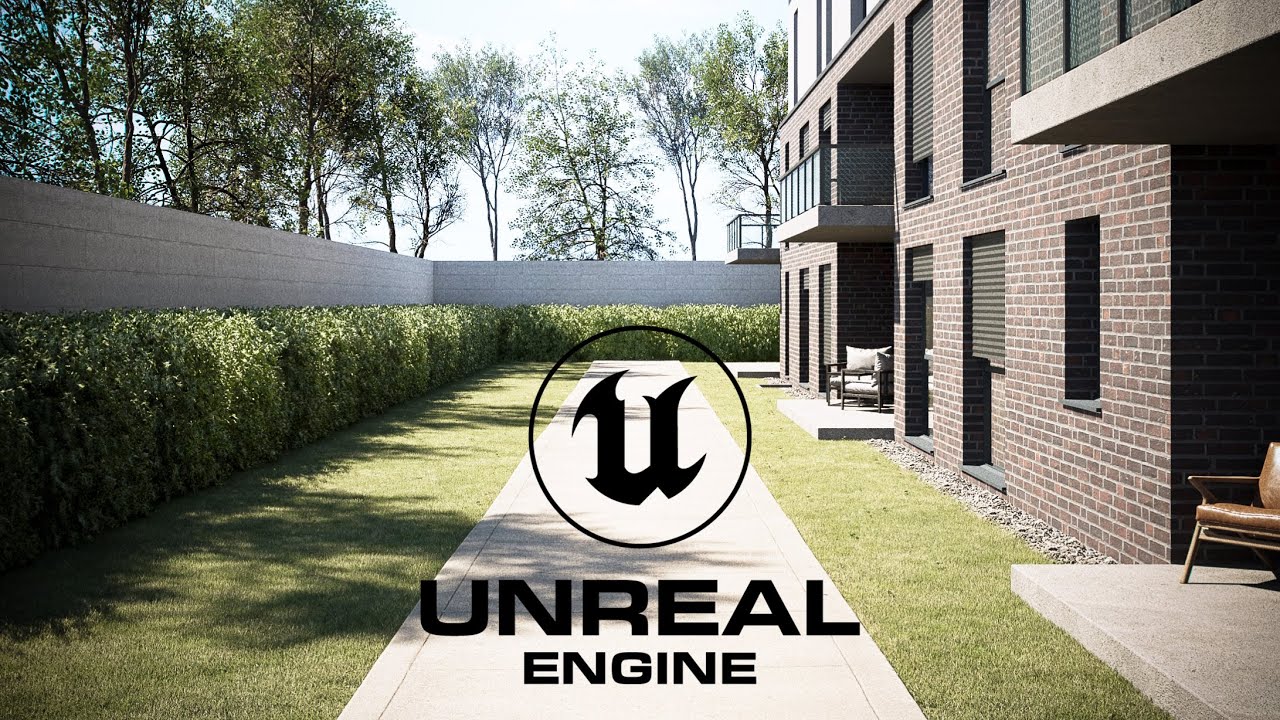
https://www.youtube.com/watch?v=ctLiwmQw5cE shameless self promo for exterior
 white nova
Beauty!
white nova
velvet viper
https://www.youtube.com/watch?v=ctLiwmQw5cE shameless self promo for exterior
It's yours?
velvet viper
yes
white nova
It's beautiful!
velvet viper
thank you, otherwise just google ue4 archviz on youtube and you will find plenty of talented artists
white nova
It's the best reference I've seen to date to be honest
I have but they're mostly interior arch-viz scenes and nothing as good quality as yours
Are your window curtains done with some material trickery?
velvet viper
its basic subsurface material, just cloth texture and nothing more
white nova
So they're actually placed on the inside?
velvet viper
ah yes, its actual curtain models with simple subsurface material
white nova
Nice!
Really well done! Your Space Shuttle Demo is my favourite. That's a beautiful space.
velvet viper
ah yes, its done with nvidia rtx unreal branch, which has amazing tech
white nova
I saw! In some of their talks, I've seen it being used. My team's committed to the UE5 branch now, but we're just hoping some of those tools make their way into UE5 plugins when it's fully released.
plush marsh
velvet viper
https://www.youtube.com/watch?v=ctLiwmQw5cE shameless self promo for exterior
nice, whats that nice grass?
velvet viper
check out orhan yilmaz
 granite leaf
#work-in-progress
molten depot
i am loosing material when committing my dataprep execution...
i merge actors, and before commit, it looks okay, after commit, my merged mesh doesn't have materials on it.
i should say, i don't merge the materials, don't want to...
vernal pecan
long nova
Ok tnx will look into this (noob level = high)
TMtoUE for UE5 is now available, enjoy ! 🙂
 shut tiger
I am attempting to use this CAD model inside of Unreal. I opened it in 3DS Max. I was hoping that someone could help me with using a map this size for my Height map. I am attempting to use Real World Terrain with the Modular Downtown Buildings that can be added to a project. I have added the Roads and Bridges assets and migrated the Park Environment assets into my project. I also added the Car Driving template to the project and have Houdini Engine active. I was thinking that I could use the Roads from the Topography layer to save me time with having to create the roads. I was thinking that I could use the CAD Maps as the floor plan for placing building and traversable areas (cars and sidewalks)


 harsh hedge
Current archviz, any feedback is welcome. I've a feeling, that something is missing

 royal osprey
you need to control the roughness, shiny things have too much, non shinny things have too little.
roughness and normal maps would also help break those flat highlights.
 main hamlet
Hey Guys!! I am doing some experiments with the material dissolve. So far i manage to hide anything that it was inside a cube that i use or to be able to see only anything that is inside this cube. The problem is that i want to make it works with more than one cubes and with different abilities with each one of those. For example let's say that i want to see only what i have inside of one big cube and then if i use a small one i can hide the areas of the object that the small cube touch. Is it possible?
 shut cloak
harsh hedge
Current archviz, any feedback is welcome. I've a feeling, that something is miss...
shut cloak
harsh hedge
Current archviz, any feedback is welcome. I've a feeling, that something is miss...
maybe put vines along the concrete parts of the house that would help it fit the scenery better
harsh hedge
shut cloak
maybe put vines along the concrete parts of the house that would help it fit the...
Good idea, i'll try it out
 versed pawn
harsh hedge
Current archviz, any feedback is welcome. I've a feeling, that something is miss...
versed pawn
harsh hedge
Current archviz, any feedback is welcome. I've a feeling, that something is miss...
Lose the chromatic aberration
plush marsh
HII Guys, i try to importa 16K HDRI but gpu crashes ( out of Memory) I can import it as an exl but then i cant place it in the HDRI. Anyone can help?
 wraith mulch
i had this problem before and the only way i could get around it was to split the HDRI in 2x 8k tiles, and using a custom skybox mesh
 spare anchor
shut tiger
I am attempting to use this CAD model inside of Unreal. I opened it in 3DS Max. ...
spare anchor
shut tiger
I am attempting to use this CAD model inside of Unreal. I opened it in 3DS Max. ...
if you can make your low polys in cad an make high polys in fusion i have seen the results an its like wow High quality with that low count
harsh hedge
How is it now?
 shut tiger
Maybe you can walk me through the steps? I attempted to do the above and missed on the first try. Or maybe I should be asking do you mean: 1.Open Model in 3DS Max (Import to new scene?)2. Make the layers a group and then make switch to edit mode and select the whole model to do what? I think that's what you are saying. What I understood was checking the poly count in Max and then use Max to reduce the poly count? Then bring it into Unreal and do what?
shut tiger
shut tiger
Maybe you can walk me through the steps? I attempted to do the above and missed ...
First I would like to say thank you for responding to my inquiry, Next I took the initiative to find out what you were suggesting I try. I was just coming off a long drawing session and saw your message. Will try now to
shut tiger
shut tiger
First I would like to say thank you for responding to my inquiry, Next I took th...
reduce the polycount in 3DS Max and then the next steps you suggested. I will let you know how that turns out.
 unique ore
harsh hedge
How is it now?
unique ore
harsh hedge
How is it now?
it looks better. You could try also a different camera viewpoint. It will make the most difference (you can have a look at some architectural photography... verticals should be vertical, horizontals horizontal = frontal view)
molten depot
I have created an Actor with Dataprep, which is now inside the preview list of my Dataprep.
If i want to attach actors to it, it seems to be doing it. Log is saying, it is attaching.
But after finishing execution, everything is as it was before.
any help ?
molten depot
oh. it's also missing after commit. so i am missing sth....
molten depot
do i have to do sth. special, when creating actor in dataprep ?
molten depot
help !
molten depot
CreateActor doesn't have Transform, and is transient.
CreateAsset does crash the engine
maybe i have to add a scenecomponent root, i'll try

that's all that should happen somehow...
molten depot
Still need help
spare anchor
can you use a clamp
 torpid folio
I'm looking to have some nice shots with crowds of people passing through time lapsed
any ideas on best way? I'll be rendering the animation out so frames isnt an issue
 fading thunder
Hi folks ! I’m 3D generalist from Ukraine and have been doing graphic design for about 3-4 years. I have good knowledge of unreal and blueprints, I also love hardsurf modeling in CAD or Blender. I'm very interested in automotive and aerospace rendering, but I can't find any information or tutorials on the subject of car rendering, only that seems a little different to me. Has anyone seen any hardsurf or spaceship tutorials in UE 4 or 5? All the best ✌️
 stable breach
torpid folio
I'm looking to have some nice shots with crowds of people passing through time l...
stable breach
torpid folio
I'm looking to have some nice shots with crowds of people passing through time l...
Depending on how blurred out the crowds are going to be, you could just generate a random stream of static characters sliding along a spline.
stable breach
fading thunder
Hi folks ! I’m 3D generalist from Ukraine and have been doing graphic design fo...
You can take a look at how they're doing the cars for the city demo
torpid folio
stable breach
Depending on how blurred out the crowds are going to be, you could just generate...
I was thinking this but I did a few tests and it some of the shots arnt ideal
I'm started looking at Anima but its pretty heavy (over 15gb's of FBX's) Its a shame the plugin for Anima > Unreal 5 doesnt work
 lost badger
hey peps, may I ask a quick question? Trying to render out a short cinematic scene here, just cant figure out how to make blueprint animation visible in the sequence. The rotation works fine with "Start simulating the game" button (1.), but not with the play button (2.) Any awesome tips? Thx!

 odd umbra
Does anyone know if it's possible to export a picture as .RAW?
unique ore
odd umbra
Does anyone know if it's possible to export a picture as .RAW?
just export as any uncompressed format (exr, ...), then you can always convert if you need
odd umbra
True, there should be lossless converters out there
 twin gull
I'm new to unreal Slackers so hopefully this is an ok place to post this...I'm trying to create a multi camera view of a building where I move between the different camera views. I have built widgets that allow me to move between them, and then I wanted to have arrows animate in to show/highlight certain parts of the building. I had build them using cinematics, however as soon as I trigger the cinematic with the keyboard key the static mesh arrows (FBX's imported from blender) and cubes (basic SM created in UE4) disappear from the viewer until the animation is over. I'm guessing there is something in my Menu BP that is causing this, but I can't tell what. I've been trying to figure it out for about 12 hours now, so I figured it might be time for an SOS :D. I am pretty new so I'm guessing there is some checkbox that needs to be checked that isn't somewhere.


 mossy mica
Hello . I have a few small questions: Do I need the gpu lightmass plugin, given that I can use Lumen and Raytracing? What render are you using? Why?
mossy mica
I didn’t quite understand, but I made the following conclusion: That is, ray tracing would be an ideal option for me (perhaps paired with a lumen)?
To sum up: raytracing is universal. Lightmass, broadly speaking, for "weak" systems. Lumen is universal, but has features that must be considered. Correct line of thought?
Ok , i understood that. But still.. is there any comparison table or something like that, where there will be a visual comparison of engines so that I can come to a final conclusion?
Anyway thanks for the help
 spring ether


Hey people, looking for UI/UX references for an interactive arhviz/real estate application. I'm using ArchvizExplorer, and want to modify the looks of it.
mellow crater
Hi Guys -- im an Architectural visualizer using blender with twinmotion -- looking for support, community and occasional help -- is this the right place to find it?
 wraith stag
anyone have a some tips to get this working? i have a very nice glass material set with raytrace refraction but i am not sure why some shadows can be seen through the glass and some not. some materials may look completely unlit
mossy mica
wraith stag
anyone have a some tips to get this working? i have a very nice glass material s...
I don't know the answer to the question, but your glass material is good. Can you please share it?
wraith stag
mossy mica
I don't know the answer to the question, but your glass material is good. Can yo...
it seems to be a limitation on raytrace translucency currently,
for now I don't think transparent shadows (at least on the main branch/maybe one day will get updated with the nvidia rtx branch but i doubt that will be soon) are supported other than those casted from directional lights and not counting anything like GI. but everyone is welcome to give a try and let us know if there is another solution
for the material just create a black base color material with specular 1 / roughness 0 / opacity 0.1 / refraction 1.5 and be sure to select translucency blend mode and change to surface fowardshading in the lighting mode.
for the post process volume just set translucency to raytracing. this will work both for 4.27 with raytracing on and ue5 with lumen but you would need to turn raytascing on the project too and support hardware raytracing on project setting
regarding you question before. lumen have limitations like having problem with close spaces and quality on the shadows and noise that make it hard to work with at least for architecture. and wont wont on VR because is only deferred. so if you are into that then lumen is not for you.
raytracing needs powerful hardware so it comes to the target hardware and trade off on when to use it.
gpulightmass is great to achieve awesome lightning in almost every system you will still need to consider other factors to not affect the memory. like polycounts and drawcalls. and a plus is that it will work with VR because is baked so for interactive archviz although you loose the aility to change the lights in complete real time.
 kind shale
wraith stag
it seems to be a limitation on raytrace translucency currently,
for now I don't ...
kind shale
wraith stag
it seems to be a limitation on raytrace translucency currently,
for now I don't ...
tis the secret they don't tell anyone. Reflections and refractions still aren't quite up to part with software like 3ds Max/Vray/Maya/Arnold/Corona etc... but it's close
vernal pecan
Hi everyone ! Just a heads up that 5.0.2 is out, and with it the support for 3dsMax and Revit 2023 ! 🎉
Head to https://www.unrealengine.com/en-US/datasmith/plugins to get the latest version of the plugins !

Unreal Engine
Create stunning real-time visuals for architecture, product design, and manufacturing. Datasmith drastically reduces iteration time through efficient transfer of CAD and 3ds Max data into Unreal Engine.
 waxen mango
Hey folks,
Could you please guide me on which approach to high-quality rendered images in Unreal 5 is the best in terms of producing hyper realistic visual output?
- Path tracing?
- Lumen + hardware ray tracing?
Or Path tracing is built on top of Lumen (I don't think so) ?
Context: rendering exterior urban city areas
waxen mango
Thanks @low tide What about Path tracing?
waxen mango
Thanks so much @low tide
 void rock
I test Unreal every 6 months or so for Revit buildings. It usually just crashes, so I kind of give up on it and wait another 6 months.
I've recently imported a project that was decimated in 3ds Max and exported with Datasmith from 3ds Max into Unreal.
I watched a couple Lumen tutorials and set it up. I enabled Nanite as well.
The result was surprisingly bad. I'm wondering what I'm doing wrong or if there's more complete up to date UE5 tutorials that go from Revit to good looking scenes in UE. Ideally, VR compatible as well. Few of the tutorials deal with AEC lighting and Revit workflows
Here's the resulting scene in Unreal. Please note I import all IES lights, so there's thousands of them

This is the same scene baked in Octane and set up in Unity. (ignore the black ceiling on the right)

Is it possible to get comparable results with Lumen or should I just look at light baking in Unreal? I should also note that navigation is laggy in Unreal compared to Unity, even with Nanite on. It's a 4 million triangle scene
 acoustic sapphire

Created a medium sized L-shaped Kitchen for day-to-day use.
Socials:
https://www.artstation.com/mridulsarmah7
https://www.instagram.com/mridul_sarmah/
All sounds used are via Pixabay.
 tranquil plume
quick question. From your guy's pov/ preference is it better to do level design from blender and import it or build the level design in UE5 itself
 low tide
tranquil plume
quick question. From your guy's pov/ preference is it better to do level design ...
low tide
tranquil plume
quick question. From your guy's pov/ preference is it better to do level design ...
quick reply: if you have a little free time and don't want any problems, then you definitely need to do everything in UA5, if you do it quickly and using a free program, then Blender + UE5.
DETAILED RESPONSE: it seems to me it is always necessary to think about the question "where am I now (what is my skill at the moment) and where do I want to be in the future (to work or what creations do I want to do)". Almost all large architectural companies or freelance clients require models and files from the 3D Max program... (I don't like it either, but unfortunately this is the industry standard). There are many addons for 3D Max to speed up and facilitate the work process, in addition, companies often create their own internal addons and the whole team works with them - this is the law! You will need 8-15 hours of initial practice for a simple understanding of the program, you can easily work at home and when you look for a job it will be a plus.
*I use Blender + UE5 myself and I really like it. Blender is developing extremely fast, there are also many plugins for it (both paid and free) that significantly increase the speed and comfort of your work. More and more freelance customers are more loyal to him and no one will say exactly which program in 3D modeling will be the standard in 3-5 years.
tranquil plume
low tide
*I use Blender + UE5 myself and I really like it. Blender is developing extremel...
Thank you! I am used to blender but brand new to ue5 and found out the hard way transfering materials across is not friendly so spent a lot of time on materials that were not compatible with ue5 was sad haha. But i am learning now how to cross them using blender then quixel mixer. its fun! Thank you for your detailed response!
low tide
tranquil plume
Thank you! I am used to blender but brand new to ue5 and found out the hard way ...
Yes, the Epic family has a lot of free software for excellent work. Now there is a small competition with prizes "Better Light That Never" it will end on June 28... I advise you to participate. There are examples of user work on the official forum, they are both large and beautiful and there are many beginners. I would advise you to participate. You just need to assemble a beautiful scene using whatever you want. https://forums.unrealengine.com/t/unreal-challenge-better-light-than-never/528447

Unreal Engine Forums
INTRODUCING AN ALL-NEW UNREAL ENGINE COMMUNITY CHALLENGE! In addition to this year’s annual Epic MegaJam, we’re hosting a brand new way to hone your skills and show us what you’re made of—welcome to the first-ever Unreal Challenge! Each challenge will focus on a specific skillset or feature within Unreal Engine and general development. I...
tranquil plume
low tide
Yes, the Epic family has a lot of free software for excellent work. Now there is...
Oo I will check it out thank you!
 sweet rock
I keep looking for tutorials or courses on where to start with arch viz but can't find any that doesn't revolve around just lighting. I go to search and it's always the models are premade before the tutorial begins. Any idea where to go as a Beginner into arch viz for modeling before the lighting stuff even starts?
low tide
sweet rock
I keep looking for tutorials or courses on where to start with arch viz but can'...
This is the specifics of the work. In large companies, the 3D visualizer is only engaged in creating scenes, videos or screenshots and their subsequent processing in Adobe Premiere Pro or Adobe After Effects programs. Very often, all models, materials and other necessary information are prepared and collected by other employees. Usually you have to work very quickly and there is no time to do it all yourself. But they don't pay too much money for this either (it depends on the company and the country).
If you work in a small company, for yourself personally as a freelancer, then most likely the customer may very often not provide everything you need and you will need to get or create models and materials yourself. In this case, there will be more time to work and money will be paid higher for an hour of work.
sweet rock
I'm just trying to figure out how to do arch viz type of environment..am using it for a horror game I am making. So basically just looking how to create house environments for ue5 is all.
low tide
If you want to know and do everything yourself, then you just need to decide on the programs in which you want to work and watch courses on 3D modeling, creating materials and texturing. There is a lot of such information in any language. There are videos on YouTube, courses or whole schools.
sweet rock
Ya for ue5 I keep getting just courses on lighting for arch viz so maybe I'll look into blender for the modeling than.
 merry laurel
Whenever I try to render out a sequence with Movie Render Queue, the render window opens up and stays blank for a long time (sometimes several minutes) before actually starting to render out the frames. Once it starts, it renders fast, but sometimes the render window stays blank for longer than it takes to actually render the whole scene…
Is this normal? Is there a way to improve that time before it starts the actual render?
 hushed socket
Is anyone here good with architecture and could guess in which country / city this environnement could be from please ? I'm guessing somewhere in Europe (precisely in the Eastern countries) but I'm not sure at all.
Like does someone recognise the castle at the top (or at least what castle inspired it), and those roofs are typical in which county ?
Please ping me if any answer.
 mellow crater
hushed socket
Is anyone here good with architecture and could guess in which country / city th...
mellow crater
hushed socket
Is anyone here good with architecture and could guess in which country / city th...
italy and romania got similar
hushed socket
mellow crater
italy and romania got similar
The answer was given today in a stream, it was in fact Portugal 🙂
hushed socket
thank you
mellow crater
np
 remote anvil
hi all, trying to get to grips with visual dataprep in UE5 to bring in a very complex architectural BIM model. I'm working through it one problem at a time and the first thing is that I'd like to be able to do is an inverse filter by material so I can perform an action on everything that isn't using a specific material. Any ideas if it's possible?
 outer valley
sweet rock
Ya for ue5 I keep getting just courses on lighting for arch viz so maybe I'll lo...
outer valley
sweet rock
Ya for ue5 I keep getting just courses on lighting for arch viz so maybe I'll lo...
check out this tutorial, you need to buy it in udemy: https://www.youtube.com/watch?v=HU83uB53Y84

Udemy Link - https://www.udemy.com/course/creating-a-kitchen-environment-in-unreal-engine-5/?couponCode=3E732A546ACB7F2CCA6B
Artstation Link - https://www.artstation.com/a/15404371
Skillshare - https://skl.sh/3KgAwZe
Hello Everyone and welcome to this new course. In this course, we will go over the entire process of creating a Kitchen Environ...
mellow crater
HI Guys -- im looking to continue to improve my archviz output -- im fairly competent (if not super fast) with blender, I know how to import my blender scene to twinmotion and get it set up and ready to go there -- the next step I am told is take it to Unreal and turn it into the fully walkable / interactive project -- all good -- what I need to know is 2 things -- A. is this the right subreddit to ask those questions in, and B. anyone who is here and has experience doing such things -- can you please recommend appropriate learning videos -- there are many many videos on the web, and some are made by total bozos -- id rather avoid such time wasters if possible -- whos the cream of the crop and who do I ignore???
Thanks
TIM
plush marsh
Hi Guys, i have a wierd task.. so i need a mesh invisible, but needs to act like it is Visible to lightcast and reflection in other things. is that possible?
spare anchor
plush marsh
Hi Guys, i have a wierd task.. so i need a mesh invisible, but needs to act like...
Yup just make the mesh a particle system
Niagara allows the skeleton to operate
Currently doing it for a gas creature
harsh hedge
Found some time to get back to Project. Any Feedback is welcome

 torn prism
What you doing if you need to place archviz on video footage (drone)? How you track camera on footage video? Thank you.
 proper vessel
Is there any way to fix this?

I want to export this image with alpha but in glass material there is a problem
torn prism
proper vessel
Is there any way to fix this?
You exporting it from ps or ue?
proper vessel
torn prism
You exporting it from ps or ue?
Ue output in png with alpha channel.
torn prism
proper vessel
Ue output in png with alpha channel.
Ok that, but how you match camera motion? Import camera from another software or there whey in UE5 for that?
 honest temple
New lighting and exterior added to the free realtime arcviz scene from the marketplace.

Edited in PS. Removed colors, then made the AI colorize filter add back color.

 warm sigil
Any shader wizards try to make a grass tool comparable to Lumions? Been trying to find a solution in UE for awhile now. We want to switch to UE as a company but the speed of Lumion is hard to beat. The grass tool in particular is a big hangup, manually painting grass, especially on larger outdoor projects, is way too time consuming.
scenic ingot
warm sigil
Any shader wizards try to make a grass tool comparable to Lumions? Been trying t...
Do you mean this grass tool? to me this is way better than Lumion https://docs.unrealengine.com/5.0/en-US/grass-quick-start-in-unreal-engine/

Learn how to add Grass textures to a landscape.
warm sigil
scenic ingot
Do you mean this grass tool? to me this is way better than Lumion https://docs.u...
Yeah, thats definitely useful for a landscape. I guess I should have clarified that it comes short for more urban environments. Lumions landscape grass can also be applied to static meshes but you still cant do it in Unreal.
scenic ingot
warm sigil
Yeah, thats definitely useful for a landscape. I guess I should have clarified t...
you can use the landscaping tool, and paint the grass where need it, what I do is create a general grass first, then pain with the bucket tool that will cover everything, then delete the edges and paint with a smaller grass patch, that way the grass doesn't go over the concrete areas
scenic ingot
warm sigil
Yeah, thats definitely useful for a landscape. I guess I should have clarified t...
other trick is while painting change the none grass areas to mobile geometry, then the grass won't get painted there, when you are done you can switch back to static
now to make it work as a shader.... there is a scatter type but I haven tried myself
warm sigil
scenic ingot
you can use the landscaping tool, and paint the grass where need it, what I do i...
Lumion is a fraction of the time though which is why we still primarily use it, since all you have to do is apply a single material to any faces ive assigned my grass material and it automatically has the grass on it, with controls too like size, cut, wildness, etc. Would be nice for the procedural foliage spawner in UE to work exactly like it does with the landscape so that I can have a grass material that spawns grass cards automatically as soon as I assign it to a model that has any grass patches.
warm sigil
scenic ingot
other trick is while painting change the none grass areas to mobile geometry, th...
Ill have to try your trick of changing the mobility type
scenic ingot
warm sigil
Lumion is a fraction of the time though which is why we still primarily use it, ...
well we are in the same boat, so those are the solutions I have found so far, but yes, for that Lumion is faster
warm sigil
scenic ingot
well we are in the same boat, so those are the solutions I have found so far, bu...
Yeah I gotcha, appreciate your feedback. Definitely going to try what you mentioned. I keep hoping someone smarter than me has taken a stab at replicating it though. Lumions tools are just super fast to go from model to final render.
scenic ingot
anyone here work with Level variant manager, I just can't wrap my head around an issue I have, I already ask on the blueprint section but nobody seems to understand what it is
I have a level variant manager and it is working for for everything else but this one element, it is just show the element or hide, it actually works when tested but if I use the test standalone it doesn't work
velvet viper
warm sigil
Yeah I gotcha, appreciate your feedback. Definitely going to try what you mentio...
ive been just using the fill tool to paint grass fast on static meshes in urban environments
with that its essentially one click grass solution
warm sigil
velvet viper
with that its essentially one click grass solution
I’ll test it out today. A lot of cleanup with that or not too bad?
velvet viper
depending on the mesh, so if its very precisely laid out and separated theres minor cleanup needed, so for example I have a grass plane and a pathway mesh on top as separate meshes - the grass mesh below pathway has no geometry. The way I make my meshes in blender makes it a fast workflow for me. Then I just fill the grass plane with foliage and mostly dont even need to trim the edges since the grass is below it anyway and doesnt pop out of the cobblestone
honest temple
warm sigil
Any shader wizards try to make a grass tool comparable to Lumions? Been trying t...
You have to setup your own custom grass tool files that are used on the landscape materials. Here you add different grass/foliage meshes that will spawn on any set material layer.
For larger foliage like bushes or trees that use collision, you have something called procedural foliage spawning.
Here you setup one file that contains different foliage meshes and settings for those meshes. And you spawn them with a volume... For each mesh you also set the landscape material layer name, so the meshes only spawn on the material layer you want it to spawn on.
 quartz jungle
Hi everyone, I have a question. Is it possible to control the sun position with an UI with Lumen in Runtime? with no need of a BP_SkySphere
 viral canyon
Yea a directional light’s rotation is all you need to adjust.
Just make sure it’s set to moveable and your widget can reference the directional light via get all actors of class on event begin
 timid grove
Hey guys.
I'm using a glass material pack from the unreal engine.
But it seems to defy the settings of my camera.
even when objects should be out of focus the glass looks weird and always focused/sharp.
I don't really know where to post this but I'm really stuck on this if anyone knows something that could help pls let me know.
 royal osprey
@timid grove https://www.reddit.com/r/unrealengine/comments/hb1ycn/question_translucent_materials_and_dof/

reddit
6 votes and 8 comments so far on Reddit
after DOF has to be unchecked on the material
timid grove
Thankyou so much :)
timid grove
https://www.therookies.co/projects/40716 well since that was the only thing left to fix here ut is.
Would love to here if you guys have any feedback :)

The Rookies
My first art project in unreal engine 5.
Hope you guys like it soon add more projects like this.
I enjoyed this a lot and from now on will make more effort to put my art assets in game engines.