#source-control
1 messages · Page 61 of 1
 jolly fog
My Respoitory looks like this in github browser

Let me push and I'll send a screenshot of the error
 quaint obsidian
can you just run git push -f
jolly fog
Sure
error in app

Error after running your command

It doesn't make sense
Is it something with my network
Wi-Fi not processing right
git config --global http.postBuffer 157286400 just ran this
Hopefully it will allow it in
quaint obsidian
you are transferring 2.55GiB in Git
that is not right
you need to see what files you still are pushing in Git
and move those to LFS or remove/ignore them from the repo
jolly fog
Okay
What is a good limit
in size
I will continue to research and look into this
thank you
@quaint obsidian
I greatly appreciate your help
 woven sluice
as mastercoms already suggested, the question is what files are you pushing. 2.55 gb is a lot of code, config and uproject/uplugin files 😄
jolly fog
I imported a few map .fbx files into my project
from my Unity project which have a lot of static meshes
Maybe that's why 😦
The project is fairly new though so I am at a bit of a loss
quaint obsidian
so you need to import .fbx into LFS as well
and then run the fixup command again
jolly fog
Each of the map folders are at least 100 MB
Not sure if that is too large but they do have tons of static meshes
I bet that is why honestly
woven sluice
sorry but do you know what the difference is between "large binary files" and "text/other" files?
do you know how to decide what should be managed by LFS and what should be managed by standard GIT?
jolly fog
I believe LFS should be any actual game asset by visual? Large map, characters, textures etc
scripts and standard assets git?
Correct?
woven sluice
one of the things that GIT is good at is merging text files. one of the things GIT is bad at is storing large files.
you can't merge binary files. and they tend to be large. both are compelling reasons to not store any of them in normal GIT
jolly fog
How can I import the fbx content into lfs
jolly fog
woven sluice
one of the things that GIT is good at is merging text files. one of the things G...
Thank you
woven sluice
that I don't know, because I actually hardly use GIT at all 😄
 jolly fog
Let me explain
I have 1 fbx file but it imported thousands of static meshes
it was a map from Unity
So should I track something else
quaint obsidian
the static meshes, if imported into unreal, will be .uasset
jolly fog
Right but when there are thousands of them would it make a difference
quaint obsidian
it doesn't matter, they are all uasset, right?
so you are already tracking uasset
how large is that 1 fbx file?
jolly fog
*.uasset filter=lfs diff=lfs merge=lfs -text
*.umap filter=lfs diff=lfs merge=lfs -text
*.fbx filter=lfs diff=lfs merge=lfs -text
this is my gitattributes file right now
quaint obsidian
yes
jolly fog
Okay so 1 map is 44mb and the other is 150MB last one is 20 mb
for the fbx maps that were converted to static meshes
quaint obsidian
did you run git lfs migrate import --fixup after adding *.fbx
also I mean, do you see any files which aren't tracked
which are large
jolly fog
Yes and it still had 5k files to commit a lot of which came from the fbx files
$ git lfs track "*.fbx"
this has been entered in git bash for my project
Outputted Tracking "*.fbx"
jolly fog
quaint obsidian
did you run `git lfs migrate import --fixup` after adding *.fbx
so now I will try this
command
and then try to push but should it show a difference in the amount of files
to commit after that
Maybe I can add the ones from gitattrubites to got ignore?
For now to see if it will go through?
jolly fog
It looks like it's writing all the LFS objects but may still fail

5643/5643
for LFS
Writing objects is where it is failing
 storm agate
hi, I noticed that the Engine Association parameter in the .uproject necessarily has to mismatch between users
 rotund bobcat
you can set an environment variable to point to your engine
storm agate
found this old thread https://answers.unrealengine.com/questions/43614/uproject-files-engineassociation-saves-a-guid-whic.html is it still this way?
rotund bobcat
e.g. if in your uproject you set engine association MyUE, then you can define an environemtn variable on all users pc that defines MyUE as the hash of the unreal on their pc
that's what we did atleast
storm agate
I see. is that the most common solution?
I don't particularly like it..
based on the staff answer in that thread, it would all 'just work' if we put the game in as a subfolder of the UnrealEngine repository (from GitHub)
but my partner doesn't want to do that
rotund bobcat
¯_(ツ)_/¯
it's what we did, so of the sample size of 1 that I know of, that is the most common solution 🙂
oh I mean registry key btw, not env variable sorry
storm agate
oh, that makes sense
well, since it's just 2 of us, I'm probably going to do the staff answer on my end, and on my partner's end it's just going to have the correct GUID
thanks though!
 sullen lance
does any one have an idea as to how i can prevent unreal from using project settings from the "saved" directory, we are using perforce and i dont really want to have to track the "saved" directory and make sure the "config" directory is set to be used manually
 warped perch
sullen lance
does any one have an idea as to how i can prevent unreal from using project sett...
warped perch
sullen lance
does any one have an idea as to how i can prevent unreal from using project sett...
did you check in saved folder?
sullen lance
warped perch
did you check in saved folder?
The problem is that its using the saved folder and ignores the normal config folder
quaint obsidian
storm agate
hi, I noticed that the Engine Association parameter in the .uproject necessarily...
You could use ueversionator to manage this, but it's not the main use case.
GitHub
ueversionator is a tool to download custom UE4 engine builds, extract and register them for use. - GitHub - ProjectBorealis/ueversionator: ueversionator is a tool to download custom UE4 engine buil...
You would need the directory structure .\ue4\UnrealEngine
and then the engine association would be ue4v:UnrealEngine
then in your project repo, add the executable and .ueversionator config file
[ueversionator]
baseurl = https://downloads.example.com/builds
(baseurl can be any placeholder URL, since you won't be using the download functionality)
then, when you run ueversionator, it will ask you for your UE4 builds folder, point it to the .\ue4 folder which contains UnrealEngine (the repo)
it will then scan that binaries are present for the specified engine association version (ue4v:UnrealEngine), and then register it
warped perch
sullen lance
The problem is that its using the saved folder and ignores the normal config fol...
I'm not sure if I understand your problem correctly. anyways, you should never check in the Saved folder (or intermediate stuff). they should be local. you do this by using a .gitignore file. perforce supports gitignore (p4 set p4ignore=path/to/.gitignore)
woven sluice
You can't stop unreal from using the saved directory and you don't need to. Kazem is right. Nothing in there should ever be put into source control
(I name my ignore file p4ignore.txt though 😄 )
And you never want to put a path in the ignore variable
Reading again, why do you think unreal isn't using ini's in your config folder?
quaint obsidian
Saved/Config folder is for per user settings
Config folder is for per project settings
you can set anything in the Config folder and it will act as a default for Saved/Config
hence the name DefaultXXX.ini
but users will always be able to override config settings
jolly fog
Shoud .gitattributes file be in project root for Unreal
I don't see where the remaining 2 gigs of non lfs material is
Also if Git is using lfs should .uasset show in Github desktop app?
quaint obsidian
Features listed for UEGitPlugin: https://github.com/ProjectBorealis/UEGitPlugin#unreal-engine-git-plugin

GitHub
Unreal Engine Git LFS 2 Source Control Plugin. Contribute to ProjectBorealis/UEGitPlugin development by creating an account on GitHub.
 ocean pawn
storm agate
well, since it's just 2 of us, I'm probably going to do the staff answer on my e...
ocean pawn
storm agate
well, since it's just 2 of us, I'm probably going to do the staff answer on my e...
If you change/add a registry entry on the local machine ie named "Ue4ProjectName" and point it to the engine source location
You can use that Id instead of build guid in the uproject and it will pick up the right engine install
Have to look where though currently on the move
Might be faster to scan via regedit for that dir
quaint obsidian

GitHub
System for syncing Unreal Engine 4 project git repositories - Home · ProjectBorealis/PBSync Wiki
made a feature list
 simple lodge
quaint obsidian
made a feature list
simple lodge
quaint obsidian
made a feature list
super 🙂
quaint obsidian
I'm not sure if I need to write one for ueversionator
simple lodge
What I need to do is find a couple days to play with it and rip it apart 🙂
quaint obsidian
GitHub
ueversionator is a tool to download custom UE4 engine builds, extract and register them for use. - Home · ProjectBorealis/ueversionator Wiki
i wrote one anyway
jolly fog
Also this maybe why
it was initally in my onedrive documents folder but UE4 won't detect it
Let me keep playing around with it
It now has it
 jolly fog
Can anyone help me with this? I can pay to get this source control straight
25 USD if that is okay
Teamviewier, it is bunk right now
I'm at a loss
quaint obsidian
The problem was that Git LFS could not rewrite history for the initial commit, which contained UE4 assets in Git
so we had to reset the Git repo
simple lodge
jolly fog
Can anyone help me with this? I can pay to get this source control straight
git repos really shoudlnt be in one drive for the record
@quaint obsidian can I shooteth thee a DM?
quaint obsidian
simple lodge
<@!115180582845153282> can I shooteth thee a DM?
sure
 summer bane
Any long-time Perforce user here?
In case sb decides to read: I have a digitaocean droplet whose diskspace is over. I need to know if I can make Perforce use another "volume" (in digital ocean terms). I mean use the current one and a new one.
Or am I limited to possibly "resizing" the filesystem I am using now with?
Also, is digitalocean good for that or should I really be using another method to store my version-controlled files?
 cyan jay
Digitalocean is fine, as is most cloud hosts.
It's more of an IT admin thing than perforce specific.
Can you enlarge the current volume in DigitalOcean terms?
I'd suggest maybe create a new larger volume, copy the data across then mount it at the expected location in the filesystem, everything should work.
You must stop the p4 service first, and it would be recommended to make a backup and verify before and after.
woven sluice
I don't think you can span a perforce server across two disks/volumes. Could be wrong but I'd say you have to expand it (or move it)
cyan jay
if it's running on linux it's not a problem
woven sluice
oh, yeah I suppose you could do it from the linux side couldn't you (I'm actually not great with it). perforce doesn't need to know anything about it, a volume is a volume even if it's made from multiple disks
cyan jay
yes exactly. Incidentally you can also specify alternate depot paths in perforce but it's more fiddly IMO and better off using the OS if possible.
woven sluice
^ @summer bane
quaint obsidian
LVM or btrfs afaik
simple lodge
woven sluice
I don't think you can span a perforce server across two disks/volumes. Could be ...
if you use LVM it should work or different depots on diff mounts
Ah lol someone said
 fair gorge
Hello guys. I am new to perforce. When I click the save button, it gives me this error
 woven sluice
that's not an error
if you haven't already, make sure you spend a good few hours watching perforce intro/tutorial videos
fair gorge
hmm, Is this asking me to take a latest pull and then work?
woven sluice
no, it's asking you if you want to check out the asset to take file ownership, or only make it locally writable so you can mess around with it (and decide later if you want to revert it)
oh wait
no, that's probably what it is. I haven't actually read the messages in years lol. I guess it just gives a generic message that could mean one of a couple things
fair gorge
hehe. ok. Is there a way to stash stuff? I have used git and bitbucket a lot but new to perforce so not sure how my knowledge translates to it.
woven sluice
you're probably looking for "shelving" in perforce
fair gorge
yep
woven sluice
you upload your current version of files onto the server and optionally reset your local copies
 jagged spear
Any Azure Dev Ops users here? I had success using LFS on GitHub with their paid hosting for a client, so I want to try LFS on Azure Dev Ops for free on a personal project that is 20+GB that I’ll be working on for a while, where monthly hosting costs don’t seem worth it.
 woeful coral
jagged spear
Any Azure Dev Ops users here? I had success using LFS on GitHub with their paid ...
woeful coral
jagged spear
Any Azure Dev Ops users here? I had success using LFS on GitHub with their paid ...
I was able to use it, but be aware that it only works with HTTPS, LFS is not available for SSH yet (if will ever be)
jagged spear
Thanks, yeah I read that, although I admit I have only now been reading about the pros and cons of both. I use GUIs like GitHub desktop and Source Tree where I believe https is the default and the authenticating is done for me. Authentication seems to be the main downside I have read about if you use the command prompt instead. So https doesn’t seem like a problem for me, unless there are other cons I have missed.
quaint obsidian

Check out the new features and tools that make it easier to work on large open worlds in Unreal Engine 5. With a bird’s-eye overview of World Partition, One File Per Actor, and more, you’ll have everything you need to start creating your own open world games.
One File per Actor
simple lodge
woeful coral
I was able to use it, but be aware that it only works with HTTPS, LFS is not ava...
v3 added native support i think
simple lodge
quaint obsidian
https://youtu.be/ZxJ5DG8Ytog?t=1m7s
we've run into a few quirks with it
but it seems mostly solid
woeful coral
simple lodge
v3 added native support i think
afaik it is a known issue still, tried literally yesterday to push stuff using ssh and it failed lol
simple lodge
v3 only came out a couple days back, and ofc Azure may not implement for a while
simple lodge
v2 supports if the provider adds some SSH auth code, but it can be a bit buggy
jagged spear
woeful coral
I was able to use it, but be aware that it only works with HTTPS, LFS is not ava...
Just curious, what method did you use to connect to Azure DevOps? It seems like it's designed to integrate with Visual Studio or git command line, but I was having trouble authenticating using a token on SourceTree.
woeful coral
I used Fork (both for SSH and HTTPS attempts) and it worked fine (but couldn't push LFS objects with SSH)
jagged spear
I'm seeming to be having LFS issues. The Azure documentation seems to indicate I should be using Git LFS 2.4 or higher, but when I check it says I have 2.13.2 apparently, even though I just made sure I installed the latest version both through the Git LFS installer and through the main Git installer, when that didn't work.
Hasn't been an issue normally when using Github Desktop with LFS. I am using Source Tree now with Azure Dev Ops.
When trying to push large files, I get the error
"LFS: Client error: [URL] from HTTP 413
error: failed to push some refs to [URL]"
 jagged spear
It seems I have multiple versions of git-lfs installed. In C:\Program Files\Git LFS I have the latest version, but when I try to use the System Git version in Source Tree, it says LFS is 2.13
quaint obsidian
jagged spear
I'm seeming to be having LFS issues. The Azure documentation seems to indicate I...
I've heard this fixes it: git config http.version HTTP/1.1
jagged spear
quaint obsidian
I've heard this fixes it: `git config http.version HTTP/1.1`
What in the world - thank you, this is insane, this magically fixes everything and it takes seconds to upload what would take 10 minutes before. I looked it up and it seems related to the issue of needing a more up to date version of Git LFS due to some strange authentication issues with Azure, but since this seems to fix it. I'm happy to leave Git LFS at 2.13 - thank you very much for pointing this out.
I'd definitely be interested in getting my version of Git LFS up to the 3.0+ release within Source Tree, but it seems not pressing, since the embedded version is 2.13 in Source Tree as well, so I suppose normally this isn't a big issue?
 dusk heron
Hello everyone. Using Perforce.
Could someone tell me which of the UE4 config files has the source control settings? Somehow one of us managed to get his setting in everyone's configuration. Now in UE4 we need to manually change the settings each time we want to work.
I searched all the files in the Config folder but came up empty.
Any help would be appreciated. Thanks in advance for the assist.
woven sluice
Did you/somebody (accidentally) commit the Saved folder? @dusk heron
dusk heron
That's a good question. I'll have to look. I didn't think of that. There was a reversion, so that would be a possibility. Appreciated.
dusk heron
woven sluice
Did you/somebody (accidentally) commit the Saved folder? <@365956792229822476>
Spot on! Thanks!
jolly fog
Anyone super familiar with Helix Core setup and interesting in earning a little extra cash, I'd much appreciate some help with it's setup.
 bitter sun
Anyone using any automated code review tool for Github?
Which one works best with UE framework?
 regal grotto
quaint obsidian
We are using Resharper InspectCode
regal grotto
quaint obsidian
We are using Resharper InspectCode
It works with UE-generated solutions?
quaint obsidian
Yes
regal grotto
Wow, cool. In --no-build mode? Or it still needs to build the code?
quaint obsidian
I don't think we use --no-build
but resharper has native support for UE for some time now, so it's possible
 coral magnet
Does anyone use Unreal Game Sync? I'm wondering what the benefits are to it?
regal grotto
coral magnet
Does anyone use Unreal Game Sync? I'm wondering what the benefits are to it?
https://docs.unrealengine.com/4.27/en-US/ProductionPipelines/DeployingTheEngine/UnrealGameSync/
I believe, you don't need UGS if you don't commit game binaries to the repo to be consumed by content makers. And you can't use UGS if you're not on Perforce.
An overview of UnrealGameSync (UGS), an internal tool used by developers to sync their Workspace with a project's stream.
coral magnet
I wanted personal opinions, not the documentation. I also run a perforce server. I also wanted to know if UGS will build the current binaries based upon source code changes.
regal grotto
coral magnet
I wanted personal opinions, not the documentation. I also run a perforce server....
Message starting with "I believe, ..." is 100% personal opinion.
coral magnet
lol I meant in respect to the documentation link
coral magnet
Is UGS compatible with a linux based perforce server?
 merry verge
UGS doesn't care where you host your perforce server
coral magnet
merry verge
UGS doesn't care where you host your perforce server
So it's not dependent on a windows IIS server?
For the metadata server
merry verge
The metadata service might be, though it may run under .net core or mono but I wouldn't know. The metadata service doesn't need to run on the same system as the perforce server though.
coral magnet
I'm just trying to think logically. If UGS requires a windows server for the full functionality, then I may as well migrate my perforce server back to a windows server.
 cosmic knot
Has anyone managed to setup perforce locally using hamchie? if so how would i go about doing it or is it easier to buy a server and do it?
regal grotto
cosmic knot
Has anyone managed to setup perforce locally using hamchie? if so how would i go...
wth is hamchie? I've been in google, it didn't help.
cosmic knot
https://www.vpn.net/ it’s this but I spelt it wrong in the post @regal grotto
jolly fog
hello guys
so iam looking for a version control
what are the best version controls for ue4 c++ for a team of 20 people
which includes all arties, programmers, vfx artist, etc
 karmic meadow
I find plastic to be a decent medium between the two.
You can checkout files and lock 'em like Perforce, but you also have the git branching stuff for your programmers. Kind of a mix of the two.
It is also much cheaper than Perforce.
karmic meadow
@quaint obsidian Do you use Azure Devops with git lfs?
regal grotto
cyan jay
Git is cheaper but not as well supported
What if one uses Git but spends equal amount of money that Perforce would cost them on payed Git support? Is Perforce still better?
 timid depot
regal grotto
Wow, cool. In --no-build mode? Or it still needs to build the code?
timid depot
regal grotto
Wow, cool. In --no-build mode? Or it still needs to build the code?
Without --no-build, it takes ages to finish on projects with engine source.
timid depot
regal grotto
What if one uses Git but spends equal amount of money that Perforce would cost t...
Perforce is better if you're going to use Unreal Game Sync. It's a lifesaver if your team have lots of art people who doesn't know how to use VCS properly.
woven sluice
imagine spending equal amounts of money on GIT as perforce  you would just have to be doing everything you could to flush money down the drain
(and I say that as a perforce liker/user  )
)
timid depot
Not even mentioning Perforce charges you for all of first free 5 users if you exceed that count on a new license.
regal grotto
timid depot
Perforce is better if you're going to use Unreal Game Sync. It's a lifesaver if ...
/shrug we just hire art people that have brain in their head
BTW, how do you know how much Perforce costs? Its pricing page only has "talk to sales" button: https://www.perforce.com/products/helix-teamhub/pricing
So everyone of us can get absolutely different prices that depend on whatever kind of discrimination Perforce decided to use today.
Start free and pay as you grow. Helix TeamHub is free for 5 users and up to 1 GB of storage. Perforce has always supported small teams working to develop big things. And pricing for Helix TeamHub is no different.
timid depot
It really depends on your team/company.
quaint obsidian
karmic meadow
<@!115180582845153282> Do you use Azure Devops with git lfs?
Use GitHub with Git LFS
regal grotto
timid depot
It really depends on your team/company.
It depends on Perforce left foot.
timid depot
They mostly try to squeeze as much as they can, even if you're indie.
regal grotto
regal grotto
It depends on Perforce left foot.
I mean, if there was a public f(Team) function that one could use to calculate price, your statement would be correct. Function is fixed, the only variable is team itself. But there's no such function. You and me can get absolutely different prices simply because I'm left-handed or wear glasses, or was born in February, or other random reason. And they don't even have to explain the reason why I got a different price than you.
It's even worse. You alone can get absolutely different price tomorrow!
karmic meadow
What files should be in the Source directory? Somehow, more than just my C++ files are 🤔
I have no idea how all of these got here

 timber quiver
I messed up my project and can't open it anymore in any way, but before I did that, I send everything to source control (Perforce).
I never had to use it until now, but how do I restore my old project using Perforce?
karmic meadow
woven sluice
.cs files and any module folders
The parts that I blocked out - those are my project c++ files. Its the other ones that I'm not sure where they came from. Like - I don't recall ever doing anything with motionbuilder or why Maya even exists here.
Perhaps they showed up when I was exporting an asset out?
woven sluice
check in your source control when those files got added/moved to there?
karmic meadow
Well - that's the thing. I was setting up source control and that's when I found 'em
woven sluice
my first suspicion would normally be an inexperienced teammate going "oh a Source folder that must be where I should store my original source art files"
my second suspicion would be the fact that windows does not let anyone disable accidental drag & drop moving folders/files, because bill gates microsoft is an ass
karmic meadow
Perhaps some marketplace assets puts stuff there too?
woven sluice
i would hope any such products would fail basic QA but who knows
karmic meadow
Might be this one.
In my projects that I use this, the source folder looks like this. In the ones I don't - it doesn't.
¯_(ツ)_/¯
 jolly fog
hello guys did anyone worked with AWS GameLift in ue_4.27 with a team of 10 people?
with any version control like git
if anyone did then please help me how to setup
like that
 unborn imp
Hey guys, I heard you use perforce to work with other people. I looked it up but I saw that I need to give them my company name to use it? I dont know if I was on the right site tho. Can anyone send me the direct link?
 bold perch
timber quiver
I messed up my project and can't open it anymore in any way, but before I did th...
bold perch
timber quiver
I messed up my project and can't open it anymore in any way, but before I did th...
You've probably solved this by now but I think the way to solve this is to right-click on your workspace and click "Reconcile Offline Work", it'll tell you exactly how your workspace differs from the depot.
Then you can just right-click on the modified files and click on "Get Revision".
timber quiver
bold perch
You've probably solved this by now but I think the way to solve this is to right...
I didn't get to fix it because it seems like I didn't set up perforce correctly. I tried to do it by making a new workspace and downloading the latest revision, but the files downloaded were already corrupted. I didn't know about the reconcile Offline Work, that will definitely help me in the future, thanks!
bold perch
timber quiver
I didn't get to fix it because it seems like I didn't set up perforce correctly....
Sounds like in this case the corrupted files were already submitted, though, so that wouldn't really have helped — but yes, it can help if you mess up or set various checked out files to writable for experimentation or whatever without keeping track.
 wise barn
Anyone here that is developing on Perforce but getting engine source from Github? I'm looking for a script that will apply correct typemap and permissions (ie allow writing) to the engine source in P4. Otherwise you will have file locking issues when building the engine etc.
I had access to the Epic Perforce (and UDN) in a past job and could see what the correct permissions should be there, but dont atm and there must be an easier way to do this.
Update: Looks like there are typemap scripts here above, I'll try them out 🙂
 lament ember
Greetings. P4 question.
Is there any way to bypass this usage of windows Login instead of User?

 hard warren
lament ember
hard warren
lament ember
*nix?
cause on Win it's simple as

sudo apt-get purge helix-p4d
sudo apt-get remove helix-p4dctl
sudo apt-get purge helix-p4dctl
sudo apt autoremove
sudo rm /etc/perforce
sudo rm /opt/perforce
@lament ember unrelated topic, but thank you so much for making that ue4 theme
lament ember
quaint obsidian
<@!156903532346212352> unrelated topic, but thank you so much for making that ue...
eh, you're welcome i guess, i was not expecting anyone using it our days...i had plans to update whole UE4 skinning pipeline, so users could make their own skin packs, but never had time to finish it
UE4 already had some of thta implemented, it's just not user friendly
warped perch
Perforce is killing me. Any ideas how to fix this? commands such as p4 info run quickly. ping to the server runs with no problem. how ever certain commands sometimes take so long to complete and i get this message.
 warped perch
reconciling takes forever. even on very small folders.
p4 monitor show -ael shows all the reconcile commands that are stuck. right now it's like 10 of them. I can terminate them but reconciling after that will get stuck again.
bold perch
Yeah, reconciling takes a long time when you are doing it remotely.
warped perch
its not that, it should take 1 second. like yesterday.
bold perch
You were in the same conditions? That's strange.
For me it happens quickly if I do it locally but slowly if I do it remotely.
Like two orders of magnitude more slowly.
 pale jolt
real newb question here but im not sure where to ask it.
I've set up a perforce server and client on my local machine. I want the depot to be on harddrive D: but i want my workspace to be on C:
How do i set this up?
By default its putting my depot and workspace in the same folder.
warped perch
I always did it remotely, it was slow, some times 10 seconds. but this one is not slow. it's stuck. and I even did it on small folder which should take 1 second but now stuck forever.
warped perch
pale jolt
real newb question here but im not sure where to ask it.
I've set up a perforce...
for depot location I think you had to change p4root. but becareful, if you have already a depot, then it's not easy to change.
pale jolt
It's brand spanking new
warped perch
pale jolt
Thank you Kazem, I'll read up on it
warped perch
I hope it doesn't give you headache. but I guess if it's new, then you can just change p4root. although I might be wrong.
 vivid scaffold
Does anyone know of a new version control system in the works for UE5, seeing as PlasticSCM got bought by Unity, leaving only Git (shitty with binary files) and Perforce (whose gui can fuck right off)?
rotund bobcat
you can still use plastic even though unity owns it
and there's git lfs to handle binary files, not as great as perforce, but useable
idk about perforce, but if the gui pisses you off you could use the in engine ui for perfoce or command line if you prefer
There's SVN but that is kinda old and never used it with unreal so idk how compatible it is for workflow
vivid scaffold
Thanks, we'll commit to another year of PlasticSCM then. I've wasted weeks with support on Perforce... never again (utter piece of unusable garbage) 🤮
wise barn
Epic is working on their own VCS it seems (called Skein), but no details on features yet
rotund bobcat
they are?


 quaint obsidian
So from what I can tell, Skein uses Epic Games auth to login to a remote cloud server with a Web UI. Skein is also very asset centric. Assets are identified by a UUID, and you download them according to the snapshot set in the WebUI, stored in skein.yml. Assets are streamed in from a cloud server, with local thumbnail preview available. Each asset path points to a specific asset UUID. That way, the repo state is not managed through the files themselves. Instead, all files can be uploaded, and it's Skein that manages what version a file points to at the repo state (through the yml file).
vivid scaffold

Medium
Good user experience accounts for user error and provides feedback to fix mistakes.
woven sluice
thankfully, it's not my product
lament ember
@vivid scaffold
"The user is never the problem." right...hackers and cheaters who intentionally breaking software do not exist in the world of unicorns.
vivid scaffold
lament ember
<@!149623011199156225>
"The user is never the problem." right...hackers and chea...
designing a bad user experience in order to counter hackers... that's a novel approach, but I'm sorry I don't think they care about that, and I don't think that Perforce sucks due to hackers and cheaters either... 😉
(in fact, I'd argue that Perforce sucks because it's designed for hackers... because you have to hack the fucking thing in order to get it to a usable state) 😛
woven sluice
"hack" is a strange way to spell "learn" ... but I'd guess there's not much point in discussing this further 😂
you should just complain about perforce's cost/licensing instead, it's the only actual thing about it which is irrefutably terrible from all perspectives 
quaint obsidian
source control is always hard to learn and hard to design
vivid scaffold
PlasticSCM was not hard, because someone actually put some design effort into it (Gluon at least).
 wary wasp
how to make it so users auto connects at start up? perforce
 bold perch
wary wasp
how to make it so users auto connects at start up? perforce
bold perch
wary wasp
how to make it so users auto connects at start up? perforce
Are you connected to Perforce before you open the editor?
simple lodge
warped perch
check the free space on drive IIRC
its a connection error, but I feel like I saw that when running low on disk space once before (im assuming you checked networking already)
simple lodge
wise barn
Epic is working on their own VCS it seems (called Skein), but no details on feat...
Skein is also a hash function, I wonder if thats how they are doing UUID (its a NIST candidate for SHA3, but lost out to Keccak)
simple lodge
quaint obsidian
source control is always hard to learn and hard to design
id argue hard to learn, its insanely hard to design well tho
warped perch
simple lodge
its a connection error, but I feel like I saw that when running low on disk spac...
thanks for the reply. I had 15gb free space. I don't know how but the issue got fixed after a couple hours.
simple lodge
Can be just transient network error then
wary wasp
@bold perch yes
woven sluice
There is no way to "be connected to perforce before you open the editor" .... Your users shouldn't have to do anything, except maybe check a tickbox to automatically reconnect on startup if there is one
Did you submit the Saved folder with local developer settings into version control or something?
Unless you might be having an issue due to some user login tickets expiry or something, I've set mine to last like 9 years so I can't remember what happens if they keep expiring lol
bold perch
woven sluice
There is no way to "be connected to perforce before you open the editor" .... Yo...
Huh, maybe I misunderstand or maybe we have different settings but I have to log into P4V before I open the editor for it to connect to source control.
woven sluice
Nope.
woven sluice
It might be that way if your tickets expire like I mentioned, I'm not sure
bold perch
By default, tickets have a finite lifespan, after which they cease to be valid. By default, tickets are valid for 12 hours (43200 seconds).
I think we are on that default setting.
merry verge
Signing in to P4V if your ticket expired will prevent having to do the same in unreal. If you don't have a valid login ticket when you open unreal, it'll open in the disconnected state (though it'll still have all your settings for perforce saved, so connecting is just a matter of logging in again).
woven sluice
I was wrong but also right 
cosmic knot
Anyone know a decent way to work between two pcs and update files ect without file size limits? i have a home PC and a laptop that i may do work on the go ect, but need a way to update from each side. (i dont think perforce would work cause i dont always have one of them on)
lament ember
@cosmic knothttps://syncthing.net/
 broken loom
I'm using perforce, something started acting weird in my project so I want to try an earlier revision, but get revision doesn't go back to that revision, it just gets specifically the files modified in that revision. This seems to pretty much defeat the point of source control?
I don't want to rollback or undo either because I still want my current changes, I just want to find the point it acted wrong so I can identify the cause
merry verge
You want to roll back the state of the whole workspace to what it was at that revision, right?
merry verge
That's a common confusion with how perforce works. When you try to get a specific changelist, it's doing just that - grabbing that specific changelist and nothing else.
You can sync everything backwards in history instead, it's just a different command... lemme find it.
If you're using P4V, the easy way to do it is to right click the root of your workspace, hit "Get Revision", set the revision you want, and then uncheck "Only get revisions for files listed in changelist"

This will sync every file back to the point in time you specified (as opposed to just syncing back the files in that specific changelist).
If you're using command line, the command is (from the root of your workspace) p4 sync ...@1234 where 1234 is the changelist number.
woven sluice
siliex is right. only use Undo Changes if you actually want to include file reverts in the work going forward
broken loom
merry verge
If you're using P4V, the easy way to do it is to right click the root of your wo...
Ah right, thanks
Was missing that option 😄
 sullen roost
Hi, is anyone able to help me out with github for unreal? having problems and need help
quaint obsidian
sullen roost
Hi, is anyone able to help me out with github for unreal? having problems and ne...
Could you describe your problems, so that we can know if we can help you? :)
sullen roost
quaint obsidian
Could you describe your problems, so that we can know if we can help you? :)
thx for the reply, i'm going through a guide rn to do it, turns out I didn't take the correct measures to begin with to use git on unreal so I'm gonna try again. If I run into issues am I ok to ping you?
quaint obsidian
just ask in the channel, anyone can help you
sullen roost
quaint obsidian
just ask in the channel, anyone can help you
ok so i've now setup the repository correctly, I've invited my friend to the repository what does he need to do on his end to get it working?
quaint obsidian
to clarify: don't ping me specifically for help, you can just ask in here and anyone available will help you
 fickle canopy
it's not specifically source control, but we are having an issue working on a shared project right now where we have both built 4.26 from source
my editor shows 4.26.2 when I mouse over the engine version at the top right of the editor

my colleague's shows that with some numbers appended after it

looking at the commit history on github, it does seem like this refers to a specific branch number

he is getting an error that the engine modules are out of date when he tries to open the project I uploaded for him on p4v, and it asks him to rebuild his entire engine.

this is after right clicking the .uproject file and selecting his built engine as the engine version and then regenerating the visual studio files
I am wondering if maybe he needs to redownload the latest latest source (and not this april 12th commit) and build that or if there are any other suggestions for what we might be missing.
 limber belfry
would anyone be able to help me set up a p4 server with aws? I've never done this before and it's confusing me a lot
 woeful quest
limber belfry
would anyone be able to help me set up a p4 server with aws? I've never done thi...
woeful quest
limber belfry
would anyone be able to help me set up a p4 server with aws? I've never done thi...
Learn how to set up Helix Core on AWS in just a few clicks using our AWS template.
limber belfry
Yeah I did, it's set up and stuff I just don't know how to connect to it with Unreal
I can't even connect with P4V, I don't know what my server address is 😅
 crimson spade
Hi everyone, I’m trying to get into using source control or git for my project, but I see a lot of services have file limits. How can I get my large project in git are there any specific services for games? Or should I only be using git for my code?
 simple remnant
crimson spade
Hi everyone, I’m trying to get into using source control or git for my project, ...
simple remnant
crimson spade
Hi everyone, I’m trying to get into using source control or git for my project, ...
Free tiers usually impose limit on repo size (though AFAIK GitHub or Azure DevOps impose no hard limit even with free tier), and there is a hard limit on size per individual file imposed by git, max 100 MB.
There is Git LFS for files > 100 MB, but in many cases, they are expensive to boot.
crimson spade
simple remnant
Free tiers usually impose limit on repo size (though AFAIK GitHub or Azure DevOp...
hmm I see so do most people just git the code portion of their project? And leave the rest local?
simple remnant
crimson spade
hmm I see so do most people just git the code portion of their project? And leav...
Yes.
Often times they store the large asset files elsewhere.
crimson spade
Ahh I see, thank you a lot!
quaint obsidian
crimson spade
Hi everyone, I’m trying to get into using source control or git for my project, ...
Azure Repos has unlimited space for free
or you can pay money for space on GitHub
rotund bobcat
crimson spade
hmm I see so do most people just git the code portion of their project? And leav...
I've never seen anyone do this tbh
Git LFS is the way to go
comes at a cost for most providers
but I think azure has free up to 5 users unlimited as mastercoms said
or you could run git on a local server
but then that server comes at a cost of course
 frozen geode
Is there a way in p4 helix to display all locally changed / deleted / added files?
Basically any files that are not synced with the server
bold perch
frozen geode
Is there a way in p4 helix to display all locally changed / deleted / added file...
I don't know about the CLI but in P4V you can right-click on the depot name and click on "Reconcile Offline Work".
frozen geode
bold perch
I don't know about the CLI but in P4V you can right-click on the depot name and ...
Does that just add all the offline work files to the default changelist?
Or can I review
bold perch
frozen geode
Or can I review
You can review.
Otherwise it might add everything in your Intermediate folder, lol.
frozen geode
that was my fear ha
bold perch
Actually, I haven't seen if there was a way to ignore the Intermediate folder ... Need to check.
bold perch
frozen geode
Just slam `Intermediate/*` in there and you good
Thank you!
 ornate willow
I need p4 to stop making projects read only just for rebuilds. it's not viable to check out an entire folder one user at a time, and it also doesn't seem viable to make the workspace allwrite as I'm reading that p4 edit may not get called on some of those files so they may not get submitted, and you would have to run p4 reconcile every time
merry verge
Why are you checking project files into perforce? That's the real problem.
You are not intended to check anything in Intermediate into source control (regardless of what you're using). That includes the visual studio project files, and the sln at the root of the project.
ornate willow
because at my work, our sysadmin is in a industry unrelated to tech. the entire project is uploaded to perforce. binaries, intermediate, saved and all. I have no input whats so ever on this, so I have to work with what I'm given
merry verge
ew
merry verge
I feel for you.
ornate willow
thank you, it's been stressful honestly 🙂
merry verge
There might be an option via the typemap to not mark files read-only, but I'm not entirely sure.
yeah, +w in the typemap
ornate willow
I think thats the +w filetype, but thats essentially the same as making the workspace allwrite
merry verge
It's not though - it only marks the specific extension as +w
Your other option is to manually mark all the files you care about as +w instead of using the typemap to do it automatically based on extension.
If your issue is that these files marked as +w aren't guaranteed to be added to a changelist anymore... yes. That's the reason for read-only in the first place and unfortunately you're stuck with choosing the best option out of a few bad ones with the way your depot is setup.
Just FYI - file type changes (incl. the typemap and individual files) are submitted to the server so they affect everyone.
ornate willow
I cringe when you say "your depot" because I personally would never unleash such an abominable blight upon the world.
lol thank you for your advice, going to try out +w, may write a script just for building that makes --- and when I saw your last comment my script is no longer viable 😄
merry verge
Haha I should have said "your IT guy's depot" or something.
You could always write a script that just marks everything in intermediate writeable without telling perforce.
cyan jay
Communicating the reasons to configure this correctly is also our responsibility, not just dealing with the fallout.
Educate your IT guy, send him this official perforce link for example
https://www.perforce.com/products/helix-core/configure-helix-core-game-engine
Learn how to configure Helix Core with your game Unreal or Unity game engine.
Particularly this section: Set Up Helix Core to Ignore Files
woven sluice
you need to either scream loudly enough to fix your company or find a new job, that's pathetic
I mean, forgiveable if they're not familiar with UE (or perforce) to set it up properly, but if either of you have relevant experience (sounds like you do) you and them should be able to spend an hour or two together any time and resolve everything properly
ornate willow
merry verge
Haha I should have said "your IT guy's depot" or something.
You could always wri...
haha I know, was just being silly 😉
this is in line with what I was thinking of doing, going to investigate when I have time
simple lodge
fickle canopy
Did you commit intermediate folder into the repo?
 spark light
Hi guys, im very new to unreal still and was wondering if someone would be able to walk me through how to setup source control so that myself and a partner can edit the same project together
 dusky kite
Hi, using UE 4.26.2 and git + lsf for a C++ project.
The repo contains
Config
Content
Plugins
Source
.gitattributes
.gitignore
MyProject.uproject
README.md
Trying to share this with an artist. He's using the EpicGamesLauncher version of the engine (also 4.26.2) and can't open the project.
Starting from the EpicGames Launcher fails with "Cannot read project status". With right-click on the projectfile->set engine version / whatever it says something like "Check if file is writable".
How can we make that work?
Sorry, this question must have been asked 200 times before, but Discord is badly searchable
woeful coral
dusky kite
Hi, using UE 4.26.2 and git + lsf for a C++ project.
The repo contains
```
Con...
You must also include the binaries in the source control so that they can open the project without compiling with vs
dusky kite
@woeful coral appreciated! Will try that
quaint obsidian
dusky kite
Hi, using UE 4.26.2 and git + lsf for a C++ project.
The repo contains
```
Con...
whats your gitattributes
and also, do you know the content of the uproject on their machine?
dusky kite
@quaint obsidian thank you!
Two reasons it didn't work
- He didn't have git lfs yet
- Missing binaries. He fixed that one by himself, by installing VS2019. We didn't evaluate if what to exactly include from the Build directory to make it work without VS, yet
quaint obsidian
ah ok! you just need Binaries folder
woeful coral
this is the one I use to keep the binaries in the git
 wind gazelle
Is it possible when using GitLFS to verify all local LFS files. apparently during download a lot of them didn't download properly (file size matches but CRC does not)
and a bunch of random uassets currently corrupt causing crash
quaint obsidian
git lfs fsck
wind gazelle
tnx, will try
wind gazelle
quaint obsidian
git lfs fsck
yeah, got the list of objects. git moved them to /bad,
now just git lfs fetch?
quaint obsidian
git lfs pull
wind gazelle
about twenty files and all over 500mb (how a single tree texture can be that big???!!!!) some got fixes some still remain broken
asked to do another fsck & pull
jolly fog
hello guys so iam working on a TDM game in UE 4.27 source version, and iam using git as VCS and fork as GUI. so my question is for example iam working on a actor bp called "Weapons" and my teammate also working on same "Weapons" BP but his code and my is completely different but in same bp, so while merging iam getting some errors and saying i can take only any one person work either mine or my teammate so is there any solution for this to take 2 people work at the same time i mean merging
 inland sapphire
jolly fog
hello guys so iam working on a TDM game in UE 4.27 source version, and iam using...
inland sapphire
jolly fog
hello guys so iam working on a TDM game in UE 4.27 source version, and iam using...
Blueprints are binary files so they can't be merged
it is what it is!
definitely a huge sore spot in the workflow right now
inland sapphire
afaik there isn't a tool that solves the issue
you can diff them in some tools it seems?
plastic scm and Perforce
merry verge
Neither plastic nor perforce themselves can diff them. Unreal itself has a built in diff (but not merge) tool.
VCS choice doesn't determine whether the assets are mergable, binary assets are inherently unmergable except through a tool that actually understands the format.
I believe there's some git plugin for unreal that attempts implementing a 3-way merge tool but I don't know which one it is or how well it works. And it's not the virtue of git that makes that work, it's because the author of the plugin went through the effort of implementing the tool.
Seeing as binary assets are not mergeable as a general rule, the most common way of dealing with merges is to not have them in the first place - ie locking workflows that prevent simultaneous edits of binary files. Which can be done in git via git lfs. Doesn't help if you've already made changes at the same time though.
inland sapphire
merry verge
Neither plastic nor perforce themselves can diff them. Unreal itself has a built...
I believe if you use it with perforce/plastic it can diff
I'm guessing it works on git and I'm dumb?
diff != merge though
the built in tools can lock
merry verge
You can launch the diff tool manually via command line. I don't know if the built-in git plugin exposes the menu options to use the diff tool or not, haven't used it in a long time.
woven sluice
Sure you can diff it. You'll just be comparing gobbledygook to gabbledeegeek
inland sapphire
I wonder if you can just edit the files in the diff to just cherrypick things by manually copying the nodes
woven sluice
99.9 percent of this binary file has changed
merry verge
Nah there's a legit built-in diff tool for blueprints. Only works for normal blueprints and nothing else though.
it's also... not the greatest ui
inland sapphire
no anim bp/statemachine/material nodes etc?
merry verge
Not last time I checked
inland sapphire
hopefully the new super secret CLI saves us
woven sluice
Mastercoms or someone keeps touting that they implemented useable BP merging in the git plugin but I've never seen it and it never seems to be gaining any traction if it exists
merry verge
That's probably who I was thinking of
I remember seeing screenshots of a 3-way merge tool
inland sapphire
it almost certainly has to read the xml shit from the open file and just guesses
merry verge
It doesn't
It was built on top of the normal diff tool which is built in-engine and reading the blueprint structures in native code.
merry verge
aha, found the diff tool - UE4Editor.exe <path to project> -diff <path to left> <path to right>
hmm... it might actually have the 3-way merge built in? -diff remote local base result
Yep, diff tool works fine even in UE5. Haven't tried to see if 3-way merge works though.

as far as a diff tool for a visual language goes... it's fine. I'd really hate to diff complex changes though - that's not a problem with the tool specifically but I think a problem with diffing this kind of content in general.
woven sluice
Yeah it's 2+ dimensional whereas code is 1 dimensional
merry verge
That, and Blueprint already has somewhat shit information density compared to code. So it makes things even worse by splitting the screen in half.
Would be solved if it was an inline diff (maybe ghost "old" nodes and let you toggle back and forth?) but I guess that's harder to implement.
 woven sluice
Hold up. You can diff and merge BP with a standalone process from windows? I'm wondering how (un)seamless it works if we plug it in to perforce's diff settings
simple lodge
merry verge
That, and Blueprint already has somewhat shit information density compared to co...
it works but its not trivial for anything other than small changes
 storm sleet
woven sluice
Hold up. You can diff and merge BP with a standalone process from windows? I'm w...
storm sleet
woven sluice
Hold up. You can diff and merge BP with a standalone process from windows? I'm w...
Oh nice! I guess with plastic I can integrate it as a merge tool. I'll try to play around with it...
 sturdy jackal
There are many different choices with lighting.
I can see what materials are too complex, or what mesh is too heavy.
Is there are lighting mode that shows what BP is using the most CPU, and lowering my fps?
merry verge
...wrong channel?
jolly fog
hello guys
some blueprint code part is missing while iam pushing my code to git using git bash
ant idea why its happening
jolly fog
look i changed some part in blueprint and pushed it to mu git
my*
then my teammate pulled my work and he cant see my blueprint changes
but he can see my folders and all
that it
rotund bobcat
did you... push the blueprint asset?
jolly fog
ya he pulled with editor closed and its successfully completed
ya look at this 3X.uassest right in that i added blueprint function its says that i pushed and successfully

and this is from my teammate even he can see the same and its successfully completed

but there is no blueprint changes which i made
😫
rotund bobcat
you added a blueprint function or did you edit the blueprint?
cause if you added some bp function in c++ he needs to compile first before he can actually use it
but then in the bp it should just show that method in red if it was already there
jolly fog
rotund bobcat
you added a blueprint function or did you edit the blueprint?
i added blueprint function
 terse light
Hey guys, I need some help with sourcetree. So I have this
I want to connect the reattach the disconnected branches
After that I want to change the head to a previous commit
terse light
 simple lodge
commit it, branch, then swtich branches and git reset --hard <<commit-ref>>
terse light
simple lodge
commit it, branch, then swtich branches and git reset --hard <<commit-ref>>
Yeah
got it to work, thanks
vivid scaffold
Just got off a call with PlasticSCM people and they really seemed keen on wanting us to switch back to Unity. 😅
vivid scaffold
they sure did
 dim jackal
I'm having a problem with merging .uassets with LFS enabled. I have my project on github. I set up LFS and tracked .uassets and .umap. I faced a problem with merging blueprints when pulling changes from one branch to another. I used Github Desktop (I initialized LFS in modal window when cloned repository) and what I think happened is that GithubDesktop automatically merged and resolved conflict with LFS stub version of blueprint instead of actual binary content of the BP. This led to binary content of my BP was locally overwritten by LFS stub content and hence BP was unusable any more. I tried to do git lfs fetch, git lfs pull in git bash but it returned some obscure errors. I also tried to untrack .uasset from LFS and then was able to successfully merge blueprint conflicts (by overwriting BP from one of the branches but still everything worked after that) but I'm still not happy with disabled LFS for .uassets which can be pretty large. So my question is: is there a way to keep LFS enabled for .uassets and be able to successfully merge them when pulling one branch to another?
merry verge
No LFS-supporting client should be attempting to merge the stub files, that's just completely wrong behavior. Either LFS wasn't installed on the machine you "merged" on or github desktop doesn't support LFS (idk, I don't use it).
It's worth noting... you can't really merge blueprints anyway. uasset files are binary - they're inherently not mergable by any generic tool so the only thing git can do is choose one revision over another.
Unreal does have a 3-way merge tool for blueprint assets only, and while it's better than nothing it's not particularly good either.
dim jackal
merry verge
No LFS-supporting client should be attempting to merge the stub files, that's ju...
I believe LFS was installed on my machine since I originally set up the repository and LFS for it on the same PC. As for the usefulness of merging blueprints - currently I'm fine with just overwriting it completely on merge, I just want blueprints to work after merge. But I'll try another git client, thx for advice
Ok for anyone interested - I googled and it does seem like GitHub desktop issue https://github.com/desktop/desktop/issues/7166 and it's still unresolved. Now I wonder what git UI clients merge LFS assets correctly

GitHub
Description When merging into a branch while using Git LFS, it attempts to merge the LFS pointers together. We then have to manually change the files by removing the pointer we don't want. ...
quaint obsidian
@dim jackal Don't use the lfs merge driver. Change your .gitattributes to use binary for merge.
The binary merge driver will keep the file in an unmerged state, but will keep your version of the file.
 proper edge
crimson spade
proper edge
crimson spade
Probably a rather simple question, but do a lot of people do local git for ue4 on their own machines instead of GitHub for example
dim jackal
quaint obsidian
<@!291987650234023946> Don't use the `lfs` merge driver. Change your `.gitattrib...
thanks. your advise with an advise from that github issue helped me to at least make this running for now
Also can anyone tell me how do I actually merge the blueprints in this tool? Or is it read only? I couldn't find out how to make final merge result, I could only either take the source or the target
 crimson spade
Thank you for the answer I think I’ll set up a local git, I might even setup some NAS storage with my router to back up a little easier too
 frozen ore
what version control should i use? the entire project consist of the unreal project and a node back end code. I know they would be different repos of course. but what flavor of version control or even flavors (im fairly familiar with git but have heard its not the best for gave dev)
 harsh holly
How do you all handle your Engine/Source/ThirdParty folder within your .p4ignore. Should I just submit everything? I only ask because it's like 20gb and I'd love to find a way to trim it up a bit
harsh holly
What I did initially was pull from GitHub, and commit everything from Engine/Source/ThirdParty prior to running Setup.bat and compiling to ensure I only had exactly what GitHub had. Then I added Engine/Source/ThirdParty to the .p4ignore after the initial submit to prevent any future files from getting captured. This worked great until I went to update the engine and there were new files in Engine/Source/ThirdParty.
quaint obsidian
frozen ore
what version control should i use? the entire project consist of the unreal proj...
Git is fine, especially if you're familiar with it
Use Git LFS for binaries
frozen ore
Ok. Been debating it or perforce
 old moat
Hello , iam new to UE . What UE use for better version control like ( git , unity collab etc. ) .
 pulsar parcel
frozen ore
Ok. Been debating it or perforce
pulsar parcel
frozen ore
Ok. Been debating it or perforce
perforce then
pulsar parcel
harsh holly
How do you all handle your `Engine/Source/ThirdParty` folder within your `.p4ign...
do you use UGS?
you can filter out platform-specific stuff on the syncing side at least
harsh holly
We do you UGS, that's not a bad idea
harsh holly
Should I be submitting everything in Engine/Content to Perforce?
 vagrant harness
hi guys, anyone know where the Submit to Perforce button in UE5? 😄
 mellow scaffold
Hi there ! I also have an issue with the LFS merge driver. I am quite new with Git. What should I change in there ?

merge=binary for all ?
we are a team of 4 and I am the only causing an issue when pushing modification. the others have the same merge=lfs but it doesn't look like it's making a mess
quaint obsidian
We use merge=binary as it works better than the lfs merge driver, but I am not sure if it would solve your particular issue, could you explain it in more depth?
mellow scaffold
I lost the maps and characters BP. UE said it was converted to an asset
I found a post where they said to change like this:
Content/** filter=lfs merge=lfs -diff -text
*.ogg filter=lfs merge=lfs -diff -text
Tracking filter=lfs merge=lfs -diff -text
Seems to have fixed it ... for now. But I don't know what's the difference between Binary and just -diff
harsh holly
In a p4ignore, is is there any difference between Folder/ and Folder/*?
Just tested this, there doesn't appear to be any difference
woven sluice
I'm not sure at all, but there is a possibility that Folder/ will ignore everything inside of and beyond Folder/ but Folder/* might only ignore files inside of Folder/ ... did you test both lines to see if they equally ignore e.g. Folder/Subfolder/SomeFile.txt ?
harsh holly
Yea I tested exactly that. Both of them ignored loose files in the first directory and all files in nested directories as well.
So we just upgraded to 4.27.1 from 4.25.3 and we are having some strange issues with the P4 integration. When attempting to submit files through the editor, we have a handful of files that are marked as modified although all of these files are ignored via the .p4ignore and not submitted to perforce. The strange part is when I Reconcile Offline Work... via P4V, it says There are no files that need to be reconciled which is what I expect. Does anyone have any ideas why this might be happening or how to fix it?
 harsh holly
Then if I attempt to submit any of the files through the editor, it fails with file(s) not opened on this client
 solemn radish
Hey Everyone, My team is running into a jam with our Unreal Project Gitlab-LFS and I was wondering if anyone has ever encountered this before.
Here's the error we get from running git clone --depth 5 <our-repo> and letting it run
error: external filter 'git-lfs filter-process' failed fatal: Content/MyUnrealGame/DataSmith/FAH/Dataprep_FAH/FAH_3_udatasmith/Geometries/Structural_Framing_wood_slat_wood_slat_1325.uasset: smudge filter lfs failed warning: Clone succeeded, but checkout failed. You can inspect what was checked out with 'git status' and retry with 'git restore --source=HEAD :/'
We are thinking of mitigating this by just starting a new repo but I think this is just a reoccurring problem due to storing the history of variations of binaries across different branches over time in a large project.
 coarse lichen
anybody familiar with plastic scm and gitsync around to help me fix our repo?
we mistakenly added some generated files in a changeset that are >100MB, so unable to sync them to github
i added an ignore.conf, and deleted the files from the repo, but of course gitsync is still trying to sync the old changesets that still have those files and it fails
plastic doesn't really let you edit history, so i'm not sure how to fix things
quaint obsidian
solemn radish
Hey Everyone, My team is running into a jam with our Unreal Project Gitlab-LFS a...
can you check your git lfs logs last
make sure to censor, as theres personal data in there
solemn radish
`$ git lfs logs last
git-lfs/2.13.3 (GitHub; windows amd64; go 1.16.2; git a5e65851)
git version 2.31.1.windows.1
$ git-lfs.exe filter-process
Error downloading object: Content/MyGame/DataSmith/Building2/Dataprep/3d-27_udatasmith/Geometries/Walls_Basic_Wall_Generic_-8__115.uasset (e4dca55): Smudge error: Error downloading Content/MyGame/DataSmith/Building2/Dataprep/3d-27_udatasmith/Geometries/Walls_Basic_Wall_Generic-_8__115.uasset (e4dca55f028382ae5b594bdf0ed22db65dcf712c6cf25658bc40ee5329323e16): LFS: Error
Error
github.com/git-lfs/git-lfs/errors.newWrappedError
D:/a/git-lfs/git-lfs/errors/types.go:192
github.com/git-lfs/git-lfs/errors.NewRetriableError
D:/a/git-lfs/git-lfs/errors/types.go:409
github.com/git-lfs/git-lfs/tq.(*TransferQueue).enqueueAndCollectRetriesFor
D:/a/git-lfs/git-lfs/tq/transfer_queue.go:576
github.com/git-lfs/git-lfs/tq.(*TransferQueue).collectBatches.func1
D:/a/git-lfs/git-lfs/tq/transfer_queue.go:453
runtime.goexit
go/src/runtime/asm_amd64.s:1371
LFS
github.com/git-lfs/git-lfs/errors.newWrappedError
D:/a/git-lfs/git-lfs/errors/types.go:202
github.com/git-lfs/git-lfs/errors.NewRetriableError
D:/a/git-lfs/git-lfs/errors/types.go:409
github.com/git-lfs/git-lfs/tq.(*TransferQueue).enqueueAndCollectRetriesFor
D:/a/git-lfs/git-lfs/tq/transfer_queue.go:576
github.com/git-lfs/git-lfs/tq.(*TransferQueue).collectBatches.func1
D:/a/git-lfs/git-lfs/tq/transfer_queue.go:453
runtime.goexit
go/src/runtime/asm_amd64.s:1371`
Error downloading Content/MyGame/DataSmith/Building2/Dataprep/3d-27_udatasmith/Geometries/Walls_Basic_Wall_Generic_-_8__115.uasset (e4dca55f028382ae5b594bdf0ed22db65dcf712c6cf25658bc40ee5329323e16) github.com/git-lfs/git-lfs/errors.newWrappedError D:/a/git-lfs/git-lfs/errors/types.go:198 github.com/git-lfs/git-lfs/errors.Wrapf D:/a/git-lfs/git-lfs/errors/errors.go:85 github.com/git-lfs/git-lfs/lfs.(*GitFilter).downloadFile D:/a/git-lfs/git-lfs/lfs/gitfilter_smudge.go:115 github.com/git-lfs/git-lfs/lfs.(*GitFilter).Smudge D:/a/git-lfs/git-lfs/lfs/gitfilter_smudge.go:76 github.com/git-lfs/git-lfs/commands.smudge D:/a/git-lfs/git-lfs/commands/command_smudge.go:127 github.com/git-lfs/git-lfs/commands.filterCommand D:/a/git-lfs/git-lfs/commands/command_filter_process.go:120 github.com/spf13/cobra.(*Command).execute go/pkg/mod/github.com/spf13/cobra@v0.0.3/command.go:766 github.com/spf13/cobra.(*Command).ExecuteC go/pkg/mod/github.com/spf13/cobra@v0.0.3/command.go:852 github.com/spf13/cobra.(*Command).Execute go/pkg/mod/github.com/spf13/cobra@v0.0.3/command.go:800 github.com/git-lfs/git-lfs/commands.Run D:/a/git-lfs/git-lfs/commands/run.go:105 main.main D:/a/git-lfs/git-lfs/git-lfs.go:33 runtime.main go/src/runtime/proc.go:225 runtime.goexit go/src/runtime/asm_amd64.s:1371 Smudge error
`github.com/git-lfs/git-lfs/errors.newWrappedError
D:/a/git-lfs/git-lfs/errors/types.go:198
github.com/git-lfs/git-lfs/errors.NewSmudgeError
D:/a/git-lfs/git-lfs/errors/types.go:284
github.com/git-lfs/git-lfs/lfs.(*GitFilter).Smudge
D:/a/git-lfs/git-lfs/lfs/gitfilter_smudge.go:85
github.com/git-lfs/git-lfs/commands.smudge
D:/a/git-lfs/git-lfs/commands/command_smudge.go:127
github.com/git-lfs/git-lfs/commands.filterCommand
D:/a/git-lfs/git-lfs/commands/command_filter_process.go:120
github.com/spf13/cobra.(*Command).execute
go/pkg/mod/github.com/spf13/cobra@v0.0.3/command.go:766
github.com/spf13/cobra.(*Command).ExecuteC
go/pkg/mod/github.com/spf13/cobra@v0.0.3/command.go:852
github.com/spf13/cobra.(*Command).Execute
go/pkg/mod/github.com/spf13/cobra@v0.0.3/command.go:800
github.com/git-lfs/git-lfs/commands.Run
D:/a/git-lfs/git-lfs/commands/run.go:105
main.main
D:/a/git-lfs/git-lfs/git-lfs.go:33
runtime.main
go/src/runtime/proc.go:225
runtime.goexit
go/src/runtime/asm_amd64.s:1371
Current time in UTC:
2021-10-27 23:00:01`
ENV: LocalWorkingDir=C:\Users\DESKTOP\Documents\Unreal Projects\test\MyGame LocalGitDir=C:\Users\DESKTOP\Documents\Unreal Projects\test\MyGame\.git LocalGitStorageDir=C:\Users\DESKTOP\Documents\Unreal Projects\test\MyGame\.git LocalMediaDir=C:\Users\DESKTOP\Documents\Unreal Projects\test\MyGame\.git\lfs\objects LocalReferenceDirs= TempDir=C:\Users\DESKTOP\Documents\Unreal Projects\test\MyGame\.git\lfs\tmp ConcurrentTransfers=8 TusTransfers=false BasicTransfersOnly=false SkipDownloadErrors=false FetchRecentAlways=false FetchRecentRefsDays=7 FetchRecentCommitsDays=0 FetchRecentRefsIncludeRemotes=true PruneOffsetDays=3 PruneVerifyRemoteAlways=false PruneRemoteName=origin LfsStorageDir=C:\Users\DESKTOP\Documents\Unreal Projects\test\MyGame\.git\lfs AccessDownload=none AccessUpload=none DownloadTransfers=basic,lfs-standalone-file UploadTransfers=basic,lfs-standalone-file GIT_DIR=C:/Users/DESKTOP/Documents/Unreal Projects/test/MyGame/.git GIT_EXEC_PATH=C:/Program Files/Git/mingw64/libexec/git-core GIT_LFS_PATH=C:\Program Files\Git LFS
jolly fog
hey guys
does anyone here use Plastic SCM with unreal?

it wont let me check in my saves
quaint obsidian
solemn radish
`$ git lfs logs last
git-lfs/2.13.3 (GitHub; windows amd64; go 1.16.2; git a5e65...
it looks like theres some sort of communication error to the gitlab server for downloading
maybe git config http.version HTTP/1.1 fixes it
mellow scaffold
Hello ! We have been using GitHub desktop with UE5 and it has been a hell for now about unreal BP and assets ... Just noticed the version control IN ue5 with a Bit beta. Has anyone used it ? Worth it ?
merry verge
Unreal's version control UI isn't a full replacement for standalone clients. UE5's is definitely improved but the improvements have nothing to do with assets - it just lets you work with changes a bit more like you could already do with external clients.
If you don't like Github desktop, just find another client. You can use any git client you want - sourcetree is another common free one. I've also heard good things about Fork and SmartGit.
If you're specifically having issues around multiple people editing assets at the same time, look into git LFS and file locking. There's no solution to merging assets, but you can lock files so that they can only be edited by one person at a time.
mellow scaffold
Thanks man
The client is fine. Our issues are mainly abt BPs. Everytime 2 people works on a BP, one will lose its modification it seems
I found this post talking about diffing and it seemed like it would be possible to compare BPs and assets ... https://www.unrealengine.com/en-US/blog/diffing-unreal-assets?sessionInvalidated=true
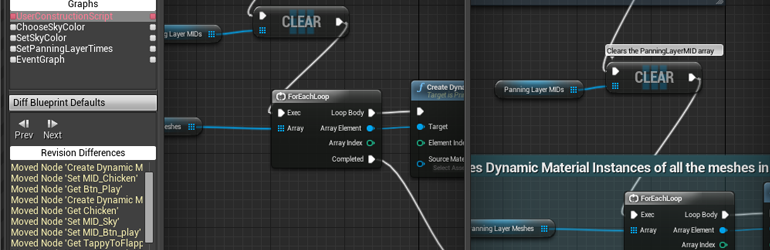
Unreal Engine
So, source control is awesome, and you should be using it! One of the benefits of source control is being able to look at previous versions of files and compare or ‘diff’ them to see how things have changed. However, regular diff tools don’t work very well on binary files like Unreal .uasset packages. We’ve got you covered with support for expor...
I was wondering about the file locking (which is a common feature in a lot of software) but didn't looked into it for git yet
merry verge
There's no good solution to having multiple people work on assets at the same time. You can diff BPs, and there is a 3-way merge tool... but it honestly sucks.
The solution most studios use is locking.
and it's a solution supported by unreal's workflows.
mellow scaffold
We did used gitlfs before but I had to change the merge engine (put -diff for now) because we needed up by losing the files (BPs are an asset blablabla)
merry verge
LFS has locking support
you need to explicitly enable it based on file extension though
(it's also the only widely supported locking solution for git)
mellow scaffold
Perfect thanks a lot. That will do. So merge engine gitlfs or I can still use binary ?
I'll look into it anyway
merry verge
You would be using LFS. Assets are unmergable regardless (unless you're using the BP merge tool which honestly isn't worth it)
mellow scaffold
merry verge
and it's a solution supported by unreal's workflows.
Can I ask what do you mean by that ?
merry verge
Unreal's source control plugins all (most?) support locking - as in the moment you try to save something it'll prompt you to check-out/lock the file.
mellow scaffold
merry verge
You would be using LFS. Assets are unmergable regardless (unless you're using th...
Which means we won't have the conversion to asset issue anymore because the file is locked right ?
merry verge
Conversion to asset issue?
Locking a file just means that no one else is allowed to edit it.
mellow scaffold
merry verge
Unreal's source control plugins all (most?) support locking - as in the moment y...
Aaaaaah niiiice
merry verge
Can't have merge conflicts if only one person can edit a file at a time.
mellow scaffold
Yeah probably :)
Basically, after merging using gitlfs our maps and BPs were corrupted and we had this kind of message
Failed to load map!
../../../../Dataset_Synthesizer/Source/Content/Map/TestCapturer.umap
appears to be an asset file.
Any suggestion about the plugin ? I mean is that an external one or is it the ue5 version control ?
merry verge
It's just the built-in plugin. And switching to UE5 just for the new UI is not even remotely worth it.
The UE4 plugin (assuming it's a recent version of UE4) works fine.
As for the issue you ran into, it's probably github desktop's fault
it has an issue with LFS specifically
use another client
mellow scaffold
Oh. Ok will do. Hope the team will accept (they should ?)
We started the project in ue5 already ... :)
Just because we are all learning. So let's learn on the new UI with the new version ... Well that's how we went :p
It is causing a bit of headaches with market place assets for instance ... But that's how it is
Anyway thanks a lot man, that's enlightening !
Have a good day / night etc, and take care :)
dim jackal
I faced an issue when tried to connect some not-coders to repository - they couldn't build the project since they either don't have visual studio installed or lack some SDKs. Currently we have only source, content, config and .uproject files commited to repository, all binaries are excluded via gitignore. Is there any other way to allow artists and gamedesigners to build and run the C++ based project either than making all team members to install IDE or commiting binaries files to repository?
inland sapphire
if they have the SDKs UBT should just build it on the spot, right?
if it sees a problem then it will ask you to use an ide
dim jackal
inland sapphire
if they have the SDKs UBT should just build it on the spot, right?
it seems they didn't have SDKs since project wouldn't build. I solved the problem by excluding 4 files from binary/win64 folders which are required to run .uproject in development editor build
quaint obsidian
@mellow scaffold Just to correct a misconception you seem to have: you are still using LFS even if you disabled diff and merge drivers for it.
The only thing that matters is the LFS filter, this is what actually downloads files through LFS and makes them into LFS files
the reason your files are getting "corrupted" from merging in LFS is because they turn into unmerged pointers
i.e, a text file which is separated into two parts, one is a pointer to your version, the other is the remote version
the reason UE says "appears to be an asset file" is only because it isn't a map file: it's a standard text file
it also isn't an asset, but that's not what the failed to load map! error is checking.
there is no corruption or conversion
here's a shortened version of the gitattributes we use:
[attr]lock filter=lfs diff=lfs merge=binary -text lockable
[attr]lfs filter=lfs diff=lfs merge=binary -text
# Unreal Engine file types.
*.uasset lock
*.umap lock
*.locres lfs
*.locmeta lfs
Hi @quaint obsidian thanks a lot for the clarifications
Can I just copy paste the shorten version in our git attribute file ? It that an add-on ?
quaint obsidian
it's just what we've found works best for LFS + unreal
it's a pretty standard set up though
mellow scaffold
Perfect thanks
quaint obsidian
what's your gitattributes right now?
mellow scaffold
Content/** filter=lfs merge=lfs -diff -text
*.ogg filter=lfs merge=lfs -diff -text
Tracking filter=lfs merge=lfs -diff -text
The basic when we created the project, with the -diff which is my modification
We still have issue actually. Some functions on blueprint disappears, stuff like that ...
quaint obsidian
[attr]lock filter=lfs diff=lfs merge=binary -text lockable
[attr]lfs filter=lfs diff=lfs merge=binary -text
# Unreal Engine file types.
*.uasset lock
*.umap lock
*.locres lfs
*.locmeta lfs
# Steam Audio files
*.phononscene lfs
*.probebox lfs
*.probebatch lfs
*.bakedsources lfs
# Binaries
*.exe lfs
*.dll lfs
*.rcc lfs
# FMOD
*.bank lfs
*.wav lfs
*.mp3 lfs
*.ogg lfs
*.flac lfs
# Icons
*.png lfs
*.ico lfs
*.icns lfs
# Movies
*.webm lfs
*.mp4 lfs
*.wmv lfs
this is our full one, maybe this will work better for you
mellow scaffold
Thanks a lot for the help:)
quaint obsidian
you can replace your current one with this
pulsar parcel
dim jackal
I faced an issue when tried to connect some not-coders to repository - they coul...
A bit harder with Git, you would likely have to keep binaries in your repo. At least Epic give you the UGS tool for Perforce, which is intended to give designers/artists the ability to sync the game without keeping binaries in the game depot, but it's not compatible with Git
UGS essentially works by making non-programmers download a zip file with the binaries in it which matches up with the CL/revision they sync'd to, and then it unzips them. you probably could do something similar with custom tooling if you had somewhere appropriate for the build products to live
quaint obsidian
dim jackal
I faced an issue when tried to connect some not-coders to repository - they coul...
we made and use PBSync
GitHub
System for syncing Unreal Engine 4 project git repositories - GitHub - ProjectBorealis/PBSync: System for syncing Unreal Engine 4 project git repositories
quaint obsidian
mellow scaffold
and I understood we should avoid gitdesktop also, you concur ?
i think its a fine client, maybe not the best for some uses, what problems did you have?
mellow scaffold
quaint obsidian
the reason your files are getting "corrupted" from merging in LFS is because the...
This one
mellow scaffold
mellow scaffold
Failed to load map!
../../../../Dataset_Synthesizer/Source/Content/Map/TestCaptu...
I read somewhere it was linked to a GitHub desktop bug
I think it's on the GitHub issue log
But I guess you are right. If you use GitHub desktop for Windows yourself with the .gitattr you gqve me without issue ... It means the lock is sufficient to fix the bug / issue
quaint obsidian
whoever said that was probably assuming something was wrong with desktop, but it's really just git attributes itself
merry verge
Nah there's a legit issue in github desktop that someone posted a few days ago. The merge tool tries to merge the lfs pointers rather than the file contents https://github.com/desktop/desktop/issues/7166
It doesn't seem to happen in all circumstances, but it doesn't seem to be just a misconfigured gitattributes causing it from the more recent comments.
 languid escarp
what's an idiot-proof way to remove a directory from git completely, including from the history?
as if it never got committed in the first place
it's been in source control for a couple of months so there have been many commits and pushes with it
merry verge
is git BFG still relevant?
languid escarp
you tell me
merry verge
languid escarp
bfg --delete-folders _generated --no-blob-protection Horu.git
``` this if I wanted to remove the `_generated` folders? I have 3 separate folders like thatwill this make me have to sign all the commits again?
merry verge
Not sure, but possibly. It is rewriting history.
languid escarp
damn, that's no good
how would I prevent said dirs from receiving any commits in the future, as an alternative?
merry verge
I'd just try it first and see what happens (do it on a copy of the repo).
as for preventing commits there in the future, you could just add the folders to your gitignore
languid escarp
I tried gitignore but the files are still showing up
just added this to .gitignore _generated
merry verge
if the file is already tracked it'll continue to be tracked
languid escarp
ah
merry verge
you need to delete the files in a commit
merry verge
yeah
languid escarp
cool thanks
is there a way to ignore future commits to a file that's already in source control and not deleted?
I have a file that gets generated content put into it when I run a command but I don't want the generated content to get committed
the alternative is to #include said content as a cpp snippet but would avoid that if I can
merry verge
I don't think there's a built-in way to do that... I'd just delete it and ignore it - why does it need to exist in the repo if it's generated?
languid escarp
well parts of it are generated
I'll #include those parts and gitignore the generated snippets then
languid escarp
yeah I'll just do the snippet thing
merry verge
that sounds like a more reasonable solution, yeah
languid escarp
don't know why I had the bright idea of including generated code in the first place
quaint obsidian
merry verge
Nah there's a legit issue in github desktop that someone posted a few days ago. ...
They are being extremely misleading, they claim GitHub Desktop handles LFS files differently, but it doesn't from any other text file (in their examples, they claim it's different but show the same behavior between text and LFS). They are asking for a new feature which does LFS checkout to handle merges. Every Git client with the LFS merge driver does this splitting of the pointer file, including the CLI.
I guess GitHub Desktop is also being confusing, because you'd expect to be able to merge files properly when there's a conflict, but I am pretty sure that every Git client even the CLI does this in some way
theres a lot of other merge drivers which work a lot better like the built-in binary merge driver, or the custom bump-merge driver
merry verge
Reading the more recent comments on that indicate there is a difference but I was wrong about what it was - you're right that the pointers get merged with all clients, but github desktop seems to be the only one that marks the "merged" pointer file as without conflicts.
this one specifically: https://github.com/desktop/desktop/issues/7166#issuecomment-626065380
that said, the comment is over a year old so I don't know how relevant it is.
quaint obsidian
But they did resolve the pointer file conflict
then they committed the pointer file
this will happen with any Git client if you do it directly

note that this is merged, it's showing a directly change now, no conflicts

Git LFS v2.6.0 comes with a more robust authentication mechanism, new options to git lfs checkout, a handful of bug fixes, new platforms, and more.
This is how you resolve things to be a checked out binary again
There is definitely an issue here: GitHub Desktop shouldn't be committing unmerged files directly back to the tree after resolution, subverting LFS
but the way they are describing the bug is very misleading, and is probably why it's still open and unresolved
languid escarp
is there a way to cherry pick a commit without staging the changed files automatically?
in git
quaint obsidian
not built-in, just have to git reset unfortunately
languid escarp
:(
mellow scaffold
Wow a lot of things I didn't understand :) guess we all have out area of expertise !
languid escarp
problem is I already have a bunch of stuff staged - I'm trying to cherry pick commits from one branch and merge them all into a single commit in another but I have to go down to the line level
merry verge
stash your current stuff, do whatever with the cherry pick, grab the stash again?
languid escarp
yeah I know the workarounds
actually, is there a way to cherry pick by line?
hm
git reset # unstage the changes from the cherry-picked commit
git add -p # make all your choices (add the changes you do want)
git commit # make the commit!``` mild anchor
Hey guys, i'm having problem using Perforce
I created a .p4ignore file, but i don't know how to tell Perforce to use this file as ignore file
I found that i should execute a command, but when i try to execute it, it doesn't found the "p4" command
cyan jay
mild anchor
I found that i should execute a command, but when i try to execute it, it doesn'...
Easiest way, In p4v right click the root and choose Open Command Window here.
Now you can run p4 hopefully.
woven sluice
All you have to do is set windows environment variable P4IGNORE=filename.extension
Or do the same with P4CONFIG instead and put the ignore setting inside a config file (more flexible for working across projects)
 sand nymph
Hi Guys, when you commit to Git, do you all upload your Static Meshes? Or are they best to add to the gitignore file?
 eternal mountain
hey everyone! question regarding reset vs revert: someone on my team made a few bad commits to master. The changes have not been pulled yet by the rest of the team.
One of the bad commits is a Merge branch 'main' commit. I read on SO that you can't use revert on merge commits - I assume that's the case here then or does that refer to another type of merge commit?
if correct that would mean we have to use git reset? is changing the history an issue if nobody has pulled yet?
 pale glade
Can you use UGS with other source control than perforce?
quaint obsidian
eternal mountain
hey everyone! question regarding reset vs revert: someone on my team made a few ...
you can revert a merge commit. just use -m 1 to revert to the commits first parent
a caveat is that you won't be able to remerge the commit once you fix it, you have to revert the revert then merge in later changes which fix it up
simple lodge
mild anchor
Hey guys, i'm having problem using Perforce
I created a .p4ignore file, but i do...
if you use streams you can set it server side
mellow scaffold
hello again 🙂 Had question using UE5 and GitHub/Git source control and especialy File Locking
everything is setup in the engine but seems we can't checkout files. Everytime I do, I have this message:

I read that Git can't check out from the engine ... which would make sense seeing this message ...
So my question: How do you make sure other people don't edit while you are using UE5 / Git ?
eternal mountain
quaint obsidian
a caveat is that you won't be able to remerge the commit once you fix it, you ha...
jeez. thanks! we managed to solve it with hard reset D soft reset A just before I read that 🙂 so revert being unable to revert merge commits refers to a commit merging two different branches then? or is it just old/wrong/incomplete info?
quaint obsidian
i think it's wrong, or incomplete
you can't do a traditional revert, because merges have two parents
but git revert -m n (either 1 or 2) allows you to specify which parent to use
quaint obsidian
pale glade
Can you use UGS with other source control than perforce?
nop
quaint obsidian
mellow scaffold
everything is setup in the engine but seems we can't checkout files. Everytime I...
could you check the output log?
 mellow scaffold
I mean, should that even work ?
quaint obsidian
well, what git plugin are you using?
 ebon mauve
Hey guys, What could it be when the pull is loading forever?

 ember zealot
Where do you all host your perforce? Local server with regular backups? Managed cloud hosting? Self cloud-hosted (VPS, manual setup)? Other? I just want to make sure I'm not missing some magical super convenient solution.
I've currently got mine set up at digital ocean in a droplet. I have a gigabit fibre connection, but my pushes and pulls fail about as often as not. I'd love just a simple hosted service like github where I can just sign up, create a repo, and connect my unreal to it. Does that exist? Is that what Assembla provides? Their website is not very clear. Bonus points for a service with a web interface that can be used to explore the repo.
woven sluice
everyone finds something different. I've been hosting mine on a l00nix VPS at Gandi.net for a very small indie team for several years. it's been flawless overall, except I hate using linux because I suck at it, and I can't seem to coax it to send up my pulls any faster than about 100 Mbps. I'm surprised you'd be having random transfer failures
I think Assembla does in fact take care of all the server install/setup/running for you but $$$
ember zealot
$50/mo is worth it to not have to think about it, i think. But i dont like how it says "12 month term" -- I always prefer to go monthly for a few months first.
honestly I dont know whether to blame perforce, digital ocean, my ISP or some random node between here and there for my issues. But i cant seem to solve them
So I'm going to try something different, I'm just curious about everyone else before I go all in somewhere
woven sluice
yeah, though that is per user, and I'm not sure what storage that offers. it's "cheap" for an established studio, but exhaustingly expensive for hobbyists or tiny indie teams starting out. different perspectives for different users
merry verge
I use a cheap VPS at Linode with block storage for data (which is probably pretty slow... but I'm the only person using it and I can cheaply expand storage so meh). Manual backups done just by copying the block storage volume (usually done before upgrading the server just-in-case), automated backups done via duply/duplicity + backblaze b2 storage with the s3 api.
ember zealot
merry verge
I use a cheap VPS at Linode with block storage for data (which is probably prett...
thanks, that sounds fairly complex
merry verge
Eh. It's easy if you know how to administer a linux server - there's nothing custom there except setting up configuration files. Definitely not easy if you aren't accustomed to sysadmin work though.
If you want something where you just pay and things work, that's what Assembla is.
ember zealot
I'd love for epic to make their own hosted SCM solution, and build it right into the editor. I know git and p4 have built in support. But you just cant beat a checkbox when you create a new project that just says "host project with Epic Cloud?" or something.
merry verge
A few commits referencing some sort of home-grown VCS snuck into ue5-main a couple of weeks ago, but there were no details and it was removed after a day or two.
ember zealot
that's great news, even if its a year or two till it comes out
 onyx crow
merry verge
A few commits referencing some sort of home-grown VCS snuck into ue5-main a coup...
onyx crow
merry verge
A few commits referencing some sort of home-grown VCS snuck into ue5-main a coup...
Not completely removed https://github.com/EpicGames/UnrealEngine/commit/b955c939941740724aa1c8570804bec8ca415d01
merry verge
Regardless, there's very little to indicate what it is beyond "it's a custom VCS".
aside from apparently being lockless (which was implied by one of the previous commits)... If it actually is then there are either some major concerns they're overlooking, or they've developed something that allows asset merging which imo is way more exciting than the VCS itself.
onyx crow
Interesting find. I am not sure I can imagine it for binaries like textures. We will see.
 royal turret
idk if anyone needs this... but.. like if anyone here needs to add a license to perforce <.< for the first time...
sudo cp ~/license /opt/perforce/servers/${PERFORCE_NAME}/root/license
sudo chown perforce:perforce /opt/perforce/servers/${PERFORCE_NAME}/root/license
echo ${PASSWORD} | p4 login
p4 license -i < /opt/perforce/servers/${PERFORCE_NAME}/root/license
p4 admin stop
export P4SSLDIR=/opt/perforce/servers/${PERFORCE_NAME}/ssl/
p4d -Gc
p4dctl start -t p4d ${PERFORCE_NAME}
its assuming your p4 has most env's set already. :X Just had to activate a license today, XD all sorts of fun headaches.. Oh also if you so happen to have deployed this on the cloud, and your internal vpc/vpn/etc ip is different from your globally assigned ip. Make sure you give your internal ip, for your license.. or.. Your going to be on with text support and they are going to have you do ipconfig and send a email chain...
<.< enjoy
I should of mentioned, replace with your directories for proper handling ❤️ Will be releasing a terraform package with bash scripts to automate all of this <.< if anyone ends up being interested....
tokes and goes back to coding
cyan jay
royal turret
idk if anyone needs this... but.. like if anyone here needs to add a license to ...
You can also use P4Admin tool from client. There's a menu option: Administration ... Load license file 🙂
royal turret
does not work on the very first license loaded on a server @cyan jay ^_^
if ur updating, it will work but the very first license added too a server, requires a server restart and a regeneration of SSL
royal turret
@cyan jay it depends if you have ssl enabled in your settings.
if you do, you need to regen, if you don't you don't have too.
its suggested you do SSL though
cyan jay
we do use SSL, I just don't remember that step, but maybe I did, it was a few months ago now
royal turret
ahh Nods
 hasty grove
Hi. Is Perforce still the way to go for source control with UE?
 cursive cosmos
What's better for UE? Plastic or perforce?
I was also considering gitlab because of their 10gb repo size limit
rotund bobcat
perforce has best integration with unreal of all vcs
cause that's what they use internally as well
but it comes at a price if you're >5 users
 twilit valve
Hello. I'm wondering if it's possible to setup a single icon that when clicked, will Get Latest and when that's finished, launch the .uproject. Could such a batch file be made?
Any advice would be appreciated. Cheers.
 open lynx
Hi! Commited my today's work, switched to another branch and now I'm not able to go back.
For some reason, LFS cannot download the file from local cache I guess. Branch is not pushed to origin.

Does anybody, how can I get my files back?
twilit valve
Also, can anyone tell me if there's a difference between "Get Latest" in P4V, "p4 sync ...", and "p4 update" in CLI?
quaint obsidian
open lynx
Hi! Commited my today's work, switched to another branch and now I'm not able to...
was LFS enabled on tortoisegit?
ebon mauve
Hello, someone knows why git pull is very very slow?
quaint obsidian
twilit valve
Hello. I'm wondering if it's possible to setup a single icon that when clicked, ...
just update then start project.uproject
 stable star
Hey all, just wanted to see what anyone's experience has been with perforce. I'm still a beginner, with some experience using git, and was wondering how easy it is to use perforce with the engine.
merry verge
It's easy to use with the engine. Difficulty stems from having to maintain a perforce server yourself, perforce not really working similarly to git, and perforce's licencing.
If you already know git it's probably easier to go with that unless you have systems administration experience.
mellow scaffold
Hello ! Sorry for bother again but we are looking for guidance in our merge process
We have been working on the same BPs with my associates and we think the next push will be a s***t show. We were wondering if we should: 1/make copies and copy paste stuff 2/ branch then merge ? But how to compare ? 3/ another way ?
We are using git and the locking process doesn't work
Thanks in advance
For instance I noticed a merge / diff tool in UE. Can it compare with branches ? Is it working well ?
woven sluice
you dug your own grave. you can try that tool, but fix your team's workflow after you take care of this and get locking working
mellow scaffold
Ok
I don't why. we activated version control, we have git set up with a good gitattribute (.asset etc with locking) UE asks if we want to lock but it always fail
 rich bison
does anyone that use Unreal Game Sync know if there is a way to not have to rebuild the entire engine every time you want to sync to a new changelist and launch the editor?
 analog burrow
In case this is useful to anyone: https://twitter.com/phyronnaz/status/1457478595882913799

If you're getting slow speed over Perforce, make sure windows didn't disable Window Scaling
I was able to go from 2.5Mbps to 600Mbps thanks to this, despite a 200ms ping :)
First, run netsh interface tcp show global in cmd
1/3

 Twitter
·
mellow scaffold
Twitter
·
mellow scaffold
Quick other question: what do you think about SVN with UE ? because our GIT Check out are still not working, and that's crappy.
quaint obsidian
mellow scaffold
I don't why. we activated version control, we have git set up with a good gitatt...
what plugin are you using for git?
mellow scaffold
@quaint obsidian none, just the one in UE5
I activated source control git beta, used my git username which is linked to my epic account (if it matters)
I tried to clone again, no luck
Gitattribute has .uasset lock and git lfs is on
quaint obsidian
the built-in one does not support LFS
mellow scaffold
For some reason I can't find a lot of information on internet which drives me in the direction of: I must have forgot something, ism at fault somewhere and it's really simple
But to use the locking on git lfs needs to be active right ?
Owwww man. Why everything so complicated
So I have to use a plugin, but since we're on ue5 it might not work. That's it ?
quaint obsidian
Yes, this plugin adds LFS support, but is not updated for UE5: https://github.com/SRombauts/UE4GitPlugin

GitHub
Unreal Engine 4 Git LFS 2 Source Control Plugin (beta) - GitHub - SRombauts/UE4GitPlugin: Unreal Engine 4 Git LFS 2 Source Control Plugin (beta)
I have updated it for UE5 here: https://github.com/ProjectBorealis/UEGitPlugin/tree/ue5

GitHub
Unreal Engine Git LFS 2 Source Control Plugin. Contribute to ProjectBorealis/UEGitPlugin development by creating an account on GitHub.
But some people have said some of the menus have not been working. Since I do not use UE5, it's hard for me to figure it out so far
I also have my own changes to the plugin made here: https://github.com/ProjectBorealis/UEGitPlugin/tree/pb-changes-ue5
GitHub
Unreal Engine Git LFS 2 Source Control Plugin. Contribute to ProjectBorealis/UEGitPlugin development by creating an account on GitHub.
mellow scaffold
Alright ! Now we are talking. As long as the locks works we can use sourcetree to push right ?
That's awesome man
@quaint obsidian thanks a lot. Guess we can let you know if there is an issue ?
quaint obsidian
Sure!
I do want to figure out how Source Control works currently in UE5, because apparently it's different and that's why the menus don't work
mellow scaffold
Thanks a lot for the help. Like I said it was really simple: it can't work ...
merry verge
UE5 changed the VCS UI a whole bunch, probably because they wanted to support real changelist management for perforce since all they had before was a glorified submit button for the default changelist.
Dunno what changed in the git ui but I'm sure it's related...
quaint obsidian
yeah apparently checking in stuff is different now, you dont have a submit button to check in anymore
 tribal rover
I have been trying to do a project with one of my friends and we decided to try and use git, but although we followed a tutorial on setting it up on a empty project it failed multiple times due to the problem that I could give out updates but my friend couldnt recive them or something and vice versa. if someone can point me towards a tutorial or something that can help me set up git?
quaint obsidian
what is failing?
mellow scaffold
@quaint obsidian hello 🙂 Just to check with you: That's ok to use the default GIT path right ?

because you have also an .exe in the plugin, so just want to make sure that's correct
Just tried to lock a file, and had the same error message (cannot lock blablabla) but the status Icon changed and the log seems ok:


 mellow scaffold
I did, used my Git Username
quaint obsidian
the exe in the plugin is used for other things
mellow scaffold
should I put a @ in front ?
quaint obsidian
no
mellow scaffold
ok
quaint obsidian
which git service are you using?
mellow scaffold
github
quaint obsidian
then yeah, if you put your github username there, it should be fine
mellow scaffold
mmhhh I think I use the wrong one, maybe that's why
seems better. Should I understand that the files are now locked and nobody can change them until I unlock them ?
is it automatic like even if I didn't push they are locked ? Or it's just they can't push those files ?

@quaint obsidian again thanks a lot 🙂
quaint obsidian
they are locked, no one can change them if they have the plugin
and if they try really hard, they can't push while it is locked
mellow scaffold
and that's awesome
rotund bobcat
just so you know, cross posting is against the rules
 lucid laurel
How do I move my Perforce Depot from one server (Linux) to another (Windows)?
frozen ore
so how is version control handled for assets? sounds, 3d models, textures, etc... to be clear i am referring to the working files not the final export.
quaint obsidian
frozen ore
so how is version control handled for assets? sounds, 3d models, textures, etc.....
sometimes people have RawContent folder
theres also custom software for it, like ftrack: https://www.ftrack.com/en
ftrack is the creative project management and media review platform that teams in the creative industries use to collaborate.
 wheat mica
Hey, I want to know why I have the Check Out Assets window, when I have disabled the source control?
 merry verge
because the file is still read-only
mellow scaffold
@quaint obsidian hi again, sorry to bother. So the plugin works well. I noticed something though.
When I push from Sourcetree a modified file the check out stays. that's intended ? Seems we should use the checkin from UE to push the commit and checkin, right ?
quaint obsidian
yes, LFS locks are separate from push. you can keep the lock after push if you want to continue working on it
mellow scaffold
anyway to clear both when pushing ?
both, well, clear the locks when pushing from git desktop or sourcetree for instance
thanks a lot again. it will help so much ... 😄
?
quaint obsidian
i only know in unreal editor
 kind laurel
Any sense of when we'll get P4VS for VS2022?
rotund bobcat
github is a host
git is the vcs
perforce is centralized, git is decentralized
so they work quite differently
same-ish idea, very different execution
the base flow is the same of syncing and pushing and stuff though
rotund bobcat
kinda
there is locking with git LFS
but it's not as secure as perforce I think, cause of branching
but idk, never used the git file locking tbh
 glad stag
kind laurel
Any sense of when we'll get P4VS for VS2022?
glad stag
kind laurel
Any sense of when we'll get P4VS for VS2022?
P4VS is open source now https://github.com/perforce/P4VS
GitHub
[Officially Supported] VisualStudio plugin for HelixCore - GitHub - perforce/P4VS: [Officially Supported] VisualStudio plugin for HelixCore
spark light
Hi, im new to unreal and i was wondering if someone would be willing to dm me and help me setup source control for my project
 stoic bluff
can someone help with ! [remote rejected] master -> master (pre-receive hook declined) error for github?
I have used LFS but this is the error it gives me.
quaint obsidian
you should show more of the error
quaint obsidian
 lean prism
How different is GitHub from Perforce?
lean prism
How different is GitHub from Perforce?
another thing that's different is git is snapshot based, while perforce is file based. so perforce stores individual file versions, while git is storing the state of the repo at a given point.
quaint obsidian
lean prism
So the ability to lock and merge files, is that preserved?
git has a robust merge system, and LFS allows you to lock files to prevent anyone else from pushing changes to those files.
kind laurel
@glad stag Thanks!
jolly fog
Ue5main branch is broken, doesn’t compile on Mac
cyan jay
Dude, are you really sat there in your pants taking a picture of a reflective screen 🙈
rotund bobcat
reflective screen with seemingly lots of shit on it
kind laurel
@glad stag Now I'm feeling a bit sheepish here, but I'm struggling to figure out how to get the P4VS extension installed in VS 2022. I don't see an installer or anything on the GIT site, but maybe I'm missing it.
 runic lynx
Hello. I have a small team of hobbyists and we want to start collaborating on Unreal.
I am a software engineer and have been for the past 10 years.
However, my friends are 3d modelers, sound designers, etc.
What version control system to do you recommend for a small team of ~5 people, many of them not developers?
I know Perforce is popular, but it is also expensive.
 bitter island
Using perforce, unable to generate project files.
Problem I'm having is even though a file is ignored in our .pfignore, it's still marked as read-only by perforce.
I've spent two days searching but can't find info on this. Is there a way to make perforce leave ignored files writable, do I have to make the whole workspace "allwrite", or do I have to include the files in the stream and set their filetype to writable
 lapis falcon
runic lynx
Hello. I have a small team of hobbyists and we want to start collaborating on Un...
lapis falcon
runic lynx
Hello. I have a small team of hobbyists and we want to start collaborating on Un...
Perforce is free for up to 5 users and 20 workspaces. If you can manage then Perforce is hard to beat.
runic lynx
https://www.plasticscm.com/plasticscm-cloud-edition/pricing is what I think I'm going to go with actually. The pricing for cloud is really great.
( I do a lot of devops as my day job, do NOT want to manage another server 😂 )
Plastic Cloud Edition pricing plans fit your storage and user needs.
though I do have a desktop moldering in the corner, maybe I should homelab it...
lapis falcon
I don't have experience from Plastic, but Housemarque uses it for their projects for example, so I'm sure it's robust!
mellow scaffold
Hum ... hi ... Help ??
So we're in a dead lock RN using Git because some files are locked, especially the .uproject ...
and we don't know how to deal with that XD
we don't even understand how it happened
mellow scaffold
my friend managed to push after I removed all my commits but the uproject is still locked to him for some reason
alright, git lfs unlock F1 --force did the trick. FIOUUUUU
kind laurel
@bitter island I don't know what your issue is; I have no problem generating project files when using Perforce. So it's not an issue inherent in Perforce.
merry verge
The issue is they have a file that's checked-in to perforce that either shouldn't be or that needs to be checked out.
If you have .p4ignore setup then make sure you've set P4IGNORE=.p4ignore either as an environment variable or via p4 set.
If that's already been done: backup the file, mark the file for deletion in perforce, submit, move the file back. Perforce will continue to track files that have already been tracked regardless of ignores (git works the same way) so you need to delete the file from the depot to get it to stop.
 astral tangle
Level artists, when you submit a level without having rebuilt lighting, do you submit the BuiltData file as well?
astral tangle
I was under the impression that there was nothing of value in that file aside from lighting information, but a couple people have told me to always submit it "to be safe"
 trail scroll
Getting "PCH file uses an older PCH format that is no longer supported" error while building, any idea why? this is only happening when on 4.27.1, 4.26.2 used to build fine
 hollow bluff
Hi, is someone familiar with github desktop able to help me? I'm trying to set this up but when I make the initial push it keeps saying "The following files are over 100MB. We recommend you avoid committing these files or use git LFS to store large files." I already have git LFS so I don't know what's the problem.
wheat mica
hollow bluff
Hi, is someone familiar with github desktop able to help me? I'm trying to set t...
Devops, programming and gaming
hollow bluff
wheat mica
try this https://stefanperales.com/blog/unreal-engine-4-and-git-lfs/
I will, thanks!
cursive cosmos
How exactly would I apply a standard versioning scheme to my project builds (ie Major.Minor.Patch)
Can I implement it in a way where I can access that version number though any c++ class so I can expose it to blueprint
 prisma flame
is source control the only way to work with a group?
merry verge
you could huddle around a single computer taking turns
or you could upload your project to dropbox or something which... i guess is still a sort of source control. And an absolutely horrible way to work.
prisma flame
yeah
rotund bobcat
the question is why wouldn't you use source control to work with a group
 somber kraken
Hey There, for those who use P4V ? have you been successfull in saving your password as an environment variable? I tried but still no luck
stoic bluff
I have issues with github and git LFS, can someone help me? I've been trying to figure this out for days.
spark light
I don’t suppose anyone knows of a work around for this ?

 desert pine
spark light
I don’t suppose anyone knows of a work around for this ?
desert pine
spark light
I don’t suppose anyone knows of a work around for this ?
That's enforced by GitHub; I think they have a plan you can pay for that eases the restrictions on LFS.
quaint obsidian
spark light
I don’t suppose anyone knows of a work around for this ?
Should be fixed in Git 2.34
cursive cosmos
Use GitLab if you want a no-pain less painful experience with UE4
just make a repo in gitlab, go in to your UE4 source control, enable git and set the URL to your gitlab repo, and initialize it, also let it make a gitignore and gitattributes and whatever
then download github desktop and open the local repo and commit it to the remote gitlab branch
it should ask you if you want to enable git LFS, so say yes
spark light
desert pine
That's enforced by GitHub; I think they have a plan you can pay for that eases t...
So i should be able to pay my way out of the problem?
spark light
quaint obsidian
Should be fixed in Git 2.34
I didn’t think it was a bug?
bold perch
Can the p4ignore file be placed in a subfolder or does it have to be in the workspace root?
quaint obsidian
spark light
I didn’t think it was a bug?
Git did not have support for extremely large files on Windows, until 2.34.
This also applies to filters, so even though Git LFS has supported large files, Git could not pass these to LFS.
quaint obsidian
spark light
I didn’t think it was a bug?
Ah, in addition to the above issue, GitHub itself currently enforces a 2 GiB size limit per-object. You would need to set up a custom transfer agent which chunks up these objects to the limit (similar to https://github.com/cbartz/git-lfs-swift-transfer-agent)
glad stag
quaint obsidian
Ah, in addition to the above issue, GitHub itself currently enforces a 2 GiB siz...

GitHub Docs
desert pine
spark light
So i should be able to pay my way out of the problem?
Honestly, if you have money to spend, I would just deploy your own GitLab server, and set it up to store LFS objects in an S3 bucket. It's pretty easy.
Costs me maybe $20 per month
spark light
desert pine
Honestly, if you have money to spend, I would just deploy your own GitLab server...
Yea I have money I can spare. Sadly I’m just new to all this, so all this is foreign to me and I’m not sure how to do it
desert pine
spark light
Yea I have money I can spare. Sadly I’m just new to all this, so all this is for...
Permission to DM?
spark light
Of course
karmic meadow
Azure Devops has free git lfs
unlimited repo size
First 5 members are free.
So - am I supposed to store the entire Binaries folder if it is a C++ project and my artists/designers need to use the engine as well, except they don't have VS and stuff installed?
It isn't a custom build of UE4, it's just a C++ project.
spark light
karmic meadow
Azure Devops has free git lfs
Oh nice. I’ll have to look into it. I’m still new to all this
lapis falcon
bold perch
Can the p4ignore file be placed in a subfolder or does it have to be in the work...
You can place it in a subfolder, as long as you specify the P4IGNORE variable, like this for example: p4 set P4IGNORE=C:\Perforce.p4ignore
kind laurel
Grrrr... So, I must have accidentally hit some hot key or something in Visual Studio. I'm using Perforce. Suddenly, every definition and declaration in Visual Studio shows a little up arrow with the name of my computer and, if I hover over it, it tells me when and which computer last revised and committed that declaration or definition. How do I get rid of this? It looks like this:

Figured it out -- it's something called "CodeLens" and I had to turn it off.
woven sluice
lapis falcon
You can place it in a subfolder, as long as you specify the P4IGNORE variable, l...
(@bold perch)
er, no don't use absolute path name lol 😄
You can have an ignore file anywhere, it will apply to everything downwind of itself (files and subfolders until a new ignore file is hit)
Sidenote I prefer to set P4CONFIG instead and then I use a config file in my project root folder to set the ignore file and login info for that project
bold perch
@lapis falcon @woven sluice Thank you very much!
quaint obsidian
karmic meadow
So - am I supposed to store the entire `Binaries` folder if it is a C++ project ...
That's certainly one way to do it. But the recommended pipeline is to have an external tool be a part of your syncing process, to download zip binaries from outside of source control.
karmic meadow
quaint obsidian
That's certainly one way to do it. But the recommended pipeline is to have an ex...
Seems kind of extra, no? So everytime a programmer changes something in c++ land, they'd have to grab a whole new zip file? (reminder, this is not a custom build from source, just a c++ project)
quaint obsidian
Yes I understood that part about using an installed build, not a source build
Programmers would compile locally. You can certainly have a submission process where programmers submit their own locally built binaries as zips, but usually you'd have a build server do that for them.

On an average day, Epic developers submit over 500 changes to Fortnite's mainline. In this talk, Lead Engineer Ben Marsh discusses Epic's development infrastructure and workflow including how we set up our branches, how we get builds of the editor to our artists and designers, how we set up our build system and escalate problems to devs, and how...
karmic meadow
Yeah - a build server ain't in the pipeline currently. Not lookin' at that for a bit. I'm not curious about devops overall - just the way to get my non-programmers the project and not requiring them to compile locally. I saw in the docs they said to put the binaries folder in source control - and I'm just like, all of it?
quaint obsidian
Yeah, you can do that. If you don't have a build server, perhaps that's best because binaries download would require some pipeline tool anyway.
dlls are the necessary part of the bins folder
you can also include pdbs if you want the crash logs to have information, but programmers can just debug a dump locally
woven sluice
if you use perforce and have a very small team, using CI to build and simply upload binaries in the repo works really, really well. if you don't have CI it's going to be a pain, and I dunno if I would ever consider doing this for GIT because of the unnecessary repo bloat - for either case I would just as soon ask programmers to learn how to build locally
karmic meadow
I'm using Git + LFS and Azure DevOps
quaint obsidian
we used the binaries in LFS approach and it worked fine
but we faced issues with merge conflicts on binaries folder
so we switched to a Binaries.zip model using a custom made tool called PBSync
karmic meadow
And currently, just 3 people. 1 programmer (me)
karmic meadow
But it would be the entire Binaries folder?
quaint obsidian
quaint obsidian
dlls are the necessary part of the bins folder
see here
you dont need to commit ilk files (they are created if you use incremental linking)
dont need to commit libs
karmic meadow
There is no bins folder. Unless you're just shorthanding Binaries
karmic meadow
No ilk files in here
quaint obsidian
yeah, incremental link is not the default, just said that just in case
karmic meadow
I was just confused because when you click on the {ProjectName}.exe in the folder, it launches the actual game. I thought it was going to launch the editor.
quaint obsidian
oh did you build a standalone version of the game?
karmic meadow
When I test, yeah.
quaint obsidian
ahhh
karmic meadow
But I put that in a different folder altogether.
quaint obsidian
yeah those are put in Binaries too
karmic meadow
Automatically?
quaint obsidian
well, how many source modules do you have?
woven sluice
exe's in your project Binaries folder? 
quaint obsidian
if you only have one, it should be UE4Editor-ModuleName.dll
so you share that one
as well as the target and modules file
and the PDB file if you want to share symbols
if you have multiple modules, then you'd share the UE4Editor DLL (and optionally PDB) for each module
karmic meadow
This is everything in my Binaries/Win64 folder. The marked out parts are the project's name.

When I packed the game, I put it in a different folder called Builds (not in SC) and in there it has WindowsNoEditor - which is expected.
It like auto put the .exe in the Binaries folder.
Okay - I deleted the folder and regenerated it pretty much. I see.
Alright - so I assume that when they're using the launcher build and open the project, it checks for these .dll's on startup and if they exist, loads 'em in.
@quaint obsidian So I just need the following for source control?
- {ProjectName}Editor.target
- UE4Editor.modules
- UE4Editor-{ProjectName}.dll
- UE4Editor-{ProjectName}.pdb
quaint obsidian
yeah
not sure what that tbb12.dll or OpenImageDenoise.dll is, are you using those in your project directly?
or are they part of a packaged plugin?
karmic meadow
No idea honestly. I do have some marketplace assets and quixel stuff. But all of my c++ code is my own and I haven't used any of that stuff.
They're not in my Binaries folder anymore though. I just deleted the entire folder and went into Rider and recompiled. So it is a clean folder now.
mellow scaffold
Hi ! So ... We busted out lfs quota on GitHub ...
Obv paying would fix the issue. Do you have any recommendations on this ? Because we are only 2 members for now but soon enough 6. I am looking to the other git platforms but would like your advice
Thanks
karmic meadow
@mellow scaffold Azure DevOps.
 tardy venture
I have a private p4 server in DO currently, but paying for the 25GB storage only ATM. Going to run out real quick, probs!
 hoary lichen
hello guys does anyone here use perforce ?
I'm trying to share my ue4 project with a friend, I have set up a depot in my own pc.
will I be able to share it with a friend over internet ?
I'm a complete noob in this field. excuse me if it sounds silly
hoary lichen
or cloud hosting is the only way ?