#source-control
1 messages · Page 30 of 1
 neat grotto
I'm interested to try it with a personal project. I want to see how fast it is, and if it's easy to use compared to Perforce.
 woven sluice
every version control system has decided to adopt one major flaw just to make sure they don't become rich and famous
 wide raven
After making a change on file A and committing it on the release stream, subsequent changes from staging fail to update the release stream file. Why is this?
( LeChat answer )
This issue typically occurs due to Perforce's merge tracking and integration rules, especially when changes are made directly to the release stream after branching or merging from the staging stream. Here's why it happens and how to resolve it:
Why This Happens
1. Merge Tracking Conflicts
When you make a change directly in the release stream (e.g., file A), Perforce records that the release stream has "diverged" from the staging stream for that file.
When you later try to merge changes from staging to release, Perforce skips file A because it assumes the changes in the release stream are intentional and should not be overwritten.```
This seems very strange to me. It just skips??? Surely I should be getting a conflict instead. Now I am having trouble trying to force the merge of the stuck file... pulsar parcel
my first thoughts hearing it was written in Jai
not sure how much I can trust a JoBlo fan
wide raven
"As far as I can throw a wet mattress up a circular staircase"
Fact remains, I though I could do hacks in release stream with impunity, and later trust main/staging to update to release correctly
Ah you are talking about something else entirely : P
pulsar parcel
having a staging branch seems to be complicating matters. with P4, we've always just had main and release streams
wide raven
pulsar parcel
having a staging branch seems to be complicating matters. with P4, we've always ...
hmm - perhaps. we set it up that way from muscle memory at previous companies. Since we do dev, staging and release builds, it seems like a natural fit
pulsar parcel
with the recommended way of using P4 (the good ol' pin), you would actually be making changes directly in the release stream, and using a tool like RoboMerge to propagate the changes down
wide raven
Ah yes, we looked at changes going back down. It seems counterintuitive but i guess that is the way
wide raven
Optimal flow seems to me to avoid hacks to release in the first place, and not have to back-propagate.
1. Don't do it! ( if possible to avoid )
p4 will NOT propagate changes to files that have been changed in release stream at all, just skips. Doesn't show a conflict. This seems strange and warrants some further investigation.
2. PREFER: fix issues in mainline, and cherrypick changes up to staging + release.
IF there is the case where we have a binary blob with unwanted changes, we should shelve the current main version, rollback the file, make the precise change, and cherrypick. Once that is done, restore the file to it's mainline state.``` smoky igloo
How can i backup and restore my perforce server?
Basically I want to make a new setup, but I'm not sure, what and or how I could move my perforce server.
In the end there will be a new perforce server instance, which I'd like to have the old Data available.
 sacred aspen
Help please!
Perforce saving issues.
Started getting 'Unable to Save for various files, maps, level instances, etc.
The error message is something like
Error saving <foo>. Unable to Save
In the Output Log I see an error related to moving the file>
Error moving file <foo> to <project name>/Saved (Error Code 32)
Can anyone suggest troubleshooting steps or what to try?
I already tried checking everything in and then just checking out the file in question.
wide raven
sacred aspen
Help please!
Perforce saving issues.
Started getting 'Unable to Save for various...
I would suggest:
Run "Reconcile Offline Work" to see the state of your local workspace.
Is it possible you have moved stuff around directly in Explorer, instead of inside Unreal?
sacred aspen
wide raven
I would suggest:
Run "Reconcile Offline Work" to see the state of your local wor...
Thanks. Yes I ALWAYS run Reconcile Offline Work before any commit.
I didn’t solve the actual issue but came up with a workaround
I saved new versions of the problem files and then committed those instead. A bit of a hassle with Level Instances since you need to Break Them and recreate new ones.
I never move things in explorer but that leads to my next question.
What is the accepted 'best practice' for moving files in Content Browser to new folders when a project is under version control?
Are you supposed to simply
1)Drag and drop to new folder or location?
or
2) Do a 'Save As' to the new location then Mark for Delete' the original files?
I only ask because method #1 occasionally give me issues. Perhaps because I forget to check those files out first? Not sure. Will post updates after further troubleshooting.
wide raven
sacred aspen
Thanks. Yes I ALWAYS run Reconcile Offline Work before any commit.
I didn’t solv...
Unreal "Move" - can just drag drop, it will perform the necessary p4 operations. Should not need to checkout in advance afaik
Remember it will create redirectors
Which depending on the size of the studio should be
- small studio - clean up immediately
- big studio - clean up yearly
 rustic dagger
might be a bit irrelevant but why is this .gitignore file NOT ignoring the obsidian config files despite me specifically instructing it to do so?
sacred aspen
wide raven
Unreal "Move" - can just drag drop, it will perform the necessary p4 operations....
Thanks!
So after any moving files inside Unreal you should do a <right-click> Update Redirector References on the parent folder?
Continuing with 'best practices' when I delete a problem level from inside Unreal, then relaunch the project, the level reappears!
Is there an accepted 'best practice' for deleting files?
Should you use the P4V desktop app to delete files in your Workspace or?
wide raven
sacred aspen
Thanks!
So after any moving files inside Unreal you should do a <right-click> Up...
This seems very unusual, hmm
Unless you have not committed the change, then pulled the deleted file back from depot again
Then there's something funky going on
sacred aspen
wide raven
This seems very unusual, hmm
Thanks. One more question which might be the root cause.
In the Saved folder outside of the SourceControl folder are there any other files that are necessary for Source Control to work?
What about all the .tmp files?
 silver token
sacred aspen
Thanks. One more question which might be the root cause.
In the Saved folder out...
silver token
sacred aspen
Thanks. One more question which might be the root cause.
In the Saved folder out...
No, nothing in Saved needs to go into source control.
sacred aspen
Accidentally deleted some .tmp files in Saved folder and as a result files aren't saving. Could use some expert advice other than saving a new version of every file.
wide raven
sacred aspen
Accidentally deleted some .tmp files in Saved folder and as a result files aren'...
Deleting Intermediate + Binaries is always completely safe, and often a good first step for weird states.
Deleting Saved is usually unnecessary. I don't think I've ever had a problem with it. It is mostly logs and temp stuff - BUT it also has your editor Config/WindowsEditor/Editor.ini ! So beware. That said, nuking the Saved folder should be safe. ( as long as you aren't doing it while unreal is running maybe? )
sacred aspen
wide raven
Deleting Intermediate + Binaries is always completely safe, and often a good fir...
Thanks. Confusing. The error is explicitly stating 'Error saving <foo>. Unable to move <foo> to Saved/<hash file name>.tmp
Its affecting all Levels, Level Instances, Packed level actors and materials.
Luckily Blueprints don't seem affected.
Solution so far has been to create new versions of files that won't save, but quite time consuming.
To revert when I get the error, I close the project and delete the Intermediate folder and relaunch.
For some reason the DerivedDataCache won't delete saying a file is open, which is not the case!
Everything is under version control.
Wondering if I should check out the entire project (100GBs!) into a new empty workspace and see if I still get the error?
Any feedback appreciated. Spending my entire weekend trying to resolve.
wide raven
sacred aspen
Thanks. Confusing. The error is explicitly stating 'Error saving <foo>. Unable t...
It's all very unusual... If you are using store engine, I would run a verify on it.
Also, I would open up a blank or template and sanity check that is working normally.
sacred aspen
wide raven
Also, I would open up a blank or template and sanity check that is working norma...
Yep unusual for sure.
 bold comet
Hi
I don't have much knowledge about CI/CD but I'm a 3 team devs.
1 - engineer (me)
1 - artist (3D modeller)
1 - designer
Now I've made Azure devops and pushed my repos. Do you guys know any good video on it with respect to unreal engine like how to make pipeline, push build from UE?
Mostly videos are around .Net framework
wide raven
bold comet
I don't have much knowledge about CI/CD but I'm a 3 team devs.
1 - engineer (me)...
Jenkins / Horde etc. #automation channel
bold comet
wide raven
Jenkins / Horde etc. <#799710959564095498> channel
oh okay
 weak bolt
where would rider be getting them from out of interest ?

I need to change the client but can't see where that is set cause at moment I have the config in the files
okay so managed to sort that but still says that client is unkown
 pulsar parcel
and what is the name of your workspace as shown in P4V?
wide raven
weak bolt
okay so managed to sort that but still says that client is unkown
REM in your project root, run
p4 set```
to get lots of infomanaged to sort it, whats this though as Rider keeps prompting me
 woven sluice
sounds like a helper for your IDE's AI to run perforce? 🤮
wide raven
weak bolt
managed to sort it, whats this though as Rider keeps prompting me
Perforce P4 MCP Server is a Model Context Protocol (MCP) server that integrates with the Perforce P4 version control system. It is built on FastMCP with direct P4 Python bindings to expose safe, structured read/write tools for changelists, files, shelves, workspaces, jobs, and server metadata.
Never heard of it : P
weak bolt
i've never heard of it to be fair but I won't be giving AI any path to doing anything with source control haha
 arctic hornet
MCP is de-facto standard protocol for AI interaction with host machine in agentic mode... although I'm not really a fan of it... and I still associate MCP with Master Control Program from Tron 🙃
sacred aspen
What's the 'best practice' when moving and or renaming files in Unreal when they re part of a 'Uncontrolled Changelist'.
I recently encountered a huge issue in P4V when an entire changelist wouldn't submit and locked it.
P4V was looking for a couple files that I had renamed and moved inside Unreal.
Not sure what I did wrong.
Should you always check to make sure files are 'Marked for Add' in P4V before renaming or moving in Unreal or..?
I'm still learning.....
woven sluice
imho, any files becoming part of an "uncontrolled changelist" means you already screwed up your habits interacting with perforce, somehow. there's no such thing as an uncontrolled changelist, it's some stupid thing Epic invented for this window
i personally never use the built-in VCS window... but i would probably use it if i did level design and needed to see what actor was what when using One File Per Actor
woven sluice
woven sluice
imho, any files becoming part of an "uncontrolled changelist" means you already ...
also, an exception: if you're using a prebuilt launcher engine, IIRC it will confusingly list all of the engine as "uncontrolled changelist" files?
sacred aspen
woven sluice
i personally never use the built-in VCS window... but i would probably use it if...
Thanks. I use the built in revision control for automatically checking out files, but do all my submits in P4V. First time I've had this issue so just trying to figure out what I did wrong in moving files in Unreal. But what you said makes sense. The moment I see a 'Uncontrolled Changelist popup I should stop what I am doing and figure out why
woven sluice
Yeah sorry I'm not sure why you would be getting files in there unless you're doing stuff outside of unreal
sacred aspen
Makes sense. Question then is what should you do when you get the Unreal pop up saying ‘Adding files to the Uncontrolled Changelist’?
Stop what you’re doing and do. ‘Reconcile offline files…’ in P4V or?
woven sluice
i have actually never seen that popup before in my life 😄
mine adds to default changelist...
 vale bronze
i think i will just use reconcile offline files cuz perforce lags so much when adding or removing any file
smoky igloo
Hi guys, what would be the way to backup a perforce depos or server?
arctic hornet
smoky igloo
Hi guys, what would be the way to backup a perforce depos or server?
the backup is generally split into two parts:
- you create checkpoint of the database (metadata) and back that up by whatever means you want, for example using cron job and rsync or something more clever etc.
- you create a backup of the "archives" (bulk data themself) for example using cron job and rsync similar to previous step
archives are the physical data stored in perforce and metadata are... well... metadata that hold information about what where how when etc.
smoky igloo
arctic hornet
the backup is generally split into two parts:
1) you create checkpoint of the da...
So I'm running the server in a VM, with the perforce server image.
My issue is I've found the root directory under /opt/perforce/servers/master/root, but I'm not sure how/where I find the the archives themselfs?
Also I assume when restoring the backup I just restore the checkpoint and then the archives have to be there right?
arctic hornet
checkpoint (metadata) and archives are pretty much fully separate until you actually need to pull the data
so you can restore the database, but sync will fail as perforce is unable to find the physical archives on the disk
smoky igloo
But how can i find the archive location?
arctic hornet
smoky igloo
So I'm running the server in a VM, with the perforce server image.
My issue is...
generally depends on how's your server configured... but usually it would be one folder up from root
i.e. /opt/perforce/servers/master/archives etc.
smoky igloo
got it thx! 🙂
arctic hornet
also, you generally don't need to backup the root folder itself... next to the "root" and "archives" should also be a folder "journals"
journals is what matters as that's where the checkpoitn gzip files will be
so you take the latest ckp.XXX.gz (ideally with it's corresponding md5 file) and back that up
smoky igloo
Yea so just for the full picture, I'm currently running in a VirtualBox image and I want to change my server to proxmox.
So probably the best way is to backup the archvies folder and create a checkpoint of metadata.
on the new server then import that right?
arctic hornet
if your server dies, you simply spin up a new one, configure what you need and then restore the checkpoint
arctic hornet
smoky igloo
Yea so just for the full picture, I'm currently running in a VirtualBox image an...
yes exactly, create checkpoint, backup archives. copy archives to new location (ensure permissions are correct on linux) and restore the checkpoint
afterwards your server should be at the same state as it was at the time of backup
smoky igloo
Ok that at least sounds super simple ^^
arctic hornet
it's not that hard, perforce doesn't do anything super crazy... it's a software built originally like 30 years ago when everything was simpler
and that's also why there's no magic "create backup" button... since there's no solution that fits all... so perforce just provides you with the bare minimum to build your backup solution as you need rather than forcing you to soimething
smoky igloo
That's also kind of nice I would say
arctic hornet
might be also worth checking the https://help.perforce.com/helix-core/server-apps/p4sag/2024.2/Content/P4SAG/appendix.moving.html since there are easier ways of moving the server etc.
smoky igloo
arctic hornet
might be also worth checking the https://help.perforce.com/helix-core/server-app...
Thats interesting, that might be even more applicable to me.
arctic hornet
yeah, that's why I sent it here the moment you said your goal is to move your server
smoky igloo
Awesome thanks a lot! 🙂
sacred aspen
I'm still researching occasional issues that arise when I get the message popup in Unreal 'Adding files to the Uncontrolled Changelist'
Issues arise in regards to renaming, moving and deleting files.
After a bit of testing I am going with the assumption
Before doing any Move, Delete, or Rename operation to a file in Unreal, it must already be under version control and checked out (ie green checkmark)
Does this seem correct?
wide raven
sacred aspen
I'm still researching occasional issues that arise when I get the message popup ...
Yes, that would be wisest to have them in version control.
Though they should be automatically checked out when you do a move/rename, you should not need to checkout in advance.
sacred aspen
wide raven
Though they should be automatically checked out when you do a move/rename, you s...
Thanks
So at the very least
Mark for add
Submit
-rename (Unreal should auto check out)
Submit
-move (Unreal should auto check out)
Submit
I am guessing also that you should only perform one operation at a time before submitting? ie don't Move AND Rename together . Do one operation and submit, rinse repeat.
woven sluice
seems really weird to me that you would hit any issues by adding a file and then moving or renaming it before its first commit
sacred aspen
woven sluice
seems really weird to me that you would hit any issues by adding a file and then...
Something to do with being on the Uncontrolled Changelist I think.
When this happens I immediately go to P4V and manually mark for Add.
woven sluice
i feel like when i add a new blueprint it automatically always gets marked for add  i've been off unreal for a while though
 unreal mirage
Hello,
I'm currently trying to setup Horde for my project, but I have a few issues with it.
How would I connect Horde to my P4 server? I added my p4 server to the serverAndPort in the globals.json perforce clusters, but it's failing to query "p4 info" on that server. I think it might be something due to ssl that I need to trust the P4 server's fingerprint but I cant really get my head around how one would do that.
For info my p4 server and horde are running on 2 different machines, I guess that might be a bad thing?
Edit: I connected my horde server to p4 and used "p4 trust" to add the fingerprint to my hordes' .p4trust file, however that seems to make no difference
arctic hornet
unreal mirage
Hello,
I'm currently trying to setup Horde for my project, but I have a few issu...
check horde server logs it should tell you bit more as to why it can't connect to the perforce server... but here are most likely scenarios:
- perforce server is unreachable form the horde because of network related reasons or invalid IP address
- the account you provided to horde is wrong
- there's issues with your .p4trust file (i.e. stored under wrong user, in wrong location etc.)
if you can share bit more of the log and/or bit more of the details we might be able to help... also technically speaking this would fall into #automation as it's unlikely issue with perforce itself (source control) but rather Horde (automation) - no need to move the topic there since it's already here though
woven sluice
omg he's giving out raises
it was $2222 last time now it's $2500?
rip kai cenet, i almost reclaimed your offer in time, this time
 long mural
edit //UnrealEngine/UnrealEngine5/Pristine/Templates/TP_VirtualRealityBP/Content/VRTemplate/Maps/VRTemplateMap.umap#2
add //UnrealEngine/UnrealEngine5/Pristine/Templates/TP_VirtualRealityBP/Content/VRTemplate/Materials/MI_VRColorway.uasset#1
edit //UnrealEngine/UnrealEngine5/Pristine/Templates/TP_VirtualRealityBP/manifest.json#2
delete //UnrealEngine/UnrealEngine5/Pristine/vs-chromium-project.txt#2
open for read: D:\IWEngine\Engine\Source\ThirdParty\Unix\LibCxx\include\c++\v1__tuple: Access is denied.
Some file(s) could not be transferred from client.
Transfer of librarian file '//UnrealEngine/UnrealEngine5/Pristine/Engine/Source/ThirdParty/Unix/LibCxx/include/c++/v1/__tuple' failed.
Submit aborted -- fix problems then use 'p4 submit -c 5418'.
C:\Users\dan> anyone have any clue why this would be happening
arctic hornet
long mural
edit //UnrealEngine/UnrealEngine5/Pristine/Templates/TP_VirtualRealityBP/Content...
File encoding.. find the file in P4V and set its encoding to ascii rather than utf8 or unicode
Usually transfer of librarian files means encoding… in rare cases it means folder became a file or vice versa… in that case you need to first delete old and submit and then submit new one
long mural
they are not even marked for add
 long mural
arctic hornet
File encoding.. find the file in P4V and set its encoding to ascii rather than u...
long mural
arctic hornet
File encoding.. find the file in P4V and set its encoding to ascii rather than u...
^ and they dont exist on depot either
silver token
long mural
they are not even marked for add
Yeah, this was annoying in the 5.6 upgrade. In 5.5 __tuple was a file. So perforce doesn't like doing an add for things that treat it like a directory.
I had to keep doing the integrations in two steps, the first when integrated the file deletion of __tuple and then the integration creating the files in the directory.
arctic hornet
As ramius has said, this specific issue is an issue during upgrade to 5.6... first delete the file in depot, and afterwards submit it... add the folder and submit it... folder can't have a name as an existing file... because the folder and file have the same name you have to remove one and then add the other...
 winged tiger
Why isn't perforce smart enough to revert the timestamp of a file when you revert it in perforce? It's annoying when you modify an engine header and revert it before compiling and it still causes a full recompile. Is there some setting in perforce to fix this?
silver token
winged tiger
Why isn't perforce smart enough to revert the timestamp of a file when you rever...
There's this but I'm not sure how that affects reverts. I really only talks about timestamp after syncs.
long mural
soo
this file is kinda locking me

i cant revert or do anything
cant mark as deleted
silver token
is p4v just backed up? Have you already tried the commandline?
winged tiger
@silver token yeah I had found that, modtime and nomodtime but yeah it doesn't talk about reverts
long mural
our build machine randomly does Failed to perform checkout on agent: p4 error: "write: An existing connection was forcibly closed by the remote host. : WSAECONNRESET, An existing connection was forcibly closed by the remote host.
Perforce client error:
 round iris
azure devops - free up to 5 - unlimited space - gg
sacred aspen
One thing that has me confused with Unreal Perforce integration is when you are moving files in the Unreal Editor.
Unreal is connected to Revision control.
You check out any file in Unreal and then move it to a subfolder.
If you check P4V you have NOT moved the file but rather made a copy!
Why does this happen?
Shouldn't P4V and Unreal be in sync?
pulsar parcel
sacred aspen
One thing that has me confused with Unreal Perforce integration is when you are ...
Unreal has a thing called redirectors, the old location is simply a redirector asset which will contain a path to the new location
This is not specific to the P4 integration
sacred aspen
Thanks. So I'm not doing anything wrong then in the way I move files?
Doesn't seem possible to move files in your workspace from within P4V.
wide raven
sacred aspen
Thanks. So I'm not doing anything wrong then in the way I move files?
Doesn't se...
always move stuff in unreal
fix up redirectors immediately if you have a small team and no risk of messing things up with somebody else having a reference to the file
sacred aspen
wide raven
always move stuff in unreal
fix up redirectors immediately if you have a small t...
Thanks again! So after any move file operation in editor you should right click "update redirector references"?
And when you run the operation, is it better to choose the safe option (Green button) Keep redirector references?
wide raven
sacred aspen
Thanks again! So after any move file operation in editor you should right click ...
I pick Delete Unreferenced Redirectors
 sleek pawn
Hello, I've built and used the Unreal engine. But I think binaries/dotnet/gitdependies are missing. I'm sure I'll use GITIGNORE as the base, but why is that
wide raven
sleek pawn
Hello, I've built and used the Unreal engine. But I think binaries/dotnet/gitdep...
binaries etc are generated / downloaded stuff and as such are not part of the repository
sleek pawn
wide raven
binaries etc are generated / downloaded stuff and as such are not part of the re...
Oh, I got the engine zip and put it on git, but should I have gotten it on fork and put it on git?
wide raven
sleek pawn
Oh, I got the engine zip and put it on git, but should I have gotten it on fork ...
Before we proceed, I want to ask have you ever worked on a github repo / fork before?
And is this indeed about the source engine, not your own game project?
In any case, I won't have time to assist much right now. Here are a couple of possibly useful links
More good stuff Pinned up top
 restive coyote
What folders can I omit from source control to save space? Just intermediate?
arctic hornet
Intermediate and Saves folder should never go to source control... that goes for any and all instances of that... then another general rule of thumb is Binaries... unless those came from when you pulled from epic's git repository
the more precise rule of thumb is (for perforce... for other VCS like git you might be able to skip few steps about setup.bat or something like that):
- clone from git, clean sync
- run setup.bat, nothing more nothing less
- submit everything clonned and downloaded to perforce
- submit your game project excluding Binaries, Intermediate and Saved folders (including ones for plugins and everything)
And then... generally submit only what you explicitly created... i.e. if you make uasset files you push those, if you make header and cpp files, push those... never submit anything that just suddenly appeared... as it's most likely a auto-generated file
restive coyote
RIght. I just did content and config, and the rest of the stuff in root. Hope that works.
pulsar parcel
<@&213101288538374145> this again
first one I've seen where I've no idea who they're actually using as the famous personality
 rancid mist
 hollow pike
Okay I hope someone can help me figure this shit out in PlasticSCM...
I've got a pending merge where I'm taking the local changes to this file instead of the source changes. But when I try to check in, it gives me this error

Thing is, it would NOT "incorrectly overwrite changes". It would correctly overwrite changes. I'm trying to stomp the remote changes with what I've done locally. How can I make PlasticSCM get with the program here.
hollow pike
Okay fixed this in the dirtiest way possible. It was BAD I'm still cleaning it up
I need to prevent that EVER happening again. How can I make it so when I've got a file checked out, no one else can edit it? I know Unreal has that function
silver token
hollow pike
I need to prevent that EVER happening again. How can I make it so when I've got ...
I don't think Unreal does this directly. I believe that the cases where it reports that sort of thing is when you're using it with Perforce which supports exclusive checkouts. Binary files like maps are configured as exclusive checkouts so the Editor will interact with source control as part of saving the file.
I don't know enough about Plastic to know what it supports there. But Unreal's not doing that.
wide raven
hollow pike
I need to prevent that EVER happening again. How can I make it so when I've got ...
It's not really Unreal : it's the version control system. P4 has file locking, git maybe has introduced it, not sure does Plastic have it
And due to Unreal being so very heavily dependent on .uassets, makes P4 currently the absolute best choice...
legacy? Hmm hmm
hollow pike
Would I pick PlasticSCM today? Absolutely not. But this project is 4 years old and I'm not going to lose that entire history just because Unity decided to shit in the corner
wide raven
Is the history really really worth anything though. If you have a stable current state, do you really need to be able to revert to some time in the past?
Sure it's super valuable at risk times like engine upgrades, but otherwise I wouldn't blink twice to switch over if there was good reason
hollow pike
wide raven
Is the history really _really_ worth anything though. If you have a stable curre...
Yes I do that VERY often
wide raven
may I ask why?
hollow pike
Pinning down what caused new bugs, undoing changes we're not happy with, there's lots of reasons
wide raven
well sure, but if the tradeoff is on the level of not having File Locking, I think I would take File Locking any day ( given a team size > 1 )
I love Blame and Diff just as much as the next guy but I think I could accept losing project history, even 4 years of it to ensure smooth working going forwards
hollow pike
That's not the trade off, the tradeoff is "Figure out how to configure file locking on PlasticSCM" vs "Lose ALL history, and figure out how to configure file locking on Perforce instead which is probably a bit easier"
wide raven
True : )
Im afraid theres not many plastic users here, but perhaps somebody chimes in
woven sluice
i wonder if the engine includes the latest version of the official plugin
or i mean to ask, does it include a crappy default version or did you have to get/already get the real plugin from github
hollow pike
It used to include a crappy default version unless you upgraded manually, but they fixed that in 5.1 and they should be in sync now by default
pulsar parcel
wide raven
Is the history really _really_ worth anything though. If you have a stable curre...
At an old studio when we switched, we built a bot to replay the entire history. It is silly to suggest losing your project history
woven sluice
all depends on what kind of environment you're working in tbh. if you do lose it, you will just adapt and keep going. but i still wouldn't want to lose it at all for any project 75% done
project 25% done, and you're a small indie? who cares just decide you're going to do it in a month and plan accordingly
 ornate matrix
with perforce is there a way to see all submitted changelist for a given depot ?
from the "submitted" view i can only filter with files, workspace or users
wide raven
ornate matrix
from the "submitted" view i can only filter with files, workspace or users
P4V History with focus on root of project?
ornate matrix
I guess its the only way
 bleak wyvern
I'm having a weird issue with Source Control on the Linux editor, was wondering if anyone had any advice?
I moved over to Linux Mint 22.2 from Windows. I use UE4.25 for my project. I've got the editor all setup, but source control is being weird. I use SVN, but it takes ~10 minutes to connect. It'll eventually succeed, but every time I restart the editor it's got a yellow "?" icon and says the status is unknown.
I can still checkout assets, but it takes a few extra seconds than on Windows. If I click "Submit to Source Control" it takes another 10 minutes but eventually succeeds.
I didn't have these issues on Windows, and if I were to run the same SVN commands from Terminal directly, it only takes about 15 seconds.
Same hardware, same repo, same network.
Wanted to know if anyone had any ideas or has run into this before?
Thanks!
arctic hornet
bleak wyvern
I'm having a weird issue with Source Control on the Linux editor, was wondering ...
what I recommend is to take a look at the output console as you will see what's going under the hood, roughly what commands is unreal executing etc. might help you debug what's going on
though it seems like some sort of timeout or something, I'm not that familiar with svn and especially not in combination with unreal, so this is as much as I can provide you
bleak wyvern
The console just shows the svn command, there's no other information going on. I've copy and pasted that same command into the Terminal directly and it takes a few seconds to complete.
arctic hornet
double check your svn configuration in unreal I guess... though as I've said this is sadly as much as I can help you with, so others might have to chime in
bleak wyvern
It's the same configuration I used on Windows, which worked perfectly fine over there unfortunately
Same repo, same credentials, etc. Nothing else to really change in that regard.
You might be right about the timeout though. I'll see if I can narrow it down.
It's also worth noting that I can checkout, check the status of, and commit to the repo perfectly fine from Terminal. I don't think it has anything to do with my SVN installation. According to the Unreal console output it's using the same /usr/bin/svn install.
This also happens regardless of whether I launch the editor from VSCodium or launch it directly from the uproject file.
bleak wyvern
I think I was able to identify part of the issue but I'm not sure of a solution.
The issue seems to culminate from FUnixPlatformProcess::ExecProcess. Seems like this function has hardcoded 0.5s sleeps to prevent reading from the pipe too quickly. When printing every line it's reading from the SVN process, it takes forever for it to go through the revisions.
However, I feel like SVN should be caching data to prevent it from needing to run the entire command every single time. Maybe I'm wrong, it just feels inefficient to need to poll the status of the entire repo, going back to the first revision every time I launch the engine.
bleak wyvern
Actually scratch that, it's not checking against every revision. I was reading the XML wrong. It still is polling every file though, which I do understand to a degree, but I feel like SVN should be able to check specific files rather than everyone at once.
Running the command in terminal still completes way faster than it does in engine.
 frank silo
Anyone know how to transfer stream history over to a new stream in P4? I am able to transfer all files and can see each files history but in UGS all my history is gone. I am trying to upgrade my engine to a new version but would like to keep history without overwriting my current stream files. Is that possible or is there a better way to upgrade engine version?
silver token
What are you doing that is loosing the history? You shouldn't need a new stream to or transfer anything to do an engine upgrade. Even if you're using a source build.
frank silo
so what I was trying to do is have a new stream with the upgraded engine but when I copy, branch or merge the files over it is not passing the stream history. so UGS just shows the new stream history. I thought this was the best way to avoid breaking anything that gets overwritten, but I just remembered that P4 allows me to revert those changes in case something break so should be fine to just copy the new engine to my Dev stream
silver token
You mean you're merging your project files from the stream with the previous engine version to the stream with the new engine version?
frank silo
correct
and was hoping to keep the project history. it keeps the individual file history just fine in P4, but not in UGS
silver token
Yeah, you don't want to do that. You want to leave your project files alone and replace the engine files.
You want to leave the stream with your project alone and just replace the engine files.
Ideally you reduce the project stream to just your code and put the engine into it's own stream
Then the project stream can use "import" in it's stream description to use the engine stream without directly including it in the project stream.
During upgrades you can either overwrite that engine stream with the new thing, or create a new stream and change what the project is importing.
frank silo
oh i had no idea that was possible, to import is that something done in UGS or P4? right now project and engine are in one stream
silver token
It's a p4 thing. UGS will show changes from those imported streams in its history as though they were all one stream.
frank silo
happen to have a command snippet or link at hand where I can look it up?
silver token
There's no command. If you edit the stream and go to the advanced tab you configure your stream to import it. That way it's setup the same for everyone using the stream.
https://help.perforce.com/helix-core/server-apps/p4v/current/Content/P4V/streams.views.html
silver token
frank silo
amazing! I will give this a shot, thank you
glad to help. I've got multiple engine streams in my perforce to make upgrades easier. And a couple more at work.
The theory being: stream 1 has a directory for each numbered version of the engine. stream 2 is just the latest version of the engine (copied from stream 1 after it's submitted). stream 3 is staging version that merges the engine with my local engine edits (this is more useful in a team environment than a solo one). and stream 4 is the active version of the engine I'm using for day to day dev.
Work adds a few more to manage a company stream and per-project engine streams.
frank silo
yeah this is fantastic, I have a team of 12 so this will make things a lot easier. thanks again, this is a game changer. So in your example Stream 4 is the one that merges project and engine?
silver token
No these are all pure engine streams. There's a project stream (mainline) that imports stream 4. And a project-staging stream (a development stream) that imports stream 3 instead. So during an upgrade, I can upgrade stream 3 to the new version while everyone else works on the old version. I can keep merging their work to the staging stream until it builds. We can use that stream for testing. Then, once approved, we can copy from the staging streams back to the mainline streams.
frank silo
I see, so in this case what advice you would suggest to "clean" up my project since I have engine and project in same stream, should I delete my engine in dev stream (current working stream) and then import+ the engine from engine stream?
silver token
Yeah, I think that'd be fine.
If you wanted to clean it up and were comfortable doing p4 stuff on the commandline, p4 duplicate and p4 obliterate can help reorg existing stuff.
So you'd create a new stream for the engine. use p4 duplicate to literally duplicate the files and file history from your project stream.
Then you can obliterate it from the project stream without losing any history and import the stream.
But it's cool if you're not comfortable with that, "obliterate" can sound dicey. Just deleting the engine and importing whatever you've put in the engine stream should be grand.
This is my full stream setup at work that I use to manage engine changes and isolate project needs from each other and studio updates. It's roughly the same as the setup Riot describes in this video.
(though technically we only have 1 project, but we are a team of 12)
 frank silo
damn, yeah that is a little over my head. I am used to obliterate however one of my team members did some changes to the engine so I will have to speak with him to make sure we keep them. As for Duplicate that sounds like a plan, so:
- duplicate my current stream (Dev) to ProjectStream
- Delete all engine files in ProjectStream
- Delete all files in Dev
- Import+ from ProjectStream and EngineStream to Dev
silver token
I'd leave dev alone. let that be your project stream. It would import the enginestream
If you do the duplicate on the engine files to be the initial state of EngineStream and import that into dev it should be like you had set it up that way from the start. You'd keep all the engine changes your team member made.
Don't worry about getting a pristine version of the engine you already have modified. start that off with the new version you're trying to upgrade to.
Hopefully you've got all the engine changes tagged with ifdefs or comments to find them easily. Worst cast you can filter the changelists in p4v to just the enginestream (once you've got everything moved over)
frank silo
Awesome, so dupe old engine to EngineStream. In separate stream test new engine and project and if it all works push new engine to EngineStream? He must have, would be surprised if a programmer with 20+ years AAA experience wouldn't do that. with Import+ does it auto import any changes done to the stream its importing from?
I know dumb questions, just trying to wrap my head around these new concepts.
silver token
both import and import+ do the same thing to the stream that is doing the importing. It's just like if there code was in the stream doing the import.
The difference is that if you only do an "import", perforce won't let you submit changes to code from that stream.
So it's really nice on something like an engine stream because it can prevent people from accidentally making engine changes, or making them without thinking through a solution that doesn't require an engine change.
If the engine change is necessary, you can edit the stream description to import+, check in the change and then edit it back to import.
Awesome, so dupe old engine to EngineStream. In separate stream test new engine and project and if it all works push new engine to EngineStream?
Yeah. You'll need that development stream for the project (that imports the stream with the upgraded engine) so you can make project changes until the upgrade is ready. but you've got the basic idea.
frank silo
awesome, I think I get it, thanks for your time Ramius. Time to make a backup of the backup just in case it all burns down lol
silver token
haha. Yeah, and once you get comfortable with this ... you can apply the same setup to externally acquired plugins so that they're just as easy to update and modify! (assuming you've got any that is)
frank silo
oh yeah the sky is the limit now that I know this, its just confusing doing these changes to an already existing setup, but with anything else this will be a breeze
silver token
Yeah I get that. My home perforce is a bit of a mess from all the duplications I've done over the years as I've learned more.
Even the work one is a little messy since I wasn't there from day 0, but it's alright.
If I had another chance at an empty server it would be beautiful 😄
frank silo
haha, hopefully I can get mine clean enough to bring a tear of joy
frank silo
so, messing with import, I cant seem to figure out how to get files to be downloaded to root of my stream. I have import+ Stream1/... //Project/Stream/... but when downloading files it goes to Root->Stream1->Files... I want it to be Root->Files...
I tried /... and that does not work, ... gives me all streams
frank silo
never mind, figure it out 👍
 calm aspen
I recently updated my P4V and I can't see the logo in my desktop. I can commit and get latest with no issue. Is anyone else having this small issue? When I click open file location, I can see the logo. Thanks for any help. Have a good evening.


I already done, delete IconCache, restarted Windows explorer by going into Task Manager, that didn’t work. I am wandering if its P4V thing!
silver token
One of the options from the p4 typemap is the +S option that can limit the number of revisions to a specific number.
I've got source builds going back to 4.16 (but not every version) and I think it's time to purge some of that data.
I'd like to do something like +S to get rid of the revisions but keep all the meta data. So I'm okay with it still showing as files in p4, listed in changelists & revision graphs and not being able to do diffs.
So I don't want to obliterate anything.
I don't think adding +S is an option either as the docs indicate that it won't affect existing revisions and the number (if you do +Sn) can't be zero. I'd like to get rid of all revisions in these depots.
silver token
It looks like obliterate actually has a purge flag that does this. I just have to upgrade my server to get access to it.
frank silo
Hey Ramius, been messing around with what we last spoke about, just a question, when you push your files into engine.latest, are you using import from Engine.Versioned or are you obliterating in latest and then copying over from versioend?
silver token
frank silo
Hey Ramius, been messing around with what we last spoke about, just a question, ...
Neither. It’s just a straight copy from .Versioned to .Latest. What that does is cause the submit to .Lastest to be the delta to get from the previous version to the new version. That way when you merge to .Staging your merging changes and not everything.
It’s a roundabout way of getting the same result as if you replaced .Lastest on your disk with the new engine files and ran a reconcile offline work. Except it’s faster than reconcile and you keep the old version relatively accessible (because it’s still there in .Versioned).
frank silo
Makes sense, awesome thank you
 quaint obsidian
Just wanted to say, I have been working recently on getting CliqueSync (formerly PBSync) compatible with non-Git projects, so that folks can at least use the custom engine syncing, project binaries syncing, and game store publishing features even if they don't use Git to sync the project. Should have a full release with these features soon and wanted to see if anyone's interested or has requests/questions. Basically it's an easier way than Horde and such from Epic to set up a pipeline for your project.
GitHub
All-in-one easy solution for syncing Unreal Engine projects and engines - ProjectBorealis/CliqueSync
sacred aspen
Can anyone explain the purpose of 'exclusive lock' in Perforce and what can happen if it isn't enabled?
wide raven
sacred aspen
Can anyone explain the purpose of 'exclusive lock' in Perforce and what can happ...
I don't think it should be a necessary part of any normal workflow
Regular users should be aware the main use case for the +l file type modifier is for cases when merging changes from multiple authors is not possible, and that when setting the +l file type modifier the default action when integrating changes made to such files is to propagate the file type as part of the integration. Consider these carefully before making use of the +l file type modifier.
Since unreal doesn't allow you to modify stuff that's already checked out by default, there's not really any need to do extra locking
woven sluice
Binary files are, by default, exclusive locked already
Turning that off would be disastrous
wide raven
Hmm, I don't see our P4V doing anything special for .uassets if I checkout there
I always thought it was just Unreal knowing to be ware - we have the agreement that we can do checkouts from P4V if another dev with a previous checkout says to go for it for whatever reason ( and then they will copy+paste their changes onto the updated file later )
woven sluice
Yeah sorry you may be more technically correct my statement sounded general but I meant the behavior in the unreal ecosystem
Interacting manually with Content folder through p4v is just Satan's work 😄
wide raven
yeah, we generally don't do it unless necessary for some special case, like maybe somebody left on holiday and forgot a checkout or similar
sacred aspen
Thanks, so just to confirm, by default exclusive lock is NOT necessary?
ie by default Perforce automatically locks and binary files that are checked out so 2 people can't make changes on the same file at the same time?
wide raven
sacred aspen
Thanks, so just to confirm, by default exclusive lock is NOT necessary?
ie by d...
my view is
- exclusive lock is unnecessary
- p4v+unreal do normal checkouts
- unreal prevents users from modifying files checked out by others
this behavior can easily be verified in practice
user A checks out W_MyWidget
user B will see that they cannot modify W_MyWidget ( in Unreal editor )
woven sluice
it looks like i did set up exclusive lock for us, many years ago, so i don't know what it feels like without it 😄
wide raven
woven sluice
it looks like i *did* set up exclusive lock for us, many years ago, so i don't k...
sounds to me like that would mainly just cause a hassle in the case of the holiday straggler files, where an admin would have to go in and release locks
Depending on the size of the team and discipline and stuff, I guess having it clad in iron might be reasonable though
for us, it's always been fine like this
woven sluice
 silver token
I'm with HoJo and would recommend exclusive locks for any file format that isn't mergable.
Even if the Editor can warn you, it's not the authority and the files could still be checked out and cause loss of work.
People keeping things checked out over holidays or vacations isn't as big a deal as you might think.
wide raven
silver token
I'm with HoJo and would recommend exclusive locks for any file format that isn't...
Editor is authoritative while working in editor : only way to bypass is checkout via P4V. But yeah, I can see either angle being valid.
The key takeaway imo is you don't absolutely Have To, it's a choice
silver token
wide raven
Editor is authoritative while working in editor : only way to bypass is checkout...
I wouldn't count on automation tools doing anything other than "can I check this out" since they run unattended.
The Editor can't be authoritative since it's not in control. The fact that you can check out files through p4v is just the case in point.
The only case you shouldn't do it would be solo dev. And I have it setup that way even for my hobby stuff (but mostly because that's I used the suggested typemap for a p4 setup).
 tawdry helm
Hello I am hoping someone can assist me with a P4 issue I am having. I recent was trying to transfer a large amount of image files needed for a render through P4. After a few revisions I have run out of room on the server. I would like to delete all the revisions off of this server to free up the room, as I am now transferring them via google drive. But I am not very p4 savvy and am not sure the best way to go about using the p4 obliterate command or how to approach this problem in general. Is there anyone who would be willing to assist me with this issue? It would be greatly appreciated as I dont want to risk detonating my whole project lol
woven sluice
tawdry helm
Hello I am hoping someone can assist me with a P4 issue I am having. I recent wa...
you know you can obliterate data through P4 Admin? might feel a little more user friendly than trying to command line it
it gives you a couple of "are you sure!?!?!?!!1" dialogs each time you use it
tawdry helm
is there any resources on how to do that step by step? That seems like it would be super helpful. I used to have a programmer on my team that was also my source control guy but he left awhile ago and things have manageable until now
woven sluice
oof sorry to hear that
tawdry helm
things had been going fine until i tried to transfer like 100 gb of image files multiple times lol. But now im stuck
woven sluice

if the server is "locked" because the disk filled up, this command might not run
that screenshot is from Admin not P4V
 woven sluice
how much short are you? 1 MB or 4.9 GB?
tawdry helm
i honestl dont know how to find that number. I was getting this error yesterday, and I upped my storage on digital ocean to try to account for it which seemed to briefly allow me to do what i need to, but now back to this. Do you know where I can see that?
woven sluice
ah that's getting into linux usage i'm assuming... honestly chatgpt + some google backup verification searching is probably going to be your friend for doing basic queries if you're doing command line linux work
tawdry helm
ooof. I am an animator by trade so anything that treads into what you just said im not really equipped for unfortunately
but theoretically increasing disk space should help?
woven sluice
yes, or just finding stuff to get rid of, if you're 5 MB shy then go looking for log files to delete
i don't know how digital ocean works. all linux solutions are similar but not identical. sometimes in linux expanding disk space requires you to go do some more work on the command line
tawdry helm
ok im gonna look into seeing if i can find some of the log files
thank you for your help
woven sluice
 tawdry helm
I ended up increasing the disk space bit and the problem seems to be resolved.... for now lol... thank you again. Pointing out the ability to obliterate from admin was very helpful
 carmine folio
hello! i've been using git for version control on my current project, and am in the process of updating to 5.7. have there been any significant improvements to the built-in git plugin, or should i continue using the project borealis one?
arctic hornet
carmine folio
hello! i've been using git for version control on my current project, and am in ...
There are no known changes to the git plugin (and don’t really expect any) the plugin has always been marked as “beta” as far as I can remember… (even as far back as like 4.15 for example)
The plugin has pretty much been frozen since its inception other than maintenance
woven sluice
probably edits to it as required only to let the engine compile lol
carmine folio
ah, alas 🥲
one of these days the industry will wake up and see the light
any day now. any day now.
thanks! i'll keep using the third-party one
silver token
carmine folio
one of these days the industry will wake up and see the light
I'd be all for something that could replace perforce, but I don't see the replacement as ever being something like git.
 fresh marlin
I have a plugin project which i want to publish.
The plugin is usable on UE versions 5.3-5.7
If I want to manage the code on those versions without corrupting any uasset files how can I manage it, until now I was using git and doing the changes in the main branch and then duplicated the project to check in other versions I tried creating branches in git but some of the uasset files got corrupted
 wind gazelle
fresh marlin
I have a plugin project which i want to publish.
The plugin is usable on UE vers...
wind gazelle
fresh marlin
I have a plugin project which i want to publish.
The plugin is usable on UE vers...
if you saved uasset in 5.7 you won't be able to open it in 5.6 or earlier.
if you want to have lowest 5.3 then all your uassets must be edited and saved ONLY in 5.3 engine. they will load in any 5.3+ engine
fresh marlin
wind gazelle
if you saved uasset in 5.7 you won't be able to open it in 5.6 or earlier.
if y...
Ik that, what I wanted to know is how to manage the uassets of different engine versions.
wind gazelle
fresh marlin
Ik that, what I wanted to know is how to manage the uassets of different engine ...
ideally - keep only one version of lowest engine. with exact same things
if you have a branch per engine version you would have to switch branches, edit asset (or rebase with conflict resolution and reapplying changes)
so your structure wll be
base branch - lowest engine, 5.3 only
5.4 branch based on base with edited asset saved for 5.4
5.5 branch based on base with edited asset saved for 5.5
when you change something on base branch: for each derived branch you rebase onto new base branch, take base asset during conflict resolution, edit&save&push asset for the derived branch.
it is a pain if you have to edit assets on derived branches
fresh marlin
wind gazelle
ideally - keep only one version of lowest engine. with exact same things
if you ...
I have branches but when I switch to a higher version branch and then swtich back to that of lower version sometimes the files get corrupted....I'm facing that issue rn
wind gazelle
fresh marlin
I have branches but when I switch to a higher version branch and then swtich bac...
if file is not marked as modified in source control, i could suspect editor autosave
fresh marlin
wind gazelle
if file is not marked as modified in source control, i could suspect editor auto...
if i do regenerate project files can this be solved?
fresh marlin
it wasnt detected in git
long mural
the way ive seen it done is, content is always edited on your lowest allowed version and thats the files you give out, cause they will automatically upgrade, never downgrade
 hybrid goblet
Hi, I am using perforce with P4V and the unreal editor 5.6 integration plugin. Is my workflow for the following scenario the 'best' way to do this? Btw I work solo. In this workflow I only use P4V, is there a way to use the UE5 editor integration plugin for this?
I have an asset pack I need to add to my project from fab.
-
In P4V workspace tab I select the highest level folder and click checkout
-
In fab I add the assets to my project and I get prompted to overwrite some files in my project. I previously checked out the entire project due to the overwrite being needed.
-
I now need to put all the new assets into version control. The only way I have found to do this efficiently is in P4V workspace tab, select highest level folder and click add. This takes a long because there are 14k files in my project, but I eventually have a change list with all the newly added files and I submit this
wide raven
hybrid goblet
Hi, I am using perforce with P4V and the unreal editor 5.6 integration plugin. I...
Sanity check
- you have an ignore file, and are not Adding literally everything ?
- is the asset pack 14 thousand files? Because that sounds pretty crazy
hybrid goblet
wide raven
Sanity check
* you have an ignore file, and are not Adding literally _everythin...
Thank you for helping me 🙂
I am not using an ignore file but I am using ignore settings at the stream level, IE: DerivedDataCache, BuiltData, Intermediate, Saved folders etc are being ignored
My project has 14k files overall. The asset pack I added has about 800 files. So in my above workflow I submit 800 files in my changelist. The 800 files are what I expect: UAsset files such as textures, blueprints, etc
wide raven
Ok, basically sounds like you are doing things right, but I don't see why you would need to do top level Add - if you know where the new assets are placed, should be able to just add that exact folder?
Checking everything out is very unusual
hybrid goblet
The main problem is that I don't know where all the new assets are placed. In this particular example I added a quixel megaassembly pack which ends up modifying multiple different folders spread across the content folder.
^ The quixel megaassembly pack is unique though. Because you are right that most fab packs use just 1 top level folder in content
wide raven
hybrid goblet
The main problem is that I don't know where all the new assets are placed. In th...
Hmm. Optimally a well made product even from fab would include documentation detailing correct setup procedure.
 cyan jay
Ue5 p4 integration would usually handle the adds. Worse case, use Reconcile Offline Work on the Content folder.
hybrid goblet
cyan jay
Ue5 p4 integration would usually handle the adds. Worse case, use Reconcile Offl...
I'll check that out next time I run into this scenario
I am coming from using tortise svn which was a bit easier 😆
cyan jay
Reconcile is your friend in the event of perforce strangeness.
 sacred plinth
in perforce, is there such thing like git gui's visualize all branch history? that actually displays all the commit like in github. i looked around for few days, including revgraph still cannot find anything
i only want to view whatever commit on repo that is cloned from github. not from my edit or whatever compiled files
silver token
sacred plinth
in perforce, is there such thing like git gui's visualize all branch history? th...
If you’ve already looked at the revision graph and decided that’s not what you want, then no there’s not really anything else.
At least not that I’ve ever seen.
 green berry
We are working on an external project that uses git. We use perforce inhouse. It seems that git fails to merge LFS files, it just seems to replace the file with an unhydrated LFS pointer. Is anyone aware of what setting i need to change for this to stop?
sacred plinth
silver token
If you’ve already looked at the revision graph and decided that’s not what you w...
it's actually the revgraph that is similar to git gui's visualize branch history? because all i see in revgraph is only from my local side of p4 history, it is never the commit branch that is already in github repo history. Only git gui showed me all the cloned repo commit list that isn't from my side.
(I think i am doing something wrong with perforce when git gui can show this somehow.)
was there some sort steps required for revgraph to be done? git gui has no additional steps as it only 1 click and it loads all the branch history
silver token
sacred plinth
it's actually the revgraph that is similar to git gui's visualize branch history...
Revision graph is limited to the history for a single file. For example this is the history for one of my files. //stream_depot/main is the trunk and it has branches and integrations from a variety of other streams/branches/locations.

"because all i see in revgraph is only from my local side of p4 history, it is never the commit branch that is already in github repo history."
I'm not sure what this is supposed to mean. Perforce history will only ever show perforce history, never anything from git.
Also perforce is a centralized system, there is no local/commit history. Only what's been committed. If you're working in a branch, those are different files (sort of) so you'd have to look at the revision graph of those files. At least until they're integrated into the trunk and would show up as part of that file's revision graph.
sacred plinth
i see, i was assuming perforce could get git history as well. My bad.
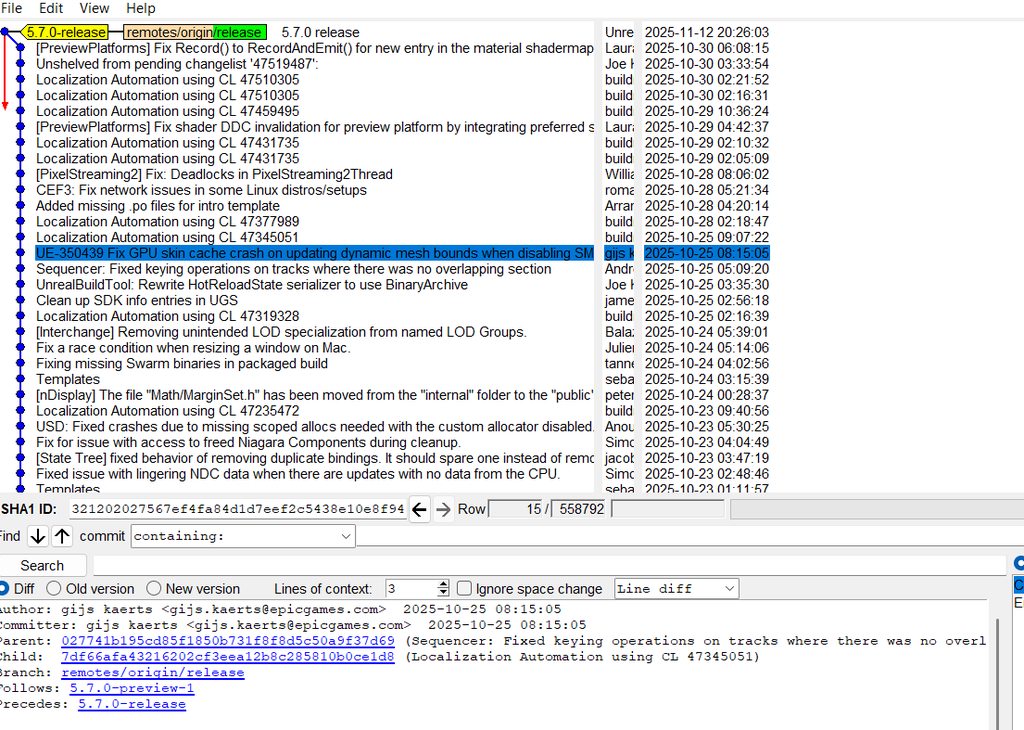
^ this was what i was assuming it could do all along. i got it wrong then
silver token
sacred plinth
i see, i was assuming perforce could get git history as well. My bad.
No. Some people when updating their perforce from a git repo have scripts that will "play back" the git commits sequentially and commit them to their perforce. This could make it appear as though the file history is including the git history.
As opposed to getting the latest version and doing a single commit of all the changes since the last update.
sacred plinth
I see. Looks like perforce and git gui has its own unique/different use then. Thank you for your help. At least that clarify my assumption is wrong. I spent long hours searching around the web and clicking around perforce with the wrong assumption.
silver token
sacred plinth
I see. Looks like perforce and git gui has its own unique/different use then. Th...
Yeah, they're very different paradigms of source control. And they definitely can't inter-op in any sane way.
sacred plinth
guess should have expected that when there is no cloning from website URL function in perforce.
 snow pebble
Hi there!
Could you help me, when I switch between streams in Perforce using one workspace, from parent (mainline) to child (task) and back, Perforce sometimes starts downloading all the files again, and this takes a significant amount of time. Is there a way to avoid spontaneous downloads when switching between streams?
silver token
snow pebble
Hi there!
Could you help me, when I switch between streams in Perforce using one...
Not if there is significant file differences between the two streams. You could reduce the difference by merging the latest version of mainline to the task stream. Then you’d only sync the diffs since the last merge.
Or, if you have the drive space, you could create separate workspaces for each stream and swap by opening the different projects instead of through perforce.
Merging would be the best solution as it would keep you up to date with main and reduce the merge issues you face when you’re ready to contribute your task stream back to main.
sacred aspen
Any Perforce experts?
Need urgent help
How do you get an earlier version from File History WITHOUT overwriting the current file?
ie I need to somehow get a copy of an earlier version, renamed before I select Get Revision'
woven sluice
a binary file? what for -- ehh, i would just get the old one, make a copy of it, then go back to the current one, heh
snow pebble
silver token
Not if there is significant file differences between the two streams. You could ...
Thank you!🙏🏻
arctic hornet
sacred aspen
Any Perforce experts?
Need urgent help
How do you get an earlier version from Fi...
Alternative solution would be to use p4 commandline… more precisely p4 print… you can do p4 print //depot/stream/file.bin#2 (where the number at the end is the revision you want) which would put the output to console but if you also include -o myfile.bin it will put the content to the myfile.bin on your pc
This is useful for just getting the contents of any file even outside your workspace… as this does not sync or modify your or anyone else’s state at all… as log as you have permission to see content of the file you can get it
 vale yarrow
does anyone get longer load times when opening a project due to "Log SourceControl fatal: C:/Program Files/Epic Games/UE_5.7/Engine/Content/VREditor/Fonts: 'C:/Program Files/Epic Games/UE_5.7/Engine/Content/VREditor/Fonts' is outside repository at 'REPO PATH" It's not just vr editor there's a bunch of errors
 slender coyote
Favourite diffing UI / tools for perforce? The built-in one is a bit naff looking
 teal bone
It does it's job, though.
silver token
Never particularly had a problem with the built in one.
sacred plinth
is it possible to save a list of git commit file name only? usual way, i have been highlighting the file name, and copy-paste 1 by 1 manually.
arctic hornet
slender coyote
Favourite diffing UI / tools for perforce? The built-in one is a bit naff lookin...
for perforce always p4merge... for general compare I prefer Beyond Compare (if you really wanted you could set perforce to use beyond compare too)
worth noting though that BC is a paid software, they're providing a free 30 day trial so you can test it... and even then it's 35 USD for perpetual license for standard version of 70 USD for the pro version... specific license always covers current major release (and upgrading to next major release is at a discounted rate)
 round wave
Does anyone know where plugin .uassets are stored? I do not see them in the UE Github.
silver token
round wave
Does anyone know where plugin `.uassets` are stored? I do not see them in the UE...
You download them when you run the setup batch file after downloading the source.
round wave
silver token
You download them when you run the setup batch file after downloading the source...
ty
 deft merlin
Since coding in Unreal Engine requires closing the editor, building in the IDE, and then reopening it, how does this work with Multi-User Editing? If the server guy changes code and try to build, wont they need to close the editor and cause the other clients to exit?
woven sluice
? you would not be making code changes during multi user editing
that's like level design
deft merlin
i am looking if multi user editing works for programmers properly
woven sluice
no
maybe, and i am just making a wild guess, you could do it with something like angelscript.
 humble gulch
whats the best gitignore to use? the one on github isnt properly unignoring png files in the Build/Android/res folder...
wind gazelle
humble gulch
whats the best gitignore to use? the one on github isnt properly unignoring png ...
the one you tuned for your project :D
for most i used an unreal template from gitignore templates repo and tweaked for my needs
humble gulch
ok then my current issue:
# Builds
Build/*

# Whitelist PakBlacklist-<BuildConfiguration>.txt files
!Build/*/
Build/*/**
!Build/*/PakBlacklist*.txt

# Don't ignore icon files in Build
!Build/**/*.ico
Build/*/** keeps ignoring the png files located in Build/Android/res/.../*.png. Using these rules doesn't work:
# Don't ignore android res files
!Build/Android/
Build/Android/*/**
!Build/Android/res/**
!Build/Android/res/**/*.png
nvm fixed with
Build/Android/*/**
!Build/Android/res/
!Build/Android/res/**
Build/Android/res/*/**
!Build/Android/res/*/*.png
Build being in common gitignore templates is basically a meme at this point
It shouldn't be ignored at all
arctic hornet
Generally you only ignore saved, binaries and intermediate… and binaries have exceptions to them
 tired quarry
heyo, I'm using git + lfs for my project and it does work quite well(for now)
does it make sense to "implement" some core game features via plugins? I've been thinking of using git submodules for this, but maybe someone can stop me before plunging into something horrible.
arctic hornet
tired quarry
heyo, I'm using git + lfs for my project and it does work quite well(for now)
do...
I remember git submodules being pain in the ass (but I’m not really experienced git user) so I’d say go ahead with plugins or game features but keep them in your main repository unless you need the plugin in multiple projects
Otherwise there’s no issue with going all the way
Iirc you have to push your submodule first… fight with remotes since submodules are detached by default… and once you submit that you have to push update to your main repository to use the submodules’ new change…. So at the least one change in submidule is 2 commits
tired quarry
arctic hornet
Iirc you have to push your submodule first… fight with remotes since submodules ...
thanks and yeah, I'm gonna have to look into that, I've read about the drawbacks and annoyances of submodules, but it does make sense to me to split certains parts of the project into their own repositories
probably a question for another channel, but I'd like to know what's a good workflow regarding managing your game features
arctic hornet
tired quarry
probably a question for another channel, but I'd like to know what's a good work...
Depends In what sense… versioning, structure etc.
tired quarry
I fear cluttering and accidentaly coupling various systems together, so separating them as plugins sounds pretty healthy to me
arctic hornet
Game features are ideal for that since they’re made for purpose of loosely coupled but extensible modules that are optionally plug and play at runtime… though hard to help without anything more specific
And this channel probably isn’t the best place for this… though not sure which channel I’d recommend instead
tired quarry
arctic hornet
Game features are ideal for that since they’re made for purpose of loosely coupl...
yeah that was my thinking, I won't continue as to not go off topic, thanks 🙏
arctic hornet
No worries and good luck 🙂
 long hull
tired quarry
heyo, I'm using git + lfs for my project and it does work quite well(for now)
do...
long hull
tired quarry
heyo, I'm using git + lfs for my project and it does work quite well(for now)
do...
For what it's worth, my main project is split in over 500 submodules (mostly Fab stuff), and it works just fine (I've been using that for years now).
tired quarry
long hull
For what it's worth, my main project is split in over 500 submodules (mostly Fab...
oh wow 😅 okay, I think I'll be fine.
sacred aspen
Integration of Perforce inside Unreal and the P4V desktop app is somewhat confusing.
The locked icon in Unreal means either yourself or someone else has a file checked out.
But the green checkmark also means a file is checked out!
And the locked icon in Unreal is sometimes missing on the same file in the P4V desktop app.
Can someone clarify these discrepancies?
arctic hornet
sacred aspen
Integration of Perforce inside Unreal and the P4V desktop app is somewhat confus...
No, in UE editor lock means its locked by someone else and green checkmark means you have it checked out… P4V itself has slightly different visualization though (multiple different checkmarks)
Other icons that I remember from top of my head (for UE editor):
- yellow questionmark (unknown state - either not added or something wrong with p4 connection)
- plus icon - file marked for add
- yellow up arrow (or something like that - there is newer version of this file on the server
hybrid goblet
Hi I am experienced with git but not perforce. In perforce I have the stream main which is populated with a lot of data. Now I have a child stream under main. For the child stream when I created it I checked "branch files from parent on stream creation". In p4v in the depot tab I can see the child stream and it has all the same files as main.
But on my computer in the child workspace there are no files. Is it possible to copy and paste the files from my local computer main workspace to child workspace? When I do that and then reconcile offline work on the child workspace, it wants to submit everything to version control again.
For the child stream I am trying to avoid using get latest revision because that will give me a huge azure network eggress bill. I already have all the files downloaded to my computer in another workspace.
silver token
hybrid goblet
Hi I am experienced with git but not perforce. In perforce I have the stream mai...
If you copied all the files, instead of doing a reconcile you could do a flush. I'm not sure you can do that from p4v, but using the commandline for p4 isn't terribly complicated.
https://help.perforce.com/helix-core/server-apps/cmdref/current/Content/CmdRef/p4_flush.html
Or, instead of using a whole separate workspace for the child stream, you could change the stream of the workspace you're using for main to the child stream. Since they're identical, no files would be synced. You would then only sync differences between the streams when moving back and forth.
hybrid goblet
silver token
If you copied all the files, instead of doing a reconcile you could do a flush. ...
Thank you so much. Your solution of changing the workplace stream looks like it has worked well!
silver token
hybrid goblet
Thank you so much. Your solution of changing the workplace stream looks like it ...
Yeah, that's the expected way to work on different streams that are related to each other. Of course you'd have a different workspace for working on some other "family" of streams.
 west holly
Does anyone know the correct steps to use P4CONFIG?
I have created a .p4config file in the root directory of the project and filled in the P4 connection information correctly.
I also specified P4CONFIG=.p4config in the user environment variables on Windows.
When I navigate to the project root directory in CMD and use the command p4 set, the connection information is displayed correctly.
However, when I check "use P4CONFIG" in the engine, it always fails to read the correct .p4config, as if the working directory is not in the root directory of the project.
It has been behaving erratically; just yesterday it was working fine, and today I can no longer retrieve the correct .p4config information.
sacred aspen
Managing a small team of less than 5 developers with P4V but I still spend too much time managing conflicts!
What are some best practices to enforce?
Is it sufficient to have everyone do a successful submission at end of day or should all files be checked in as well?
Is it a best practice to always do a ‘Reconcile Offline Work’ before any submission?
Before checking out ANY files that another team member is or will be working on should team members get verbal permission first?
Is it possible to somehow prevent specific files from being checked out?
Any other tips of suggestions?
pulsar parcel
sacred aspen
Managing a small team of less than 5 developers with P4V but I still spend too m...
.umap and .uasset should be exclusive checkout
you should never need to reconcile if you use the editor p4 integration as well
sacred aspen
pulsar parcel
.umap and .uasset should be exclusive checkout
Thanks. That means they get the lock icon correct?
Also I believe if this change is made it doesn’t work retroactively to existing files, only to new files created.
pulsar parcel
Yes. If you modify the typemap then that'll apply to new files, you'll have to change the filetype on existing assets
 lunar crow
Hey all, I have a question that is sorta source-control, sorta cpp - we're running Submit Tool for our submission process and we use the UBT static analysis validators for our code changes. However, for any changes to engine code, the static analysis tries to use a ClangRTFM and fails - my understanding is that this is designed for compiling some form of verse style memory management in CPP, but ideally we should be able to validate engine changes through submit tool with MSVC or another compiler. Is this something that is being reeled in by our build config that we can change? It isn't required for compiling the engine, so I have to assume it's getting it from one of the RTFM test modules or something..
arctic hornet
lunar crow
Hey all, I have a question that is sorta source-control, sorta cpp - we're runni...
this is an oversight on epic's end 😉 ClangRTFM is epic internal variant of Clang which powers the AutoRTFM feature if you've heard about it.... it's not public as of right now... and the issue is that for engine changes it finds modules which mandate use of RTFM (like Engine/Source/Programs/AutoRTFMTests) etc. and since you don't have ClangRTFM installed it fails... one way would be to go and remove any programs that will cause this issue or tweak UBT to ignore any targets with AuroRTFM dependency (I've done this change myself roughly in 5.4 so I'll have to search for a bit, but I'll be able to provide you with somewhat hacky solution)
sacred aspen
P4V question
When you see the yellow down arrow icon on an asset in Unreal does this mean you need to Get Latest Revision?
What if you've also made local changes on the same asset you want to keep?
silver token
sacred aspen
P4V question
When you see the yellow down arrow icon on an asset in Unreal does ...
Yes, new version is available.
Considering that the content browser really only deals with binary content, you'll have to get latest (overwriting your changes) and then reapply your changes.
Alternatively if you don't have binary files as exclusive checkouts: you could sync, resolve in p4v to take target (keeping yours) and then reapply the changes made by the other person. Depending on how extensive your changes are vs the other person's. But you should really have binary files set to exclusive to make it harder for people to screw this up on accident.
lunar crow
arctic hornet
this is an oversight on epic's end 😉 ClangRTFM is epic internal variant of Clan...
Oh nice, yeah would love some more info on your hacky solution 😄 I expect it's less hacky than my current option, which is "comment out the lines that trigger validation of engine files" haha
 tiny epoch
Hey folks, for those of you who build Unreal from source and use Perforce for source control, but who don't have access to Epic's Perforce server: What's your strategy for upgrading the engine?
Some developers just get the latest release from Epic's github and manually apply it to their workspace, then Reconcile Offline Work in Perforce and migrate any engine changes over. This works but I'd like to find a better approach.
Ideally, I would put each vanilla engine version in its own Perforce stream, then merge into my dev stream. But, adding one or more vanilla UE versions to my repo will bloat server and increase my hosting costs, which I'd like to avoid.
What I'm considering is something like this: Pull down a new UE version from Epic's github, place it in a temporary engine branch, merge that into dev, then delete/obliterate the engine branch. That way I'd have a smoother merging experience and wouldn't end up bloating the Perforce repo with UE versions.
Does anyone do anything similar to that? Perforce also has features like task streams which might be useful here.
pulsar parcel
tiny epoch
Hey folks, for those of you who build Unreal from source and use Perforce for so...
you do the reconcile thing but targeting a pristine engine stream
then you can merge it to your actual project stream
the approach didn't change much between github and the licensee P4
silver token
tiny epoch
Hey folks, for those of you who build Unreal from source and use Perforce for so...
What sswires said. You should always have your one, pristine engine stream. This is what you'd reconcile with the new version source and then merge into your dev stream. That reconcile can take a while, but there's at least one third party tool for doing reconciles faster (I think because it ignores looking for renames/moves) but I can't recall it's name.
I have the luxury of hard drive space at work & home, so I do have copies of each engine version in p4. But they're all in subfolders of one stream. Not a stream per version (though there's no reason you couldn't). What I find this improves is that it allows you to skip the reconcile because you always just upload the pristine to that stream and then do a copy to the singular pristine stream. This makes the same delta, but without the reconcile step. If you upgrade to a hotfix, you'd reconcile that specific version and merge to the singular pristine stream. We generally take a hotfix as our first version and then don't take any later hotfixes unless we have to, so the setup is somewhat optimized for that and to avoid reconciles.
tiny epoch
Alright, thanks for the answers. I hadn't considered doing the reconcile into a pristine stream and then merging from there to development, I was thinking about how to avoid any reconcile altogether, hence the thinking that each new engine version would have its own stream (or folder within one stream). This actually sounds like a pretty good compromise, and if I keep the pristine stream then I'm only adding the size of that one version to my server, the size isn't accumulating every time I update.
arctic hornet
To be fair the process of reconciling over clean is true even when integrating from epic’s perforce… pretty much the only difference is that with git you have to run Setup.bat … epic doesn’t allow direct mirroring from their servers (though there are automatic scripts to do this whole process)
So yeah this is pretty much my way of doing things :
- clean sync from your server
- either sync from epics P4 or overwrite with latest clone from git (exclude .git folder and run Setup.bat)
- reconcile offline work
- submit
- do the whole merging process
arctic hornet
tiny epoch
Alright, thanks for the answers. I hadn't considered doing the reconcile into a ...
Id avoid “each version has new stream approach” since that will cause issues with merging since those separate streams have no common history… so the merge process will be painful 🙂
silver token
arctic hornet
Id avoid “each version has new stream approach” since that will cause issues wit...
Oh, yeah that's true. I guess that's another thing having two pristine streams is saving me from. the merge only happens from one stream, not multiples.
arctic hornet
I generally have 3 streams:
- pristine (1:1 clone from epic)
- main (the game project)
- dev-enginemerge (where I merge the two, fix basic issues and stabilize the things before going back to main)
pulsar parcel
if you found it cleaner I suppose you can have a mainline you do the update process on and then create a stream based on that (which would be nothing more than the initial populate), but that just seems a waste of time
back in the day we had
//engine-unreal/main - pristine
//project/main - source of truth for the project
//project/engine-upgrade-x.x - where the upgrade happens and is tested, makes it way back to main once concluded
which is pretty much the same as above, but you can merge between stream depots like that if you didn't think you could
arctic hornet
pulsar parcel
if you found it cleaner I suppose you can have a mainline you do the update proc...
If I need to do “snapshots” I.e “5.5” or “5.6” these days I leverage virtual streams since you can lock virtual stream to specific CL… avoids physical branching (time consuming and ton of file duplication)
arctic hornet
pulsar parcel
back in the day we had
//engine-unreal/main - pristine
//project/main - source ...
Yeah… my pristine is //UE5/Main and the rest is at //GameName/… for me
pulsar parcel
ah yeah, virtual streams could be nice for that
but usually if we were upgrading the engine, we were taking the latest from the pristine stream anyway
we automated that process and it'd have the UE version and the various metadata about the sync in the CL description
tiny epoch
arctic hornet
Id avoid “each version has new stream approach” since that will cause issues wit...
Yes, good point.
arctic hornet
Yeah, mine is also automated… but I still do use the snapshots since we have older projects that I can’t simply upgrade across 10 major releases at once… so having easy way to reference specific UE version through virtual streams have came in handy more than once… but that’s arguably just my case 🙂
pulsar parcel
I think the long and short of it is pretty much do what the tried and true pin says
tiny epoch
arctic hornet
I generally have 3 streams:
- pristine (1:1 clone from epic)
- main (the game pr...
I've just been reading the docs and this page suggests this exact branch hierarchy - //depot/Epic, //depot/MergeTest, and //depot/Dev. https://dev.epicgames.com/documentation/en-us/unreal-engine/updating-to-the-latest-changes-from-epic?application_version=4.27 (It's an older doc for 4.27, can't find a newer version)
pulsar parcel
the most up to date and comprehensive guide is the top pin in this channel
you can tell this is a little old since it's referring to //depot/
who has a classic depot anymore
arctic hornet
I do… but that’s cuz my depot contains UE3 source code 
My server’s been up for quite some time
tiny epoch
pulsar parcel
the most up to date and comprehensive guide is the top pin in this channel
ah cool, thanks.
arctic hornet
lunar crow
Oh nice, yeah would love some more info on your hacky solution 😄 I expect it's ...
Hey, sorry for the delay... I got ill the morning after and spent some time in bed... I'm finally back at my desk today... so... the "hacky" change is quite a simple one: Skip validation on any modules that require AutoRTFM... validation is the thing that checks for presence of ClangRTFM etc... and since we don't have it, we won't ever try to build that assembly, so we don't reall care if it's valid or not... here is the patch in Engine/Source/Programs/UnrealBuildTool/System/RulesAssembly.cs which skips the part that causes issues without ClangRTFM installed... one could probably move it higher up to the place where the bValidateTarget itself is being defined, but I've not tested that and am only speculating about it just now after the fact while looking at the specific patch from 2 years ago
 lunar crow
arctic hornet
Hey, sorry for the delay... I got ill the morning after and spent some time in b...
lunar crow
arctic hornet
Hey, sorry for the delay... I got ill the morning after and spent some time in b...
Thank you! I got it working yesterday by turning off the RTFM requirement in the test modules, but this is a much better solution
arctic hornet
lunar crow
Thank you! I got it working yesterday by turning off the RTFM requirement in the...
Its still a hacky solution as it doesn’t properly validate the modules requiring rtfm etc…. But as I’ve said since rtfm is currently epic internal thing that’s not going to ship at least until UE 6 (if at all) I didn’t mind the compromise… makes it easy to merge new engine releases at least…
Hope its going to be useful!
 unique pagoda
Hi, I'm setting up a new Unreal project with Perforce and UGS.
I'm downloading the engine from epic's github.
I was wondering if anyone knows of a guide that mentions which github related files to get rid of when preparing the engine to be uploaded to Perforce?
pulsar parcel
unique pagoda
Hi, I'm setting up a new Unreal project with Perforce and UGS.
I'm downloading t...
well you obviously wouldn't include the .git directory, but from a GH sync, you're uploading everything after Setup.bat has been run
unique pagoda
pulsar parcel
well you obviously wouldn't include the `.git` directory, but from a GH sync, yo...
everything after Setup.bat and before GenerateProjectFiles.bat?
pulsar parcel
yes. you do not include project files or engine binaries directly on P4 when you're using UGS
unique pagoda
I have experience with unreal and perforce, but zero with UGS.
in general I do understand that binaries can be built and distributed in an isolated stream, and then UGS can fetch the binaries from there.
all engine binaries should be excluded from the main stream.
but you mention not including project files either, what do you mean?
woven sluice
Means exactly what he says really. Project files (.sln and anything else that gets generated) don't get version controlled
arctic hornet
unique pagoda
Hi, I'm setting up a new Unreal project with Perforce and UGS.
I'm downloading t...
Server setup:
- case-insensitive
- non-unicode
- setup your typemap
- setup basic security etc.
Initial ingest:
- clone from git !INTO CLEAN FOLDER!
- run setup.bat !JUST THIS, DO NOT RUN OR DO ANYTHING ELSE!
- remove .git folder
- submit all to perforce (make sure to fix types where necessary if it complains during submit about transfer of librarian files)
- (if using single stream then continue in this stream otherwise merge that stream to your main project stream and continue there)
- copy your project to
/MyProject(so yourMyProjectfolder containingMyProject.uprojectis next to theEnginefolder) - remove any
Binaries,SavedorIntermediateand.slnfiles you might have (including ones in the plugins - although be careful about plugins... some of them come with "third-party" binaries inside their Binaries folder which usually include native libraries that are needed there) - run reconcile on the project (or mark for add)
- submit your project
that's your initial ingest done... then general rules:
- never submit anything you did not explicitly change... i.e. any engine binary, intermediate etc... only ever submit your C++ code and any changed uassets (or config inis etc.) ... this is a general rule of thumb to avoid issues by pushing something that's not supported to be there
Nothing more, nothing less
if you do things in this order you should avoid most issues that some misguided guides tend to steer people into
unique pagoda
arctic hornet
Server setup:
- case-insensitive
- non-unicode
- setup your typemap
- setup basi...
Thank you so much for this! 😊
I had many thoughts that you confirmed for me on top of additional things I didn't think about!
My only questions left now are
- You wrote "make sure to fix types where necessary if it complains during submit about transfer of librarian files" this I don't understand what it means.
- is the formatting of the .gitignore compatible with Perforce? can I copy paste the contents of epic's .gitignore into a .p4ignore for perforce?
arctic hornet
-
Not by the pc right now… but if you’ll run into the issue during submitting then simply find the file in P4V and set its type to text from Unicode,utf8 etc… by right clicking on the file and clicking “change type “ or whatever its called… use google and you’ll find more details
-
No not really… a) git uses different formating and B) the gitignire ignores files that are not ignored in perforce (I.e all the stuff from setup.bat for example) there are some ignore files floating on the internet etc. so just look for them… but beware… they are really lenient and pretty much let you push everything… since there’s no universal structure etc.
Ad 2) generally Id say “don’t be stupid and don’t push anything you don’t know “… otherwise you’ll spend quite a long time on the ignore alone
unique pagoda
arctic hornet
1. Not by the pc right now… but if you’ll run into the issue during submitting t...
Ah got it! Then I understand.
Yes there are so many different example of ignores online, and while I do understand that there can be so many different repo structures, I was really hoping it would be easier to find something for UGS repos since UGS has a much stricter requirement for structure.
Thank you for your time!
I appreciate it very much 😊
arctic hornet
honestly, even epic uses one that's pretty much "let users do almost everything"
so there really isn't anything super restrictive floating around afaik
unique pagoda
Good morning!
Today I'm preparing Perforce before uploading engine source.
I need to configure the typemap.
I'm reading this guide https://blog.robertlewicki.games/posts/setting-up-unreal-from-source/ where the author writes:
"Note that this is setting the typemap globally to the entire server. If you only want to apply them locally to a depot, insert the depot name after the // e.g. text+w //GameName/....cpp."
I was wondering if it's possible to be even more specific and target a specific stream?
It would look something like this: text+w //DepotName/StreamName/....cpp
The perforce server I'm working in is massive, with many depots containing many projects inside many sub-streams.
I can't modify the entire server typemap, or even a specific depot.
silver token
unique pagoda
Good morning!
Today I'm preparing Perforce before uploading engine source.
I nee...
It'd probably work, but is the project in a mixed depot of both unreal and not unreal projects?
If this were the first unreal project of an existing studio with a bunch of depots/streams, I'd just have a new depot (or maybe a few) created for unreal dev and setup the typemaps for those depots. I wouldn't create a new unreal project stream in a depot with existing non-unreal project streams.
Or I would just merge the typemap need for unreal into the typemap set for the whole server. Unless you're using the same extensions for non-unreal content as unreal uses (umap, uasset, etc), most of the other filetypes are probably treated the same. Source code, source assets, build artifacts; I would expect those to have the same typemap settings regardless of being used on an unreal project or not.
arctic hornet
unique pagoda
Good morning!
Today I'm preparing Perforce before uploading engine source.
I nee...
I’d caution against stream specific typemaps since that can lead to issues when you start using multiple branches… as ramius said I’d simply make new depot for new project and set the typemap on that depot that way you can freely create multiple streams without facing any potential issues
sacred plinth
regarding staging in git gui, am i suppose to choose "unlock index" or "continue" ? both seems like "okay proceed" after clicking
sacred plinth
the message warning is this: "LF will be replaced by CRLF the next time "
 neat meteor
# Ignore project files in the root
*.sln
.vs
.vsconfig
*.suo
*.opensdf
*.sdf
*.pdb
*-Debug.dll
*.xcodeproj

*\Makefile
*\CMakeLists.txt
*\.ue4dependencies

ipch\*

# Ignore Unix backup files
*~

# Ignore Mac desktop services store files
.DS_Store

# Ignore logs, crash reports, etc.
crashinfo--*
*.log

# Ignore linux project files
*.user
*.pro
*.pri
*.kdev4

*\.idea\*
*\RiderLink\*

*\Binaries\*
*\Intermediate\*
*\Plugins\*\Binaries\*
*\Plugins\*\Intermediate\*
*\Saved\*
*\DerivedDataCache\*
``` this is the .p4ignore text i used but it didn't seem to take effect.can someone help me out?
neat meteor
i can't get my p4ignore to work.
wide raven
neat meteor
i can't get my p4ignore to work.
open the project location in cmd and type
p4 set
to check your p4 config is correct, and check your p4config file has p4ignore set correctly
neat meteor
wide raven
open the project location in cmd and type
```p4 set```
to check your p4 config i...
is p4 config necessary? can't i set it to nothing?
And can you or anyone recommend a good .p4ignore text file to use? or should i just use epic games?
wide raven
neat meteor
is p4 config necessary? can't i set it to nothing?
I believe it is mandatory
wide raven
neat meteor
And can you or anyone recommend a good .p4ignore text file to use? or should i j...
use the epic games and modify if need be
neat meteor
Yeah okay, also i think my main might be where i place the p4ignore.txt file, I am putting along side my uproject and sln files, or should i move it one back so it's with the "project file folder"?
in other words, should it be like c:/WorkSpaces/MyGameFolder/.p4ignore.txt or c:/Workspaces/.p4ignore.txt?
neat meteor
wide raven
I believe it is mandatory
Also thanks @wide raven Karma, i appreciate it.
wide raven
neat meteor
Yeah okay, also i think my main might be where i place the p4ignore.txt file, I ...
I usually keep them in project root
neat meteor
wide raven
I usually keep them in project root
That's inside the game folder yeah? like my first example
Why don't the tutorials cover p4config?
wide raven
fair question
neat meteor
wide raven
fair question
I think sometimes my p4ignore is not working because i am using a server set up with the more recent version aka an installer called "p4 sever install" rather than using "Helix core server" could that matter?
wide raven
neat meteor
I think sometimes my p4ignore is not working because i am using a server set up ...
unsure, but always be sure to carefully inspect your setup with
p4 set
yeah okay i'll try
last time i set up p4 it was much easier, but then again, i don't think i cared much about my p4ignore working or not then.
arctic hornet
wide raven
I believe it is mandatory
p4config file is optional and it’s just alternative localized way of setting the environment variables without modifying global state
You can always use p4 set or environment variables directly… though tools like UGS etc. generate p4config automatically as its convenient
woven sluice
Optional but way better
neat meteor
arctic hornet
p4config file is optional and it’s just alternative localized way of setting the...
I didn't think i needed p4config. My concern is i'm going off a tutorial and in the tutorial the guy marks all files for "Add" with the root folder, when he does it he gets a pop up window that says that some files will be ignored based off his p4ignore file. My issue is that when i follow his tutorial to a T i don't get this pop up window it just sets all files to add.
I need a better understanding of the .p4ignore as well. I will know it's working when i see my sln, saved folder so on are not sent to the depot.
arctic hornet
I generally recommend pushing all files if you’re starting from scratch disregarding any p4ignore anyways
Clone from git, run setup.bat and push everything
neat meteor
THis is what it shows in the documenation for ini submit. And i don't use git.
 arctic hornet
Clone from git, run setup.bat and push everything
arctic hornet
arctic hornet
Clone from git, run setup.bat and push everything
Add your project files, while ignoring saved, intermediate and binaries folders and that’s it
arctic hornet
neat meteor
THis is what it shows in the documenation for ini submit. And i don't use git.
Ah… you’re not putting engine to your perforce server (Id recommend to do so as it opens up all the tooling made by epic etc)
Otherwise the “ignored” depends on what ignore file you’re using and where its placed
neat meteor
I'm a still a bit confused by how .p4ignore. Is it only meant to work when i connect to my project in the editor? or should it also work if i attempt to add everything?
Should my .p4ignore list directory paths or just file types?
arctic hornet
P4ignore fundamentally works the same as gitignore just with different syntax
As for what it’s supposed to have inside thst depends on you
I’d recommend reading p4 documentation for the ignore files, they provide some examples etc
neat meteor
Yeah i have read them. I'm just struggling to understand if my p4ignore is actually working.
https://www.youtube.com/watch?v=5ACahoVk7QU
at 12:44. he adds everything then a window pops up, he says "every single time this window should pop up", but i am not having this happen.

This is a tutorial teaching how to setup a local Perforce server on your pc. And how to connect Unreal Engine's version control to it.
Feel free to check out my doc: davidcai1874.github.io/my-tech-art-station/troubleshooting/pipeline/ts-p-0004
actually at 12:55
arctic hornet
Sadly there’s not really a “one size fits all” p4ignore for unreal especially since most people have both engine and game directly in perforce and that would dictate what you put inside…
If your file is inside your workspace and is named either p4ignore.txt or .p4ignore then it’ll be used
And you can always use the p4 ignores command to check whether the file is ignored or not, by what rules etc
neat meteor
what is that command?
arctic hornet
I’m already in bed as its just after 1am for me so I’m not going to be watching the video today
p4 ignores
neat meteor
arctic hornet
I’m already in bed as its just after 1am for me so I’m not going to be watching ...
okay all well
arctic hornet
neat meteor
thanks for the help anyways.
woven sluice
neat meteor
thanks for the help anyways.
Did you use p4 set to inspect your settings yet?
neat meteor
woven sluice
Did you use `p4 set` to inspect your settings yet?
Yeah and it seems fine. But I think that my path is wrong and i don't know if that matters. My workspace and server are both in C:/Workspace, C:/Server for example. But when i open CMD it defaults as C:/User/Harry> and i have been setting things like p4 ignore client user so on there, but i think maybe i should cd into C? instead of User/harry?
woven sluice
My advice...
Set P4CONFIG via windows environment variables first, then just use that file to config everything by putting it in the workspace root
neat meteor
woven sluice
My advice...
Set P4CONFIG via windows environment variables first, then just use...
avoiding cmd?
woven sluice
I have (almost) never used cmd
Fyi perforce attempts to read these things at the start of every operation it does
They're not like cached at startup or anything like that
neat meteor
yeah okay. I am unfamiliar with Windows environment variables is this under system properties?
woven sluice
So start a add operation on a folder, first thing it will do is find config info
Yeah like this computer properties or something start menu search should bring you to it
neat meteor
Yeah i have User variables for harry and system variables to add to
I've never delt with windows environment variables before.
woven sluice
System can always take it out later if you want
neat meteor
woven sluice
System can always take it out later if you want
any how to links you can recommend?
can't i just make a text file for p4config like i do for p4ignore?
i feel like my cd is wrong, it could be the thing i am missing.
https://help.perforce.com/helix-core/integrations-plugins/p4vs/current/Content/P4VS/intro.p4config.html
@woven sluice is this what i want?
also thanks again for being so handy 🙂
and helpful
woven sluice
There's still a lot about these things I don't understand lol. But perforce will just look for settings sources... Starting with like local session environment variables, then maybe user environment variables, then lastly system environmental variables. It will use the first/highest priority source of config data it finds. So just setting a windows system environment variable is kind of like a simple setup to get perforce to start using a config file
So yeah on my machine I just set it in this dialog (this is a Google screenshot)

Variable P4CONFIG
Value p4config.txt
Now if perforce finds that file it will read lines from it like
P4IGNORE=p4ignore.txt
P4USER=CoolDudeWorkspace
P4PORT=123.456:6788

 woven sluice
I always put it in the root
Sometimes perforce will use lower level file sources... Busy one min
neat meteor
woven sluice
I always put it in the root
Sometimes perforce will use lower level file source...
Yeah okay.
 woven sluice
neat meteor
woven sluice
neat meteor
Uh I would do it like I said. Put a file name, not a path
neat meteor
 woven sluice
Yeah
neat meteor
now what should it just start working?
woven sluice
Perforce shoooould now look for .p4config file in your workspace and read it for all operations
neat meteor
hmm, so what i am trying to figure out next is how to see the .p4ignore in action. Like i watch a tutorial on how to set it up, and the guy chose to mark everything for add and the ignore file didn't mark the specified files for add. But when i try to add everything it still sets everything for add.
*/Intermediate/*
*/Saved/*
*/DerivedDataCache/*
*/Build/*

#Ignore resource files

*/obj/*
*/fbx/*
*/psd/*
*/tga/*

# Ignore root Visual Studio solution files. We do check in some sln files in subdirectories, so only ignore
# the ones found in the root.
/*.sln
/.p4sync.txt

# Ignore all Visual Studio temp files.
*.suo
*.opensdf
*.sdf
/Engine/DerivedDataCache/*
**/DerivedDataCache/Boot.ddc
**/DerivedDataCache/**/*.udd``` this is my p4ignore.If i press "add" at the root workspace folder shouldn't everything be added other than what is specified in my p4ignore?
neat meteor
neat meteor
https://www.youtube.com/watch?v=5ACahoVk7QU
at 12:44. he adds everything then a ...
what the guy does here is what i am speaking about.
neat meteor
I think i am doing everything right, I think the problem might be due to having remenant files related to perforce. I'm not sure. I'll see if i can find everything perforce related delete it and start over. I had a similar issue with a Zbrush plugin and needed to delete remenant files.
neat meteor
I deleted all remenants, i honestly am lost as to why p4ignore isn't doing anything.
neat meteor
So after 3 days of this I have decided to go with plastics scm. I am sure I did everything write made no mistakes, there is some issues that are out of my control, I know I can set up ignores manually in p4v but I really don’t need this much trouble. Just an update on how this is going.
neat meteor
Okay here is my summary report: The was making mainly 3 mistakes, I had been just copy pasting the .p4ignore text from online and it would have things like this for example /Intermediate/ /Saved/ /.sln but these wouldn't work i had to change them to: Intermediate/ Saved/ /.sln, this is probably why some people say the epic games p4ignore example doesn't work. 2nd mistake was submitting the .p4ignore to the depot too early, and the 3rd is i needed to add the .p4ignore inside the root of my project so it is along side the uproject file and .sln file so on.
A thing to add, using this command p4 ignores -i -v Saved was super handy, when i looked at documentation for these commands i didn't realise it had to be -i and -v also i had to cd into my project folder.
Please direct people here who have alot of trouble with getting .p4ignore to work, this might be a late 2025 issue, or my pc, or just me haha. Thanks everyone for the help, @woven sluice @wide raven
 low tangle
Hello folks anyone know how can i replace the old .uasset in perforce with the new one.
so i have a corrupted BP, lets ay BP1 and i created the new one called BP2.
how can i tell perforce to make BP2 to replace BP1 and rename BP2 to BP1
basically my BP1 is corrupted and i make a new BP with the same settings as BP1 and i want to replace BP1 with BP2 and also name it BP1 for naming convention
but perforce mark it ad delete and add but when i shelve, it only mark as delete
*unshelve
silver token
low tangle
Hello folks anyone know how can i replace the old .uasset in perforce with the n...
You need to commit the deletion of BP1. Then you can perform and submit the rename of BP2 to BP1.
 brisk sigil
I made a fork of SourceGit which aims at resolving performance issues (especially status update time) on large repos like UE5. here: https://github.com/AlanIWBFT/sourcegit

GitHub
Windows/macOS/Linux GUI client for GIT users. Contribute to AlanIWBFT/sourcegit development by creating an account on GitHub.
 quasi condor
Hi all. Quick question (for now 😬 ), for the free Perforce Indie setup with 5 Devs or less, do you still need a licence file from Perforce? Many thanks...
silver token
quasi condor
Hi all. Quick question (for now 😬 ), for the free Perforce Indie setup with 5 D...
I don't think I have a license file anywhere on my local perforce install.
quasi condor
silver token
I don't think I have a license file anywhere on my local perforce install.
I'm kinda waiting for the Jan 15th Perforce webinar but anything I can get working before then is a bonus.
quasi condor
silver token
I don't think I have a license file anywhere on my local perforce install.
Thanks, my install got stuck at connecting the client to the server and before I delve in deeper I thought I'd better just check that requirement first!
arctic hornet
quasi condor
Hi all. Quick question (for now 😬 ), for the free Perforce Indie setup with 5 D...
just to confirm, the "free" license is baked into perforce itself, so you don't need anything, just install it and you're done, you'll have the license automatically applied (up to 5 users and up to 20 workspaces are the limits of free perforce license)
no trials, no time limits etc.
 magic canopy
I got that cursed “failed to load map, appears to be an asset file” error that implies a corrupted umap. What’s weird is I’m on perforce source control and reverting to earlier versions doesn’t fix it, on 2 different computers. Is my map all the way done for?
arctic hornet
magic canopy
I got that cursed “failed to load map, appears to be an asset file” error that i...
well,I'm more inclined towards "user error" instead of perforce etc... since this seems to be pretty specific corruption of single bit in a larger bitfield (map is normal uasset file just with different extension and a PKG_ContainsMap flag) - which is unlikely to happen on it's own and even less likely you being able to open that map and edit it and submit changes afterwards...
I recommend closing editor (unreal otherwise won't let you touch uasset files) and in p4 sync (not revert) to older revision either by using p4 sync command or the Get revision... option in P4V - and syncing to older and older revisions until you get to a working state... (and then properly reverting any revision newer) to fix the issue ...
if however even first revision of the map does not work, then yes... your map is gone... or more precisely... from perforce servers point of view it was never working in the first place (since if there was a server-side corruption perforce would complain really really loudly)
magic canopy
arctic hornet
well,I'm more inclined towards "user error" instead of perforce etc... since thi...
Sorry my terminology was wrong. I did get the earliest revision, as opposed to reverting, and even the earliest revision returns this error.
What I don’t understand is how it was “never working in the first place” because I worked on the file for a week+ with it version controlled.
In fact the issue only popped up when I created a fresh workspace on a second computer and synced it up then
arctic hornet
that sounds like you were submitting wrong/corrupted files to the server while it was still ok locally for whatever reason... perforce won't sync files from the server if they're on latest revision already (which they automatically become if you sync them or submit them)
what I'd recommend is... if you still have the original working workspace... take the file and in perforce run reconcile offline work on the content folder and submit any files that it finds (if any)
and also probably take the presumably working umap file and use binary diffing to compare it with the non-working one - you won't be able to read anything from it yourself, but it will tell you the scope of "damage"
if there's only bit/byte flipped then it's a really freak coincidence and hard to say where it happened... but if you're getting completely different content altogether, then the only reason I could think of would be having case-sensitive perforce server and having two files with different casings (i.e. "MyMap.umap" and "myMap.umap" or something like that where one is corrupted and one is the nice working one) etc.... but iirc perforce would scream and kick if this would've happened so this is pretty much pure speculation on my part right now
magic canopy
The original workspace stopped working too. Which k guess makes me SOL. Never lost a file while version controlled before. Weird!
magic canopy
arctic hornet
and also probably take the presumably working umap file and use binary diffing t...
i think at this point i have nothing to diff against since it doesn't work on the OG machine now
cyan jay
magic canopy
i think at this point i have nothing to diff against since it doesn't work on th...
Sounds like it might be a text/binary issue. Check the filetype of the asset in perforce. Binary assets should be set to binary.
 solar jackal
Any advice I should keep in mind when working with branches?
I'm with a small team right now so branches may not be necessary, but I wanna plan ahead
arctic hornet
solar jackal
Any advice I should keep in mind when working with branches?
Generally depends on what version control… but unreal is mostly built around trunk based development rather than branch based one (I,e you have one main branch where everyone works etc. ) but more can be said based on version control you’d be using
 keen wedge
I have recently updated project from 5.4 to 5.7 and it seems there has been a change in how Perforce/editor works with submits. It now validates all files in the changelist before I can submit and wont let me submit if there are any errors. Is there a way to turn this off? I am all for fixing errors but sometimes I want to submit without fixing every error so I can continue on a different machine - is that no longer possible or am I missing something?
keen wedge
Just an additional - I can submit via Perforce/P4V with errors but not from within Unreal
arctic hornet
You can always submit directly from P4V as a backup… and iirc these checks have always been there when submitting through specific windows… epic just recently removed the old way of submitting which could be why… and I don’t remember if validation can be turned off
keen wedge
Yeah I just used to click 'submit content' the old way rather than the new (and now only) 'view changes' route
solar jackal
arctic hornet
Generally depends on what version control… but unreal is mostly built around tru...
Sorry, discord has been weird for me all day.
We're on Diversion with a single coder (me) working on cpp and 3 total people on BPs.
arctic hornet
solar jackal
Sorry, discord has been weird for me all day.
We're on Diversion with a single c...
Well… diversion says they’re fast with branches unlike perforce so that’s a “plus”… but I’d generally avoid branching anyways since unreal relies on binary assets and those can’t be merged… so when merging branches you’d have to choose one or the other when merging
Although iirc diversion supports cross-branch locking of sorts but I don’t remember if/in what capacity it does… cross-branch locking is a feature that would let you know if someone else is working on the same file in different branch just as a warning… but that’s all (unreal has native support for this in p4 integration)
So yeah… stick to one branch would be my suggestion
And if you need stable branch before release simply create a “release 1.0” branch where you’ll work on stability of the release and merge things back and forth as necessary… but otherwise stick to one branch… much less hassle in the end
solar jackal
arctic hornet
Although iirc diversion supports cross-branch locking of sorts but I don’t remem...
Diversion auto syncs and will always tell you when you try to edit files that have uncommited changes on someone else's machine, or has a newer version on a different branch, basically anything to warn of potential conflicts
solar jackal
arctic hornet
And if you need stable branch before release simply create a “release 1.0” branc...
So just work as usual, then on release time create a new Stable branch. Got it.
Thanks for the insight, I have to wash away to Unity ideas still after so long hah
silver token
keen wedge
Just an additional - I can submit via Perforce/P4V with errors but not from with...
I don’t ever recommend submitting to perforce through Unreal. You can left it check things out, but I think you should only submit through p4v or p4 command line.
arctic hornet
silver token
I don’t ever recommend submitting to perforce through Unreal. You can left it ch...
I'd recommend the other way round... we pretty much exclusively submit through unreal (for assets) since we run data validation on it and then pass it through submit tool anyways... code we usually submit from P4V/P4 directly unless submitting together with other assets etc.
at the end it doesn't really matter, UE and P4V just call p4 under the hood anyways
silver token
arctic hornet
I'd recommend the other way round... we pretty much exclusively submit through u...
Interesting. I don’t trust it to do handle non-content things that should go with it. Plus it’d be silly to launch the Editor just to do P4 stuff to check in. So if I’m not going to always use the Editor, I’ll just never use it. But that is definitely personal preference.
We’ll run validation on a build machine to catch integration issues which are more common than a local validation issue. But will still catch a single check in error.
arctic hornet
modern workflow (not the legacy one) in editor operates directly on changeslists - you pretty much get perforce-like view and do everything there rather than the "discovering assets to push"
so the modern workflow is usable just fine
when I boot up the editor I can send you some screenshots for context but that'll take few minutes as I'm currently deploying something else that needs my focus
silver token
And maybe it’s gotten better since the last time I looked.
I’m not really sure what you mean by “discovering assets to push”. I’ve never had to discover anything. The default changelist has everything (unless I’ve moved it for some reason) I’ve changed for whatever I’m working on.
arctic hornet
silver token
And maybe it’s gotten better since the last time I looked.
I’m not really sure w...
In ue there exist 2 ways of submitting... "Check Out Modified Files" which is the "old" way since UE4 where unreal opens a modal and scans through uassets to find modified assets and shows simple popup to add description and so you can submit...
and then there's the second - more modern and advanced way - that's the "View changes" which gives you full control over changelists and stuff

View changes window looks like this and you can move files between changelsits, create new ones, shelve things and so on and so forth... just like in P4V

this "new" way will run data validation before submit and other things... and since epic introduced this (don't remember when) submitting from within editor became feasible when working on assets - obviously when I work with code I don't go and open editor just to submit from there
silver token
Well I feel sorry for anyone that was doing the “checkout modified” in UE4 instead of just checking out files on write when prompted.
I guess I don’t really understand what it’s doing. Any files that I have checked out have been validated when I edited and saved it. Any validation problems caused in assets not currently checked out wouldn’t be caught.
If I’m doing something likely to cause issues in other assets, I can run data validation or a blueprint compile over the entire content directory as a commandlet with UGS without launching the Editor.
arctic hornet
tbh, I might've gotten confused myself  it's been so long since I've seen the old buttons I thought that the button did the old thing but yeah, you right... I'll open up old UE4 project and check what it was called before...
yeah...UE 4 just had "Submit to source control which did the scanning... and then just dropped a popup with "enter changelist descriptiong" and a list of files with checkboxes to include in submit


i.e. this prompt... so you didn't have much control over stuff... so submitting through perforce was my preferred way, until epic came up with the new interface (which seems like it was made the default and only way from 5.6 forwards since I don't have the old prompt there anymore but I remember both ways living alongside each other for some time in UE 5)
 woven sluice
They made the new thing to work more with OFPA
silver token
Yeah I would have established my workflow during UE4 and never encountered any real reason to re-evaluate that opinion.
And usually if I’m doing p4 things, I want all the p4v actions/info. I don’t want whatever limited set they decided is useful.
woven sluice
I never use it either (not saying it's bad)
arctic hornet
woven sluice
They made the new thing to work more with OFPA
yeah, that's indeed a benefit of in-editor preview it can translate those hashed URLs into human readable stuff...
Old in-editor workflow was ass, new one is quite good and I've had no troubles with it, same for changelist reviews and blueprint diffing etc. nifty features
though obviously everyone has their flows that they're used to so I won't even try forcing something onto someone
woven sluice
i think i would use it if i did level building, but alas my life is not that fun
perhaps in my next reincarnation
keen wedge
Yeah it is one of those 'the way I have always done it'' things for me. Did it the older way for years in editor, it was quick and never had a problem.
I actually really like the newer way of doing it (apart from the validation check requirement) feel like this could be a tickable option, not sure why it is forced
smoky igloo
what do you think is the best way of setting up a perforce server i remember there was a image or should i install it manually?
teal bone
The helix website has a good guide for manual installs.
smoky igloo
teal bone
The helix website has a good guide for manual installs.
so install ubuntu server and then install it right? 🙂
neat grotto
smoky igloo
so install ubuntu server and then install it right? 🙂
It's pretty easy these days with the package-based installation.
https://help.perforce.com/helix-core/server-apps/p4sag/current/Content/P4SAG/install.linux.packages.html
smoky igloo
neat grotto
It's pretty easy these days with the package-based installation.
https://help.pe...
Nice, thank you guys!
Just wondering now if I want to go for the minimized ubuntu server version, but probably not i guess.
smoky igloo
If I want to populate a depo/stream with a unreal project, I could just but it into the workspace folder and then to reconcile offline work and all files should be added right?
or am i missing something, just want to make sure since I'll probably trust into the versioning of that for the forseable future and that it#s right haha
silver token
smoky igloo
If I want to populate a depo/stream with a unreal project, I could just but it i...
If you're doing the initial population, there's no need to reconcile. By definition you're adding everything, since nothing's in the depot yet.
Reconciles only matter if you have local changes and an existing depot.
smoky igloo
because for me it was just showing all the folders but not the files in the folders in the workspace
so I'm running reconcile now
silver token
smoky igloo
because for me it was just showing all the folders but not the files in the fold...
You can drag and drop the folder from explorer with the project source & content into p4v to add it.
The files should show up in the workspace view, but not the depot view. You might be looking at the wrong pane for your workspace.
You shouldn't need to run reconcile to initially populate the stream.
smoky igloo
But it would be fine to reconcile? I was just moving everything into the folder directly not via perforce
Just that the UI was freezing for a couple of times and the reconciling of 80.000 fles takes quite some time as it appears to be 😅
silver token
I mean, it should result in the same thing. I don't know what extra stuff it may be trying to do. It may not matter for a small number of files.
your project is already 80,000 files?!
Yeah, reconcile's not great. When doing some things, it is possible for the UI to freeze. You just kinda gotta roll with it (unfortunately). Or you learn the commandline for p4 for doing some of these larger operations.
For example, I usually do engine updates mostly through the commandline and not p4v since it's a crazy number of files.
The real problem with using reconcile is that you're doing two things: reconcile and then the adds. But you only need to do the adds, so the reconcile step is just a waste of time.
smoky igloo
silver token
I mean, it _should_ result in the same thing. I don't know what extra stuff it m...
Yea I also made the mistake to hit the reconcile button 4 times now 😅
Guess I have to wait now.
silver token
If you task manager to kill p4v, you should be able to stop the process and start over.
smoky igloo
I was just migrating the server and I was thinking since I don't care about the history too much I'll just add the whole project to the new server, now i think if I should copy the db and files of the server but I still guest its easier that way and maybe cleaner also reduces the deop size a bit 🙂
smoky igloo
silver token
If you task manager to kill p4v, you should be able to stop the process and star...
I'm too scared that then maybe some file get lost along the way haha
I still don't trust perforce as much as i do trust git, I also was always wondering if every file is really properly on the server
But the console commands might be good to learn
silver token
Killing the process will stop it and it won't result in anything having happened. Especially with a reconcile since that's not a server operation. Only a local one to figure out what server operation to do.
The p4 help and the online docs for p4 are pretty good.
smoky igloo
yea maybe i have to trust into that more and thanks for the hits gotta look into that 🙂
 limpid shuttle
We have our Perforce stream which is part of UE rooted in C:\Program Files\Epic Games\UE_5.4. We use this to sync our plugins across our projects. I'm working on a cpp plugin C:\Program Files\Epic Games\UE_5.4\Engine\Plugins\Marketplace\MyPlugin.
My understanding is that to develop the plugin, best practice is to copy the plugin into a test project, which I've done: C:\Users\Me\Documents\Unreal Projects\cpptest.
What is the best way to sync this back to Perforce? Am I supposed to copy it back and paste over the existing files (the original copy) i.e.
copy C:\Program Files\Epic Games\UE_5.4\Engine\Plugins\Marketplace\MyPlugin -> C:\Users\Me\Documents\Unreal Projects\cpptest-> develop code, build the project -> copy back to C:\Program Files\Epic Games\UE_5.4\Engine\Plugins\Marketplace\MyPlugin(including binaries, I guess?)
Or is there a better way?
woven sluice
i don't consider myself the absolute master here but... my preference is to put the plugin into it's own thing, like its own github repo (or a perforce depot if you must stream)... and then sync it into small plugin development projects/release projects from that master, not from a master engine repo
in our [very small team very indie] game project i literally just clone a github plugin into our projects' plugins and commit that to perforce. when i need to sync/update i just check out the whole plugin in P4V, sync update pull with git, then clean up and commit to the game project perforce repo
if the master plugin is somewhere in perforce, you pull it into other perforce streams via import or import+, depending
limpid shuttle
I agree, that's not up to me though, this is just how my team does it.
silver token
limpid shuttle
We have our Perforce stream which is part of UE rooted in `C:\Program Files\Epic...
What "best practice" are you talking about? if it's your plugin for your project (you're not publishing it anywhere for external users), just edit it in place in the project you're using it from.
You can also put the plugin into it's own stream (or a stream with a collection of your own plugins) as HoJo suggests and then use that to import into each of the projects that's using it.
You shouldn't have a workflow that copies data out of source control (copy to cpptest) and then copies back (to Engine/Plugins). You should have a workflow that keeps all your work (including test projects) under source control the whole time.
limpid shuttle
Everyone on my team pulls this engine stream that I mentioned, which has its root in program files/epic games/ue_5.4
The plugin in plugins/marketplace can't be edited in place, it needs to be copied to a test project
woven sluice
pull that plugin out to its own home, import it to the engine stream instead of living in the engine stream
and/or see what probably more-informative-longer message ramius is coming up with
limpid shuttle
woven sluice
pull that plugin out to its own home, import it to the engine stream instead of ...
it has to 'live' in the engine stream, so that my team members can get the update when they sync their engine stream
what do you mean by import?
silver token
limpid shuttle
Everyone on my team pulls this engine stream that I mentioned, which has its roo...
Your own plugins shouldn't be under marketplace in the first place.
I'm not entirely sure I understand what you mean by "pulls the engine stream".
This is what I recommend for a p4 stream setup:
You should have a stream for your project (maybe projects depending on certain other factors)
A stream for the engine source
A stream for plugins (or two if you want a stream for your plugins and a stream for 3rd party plugins)
The project stream imports the engine source and the plugins. Plugins are imported to the project (or in the projects case use the AdditionalPluginDirectories)
limpid shuttle
Your own plugins shouldn't be under marketplace in the first place.
this is unfortunately out of my control
silver token
limpid shuttle
what do you mean by import?
"Import" is part of the stream configuration which allows streams to insert other streams
woven sluice
then yell louder, after you learn what we mean when we keep saying import of course
limpid shuttle
my brain hurts. literally I had to change a few lines of code in a .cpp plugin and now I feel like I have to do brain surgery on perforce
silver token
limpid shuttle
> Your own plugins shouldn't be under marketplace in the first place.
this is un...
Then I don't know what you intend to do with any advice.
It sounds like your only choices are do nothing (because it's out of your control) or take this as information back to get someone who can control it to get it setup properly.
silver token
limpid shuttle
my brain hurts. literally I had to change a few lines of code in a .cpp plugin a...
Yeah, that's unfortunate.
limpid shuttle
the developer who was here before me had a way to do it, so it's definitely possible 🙂
silver token
That doesn't make it right or good
limpid shuttle
I understand that, i'm just not in a position where I have time to overhaul the system right now.
silver token
I'd make time sooner rather than later. It will only save you pain in the future.
It was one of the first priorities I had when I moved to my current startup.
Their perforce wasn't terrible (they were old colleagues so we chatted) but there were still things to fix.
woven sluice
then make a EngineEditing_0xsb workspace cloning the whole-ass engine, make a new non-source-controlled plugin development project and set it to use this engine, and do your work on the plugin i guess
silver token
It can also make engine source updates really easy to manage.
limpid shuttle
what if I copy the plugin from marketplace -> test project, compile it, then copy the source+binaries back into marketplace?
woven sluice
how about if we just said "any manual copying back and forth is dumb and you should stop trying to adopt it"
limpid shuttle
you're preaching to the choir
we have multiple projects in progress, we can't overhaul the system right now, it's not up to me
woven sluice
the funny thing is that pulling the plugin out into a stream and importing it back into the engine stream has like absolutely zero effect on anything
silver token
Why can't you edit it in-place again? You're on a source build, you shouldn't be submitting binaries.
limpid shuttle
silver token
Why can't you edit it in-place again? You're on a source build, you shouldn't be...
I don't know, maybe I can?
I think binaries need to be submitted for marketplace plugins? but I'm not sure?
woven sluice
do you guys have a decent build server/CI setup?
limpid shuttle
we have no CI
editing in-place would be great actually if that's possible?
when I make changes to the code in-place they don't propagate
 silver token
limpid shuttle
when I make changes to the code in-place they don't propagate
silver token
limpid shuttle
when I make changes to the code in-place they don't propagate
to where? when you run your local build? or to other developers?
limpid shuttle
when I run any project
woven sluice
i sympathize. but yes, there's no need to copy it out to another project and copy it back... you won't gain anything from doing this
silver token
If you make any engine source change (even to a cpp to minimize recompiles) does it compile anything?
Maybe just moving it out of /Marketplace is enough for the engine to treat it properly.
woven sluice
i will say it explicitly though:
running an engine source build as a team with multiple game projects and not having any CI in place is one hell of a way to try to work
limpid shuttle
limpid shuttle
you're preaching to the choir
.
silver token
Multiple game projects shouldn't even be using the exact same stream of the engine source (in my opinion)
It's okay for R&D, but not for "real" projects that have been greenlight to ship.
limpid shuttle
you're not gonna like this response, but I can't move them out of marketplace
previous developer was submitting binaries fwiw
silver token
Then tell whoever can to move them. It should take like 5 minutes to submit a rename that moves them.
Then they didn't understand what they were doing. or didn't care enough to do it right.
woven sluice
yeah i agree once a game is near shipping it should, and once it's shipped it must, have a stable dedicated engine stream. i'm perpetually 2 years away from needing to care about that 
silver token
woven sluice
yeah i agree once a game is near shipping it should, and once it's shipped it mu...
I advocate earlier than that for a few reasons. First, to have the infrastructure in place and not perform some "cut-over" when you're "near shipping". Second, so that the process for upgrades is established prior to "near shipping". And thirdly, so that individual projects (even if they're 5 years away from shipping) can time their upgrade to be as non-disruptive to their schedule as possible. I can only imagine the nightmare of trying to coordinate multiple projects to upgrade engines at the same time.
woven sluice
yeah. my present strategy instead is to limit engine customization for as long as possible (still at zero engine edits and we're doing OK, lol)
silver token
I would do the same thing even if every stream were identical to the pristine version of the engine. Customization is a whole 'nother set of constraints (that admittedly the separate streams make easier to deal with)
woven sluice
i can agree, we are just using launcher engines so there's nothing to stream 
silver token
Ah, yes. That’s a whole different beast for sure.
cyan jay
Does anyone have any experience using P4 Cloud / Helix Core Cloud? I usually manage my own infrastructure, but the cloud solution is tempting.
slender coyote
Just a rant.
Perforce and the Unreal integration are SO lacking is really frustrating.
Action: Rename Object A to Object B. Rename Object C to Object A. All objects have dependencies and external references.
**Expected Result: **Prevent rename from Object C to Object A. Ask to check-in current changes before continuing.
Actual Result: P4 and Unreal throw an absolute tantrum and cannot figure out anything reasonable. Creates a broken redirector which cannot be moved.

 fluid steppe
I do not use perforce, but I also do not do my source control in editor.
I found it more inconvenient than setting up tortoisesvn to open the editor when I want to diff a Blueprint
wide raven
slender coyote
Just a rant.
Perforce and the Unreal integration are SO lacking is really frust...
This seems to me pretty classic case where you have to step carefully regardless of game engine...
Renames like that need to be done step by step, not all in one go
You should be able to revert back to where you were and try again
 ember thunder
Hi everyone — I could use some advice. I’m pushing a fairly large Unreal project to Git using Git LFS; in total the LFS files are about 27GB. Should I track all .uasset files with LFS, or only those larger than 50MB?
 keen mason
ember thunder
Hi everyone — I could use some advice. I’m pushing a fairly large Unreal project...
keen mason
ember thunder
Hi everyone — I could use some advice. I’m pushing a fairly large Unreal project...
My two cents is that all "binary" (or non-text) file should be tracked in LFS no matter the size.
ember thunder
keen mason
My two cents is that all "binary" (or non-text) file should be tracked in LFS no...
Thank you
 random steeple
I'm not sure if this is the right channel, but it was caused by Perforce, so here we go:
I have a file that became corrupted on external HD, that houses my project.
I was compiling VS code, and hit Get Latest at the same time, and the result was this corrupted file that I can't get rid of. I was able to rename it, so that I was able to get a working copy of it, but it stops me from being able to delete at all, because Windows doesn't recognize it as a valid file location.
So I'm trying to put a fresh pull on my workspace, and this file cannot be deleted. I can work around it, but I'd really rather just get rid of it without formatting my HD.
I've tried a few of the easily found solutions online, to no avail, but I'd be really appreciative if someone could maybe hold my hand through this, if there is a non-formatting my HD (which is full of other stuff that I don't have an easy way of off-loading/transferring) way of resolving his file situation :(
 woven sluice

this sounds like an OS/hardware level fuckup
i would be running... idk, CHKDSK?
@random steeple
 wild forge
Hello, I have a private fork of Unreal, in the screenshot you can see "Base Role: All 507301 members can access this repository based on the organization's base repository permission.", does that mean my private repo can still be accessed by the 507301 members?
 wide raven
wild forge
Hello, I have a private fork of Unreal, in the screenshot you can see "Base Role...
wide raven
wild forge
Hello, I have a private fork of Unreal, in the screenshot you can see "Base Role...
post the link and I can check if I can see it : )
silver token
I think we tried this in another channel and anyone who can see the source repo, can see forks.
Probably to make PR's make more sense since maintainers of the original repo need access to branchs of forks to merge the PR.
wild forge
Ah I see, thanks for the answer.
arctic hornet
wild forge
Hello, I have a private fork of Unreal, in the screenshot you can see "Base Role...
Forks on GitHub inherently share original repository permissions… because fun fact… they’re technically one big repo under the hood (so if you know sha hash from some other fork you can open details of that change in your repository just fine)… if you really want something public… instead of forking clone locally and create standalone private repository instead… you’ll have harder times syncing upstream changes but if you don’t do it everyone will be able to find your repository
restive coyote
Should I commit the external actors folder when doing commits?
restive coyote
Oh. Hmmmm. I got fatal: Out of memory, malloc failed (tried to allocate 448792047 bytes) when I tried to push so I'm wondering if I should omit somethings.
ornate matrix
how does the git plugin (more specifically interested in the project borealis one https://github.com/ProjectBorealis/UEGitPlugin) work with locks ?
as opposed to perforce git workspaces are usually always offline, and you are "online" when you decide to pull/push
so does the git plugin try to keep a constant connection like perforce ?
or does it just send instructions when you lock/unlock
from the readme it also looks like locking is only a thing for files using lfs
silver token
That probably depends more on whatever you're using to add locks to git.
I would likely assume that the plugin would assume default git behavior, which doesn't have locks.
ornate matrix
the plugins includes it, im just wondering how it works under the hood
(its shown on the readme)
woven sluice
you should probably instead be searching how does git lfs 2 create locks?
 clear otter
Noticed there's not really anything on P4 archive here. Today I'm archiving some ancient projects to free up fast drive space to a SATA backup. I'm about to pull the trigger but notice that the perforce documentation states that...
Binary files, compressed and uncompressed, are the default file types that p4 archive transfers. You might want to adjust the behavior of the command, so consider its Options, such as -t to make p4 archive transfer text files. To learn more, see File type modifiers in the P4 CLI Reference.
Should I use -t to also cover text files (im assuming there's some) in projects?
cyan jay
clear otter
Should I use -t to also cover text files (im assuming there's some) in projects?
Depends how much disk space you want to reclaim. Usually text files are tiny compared to your binary files.
You can also move the files manually and just update the depot root, I.e. see https://portal.perforce.com/s/article/2559
clear otter
Thanks @cyan jay
I do have a bunch of big ones that wouldn't archive properly as either "files used in another place" or "lazy copy" so I didn't get much back. Wish I'd have thought of that first
restive coyote
Hey. I think I finally got things on Azure with Git, through SourceTree. But now I can't open some .uasset files in editor, despite them showing in my file explorer. How might I fix it?
unreal mirage
Hey
I was submitting files to my perforce server - however, the submit got interrupted due to my wifi.
Now it shows that all the files are still locked even tho the changelist is gone.
I already tried using p4 unlock (according to this article) but it just gives me a generic message
The client XXX appears to be a valid client on this server. The 'unlock -r' command should only be used to unlock files left locked by a failed push from a remote server, or from a failed unlock or submit from an edge server
and doesn't actually do anything.
Any help is appreciated
wind gazelle
restive coyote
Hey. I think I finally got things on Azure with Git, through SourceTree. But now...
Did you look at files, are they 200_300 bytes each and have text? Check lfs settings.
restive coyote
They don't seem to be 200 or 300 bytes each? I don't know what you mean has text.
 arctic hornet
restive coyote
They don't seem to be 200 or 300 bytes each? I don't know what you mean has text...
arctic hornet
restive coyote
They don't seem to be 200 or 300 bytes each? I don't know what you mean has text...
check the output log, it should complain in yellow (if you open the tab in editor) about not being able to load the asset(s) and why
based on that you could figure out what's the issue
restive coyote
I got it. Thing was I updated a plugin back and it hid some stuff. Just letting people know, sorry.
 deep sinew
I find the p4Ignore entries for the DerivedDataCache do not work because I have files in there with no file extension.
For example TEXTURE_7C16439390E24F1F9468894FB4D4BC55_VTCHUNK02D4C3BCAD7DFA48AB32B8281FB06B8B83DB6275
Anyone know how to exclude such files?
Note there is a module in Unreal called DerivedDataCache (under Engine/Source/Developer/) so we must not accidentally exclude those files or the engine won't build.
woven sluice
deep sinew
I find the `p4Ignore` entries for the DerivedDataCache do not work because I hav...
maybe ignore /DerivedDataCache/ instead of DerivedDataCache/ ?
deep sinew
A post from December suggests the leading slash makes the whole line not function.
But that's probably incorrect. I think that syntax means the path only starts from the root folder. not applying to other places in the folder tree.
 worthy junco
Hey everyone! I built a tool for working with Git in Unreal
It's name decoder for OFPA actors. You will see BP_Car instead of KCBX0GWLTFQT9RJ8M1LY8.uasset.
This makes it possible to identify which actors have been modified in Git without opening the Unreal Editor
You can see how it works in the GIF 👇🏻 . Feedback is very welcome. As far as I know, this kind of thing exists only in the paid Anchorpoint client right now.
Download it, drop a ⭐ , and check how it works here:
https://github.com/Jus2Cat/unreal-git-names

 agile girder
Hi we are a group of game devs and we are using perforce p4 one. We have issues with version control. Has anyone experience with that? Not sure if this is the right place to ask.
woven sluice
hardly ever see anyone using P4 One but everyone is just going to ignore you if you don't ask a question
(this probably is the best place to ask)
agile girder
woven sluice
hardly ever see anyone using P4 One but everyone is just going to ignore you if ...
Cheers. We have been using perforce for source control. So our question would be:
How do you structure your Unreal Blueprints and workflow so that two devs can safely work in parallel on what would normally be a single central file (like the main Player or a big puzzle BP) without constantly blocking each other in source control?
woven sluice
agile girder
Cheers. We have been using perforce for source control. So our question would b...
there's really no way around that. if two people need to work on the player blueprint, they don't. only one does
in some cases if it's just code logic it might be possible to have two people working on the C++ logic of separate things because you can merge the C++ code
but blueprint code and blueprint settings for one blueprint asset... no dice
pulsar parcel
exclusive checkout is the default suggestion for a reason. to prevent binary conflicts
one thing to consider is making your BPs less monolithic
having gameplay data in separate assets
that sort of thing
agile girder
pulsar parcel
one thing to consider is making your BPs less monolithic
So would you guys say planning to actively preventing a "god" actor file would be the best thing?
pulsar parcel
absolutely
agile girder
I have been told there are some things you cannot make in actor components and have to be in the actor main file. What are your oppinions on that?
pulsar parcel
sounds slightly bullshit but I'm not sure what context you heard this
a component (barring a few exceptions) has to belong to an actor
but you can modify the component independent of the actor
agile girder
pulsar parcel
a component (barring a few exceptions) has to belong to an actor
Yea right that is my thought as well.
pulsar parcel
like a big feature of modular gameplay/game features plugin is that you can inject components onto actors
agile girder
I was told some things like Input, movement, animation links cannot be done in the same way or is not advised for some reason
agile girder
pulsar parcel
like a big feature of modular gameplay/game features plugin is that you can inje...
exactly
I feel like i am going crazy on this
pulsar parcel
you can access what's on the owning actor, GetOwner() is there for a reason
data assets should be used for static data when you can. avoid DTs since they also end up being monolithic
 hoary rain
Does anyone have a preferred option for SVN cloud hosting?
 vague mulch
I have a some code in a plug-in that I am using as the basis for a few projects. The code is a code library, as well as a implementation of a character that uses GAS in multiplayer with Gameplay Abilities. It’s been developed using Perforce. The code is working well and tested in multiplayer and I have manually moved the plugin to another project and it’s working there also. My question is, how should I setup Perforce so I can update the code in its own project and pull the code down into other projects? Is there also a way to then push changes in the plugin that were made in other projects back into the plugin project?
silver token
vague mulch
I have a some code in a plug-in that I am using as the basis for a few projects....
It can depend on a few factors, but the easiest way is to not put the plugin into a project's plugin directory at all but to use the AdditionalPluginDirectories support so that multiple projects are using the same external directory.
You should be able to configure that directory in the PluginManger in the Editor.
vague mulch
@silver token thanks! I'll check it out and give it a shot.
silver token
<@&213101288538374145> ^
 molten marsh
silver token
molten marsh
silver token
 open bone
i was wondering how this incredibly normal conversation was pingable lmao
open bone
i was wondering how this incredibly normal conversation was pingable lmao
Pings seem to get those scam posts cleaned up faster than reporting 🤷
but they do leave some weird conversation artifacts 😄
pulsar parcel
that's why I tend to use the reply feature on spam posts since it'll be obvious when cleaned up
 edgy terrace
Hi all. I am using perforce. Single user, local system. I see I have all these files in the uncontrolled changelist? Sort of a new project. Should I check them in or is it just an ignore list issue? Thanks
 silver token
edgy terrace
Hi all. I am using perforce. Single user, local system. I see I have all thes...
silver token
edgy terrace
Hi all. I am using perforce. Single user, local system. I see I have all thes...
Are you using a source build or a launcher build?
edgy terrace
silver token
Are you using a source build or a launcher build?
Launcher
silver token
Then it's sort of an ignore list issue as nothing from the engine would be in source control.
I only say sort of because that data likely isn't someplace that is relative to the depot root that you could properly ignore.
or it's possible that the editor's not even using the ignore list for this stuff.
I do all my perforce file management through p4v. I let the editor check stuff out, but I've never looked at any of the in-editor changelist ui's.
(it used to be bad, I hear it's gotten better)
woven sluice
the uncontrolled changelist is not a real thing
Epic made it... and it... exists... but it's not something that normally exists for perforce
it's sort of equivalent to running reconcile offline work and listing the pending results
anyway, yeah, they of course didn't try to code it to work different for launcher or fully committed source engine setups, so it doesn't work right for launcher engines. just ignore it
edgy terrace
Awesome. Thanks for the info. I will ignore!
vague mulch
@silver token I have the code working in the AdditionalPluginDirectories location and have set it up with the plugin screen and it all works great! I have the seperate plugin project in perforce and it is also working to track changes. One other feature that would be great but I'm not sure is possible would be to complile the plugin code without leaving the project that is using the shared plugin. Can I compile the plugin from the command line or some other varition of that without having to launch it in the editor or Rider?
silver token
vague mulch
<@310754175808045067> I have the code working in the AdditionalPluginDirectorie...
I'm not 100% sure what you're asking. Technically there's a way to compile plugins on their own (it's how people test for marketplace distribution), but you can also just edit it from within whatever project you're actually working on and compile it when you compile the project. You don't need to swap to another project specifically to edit & compile the plugin and then switch back. That may not actually save you anything anyway as I think the binaries/intermediates from the AdditionalPlugins are stored in the project and not the plugin. So you're only sharing code between projects, and not binaries.
woven sluice
i wonder if another answer could have been to put the plugin into a totally separate stream and import+ it into the projects
just skimming the original Q, how i'm interpreting it at least that seems like it might fulfill what they wanted also... maybe moreso
silver token
woven sluice
i wonder if another answer could have been to put the plugin into a totally sepa...
Yeah, that's a good solution if you've got the projects separated into multiple streams.
But that makes sharing a little harder as it introduces merges
vague mulch
The way I have is set up now is there is no plugin directory in the main project. I have additonalplugindirectories set to the plugin directory in the project I use to build the plugin. When I look at the main project in the content browser on the left side of in the heirarchy there is a Plugins folder and it contains all the plugin code from the other project. However, I can change any of those source files on disk and they aren't compiled when I compile the project.
I figured it out. I needed to delete the binaries folder in the pluging project. Doing that forced compilation from the main project since the binary was missing.
Now I can change the code from the main project and it seems to pick up the change and compiles the plugin without having to delete it. It seems like it was just a one time thing. Breakpoints and debugging in Rider are also working this way. Pretty slick!
silver token
vague mulch
The way I have is set up now is there is no plugin directory in the main project...
I think it’s a little weird to point one project at another projects’s plugin directory. I think it’s meant more for a directory entirely outside of a project. That could be why it was getting confused.
I’m not sure the point plugin project. But the build system might be less confused if the plugins weren’t in any project and both of them used the additional directories support.
vague mulch
The point was to have the plugin use it's own perforce stream so changes could be tracked in a single stream. It doesn't have to be that way though and could easily do it the way you are saying. It does seem to make more sense. One thing that is a little odd about the additionalplugindirectories setup is that I can't seem to launch any of the cpp files into Rider by double clicking on them the way I can with any of the main projects cpp files. Double clicking on them does nothing.
woven sluice
weird. i use additional plugins for common plugin dev... my plugins are in a folder and i have 5.4, 5.5, 5.6, 5.7 testbed projects all referencing it. no issues navigating the files. but that also could be some fluke caused by using the plugins of a project folder
woven sluice
vague mulch
The point was to have the plugin use it's own perforce stream so changes could b...
(on the first sentence of your message) what i described is that... put the plugin into a stream and just import (import+) that anywhere else. what Ramius said is that doing that can put you in a position where you need to manage merging, whereas AdditionalPluginDirectories is closer to a symlink setup where they're all forcefully kept the same all the time
vague mulch
woven sluice
(on the first sentence of your message) what i described is that... put the plug...
That also makes sense. Thanks!
silver token
Yeah we do all three variations at work. All our plugins are in a stream (not a stream per plugin). Production projects import that stream into the project plugins directory. But our r&d projects are setup so that the plugins are imported to an external directory and the projects point at that location with the additional directories feature.
vague mulch
silver token
Yeah we do all three variations at work. All our plugins are in a stream (not a ...
Thanks again for all your help Ramius.
 jovial carbon
Hey guys, im using GIT to source-control my project. I've run into an issue where backing HLODs creates actors greater than 500mb.
Because im using OFPA, the HLODs get mixed in with all the other external actors. instead of configuring the entire level directory to use git's LFS, is there a way to bake just the HLODs to a separate location so I can have just those on LFS?

this is if i track the external content/map folder
 vivid crystal
Do you have any insight on how to do this? So far running the setup.bat allows us to run ddc successfully locally but I'm trying to deploy ddc in aks using az acr build on the either the release or ue5-main ddc source folder but the dockerfile in it is throwing me errors left and right.
The first error being that it expects a programs folder in the ddc folder which is its parent on step 4. So I copied a barebones one into it and on step 13 jupiter and jupiter.common would try to use .NET 10 but I see that the csproj files specify 8 as with the rest of the files specifying .NET. For now I have the 1.4.0 ddc helm files within an ACR but I still can't build it.
arctic hornet
vivid crystal
Do you have any insight on how to do this? So far running the setup.bat allows u...
I've only ever ran clouddc/jupiter on linux (inside docker or at AWS on k8s), so can't help much there
for docker it was as easy as building the pre-existing dockerfile... and for k8s it was as easy as taking the charts and the image I made and deploying it
arctic hornet
but if you want to build it as raw executable then open the project in visual studio and run publish on it, that will throw everything you need into a folder and you're done... if you need to run it in antoher cloud provider then I recommend building the docker image and deploying that one
 rough leaf
having some trouble finding reliable info on this other than AI slop, but what is the standard for dealing with source content (fbx, png, etc) and version control.
the source content lives in "project/source/mirrored_folder_structure" and content lives in "project/content/folder_structure"?
is there harm in having the source outside of the project folder?
vivid crystal
arctic hornet
I've only ever ran clouddc/jupiter on linux (inside docker or at AWS on k8s), so...
Yeah I meant for k8s/aks not as a raw executable/.NET app.
arctic hornet
rough leaf
having some trouble finding reliable info on this other than AI slop, but what i...
There is not really any one standard some studios keep it outside perforce/vcs… some studios put it into separate stream and some studios put it in the same stream or include/link streams together etc. etc.
Though Id generally avoid putting raw files in Source (that’s for code) or Content (that’s for uassets)…
We usually have a separate stream (actually a local depot) that we either map into (stream)/ArtSource… or just leave it on users where they sync the source stream and at what scope
arctic hornet
vivid crystal
Yeah I meant for k8s/aks not as a raw executable/.NET app.
Well then, build the docker image, put it to some registry and deploy using the charts provided…. Though you will ha e to most likely modify the scripts to replace AWS with Azure specific things
vivid crystal
arctic hornet
Well then, build the docker image, put it to some registry and deploy using the ...
Using docker build? I've been trying with az acr build but it's been painfully slow. The dockerfile seems to insinuate that I should define the source from the Source directory. I put the helm file into the registry. I didn't any other option to build locally then push the image into the registry
vivid crystal
The dockerfile consistently throws errors about not finding files on the COPY commands. Always within the first 14 lines.
rough leaf
arctic hornet
There is not really any one standard some studios keep it outside perforce/vcs… ...
great thanks, good to hear an actual use-case, as i kept finding info that conflicted. big thanks!
 dense lily
Is it just me or is Built-in Revision control for GIT (using Github) all the sudden really broken? I have been trying everything i can find to fix a " is missing from this changelist (referenced from" that keeps happening when i attempt to make even the smallest change to a single .uasset. It behaves as though by changing one asset any asset it references also needs to be recompiled and saved. Which is of course. Not the case. Seems like maybe code changes introduced in recent iteration of the engine are somehow incorrectly validating and deducing the need for file re-compiles and saves.
At first i thought it was due to a migration of several .uassets to a fresh project. But after testing a totally fresh project with 5.7.3 (Release) even the fresh project is showing the same phenomenon.
silver token
dense lily
Is it just me or is Built-in Revision control for GIT (using Github) all the sud...
I think people have had issues with the built in Git support for ages. Epic uses Perforce, their tools (horde, ugs, etc) expect Perforce, and professional studios usually use Perforce. I think folks dedicated to git generally shift to a third party plugin called Borealis (maybe?) or something like that.
It would really be better for them to remove it (while leaving the interfaces for alternate source control plugins in place) than have it be there and not work very well.
dense lily
Indeed just ignoring the errors results in no noticeable detrimental effects to the project. Everything builds fine and all validation checks find no errors. Also using Github desktop. Which i use. To instead do the commits finds no errors and commits/pulls/compiles/validation all appear error free.
It would seem code changes brought in somewhere around 5.5+ have created this issue. But root cause continues to elude me.
My best guess is perhaps in the effort to improve and enhance their p4v support with changelists they have introduced errors to the other methods of source control.
silver token
Possibly.
 bronze wigeon
So I am currently running https://code.7imezones.com
This is using Forgejo and uses Caddy as my Reverse Proxy.
I want to change this over to Perforce since it's recommended.
I have 3 questions:
1: Am I going to be able to type in ssl:code.7imezones.com:1666 and access this anywhere? Is this possible with Caddy?
2: Scenario I had today. Between Slopsoft OS, Unreal, and my Portable SSD I had files repeatedly corrupt. I reformatted that drive to please Slopware OS and with my last Source Control solution (I was trying Diversion), I didn't see a way to clone the existing project... In this situation with Perforce is there a way to clone what is on the server regardless if it's on the same Workspace? Git doesn't care, folder doesn't exist, no repo. Clone and you have the repo again. However Diversion / Perforce seem to operate off of Workspaces.
3: Scenario: I take on another dev. They make changes and want thier changes in the Perforce Repo. In Git I'd have them on their own branch and they would Pull Request against the working branch. Does such a concept exist in Perforce?

Forgejo: Beyond coding. We Forge.
Forgejo is a self-hosted lightweight software forge. Easy to install and low maintenance, it just does the job.
woven sluice
-
Not familiar with caddy but perforce is just a running process on a machine that you can ping, if you have access to that machine you should have access to p4. One odd risk is that perforce licenses are tied to IPs but that doesn't affect free self hosted tier.
-
Perforce is a much different model than git... Server contains one or more depots which is just everything, clients create workspaces which are a "view" of something from the server (usually of a Stream)
Clients do not have a clone of the repo. They have a view (workspace) of the repo. The server needs to be backed up for backups.
- It does have branching but most teams focus on trunk dev workflows since branching is often all but useless with UE
bronze wigeon
woven sluice
1. Not familiar with caddy but perforce is just a running process on a machine t...
Caddy is just a reverse proxy.
I have 7imezones.com bound via Cloudflare to the VM caddy sits on. It re-directs traffic pointing to code.7imezones.com to the appropriate VM, and denies all other traffic. In this sense I'm going to need Perforce access outside of my network, outside of a VPN. I see exactly 0 info on how to accomplish that... It was super easy to get Forgejo up and running and behind a reverse proxy, but I'm not so sure that sharing a perforce server to outside of my home network is going to be easy or even possible at all.
arctic hornet
bronze wigeon
Caddy is just a reverse proxy.
I have 7imezones.com bound via Cloudflare to t...
it is as easy as exposing any other software using TCP communication... either use portforwarding or a VPN etc... just keep in mind that perforce uses custom TCP-based protocol with optional SSL layer on top... I've never ran P4 behind anything else other than port-forwarding set up at most
so as long as you can establish TCP connection between client and perforce server that's all there is to it.,.. sadly can't speak about specifics of our setup that's for you to figure out
as for what kind of workflow you set up for you and your colleagues that's up to you... with unreal and perforce the preferred way (around which most things are designed) is to use trunk based development... where everyone contribudes directly to the mainline - unstable development branch... and you make branches when it's time to make release (branch for each release) etc... and if there are some longer term features that could break mainline until fully finished you make a dev branch/stream and that's it
but all of that depends on what and how you want to set it up
but to answer your question about caddy and perforce server... no... it won't work... by using simple google "can caddy proxy tcp connection" the first result immedialtey and clearly says "no it can't (by default)"... caddy is http-only reverse proxy... for proxy-ing TCP requests you'd need some L4 proxy (either dedicated product or the layer4 module for caddy) - or just simple port-forwarding to expose the 1666 port to the outside for example
 timber sail
i hae a question everyone,below is submited changelist and submitted files.
CL2: a,b,c,d,e,f,g
CL1: a,b,c,d,e
At the time of CL2, "a,b,c,d,e" from CL1 should already have been replaced with the CL2 version.
So how can you keep fg from CL2 while changing abcde back to the CL1 version on p4V?
I tried below.
get revision and type CL1, at this moment, "a,b,c,d,e" in my workspace is CL1. but when i mark these for add, and submit, popup says "must get latest revision before submit!"
bronze wigeon
arctic hornet
but to answer your question about caddy and perforce server... no... it won't wo...
Thanks for getting back to me. NGL Perforce sounds like a Pain in the ass to setup and the whole everyone just contributes to 1 branch being the norm doesn't enforce code review.
I'll stick with Git in this case as Forgejo is already setup, and I'm a lot more familiar with the workflow / tooling / can easily enforce a 2-way code review workflow (individual branch -> working branch).
arctic hornet
bronze wigeon
Thanks for getting back to me. NGL Perforce sounds like a Pain in the ass to set...
It's more about Perforce + Unreal - because of the binary assets that most of unreal's content is comprised from... trunk based development is actually perfect for it, belive it or not (especially with perforce's locking and exclusive checkout mechanisms)
trunk based development is used by all major game studios I know off... including epic, CDPR etc. etc.
otherwise perforce will let you do branches/streams freely as it fits your needs... but as I've said, from years of experience (and not only mine as I've said above) trunk based development is actually best for unreal
arctic hornet
timber sail
i hae a question everyone,below is submited changelist and submitted files.
CL2:...
sync whole workspace to the CL1.. and then selectively get revision of F and G to latest (or as of CL2)
perforce really doesn't have a concept of linear list of changes like git has... in perforce every asset has it's own revision and whole revision graph etc...
- file is comprised of it's own revisions (that's the "#" number next to the file)
- changelist is just that... a list of changes grouped together with a message and other metadat like author etc.
silver token
timber sail
i hae a question everyone,below is submited changelist and submitted files.
CL2:...
Are you trying to undo the CL2 changes to those files? Like you want to submit a CL3 that is the CL1 versions of a-e?
 ornate blade
I am testing out Git with Unreal to get the flow down (using Azure DevOps). I create a project and commited just fine. I deleted the folder locally and ran git clone...
I was able to open the project. However, it said it was not part of source control and I have to connect again. I ran git remote -v and it has the proper URLs there.
Nevermind, I needed to connect
ornate blade
Question on git pull. Do I always need to restart the editor to see the new changes?
woven sluice
ornate blade
Question on git pull. Do I always need to restart the editor to see the new cha...
personally, i don't want to update my project at all with it open. i don't think it's something you should want to do. code changes must be compiled with it closed, and content changes might interfere with modified or cached info, so... it's honestly just easier to have it closed any time i'm pulling
wide raven
ornate blade
Question on git pull. Do I always need to restart the editor to see the new cha...
With perforce, pulls actually get stuck if editor is open ( presumably due to temp file locks ). Would recommend always shutting down editor before pulls.
ornate blade
Gotcha!
rough leaf
anybody run exclusive checkout on p4?
seems liek a bad idea?
rough leaf
why not just resolve conflicts, with exclusive you can't use shelves without reverting stuff, and literally cannot make changes to files even if it is just intended to be temporary
pulsar parcel
if you have BPs or assets that are constantly in contention for exclusive checkout, then you need to consider splitting up that monolith
woven sluice
rough leaf
why not just resolve conflicts, with exclusive you can't use shelves without rev...
you can make local temporary changes to files, i do it all the time. you just can't check them out. the other person who checked out the files keeps working on the source of truth, and when it's done, their file overwrites yours
you can't "just" resolve conflicts because they're binary files... best tool we have is epic's kinda janky blueprint diff tool
rough leaf
woven sluice
you can make local temporary changes to files, i do it all the time. you just ca...
i mean resolve via p4 as in, accept one file overr another, no merging at all
wide raven
rough leaf
i mean resolve via p4 as in, accept one file overr another, no merging at all
but then one of the devs 'loses' their work. I strongly recommend using and respecting file locking.
rough leaf
wide raven
but then one of the devs 'loses' their work. I strongly recommend using and resp...
how do you shelve files, one person must revert their changes just to be able to shelve?
also unreal is very clear about notifying you if you are about to work on a file that somebody has checked out.
if exclusive lock was a strong recommend then why even allow anything else, why bother having icons for locked vs simply checked out.
i feel like the exclusive lock is for teams that don't trust each other or are incapable of talking.
i appreciate the response tho, i am trying to understand where the needle drops
silver token
rough leaf
how do you shelve files, one person must revert their changes just to be able to...
Yeah, if you're trying to share uncommited changes with someone you'd have to revert those changes so that they can unshelve them. I don't see this come up very often though. I've only had it happen when one person has a bug or something with their local stuff and they shelve it for someone else to debug. In that case, the person that made it can usually do something else until the bug is resolved. Or just check it in if it's not something that will cause problems for the rest of the team.
A few reasons I think. First it's a consistent experience for modifying an asset whether or not it's checked out. Second it gives you the opportunity to make the file locally writeable instead of checking it out. And you can choose that option whether or not someone else has it checked out. Lastly it tells you who has it checked out so that you can communicate with them that you need it next or for some sort of emergency reason.
Exclusive lock has nothing to do with trust and everything to do with the fact that the files are unmergeable.
I'm not sure if there's a difference in the editor with locks vs checkout on assets. I haven't paid much attention. In p4v there's a different icon because there's a difference.
wide raven
Wait, I don't have to revert things to shelve, where is that coming from
I have named CL MyFeatureX, I can Shelve it, reviewer can Unshelve it
silver token
If you shelve a uasset, you'd have to revert it if you want someone else to be able to unshelve it.
wide raven
we are not seeing that behaviour - possibly some server settings different
silver token
To just do the shelve, yeah you don't have to revert
Weird. That should be the behavior for anything that requires an exclusive checkout.
wide raven
We allow P4V to do checkouts even if something is already checked out, perhaps there's a difference there. Unreal won't
wide raven
It's fine, because it allows us to get things moving if somebody leaves files checked out and goes on holiday for example...
And by the looks of it unshelving to review would also be more cumbersome
So I am fine with Unreal being the guardian
In a nutshell : we only allow people to 'override' checkouts via P4V when it is explicitly agreed to do so
But we don't have to get admins to open locks in the cases where it is needed
silver token
Your p4 admin should be able to force revert things if that happens.
I don't think checkin reviews is a good reason to have that particular "exploit" when working with binary files.
wide raven
I argue 'whatever works' - we have had 0 problems over 4 years of development with this pattern
silver token
Maybe it's a team size thing, but even on my team of 13 we had those locks.
But we all came from a larger studio and super large teams.
I hope you don't run automated tools that check things out, because missing exclusive checkouts could really bone your data (or lose people's work) if you run things like fixup redirectors while people have assets checked out.
silver token
wide raven
And by the looks of it unshelving to review would also be more cumbersome
While not really the topic of the channel, if this is for required pre-commit code/data reviews, I think that indicates a lack of trust that rick mentioned more than exclusive checkouts. I don't think an open-source-like-pr-based workflow is appropriate for full time project team members (except in exceptional circumstances like a build lockdown).
wide raven
silver token
I hope you don't run automated tools that check things out, because missing excl...
no, nothing like that
wide raven
silver token
While not really the topic of the channel, if this is for required pre-commit co...
Hmmm how do shelves and locking work. As far as I can see, files that are just shelved are no longer locked, therefore:
- dev shelves, then reverts
<<< window of opportunity for somebody to check something out, thinking it is free - reviewer tries to unshelve, but somebody has 'stolen' the lock
perhaps an edge case?
silver token
wide raven
Hmmm how do shelves and locking work. As far as I can see, files that are just s...
Yeah, it's definitely an edge case but one that the two devs can minimize. Either review unshelves the files immediately even if they won't review immediately or dev waits to revert until reviewer is ready and fails to unshelve successfully.
wide raven
silver token
Yeah, it's definitely an edge case but one that the two devs can minimize. Eithe...
roger that, thanks for clarifying
silver token
It's never been a significant issue in my 20+ years. And binary assets were also exclusive checkout for the custom engines we had a Volition for SaintsRow and RedFaction.
rough leaf
wide raven
We allow P4V to do checkouts even if something is already checked out, perhaps t...
yes this is not exclusive checkout, and how i personally think thigns should be done
rough leaf
wide raven
Hmmm how do shelves and locking work. As far as I can see, files that are just s...
shelving and then reverting the files is "fine" if you don't plan to continue working on the files, but then why not just submit the files
silver token
Because you may be shelving them to share with someone so that they can fix something you can't.
If checking in the files is safe, then you're right you can just submit them instead. But sometimes you need to share things because it's breaking the game in a way that would negatively affect the rest of the team if you checked it in.
 pliant hatch
Why are level Build_Data files excluded by the UE5 .gitignore by default ? Is a Built_Data asset not compatible between different machines ?
wide raven
pliant hatch
Why are level Build_Data files excluded by the UE5 .gitignore by default ? Is a ...
Presumably they are generated per build and therefore not necessary to version
woven sluice
Yeah any default source control logic is to not store anything that is auto generated from actual version controlled content
 glossy frigate
Hi, I think I’m messing up my UE source + Perforce setup.
I pulled the latest UE source from GitHub, ran Setup.bat, and submitted everything to Perforce. When building through Horde, some files downloaded by Setup.bat are read-only in the agent workspace, causing build failures. I worked around it by making the Horde workspaces allwrite + clobber.
Now I’m trying to let developers build the source engine from normal Perforce workspaces, but I’m hitting the same issue, and I don’t want to use allwrite there.
Examples of files causing problems:
Engine\Source\Programs\UnrealBuildTool\bin\Development...
Engine\Source\Programs\Shared\EpicGames.UBA\bin\Development...
Also seeing it with some third-party binaries downloaded by Setup.bat.
What’s the correct Perforce setup for this?
Do these files need a special typemap / writable flag, or am I taking the wrong approach entirely?
silver token
glossy frigate
Hi, I think I’m messing up my UE source + Perforce setup.
I pulled the latest UE...
Are you sure you didn’t run something else before checking stuff in? Like GenerateProjectFiles? Or open a project in Rider using that Engine source?
I’ve never seen what you’re describing except when I’ve accidentally checked in files that shouldn’t have been checked in my n the first place.
glossy frigate
silver token
Are you sure you didn’t run something else before checking stuff in? Like Genera...
Thank you! Was pushing unnecessary files + compounded that with too strict .p4ignore rules.
 tacit cairn
Speaking of setting up UE5 source in unreal I am running into some similar problems and I think I need a better typemap and p4ignore
Does anyone have any good examples that work for source?
This is my current typemap
#
#  TypeMap:    a list of filetype mappings; one per line.
#        Each line has two elements:
#
#          Filetype: The filetype to use on 'p4 add'.
#
#          Path:     File pattern which will use this filetype.
#
# See 'p4 help typemap' for more information.

TypeMap:
    binary+S2w //....app
    binary+S2w //....dll
    binary+S2w //....lib
    binary+S2w //....dylib
    binary+S2w //....exe
    binary+S2w //....ipa
    binary+S2w //....stub
    binary+S2w //..._BuiltData.uasset
    binary+Sw //....pdb
    binary+w //....a
    binary+w //....exp
    binary+w //....rc
    binary+w //....res
    binary+w //....so
    binary+w //....uexp
    binary+w //.../Binaries/....a
    binary+w //.../Binaries/....obj
    binary+w //.../Binaries/....res
    binary+w //.../Binaries/....so
    binary+Fl //....avi
    binary+Fl //....bz2
    binary+Fl //....gif
    binary+Fl //....gz
    binary+Fl //....jar
    binary+Fl //....jpeg
    binary+Fl //....jpg
    binary+Fl //....mov
    binary+Fl //....mpg
    binary+Fl //....rar
    binary+Fl //....tif
    binary+Fl //....tiff
    binary+Fl //....zip
    binary+l //....uasset
    binary+l //....umap
    binary+l //....upk
    binary+l //....udk
    binary+l //....ubulk
    binary //....bmp
    text+w //....target
    text+w //....modules
    text+w //....uatbuildrecord
    text+w //....uproject
    text+w //....version
    text+w //....DotSettings
    text+w //.../Engine/Binaries/.../Info.plist
    text+w //.../Engine/Source/ThirdParty/.../Info.plist
    text //....c
    text //....csv
    text //....config
    text //....cpp
    text //....cs
    text //....h
    text //....ini
    text //....json
    text //....m
    text //....mm
    text //....py
    text //....txt
    text //....xml
    text+x //....sh
    text+x //....command
 rotund mortar
tacit cairn
This is my current typemap
```# Perforce File Type Mapping Specifications.
#
# ...
rotund mortar
tacit cairn
This is my current typemap
```# Perforce File Type Mapping Specifications.
#
# ...
looks close to the one from doc, but did your match the latest from the doc ? https://dev.epicgames.com/documentation/en-us/unreal-engine/using-perforce-as-source-control-for-unreal-engine ?

Epic Games Developer
How to setup Perforce so that you can share assets with other on your team.
tacit cairn
I am pretty close to the default type map but it doesnt cover all the usecases I wanted so I expanded it
There are a few in there that I am not sure are necessary like binary+w //....a binary+w //....exp binary+w //....rc binary+w //....res binary+w //....so binary+w //....uexp binary+w //.../Binaries/....a binary+w //.../Binaries/....obj binary+w //.../Binaries/....res binary+w //.../Binaries/....so
sacred aspen
I have a new project, not connected to any source control, but when I try to move, delete or rename any files I get an error popup
The following assets could not be renamed.
-Revision control is unresponsive.
What causes this?
 wary walrus
Hello guys
Can anyone suggest a hardware configuration for Helix Perforce server for a team of 20 and about 3GB (around 30k files) of initial project file size?
cyan jay
wary walrus
Hello guys
Can anyone suggest a hardware configuration for Helix Perforce server...
It depends on your usage! If you have automation setup that is repeatedly syncing, building, deploying etc, your needs will be quite different to teams that just use it as a single source of truth. Same if you are using Nanite and using super high resolution assets, or lots of Marketplace assets.
There are some official guides, but I would say for your team size that a quad core machine with 4-8GB Ram would be plenty. Most important factor is storage. Ideally NVMe attached, or equivalent, as the storage is almost always the bottleneck.
In terms of size, a good rule of thumb is the MAXIMUM size your project would ever be, and multiply that by 1.5. For a project with 20 people it could easily grow to 1TB and beyond. Many AA games are multiple TB.
You could start with smaller storage and grow as required.
wide raven
wary walrus
Hello guys
Can anyone suggest a hardware configuration for Helix Perforce server...
Also if you are going to use source fork of engine, be sure to leave plenty of space for that ( ~500Gb for comfort, though it takes about 300 )
wary walrus
cyan jay
It depends on your usage! If you have automation setup that is repeatedly syncin...
Thanks for the detailed explanation.
wary walrus
wide raven
Also if you are going to use source fork of engine, be sure to leave plenty of s...
got it. will keep that in mind.
woven sluice
bear in mind that a quad core is recommended for up to ~500 users... for 20 users i think you would probably barely notice any difference at all from 1 to 4 cores (just for perforce interaction - if it's a CI machine that's way different)
cyan jay
Yeah I never really saw the CPU blip once, especially as it's unlikely everyone will be syncing at the same time.
 tiny brook
I don't suppose anyone here has experience with the git p4 command?
arctic hornet
cyan jay
Yeah I never really saw the CPU blip once, especially as it's unlikely everyone ...
If you enable parallel syncing and have multi-gig uplink you can easily fully saturate 30 cpu cores … but that’s with 25 gbps syncing… for normal usage 4-8 core is plenty… important thing are fast disks otherwise you’ll stall on I/O
arctic hornet
wary walrus
Hello guys
Can anyone suggest a hardware configuration for Helix Perforce server...
If you want cloud hosted I’d recommend checking OVH vps line they’re cheap and should be more than enough for normal day to day use… if you’re looking for on-prem situation then simply grab refurbished server from eBay or your local refurbisher and add in few ssds and you’re golden
https://www.ovhcloud.com/en-ie/vps/ vps-2 or 3 should cover all your needs
OVHcloud
wary walrus
arctic hornet
If you want cloud hosted I’d recommend checking OVH vps line they’re cheap and s...
Thanks for the suggestion.
 dry pumice
I am having a very strange issue with Perforce and hoping for guidance...
The issue is the following:
•I modify a level in some way, ex. by adding or removing actors
•The changes show up in my Perforce changelist, as expected
•I restart the engine and open the level
•The changes I made during the previous editor session are now gone from the level
•The changelist still shows the actors being added/removed correctly
•I submit the changelist
•I use "get latest revision" + force operation to pull the changes
•Now the changes I made initially are showing up again
It seems like for whatever reason, any changes I make to any level are "lost" when I restart the engine, and the only way to get it back is by submitting the changelist to Perforce and pulling the changelist. This is new behavior, I have no clue what I could have done or changed to cause this. If it helps, I am using UE 5.7 and OFPA
woven sluice
dry pumice
I am having a very strange issue with Perforce and hoping for guidance...
The i...
I mean are you sure the actors aren't just like unloaded next time you open the map
Though I don't know why submitting and force pulling would affect their initial load state
dry pumice
woven sluice
I mean are you sure the actors aren't just like unloaded next time you open the ...
The actors don't show up in the details panel at all, in either loaded or unloaded state
 coral pagoda
Hello.
I have a GitHub repo of my UE5 project, and of course a local Git repo, and I use LFS to save everything, however today when I added some assets I exceeded the free limit of Git LFS on GitHub and cannot push anymore
I started looking for alternatives and the only one I found is Azure DevOps, which looking on the site though seems to only offer a trial for free which will run out eventually at which point I will be forced to pay
I understand this is a basic thing to ask but I'm kinda stranded as of now, I don't really know what I can do to resume correctly versioning my project without having to wait 18 days and worry about storage and bandwidth, so what can I do? Which service should I migrate to which allows me to have higher or potentially unlimited Git LFS storage without having to pay? Alternatively, what else could I do? Thanks in advance
arctic hornet
coral pagoda
Hello.
I have a GitHub repo of my UE5 project, and of course a local Git repo, ...
data storage is expensive (though not as expensive as cloud providers make it seem) - easiest way for you - if you're fine with bit of tinkering is to get some relatively cheap VPS/server somewhere and install software like Gitea on it and enable LFS submodule on that... that way you'd be only limited by the disk size of that server
 terse fjord
Is it viable to use Google Drive as a form of source control?
I'm working alone and I want to protect my project but source control seems pretty pricey. Can I just back-up my UE5 project folder in google drive once per week? It's only 2$ a month for 100gb of space which is far cheaper than things like Perforce and AzureDevOps which seem to be 20-30$+ for way less gb per month.
woven sluice
terse fjord
Is it viable to use Google Drive as a form of source control?
I'm working alone...
that isn't at all the same as source control
learn git or perforce, set up a local git or perforce server, and then use google drive to back it up once in a while so if your local hardware blows up you can restore it from that backup
terse fjord
Git and perforce cost a lot of money though. Isn't backing up the project the same as long as it's somewhere not on my PC where I can recover it?
The only downside I can think of is not having several versions across changes but I'd just have to double check the engine doesn't crash/do something super breaking before saving the backup
terse fjord
Perforce doesn't have cloud storage for free when I looked. You still have to have your own server
woven sluice
yeah, that's why i said to do that
terse fjord
Am confused, if I set up a server on my own PC for free and my PC dies doesn't that defeat the purpose of SC/Cloud save entirely?
I still lose my project?
woven sluice
learn git or perforce, set up a local git or perforce server, and then use google drive to back it up once in a while so if your local hardware blows up you can restore it from that backup
terse fjord
Ooo I see. So still use the free version for SC. What is source control used for if not for PC dying or messing up a project? 😮
Also thank you for explaining it to me, I'm super new to this stuffs as I am an artist heading into coding. xD
woven sluice
because you will say "this worked last week, now it doesn't, did i break it somehow?"
terse fjord
Is there a more up-to-date tutorial you know of since the pins are years old? I'll check youtube when I start tomorrow if else. :3
woven sluice
ah i would just start on youtube with some tutorials... i think 60-70% of people prefer perforce for a UE project but git's popularity is increasing. you will also need to learn how to use git in order to use github (for using 3rd party plugins and such, it's kind of unavoidable eventually to know how to use github). basically every coder must learn git, and then quite a few people/teams prefer perforce for UE projects
sadly they're quite different, so there is quite a lot to learn, but no better time than now
terse fjord
Ye I learned git a long time ago for Azure DevOps so it'll just be perforce thankfully. I appreciate all the info! 
coral pagoda
arctic hornet
data storage is expensive (though not as expensive as cloud providers make it se...
Alright, will give it a thought, alternatively if I get really good with disk management do you think it'd be possible to use my own disk for LFS storage or will it blow up too hard?
arctic hornet
coral pagoda
Alright, will give it a thought, alternatively if I get really good with disk ma...
Having your git only on your local machine partially beats the purpose as version control partially works as an off-site solution… but otherwise everything is possible … though cheap providers such as Hetzner or OVH for example are super cheap so in my opinion it’s not worth the hassle, just get a vps and use that would be the way to go in my opinion
coral pagoda
arctic hornet
Having your git only on your local machine partially beats the purpose as versio...
Alright, gonna do that when I get a bit of income (devving as a student means no income and having availability for very few expenses TwT), thanks
 winter onyx
im trying to set up a port forward so other members of my studio can access the repo, however i lack the insight or know how to set it up. is there anyone here who help me get it running?
teal bone
Usually routers have their own port forwarding setup pages.
It'll be on your router's web interface somewhere.
terse fjord
Does each commit into a repo take up the entire project's size for stored space?
Example: I have a 10gb project. If I commit three updates, does that now take up 30gb of space on the repo if I just changed say, one line of code?
silver token
terse fjord
Does each commit into a repo take up the entire project's size for stored space?...
No, not usually.
terse fjord

 old anchor
I wanted to use the P4V app to remove .vscode folder from my project, I removed it and clicked submit, but the changes aren't reflected in the P4 depot.
old anchor
Nevermind, thats by design
old anchor
Is there an option in Perforce to clean the repo like you do for git clean -fxd ?
silver token
old anchor
Is there an option in Perforce to clean the repo like you do for git clean -fxd ...
I'm not familar enough with git. What is the result of that particular command?
old anchor
Removes everything that isn't tracked from the project folders
silver token
old anchor
Removes everything that isn't tracked from the project folders
Then no, not that I'm aware of.
The closest would be deleting the local workspace files and force syncing it. But I wouldn't recommend that unless you really had to.
woven sluice
old anchor
Is there an option in Perforce to clean the repo like you do for git clean -fxd ...
look up p4 clean
silver token
oh right. whoops. 🤦
old anchor
Tried p4 clean always says file, doesn't remove untracked files
woven sluice
guess i'm not sure what to say to that 😄 the command should work and i have to assume some sort of PEBKAC, but not sure what to suggest to find it
i think the command does not, by design, affect checked out files... but that doesn't sound like the problem you're having (untracked files)
 jaunty crown
old anchor
Tried p4 clean always says file, doesn't remove untracked files
jaunty crown
old anchor
Tried p4 clean always says file, doesn't remove untracked files
Maybe p4 clean -I
sacred aspen
Getting repeated
"Validating asset...Soft references...which do not exist"
warnings on some files whenever I save.
What is the cause?
How can I correct (remove this warning)?
I also get these warnings when duplicating Level Sequences.
 rare bolt
/remove 1488876618066825369
unreal mirage
I have a vps that runs both a perforce server and a Horde server (in a container).
Now I would like to use perforce to manage the Horde's config files.
Which I tried to do by changing ConfigPath in server.json
"ConfigPath": "//HordeConfigs/Main/globals.json",
I also added the perforce server into the Perforce section below:
"Perforce": [
            {
                "id": "Default",
                "serverAndPort": "XXXXXXXXX:1667",
                "credentials": {
                    "userName": "XXXXXX",
//                    "password": "",
                    "ticket": "XXXXX"
                }
            }
        ],
yet, when I try to run the Horde server it throws me this error
horde-server-1  | [21:19:09 inf] Read perforce://default//HordeConfigs/Main/globals.json@12 from cache (PerforceConfigSource:data:perforce://default//HordeConfigs/Main/globals.json@12)
horde-server-1  | [21:19:10 err] Exception while updating config: Failed: /app/Defaults/default.global.json - must create client '7cc5f9ae2cbe' to access local files. (Generic=Config)
horde-server-1  | HordeServer.Configuration.ConfigException: Failed: /app/Defaults/default.global.json - must create client '7cc5f9ae2cbe' to access local files. (Generic=Config)
horde-server-1  |  ---> EpicGames.Perforce.PerforceException: Failed: /app/Defaults/default.global.json - must create client '7cc5f9ae2cbe' to access local files. (Generic=Config)
I assumed Horde would read the file's content directly without having to create a workspace? Or am I mistaken ?
unreal mirage
@arctic hornet how do you know so much about p4 and horde?
I have been trying to learn more about it for a couple of weeks now but I find it extremely hard to find some proper "getting started" documentation.
It seems, there is very little documentation out there , and the one that does exist, assumes you already have a working horde server...
Is there any good resource you could share?
arctic hornet
unreal mirage
<@121722414915780611> how do you know so much about p4 and horde?
I have been tr...
Sadly don’t have any resources for you… I’ve just learned simply by reading the code, experimenting and obviously at this point years of experience with both p4 and horde (been using p4 personally to about 15 years and horde for roughly 5 years)
unreal mirage
oh wow thats impressive
wide raven
unreal mirage
<@121722414915780611> how do you know so much about p4 and horde?
I have been tr...
Is this the existing one mentioned? https://dev.epicgames.com/community/learning/tutorials/ywPj/unreal-engine-epic-for-indies-setting-up-horde-distribution-for-ci-cd-and-more

Epic Games Developer
An introduction to setting up Horde
unreal mirage
Yeah I saw that one.
It helped me a lot in getting a Horde server running, but from there on, it is extremely hard to find any resources on how to get any further.
Meaning as of now i have the most default horde server running.
But the moment I want to go further and modify horde in order to work for my needs, I hit a wall as there is little to zero documentation out there.
wide raven
unreal mirage
Yeah I saw that one.
It helped me a lot in getting a Horde server running, but f...
this is often the case with Unreal... the source is the docs : P
pliant hatch
How should we handle source control with projects that include paid plugins ? The default gitignore does not ignore project plugin content and I'm assuming there are some rules with uploading a paid plugin alongside the project on github ?
woven sluice
uploading someone's paid product into a public github repo would not be sensible
pliant hatch
Okay so what's the strat when said plugin is required for the project ?
woven sluice
Don't store your project in a public repo
pliant hatch
So a project that uses a paid plugin can't be open source ?
woven sluice
The question is getting harder now 
At that point I would be looking at building something more complex than just a github repo to manage/distribute it (to team members who can actually receive the paid plugin). I don't know what I would make
Or contact the plugin authors for guidance to see if you can include prebuilt dlls with whatever you're planning you distribute
The latter is what I might hope for if I was releasing something like an editor sdk for a game but I have no actual experience in that
pliant hatch
Seems kinda silly that a pay requirement as low as 3 bucks can gate so many possibilities vs free plugins
woven sluice
Intending to build an open source game is kind of an outlier to start with, I guess
pliant hatch
Well it's for a free fangame
woven sluice
ah. fangame of what?
pliant hatch
Castlevania
woven sluice
Well, then isn't it answered already - you can't make this public and available anyway
pliant hatch
Why not ? Plenty of other fangames do it
woven sluice
i'm assuming you're young if you're saying this - you need to learn about copyright law
because no, plenty of other fangames do not do it
the only one i can think of that seems to willingly turn a blind eye is whoever owns the sonic IP (i guess that's still Sega)
pliant hatch
Okay then according to you what are the rules ? Cuz everyone on the internet says something different
wide raven
pliant hatch
Okay then according to you what are the rules ? Cuz everyone on the internet say...
Basically anything you make can and will be subject to takedown notices etc legal action if it gains visibility.
So general advice is to avoid such things. Not worth the hassle, may as well just make your own Castlevania-like
You can copy mechanics etc, just don't use original assets, be they art, music, names etc
Regardless of whether you continue on the path one way or the other, distributing paid plugins is a separate nope. If the plugin is essential for the project, you just have to have it in the README : "get plugin x, plonk it in plugins folder"
pliant hatch
So what's the safest way to share a fangame ? Cuz I can give you an example of one Mario Unity fangame that's straight up open source and is doing just fine
wide raven
pliant hatch
So what's the safest way to share a fangame ? Cuz I can give you an example of o...
show the example, and let's take a look, out of interest
pliant hatch
wide raven
pliant hatch
https://github.com/ipodtouch0218/NSMB-MarioVsLuigi
at a quick glance, they seem to be using copyrighted assets, so yeah : it is up, but subject to termination at any time... it just seems to me like a sad thing to spend lots of time on something that might be pulled down at any time at the drop of a hat
compare to this, which uses CC0 assets - that should be fine, as long as they keep the name also off Nintendo's radar
 pliant hatch
Would sharing such a fangame at closed source be better ?
wide raven
I don't really know. Perhaps. Main thing as far as this channel topic is concerned, don't share a paid plugin.
woven sluice
pliant hatch
Would sharing such a fangame at closed source be better ?
No, copyright infringement is copyright infringement.
teal bone
If you want to make a fan game, it has to be a different game, legally distinct from the original.
You can't just copy anything, you'll be shutdown.
silver token
pliant hatch
Okay then according to you what are the rules ? Cuz everyone on the internet say...
Don't use Castlevania art/music/etc (the code is copyrighted too, but you won't have access to that anyway).
Don't make art that is nearly indistinguishable from Castlevania art that someone might be confused.
Don't call it Castlevania anything. You can absolutely call it inspired by, or describe it as a metroid-vania (as that's the common sub-genre name as I understand it).
Don't claim it has any connection to the actual series.
(IANAL though)
pliant hatch
Okay so according to you fangames in general shouldn't exist
woven sluice
I see you are reaching stage 2/3 of grief 
This isn't according to any of us. It's just normal
wide raven
pliant hatch
Okay so according to you fangames in general shouldn't exist
https://en.wikipedia.org/wiki/Fan_game
It's good to read up on the subject and history. If you know company x has good will towards fan games, go for it! If not, then... well, there's not much point complaining if/when it gets shut down
A fan game is a video game that is created by fans of a certain topic or IP. They are usually based on one, or in some cases several, video game entries or franchises. Many fan games attempt to clone or remake the original game's design, gameplay, and characters, but it is equally common for fans to develop a unique game using another as a templ...
woven sluice
Takes 15 seconds on Google to reveal existing castlevania takedowns
pliant hatch
17 fangames, one taken down in 2013 even though the sequel survived just fine
And I know other people are in the process of making more CV fangames rn
pliant hatch
Which ?
woven sluice
think it was 2016, i'm not going to go find it again
arctic hornet
<@&213101288538374145>
 marsh portal
So I've been working on the unreal git plugin implementation. I fleshed out a lot of the changelist view. I have the UsesCheckout flow working with LFS locking. Asset files get locked on Checkedout, similar to the P4 plugin. I have remote status polling working such that you can see when your files are out of date or locked by someone else.
Maybe some folks here could take a look at it and comment? I'm pretty happy with how it's coming along but my fear is this stomps on someones existing workflow.
woven sluice
you might want to explain what your work does which the project borealis git plugin doesn't do
marsh portal
No custom git build needed. I'm not a borealis expert but from what I can tell they worked around the LFS perf issues by editing the git binary and I did it by calling the REST API (which is also standard).
I also did the work to get it into mainline Unreal plugin and I'm giving them the license.
I do mention the alternative implementation in the PR but I dont call out Borealis
I'm not sure what prevents Borealis from getting mainlined but I assume part of it was the custom git binary. It would be nice to know what the requirements are.
long hull
I think Epic doesn't want to touch this plugin anymore. They (rightly) consider that every PR that they merge means that they have to provide support for that feature, and they have no interest whatsoever in providing further support for the Git plugin. I think the initial PR was made before that rule was set/enforced, but the official plugin received no support since. I very highly doubt that any PR wrt Git would get merged, and honestly I'm surprised they haven't deprecated the native super old Git plugin.
marsh portal
long hull
I think Epic doesn't want to touch this plugin anymore. They (rightly) consider ...
That's ironically a bit self contradictory (they don't want to maintain it but also haven't been) but I take your point. Well that's too bad.
long hull
When I was told about that rule ("we have to maintain every PR we accept"), the Git plugin was used as an example of what they don't want to have happen again. So they're very aware of the situation and its contradictions.
marsh portal
So I picked the one thing not to contribute to? =p
long hull
Maybe things have changed since then, my information isn't exactly fresh (a few years at least).
In any case, even if it's not merged, any work to improve Git support is welcome. Maybe switch focus to merge your work into PB's Git plugin, or fork it if you plan on supporting it in the future (PB's own fork seems pretty inactive).
arctic hornet
long hull
I think Epic doesn't want to touch this plugin anymore. They (rightly) consider ...
it's hit or miss with epic... rather than "what they don't want to maintain" is whether the owner is willing to accept third-party code since they obviously take certain level of risk and maintenance burden on them by merging it. Some teams outright reject any PRs and some people just let it simmer since they have higher priorities and merge it like 6-8 months later and whatnot...
the likelyhood of getting stuff merged also depends on whether epic uses the tool/module themselves or not... (or if it's outright stated as unsuported tool for example)...
but overall your point stands... it's still worth trying to make the PR anyways, if it gets merged it gets merged, if not then not.
quaint obsidian
marsh portal
I'm not sure what prevents Borealis from getting mainlined but I assume part of ...
I never made a PR because I still am not happy with it being exposed to the probably 1000x audience of people that it would receive if it were to be merged
There's a lot of usability issues with it especially with regards to project setup and making sure everything is okay. I would need to really foolproof it and add proper logging, better UI, etc, and less assumptions.
I really also do need to submit an upstream PR to git-lfs, now that they are okay with bumping the major version more than before, and making some breaking changes, it might be a good time finally to. When we first tried PRing, in the Git LFS v2 days, we were told no because they did not want to break compatibility, by supporting multiple locks and such.
marsh portal
quaint obsidian
I really also do need to submit an upstream PR to git-lfs, now that they are oka...
If you're willing to skim through it, I'd appreciate the feedback on my implementation. When I was looking around for solutions it seemed like I could scope down from the PB plugin and get there using a modern but standard version of git.
I'm fetching bloblessly to reduce the impact to the user and like I said, I'm using the REST LFS Api to skip the git CLI and get the minimum required locking performance that way. For things like status icons I also think I made some choices that might differ from PB's impl.
I'm doing status banch tracking but just to a single remote branch set from the connect UI. So that's probably different as well.
I agree the exposure is a bit scary but I do appreciate the comments all the same.
 willow plank
Can someone give me feedback on this? First properly public repo I intend to leave public long term:
https://github.com/Eclipse-Forge/GitLFS-S3

GitHub
GitLFS to S3 compatible endpoint, stateless proxy NodeJS webservice. Designed for Backblaze B2 - Eclipse-Forge/GitLFS-S3
ornate matrix
i curious if anyone has resources (outside from epic's ones) for managing binaries in a studio (in studio with LAN or remote)
goal is to have different "pull" perfoce settings between devs and designer/art/sound teams so binaries are built on Source changes on the server and queried
silver token
ornate matrix
goal is to have different "pull" perfoce settings between devs and designer/art/...
What sort of differences are you trying to enable?
ornate matrix
also, is UGS Precompiled Binaries only for engine source or also for project source ?
ornate matrix
silver token
What sort of differences are you trying to enable?
after further reading in UE docs it seems to be what UGS does, with 2 streams