#source-control
1 messages · Page 17 of 1
 chrome badge
 golden dragon
There's usually some crazy legalese that doesn't amount to anything. Specifically for diversion - I know the team so I really didn't bother
golden dragon
I agree that it should reflect the company's intentions 🙃
 woven sluice
tbh clearly all that clause means is "if we decide to close up shop tomorrow, or not-decide to have our data centre get hit by an asteroid tomorrow, or whatever else happens to your data, there's nothing you can do to us about it" legalese is legalese and the corp will simply get a bad rap and go bankrupt if they do a bad job. happy to see some competition against the other big 2 options but it's kinda sad without any standalone license + self host option
woven sluice
indeed, everything has its price (and target audience)
 hoary nova
Has anyone else had trouble getting the Unity Version Control plugin to work? (v. 1.9.0) I'm trying to connect it to an existing workspace (which works fine in the desktop client), but it won't check out files for me, and I get log messages complaining of invalid credentials. I have a similar problem with the built-in Plastic SCM plugin (v. 1.8.0). The old Plastic plugin behaves after I disable source control and re-enable it, but I have to do that every time I restart the editor, which is why I'm trying to upgrade. With the new plugin, I don't even get that, it just fails to check out every time.
chrome badge
so does checking out work for every stream or just the current stream you're using?
 teal sail
Just the current stream.
chrome badge
that's what I thought
well it turns out we did figure it out
my team mate had a mysterious second workspace of the stream we were using
where he had some kind of pending branching
but we cleared that up
so if someone has something checked in and it's not on their current workspace I guess take it from us that there might be a second secret workspace all along!
 trim crane
Does anyone know how to completely uninstall GitKraken? I want to make a screenshot of what it looks like the first time it's run after install, but I can't get back to that screen. Now, even if I uninstall and resintall, it somehow is remembering who I am and what repos I have. I've searched the regitry even and can't figure out where it is storing this data
Never mind. Finally beat down the brick wall with my head and figured it out
 steep radish
hey guys
please i wanted to ask is source control and revision control the same thing in unreal? because i seem to have messed up my animation blue print and i am seeing something cslled revision control and it is showing me older versions how to i get the older once to replace the messed up- once
 wide raven
steep radish
please i wanted to ask is source control and revision control the same thing in ...
wide raven
steep radish
please i wanted to ask is source control and revision control the same thing in ...
Same thing yes. Not sure if Unreal supports getting older revisions : how to proceed depends on what vcs you are using ( perforce, svn etc )
 rustic dagger
wait what does azure devops mean by that I need force push permission

I own the project
I can do anything
LET MEEE!!
(please ping me if you know what this is about)
nvm I got it
idk how
 lyric root
my workplace is attempting to connect Plastic SCM to our current server with our project on it, but I can't seem to connect plastic to it using the server's IP address... anyone have any ideas? Or a guide on how to achieve this? Thanks!
trim crane
For those of you who use git, do you use the command line tool or a graphical client? If you use a graphical client, which one do you like best? I'm looking into them right now. Tried out GitKraken last night and was really impressed, but the free license is no good for me since I have a self hosted remote repo, and I'm not happy about things that have subscription licensing when it's not actually an online service.
trim crane
https://eldalin.com/2024/02/29/using-git-with-unreal-engine/
I just wrote this blog post to help people who have never used any kind of source control get started using Git for their Unreal projects. It only covers the bare minimum you need to know to make Git be useful for you as a solo developer who just wants to make sure you can recover from corruption caused by Editor crashes, or to revert back to an older version of your project if you make a bunch of changes that you later decide aren't working right.
Please let me know what you think: I welcome all feedback.
wide raven
trim crane
For those of you who use git, do you use the command line tool or a graphical cl...
Fork #1, SourceTree second best
steep radish
wide raven
Same thing yes. Not sure if Unreal supports getting older revisions : how to pro...
Appreciate you
wide raven
send feedback! Squeaky wheel get da grease
If you want, you can complain to me : ) ( just out of interest on what is lacking )
 pulsar parcel
I'm getting a bit more mileage with Fork now. I do hate that whenever you use the CLI to run git commands, it doesn't refresh properly
It took me a while to actually find the button to filter the commits to just a specific branch, but I suppose that's more a skill issue
Oh and the project I'm working on has bugfix and feature branches for days, and the ability to filter that out in places such as the tracking window is non-existent
wide raven
Thank you both for insights
trim crane
Huh. I just noticed that Visual Studio's built in git tools are not bad. I may not need a standalone graphical client anyway
It waas good to learn about them, though
 reef oriole
hoary nova
Has anyone else had trouble getting the Unity Version Control plugin to work? (...
reef oriole
hoary nova
Has anyone else had trouble getting the Unity Version Control plugin to work? (...
Hello Esan, this this is definitely an odd behavior! Would you be able to provide details in PM? What was the version "working" by re-enabling each time? Or did you contact support already?
Knowing the version of Unreal, how you build it, and how you open the project could help diagnose it as well
hoary nova
reef oriole
Hello Esan, this this is definitely an odd behavior! Would you be able to provid...
Hi there...sorry, should've mentioned that I got the problem sorted out. Signing out of UVC and back in got it going for me. The difficulty there, of course, is that the desktop client doesn't appear to have a logout button anywhere, so I deleted the client.conf file in the plastic4 directory and that did the trick.
FWIW, the engine version was 5.2, the built-in plugin that worked after disconnect/reconnect was v. 1.8, and the UVC plugin that wasn't working at all for me was v. 1.9.
reef oriole
OK, thanks! I was going to ask one more thing that might be related:
Is it possible that you have multiple credentials/multiple account, eg pro & personal on the same machine?
someone else reported something similar here:
https://www.unrealengine.com/marketplace/en-US/product/unity-version-control-plastic-scm/reviews
and I think it's in fact already fixed for the next version!

Unreal Engine
Unity Version Control (Plastic SCM) is a version control system (VCS) that handles large files and binaries with speed.
hoary nova
Ah, that might be it, I do have multiple UVC accounts.
Anyway, thanks for getting back to me!
reef oriole
Nice! That's the explanation then, I fixed something related in using the proper credentials in January, and I'll release a newer version in the coming week if I can
lyric root
So we currently have a server hosted by Digital Ocean using perforce. My team wants to move our version control from perforce to Subversion. How can I connect Subversion with the project currently on our Digital Ocean server?
pulsar parcel
lyric root
So we currently have a server hosted by Digital Ocean using perforce. My team wa...
why would anyone be preferring subversion for anything?
pulsar parcel
I know you have strong opinions about P4, but it's way better than SVN that's for sure
pulsar parcel
I did have that thought, maybe they got to the 5 user limit with the free tier. Though with a small team I would still choose Git, but there's a bit of a learning curve for people that are more familiar with trunk-style development
lyric root
pulsar parcel
why would anyone be preferring subversion for anything?
Hey - I just work here, I don't get to choose which version control solution the studio uses!
 stray furnace
What's the standard practice for vcs on engine plugins? Basically I'm sick of having to copy across different machines
As painless as I find Perforce the majority of the time, it seems to absolutely hate when you set the workspace root outside the normal client perforce workspace directory you'd put your game repos in (i.e client mappings aren't correct so it can't find the files).
I suppose I could just add them as plugins for my project under the usual folder in the root but that seems to get pretty hairy in my experience.
I could also use git but the repo sizes would blow up I'd expect
Edit: probably gonna use the plugins folder - it's buggy as hell though and doesn't see the plugin exists in my project when I look - instead choosing the engine version of the plugin which is how I ended up on this silly zig zag of trying silly ways to solve the problem
woven sluice
putting plugins inside your project is absolutely not buggy in and of itself
for overriding engine plugins? it should just work ™️ ... yours isn't?
 young gorge
Hi guys anyone use Perforce with UE5
" Your changelist submit attempt has been rejected because
one or more file paths opened for add vary only by case
from existing files/directory paths. Creating file/folders
that vary only in case from existing paths causes inconsistent
behavior across platforms with different case handling behaviors
(e.g. Windows, Linux/UNIX, Mac OSX). Thus, adding case-only
variations of existing paths is strongly discouraged."
 woven sluice
hmm, i think this means you left the default "case sensitive" server setting as "on" when you set up your server. are you working on windows or linux?
woven sluice
you should read their docs on the topic and decide what you want to do (with windows developers/clients, 99% chance you want to make the server case-insensitive) https://portal.perforce.com/s/article/3081
woven sluice
yeah... which makes sense if your developers are all using linux, because then everyone should be case sensitive. but with people on windows, this happens...
woven sluice
best if everyone is on windows and it's insensitive IMO, and if any linux devs ever join up you can either fire them or let them figure out how the heck to make their crazy dev environment work
young gorge
can u pm me so i can show u something
woven sluice
nah just here
young gorge
okay haha
Server version: P4D/LINUX26X86_64/2023.1/2534247 (2023/12/15)
we are very new to perforce
thats our server veersion
so how do i make it insensitive?
woven sluice
i've never done this, i set it when i made my servers, this article is linked from the previous one https://portal.perforce.com/s/article/1200
young gorge
okay cooll thanks!
woven sluice
if your project is very young and if wahtever instructions are on this page are nuts, you could consider tearing it down and starting again of course (only saying this because i know when you're new to P4D and linux this is like barbie trying to read klingon)
young gorge
XD
yeah we are very very new to perforce as we were told by many devs that its the "best" but we did not realize there was this much to it lol
 hasty schooner
If you are that new to it, and plan on growing beyond a single server architecture, I highly highly suggest that whoever is maintaining servers do themselves a favor and plan for optimization now, and make sure they document the setup. I'd use this. It will make maintenance so much easier. - https://swarm.workshop.perforce.com/view/guest/perforce_software/sdp/dev/doc/SDP_Guide.Unix.pdf
 slate pulsar
Off the top of your head, is there a good way to remove past commits to save space while using github and Unreal? I'm using Git desktop, works well, I just don't know how to get rid of commits or general cleanup. Any keywords would be handy!
slate pulsar
Correct
I'm using LFS
That's what I was thinking too! Also, thanks for answering!
Yeah I'm paying around $20 for 200 gigs at the moment haha
Perforce would be good but in my previous experience, it was just as weird doing cleanup.
Is it possible to delete like 20 previous commits and keep the last 3? Would that be possible and or harmful?
Or just clone out like you suggested
That's pretty good!
Side note, I'm more of an artist and blueprint coder so this source control back end stuff freaks me out haha
Lol, I'm a solo dev so it's been good for me. When working in a team it's pretty bad though
Thanks for some key words, I have something to study now! Thanks again for answering!
 cursive yoke
Hello guys, any idea how to fix it?

 zealous cargo
Hi all. I am new to source control. What is the best option?
wide raven
VCS ROUNDUP
git : great for lone devs, zero budget, file locking with lfs. free only for public repo

svn : middle ground. has file locking

perforce : game industry standard, on the expensive side

plastic : hearing good things but is a bit niche, hard to find info

Free?
Everything (?) is free if you host your own server.

Good deals:
* Azure DevOps: $0, unlimited space
@late thicket How would you rate the options based on price? I think github is free but only for public repos? I guess other free options always rely on you setting up your own repo server?
 foggy niche
Guess who got Angry ™ after all?
https://miltoncandelero.github.io/unreal-git

Milton’s Blog
This is my collection of thoughts and research about how to organize and carry an Unreal Engine Project with Git as your source control solution. I will try to keep this entertaining and give you the theory needed to understand how to survive.
(Yes, I didn't mention partial clone, it's for a future post where I compare default clone, shallow clone and partial clone, it's comming soon ™)
foggy niche
it ended up being ridiculusly slow 🥲
I need to rewrite it without using the git executable and directly handle the git files
 shut snow
foggy niche
Guess who got Angry ™ after all?
https://miltoncandelero.github.io/unreal-git
foggy niche
shut snow
foggy niche
Guess who got Angry ™ after all?
https://miltoncandelero.github.io/unreal-git
foggy niche
I use plumbing commands as much as possible
but reading commits back to find the last one to modify code and mark that as build needed ended up being kinda bad 😅
(I probably should look into multithreading it 🤔 )
yeah, I had the list of every file I should target
well, the program is done, it's just slow 😅
https://github.com/miltoncandelero/Unreal-Game-Sync-Git
GitHub
Unreal Game Sync: Git. Contribute to miltoncandelero/Unreal-Game-Sync-Git development by creating an account on GitHub.
(also, you were right, I should have used avalonia 🥲 )
 unborn perch
hi, i have issue with UnrealGameSync in Release Branc
 long mural
why when i try to get latest from perforce, it misses files?
wide raven
long mural
why when i try to get latest from perforce, it misses files?
That seems unusual. Are you sure the files in question are not checked out/ changed to read+write on your copy?
 stable tendon
long mural
why when i try to get latest from perforce, it misses files?
stable tendon
long mural
why when i try to get latest from perforce, it misses files?
When you click on "Get Latest..." there's an option to force download and overwrite all files (in that workspace)... That'll fix the missing files.
Semiconductor is bigger than gaming, just saying 😉 ... Also, architecture, digital twins, media & entertainment (Aquaman 1&2, Flash, Game of Thrones, Ted Lasso, broadcasting, to name a few...). Don't forget about financial institutions!
stable tendon
foggy niche
Guess who got Angry ™ after all?
https://miltoncandelero.github.io/unreal-git
Love the quote hahaha 🤣
foggy niche
I am not one for revenge... but petty revenge? oh boy, count me in 🤣
stable tendon
I'll be at GDC, hit me up at the booth if you're going! I'll hook you up with some Perforce swag.
foggy niche
Sadly, I won't 🥲
But thanks for the offer 🦾
lyric root
Using Plastic SCM in UE5.3, does anyone how do you change your user name when connecting to version control?
 polar mulch
Hey! We setup UGS with perforce for our team but I noticed it always gets binaries even though they haven't changed. That is, UGS get binaries and unzips them even for data only submits, which is a bit cumbersome for some of our remote team members. Is there any way to prevent that? So that UGS only gets binaries for code submits? Maybe we missed a setting somewhere?
 silver token
polar mulch
Hey! We setup UGS with perforce for our team but I noticed it always gets binari...
silver token
polar mulch
Hey! We setup UGS with perforce for our team but I noticed it always gets binari...
You wouldn’t want it to skip getting the binaries for non-code submits since there could be a binary change between where you are and what you’re syncing to.
But I would have expected p4 or UGS to at least know what binary CL you currently have and skip that if you didn’t need to update.
polar mulch
silver token
You wouldn’t want it to skip getting the binaries for non-code submits since the...
But that's the thing, it gets the same .zip with binaries over and over again even if they have not changed. In our case, they change only with code submits, thus why it would safe to assume that there are no binaries to get again unless there is a code changelist.
it already does check that the binaries are in perforce because it grays out the changelist until the binaries are generated and submitted. Which is weird then that it just downloads them over and over again even if there are no changes.
silver token
I’d have to see what ours is doing for non-engineers. I wouldn’t be surprised if the log says it’s syncing even when it’s not (because p4 says you already have that zip). And then it reunzips that file you already have. But I couldn’t say for sure.
polar mulch
you are probably right (that perforce is not downloading it again) but UGS is just doing all the "get latest, unzip" process, which takes a while (as opposed to an instant/few seconds without UGS)
 devout walrus
Hey if using perforce what's the typical way of moving files to another folder? I tried doing it in unreal and submitting the changes but it didn't like that. Either that or I missed a step. Even tried fixing redirectors.
 merry verge
For assets, move them inside unreal. This will leave behind redirectors.
For anything else, either move them via P4V's move operation or with whatever perforce integration you have for whatever tool you use to edit those files.
wide raven
P.S: remember to fix up redirectors, better to clean those out
pulsar parcel
Maybe I was wrong about Fork being the best Git client because its interactive rebase feature is broken
If you take longer than 5 minutes to make your selections, the rebase window just closes itself without prompting, and will perform a rebase non-interactively
pulsar parcel
devout walrus
What about world partition files?
In what situation are you moving WP files?
devout walrus
Moved the maps in unreal then things seemed to break perforce side
Was just attempting to keep things together in that project is all. Will probably have to go through and just revert some things.
pulsar parcel
break in what way? it would just p4 add the files in the new location and p4 edit the old ones with the redirector
devout walrus
Yeah I figured but now it can't find the files
Was connected to source control at the time as well
Files still exist in depot
Just not workspace
pulsar parcel
well if they exist in the depot view that means you must have submitted them at some point
unless you mean the other way round
devout walrus
Likely, i'll just have to follow directories and fix missing links.
 pseudo granite
any ideas?
 rare citrus
I am trying to reconcile offline work in a massive repo (the entire UE5 folder in our Perforce) and it appears that P4V crashed when I let it run overnight 😭 Is the commandline more stable? I've tried running reconcile on commandline and it just hangs forever even when I limit the scope to a small folder so I'm not sure its even working...
I've been trying to do reconcile via P4V GUI folder by folder, but there's a few files that need to be reconciled in the root folder...
wide raven
rare citrus
I am trying to reconcile offline work in a massive repo (the entire UE5 folder i...
I use P4V reconcile pretty regularly on both folders and whole game project ( about 2Gb ) but indeed the whole of UE5 may be too big a piece all at once
rare citrus
wide raven
I use P4V reconcile pretty regularly on both folders and whole game project ( ab...
the entire UE5 is only 2.39 GB on disk but its 160k files
 rare citrus
wide raven
I use P4V reconcile pretty regularly on both folders and whole game project ( ab...
rare citrus
wide raven
I use P4V reconcile pretty regularly on both folders and whole game project ( ab...
when you reconcile a 2gb project, how many files is it, and how long does it take you?
wide raven
rare citrus
when you reconcile a 2gb project, how many files is it, and how long does it tak...
a lot : ) and maybe an hour or so, with a pretty modern machine though
rare citrus
i've got an i9-12900K and 64gb RAM, I would consider my machine fairly modern 😂
wide raven
that's a pretty slim build of the engine : O
wide raven
ahh
rare citrus
we're upgrading engine versions, I just need to create a diff history between 5.0 and 5.3 by overwriting the source code with Reconcile
wide raven
yeah, I don't see why that should fail, it seems reasonable
rare citrus
Hmm, maybe our strict authentication timeout kicked me out overnight or something
i think we require credentials every 12 hours or something insane
wide raven
With good PC I can't see that taking more than an hour or two still... though granted it's probably a lot more separate files, at least 1 GB of our project is big hunks of graphics and audio
yeah, our project is on 20k+ individual files, even including intermediate stuff
I guess you could just brute force Reverting or Force Get Latest on the root files, depending on what your base point is?
 wide raven
I see I see
woven sluice
PSA for slightly relevant channel, if you use teamcity update it NOW. major vulnerability. I just lost my machine entirely because my last update I ran was mid February
stray furnace
I'm using the cloud version, so presumably it's not as dire for me, but still not impressed with how they handled that for the self hosters
Though apparently Rapid 7 also released a disclosure on the exploits before Teamcity fixed it ( depending on who you believe, as a fuck you presumably because they couldn't come to an agreement) which was also naughty
stray furnace
It's time to stop using Java (half joking)
 serene agate
Is anyone familiar with index.lock files on git?

Everytime I try to merge the master branch into my own branch it keeps giving me this error pop
I've tried many ways of getting rid of the lock file
and whenever I do remove it and try to merge again it comes back without fail
I've tried to find git bash commands for this issue but have had no luck
stable tendon
rare citrus
I am trying to reconcile offline work in a massive repo (the entire UE5 folder i...
Sorry to hear about your crash :/... if it's reproducible, let us know! But yes, the CLI would probably be better for long running commands.
rare citrus
stable tendon
Sorry to hear about your crash :/... if it's reproducible, let us know! But yes,...
My guess is that my authentication credentials expired overnight (we have strict re-auth every 12 hours for all users on my team) but I'll let you know if it happens again!
stable tendon
rare citrus
My guess is that my authentication credentials expired overnight (we have strict...
Yup, that'll happen. P4V does reconnect for network drops, but creds are a different ballgame. With the CLI, you can try upping the threads. https://www.perforce.com/manuals/p4sag/Content/P4SAG/performance.parallel_processing.html
 edgy fiber
Curious...did you ever track this down?
 shut canyon
foggy niche
well, the program is done, it's just slow 😅
https://github.com/miltoncandelero...
shut canyon
foggy niche
well, the program is done, it's just slow 😅
https://github.com/miltoncandelero...
Can you tell me how to run this tool? I installed Golang, run a go build in the project folder and then go run main.go but nothing happened.

 quaint obsidian
serene agate
Everytime I try to merge the master branch into my own branch it keeps giving me...
quaint obsidian
serene agate
Everytime I try to merge the master branch into my own branch it keeps giving me...
should use rebase not merge
foggy niche
serene agate
Is anyone familiar with index.lock files on git?
Check the pinned messages, I wrote a whole post about this
foggy niche
shut canyon
Can you tell me how to run this tool? I installed Golang, run a `go build` in th...
If you just need a build, there is one in the releasea
If you want to build it, you need a c compiler to build the GL gui framework
Check the fyne page for the instructions on that 🤔
serene agate
quaint obsidian
should use rebase not merge
Rebase?
serene agate
foggy niche
Check the pinned messages, I wrote a whole post about this
Bet I'll give it a look
thank youu
Does Rebase just do the same thing as merging?
shut canyon
foggy niche
If you want to build it, you need a c compiler to build the GL gui framework
I think I'm having problems because my company blocks the application from running 🙄 Some sort of hate for Go
shut canyon
foggy niche
If you just need a build, there is one in the releasea
I managed to make it work! It looks great. I'm a bit bummed we still have to wait for the build features as that's was the most useful thing for us 😅
hasty schooner
I have a coworker who submitted a massive CL (10k+ files) and UE crashed trying to update the content browser. P4 sees the submitted CL properly, but the content browser still shows the files as waiting for submission. Any ideas?
woven sluice
hasty schooner
I have a coworker who submitted a massive CL (10k+ files) and UE crashed trying ...
Use p4v?...
Not sure if I understand the situation/problem
hasty schooner
It's a UE issue where it crashed during submission and doesn't update the UE Source Control to accurately reflect that the files were submitted.
 faint cairn
foggy niche
(also, you were right, I should have used avalonia 🥲 )
faint cairn
foggy niche
(also, you were right, I should have used avalonia 🥲 )
:P Can I quickly ask why that statement was made, giving you used Go + fyne based on the repo readme? fwiw you can answer me in DM to not spam the channel.
 frail condor
If I have a file named "Dude_AnimBP"
and I renamed it as "Dude_AnimBPold"
and created a new one called "Dude_AnimBP" (same name than original name)
and I replaced all the pointers of the previous file to the new one
Should I make at least ONE submit to my Perforce stream WITH Redirectors,
so there are no conflicts with other workspaces/users and streams?
faint cairn
frail condor
If I have a file named "Dude_AnimBP"
and I renamed it as "Dude_AnimBPold"
and cr...
I would always suggest to
- Rename/Move/Delete
- Cleanup Redirectors
- Submit
- Create new file with the original name
frail condor
faint cairn
I would always suggest to
1. Rename/Move/Delete
2. Cleanup Redirectors
3. Submi...
makes sense, I suppouse that if another user in another stream doesnt touch that file, when merging it will be fine accepting source over target
thx
serene agate
I read the whole doc that is pinned and it actually does explain a shit ton
I am glad I read it, it clears up so much
frail condor
serene agate
I read the whole doc that is pinned and it actually does explain a shit ton
which one, perforce, git?
serene agate
Git
serene agate
foggy niche
Guess who got Angry ™ after all?
https://miltoncandelero.github.io/unreal-git
This one right here
It explained so much
I am going to try and not use github desktop as much but I am not sure if my team will be able to do the same
considering our school drilled it into our brains to use Github desktop
I would've much rather them showed us the real ins and outs of git
serene agate
@foggy niche Sorry for the ping but I have a quick question relating to git, on my github desktop it says I have 5 commits from the master branch that are not on my own branch but when I rebase into my branch from the master it says its up to date
and When I check on fork it says it is up to date as well
I am just curious why this is lol
 serene agate
foggy niche
oh, ghd 🤔
is the arrow up or down?
serene agate
foggy niche
oh, ghd 🤔
is the arrow up or down?
This is all it says😅
But when I select rebase it's fine
 foggy niche
run
git diff --name-only HEAD...origin/master
and show me 😅
I don't need the filenames, I just need what it will say at the beginning
it will say ahead or behind
or up to date 😅
foggy niche
HEAD is "where you are now"
origin/master is "what is uploaded right now"
... (three dots) is "tell me how their commits are different"
foggy niche
foggy niche
`HEAD` is "where you are now"
`origin/master` is "what is uploaded right now"
`....
(i think, I kinda riffed from memory)
serene agate
So this checks what is uplaoded to the master branch correct?
 foggy niche
ok, that was not the command I wanted 😅
lemme google which one I need 😅
oh, the dog 🤦
serene agate
No worries
foggy niche
git log --all --decorate --oneline --graph HEAD...origin/master
serene agate
I need to make a text file or doc with all the git commands it's getting hard to remember them all lol
foggy niche
I wish it were my invention 😛

 foggy niche
I... am not seeing HEAD in that graph 😐
I see origin/HEAD but not... HEAD (nor Carlos for that matter)🤔
just git status
maybe we are time traveling?
serene agate
Possibly...

Looks like I am working on my branch
is there a particular command that checks to see if I am up to date with the master?
I found one
'git status -uno'
Up to date with my own branch 😅
 foggy niche
yeah, origin/Carlos is the uploaded version of your local branch
but the git log doesn't show origin/Carlos 😐
let's try be very specific 🤔
git log --all --decorate --oneline --graph origin/carlos...origin/master
serene agate
Bet
Hmmmm

Seems like it shows the same info
I don't want to merge it into my branch using ghd since everytime I do it gives me a lock error
And it does not actually merge as far as I know when I fix the issue
foggy niche
git rebase master carlos should put carlos on par of master 🤔
serene agate
So it looks like according the the bash window I am up to date
but now Ghd says I need to publish my branch and push the changes
foggy niche
run this now
git log --all --decorate --oneline --graph
I want to see the graph one last time
serene agate
This is more of an advice question I just read your doc today and would you recommend to stop using ghd even tho I've already been working with it on this current project?
serene agate
foggy niche
run this now
`git log --all --decorate --oneline --graph`
I want to see the grap...
And alrighty
Should I push the to origin first on the ghd before running the command?
 foggy niche
serene agate
This is more of an advice question I just read your doc today and would you reco...
foggy niche
serene agate
This is more of an advice question I just read your doc today and would you reco...
you can stop using it whenever you want. It doesn't have anything on your project, no configs, no hooks, nothing 😅
foggy niche
serene agate
Should I push the to origin first on the ghd before running the command?
nah, for some reason github desktop says that origin/Carlos is not a thing... not sure why 🤔
serene agate
foggy niche
you can stop using it whenever you want. It doesn't have anything on your projec...
Makes sense lol
serene agate
foggy niche
nah, for some reason github desktop says that `origin/Carlos` is not a thing... ...
So strnage
strange*

Seems to be the same graph
The recent parts at least
foggy niche
Carlos is up to date with master 🥹
we did it!
git push to update origin/carlos
and you are done
serene agate
foggy niche
Carlos is up to date with master 🥹
we did it!
Yesssss!
Sorry to ask but where does it say that it is up to date?
I might just be blind
foggy niche
you are exactly like master is
nothing on your side to add,
nothing on master that you dont have.
oh, where
serene agate
foggy niche
you are exactly like master is
nothing on your side to add,
nothing on master th...
Ohhhhhhh
Then Hell yeah
foggy niche
HEAD->carlos means "head is at carlos"
and it's in the same line as master which means it's at the same point in history
serene agate
foggy niche
`HEAD->carlos` means "head is at carlos"
and it's in the same line as `master` w...
OHHHH
So it's thatt text pointer stuff that was talked about in the dock
the address is pointing to the same dat
data
so they are updated
I am fully updated hell yes
Thank you so much @foggy niche I appreciate all the help
These past few days I've learned so damn much
From everyone here lol
And the doc cleared up so much
One more question sorry to be such a bother but should my teammates who still are using ghd rebase on their end instead of merging?
foggy niche
serene agate
One more question sorry to be such a bother but should my teammates who still ar...
Without rebase you get the eeeeviiiiill merge commit and that will give that file is locked errors 😅
With rebase they won't get that error 😅
serene agate
foggy niche
Without rebase you get the _eeeeviiiiill_ merge commit and that will give `that ...
yeahhhhh Ima tell them to rebase from now on 🤣
We've been having eeevilll merge commits all damn week
 rare citrus
Does anyone know why Perforce sometimes doesn't branch all of the files in a folder / subfolder hierarchy?
Using P4V, right click a folder in a depot, branch... Later I find out that some of the subfolders didn't get branched
This is a big problem when branching to upgrade engine versions
This is after branching vs the source of the branch. There's obviously a bunch of files missing


Navigated to Content/Items in P4V, branched, and now its branching the missing 1927 files... Previously, I branched the Content/ folder, so I would have expected Content/Items to be branched too 😐
 pulsar parcel
rare citrus
This is a big problem when branching to upgrade engine versions
pulsar parcel
rare citrus
This is a big problem when branching to upgrade engine versions
Are you not using streams?
rare citrus
pulsar parcel
Are you not using streams?
We are using streams
I'm trying to get files from Main stream into MergeTest stream
pulsar parcel
well when you create a stream, don't you populate? but I'd usually use merge/integrate for bringing files across, or copy if it's just overwriting everything
rare citrus
I didn't populate when I created the stream, becaues its 180k files and Perforce kept crashing
pulsar parcel
populate is usually a fast operation that doesn't run locally anyway
rare citrus
 pulsar parcel
and you can run p4 populate from the CLI
rare citrus
right click -> branch in P4V seems to be calling the populate command
which is why I haven't bothered to try the CLI
pulsar parcel
a populate is usually the entire stream contents
rare citrus
Well, its missed about 20k files somehow
I just tried clicking Merge / Integrate and it found those 20k files so maybe its solved now 🤷
it needs to resolve the changes first, and I think when I tried that yesterday it just froze the server. We upgraded server hardware overnight so maybe it'll work now
pulsar parcel
well a quick p4 populate //project/main/... //project/targetstreamname/... after stream creation should work fine, and it has done for me in the past without any randomly disappearing files
serene agate
@foggy niche sorry to be a bother but whats the best way to merge my changes on my branch onto the main branch? I believe that I have rebased to the master branch but I don't see the change on the master
so I feel like I misunderstood some of the steps 😅
foggy niche
if you rebased successfully, then your branch is "ahead" of master. That means, it has changes that master doesn't have but you have all the changes master has.
You can just merge your branch into master, it should do a fast forward
serene agate
Ohhh okayy
So the second line implies that it is ahead of the master branch

Finally pushed it fuck yeah
serene agate
I thought I did it right but my teamates are having issues
They can't seem to pull

I am trying to revert my change and it seems that I did do it but it won't allow them to pull the revert change still
serene agate
I am trying to fix it on their end by trying to guide them on how to use git bash
serene agate
For real
this has been my first game jam but it has honestly been painful
I've learned a lot which is great but God I've been hating every second of it
Yeah I am going to try and stop using GHD entirely
I've been trying to familiarize myself with commands on git as well as fork
I have been doing that 😅
Just with my recent merge I did with the master branch somehow it only did it locally?
I'm still trying to wrap my head around what happened, I fixed the issue eventually but I still don't know what exactly happened
 twilit valve
Hello, 👋
I have a question about Perforce in the cloud for anyone who's familiar with Perforce and DigitalOcean.
I'm considering moving our Perforce depot from a local machine in our office to DigitalOcean. Is it possible to do this while preserving our history? I've read a bit about moving a depot to another machine but nothing about DigitalOcean in particular.
Any advice would be appreciated. 🙂
Cheers.
pulsar parcel
twilit valve
Hello, 👋
I have a question about Perforce in the cloud for anyone who's famil...
I'm not sure what would be DigitalOcean-specific though? If you've taken a full backup of your on-prem server, wouldn't you just restore that backup onto your cloud server instead?
twilit valve
That's the basic process then? Just restore a backup to DigitalOcean, and then point all the workspaces to that new IP address?
frail condor
Is Perforce folder with your workspaces meant to be in C:/ ? "C:/Perforce/My_Workspace"
it makes the folder "read only"
is working well, but I have a project that always try to open a AnimBP that I already deleted and I wonder if is because that
pulsar parcel
frail condor
Is Perforce folder with your workspaces meant to be in C:/ ? "C:/Perforce/My_Wor...
I don't know what you're asking exactly. Workspaces can be located anywhere, files not checked out are generally marked read-only unless their filetype in the depot is +w. Use the source control integration in the engine, and the file will be marked for delete if you delete it from the CB
frail condor
thx I will into that
 haughty yoke
for 2-4 developers using unreal, what would be the best source control and what would a remote server for it need? hardware wise?
building a space game with all developers being "part time" at most
i can store extended backups at home, but my home wifi is limited to 25Mbps
serene agate
haughty yoke
building a space game with all developers being "part time" at most
Me personally I’d recommend azure
It’s free and you get lots of storage
Perforce has always been great for me at least when it’s set up correctly, and git seems to be good too
Try to avoid GitHub desktop I’ve had only problems with it so far
 valid vine
could someone provide me the rundown or basics of how to use azure devops with unreal? Ive only ever used github before. Id love any information for the basics or how to get started
valid vine
Should I instead go with perforce?
This shit is so confusing, so perforce is the front end but you still need somewhere to host the files. Is that correct?
As cheap as possible. I dont mind paying, I just want to understand what I am in for
I see helixcore is free for up to 5 collaborators
so it would just need a hosting "backend" correct? Like azure
This is alot at once so I am just trying to wrap my head around it as opposed to a simple git + lfs commit
Its not but I like the idea of learning perforce and all that since its so widely used among studios
stray furnace
Never had a good experience with git and unreal engine so went with the gold standard and never looked back
Perforce isn't that hard to figure out IMHO, it's just annoying sometimes like any other vcs
Recommend the Digital Ocean instance since they setup some basic database backup schedules in cron jobs for you (which you can then use to backup elsewhere)
valid vine
Have you ever used azure with perforce?
merry verge
Unless you are paying for one of the two managed perforce hosting options you are doing all of the server administration yourself. Whether that's on azure, DO, AWS, or whatever else there is little to no difference aside from which service's control panel you use to create a virtual machine.
And pricing of course.
valid vine
merry verge
Unless you are paying for one of the two managed perforce hosting options you ar...
I see, so I will be managing a virtual machine to deal with the hosting, Interesting. I will need to look more into it. What kind of admin stuff do you mean? I literally have 0 experience with all of this stuff but I feel like I am about to gain a whole boat load (and lose a few hairs)
merry verge
I mean that I hope you're up for learning how to administrate a linux system on command line.
valid vine
I am, I have no issue doing challenging things, its how we learn, I will look around and see what I can find. Thank you for clearing it up a little
stray furnace
valid vine
Have you ever used azure with perforce?
No, I just use Teamcity cloud (which has really good perforce integration) and never looked back after setting up all the unreal specific build automated packaging and testing (which took the majority of the time).
Wherever you do it though ci/cd is a must.
I roll my eyes when I still see people say not to bother for game development
 neon patrol
Hello,
I am looking to backport a fix for Niagara Audio Spectrum to UE 5.2 (source).
https://issues.unrealengine.com/issue/UE-152571
https://github.com/EpicGames/UnrealEngine/commit/ed8e30a33376c0bb77888a293432ab848edea2eb
I tried to apply the fix manually, but I'm not sure about the right procedure after saving the updated scripts. Simply trying to open the project after saving, fails.
I tried to rebuild the Niagara plugin using RunUAT.bat, which failed, but once again not sure if this applies here.
My question is, do I have to rebuild the entire engine, just the project configurations, just the plugin, or is it enough to do a full rebuild inside the editor when packaging, rather than rebuilding in VS?

Unreal Engine
Welcome to the Unreal Engine Issue and Bug Tracker. You can check the status of an issue and search for existing bugs. See latest bug fixes too.
neon patrol
Thanks for replying. Packaging returns an unknown error, but I will look into that.
serene agate
Does anyone have any advice on how to work with teams on Unreal while using git?
I don't ever want to use github desktop ever again
but I want to be able to have my teammates do the same I just am not sure how I'd go about getting them to push and pull
Ideally I'd want for them to learn git and push and pull that way but I am curious if there is a good way for multipl people to work on git
If anyone has any advice it'd be much appreciated
woven sluice
serene agate
I don't ever want to use github desktop ever again
i think everyone thought before that you were aware that GitHub Desktop is just a button panel, and there are other button panels you can use to run git instead of it... but this message makes it sound like maybe not. so, have you tried any of the other hundred git clients? Git-Fork, GitKraken, SmartGit, SourceTree, etc?
GitHub is a git service provider, but there are others. search this chat for Azure Devops if you don't like GitHub.
search for other git clients (aka git UI's) if you don't like GitHub Desktop.
 rose barn
i followed the pinned instructions but feel they might be more setup for single pc use? I did the server install on another pc, then setup workspace on my personal pc. the two are not syncing: Hoping I just missed a step but this is the video ive been following
https://www.perforce.com/video-tutorials/vcs/start-collaborating-unreal-engine-and-helix-core
Learn about Unreal source control with Helix Core, the most popular version control system for game development. It's easy to use, handles large files, is fast, and has features that enhance productivity and collaboration. Use the Unreal Editor built-in integration to Helix Core to build the next AAA-game hit.
pulsar parcel
rose barn
i followed the pinned instructions but feel they might be more setup for single ...
Perforce is supposed to have a separate client and server, so what part (give details) are you struggling with when it comes to syncing?
rose barn
i have to headout to an appointment here shortly but will answer back when i stop driving. I have installed the helix core and using p4admin on my server. then i go on my personal pc and setup the p4client i believe this is correct? Then when I go to create a workspace I should be referencing the server IP or hostname:1666 ?
I've tried this, loaded up a test project on my personal pc, but it doesnt reflect any of this on the server p4admin
just enabled 1666 and im guessing that might have been my problem. playing around with this now
pulsar parcel
rose barn
i have to headout to an appointment here shortly but will answer back when i sto...
You connect to a server, so you enter the server IP
rose barn
How’s workstation name if ip isn’t static
pulsar parcel
I'm not sure why you wouldn't make it static either through networking settings or DHCP but yes, you can use hostnames
 flint veldt
Hey there. I'm new to UE5's source control. I'm setting up a Git repository. I have these 3 installed. How do I set up and use Unreal's Revison Control?
 wide raven
flint veldt
Hey there. I'm new to UE5's source control. I'm setting up a Git repository. I h...
wide raven
flint veldt
Hey there. I'm new to UE5's source control. I'm setting up a Git repository. I h...
Starting point is documentation ( select your engine version first ) https://dev.epicgames.com/documentation/en-us/unreal-engine/collaboration-and-version-control-in-unreal-engine?application_version=5.3

Epic Developer Community
How to setup Perforce or SVN so that you can share assets with other on your team.
For some reason they don't have a git section but the general procedure is probably mostly similar
flint veldt
Wow. So it turns out that I already had everything set up. All I had to do was click, "initialize project with git" and then accept settings... that was really intuitive and easy.

 analog lodge
Heya,
as 5.4 just came out in preivew and has a few features I might actually want real soon, I was thinking if I should finally try and set up a branching system.
I´m just thinking out loud here, but looking for tips/advice.
Background
We ONLY do linear content productions using Unreal, so no game stuff.
We have set up a constantly evolving MasterTemplate we import or import+ into all our projects.
All projects are set up as mainline streams in a stream depot (one depot per year, exception multi-episode TV shows that have their own depot).
(We use Perforce btw)
So, what I´d need is just ONE branch of the mastertemplate depot, right?
And then any future projects that should use the branched 5.4 version of the mastertemplate would just get pointed to import from there.
So far I´m pretty clear.
Now the foggy part:
-
Lets say I work in the 5.4 branch, adding control rig components for example.
As long as the mainline stream is still on 5.3, I cannot push back anything up from the 5.4 branch, that is NOT in 5.4 (like the new control rig stuff or anything using runtime nanite tesselation), correct?
But what if I just add some textures or skeletal meshes, while experimenting? Could I savely push THOSE back or should I still rather add these elements in the 5.3 branch and ONLY add features in the 5.4 branch that I´m sure I won´t have to access in the 5.3 main stream? -
Once 5.4 is out preview and I can update the main stream...Can I then just savely merge everything I added in the 5.4 preview branch or are there things to consider?
I also really need a cheat sheet about which assets are binary and which are code based, so I know where I can actually use diff/merge stuff which I´ve never used before.
But now I´m starting to build some blueprints too or stuff like the control rigs...
Yeah, I´m not using the right terminology, but I think I explained what I meant.
You can´t diff textures or skeletal meshes, but can you diff blueprints?
So, if I work on a blueprint in the 5.4 branch, can I diff back changes back into the master that is still in 5.3, if necessary?
Don´t really know if diffing makes sense anyways for our purposes.

This is how I would set up the 5.4 branch.
Not sure wether I need to check the branch checkbox...is that something I could still change later on?
Using Perforce btw...:)
rose barn
as a client , do i need both or just the p4?
 rose barn
ty
 fiery pelican
I'm getting an error in UE5 when trying to submit a changelist to source, but it's not giving me much to go on. Wondering if anyone is familiar with it. It just says "Command: CheckIn, Error" open for read: file path : The file name, directory name, or volume label syntax is incorrect." This seems to be happening on a bunch of uassets, they're button textures.
 light saddle
Anyone know how to deal with uncontrolled changelist? I realize it contains assets (umap and uassets) that were last saved in august of last year, but they were deleted and don't exist in my project anymore.
 light saddle
fiery pelican
I'm getting an error in UE5 when trying to submit a changelist to source, but it...
light saddle
fiery pelican
I'm getting an error in UE5 when trying to submit a changelist to source, but it...
do the textures or the folder path have special characters such as spaces ?!%& etc in them?
fiery pelican
light saddle
do the textures or the folder path have special characters such as spaces ?!%& e...
Yes they did! That seemed to be the issue.
light saddle
good to know 🙂
fiery pelican
ah! sorry, wrong channel!
 low gust
I am havingg issues changing the game icon. some times it orks some other doesn't. I suspect it has something to do with perforce, but I am not sure about this. some times it displays a message sayin it can't mark the file for add, but sometimes it works when I package the project and some other it doesn't.
does this happens to anyone too? and how did you resolved it?

 solemn forge
Is it possible yo use helix core while having multiple people work on a project in unreal engines 5 multi-user grouping?
analog lodge
Dumb question:
I just branched our master template project to try out 5.4 preview, but I think it requires some stuff from the starter content pack and that wasn´t enabled in the master template project and now I got some issues because some stuff couldn´t be created, as its not in the source controlled depot...
How can I manually add the starter content pack to the project, do I need to first set up the mappings for it in my stream?
Pls ping when replying!
 ornate matrix
Hello,
What folders in the project should be ignored on version control ? (e.i: Saved)
Thanks
Im just rebooting a perforce local server to my project
Last time my server couldn't allow any push because of content in saved folder
pulsar parcel
There shouldn't be any content in Saved
Also ignoring Build is a bit of a meme, depending on the project anyway. It should be something like Build/FileOpenOrder or whatever it is
pulsar parcel
doing what?
haughty yoke
ok so i somehow mistakenly setup azure years ago, so the free year of storage and such is gone, is there another alternative, the base asset size is like 68gb and most "free" storage options stop at like 15-30gb
 pulsar parcel
 patent dagger
Anyone know if those 20 workspace are per person or for all the users together?
patent dagger
Anyone know if those 20 workspace are per person or for all the users together?
total
pulsar parcel
ornate matrix
or for eg, trying to create a workspace
can't relate unfortunately
patent dagger
thanks.
ornate matrix
this prompt is kinda confusing me
if i add files, will it copy them to my workspace folder ?
 patent dagger
For the first push you want to add your whole project to your workspace folder.
And select and add.
@ornate matrix
ornate matrix
patent dagger
For the first push you want to add your whole project to your workspace folder.
should i add the projet folder, or the folders with the .uproject ?

 ornate matrix
yep thats what is just did
 ornate matrix
so, the main folder, or the folders
patent dagger
Which ever you prefer.
ornate matrix
okay
patent dagger
ANd make sure your mappings are similar to the one i posted.
On my end i always have to delete a few lines and make sure that is first read your depot and then your workspace.
ornate matrix
what is a workspace mapping ?
patent dagger
//blabla_depot/... //Test/...
ornate matrix
i got this
 patent dagger
blabla is the depot and Test is the workspace.
ornate matrix
its called "view"
patent dagger
that looks fine.
ornate matrix
and its like this here
 patent dagger

yes, next to it are your worksapces.
The depot is the server, the Workspaces are the folder that link to one of the deopts on the server.
ornate matrix
yes i understood that
patent dagger
You work from the workspace folder.
It looks fine.
If you don't get any messages like: can't clobber or mappings something, you know your mappings are correct.
patent dagger
that's good.
ornate matrix
if i understoof correctly, i want to remove files or folders, i should do it with "mark as remove", instead of deleting in the file explorer ?
patent dagger
Yes.
patent dagger
You go either UE or do it via your workspace.
because otehrwise the server wouldn't know and you get conflicts.
ornate matrix
and if i want to remove the files on the workspace to ?
how do i do this
doing "mark as remove" removes the files on depot
patent dagger
So its advised to never delete stuff from your workspace root folder manually or make your files writable.
ornate matrix
well i did some tests and i want to make it clean again
patent dagger
unless you absolutely have to, but then you should be really familiar with perforce.
You can, just delete both, but depending how you do it, you need server acces to obbliderate the depot.
you can also just mark the whole project for deletion and whipe the server that way.
ornate matrix
what is a "uncontrolled changelist" ?
how can i make it to a regular changelist and submit it
patent dagger
No idea, but here is a cheat sheet which might help.
ornate matrix
i think its more a UE thing than perforce
its all the stuff that i made since the creation of the project
 merry verge
uncontrolled changes are a UE thing
it's just unreal's way of tracking files you don't want to tell perforce about
ornate matrix
well they are in Content, they are in my perforce depot
merry verge
for example, if you want to mess with some random files without checking them out and locking someone else out from modifying them
merry verge
ornate matrix
well they are in Content, they are in my perforce depot
yes but you haven't added them to perforce. Or you have modified them and not checked them out from perforce.
perforce has no idea what you've done with those files.
ornate matrix
i just setup the depot and linked the project to it
how can i submit them ? UE doesnt give a option to do so
merry verge
you have to move them to a real changelist
 merry verge
sounds like you haven't linked unreal to perforce
ornate matrix
i am

i can do chanegs and submit them
but i still have this uncontrolled changelist
merry verge
so again: drag the files into a real (not uncontrolled) changelist
if you don't have a changelist, make one.
ornate matrix
you mean like that ?

when i drag and drop there is a quick popup that doesnt let me the time to read but nothing happens
merry verge
alright. Close unreal, open up p4v, right click your content folder > reconcile offline work (this can take a while depending on the number of files in that folder)
those files are in a weird state where unreal can't seem to add or check them out
ornate matrix
 merry verge
Sounds like unreal is hallucinating some uncontrolled files. It happens sometimes ¯_(ツ)_/¯
you can go through the list and just make sure those files exist in perforce. Check them out manually and submit if you really want to be sure.
ornate matrix
merry verge
you can go through the list and just make sure those files exist in perforce. Ch...
i already checked them out and submit
merry verge
then just ignore it
ornate matrix
they still stay in the uncontrolled checklist
ornate matrix
merry verge
then just ignore it
yeah ig its the only option
i just wanted to be sure its not going to be something bad later on
ty for helping
woven sluice
ornate matrix
and its like this here
sidenote: looks like you're using a classic depot. you might want to learn about streams depots. you don't have to use streams depots but i would propose that most people prefer them after they learn how to use them instead.
ornate matrix
woven sluice
sidenote: looks like you're using a classic depot. you might want to learn about...
i'll do some research about them, ty
pulsar parcel
ornate matrix
and its like this here
how are people still making classic depots
ornate matrix
im only using it for local stuff
pulsar parcel
even still, branching is a full deep copy
 olive rock
Im getting the classic: SSL connect to ssl:MyIpHere:1666 failed .
Remove SSL protocol prefix from P4PORT or fix the TLS settings.
Does anyone have any suggestions for this? The worst part is sometimes it'll work and then other times it wont
solemn forge
Is it possible to use helix core while having multiple people work on a project in unreal engines 5 multi-user grouping?
pulsar parcel
olive rock
Im getting the classic: SSL connect to ssl:MyIpHere:1666 failed .
Remov...
I can't really say anything helpful since the clues are in the message, unless there's more to this story
 ancient sun
Does anyone know how to safely shrink the .Git folder? It's taking more space than the project itself I believe. I don't mind if I have to delete commit history as the latest builds are all I need right now.
olive rock
pulsar parcel
I can't really say anything helpful since the clues are in the message, unless t...
I just tried fixing the tls settings, but it never worked. I ended up just giving up on ssl
analog lodge
Ok, so, I branched our mastertemplate stream depot in perforce, that we import from into all our projects, so I could try out the new Unreal 5.4 features.
I´m also considering to create another branch to enable substrate and play around with that.
I´ve never done this before and I´m still a bit foggy around how to deal with updating them...
I obviously cannot update anything from the 5.4 or substrate branch back into the mainline, at least not until I decide to also upgrade that to 5.4 or substrate.
But what about the other way around?
Do I simply "get all" in the dev stream for 5.4, if I keep adding things in the mainline?
ornate matrix
is there any cloud hosting services than I can use with perforce that are free or have low pricing ?
i am a solo dev and my project is less than 30gb
is perforce only compatible with specifics hosting services, or can I host it on anything ? (for e.g: a Hostinger VPS)
ornate matrix
ornate matrix
is perforce only compatible with specifics hosting services, or can I host it on...
because it doesnt look like it
 pulsar parcel
How doesn't it look like it?
The DigitalOcean instructions are going to be pretty similar to what you would do with most VPS providers
ancient sun
All this sounds confusing to me haha, I do commit to a repo that's held online so that others can ofc pull from it. Issue is my git folder is huge when I don't believe it should be especially since I deleted a bunch of large assets in the project I don't need. I don't what what here can be deleted safely as I dont know what the result of it would be.

 ornate matrix
pulsar parcel
How doesn't it look like it?
ornate matrix
pulsar parcel
How doesn't it look like it?
well, there isnt explicitly a page talking about doing a setup on a "custom" machine
ornate matrix
pulsar parcel
The DigitalOcean instructions are going to be pretty similar to what you would d...
okay ty, i'll see on mine
pulsar parcel
ornate matrix
well, there isnt explicitly a page talking about doing a setup on a "custom" mac...
It has instructions for on premises too, which is about as custom as you're going to get
ornate matrix
mb, english isnt my main language so i misunderstood "on premises"
now i need to find out what specs the server needs
 dense ginkgo
Hi, I accidentally started p4v before connected my external drive which has the workspace on it and it gave me an error that there was no user or whatever valid so I shut down my pc, connected the harddrive, then rebooted. Now I can't start and only get this error Partner exited unexpectedly (edit: reposting image below with server name blocked):
Anyone know how to resolve this?
p4 info, p4 clean, p4 revert, p4 logout, all give me this

 pulsar parcel
dense ginkgo
pulsar parcel
dense ginkgo
If all commands give you this then it might be an issue on the server
the server log will typically tell you what's up
in addition, I would make sure your environment variables are set correctly (see p4 set)
dense ginkgo
i typed p4 set and idk what any of that means but it looks right to me
and given i've been using the server constantly all week with no issue i dont see why they wouldnt be
dense ginkgo
pulsar parcel
If *all* commands give you this then it might be an issue on the server
i contacted the server admin to see if there's something they can do on their end
thanks
pulsar parcel
well if you don't know what you're looking at with p4 set, how do you know it's correct?
dense ginkgo
im guessing
actually one of them im unsure about. what should p4client actually =? the workspace name?
pulsar parcel
p4client is usually the workspace name but it doesn't have to be set
dense ginkgo
ok it wasn't set, and i set it to the workspace name in an effort to fix the error and it didn't do anything.
so by idk what im looking at i meant i don't know how one of these being wrong in some possible way would result in that error, or know how to identify that something is wrong and would result in this error, and if i did know that, i also don't know how to rectify the error (or rather i would know how, if i knew how to identify a mistake)
i shall leave it up to the server admin 😛
thanks for helping
pulsar parcel
a few people online remarked if p4editor is set but invalid it can cause issues with p4 commands that open a text editor with that error message
dense ginkgo
would notepad.exe be invalid for some reason?
woven sluice
ornate matrix
now i need to find out what specs the server needs
something in between a toaster and a microwave should do for most small indie projects
ornate matrix
woven sluice
something in between a toaster and a microwave should do for most small indie pr...
xD
for real, is there specs ?
this will decide it i host it in my home on a small machine or in a third party VPS
like, is 1vCore and 2gb ram enough ? (i have no idea what Helix Core needs)
rose barn
is it recommended to use the same login if 2 people are working the same project?
or , how do we see each others files etc (perforce)
woven sluice
ornate matrix
like, is 1vCore and 2gb ram enough ? (i have no idea what Helix Core needs)
people used to run them on raspberry pi's before helix stopped ARM support. 1 core, 1 gb ram is plenty for just a few guys doing frequent work; most VPS services let you upgrade later if you grow a bit
IIRC you might need more RAM if you have hundreds of thousands of files
ornate matrix
okay thanks
i wanted to host on a rasberry but i thought it will not be enough
now i need to find docs to setup on rasberry, because on the offcial docs its only talking about use the exe
woven sluice
you can't run it on a raspberry. well, you can, but you'll have to use a 5 to 10 year old server version
ornate matrix
sad me
then i guess i'll go back to VPS services
are the specs i mentioned above good then ?
i'll be working solo on this project
i just want tome backup placed somewhere else than my PC, and i work from 2 places
chrome badge
So I think I broke my local perforce a bit
anyone who could help me I would greatly appreciate.
I keep getting this error when I try to submit
warning: cannot submit from non-stream client
I tried to google it and it suggested that maybe my workplace isn't linked to the stream
so I go to try and make sure it's there and it's blank under stream but when I press browse it doesn't find the stream
but I can very clearly see the stream in the depot
and I know it's on my disk
anyone ever face this?

I can't even select it when making a new workspace
And it doesn't show up when I try to set it on an existing workspace just stays blank.

 inner creek
If anyone is ever working on trying to get their .gitignore to ignore all the generated stuff in AdvancedSessions plugin, but to still include the original files from the plugin itself, I have an 860 line .gitignore file for you
It took me more time than I care to admit to solve, but I think it works now
You must ignore every directory’s contents BUT must also not ignore the directories themselves and separately not ignore the original files. It's nuts
woven sluice
chrome badge
And it doesn't show up when I try to set it on an existing workspace just stays ...
that's brutal does it show up in the New Workspace dialog's depot tree list if you use Tree view instead of Text view?
and/or what if you type it in manually into the Stream: field (//streamsDepot/mainline)
chrome badge
Nope doesn't show at all
oh actually it did show but it says no such stream when selecting it
woven sluice
sounds worrisome to me. like corruption. i've never encountered this specifically before
chrome badge
hmm
woven sluice
will it be bad for you to abandon that stream and make a new one?
chrome badge
thankfully I have non perforce backups on this project
I think i'll try that
The changes exist on my workplace so maybe I can save all the current stuff by makign the stream using a copy of that
woven sluice
i'm only a "light" game dev but yeah been using streams for like 5 years, never seen one go kaput like that, super weird
yeah i would probably cut ties with that server depot entirely if you could. just make a new streams depot, new mainline, copy your current working into it
chrome badge
I think its my own doing
a while ago i was trying to see if I could change the disk the stream is stored on
but I think I didn't understand the method I was trying to use
probably broke then
wide raven
"blows a leg off" : E
chrome badge
I havn't touched this project in a bit
woven sluice
maybe. normally i'd think if it worked once after that it was good but... stuff is always overcomplex
chrome badge
Yeah perforce has beena brick wall of alearning curve
there must be reasons it is the way it is
but what i'd give for a user friendly sourcecontrol
wide raven
chrome badge
but what i'd give for a user friendly sourcecontrol
I think Plastic is trying to go for that niche but I've only taken it for a brief test run a couple of years ago so far. After Unity bought it up, it is a bit unclear how it works outside of Unity ( presumably it works, but might not integrate as well )
pulsar parcel
At my previous studio we tried it for a bit and hated it
Just the buggiest client, and server
It felt like a proprietary recreation of Git, with a lot of the same annoyances when it comes to trunk-based development, just that it was centralised on a server instead
"but branching is so fast!" but non-programmers didn't really want to deal with branches
and you'd just get the weirdest merge conflicts and files in weird states for just no reason
chrome badge
I'm so lost with this
Starting over is such a nightmare
so I tried to make a new source from the depot I was using but it was still not working
so I decided to try and make a new depot
But maybe I'm lost, these depots always want to live on my C drive which is so close to beign full because literally every program wants to live there next to the operating system. I've moved so many programs out of the C drive but it's always filling up
and a depot being there is the nightmare of all nightmares because they can get HUGE
I also can't actually delete the old depot
no matter how I try to obliterate it it always says something is using it somewhere even though I'm pretty sure it's not. There are no streams or workspaces associated with it I havn't deleted too
so I guess this empty depot is just going to live on my system forever
on the C drive
At least through non perforce backups I havn't lost any of my actual work
I think I need deep help in setting this up correctly
I've already signed up for their workshop thing they offer though it doesn't happen until later in april.
If any kind soul is out there willing to help a lost stranger with this, then I'll gladly be around.
I'd be more than happy to start from scratch if we can just get a depot on a non C: drive and delete the old depots.
wide raven
chrome badge
If any kind soul is out there willing to help a lost stranger with this, then I'...
Sanity check
- are you trying to setup a new local perforce server, or just a workspace?
pulsar parcel
I don't know why you need to rebuild your whole P4 server
What does the streams tab look like instead?
woven sluice
"i can't delete the depot after i've obliterated everything in it" is a legit nuisance, there is some junk that the GUI's are too stupid to obliterate
the answer here should be how to actually get rid of an otherwise emptied depot
https://stackoverflow.com/questions/73021496/perforce-depot-cannot-delete-depot
 scenic zephyr
Hoihoi
I have a question if anybody knows or is willing to help
Github, right. I made a project, tried to put it onto Github so I can distribute / show my rig work using this tutorial (https://www.youtube.com/watch?v=n3x1fErlmYA)
but now when I tried to download the project on another computer, it's empty.
It records that all my assets exist, but all the files are 1kb. So something did not upload properly.
And I'm not sure how exactly to go about troubleshooting this.
Does anybody have suggestions or ideas on what to look into?


Here's how to set up Unreal Engine and GitHub so that you can work remotely with team members on the same projects in Unreal Engine 4 or 5 using GitHub.
Get access to the project files and more on my Patreon: https://www.patreon.com/MattAspland
#UE5 #UnrealEngine5 #UE5Tutorial
___________________________________________________________________...
github seems to recognize that the files have a larger size, but I can't download them properly. the zipped project is just 100 kb in total
 woven sluice
scenic zephyr
Hoihoi
I have a question if anybody knows or is willing to help
Github, right. ...
woven sluice
scenic zephyr
Hoihoi
I have a question if anybody knows or is willing to help
Github, right. ...
are you using LFS?
pretty sure LFS doesn't work with zipped download you have to clone.
scenic zephyr
woven sluice
are you using LFS?
Yes I am.
Currently looking into this with another user via pms.
Supposedly there is a setting to enable this, but its not working right just yet
thank you for the response!
chrome badge
@wide raven A new local server. Or specifically a new local depot. I'm also trying to delete the old one.
IF you scroll above I did something extra wrong and P4V was not recognizing my old stream and even when I made a new one it didn't recognize that. I struggled too long to find a fix.
So I settled on just starting fresh with a new Depot because I was lucky enough to have non perforce backups and only set up this projects depot not too many changes ago.
It does work again now that I have a new depot
but I can't actually delete the old one. It always claims it's linked to something somewhere that I can't find. No workspaces or streams show up associated to it and I did obliterate it. But It's still refusing to delete.
I also have had an ongion problem that probably lead me to break my set up before, my depots are always getting created on my C: drive which is increadibly full. But i've struggled to understand how to get it onto my G: for giga drive that has terebytes of room.
So if anyone knows how to tackle either of those two things I would greatly appreciate it. And I already appreciate all the help I've gotten here
I accidentally got my moms company to adopt perforce recently so it would be nice if I actually knew what I was doing with it for when my mom innevitably comes to me to talk about too 😛 So I'm all ears for perforce tips and info and help.
 ocean anvil
chrome badge
I also have had an ongion problem that probably lead me to break my set up befor...
ocean anvil
chrome badge
I also have had an ongion problem that probably lead me to break my set up befor...
back up your p4 root directory(always before you move stuff), change p4 root in command line on the server host, shut down the server. then move the root directory to your new drive/folder. and restart the server.
ocean anvil
chrome badge
I accidentally got my moms company to adopt perforce recently so it would be nic...
redundancy redundancy redundancy. thats my advice. make sure to have checkpoints, journals and back ups stored separately from your server host. preferably in 2 locations of which one off site if possible. run your server storage in raid for parity and i would look into ways to verify your data integrity.
 limber tartan
scenic zephyr
Hoihoi
I have a question if anybody knows or is willing to help
Github, right. ...
limber tartan
scenic zephyr
Hoihoi
I have a question if anybody knows or is willing to help
Github, right. ...
Maybe you have already resolved this thing. But this looks like you need to do an "git lfs pull" in the command line. That should resolve these pointer files and replace them with the normal content.
 grave rampart
If anyone explain me what is the reason of the error, i would be extremely gratefull
 scenic zephyr
limber tartan
Maybe you have already resolved this thing. But this looks like you need to do a...
scenic zephyr
limber tartan
Maybe you have already resolved this thing. But this looks like you need to do a...
Right, just causes an extra problem of bandwidth
If people start using this like I want them to that is gonna need me to pay for a bunch of bandwidth
So I think I need to make a release package instead
pulsar parcel
scenic zephyr
Right, just causes an extra problem of bandwidth
If people start using this like...
The trick is not to use GitHub at all for private projects
scenic zephyr
pulsar parcel
The trick is not to use GitHub at all for private projects
I don't get it
I want people to use it
pulsar parcel
Then you probably don't need to use LFS at all
limber tartan
scenic zephyr
Right, just causes an extra problem of bandwidth
If people start using this like...
You can also use "Azure DevOps" instead of GitHub. It fulfills the same need but does not bill for storage and bandwith.
reef oriole
wide raven
I think Plastic is trying to go for that niche but I've only taken it for a brie...
I think that Plastic SCM is pretty well integrated in Unreal, and I am not saying that because I am the developer 😇
But instead of talking, I wanted to try something new, and show you.
So here is a quick tour of the Plastic SCM plugin in UE5.3, demonstrating creating and switching branches from withing the Unreal Editor, automatically reloading assets and the level if needed.
https://youtu.be/zuyAySbFU98

Switch between branches directly in the Editor!
A quick tour of the Unity Version Control a.k.a. Plastic SCM revision control plugin in Unreal:
- Create a new branch to start working on a task
- Make changes and rely on Locks to prevent others from messing with your work
- Switch to any branch, auto-reloading the assets and the level when neede...
I am sorry for the quality of the sound, it's clearly not to the level I wanted, but I figured the video would be helpful nonetheless
wide raven
reef oriole
But instead of talking, I wanted to try something new, and show you.
So here is ...
looking very smooth! I was pretty bothered by not having branching workflows in unreal+perforce readily available, looks like plastic/unity has certainly solved that
scenic zephyr
pulsar parcel
Then you probably don't need to use LFS at all
I'm sorry I still don't understand
why wouldnt I use LFS? If I use github I need this to upload project files and my sample assets.
scenic zephyr
limber tartan
You can also use "Azure DevOps" instead of GitHub. It fulfills the same need but...
do people download things frmo devops? I have never really heard of it before the last few days, I don't think I've ever been sent there to download something
limber tartan
scenic zephyr
do people download things frmo devops? I have never really heard of it before th...
You have not heared of DevOps, because GitHub is waaay more popular. Open source dev project run there and it's the go to place for sharing code. DevOps can do the same thing, but it's not popular at all. However, for game dev, it provides better conditions.
And regarding Git LFS. That is an extension to Git that manages binary files. Git in it's pure form has issues with that but with this extension (which almost every Git client) supports, you don't run into repository limits etc. I would say if your projects is very small, contains almost only text files and a few pngs for textures, then you may don't need it. E.g. for a Godot project. But for Unreal, there is no reason, not to use it.
scenic zephyr
limber tartan
You have not heared of DevOps, because GitHub is waaay more popular. Open source...
So like
I have a tool which is really more of just an asset. An Unreal Control Rig that I made that other people can load their custom characers into and it should work
But unreal doesn't really have a method for exporting and importing asset packs so the only way I know to distribute it is via github, with an entire project included
thus, LFS
A control rig asset by itself doesn't seem to work
since it relies on other code referencesm, blueprints, and needs a skeletal mesh to demonstrate
I've tried migrating it to another project locally before and it just doesn't all come through
this is what I tried to do
but a totally empty project sitll has 300 MB worth of crap in it
yeah. That is what had all that extra stuff in it.
I have 263 MB by including just 2 rig assets, 2 skeletal meshes, and the libraries that were linked to control rig
scenic zephyr
been working on that tonight. trying to clear stuff that wasn't in use and simplifying.
next problem is that yeah even if it does fit, it's still really tough to share with anybody within free bandwidth limits.
so yeah I might have to look for an alternative hosting option.
with LFS. it has bandwidth limits. 1 gb per month of traffic to or from the server
A few different sources are telling me to use it for art assets on an unreal project.
and downloading the project without LFS pulls enabled just resulted in empty reference sthat didn't download any assets
so what do you mean "dont use LFS"
I don't understand.
(also its late, going to bed now. will see this again in the morning and look into it)
quaint obsidian
well you can now, but yeah its uneconomical
github doesn't force you to use lfs unless individual files are 100MB
you should also make sure you dont have lfs configured for the repo, or else youll get that empty asset problem
scenic zephyr
quaint obsidian
you should also make sure you dont have lfs configured for the repo, or else you...
ah, this is the info I was hoping for
Thank you
Yeah my first repo is set up for that. I will try to fix that or maybe just create a new repo.
quaint obsidian
you can rewrite commits and force push
 teal marsh
When I run RunUAT.bat from the command line, everything functions as expected.
When I run the exact same command in TeamCity, I get an error that p4passwd is invalid or unset.
The TeamCity build config is set up with perforce as a VCS source and that works totally fine.
P4PASSWD is set on the machine, hence why the command works when run directly in cmd.
Why is RunUAT not using the environment's p4passwd when run via team city? How do I get RunUAT run through teamcity to correctly use the config currently set up (including the password) in the system's environment?
wide raven
teal marsh
When I run RunUAT.bat from the command line, everything functions as expected.
...
This is I think typical to builders like this, they are essentially running in kind of a sandbox. At least in Jenkins I have to set up some things in the Jenkins configurations
I think another option is to include the passwd in the p4 config file
teal marsh
Turns out it was because teamcity was running as another user on the machine, so wasn't getting the right environment. I changed the user in services.msc and it worked
now I'm dealing with "Cannot use a legacy client as a stream depo" in ugs 👀
pulsar parcel
teal marsh
now I'm dealing with "Cannot use a legacy client as a stream depo" in ugs 👀
yeah if you're submitting back to the depot then you'll need to create a stream workspace, not an old school one with mappings
chrome badge
So what stuff do I want to keep read only from perforce and what stuff should I remove the read only status?
chrome badge
I know that perforce likes to make things read only
i'm now discovering that read only status causes massive lag in the editor
so should I clear all read only every time? or do I only clear certain files?
merry verge
The entire point is for (almost) everything to be read-only - it forces you to checkout files in perforce before editing them.
The only times you want to make something writeable without checkout are when you explicitly don't want to checkout those files, or when dealing with some specific situations (storing binaries in perforce, to avoid needing to checkout anything just to build).
Your editor is slow not because files are read-only, but because the editor need to talk to the perforce server to know what it needs to checkout. Clearing the read-only flag makes unreal skip that but it means perforce is no longer tracking which files you've changed so you better remember them yourself.
wide raven
chrome badge
So what stuff do I want to keep read only from perforce and what stuff should I ...
The p4ignore file is the key here. Everything else should only ever be read/write when checked out. There should be template ignore files on the disco, if you search a bit, or on the web
pulsar parcel
that's the p4 typemap, which has certain things as +w, which is mostly just build artifacts
chrome badge
I see
so is there a way to make the communication with perforce faster?
it's strange I have this problem on my local project but not on my teams remote project
it seems that everything takes about a minute to actually respond when the files are read only
I'm already ignoring all the standard recomended things to ignore
and I just used the typemap recomendations from unreal from the official perforce video on it.
The difference is so brutal i wouldn't even consider the checkout system a benefit anymore. especially on a local project
so that can't be all there is to it I think
pulsar parcel
well how long does it take in p4v?
chrome badge
what do yo umean?
it's not about checking things in
it's about any interaction with the editor, even closing it
it causes a minute long lag spike
if all the files are writable the lag in the editor goes away
this lag applies to everything not just check in or check out
i did some googling and that's how I discovered that the read only status on certain files can cause this
but all they said was 'the problem files' so i don't know which those would be
rose barn
is it recommended to use the same login if 2 people are working the same project?
or , how do we see each others files etc (perforce)
I have my workspace setup and im on a streamsDepot. im assuming he will be ont he same streamsDepot and ill be able to see his files?
We are practically using the same project - making modifications and checking it back in so we arnt working on different versions
pulsar parcel
chrome badge
what do yo umean?
The editor is just running P4 commands, so that should give you an idea if there's an issue with your P4 server or not
And I assume you have the source control integration enabled in the editor?
 wheat estuary
Hello! What would be the simplest way of working on the same project using two computers - not at the same time - but just sharing the project between a desktop and a laptop. I was thinking of using dropbox or something similar, but I've read that people have had issues with corruption etc. I don't want to have a server/ source control etc. TIA!
 hollow pike
I recently updated unreal from 5.1 to 5.3, and now syncing in editor is missing some of my binaries. This is the same workspace, but from Unreal Editor vs from Plastic SCM. Unreal finds no changes, but Plastic is (correctly) identifying the modified binaries. How do I fix Unreal so it resumes using the correct config here?


 brittle smelt
hollow pike
I recently updated unreal from 5.1 to 5.3, and now syncing in editor is missing ...
brittle smelt
hollow pike
I recently updated unreal from 5.1 to 5.3, and now syncing in editor is missing ...
I believe the engine just cares about assets, or whatever is inside the Project/Content/ folder, everything else needs to be taken care manually
hollow pike
Hmm, yep we're building now. Very odd that worked on my PC and not my laptop though, they BOTH have VS
 wooden quest
Hello, everyone.
I am planning to collaborate with a small team, what version control can we use? Tried using git with lfs, but its free version only has 1gb file size. (UE5)
scenic zephyr
perforce can hold you up to 5 users for free
woven sluice
chrome badge
i'll keep troubleshooting
i hate to ask dumb shit but did you commit Saved folder to perforce maybe by accident, and is there any output log window spam going on after it finishes "not responding"?
 tropic osprey
Hello peeps! Been long time visiting here! I have this problem if anyone been through this please help me out...
We are a team of 3 Indie Developers working on a game and we were working on a very rough and nonexistent Pipeline. We worked on three distinct projects, to be exact, and after I received them, I had to combine all of the functionalities into one project. We are currently attempting to build a physical server at my place, despite the fact that it is very late, and the other developers will only work on one project.
The problem at hand is that I can not figure out how to set up a server and use its IP address to connect everyone and work at the same time, ensuring that storage is not a problem and that everything goes smoothly.
woven sluice
user@server:~$ p4 changes -m 1234
Perforce password (P4PASSWD) invalid or unset. Attempting login for user 'x' against server 'y'
Enter password:
User x logged in.
Perforce password (P4PASSWD) invalid or unset.```
thanks perforce i know i can always count on you to work reliably. maybe not reliably good, but count on you all the same.ooh damn Hojo you were right
I realize now that my p4ignore file was not working
thank you
pulsar parcel
Were Intermediate and DerivedDataCache also casualties of that?
chrome badge
I see now that there are a few files that slipped past before I get my p4ignore working
I forgor to enter the command to remind it I'm storing it with a .txt ending
it looks like p4ignore is working for new files
but i don't know how to get it to retroactivly ignore those files that sliped through
pulsar parcel
Hard to know without knowing the order of operations
chrome badge
not sure what you mean
pulsar parcel
The exact order that things happened when setting up the project in P4
The environment variable has to be set and be correct before anything is added
If you reconciled, then there's also an option to ignore p4ignore
chrome badge
what I did was set up a new project depot and moved in my files from my old depot which had an p4ignore.txt file
but I hadn't noticed at the time that the p4ignore was not being used because I forgot for it to notice one with .txt at the end you have to put in the command
so I made a few changes and noticed the major lag issue
which I now realize is perforce not ignoring the saved folder
pulsar parcel
So that happened after you submitted then
chrome badge
yes
pulsar parcel
So it can't really help you
chrome badge
yes
so there's no way to remove those files from being tracked manually?
now that my p4ignore is working again?
I suppose I could start again from scratch
and make sure the ignore file is not ignored this time
wide raven
no no, just delete them from depot
and hmmm... was it "obliterate"
if you want to make sure all trace of them is gone
chrome badge
i don't want them actually gone, just not int he depot
wide raven
You can move the Saved folder aside for a moment, then do obliterate, then move it back if you wish
p4v you can choose depot view or workspace view
more options here https://stackoverflow.com/questions/3981117/actually-perforce-i-dont-want-you-tracking-that-file-after-all-how-do-i

Stack Overflow
Sometimes I "Mark for Add" and add files to Perforce which I actually didn't want Perforce to worry about.
Is there a way to revert it so it just goes back to showing in P4V as an "untracked" ite...
chrome badge
yeah this moving it out and then back in stuff
it makes me think the thing to do right now is to start from scratch
especially since I'm still trying to figure out my main problem which is that I do not want my depot stored on my C drive
the whole reason things started getting out of whack
wide raven
fair enough
chrome badge
but I'll have to note down to extra remember to double check that the ignore file is working next time
ocean anvil
chrome badge
especially since I'm still trying to figure out my main problem which is that I ...
just the depots or the entire server root?
woven sluice
so this is interesting. i'm not sure why yet but my P4 server amassed a starship sized shitload of archive files, like WAY more than my depot size, on a brand new server that should have had barely any contents/deltas. like i'm on change #50 and it's only been submits and obliterates for testing
probably submitted ~30 GB of stuff and i had 110 GB of "archive" sitting there
guess this must be some new behaviour i'm not used to after upgrading from my ancient server version, doing it on both of my new p4 servers and not my old one (actually maybe not doing it on one of them, i suck at math)
i guess the folder i'm looking at was supposed to be the depot's actual archive, and for some reason obliterating it just wasn't doing shite 🤔
chrome badge
@ocean anvil I think just the depots would be enough
but what i'mr eading either you move the server roots
or you do symlinks which are new to me
the entire root would make it more reliable if I make more depots
but the symlinks would be faster
I wish this was just in an installation wizard
chrome badge
Ok so I think I've mostly solved everything I want done
except one thing
I have this leftover depot I can't delete
even though I obliterated it and it always says its empty it also always says it's connected somewhere to something and can't be deleted
I now see tha the original depot still has everything in its files on my system but it's empty after obliteration to perforce
woven sluice
Did you see the link I think I sent you about this before?
chrome badge
ah I finally got it
all I had to do was move those files out of the perforce folder and the depot allowed me to delete it
I did read your earlier link
I think everything will be fine now
I symlinked the real depot
and I deleted my old ghost depot
all thats left is to make a new workspace with the new depot and make sure the p4ignore is working before I touch anything
I think
this has been a massive learning curve
i've never typed in so many commands in the command prompt before 😅
thanks a ton for all your patience and support as I'm pretty sure I never described anything I was doing well
these symlinks are actually super impressive
I might be setting more up, I'm always annoyed how many programs want to store everything in my C drive
so long as I don't discover there's more to symlinks later 😅
woven sluice
they're pretty innocent/clean
and yeah... as an occasional user i'm still learning how to use P4 really. after like 8 years of it.
chrome badge
there's a lot of depth
I kind of wish that some of the errors were more clear about what needs to be done
and that deleting and starting fresh was more simple
but for the most part it's starting to slowly click
once the really complicated set up stuff is dealt with the actual use is not so bad, especially with the unreal integration
Honestly I'd pay Tim Sweeny a hefty sum a month if there was just built in source control in Unreal that goes straight to their mega servers but that would probably be its own endless nightmare and way worse :p
ok still not tottaly understanding how to get my p4ignore working and ignoring all these saved files
but I alreayd went through a lot today so i'll have to give it another try tomorrow
my minds already way too overtaxed on this
i'm not tottaly understanding what i'm reading on this
is what I'm supposed to do to remove the history I made before the p4ignore started working to obliterate that depot and then refill it after the p4ignore files is working?
woven sluice
the only time the p4ignore is read for any reason at all is when attempting to do a p4 add operation, otherwise nothing uses it in any way
chrome badge
so I need to clean my depot which already has it added, then readd all my files after making sure my p4ignore is working
then it should be good?
woven sluice
yes. in theory for temp files that should have never been in there in the first place, simply obliterating them server-side via P4A/p4 admin should be fine
chrome badge
ok thanks for confirming
that was what I was thinking
gonna give that a try tomorrow and I think everything will be just as I wanted it
rose barn
How do you recommend we merge projects. Is there an option in perforce to auto merge 2 workspace?
woven sluice
rose barn
How do you recommend we merge projects. Is there an option in perforce to auto m...
you probably just don't fully understand what a workspace is. it's common for new people to perfarce to struggle with this a bit.
think of a workspace as your local working version of the server depot (aka the stream). you make edits, you apply them back to the server (submitting changes).
ocean anvil
chrome badge
these symlinks are actually super impressive
you shouldn't need symlinks. there is a command in p4 that allows you to tell it where you want it to save/find your depots.
ocean anvil
rose barn
How do you recommend we merge projects. Is there an option in perforce to auto m...
you don't merge workspaces. if you are merging 2 projects you'll want to manually merge them, likely to pick the biggest/most stable of the 2 projects, and migrate everything from the other project into it(using the migrate feature in ue).
ocean anvil
rose barn
How do you recommend we merge projects. Is there an option in perforce to auto m...
a workspace is generally only ever used by 1 person, if you use 1 workspace in 2 different locations at the same time you are almost certain to run into issues.
you could technically use 1 account for multiple users each with their own workspace, but unless you absolutely have to. you should not. but do not use the same workspace at the same time as you will more then likely mess up your changelists and end up with a mess.
 hexed compass
can someone tell me what this means

ive set up an AWS VPC, i put in my VPC's ipv4 address here but it isnt considering it valid
this is the (?) says
 ocean anvil
hexed compass
can someone tell me what this means
ocean anvil
hexed compass
can someone tell me what this means
what is this form from? what do they need it for? are you sure you entered the ip correctly?
hexed compass
ocean anvil
what is this form from? what do they need it for? are you sure you entered the i...
playstation partnership form for organization
and yeah i think i did
i can send u ss
ocean anvil
that falls outside of the scope of source control though. so i think u're in the wrong channel.
as for the IP i dont think the ip's used for VPC's are public ipv4's as theyre a private cloud, but that depends on ur set up.
i have no personal experience with aws vpc though.
hexed compass
ah sorry, i thought this channel sorta covers all network related stuff
but yeah i dont really know what to do exactly, there's not much to go look around for on what i need to fill
ocean anvil
no this is more targeted towards using source control software, though in all honesty i'm not sure what channel you should post it in either xD
ocean anvil
hexed compass
but yeah i dont really know what to do exactly, there's not much to go look arou...
most likely they just want your public IP https://www.whatsmyip.com
Whats My IP shows your Public IP Address and LAN, including ability to Trace IP and view WHOIS History. View Screen resolution and browser version

the fact that they need your public ip for this is honestly weird to me...
hexed compass
ocean anvil
most likely they just want your public IP https://www.whatsmyip.com
i tried this already
it gives me the same message in the red as before
hexed compass
ocean anvil
the fact that they need your public ip for this is honestly weird to me...
but yeah they say its for 'security reasons' which is strange to me too
thanks for ur help though
i wish they add a channel for shipping to consoles
ocean anvil
hexed compass
it gives me the same message in the red as before
in that case you might be entering the ip wrong. if you have to enter a fixed ip rather then a range you probably have to enter the last digits twice.
ocean anvil
tadaaaa 😄
chrome badge
@ocean anvil I'm aware there are two other methods, but they all came with way more complex steps and warnings
the symlink explanation at the bottom is like "lol or just use symlinks they just work"
and to their credit they do
chrome badge
ok readded everything from fresh and this time I know the p4 ignore is working
that's a relief
i might have to give those other methods, particularly changing the default root for depots a try some other time if I have to start making more depots or projects
but I think for now I'm satisfied
the symlink thing wasn't so scary or hard after all
though it would be nice if it was exposed to the windows GUI by default and didn't have to use the command line
took me a while to realize I need to use quotation marks for folders that have spaces in them, even though windows defaults my programs to have a space in it
I think at least a billion people would pay for a version of windows that strips out so many of its 'features' and then exposes so many of its other 'features' like a windows pro or something :p
chrome badge
ok i have completely confirmed that everything works exactly as I wanted now and I don't have it on my C drive anymore!
thanks for all the help guys, this is a huge relief.

 “the remote disconnected”
 woven sluice
 stuck stone
Why
stuck stone
Why
because that's their rules... read their docs on large files and LFS. and then consider not using github, azure devops is an alternative
wooden quest
do you guys have a good p4 ignore settings and typemap? (UE5)
wide raven
wooden quest
do you guys have a good p4 ignore settings and typemap? (UE5)
This is a fair starting point I guess, from unreal forums
*/Intermediate/*
*/Saved/*
*/DerivedDataCache/*
*/Build/*

#Ignore resource files ( depends on your workflow though )

*/obj/*
*/fbx/*
*/psd/*
*/tga/*```We also ignore the .sln solution file, and a handful of things related to our specific projects
pulsar parcel
wide raven
This is a fair starting point I guess, from unreal forums
```# Ignore all Interm...
Build dir should just be FileOpenOrder or whatever that directory is called
 arctic hornet
ocean anvil
the fact that they need your public ip for this is honestly weird to me...
arctic hornet
ocean anvil
the fact that they need your public ip for this is honestly weird to me...
Kinda necro-ing on this, but to explain is (as someone who has access to the partners portal). They need your IP address because all the developer sites have IP whitelist on them and all the Devkits are also bound to specific IP address as to avoid and help trace leaks etc... so more or less it is there to restrict the access and to audit all the stuff. Sadly all the console platforms are the same... well at least the ones I had (dis)pleasure to work with, which includes PS4, PS5, Switch and XB1/XSX. So SIE, Nintendo and Microsoft.
 fickle ocean
hello I'm setting up version control for the first time and I'm having an issue with UE5 / git and the gitignore file
basically I'm getting these errors

and my gitignore file looks like this:
Binaries
DerivedDataCache
Intermediate
Saved
../../UnrealEngine-release-5.3/
.vscode
.vs
*.VC.db
*.opensdf
*.opendb
*.sdf
*.sln
*.suo
*.xcodeproj
*.xcworkspace
because the engine which I build from source is located 2 directories above
and I think it's trying to include the engine files?
and my hierarchy looks like this in vs:

 steep latch
what would be the best way to use github with the source code of my Classes without adding the rest of the UE5 Project to it?
making only a repo with my Source content?
 wind gazelle
you can either commit only source or make a gitignore that would ignore anything other than source folder
steep latch
what would be the best way to implement a github repo when my project folder is already existing?
wind gazelle
?
github is a service /hosting platform, git is a version control system
make local git repository via commandline or any git gui tools or even unreal editor
then add github remote and upload repository to it
i know, but freemium users are not choosers
not as bad as gitlab
haughty yoke
Ive been looking at azure dev ops and apparently theres a storage limit on the free verion of 2 GiB
haughty yoke
please explain this like i have a 1st grade understanding of code (im the guy who pays for everything in my studio, my code skills suck, my marketing skills are good)
merry verge
azure devops does not have a hard cap on storage for git repositories
the limit you are looking at is for an unrelated feature that is part of azure devops but not related to git repositories.
haughty yoke
and git being where the main project files are stored right?
 haughty yoke
a regular coder with reasonable skills could use these right? cause i stay the hell away from code, because im the kind who can BSOD an entire server by accident
merry verge
You should probably ask the people who are going to use it. I don't know what experience your team has.
If you're not confident enough to make a decision for your team then you probably shouldn't be trying to make a decision without input from your team.
 magic mesa
Can anbody explain what problem Unreal Game Sync (UGS) solves? For example even if I wanted to have my own custom build of the engine, couldn't I just build it and push the binaries to perforce and have non-tech people open the project using that binary build?
reef oriole
magic mesa
Can anbody explain what problem Unreal Game Sync (UGS) solves? For example even ...
https://docs.unrealengine.com/4.26/en-US/ProductionPipelines/DeployingTheEngine/UnrealGameSync/
Technically, UGS provides a graphical front-end to sync UE4 projects from Perforce , optionally building those projects with Microsoft's Visual Studio Compiler.
An overview of UnrealGameSync (UGS), an internal tool used by developers to sync their Workspace with a project's stream.
It's a way to improve communication, by labeling the changeset that are tested by CI / by a QA team
=> team member now better when/on what to sync their project
It also solves the common issues you can have when you change the Engine as well, or when you submit game code & assets depending on it etc
(but the official doc says it better than I can 😉 )
magic mesa
One side question: Does it work with any CI system? I'm a bit confused about that part since it's not really explicitly stated in the docs
magic mesa
reef oriole
https://docs.unrealengine.com/4.26/en-US/ProductionPipelines/DeployingTheEngine/...
I get all that, though I still don't see the use for it. Is it more for studios that regularly update their own engine build, and require new engine builds on an almost daily-basis? I can imagine it being very useful if that's the case
reef oriole
magic mesa
I get all that, though I still don't see the use for it. Is it more for studios ...
I think the bigger the team, the most useful it gets.
It's not only for Engine changes; in fact, it's also very useful if you have some code changes submitted by programmers that other team members need to sync on in order to work on in-Editor assets
It's the typical things that generally requires some careful process, and often leads to mistakes, broken builds or simply team members loosing times etc.
magic mesa
reef oriole
I think the bigger the team, the most useful it gets.
It's not only for Engine c...
can't we just use P4V for that? I should have clarified that P4V was what I was comparing against.
reef oriole
I would say that if you don't see the point is that you are probably not the audience (you don't need it)
And yes you can just use P4V for manual stuff: for the record I never used it when I was working for a ~30 person team for 4 years (though I wanted to set it up, we never found the time to do so) so it's not a requirement.
So to sum it up: you can use P4V but you will either have to follow some strict manual process when people submit certains changes, or enforce it with CI/CD.
Epic Games was using that for years, and many studios as well
UGS is one solutions for quite some issues you can have with the "old way"
magic mesa
reef oriole
So to sum it up: you can use P4V but you will either have to follow some strict ...
yeah I think this is what I don't understand. What's "manual" about P4V that's "automated" via UGS? Do you have a simple example?
It's pretty clear to me that I don't need it now. It's more of wanting to understand what problem it solves so that I'm aware of when I should consider UGS...
reef oriole
magic mesa
yeah I think this is what I don't understand. What's "manual" about P4V that's "...
When you change code, you have to also update the proper DLLs. You have to do it correctly with no local changes not submitted etc
In many team this needs to be done by CI/CD, you need to build the editor but also some other tools etc
magic mesa
reef oriole
When you change code, you have to also update the proper DLLs. You have to do it...
Ah I see thanks, that's a helpful example. One last question is how exactly UGS interacts with CI/CD? Does it just work with any CI/CD system you setup? I'm a bit confused about that as its not in the docs at all.
reef oriole
magic mesa
Ah I see thanks, that's a helpful example. One last question is how exactly UGS ...
That I don't know: I know builds can be flagged manually, I assume that there might be an API to automate it as well, but I never looked into that
magic mesa
Thanks a lot
reef oriole
magic mesa
Thanks a lot

GitHub
Jenkins plugin to submit UGS badges. Contribute to jorgenpt/unreal-game-sync-badges-plugin development by creating an account on GitHub.
pulsar parcel
UGS badges are a little bit different, since that requires the deployment of the metadata server
there is a sample buildgraph for building and submitting binaries for UGS
and you configure where you want the artifacts to go in UnrealGameSync.ini, and it just reads the changelists in that location to determine which builds are available
reef oriole
Great news for those of you using Plastic SCM (Unity Version Control) with Unreal Engine 5; Epic Games has accepted and merged my PR to update the source control provider to version 1.9.0 https://github.com/EpicGames/UnrealEngine/pull/11295 and it's already in Unreal Engine 5.4 Preview 1 🎉
This was the version released last December adding a brand new View Branches window supporting creating, switching to, and merging from branches within the Unreal Editor, reloading assets and the current level when needed! https://github.com/PlasticSCM/UEPlasticPlugin/releases/tag/1.9.0
(quick tour of the feature: https://www.youtube.com/watch?v=zuyAySbFU98)

To celebrate I have released a new version 1.10.0 that adds a View Locks window and can now show local modifications in the View Changes window https://github.com/PlasticSCM/UEPlasticPlugin/releases/tag/1.10.0
You can keep your plugin always up-to-date by installing it from Unreal Engine Marketplace https://www.unrealengine.com/marketplace/en-US/product/unity-version-control-plastic-scm


GitHub
1.10.0 release for UE 5.0, UE 5.1, UE5.2, UE 5.3, UE5.4 and for UE 4.27
Add a View Locks window and show local modifications in View Changes
Quick tour "Branching with Unity Version Control (...
devout walrus
Anyone ever setup discord webhooks on microsoft azure for commits?
fickle ocean
can I just "safely" ignore these messages?
SourceControl: fatal: F:/UnrealEngine-release-5.3/UnrealEngine-release/Engine/Plugins/Bridge/Content: 'F:/UnrealEngine-release-5.3/UnrealEngine-release/Engine/Plugins/Bridge/Content' is outside repository at 'F:/Projects/X'
reef oriole
fickle ocean
SourceControl: fatal: F:/UnrealEngine-release-5.3/UnrealEngine-release/Engine/Pl...
Yes you can. Is this with the default Git source control provider? You could also update with the more up to date alternative from Github
fickle ocean
yes this is my first setup of source control
i built from source engine which is what the error message relates to
i wouldn't be able to restore my project via unreal engine
but I can download all the files direct from github
so it's basically the same?
reef oriole
For now you should most likely just ignore the message.
If you want you can try to add a new plugin to your project, using https://github.com/ProjectBorealis/UEGitPlugin
GitHub
Unreal Engine Git Source Control Plugin (refactored) - ProjectBorealis/UEGitPlugin
fickle ocean
yea cool I saw that scrolling here
this is just to cover worse case scenario like harddrive failure
I don't really want to "waste" more time on it
thank you though, the error was bugging me 🙂
reef oriole
fickle ocean
this is just to cover worse case scenario like harddrive failure
Don't forget to actually "push" to a remote repository if you want to be safe!
fickle ocean
yes I did that with github desktop
reef oriole
Also, I would say that Source Control is even more useful to be able to inspect (Visual Diff) all the pending changes and to be able to revert to a previous revision
(edit: even when working alone)
fickle ocean
yea it's undeniably useful
I've blown up a few projects that could have easily been recovered had i been using this
rip
 hidden night
I've have a Git repo of a project, currently using SourceTree and it's working okay, but I thought I'd try out the version control within Unreal. It connected fine but on the first load of the project since then I'm getting this loading bar. It's been 20 mins. Should I expect this to take a long time first time or has something gone wrong?

There's no network traffic and the repo was up to date. What's Unreal doing?
 cerulean mason
Hey!
We have a team working with Perforce on a C++ Project. We have devs that never go near the code and we have our ignore file so we never upload Saved or Binaries in any way. Do all the team members need to have Visual Studio Installed to compile the engine whenever we change anything?
wide raven
cerulean mason
Hey!
We have a team working with Perforce on a C++ Project. We have devs that n...
Yes, that's how we do things at least. Technically it would be possible to distribute installed builds but that's more of a hassle than just showing people how to rebuild as needed. I took the path of setting up a little batch script that cleans out Intermediate folder and regens solution files with a single doubleclick on .bat file
cerulean mason
Ok, wanted to double check if there was a way around it, but then everyone will need to install C++ then.
Thanks!
hidden night
Thanks. Am trying to find this third party thingy- Project Borealis seems to be a half life thing!
ornate matrix
Can I "automatically" split my local changes into commits using size ?
i can only do 5GB per commit, but its taking to much time to calculate what can i commit each time
ornate matrix
also, i got git setup with fork and AzureDevOps
should i enable source control in UE ? or is it slow or not recommended ?
ornate matrix
okay
ornate matrix
pulling on my laptop is super slow (trying to pull 6gb ~3000 objects)
- i got enough space on my drive
- i have a fast eternet connection
- my pc specs are good
what can be the issue ?
wide raven
ornate matrix
pulling on my laptop is super slow (trying to pull 6gb ~3000 objects)
- i got en...
Might depend on your vcs provider's servers
wide raven
ornate matrix
its azure devOps
First thing I usually do is check service status. It looks ok https://status.dev.azure.com
haughty yoke
for some reason after giving my developers full project admin, and all the developer perms they still cant access repos in azure and MS support pages are of no help to me
my devs see this:

I see this:
 haughty yoke
took forever but apparently the problem is that theres 3 different permission groups in 3 different locations and only one of them prevents them from viewing the repo's in the first place
 icy geyser
Hi we are trying to upload a shared project using git kraken, someone could help us?
it doesnt upload the project
 runic trail
Does anyone use digital ocean and perforce for their source control? I had an old ubuntu droplet that worked great but got deleted for inactivity. Now they recommend the helix core droplet but it makes admin such a pain. Hoping someone has some insight
icy geyser
we are a little bit loss with the programe
100 MB limit says, but we have the Pro git Kraken
We are on a call, if someone could come a sec to help to set it up
we are quite deseperate
wide raven
Have you done "Initialize new Project", following docs? https://help.gitkraken.com/gitkraken-client/open-clone-init/
icy geyser
yes
wide raven
you can add a small file like test.txt and commit it?
icy geyser
it seems so
wide raven
I havent used Kraken in a while. Do you get a clear error message when trying to push something big?

 wide raven
google shows some "official tracking list" as a first hit but it's just some randos cobbling it together : )
icy geyser
you are avaliable a minut to talk with us? we are screw
wide raven

Epic Developer Community Forums
@xXbollerXx It is regex pattern. for e.g. [hH] translates to either h or H
maybe a proper one in unreal docs somewhere
the idea is to track any asset types that potentially go over the 100 Mb limit
 wide raven
google-fu : )
wide raven
icy geyser
and were we can locate sh.exe ?
can use the inbuilt terminal
https://help.gitkraken.com/gitkraken-client/terminal/
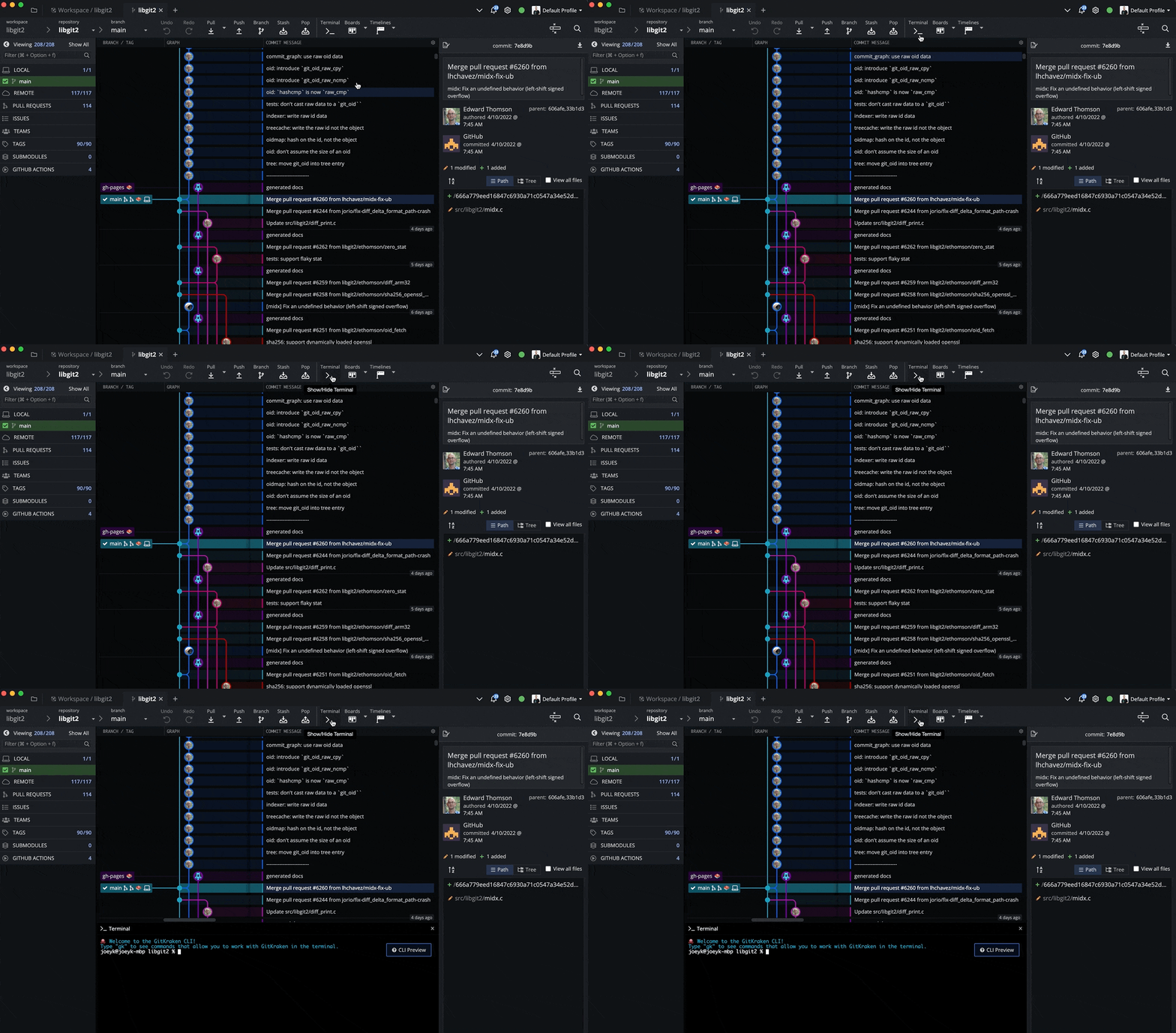
GitKraken Client offers a Git-enhanced terminal experience in addition to the visual Git commit graph. Learn how to use the terminal in GitKraken Client.
wide raven
Weird case with Fork : I can see most of my organizations repositories, but our Unreal Engine fork is no longer visible ( used to work fine last year ).
I can see the repo with another git client like Github Desktop. What the hecc. We have a couple of other forked projects, those are not visible either, so I guess that's a clue...