#ue4-general
1 messages · Page 1173 of 1
 rich bough
 sick topaz
there is a way to duplicate the part that is looking good, mirror it and use that?
I am attaching it to the metahuman, using the blueprint of it to attach the mesh to the head joint
 quartz ore
sick topaz
there is a way to duplicate the part that is looking good, mirror it and use tha...
quartz ore
sick topaz
there is a way to duplicate the part that is looking good, mirror it and use tha...
Yep! just set the x or maybe the y scale, depending on how its set up, to -1
sick topaz
quartz ore
Yep! just set the x or maybe the y scale, depending on how its set up, to -1
lets go!!! thanks reeze!!!

 elfin rune
Can anyone help me with my situation?
rich bough
sick topaz
lets go!!! thanks reeze!!!
Look great!
quartz ore
elfin rune
Can anyone help me with my situation?
Your specs should be okay. I'm not versed in the nitty gritty of unreal, so I can't help beyond that. Could be so many reasons from a bad UE update, to drivers, to something else on your machine taking up resources, etc.
 lunar turret
Hey, can anyone explain what those values are? (I changed them to fix the bouncing ball on a flat surface issue, but I dont understand what they are)

 worn pewter
So I duplicated a spark from the starter pack and I’m trying to change the color for my project
How do I do that?
My project is version 4.27
quartz ore
worn pewter
So I duplicated a spark from the starter pack and I’m trying to change the color...
Find the material the spark uses, open that, find the color in the material editor, change the color.
 cloud pagoda
Hello, I have a question hopefully it's simple. I'm using an alpha to mask out something, but the mask is varied, has grays etc so that some parts will blend with the background. However, when applied to my asset only the absolute blacks and white work. So there is 0 blending.
Is there a way I can get those grays blend
worn pewter
quartz ore
Find the material the spark uses, open that, find the color in the material edit...
Can you show me where exactly?
cloud pagoda
(also, when I look at my mask texture it does have all the grays etc)
 fierce tulip
are you using translucency or mask blending mode?
quartz ore
worn pewter
Can you show me where exactly?
I mean, I don't have the editor open with that asset so not really lol. You can probably search for 'spark' in the content browser. Then look for the material asset using the filters if you need to.
cloud pagoda
fierce tulip
are you using translucency or mask blending mode?
On my material? It's on masked blend mode
fierce tulip
well, there is your problem. its either on or off
you can try ditherAA node to fake it a little, but thats about it
cloud pagoda
I just switched to translucent mode and its still the same
fierce tulip
I doubt that, show the material.
fierce tulip
i dont use substance, so no idea.
I need to scoot in a few seconds, but im sure once people see the mat they can help out.
cloud pagoda
Sorry, I'm dumb. The instance was overwriting the blend mode
It seems better now. The lighting just changed drastically but I think I might be able to fix it
Thank you
fierce tulip
good luck on fixing it :) take care!
worn pewter
quartz ore
I mean, I don't have the editor open with that asset so not really lol. You can ...
Alright thank you!
 thin tendon
I have an waypoint actor. Its location is being set by another actor (to update it relative to the player). I can't remember which one is doing it. Is there a way I can request which actor is doing the moving from my waypoint actor?
 hearty tinsel
does anyone know how to fix conflicts between translucent materials and exponential height fog when RTX is on?

ive read online that i should enable these boxes in the material but that doesnt fix the issue

 weary verge
hello everyone! I have a question about confining particles to spawn in a fixed boundary using the cascade system. Does anyone have an idea on how to do that?
fierce tulip
what kind of fixed boundary?
weary verge
So my particle is bubbles
and I want to confine it to the cauldron in my scene
hence the fixed boundary
it's currently spawning all over my scene
and I want to confine it to just that space
fierce tulip
cylinder location, make it flat, scale it to about the size of the cauldron, minus the radius of the bubble-size
weary verge
so cylinder location as in the actual mesh in my scene?
fierce tulip
no, there is a location module in cascade called cylinder
that makes it spawn particles inside a cyl.
 grim tendon
Does anyone know: is the act of toggling collision expensive? Like if i have an object that i want to enable overlap events for a small window then disable them again, is that an expensive operation? am i better off just leaving overlap events on and filtering them in an event, or would it be more efficient to disable collision in the physics engine?
weary verge
okay got the cylinder module and you said to make the cylinder flat
as in scale it in editor yes?
fierce tulip
there are size options in the module
 fierce tulip
no, the radius
that changes the radius of the cylinder.
and a height of 1
the tiny arrows are drop-downs to expose more options
weary verge
So when I change the value of the radius
It seems I can only spawn them in one axis
 fierce tulip
if its a cauldron, the height axis is Z (z=up in unreal)
unless your cauldron is mounted sideways on a wall :p
fierce tulip
dont think you need to enable velocity unless you want the bubbles to move around
weary verge
I wasn’t sure about jt
It*
Because generally when anything is bubbling they don’t rise
Unless your under water
So I think logically giving it velocity wouldn’t make sense
fierce tulip
assuming its like hot boiling bubbles
they are only on the surface
anyways, i need to head off. good luck!
weary verge
Yea hot boiling bubbles!
Thank you so very much!!!! @fierce tulip
You saved me so much time, greatly appreciated!! 🥳🎉
 robust marten
Does anyone know the formula to calculate whether the player is looking at something?

Thought it would be similar to this but this doesnt quite work
 oak patio
cant you just use a line trace
robust marten
oak patio
cant you just use a line trace
I already have like 4 or 5 going at one time I would rather just use a formula to check this so i don't have to keep it checking it all the time
oak patio
i mean you should still just use a line trace
robust marten
that isnt what i asked for though. I'd rather use a formula to check per instance rather than use yet another constant line trace
oak patio
well then just get the angle between the two things, if it's near 0 you should be looking at it
 true ridge
Is there a list if differences between building for development and building for shipping? Things like PrintString not being included in shipping builds.
oak patio
but again i would jsut use a line trace
do everything in one line trace
line traces are cheap
true ridge
For some reason one of my input actions works for development builds, but doesn't for shipping. 😅
 sick crane
Hey so for some odd reason some objects I have just go invisible in the game... any clue? I have them visible but idk what makes them invis
 errant blade
 paper cobalt
Does unreal have the ability to save text files or some for of note files so that when i open a project later down my timeline, i can reread the various adjustments I have done?
or is my only option saving an external text devlog or video devlog?
oak patio
use git and read your commit log
paper cobalt
like source control? or just git?
ive been needing to work in this pipeline
 real heath
Any source control will do that. Good commit messages are amazing for reviewing work and rolling back changes
The benefits from it are directly proportional to how well you write your commit messages and break up your commits
Committing a whole day of work, with 50-100 files with a comment of "improved level" is not that helpful
Commiting smaller sets of files with "improved hero statue material and reduced drawcalls" and "redid lighting to be more moody" are much more helpful
 trim belfry
hey did you ever find a solution for this?
paper cobalt
real heath
Commiting smaller sets of files with "improved hero statue material and reduced ...
Awesome I am mid setting it up now! thank you for the information about lots of small commits
 night oar
Hi, guys, wanted to ask does anyone have any idea on how we can return a FJsonObject from c++ function to the custom blueprint node that we just created
thin tendon
I have a source control question. With perforce you have to pay for a server to send your files to?
Or set up a pc as a server?
 drowsy snow
thin tendon
I have a source control question. With perforce you have to pay for a server to ...
drowsy snow
thin tendon
I have a source control question. With perforce you have to pay for a server to ...
 cloud geyser
heyy
my friend worked on a project wid alot of assets n stuff but now when he shared me his file n i opened it just blockmesh is visible all the assets, textures are not visible any idea how to fix it??

 valid inlet
hi, trying to create a simple attacking enemy but i have an infinite loop that just kills the editor, any ides of how to fix this?

Ue4 says that the first "can attack" that is set to true is the culprit
is there a way to limit tis trigger to once per call?
to be fairm i not even sure why its bad that the loop is continuous since i want it to be ticking as true as long as the player is in the attack range
real heath
valid inlet
hi, trying to create a simple attacking enemy but i have an infinite loop that j...
Apart from the loop being a bit odd, the first thing to do would be to change from the normal execution pin out of play montage to OnCompleted
that will mean that instead of immediately and repeatedly calling play montage again, it will only loop after the montage has finished, which could be a few seconds
That default execution pin executes immediately
valid inlet
ah i see
nice
it worked
im a dumbass and missed that, i tought it does it like that by default 😦
thanks a lot for the help!
 crude grove
sup, working on my graduation project, but I wasn't taught unreal engine so i might ask really dumb questions👋
night oar
Hi, guys, wanted to ask does anyone have any idea on how we can return a FJsonObject from c++ function to the custom blueprint node that we just created
 proven mauve

I've investigated pretty much the entire internet (including discord searchbar), to gain information about whether CSV files can be localized.
Blog post: https://benui.ca/unreal/stringtable-cpp/
Github project showing the same flow: https://github.com/NotYetGames/WarriOrb
Actual docs showing the method: https://docs.unrealengine.com/4.27/en-US/ProductionPipelines/Localization/StringTables/
However alongside these tutorials, is a ton of posts saying it doesn't work 😆
Does anyone have any insight into whether the Localization Dashboard (or UAT) can generate loc files (locres, archive, etc) based on a csv file loaded as StringTable using LOCTABLE_FROMFILE_GAME
- The CSV file is 100% loaded, because I can select the localization in my assets no problem.
- The Localization Dashboard returns no results
- When I make a StringTable asset and "import from CSV" I get two tables with the same keys (duh), and Localization Dashboard only picks up the binary StringTable.
I think the issue is the string-table created using this Macro is sorta "in memory" and therefor not getting picked up by localization?
Third party lib: https://github.com/BraceYourselfGames/UE-BYGLocalization
 limber sluice
Hello, Is there a way to simulate multitouch in editor using mouse?
drowsy snow
limber sluice
Hello, Is there a way to simulate multitouch in editor using mouse?
No, but I think you can send builds to your real Android phone through ADB or similar means to test the multitouch
limber sluice
drowsy snow
No, but I think you can send builds to your real Android phone through ADB or si...
thanks for the info
proven mauve
proven mauve
https://tenor.com/view/alixx-attention-seeker-attention-seeking-attention-please...
Answering my own question to maybe help somebody: Make sure that the CPP file where you run this Macro is being included in the Localization Target.
 scenic dune
anyone knows why my 4.26 keep crashing when i load plugin
scenic dune
if you dont get answers ask better questions xd
 thick herald
valid inlet
thick herald
valid inlet
in the first person mode my rig moves left and right when i move the mouse but it doesnt move with the camera when i try to look up and down. Any ideas how i fix that?
 floral cliff
Hello, got a super bug annoying, everytime i restart the editor, some actor of the map has visiblity in world outliner turned off : Someone know how to fix that ?

 worthy plaza
Hello, you can use Unreal bucket for games? or you need a license?
drowsy snow
worthy plaza
Hello, you can use Unreal bucket for games? or you need a license?
Define "Unreal Bucket"
 fierce eagle
Is UE4 still available for download?
drowsy snow
fierce eagle
Is UE4 still available for download?
Yes.
quartz ore
fierce eagle
Is UE4 still available for download?
Have you tried?
drowsy snow
As far back as 4.0
fierce eagle
quartz ore
Have you tried?
Havent checked it in a while. I'm waiting on a new PC to come in lol
fierce eagle
drowsy snow
As far back as 4.0
Thx
quartz ore
@pure marsh Answering here to not flood introductions. If you scroll around in here, you'll notice a lot of people have a lot of issues with UE5, it's not very stable as of now. I'd say you should start in UE4 unless you're specifically trying to take advantage of the new UE5 features. You can build everything in UE4, and down the line, when UE5 is more stable, move your project over pretty hassle-free.
 pure marsh
quartz ore
<@553583291408580629> Answering here to not flood introductions. If you scroll a...
pure marsh
quartz ore
<@553583291408580629> Answering here to not flood introductions. If you scroll a...
Hey Reeze how are you doing today? Thank you so much! I appreciate it 🙂
pure marsh
quartz ore
<@553583291408580629> Answering here to not flood introductions. If you scroll a...
Would you also suggest starting with Blueprints first instead of C++? I have been seeing mixed answers on this one.
quartz ore
pure marsh
Would you also suggest starting with Blueprints first instead of C++? I have bee...
If you know how to program, C++ is the obvious choice. It's better optimized and you have more power/control. If you don't though, well, that's literally why BP exists in the first place, don't force yourself to learn C if you don't have to, that's the point haha. UE4 exists, and really BPs exist, to make game development easier.
 opal cedar
Hello, does anyone here knows how to use pitch?
Currently my aim offsets are working perfectly fine, but it just wont display (In both third and first person)
drowsy snow
pure marsh
Would you also suggest starting with Blueprints first instead of C++? I have bee...
Also learning BP can save some time prototyping your code, as C++ compilation can be slooow and you have to close the editor before compiling
opal cedar
Something like this:

 pure marsh
quartz ore
If you know how to program, C++ is the obvious choice. It's better optimized and...
pure marsh
quartz ore
If you know how to program, C++ is the obvious choice. It's better optimized and...
lol haha thank you!
pure marsh
drowsy snow
Also learning BP can save some time prototyping your code, as C++ compilation ca...
cool thank you for this! Appreciate it 🙂
fierce eagle
quartz ore
<@553583291408580629> Answering here to not flood introductions. If you scroll a...
I figured that my project would be easier in UE4 as there are similar titles that do what I wanted to do anyways...
If I need to port it to UE5, well, i'll cross that bridge when I come to it i guess
 astral heart
Trying to make a map for VR and have to use static lighting but when I try to bake shadows it doesn’t work properly. Everything goes dark when I build the lighting and I changed the light mass to fix it but it didn’t bake
Any ideas?
pure marsh
fierce eagle
I figured that my project would be easier in UE4 as there are similar titles tha...
Awesome thank you!
fierce eagle
pure marsh
Awesome thank you!
Wrong reply?
I'm a noob.
pure marsh
fierce eagle
Wrong reply?
I'm a noob.
no worries me too haha
fierce eagle
Noobs together stronk
pure marsh
fierce eagle
Noobs together stronk
sweet that's awesome lol
fierce eagle
Lmaooo
opal cedar
help 😂
fierce eagle
pure marsh
sweet that's awesome lol
Evo?
As in
Lancer Evolution?
pure marsh
fierce eagle
Evo?
As in
*Lancer Evolution?*
heck yes 🙂
fierce eagle
pure marsh
heck yes 🙂
Siiick i drive a WRX
pure marsh
fierce eagle
Siiick i drive a WRX
nice those are good too. sti?
pure marsh
oops lol sorry
 rapid geyser
Hey guys, working on a ADS system. I want to switch Camera when i reload so u can see the reload animation. How do i make my Reload input stop the ADS camera from working, so that it switches automatically even if I'm still holding RMB?
Tldr I want my reload action key to stop ADS from working while the reload animation runs.
Right now my reload starts the FPS camera, but since I'm holding RMB it's not recognizing the reload action map
fierce eagle
ADS?
 quartz ore
opal cedar
quartz ore
opal cedar
Yes, that's Unreal showing you how it's reading your code. It's to help you follow the logic.
fierce eagle
Really similar to a lot.of vusual coding tools
opal cedar
quartz ore
Yes, that's Unreal showing you how it's reading your code. It's to help you foll...
Gotcha
 spark arrow
how do i make my vertical box fill up with text entries like this? is it possible? Left is top to bottom and it's wrong, I want the first message to display on the bottom and the next ones go up

the way I found to do it is just scale the box -1 in the Y axis and then do the same for the text in the widget so that it displays properly
 safe rose
Tried downloading une4, it got to 91, then got stuck on it for hours, any tips?
crude grove
hey, does anyone have any guide on getmesh()? i had to make a mesh tied to camera, so i made a separate one because i cant reorder capsule's mesh, but seems like with getmesh i can only access the capsule's mesh
maybe i should ask this on cpp channel?
 astral heart
Anyone got a good video on baking lighting to textures for mobile games?
 nimble atlas
I added new trace channel, in which file it saves it?
after I upload changes to perforce other team members that get latest revision don't have the new trace channel, can someone explain why?
rapid geyser
fierce eagle
ADS?
Heya, I was referring to Aim Down Sight.
 pure void
trim belfry
hey did you ever find a solution for this?
pure void
trim belfry
hey did you ever find a solution for this?
Pretty sure I just remade it
Sorry to disappoint
 autumn bluff
Sorry guys i got a problem while trying to open UE 4.27 on MacBook Pro 2020, every time appears compiling shader even if i try to open an empty project. While the shader compiling my PC running very slowly and never finish to compile, how i can resolve It?
fierce eagle
rapid geyser
Heya, I was referring to Aim Down Sight.
Ah okay lol.
You probably have the idea down conceptually so i cant help ya there, sorry
 twin hedge
do you need help? just askin
 dense girder
I deleted that project long time ago, but thanks for asking
 raven nest
can you not rebuild marketplace plugins if the engine itself is built from source, or something weird?
I have a plugin that will show if I make a new project but it isn't listed in my existing project for some stupid reason
and the plugin doesn't want to rebuild
 uneven tundra
I tried to share a scene by pressing zip in the main menu but the recover says he only got the individual models etc.
 supple creek
guys.. do you know of a way of speeding up compiling shaders in 4.26. i have only one project with a lot of stuff in it.. compiled it once about a month ago and now opening it and it started compiling all over again. is there a way to "save" compiled stuff. if not is there a way to speed it up? compiling doesn't take suuuper long but how do i stop it from compiling over and over again. my pc doesn't have a great cpu but it has a fantastic gpu. i am not going to upgrade my cpu any time soon.
 trim geyser
how can i edit GameMode Bp? when i open it, its blank

 spice ruin
That's a "data only" bp, I think.
There's an option to convert it to a full bp somewhere?
Idk.
 rapid wyvern
How do we change object wireframe display color in UE4? Is it possible?
I've been having problems laying stuff out in the viewport. My objects are blending in with each other, especially when a terrain or skysphere is the same color as them. It's easy to accidentally select stuff if I can't colorcode it like in other 3D apps I've used. Especially when using top/side view.
 silk sleet
anybody know of an alternative to Polywink?
basically a service that'll take my skeletal mesh and add the ~50 ARKit blend shapes to it
Polywink looks alright, but I'm working with near-photorealistic models, and idk how well they'll handle that
 main sedge
Hey is anyone good at fixing AI skating issues? Basically need to edit the animation a bit so it looks more like they are walking and not skating along lol.
Would appreciate any help/advice to fix this AI and future ones.
silk sleet
foot IK?
 cinder cargo
(This is a edit because idk how to do it) but How would I get the all assets from every folder including plugins? (the stuff I show to left) and it would show it to the right.

 dire barn
Collision Channel Name?
spice ruin
ECC_Non-Solid can't have the - in it.
dire barn
So somewhere a collision has a - in it?
spice ruin
A collision channel, yup.
dire barn
Is there a way to find the collision channel like a search for it that will make it quicker?
worn pewter
Can anyone show me how to change the color of the sparks? I’m using the starter pack. Version 4.27
 rustic folio
anyone know how to fix camera clipping into walls when using True First Person without making the capsule radius bigger?
making the capsule bigger allows my character to appear floating in the air
 autumn flame
rustic folio
anyone know how to fix camera clipping into walls when using True First Person w...
autumn flame
rustic folio
anyone know how to fix camera clipping into walls when using True First Person w...
I mean, if it's a FPS you could just lower the Near Clip Plane generally
Set it to 0,1 or so
Search it in Project Settings
You will need to do it anyways if you'll have any closeup aiming of guns to the camera or such
rustic folio
autumn flame
I mean, if it's a FPS you could just lower the Near Clip Plane generally
Where do you find the near clip plane?
autumn flame
Project Settings
rustic folio
This is my fix right now lol

nah near clip plane not working for me
I just hope this event tick for it isnt performance eating
thin tendon
So I have created this simple glass material. But can anyone tell me how to fix this weird reflection happening when the refraction goes above 1.


 lost fractal
@drowsy snow I had a quick question in DMs, pinging just in case you hadn't seen it. Sorry, and thank you!
 oblique tangle
Where would be the best place to get some playtesters to give some feedback for something I'm working on?
real heath
#work-in-progress maybe. Show off what you have and ask if anyone is willing?
 last cloak
hey yall I had a question and I wanted to get some wisdom
 vestal hedge
is it possible to cull instanced foliage with a cull distance volume? not working for me.

 fresh pulsar
Uh oh, I got told to do the epic games unreal engine tutorials, except at like lesson 3 or 4 it requires the unreal games learning kit which I can't get on the college computers so I'm completely thrown off what do I do?
drowsy snow
fresh pulsar
Uh oh, I got told to do the epic games unreal engine tutorials, except at like l...
Then how your college computers have Unreal Editor to start with?
fresh pulsar
drowsy snow
Then how your college computers have Unreal Editor to start with?
They do but like trying to create the project gives an error
drowsy snow
fresh pulsar
They do but like trying to create the project gives an error
What kind of error?
fresh pulsar
drowsy snow
What kind of error?
Just says there was an error creating the project
drowsy snow
fresh pulsar
Just says there was an error creating the project
Try other locations in the computer then.
Chances are the computers are practically write protected to avoid unwanted programs executed by naughty hands
fresh pulsar
drowsy snow
Try other locations in the computer then.
Chances are the computers are practica...
I mean I'm trying to create it in the one place which is meant for your work lol
drowsy snow
If that is the case, you may ask the uni's IT staff.
fresh pulsar
Outside of this only other option is the desktop
Just tried on the desktop, it got about half way through and then just inexplicably gave up, no error or anything
fresh pulsar
drowsy snow
If that is the case, you may ask the uni's IT staff.
The IT staff take forever to implement any changes and are really stingy with it it's not gonna happen
fresh pulsar
drowsy snow
The vault cache.
I have absolutely no clue what that means
Anyway so I need to shoot bullets from the player towards the position of the mouse cursor(although they wouldn't stop at the cursor of course) and I'm struggling to figure out how to do that
valid inlet
when i kill an enemy i want to get some ammo back, but when i try to cast to my firstpersoncharcater's blueprint to set the ammo the object pin gives me an error (this is in the enemy's blueprint)
 fresh pulsar
valid inlet
when i kill an enemy i want to get some ammo back, but when i try to cast to my ...
fresh pulsar
valid inlet
when i kill an enemy i want to get some ammo back, but when i try to cast to my ...
Try setting the object to playerpawn maybe(?)
That seems to fix casting for me
I just drag it off the object pin and type get player pawn
 modest trench
valid inlet
when i kill an enemy i want to get some ammo back, but when i try to cast to my ...
modest trench
valid inlet
when i kill an enemy i want to get some ammo back, but when i try to cast to my ...
you aren't casting to anything
get a reference to that object first
valid inlet
how do i do that?
modest trench
get a reference to the player pawn with get player pawn ¯_(ツ)_/¯
or... maybe do this logic on something that isn't just this enemy unless it is exclusive to this enemy
valid inlet
luckly this is a small project so there is only one enemy
fresh pulsar
I still need help btw tryina get the player to shoot towards the mouse cursor
modest trench
break down the problem into two main things
1: spawning a bullet when you click
2: making that bullet in the right spot and sending it forwards
thin tendon
@valid inlet Passing variables, references and information is a concept you need to get familiar with. The cast node is asking for a reference to your player. There are a a few ways to this(get player character etc). But without telling the cast which player. It won't work because it could be any player. If it were an object reference it could be any object in the game(potentially thousands). But learning to pass information and references clearly is important. Because if done right you don't have to keep looping over your world and trying to find actors.
modest trench
if you are like me the second is probably the confusing part
fresh pulsar
I know the logic of what I'm doing I just don't understand how to translate that into unreal's nodes @modest trench
modest trench
yeah, of course
so, for starters what kind of bullets are these?
hitscan or actually simulated?
valid inlet
im an absolute dumbass 😢
i forgot i have to pin the white pin as well in order for a node to work

its all good now
fresh pulsar
modest trench
so, for starters what kind of bullets are these?
They're just spheres that will hurt enemies when they touch them
At the moment
modest trench
fresh pulsar
I know the logic of what I'm doing I just don't understand how to translate that...
well, the FPS sample project just gets the location of a socket on the gun mesh
it then uses the rotation of the camera for the bullet rotation
fresh pulsar
modest trench
well, the FPS sample project just gets the location of a socket on the gun mesh
For now I'm not having a gun at all I just want it to come from the player
Btw I'm working in 2d
modest trench
it uses a vector rotated by the camera rotation to offset the gun barrel location a bit too
oh, in that case you just need to figure out which direction to fire it in
and then add an offset to the player's current location
based on where you want the bullet to appear relative to them
you probably want some sort of rotation turned into a vector and added to said player location vector
gotta go
fresh pulsar
I'm not sure what the node is that turns the mouse location on viewport into a world location @modest trench
I forgot..
 fresh pulsar
What the frick?
modest trench
of course figuring out the math of how to get a direction to this position is now your job 😛
fresh pulsar
modest trench
of course figuring out the math of how to get a direction to this position is no...
I'm not good at maths though

 unique yacht
Hey guys I have a question. Did anyone have a situation where after making a game build, the gamepad controller (xbox one controller in this case) didn't work as it supposed to? But at the same time when another person was playing on their computer on the same build with the same controller model it worked fine?
fresh pulsar
I need help from someone else who can be more thorough lol cuz I don't get it at all
modest trench
if you are using a truly 2d world you could just take only the forward/back and height values of the coordinate and set the depth to be where your game actually is in the 3d space
but if it's regular 3d non-ortho projected I'm not sure off the top of my head how to get the intersection between the mouse direction and the plane of the 2d world
fresh pulsar
I'm so confused
Erm.. I can't figure out how to create an object from the node view
 deft sparrow
Heya 👋
Does anyone know if there is a metadata specifier for deprecated uassets like textures, animations etc.? I can find docs about setting functions, variables, custom events and blueprint classes to deprecated and specifying a DeprecationMessage but would this be possible for other assets (like textures) as well?
Hoping for some kind of built-in support for this🤞
drowsy snow
deft sparrow
Heya 👋
Does anyone know if there is a metadata specifier for deprecated uasset...
Rawr, no.
Deprecated flag is mainly for coding stuff. If an asset is unused, you could replace references to it and then delete it
spice ruin
Maybe add a redirector.
deft sparrow
Ah unfortunate but thanks for the answer :D
Might be a dumb question but could you clarify on the redirector part? Assuming you mean that I could just delete/replace the refs for the deprecated asset and it creates a redirector to the other one?
drowsy snow

Objects that are placed in packages to redirect references to moved assets to their current locations.
drowsy snow
deft sparrow
Might be a dumb question but could you clarify on the redirector part? Assuming ...
Or alternatively adding a redirector in your project's .ini file
https://docs.unrealengine.com/4.27/en-US/ProgrammingAndScripting/ProgrammingWithCPP/Assets/CoreRedirects/
Core Redirects enable remapping classes, enums, functions, packages, properties, and structs at load time.
Though adding redirector in .ini seem to only for classes and whatnot, not asset files
modest trench
fresh pulsar
Erm.. I can't figure out how to create an object from the node view
Spawn actor from class
Also maybe just do some official unreal courses
deft sparrow
Oooh I hadn't seen the docs on CoreRedirects before. Will have a read through.
drowsy snow
deft sparrow
Oooh I hadn't seen the docs on CoreRedirects before. Will have a read through.
In practice Core Redirect only apply to classes and stuff. My bad
deft sparrow
drowsy snow
In practice Core Redirect only apply to classes and stuff. My bad
No worries. Still good to know in case it might come in handy in the future 👌
fresh pulsar
modest trench
Spawn actor from class
Ah alright
Now I'm stuck on that, well, I have the angle, but how do I make it move a certain amount based on that angle, it seems like it should be simple but i can't just tell it to move a specific coordinate amount because the angle would change the coordinates it needs to move
modest trench
Multiply the forward vector of the rotation by how far it should be from the center
fresh pulsar
modest trench
Multiply the forward vector of the rotation by how far it should be from the cen...
In English please
modest trench
And add that offset to the player location
 ruby robin
Hey everyone. I'm not sure where to ask it, but maybe somebody know how to set youtube's video frame size when embedding it to Unreal Forums?
When I place a link, it shows really huge when posted.
modest trench
I'm I'm bed so I can't show the nodes, sorry
modest trench
Try dragging the rotation value and typing "forward"
The multiply that vector with a multiply node that uses a vector * float
Where the float is like 200.0f which would be 2 meters, for example
The resulting vector then is added to the center of the player
To get the spawn location of the bullet
fresh pulsar
I then need it to constantly move in one direction based off of that angle
modest trench
The bullet itself can either be pushed with physics or just move itself forward when it spawns
Is this homework?
fresh pulsar
modest trench
The bullet itself can either be pushed with physics or just move itself forward ...
I don't recall move forward being a node..
drowsy snow
Solving homework is paid service btw
Anyone involved in any capacity must be paid 500 USD
fresh pulsar
Well it's home and not at home work it's a project I'm working on for my college final for the 3rd year
modest trench
500 bajillion Canadian dollars please
fresh pulsar
I'm just trying to figure out the top-down-esque shooting mechanics
modest trench
Also you can actually use a built in projectile component on your projectile actor iirc
That might make life easier unless I'm forgetting it
fresh pulsar
modest trench
Also you can actually use a built in projectile component on your projectile act...
I wouldn't know, unreal makes like no sense lol
fresh pulsar
modest trench
learn.unrealengine.com
I can't do those at college lol and I have to work on the project at college, I've been checking them out at home but I've not yet come across anything that can help me here
At college I have no choice but to work on the project and try and figure out the things I need to do without them
modest trench
Also consider just looking up some YouTube guide if you are this desperate
Expect them to gloss things over heavily though
fresh pulsar
I've been trying man for real I'm starting to get really annoyed at this problem
modest trench
If it helps you can try debug drawing values in your position math
I like to do that to see wtf is happening
fresh pulsar
I wish people would put things in terms I can understand too
Look when I get home ill just screenshot my code as it is at the moment
modest trench
You could google the term I used there and just append ue4 to get relevant examples
drowsy snow
modest trench
Expect them to gloss things over heavily though
If not leading bad (sometimes outright cringe) practices
modest trench
Meh, for a school project you can be lazy
I think it's acceptable especially since he can't download shit
fresh pulsar
I'm in the middle of a like really difficult and time intensive project I'm taking it pretty seriously
drowsy snow
modest trench
I think it's acceptable especially since he can't download shit
I had a hunch it's because the vault cache is located on write protected location
modest trench
Good idea
If they can update the engine it should be able to write there
Google how to change vault cache location in the epic launcher
fresh pulsar
We're not allowed to manually update it
I mean
Oh and by the way I'm able to create unreal projects normally with no issue
modest trench
Where are they created? Set the vault cache to there
Unless it's totally firewalled or some shit, I dunno
fresh pulsar
The projects are created in a certain folder but then if i try to create like one of the marketplace projects in the same folder it doesn't work
modest trench
Read what I said earlier again about the vault cache
That's the folder the marketplace downloaded stuff to
fresh pulsar
Okay but like rn I think I just wanna finish off this bit of code I was tryina do
I hate leaving things unfinished
modest trench
What kinda class is this that has you use unreal in the 3rd year?
fresh pulsar
modest trench
What kinda class is this that has you use unreal in the 3rd year?
The one I'm in I don't see how this is a relevant question at all
modest trench
Fair enough
fresh pulsar
It's not really my place to but im getting stressed and annoyed because I just wanna sort this out already and quickly
Feels like people are being obtuse
drowsy snow
fresh pulsar
We're not allowed to manually update it
I highly doubt the launcher config is also write protected
cloud pagoda
Hello can anyone please help, I'm making a simple wind trail particle effect and I've been trying to fix this issue for a while, with no success
fresh pulsar
drowsy snow
I highly doubt the launcher config is also write protected
If it isn't I'll probably get in trouble for trying to
cloud pagoda
As you can see, at random moments, a trail will completely glitch out by snapping back to the start point?
drowsy snow
fresh pulsar
If it isn't I'll probably get in trouble for trying to
If changing the vault cache location doesn't work, then contact your IT dept to at least lift the restriction just to change the location. Or explain clearly what you're trying to do.
cloud pagoda
 fresh pulsar
You can't really get in contact with the IT department as a student, best i can do is ask my teacher to talk to them
modest trench
That's your best bet, I have had to do that at school a few times
modest trench
Very fancy distinction
fresh pulsar
I mean but college and school are 2 different things
Nothing to do with fanciness lol
Okay I will be back when I'm home and have my project open
modest trench
As long as we get part credit I guess
fresh pulsar
modest trench
As long as we get part credit I guess
I mean you don't credit people in a college project you just hand in the project, I'd credit for assistance I guess if I finished and released the game but I don't think I'm going to
fierce tulip
cloud pagoda
genrally the point needs to live longer than the trail. but --generally-- we just spawn a curvemesh (long thin strip shaped mesh) and pan a sprite along it. its cheaper as well.
drowsy snow
fresh pulsar
You can't really get in contact with the IT department as a student, best i can ...
You have to convince them you're not just want to install MEMZ malware
fresh pulsar
There's no credits section on a college hand in lol
modest trench
Just kidding, but send my report card to Canada soon
We are a vassal state so it should work out
fresh pulsar
modest trench
Just kidding, but send my report card to Canada soon
It's really difficult to tell when you're joking lol
fierce tulip
you'll get used to these jokers :p
modest trench
Sorry, I am joking there
If someone says something that stupid you can generally assume they are kidding
fresh pulsar
Also I'm not sure I appreciate it when I'm stressed out and asking for serious help lol..
modest trench
Sorry my free help isn't awesome enough I guess
fresh pulsar
modest trench
If someone says something that stupid you can generally assume they are kidding
I don't have much experience with this place or unreal engine in general or even the game dev industry so I find it hard to tell if something really is stupid or not
fierce tulip
we mods still appreciate it if helpfulness is at least 10:1 memeness though.
(cpp and lounge excluded?)
modest trench
Serious advice: do some basic unreal courses at home that are about using BP to make gameplay
fresh pulsar
modest trench
Serious advice: do some basic unreal courses at home that are about using BP to ...
I was already doing and going to do that man
fresh pulsar
I'm losing it over here.. fr
brb anyway I'm at home now I need to go boot up the project
modest trench
Don't feel bad about asking the math stuff though, that stuff is no joke
You can find me asking the same question 5 years ago in here haha
fresh pulsar
I don't have much beyond a school level understanding of math I'm really bad at it
modest trench
So am I, I just collect shorthand rules for how to get the results I want
You just mix and match simple steps
Remember you can debug draw stuff along the way to see the vales quickly
fresh pulsar
I just let certain nodes handle the math for me without having to think about it lol
Like finterpto
modest trench
There are lots built in but they can't account for everything
cloud pagoda
fierce tulip
genrally the point needs to live longer than the trail. but --generally-- we jus...
It does live longer. I really tried playing with a bunch of settings but I cannot figure it out :(
How would I do that method you just described as a workaround?
fresh pulsar
modest trench
There are lots built in but they can't account for everything
I will absolutely abuse the ones that do though lol
modest trench
That's the spirit
fierce tulip
@cloud pagoda oh, idea. you could send a kill-event from the point to the trail to kill it off.
fresh pulsar
At least im not working in a written coding language, could be worse
cloud pagoda
fierce tulip
<@258785110873079808> oh, idea. you could send a kill-event from the point to th...
Great idea. So when the point stops the trail stops all movement?
Also how would I do that? Sorry this is my first time using particle fx
fierce tulip
hmm, prolly die.
as for the curve-mesh: https://realtimevfx.fandom.com/wiki/Curvemesh
and the unreal docs go over all the cascade modules.

RealtimeVFX Wiki
Keywords: Soulercoaster, Splinemesh, Curvesweep, Zoomie, Geostrip, Swipe, Swoosh.
A mesh consisting of quads (or other shape) extruded along a curve. The UVs are then laid out in a way that if you scroll a texture along the mesh it looks like the texture is following the path of the mesh.
A nice tutorial for creating curvemeshes by Russell Bake...
fresh pulsar
Seriously though in the future I think I want to avoid using unreal wherever possible it's driving me insane
cloud pagoda
I prefer generating them in Unreal because they're very basic almost straight lines
Do I add the kill attribute to trail? And what properties
modest trench
Other game engines will be a bit easier for 2d games
fierce tulip
curvemeshes are generally cheaper than ribbons though. ¯_(ツ)_/¯
modest trench
Really?
cloud pagoda
It's not for a game, it's a fairly small render scene
modest trench
I assumed ribbons were meshes :0
fresh pulsar
modest trench
Other game engines will be a bit easier for 2d games
More than a bit I would imagine
fierce tulip
how to explain them, i think its more stretchy sprite connected to next stretchy sprite.
modest trench
With the stretch defined by shader math rather than a poly?
fierce tulip
but needs to generate em on the fly
modest trench
Interesting
cloud pagoda
So how do I set up the kill switch in this case
fresh pulsar
Biggest win I've had when working with unreal is managing to resist the urge to light my pc on fire fr
fierce tulip
Event modules allow you to generate events based on particles themselves or other actors in the level.
cloud pagoda
More specifically, where do I place it? In point or trail
fierce tulip
you need a generator in the point, receiver in the trail
fresh pulsar
You know what I'm at home now outside of college time i think I'll just decide nope not dealing with unreal anymore today I'll ask for help with this tomorrow
fierce tulip
or, fix it now and have the xylon of tomorrow stress-free :p
fresh pulsar
fierce tulip
or, fix it now and have the xylon of tomorrow stress-free :p
I have to work on my game tomorrow at college anyway it'll be stressful
xD
opal cedar
Hello all, any good tutorial suggestion?
fierce tulip
the ones in the pinned messages :)
fresh pulsar
okay project downloaded
anyway the code isn't done but I'm working on it

I'm gonna set actor rotation but then how do I get it to like move forward based on that rotation? hm
That also isn't gonna fix the problem of it spawning in the player when I need it to spawn away from them but I also need to spawn it away from them based on the placement of the mouse cursor, in general just top down shooter mechanics
modest trench
Projectile Movement
Add this component to your projectile bp
I think it should do what you want
Or at least save some work
 fallow jackal
How to hide a clump of foliage objects to be unhided later?
fresh pulsar
modest trench
https://docs.unrealengine.com/4.27/en-US/BlueprintAPI/Game/Components/Projectile...
the documentation unreal gives is sort of barebones so I think I'll find some video about the projectile component
modest trench
That's not a bad idea lol
fresh pulsar
modest trench
https://docs.unrealengine.com/4.27/en-US/BlueprintAPI/Game/Components/Projectile...
I mean it does give sort of explanations about what each node is but like.. that's it
modest trench
That list of class members is kinda just autogenerated
Based off the source code comments
fresh pulsar
Always is good to stay on top of changes especially in the games industry, I'd get UE5
fallow jackal
wait for unreal engine 6 and come back
modest trench
95% of tutorial content for 4 will still be relevant to 5
It's not a huge change code wise
fresh pulsar
UE5 doesn't seem that much different from 4 tbh
Huh.. I have a delay set but it's doing bugger all it's still rapid firing like a machine gun lol @modest trench
modest trench
A delay.. where?
fresh pulsar
it's not waiting for the delay to complete before refiring the command
modest trench
And called how many times?
fresh pulsar
hm
fresh pulsar
modest trench
A delay.. where?
appended to the end of the bullet spawn code
modest trench
Show code, I can't understand what you mean
 modest trench
That delay delays nothing at all
fresh pulsar
modest trench
That delay delays nothing at all
I was hoping the whole string of nodes would wait for it to be completed before it repeats itself
modest trench
You may want that delay to set a value that controls if a bullet is fired
fresh pulsar
apparently not
modest trench
Or to use a timer

What are the Set Timer by Function and Event Name Nodes in Unreal Engine 4
Source Files: https://github.com/MWadstein/wtf-hdi-files
fresh pulsar
modest trench
You may want that delay to set a value that controls if a bullet is fired
ig every time it's fired I could set a bool to 0 and have it return to 1 after a certain amount of time and then have the string check that bool every time it tries to fire
modest trench
This channel is amazing, would recommend you use this to learn BP quickly
If you have a specific node in mind he's probably covered it
fresh pulsar
this should work right @modest trench

even if it can activate multiple times constantly this should stop it
Also I'll make the delay assigned to a variable called fire rate in-case I wanna alter the rate of fire dynamically for any reason
drowsy snow
Depends on your project needs and how far it is in development
fresh pulsar
Yep this code works just tested it
For once I figured out how to do something myself, nice
modest trench
you might want to set that delay node to have a specific value you set elsewhere too
fresh pulsar
modest trench
you might want to set that delay node to have a specific value you set elsewhere...
Also for some reason scaling the bullet insiode of the viewport doesn't make it any bigger or smaller
modest trench
the level viewport will be an instance
change the transform in the BP or the transform you spawn it with
fresh pulsar
modest trench
the level viewport will be an instance
I mean in the blueprint viewport
lol
I can't change it in the level viewport because I have to input something while the game is playing to spawn it
so umm... any clue what to do? @modest trench
since changing the transform in the blueprint does approximately nothing
modest trench
without seeing the projectile BP I have no idea
valid inlet
where can i find my specific level name?
fresh pulsar
modest trench
without seeing the projectile BP I have no idea
okay.. I'll send it to you in a min
fresh pulsar
modest trench
without seeing the projectile BP I have no idea
btw there is no code in the projectile bp rn

it's scaled to 0.1 but that doesn't change anythin
modest trench
fresh pulsar
btw there is no code in the projectile bp rn
so that sprite might not inherit the scale of the parent
or... maybe it needs to have a scenecomponent parent?
I never touch paper2d stuff
so I'm kinda clueless here
fresh pulsar
modest trench
so that sprite might not inherit the scale of the parent
the blueprint has no scale component
no option
only the papersprite does
fresh pulsar
modest trench
try adding a scenecomponent component
I did but I tried to scale that and that also did nothing
modest trench
show the scenecomponent hierarchy
fresh pulsar
modest trench
show the scenecomponent hierarchy
the paper sprite was the only other component that could be connected to something, the paper sprite was a subcomponent of the scene component, lol
xD

Oh I figured out the problem, it's the initial transform over-riding whatever I set the transform to in blueprint @modest trench
now to go mess around with the whole projectile component stuff
modest trench
ah, nice
just keep in mind that scale and transform etc need to be relative to... something to actually do anything in a BP
so most BPs will have a scene root so they can mess with the offset without changing the center of the entire BP actor
or just fix the offset in the actual asset 
 quaint halo
in need of some play testers
 spice ruin
Shouldn't a sine wave do that anyway?
true ridge
Is there a way to visualize physics assets and their collision capsules in the editor window?
 edgy berry
Hello everyone. Is anyone here building UE from the Git source? I have tried grabbing and building ue 4.27 a few times now. GenerateProjectFiles.bat always generates a UE5.sln. Shouldn't I get ue4?
 last cloak
Hey yall i was wondering if i could get some wisdom on a system i was preparing to make
 dire rivet
Hey friends, I have a question about material editing in UE 4.27. Where would be the best place to ask?
last cloak
id try #graphics or #blueprint depends on what you mean
dire rivet
ok Thank you
 rich kayak
Anyone know if there will be a ue4.28? 🤔
 plush yew
is there any way to listen for input coming from enhanced input plugin?
spice ruin
rich kayak
Anyone know if there will be a ue4.28? 🤔
It's called 5.0
 acoustic flame
That's a shame. Looks like 4.27 has problems with online stuff.
 wraith aspen
Unless you desperately need a certain feature of 5.0, I'd say you stick with ue4
quartz ore
rich kayak
thats bad.
4.27 will probably receive various bug fixes over the next few years. If Epic devoted large enough portions of their team to develop new features for UE4, large enough to warrant 4.28, while UE5 continues to have stability and usability issues, that's really Bad. It only makes sense to continue moving forward with a new product.
rich kayak
quartz ore
4.27 will probably receive various bug fixes over the next few years. If Epic de...
yeah but there are some bugs and the new product have more than the previous. Which is bad.
quartz ore
rich kayak
yeah but there are some bugs and the new product have more than the previous. Wh...
Right, so they should be devoting time getting the new product that has hype behind it polished enough to be viable instead of spending time building new features for an old, already stable-ish engine.
rich kayak
quartz ore
Right, so they should be devoting time getting the new product that has hype beh...
Not telling what they should or not should to do. Main question was not even related to it. Thats you saying. But as everything they dont focus on new if they have problems on past. There are more people working on new than old but they dont let it behind. But I think you dont know about this. Anyway dont matter at all.
quartz ore
rich kayak
Not telling what they should or not should to do. Main question was not even rel...
I guess I don't understand what you're trying to say.
 gentle echo
Hi I am trying to lean how to use unreal engine but what computer/laptop do you think I should use
drowsy snow
quartz ore
4.27 will probably receive various bug fixes over the next few years. If Epic de...
ue4 master branch is pretty stagnant tho, it seems
quartz ore
drowsy snow
ue4 master branch is pretty stagnant tho, it seems
Yea, I'm not sure how focused on UE4 they will be here on in. Fixes will be few and far between.
plush yew
Very dumb question
I have ue 4.27 installed on my external ssd, and now I'm on another pc - I just installed the epic games launcher but how do I "set" the unreal folder so that my ue 4.27 appears in the launcher?
If I try to install it and point it at the folder it says that it must be empty
drowsy snow
plush yew
If I try to install it and point it at the folder it says that it must be empty
Just launch the UE4Editor.exe file.
plush yew
drowsy snow
Just launch the UE4Editor.exe file.
That is not the right answer.
drowsy snow
plush yew
That is not the right answer.
Except you don't need the launcher to launch the engine.
plush yew
drowsy snow
Except you don't need the launcher to launch the engine.
But I still want to be able to launch it from there.
Now shush and let someone else answer properly.
drowsy snow
Fine, I'll happily press the magic button.
modest trench
Wow now we definitely want to help lol
thin tendon
Your best bet and easiest method is to simply reinstall your engine with the new file path.
plush yew
Sorry, people that just wants to shove an useless answer on you are irritating.
Perfect, thank you @thin tendon
See? Nice and easy.
drowsy snow
thin tendon
Your best bet and easiest method is to simply reinstall your engine with the new...
You could trick the launcher into using an existing installation, but eh, too much of the hassle if it's located in external drive compared to making a shortcut to the UE4Editor.exe
But eh, I ain't know shit about it.
Right, ladies?
plush yew
Yep, looks like it.
thin tendon
There would no doubt be a config file somewhere. But if re-installing is an option. Then its the least hassle.
modest trench
The engine creates a registry folder too
Which I believe sets the guid for the uproject association
drowsy snow
For longer term like internal drive, or after reinstalling the launcher or the Windows, then tricking the launcher would do.
drowsy snow
modest trench
The engine creates a registry folder too
Oi, doesn't count towards the launcher 😤
modest trench
Really? Maybe only for source builds then
modest trench
Oh lol
plush yew
Obviously if that was all I needed I wouldn't have asked in the first place
modest trench
The uproject guid can also be set as a file association but that might not affect the launcher either
I'm actually struggling to get it to play nice in a source build
drowsy snow
I mean, my idea is to set aside existing copy of the engine, and attempt to install again through the launcher. Then once it starts downloading, pause the download, move the existing engine files to the install directory, and then resume to let the launcher verifying the files
modest trench
It wants to change the guid every time from source control
Oh yeah, the classic game download strat
drowsy snow
But eh, I found it faster to just make a shortcut to UE4Editor.exe and call it a day
Especially considering the engine located in external drive, which the letter can change the moment you plug it in again
plush yew
That's how I did it in the end
Thankfully both pc and the drive are mine so I set a static letter for the external drive
drowsy snow
Also source build will never appear in the launcher so you gotta get used to launching from UE4Editor.exe directly
modest trench
I think it can appear as a version to add marketplace assets to
hence the registry stuff
plush yew
Yep
drowsy snow
modest trench
I think it can appear as a version to add marketplace assets to
Well, I'm a lazy motherfricker, so I just have a vanilla launcher build and use it to create marketplace project or installing plugins.
Though you can add assets to existing project by setting the closest engine version of that project and the launcher will happily download it.
modest trench
yeah, having a binary version sitting around is definitely a good idea
why can't we just download assets without an engine ;___;
drowsy snow
Wait, you can't? I thought that's only applied to plugins
drowsy snow
I don't think so. For assets, it's much more lenient, setting closest engine version for a project and it will download the asset and add to the project, even if the last compatible version is older.
drowsy snow
Code Plugins, however, do require installed vanilla launcher build to be downloadable
plush yew

 prime tulip
Is there a way to debug garbage collection? I'm having big stutters and freezes due to garbage collection but I have no idea WHAT objects or actors are causing the hitches.
I know it's garbage collection because when I change the garbage collection time the stutters happen at the exact time intervals I set. stat startfile recordings also show garbage collection as the big spikes, but I can't find any pointer as to what items are getting collected that cause the hitch. Weird thing is that my actor count never changes. But somehow the GC is still doing SOMETHING that causes hitching. I'm guessing setting flags for objects still referenced or something?
For games with large amounts of spawned actors and stuff I'd hope garbage collection debugging exists? I mean how can you make such a game without proper GC debugging?
plush yew
Hey everyone, I have a question related to VFX pipeline. I wasn't entirely sure if this belonged in the VFX channel or this one so apologies if it doesn't belong here
I'm looking to learn how the VFX Pipeline works with Unreal Engine, just a basic knowledge on how it's used in the industry. Can anybody recommend any courses/ good YT Channels that I can follow?
Thanks in advance!
(P.S I'm relatively new to Unreal Engine)
modest trench
prime tulip
Is there a way to debug garbage collection? I'm having big stutters and freezes ...
you might be better off asking in #cpp
gc.CollectGarbageEveryFrame 1 is useful for checking for GC crashes
but maybe not for this
fresh pulsar
any clue why this aint workin?
 fresh pulsar
@modest trench you got any idea?
 short plaza
Whats ain't working?
fresh pulsar
short plaza
Whats ain't working?
well.. stuff aint dissapearing when the button is pressed even though I have it set to set visibility to hidden
short plaza
You are hidin the widget the code is executed in
fresh pulsar
short plaza
You are hidin the widget the code is executed in
Yeah I wanna hide the widget
like the visual and code component for it, want it to all get hidden
for as long as well, the game is active
it's pretty much just a start screen with a play button
short plaza
You are opening a level, that means everything is killed and reconstructed on level loaded. Means the widget your triggered the button in does not exist anymore
try removing the OpenLevel node
that should hide the interface
fresh pulsar
short plaza
You are opening a level, that means everything is killed and reconstructed on le...
Yeah the menu is on a seperate level
when the button's pressed I want it to load that new level and I don't want the start menu to reappear
short plaza
Remove the OpenLevel node. Does the menu disapear?
fresh pulsar
short plaza
Remove the OpenLevel node. Does the menu disapear?
err, yes
plush yew
Hi! Someone has been struggling with fast speed projectiles and collisions? I need some help :S, activating the CCD property is not enought...
fresh pulsar
I just need the menu in a seperate level so the player can't just run to their death before they even start the game
short plaza
@plush yew CCD never worked for me
fresh pulsar
so I like.. I need a way to disable this menu for the rest of the duration of the game once you press it once
plush yew
short plaza
<@456226577798135808> CCD never worked for me
so? did you find some workaround?
short plaza
You respawn the interface when loading the other level. Just don't spawn the interface again
fresh pulsar
how do I... make it not spawn again?
short plaza
plush yew
so? did you find some workaround?
Long passt I did some collision stuff, but can't tell anymore
short plaza
fresh pulsar
how do I... make it not spawn again?
You probably spawn it in the Hud blueprint that is spawned from the GameMode?
fresh pulsar
short plaza
You probably spawn it in the Hud blueprint that is spawned from the GameMode?
I mean there is a blueprint for the hud that I put this widget in
ig
thing is I just wanna get rid of this widget cuz the hud has other important widgets like player health
short plaza
You can spawn the main menu in the level blueprint of the main menu level
fresh pulsar
I dont even know how to get into level blueprints tbh double clicking them just opens the level
short plaza
then you don't get it spawned in the other levels by spawning it from GameMode and related blueprints (GameState/HUD/Player/..)
TopBar->Blueprints->OpenLevelBlueprint
LevelBlueprints can also directly reference instances in the level. See some tutorials
fresh pulsar
h... how on earth do I put a widget in the level blueprint it only has a node view
short plaza
CreateWidget?
fresh pulsar
ah
short plaza
Like you already did?
fresh pulsar
I don't know but it's working now @short plaza
Although.. the hud is showing up over the main menu, not good
short plaza
Then don't spawn the hud?
fresh pulsar
short plaza
Then don't spawn the hud?
It's spawning automatically on all levels
For some reason..
short plaza
I thing you do most of the stuff via the GameMode and related blueprints? Use a different game mode for the MainMenu
short plaza
Do you use a template Project?
fresh pulsar
short plaza
Do you use a template Project?
Yeah
plush yew
15K people here, and no one knows anything about colliding with fast speed projectiles? It must be a basic stuff lol, I would continue my searching on the internet btw
short plaza
You should realy check out some basic tutorials of Unreal and the structure of Blueprint. Classes Like GameMode, GameState, PlayerPawn. Then understand how the template does stuff.
At the moment you are asking questions of how to do things without even knowing whats happening. How are we supposed to help you when we do not know whats happening in your projekt
short plaza
plush yew
15K people here, and no one knows anything about colliding with fast speed proje...
Ask in the legacy-physics section
fresh pulsar
short plaza
You should realy check out some basic tutorials of Unreal and the structure of B...
I tried looking at the basic tutorial course thing from epic but I can only use it at home n shit it doesn't work on college computers
For now can I just focus on getting this one minor feature implemented and being done with it
I'm like this close and I have less than an hour left
short plaza
Well you can, but as I told you, we can't help you if you don't know yourself whats going on in general
fresh pulsar
I have like 50 minutes left I really need to get this sorted fast..
short plaza
Then go for it...
plush yew
short plaza
Ask in the legacy-physics section
oh, thanks for the suggestion
short plaza
Anybody noticed jittery rotation when using the DefaultPawn? Rotation is very smooth in the editor, but PIE with DefaultPawn feels like the rotation is rasterized
 tall sorrel
I think this is where this should go, but I am not sure
However, I have been searching for a way to un-instance an instanced mesh, and like have it as a copy instead at run time
For instance you are in a forest and all the foliage is instanced, and you walk up to a tree to start chopping it down, and press the button and it fires a line trace, then the tree somehow switches to an un-instanced version, or even an actor version potentially, so then it can fall over and de-spawn
I think a while ago I saw somewhere that a plugin does this, but I cant find anything on it since, and I am pretty sure there is a way to do this since I think AAA games probably do this, and it sounds optimized, but I don't have AAA experience so I am very unsure.
edit: also, although I'm not asking a c++ question, I do use c++ and blueprints, so I can get it doen in both if it can be done in one or the other.
fresh pulsar
@short plaza I was able to do it by checking in the code that spawns the hud if the level name matches the main menu level, if so just don't spawn it
short plaza
tall sorrel
I think this is where this should go, but I am not sure
However, I have been sea...

Unreal Engine
This plugin lets you turn any foliage instance ( or instanced static mesh ) in the world into a blueprint or custom actor as well a database for spawning specific actors or blueprints based on the static mesh of the foliage or instanced mesh instance.
tall sorrel
fresh pulsar
any clue why this aint workin?
why you doing that on tick with a do once reset if button pressed is false?
you know buttons have a function literally called IsPressed, that gets called when it is pressed, just use that bro. Also why are you setting MainMenuConstructed to true after the branch? if it made it through the branch that means it was true, just some tips
tall sorrel
short plaza
https://www.unrealengine.com/marketplace/en-US/product/foliage-to-blueprint ?
oh nice thanks dude, I knew I seen it somewhere, and in my head it made sense, and I was like surely they have this system thought of, I know I am not just making a game development breakthrough right now lol
short plaza
Don't know how that stuff works, but I assume he uses a Blueprint replicate for the static mesh. Like there is a map somewhere where you need to map the static mesh to a blueprint. So the static mesh can be removed from the HierarchicalInstacedStaticMesh used for foliage and be replaced
Though you already can spawn Blueprints as Foliage


Foliage doesn't have to just be static meshes anymore: in #UE4 4.23 you can now paint Actors as foliage. In this scene every tree is actually it's own Blueprint and will stay in place even if the environment it's been painted onto is moved.
Likes
631
Retweets
101
 Twitter
·
tall sorrel
Twitter
·
tall sorrel
but they are actors, and thats heavy on the performance, and you cant have them in a material, so useless for bushes or flowers
fresh pulsar
tall sorrel
why you doing that on tick with a do once reset if button pressed is false?
you ...
It's okay I already fixed it
short plaza
tall sorrel
but they are actors, and thats heavy on the performance, and you cant have them ...
Never worked with foliage, so can't tell much about it.
 karmic granite
Hey guys I have installed the "Advanced Village Pack" and all the assets cast shadows that write "preview" how can i fix this? or is it there because they are preview assets?
 drowsy snow
karmic granite
Hey guys I have installed the "Advanced Village Pack" and all the assets cast s...
drowsy snow
karmic granite
Hey guys I have installed the "Advanced Village Pack" and all the assets cast s...
The lighting are static but not yet built.
Either build the static lighting or use dynamic lighting
karmic granite
Thanks for the quick answer 🙂 how can i use dynamic lighting? i am still new to all of this
oh just needed the light source to be movable
karmic granite
drowsy snow
The lighting are static but not yet built.
Either build the static lighting or u...
thanks:)
 severe hornet
Hello! I wonder if someone can help me, i am fairly new to UE4, and i have a premade map, that i need to edit. When i am trying to delete some actors they will still spawn, even though edited/deleted them, so i was just wondering if anyone had time to show me how to properly delete actors 😄
 regal mulch
Is the Collision of a StaticMesh that is used as a SplineMesh supposed to update visually?
Because it seems to be:
- Stuck at 0,0,0
- Not scale to match the visual part of the mesh
This is on 4.26

I searched around a lot and tried some checkboxes, but this seems odd
It seems to update fine during runtime, when pressing play, even though when ejecting the collision is still wrong :<
raven nest
any idea why my project isn't showing any new plugins? the plugins install to the engine ok and are showing for enable/disable in the plugin window if I create a new empty project. but my existing project, they don't display in the window.. help
raven nest
you can't
 cursive flower
is there a setting somewhere to stop steam VR from opening everytime i open a project?
raven nest
it won't if the oculus driver is loaded and linked ..
 solar bridge
Hi there, I have a question: since a camera can follow a player, can a camera also show what another camera sees somewhere on the same level?
worn pewter
Can anyone show me how to change the color of the sparks? I’m using a starter pack version 4.27
raven nest
regal mulch
Seems to be only this custom pipe mesh
maybe it doesn't like those flipped normals and you could invert them after doing the spline deformation
regal mulch
Na they were just coincidence of that picture. By now I know that it doesn't like complex collision
I used a hull now and that resolved it at least collision wise
 gray tundra
Hello, I have a question about derived data caches.
What is the local cache used for exactly? Is it just where derived data is generated and accessed if the shared cache path isn’t found? Or is it a cache of the most commonly used assets in the project?
Any insight into what the local cache does would be appreciated.
Cheers.
 fading ivy
hey i know this is a little unrelated, but i noticed the feedback channel
is that something only partnered servers get or do you need boosts for that?
i’ve never seen it before
 fallow hornet
Is there a way to set minimum lod level on multiple static meshes in content browser?
fierce tulip
asset actions > bulk edit matrix. not sure if its an available option there though
fierce tulip
hmm, then im out of ideas
 limber pebble
Can I ask questions here? or is it just discussion?
fierce tulip
almost all channels are question-based, so sure
limber pebble
Can someone please explain why my models import like this? (2nd image)

 turbid sand
Your faces are inverted, when you export a mesh make sure you have correct face orientation in your 3D editor before exporting.
Blender has a tool you can use to check, see the overlays dropdown in blender 3d viewport (top right), and check off face orientation

Now the fix, select all faces of your mesh in edit mode and hit Shift+N, the default hotkey for recalculating normals to face outside.
Basically any face you want visible and is not two-sided should be colored blue in this overlay.

Alternatively, when modelling your props, turn on backface culling in your viewport so that only front faces are visible
 astral heart
which one of these will block players but allow projectiles to pass? for a chainlink fence that a player should be able to shoot through
 oak patio
astral heart
which one of these will block players but allow projectiles to pass? for a chain...
oak patio
astral heart
which one of these will block players but allow projectiles to pass? for a chain...
just make a custom onw
astral heart
oak patio
just make a custom onw
thats what did. Do you know if "Metal fence" would accomplish the same thing?
drowsy snow
astral heart
thats what did. Do you know if "Metal fence" would accomplish the same thing?
Something like "ProjectilePassThrough" would be less confusing
 muted iron
I am noticing recently that while working in unreal 4, on windows 11, if i move any tab to a second monitor, my FPS drops by 50%. Is this happening to anyone else?
modest trench
alsa a gsync issue where it tries to halve the rate with two windows in one exe
so you can try disabling gsync just for that program in the nvidia settings? maybe
 strong schooner
why is the delete option not seen in the latest Epic Launcher UE Library for the My Projects? It only has Open, Show in Folder, Create Shortcut and Clone. Thanks
rapid wyvern
Anyone know how to change the display color of a mesh in the viewport? I'm trying to color-code my objects for ease of working with the scene. Right now they are all teal.
 untold cobalt
 outer moss
I want to clamp a value between 0.5 to 1 which is to make sure that use this value to increase chromatic aberration by the percentage of increase of speed (For example my current speed is 80 and I use nitro to boost to max speed which is let's say 120, I want to make chromatic aberration increase according to the amount at which speed is increased). Can someone tell me the formula for such a thing
spice ruin
FMath::Clamp(val, 0.5, 1)
 woeful haven
guys can i make programs in unreal? like something to keep clients names and stuff?
drowsy snow
woeful haven
guys can i make programs in unreal? like something to keep clients names and st...
Yes.
spice ruin
You can make applications just using slate if you want to. Not need for unreal part.
drowsy snow
I myself make some dumb tools with UE4 too, because I'm not bothered to go with Imgui lol
Even the Epic Launcher is technically an Unreal Engine program
woeful haven
cool, time to figure what slate is!
 surreal snow
Does anyone know any good sources to learn photon with ue4 blueprints?
plush yew
hey guys can i ask beginner questions here?
real heath
Ofcourse
plush yew
ok but please don't yell at me...
ahhh what's a target xD i guess is the objekt the node represents but why does Set Static Mesh need a New Mesh and a Target
real heath
So typically a node is a function of a class or object. Target is the instance that yoh want to perform the function on. For example SetActorLocation is a function of actor. Let's say you want to move a cube and you use a SetActorLocation node, the target for that would be the cube you want to move.
So in your case target is what object you want to set that mesh on
plush yew
does the mesh get set on the target or the target set on the mesh
real heath
Mesh gets set on the target. The target is what you are executing the node on
You are operating on that target
plush yew
aha great thanks i looked for an answer for like 3 hrs on that, can i ask another question?
real heath
Sorry, 1 question only
plush yew
i now understand thanks again
plush yew
ok thx, so
 surreal vector
hello i have a problem, i made this in the thirdpersoncharacter bp to shoot a projectile in the direction of the camera, but sometime it doesnt shoot toward the camera but in random direction, especially when im moving the character in every direction while shooting, any help?
 real heath
surreal vector
hello i have a problem, i made this in the thirdpersoncharacter bp to shoot a pr...
real heath
surreal vector
hello i have a problem, i made this in the thirdpersoncharacter bp to shoot a pr...
It's probably colliding with your character or an earlier projectile. So it's not firing in a random direction, but bouncing
Fix can be change collision channels or make it so it spawns a little in front of your character
surreal vector
all the collisions of the projectile are on overlap and the projectile has "should bounce" unticked
plush yew
when i connect set static mesh to Create Dynamic Material Instance, it still needs a Target, i do use the same Target as in Set Static Mesh. But i just wanted to understand why Create Dynamic Material Instance needs again a new Target.
real heath
plush yew
when i connect set static mesh to Create Dynamic Material Instance, it still ne...
I can't remember specifically for that node, but it probably either wants the staticmeshactor or staticmeshcomponent as the target. NOT the static mesh you passed into mesh on SetStaticMesh.
plush yew
AHHHH thanks
real heath
The reason it needs a target esch time is becsuse computers are dumb and can't guess this stuff.
surreal vector
surreal vector
all the collisions of the projectile are on overlap and the projectile has "shou...
@real heath you dont think it could be something else?
real heath
surreal vector
<@122968710087442432> you dont think it could be something else?
Try spawning it a meter in front. If it doesn't occur anymore, then that's your answer
If it does, I don't know. You'd need to look into it further
surreal vector
okay thank you
real heath
Ofcourse! I always forget that one
surreal vector
@real heath i spawned it a meter in front and it still do the bug sorry
real heath
You are definitely only spawning one projectile?
plush yew
So on this one i connect the Return Value with Set Material Instance- why not straight to the FUNCTION NODE, and what does return value do? again i really googled a long time before asking here
 surreal vector
@real heath yes i'm only spawning one at the time
 candid iris
I'm spawning it as a separate blueprint instead of being directly attached to the character
but it just won't rotate/ move around the player
it follows him and all
real heath
plush yew
So on this one i connect the Return Value with Set Material Instance- why not st...
A function can return data. In that case it's creating a new instance, so you are capturing that and applying it to where you need it.
real heath
surreal vector
<@122968710087442432> yes i'm only spawning one at the time
Not really sure then sorry. I'd need to dig into it more but I don't have the time ATM. Maybe someone else has an idea
surreal vector
real heath
Not really sure then sorry. I'd need to dig into it more but I don't have the ti...
its okay thank you a lot for your help!!
plush yew
@real heath WOW i am suprised the youtube tutorial guy didn't explain this, it seems cruical to understand thanks for the help
real heath
plush yew
<@122968710087442432> WOW i am suprised the youtube tutorial guy didn't explain ...
Yt tutorials can be hit or miss, or just assume prior knowledge. The unreal learning hub has some great courses for getting up to speed with blueprints
plush yew
i will start there right now thanks for all your advice
woeful haven
guys there is no tutorials on how to make applications in unreal !
 wispy heart
Redirecting captain!
 hasty epoch
Hi. Is there any way how fix this? Glitch on beginning of this ui animation:
 jolly jungle
what is unreal actually doing while compiling shaders other than using 80% of my cpu and taking two eternities
but what does that mean
ok
but why does it need to do that every time it starts
cant it just keep the programs it made the first time?
autumn flame
It should unless you make shader changes / modify a rendering project setting and such
Or if you load something with shaders that weren't generated
iirc yeah it caches them all, so if you find the settings you need and want to get rid of the old shaders, you gotta delete them
Will free space but you will need to compile the current ones again
hasty epoch
jolly jungle
what is unreal actually doing while compiling shaders other than using 80% of my...
That's normal.
 blissful trail
ok so im trying to get a pokemon firered styled movement system but im not sure how i could smooth the movement and get the animations to play right

heres my bp so far

 slate vessel
Can cull distance volumes be made to work with painted foliage?
 quick spire
Hi, why my editor looks like this? how can i set it as default?

 brazen shale
Hello I hate to bother people but Im getting a very odd crash with Virtual Textures and I cant seem to track it down

Im wondering if anyone knows or has any thoughts
it happens in a cooked build
 green canopy
Hi is there any good tutorial to make a tower defense game?
plush yew
hamburher?
 dreamy hamlet
Hey gang. I'm live on a film set right now, using xsens for motion tracking and screen recording everything in unreal. We have the xsens stream added to unreal, and as soon as we add it, it recognizes our 3 actors, object 1, 2, 3.
After about 2 second, it collapses the 3 into 1, objects plural.
Anyone know why it's doing this, how to stop it, or how to get around it?
 violet goblet
is there a way to move a camera smoothly? i use set actor location (the value will be calculated on the fly)
i actualy did it with delay (because it was said dont use event tick for performance issues (?))
but when i use event tick, it runs smoothely
🤘🏻
 hearty sapphire
super basic question but new to unreal and world building. How do I adjust my in scene rendering settings? My materails lack detail unless I'm on top of them. I know this will tax my computer a little more but would like to adjust
Rendering distance i mean
 peak bloom
why is it that when i import a mesh from blender that has had faces extruded, the faces are invisible in UE4 from one side? (always the side that's seen lol) is there a way to fix this?
(not sure what other channel to post this question, but feel free to redirect me.)
 hidden sparrow
Hey, how do I make a material or object, that is only visible when it is inside another object like a collision box for example. I only need the part that is inside that object to be visible and the part that isnt has to still be invisible. Whats the best way to do this?
 rare nimbus
hello best regards, we are developing a pirate video game and WaveWorks 2.0 is the technology we want to use for our oceans, we need a version compatible with Unreal Engine 4.27 or 5.0
 dawn gull
If I have a particle beam inside of an actor is there a way I can have the physics relative to it? So if I have a particle beam emitter then the particles will move straight inside the actor and not be bothered by the actor's outside movements
dawn gull
rare nimbus
hello best regards, we are developing a pirate video game and WaveWorks 2.0 is t...
I don't think waveworks is updated to work in versions that far
latest I can see are 4.26 preview
But if you need access to it in general just sign up to be an NVIDIA developer and go to this github page. https://github.com/NvPhysX/UnrealEngine
drowsy snow
If anything NVIDIA seem to pull the plug on Gameworks in Unreal Engine, as Epic slowly rolling out their own solutions for physics, water, and whatnot.
dawn gull
It was a pain in the ass to work with, yeah
drowsy snow
rare nimbus
hello best regards, we are developing a pirate video game and WaveWorks 2.0 is t...
If you're in 4.27 there are alternatives like the Environment Project, or 5.0 onwards, you can use built in water system - it's fairly rich feature
rare nimbus
I contacted nvidia and they told me to contact Epic but they do not answer me by any means
rare nimbus
drowsy snow
If you're in 4.27 there are alternatives like the Environment Project, or 5.0 on...
I'm developing a multiplayer pirate video game, when I use Epic's Ocean I can't replicate the height of the waves and it makes my boats shake
😭
rare nimbus
dawn gull
But if you need access to it in general just sign up to be an NVIDIA developer a...
How can I register as Nvidia Developer
rare nimbus
dawn gull
https://developer.nvidia.com/login
Thank you very much
rare nimbus
dawn gull
https://developer.nvidia.com/login
There is only one version of WaveWorks for UE 4.19
😣
dawn gull
rare nimbus
There is only one version of WaveWorks for UE 4.19
yes, i said that earlier along with the other people. waveworks will not work for your project.
rare nimbus
I'm looking for WaveWorks 2.0 (because this one works without CUDA too)
rare nimbus
dawn gull
yes, i said that earlier along with the other people. waveworks will not work fo...
Is there a way to get Epic's Ocean to work with multiplayer?
 rocky radish
drowsy snow
rare nimbus
I'm developing a multiplayer pirate video game, when I use Epic's Ocean I can't ...
rocky radish
drowsy snow
rare nimbus
I'm developing a multiplayer pirate video game, when I use Epic's Ocean I can't ...
I mean, you can make a replicated wave system yourself
Not saying it's easy, but it's doable
 arctic ravine
Having an odd issue when building lighting, it'll go through the normal process and get to where it displays 0% and then just stop. Dialog window goes away and that's it. No errors, warnings, or logs that I've found
edit: solved this awhile ago but swarm was being overloaded (couldn't handle the data load). It was really being pushed over the limit by foliage lightmaps. Reduced the resolution, deleting foliage, and moving some foliage to being movable (doesnt use static light aka not baked) solved the issue.
drowsy snow
arctic ravine
Having an odd issue when building lighting, it'll go through the normal process ...
Not even any sign from Swarm?
arctic ravine
Nothing that I've found
[Interface:OpenChannel] Error: System.OverflowException: Array dimensions exceeded supported range.
   at NSwarm.FSwarmInterface.OpenChannel(String ChannelName, EChannelFlags ChannelFlags)

edit: May 17th, this is caused by sending too much data to swarm - not enough allocated size for the buffer. In this case, we have over 100k of foliage and its too much to be sent over. Despite sub-levels creating their own lightmap atlases, this occurs before their generation.

So solutions are to split how swarm handles it (engine changes), make some/all of foliage be movable so swarm never touches them (incur performance hit due to being affected by dynamic systems - turn off dynamic shadows and use contact shadows to reduce perf hit while maintain some visual fidelity), or reduce/be more conservative with foliage placement across our sub-levels.
Looked a bit harder
 proud abyss
would it be possible to create a custom collision from a character to use as physics collision when making clothing? ive made some in marvelous designer, but when it comes to adding the cloth sim, i cant get it to look good, or strangely merge together, sleeves to side of sweater when in a running pose. but they dont stick when checking in t-pose
rare nimbus
drowsy snow
I mean, you can make a replicated wave system yourself
I tried to do it, but I don't know how it works
 vague lake
Hello everyone, I have a project to make in unreal engine 4/5 to make a crowd of people and be able to change the animation from cheering to fighting and running. Anyone has made a crowd before? I need help to understand how to make it, I search in Google and found the Vertex Animation can help any one have experience? Thanks
 surreal eagle
anyone know how to only partially rotate an actor to a pleyer
i do not have a timeline node
this is in the aigrapgh
and i need to dew it
drowsy snow
surreal eagle
anyone know how to only partially rotate an actor to a pleyer
Lerp (Rotator) perhaps
surreal eagle
drowsy snow
Lerp (Rotator) perhaps
i need a timeline for that
i'm not sure what to do here
drowsy snow
RInterp To, executed on Update event?
surreal eagle
ig
 split jasper
Hey is there a built-in way to set a Blackboard variable via a Behavior Tree task? Because currently I'm doing a lot of bullshit like this:

 sacred yacht
Hey there, I guess there's a really simple answer but I can't figure it out. Is there a way to make a GUI border image not stretch, but get cut/tiled instead?
oh I just figured it out lmao
There was a tiling option in the options of the border, if anyone with the same question ever sees this
Is there a way to make the image tile like twice the size tho?
I have a 64x64 image and I set it as the border image, but it's tiling so many times cause it's small
Changing the image size does nothing
Oh it's tiling anyway, even if the image is big
sacred yacht
Please guys does anyone know how to change the tile size in the border settings?
I seriously can't find it anywhere

 radiant river
General ue4 question: once the editor has been open for a while, a lot of the UI starts breaking and right click menus/tooltips break until I relaunch. Is there a fix?
spice ruin
Define "break"
drowsy snow
radiant river
General ue4 question: once the editor has been open for a while, a lot of the UI...
NVIDIA user?
 waxen heart
radiant river
General ue4 question: once the editor has been open for a while, a lot of the UI...
spice ruin
waxen heart
radiant river
General ue4 question: once the editor has been open for a while, a lot of the UI...
spice ruin
 lost fractal
@drowsy snow ruh roh D: Im having an issue with something refusing to save. Basically I am trying to save a map (one that was downloaded from the marketplace) after I made some minor tweaks like moving objects around, but then it says that "Graph is linked to external private object" and basically its not able to save it at all.
I've actually had this issue before, on and off occasionally, in the past and I still never really learned why this happens nor figured out how to prevent this since I haven't ever been able to find anything when searching about it online. So perhaps you, or someone else, can shed some light on this... would very much be appreciated!
Also I'll paste the actual detailed message in just a moment, if needed.
External Object(s):
Texture2D_2_BaseColor
Texture2D_18_BaseColor
Texture2D_3_BaseColor
Texture2D_9_BaseColor
Texture2D_15_BaseColor
...

Try to find the chain of references to that object (may take some time)?```Why is it bold 😦
lost fractal
lol wut
I typed alot of prior text, so it helps make it stand out better rather than blend in, or is that something that is against the rules for some silly reason? :p
spice ruin
You could enclose the error in 3 `
lost fractal
ah okay
spice ruin
something
like
this```thanks! yeah much better
drowsy snow
lost fractal
```Can't save ../../../../MyProjects/James/Content/EasyBallisticsProject/world/E...
I recall having it go away, but maybe I had to just not saving it
lost fractal
oh yeah and when I press "yes" it never works
for me, I basically have to restart the project and try again over and over and once in awhile it actually works
but I prefer figuring out how/why certain things happen, as it helps me understand it better cause yeah it is certainly annoying... also it only happens for other content I've downloaded but not my own
spice ruin
It's like you're using a texture in your map that exists in a different asset.
Are you using the level graph?
lost fractal
No, just moving objects around basically before saving. Theres nothing in the Event Graph
in fact it actually does it even if I change nothing at all and merely just open the map and then try to save
spice ruin
Copy your map file (in explorer)
Then open the map, delete everything and try to save it. If that works, delete actors 1 by 1 until it saves.
You'll find the issue.
lost fractal
alright i'll try that out
 stone maple
hello..
 leaden blade
Heyo all, got a problem with ue4 thinking about an incorrect java home variable

any ideas?
stone maple
leaden blade
Heyo all, got a problem with ue4 thinking about an incorrect java home variable
it says to check your directory...
leaden blade
(so the home should be 202 but its reading the old variable, 331)
leaden blade
stone maple
it says to check your directory...
the directory it is trying to find doesnt exist 😄
drowsy snow
leaden blade
(so the home should be 202 but its reading the old variable, 331)
I'm no #mobile expert but check if the registry points to the old directory
It happens with MSBuild once
leaden blade
drowsy snow
I'm no <#221799368884355072> expert but check if the registry points to the old ...
Ooh, good point. I'll check that 😄
stone maple
i also got a problem with the Door Blueprint
leaden blade
drowsy snow
I'm no <#221799368884355072> expert but check if the registry points to the old ...
had a check, registry is fine 😭
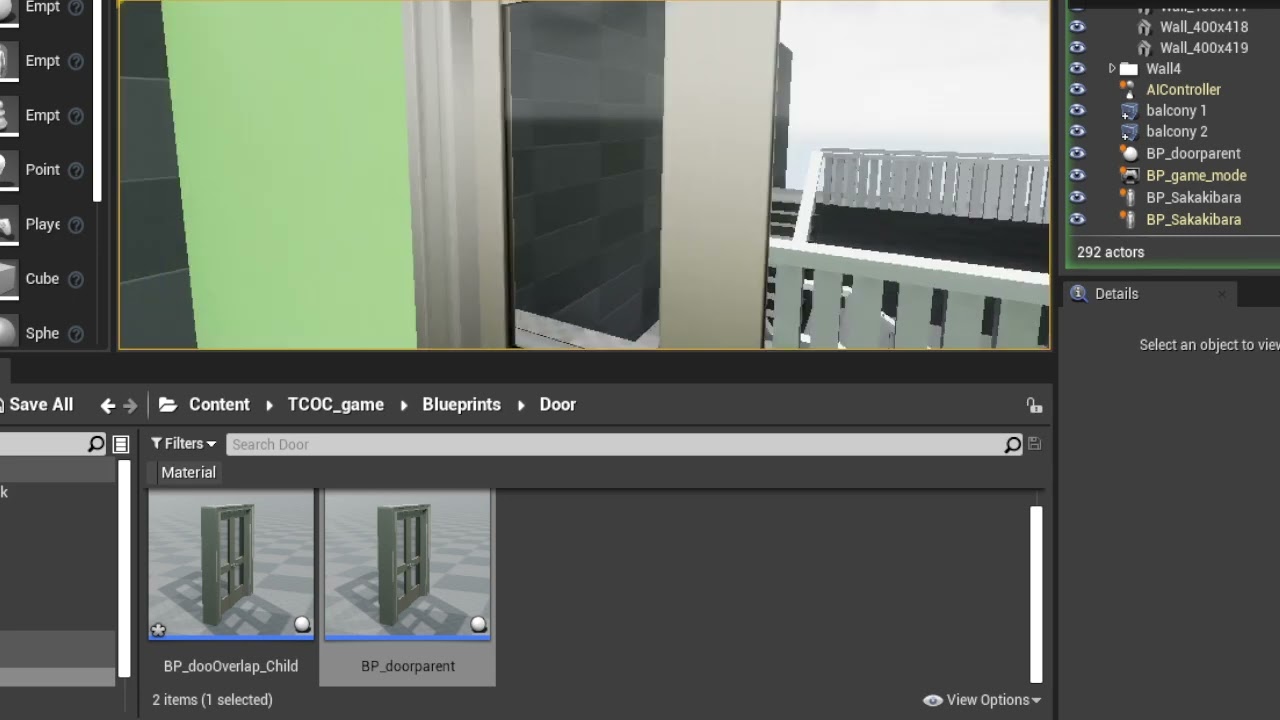

 surreal cloak
do most of the rocks on quixel bridge only have 3 LOD's?
I'm like 10ft from my rocks and get moderately good detail but 10,000ft away they are rendered with the same LODS.
LOD's look fine, it's just that the lowest resolution LOD is still way to detailed and tanking FPS.
Are most of their rocks like this?
 fiery scroll
Hi mates! 🙂 Does anyone know how to Uncap the Frame Rate in a Packaged Game?
t.maxfps 200 works to uncap the FPS in Editor.
But using that console command does not work in a Packaged Game, even if I execute the command in Blueprint.
Anyone got a solution? Thx
 silk flare
I'm not sure which channel should I go to with this:
How do I make and work with grids in unreal?
stuff like minecraft, chess etc.
spice ruin
Or hex grids or whatever other grids you want.
silk flare
so I can make an array with 1 million elements and unreal won't fry my pc?
anyways I'll take this to blueprint/cpp
thanks guys
spice ruin
You could easily make an array with a million elements.
I'm not sure it'd be very wise to do so.
silk flare
yeah I imagine
the fact that you pf looks like a wizard makes this argument even more convincing
plush yew
Hello, I don't know if this is the right server to ask this but are there any resources here to learn how to modify textures and do map swaps for UE games ?
spice ruin
Map swaps?
plush yew
Like swapping stages / maps
For example stages from Guilty Gear Strive being changed into other stages from different games provided the fbx file for the stage I have exists kinda deal
Someone have an Aimbot for ut2004 maybe?
Thank you, I found a server 😄
surreal cloak
do most of the rocks on quixel bridge only have 3 LOD's?
I'm like 10ft from my rocks and get moderately good detail but 10,000ft away they are still rendered with the same LODS.
LOD's look fine, it's just that the lowest resolution LOD is still way too detailed and tanking FPS.
Are most of their rocks like this?
surreal cloak
are megascans assets not designed to populate a big open world map?
I know, so they shouldnt be used like foliage?
what other tools are available other than those 2?
Any resource you can recommend to learn more about this?
Thanks!
 unborn dew
how would i get this to stop

 fickle wharf
uhm so i've imported a large mesh for a project and out of ~900 mesh parts
4 of them come with inverted normals for some reason
if i view the model in blender/3d viewer (windows)
the normals look normal

but in the engine these 4 parts have inverted normals for some reason


im using all default import options
 random island
Hi, what’s is the tutorial system called that people use when they want to guide you through their plugins in the editor?
oak patio
unborn dew
how would i get this to stop
What to stop exactly?
oak patio
fickle wharf
im using all default import options
Flip the normals in blender then
fickle wharf
... they're showing as correct in blender
oak patio
Yes cause blender shows both sides of faces, unreal culls backfaces
 cerulean geyser
if i get a montage varible and put it as input object reference of a ? is valid, shouldnt it be if its none it goes to is not valid exc pin and valid is valid? its always outputting is not valid for some reason
ok i guess the problem is that the instance editable montage isnt populating properly
 tough vine
when it comes to multiplayer fps games is it more convenient to:
A. have an arms rig for the first person perspective and an entire player model which other players could see?
B. Have one whole player model with an alpha clip/mask thing?
i'm using c++ btw
drowsy snow
tough vine
when it comes to multiplayer fps games is it more convenient to:
A. have an arms...
Look at the ShooterGame template.
Considering you use C++ and making FPS MP, so does the ShooterGame template.
 peak oxide
Can I disable foliage objects when test rendering sequences? I can turn off their visibility in the viewport but they will still render, I'd like them to be temporarily disabled.
real heath
You could try setting in MRQ the console command sg.foliagequality 0
modest trench
perhaps make the foliage actor hidden ingame
peak oxide
real heath
You could try setting in MRQ the console command sg.foliagequality 0
That sounds awesome, Im using the MRQ using commands just for quality settings, I wasn't aware that I might be able to control other properties, thanks.
peak oxide
modest trench
perhaps make the foliage actor hidden ingame
That's my back up plan, I didn't want to tempt fate and destroy my foliage by mistake by messing with its base objects. Also didn't want them to change any indexing, rotations or positions, so I could continue to rely on them when having to rerun a short sequence etc.
 clever marsh
I am trying to make a champion system like in Fight Night Champion, where you have a player who starts out at unranked, then fights contenders leading all the way up to becoming the world champion. How would I do something like this? Is there a tutorial I can find for something similar?
 tranquil apex
Hello everyone. I am new to UE and have a question. I have a 3D map in FBX format. Can I somehow import it into a map or something?
So far it always becomes a static mesh lol
clever marsh
tranquil apex
Hello everyone. I am new to UE and have a question. I have a 3D map in FBX forma...
like a heightmap?
tranquil apex
clever marsh
like a heightmap?
yesss
clever marsh
do you know how to create a landscape
tranquil apex
yes, I have learned that by now
clever marsh
okay go onto landscape mode
then on new landscape, above the material, hit import from file
tranquil apex
yes i see it