#ue4-general
1 messages · Page 1153 of 1
 dusk nebula
it's likely that you're having multiple problems at once, so just work to narrow it down
dusk nebula
on the mesh components of the door actor you should set them to "world dynamic"
 plush yew
so the door or the trigger volume?
dusk nebula
that drop-down is where you select what the object is considered, and in the collision responses, you set what the collision box does in response to those
you do not want any of the meshes to trigger an overlap, so you would set them to not be pawns, if they're set that way currently
plush yew
right now it only triggers once but the door still doesnt close
plush yew
oh im stupid i had the location to go to set wrong for when i removed the timelines to make it clearer
dusk nebula
hint: just use one timeline and play it backwards if the door should close
plush yew
okay
dusk nebula
currently, you may notice that if the timeline is halfway open and overlap ends, it snaps to the end point and then plays backwards
plush yew
yeh
dusk nebula
 plush yew
but it works otherise
dusk nebula
something like that
plush yew
thanks it works now 🙂
dusk nebula
no problem
 harsh ocean
So i'm not sure where to put this but, whenever I build my lighting it says "Lightmass crashed" The message log is here: https://pastebin.com/fV70wJLx Any help is much appreciated.
Pastebin
Pastebin.com is the number one paste tool since 2002. Pastebin is a website where you can store text online for a set period of time.
 maiden sundial
How can i let the epic launcher know the new location of the engine ?
I've moved it to a different disk
dusk nebula
maiden sundial
How can i let the epic launcher know the new location of the engine ?
I've moved...
I'll look one sec
you may be required to have the engine in the same directory as the launcher, but otherwise could you try to install the engine to the location that it's already present in? I'd almost imagine that it would just verify the files
plush yew
yo I need a bit of help
when I opened my project, my map is just not loading in

that eye thing is closed and I cant view it
and it just doesnt load in
dusk nebula
are you opening the correct map on launch? check project settings
plush yew
Like I have my main menu as a separate level
when I pressed play it just opened a black view
and the map cant be opened
maiden sundial
dusk nebula
you may be required to have the engine in the same directory as the launcher, bu...
I always had it in a different directory than the launcher.
Trying to install it in the directory where the engine is atm doesn't seem to work as i'm getting the message that the directory needs to be empty
 dusk nebula
if it's not too inconvenient, just back up your project files (just in case) and then reinstall the engine where you want it
dusk nebula
plush yew
when I pressed play it just opened a black view
it won't open in the viewport, or when you press play?
plush yew
The main menu level shows
maiden sundial
dusk nebula
if it's not too inconvenient, just back up your project files (just in case) and...
It sadly is too inconvenient as i need debug symbols and co which quickly lead to an ~100gb installation 😅
plush yew
but I cant get the MAIN LEVEL itself to open

Just looks like that
and the eye on/off thing doesnt work
no freakin idea what is this about
dusk nebula
maiden sundial
It sadly is too inconvenient as i need debug symbols and co which quickly lead t...
I'd just google around for it, I have no idea
plush yew
yeah it wasnt the last time i used ue
dusk nebula
are you opening the correct level?
plush yew
yeah
like ive been working on this project for a few weeks and it has always worked very well
now out of nowhere its almost like the level is deleted
 neon grove
when packaging a project the default quality settings are set to high
is there a way to change that?

 forest patrol
I have a problem importing models, i copy uasset file and paste it into my project but it doenst show up in unreal engine, does anyone know why?
 remote jasper
Even though my material is a basic one, the texture doesnt appear on the landscape, i also get these black spheres so no preview of the texture on other material functions.
Is this because my pc is garbage?

 karmic merlin
Hello, for some reason my ACharacter-based AI Actor (it's AI Сontroller was written on C++) doesnt play running animation when executing MoveTo() from Behavior Tree. But he still changes the direction he faces. Does anybody know what might be a problem?
dusk nebula
karmic merlin
Hello, for some reason my ACharacter-based AI Actor (it's AI Сontroller was writ...
do you have a state machine set up to use a blend space in your animation BP?
the rotation is set by the controller, while the animation will be played by the anim BP
 fading sand
Don't know if this is the right spot for this question, when trying to post to the UE forum answer hub I keep getting a "You are not permitted to view the requested resource" and it wont post my question. Has anyone had this issue before and knows of a fix?
plush yew
Is the Skylight in Unreal Engine 4.27 broken or am I not using it right
I have a sun-movable
a sky atmosphere-movable
a skylight-movable set to realtime capture
a ddgi volume with 128x128x128 probe count
however when I fly into a room that has no doors or windows it is lit up entirely by the skylight
turning off GI doesnt affect it either
 faint meadow
plush yew
Is the Skylight in Unreal Engine 4.27 broken or am I not using it right
I have a...
faint meadow
plush yew
Is the Skylight in Unreal Engine 4.27 broken or am I not using it right
I have a...
Unfortunately dynamic lighting that’s not ray traced or lumen doesn’t give great results in ue4
Unless u were to shrink the skylight itself and place it inside of the room, as it essential acts a reflection capture
 drowsy snow
plush yew
Is the Skylight in Unreal Engine 4.27 broken or am I not using it right
I have a...
drowsy snow
plush yew
Is the Skylight in Unreal Engine 4.27 broken or am I not using it right
I have a...
Mix it with LPV.
I know, it's deprecated, but still functional for the entire UE4 versions.
 toxic lily
does anyone know if there is a way to "lock" a bone in place in an animation?
 ember igloo
Guys does anyone have a tutorial anything which could help
I want to make star citizen aspect game
Like planet creations, space with interior and fly and space travel if anyone have any source which could help me plz let know@
 exotic thicket
You're unlikely to find a tutorial which covers all of those things.. your best bet is to start learning smaller parts and then figure out how to put it all together. In general, making a game like Star Citizen is very ambitious even if you know UE fairly well
ember igloo
exotic thicket
You're unlikely to find a tutorial which covers all of those things.. your best ...
Thank you for the honesty
 hidden tendon
Guys I have a simple ue5 scene with a metahuman and a few lights but I keep getting DXGI_ERROR_DEVICE_HUNG since updating to preview 1. I have the latest drivers for my 2080 SUPER. Any ideas? Thanks!
hidden tendon
This is in the log when my UE5 preview 1 project crashes my gpu, if anyone would be kind enough to take a look

 wild hemlock
how do you correctly export from blender to unreal?


changing the fbx settings axis doesnt seem to make a difference
 shut thorn
Are you talking about making the collision correct?
If so I think I know the exact problem:
UE4 (by default) generates a really simple, really well-optimized collision shape for your mesh that unfortunately doesn't work in every scenario. This can be overridden to be whatever shape you want.
In blender, you can make a separate object and name it the same thing as the mesh you want to export, but with "UCX_" at the beginning without quotation marks. Make that into the collision shape you want. In your case, you make your shape just by duplicating your existing mesh, (and doing the renaming step) because I'd assume you want the collision shape to be identical to the mesh. Make sure they overlap and are in the same spot.
Then, select your collision shape and your mesh at the same time and export to fbx. If this is done correctly, your mesh in UE4 will have the collision you specified, rather than the default approximate shape.
@wild hemlock
If this doesn't work, just ask for help :)
wild hemlock
shut thorn
If so I think I know the exact problem:
UE4 (by default) generates a really simp...
thats really clever! thank you
theres another issue though
i cant change the axis of the exported object for some reason
notice how in game the X axis is sideways rather than forward
shut thorn
Thanks!
I haven’t tried changing the axis before, so maybe just rotate your meshes 90 degrees to the correct way and hit CTRL+A and select apply rotation (or just rotate both the collision and mesh in edit mode.)
It’s kind of a hacky solution though..
wild hemlock
shut thorn
If so I think I know the exact problem:
UE4 (by default) generates a really simp...
this doesnt seem to work

the collision on the exported meshes are still the same

haha there was an edge case i thought i ran into - the names cannot be sufixed with _1 because it serves as a different function for ucx
but renaming it to another name still doesnt solve the problem

 shut thorn
thanks
I'll see if I can replicate the issue
Ok, I have another solution that's a bit simpler
wild hemlock
shut thorn
Ok, I have another solution that's a bit simpler
did you run into the same issue when exporting as well?
shut thorn
I did
Select this option in your static mesh window in UE4, it'll make the complex collision the default

and by complex collision I mean using the exact shape of the mesh as it's own collision shape
I would recommend against this in most cases, but your mesh isn't particularly high-poly so I don't think it'd be too taxing
wild hemlock
aye
i wonder how that will play well with chaos though

This is a quick tutorial on how to set a proper custom collision in Blender for Unreal Engine, and some common pitfalls to avoid.
Music:
🔻
"Escape by Sappheiros" is under a Creative Commons license (CC BY 3.0)
Music promoted by BreakingCopyright: https://bit.ly/b-escape
🔺
heres a potential idea - maybe we could separate the faces of the object into
Bottom
UCX_Bottom_1
UCX_Bottom_2
...
shut thorn
oh god..
that sounds like a nightmare for yourself to export all that .__.
wild hemlock
haha of course
shut thorn
I'm gonna see if there's a way to get this fixed for you
because I don't get why it isn't working lol
wild hemlock
i wonder if the issue is with my objects
i'm new to blender and this is literally the result of the first 3 hours
so i think i might have messed up the vertices / uvmap or something
(also really new to unreal :D)
shut thorn
Oh, you accidentally duplicated the object in edit mode for the collision, then duplicated it in object mode to correct yourself
but right clicking to cancel duplicating an object doesn't delete the dupe, it just puts it in the same place
its confusing ik lol
wild hemlock
shut thorn
but right clicking to cancel duplicating an object doesn't delete the dupe, it j...
yikes i've been using escape thinking it would cancel
wild hemlock
how did you find that out btw
wild hemlock
shut thorn
you want me to fix that for you? I think I have an efficient way to do it
would be appreciated! but i would also love to learn how you solve it
shut thorn
I used the L key while hovering over a face (it selects the entire shape it's a part of)
I'm just selecting all of the objects that are not collision related, going into edit mode and hitting P
it gives me a menu to seperate faces and stuff into new objects, so i just select "By Loose Parts"
it'll make every part that's not attached to another part its own object
then I just delete any duplicates
and then repeat that process for the collision shapes

(you can edit multiple objects at once by the way)
wild hemlock
shut thorn
I used the L key while hovering over a face (it selects the entire shape it's a ...
what do you expect to see when doing this? selecting L when hovering over a face while in edit mode just selects all the faces that belong to the object
shut thorn
Sorry, I should've clarified lol
you can move the object out of the way and see there's an identical one you created on accident


but it's in the exact same spot so you had no way of knowing
I'm gonna fix this for you and send the blender file back here
they should probably make ESC actually cancel it lol
wild hemlock

Blender Stack Exchange
I have a model with hundreds of mesh objects. Unfortunately I clicked shift+D to duplicate many and did not notice. Later after working a while, I was rendering, and noticed there are double meshes
seems like there are ways to check the vertices of the object for duplicates with a simple python script
shut thorn
oh nice, good find!
oh wait, I think I have an even better solution for this situation
 safe kayak
does anyone know some overview guide about where to put what kind of logic? some kind of best practice guide about ue thats aimed to people that already know stuff about c++ and programming in general? would favor something written, with diagrams and stuff. 🙂
can also be stuff to pay for
shut thorn
wild hemlock
https://blender.stackexchange.com/questions/87489/cleaning-unwanted-overlapping-...
I just selected all of the mesh objects, went into edit mode and hit M and selected "merge by distance"
shut thorn
safe kayak
does anyone know some overview guide about where to put what kind of logic? some...
I'm not sure, I'm not an expert in C++
do you mean organizing your code?
I'm sure there's some kind of resource out there for that though
wild hemlock
shut thorn
I just selected all of the mesh objects, went into edit mode and hit M and selec...
ahhh! thats really clever
shut thorn
thx
wild hemlock
comparing vertex distances haha
shut thorn
wild hemlock
ahhh! thats really clever
do the same for the collision ones too
wild hemlock
ooh blender has batch rename built in with ctrl f2
shut thorn
wild hemlock
ooh blender has batch rename built in with ctrl f2
I've used blender since I was 11 years old and I honestly didn't know that .__.
safe kayak
shut thorn
I'm not sure, I'm not an expert in C++
do you mean organizing your code?
yeah.. i am trying to understand whats the best practices for differend kind of logic... where to put what functionality. preventing me from laying out tripwires for myself in the longrun
wild hemlock
shut thorn
I've used blender since I was 11 years old and I honestly didn't know that .__.
i have the advantage of fresh eyes - i should share what bewilders me hahaha
shut thorn
lol ye
wild hemlock
actually its super cool that you can use python to script stuff in blender
must resist the temptation for now though xD
shut thorn
safe kayak
yeah.. i am trying to understand whats the best practices for differend kind of ...
you'll probably find people who know more about this than I in the #cpp channel, I wish you luck!
wild hemlock
literally just spent 4 days in a cave writing my own markdown parser using parser combinators in python to generate anki flashcards
dangerous yak to shave xD
safe kayak
shut thorn
you'll probably find people who know more about this than I in the <#22179943900...
ok... will try... still thank you for your time 🙂
 wild hemlock
thank you so much!
hmm do you think having the origin of the objects at 0,0 could be a potential issue?
wild hemlock
shut thorn
I don't think..?
yup wasnt
wow
splitting faces actually solves the collision problem
 wild hemlock
https://www.youtube.com/watch?v=PdwM_nE4dv0
wild hemlock
wild hemlock
https://www.youtube.com/watch?v=PdwM_nE4dv0
based on this video
shut thorn
Alright that works I guess lol
wild hemlock
shut thorn
Alright that works I guess lol
haha just messing around.
i'm curious to see what are the implications of this in chaos
i've been having a ton of issues trying to get collisions to work correctly in Chaos
shut thorn
You mean chaos engine physics?
wild hemlock
yeah destructible environments
shut thorn
Oh that, I have no idea LOL
wild hemlock
i learned blender just because the meshes generated by unreal engine's modellign tools cannot work well
ive been pulling my hair out
this was a really bad choice for a beginner project
lol
i thought my experience in ios and web dev might have carried over somewhat
nope. game dev is a different beast 😛
wild hemlock
maybe not financially haha
 bleak zodiac
i avoid complex collision , instead i make custom collision in 3d application
wild hemlock
how do you use custom collisions for shapes like this

must you cut it into two? i.e. a square and a triangle or
(blender)

if i just export it as a face solidified with 1 cm - this is the result
hidden tendon
wild hemlock
how do you use custom collisions for shapes like this
That's such simple geometry that you could just use complex collisions.
or just import the mesh itself as custom collision. No need to simplify something like that
wild hemlock
you mean using this?

or duplicating the same mesh to serve as the collision
e.g. Curved and UCX_Curved
wild hemlock
wild hemlock
or duplicating the same mesh to serve as the collision
e.g. Curved and UCX_Curve...
we tried this earlier on and it didn't work out - i had to split the faces into different objects and solidify them in order for the collisions to be exported
 raw beacon
Does anyone know how to access animBP from sequencer when the recorded subject is a BP character?
bleak zodiac
wild hemlock
you mean using this?
you can use UCX_ if you want, i use it often, you can also use complex as simplified or even add box as simplified colision
plush yew
Does anyone know why I am getting a warning from this? I am adding a ui widget to my character, but with this it keeps telling me a warning right when the game starts saying ;
The widget 'MainUI_C' was already added to the screen.

 severe crater
I have a BP that inherits from a c++ actor class, and on every engine restart I get the following error:
Blueprint could not be loaded because it derives from an invalid class. Check to make sure the parent class for this blueprint hasn't been removed! Do you want to continue (it can crash the editor)?
I can copy my code from the header and if needed cpp into here, but I'm just wondering if anyone has found a quick fix. Following solutions from forums still didn't get me anywhere, and so I'm asking here since I don't know how to fix it. Going back to the forums bit, I've tried renaming the c++ class and creating a new c++ class and just pasting all my code into there with no luck.
Can anyone help me?
Edit: Somehow re-pasting code into a new c++ class a 2nd time fixed it.
For some reason, the new class only works if it has a different name to the original one (I know you can't name a class as the name of another existing one, so what I mean is DON'T rename it to that original class name at least from what I've experienced).
 fallen marten
Have you regenerated project files?
When you add a new class you should regenerate to make sure it registers
 warm hound
Is anyone here familiar with C++ programming that could help me do a program?
severe crater
warm hound
Is anyone here familiar with C++ programming that could help me do a program?
maybe go to #cpp for that
warm hound
Okay, thank you!
severe crater
also just worth noting this is a UE discord and vanilla c++ varies an insane amount from UE c++ and the same is true with nearly all game engine integrations with languages compared to those original languages, especially if the program you have mentioned isn't some kind of engine or a graphics project. So I'm not too sure this discord would be your best bet, but hey, I don't know maybe
an example for c++ would be STL since you literally do not use it in unreal and it's usually a huge part of programming in vanilla c++
warm hound
I understand. Thank you for explaining.
 spark mason
is there anyway to make this yellow line bigger? as in scale it?

 fading tartan
 inland hollow
how do i color a shape
inland hollow
how do i color a shape
material?
inland hollow
fading tartan
material?
where do i find this
drowsy snow
inland hollow
how do i color a shape
[context needed]
drowsy snow
inland hollow
understandable?
Understandable, only if it's MS Paint.
As for Unreal Engine, nope. "Shape" is way too abstract/broad.
 drowsy snow
So it's Basic meshes
I use UE4, so I don't know they changed it to Shapes
Anyway, materials. That's how you change the visual appearance.
inland hollow
drowsy snow
So it's **Basic** meshes
I use UE4, so I don't know they changed it to Shapes
A...
again, where is "materials"?
drowsy snow
How long have you used Unreal Engine?
inland hollow
1 hour
 proper scarab
Why is my material so black?

 faint bone
You under level to fight this boss. I suggest following a tutorial and level up your basics.
faint bone
inland hollow
1 hour
Check unreal online learning or unreal sensie on YouTube.
drowsy snow
inland hollow
1 hour
Okay, so, few things:
- Use UE4 in the meantime. You don't need UE5's fancy features just to get started. If you don't know what you're doing, you have hard time improvising tutorials.
- Take beginner courses from Unreal Online Learning. Preferrably, first hour course.
https://www.unrealengine.com/en-US/onlinelearning-courses/your-first-hour-in-unreal-engine-4

Unreal Engine
This introductory course to Unreal Engine 4 and the Unreal Editor will take you through the basics of project creation, navigation, and finding your way around the UI, as well as touching on lighting and Blueprints.
inland hollow
so no one can tell how to use and find "materials"?
this look like oop mapping
lol
drowsy snow
inland hollow
~~so no one can tell how to use and find "materials"?~~
Bruh, get used to the engine's interface first
faint bone
inland hollow
~~so no one can tell how to use and find "materials"?~~
Right click anyone in folder, from options create material, modify it and apply on mesh.
Still you need to follow a tutorial boss fight to go into open world of unreal.
🙃
drowsy snow
inland hollow
~~so no one can tell how to use and find "materials"?~~
But fine, I guess you want no bullshit tossed around, so here's straight to the chase.
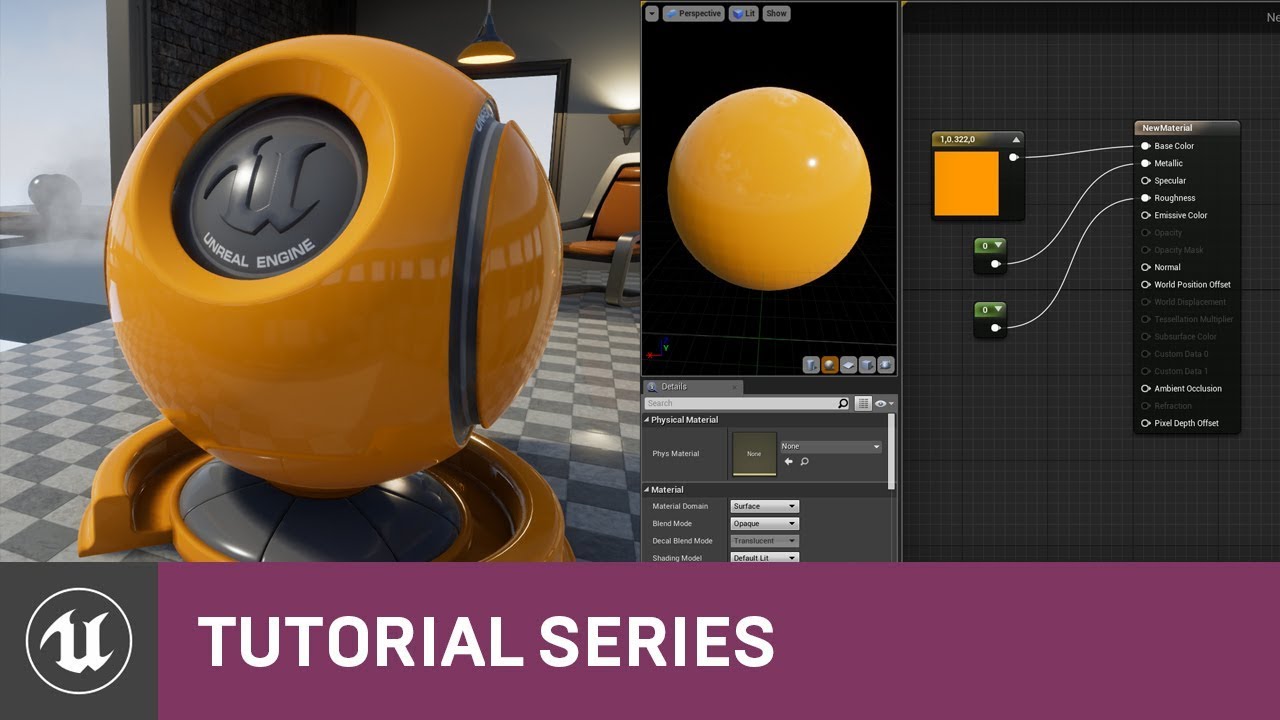
In this video we create a very simple Material that just provides some color and basic surface definition.
A link to the wiki for further notes is available here -
https://wiki.unrealengine.com/Materials_Tutorial:_Creating_a_Basic_Material
(00:05) - Applying a Material to a Surface
(03:45) - Creating a Material
(07:59) - Material Element Proper...
inland hollow
ok
 stoic eagle
I have used a video(mp4) as a material (on a TV static mesh). when i play on the viewport it works fine but when I package it(for quest2) it is not working
drowsy snow
stoic eagle
I have used a video(mp4) as a material (on a TV static mesh). when i play on the...
<@&213101288538374145> crosspost to multiple channels
 river crypt
Haya folks, could anyone be so kind to help me with this issue

for some reason it keeps duplicating the instanced foilage
every single time I enter playmode
 modest trench
is their location not keyed?
if the sequence doesn't cause the player to respawn they won't move to the new playerstart
you would need to call "restart player" in a bp to do that
not sure what cutscene best practices are for smoothly moving the player though, this might be messy
I don't see why you can't just call something that sets their location to the next position at the end
worth a shot
modest trench
I mean, the only thing on here I have seen used often are atomics
maybe more in the future?
TEnableIf is an abomination lol
is this really better? thank god
trying to understand linetrace code with TEnableIf was breaking my brain
plush yew
pretty basic question but bringing it up in here in case someone else was aware of this feature
most game engines have a sort of skinning system so when you deform a body the bones align with it
by default bones will not move with morph targets in unreal, in certain it is capable because Unity and so many other software has had this feature for a decade now, just curious how to enable it
for the more advanced of you
how to turn on vertex skinning for morph targets
and does it involve dual quatranic skinning or can i achieve this without dual quatranics
is there anyway to work on the same ue4 project with someone else without using lan?
drowsy snow
plush yew
is there anyway to work on the same ue4 project with someone else without using ...
plush yew
@plush yewI want to believe but I seriously doubt this

Unreal Engine Forums
So on OnSkeletonFinalized of a character I am trying to pass the current pose to another ghosted actor derived from the same skeletal mesh. I have confirmed that the two skeletons are identical by dumping the bone names and parent names and bone orders. The target actor does not have any animations itself or an animation blueprint. I pass along...
from what it looks like unreal engine lacks this sort of skinning capability
im just waiting (and hoping that) somebody proves me wrong
its even more apparent that the metahumans do not support blendshapes on the body
as they wouldnt include this type of skinning in their own product i seriously doubt it can be done in unreal without huge workarounds
 neon bough
the forum link you posted is completely irrelevant to the question you asked!?
drowsy snow
plush yew
<@456226577798135808>I want to believe but I seriously doubt this
There's no such thing as "dual quatranics"
plush yew
yeah
neon bough
what even is a quatranic?
drowsy snow
Quaternion != Quatranics
drowsy snow
No, Unreal Engine doesn't have dual quaternion skinning, out of the box.
That's what twist bones are for.
plush yew
yes but twist bones do not function for what i am doing nor does what im doing have to do with bone rot
neon bough
he removed the twist bones from his DAZ rig 😄
plush yew
rotating the bones isnt something i want and neither is animating them
@neon bough if you didnt know when changing ref poses and morph targets you dont want to rotate any bones
this is more of a limitation of unreal not supporting vertex skinning
drowsy snow
neon bough
he removed the twist bones from his DAZ rig 😄
Ouch xD
neon bough
whatever
plush yew
as dual quartinos are not the only method to achieve this
drowsy snow
plush yew
as dual quartinos are not the only method to achieve this
You can programmatically rotate twist bones using Control Rig setup, but I digress, and that seem to be exactly what you want to avoid anyway.
plush yew
yeah
i dont want to move any bones manually
i dont want a solution involving movement of bones
i want skinning lol
neon bough
didn't the whole question begin with "i want my morphs to affect bones?"
plush yew
as movement of bones or set bone loc get bone loc programmic methods wont be used in the end product im building
so basically im inquiring of unreals methods of vertex skinning also called vertex pinning
thanks for the suggestions so far any input related to the question is helpful
neon bough
so the cpu is most likely not even aware of all data
neon bough
yea you make a text game with daz characters
plush yew
🤔
neon bough
which only uses terminal output
neon bough
rig is data thats available to the CPU
vertex offset for morphs is calculated on GPU
what you want (affecting bones with morphs) isn't even possible
drowsy snow
plush yew
so basically im inquiring of unreals methods of vertex skinning also called vert...
If you're super super super super super super super super super super super super super super super super super super super super super super super super super super super super super super super super super super super super super super super super super super super super super super super super super super super super super super super super super super super super super super super super super super super super super super super super super super super super super super super super super super super super super super super super super super super super super super super super super super super super super super super super super super super super super super super super super super super super super super super super picky about getting Dual Quaternion...
https://forums.unrealengine.com/t/dual-quaternion-support/144831/15
Note that this is a custom engine build, so you have to build it yourself or cherry pick the commit to 4.27
Unreal Engine Forums
Try this link: https://github.com/AlienRenders/UnrealEngine/tree/4.26-mod
drowsy snow
I don't want to test that fork nor cherrypicking the commits myself, so all yours to try.
drowsy snow
plush yew
sadly was taken down

Unreal Engine
Unreal Engine is the world’s most open and advanced real-time 3D creation platform for photoreal visuals and immersive experiences.
neon bough
while just using DAZ rig would make it way easier i guess...
neon bough
xD
drowsy snow
neon bough
while just using DAZ rig would make it way easier i guess...
Consider that I wrote "super" many times before "picky"
drowsy snow
neon bough
your animation workflow seems horrible
This tbh
plush yew
thats your opinion and i have never posted an animation here
drowsy snow
I've been animating with Auto Rig Pro and Mr Mannequin template with no issue whatsoever, in Blender.
Also made my own Control Rig setup for machinima projects, automated twist bone rotation included.
exotic thicket
Looked at that Dual Quaternion thread out of curiosity as I had never heard of that... and people are saying Daz is the "state of the art" when it comes to characters? Really?
All the Daz stuff I've seen look so fucking uncanny valley it's not even funny lol
neon bough
that was before metahuman
 red condor
there's quite a range of Daz assets made by different people. Some are pretty realistic, some miss the mark, some are intentionally stylised
drowsy snow
exotic thicket
Looked at that Dual Quaternion thread out of curiosity as I had never heard of t...
I'd prefer iClone Character Creator (or MetaHuman) over Daz
red condor
Also getting a good render in Daz is a whole other issue, which can lead to the characters looking a lot worse
drowsy snow
Not to mention I've seen horror stories from people trying to retarget Daz rigs to UE4
red condor
ha yeah, plus converting the materials
neon bough
drowsy snow
Not to mention I've seen horror stories from people trying to retarget Daz rigs ...
isn't it for everyone who tries?
drowsy snow
neon bough
isn't it for everyone who tries?
I don't know, I don't use Daz
neon bough
and yea, you can end up in uncanny valley pretty easy
but that's more a problem of the artist rather than the character
plush yew
@drowsy snowprefering either is silly in a way
daz isnt really anything more than a store, for example the last project i was a part of used the daz store to purchase hdris
there is a good amount of people who do 3d print model work that use daz as a base mesh
and there are more realistic daz characters than metahumans
as metahumans more realistic than daz
neon bough
both true
drowsy snow
But it's way off of twist bone problematica
 fleet marten
I've been trying to get a Daz character to work in UE5 for a week now and I just want to give up. been a nightmare
neon bough
indeed
drowsy snow
fleet marten
I've been trying to get a Daz character to work in UE5 for a week now and I just...
If you want to, you could rerig it with Auto Rig Pro in Blender
ARP can make UE4 compliant rig
neon bough
then we see you again in half a year wishing your twist bones back
fleet marten
@drowsy snow Thanks for the suggestion. Just the other day I finally got the DAZ to blender bridge thinking that ultimately the only way I'd be able to get it to work would be to send it to Blender first before unreal
drowsy snow
neon bough
then we see you again in half a year wishing your twist bones back
Except ARP has twist bone
Fuck, I rerig my VRoid model with ARP because the vanilla VRoid rig lacks twist bones, and it's shit when I try to backhand pose it.
neon bough
ok, wasn't aware of that
plush yew
I use dazs girl 8 mesh for most of the cartoon style characters I post on renderosity and turbosquid
 neon bough
but "mannequin compatible" ringed my alarm bells
plush yew
but then I use gen8.1 as a base for all the 3dprint models I post

so its very versitile
there are lots of good options to use as a launchpad for whatever you're making
@fleet martenDaz to blender bridge is horrible,
please consider looking at diffamorphic, its been around much longer and functions much better
drowsy snow
fleet marten
<@!325627930484932608> Thanks for the suggestion. Just the other day I finally g...
Well, you can add extra step to rerig the model with bespoke Auto Rig Pro before sending it to Unreal
plush yew
diffamorphic not only converts the mesh 1:1 but translates the iray materials into blenders cycles
and diffamorphic has options for automatically converting to mhx and rigify
drowsy snow
And materials are irrelevant in this talk.
neon bough
which then translate to basic color shaders in unreal 😄
fleet marten
Oh dang that would be good
plush yew
@neon boughthat is because they arent baked but this isnt the case with diffamorphic
it can merge materials and bake them
neon bough
well, if you want that
drowsy snow
plush yew
<@!280376753363353600>that is because they arent baked but this isnt the case wi...
Spoiler alert
||Materials in Blender won't survive into UE4||
neon bough
why would you do that
plush yew
same with vray corona redshift etc
drowsy snow
plush yew
then they look the same
Disagree.
plush yew
🤦♂️
fleet marten
I already was looking at a video the other day of someone saying that they preferred daz importer over the bridge and now that I Googled diffeomorphic, I see that is just the daz importer I saw mentioned lol
neon bough
first of all, blender texture baking isn't exactly what i would call great
drowsy snow
Let's just say materials in Blender is largely irrelevant when imported as FBX to UE4
And I know what's going on because I've been doing this for 4 fucking years now
plush yew
Ok but most of the pbr materials ive released for unreal engine and unity were baked inside of blender
drowsy snow
Though if you know what you're doing, you can improvise materials in Blender into a UE4 material graph.
plush yew
also this is why nvidia has made their own branch of blender, so that you dont need fbx
it also has options to convert the cycles material graphs into mdl
drowsy snow
plush yew
also this is why nvidia has made their own branch of blender, so that you dont n...
I'm Team Red.
neon bough
they don't care probably
plush yew
but at the end of the day if you bake your materials specifically for unreal engine you wont have discrpeincies in the way they look
and material baking is simple
idk why some people find it so hard
neon bough
ok hear me out, how about you make materials in unreal and call it a day?
drowsy snow
neon bough
they don't care probably
I'm just tempted to call it agree to disagree, I'm so bloody tired right now
plush yew
because unreal engines material system isnt as powerful
plush yew
yeah
the documentation on nvidias blender page says it is better to bake the materials so that they look identical
but there is a tickbox for convert cycles shader graph to mdl
keep in mind this means when you import the usd into unreal it will not be an autodesk mdl material and cant be further edited with cycles
its a one way trip
so its smarter to bake it
drowsy snow
Basically the same thing that I can do with vanilla Blender 3.0 and big brain improvisation on UE material graph?
Yeah right.
neon bough
probably
but you can still make changes
well you can also change shader code, but...
drowsy snow
Also Quixel Mixer exist (at least for environment)
neon bough
what does metahuman use?
the useless unreal material graph system? :>
which isn't powerful enough
as we just learned
drowsy snow
neon bough
the useless unreal material graph system? :>
Black magick
drowsy snow
Lmao
I used Blackmagic stuff for VP before.
I should redo experimentations with HD Final Fantasy models but using materials based on the MetaHuman (and supposedly useless Unreal's material graph)
 haughty dock
can someone tell me how to get the mouse values
like if the player look up and down and right and left
karmic merlin
dusk nebula
do you have a state machine set up to use a blend space in your animation BP?
Yes, sorry for not answering. I did my work on blueprints first and it worked fine. Now on C++ it doesn't
neon bough
haughty dock
like if the player look up and down and right and left
you add axis events in your project settings => input
then you can get axis input events from the mouse
on the event graph of your player controller (or character or camera)
haughty dock
this?
 neon bough
yes
haughty dock
neon bough
yes
also btw is there a way i can disable keyboard input and mouse input separately?
neon bough
not that i'm aware of, but that is something that you could implement on your own (once you are more familiar with the engine)
haughty dock
ohh okay
 plush yew
can someone help me for some reason im getting random spots of light in my scene and i dont know how to fix it

 karmic merlin
dusk nebula
do you have a state machine set up to use a blend space in your animation BP?
karmic merlin
dusk nebula
do you have a state machine set up to use a blend space in your animation BP?
I figured out the problem, it was failed casting
plush yew
plush yew
can someone help me for some reason im getting random spots of light in my scene...
its fine after lighting build but then i play the level and they appear again
 violet yoke
How do I make this kind of graphics?
 haughty dock
can someone help me?
 drowsy snow
violet yoke
How do I make this kind of graphics?
drowsy snow
violet yoke
How do I make this kind of graphics?
Make the material Unlit
(If you want to make it just respond to directional lights)
violet yoke
Wdym respond to directional lights?
 mystic grail
Does anyone know if there is a benchmark for unreal engine shader compilation on CPU?
I am curious to see how my 24 core ryzen compares in a standard test to other CPU's when compiling shader in UE
plush yew
why does my camera actor fall into ground when I export video? if I play it in level sequence it's fine
drowsy snow
violet yoke
Wdym respond to directional lights?
The way cel shading is constructed really depends on how you want it to be responsive to light sources.
If it's only needed to respond to directional light, make the material Unlit, and fake the shading based on the directional light's direction/forward vector.
I could rewrite by hand what I already wrote in #graphics on this subject, but I'm too tired to do so lol
 dense knoll
Quick Question regarding UE source: Is it allowed to make a private fork that only you can access?
drowsy snow
dense knoll
Quick Question regarding UE source: Is it allowed to make a private fork that on...
As long as you're an Unreal licensee, yes.
dense knoll
kk
plush yew
plush yew
can someone help me for some reason im getting random spots of light in my scene...
anyone know why this is happening?
 lean adder
Hello so my engine has been crashing when i press "Play" and i really dont know what causes it it worked fine few days ago but now everytime i click on "Play" it just instant crashes. Any ideas?
 severe hound
does anyone know how to deep dive into whats causing blueprint time to be high like 200 call counts? from when you do stat game
 kindred depot
is there any way to prevent this on rounded objects when modeling something round? i dont want to keep smoothing things and making the poly count on every model over 4 - 8 m....
 red condor
kindred depot
red condor
kindred depot
'smooth shading'
if using blender to model, you'd right click your object and select 'Shade Smooth'
kindred depot
I used 3ds max ill import to blender
red condor
I'm sure you can do it in 3ds max
its basic 3d functionality
I just use blender, so used that example :)
kindred depot
With they have the smooth button, but it increases the poly count if oyu smooth it with the shader.
red condor
that sounds similar to the subdiv modifier in Blender
 red condor
Yeah, that's subdividing
well, if you can't do it in 3ds then yep use blender 👍 (but I bet you can)
plush yew
my game is making weird spots of light all around for no reason
kindred depot
i got blender open where is this button you speak of? i hate blender lol
plush yew
 red condor
right click on your mesh
plush yew
 red condor
and select Shade Smooth
neon bough
anyone played around with Apple LiveLink and DAZ characters?
wonder what's the best approach to apply the data, custom morphs or controlling the face bones!?
kindred depot
might of done the trick, ill export thanks 🙂
plush yew
its ue4
kindred depot
thank you @red condor , This really saved me more than you think. i got to do this with 20 models i made now lol
red condor
kindred depot
thank you <@!116356564163493896> , This really saved me more than you think. i g...
no problem! have fun haha :)
(is it maybe the relax modifier in 3ds?)
just going off this page https://forums.autodesk.com/t5/3ds-max-forum/smoothing-mesh-without-adding-polygons/td-p/4181645
Autodesk Community
Hello, i'm new to Max but familiar with other packages such as Lightwave and Maya. With both of those packages i could smooth my model using subpatch/Subdivide level 1 and it would reshape my mesh but not add to the polygon count. MeshSmooth has the option to adjust the iterations, but at level 0 i...
kindred depot
You know what, i tried it and it does nothing. Ill just continue with this method of madness, if it works it works. dont bother me one bit! Thanks for taking your time to look for it tho
 kindred depot
plush yew
anyone know a fix?
kindred depot
plush yew
anyone know a fix?
Wait a long time and see if it loads.
if not, then your pc either is weak, or the map has an error.
kindred depot
I mean you can always made a "fake" all black wall behind what ever you are doing.
red condor
I believe if meshes overlap it can help avoid leaks. There are quite a lot of youtube videos about lighting issues in ue4. Personally I gave up trying to get perfect results a while back
plush yew
kindred depot
if not, then your pc either is weak, or the map has an error.
I mean it worked multiple times before and my pc is fairly good it just doesn't work now
kindred depot
plush yew
I mean it worked multiple times before and my pc is fairly good it just doesn't ...
are you using megascans textures?
red condor
plush yew
yeah
the geometry looks very simple, are we zoomed right in?
kindred depot
thats a loading screen i think
red condor
(assuming lighting is baked not dynamic) are lightmaps set up properly?
plush yew
red condor
the geometry looks very simple, are we zoomed right in?
yeah, but its just cubes
this is my level
 red condor
it can be hard to get perfect lighting results on very simple geometry. Usually designers will use detail to hide imperfections, allow for better lightmapping etc
are you planning on this kind of minimal look for the game or are you testing things out?
plush yew
red condor
are you planning on this kind of minimal look for the game or are you testing th...
yeah its gonna be very minimal as a) im terrible at modelling and b) my graphics arent great
im going for a Portal style look
red condor
plush yew
yeah its gonna be very minimal as a) im terrible at modelling and b) my graphics...
That's fair enough, I'm in the same boat xD Personally I go for more stylised approaches so I don't have to worry about this kind of stuff. Dynamic lighting can be more forgiving with some issues if youre happy with the quality of it.
Portals a pretty good example, if you look at the walls they're simple but they have little gaps and ridges in them where seams can be placed by the person making the models
this makes lighting artifacts less noticeable
plush yew
ah
plush yew
red condor
(assuming lighting is baked not dynamic) are lightmaps set up properly?
how do i check im not that expert with lighting
kindred depot
Hfill in ue5 is amazing.
 plush yew
i just chuck a point light in a scene and call it a day
kindred depot
then tomorrow you will want to fix it again xD
plush yew
true
red condor
plush yew
how do i check im not that expert with lighting
well if you're just stretching cubes and planes, it's guaranteed that there is no real lightmap for the engine to use when baking, where to calculate seams and stuff. I'm no expert either - I use cel shading and dynamic lighting and then I can use my own modular assets, it looks kinda cool and I never have to worry about all that realism nonsense xD
but if you want to learn there are plenty youtube vids
plush yew
okay
red condor
if you have a lot of lights you will need to optimise
then you'll want to fiddle with shadow quality
red condor
try searching for 'ambient light'
 red condor
its not a ue4 component, but the name of the effect you're trying to achieve
plush yew
ohhh
red condor
light without an obvious source
plush yew
okay
red condor
sorry my bad xD
 strong obsidian
hey
How can I set target for console command "ShowDebug" ?
plush yew
well at least im not getting bleeding light anymore
red condor
plush yew
on ambient lighting
ah, I thought that would bring up some videos.. I'll take a look now
plush yew
i removed the sky outside since its not gonna be there that stopped the light blobs on the edges
red condor
I think the general approach for interior ambient lighting in ue4 is to use a few lights rather than just one, so the sources are less obvious. Would recommend watching interior lighting unreal vids on Youtube to see various methods of realistic interior lighting and find one that works for you. (or setting your game outside, with a single dynamic directional light for the sun - much easier xD)
 icy bolt
Does anyone have free vr locomotion project link?
plush yew
red condor
I think the general approach for interior ambient lighting in ue4 is to use a fe...
hah thanks 🙂
 fierce tulip
icy bolt
Does anyone have free vr locomotion project link?
fierce tulip
icy bolt
Does anyone have free vr locomotion project link?
which one?
icy bolt
fierce tulip
which one?
ue4
plush yew
red condor
I think the general approach for interior ambient lighting in ue4 is to use a fe...
yeah its tricky coz i want it to be unlit but lit at the same time which makes NO sense
like it looks like there is no light source but you can see everything
red condor
if you have enough evenly spaced point lights with the right settings that will be the effect. Don't know if that's the best way to do it, but I have seen it done like that in various dev videos
plush yew
okay
red condor
Wouldn't work with dynamic lighting though, the performance hit would be huge for a grid of lights in a large room. But for baking it would work.
plush yew
okay
 jovial urchin
Any idea how to get a latlong view from the camera .
Like a camera which can render 180 fov
plush yew
red condor
if you have enough evenly spaced point lights with the right settings that will ...
i think i got it perfect
raw beacon
Anyone have experience with recording character blueprints in sequencer? I'm having a heck of a time trying to adjust animBP properties after a take has been recorded in sequencer
 gleaming lotus
Is there any way to make these buoyancy points visible?
First thought was to draw debug points, but I can't grab the relative locations from the event graph. Any idea if there's some sort of buoyancy debug view? Google isn't saying much
 jovial urchin
Any idea how to get a latlong view from the camera .
Like a camera which can ren...
jovial urchin
jovial urchin
Any idea how to get a latlong view from the camera .
Like a camera which can ren...
Any help on this will really help a lot to me
 surreal eagle
Compiled build just says fatal error and crahses
 peak vigil
Is it possible to save an actor and all his parameters in savegame and load it later on another level?
 idle stump
I have this issue that's been driving me insane, hopefully someone can give me other ideas to diagnose it. I have 2 monitors which run through a DisplayPort adapter (like a 2 to 1, multi stream joiner), into a single DisplayPort on my gfx card. Very often when using Unreal (like at least 50% of the time) when I start playing in the editor both of my screens will go black. They never come back on until I unplug both cables from the adapter, and the adapter from my gfx card, and then plug it all back in - sometimes (maybe 15%) even then they do not come back on and my computer appears to crash and reboot itself. No blue screen, no error message. My graphics drivers are up to date. My theories are #1, the adapter is no good and #2, some driver issue, #3 maybe my system just can't handle Unreal on 2 monitors? They are 16:10 "1080p" monitors, nothing too fancy. It doesn't happen outside of Unreal, at least not that I can remember.

 wet briar
If I have a blueprint derived from a c++ class, will modifying the class update the blueprint as well?
Or do I have to create a new blueprint derived from it every time I make a change?
 fringe pivot
I have this weird issue, I created an scene for the main menu, a small landscape with the same auto material I use in the level which works totally fine there.
In the menu level the foliage takes like 10 seconds to render though.
Any idea why?
 grim violet
How do I disable/enable these spotlight indicator lines?

So annoying idk how to word it to google
red condor
grim violet
How do I disable/enable these spotlight indicator lines?
Show > Advanced > Light Radius
 stable remnant
what are the implications of attaching objects to other objects?
 grim violet
THANK U
red condor
stable remnant
what are the implications of attaching objects to other objects?
they are parented to them, so if (for example) you move the parent the child will also move
red condor
grim violet
THANK U
no problem :)
stable remnant
does this mean the location will be relative to that parent?
grim violet
Been ultra confused on that for like 30 minutes lolol rlly appreciate it
stable remnant
I have a generation script spawning a lot of tiles and I'm trying to figure the best way of keeping it somewhat organised
Should I have it create a folder for them or something then?
or should I just learn to care less
red condor
stable remnant
Should I have it create a folder for them or something then?
If you have a component as the root, and the tiles are all children, you shouldn't have any issues as long as you don't move/rotate/scale the root component 👍 That sounds more advanced than anything I've attempted though 😅
stable remnant
and there wouldnt be any performance penalty to this?
I'm not planning to move any of these
red condor
I can't imagine why there would be, but I'm no expert there either. You can always profile to check the performance. I expect the main issue would be if you spawn a ton of tiles at once?
stable remnant
I have been dividing them into sections so I dont need to spawn & keep loaded a shitload at once, I'm hoping that'll do
grim violet
How do you stop a character from falling through a table? I.e.) I have an animation from mixamo of someone typing but when I use it, the persons hands fall through the table, how do I prevent that?
Is that what collisions are for?
(New to UE just trying to figure it out lol)
red condor
grim violet
How do you stop a character from falling through a table? I.e.) I have an animat...
You're half right! Collision is used in games to stop characters going through things - however it doesn't affect animation data (which is why your character's arm might clip through a wall when playing a game even though they can't move through it).
The mixamo animation is probably expecting a table prop at a precise height
It is possible to edit animations in UE4, though it's easier to use 3d software to do it
Your easiest option is probably adjusting the table height though 👍
grim violet
Oh okay so I just have to make the prop fit?
I am planning on doing mocap soon, with a suit, so if I do an animation with a character holding a cup, how do I make them hold the cup?
Do I just have to animate the cup moving at the same path the character is moving?
red condor
grim violet
Oh okay so I just have to make the prop fit?
That's right 👍 usually when there is contact with a surface in animation, that's just an illusion.
red condor
However, for the cup it's a little different
grim violet
Oh?
red condor
You would likely use a socket to attach the cup to the character's mesh, as you would with a sword for example
that way it'll move with the hand
red condor
You might also be interested in inverse kinematics - where the character's animation can dynamically respond to the environment - think modern games where the character touches walls that you move near, or where the curve of the feet matches the slope of the landscape
So there are quite a few options available :)
grim violet
I am assuming that's what IK meant
Lol thank you I am big noob but that makes a lot of sense
I will use learn.unrealengine for inverse kinematics I am sure that will be indefinitely useful
red condor
You're welcome, we all have to start somewhere :) I'm only mostly out of noob stage myself haha
red condor
Follow tutorials, focus on the areas you're interested in and enjoy the journey 😁
grim violet
Yep!
Its a fun journey for sure
UE is top tier
Best community tbh everyone is helpful
red condor
It is crazy what we can do for free with UE (I first dabbled in gamedev in QuickBasic on a PC in the early 90s... things have changed), and yeah this discord is great! I only found it a week ago or so.
grim violet
I started in Unity maybe 4/5 years ago, but barely made anything because I was young and thought I couldn't comprehend game development lol
But now I am ready to tackle it because sooo much cool stuff can be made
The fact that hollywood is using UE is what made me get into it
red condor
True, it almost seems to be more focused on VFX stuff now than being a game engine haha
grim violet
I'm okay with that TBH it'll make more interactive movies
red condor
But it's great that it brings these amazing tools to so many people in different industries
grim violet
Right
red condor
True! 👍
grim violet
How do you disable these light icons?
 red condor
'G' is a quick way to hide all widgety things
plush yew
Does anyone know why I am getting a warning from this? I am adding a ui widget to my character, but with this it keeps telling me a warning right when the game starts saying ;
The widget 'MainUI_C' was already added to the screen.
 red condor
Any voxelplugin users here? I'm wondering if its worth trying out the free version and how limited it is
 rotund scroll
red condor
Any voxelplugin users here? I'm wondering if its worth trying out the free versi...
rotund scroll
red condor
Any voxelplugin users here? I'm wondering if its worth trying out the free versi...
probably worth just testing it out
the person who makes it is in this discord

 red condor
 tight crystal
will this run in ue4 and 5
tight crystal
will this run in ue4 and 5
do you mean is it low poly enough to use as a game model? If so - how many polys does it have, and what platforms are you targeting?
tight crystal
 tight crystal
red condor
do you mean is it low poly enough to use as a game model? If so - how many polys...
tight crystal
red condor
do you mean is it low poly enough to use as a game model? If so - how many polys...
^
tight crystal
red condor
do you mean is it low poly enough to use as a game model? If so - how many polys...
is it low poly enough and pc
tight crystal
red condor
do you mean is it low poly enough to use as a game model? If so - how many polys...
i want to use it playable
i want to make it playable*
red condor
would this be the player character's mesh?
tight crystal
yeah
red condor
243k tris should be okay then, AAA games often have 1 million+ tris in a lead character. You wouldn't want everything to be this detailed though. Make sure to profile, and bear in mind performance on lower end PCs if that's a concern
tight crystal
red condor
243k tris should be okay then, AAA games often have 1 million+ tris in a lead ch...
ty and what if there were say 3 or more in one scene for online?
rotund scroll
tight crystal
in a game
try it
literally
all you have to do is try it
everyone does it
nobody will have a better understanding of whether it will run than you, when you try it
 oak patio
red condor
243k tris should be okay then, AAA games often have 1 million+ tris in a lead ch...
oak patio
red condor
243k tris should be okay then, AAA games often have 1 million+ tris in a lead ch...
I have never heard of a game using 1mil+ for 1 character
red condor
that -should- still be fine - but what else is going on in the scene? And what if one person has a crappy PC? etc. Basically there are lots of variables to think about for any given game. All you can do is profile your game - for the reasons above :)
tight crystal
rotund scroll
all you have to do is try it
i dont want to animate just for it to lag
drowsy snow
tight crystal
i dont want to animate just for it to lag
Try it
oak patio
the most i have seen is horizon zero dawn that used like 600k
rotund scroll
then put it in the game and see if it works without animations
besides that
animations are tied to the skeleton, not the polycount
so as long as the skeleton works for you, no issue
you can still reduce the count as you want
it'll make no difference other than you'll have to rerig it probably. but that's par for the course if you're animating anyway
 graceful forge
250k tris for that seems excessive, even if it does run, it should really be optimized to a lower tri count
drowsy snow
Put the mesh in the map, complete with materials, test the frametime with increasing amount, that kind of shit
tight crystal
graceful forge
250k tris for that seems excessive, even if it _does_ run, it should really be o...
ok i will do that ty
rotund scroll
oak patio
the most i have seen is horizon zero dawn that used like 600k
count is always holistic and screen based. you can have nigh infinite count if your shaders are low cost and your focus is somewhere where you are not having a million things in view
rotund scroll
drowsy snow
Put the mesh in the map, complete with materials, test the frametime with increa...
literally this is all you need to do
red condor
For multiplayer, definitely optimize wherever you can. But tri counts aren't the concern they used to be.
rotund scroll
shader cost is much more prohibitive than tri count these days
in my personal project I have low cost shaders in exchange for high poly counts
and it makes almost 0 impact on framerate
 rain ingot
where do I find free models for unreal engine?
red condor
rain ingot
where do I find free models for unreal engine?
there's lots of free content in the Marketplace (accessed from the Epic launcher)
drowsy snow
rain ingot
where do I find free models for unreal engine?
Search the world's information, including webpages, images, videos and more. Google has many special features to help you find exactly what you're looking for.
rotund scroll
the best answer
rain ingot
red condor
there's lots of free content in the Marketplace (accessed from the Epic launcher...
alright thanks
remote jasper
Is there somewhere else i can ask for help for problems im having with unreal other than here?
drowsy snow
rotund scroll
also what happened to brother Hoodie?
Dunno, just felt off after a while
drowsy snow
remote jasper
Is there somewhere else i can ask for help for problems im having with unreal ot...
Also le google search
red condor
Does voxelplugin free have procedural landscape generation, or is that just in the paid version?
rotund scroll
drowsy snow
Dunno, just felt off after a while
... sister Hoodie then?
still works
drowsy snow
rotund scroll
... sister Hoodie then?
If you prefer it that, I guess
rain ingot
ue stuff takes up so much memory
rotund scroll
red condor
Does voxelplugin free have procedural landscape generation, or is that just in t...
uff check the website?
rain ingot
do people often use hard drives to store stuff?
drowsy snow
rain ingot
do people often use hard drives to store stuff?
Some use solid state drive as well
red condor
rotund scroll
uff check the website?
I did, but I feel like I need to understand the plugin's terminology and how it works to understand the feature comparison :)
only the pro version includes 'voxel graphs' - but I don't know if that's the only way to spawn landscape dynamically. Just thought someone might have a quick yes/no for me.
drowsy snow
rain ingot
do people often use hard drives to store stuff?
ue stuff takes up so much memory
It would be a big brain poggers moment if you actually use RAM as a storage (which live CD OSes do)
rotund scroll
red condor
only the pro version includes 'voxel graphs' - but I don't know if that's the on...
custom plugins are going to have a user base much smaller than any default editor plugin. so consider that you may be on your own
drowsy snow
I know
drowsy snow
8 GB of RAM is passable
rain ingot
my laptop has 16g ram and better specs than my PC but it sounds like a vacuum cleaner when I try to use UE on it
😔
drowsy snow
rain ingot
my laptop has 16g ram and better specs than my PC but it sounds like a vacuum cl...
Put a weird liquid cooling contraption in it 
rotund scroll
rain ingot
my laptop has 16g ram and better specs than my PC but it sounds like a vacuum cl...
laptops are always going to suffer compared to desktops
drowsy snow
rain ingot
my laptop has 16g ram and better specs than my PC but it sounds like a vacuum cl...
If you're not a nomad, consider wasting more money converting the laptop into a fixed computer and buy a junk cheap netbook for nomaden typing needs
Because using laptops are more frowned upon, yay.
 hollow fossil
Does anyone know why unreal is crashing when I load my tilled landscape says something about assertion failed size Y it only does this if edit layers are on when i import the tiles
 mental shale
(i didnt know what other channel to put this is) Anyone know why moving this asset to another folder makes it un-savable?
 rain ingot
Do you need a really good pc to run like detailed environments in unreal engine?
Can I make do with 8g ram, GTX 1660 and an AMD Ryzen 5
Been loading for a good 25 minutes

PC frozen and everything 😭
Is this normal
mental shale
if it's your first time running the engine, shaders usually take a while to compile
but your gpu is fine
16gb of ram would prolly be better
yea
(and idk which exact ryzen u have)
rain ingot
Like taking my 16g ram and amd ryzen 7 from my laptop and putting it in my pc
mental shale
oh, nah
 gaunt abyss
mental shale
you can still work with 16 tho
gaunt abyss
mental shale
you can still work with 16 tho
you can but it won't be comfortable at all
mental shale
rain ingot
Like taking my 16g ram and amd ryzen 7 from my laptop and putting it in my pc
laptop ram and cpus are completely different
usually
mental shale
well, Id just get some more ram first
ur specs seem fine other than that
how many sticks do you have in there already?
mental shale
oh
rain ingot
Ima just get two 16gb
mental shale
yea
mental shale
if yer really strapped for cash, you could get just one 16 stick for the time being and just ignore dual channel until you can get another (matching)
rain ingot
how do I select an entire object rather than the face
it just keeps selecting the face for me
I'm not in brush editing
 little edge
rain ingot
how do I select an entire object rather than the face
little edge
rain ingot
how do I select an entire object rather than the face
Try selecting it in the world outliner
 nimble bane
Anyone know of an issue where clicks suddenly start to register twice in the editor?
This makes any popup menu disappear 1 frame after it opened. It makes the editor unusable and haven't found anything that works except from restarting UE4
This is on 4.27.2
Scrap that, I think the popup menus just close immediately after they open by themselves
Even on hover they close
fringe pivot
nimble bane
Anyone know of an issue where clicks suddenly start to register twice in the edi...
Nvidia GPU?
nimble bane
Cool, yeah I'll try a different driver version
fringe pivot
Don't
This works
It seems to work at least, I haven't noticed that issue again since I ran that registry key
nimble bane
Thanks, I'll see if I get the issue again
 modest trench
you pressed F on the skysphere*
click something else in the world outliner to focus on and press F
F moves you camera to view the selected thing's bounds
rain ingot
modest trench
click something else in the world outliner to focus on and press F
life saver
 winter stream
what's is the problem with my landscape ?
 jolly crater
L


 marble otter
Hey, I got a newbie question over in #blueprint
Probably an easy fix I'm not able to conceptualize yet
plush yew
looking at using UE4 for CAD work and have my eyes on a workstation with a Quadro T1000, would that be good enough for real-time rendering in UE? or should I look at something else?
 eternal plinth
why i can't install another version of unreal?

 kindred viper
click the + sign above it where it says "Engine versions"
plush yew
it looks to be greyed out if im not mistaken
eternal plinth
its greyed out
eternal plinth
plush yew
it looks to be greyed out if im not mistaken
yes
kindred viper
hmm mine isn't thats odd
Has anyone tried the Advanced Vehicle project in 4.27.2? It doesn't seem to work. The back wheels sink into the ground and the controls don't do anything
ok just tried it in 4.26 and it works. So it's broken in 4.27
haughty dock
"UATHelper: Packaging (Mac): ERROR: Missing precompiled manifest for 'Launch'. This module was most likely not flagged for being included in a precompiled build - set 'PrecompileForTargets = PrecompileTargetsType.Any;' in Launch.build.cs to override.
PackagingResults: Error: Missing precompiled manifest for 'Launch'. This module was most likely not flagged for being included in a precompiled build - set 'PrecompileForTargets = PrecompileTargetsType.Any;' in Launch.build.cs to override."
can someone help me
 elfin coyote
is there something like this green collider on unreal? it looks like a slice of a circle
 rotund scroll
elfin coyote
is there something like this green collider on unreal? it looks like a slice of ...
rotund scroll
elfin coyote
is there something like this green collider on unreal? it looks like a slice of ...
in terms of shape, no, but as a mathematical formula? yes
elfin coyote
How?
elfin coyote
rotund scroll
in terms of shape, no, but as a mathematical formula? yes
Do u mean using a circle and checking angles?
rotund scroll
elfin coyote
Do u mean using a circle and checking angles?
you can do it like that, but you can also entirely just do the math without any solids
elfin coyote
How do you do it with culling? (i think unreal uses some kind of BVH and i want this too)
rotund scroll
elfin coyote
How do you do it with culling? (i think unreal uses some kind of BVH and i want ...
like visual culling from screenspace?
elfin coyote
not checking every object on scene
rotund scroll
I mean you'd have to access the renderer in cpp to handle it, but it's definitely within reason
elfin coyote
hmm, it will run server side
Do you think creating a mesh with a circle segment is a good idea?
rotund scroll
I think if you're wanting to have something that is optimized for culling you need to dive into cpp and do it mathwise
nothing else is going to be fast enough
that said, UE already handles culling and occlusion fairly well
elfin coyote
Are not overlap events fast enough?
rotund scroll
nah, nothing like that will be good enough. it would be very costly
so your performance would tank very quickly
elfin coyote
This is bad, i was relying on UE somehow using PhysX or something with broad phase collision detection for this tests ;/
surreal eagle
line trace+loop
elfin coyote
i think i will need too many lines to make it accurate ;/
 little breach
how can I get a pawn to ignore collisions and keep walking through any obstacle?
 river bolt
Hello there
I am looking for a remote job on unreal engine , can anybody help me where to find it ?
little breach
river bolt
I am looking for a remote job on unreal engine , can anybody help me where to fi...
river bolt
little breach
<#780560026220625950>
Thx \m/
 last cloak
 gusty hatch
I want to use individual mesh collision for each of these scene components .. I am finding it difficult to achieve what seems like a simple task. These pieces are going to break off of the scene component which will change the collision shape. I don't want to make the collision the parent .. I made each part separate blueprints and tried to use them as child actors as well and this did not work. Any thoughts ?
 plush yew
does anyone know why the gap between two static meshes with the same material and size is really obvious

 true quartz
Hey guys how to i get rid of the tiling? the texture is pretty good so I want to use this but i want to get rid of this tiling
 surreal eagle
ATHelper: Packaging (Windows (64-bit)): F:\more ue4 shit\RampRagev2a\RampRagev2a\Intermediate\Plugins\NativizedAssets\Windows\Game\Source\NativizedAssets\Public\BP_LightStudio__pf1079297466.h(108): warning C4996: 'UAtmosphericFogComponent': Please use the SkyAtmosphere component instead. Please update your code to the new API before upgrading to the nex
t release, otherwise your project will no longer compile.
UATHelper: Packaging (Windows (64-bit)): [35/38] Module.NativizedAssets.11_of_16.cpp
UATHelper: Packaging (Windows (64-bit)): [36/38] Module.NativizedAssets.8_of_16.cpp
UATHelper: Packaging (Windows (64-bit)): Took 173.2238772s to run UnrealBuildTool.exe, ExitCode=6
UATHelper: Packaging (Windows (64-bit)): UnrealBuildTool failed. See log for more details. (C:\Users\Tony\AppData\Roaming\Unreal Engine\AutomationTool\Logs\C+Program+Files+Epic+Games+UE_4.27\UBT-RampRagev2a-Win64-Shipping_2.txt)
UATHelper: Packaging (Windows (64-bit)): AutomationTool exiting with ExitCode=6 (6)
UATHelper: Packaging (Windows (64-bit)): BUILD FAILED
PackagingResults: Error: Unknown Error
what?
surreal eagle
true quartz
Hey guys how to i get rid of the tiling? the texture is pretty good so I want to...
google random texture direction
true quartz
surreal eagle
google random texture direction
Ah thanks, i have been googling changing texture size
surreal eagle
true quartz
Ah thanks, i have been googling changing texture size
saw it on r/unrealengine
plush yew
how would i blend these meshes together?
 icy bolt
can anyone tell me how to switch between widgets in UE 4.27 VR
surreal eagle
icy bolt
can anyone tell me how to switch between widgets in UE 4.27 VR
no
icy bolt
surreal eagle
no
👏

 ebon stirrup
icy bolt
can anyone tell me how to switch between widgets in UE 4.27 VR
ebon stirrup
icy bolt
can anyone tell me how to switch between widgets in UE 4.27 VR
you need to use remove from parent and add to view port
icy bolt
ebon stirrup
you need to use remove from parent and add to view port
did this but the new widget shows to my full vr screen and i cant see any button
 ebon stirrup
icy bolt
did this but the new widget shows to my full vr screen and i cant see any button
ebon stirrup
icy bolt
did this but the new widget shows to my full vr screen and i cant see any button
idk vr
 soft osprey
plush yew
how do you increase animation length?
soft osprey
plush yew
how do you increase animation length?
You should right click on the animation track and select append frames
plush yew
i entered frames
but it stops at the same location as it had
i have 34 frames, set them to 54
stops at 34
soft osprey
Can you make a gif or sth?!
plush yew
it's a walking animation in loop
walks, stops, repeats
i want to make it walk long distance
like increase it 3 times
soft osprey
Aha XD you just wanna loop it
You can use anim composites and if you want the character to actually move, you need to turn on "Root Motion" in animation's details panel
ebon stirrup
yeah root motion is the best
ebon stirrup
plush yew
it will just walk forward without stopping?
yes
you can use a montage to add multiple animations
the 1st anim is walk
the 2nd is stop
ebon stirrup
first make a montage by right clicking an animation and go to create and there on the right bottom side you will get the animation browser ig
from there drag and drop
 solid fox
Hey guys I have a problem. I hope this is the right place to share.
plush yew
it just walks in place lol
solid fox
Hello! I have an object, that should animate (Animated through sequencer) when I press the keyboard(Project Setting Input) through the box trigger. It’s a “Gate”, and when I press a keyboard button, animation works and the gate goes from the raised position to down. My problem is that I can’t walk on it after the animation is complete. I can walk on it only from the sides, but this is not a solution. I noticed that there is like invisible barrier on the gates origin/pivot point on the bottom.
 ebon stirrup
plush yew
it just walks in place lol
ebon stirrup
plush yew
it just walks in place lol
it should
but in the world it will move forward
ebon stirrup
solid fox
https://youtu.be/VbVtKys8GkQ
looks like some sort of collision issue
plush yew
ebon stirrup
you might have to make a bp
and then play montage (you have to make a montage for this )
or use an anim bp
make sure this is like this
 plush yew
ok, thx
plush yew
root motion section doesn't look like that for me
ebon stirrup
then ?
 plush yew
in montage there's no root motion
ebon stirrup
plush yew
in montage there's no root motion
no need
 ebon stirrup
plush yew
can't find root motion from everything
ebon stirrup
plush yew
can't find root motion from everything
it is in the details panel
of anim bp
or in the anim preview editor
 waxen ibex
the grasses are turning black
 plush yew
ebon stirrup
it is in the details panel
plush yew
ebon stirrup
it is in the details panel
yeah, found it
i made a new animation blueprint, selected character mesh, then dragged animation in, but character stays in t pose
damn
shouldn't be that hard 😂
bleak zodiac
okay now make montage of animation cycles 🙂
ebon stirrup
plush yew
shouldn't be that hard 😂
😂
ebon stirrup
bleak zodiac
okay now make montage of animation cycles 🙂
thats the ez way
 quiet island
My navmesh is huge but I cant seem to go any further then where I have placed the red line.

Anyone has a clue how this could occur?>
bleak zodiac
okay, here is better, Keyframe animation, no use of mixamo, apply 12 principles of animation
plush yew
i just need to make it move forward, slide
for cinematics
in cinematic editor you can move the mesh or character
so that could work for it
but won't help much in long run lol
drowsy snow
plush yew
it stays as t pose in animation blueprint when I drag it
Keep it that to make your character assert dominance at all times
quiet island
quiet island
My navmesh is huge but I cant seem to go any further then where I have placed th...
Literally wont let me go any further then this and my navmesh is like miles away

 dapper oak
is there a way to leave specific blueprint classes out of a packaged build because they are making the package fail even though I am not currently using those assets as I need to package to test something on a different platform before I can fix the issues that is causing them to throw an error!
plush yew
how do i make the transition between meshes not so sudden, theyre the same size and material but its really sudden

made movement in cinematics instead of in game, but now the camera is falling into ground when I export video
 analog vale
Hey guys im on macOS and updated to Monetery 12.2.1 and unreal keeps crashing when opening a project....
does monterey not support it yet? Mac running on an intel
icy bolt
can anyone tell me how to switch between widgets in UE 4.27 VR
red condor
Is there a reason landscapes are created at z location 100 by default?
I'm moving it to 0 to make things easier, just want to check I'm not going to mess something up without realising.
plush yew
red condor
Is there a reason landscapes are created at z location 100 by default?
idk but i bet its easily configured and if not theres a way ot od it
red condor
Awesome, thanks for the advice 👍
drowsy snow
red condor
I'm moving it to 0 to make things easier, just want to check I'm not going to me...
Also if you want to use landmass, either forgo World Composition, or Landmass.
Both are mutually exclusive
red condor
drowsy snow
Also if you want to use landmass, either forgo World Composition, or Landmass.
...
Thanks, I am doing world comp so landmass is out sadly :)
gusty hatch
I want to use individual mesh collision for each of these scene components .. I am finding it difficult to achieve what seems like a simple task. These pieces are going to break off of the scene component which will change the collision shape. I don't want to make the collision the parent .. I made each part separate blueprints and tried to use them as child actors as well and this did not work. Any thoughts ?
 red condor
gusty hatch
I want to use individual mesh collision for each of these scene components .. I ...
red condor
gusty hatch
I want to use individual mesh collision for each of these scene components .. I ...
I would start by replacing the planes with flattened cubes - I don't think you'll get predictable collision from planes
Since each cube will have collision by default, if you destroy one/both of the wing cubes that should affect collision for the ship without you having to do anything else
Apologies if I'm misunderstanding the problem :)
gusty hatch
@red condor all good - thanks for trying. You can ignore the planes as this was just a demo to explain my issue. The problem is the Default Scene Root ignores all the static mesh components collision.
red condor
Still not sure I understand - I'd recommend posting in more detail what you're trying to do and what is happening (any relevant blueprint etc). I have to go eat but hopefully someone will jump in, if not I'll take a look later 👍
gusty hatch
adding 3 cubes to the default scene root and setting all their collision to block all - does not work.

If I make the first cube the default scene root - it now has collision and works as intended but the other 2 cubes do not.

How can you define the collision of the remaining cubes ?
red condor
A scene component won't affect collision at all, and setting a static mesh to block all definitely gives it collision. You need to explain what you mean when you say it 'does not work' 👍
What do you expect to happen, and what do you see happening?
drowsy snow
Yeah, it's weird that "it doesn't work" when people kitbash static meshes with BPs for years

 waxen ibex
waxen ibex
waxen ibex
its black in detail lighting only too
 gusty hatch
red condor
A scene component won't affect collision at all, and setting a static mesh to bl...
gusty hatch
red condor
A scene component won't affect collision at all, and setting a static mesh to bl...
I'm using a pawn with a floating movement component. On construct I use the node "add static mesh component" to add pieces to my actor. I would like these static mesh pieces to use their own collision but they are being ignored when it comes to world geometry as well as overlap events. Using the console I am able to show collision and see that it does exist.
 calm iris
Hello, hope im asking in the right place! Im trying to make interactive overlays in OBS with the help from some plugins and was wondering if anyone knows a way to in real time pull information from a unreal engine 3 game (Realm royale). The information id like is damage taken/given, healing used etc so i could have that information trigger sources and scenes in OBS. Please feel free to delete my message if im in the wrong place.
 naive dune
a bit of a noob question but how do you display the joints in Maya?
 chrome swallow
Any one happen to know what may cause this odd shadowing effect all over my landscape and how I may solve it? It is designed by blending materials for the landscape but also the shadow is on the rocks and trees as well.
 bleak zodiac
naive dune
a bit of a noob question but how do you display the joints in Maya?
bleak zodiac
naive dune
a bit of a noob question but how do you display the joints in Maya?
Show -> Joints
 glacial otter
Lol why is Logging/Printing to screen so slow? I was profiling my inventory sorting algorithm and it was taking ~20 ms to finish... I removed all my Logs and it went down to 1ms...
red condor
gusty hatch
I'm using a pawn with a floating movement component. On construct I use the node...
In the screenshots you posted above the mesh components already exist, you don't need a construction script to add them. If those screens aren't of your actual game object then they won't help to diagnose the problem. Maybe the issue is in the construction script itself? If you prototype this like in your screenshots above (but with cubes instead of planes), with no construction script, you'll see that collision works as expected. The problem is somewhere else. (In case you aren't aware you can just add any components you want to your pawn, you don't need to use a construction script unless your game requires it for some reason).
 wet stone
hello guys, which canal is for questions about eu5?
quiet island
quiet island
My navmesh is huge but I cant seem to go any further then where I have placed th...
Hey @red condor, you helped me look into some other similar issue the other day but im also encountering it on another side of the map now.
Maybe you have any suggestion to this. ^^
wet stone
tx u
red condor
quiet island
Hey <@!116356564163493896>, you helped me look into some other similar issue the...
Hi Jaimy!~~ Navmesh isn't actually required for player movement, it's normally used for AI. Even if you deleted the navmesh your character should still be able to walk around fine, so I don't think that's the issue.~~
If I was to hazard a guess, I'd say maybe that big mountain mesh doesn't have precise collision enabled and is blocking the character? Try visualising collision to see if that is the case
aha, I see! Apologies Jaimy 😁
quiet island
red condor
If I was to hazard a guess, I'd say maybe that big mountain mesh doesn't have pr...
Thank you for the suggestion im going to check that out now
Could very well be the case haha that mesh is close there

This says it all 😄

 rare frost
anyone know which is more stable as a packaged game, 4.27 or 4.26?
(or in your experience)
chrome swallow
Any one know something about RVT Cache and why it may turn the landscape reflective black?
fierce tulip
rare frost
anyone know which is more stable as a packaged game, 4.27 or 4.26?
hard to say, really depends on features used/custom code/yada.
 runic fern
Hi guys .. How can i Secure Standalone Project from being hacked its not a game .
I wont them to make a crack and copy the project ?
its for a company
drowsy snow
runic fern
Hi guys .. How can i Secure Standalone Project from being hacked its not a game ...
Make it always online.
runic fern
I was thinking about using Something like hash key checking if it same as the installed copy
through API
or TLS handshake
drowsy snow
Which is basically the same as online verification.
Make it account based as well, and rely on subscription.
drowsy snow
Also, by always online, I mean the application can't be used/started when it's offline.
runic fern
And what can i do about the updates if i want to Release updated do you have any idea ?
i was thinking to use Custom Launcher
and using server with chunk downloader i think
drowsy snow
runic fern
And what can i do about the updates if i want to Release updated do you have any...
Either charge the user money again, or just deliver them for free through the launcher, if the account (and subscription) is valid.
Do the whole verification server side. Pirates can only go so far client side.
runic fern
Nice
drowsy snow
And yeah, definitely prevent the pirates from tricking the client into returning self confirmation
Hence the "always online" concept.
runic fern
thank you for information 😄 ❤️
 green light
i will need to learn this, if I ever learn UE4 correctly 🙂
 raw falcon
Hallo, When I Create UnrealProject, 'vfx' name of folder is created automatically. and when I try to delete or change the folder name, when re-open the project, it created again... Could I know how to delete or change this?
red condor
raw falcon
Hallo, When I Create UnrealProject, 'vfx' name of folder is created automaticall...
I don't seem to have that folder in my 4.27 projects. Could it be that an extension you have installed is creating it?
 meager lion
Hey guys bit of a noob here, but was wondering if there is something simple&similar to blenders hue/sat node in UE to use in a material instance
drowsy snow
green light
i will need to learn this, if I ever learn UE4 correctly 🙂
What to learn?
drowsy snow
raw falcon
Hallo, When I Create UnrealProject, 'vfx' name of folder is created automaticall...
Are you building the engine from source code?